#🤖┃ai-navigation
1 messages · Page 3 of 1
 raw vector
 glacial hearth
Is there a way I can make my AI wait in a que/line if they are close to their destination but another AI is already closer to the destination? Please send me a ping if you can help me out.
 crisp musk
The pushing to the edge is only, when the agent behavior is active. As my platforms only move on user interaction, I can control, when to disable the agent. Luckily, the agent keeps its destination and recalculated path on reenabling. Happy accidents …
 solid comet
Could somebody help me out with this project. I am trying to make an ai where cars wait and can choose from multiple queues/tolls where they go straight to the queue that’s fastest. Any help would be appreciated greatly please ping me thanks.
 shadow merlin
Hi, I am new here. I just want to get started with unity ML agents, I noticed latest ML agent package does not mention the maximum version I can go with python and torch, also does not mention the cuda version go with it. Any thoughts ?
shadow merlin
solid comet
Could somebody help me out with this project. I am trying to make an ai where ca...
If you pick one, I might be able to help
 astral abyss
hello, i have this problem here. I created a navigation for my navmesh. But it seems to be working but not my model. How can i edit this navigation area to not be inside the building. i also added navmesh obstacle but that didnt help
 fathom arch
astral abyss
hello, i have this problem here. I created a navigation for my navmesh. But it s...
fathom arch
astral abyss
hello, i have this problem here. I created a navigation for my navmesh. But it s...
NavMeshObstacle with Box shape should work, turn on Carve in the settings
That inner area existing there doesn't necessarily matter though
astral abyss
that helped thanks
 coral cargo
im having problems enabling and disabling the nav mesh agent
im trying to make a mechanic where you can grab a animal and bring with you, for that the animal need to lose the navmeshagent so i can parent it to my character, and turn it on again when i drop it
problem is, for some reason it dont turn on the nav mesh agent again
crisp musk
coral cargo
problem is, for some reason it dont turn on the nav mesh agent again
Do you ensure, that the NavMeshAgent is near a NavMeshSurface when trying to reactivate it?
coral cargo
crisp musk
Do you ensure, that the NavMeshAgent is near a NavMeshSurface when trying to rea...
hmm yeah, its possible the obj is too far to get int othe navmesh
 calm iron
not sure if this is the right place to ask. but can i use navmesh to create a game like final fantasy tactics?

 quiet badge
Hello. I have agents on a NavMesh (latest version, which I'm still getting used to) and successfully navigating the surface. I want to drop an object into the navmesh at run time and have any active agents navigate around it while it is there. Currently they just bump into it even though "Auto Repath" is set. Any suggestions for the right way to do this or a good tutorial? Thanks!
 copper summit
I'm following this tutorial
https://www.youtube.com/watch?v=UjkSFoLxesw
and it says I need to import the NavMeshComponents from
https://github.com/Unity-Technologies/NavMeshComponents
but I don't understand how or why I need to do that. Does anyone know why?
FULL 3D ENEMY AI in 6 MINUTES! || Unity Tutorial:
Today I made a quick tutorial about Enemy Ai in Unity, if you have any questions just write a comment, I'll try to answer as many as I can :D
Also, don't forget to subscribe and like if you enjoyed the video! :D
See you next time.
Links:
➤ NavMesh Components: https://github.com/Unity-Technologi...

GitHub
High Level API Components for Runtime NavMesh Building - GitHub - Unity-Technologies/NavMeshComponents: High Level API Components for Runtime NavMesh Building
quiet badge
@copper summit which version of Unity are you on?
copper summit
quiet badge
<@304328877080182787> which version of Unity are you on?
I'm on 2021.3
quiet badge
Well the "why" is that it is a large amount of code and not everyone needs it, that's why they make it optional and also the advanced navmesh stuff needs to be installed (if Unity < 2022.x) from that package. It's not so bad but honestly I'd suggest if you are doing tutotials, upgrade to 2022 because the old stuff is obsolete.
If you have to use 2021 then you just have to install it like they tell you. You can use the package manager.
I think it was considered "experimental" which is why it was in that special github location maybe.
copper summit
Ok thank you, I will try it with the Package Manager
quiet badge
copper summit
Ok thank you, I will try it with the Package Manager
It won't appear automatically but you can add the github path and the Package Manager will understand it. If it's not obvious ask back here for help (maybe in a different channel on this Unity server) ... actually (edit!) I have a 2021 open and it is through the "+" icon in the top left of the manager:

 hollow elk
hello people, In my game I have a procedural generated terrain, and I'm using the 2021.3.16f1, the problem is that many of the tutorials for creating a navmesh with a procedural terrain use navmeshsurface, and I can't find this component, does any one know the reason? i belive that it might had been pulled out since the references on the doc are legacy ones, if so, anyone knows a tutorial to create navmesh on a procedural terrain that does not use navmesh surface? I've been trying to improvise one but no results yet.
quiet badge
hollow elk
hello people, In my game I have a procedural generated terrain, and I'm using th...
I think NavMeshSurface is in the new one in Unity 2022, they used the term a while ago but it is back now:
https://docs.unity3d.com/2022.2/Documentation/Manual/UpgradeGuide20222.html
 hollow elk
quiet badge
I think NavMeshSurface is in the new one in Unity 2022, they used the term a whi...
hollow elk
quiet badge
I think NavMeshSurface is in the new one in Unity 2022, they used the term a whi...
gonna attempt to update then
send you the feedback then
quiet badge
I have not had any major issues upgrading from 2021 to 2022 and although the new nav stuff has a learning curve, I already see the benefits.
hollow elk
if It helps me make my characters jump through ledges to bloodthirstly chase you, it's perfect
quiet badge
Hello I have agents on a NavMesh latest
hollow elk
yep, 2022 has navmeshsurface, thanks for the help, no problems in the update... yet
quiet badge
hollow elk
yep, 2022 has navmeshsurface, thanks for the help, no problems in the update... ...
cool... I actually am working with the 2022 navmesh stuff today (which is why I'm in this channel) and loving it. Nice work Unity 😍
 white cypress
Hey guys! I'm working on the ML-Agents 2v2 Soccer example. Currently i'm attempting to make a 5v5 example by extending the field, creating positions (aka roles), and areas where an agent should stay.
I want to train a new model with the new observations, but when
public override void CollectObservations(VectorSensor sensor)
is called, the sensor is always null. I added the Vector Sensor component to every agent, but still.
Can anyone give me an insight about what is going wrong?
If you need more information please tell me! Have a good one
 alpine glacier
anyone have any suggestions for videos to start with if im new to making enemy AI?
preferably something that covers patrolling, aggro, animations, etc.
attacks and all that

 jaunty raft
 queen cedar
this is a regular terrain
queen cedar
this is a regular terrain
Your trees have flat box shaped colliders?
queen cedar
no, using capsule colliders
 floral sleet
queen cedar
why does my nav mesh look like this
floral sleet
queen cedar
why does my nav mesh look like this
Check your lowest LOD as it could be just 2 planes in an X with a tree image on each. Years ago I had this problem.
I had to edit the tree prefabs to remove the last LOD, then bake the navmesh, then add the last LOD back in again. It was a pain, so I've avoided terrains ever since.
 shy girder
Hi. For what purpose is it possible to assign dimensions in NavMeshAgent if the grid is built according to the size of the agent Type?


 lone tundra
shy girder
Hi. For what purpose is it possible to assign dimensions in NavMeshAgent if the ...
lone tundra
shy girder
Hi. For what purpose is it possible to assign dimensions in NavMeshAgent if the ...
Unless you're using the component based navmesh, it only builds one mesh for all agent types?
Though that might be different depending on your version.
My guess is that the UI is shared for both.
 fleet hemlock
Hello everyone, Im making use of the navmesh, but the path it gives are kind of to close to walls, is there a way to make them further from walls ? Thank you!

 mossy sable
How can I fix it? I need for AI to be able to walk on that landscape fully.
I don't understand what params I should to drag for to get expected result.

 lone tundra
fleet hemlock
Hello everyone, Im making use of the navmesh, but the path it gives are kind of ...
lone tundra
fleet hemlock
Hello everyone, Im making use of the navmesh, but the path it gives are kind of ...
Increase the agent radius when you bake
 queen prairie
always getting this navmesh runtime bake error even though my mesh has read/write enabled. same problem with a simple unity plane.
RuntimeNavMeshBuilder: Source mesh Combined Mesh (root: scene) 11 does not allow read access. This will work in playmode in the editor but not in player
Code:
    [SerializeField] private NavMeshSurface surface;
    public float distanceThreshold = 5f;

    void Awake()
    {
        UpdateNavMesh();
    }

    void Update()
    {
        if (Vector3.Distance(transform.position, surface.transform.position) >= distanceThreshold)
            UpdateNavMesh();
    }

    void UpdateNavMesh()
    {
        surface.RemoveData();
        surface.transform.position = transform.position;
        surface.UpdateNavMesh(surface.navMeshData);
    }
 flat granite
anyone has an idea why NavMeshBuilder.CollectSources() ignores all my NavMeshModifiers (where ignoreFromBuild is set to true)
okay, seems like i have to collect them myself o_O
mossy sable
How can I make more jump like in Nav Mesh Link?
 glacial cairn
hollow elk
hello people, In my game I have a procedural generated terrain, and I'm using th...
glacial cairn
hollow elk
hello people, In my game I have a procedural generated terrain, and I'm using th...
Navmesh surface has existed for a while, but it's only been on github
https://github.com/Unity-Technologies/NavMeshComponents
In 2022, they integrated jt and removed the old system so you "have" to use the new system

GitHub
High Level API Components for Runtime NavMesh Building - GitHub - Unity-Technologies/NavMeshComponents: High Level API Components for Runtime NavMesh Building
This tutorial series is great, shows how to use the navmesh links for jumping etc
https://youtube.com/playlist?list=PLllNmP7eq6TSkwDN8OO0E8S6CWybSE_xC

YouTube
Collection of Unity tutorials starting off with what is a NavMesh. I show how to set up your first AI that can follow a player, and eventually get into more ...


 feral marlin
hello is there a way to manually exclude some portions of the terrain from the nav mesh bake ? in this case the mountain

 last ravine
u can use primitives or even a lowpoly version of that model.. stick it on top, then u can either keep it static ( if walls are tall enough to not be walkable ) or u can set it to be nonwalkable, this is similar to using the carve component of the navmesh stuff, there may be even better ways to do it but i dont know
last ravine
last ravine
u can use primitives or even a lowpoly version of that model.. stick it on top, ...

 rustic obsidian
⚠️ This channel is not for language models or image generation, see #1202574086115557446 ⚠️
🗃️ Documentation
Navigation and Pathfinding
AI Navigation Package
📚 Resources
Tutorials
External
💬 Forums
AI & Navigation • AI & Navigation Previews
🗺️ Roadmap
rustic obsidian
rustic obsidian
### ⚠️ This channel is not for language models or image generation, see <#120257...
shy girder
Hi. I can't find in the Navmesh plus documentation how to enable individual game objects for baking. They are all children of the tile grid, but not tiles. I don't want to hang navigation modifier on every object


 deep socket
mossy sable
How can I fix it? I need for AI to be able to walk on that landscape fully.
I d...
deep socket
mossy sable
How can I fix it? I need for AI to be able to walk on that landscape fully.
I d...
step height
also i think your agent can walk on your surface
is just that the inspector simplifies it and makes a / insted of _|
 ashen nymph
What is the best way to handle NavMesh on a very large procedurally generated 2d grid style map with multiple types of terrain that each have a different movement cost?
Will agents seamlessly move from one NavMeshSurface to another if the surfaces touch each other and both support the Agent Type?
If yes, what's a good way to build the different NavMeshSurfaces per terrain type? Should I have some sort of entity per terrain grid and group them into layers per terrain type so the NavMeshSurface can build off of objects in a layer?
alpine glacier
Can anyone guide me to a good starter AI script that handles things like states, hp and damage, animations etc?
feral marlin
since they deprecated navigation static from 2022 lts how can i exclude objects/terrain from nav mesh baking


i added an empty gameobject to my terrains and added surface nav mesh component to it also you can select which layers get nav mesh bake on them

 civic bone
is it just me or are the python instructions clear as mud?
 crisp radish
Hi everyone, I have a very bad time with NavMeshLinks. I moved my agents disregarding the speed I have set to my agent and it can only move 1 agent at a time. What is the optimal way to deal with this? IMO, NavMeshLink is half-baked and it should be fixed.
 wary ledge
Does anyone happen to have or know of an "AI Suite" That includes the basic movement options that an AI could use? (Preferably using the navmesh)
Like, chase player, take cover, flock, etc.
 open elk
UnityEditor.EditorApplication:Internal_CallGlobalEventHandler ()
Cannot add menu item 'GameObject/AI/NavMesh Modifier Volume' for method 'UnityEditor.AI.NavMeshModifierVolumeEditor.CreateNavMeshModifierVolume' because a menu item with the same name already exists.
UnityEditor.EditorApplication:Internal_CallGlobalEventHandler ()
Cannot add menu item 'GameObject/AI/NavMesh Surface' for method 'UnityEditor.AI.NavMeshSurfaceEditor.CreateNavMeshSurface' because a menu item with the same name already exists.
UnityEditor.EditorApplication:Internal_CallGlobalEventHandler ()```
Getting these errors for some reason which makes it so I can't bake on runtime, haven't had this issue a month ago when I last worked on this project but I see that they updated AI Navigation recently, does anyone know a fix? chrome trellis
Hi, I'm trying to find a way for my enemy AI to detect 'sudden drop edges', basically a large fall at the edge of some highup platform. The idea is that once an edge is found, the AI character backs away from it for a short duration. Movement is done through the standard CharacterController component, but it moves along paths generated by NavMesh.CalculatePath(). This is what I have so far, and it somewhat works, but its pretty clear that the actual detection "algorithm" for this is not an elegant solution. I've had to cut it down a bit for this post, but its essentially five or six nested if statements, which isn't ideal. What would y'all recommend to improve this (solution-wise and also in-general)?
if (NavMesh.FindClosestEdge(transform.position, out edgeHit, Pathfinding.Agent.areaMask)) { // Start of detection
  if (Vector3.Distance(transform.position, edgeHit.position) <= _minEdgeDetectionDistance &&
      !Physics.Raycast(edgeHit.position - edgeHit.normal * _minEdgeDropDistance, Vector3.down, Movement.Controller.stepOffset + Movement.Controller.skinWidth, _stepMask, QueryTriggerInteraction.Ignore)) { // End of detection
// Movement.Controller is just a CharacterController reference
    _currentState = MonsterState.Retreat;
    this.EnsureCoroutineStopped(ref _movementCoroutine); // Shorthand for stopping the coroutine and setting it to null
    Vector3 retreat = edgeHit.normal;
    retreat.y = retreat.z; // This is because the method I have for applying movement to a CharacterController takes a Vector2 (for player input)
    _movementCoroutine = StartCoroutine(MoveDirectionDurationRoutine(retreat, _edgeRetreatDuration)); // Interrupts the continuous pathfinding coroutine to instead slowly back the character away from the edge for a set duration
  }
}
Also, more pressingly, I'm trying to calculate a path while taking into account agent type (for radius, step height, area mask, etc.), but I can't get it to work and my warning logs are thrown instead. What am I doing wrong here?
NavMeshPath path = new();
NavMeshQueryFilter navMeshQueryFilter = new() {
  agentTypeID = Agent.agentTypeID, // Agent is a reference to a local NavMeshAgent component
  areaMask = Agent.areaMask
};

if (!NavMesh.SamplePosition(destination, out NavMeshHit navMeshHit, 1, navMeshQueryFilter /* When changed to NavMesh.AllAreas it works fine */)) {
  Logger.Warning($"Cannot path to {destination}, it is too far off the navmesh!");
  return null;
}

if (!NavMesh.CalculatePath(transform.position, navMeshHit.position, navMeshQueryFilter /* When changed to NavMesh.AllAreas it works fine */, path)) {
  Logger.Warning($"Cannot path from {transform.position} to {destination}!");
  return null;
}
can navmesh do Vector2Int navigation?
 simple gull
Can someone help me out on this?
I have 4 AI in my game and somehow two of them broke out of nowhere
Their code is working just fine so its nothing wrong in that end, however they are unable to move or walk about at all.
They start walking and moving around just fine once I move them up by 0.1 but then they're able to walk through walls...
They all use NavMeshAgent
simple gull
When copy pasting to a new scene they remain broken until I move them up by 0.1, as well.
alpine glacier
Are there any good AI Bot assets? I can't seem to find any on the asset store, and I am hesitant to try to code them from scratch
especially VR Bots 
 spring crypt
Recently upgraded my project from 2021.1.5f1 to 2022.3.0f1 and the navigation system has completely broken. Anyone know how to get around the new system and get the older system to work in the newest release? The enemy used to be able to run up to the player just fine, but now it slowly inches closer and moves jaggedly.
 plush drift
 bold bobcat
I have a navmesh which is autogenerated by unity and I have extracted its vertices and indices. I want to split up the navmesh into a collection of meshes. (the nav mesh consists of multiple surfaces which are seperated, I essentially want to seperate these surfaces into individual meshes) Does anyone know how I can achieve this?
Further more I want to find the closest surface given a point in space. I was going to do this by using Physics.closestPoint and looping over each mesh post separation, but closest point doesn't work on concave meshes which a surface may be.
obviously I can iterate over each triangle but I do need this to be performant.
 nimble shell
edit: problem solved anyone know what's going on here? 2921.3.16f1, google has returned zero people asking the same question, and restarting hasn't fixed it
 quiet fossil
nimble shell
edit: problem solved ~~anyone know what's going on here? 2921.3.16f1, google has...
quiet fossil
nimble shell
edit: problem solved ~~anyone know what's going on here? 2921.3.16f1, google has...
Have you tried setting the Y value to 0?
nimble shell
quiet fossil
Have you tried setting the Y value to 0?
yeah ive tried like everything
the floor's surface is exactly at 0
and that shouldn't be the problem anyways
literally nothing is working
it must just be a problem with this version of unity
nimble shell
2022.3.1f1 is still having this issue 
something extremely weird is going on here
either im missing something incredibly obvious or my scene is just cooked, but it's weird cos this scene is extremely simple, the floor is literally just a cube
 alpine drum
how do i use the new nav mesh agent system theres no object or bake tab pls help
alpine glacier
hey guys, I am trying to use the mlagents, so i need to install pytorch but i dont know which version, I tried to do as in the github linke "pip3 install torch~=1.7.1 -f https://download.pytorch.org/whl/torch_stable.html" but it is not downlading the wanted version:
"ERROR: Could not find a version that satisfies the requirement torch~=1.7.1 (from versions: 2.0.0, 2.0.0+cpu, 2.0.0+cu117, 2.0.0+cu118, 2.0.1, 2.0.1+cpu, 2.0.1+cu117, 2.0.1+cu118)
ERROR: No matching distribution found for torch~=1.7.1"
any idea what i should do?
simple gull
Anyone know how I can move the generated navmesh view up slightly? The navmesh works fine in-game, but when I look at it in-engine it makes the navmesh go on the floor at its exact same height, making the generated navmesh flicker a lot and making it hard to determine if i had a bad generation or not
I want to maintain the current navmesh but just move the blue outlines up by 0.1 so I can view what I'm working with
 alpine glacier
guys someone help please, I have followed all the steps to make the python mlagents work and it still wouldn't, here is what I did:
using anaconda
im working with python 3.8
pip3 install torch~=1.7.1 -f https://download.pytorch.org/whl/torch_stable.html
python -m pip install mlagents==0.30.0
... yet when i use mlagents-learn --help i am getting errors
 quaint zephyr
 alpine glacier
guys someone help please, I have followed all the steps to make the python mlage...
alpine glacier
alpine glacier
guys someone help please, I have followed all the steps to make the python mlage...
I have followed the videos repeatedly, same result "TypeError: Descriptors cannot not be created directly."
 opal harbor
I'm looking for a pathfinding solution for enemies that can crawl on walls and ceilings in complex procedurally generated terrains. Does anyone know any good assets for this?

 neon spruce
It's probably because you have set the stopping distance to zero and the agent cant reach the destination because your players collision is blocking it.
neon spruce
 shadow comet
code
shadow comet
code
Increase the stopping distance on the NavMeshAgent component
shadow comet
thanks, its work
 stray sparrow
Anybody use A*?
Can't find a way to rescan the map in runtime.
I have some doors that open and close which should make the enemy change its route.
Or maybe there's smarter way to do this?
flat granite
❓ does NavMesh.CalculatePath() considers NavMeshLinks too?
flat granite
stray sparrow
Anybody use A*?
Can't find a way to rescan the map in runtime.
I have some door...
what do you use? the new nav mesh system allows to recalculate the navmesh, but it's probably easier to use a NavMeshObstacle for your door
 raven rapids
stray sparrow
Anybody use A*?
Can't find a way to rescan the map in runtime.
I have some door...
raven rapids
stray sparrow
Anybody use A*?
Can't find a way to rescan the map in runtime.
I have some door...
A* is just an algorithm. Are you talking about a specific package?
 gleaming mauve
not sure if this is right channel for this question but how can i do knockback to enemy if i'm using A* pathfinding and enemy has rb component, but knockback doesn't work?
raven rapids
i imagine the A* pathfinding component is constantly setting your position
perhaps you could turn it off until knockback is done
 gilded lichen
Can anyone please help me? I am completely stuck on the horror ai. I just can’t find the right script and every script I tried it doesn’t work. This is giving me a massive headache… WHAT SHOULD I DO
neon spruce
Code it yourself
raven rapids
gilded lichen
Can anyone please help me? I am completely stuck on the horror ai. I just can’t ...
this is a non-question
gilded lichen
I am new to unity so can anyone please help me with a jumpscare. The ai has to come and attack me to trigger the jumpscare but I don't know how to do that
raven rapids
!learn
 pulsar waspBOT
🧑🏫 Unity Learn can offer you over 750 hours of free live and on-demand learning content for all levels of experience! Make sure to check it out at https://learn.unity.com/
raven rapids
learn some basics.
gilded lichen
Can someone help me. Whenever I am baking my ai navigation for my floor. But it’s not showing any blue part. Maybe I have multiple cubes for floor
alpine drum
do u have gizmos turned on?
gilded lichen
alpine drum
do u have gizmos turned on?
It worked before though
Let me check anyways
Yea gizmos is turned on
alpine drum
are u using the new one that uses package manager?
gilded lichen
alpine drum
are u using the new one that uses package manager?
So my first time baking my floor, it worked but when I added multiple cubes as a floor the navigation refused to bake.
alpine drum
hmm
did u set them as the layer that u want?
https://www.youtube.com/watch?v=iOMqvkHpxgc here watch this

In this tutorial I'll show you how to get started with using Unity's Navigation AI package. I'll show you how quick and easy it is to get a NavMeshAgent traversing a level to a set of waypoints.
Additionally, I'll show you a real example of how you might use the Navigation AI with your own custom character controller.
Let me know in the commen...
gilded lichen
What do you mean?
alpine drum
watch the vid its helpful
alpine drum
np
 frosty hornet
Does anyone have some solutions to low-level crowd avoidance? My entities eventually overlap in large battles, reducing clarity.
I'm not necessarily talking about even taking into account the colliders, but some hacky methods like adding a slight wobble to the movement, using curved paths to targets instead of straight ones, random acceleration momentum, etc. Just trying to figure out if anyone has tried something they found worked well.
jaunty raft
frosty hornet
Does anyone have some solutions to low-level crowd avoidance? My entities eventu...
frosty hornet
jaunty raft
http://www.gameaipro.com/GameAIPro3/GameAIPro3_Chapter19_RVO_and_ORCA_How_They_R...
Super cool paper, thank you Anikki.
ORCA is extremely cool. I will probably be attempting an implementation of a modified version of this.
Edit: All I can say is WOW, this was so easy to implement a rough version of. https://gyazo.com/8941234e88a9d07ecbfa9d3d5df6e407.mp4
And it makes such a huge difference, holy moly.
Also I like the name.
 lilac spire
why is my navmesh only generating this kind of baking? I want the whole map to be baked

 halcyon parcel
Are your objects set to generate navigation?
 outer night
 outer night
lilac spire
why is my navmesh only generating this kind of baking? I want the whole map to b...
outer night
lilac spire
why is my navmesh only generating this kind of baking? I want the whole map to b...
select your ground and mark as Walkable
lilac spire
I fixed it wasnt static
 snow agate
is there an easy way to make a navmesh agent jump anywhere?
like I dont need a link to make it jump, it can be on the mesh then jump if it say sees a player above
chrome trellis
chrome trellis
Also, more pressingly, I'm trying to calculate a path while taking into account ...
So, uhh, never quite got an answer to this, anyone got any ideas? I've tried looking through documentation, but still can't find a solution.
 karmic ibex
why is it moving at lightspeed?

yeah set position does not set the desination
my b
 lone ore
what pathfinding should i use for topdown 2d runtime non grid based pathfinding? (the world in the game i want to make is able to be modified alot)
jaunty raft
lone ore
what pathfinding should i use for topdown 2d runtime non grid based pathfinding?...
A*PathfindingProject (Pro if you need runtime updates)
lone ore
is there one that works for what i need that isnt 100$?
 whole relic
frosty hornet
ORCA is extremely cool. I will probably be attempting an implementation of a mod...
whole relic
frosty hornet
ORCA is extremely cool. I will probably be attempting an implementation of a mod...
Shouldn't ORCA avoid collisions? It seems the units are still running into each other
And on the same topic, has anyone used a RVO2/ORCA library for your project? If so did you write wrappers to the C++ lib, used a C# implementation or wrote your own?
jaunty raft
whole relic
And on the same topic, has anyone used a RVO2/ORCA library for your project? If ...
A*PathfindingProject Pro has RVO2/ORCA which works nicely out of the box for all the projects i used it in.
jaunty raft
lone ore
is there one that works for what i need that isnt 100$?
you might be able to live with cheaper alternatives for a specific project, if you want to end your worries with all things pathfinding/steering, you gotta pay. A*PP gives you full source code and you can use it as low level or high level as you like.
whole relic
I don't really need the path finding part, just the local collision avoidance. Do you know if it can handle thousands of agents?
lone ore
jaunty raft
you might be able to live with cheaper alternatives for a specific project, if y...
makes sense, i was mainly thinking maybe there was one that was not 100$ but still paid, like maybe less than 25$, i guess ill try it or wait for a sale
lone ore
acidentally sent somethin gi meant to send in dms to a friend so deleted
 glass bison
Need help with making the enemy ai use the same bullet controller the player is using
jaunty raft
whole relic
I don't really need the path finding part, just the local collision avoidance. D...
you need to profile it and play around with settings. the algorithm itself might struggle with thousands of agents, its inherently a computationally hard problem and RVO is just a neat way to solve it in a plausible way that is tweakable on the quality dimension. If you aren't doing much besides the RVO and if you have a couple of threads to dedicated to it, and you can run it at a low tick rate, you can definitely do 1000+. Just mind that no amount of optimization (DOTS, Jobs, assembly) can fix an inherently complex algorithm. You can go down a totally different path to reaching a similar visual effect if your agents don't have to interact with anything else besides each other's avoidance/steering.
 neon patio
Hi, I was just wondering if someone can help me with Unity NavMesh  . Long story short I've got a dungeon that gets procedurally generated. and I'd like to find the farthest path from the start.
The blue circle is the "Longest distance" (according to the code) from the start (AKA the bottom left). The ones circled in red ALSO have the same distance to the start as the blue circle. somehow the black circle is apparently shorter. (albeit by like 0.2f)  I know this because I am adding the distance values into a list. AND I know that each value is using a different I also have a list with all the positions and each position is definitely different
The way I am getting the remainingDistance is by using this (Because when I use agent.remainingDistance it just returns Infinity which isn't really helpful 😛 )
    public static float GetPathLength(NavMeshPath path)
    {
        float lng = 0.0f;

        if ((path.status != NavMeshPathStatus.PathInvalid) && (path.corners.Length > 1))
        {
            for (int i = 1; i < path.corners.Length; ++i)
            {
                lng += Vector3.Distance(path.corners[i - 1], path.corners[i]);
            }
        }

        return lng;
    }
https://cdn.discordapp.com/attachments/463488226766749706/1121382190031306812/image.png

 turbid beacon
Curious if anyone has worked out how to get a SamplePosition in a 2D toroid (avoiding the center)?
 waxen mural
hello guys, i tried to add a navmesh to my enemy thing and i clicked add component, navigation tab is not there though. Any way i can fix it?
 floral sleet
waxen mural
floral sleet
waxen mural
Just type nav to filter for it.
waxen mural
i managed to fix it
had to go to package manager
and add AI Navigation or something
 jolly sluice
After updating AI Navigation package ( from i think 1.1.1 to 1.1.4 ) i noticed my NavMeshLink components are kindof greyed out and it's not possible to add that component..
The script does appear to still be in the package though
And is also in the docs
Any idea what's happening here?
(Unity 2022.3.3f1)
Not in the AddComponent list either:

But definitely the script exists in the package:

I understand that Off Mesh Link appears to do exactly the same thing and is available, but just a bit unsure why this is happening ( i have a number of NavMeshLink components i would have to manually change over to OffMeshLinks )
jolly sluice
Stepping back to version 1.1.3 of the package and NavMeshLink components are available again:
 jolly sluice
Pretty sure this is an editor problem as i'm having the same problem after updating another package in 2022.3.3f1
 odd lake
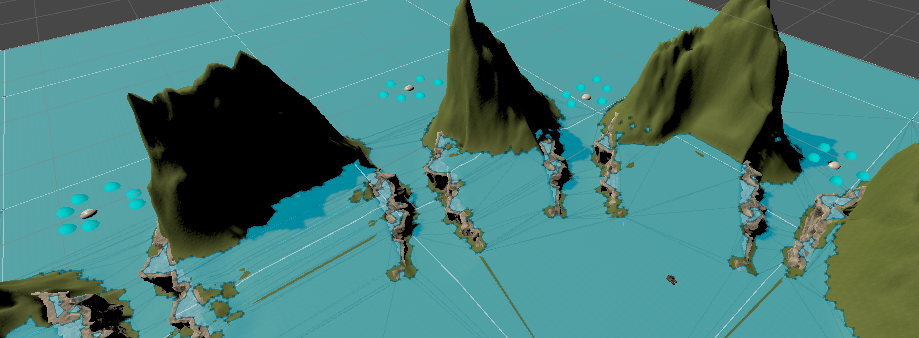
I've got an issue currently that the NavAgent's just seem to randomly teleport to where-ever suits them when 'spawned'.
Here's an example of a random spawn (it gets much worse after more GOs are spawned; it's notable that everything is object pooled).
https://i.imgur.com/dWKAcxh.png
There is however, seemingly, no issue spawning numerous GOs very quickly, it's only after there are many NavMeshAgents in the game already.
https://i.imgur.com/dnDOCjH.gif
I've got some redacted code here:
https://gdl.space/darovugibo.cs
The spawn positions are fixed, they're Sampled in the spawner class, and I've even checked that nothing is in the way using an OverlapSphere. The layers are correct, as the same methods are used across the rest of the game and these have been checked by temporarily serializing the fields so they're visible in the inspector, as well as the blocked message hitting off. All aliens have colliders.
Not really sure what else to try.

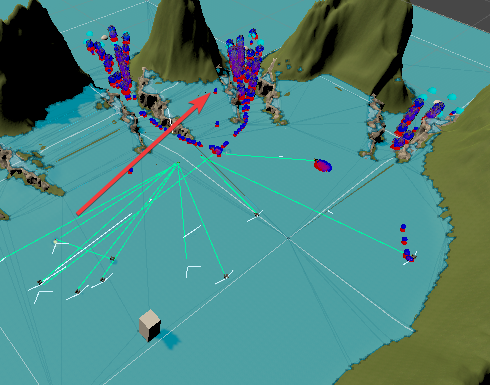
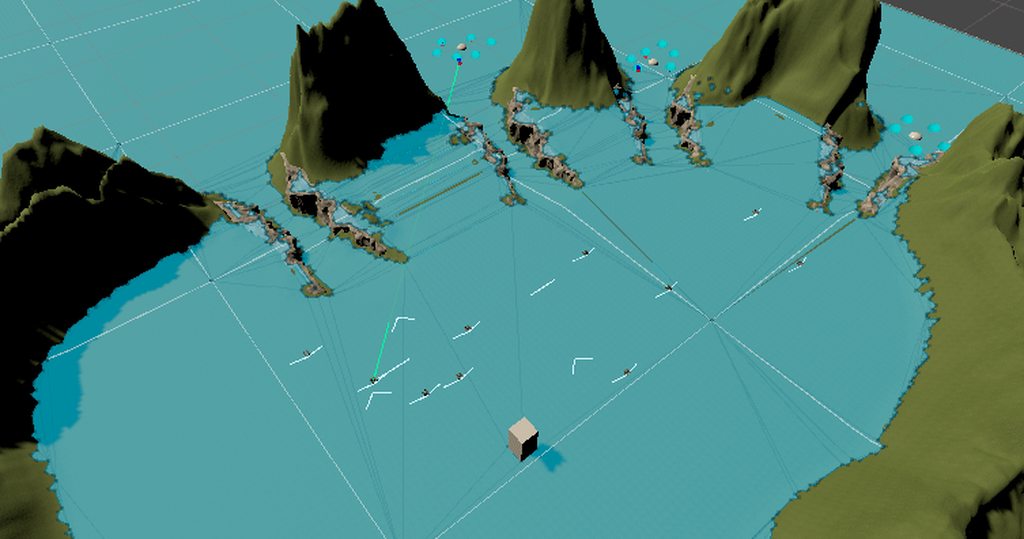
Just to be clear, the light blue spheres are the fixed spawn points:
https://i.imgur.com/gbVx8xb.png
 quartz otter
I'm trying to do some manual nav mesh calculations, but whenever I use the override of NavMesh.CalculatePath with a NavMeshQueryFilter, it fails to detect anything at all. Am I just assigning the wrong agent type or something?
 weary marsh
Hi all! I'm in the early stages of an rts game, and I'm at what I feel like might be a good point to start putting together the pathfinding, but I'm unsure as I've never done it before. I assume I can get it all working with mocked up levels, and then put in a nav mesh in the finished level once I have that all setup? Or is it better to wait to do all that work once I have the levels mostly completed? I'm not sure how much of the pathfinding is tied directly to the specific navmesh, or if it adapts easily to new nav meshes when they are added.
wary ledge
I'm trying to create a better wandering AI. However, it feels a bit sporadic? I'm not really sure of a good solution or not. Thoughts?

 primal fossil
Idk if this belongs under Scripting or here, but here goes:
Hiya! I'm currently trying to create an AI chatbot using the ChatdollKit plugin. I have everything imported and set up correctly, but I keep getting Syntax Errors... Any ideas?
https://github.com/uezo/ChatdollKit


GitHub
ChatdollKit enables you to make your 3D model into a chatbot - GitHub - uezo/ChatdollKit: ChatdollKit enables you to make your 3D model into a chatbot
 novel stump
I have a problem where my navmesh does not move if the destination is really close to where he was before setting the destination
 modest summit
Why does the navmesh baking not cover this little strip of road??

 light pilot
how to make a Ai like granny in unity?
novel stump
light pilot
how to make a Ai like granny in unity?
For the sound add an event to when you play the sound so that the enemy will go to that sound. Set the position of the audiosource to the destination of the navmesh. Create some sort of freeroam that the enemy will go along. For the chase just constantly set the destination of the navmesh to the players location. Stop the enemy from chasing the player after a certain amount of time has passed. Add a mesh to represent granny's field of view and whenever the player passes through it cast a raycast between the player and the enemy to see if the player is in line of sight. If the player is make the chase occur.
light pilot
ty
weary marsh
Is the NavMeshSurface component the most up-to-date navigation component in Unity? Can't seem to find the docs on it in the newer versions.
lol nevermind found it almost immediately after. finally.
What do I have to do to make this "catwalk" section walkable? The nav mesh doesn't seem to want to include it.
 novel stump
weary marsh
What do I have to do to make this "catwalk" section walkable? The nav mesh doesn...
novel stump
weary marsh
What do I have to do to make this "catwalk" section walkable? The nav mesh doesn...
Try seeing if your agents radius is too large or if you are using the latest version of unity, make sure it has a navmeshmodifier component attached to it. If you are using the older navigation system set the static flag to navmeshstatic.
Why is my navmesh surface not updating in the latest version of navigation? Since you cannot bake anymore I do not know what to do

 pulsar jewel
Does anyone know if A* pathfinding has a search radius built in? I am not seeing it on the inspector?
 whole hollow
Hey all, I'm using Unity 2022.3.4f1 with AI Navigation 1.1.4. I'm trying to generate a NavMesh where there is a room made up of 4 walls and obstacles inside and a large walkable space outside a door where the AI starts.
The issue I'm having is that the NavMesh blocks the entire wall, even where the door is. I've tried using NavMeshModifier, NavMeshModifierVolume, even OffMeshLink, yet nothing seems to help. I'm sure I'm missing something stupid, so all help is extremely appreciated.
I will note that it seems none of the AI Navigation scripts seem to do anything except NavMeshSurface which is what the NavMesh is baked on at runtime.
Please ping with all replies!


 sick notch
Anyone done an AI for a 2D platformer with NavMeshPlus? I'm running into issues where the enemy just flies around even with gravity enabled
 tardy junco
whole hollow
Hey all, I'm using Unity 2022.3.4f1 with AI Navigation 1.1.4. I'm trying to gene...
tardy junco
whole hollow
Hey all, I'm using Unity 2022.3.4f1 with AI Navigation 1.1.4. I'm trying to gene...
You only need one nav mesh surface component on some "root" object in the scene. Remove everything else from other objects, especially from the door. Make sure you use the rendering meshes for the bake and not the colliders. Bake and show the results.
whole hollow
tardy junco
You only need one nav mesh surface component on some "root" object in the scene....
I only have one NavMeshSurface component in the scene. There's nothing on the door - the wall is what has the NavMeshModifierVolume, as it's what needs to be modified.
tardy junco
whole hollow
I only have one NavMeshSurface component in the scene. There's nothing on the d...
What needs to be modified about it?
whole hollow
tardy junco
What needs to be modified about it?
There are two objects here. The door (obviously) and the wall, which is light blue. The wall runs all the way and the door is positioned "through" it. The wall has a collider to prevent the AI from walking through it, yet I want to allow the AI to walk through the wall where the door intercepts it. Isn't that what the NavMeshModifierVolume is for?
tardy junco
whole hollow
There are two objects here. The door (obviously) and the wall, which is light bl...
What collider? If you he ai moves via navmesh agent, there's not point in a collider.
I mentioned previously, but you need to bake based on The meshes, not the colliders. If you do that, and add a surface modifier on the door itself, there would be a "bridge" baked where the door is.
whole hollow
tardy junco
What collider? If you he ai moves via navmesh agent, there's not point in a coll...
I tried baking based on meshes as well, same result.
And the problem with leaving out the colliders is that the monsters will spawn all around the room, so even if their destination is set inside of the doorway, they may run through the walls to get there.
tardy junco
whole hollow
I tried baking based on meshes as well, same result.
And the problem with leavin...
For that you would need to use a navmesh obstacle.
As for the bake, take a screenshot of the doorway when you bake from meshes.
whole hollow
tardy junco
For that you would need to use a navmesh obstacle.
As for the bake, take a scree...
If I make the walls NavMeshObstacles with Carve, it's the exact same result as if they had colliders. How can I override the part of the wall that the door intersects with?
tardy junco
whole hollow
If I make the walls NavMeshObstacles with Carve, it's the exact same result as i...
No, I feel like you're not listening to what I'm saying. The walls would be baked with the navmesh surface(the only one in the scene, preferably, on your ground object). The door would have navmesh surface modifier that would exclude it from the bake, but instead would have an obstacle, so that it can be opened/closed dynamically.
whole hollow
tardy junco
No, I feel like you're not listening to what I'm saying. The walls would be bake...
I'm listening to what you're saying but I don't understand most of what you're saying haha.
How do I prevent the AI from walking through the walls?
The door does not need to be opened and closed dynamically, but even if it does, I put a NavMeshModifierVolume and NavMeshObstacle component on the door object?
tardy junco
whole hollow
I'm listening to what you're saying but I don't _understand_ most of what you're...
Not NavMeshModifierVolume, NavMeshModifier. The ai wouldn't walk through the walls, because the area of the walls would be excluded from the navmesh during the bake.
The door object should look like this:


And the navMeshSurface on your ground or other top level object, something like this:

If you don't want the door to open/close, just don't add the obstacle to it
whole hollow
This is with nothing on the walls and a MavMeshModifier component on the door. It doesn't override the block of the wall it intersects with

I'm setting the door to Add or Modify or Remove?
whole hollow
whole hollow
This is with nothing on the walls and a MavMeshModifier component on the door. I...
Same result with Remove
tardy junco
Take screenshots of all the objects involved
whole hollow
It's not overriding the block of the wall it's intersecting. It's two different objects
tardy junco
Why is it intersecting the wall?
whole hollow
tardy junco
Why is it intersecting the wall?
I'm using the Oculus Scene SDK and long story short, it generates gameobjects for all objects in a room, including the walls and doors separately
tardy junco
Ok, but wouldn't that make the walls that intersect the door opaque visually? What's the point of the door there?
Is it a "walk-through" wall?
magic wall?
whole hollow
tardy junco
Ok, but wouldn't that make the walls that intersect the door opaque visually? Wh...
Basically, I have the user's real room with passthrough mixed-reality video inside the room. Then, I have the virtual world outside of the real room, which is what the monsters run in from
The user doesn't see the virtual walls, that's just for me to see while coding it. All he sees is the door model from my original post and the virtual world through it
The blue material is translucent and grid-based to indicate it won't be visual in the actual game, just while I'm making it
I hope this makes sense lol. I just need a way for the navmesh to render through a part of a wall that's supposed to block it. I thought that's what the Modifier components were for.
tardy junco
Ughh... It makes sense, but it's a really weird setup to choose...
whole hollow
tardy junco
Ughh... It makes sense, but it's a really weird setup to choose...
I didn't choose it haha, blame the Oculus SDK 😂
tardy junco
Does the oculus generate the walls for you?
tardy junco
Does it create the walls and doors at runtime?
whole hollow
There's no way to override a part of the obstacle? Isn't that what the NavMeshModifierVolume is for?
whole hollow
tardy junco
Does it create the walls and doors at runtime?
Yup
tardy junco
whole hollow
There's no way to override a part of the obstacle? Isn't that what the NavMeshMo...
I don't think so.
NavMesh Modifier marks certain GameObjects with an area type. NavMesh Modifier Volume allows you to change an area type locally based on a specific volume.
It's for changing an existing area type, not add to the area.
tardy junco
whole hollow
Yup
When are you baking then? At runtime?
whole hollow
tardy junco
When are you baking then? At runtime?
Correct
tardy junco
You could add navmesh Modifier to your walls with "ignore from build" checked and "override area" set to non walkable. Then The door should be lower in the hierarchy or parented to the walls with a navmesh modifier overriding the area as walkable.
ah. damn. I'm mixing up with the old navigation package
- Navmesh modifier with remove, to remove the walls from bake
- area modifier to change the area type
whole hollow
tardy junco
+ Navmesh modifier with remove, to remove the walls from bake
+ area modifier t...
I'll try this
whole hollow
tardy junco
+ Navmesh modifier with remove, to remove the walls from bake
+ area modifier t...
It actually did the opposite, where the walls were able to be walked through but the door wasn't.
tardy junco
The door also need to be removed from the bake. But it's not gonna work anyway. I just tried.
whole hollow
tardy junco
The door also need to be removed from the bake. But it's not gonna work anyway. ...
Am I left with just writing code to only put the walls around the door after the SDK tells me where they are?
tardy junco
That's one option
whole hollow
tardy junco
That's one option
What are others?
tardy junco
I'm thinking...
Yeah, I guess, either place the walls and door yourself or use some kind of boolean operation on the walls mesh to punch a hole in it where the door should be.
whole hollow
tardy junco
Yeah, I guess, either place the walls and door yourself or use some kind of bool...
That was another thought, but I have no idea how to do this
 ocean marlin
Anyone knows how to properly install ML Agents?
I get an error after following all steps. In my Anaconda Prompt, when I do mlagents-learn, it says that it doesnt exist
ocean marlin
Nvm I figured it out.
Is it feasible to add Machine Learning to fake multiplayer mobile games?
 wise scroll
i seem to be having issues with my enemy where there seems to be a deadzone or something where the projectiles wont target the player
the blue arrow is looking at the blue bean but then the projectile is firing the opposite way but if i go to the other side of the enemy it fires properly

as shown

public class EnemyAI : MonoBehaviour
{
    public NavMeshAgent agent;

    public Transform player;

    public LayerMask groundPerhaps, playerPerhaps;

    public float health;

    //Patroling
    public Vector3 walkPoint;
    bool walkPointSet;
    public float walkPointRange;

    //Attacking
    public float timeBetweenAttacks;
    bool alreadyAttacked;
    public GameObject projectile;

    //States
    public float sightRange, attackRange;
    public bool playerInSightRange, playerInAttackRange;

    private void Awake()
    {
        player = GameObject.Find("PlayerObj").transform;
        agent = GetComponent<NavMeshAgent>();
    }

    private void Update()
    {
        //Check for sight and attack range
        playerInSightRange = Physics.CheckSphere(transform.position, sightRange, playerPerhaps);
        playerInAttackRange = Physics.CheckSphere(transform.position, attackRange, playerPerhaps);

        if (!playerInSightRange && !playerInAttackRange) Patroling();
        if (playerInSightRange && !playerInAttackRange) ChasePlayer();
        if (playerInAttackRange && playerInSightRange) AttackPlayer();
    }

    private void Patroling()
    {
        if (!walkPointSet) SearchWalkPoint();

        if (walkPointSet)
            agent.SetDestination(walkPoint);

        Vector3 distanceToWalkPoint = transform.position - walkPoint;

        //Walkpoint reached
        if (distanceToWalkPoint.magnitude < 1f)
            walkPointSet = false;
    }
    private void SearchWalkPoint()
    {
        //Calculate random point in range
        float randomZ = Random.Range(-walkPointRange, walkPointRange);
        float randomX = Random.Range(-walkPointRange, walkPointRange);

        walkPoint = new Vector3(transform.position.x + randomX, transform.position.y, transform.position.z + randomZ);

        if (Physics.Raycast(walkPoint, -transform.up, 2f, groundPerhaps))
            walkPointSet = true;
    }

    private void ChasePlayer()
    {
        agent.SetDestination(player.position);
    }

    private void AttackPlayer()
    {
        //Make sure enemy doesn't move
        agent.SetDestination(transform.position);

        transform.LookAt(player);

        if (!alreadyAttacked)
        {
            ///Attack code here
            Rigidbody rb = Instantiate(projectile, transform.position, Quaternion.identity).GetComponent<Rigidbody>();
            rb.AddForce(transform.forward * 32f, ForceMode.Impulse);
            rb.AddForce(transform.up * 8f, ForceMode.Impulse);
            ///End of attack code

            alreadyAttacked = true;
            Invoke(nameof(ResetAttack), timeBetweenAttacks);
        }
    }
    private void ResetAttack()
    {
        alreadyAttacked = false;
    }

    public void TakeDamage(int damage)
    {
        health -= damage;

        if (health <= 0) Invoke(nameof(DestroyEnemy), 0.5f);
    }
    private void DestroyEnemy()
    {
        Destroy(gameObject);
    }

    private void OnDrawGizmosSelected()
    {
        Gizmos.color = Color.red;
        Gizmos.DrawWireSphere(transform.position, attackRange);
        Gizmos.color = Color.yellow;
        Gizmos.DrawWireSphere(transform.position, sightRange);
    }
}
the code if that helps
 young wharf
Hi, i installed an asset called "Easy NPC" and i got this error Library\PackageCache\com.unity.ai.navigation@1.1.3\Editor\Updater\NavMeshUpdaterUtility.cs(52,60): error CS0117: 'CollectObjects' does not contain a definition for 'MarkedWithModifier'
and Library\PackageCache\com.unity.ai.navigation@1.1.3\Editor\Updater\NavMeshUpdaterUtility.cs(58,28): error CS1061: 'NavMeshSurface' does not contain a definition for 'minRegionArea' and no accessible extension method 'minRegionArea' accepting a first argument of type 'NavMeshSurface' could be found (are you missing a using directive or an assembly reference?)
also Library\PackageCache\com.unity.ai.navigation@1.1.3\Editor\Updater\NavMeshUpdaterUtility.cs(119,30): error CS1061: 'NavMeshModifier' does not contain a definition for 'overrideGenerateLinks' and no accessible extension method 'overrideGenerateLinks' accepting a first argument of type 'NavMeshModifier' could be found (are you missing a using directive or an assembly reference?)
as well as Library\PackageCache\com.unity.ai.navigation@1.1.3\Editor\Updater\NavMeshUpdaterUtility.cs(120,30): error CS1061: 'NavMeshModifier' does not contain a definition for 'generateLinks' and no accessible extension method 'generateLinks' accepting a first argument of type 'NavMeshModifier' could be found (are you missing a using directive or an assembly reference?)
 versed rain
Aight so, i just started working on pathfinding for a thesis project of mine, i've been using the KinematicCharacterController assetstore package by Philippe Stamand. Currently i've setup so the system does the following:
1.- Get input from the player, mainly movement vector (Vector2 composite of XYZ).
2.- Transmit the movement vector to an InputBank (in this case the input bank basically recieves the desired input for a Character, this input can come from the player itself or from AI)
3.- Input is given to the KinematicCharacterController, which itself calculates the necesary movement for the KinematicCharacterMotor.
This by itself works well, however, now i've been thinking about using the navigation and AI systems for the enemies, i stumbled upon myself that the NavMeshAgent tries to move the object, so in this case i separated the "Body" of the character from the "Brain" of the character. and instead i made the following for the AI Setup.
1.- A NavMeshAgent Controller, which updates the destination every x seconds
2.- On fixed update, set NavMeshAgent.nextPosition to the KinematicCharacterMotor's position, as i want that system to handle movement itself.
3.- if the NavMeshAgent has a path, take the current velocity of the mesh agent, normalize it, and feed it to the Body's Input bank
this works, however, i really feel like its EXTREMELY hacky and i have no idea is there's a better way to get the "desired inputs" from a navmesh agent without having to force it to follow another object constantly.
 exotic grove
the agent doesn't have to move via the component, you can calculate paths separately
then following the path is just taking the direction to the next point in the path and moving in that direction by a speed (so, the inputs are the direction in this case)
versed rain
Ohh
Well, this changes things
Yeah I'll refactor my code to do this instead
Thanks
versed rain
Speaking of AI and stuff, I've been thinking about making flying enemies, or does the navigation module only handle grounded navigation
exotic grove
it only handles grounded navigation, you would need a custom system for air navigation
versed rain
noted
i'll see what kind of hacky solution i'll be able to come up with, i really dont have the time to reimplement something like A* for this project, lol
nevertheless, using the NavMesh.CalculatePath worked well
i dont like how... perfect the navigation is tho, but whatever
versed rain
yeah this is funky
i think i'll revert to using the agent and forcing it to follow the kinematic character motor instead
cuz like, i have no idea how to fix this
might be because the CreatePath method has no idea of the radius of my object
i'd probably have to modify the created path to fit the radius of the character but like, i have no idea how to do that
primal fossil
primal fossil
Idk if this belongs under Scripting or here, but here goes:
Hiya! I'm currentl...
Did I put this in the correct channel...?
 foggy sky
Hey folks. I’m working on group avoidance/movement that should behave in RTS fashion. But I’m struggling figure out how to done it right. Does anyone did it before, maybe there are some useful resources you recommend? Thanks!
 potent zodiac
How can I connect this?
 tardy junco
potent zodiac
How can I connect this?
tardy junco
potent zodiac
How can I connect this?
Start from figuring out why it's not connected.
potent zodiac
nvm fixed it
 spare hedge
is this coding with AI or making an NPC ?
rustic obsidian
spare hedge
is this coding with AI or making an NPC ?
 spare hedge
rustic obsidian
spare hedge
rustic obsidian
sorry mate
ocean marlin
Heyy, anyone is familiar with ML Agents? I need some help with rewarding and penalizing
rustic obsidian
@sinful parcel this channel is not for AI-generated content, as you can see above and in the pins. If it's not Unity either then it's not relevant to the server
 chilly dagger
I'm interested in learning to make game AI, and I'm wondering what topics or concepts that I should know to have an easier time learning about them
 sinful parcel
rustic obsidian
<@916535778958512198> this channel is not for AI-generated content, as you can s...
sinful parcel
rustic obsidian
<@916535778958512198> this channel is not for AI-generated content, as you can s...

 molten sequoia
Best to move this to #archived-machine-learning. This channel is for the more old school type of AI 😛
ocean marlin
Oh thank u
 tired mauve
Heya, so with the AI Navigation package that replaced the old one, does it require us to manually add this NavMeshSurface to every gameobject i want my player to walk on? Is there a way to get the old Bake tab where i could just bake the whole scene...
molten sequoia
tired mauve
Heya, so with the AI Navigation package that replaced the old one, does it requi...
Is it not available at all? It might be marked as obsolete
tired mauve
molten sequoia
Is it not available at all? It might be marked as obsolete
the old one doesnt bake lol
bake button does nothing
very weird
im just staying on an older version for now so i can bake my whole scenes, ill switch later, zero desire to add a nevmesh surface to a ton of objects
molten sequoia
tired mauve
the old one doesnt bake lol
Most likely just some setting issue. Looks like your project will continue to have legacy navigation functionality even if you upgrade
The functionality described here is made available only in projects that have been created with earlier Editor versions.
https://docs.unity3d.com/2023.2/Documentation/Manual/Navigation.html
molten sequoia
tired mauve
Heya, so with the AI Navigation package that replaced the old one, does it requi...
I guess it's worth noting that afaik you still need to set all surfaces to navigation static, which isn't terribly different from adding a component to them
 proper cobalt
anyone know why im getting this error?
AiBaseState.cs theline "public Enemy enemy" in it

im getting the error from the line "if (enemy.CanSeePlayer())" in RepositionState.cs
 wheat imp
hello, i'm using the NavMeshPlus package, but when the enemy hits the wall, it can't get out, what can i do to fix this?
 meager pivot
wheat imp
hello, i'm using the NavMeshPlus package, but when the enemy hits the wall, it c...
meager pivot
wheat imp
hello, i'm using the NavMeshPlus package, but when the enemy hits the wall, it c...
Kinda looks like your agent was pushed off the nav mesh. Maybe adjust the agent size on your nav mesh surface? Also windows has a built in screen recorder that doesn't leave a water mark.
 sharp gulch
meager pivot
Kinda looks like your agent was pushed off the nav mesh. Maybe adjust the agent ...
sharp gulch
meager pivot
Kinda looks like your agent was pushed off the nav mesh. Maybe adjust the agent ...
windows's screen recorder records in the highest quality and fps, making even a 30 second video a large fraction of a gigabyte
meager pivot
sharp gulch
windows's screen recorder records in the highest quality and fps, making even a ...
Ah fair.
 full condor
After updating my project from 2020.3.25f1 to 2022.3.5f1 my navmesh wont bake anymore, what should i do?
 outer night
Any tip for making AI running away from player? Like for ex. animals?
tardy junco
outer night
Any tip for making AI running away from player? Like for ex. animals?
- Have some kind of player proximity sensor on the ai character.
- Switch to the "running away" state.
- Profit?
 boreal moat
Wanted to ask, any tips of how to deal with unique meshs and NavMeshObstacle? For example is there any way of making it work with Meshes instead of just Box or Capsule? Otherwise I have instance like so where there is a lot of negative space

 jovial arrow
Hey all! I'm having trouble getting my tensorflow model that I converted to ONNX working in Unity. I've outlined my problem here. I'm using Barracuda. Any help would be greatly appreciated! #archived-code-advanced message
 gleaming arch
 quaint crown
Idk if anyone here has any interest but I made devlog / tutorial on a turn-based AI for my game if you wanna check it out!

In this in-depth devlog, I'll showcases how I developed a turn-based AI system for my Unity game, Tactical Elements. I'll explain the shortcomings of the old AI and the improvements I made to create a smarter opponent. The video covers the implementation of a Minimax AI algorithm with alpha-beta pruning for evaluating and finding the best moves....
 brisk pawn
how do i make these generated offmeshlinks bidirectional

i have a lot of drops like this so manually placing surface/offmesh links isn't a really good option
 crimson oxide
brisk pawn
how do i make these generated offmeshlinks bidirectional
crimson oxide
brisk pawn
how do i make these generated offmeshlinks bidirectional
As far as I'm aware, there isn't an immediate way to do so. I just ended up manually placing my offmesh link points and then extending their width, that way I'd only need to place like a couple of points
crimson oxide
full condor
After updating my project from 2020.3.25f1 to 2022.3.5f1 my navmesh wont bake an...
I think 2022 might have introduced the Advanced Navmesh Components as a release package in the package manager
 abstract canyon
can i ask about a problem i have about astar pathfinding here? or is there a better place to ask? thx
jaunty raft
abstract canyon
can i ask about a problem i have about astar pathfinding here? or is there a bet...
If you mean the asset, it has its own discord but you can still ask here too.
abstract canyon
Yes so i am following a tutorial to set up the package in my proyect but the issue is that when i puta the namespace phatfinding that should enable me to access the package API but It doesn't
 open spear
On first screenshot is navmesh made by Navigation tab, and that one made good surface, where all trees are included, but by some reason all other objects not included.
On second screen is navmesh made by navMeshSurface script attached to gameobject, and there is opposite situation. All objects are included in map, but trees are not.
How can i made a map where trees and objects will be included in map together?
Or should i do 2 maps? How in this case my agents will work? I have 2 agents for human and car, with different values.

 open spear
On first screenshot is navmesh made by Navigation tab, and that one made good su...
open spear
open spear
On first screenshot is navmesh made by Navigation tab, and that one made good su...
I found solution. Objects should be static. In this case all, the objects and the trees will be included in navmesh calculation.
alpine glacier
Before I post my problem, I want to make sure its relevant to this chat. Its a problem relating to the ML-Agents and the episode constantly repeating itself. I didn't wanna post it in here without knowing and was stuck between this and machine learning.
tardy junco
alpine glacier
Before I post my problem, I want to make sure its relevant to this chat. Its a p...
The correct channel is #archived-machine-learning as the name suggests.
 orchid hemlock
Any idea why my Navmesh acts so strange when I ramp up the Speed field? It works fine around 3.5, but once I put the number to as high as 10, the Agent suddenly overshoots the path and is not very effective in calculating its path. All I need is a Navmesh agent that just walks faster, while being as precise as before.
flat granite
is there a way to force a NavMeshObstacle to update, even though the Move Threshold is relatively high?
alpine glacier
tardy junco
The correct channel is <#502171346503991307> as the name suggests.
okay, thank you!
 azure flower
anyone know how to add ai TTS?
 tiny spruce
Hi,
Do you know why zombies change their paths when they can easily go straight ahead?
azure flower
mabey try makeing the target not a navmesh obstical?
tiny spruce
Target doesn't have a navmesh obstacle.
 woeful helm
how do i make the navmesh agent fall off the map when hit by the rigidbody player?
tardy junco
woeful helm
how do i make the navmesh agent fall off the map when hit by the rigidbody playe...
Disable nav agent, enable dynamic rigidbody, apply forces.
woeful helm
tardy junco
Disable nav agent, enable dynamic rigidbody, apply forces.
ok
is there something wrong with my code?
error: NullReferenceException: Object reference not set to an instance of an object
EnemyCore.Update () (at Assets/NPC/Enemies/EnemyCore.cs:59)
https://hatebin.com/kikzuzyqqa
error only appears when state is WANDER
 austere fox
Yes, an error does mean that something is wrong
You'll have to post the entire class so that we know which line is 59
woeful helm
austere fox
You'll have to post the entire class so that we know which line is 59
entire class?
austere fox
Or point out which line is 59
woeful helm
austere fox
Or point out which line is 59
state = STATE.IDLE;
austere fox
That's what's in the hatebin but because you pasted only part of the class
What's line number 59 in the actual class
woeful helm
austere fox
What's line number 59 *in the actual class*
oh
woeful helm
austere fox
What's line number 59 *in the actual class*
float newZ = this.transform.position.z + Random.Range(-5, 5);
austere fox
That line can't throw a null reference exception
are you sure it's not the next one?
woeful helm
austere fox
That line can't throw a null reference exception
case STATE.WANDER:
if (!nav.hasPath)
{
float newX = this.transform.position.x + Random.Range(-5, 5);
float newZ = this.transform.position.z + Random.Range(-5, 5);
float newY = Terrain.activeTerrain.SampleHeight(new Vector3(newX, 0, newZ));
Vector3 dest = new Vector3(newX, newY, newZ);
nav.SetDestination(dest); //without the other code, it stays still
nav.stoppingDistance = 0;
}
if (Random.Range(0, 5000) < 5)
{
state = STATE.IDLE;
nav.ResetPath();
}
if (CanSeePlayer())
{
state = STATE.AWARE;
}
break;
austere fox
Jesus christ
yes, I can see that code in the hatebin, no need to paste it again
which line throws the error
woeful helm
austere fox
yes, I can see that code in the hatebin, no need to paste it again
float newY = Terrain.activeTerrain.SampleHeight(new Vector3(newX, 0, newZ));
austere fox
You don't have a terrain in the scene
woeful helm
austere fox
You don't have a terrain in the scene
yes, i just realized
sorry for disturbing you
 real willow
Hi all,
I created a OpenAI package for Unity
https://github.com/TaprobanaStudios/OpenAI-Unity
Theres still more to come, have a look if possible and let me know what y'all think
Contributors are welcome!

GitHub
OpenAI package for Unity which allows to use OpenAI api in Unity. - GitHub - TaprobanaStudios/OpenAI-Unity: OpenAI package for Unity which allows to use OpenAI api in Unity.
 vivid kiln
hey, im making an fps shooter game where the enemies are other players and im wondering whats the best way to do the enemy ai movement? I saw that there are a lot of ai tools and systems and i dont know which one to choose
alpine glacier
Does deleting a GameObject with NavMeshObstacle carving instantly update the NavMesh to fill in the former hole? If so, how much overhead is it for a large Navmesh?
tardy junco
real willow
Hi all,
I created a OpenAI package for Unity
https://github.com/TaprobanaStudios...
How is it different from all the other packages available? Is there some unique feature?
tardy junco
vivid kiln
hey, im making an fps shooter game where the enemies are other players and im wo...
It depends on how you want it to work.🤷♂️
It could be using a navmesh agent or controlling the character movement direction in the same way as the player controller.
Ideally you want the AI to only be responsible for making decisions and not controlling the character(that's what your character controller is supposed to do and be agnostic of what controls it: player or ai).
vivid kiln
tardy junco
It depends on how you want it to work.🤷♂️
It could be using a navmesh agent or...
yeah but with navmesh agent it would be kinda hard to make it real, i was looking at like assets like emerald ai 3.0, that does everything for me, i just need to fill out some things, do you think its a good idea?
tardy junco
vivid kiln
yeah but with navmesh agent it would be kinda hard to make it real, i was lookin...
I don't see why a navmesh would affect visuals in any way...
If you want to use an asset, sure, feel free to. But it's probably doing something similar behind the scenes.
vivid kiln
tardy junco
I don't see why a navmesh would affect visuals in any way...
If you want to use ...
oh, i dont mean visuals i mean making the movement and wandering of the character real so like its not that obvious its an npc if you know what i mean.
tardy junco
vivid kiln
oh, i dont mean visuals i mean making the movement and wandering of the characte...
I don't know what you mean. I don't see how navmesh agent can pose a problem with that.🤔
vivid kiln
tardy junco
I don't know what you mean. I don't see how navmesh agent can pose a problem wit...
i mean that it would be hard for me to program the ai movement to be realistic, if i buy emerald ai, i can just set a few things and it will work out of the box with animaitons etc..
tardy junco
vivid kiln
i mean that it would be hard for me to program the ai movement to be realistic, ...
Ah, well, with just navmesh agent you'll need to write some code for sure.
But I recommend at least giving it a try for learning purposes. It's really not that complicated.
 earnest rapids
Hey!! I want to connect Text to a video streaming AI using API ..someone here that can help me?
tardy junco
earnest rapids
Hey!! I want to connect Text to a video streaming AI using API ..someone here th...
What's the actual question?
rustic obsidian
This channel is about traditional AI, like navigation and state machines, not the modern nonsense take on AI. That can just go to #💻┃unity-talk.
earnest rapids
@tardy junco I don't have the skills to create an API to the connect to D-DI studio and I need someone with that skills that can help me
@rustic obsidian sorry... my mistake
tardy junco
earnest rapids
<@209684227720085505> I don't have the skills to create an API to the connect to...
Well, start from something. Look at the relevant documentation, try out some code. And if nothing works or you have questions, ask it with details included in the appropriate channel.
flat granite
why does NavMeshBuilder.UpdateNavMeshDataAsync() not update the surface in the specified bounds, only if i make them ridiculously big?
 stone tree
why does the navmesh agent drift into the void when you put two agents on top of eachother and then tell them to go to a destination?
 left dagger
how do i make the ai path finder to always stick to the sprite
when the sprite collides with something, the ai pathfinder is slightly offseted
nvm figured it out
 versed dirge
How are you supposed to use terrain trees with navmesh surfaces? When I bake, the trees don't get included even though their prefabs are set to static and have navmesh obstacle and collider components.
I'm doing a forest scene and I'm not sure it would be wise to have all my trees as regular objects?
 tardy junco
versed dirge
How are you supposed to use terrain trees with navmesh surfaces? When I bake, th...
tardy junco
versed dirge
How are you supposed to use terrain trees with navmesh surfaces? When I bake, th...
Is the terrain marked as static too?
versed dirge
tardy junco
Is the terrain marked as static too?
It is yeah.. I ended up using a script I found to convert trees into gameobjects to bake and then you can delete them
 sweet kettle
Why sometimes the agent shows a dotted line from the center of the nav mesh surface object to the destination and the other times is just enough with showing a circle indicating the destination?


Note: Unity V2022
 crystal ferry
Ok, so, I have a bit of a long help request thingy. So, I'm pretty new to coding, I know a tad, but not even a scratch to the actual 'iceberg', but with my game, I want to have a AI that follows you, but stays like 10 feet behind you (within eye sight) and stops. Sounds easy, but here's the hard part, if the [player walks towards the AI, I want it to run away until its out of eyesight, and then teleport 10 feet behind the player.
So what I have gathered is, of course I need the Nav mesh, and the Nav mesh agent to get the ai to work, I will probably need the ray cast thingy for the eyesight part, and the follow and stop command and teleport command I have 0 clue with
So if anyone has done something similar, could point me to a archive of something that would work, or if you just know how to do this and it isnt as hard as i think it is, could you perhaps tell me???
tardy junco
crystal ferry
Ok, so, I have a bit of a long help request thingy. So, I'm pretty new to codin...
What if there is a situation where only either 10m or within eyesight condition is satisfied? For example, if you have a narrow corridor that turn 90 degrees and the player just got around the corner. The ai would need to get close to it(turn the corner) to have line of sight.
crystal ferry
yeah, right now im thinking of a weeping angel sort of thing, exept it runs away and dosent come close enough to kill
tardy junco
Then why not just let it get closer when the player is facing away? And make it run when the player is facing towards it? Or maybe even just check the visibility of the renderer?
crystal ferry
because the whole point is the thing (a cat) is watching the player, so i dont want it getting too close
but i also want the player to see the cat, mainly because the cat is the main thing of the game
tardy junco
Okay, then I don't understand what were you trying to say in that(#🤖┃ai-navigation message) message and what's wrong about advices in my original message.
crystal ferry
i was refrencing something that was more popular, i didnt know if you understood what i meant, and when i said yeah, i was agreeing with you
tardy junco
Oh okay. Then you got it handled I guess?
crystal ferry
using System.Collections;
using System.Collections.Generic;
using UnityEngine;
using UnityEngine.AI;

public class CatController : MonoBehaviour
{
        public Transform target;

        [Range(0, 1f)]

        public float Range = 0.5f;

        [Range(0, 5f)]

        public float Speed = 5f;

        void Update()

        {

            transform.LookAt(target);

            float viewGap = Vector3.Dot(transform.forward, target.forward);

            if (viewGap > Range)

            {

                //check like a raycast or similar to check if the player actually "see" the cat

                transform.position = Vector3.MoveTowards(transform.position, target.position, Speed * Time.deltaTime);

            };

        }

    }
no, thats what i have so far
peeps in scripting told me to go here since it is technically ai stuff
tardy junco
Okay, so what's the issue?
crystal ferry
i dont know how to set a limiter on how close the cat can get, and i dont know how to get him to run, and when he is out of eyesight, teleport behind the player again
tardy junco
For the limiter, check the distance between the cat and the target.
If the distance is less than 9 let's say, then make it run away, but if it's between 10 and 9, just make it stop.
If the distance is above 15 and it's out of sight, set it's position to be within 10m or something.
crystal ferry
ok, and i got 0 clue how to do the teleportation, i would imagine some check with raycast, and if false move to certain spot behind player and resume follow
tardy junco
Why would you need a raycast? You already have a check of "line of sight" sort of with the dot product.
Might want to get the dot product of the player forward and the direction to the cat though(instead of cat forward)
crystal ferry
yeah, i know, i saw the cat got all janky, it was funkyyy
but i was just saying raycast cause ive been thinking about switching to it
tardy junco
What exactly do you want to do with a raycast? It's not specifically helpful in this situation(unless you want to detect walls and other objects in between)
crystal ferry
i have a lot of walls in the house so i was wanting the ray cast for that
and furniture
tardy junco
Okay, well then it would be in addition to the dot product. Not instead of it.
crystal ferry
oh, my bad, ive never used raycast before so i need to research its script
okok, so right ```c
transform.LookAt(target);
how do i get that to turn strictly on the x axis
i remember seeing something about this, but i am like remembering fragments of the script
crystal ferry
I DID IT WOOOO
 urban ferry
guys can somebody give me a heads up pls? im going nuts with navemsh links. would the links shown in the picture work this way? the terrain is not even and i dont know how to place them. this is now a single link that goes across the whole eastern side of the left terrain

and here you can see that the link is actually placed underneath the terrain, would that work?

finally this terrain is even more "wobbly" - how to place a link across the whole side so that a player can pass through everywhere? and do i have to align the navmesh link on top of the terrrain or does the height axis not matter ?

 unkempt hedge
I was wondering if someone could tell me if what I'm planning is feasible. I wanted to make like simulations in VR using blender. But I've never used blender before, and was just wanting to know if an 8 month time span would be enough to learn how to use unity p decently and then create the simulations that I want to create
Then I'd link it to a VR headset to be used there
But agn I have no clue how feasible that is
 stuck trench
Has anyone got a good tutorial for Behaviour Trees? I really cannot get my head round them.
 dapper moon
My navmesh is generated like in the following image, when enemies drop down from above to below, they do it in a very abrupt motion , why is that?
 jaunty raft
stuck trench
Has anyone got a good tutorial for Behaviour Trees? I really cannot get my head ...
jaunty raft
stuck trench
Has anyone got a good tutorial for Behaviour Trees? I really cannot get my head ...

Game Developer
An introduction to Behavior Trees, with examples and in-depth descriptions, as well as some tips on creating powerful expressive trees.
flat granite
What could be the reason for my nav meshes not working in the build? They work fine in the editor (Unity 2021.3.28)
In the Windows build, navAgent.isOnNavMesh returns false when it shouldn't
 wheat tulip
Can someone point me in the right direction? I am trying to get started with ai in a game I am starting to build, I've been hitting a roadblock. I am looking for a intro to ai states to allow these ai npc to patrol, search, follow etc. and I haven't found any great tutorials on this subject I'm just looking for a starting point on this one
 glacial marsh
Anyone know if theres a way to tell if a NavMesh agent is in the process of jumping?
wheat tulip
glacial marsh
Anyone know if theres a way to tell if a NavMesh agent is in the process of jump...
I’d guess you could probably figure something out through the nextPosition property of your agent what I mean by that is you could hypothetically check the nextPosition every update to see if the next one has a drop in Y. However I cannot guarantee that is what you are looking for I am still very new to all the unity ai stuff in general . It might be worth looking on YouTube for a tutorial that could be more informative
There might also be some tutorial for that to hook up some animations for the jumps that might lead you towards what you are looking for.
That might be a YouTube search idea
If you do figure it out feel free to ping me I would love to hear the solution you find!
Hope that helps🙂
tardy junco
wheat tulip
Can someone point me in the right direction? I am trying to get started with ai ...
Look up finite state machine tutorials. Or behavior tree tutorials.
wheat tulip
tardy junco
Look up finite state machine tutorials. Or behavior tree tutorials.
Awesome I’ll look into that
 cerulean sluice
hello ive made a nav mesh and even though the agent is literally hugging the ground it says that the nav mesh agent is too far. can someone help me?
wheat tulip
It’s just saying it can’t reach you as a warning
There is no viable path to you
Hence the create nav mesh link warning
But I’m not really sure going about finding the problem on this one other then like adding a path up there and seeing if that fixes it
Then maybe go to something level with it but can’t reach?
 lime bloom
Hi i am trying to create learning environments for applying reinforcement learning (using ml agents), i am unable to find good guides or tutorials, can anyone help me out??
alpine glacier
 jagged zodiac
Any suggestions?
jagged zodiac
Any suggestions?
Maybe try another pathfinding algorithm such as A*(with RVO for agent avoidance). I remember implementing A* from scratch in unity, but that's long ago. Although, it's simple to implement, I used pseudocode and Youtube videos to understand how it works and implemented it on a generic grid system I made.
 cinder plinth
jagged zodiac
Any suggestions?
cinder plinth
jagged zodiac
Any suggestions?
Maybe switching to compute shaders will help?
 worldly lance
when trying to run mlagents-learn I get an error that it doesn't exist. I see people online complaining about it too and the solution seems to downgrade many versions. was anyone able to solve this?

after installing:
https://github.com/Unity-Technologies/ml-agents/releases/tag/latest_release
python mlagents
python mlagents_envs
 worldly lance
Downloading python 3.7.9 fixes the issue, but it's a very weird solution
lone tundra
I mean, extremely specific version dependencies is the most common problem with python =p
austere fox
yes
austere fox
If you're talking about a specific library or implementation of A*, you'll have to tell which one you're using. A* by itself is just an algorithm.
 sly lagoon
How heavy is Random.insideUnitSphere and NavMesh.SamplePosition combination? Would it hurt performance much if I do several thousands in a row?(not in update, obviously)
 grave fjord
What's the prescribed method for getting a navmeshagent to stop where they are? Is there something more elegant than manually setting isStopped to true?
 smoky edge
grave fjord
What's the prescribed method for getting a navmeshagent to stop where they are? ...
smoky edge
grave fjord
What's the prescribed method for getting a navmeshagent to stop where they are? ...
From what I found you could do this : gameObject.GetComponent().SetDestination(gameObject.transform.position);
 odd nymph
my ai bugs out when it runs into a wall
?


is it because of the navmesh
theres like holes near the pillars
pls help 🙏
 gentle pasture
my 2d navmesh is not being baked for some reason
gentle pasture
tried almost everything, checked if it works in a new scene, checked with different settings, checked with different objects, checked if the navmesh was invisible
 severe fable
gentle pasture
my 2d navmesh is not being baked for some reason
severe fable
gentle pasture
my 2d navmesh is not being baked for some reason
I don't think you can bake it from sprite renderers or 2D colliders
The navmesh expects mesh renderers or 3D colliders I'm pretty sure
 kind lily
My Zombie Ai's won't go out of the blue section, how do I make it bigger?
 raven rapids
is there some kind of platform in the middle there?
looks like a brick texture
the plane does not appear to be walkable
 vital bison
it feels like Ive tried everything but I cant connect theese two platforms

I even tried to make a bridge between them with no luck
https://i.gyazo.com/fe186859073e68f73cacfa905dd4a276.jpg

 tardy junco
vital bison
I even tried to make a bridge between them with no luck
https://i.gyazo.com/fe18...
tardy junco
vital bison
I even tried to make a bridge between them with no luck
https://i.gyazo.com/fe18...
Probably due to the da
Doorway being too narrow. You'd probably need to reduce the radius of the agent that it is baked for.
raven rapids
I want to add a dropdown to a component to pick a NavMeshAgent type. I'm unclear how to do this.
I'm guessing there's some fancy custom editor for the NavMeshAgent, since it looks like the agent ID is literally just an int
(or maybe an attribute + custom property drawer)
it's hard to tell because the AI Navigation package is just a DLL
raven rapids
raven rapids
I want to add a dropdown to a component to pick a NavMeshAgent type. I'm unclear...
I need to query the nav mesh, but I might not actually be using a NavMeshAgent, hence the requirement.
I guess I could just staple an inactive NavMeshAgent to every entity, but I'm not a big fan of that...
 cedar gull
Anyone have experience with Aron Granberg's A* pathfinding navmesh plugin?
I'm trying to get an agent to avoid the player as much as possible, but I'm having some trouble.
It feels like the kind of thing there might conceivably be a built in solution for if I look in the right place
jaunty raft
cedar gull
It feels like the kind of thing there might conceivably be a built in solution f...
cedar gull
oh shit
hmmm
the project presentation is due on wednesday so I may not have time to get Pro and implement this but I wish I had seen it earlier lol
it costs $100
nevermind
 honest shuttle
Hi,
First of all, I'm a beginner in Unity and C#, so sorry if my question is stupid/common sense
I use NavMeshSurface et Agent to move ennemies toward a player. My map is a city, and thus lots of sidewalks. I also have cars/boxes/etc.
So, my NavMeshSurface is... a bit weird, tiny spots where the enemy cannot walk for Unity (which is not the case), but most of all, often, when the player is wandering around, the enemies just stop moving because he is outside of the navmesh.
So, is there a way to force the ennemy to move toward the player, event tho he cannot access its position ? Also, if the player is, let's say, behing a fence, the enemies still try to get him ?
Thank you for answers, (I highly hope I'm in the right channel), and sorry for my bad english ^^
lone tundra
vital bison
it feels like Ive tried everything but I cant connect theese two platforms
Use off-mesh links?
 tulip gust
Hello, I'm not the best a unity and I'm getting these errors ( pic below ) and I'm using the AI Navigation in Package Manager, any help?

its the newest version of AI Navigation 1.1.4
 crisp notch
Guys got a problem, NavMeshAgent i want to make the agent walk stairs up and i put invisible slopes to the stairs that i can walk them easy up but i cant get the slope as place to walk up for the agent
severe fable
crisp notch
Guys got a problem, NavMeshAgent i want to make the agent walk stairs up and i p...
How's the navmesh on the stairs after generating, then?
By default navmesh is generated on mesh renderers, not colliders, so the invisible slope may be ignored
 drifting quest
hi, i am missing the NavMesh components, they don't exist at all, i don't even have an AI tab under "Window", but i have enabled AI under build-in packages Unity 2022.3 (Also no Navigation Tab)
tardy junco
drifting quest
hi, i am missing the NavMesh components, they don't exist at all, i don't even h...
Make sure you have the package installed
Anyone has a clue how to disable the navmesh debug view(gizmos? The blue mesh) in the scene view? It seems to only hide when I disable all of the gizmos. Disabling the navmesh surface or any other nav mesh component doesn't seem to disable it...
Ughh... Apparently it's in the "overlays" menu now if anyone is interested.
 raven rapids
yeah, bit of a pain to find
raven rapids
drifting quest
hi, i am missing the NavMesh components, they don't exist at all, i don't even h...
yeah, the legacy navigation tools are gone completely now, I think
the AI Navigation package replaces them
flat granite
does anyone know why the bounds include the origin?


 drifting quest
raven rapids
the AI Navigation package replaces them
drifting quest
raven rapids
the AI Navigation package replaces them
Ah, thank you i finally found it
flat granite
flat granite
ah, because they use Bounds with 0,0,0 as center
Created a bug report in the forum: https://forum.unity.com/threads/navmeshsurface-has-wrong-bounds-when-collecting-children.1487631/
Can one hope that this is enough to have it fixed soon-ish, or should I use the bug report tool

Unity Forum
I have this object in a hierarchy, at the root is a NavMeshSurface. When I use Current Object Hierarchy for object collection, the bounds are too big...
raven rapids
flat granite
ah, because they use Bounds with 0,0,0 as center
It's not the world origin
 raven rapids
that's how it's laid out.

the NavMeshSurface transform has been moved away from the origin
raven rapids
that it's not including the world origin.
flat granite
that doesn't help with my problem though. it doesn't matter if it's the world origin or just the root's pivot - the bounds are too big
flat granite
Can someone explain the localBounds parameter of NavMeshBuilder.UpdateNavMeshDataAsync() to me?
I had hoped that I could feed it with very small local bounds and then it would only update the navmesh at that place, but that doesn't seem to work, nothing changes with the navmesh (even though the geometry changed)
 errant crow
How do you hide the nav mesh in v2023? No AI/Navigation window in the window menu.
tardy junco
errant crow
How do you hide the nav mesh in v2023? No AI/Navigation window in the window men...
errant crow
Did a search, but missed that! Thank you.
grave fjord
I want to be able to trigger a nav mesh bake in code. I'm using Unity 2022.2 and have the AI Navigation package all installed though the Package Manager. I'm able to add a NavMeshSurface to my GameObject... but have no way of referencing it in code. Even with UnityEngine.AI included, the NavMeshSurface class doesn't seem to exist. What have I missed?
flat granite
it's in Unity.AI.Navigation
grave fjord
flat granite
it's in Unity.AI.Navigation
Brilliant - thanks
Got my navmesh baking in code nicely, thanks. But what's the prescribed method for re-baking it if the level gets re-built during a session? BuildNavMesh() seems to have no effect and there's doesn't appear to be a Clear() method like the button in the Inspector would suggest.
flat granite
there's UpdateNavMesh()
grave fjord
So I've tried a few things for when I've already done BuildNavMesh().
Calling BuildNavMesh() again or UpdateNavMesh() seem to add a new section of nav mesh without removing any of the old, now redundant bits.
Calling RemoveData() clears the old one... but then calling either Build... or Update... afterwards just brings the old stuff back again (as well as creating the new stuff).
flat granite
do you use the Navigation inspector window to bake?
or the NavMeshSurface inspector
grave fjord
Neither - it's all in code. Needs to be as the level is procedurally generated.
flat granite
i guess you duplicated the NavMeshSurface somewhere else?
grave fjord
Not intentionally - there's only one object with the NavMeshSurface component on it. It's the one that runs the generation and doesn't get destroyed or instantiated - it's part of the scene at load.
raven rapids
I'm having problems with NavMeshAgents thinking they arent on a surface when instantiated.
It was OK on flat ground, but it's going wrong on terrain.
I originally tried making sure the object was positioned correctly by using SamplePosition to move them onto the mesh, but that didn't help
I found that I can turn the agent off and on in Start(), which seems to fix it
is that all you can really do about it?
ah, I just noticed there's a warning being thrown while instantiating it
so I needed to sample the position and instantiate exactly there
drifting quest
uh, anyone know why baking NavMeshSurface is buggy as hell?

Map view in mesh (dunno why it is way different than ingame)
 raven rapids
so I needed to sample the position and instantiate exactly there
raven rapids
raven rapids
so I needed to sample the position and instantiate exactly there
update: i'm a dingus. i was spawing them at [0,0,0] and then moving them.
raven rapids
drifting quest
Map view in mesh (dunno why it is way different than ingame)
it looks like your mesh is squashed on one axis.
 tulip crypt
Good evening. how can I go about letting my Nav Mesh Agent move OUT of its starting area, but NOT back into it? (green arrow possible, red arrow not possible)

ah! i see i can use nav mesh links for that
 granite lantern
!code
pulsar waspBOT

Posting code
📃 Large Code Blocks
Large code blocks should be posted as links to services like:
https://gdl.space/, https://paste.ofcode.org/, https://hatebin.com/
https://paste.myst.rs/, https://hastebin.com/
📃 Inline Code
Surround code with three backquotes. Not quotation marks.
To get C# formatting the first line should only contain cs or csharp.
Add a comment with a line number if there is an error message.
```cs
// Your code here
```
Do not share screenshots of code unless requested.
granite lantern
Hello
Does anyone know why this is happening to my AI?
granite lantern
https://paste.myst.rs/j73rwwk4 (TrackWaypoints)
a powerful website for storing and sharing text and code snippets. completely free and open source.
https://paste.myst.rs/cic9piaq (ImputManager)
a powerful website for storing and sharing text and code snippets. completely free and open source.
tardy junco
granite lantern
Hello
Does anyone know why this is happening to my AI?
Did you actually make any effort to debug the issue?
granite lantern
yes, I've been 2 hours
tardy junco
granite lantern
yes, I've been 2 hours
What kind of debugging measures did you take?
jagged zodiac
So I need to put together very large 2D worlds and am looking at my options. Right now I'm juggling between the A* pathfinding project and Unity's Navmesh system.
A* PP seems very robust but lacks support for 2D colliders outside the Grid Graph, which means it can't handle large 2D worlds very well. I definitely need some type of non-grid based navigation.
Any suggestions?
jagged zodiac
How can I get agents to move from NavMeshSurface to NavMeshSurface?
Or different parts of the same surface?
I've tried using NavMeshLinks but it seems that only 1 unit can cross at once?
Why?
I also can't seem to "move into" the link with "NavMeshAgent.Move"
it needs to be through SetDestination
 karmic gust
I have a specific kind of AI I'm trying to look into but I don't know the terms that I should research to figure out how to do it
I don't want a fully AI chatbot. But I want the player to be able to say what they want and an AI uses the context to choose from some prerecorded voicelines
So it'd be almost a chatbot whereas it would have a description of itself and backstory and the context of things around it. But it wouldn't be generating the message live it would just choose from a set of voicelines what it should say in response
tardy junco
karmic gust
So it'd be almost a chatbot whereas it would have a description of itself and ba...
Sounds like semantic search or sentence similarity.
 wheat field
hi, anyone willing to help me for enemy ai?
 zealous mantle
As you can tell, likely not unless you provide some details for people to act on.
 drifting lantern
 full condor
so in my game i have both enemies and allies that can attack each other on the same navmesh, its been like this for months without issue, but for some reason, now the movement for the allies is broken, and give out this error on line 156, i havent touched the script since ive made it, which was several months ago. The navmesh is there and baked, both ally and enemy's agents are active and on the navmesh
"SetDestination" can only be called on an active agent that has been placed on a NavMesh.
Script for ally ai: https://paste.myst.rs/9covhpqc
Script for the spawn of the allies: https://paste.myst.rs/vxt972p4
a powerful website for storing and sharing text and code snippets. completely free and open source.
a powerful website for storing and sharing text and code snippets. completely free and open source.
tardy junco
full condor
so in my game i have both enemies and allies that can attack each other on the s...
Perhaps you touched their positions. Navmesh it's very sensitive to that.
Sample a point on the navmesh and place your agents there before using them.
full condor
tardy junco
Perhaps you touched their positions. Navmesh it's very sensitive to that.
Sample...
i figured it out, for some reason, the navmesh's z position goes up to 35 instead of 0 after entering the level, most likely changed something without even noticing inside one of my scripts, thanks anyways
 spare moon
Can I learn ML-Agent dynamically? I want to create an AI that responds flexibly by learning the movements of players, but the Internet only shows learning using scripts
lime bloom
Is there a way I can record the best performance of my agent during the training process?(unity ml agents)
tardy junco
spare moon
Can I learn ML-Agent dynamically? I want to create an AI that responds flexibly ...
Most conventional machine learning algorithms require thousands or even millions of training data samples. Your model wouldn't learn anything decent from a player from a few interactions.
 weary orbit
Hi there!
I try updating navMesh at runtime (modular building system, I want AI to walk on what players build).
I use NavMeshBuilder.UpdateNavMeshDataAsync, but updated navMesh doesn't contain any Link, even if I use GenerateLinksByDefault in NavMeshBuilder.CollectSources.
When I use NavMeshBuilder.BuildNavMesh, all the Links are well generated.
Any idea how to generate links with UpdateNavMeshDataAsync?
CollectSources : https://docs.unity3d.com/ScriptReference/AI.NavMeshBuilder.CollectSources.html
UpdateNavMeshDataAsync : https://docs.unity3d.com/ScriptReference/AI.NavMeshBuilder.UpdateNavMeshDataAsync.html
 sick tartan
Hey guys, I'm trying to use Wit.AI for voice SDK to make simple voice commands. For now I just want to say something and unity respond with a simple debug.log("check") for example. Tho I'm stuck on how to activate mic and voice commands and how to call the text. It's hard to explain and I'm getting a bit of a headache thinking about it :p. But I have utterences set up, with intents trough Wit.AI now I need to make unity use the mic, check for one of those utterences like "Ballsdeep" and then answer with "Check". Anyone an idea?
 empty knoll
I don't like unity's python based neural network packet. I wanted something that can run on any machine without a venv install. Anyone know of an asset bundle that does the same thing?
I made one myself, but I don't know if it is good? What I made runs in engine at runtime without any other installation then the asset package. I just have been getting some... interesting ai agents... They seam to be very interested in punishment most of the time
snow agate
I can't install magenta on python it just keeps giving me a metadata generation failed error
I use Ubuntu 22.04 if that helps
And my python is 3.10.12
 soft nebula
hello, i use navmesh surface. It very lag when i bake at runtime. :v Is there any way to improve that problem?
 unique seal
hi everyone, someone knows how to use transformer models on facial recognition with unity? I would like to use it with magic leap and smartphone too
sick tartan
Anyone here working with wit.ai, voice SDK? I got it so far that the app picks up the voice commands in the understanding viewer. now i just want to get a true or false bool out of it to activate certain game objects/animations/etc. Can anyone help me with this?
snow agate
I can't install mlagents on python it just keeps giving me a metadata generation failed error
I use Ubuntu 22.04 if that helps
And my python is 3.10.12
 modest glade
I just created a NavMesh for my agents with Generated Links. It works fine with Drop Height and Jump Distance.
However I'd like to have the generated links to be bidirectional since I also want the agent to jump ONTO the linked surface. Any idea how I can make the NavMesh Baking respect that?
 wind plover
Has anyone here used com.unity.semantic.traits or com.unity.ai.planner? They're very interesting packages.
 ivory turret
I want the Agent to start jumping from the beginning after a fall, but it seems that it won't recalculate the path unless I execute Agent.CompleteOffMeshLink(). How should I prevent it from recalculating the path?
rustic obsidian
@viscid river please don't post random links, there is no advertising on this server outside of our #📖┃code-of-conduct rules
 toxic burrow
Hello everyone! I'm starting a new project in version 2022.3.7f1 and when i instll the AI Navigation package 1.1.4 i get a huge list of comile errors.
 rustic obsidian
toxic burrow
Hello everyone! I'm starting a new project in version 2022.3.7f1 and when i inst...
rustic obsidian
toxic burrow
Hello everyone! I'm starting a new project in version 2022.3.7f1 and when i inst...
Remove the asset in your Assets folder that it is conflicting with
stray sparrow
Trying NavMesh on 2d.
Any idea how to make the enemy look at its next desired destination?
Nevermind I think it's called steeringTarget
 wooden karma
how I can make my AI, I new in unity, can help me ?
 vernal thorn
wooden karma
how I can make my AI, I new in unity, can help me ?
vernal thorn
wooden karma
how I can make my AI, I new in unity, can help me ?
That is incredibly broad. Check the links here, and if you have questions after (or something SPECIFIC you need help with), come back for help
#🤖┃ai-navigation message
wooden karma
Hello, I'm new in unity, And I not find the option called "Bake"
 toxic burrow
In my scene view there are no enemies around me, but when i move over certain areas like my stair case or some tiles upstairs, i take damage. Issue stops when I turn off enemy spawner.
tardy junco
toxic burrow
In my scene view there are no enemies around me, but when i move over certain ar...
Sounds like an issue with your combat logic.
 mint breach
Hey guys, I have a problem where for what I see on internet i'm not the only one, Unity don't have a system for agents avoiding others agents on a navmesh, they bumps at each others. Do you have an idea for my agents to recalculate a path for avoiding the others agents like they were an obstacle ?
tardy junco
mint breach
Hey guys, I have a problem where for what I see on internet i'm not the only one...
Agents act as dynamic obstacles. Meaning that they can't affect pathfinding, but they can block agent's movements if they're on the way.
You could try having an obstacle with carving parented to it and enable/disable it when the agent moves/stops. But that might be expensive depending on the number of agents.
mint breach
tardy junco
Agents act as dynamic obstacles. Meaning that they can't affect pathfinding, but...
yeah unfortunately it doesn't resolve my problem, I need to have my agent don't rush like an idiot on my others agents, even if they walks
but thanks anyway 🙂
tardy junco
mint breach
yeah unfortunately it doesn't resolve my problem, I need to have my agent don't ...
Sounds like a job for formations/boids.
You'd probably need to implement custom movement following a navmesh path, but actively avoiding other agents.
mint breach
yep that was what I was thinking, It was a bit like my last resort solution lol, thanks !
pulsar waspBOT
Posting code
📃 Large Code Blocks
Large code blocks should be posted as links to services like:
https://gdl.space/, https://paste.ofcode.org/, https://hatebin.com/
https://paste.myst.rs/, https://hastebin.com/
📃 Inline Code
Surround code with three backquotes. Not quotation marks.
To get C# formatting the first line should only contain cs or csharp.
Add a comment with a line number if there is an error message.
```cs
// Your code here
```
Do not share screenshots of code unless requested.
 spice spear
ivory turret
I want the Agent to start jumping from the beginning after a fall, but it seems ...
spice spear
ivory turret
I want the Agent to start jumping from the beginning after a fall, but it seems ...
look like problem with Agent,
is no way he can jump up there
check his settings or the showing mesh
tulip crypt
Anyone know why my navmesh is making a walkable area underneath this mountain?
 harsh pewter
Can you show me your scene @tulip crypt
tardy junco
tulip crypt
Anyone know why my navmesh is making a walkable area underneath this mountain?
Because from the perspective of the navmesh it's just a huge cave.
You should use an obstacle component on it during baking.
harsh pewter
tardy junco
Because from the perspective of the navmesh it's just a huge cave.
You should us...
Correct
alpine glacier
hey, how do i prevent my agent from walking through walls? if i place a couple boxes in the path to its target in the editor, it appears to avoid them just fine. but my game generates a maze, and if i put the agent in the maze, it just. walks through walls to get where it needs to go
(the maze generation just spawns box gameobjects to act as walls)
 copper lintel
i have agents coming and going over this bridge to visit this small town, i want them to come into town, they can hang out in different spots or enter the different buildings but im having trouble thinking how to make things look natural. if i have some waypoints for them to set destination toward it doesnt look good since theyre all kind of following a fixed path. any suggestions on getting a better look/feel for the navagents so they feel more alive?

 coral marsh
Hello, using AstarPathfinding for the first time. I'm running into an issue were if I make a path for the character to go they just slowly drift up instead of going to the path, even though the game seems to recognize where I clicked.
Anybody else experienced this before or have an idea of what's the issue?

 lost berry
Are there free / near-free tools/services/software to 'make my voice into an ai-actor' that can then do tts (reading prewritten but not recorded, dialog) at runtime? This is for use in a mod, so it will not be 'sold' and there is also no budget.
Does anyone know how the chatgpt mod for skyrim handles this?
lost berry
alpine glacier
hey, how do i prevent my agent from walking through walls? if i place a couple b...
I know nothing about the specific pathfinding system in unity or that you are using, but generally speaking, there is usually a nav-mesh generation step that happens, often this is an offline step, so that would be why it only knows the state from the editor. If you need pathfinding around dynamic obstacles, that is a much more difficult problem to solve in an efficient way.
But static vs dynamic or some 'refresh' rebuild etc method is what to search for.
alpine glacier
lost berry
I know nothing about the specific pathfinding system in unity or that you are us...
I checked 'carve' on every single maze bit and that fixed it
¯_(ツ)_/¯


 wild swan
flat granite
you have to script it yourself probably
wild swan
flat granite
you have to script it yourself probably
any idea how? docs on the function that does it?
or should i make an entirely new function that doesnt use navmesh links?
flat granite
you deactivate auto traversal of navmesh links and then do it per code by checking if the NavAgent is on a link
it's a bit more involved, but i don't know where to find the docs right now, sorry
 storm pilot
hello, could someone tell me how I can make a path that Enemies should move along, and I don't mean specifically marking lines or points, but the entire path that Enemies will move randomly when it comes to their spawn point , but they always went to the end of the path and when Ally appears at some point on their path, they will cancel their further progress on this path, they will just start attacking him, I'm asking because I don't really know how to do it, I heard something about navmesh , but I don't know if it's a good solution and I'm not entirely sure how it's supposed to work.
tardy junco
storm pilot
hello, could someone tell me how I can make a path that Enemies should move alon...
Not sure what you mean by "moving randomly", since that's the opposite of following a path, but you can do both with a navmesh.
Have an array of waypoints, and use the navmesh agent to move the character between these waypoints. Making it stop and attack should part of the ai logic, unrelated to pathfinding.
I suggest looking up some tutorials on implementing npc patrolling or something.
storm pilot
tardy junco
Not sure what you mean by "moving randomly", since that's the opposite of follow...
sorry for my English, it's not at the highest level XD but thank you
 amber oxide
sometime my enemy move inside a not exit path of navigation and become stuck here
 turbid beacon
Sometimes I’ll have a Navmesh with a jagged edge and for some reason, the agent will plot a path on the edge and will get stuck in a jagged Navmesh area. Even though I’ve made sure destinations aren’t near the edges. Is there anyway to keep the paths away from the edges?

 frail terrace
I'm working on some basic 2D pathfinding, using the free version of Aron Granberg's A* package. I'm thinking about how a character should deal with re-calculating a path when their destination continues to change, like an enemy running away. If I have multiple units all constantly re-calculating paths, it will of course get costly pretty quickly. Even adding a delay between when a character is allowed to recalculate a path seems like it could get costly, not to mention less responsive. I'm wondering if the characters could actually use a simple 2D Raycast to their target and see if the path is unobstructed. If it is, move in a straight line. Only when an obstacle blocks their line of sight do they calculate a path. As soon as the target is back in view, they return to Raycast navigation. Does this sound like a potentially viable approach from a high level? Or am I missing something about A* that could solve for this problem? Thanks for your thoughts.
amber oxide
turbid beacon
Sometimes I’ll have a Navmesh with a jagged edge and for some reason, the agent ...
this is a good question
sometimes what i do is to create an invisible mesh with extra cost of navigation to avoid the agent to move to edges of map
turbid beacon
amber oxide
sometimes what i do is to create an invisible mesh with extra cost of navigation...
Thanks, will experiment a bit 👍
 molten galleon
i have a question
i saw that someone on reddit claimed that one of the reasons hes moving to the latest unity LTS is because it has official moveable navmesh support. but when i googled it i didnt find anything about that. is it true or false?
 brisk pumice
    Transform player;
    UnityEngine.AI.NavMeshAgent agent;

    private void Start()

    {
        agent = GetComponent<UnityEngine.AI.NavMeshAgent>();
        agent.updateRotation = false;
        agent.updateUpAxis = false;

    }


    public void init()
    {
        player = GameObject.Find("Player").transform;

    }


    public void goToPlayer()
    {

        agent.SetDestination(player.position);

    }


}```
idk what im really doing wrong, this all works perfectly in scene view
but in the game view the agent is completely invisible (albeit still follows the player)
this is also my navmesh settings if that helps
 brisk pumice
Also, I've noticed that placing that same script in different agents, only one of them will heed the call and actually move. If I disable that one, another one will work. But, I want them all to work at the same time. is there anyway to do this?
lime bloom
hey! whats new in unity mlagents 21?
turbid beacon
amber oxide
sometimes what i do is to create an invisible mesh with extra cost of navigation...
Eventually, I gave up and switched over to A* Pathfinding

molten galleon
is there a built-in moveable navmesh feature or do i have to implement it myself?
brisk pumice
molten galleon
is there a built-in moveable navmesh feature or do i have to implement it myself...
for 2d you do
also
can anyone help with my issue? a good explanation of it is here https://www.reddit.com/r/unity/comments/177dqqn/2d_player_constantly_getting_stuck_randomly_when/
Reddit
Explore this post and more from the unity community
 modest marlin
Hi. I have a prototype of my game and the thing that is lacking the most is the AI. It's topdown and the ai is just using the MoveTowards. Every tutorial I watch is straight forward yet when I add a navmesh onto my game. It doesn't show it and the area like it does for them. Is navmesh the most optimal way to go?
jaunty raft
modest marlin
Hi. I have a prototype of my game and the thing that is lacking the most is the ...
It’s one way to go. Certainly makes things easier for surface based pathfinding but doesn’t help with decisions, so depending on what you need, it can be right or wrong.
modest marlin
jaunty raft
It’s one way to go. Certainly makes things easier for surface based pathfinding ...
I'm REALLY struggling with the AI. Is there anyway I can get assistance with it via a thread or something?
jaunty raft
Maybe describe what you problem is here and see if anyone is willing to help with that specific question.
modest marlin
Will do
modest marlin
So right now my ai just moves towards the player. They get stuck behind walls and don't avoid them. This can be fixed with navmesh but it doesnt work like it should. When i make a navmesh surface, it doesnt show it. Also I want my ai to be more advanced. Not just move towards but cant find examples to go off. Any ideas?
alpine glacier
Hey guys I have a question; what's better for an AI? Using the NavMesh thing, or coding my own AI?
austere fox
There is no "better". If Navmesh does what you need then it's probably wise to use it. If not, you'll have to code your own or use something else.
brisk pumice
how would i make my player treat other navmeshagents as like a collision object
Right now, it kind of pushes them out of the way, but i dont want them to collide at all, it should be like an object, impossible to push or walk into
But, I also want my agents to avoid my player, so the navmeshagent needs to be there. is there any way?
tardy junco
brisk pumice
Right now, it kind of pushes them out of the way, but i dont want them to collid...
In a default setup a navmesh agent would treat other agents as dynamic obstacles and would try to avoid it. If there's any "pushing" happening it must be some additional system, like physics(in which case there would be other problems - physics shouldn't be mixed with navigation mindlessly).
brisk pumice
tardy junco
In a default setup a navmesh agent would treat other agents as dynamic obstacles...
No they do. My player is the one that pushes, since it has a nevmeshagent attached. The agents themselves tend to avoid each other
I just wanna know how to make it so if I run my player into an agent it’s like a obstacle and they can’t go through it
tardy junco
add an obstacle component to them perhaps
brisk pumice
Oh ok. Also
brisk pumice
brisk pumice
can anyone help with my issue? a good explanation of it is here https://www.redd...
Do you think you can help with this?
flat granite
is it possible to configure Obstacle Avoidance of NavMeshAgents so that it only affects certain layers?
right now my npc is very slow in narrow hallways because they try to avoid the walls
molten galleon
brisk pumice
for 2d you do
i mean 3d. do you mean that for 3d i dont have to implement it myself?
lone tundra
molten galleon
i mean 3d. do you mean that for 3d i dont have to implement it myself?
Correct.
Just be careful which version you look into since Unity recently overhauled things and it is easy to find lots of tutorials for the older versions.
molten galleon
lone tundra
Correct.
but when i googled about it, all i found is one video showing how to implement it myself. where can i find this feature? (moveable 3d navmesh)
lone tundra
I'm on mobile and don't have a link handy but I'd look at the unity docs for the navmesh component package
flat granite
does anybody else have the problem that Agents are getting slower in front of walls because of Obstacle Avoidance?
 glossy sundial
Hey! So I am looking to create a system where NPC's (For the example NPC A and B) can talk to each other. On patrol NPC A walks to NPC B talks a little and walks off again. Can anyone point me in the that direction please.
tardy junco
glossy sundial
Hey! So I am looking to create a system where NPC's (For the example NPC A and ...
There isn't really anything to point to. There are so many ways to implement it. You can simply hardcode it without any structure, use a state machine, behaviour trees, some kind of planner, or an actions queue with predefined sequence of actions. The implementation is really up to you and your project.
 lusty cosmos
Hey guys
Im making a drone buddy that follows you around and floats around your shoulder
Should I do this via nav agents or a simple raycast and move to spot type system?
Never tackled proper AI
tardy junco
lusty cosmos
Hey guys
Im making a drone buddy that follows you around and floats around your ...
Depends on what kind of layout you have in your game levels. Is it mainly indoors or outdoors? Nav agent would help prevent it sticking in the walls and stuff. If there is no complex geometry that it can get stuck on, then simply moving it towards the player might be simpler and give a better feel.
 wary tide
lusty cosmos
Hey guys
Im making a drone buddy that follows you around and floats around your ...
wary tide
lusty cosmos
Hey guys
Im making a drone buddy that follows you around and floats around your ...
just use nav mesh
it will give a lively feeling and have better functionality
especially if you want to add extra features
 proper sparrow
Hey guys
i disabled the navmesh display in the editor, and i really, really can't find an option to get it back
 lone tundra
proper sparrow
Hey guys
i disabled the navmesh display in the editor, and i really, really can'...
lone tundra
proper sparrow
Hey guys
i disabled the navmesh display in the editor, and i really, really can'...
There should be a button with a compass icon for that
proper sparrow
found it sry


 dark hamlet
is there a way to check which areas a calculated path goes through prior to traversing the path?
 astral sedge
hi. I am a beginner to game developing and have quite a question about how ai are develop. I have followed most youtube tutorials to make ai movement with Unity NavMesh system. and i come across context steering where these two seems comepletly two different movement methods to me. can someone explain whether they are different and is there a way to intergrade them together for better ai.
jaunty raft
astral sedge
hi. I am a beginner to game developing and have quite a question about how ai a...
Context steering is about what you do with the information about the world from the agents point of view up to a given distance (its locality). Navmesh is merely an efficient way to store connectedness information for surface movement that you can use to search for paths to a given destination. Once you have such a path, you make your agent follow it via ‘steering’ behavior. If that steering is not dumb, i.e. it has multiple paths available and is on a leash that allows it to respond to the environment beyond the navmesh data, you got context steering. Theoretically you can skip the navmesh and do only context steering where the Agent tries to reach the target only by making local decisions, but this kind of behavior will then be ineffective at dealing with mazes (dead ends). Whatever constitutes a dead-end is again contextual, doesn’t have to be a wall, danger could just as well be define it. In case you combine paths with context, your agent would then make a decision to request a new path.
 grand river
Is it possible to do pathfinding + following without using a NavMeshAgent? Like, can you generate/bake a NavMesh and have your own script to do the movement? If so, how would I approach this I don't know much about this topic so I'd really appreciate it if anyone could explain to me 🙂
 limber scaffold
Hello everyone. What could be the reason that the model is always moving on the edges of navmesh instead of moving in the middle? Like it happens in this screenshot
 lime bloom
i am encountering "could not build wheels for numpy" while installing mlagents21. can i get some help?
 regal agate
limber scaffold
Hello everyone. What could be the reason that the model is always moving on the ...
regal agate
limber scaffold
Hello everyone. What could be the reason that the model is always moving on the ...
Because it always find the shortest path and move on it. You have to increase the avoid obstacles for the AI stay far from the wall.
limber scaffold
regal agate
Because it always find the shortest path and move on it. You have to increase th...
there was something wrong with the model, i changed it, İssue is fixed now. Thx anyway
open spear
Hi! Can anyone explain the difference between the Navigation tab and the NavMeshSurface script. That's why I ask: when I bake a navigation mesh using a script, the agents move normally along this grid, but when I bake it using Navigation tab, I get the error "SetDestination" can only be called on an active agent that has been placed on a NavMesh.
I would leave everything as it is and bake it using a script and not fool my head. But I'm facing a problem: the script ignores trees created using terrain tools.
And if you do it through the navigation tab, then trees are taken into account as obstacles.
So the question is what is the difference between these two methods and how to force agents to see the grid?
copper lintel
whats the best way to handle a unit being completely surrounded by enemies and there being no more room around him for another unit targeting him to fit? and in that case should try to target another enemy instead? does unity's navmesh have a good solution to this? i was thinking of maybe doing a physics radius check around the desired target and seeing how many units are already around it to determine if there's room or not?
tardy junco
copper lintel
whats the best way to handle a unit being completely surrounded by enemies and t...
Yeah, your best bet is to keep track of the units surrounding it. Maybe have a targetedBy list on the unit and add units to it when they get into melee range. Then you can check with CanBeTargeted() or something by other units.
 modest glacier
HEY GUYS IM NOT HERE OFTEN BUT I WAS WONDERING IF ANYBODY HERE COULD HELP ME WITH MY SCHOOL SCIENCE FAIR PROJECT.So basically what im doing with my project is im trying to make a 2d car in unity and apply 1 algorithm from the 3 algorisms catagories being unsupervised,supervised and reinforced.So i m going to apply these algorisms to the car and measure the time it takes to learn to drive around the course and was wondering if you guys knew anybody here or i could DMto ask questions.i also was wondering what unsupervised learning algorithm could i use for something like this?
 marsh lintel
Hi! UpdateNavMeshDataAsync rebuilds the whole mesh, even if the localBounds are small. So if I add a single object it has to rebuild everything. Is there a way to update only a portion of the navMesh without rebuilding everything?
jaunty raft
marsh lintel
Hi! UpdateNavMeshDataAsync rebuilds the whole mesh, even if the localBounds are ...
if you need actual control over your navmesh, like partial updates, layering, custom nodes, proper threading etc. you need to invest in A*PathfindingProject
 drifting patio
is there a way to make gameObjects to navigate towards an enemy above the ground? for example, homing projectiles. I am using NavMesh as it seemed easier at first. Would I need to use an A* algorithm?
jaunty raft
drifting patio
is there a way to make gameObjects to navigate towards an enemy above the ground...
i'd expect a homing projectile to not need a navmesh unless its expected to be able to solve a maze while homing
drifting patio
jaunty raft
i'd expect a homing projectile to not need a navmesh unless its expected to be a...
thats my plan
drifting patio
to bump my problem a bit and explain further. I have an attack that casts magic spheres for every enemy inside a specified area. Those attacks are assigned to the enemy gameobject and I need them to go directly at them, avoiding all colliders that are not relevant. I tried to do this with NavMesh and agents, as well as A* pathfinding project's ready A* scripts. The only problem is that those 2 have a 2D surface grid instead of a 3D grid (like the one I want). Does anyone know if there are any templates in regards to 3D world pathfinding, or if I would have to spend some time researching AI, A* and grids?
I am not the best at AI and I would rather use some placeholders for my first project and revise them later.
 spark cedar
is there a way to get these small offsets into the bake aswell? cuz now my enemy is stuck on the stairs because of this
 tardy junco
drifting patio
to bump my problem a bit and explain further. I have an attack that casts magic ...
tardy junco
drifting patio
to bump my problem a bit and explain further. I have an attack that casts magic ...
I'm sure there are some paid assets implementing 3d A*, but I'd think first wether you really need it. Unless you need these projectiles to navigate a 3d maze or go through different rooms and floors in a building, I think an rb with some steering logic would be way simpler and cheaper to implement.
tardy junco
spark cedar
is there a way to get these small offsets into the bake aswell? cuz now my enemy...
It looks like a valid nav mesh. Try disabling the visual mesh and see if there are any gaps in the navmesh.
spark cedar
tardy junco
It looks like a valid nav mesh. Try disabling the visual mesh and see if there a...
theres no holes in the navmesh, but could it be possible that when the enemy's agent collides with the part of the stairs thats not 'blue' (the entire stair has mesh collider) that it becomes stuck or is that not a thing?
tardy junco
spark cedar
theres no holes in the navmesh, but could it be possible that when the enemy's a...
If you're only moving via the navmesh agent, then there is no way.
Now, if you have a dynamic rigidbody or other stuff that could interfere with the agent movement, it could be the cause
spark cedar
tardy junco
If you're only moving via the navmesh agent, then there is no way.
I figured out that i might had something to do with the slopeheight of the agend because i changed the steepness to a bit steeper and i couldt recreate it so i assume it was that. Thanks for the guidance as always
tardy junco
Ah, yes. If you changed the slope setting after baking the mesh, it would not align with what the agent is capable of traversing.
copper lintel
im using ontriggerenter to find an aggro target and saving that in a variable, then calling set destination using the target's position. what ends up happening is the two sets aggro each other, set destination to the other's position and kind of swap places instead of walking up to each other and staying in melee range. how do i do the latter?
do i need to use update or something and keep setting destination until they're in range?
tardy junco
copper lintel
do i need to use update or something and keep setting destination until they're ...
Yes. If your targets can move, so can the destination, in which case you'd need to update it more frequently. Or at least check wether the target position have changed or not.
copper lintel
should i be disabling the navagent component when in range and don't want to move anymore? or just set destination to the units current position?
tardy junco
copper lintel
should i be disabling the navagent component when in range and don't want to mov...
Both are viable options. Although instead of setting a new destination, it might be better to call ResetPath, so that you don't waste resources on calculating new path.
copper lintel
i see, thanks. last question i have for now is how do i prevent other agents from pushing/displacing a unit that isnt moving? its supposed to be like an rts type game so if two units are in range and fighting each other, i dont want units from behind pushing them once theyve began fighting
tardy junco
copper lintel
i see, thanks. last question i have for now is how do i prevent other agents fro...
Perhaps adding and enabling a navmesh obstacles and disabling the navmesh agent, when the unit is stationary would prevent it from moving, while also make other agents avoid it.🤔
It's kind of a hack, but should work.
If you need something more sophisticated/elegant, you might need to implement steering/flocking behaviour on your agents.
 wise marlin
I have a very weird navmesh problem
When I load 2 different additive scenes that contain seperate navmeshes, and I move my agents from one navmesh to another, everything works fine.
If I load the same scene additively 2 times, the second navmesh that gets loaded doesnt work, and doesnt even show up in the scene view (but I can see the gameobject and component being in place)
Anyone got an idea how to fix this? (Unity version 2022.3.7 if that matters)
copper lintel
would something like the following work to ensure that units dont target a unit that has too many around it already where another might not fit? when it calculates a path does it account for the width of other units around it and that there's enough open space for another unit?
navMeshAgent.CalculatePath(targetPosition, navMeshPath);

if (navMeshPath.status == NavMeshPathStatus.PathComplete)
PathFinding doesn't take into account other navmesh agents. Only carving obstacles. Dynamic obstacles and agents are taken into account when the agent actually follows the path and gets by them.
 fluid terrace
Hi there,
I'm making a randomly generated maze-like game, but I want to add a monster chasing players. However since the maze is procedurally generated, i am not sure how to go about solving this. I have tried to make ai navigation paths in different rooms but nothing works, how can i solve?

 worldly rose
DO U FUNKING WANNA BE MY FRIENDS
 dim needle
fluid terrace
Hi there,
I'm making a randomly generated maze-like game, but I want to add a mo...
dim needle
fluid terrace
Hi there,
I'm making a randomly generated maze-like game, but I want to add a mo...
maybe a star using the procedural tiles to get into the same room and navmesh to get to the player
procedural generation doesnt really change anything about AI pathing
 vast abyss
fluid terrace
Hi there,
I'm making a randomly generated maze-like game, but I want to add a mo...
vast abyss
fluid terrace
Hi there,
I'm making a randomly generated maze-like game, but I want to add a mo...
you can bake navmesh at runtime
Also, you need only one nav mesh surface component
Use
_navMeshSurface.BuildNavMesh();
On the first tile or something to build the whole navmesh
copper lintel
is there any difference functionally between using an agents stopping distance vs checking distance in code and doing like reset path or something once in range?
 torn mist
uhhh so I'm making a RTS type of game but when the troops go up hills or slopes, their back end just kind of floats. (I'm using Nav mesh agents). Anyone know a solution to this?
 tardy junco
copper lintel
is there any difference functionally between using an agents stopping distance v...
tardy junco
copper lintel
is there any difference functionally between using an agents stopping distance v...
The agent might start slowing down when gets close to the stopping distance instead of stopping abruptly. But I guess you can do that manually too.
tardy junco
torn mist
uhhh so I'm making a RTS type of game but when the troops go up hills or slopes,...
Unless you want to make it an actual vehicle it wouldn't look realistic, but you could fake it with rotating the visuals to match the surface normal.
 grand brook
anyone got the slightest idea why navmesh surface is refusing to bake floors and only baking walls, its incredibly annoying

it refuses to bake like the vertical axis and is just doing the x axis
used the legacy navmesh and it immediately worked lmao
fluid terrace
vast abyss
you can bake navmesh at runtime
Also, you need only one nav mesh surface compone...
Ah alr. But if I only put one surface in the start room for example and I bake it, it effects all of the other rooms?
tardy junco
grand brook
anyone got the slightest idea why navmesh surface is refusing to bake floors and...
Does bake properly on a default cube for example?
vast abyss
fluid terrace
Ah alr. But if I only put one surface in the start room for example and I bake i...
Only if they are connected with the start room.
fluid terrace
Awesome, works like a charm
 fluid depot
Uh i just started learnjng navmesh and stuff in 3d
Is it possible to do same thing in 2d?
My plan is i want make an AI where it will follow player then jump when theres obstacle it cant pass with only walking
zealous mantle
Unity doesn't have built in 2D navmesh functionality. But I believe you can find a git repo of an implementation of it.

GitHub
Unity NavMesh 2D Pathfinding. Contribute to h8man/NavMeshPlus development by creating an account on GitHub.
lime bloom
How do I render or show the ray perception sensors in the game view in??
Please ping when you reply
tardy junco
lime bloom
How do I render or show the ray perception sensors in the game view in??
Please ...
Debug.DrawRay..?🤔
fluid depot
So if 2d doesnt have nqvmesh is there something similar to it?
tardy junco
fluid depot
So if 2d doesnt have nqvmesh is there something similar to it?
Nothing built in. Though you could use the 3d navmesh with some hacking.
fluid depot
Breh
tardy junco
There are many solutions online though. In the asset store and on GitHub. And if that's not satisfactory, you could implement your own.🤷♂️
tardy junco
Maybe check the link that Osteel shared for starters.
 muted sequoia
Was wondering is anyone could help me, I am using navmesh and aniation to try to make an enemy walk, however it seems that even though my aniator transitions into the walk state it does not show the aniation. Here is the code and the game view. Any help would be greatly appreciated


 tardy junco
muted sequoia
Was wondering is anyone could help me, I am using navmesh and aniation to try to...
tardy junco
muted sequoia
Was wondering is anyone could help me, I am using navmesh and aniation to try to...
Does it actually loop that state or stays "completed" as on the screenshot?
muted sequoia
Oh no I got it working now it was an avatar issue
Now it starts in the ground though
 drifting turret
Im trying to make a car which drives around a track using MLagents, I have some checkpoints setup and im trying to get my car to drive through them
Ive added the position of the next checkpoint and its current position as an observation but my car seems to just be going in random directions and hitting a wall
When the car hits a wall, the episode ends and I added a reward of -2 and when the car goes through the correct checkpoint I added a reward of +2
But my car seems to just drive in a random direction and hit the walls repetitively with no change
    public override void OnActionReceived(ActionBuffers actions)
    {
        float moveX = actions.ContinuousActions[0];
        float moveZ = actions.ContinuousActions[1];
        Debug.Log(moveX);

        float moveSpeed = 1f;
        transform.position += new Vector3(moveX, 0, moveZ) * Time.deltaTime * moveSpeed;
    }
This is my code for part of it which I think the issue may lie in here but im not sure
 dapper remnant
Is the new AI package worth it? I mean the 2022 one.
tardy junco
dapper remnant
Is the new AI package worth it? I mean the 2022 one.
Pretty sure that's the only option in unity 2022 and byound.
Since it's not built-in anymore.
dapper remnant
tardy junco
Since it's not built-in anymore.
It still had the "obsolete" version.
But I don't want to update my old AI for the new one unless it is really worth it.
tardy junco
Well, it's a more modular workflow with components.
You can check all the features in the docs, but if you have already something working, I'd rather keep it as is.🤷♂️
drifting turret
Could someone explain observations to me?
tardy junco
What observations?
the action or process of observing something or someone carefully or in order to gain information.
"she was brought into the hospital for observation"
sensor.add observations
tardy junco
That doesn't tell me anything.
But I figured you're doing machine learning. If so, you're in the wrong channel:
#archived-machine-learning
 ruby radish
Has anyone used openpose unity plugin? The model servers are down, so I can't automatically install all dlls, however I do have all files necessary. If someone has a working project on their machine, could you please share the folder structure? (where the models are placed and 3rdparty folder contents)
 alpine olive
any recommendations for ai that can deliver 3d models from 2d images?
 waxen lantern
Not Sure what is causing this but the enemy just falls through everything after i add Nav Mesh Agent & Nav Mesh Surface
 vast abyss
waxen lantern
Not Sure what is causing this but the enemy just falls through everything after ...
vast abyss
waxen lantern
Not Sure what is causing this but the enemy just falls through everything after ...
Navmesh surface is used to generate a navmesh on a surface.
Sounds logical, right?
You have one on your nav mesh agent.
So, It might be a surface and agent at the same time, which leads to such behaviour.
 reef patrol
Having problems getting my NavMesh agent to do anything. I press play and he's stationary. But I already did some troubleshooting:
- The destination is being set correctly;
- No compile errors;
- The issue is most likely relating to obstacle detection, because when I bake the terrain without any of the obstacles in it the code works just fine
- It did work at one point, but after changing bake settings it broke and reverting it to the previous settings did not work anymore
I assume my problem is not on the code but instead on the settings. My code is: ```using System.Collections;
using System.Collections.Generic;
using UnityEngine;
using UnityEngine.AI;
public class Mover : MonoBehaviour
{
[SerializeField] Transform targetTransform;
[SerializeField] private NavMeshAgent navMeshAgent;
// Awake is called when script is loaded
private void Awake()
{
    navMeshAgent = GetComponent<NavMeshAgent>();
}


// Update is called once per frame
void Update()
{
    navMeshAgent.SetDestination(targetTransform.position);
}
}
and here are the relevant settings:


 cinder current
How would you guys build flanking behaviour using the nav mesh? Right now it seems all the api calculates the shortest path so my idea is to use my already existing shooting positions, calc a path to a distant one that is on the side of the player and then calc another path to a closer position that is behind the player and have the agent follow the paths sequentially. But Im open if there is a more official and better way
reef patrol
Why is NavMesh baking static and non static objects? Do I need to set something up to strictly bake only static objects?
 grizzled tapir
hey guys! as you know, ai agents like to face whatever direction they are moving in, but i want to make my agents stand in one direction and get my strafing/walking backwards animation playing. is there any way for me to achieve the behavior ive described that can also be seen in the video above?
my ai movement is animation based(root motion) but that shouldnt be a problem since i already have the animations to achive these movements
vast abyss
grizzled tapir
my ai movement is animation based(root motion) but that shouldnt be a problem si...
Make them face/look at the player.
Using transform.LookAt()
Or something
grizzled tapir
vast abyss
Make them face/look at the player.
Using `transform.LookAt()`
Or something
in update? late update?
 paper swan
Any idea why the navmesh agent is seperating from my player object

 hexed leaf
I'm looking for some good tutorial material on AI development. Particularly, GOAP. I found some stuff on YT but her code was extremely bad.
tardy junco
hexed leaf
I'm looking for some good tutorial material on AI development. Particularly, GOA...
There are several goap implementations for unity available on GitHub.
ReGOAP is a decent one with relatively simple implementation.
There's also a little bit convoluted one but a bit more solid implementation by crashkonijn:
https://github.com/crashkonijn/GOAP
It has better debugging tools and is based on the jobs system.
tardy junco
paper swan
Any idea why the navmesh agent is seperating from my player object
Probably because you're interfering with it moving the object in some way(physics/root motion/code)
 stable fiber
I have a navmesh that's behaving erratically 😦
The navmesh is literally just a default unity plane baked via physics colliders. And most of the area works fine. But if I move any of the agents or their target destinations past X -10, they begin to freak out and spin in circles and then stop moving entirely.
There are no objects at X:-10 that could be impeding the path, and the plane extends far beyond X: -10 in all directions :/ I don't understand
anything that starts on the left side of this yellow line freaks out erratically, even though the scene is exactly symmetrical on both sides of the line

But things on the right side of the line behave normally. And the gizmos indicate no gap in the navmesh

This this it does this!! And it makes no seanse.
fathom arch
cinder current
How would you guys build flanking behaviour using the nav mesh? Right now it see...
I do it by first finding a low-res path in a semi-circle around the target. No NavMesh at this point yet, just Vector3's.
Each point in the path gets pushed away from the player until the target can not see to the point. Finally I make those into an actual path and validate that everything is reachable. If not, try again with a different seed
It works fairly well for my FPS project
cinder current
And how exactly do you build the low res path?
Just select a random point in a direction?
fathom arch
It's just vectors yeah
cinder current
Okey I sorta have the same idea
fathom arch
Either on the left side or right side
fathom arch
Its kind of naive but I feel like a lot of AI queries are lol
fathom arch
cinder current
How so you make the collection of points into a path?
I just do a regular NavMesh.CalculatePath from point to point
(I dont use agents)
cinder current
Ah so lets say there are ten points you do A to B then B to C etc etc
fathom arch
Yeah, simple as that
I also score the path based on visibility from the target so I can regen if needed
cinder current
Okey well thats something to consider later on when I remove the agents entirely. Right now my shooting position solution works well too
fathom arch
Currently I plan a left and right flank and pick the one with higher score
cinder current
Its actually the same solution kinda lol
fathom arch
It works well haha, these bots giving me jumpscares now
One is suppressing while another mf is going behind me
cinder current
I pick a collection of non visible points on a outer radius around the player that are to the left of right, pick the closest to the bot that wants to flank, move to there and then find a path to a visible shooting position that is behind the player
fathom arch
I just added that if the target looks at you while the bot is flanking, the bot will abort the flank task
cinder current
Shooting positions update dynamically on a sliced basis
So they can adjust pathing mid path
fathom arch
cinder current
I pick a collection of non visible points on a outer radius around the player t...
Nice, I have something similiar
I generate shooting positions from the navmesh triangulation
These points can be scored given a self and target pos
cinder current
fathom arch
I just added that if the target looks at you while the bot is flanking, the bot ...
Mine will do the same but only if you hit them. They have a heavy I was shot at consideration that leads to a return fire immediately action
fathom arch
Sounds good
cinder current
And that frees up the supressing bot to start flanking as a side effect haha
fathom arch
Epic
I suggest making an editor tool for quickly testing/visualizing all these AI queries in the editor
Two position handles (self and target) and then draw the flank/query result
cinder current
Its a low prio on the to do list haha
 crisp leaf
Is there a way to give the river NavMeshModifierVolume priority over the underwater one?
 glossy sundial
Hey! Anyone got the new Behaviour Tree Graph with Muse working?? I can't seem to get the AI to simply move

using Unity 2023.1.1
 calm oxide
Hi, I'm trying to find out some AI to use in an FPS game, do you know where can I find it? Some free to use, for now
tardy junco
calm oxide
Hi, I'm trying to find out some AI to use in an FPS game, do you know where can ...
You can code it.🤷♂️
calm oxide
tardy junco
You can code it.🤷♂️
Ok, that one I know lol 😄 I was talking about some packages to import or something
tardy junco
calm oxide
Ok, that one I know lol 😄 I was talking about some packages to import or someth...
There are plenty on the asset store or GitHub. Just choose whichever you like
 kind vortex
Any tips on how to approach the third step on this? It's suprisingly difficult for me, as doing pure distance checks either are extremely nested, or fail because of members of the squad moving away together, therefor always having someone close enough to not be considered outside of bounds.
 tardy junco
kind vortex
Any tips on how to approach the third step on this? It's suprisingly difficult f...
tardy junco
kind vortex
Any tips on how to approach the third step on this? It's suprisingly difficult f...
Maybe create a graph where units are the nodes, and calculate the distances of the edges. Then decide how you want to disband a group? Should it be the total sum of edge distances? Or individual condition for each node?
kind vortex
Not sure I understand what you mean by edges, you mean the bounds or something? Right now the merging behavior is done, people merge into squads, squads merge into other nearby squads. The issue for me is if part of the squad move away together. If I say (if distanceToNearestSquadMember > squadDisbandThreshold) then it will always be false, since they moved away together. if I invert the search to only search for far away squad members then I have the issue that it will remove members that are still connected via intermediate members. Not sure if I almost should use a pathfinding or something.
tardy junco
kind vortex
Not sure I understand what you mean by edges, you mean the bounds or something? ...
Maybe calculate the "center of mass" of the squad by averaging all member positions and remove from squad those that are too far from it.
The distant single unit would be removed first and the center would reset to be where the rest of the members are.
kind vortex
I have tried that but it would not allow for behaviors that would require long straight stretches. Such as moving in file.
tardy junco
If you want different formations, it makes it more complicated.
One way to handle it, might be having different formation modes, so that you use different algorithm for removing members.
kind vortex
Yeah I was worried about that, it looked so deceptively simple at fist.
tardy junco
The more complex behavior you want, the more complex the implementation is. You either make some limitations or spend more resources on solving the issue.
calm oxide
tardy junco
There are plenty on the asset store or GitHub. Just choose whichever you like
Ok I will try to find out, thanks
 dreamy pewter
Hey Im just wondering is there anything with Navmesh i can use that will put the agent in a specific area. I want them to move to a point of interest in my game and Im using areas for that. is there anyway for them to goto a point thats within that zone/area/
 jolly hinge
How do I set up and use Navmesh? Also how do I stop enemies from walking inside of each other. And how do I get navmesh to work with side scrollers and be able to navigate terrain with jumping and walking?
tardy junco
dreamy pewter
Hey Im just wondering is there anything with Navmesh i can use that will put the...
If you code it, sure.
tardy junco
jolly hinge
How do I set up and use Navmesh? Also how do I stop enemies from walking inside ...
Navmesh might not be the greatest solution for a side scroller and/or movement with jumping and such.
lusty cosmos
Hey guys! I have a Finite State Machine that handles the 3 states my player can be in. I want reactive AI that can react to these states accordingly. Should I utilise Finite State Machines for my AI as well?
 dense sparrow
hey. is it possible to separate navmesh system per scene?
using the new component-based package, using ver 1.1.5
to be exact, I want the agent avoidance to be per scene, not the whole navmesh system
fathom arch
dreamy pewter
Hey Im just wondering is there anything with Navmesh i can use that will put the...
You can use NavMesh.SamplePosition to get a valid position on the navmesh and then use that as the destination
 solar oriole
how can I only make the area inside of the colliders walkable? It gives me slight patches outside the colliders that are walkable which makes my ai go crazy

 tawdry abyss
Hello everyone!
I'm having an issue with the navMeshAgent. The problem is that it's ignoring navMeshObstacles.
It works acceptably for baked terrain, but when I introduce movable terrain created with a navMeshObstacle it straight up ignores it and runs into it.
I have a kinda wierd setup for my navMeshAgent, and that is that I calculate the path beforehand using NavMesh.SamplePosition, that way I can allow the player to click outside the walkable terrain, and It'll still walk to the closest point.
I think this might be the cause of the issue with the navMeshObstacles. Any Ideas on how to repath around changing navMeshObstacles, while still being able to use NavMesh.SamplePosition?
BTW, the navMeshObstacle avoidance does not work even when not voing them at all (so no repathing needed).
Here's the pice of code responsable to get the path:
 public virtual NavMeshPath GetPath(Vector3 targetPosition)
    {
        NavMeshHit navMeshHit;

        if (NavMesh.SamplePosition(targetPosition, out navMeshHit, 25f, NavMesh.AllAreas))
        {
            Vector3 computedPosition = new Vector3(navMeshHit.position.x, 0, navMeshHit.position.z);
            NavMeshPath path = new NavMeshPath();

            characterAgent.CalculatePath(computedPosition, path);

            return path;
        }
        return null;
    }
 round fossil
Anyone know why my navmesh randomly stopped working? Doesn't exclude layers that are unchecked and is floating above the floor

I swear it's been working fine for the past week but when I set my ai active after finishing the level and rebaking, it's all screwed up
round fossil
Works fine when I use volume this is why I liked the old nav mesh better
 blazing folio
hello newbie here , i just installed the new com.unity.ai.navigation package and ready to bake , but when i click it my floor isn't blue so it means no navigational. Can anyone here help me to why this problem may occurred? Thank you..
 tawdry abyss
blazing folio
hello newbie here , i just installed the new com.unity.ai.navigation package and...
tawdry abyss
blazing folio
hello newbie here , i just installed the new com.unity.ai.navigation package and...
you need to make sure every area/surface you want to bake is set as a static object (top right on the inspector tab).
blazing folio
tawdry abyss
you need to make sure every area/surface you want to bake is set as a static obj...
thank you i will try it
 tacit mountain
Hello, I’m making an reactive ai system for a boxing game. I’m curious to as if I should use goap or a behavior tree. With goap would two goals like survival and kill work and randomize the move? Or would a behavior tree just be better? Or even BDI?
 gray terrace
hey! does someone knows the basics of the asset Behaviour Bricks for making Behaviour Trees in unity? I have a little question about a node (nothing serious)
 cinder magnet
how can i get navmesh
 karmic jungle
I've been having a look at this problem for like a day and I can't seem to find the solution for this. I would like to have the agent follow where I click but it only works when I change the convex box. Even when I untick it, it still works but it never works in the beginning. Is there a fix for this?
tawdry abyss
Bump! #🤖┃ai-navigation message
tawdry abyss
tawdry abyss
Bump! https://discord.com/channels/489222168727519232/763502536354168882/1179051...
A follow up:
In order to avoid the navMeshAgent slowing down on corners, i don’t use the navMeshAgent for movement, but rether I grab the path it creates and then loop through the corners and move towards each corner.
This is 100% why the navMeshObstacle does not work as intended, and I’s also the reason why avoidance between navMashAgents is non existing.
Is there any way to get something like the auto-repath implemented manually?
I could recalculate the path every update but that seems unecessary computing. I have to say this computing would be done server side, so if it’s the best solution It should not be a huge problem
 cerulean grotto
Mornin' all. I'm playing with the built in AI navigation and everything is working great, but I'm having what I think is a strange issue. No matter what I set the 'Angular Speed' to (even ridiculously high), my agents turn at the same slow speed. Am I missing something obvious?
 tawdry abyss
https://docs.unity3d.com/540/Documentation/ScriptReference/NavMeshAgent-angularSpeed.html
As stated here:
This is the maximum rate at which the agent can turn as it rounds the "corner" defined by a waypoint. The actual turning circle is also influenced by the speed of the agent on approach and also the maximum acceleration.
So basically with that slow speed, the agent is still going to turn slowly
Unity is the ultimate game development platform. Use Unity to build high-quality 3D and 2D games, deploy them across mobile, desktop, VR/AR, consoles or the Web, and connect with loyal and enthusiastic players and customers.
tawdry abyss
Hello!
I'm having an issue with character navigation. I hope y'all can give me some ideas on how to fix it.
-
My goal:
I'm making a multiplayer game that has top down click movement. I want the characters to path around baked terrain, but also to path around other characters and dynamic terrain. -
My setup:
Since I want movement to be precise, I've completely scraped the idea of usingnavMeshAgents, since these do path around baked terrain and carvednavMeshObstacles, but have issues when it comes to pathing around other agents, they slow down and push each other around.
Currently I have every character set up as a navMeshObstacle that carves out the NavMesh around them, I calculate the path using the NavMesh and NavMeshPath APIs and then I take the corners property from the path and implement my own movement.
- My issue:
Because all characters arenavMeshObstacles, when a character wants to calculate a path, I need to artificially set the starting point of the path somewhere on the walkable mesh, since the character position is being carved by it'snavMeshObstacle(currently usingSamplePosition).
After the path is generated, I take the generated path and I erase the point on the path corresponding to thissamplePositionand I add thetransform.positionof the character as the start point [1].
This method works splendid, but only when the direction of the path is the same as the direction of theSamplePosition[2]. If not, the path tries to go around the same character that is generating it [3].
PD: For anyone unfamiliar the NavMesh.SamplePosition is a method that gives the closest point on the walkable mesh from a 3d coordenate and a max range.
See this images for reference:
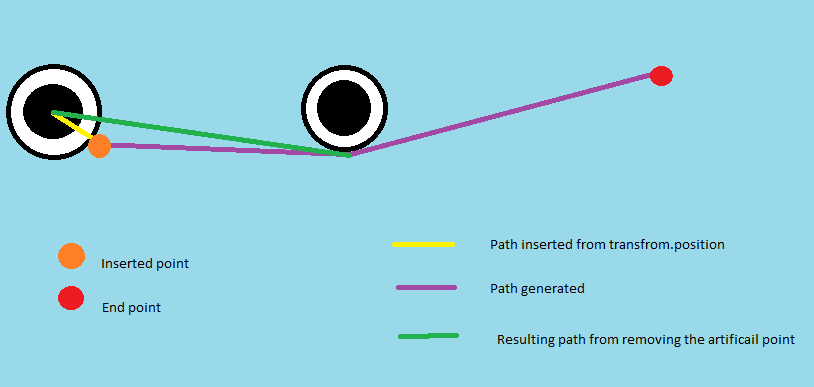


- Question:
Is there any way to exlude the character obstacle from the path calculation and avoid all these steps/issues? I can't simply deactivate the obstacle because i need other characters to still path around it. If not, is there a similar system?
cerulean grotto
Mornin' all.
Quick question, I'm baking my navmesh at runtime (randomly generated map), and then throughout the game I'm instantiating enemies, but I'm getting an error basically saying that the agents aren't 'assigned' to a navmesh, how can I fix this (ie, tell the newly instantiated objects to use the existing nav mesh? It's a little confusing.
tawdry abyss
From my experience that means the agents are not spawning on the nav mesh, as in wrong position or even height
cerulean grotto
That's what I'm finding weird tbh. When the map generates etc. the last thing I do is to spawn a 'starter' amount of enemies, and it works fine (nav mesh baking is in the method that spawns the enemies), when the player kills an enemy, I want to spawn two new enemies, it's this part that's throwing the error.
tawdry abyss
can you share the code? https://pastebin.com/
Pastebin
Pastebin.com is the number one paste tool since 2002. Pastebin is a website where you can store text online for a set period of time.
cerulean grotto
As for your issue, tbh I'm not familiar enough to understand a lot of what you said, but have you looked at the A* pathfinding project on the asset store? From my limited understanding it could possibly solve the problem?
Okay, this is how I'm spawning the 'initial' enemies. (yes it's horrible code and needs reworking, but I'm just trying to get it working for now. lol.)
Pastebin
Pastebin.com is the number one paste tool since 2002. Pastebin is a website where you can store text online for a set period of time.
tawdry abyss
cerulean grotto
As for your issue, tbh I'm not familiar enough to understand a lot of what you s...
I'm looking at it right now, but I don't have 100€ spare to spend on it xdd, good resource thoug thanks.
cerulean grotto
And this is how I'm spawning the 'new' enemies when one is killed by the player.
Pastebin
Pastebin.com is the number one paste tool since 2002. Pastebin is a website where you can store text online for a set period of time.
tawdry abyss
cerulean grotto
Okay, this is how I'm spawning the 'initial' enemies. (yes it's horrible code an...
me, with every pice of code that I never inted on reworking ahahha
cerulean grotto
tawdry abyss
I'm looking at it right now, but I don't have 100€ spare to spend on it xdd, goo...
Ah okay. It was on sale a couple of days ago. lol.
tawdry abyss
and do you mind* sharing the exact error it shows?


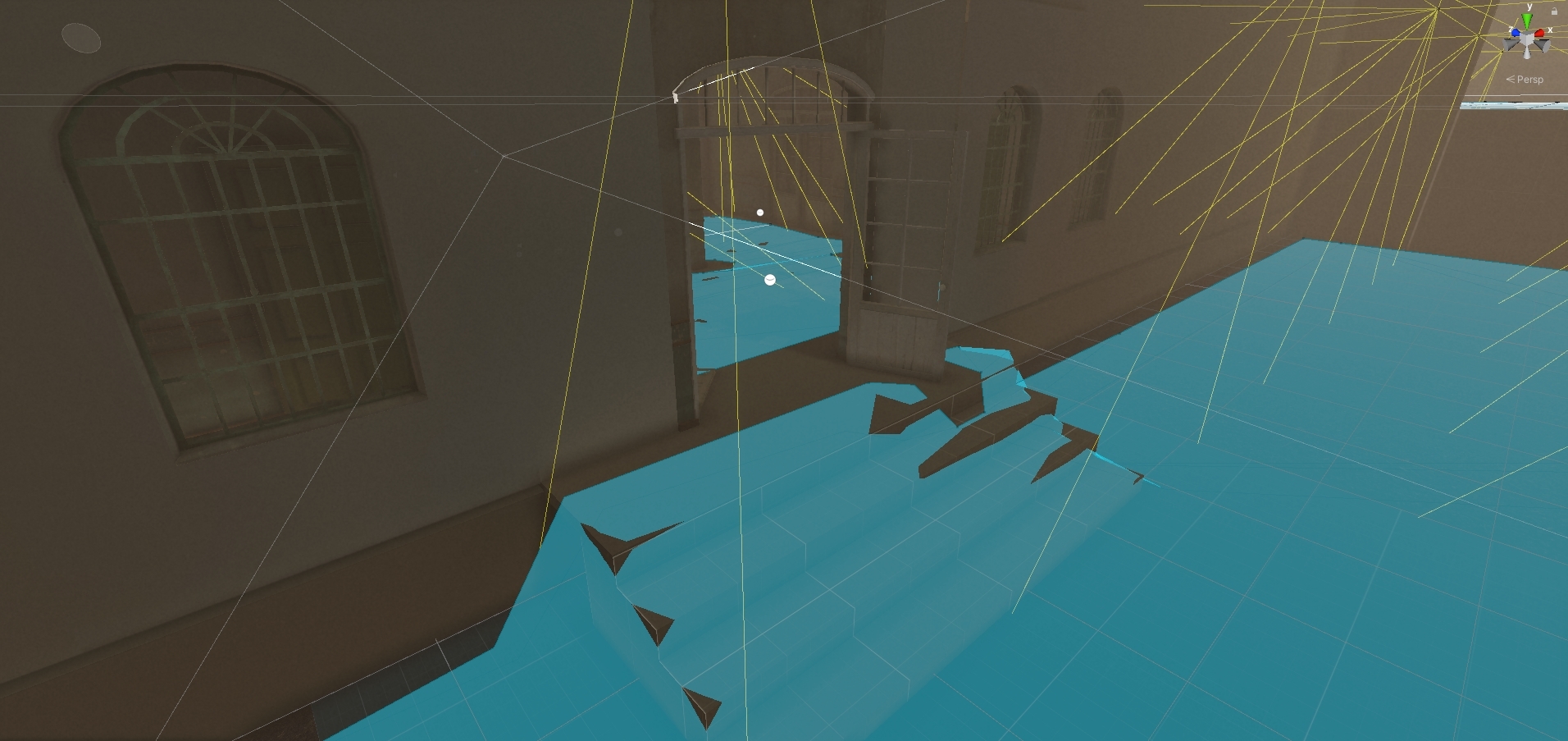
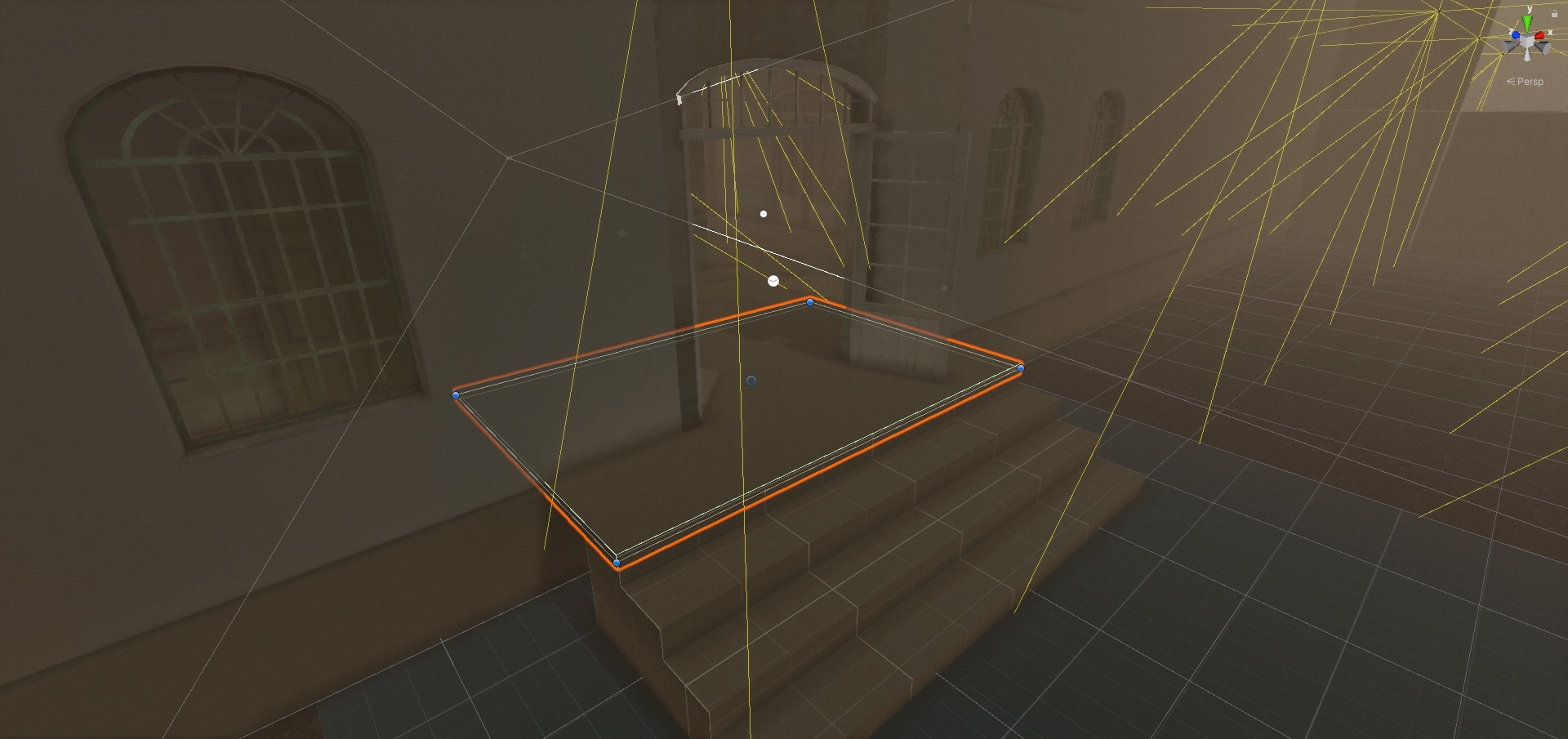
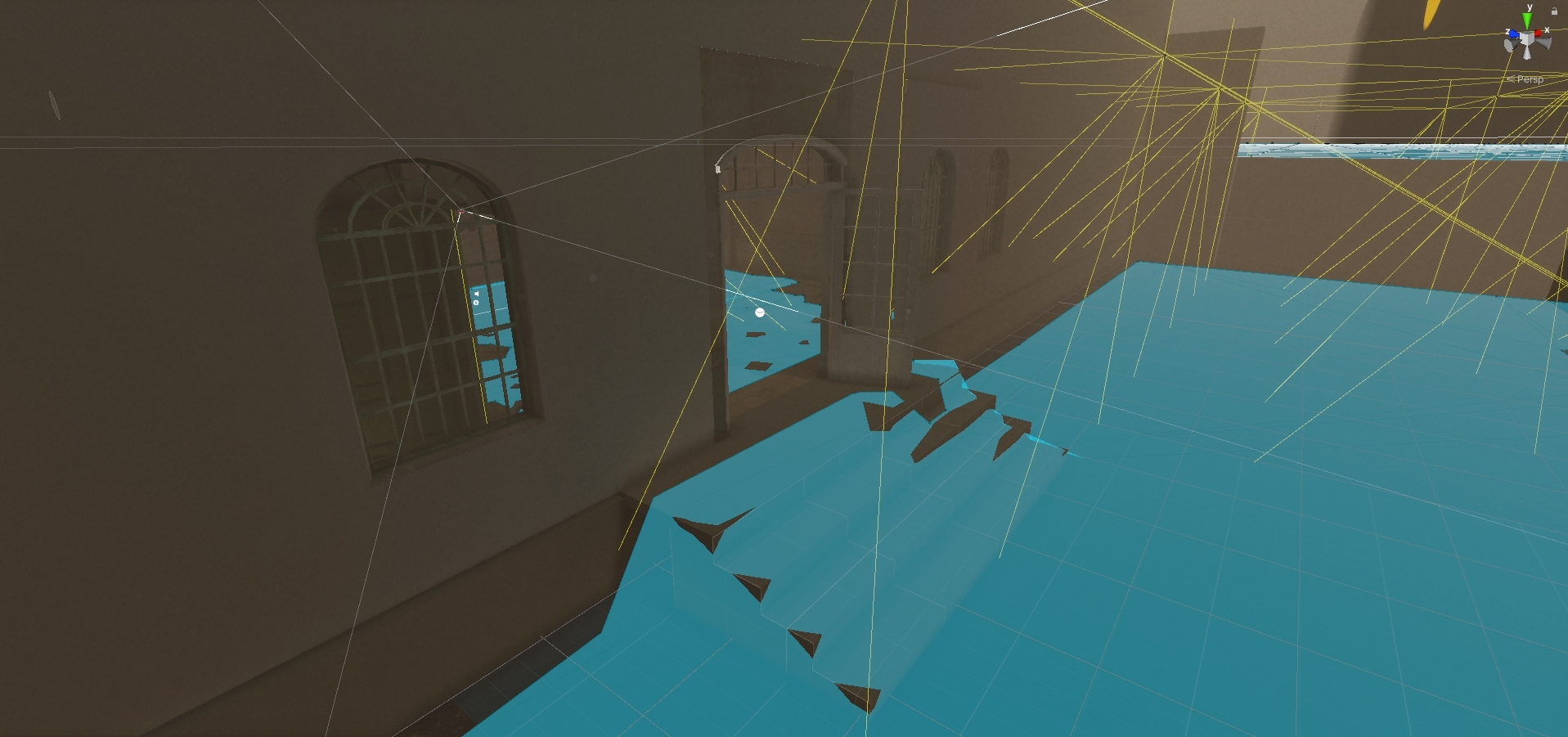 tawdry abyss
it is very wierd that It says that, but from what I've read and remeber from when I had that same message It's a matter of position. The only difference between the 2 spawn methods is that the seccond one can spawn enemies on the "Room - Starting - x20" floor tile, so maybe that's the source of the problem. Maybe, for debuging purpuses add a check so it does not spawn enemies there and see if it works and go from there, in any case, mabe chaning the spawen position to something like
Vector3 spawnPosition = roomFloorTiles[Random.Range(0, roomFloorTiles.Length)].transform.position;

GameObject newEnemy = Instantiate(enemyPrefab, new Vector3(spawnPosition.x, spawnPosition.y + 0.5f, spawnPosition.z), Quaternion.identity);
Or somthing along the lines (variating the y offset depending on you map scale).
I don't really know, but I reccomend you try this, might work, might not, but it's a start xd. Sorry I wasn't of more help
cerulean grotto
Don't worry, thanks for trying. 🙂 Will give it a go and see what happens. lol.
 fallow sluice
Hey, I am trying to setup a character with simple patrol behavior, but move using character controller instead of nav mesh agent's built in movement logic. But the character is always not grounded. I think the agents collider is conflicting with my character, because when I disable the agent the character is grounded. Any ideas for workarounds?
 old timber
fallow sluice
Hey, I am trying to setup a character with simple patrol behavior, but move usin...
old timber
fallow sluice
Hey, I am trying to setup a character with simple patrol behavior, but move usin...
adjust the colliders properly or try baking a height mesh
 lyric coral
hey guys is it possible to make the agent not Hugh the corners? like all the npcs are making the same route, and I wanted to make some deviations from the corners so that they wont go completly agaist the walls
 radiant palm
Ok, I'm sure there is a simple fix for this and I'm just being dumb but how do I get a nav agent from the navmesh on to a navmesh surface? I even tried adding a platform to close the boundary gap, however they just ignored it, and continued to get stuck - any comments or things I should try would be great.
 radiant palm
Ok, I'm sure there is a simple fix for this and I'm just being dumb but how do I...
radiant palm
radiant palm
Ok, I'm sure there is a simple fix for this and I'm just being dumb but how do I...
and both the navmesh and navmesh surface are the same navigation layer
alpine drum
hi im using navmesh and i have a path i want the people to just go to the end of the path (it is not just a straight line) but idk how to because even if i put a empty gameobject at the end of the path and set the destination to that they just don't go at all
 glossy vale
Hey guys, i have two navmesh surfaces, how do i tell an agent to move to any spot of the second surface component only
 tacit mountain
Hey I'm working on a ai system atm and was wondering should I get behavior designer or make my own behavior tree system?
 toxic gulch
anyone whos advanced with nav mesh agent that can answer my question?
I have an agent that goes to a destination. (this destination keeps getting set on update since the destination target can move.
is there a way to add extra motion to his path?> for example. lets say i want him to travel in a SIN wave pattern but still get to its destination. is this possible? so its not just a str8 line
 mental swallow
@toxic gulch you can't alter a path once it is generated, nor can you give the NavMeshAgent a path that you generate. You get a path and then calculate your sine wave and progressively set destinations along that wave.
@tacit mountain no one can answer that question for you. If you have the funds and want to save time make the purchase. Take a step back though and think about your requirements for your AI. If you are going to have a relatively simple feature set an FSM may be a better fit. If you need a very reactive system a behavior tree could be good. If you need a system that involves planning many steps to achieve a goal you may want to use GOAP.
tacit mountain
mental swallow
<@201768218052788224> no one can answer that question for you. If you have the f...
I know I need a behaviour tree I was wondering if I should make my own or use behaviour designer. I wasn't asking what type of AI I need, me and my team already found behaviour trees would be best for our situation.
 midnight kindle
is there any way to get rid of this pathway manually
 mental swallow
@tacit mountain then as I said. If you have the resources and want to save time, purchase the asset. You will be getting a functional system. If you want to make a custom solution to save some money that is your prerogative. I understood your question. I just wanted to question the presumptions in it. I have built and consulted on several AI systems and behavior trees are often people's first choice due to their popularity in unreal and AAA projects. In my experience other solutions are simpler to implement, and easier to debug/maintain.
mental swallow
midnight kindle
is there any way to get rid of this pathway manually
Nav mesh obstacle could do the trick.
midnight kindle
can i remove it after baking
or does it need to stay
oh the object already has one
im guessing i need to check the carve checkbox
mental swallow
midnight kindle
im guessing i need to check the carve checkbox
Yep!
 echo apex
does anyone know how to code random side to side movement in c#
I'm trying to make a game like gelli fields to learn how to code better
and I am stuck
 willow kiln
It keeps generating a navmesh on the walls, no matter what I can't get it to bake a navmesh on the floor, even using a seperate floor navmesh object and having it on its own layer.
 coarse ruin
is there a way to have different area costs for different agents? After some searching, it led me to install the experimental component based ai-navigation package, but even then, I can't see how to set different area costs for each agent
for example, I have two specific areas, road and pavement. Agents of type "Pedestrian" assign a very high cost to road, but a low cost to pavement, whereas, "Vehicle" types assign a very low cost to roads but a high cost to pavements
I already have two separate navmeshes (with the same geometric regions) set up, all that's left now is to set a different costs with respect to each navmesh surface
raven rapids
What version of unity are you using? The component-based system has completely replaced the legacy one in recent versions.
raven rapids
I'm not aware of a way to give areas different weights for each agent type, though
Ah, this may be relevant.
 coarse ruin
raven rapids
What version of unity are you using? The component-based system has completely r...
coarse ruin
raven rapids
What version of unity are you using? The component-based system has completely r...
sorry I didn't see the reply, I'm using LTS 2021.3.24
It should be the case that I should apply different navigation modifiers components to an object, then set the affected agents to different agents. The navmesh that references each agent should have its areas changed.
As far as I can see, it seems like the area menu in the navigations settings is a project wide setting that is not associated with components? (disregarding navmeshagent specific area costs that can be set at runtime, since I'm looking how to do it before runtime)
 raven rapids
coarse ruin
sorry I didn't see the reply, I'm using LTS 2021.3.24
It should be the case tha...
raven rapids
coarse ruin
sorry I didn't see the reply, I'm using LTS 2021.3.24
It should be the case tha...
I don't think you can set it up before runtime, no.
And yes, area names and costs are still project-wide
along with agent definitions
I would create a component whose sole job is to assign the correct area costs when it starts up
 lucid elk
How do I check if navmeshagent entered a trigger collider? Should I tag my agents?
void OnTriggerEnter(Collider other)
    {
        if (other.tag == "NPC") {
            Debug.Log("NPC arrived.");
        }
    }
This did nothing
lucid elk
Ah I need a rigidbody not just a collider on the agent
 sterile dagger
anyone know what navmesh obstacle does? im trying to make it for when a door opens, a navmesh agent can walk through but when its closed they cant
radiant palm
sterile dagger
anyone know what navmesh obstacle does? im trying to make it for when a door ope...
I think it can be split down to 2 things:
- Using the “Carve” checkbox, it completely prevents agents from walking through that area of the navmesh
- You can assign different avoidance levels to areas (so agents will be more likely/less likely to go that way)
sterile dagger
I should have elaborated I meant in game a door is automatically closed but when the player presses a button the door slides up and I want the navmesh to open where the door was
radiant palm
sterile dagger
I should have elaborated I meant in game a door is automatically closed but when...
Try using the carve checkbox, and then just setting the obstacle to be active/not active when u want
(you can do that through animation events)
Just make sure you bake the navmesh with the obstacle NOT there
Then add it after
sterile dagger
Ok thx
lucid elk
I can get 900 navmesh agents running around with singleton manager. Do I need dots to push it further?
at 30 fps that is
lucid elk
Also sometimes the agents pop half way into the ground. Common?
 fiery nexus
I am making a Pacman style game in 3D (just for fun to share with friends & family for Xmas, Pacman is the Gingerbread Man and the 'Ghosts'/EnemyAI are Santa & Elves)
Using A* Pathfinding Project Pro, but can't figure out how to get the Seekers(AI Agents) to choose different paths.
If, for example, Santa is in the lead chasing the player down a certain part of the pacman maze I would like the elves behind Santa to choose an alternate path (turn around and go another way)
Anyone know how to do that? 🤓
 boreal prism
fiery nexus
I am making a Pacman style game in 3D (just for fun to share with friends & fami...
boreal prism
fiery nexus
I am making a Pacman style game in 3D (just for fun to share with friends & fami...
agent.setDestination( getActiveElv().transform.postion ); //at speical monment / place in update call
fiery nexus
boreal prism
agent.setDestination( getActiveElv().transform.postion ); //at speical monment /...
GetActiveElv() as in GetActiveEnemy? (Santa or Elf)
Player = Gingerbread Man
Santa & Elves = Enemy
boreal prism
have a idea to create at that moemnt gameobjects behind santa navmeshobstacle check -X- Carve https://docs.unity3d.com/2020.1/Documentation/Manual/class-NavMeshObstacle.html
fiery nexus
boreal prism
have a idea to create at that moemnt gameobjects behind santa navmeshobstacle ch...
I was trying that but it wasn't really working for my purposes. It works for AI that stops and moves, but my AI is constantly moving.
boreal prism
the way would be blocked so it would choose other way dynamic behind GingerBread / sorry i said santa
boreal prism
fiery nexus
I was trying that but it wasn't really working for my purposes. It works for AI ...
where the move, did you backe the navmesh / blue surface (if open src any git) destination with a startcoroutine(delay 5 sec), such a game i have not seen before where santa is a hunter, with gifts
fiery nexus
boreal prism
where the move, did you backe the navmesh / blue surface (if open src any git) ...
lol it's a pretty funny game. trying to have it ready for Xmas Eve. Once I figure out how to get the AI to path to different paths I will be set.
boreal prism
fiery nexus
lol it's a pretty funny game. trying to have it ready for Xmas Eve. Once I figur...
if you find no solution make them patrol like in pac-man https://docs.unity3d.com/2023.1/Documentation/Manual/nav-AgentPatrol.html
fiery nexus
boreal prism
if you find no solution make them patrol like in pac-man https://docs.unity3d.co...
Hmmm. I might do that either way. Thanks!
glossy sundial
Why use NavMeshAgent.SetDestination over NavMeshAgent.Move or vica versa. What are the main differences and which one is better to use for more responsive AI?
 uneven current
glossy sundial
Why use NavMeshAgent.SetDestination over NavMeshAgent.Move or vica versa. What a...
uneven current
glossy sundial
Why use NavMeshAgent.SetDestination over NavMeshAgent.Move or vica versa. What a...
Pretty sure move is better for when you're doing a character controller that stays on navmesh and moves relative to self
set destination is better for a specific point afaik
there is no "better" they do different things
lucid elk
Is it possible to have nav mesh agent in a child object? When I remove it from the top object it wont move
raven rapids
The agent won't move, or the parent object won't move?
NavMeshAgent will, by default, move whatever object it's attached to
It won't move the parent object
If you select the object with the NavMeshAgent on it, you should see the cylinder gizmo moving around
 sullen mango
Heya, do you guys use any assets for AI that is capable of patrol/idle/attack and possibly other states? Or do you simply make custom ones?
jaunty raft
sullen mango
Heya, do you guys use any assets for AI that is capable of patrol/idle/attack an...
Those need to be custom in almost all situations, ai assets merely help with very rough prototyping of such behavior. Their focus is on giving you tools/ui for hooking these up semantically. Whether you can use such assets successfully for a given project depends on your specific needs. It can be useful to not be limited by the specific model a given asset uses and be able to combine multiple ones (say a BT and a FSM). And that has to be weighed against the benefits of having a well made visual editor.
lucid elk
How do you solve pathfinding in an open world where users can place buildings? The navmesh will be invalid and my agents can't walk inside?
radiant palm
Using the navmesh-surface component
Found with the rest of the extra navmesh components: https://github.com/Unity-Technologies/NavMeshComponents

GitHub
High Level API Components for Runtime NavMesh Building - GitHub - Unity-Technologies/NavMeshComponents: High Level API Components for Runtime NavMesh Building
sullen mango
jaunty raft
Those need to be custom in almost all situations, ai assets merely help with ver...
That makes sense. I will try look for something that simplifies the AI structure and then code custom bits myself
lucid elk
@radiant palmWhat do you mean? I am already using it