What is the simplest finite state machine, you use. Like I have a simple enemy ai patrol, detect player, move to player, attack. I used a list of strings and swap out the current state string to tell it which state it's in. All in one script. Is there a simpler way to do it? I just want the easiest and fastest way possible for my less important enemies
#🤖┃ai-navigation
1 messages · Page 1 of 1 (latest)
 fallow terrace
 real sonnet
A bunch of if-else statements :p
 flint jackal
I made a chatbot builder in Unity
 stable saddle
@upper mulch Physics.IgnoreCollision() between all colliders that need to ignore each other
 sturdy summit
hey guys, for my navmesh i am using the Navmesh Components to bake the mesh at runtime. But everyttime when i add it, it adds an error in my log saying
RuntimeNavMeshBuilder: Source mesh Item_WarriorSholderArmor does not allow read access. This will work in playmode in the editor but not in player
thats an item on the player, but im not even wanting that to 'update' or w/e, why is this happening?
it crashes my unity aswel
 spare light
Yo How do i Make a Horror AI And Jumpscare In Unity vr?????
stable saddle
@sturdy summit you maybe just need to find the original 3D model in your assets and turn read/write on
 light saffron
Anyone likes risk and uses the Unity planner in production? Seems to scale well, how is it?
 molten sequoia
light saffron
Anyone likes risk and uses the Unity planner in production? Seems to scale well,...
molten sequoia
light saffron
Anyone likes risk and uses the Unity planner in production? Seems to scale well,...
I have no problem with early access stuff as long as it will continue to improve and get maintenance, but this is not the case with AI Planner.
AI Planner is not on the roadmap of the AI team: https://forum.unity.com/threads/ai-planner-version-0-2-4-released.1000133/page-2#post-7972680
 bitter steeple
I'm experiencing a weird bug where if a navmesh agent is pressed against a wall by another agent of higher priority (whose velocity is controlled by the player), it gets violently pushed in the other direction. How can I prevent this from happening?
 hybrid pelican
Hi hi. So I'm having issues with navmesh agents getting stuck running at slightly steeper slope edges instead of getting over them normally. Would anyone happen to know what's going on or how to fix it? Note: the character is controlled with the starter third person asset and has a capsule collider so the issue isn't a box or something issue to my knowledge.


 prime parrot
flint jackal
I made a chatbot builder in Unity
prime parrot
flint jackal
I made a chatbot builder in Unity
Can you PM me more detail. I am using AIML for chatbots but would love to talk a bit
 lunar quarry
Is there a way to change the center values in a* using code?

I tried using Pathfinder.Center.y += 10; Pathfinder is the name of my AstarPath variable.
but it doesn't work
I don't think center is the correct definition.
 empty condor
I noticed there is a small gap between the generated navmesh and the terrain. Is there a way to reduce that or offset the agents?

nevermind, it was changing voxel size
light saffron
molten sequoia
I have no problem with early access stuff as long as it will continue to improve...
UGUI has not been developed for 5 years but is stable, is AI planner broken? i haven't run into anything yet
 worthy plover
empty condor
I noticed there is a small gap between the generated navmesh and the terrain. Is...
worthy plover
empty condor
I noticed there is a small gap between the generated navmesh and the terrain. Is...
Is that a unity terrain? (generated with the terrain component)
If so, it might be the case you'd need to generate a mesh yourself from the terrain data, and then use that mesh data to generate the navmesh
empty condor
it was unity terrain, but decreasing voxel size fixed the problem
hybrid pelican
light saffron
UGUI has not been developed for 5 years but is stable, is AI planner broken? i h...
It seems totally usable though it infinitely loads when building on run for me and in general it's crazy hard to find any information on how to use it, somehow there's less help from tutorials than the documentation but even that requires a lot of parsing and testing since that's seems to just be how experimental/preview packages are: little to no documentation. At least the 2018 talk helps a bit and shows off one of it's uses. I'd like to delve into it further once I can get it working but if you can get it to stop the infinite building and some reward/cost issues, you can do lots with it!
light saffron
hybrid pelican
It seems totally usable though it infinitely loads when building on run for me a...
oh that's not usable then, have you tried to build in other versions of unity?
hybrid pelican
light saffron
oh that's not usable then, have you tried to build in other versions of unity?
more like I haven't used it enough; I got the endless building to fix by going through all the semantic and ai files and making the settings have complete ends and starts, so you just need to set them up properly. getting it to work or trying the planner and getting actions to do what you want however, I have not gotten to yet because I'm focusing on other elements first but I'm sure you can get them to work just fine :P. it's supposed to be super good performance wise and isn't made specifically for Unity since it's pure c# it can be ported to any other engine that uses c# according to what I know, so the Unity version shouldn't change much. just the documentation that's jank :P
light saffron
hybrid pelican
more like I haven't used it enough; I got the endless building to fix by going t...
oh really? i thought it used jobs and burst to get the performances on string
i'm surprised build is affected by plan validity, does it hard convert action semantic to c# or a hard coded graph on build?
 glossy sundial
Hey! So I am really stuck and I have no idea how to move forward. I have 2 sets of checkpoints (1-4) & (5-8) and I have 2 NPC's. I want NPC 1 to patrol checkpoint 1 to 4 and NPC2 the Patrol Checkpoint 5 to 8.
I am currently using a FSM to get them to patrol and I have assigned their own patrol points to the AI class however they are still moving across to each others patrol area

A link or a point in the direction to read up on stuff would be amazing
 hybrid pelican
light saffron
i'm surprised build is affected by plan validity, does it hard convert action se...
hybrid pelican
light saffron
i'm surprised build is affected by plan validity, does it hard convert action se...
I'm really not 100% sure but the two times it did the infinite load before it was before I redid the database stuffs. but yeah; you have to build the semantics, problems, ai, whatnot all into c# scripts before it can run it proper-like. and it might use jobs, during the talk one of the creators talked about how the system is fully c# and can theoretically can be ported to anything c# but at the same time I don't remember importing burst but it's in my project so the unity package itself could very-well use burst and jobs, it'd make sense for performance seeing as it's a search algorithm and everyone knows how bad those are on a large scale on one thread :P
light saffron
hybrid pelican
I'm really not 100% sure but the two times it did the infinite load before it wa...
thanks for your knowledge. did you end up using something else for your AI?
a shame they abandon projects all the time
hybrid pelican
light saffron
thanks for your knowledge. did you end up using something else for your AI?
currently I'm getting inventory working so that ai can interact with that but the ai itself is just a navagent wandering with animations and will look at you if you're in it's sight frustum, it quite literally does nothing because I haven't fully delved into it yet. I'm thinking I'll still use the unity ai planner package for alife sim stuff if I can figure out how to configure it and get it to work how I want, that's just turning out to be more annoying than I'd think because so much isn't explained fully and no one online has futzed with it enough to make a tutorial of any sort (if I figure out how I might do so myself even :P). to my knowledge the ai planner is complete for the most part and it's only missing unity engine stability and documentation. from what I know some experimental packages are effectively complete just without the testing needed to release them to the average unity user, makes sense if you think about it, they have so many employees and sometimes have some make passion projects into unity to allow others to use it but don't see it worth while to get a while bunch of testing into it since it'd be unlikely to collect many users from the average unity user since it's not the plug'n'play sorta thing that the asset store provides. technically dots started that way, just that the person who's passion project it was was one of the unity co-founders so it was never not gonna get abandoned. either way, I definitely agree, it'd be nice if they had better testing/stability and documentation/examples for their many sub-projects. ai planner in particulary seems to have pretty open devs and if you report problems or bugs they'll jump on it; I haven't tested so myself but I've seen them working with forum members as soon as 2021 (and that's only within the stuff I've seen :P). anywho, sorry for rambling ;-v-
light saffron
@hybrid pelican you don't need planning for that, utility AI is plenty enough
hybrid pelican
light saffron
<@815339029188968508> you don't need planning for that, utility AI is plenty eno...
ALife or combat AI? ALife would definitely gain a lot from ai planning since it’s basically a more wide GOAP in my case. The combat ai, while not implemented at the moment and will likely get scaled back will likely have agents coordinating to do stuff like flanking and cover fire which of course can be hard coded or done through other methods, would be both easier and more deep with a GOAP adjacent system. I’ll be implementing something hard coded as a launch point but will be getting a GOAP-ish system either way. The Unity AI planner just makes it easier and faster since I’m likely going to have upwards or two thousand agents (though not all planning at the same time, and most certainly not every frame).
I’m going the goal oriented action planing route because that’s what I’m most experienced in :P I’ve only ever done GOAP, rudimentary state machines and desire systems so while goap is a more difficult to implement and hard to perfect system, it’s what I know and have done a dozen times :P
molten sequoia
light saffron
UGUI has not been developed for 5 years but is stable, is AI planner broken? i h...
I haven't dove into it beyond consuming content about it due to the state of it. I would be much more comfortable with it if it had been in feature freeze and had years of stabilization and use after that. I also imagine UGUI is maintained, which brings a lot of confidence.
light saffron
hybrid pelican
I’m going the goal oriented action planing route because that’s what I’m most ex...
now you gotta show some stuff you did a dozen time
hybrid pelican
light saffron
now you gotta show some stuff you did a dozen time
XD GOAP isn't rocket science, once you wrap your head around how the architecture works you can implement it pretty easy-like. getting it to run and work really well is the hard part; I may have made a dozen GOAP systems but none were super deep or fast since I didn't spend enough time with them and didn't have much of a testing space. I mean; action planning's literally just a search algorithm that's overly complicated at times, if you know how to implement A* you can certainly get a simple action planning algorithm with some learning.
light saffron
hybrid pelican
XD GOAP isn't rocket science, once you wrap your head around how the architectur...
you're misinterpreting what i said, show us what you did with GOAP
hybrid pelican
light saffron
you're misinterpreting what i said, show us what you did with GOAP
Ah, my bad, my bad. Sorry about that (-v- ;)y.
Here's a video I quickly compiled of two projects that have goap-esque systems in them. Both were structured around the ai so there's literally no game and henceforth the ai is pretty much useless. The first one is made in Unity, second is made in something else. I have about two others (made in Unity) with goal oriented action planning in them but they are only ai and only the architecture at that. So basically I didn't do anything with goap, but I made some ai with goap :P the video doesn't illustrate the system's functionality but that's the state I left them in.
https://youtu.be/UVyhsjCqreE

Things I made a while back; first is made in Unity during 2021, second is made in love during 2021 as well. Though it feels like I made them far longer ago.
 wild swan
Hello
when baking Terrain for AI it not selecting all the terrain
there are spots all over the terrain not being selected, how do i fix that?

 jaunty raft
wild swan
Hello
when baking Terrain for AI it not selecting all the terrain
there are spot...
jaunty raft
wild swan
Hello
when baking Terrain for AI it not selecting all the terrain
there are spot...
you need to adjust your max slope angle if you want them to be walkable
wild swan
jaunty raft
you need to adjust your max slope angle if you want them to be walkable
the max slope? make it lower or higher?
worked, thanks!
 vestal widget
Does anyone know where i can dowload the unity ml agent assets
 placid ginkgo
HOW MAKE AI FOLLOW PATH IN 3D
 lone ore
whats a good pathfinding option? my game is (mostly) not grid based and is 2d, the tilemap tiles and the non grid based objects will be created/destroyed
oh and also the game is topdown so there is no gravity
 lapis hamlet
lone ore
whats a good pathfinding option? my game is (mostly) not grid based and is 2d, t...
lapis hamlet
lone ore
whats a good pathfinding option? my game is (mostly) not grid based and is 2d, t...
The easiest way is to make your game run in 3D but look 2D with NavMesh
otherwise making your own A* pathfinding that automatically updates it's chunks when objects are created/destroyed
lapis hamlet
lone ore
ill try a* since i have already gotten pretty far into making the game
yes, as a tip, if you know you will need a complex system that you don't know how to do , do it first.
I lost countless projects because I hit a brickwall in the middle
molten sequoia
https://github.com/h8man/NavMeshPlus for extended 2D support
lone ore
molten sequoia
<https://github.com/h8man/NavMeshPlus> for extended 2D support
i didnt know that existed, thanks ill try it
 turbid panther
hello guys
I have a weird nm agent behavior where it kinda starts to "grind" against a wallkable area edge
it looks very janky and very noticeable
has anyone had similar issue ?
here it occurs in a narrow passage, but it can happen for any edge, even if there's a very big open space right next to an edge
hybrid pelican
I'm not sure I understand the issue... navmesh agents create paths that are the most fast way of getting from A to B, this means that they will beeline to the edge of navmesh which goes around an object or obstacle and then follow the edge until it is able to find a place to path to that's not on the edge. Unless that's not what you're referring to... it's hard to tell with the video flitting by so fast.
turbid panther
that's what supposed to happen, and happens in 95% of times (figuratively)
but sometimes an agent constructs a path that runs right next to an edge of a wallkable area a bit too close
which causes the agent to move at about 1/3 to 1/2 the speed. It looks like if it tries to stop to not step out of the wallkable area, correct the path, start moving again, and repeats that in a loop at a very high speed
in video you can see how it moves much slower when passing an obstacle
hybrid pelican
I'm not 100% on what's going on because I've never encountered that myself, aside from when I'm using Nav Mesh Obstacle.
Can the agent walk up slopes? The agent can freak out if it's not set up correctly.
hybrid pelican
Eh? Volumes? I've never heard that terminology in relation to navmeshes. Stuff like obstacle avoidance (and even the carve feature on the Nav Mesh Obstacle) make the pathing and agent navigation bug out. If volumes work in that way it may be producing similar issues. I usually only use the static baking unless the object is dynamic at which point I ignore it or use the navmesh generation unity-script.
Ah, I just researched a bit. Why are you using volumes exactly? Seems like the wrong use-case unless I'm misunderstanding.
turbid panther
Not only volumes
it's on per-object basis, simple objects that can be represented as a box or a cylinder use volumes, complex objects use meshes
I assume volumes must be faster, will be very surprised if it's the opposite
I generate navmesh (and world geometry) at runtime, so it's easy to switch between volumes and meshes
the statue that causes navmesh to glitch is just a cylinder
hybrid pelican
That's... odd. I've personally not delved into volumes and haven't heard of any performance increases by using them. I'm likely wrong though. You can--if you want--generate navmeshes at runtime using https://github.com/Brackeys/NavMesh-Tutorial 's script (the brackeys video shows it off). It's apparently unity official and I've had it work with 2021.1.22f1 so it'll likely still work... maybe.

GitHub
Tutorial project files on using NavMesh in Unity. Contribute to Brackeys/NavMesh-Tutorial development by creating an account on GitHub.
Elsewise I'm really not sure; sorry m8.
Perhaps skirting volumes fiddles with walkable speed?
turbid panther
navmesh generation is completely fine, I can inspect the navmesh and validate that everything looks like it should. and I'm generally happy with how it works, one of the most fleshed-out parts of the project 😃
it's definitely an agent issue, thanks for looking into the question 👍
there are no actual volumes after the navmesh is constructed
they are used in the construction process
to make unpathable zones
hybrid pelican
Oh? Aren't volumes supposed to be for marking areas of the navmesh to be either impassible or cost different. Is there native navmesh baking?
turbid panther
yeah, you can use them to assign different costs too
if you pass the area mask of the impassible area it will just cut a hole in the wallkable area
but you can pass any other area mask
that's what I do for water surface, so it's navigable, but requires a corresponding mask to be present on an agent
hybrid pelican
Hmm... I have obstacle's with carve on and they build the navmesh correctly but still have agents move slowly around them, maybe the volumes work similarly?
turbid panther
they affect the output of the navmesh generation job, they aren't really present and don't continuously modify the navmesh
maybe it's the opposite, agent just has issues with pathing near the edges of the impassible areas
that's why it does that in your case, as well as mine
hybrid pelican
Darn, I'm really not sure there then. Sorry.
turbid panther
no worries, ty for concern 👍
I have a solution in my head in case it's just a "Unity thing"
just wanted to know if it's a known issue with known workarounds
hybrid pelican
;~v~ it really could be. Using a non-navmeshagent and just baking paths then use the path nodes to move with your own script or just use a c# library like Recast but yeah... unity \_( -v-)_/
turbid panther
pretty much, will just use the agent to make paths and then move the units in my own code 👍
hybrid pelican
I wish you luck then. Be it in fixing the issue or custom navmeshagent :P
turbid panther
ty 😄
 summer mica
How do i do "ai following the party leader" similar to something like chrono trigger or xenoblade but in 3D
 pale violet

The advance server says that its too advance
I wanted to make a battlefield-like game but I wanna make an AI soldier enter the vehicle like tanks or jeep
 zealous mantle
The advanced "server" is correct. Your question is vague.
hybrid pelican
You'd do it like any other thing. Have the ai switch to a mode where they path find and move with a car instead of themself and just lock them into the car or make them invisible. With so little information it's hard to give a remotely helpful answer. How does the ai work, how do vehicles work, how does driving work, how does entering a vehicle work?
 winter hound
how do i bake navmesh areas in script?
summer mica
winter hound
how do i bake navmesh areas in script?
I don't think you can without a navmesh surface component
And if so iirc it's:
gameObject.GetComponent<NavmeshSurface.BuildNavMesh();
 tepid bear
Hey, does someone know how to program AI movement in unity visual scripting / unity bolt
 wary ledge
The one thing I've been putting off in my project has been AI... Mostly because every time I code it, I recode it... and recode it.. and rinse and repeat...
 red rampart
can one bake a navmesh surface while the game is running?, or will the nav mesh agent know where to and not to go if there isnt a baked navmesh surface?
 floral sleet
red rampart
can one bake a navmesh surface while the game is running?, or will the nav mesh ...
floral sleet
red rampart
can one bake a navmesh surface while the game is running?, or will the nav mesh ...
See the info 3 posts up by Linkychu. You can rebuild the navmesh at runtime, but when I used it (a long time ago) it takes a fraction of second and the game freezes for a bit. It might be faster/smarter now, so give it a try.
If your AI uses a navagent, then you need a navmesh.
 alpine glacier
noob moment but anybody know why increasing step height isn't changing this navmesh on these stairs? It's not working

I tried going as high as 0.5 and the navmesh looks exactly the same after baking
 tardy junco
alpine glacier
noob moment but anybody know why increasing step height isn't changing this navm...
tardy junco
alpine glacier
noob moment but anybody know why increasing step height isn't changing this navm...
Are you sure that it's not working? It looks like there's a mesh polygon going up the stairs.
alpine glacier
tardy junco
Are you sure that it's not working? It looks like there's a mesh polygon going u...
well I got it to start changing now, I just cant' get it to where I can walk over all the steps. But I think I'm giving up and just going to teleport the player to the second floor.
tardy junco
alpine glacier
well I got it to start changing now, I just cant' get it to where I can walk ove...
Make sure that your agent radius is not bigger than the agent radius in the baking settings.
alpine glacier
tardy junco
Make sure that your agent radius is not bigger than the agent radius in the baki...
it's not 😦
tardy junco
alpine glacier
it's not 😦
Well, without any further details, there's not much I can help with.
alpine glacier
tardy junco
Well, without any further details, there's not much I can help with.
well, that's all the information really. I have stairs, and my agent cannot walk on those stairs. I have tried making individual box colliders for each step and then tried adjusting dozens of values for step height and none of them worked. Then I have tried making one giant sloped box collider and again doing dozens of different step height values. Neither approach has worked. Is there another approach I can try?
tardy junco
alpine glacier
well, that's all the information really. I have stairs, and my agent cannot walk...
Did you try debugging the path?
alpine glacier
tardy junco
Did you try debugging the path?
can you explain with more details?
tardy junco
You can get a path from the agent and debug it with debug rays/lines or something to see visually if the path is calculated properly
floral sleet
alpine glacier
well I got it to start changing now, I just cant' get it to where I can walk ove...
Does your navmesh agent have a Rigidbody component? I'm just thinking that even though the agent can calculate a path to upstairs, it might be hitting that step poking out and not going any further. If it doesn't have a rigidbody, ignore me 🙂
molten sequoia
alpine glacier
noob moment but anybody know why increasing step height isn't changing this navm...
Step height is just the threshold for whether the navmesh should be generated over a step in the first place, it doesn't affect the offset between geometry and navmesh.
IIRC navmesh by default generates the navmesh based on meshes, not colliders, if you want to create your own navmesh correction geometry.
At the end of the day you are probably going to face more issues if you use physics to restrict the navmesh agent. You can relatively easily query paths and handle the movement yourself if you want to keep the physics behaviour without the conflicting input from navmesh agent.
red rampart
summer mica
And if so iirc it's:
gameObject.GetComponent<NavmeshSurface.BuildNavMesh();
im sorry to botber, but i cant get this to work p.p, says 'the type or namespace 'NavMeshSurface' could not be found ...'
real sonnet
red rampart
im sorry to botber, but i cant get this to work p.p, says 'the type or namespace...
Did you add the navmesh components package to your project ?
Did you add the using UnityEngine.AI import in your script ? Or whatever it is called, I don't remember 100%
summer mica
red rampart
im sorry to botber, but i cant get this to work p.p, says 'the type or namespace...
You need to install it from github from the package manager
red rampart
real sonnet
Did you add the `using UnityEngine.AI` import in your script ? Or whatever it is...
aha! works tysm
wary ledge
alpine glacier
noob moment but anybody know why increasing step height isn't changing this navm...
So I had a similar issue recently.
The way that most folks used to solve it, was to use a separate mesh for the collider/navmesh that is usually just a slope, then hide the mesh.
alpine glacier
wary ledge
So I had a similar issue recently.
The way that most folks used to solve it, wa...
I will try that. I need to increase max slope too I think
turbid panther
floral sleet
See the info 3 posts up by Linkychu. You *can* rebuild the navmesh at runtime, ...
it supports async baking, so even if takes relatively long you can make it seamless
except the step of gathering navmesh sources, which is synchronous. But you can implement your own async source gathering routine and feed it to the navmesh components api
for me it takes about 2-3 frames to bake, but my work station CPU is quite powerful
alpine glacier
hi 😊 ! how do you guys make ai fun? i have a fsm currently in my project, but my ai is still generally speaking, just running and shooting at the player. im hoping to make combat a bit more interesting.
 olive orbit
alpine glacier
hi 😊 ! how do you guys make ai fun? i have a fsm currently in my project, but m...
olive orbit
alpine glacier
hi 😊 ! how do you guys make ai fun? i have a fsm currently in my project, but m...
The universal answer with game AI is: cheat. 🙂
alpine glacier
olive orbit
https://www.gameaipro.com/GameAIPro2/GameAIPro2_Chapter02_Combat_Dialogue_in_FEA...
yeah i read up on fear a while ago. however they use goal oriented action planning, while i have more of a fsm.
olive orbit
Yes, but that article isn't about GOAP.
It's about dialogue
One idea in game AI is that a feature that's not advertised doesn't exist.
I.e., if the player doesn't experience some form of feedback related to the system it doesn't exist.
What Jeff Orkin does is turn it around. I.e., by having the AI comment on its immediate context, it will seem to make smart decisions.
So you can have your AIs run around and shoot, but also say they're flanking, or flushing someone out, or retreating, or whatever, based on where they end up dynamically.
alpine glacier
Anyone know how to get the warp function to work on a server build?
 autumn depot
pls help me
so basically im adding ai script to my enemy
so he could follow me
but instead i get bunch of errors and the enemy is on the floor

 summer mica
You haven't properly defined "myTarget"
You probably made "myTarget" a private variable or forgot to assign it in the inspector
autumn depot
summer mica
You haven't properly defined "myTarget"
You probably made "myTarget" a private ...
what about the enemy on the floor
summer mica
autumn depot
what about the enemy on the floor
Rigidbody physics are probably enabled on a navmesh agent, so probably set the rb to kinematic if you haven't done so
autumn depot
summer mica
Rigidbody physics are probably enabled on a navmesh agent, so probably set the r...
didn't change anything
summer mica
Can you send your script
autumn depot
summer mica
Can you send your script
using System.Collections;
using System.Collections.Generic;
using UnityEngine;
using UnityEngine.AI;
public class speedfollow : MonoBehaviour
{
public GameObject myTarget;
public NavMeshAgent myAgent;
// Start is called before the first frame update
void Start()
{

}

// Update is called once per frame
void Update()
{
    float dist = Vector3.Distance(this.transform.position, myTarget.transform.position);

    myAgent.destination = myTarget.transform.position;
}
}
summer mica
No reason to check the distance in the script because you're not really using it right now,
However still unsure on what is causing your player to fall like that. My last guess is that it's something to do with your agent settings 😔
You can also lock rotations with a rigidbody
With rigidbody constraints
autumn depot
summer mica
No reason to check the distance in the script because you're not really using it...
i did nothing to the settings
summer mica
autumn depot
what does your speed object look like
autumn depot
summer mica
what does your speed object look like
are you talking about the scripts?
summer mica
autumn depot
are you talking about the scripts?
yeah in the inspector
autumn depot
summer mica
yeah in the inspector
 summer mica
autumn depot
summer mica
autumn depot
is there an animation on the armature?
autumn depot
no
summer mica
autumn depot
no
and it only happened after the navmesh agent was put on?
autumn depot
if i disable nav mesh agent it will get a bunch of errors and it wont work
summer mica
autumn depot
if i disable nav mesh agent it will get a bunch of errors and it wont work
turn off the script in the editor and hit play
 summer mica
autumn depot
summer mica
autumn depot
while it's flipped, click on the object in the scene without exiting play mode
and check if the z arrow is down/up
of the speed object (not the armature
autumn depot
 summer mica
autumn depot
summer mica
autumn depot
bruh -90 degrees here , even adding a rigidbody on both the speed object and armature with rotation frozen and both doesn't help?
 summer mica
are u sure that you don't have any scripts that look at an object or rotates an object anywhere in the scene?
autumn depot
summer mica
are u sure that you don't have any scripts that look at an object or rotates an ...
you can check me in vc if u want
summer mica
can't rn 😔
autumn depot
summer mica
can't rn 😔
muted
autumn depot
summer mica
can't rn 😔
please i rlly need help
summer mica
autumn depot
please i rlly need help
okok i'll try just give me a sec
 devout jackal
hey doe anyone know a lot about a* 2d path finding?
I've been able to set it up for an enemy to path find to the player but I'm trying to figure out how to make it update on run time since in my game obstacles can be moved/placed.
summer mica
 exotic turret
devout jackal
hey doe anyone know a lot about a* 2d path finding?
I've been able to set it up...
exotic turret
devout jackal
hey doe anyone know a lot about a* 2d path finding?
I've been able to set it up...
I have developed a* 3d path finding with field of vision of enemy before. But never have developed it in a changing environment. This is hard considering the layout of the map can change which beats out the purpose of the algorithm. However, this is not certainly not possible to do at all. In my cases, the player can move (the target can be in different place at a time). What I do is after the enemy run its path-finding a* algo and move the finishing position. If the player is not detected by collision, it will run again its path-finding algo to follow the points. It will not stop until it is collided with the player.
Suggestion #1:
In your cases, I think rerun the a* algorithm when the path it takes has a blocked obstacle. The current position will the new starting position and just re run the a*algorithm.
Suggestion #2:
If the obstacles has a limit movement, just marked the area of its possible movement as 'Wall'. So the A* algorithm can just ignore it.
 coarse lance
hey, can somebody tell me why my white boy won't jump down the edge?

 red rampart
why does my nav mesh agent freak out whenever it reaches its destination?
when it reaches its destination, it keeps shifting about around the destinatiin instead of staying on it
coarse lance
red rampart
why does my nav mesh agent freak out whenever it reaches its destination?
when i...
so what can i do ? 🙂
floral sleet
red rampart
why does my nav mesh agent freak out whenever it reaches its destination?
when i...
It sounds like it keeps trying to reach the same destination, hence the twisting and turning. You'll need to check/debug your script to see happens when the agent gets to the destination.
light saffron
has anyone tried feeding the unity navmesh.AddNavMeshData with a sphere? I'm wondering if nav of planet can be done by bypassing recast
 stark stirrup
red rampart
why does my nav mesh agent freak out whenever it reaches its destination?
when i...
stark stirrup
red rampart
why does my nav mesh agent freak out whenever it reaches its destination?
when i...
When using navmeshagent I check if distance < 0.1f to stop it
Anyone has tips on how to make AI fair? Or articles about this topic?
My AI are usually unbeatable or when I try to make them easier (like making aiming slower or add noise to their aiming) they become too easy all of a sudden
My game is symmetric (both player and aí have the same capabilities)
jaunty raft
Unsolved problem of all game AI
the whole discipline is concerned with only this problem. How to make AI appear to play fair and be fun to play with/against
So if you want info on that, you can pretty much find tips in any resource that deals with game AI
stark stirrup
Any example of those resources you could recommend? Like books or something like that
stark stirrup
jaunty raft
That’s a good book series in general
red rampart
stark stirrup
When using navmeshagent I check if distance < 0.1f to stop it
i did that and it didnt workkk
stark stirrup
have you tried a bigger distance? I don't remember the exact number I used
coarse lance
hey guys. i have a problem. I imported some mixamo animations (a pistol-bundle, fbx for unity, without character, T-Pose) and want to get them to work. No matter what character/avatar i Use, it always says that some bone (mostly hips) can not be found.... I even tried characters from mixamo and from asset store. When i tried to set up the rig based on any other model than "this model", it won't work. when i take "this model", the animations are more than clunky..... everything is set to humanoid
(its a pistol package and for example the run animation leads to a creepy hovering, whilst sliding the legs over the ground)
okay .... i fixed it... loop time..... i hate myself....... i needed like 4h for that ...
 outer bone
Hello were in Unity can i find the navmeshsurface component to use in my project?
I see it being used in the FPS Microgame but it does not seem like a standard included component
summer mica
outer bone
Hello were in Unity can i find the navmeshsurface component to use in my project...
does anyone know the best way to do a boss battle?
jaunty raft
summer mica
does anyone know the best way to do a boss battle?

Game Developer
An introduction to Behavior Trees, with examples and in-depth descriptions, as well as some tips on creating powerful expressive trees.
lapis hamlet
Anyone know/has ressources on how they do vehicle AI in the GTA series
jaunty raft
lapis hamlet
Anyone know/has ressources on how they do vehicle AI in the GTA series
its entirely fake, there is essentially no AI beyond the immediate vicinity of the player, everything is just made to be a plausible façade with cars essentially spawning in just off camera. Also the AI is allowed to cause a lot of mayhem (which you notice if you stay at an intersection for a while) which also simplifies the AI's steering & avoidance requirements (if it can't solve a problem, just create a crash to make the traffic jam plausible)
lapis hamlet
jaunty raft
its entirely fake, there is essentially no AI beyond the immediate vicinity of t...
they do still go from point a to point b successfully, go around obstacles and such. you are giving them less credit than they deserve.
and even if it is limited i'd like to know what's the ai behind the wheel
 dark hamlet
could just be A* path finding?
jaunty raft
dark hamlet
could just be A* path finding?
thats like saying math involves variables
dark hamlet
;/
 tribal agate
lapis hamlet
they do still go from point a to point b successfully, go around obstacles and s...
tribal agate
lapis hamlet
they do still go from point a to point b successfully, go around obstacles and s...
I think this is the kind of stuff you're asking about: https://gamedevelopment.tutsplus.com/series/understanding-steering-behaviors--gamedev-12732

Game Development Envato Tuts+
lapis hamlet
Yeah that's what i'm doing rn, works pretty well
I just don't want to connect all the nodes, but I think I found something that works for me
wary ledge
How do people make AI fun to fight? I've been currently struggling at this, and have been for a long time. Specifically top down shooters/twin Sticks etc.
I've taken a look at games like Enter the Gungeon, Hades, Issac, etc. The list goes on. But I'm just not sure as to what makes it fun, and now I'm struggling to make my game fun. :^)
jaunty raft
wary ledge
How do people make AI fun to fight? I've been currently struggling at this, and ...
the effects/juice, a feeling of tight control over your avatar (snappiness/responsiveness), a clear sense of what is going on, enemies clearly telegraphing they actions and an overall sense of fairness, i.e. a clear indication that the challenge can be overcome with skill or better items. Absence of bugs. Generally success should not feel random.
wary ledge
jaunty raft
the effects/juice, a feeling of tight control over your avatar (snappiness/respo...
Thats more game design. I'm mostly referring to the AI. Currently I have AI either:
- Running towards you
- Running away from you.
- Staying within X range.
However, they just seem flat and stationary.
jaunty raft
wary ledge
Thats more game design. I'm mostly referring to the AI. Currently I have AI eith...
there is no difference between game design and fun
- Running towards you
- Running away from you.
- Staying within X range.
this is completely meaningless without the context of the game design
a stationary enemy can be loads of fun
your ai's only goal is to achieve the results mentioned above. There is nothing in hack&slash game AI that has any other purpose than making stuff look and feel fun in a superficial way.
you can just reverse-engineer the action vocabulary of any enemy in a game you like and play around with the behaviour in a prototype of your own making to develop some intuition how to make stuff fun and to see how "they" did it, but you wont find a recipe that works universally for all games.
 tawdry fog
hey, i'm using the navmeshsurface to dynamically bake a navmesh at runtime for a procedural level, but everytime i load it the game freezes, and i have to close unity with task manager. this only started happening today, it has been working perfectly before. any fixes would be great.
 timid cedar
IndexOutOfRangeException: Index was outside the bounds of the array.
Unity.Barracuda.Tensor.set_Item (System.Int32 b, System.Int32 ch, System.Single value) (at Library/PackageCache/com.unity.barracuda@2.0.0/Barracuda/Runtime/Core/Tensor.cs:2091)
Unity.MLAgents.Sensors.ObservationWriter.AddList (System.Collections.Generic.IList1[T] data, System.Int32 writeOffset) (at Library/PackageCache/com.unity.ml-agents@2.0.1/Runtime/Sensors/ObservationWriter.cs:151) Unity.MLAgents.Sensors.StackingSensor.Write (Unity.MLAgents.Sensors.ObservationWriter writer) (at Library/PackageCache/com.unity.ml-agents@2.0.1/Runtime/Sensors/StackingSensor.cs:112) Unity.MLAgents.Inference.ObservationGenerator.Generate (Unity.MLAgents.Inference.TensorProxy tensorProxy, System.Int32 batchSize, System.Collections.Generic.IList1[T] infos) (at Library/PackageCache/com.unity.ml-agents@2.0.1/Runtime/Inference/GeneratorImpl.cs:276)
Unity.MLAgents.Inference.TensorGenerator.GenerateTensors (System.Collections.Generic.IReadOnlyList1[T] tensors, System.Int32 currentBatchSize, System.Collections.Generic.IList1[T] infos) (at Library/PackageCache/com.unity.ml-agents@2.0.1/Runtime/Inference/TensorGenerator.cs:173)
Unity.MLAgents.Inference.ModelRunner.DecideBatch () (at Library/PackageCache/com.unity.ml-agents@2.0.1/Runtime/Inference/ModelRunner.cs:204)
Unity.MLAgents.Policies.BarracudaPolicy.DecideAction () (at Library/PackageCache/com.unity.ml-agents@2.0.1/Runtime/Policies/BarracudaPolicy.cs:125)
Unity.MLAgents.Agent.DecideAction () (at Library/PackageCache/com.unity.ml-agents@2.0.1/Runtime/Agent.cs:1360)
Unity.MLAgents.Academy.EnvironmentStep () (at Library/PackageCache/com.unity.ml-agents@2.0.1/Runtime/Academy.cs:578)
Unity.MLAgents.AcademyFixedUpdateStepper.FixedUpdate () (at Library/PackageCache/com.unity.ml-agents@2.0.1/Runtime/Academy.cs:43)
delightful.
My working code suddenly started producing an error that appears to come from an area I can't access (something inside tensorflow?) UGH.
lapis hamlet
timid cedar
> IndexOutOfRangeException: Index was outside the bounds of the array.
> Unity.B...
timid cedar
doh!
 frozen ibex
Hey everyone i again need help. I am currently programming a game with an endless space and have enemies, which are circles. how do i make these enemies spawn at random position, but not to far away from each other? they also dont move.
im not really sure but it would be just like in this game made by dani: https://danidev.itch.io/balls
 real sonnet
frozen ibex
Hey everyone i again need help. I am currently programming a game with an endles...
real sonnet
frozen ibex
Hey everyone i again need help. I am currently programming a game with an endles...
Spawn only the first one at a random position. For subsequent spawns, use the previous one as the starting position + a Random.insideUnitCircle
frozen ibex
can you tell me more about Random.InsideUnitCircle?
real sonnet
yup
frozen ibex
i started like a week ago but i have some experience with godot
real sonnet
oh nice, welcome to Unity
frozen ibex
i must say, unity feels much better to use
and c# is very powerful
may i ask how old you are?
real sonnet
34, but you'll find more talent among the young 😛 I'm not 100% expert
frozen ibex
well youre sure better than i am with my 14 years haha
real sonnet
don't worry, I learnt programming at 18 only, you guys this generations begin way sooner, you'll get an edge and still have a lot of time to build great things 😉
got to go dinner, have fun coding !
frozen ibex
Thank you!
 opal furnace
Hi mates,
I am looking for a method for AI Nav Mesh for flying agents. I have any experience with bipeds or quadrupeds npcs, agents on the ground using FSM or Behavior Trees, but no idea of Npc behavior in the air. Anyone can enlighten me?
light saffron
opal furnace
I am looking for a method for AI Nav Mesh for **flying agents**. I have any expe...
I was just looking into that, on Unreal you use an A* that navigates in a voxel or octree version of the level
stark stirrup
opal furnace
I am looking for a method for AI Nav Mesh for **flying agents**. I have any expe...
btw, I was very successful in making a flying enemy for an FPS without using any of this logic (it's levels were kind of open though)
basically, I implemented the following rules:
- If player is not in line of sight (view is obstructed), start testing points around the agent (with increased distance and predictable) until you find a point where the view wouldn't be obstructed... move there.
- Move forward/backward to "optimal distance"
worked like a charm
floral sleet
opal furnace
I am looking for a method for AI Nav Mesh for **flying agents**. I have any expe...
My flying a.i is quite simple, but works pretty well.
I have a set of destination points that an npc can fly to, but i use the SensorToolkit from the asset store to dynamically avoid obstacles that get in the way.
I also use PandaBT to determine which destination point to go to based and which is closest/easiest to reach.
stark stirrup
What does PandaBT add? How does it determine the destination point?
floral sleet
stark stirrup
What does PandaBT add? How does it determine the destination point?
That's just a behavior tree that decides what the npc should do next; flee, patrol, attack etc.
If the npc is patrolling it will pick up a a list of destinations based on large sphere collider. I'll the iterate over those destinations to see if anything is blocking its path, if it is then I skip to the next destination.
My game is set in space and the npcs move quite slowly, so I can spend a few frames fir the a.i to think about what to do next.
alpine glacier
hi! right now my ai is always looking at the player and shooting. however, the projectiles (not hitscan) almost never hit the player, ever.....
what would be the best way to fix this?
stark stirrup
Thanks Brianer
 round ruin
I am using NavMeshBuilder to generate the mesh at runtime as the Components sample shows, but what I can't find is info on generating the off-mesh links or setting some of those variable via code, such as jump distance or drop height. Can it be done?
opal furnace
@stark stirrup @floral sleet @light saffronvery useful these infos, I am gonna iterate through these ideas and check the result I get. Thanks!
light saffron
opal furnace
<@322927977929375746> <@575223387484585994> <@212712183472062465>very useful the...
@stark stirrup method works well for a few agents, plus you can easily dial in the clumsiness of the agent which gives it personality. I wonder how HL2 did its combine funship, it had a very interesting personality
 tepid dirge
Hey is there any videos that can help me with AI? Been trying to create AI padestrians like in Gta. But trying to find resources for it. But essentially there seems to be nothing that helps.
floral sleet
tepid dirge
Hey is there any videos that can help me with AI? Been trying to create AI pades...
There are loads on Youtube
https://www.youtube.com/results?search_query=unity+pedestrian+ai
tepid dirge
floral sleet
There are loads on Youtube
https://www.youtube.com/results?search_query=unity+pe...
These waypoints systems i find on youtube are really flawed. Mostly because They leave alot out, And there not referenced in future videos or in the past videos they have. (Ive looked on each creators channel on that search. Ive tried finding it). Can you recommend me a good channel?
floral sleet
tepid dirge
These waypoints systems i find on youtube are really flawed. Mostly because They...
I struggled with the idea of A.I for a while, even simple stuff confused me. Then I watched this Udemy course by a wonderful tutor who explained basic A.I in a simple, easy to understand way.
If you can wait until the course is on sale, then I recommend this.
https://www.udemy.com/course/artificial-intelligence-in-unity/
tardy junco
tepid dirge
These waypoints systems i find on youtube are really flawed. Mostly because They...
What exactly do you think they leave out? What is it that you have trouble understanding?
tepid dirge
tardy junco
What exactly do you think they leave out? What is it that you have trouble under...
Its my first time doing AI waypoints so. And spawners for the AI. + intersections. Find it especially hard to do. They leave out certain scripts to make the other scripts work for the actual thing I want to do. They provide no context most of the time and just say "I have a basic controller for my AI" What is that supposed to mean? They provide no context to what the AI does. And there is this one creator that describes everything except for some essential parts that need to e in it for me to understand it. Like from what I said before. How do the scripts work. They give you tiny context but never go into full detail.
They don't even leave in the scripts on github for me to learn what they do. And when they do they leave alot of things out so without me completely understanding what they are doing. I don't know what I'm doing wrong if I get it wrong.
tardy junco
tepid dirge
Its my first time doing AI waypoints so. And spawners for the AI. + intersection...
Maybe provide a link to a tutorial that you tried recently and specify what part was it that you didn't understand?
a basic controller for AI can mean many things, yeah. But it should be somewhat clear from the tutorial context.
tepid dirge
Yeah but for example https://youtu.be/MXCZ-n5VyJc

In this video we take a look at how to build a simple but effective waypoint-based traffic system. With this system, you'll be able to create believable pedestrian and vehicle traffic behaviours that will add a much more lifelike feeling to your environments.
In this video we mainly focus on pedestrian traffic but the same logic could apply to ...
That's where the "a basic character controller for AI" comes from
tardy junco
Ah, that channel is pretty good, although he does target more of an intermediate-advanced devs imho.
tardy junco
tepid dirge
That's where the "a basic character controller for AI" comes from
Do you remember the timestamp?
tardy junco
He does provide some explanation of the controller though

Th reason that he doesn't go into details is because it's not relevant to AI specifically. It might as well be a player character controller. The controller implementation doesn't matter as long as the AI can control it.
His controller specifically is simply moved via the transform towards some point.
tepid dirge
still though the AI itself its pretty essential for the traffic system to actually work though
tardy junco
You can simplify the whole thing as:
transform.position += (destination - transform.position).normalized * speed * Time.deltaTime;
And it will roughly be the same.
tardy junco
tepid dirge
still though the AI itself its pretty essential for the traffic system to actual...
As I said, the controller is not relevant to the ai.
If you need a character controller tutorial there are plenty of tutorials that get into details.
tepid dirge
I dont need a player character controller im just struggling to understand this because its kinda my first time doing something like traffic.
And its kinda frustrating Bc i feel like im missing alot of knowledge.
tardy junco
tepid dirge
I dont need a player character controller im just struggling to understand this ...
Like, what exactly about that script do you have problems understanding?
tardy junco
tepid dirge
I dont need a player character controller im just struggling to understand this ...
If you can write a player character controller, you should be able to understand the script he's using for the AI characters.
The underlying logic is the same
Namely: provide some input into the controller and it will move the character.
tepid dirge
Yeah i just cant visualize it. Thats why im struggling with it. I can make character controllers fine. But it feels like im missing something from it and its making me feel frustrated bc of it.
tardy junco
tepid dirge
Yeah i just cant visualize it. Thats why im struggling with it. I can make chara...
Well, go through his script line by line and make sure you understand it. If you have problems understanding a certain line or the whole concept(after understanding each line), feel free to ask specific questions here or in the coding channels.
 delicate drift
what type of AI should i use to make a nextbot-type system? i'm working on a small project for a couple friends but just cant seem to get the nextbot feel like in garry's mod to work.
i've worked with AI a couple times before but there aren't good tutorials online for what im trying to do.
light saffron
delicate drift
what type of AI should i use to make a nextbot-type system? i'm working on a sma...
nextbotAgent.SetDestination(player.transform.position) i think 🤣
 karmic bobcat
What is the avg that i should let a MLAgent learn before getting conclustions ?
delicate drift
light saffron
nextbotAgent.SetDestination(player.transform.position) i think 🤣
does SetDetection allow for wall/obstacle collision? if not, how would i implement that
light saffron
delicate drift
does SetDetection allow for wall/obstacle collision? if not, how would i impleme...
yes with an agent component
 cobalt schooner
Hey! New here!
Taking my shot at some game development and ran into some issues...
I have a Sprite that is rendering behind my tilemap, I think I've pinned the issue down to Nav Mesh Agent -> Area Mask, when flagged as Everything my GameObject is behind all of my other assets, but if I uncheck everything it appears no problem, but now my pathfinding doesn't work.
Running Unity 2020.3.26f1 and using NavMeshPlus
 cedar swan
Hey, I'm new at Unity. I'm trying to install and use ml-agents in ubuntu 22.04. But I can't make it work I would like to use the most up to date version. However, the one that's not generating compilation errors (I newer versions I get a lot of conflicts with namespaces not being found) is Unity 19.4.40f1 and ml-agents 1.1.0 preview. Eventhough, I don't get compilation errors when I press "play" a pop-up window shows up "Unity has stopped working... no fix available"
Can some one help me out configuring Unity and ml-agents for Ubuntu 22.04??
 harsh flicker
Hello. I want to make patrolling AI. He has to patrol house. But when he patrols he look at patrolTarget. And it does not look good as u see. How i can fix it. I want him ti look forward while he is moving by path.
 split sandal
Hi! im not the best at code and was wondering if someone can help me out with AI
alpine glacier
split sandal
Hi! im not the best at code and was wondering if someone can help me out with AI
Ask the question
alpine glacier
Just don’t ask to ask next time https://docs.unity3d.com/ScriptReference/AI.NavMeshAgent.SetDestination.html

What about that A* pathfinding ?
split sandal
alpine glacier
Just don’t ask to ask next time https://docs.unity3d.com/ScriptReference/AI.NavM...
wha?
alpine glacier
alpine glacier
What about that A* pathfinding ?
That’s an asset if you’re talking about that
This is the normal solution
alpine glacier
Navmesh Agents and functions like SetDestination are the default solution for AI in Unity
wild swan
is it possible to check if the AI cant reach the player? obstacles on the way or player up a cliff?
real sonnet
wild swan
is it possible to check if the AI cant reach the player? obstacles on the way or...
wild swan
real sonnet
https://docs.unity3d.com/ScriptReference/AI.NavMeshAgent.CalculatePath.html
thanks
 sudden scarab
Just upgraded a project to 2022.2.0b6 and it appears that NavMeshSurfaces can no longer be serialized
Is this a known issue or intended behaviour?
 fringe crag
anyone else using the experimental component based navmesh surfaces for runtime building? I'm noticing that NavMesh.SamplePosition and NavMesh.CalculatePath do not work
i'd love for someone to tell me i'm crazy and they do work 🙂
 plucky dragon
Hi, anyone know how to override NavMeshModifier with NavMeshModifierVolume? it always goes through Volumes first and then NavMEshModifier leaving me with wrong NavMesh. Is there a way to reorder NavMeshModifiers?
plucky dragon
I have checked how the NavMeshComponents orders the list of modifiers but it seems volumes are after the base modifiers, so its not its fault it seems, but rather something to do with how NavMeshBuilder works, but I cannot look into it as Unity does not wont you to see how it goes through the list provided, any idea how I could make sure to use Volume after base modifier
 real meadow
How could i make enemies react to physics? For instance falling or being pushed by the player
light saffron
real meadow
How could i make enemies react to physics? For instance falling or being pushed ...
compare rigidbody.acceleration to the force applied by the agent
 orchid solstice
hey, i think this is the right channel, but anyone here knowledgeable abt mlagents ?
Python\Python310\lib\functools.py", line 856, in register
    raise TypeError(
TypeError: Invalid first argument to `register()`. typing.Dict[mlagents.trainers.settings.RewardSignalType, mlagents.trainers.settings.RewardSignalSettings] is not a class```I come across this error after running "pip install mlagents"
real sonnet
orchid solstice
hey, i think this is the right channel, but anyone here knowledgeable abt mlagen...
there's the #archived-machine-learning channel
But to try to answer your question, double-check all versions you're using are compatible together
mlagents package, Python, and so on...
the mlagents doc on github should tell you which versions you should have
Looks like you're using Python 3.10 ?
The mlagents documentation recommends staying with 3.6 or 3.7
 brittle galleon
Hey channel. Trying to put some of the final touches on some AI I'm writing, and right now I'm dealing with combat. I've got my AI successfully finding targets, and only shooting at them when they're within a certain viewing angle in front of the AI. And if not, rotating until they are in that angle...and finally rotating until they're directly facing them. I'm now working on not shooting just because they're in range and within that angle. Meaning, not shooting if there's something between them and the AI (i.e. a large structure). Achieved that by raycasting from the barrel of the weapon to the target and checking to make sure it's a clear path.
What I need help with now, is figuring out a good way to tell the AI to move if there's not a clear shot. How can I find a good point on the NavMesh, where the AI will have a clear line-of-sight to the desired target?
orchid solstice
real sonnet
The mlagents documentation recommends staying with 3.6 or 3.7
Oh yes, but I got confused, as therr aren't any download files
Rather zip folders
real sonnet
brittle galleon
Hey channel. Trying to put some of the final touches on some AI I'm writing, and...
A naive first implementation you could try:
- sample X positions in a grid around the player.
- for each position, raycast towards the player,
- save the ones that hit the player in a shared collection (each AI should be able to read from it)
- each AI then finds the closest valid position from itself
- navmesh.samplePosition() or whatever it is called to get the closest point on the navmesh, then setDestination
if "sample X positions" becomes too heavyn then you'll look for ways to optimize: delay refresh of casting only once every some amount of frames/seconds, use the batch command version of the raycasts, delayed reading and sorting distances for the AI too, and so on...
also play with position intervals in the grid, min max distance, and so on....
Depends a lot on your game and especially on the environment for these spatial queries stuff
brittle galleon
real sonnet
Depends a lot on your game and especially on the environment for these spatial q...
Got it. I can't use a simple raycast from the sampled positions, because the weapon's have some pretty big offsets from the AI's center, but I can always factor in that offset. Thanks a lot! Gives me a good place to start from.
real sonnet
are you aware of shape casts variants instead of rays ?
brittle galleon
If you mean ones like SphereCast...yes.
real sonnet
👌
wary ledge
Do I need a NavmeshSurface for each agent type?
 glossy yarrow
wary ledge
Do I need a NavmeshSurface for each agent type?
glossy yarrow
wary ledge
Do I need a NavmeshSurface for each agent type?
nope
only one and bake it it will work for all nav mesh agent
wary ledge
glossy yarrow
nope
How would that work then? As NavmeshSurface 1 would allow for a agent that is 1 high to walk under something. While I could have an agent that is 2 high and I dont want him to be able to walk under it.
glossy yarrow
then yes u need too nav mesh surface
 stone owl
brittle galleon
Got it. I can't use a simple raycast from the sampled positions, because the wea...
stone owl
brittle galleon
Got it. I can't use a simple raycast from the sampled positions, because the wea...
In case it helps, what I have done in the past is have specified areas like cover for example that is sure to have vision over certain areas.. we work these locations into the level design, then query each position in a radius if they are in angle/view etc of target, and send the agent there.
This way you can avoid lots of calls to a potentially large grid and gives you more control the final position an agent is firing from. whereas if you leave it to chance, maybe he has vision and is in angle in the middle of the open which is not a very strategic firing point etc.. totally up to your game just my two cents, a little of both usually works great in my experience anyway.
brittle galleon
stone owl
In case it helps, what I have done in the past is have specified areas like cove...
GREAT insight for robust AI. Thank you!
real sonnet
Nice trick but maybe not for ALL agents, as it will make them 100% predictable 🙂
 hollow egret
hey all. I'm trying to make ai for this game im making which has a procedurally generated map with floating asteroids. The map is also extends indefinitely and generates as you go out further. I'm using A* project for my pathfinding. Currently, my solution for pathfinding is having a graph that is scanned every 0.5 seconds that is centered on the player and follows it around, but obviously this solution is really bad and causes terrible performance. How would i go about implementing good pathfinding that can react to obstacles moving and being destroyed? I'm not very familiar with a* so I'm unsure how I would go about doing this right, since redrawing the graph when objects usually are just moving slightly seems very redundant but i'm unsure how i would do it otherwise

 tall idol
how in the world do i use navmesh
floral sleet
tall idol
how in the world do i use navmesh
There are lots of tutorials on YouTube. Have you tried those?
hollow egret
lmao
 plush hollow
Does anyone know the easiest way to fix this? I have a wall under this (second floor) which I believe is causing it.
 tribal agate
plush hollow
Does anyone know the easiest way to fix this? I have a wall under this (second f...
tribal agate
plush hollow
Does anyone know the easiest way to fix this? I have a wall under this (second f...
Is this an image showing the floor of a 2nd story, with a gap in the navmesh cause by the wall on the floor below?
If so, if you mark the wall as a walkable surface and rebake I think it'll fix it
plush hollow
tribal agate
Is this an image showing the floor of a 2nd story, with a gap in the navmesh cau...
I did manage to fix it by changing the radius of the agent, not sure why that mattered but hey. Marking the wall underneath would have possibly worked but it would look strange when the AI walks through it from downstairs.
 visual surge
Greetings, if there's anyone who's willing to do some paid coaching on the topic of Behaviour Trees -- DM me. In any case, I'll explain the problem below.
Basically, I'm trying to use Behaviour Trees to implement an AI in the game. But it feels like I can't grasp the paradigm of operating sequencers and selectors.
I have a Unit.
- I'd like Unit to go Idle when no enemies are present on the map.
- I'd like Unit to go to defensive position if enemies are present on the map and he can't see any of them to attack.
If he detects the enemey... - If he has his skill recharged -- approach the enemy -> use skill.
- If skill is not available or on cooldown, approach the enemy -> attack.
- If both skill and attack are on cooldown -- walk towards the defensive position, waiting for either skill or attack to recharge.
Here is what I have (https://imgur.com/a/DXqWngY), but it looks bad since I'm basically ignoring the return value of casting the skill, and my Unit gets stuck on endlessly running towards chosen enemy. I'd probably need to re-evaulate the closest enemy every frame, but that too sounds like bad design...
So: is there anything I'm missing, and what's the correct way of handling nested IFs in a behaviour tree? Like 1) if enemies are present globally branch, 2) if enemies are seen branch, 3) if enemies can be reached branch, 4) if skill is off cooldown... etc.
Perhaps Behaviour Trees is not what I'm after?
 jaunty raft
visual surge
Greetings, if there's anyone who's willing to do some paid coaching on the topic...
jaunty raft
visual surge
Greetings, if there's anyone who's willing to do some paid coaching on the topic...
i think you are asking the wrong question, if you are thinking in if-then-else a BT will always stay obtuse and you best use if-then-else and not a BT. In a BT you describe behaviour as "try if all these things work (sequence)" and "try if any of these things work (select)", inside these queues you put checks before actions and you get the "execute/succeed when all conditions are met" or "execute/succeed unless condition is met"
light saffron
Avoid BT until you can no longer do your AI with FSM, when you reach that point, then skip BT and do GOAP instead 🤣
or utility, or influence map, etc...
 civic ore
Whats the best choice for ai for a 2d platformer?
jaunty raft
civic ore
Whats the best choice for ai for a 2d platformer?
it depends
civic ore
On what
 shell isle
which is better to use in unity car game AI perceptrons or sigmoid neurons?
shell isle
civic ore
On what
The type of game you want to create! or simply the purpose
civic ore
The purpose is an enemy ai which has states like patrol idle etc has pathfinding so can chance the player and will attack with melee if in range
real sonnet
You described a Finite State Machine (FSM)
shell isle
civic ore
The purpose is an enemy ai which has states like patrol idle etc has pathfinding...
taking into account of pathfinding which mainly needs ai use ML agents by unity. and for the the purpose of attack use an invisible cylinder parent to the enemy. it should have a radius equal to range of attack. If something triggers it then play animation of attack.
civic ore
Thank you
 errant turtle
I'm very comfortable with ai, but often I run into issues with my design patterns.
One I find myself using often is a switch case in update (or my own 0.5 second pulse for performance).
Its switch case is based on an enum that just holds the state (idle, patrol, chase, etc). And the action logic is contained within each case.
Is there a better way to set up that sort of logic? It begins to struggle when using things like nsvmeshagent pathfinding, or setting up sequences of actions (i.e. go here, open this, then go there)
tribal agate
errant turtle
I'm very comfortable with ai, but often I run into issues with my design pattern...
what you described is a common (and totally fine) way of setting up a simple finite state machine. However, it doesn't lend itself all that well to sequences of actions. For that, you'd probably want to research a behavior tree or goal oriented action planning.
One thing to keep in mind is that none of these AI patterns are mutually exclusive. You could have a finite state machine with a state that runs a behavior tree inside of it, for example.
also, a general principle that I've found very helpful for wrapping my head around writing AI is that you should separate the thinking from the doing. It sounds like you're trying to mix together the logic of "am I at location X" with "navigate to location X" and it is muddying up your code. I find it very helpful to separate out my code such that I have...
Controller -- a class (or collection of classes) that actually take actions in the game world. This class cannot think. It has methods like MoveTo, FireAt, etc
AI -- a class (or collection of classes) that takes in information about the state of the game world and makes decisions, then gives instructions to the controller based on those decisions. It cannot directly affect anything in the game world.
errant turtle
tribal agate
also, a general principle that I've found very helpful for wrapping my head arou...
Many thanks for your extremely thorough and well thought out answer. Extremely helpful! You're exactly right, separation of logic is the way to go, and makes things wayyy less spaghetti, and was my biggest issue.
🍻
wild swan
my AI getting stuck on Nav Mesh Obstacle, any idea how can i avoid that?
 pallid jungle

 wary tide
bro went sicko mode
 limpid plinth
Hi, playing around with navmesh agents here today...
haven't used them much before... anyone know if there is a way to drive the agents without requesting a path? I just want the agent avoidance really, don't need the pathfinding
not sure if those can even be separated
limpid plinth
I saw that... won't that request a path?
limpid plinth
well, I got it working using navAgent.destination... not entirely chuffed about the performance... getting a pretty noticeable hit to frames
this might be overkill for what I need... the agents are pretty sparse, they really just need to be able to sidestep around each other
setting up a basic avoidance sidestep behaviour here (using a scheduled raycast for detection) to compare
real sonnet
limpid plinth
I saw that... won't that request a path?
Nope, if you click on the link and actually read the documentation, it takes a vector3 as only param. That's it, wherever it comes from.
limpid plinth
well, yes, I did read the docs... what it doesn't mention is whether internally, setting a destination doesn't also request a path
it's not requesting a path explicitly, it doesn't give you a handle to the path either... but as far as I can tell, it could be doing expensive pathfinding internally and just not showing it
I'm trying to figure out what avoidance solution works best in my case... my options are, built in nav agents, simple raycast-based sidestepping, or running my own RVO simulation
I was hoping the built-in one would work, because well, it's built in, it's already got navmesh baking as well for obstacles, it's pretty complete
but the downside is that it's a total black box, with limited tinkering possibilities
the simple raycasting is good because it's well, simple... but also pretty limited and being based on a single raycast, it's difficult to make it not jerky without a lot of fudging
real sonnet
Yes it requests a path
Thought you wanted to know if you needed to do it yourself, not that if you could avoid the computation cost
limpid plinth
ahh ok, yeah, I'm trying to avoid the computations
I'm currently fuddling with the sitestep behaviour... if that is too much headache for too little result, I'm going to try the RVO
real sonnet
By the way, it clearly stated in the doc, so you might have read it to quickly 😉
Sets or updates the destination thus triggering the calculation for a new path.
😄
tribal agate
I think what you'd have to do is be able to set steeringTarget manually, but it is read-only, so I'm pretty sure you can't use it as steering only
limpid plinth
yeah
I saw there is a navAgent.desiredVelocity, which is literally the input parameter for RVO... but that's also read-only for some reason
the big con with rolling my own RVO is that it's reinventing a very big wheel... unity already has it built in for navagents
tribal agate
I wouldn't be surprised if they're all read-only as a performance optimization. It means you can skip any validation of those values if you know they're only being set by the system internally. No need to worry about steering targets that are off the mesh, etc
limpid plinth
yeah
tribal agate
but who knows
limpid plinth
the big black unity box
I mean it is their logo... can't say it's out of character 😛
ok, the raycasting is a PITA and at best it's going to be janky...will try a custom RVO sim next
real sonnet
do you know boids ?
and especially the separation part
but yeah that's close to what you would try when you talked about raycasting and sidestepping 🤔
I assume
limpid plinth
yeah, RVO is more or less like boids, in terms of results
it still allows each agent to have its own idea of where it wants to go... boids is more free-form
limpid plinth
thanks! 👍
the trouble with custom RVO is that it doesn't speak unity out of the box... need to write up data conversions and stuff
limpid plinth
ok, hooked up an RVO simulation... now to test it out
limpid plinth
well, no smoke came out, so we got at least that far
the RVO agents aren't moving yet... I need to work out what units this is using
limpid plinth
hah! it works
best solution of the three
it runs on a bg thread, so it's pretty much free for performance, and the avoidance is pretty good
winter hound
hey im using a package called a* for my enemy ai anyone know how i make the enemies avoid eachother?
real sonnet
can you maybe talk a little bit more of the specifics of your game, just to figure the context of complexity we're talking about ? (how challenging is local avoidance for your agents in your game)
@limpid plinth
wild swan
Hello
this is patrol function for my AI, my issue is when patrolling AI can get stuck in navmesh obstacles, because it cant reach the destination point behind them, such as houses or resources etc, is there is a way to make AI detect if there is no path to destination and just generate new walkpoint?
 limpid plinth
real sonnet
can you maybe talk a little bit more of the specifics of your game, just to figu...
limpid plinth
real sonnet
can you maybe talk a little bit more of the specifics of your game, just to figu...
I would think it's not very challenging for them, and it isn't very mission critical either. The agents are mainly just pedestrians walking around the game world. Their interactions with the player are going to be very limited (they have a duck animation to get out of the way), so their job is mostly to just be there for visuals. The game is a vehicle builder/simulator.
tribal agate
wild swan
Hello
this is patrol function for my AI, my issue is when patrolling AI can get ...
you can check the agent's pathStatus and if it is partial, that means the path they found cannot reach the destination
you'd probably also want to check that they don't have a pending path first
real sonnet
limpid plinth
I would think it's not very challenging for them, and it isn't very mission crit...
I see. Thanks for feedback 🙂
wild swan
tribal agate
you can check the agent's pathStatus and if it is partial, that means the path t...
never used that before, do u have example code?
wild swan
tribal agate
you'd probably also want to check that they don't have a pending path first
whats the pending path?
 tribal agate
wild swan
never used that before, do u have example code?
tribal agate
wild swan
never used that before, do u have example code?
try to guess. It'd all be one pretty simple if statement
pseudocode:
if ((not path pending) and (path status is partial))
  no path found to the desired destination
tried print(agent.pathPending); , it false all the times, both normal and when he get stuck
tribal agate
path pending will only be true when you've asked for a new path but the pathfinding system hasn't finished computing it. It essentially means "all my path data is currently invalid, wait until next frame when I've actually finished my work"
wild swan
print(agent.pathPending + " " + agent.pathStatus);

it stuck with same result
that house is player placed with navmash obstacle
wild swan
ah so i should enable carve?
 tribal agate
yep
though if the house never moves just baking it into the navmesh is probably better
wild swan
tribal agate
though if the house never moves just baking it into the navmesh is probably bett...
as i said it placed by player
tribal agate
ah, I missed that
wild swan
yeah , just waiting on AI to get close

again, weird

the red line is their destination
tribal agate
so the one has a destination inside the house?
wild swan
yes
tribal agate
hmmm... path status might not account for obstacles? I haven't tested that...
wild swan
yeah all places to be stuck in are navmesh obstacles
i guess i could make a timer, if walkpoint is not reached return to walkpoint = spawnpoint
tribal agate
I guess you could use NavMesh.SamplePoint to find the closest point on the mesh to your target destination
then you know your always aiming for somewhere that at least on the mesh, if not reachable
tribal agate
wild swan
i guess i could make a timer, if walkpoint is not reached return to walkpoint = ...
yep, a timeout like that could work too
wild swan
tribal agate
I guess you could use NavMesh.SamplePoint to find the closest point on the mesh ...
i will look it up
thanks for the help friend
wild swan
tribal agate
I guess you could use NavMesh.SamplePoint to find the closest point on the mesh ...
worked
code incase someone else run across same issue
 alpine glacier
Hey, so I'm trying to make enemies shoot back at me and deal dmg to me, but I'm having a hard time all day I am new to programming, so I do all my coding with the help of yt tutorials and so far I've made the enemy ai to follow me, but I can't get the shooting to work I don't know how to do it all... Any advice/help?
tribal agate
alpine glacier
Hey, so I'm trying to make enemies shoot back at me and deal dmg to me, but I'm ...
don't overcomplicate it. Just make a bunch of if/else statements that describe what you want the enemy to do.
pseudocode example:
if (is in shooting range)
{
  if (shoot is off cooldown)
  {
    shoot
  }
  else
  {
    do nothing
  }
}
else
{
  move toward player
}
Ty I just don't know where to type all that stuff, I use visual studio I'm really new to coding I literally know nothing btw so sorry if I'm asking for too much, I started last week...
tribal agate
alpine glacier
Ty I just don't know where to type all that stuff, I use visual studio I'm reall...
well, first off, you can't just copy/paste what I wrote. It is not real C# code. You'll have to figure out how to translate that into real code. But it should probably go in the same place that you made your ai follow the player. Likely in Update
alpine glacier
tribal agate
well, first off, you can't just copy/paste what I wrote. It is not real C# code....
Oh alr I'll just have to learn how to translate it to c# code.
limpid plinth
uhm, speaking of AI, I had a bit of an argument with one today... aren't the robots supposed to be our loyal servants?

well, at least it wasn't the least productive dev discussion I've ever had... he's ahead of quite a few humans 😄

I'm not sure I should save that file 😨
real sonnet
limpid plinth
uhm, speaking of AI, I had a bit of an argument with one today... aren't the rob...
Lol it mirrored your mindset perfectly
alpine glacier
alpine glacier
Oh alr I'll just have to learn how to translate it to c# code.
Im having a hard time again, i cant translate that and every tutorial i follow just doesnt work for me for some reason, i did actually fix something and i made them look at me and follow me, but i cant make them shoot/damage me...
 flat granite
anyone knows how to tell a nav agent to stop following an OffMeshLink?
somehow clearing currentOffMeshLinkData
i can tell the agent to stop, and then it would stop at the start position, but afterwards when continuing it would snap to the end position of the OffMeshLink
ResetPath() does not help
apparently only Warp() can do anything. wtf
 vernal hearth
I have a tricky issue to solve. I got a bunch of bots that have to try and avoid obstacles coming towards them.
They can move in two axis, while the obstacle comes at them from the third axis.
What I need to figure out is how to best evaluate where to go if I detect that I am on a collision course with an obstacle coming at me. Because I could pick a random direction and just try and go in that direction to see how far I'd need to move in order to not get hit by this oncoming obstacle. But what if where I am going has another obstacle coming, but faster/slower?
Is it a matter of simply choosing how far into the future I want to look and then just go blind and once I get to my new destination figure out if I wanna move again? Or is there another smarter way to possibly do it?
These bots do not have to be overly intelligent. Just enough to create a bit of chaos in a game of 100 people.
jaunty raft
vernal hearth
I have a tricky issue to solve. I got a bunch of bots that have to try and avoid...
Simple rules (reflexes responding directly to sensor input) with little or no foresight often produce the most plausible and interesting behavior in these kinds of situations
vernal hearth
So flying blind, so to speak other than what is immediately in front of you
jaunty raft
vernal hearth
So flying blind, so to speak other than what is immediately in front of you
Mostly yes
vernal hearth
I made this sort of mental layout of how to run through the options
Can we move?
|.false:
|..bot is inactive
|.true:
|..Are we moving?
|...true:
|....did we reach target destination?
|.....false:
|......keep moving
|.....true:
|......stop moving
|...false:
|....Obstacles coming?
|.....true:
|......pick random direction in unit circle
|......add x distance to direction
|......clamp target destination to playable area
|......start moving
|.....false:
|......wait for next evaluation loop
The combination of a reflex avoiding a slow opponent just to run in a fast one and having to dodge that one aggressively is plausible and fun
vernal hearth
Basically every bot has the same evaluation above but each difficulty is decided by how long it takes between each evaluation loop
Reaction time, basically.
So an easy bot will take 1 second between each evaluation, a medium bot half as long and a hard bot will only take 0.05 seconds
limpid plinth
I'd suggest looking into state machines, when you have that sort of complex if-else birds nest situation
the simplest implementation of a state machine you can do is nothing more than three switch statements in a couple of methods:
enum State
{
  Idle,
  DoingStuff
}

State state;

void Update()
{
  switch (state)
  {
    case State.Idle:
      // update idle behaviour
      break;
    case State.DoingStuff:
      // update doing stuff behaviour
      break;
  }
}

void SetState(State st)
{
  switch (state)
  {
    case State.Idle:
      // leaving idle behaviour
      break;
    case State.DoingStuff:
      // leaving doing stuff behaviour
      break;
  }
  state = st;
  switch (state)
  {
    case State.Idle:
      // entering idle behaviour
      break;
    case State.DoingStuff:
      // entering doing stuff behaviour
      break;
  }
}
it's not the more organized way to set up a state machine, but it will get you a long way already
Also, you can check the value of st on that first switch of the SetState method to see which state you are transitioning into, and potentially set up rules there for which state transitions you allow or not (maybe return true or false from SetState based on whether the state transition was allowed)
but yeah, that is the most bare-bones implementation of an FSM I can think of
for really complex stuff (main character logic, complex NPC AIs and so on), then you'd probably want to set up actual types for states and transitions, but this will get you through most simple jobs
light saffron
limpid plinth
well, at least it wasn't the least productive dev discussion I've ever had... he...
was copilot helpful when you were programming?
go on the asset store and get the free version of BTPanda, it has all that
limpid plinth
light saffron
was copilot helpful when you were programming?
oh yes, when it gets it right, it's briliant. For an adhd brain like me, it even helps you stay focused, because it can get you out of rabbit holes where you overthink stuff
light saffron
limpid plinth
oh yes, when it gets it right, it's briliant. For an adhd brain like me, it even...
if you get a chance to take a video of you working with it, i'm interested.
to see the ratio of right and wrong suggestion
limpid plinth
it really depends a lot on how you work with it
it's not like intellicode, where you can ask it to code templates, like code blocks and stuff
it's more like a smart finish-my-sentence type thing
where you guide it by commenting ahead of you as you go
that's how I've been using it at least
 indigo field
So im following a tutorial on how to make an ai enemy and I need help making it melee attack instead of using projectiles, if anyone could help I would appreciate it : )
light saffron
indigo field
So im following a tutorial on how to make an ai enemy and I need help making it ...
i'd download pandaBT-free from the asset store, it has such examples if i recall
 untold sphinx
Hey guys, how do I store the neuro network data from ML Agents Training in Unity?
 dusty drift
The type or namespace name 'Interactable' could not be found (are you missing a using directive or an assembly reference?), i tried to change MonoBehaviour to Interactable and it gave me this i was watching a brackeys tutorial btw is it changed
real sonnet
Looks like it's not really AI related.... The only interactables I know are for canvas groups and selectables(buttons and such) so trying to replace a MB with this makes no sense
Unless you created your own Interactable class, deriving from MB
wild swan
my AI in scene is placed perfectly , but during runtime it floats, it only does that with nav agent active, what causing the issue?

 wild swan
solved, had to turn this on, why isnt it enabled by default -.-
 light saffron
because it's been buggy forever until recent fix and adds cpu cost
 patent pilot
How would one approach Galcon style AI? In other words, given a set of nodes with various amount of units in them, what would be the process to find an optimal source and target node to transfer units between?
 light saffron
patent pilot
How would one approach Galcon style AI? In other words, given a set of nodes wit...
light saffron
patent pilot
How would one approach Galcon style AI? In other words, given a set of nodes wit...
astar point graph using multipath
light saffron
and give each line a penalty that's the inverse of resources available * time of travel i guess... or just code your own A*, these turn based things don't need to be that performant
 modern dragon
Can we make Nav Mesh Agent a Sphere? Currently i can only see it having Cylindrical Body. In my game i want sphere ball agents.
How can I achieve this?
 oak trout
Hello. I want to learn more about pathfinding. In my game i want a layered pathfinding system. i could only find 2d pathfinding tutorials so right now i have a basic a* pathfinding on a 3d grid. I downloaded Aron a* project but it is very advanced and hard to learn for me. There is a layered pathfinding system there but it's in the pro version which i'm not going to buy yet. Also i would like to make my own code to learn better. I'm looking for any sources to help me.
molten sequoia
patent pilot
How would one approach Galcon style AI? In other words, given a set of nodes wit...
You probably don't need to solve for some optimal formula to have a really difficult AI in a game like that. I would probably start with some random attack/defence planning with target nodes being semi randomly picked with weights based on unit count and distance.
patent pilot
light saffron
and give each line a penalty that's the inverse of resources available * time of...
thank you, I will check it out
patent pilot
molten sequoia
You probably don't need to solve for some optimal formula to have a really diffi...
I see, the ratio of distance vs units is the main heuristic I was after, I am thinking of making the AI send reinforcements to nodes that player gathers his units around in expectation of an offensive.
Also thank you for the tip about splitting the planning for an attack and a defense, originally I tried to evaluate all possible commands in one big list and select the best one in a given situation, whilst it could pretty much be two processes running simultaniously 👍
 red grove
I'm currently using nav.SetDestination(playerPos) every frame to make the ai follow the player. But when the player is in an enclosed room (here closed by the fence with nav mesh obsacles) the nav mesh agent won't move. Any ideas how I can fix this and make the ai approach onto the fence?

 languid ibex
heyho. I am using the experimental AI navigation. (AI Navigation 1.0.0-exp.4). I have a script on the NavmeshAgent object, that bakes a volumetric navmesh surface at runtime around the agent. The script works fine as long there are not too many agents at one place. Has somebody tried that and had similar problems? Here is a video of running the runtime navmesh builds at large terrains (4km).
https://www.youtube.com/watch?v=ZO3TgoBxfds

Character Controller builds now the Navmesh on the run for enemies. Now they can walk on huge terrains.
 worthy peak
anyone with Citizens Pro
floral sleet
red grove
I'm currently using ``nav.SetDestination(playerPos)`` every frame to make the ai...
Probably best to exclude the door from being baked as an obstacle, then the ai can calculate a path to the inside of the room.
If the door is open, the a.i can enter but if the door is closed then the a.i will be blocked by the doors collider.
languid ibex
worthy peak
anyone with Citizens Pro
yeah lots of people 😉 but is this navmesh built on runtime?
worthy peak
languid ibex
yeah lots of people 😉 but is this navmesh built on runtime?
wdym ? it said it's support export build
languid ibex
worthy peak
wdym ? it said it's support export build
ok, sorry got that wrong, thought you reply on my question.
 ashen smelt
Anyone here got any good alternatives (except Aarons A* project) to the NavMesh navigation system that is built into Unity? I'm building procedural levels. And the built in system locking the main thread to build the navmesh is a big problem. I'm not even sure I need navmesh specifically, but at least something that can create a decent set of path nodes to follow in order to reach a desired goal.
Regular steering works ok for open areas, but as soon as there is a bunch of obstacles, pure steering breaks down and get stuck quite often.
 limber forge
languid ibex
heyho. I am using the experimental AI navigation. (AI Navigation 1.0.0-exp.4). I...
limber forge
languid ibex
heyho. I am using the experimental AI navigation. (AI Navigation 1.0.0-exp.4). I...
I had something similar, and ran into the same problem, my solution was to store all the agents in an array, find the center of their group and make a dynamic navmesh from there, with its size varying in real time using a bounding box so the agents would always be in the navmesh.
This solution however could pose a size problem this time, so you might wanna find yet another solution, like grouping your agents depending on their distance, and having a single navmesh per groups or something, depend on your needs
languid ibex
limber forge
I had something similar, and ran into the same problem, my solution was to store...
Cool solutions, I will look into that. Thanks a lot 🙂
 sturdy lark
Honestly I don't know if this even belongs here or in code advanced orcode beginner, but
Can anyone help me i am trying to use mlagents, i used them before in an almost identical setup and only changed the code in slight bits, but for some reason the movement or general connection does not work
public override void OnActionReceived(ActionBuffers actions)
    {
        Debug.LogWarning(actions.DiscreteActions[0]);
        int action;
        if (actions.DiscreteActions[0] == 2)
        {
            action = -1;
        }
        else
        {
            action = actions.DiscreteActions[0];
        }

        Player.GetComponent<Rigidbody>().AddForce(new Vector3(action * Time.deltaTime * 25, 0f, 0f), ForceMode.VelocityChange);
        // Debug.LogWarning(actions.DiscreteActions[0]);
    }

    public override void CollectObservations(VectorSensor sensor)
    {
        sensor.AddObservation(transform.position); Debug.Log(transform.position.x +  " " + transform.position.y + " " + transform.position.z );
        sensor.AddObservation(WallsX[0]); Debug.Log(WallsX[0]); Debug.Log(WallsX[1]);
        sensor.AddObservation(WallsX[1]);

        for (int i = 0; i < 5; i++)
        {
            int pos = getPlayerPositionInBlocklibary() + i;
            float BlockID = blockLibary.getBlockID(CurrentBockList[pos]);
            float distanceToBlock = getPlayerDistancefromBlock(pos);
            Vector2 Oservation = new Vector2(BlockID, distanceToBlock); // Vector2 ( Typpe of block, distance to this block)
            sensor.AddObservation(Oservation);
            Debug.Log(BlockID+" "+distanceToBlock);
        }
        //sensor
    }```mlagents 2.0.1
what am i doing wrong
sturdy lark
i am now testing i could have forgotten that a decision requester exsists
 mystic thistle
All right im having big problems with instantiating navmeshagent. I just keep getting those errors.
Vector3 t_position = buildingAttributes.spawnPoint.position;
        NavMeshHit hit;
        if (NavMesh.SamplePosition(t_position, out hit, 100f, NavMesh.AllAreas))
        {
            GameObject spawnedUnit = Instantiate(GameManager.Instance.allUnitPrefabsList[unitGlobalID], hit.position, Quaternion.identity, unitParent);
            spawnedUnit.GetComponent<NavMeshAgent>().Warp(t_position);
            if (buildingAttributes.buildingOnThisNode.GetComponent<NodeAttributes>().nodeColor == NodeAttributes.NodeColor.blue) spawnedUnit.GetComponent<UnitAttributes>().unitTeam = UnitAttributes.UnitTeam.blue;
            else spawnedUnit.GetComponent<UnitAttributes>().unitTeam = UnitAttributes.UnitTeam.red;
            spawnedUnit.GetComponent<UnitAI>().enabled = true;
            spawnedUnit.GetComponent<NavMeshAgent>().enabled = true;
        }
I've tried using SamplePosition, tried Warping and enabling navmeshagent component after all of that (it is disabled by default) but the errors still appear. When I place the same prefab normally and enable navmeshagent its working perfectly.

Ping me if you want toanswer please
also tried this way, same problem
    private void SpawnUnit(int t_unitIndex)
    {
        Vector3 t_position = buildingAttributes.spawnPoint.position;
        NavMeshHit hit;
        NavMesh.SamplePosition(t_position, out hit, 1000f, NavMesh.AllAreas);

        GameObject spawnedUnit = Instantiate(GameManager.Instance.allUnitPrefabsList[unitGlobalID], transform.position, Quaternion.identity, unitParent);
        spawnedUnit.transform.position = hit.position;

        if (buildingAttributes.buildingOnThisNode.GetComponent<NodeAttributes>().nodeColor == NodeAttributes.NodeColor.blue) spawnedUnit.GetComponent<UnitAttributes>().unitTeam = UnitAttributes.UnitTeam.blue;
        else spawnedUnit.GetComponent<UnitAttributes>().unitTeam = UnitAttributes.UnitTeam.red;
        spawnedUnit.GetComponent<NavMeshAgent>().enabled = true;
        spawnedUnit.GetComponent<UnitAI>().enabled = true;
NavMesh.SamplePosition(t_position, out hit, 1000f, NavMesh.AllAreas); returns true, and it still doesnt place my unit on the navmesh.
real sonnet
mystic thistle
`NavMesh.SamplePosition(t_position, out hit, 1000f, NavMesh.AllAreas);` returns ...
Could you try to rebake your navmesh ?
Also try to warp it to hit.position, I don't understand why you would sample position to send it back to t_position
Actually I'm not even sure you would be able to warp it befire it is enabled
before*
Maybe try to :
Instantiate at sampled position
enable
(eventually warp now)
real sonnet
sturdy lark
sorry if i botherd anyone
Don 't worry you don't bother anyone when asking for help if you're stuck 😉 glad you solved your problem, next time if you want mlagents help, you can go to #archived-machine-learning channel
sturdy lark
real sonnet
Don 't worry you don't bother anyone when asking for help if you're stuck 😉 gla...
thank you
dusty drift
I have been trying to make a enemy and have been watching a tutorial series from this https://www.youtube.com/watch?v=Mp8yFUKxldk&list=PLGUw8UNswJEOv8c5ZcoHarbON6mIEUFBC&index=6 but the enemy isn't moving
In this video we setup the foundations of a finite state machine and create a basic patrolling behaviour,
Come Join us on the Discord!
🎮 https://discord.gg/xgKpxhEyzZ
Path Script : https://www.mediafire.com/file/no43lxga8wv0965/Path.cs/file
i have everything exact i have checked many times i will also send the code
wild swan
is it possible to have structure prefabs that is placed on runtime and the AI and walk over them?
dusty drift
wild swan
is it possible to have structure prefabs that is placed on runtime and the AI an...
idk really know what that means but it is just one cube on the floor so nothing could interrupt it from moving
wild swan
dusty drift
idk really know what that means but it is just one cube on the floor so nothing ...
can it go on top of the cube?
for example let say the player build a large stonewall with stairs in runtime, so it not baked, is it possible for the AI to climb the stairs and walk on top of the wall?
in 7d2d game i saw AI jump and walk on top of player placed blocks
jaunty raft
 signal saddle
someone can suggest me a youtube channel to learn?
signal saddle
someone can suggest me a youtube channel to learn?
No, but there are books you could read: http://www.aiwisdom.com/ http://www.gameaipro.com/
AIWisdom.com - Game AI Articles & Research
Home of the book Game AI Pro
signal saddle
Nais
signal saddle
jaunty raft
No, but there are books you could read: http://www.aiwisdom.com/ http://www.game...
thanks
mystic thistle
Hey, any idea on how to make agents not collide with agents on the ground? I'm making flying units and I've arleady set it that it can fly above anything except for other units. How can I do that? I'd just set their obstacle avoidance to none, but I still want them to avoid each other in the air.
molten sequoia
mystic thistle
Hey, any idea on how to make agents not collide with agents on the ground? I'm m...
Separate navmesh for flying units perhaps?
mystic thistle
molten sequoia
Separate navmesh for flying units perhaps?
I actually made another navmeshsurface which is just placed higher and instantiate air units on that navmesh
it took me more time than it should
but thanks
languid ibex
limber forge
I had something similar, and ran into the same problem, my solution was to store...
Thanks a lot for the tips 🙂 Your ideas worked well. I implemented now a Manager for the Navmeshes, that dynamically groups and/or ungroups the meshes based on distance. https://www.youtube.com/watch?v=hFV5c9Ybbsc
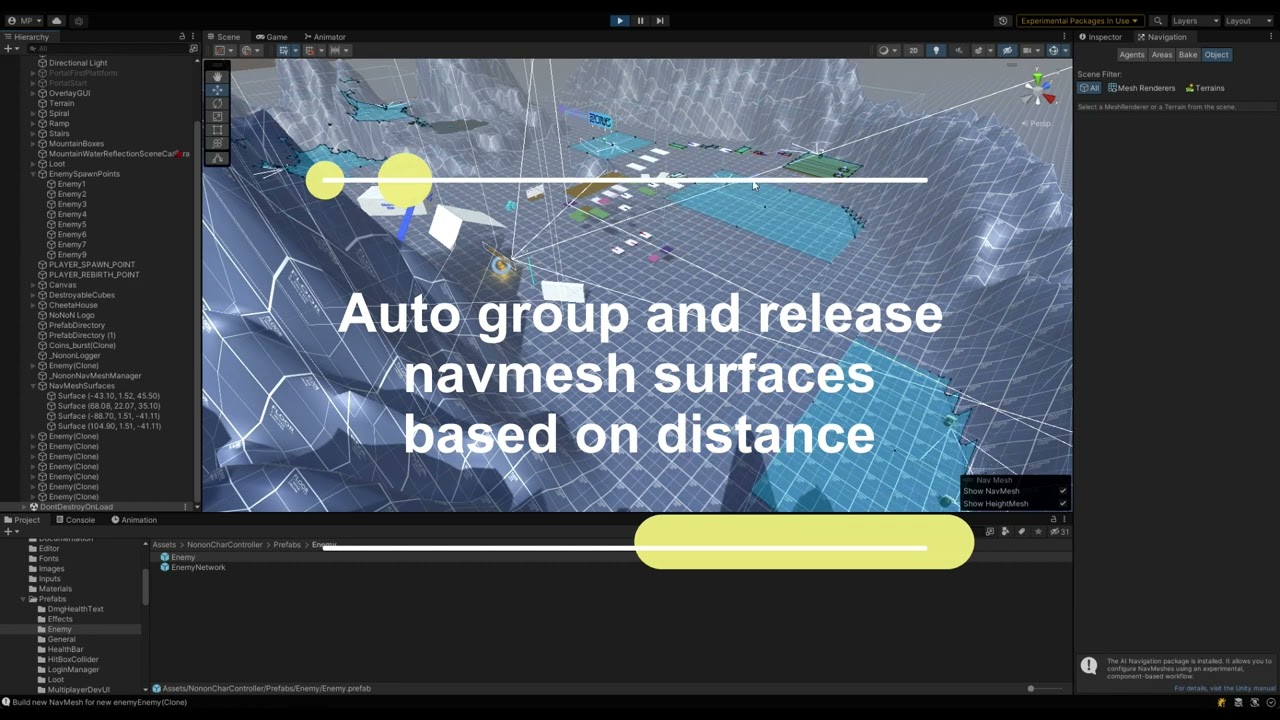
Nonon Zone CharacterController with RuntimeNavMesh Builder
- Use Dynamic NavMeshSurfaces
- Use just static ones
- Group and ungroup NavMeshes based on distance
limber forge
Glad I helped, good job ! 😄
 opal flume
I have a flock system with bees, but I can't find an approach to make the flock move around looking for gameObjects with tag "run", any idea on how should I start solving this issue?
Flock: https://hatebin.com/vpgfzohpjq
FlockManager: https://hatebin.com/ppjstuqnwy
tardy junco
opal flume
I have a flock system with bees, but I can't find an approach to make the flock ...
Just add another vector in your direction calculation.
 keen oak
I was wondering if someone can help me with my ai a little, I just need help with board evaluations, and the numbers for them, this is a 24 by 24 grid chess game with fairy chess variant pieces. https://github.com/Mysticpasta1/ChessAIInUnity/blob/chess-ultima/Assets/Scripts/BoardPieceValuation.cs
GitHub
Chess artificial intelligence created with minimax algorithm and alpha-beta pruning I created for my college course - ChessAIInUnity/BoardPieceValuation.cs at chess-ultima · Mysticpasta1/ChessAIInU...
 desert yoke
guys is it possible to train bot to smart bastard?
 verbal grove
My nav mesh mesh agent jumps only if two points of offmeshlink are in same X. If they're not, it just not jumping. How to fix that?

 light saffron
ashen smelt
Anyone here got any good alternatives (except Aarons A* project) to the NavMesh ...
light saffron
ashen smelt
Anyone here got any good alternatives (except Aarons A* project) to the NavMesh ...
there is an async version of navmesh build
light saffron
languid ibex
Thanks a lot for the tips 🙂 Your ideas worked well. I implemented now a Manager...
this is cool, i didn't know that the builder could create separate chunks of navmesh
languid ibex
light saffron
this is cool, i didn't know that the builder could create separate chunks of nav...
Its the exp AI Package: com.unity.ai.navigation. With this you create Navmesh Surfaces to navigate which can be even vertical too. And with this you set it to volumetric. You can see the params here: https://nonon.zone/2022/10/11/charactercontroller-17-runtime-navmesh-surface-builder/

Runtime Navmesh Surface Builder Runtime Navmesh Surface Builder for Nonon Zone Character Controller. Let you enemies walk on huge terrains and build your NaveMeshSurfaces on the run. Dynamic and Static Options for Navmesh Building Auto group and ungroup NavMeshSurfaces based on distance Auto extend NavmeshSurface on enemies NononNavMesh Runtime ...
light saffron
languid ibex
Its the exp AI Package: com.unity.ai.navigation. With this you create Navmesh Su...
Ah yeah I've used that nav package in a spherical world, i love unity's nav but the bits of navmesh couldn't be merged, zero write access to the navmesh so an agent on one side of the planet could not path to an object on the other side, or if an agent was following another one, there were movement artifacts when their distance was about 1/8th of a sphere.
 junior heron
somebody can help me with an ai for chess game?
 fiery lion
I'm working on a tower defense game, for debug reasons, whenever my ai reaches its goal, it'll snap back to spawn, however, due to the fact i can build blockades, it places my AI near the nearest edge instead of the spawn point (which is also on a navmesh)
does anyone know how to fix it, im using the new package
clarification, it sets it to the spawn, until it actually just snaps back to that edge.
(it should be a valid position since on start the location it spawns at is its own transform.position)
fiery lion
checked the docs and apparently using NavMeshAgent.Warp worked instead of changing the transform.
verbal grove
How to auto generate two-directional offmeshlinks? For some reason unity generate only one directional.
languid ibex
In this example they are bidirectional... i am not sure what you mean, but here is the link: https://learn.unity.com/tutorial/runtime-navmesh-generation#

Unity Learn
In this recorded live training session we show how to work with Unity’s Navigation tools at runtime. We will explore the publicly available Components for Runtime NavMesh Building and look at how we can use the provided components to create characters which can navigate dynamic environments and walk on arbitrarily rotated surfaces, including ene...
floral sleet
I have an A* class on a single gameobject that will find the shortest path between two points in an Octree graph. The NPC's in the game reference that single gameObject/component whenever they need to move to a new destination.
But I've noticed that the game is dropping frames whenever an NPC uses the A* calculate a path and I was wondering of ways on how to fix this?
I assume the first step is to convert the pathfinding algorithm into a coroutine(?), but will that create a problem if two or more NPC's try to calculate a path at the same time? So I'm then thinking, is it better to let each NPC have it's own copy of the A* class, or should I have a manager class to manage the queue of NPC's wanting to use the A* algorithm? What do you think?
This isn't for a fast-paced shooter, so I don't mind if the NPC's have to wait around for a few seconds before a path is calculated for it.
jaunty raft
floral sleet
I have an A* class on a single gameobject that will find the shortest path betwe...
How big is the search space and average path length?
floral sleet
jaunty raft
How big is the search space and average path length?
At the moment the search space isn't too large, but this might change. There are about 3,000 nodes and 30,000 edges.
Path lengths generally sit between 50 and 100 nodes, but this path is all over the place so I pass this it to another method which shortens it either 3 or 4 nodes. This process works, but it's a bit slow.
ashen smelt
Why dear Unity, does the NavMeshQuery system lack means to get the area of a polygon. 😢 Or does anyone know how to get that info given only a PolygonId?
jaunty raft
floral sleet
At the moment the search space isn't too large, but this might change. There ar...
This should be solvable in milliseconds per path if you use an efficient backing data structure for your open/visited nodes, even without a*, using just dijkstra would be in the milliseconds
floral sleet
jaunty raft
This should be solvable in milliseconds per path if you use an efficient backing...
Hmm. Ok. I'll profile each method to see where the problem might be. I've just read about Async/Await too, so I might see if that can help out as well. Thanks.
jaunty raft
floral sleet
Hmm. Ok. I'll profile each method to see where the problem might be. I've just ...
you can't really use c# threads effectively to parallelize work in unity, you'd need to use the job system
floral sleet
Really? I've seen a few videos and articles on how they are the preferred over coroutines in Unity, and they seem simpler to implement as well. The jobs system is a bit too complicated for me and could be a bit of rabbit hole.
molten sequoia
floral sleet
Really? I've seen a few videos and articles on how they are the preferred over ...
You might not care, but you are likely to lose support for platforms that don't support threading, which right now is just WebGL. UniTask and Jobs fallback gracefully.
 glacial anchor
Noob question: How do i hide the blue Navmesh? I tried to turn off all the different Navmesh options in gizmos but it still shows. The only want i can hide it is to disable the NavMeshSurface component completely
 mighty charm
My navmeshsurface isnt detecting anything. How come?
 floral sleet
mighty charm
My navmeshsurface isnt detecting anything. How come?
floral sleet
mighty charm
My navmeshsurface isnt detecting anything. How come?
Did you set your ground as Navigation Static, and have you clicked the Bake button?
We'll need details of what you tried, before anyone can tell what step you might might have missed.
floral sleet
glacial anchor
Noob question: How do i hide the blue Navmesh? I tried to turn off all the diff...
When you select the Navigation tab, you'll see a window in the bottom-right of the scene window. You can hide the navmesh from there.
mighty charm
floral sleet
Did you set your ground as Navigation Static, and have you clicked the Bake butt...
I did click the bake button, wdym by navigation static?
floral sleet
mighty charm
I did click the bake button, wdym by navigation static?
Which guide/tutorial are you following? Anyway, here are the steps, in particular, step 2:
mighty charm
floral sleet
Which guide/tutorial are you following? Anyway, here are the steps, in particul...
This one: https://youtu.be/UjkSFoLxesw
FULL 3D ENEMY AI in 6 MINUTES! || Unity Tutorial:
Today I made a quick tutorial about Enemy Ai in Unity, if you have any questions just write a comment, I'll try to answer as many as I can :D
Also, don't forget to subscribe and like if you enjoyed the video! :D
See you next time.
Links:
➤ NavMesh Components: https://github.com/Unity-Technologi...
floral sleet
mighty charm
This one: https://youtu.be/UjkSFoLxesw
It looks like a part of the process was missing from the tutorial, as per some comments:
 mighty charm
Oh ok, ill test that later. Thanks
floral sleet
You can set floor to static either on the gameObject itself, or from the Navigation tab. They both do the same thing.
glacial anchor
How do I make a NavMeshObsticle that Agents can step up onto? For example I want to have a box that is dynamically instantiated. Once it spawns navmesh agents should be able to use it to walk on in their path finding.
languid ibex
glacial anchor
How do I make a NavMeshObsticle that Agents can step up onto? For example I wan...
You could use the new ai package and generate the surface at runtime with volumetric generation. https://youtu.be/JjQg2vGHK_8
Watch this video in context on the official Unity learn pages -
http://www.unity3d.com/learn/tutorials/topics/navigation/navmeshsurface-component
In this live training session we will learn how to work with Unity’s Navigation tools at runtime. We will explore the publicly available Components for Runtime NavMesh Building and look at how we can ...
 stoic tulip
Hi I am trying to make use of A* pathfinding project running into some errors anyone that can help?
I tried navmesh but the bake button doesnt work in that
stoic tulip
Basically I am trying to make a gps as a fun project for my neighborhood area to play and mess around with ai the plan is when we click one point to another on the map the route is rendered as a line so i need pathfinding
tried navmesh bake option isnt working in A* project i put all obstacles in obstacle layer and hit bake but the bake result ignores all obstacles
stoic tulip
stoic tulip
Basically I am trying to make a gps as a fun project for my neighborhood area to...
Anyone can help in this prob
light saffron
floral sleet
Really? I've seen a few videos and articles on how they are the preferred over ...
you could use thread ninja
tardy junco
floral sleet
Really? I've seen a few videos and articles on how they are the preferred over ...
Async await Tasks are running on the main thread in unity by default. You can make them run on different threads, but you won't be able to access unity API from them then. Also, jobs are way more efficient performance wise. But yeah, if you just need something to run in the background without much care for how fast it is and don't need to access unity API from it, then a threaded Task is a good option.
 muted pike
I can't find any videos on ai that uses 0 animations and is moved with ik does anyone know where I could find a video or documentation on that?
jaunty raft
muted pike
I can't find any videos on ai that uses 0 animations and is moved with ik does a...
ai is typically moved by a kinematic character controller and animation is driven by whatever the actual movement is (vs root motion)... basically all AI movement works this way and you do not have to search for anything special. If you find some tutorial that uses root motion for AI, you should carefully consider if its approach is scalable to your particular use case.
muted pike
jaunty raft
ai is typically moved by a kinematic character controller and animation is drive...
Well I wanna use physics sorry I didn't specify.
real sonnet
muted pike
Well I wanna use physics sorry I didn't specify.
Keywords are active Ragdoll or a plain physics driven animation / physics driven ai could give good results
In any case don't expect to find a perfect tutorial that provides a result out of the box. You'll probably have to experiment a lot on yourself before reaching the result you hope
muted pike
real sonnet
Keywords are `active Ragdoll` or a plain `physics driven animation` / `physics d...
Tysm I'll definitely try that!
floral sleet
I use the free version of PandaBT. That has some documentation and examples you can learn from. Otherwise, BTs mostly use a common terminology for describing nodes in the tree, so most YouTube guides on BTs can be useful.
I actually learnt BTs from a Udemy course teaching beginner a.i, and lots of practice.
light saffron
do you know why you need bt vs other form of ai?
 stone sequoia
Been trying to bake a navmesh at runtime, but in script NavMeshSurface keeps coming up as missing namespace. Is there a different namespace than UnityEngine.AI for it? I already added the package the way the docs say via add package by name option, and I enabled preview packages in project settings. Beyond that I have no idea why I can't access NavMeshSurface. It seems to work fine in the Unity Learn Example
nvm wrong namespace
plush hollow
I'm having a weird issue with the NavMesh where it seems to disappear when I hit save after baking it and eventually that causes .SetDestination() to return with can only be called on an active agent that has been placed on a NavMesh.
light saffron
cool. the best guides i've used are panda bt's sample scenes. and zomboid blog
 crystal karma
Hey! Can anyone in here give me the quick rundown for manually completing NavMeshLink versus OffMeshLinks? Right now I'm reading currentOffMeshLinkData, getting the start/end positions and manually animating between them. I understand you can get the current navmeshlink by casting navMeshOwner, but I'm not sure what type to cast it to (NavMeshLinkData? NavMeshLinkInstance?) and I'm not sure how to make use of the fact that navmeshlinks are now areas instead of lines
Just to be clear I'm trying to preserve existing offmeshlink functionality but also adding support for navmeshlinks so I can make use of different navmesh surfaces
crystal karma
So I fixed some assembly import stuff and now the NavMeshLink type is available. If I cast navMeshOwner to UnityEngine.AI.NavMeshLink I can get a reference to the original component but that just tells me the start and end positions for the link, it doesn't make use of the fact that the link is now an area. Is there a way to access the path calculated across the area by the actor?
 queen prairie
does navmeshagent.move() still avoid obstacles? doesnt seem like it. how does it work?
 tacit fractal
How can I solve that error? Failed to create agent because it is not close enough to the NavMesh?
light saffron
tacit fractal
Ugh, I solved it, thx
when you query this channel then find the solution, share the solution
tacit fractal
I only set the same Agent Type for NavMesh and Agent
 jovial creek
I'm working on the AI system for an action game.
My question is about pathfinding.
I have a long range pathfinding a position a bit far from the player say I want it to be 5 units away for it to stop pathfinding and do an attack.
What should I do if the player gets too close?
how can I tell the enemy where to go if it's TOO CLOSE
keep in mind the levels are randomly generated so I can't make predetermined spots for it to go
should I just make it raycast in a direction away from the player and go to the hit point if there's nothing in the way?
what if the enemy is a corner?
or should I make it so the enemy has a short range attack and have the enemy attack until it dies?
how do games typically approach this problem?
jovial creek
I posted in the forum if anyone wants to answer there, since this channel doesn't seem to get much activity :(
Unity Forum
I'm working on the AI system for an action game. My question is about pathfinding. I have a long range pathfinding a position a bit far from the player...
light saffron
jovial creek
keep in mind the levels are randomly generated so I can't make predetermined spo...
Several ways, The simple one is to path until distance is reached then path away from enemy. My favorite is to sample a set number of random position on the navmesh which are within that distance and chose the one with the shortest path - a bit costly but unity's navmesh can push a LOT of queries and you can always jobify those queries if performance is an issue - it rarely is an issue and if it is, then your game might be one of those with swarming enemies, in which case another strategy for pathfinding is required.
jovial creek
Ah thats a pretty clever strategy thanks
Im using sebastian lague's pathfinding solution since my game is 2d and nav mesh doesn't work in 2d(i know there are ways to hack it but id rather not) tho unfortunately so ill have to program that in
 thorny citrus
Dose anyone have a simple public collision path I can have a look at and edit
For enemy AI
thorny citrus
yes
so if your behind a cube it will find a path around and go to you
think of it like minecraft ai
bruh
i need a enemy ai script i can edit that will move around the block with colision instead of getting caught on it and getting stuck
so it can move around and try to get to the player
should work thanks
jovial creek
what's the best way to solve this problem?
have a second collider on walls to increase the non walkable tiles around it?
remove collider from enemy?
keep collider on enemy and set it to ignore wall layer collisions?
or should I change the create grid function to use a variable that adds detection range for nodes?
public void CreateGrid()
{
grid = new Node[gridSizeX, gridSizeY];
Vector3 worldBottomLeft = transform.position - Vector3.right * gridWorldSize.x / 2 - Vector3.up * gridWorldSize.y / 2;
for (int x = 0; x < gridSizeX; x++)
{
for (int y = 0; y < gridSizeY; y++)
{
Vector3 worldPoint = worldBottomLeft + Vector3.right * (x * nodeDiameter + nodeRadius) + Vector3.up * (y * nodeDiameter + nodeRadius);
//would I add to node radius with a sperate variable here?
Collider2D cast = Physics2D.OverlapArea(worldPoint, worldPoint + new Vector3(nodeRadius, -nodeRadius, 1), layerMask: unwalkableMask);
bool walkable = (cast == null ) ;
grid[x, y] = new CopyNode(walkable, worldPoint, x, y);
}
}
}``` coral gulch
Hey guys, I have been thinking on how this would be. How would you make an AI similar to the cannibals in The Forest where they just observe you and get close but in a determined radius?
coral gulch
Thanks for the detailed response. Great ideas. Also do you purely make AI in code, or do you also integrate it into the Animator machine states, or use any plugin?
Thanks.
coral gulch
Awesome thanks for the help! I will let you know how it goes 😄
queen prairie
anyone familiar with behaviour trees?
i would like to run idle movement and check for player in range(2 checks apart) in parallel.
          .Selector()
                .Parallel()
                    .Sequence("Check Player In Aggro Range")
                        .Do("FirstAggroCheck", () =>
                        {
                            if (CheckPlayerInAggroRange())
                            {
                                print("First check");
                                return TaskStatus.Continue;
                            }
                            return TaskStatus.Failure;
                        })
                        .WaitTime(2f)
                        .Do("SecondAggroCheck", () =>
                        {
                            if (CheckPlayerInAggroRange())
                            {
                                print("second check");
                                aggrod = true;
                                return TaskStatus.Success;
                            }
                            return TaskStatus.Failure;
                        })
                        .WaitTime(2f)
                    .End()
                        .Sequence("Idle/Wandering")
                        .Do("Set Next Position", () =>
                        {
                            destination = AIUtility.BrownianMotionWalkPosition(transform.position, 40);
                            return TaskStatus.Success;
                        })
                        .Do("Move to a Position", () =>
                        {
                            controller.SetDestination(destination);

                            if (controller.DestinationReached())
                            {
                                print("reached my destination");
                                return TaskStatus.Success;
                            }
                            return TaskStatus.Continue;
                        })

                    .End()
                .End()
            .End()
            .Build();
 acoustic minnow
How would I simulate this track in order to use a genetic algorithm?
 muted pike
Does anyone know why my ai will stutter and keep going in both directions?
void AI()
    {
        GameObject plr = GameObject.Find("Player");
        float distToPlr = transform.position.x - plr.transform.position.x;
        Debug.Log(distToPlr);
        if(distToPlr < 1.25f)
        {
            rb.velocity = new Vector2(moveSpeed, rb.velocity.y);
        }
        else if (distToPlr > -1.25f)
        {
            rb.velocity = new Vector2(-moveSpeed, rb.velocity.y);
        }
        else
        {
            rb.velocity = Vector2.zero;
        }
(sorry for the sloppy code :/)
zealous mantle
muted pike
Does anyone know why my ai will stutter and keep going in both directions?
```
v...
Your first if statement will always be true if you're close to the player until it's too far away then it'll switch to the second.
The third statement will never happen.
muted pike
so should i use a switch
zealous mantle
Your first statement needs to check if the distance is between a min and max range.
muted pike
alr
zealous mantle
If it's less than 1.25 but greater than 0.25 for example.
Also, using Find every frame like that is going to kill your performance.
muted pike
Alr tysm
 uneven current
yall prefer Utility AI or GOAP or Machine learning, Behavior Trees or wat ?
I find myself spending hours on tinkering with each one , but they each present their own problems
jaunty raft
they all solve different problems, real world, 80% of the time a BT is what you need, Utility AI is just a fuzzy predicate in a BT, GOAP almost always leads no no perceivable entertainment value, ML is not AI, its a niche field of study in AI that concerns itself with function approximation and can be used as part of any symbolic AI (like Utility functions in BTs)
crystal karma
It's such a project specific question
I feel like you're almost asking "what kind of genre should I pick for my game"
crystal karma
I feel like the first question is the type of behaviour that you want your AI to have, and to answer that you have to answer what behaviour you want the game in general to have
All the techniques you described are useful for creating different types of experiences. A state machine is fine for creating an enemy in a wolfenstein type of game, but if you're making a deep RTS you would want an AI that's able to make plans and follow them
It's like asking what kind of brush you should paint with without knowing what you're painting or even the medium : p
They're techniques that you apply to create an effect
My own personal experience with AI in games is that it's best to be as simple as possible so I agree with the POV that state machines are good for most applications. I'm working on an imsim type of shooter right now and we started out with a very complex AI that used fuzzy logic and would grade it's choices based on the effectiveness against the player's tactics, so it could learn over time. Then it turned out that all that stuff made it unpredictable and not very fun, then eventually I chopped sections out of it gradually until we were left with basically a simple FSM that follows the player or takes cover depending on some very simple criteria. It's better to design with the experience you want in mind. Complex AI sounded cool superficially but the experience of playing against it did not create a feeling of being able to learn the enemies' behaviour and adapt.
but that means nothing in a different context. If I was making a game that had long term planning and strategy in it then I'd want the AI to be able to express that too
(turns out if you let your AI learn what works best eventually it figures out that sitting in doorways spamming grenades is effective)
 round bridge
finally, somebody that agrees with my strats
jaunty raft
crystal karma
My own personal experience with AI in games is that it's best to be as simple as...
this is basically the story of every game AI programmer ever 😉 somehow nobody seems to believe it until they experienced it
light saffron
crystal karma
My own personal experience with AI in games is that it's best to be as simple as...
the end boss learned your pattern from observing from afar
another world style
crystal karma
Did that happen in another world??? I dont remember
So is there really nobody that's using the new navigation package that can give me some tips on how to utilize navmeshlinks?
I got it working but I have no idea how to leverage the fact that navmeshlinks are areas instead of lines
light saffron
crystal karma
Did that happen in another world??? I dont remember
tiger creature lurking in the background
uneven current
do you make custom trees or do you use plugin ? I see something from KIWICoder not sure if I should start with that
acoustic minnow
Is a policy gradient just a way to see how much certain inputs would affect certain outputs?
 kind laurel
Hope this is the right place. Anyone know why after I bake the nav mesh, there’s random spots along my terrain that are not included in the bake? I’ve changed settings for the agent itself in terms of step height and max slope but nothing is changing tbis
 crystal karma
Looks kinda like intersecting objects
Is it possible you have some objects there that have renderers with no materials in them? These get picked up by the navmesh baker as collision geometry
crystal karma
What happens if you remove the terrain and put a giant cube there instead to try to bake a flat surface?
Do you still get holes in those locations?
(make sure your stretched cube platform thing is at the same elevation as the terrain)
stoic tulip
Hi I am using the A* pathfinding project the algorithm is working for my game I want to use a line renderer to draw the path so its visible
can anyone guide on how to do that
stoic tulip
Top down 2d
u click on the destination and the player moves to it
jovial creek
Sebastian lague's video shows how
stoic tulip
jovial creek
Sebastian lague's video shows how
could you please link the video
 haughty current
Welcome to the first part in a series teaching pathfinding for video games. In this episode we take a look at the A* algorithm and how it works.
Some great A* learning resources:
http://theory.stanford.edu/~amitp/GameProgramming/
http://www.policyalmanac.org/games/aStarTutorial.htm
Source code: https://github.com/SebLague/Pathfinding
If you'd...
 hasty forge
Did NavMeshModifierVolume get removed for 2021 unity and beyond?
Not finding any documentation on it anymore
 tawdry trout
Poll on visual node based no code ai development (as seen in unreal and unity for games) https://www.reddit.com/r/artificial/comments/ypye9v/how_many_of_you_would_use_a_drag_and_drop_visual/
reddit
8 votes and 10 comments so far on Reddit
crystal karma
Is this chat like, both for AI in the context of game development and AI in the context of machine learning...? because I feel like these two things are not full of overlap
ashen smelt
Most of the time, they're not even close. I'm assuming both goes here though
 spice cobalt
Anyone have any tips on why manually created Off Mesh Links might not be working? My agent seems to just bounce around them but never takes them.
 wind arrow
I got a problem:

This is the error: "SetDestination" can only be called on an active agent that has been placed on a NavMesh. UnityEngine.AI.NavMeshAgent:SetDestination (UnityEngine.Vector3) AIScript:Update () (at Assets/AIScript.cs:24)

it's on same object
 hasty forge
try disabling and reenabling the navmesh agent
wind arrow
ok
hasty forge
that error means your navmesh agent is not connected to the navmesh
have you generated a navmesh?
wind arrow
hasty forge
try disabling and reenabling the navmesh agent
nope
wind arrow
hasty forge
have you generated a navmesh?
one sec
wind arrow
hasty forge
have you generated a navmesh?
let me google
bake?
now it kinda works
better
now it works, thanks
 lethal current
Hey everyone!
I could use some help to point me in right direction when it comes to pathfinding.
I am making a 2D game and I'm looking for an efficient way to navigate player to one of blue points on path. So let's say I click on one of the blue dots, and I want the player to slide along the black path to finally reach the point and stop there. Player should always slide on the black path no matter which point I choose.
Which pathfinding method would be the best one to go with in this scenario? Could I possibly use one of Unity methods or should I code it my own way?
It actually looks too simple for many pathfinding methods that I have found so far.
 floral sleet
lethal current
Hey everyone!
I could use some help to point me in right direction when it comes...
floral sleet
lethal current
Hey everyone!
I could use some help to point me in right direction when it comes...
You would still need something like A* to find the shortest path between two nodes. I don't know much about 2D, but Brackeys has this guide on setting up pathfinding on for 2D. It might still work:
https://www.youtube.com/watch?v=jvtFUfJ6CP8&ab_channel=Brackeys
mystic thistle
Hey, when I call agent.setDestination(), the agent smoothly turns towards it's new destination. Can I use that from agent's class but in other scenario? I want to use this smooth rotation when my agent spots an enemy and turns towards him.
 little nymph
Anybody know how to make navmesh agents chase the player but prevent the player from being able to run circles around the agents?
 muted sand
I have a Tree which gets ignored after baking and I can't figure out why. Anyone got any tips? Here is the Tree object in Inspector and in the Scene after baking.
There are cubes in my scene as well which don't have this problem. Does it have anything to do with Mesh stuff? The tree image comes from a Sprite Renderer.


 sterile vine
muted sand
I have a Tree which gets ignored after baking and I can't figure out why. Anyone...
sterile vine
muted sand
I have a Tree which gets ignored after baking and I can't figure out why. Anyone...
You could try few things. Like puting the capsule half inside the ground. Removing the isKinematic from the rigidbody, check the tree as Static, and change the layer to something else than ignore raycast. One of them or a combination of those may be the right answer
So i'd like to implement my own text to text AI solution, like GPT-3 or chatbots.
The ultimate goal would be to be able to just chat vocally with an NPC in my game and the NPC to answer. Just like so : https://www.youtube.com/watch?v=WHrVRAIaA9o&ab_channel=ThomasSimonini
I have solid basics in IT and a master degree, so I could solves the various issues when they happens.
So there are few steps inbetween, like converting the mic input of the player in text, then feeding the text to the AI. And getting back the text from the AI, and then converting it back to vocal. And ofc another that would be to know how to feed the AI with base text to customize each NPC.
The part I want to focus on, right now, is a text to text (so all the vocal part i'll see later) with an AI that I could embark in my game to request offline. I don't want to use the openAI API to allow offline and to remove the payment issue.
Could anyone point me in the direction of an open source chatbot/ai that I could embark in my project ? Maybe a tutorial stuff, or a git repo ? I'm looking into GPT-J and GPT-Neo for now.
jaunty raft
sterile vine
-
So i'd like to implement my own text to text AI solution, like GPT-3 or chatb...
You need to find (or make) a model that is trained specifically for NPC dialogue in your game or a similar one. There are various ones available for interviews and other real life situations, they may work for you. But your key issue will ofc be accuracy and parsing any ai generated text into actual gameplay commands. A chat ai is still very far removed from achieving this and major strides in connecting ML with symbolic ai have not been made yet
sterile vine
jaunty raft
You need to find (or make) a model that is trained specifically for NPC dialogue...
This "key issue" is actually quite simple for me to achieve, just some parsing and formating on the fly.
The real black spot that I have is to find a way to embark an AI in local.
I found that the open source GPT-J has a dedicated conversational feature, that looks just like I want
https://nlpcloud.com/how-to-build-chatbot-gpt-3-gpt-j.html

I must find if I can embark that
jaunty raft
sterile vine
I must find if I can embark that
wdym by embark anyway? Distribute?
sterile vine
To put the AI inside the unity sources of the project so I can resquest the AI and talk with my NPC even if i'm not connected to the internet
jaunty raft
the word is embedding
sterile vine
Oh thank you for the clarification ! 😄
jaunty raft
sterile vine
To put the AI inside the unity sources of the project so I can resquest the AI a...
Why would that be any issue? You can just do it if it’s an offline model.
sterile vine
Yeah, i've never done that before, I've only played with APIs and open collab
So the problem that may not be one is that i've no idea how to proceed
I found the sources here https://github.com/kingoflolz/mesh-transformer-jax/ along with pretrained models
jaunty raft
i think if the only experience with ML you have is in playing around with premade repos and never made a model yourself this is going to be a long journey
The key issue to solve is probably running tensor flow from a unity app
sterile vine
Yeah, i've never done that. However it seems like it wont really be required to train a model myself, since this GPT-J is shipped with pretrained ones that works just fine for my needs from what I can see of the playground on their API.
jaunty raft
you still need to run the model and convert any python bits to something else or run the required py in a separate process
a model doesn’t run itself
sterile vine
I've had a tensorflow thingy working with MLAgent when I trained some models with the unity package it may help in this journey
sterile vine
jaunty raft
a model doesn’t run itself
Yeap, that is indeed the problem 😂
jaunty raft
understanding tensorflow and integration of it will help a lot
The py notebooks that data sci uses for this stuff are just convenient, but not required, you can use a model from anywhere that supports its infrastructure (usually tensor flow)
Description
Also don’t underestimate the difficulty of parsing the text you get from any ML classifier
this is something that is by far a less popular technology than simple fuzzy classification and using it for fuzzy output (images/music/chat/sales trends)
if you pipe the outputs simply into a behavior tree or fsm, like any voice recognition telephone hotline, you aren’t really giving the player a good UX
sterile vine
I see, well I'll dig a bit more around that thank you @jaunty raft for your support !
 marsh lintel
Hi! I'm trying to generate a navmesh in a procedural world. I added a navMeshSurface to my terrain chunk prefab (it's a 3d square area that gets spawned in a grid) and when objects are finished spawning I call the .buildNavMesh function to generate the navMesh. However.. what I get is this:

I think that every terrain is baking a complete map of all the objects in the whole map. That's because, as the strong blue color suggests, those are many navmesh stacked into eachother. Some chunks only have one navmesh on it... and only some trees are getting taken out of the navmesh.... Can someone help me?
sterile vine
😂
 mystic thistle
Hey. I'm using navmeshcomponents.
I need to rebake navmeshsurface at runtime, I did it in like my 2 other games, but this time for some reason I can't get reference to NavMeshSurface in any way. I can't find it (there's one) in the scene in awake, I can't drag and drop it (even though it shows like I could drop it, after I do so it still shows none) and also it says that there are no nav mesh surfaces on the scene.


even when I set it that way
groundSurface = environment.GetComponent<NavMeshSurface>();
it still doesn't find it's reference

even though NavMeshSurface is the only component on environment transform
marsh lintel
sterile vine
😂
It makes sense aha
btw if you want to set a default response, just answer it manually (write something like "What's a telephone?"), so the a.i. will know what to say when it encounters a modern item
at least, this works on gpt-3
sterile vine
I mean the player could ask anything and not only telephones
marsh lintel
sterile vine
-
So i'd like to implement my own text to text AI solution, like GPT-3 or chatb...
I was also trying to use gpt-3 and j for university purposes, and if you haven't a very, very powerful computer you can't run gpt-j in realistic times. I generated 100 tokens in 4 and a half hours, using CPU... To use GPU, your GPU needs at least to have 16GB ram, and it will still take a lot of time. The simulation that I saw in a video took 6 seconds to generate 20 tokens in a 5k€ quadro RIG, meaning that there were more than one of that monster GPU costing 5k each, and it still took 6 seconds
marsh lintel
sterile vine
I mean the player could ask anything and not only telephones
Sure, but it would know that he can answer "I don't know what a X is"
test if if you want, it might work, it might not
usually if you give example responses he will answer correctly the next time
sterile vine
Ah i see. Well that suck to need to be this heavy for that
marsh lintel
It's a 6B model, sadly it's normal
gpt-j davinci has a 175B model, it would take much more time to run in local
sterile vine
Yeah the problem with the use of a cloud system is that you pay for everybody that use your app. In the opposite of using the computer that is playing the game. If tomorrow 500 person play my game and run the AI non stop i go bankrupt lol. It's not even worth to use a cloud system for a game, since with a 8 hours story, the player that pay your game 20 buck will cost you more than that just for the AI in the game

marsh lintel
sterile vine
Yeah the problem with the use of a cloud system is that you pay for everybody th...
Yeah. Using those nlp ai's is still out of reach, sadly. I thought that too.
You can only do a demo for yourself, or for someone that has a very powerful pc. No way that an average computer can compute anything so big fast enough.
sterile vine
😿
 proper sparrow
Hello! I have a question. When using ML Agents in unity, the ppo RL algorithm is considered active or passive RL?
marsh lintel
Is this the place to ask for navmesh problem? or should I move my question to code-general?
muted sand
sterile vine
You could try few things. Like puting the capsule half inside the ground. Removi...
Sadly enough, these suggestions (and combining them) didn't do the trick.
I've played around a bit with another object for which the baking was behaving as expected, and discovered that it was only baked correctly if it has these:
- Cube (Mesh Filter)
- Mesh Renderer
If any are removed, it isn't seen by the Navmesh Agent. Interestingly enough, a Collider isn't necessary. I'll read up again on the Navmesh docs, see if I've missed something.
muted sand
marsh lintel
Is this the place to ask for navmesh problem? or should I move my question to co...
Depends on the question I guess, but I agree there's quite some overlap
muted sand
muted sand
Sadly enough, these suggestions (and combining them) didn't do the trick.
I've p...
Alright, I've added a base cube to the sprites. This way I can easily visualize which areas are walkable and which aren't in the editor, and since the camera ignores the cubes they won't actually show up in-game. It works and it might even be better for game design purposes.
sterile vine
Good to know thanks for the feedback
 left nymph
try to be more specific about the AI:
Utility AI
Behaviour trees
GOAP
Hierarchical Task Networks
then you should find plenty
machine learning is pretty rare in game ai
 fading burrow
Whats the best way to get a random NavMesh destination? Rn im taking the current sector, adding or subtracting random numbers to it, then checking if theres a path to it (I migth be messing this part up?) but itd be really nice to be able to say things like only choose a destination on this type of layer or NavMesh filter thingy
 brisk raven
fading burrow
Whats the best way to get a random NavMesh destination? Rn im taking the current...
fading burrow
brisk raven
https://docs.unity3d.com/ScriptReference/AI.NavMesh.SamplePosition.html
brisk raven
fading burrow
Whats the best way to get a random NavMesh destination? Rn im taking the current...
fading burrow
brisk raven
https://docs.unity3d.com/ScriptReference/AI.NavMesh.SamplePosition.html
So does this work by taking a destination- that I would generate- then finding the closest spot it can actually get to, and allows for choosing what masks it can place it?
brisk raven
fading burrow
So does this work by taking a destination- that I would generate- then finding t...
did you read it
fading burrow
brisk raven
did you read it
yes
i did misunderstand it it looks like
im a little confused. how does the nav mesh hit output work?
gdi. and now its crashing
fading burrow
Is there a way to check if theres any objects nearby that doesnt ignore line of sight? raycast would work if it didnt have a direction, i tried detect sphere but it doesnt seem to be working with 2d, and im not sure if that ignores line of sight
brisk raven
fading burrow
Is there a way to check if theres any objects nearby that doesnt ignore line of ...
Physics.Linecast doesnt have direction
 rustic obsidian
A linecast is just a raycast.
What's the actual problem?
fading burrow
rustic obsidian
A linecast is just a raycast.
What's the actual problem?
I want to check if any objects are close by, without ignoring line of sight
rustic obsidian
So like, a spherical sort of outwards raycast that hits things
fading burrow
Yea
rustic obsidian
There's no such thing. Alternatives could include collecting nearby objects using physics operations or other logic, and then loop, casting at selective parts of them that you think are enough to ensure something is deemed visible
fading burrow
How would I collect nearby objects?
rustic obsidian
Maintaining a list of objects that hit a trigger is a common way
fading burrow
Sorry very new to this. To detect objects that hit a trigger- would I need to do something like make a second collider on the object that nly acts as a trigger? So if I want a detection radius of 4, have a circle collider with a radius of 4 that doesnt do physics collisions, that acts as a trigger to check if theres a direct path between them?
brisk raven
fading burrow
Sorry very new to this. To detect objects that hit a trigger- would I need to do...
physics2d.Overlapcircle and then do ur path calc
rustic obsidian
The circle collider (marked as trigger) with radius 4 would only be acting to collect the certain objects you want to consider line of sight for.
When they enter the trigger you add them to a list, when they exit, you remove.
For each object in the list you have to do any number of raycasts you want from the thing you care about to points on the object (which could just be one, to its origin, no idea what you need), and if it hits it it's considered close and in LoS.
You can also use OverlapCircle if you don't want to maintain a list yourself, which could be totally fine too
fading burrow
oh overlap circle is probably the easier way to do it
brisk raven
you can loop inside the array and check each one for a valid path
fading burrow
now to figure out how arrays work in visual script...
fading burrow
I had the ai pathfinding working pretty well, messed with some stuff, now the ai doesnt know to go around this wall

its both marked not walkable and an obstacle


Please @ me if you respoond
ashen smelt
Are you baking using NavMeshSurface or the Navigation tab? Either way, it seems as if the trees are "collected" on the lowest LOD level (which probably is a flat impostor). Change the layers of the tree parts, or use colliders instead of renderers when baking the navmesh
 whole ocean
Hi guys, anyone knows a why to make NavMeshAgents (nma) fall if the floor (mesh) beneath them disappears? Rn it tp back to the closest point existing in the rest of the navmesh. I know that if I disable the nma component and set kinematic/gravity to true, then destroy a portion of the mesh, it works, but it's just a hack that works on certain scenarios.
tardy junco
whole ocean
Hi guys, anyone knows a why to make NavMeshAgents (nma) fall if the floor (mesh)...
It's not really a hack. You need to disable the navmesh agent or stop it from controlling the object position, then let it fall in whatever way you're comfortable with(either physics or moving it manually).
marsh lintel
Hi, how can I change a navmeshagent active navmesh? I have many navmeshes in my game, they are completely dynamic (created around some entities with a navMeshSurface), but sometimes when an agent "pick" a navMesh it will not change that even if he steps inside a new navmesh
Like in that case, where the selected navmesh is the left one, and when I move the object to the right navmesh it will not change the active navmesh and it will simply get stuck there between the two never crossing it

 woven summit
Hi - I've got a basic question about using Navmeshes. I've got a terrain with a navmesh surface on it; my navmeshagent dutifully navigates across it just fine - however, I can't seem to figure out how to make the "river" (a second 3d Plane object that's slightly above the minimum elevation of the terrain) impassable. The Plane/Water Level has a NavMeshSurface set the "Not walkable" by default, however, the NavmeshAgent continues to navigate along the riverbed.

 amber helm
Figured I'd share since I think it's amazing 😄
If you're doing 2d and using tilemaps, you can easily create navMesh's that match your flooring exactly by using this code. All you need to do is make sure the floor object of the tilemap is tagged "NavMeshFloor" and you're good to go. The navMeshComponent is just a prefab with a NavMeshSurface2d on it set to -90 on the x rotation (Needed for the 2D navMeshPro add-on).
Screenshots showing the difference between normally building the navMesh with modifiers and building it at runtime with this function I created.


private void GenerateMesh()
    {
        TilemapCollider2D meshFilter;
        Mesh mesh;

        // Spawn a new Game Object to hold the Nav Mesh Surface and set it to Render Meshes.
        GameObject navMesh = Instantiate(navMeshComponent);
        navMesh.GetComponent<NavMeshSurface2d>().useGeometry = NavMeshCollectGeometry.RenderMeshes;

        // Finds the Tilemaps Floor Game Object, adds a Tilemap Collider to it and creates a mesh basedon that collider.
        GameObject[] floorTiles = GameObject.FindGameObjectsWithTag("NavMeshFloor");

        for (int i = 0; i < floorTiles.Length; i++)
        {
            // Add a tilemap collider to the floor area, creates a mesh with it and then removes the collider.
            meshFilter = floorTiles[i].AddComponent<TilemapCollider2D>();
            mesh = meshFilter.CreateMesh(false, false);
            Destroy(floorTiles[i].GetComponent<TilemapCollider2D>());

            // Creates a temp Game Object to hold the Mesh Filter and Renderer. Destroies the mesh after being applied to the mesh filter.
            GameObject navObject = new GameObject("navObject_" + i);
            navObject.AddComponent<MeshFilter>().mesh = mesh;
            Destroy(mesh);
            navObject.AddComponent<MeshRenderer>();
        }

        // Generates the Nav Mesh based on the created Mesh Filter then deletes the Mesh and temp Mesh Game Object.
        navMesh.GetComponent<NavMeshSurface2d>().BuildNavMesh();

        // loops back through and deletes the navObjects.
        for (int i = 0; i < floorTiles.Length; i++)
        {
            GameObject navObject = GameObject.Find("navObject_" + i);
            Destroy(navObject);
        }
    }
 bitter rune
Like in that case where the selected
stone owl
I can't say neither my nav modifier/nav volume modifier components are working.. is there some trick to it?
I'm basically trying to mark a 1x1 cell as unwalkable during runtime
. Baked the navmesh (visible in scene)
. Created a "wall" tile with a modifier component set to unwalkable
but still, see no change to the surface or consequence to my pathfinding
 fringe edge
Hey I'm struggling with this, how am I supposed to make a navmesh agent that flies?
Or tbh I don't even want it to 'fly' really, I just want it to aim to hover above the player. There doesn't seem to be a lot of good information about stuff like this.
fringe edge
Tried just attaching a model to an invisible navmeshagent of a new type just now and the agent won't even work
Why is it even possible to create another agent type if only one works???
stone owl
fringe edge
Or tbh I don't even want it to 'fly' really, I just want it to aim to hover abov...
Offset the model from the navmesh agent bounds
so the agent will move using the navmesh, the model will appear to fly
or don't use navmesh but you'd be pathing yourself.
fringe edge
Yeah this is what I ending up doing
bitter rune
fringe edge
Why is it even possible to create another agent type if only one works???
you need to bake a navmesh per agent
 devout arrow
I have a python program (neural network) that needs to be fed inputs like position and rotation from the scene, and its outputs need to be fed into a C# behavior script to control movement. Any ideas how do I do this?
 brave compass
devout arrow
I have a python program (neural network) that needs to be fed inputs like positi...
brave compass
devout arrow
I have a python program (neural network) that needs to be fed inputs like positi...
https://github.com/pythonnet/pythonnet
Did you check that out? Not sure if that works with Unity, it's on my way too long todo list of cool stuff to program 😛
 worn oxide
What's a good place to start with AI? I'm looking to start building AI for enemies and NPCs in a multiplayer game, the NPCs each have a daily routine, with different daily paths they'll take.
Would using behavior trees be a good foundation for everything or is that overkill? I'd like to keep it relatively simple and easy to iterate, but I don't know much about what different methods are out there for implementing AI.
jaunty raft
worn oxide
What's a good place to start with AI? I'm looking to start building AI for enemi...
Behavior trees are neither over nor underkill, it’s how you do it properly. If you don’t want to use an asset you can easily DIY it or use one of the free code based ones.
worn oxide
@jaunty raft Thank you, are there any assets that you would recommend? I was looking into Behavior Designer: https://assetstore.unity.com/packages/tools/visual-scripting/behavior-designer-behavior-trees-for-everyone-15277
jaunty raft
worn oxide
<@544260011430248467> Thank you, are there any assets that you would recommend? ...
I’d recommend node canvas personally, but BD is fine too
worn oxide
I'll check that out as well! Do you find that designing behavior trees visually is generally easier than coding them?
jaunty raft
worn oxide
I'll check that out as well! Do you find that designing behavior trees visually ...
It’s much easier to debug them visually
and allows a designer to build/tweak them safely without technical knowledge and on top of a vocabulary that your (as the programmer) provide
worn oxide
jaunty raft
and allows a designer to build/tweak them safely without technical knowledge and...
I see, I really appreciate your help, and I'll look into NodeCanvas too!
jaunty raft
There is also flow canvas which is the generic visual programming companion to it, in case you need it. It’s great for high level flowchart style code that designers may want to tweak
 young bloom
Hey guys, Im working on a project and I have a fairly odd requirement. Im looking to change the plane that the navmesh operates on so that what would normally be height on the Y axis would instead be the Z
Is such a thing possible?
devout arrow
brave compass
https://github.com/pythonnet/pythonnet
Did you check that out? Not sure if that ...
I did not, ill take a look. thanks
alpine glacier
how may i go about finding empty space between/beside opponent team players in a football game?
i mean of course i can figure out a random empty point, but I wanna make it look like realistic behaviours
 dawn flower
anyone here use candace ai?
 storm violet
I have problem with AIs crowding around one point and not moving to the next one. How can i make the position check by radius with center on this point and not by specific point
Like this


 cursive wadi
how do i make my enemy ai to not take the same patth as other enemies around it i am useing A* pathfinding and a custom script
sorry it is a bit too long
for discord
also it is a 2d game
 cloud jetty
I'm wanting to make a multi-stage, multi-ability 3d boss battle, I dont know anything about AI, when I google about it, I dont receive a solid answer on what or how to go about this? I'm being thrown multiple different "types" of AI i could use, although everyone doesnt seem to agree on which ones easier/better? I thought i'd ask here for some advice! What's the best AI Method for this? Best place to learn AI?
jaunty raft
cloud jetty
I'm wanting to make a multi-stage, multi-ability 3d boss battle, I dont know any...
Books http://www.gameaipro.com/, or download a behavior tree asset from the asset store and follow its tutorial/examples (Node Canvas or Behaviour Designer)
You can also look for yt videos or articles on the web that explain how behavior trees work. Just skip the tutorials on yt if you want to actually learn that stuff
cloud jetty
jaunty raft
Books http://www.gameaipro.com/, or download a behavior tree asset from the asse...
Alright thank you!
I did look into a unity asset "Eliot AI" which I was recommended, have you ever seen/used it before?
jaunty raft
Never heard of it
Use node canvas or behavior designer, they are the real deal used in many commercial projects
light saffron
pandabt v2 is much easier to use than BD and NC
performance: BD is about 3x faster than NC when i tested
jaunty raft
light saffron
pandabt v2 is much easier to use than BD and NC
Apples to oranges
light saffron
jaunty raft
Apples to oranges
all 3 are bt so not sure what you mean
jaunty raft
light saffron
all 3 are bt so not sure what you mean
apples and oranges are both fruit, they still don't grow in the same climate, taste the same or are substituting each other
jaunty raft
light saffron
all 3 are bt so not sure what you mean
since you didn't understand: behaviour designer and node canvas have a visual scripting frontend (for designers to use) that is supported by a scripting API to allow the code team to make and curate a list of custom nodes for designers to use as their vocabulary in designing/tweaking/understanding/observing/debugging behaviour, pandabt is scripting based and targets a different audience & workflow where everyone is ready to define/tweak/debug stuff in plain text, consequently these different approaches need to focus on different things in their implementation.
 pulsar galleon
Hey guys (noob here) what's the best way of doing 3D AI movement? I'm trying to use navmeshes with the experimental navigation package, but is that the recommended way?
jaunty raft
pulsar galleon
Hey guys (noob here) what's the best way of doing 3D AI movement? I'm trying to ...
what's best depends on what you want to do. NavMesh is the built-in way to do agent pathfinding/navigation, there are other options that may be worse/better depending on your needs. In particular, navmesh assumes you have a walkable plane, so you can't do navigation that is not locked to the surface of a mesh, like in a game where your player can fly.
pulsar galleon
jaunty raft
what's best depends on what you want to do. NavMesh is the built-in way to do ag...
I have a grid system which builds the "floor" at runtime with multiple tiles. I just want my Utility AI to be able to navigate this surface and avoid any walls or objects that are placed on the grid. NavMesh seems like the best way of doing this, but when I download the experimental package and add the nav mesh surface to my tile prefab, they don't connect to eachother.
Would it potentially work if I were to group all the tiles under a single game object and give that game object the nav mesh surface component?
The terrain will never change shape, and I don't expect the ai to fly, jump, change it's y level, etc
light saffron
jaunty raft
since you didn't understand: behaviour designer and node canvas have a visual sc...
there you go, much clearer than your fruits . i agree that in team it's very different target audience. if you do both design and code the difference blurs out.
 rugged palm
has anybody tried building ai based on neural networks. does unity have a solution for this or is there something on the asset store I can use?
 south plank
help!!! im trying to figure out why my navmesh agent is so weird with steering
it sticks to walls
it follows a path but it sticks to walls
 spring creek
I really need help, i have been trying to install MLagents for hours now... every seems to work when i type in the CMD "mlagents-learn --run-id test1", but when it says "then it loads as it should and saya "press play in unity", but as soon as i press play in unity i get this error in the CMD "runtimeerror: could not infer dtype of numpy.float32"... As far as i can read it means i have some sort of compatibility error, which i do not understand
I use: python 1.10.0
PyTorch 1.11.0+cpu
ml-agents: 0.30.0,
ml-agents-envs: 0.30.0,
Communicator API: 1.5.0,
If you need more information from my side, pls let me know and i will get a hold of it
cursive wadi
would i be able to put a delay on A* pathfindg sscript so that it cans only after all rooms have spawned
 woven mason
Hello, I am using Unity 2021.3.14F1 and I can't seem to figure out why the Custom NavMeshLink is not working. I've read Unity documentation and been on the forums but I still can't figure it out. Any help would be appreciated! In the video I showed you my setup.
lapis hamlet
woven mason
Hello, I am using Unity 2021.3.14F1 and I can't seem to figure out why the Custo...
It's a tough thing to trouble shoot, try setting it up following a tutorial very closely in another scene
if you can get that working then you can modify set scene to your requirements until it breaks, and you'll have found your problem or more likely it will just be fixed
lapis hamlet
cursive wadi
would i be able to put a delay on A* pathfindg sscript so that it cans only afte...
cans ?
can ?
can what
cursive wadi
lapis hamlet
cans ?
can ?
can what
fuck sorry so thaat it can scan only when all the rooms are done spawning
lapis hamlet
cursive wadi
fuck sorry so thaat it can scan only when all the rooms are done spawning
Well A* just solves a path for a given input
you can call it whenever you like
devout arrow
Currently have a drone which is attempting to fly to a goal. As expected, its a complete mess at the start, but Im wondering if I should reward it for not crashing? I have it get a reward every time it touches the goal and gets punished every time it touches the sides of the cage.
Im using MLAgents
 frosty peak
guys im using navmesh agents for my bots but they get stuck on eachother is there a way to make them go around eachother
i tried using nav mesh obstacle (and carve) but they freak out
obv doesnt work
is there a workaround?
rugged palm
frosty peak
guys im using navmesh agents for my bots but they get stuck on eachother is ther...
Are the bots using physics?
rugged palm
yeah that's what I meant
rugged palm
frosty peak
Yea
how do their colliders look like?
frosty peak
Just a capsule collider for now
rugged palm
What does it mean when they get stuck on each other? Do they eventually get unstuck or do they permanently get stuck? Just trying to visualize
frosty peak
No they just block eachothers paths sometimes
Cuz they collide
I made them not collide with eachother using the physics matrix
But it looks stupid lol
I want them to go around eachother instead
rugged palm
oh yeah I don't know of a native solution to solve that with navmesh outside of setting all the ai as dynamic navmesh obstacles themselves. You will probably have to code if that does not work. You can also give them a physics material that helps them seperate if that doesn't impact any other parts of your game.
frosty peak
Yea I tried using the nav obstacle component to make it not walkable around them
But that means they cant walk either
rugged palm
can't you set some sort of invisible object around them that is a child of the transform and set that as the navmesh obstacle.
oh nvm
i see why
rugged palm
they will block themselves
frosty peak
Yup
frosty peak
It doesn't have to be complex I just wanted it to look nice
rugged palm
you could also make the obstacle only block behind them and to the side
frosty peak
If there's no fix I'll just keep the thing I did rn
I think the problem wouldn't be fully fixed if I did that
Good idea but there's no need I'd rather have it not buggy at all
Rather than a little bit buggy
rugged palm
ok. If you want to code. You could also use raycast or something and make it slow or something when someones ahead of them
 sharp gulch
trying to make a simple ai that follows a gameobject. what do i do?
 frosty peak
sharp gulch
trying to make a simple ai that follows a gameobject. what do i do?
frosty peak
sharp gulch
trying to make a simple ai that follows a gameobject. what do i do?
Do u have a navmesh agent component on ur "AI" game object
 frosty jackal
anyone else still using the marathon-envs project for thier ai training?
 flat sedge
Hey everyone, I need to select one of the following exercises and I was wondering which one would you guys suggest me in terms of difficulty ( I want it to be easy) .
A. Distributed scheduling via auctions

-Specification of the distributed scheduling problem using agents’ valuation functions
- Connection with competitive equilibria
- Specification and implementation of the ascending auction algorithm (convergence and termination)
- Experimental results

B. Computing solution concepts of Normal form Games


- Computing Nash equilibria
- LCP formulation and Lemke-Howson algorithm
- Computing minmax and maxmin values
- Computing dominating strategies

C. Congestion games

 (theory and implementation)
- Definitions and congestion games as potential games
- Non-atomic congestion games (NCG)
- Nash equilibria
-  Specification and implementation of an algorithm for computing Nash equilibria in NCG
- The price of anarchy

D. Fictitious play and reinforcement learning for computing equilibria

- Repeated & zero sum (stochastic) games
- Fictitious play (FP) (theory and implementation)
- Reinforcement Learning (RL) (theory and implementation) application to a game for the computation of equilibria
- Experimental results comparing FP and RL

E. Distributed Optimization

Formulate the matching problem as a repeated game
Solution concepts (Pareto optimality and Nash equilibria) for the matching problem
Matching problem formulation as an MDP
Reinforcement Learning (RL) (theory and implementation) to solve the matching problem
Comparison of results with the naïve auction algorithm and the solution concepts identified.
they all seem to be scalable in terms of difficulty, i.e. once you understand the concepts/principle you can spend an arbitrarily large amount of time to make it all "nice". I'd pick the one that deals with the concept most interesting to me. None of them are particularly easy, since they benefit from (maybe require) intuitive understanding of game theory
one caveat: "distributed" always makes stuff hard 😄
flat sedge
jaunty raft
they all seem to be scalable in terms of difficulty, i.e. once you understand th...
Understandable and kinda makes sense. My professor said that the D has 70% implementation and 30% theory. And I consider myself to be more practical. Of course I will full understand the theory but you know what I mean.
Which platform/programming language would you suggest?
I know python,c#,java and I made my diploma thesis in ml-agents.
jaunty raft
tbh, i'd do them all, they all sound like a bunch of fun
flat sedge
jaunty raft
tbh, i'd do them all, they all sound like a bunch of fun
I have plenty more projects that I need to finish before the semester ends sadly.
Im attending an ai master
jaunty raft
flat sedge
Understandable and kinda makes sense. My professor said that the D has 70% imple...
if you want to make it "nice", use C# and visualize in unity!
the language doesn't matter since these are algorithm problems
flat sedge
jaunty raft
if you want to make it "nice", use C# and visualize in unity!
That's what I wanted to do, but with some ready to use libraries not out of scratch haha
jaunty raft
maybe don't use C++
jaunty raft
flat sedge
That's what I wanted to do, but with some ready to use libraries not out of scra...
what kind of libraries?
flat sedge
jaunty raft
maybe don't use C++
I haven’t used c++ that much anyways
flat sedge
jaunty raft
what kind of libraries?
I mean something like ml-agents provided by unity or something
jaunty raft
that probably misses the point of the exercise
flat sedge
jaunty raft
that probably misses the point of the exercise
I mean its like using sklearn for training a classifier. You don’t write it out of scratch
 trail vale
ChatGPT is awesome 
jaunty raft
its an impostor with an ability to imitate the voice of an expert
little nymph
Howdy all! I'm trying to have my navmesh agents follow their leader in formation. Currently I have them hard-coded to go to an empty gameobject behind their leader unless attacked by player. But I have to hard code this each time. Is there a way to loop through the empty gameobjects to see which ones are not taken instead of hard coding each AI to have it's preset gameobject? Thanks!
whole ocean
little nymph
Howdy all! I'm trying to have my navmesh agents follow their leader in formation...
(If I understood it correctly*) You could have a property to track if an agent is following a leader, maybe bool type (or more complex if you need more information), and another property to track if someone is following me, again bool type. Thus, if an agent is not following someone, then loops trough the collection of "followable agents" and check if any has the second property set to false, meaning it is not being followed and this agent can follow it. Hope it helps 👍
little nymph
whole ocean
(If I understood it correctly*) You could have a property to track if an agent i...
this is sort of how I'm doing it at the moment. There's a bool set for is following vs leading. My issue is trying to select a position for the follower to go to and to check to make sure it's not already taken
whole ocean
Ahhh okey, I think this could be solved with a grid. A "Leader" has a grid behind, around or in front of it, depending of the Leader "type". Then every follower queries for an empty position (if any) to the grid, thus the agent can follow it or do something else if it is already full
I restricted the problem to a finite number of followers, but maybe a dynamic size grid can be implemented instead
Thus, a potential infinite number of followers could follow the leader
whole ocean
little nymph
this is sort of how I'm doing it at the moment. There's a bool set for is follow...
I'm guessing you need an organized looking formation right? Like the ones in Age of empires?
little nymph
whole ocean
I'm guessing you need an organized looking formation right? Like the ones in Age...
Sure basic rectangle formation
whole ocean
little nymph
Sure basic rectangle formation
Yeah, the grid sounds like your solution then. Let me know if you were able to solve it anyway 👌
little nymph
whole ocean
Yeah, the grid sounds like your solution then. Let me know if you were able to s...
solved it by adding each nearby unit into a list and then assigning a leader unit. the units then each get assigned a location for the formation based on an array of gameobjects
 mystic stag
is there a way to include trees on a terrain object when baking a navmesh? it doesn't carve any holes for them so my ai just goes straight through them
 lunar plover
im using astar for ai its working pretty good apart from when i made stairs for a quick test he can climb all of them apart from one because its too tall so he decided to just go through the stair/clip through it and i dont want him to do that i just want him to stop walking if he runs into it
rugged palm
mystic stag
is there a way to include trees on a terrain object when baking a navmesh? it do...
Make sure your tree has colliders
mystic stag
rugged palm
Make sure your tree has colliders
yeah they have colliders and enable tree colliders in the terrain collider component is checked too
rugged palm
hmm... that's weird. Does your ai have colliders too?