#🖱️┃input-system
1 messages · Page 62 of 1
 austere grotto
jump?
 cloud anvil
like,jumping
austere grotto
I don't know anything about the tutorial you're following.
cloud anvil
no like,making the bean jump
austere grotto
Yeah I understand you're talking about making your character jump. I can't tell you if it "works the same" because I have no idea how it works in your tutorial
Most likely it's fine
 inland quail
Hey! I am using the new input system and I'm adding sprint to the character. what would the code be? triggered is well... just toggling
 cloud anvil
how do u open it cause im too new to this,i dont even know how to open the script editor
inland quail
@cloud anvil https://www.youtube.com/watch?v=yRI44aYLDQs&t=6s

How to use the new input system in Unity! Next video will show how to make a character controller using the input system.
📥 Get the Source Code 📥
https://www.patreon.com/posts/38331467
🔗 Relevant Video Links 🔗
ᐅNext part
Make a SIMPLE Character Controller using Unity's NEW Input System
https://youtu.be/w1vC32e11wU
ᐅPlaylist
Unity Beginner Mini...
cloud anvil
thx
 fierce parrot
.
 jagged wyvern
fierce parrot
.
jagged wyvern
fierce parrot
.
No
fierce parrot
k thx
jagged wyvern
Its better in some ways
cloud anvil
what should i use,visual studio editor or code editor
in package manager i only got visual studio code editor and visual studio editor
 vast portal
How does writing custom composites work? I don't understand the docs. https://docs.unity3d.com/Packages/com.unity.inputsystem@1.3/manual/ActionBindings.html#writing-custom-composites
It says create a a class based on InputBindingComposite<TValue>. How do I do so? Do I just copy the code provided into a new script called InputBindingComposite, and then edit that code?
cloud anvil
cloud anvil
in package manager i only got visual studio code editor and visual studio editor
both seem to be the same
now that i look,both are in my project but still doesnt seem to open the code editor
ok nevermind
vast portal
vast portal
How does writing custom composites work? I don't understand the docs. https://do...
Okay so I was able to do what I just described. However I do not know how to get my Custom Composite to actually show up as a drop-down option from the list of Input Bindings inside the InputActions Asset Window Nevermind. It did it automatically. I think as long as include using UnityEditor it should be fine.
cloud anvil
I can't figure this out

got any ideas?
it's simple enough for me to understand whats going on,but i cant figure the issue

ive used like 4y ago C++ so i know a bit about whats going on,but not enough
i tried sth else and now i got 7 errors 😂
cloud anvil
I didnt?
in wich line?
dont thell me that i had to write playerInput instead of PlayerInput
so the p is not caps
so i have to switch it with with what u wrote here,basically
and i guess that P instead of p makes a difference
makes sense
thanks for your help,ill deal with the issues tomorrow
 barren stump
I am having a similar issue that mentioned by agent5 awhile ago, but I don't see if it was ever addressed #🖱️┃input-system message
it's like it's dropping tons of scroll inputs
mouse scroll works fine in any other context
It's also happening on 2 different mice
if I scroll somewhat slowly, it doesn't pick up any input at all
Action:

binding:

 ember anvil
@barren stump How about something like this


 ember anvil
@cloud anvil Depends on what you're after :)
If it's how to screenshot: https://www.take-a-screenshot.org/
If it's how to handle movement, you're going to want to complete this tutorial: https://learn.unity.com/project/using-the-input-system-in-unity
 tame oracle
Hey! Is there a way in the new input system that i can disable all external devices (mouse, gamepad, keyboard etc) and then add my own? I want to preserve bindings. For example I disable gamepad, add one programmatically then queue event via code that trigger X button on my "mocked" gamepad
barren stump
ember anvil
<@95222934758490112> How about something like this
is this using an older version of the input system or something? it's giving me an error that "PlayerControls" doesnt exist.
I do have the input directive for the input system
ember anvil
@barren stump
 barren stump
oooh the PlayerControls is the inputactions asset
for it was generated to have the same name as the project
cloud anvil
why is it so hard to add movement
barren stump
thanks, I was able to fix. the problem was that I had my camera movement processing in fixed update
cloud anvil
um...can someone help me with the namespace stuff
 austere grotto
cloud anvil
um...can someone help me with the namespace stuff
austere grotto
cloud anvil
um...can someone help me with the namespace stuff
This is not "namespace stuff" this is "You should learn the basics of the C# programming language" stuff
cloud anvil
yea....i will after im done with the finals
tame oracle
Hey Is there a way in the new input
tame oracle
tame oracle
Hey! Is there a way in the new input system that i can disable all external devi...
Anyone?
 rugged ingot
Does anyone know how to assign a user to a game object. I have a character select screne which creates the different users, then the scene loads the level. my spawn points spawn all the players that are going to be playing, but the player input component on my player prefab is creating an additional user
 surreal moth
is there a way to simulate touch/tap events from editor with the new input system? Trying to google it only yields results relating to the default input system
austere grotto
clicking with the mouse works
surreal moth
austere grotto
clicking with the mouse works
I wont need anything more than this?
 austere grotto
surreal moth
I wont need anything more than this?
surreal moth
austere grotto
https://docs.unity3d.com/Packages/com.unity.inputsystem@1.1/manual/Touch.html#to...
austere grotto
surreal moth
I wont need anything more than this?
surreal moth
austere grotto
https://docs.unity3d.com/Packages/com.unity.inputsystem@1.1/manual/Touch.html#to...
Looking at that link, this doesnt exist. Is it a module I have to add? I am using the new input systems
surreal moth
austere grotto
https://docs.unity3d.com/Packages/com.unity.inputsystem@1.1/manual/Touch.html#to...
 surreal moth
austere grotto
https://docs.unity3d.com/Packages/com.unity.inputsystem@1.1/manual/Touch.html#to...
surreal moth
austere grotto
https://docs.unity3d.com/Packages/com.unity.inputsystem@1.1/manual/Touch.html#to...
its not a thing that exists
 surreal moth
austere grotto
https://docs.unity3d.com/Packages/com.unity.inputsystem@1.1/manual/Touch.html#to...
surreal moth
austere grotto
https://docs.unity3d.com/Packages/com.unity.inputsystem@1.1/manual/Touch.html#to...
I dont see anything to add or enable it
 austere grotto
Sould just be part of the input system package
Make sure those are real errors in Unity not just in your IDE
surreal moth
Whatever is current and latest, version 1.3.0
surreal moth
austere grotto
Make sure those are real errors in Unity not just in your IDE
yup doesnt exist
 surreal moth
austere grotto
Sould just be part of the input system package
surreal moth
austere grotto
Sould just be part of the input system package
Its not working and I cant diagnose why, Im googling but there are no answers, type or namespace doesnt exist
I literally just made a new project, installed new input system, tried to register touch, and it doesnt work, doesnt recognize
I havent done a single fancy special thing,I havent changed any settings
surreal moth
austere grotto
Sould just be part of the input system package
https://gamedev-resources.com/implementing-touch-with-input-systems-enhanced-touch-api/ this tutorial says I should use the old input systems

Learn the basics of Unity's new Input System by creating a demo project that can place a 3D model by dragging it off the User Interface (UI) and dropping it into the world, move the camera by dragging one finger and zoom the camera by pinching two fingers.
I found the input debug options to turn on 'mouse click as tap'

How do I get the touch position from the new input system?
For mouse you can do this (pictured) but that only works because it gets the mouse position every frame, I need the tap position before the tap itself executes


uh, I have no idea wtf is going on but the top one doesnt work and the bottom one does work
if I rem out the top one, it understands the bottom one
I dont see a difference

those are exactly identical in my eyes

can anyone explain this?
like, im not crazy, that's impossible and stupid, right?
surreal moth
austere grotto
Sould just be part of the input system package
gif above, any idea why this is the case?
surreal moth
Im not trying to solve the bug, im trying to understand what the bug is in the first place so that it never happens again
I can just use the bottom one of I want the bug to go away
cloud anvil
doesnt it say in the place where errors show up?
surreal moth
but that shouldnt be neccessary because what is happening there is impossible
the top one just says 'type or namespace' doesnt exist, standard error
cloud anvil
i had that issue too
surreal moth
after saving, quitting, reopening it, now it has tons of ?s in it
 cloud anvil
apparently writing "namespace UnityEngine.InputSystem" did it for me,but i ditched that code for another one,cause that one had like 5 errors i couldnt figure out
but dont take my word,im very very new to this
and very bad
but ill get better
 west oracle
https://cdn.discordapp.com/attachments/763502300781477948/987417967052591184/why_tho.gif @austere grotto Name that IDE.
 rugged ingot
how do I attach an inputuser to a gameobject? like, attach controller A to player object A. I have my character select screen and add the playerconfigurations to a list. now in the game, I need to attach those configurations to the players.
west oracle
@rugged ingot One of the best examples of this available is the Unity "Vikings" demo
rugged ingot
@west oracle I watched the youtube video that unity made. I didn't know the demo would help. I will download it. Thank you
west oracle

Unity Forum
Decided to make a few of these to help folks that are new, or struggling (as I did) to move from the Old Input Manager to the New Input System.
Hope...
I also made a pile of these a while back; its a bit outdated now but the last one (local multiplayer) could be of use to you
rugged ingot
west oracle
https://forum.unity.com/threads/best-practices-getting-started-tutorials.875818/
Awesome thanks!
surreal moth
How do I raycast a tapped position?
everything im trying is failing, and googling isnt yielding any results either
this is stupid, this should be simple, literally every single mobile app in the world has to do this basic step
so why is there no reasources
west oracle
surreal moth
How do I raycast a tapped position?
Are you trying to raycast into the 3D scene, or onto the UI?
surreal moth
west oracle
Are you trying to raycast into the 3D scene, or onto the UI?
I dont know? Im trying to physics2D raycast but it doesnt hit anything
surreal moth
west oracle
Are you trying to raycast into the 3D scene, or onto the UI?

the DrawRay doesnt draw anything
I cannot find the debug anywhere in the scene at all
I dont even have a canvas yet
 glad junco
Is it possible to make a mod for a game with a different input system?
Like is it possible to make 2 mods for the same game but they both have different systems?
west oracle
glad junco
Like is it possible to make 2 mods for the same game but they both have differen...
If you have source code anything is possible 🙂
surreal moth
west oracle
https://docs.unity3d.com/Packages/com.unity.ugui@1.0/manual/Raycasters.html
Right but how do I actually use it https://docs.unity3d.com/Packages/com.unity.ugui@1.0/manual/script-GraphicRaycaster.html
nothing on this page is a tutorial explaining step by step to make it actually do a function
west oracle
lol thats fair - this document is shit
What're you trying to accomplish in general? I'll get ya a headstart 🙂
surreal moth
west oracle
What're you trying to accomplish in general? I'll get ya a headstart 🙂
I want to interact with literal any elements of the game
I cant even register a raycast right now
I feel fucking stupid because this is bellow baby tier, this is literally the most basic of basic literally every mobile app must have
why is everything so hard, why am I so fucking stupid
west oracle
There's a few approaches! If you want to use the Unity EventSystem, you go the Physics2DRaycaster approach. if you want to directly raycast, your method pasted above is pretty close
EventSystem is probably the most "Modern" with built-in events like multitouch, drag, drop, etc
What Unity version ya on?
surreal moth
west oracle
EventSystem is probably the most "Modern" with built-in events like multitouch, ...
What is the event system and how does it relate to the new input system? Ive heard of 'unity Events' but not some kind of system.
I am on not on latest 2020.3.32
west oracle
2021?
surreal moth
turns out I am on 2020.3.32
I just assumed a brand new project would have been latest by default but I guess thats just another way that im stupid, assuming a new thing would default to new
west oracle
lol, changing Unity versions is a big commitment 😛
Lemme whip up a quick example of 2D Physics Object interactions
surreal moth
I don't even want this to be a physics object, I am just trying to register the tap
there is no physics interaction going to be happening of any kind
surreal moth
Yes
west oracle
or is it a Canvas Object?
all "Colliders" in unity are based on Physics. the Canvas stuff is entirely separate.
surreal moth
Collider2D, because thats the only way in past projects ive been able to get raycasting to work
west oracle
gotcha - yea thats "Physics2D"
surreal moth
If this is for mobile I should probably throw all this out and do Canvas shouldnt I? because it actually matters on mobile performance stuff like that?
west oracle
(Honestly 2D phys is probably more efficient than canvas; but Canvas has a lot of quality of life features for UI things like masking, scrollbars, etc)
surreal moth
Yeah I might have to add canvas later for UI stuff but right now I was focusing on the game interactions
surreal moth
west oracle
Downloading
surreal moth
west oracle
Unity wont let me drag that in, and it wont show up in the folder that its in when I go package manager -> import
why does everything have to so hard
west oracle
 surreal moth
why is there a difference between import package and import package
west oracle
different type of package 😛
(Unreal is even worse about this - it stems from being a technology platform thats been around for more than 10 years)
surreal moth
Yeah a ton of bad decisions stacked on worse decisions that cant change because of legacy code 😬
surreal moth
I have been since 2018 yet somehow I still cannot do the most basic thing
west oracle
 surreal moth
west oracle
surreal moth
west oracle
I am looking at your package and I have no idea how any of it works. There doesnt appear to be any code at all? Yet it registered a tap
west oracle
ClickableObject.cs
surreal moth
Yes I looked at it thats what I mean, it has nothing but a debug.log
there's no code there at all to handle a click, raycast, etc
west oracle
Correct! It implements the IPointerClick handler
the EventSystem, and Physics2DRaycaster do the heavy lifting with this method
so your objects only need simple interfaces
surreal moth
when I try to goto implimentation it cant because I assume its a unity package thing
west oracle
 surreal moth
I really don't like using external packages like this because I have no idea at all how to use it, like its great that it does this ONE narrow use case, but the instant I have to do anything else other than click a thing, I can't do it because im rely on a black box that I have no comprension of
west oracle
its not external
surreal moth
external to my own code base*
west oracle
its been built into Unity since ~2012
If you wanna do your own barebones raycasts I can make an example of that too!
EventSystem is just a quick n' simple way to deal with it.
for mobile in particular, it greatly simplifies dealing with multitouch
surreal moth
the 'right' answer is that I should be using event system if it does everything better
west oracle
I do barebones sometimes too 🙂 depends on the situation
but for example, you can get the ray from inside that method too
surreal moth
Will this even work on mobile? Because it says 'pointerclick' and mobile devices have neither pointers nor clicks
https://docs.unity3d.com/ScriptReference/30_search.html?q=IPointerClickHandler.html no results for doccumentation
 west oracle
"Tap" and "Click" are pretty synonymous
surreal moth
west oracle
"Tap" and "Click" are pretty synonymous
In my experience I can never make any kind of assumption like that, as soon a I assume tap and click are synonmous, thats when something breaks because it ONLY recieves one thing
surreal moth
and its worse because I cannot find the internals of this thing to gain comprehension of it
Thank you for your help by the way, I would be stuck, lost, and probably in mental health crisis right now without it
west oracle
thats what the discord is for! 🙂
surreal moth
im supposed to be a professional developer but I can't do a single thing right and I get into agonizing pain the instant anything doesnt work right :/
iunno how everyone else handles this stress pain
west oracle
persevere! its worth it.
surreal moth
https://forum.unity.com/threads/eventsystem-vs-new-input-system.850840/
so should I even be using the new input system?
Unity Forum
Hey there, I was just wondering if the new input system supersedes the EventSystem or are they supposed to coexist?
Using the event system, I just...
because I am not seeing the linkages between that and the event system, and your example takes a tap without even considering the new input system at all
west oracle
"Yes" 😦
it does actually!

If you add a Standalone Input Module, but have the New Input System enabled, it'll prompt you to update yours tuff

which it does pretty seamlessly 🙂
 west oracle
ya - there you go.
wrangling the new input system itself can be a whole couple days of learning though lol
I defer to my own tutorials 😛
Anyway, this is why I say the "EventSystem" approach is probably the easiest to get started with.
Once those few modules are setup, you're pretty good to go with interactions using tap, gamepad, mouse, keyboard, etc.
surreal moth
thank you for the help, I will look at those tutorials
im afraid im in mental health freefall now and deeply in crisis because im a worthless failure so ill read them later after im done self abusing
west oracle
Take care of yourself ❤️ Learning new things can help in a lot of ways on that front.
 sly frost
How Can i fix that my keyboard wasd and GamePad Left JoyStick uses same axis so how can i use it differently
So its like i am using split screen so 2nd player uses joystick to control and 1st player uses wasd(Keyboard) but as i am Using Horizontal and Vertical as my KeyBoard WASD when i try using left joystick it also control the player 1
 coral terrace
Please tell me this is just a bug. Even with an array of Input Actions, they all just match each other. I'm SO close to getting this working.
 austere grotto
sly frost
So its like i am using split screen so 2nd player uses joystick to control and 1...
austere grotto
sly frost
So its like i am using split screen so 2nd player uses joystick to control and 1...
Input manager
austere grotto
coral terrace
Please tell me this is just a bug. Even with an array of Input Actions, they all...
How'd you get here? What are we looking at? Give us some context
sly frost
austere grotto
Input manager
Yes I am using input manager...
austere grotto
sly frost
Yes I am using input manager...
That's where you set that stuff up
sly frost
Ya bcz i am a beginner and the new input system is kinda hard for me
coral terrace
austere grotto
How'd you get here? What are we looking at? Give us some context
Tried making an array of Input Actions, but whenever I add a binding or change anything, it affects all entries of the array
austere grotto
coral terrace
Tried making an array of Input Actions, but whenever I add a binding or change a...
But how did you create them
Sounds like you have a bunch of references to the same action in your list
coral terrace
austere grotto
But how did you create them
public InputAction[] input;
Something like this
I don’t have an Actions file set up iirc. I thought I found a way to get away with not using it because of how it’s all structured
austere grotto
coral terrace
public InputAction[] input;
Something like this
I mean how did you add actions to it
cloud anvil
there anyone here who knows what the input key for left mouse button is,cause i aint finding it
nevermind
fixed it
coral terrace
Array of actions issues
 sick dock
hey im watching this tutorial and i have several questions
https://www.youtube.com/watch?v=HmXU4dZbaMw

The "new" Input System in Unity still doesn't come pre-packaged and is complicated to understand at a glance. It's no surprise new game developers don't know where to look in the engine to find it, or how to use it.
In this tutorial, learn how a beginner can adapt their current project to use the new input system in a simple way, as well as usi...
- he adds a PlayerInput component every single time, but then proceeds to delete it shortly afterwards? Whats the purpose of this component then?
- whats the purpose of the C# script that you can generate? He doesnt explain it enough for me
ember anvil
@sick dock I'd say putting "EASILY" in the title of that video is misleading. He's throwing around this and that, jumping all over the place, without explaining most of it. The actual tutorial is a much cleaner approach: https://learn.unity.com/project/using-the-input-system-in-unity
sick dock
thanks
im looking at the unity tutorial now for the input system
using System.Collections;
using System.Collections.Generic;
using UnityEngine;
using UnityEngine.InputSystem;

public class PlayerController : MonoBehaviour
{
   private Rigidbody rb;
   private float movementX;
   private float movementY;
   public float speed = 1;

   void Start()
   {
       rb = GetComponent<Rigidbody>();
   }

   private void OnMove(InputValue movementValue)
   {
       Vector2 movementVector = movementValue.Get<Vector2>();
       movementX = movementVector.x;
       movementY = movementVector.y;
   }

   void FixedUpdate()
   {
       Vector3 movement = new Vector3(movementX, 0.0f, movementY);
       rb.AddForce(movement * speed);
   }
}```they provide this script for the roll-a-ball movement
how does it get movement? does OnMove get called implicitly whenever you move?
ember anvil
Keep going :p They didn't piece it out into 11 parts just for shit and giggles
sick dock
hey quick question
if i want to use several buttons to activate an ability
eg hold down shift and then hit w twice to activate dash
how would i do that?
 surreal moth
Can someone link me to a tutorial that ACTUALLY answers "TAP (NOT click, NOT a mouse) on an object, and get that object"
Ive tried like 4-5 times now and it fails every single time, every single attempt to physics2d raycast fails, every single time
it never detects the thing ever
and visual studio wont debug it right, and I cant find any tutorials that answer tihs, and all the turorials I do find are completely bogus bullshit unrelated that dont work
I feel like im taking crazy pills, I feel like EVERY SINGLE TIME I try to do ANYTHING, I am always the FIRST person who has EVER attempted to do it, because the entire fucking internet is utterly completely barren devoid of answers
or more likely its SO simple that NO ONE has ever failed to this before, and im just that fucking worthlessly stupid that icant get something so fucking simple a literal baby could do it

line for line copied from the net, never hits a collider
show me how I misunderstood literally copied line for line code, zero original code of my own
You just gave me a bunch of mouse answers that are completely utterly useless to me because this is not about a mouse
I'm not using the old system, sorry that wasnt clear
What do you mean by that?
 forest fog
Hello, I've been trying to make a simple character controller using the new input system and I can't find a way to jump :/ please help
surreal moth
I have a 2d collider box, thats it, and im clicking tapping on it
there is no game, there is no other systems, there is nothing to debug, there is just a collider2d, and me tapping it, and no hits
Ive tried every single type of physics2d hit test, no hits, Physics2D.OverlapPoint, no hits
i must be just too fucking stupid to see what other successful competent people can see when they look at it, the answer is obvious to them but its not obvious to me and I hate it
i get more and more bitter and frustrated every single day i try to program anything despite doing C# 9-5 for about 4 years now
nothing fucking works, im too fucking stupid to succeed at a single thing, i cannot find a single person who will just help me, and there are no useful resources online becaue im too fucking stupid to comprehend them
forest fog
I would like to help you but I don't know how I could do it. I don't even remember how to code a stupid jump...
surreal moth
im pretty much in mental health crisis 24/7 every single time I try to do anything
surreal moth
forest fog
I would like to help you but I don't know how I could do it. I don't even rememb...
id love to try to help you but im too stupid
I reached out for help in like a dozen rooms in a dozen gamedev discords, no answer or help in any of them
those who can, do, those who cannot, dont hang out helping idiots like me in gamedev discords
forest fog
my last braincell died when I installed cinemachine for the first time
surreal moth
Thanks for the link but that didnt help. That is related to canvas, I am trying to us the new input system to touch game objects in the 2d game scene
 grave crane
How can I make my TitleScreen, PauseScreen work with a controller?
I basically want the controller to choose the different options with a joystick

 frigid ridge
grave crane
How can I make my TitleScreen, PauseScreen work with a controller?
frigid ridge
grave crane
How can I make my TitleScreen, PauseScreen work with a controller?
UI navigation is the keyword you are looking for. There are some tooling for this in EventSystem/InputModule.
grave crane
frigid ridge
UI navigation is the keyword you are looking for. There are some tooling for thi...
and how do i get it to work?
 plush delta
HI, I'm using cinemachine, and i want to use it with mobile, so I want to:
With the onSwipe on Mobile the camera should rotate around the object
With Pinch (two finger zoom-in or zoom-out) I want to zoom in/out to the object in the scene
Is this possible?
 blissful comet
So, I seem to be unable to use the keyboard all of a sudden. I did some breakpoints and found the function that is subscribed to the "Move" action just is not being called ever. I checked the version history in git and the player input asset hasn't changed in months. Is there something I could have broken in the project settings or anything that would make the keyboard just not register inputs? The maps are enabled, the mouse controls on it work just fine, and I can plug in a gamepad and it'll do everything, including the functions I can't get to work on the keyboard.
Actually, nevermind. I figured it out. Apparently, since I started Unity while remoted in to the computer, it is still trying to read input from that keyboard. A simple restart solved the problem
 gloomy vortex
I'm trying to get input actions to work so that my enemy can react when it's clicked on. Unfortunately I don't see the callback function available here even though it has the right signature. What could it be?
 gloomy vortex
alright, thanks!
 bleak pelican
I am using the new input system and my scene has 4 players in it. its a local multiplayer game and currently I can assign the current keyboard to one players and the current gamepad to another but can separate gamepads and keyboards. everything is just using gamepad current. I have been searching for 2 days and everything is saying to use input managers and player input stuff but I cant because my scene already starts with 4 players and I would have to insatiate the players. I need a way to get individual input devices and assign them to scripts.
https://gdl.space/nipuwetuga.coffeescript
This is the main bit of code I want to change. instead of trying to make them each equal to Gamepad.current I need to make the each a different gamepad. but you cant get specific gamepads. or at least I dont know how
 sharp geode
is there a way to get a PointerEventData associated with an input system event?
for example, a UI/Click
is the expectation i just raycast myself?
alternatively, is there an EventSystem subclass maintained online that is better featured?
austere grotto
sharp geode
is there a way to get a `PointerEventData` associated with an input system event...
It comes in as a parameter when you use IPointerClickHandler etc.
sharp geode
austere grotto
It comes in as a parameter when you use IPointerClickHandler etc.
well i'm really looking for retrieving the pointer event data / PointerModel associated with a given InputSystem Pointer / callback context
which the input module from input system has, but is not exposed publicly
the purpose being i'm trying to harmonize things that use input action references with things that use event system, like a camera control versus the UI
i'm not really sure why they declare it internal instead of protected
would have been a lot less painful...
austere grotto
sharp geode
which the input module from input system has, but is not exposed publicly
A lot of people make custom input modules extending from the Unity ones, maybe explore that.
 keen edge
Is it possible to create a function there when i click "Shift" i will accelerate and stop clicking i slow down.
 fading breach
Why wouldn't it be possible?
keen edge
I tried to create it but it fail.
i have a moveSpeed variable for the normal walking speed and have a "OnShift" Function to represent the moment where i click the shift key.
I try to put when i click the key, my speed increase like put moveSpeed + 10 but when i don't know how to make it go back to the normal speed
This is what i did but don't know what to do to return back to normal speed

I was thinking of a code where it can tell if i click shift the movespeed variable change and when i let go of it, it will return to normal.
ember anvil
You're in luck today, my friend! It's covered in this tutorial https://learn.unity.com/project/using-the-input-system-in-unity
(4th chapter)
 burnt bison
how can i access the UI Input System? I was trying too but wasn't successfull instead i created another one in default section to do the same thing as i intended to do
i tried to use OnFire() but couldn't is there anything i was missing?
 fathom thunder
Hi, I have an issue unsubscribing from one particular action:
If I subscribe like this:
InputManager.inputActions.Gameplay.ZoomToggle.performed += obj => shooting.Zoom();
InputManager.inputActions.Gameplay.ZoomToggle.Enable();
And unsubscribe like this:
InputManager.inputActions.Gameplay.ZoomToggle.performed -= obj => shooting.Zoom();
InputManager.inputActions.Gameplay.ZoomToggle.Disable();
I'm getting MissingReferenceExceptions for this action when reloading the scene.
But If I subscribe like this:
InputManager.inputActions.Gameplay.ZoomToggle.performed += ZoomToggle;
InputManager.inputActions.Gameplay.ZoomToggle.Enable();
private void ZoomToggle(InputAction.CallbackContext obj)
{
shooting.Zoom();
}
And unsubscribe like this:
InputManager.inputActions.Gameplay.ZoomToggle.performed -= ZoomToggle;
(Seems I don't even need a Disable() )
There are no issues.
- From all other actions that seem to be sub- and unsubscribing the same way, why is this particular action causing issues?
- Why does the second method of subscribing resolve the issue?
Any help would be appreciated.
austere grotto
fathom thunder
Hi, I have an issue unsubscribing from one particular action:
If I subscribe li...
You can't unsubscribe with a lambda like that. It's not the same lambda instance
fathom thunder
austere grotto
You can't unsubscribe with a lambda like that. It's not the same lambda instance
That's weird, unfortunately I don't remember where I got this from. But, I'm sub- and unsubscribing (apparently not?) this way with three other actions and there's no issue whatsoever. That's why I was wondering why the last action didn't work.
austere grotto
All I can tell you is that when you subscribe with an anonymous lambda like that, it is impossible to properly unsubscribe since you don't store a reference to the delegate anywhere
bleak pelican
I am using the new input system and my scene has 4 players in it. its a local multiplayer game and currently I can assign the current keyboard to one players and the current gamepad to another but can separate gamepads and keyboards. everything is just using gamepad current. I have been searching for 3 days and everything is saying to use input managers and player input stuff but I cant because my scene already starts with 4 players and I would have to insatiate the players. I need a way to get individual input devices and assign them to scripts.
https://gdl.space/nipuwetuga.coffeescript
This is the main bit of code I want to change. instead of trying to make them each equal to Gamepad.current I need to make the each a different gamepad. but you cant get specific gamepads. or at least I dont know how
gloomy vortex
I'm using the new input system but as soon as I add a Canvas these errors start popping up. Any idea what is causing this?

Answering my own question: apparently the Event System has an Input component. Switching that out with the new input system fixes the errors. Yay!
austere grotto
Input Module - yep
 sullen lintel
 olive elm
sullen lintel
<#497874004401586176>
olive elm
sullen lintel
<#497874004401586176>
Thanks
 gray python
Hey guys, I've been using the new input system to create an OnScreenJoystick for my mobile game
the only issue I have tho is that the joystick is fixed
is their anyway to make a floating joystick that appears when the screen is tapped
fathom thunder
austere grotto
All I can tell you is that when you subscribe with an anonymous lambda like that...
Good to know, thanks! 👍
 wintry vigil
how make a joystick that follow pointer down position? with input system.
west oracle
wintry vigil
how make a joystick that follow pointer down position? with input system.
There are some on-screen touch joystick examples in the docs
check the optional items in the Input System package download
 burnt talon
Hey guys, is there a way to make the Input System UI Input module play nice with action maps? I want to be able to enable my gameplay action map and all the UI action map be disable, but it doesn't work

 midnight fulcrum
Should I use Quarternion and Vector 3 for movement and rotations? Or is something like this good enough: https://www.toptal.com/developers/hastebin/ahuxiduxok.csharp
Hastebin is a free web-based pastebin service for storing and sharing text and code snippets with anyone. Get started now.
bleak pelican
I am using the new input system and my scene has 4 players in it. its a local multiplayer game and currently I can assign the current keyboard to one players and the current gamepad to another but can separate gamepads and keyboards. everything is just using gamepad current. I have been searching for 4 days and everything is saying to use input managers and player input stuff but I cant because my scene already starts with 4 players and I would have to insatiate the players. I need a way to get individual input devices and assign them to scripts.
https://gdl.space/nipuwetuga.coffeescript
This is the main bit of code I want to change. instead of trying to make them each equal to Gamepad.current I need to make the each a different gamepad. something kinda like X = gampad1.xButton.WasRealisedThisFrame; but you cant get specific gamepads. or at least I dont know how.. anyone know how??
 desert mauve
does anyone know a good keybind rebinding tutorial?
 spark pumice
desert mauve
does anyone know a good keybind rebinding tutorial?
spark pumice
desert mauve
does anyone know a good keybind rebinding tutorial?
https://docs.unity3d.com/Packages/com.unity.inputsystem@1.0/manual/HowDoI.html#create-a-ui-to-rebind-input-in-my-game
The docs say the Tanks Demo sample has an example of a rebinding UI.
desert mauve
thanks im gonna try that
desert mauve
spark pumice
https://docs.unity3d.com/Packages/com.unity.inputsystem@1.0/manual/HowDoI.html#c...
i cant find the demo sample
*pain
spark pumice
desert mauve
i cant find the demo sample

Get the Tanks! Tutorial package from Unity Technologies and speed up your game development process. Find this & other Tutorial Projects options on the Unity Asset Store.
desert mauve
spark pumice
https://docs.unity3d.com/Packages/com.unity.inputsystem@1.0/manual/HowDoI.html#c...
idont see any examples of a rebinding ui
 stiff pollen
https://gdl.space/apeqepahaq.cs
Hello I seem to be having a problem with making my Movement code link to my Action inputs and also how I make the flip function work only when the A and D key pressed, at the moment it just flips the sprite on every keypress and my movement code is not working.
 ivory eagle
hey guys
I'm using a joystick from brackeys tutorial
everything seems to work fine
but when I move my player to left
and release joystick
he keeps moving left
same is the case with all other sides
any idea how I can resolve this issue
 heady river
hi im using unitys new input system and i cant go up stairs is there any videos that can help me with this
 verbal star
how do i capture a mouse hold on touch screen devices
it seems like its triggering both press and release at the same time
 radiant shard
burnt talon
Hey guys, is there a way to make the Input System UI Input module play nice with...
radiant shard
burnt talon
Hey guys, is there a way to make the Input System UI Input module play nice with...
yes use SwitchActionMap
verbal star
Anyone ?
heady river
Hi i tried to make the player capable of jumping once and then not being able to do it again by putting an is grounded check it worked and i could only jump once then when i landed i wouldnt be able to move at all so i put another is grounded check that would say if Isgrounded = true then you could walk however now i am back to the start with infinite jumps being a thing

 knotty musk
How do I find out if the mouse is over a UI element (Unity UI)? IsPointerOverGameObject gives a warning saying not to use it within an InputAction callback. And it seems to return true when it is over ANY game object, even non-UI objects.
What I was trying to do:
public void OnClick(InputAction.CallbackContext context)
{
    if (context.performed && !EventSystem.current.IsPointerOverGameObject())
    {
        Debug.LogFormat(this, "OnClick: {0}", context);
    }
}
How am I supposed to do this?
austere grotto
knotty musk
How do I find out if the mouse is over a UI element (Unity UI)? IsPointerOverGam...
what are you trying to accomplish?
knotty musk
austere grotto
what are you trying to accomplish?
Move the player to where they clicked, but only if they did not click on the UI.
austere grotto
knotty musk
Move the player to where they clicked, but only if they did not click on the UI.
Why not embrace the event system? Use IPointerClickHandler to detect when the player clicked on the game world
then you won't have to worry about it going through UI
knotty musk
IPointerClickHandler only works if you have a collider on the game object though, right?
austere grotto
yes
knotty musk
So I'd have to have the background tell the player controller that it was clicked, and the click position?
Because I don't know what else to attach the collider to...
knotty musk
And if I also want to select an object if the player double-clicks it, then have a script that implements IPointerClickHandler on each selectable object, and have them notify a SelectionManager or something to say "hey, I was clicked"?
austere grotto
something like that.
austere grotto
knotty musk
~~~I feel like I'm going to end up with several colliders on some game objects f...
Layers, layer masks, and layer based collision
 restive hedge
Hey fellas
I have a character controller system where the mouse is really jerky and janky, and I'm on a dynamic update system rather than fixed
by the way the fps remained around 120
its only in the mouse
Be sure to @ me if you know something
my assumption is that it's a Time.deltaTime problem?
restive hedge
Building the scene fixed it, how can I make it work in editor?
fading breach
restive hedge
Building the scene fixed it, how can I make it work in editor?
I've heard something about Time.deltaTime making the mouse jerky, can it maybe be that?
 trim hollow
fading breach
I've heard something about Time.deltaTime making the mouse jerky, can it maybe b...
trim hollow
fading breach
I've heard something about Time.deltaTime making the mouse jerky, can it maybe b...
This is the reason
Mouse input is already frame independent as it's expressed in raw movement units, rather than a state (like keyboard keys) that affects movement over time.
 earnest vector
how can I remove all events for all inputs in the new input system? I have an issue where when my player gets recreated its still trying to invoke events on destroyed scripts and gameobjects as well as the new player
also do I have to make them all use an InputAction? because currently I'm just doing something like playerInput.actions["Interact"].performed += interact => Interacted(); which from what I have heard makes a new lambda meaning I cant just remove them
jagged wyvern
apparently you cant remove if you use lambda
also you're subscribing in a non-traditional way
why not use a method that accepts callback context
coral terrace
So, you can define an Input System action in the inspector, right?
earnest vector
action = GetComponent<PlayerInput>().actions["Place Object"];
action.performed += AttemptPlaceClient;
ok so I have tried this
now is their an easier way to get all the actions assigned to a GetComponent<PlayerInput>().actions and unsubscribe them from all events
jagged wyvern
Not as far as im aware
If you use the player input component you wont have to worry about that tho
jagged wyvern
The way I'd do it is to keep player input in its own empty object thats never destroyed, and actual player locomotion script has a reference to it
I believe thays the way unity does it with their sample projects
 bitter steppe
Fire button not working
 void mist
Hi all
My goal is to provide for my mobile game experience, similar to this video: https://youtu.be/P5JxTfCAOXo?t=492
I am talking about feature that allows you rotate in real world while holding your phone, and rotate your camera in game world same way
The problem is, my phone (and most phones) don't have gyroscope
I tried to use UnityEngine.InputSystem.AttitudeSensor instead of gyroscope - i believe its similar thing but it uses accelerometer to detect player's phone attitude
It would work fine, but it has strange behavior: while you rotate along any axis, rotation degree goes from 1 to 180 (for example) and then goes reverse, and this completely breaks rotation in game world. Maybe someone know how to handle this?
In this video, we look at how to use the Gyroscope, we also implement a simple mechanic that helps us look at around our scene, using real world orientation
►-------------------------------------------------------◄
Join the community, keep on learning.
► Come hang out in discord! This is the most efficient way to reach not only the team member...
 grizzled pasture
Hello, I'm trying to use the new input system by subscribing and unsubscribing to events at runtime so I can have inputs that do different things for items. However, I get a couple null reference exceptions when I perform the inputs. Any help?
NullReferenceException: Object reference not set to an instance of an object
Game.ItemSystem.Items.Firearms.Gunplay.GunViewModel.Shoot () (at Assets/Scripts/Game/ItemSystem/Items/Firearms/Gunplay/GunViewModel.cs:342)
Game.ItemSystem.Items.Firearms.Gunplay.GunViewModel.SemiAuto (UnityEngine.InputSystem.InputAction+CallbackContext callbackContext) (at Assets/Scripts/Game/ItemSystem/Items/Firearms/Gunplay/GunViewModel.cs:288)
UnityEngine.InputSystem.Utilities.DelegateHelpers.InvokeCallbacksSafe[TValue] (UnityEngine.InputSystem.Utilities.CallbackArray`1[System.Action`1[TValue]]& callbacks, TValue argument, System.String callbackName, System.Object context) (at Library/PackageCache/com.unity.inputsystem@1.3.0/InputSystem/Utilities/DelegateHelpers.cs:46)
UnityEngine.InputSystem.LowLevel.<>c__DisplayClass7_0:<set_onUpdate>b__0(NativeInputUpdateType, NativeInputEventBuffer*)
UnityEngineInternal.Input.NativeInputSystem:NotifyUpdate(NativeInputUpdateType, IntPtr)
NullReferenceException while executing 'performed' callbacks of 'Player/Fire[/Mouse/leftButton]'
UnityEngine.InputSystem.LowLevel.NativeInputRuntime/<>c__DisplayClass7_0:<set_onUpdate>b__0 (UnityEngineInternal.Input.NativeInputUpdateType,UnityEngineInternal.Input.NativeInputEventBuffer*)
UnityEngineInternal.Input.NativeInputSystem:NotifyUpdate (UnityEngineInternal.Input.NativeInputUpdateType,intptr)
Sometimes I also get this error when Im subscribing to inputs
ArgumentException: Value does not fall within the expected range.
Game.ItemSystem.Items.Firearms.Firearm.SubscribeToInputEvents ()
k ill look into it
spark pumice
grizzled pasture
Hello, I'm trying to use the new input system by subscribing and unsubscribing t...
this looks like you're not unsubscribing properly to me
or you missed an unsub somewhere
 mental birch
grizzled pasture
Hello, I'm trying to use the new input system by subscribing and unsubscribing t...
mental birch
grizzled pasture
Hello, I'm trying to use the new input system by subscribing and unsubscribing t...
Instead of subscribing and unsubscribing you could create a class that manage the events of the input system and create a layer of abstraction. For example if you want that the player moves only sometimes add to the InputClass a Vector3 property, that represent the direction of the movement, it will be always updated even if the player can't move and let manage the player's movement by the player's script.
grizzled pasture
mental birch
Instead of subscribing and unsubscribing you could create a class that manage th...
Do you mean like not subscribing directly to the unity input events but having my own events that unity input subscribed to?
mental birch
Yes this is also an alternative that you could choose
grizzled pasture
mental birch
Instead of subscribing and unsubscribing you could create a class that manage th...
I'm confused what your saying here tho. What exactly do you mean by "manage the events of the input system"?
Like what I'm trying to do is subscribe to events at runtime since I have a inventory system and I want to subscribe and unsubcribe to different input events as I change the item im using
mental birch
It depends on what you have to do
austere grotto
Could also just fix your sub/unsub code
mental birch
Just create an object for each item and then change the reference of that object
mental birch
austere grotto
Could also just fix your sub/unsub code
I can remember that I had in the past the same problem
For me had been much easier change the design of my code
austere grotto
Lots of people try things that don't work like sub/unsub with lambdas
There are correct ways to do it and incorrect ways
grizzled pasture
austere grotto
Could also just fix your sub/unsub code
is their a way to just clear all the methods that an action subscribes too?
austere grotto
You could just show your code and we can help you fix it
grizzled pasture
ok hang on
austere grotto
Instead of jumping to alternative solutions
mental birch
grizzled pasture
Like what I'm trying to do is subscribe to events at runtime since I have a inve...
Why you don't create a class with a list of items each items is rappresented by a basic class or interface that hold a method like UseItem() and each time that the player change the item you have just to change the current item and the input system will always call the UseItem() method of the current item
grizzled pasture
mental birch
Why you don't create a class with a list of items each items is rappresented by ...
Thats what I was originally doing at first but for things like a gun object, I want to handle multiple bindings like reloading, shooting.
jagged wyvern
so what you're doing is having the input system care about the gun
instead of the gun caring about the input system
grizzled pasture
jagged wyvern
so what you're doing is having the input system care about the gun
instead of th...
It's helpful if I want an Item to handle multiple controls with different inputs
jagged wyvern
I dont think so
grizzled pasture
austere grotto
You could just show your code and we can help you fix it


for the second image

Then I have this code which is called when the server stops/when I exit playmode which is supposed to handle the unsubscribing

But then when I subscribe and unsubscribe, I get this error
ArgumentException: Value does not fall within the expected range.
Game.ItemSystem.Items.Firearms.Firearm.SubscribeToInputEvents () (at Assets/Scripts/Game/ItemSystem/Items/Firearms/Firearm.cs:60)
Game.ItemSystem.Core.ItemBase.OnClientEquip (Game.Player.NetworkGamePlayer player) (at Assets/Scripts/Game/ItemSystem/Core/ItemBase.cs:49)
Game.ItemSystem.Items.Firearms.Firearm.OnClientEquip (Game.Player.NetworkGamePlayer player) (at Assets/Scripts/Game/ItemSystem/Items/Firearms/Firearm.cs:21)
Game.ItemSystem.Inventory.Inventory.EquipItem (Game.ItemSystem.Core.ItemIdentifier item) (at Assets/Scripts/Game/ItemSystem/Inventory/Inventory.cs:80)
Game.ItemSystem.Inventory.Inventory.Start () (at Assets/Scripts/Game/ItemSystem/Inventory/Inventory.cs:33)
you might have to pass in a reference to the input object
grizzled pasture
jagged wyvern
you might have to pass in a reference to the input object
a reference to the method?
grizzled pasture
jagged wyvern
where's your input in the scene
this is how im managing the inputs

and the InputActions is the file unity generates when u create the action maps
jagged wyvern
I think you need to access the instance
you need an actual object
right now your subscribing to class fields
I think that's where the problem lies
grizzled pasture
jagged wyvern
right now your subscribing to class fields
you mean like this?
 jagged wyvern
that's still the class
jagged wyvern
doesn't he need to get the instance tho?
austere grotto
He's accessing the instance of InputActions
jagged wyvern
well idk why it wouln't let him subscribe otherwise
austere grotto
Depends where and when he's trying to subscribe/unsub. We see the method that does it but not when and on which object it is called
grizzled pasture
grizzled pasture
But then when I subscribe and unsubscribe, I get this error
```
ArgumentExceptio...
@austere grotto
here is the error
it happens when I unsubscribe as well
 twilit fjord
I wish Unity would make the new input systems the default ones.
But to be honest I never use the input systems.
Just saying, I know some people who get irked about the input systems
 tall pecan
twilit fjord
I wish Unity would make the new input systems the default ones.
tall pecan
twilit fjord
I wish Unity would make the new input systems the default ones.
I agree with this
 toxic mountain
did i do something wrong ?
 zinc stump
@toxic mountain Bot looks for repeated characters like spaces in the code now. Cleanup formatting or post using third party site #854851968446365696
 surreal shard
Hey guys I'm not sure I'm in the right place to ask, lmk if it belongs somewhere else. I'm using the unity inputsystem for a project and on my side it works but my friend I'm working with gets updates through github and the input system throws an error (he has the package installed I checked in window=>package manager). So far I haven't been able to fix it
The type or namespace name 'InputSystem' does not exist in the namespace 'UnityEngine'
zinc stump
surreal shard
Hey guys I'm not sure I'm in the right place to ask, lmk if it belongs somewhere...
surreal shard
You mean regenerate project files? Yes but unfortunately it doesn't help :/
zinc stump
Did you read the entire solution?
surreal shard
Ah sorry I skipped over the 2nd answer with assemblies. On his side the assembly definition (that reference the inputsystem) can't be loaded for some reason. He gets it over the github. I tried sending him the file directly and it didn't help neither
zinc stump
make sure package manager settings are included and regenerate with packages project files on
Other settings could be missing as well, which set to use it in player settings
surreal shard
I didn't get your second answer, which other settings? The ones that are ticked in preferences => external tools to regenerate the project files?
 patent tartan
Anyone know the difference between value/pass through action types?
austere grotto
patent tartan
Anyone know the difference between value/pass through action types?
The different action types are documented here https://docs.unity3d.com/Packages/com.unity.inputsystem@1.4/manual/Actions.html#action-types
 chilly verge
Whats the best way to check which type of input device the player is currently using with the new input system?
jagged wyvern
Player input component handles that
chilly verge
jagged wyvern
Player input component handles that
Is there another way? My game is setup to use a custom script I made and it would be hard to switch to the player input component. Another way I could get my issue fixed is if there’s some kind of event that gets called whenever any key is pressed, and includes context of what kind of device, tho as far as I know that only exists for the player input component
jagged wyvern
chilly verge
Is there another way? My game is setup to use a custom script I made and it woul...
See the event action triggered; https://docs.unity3d.com/Packages/com.unity.inputsystem@1.4/api/UnityEngine.InputSystem.InputActionMap.html
From there u can get the device
 trail sun
chilly verge
Is there another way? My game is setup to use a custom script I made and it woul...
trail sun
chilly verge
Is there another way? My game is setup to use a custom script I made and it woul...
I think i can help u with that
 quasi dove
Anyone know why Scroll/Mouse Wheel isnt there? And if so, how do I get it/add it?

 sharp snow
I know this may seem very simple but does anyone have any idea on how to make the joystick change the "turn" value to control how much the car steers? I'm modifying the karting microgame and would like to add mobile support.
 kindred crater
Randomly started getting this error when trying to assign functions for inputs with the new input system, any ideas?
 austere grotto
just looks like an internal unity error with the UI
kindred crater
any work around? How else would I assign the functions for my inputs?
 austere grotto
restart Unity?
kindred crater
yeah, tried that and also tried updating the package
austere grotto
when exactly do you get the error
kindred crater
when trying to click the function list dropdown
nothing happens and the error appears
which is why i assume the error is for drawerpopup list
austere grotto
What happens if you assign a different object in the slot
kindred crater
hmm it works when changing the object
austere grotto
kindred crater
hmm it works when changing the object
something weird on that object then
one of the scripts has a weird function the UI doesn't know how to handle or something
fierce parrot
so pretty weird problem
in my Update
i initially had this
if (Input.GetMouseButtonDown(0)) { [function and whatnot] }
in the game, when i clicked, this would fire twice even if i added a flag
however, when i use this
if (Input.GetButtonDown("Fire1")) { [same stuff] }
```it works?what's happening under the hood for the second function?
austere grotto
fierce parrot
in the game, when i clicked, this would fire twice even if i added a flag
most likely issue was just that you had multiple copies of that script in the scene
 normal snow
it doesn't work with the new input system after I set it up for the new input system I have a jump command and it says that it can't find the jump action and then when I start it says NullReferenceException: Object reference not set to an instance of an n object Player.UpdateMovment () (at assets/Player.cs:68)
 marble lotus
Anyone have any idea why Unity's input system doesn't work when built to exe? It works in the inspector/play mode perfectly fine, but as soon as it's independent it just stops working.
Mouse button stuff works, right now it appears to be exclusively a keydown/axis thing. code I'm using is
        if(Input.GetKeyDown(KeyCode.M))
        {
            print("Toggling all cubes to \"Active\". ");
            ToggleAllIn(inactiveCubes);
        }

        //the rest of the inputs use getAxisRaw. Cube Movement time!
        float HorizontalAxisPos = Input.GetAxisRaw("Horizontal");
        float VerticalAxisPos = Input.GetAxisRaw("Vertical"); //this should probably work with controllers, too, now that I think about it.

        Vector3 MoveVect = new Vector3(HorizontalAxisPos, 0, VerticalAxisPos);
        MoveVect = MoveVect.normalized * movementSpeed * Time.deltaTime; //basic Vector stuff, move it in the dir of the axis based on the speed var. Deltatime prevents it from pissing off at mach speeds.

        foreach (GameObject cube in activeCubes) //only move the active ones.
        {
            Rigidbody toMove = cube.GetComponent<Rigidbody>(); //not a fan of doing getComponent in a loop like this potentially every frame, I could probably cache these but there's an extent where the extra complexity isn't worth.
            toMove.MovePosition(cube.transform.position + MoveVect);
        }
which is in update. excluded is the typical raycast select stuff
Issue applies to controllers as well
I'm thinking this HAS to be a build setting issue, but I have zero idea what it COULD be
 charred crypt
using UnityEngine.InputSystem cannot be found(I regenerated project files). In VS2022 I can see Unity.InputSystem but its says it is ignored Can somebody tell what to do with this problem? Thanks
austere grotto
marble lotus
Anyone have any idea why Unity's input system doesn't work when built to exe? It...
what part isn't working?
marble lotus
austere grotto
what part isn't working?
Keyboard inputs in general. When built to an exe they simply don't work.
works as expected in the play mode window
austere grotto
That's not the experience I've seen anyone else have
marble lotus
Correct, which is why I'm confused.
austere grotto
btw I see an error in your code: toMove.MovePosition(cube.transform.position + MoveVect); MovePosition should not be used in Update
it will not result in smooth or predictable motion
like most things involving Rigidbodies, it should be done in FixedUpdate
marble lotus
I'll keep it in mind, but It doesn't fix the issue.
austere grotto
marble lotus
I'll keep it in mind, but It doesn't fix the issue.
I think your assumption that Input.GetAxisRaw is the issue is wrong
something else is going wrong
do some debugging
could also be a window focus issue
marble lotus
Everything else works as expected. window is in focus, tabbing out and back in makes no difference.
Clicking/the actual update stuff works, just not keyboard/controller inputs, hence why I thought it was a build settings issue.
 arctic cobalt
This is wrong right? I shouldnt have a 1D Axis, if im tryin to make a first-person controller
 austere grotto
arctic cobalt
This is wrong right? I shouldnt have a 1D Axis, if im tryin to make a first-pers...
austere grotto
arctic cobalt
This is wrong right? I shouldnt have a 1D Axis, if im tryin to make a first-pers...
if you're using joysticks you don't want a composite at all
You have named your actions things like "Movement/LeftStick" which is... you shouldn't include the name of the control in the action name
just call it "Movement"
arctic cobalt
Oh well I already wrote the scripts
austere grotto
and it can be Value/Vector2 and a simple binding for the joystick you want
 austere grotto
arctic cobalt
Why is the naming important? Using the FindAction It takes a string
austere grotto
arctic cobalt
Why is the naming important? Using the FindAction It takes a string
Because what if you want to change the binding
or allow the user to change the binding
now the name makes no sense
arctic cobalt
Ahh I see
 ruby hedge
Is there a good way to using hold vs toggle input based on device? Like I have a radial menu that when using a keyboard should have a button held to keep it open, but when using a controller I want it to be a toggle open.
 glass lark
Anyone have any idea why this might be generating this error...when the right mouse button isn't even getting pressed?

 ruby hedge
glass lark
Anyone have any idea why this might be generating this error...when the right mo...
ruby hedge
glass lark
Anyone have any idea why this might be generating this error...when the right mo...
Well what is at line 299 of PlayerInputController?
glass lark
ruby hedge
Well what is at line 299 of `PlayerInputController`?
Well that's not the issue I'm having. The problem is .performed shouldn't even be getting called, because the right mouse button isn't being pressed when that error occurs. And the right mouse button is a modifier for that action.
ruby hedge
glass lark
Well that's not the issue I'm having. The problem is .performed shouldn't even b...
Ah, ah I see I misread originally by bad. The reason is because it is passthrough
glass lark
ruby hedge
Ah, ah I see I misread originally by bad. The reason is because it is passthroug...
Nope. I still get the same issue when I changed it from Passthrough to Value.
charred crypt
using UnityEngine.InputSystem cannot be found(I regenerated project files). In VS2022 I can see Unity.InputSystem but its says it is ignored Can somebody tell what to do with this problem? Thanks
jagged wyvern
idk try to reinstall input system package
charred crypt
jagged wyvern
idk try to reinstall input system package
Doesn't work
 spiral galleon
Turn off Unity and delete Library/ScriptAssemblies folder, start unity, regenerate project file and see if it fixes it
void mist
Is someone knows smth about such problem:
touch controls does not work in my project.
Input.simulateMouseWithTouches is true
When i click with mouse, input debug correctly shows info about simulated touches
But Input.touchCount shows 0
Actions through PlayerInput component does not work too.
Touches in android build does not work too
additional info: game correctly registering clicks on UI buttons both on PC and android build, so touchscreen and mouse definitely work
charred crypt
spiral galleon
Turn off Unity and delete Library/ScriptAssemblies folder, start unity, regenera...
Nope, it doesn't work
austere grotto
void mist
Is someone knows smth about such problem:
touch controls does not work in my pr...
Are you using Unity Remote
Also - simulateMosueWithTouches creates mouse input from touch input, not the other way around.
void mist
no, i create apk and install it to my phone
void mist
austere grotto
Also - simulateMosueWithTouches creates _mouse input_ from _touch input_, not th...
i meant this debug option, sorry for mistake
 austere grotto
void mist
no, i create apk and install it to my phone
austere grotto
void mist
no, i create apk and install it to my phone
If you have an apk on your phone how are you using a mouse?
have you attached a mouse to your phone?
void mist
i am talking about two different situations. touch doesnt work BOTH when i simulate it using mouse in editor, AND when i am trying to test in on my phone
 bitter timber
how can i reproduce input.getaxis("horizontal"); on new input system
value was starting from 0 and increasing
than becoming 1
 timber robin
bitter timber
how can i reproduce input.getaxis("horizontal"); on new input system
value was s...
timber robin
bitter timber
how can i reproduce input.getaxis("horizontal"); on new input system
value was s...
Unity has a primer video on their YouTube channel covering the new input system. It goes over how to implement movement.
bitter timber
yeah i looked at that
but it works like input.getAxisRaw()
becoming 0 to 1 suddenly
for smoother movement i want it to slowly increase
timber robin
Right, you have to implement your own acceleration/deceleration.
bitter timber
Okay, thanks. I was kinda lazy for doing that so wanted to know if there is a built-in method to do that for new input system
 coarse jolt
I have a player, with a playerlook script that seemed to be working fine, I added a model and animations but now the camera is being erroneous and feels like its following certain meshes and/or skewing off a straight line
austere grotto
coarse jolt
I have a player, with a playerlook script that seemed to be working fine, I adde...
what does this have to do with #🖱️┃input-system , and what is your actual question?
austere grotto
What about it?
 stoic raven
does that not have to do with the input system?
austere grotto
Sure it does, but do you have a question about it?
stoic raven
its not me, but from the looks of his comment it seems something is up with his mouse delta
no?
austere grotto
Oh you were attempting to answer their question. Who knows. The description was really vague.
 flat blaze
idk if i am doing this right, but i get this error
NullReferenceException: Object reference not set to an instance of an object Button.Awake () (at Assets/Scripts/Objects/Button.cs:16)

 glass yacht
is there a PlayerInput attached to the same object
flat blaze
ofc i forget that
fierce parrot
why does Input.GetAxis work outside of Update, but Input.GetButtonDown doesn't?
austere grotto
fierce parrot
why does `Input.GetAxis` work outside of `Update`, but `Input.GetButtonDown` doe...
Oversimplification but get button down only gives you meaningful data for a single frame
FixedUpdate doesn't run every frame so it can miss that single frame
fierce parrot
actually another question
Input.GetAxis does work outside of Update right
 grim spindle
hey hey, anyone here working with a steam deck? I'm trying to get access to the handhelds tilt value with the gyro, but unfortunately I don't get anything back with Input.Gyro. Also tried Rewired as an input system, but nothing here either. Is there something I'm missing?
 sour drum
Does anyone know how to bind a composite input into multiple axis? For example, if I wanted forward to be on the left stick vertical axis and backward to be on the right stick vertical axis, how would I do so? is it possible? or would I have to make a different input action for each, rather than doing a composite input
austere grotto
sour drum
Does anyone know how to bind a composite input into multiple axis? For example, ...
You'd do an up left right down composite probably?
Not sure how well it'd work
 drowsy gale
Hi! I have a basic question. How do people usually utilize the new Input System? There seems to be different ways to use it (c# events, unity events, and i'm s ure there's another one I don't remember). How is it usually used on games? Also, can someone please link me a GOOD tutorial on it? I really want to learn it
sour drum
austere grotto
You'd do an up left right down composite probably?
u were right, i just had to change it to value - axis, and it worked nicely
thanks brother
 gaunt drift
How do I do this? When I press [x] on Xbox controller it should behave like I'm pressing [F] on Keybord

I press x on Xbox controller. It do nothing
move look jump sprint is working
sour drum
You have to add another bind, but for "Xbox Contoller" instead with the path of the X button
 rugged remnant
drowsy gale
Hi! I have a basic question. How do people usually utilize the new Input System?...
rugged remnant
drowsy gale
Hi! I have a basic question. How do people usually utilize the new Input System?...
you can start with many of the tutorials from youtube. they cover the same topics. some may provide more info so it's always good to watch more than one. i've seen both unity events and c# events, it really depends what you're more comfortable with . . .
 lucid hemlock
hello guys because of some reasons my input manager is running completely differently, I mean the vertical and horizontal ones
rugged remnant
haven't seen that before, how so?
lucid hemlock
rugged remnant
haven't seen that before, how so?
I don't know can I share my screen somewhere like in your dm?
rugged remnant
lucid hemlock
I don't know can I share my screen somewhere like in your dm?
nah, easier to post/explain the issue here so anyone can help. it's almost 5am for me, so i can fall asleep at anytime . . . 😅
lucid hemlock
rugged remnant
nah, easier to post/explain the issue here so anyone can help. it's almost 5am f...
ok I dont know why but my input manager works fine when the player is rotated 180 degrees but wont work when it is not like it will go back when press w and right when press a but why?
lucid hemlock
rugged remnant
nah, easier to post/explain the issue here so anyone can help. it's almost 5am f...
bro did you got the problem?
rugged remnant
lucid hemlock
ok I dont know why but my input manager works fine when the player is rotated 18...
how are you moving the object? you're probably not moving based on the object's forward direction . . .
lucid hemlock
rugged remnant
how are you moving the object? you're probably not moving based on the object's ...
this is my script https://paste.ofcode.org/hrArdYSrm8NFywqTA976K6 and after it wasn't working I also tried this script from a tutorial https://paste.ofcode.org/cfkTM5J5xNt3bxGcTjWCSm and it was still not working and I also sen't my input manager screenshot
 lucid hemlock
rugged remnant
how are you moving the object? you're probably not moving based on the object's ...
lucid hemlock
rugged remnant
how are you moving the object? you're probably not moving based on the object's ...
bro u slept?
 turbid crane
is there a quick way to test single touch with new input without having to create new inputs and actions?
austere grotto
turbid crane
is there a quick way to test single touch with new input without having to creat...
TouchScreen.current.primaryTouch
grizzled pasture
I keep getting ArgumentException: Value does not fall within the expected range. when trying to subscribe/unsubscribe from input events at runtime. Anyone know what this error means?
austere grotto
grizzled pasture
I keep getting ```ArgumentException: Value does not fall within the expected ran...
show your code? I think it means your function doesn't have the right signature or something like that
grizzled pasture
austere grotto
show your code? I think it means your function doesn't have the right signature ...


@austere grotto ?
what exactly do you mean by "signature"?
austere grotto
the signature of a method is its return type and argument list
 spice tusk
so unityevents dont seem to work at all for me
idk why it wont work
i have a space bar setup as shoot
correctly

i got all this

and the controller.cs as this
and yet, nothing works
im not missing anything
apologies if wrong place to ask
 lament ocean
i just switched over to the new inputsystem and it doesnt register at all. i changed the settings in player and in eventsystem but it doesnt register any inputs
austere grotto
lament ocean
i just switched over to the new inputsystem and it doesnt register at all. i cha...
Show screenshot of your input module
lament ocean
you mean this?
 lament ocean
do i have to set my controller to the input module?
lament ocean
 austere grotto
Ok that looks fine
You need to also have a graphic raycaster on your canvas
Or wait are you asking about UI stuff
Or what
austere grotto
Oh, how are you trying to listen to them
lament ocean
its in my player object

script has reference to the controller and a getcomponent
oh nvm i had to enable it on start i didnt know that was a requirement
oh well but gamepad doesnt work at all
austere grotto
lament ocean
script has reference to the controller and a getcomponent
What are you doing in the script? When you use SendMessages mode you don't actually even need a reference to the PLayerInput component
lament ocean
switching between gamepad and mouse&keyboard since the controls are different for each ingame for example
lament ocean
things like this but now the mouse and keyboard part works but the gamepad just doesnt so it might be the fact that i have a bootleg controller
 austere grotto
lament ocean
things like this but now the mouse and keyboard part works but the gamepad just ...
austere grotto
lament ocean
things like this but now the mouse and keyboard part works but the gamepad just ...
you also have actions that are bound to both mouse position and gamepad joysticks
that's generally... not feasible
try unbinding the mouse
lament ocean
i did and well the two situations are handled differently depending on wether youre using the mouse at the moment or the gamepad
its all good my gamepad literally doesnt work anymore apparently
sour drum
Is there a reason a single action would not be rebinding? I have action 'A' that is working perfectly and rebinds, but action 'B', which is the exact same type and inputs the exact same thing but on a different key, doesnt rebind at all
it simply just doesnt register the new key press
theres nothing on the internet about it, so idek what to do at this point
 left ore
Unity.21.Android touch input -
seem to get controls for player/ main menu to work, but when adding a vehicle and using touch can’t make it happen, vehicle works with keyboard and controller tho.
Not sure what I’m getting confused on, I’m new, as u can tell..
There would only be one vehicle, and the vehicle would be treated as player aswell


Changed to use player controls, still nothing, can’t get vehicle to move, everything else is fine, what am I missing?
 left ore
/Touchscreen/press,/Simulated Touchscreen/press]'
UnityEngine.InputSystem.LowLevel.NativeInputRuntime/<>c__DisplayClass7_0:<set_onUpdate>b__0 (UnityEngineInternal.Input.NativeInputUpdateType,UnityEngineInternal.Input.NativeInputEventBuffer*)
UnityEngineInternal.Input.NativeInputSystem:NotifyUpdate (UnityEngineInternal.Input.NativeInputUpdateType,intptr)
Swapped to default standard asset vehicle, still vehicle doesn’t move with touch. Player, menu, vehicle with keyboard and controller work
 mighty ivy
can you subscribe to InputActions per controller?
mighty ivy
that is to say i dont want to use playerinput or player input manager
left ore
Buler?…Buler?…
spice tusk
heya, i asked at a very inactive time of the night yesterday so thats my bad, but has anyone got an answer to this:
im using unityevents with player input component, however it wont register my inputs, even with everything setup
ill provide screenshots of anything u want, i just wanna know if im missing anything


 cinder basin
spice tusk
cinder basin
spice tusk
That's strange, can you show your input action asset?
spice tusk
sure thing

the simplest one is just this
the move one doesnt matter, cuz this doesnt work either
and it should as its only meant to detect spacebar
@cinder basin
its just really confusing as ive done everything right to my understanding
ok i think i have an idea on a fix
nvm didnt fix
lol still wont work
left ore
spice tusk
nvm didnt fix
Me and you same boat, but I can’t get my vehicle to work, menu and player is ok
spice tusk
the documentation is pretty bare
zinc stump
spice tusk
the documentation is pretty bare
There are examples on the package manager page of input manager you can import and compare how it should be setup.
left ore
zinc stump
There are examples on the package manager page of input manager you can import a...
After importing the sample how to view?
zinc stump
Last time I looked at them they described 3 different ways to use input system
There's also large forum thread with explanations and examples
It's pinned in this channel as well
left ore
zinc stump
There's also large forum thread with explanations and examples
It’s the pointing in the right direction really is what I’m asking not to solve it for me just fyi and Ty much appreciated
zinc stump
Good, because I haven't touched it for a while.
spice tusk
decided to switch from playerinput component to c# script, works but i woulda preferred to use the unity type system
left ore
Still lost, do I need to remove the car controller and make a new one? The car would use the same controls as the player so shouldn’t it work if I set the player input on the vehicle aswell to the same control sceme as player, I just don’t understand why I’m so confused, looking at videos 10 times, nothing explains switching from player to vehicle with touch atleast that I know of if there is some more info somewhere that I’m missing
 cinder basin
spice tusk
decided to switch from playerinput component to c# script, works but i woulda pr...
cinder basin
spice tusk
decided to switch from playerinput component to c# script, works but i woulda pr...
Oops, sorry you couldn't get it working in your preferred way, but you may try reinstalling the package or creating a new input action asset and see if it solves the issue. I've looked at the screenshots you sent didn't find any stuff that'd prevent it from working..
cinder basin
left ore
how do i make the X on a controller register as E on keyboard?
Isn't 'E' mapped already as I'm seeing 'E[keyboard]' from the screenshot?
left ore
cinder basin
Isn't 'E' mapped already as I'm seeing 'E[keyboard]' from the screenshot?
ok, so from there, i go to the vehicles player input in the inspector, select invoke Unity Event, drop down Events>player> enterexit and there is no option to add control im stuck here
left ore
left ore
ok, so from there, i go to the vehicles player input in the inspector, select i...
i drag the player/vehicle to the enter exit callbackContext, select PlayerInput i dont see the control
i dont actually need E key just E key triggers the event, now i need controller X button to act as E button
you can check the other scripts in the onedrive
cinder basin
left ore
i drag the player/vehicle to the enter exit callbackContext, select PlayerInput ...
Did you get that setup as in the image?
 left ore
gettinginout.cs controls the E key and disabling vehicle/player
left ore
cinder basin
Did you get that setup as in the image?

PNG Image
cinder basin
left ore
https://1drv.ms/u/s!AslgmHVrNMsMy1_oXILOsv-vQ8L1?e=eZUWAe
Rename to 'EnterExit' in the N'o Function' drop down you should probably see sth like, yourscript.OnEnterExit
left ore
cinder basin
Rename to 'EnterExit' in the N'o Function' drop down you should probably see sth...
ok, new screenshots in link above
cinder basin
cinder basin
Rename to 'EnterExit' in the N'o Function' drop down you should probably see sth...
Also make sure you have this setup in your script:
public void OnEnterExit(InputAction.CallbackContext context) {//Logic}
In your input Action asset, rename enterexit to EnterExit
cinder basin
cinder basin
Also make sure you have this setup in your script:
public void OnEnterExit(Input...
Sorry for the bad code formatting as I'm currently on mobile...
cinder basin
left ore
ok, new screenshots in link above
Where's the link?
 cinder basin
left ore
https://1drv.ms/u/s!AslgmHVrNMsMy0gxbk_VnHI_iA-O?e=RXo3M9
cinder basin
left ore
https://1drv.ms/u/s!AslgmHVrNMsMy0gxbk_VnHI_iA-O?e=RXo3M9
Why the 'enterExitKey' field ?
Isn't that meant to be handled by the input action you setup?
left ore
cinder basin
Also make sure you have this setup in your script:
public void OnEnterExit(Input...
not sure how to sort that dont think i put it in the right place, still not showing, no errors tho
left ore
cinder basin
Why the 'enterExitKey' field ?
Isn't that meant to be handled by the input actio...
this is to get in and out of the car, it was with E key, now i need to change to controller
maybe i am mixing old and new?
cinder basin
Oh I see
left ore
ive watched the videos 50 times today lol all they explain is movement
player.transform blah
not what im after
left ore
anyways so i guess i need to rethink this not sure
get rid of the gettinginout
🤷
ive tried not using it, that removes errors about input system when on android platform, but taking a step back, on PC version and making sure to get controls working on controller as backup
everything else is fine, i can get menu to work aswell
but secondary "player" a vehicle is giving me a hard time
think my brain is just mush trying to solve something so simple i cant think anymore
btw havent made a game in like 10-15yrs, now im just trying to get back into it while making a friend into a game lol, not looking for selling production just it works lol
cinder basin
left ore
think my brain is just mush trying to solve something so simple i cant think any...
Sorry it's giving you a hard time, def there'd be a fix for this
left ore
Ibebs your great, you deserve the world, thx for your time
spice tusk
cinder basin
Oops, sorry you couldn't get it working in your preferred way, but you may try r...
no worries, i tried all that, i dont think im gonna figure it out easily so for now ill stick to c# scripts
the script solution isnt too bad, its just a matter of figuring out the implementation
 ancient axle
Anyone dealt with reversed mouse buttons in the new Input System? It doesn't seem to recognize them.
 barren locust
I'm having some trouble with the new Input System where my mouse movement is almost "snappy"
It's like the mouse delta gets locked at zero for a split second then continues normally
it's super distracting for gameplay and I couldn't find anyone online who had the same problem
this is all I have

 wraith bloom
I'm making a platformer controller using the new Input System and trying to control Smooth movement for jumping and moving... I'm pretty sure I can lerp, slerp or SmoothDamp over the values. The problem now is I'm using a Player Input Component and Unity Events to control the Move and Jump.... And I cannot figure out where to add the Vector2.SmoothDamp.
using System.Collections;
using System.Collections.Generic;
using UnityEngine;
using UnityEngine.InputSystem;

public class PlayerMovement : MonoBehaviour
{
    [SerializeField] private Rigidbody2D rb;

    [SerializeField] private Transform groundCheck;

    [SerializeField] private LayerMask groundLayer;
    private float _horizontal;

    private const float Speed = 8f;

    private float jumpingPower = 16f;
    private bool _isFacingRight = true;

    private const float GroundedRadius = 0.2f;

    // Update is called once per frame
    void Update()
    {
        rb.velocity = new Vector2(_horizontal * Speed, rb.velocity.y);

        if (!_isFacingRight && _horizontal > 0f || _isFacingRight && _horizontal < 0f)
        {
            Flip();
        }
    }

    public void Move(InputAction.CallbackContext context)
    {
        _horizontal = context.ReadValue<Vector2>().x;
    }

    public void Jump(InputAction.CallbackContext context)
    {
        if (context.performed && IsGrounded())
        {
            rb.velocity = new Vector2(rb.velocity.x, jumpingPower);
        }

        if (context.canceled && rb.velocity.y > 0f)
        {
            var velocity = rb.velocity;
            var gravity = rb.gravityScale;
            velocity = new Vector2(velocity.x, -(velocity.y * gravity * 2f));

            rb.velocity += velocity;
        }
    }
    private bool IsGrounded()
    {
        return Physics2D.OverlapCircle(groundCheck.position, GroundedRadius, groundLayer);
    }

    private void Flip()
    {
        _isFacingRight = !_isFacingRight;
        var transform1 = transform;
        Vector3 localScale = transform1.localScale;
        localScale.x *= -1f;
        transform1.localScale = localScale;
    }


}
Any advice?
left ore
barren locust
I'm having some trouble with the new Input System where my mouse movement is alm...
I want to take a stab and say somewhere you have conflicting controls, as this would happen with my character and the movement would cut out unless I move the stick again. Just a guess for u
 toxic junco
Hey everyone, just wondering if anyone has also had a problem with WebGL & Gamepad support. Strangely, only in WebGL, my gamepad sticks (which are bound to a Vector2 composite) wont register Up and Down. Left and Right work though as well as all other buttons.
I've tried searching around without much success. It only happens in WebGL, in Chrome & Firefox, Editor / Win / Linux builds all work fine. My controller works fine on https://gamepad-tester.com/. I tried making a new Project in a 2022 Version of Unity and I'm having the same problem.
 foggy ginkgo
is unitys new input system sending each frame like the old one the events , or does it only respond to the event when it actually happens
like in the old one its checking if that event has happened
is it under the hood also checking each frame if it has haeppened in the new input system ?
quasi dove
When trying navigate my main menu, things seem to work fine if I go from Start -> Controller.
However, if I click anywhere on the screen with the mouse, then attempt to use the controller, the controller will no longer select anything, at all.
Better yet, why is it as well that Controller input sends "Is Selected" but Mouse is "Is Highlighted"
Thats highly annoying...
toxic junco
quasi dove
Better yet, why is it as well that Controller input sends "Is Selected" but Mous...
I'm not entirely sure if this is what you're after but in the Input System UI Input Module, there is the Deselect On Background Click option, turning that off may be what you need?
 quasi dove
toxic junco
I'm not entirely sure if this is what you're after but in the Input System UI In...
quasi dove
toxic junco
I'm not entirely sure if this is what you're after but in the Input System UI In...
That fixed the mouse issue.
However, now when I swap from Controller -> Mouse. One of the UI buttons now remains always "Selected" because Hightlighted (Which the mouse provides) != Selected (Which the keyboard/Controller provides)
I'm assuming Im going to have to code something to sort this out vs it just being built into unity
toxic junco
Ah I see. So ideally once you move the mouse the selection should disappear?
quasi dove
Correct.
And then when swapping from Mouse -> Keyboard, Ideally:
Hightlighted = Nothing
Selected = EventSystems first selected.
barren locust
left ore
I want to take a stab and say somewhere you have conflicting controls, as this w...
I actually figured it out and this is something I didn't see coming. I found a post on Reddit saying that you shouldn't multiply your mouse movement by Time.deltaTime, and lo and behold, I was doing exactly that
So I removed that multiplication, lowered my sens and it was solved
Thank you for reaching out though
barren locust
left ore
I want to take a stab and say somewhere you have conflicting controls, as this w...
Oh also I think that's a problem with your Dead Zone settings for the controller
left ore
barren locust
Oh also I think that's a problem with your Dead Zone settings for the controller
It was multiple controls, never touched dead zones, but cool
 lusty perch
How can I control the cinemachine orbital transposer with scroll wheel? I'm porting from using input manager and having trouble here. I have the input provider on the camera. I think I need to use the XY Axis slot, and it wants a vector2.
tame oracle
I got a question so basically I’m trying to add a 2d vector component and it won’t show up anyone know why
austere grotto
tame oracle
I got a question so basically I’m trying to add a 2d vector component and it won...
-
Make sure your input action is set up as:
Action Type: Value
Control Type: Vector2 -
It was renamed to "up left right down composite" instead of "2D vector composite".
wraith bloom
https://stackoverflow.com/questions/72878115/how-to-control-the-curve-of-a-jump-mechanic-in-unity-while-using-the-rigidbody2d Any thoughts?

Stack Overflow
I'm making a platformer controller using the new Input System and trying to control the curve for jumping... I've figured out how to add a damp for the horizontal movement which give the horizonal
austere grotto
wraith bloom
https://stackoverflow.com/questions/72878115/how-to-control-the-curve-of-a-jump-...
Use an AnimationCurve and apply it to the y velocity of your body
 plain kelp
Hello ! I am using the new input system to make my player look into the direction of my mouse.
The issue is that after some research, the Mouse.current.position.ReadValue() or playerInput.actions["LookDirection"].ReadValue<Vector2>(); are not detecting my mouse position nor movement.
Does someone know how to fix this please 🙂 ?
 narrow coral
Hi! I'm trying to get my 3d character to move a set distance on a keypress but I'm struggling to figure out how to get it to move that distance in the direction that you are facing.
 idle grotto
You can move you character in the direction transform.forward, that is the vector pointing in the direction of the given transform.
plain kelp
plain kelp
Hello ! I am using the new input system to make my player look into the directio...
I think that a part of my issue is link to the editor mode and more precisely the "window mode" (I mean when you don't maximize the window) because I just found out that when the window is maximized, the mouse position work but in normal small game window, it doesn't
 dense verge
I just spent hours on a massive, massive brick wall and it's very discouraging. I had a Unity project with all my HP Reverb G2 buttons implemented, I had the player movement done, everything. Now, no matter what I do, I don't get any input at all from the motion controllers. Even clicking Listen on the Input Action I already set up - nothing. I even made a brand new project, imported the MRTK again, added OpenXR, and created an input action, then when I go to Listen, I get nothing. SteamVR is running but I guess it doesn't make any difference since it looks like it just plays through the Mixed Reality Portal.
 grim swan
woah the input system has its own channel?
jagged wyvern
thats how complicated it is
 viral radish
how do check check if pressing shift button
 sullen imp
if you're getting started with the new input system i would recommend following a course on how to use it
 bold aurora
I changed an action map name and now im getting this error, how can i "remake" my c# script?
 austere grotto
bold aurora
I changed an action map name and now im getting this error, how can i "remake" m...
austere grotto
bold aurora
I changed an action map name and now im getting this error, how can i "remake" m...
in the inspector for the input actions asset there's a button to generate it or something like that
bold aurora
i deleted and remaded it keeps giving me errors
austere grotto
deleted and remade what
bold aurora
the c# script
austere grotto
the C# script is actually kind of irrelevant to the PLayerInput component
so I'm not sure why it matters
bold aurora
https://imgur.com/89aZyIu
is something wrong with this?
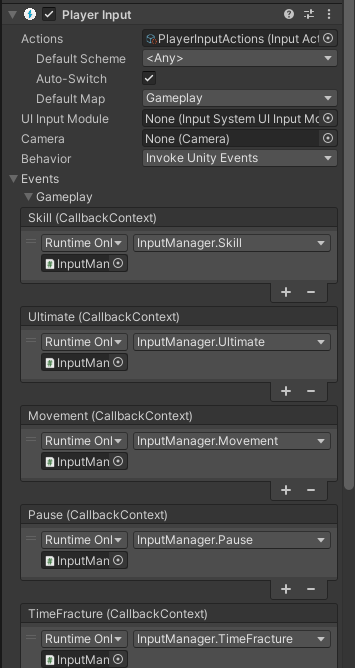 austere grotto
the error you are getting is from a PlayerInput component
yes that's the PlayerInput component
bold aurora
now is not giving any errors what lol..
austere grotto
I'd say you probably had a function mapped to an action in the "Player" action map and now you deleted that action map or osmething
bold aurora
I think that the default map was saying player before ye
somehow it didnt update or something
ok it works thankfully
 sinful ferry
ok really stupid question i have openXr setup but i just want to put into a script if i press the say A button on my touch controller then do something. like
if (openXr.rightHand.getKeyDown("A")){
  //do something
}
how do i do this?
 flat ocean
I have a newbie to Unity question. I’ve tried googling it and can’t find the answer. I’ve managed to implement movement to a sphere with keyboard inputs and an now trying to implement movement to a person. Ive made a model in a external software and have managed to implement animations. However I can’t implement movement with keyboard inputs. Idk what I’m doing wrong. How do I get past this dead end? - http://pastie.org/p/0gBN7OQ8M6o8VRycUk5H4C
flat ocean
done
 warped folio
hi, new to coding/unity in general
after reading a bit about Update() and how it is recommended to check for inputs in the old input system within Update() to avoid input loss, I was wondering how that applies to the new input system
austere grotto
warped folio
hi, new to coding/unity in general
after reading a bit about Update() and how it...
if you poll for input, your polling should match the setting you have for the input system (it can be set to poll each frame (Update) or each physics frame (FixedUpdate)
If you use events, you don't poll anyway so it doesn't matter
 gleaming oar
that's the advantage of the new input system that people still don't seem to understand
you don't end up with juggling the update and fixedupdate loop anymore, it's event driven and will reliably detect input with fewer physics glitches
tame oracle
guys, How do I make a long press repeat the function I know it must be from the input action asset but i dont know how to set it up.
I have solved the problem temporarily by using the update function but I want to know is there a way to not use update?
austere grotto
tame oracle
guys, How do I make a long press repeat the function I know it must be from the ...
You must either use Update or a coroutine. The input system won't repeatedly call something for you
tame oracle
austere grotto
You must either use Update or a coroutine. The input system won't repeatedly cal...
I see, thanks
 cyan rivet
Hello, a very quick question if anyone can help please. I am starting to get to grips with the new input system, however on setting up a very basic scene for testing I obviously don't understand how the X and Y inputs work, as left stick movement on the gamepad is moving by character side to side (fine) but also up and down, rather than forwards and backwards. Obviously this is due to Unity using Y axis for 'up', would anyone know the very simple thing I have missed here please? Many thanks in advance.
mighty ivy
so can you add a playerinput script and tell it which device/user it should manage?
it seems playerinput is the only way offered to handle mutliple local players, but it suggests the gameobject is instantiated by playerinput which isnt really what i want to do
 solar kite
Do I subscribe to all events on awake for an input even if that action map isn't enabled to start?
Like I have UI and player and vehicle action maps. Do I subscribe to all even though UI is the only one to initially be enabled
austere grotto
solar kite
Like I have UI and player and vehicle action maps. Do I subscribe to all even th...
You can subscribe before it's enabled, no problem
 lethal pond
How can we use the c# events to get input from player input component??
 spare elk
Hey guys, I'm getting this really weird issue with the input system. I'm using the OnXXX() function to receive analog stick movements from a gamepad, but the vector2 seems to flicker between the real value and 0. This only happens when I'm clicked into the game window, but not when I click on any of the editor panels. I've checked everything and can't seem to fix it. Any ideas?
 novel wren
hey quick question, we shifted our project to the new Unity input system and consequently our event system changed to use the "Input system UI input module" instead of the "Stand alone input module" as well. For some reason this called callback functions like OnPointerClick() to not work anymore. Anyone got any idea on how this can be fixed or are the callbacks just not supported by the new input system?[resolved]
 warped folio
is there a difference between using this

vs
private void OnEnable()
{
Player.Move.performed += movement;
}
You'd need to unsubscribe manually with script
May or may not be a problem depending on how ur project is set up
 ripe bobcat
Hey, im switching to the new input system, i have a script for 2d movement,
And i get this error when pressing a move key
InvalidOperationException while executing 'performed' callbacks of 'Player/Move[/Keyboard/a,/Keyboard/d,/XInputControllerWindows/leftStick/left,/XInputControllerWindows/leftStick/right]'
UnityEngine.InputSystem.LowLevel.NativeInputRuntime/<>c__DisplayClass7_0:<set_onUpdate>b__0 (UnityEngineInternal.Input.NativeInputUpdateType,UnityEngineInternal.Input.NativeInputEventBuffer*)
UnityEngineInternal.Input.NativeInputSystem:NotifyUpdate (UnityEngineInternal.Input.NativeInputUpdateType,intptr)
Does someone know what i did wrong here
sullen lintel
ripe bobcat
Does someone know what i did wrong here
does this help ?https://forum.unity.com/threads/solved-invalidoperationexception-while-executing-performed-callbacks.883633/
Unity Forum
Hi, I got a strange error which actually doesn't block my game from running but is spamming my console and I don't understand it.
[ATTACH]
and
[ATTACH]...
ripe bobcat
Yeah i fixed it already, i made a mistake with creating the profiles
But thank you anyway! 🙂
I switched to this powerfull new input system today, and i need to get used to it, cus its more complex then i thought it was, but the possibilities are amazing! 🙂
But i had to figure out the 1D axis for the error that i had, and i found it, so its working perfectly fine now. I can't say that i miss the old input system 😂 But i think learning this new system is a challenge
 old matrix
what do these errors mean? I went from 2020 to 2021 and these started popping up. Is it a UI Toolkit thing?

also got these when stopping execution
 ripe bobcat
Im working with the unity input system and it works and all,
But i get mega spammed with an error, looked it up for about an hour but cant find a solution,
Any one seen this before?
https://gyazo.com/443779bde6a3fd188272cd54401d7f98
InvalidOperationException: You are trying to read Input using the UnityEngine.Input class, but you have switched active Input handling to Input System package in Player Settings.
UnityEngine.EventSystems.BaseInput.GetButtonDown (System.String buttonName) (at Library/PackageCache/com.unity.ugui@1.0.0/Runtime/EventSystem/InputModules/BaseInput.cs:126)
UnityEngine.EventSystems.StandaloneInputModule.ShouldActivateModule () (at Library/PackageCache/com.unity.ugui@1.0.0/Runtime/EventSystem/InputModules/StandaloneInputModule.cs:227)
UnityEngine.EventSystems.EventSystem.Update () (at Library/PackageCache/com.unity.ugui@1.0.0/Runtime/EventSystem/EventSystem.cs:474)

^ Solved (setting the input handling to Both
spare elk
Is there a way to print the name of the input device currently sending inputs? [Resolved]
I have a feeling this issue is because I'm using a JoyCon with software to map it to xinput, but unity is capturing both the raw and the mapped inputs, causing it to constantly switch input devices, and therefore cause stuttering when focused on the game window. [Confirmed]
cinder basin
spare elk
~~Is there a way to print the name of the input device currently sending inputs?...
Input debugger window?
spare elk
Yep, the input system seems to be switch between gamepad and joystick... follow up question, how do I make it completely ignore / disable all inputs except for the gamepad? [Resolved]

If I go into input debugger and manually disable the device it fixes the issue, but this resets when closing
cinder basin
spare elk
~~Yep, the input system seems to be switch between gamepad and joystick... follo...
Inside your playerInput component, I think there's an option for that, that's if you have their actions setup separately already
cinder basin
spare elk
If I go into input debugger and manually disable the device it fixes the issue, ...
Sadly Yeah
spare elk

This is what I see inside the playerInput
I could manually remove the devices from the playerInput c# script
cinder basin
spare elk
I could manually remove the devices from the playerInput c# script
Are you asking?
spare elk
cinder basin
Are all those actions set to use only gamepad?
They're restricted to gamepad, but unity still captures inputs from the other controller and stutters when it switches, even though there's no actionmap for them
cinder basin
spare elk
They're restricted to gamepad, but unity still captures inputs from the other co...
Oops, sad stuff
spare elk
cinder basin
Use listen, to reference a specific controller here 👆
That's already how it's set up unfortunately
cinder basin
spare elk
That's already how it's set up unfortunately
Mine is setup this way, it maps to the actual controller:
 spare elk
Got it working, I think the issue was before playerInput, where Unity was switching HID device constantly because of the JoyCon motion sensor being mapped as a joystick. I found a way to block the raw HID device though. Thanks for your help 🙂
 royal pagoda
Hey, last time I checked there was no easy way to check if a button is currently pressed…
Is there now a smooth option?
With the new input system
jagged wyvern
Depends
ripe bobcat
royal pagoda
Hey, last time I checked there was no easy way to check if a button is currently...
You can use .triggered to check if a button is pressed.
So:
var wasPressed = action.triggered && action.ReadValue<float>() > 0;

var wasReleased = action.triggered && action.ReadValue<float>() == default;
Or you can set smt up like this:
if (InputManager.GetInstance(). GetSubmitPressed())
Is that what u ment?
royal pagoda
ripe bobcat
You can use .triggered to check if a button is pressed.
So:
```cs
var wasPresse...
Is the output the hole time true while I press the button?
Or just at the frame where I press it down
 sacred void
Hi im following a tutorial for the input system but for some reason for them theres an option to drag the Controls script into Controls in unity but for me its not there. how would i fix it?
 austere grotto
sacred void
Hi im following a tutorial for the input system but for some reason for them the...
austere grotto
sacred void
Hi im following a tutorial for the input system but for some reason for them the...
What tutorial are you following?
Why are you writing @Controls? I'm led to believe that's the name of the auto-generated C# class from the input system but those are not and never have been serializable
if it's the auto generated class you normally just create it with new e.g. controls = new Controls();
sacred void
does anyone know any good tutorial to know how the new input system works?
ripe bobcat
sacred void
does anyone know any good tutorial to know how the new input system works?
I personally watched the tutorial of Brackeys, also, reading over the wiki & unity guides is probably even a better way to learn, also, just start coding with the new input system and just look up the things u are struggling with, that is IMO the best way to learn.
controls.Enable(); & controls.Disable();
Does someone know if you HAVE to place those 2 in void onEnable and onDisable ?
Or can i use void start as well
austere grotto
ripe bobcat
```cs
controls.Enable(); & controls.Disable();
```
Does someone ...
You can do whatever you want.
ripe bobcat
But you do need to enable and disable them right?
Ive heard that you can get massive issues when not doing so
austere grotto
ripe bobcat
But you do need to enable and disable them right?
Ive heard that you can get mas...
If you don't enable it, it won't be enabled
If you don't disable it, it will remain enabled
The rest is up to you
If you want it to process input and perform your callbacks etc, you will have to enable it
ripe bobcat
austere grotto
If you want it to process input and perform your callbacks etc, you will have to...
Ive just figured out that if i want to use a key function (button) 1 time press, and i enable it in a void awake, it wont work and bug out, wit h a OnEnable it does work, so for some reason its forcing me to use onEnable.
Its not a big deal to use onEnable, but just wondering why its forcing me to use onEnable, since awake is also starting up at the very start of the script.
But it could be just me, it just seems a bit wierd ;p
austere grotto
ripe bobcat
Ive just figured out that if i want to use a key function (button) 1 time press,...
it will definitely work in either place. The only difference would be if you enable it, then disable, then re-enable, OnEnable gets called again, Awake does not
ripe bobcat
austere grotto
it will definitely work in either place. The only difference would be if you ena...
Yeah but its not working for me if its in awake
Maybe i need to place awake above onEnable & update 🙃
I think i need sleep
😂
austere grotto
ripe bobcat
Maybe i need to place awake above onEnable & update 🙃
I think i need sleep
no, none of that matters
you'd have to show your code
plain kelp
Hello, is there any bug report room for the input system ? I am using the 2021.3.5f1 and my inputs doesn't work if I don't play the editor "game view" in full screen. Plus the mouse position is broken, I have to use the old system for the mouse position
austere grotto
plain kelp
Hello, is there any bug report room for the input system ? I am using the 2021.3...
To report bugs to unity: https://unity3d.com/unity/qa/bug-reporting
warped folio
what would be the best way to check if a button is still being pressed?
right now my only solution would be to make a new function just to set a bool on .started and .canceled
austere grotto
warped folio
what would be the best way to check if a button is still being pressed?
you can poll the value, or use started/canceled
warped folio
austere grotto
you can poll the value, or use started/canceled
I'm sorry, but I'm having a hard time trying to find out how to do just that from inside a different function (I'm new 🥺 )
austere grotto
warped folio
I'm sorry, but I'm having a hard time trying to find out how to do just that fro...
wdym by "from inside a different function"?
either:
- poll the value of the InputAction each frame
or: - subscribe to started/canceled events to set a bool, which you read each frame
warped folio
I have a jumpsquat that is activated on jump press which is animated and then on a certain frame of that animation I have an animation event that I want to check to see if I'm still holding down that jump press to do a short jump vs normal jump
the animation event calls a separate function that does the check
am I going about this the wrong way?
austere grotto
what's the issue then?
warped folio
I don't know how to do that check
austere grotto
Have that animation event function either:
- read from the input action
- check your bool if you're doing the started/canceled
warped folio
oh I am just unintelligent then
this whole time I thought IsPressed() was from the old input system and couldn't be used
austere grotto
warped folio
oh I am just unintelligent then
this whole time I thought IsPressed() was from t...
InputAction is the new input system
everything in UnityEngine.InputSystem is the new system
warped folio
I see now, thanks!
austere grotto
the old system is the UnityEngine.Input class
 torpid skiff
Is it possible to use both the old and new input systems in the same project, on separate scenes, without the old one breaking?
austere grotto
torpid skiff
Is it possible to use both the old and new input systems in the same project, on...
sure
torpid skiff
Alright, how do I make both of them work, in the same project?
austere grotto
torpid skiff
Alright, how do I make both of them work, in the same project?
set active input handling to Both
torpid skiff
oh...
Its that simple?
Damn... I was just going there.
I set it and it works. Thank you @austere grotto for helping me so quickly with this.
 orchid night
Hey y'all, I'm having a bit of a problem with the new input system and was wondering if anyone had any tips. I have a system setup where you walk up to something and press the a button, which then opens a UI list of buttons to choose between. Since the a button is also the button setup to select UI elements in my EventSystem, it auto fires when the window opens and auto selects the first in the list. Any way I can make it not fire on open?
also strangely it only happens the first time, every subsequent time it actually works as expected
relevant code: https://paste.ee/p/egZzH
 orchid night
I came up with a workaround, but I'd still be interested in a proper fix if anyone can think of one. My workaround is to move the selection of the GameObject to Update so that it selects it the next update cycle
  private void Update()
  {
    if (!IsVisible || !Choices.Any() || EventSystem.current.currentSelectedGameObject != null) return;
    EventSystem.current.SetSelectedGameObject(transform.GetChild(0).gameObject);
  }
you could disable the ui action map until the UI is showing
 wraith rapids
Hello everyone.
I'm facing a weird issue :
using UnityEngine;
using UnityEngine.InputSystem;
public class Playermovement : MonoBehaviour
{PlayerInput _playerInput; bool leftPressed; void Awake() { _playerInput = new PlayerInput(); _playerInput.Controls.Left.started += OnLeft; _playerInput.Controls.Left.canceled += OnLeft;}
void OnLeft(InputAction.CallbackContext context)
{
Debug.Log("Left button pressed");
leftPressed = context.ReadValueAsButton();}}
But when I press the Left button ("Q" in this case) I 've got the folowing message :

So "OnLeft" not found but the debug log message is displayed
austere grotto
wraith rapids
Hello everyone.
I'm facing a weird issue :
> using UnityEngine;
> using UnityE...
#854851968446365696 for how to post code here
austere grotto
wraith rapids
Hello everyone.
I'm facing a weird issue :
> using UnityEngine;
> using UnityE...
Looks like you're mixing up two different approaches here
You have a PlayerInput component with the SendMessages/BroadcastMessages mode enabled
that is what is giving you that error
you're then separately manually subscribing to input actions in your code
So your manually subscribed thing is working, but the broadcast messages thing is giving the error, because it expects you to have a method with an InputValue parameter, not a CallbackContext
The solution is to pick one approach or the other, not both.
orchid night
austere grotto
you could disable the ui action map until the UI is showing
Good suggestion, I thought simply switching the current active action map would be enough, but disabling it fully works. Thanks!
 proven nexus
I have the mouseX and mouseY in my games project settings set to 1.5 but when I play the built version of the game it is a whole lot higher. Any idea why?
austere grotto
proven nexus
I have the mouseX and mouseY in my games project settings set to 1.5 but when I ...
I have the mouseX and mouseY in my games project settings set to 1.5
What does this mean?
proven nexus
sorry i meant to say I have their sensitivity set to 1.5
austere grotto
proven nexus
sorry i meant to say I have their sensitivity set to 1.5
If you're seeing differences in the built game especially related to the "speed" of something, 95% of the time you have code that is framerate dependent
for mouse sensitivity - I would guess you're probably doing something inappropriate with your mouse input like multiplying it by deltaTime
warped folio
I just noticed there's a PlayerInputs and a PlayerInput

now I'm not sure if I am using the right one
 delicate wind
does anyone could help me? im trying to put if (view.IsMine) in this code but its just saying error
glass yacht
delicate wind
does anyone could help me? im trying to put if (view.IsMine) in this code but it...
- Does this have something to do with the input system?
- Post code using our guidelines mentioned in #854851968446365696
austere grotto
warped folio
I just noticed there's a PlayerInputs and a PlayerInput
PlayerInput is the only one that is part of the input system. if you have something called "PlayerInputs" it's something you created. Possible the auto-generated class file from your input actions asset?
 manic dirge
How can I handle input from two gamepads. I've looked up some videos online, but the solutions are unsatisfactory because I don't want to spawn in a player prefab, I just want to separate the input from two gamepads.
 left quarry
Hi, I've been trying to use the new input system, but when I try to change the value of a binding in the inspector via double click it doesn't respond
Anyone know why?
(talking about this menu btw)

 robust bear
So like, you can't add a new binding then?
left quarry
I can add more bindings, but they just have the default value of <no binding>
robust bear
Ok, so the thing you highlighted is the button you are double clicking? If not please sent an image of what you are double clicking
left quarry
robust bear
Ok, so the thing you highlighted is the button you are double clicking? If not p...
The part I am double clicking is where is says <No Binding>
austere grotto
you have to press the + to add a binding
left quarry
austere grotto
you have to press the + to add a binding
I have done that, which makes the <No Binding> part, but I can't change the value of these bindings
robust bear
Hmmm, maybe you have to do something in the settings panel, and add something from there, it could also be a drag and drop panel. I'm sorry for not being able to help much just haven't really worked with it in awhile/:
austere grotto
left quarry
I have done that, which makes the <No Binding> part, but I can't change the valu...
seems like a UI bug
do me a favor what happens if you put an InputAction field directly in the Weapons script?
Does the UI work correctly then?
left quarry
No
Another weird thing that I have noticed is that the - sign to remove the bindings I work is always greyed out, and only sometimes actually works
austere grotto
Hmm seems like a bug I guess
I don't use direct InputActions usually
Typcially I use an input actions asset
left quarry
Should I try a reinstall to fix?
austere grotto
left quarry
Should I try a reinstall to fix?
what version of unity / input system are you on
see if you can update either/both of those


 austere grotto
left quarry
austere grotto
left quarry
ehhh maybe because you're on an alpha version of Unity
You might have better luck with an LTS or at least a Tech Stream release
left quarry
austere grotto
You might have better luck with an LTS or at least a Tech Stream release
will Unity let me downgrade my project?
Also, for future reference, are Alphas or Betas usually more stable?
austere grotto
left quarry
will Unity let me downgrade my project?
not in a happy way
austere grotto
left quarry
Also, for future reference, are Alphas or Betas usually more stable?
betas are more stable than alpha
but neither is stable
they are experimental
left quarry
austere grotto
not in a happy way
well then I guess I'll just go to 2022.2.0b1, last time I had an editor bug it got fixed by a very small upgrade about the same size as this one
 barren dust
Can anyone tell me offhand what the equivalent of Input.GetKeyDown is in the new input system? With the code below, pressing any of the buttons set up in the input actions simply rotates the camera once by whatever the value of rotationSpeed is, whereas what I want is continuous movement while the key is held down.
public void RotationControls(InputAction.CallbackContext inputValue) { { float value = inputValue.ReadValue<Vector2>().x; transform.rotation = Quaternion.Euler(0f, value * rotationSpeed + transform.rotation.eulerAngles.y, 0f); } }
austere grotto
The transform.rotation = Quaternion.Euler(0f, value * rotationSpeed + transform.rotation.eulerAngles.y, 0f); part needs to go in Update
and value needs to be a member variable
and you don't need those extra brackets { }
barren dust
oh those brackets are leftover from an old if and I forgot to remove them
austere grotto
also eulerAngles is a funky way of doing this. Would be cleaner and less susceptible to gimbal lock to do this:
transform.Rotate(0, value * rotationSpeed * Time.deltaTime, 0, Space.World);```Thanks, I will try those changes
austere grotto
left quarry
So after update it still does not work 🤔
well you went to another beta version of Unity right?
Maybe try a released version
And/or file a bug report
left quarry
and how do I file a bug report
austere grotto
 shut aspen
With the new input system, how can you detect whether they're using WASD or gamepad? I want to use L-Shift for run if they're on keyboard, but just the L-stick magnitude if they're on controller.
barren dust
shut aspen
With the new input system, how can you detect whether they're using WASD or game...
You can either set up control schemes that require specific controller types, or you can just define different inputs in your existing action map. AFAIK they are equally valid methods.