#🖱️┃input-system
1 messages · Page 52 of 1
 pliant copper
 austere grotto
pliant copper
Top-down
austere grotto
pliant copper
Top-down
the way mouse input works is whenever you move the mouse, for that one frame you get the delta (change) from last frame
so whenever you're not moving the mouse you will get 0,0
Typically for a top down game with mouse aiming you'd have a cursor that you move around and have the player aim at the cursor
It just fundamentally works differently from joystick aiming
pliant copper
austere grotto
Typically for a top down game with mouse aiming you'd have a cursor that you mov...
Is there a way for me to fix it while keeping my current aiming implementation with the controller? If not, I can just make a new action and switch between them whenever I switch between keyboard/mouse and controller.
austere grotto
pliant copper
Is there a way for me to fix it while keeping my current aiming implementation w...
I'd probably make a separate action that reads mouse position not mouse delta
and yeah the code is gonna be pretty different, probably not worth trying to do it with a single InputAction
pliant copper
austere grotto
and yeah the code is gonna be pretty different, probably not worth trying to do ...
Thanks so much for the help! I implemented 2 different actions and it's working perfectly now.
 tawny dome
REcommedned videos for new input system? 100% lost @-@
 sick cradle
@tawny dome there's a tutorial in the channels pinned messages
 serene mural
Cannot find action 'Pause/Pause[/Keyboard/escape]' with ID 'b9f0c125-46e5-4f6f-9026-9808c4fd429b' in 'Controls (UnityEngine.InputSystem.InputActionAsset)
UnityEngine.InputSystem.PlayerInput:OnEnable () (at Library/PackageCache/com.unity.inputsystem@1.0.2/InputSystem/Plugins/PlayerInput/PlayerInput.cs:1564)
from what i understand i get this error bc i removed an input but when I try to re add it with the same name and all i still get it
help ?
austere grotto
serene mural
```
Cannot find action 'Pause/Pause[/Keyboard/escape]' with ID 'b9f0c125-46e5-4f...
Make sure to save your inputaction asset
If not that, share screnshots of the action and the code
 austere grotto
serene mural
i have no idea what script could be interfering with my inputs
austere grotto
serene mural
i have no idea what script could be interfering with my inputs
show the code that's trying to use/find the action
Oh , and show the inspector for your PlayerInput component
serene mural
austere grotto
show the code that's trying to use/find the action
well that's what i can't find
when i remove an input doesn't it give me errors other than the one i sent ?
bc i fixed those after i removed the pause action
 rigid owl
How i can put my file explorer folders in Unity?I have some folders with scripts and animations but i can't,i need a another unity version or i make something wrong?
I use this unity version:2019.4.28f1
austere grotto
rigid owl
How i can put my file explorer folders in Unity?I have some folders with scripts...
You need to move any files you want to use in your game into the Assets folder in the project folder.
 mortal ridge
 trail tundra
Do you know any Native Input plugin for Unity?
trail tundra
Do you know any Native Input plugin for Unity?
wdym native input plugin?
trail tundra
Any custom input plugin or library with (almost) 0 input lag
mortal ridge
use the new input system?
trail tundra
No, the new Input System still has a lot of input lag for a Rhythm-based game
I need a library or plugin which is extremely accurate
mortal ridge
i mean if you use the event based approach there really isn't any input lag
trail tundra
I still prefer a custom library tbh
mortal ridge
why though? you can't really get more optimized than this
mortal ridge
trail tundra
I still prefer a custom library tbh
if you really want a custom library, i am sure there are plenty on the asset store. i'm still interested on how you get any input lag
trail tundra
mortal ridge
why though? you can't really get more optimized than this
how many ms do u get?
trail tundra
mortal ridge
if you really want a custom library, i am sure there are plenty on the asset sto...
it's a beat based game, more or less 10ms make the difference
plus, unity input manager verifies the input every frame, which isn't enough
mortal ridge
trail tundra
plus, unity input manager verifies the input every frame, which isn't enough
That doesnt make sense. Your main game logic is not even running until the next frame is calculated. So I'd argue you're much more frame dependent than on input latency. And I'm getting far less than 10ms with the input system.
trail tundra
Yes and I don't want it to be frame dependent since it's not accurate for rhythm games which have very specific needs
 hidden laurel
trail tundra
plus, unity input manager verifies the input every frame, which isn't enough
hidden laurel
trail tundra
plus, unity input manager verifies the input every frame, which isn't enough
The new InputSystem is event-based and you can access the timestamp at which the control was actuated (not when the callback was called) as a double in seconds since startup, so the API is definitely capable of providing the precise low-level information a rhythm game needs; I don't know whether anyone has profiled exactly how accurate those timestamps are, though.
trail tundra
If true, I have to check that then. Hope it gives me the freedom I need to change anything I need for my game, thank you!
 last mist
Hi! I'm trying to use the New Input System, and I want to make the "A" and "D" keys eventually map to Player Rotation on the Y Axis.
So "W" and "S" will Map to forward and backward motion, while "A" and "D" will handle rotation (I know it's an archaic movement system)
How do I best design the input system to accommodate this?
I started out with what the usual tutorials tell me to use: The Move Function being on a 2D vector and taking in four keybinds for Up, Down, Left, and Right.
But instead I want to design it so instead of mapping Move to Four Values, I want it to map to 2 values, and I want Rotation to also be on Two Values. How do I set that up in the Input Manager?
Instead of this, I want Move to have 2 binds that I can access, and Rotate to have another 2

I'm assuming Vector2 is the wrong Control Type
 hidden laurel
last mist
Instead of this, I want Move to have 2 binds that I can access, and Rotate to ha...
hidden laurel
last mist
Instead of this, I want Move to have 2 binds that I can access, and Rotate to ha...
To set that up you selected "Add 2D Vector Composite" for Move, right? For the 2-directional equivalent you would just select "Add 1D Axis Composite" instead.
You should be able to leave the control type as "Any" and it will figure it out, but "Axis" would be the correct one.
hidden laurel
last mist
Oh! So I should: "Add Positive/Negative Binding" ?
That's how it should appear, yep.
last mist
Thank you! Really appreciate it
Oh one other question about that, when I read the value, instead of context.ReadValue<Vector2>()
Should I do something like:
context.ReadValue<int>() or something?
or float rather
hidden laurel
float, yep.
last mist
that seems to throw an error telling me I can't convert a vector2 to a float
Oh whooops absolutely my bad sorry
lol I was looking at an error for my function call still calling for a vector2 xD
 robust dune
Hello, I am attempting to get the new input system to work with an off brand (MOGA XP5-A) gamepad that is recognized as a joystick HID. In the Input Analysis Debugger I am receiving updates from the device just fine, however the Input System itself doesn't seem to pass on any of the actions to my code.
The controller does nothing in game/editor despite being set up similarly to my X-Box 360 controller (and mouse and keyboard) that works flawlessly. I would prefer not to have to reconfigure the HID as a Gamepad. Strangely on an android build of the app using the same controller in bluetooth mode connected to my phone, it registers inputs just fine, it's only in the editor and x64/x32 pc builds that the input is not recognized. Anyone have experience with such a problem or working with Joystick recognized HIDs?
As you can see in the screenshot, the stick control of the controller is reading properly in the Input Analysis Debugger with Y at -1 and Down at 1.
Thank you.
 pliant copper
Hey, I'm trying to get smooth rotation for a top-down shooter using the new input system. I've found a way to make the rotation smooth in the Unity editor, but when I go and build the game, the rotation becomes jittery. Also, I have it set up to use both mouse input and the right joystick on a gamepad, but for some reason, rotation with the gamepad isn't working. Does anyone know why it is jittering in the build or what is causing the gamepad to not work for rotation? Here is the link to my whole script: https://www.toptal.com/developers/hastebin/cunetigita.csharp


 frigid ridge
@pliant copper Video of the jitter could be helpful
frigid ridge
Where are you calling Aim?
pliant copper
FixedUpdate
frigid ridge
Is interpolation enabled on the rigidbody?
pliant copper
Yes
pliant copper
Here's my movement function. I also attached the entire script in the original message if you need to see anything else.
 pliant copper
frigid ridge
Use <https://docs.unity3d.com/ScriptReference/Rigidbody.MoveRotation.html> inste...
pliant copper
frigid ridge
Use <https://docs.unity3d.com/ScriptReference/Rigidbody.MoveRotation.html> inste...
Doing that requires me to unfreeze the rigidbody rotation, which means the player will rotate if it rubs up against any corners or walls.
Also, the rotation is still jittery in the build. I have no idea what's going on anymore.
 rugged raven
how do you handle "GetButtonDown" when transitioning from old input system to new? is there a way to not use a variable (like the old one)?
 pliant helm
Mouse.current.leftButton.wasPressedThisFrame
it also exists for the keyboard
the mouse and the keyboard are two separate classes now
@rugged raven
 dusky totem
Attempted to access a missing member???

void OnSprint(InputAction.CallbackContext context)
{
    if (context.performed)
    {
        isSprinting = true;
    }
    if (context.canceled)
    {
        isSprinting = false;
    }
}```
 elfin ridge
Any idea why the event handler on this would not get removed / action stays around when exiting play mode in the editor?
If I exit play mode, and then enter again, the event handler (execute here) is firing twice, and then three times if I exit again and play again, etc etc.
public class AbilityMotor : MonoBehaviour {
    public List<Ability> abilities = new List<Ability>();

    Animator animator;

    void Awake() {
      animator = GetComponent<Animator>();
    }

    void Start() {
      abilities.ForEach(ability => {
        var action = ability.actionReference.ToInputAction();
        action.Enable();

        action.started += _ => ability.Execute(animator);
      });
    }
  }
nvm got around it like this, still weird though
    void Start() {
      abilities.ForEach(ability => {
        ability.actionReference.action.Enable();
        ability.actionReference.action.started += HandleAction;
      });
    }

    void OnDisable() {
      abilities.ForEach(ability => {
        ability.actionReference.action.started -= HandleAction;
      });
    }


    void HandleAction(CallbackContext ctx) {
      abilities.ForEach(x => {
        if (x.actionReference.action == ctx.action) {
          x.Execute(animator);
        }
      });
    }
 finite relic
I am having a problem where when I try to switch from the new input controller to the old one, my unity closes and re opens and it is still the new one.
 dapper spade
All my unity events are invoked perfectly fine in linux and in the linux editor, but they don't appear to work on windows or the windows editor
anyone else had this issue?
 trim hollow
dusky totem
```cs
void OnSprint(InputAction.CallbackContext context)
{
if (context.perfo...
trim hollow
dusky totem
```cs
void OnSprint(InputAction.CallbackContext context)
{
if (context.perfo...
Maybe check this reply
https://forum.unity.com/threads/inputaction-callbackcontext-gives-missing-member-error.973806/

Unity Forum
When i try to get the callback context from a gamecontroller trigger i get the following error:
all i am asking is :
void...
 outer mesa
Anyone able to get virtualmouse working in 2021.2? Trying out the gamepad mouse cursor sample but the cursor disappears and stays locked in the same spot. Verified that it works fine in the 2020 LTS.
So I guess 2020 LTS is using input system 1.02 and 2021.2 will use 1.1
Kinda strange that buttons clicks will work, just not joystick movement.
austere grotto
dapper spade
All my unity events are invoked perfectly fine in linux and in the linux editor,...
Never seen that. Show some screenshots of your setup?
pliant copper
I'm trying to create a game that has a local multiplayer mode that uses controllers.
I want to make it so haptics can play for each individual player. The problem is, I'm not sure how to get a reference to the gamepad of a specific player. I'm not sure if Gamepad.current is relative to the player that the line of code is in or if it's relative to all players.
If it is relative to all players, is there any way for me to get a reference to the gamepad via the PlayerInput class without knowing the index of the device? If not, I also have an OnDeviceChange callback that can get a reference to the current device, but I'm not sure how to check if that current device is a gamepad or not, because I also have keyboard/mouse support.
Can anyone help me find a way to get a reference to a specific player's gamepad?
 austere grotto
pliant copper
I'm trying to create a game that has a local multiplayer mode that uses controll...
austere grotto
pliant copper
I'm trying to create a game that has a local multiplayer mode that uses controll...
Player input has a devices property
pliant copper
austere grotto
Player input has a devices property
Yeah, but it requires me to know the index of the device. It doesn't just give the current device.
austere grotto
pliant copper
Yeah, but it requires me to know the index of the device. It doesn't just give t...
Wdym? You get it from the player input component for that player
pliant copper
austere grotto
Wdym? You get it from the player input component for that player
It is an array. It requires me to know the index of the gamepad to get a reference to it.
 austere grotto
Just iterate over all of them
Any that are gamepads, do a rumble for
Ignore any that are not
pliant copper
Yeah but I'm not sure how to check if an input device is a gamepad or not
austere grotto
pliant copper
Yeah but I'm not sure how to check if an input device is a gamepad or not
if (theDevice is Gamepad gp) {
gp.Rumble(); // this is pseudocode
}
Something like that probably
pliant copper
Oh, I didn't think to use 'is'. Thanks so much, it's working perfectly now!
tawny dome
On single click, my unity is reading as 2 clicks. How do i solve this?
 calm tapir
tawny dome
On single click, my unity is reading as 2 clicks. How do i solve this?
calm tapir
tawny dome
On single click, my unity is reading as 2 clicks. How do i solve this?
how are you detecting the click?
tawny dome
InputAction.thingy.click.performed += _ => method();
pliant copper
tawny dome
InputAction.thingy.click.performed += _ => method();
Do you have a press interaction filter on the action with the trigger behavior set to press only like this?
 pliant helm
how can i achieve key repetition if i hold a key, but using the windows parameters (where you can set the key repetition speed) ?
 chrome walrus
Anyone got bugs on macos where inputs are not being recognized?
trim hollow
pliant helm
how can i achieve key repetition if i hold a key, but using the windows paramete...
Im really not sure if it’s possible with the input system itself but maybe this can help ?
https://docs.unity3d.com/ScriptReference/MonoBehaviour.CancelInvoke.html
Look at the invoke repeating example
pliant helm
Yeah that's repetition but the speed is chosen by the game
Not à big deal for me tho I guess I'll go for that
 sweet niche
so I am having an issue with the new input system where my xbox 360 wired controller not spawning the player prefab. I can see in the console log that the xbox 360 was detected. Any tips or advice to get this xbox 360 controller working?
trim hollow
pliant helm
Yeah that's repetition but the speed is chosen by the game
You can select the repetition time inside the InvokeRepeating()
 night lake
Hi, I'm kinda new to the new input system. And I was wondering if someone could help me figure out how to pull of a basic UI/Button-to-function() operation with it.
 zinc stump
night lake
Hi, I'm kinda new to the new input system. And I was wondering if someone could ...
zinc stump
night lake
Hi, I'm kinda new to the new input system. And I was wondering if someone could ...
In the package manager, on its page, there is a button to import examples as well. They show different ways of handling input.
night lake
zinc stump
In the package manager, on its page, there is a button to import examples as wel...
I'll take a look. thanks.
night lake
Thanks. I'm great at dumb questions.
Anyway while the examples shed light on the input system itself, how do i make it work for a simple thing like a UI button, to activate a function (I'm talking about menus)
Do I have to create separate actions for every menu item?
Right now most of the examples feel like I'm trying to kill a fly with a giant hammer.
Okay
hidden laurel
night lake
Anyway while the examples shed light on the input system itself, how do i make i...
For the UI you would usually use something like Unity's EventSystem. It has an inputmanager which is the only thing that talks to the inputsystem, and the eventsystem takes that input, uses raycasts to figure out what button you're clicking on, and the button sends callbacks for its effects.
austere grotto
Are you asking if you can have multiple subscribers to the events on the InputActions?
Yes
not a problem
night lake
hidden laurel
For the UI you would usually use something like Unity's EventSystem. It has an i...
that makes sense.. Let me get this correct, In the new system the raycast has to be handled manually since it depends on how the input was configured in the first place?
Ok so I made the input system asset. Then I create a script to 'recieve' the input and generate raycast on the canvas elements?
Unless raycast is happening all the time, and i wait for the 'click' event first, and then check where the raycast was happening at the time, and activate the corresponding element?
austere grotto
night lake
Anyway while the examples shed light on the input system itself, how do i make i...
The EventSystem works just fine in the new input system. All you have to do is switch your StandaloneInputModule out for an InputSystemUIInputModule
you don't have to do any manual raycasting or any input handling of your own at all for that
I think the Input Module is what @hidden laurel was referring to when they said "inputmanager"
night lake
but for some reason the buttons i placed on the canvas dont recieve clicks
if i set a button as the first element, it does highlight. if i press enter, it works (activates it). I can also navigate with the cursor keys. But the moment I try to click, everything loses highlight, no matter which button it is. And then nothing activates again.
 haughty thorn
I'm using the new InputSystem and I'm having some trouble with _playerInput.currentControlScheme
namely it returns Null when the "Default Scheme" of my PlayerInput component is set to <Any>
When I change it to Keyboard&Mouse, _playerInput.currentControlScheme now correctly returns Keyboard&Mouse
But.. my controls don't work any more! 🙀
anyone know what's going on?
haughty thorn
It seems that it's related to fact that I have two PlayerInput components
one for the Player object and one for the GameFlowManager object
Seems that you can only have one PlayerInput? How do I pause my game then?
haughty thorn
Is it a good idea to have two Player Inputs?
haughty thorn
Is there anyone here?
mortal ridge
i personally don't recommend the playerinput component. just let the c# class be generated and hook into an instance whenever you need
austere grotto
Yeah to expand on that I'd only recommend PlayerInput if you're using it with PlayerInputManager and you're making a local multiplayer game
 mortal ridge
 elfin mason
of course they are not by default
elfin mason
i was laughing at the "are" but now i see i was just reading it poorly
mortal ridge
clap clap
 foggy thistle
This is a bool, is there way to have it be set to true when pressed, but then back to false upon lifting finger off key?
        if (context.performed)
        {
            pressedInteractInput = context.control.IsPressed();
        }
If there's an IsPressed() method I would assume there's something similar for detecting when key is down/up.
austere grotto
foggy thistle
This is a bool, is there way to have it be set to true when pressed, but then ba...
if (context.started) pressedInteractInput = true;
else if (context.canceled) pressedInteractInput = false;```should work
 austere grotto
it may depend on how you've configured the action
foggy thistle
It's using unity events
I'm just trying to make it so I can have generic "interact" key while on the player controls, which then could be paired with several different bools in order to make different things happen.
i.e. If in the shop trigger and press interact, then switch to ShopControls input, etc.
if i do performed then canceled, then it's false -> true -> false lol
I guess that's fine?
Might be buggy though
foggy thistle
yea 😦
foggy thistle
If anyone has some insight on this, i'm all open. I am trying to make a generic/global "Interact" key, that I can then pair with any bool to do different things. Examples:
if interact && inFrontOfDoor
if interact && atBoat
etc.
I am using Unity Events, and I currently have interact set up as a button (mapped to E specifically). Need a way for that when button is pressed it's true, so I can do whatever interaction, and upon release it's set back to false.
austere grotto
foggy thistle
It's using unity events
yeah but how's the Input Action set up
foggy thistle
austere grotto
yeah but how's the Input Action set up
Like the interactions?
austere grotto
foggy thistle
Like the interactions?
everything
how is the INput Action set up. The value/control type. The bindings. The interactions
foggy thistle
 austere grotto
yeah get rid of the interaction
austere grotto
with no interaction you can use started/canceled and it should work fine
foggy thistle
because it was the only thing i could get working
but i tried everything.
I ended up getting a shitty method working like this, with the interaction:
    private void OnTriggerStay(Collider other)
    {
        if (other.CompareTag("Player"))
        {
            openStoreText.SetActive(true);
            if (!isStoreMenuOpen && InputManager.Instance.pressedInteractInput)
            {
                isStoreMenuOpen = true;
                print("Open Store");
                //Switch to StoreControls
            }

        }
    }
another option is just:
bool interact => interactAction.ReadValue<float> != 0;```Ok, going to try again, with no interactions.
Which is how i do all my other inputs as well, just swear it wasn't working.
foggy thistle

I've confused myself so much now that I don't even know how to get a reference to the interact action using interactAction.ReadValue<float> != 0;
Im not using a generated c# class
Shouldn't it just be context?
bool interact => context.ReadValue<float> != 0;
(doesnt work tho)
austere grotto
foggy thistle
I've confused myself so much now that I don't even know how to get a reference t...
Uh well if you're using PlayerInput it'd be something like:
InputAction interactAction = myPlayerInput.actions.FindAction("ActionMapName/Interact");```Ah FindAction
austere grotto
and then in this case you wouldn't be using any callback methods at all
you can just have
bool interactCurrentlyPressed => interactAction.ReadValue<float> != 0; as a property in your class
and call that whenever you need to know if it's currently pressed or not
Of course interactAction would need to be a member variable, that you set in Awake() or Start()
austere grotto
right
dapper spade
Hey, i have this weird issue where my controller controls are working but not my keyboard ones
d pad left works, but not r

no idea how much more info to provide
foggy thistle
austere grotto
Of course `interactAction` would need to be a member variable, that you set in A...
Ok I must not fully understanding, just getting errors.
austere grotto
foggy thistle
Ok I must not fully understanding, just getting errors.
what errors
show the code and the errors
foggy thistle
Getting them one sec.
[HideInInspector] public InputAction interactAction;
    private bool interactCurrentlyPressed;
    public bool InteractCurrentlyPressed
    {
        get => interactCurrentlyPressed;
        set => interactCurrentlyPressed = interactAction.ReadValue<float> != 0;
    }
    private void Start()
    {
        interactAction = playerInput.actions.FindAction("PlayerControls/Interact");
    }

Think I'll just remain with the way I have it functioning at the moment, and see how this pans out with future interactable things.
Feel like I've been heads down and just confusing myself for the past 3hrs with no breaks.
 loud scroll
Could anyone help, I've had a look online but can't seem to find anyone confirming, does the new Input System work with the IBeginDragHandler, IDragHandler, IEndDragHandler for UI?
austere grotto
loud scroll
Could anyone help, I've had a look online but can't seem to find anyone confirmi...
Yes it works with the event system and all features therein
loud scroll
Thank you so much!
austere grotto
foggy thistle
```cs
[HideInInspector] public InputAction interactAction;
private bool inte...
Yeah not like this.
Just
public bool InteractCurrentlyPressed => interactAction.ReadValue<float>() != 0;
you don't need any setter at all, or a backing field
foggy thistle
yeah but i still get the same error.
austere grotto
foggy thistle
yeah but i still get the same error.
you forgot the ()
and so did i
foggy thistle
damn
thanks 😦
Ok so you're right (of course :P) Praetor, this works. @austere grotto
    private void OnTriggerStay(Collider other)
    {
        if (other.CompareTag("Player"))
        {
            openStoreText.SetActive(true);
            if (!isStoreMenuOpen && InputManager.Instance.InteractCurrentlyPressed)
            {
                isStoreMenuOpen = true;
                print("Open Store");
                //Switch to store
            }

        }
    }
But now i want to see if I can use OnTriggerEnter, rather than Stay
I had this as a workaround for my solution.
Well, no, guess it wouldn't work on Enter, since it would need to constantly check.
austere grotto
foggy thistle
Well, no, guess it wouldn't work on Enter, since it would need to constantly che...
i'd do the check in Update
foggy thistle
ok, so when I was doing that i was getting like 10 debug prints
austere grotto
set another variable true/false in OnTriggerEnter/Exit
foggy thistle
But maybe now it will be different
austere grotto
and then it's like this in Update:
if (isInRange && InteractCurrentlyPressed) {
  DoTheThing();
}``` versed socket
Can anyone help me with the new input system? I am trying to get a character to move in the negative and positive direction as well as jump
The only thing that seems to be wrong is the fact that my script component for the character is not letting me edit the movement/jump speed, which is not allowing me to test if it is actually working correctly.
 pale jacinth
Hey there I have a question about using the Input system. So if I create a C# class from the input asset file, and I manually create an instance of that class inside a MonoBehaviour (hook up the listeners and all of that) is it safe to instantiate different Input objects(?) on different MonoBehaviours or, should I create a single input object and have a reference to that on all my MonoBehaviours?
//Should I do this on each Component (is it safe?)
class Component: MonoBehaviour {
  InputClass inputObject = new InputClass();
  /*Set the listeners in OnEnable and OnDisabled*/
}

//Or is this better
class InputEvents {
  public static InputClass InputObject = new InputClass();
  //Private constructor, etc...
}
class Component: MonoBehaviour {
  InputClass inputObject = InputEvents.InputObject;
  /*Set the listeners in OnEnable and OnDisabled*/
}
It is safe to create multiple instances yes. That doesn't mean it's a good idea necessarily
It may actually be necessary to do that in some cases, for example if you want to support local multiplayer, it's probably best for each player to have their own instance.
The advantages of sharing an instance are:
- Disabling or enabling a particular action or action map will be able to affect all scripts that are sharing that single instance
- performance/memory usage will be better
pale jacinth
I see
austere grotto
Disadvantages of sharing an instance are:
- you need to centrally manage that instance and get a reference of it to all the scripts that are interested
- Disabling or enabling a particular action or action map will be able to affect all scripts that are sharing that single instance (this might be a disadvantage for you too)
pale jacinth
There seems to be no mention unity's docs about such a case (which shouldn't be that uncommon I think) so I decided it was best to ask
frigid ridge
Well in a case where you are reinventing the Player Input component you can probably use the component as a reference 😛
pale jacinth
austere grotto
yeah I'd use PlayerINput/PlayerInputManager if I was doing local multiplayer
I would use that, but the thing is events on a single game object will be fired whether I want them or not, so for example I want to have different Components handle different inputs in the same GameObject. So if I disable the component that handles jumps, it won't jump, but if I use the PlayerInput/PlayerInputManager the event will be fired regardless and the action will be executed.
frigid ridge
pale jacinth
I would use that, but the thing is events on a single game object will be fired ...
I personally decide the state of the input in the input event, but execute it in the usual Unity loops
austere grotto
pale jacinth
I would use that, but the thing is events on a single game object will be fired ...
You can disable the jump input action or the action map containing it instead of the component that jumps
but - are you doing local multiplayer?
if not, there's not really a great reason to use PlayerInput anyway
pale jacinth
frigid ridge
I personally decide the state of the input in the input event, but execute it in...
Well I'm trying to use as little ifs as possible, so by doing it this way there is no if (not mine at least), probably not saving any performance by doing it, but if DOTS is ever finished it would be easier to port I guess
It's not premature optimization though, it mostly that I've found it easier to wrap my head around logic than a bunch of ifs in an update loop
frigid ridge
Branching logic is not a sin in DOTS in the same way it is in shaders 😄
pale jacinth
austere grotto
but - are you doing local multiplayer?
nope
frigid ridge
I would personally be more worried about the input implementation controlling the logic of your components
I think the chance of switching input systems is a lot more real than the port to DOTS.
pale jacinth
frigid ridge
I would personally be more worried about the input implementation controlling th...
It's easy a single game component handles jumping, when you jump the physics call back will detect you're not grounded so it will enable or disable the jump component
Disabled component: no jump; enabled: jump
frigid ridge
Yes, and input implementation messing with that doesn't seem ideal to me
pale jacinth
could you elaborate
 prime gate
Hi, so i have some code where i need to feed input, but how? Cause it is class not a Monobehavior that can be on player.
    public class CharacterControllerPrediction : ClientPrediction<CharacterControllerInput, CharacterControllerState>
    {
        private Vector2 _move;
        private Vector2 _look;
        private bool _sprint;
        private bool _jump;
        private bool _analogMovement;

        protected override CharacterControllerInput GetInput(float deltaTime, uint currentTick)
        {
            return new CharacterControllerInput(_move, _look, _sprint, _jump, currentTick, deltaTime);
        }

        public void OnMove(InputValue value)
        {
            MoveInput(value.Get<Vector2>());
        }

        public void MoveInput(Vector2 newMoveDirection)
        {
            _move = newMoveDirection;
        }
    }
 glass yacht
If you do figure out what the issue is and it's not on the list, or something particular helped troubleshoot the issue, please let me know so I can amend it 👍
dapper spade
For the 4th time (in this project, i've had more in others where none of the fixes work here), I have had this issue. my unity events are only being invoked on one of my player inputs, the other one only works with a controller even though i have it set up this way:

for reference, this is the one that works

i noticed that they have seperate 0 and 1?
can i not have 2 inputs that get input from 1 player
i pressed some random buttons on other gameobjects and fixed this- unity please fix this mess of an input system, or at least make it consistent
hidden laurel
I don't use PlayerInput myself, but I know that each PlayerInput object is intended to represent one player, so if you have two PlayerInput objects that's essentially telling the game that the inputs on them are for two different players. It wouldn't surprise me if (for example) you need to tell the system that a second player has joined in order for the second PlayerInput instance to start taking input? I don't know specifically, though.
It also wouldn't surprise me if it avoids pairing automatically pairing multiple PlayerInput objects with the same control scheme, even if they both have it as a default (since most games would not want multiple players per controller); I think if you want more than one player on the same KB+M you need to explicitly tell it to do that, it won't attempt to do it automatically.
prime gate
hidden laurel
I don't use PlayerInput myself, but I know that each PlayerInput object is inten...
yeah, you are right, i need to spawn other PlayerPrefab as Others players
 weak osprey
Guys, could you please help me out... i tried using the input system, and everything works except for the Space button, which, in my case, is being used for jumping

 weak osprey
Sorry, this is my first game aaaaand i dont really know how to fix things, even if it might be easy for you guys🙃
austere grotto
weak osprey
Guys, could you please help me out... i tried using the input system, and everyt...
Use ReadValueAsButton() instead of ReadValue<bool>()
 tame oracle
someone please tell me what this means
MissingReferenceException while executing 'performed' callbacks of 'Player Map/Fire1[/Mouse/leftButton]'
UnityEngine.InputSystem.LowLevel.NativeInputRuntime/<>c__DisplayClass7_0:<set_onUpdate>b__0 (UnityEngineInternal.Input.NativeInputUpdateType,UnityEngineInternal.Input.NativeInputEventBuffer*)
UnityEngineInternal.Input.NativeInputSystem:NotifyUpdate (UnityEngineInternal.Input.NativeInputUpdateType,intptr)
You have a callbcack function hooked up to your Fire1 action
And it's throwing a MissingReferenceException
meaning you probably are trying to do something with an object that was Destroyed
tame oracle
austere grotto
meaning you probably are trying to do something with an object that was Destroye...
THAT'S THE PROBLEM IN ESSENCE .... I have destroyed my object.. in ondisable i have unsubscribed from ALL input functions... then CREATED A NEW prefab (respawn).. the problem is the new one now... it doesn't refrence ANY OF THE THINGS IN IT .. like when I refrence an animation or a control ... it doesn't use the one related to the prefab I dont understand how this is happening
austere grotto
tame oracle
THAT'S THE PROBLEM IN ESSENCE .... I have destroyed my object.. in ondisable i h...
show your code
tame oracle
austere grotto
show your code
what part would you like to see
 private void ShootPrimaryUp(InputAction.CallbackContext ctx)
        {
            if (playingUIPlayerMenu.isOpen)
            {
                if (animator.GetBool(launchingGrenadeHash))
                {
                    animator.SetTrigger(throwKeyReleasedHash);
                    //throwingGrenade = false;
                    //grenadeTimer = 0; // done in animation coding
                    //StartCoroutine(bss());
                }
            }
        }
this is the function related to input manager
austere grotto
tame oracle
what part would you like to see
the whole scipr
especially all the subscribing and unsubscribing bits
tame oracle
it is over 1600 lines
austere grotto
and how things like animator and playingUIPlayerMenu are assigned
austere grotto
tame oracle
it is over 1600 lines
that's ok
Put it on a paste site
I know how to skim through code quickly don't worry about it
tame oracle
austere grotto
especially all the subscribing and unsubscribing bits
that was the problem I unsubscribed only to when performed instead of started...
austere grotto
tame oracle
that was the problem I unsubscribed only to when performed instead of started...
there ya go
 lavish bluff
Trying to set up gamepad support - it thinks the PS4 left stick is a right stick

It also thinks the right stick is a d-pad
If I try to use a normal USB controller, Unity doesn't seem to pick it up at all, even if I use the generic "left stick" mapping
 olive loom
Anyone knows why the mouse input doesnt work when updating to 21.2?
olive loom
yeah i am at a loss why the mouse input isnt working... its all vector zero
 marsh harness
is there any way to fix lagging in a Unity game for 8000hz polling rate?


or maybe do something about it
or the question is can Unity even handle that much data?
 timber robin
Where did you get that code from? 🤔
 wispy coral
public override void OnEnter() {
        _timeInState = 0f;

        Context.Animator.SetBool(Context.IsRunningParameter, true);

        Context.MovementInputAxis.canceled += ExitCallback;
        Context.RunInput.canceled += ExitCallback;
        Context.RunRampStart = Context.Speed;
    }

    public override void OnExit()
    {
        Context.Animator.SetBool(Context.IsRunningParameter, false);

        Context.MovementInputAxis.canceled -= ExitCallback;
        Context.RunInput.canceled -= ExitCallback;
    }
It seems like MovementInput is blocked by RunInput which makes little sense imo
MovementInputAxis.canceled is never called, but RunInput.canceled does get called
The input debugger registers the keypresses though.
MovementInputAxis is a Vector2 Value and RunInput a Button
Also, MovementInputAxis events work perfectly fine as long as RunInput is not being held it seems ? really confused about this
 azure field
How would I do this with the new input system
I already have the action reference hooked up

 serene oxide
 valid dragon
azure field
How would I do this with the new input system
I already have the action refere...
valid dragon
azure field
How would I do this with the new input system
I already have the action refere...
Both of the conditions are the same though.
The else if is never gonna work
azure field
valid dragon
Both of the conditions are the same though.
Sry it was different but Emmy attempt to get it working with the new input system didn’t work so I copy and pasted it back and forgot to change it
Main issue is I’m using the new input system and my code is using the old
valid dragon
Well, how was it supposed to be then?
azure field
I made the code for an old project with the old input system
I’m adapting it to work with the new
 spiral galleon
valid dragon
azure field
I made the code for an old project with the old input system
spiral galleon
valid dragon
azure field
I made the code for an old project with the old input system
Well, what was the original code?
azure field
valid dragon
Well, what was the original code?
This is my original code
valid dragon
azure field
This is my original code
As I said, it wouldn't work in either of the input systems
azure field
This is the original and works with the old system I’m trying to adapt it to the new so how would I also I have the referenced action added now so how would I read it
 azure field
valid dragon
As I said, it wouldn't work in either of the input systems
azure field
valid dragon
As I said, it wouldn't work in either of the input systems
I know this works ^ but I’m trying to change it to the new system since my project is set to that and the 2 systems aren’t compatible
 long flint
Hello! I'm trying to use the Character Controller for a basic movement system and I'm getting weird jittering and drifting motions and the object is hovering off the ground. I've looked around on the forums but none of those solutions (zeroing y axis, changing from FixedUpdate() to Update(), changing skin width, etc.) have worked. How can I fix this (preferably in a simple way, I'm pretty new to Unity)?
valid dragon
azure field
I know this works ^ but I’m trying to change it to the new system since my proje...
Well, you'll need to learn how the new input system works. Check the link that PeppeJ shared. If you think that someone is gonna write that code for you, that's not how things work around here.😅
azure field
valid dragon
Well, you'll need to learn how the new input system works. Check the link that P...
Not asking for someone to write my code all I need to know is what would I put in the if statement to signify that the button has been pushed also the site that PeppeJ shared is hard to comprehend and I’m pretty new to this
I’m trying to get a simple system to work but I have no clue what to put in the if statement
valid dragon
azure field
Not asking for someone to write my code all I need to know is what would I put i...
On the link that he shared, there's the Migrating from the old input system section that sows exactly what replaces MouseButtonDown/UP.
Also, if you have so much trouble, why not keep on using the old input system?
azure field
valid dragon
On the link that he shared, there's the `Migrating from the old input system` se...
Open XR doesn’t support the old system sadly
Or in a capacity where you don’t have to spend 10 hours rewriting a ton of stuff
valid dragon
azure field
Open XR doesn’t support the old system sadly
Then you've gotta learn it. If manual doesn't do it, look up some youtube tutorials. I'm sure that there are plenty that explain how to migrate from the old input system.
azure field
Most of the tutorials are 30min + so I don’t really have time for that rn
azure field
valid dragon
On the link that he shared, there's the `Migrating from the old input system` se...
Also where’s the link I can’t find it
valid dragon
azure field
Also where’s the link I can’t find it
The link that PeppeJ shared. There are sections of the manual on the left side.
azure field
Oh I don’t see a left side on iOS
Could you copy that link and send it hear
Nvm got it
Doc doesn’t mention anything about adapting of statements though
valid dragon
what statements?
azure field
azure field
This is the original and works with the old system I’m trying to adapt it to the...
I’m still trying to adapt this
spiral galleon
azure field
Doc doesn’t mention anything about adapting of statements though
The exact thing I linked does exactly what you asked for. It tells you whether or not a certain button was pressed
"Use this code:
Keyboard.current.space.wasPressedThisFrame"
if(Keyboard.current.space.wasPressedThisFrame) { }
azure field
K thx
valid dragon
He's checking for the mouse button though, not keyboard.
 valid dragon
But it's a similar concept.
azure field
Also I’m checking an XR controller
hidden laurel
azure field
This is the original and works with the old system I’m trying to adapt it to the...
If you don't have any special interactions set up on your input action, you will generally want to do this by subscribing to the action's started and canceled events (corresponding to button down and button up respectively).
azure field
hidden laurel
If you don't have any special interactions set up on your input action, you will...
How would I do that
hidden laurel
If you're not sure how to subscribe to C# events that's more of a #💻┃code-beginner question. Though the input system docs posted above will have a lot of examples, since it uses them a lot.
azure field
hidden laurel
If you're not sure how to subscribe to C# events that's more of a <#497874004401...
I’m mainly making a game for art not for adding gameplay so I don’t know much code apart from simple things
Could you give me an example how to get this working
I’m not trying to become the next big Programer I just want to get to the part where I get to make environments
hidden laurel
azure field
I’m mainly making a game for art not for adding gameplay so I don’t know much co...
That's fine, there's no shame in being a beginner. But to make a game in Unity you will need to either learn to code or collaborate with someone who already knows; you won't be able to get anywhere by begging for scraps of code on discord (if you'll forgive the idiom).
If you don't want to learn C#, Unity's Visual Scripting is designed to be easier to get going with for people who are new to programming.
azure field
hidden laurel
That's fine, there's no shame in being a beginner. But to make a game in Unity y...
All I need to do is get this one thing working then I’ll be out of your hair I’m not really even making a game just a environment for vr I’ve already spend an hour trying to get this to work and nothing I can find is related close enough or to complicated
There’s so many forms online that say how they do it and it never works
I thought this would be a simple thing just to register a click from and input but it’s not apparently and i don’t have the time in my life to learn c#
I’ve already abandoned so many projects because I got stuck on apparently simple things and I don’t want this to be another one of those
hidden laurel
Then don't abandon it; put in the time to figure it out, or join a team with other people with different skills who will support and work with you. If your response to a problem you hit is "hoping some random stranger will solve it for you" then that's essentially the same as giving up.
valid dragon
azure field
All I need to do is get this one thing working then I’ll be out of your hair I’m...
Then try one solution/tutorial. If you face issues that you don't know how to solve, ask a specific question in the relevant channel and present what you have tried. People will see that you are ready to put some effort in it, and will be more likely to help you.
azure field
I did watch a tutorial this is that specific question
hidden laurel
long flint
Hello! I'm trying to use the Character Controller for a basic movement system an...
Unfortunately this isn't really much for us to go on? As you've said, you've tried most of the common remedies already. My advice for how to track it down would be to simplify things as much as possible; start with a trivial charactercontroller that's just moving in a line through a void at fixed speed, then slowly add features from your movement system until the problem starts happening. Knowing what's triggering it should be a big help in figuring out why, and how to stop it.
valid dragon
azure field
I did watch a tutorial this is that specific question
A tutorial on what? Converting from old input system to new one?
azure field
For the grappling
valid dragon
azure field
For the grappling
That doesn't sound relevant to the new input system at all.
Unless they use it in the tutorial..?
azure field
No old system was used
I just need to know how to trigger the event to grapple with the new system
In something I can understand
Well then I guess I give up on this shitty project
How the fuck I suppose to learn how to do a simple task if to response is learn how to do it tutorials are no help since I don’t understand how most of the stuff works and how to imply it and everyone uses different methods
valid dragon
azure field
How the fuck I suppose to learn how to do a simple task if to response is learn ...
If you don't understand a tutorial it means that you're missing some underlying more basic knowledge. Figure out what it is that you're missing and go learn that. Follow the chain of missing knowledge until you get to the most basic thing that you can understand and the go back the chain until you eventually can understand everything you need.
 robust dune
Hello, I have a character controller based off the FirstPersonController starter asset, it's been working fine but recently mouse look has gone haywire. Looking around using Pointer[delta] in the input system results in strange delta values that reset to zero and cause mouse skipping. My code still very much resembles the initial starter asset (Camera rotation in late update (really no changes from initial starter asset)) and I think the issue somehow lies in the actual input system. I have a recording of the input analysis debugger showing the strange delta vector2. Anyone know what might be happening?
This isn't a framerate issue as well, this is running at a stable and solid 60FPS. Occurs both in editor and builds.
I just created a default project and imported the same FirstPersonController starter asset and tested, it didn't have this mouse input problem the first few times I tested. I just tried again, just to look at the mouse delta again in the working project and it as well started to have this same issue leading me to believe this may really be a problem with the input system but I do find that hard to believe. This is on 2021.2.1f1
In the meantime I have switched to enabling both the old and new Input System. Utilizing Input.GetAxis("Mouse X/Y") instead completely fixes the mouse stuttering issue, leading me even more to believe this is a problem with the new Input System.
weak osprey
austere grotto
Use `ReadValueAsButton()` instead of `ReadValue<bool>()`
Thanks a lot man...
 granite tree
 elfin radish
(the tab button)
elfin radish
(the tab button)
On a Mac (for example) the tab and capslock keys aren't detected. This bug has been known about (by Unity) for about a decade, so far as I can tell.
mortal ridge
elfin radish
its does nothing
it's not needed anymore anyways
 wintry grove
Hi everyone ! I hope you are all good 🙂 I am doing a little mobile game and I did a grid movement code so that my character is moving poitn to point. I have a little problem, I would like to move with clickables buttons, so I need to redo my code to swich form keyboard input to buttons. If someone have the answer this will be fantastic ! Wish you all a great day 👍
 mortal ridge
wintry grove
Hi everyone ! I hope you are all good 🙂 I am doing a little mobile game and I d...
mortal ridge
wintry grove
Hi everyone ! I hope you are all good 🙂 I am doing a little mobile game and I d...
make a ui button and subscribe to the corresponding events
wintry grove
So I need to make a different class for each the direction right ? 🤔
In order to setup them in unity
mortal ridge
wdym?
mortal ridge
seems like you want a ui dpad or something. depending on your ui element, that one might already have arguments what direction was pressed or events for each direction or smth else. how you have to handle it in the end really depends on your ui element
wintry grove
I just have 4 differents buttons for left, right, forward and backward
mortal ridge
well then just subscribe to those events
wintry grove
Ok I will try thanks !
granite tree
elfin radish
but why on windows?
Probably same bug. Don't know. Unity is full of caveats like this.
granite tree
mortal ridge
it's not needed anymore anyways
exactly how would you do it now? Please show code. Not just "use new input system".
mortal ridge
granite tree
exactly how would you do it now? Please show code. Not just "use new input syste...
use the new input system
like you should be
granite tree
mortal ridge
like you should be
"should" it's not finished and despite their claims, is not production ready, and you can't do simple things like get tab input with it, with any more certainty than with the current system.
mortal ridge
it is finished and very much production ready
granite tree
mortal ridge
it is finished and very much production ready
Do you work for, or are you otherwise paid by Unity?
granite tree
Ok, you can tell the truth whenever you like. Like the shortcomings of the new input system for touch (mobile), how it messes with Cinemachine, how it's not consistent across Windows devices... what else?
mortal ridge
we have not had any problems with it and it sped up our workflows immensely. wtf do you want
granite tree
mortal ridge
we have not had any problems with it and it sped up our workflows immensely. wtf...
that you not make sweeping claims about its state. You have your evidence and seemingly none other. There's a myriad of issues with the new input system. Denying that helps nobody.
granite tree
elfin radish
its does nothing
The only "solution" I came up with for tab and caps lock problems was to use double tap on shift like on a phone, and triple tap of spacebar for tab, and teach users about that. I know... it's ridiculous. But that's what I had to do. I hope this is somewhat helpful.
elfin radish
Ok
mortal ridge
granite tree
that you not make sweeping claims about its state. You have your evidence and se...
there might be, but the ones you specifically mentioned are not even relevant to you. e.g. 'shortcomings for touch'
granite tree
mortal ridge
there might be, but the ones you specifically mentioned are not even relevant to...
I'm not sure how you come to this conclusion, now why.
mortal ridge
there's no tab in touch controls
granite tree
mortal ridge
there's no tab in touch controls
again, what has that got to do with anything? There's many problems with the new input system. On Mac, Windows and Touch devices, both iOS and Android.
mortal ridge
that's simply not true. if there are, they are niche problems. if there were, it would not be production ready and we would've encountered them
granite tree
If you haven't come across any show stoppers with the new input system, I'm happy for you. Denying that there are many others experiencing real problems that really impact them, and many of these have been admitted to by the devs of Unity, is just bizarre levels of confirmation bias.
robust dune
robust dune
This isn't a framerate issue as well, this is running at a stable and solid 60FP...
Production ready 😂
mortal ridge
granite tree
If you haven't come across any show stoppers with the new input system, I'm happ...
i'm not denying it. i'm just saying that in the case of a simple 'getting tab press action' there won't be any. i am sure of it
so it might be worth a try
granite tree
robust dune
I just created a default project and imported the same FirstPersonController sta...
this is probably a correct assumption. I've seen all sorts of weirdness with it. There's something dis-harmonic about its polling, too, that causes flutter.
 violet niche
Hey hi! Does anyone know why Unity detects a Gamepad as a Joystick? If so, how could i remap that, since the inputs that it registers do not match what is actually pressed on the gamepad.
🙂
robust dune
violet niche
Hey hi! Does anyone know why Unity detects a Gamepad as a Joystick? If so, how c...
The only things recognized as a Gamepad are pretty much XBox and PS controllers as far as I'm aware.
violet niche
robust dune
The only things recognized as a Gamepad are pretty much XBox and PS controllers ...
Any recommendations on which brand to get? Or only native PS4/Xbox controllers?
robust dune
I believe only the on brand controllers are natively recognized as Gamepads. I have an off brand xbox licensed controller (Moga XP5-A) and it gave me problems as a Joystick/HID
Getting the input system to recognize it as a Gamepad is possible but a lot of work I believe.
violet niche
I just found an incredibly easy work around!
You can emulate an xbox controller and Unity recognizes it as such (cause windows does) 🙂
https://www.youtube.com/watch?v=KTMq3vARsko

I had a cheap old 10$ game controller laying around for a while and, recently I decided to use it. However, when I plugged it in, it doesn't work in any game. But it was recognized by Windows. Then I wondered how can I make it work? In the end I figured out that it can actually be converted into and Xbox 360 controller by using XOutput and ViGEm...
violet niche
robust dune
I believe only the on brand controllers are natively recognized as Gamepads. I h...
Thank you for the info!
robust dune
violet niche
I just found an incredibly easy work around!
You can emulate an xbox controller ...
Oh, this is a neat work around.
 cedar lance
Anyone know what might cause input to be vastly different in a build compared to the editor?
On default settings
Feels like there is mouse acceleration or something because the character whiplashes around the axis
austere grotto
cedar lance
Feels like there is mouse acceleration or something because the character whipla...
Something framerate sensitive in your code probably
 heavy aurora
Regarding the new input system, I've been trying to make two keys, one for positive (1) and another negative (-1), I've set the "Action type" to "Value" and the "Control type" to "Integer" with two keys for negative and positive.
How can I read it correctly in code?


It is meant to be like a "left and right" cursor where on my code I'll use as "-1" and "1". Any suggestions or advice would be highly appreciated.
mortal ridge
What composite are you using?
heavy aurora

I considered making two buttons as a "easier way" but I think an int would be better :P Do you think I should follow by using two buttons?
heavy aurora
oh okay I discovered my issue
it is working now!!! I was reading the value through a float function on the code, so it was returning an int on a float function, which wasn't quite okay haha
I set the function to be an int so it works normally now :)
frigid ridge
violet niche
Any recommendations on which brand to get? Or only native PS4/Xbox controllers?
I believe MS and Sony both have strong incentives to provide great value and to not screw things up, so I'm not sure if thirdparty controllers are a good investment unless you are going for something more premium.
olive loom
Whats the way to do mouse look in 2021.2? The one I used previously doesnt seem to be working anymore
 crisp raven
How can I download Input System 1.1 or 1.2 ? I only seem to have access to 1.0.2 and previous versions. Unity 2021.1
hidden laurel
crisp raven
How can I download Input System 1.1 or 1.2 ? I only seem to have access to 1.0.2...
If Unity doesn't offer those versions to you in the Package Manager that means they haven't confirmed that they're compatible with the version of Unity you're on. If you want to install them anyway, the easiest way is to edit the version number listed for the package in Packages/manifest.json.
crisp raven
hidden laurel
If Unity doesn't offer those versions to you in the Package Manager that means t...
Alright, thanks
olive loom
am i the only one with a bloody mouse problem with 2021.2? xD
 ember sundial
How to read from the third binding values?

 nova fractal
hi everyone, I'm not sure if I've done something wrong, but if I'm using the right trigger for acceleration, should the action type be Value? I've got it set up as follows, but this only registers a single input (i.e. holding down the trigger does not cause any movement beyond the first method call

or should I move some kind of check for this input into my Update() method so it's called continuously?
 idle sun
Hello all, has anyone else experienced a strange issue with the new Input System and android where suddenly on screen controls just stop working? I have a game with on screen d-pad for movement and various buttons for accessing in game menu, confirm selection, cancel, etc. While my player is reading through text, randomly the "advance" or "confirm" button will just stop responding all together. Only way I've found to fix it is to either leave the game (just go to home screen) or swipe down from top to open the notifications menu. After doing this and coming back to the game, it works just fine, all buttons are responsive, etc. I've done some debugging and it just seems like the events are not getting fired for some reason or another. I tried updating Unity (started with 2020.1.17f1 and upgraded to 2021.1.27f1), upgrading the Input system, rebuilding my input actions map. Nothing seems to fix it.
(apologies for the long post) but I'm at my wits end trying to figure out what's going wrong and why leaving/coming back fixes it
austere grotto
nova fractal
hi everyone, I'm not sure if I've done something wrong, but if I'm using the rig...
It should be Value/Axis and yes the most straightforward way would be to read it in Update instead of going event based.
nova fractal
austere grotto
It should be Value/Axis and yes the most straightforward way would be to read it...
OK great, thanks! Just so I know I'm looking at the right syntax, should it be something like:
void Start()
{
    var accelerateAction = InputAction("Accelerate");
}

void Update()
{
   if (accelerateAction.performed)
    {
        OnAccelerate();
    }
}```No
It should be something like
float accel = accelerateAction.ReadValue<float>();
You'll get a number between 0 and 1
Your start code will also not work
nova fractal
austere grotto
It should be something like
float accel = accelerateAction.ReadValue<float>();
Ah ok, I need to do some more reading I think...at the moment I have acceleration and reversing in two separate value actions, rather than a single axis
nova fractal
austere grotto
Your start code will also not work
because it needs to be an InputAction rather than a var?
austere grotto
nova fractal
because it needs to be an InputAction rather than a var?
Based on your code and this question I recommend taking some basic C# tutorials first to get an understanding of how variables work in C#. The new input system is going to be quite hard to work with without a solid grasp of those basics.
austere grotto
nova fractal
Ah ok, I need to do some more reading I think...at the moment I have acceleratio...
It's fine to have them on separate axes.
nova fractal
austere grotto
Based on your code and this question I recommend taking some basic C# tutorials ...
Yeah definitely! I mean I've just finished Create with Code 2 on Unity Learn, but for some reason this new input system is tying me in knots lol
austere grotto
The new input system is great but it does require intermediate knowledge of C# so it's not ideal for beginners
nova fractal
austere grotto
The new input system is great but it does require intermediate knowledge of C# s...
There has definitely been some feature creep on this, my first unity project 😅 I will persevere though, thanks for the help!
 olive loom
well found the problem myself, the bloody mouse input doesnt have values if you are trying to get it in FixedUpdate, it works in Update
 lunar drift
so what code shall i put it update?
my code for it is : cs defaultInput.Character.Sprint.performed += e => Sprint();
and its in awake
soo?
any ideas?
austere grotto
lunar drift
my code for it is : ```cs
defaultInput.Character.Sprint.performed += e => Sprint...
Add some logging to this so you can get an idea of whats actually happening
e.g. add a log inside Sprint
lunar drift
did that
austere grotto
and?
lunar drift
but only when i press ctrl it log
austere grotto
well are you double tapping e?
austere grotto
if you remove the ctrl binding does it work/
austere grotto
it should work for both tbh
not sure why it's not
Try it in a build
maybe it's just an editor issue
 lunar drift
i just add new action named sprint 2
wispy coral
I have the following issue :
The cancelled event is called for a Vector2 Value input action when it goes to 0,0
However pressing e.g A and D at the same time still results in a 0,0 vector without actually cancelling anything
how would i make it like not do that ;_;
I want the cancelled event to only be invoked when no keys that modify the axis are being pressed
austere grotto
wispy coral
I want the cancelled event to only be invoked when no keys that modify the axis ...
Isn't that actually the behavior that you just described?
Are you saying canceled is being called when both buttons are pressed?
austere grotto
Ok I guess it just gets called whenever the resulting vector is 0
Is this bad for your game logic somehow?
austere grotto
Looks like you're have to work around it
Or switch to a separate action per direction, instead of a composite
nova fractal
Hi, could someone please help me debug this error? I've confirmed that the method described in the error - PlayerControl.OnRoll - is definitely set up and saved in the Action map, and other actions are working so I'm a bit stumped. I tried changing the method to public but that didn't seem to do it either.
MissingMethodException: PlayerControl.OnRoll Due to: Attempted to access a missing member.
System.RuntimeType.InvokeMember (System.String name, System.Reflection.BindingFlags bindingFlags, System.Reflection.Binder binder, System.Object target, System.Object[] providedArgs, System.Reflection.ParameterModifier[] modifiers, System.Globalization.CultureInfo culture, System.String[] namedParams) (at <695d1cc93cca45069c528c15c9fdd749>:0)
UnityEngine.SetupCoroutine.InvokeMember (System.Object behaviour, System.String name, System.Object variable) (at <f98083cbc97e4fa0a4ef2f523feff5e1>:0)
UnityEngine.InputSystem.LowLevel.<>c__DisplayClass7_0:<set_onUpdate>b__0(NativeInputUpdateType, NativeInputEventBuffer*)
UnityEngineInternal.Input.NativeInputSystem:NotifyUpdate(NativeInputUpdateType, IntPtr)
Are you using the PlayerInput component?
nova fractal
austere grotto
Are you using the PlayerInput component?
Yes, it's attached to my player object
austere grotto
nova fractal
Yes, it's attached to my player object
can you show screenshots of how that's set up?
Especially anything related to the Roll action
 austere grotto
nova fractal
austere grotto
nova fractal
ok now show any scripts that are attached to this same GameObject?
nova fractal
can do!

and here's the code for that OnRoll method:
    public void OnRoll(InputAction.CallbackContext context)
    {
        float axisValue = context.ReadValue<float>();
        if (axisValue > 0f)
        {
            Debug.Log("Right roll!");
            playerRigidbody.AddRelativeTorque(Vector3.forward, ForceMode.Acceleration);
        }
        else if (axisValue < 0f)
        {
            Debug.Log("Left roll!");
            playerRigidbody.AddRelativeTorque(Vector3.back, ForceMode.Acceleration);
        }
    }
I know that if statement is probably superfluous, but I don't think that's what's throwing the error
austere grotto
nova fractal
```
public void OnRoll(InputAction.CallbackContext context)
{
fl...
When you use "Send Messages" mode, your method is supposed to take an InputValue parameter
not a CallbackContext
nova fractal
ahhhh gotcha
is there a different method to read an InputValue other than InputValue.ReadValue<float>()?
all I see in the Intellisense is Get<>
austere grotto
nova fractal
is there a different method to read an InputValue other than InputValue.ReadValu...
Should be .Get<float>() iirc
nova fractal
austere grotto
not a `CallbackContext`
that's the one! Should have tested before asking really 🙂 thanks for the help!
that's the last control sorted! now I just have to figure out that continuous input thing and I think I've actually got a control system implemented that isn't a bloated mess 😅
wispy coral
austere grotto
Or switch to a separate action per direction, instead of a composite
exactly the workaround I wasnt wanting to do 😝
 unreal shadow
learning and transitioning to the new player input system, how does one do the following?
    public void OnSecondary(InputAction.CallbackContext context)
    {

        // Where the held duration is > 0.2f but < 1.0f and triggers on release.
        // -- e.g move the player to the place we just clicked using nav mesh agent


        // Where the held duration is > 1.0f triggers each frame until release.
        // -- e.g move the camera around using the mouse delta (free look)

    }
 spark pumice
unreal shadow
learning and transitioning to the new player input system, how does one do the f...
spark pumice
unreal shadow
learning and transitioning to the new player input system, how does one do the f...
you can handle the timing aspects of this with interactions: https://docs.unity3d.com/Packages/com.unity.inputsystem@1.0/manual/Interactions.html
SlowTap + Tap together should get you the behavior from your first case. context.performed tells you when all the conditions were met, so that's all you'd need to check for in this method.
If you want behavior to trigger every frame, you're probably best off either polling the InputAction in Update or setting a bool in this method based on the phase (started/cancelled) and doing your work in Update based on that.
 drifting bison
Good morning community.
For some time now, the "Listen" button when assigning new inputs in the input manager dosent register when I press anything, so I have to type it in manually. Did I touch a setting I didnt want to?
unreal shadow
spark pumice
you can handle the timing aspects of this with interactions: https://docs.unity3...
I ended up using the Hold interaction and it seems to work, I'm not sure if it's the right way or the best way?
I also lowered the tap range to 0.2f ~ 0.4f and hold kicks off after that.
    public void OnSecondary(InputAction.CallbackContext context)
    {
        if (context.performed)
        {
            SecondaryIsPressed = true;
        }

        if (context.canceled)
        {
            if (!SecondaryTapped && context.duration >= 0.2f && context.duration < 0.4f)
            {
                SecondaryTapped = true;
            }

            if (SecondaryIsPressed)
            {
                SecondaryIsPressed = false;
            }
        }
    }

    private void LateUpdate()
    {
        if (SecondaryTapped)
        {
            SecondaryTapped = false;
        }
    }
 long escarp
im trying to use the InputSystem package but somehow my touch doesn't enter the STATIONARY phase?
https://docs.unity3d.com/Packages/com.unity.inputsystem@1.0/api/UnityEngine.InputSystem.TouchPhase.html
if I debug.log it it seems to constantly be on BEGAN
it does switch over to moved and ended too when i move or end the touch
but never goes to stationary
 willow violet
New project, latest Unity 2020.3 LTS ... Multiple mice don't seem to be working. Does anyone know if this a known bug? (the API calls are all there, but they incrrectly return only one Mouse even with 2 plugged in).
(either mouse works fine, but 2 mice = Input System appears to fail)
austere grotto
willow violet
New project, latest Unity 2020.3 LTS ... Multiple mice don't seem to be working....
Possibly a bug. Report it if you can
 feral latch
Hey ! 😎
I would like that when I press TAB (Inventory) the camera (Virtual Camera Cinemachine) could not move but I can't find how to do it ... 😭
 final junco
Hey there! I am working on a project that has both mouse and touchscreen controls and am trying to find out input which has been used last. I have tried using the InputUser.onChange callback and haven't had any luck with that. Any tips/advice would be helpful, thank you!
willow violet
austere grotto
Possibly a bug. Report it if you can
If no-one's got it working I'm gonig to assume it's just another "New Input isn't finished being written yet". Seems to be a lot of that.
I found a cryptic comment in the docs for Mouse. It could mean they don't support it, or they don't intend to support it, or could mean something else.
 midnight kraken
I'm using Unity's new input system and every time I press a button I get MissingReferenceExceptions for started, performed, and canceled. The code still seems to run fine, but it's spamming errors.
the error:
MissingReferenceException while executing 'performed' callbacks of 'Player - Ground/Movement[/Keyboard/w,/Keyboard/s,/Keyboard/a,/Keyboard/d]'
UnityEngine.InputSystem.LowLevel.NativeInputRuntime/<>c__DisplayClass7_0:<set_onUpdate>b__0 (UnityEngineInternal.Input.NativeInputUpdateType,UnityEngineInternal.Input.NativeInputEventBuffer*)
UnityEngineInternal.Input.NativeInputSystem:NotifyUpdate (UnityEngineInternal.Input.NativeInputUpdateType,intptr)
an example portion of code called on Awake()
        movementAction = playerInput.actions["Movement"];
        movementAction.Enable();
        movementAction.started += UpdateMovementInput;
        movementAction.performed += UpdateMovementInput;
        movementAction.canceled += UpdateMovementInput;
    private void UpdateMovementInput(InputAction.CallbackContext context) {
        movementInput = context.ReadValue<Vector2>();
}
^^ if anyone has this problem like I did... it was because I didn't unsub my actions on Disable.
 open walrus
Hey!
I'm currently using the IDragHandler interface for a mobile game I'm making however it cannot handle multitouch input, does anyone know a fix/replacement?
 noble socket
@willow violet im not sure that's a unity issue, windows doesn't provide any API I know of to determine which mouse input is from which, their drivers both add events to the same messageloop. I think you would need some custom mouse driver to handle multiple mice independantly
lunar drift
how can i make input manager detect double tap like
tap hold
like in mc if u wanna sprint
lunar drift
how can i do that
lunar drift
normal multi tap dont work
willow violet
noble socket
<@667481355512315944> im not sure that's a unity issue, windows doesn't provide ...
Windows absolutely has APIs to know which is which, it's been part of Windows for ... 15 years? ... longer?
I've now given up on Unity's New Input system, and instead did a short C++ wrapper for the windows calls, works fine, gives me each mouse separately :).
noble socket
Any chance of pointing me to the API? when i looked into it everything i found required a custom mouse driver that attempted to fake two cursors, or used the touch input to fake it
lunar drift
lunar drift
how can i make input manager detect double tap like
*tap* *hold*
how to make it work
mortal ridge
willow violet
New project, latest Unity 2020.3 LTS ... Multiple mice don't seem to be working....
the new input system makes sure that only 1 input device of a device class is handled at any given time. there is a setting though to change that so it handles all input devices of a class at the same time. currently busy but i'll post a link for it later
 barren smelt
My team and I have noticed that our game is dropping joystick input from time to time, usually a few frames at a time and it gets more frequent with FPS inconsistencies. Nothing else input related has been touched, but we think it might have happened with an engine or input system update.
The only things we can guess are that our script execution order is set up wrong, or that the input system is just bugged. Has anyone else experienced this?
mortal ridge
not on my end
 mossy birch
Hey, I am using new unity input system so I replaced all my OnMouseEnter on colliders with IPointerEnterHandler and added to main camera component PhysicsRaycaster. My problem is that canvas is blocking raycasts from PhysicsRaycaster even I set event mask to dont react with UI layer, but it still is blocked by UI. It is a bug or I need to do something extra to ignore UI layer? Ignoring other layers works with no problem.
 willow violet
mortal ridge
the new input system makes sure that only 1 input device of a device class is ha...
willow violet
mortal ridge
the new input system makes sure that only 1 input device of a device class is ha...
OOh, that would be awesome if you can find it! Thanks! (I never saw/heard of/noticed this in the docs before)
mortal ridge
willow violet
OOh, that would be awesome if you can find it! Thanks! (I never saw/heard of/not...
i just quickly skimmed through it so it might not be the exact thing i was referring to but i think it does talk about your case. i'll check more carefully later. https://docs.unity3d.com/Packages/com.unity.inputsystem@1.2/manual/ActionBindings.html#disambiguation
final junco
final junco
Hey there! I am working on a project that has both mouse and touchscreen control...
Figured out a solution, checking to see which pointer is the current pointer in seems to work well
Does anyone know if there is a way to reset a Pointer input device to a specific location in this new Input System? Something similar to Mouse Warp?
 patent aspen
Does anyone know if there is an easy way to forward mouse events on a RawTexture to the attached camera? I have mouse events working if I use the camera as the player camera but I'm trying to make a UI with the Camera built into that UI.
 austere grotto
You will have a much easier time simply overlaying UI elements on top of the raw image on the same canvas
Otherwise you'd have to do some custom InputModule stuff I imagine
patent aspen
The sphere there is a GameObject with a Collider. I want to be able to detect mouse events on that (and other) objects.
 delicate pollen
Folks, anybody know how to setup something like the gravity / smoothing behavior you got in the old input.getaxis, but in the new Input System? Ideally without coding it myself - I can do that, but I'd like it if someone could point me to the option in the new system...!
austere grotto
patent aspen
The sphere there is a GameObject with a Collider. I want to be able to detect mo...
unfortunately with this kind of setup you're going to be stuck doing your own custom raycasting.
austere grotto
delicate pollen
Folks, anybody know how to setup something like the gravity / smoothing behavior...
You have to code it yourself. There is no such feature in the new system
patent aspen
Thanks for the info! I thought it might be that way but I was hoping there would be an easy solution where I could use whatever the camera was doing.
delicate pollen
Boo! Booo! Ah well, thanks @austere grotto .
 woeful lion
How do you type "shift" in the input manager menu?
austere grotto
woeful lion
How do you type "shift" in the input manager menu?
All the key names are listed here https://docs.unity3d.com/Manual/class-InputManager.html
woeful lion
Nice, thank you
austere grotto
Under "Mapping virtual axes to controls'
 open mantle
Has anyone noticed strange behaviour with Pointer.current.press.isPressed ?
When I use it, many times it will misfire and say the mouse was not being held when it definitely was
austere grotto
open mantle
Has anyone noticed strange behaviour with `Pointer.current.press.isPressed` ?
Wh...
are you sure Pointer.current is always your mouse?
Do you have a touchscreen perhaps or any other pointer devices such as a pen
Or perhaps any other mice connected
open mantle
austere grotto
Do you have a touchscreen perhaps or any other pointer devices such as a pen
Thanks for helping. No I cant think of anything that would interfere. I am coding on a MacBook and clicking the screen in playmode in the editor.
austere grotto
open mantle
Thanks for helping. No I cant think of anything that would interfere. I am codin...
Do you have a mouse plugged in besides your touchpad?
austere grotto
open mantle
How do i paste a code snippet? It keeps deleting it
open mantle
if(Pointer.current.press.wasPressedThisFrame)
        {
            clickDuration = 0;
            ClickStart();

            if(!UIClick)
            {
                ClickedTarget();
            }
        }
if(Pointer.current.press.isPressed)
        {
            clickDuration += Time.deltaTime;

            if(!UIClick && clickDuration > .5f)
            {
                DragCamera();
            }
        }
i watch the time delta in the editor and it randomly resets back to zero
austere grotto
open mantle
i watch the time delta in the editor and it randomly resets back to zero
what resets to zero
clickDuration?
open mantle
clickDuration yes
I am trying to tell when the mouse is dragged. This is my makeshift solution but anything better would be welcomed
I had another solution that looked at distance the mosue was moved while held down but it was not consistent enough
austere grotto
have you tried using the built in IBeginDragHandler, IEndDragHandler, IDragHandler event system stuff?
though I guess it needs to be on a certain object for that
And/or have you tried actually setting up an InputAction for the pointer position and mouse click instead of using Pointer.current?
Also, again, maybe try printing out Pointer.current.name during the Pointer.current.press.wasPressedThisFrame if statement
maybe there's another device besides your touch pad
open mantle
austere grotto
though I guess it needs to be on a certain object for that
I haven't for that exact reason. I want it to detect when a drag happens no matter where it happens
open mantle
austere grotto
And/or have you tried actually setting up an InputAction for the pointer positio...
If i did that, can you give me a clue how i would use it to detect a drag? And is 'Pointer.current' not a good thing to use?
open mantle
austere grotto
Also, again, maybe try printing out `Pointer.current.name` during the `Pointer.c...
wow!
I'll try that
austere grotto
open mantle
If i did that, can you give me a clue how i would use it to detect a drag? And i...
just detect when you click and release the mouse button, and read the position of the mouse each frame in that period
open mantle
Something is definitely fishy. I clicked WAY more than 6 times, but it only printed 6 times. And all the times it didn't print, it didn't execute the rest of the code either. It feels like dropped frames or something
 austere grotto
open mantle
Something is definitely fishy. I clicked WAY more than 6 times, but it only prin...
austere grotto
open mantle
Something is definitely fishy. I clicked WAY more than 6 times, but it only prin...
device simulator touchscreen?
what kind of setup are you using?
are you in a virtual machine or something?
open mantle
austere grotto
device simulator touchscreen?
No, just a regular MacBook Pro with Unity
 neat pebble
within unity's new input system, is there a replacement for Input.GetAxis?
mortal ridge
neat pebble
within unity's new input system, is there a replacement for Input.GetAxis?
just make an input action
neat pebble
mortal ridge
just make an input action
yeah, but how would I get the value of the axis?
mortal ridge
ReadValue<Vector2>()
hidden laurel
patent aspen
Does anyone know if there is an easy way to forward mouse events on a RawTexture...
It's a bit hacky, but my solution to this was to use an InputProcessor that transformed pointer position events from "real" screen space into the MainCamera's screen space. That might not work for you, though, because it looks like you need to handle events on both the full screen UI and the game window simultaneously? If you want to be able to cast rays into the small camera view and hit 3D objects I think you would need to subclass PhysicsRaycaster and override ComputeRayAndDistance.
(Also, in case you're interested there's a reasonably active community of classic crawler developers in the discord at https://dungeoncrawlers.org/ )
lunar drift
how can i make multi tap detect:
tap and hold like in minecraft i u need to sprint
any ideas how to do it?
normal multi tap dont work
any ideas how to fix?
drifting bison
Are there any bugs with the "hold" mechanic right now? Ive set up to bindings on the X key.
The top one has 1 binding "Hold" with hold duration of 2, which means it should not do "performed" before the button is held for 2 seconds... ?
The bottom one has 1 binding "Tap", with a max tap duration of 1.
However, in game, once I even touch the X button below press point, it responds with the hold.performed instead of tap.performed.
I never get a response from the tap function at all.
And no matter how I configure it, top/bottom/pressure/durations... it will still act in the same way
hidden laurel
Do either of them work correctly if only one of the bindings is set up?
drifting bison
i removed all bindings on both, and now they both fire at once, working correct both of them
"actions"
then I tried adding the "hold" interaction on the top action (the hold action), and set duraiont to 2, but still they both fire once i press the button
if I then add a "tap" interaction on the bottom action, this will not register anymore
both are set up with .performed in the code
 {
                    ""name"": ""ActionHoldX"",
                    ""type"": ""Button"",
                    ""id"": ""faffc3a9-ef86-44b9-8fac-264bc5453c42"",
                    ""expectedControlType"": ""Button"",
                    ""processors"": """",
                    ""interactions"": ""Hold(duration=2)""
                },
                {
                    ""name"": ""ActionX"",
                    ""type"": ""Button"",
                    ""id"": ""68b8ffe8-6f76-45cb-b68f-bcf39355006e"",
                    ""expectedControlType"": ""Button"",
                    ""processors"": """",
                    ""interactions"": ""Tap(duration=1)""
                },
Ooooo! Thanks for the link. I am planning to implement a translation of the position on the overlay to the camera and do a ray cast. I don't think it will be super difficult. Just disappointed that I couldn't have a simpler solution 😝
 lilac hazel
Hi there I have an action of type tap (I want it to trigger just when a user presses a key and not as a hold) but I always get false if I use value.isPressed;
How do I get the "this is tapped" from the input value?
I have another action for the same key to be held and that works fine
ahh wait, I just removed all processors and it is all good I think, made it seem like I needed one
 deep grove
Hi, i changed to the new Input Manager. But the key binding ain't working for some reasons, Can't even get log from Debug.Log. No error. Any ideas on why that is, guys?


 deep grove
Create a new Input Action object and it works now. Weird.
 cedar solstice
I find the new input system to be a bit of a nightmare tbh, I don't think it's worth it, at least for me
It's overly complicated and I remember trying to do things that just weren't even implemented yet (involving holding down key combinations and stuff)
The new input system is good if you have both simplified game-y controls + you want easily reconfigurable bindings without rolling something yourself tho
deep grove
I've just learned to use Unity recently and i have no idea how to do universal cross platform input. After some Youtube searching, i found out that the new Input kind of solve my problem for me (in theory).
cedar solstice
deep grove
I've just learned to use Unity recently and i have no idea how to do universal c...
Yeah you definitely want the new input system if you want universal cross platform input without writing it yourself or using an asset
haughty thorn
So I'm trying to have different behaviour for a button depending on if you hold it for X seconds or if you quickly tap it
I've a "Hold" interaction to an InputAction
    public void OnUse(InputAction.CallbackContext context)
    {
        if (context.started)
        {
            Debug.Log("started!");
        }
        if (context.performed)
        {
            HoldUse();
            Debug.Log("performed!");
        }
        if (context.canceled)
        {
            if (context.WasPerformed){
              QuickUse();
            }
            Debug.Log("cancelled!");
        }
    }
so, performed is never called if I quickly tap the button, so that's great!
but how do I check (in cancelled probably) if the InputAction was performed or n,ot?
Is there a function WasPerformed() to check this?
 slate brook
does any one know how to use the coroutine with the new input sysem
hello?
i want the void on shoot to be coroutine
valid dragon
slate brook
i want the void on shoot to be coroutine
Just Start a coroutine in OnShoot or as a lambda expression
slate brook
dont work
valid dragon
slate brook
dont work
What did you try? And why did it fail?
austere grotto
slate brook
does any one know how to use the coroutine with the new input sysem
They're completely unrelated topics
slate brook
valid dragon
Just Start a coroutine in OnShoot or as a lambda expression
wait
it works now
thatnks
slate brook
valid dragon
Just Start a coroutine in OnShoot or as a lambda expression
wait
doest that just defeat my purpose
as making OnShoot a IEnumerator
valid dragon
slate brook
doest that just defeat my purpose
how?
slate brook
i want to make OnShoot aIEnumerator
wich needs a coroutine
i cant make a coroutine in the same class i want it to be
hello?
valid dragon
slate brook
i cant make a coroutine in the same class i want it to be
Why not?
slate brook
can i?
valid dragon
emm... Sure. A coroutine can be defined anywhere. You can only start in a MonoBehaviour though.
slate brook
it is mono behaviour
valid dragon
*start if from a MonoBehaviour. So you can even do monoScript.StartCoroutine(...) in a plain class.
valid dragon
Should've done that a long time ago 😄
slate brook
i want this codeprivate void OnShoot(InputAction.CallbackContext obj)to be like thisprivate IEnumerator OnShoot(InputAction.CallbackContext obj)
slate brook
so i can use this commmandLR.enabled = true; yield return new WaitForSeconds(0.02f) LR.enabled = false;
valid dragon
yeah.
valid dragon
err... If you want it to start in the current script, then you don't need monoScript...
that was just an example.
slate brook
StartCoroutine(...)right
ok done should look like this right?
    {
        StartCoroutine();
        RaycastHit2D hitinfo = Physics2D.Raycast(barrel.position, barrel.up);
        if (hitinfo)
        {
            Debug.Log(hitinfo.transform.name);

            LR.SetPosition(0, barrel.position);
            LR.SetPosition(1, hitinfo.point);
        }
        else
        {
            LR.SetPosition(0, barrel.position);
            LR.SetPosition(1, barrel.position + barrel.up * 100);
        }
        LR.enabled = true;
        yield return new WaitForSeconds(0.02f);
        LR.enabled = false;
}```bro?
valid dragon
slate brook
```private void OnShoot(InputAction.CallbackContext obj)
{
StartCoro...
Emmm... Not really. You're not doing anything aside from adding my ***example! ***line of code...
You should look into unity docs about coroutines. How to start them and how they work.
slate brook
valid dragon
Emmm... Not really. You're not doing anything aside from adding my ***example! *...
well you do start it with StartCoroutine
valid dragon
slate brook
well you do start it with StartCoroutine
Yes. Except that you don't start anything in your code above.😅 You probably get compile errors.
valid dragon
Follow the examples in the docs.
At this point, your issue is unrelated to Input system. It's pure coding question related to coroutines.
 rustic sentinel
Anyone knows how to set up input system so it runs with my visual code?
austere grotto
Visual code? You mean like Bolt or something?
rustic sentinel
jup
austere grotto
Idk, sounds like a nightmare
It's probably easier to learn C# than set that up
Does Bolt even support events?
willow violet
Has anyone successfully used RawInput to get controller data from C++ ... and then also made Unity's Input system work correctly? (the problem is that Windows only allows one app/window to access controller data at once - I can get all the controller data, but if I do that, Unity cannot receive inputs any more)
(right now I have multiple mice + gamepads + etc all working correctly - which I can't get to work in plain Unity, but works fine if you use the C++ APIs - but I'd really like to use UnityUI/UIToolkit/etc, and UnityInput 😦 )
austere grotto
willow violet
Has anyone successfully used RawInput to get controller data from C++ ... and th...
I'd expect you'd use a native plugin in Unity to read the rawinput windows APIs from Unity
Or use a wrapper like this that is ready to go https://github.com/Elringus/UnityRawInput
slate brook
how can i make an if statement with (_Input.movement.fire.preformed){
it gives me a error that _Input can only be used after =+or=-
after i put them it gives me unexpected =+
 haughty scaffold
why would the input system "UnityEngine.InputSystem"
only read half of the joysticks axis - I'm using a 1D Axis Composite into a float
eg: it reads half of the y-axis - from the middle to the top
austere grotto
haughty scaffold
why would the input system "UnityEngine.InputSystem"
only read half of the joyst...
You shouldn't use a composite for a joystick
Use a normal binding, bound to the stick axis you want
haughty scaffold
The other method only gives me 0 /+1 or -1 , no decimal values in-between
austere grotto
That'll be down to how you set up the action or the binding
haughty scaffold
should action be analog or axis ?
austere grotto
It should be set to value/axis typically
haughty scaffold
ok its working !!! Thanks !
slate brook
it gives me a error that _Input can only be used after =+or=-
after i put them it gives me unexpected =+
willow violet
austere grotto
I'd expect you'd use a native plugin in Unity to read the rawinput windows APIs ...
That's what I've already done. A native plugin by defintion will prevent Unity Input System from working ... hence my question 🙂
willow violet
austere grotto
Or use a wrapper like this that is ready to go https://github.com/Elringus/Unity...
That appears to do the opposite - it only works in the background? - I've looked through lots of github etc projects but so far I haven't found any working examples that do this while also being compatible with Unity's own input handling 😦
mortal ridge
slate brook
it gives me a error that _Input can only be used after =+or=-
after i put them ...
input.movement.fire.performed is an event. you can not use that in an if statement
haughty scaffold
how do you get for example Button Released ? (with the InputSystem)
 brisk python
if i type input should it be orange or just blue
violet niche
Hey hi, i have a composite Navigation (Digital Normalized) that i use for Navigation in the Event System.
However the navigation for the buttons is kind of unresponsive.
It navigates through buttons correctly, but the rate is really inconsistent.
Is there a reason why this might happen?
 timber hare
I want to disable certain inputs. I am able to do this sucessfully in a non-vr project. For example, if I want to disable Jumping I can simply say something like:
playerControls.Player.Jump.Disable();
However, in VR, I want to disable Turn input. This is located on Snap Turn Provider script. For some reason,
XRIDefaultInputActions playerActions = new XRIDefaultInputActions();
playerActions.XRILeftHand.Turn.Disable();
This does not work.
timber hare
haughty scaffold
how do you get for example Button Released ? (with the InputSystem)
Basically, the context will have that information. Context has three states: started, performed and cancelled Cancelled is the release state.
haughty scaffold
cool thank you
austere grotto
timber hare
I want to disable certain inputs. I am able to do this sucessfully in a non-vr p...
Well you just created a new instance of your actions asset there. Disabling an inputaction on this new instance isn't going to affect any other instances your code may be using
austere grotto
violet niche
Hey hi, i have a composite Navigation (Digital Normalized) that i use for Naviga...
Share your code and a better explanation/video of what you mean
timber hare
austere grotto
Well you just created a new instance of your actions asset there. Disabling an i...
Well this explains it. Thanks!
 patent tide
Hey! I'm having a weird issue with the Event System and the new input system. I have implemented IPointerEnterHandler into my script, and it only fires some of the time as you can see in the below video. If I slowly move it between inventory slots it seems to work, if I move it quickly it only fires every so often: https://youtu.be/CTaFScxTjoA
Here is the script I am trying to implement the functionality in:
📁 Get access to my tutorial project files over on Patreon: https://www.patreon.com/danpos
💬 Join in with the Blender and Game Dev conversation over on The Creative Magpie Discord Server: https://discord.gg/Pr2rFnd39X
❤️ Find me elsewhere on the internet:
Gumroad: https://gumroad.com/danpos_
Twitter: https://twitter.com/danpos_
Instagram: http...
Pastebin
Pastebin.com is the number one paste tool since 2002. Pastebin is a website where you can store text online for a set period of time.
Here's the issue again with some items in my inventory, you can see that because its not firing, I can't drop some of my items: https://youtu.be/HpQRvpSRGdk
📁 Get access to my tutorial project files over on Patreon: https://www.patreon.com/danpos
💬 Join in with the Blender and Game Dev conversation over on The Creative Magpie Discord Server: https://discord.gg/Pr2rFnd39X
❤️ Find me elsewhere on the internet:
Gumroad: https://gumroad.com/danpos_
Twitter: https://twitter.com/danpos_
Instagram: http...
 mighty ivy
anyone here using InputSystem beyond testing? i'm seeing something that contradicts the documentation, not sure if its me or a bug

this, i think, suggests that if a controller gets disconnected, when its reconnected, it slots right back in where it was
however, i noticed that the reconnected controller is given a new deviceId every time
hmm, okay well maybe its supposed to do that:

how am i supposed to reference that same gamepad then after its been reconnected?
slate brook
how can i make it when input.movement.fire.performed Startcoroutine
slate brook
pls awnser me):
hidden laurel
mighty ivy
how am i supposed to reference that same gamepad then after its been reconnected...
As far as I know, on PC there's no way to tell whether a newly connected controller is the same device as one that was connected previously; there are no globally unique IDs for USB devices. My guess would be that the first thing you quoted is talking about consoles, where there is a concept of controllers being unique and tied to specific players.
mighty ivy
i tend to agree, despite that not being mentioned
i can confirm though, on consoles, it doesnt do that
looks like its down to the console SDK to handle that
hidden laurel
mighty ivy
i can confirm though, on consoles, it doesnt do that
Even if the same user is signed in on it?
mighty ivy
well...now you got me wondering...hold on
nope
it doesnt matter, the console knows, it just means i cant use some clever code on pc to detect the extensions
since the device id wont match the consoles one
mortal ridge
slate brook
how can i make it when input.movement.fire.performed Startcoroutine
start a coroutine when the event is fired
timber hare
slate brook
how can i make it when input.movement.fire.performed Startcoroutine
Here's an example:
private void Awake()
    {

        playerControls = new PlayerControls();
        playerControls.Player.Enable();

        playerControls.Player.Jump.performed += Jump; //Since I'm subscribing only to performed event, I only get notified of that.

    }

    public void Jump(InputAction.CallbackContext context)
    {

        StartCoroutine(NewCoroutine());


    }
    IEnumerator NewCoroutine()
    {
        throw new NotImplementedException();
    }
Honestly, just watch the codeMonkey's tutorial on Input system. Its really well done. https://youtu.be/Yjee_e4fICc
✅ Get the FULL course here at 80% OFF!! 🌍 https://unitycodemonkey.com/courseultimateoverview.php
👍 Learn how to make BETTER games FASTER by using all the Unity Tools and Features at your disposal!
👇
🌍 Get my Complete Courses! ✅ https://unitycodemonkey.com/courses
👍 Learn to make awesome games step-by-step from start to finish.
🎮 Get my Steam Gam...
tame oracle
for a frequent event such as mouse move, is it better to subscribe to events or to read their values in Update loop?
or it doesn't matter and is a question of code design?
tame oracle
FixedUpdate seems broken AF with the inputsystem 🤔
 atomic meteor
you shouldn't be getting input values in FixedUpdate. the Input System works well with callbacks
slate brook
timber hare
Here's an example:
```cs
private void Awake()
{
playerCont...
thank you im soooooooo thankfulll
ive been trying to fix it for threee days
);
timber hare
austere grotto
Well you just created a new instance of your actions asset there. Disabling an i...
Okay. I'm successfully able to do this in a non-VR project (that is, create a new instance of input actions and disabling that). This leads me to believe that creating a new instance of the input system (the thing that looks like a map??) is not a problem in non-VR projects but is one in VR projects. However, I'm not able to "assign" XRIDefaultInputActions (there is no placeholder on the gameObject where I can drag and drop this component. I have the field as public.
austere grotto
timber hare
Okay. I'm successfully able to do this in a non-VR project (that is, create a ne...
Just pass the reference around purely in code
Where do you get it from in the first place?
granite tree
atomic meteor
you shouldn't be getting input values in `FixedUpdate`. the Input System works ...
can you explain this a bit further? I think of FixedUpdate as a callback, from Unity.
atomic meteor
i think of it more as another update loop, rather than a callback
austere grotto
granite tree
can you explain this a bit further? I think of FixedUpdate as a callback, from U...
FixedUpdate doesn't run every frame so you will miss input
atomic meteor
the InputSystem fires callbacks when the desired inputs are pressed, and aren't checked every frame
granite tree
atomic meteor
the InputSystem fires callbacks when the desired inputs are pressed, and aren't ...
So it's up to us, in Update or FixedUpdate, to digest those callbacks? If so, how?
atomic meteor
yes and no. when the Input System sends data, you can do whatever you want with it, whenever you want. ill grab an example
granite tree
atomic meteor
yes and no. when the Input System sends data, you can do whatever you want with...
So the callback, from the inputSystem, comes at a time based on when the input occurred, and acts like an interrupt?
granite tree
austere grotto
FixedUpdate doesn't run every frame so you will miss input
anyone leaving FixedUpdate at 0.02 has bigger problems to solve than input.
atomic meteor
public void OnJump(InputAction.CallbackContext context) { //im called when the input system detects that the jump button has changed state
  if (context.ReadValueAsButton()) {
    // get here if the button is down
    // call some jump method
  }
}
it's not exactly "interrupting" anything, it's just another step. if a change is detected, it'll be called early during the next update step i believe, since the script execution order is lower (or higher? not sure, but it happens sooner)
here, i can store the button state as a class variable for later, maybe for use in Update
for one-shot button actions, i tend to just fire an animation/coroutine
austere grotto
granite tree
anyone leaving FixedUpdate at 0.02 has bigger problems to solve than input.
The number doesn't matter. And no not really there's nothing wrong with 0.02
atomic meteor
i have fixed update step at like 0.5 because i don't use physics ☺️
plus physics turned off in player settings 👀
granite tree
atomic meteor
```cs
public void OnJump(InputAction.CallbackContext context) { //im called when...
This uncertainty about when it's called is exactly the problem I'm trying to solve/understand. It's not as performant/low latency as setting the FixedUpdate to much faster than frame rate and using the old input system to detect input. Even on very fast touch response devices that poll and report touch rapidly.
austere grotto
Even if you have it set to .001, some of your users will run the game at a higher framerate than that and you will still miss frames. FixedUpdate is simply not the place to poll input
atomic meteor
what are you doing in between frames that you need non-existent latency?
granite tree
atomic meteor
what are you doing in between frames that you need non-existent latency?
Please don't make strawmen. I'm trying to get good, low latency response, not perfection. That's simply not possible. This not a childlike request for absolutism, it's my observed testing that shows the new input system is simply unable to keep up with modern hardware.
atomic meteor
maybe im not explaining it well enough
granite tree
atomic meteor
maybe im not explaining it well enough
No, you said it perfectly, you don't know any more than anyone else about when the interrupts come from the New Input System, and it's true that it's not capable of keeping up with modern sampling and reporting rates from things like the iPhone 13 Pro models, gaming phones or even the long established iPad Pro Motion's faster inputs.
granite tree
austere grotto
Even if you have it set to .001, some of your users will run the game at a highe...
FixedUpdate provides a means for easy testing of the awareness of the old input system's flagging of input, and reveals it to be more aware of input from faster devices.
atomic meteor
frame            input         update loop       frame
  |---------------v----------->|-----------<--------|
                            callback
from what i understand, it works like this.
if input is detected anywhere between frames, the callback will fire during at the beginning of the update loop, before the next frame
granite tree
atomic meteor
```
frame input update loop frame
|---------------v--...
I understand that this was their intention, yes. It's not consistently true on iPhone 13 Pros at 120fps, and nowhere near this on Android devices with 90hz and faster screens, some of which report input far faster than their refresh rate.
granite tree
atomic meteor
```
frame input update loop frame
|---------------v--...
And there seems to be no way to subscribe to the input when it occurs, which would make it possible to update the screen and/or audio response earlier, such as is the case when using either a very fast fixedUpdate to poll for input, or a faster or portional part of the Audio Thread
austere grotto
granite tree
And there seems to be no way to subscribe to the input when it occurs, which wou...
Correct. A fast FixedUpdate in unity doesn't even run between frames anyway
It still runs as part of the normal update loop
You'd need a separate input handling thread
granite tree
austere grotto
Correct. A fast FixedUpdate in unity doesn't even run between frames anyway
It absolutely does, you can set it to report mach time during those updates and check for yourself.
austere grotto
granite tree
It absolutely does, you can set it to report mach time during those updates and ...
It doesn't. It's part of the main thread and normal game loop https://docs.unity3d.com/Manual/ExecutionOrder.html
But I'll try what you said
granite tree
austere grotto
It doesn't. It's part of the main thread and normal game loop https://docs.unity...
set FixedUpdate to faster than the Update() (double or triple or quadruple) and put the mach time into a little struct along with when Update gets called in the exact same script. Also, if you want to see something funky, look at how many times it does additional fixedUpdates.
austere grotto
I know it does additional FixedUpdate that's how it can run it as part of the frame loop
granite tree
Also, make sure you're doing some work in the fixedUpdates, this is less true when you don't have physics acctually doing anything in your scene. You need to have a real world game of physics happening, otherwise the fixedUpdates all bunch together because they know they have nothing to actually do.
tame oracle
I see, thanks guys
granite tree
tame oracle
I see, thanks guys
I'm basically agreeing with you. It's borked with fixedUpdate. It shouldn't be, but it is. You can use the old input system with fixedUpdate, with a few concessions, and it works very well.
olive loom
Why doesnt the new input system get any values if they are fetched from a FixedUpdate anymore?
tame oracle
I can still use in Update, right?
granite tree
tame oracle
I see, thanks guys
Just be absolutely certain to set fixedUpdate to something other than 0.02. Pick a value that's 2x faster than frame rate, if you can get away with the overhead of physics being processed twice per frame. This makes smoother movement, faster responsiveness and fixes all sorts of funkiness with regards timings.
tame oracle
right now i'm polling mouse pos in Update and applying cam changes in LateUpdate, by the book
austere grotto
granite tree
I understand that this was their intention, yes. It's not consistently true on i...
You can actually set the new input system to read input on cadence with FixedUpdate: https://docs.unity3d.com/Packages/com.unity.inputsystem@1.0/api/UnityEngine.InputSystem.LowLevel.InputUpdateType.html?q=dynamic
I've never tested it
tame oracle
okay, i'll take a note of this. no physx in my game so far
granite tree
austere grotto
You can actually set the new input system to read input on cadence with FixedUpd...
How, and how reliable is this for high performance touch phones, like the new(er) gaming phones?
Sorry, got in before your update.
austere grotto
granite tree
How, and how reliable is this for high performance touch phones, like the new(er...
it's in the project settings for the input system. And yeah dunno
granite tree
tame oracle
okay, i'll take a note of this. no physx in my game so far
If you're not using PhysX, nor 2D physics, you can definitely use FixedUpdate at very fast rates as a polling mechanism, and enjoy.
 granite tree
Why on earth didn't they give the New Input System a unique thread with its own polling mechanisms?
austere grotto
¯_(ツ)_/¯
tame oracle
me myself i'd rather just forget old input system ever existed 😄
granite tree
tame oracle
me myself i'd rather just forget old input system ever existed 😄
If the new input system is working for you, all power to you!
timber hare
austere grotto
Where do you get it from in the first place?
I think Unity does this all behind the scenes. I don't use this anywhere but all the functionality works as intended. Like you know when you create a script from the Input Action thing?
 full sparrow
Do you just make different action maps to switch between different ingame functionalities? Like if I want to switch between moveto click input style to wasd with use of a skill
timber hare
full sparrow
Do you just make different action maps to switch between different ingame functi...
Yes.
Usually UI interactions (menu) is in a different action map. Also like specific things like movement on land vs. in water
full sparrow
most awesome ty
 coarse junco
Hey, im using the new input system to get touch controls up an running. I added an On-Screen Stick component to my image and setup my player controls. But my image doesnt seem to be responding to my touch... It was working fine the first time i added it, not sure if i did anything but it wont move or anything. Tried in a new unity project, same issue
Anyone got a clue as to what i might be doin wrong?
austere grotto
coarse junco
Hey, im using the new input system to get touch controls up an running. I added ...
do you have an event system in the scene?
austere grotto
coarse junco
It was added automatically along with my canvas
can you click on it and make sure the input module component is not yelling at you for using the wrong input module?
coarse junco
Yeah it looks fine. It was working when i first added it, now it doesn't work at all, even in new projects which is weird https://i.imgur.com/9KVpCcC.png
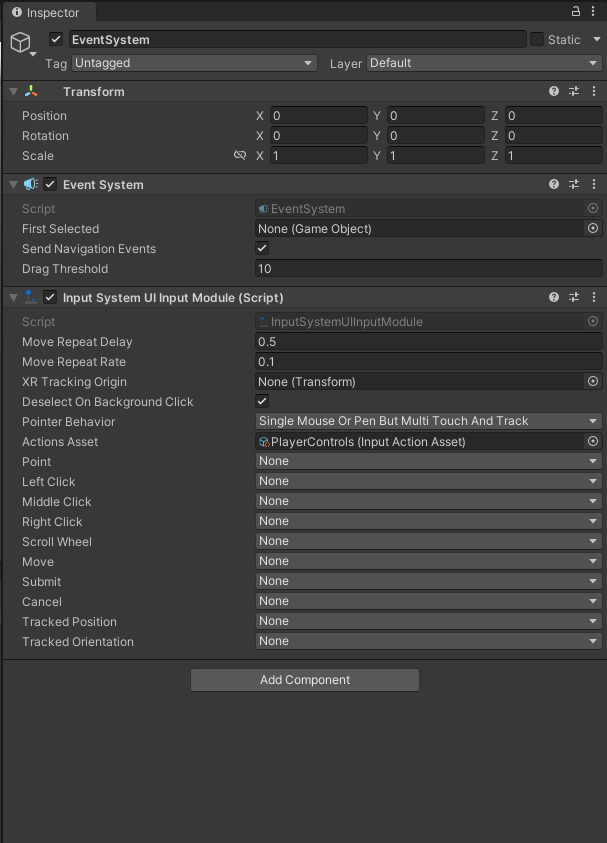 austere grotto
coarse junco
Yeah it looks fine. It was working when i first added it, now it doesn't work at...
austere grotto
coarse junco
Yeah it looks fine. It was working when i first added it, now it doesn't work at...
uh
the iinput module has no action bindings
austere grotto
coarse junco
Yeah it looks fine. It was working when i first added it, now it doesn't work at...
I recommend removing the input system ui input module component and adding it back
The default fields and bindings should pop up
but right now since they all say "None", nothing's going to work
coarse junco
wtf... huh, you're right
confused
Did i do something wrong here or is this just some weird bug?
austere grotto
coarse junco
Did i do something wrong here or is this just some weird bug?
It looks like you put your own PlayerControls input action asset into the input module


 vast wren
I have a problem with the new input system that makes it that when I get out of a scene the get back to it (or just reload it) I get this error every time I press a button:
Your script should either check if it is null or you should not destroy the object.
reloading the scene gets the same problem```
The functions seems so be called from a gameobject that doesn't exist anymore since one of the line that causes this problem is:
transform.position += Vector3.down;


this is how I use the input system: ``` map = inputActionAsset.FindActionMap("controls");
        map.Enable();
        map["down"].performed += OnDown;
        map["down"].canceled += OffDown;
        map["left"].performed += OnLeft;
        map["left"].canceled += OffLeft;```
I can do a null check for every input but it'll make the code run one more time every time I reload the scene


I think what I'm looking for is if there's a way to completely disable the inputActionAsset when I destroy an object or reload a sceneI found the solution I just had to do:
map["down"].performed -= OnDown;
map["down"].canceled -= OffDown;
map["left"].performed -= OnLeft;
map["left"].canceled -= OffLeft;
etc... before I reload the scene
 elder spear
Hey guys i’m using the new input system and i have a bug where whenever i press it once it acts like it pressed 3 times
 austere grotto
elder spear
austere grotto
elder spear
Like I said you need to look at that parameter context
you are currently ignoring it
elder spear
What do i need to do with it?
I basically need 1 player to join each tiem i press it
 strong skiff
elder spear
strong skiff
elder spear
you should also configure your IDE #854851968446365696
austere grotto
elder spear
I put a debug.log(context) and it shows 3 lines
don't do that
put cs Debug.Log(context.phase);
elder spear
Okay its doing started performed canceled
Thats making it interact three times
How do i make it only perform the action once?
austere grotto
elder spear
How do i make it only perform the action once?
like I said, only do your stuff if it's performed
elder spear
How do i do that o.O sorry im really bad at unity
austere grotto
Have you heard of if statements?
elder spear
Yea
austere grotto
Use one of those.
austere grotto
if context.phase is performed, as we've been discussing
elder spear
So put my code inside if(context.phase) {}
austere grotto
elder spear
So put my code inside if(context.phase) {}
First step is to configure your IDE as per IDE Configuration link in #854851968446365696
then you will get intelliSense and see your errors and it will be much easier to write code
austere grotto
austere grotto
https://docs.unity3d.com/Packages/com.unity.inputsystem@1.0/api/UnityEngine.Inpu...
Use this thing I showed you before
elder spear
I’m looking at it but idk where am i putting this
After declaring it
I put if (context.phase = performed) theres a error
How do i write it
austere grotto
You are missing C# basics.
elder spear
Sorry i just really need this one thing to work for a project
austere grotto
I think you should invest in some time learning the fundamentals of C#
elder spear
Ik i’m really bad at this just want to get this over with
austere grotto
It will pay off in terms of many hours and days of your time saved

W3Schools offers free online tutorials, references and exercises in all the major languages of the web. Covering popular subjects like HTML, CSS, JavaScript, Python, SQL, Java, and many, many more.
elder spear
Its not something i want to do thats why but school project
Ok its working now
But is there a reason only one of my controllers can input that action?
They can move later but to join games only the first controller can make players join
vast wren
I'm using the new input system and I'm trying to make the player able to remap keys so I used the "Rebinding UI" sample from the package but it only seems to work half of the time in the editor and never works when I actually build the project does anyone know a solution ? (the only thing I did was adding the 3 elements that have a blue bar to make it work)
 tame oracle
Inside a Canvas I have UI Buttons that should be responsible for "left", "right","down" and "up". Is it possible to define them as responsible Buttons in the Input Manager instead of Keyboard Buttons?
 frigid ridge
tame oracle
Inside a Canvas I have UI Buttons that should be responsible for "left", "right"...
frigid ridge
tame oracle
Inside a Canvas I have UI Buttons that should be responsible for "left", "right"...
Essentially trying to feed input into the old input system from the UI? Afaik you can't programmatically feed input into the old input system. You'll most likely have better luck pulling something like this off with the new input system.
tame oracle
Is there an new Input System?
austere grotto
tame oracle
Is there an new Input System?
Depends what your definition of new is, but yes
THere's one that's been around for a few years now.
tame oracle
tame oracle
Inside a Canvas I have UI Buttons that should be responsible for "left", "right"...
So this is the old one?
If so where can I get the new one
austere grotto
tame oracle
If so where can I get the new one
Pinned to this channel: https://docs.unity3d.com/Packages/com.unity.inputsystem@1.2/manual/index.html
tame oracle
Ok thanks
 teal phoenix
Guys, why does my new input system always stop working for nothing?
I didn't make any changes and just from restarting my pc, now my input system don't work
        private void Awake()
        {
            mover = GetComponent<Mover>();
            combater = GetComponent<Combater>();

            inputActions = new PlayerInputActions();
            inputActions.Player.Enable();
            inputActions.Player.Jump.performed += Jump;
            inputActions.Player.Attack.performed += Attack;
            inputActions.Player.Movement.performed += OnMovement;
        }

        void OnMovement(InputAction.CallbackContext context)
        {
            Debug.Log(context.ReadValue<Vector2>());
        }

        private void FixedUpdate()
        {
            Vector2 movementVector = inputActions.Player.Movement.ReadValue<Vector2>();
            mover.Move(movementVector.x);
        }

The OnMovement function does work, but the readValue in the fixedUpdate doesnt
austere grotto
teal phoenix
Have you tried logging that Vector2 in FixedUpdate?
or even just capturing the Vector2 in a variable in OnMovement and using it in FIxedUpdate
teal phoenix
austere grotto
Have you tried logging that Vector2 in FixedUpdate?
Yeah, it always shows (0,0,0). The fun its that it was working until I restart my PC
austere grotto
teal phoenix
Yeah, it always shows (0,0,0). The fun its that it was working until I restart m...
do you have any other bindings tied to that input action>
teal phoenix
Yeah
The attack and the jump actions works


While im pressing the keys

It does work in the Update method
Im so lost 😂
austere grotto
teal phoenix
Im so lost 😂
Just read the value in OnMovement or in Update and use it in Fixed
input handling isn't intended to be done in FixedUpdate generally anyway, unless you've set your update mode to FixedUpdate in the input system settings
teal phoenix
austere grotto
input handling isn't intended to be done in FixedUpdate generally anyway, unless...
Hmm idk that, thx
teal phoenix
austere grotto
Just read the value in OnMovement or in Update and use it in Fixed
Yeah, now it works
tame oracle
Is there a way of mimicking a Event System Action and Input Manager(Old) from a script?
Like if I press the Left Arrow Key on PC it moves Left I want to mimic this behavior into a script and if I press a button down have the same effect like the Arrow Key on PC.
Is there a possible way of doing this? And if so how?


 marsh citrus
hello, I keep getting the "error CS0246: The type or namespace name 'PlayerInputActions' could not be found (are you missing a using directive or an assembly reference?)" error
austere grotto
marsh citrus
hello, I keep getting the "error CS0246: The type or namespace name 'PlayerInput...
There is no such class in the new input system with that name.
If you're thinking about your Input Actions asset and trying to use the generated code file from it, then you need to make sure you're using the same name as your asset.
(you can see the generated C# file it creates in your project)
austere grotto
tame oracle
Is there a way of mimicking a Event System Action and Input Manager(Old) from a ...
Are you talking about for UI navigation?
 fallen phoenix
does anyone have experience with the new inputsystem where the mouse input suddenly gets super choppy/laggy even on great fps?
controller stick input still works great and smooth
... wow now its back to normal again.
glass yacht
I would presume you're multiplying the input by Time.deltaTime.
If you do that that to mouse input it will cause issues
fallen phoenix
nope. im not. i even use the standard first person controller provided by unity.
glass yacht
If you mean their Starter Assets, they do that, which is incorrect
fallen phoenix
so the code provided by unity is wrong?
 glass yacht
Yep
fallen phoenix
if i remove time.deltatime the input mouse/camera moves in increments. like it jumps. less smooth.
glass yacht
Make sure this is set to Dynamic Update
 fallen phoenix
glass yacht
Make sure this is set to Dynamic Update
fallen phoenix
glass yacht
Make sure this is set to Dynamic Update
thanks, but this kills my wasd input and also doesnt feel alot better with mouse
cedar solstice
fallen phoenix
if i remove time.deltatime the input mouse/camera moves in increments. like it j...
Did you turn the rotation speed down to compensate?
If input.look is a position delta then you shouldn't have a deltaTime
Most unity tutorials get this wrong
fallen phoenix
thanks. got it working now. kinda sad that unity themself dont get it right
hidden laurel
fallen phoenix
thanks, but this kills my wasd input and also doesnt feel alot better with mouse
If you have an input that's sometimes speed (wasd/joystick) and sometimes displacement (mouse delta) then you'll need to multiply by delta time some times and not others. Personally I think the easiest solution is to split it into two different inputs for turn speed and turn delta, but in theory you could probably also do it with different processors on the different bindings?
cedar solstice
fallen phoenix
thanks. got it working now. kinda sad that unity themself dont get it right
I agree
 potent plinth
Im making a keybind system. When I type a letter in a specific inputfield it saves that letter into the PlayerPrefs as a keybind. But I am not able to press TAB into the inputfield and i wonder if somebody know how i would do that. When i press tab nothing happens and its because the inputfield doesnt think that its a string when i press TAB so it doesnt happen anything. any tips?
vast wren
I have a problem with the new input system:
I'm using the "Rebinding UI" sample to rebind my controls but the changes don't persist between scenes almost all of the time.
Anyone knows how to fix this ?
I'm currently using the InputActionMap dirrectly in the script so I can switch between any device while in the game: cs void Start() { map = inputActionAsset.FindActionMap("controls"); map.Enable(); map["down"].performed += OnDown; map["down"].canceled += OffDown; map["left"].performed += OnLeft; map["left"].canceled += OffLeft; map["right"].performed += OnRight; map["right"].canceled += OffRight; }
tame oracle
austere grotto
Are you talking about for UI navigation?
Im talking about pressing a button and be the equivalent of pressing down the left key in the Input Manager. Like have 4 buttons left right up down which all of them are going to mimic the 4 PC keys up down left right
austere grotto
tame oracle
Im talking about pressing a button and be the equivalent of pressing down the le...
But how is the event system involved? The event system is the UI thing.
What you're describing just sounds like a normal input binding
Oh wait actually I think you're talking about this, right?
https://docs.unity3d.com/Packages/com.unity.inputsystem@1.2/manual/OnScreen.html
tame oracle
So you know how the Input Manager not Input System I refer to the old one with Horizontal and Vertical
If you add the thing in your script with the axis for horizontal and vertical you can move with the 4 PC Keys
I want to make that into buttons
austere grotto
tame oracle
I want to make that into buttons
yeah look at the link I sent
You mean UI buttons on screen, right?
tame oracle
Let me put it more simpler
I have a script of movement using the OLD Input System I mean the horizontal and vertical axis
And I can control my character with the 4 Keys on my Keyboard (Left Right Up Down)
austere grotto
Yes i'm with you