#🖱️┃input-system
1 messages · Page 51 of 1
 austere grotto
ooo weird
I wonder if it's an n-key rollover issue with your keyboard maybe? 🤔
Or maybe an in-editor problem only
 dreamy zealot
Nah, I have a mech keyboard
austere grotto
Can you try changing back to shift and testing in a build of the game?
Sometimes there's editor-specific issues
dreamy zealot
Building now 👍
mmm it does seem to be editor specific
the build doesnt have issues
this is a super weird bug
austere grotto
dreamy zealot
the build doesnt have issues
well that's good at least
Recommend making a bug report if you have the time
 crisp gyro
is there a NIS equivalent of the old axes that had gravity and sensitivity?
or do I need to make my own
where in the documentation does it explain what each of these types do?
 crisp gyro
awesome
austere grotto
crisp gyro
is there a NIS equivalent of the old axes that had gravity and sensitivity?
No you need to make your own gravity etc. if you want your axes to have smoothing
 distant comet
Hello! Several of my users have been reporting that keyboard input doesn't work. Their logs contain these messages:
<RI> Initializing input.

New input system (experimental) initialized
<RI> Input initialized.

<RI> Initialized touch support.

UnloadTime: 0.501500 ms
<RI.Hid> Failed to read input report:
No process is on the other end of the pipe.
<RI.Hid> Failed to start reading input report:
No process is on the other end of the pipe.
<RI.Hid> Failed to start reading input report:
No process is on the other end of the pipe.
...
and unplugging their controllers fixes the issue.
My game doesn't actually use a gamepad at all. Is there some way I can prevent Unity from trying to read from them?
 frigid ridge
I would probably start by upgrading to latest input system version if you haven't already
 sick cradle
distant comet
Hello! Several of my users have been reporting that keyboard input doesn't work....
sick cradle
distant comet
Hello! Several of my users have been reporting that keyboard input doesn't work....
beyond the line "New input system (experimental) initialized", those messages look like messages from the OLD input system, you have "both" selected on the settings?
I mean those <RI.Hid> ones now
distant comet
ah, could be
i'm using the old one for some things that the new system does quite poorly, e.g. checking for 'any key'
 tame oracle
UnityEngine.InputSystem; is not recognized. Has anyone experienced this? I have the verified version of the package and tried installing and uninstalling, closing unity and visual code, reopening... to no luck. In Project Settings i have created the according file aswell.
 sleek pasture
I can't make touch work on iphone 12. Input Debugger has no events at all
 sleek pasture
No input on Oneplus 5 either
 placid plover
Hey! Im hoping someone could look at my input manager for me and give me some tips?
Specifically on inputAction.performed += ctx => var = ctx.ReadValue<type>();
public class InputManager : MonoBehaviour
{
    private void Awake()

    {
        player = GameObject.Find("Player");
        mainCamera = GameObject.Find("MainCamera");
        playerCard = player.GetComponent<PlayerCard>();
        inputAction = new PlayerInputActions();
        gamepad = Gamepad.current;

        inputAction.PlayerControls.Move.performed += ctx => movementInput = ctx.ReadValue<Vector2>();
        inputAction.PlayerControls.Look.performed += ctx => lookInput = ctx.ReadValue<Vector2>();
        inputAction.PlayerControls.Abutton.performed += ctx => buttonA = ctx.ReadValue<float>();
        inputAction.PlayerControls.Xbutton.performed += ctx => buttonX = ctx.ReadValue<float>();

    }

    void Update()
    {
        playerCard.moveInput = movementInput;
        playerCard.lookForce = lookInput;
        playerCard.aButton = buttonA;
        playerCard.xButton = buttonX;
    }

    void OnEnable()
    { inputAction.Enable(); }

    void OnDisable()
    { inputAction.Disable(); }
}
Im wondering if the performed inputs go through started and cancelled or if there always being performed
Im wondering if I should broadcast them to the playercard and disable them when not used.
side note: everything in the input manager itself is set on pass through
placid plover
So, after many hours of scrolling the input docs. I managed to get the key rebinding sample from the input manager package. Hook up a button to rebind Xbutton when pushed, confirms that the actions are indeed always enabled.
So ive made another button to call OnDisable() and tried a few lines of code in it. Before trying to rebind again.
inputAction.PlayerControls.Xbutton.canceled -= ctx => movementInput = ctx.ReadValue<Vector2>();
inputAction.PlayerControls.Xbutton.Disable();
inputAction.Disable();
None of them actually work... am I missing something?
tame oracle
How do i get the value of, say, a mouse movement? For example, Look left, Look Right?
    {

}```Can i get it using context?
context.performed returns true not a value
Alright so i managed to get some pointer input using public void Look(InputAction.CallbackContext context) { Debug.Log(context.action.ReadValue<Vector2>()); }
Is this the proper way of doing things with the new input system?

 timber robin
Yep. You have to read the value from the context.
tame oracle
this is confusing
how does the vector2 on the point in the context work?
    {
        Vector2 direction = context.ReadValue<Vector2>();
        Debug.Log(direction);
        Camera.main.transform.RotateAround(transform.position, new Vector3(direction.y, direction.x, 0), 15 * Time.deltaTime);
}```Maybe i am over complicating things
I just want to ORBIT the camera around transform.position in the direction the mouse is moving.
there is no "Sense of direction" in my game because its a space game. I kinda want it that way.
timber robin
The read value depends on the setup of the input. So if you're using the mouse, it would be the x/y. Try printing the axis and see.
I'm mobile, so I can't type code.
tame oracle
ok @timber robin i have been printing the Debug.Log(direction);
and i can seee the valute
value.
is it not based on screen?
is based on world somehow? because when i reach the 180 point it seems to invert (i think)
Im guessing it has to do with the axis/direction
once you hit a certain there is an inversion
timber robin
I imagine the mouse input would be the delta?
As an aside, if this is for rotating the camera, you should check out the cinemachine freelook (?) camera. It has built in orbiting.
tame oracle
yes
lol
i think this has to do with the camera looking in the middle of X,Y,Z
i think all i have to do is rotate the cam?
to look directly at one axis and then work from there somehow
Maybe i don't know what im talking about....


 spark pumice
 remote fog
im lost what should i be doing
remote fog
im lost what should i be doing
did you name your InputActions asset StarterAssets?
spark pumice
okay, there are two c# classes called StarterAssets
most likely
you had the "generate c# class" box checked
remote fog
just added the script
spark pumice
dragged the file it created
into a different folder
then it regenerated the same file
you probably have the same file in two different places in your project
maybe you've added the starter assets twice in two different places in the project?
remote fog
ill check
tame oracle
Hello
Im using public void RotateLook(InputAction.CallbackContext context) { Vector2 direction = context.ReadValue<Vector2>(); cameraPOS.transform.Rotate(new Vector3(-direction.y, direction.x, Time.deltaTime * 3)); } to rotate around an object. is there a way i can make it SMOOTH with the mouse?
 lucid fable
hey everyone, does anyone have extensive or knowledge on programming VR controllers?
Im currently using a oculus rift for my game however I cant get the left and right controller sticks to produce as inputs, They work with the base "Vertical" and "Horizontal", but after i tried using this https://docs.unity3d.com/560/Documentation/Manual/OculusControllers.html
But it has ended up breaking my entire code and no longer working with "Vertical" and "Horizontal"
Using the commands
Input.GetAxis("Horizontal") please note ive tried changing items in the editor but no luck
The Unity Manual helps you learn and use the Unity engine. With the Unity engine you can create 2D and 3D games, apps and experiences.
spark pumice
tame oracle
Im using ```public void RotateLook(InputAction.CallbackContext context)
...
The way to smooth it out is to separate out reading the input from the mouse and rotating the object into two separate functions. In your RotateLook function just save the direction into a variable, and in your Update (or Fixed or LateUpdate, depending on context) rotate your object based on the direction you saved.
When you're doing the rotating, you can use something like Mathf.SmoothDamp to smooth out the actual rotation.
tame oracle
@spark pumice thank you i will try
austere grotto
tame oracle
Im using ```public void RotateLook(InputAction.CallbackContext context)
...
don't use Time.deltaTime with mouse delta input
that's basically it
it's already a per-frame delta - it dosn't need frame time adjustment and that actually introduces problems
tame oracle
Ok i will make modifications
 haughty quest
Is it worth switching to the new input system?
timber robin
Only if you need to handle multiple input maps and input types. If you're still using the old one and it's just to handle something basic like movement, there's really no need.
 ancient jasper
not sure if this is the place to ask, but i created an input script and i want to separate the logic to another script. how do i use the data from the input script to use in another script (ie. this script would process the inputs)?
 calm tapir
ancient jasper
not sure if this is the place to ask, but i created an input script and i want t...
calm tapir
ancient jasper
not sure if this is the place to ask, but i created an input script and i want t...
have your input script have a public Vector or bool or whatever you need for if a button is pressed, or you can create an event in the input, process that input how you like in the input script, and have the other script add a listener to the input script's event(s)
 hollow vector
hi guys, is it possible to use non-verbal voice as game input with microphone? such as blowing, hissing, screaming. i want to use a person's pitch, volume and frequency to translate them into user blowing wind onto something. for example, user blows hard at the microphone to blow away big boxes, or blows softly to blow away small boxes
austere grotto
hollow vector
hi guys, is it possible to use non-verbal voice as game input with microphone? s...
It is possible yes, but not necessarily easy.
Just detecting volume or pitch of the input should be pretty straightforward, but identifying that the user is "blowing" instead of some othe sound would be hard
calm tapir
in old ds games i just used to tap the mic
hollow vector
austere grotto
Just detecting volume or pitch of the input should be pretty straightforward, bu...
this won't be an issue, i just want to retrieve the user's volume or pitch for now at least. it's for my final year project in college so i want to make sure i can implement something that i proposed
thanks for the verification, i'll look it up in google for some examples i guess
 plucky flint
Ugh, I had this issue before, and I'm not sure how it was fixed. New unity input system. Player input map "Fire" is the same key as UI input map "Select"
So when I swap the PlayerInput from "Player" map to "UI" map the UI pops up, and the first button is immediately selected (pressed). I don't know how to not immediately select the button.
Secondary issue, which I believe is related. Button 1 is selected in OnEnable of the menu. Pressing Button 1 closes the menu, and if I reopen the menu button 1 is no longer selected (its color doesn't show it as selected). This doesn't happen for other buttons, If I click button 2 which closes the menu, and reopen, Button 1 is properly selected
 west oracle
austere grotto
Just detecting volume or pitch of the input should be pretty straightforward, bu...
west oracle
austere grotto
Just detecting volume or pitch of the input should be pretty straightforward, bu...
Blowing is pretty easy to detect, you just count the number of clipped (maxed out) samples per second
 thin tulip
is there a way to detect flight stick yaw?
spark pumice
thin tulip
is there a way to detect flight stick yaw?
just looking through the documentation (https://docs.unity3d.com/Packages/com.unity.inputsystem@0.2/api/UnityEngine.InputSystem.Flightsticks.Flightstick.html) my guess is Joystick.twist is yaw
thin tulip
can i use that with inputactions files?
spark pumice
thin tulip
can i use that with inputactions files?
🤷♂️ try it
thin tulip
i can't put stuff like that in the new input system
timber robin
The new input system should detect any HID including flight sticks. We used a basic thrustmaster at work for a small project.
If you run the debugger, you can see what's being listed when you provide input.
thin tulip
how do i find the debugger?
spark pumice
thin tulip
how do i find the debugger?
Window > Analysis > Input Debugger
thin tulip
also, i meant in this. it doesn't detect yaw or throttle


 thin tulip
usages doesn't show up on mine
spark pumice
did you set your action type to Value/Axis?
may be just Usages > Twist rather than Joystick > Usages > Twist
also, I added a control scheme that required a Joystick. That might be part of it, too
(I called the control scheme Flightstick, which is what that checkbox means in the 2nd image)
thin tulip
ah, that was the problem. thank you!
 polar fossil
can input system stuff be configured inside the game?
calm tapir
polar fossil
can input system stuff be configured inside the game?
what stuff do you mean?
by in game do you mean at runtime
polar fossil
calm tapir
by in game do you mean at runtime
yeah I think
like, most games let you change keybinds in their menus
calm tapir
yeah you can set action maps and change keybindings
austere grotto
polar fossil
like, most games let you change keybinds in their menus

This Unity Input System tutorial will teach you how to implement key rebinding in your project. For project files access, check out my GitHub here: https://github.com/DapperDino/Input-System-Tutorials
Multiplayer Course: https://www.udemy....
 lime crest
hey guys
I have a basic 2d game controller but I want to switch it to the input system can someone help me
it's all ready to go I just need to switch
 deft berry
the quick start guide should help you out with converting the input manager controls to the Input System
https://docs.unity3d.com/Packages/com.unity.inputsystem@1.0/manual/QuickStartGuide.html
 spare jolt
My "Invoke Unity Events" are clearing every time I reopen my prefab or place a prefab in the scene (the placed object does not have any events, everything is set to None)
 tawdry cloak
is there a way to make ui buttons not react at all to mouse inputs?
calm tapir
tawdry cloak
is there a way to make ui buttons not react at all to mouse inputs?
disable the button component
tawdry cloak
calm tapir
disable the button component
I still need to be able to interact with it with keyboard inputs
calm tapir
tawdry cloak
I still need to be able to interact with it with keyboard inputs
you can disable the graphics raycaster on the canvas
 floral star
I just recently started a platformer project and I'm currently using the old input system. Is the new one good? Should I switch to it, and if so why?
(I'm planning to include both controller support and mouse & keyboard.)
 spiral galleon
floral star
I just recently started a platformer project and I'm currently using the old inp...
spiral galleon
floral star
I just recently started a platformer project and I'm currently using the old inp...
I'd recommend it, easier to work with as more advanced features are needed (rebinding, keyboard locales) but a little more hassle to set up from the get go.
floral star
Okay thanks. Yeah, the reason I'm asking was because the new one didn't seem much of an improvement at front value.
But long term I feel that it might be better.
spiral galleon
floral star
But long term I feel that it might be better.
Yes definitely, you can also run code event driven as opposed to continous polling which makes some things easier, or you could do both if you want
floral star
Nice!
lime crest
guys can i give someone a piece of code that controls my jump,double jump and wall jump and switch it to the new input system I tried doing it myself but I was unsuccessful 😞
spark pumice
lime crest
guys can i give someone a piece of code that controls my jump,double jump and wa...
post it here, tell us what you tried, tell us what's not working. We'll give you pointers
lime crest
well I tried switching it to preformed and canceled for the holding or not but it doesn't double jump for some reason
the jump and wall jump work well but not the double jump
spark pumice
show the code
lime crest
wait a second i just need to do something
 foggy thistle
Still can't wrap my head around this input system. I've got it "working", but how do I use input for multiple scripts? For example, I need player input, but then I would also need some sort of menu input, or interactions, etc. Is there a way to pass input to multiple scripts without having to repeat things like OnEnable()/disable in each class?
 lime hill
Hey, how do i fix it?
 calm tapir
foggy thistle
Still can't wrap my head around this input system. I've got it "working", but h...
calm tapir
foggy thistle
Still can't wrap my head around this input system. I've got it "working", but h...
you can have a class that handles all inputs, and have static events that any script can add listeners to
 frail sedge
how do i go about allow two players control a menu screen - i'm really confused as both controllers work but they control the same thing - i';ve tried dablbling with player index but no luck
 languid panther
Can anybody help with invoking a pointer click? I'm trying to implement gaze input on my VR project (using oculus sdk)
raycast is intersecting with button and listening for clicks, but I can't see any way to invoke the click (without physically pressing a button which I do not want)
austere grotto
lime hill
Hey, how do i fix it?
What are you trying to do? The error message is pretty straightforward. You've switched to the new input system, so messing around in the old input manager is pointless
austere grotto
languid panther
raycast is intersecting with button and listening for clicks, but I can't see an...
Put the code that your click invokes in a function, and call that same function from wherever else you want to do it
 ionic sierra
Guys i'm having this problem. I want to move the sticks in game with the same rotation as the sticks of my controller. As you can see the left one works just fine, while the right one is snapping
here's the code. What's the problem?
 ancient jasper
hello, im stuck on what data type i should store dpad and button inputs as to be used later since dpad is vector2 and buttons are strings right now
 north panther
ancient jasper
hello, im stuck on what data type i should store dpad and button inputs as to be...
north panther
ancient jasper
hello, im stuck on what data type i should store dpad and button inputs as to be...
Have you look into unitys new Inputsystem? It might solve your problem, because it doesnt matter if you are using dpad or for example wasd or arrows.
ancient jasper
yeah, im using the new input system, but i want store the inputs then have another script access them. im using vector2 for dpad and list of strings for buttons
north panther
ancient jasper
yeah, im using the new input system, but i want store the inputs then have anoth...
Does the dpad has the same behaviour like the buttons? Which is why you want to pass the same datatype?
ancient jasper
im assuming by behaviour you mean started/performed/canceled?
north panther
ancient jasper
im assuming by behaviour you mean started/performed/canceled?
No more like that they all fire the same function.
Lokomotion for example.
ancient jasper
no, dpad is Movement and i have 6 buttons that all do something different
well, the 6 buttons all use the same method when performed and the method uses context.action.name to do whatever it needs to do
north panther
ancient jasper
well, the 6 buttons all use the same method when performed and the method uses c...
maybe I'm crazy but than I dont see any problem here. Or maybe I'm not understanding your problem properly. 😅
If you want to pass references. Than just do that if the context is performed. You can save any datatype and another script can than retrieve the data through the reference.
sth like this:
variable anyDatatype;

void ButtonBehaviour(InputAction.Callback context)
{
   if(context.performed)
   {
      var dataToStore = context.action.name == "1" ? option1 : option2;

      anyDatatype = dataToStore;
   }
}
can some one help me to make a character run the direction of camera when a button is pressed and stop when pressed the button again ?
lime crest
guys i tried implementing double jump but it wont work and the wall jump has lots of glitches its wall jumps to infinity can someone help
 livid yacht
is it possible to get raw horizontal and vertical input with the new input system like the old one?
ancient jasper
livid yacht
is it possible to get raw horizontal and vertical input with the new input syste...
yes, ReadValue<Vector2>();
livid yacht
ancient jasper
yes, ReadValue<Vector2>();
ty!
 open leaf
Trying to work out if this is an ECS/DOTS issue or InputSystem issue. My horizonal and vertical actions are updated fine, but my button actions (jump and orient) are always false. Am I missing something?
        InputSystem.Update();

        float horizontal = playerActions.Horizontal.ReadValue<float>();
        float vertical = playerActions.Vertical.ReadValue<float>();
        bool jump = playerActions.Jump.triggered;
        bool orient = playerActions.Orient.triggered;
        Debug.Log($"Jump: {jump}, Orient: {orient}");
[New Input System]
I'm having issues where my InputAction.performed sometimes won't get called despite me pressing the mapped button (Z key on keyboard, and south button on gamepad). The action seems to "lock" itself whenever I spam the mapped button on my gamepad. Spamming the mapped button on my keyboard does not lock the action however (but I still cant call the action). Anyone experience anything similar or knows a solution?
When the InputAction is locked, I can disconnect the gamepad from my computer to unlock the InputAction - I can once again trigger the Input Action.
 gleaming snow
hey guys, im using the new input system but i cant seem to find the solution for handling with the ui. Does someone know how i can fix this?
 lucid tundra
Just added the package, made an input actions package, generated a script for that, and it's full of compiler errors because the UnityEngine.InputSystem namespace can't be found. Any ideas why?
open leaf
open leaf
Trying to work out if this is an ECS/DOTS issue or InputSystem issue. My horizon...
I seems that .triggered doesn't work 😕. I'm using this now instead:
bool jump = playerActions.Jump.ReadValue<float>() != 0 ? true : false;
Try regenerating the csproj files. Edit > Preferences > External Tools
 lucid tundra
open leaf
Try regenerating the csproj files. Edit > Preferences > External Tools
lucid tundra
open leaf
Try regenerating the csproj files. Edit > Preferences > External Tools
Just tried that. Sadly nope.
open leaf
Other than a UNity/Visual Studio restart then, I'm out of ideas I'm afraid
lucid tundra
open leaf
Other than a UNity/Visual Studio restart then, I'm out of ideas I'm afraid
Think it might have something to do with assembly definitions? I've had that suggested but don't actually know much about them. I just have one for my unit tests that sits at the top of my scripts file.
placid plover
Hey alI!
I have questions about State machines and behavior trees. Im looking at my player states and wondering if I should implement a couple state machines or a single behavior tree. Is it common for one to use a behavior tree to determine player actions and states?
I worry that state machines may become to large as there are an above average amount of states I want in my game.
I also want to be able to share the actions with Npc/Enemies. Anyone have any food for thought?
lime crest
guys when I type ```cs
void jump(InputAction.CallbackContext ctx){
}
 glass yacht
If you are making basic spelling mistakes you likely need to configure your IDE using the instructions in #854851968446365696
lime crest
no it isn't spelling i tried every thing even copy past from unity's docs
glass yacht
Now it's spelt correctly, you need to add the namespace using the IDE's suggestions
lime crest
it doesn't give me any suggestions
glass yacht
There is no yellow lightbulb on that line? If the error isn't underlined in red you need to configure your IDE
lime crest
I tried every tutorial its not working
glass yacht
Are your errors underlined in red or not?
lime crest
no but i did configure vs code
glass yacht
Right, well it's not configured properly. If you cannot get it configured I would advise switching to VS. you cannot code without a functioning IDE. It should be suggesting you fixes for this basic problem.
You likely just have not imported the input system namespace
 astral pasture
hey everyone, does anyone know how to make a timeline/signal receiver wait for a key press before resuming. I know how to pause and resume the timeline but I don't know how to read user input during the time the timeline is paused.
 neon iris
You can enable a script that reads the input or always read but gate it behind a bool
astral pasture
thank you, i'll try creating a script!
 obsidian geyser
Is there a way to get a prefab to call a script's method with EventTrigger?
spark pumice
obsidian geyser
Is there a way to get a prefab to call a script's method with EventTrigger?
do you mean an instance of a prefab or a prefab asset?
obsidian geyser
The asset itself
I managed to do that on the instance, but I can't do it in the asset.. I was wondering if I could do that on code, like in the awake function
lucid tundra
I'm trying to make drag action, and since this is pushing my knowledge a bit I wanted to make sure I'm not doing something stupid. To be able to return how much it moved in a custom processor, I'll need to know where the drag started from. To do that, I assume I need a seperate action which gives it that? I'm not sure. I'm not even sure if I should do it at the action level or if I should figure it out at the thing that needs it/an intermediatry.
north panther
[New InputSystem]
I have a 2D game using a camera with perspective projection mode (For parallax purposes). So basically I'm trying to update my inputsystem to the new one and I have a problem regarding mouse raycast. With the old system it works totally fine but with the new one it doesnt. So I use this simple script to do testing:
var pos = cam.ScreenToViewportPoint(Mouse.current.position.ReadValue());
        print(pos);
        var dir = pos - cam.transform.position;
        Debug.DrawLine(cam.transform.position, dir * 10, Color.white);
        testObj.transform.position = pos;
As you can clearly see on the picture, the testObj position doesnt follow the mouse position. Maybe someone has a solution to this and I'm not getting sth basic.
edit: I have used ScreenToWorldPoint and ScreenToRayPoint as well. Both don't work either.

 weak osprey
Guys, i have a Problem..
Whenever i press the P Key (which is bound to a action) it activates multiple time and i don't know how to fix this. I only want it one time, but it happens about 100 times whenever i press it... does any1 know what to do=
Here a screen of my Input

 austere grotto
You are subscribing to the event in every FixedUpdate
weak osprey
 weak osprey
sorry man im pretty new to coding
austere grotto
Do it in Start or OnEnable
weak osprey
ok
austere grotto
It's best to look at code examples when learning new things. Every code example will show the event subscription happening in OnEnable, Start, or Awake.
But at least now you maybe understand why?
weak osprey
yeah i think i get it now, i thought the script would only go through start just once thats why i put it in the update!
thanks a lot
 granite sun
I'm trying to port Dani's Karlson movement system to Unity's new input system but I came across an issue. The script only has 2 movement variables (x and y) but the new Unity input system doesn't support horizontal and vertical axis (afaik). Is there a way I could fix this without having to rewrite the entire script?

 dapper narwhal
granite sun
I'm trying to port Dani's Karlson movement system to Unity's new input system bu...
dapper narwhal
granite sun
I'm trying to port Dani's Karlson movement system to Unity's new input system bu...
what i do for movement axis is i just make a Vector2 binding
make W and S up and down, A and D left and right
and you should be good to go from there if you understand how axes work
granite sun
It doesn't let me set a keyboard binding when its set to Vector2 @dapper narwhal
 dapper narwhal
granite sun
It doesn't let me set a keyboard binding when its set to Vector2 <@!249177181027...
dapper narwhal
granite sun
It doesn't let me set a keyboard binding when its set to Vector2 <@!249177181027...
🤷♂️
granite sun
its supposed to look like this right?
 dapper narwhal
mine looks like this
 dapper narwhal
granite sun
its supposed to look like this right?
dapper narwhal
granite sun
its supposed to look like this right?
no i meant a Vector2 binding
right click and create Vector2 composite
granite sun
is this good?
 dapper narwhal
yeah i guess
granite sun
so how would i update this line?
x = _movement.Move.Horizontal.ReadValue<float>();
would it be a ReadValue<Vector2>();
I don't think I can use ReadValue?
How can I use the Vector2 to control the x movement in code?
austere grotto
granite sun
is this good?
This doesn't make sense - why would you use a 2D composite for a one-dimensional axis (horizontal)?
your horizontal + vertical would all be part of one Action if you want to use a 2D composite
gamepad/keyboard bindings would be two separate bindings underneath that one action
granite sun
what would i use instead?
austere grotto
I just said
granite sun
oh yeah i was on the wrong one
doesn't look like i can add additional binds for controller?
 austere grotto
granite sun
doesn't look like i can add additional binds for controller?
austere grotto
granite sun
doesn't look like i can add additional binds for controller?
"Horizontal" is the action
The blue thing you've called "Move" is a binding
granite sun
this alright?
 austere grotto
sure
granite sun
how would i add that to the code?
granite sun
i want to use GetKeyUp and GetKeyDown in the new Unity system but I don't know how to do it. I tried .performed and .canceled but they don't work for me. are there any alternatives?
austere grotto
granite sun
i want to use GetKeyUp and GetKeyDown in the new Unity system but I don't know h...
https://docs.unity3d.com/Packages/com.unity.inputsystem@1.1/api/UnityEngine.InputSystem.InputAction.html#UnityEngine_InputSystem_InputAction_WasPressedThisFrame
https://docs.unity3d.com/Packages/com.unity.inputsystem@1.1/api/UnityEngine.InputSystem.InputAction.html#UnityEngine_InputSystem_InputAction_WasReleasedThisFrame
.performed and .canceled do work, but they are events, so you need to know how to use events to use them
granite sun
I have var crouchinput = _movement.Actions.Crouch; if (crouchinput.performed) StartCrouch();
but i keep getting the event InputAction.performed can only appear on the left hand side of += or -= I know what it means but idk how to fix it.
austere grotto
granite sun
I have ```var crouchinput = _movement.Actions.Crouch;
if (crouchinput.p...
I showed you the alternatives that work the way you are looking for
Like I said, performed is a C# event. You don't understand how to use events yet, and that's fine.
granite sun
but i don't know how to use those, the documentation is confusing. .WasPressedThisFrame() doesn't seem to work for me.
austere grotto
In what way is it not working?
granite sun
it doesn't show up as an option in Visual Studio and even if I type it I get an error

 full sparrow
I feel a little silly here. Monitoring input visualizer shows inputMidi1 (the variable in the input method) updating correctly from listener and action, but the value passed never effects anything. :/
 austere grotto
granite sun
it doesn't show up as an option in Visual Studio and even if I type it I get an ...
austere grotto
granite sun
it doesn't show up as an option in Visual Studio and even if I type it I get an ...
what version of input system are you using
needs to be 1.1+ for that method
full sparrow
@austere grotto well I'll be a monkeys uncle. idk how it's on 1.02.
Oh could it be I'm using a 2020 LTS
actually no it's current. The input manager doesn't give me an option for 1.1?
deft berry
1.0.2 is latest official releast. Looks like 1.1 is pre-release right now.
full sparrow
@austere grotto 1.0.2 is current for input system jsyk. I'm just gonna reference the tutorial again. lol. OI.
austere grotto
1.1 is out for 2021+
granite sun
I managed to get it to work with _movement.Actions.Crouch.performed += context => OnCrouchInput(); but I have this issue
plucky flint
hey guys, I'm having a bit of an issue. New unity Input system. I have a Player Input component, and in another component in its Start() I swap to an action map, find actions. then in the OnEnable() of that object I subscribe to the actions. But between the Start() and OnEnable() I'm losing the reference to the actions and I don't know why. Relevant section of code
 deft berry
OnEnable happens before Start
plucky flint
oh. that would be why.
 rough rune
Hi everyone! I'm here because my researches online about my problem were not very fruitful, so I hope someone here will be able to give me a hand. I'm working on an Hand Tracking control system using the Oculus Quest 2 and the Oculus VR Integration. After some time I figured out how I can cast a ray that can interact properly with UI elements and then use the same origin and direction of that ray to cast a physical ray to be able to interact with physics objects as well. In order to achieve this, I have an EventSystem in the scene (to dispatch all event to whatever UI element I'm pointing at), I'm using the OVRInputModule (which inherith from PointerInputModule < BaseInputModule) to create and process events and a Canvas with a OVRRaycaster to detect these rays. This system work great for a single pointer, but in my case I need to have two pointers at the same time and the way the InputModule is set up doesn't allow this. I started to look around to figure out how this thing work and see if I can make my own version that enable the use of two pointers, but I can't wrap my head around this at all. Is there anyone here experienced with the topic that can give me some guidance and help me understand how this work? Keep in mind an important detail: since I'm using Hand Tracking, I don't have a hardware device responsible to send input from human to machine, which basically mean that I can't use an Action-based input system.
Also, to be 100% clear, if someone have any other solution that allow me to cast a ray to a canvas and perfectly simulate a mouse click that allow me to press buttons, move sliders and all that stuff that imply the use of completely different things, I'm willing to listen. Thanks everyone in advance and sorry for the wall of text.
tame oracle
using System.Collections;
using System.Collections.Generic;
using UnityEngine;

public class GameManager : MonoBehaviour
{
    public float score;
    public GameObject cursor;
    private Vector2 mousePosition;
    private Vector3 mouseWorldPosition;

    // Start is called before the first frame update
    void Start()
    {
        Cursor.lockState = CursorLockMode.Confined;
        Cursor.visible = false;
    }

    // Update is called once per frame
    void Update()
    {

        PlayerPrefs.SetFloat("Score", score);
        Vector3 mousePos = Input.mousePosition;
        mouseWorldPosition = Camera.main.ScreenToWorldPoint(mousePos);
        mouseWorldPosition.z = 0f;
        cursor.transform.position = mouseWorldPosition;
    }

    public void AddScore(float Score)
    {
        score = Score;
    }
}
Cursor.lockState = CursorLockMode.Confined; limits incorrectly in this position in the x axis,can't move further

please help me
 safe iron
hi there. i've successfully configured a PlayerInputManager to allow players to join via join action on a gamepad by pressing the right thumbstick. i want to add keyboard input, and added a keyboard binding on enter to the same join action.
however the game doesn't add a player when i press enter on the keyboard (nor if i set the input manager to join on any key and press any key). the input manager settings are configured to allow any input devices afaik (i didn't change the defaults).
gamepad input still works. i can poll Keyboard.current and see that enter is pressed.
any ideas why gamepad input works fine but keyboard doesn't register at all?

 granite sun
i want to use left trigger as jump but the movement script reads how far the trigger is pulled down and that affects y position therefore making the player clip through the floor. how can i make the script not check how far the trigger is pulled down but just check if its pressed at all? i've tried .triggered but it isn't working.
granite sun
i just figured out i could do this

 trim hollow
Yeah depend if you want to poll the input inside an update or use the event system 🙂
Interactions are useful i recommend reading them all
To make sure you understand when the started canceled and performed are called
safe iron
safe iron
hi there. i've successfully configured a `PlayerInputManager` to allow players t...
eventually figured out what was happening. the input system only allows one player on the keyboard input, and my game GameObject also had a player input that was used to do menuing/debug stuff w/ the keyboard.
is there a way to allow multiple players w/ "keyboard" as their input (i.e. they all share one keyboard)?
 onyx plinth
Does anybody know how to setup old input settings to get xbox gamepad trigger pressed with Input.GetButton("MyTriggerName");
 cobalt ivy
i am trying to get the new input system to work on Linux. this seems to be a problem... the input debugger gives me feedback and identifies the keyboard and mouse, but i cannot move my character in-game. 🤔 when checking "Actions" in the debugger i can see that all actions are disabled... not sure what is going on.
 austere grotto
cobalt ivy
i am trying to get the new input system to work on Linux. this seems to be a pro...
austere grotto
cobalt ivy
i am trying to get the new input system to work on Linux. this seems to be a pro...
How did you create the input actions? Did you enable them (may or may not be necessary depending on answer to first question)?
cobalt ivy
austere grotto
How did you create the input actions? Did you enable them (may or may not be nec...
Create Actions from the inspector. i did not add more then a Jump button as it auto created the others. i cannot find where to Enable them... 🤔
austere grotto
cobalt ivy
Create Actions from the inspector. i did not add more then a Jump button as it a...
You created them in the inspector in an InputActionsAsset - but how are you using it in code? Are you using the generated C# class? Are you using the PlayerInput component? Are you using InputActionReference, or a direct reference to the InputActionsAsset maybe?
cobalt ivy
i am using the playerinput component.
austere grotto
I don't believe you need to explicitly enable anything then, it should generally work automatically. But just to test, you can try:
myPlayerInputComponent.actions.Enable();
cobalt ivy
`using System.Collections;
using System.Collections.Generic;
using UnityEngine;
using UnityEngine.InputSystem;public class player : MonoBehaviour
{
Vector2 moveInput;
Rigidbody2D Rb2D;
PlayerInput mahInput;
[SerializeField] float runSpeed = 10f;// Start is called before the first frame update void Start() { Rb2D = GetComponent<Rigidbody2D>(); mahInput = GetComponent<PlayerInput>(); mahInput.actions.Enable(); } // Update is called once per frame void Update() { Run(); } void onMove(InputValue value) { moveInput = value.Get<Vector2>(); Debug.Log(moveInput); } void Run() { Vector2 playerVelocity = new Vector2(moveInput.x * runSpeed, Rb2D.velocity.y); Rb2D.velocity = playerVelocity; }}`
cobalt ivy
austere grotto
I don't believe you need to explicitly enable anything then, it should generally...
i have tried that now. and it removes the disabled part in the input debugger but i still cannot move the character for some annoying reason
austere grotto
cobalt ivy
i have tried that now. and it removes the disabled part in the input debugger bu...
Wouldn't it be OnMove, not onMove?
cobalt ivy
austere grotto
Wouldn't it be `OnMove`, not `onMove`?
lol now i feel silly and great relief!
thank you!
ofcourse its a capitalization that is destroying me xD
 glad crescent
Hey I was just wondering, for some reason my buttons don't work
Even while I hover over them the normal hover color doesen't show up
calm tapir
glad crescent
Hey I was just wondering, for some reason my buttons don't work
do you have an event system in the scene
calm tapir
glad crescent
How do I reset the event system?
it's fine as long as you don't have any errors and the event system object is active
are the buttons in a Canvas
glad crescent
Yes
glad crescent
I have a text.... How could I configure layering?
calm tapir
is the text the one that comes as a child of the button
glad crescent
No, but I just fixed it. I'll try and keep it in mind next time lmao
I don't want the texts to be children of some of the buttons that it would normally overlap with though
tame oracle
What are the basic movement commands? so I don't need to do if statements to make movement happen?
spark pumice
tame oracle
What are the basic movement commands? so I don't need to do if statements to mak...

Let’s check out what Unity is working on for the new Input System!
► Go to https://expressvpn.com/brackeys to take back your Internet
privacy TODAY and find out how you can get 3 months free.
● Get the new input system here: https://bit.ly/2SiXsgS
👕Check out our merch! https://lineofcode.io/
♥ Support Brackeys on Patreon: http://patreon.com/b...
tame oracle
NullReferenceException while executing 'performed' callbacks of 'Player/Move[/Keyboard/w,/Keyboard/upArrow,/Keyboard/s,/Keyboard/downArrow,/Keyboard/a,/Keyboard/leftArrow,/Keyboard/d,/Keyboard/rightArrow]'
UnityEngine.InputSystem.LowLevel.NativeInputRuntime/<>c__DisplayClass7_0:<set_onUpdate>b__0 (UnityEngineInternal.Input.NativeInputUpdateType,UnityEngineInternal.Input.NativeInputEventBuffer*)
UnityEngineInternal.Input.NativeInputSystem:NotifyUpdate (UnityEngineInternal.Input.NativeInputUpdateType,intptr) (at /Users/bokken/buildslave/unity/build/Modules/Input/Private/Input.cs:120)
While getting this issue:
LocalInput.<Start>b__6_0 (UnityEngine.InputSystem.InputAction+CallbackContext ctx) (at Assets/LocalInput.cs:25)
UnityEngine.InputSystem.Utilities.DelegateHelpers.InvokeCallbacksSafe[TValue] (UnityEngine.InputSystem.Utilities.InlinedArray`1[System.Action`1[TValue]]& callbacks, TValue argument, System.String callbackName, System.Object context) (at Library/PackageCache/com.unity.inputsystem@1.0.2/InputSystem/Utilities/DelegateHelpers.cs:51)
UnityEngine.InputSystem.LowLevel.<>c__DisplayClass7_0:<set_onUpdate>b__0(NativeInputUpdateType, NativeInputEventBuffer*)
UnityEngineInternal.Input.NativeInputSystem:NotifyUpdate(NativeInputUpdateType, IntPtr) (at /Users/bokken/buildslave/unity/build/Modules/Input/Private/Input.cs:120)```while trying this: ``` input = GetComponent<PlayerInput>();
    moveAction = input.currentActionMap.FindAction("Move");
    moveAction.performed += ctx => action.Move(ctx);```
can anyone help me out in here?https://forum.unity.com/threads/cursorlockmode-confined-in-wrong-area-within-editor.1149896/

Unity Forum
Hello
I'm struggling with a strange bug that has only just cropped up when I was working on something completely unrelated.
I have been working on...
 silk owl
Im trying to develop a dashing system in my game and have it activate when holding a certain input, shift plus what ever direction (wasd)
and so when I attempt this it doesn't seem to work as it gives me and error, perhaps my method of of multiple inputs is wrong, if so does anyone know what method I could use?
 glass yacht
You have to check the keys separately and combine the checks with &&
also that ; at the end of the line shouldn't be there if you're done writing the contents of your if statement
Also I imagine you want GetKey and not GetKeyDown
silk owl
So like this?
 glass yacht
if (Input.GetKey(KeyCode.LeftShift) && Input.GetKey(KeyCode.D))
{
...
 round geyser
hey guys does anyone know how to get the mouse position using the new input system?
I've been using Vector2 MousePosition = PlayerInput.Movement2.MousePosition.ReadValue<Vector2>(); but it doesn't seem to be tracking the mouse at all
glass yacht
round geyser
still doesn't give me a reference to mouse
 echo wharf
How do I change the number of max touches a touchscreen can support in the new unity input system? It currently supports 10 but I want it to support 32.
west oracle
@sand stream open an existing InputActionsAsset or create a new InputActionsAsset
 sand stream
west oracle
<@!421932356820008971> open an existing InputActionsAsset or create a new Input...
sand stream
west oracle
<@!421932356820008971> open an existing InputActionsAsset or create a new Input...
Yeah... I already figured out
 carmine badge
does anyone know why an event system isn't working when i switch between gameObjects? I'm trying to make a menu for controller. and when i push a button to set a new menu open i have event systems for both menus
 ebon escarp
Hello, is there way to do that when u click a key, that it gets set to true and then immediatly back to false, so for like a pistol. So u cant just press the button and it shoots forever but that I need to trigger the button each time again to fire
atm im just setting to true and false..

im using the new input system
 devout rover
ebon escarp
Hello, is there way to do that when u click a key, that it gets set to true and ...
devout rover
ebon escarp
Hello, is there way to do that when u click a key, that it gets set to true and ...
why dont you just call a function when the key is pressed?
like ```
if(context.started)
{
shoot();
}
how would i get both values from this?

they are 1d axis btw
how would i get them from the InputValue in OnMovement()
nvm ill just use a vector2
austere grotto
devout rover
how would i get both values from this?
yeah you'd use a Vector2 action with a Vector2 binding. The way you have it set now you just have two bindings on the same 1 dimensional axis
devout rover
ye
devout rover
austere grotto
yeah you'd use a Vector2 action with a Vector2 binding. The way you have it set ...
how would i make myself able to walk left and forward at the same time? this overrides the current value on a the button press void OnMovement(InputValue value) { movementInput = value.Get<Vector2>(); }
so like i movementinput was {x: 1, y: 0} pressing w would make it {x: 0, y: w} instead of {x: 1, y: 1}
austere grotto
devout rover
how would i make myself able to walk left and forward at the same time? this ove...
I think it should work fine if your action/binding is set up properly
devout rover
austere grotto
I think it should work fine if your action/binding is set up properly
wdym with "properly"
austere grotto
How have you set up your InputAction and the Binding?
foggy thistle
Any idea why my "left click" is not working?

Cast is set to button value - the gamepad right trigger does work.
austere grotto
foggy thistle
Any idea why my "left click" is not working?
Maybe related to the control scheme thing?
devout rover
austere grotto
How have you set up your InputAction and the Binding?
yes, like this
 austere grotto
ALso see what happens if you unplug the gamepad
austere grotto
devout rover
yes, like this
SHow the window on the right, and also a screenshot of the action configuration itself
foggy thistle
austere grotto
Maybe related to the control scheme thing?
What do you mean? So I test with starting the game and enabling this control scheme - I then left click, no debug log. Then I just turn on gamepad, press right trigger - debug appears.


 austere grotto
devout rover
austere grotto
devout rover
change control type to Vector2, see if that helps
And change from Digital Normalized to 2D Vector
er
actually I forget what the options are there
foggy thistle
I should also preface that this is not for UI/buttons, I just need to detect left mouse being clicked (and eventually held).
& not for any specific thing, literally just if the left mouse button was pressed.
austere grotto
foggy thistle
& not for any specific thing, literally just if the left mouse button was presse...
Have you tried with the controllr unplugged? THere's sometimes weirdness with multiple bindings where one of the bindings is an axis (like the gamepad trigger)
foggy thistle
Yeah it was originally unplugged to begin with
foggy thistle
austere grotto
Have you tried with the controllr unplugged? THere's sometimes weirdness with mu...
Looks like it's something to do with the event system per this post:
Exactly what I'm experiencing.
Yeah, guess this works, not my favorite, but it'll do.
 strange lotus
How do I code prioritizing only last WASD key?
For example, if I press down S while holding W, character must go back and if I press down W while holding S, character must go forward.
I run into entangled ifs when implementing this...
crisp gyro
@strange lotus have some variable that is set to whenever any of the keys are...performed?
strange lotus
I can add it but how to use it?
crisp gyro
if any of the buttons are currently pressed, only move in the direction that is stored in the variable
sounds easy in theory, but I don't really know how to implement it without trying it.
foggy thistle
Is there way to convert this into being held and release?
        leftMouseClick = new InputAction(binding: "<Mouse>/leftButton");
        leftMouseClick.performed += ctx => Cast(ctx);
        leftMouseClick.Enable();
To my knowledge, I can't use the Action Map since the left click interferes with Unity's Event system.
austere grotto
foggy thistle
https://forum.unity.com/threads/mouse-clicks-not-detected-in-new-input-system.11...
Are you using a custom input actions asset for your input module?
foggy thistle
No, just Unity Input System.
austere grotto
Right but in that thread they used their own input asset for their input module
Which you don't need to do and maybe contributes to their issue?
Aside from that I've never seen the event system interfere with mouse buttons
austere grotto
foggy thistle
Is there way to convert this into being held and release?
```cs
leftMous...
Add a listener for canceled as well
To handle the release
foggy thistle
Hm, I wasn't getting any input all though when using left click from the action map. In fact, even when i tried clicking "Listen", left click wouldn't even register.
foggy thistle
Ok ill keep messing with it. Thanks mate.
foggy thistle
Yeah, frustrating I can't figure this out, i've substituted Spacebar instead of Left Click and it works fine.
    public void Cast(InputAction.CallbackContext context)
    {
        /* forum.unity.com/threads/mouse-clicks-not-detected-in-new-input-system.1160315 */
        if (context.performed)
        {
            gamepadTriggerHeld = context.control.IsPressed();
            spaceKeyHeld = context.control.IsPressed();
            Debug.Log("cast");
        }
    }
        if (gamepadTriggerHeld || spaceKeyHeld)
        {
            fishingCastBar.SetActive(true);
            fishingCastScrollBarValue += Time.deltaTime * 0.15f;
            fishingCastScrollBar.value = fishingCastScrollBarValue;
        }
just using a bool for each and setting them to the context state.
Set up in the action map with press and release.
 small sequoia
Hi.
I created a new project and put in using UnityEngine.InputSystem and for some reason visual studio doesn't find it.
I restarted my project a bunch of times, uninstall and reinstall the new input package several times, switched active input handling from the old system to the new system, bumped the Api Combatibillity Level from ".Net standard 2.0" to ".Net 4.x" and nothing worked
it still won't recognise using UnityEngine.InputSystemand i need it to use the input system. does anyone have a fix for that?
small sequoia
it finds using UnityEngine.InputSystem in my 4 day old project, but it won't find it today. i have no idea why.
spark pumice
small sequoia
Hi.
I created a new project and put in ``using UnityEngine.InputSystem`` and for...
You need to add the input system in the package manager
devout rover
how do i know if the button was pressed up or down in this function void OnFire(InputValue value) { if (Time.time >= nextTimeToFire) { nextTimeToFire = Time.time + 1 / fireRate; Shoot(); } }
small sequoia
spark pumice
You need to add the input system in the package manager
i did add that. i was able to create an action map in unity but for some reason visual studio won't find using UnityEngine.InputSystem even when i downloaded the package
look i downloaded the package yet visual studio can't find it.

 atomic lynx
If I have two of the same controller and two players, how could I assign one of those controllers to each player? please @ me when you respond and Thanks!
 hazy silo
atomic lynx
If I have two of the same controller and two players, how could I assign one of ...
hazy silo
atomic lynx
If I have two of the same controller and two players, how could I assign one of ...
I HAVE NO IDEA but,
If you have an input manager you can check when a controller is connected. Compare to the manager's already connected, first one? they get control over player 1. Second to connect? They get player 2. One disconnects? Check if it was player 1 or 2.. so on
atomic lynx
Ill try it
atomic lynx
hazy silo
**I HAVE NO IDEA** but,
If you have an input manager you can check when a contro...
how do I assign the controller to the player tho?
hazy silo
atomic lynx
how do I assign the controller to the player tho?
I would do that pre-game in a lobby, press A to join- that controller that presses gets the available one (and assigns the controller to the slot for later use). I know you're probably asking how to define a controller I'm not sure on that at all this is just me guessing haha. I do know there are events sent when a controller connects/disconnects try to find more information on getting persistent info probably google knows
atomic lynx
hazy silo
I would do that pre-game in a lobby, press A to join- that controller that pres...
can you elaborate? in sorry but im not very used to the new input system so I dont really know how to go about the A to join available slot thing.
would i use input manager?
hazy silo
atomic lynx
would i use input manager?
yes It would come down to using input manager with your own game manager to assign values. The exact method I am not sure, this is only a wild guess as I am also new to input system. But I do know there are events for when a controller is connected that are fired from the manager, so you could take advantage of that with your own coded manager.
atomic lynx
hazy silo
yes It would come down to using input manager with your own game manager to assi...
thanks and have a good day! 😉
 tame summit
Im using the starter assets third person controller. Can any one explain to me how the detection of collision is handled
 west zinc
(Not sure if I am meant to ask this here)
I have a feature where you touch somewhere in the screen (mobile game) and an image pops up at the touch's position. However, I can't seem to find a way to translate touch position -> canvas position. The only ways I have found don't work fo the "Screen Space - Overlay" canvas render mode. Any idea on how I can implement it?
spark pumice
tame summit
Im using the starter assets third person controller. Can any one explain to me h...
I haven't looked specifically, but I assume it uses unity's built-in physics system for collision detection. ie it has a Rigidbody and a Collider of some sort (probably a capsule collider) and those handle the collisions.
 whole geyser
I have an extremely important question that is really time sensitive.
For Unity's input manager, I have my camera sensitivy set to multiply my axis by 0.8. In my editor, this was giving me a good feel throughout my game.
However, upon building the game, the sensitivity is now dreadfully slow. Is there anything I should be checking off in my build settings/input manager for this?
austere grotto
whole geyser
I have an extremely important question that is really time sensitive.
For Unity'...
You might have some framerate dependent code
you aren't multiplying mouse input by Time.deltaTime are you?
That would be incorrect
whole geyser
austere grotto
you aren't multiplying mouse input by Time.deltaTime are you?
No, not by Time.deltaTime, however, should I be using Update or Fixed Update in this particular instance? Probably just Update, right?
austere grotto
whole geyser
No, not by Time.deltaTime, however, should I be using Update or Fixed Update in ...
Update
for reading input
whole geyser
austere grotto
for reading input
Thanks. 🤙Hmmm. Let me see what's going on here then.
foggy thistle
Is this a correct way of doing things? I'm using an Input Manager script: https://hastepaste.com/view/vbLR
I'm then getting the reference by doing things like this in various scripts:
    public void Cast(InputAction.CallbackContext context)
    {
        if (context.performed)
        {
            gamepadTriggerHeld = context.control.IsPressed();
            spaceKeyHeld = context.control.IsPressed();
        }
    }
    public void Jump(InputAction.CallbackContext context)
    {
        if (context.performed && RaycastGroundCheck())
            rb.AddForce(Vector3.up * jumpForce, ForceMode.Impulse);
    }
I'm using Unity Events. This seems to work, but is this correct? I am not doing OnEnable() or OnDisable() anywhere, and I'm wondering if I'm getting some issues because of this (Unity freezing on small changes, Unity freezing on opening, etc.).
I think I've done my movement wrong as well, that could be a contributing factor:
    public void MoveInput(InputAction.CallbackContext context)
    {
        moveInput = context.ReadValue<Vector2>();
    }
This function below is then called in FixedUpdate()
    private void PlayerMovement()
    {
        forceDirection += moveInput.x * movementForce * GetCameraRight(playerCamera);
        forceDirection += moveInput.y * movementForce * GetCameraForward(playerCamera);
        rb.AddForce(forceDirection, ForceMode.Impulse);
        forceDirection = Vector3.zero;

        Vector3 horzontalVelocity = rb.velocity;
        horzontalVelocity.y = 0;
    }
I know input shouldn't be set in FixedUpdate() to begin with, but this shouldn't be the cause of the freezing/crashes.
tame oracle
When working with the PlayerInputManager script, what is the best way to have a player leave after having joined? should I just manually invoke the event?
 tawdry wasp
I'm not sure about this new input system, can anyone see why this doesn't work? no errors, player character has a character controller and the controller script on it
public class ThirdPersonController : MonoBehaviour
{
    ThirdPersonActions playerActions;
    Vector2 currentMovementInput;
    Vector3 currentMovement;
    bool isMovementPressed;
    private CharacterController controller;

    [SerializeField]
    private Camera playerCamera;

    private void Awake() {
        playerActions = new ThirdPersonActions();
        controller = GetComponent<CharacterController>();

        playerActions.Player.Move.started += context => {
            currentMovementInput = context.ReadValue<Vector2>();
            currentMovement.x = currentMovementInput.x;
            currentMovement.y = currentMovementInput.y;
            isMovementPressed = currentMovementInput.x != 0 || currentMovementInput.y != 0;
        };
    }

    void Update() {
        controller.Move(currentMovement * Time.deltaTime);
    }
}
this is my input
 austere grotto
tawdry wasp
I'm not sure about this new input system, can anyone see why this doesn't work? ...
austere grotto
tawdry wasp
I'm not sure about this new input system, can anyone see why this doesn't work? ...
You have the action defined as a Button
Do Action Type: Value, Control type: Vector2
also you need to subscribe to performed and canceled events as well
started will only happen as you first actuate the control
Honestly simpler to just replace:
    void Update() {
        controller.Move(currentMovement * Time.deltaTime);
    }```
With
```cs
    void Update() {
        Vector2 inputVector = playerActions.Player.Move.ReadValue<Vector2>();
        controller.Move(inputVector * Time.deltaTime);
}```and get rid of the event based stuff
tawdry wasp
is it not going to be taxing on it to do the Vector2 inputVector thing in Update?
so each action needs a performed and canceled no matter what?
austere grotto
no it is not going to be particularly taxing to read the input value in update
not any more so than the old Input.GetAxis() calls
austere grotto
tawdry wasp
so each action needs a performed and canceled no matter what?
no, not no matter what. It depends what you're doing and what interactions are on the Action. But events are not particularly well suited for "continuous" input like a 2D movement axis
tawdry wasp
okay i'll replace my code with what you said and then I will try to work out the .performed and canceled thing 🙂
I'm using it for a 3D game with WASD movement
tame summit
spark pumice
I haven't looked specifically, but I assume it uses unity's built-in physics sys...
Does it do it programatically? I don't see a collider in the view port area
 indigo patrol
In the old Input manager there was an option under Edit -> Project Settings -> Input Manager -> Axes -> Horizontal -> Snap is there anything like this in the Input system? I'm a little confused as to what the displayed info means: "If we have input in opposite direction of current, do we jump to neutral and continue from there?"
 fallow gyro
Hello, brand new here, I need to know if I can poll my UI for user input faster than the screen is redrawing. My players are reporting missing inputs. If this has already been covered in depth, pointing me in the right direction of exploration is most appreciated.
austere grotto
indigo patrol
In the old Input manager there was an option under ```Edit -> Project Settings -...
no nothing like that is built into the new system.
austere grotto
fallow gyro
Hello, brand new here, I need to know if I can poll my UI for user input faster ...
First thing to do is make sure that you're polling at least as often as the screen refreshes. How are you reading input for the feature in question?
tame oracle
hello i would like to use the input-system for my project instead of the old system. i connect my project with fusion which on the input side looks like this ``` public void OnInput(NetworkRunner runner, NetworkInput input)
{
var data = new NetworkInputData();
    if (Input.GetKey(KeyCode.W))
        data.direction += Vector3.forward;

    if (Input.GetKey(KeyCode.S))
        data.direction += Vector3.back;

    if (Input.GetKey(KeyCode.A))
        data.direction += Vector3.left;

    if (Input.GetKey(KeyCode.D))
        data.direction += Vector3.right;

    if (_mouseButton0)
        data.buttons |= NetworkInputData.MOUSEBUTTON1;
    _mouseButton0 = false;

    input.Set(data);
}```
this is the "old" input. in the input system i use functions like OnMove to react on a movement action from the player
but i don't know how to get that information into that OnInput
lucid tundra
I just wanted to make sure in case I was missing something here. If you want to require two interactions to be performed for an action to happen (eg, have to hold the button and then release), you need to make a seperate interaction that combines them, right? That sounds like it would get big fast, unless you made an interaction that let you feed it other interactions to handle them seperately with that 'and' logic.
austere grotto
tame oracle
hello i would like to use the input-system for my project instead of the old sys...
You can read directly from InputActions in the new input system, you don't have to use events. It works better with Fusion to do it without events
 bronze vapor
Hey guys, what's the way to go about checking if a button has been pressed, held, or released using InputSystem 1.1? I'd like to be able to assign unique actions based on those unique states
Documentation hasn't been so helpful. Not sure if I'm checking the right info ||https://docs.unity3d.com/Packages/com.unity.inputsystem@1.1/manual/HowDoI.html#require-a-button-to-be-held-for-04-seconds-before-triggering-an-action||
austere grotto
bronze vapor
Hey guys, what's the way to go about checking if a button has been pressed, held...
are you asking for the equivalents to GetButtonDown/GetButtonUp/GetButton?
Or something else?
bronze vapor
Yeah, I think those would be the equivalent in the old system
austere grotto
GetButton() -> https://docs.unity3d.com/Packages/com.unity.inputsystem@1.1/api/UnityEngine.InputSystem.InputAction.html#UnityEngine_InputSystem_InputAction_IsPressed
GetButtonDown() -> https://docs.unity3d.com/Packages/com.unity.inputsystem@1.1/api/UnityEngine.InputSystem.InputAction.html#UnityEngine_InputSystem_InputAction_WasPressedThisFrame
GetButtonUp() -> https://docs.unity3d.com/Packages/com.unity.inputsystem@1.1/api/UnityEngine.InputSystem.InputAction.html#UnityEngine_InputSystem_InputAction_WasReleasedThisFrame
bronze vapor
Thank you very much!
tame oracle
@austere grotto do you have a small example.
austere grotto
Of what
 velvet bronze
anyone having problems with 1.1 update ?
it stopped registering mouse events for me, input debugger doesn't see any mouse events, while all other input devices work just fine
 upper vortex
How can I make my own custom "Input.GetAxis()" function?
I don't know how it works.
austere grotto
upper vortex
How can I make my own custom "Input.GetAxis()" function?
What are you trying to achieve with such a function?
upper vortex
I'm trying to use it for my customize keys for my core mechanics
the keys is expected to change in realtime and the InputManager can't be access through script
austere grotto
As far as I can tell, your options are:
- Doing something like using
Input.GetKey(jumpKeyCode)wherejumpKeyCodeis a KeyCode variable that you change when you want to rebind jumping, for example - Use the new input system which supports rebinding Input Actions at runtime
- Use a third party asset like ReWired
- Build your own custom input system from the ground up
tame oracle
austere grotto
You can read directly from InputActions in the new input system, you don't have ...
how to read directly from Input Actions in the new input system without events in the fusion case
velvet bronze
With the latest updates to Input System and UI Builder, is there a good solution for preventing UI Toolkit letting mouse events, that were consumed by UI elements, into the Input System ?
Or do you still have to perform raycasts to see if mouse is over UI elements in your main action handlers ?
They did improve support for the new UI, so maybe there's a new way of doing that
in a more elegant manner
tame oracle
so i still try to connect input system with fusion
and now i have this ``` public void OnInput(NetworkRunner runner, NetworkInput input)
{
var data = new NetworkInputData();
var keyboard = Keyboard.current;
var mouse = Mouse.current;
    if(keyboard.wKey.wasPressedThisFrame)
        data.direction += Vector3.forward;

    if (keyboard.sKey.wasPressedThisFrame)
        data.direction += Vector3.back;

    if (keyboard.aKey.wasPressedThisFrame)
        data.direction += Vector3.left;

    if(keyboard.dKey.wasPressedThisFrame)
        data.direction += Vector3.right;

    if (mouse.leftButton.wasPressedThisFrame)
        data.buttons |= NetworkInputData.MOUSEBUTTON1;
    _mouseButton0 = false;

    input.Set(data);
}```
but nothing moves
tame oracle
ok changed it from wasPressed to isPressed
which works
but i am not sure what the difference is
 sturdy latch
Anyone know how i can fix it ?
 austere grotto
sturdy latch
Anyone know how i can fix it ?
austere grotto
sturdy latch
Anyone know how i can fix it ?
DId you install the new Input System package in your project?
sturdy latch
@PraetorBlue yes.
 slate shoal
Is it possible to detect the state of capslock? not if the button is currently pressed or released, but rather if capslock is active on the computer
austere grotto
slate shoal
Is it possible to detect the state of capslock? not if the button is currently p...
Looks like you'd have to use a native Windows call:
https://forum.unity.com/threads/capslock-detection.538792/#post-3552738
slate shoal
austere grotto
Looks like you'd have to use a native Windows call:
https://forum.unity.com/thre...
ah that's what i feared. im surprised something like this hasn't been abstracted away by unity yet. unfortunately i need this to work cross plat
trim hollow
sturdy latch
Anyone know how i can fix it ?
You need to find what’s that ButtonControl from asset XSolla
And why it’s not there
whole geyser
Hey, I have a minor bug I'm trying solve with my controller input. I'm using the original input system, and whenever you click outside of the UI or outside of the window, my controller completely loses its place on the UI, and can't be used until I click again with the mouse.
Is there any way to let me get back to my UI via the controller?
Is my standalone input module misconfigured?
Edit: I found a script that creates keeps the event input system from breaking. If anyone needs it, reach out!
 cursive trout
how do you reference specific keys in the new input system?
Im trying to see if the callbackcontext.control matches a specific key input but Im not sure how to format the key
i.e if(context.control == 'a key here'){}
anyone know how to reference this?
 dapper ermine
how do i fix blinds not coming on input actions
dapper ermine
when i look for gamepad it dosent show up under usage
 thick briar
dapper ermine
when i look for gamepad it dosent show up under usage
thick briar
dapper ermine
when i look for gamepad it dosent show up under usage
you're only able to bind inputs from the devices in the currently selected control scheme. additionally, usages are device-independent common actions (mostly). here is a list of them: https://docs.unity3d.com/Packages/com.unity.inputsystem@1.0/api/UnityEngine.InputSystem.CommonUsages.html
 lyric turtle
So I am a bit confused between the difference between the method IsActivated() and IsPressed. Can anyone shed some light
lucid tundra
I'm having some troubles using the input system in scene view. I have an action map that I can read the position from just fine, but my left and right click events never fire. Any ideas? Know anything I can check even? I'm completely lost on this one.
 inland hound
scene view? So not in play mode?
inland hound
Sorry, then I don't know.
lucid tundra
I have a feeling the input system has a bad time with scene view given getting the mouse position seems to for some reason include the title bar in it's coordinates, which start at the top left because scene view is anoying like that.
 stark notch
small question what exactly is the difference of a pass-through and a value?
 stark notch
i see, so value is mostly the one you want to use
Not sure how pass through exactly works tho, does it like send a combination of the input values
or just the last input doing the callback
 glad steppe
Ye, I never had to use it and always go for value or button
 knotty scroll
please help whenever u can :/
glass yacht
knotty scroll
please help whenever u can :/
If you have a question about the input system just ask it.
knotty scroll
glass yacht
If you have a question about the input system just ask it.
I already did
glass yacht
knotty scroll
I already did
There are no posts of yours in the search results
glass yacht
Right, so this was just a hanging undeleted post 👍
 knotty scroll
glass yacht
Right, so this was just a hanging undeleted post 👍
knotty scroll
glass yacht
Right, so this was just a hanging undeleted post 👍
Yea it was 3 messages, he only deleted 2
But can someone helo
Help
It crashes
glass yacht
What crashes? The input system?
knotty scroll
He deleted them all!!!!
I swear I put it in unity talk, here and in #📦┃addressables
glass yacht
This channel is for the input system, if you don't have a question about it it makes sense it was deleted, it's irrelevant to this channel.
glass yacht
If it's a general question, #💻┃unity-talk
knotty scroll
I did but he deleted it
glass yacht
Then post it again if you are still having the issue
 forest gorge
Could someone possibly point me in the right direction here? Currently learning how the new input system works, and I seem to be unable to use Unity Events with a script. I've tried copying guides exactly, and it still doesn't seem to respond to anything.
I've got my Input Actions asset setup along with its actions and bindings and respective keys for both keyboard and gamepads, I've got the asset in the Actions field of the PlayerInput component, its default scheme is set to keyboard and the default map is set to the same as the asset, and the events for each button in the Player menu are setup with my script, but it never fires when using any keys.
Code in the function used by the event:
public void CheckInput_Movement(InputAction.CallbackContext context)
{
if (context.performed) { Debug.Log("performed"); }
}``` spark pumice
forest gorge
Could someone possibly point me in the right direction here? Currently learning ...
spark pumice
forest gorge
Could someone possibly point me in the right direction here? Currently learning ...
can you screenshot your InputAction asset?
is it called Default?
forest gorge
Yes, I named it that when I first made it but I'll most likely rename it soon.
 spark pumice
forest gorge
Yes, I named it that when I first made it but I'll most likely rename it soon.
spark pumice
forest gorge
Yes, I named it that when I first made it but I'll most likely rename it soon.
You probably want Move to be a stick or Vector2 Action Type
I guess its Value Action type with Stick or Vector2 Control Type (which will appear underneath)
but that shouldn't cause this problem
forest gorge
That's my mistake - it originally was a Vector2, but I had changed it while testing. I've tried Jump set to both Button and Value and it also doesn't work.
spark pumice
try turning off auto-switch?
forest gorge
Still nothing.
spark pumice
🤔
can you screenshot one of the arrow buttons selected in the InputAction?
also can I see the whole PlayerMovement script?
forest gorge
I assume this is what you mean? Still trying to figure everything out as I go, so I'm not sure which arrow button you mean specifically.
 forest gorge
Yes
forest gorge
Well, I just changed it back to Vector2, I set it to Stick by accident I guess
spark pumice
you need them to be set up as a synthetic axis
stick is fine
but delete the 4 arrow directions
and add a new binding
that'll be called like..
digital 2D axis?
something like that
forest gorge
I've got it setup for gamepad and keyboard controls
spark pumice
yeah, that's fine
forest gorge
With all control schemes set
 spark pumice
 forest gorge
and Stick is a digital 2d vector
spark pumice
see how it has Up: w?
you want that Up: Down: etc part
oh, yeah, sorry
I missed your screenshot of stick
that's right
oh
no
the gamepad version is rigth
the keyboard is not
well, the gamepad is unnecessarily complicated, but its fine
forest gorge
Alright, that's setup now.
 spark pumice
forest gorge
Alright, that's setup now.
spark pumice
forest gorge
Alright, that's setup now.
does it work now?
forest gorge
Nope lol
spark pumice
damn
forest gorge
I can grab the PlayerMovement script real quick, there's not much to it though right now, since I just made it and was testing with the input system
spark pumice
well at least your binding is set up correctly. 🙃
forest gorge
yeah, thanks haha
Pastebin
Pastebin.com is the number one paste tool since 2002. Pastebin is a website where you can store text online for a set period of time.
the commented out mess was just me messing with it more and my own variable for swapping out device glyphs
spark pumice
have you tried putting the debug outside the if(context.performed)?
forest gorge
I think it was outside of it before, but I can do it again real quick since the bindings were updated
Still nothing
spark pumice
okay, I think its time to break out the input debugger
see if Unity is receiving keyboard events at all
forest gorge
forest gorge
the commented out mess was just me messing with it more and my own variable for ...
I assume it is, I had a script running earlier that logged whenever I pressed a key when I was testing this
I'll make sure though
It is
 forest gorge
Yep, Active Input Handling is set to the new one
spark pumice
I don't know
try making a new gameobject and re-attaching the scripts?
I really have no idea
your setup looks correct
forest gorge
New scene, new object, setup the components the same and nothing
May as well go all the way, I'll make a new project and then I'll update unity itself
spark pumice
haha
well, good luck
I hope you figure it out
I really like the new input system
forest gorge
Thanks, and thank you for the help. I want to like it as well, but so far it's just been a mess for... obvious reasons. I would just stick with the old system if it weren't for the sake of reassigning inputs and not having to pay for Rewired or some other asset
spark pumice
you know, one other thought is that you don't have to use the PlayerInput component. You can make your own instance of your InputActions and subscribe to events in your script.
forest gorge
spark pumice
you know, one other thought is that you don't have to use the PlayerInput compon...
This actually worked perfectly! Thankfully found a really easy to follow guide and got it setup perfectly without having to touch the map.

No more PlayerInput component as well.
Still very odd that it wasn't working with the component, but as long as it works, I don't care. Thank you again!
spark pumice
Glad to help!
 jaunty pecan
Hello! Getting into using input system here and just wondering if someone could dumb this little prompt down for me:

 robust surge
Hitting yes will enable the new input system and disable the old one
tame oracle
Is it worth switching to the new input system?
given that I want to support mobile & desktop, not consoles?
glad steppe
You can keep both enabled
robust surge
I'd say that the new one feels much cleaner once you get used to the differences (primarily that it's event based), and makes it a fair bit easier to implement control rebinding
tame oracle
i'll try it
austere grotto
Worth noting too that the new system is not inherently event-based. It can be used in an event-based way, or you can poll it like the old system. It's quite flexible.
 robust pelican
When I built my game for WebGL it seems like the mouse sensitivity was raised. Is there anyway to fix or mitigate it?
Or would I just need to scale it down in the game itself?
languid panther
Anybody familiar with the Oculus Sample framework hand script? Just like so much of the oculus sdk - it just doesn't seem to work at all...
austere grotto
robust pelican
When I built my game for WebGL it seems like the mouse sensitivity was raised. I...
This probably means you are probably multiplying your mouse deltas by Time.deltaTime, which is incorrect to do.
robust pelican
This is my current code controlling the camera/ rotation which is what is being affected the most by the raised sensitivity. Lookspeed is a float that never gets affected by deltatime

I also did a build for desktop and the sensitivity is fine there as well as when I run it in unity. So the problem only exists in the WebGl version.
 solemn python
I've setup a new project using the new input system, and quickly tried to hack gamepad.Current and gamepad.Leftstick into something, all compiles and runs, but all the values from leftstick adn rightstick are zeros, despite bluetooth xbox one controller setup on Windows. Worked on MacOS, doesn't work on windows. Am I missing somewhere to map the xbox controller as gamepad.current?
tried cabled and bluetooth
gamepad.all returns "XInputControllerWindows:/XInputControllerWindows"
solemn python
input debug under analysis shows it, and shows it sending events etc
thats really annoying - my code detects the right device, right ID, I can see the leftstick and rightstick values in the analysis inspector thing look right - just in my code .readValue() returns (0,0);
solemn python
i shoudl add, no playerinput object and no actions/maps, just straight poll the stick
now that's just mean - compile and run it, damn controller works fine
oh wtf, i just found updateMode setting "Process updates in FixedUpdate" (that's what my code uses), set that to fixed from dyanmci and it works, time to start reading
 undone dune
im trying to use a locomotion system and the input wont work?
 sharp geode
does anyone have any evidence that eventsystem and input system have correct multi-touch behavior?
 vital ibex
How do I check whether the interactions is being pressed or released in script?
 austere grotto
vital ibex
How do I check whether the interactions is being pressed or released in script?
austere grotto
vital ibex
How do I check whether the interactions is being pressed or released in script?
Don't use Press and Release interaction. REmove the interaction. Listen to the started event for when it is first pressed and the canceled event for when it is released
(see the note in your screenshot)
Also if you are in Input System v 1.1+ you can use InputAction.WasPressedThisFrame() and InputAction.WasReleasedThisFrame() if you want to use polling
vital ibex
So there's no way I can use perform to identify it? (Input System 1.0.2)
austere grotto
vital ibex
So there's no way I can use `perform` to identify it? (Input System 1.0.2)
no the performed event tells you:
- When the control first starts being actuated
- When the actuation amount changes to another non-zero amount (if it is a continuous axis-style control rather than a button)
Last thing you could do of course is read the current input value each frame and detect when it goes from zero to non-zero and vice versa
vital ibex
Oooh ic ic, Thank You very much for the Info 👍
 wicked gust
Hey folks. I'm having an issue with controller input. I have an input timer in my code to prevent input spam, but control sticks and pressure triggers seem to work in a way that isn't affected by my timer. Keyboard input works fine, but controllers all spam, regardless of brand, and I don't know what to look for, or even what to google. Does this sound familiar to anyone? Any suggestions?
wicked gust
I would also accept ignoring the timer idiosyncrasy, and just getting pointed to how to treat a control stick and a pressure-sensitive shoulder trigger as a pseudo GetButtonDown/Up situation, because all I actually want is a single input when those things are pressed, not the constant spam while their values change. But I'm not sure how to restrict that in the new input system.
austere grotto
wicked gust
I would also accept ignoring the timer idiosyncrasy, and just getting pointed to...
Use a press interaction
wicked gust
austere grotto
Use a press interaction
Is that what it's called, then? Yeah, that does seem to google cleanly. Alright, I'll see if I can figure out how to use it from this brick of a doc. Thanks!
spark pumice
My input system is failing to initialize in builds but is working fine in the editor. I'm getting the same problem in both webGL builds and PC x64 builds.
From the log file.
NullReferenceException while resolving binding 'Move:2DVector' in action map 'Controls (UnityEngine.InputSystem.InputActionAsset):Game'
- UnityEngine.StackTraceUtility:ExtractStackTrace () (at C:/buildslave/unity/build/Runtime/Export/Scripting/StackTrace.cs:37)
- UnityEngine.DebugLogHandler:LogFormat (UnityEngine.LogType,UnityEngine.Object,string,object[])
- UnityEngine.Logger:Log (UnityEngine.LogType,object)
- UnityEngine.Debug:LogError (object)
- UnityEngine.InputSystem.InputBindingResolver:AddActionMap (UnityEngine.InputSystem.InputActionMap) (at D:/Documents/GameDev/Bad Medicine/Games/wolf-bastard/Library/PackageCache/com.unity.inputsystem@1.2.0/InputSystem/Actions/InputBindingResolver.cs:414)
- UnityEngine.InputSystem.InputActionMap:ResolveBindings () (at D:/Documents/GameDev/Bad Medicine/Games/wolf-bastard/Library/PackageCache/com.unity.inputsystem@1.2.0/InputSystem/Actions/InputActionMap.cs:1169)
- UnityEngine.InputSystem.InputActionMap:ResolveBindingsIfNecessary () (at D:/Documents/GameDev/Bad Medicine/Games/wolf-bastard/Library/PackageCache/com.unity.inputsystem@1.2.0/InputSystem/Actions/InputActionMap.cs:1065)
- UnityEngine.InputSystem.InputActionMap:Enable () (at D:/Documents/GameDev/Bad Medicine/Games/wolf-bastard/Library/PackageCache/com.unity.inputsystem@1.2.0/InputSystem/Actions/InputActionMap.cs:500)
- UnityEngine.InputSystem.InputActionAsset:Enable () (at D:/Documents/GameDev/Bad Medicine/Games/wolf-bastard/Library/PackageCache/com.unity.inputsystem@1.2.0/InputSystem/Actions/InputActionAsset.cs:802)
- Controls:Enable () (at D:/Documents/GameDev/Bad Medicine/Games/wolf-bastard/Assets/Input/Controls.cs:859)
- BM.Input.InputReader:OnEnable () (at D:/Documents/GameDev/Bad Medicine/Games/wolf-bastard/Assets/Scripts/Common/Systems/InputReader.cs:43)
Here's the relevant bits of the InputReader class (which is a scriptable object). The error is on the last line of OnEnable, where it calls controls.Enable()
private void Init()
{
    controls = new Controls();
    controls.Game.SetCallbacks(this);
}

[RuntimeInitializeOnLoadMethod]
private void OnEnable()
{
    if (controls == null)
    {
        Init();
    }

    settings.DeviceChanged += OnDeviceChanged;
    OnDeviceChanged(settings.inputDevice);

    controls.Enable(); // Error on this line
}
there are a couple other exceptions following the one I copied above, but they seem like they're probably a result of the first exception getting thrown (they're NullReferenceExceptions with the same stack trace up through InputBindingResolver.AddActionMap)
Unity version 2020.3.18f1, tried it with both Input System 1.0.2 (verified) and 1.2.0 with the same errors
austere grotto
spark pumice
My input system is failing to initialize in builds but is working fine in the ed...
Seems like it doesn't like one or more of your bindings for the Move action
what bindings do you have set up for it?
spark pumice
 austere grotto
hmm never used control type: Stick
spark pumice
I guess I could delete and remake them see if that helps
austere grotto
is there a reason you're using Stick?
austere grotto
See if that fixes it yeah
It might not like a Stick control being bound to the keyboard or something
spark pumice
no dice on switching to Vector2. I'll try deleting and making it again
austere grotto
hmm
spark pumice
oh... it looks like they changed the name of 2D composite binding to Up/Down/Left/Right composite
maybe I made this asset with an old version of the input system and its incompatible
spark pumice
all right! Working in the PC build.
austere grotto
This thread may also be related:
https://forum.unity.com/threads/new-input-system-move-2d-vector-null-in-build-unity-2019-4-15f1-lts-and-2019-4-17f1-lts.1032043/
nice
 lavish bluff
In the old input system, are button presses/releases picked up in update time or fixedupdate time?
austere grotto
lavish bluff
In the old input system, are button presses/releases picked up in update time or...
Once per frame - so Update
lavish bluff
That’s odd, if gameplay logic is supposed to happen in a fixed interval
austere grotto
"Supposed to" by who?
Who is doing this supposing?
Some things are suited for FixedUpdate, some things are not.
austere grotto
depends
anyway input capturing has always been something you do in Update
That doesn't stop you from putting your "gameplay logic" in FixedUpdate
FixedUpdate is specifically synced to Unity's physics engine(s), so it's mainly intended for that.
lavish bluff
I see
indigo patrol
Okay so I'm trying to figure out using the new input system and have watched many many tutorials and have had it working for a while now. However, I tried to refactor code to make it cleaner and it broke. So basically what is the correct approach to using the system across multiple scripts?
For instance say you have an ActionMap called GameControls and inside there's a Jump action and a Shoot action. I'd like to seperate the code for player movement and player combat into it's own scripts. Before I refactored, I had this in both scripts: ```public GameControls controls;
private void Awake()
{
controls = new GameControls();
}``` This worked fine but I thought it was a bad practice to have 2 different scripts created a new action map each time. So I made a PlayerInput script to hold the only instance of controls and allowed each script to subscribe to that particular game event. This is now not working. What is the correct way to do this?
austere grotto
indigo patrol
Okay so I'm trying to figure out using the new input system and have watched man...
Yes you can have one script manage the GameControls instance, and have any number of other scripts share that same instance.
That's not a problem
Can you share what specifically is not working?
indigo patrol
It must be something to do with how my encapsulation and inheritance is set up. The manager class is called PlayerInput and holds protected GameControls controls; private void Awake() { controls = new GameControls(); } then inside each script that tries to access the controls, like say my MouseLook script or something it inherits from the PlayerInput class
austere grotto
indigo patrol
It must be something to do with how my encapsulation and inheritance is set up. ...
WIth that setup they're each going to have their own instance of controls
indigo patrol
lol that's what I was trying to prevent 🤦♂️
I'm trying to keep things private for the most part, I don't like exposing data unnecessarily
austere grotto
Inheritance means that the subclass inherit the fields of the parent class. Meaning if the parent has wings, the child has wings. For example Bird has wings, and Pelican is a child class of bird
that doesn't mean there's a shared pair of wings for all birds
it just means that all birds have their own pair of wings
indigo patrol
oh yea duh that's right
tame oracle
I've created an Input Actions asset, generated code for it. Instantiating and subscribing to an event, but nothing happens
it doesn't react to my events
like am I missing a step?
 hidden laurel
tame oracle
like am I missing a step?
hidden laurel
tame oracle
like am I missing a step?
Personally I don't use code generation with Input Assets, but usually you need to enable actions (or groups of actions) for them to work; if the generated code isn't doing that for you you would need to do it yourself.
tame oracle
hidden laurel
Personally I don't use code generation with Input Assets, but usually you need t...
thanks, I've enabled all actions, but they don't trigger still
it works now, i had a hold interaction added accidentally
how can I read mouse value, apart from Mouse.current.position?
hidden laurel
Bind it to a Vector2 InputAction and read that?
tame oracle
and can I do that while listening to a leftClick event?
or I read it, store it and listen to a second leftClick event?
austere grotto
tame oracle
or I read it, store it and listen to a second leftClick event?
I would just read the value of the mouse position InputAction in the click handling code
hidden laurel
tame oracle
and can I do that while listening to a leftClick event?
Yeah, you should be able to ReadValue() on the position action while handling the click action.
tame oracle
I'm not sure about that actually
For delta I have to use value, for leftButton I need to use button type
tame oracle
hidden laurel
Yeah, you should be able to ReadValue() on the position action while handling th...
ah i get it
and it works as well 🙂 thanks!
wicked gust
I'm trying to make a new control scheme, but when I do the game reports that it's always using my default "Gameplay" scheme.
To make my new schemes, I hit Add New Scheme, renamed it "Keyboard" and set each action so that its "Use in control scheme" box is ticked to only apply to "Keyboard". Standard stuff, seemingly. But my input manager prints which scheme is currently being used, and it never switches away from "Gameplay". "Gameplay" no longer has any actions bound to it at all, in fact. Bafflingly, if I delete "Gameplay" from my list of control schemes, the game will not launch, instead giving me an error saying that it can't find the default control scheme.
I don't see a place to define the default scheme anywhere, and it doesn't seem to error as part of my own code, so I'm more than a bit confused as to where I've gone wrong. Is there a place to change the default control scheme, maybe? I am clearly misunderstanding something. Can anyone help point me the right direction?
hidden laurel
wicked gust
I'm trying to make a new control scheme, but when I do the game reports that it'...
Are you using a PlayerInput component? I think that has a concept of a default control scheme.
wicked gust
ayyy ya! It's been a very long day... So yes, it was set to Gameplay and switching that to "Any" as the default gets this whole thing switching as expected...
 heavy aurora
Hey guys, how's it going? I've been using the new input system for quite a while now but never tried split-screen games with it. Currently, on my game, I'm using a setup of a "player" profile for the controller, with all the inputs set normally.
How can I reference what inputs will the second player use? Should I create a new button scheme for player two with a new axis and buttons or can I signalize that player two will use the same profile of player one but on a different controller?
Every tip or hint is highly welcome and appreciated!
hidden laurel
heavy aurora
Hey guys, how's it going? I've been using the new input system for quite a while...
I haven't used it yet myself, but I believe this is what the "PlayerInput" component is meant to handle? I think it associate devices with players, so that Actions only receive callbacks from the devices associated with their corresponding player.
heavy aurora
hidden laurel
I haven't used it yet myself, but I believe this is what the "PlayerInput" compo...
This is very interesting, thank you for the reply, I will make some tests as soon as I get home. 
austere grotto
heavy aurora
This is very interesting, thank you for the reply, I will make some tests as soo...
Yep look at PlayerInputManager / PlayerInput
placid plover
Im not yet familliar enough with unities input system. I am executing actions form the input manager like so:
currently all the values are set to pass-through, and I am not entirly sure why but i have huge memory spike with unity trying to detect unknown device (probably my controller)
``
private void Awake()
{
inputAction = new PlayerInputActions();
gamepad = Gamepad.current;
inputAction.PlayerControls.Move.performed += ctx => movementInput = ctx.ReadValue<Vector2>();
inputAction.PlayerControls.KeyMove.performed += ctx => movementInput = ctx.ReadValue<Vector2>();
inputAction.PlayerControls.MouseLook.performed += ctx => mouseInput = ctx.ReadValue<Vector2>();
inputAction.PlayerControls.MouseButton.performed += ctx => mousePress = ctx.ReadValue<float>();
inputAction.PlayerControls.MouseRButton.performed += ctx => mousePressR = ctx.ReadValue<float>();
}
public void OnEnable()
{ inputAction.Enable(); }
public void OnDisable()
{ inputAction.Disable(); }
``
It could be because im not disabling them properly?
 indigo patrol
going back to what I said a bit earlier, say I want to have one class that just enables the a specific action map and other scripts can access that particular instance of the action map how would I go about that?
Is a singleton required?
 prime gate
Hello, how i can recode this old InputSystem code to new Input Package?
        private void HeadRotation()
        {
            var ray = _cam.ScreenPointToRay(Input.mousePosition);
            var vector = ray.GetPoint(10.0f);
            Head.LookAtPoint(vector,_lastHeadRoation,out _lastHeadRoation);
        }
Input.mousePosition?
https://docs.unity3d.com/Packages/com.unity.inputsystem@0.9/manual/Migration.html
they have the replacement for it here if you scroll down
prime gate
Nice. i was not able to find that info 🙂
 sonic pulsar
how do i make my input system so that it supports both mouse position and joystick moving
i have this atm

how do i detect which binding is performed?
if player is using mouse, then it will just use the mouse position
if player is using joystick, then it will update the mouse position
hidden laurel
sonic pulsar
how do i detect which binding is performed?
Ideally, you shouldn't care? If you need an "absolute" aim and a "relative" aim then I'd say those should probably be two different actions.
sonic pulsar
hmm ok
hidden laurel
(Technically it's probably possible to turn the "relative" joystick speed binding into an "absolute" cursor position action using an input processor, but that seems horrible as it puts a bunch of game logic in the input bindings. I'd rather have game code worry about the difference.)
sonic pulsar
hidden laurel
Ideally, you shouldn't care? If you need an "absolute" aim and a "relative" aim ...
is it possible to turn mouse into relative aim?
i am getting null exceptions on my input script?
idk how am i supposed to initialize it
hidden laurel
sonic pulsar
is it possible to turn mouse into relative aim?
You'd want the delta in the mouse position; I don't know off the top of my head whether InputSystem offers that as a binding by default?
(Though note that mouse delta will be giving you displacement whereas joystick will be giving you speed, so one will want to be multiplied by delta time and the other won't. )
sonic pulsar
ok i did managed to make things work
its not screaming null exception
but now its not registering any key inputs
austere grotto
sonic pulsar
idk how am i supposed to initialize it
What are you using?
Generated C# file?
PlayerInput component?
InputActionReference?
INputActionAsset reference?
sonic pulsar
im confused
generate C# file
i did managed to get it working
i was supposed to initialize it on awake
prime gate
So Player Input just send messages to Gameobject it is on?
austere grotto
prime gate
So Player Input just send messages to Gameobject it is on?
If it's in Send Messages mode, yes.
prime gate
austere grotto
If it's in Send Messages mode, yes.
So how i make Another GO to listen? like UI manager?
austere grotto
indirectly
Probably recommend not using PlayerInput at all in that case
But you can also use "C# Events" mode and have your other script listen to this event on the PlayerInput: https://docs.unity3d.com/Packages/com.unity.inputsystem@1.0/api/UnityEngine.InputSystem.PlayerInput.html#UnityEngine_InputSystem_PlayerInput_onActionTriggered
prime gate
so how i will manage input setting for open invetory, close, move items and stuff
austere grotto
PlayerInput is quite limiting though. I recommend using the generated C# class or just using InputActionReference directly in each script that cares about input.
prime gate
Yeah, is so confusing in mutch harder to do than old system that i coded as i wanted.
austere grotto
it is an adjustment
but once you learn it I think you'll find it's a superior system
prime gate
I belive is is but iam not able to open simple invetory for an a hour 😄
When i add another Player Input to with separete controlls map to UI manager
player stop responding to input
austere grotto
Yeah because you're not meant to use multiple PlayerInputs
unless you're doing local multiplayer
As I said above, I recommend simply not using the PlayerInput component at all
prime gate
So this old Input.GetKeyDown(key) worsk fine, i press it send one time true.
This new Keyboard.current[Key.Space].wasReleasedThisFrame send true each frame so... LightSwitch is going crazy 😄
austere grotto
prime gate
So this old Input.GetKeyDown(key) worsk fine, i press it send one time true.
Th...
wasReleasedThisFrame is the opposite of GetKeyDown
but no, it should only happen once, on the exact frame you release it
prime gate
austere grotto
wasReleasedThisFrame is the opposite of GetKeyDown
you are right
but if u use it in Update, it mess things up
austere grotto
Should be fine.
prime gate
austere grotto
Should be fine.
 prime gate
yeah noticed, my bad, testing it with you advice now
prime gate
austere grotto
you're using `isPressed` - that's like GetKey
It worsk as before, but sometimes it behaves strangely but i think it cause code
wicked gust
Having an interaction I don't understand. I set my input actions to "Button" and gave them a "Press" interaction set to "Release Only" and I made sure this is set to all the control schemes as appropriate. However, input is still registering both when I press and when I release a button. I've hit save. Did I miss something obvious somewhere?
austere grotto
wicked gust
Having an interaction I don't understand. I set my input actions to "Button" and...
How are you listening for the events?
Are you subscribing directly to the performed event? Or something else
wicked gust
PlayerInput set to Invoke Unity Events
austere grotto
wicked gust
PlayerInput set to Invoke Unity Events
You have to check the phase of the CallbackContext
make sure it's the performed phase
or just if (context.performed) I think
otherwise you're getting started and canceled events too
wicked gust
ah. yep. that was it. thanks!
wicked gust
Does anyone know the cause for this? It's two errors entirely within the input system, and seems to happen unpredictably.

 junior nest
Will an action be automatically consumed by an Input Module or will it always be processed by the input action first?
For context I have a touchscreen gesture controller that I want to use in conjunction with ui buttons but my buttons aren't picking up the presses, and yes I am using the Input System UI Input Module
 austere grotto
 hardy sequoia
how do i add a rigidbody to my player
hardy sequoia
how do i add a rigidbody to my player
 hardy sequoia
austere grotto
hardy sequoia
austere grotto
thanks but now i just fall through the map
austere grotto
Time for some colliders
hardy sequoia
teach me
austere grotto
add a collider to your object that has the rigidbody, and a collider to an object that is underneath it (the floor)
then they will.... collide!
 austere grotto
whichever one you want, as long as it doesn't end in 2D
hardy sequoia
alright
austere grotto
3D colliders only

 sonic pulsar
any better way to check if key is pressed than this? cs if (this.controls.Plr.Jump.ReadValue<float>() == 1)
 misty locust
sonic pulsar
any better way to check if key is pressed than this? ```cs
if (this.cont...
misty locust
sonic pulsar
any better way to check if key is pressed than this? ```cs
if (this.cont...
controls.Plr.Jump.WasPressedThisFrame(), starting from version 1.1 you have that function.
sonic pulsar
thanks
sonic pulsar
misty locust
controls.Plr.Jump.WasPressedThisFrame(), starting from version 1.1 you have that...
doesnt seem to appear on my version
austere grotto
sonic pulsar
any better way to check if key is pressed than this? ```cs
if (this.cont...
Are you trying to figure out if it is currently pressed or if it was pressed initially this frame
sonic pulsar
tryna get equivalent to GetKey
austere grotto
sonic pulsar
tryna get equivalent to GetKey
then controls.Plr.Jump.ReadValue<float>() != 0
sonic pulsar
ok thx
 mortal ridge
Why don't you just subscribe to the performed event?
misty locust
sonic pulsar
doesnt seem to appear on my version
Oh? There's isPressed for GetKey, wasPressedThisFrame for GetKeyDown and wasReleasedThisFrame for GetKeyUp. I am pretty sure its from 1.1.
sonic pulsar
ok thanks
placid plover
Anyone around that can take a peek at my issue?
playerinput.onunpaireddeviceused is hogging memory like crazy
austere grotto
misty locust
Oh? There's isPressed for GetKey, wasPressedThisFrame for GetKeyDown and wasRele...
they're actually methods like IsPressed(), WasPressedThisFrame(), and WasReleasedThisFrame(). He may be trying to access them like properties. Could be tripping him up.
misty locust
austere grotto
they're actually methods like IsPressed(), WasPressedThisFrame(), and WasRelease...
Oh yea, my bad. I meant as those functions before.
misty locust
misty locust
controls.Plr.Jump.WasPressedThisFrame(), starting from version 1.1 you have that...
Like this.
 ocean shell
Hey, how can I take touchscreen delta only from a certain part of the screen? Like only from the area of an image for an example?
mortal ridge
ocean shell
Hey, how can I take touchscreen delta only from a certain part of the screen? Li...
transform the screen coordinates to screen part coordinates
ocean shell
mortal ridge
transform the screen coordinates to screen part coordinates
Interesting, what does that mean? 😄 I am sorry I transitioned to this new system yesterday.
mortal ridge
doesn't really have to do anything with the input system. get the pointer position, if it's outside your screen area, return 0, if it's inside, return delta
ocean shell
Oh I get it. Through a separate script, right?
mortal ridge
most likely. if you are clever you might even be able to do it with a custom input processor
ocean shell
Alrighty.
mortal ridge
but if that's a viable idea also depends on your use case
ocean shell
Thanks for your help! I really appreciate it.
 mighty ivy
anyone here use InputSystem with GameCore?
 astral flicker
I'm having trouble reading and even listening to the right stick in my gamepad using the New Input System, it simple doesnt listen to it. Anyone had a similar issue? I found an answer for the problem here https://forum.unity.com/threads/solved-new-input-system-not-listening-to-right-thumb-stick.872863/ but the solution leaves me only able to use "right" and "down" while "up" and "left" are left unbound
Unity Forum
Hello there,
I was trying to use an off-brand gamepad with the new input system. However, I cannot use the right thumb stick. The controller is...
spark pumice
astral flicker
I'm having trouble reading and even listening to the right stick in my gamepad u...
did you see the link at the bottom of that thread? someone claims to have made a custom StickComposite binding option. https://forum.unity.com/threads/how-to-bind-second-stick-if-gamepad-is-recognized-as-joystick.1018189/#post-7228471
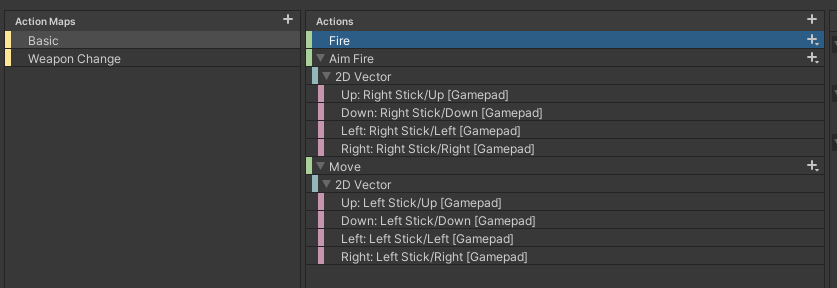
Unity Forum
Hello,
I want to use both sticks on gamepad. But I got surprised, that my gamepad is recognized as joystick (MSI GC30), as there can be problem with...
astral flicker
I actually hadn't noticed. I added his code to my assets folder but no StickComposite bind showed up, can you help me read his code to understand what it's supposed to do? It seems like it tries to register a new bind called StickComposite but I`m not sure how to use his class on the Input Action
I'm starting to think the reason is that since it's an cheap offbrand controller the right stick ins't actually the same input type as a ps4's right stick
spark pumice
astral flicker
I actually hadn't noticed. I added his code to my assets folder but no StickComp...
Just guessing here, but... when you add the StickComposite binding to your action, it should have a "horizontal" field and a "vertical" field (similar to the Up/Down/Left/Right of a 2D composite). In "horizontal" you should use the binding that you used for "right" in your old solution, and in "vertical" use the one you used for "down".
according to the forum threads they're likely something like <Joystick>/z and <Joystick>/rz
ocean shell
How would I take input from the right stick (the white image) and the buttons (fire and jump) at the same time?

 rapid saddle
I just started a new project and the input system namespace refuses to be detected in Visual Studio Code....
I've done some research, tried regenerating csproj files and also created an assembly reference and no luck. Any tips?
And yes I have the package installed.
hidden laurel
rapid saddle
I just started a new project and the input system namespace refuses to be detect...
When I tried it last week version 1.2.4 of the VS Code integration seemed to be broken in that way; reverting to 1.2.3 was the only solution I found.
(By editing manifest.json manually, since the Package Manager IDE doesn't give you the option to downgrade.)
 hallow flicker
I have an event listener to trigger a function. It has 2 bindings attached to it.
Both triggers fire off the Activatesavegamemenu function, however the line saveMenu.gameObject.SetActive(true) ONLY works with one of the bindings (the space key). No error is thrown, it just does not set that object active.
Can you see anything off in my setup?
void OnTriggerEnter(Collider collider)
    {
        playerControls = new PlayerControls();
        playerControls.Enable();
        if(collider.gameObject.tag == "Player")
        {
            playerControls.Actions.Actionbutton.performed += Activatesavegamemenu;
            Debug.Log("listening for action button...");
            sendDataToPlayerInfo();
        }
    }


    void Activatesavegamemenu(InputAction.CallbackContext context)
    {
        if(inventory.gameObject.activeSelf == false && saveMenu.gameObject.activeSelf == false)
        {
            saveMenu.gameObject.SetActive(true);
            Debug.Log("performed actionbutton while listening");
        }
    }

 dusk fox
is there an equivalent to Input.GetKey()? really struggling with this new system
austere grotto
dusk fox
is there an equivalent to Input.GetKey()? really struggling with this new system
Keyboard.current[Key.A].isPressed
dusk fox
omg tysm
austere grotto
Replace A with whatever key you want of course
dusk fox
yeah thanks
really appreciate it
there is like nothing online that i could find for it
austere grotto
It's all in the docs
dusk fox
yeah i was reading them but i couldn't find it
austere grotto
dumb question but did you hit the play button?
Also you really need to configure your IDE
See how it says Miscellaneous files?
#854851968446365696 See the section on IDE Configuration
it will give you error checking and autocomplete inside Visual Studio
it won't fix your movement problem, it will make it a lot easier for you to write code.
do you have any errors in your console
you need to make your mesh collider(s) convex
or better yet- for a humanoid character, you build the collider up out of primitves like capsules, spheres, and boxes
you can but it isn't going to work if/when you animate your character
the collider will not animate with it
it would be too computationally expensive
but to use a Rigidbody, you need to either be using primitive colliders or a convex mesh collider
right now your mesh collider is not convex
it's a checkbox
on the MeshCollider
your man
yes you do
it's on one of the child objects
probably "Body_Mesh"
uhh
can you type this in your hierarchy window? t: Collider
see which objects show up
also why do you have a broken script on Body_Mesh
remove that
what's the Capsule object? Is that part of the character?
 stable jacinth
Hi
I have a small question about new Input System. Everything is working fine and I really like it.
But I am not quite sure about how exactly I should use different Action Maps.
For example I have Player action map and UI action map. Where should I create the instance of general InputActions class?
I can create it inside PlayerController to listen for the Player map inputs. But inside this instance also will be UI action map. I'm not sure it should be here, inside Player. In this case I need to reference all my UI scripts to Player. I don't want to.
If I will create separate instance of InputActions for Player and separate for each UI - it doesn't make sense too, because in this case there will be a lot of instances with two action maps in each of them.
So the only way that I see it is to make InputActions as a Singleton outside the Player and all UI scripts. And everyone will go through static field to listen to the inputs. But. In this case I may have memory leaks if for example Player will subscribe for some inputs and then will be destroyed. Then the static instance of the Inputs will still have reference to Player class even though it was destroyed. (Of course I should always unsubscribe in OnDestroy method but this is error prone I think).
So how do you use these Actions Maps for different things?
hidden laurel
stable jacinth
Hi
I have a small question about new Input System. Everything is working fine a...
Do you actually need or want a general InputActions class? There's no requirement to have one, you can just define your input actions and actionmaps in an asset and reference them from there, if that would fit your design better.
stable jacinth
hidden laurel
Do you actually need or want a general InputActions class? There's no requiremen...
Oh, you mean that I can take a reference to the asset itself and do not creat the instances of Inputs inside my own classes?
I didn't think it's possible.
I will try it tomorrow, thanks)
This still may have some troubles with destroyed objects that forgot to unsubscribe I think. I will check it.
cursive trout
When a control is triggered from a Vector2 composite action binding with another control already performed (but not cancelled), the input system is shorting out the first input and immediately cancelling the second one aswell (despite both still being pressed)
Is this intentional?
i.e. I have a WASD vector2 composite binding and I hold A
and then when I start simultaneously holding W, the A control is cancelled and the W control is also cancelled
basically when I hit any two of the keys it nullifies the movement
 crimson jacinth
Does anyone know who to use context.ReadValueAsButton() only once liked context.canceled?
hidden laurel
crimson jacinth
Does anyone know who to use context.ReadValueAsButton() only once liked context....
Are you looking for context.performed? If the input is an axis rather than a button you may need to set up a Press interaction on it.
crimson jacinth
hidden laurel
Are you looking for `context.performed`? If the input is an axis rather than a b...
isn't context always true while the button is pressed?
hidden laurel
crimson jacinth
isn't context always true while the button is pressed?
It should depend on the type of interaction that's set up on the action, I believe; if the action has a "Press" interaction, "performed" should be triggered only when the button changes from unpressed to pressed. For a value interaction (which would be the default if the action is bound to an axis) I believe "performed" is triggered any time the value changes, which would happen a lot if the user is moving a control stick.
 modern oasis
Im using visual studio to script my .sc file from Unity. This is what i wanted when i open it

This is what i get

am i using the wrong environment? Im currently using Unity 2020.3.21f1.
deft berry
see #854851968446365696 for how to set up your IDE. also doesn't seem like an Input System issue
modern oasis
ah ok
modern oasis
deft berry
see <#854851968446365696> for how to set up your IDE. also doesn't seem like an ...
ive installed it manually so, but now i should install it through unity hub?
deft berry
there are instructions for how to configure it when you have installed it separately. follow those instructions
modern oasis
ah alright thank you
modern oasis
deft berry
see <#854851968446365696> for how to set up your IDE. also doesn't seem like an ...
managed to fix it. Thank you. it was the local packages, left it unchecks on unity
 haughty thorn
How do I check if the unity event got triggered by a gamepad binding or by a keyboard binding?
public void OnSomething(InputAction.CallbackContext context)
{
  if (context.BindingIsGamepad())
  {
    // Do gamepad stuff
  else
  {
    // Do keyboard stuff
  }
}
the callbackcontext contains the InputControl that was used
haughty thorn
@austere grotto that brings me closer yes 🙂
but still no clue how to know if Player/Attack[/DualShock4GamepadHID/rightTrigger] is a gamepad or not
using this seems to work: playerInput.currentControlScheme 😄
@austere grotto should I use context.performed or context.started?
austere grotto
haughty thorn
<@!179367739574583296> should I use context.performed or context.started?
Depends on what you're trying to do
 mild marsh
Hey, I set up an action for mouse click/touch, is there a way to get the click/touch position from the event?
(Without directly accessing Mouse for example)
austere grotto
mild marsh
Hey, I set up an action for mouse click/touch, is there a way to get the click/t...
You need to make a separate InputAction for pointer position and read the value of that inside the click handler code
mild marsh
You mean without hooking it up to an event right?
austere grotto
yes
mild marsh
Okay cool thanks!
austere grotto
you can just do pointerPositionAction.ReadValue<Vector2>() to get the mouse position whenever you want
mild marsh
Is there an alternative for OnMouseOver (and the like) or I'll need to do a custom check for mouse movement?
hidden laurel
The EventSystem pointer callbacks work with the new InputSystem, I think a lot of people just use those.
 analog jetty
i checked... there arent any errors on line 18652b5914b14e07a74076a4608f13e3 /s

my only believes have to do with ViewportPointToRay() -which im calling every frame, this error appears practically every frame-
austere grotto
analog jetty
i checked... there arent any errors on line 18652b5914b14e07a74076a4608f13e3 /s
This error is because you are using StandaloneInputModule with the new input system
you need to switch it to the Input System UI Input Module
It's a component on your EventSystem GameObject
analog jetty
austere grotto
This error is because you are using StandaloneInputModule with the new input sys...
the error is in a CORE UNITY FILE unity is the one calling it
austere grotto
analog jetty
the error is in a **CORE UNITY FILE** unity is the one calling it
I'm aware
Note that the core unity file calling it is the StandaloneInputModule
YOu need to replace it with the Input System UI Input Module
Trust me I've seen this like 100 times
There's a button on your StandaloneINputModule to upgrade it automatically
you need only to click it
analog jetty
oh
ill go find that than...
cant find button
where is it? im not comfortable with this tool yet
austere grotto
analog jetty
*cant find button*
where is it? im not comfortable with this tool yet
in your scene hierarchy is there an object called Event System?
 analog jetty
austere grotto
yes
analog jetty
austere grotto
yes
Thanks! ill be sure to do this in the future...
 worthy mauve
   Debug.Log(device.description.deviceClass);
        if (device.description.deviceClass != "Gamepad" && device.description.deviceClass != "Keyboard") return;
how would I check if the device class is a "gamepad"?
printing out device.description.deviceClass for my xbox controller prints out ""
just want to make sure the user is either on a keyboard or a gamepad
 analog raft
idk if this will help but i rewreted every single PS4 Button on the controller With number's
0 - R1
1 - R2
2 - L1
3 - L2
4 - X
5 - O
6 - [Trinagle]
7 - [Square]
8 - Left Movement Steering
9 - Right Movement Steering
10 - Up Movement Steering
11 - Down Movement Steering
12 - Left Arrows
13 - Right Arrows
14 - Up Arrows
15 - Down Arrows
16 - Opitions
17 - Share
18 - PS4
19 - Pad
20 - Left Pad
21 - Right Pad
22 - Up Pad
23 - Down Pad
24 - Left Looking Steering
25 - Right Looking Steering
26 - Up Looking Steering
27 - Down Looking Steering
Here
It may help idk
 jagged urchin
Hello, I'm new to unity, and I'm confused about how to use the input systems and actions.
Looking into tutorials and docs, like this one: https://docs.unity3d.com/Packages/com.unity.inputsystem@1.2/manual/QuickStartGuide.html
They import a UnityEngine.InputSystem library, however, when I do that myself, my code does not recognize the library, moreorver, the library is not stated in the scripting api https://docs.unity3d.com/ScriptReference/index.html
So it looks like all the tutorials I came across are outdated ?
I can't even create Input Actions, the option doesn't appear
hidden laurel
jagged urchin
Hello, I'm new to unity, and I'm confused about how to use the input systems and...
The new InputSystem is an optional "package", so Unity doesn't include it in projects automatically; you have to add it to your project using the PackageManager (see the "Installation" link at the top of that QuickStartGuide). That's also why it's not in the main scripting API docs; packages have their own sets of docs (which is where you found that quick start guide).
1.2 is the latest version of the InputSystem, so that Quick Start Guide should be fully up-to-date.
worthy mauve
analog raft
idk if this will help but i rewreted every single PS4 Button on the controller W...
thanks, think I'm more or less looking for a way to tell if the device is a controller or not. But very much appreciated. ^_^
analog jetty
when using an android(tv) device, along with the new input sytem, my game cannot access/use my ds4... anything im missing?
austere grotto
I would be extremely surprised if you could use a DS4 on a TV
but maybe I'm out of the loop
hidden laurel
Strangely the bluetooth dualshocks have historically worked pretty well with Android, often having better compatibility than dedicated third party android controllers?
But yeah, it's still Android so whether any combination of controller hardware and software works still feels like it's up to luck.
jagged urchin
hidden laurel
The new InputSystem is an optional "package", so Unity doesn't include it in pro...
tysm that makes sense, and it works now
analog jetty
austere grotto
I would be extremely surprised if you could use a DS4 on a TV
The tv is Sony brand… has special support for dual shocks specifically
austere grotto
analog jetty
The tv is Sony brand… has special support for dual shocks specifically
you're making a game that works specifically on a single branded TV model?
analog jetty
austere grotto
you're making a game that works specifically on a single branded TV model?
Yep
It’s less of a game… and more of me screwing around in the engine to see what I can do on of those things was porting, since I don’t have the licenses for a console, a Mac to build for iOS, or an android device at the moment… it’s one of the few I can port… oddly specific tbh
austere grotto
I see
Well good luck with it. Input System definitely has weird kinks with stuff like this still
Wish i knew more
analog jetty
Maybe I’ll try walking back to the old one… see if it’s unity, the device, or them intefacing.
austere grotto
analog jetty
Maybe I’ll try walking back to the old one… see if it’s unity, the device, or th...
You can always set Active Input Handling to Both for a bit
that will let you test this particular thing out without breaking the entire rest of the project
analog jetty
austere grotto
that will let you test this particular thing out without breaking the entire res...
Okie cool, will try that
Thx!
 main basin
I have a mouse related issue. Unity doesnt seem to be recieving/reading inputs from my mouse, I had checked the input debugger and it says that the mouse is disabled, force enabling it however still doesnt resgister any inputs... Im not sure what else I can try here. Does anyone have any pointers?
I think it might be related to me updating the engine version to the latest 2021.2 build (not beta), but I don't know how
weirdly enough, another project that uses the same input system made it through the transition painlessly, and it reads mouse input without issue, still producing readouts even when not in scene simulation mode
main basin
I deleted the library folder and it works again... guess should just make a habit of deleting those before anything else lol
 pliant copper
Hey, I'm using the new Unity input system to create a top-down controller than can be played with both a keyboard and a controller.
The movement works perfectly fine with the keyboard when the controller is unplugged, but when I plug the controller in, the movement on the keyboard starts to behave weirdly. It doesn't completely stop working, but it does only move for 1 frame. The controller works regardless of whether the keyboard is plugged in or not, so it seems to be a problem with just the keyboard.
Here is the link to my movement script: https://www.toptal.com/developers/hastebin/uhaposerah.csharp
I'll attach images of both my input action setup and my Player Input component setup. Can anyone help me figure out what's wrong?

 austere grotto
pliant copper
Hey, I'm using the new Unity input system to create a top-down controller than c...
austere grotto
pliant copper
Hey, I'm using the new Unity input system to create a top-down controller than c...
might be related to use of Pass Through
how's your code look
pliant copper
Switching from passthrough to value helped. Thanks! However, now I have a new problem with aiming. I excluded aiming from the script that I attached for simplicity. It seems that aiming with the mouse only works with passthrough, but aiming with the controller only works with value. Is there a way for me to use passthrough for one scheme and value for the other while maintaining 1 action?
austere grotto
pliant copper
Switching from passthrough to value helped. Thanks! However, now I have a new pr...
Probably better to just figure out why your aiming is only working with passthrough
it's likely just a code issue
and/or action setup issue
pliant copper
austere grotto
Probably better to just figure out why your aiming is only working with passthro...
I'm fairly new to the input system, so I'm not really sure what to look for in regards to that. Could you look through my aiming function and see if you can find anything? I can also show you other things from the action setup if needed.
https://www.toptal.com/developers/hastebin/edupivatid.java
austere grotto
pliant copper
I'm fairly new to the input system, so I'm not really sure what to look for in r...
what kind of game is this