#🖱️┃input-system
1 messages · Page 49 of 1
 glossy mesa
Although it's in the git repo... But the repo is not formed for using as a dependency
 hazy jetty
hi friends
i am using the new input settings
yet get this:

i don't understand, i did check project settings too
 austere grotto
hazy jetty
i don't understand, i did check project settings too
austere grotto
hazy jetty
i don't understand, i did check project settings too
Click on your event system
(which the error is highlighting in your hierarchy)
then press the button on the Input Module to upgrade it to the Input System version
hazy jetty
thanks
 random pawn
I'm switching from old input system to new one. But I cannot find a way to smooth the input movement. In 2019 there was no way to do so: https://forum.unity.com/threads/how-to-reproduce-the-standard-input-getaxis-horizontal-in-the-new-input-system.706562/#post-5051681

Unity Forum
How can I have the exact same values given by the Input.GetAxis("Horizontal") that every project has set up by default in Unity in the new Input...
 ancient berry
Is there a good channel in this server to receive advice/scripting help with ReWired?
austere grotto
this channel would be your best bet - but I believe ReWired probably has their own places
ancient berry
Well they have a documentation PDF but as far as I'm aware they don't have a forum/discord server
 unkempt oasis
If I want to have a character open a menu, but they could be flying or driving, how does that work with the action maps?
Seems like an InputActionReference only works if the correct map is active
Which implies I might have to duplicate a bunch of actions?
austere grotto
unkempt oasis
Seems like an InputActionReference only works if the correct map is active
Many ActionMaps can be enabled at the same time.
as many as you want in fact
no need for duplicate InputActions
unkempt oasis
Ooohhh. Okay, that changes things.
Ok, so instead of calling playerInput.SwitchCurrentActionMap(String) I'd call actionMap.Enable()?
austere grotto
unkempt oasis
Ok, so instead of calling `playerInput.SwitchCurrentActionMap(String)` I'd call ...
yeah
The PlayerInput component is its own thing
currentActionMap only being relevant for itself
austere grotto
unkempt oasis
Ooohhh. Okay, that changes things.
Note that the concept of "current action map" is local to PlayerInput. You can still freely enable and disable action maps directly on the actions asset. This property only tracks which action map has been enabled under the control of PlayerInput, i.e. either by means of defaultActionMap or by using SwitchCurrentActionMap(String).
unkempt oasis
Interesting. Thank you.
 terse salmon
Hello. How can I get mobile tilt value (accelerometer/gyroscope)? I tried sensor->accelerometer x/y/z and sensor->gyroscope x/y/z but I cant get it to work.
Anyone has a sample?
 short perch
The new input system confuses me, I had key field with an if statement and I dont know how to replace it in the new system
if (Input.GetKeyDown(key))
maybe?
if (Keyboard.current[key].isPressed)
austere grotto
short perch
maybe?
```if (Keyboard.current[key].isPressed)```
if (Keyboard.current[key].wasPressedThisFrame)```no it's a new enum called Key
short perch
I know, i just meant are they are in the same order
God, relearning this XD
mouse positions?
Input.mousePosition.x
austere grotto
Vector2 mousePos = Mouse.current.position.ReadValue();```Uh. What. I clicked out of the game to modify a float in the editor, for the new character controller I'm writing and it disabled all of my actions?
austere grotto
unkempt oasis
Uh. What. I clicked out of the game to modify a float in the editor, for the new...
click the game window again/
unkempt oasis
Yeah weirdly isn't reenabling again
unkempt oasis
Wait a sec, it only happens if I modify that component, the character controller with it's references to InputActionAsset and etc.
And.. it's inconsistent? Every action is listed as disabled, the action.ReadValue doesn't work but the spacebar jump does. I'm about to start day drinking and uninstalling things.
austere grotto
This function will be called with false as the parameter when it is released
If you are brand new to Unity I recommend using the old input system. It's easier to learn
 west oracle
for super-super new people, sometimes its still better to just use the device-context and ignore Actions altogether
ie:
Gamepad.current.buttonSouth.wasPressedThisFrame
 torn escarp
how can i check the current state of an action inside of the update method?
austere grotto
torn escarp
how can i check the current state of an action inside of the update method?
theAction.ReadValue<whateverType>()```or cs theAction.phase
whichever you're interested in
torn escarp
austere grotto
```cs
theAction.ReadValue<whateverType>()```
so right now if i had controls.Player.Movement.performed += ctx => Move(ctx.ReadValue<Vector2>()); i could get that same value with controls.Player.Movement.ReadValue<Vector2>(), right?
austere grotto
torn escarp
so right now if i had `controls.Player.Movement.performed += ctx => Move(ctx.Rea...
yes
torn escarp
austere grotto
yes
is it fine to put this into fixedupdate or should i still only be checking for things in udpate?
austere grotto
torn escarp
is it fine to put this into fixedupdate or should i still only be checking for t...
by default the input system processes things once per frame.
For reading a continuous value like the position of a joystick in order to process it in FixedUpdate it's fine to read it in FixedUpdate.
If it's something like a button where it's a one-time event, you should only read it in Update
austere grotto
I guess inputs.interact is false then
but define "not working" is the if statement just not being entered or are you getting an error?
 sullen lintel
but for some reason not on this raycast hit
my input panel looks like this
interact is when i hit E button
weird now its just returning a bunch of NullReferenceException: Object reference not set to an instance of an object
austere grotto
sullen lintel
weird now its just returning a bunch of NullReferenceException: Object reference...
if it's on that same line then either:
- your raycast didn't hit anything and you're not checking for that
inputsis null which means you didn't assign a reference to it properly
if your raycast didn't hit anything then raycastHit.collider will be null
and trying to get .tag of that will cause an error
just an optimization tip:
Collider c = raycastHit.collider;
if (c != null) {
  if (c.CompareTag("Panel")) {

  }
  else if (c.CompareTag("WrenchPickup")) {

  }
  // ETC
Yes. Checkout the input system examples from package manager
 regal crown
When i set my PlayerInput Components Behaviour to "Send Message", how can I achieve an event that gets fired when a button is released (GetButtonUp)?


Something like this
 austere grotto
regal crown
When i set my PlayerInput Components Behaviour to "Send Message", how can I achi...
austere grotto
regal crown
When i set my PlayerInput Components Behaviour to "Send Message", how can I achi...
OnJump(InputAction.CallbackContex context) {
  if (context.started) {
    // jump was first pressed
  }
  else if (context.canceled) {
    // jump was released
  }
}```

 chrome walrus
Wha tline is the error
austere grotto
my bad I guess you can't use callback contexts with SendMessage mode?
I would probably just avoid SendMessages mode if you need complexity like detecting the release of the button
use UnityEvents mode or C# events mode
regal crown
ok thx
 hushed coral
anybody know how i can check if a mousebutton is currently held down?
it doesn't has a value so things like ReadValue<Vector2>() doesn't work?
i tried .triggered but that only works for one frame
or i am stupid ._.'
 fluid lotus
Anyone used the PlayerInputManager’s join players manually option? Trying to join players to specific control layouts (having 2 players on one keyboard, so one layout on WASD, one on arrows)
austere grotto
hushed coral
anybody know how i can check if a mousebutton is currently held down?
a mouse button would typically not be bound to a Vector2 control
It would be a float control
ReadValue does work
hushed coral
austere grotto
a mouse button would typically not be bound to a Vector2 control
nono the vector2 was from my movement, just was an example that read works when my binding looks like this:

but not when i have this:

because Actuon Type button does not have any values i can read
austere grotto
ReadValue<float> works
hushed coral
:I
so i was an idiot
i thought it was a bool >.>
but i also found another solution just after typing my question so if i wanna check if a mouse button is pressed i can use both of this:

they both seem to work
not sure what / if there is a difference tho
 frigid ridge
You might wanna look into ReadAsButton or something similar. I think there are more caveats to using the raw value
 shrewd perch
I am trying to rotate the player towards the cursor in a topdown 3d game and I used this code (from 2014) and the rotation is lacking behind the cursor
Vector3 pos = Camera.main.WorldToScreenPoint(transform.position); Vector3 dir = Input.mousePosition - pos; float angle = Mathf.Atan2(dir.y, dir.x) * Mathf.Rad2Deg; transform.rotation = Quaternion.AngleAxis(angle, Vector3.forward);
how do I make it right towards the cursor
should I just use a different method?
austere grotto
shrewd perch
I am trying to rotate the player towards the cursor in a topdown 3d game and I u...
This technique only works for a 2D game with an orthographic camera
shrewd perch
ah ok
austere grotto
You should use Plane.Raycast to get the world position of the mouse
austere grotto
e.g. create a Plane (in code, not the gameobject thing) that matches the surface of your world, and do Plane.Raycast with it using Camera.ScreenPointToRay
shrewd perch
thanks
 thorny gorge
Hey, I'm trying to set up a menu inside of a Scroll View with the new input system but I'm having issues with anything inside the scroll view that blocks raycasts will block scroll events
Is there a way to let those pass through
If I flip the order of the objects in the editor, the opposite issue happens where the scroll view blocks all events
Removed raycast target on the viewport and created a canvas group attached to the scroll view, the scroll view didn't capture scroll events
 fervent hamlet
right now i'd like to make a sort of charge up mechanic in the new input system, where if you hold down a button, for example the A button on an Xbox controller it'll start charging up an attack. I already have the attack working, but how would I do the chargeup?
austere grotto
fervent hamlet
right now i'd like to make a sort of charge up mechanic in the new input system,...
start charging when the button is first pressed. when it is released, check how long it has been charging for.
 dense spoke
Hi Guys!
On Android I have a UI Button and an Input. When I press the Input the keyboard appears and I can write, but when I finished I try to press the UI button and what I get is the keyboard disappearing but the UI Button is not pressed. I want the keyboard disappearing and the button pressed also. Someone has had the same issue??
Many Thanks!!
fervent hamlet
austere grotto
start charging when the button is first pressed. when it is released, check how ...
alright, i’ll try it. thanks
 tame oracle
problem solved,
tame oracle
but now i have another problem.. I dont know how to map my new input system to the old code, I used to put my functions in the update method... now I dont know what to do
west oracle

Unity Forum
Decided to make a few of these to help folks that are new, or struggling (as I did) to move from the Old Input Manager to the New Input System.
Hope...
tame oracle
west oracle
<@456226577798135808> https://forum.unity.com/threads/best-practices-getting-sta...
thank you!
 pulsar basalt
why do my controls not work when exporting the project?
west oracle
pulsar basalt
why do my controls not work when exporting the project?
What are "My Controls" ?
What are you exporting to?
What devices or inputs?
pulsar basalt
controls are the default input manager

exporting to windows , just keyboard and mouse
it works fine in the game view in unity
but when exported only mouse wroks
west oracle
is the game window focused? (ie: you clicked on it)
pulsar basalt
yea
pulsar basalt
where do I find that?
west oracle
 cyan shoal
hey, so
i got a problem with the unity input system package
everythig is set up, theres no compiler errors, but half the mapped keys and buttons just dont work and theres even one that triggers a different action than the one mapped
i mapped everything like this

and the relevant code i use is
using System.Collections;
using System.Collections.Generic;
using UnityEngine;
using UnityEngine.InputSystem;

public class PlayerMovement : MonoBehaviour
{
    bool GetJump = false;
    bool GetThrow = false;
    bool GetDash = false;

    private void Awake()
    {
        controls = new PlayerInput();
        controls.PlayerControls.Movement.performed += ctx => movement = new Vector2(Mathf.Sign(ctx.ReadValue<Vector2>().x), Mathf.Sign(ctx.ReadValue<Vector2>().y));
        controls.PlayerControls.Movement.performed += ctx => movement = Vector2.zero;

        controls.PlayerControls.Jump.performed += ctx => GetJump = true;
        controls.PlayerControls.Jump.canceled += ctx => GetJump = false;

        controls.PlayerControls.Throw.performed += ctx => GetJump = true;
        controls.PlayerControls.Throw.canceled += ctx => GetJump = false;

        controls.PlayerControls.Dive.performed += ctx => GetDash = true;
        controls.PlayerControls.Dive.canceled += ctx => GetDash = false;
    }
}```(i use those bools to adapt it to my old code, written and planned for the default unity input, if theres a better way to do this, info would also be appreciated)
so well
for some reason, only space, Lshift and Lcontrol work, and Lshift is also triggering the Jump instead of the Throw
i have no clue what im doing wrong and i have been trying to solve it all day without any advancements whatsoever
send help
austere grotto
cyan shoal
and the relevant code i use is
```cs
using System.Collections;
using System.Coll...
I don't see controls.Enable(); anywhere?
Also I'm not exactly sure how the "Analog" mode works for the composite
Also both Throw and Jump seem to be mapped too your GetJump variable so does that explain the "different action being triggered" bit?
cyan shoal
austere grotto
I don't see `controls.Enable();` anywhere?
oh yeah i forgot to add it in this code block, but it is in the project
cyan shoal
austere grotto
Also I'm not exactly sure how the "Analog" mode works for the composite
and i changed that later back to the default, but its on the screenshot. I was randomly trying out other options to see if they might work
cyan shoal
austere grotto
Also both Throw and Jump seem to be mapped too your GetJump variable so does tha...
and damn, right. i copied and pasted the code from one part to the other and forgot to change that
alright, just fixed that up and i noticed why the movement didnt work at all
i once again copied the code without modifying it and it was always zero
thanks for getting my gears turning, PraetorBlue
tame oracle
with the new input system, the event system updates, but how do I put my new controls into it, because I dont know if the default values include keyboard, joystick , gamepad .... etc, so how do I edit it to work with what I have made in my input
 austere grotto
tame oracle
with the new input system, the event system updates, but how do I put my new con...
austere grotto
tame oracle
with the new input system, the event system updates, but how do I put my new con...
if you want you can click on the DefaultInputActions asset that's there and see how they set it up
Generally the DefaultInputActions is pretty good for the UI though
If you want, you can duplicate it and modify.
tame oracle
austere grotto
Generally the DefaultInputActions is pretty good for the UI though
Sorry I dozed off
Anyway.. I tried but it gives me the name of the action that I made which is a vector 2 without asking for directions (left right up down) something seems to be missing, and I am not done putting the new input system into the code so if anything is wrong it'll probably be me
austere grotto
tame oracle
Sorry I dozed off
Anyway.. I tried but it gives me the name of the action that I...
It doesn't need to ask for directions
it knows Move is a Vector2
tame oracle
austere grotto
it knows Move is a Vector2
I will try it thank you for help
pulsar basalt
for 2019.4.8f do I need to reference using UnityEngine.InputSystem; or no?
because it doesnt see it as a valid name space

 feral jackal
pulsar basalt
for 2019.4.8f do I need to reference `using UnityEngine.InputSystem;` or no?
feral jackal
pulsar basalt
for 2019.4.8f do I need to reference `using UnityEngine.InputSystem;` or no?
no
 rocky bison
I want to make it so that when I am holding a UI button (In my case the shoot button), the touchfield should work, i.e. we should be able to look around in the view. I can do that seperately, meaning if I hold down the shoot button with a finger, and drag to look around with another, but that isn't convenient. Besides many mobile games these days have it that way. How can I do that?
PS : Am using PointerDown and up events
I don't make mobile games at all, decided to try it out, am a bit stuck with controls. Ping if this gets resolved, thanks
austere grotto
pulsar basalt
for 2019.4.8f do I need to reference `using UnityEngine.InputSystem;` or no?
You need to install the Input System package first, and then yes, you need to have a using directive for it as well because all of the classes are in that namespace
 lime temple
does anyone know how to get joycon controllers working in unity?
i tried this github repo: https://github.com/Looking-Glass/JoyconLib

GitHub
Joy-Con library for Unity. Contribute to Looking-Glass/JoyconLib development by creating an account on GitHub.
but one of the scripts is missing
actually it looks like all of the scripts are missing
oh nvm. why did they put the scripts in packages instead of assets?
austere grotto
lime temple
oh nvm. why did they put the scripts in packages instead of assets?
it's set up as a UPM package
lime temple
what's that?
austere grotto
no idea, you didn't mention that
but the appropriate way to install this package would be like https://docs.unity3d.com/Manual/upm-git.html#subfolder
using this subfolder https://github.com/Looking-Glass/JoyconLib/tree/master/Packages/com.lookingglass.joyconlib
GitHub
Joy-Con library for Unity. Contribute to Looking-Glass/JoyconLib development by creating an account on GitHub.
lime temple
all of the objects in the demo scene are missing their scripts
wait so
download the subfolder? but it's already part of the repo
lime temple
oh do I need to be on git command line for this?
austere grotto
no
add that line (with the right url etc) to your packages.json or add it via the package manager ui with "add by git url"
austere grotto
did you use the subfolder syntax like it shows in the link I sent?
lime temple
I have to add ?path=/subfolder to the end?
or .git and then that?
I'm sorry, i'm really new at github
so the documentation doesn't make a lot of sense to me
lime temple
austere grotto
did you use the subfolder syntax like it shows in the link I sent?
alright this time I swear I followed the documentation's syntax exactly.
"com.lookingglass.joyconlib": "git@lookingglass.github.com:JoyconLib/com.lookingglass.JoyconLib.git"

wait is that the dependency syntax?
oh nvm, the ssh syntax didn't work either:
"com.lookingglass.joyconlib": "ssh://git@lookingglass.github.com:JoyconLib/com.lookingglass.JoyconLib.git"
austere grotto
lime temple
oh nvm, the ssh syntax didn't work either:
```"com.lookingglass.joyconlib": "ssh...
missing the subfolder syntax
no?
?path=/subfolder2/subfolder3``` manic dirge
How do I make a 2D Axis?
 austere grotto
manic dirge
How do I make a 2D Axis?
austere grotto
manic dirge
How do I make a 2D Axis?
Need to set up your action as Value/Vector2
manic dirge
Thank you! :D
 tame oracle
my question is what's the difference between making an Rstick Vector 2 composite and using the right stick on the gamepad without the composite, is one better than the other? or one is wrong and one is right?
thank you
 austere grotto
tame oracle
my question is what's the difference between making an Rstick Vector 2 composite...
austere grotto
tame oracle
my question is what's the difference between making an Rstick Vector 2 composite...
use the composite. It's just simpler
lime temple
austere grotto
missing the subfolder syntax
ok so it should be this then:
"com.lookingglass.joyconlib": "git@lookingglass.github.com:JoyconLib/com.lookingglass.JoyconLib.git?path=/tree/master/Packages/com.lookingglass.joyconlib"
but that didn't work either
tame oracle
austere grotto
use the composite. It's just simpler
Thank you
 ebon bronze
So I have a class that has a custom PlayerInputActions object.
public class RootObject : MonoBehavior
{
  [SerializeField]
  private PlayerInputActions _input
}
And then the PlayerInputActions
[Serializable]
pubic class PlayerInputActions : MonoBehavior
{
        [SerializeField]
        private InputActionAsset _actionAsset;
        private PlayerInput _playerInput;

        private void Start()
        {
            _playerInput = gameObject.AddComponent<UnityEngine.InputSystem.PlayerInput>();
            _playerInput.actions = _actionAsset;
            _playerInput.notificationBehavior = PlayerNotifications.BroadcastMessages;
            _playerInput.ActivateInput();
        }
}
So you can see what I am trying to do here. I want a class the manages the input using Unitys new input system
The issue is that I don't think having a field object that extends MonoBehavior is valid, so I am not sure what approach I can take here to implement a custom input class that receives the broadcast input events/
Because PlayerInputActions extends MonoBehavior, it won't let me serialize the fields and instead just makes the entire class the serialized field (that is, I can't drag and drop as asset to the _actionAsset field)
austere grotto
ebon bronze
The issue is that I don't think having a field object that extends `MonoBehavior...
Have you simply misspelled MonoBehaviour?
I'm a bit confused as to what the goal is here
ebon bronze
oh I just typed it wrong. Its all correct in my code, but I think I solved my issue. You have to AddComponent any fields that extend monobehvior, otherwise you can just do new Object
austere grotto
Is there a reason you can't just set the PlayerInput component up directly on the object in the editor instead of adding it with AddComponent and manually setting up the actions reference?
 drowsy skiff
When I am listening with Invoke Unity Event for a certain keybind being "started" (not performed) with OnPrimaryLeft(InputAction.CallbackContext context) then why does it run context.started once then never again?
I am trying to make it be holdable.
It's basically like this.
 austere grotto
drowsy skiff
When I am listening with `Invoke Unity Event` for a certain keybind being "start...
austere grotto
drowsy skiff
When I am listening with `Invoke Unity Event` for a certain keybind being "start...
Started is exactly that - when you start pressing it
You won't see started again until you release and press it again
drowsy skiff
austere grotto
You won't see started again until you release and press it again
Huh. Well crap.. I'm stupid, thanks.
Alright, now I am confused. I am trying to make it send an event when it's been pressed, when it's still being pressed (held), then it's been let go. all on a key on the keyboard. how do I do that
ebon bronze
the return value on the callback is 1 if you press and 0 if you let go
so basically anything after it returns 1 is holding until it returns 0
you can also set the interaction on a key to hold and set a custom hold time so it returns 0 if you dont hold a key long enough and only returns 1 if the key is held down long enough
drowsy skiff
ebon bronze
the return value on the callback is 1 if you press and 0 if you let go
How do I get the value exactly?
ebon bronze
here is an example. The value depends on what type of value the certain input returns, but for buttons that usually just floats or ints
        private void OnMoveUpAction(InputValue val)
        {
            Debug.Log("Moving Up");
            Debug.Log(val.Get<float>()); // prints 1 on key down and 0 on key up
        }
So am I gonna have to change my functions to utilize SendMessages from the Input Module?
ebon bronze
im sure theres a way to access the value from the callback you use. But the docs are incomplete right now, its more like a tutorial so I am not sure
try
        private void OnMoveUpAction(InputAction.CallbackContext context)
        {
            var action = context.action;
            Debug.Log("Moving Up");
            Debug.Log(action.ReadValue<float>()); // prints 1 on key down and 0 on key up
        }
based on the docs this is how i think its done
drowsy skiff
I'll give it a shot
ebon bronze
seems like you can access duration (hold down duration) directly from the context context.duration and then you read the value from context.action property.
 keen mauve
You can call ReadValue directly on the context
drowsy skiff
Alright so I got it to work the way I want it to, thanks y'all!
But now something else strange appeared... In the Editor, the UI Buttons work well, however when I compile the game and try to use the buttons on the Main Menu, the buttons activate then the game softlocks. All other buttons are not clickable and the button that was clicked, stays clicked and doesn't perform the action it's supposed to.
keen mauve
Execution halting suggests an exception, are you able to attach a debugger?
drowsy skiff
I know Visual Studio Community Edit. can attach to standalone, right? Not sure about JetBrains Rider, that's my primary IDE.
 lyric steeple
Why when i generate C# code it gives me
Assets\PlayerActions.cs(165,19): error CS0542: 'PlayerActions': member names cannot be the same as their enclosing type
i get that its the same names but why the generating code would do such a error
oh this message also
Assets\PlayerActions.cs(167,32): error CS0523: Struct member 'PlayerActions.PlayerActions.m_Wrapper' of type 'PlayerActions.PlayerActions' causes a cycle in the struct layout
austere grotto
lyric steeple
Why when i generate C# code it gives me
``` Assets\PlayerActions.cs(165,19): er...
Just... don't use that name
for your InputActionsAsset
lyric steeple
Ok so thats normal i guess...
 tired scroll
I have a canvas that I added some buttons to. When I move the laser pointer over it they don't change to the highlighted color. I have no idea how to debug this.
[3:13 PM]
I searched the internet and can't find any answer there. I did add UIHelpers which has "EventSystem" which I assume would handle the event, but I am not sure how.
tame oracle
question what's the equivalent of getaxisraw for mouse ... making it digital normalized or do we need to add something in interactions or processors
 austere grotto
tame oracle
question what's the equivalent of getaxisraw for mouse ... making it digital nor...
austere grotto
tame oracle
question what's the equivalent of getaxisraw for mouse ... making it digital nor...
none of the above
Set it like this

With the action like this:

i.e. - use a normal binding - not a Vector2 composite
there is no smoothing in the new input system so it's always like GetAxisRaw instead of GetAxis
tame oracle
austere grotto
i.e. - use a normal binding - not a Vector2 composite
I only want get axis raw, so I will do as you told me, but another question... Do I need to make the same for the game pad left and right stick?
Also thank you for the response
 jade aspen
anyone know how to get the new input system to work?
https://www.youtube.com/watch?v=5tOOstXaIKE
followed this in my own project and its not working

In this video, we are showing you how to create a cross-platform character controller using Unity's Input System!
Download this project here:
https://on.unity.com/39WT0iv
For more information about the Input System - click here!
https://on.unity.com/2MJnzj2
Chapters:
00:00 Intro
00:29 Input Manager
01:10 Installing the package
01:34 Using th...
debugging isnt helping either
jade aspen
should I just go back to the old input system?
 deft marsh
Hey guys, I've been trying to learn how to use the newer Input system - And from what I can tell, the input system for some reason interacts fine with Screen Space -Overlay canvases with buttons on, but not with Screen Space - Camera ones? Am I doing something wrong here?
Never mind - Sort of solved it myself by seperating the buttons onto a seperate screen space overlay canvas. Means the buttons aren't affected by the lighting like the rest of the menu, but at least it functions.
sullen lintel
jade aspen
anyone know how to get the new input system to work?
https://www.youtube.com/wat...
What do you mean "it isn't working"
tame oracle
how do you take the mousewheel input into the new input system... i can't find it on mouse controllers
lyric steeple
How to get mouse x and y ?
or better how to transform Mouse.current.delta to vector2 ?
austere grotto
lyric steeple
or better how to transform Mouse.current.delta to vector2 ?
Mouse.current.delta.ReadValue()```@sullen lintel as in I have the system wired in as shown, but the input is not firing any unity events.
I should have explained it better
but I kinda got sick of the input system by the time I posted that
just wanted to do some coding on a personal project in my free time and wasted it all on this input system instead of making any progress.
just yea, its frustrating.
sullen lintel
jade aspen
<@!286722279969259520> as in I have the system wired in as shown, but the input ...
i hear ya its a bit more complex and gotta keep looking at references , but wanted to mention you can use both systems on the same project so one can be for testing and then take your time slowly implementing the other
@jade aspen
 sullen lintel
np
tame oracle
how do you take the mousewheel input into the new input system... there's no choice in the button configration ... should I change that
 tame oracle
sullen lintel
tame oracle
sullen lintel
How did you get it 💀💀 I can't get my mouse scroll into the controls
tame oracle
Yes... Keep going
tame oracle
sullen lintel
use that binding and get a vector2 i think?
The thing is.. I think I need a button or something
In the properties I mean
sullen lintel
tame oracle
The thing is.. I think I need a button or something
i dont get what you mean, like a touch?
do you understand the minimal of the input system first ?
tame oracle
sullen lintel
i dont get what you mean, like a touch?
No but I think I got an idea.. I'll try and show it when I'm done
tame oracle
sullen lintel
do you understand the minimal of the input system first ?
I have used the system, did movement and looking and a couple of things more
sullen lintel
so you use a vector2 then its the same principle
tame oracle
Thanks
sullen lintel
tame oracle
Thanks
glossy mesa
Is there any easy way to toggle an action to "always held" in the input manager? We're playing around with a few input experiments that have different "always on" options, and I'm hoping it's possible to express it all through input config.
 summer skiff
Hello! I have a pretty straightforward PlayerInput script, that checks if a keyboard button was pressed and if it was, there is the PlayerMovement Script that handles movement:
        {
            isRightPressed = true;
        }
        else
        {
            isRightPressed = false;
        }```
```if (playerScript.inputScript.isRightPressed)
        {
            MovePlayerRight();
            anim.SetBool("isWalking", true);

        }```
Now let's say I want to make a mobile game with UI arrow buttons as movement controllers. I've been trying to use methods such as:
```public void PointerDownLeft()
    {
        isLeftPressed = true;
    }

    public void PointerUpLeft()
    {
        isLeftPressed = false;
    }```
In the PlayerInput script and using them in the Button Pointer Up/Down events, but this doesn't seem to work at all.Latest version of the package has a nicer interface...
        InputAction _jumpAction = null;
        InputAction _movementAction = null;
        InputAction _accelerateAction = null;
        InputAction _reverseAction = null;
        InputAction _fastFallAction = null;
        // ...

        private void Awake() {
            _jumpAction = map.FindAction("Jump", true);
            _movementAction = map.FindAction("Move", true);
            _accelerateAction = map.FindAction("Accelerate", true);
            _reverseAction = map.FindAction("Reverse", true);

// ...

        private void FixedUpdate() {
            _inputs.Move = _movementAction.ReadValue<Vector2>();
            _inputs.Accelerate = _accelerateAction.ReadValue<float>();
            _inputs.Reverse = _reverseAction.ReadValue<float>();
            _inputs.JumpPress = _jumpAction.WasPressedThisFrame();
It adds WasPressedThisFrame() WasReleasedThisFrame() etc
You can forget about that awful event system entirely.
austere grotto
glossy mesa
It adds `WasPressedThisFrame()` `WasReleasedThisFrame()` etc
ooh that's cool
glossy mesa
yes indeed
You need to grab latest preview package though
I haven't worked out how to list preview packages though...
Seems they've removed the ability to view all releases through the package manager? Dumb decision.
austere grotto
yes
er - at least they've removed preview packages
or reclassified the vast majority of them to not be in the Package Manager at all
idk
glossy mesa
austere grotto
or reclassified the vast majority of them to not be in the Package Manager at al...
isn't that bad though?
Because there's no online directory
So how are you meant to find them?
 glossy mesa
I mean I get it, but it's just annoying.
austere grotto
I'm not saying I agree with what they did
glossy mesa
It seems kind of unnecessary. If you don't understand what "preview" means then you're probably unlikely to ship a product that is going to suffer from preview packages. But whatever.
Guess they didn't want ppl complaining
Understandable
unkempt oasis
Well, probably helps if I keep the PlayerInput on the same object as the controller script that expects the messages
glossy mesa
How does the input system parse events during FixedUpdate? Does it run the polling on an alternate thread?
glossy mesa
Hm, so I'm using the PlayerInputManager and now it's binding multiple prefabs to the same input. i.e. I join my controller and then join keyboard, and now both keyboard and the gamepad are controlling the newly instantiated prefab.
Is this a setting I might have changed?
glossy mesa
Okay, digging into the source it looks like setting PlayerInput.actions doesn't actually set the asset properly, it does some crazy stuff.
        /// Note that every player will maintain a unique copy of the given actions such that
        /// each player receives an identical copy. When assigning the same actions to multiple players,
        /// the first player will use the given actions as is but any subsequent player will make a copy
        /// of the actions using <see cref="Object.Instantiate(Object)"/>.
Pretty baffling. If this is the case then what is the point of PlayerInput? Further investigation required.
tame oracle
guys, is there a way to get the input from mouse wheel as a button ... only tip i got useterday was to use value->axis from properties HOWEVER i want to map it to a button in the gamepad ... any help?
unkempt oasis
This is weird. if you're set to "All Control Schemes", was do I get less binding options than if I have a specific control scheme set?
glossy mesa
tame oracle
guys, is there a way to get the input from mouse wheel as a button ... only tip ...
What do you mean? You can map an input to an action. You can't map an input to another input.
hazy jetty
nm night
 spiral galleon
How can I get all active Action Maps? I can use InputSystem.ListEnabledActions() to get all Actions, but I need the map as well. I suppose I could brute force it by running through all the actions and getting the maps from each action, but I'd prefer not to.
tame oracle
i have an error at my script or unity i don t now, but when i press play mode button nothing is working, can someone help me please?

 fallen wasp

Does that checkmark mean that it is enabled?
Wait it is working now
I don't know what I did
hazy jetty
magic 😛
fallen wasp
Thanks anyway
 lavish prairie
Don't reply to that then.. seems like a useless ping, 2hrs after the question was asked
hazy jetty
Hi


no matter what i do, it won't rotate if i press B or A on my xbox controller :x
lavish prairie
Dig through the example project, learn how they do it
https://github.com/UnityTechnologies/InputSystem_Warriors

GitHub
Example Project for the new Unity Input System. Contribute to UnityTechnologies/InputSystem_Warriors development by creating an account on GitHub.
lavish prairie
not relevant
hazy jetty
ok
lavish prairie
Your problem is not knowing how to setup the new input system, sort that and you're probably good to go
 lavish prairie
it might be ok, it might give you console errors if anything has changed
lavish prairie
you can have more than one version of Unity installed
hazy jetty
yes but my goal isn't to clog my ssd to the brim with files
i dont want 8345252578 versions
lavish prairie
..
lavish prairie
you can have 2, then remove it once you've finished learning
 hazy jetty

this project is crap
now can i get REAL help?
:/
i will reload it later and try again
gotta do stupid non fun work from home stuff, bbl
 neat marten
hazy jetty
well that worked well LOL
neat marten
hazy jetty
well that worked well LOL
What do you mean? That it opened with an empty scene? You can open real scenes in Project tab
fallen wasp
What do I put here to detect mouse movement? I need it to rotate the camera (for my fps game)
 austere grotto
fallen wasp
What do I put here to detect mouse movement? I need it to rotate the camera (for...
austere grotto
fallen wasp
What do I put here to detect mouse movement? I need it to rotate the camera (for...
don't use a composite
just add a normal binding
fallen wasp
oh
austere grotto
and use mouse delta
fallen wasp
Do I still read it as a Vector2?
fallen wasp
austere grotto
and use mouse delta
?
austere grotto
fallen wasp
Do I still read it as a Vector2?
yes
fallen wasp
austere grotto
yes
Perfect. Thank you 🙏 🙏
hazy jetty

I GIVE UP
this github project blows
i did the EXACT version they used
2019.4.13f1
and it still wont open
now can someone give me actual help or is this a "GO TO GOOGLE" serveR?
 hollow cradle
Hello all! Anyone got some insight on getting Unity XR controls working with the Valve Index using the newer action based input?
I have the interaction profile for the Index along with the OpenXR and XR Interaction Toolkit. I also used the default actions from the XR samples to the controllers in the hierarchy, but I do not think I am getting any actions to work.
I attached a grabbable object script to a cube and still cannot grab it with grip on the the controller; other buttons/joystick do not seem to do anything either. I need to make a simple VR shooter game with homing bullets, manual reload gun, and scoring.
Any instruction or solid tutorial links would be appreciated!
tame oracle
glossy mesa
What do you mean? You can map an input to an action. You can't map an input to a...
that's not what I meant, I mean I have an action , I want (on the PC) to use the mouse wheel to do it, however if I use the game pad I want a button to do the exact action... how do i do that
 ruby hedge
I was wondering. How do I check what type of device is being used? More specificaly I want to know for example if a "XBox controller" is being used or if a "Playstation controller". Because I want to use different icons in my UI fir the different controllers.
frigid ridge
Don't remember specifically, but it's covered in the samples
ruby hedge
frigid ridge
Don't remember specifically, but it's covered in the samples
There is one for rebinding which has this. But that doesn't really tell me what it is actually doing. It is just 'magically' comparing against 'magic strings'. Like if I wanted to add one for the switch, or for a steam controller or something I would have no idea how.
 frigid ridge
https://docs.unity3d.com/Packages/com.unity.inputsystem@1.1/manual/Gamepad.html Class names probably work? You can probably find out the file where these are defined to get more exact data. Input debugger probably shows this stuff too
https://docs.unity3d.com/Packages/com.unity.inputsystem@1.1/manual/Layouts.html One of these layout formats is probably used for the built-in layouts
ruby hedge
frigid ridge
<https://docs.unity3d.com/Packages/com.unity.inputsystem@1.1/manual/Gamepad.html...
Interesting, thank you I will take a look at this more.
 civic solstice
Bit confused by the new system. How do I do the equivalent of Input.GetKey()? (As in, a button is being pressed and we're still checking if it's pressed each frame).
I'd like to have my character do something for as long as a button is held. Thanks in advance.
austere grotto
civic solstice
Bit confused by the new system. How do I do the equivalent of `Input.GetKey()`? ...
if you have an InputAction then you do:
action.ReadValue<float>() != 0```Or if you have InputSystem v 1.1+ you can do:
action.IsPressed()```Thanks, I'll give it a go! Do I have to define the actions as button, or value, or anything specific?
austere grotto
civic solstice
Thanks, I'll give it a go! Do I have to define the actions as button, or value, ...
Button should work fine
civic solstice
austere grotto
Button should work fine
Thanks, inputValue.isPressed seems to work. Do you know if there's a way to trigger when it's released too? My setup is:
private void OnKnifeEdgeLeft(InputValue inputValue)
{
        Debug.Log(inputValue.isPressed);
}

Otherwise I'm guessing I need a instance var that is false until OnKnifeEdgeLeft overrides it to be true
Ah bummer, it doesn't work as I thought actually. It only triggers every key press and not when held
sullen lintel
civic solstice
Ah bummer, it doesn't work as I thought actually. It only triggers every key pre...
if you using bools release key can be just an else statement
so if i got mine as cs public void JumpInput(bool newJumpState) { jump = newJumpState; }
austere grotto
civic solstice
Thanks, `inputValue.isPressed` seems to work. Do you know if there's a way to tr...
I thought you wanted to poll in update
civic solstice
Ah so instead of InputValue?
austere grotto
civic solstice
Ah bummer, it doesn't work as I thought actually. It only triggers every key pre...
You're using the PlayerInput component or something in Send Messages mode I guess?
If you want to poll things in update just get a reference to the InputAction and poll it
You can use InputActionReference to directly reference an input action from your InputActionsAsset
you don't need PlayerInput at all
especially if you just want to poll input in Update
civic solstice
Sorry let me explain better.
In Update I call a method that handles rotation stuff for my player
    private void Lean(Vector2 movement)
    {
        // Pitch (y rotation)
        var pitchQuat = Quaternion.Slerp(player.localRotation, Quaternion.Euler(-movement.y * pitchAngleLimit, 0, 0), pitchLerpRate);

        // Wobble + Lean (z rotation)
        var wobbleQuat = Quaternion.Euler(0f, 0f, wobbleAmount * Mathf.Sin(Time.time * wobbleSpeed));
        var leanQuat = Quaternion.Slerp(player.localRotation, Quaternion.Euler(0, 0, -movement.x * leanAngleLimit), leanLerpRate);

     ...
    }
Based on the player movement, from this:
private void OnMove(InputValue movementValue)
    {
        _movement = movementValue.Get<Vector2>();
    }
In Lean() I'd like to also add an if block, and if the right bumper of the controller is being held down for that frame, I'd like to do something
But as soon as the bumper is let go, I want it to stop doing it
Any suggestions for my situation? Thanks so much for your help so far
austere grotto
Like i said
if you want to poll it in update
poll it in Update
otherwise, use the event-based way you're doing to set some state and read that state in update
like you're doing with move
you can make a bool "isLeaning"
up to you
you either go event based or you do polling
pick one
hazy jetty
hi, can i please get help
i have posted 3 times now in 2 days
i am getting annoyed to where im gonna just go to gamemaker
i get it im not a 'enterprise' user or a big company (my name is copyrighted tho)
 glass yacht
hazy jetty
i get it im not a 'enterprise' user or a big company (my name is copyrighted tho...
glass yacht
hazy jetty
i get it im not a 'enterprise' user or a big company (my name is copyrighted tho...
This is a community server. The only people ignoring you are members of the community.
glass yacht
hazy jetty
ok
ok im gonna post again


this isn't rocket science
but no matter what i do, pressing B or A don't do jack
3/4 of the tuts on yt are outdated now
can anyone assist?
i'd paypal but im sure its against rules here
 crisp gyro
I barely know the NIS, can't help :/
 timber robin
How are you calling those functions? 🤔
crisp gyro
but I guess that you should have a single debug event that gets called upon input so that you directly know if it was registered or not
timber robin
The three in your screenshot of your script.
hazy jetty
 crisp gyro
movement.performed
hazy jetty
can i just send the project?
crisp gyro
uhhhh
hazy jetty
my head hurts
yes that is from a tutorial on yt
and one thats under a year old
so you'd think the creator would know what their doing
timber robin
Relax please, don't be insulting.
You're calling OnMovement. Where are you actually calling the 3 functions in your original screenshot?
The ones that "don't do jack".
 valid dragon
hazy jetty
and one thats under a year old
valid dragon
hazy jetty
and one thats under a year old
Mind sharing the tutorial please?
crisp gyro
the screencap doesnt show any function calls to the three
glass yacht
I'm confused why there's both an input action script and a player input component, don't you usually choose one?
timber robin
Code has to call functions, something has to explicity say MoveLeft() somewhere.
hazy jetty

Unity's new input system is event-based plus it handles keyboard mouse and gamepads easily and quickly. The video looks at action maps, actions, bindings, action types, interactions, and processors. Which can be used to dial in the controls for a Unity project. The system can broadcast messages, use Unity events, or best of all use C# events whi...
this is part of what i followed

here is the calls
i said i will send the .zip if needed
i can not describe via screenshots 😦
i just want a damn rotate!!
i can do it in GW-BASIC in 3 seconds
but noooo C# has to be special
we make shit so hard now its done on purpose, reminds me of the 5000 frameworks javascript has
 misty locust
Wow.
hazy jetty
my friends 13 yr old was gonna get into coding but then he saw how there's 50,000 tutorials of the same thing and most of them use the old system or outdated code because Unity changes standards
😦
he said forget it
its true
2019 != 2020
half the stuff b reaks
misty locust
You can just keep the important questions here than the rant, just saying. I keep missing the screenshot because of all these.
hazy jetty
sorry...
glass yacht
@austere grotto do you know whether you can use both a Player Input/input action asset and the generate C# asset together?
This tutorial only briefly mentions the Player Input/input action asset approach and then moves on to the C# approach as how they do it
hazy jetty
yeah half of them confuse me
glass yacht
This tutorial hasn't aged, nothing has changed since it was made, all of this is still valid.
misty locust
glass yacht
<@!179367739574583296> do you know whether you can use both a Player Input/input...
You can use together but it's better to fixate on one approach.
hazy jetty
then why doesnt my code work?
i even had a friend look and he said it looks ifne
i can make this same thing in gamemaker and it works in 5minutes
but here, i gotta do magic tricks
misty locust
hazy jetty
Did you debug.log the rotate function?
hazy jetty
sec
misty locust
hazy jetty
i can make this same thing in gamemaker and it works in 5minutes
Maybe you should make your game there then. It's frankly just rant here, makes it real hard to help.
glass yacht
It's certainly extremely obnoxious
austere grotto
glass yacht
<@!179367739574583296> do you know whether you can use both a Player Input/input...
Depends on what you mean by "together"
They will both work
at the same time
valid dragon
Also, maybe add keyboard controls too, to make sure it's not an issue with the gamepad.
austere grotto
Each instance of the C# generated asset has its own independent copy of the InputActionsAsset
 glass yacht
hazy jetty
yes the log works
glass yacht
hazy jetty
yes the log works
so it's working
misty locust
So it's working lmao.
hazy jetty
but its not rotating 😦
valid dragon
Ok, so it's not an input system issue.
hazy jetty
oh
austere grotto
so for example disabling an action map on that object won't affect your PlayerInput - unless you explicitly set the actions on the PlayerInput to point to the one created by the Generated C# class instance
glass yacht
Because you're manually rotating a rigidbody via its transform.
hazy jetty
what should i be using?
glass yacht
AddTorque perhaps
hazy jetty
on rigidbody or gameobjecT?
glass yacht
Only one of those makes sense
misty locust
Also I think since it's event-based.. it doesn't work continuously. Like Update (Polling) to be precise.
glass yacht
As far as I understand the normal approach is to set a variable that captures the input state, and then applying that in Update/FixedUpdate as needed
misty locust
That's how every video shows, it's weird that I am not seeing it here. So clearly the videos that are being watched are fine but not being followed completely.
hazy jetty
now u said update
misty locust
hazy jetty
now u said update
Answer me this - The debug.logs.. are spamming on console when you hold the button?
or it's more like release and press
misty locust
Right, you need to poll it in Update. One second.
valid dragon
He probably wants it to rotate 90 degrees on tap.
valid dragon
You should probably just set the rotation to += 90
timber robin
As a side note, I just curiously tested using both the PlayerInput component and subscribing via the generated class, it works. 🤷♂️
hazy jetty
on rigidbody?
misty locust
timber robin
As a side note, I just curiously tested using both the PlayerInput component and...
I am doing the same haha
valid dragon
hazy jetty
on rigidbody?
On the transform should work. In fact, I wouldn't use physics for tetris game.
timber robin
(And it took only 3 minutes, take that GM!)
misty locust
I use the C# generated class and subscribe to events. Take the asset from it and put it on PlayerInputComponent on Awake.
hazy jetty
dilch, all games have physics :x
valid dragon
hazy jetty
dilch, all games have physics :x
Not really. At least not what I mean by physics.
hazy jetty
confused :/
glass yacht
I think only the most broken forms of tetris would use rigidbodies
misty locust
Anyway, rotate your rigidbody then or transform. Like just get the rotate working like ditch mentioned.
Enough correcting people when you are clearly confused.
hazy jetty
so can someone go on my pp and help walk me through it? :/
pc
   public void Rotate()
    {
        Debug.Log("wheeeeeeeeeeeeeee rotations");
        transform.Rotate(90f, 0f, 0f);
    }
no dice
valid dragon
Also, rotation on the x axis is probably not what you want in a 2d game.🤔
misty locust
Again you are setting rotate that's gotta be polled.
try
transform.eulerAngles = new Vector3(90f, 0, 0);
Set it directly than calling those functions.
misty locust
valid dragon
Also, rotation on the x axis is probably not what you want in a 2d game.🤔
Also that haha
 misty locust
hazy jetty
misty locust
hazy jetty
Brother, check the line above.
hazy jetty
ok
glass yacht
Remove the other 30 rigidbodies I think
You know, the other ones we've never spoken about
valid dragon
And the code that you're sharing should be on the actual figure that you want to rotate.
glass yacht
I'm done honestly. Good luck 💤
misty locust
That's because it's the way you talk and rant, man. It's really disgraceful.
hazy jetty
im not trying to be 😦
valid dragon
I think, more than input system, you should watch a tetris tutorial. + unity beginner scripting and overall workflow tutorials.
hazy jetty
but now i got 3 people saying different things
i know how tetris works, ive played it 4509459435943568934686853486358653856348638 times
misty locust
Can you not try the line I gave?
hazy jetty
i did Ashfid
misty locust
What's happening?
hazy jetty
the object disappears when i press a button now
valid dragon
hazy jetty
but now i got 3 people saying different things
All of the said things are relevant.
valid dragon
Z actually
misty locust
Oh yea z-axis
hazy jetty
oh
misty locust
If your object disappeared, clearly it means.. it rotated.
hazy jetty
im thinking 3d 😦
misty locust
PLAY with the code man.
hazy jetty
ok now it rotated
z is now 90f
now i just gotta figure out how to keep rotating it
i will google
misty locust
Great, good luck then 🙂 Try to do legacy input system than going into new.
hazy jetty
my issue is im still using rigidbodies im told 😦
but how else will it have 'mass'
the object wont drop by itself lol
misty locust
Lack of programming knowledge here really.
hazy jetty
not really
misty locust
Anyway, stick with rigidbody. You are okay.
hazy jetty
ive created full c# apps before, even database ones
okay no problem
gamedev not same as 'app' dev 😛
misty locust
hazy jetty
gamedev not same as 'app' dev 😛
Hopefully, you get that.
valid dragon
There are many ways to move objects. It doesn't have to be physics. I recommend looking at some tetris tutorials and see how they're doing it.
hazy jetty
there's actual tetris ones for unity?
valid dragon
must be tons
hazy jetty
but then again id be cheating
if im using their code
thats why i hate the asset store
i make my own stuff
valid dragon
 hazy jetty
pets Blender and Asperite
misty locust
 misty locust
Good luck 🙂
glossy mesa
tame oracle
that's not what I meant, I mean I have an action , I want (on the PC) to use the...
Add two bindings to the same action. One for mouse wheel, one for the button.
Very simple.
tame oracle
glossy mesa
Add two bindings to the same action. One for mouse wheel, one for the button.
I know that.. The thing is.. I am unable to bind the mouse wheel
The option doesn't show
glossy mesa
tame oracle
I know that.. The thing is.. I am unable to bind the mouse wheel
Ah, sorry. I see the problem. Mouse wheel is an axis

 tame oracle
Yes.. But can I add a button to do the axis value too
tame oracle
I did before.. But I don't know how to give it a value
glossy mesa
Like a threshold at which it would count as a button? That's I'm not sure of
tame oracle
I mean like, when I move the wheel up and down I get - 1,+1 value.. Now I am binding buttons from the game pad... How do I assign which button gives what value
glossy mesa
tame oracle
I mean like, when I move the wheel up and down I get - 1,+1 value.. Now I am bin...

 warm ingot
why is the InputDebugger shows inputs from my controller , but the mapped input actions won't work ?
However when using direct reading it seems to work
var gamepad_a = UnityEngine.InputSystem.Gamepad.current?.aButton.isPressed ?? false;
var joystick_a = UnityEngine.InputSystem.Joystick.current?.trigger.isPressed ?? false;
Debug.Log(string.Format("GP: {0}  , JS : {1} ", gamepad_a, joystick_a));
but when using the generated C# class there is no reaction
DinoInputActions IA;

void Awake()
{
    IA = new DinoInputActions();
    IA.DinoRun.Left.performed += ctx => Debug.Log("Left key " + ctx.ReadValueAsButton() );
    IA.DinoRun.Right.performed += ctx => Debug.Log("Right key " + ctx.ReadValueAsButton() );
    IA.DinoRun.Jump.performed += ctx => Debug.Log("Jump key " + ctx.ReadValueAsButton());
}
also there is no reaction from the gamepad for the inputs :
GetComponent<PlayerInputManager>().onPlayerJoined += onPlayerJoined;
note the keyboard works in the above
here is the mapping with 2 schemes ( Keyboard and Gamepad )

nvm i forgot to add
    private void OnEnable() => dinoInputActions.Enable();
    private void OnDisable() => dinoInputActions.Disable();
but the PlayerInputManager onPlayerJoined event still won't trigger
tame oracle
glossy mesa
Thank you and sorry... I had fallen asleep
glossy mesa
tame oracle
Thank you and sorry... I had fallen asleep
Happens to the best of us
 pallid gale
I've got a bit of code that lets you interact with a bit of UI toolkit, which then disappears and you're back in the main game. At that point, the mouse wheel doesn't work (it's used for zoom) until you move a bit with WASD and then it's fine. This is the new input system. I don't want to spend ages on this bug if I can help it - is there anything I can do to give the input system a bit of a kick?
Oh and this bug only appears in the built version of the game, it works fine in play mode in the editor.
 spark pumice
pallid gale
I've got a bit of code that lets you interact with a bit of UI toolkit, which th...
spark pumice
pallid gale
I've got a bit of code that lets you interact with a bit of UI toolkit, which th...
my first guess is that it is some kind of focus issue. Maybe try to see if there's some method that can grab focus again when the UI toolkit closes?
pallid gale
spark pumice
my first guess is that it is some kind of focus issue. Maybe try to see if there...
Thanks. Yeah I think maybe there’s some element being left around and it’s behaving differently in the built version. Going to give it another try based on that theory this morning.
 misty zinc
Some unity events aren't working when I press a button but others are? (more pics being sent)


the light attack button doesn't work but the buttons I have to move around do?
 misty zinc
misty zinc
misty zinc
the debug.log doesn't print anything
glossy mesa
misty zinc
nvm it randomly started working
I have found that input system has some weirdness like this.
We had buttons that wouldn't register until the second time you run the project.
When any dev got the new changes
It's weird

 hazy jetty
When making actions, on new input, is Generate C# Class recommended?
@glossy mesa

Here is where Press and Release is
glossy mesa
hazy jetty
Can you make it so that the "triggered" event is bound just to the release?
hazy jetty
There is a Release as well
glossy mesa
oh yeah, nice!
hazy jetty
i am learning as well so cant show you how to do it :/
hazy jetty

im fighting my adhd
and making myself learn 😛
by typing
ok i got my question solved
glossy mesa
I think the code gen is a new feature. Generally preferable to use the type safe version if it works for you. I haven't tried it myself.
hazy jetty
nevermind I don't need to make a document
Medium
You got your cube moving around in my last article, but you’ve heard about Unity’s New Input System and you’re inexplicably drawn to…
found one lol
altho im still gonna type mine up as I do my own
so i reinforce it
 umbral badge
Unity could have extended prev input system itself. How do I do input.getbuttondown?
 bold mauve
umbral badge
Unity could have extended prev input system itself. How do I do input.getbuttond...
bold mauve
umbral badge
Unity could have extended prev input system itself. How do I do input.getbuttond...
Which invites you to read this https://docs.unity3d.com/Packages/com.unity.inputsystem@1.0/manual/Migration.html#getAxis
umbral badge
bold mauve
Which invites you to read this https://docs.unity3d.com/Packages/com.unity.input...
I read that, it uses specific keys, nah I want getbuttondown on particular action. Like a jump action needs space, x on gamepad and jump on ui.
Isn't there any method to call all three at once?
For now I am using press only processor and setting input to false after its done
bold mauve
Adding multiple bindings to the same input action doesn't work for your case ?
thorny gorge
Hey quick question. I'm looking track periods of mouse movement using the new input system. I see there's an binding path for Position [Mouse] but I wanted to ask how this control works. Assuming that this Action is set to Update() does it get fired every single Update() frame or only when the delta position changes?
Would I have to go about tracking position each frame and comparing it to the last myself or is there an easier way to track this built in?
thorny gorge
Nevermind, I think the way to go might be Mouse.current.delta
 wind musk
I have an action "Ability", with individual bindings for the numbers 1-8. I want to use the CallBackContext to figure out which key was pressed, and then run code accordingly. I can't seem to find a way to do this? Will I really have to make 8 separate actions instead?
or I guess I'm fine with having 8 separate actions, but do i then need to make 8 separate methods for handling each one. It would be much nicer if i could handle each action with the same method, and just get the number from the context somehow
tame oracle
what's the correct way to do moving (which is a vector 2)... I have so far done it, and it is working but seems like it's the wrong way, I want to know how to do it, the problem is if I pick a value then vector 2 for the action, then onperformed happens only once, can someone help please
unkempt oasis
You don't do it in the on-perform that, you do a read value in update or fixed update, one sec, I'll show you how you I implemented mine.
tame oracle
unkempt oasis
You don't do it in the on-perform that, you do a read value in update or fixed u...
I heard that populating update or fixed update is a bad idea
unkempt oasis
public void FixedUpdate()
{
   Vector2 vec = MoveAction.action.ReadValue<Vector2>();
   transform.position += transform.forward * Time.fixedDeltaTime * speed * vec.y;
   transform.position += transform.right * Time.fixedDeltaTime * speed * vec.x;
Well, far as I can tell, it's the only way to make it work correctly.
unkempt oasis
I could be wrong on that, but it's working for me 😄
tame oracle
it is working of course, but i head it is a bad idea.. i think the person meant it messes with the performance or something .. which is why i am trying to avoid it
unkempt oasis
I'm using FixedUpdate for movement and Update for camera pitch / yaw, I think that'll look better for non-vsync, while keeping movement constrainted a bit.
I don't think it's all that bad, it's one object per player (all of one, unless you have multiplayer) and the _non_input-system code has always kind of done it that way anyways, so unless somebody corrects me here I think we're overthinking it.
tame oracle
unkempt oasis
I don't think it's all that bad, it's one object per player (all of one, unless ...
the thing is, the game IS multiplayer so i am really concerned with this
 willow crescent
Hey, I'm sure this will have been asked before but I couldn't find it through search. I'm trying to detect which control scheme a player is using with C#. In InputSystem 1.0 there was a property that let you access something like this (https://docs.unity3d.com/Packages/com.unity.inputsystem@1.0/api/UnityEngine.InputSystem.PlayerInput.html#UnityEngine_InputSystem_PlayerInput_currentControlScheme). This doesn't seem to be in version 1.1 and I can't figure it out.
Anyone have any ideas?
spark pumice
willow crescent
Anyone have any ideas?
I think the binding mask is what you're looking for
 safe forge
would it be realistic for me to have both Unity's "New" Input System work alongside unity's old Input class?
timber robin
You could, sure. It's not really the intention though.
That said, I still use the old system for quick debugging tests. It's faster to just put a GetKeyDown somewhere to trigger something.
spark pumice
willow crescent
Anyone have any ideas?
Here's my code for manually switching devices. I think this is what you're asking about?
I have my own enum for different input devices (InputSettings.InputDevice) in a settings scriptable object.
controls in the below code is an instance of an InputActions class.
private void OnDeviceChanged(InputSettings.InputDevice device)
{
  switch (device)
  {
    case InputSettings.InputDevice.Gamepad:
      controls.bindingMask = new InputBinding { groups = "Gamepad" };
      break;

    case InputSettings.InputDevice.Keyboard:
      controls.bindingMask = new InputBinding { groups = "Keyboard" };
      break;
  }
}
 safe forge
I had switched to InputSystem soley because of improved device recognition, I like to handle all my inputs myself besides that. Im using the bare minimum of InputSystem and implementing everything else myself cuz i want to lmao
Before i switched, I was using a modified StandaloneInputModule that automatically spawned my own custom inputOverride and set it, to interface with my input system. It also fixed the PointerInputModule that StandaloneInputModule inherits from, there was some weird mouse selection nonsense lmao
Quickly looking through those classes that are apparently only supposed to work with Input and not InputSystem, The only thing thats actually dependant on Input is the inputOverride. So some quick modifications later, my modified InputModules should work without Input. hopefully.
 unique basin
Hello! , How to ignore OnMouseButton down input trough UI Button in Mobile game?
 whole harbor
Hello!
I was wondering why my layermask does not work.
I have a groundcheck for my jump function but i cant get the ground check to work 😦
    [SerializeField] private LayerMask Ground;

    private bool IsGrounded()
    {
        Vector2 topLeftPoint = transform.position;
        topLeftPoint.x -= col.bounds.extents.x;
        topLeftPoint.y += col.bounds.extents.y;

        Vector2 bottomRightPoint = transform.position;
        bottomRightPoint.x += col.bounds.extents.x;
        bottomRightPoint.y -= col.bounds.extents.y;


        return Physics2D.OverlapArea(topLeftPoint, bottomRightPoint, Ground);
    }
    private void Jump()
    {
        Debug.Log("Jump start");
        if (IsGrounded())
        {
            Debug.Log("Is Grounded");
            rb.AddForce(new Vector2(0, jumpSpeed), ForceMode2D.Impulse);
        }
        Debug.Log("Jump stop");
    }
I get both jump debugs but not the is grounded one.
It only works if i set the player to the ground layer
whole harbor
And in my tilemap i have the layer set to ground


 warped nexus
have you printed out topLeftPoint and bottomRightPoint to see if they are correct
whole harbor
Yes i have and they borth give me the correct x any y coordinates
warped nexus
also, are you sure col.bounds is oriented properly. Is it in world space or local coords?
and the Tilemap has a collider?
whole harbor
warped nexus
also, are you sure col.bounds is oriented properly. Is it in world space or loca...
I can dm you the whole script if thats fine? So you get the whole context
whole harbor
warped nexus
and the Tilemap has a collider?
yes
warped nexus
And you're sure the box is actually overlapping the ground?
whole harbor
warped nexus
And you're sure the box is actually overlapping the ground?
What do you mean by that
whole harbor
no
warped nexus
well then why do you expect it to return true?
whole harbor
warped nexus
well then why do you expect it to return true?

So now i dont get anything in return
😦
I should say topleft.
warped nexus
it's probably returning null
warped nexus
Can you show the player position relative to the tilemap?
I'm not convinced anything is wrong, but maybe you just don't understand what OverlapArea is supposed to do
whole harbor
Can we get into a channel and i can screen share might save us some time 🙂
warped nexus
I'm busy
whole harbor
okey
whole harbor
warped nexus
I'm not convinced anything is wrong, but maybe you just don't understand what Ov...


And when on
 warped nexus
when its touching the ground, it's not overlapping the ground necessarilly
maybe you should make the box bigger
 warped nexus
Like:
        Vector2 point1 = transform.position - col.bounds.extents * 1.1;
        Vector2 point2 = transform.position + col.bounds.extents * 1.1;
Making the collider bigger is not going to help
whole harbor
okey my bad
warped nexus
the physics engine won't let the collider and the ground overlap
whole harbor
warped nexus
Like:
```
Vector2 point1 = transform.position - col.bounds.extents * 1.1...
Shoulde i place it the isGrounded function
warped nexus
give it a try
it just makes the detection box around the player 10% bigger than the collider
whole harbor
Got these
 warped nexus
oh, those should have been 1.1f
whole harbor
Errors gone but still get nothing in return
warped nexus
wait, what is TileMap exactly
whole harbor
But the wierd thing is when i set the player to the layer ground i can jump forever
warped nexus
that's because the player is detecting itself as the ground
whole harbor
warped nexus
that's because the player is detecting itself as the ground
okey.
 whole harbor
warped nexus
which gameobject is the ground?
whole harbor
warped nexus
which gameobject is the ground?
so the tilemap is the ground
whole harbor
nope, ill try
warped nexus
it returns an array of contact points. Might be worth printing the array size. See if it goes from 0 to something positive when on the ground.
whole harbor
so topLeftPoint -= col.GetContracts()?
warped nexus
no
col.GetContacts() returns points of contact between a collider and other colliders
col is the collider
whole harbor
yes
warped nexus
I'm saying don't use OverlapArea
whole harbor
okey
return Physics2D.GetContacts(topLeftPoint, bottomRightPoint, Ground); ?
Argument 1: cannot convert from 'UnityEngine.Vector2' to 'UnityEngine.Collider2D'
warped nexus
try:
private bool IsGrounded() {
    ContactPoint2D[] contacts = new ContactPoint2D[5];
    int numContacts = col.GetContacts(contacts);
    Debug.Log("Number of contacts: " + numContacts);
    return numContacts > 0;
}
I'm guessing you didn't write this code?
whole harbor
No im new so i followed a tutorial to get started and i guess i got in way to deep to begin with
But some parts of i did myself
but not close to all
Since i got the old input system to work i decided to try the new one out but it did not go as smoothly as i was hoping for
ohh it worked
your the king
warped nexus
amazing
whole harbor
Can i endorse you in this server in any kind of way?
warped nexus
is that a discord thing?
whole harbor
warped nexus
is that a discord thing?
No but when i started doing web development in school one guy in a html/css server helped me out and you could endorse people in that server for helping you 🙂
warped nexus
heh, i'm good. thanks for the thought though
whole harbor
thanks alot for you time and help 🙂
 dire quartz
hii
need help
using System.Collections;
using System.Collections.Generic;
using UnityEngine;
using UnityEngine.InputSystem;
public class PlayerController : MonoBehaviour
{
    [SerializeField]
    private float movespeed = 1f;
    [SerializeField]
    private float looksensitivity = 30f;

    private Vector2 movevector;
    private Vector2 lookvector;
    private Vector3 rotationvector;

    private CharacterController characterController;


    // Start is called before the first frame update
    void Start()
    {
        characterController = GetComponent<CharacterController>();
    }

    // Update is called once per frame
    void Update()
    {
        Move();
        Rotate();

    }
    public void OnMove(InputAction.CallbackContext context)
    {
        movevector = context.ReadValue<Vector2>();
    }
    private void Move()
    {
        Vector3 move = transform.right * movevector.x + transform.forward * movevector.y;
        characterController.Move(move*movespeed*Time.deltaTime);
    }
    public void OnLook(InputAction.CallbackContext context)
    {
        lookvector = context.ReadValue<Vector2>();
    }
    private void Rotate()
    {
       rotationvector.y += lookvector.x * looksensitivity * Time.deltaTime;
        transform.localEulerAngles = rotationvector;

        rotationvector.x += lookvector.y * looksensitivity * Time.deltaTime;

    }
}
so the horizontal look on x axis in working fine
but vertical look on y axis is making my character fly when i move and look up
any idea how i can make the character grounded and not fly when i look up and move ?
any help is appreciated and thx in advance
warped nexus
dire quartz
any help is appreciated and thx in advance
why is one of the adds in Rotate() += and the other = ?
and why do you assign transform.localEulerAngles twice
dire quartz
warped nexus
and why do you assign transform.localEulerAngles twice
yeah i figured much its not needed twice
dire quartz
warped nexus
why is one of the adds in Rotate() += and the other = ?
yes that's a mistake
i forgot to add it
if i don't add + it won't work
but i think it is pointless to look up
only the head should look up
not the whole body
dire quartz
ok so now its giving me this

the movement is working but why is this showing is there something wrong with serializefield ?
unkempt oasis
It's tricky. You generally want to separate character yaw which turns your player left and right, and pitch. You want yaw on the main character, but pitch you generally only want on the camera.
dire quartz
ah i see
dire quartz
unkempt oasis
It's tricky. You generally want to separate character yaw which turns your playe...
thx for the heads up
 onyx apex
Howdy, I just need very quick help with the new Input System
I get the button input from a void like this

And I wanna get the Input Action of my InputValue value
But I'm getting this

What do I do?
can anyone please help out with this? its for a gamejam and needs to be fixed asap :/
 scenic rock
onyx apex
can anyone please help out with this? its for a gamejam and needs to be fixed as...
scenic rock
onyx apex
can anyone please help out with this? its for a gamejam and needs to be fixed as...
I don't know the input system, but likely TValue here needs to be something like bool or float depending on the value. (Input action leads to Input Value). But maybe just value.isPressed will suffice for you here? At least until someone else comes along to answer:)
tame oracle
hello, my question is related to rebinding the keys,
when using the rebind operation, you can use rebind.WithTimeout(5f); to make OnCancel run
HOWEVER WHEN USING rebind.WithCancelingThrough("<Keyboard>/escape"); the escape button doesn't trigger the OnCancel, doesnt get triggered at all... in fact it takes escape as a binding... any help or way to make a key cancel the binding operation?? thank you
 dapper spade
any idea what im doing wrong here? theres only one player input and it refuses to invoke the unity events
Did you get a solution?
 narrow acorn
yes, just few lines below is the solution
dapper spade
hm, my movement and look script works without that but my invoke unity events thing still refuses to work
why would this be [Disabled]
 dapper spade
Any idea why on earth that would happen?
misty locust
dapper spade
why would this be `[Disabled]`
You have to enable Dev Toggles Action Map
dapper spade
how would i do that?
 verbal cypress
" 'PlayerInput' does not contain a definition for 'CharacterControls' "
https://paste.ofcode.org/3JyrVdCcNvcrrZkhm3wBqe
[9:05 PM]
need help
misty locust
dapper spade
how would i do that?
How are you invoking these events? PlayerInput or ..?
 misty locust
Yep, if you change default to Dev Toggle - it will be enabled but Player controls will be disabled.
dapper spade
I put it all into one input system because for some reason it stopped working when i had 2 player inputs in the scene
i'll try that again
misty locust
PlayerInput.actions.FindActionMap(“Dev Toggle”).Enable(); I think (if you want to enable dev toggle action map with Player)
PlayerInput being the component reference using GetComponent or anything
dapper spade
misty locust
Yep, if you change default to Dev Toggle - it will be enabled but Player control...
Any idea if i can create a binding that requires 2 buttons to be pressed at once?
misty locust
dapper spade
Any idea if i can create a binding that requires 2 buttons to be pressed at once...
Button with One Modifier?
 tame oracle
hello, my question is related to rebinding the keys,
when using the rebind operation, you can use rebind.WithTimeout(5f); to make OnCancel run
HOWEVER WHEN USING rebind.WithCancelingThrough("<Keyboard>/escape"); the escape button doesn't trigger the OnCancel, doesnt get triggered at all... in fact it takes escape as a binding... any help or way to make a key cancel the binding operation?? thank you
[code sample]
InputActionRebindingExtensions.RebindingOperation rebind = actionToRebind.PerformInteractiveRebinding(bindingIndex);

rebind.OnCancel(operation =>
        {
            actionToRebind.Enable();
            operation.Dispose();
        });
rebind.OnComplete(operation =>
        {
            actionToRebind.Enable();
            operation.Dispose();
        });
rebind.WithCancelingThrough("<Keyboard>/escape");//this DOES NOT activate the .ONCANCEL

rebind.Start();
Sorry I had work to do, just search the button. Make sure the action type is something like button too.
 chrome flume
new input system, was following a blog post tutorial. But for me the OnJump method is not called at all, I dont see the Debug Log "OnJump". Any thoughts?
https://i.imgur.com/X9wQ0ay.png
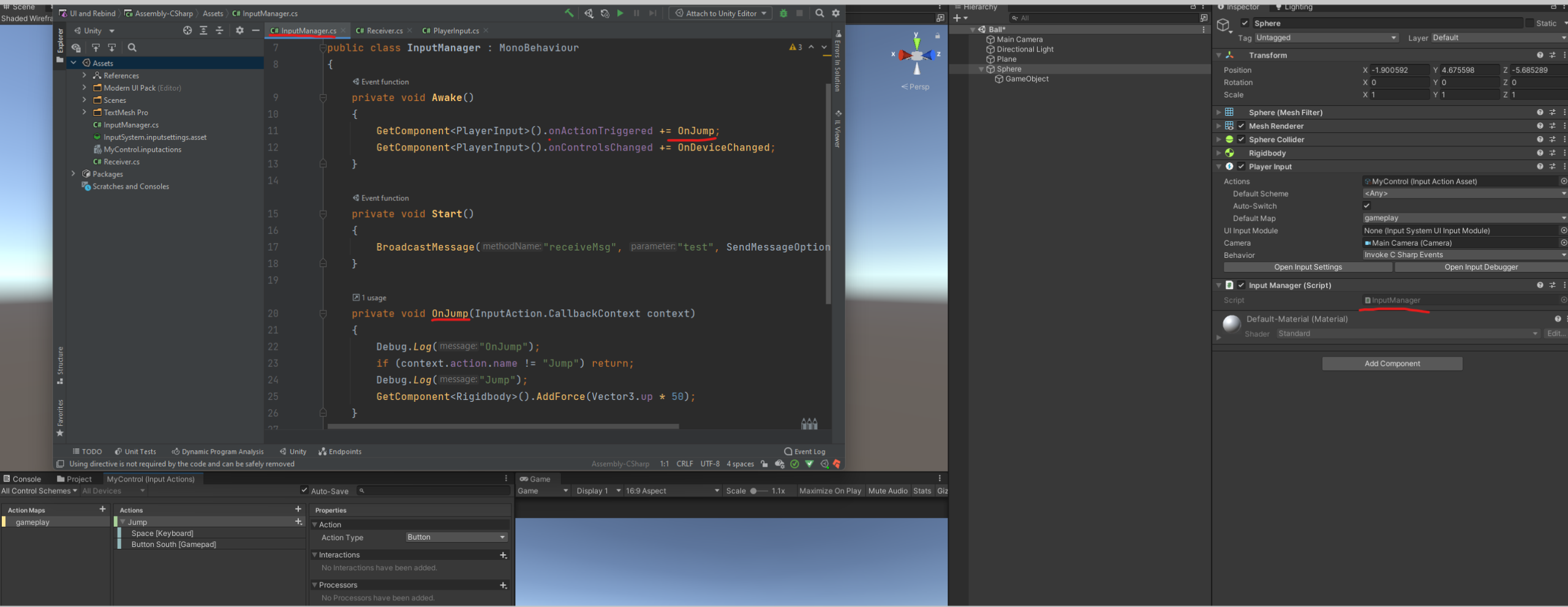
 eternal bronze
When I put some UI elements inside an empty gameobject (that is a child of the canvas), they become disabled. How can I undisable them but keep them inside that empty gameobject?
^ actually I don't think it's becoming disabled... the button's colour goes to selected colour and it's unclickable, same with the input box being unusable.
misty locust
chrome flume
new input system, was following a blog post tutorial. But for me the OnJump meth...
That’s weird, did you change player settings to use new input system (or at least both?)
chrome flume
misty locust
That’s weird, did you change player settings to use new input system (or at leas...
I use both yes and when I chose "Broadcast" it works, so it is working on that level
I am using InputSystem 1.1.1 though and it seems it breaks their Warrior demo as well
misty locust
Oh, I am guessing it’s the newest update? I am still on 1.1 preview 5.
chrome flume
1.0.2 is almost a year old
chrome flume
misty locust
Oh, I am guessing it’s the newest update? I am still on 1.1 preview 5.
yea they finished 1.1.1 some days ago, but its still not in the package manager
on github under releases
misty locust
Ah right, that’s worrying if it broke something as trivial as this. I use the generated C# class so I get type safety on action names.. I can give this problem a shot once I reach home and update you.
chrome flume
generated C# class had some limitations but I forgot which :S So I wanted to use the PlayerInput with CSharp events instead
misty locust
chrome flume
generated C# class had some limitations but I forgot which :S So I wanted to use...
It's more DIY for sure but you can (I am not sure if it's intended behavior) assign generated C# control asset to PlayerInput and it will give callback from both. So you can mix and match your things.
But honestly most of the things you can build from PlayerInput using InputUser namespace and all that.
 somber wigeon
I Use intrafsces IDragHandler, IBeginDragHandler for swipe with finger pressed. What interface can you use for the same mouse actions?
 chrome flume
misty locust
Ah right, that’s worrying if it broke something as trivial as this. I use the ge...
chrome flume
misty locust
Ah right, that’s worrying if it broke something as trivial as this. I use the ge...
Little update - Warrior demo works with 1.1.1 and CSharp events from PlayerInput but not in my simple scene. Idk what the difference is though
misty locust
chrome flume
Little update - Warrior demo works with 1.1.1 and CSharp events from PlayerInput...
Oh that's good news then. For sanity check, can you post your Controls asset window (just to refer the controls)?
chrome flume
misty locust
Oh that's good news then. For sanity check, can you post your Controls asset win...
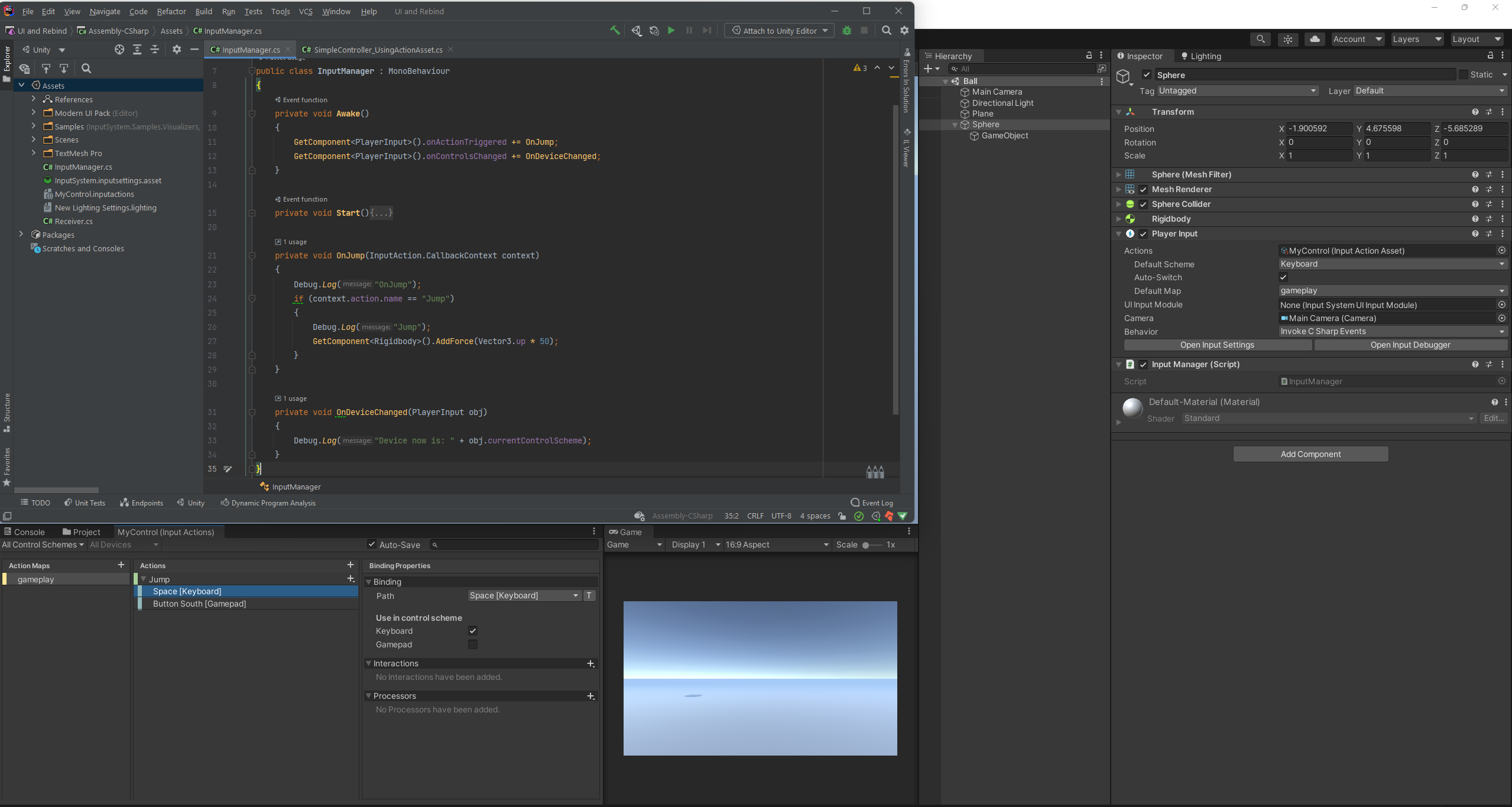
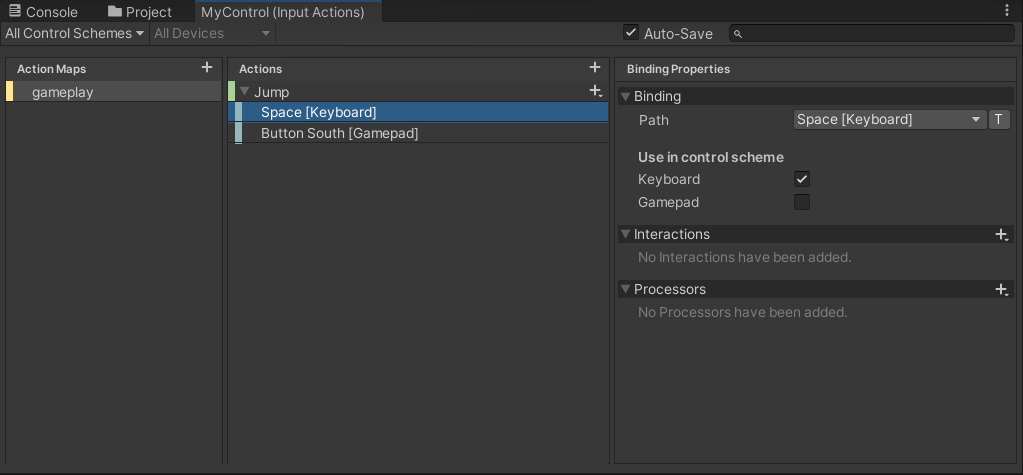 misty locust
chrome flume
https://i.imgur.com/pLIR9Fk.png
https://i.imgur.com/TC3QLua.png
misty locust
chrome flume
https://i.imgur.com/pLIR9Fk.png
https://i.imgur.com/TC3QLua.png
Seems to be working on my end too. Same setup.
chrome flume
rip
misty locust
Try UnityEvents (I am aware Broadcast works but still)
You can probably narrow out the problem, I feel so.
chrome flume
Unity events didnt work https://i.imgur.com/LJb1sP1.png
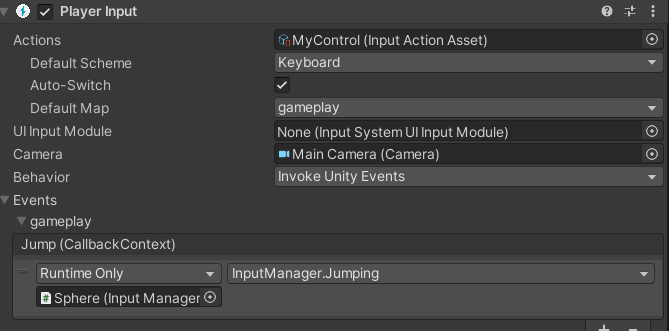
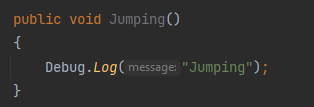
which Unity version did you try?
misty locust
I am on 2021.2 beta
I don’t think that matters since you said warriors demo works with the new version. Take a look into player input build settings, just use new input system and restart unity. Give this a shot
chrome flume
misty locust
I don’t think that matters since you said warriors demo works with the new versi...
weird, everything works with the generated C# class, but not with PlayerInput. And PlayerInput is the recommended way
verbal cypress
What code do I use for my C scripts if I want to active my animations(like running)? Im using input system with joystick.
austere grotto
You shouldn't want to replicate that, because it's broken
don't multiply mouse deltas by deltaTime, it's redundant and will introduce framerate-dependent weirdness.
The way to get mouse input in the new input system is to create an InputAction with a "mouse delta" binding, and read its values as you see fit (event-based or polling in Update)
 lavish field
Also related to mouse deltas in the new input system. I've been noticing that mouse deltas aren't all that consistent. Moving the mouse approximately the same speed can result in some pretty big variations. Any suggestions on how to smooth that out?
austere grotto
It should be perfectly consistent, but it's a delta from the previous frame
So unless you have a perfectly consistent framerate, it will vary
It should tell you exactly how many pixels the mouse moved since last frame though
lavish field
I think being a delta since last frame explains what I'm seeing. I'm trying to determine how fast the mouse is moving, but I don't want it to be framerate-dependent.
austere grotto
lavish field
I think being a delta since last frame explains what I'm seeing. I'm trying to d...
speed is distance / time
so: mouseDelta / Time.deltaTime gives you the mouse speed
lavish field
I somehow convinced myself it had to be more complicated than that before even going back to the basics and was trying to take averages over several frames. It really was that simple. Thank you!
austere grotto
wdym by "separate" them?
what version of the input system package are you using?
Input.GetButton("something") -> myInputAction.ReadValue<float>() != 0 or in version 1.1+ myInputAction.IsPressed()
Input.GetButtonDown("something") -> myInputAction.phase == InputActionPhase.started OR in version 1.1+ myInputAction.WasPressedThisFrame()
dire quartz
public void onlook(InputAction.CallbackContext context)
    {
        movedirection = context.ReadValue<Vector2>();
    }
    private void rotate()
    {
        /* rotationvector.y += lookvector.x * looksensitivity * Time.deltaTime;
         transform.localEulerAngles = rotationvector;*/
        movedirection = Vector3.forward * horizontal + Vector3.right * vertical;

        Vector3 ProjectedCameraForward = Vector3.ProjectOnPlane(Camera.main.transform.forward, Vector3.up);
        Quaternion rotationtocamera = Quaternion.LookRotation(ProjectedCameraForward, Vector3.up);

        //movedirection = rotationtocamera * movedirection;
        Quaternion rotationtomovedirection = Quaternion.LookRotation(movedirection, Vector3.up);

        // transform.rotation = Quaternion.RotateTowards(transform.rotation, rotationtomovedirection, rotationspeed * Time.deltaTime);
        transform.rotation = Quaternion.RotateTowards(transform.rotation, rotationtocamera, rotationspeed * Time.deltaTime);
        //transform.position += movedirection * movespeed * Time.deltaTime;
my mouse look is inverted horizontally and vertically
how can i fix it
thx in advance
austere grotto
public InputActionReference myInputAction;
EventSystem.current.SetSelectedGameObject(...)
I can't 100% guarantee that's correct but it's something like that
manic dirge
Something really weird is happening with my input. Around the beginning of the playtest, it works for 3 seconds normally, then completely locks up for 5 seconds, then returns to normal. I have no clue as to why this is happening.
Sorry the example is kinda janky, but it gets the idea across.
In this example the input locks up right away, and gets stuck holding the d key down, then turns back to normal.
Has this happened to anyone else??
 fresh nacelle
Do only I have issues with PS5 controller? It recognize LB as two buttons 🤔
I saw some bug reported possibly related to it, but I'd rather make sure
tame oracle
manic dirge
Something really weird is happening with my input. Around the beginning of the p...
(im not an expert) have you put any loops in your code? perhaps that could be the reason
hey i have an issue with accelerometer input, could anyone get in a call and help me? sorry but it is kinda hard to explain with words but i'll try too
i want my capsule (which is the player at least for now) to move in the game as the real user walks, but with this code something is pulling back the capsule
using System.Collections;
using System.Collections.Generic;
using UnityEngine;

public class PlayerMoveAround: MonoBehaviour
{
    public Rigidbody rb;
    private Gyroscope gyro;
    public float speed = 100f;

    void Start()
    {
        rb = GetComponent<Rigidbody>();
        gyro = Input.gyro;
        gyro.enabled = true;
    }

    void FixedUpdate()
    {
        // Apply forces to an object to match the side-to-side acceleration
        // the user is giving to the device.

        Vector3 acc = Input.gyro.userAcceleration;
        acc.x = -acc.x;
        acc.y = -acc.y * 0; //locked on the y axis so the capsule doesnt start flying

        if (acc.x > -0.03f && acc.x < 0.03f)
            acc.x = 0;

        if (acc.y > -0.03f && acc.y < 0.03f)
            acc.y = 0;

        if (acc.z > -0.03f && acc.z < 0.03f)
            acc.z = 0;


        Debug.Log(acc);

        rb.AddForce(acc * speed , ForceMode.Acceleration);
        //transform.Translate(acc * speed, Space.Self);

    }
}
that is the code i am using to do it, i tried with addforce but got problems with it
when i tried addforce i had also tried various forcemodes, and to straight up give the object that same acceleration but again, something was pulling it back to the initial position
im kinda noob in programming so sorry if some parts are messy
here you see that everytime i moved the capsule in any direction it was immediately pulled back
 clever oyster


 rich stream
So the new input system still doesn't work with unity remote 5? I can't seem to trigger any input from my phone
fresh nacelle
@rich stream Well.. I think it does not. Do the PS5 controller works for you?
I am getting weird outputs..
rich stream
I have no idea, don't have one of those
misty locust
fresh nacelle
<@120949074743525378> Well.. I think it does not. Do the PS5 controller works fo...
Doesn’t work for me.
It does but none of the buttons are right. L1 or l2 brings debug options on gameview somehow.
 echo breach
Is there an any control binding with the new Input System?
As in "Press any key to continue"
lyric steeple
Anyone else had a bug where the inputs aren't responding for like 3 seconds right after entering play mode ?
 rustic radish
Hey, I'm working on a fake typing project, where a predetermined string is printed out regardless of the key press to simulate typing, Is there something like KeyInput("anykey") I could use?

I'd want to leave out certain key's like "enter" or space to quit the project, but would there be a way to map a bunch of inputs to be valid for advancing the project, would it be possible to map a bunch of keys the same thing at once?
fresh nacelle
misty locust
It does but none of the buttons are right. L1 or l2 brings debug options on game...
Yeah that's weird
austere grotto
rustic radish
Hey, I'm working on a fake typing project, where a predetermined string is print...
you could use Input.anyKeyDown
to exclude something you could do Input.anyKeyDown && !Input.GetKeyDown(KeyCode.Return) maybe?
it's not perfect but probably good enough
rustic radish
austere grotto
you could use `Input.anyKeyDown`
Exactly! idk why I couldn't find "anyKeyDown" :/
 solar kite
Is there a tut or resource on how to rebind keys and/or change Interactions during runtime?
 fickle agate
Hey all! A question: Is there a way to detect if a controller(gamepad) has been plugged into the pc by script?
timber robin
fickle agate
Hey all! A question: Is there a way to detect if a controller(gamepad) has been ...
fickle agate
timber robin
Check this out:
https://docs.unity3d.com/Packages/com.unity.inputsystem@1.0/manu...
thanx bud
 frosty raft
I was firing using public void Fire(InputAction.CallbackContext context)
moved that over to a new script on the same GameObject, but it only works if it's on the old script
What could I be missing? Both have using UnityEngine.InputSystem;
There's no extra step to get the script to register input events is there?
spark pumice
frosty raft
There's no extra step to get the script to register input events is there?
There is, and there's a few different ways to do it. You could have a PlayerInput component on the gameobject that references the InputAction and uses various messaging options to trigger your scripts. It you can have your InputAction generate a C# class and implement the interface for your action map and call SetCallbacks() on an instance of your generated InputAction class from the script you want to respond to the actions.
frosty raft
spark pumice
There is, and there's a few different ways to do it. You could have a PlayerInpu...
I know there's different ways to the same result, but sticking to what I have
why would the same InputAction.CallbackContext work in the Player Movement script but not the Player Cannon script

I've been away from this for a few weeks so I feel like I'm missing something obvious
oh ye this is what I was looking for
 spark pumice
Yep, that's the PlayerInput option I was talking about
 heady hill
hey guys how can I allow vertical scrolling when I have a children that are horizontal scroll view? I can only scroll vertical when im not touching the part of horizontal scroll view children

 sharp geode
heady hill
hey guys how can I allow vertical scrolling when I have a children that are hori...
sharp geode
heady hill
hey guys how can I allow vertical scrolling when I have a children that are hori...
this isn't an input system question, but you should look at ui extension's child scroll view solution
sharp geode
rustic radish
Hey, I'm working on a fake typing project, where a predetermined string is print...
it's in the documentation
neat marten
If you will choose Yes then only new Input System will work
 crisp raven
My input is always null, and I have no idea why


I mean the values are zero and false
what can possibly be wrong there? I'm sure nothing is interfering on my side
neat marten
Try enabling inputMap itself
tame oracle
Can someone tell me where I could go figure out how TF main menu buttons work? I tried a brackeys tutorial but I want a live menu and don't want two scenes; I want my main menu background to be the current world
crisp raven
neat marten
Try enabling `inputMap` itself
didn't help
neat marten
What are you overriding/implementing?
Looks like you're trying to use the new input system in ECS. I haven't used it in ECS yet
crisp raven
I have, and it always worked