#🖱️┃input-system
1 messages · Page 36 of 1
 tulip stump
I am probably explaining myself terribly here.
I am trying to optimize the game I am working on and while on some Android devices I get stable 60 fps, on others I get 30-40.
for 60 fps I have to stay below 16ms response time, I can't really do that when the new input system is taking up the majority of it (up to 15ms in Samsung S8 for example - this puts me on that device on 30ms response time, way above the 16ms mark).
I don't think I am using multiple input systems
 gentle sand
Can u show schemas?
gentle sand
Yeah. Like PlayerInput schema thaylt in input editor window
gentle sand
Eh
In project settings will be input system. You can try setup there
Like tipe of update
tulip stump
Tried that, does nothing for me.
Do you think it's a bug or maybe I am using it incorrectly?
gentle sand
Do you think it's a bug or maybe I am using it incorrectly?
@tulip stump i think its ok
tulip stump
Something has to be wrong here imo but I appreciate the help!
gentle sand
error in documentation
missung closing ')'
how it looks if paste it
Something has to be wrong here imo but I appreciate the help!
@tulip stump Well, your problem is long input?
gentle sand
InputSystem.QueueStateEvent how to trigger a button?
gentle sand
maybe someone know how i can buind ui toolkit to Inputs?
gentle sand
https://docs.unity3d.com/Packages/com.unity.inputsystem@1.1/manual/Events.html
@gentle sand this dont working. i cant push event
gentle sand
I think there was some more to it and I duplicated and modified stuff I saw in the event system it uses
@glass yacht smth like this https://docs.unity3d.com/Packages/com.unity.inputsystem@1.0/manual/Events.html
but this dont work
 fast flare
heyo, i've been using the new input system with the player input component, but for some reason it activates input when both pressing and releasing the button, despite me having "press only" on?
gentle sand
heyo, i've been using the new input system with the player input component, but for some reason it activates input when both pressing and releasing the button, despite me having "press only" on?
@fast flare
fast flare
i tried that, but that doesn't seem to work for me, i have no idea why
gentle sand
did you save layout in top of window?
fast flare
yup, both auto-save and save
gentle sand
mayve you subscribe twice?
fast flare
i only have it on action, not on binding, so i don't think so
fast flare
currently trying something to see if that's it
aight figured it kinda out, but it's acting weird
gentle sand
try release only
gentle sand
so what was a problem?
fast flare
i'm completely new to the input system so i forgot that you aren't supposed to put the code itself into the void, but the context of the input
thx anyways!
 untold gust
Does anyone have any resource/tutorial/video for runtime rebinding with the input system? I've watched several videos and none seem to cover it.
 limber smelt
perfect channel for my question. Is it possible to use rb.addforce using the new input system? im pretty sure it is possible, but i just confused on how to make it work
literally started with the new system yesterday btw
limber smelt
nvm i fixed it
 sick cradle
@untold gust there is a sample for runtime rebinding
also 1.1 (preview) has option to save binds persistently
untold gust
if it isn't too much to ask. do you have a link?
I tried searching it in the documentation but cant seem to find it
maybe I'm just blind 
sick cradle
open package manager and select input system there
it should have additional examples
like, there should be buttons to deploy those samples to your project, one of them is for rebinding
untold gust
Thanks! I'll check it right now
sick cradle
alternatively if you are using this from github, the same sample is this: https://github.com/Unity-Technologies/InputSystem/tree/develop/Assets/Samples/RebindingUI
but you should be able to deploy that from package manager too
anyway, it's worth noting that the provided sample actually uses asset workflow (you create input bindings asset or whatever they call it and use that as is)
if you use the generate c# file thingy, you have to adjust the runtime rebind logic to that worklow
if you need runtime rebinding, it's easier to just forget about the generated c# thing
(but both do work, it's just tad more work)
untold gust
thanks! this is still better than the old input system
so I guess it's worth the time to work on a rebind for this newer one
sick cradle
right now the new input system is super buggy, so your mileage may vary
also probably depends at lot on what you need from it
but I have like half a dozen bugs I should file reports for on it, just haven't gotten to it yet
untold gust
should I reconsider using it then?
actually going to try first and see how it goes
thanks again!
sick cradle
Always try yourself :)
gentle sand
Hm. Can i create scgema only with events? And then somehow trigger them? (Use schema like hub)
Like UI schema where will be GameStartEvent OptionsEvent etc
 true horizon
guys, for some reason multi tap aint working for the input system
im wondering how to make a double tap in the new system
inputActions.PlayerControls.Dash.performed += ctx => InitiateDash(1);
inputActions.PlayerControls.InvDash.performed += ctx => InitiateDash(-1);
these two lines
true horizon
anyone?
gentle sand
What is this lines?
guys, for some reason multi tap aint working for the input system
im wondering how to make a double tap in the new system
inputActions.PlayerControls.Dash.performed += ctx => InitiateDash(1);
inputActions.PlayerControls.InvDash.performed += ctx => InitiateDash(-1);
these two lines
@true horizon try add multitap interaction
gentle sand
have*
@true horizon show it
true horizon
yes only 1 interaction
and i told you i debugged it, it never calls
    {
        print(direction);
        if (direction >= 1 && (playerStats.currentStamina >= 500))
        {
            if (Time.time < lastTapTimeRight + tapSpeed && (canDash = true))
            {
                animator.SetTrigger("Dash");
                StartCoroutine(Dash());
                playerStats.UseStamina(500);
            }
            lastTapTimeRight = Time.time;
            canDash = false;
            Invoke(nameof(enableDash), dashCooldown);
        }
        if (direction >= -1 && (playerStats.currentStamina >= 500))
        {
            if (Time.time < lastTapTimeRight + tapSpeed && (canDash = true))
            {
                animator.SetTrigger("Dash");
                StartCoroutine(Dashinv());
                playerStats.UseStamina(500);
            }
            lastTapTimeRight = Time.time;
            canDash = false;
            Invoke(nameof(enableDash), dashCooldown);
        }
}```yo @gentle sand
true horizon
print is literally the same
gentle sand
There only one interaction?
@gentle sand ?
true horizon
yes
limber smelt
uhhh this is so confusing
so my keyboard works, but when i use a controller i keep getting a "invalid operation exception" error
everything is the same except for the keybinds
i also tried another controller and the triggers worked but not the stick which is weird, no errors though. every other controller just gave me that error with no feedback at all
 lone tide
regarding the new input system, if i'd like to query dpad specifically within the Navigate action, how do I go about it?
Doing control.UI.Navigate.ReadValue<Vector2>(); reads out the left analogue stick and dpad data fine, but I cant find a way to differentiate the Dpad navigation and left stick navigation...
Any advice please?
 leaden coyote
I assume the new Input System doesn't have a method to change a gamepad's LED light color, right?
Like the ones you find on a PS4 controller for example to show player's health or something like that
 lost flower
I think you need to import a PS4Controller library for that
But I have absolutely no idea
sick cradle
@lone tide I don't understand the question, why would you need to differentiate it?
I mean you could just map it to different action if you need it separate
lone tide
@sick cradle I tried mapping it to a different action but it breaks navigation for both left stick and dpad. I no longer need to differentiate them to solve my problem anymore, but I still was curious if there's a way, because it might be useful to know for later.
A use case could be wanting to implement different button navigation behaviour for when you're using dpad vs when you're using left stick navigation.
 primal moss
float movementInput = playerActionScript.Crew.Move.Horizontal.ReadValue<float>(); how would i make it so that its only reading the value of horizontal inputs
Move.Horizontal dosnt seem to work
hjelp
 odd rose
Why not just read it as a vector2 and only use the .x value?
 grizzled fractal
No, they’re saying read it as a vector2 instead of a float, and get its x value
 thin tulip
any good guides for the new unity input system? preferably user-customizable, video or text tutorial works
gentle sand
wtf?
lone tide
What is the BaseEventData.GetSelectedObject equivalent but for mouse? I tried PointerEventData.GetHovered but it always returns null.
 ornate mica
yo
i need some help
  // Update is called once per frame
    void Update()
    {
        if (Input.GetKeyDown(KeyCode.E))
        {
            Debug.Log("E was pressed");
        }
}```any good new input system guides?
 summer willow
Hello
I'm streaming unity render to another pc
how can I redirect inputs ? ( unity is running in batchmode)
 lyric trench
Hi can someone help me? I have a singleton script that handles all the input and i have a player movement script and a player jump script that take input from an instance of that. I keep getting a null reference error on line 28 of the jump script but nothing from the movement. But both the scripts work, lol. heres the jump script and the singleton script
also, as soon as i jump (like i said the script still works), the error stops updating in the console.
 proud sorrel
Looks to me like jump is null
In InputHandler, change cs if(button!=null){ jump = button; }
to ```cs
if(button!=null){
jump = button;
}else{
Debug.Log("Button was null!");
}
And see if you see that debugi tried that, i don’t see the debug, and i’m still getting the error. it says on line 28 of the playerJump script. and it’s just weird that it spams on screen when i start the game until i jump and then it stops doing that.
proud sorrel
Yeah, that is weird. Before line 28, try adding some more Debug.Logs, like ```cs
if(InputHandler.Instance == null){Debug.Log("InputHandler null!");}
if(InputHandler.Instance.Jump == null){Debug.Log("InputHandler.Instance.Jump null!");}
alright, that helped me determine that InputHandler.instance.jump is null, i just put “if(InputHandler.instance.jump==null)
return;” now i get no errors, and he jump still works.
thanks a lot!
proud sorrel
Good that you got it working, but you're just putting a bandaid on the problem. Should fix what's causing it to be null in the first place imo, might run into issues later on
Not sure what ButtonControl is meant to do, but ignoring it being null means you may as well not have it, which probably isn't what you want if you bothered to add it in the first place
lyric trench
button control is from the input system, it’s literally the only way i could find to get an actual “getkey “ vs “getkeydown”. using an action.performed /action.started never seems to work for what i’m using it for.
 zenith hawk
hi!
I'm working on touch controls using the new input system. is there anyway I can disable my touch from going through and activating the "mouse" emulation? I have two panels covering the entirety of the canvas, but my inputs still get picked up as mouse inputs too, even when my fingers are on the "On-Screen Stick" control
 quartz salmon
how do I enable and disable the cursor in FPS
 harsh finch
 pearl marsh
Hello. How would one make it so I can get the delta mouse position using the new input system as a Vector2D?
Example like so
Using a 2D vector in the input editor requires four bindings
But there are only two delta mouse values
I would assume I can delete the Down and Left bindings and then assign Up to y and Right to x since they shouldn't invert the delta values
zenith hawk
hi, I asked yesterday but nobody listened so I'll try again .-.
I'm working on touch controls using the new input system. is there anyway I can disable my touch from going through and activating the "mouse" emulation? I have two panels covering the entirety of the canvas (one is an on-screen stick, and another is a "custom designed" touchpad that outputs to the mouse delta), but my inputs still get picked up as mouse inputs too, even when my fingers are on the "On-Screen Stick" control
 tame oracle
@zenith hawk there are some settings for that on the Event System component.
 idle trench
im trying to use the new input system, and im really confused...
The event for pressing my buttons are firing twice and im not sure how to make it only fire once per press. Any ideas?
thin tulip
does the new unity input system disable buttons?
 unique dew
hey, so i'm working on a project with a team, and a member fixed the project up with Rewired, which I don't own. this is causing a bunch of issues with working between multiple people, is there a way i'm able to get it to work with only one person owning Rewired?
 frigid ridge
@unique dew One license required for each individual user, so no.
That member is now on the hook for buying licenses for everyone, or you can all switch to Unity's input system
 carmine star
Using a 2D vector in the input editor requires four bindings
@pearl marsh i think ur using a composite. There's another option for that wont ask you for a separate Up Down Left and Right bindings
Unity's opening up, i'll send a screenshot once its up
An action to get a Vector2 value from Input...
Not 2d Vector Composite
Bindings defines what value will be given to the event listening to the actions.
The type u need to go for is the basic binding which allows u to get a vector2 value.
The composite Binding allows u to set a key for up down left and right and then decides the final vector2 value based on that.
So if up is W key, then the composite binding result in a Vector2(0, 1).
if w is pressed that is.
tame oracle
Hello guys, I'm looking for a good guide/tutorial on the new InputSystem. I don't know why but documentation feels a bit lacking in content
sick cradle
current docs contain a lot of scattered info, it's pretty bad for people trying to get into this :/
I know this because I've gone through that the hard way 😄
of course the less advanced features you need the easier
there are some tutorials out there, in youtube etc, I think the docs had some intro too
I haven't really seen any tutorial that truly explained what approaches you can take with this, rather seen dummy tutorials where they show one way to show the system where you get impression that's the only route
most tutorials seem to generate the c# bindings for example
and you totally don't need to do that
and for some functionality, it even works worse if you do so
 outer pier
I'm having an issue of inconsistency between Unity and the tutorials I'm seeing for Input Systems (making sure I'm only watching tutorials from release 1.0). For some reason, my Properties tab doesn't have the Action, Interactions, and Processors tabs shown when I select an Action, would anyone know why this is or if I'm just missing something stupid?
An example from a video I am referencing from (https://www.youtube.com/watch?v=yRI44aYLDQs)
frigid ridge
@outer pier Does anything change if you try to nest something in it?
 midnight kestrel
so my internet access button got disabled anyone know why is that and i think cuz of that when i build game and play it in my phone ads never play
 covert dragon
Is it worth to use new input system right now?
 wind matrix
Does anyone know a good reference, videos, or tutorial for the latest version of the new input system? I don’t even know where to start.
I’m making a point and click adventure game that uses an on-screen cursor object to interact with objects. I have no idea how to get this working
 spare frigate
@wind matrix I'm not at home atm and sadly won't be for a few hours most likely - but you should just need to create a composite 2d to represent the mouse input, and Ofcourse set the binding to be the mouse position (or delta if you wanna handle damping the speed yourself for a more smoother feeling if your game is more UI heavy it could feel more stylistic, if it's a fast paced experience it doesn't really work as well mechanically) - then you can subscribe to the. .. I believe the "started" callback, and use that function to then handle processing the value, which you'll still have to cast to a vector2 since it returns a generic object type that represents your data
If your fine waiting a few hours and dm me so I don't forget, I could try to show you an example when i get home if my explanation didn't make much sense to you, it's ofc always easier to understand with visuals and examples than blocks of text, imo at least
carmine star
I dont think u need a composite for that
A Vector2 Action with a binding for mouse position.
 thorny osprey
Hi! My input will trigger twice unless I use gameObject.scene.IsValid()
This is my code:
{
if (gameObject.scene.IsValid() == false) return;
Debug.Log("Shoot");
if (_context.started)
{
Debug.Log("Start");
}
if (_context.performed)
{
Debug.Log("Performed");
}
}```
Why do I need to use that? Its only on the first player lapis meteor
Can someone explain how to use this getter/setter format? I can't call it properly for some reason
 worn sundial
i asked this in #archived-dots, but what's the best way to use input system with ecs? preferably with action assets
sick cradle
@worn sundial there's this https://forum.unity.com/threads/dots-input-prototype-hackweek-2020.926939/ but it's not meant for production

Unity Forum
Hey everyone,
A week ago, we had our annual Hackweek (this time, due to COVID-19, a "virtual" one with everyone working from home) and I used the...
in general you'd just do some kind of hybrid solution, get the input normally and pass it to ECS
worn sundial
so, i use a monobehaviour to write to a static class with inputs, and then read it from the system, right?
 alpine nacelle
outer pier
alpine nacelle
outer pier
@frigid ridge I'm not entirely sure what you mean
wind matrix
@alpine nacelle thanks for the link to the guide. Tbh I’ve browsed the quick start guide and while it does help, it leaves out some things and I just get lost
alpine nacelle
You and me both. I haven't started digging in there myself yet.
tame oracle
question: after generating the script from the Input Map, I do normally instantiate it inside a script. What should I do if I need to access the input script on other classes? Should I make a singleton or can I instantiate it again?
 mild moth
Hello, does anyone happen to know why the new input system is prone to freeze/lag spikes whenever I use both left stick and D-Pad for my move action while ONLY using the left stick is 100% smooth? I am using Unity 2020.1.4 with the Input System package 1.0 (verified)
 formal mantle
I'm trying to emulate a joystick using touch input. The idea is to capture where the player press on the screen and while pressing calculate a delta in relation to the initial press. Whats the best way to go about doing this? Defining custom InputBindingComposite, IInputInteraction, InputProcessor or something else?
The desired output in this case would be a Vector2 just like any other joystick input type.
 terse stone
Anyone familiar with dropdown boxes in TextMeshPro?
I want to take the index of the selected entry and input that to the function I call onValueChanged.
 open quartz
How do I detect joystick buttons
 gaunt hare
@wind matrix I did a five tutorials on the Input System - You can find them here: https://yecats.github.io/.
They are:
- How to make a configurable camera with the new Unity Input System (https://yecats.github.io/2019/10/17/How-to-make-a-configurable-camera-with-the-new-Input-System.html)
- Listen for the Input System's Action events via C# (https://yecats.github.io/2019/10/19/Listen-for-the-Input-System-Action-events-via-CSharp.html)
- How to select multiple objects based on the center of a collider (https://yecats.github.io/2019/10/26/Select-multiple-objects-based-on-mid-point-of-collider.html)
- Challenge Solution - Extending the selection logic (https://yecats.github.io/2019/12/10/Challenge-extending-the-selection-logic.html)
I also did one that focused on the EnhanceTouch API - https://yecats.github.io/2020/07/05/Implementing-touch-with-the-new-input-system.html.
 outer lake
I'm not getting the input system to see any devices at all. No mouse, keyboard, or gamepad. It literally just says "Devices (0)". Any idea why that'd be?
For reference: I'm on Unity 2020.2.0b7.3288 and Input System 1.0.0
outer lake
Everything is set up and enabled as far as I can tell, and the input system package doesn't have anything put in the list of supported devices.
It used to work. I upgraded Unity versions from 2020.1.7b and now it doesn't work.
 worthy patrol
so, I have an input action with jump
but when i generate the c# input class there is errors in the code
I tried every solution but it doesnt work
and also vs code can't recognise UnityEngine.InputSystem
Im using Unity 2020.2.0b7
and the latest input system version
worthy patrol
omg FINALLY I fixed it by downgrading the vs code package to version 1.1.2
 glass yacht
@worthy patrol if you are using assembly definitions make sure things are properly referenced
Ah, I see you've solved it
Unity would be showing errors in the console if there were actual problems
worthy patrol
thx for trying to help
guys is the Brackeys new input manager tutoriel outdated ?
because in the inspector I can't find my Input Master to drag in it
using UnityEngine;
using UnityEngine.InputSystem;

public class PlayerMovement : MonoBehaviour
{
    public InputMaster controls;

    void Awake()
    {
        controls.Player.Jump.performed += _ => jump();
    }

    void jump()
    {
        print("Jump");
    }

    private void OnEnable()
    {
        controls.Enable();
    }

    private void OnDisable()
    {
        controls.Disable();
    }
}
and in the inspector this is my I have
but I shoulf have a place where to drag the input action
and my variable is public so why isnt it showing up ?
 solar plover
@worthy patrol Save the PlayerMovement script. Changes will not be made if there are compiler errors.
solar plover
This isn't likely a simple outdated bug because as a public member, it would definitely be visible in the inspector unless not serializable...
(Or) If there were errors, file wasn't saved, etc.
worthy patrol
public float move;
public bool isWorking;
if I add other public variable they work
solar plover
So maybe InputMaster isn't serialized?
solar plover
Example: ```cs
public class Example : MonoBehaviour
{
public struct SomeData{
public int i;
public float f;
};
public SomeData someData;
}
Will not be shown but ```cs
public class Example : MonoBehaviour
{
[Serializable]
public struct SomeData{
public int i;
public float f;
};
public SomeData someData;
}
@worthy patrol What is InputMaster?
solar plover
Internet says you no longer require assigning the field in the inspector 🤔 https://forum.unity.com/threads/new-input-system-not-serialized.667153/
Quote:
I assume you're generating a wrapper for an .inputactions asset using the "Generate C# Wrapper" checkbox and use the generated type on the serialized field, right?
In the latest package, there was a change where the generated wrappers no longer require the asset to be dragged separately onto the field. Instead, the generated wrapper is self-contained and does not need to be serialized.
So yes, the video is a bit outdated where you would be required to drag the input manager into the visible member field in the inspector; you no longer need to.
But other than that, everything ought to still functioning.
 wind shadow
why my conditions is true ? if move > 0.3 flip()
https://hatebin.com/jqkrhcztqb
 solemn dirge
I swear I cant figure out this new system... It's so much more complicated than the old one. I need to get my old movement code to work again since now we are forced to move over. My old code was only like 3 lines. I have no idea what it should be in the new system. I set up a forward and sideways axis but idk where to go from there.
        float z = Input.GetAxis("Vertical");

Vector3 move = transform.right * x + transform.forward * z;```I'm not even sure how to check if a button is being held down anymore
 unreal moss
the GetAxis just tells you if the key is getting pressed at the moment you call it
when I need to know if a button is being held I just use Input.IsKey()
 livid delta
Anyone know the best way to get all connected gamepads with he new Input System in webGL ? It works without a problem in the editor or in a Windows build. But the webGL build only recognizes gamepads that connect to the pc while the build is active...
My code btw:
foreach (Gamepad gamepad in Gamepad.all)
        {
            if (gamepad != null && gamepad.buttonSouth.wasPressedThisFrame && !IsGamepadUsed(gamepad))
            {
                Player player = Player.AddPlayer(gamepad);
            }
        }
 west oracle
Anyone who's interested, I made a big ol' series on using the new InputSystem

YouTube
mostly from a coder's perspective; my best practices as I learned to use it, etc
@solemn dirge it will answer a lot of your questions 🙂
 twin sundial
@worthy patrol did you figure it out?
I know what the problem is
the video is outdated
you shouldn't make it public
make it private
and inside of void Awake() {}
write controls = new InputMaster();
worthy patrol
thx
 celest vessel
why is the new input system so god awful?
sick cradle
IMO new input system has a lot of nice things going for it but about every second feature I try on it is broken or bugged and Unity made 1.0 verified package on it
it feels quite rushed to me when the stability is more like the package would be still in alpha
intro docs in particular are missing many crucial steps
which also makes it feel like they didn't have time to do proper docs
celest vessel
I think the idea is great, and it definitely has many great features that makes it more useful than the old system. The problem is that it barely ever works for me. I constantly have problems, and often times noone has the same problems. I just had a problem that it doesn't like vJoy, so my gamecube controller driver completely messes things up
sick cradle
HID support in particular is totally broken still
celest vessel
It's just exhausting to use but the old one is even more of a pain lol
sick cradle
Unity knows about it , they've said that old input system has better hid device support and they need to improve on it
celest vessel
I'm kinda baffled that a gameengine hasn't nailed input, the thing that makes a game a game
sick cradle
I've personally just bypassed new input systems whole HID setup and use my own directinput custom device in place
yeah, it should just work
but in the nutshell, they just released the new input system too early
sick cradle
rewired is probably best received 3rd party asset for it
it's paid but not ridiculously expensive
celest vessel
hmm I might check it out
sick cradle
there's also InControl and probably few assets that has active dev dropped and made free now
most free input assets for Unity are more like for wrapping specific api, like xinput etc
celest vessel
makes sense
btw some of the older versions of the new input system worked better for me, but I can't get older versions through the package manager anymore? Does this mean I have to get it from github or smth?
sick cradle
you could run into random issues if you mix old package/version with newer Unity as Unity ships the native code side of input system with the engine itself, there could be api changes in the way
it's kinda issue with anything that requires native component for the implementation - it's tied to unity engine binaries
from Unity's side that is
for 3rd party assets, they of course provide native stuff as separate native plugins
this is one thing I really dislike on Unity's distribution model, I can't just upgrade input system's native code implementation without upgrading the whole engine
celest vessel
why does it have to be so hard 😭
I'm straight up not having fun rn
ok I'm forever going back to the old system fk this
 distant salmon
haven't tried the new input system
but it's probably pretty efficient when understood and used correctly
celest vessel
I literally couldn't get it to work this time. With my other projects it barely works
maybe it's because I have vJoy installed
now I'm using the old system and I have a problem where only the x-axis on my left stick is analog, the y-axis and the two axes on the right stick are digital. My settings are the same for all of them except which axis they read
does anyone know why this is happening?
here's my code and the result
ok I wrote P1xPoint twice, apparently the y axis on the second stick (Point) is also analog
 hardy flicker
has someone a good tutorial recomendation for the new input system... I am kinda lost with it and the docs also dont really help me
sick cradle
but it's probably pretty efficient when understood and used correctly
@distant salmon there are two major issues right now: docs are lacking so getting going is going to slow (I've had to figure out everything the hard way) but the other any bigger issue is that it's just so buggy
correct usage doesn't really help when every second feature doesn't work properly
there are some use cases where I could imagine it could just work for people but it really boils down on what devices you need to support and what features you need from it
for some of the issues you can simply workaround them, making some hacks here and there and for some, I've actually had to change input system source code
I've so far spent like one whole month of full weeks of dev time on patching this system for my use cases and I'm seasoned developer. Sure I did implement custom device support for direct input and windows gaming input API's too in this timeframe but that first part was mandatory for me as built-in HID support is just too broken for the devices I absolutely need to support
anything but WGI support part is something that should just have worked out of the box but didn't. I've also used this "new" input system before so I wasn't even new to it, I've evaluated it countless times along it's development
 quartz ledge
someone plz help
so on my controller the left joystick thing controls movement and looking for some reason hwo do i make it so the right one does looking and left movement like it should be
nvm i fixed it
twin sundial
is there a way to get the new input system to update every frame instead of when an input updates?
I have a 3rd person character with a orbitable camera
and the character always moves based on the direciton of the camera
but when I start moving and then rotate the camera it doesn't update its direction in real time
it waits for me to release the input and then do it again
sick cradle
@twin sundial that frankly sounds like you are using it wrong
We cant tell how since you didnt post any code snippet
twin sundial
I don't think I'm using it wrong
I set up an input actions
I made a vector 2 for movement and mapped it to wasd
And I set up some methods for movement and plugged then into the Player Input component
 north flicker
honestly i really like the new input system, it's been rock solid stable for me thus far, moved all my code to it, and it's definitely because i kept up with it for a long time but I think the api is great
one of the few features unity's shipped in the past 3 years that wasn't
let's say
unusable at launch
 limpid shadow
How important is it to unregister input action callbacks when the game is closing with the new input system? Right now I am subscribing in OnEnable and unsubscribing in OnDisable, but I have found that sometimes PlayerInput will remove the player before my script's OnDisable is called.
spare frigate
@limpid shadow im pretty sure that events stay on the stack after the game is closed, so its usually a good idea to make sure you unsubscribe to events/callbacks when done with them - you can move your unsubscribe code to OnApplicationQuit maybe, if its firing before youd like it to or during scene changes or something - with that said, make sure your OnEnable isnt being fired when you change scenes for example, because if you only unsubscribe when quitting the game, and subscribe += in OnEnable, that can create more usage on the stack that never actually gets used and create unwanted results most likely
 frank spire
Hello dear users, i+m trying to move a cube with finger touch (press and drag and the object follow). I´m not a expert (far from there xD) but with this code the object moves in opposite directions. if i want to move to left, right he moves to foward back, and so on.....
here is the code (Note. is for android mobile)
        if (Input.touchCount > 0)
        {
            touch = Input.GetTouch(0);
            if (touch.phase == TouchPhase.Moved)
            {
                transform.position = new Vector3(
                    transform.position.x + touch.deltaPosition.x * (speed/2),
                    transform.position.y,
                    transform.position.z + touch.deltaPosition.y * (speed/2));
            }
anyone knows how i fix the vector3?
 bright pagoda
hi guys, vote on this input-system issue whenever you have time, who knows when you can need it fixed 😄
To repro this: 1. Open the attached project ("BugReporter-TouchTimeline.zip") 2. Open the SampleScene 3. Make sure "Touch Simulation...
 fervent mirage
I have an issue with controls atm where
pressing down RIGHT + UP then ACTION = UP ACTION
then
releasing UP then ACTION = UP ACTION
when it should do RIGHT ACTION since RIGHT is still held down.
from quick google I saw a way to hardcode it when multiple keys and held and let go etc etc but thought it might be better to ask here
quick example of how I'm getting my directions
https://gyazo.com/24956745a50a2b18bb6c0ff1625a4048 in update()
I also want it to prioritize UP so if I do
pressing down UP then RIGHT then ACTION, it'll result in UP ACTION

just decided to do bunch of if statement for getkeydown and getkeyup 

 azure tusk
Hoo, boy. So, I'm trying to update my project to work with the new Input Package and Cinemachine with it. As a result, I can't move my character or camera at all.
I've accumulated a lot of code before and after the transition, so I'm not sure where to start with this.
 idle oracle
Hi! I am having trouble finding how to do something with the new unity input system. I can access an action, but how do I access the bindings in them? Like, how do I go 'get action map -> get action -> get particular binding -> get button/1d or 2d composite, etc. -> read value
Sorry if this has been answered a billion times
 shell cedar
hey guys can somebody please help me set up jumping for my third person controller using the new input system? ive got 'move' and 'look' taken care of thatnks to a tutorial but im at a roadblock with jumping as im still fairly new to c#.
 lyric hill
 lost crypt
hello
i am looking for some help in mobile input
how to check if button is pressed in the ui elements?
 glacial silo
 soft basin
I tried to google it, but does anyone have an article on the old vs. new Input System?
 mighty ivy
i'm a bit overwhelmed, i'd appreciate some general pointers. i've been using a singleton 'input manager' class and some events, and i'm moving over to inputsystem, can i only really use unity events if i do it this way? it looks like the messaging system requires that the inputmanager script is on the same gameobject as anything that needs to be affected by it. or it is standard practice to have multiple copies of the input manager script all over the place on anything that receives input?
or should the eventsystem set in the GameManager object perhaps?
 lost osprey
Hey everyone I'm new here! How do I add a jump function to the player if im using using UnityEngine.InputSystem;?
soft basin
@mighty ivy this is what I've used to learn the input system: https://youtu.be/p-3S73MaDP8

Let’s set up Gamepad controls using the new Unity Input System!
► SIGN UP FOR JASON'S UNITY COURSES: https://game.courses/mastery-course-brackeys-bonus/?ref=21
👕Check out our merch! https://lineofcode.io/
♥ Support Brackeys on Patreon: http://patreon.com/brackeys/
·······...
mighty ivy
Yeah that’s a good one. I’ve got the access to controller nailed down okay, it’s just the concept of how best to manage it
soft basin
in terms of?
soft basin
I am personally not using the event system
mighty ivy
Our event system in game manager, have player input scrip my on some me has that need customer inputs, as well as players, and just choose the Singleton event system as the base for them
Yeah I may not use it either for the player controls in game
Just poll the axis
soft basin
The gist of what I use:
using UnityEngine;

namespace Earthen {
public class PlayerController: MonoBehaviour
{
    private PlayerInput playerInput;
    private Vector2 move;

    [SerializeField]
    private uint speed = 2;

    void Update()
    {
        Vector2 m = new Vector2(move.x, move.y) * Time.deltaTime * speed;
        transform.Translate(m, Space.World);
    }

    private void Awake()
    {
        playerInput = new PlayerInput();
        playerInput.Player.MainAction.performed += ctx => PerformAction();
        playerInput.Player.Move.performed += ctx => move = ctx.ReadValue<Vector2>();
        playerInput.Player.Move.canceled += ctx => move = Vector2.zero;
    }

    private void OnEnable()
    {
        playerInput.Player.Enable();
    }

    private void OnDisable()
    {
        playerInput.Player.Disable();
    }

    private void PerformAction()
    {
        Debug.Log("Action performed");
    }
}
}
I have up to 8 local players but that’s pretty much how I intent to read input
mighty ivy
Polling works as some players can be remote, I sent the inputs to the server and then distribute them to other clients
At the moment I use rewired
I’m making a new UI and lobby with input system, then I’ll convert the player input scripts to use it
I have a so firm rewired input manager currently, which is why I’m struggling a bit to plan the new layout
But I spent a while last night poking around, i think this approach may work
Trial and error ftw
soft basin
I'll have to read some articles on using the input system with UI
mighty ivy
its knowing whats expected i struggle with, i dont have the benefit of experience yet
for example, i use the shoulder buttons to move pages, but the UI input module doesn't have such things in the list
are we supposed to extend that? use that as the base to make our own? or compliment it with another class that handles just that so you have two scripts subscribed to the eventsystem on the same gameobject? (the last one is currently what i'm doing..seems to work)
 crisp smelt
Does anyone know if the enhanced touch input issue has been resolved?
I lost the link to issue tracker, it basically makes input system unacceptable for any game requiring precise multi touch support.
Steps to reproduce: 1. Select scene "TestScene" 2. Build & Run on Android 3. Select "Touchsceen" from device list at the top 4. ...
Guess not.
😴
 glass atlas
Can someone please give me a mini tutorial of how the new "input system UI input module" woks? I cant move between buttons, and I am completely clueless...
tame oracle
can someone tell me why an empty object with a Canvas Group will block its children buttons to be interactable?
this component is bugged AF
omg
blocking raycast apparently means allowing it........
genius terminology 🤦♂️
soft basin
Can someone please give me a mini tutorial of how the new "input system UI input module" woks? I cant move between buttons, and I am completely clueless...
@glass atlas how are you doing it?
glass atlas
@soft basin Hi. Well, right now it is a little confusing. Somehow my player is moving in Build, but not on playmode...
I have no idea how is that even possible
soft basin
how are stuff hooked up?
glass atlas
Well, for the player, I have this script:
@soft basin https://pastebin.com/TLVcEYMf
Pastebin
Pastebin.com is the number one paste tool since 2002. Pastebin is a website where you can store text online for a set period of time.
In the past it had work, but somehow it wont work anymore
(I havent touched my game for a couple months, for work trouble)
soft basin
oh interesting
I use Input system a little different and it requires a rewrite of your code
I can show you later
glass atlas
Yeah, I figure it is not the most common way of using it
I would be happy to hear how it would be best to do it
But still... I cant figure out why it wont work in Playmode, but when I build it, it does...
Another weird thing is... When I set the controls using the "Listen" button, to detect which key was pressed... it doesnt detect them all
And when it detects one, it is the wrong one
Almost as if it had the wrong layout :/
Take a look at this
lost osprey
I need assistance with implementing a jump
tame oracle
how can i add a shift to run to a regular movement script in the unity new input system?
can't use getKey
lost crypt

Unity is the ultimate game development platform. Use Unity to build high-quality 3D and 2D games, deploy them across mobile, desktop, VR/AR, consoles or the Web, and connect with loyal and enthusiastic players and customers.
i guess this can help
tame oracle
okay I found the answer
had to do kb.shiftKey.isPressed
so used isPressed instead of getKeyDown
lost crypt
ohk
 green thistle
Hi, there is bug on Linux with Mouse/Pointer Delta InputSystem and Cursor.lockState = CursorLockMode.Locked. I tested this a lot and comes with this:
- After each "performed" InputSystem sends "cancel" with vector
(0,0)so Update (or other functions) can't read actual delta value before its resets to(0,0). - If there is a lot of events from mouse (eg. delta, scroll and click) InputSystem can sometimes send "cancel" for delta in next frame - so Delta works (badly) if we use scroll.
I wrote simple if event == "cancel" then return and set input vector to zero in Update (after i use it to rotate camera) and it works, but its not perfect solution.
Anyone had similar problem? Maybe there is already fix in InputSystem, but i check Google, also InputSystem github and i found only post on forum, where someone have same problem but no solution.
I tried InputSystem 1.0.0 and 1.1.0-preview.2
On Unity 2019.3.3f1 and 2020.1.0b16
On Ubuntu 18 and Arch
Please ping me if someone find solution ;)
 vapid yarrow
hello, can we run our unity application in the background? I would like to retrieve data from the sensors on my phone and make requests on it.
 shut berry
how would I get input system working A standard Oculus Setup
?
It gets mixed reactions
when I use the input system
I assign it to the action editor than sometimes it clicks and other times it does not
shut berry
never mind i seems it needs to be in focus to work
tame oracle
https://hastebin.com/qeyicixolu.cpp
Is there a way to hide the GameObject PressE after you've pressed E?
 acoustic tinsel
I can't seem to edit any text fields in unity. I'm trying to change the position of an object but it won't let my type in the xyz boxes but it will let me slide the values. I also can't edit names of things like the names of actions on an animation controller.
Does anyone know how to fix this?
 stark stirrup
I need a help with the new input system.. I have it setup where when you hold the right mouse key you can control the camera.. but the issue is when the button is released it still allows for the camera to be moved...
{
playerInputControls = new PlayerInputControls();
}
private void Start()
{
//Set the initial rotation value
_rotationTarget = transform.rotation;
}
private void OnEnable()
{
playerInputControls.Player.Camera_Rotate_Toggle.performed += ToggleCam;
playerInputControls.Player.Camera_Rotate_Toggle.Enable();
playerInputControls.Player.Camera_Rotate.performed += OnRotate;
playerInputControls.Player.Camera_Rotate.Enable();
}
private void OnDisable()
{
playerInputControls.Player.Camera_Rotate_Toggle.performed -= ToggleCam;
playerInputControls.Player.Camera_Rotate_Toggle.Disable();
playerInputControls.Player.Camera_Rotate.performed += OnRotate;
playerInputControls.Player.Camera_Rotate.Disable();
}
private void ToggleCam(InputAction.CallbackContext context)
{
Debug.Log("Cam");
// var value = context.ReadValue<float>();
// _rightMouseDown = value >= 0.9f;
_rightMouseDown = context.ReadValue<float>() == 1;
}
public void OnRotate(InputAction.CallbackContext context)
{
_mouseDelta = _rightMouseDown ? context.ReadValue<Vector2>() : Vector2.zero;
}
private void FixedUpdate()
{
if (_rightMouseDown)
{
Debug.Log("Rotate");
//Set the target rotation based on the mouse delta position and our rotation speed
_rotationTarget *= Quaternion.AngleAxis(_mouseDelta.x * Time.deltaTime * RotationSpeed, Vector3.back);
//Slerp the camera rig's rotation based on the new target
transform.rotation = Quaternion.Slerp(transform.rotation, _rotationTarget, Time.deltaTime * InternalRotationSpeed);
}
//_rightMouseDown = false;
}``` burnt radish
uuh why is this error happening?
https://hastebin.com/qiwehevova.cpp
I can swear this is exacly like the tutorial
 cerulean bolt
tame oracle
cerulean bolt
tame oracle
Does anyone know how i can read the value from a axis in the new system
like in the old one?
basically got this and i just want to be able to read that value with a simple smoll line of code i can just throw into a function so that i can move my player 👍
Apparently Controlls.Player.Movement.ReadValue<Vector2>().x works
tame oracle
Nothing works
i cant even reference sh...
I would be super glad if anyone could help me this is driving me crazy
 long stream
Guys, can someone help me get input like w,a,s,d or arrow keys with the new unity input system
just ping me when u respond
 hollow roost
could someone help me how if i for example clicked LMB on my mouse it makes an animation like attack i am using third person chracater
 terse shuttle
How do you get the gameobject that spawned from JoinPlayer() function?
tame oracle
I am a newbie to game deving and i am trying to get the input system working. Can anyone help me with working it because i do not get it.
I have added it on project manager
tame oracle
how do you make the player look around with the mouse using the new input system?
 gentle shadow
I don't know if this is the correct place for it but I'm trying to make my player model flash for two seconds when it is shot. How do I make a 3D model with a mesh renderer flash white and then return to it's normal colour?
 raven storm
@gentle shadow
You'll want to make a script that accesses the material and changes the Emission Color to white, then back to black for those 2 seconds.
 surreal bone
This is a dumb question but how can I use HID only for controllers ?
soft basin
@surreal bone what do you mean?
sick cradle
@surreal bone look into project settings->input system or something like that
there should be a place where you can define which input types you let the input system process there
if you still want to support other types too, you can just do selective input queries
there could be some HID devices that didn't map as joysticks though so not sure if you can filter everything this route
I'm mainly thinking playstation controllers now as they map as gamepads I think
tame oracle
I have quick question. Why my TMP InputField doesn't works. I watched tutorial how it's works. InputField is initial in code and I used eventsystem also.
Where is a problem ?
tame oracle
create a rotate action, assign a binding to it (for example, mouse delta), and each frame read the vector2 value from the action and rotate.
@west burrow that's a bit vague, explain "assign a binding" I want to use the mouse to move so what binding would I use?
I have done that
and the code works don't get me wrong
but for some reason but looks really fast
how do I make it so the coords of the mouse delta is both either -1 or 1
by coords I mean x and y of the mouse delta
rotation
this is the code I have
mighty ivy
if i enable keyboard&mouse and gamepad as available inputs, and start my game into its UI, inputsystem creates User#0 and User#1, one for K&M and one for my gamepad. this kinda means the first player is forced to use the keyboard, does that seem right to you? feels like i'm missing something
terse shuttle
@mighty ivy you could set the default scheme in the PlayerInput component to gamepad then the first player will use controller
 timid onyx
hy guys i have a simple dumb problem with the input system
glass yacht
@timid onyx You need to properly format your code when posting it #💻┃code-beginner message
timid onyx
oh ok
if (Input.GetKeyDown(KeyCode.LeftShift))
        {
            move *= ShiftSpeed;
        }
it doesent work
glass yacht
you probably want to use GetKey and not GetKeyDown
but that's an assumption without the context. You can probably figure out if that will fix it
 astral panther
Hey, seasoned devs
people who have gone through the process all the way to shipping
I know the answer depends a lot on the game BUT: is it misguided to use the basic character controller to handle movement, using this simple scheme:
For movement
direction = new Vector3(inputMovement.x, 0f, inputMovement.y).normalized;
controller.Move(direction * speed * Time.deltaTime);
For rotation
targetAngle = Mathf.Atan2(direction.x, direction.z) * Mathf.Rad2Deg;
angle = Mathf.SmoothDampAngle(transform.eulerAngles.y, targetAngle, ref turnSmoothVelocity, turnSmoothTime);
transform.rotation = Quaternion.Euler(0f, angle, 0f);
All of it on the Update() method, except for input capture which is being handled with Player Input + send message
The game I'm making has no physics for the player character and it's meant to control like classic playstation Metal Gear Solid
Reason I ask is that from my previous experience in 2d development on GameMaker I learned the hard way that my naive input solutions were insufficient and required a complete do over, which was quite a pain to fix once the project had reached a certain scale.
I'm going with a totally naive solution on Unity, and I know there can be room for lots of little assists to improve input feel. But if the idea behind the current set up is sufficient, I assume adding that extra layer of polish won't mean redoing the whole thing.
so yeah, with all of that in mind, am I going down the wrong path here? Is there a preferred input solution that takes other important things into account?
mighty ivy
@terse shuttle should there be one for the UI? what's the standard practise, it seems the UI Input module thats unhappy, i have a couple of custom UI elemets that are controller by a playerinput and they seem okay with the gamepad
primal moss
how would I have it so that a controller only controls one player instead of both, I'm using the new input system.
and how would I make a script discover a controller?
and then say link it to a specific player
terse shuttle
@mighty ivy hmm. you should have an action map for UI then switch between the actual controller map and ui map using PlayerInput.switchcureentActionMap() or something. Cant remember the actual function name
mighty ivy
i thinks its just a case of knowing whats needed where. from what i can tell, no playerinput script is needed at all for navigate events
mighty ivy
so, is it intended that you'd have a playerinput on each part of the hierachy that needs to act upon events? i can see you could put one at the top of the hierachy and use broadcastmessage, but when reading online i see that using messages like that is discouraged.
mighty ivy
i suppose all i really want, is to have the UI use a few more extra events, as well as Navigate i also would like NextPage, PrevPage for example, but the UI input module only has fixed functions
which means i need some other way to receive the Nextpage and Prevpage events from the action map, which at the moment seems to be to add a playerinput to the UI gameobject that needs to receive it
primal moss
in the "Player Input" thing in the inspector, when i turn on invoke unity events and place a script in one of the slots and it has a drop down that says "No Function" when i click it theres only the option of "string name" there used to be a bunch of options from the script but they aint there anymore, anyone know why?
terse shuttle
@mighty ivy you could create a function associated with the map to go to prev or next page
@primal moss your function in PlayerController should be 'public void FuncName(InputAction.CallbackContext ctx)'
 loud pawn
@primal moss This happened to me the other day. I hadn't populated my prefab with the same events as my in-scene object.
And btw, at least in my experience, if you add CallbackContext to existing functions they're gonna break and you must re-add them to the event list.
 paper relic
How do i fix my Input Field?
Its messed up
when i am in playmode it does not work
not even typing works and i have not even done any code lol
 tough egret
gah i have the same problem as @primal moss - the worst part is i've done this before, had the same problem, and can't remember what fixed it 😢
works if i assign a game object with the component in question, rather than just the component script itself...guess i assumed it would be able to accept "everything with this script on it". huh.
loud pawn
That's pretty much what I had to do as well. I don't know if that's the intended behaviour.
tough egret
this has overall been a bad experience, im banging my head against my desk trying to implement click & drag. can't tell if i'm stupid or new input is just that arcane
loud pawn
There's definitely some weird stuff that'll drive you up the wall. Like events firing twice or three or in some cases even six times. Documentation is very lacking.
It's great when it works, though.
tough egret
yeah i loved it last time when i used it, where it had all my use cases covered out of the box, so i reached straight for it again. i'm figuring it out though; realizing i needed a custom interaction suddenly made everything a lot more sane
tough egret
oh sweet merciful lord it works
 sudden quiver
I'm using the new input system, and i have a problem where the input system stops responding for a few seconds after startup every time i ender play mode. after a few seconds it fixes itself but for about 5 seconds my InputActions are unresponsive.
or it holds the last input received for the entire time its unresponsive if something is being held during the frame it breaks.
 eternal bramble
I'm using the new input system, and i have a problem where the input system stops responding for a few seconds after startup every time i ender play mode. after a few seconds it fixes itself but for about 5 seconds my InputActions are unresponsive.
@sudden quiver only the first 5 seconds?
 fair wing
Dear community, I'm trying to understand new input system from Unity. But can't manage to poll Left Stick value to my mono script. I have game object with Player Input component. I created Actions asset file. By default it has Action map Player and Action Move, which is associated with Left Stick and WASD (+few others). I'm trying to read that input in C# with this code void Update() { //Read current move input currentMoveInput = move.ReadValue<Vector2>(); Debug.Log(currentMoveInput); } move is declared and enabled: public InputAction move; What I'm missing, is I'm not sure if I need to associate anything in inspector?
How shall I tell to the InputAction move; that this is the move action from this asset I created?
terse shuttle
@fair wing you did it wrong
fair wing
I assume so 😄
terse shuttle
you are not suppose to read value in update
create a function public void MovementPoll(InputAction.CallbackContext ctx)
then in the inspector drag your obj into 'Move' then select the created function
dont have to call the function anywhere
fair wing
ok, let me try that 🙂
terse shuttle
lmk if it works
fair wing
that function MovementPoll, should be empty?
terse shuttle
put ctx.ReadValue<T>()
currentMoveInput = move.ReadValue<Vector2>();
this
currentMoveInput = ctx.ReadValue<Vector2>();
change move to ctx
fair wing
do I need to call MovementPoll in update afterwards?
terse shuttle
no
fair wing
so I have those 3 variables at beginning: public InputAction move; public Vector2 currentMoveInput; public InputActionMap player;
fair wing
ok
terse shuttle
the rest are not needed for this particular problem
terse shuttle
yes
fair wing
CurrentMoveInput is only a Vector2, how shall I tell now that move action should update CurrentMoveInput
terse shuttle
you created the InputActionMap right?
fair wing
terse shuttle
select the movementpoll function
terse shuttle
cheers
fair wing
easier than I thought... documentation got me very confused xD
fair wing
tell me upfront 🙂
terse shuttle
you might not recognize it with movement func, but in button press funcs will do
the input will be triggered multiple times
fair wing
I guess I won't be pooling buttons, but do it otherwise?
or the rule is exactly the same?
terse shuttle
so you should do this to every context function
{
  if(ctx.phase == InputActionPhase.performed)
  {
    //do your stuff here
  }
}```ok I see, so always check for 'performed'
terse shuttle
yea
fair wing
I saw there are like 3 states for each action
that is indeed good to know, would take me probably another few hours trying to figure out myself 😉
terse shuttle
yeah I figured it the hard way
fair wing
appreciate that you share your experience 😅
fair wing
I really like what Unity did with new input system, but just need to get used to it 😄
fair wing
any questions you can dm me. I will try my best to answer
don't mind if I do! thanks!
terse shuttle
They might deprecate the old system sooner or later
the new one is way more malleable
fair wing
yeah, now when I see that, it seems quite simple, but just going through documentation can make you head spin (mine at least did 😂 )
terse shuttle
I dont like the documentation. I feel like they should have more explanations on some methods and properties
sudden quiver
@eternal bramble actually the first 5 seconds work fine, but there's a 5-10 second interval a few seconds into the game starting where no input is recorded. I found a thread of something that sounds the most like my issue https://forum.unity.com/threads/input-system-freezes-and-stops-registering-input.882754/
Unity Forum
Hi,
I'm having a problem with the new input system. In my game, the input gets read every update through InputAction.ReadValue, and everything works...
tame oracle
is it a good idea to have a camera script that forwards EventHandler events? e.g. is it good for drag & drop with mobile touch or mouse, or it gives horrible performance?
 glossy skiff
Hi, I wonder if gamepad-input is already built into i.e. the FPS Controller from Standard Assets or needs some special setup? if yes, is everything needed in the standard assets package?
 orchid tide
im really confused how the new input detects controller ids and how to manually control them
sick cradle
@orchid tide can you be more specific on what you want to do?
new input system uses multiple input API's so how it detects the controller depends on the interface Unity uses for that specific controller on that platform
orchid tide
Specifically what im trying to do is have 2 player objects already on the scene and i want p1 to be controlled by controller 1 and p2 be controlled by controller 2 @sick cradle for pc game currently
 wooden stump
Hi all. Here are the packages I have in my project.
when I install the input package, I get the following errors after setting input to both and restarting unity:
and whenever I mouse over the input system package menu in project settings, I get console errors as follows:
Not been able to use this system since before it went verified over a whole load of unity versions and DOTS package versions, so I'm not sure whether it's a package conflict, or something else. Any pointers?
wooden stump
In a completely empty project after installing the Input System package, I do get content in the Project Settings -> Input System Package menu (as opposed to the above), but I still get this console error. I'm using a Razer Deathadder, I can't believe that wouldn't be supported...
 tawdry wasp
what could cause csharp float vertical = Input.GetAxisRaw("Vertical"); to act so S moves forward and W moves back
tame oracle
Hey how do I add custom input to do custom actions?
terse shuttle
@tawdry wasp define your forward. X Y or Z axis?
@tame oracle you create a custom function
tawdry wasp
this is my whole code freoze
    void Update()
    {
        float horizontal = Input.GetAxisRaw("Horizontal");
        float vertical = Input.GetAxisRaw("Vertical");
        Vector3 direction = new Vector3(horizontal, 0f, vertical);

        if (direction.magnitude >= 0.1f) {
            float targetAngle = Mathf.Atan2(direction.x, direction.z) * Mathf.Rad2Deg;
            float angle = Mathf.SmoothDampAngle(transform.eulerAngles.y, targetAngle, ref turnSmoothVelocity, turnSmoothTime);
            transform.rotation = Quaternion.Euler(0f, angle, 0f);

            controller.Move(direction * speed * Time.deltaTime);
        }
    }
}
Okay @terse shuttle like in my code?
tawdry wasp
wait...
terse shuttle
@tawdry wasp you see the problem?
tawdry wasp
do I just need to turn my camera and character around?
terse shuttle
this line Vector3 direction = new Vector3(horizontal, 0f, vertical);
Vector3(x, y, z)
you put horizontal as x
tawdry wasp
no wait that's right isn't it?
o-o
if I press A atm it moves left, thats what I want
if I press W it moves back
terse shuttle
back or forward?
this depends on your camera axis
if your cam is looking at z+ then w will move z- I think
no it will move z+
yeah
if I remember it correctly
tawdry wasp
the weird bit as well, rotation works opposite to movement
tawdry wasp
yeah I did know I could do that but i thought maybe it meant there was something bigger wrong i didn't know
tame oracle
What
Wdym
Like I am using stuff like Horizontal and Vertical
Is that what you mean?
tame oracle
Okay
tame oracle
Okay thanks
tawdry wasp
if (Input.GetButtonDown("Jump") && isPlayerGrounded)
{
direction.y = Mathf.Sqrt(jumpHeight * -2f * gravity);
}``` is this wrong for jumping? I tested it also with direction.y = 5f; and it didn't work either, I feel like it should be right though? o-O humble onyx
Wrong channel? What are you doing with direction?
tawdry wasp
oh oops is it? I thought it was the right one because of Input.GetButtonDown mb inari
humble onyx
I mean, your issue seems more related to pyhiscs/2d or so xD
tawdry wasp
its for a 3D game, but you might be right ^^
humble onyx
@tawdry wasp Did you put a Debug.Log in there to check if isPlayerGrounded is true? And one in the if
tawdry wasp
I did, the isPlayerGrounded works
I have no idea with mobile games to help ilya
so I can't help you work out the speed of the phone
https://hatebin.com/qrunddopih this is the full script inari
everything except jump is working fine
humble onyx
And theres a jump button in your Input settings?
tawdry wasp
there is which is space
humble onyx
And the Debug.Log in side the if doesn't trigger despite isPlayerGrounded being true?
tawdry wasp
    if (isPlayerGrounded && direction.y < Mathf.Epsilon)
        {
            direction.y = -2f;
print(isPlayerGrounded);```this one triggers correctly
for when im on the ground and when im falling
humble onyx
You
Never use direction.y?
You're getting the angle (left/right) using x/z, then move it that way
You can
You just can't if it's a property
i.e. transform.position.y
tawdry wasp
wdym I never use it? if I set it the Y to +5 as an example should get set right? o-O
humble onyx
You do
But you never use direction.y to move the controller
So it does'nt matter if it's 5 or 500 or 0
tawdry wasp
thats weird because csharp if (isPlayerGrounded && direction.y < Mathf.Epsilon) { direction.y = -2f; print(isPlayerGrounded); } makes my character fall as if theres gravity
so i thought a similar would work for go up
tawdry wasp
        if (Input.GetButtonDown("Jump") && isPlayerGrounded)
        {
            direction.y = Mathf.Sqrt(jumpHeight * -2f * gravity);
            controller.Move(direction);
}``` I just tried this also and it doesnt change anythingokay one sec
humble onyx
That might be your issue 😛 Though I still don't see how direction.y would even be used without that controller.Move
@tawdry wasp Whats your camera y eulerangle?
tawdry wasp
So that seems to kind of work
if I do controller.Move(direction) it jumps but it teleport jumps
so i tried normalising it and multiplying by time.deltatime, need to try not normalising but time.deltatiming it
humble onyx
I think your camera migth just be pointing down, thats why it affects the y axis to seem like theres gravity
 humble onyx
@tawdry wasp And it wokrs if you remove the gravity too?
tawdry wasp
if I remove the gravity it just stays standing in the air
tawdry wasp
I am calling this in update, so it constantly sets the y direction to -2f
i think thats how that works
humble onyx
Yeah, but direction is just a vector you created
And then you don't use .y of it anywhere
Going to try this out now 😂
humble onyx
Where?
tawdry wasp
to check if its grounded then I do direction.y = -2f;
humble onyx
Sure
tawdry wasp
you gonna try it xD
humble onyx
But you don't use direction.y in your movement calculation
tawdry wasp
I do!
this is my actual move
controller.Move(moveDir.normalized * speed * Time.deltaTime);
moveDir is Vector3 moveDir = Quaternion.Euler(0f, targetAngle, 0f) * Vector3.forward;
and then target angle is float targetAngle = Mathf.Atan2(direction.x, direction.z) * Mathf.Rad2Deg + cam.eulerAngles.y;
thats where I use it
tawdry wasp

humble onyx
theres cam.eulerAngles.y, but thats not direction.y
tawdry wasp
yeah thats true...
tawdry wasp
see I did understand it
but now you've made me confused..
xD
I do use transform.eulerAngles.y at a point
humble onyx
Sure, but eulerAngles.y is the rotation around the y axis, so if you were to view from top that would be left/right
tawdry wasp
im actually so confused
humble onyx
so if you comment out direction.y = -2f; you don't fall?
tawdry wasp
o what
I do now but i wasnt earlier
Do you have any idea how to smooth out my jump inari? seems to be that it teleports me up rather than jumps
        if (Input.GetButtonDown("Jump") && isPlayerGrounded)
        {
            direction.y = Mathf.Sqrt(jumpHeight * 50f * gravity);
            controller.Move(direction.normalized);
        }
Becasue .Move just moves it by that amount
tawdry wasp
I need to use a slerp thingy or something?
humble onyx
For example. Or have some velocity variable that you set and then slowly decrease if it's over 0, applying it each update
tawdry wasp
hmm not sure how i'd do that one, it's just supposed to be one press of space to jump
so ill look at slerp
 halcyon arrow
How do I make input for xbox?
 worldly otter
@halcyon arrow Input.GetAxis and GetButton I guess
https://wiki.unity3d.com/index.php/Xbox360Controller I found this for the bindings
It's mostly the same whatever controller it is I guess
worldly otter
How can I get the number of touches on mobile with the InputSystem?
I tried InputSystem.Touchscreen.current.touches.Count which gives every time 10,
InputSystem.EnhacedTouch.Touch.activeTouches.Count and InputSystem.EnhacedTouch.Touch.activeFingers.Count which gives always 0 😦
worldly otter
oh I had to call InputSystem.EnhacedTouch.EnhancedTouchSupport.Enable();
azure tusk
Having trouble with getting my Character Controller to work with the Input System. This code has resulted in my character moving left and right (if slowly and not looking in that direction), but also upward and downward on the Y axis instead of forward and backward on Z.
    private CharacterController controller;
    private Vector3 moveDirection = Vector3.zero;
    private Vector2 movementInput = Vector2.zero;

    void Awake()
    {
        controller = GetComponent<CharacterController>();
        moveAction.performed += ctx => movementInput = ctx.ReadValue<Vector2>();
        moveAction.canceled += ctx => movementInput = Vector2.zero;
        jumpAction.performed += ctx => Jump();
        attackAction.performed += ctx => Attack();
        fireAction.performed += ctx => Fire();
    }

    // Update is called once per frame
    void Update()
    {

        if (controller.isGrounded)
        {
            moveDirection = new Vector3(movementInput.x * speed, 0, movementInput.y * speed);
        }
        controller.Move(moveDirection * Time.deltaTime);
    }
Okay, I managed to make it work (I think).
 proud badge
Is there a way to check if a button is pressed if it was pressed before the input system is started.
For example: I destroy the player while holding the "Move right key" and then instantiate a new Player. I want the player to keep moving right instead of redoing the action.
 slate owl
Hi, I'm having a problem where the input system only registers when I initially hit a key, and not the continual press
Any help would be really useful
This is me holding down on either the a or d key
But for some reason it doesn't continually register (as you can see, it looks like I just tapped the key)
Here's my set up ^
No interactions
 slate owl
@solar plover but none of those check for a continuous stream of input
I want the method I have it linked to to activate every update that the key is being pressed
Instead it just activates once on the down press, and once on the up press
I think my problem is a bug
 small sequoia
Hi, i'm trying to add a object within a trigger but i'm having trouble making that work. the goal is to use this method for multiple objects with the same script but only within the trigger box. throw me some suggestions if ya have some
small sequoia
nvm, I fixed it by having a currentObj that would turn off or on depending on the trigger box and then activate script for that currentObj. this should get me to activate objects with the same script while not activating every object and only keeping the activation to the one current object
 vale bolt
Hello,
maybe somebody here can help me. I am using the new input system version 1.0.0 and I have some trouble on some Android devices. I am using the new input module for the event system to get the new input working with UI as well. But on some Android devices (for example Galaxy S6) my taps are not recognize instead it seems like detected as a drag. Did anybody expirienced the same?
mighty ivy
something i'm not understanding
if you have an eventsystem with a ui input module
UI controls receive these events, they just do
but if i want to add my own 'events', how can these events be received?
mighty ivy
i think, to be honest, i'm going to ditch InputSysten
so far its just been a catastrophic waste of my time
 loud hawk
Fairly common question I would assume but does anyone know how to get a capsule to look at the current mouse position (only rotating on Y)?
 ashen pendant
Anyone know a fix for this? happens even with the latest ui toolkit and inputsystem.
 normal dagger
My movement script suddenly stopped working and I can't check for input anymore, does that have to do with like Unity uptading the input system
or has it uptaded so my script is out of date?
 dull talon
Have you updated the version of unity your using?
normal dagger
yeah
dull talon
Yup it’s out of date then
normal dagger
but how do I know what's out of date
btw I used Unity's built in input like Horizontal and Jump
 hardy phoenix
How would I detect if a player swipes left or right with the new input system?
loud pawn
I'm running into a weird problem where actions won't update variables. Like, I have a simple bool that toggles whenever you hit space-bar.
If I log the bool inside the action I can see that it toggles. But if I log the bool inside Update it never changes state.
Anyone run into this issue? I'm sure I'm just missing something obvious.
 jaunty lion
Having trouble finding a resource for camera orbit control by mouse click and drag. Anyone know of a good one?
normal dagger
I can't check for input in the update function, is says that scriptname.Uptade is not used. Can anyone help? Is that because the Input system has uptaded?
 winged tulip
hello, i need help with the input system; in editor everything works fine but when i build (with both win x64 + x84 ) the Q and D doesn't work and space works with the arrows works, what is the problem why the Q and D doesn't work ? btw i used GetKeyDown for the rest except the Q and D .tried to use GetKeyDown for them they didn't work for both editor and builds. any suggestion ?
winged tulip
how to use the keyboard then ? @west burrow
 glacial thicket
hey, is there a way to make the input system UI input module keep sending events to the UI even if the cursor is hidden/locked without modifying its code?
cause I have a first person character and I'd like to be able to interact with a world space UI, and it's working except if the cursor is locked
tame oracle
@glacial thicket Are you making a Deadspace style UI?
glacial thicket
the canvas is on a wall in an arena
glacial thicket
not sure what you mean
what I'm saying is that the input system's version of the UI event system straight up doesn't send any event to the UI if my cursor is locked
like I looked in the code, it's seemingly working how it's supposed to
tame oracle
So for example there's a button you can press on the canvas, but it's not sending the event?
glacial thicket
yes
unless the cursor is unlocked
but since it's a fps I'd like for the cursor to stay locked
tame oracle
Have you seen any of this? https://docs.unity3d.com/ScriptReference/CursorLockMode.Confined.html
glacial thicket
I mean, it's still gonna move around the screen
I need it to stay in the center and be hidden
Else it looks like this
I'd like for the player to aim the crosshair at the button to press it
tame oracle
That part makes sense, my guess is there's some missing piece to get the UI to detect in-game player interaction
glacial thicket
the problem is the Input System UI Input module checking if the cursor is locked or not before sending events
like I said earlier
and there's no way to tell it to ignore the cursor lock mode without directly modifying the script
talking about that thing btw
idk if there's any way to make feature suggestions for future update to the package but that'd be a nice feature to have
tame oracle
Shot in the dark, but have you tried messing with Pointer Behavior?
tame oracle
Unity Forum
I've been attempting to figure out how to fabricate mouse input on the new UI all day, and feel like I'm stuck in the mud. As the UI is new, it seems...
glacial thicket
I'll check that, thanks
tame oracle
Some of the comments seem to have found a solution
Might be able to work with it though
winged tulip
@west burrow can you guide me the steps plz ?
loud pawn
Is it not possible to update a variable from inside an action?
Like this:
public void OnPressedSpacebar(Bla bla ctx)
{
if (ctx.started) {
pressedSpaceBarCount += 1; }
}
 tribal knoll
Wouldnt it just be easier to create bindings.
action.performed += _ => { pressedSpaceBarCount += 1 };
loud pawn
I'm asking because the scenario I posted doesn't work. The variable never updates outside the action. Just curious what I'm missing.
I'll try bindings, though. Thanks.
 wintry helm
I'm developing a custom InputModule (based on BaseInputModule) and I would like to use it alongside with the Input System UI Input Module so I could get events from both modules.
Is it possible to have two input modules simultaneously?
loud pawn
My issue is looking more like a bug. Only newly created actions are affected. Sigh.
 grave canopy
Hello, Im trying the new input system and OnScreenStick. And have one question. How to move stick on screen to pleace where player did IPointerDownHandler. Im moving it but then OnScreenStick don't have control and need to retap to activate it. Is there a way to activate it?
I guess i will need to write own OnScreenControl
tame oracle
Can anyone assist me with getting XR input?
I can't find any tutorials that are updated to the new system
tame oracle
using UnityEngine;
using UnityEngine.XR;

public class XRInputManager : MonoBehaviour
{
    [SerializeField]
    private XRNode xrNode = XRNode.LeftHand;

    private InputDevice controller;

    void Start()
    {
        controller = InputDevices.GetDeviceAtXRNode(xrNode);
        Debug.Log("CONTROLLER: " + controller.characteristics.ToString());
    }

    void Update()
    {
        bool triggerValue;
        if (controller.TryGetFeatureValue(CommonUsages.triggerButton, out triggerValue) && triggerValue)
        {
            Debug.Log("Trigger button is pressed.");
        }
    }
}
This is for HTC Vive and it never detects a button down
tame oracle
The solution is to wait for Unity to push OpenXR because Valve has their head stuck up their own ass

A detailed tutorial on how to solve the problem of input not working for SteamVR headsets in Unity when you use the XR Interaction Toolkit
 cloud night
I don't have an option for a vector3 composite with the 1.1 input system?
wintry helm
I'm developing a custom InputModule (based on
BaseInputModule) and I would like to use it alongside with theInput System UI Input Moduleso I could get events from both modules.
Is it possible to have two input modules simultaneously?
@wintry helm I found this answer https://forum.unity.com/threads/multiple-processing-inputmodules.369578/
 vestal latch
I don't have an option for a vector3 composite with the 1.1 input system?
@cloud night There were some issues with that in the past, where the plus menu did filter something but context menu did not (https://issuetracker.unity3d.com/issues/add-2d-vector-composite-option-is-missing-when-pressed-on-the-plus-button-in-the-input-actions-window) Maybe thats related, try the right click menu and not plus
 tough estuary
Hi everyone! I'm using the new input system and I have been trying to use OnPointerEnter() and OnPointerExit() events on a transparent image with a graphics raycaster. My goal is to detect if my the cursor has entered or exited a windowed version of my game. But I just can't get it to work, since such a transparent image is also consuming the events and thereby blocking the underlying UI. If i use 2 canvases with 2 graphic raycasters i get entered and exited events after hovering over any UI elements, but i only want the events after entering and exiting the window. Am I doing something wrong and overlooking some obvious other way to achieve this? 🧐
vestal latch
@tough estuary is that turned on?
Would it maybe be possible to play with these values, for example detect in the Update if the mouse is inside your rect and then disable the raycaster or event system
tough estuary
Hi, thank a lot for the answer. I tried out to cull the transparent mesh and it doesn't help. When the transparent image is on the same canvas as the other UI elements, i can't interact with any UI elements no matter what. If i have the transparent image on a second canvas with a higher priority (Sort Order) the behavior is the same. If the UI has higher Priority than a second canvas with the transparent Image in it then i get enter/exit events also after hovering over UI elements but i can interact with the UI elements. I tried "Blocking Masks" too, but i couldn't get it to work no matter what i tried. The only solution now appears to store if the cursor is outside/inside the window on each enter/exit by calculating if the mouse position is inside the screen rectangle or not and then checking if the cursor is coming from outside the window by checking that variable. But that just seems a bit hacky 🤷♂️
 grizzled owl
Hi, I have a question regarding the new Input System and properly handling Touchscreen.primaryTouch.startPosition. The issue which I am having is that I want to receive a callback when the action perform is canceled or the user lift his finger. My current setup looks like this:
When I add any of the available interactions to this InputAction, it stops working, performed always returns false
grave canopy
Any solution for not working OnScreenControll in Editor when PlayerInput is on Scene? Found only this but with no answer :<
https://forum.unity.com/threads/on-screen-controls-not-working-correctly.870934/
Unity Forum
I have used the On Screen controls, creating both a stick and a few buttons, but i cannot seem to get the sticks to work. The strange thing is that...
tame oracle
@grave canopy https://docs.unity3d.com/Packages/com.unity.inputsystem@1.0/manual/OnScreen.html
Is help?
grave canopy
@tame oracle Not rly. It works for me untli Im added PlayerInput scrip on scene. Then it collides probably with some otehr input.
grave canopy
I fount that PlayerInput -> Auto-Switch was cauing it. And i needet to set from script input.SwitchCurrentControlScheme("Keyboard&Mouse"); to get it works
loud pawn
Is there an ETA for the API that'll let us (easily) change processors during runtime?
 remote rover
Is there a way to make my input feel less laggy when using vsync? I set a sprite to my cursor position inside Update and it lags noticably behind the cursor with vsync on
 delicate cradle
What is wrong with new Input System and DS4 with bluetooth?
 deep hinge
is new input system worth using over the old?
ashen pendant
I think so.... but the issue is one of support. At this point even some of Unity's own packages do not fully support it and/or at times break what support used to exist if you are tracking 2020.2b at least.
recently i ran into issues with new input system and ui-ux stuff.
deep hinge
is the uh.. old eventsystem deprecated? I cant access the UnityEngine.EventSystems namespace anymore
ashen pendant
new inputsystem has a new event system. There is an option to support both old and new.
 hazy jetty
hi friends
i got the joypad to work just fine with the new system
how does it know what the 2nd controller is?
good morning btw
 wild arrow
What do you mean?
hazy jetty
i can do 1 player just fine
but how do i get it to see a 2nd controller
i assume playerinputmanager?
that didn't do much o_O
wild arrow
yeah, you can use PlayerInputManager to set up multiple controllers
there should be a sample that came with the Input System package called Simple Multiplayer to show you how
hazy jetty
i did that
but when i press any button, nothing happens
works fine if i do 1 player w/o the 'manager' part
i dont think i need to add my playerinput script to the manager right?
since its on the prefab?
or i should?
MissingComponentException: There is no 'CharacterController' attached to the "PlayerManager" game object, but a script is trying to access it.
You probably need to add a CharacterController to the game object "PlayerManager". Or your script needs to check if the component is attached before using it.
whats it looking for?
it wont let me select the prefab or controller input script
if i try to add the CharacterController
nm had to add a CharacterController component
InvalidOperationException: Cannot read value of type 'Vector2' from control '/XInputControllerWindows/start' bound to action 'Input WASD[/Keyboard/w,/Keyboard/s,/XInputControllerWindows/leftStick/up,/XInputControllerWindows/leftStick/up,/XInputControllerWindows/leftStick/down,/XInputControllerWindows/leftStick/down,/XInputControllerWindows/start,/XInputControllerWindows/start]' (control is a 'ButtonControl' with value type 'float')
The GameObject does not have a PlayerInput component
UnityEngine.InputSystem.LowLevel.<>c__DisplayClass7_0:<set_onUpdate>b__0(NativeInputUpdateType, NativeInputEventBuffer*)
UnityEngineInternal.Input.NativeInputSystem:NotifyUpdate(NativeInputUpdateType, IntPtr)
it does have a component O_O
wild arrow
Can you remove the PlayerInput and CharacterController components from the PlayerManager GameObject?
hazy jetty
ok 1 min
wild arrow
After that, try changing the Join Behavior in the PlayerInputManager to "Join Players When Button Is Pressed"
hazy jetty
The GameObject does not have a PlayerInput component
UnityEngine.InputSystem.LowLevel.<>c__DisplayClass7_0:<set_onUpdate>b__0(NativeInputUpdateType, NativeInputEventBuffer*)
UnityEngineInternal.Input.NativeInputSystem:NotifyUpdate(NativeInputUpdateType, IntPtr)
FORGET IT
wild arrow
Is there some code that's asking the PlayerManager for a PlayerInput component?
hazy jetty
im getting fucking pissed
it will be single player
i mnot gonna sit herre for 40 days
can you please see my screenshare????
PLEASE?
this is why i stopped caring about game dev
it works on random button pressed
if i want START button it doesnt work!
same script too
and yes the button is in the actions
and no i will not go to the old input system this isnt 1975
alot of people give me flack on that
i have better luck with 2 player on NES via assembly XD
wild arrow
I did look at the screenshots you shared, and I wasn't going to ask you to go back to the old system.
hazy jetty
i know, i was making sure, alot of people tell me how shitty the new one is
which is probably a lie
everyone has preferences
can i please screenshare?
i beg 😐
otherwise im better off in gamemaker which has visual scripting heh
i tried 6 different things and nothing is working
1 player is fine
if i dont do the 2nd controller bs
sorry that i dont have $10,000 to be a premium member
im a new person
wild arrow
Yeah, the documentation could be a lot better. I can't hop in a call to screenshare at the moment, unfortunately.
Maybe someone else will pop in.
Sorry I was unable to help.
hazy jetty
no problem 😦
i got someone else to help me outside of unity server
bbl gonna try their idea
sorry for getting mad, its just frustrating, i dont even enjoy my life
i tolerate it so people dont go calling for help :/
tame oracle
HELP! im trying to use the boat attack demo but this happens
Same thing happens in the lego project
 lament spade
@tame oracle do you have a controller plugged in perhaps? (windows key+r -> joy.cpl -> enter)
tame oracle
i do.....
lament spade
perhaps it is inputting things you dont want
lament spade

 lone rapids
public class PlayerInteractivity : MonoBehaviour {
Camera c;
// Start is called before the first frame update
void Start()
{
c = GetComponent<Camera>();
}
// Update is called once per frame
void Update()
{
float rayLength = 500f;
Vector3 rayOrigin = new Vector3(0.5f, 0.5f, 0f);
Ray ray = c.ViewportPointToRay(rayOrigin);
RaycastHit hit;
if (Physics.Raycast(ray, out hit, rayLength)) {
if (hit.transform.gameObject.tag == "Interactive") {
var obj = hit.transform.gameObject;
Debug.Log(obj);
if (Input.GetKeyDown(KeyCode.E)) {
Debug.Log("test");
// write moving code here
}
}
}
}
}```
this is the code I have so far, how do I move the `obj` according to how the camera turns wraith bloom
 tidal wigeon
Hi guys, first time trying to use the new input system and first time trying to do something with Android. I was programming a basic touch input system to move a cube in my scene. It was working pretty well using the mouse in the simulator window until I build and get into account that it is not going pretty well in the Android device. I was doing some debugging and it is only getting into the TouchPhase.Began and not TouchPhase.Ended or even TouchPhase.Moved. If I active the option "Simulate touch Input from mouse or pen" it behaves as bad as in the build. Gif: https://i.imgur.com/7e8eDuz.gif


Do you know why touchState.phase only gets TouchPhase.Began? This is the code: https://hastebin.com/sawuwefoyi.csharp
 distant raptor
are the mouse delta's still screwed up?
 latent iris
Perhaps this is obvious to some, but does anyone know why "performed" events fire twice instead of once? Is there a particular solution I should be using in these situations?
loud pawn
@latent iris
There is/may be a bug with using prefabs, making events fire twice. Are you using a prefab?
If so, you might want to try the second to last solution in this thread:
https://forum.unity.com/threads/button-trigger-behaviour-release-only-triggers-twice.707036/
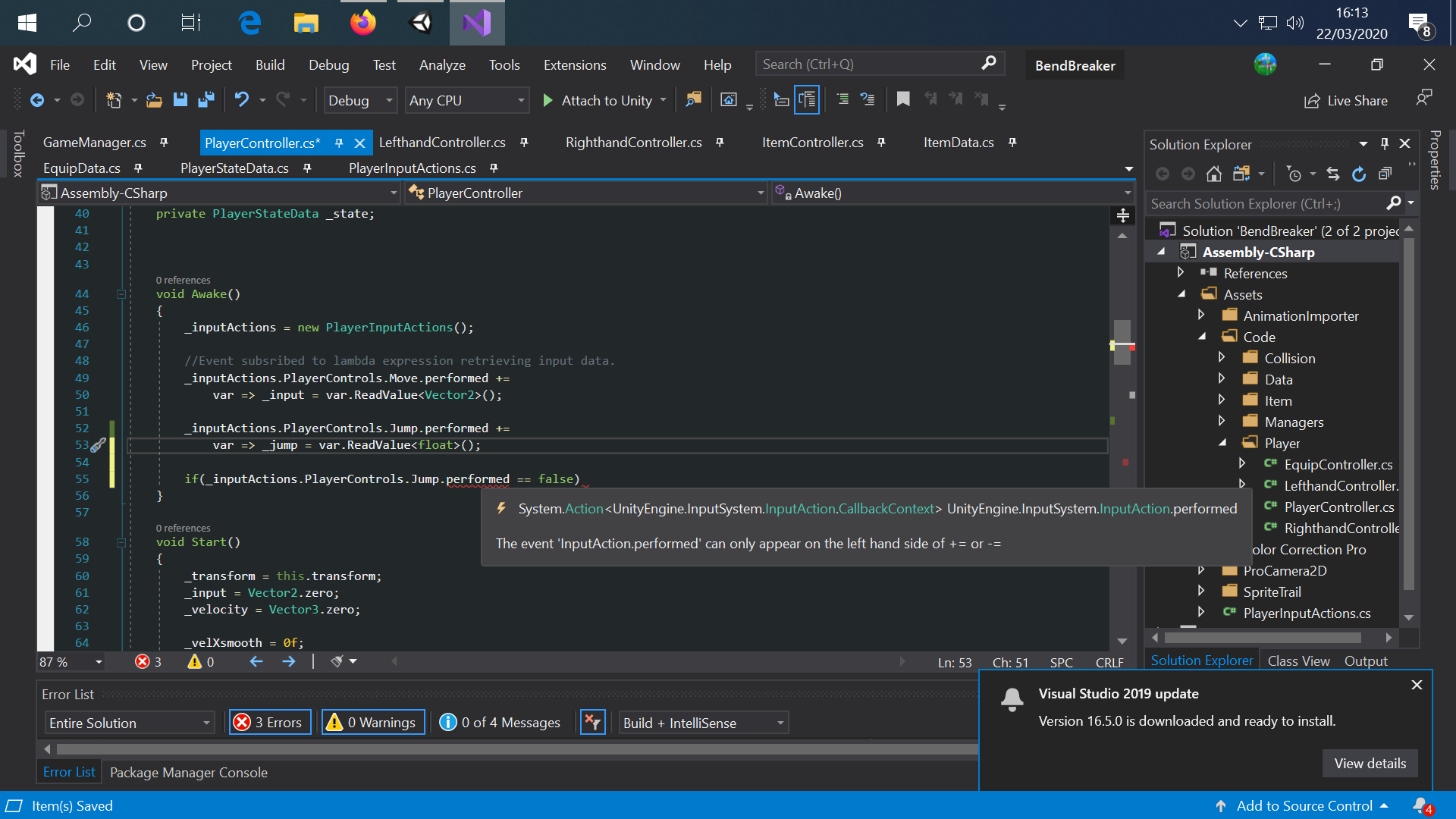
Unity Forum
I create a very simple input with a trigger behaviour of "Release only" but it triggers once when the key is pressed and another time when it's...
It didn't help me, unfortunately. However, my issues went away when I stopped using the input editor and its auto-generated code, writing everything myself instead.
loud pawn
distant raptor
are the mouse delta's still screwed up?
What do you mean? I'm using mouse delta for my FPS controller and it seems fine.
distant raptor
loud pawn
What do you mean? I'm using mouse delta for my FPS controller and it seems fine.
last time i tried to use the new input system the Mouse input would stutter / be jittery and it was an inconsistent jitter..
loud pawn
Did you apply deltaTime to it?
distant raptor
what kind of input do you have running for the mouse?
what kind of context do u use
distant raptor
loud pawn
Did you apply deltaTime to it?
didn't think u had to for delta's
loud pawn
No, you're right, it's just a common mistake. It's even in a bunch of tutorials.
loud pawn
Yeah, I haven't had any issues with mouse delta. I poll for input in Update and read its value as a Vector2.
distant raptor
that might be where i went wrong..
loud pawn
How so?
distant raptor
not quiet sure how i remember setting it up..
but i dont think i was polling in update
or i had to of been.. 🤔
idk my brains fried lol its 3am
loud pawn
There are multiple ways to do it. You don't have to poll it. It's cool that there are many different ways to set up the input and actions, but I think it also contributes to a lot of confusion.
Go to sleep. 😅
distant raptor
Mind if i ping u tomorrow? If i decide to try to give it another try
loud pawn
Sure!
distant raptor
    private void OnEnable()
    {
        inputs.Player.Action.performed += k => Action();

        // if Movement is performed read Vector2 from context and store as vector2 move
        inputs.Player.Movement.performed += k => normalizedMove = k.ReadValue<Vector2>();

        // if Movement is cancelled set vector2 move to zero
        inputs.Player.Movement.canceled += k => normalizedMove = Vector2.zero;

        inputs.Player.Enable();
    }

    private void OnDisable() => inputs.Player.Disable();

    void Update()
    {
        // forward / lateral movement
        _wasd = new Vector2(normalizedMove.x, normalizedMove.y);
        Debug.Log(_wasd);
    }

    private void Action()
    {
        Debug.Log("Action Button Pressed");
    }
}```i dug it up..
this is what i had.. i must of raged and delete the entire mouse input cuz its gone 😄
loud pawn
I'd poll for movement input in Update as well. Saves you from dealing with phases.
distant raptor
i probably agree
this triggered me last time...
i couldn't figure out why my inputs wouldn't go back to zero when i released the keys
i had to manually check for canceled and set it to zero
for some reason, wasn't my best moment (messing with the input system, that is) lol
loud pawn
Yeah, I don't see why that shouldn't work.
distant raptor
oh it does.. this part works fine..
the mouse input got yeeted out of exsitence it appears
existence*
tidal wigeon
tidal wigeon
Hi guys, first time trying to use the new input system and first time trying to ...
I solved this switching the touch input action to "pass through" 😕