#🖱️┃input-system
1 messages · Page 2 of 1
 sullen lintel
 sudden lagoon
Any one could help?
I am trying to check if touch event was triggered on UI or not. But cannot find correct way. IsPonterOverGameObject is late one frame, so I cannot check if I actually selected UI or not. I am starting pulling my hairs out...
EventSystem.current.IsPointerOverGameObject());
 viral whale
Hello, i have a problem that keeps happening to me, when using OnTriggerStay, it does not register my input if my player stands still, I have to move around inside the collider and press a input multiple times for it to activate!?..
 austere grotto
sudden lagoon
Any one could help?
I am trying to check if touch event was triggered on UI or ...
austere grotto
sudden lagoon
Any one could help?
I am trying to check if touch event was triggered on UI or ...
Better is to just use the event system in the first place for your Raycasts and you get this for free
austere grotto
viral whale
Hello, i have a problem that keeps happening to me, when using OnTriggerStay, it...
Input should only be read in Update.
Other functions do not run every frame
 heady river
sullen lintel
I did
heady river
sullen lintel
I did
so umm is there any documentation that could help m,e?
sullen lintel
heady river
so umm is there any documentation that could help m,e?
What docs are you looking for ? You could've just screenshotted the transitions this whole time and you did not.
You did not show if animation clips even have a Loop checked, put debugs if you're lost.
heady river
sullen lintel
What docs are you looking for ? You could've just screenshotted the transitions...
im debugging right now but her are my transitions


ahh so i debugged and its not registering my key pressed so its not switching the animations
heady river
Null?
sullen lintel
heady river
im debugging right now but her are my transitions
turn off exit times first
sullen lintel
heady river
ahh so i debugged and its not registering my key pressed so its not switching th...
how's it not registering , you are using the new Input system?
heady river
sullen lintel
turn off exit times first
I already turned off exit times
heady river
sullen lintel
how's it not registering , you are using the new Input system?
I am using the new input system
sullen lintel
heady river
I am using the new input system
show your current code
 lusty haven
can anyone help to know each type for those like axis is float

 chilly verge
Did the new input system recently make it so you can't have multiple actions checking for the same input? I have two action maps, the first action map is for base player movement which is testing for the WASD keys, the second action map is for a minigame that appears on the screen and it tests for A/D input, when I was using unity 2021.3.3f1 I could have both action maps running at the same time with no issues, but I recently upgraded my project to 2021.3.8f1 and ever since then A/D input is only detected when I disable the other action map, is this a bug or a new feature recently added? Cuz it's messing up a lot of things in my game now and its been hella annoying to work around
heady river
sullen lintel
show your current code
this is my log
 sullen lintel
heady river
<@286722279969259520>
sullen lintel
heady river
<@286722279969259520>
configure Visual Studio first, screenshot after its done .
heady river
sullen lintel
configure Visual Studio first, screenshot after its done .
Weird it was configured the last time I opened unity
heady river
sullen lintel
configure Visual Studio first, screenshot after its done .
all configured up now heres the ss

 tired juniper
How would I go about detecting when a flick occurs on the joystick and then calling a function based on that flick? I can't seem to figure out how to do this with the new Unity Input system so do I have to use the old system?
Basically, I want to create a binding for when the player flicks from one extreme of the joystick to the center
austere grotto
tired juniper
How would I go about detecting when a flick occurs on the joystick and then call...
I'd just do it in code
You'd probably need to write a custom interaction for that to be done in the binding itself
I guess you could try the TapInteraction? https://docs.unity3d.com/Packages/com.unity.inputsystem@1.4/manual/Interactions.html#tap
tired juniper
austere grotto
I guess you could try the TapInteraction? https://docs.unity3d.com/Packages/com....
Do you think this could work with a joystick giving me a <Value> action type? The direction of the flick doesn't matter, I just need to see if the user flicks
 exotic spear
Hi I've noticed a problem with my mouse look in my game in which it periodically jerks to one side at seemingly random times as shown by the highlighted bit in console logs below
I'll also include my settings and code snippets
    {
        look = value.ReadValue<Vector2>();
        Debug.Log(look);
    }


I use dynamic update for the input system in project settings
sullen lintel
heady river
all configured up now heres the ss
Ok Good. Now which of the logs are you getting in the console?
exotic spear
exotic spear
Hi I've noticed a problem with my mouse look in my game in which it periodically...
Update to question: I decided to check if the profiler could give me a clue and found this happens at the same time as the mouse' over rotation
Still not sure what I'm looking like but it takes significantly longer to process so I imagine this is where my problem is coming from
 austere grotto
exotic spear
Update to question: I decided to check if the profiler could give me a clue and ...
austere grotto
exotic spear
Update to question: I decided to check if the profiler could give me a clue and ...
24 ms of garbage collection
I think you just have a slow frame which is leading to a large single-frame mouse delta
exotic spear
It happens fairly often and corresponds to my mouse look over rotating/snapping each time it happens
is it possible that it's happening because I'm multiplying the rotation by Time.deltaTime
austere grotto
you should definitely not be multiplying mouse input by deltaTime
exotic spear
ok
Any advice on how to make it smoother then because it is very jittery otherwise and my inputsystem is set to Dynamic Update
exotic spear
austere grotto
you should definitely not be multiplying mouse input by deltaTime
thanks, just a dumb blunder on my part then
austere grotto
there should be nothing to smooth
mouse input is framerate independent automatically
One mistake may be:
look = value.ReadValue<Vector2>(); if you're doing this you may be consuming the same mouse input multiple times
heady river
sullen lintel
Ok Good. Now which of the logs are you getting in the console?
Neither it’s empty
Unless maybe my ide wasn’t configured when I put in the debug.log so that’s why I didn’t see it I’ll try it tomorrow
exotic spear
austere grotto
One mistake may be:
`look = value.ReadValue<Vector2>();` if you're doing this yo...
Seems removing deltaTime and editing my senestivity values has fixed it, I appreciate the help
sullen lintel
heady river
Unless maybe my ide wasn’t configured when I put in the debug.log so that’s why ...
nah that has nothing to do with it. you would see debug messages in Unity console not IDE. Did you add the script to an object?
 shy spade
my g29 pedals are interfering with the Vertical Axis from the Unity Input System, can i somehow make my pedals to not be recognized as controllers?
heady river
sullen lintel
nah that has nothing to do with it. you would see debug messages in Unity consol...
no i tried to put it on my player but it already has a script on it with a different class name
should i put the code in my player controller script
sullen lintel
heady river
should i put the code in my player controller script
You’re using GetComponent for animator. Put it wherever you have animator you want to control
heady river
sullen lintel
You’re using GetComponent for animator. Put it wherever you have animator you wa...
this showed up
 sudden lagoon
austere grotto
Better is to just use the event system in the first place for your Raycasts and ...
sudden lagoon
austere grotto
Better is to just use the event system in the first place for your Raycasts and ...
But does ray cast work with UItoolkit tho? I have old canvas system and uitoolkit in project. so I used Raycast check and overUI check to know which I am over right now.
austere grotto
which raycast?
Physics raycasts are unrelated to the UI system
I do think UI toolkit has its own event system? Not sure about that
 mild vortex
Input.GetButtonDown("Fire1") equivalent? I specifically don't want to access this input via an event, but rather access it when needed.
austere grotto
mild vortex
`Input.GetButtonDown("Fire1")` equivalent? I specifically don't want to access t...
you can still poll actions in Update
you don't have to do things via events
myInputAction.WasPressedThisFrame()```InputActionsName.ActionMapName.Action.WasPressedThisFrame(); then?
austere grotto
however you want to get a reference to your InputAction is fine
austere grotto
austere grotto
```cs
myInputAction.WasPressedThisFrame()```
point is you call this on a reference to an input action
mild vortex
Cool, thanks!
sudden lagoon
austere grotto
which raycast?
Used Physics raycast. UItoolkit doesnt have event system, it uses Input system if I understand it correctly
 austere grotto
sudden lagoon
austere grotto
sudden lagoon
that's literally a screenshot of your event system
(look at the component above)
sudden lagoon
Yes, but InputSytem convers it with input system UI input module, doesnt it?
austere grotto
there's always an input module
the input module is how the input system interacts with the event system
every combination of input system + ui system has a combo of event system + input module
sudden lagoon
so in the end I was doing what you were suggesting. But in a way that does not work 😦
So in short:
frame 1: TOUCH event happen -> Event of it is called -> My function is called -> Check if over UI fails.
frame 2: TOUCH event happen -> Event of it is called -> My function is called -> Check if over UI suceeds.
sullen lintel
heady river
this showed up
Does your script class name match the file name?
 brave dawn
for openXR how hard is it to allow the VR player to use keyboard + mouse?
I want the vr player to use a computer in vr
austere grotto
brave dawn
for openXR how hard is it to allow the VR player to use keyboard + mouse?
brave dawn
mb
 west oracle
brave dawn
for openXR how hard is it to allow the VR player to use keyboard + mouse?
west oracle
brave dawn
for openXR how hard is it to allow the VR player to use keyboard + mouse?
It's kind of input system related lol.
The controller inputs use the same system as real keyboard and mouse.
Are you wearing an HMD with your hands on a physical real life keyboard?
brave dawn
Hp reverb with controller
 primal salmon
I have a UI and Player ActionMaps. the inputmodule has the actions assigned from the UI section however when i disable it in code like
controlScheme.UI.Disable();
the UI still works
how can i disable it from working
austere grotto
primal salmon
I have a UI and Player ActionMaps. the inputmodule has the actions assigned from...
You need to disable the action map or input actions, not a control scheme
 olive mortar
Whats wrong here? O.o
 austere grotto
olive mortar
Whats wrong here? O.o
austere grotto
olive mortar
Whats wrong here? O.o
what version of input system are you using
austere grotto
that' why
There's no WasPressedThisFrame in 1.0.2
you should be able to do if (context.started) though
or if (context.phase == InputActionPhase.Started)
olive mortar
wont that trigger the event ever time the key is held down, rather than a single frame event?
austere grotto
no
olive mortar
ah ok, thank you 🙂
primal salmon
austere grotto
You need to disable the action map or input actions, not a control scheme
Sorry that is the then of my player control object I see hot that could be co fusing lol
 naive geode
For some reason Run reacts only to A presses (I'm on a non standart layout) even though I press Q and the rest of unity detects the letter q fine

 spark pumice
naive geode
For some reason Run reacts only to A presses (I'm on a non standart layout) even...
spark pumice
naive geode
For some reason Run reacts only to A presses (I'm on a non standart layout) even...
iirc there are bindings based on the position of the key on the keyboard and separate bindings based on the letter/symbol on the key. Double check that you're using the correct variation?
naive geode
okay yeah
olive mortar
austere grotto
There's no WasPressedThisFrame in 1.0.2
apparently in 2020 theres a 1.4.2 i just updated to that works! but it only showed it once i enabled preview package. but its not a preview? O.o
heady river
sullen lintel
Does your script class name match the file name?
JUST TWEAKED THE NAME AND PUT IT ON MY CHARACTER
sorry caps lock
it works
heady river
Sort of instead of transitioning it’s just turning the animation on and off so it’s half working
olive mortar
anyone encountered where Vector2's are just straight up really glitchy / laggy? I've tried reading it in update and via an event, but the result is always the same https://streamable.com/6bk8vb

    public void OnLook(InputAction.CallbackContext context)
    {
        Vector2 lookAxis = context.ReadValue<Vector2>();

        bool invertedKB = !UsingGamePad && SettingsMenu.Instance.InvertY;

        cameraInputData.InputVectorX = lookAxis.x;
        cameraInputData.InputVectorY = invertedKB ? -lookAxis.y : lookAxis.y;

}```how are you consuming the data?
olive mortar
    void CalculateRotation()
    {
        if (Player.Instance.updatePlayer && Player.Instance.IsAlive())
        {
            float baseSensitivity = Player.Instance.GetInputHandler().UsingGamePad ? sensitivity * controllerSensitivityMultiplier * Time.fixedDeltaTime : sensitivity;

            m_desiredYaw += camInputData.InputVector.x * lookSpeed;
            m_desiredPitch -= camInputData.InputVector.y * lookSpeed;

            m_desiredPitch = Mathf.Clamp(m_desiredPitch, lookAngleMinMax.x, lookAngleMinMax.y);
        }
    }

    void SmoothRotation()
    {
        m_yaw = Mathf.LerpAngle(m_yaw, m_desiredYaw, smoothAmount.x * Time.fixedDeltaTime);
        m_pitch = Mathf.LerpAngle(m_pitch, m_desiredPitch, smoothAmount.y * Time.fixedDeltaTime);
    }

    void ApplyRotation()
    {
        transform.root.eulerAngles = new Vector3(0f, m_yaw, 0f);
        m_pitchTranform.localEulerAngles = new Vector3(m_pitch, 0f, 0f);
}```where and when does this run

 limber gull
hey guys
i need to use the newer input system but i cant seem to find where it contains the mouse movement
can only find mouse buttons

actually might have just found
olive mortar
remove the text, and navigate to Mouse -> Delta
limber gull
yeah i found it actually
now i just need to go back to an older project to remember how to rotate the camera good
limber gull
olive mortar
remove the text, and navigate to Mouse -> Delta
the return value wasnt correct, thats why i couldnt find it
spark pumice
olive mortar
anyone encountered where Vector2's are just straight up really glitchy / laggy? ...
I think it might be the lack of acceleration that is making this look off. You jump straight from no rotation to full speed rotation and its jarring
olive mortar
spark pumice
I think it might be the lack of acceleration that is making this look off. You j...
how do i solve this? tomorrow im going to test with the old way, since i have both able to use, and i'll verify if its the readvalue being weird or not
Input.GetAxis etc
spark pumice
olive mortar
how do i solve this? tomorrow im going to test with the old way, since i have bo...
its the difference between SmoothDamp and Lerp
olive mortar
it worked perfectly fine though when i was using Rewired though
which is essentially just a wrapper for input manager
spark pumice
olive mortar
it worked perfectly fine though when i was using Rewired though
I've never used rewired, can't comment on that
olive mortar
I can test this out now, if you have time for me to get the findings?
spark pumice
olive mortar
I can test this out now, if you have time for me to get the findings?
sure. I'm looking at your code and trying to think about how to incorporate the idea (just switching to SmoothDamp might have implications that you don't want, though you could try)
like, smooth damp will add acceleration both on the stop and start side of things
but you might only want it on the start side
and stop immediately
olive mortar
its not just the abrupt stopping, it sometimes wigs out and slightly goes in the completely wrong direction
it's a little hqrd to discern from the video
spark pumice
yeah, its hard to know what the inputs were from watching the video. You get more of a feeling for it when you're actually controlling it
olive mortar
Revelation. maybe
spark pumice
there's a little wiggle at 0:05, is that it? or did you actually do a wiggle with the control
olive mortar
its entirely smooth with Mouse X and mouse Y with input manager
but when im pressing WASD, my lookaxis debug is firing off
i'm telling you. if this is the goddamn problem

i looked at this atleast 12 times
ok no that definitely isnt it, its still wrong
let me get a better video for you
but yes: using input.getaxis, its flawless. so definantly something to do with input system, and actually registering input with it
spark pumice
Does GetAxisRaw give you the same behavior as the input system?
 olive mortar
do you want a comparison video with axisraw
spark pumice
no, if it wasn't having obviously the same issue as input system then it's not really relevant
olive mortar
this is the Look setting in the input action

mouse specific

I have also tried Control Type -> Vector2 same result
austere grotto
olive mortar
but yes: using input.getaxis, its flawless. so definantly something to do with i...
what happens if instead of using events you just poll that action in Update?
austere grotto
olive mortar
this is the `Look` setting in the input action
should definitely be Vector2 btw
can you show all the settings you have for the input action and the bindings
olive mortar
 austere grotto
olive mortar
this is the `Look` setting in the input action
austere grotto
olive mortar
this is the `Look` setting in the input action
What's going on with that normalize processor?
that will definitely cause issues
olive mortar
trying to fix it, but shouldnt it be normalized anyway? 0-1

 austere grotto
try this:
- remove the game pad binding
- remove the normalize processor
see what happens
and set it to Value/Vector2
austere grotto
adjust your sensitivity down
spark pumice
are you supposed to multiply a mouse delta by deltaTime? Probably not, right?
austere grotto
spark pumice
are you supposed to multiply a mouse delta by deltaTime? Probably not, right?
nope
olive mortar
its alot smoother now. its not skipping all the time
it has skips every so often, and feels abit
GetAxisRaw * 100
it'd be easier if i could screenshare this rather than videos all the time hehe
austere grotto
I mean one thing to do is just like:
void Update() {
  Vector2 newInput = lookAction.ReadValue<Vector2>();
  Vector2 oldInput = new Vector2(Input.GetAxis("Mouse X"), Input.GetAxis("Mouse Y"));
  print($"Input comparison - old: {oldInput.ToString("F4")} new: {newInput.ToString("F4")}");
}```and play with the settings till you see them working the same
obviously make sure you have both inbput systems activated for this test
olive mortar
So you're saying not use an event?
austere grotto
Yeah I don't think using events is a good idea for "continuous" input in general
like input you expect to change value every frame
events are best for things like buttons
or taps, or swipe interactions, etc.
you can definitely make it work
but it's harder
 spark pumice
olive mortar
```cs
void CalculateRotation()
{
if (Player.Instance.updatePlaye...
spark pumice
olive mortar
```cs
void CalculateRotation()
{
if (Player.Instance.updatePlaye...
this LerpAngle code is abusing Lerp. It is written like MoveTowards. So if sensitivity is high enough that smoothAmount.x * Time.fixedDeltaTime >= 1, you'll lose all of the smoothing effect and just jump straight to desiredYaw every frame
olive mortar
this is also true, it needs some refactoring for sure
but i don't want to refactor something thats currently broken 😛
spark pumice
I'm just wondering if that's the bug
olive mortar
its not, since input manager works
spark pumice
oh fair
olive mortar
so its defiantly not right. this is with normalized @austere grotto
 spark pumice
seems like you want to clamp it, not normalize
austere grotto
normalize is definitely wrong for mouse input
olive mortar
but GetAxis is normalized?
 olive mortar
true
austere grotto
That vector has a magnitude greater than one
spark pumice
olive mortar
in this image, old is 20x new. seems like they jsut have different sensitivities
spark pumice
or divide by 20
austere grotto
I think one thing to look at is the sensitivity in the old input manager axis

Mine seems to be at .1 by default (or maybe I changed it in my project?)
austere grotto
perhaps
austere grotto
olive mortar
I think the .1 accounts for the 10x here, but not the other 2x
That's a little bit of a puzzle 🤔
olive mortar
ok, i can see now its double, right?
 austere grotto
yep looks that way
olive mortar
so 0.05 scale should do it
spark pumice
the most magic of numbers
austere grotto
yeah aka 1/20 which matches Tachyon's observation earlier
I feel like there's probably some other setting accounting for the remaining 2x scale but I'm not sure what it is
olive mortar
with this information, i might know what was doing the problems
because it was obviously mad scale
any slight twitch was picked up in the movement
right?
austere grotto
seems reasonable
spark pumice
and maybe some noisiness left in the control, even after Unity's smoothed it
austere grotto
ok well - we've at least made the picture somewhat clearer I hope
olive mortar
Half the battle, though we've deduced that it was the scale for the majority of it. though theres no connection to this jumping
https://streamable.com/rjzi04 heres the jumping
 austere grotto
olive mortar
https://streamable.com/rjzi04 heres the jumping
austere grotto
olive mortar
https://streamable.com/rjzi04 heres the jumping
any chance this corresponds with a framerate hitch?
olive mortar
negative
austere grotto
you might deduce this with the profiler or by printing deltaTime along with the input data
austere grotto
olive mortar
negative
when you get the jump you see abnormal input data being printed?
does it differ at all from the Input.GetAxis data (after your scaling) when there's a jump?
olive mortar
i'll get the jumping again and take a look. its hard to find the debugs since its every frame :P;
austere grotto
olive mortar
i'll get the jumping again and take a look. its hard to find the debugs since it...
You could maybe do a if (oldInput != newInput) and only print then 🙂
olive mortar
it doesnt print when theres a jump, so they are the same
austere grotto
so - could it be hardware related?
austere grotto
Well I'm not sure - basically we've ruled out that the input system is giving different data
olive mortar
something here, must just be broken, i dont know
 austere grotto
olive mortar
```cs
void CalculateRotation()
{
if (Player.Instance.updatePlaye...
austere grotto
olive mortar
```cs
void CalculateRotation()
{
if (Player.Instance.updatePlaye...
I'm a little confused as to why you're using TIme.fixedDeltaTime in this code btw
austere grotto
What about the SmoothRotation function?>
Not seeing where that's called
is it still used for mouse?
austere grotto
can you try disabling that and/or using deltaTime
seems odd to use fixedDeltaTime in a non-Fixed update
austere grotto
what change did you make?
switched to deltaTime, or removed the SmoothRotation call?
olive mortar
switched to time.deltatime. im now going to test without smooth rotation
I don't think its doing it without the smoothing
little hard to tell, but i dont get big jumps, thats for sure
could it be some sort of gimble lock?
spark pumice
is it jumping in both yaw and pitch? or just yaw?
olive mortar
im not sure i can answer that, its always in like a diagonal
let me double chekc
its in both, up down left right diagonals
this is all abit strange from just changing how some float gets a value haha
    public static Vector3 SmoothDampAngle(Vector3 from, Vector3 to, ref Vector3 velocity, float smoothTime)
    {
        return new Vector3(
          Mathf.SmoothDampAngle(from.x, to.x, ref velocity.x, smoothTime),
          Mathf.SmoothDampAngle(from.y, to.y, ref velocity.y, smoothTime),
          Mathf.SmoothDampAngle(from.z, to.z, ref velocity.z, smoothTime)
        );
}``` i do have this. if this would be better to use?or just the Mathf one i guess, idk what is actually causing this problem though
spark pumice
it would probably cover the bug up
olive mortar
oh we dont do that here
spark pumice
which is good enough, I guess
spark pumice
the previous issue? with 20x values
olive mortar
would i put the same thing into the smoothTime as with the lerp angle?
spark pumice
I wouldn't pass something multiplied by deltaTime into that. Just your smoothAmount parameter
olive mortar
i dont think its a 0-1 scaled value, is that a problem
spark pumice
smoothTime is like... how many seconds should it take to go from A to B.
roughly
so no, doesn't need to be 0-1
but you'll need to tune it to whatever sensitivity you want
olive mortar
gotcha
lets test it out
any value for smoothtime that makes it actually move in a respectable amount of time, has this jumping
spark pumice
mmmm, damn
olive mortar
still has it as bigger values too, just masked, but makes the camera rotation un-usable
so theres something else going on
spark pumice
I g2g. but this is an interesting conundrum. I'll ping you if any ideas occur to me
olive mortar
sure thing
I'll leave this here. this still does it. But if i construct a float x,y with the input.getaxisraw, and plug it straight into the rotation. it works

So its something with InputVectorX and Y
but they're just basic properties

public Vector2 InputVector => m_inputVector; InputVector is what is used for the camrotation in the snippets above
sullen lintel
heady river
Sort of instead of transitioning it’s just turning the animation on and off so i...
idk wdym? put exit time if you mean you want it to wait
heady river
sullen lintel
idk wdym? put exit time if you mean you want it to wait
No I want it to have my walk animation play when the w key is pressed and the idle animation to play when the no key is being pressed
sullen lintel
heady river
No I want it to have my walk animation play when the w key is pressed and the id...
thats how it's setup now
heady river
sullen lintel
thats how it's setup now
Except only the idle animation is playing on and off the walk isn’t there at all
sullen lintel
heady river
Except only the idle animation is playing on and off the walk isn’t there at all
likely you didn't setup the transitions correctly. show the screenshot for each transition
heady river
sullen lintel
likely you didn't setup the transitions correctly. show the screenshot for each ...
here

 sullen lintel
heady river
here
sullen lintel
heady river
here
take a short video? I'm not seeing an obvious issue
 remote hornet
I have a new powerA wired GameCube controller for switch, unity recognizes it as a switch pro controller but doesn't pick up any input in the input debugger, or when listening to set bindings. It works with windows "setup usb controllers" and even with jelly drift (with was made with unity), although the controls are a little strange. So am I doing something wrong or does my controller simply not work with unity?
sullen lintel
heady river
u took a video of the animator and not the walk action character in game 🤔 🤷
olive mortar
ok. so i've tested again with the old input system, and its also jumping. so i was wrong
theres something fundamentally wrong here. im checking on the old branch with rewired now
yep. rewired is perfectly fine. no jumping
and it was literally just this. Ran in update

Nothing funky with it. So why is the input system just shagged

I found the cause! :DDD
austere grotto
olive mortar
I found the cause! :DDD
What was it
olive mortar
my gamepad inputs was interfering for some reason. i need to find out why its not disabling when no gamepad is in use
a script i have for UI behaviour on gamepad
Why does WasPerformed and WasPressed this frame not act like GetButtonDown?
How can i simulate this behaviour without adding this:
 austere grotto
olive mortar
Why does `WasPerformed` and `WasPressed` this frame not act like GetButtonDown?
austere grotto
olive mortar
Why does `WasPerformed` and `WasPressed` this frame not act like GetButtonDown?
because performed will happen whenever the value changes, even from one "pressed" value to another
you could do if (myAction.phase == InputActionPhase.Started)
olive mortar
austere grotto
you could do `if (myAction.phase == InputActionPhase.Started)`
I don't have it

ah i see.

would i need an else to set it back to true then?
movementInputData.JumpClicked = context.action.phase == InputActionPhase.Started; or just this
this does nothing, the actions wont trigger :p
austere grotto
olive mortar
I don't have it
oh with a context you can just do context.phase
or if (context.started)
olive mortar
thats how i had it before. Still need the = false after registering the keypress
olive mortar
olive mortar
this
i just want the bool to be true for a frame. then go back to false like how GetButtonDown works
austere grotto
wait so
you're using an event
to set a bool
and then checking the bool in update?
olive mortar
Yes
austere grotto
why not just check the action in Update directly
olive mortar
im not sure how this solves the problem
these are button presses, Events are the way to go, no?
austere grotto
sorry I'm only really half paying attention here
austere grotto
olive mortar
these are button presses, Events are the way to go, no?
usually you would just do the jump thing in the event handler
rather than having a event to set a variable which you then poll
the point of the event is to avoid polling
olive mortar
I guess i can change them to UnityEvents? I don't see how i can reference everything i need to do in the action
austere grotto
that could work
remote hornet
why does my power a wired gamecube controller not work with unity
is this a known issue
am I doing something wrong, my game works with keyboard controllers
controlls*, I am using the new input system
olive mortar
remote hornet
why does my power a wired gamecube controller not work with unity
    public void OnDeviceChanged(PlayerInput input)
    {
        UsingGamePad = !input.devices[0].device.name.Equals("Keyboard");


        foreach (InputDevice device in input.devices)
        {
            string deviceName = device.name;
            Debug.Log("Device Name: " + deviceName);
        }
}``` Debug the name of the controller in active useif you dont get a debug, when you switch, its not being recognised
remote hornet
It is being recognized, on the input debugger in the player input component it is listed, unity knows it is there, it just doesn't know how to interpret it
 lament roost
How can I check if any gamepad is connected with the new input system?
heady river
sullen lintel
u took a video of the animator and not the walk action character in game 🤔 🤷
Oh sorry
olive mortar
lament roost
How can I check if any gamepad is connected with the new input system?
Look at the message directly above yours
lament roost
olive mortar
Look at the message directly above yours
coincidence
lament roost
heady river
screen recorders exist.
heady river
lament roost
screen recorders exist.
Ik but it always says that the files to large to paste into discord
sullen lintel
heady river
Is the walk animation set to loop ?
And yes use screen record next time. That shit made me nauseous with all that camera movement
heady river
sullen lintel
Is the walk animation set to loop ?
i turned off loop on the walk and now the walk animation plays when i press w but the idle doesnt play when im not pressing a button
sullen lintel
heady river
i turned off loop on the walk and now the walk animation plays when i press w bu...
wdym turned off loop ? keep looping on ?
 sullen lintel
heady river
sullen lintel
heady river
keep it On for walk..
heady river
sullen lintel
keep it On for walk..
and shut it off for idle
and it works
no strings attached it 100% works
thank you null
 tame oracle
I have an issue that is probably simple but I am just having trouble getting things setup properly.
This is concerning local multiplayer using the Multiplayer Event System and Input System UI Input Module.
Basically, I am trying to setup a character selection screen ( think fighting game such as street fighter or tekken etc ).
The issue is I am unable to have 2 players control icons on the same canvas.
If I duplicate the canvases (which feels really redundant) everything works fine..
But if the Player Root on the Multiplayer Event System is the same canvas only player 1 will receive input. Player 2 icon will not detect anything.
The hierarchy is PlayerSelectorIcon => which contains Device Assigner Script, Multiplayer Event System, and the input module. And one of these objects exist for both players.
Once again, this setup works fine with 2 canvases that are stacked on top of each other. But not for a single canvas so I am looking for tips or advice.
I can provide screenshots, gifs, or code or whatever is requested. Although the code is just a couple lines for explicitly assigning devices while testing.
Thank you in advance.
tame oracle
oh. well. I figured it out? Apparently if I don't assign the canvas (or anything) to the Player Root it works? Well that is interesting!
 glad flower
Hey all, I got an issue where I can't bind any inputs to WASD or Arrow Keys. This issue popped up when I updated my project from the 1.3 to the 1.4 input system. I can confirm that the issue is not related to my scripts or the player input map itself, because I can rebind the button to anything other than WASD and Arrow Keys without much of an issue. I believe it is somehow related to some project setting, but am honestly lost on what.
 little haven
glad flower
Hey all, I got an issue where I can't bind any inputs to WASD or Arrow Keys. Thi...
little haven
glad flower
Hey all, I got an issue where I can't bind any inputs to WASD or Arrow Keys. Thi...
it's a bug with 1.4. more info on the forums
 twilit siren
Hey, I got an issue with the walljump mechanic: to do so, I kinda deactivate my movement rb.velocity set, so I can use my walljump rb.velocity set instead
But the issue is that if I walljump from a wall at my right for example, and I want to go to the left, I'll press left instantly after pressing jump, it won't "register" the left input because it's been pressed while rb.velocity was handled by the walljump method
In the video, I pressed right just when the movement method was back to handling rb.velocity, so it worked, and in the second jump I pressed right while rb.velocity was handled by walljump method, so it didn't work and you can see that it just kept in memory the last input before switching the rb.velocity handling, which was left, so the character just keeps going left even though I press right, because there's no new event that changes the input value again (problem is non-existent on a controller unless you're super precise)
Using Unity Events
Not sure code is needed here it's more of a logical issue, but if needed let me know I'll share it
twilit siren
I got the same issue with my dash apparently, because it works the same way, the Dash() method handles the velocity for a certain amount of time, and if I input a movement key while dashing, it won't take it in account and continue until another even happens
Even the cancelled event is not heard, if I release my right key during a dash, it'll just keep walking when the dash is over
glad flower
little haven
it's a bug with 1.4. more info on the forums
Do you mind providing any links? I couldn't find anything myself
Nevermind, I found the forum post 🥲
limber gull
does anyone know where i can find the list of input paths (newer input system) of oculus controllers?
limber gull
can different action maps with the same input be active at once and still work?
having trouble with one of my buttons not triggering a method but it triggers another one (same button bound)
 runic anvil
Very basic question, anybody can point me in the right direction? I want to know how many times a button was pressed since the last frame (not just wasPressedThisFrame).
limber gull
how is a user supposed to press several times in 1 frame?
runic anvil
limber gull
how is a user supposed to press several times in 1 frame?
yes, especially during a hitch or long frame
limber gull
runic anvil
yes, especially during a hitch or long frame
im not an expert but i dont think unity will register any new inputs while its already working on something
runic anvil
limber gull
im not an expert but i dont think unity will register any new inputs while its a...
I believe natively the events are polled at very high frequency and I have to imagine they are queued and processed - I would be quite surprised if it wasn't possible to get at this data somehow.
 alpine umbra
limber gull
how is a user supposed to press several times in 1 frame?
alpine umbra
limber gull
how is a user supposed to press several times in 1 frame?
they cannot
or at least, Unity will not register it
runic anvil
alpine umbra
or at least, Unity will not register it
If input data isn't polled at a higher rate than the application rate, mouse motion would be awful. Are you pretty confident that keyboard data isn't?
alpine umbra
runic anvil
If input data isn't polled at a higher rate than the application rate, mouse mot...
it's polled but is just not available to you
runic anvil
alpine umbra
it's polled but is just not available to you
I was wondering if there might be some functionality via eg AccumulatateValueInEvent() or other similar cryptic methods possibly through comparison with a pointer of the state from the previous frame - do you have enough familiarity with the input system that you have a high degree of confidence about that?
alpine umbra
runic anvil
I was wondering if there might be some functionality via eg `AccumulatateValueIn...
not with the input system per se, but with computer operating systems, you want to hook into the interupt using assembler code go ahead, but your unity code runs at a frame rate so only stuff within that frame rate are available to you
runic anvil
alpine umbra
not with the input system per se, but with computer operating systems, you want ...

Unity Forum
Hi,
I've been watching the New Input System work with anticipation for a while, and decided to evaluate it for our use. I'm especially excited by the...
alpine umbra
runic anvil
https://forum.unity.com/threads/new-input-system-and-framerate-independance.5436...
Fine, but how does this affect code running in Update or FixedUpdate where the work is actually done
And in fact, the more often you poll the slower your frame rate will be
that says it all
 runic anvil
alpine umbra
that says it all
runic anvil
alpine umbra
that says it all
Sorry, had a call and send msg prematurely but yup - that buffer of events is all I'm after basically.
alpine umbra
runic anvil
Sorry, had a call and send msg prematurely but yup - that buffer of events is al...
but what would you do with it? There is no mechanism within unity to consume and act upon such a buffer
runic anvil
alpine umbra
but what would you do with it? There is no mechanism within unity to consume and...
What would we do with it? If the buffer contained multiple events, process them. If the buffer didn’t store multiple and/or Unity provides no interface to get at it then of course, we couldn’t do anything with it. To know a key is released in the same frame it was pressed, I assume this data is theoretically available. The questions I have are, a) is the multiple key press data in the internal unity buffer at any point or does the buffer only store state eg per key per frame, b) if the data isn’t stored, is this a suitable request to make via the forums, c) if it is stored, is there really no api access (in which case, we would request) or is it that it requires the undocumented low level apis and it is actually all there to access. From your responses I gather you think this is flat out impossible- either Unity can’t get this data or would never expose it - correct?
alpine umbra
runic anvil
What would we do with it? If the buffer contained multiple events, process them....
unity can get some of it, i.e. what is available to the operating system which is a subset of what is available to the device driver etc, the main problem is that Unity is single threaded as far as your code is concerned and so can only give you a snapshot of the inputs at the moment in time that your code executes
 urban forge
how do I make the rebind actually work? I can't understand it, I was following a tutorial and I added a function I made a while ago, it works fine with the default and the rebind ui updates, but the key for the function doesn't


 austere viper
Hey Guys,
Iam Trying To Make an online Game and iam using the new input system and i have an issue.
the issue is that whenever two player spawn in the world,
the input system assignes a random input device to the players
and the input devices is being splitted between them
so auto/manual switching isn't working,
how can i stop that from happenning?
https://cdn.discordapp.com/attachments/763502300781477948/1012346065208479784/unknown.png
 olive mortar
Anyone encountered where some UI doesnt work with the new input system?
some buttons and all Dropdowns dont... drop down
its like the click event just doesnt work, hover, press colour works fine
austere grotto
olive mortar
Anyone encountered where some UI doesnt work with the new input system?
some but...
Check your input module
 austere grotto
That should be good assuming you haven't messed with it or with that default actions asset
Usually leaving on default is fine. Strange that the hover would work but not the click
olive mortar
the click changes the Pressed Color on buttons and dropdowns, they just dont function
i debugged in my OnClick event, and it doesnt register
austere grotto
olive mortar
the click changes the `Pressed` Color on buttons and dropdowns, they just dont f...
That's... Odd. Double check you're not doing anything silly like leaving a search term in the console window or something
If that's happening though I'd lean on it not being an input problem
Since the input is clearly being detected
olive mortar
its an odd way its being done, and dont grill me for it. this is how i know its not detecting:
    public void Start()
    {
        Button[] buttons = FindObjectsOfType<Button>();
        foreach (Button b in buttons)
        {
            b.onClick.AddListener(new UnityAction(() => ActionButton.ButtonPressed(b.gameObject.name)));
        }```
It doesnt debug anything when clicking some buttons
olive mortar
i do not know what that means
 reef hound
Can someone give me the script to control a player?
olive mortar
download the unity starter assets
austere grotto
olive mortar
```cs
public void Start()
{
Button[] buttons = FindObjectsOfType...
so just for dumb debugging purposes try this quickly?
    foreach (Button b in buttons)
    {
b.onClick.AddListener(() => Debug.Log("Clicked!"));```i cant add two listeners? i need the first one to actually log me in, to test the broken ones
austere grotto
olive mortar
i cant add two listeners? i need the first one to actually log me in, to test th...
you can add two
why not?
austere grotto
olive mortar
i cant add two listeners? i need the first one to actually log me in, to test th...
wait I'm also a bit confused by this - do the broken ones spawn in later?
or they get activated later?
because... FindObjectsOfType<Button>(); will not find deactivated ones, or ones that aren't spawned in yet
olive mortar
all the buttons are in a prefab. that prefab is the entire games UI, all objects are enabled to begin with
oh, i know why dropdowns arnt working, i changed them all to TMP
let me check if they now work
No, they' don't work
 dry olive
I can't figure out how to change this so it's not always true lol
 olive mortar
well, they are the same
austere grotto
dry olive
I can't figure out how to change this so it's not always true lol
i don't understand why they would ever not be true lol
dry olive
I also don't understand why I can't find anything on google to just detect if the damn mouse is moving
feel like i'm taking crazy pills
austere grotto
dry olive
I also don't understand why I can't find anything on google to just detect if th...
you want to compare the position to LAST frame
right now you're comparing the position to the same frame
austere grotto
dry olive
I can't figure out how to change this so it's not always true lol
You need to track last frame's mouse position:
Vector2 prevPos;
void Start() {
  prevPos = Mouse.current.position.ReadValue();
}

void Update() {
  Vector2 currentPos = Mouse.current.position.ReadValue();
  if (currentPos != prevPos) {
    // it moved
  }

  prevPos = currentPos;
}```yeah that's what I was getting at before
that's why I was confused about the "login" comment you made
it implied that the other buttons were nonexistent or at least not enabled when you ran FindObjectOfType
dry olive
austere grotto
You need to track last frame's mouse position:
```cs
Vector2 prevPos;
void Start...
Ah doing it outside of the update! makes sense
thank you!
olive mortar
ok cool! Buttons are working now! 🙂 Dropdowns still dont 
runic anvil
runic anvil
If input data isn't polled at a higher rate than the application rate, mouse mot...
Answering my own question in case anyone's interested - there's an InputStateHistory api call you can use to track multiple events per frame. All events within one frame have a single value but it's still useful.
olive mortar
Do dropdowns only assign their data when they're enabled at runtime? i just tried to enable them manually in the editor, but there is only one value. Option A
i would think they would still be able to drop down though
olive mortar
ok very strange. the dropdowns wont dropdown if they are under a specific canvas
austere viper
Hey Guys,
Iam Trying To Make an online Game and iam using the new input system and i have an issue.
the issue is that whenever two player spawn in the world,
the input system assignes a random input device to the players
and the input devices is being splitted between them
so auto/manual switching isn't working,
how can i stop that from happenning?
https://cdn.discordapp.com/attachments/763502300781477948/1012346065208479784/unknown.png
olive mortar
@austere grotto fixed it. i had the canvas sorting order to int.max. which apparently breaks it 
olive mortar
austere viper
Hey Guys,
Iam Trying To Make an online Game and iam using the new input system a...
none-local players shouldnt know anything about input
you should delete the components not needed for remote players
austere viper
ok ty
limber gull
need some advice on my input system
i want the player to be able to choose if they are right/left handed and i want my input to change accordingly (vr game)
to make things organized, i put the different parts of player controls into different action maps
but since just changing the input action asset to another one in player input doesnt change what events will be triggered, im not certain at what to do
the only way i can think of to make anything work with right/left handed is to not use several action maps for the different actions
but rather to have all actions in each action map but switch the side (right or left controller) on the action maps
and then disable/enable action map from the players choosing
i need these action maps to change what control they listen to
 limber gull
ended up making 2 different rigs with its corresponding actions
if there is a better way, please let me know
 echo estuary
Anyone have experience with the Player Input Manager and Split-screen? I intend to have split-screen supporting 1 to 3 players and I was wondering if it's possible to give the 3rd player the entire bottom half of the screen. Currently I'm forced to use "corner screens" and in a 3 player game you're left with an unused screen in the bottom right corner. Is it possible to combine the 3rd and 4th screen into one large screen? Thanks!
limber gull
@echo estuary you can change the size and position of all the cameras you have active giving you full control
echo estuary
@limber gull Do you mean adjust them using the Player Input Manager's split-screen settings or on the Camera itself? Edit: I'm now messing with my 3rd camera's Viewport Rect and that seems to be working.
limber gull
echo estuary
<@400458098612895755> Do you mean adjust them using the Player Input Manager's s...
The camera itself
Never used the input manager myself
 celest orchid
So I just downloaded my project from Plastic SCM and now when I run my game I get a null error from Mouse.current.position.ReadValue(). Is there a reason why any of those would be null?
austere grotto
celest orchid
So I just downloaded my project from Plastic SCM and now when I run my game I ge...
only if you don't have a mouse plugged in
celest orchid
Hmm, ok, so something else might be wrong then since my mouse is definitely plugged in
austere grotto
celest orchid
So I just downloaded my project from Plastic SCM and now when I run my game I ge...
Is your active input handling properly set to use the new system?
urban forge
wait, is there something between the rebind ui and my action I need to manually update?
cuz the ui is annoyingly working fine except it isn't updating the action, and the action works
this the new input system
 true ivy
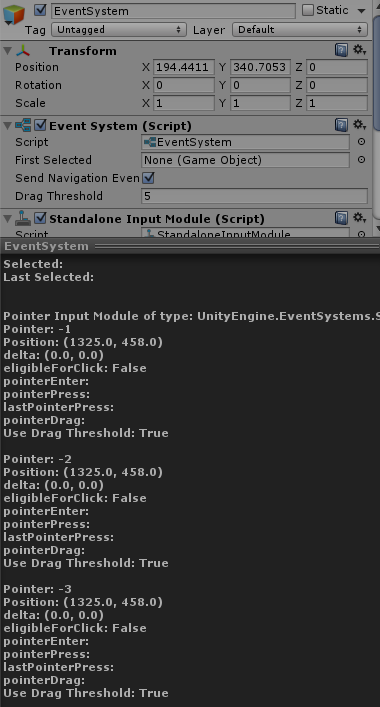
With the StandaloneInputModule for UI there was this nice list of debug info (current mouseover, last click etc). Was this moved somewhere with InputSystemUIInputModule?

for reference on what it looked like before:
https://forum.unity.com/threads/how-to-debug-what-i-clicked-on-ui.994273/#post-6455644
Unity Forum
Hi all,
Is there a way to see what UI element I click on the editor? Sometimes I come across a problem that I cannot click a button or something....
urban forge
true ivy
With the StandaloneInputModule for UI there was this nice list of debug info (cu...
I can't use both input modules


or is that not what you were asking
true ivy
no, I switched from Standard IM to the new one, but all the debug info is gone in the new version
urban forge
but I still don't understand, hitting "B" (my default key) does exactly what I want, hitting the rebind ui and choosing a letter updates the text on the ui, but doesn't update the action
true ivy
oh, sorry, I wasn't answering your question, I'm asking another one 🙂
 halcyon oak
any one knows how to move two characters using the new input system, I'm making a game like firegirl and waterboy, so far I can only get 1 character to move
twilit siren
Hey, I'm using this code to move my character with acceleration and deceleration https://paste.ofcode.org/cjiJZhuAjM2jSJxBFpWrPM
The problem is that it doesn't work if I switch direction, it'll stay at max speed, it won't decelerate then accelerate again because the deceleration phase is only called on context.canceled
Any idea?
olive mortar
shouldnt deceleration be currentSspeed -= deceleration... ?
twilit siren
olive mortar
shouldnt deceleration be `currentSspeed -= deceleration...` ?
Sorry forgot to mention that

- is already applied there
 lavish prairie
halcyon oak
any one knows how to move two characters using the new input system, I'm making...
lavish prairie
halcyon oak
any one knows how to move two characters using the new input system, I'm making...
This example project does it
https://github.com/UnityTechnologies/InputSystem_Warriors
olive mortar
return replacement.ActionReference.action.GetBindingDisplayString();``` How do i get the controller binding here? this works for keyboard, as its the first index. (0) but controller is second index. I'm unsure how to get this index olive mortar
hm. what i wrote just works 😅 
austere grotto
olive mortar
```cs
return replacement.ActionReference.action.GetBindingDisplayString();``` Ho...
olive mortar
anyone come in contact where input isnt recognised sometimes in the editor? as soon as you press play, but sometimes it is
limber gull
olive mortar
anyone come in contact where input isnt recognised *sometimes* in the editor? as...
you mean while testing the game inside unity?
i have with the newer input system
buttons wouldnt trigger anything, restarted and still didnt trigger then restarted again and first THEN they triggered
 patent hill
Hey, what would be the closest mouse binding in the input system that simulates what the old input manager used for "Input.GetAxis("Mouse Y")"?
the options are delta, position, and radius
 dire quartz
patent hill
Hey, what would be the closest mouse binding in the input system that simulates ...
dire quartz
patent hill
Hey, what would be the closest mouse binding in the input system that simulates ...
Delta is the default
patent hill
dire quartz
Delta is the default
so Delta Y would be closest to GetAxis(Mouse Y), correct?
dire quartz
patent hill
so Delta Y would be closest to GetAxis(Mouse Y), correct?
it should be yeah
i'm using delta with cinemachine it works flawlessly
patent hill
how do processors work? i want to make the input value be between -1 and 1, but when i put on the normalize processor on both the action and the binding and it still seems to spit out bigger ints
dire quartz
hmm not sure about the look delta though never bothered to check the values
i'm only familliar with the processor scale vector which speeds up or slows down the speed of the rotation
patent hill

patent hill
dire quartz
hmm not sure about the look delta though never bothered to check the values
fair enough, hopefully someone with more experience in normalization pops up soon!

spark pumice
patent hill
fair enough, hopefully someone with more experience in normalization pops up soo...
mouse delta is the change in pointer position in pixels since last frame
normalizing it doesn't make sense
patent hill
yeah i figured that out, i found out how to emulate getAxis()
you just grab the delta y and mult it by 0.1 and you get close enough behavoir
didn't matter in the end tho because the implementation i was trying to use didn't work for my application, sadly
but thank you!

 elfin radish
get value of right and left trigger (dualshock 4)? please help
 vocal jay
I have a movement action that used to work, but now it somehow broke, and I can't figure out why, this is what the action looks like

It's mapped to the correct control scheme

and the active user has this control scheme set and devices registered

the action is active

But I get no input from it
I have another action in the same ActionMap that works fine
The same action works using the gamepad control scheme (mapped to left stick)
austere grotto
vocal jay
But I get no input from it
missing from your description is how you hooked the action up to your code.
vocal jay
I'm just reading the value
austere grotto
from where?
vocal jay
I create the input system in code
austere grotto
HOw are you fetching the input action? Is it declared directly ony our script? Is it part of a generated C# class? Are you using PlayerInput?
etc
austere grotto
vocal jay
I create the input system in code
show the code
Did you ever Enable() it?
vocal jay
It's enabled, it would also say Disabled in the screenshot above otherwise
_System = new InputActions();
IS.System.Gameplay.Move.ReadValue<Vector2>()
Reading it works fine if it uses the gamepad for some reason, it won't read if it uses the composite 4 way keyboard binding
vocal jay
Ok, something is definitely weird, only WASD isn't working. Binding multiple composites to the action triggers on all except WASD

They all appear as registered to the current user, and they all work, except WASD

the strange thing is, WASD appear in the device events just like all the other keys

no idea what is going on
vocal jay
Everything works fine on input system 1.3.0 (I was on 1.4.2 previously), so I'm assuming this is a bug, although I can't believe that I'm the first to notice this...
 hollow eagle
Hi ! Is there a way to add a setting for the mouse to have no limit with the screen size with a Virtual Camera? because the cursor stops at the limit of the screen so it's not in 360 degrees, it's very limited..
 austere grotto
hollow eagle
Hi ! Is there a way to add a setting for the mouse to have no limit with the scr...
austere grotto
hollow eagle
Hi ! Is there a way to add a setting for the mouse to have no limit with the scr...
lock your cursor
hollow eagle
austere grotto
lock your cursor
but I need to see the cursor to click on the settings button..
dire quartz
vocal jay
Everything works fine on input system 1.3.0 (I was on 1.4.2 previously), so I'm ...
Yes i had so many errors when i upgraded to 1.4.2 (it worked fine on 1.3.0 before) so i downgraded back to 1.3.0 it works like a charm now
vocal jay
I don't have any errors, but like I mentioned, for some strange reason WASD doesn't work on a composite binding
dire quartz
vocal jay
I don't have any errors, but like I mentioned, for some strange reason WASD does...
try to downgrade to 1.3.0 you never know
 dire quartz

Stack Overflow
A few minutes back I upgraded/updated the Input System package via the Package Manager to version 1.4.2 (from version 1.4.1). Now after every time I enter play mode and exit, I get the same error m...
vocal jay
Awesome, thanks. And yeah I am using multiple control schemes so I guess it's the same issue
dire quartz
its the same error i had and i also had multiple other errors
austere grotto
hollow eagle
but I need to see the cursor to click on the settings button..
Is this an fps game?
hollow eagle
austere grotto
Is this an fps game?
it's a "3D Interface for a Crypto Smart Contract". For now it's more a viewer but there is a menu for the music/sound FX and other options
hollow eagle
@austere grotto I remember for the mobile. When we use the Left Pad to control the character, the camera movement is activated too. It seems that anywhere on the mobile screen, the camera movement is enabled so when you move the character the camera moves too, it's annoying...
and I don't know why because there is a right pad for the look around camera and I didn't use the Touch screen input system, only the Joystick input system.
And it's only if the Cinemachine Input Provider is activated too. If I deactivated it, in Mobile it's okay, but on Desktop, the look around is only on the left/right. No more different angles with the 3 rigs of the Free Look Camera Settings. It makes me crazy xD
Any ideas?
lament roost
How can I use these instead? I'm using the rebinding UI toolkit.

 dry olive
Took me so long to realise this is not working because aButton is not any button.. sheesh does input system not have anything for this?>

 vernal egret
I am attempting to create a 2D platformer with a dash function similar to games like Celeste and Katana Zero. However I have run into an issue where while inputting using a gamepad works fine, using a mouse causes the player to only ever dash to the right and up. I understand this is because mouse position treats the bottom left of the screen as (0,0), but I do not know how to fix it. Below is my current code for the input using Unity's new input system. I attempted to fix the issue using WorldToScreenPoint, but this actually didn't change anything. Any help would be greatly appreciated!
     public void OnDashDirection(InputAction.CallbackContext context)
     {
         var dir = Camera.main.WorldToScreenPoint(context.ReadValue<Vector2>());
         if (dir.x == 0 && dir.y == 0)
         {
             dir.x = sr.flipX ? -1 : 1;
             dir.y = 0;
         }
         dashDirection = dir.normalized;
     }
Just think about the problem a bit. You want the direction to be based on what?
- the absolute mouse position?(no)
- the direction from the center of the screen to the mouse screen position?
- the direction from the player to the mouse world position?
vernal egret
the direction from the player to the mouse world position, but how do I do that?
austere grotto
vernal egret
the direction from the player to the mouse world position, but how do I do that?
To get the direction from position a to position b is merely b - a
vernal egret
austere grotto
To get the direction from position a to position b is merely `b - a`
ok, is there a way to make that work with controller as well? or do I have to make 2 separate methods, one for mouse input and one for controller? I was hoping the new input system would prevent me from having to do that
austere grotto
vernal egret
ok, is there a way to make that work with controller as well? or do I have to ma...
No because you're mixing and matching two completely different types of controls
Joystick represents a direction directly
Mouse position represents a position that needs to be transformed to world space and compared with the player position
You'll need special handling
vernal egret
ok that makes sense. thank you very much, first person to actually give me an answer lol
 upper tapir
sooo the warriors example doesn't work with my capsys gamepad

when I plug it in it says twin usb gamepad plugged in
but it doesn't work when I launch
upper tapir
update: it detects my controller as a joystick
 upper lance
@lament roost found any solution?
upper tapir
I finally figured it out
 rapid jetty
how do i install it it keeps saying error and it is pissing me off
i have been trying for the last 30 munites trying to install it
pls DM me if you can help!
lament roost
upper lance
<@444824418300985344> found any solution?
To what?
upper lance
To put images
 edgy osprey
What are the current thoughts regarding input system vs rewired?
 faint oak
is there an input system component i can add on to my player for movement, or is it just better to use an enum?
austere grotto
faint oak
is there an input system component i can add on to my player for movement, or is...
wdym by this? Input system lets you read input. You need to write code to make that move your character. Not sure what you mean by using an enum.
faint oak
austere grotto
wdym by this? Input system lets you read input. You need to write code to make t...
the uhhh inputaction asset?
I’ll figure it out forget about me 
austere grotto
Sorry I just don't understand what you're asking
faint oak
It’s probably my lack of understanding, I’ll look into it more and then ask if I have any questions still


 half mantle
*
half mantle
half mantle
*
this *

 austere grotto
 cursive tulip
Why does not list me the keyname: "MyTestKey" ?
cursive tulip
Why does not list me the keyname: "MyTestKey" ?
Make sure you save the asset and that it has regenerated the C# code
cursive tulip
austere grotto
Make sure you save the asset and that it has regenerated the C# code
I did already and I also removed the not finished code via: //
austere grotto
half mantle
how to fix this?
Go to line 8 of your script
half mantle
alr
austere grotto
cursive tulip
Why does not list me the keyname: "MyTestKey" ?
Looks like the wrong class
PlayerActionControls vs PlayerControls
 austere grotto
Now fix that
It's not valid C#
Variables need names
You only have a type
See how the one above it has a name?
 cursive tulip
austere grotto
PlayerActionControls vs PlayerControls
cursive tulip
austere grotto
PlayerActionControls vs PlayerControls
why? my other scripts also use PlayerActionControls with :
        bool _ButtonPressed = _controls.Player.Camera_Zoom.ReadValue<float>() != 0;
``` for example.... austere grotto
cursive tulip
why? my other scripts also use PlayerActionControls with :
```cs
bool _B...
austere grotto
cursive tulip
why? my other scripts also use PlayerActionControls with :
```cs
bool _B...
this code mentions neither.
austere grotto
half mantle
bruhh
dude you were like 99% of the way there before
then you broke a bunch of it for no reason
 austere grotto
Right here: #archived-code-general message
you were one word away
from it compiling
idk why you changed so much other stuff
oh and line 16 you had the wrong name there too
idk this is... just
you'd be better off starting fresh
from a basic C# syntax tutorial
you're making really basic errors right now
cursive tulip
cursive tulip
Why does not list me the keyname: "MyTestKey" ?
"MyTestKey" is inside of this list and why does it show everythign else, just my new "MyTestKey" not?
austere grotto
cursive tulip
Why does not list me the keyname: "MyTestKey" ?
See how this asset is called PlayerControls?
But the class you are using is PlayerActionControls
it's a different asset
cursive tulip
I did not called PlayerControls
 austere grotto
half mantle
this one is inputmanager
austere grotto
half mantle
this one is inputmanager

Interested in learning a programming language but aren't sure where to start? Start here! Learn the basic syntax and thought processes required to build simple applications using C#.
 austere grotto
Yes
and you're making incredibly basic errors
You need to learn to crawl before you can do gymnastics
 pulsar mist
can i not have more than 1 of these components in my scene? I have one on my player, on another script and on the interface. After switching to another pc it seems that I can't get the interface one to work properly
 austere grotto
pulsar mist
can i not have more than 1 of these components in my scene? I have one on my pla...
austere grotto
pulsar mist
can i not have more than 1 of these components in my scene? I have one on my pla...
you can have as many as you want.
pulsar mist
then why does it not work?
austere grotto
not sure what "on the interface" means though
austere grotto
pulsar mist
then why does it not work?
you set it up wrong ¯_(ツ)_/¯
pulsar mist
i tried adding it in again by removing and pasting it in, but now the player doesnt move!
pulsar mist
austere grotto
not sure what "on the interface" means though
ui stuff
austere grotto
what am I your employee?
cursive tulip
austere grotto
See how this asset is called PlayerControls?
But the class you are using is Play...
Where I called PlayerControls?
using System.Collections;
using System.Collections.Generic;
using UnityEngine;
using UnityEngine.InputSystem;

public class TEEEEST : MonoBehaviour
{
    private int MyRandom;


    private PlayerActionControls _controls;
    private void Awake()
    {
        _controls = new PlayerActionControls();
    }

    void Update()
    {
        bool _ButtonPressed = _controls.Player.

        //if (_ButtonPressed == true)
        {
            MyRandom = Random.Range(0, 5);
            print("My random number is = " + MyRandom);
        }
    }
}
There is not a single line of PlayerControls...
austere grotto
cursive tulip
Where I called PlayerControls?
```cs
using System.Collections;
using System.Coll...
exactly the problem
half mantle
austere grotto
what am I your employee?
lmao
cursive tulip
austere grotto
exactly the problem
I am not using that. I use PlayerActionControls
austere grotto
you showed me a screenshot of an asset called PlayerControls, but in your code you're using PlayerActionControls.
pulsar mist
pulsar mist
i tried adding it in again by removing and pasting it in, but now the player doe...
can anyone explain this? i am so confused....
it worked fine on my other pc
austere grotto
cursive tulip
Why does not list me the keyname: "MyTestKey" ?
this screenshot with MyTestKey is from PlayerControls
I would only expect MyTestKey to appear in PlayerControls. Not PlayerActionControls
austere grotto
pulsar mist
can anyone explain this? i am so confused....
not without you providing details about how you set it up, no.
pulsar mist
what info do you need?
i am using Player Input components and activate unity events to do stuff in my scripts, thats all
half mantle
austere grotto
you showed me a screenshot of an asset called PlayerControls, but in your code y...
yeah i fixed that
austere grotto
pulsar mist
i am using Player Input components and activate unity events to do stuff in my s...
Cool show me
show the unity events
show the code
show the Debug.Log statements you added to debug
austere grotto
half mantle
yeah i fixed that
Wasn't talking to you
cursive tulip
austere grotto
I would only expect MyTestKey to appear in PlayerControls. Not PlayerActionContr...
I dont get it. I used PlayerActionControls in my earlier scripts.
and it also shows me the same actionsbut not my new action
pulsar mist
austere grotto
Cool show me


 cursive tulip
MyTestKey is not included
austere grotto
cursive tulip
I dont get it. I used PlayerActionControls in my earlier scripts.
This isn't really complicated.
You have two cats. You put a shirt on one of the cats.
Then you pointed at the other cat that you didn't put a shirt on and asked "Why doesn't this cat have a shirt???"
austere grotto
cursive tulip
MyTestKey is not included
then add MyTestKey to the PlayerActionControls asset
because you haven't yet afaik
pulsar mist
10 minutes ago my player was able to move, but i couldnt open the ui, now it's the other way around...
cursive tulip
austere grotto
then add MyTestKey to the PlayerActionControls asset
I dont know what you mean. I think thats my only PlayerControls.inputactions
hollow eagle
Does anyone knows well the Starter Asset Pack? I really need some help to fix something pretty easy I think
austere grotto
cursive tulip
I dont know what you mean. I think thats my only PlayerControls.inputactions
why is your class called PlayerActionControls then?
cursive tulip
Because it is also used on my other script where I copy it from:
using System.Collections;
using System.Collections.Generic;
using UnityEngine;
using UnityEngine.InputSystem;


public class CameraZoom : MonoBehaviour
{
    private Camera myCamera;


    private void Start()
    {
        myCamera = GetComponent<Camera>();
    }
    ////////// New Input System Anfang //////////////////
    private PlayerActionControls _controls;
    private void Awake()
    {
        _controls = new PlayerActionControls();
    }

    private void OnEnable()
    {
        _controls.Enable();
    }
    private void OnDisable()
    {
        _controls.Disable();
    }
    private void Update()
    {
        bool _ButtonPressed = _controls.Player.Camera_Zoom.ReadValue<float>() != 0;
        //Debug.Log("Update Inhalt: " + _ButtonPressed);
        if (_ButtonPressed == true && myCamera.fieldOfView > 30f)
        {
            //Debug.Log("rightclick-zoom ON!!");
            myCamera.fieldOfView -= Time.deltaTime * 70f;
        }
        if (_ButtonPressed == false && myCamera.fieldOfView < 60f)
        {
            //Debug.Log("rightclick-zoom Off...");
            myCamera.fieldOfView += Time.deltaTime * 70f;
        }
    }

}
I'm not asking about where you're using it
where did it come from?
Why is the name different from your input actions asset?
Seems to me it's probably a leftover script from before you renamed the asset or something
cursive tulip
it is also using "PlayerActionControls" without problems. so why not my current one?
austere grotto
cursive tulip
it is also using "PlayerActionControls" without problems. so why not my current ...
wdym, without problems?
Can this other script access _controls.Player.MyTestKey?
If not, it has the same problem
cursive tulip
austere grotto
Can this other script access `_controls.Player.MyTestKey`?
no, IDK why. everytghing else is visible only my new "MyTestKey" not
austere grotto
cursive tulip
no, IDK why. everytghing else is visible only my new "MyTestKey" not
because you're using the wrong class
you should be using PlayerControls not PlayerActionControls
everywhere
PlayerActionControls seems to be some leftover thing
cursive tulip
what is the difference?
austere grotto
cursive tulip
what is the difference?
PlayerControls is the actual one that's tied to and generated by your asset
cursive tulip
is this a Unity bug?
austere grotto
No
it's a bug of you didn't clean up your old script
PlayerActionControls is some leftover thing I would guess from before you renamed the asset or something
cursive tulip
austere grotto
it's a bug of you didn't clean up your old script
what script? is that someting in the cache?
austere grotto
cursive tulip
what script? is that someting in the cache?
no
click on your PlayerControls asset
look at the inspector
there are options for generating the C# class file
make sure it's being generated and check where it's being generated
cursive tulip
what should be generated?
austere grotto
A C# class file...
you know... literally the thing we've been talking about this whole time
The PlayerControls or PlayerActionControls class
cursive tulip
IDK why my other scripts are still working, if there is no PlayerActionControls. inside of my project
Wait, is "PlayerActionControls" not a piece of codeline?
and not a file
austere grotto
cursive tulip
Wait, is "PlayerActionControls" not a piece of codeline?
there will literally be a file called PlayerActionControls.cs in your project somewhere
you can just right click it from any code that uses it and say "go to definition"
it will take you to the class
cursive tulip
austere grotto
there will literally be a file called PlayerActionControls.cs in your project so...
zero results
austere grotto
cursive tulip
zero results
is your IDE configured?
cursive tulip
DAMN
austere grotto
 cursive tulip
PlayerControls.cs
public partial class @PlayerActionControls : IInputActionCollection2, IDisposable
austere grotto
You should be able to do this with any type
ok so if you look at your inspector for your PlayerControls asset
can you show a screenshot of that
cursive tulip
PlayerControls.cs is PlayerActionControls
austere grotto
ok good, now we're making progress
austere grotto
austere grotto
ok so if you look at your inspector for your PlayerControls asset
so
cursive tulip
And I still have no glue what to happen now. where is the problem? why is it not showing the: "MyTestKey"
austere grotto
cursive tulip
And I still have no glue what to happen now. where is the problem? why is it not...
Can you show the screenshot I requested?
it will help
pulsar mist
pulsar mist
10 minutes ago my player was able to move, but i couldnt open the ui, now it's t...
.
sullen lintel
pulsar mist
.
you are giving not a lot of info to go on..
what does your script setup look like
pulsar mist
pulsar mist
like this. nothing else is related to inputs
the ONLY thing that changed is the pc i am using
cursive tulip
austere grotto
Can you show the screenshot I requested?
It's over 800 lines long
austere grotto
austere grotto
ok so if you look at your inspector for your PlayerControls asset
this @cursive tulip
cursive tulip
@austere grotto
 pulsar mist
Fixed it! Turned out unity was recognizing a non-connected dualshock controller and that somehow caused the issue with the Player Input components going all wonky
austere grotto
cursive tulip
Why does not list me the keyname: "MyTestKey" ?
this thing
look at the inspector for it
Select the asset, look at the inspector
 hollow eagle
@austere grotto you seem to know pretty well the input system, any chance to help me with the Starter Asset Pack? it's a stupid issue, but I can't find the answer..
cursive tulip
austere grotto
Select the asset, look at the inspector
 austere grotto
cursive tulip
austere grotto
cursive tulip
there you go so
in Assets/Game/ there should be a PlayerControls.cs file
so you should have a PlayerControls class
that class will have the new test action you added
but I think you should delete the existing PlayerControls.cs
it seems like it's not overwriting it properly
cursive tulip
And what is with all my keys inside of it?
 ivory latch
I recently tried upgrading my project from Unity 2021.3.X to 2022.1.X and noticed that I could no longer click on UI Toolkit dropdown menus. After isolating various gameobjects, I found that it was the legacy event system preventing the dropdown from being clicked as once it was disabled, the dropdown worked. However, I need the legacy event system to allow the traditional UI elements like buttons to work as I still need some world space elements. Is there some configuration I'm missing to allow interoperability of the legacy UI input/event system with the new UI Toolkit system? I've already set the input system to both in player settings and recreated the behavior in an empty project so I don't believe anything from our codebase is conflicting. Any help would be much appreciated and if this should go into a different channel, I'm more than happy to move it.
olive mortar
when setting up your keybinds in the input action asset. for a playstation controller. does anyone know why ButtonSouth [Gamepad] is actually ButtonWest [Gamepad] for playstation controller? works fine for xbox...
olive mortar
Nothings coming up on google, perhaps my phrasing is wrong, if someone can help let me know 🙂
 ripe plover
hi everyone, does anyone have an idea why when i hit play. I just have the keyboard working. I went to the Input debug and I have my gamepad connected


 ripe plover
I have my control detected but when I try again to listen to an input it sends me nothing 🤔
ok I changed the cable it worked no idea why because in the debug input they already appear
 sharp geode
is there a way to increase the amount of memory available for events queued from non unity managed threads?
https://docs.unity3d.com/Packages/com.unity.inputsystem@1.4/manual/Events.html
Note: Unity allocates limited memory to events that come from background threads. If background threads produce too many events, queueing an event from a thread blocks the thread until the main thread flushes out the background event queue.
i get "Could not allocate native memory" errors
"Assertion failed on expression: 'gCurrentManagedTempMem != NULL'"
i see there is a bug report claiming this was fixed, but it was not, or i simply get a lot of events
 sinful lotus
Ok, going to try this here since I think this counts as an input system. Open/Close file dialogue box during runtime, is there an easy option without me either consuming someones github library or having to build the entire UI from scratch?
sharp geode
sinful lotus
Ok, going to try this here since I think this counts as an input system. Open/C...
#archived-code-general use a library. not related to input system
olive mortar
olive mortar
when setting up your keybinds in the input action asset. for a playstation contr...
Anyone know about this?
 spare igloo
limber gull
olive mortar
when setting up your keybinds in the input action asset. for a playstation contr...
spare igloo
limber gull
olive mortar
when setting up your keybinds in the input action asset. for a playstation contr...
Have u tried with ds4 for windows?
olive mortar
limber gull
Have u tried with ds4 for windows?
What does that mean?
olive mortar
i dont really know how to research this, every phrase i use just gives me generic InputSystem documentation
limber gull
olive mortar
What does that mean?
Its a file you download for windows that translates playstation input to work with windows better
olive mortar
updated input system to 1.4.2 and getting this spammed when i exit playmode, not causing problems, though this didnt happen in 1.3.0, anyone know a fix just to save my sanity?
 limber gull
olive mortar
updated input system to 1.4.2 and getting this spammed when i exit playmode, not...
limber gull
olive mortar
updated input system to 1.4.2 and getting this spammed when i exit playmode, not...
Go to the error line and comment it out
olive mortar
Well yes, but that's just hiding the problem
limber gull
Well, it gets rid of the error
As u said, it doesnt hurt, only annoys
austere grotto
olive mortar
updated input system to 1.4.2 and getting this spammed when i exit playmode, not...
it's possible you have something like a mismatch between your input action asset and your generated C# code file
(if you're using that)
olive mortar
no not using the class, just the asset
cursive tulip
austere grotto
there you go so
OK, I remade now the entire new input action file. but It still doesn't show me the code example in visual studio. it still shows me my old actions with no sign of my new action that I called now: "MeinTestButton":


 mighty field
can someone help me to assign a "forward" button?
austere grotto
cursive tulip
OK, I remade now the entire new input action file. but It still doesn't show me ...
because you're still using PLayerActionControls
use the generated C# class for the new C# generated class you made
You didn't need to remake the input actions asset
just delete the generated C# file
cursive tulip
austere grotto
because you're still using PLayerActionControls
you right.
cursive tulip
austere grotto
because you're still using PLayerActionControls
Now it is writable, but it does nothing happen, if I press the button.
using System.Collections;
using System.Collections.Generic;
using UnityEngine;
using UnityEngine.InputSystem;

public class TEEEEST : MonoBehaviour
{
    private int MyRandom;


    private MeineInputActionBelegung _controls;
    private void Awake()
    {
        _controls = new MeineInputActionBelegung();
    }

    private void Update()
    {
        bool _ButtonPressed = _controls.Player.MeinTestButton.ReadValue<float>() != 0;

        if (_ButtonPressed == true)
        {
            MyRandom = Random.Range(0, 5);
            print("My random number is = " + MyRandom);
        }
    }
}
 ember spade
Hello , I am having some hard time with programming 😂 , basiclly I am making pre jump to work , I pull my gamepad right stick down = player plays prejump animation and when I release it it jumps in the air , the problem is I just cant get isGrounded function to work with my code , I tried multiple ways to do it but It just wouldn't work , if anyone here has time to help would be nice 🙂 , here is the code link https://pastebin.com/0LKJhteq
Pastebin
Pastebin.com is the number one paste tool since 2002. Pastebin is a website where you can store text online for a set period of time.
I am using new input system
austere grotto
cursive tulip
```cs
using System.Collections;
using System.Collections.Generic;
using UnityEng...
You need _controls.Enable()
ember spade
ember spade
Hello , I am having some hard time with programming 😂 , basiclly I am making p...
I placed new link where I marked where jump code is 🙂
cursive tulip
austere grotto
You need _controls.Enable()
what does it do?
austere grotto
Enables it
cursive tulip
austere grotto
Enables it
ok that fixed it. wow.
but a second problem was, I have a script for my ESC settings menu. the problem is, I am not sure anymore, how that input system things work, so that it can detect, if I press "ESC".
It did work earlier, but no longer for a time and I am not sure why. the important part of the script is, where it detects if I press "ESC" and to enable, disable a Gameobject:
cursive tulip
The:
public void NewInSy_ESCReturn(InputAction.CallbackContext context)
part is the weirdest. I took a look on a older backup where the ESC menu did still work and they look like same.
How does the script detect the ESC button?
austere grotto
cursive tulip
The:
```cs
public void NewInSy_ESCReturn(InputAction.CallbackContext context)
...
you'd have to hook that function up somehow to your input. Either from a PlayerInput component with Unity Events mode, or in your code by subscribing to an event from an input action
cursive tulip
austere grotto
you'd have to hook that function up somehow to your input. Either from a PlayerI...
thats the one, right?
 austere grotto
cursive tulip
thats the one, right?
austere grotto
cursive tulip
thats the one, right?
that's your input actions asset
that's where the escape button may be bound to the action
but you need to hook the action up to your code somehow
cursive tulip
ESC_returnButton is the one that should be used because I have to use them for Keyboard, Gamepad and VR Controller
austere grotto
ok?
cursive tulip
austere grotto
but you need to hook the action up to your code somehow
What was the job of:
    public void NewInSy_ESCReturn(InputAction.CallbackContext context)
``` Because I can't remember why I put that into it...does it have a reason? - What is that?
austere grotto
cursive tulip
What was the job of:
```cs
public void NewInSy_ESCReturn(InputAction.Callbac...
that's the signature of your method...
it;s part of the method declaration
not sure what you're asking
cursive tulip
cursive tulip
```cs
using System.Collections;
using System.Collections.Generic;
using UnityEng...
is there a reason why this one dont have that?
austere grotto
because ... it doesn't?
That example is polling the input value in Update
a method like public void NewInSy_ESCReturn(InputAction.CallbackContext context) would be used for handling input events
cursive tulip
cursive tulip
What was the job of:
```cs
public void NewInSy_ESCReturn(InputAction.Callbac...
why do I ever need that? for what? what is that for?.
austere grotto
which is a different approach to input handling
austere grotto
austere grotto
a method like `public void NewInSy_ESCReturn(InputAction.CallbackContext context...
^
cursive tulip
austere grotto
a method like `public void NewInSy_ESCReturn(InputAction.CallbackContext context...
and how to handle them?
austere grotto
austere grotto
you'd have to hook that function up somehow to your input. Either from a PlayerI...
As mentioned here
cursive tulip
austere grotto
you'd have to hook that function up somehow to your input. Either from a PlayerI...
but how? how to make that?
austere grotto
cursive tulip
but how? how to make that?
maybe you should start with the tutorial pinned to the channel https://learn.unity.com/project/using-the-input-system-in-unity
cursive tulip
cursive tulip
What was the job of:
```cs
public void NewInSy_ESCReturn(InputAction.Callbac...
BUt I dont get the difference? Is it not that? but why do I need it if TEEEEST.cs doesent have it to work?
austere grotto
cursive tulip
BUt I dont get the difference? Is it not that? but why do I need it if TEEEEST.c...
you don't need it unless you're doing event-based input handling
cursive tulip
Is there somethign missing in my code? Because the Thing I dont understand is, why is it working in my old backup, with closely the same codelines?
austere grotto
cursive tulip
Is there somethign missing in my code? Because the Thing I dont understand is, w...
yes, a way to hook that function up to the actual input system
cursive tulip
I have to press ESC on my keyboard to trigger it.
maybe it was a try of me to handle the ESC Settings menu button without an performance hungry "Update" event.
so...
I need to trigger it if something happen on my keyboard and not after every frame
austere grotto
Right that's the whole point of event-based input handling
cursive tulip
austere grotto
maybe you should start with the tutorial pinned to the channel https://learn.uni...
I cant not find the: event-based input handling
How should a trigger looks like to trigger that via my Keyboard, over the Input Action List?
austere grotto
cursive tulip
I cant not find the: event-based input handling
How should a trigger looks like ...
follow the tutorial
I no longer have time to explain here.
cursive tulip
thats something, but not that what I search for.
I dont get it, its like, its not happening inside the code, but also, something is missing in the code.
It's really confusing.
austere grotto
austere grotto
you'd have to hook that function up somehow to your input. Either from a PlayerI...
As I already mentioned here this is what you're missing
cursive tulip
austere grotto
you'd have to hook that function up somehow to your input. Either from a PlayerI...
I want to complete it, but I lost my memory about that:
I took " public void NewInSy_ESCReturn(InputAction.CallbackContext context)" and it must have a reason, but how do I finnish it? it's like it was never finnished.
cursive tulip
austere grotto
As I already mentioned here this is what you're missing
what fuction do you mean?
cursive tulip
cursive tulip
The:
```cs
public void NewInSy_ESCReturn(InputAction.CallbackContext context)
...
There are so many tutorials, but not about that specific topic to handle this.
I dont evne know what to search for because all this newbie guides are not handling this stuff of advanced input system stuff.
what is a "Unity Events mode" and how does look a: "event from an input action"
It's like I lost my memory....
austere grotto
cursive tulip
what is a "Unity Events mode" and how does look a: "event from an input action"
it's a mode on the PlayerInput component
the second one is just a basic C# language feature

Learn about events. Events enable a class or object to notify other classes or objects when something of interest occurs.
and InputAction is a class in the Input Sytem
cursive tulip
did I miss a drag and drop field in the insprector?
cursive tulip
austere grotto
it's a mode on the PlayerInput component
but where do I have to call it and how to call it and what do I have to call?
I have a fuction, that is not in an update and have to be called, until ESC is pressed on the keyboard. So I think.... I'm lost.
austere grotto
I've told you like 20 times the answer to that
it's like there's a brick wall of you not wanting to listen/understand
so I'm not sure what else to say.
o watch some input system tutorials with an open mind and dispel any preconceived notion you have about how it's supposed to work.
 austere grotto
that is the invoke unity events mode yes
from there you'd expand the Events thing and assign your functions there
 candid bramble
Hey, I lost my InputActions file. (moved my player prefab between projects and I only have the generated script)
Is there any way to generate the file back through my existing inputMaster script?
austere grotto
candid bramble
Hey, I lost my InputActions file. (moved my player prefab between projects and I...
Copy it from the other project, no?
candid bramble
austere grotto
Copy it from the other project, no?
I formatted my pc recently, and that project was made over 8 months ago...
(I don't have access to it at the moment)
is it possible to regenerate the file?
austere grotto
candid bramble
I formatted my pc recently, and that project was made over 8 months ago...
(I do...
from the C# file? Not really, no
you can examine the json in it and manually rebuild
candid bramble
I will probably recreate it than, Thanks!
 thorn crag
So I'm starting to learn Unity and I'm trying to make a basic FPS rigid body movement system
I'm using the new input system
And I've made the Input Actions map and generated the C# file
I also have my own PlayerMove file where I would control the movement, but I'm unsure as to how I can control the movement of the player
How to use the input actions map's keys to then change the velocity of the rigid body
And what the best way to change the velocity of it would be
upper tapir
guys, I've been wondering how I can change my button UI based on current controller, for example, if you're using an xbox controller the UI image changes to xbox button
I just need a general idea on how it works, I don't have a specific case
 pallid gale
Is it possible to set an input action to explicitly have no modifiers? So if I set up an action that's bound to the key A, can I say that if shift, control or alt are pressed then that means the action is cancelled? And if I press ctrl-A nothing will happen?
austere grotto
pallid gale
Is it possible to set an input action to explicitly have no modifiers? So if I s...
I think you'd have to just handle this yourself in code
pallid gale
urgh, ok thanks
 rough sleet
Does anyone know how can I set the control scheme in code whith the generated C# class rather than the player input component?
 rare wadi
Hello I would like the touch field to be delimited because when I move with my joystick it moves the camera which is very disturbing
upper tapir
upper tapir
guys, I've been wondering how I can change my button UI based on current control...
anyone?
cursive tulip
Why does:
    public void NewInSy_ESCReturn(InputAction.CallbackContext context)
{

}
not get executed, if I press "ESC" on my Keyboard?

I though this is a way to run a function only, if the key was pressed and not checking it in every frame, like it would be with an if statement inside of a update function.
 short granite

How would I specify the input for grbbing
onfoot hit
what code should I make so that I could use the hit input
olive mortar
Why does the input system allow you to use the Input Action SO but also the option to use a generated class?
im using the SO. is that bad? why would you use the generated C# class?
olive mortar
cursive tulip
I though this is a way to run a function only, if the key was pressed and not ch...
this is correct. have you assigned the action in the inspector?
for a callback
austere grotto
olive mortar
Why does the input system allow you to use the Input Action SO but also the opti...
just preference I suppose?
The generated class has the names of your action map and input actions built into it
myInputObject.MyActionMap.MyAction``` for examplewith compile time checking
which is pretty nice
olive mortar
can you explain "compile time checking"
olive mortar
oh, well i use the inspector callbacks so i dont think i can get the names wrong
austere grotto
as opposed to myInputActionAsset["MyActionMap/MyinputAction"]
austere grotto
olive mortar
oh, well i use the inspector callbacks so i dont think i can get the names wrong
you talking about the PlayerInput component?
or what
olive mortar
yea
but if i want to rference a specific action, you can do public InputActionReference shootAction;
for example, and jsut drag in the action you want
austere grotto
The input system has about a million different ways to use it, which is both a blessing and a curse
it's amazingly flexible, and also incredibly confusing to newcomers
olive mortar
i see, was just wondering if i made the wrong choice or not, doesnt seem like it. which is nice, thank you 🙂
 hot field
If anyone's using the Steam Deck as a build target for their games, do you know what the controller buttons come up as? Does Unity see it as Xbox 360/One/XInput Controller? Or does Unity know it's "special" and detects it differently?
rough sleet
rough sleet
Does anyone know how can I set the control scheme in code whith the generated C#...
anyone?
olive mortar
what does this mean? its when the player is created with the input on it, seems to work, but just get this error sometimes

 mild orchid
Using the new Input System on Linux to orbit the camera around the player. Issue is that the orbiting stops when the mouse reaches the edge of the screen.
Found this post: https://forum.unity.com/threads/cinemachine-free-look-camera-not-rotating-360-degrees-on-linux-editor-or-builds.1085396/
The OP said that they changed the input package to 1.0.1 however I'm unable to do that with the package manager

Unity Forum
Hi,
I have a simple enough project with a character controller and cinemachine free look camera. The camera works fine on windows 10 but on Linux...
cursive tulip
olive mortar
this is correct. have you assigned the action in the inspector?
how and where?
Because everythings I try feels wrong and doesent work.
 raw sonnet
I have a Player Input Manager set up like this, and 2 Keyboard control schemes (left/right, for local multiplayer). Each of those schemes has a separate binding for Join. But when I press keyboard right's join binding, the Player Input always uses Keyboard Left. Anyone got an idea what I'm missing?
 raw sonnet
PlayerInput Shared Keyboard Control Schemes for Local Multiplayer
olive mortar
cursive tulip
how and where?
Because everythings I try feels wrong and doesent work.
The Player Input component
 vocal helm
Hey, how can I use the "GetBindingDisplayString" function to get the bindings for these composite bindings?

I know normally you can do playerInput.actions["Jump"].GetBindingDisplayString(), but that only works if the action doesn't have composite bindings.
 amber ruin
okay so I'm trying to learn the new input system, in the doc's example they check for a controller every fixedupdate
 void FixedUpdate()
    {
        var gamepad = Gamepad.current;
        if (gamepad == null)
            return; // No gamepad connected.
isn't that something that should be done in start so it's not having to constantly check that?
 shut ingot
!docs
austere grotto
amber ruin
okay so I'm trying to learn the new input system, in the doc's example they chec...
Maybe, but consider that it's possible for a gamepad be disconnected mid game
amber ruin
austere grotto
Maybe, but consider that it's possible for a gamepad be disconnected mid game
That's a good point, I probably over think optimization
 thorn cairn
Hello! I am following a yt tutorial on a top down RPG right now and is having some problems. I can't seem to reference the InputValue to the Unity InputSystem, It just says that there are no code actions available. Please help!

 austere grotto
thorn cairn
Hello! I am following a yt tutorial on a top down RPG right now and is having so...
austere grotto
thorn cairn
Hello! I am following a yt tutorial on a top down RPG right now and is having so...
as your error message says, you're just missing a using directive:
using UnityEngine.InputSystem;
You also need to get your IDE configured so it will show you errors properly. See IDE configuration in #854851968446365696
thorn cairn
austere grotto
as your error message says, you're just missing a using directive:
`using UnityE...
Do I put this in VSCode?
austere grotto
thorn cairn
Do I put this in VSCode?
yes of course... look at the top of your script currently
thorn cairn
austere grotto
yes of course... look at the top of your script currently
Oh! It worked! thank you so much
 stiff siren
so I'm trying to use the new input system but I'm not getting any value on Input Debugger

is there anything that I need to setup?
I'm not getting anything from keyboard too
oh, I'm restarted Unity and getting now
amber ruin
Where can I find a list of the UnityEngine.InputSystem methods? So far I'm just finding the quick start guide and it's not listed under the main API directory
austere grotto
amber ruin
Where can I find a list of the UnityEngine.InputSystem methods? So far I'm just ...
amber ruin
austere grotto
https://docs.unity3d.com/Packages/com.unity.inputsystem@1.4/api/index.html
🙏

 olive mortar
its a known bug in 1.4.X, it'll hopefully get patched eventually
upper tapir
guys, I've been wondering how I can change my button UI based on current controller, for example, if you're using an xbox controller the UI image changes to xbox button
I just need a general idea on how it works, I don't have a specific case
olive mortar
upper tapir
guys, I've been wondering how I can change my button UI based on current control...
    public void OnDeviceChanged(PlayerInput input)
    {
        UsingGamePad = !input.devices[0].device.name.Equals("Keyboard");


        foreach(InputDevice device in input.devices)
        {
            string deviceName = device.name;
            Debug.Log("Device Name: " + deviceName);
        }
}``` here is how i check if the current device used is controller or not. it is an event for the Player Input component. im sure you can do the rest UsingGamePad = !input.devices[0].device.name.Equals("Keyboard");
if (UsingGamePad)
{
IsXboxController = input.devices[0].name.Contains("Generic Xbox controller string"); (Psuedo string)
}```
you can go one step further to get the device platform to show platform specific spritesthank you so much
I don't know much about the new input system so it will be hard but at least I have an idea on how it works now
olive mortar
you could also probably fire an event too. which would be better
so if you're in menus and change input device, it'll change on the fly
without polling for it in Update etc
upper tapir
olive mortar
```cs
public void OnDeviceChanged(PlayerInput input)
{
UsingGame...
I should call that on the ondevicechange event right?
olive mortar
I use this component
 upper tapir
olive mortar
I use this component
upper tapir
olive mortar
I use this component
this is the one I meant, thanks again you're my saviour
I just need to make a system to sort the platform specific icons then update them based on the current device
olive mortar
I've recently learned all this myself, loads better than old input manager