
#🖼️┃2d-tools
1 messages · Page 70 of 1
 polar bluff
 primal badger
Hi can i ask for this, how do I make my camera settings like the one on the left with the grid
Currently, it's like the one on the right
which I find it hard to position the object with respect to the camera
 still tendon
I'm trying to do 2 things.
1: I'm trying to get the Bionomic Commando font to have sharp edges
2: Im trying to get things to snap into 2D Places
But 1 I cant find a option for that and 2 even when I hold Ctrl it wont snap move
 elfin sandal
open the sprite in sprite editor, go to slice, grid by cellsice
or you might have to do it manually in this case
 craggy lava
guys anyone have a isometric square like that idk how make it lol i just need to test my placement system

i need a red and a green one now
 silver valve
what is a good programm to create 2d pixel arts ?
 wet grotto
how do i prevent my sprites from clipping though eachother?
 modest cargo
craggy lava
guys anyone have a isometric square like that idk how make it lol i just need to...
modest cargo
craggy lava
guys anyone have a isometric square like that idk how make it lol i just need to...
I assume the tilemap extras package I linked earlier didn't have what you needed
So here, a whole selection of tilemap squares
https://opengameart.org/content/isometric-tiles
 deft mauve
I needed to switch from the Universal Render Pipeline back to the default renderer, but when i did all my particle system textures turned to pink, how do i fix this?
 scenic latch
has anyone run into this problem when using auto tiling you have to put the left wall tile, not the right?

 covert whale
deft mauve
I needed to switch from the Universal Render Pipeline back to the default render...
covert whale
deft mauve
I needed to switch from the Universal Render Pipeline back to the default render...
it's probably because there were materials on the particles that were in URP, try changing the materials back to the default ones
 torpid coral
Is it possible for a rule tile to paint to a different tilemap? Im basically trying to seperate my walls and ground tiles but want the functionality of auto generating walls at runtime? Any ideas?
 tired turtle
I'm looking for a 2D platform, any in mind?
modest cargo
tired turtle
I'm looking for a 2D platform, any in mind?
I like the classical ones made of dirt with some green grass on top
 rare ravine
can someone assist with my first attempt at baking a nav mesh?
i've created a tilemap, and i'd like to set all the tiles that aren't the road to not be walkable, and then have my monster walk down the road.
but currently, it says "Select a MeshRenderer or a Terrain from the scene"
if i try to add a MeshRenderer to my tilemap, it says it conflicts with Tilemap Renderer
❓
 rare ravine
i figured out i had to add an experimental package, which allowed me to add a NavMeshModifier to my TileMap, and that let me perform a Bake...but there is just one tiny spot of walkable area right in the middle of my terrain??
 elfin sandal
rare ravine
i figured out i had to add an experimental package, which allowed me to add a `N...
elfin sandal
rare ravine
i figured out i had to add an experimental package, which allowed me to add a `N...

GitHub
Unity NavMesh 2D Pathfinding. Contribute to h8man/NavMeshPlus development by creating an account on GitHub.
have u tried looking into that?
 rare ravine
thats what im looking at right now!
modest cargo
rare ravine
can someone assist with my first attempt at baking a nav mesh?
i've created a ti...
The navmesh is for mesh renderers aka 3D meshes only
The experimental package probably likewise, though I'm not 100% sure
rare ravine
doesnt look like much but i got it working !!

 green fern
is there a way to get a traingle sprite in 2D? Or do I have to use 3D sprites for this?
modest cargo
green fern
is there a way to get a traingle sprite in 2D? Or do I have to use 3D sprites fo...
You can draw a triangle and make that a sprite
I don't know what a "3D sprite" is in this context
 lament rose
How can i conect two points with a visible line(kinda like DrawGizmos)
modest cargo
lament rose
How can i conect two points with a visible line(kinda like DrawGizmos)
Would Line Renderer component work?
lament rose
Thx
 lament barn
hey, anyone know if there's a way to make rule tiles detect tiles from other tilesets?
i wanted to make a spike rule tile that applied to the foreground automatically, since there's 4 kinds of spikes and i wanted to use the random output option of the rule tile, but since rule tiles don't seem to be rotatable and i cant find anything on different tilesets interacting i'm stumped
should i just make copies of the sprite rotated in each direction and place them manually?
green fern
modest cargo
You can draw a triangle and make that a sprite
I don't know what a "3D sprite" i...
Ah thnx. With a 3d sprite I meant 3d gameobject
 fierce scroll
Is there a way to change the initialization order of the objects a tilemap creates? I'm using GameObject prefabs as tiles. Those objects have a script with an onEnable() function which has a dependency on the game world already existing. Outside of the tilemap I solved this by setting the script execution order so the game world script enabled first. However, a tilemap seems to call onEnable() for its tiles (i.e., the instances of the GameObject prefab) first, ignoring the execution order I've specified.
 light elk
polar bluff
I'm still pretty new to creating humanoid pixel art - any thoughts, recommendati...
light elk
polar bluff
I'm still pretty new to creating humanoid pixel art - any thoughts, recommendati...
study anatomy that is what needed
polar bluff
light elk
study anatomy that is what needed
Oh okay, thanks
light elk
n the book pixel logic is really good
 neon onyx
Hi, can someone please send me a tutorial or a script for a swinging system around some point? I've been trying to do this from tutorials and stuff, but I get always error saying that it cannot create a 2d joint because it's connected to the player itself.
 solemn latch
@neon onyx#⚛️┃physics
neon onyx
solemn latch
<@596978953613344778><#497874196274348032>
oh
but the rope doesn't have to be advanced, it's fine if it's just a line
solemn latch
You're not breaking any rules by asking in here, but you'll probably get better help there.
Also would probably help if you can describe what you're specifically trying to do
neon onyx
solemn latch
You're not breaking any rules by asking in here, but you'll probably get better ...
got it
 modest cargo
 tribal sage
https://gyazo.com/48ae514affe02d09d1a8c60fe2c9c9bf
tribal sage
https://gyazo.com/48ae514affe02d09d1a8c60fe2c9c9bf
The background is opaque so the automatic slice option doesn't know what to do
There are other slice options and you'll probably want a sprite with a transparent background anyway
modest cargo
tribal sage
What is the best way you recommend to remove the background?
Most image editors have a magic wand tool that can select colour regions which can be then deleted to transparency
tribal sage
modest cargo
Most image editors have a magic wand tool that can select colour regions which c...
Can you recommend me one rq?
There are many options rn
modest cargo
tribal sage
Can you recommend me one rq?
Gimp, I suppose
Awful to use but the most capable out of the free ones
still tendon
I AM AT MY WITS END!
I TRIED EVERYTHING to make my STUPID movement work but does it, NOPE
https://paste.myst.rs/1ueg3p02
a powerful website for storing and sharing text and code snippets. completely free and open source.
solemn latch
still tendon
I TRIED **EVERYTHING** to make my STUPID movement work but does it, **NOPE**
htt...
Probably something like ```using System.Collections;
using System.Collections.Generic;
using UnityEngine;
public class player_movement : MonoBehaviour
{
[Min(1.5f)]
public float movement_speed = 1.5f;
private Rigidbody2D player;
float totalpos;

void Start()
{
    player = GetComponent<Rigidbody2D>();
}

void Update()
{
    totalpos = Input.GetAxis("Vertical");
}

void FixedUpdate()
{
    Vector2 v = New Vector2(0f,totalpos);
    player.MovePosition(player.position + v * Time.fixedDeltaTime);
}
}```
Though I prefer to use velocity rather than MovePosition.
still tendon
Thanks mate! =3
 marble dome
I have used Unity for over a year and all of a sudden I can no longer assign textures to sprites. Anyone have any idea why this might be happening?
 rapid drum
The texture type is not set to 2d & sprite or whatever it's called
marble dome
rapid drum
The texture type is not set to 2d & sprite or whatever it's called
Thank you.
 runic portal
How do I scale my UI Accordingly to each device?
Something with mine is just a tad bit off
Expected


Reality
runic portal
Okay I got it working
Now how do I fix the scrolling though?
It feels laggy
Like stuttery
elfin sandal
idk
solemn latch
Depends on what is causing the lag. If might be performance, it might be a problem with the controls.
solemn latch
If your PPU is 16, then you'd move 1/16 of a meter(1 unit) to move by approximately one pixel.
Or 0.0625
solemn latch
That would probably depend on the pivot
 worldly cypress
when i import a transparent image (i think its transparent) from krita... well its not working... PLS HELP MEE
 worldly cypress
when i import a transparent image (i think its transparent) from krita... well i...
worldly cypress
worldly cypress
when i import a transparent image (i think its transparent) from krita... well i...
or atleast tell me which app i need to use.. im a beginner btw just started today
worldly cypress
 dreamy pier
making sure it a png
dreamy pier
making sure it a png
omg ur a lifesaver ty my brain was leaking
 dreamy pier
Glad it helped
worldly cypress
dreamy pier
Glad it helped
also how to get rid of this blue loading circle thingy
 dreamy pier
click the sprite -> inspector -> filter mode -> point(no filter)
dreamy pier
don't know what are u saying but thanks : D
worldly cypress
no it actually disappeared when I clicked off of it (deselect it)
elfin sandal
worldly cypress
also how to get rid of this blue loading circle thingy
is the component an image or sprite renderer
because i think that circle only shows up in UI
might be a gizmo you can toggle
modest cargo
worldly cypress
also how to get rid of this blue loading circle thingy
It's the pivot point marker
You don't really need to "get rid of it"
 feral karma
why is that when i make a background layer, the objects in the background turn black
feral karma
feral karma
why is that when i make a background layer, the objects in the background turn b...
just found out
solemn latch
Share with us
 arctic whale
solemn latch
arctic whale
solemn latch
➕
feral karma
whats a good tool to make 2d tiles for a 2d game
elfin sandal
aseprite
still tendon
Hey
Can we make a shader instead of using a pixel perfect?
Pixel perfect make animations look cripsy in movement
And maybe it pixelate think that should't be pixelated
Cause of stacking denied
But the my real question is can a pixelated shader ruin performance ?
This shader will be applied to many sprites
That have ik
For legs placement
 desert fox
there was a very appreciated 2d vector light system for unity few years back
can someone tell me it's name
because I don't think it's the same as Universal RP
I think I saw it watching about Ori
worldly cypress
guys thanks for replying

this is how it turned out
now im scraping my brain cells to do the coding
but i suck at line code
so i went to visual scripting
AND ITS HARD TOO
 eager ravine
mistake on sorting gameobjects but
how do I animate the parent head object without affecting the torso child object?

 abstract olive
If you're transforming the object in any way, the children will follow. Separate the two objects.
eager ravine
abstract olive
If you're transforming the object in any way, the children will follow. Separate...
ah I forgot to mentioned these gameobjs have animations
animations mess up when I separate them
 green dagger
2D Gore (Like people playground) Where would i get started?
solemn latch
worldly cypress
AND ITS HARD TOO
The hard part of coding was never the typing. It is figuring out the logic of what you want to do. 😄
solemn latch
eager ravine
mistake on sorting gameobjects but
how do I animate the parent head object witho...
You'll always have some problems as long as your hierarchy is messed up like that. You can kinda alleviate that using a script to counter the parent's movement, but you are probably better off biting the bullet and fixing the hierarchy and just reworking your animations.
eager ravine
solemn latch
You'll always have some problems as long as your hierarchy is messed up like tha...
ah thanks for the heads up, it's just a minute detail I wanna have
with the head bobbing up & down
doesn't affect the animation much
unrelated but is there a feature in unity that disables/hides the z-axis?

it's stumped me a few times when I thought my code wasn't working,
but turns out the z-axis is set to some random number
worldly cypress
solemn latch
The hard part of coding was never the typing. It is figuring out the logic of wh...
ye lol
solemn latch
eager ravine
unrelated but is there a feature in unity that disables/hides the z-axis?
Unity is still a 3d engine no matter how you mess with it. Unless you're using rect transforms in a UI.
eager ravine
Ah gotcha thanks
craggy lava
What is the tilemap angles? My friend need the angles to drawn isometric assets
 queen hatch
How do I modify a Box Collider 2D from it corners/vertexes in the Scene View?
 honest whale
Why can't I enable read and write on the sprite sheet?
 modest cargo
queen hatch
How do I modify a Box Collider 2D from it corners/vertexes in the Scene View?
modest cargo
queen hatch
How do I modify a Box Collider 2D from it corners/vertexes in the Scene View?
You can edit the edges by clicking the "edit collider" button
I don't think you can grab the corners specifically unless you use the rectangle tool to resize the whole object
Box colliders fundamentally do not have vertices, in case that becomes relevant
modest cargo
honest whale
Why can't I enable read and write on the sprite sheet?
Did you google for "read write greyed out"?
 distant pecan
Recently i've used Unity's animator for a 2D project for the first time in a long time, and i just realized how bad it's workflow is, due to that, for anyone wanting an better animator workflow for 2D games:
https://github.com/GabrielBigardi/Unity-2D-Sprite-Animator

GitHub
Performatic, simple and easy animator for 2D games - GitHub - GabrielBigardi/Unity-2D-Sprite-Animator: Performatic, simple and easy animator for 2D games
 dim wraith
Has anyone here used the Unity.VectorGraphics package?
need help understanding how to interact with it inside of a monobehavior and script changes to the vector images and such. Having trouble with the mixing of interfaces between Monobehaviour and IFill etc.
solemn latch
I have not, but I was under the impression that it was an asset processor so the actual asset would be a texture and not a vector?
(in the build)
I might be incorrect about that
 quiet nest
whats the difference between using individual images and a tilemap?
performance wise etc
desert fox
You load a tilemap once
so whenever your shader / script requires an image, it obtains from the loaded tilemap
hence you save space on the memory and response time during the loading process
or if you're updating in certain range for instance
it would mean a lot to use one or the other
 fluid wave
Hello, sorry to bother any of you, I have a question regarding an animated asset in a loop, that I need to move around randomly, I believe there is a way to run the sprite animation in a loop while moving it around but for the life of my I cannot seem to find how
 tribal pasture
I know this is a stuipd quiestion but can some one help me learn movement cause ive watched so many videos and i just can figure it out
solemn latch
quiet nest
whats the difference between using individual images and a tilemap?
All sprites using the same tilemap and shader can be batched into a single draw call.
solemn latch
tribal pasture
I know this is a stuipd quiestion but can some one help me learn movement cause ...
More specific questions would probably get better answers.
solemn latch
fluid wave
Hello, sorry to bother any of you, I have a question regarding an animated asset...
I'm not entirely sure I understand which part of that you need help with.
fluid wave
solemn latch
I'm not entirely sure I understand which part of that you need help with.
My Asset is using an animation in a loop, in this loop are all the sprites that make the animation, without having to add another animation module everytime I want to move it, is it possible that it can move randomly in a determined space?
solemn latch
You can just make a script to move it around separately from the animation?
 proven jasper
sorry for the stupid question but i don't know how or where can i create something like textures for 2D game
i downloaded unity yesterday and i watched a bit of a videos about unity, but i don't saw how to create textures or own custom character without downloading already maded textures and player models (btw sorry if i make mistakes, my english is not perfect)
 jolly narwhal
You have to make them in some other program and import into Unity.
solemn latch
Photoshop is what I use, usually.
 thorny laurel
How does one create a grid in the sprite editor so that you can use it to snap to while outlining
fluid wave
you can create a tilemap
but you might need to fill it with a tile palette
@thorny laurel
thorny laurel
fluid wave
you can create a tilemap
I’ve just been manually cutting out hundreds of them
Was there an easier way?
And if I have one sprite sheet that is similar to another is there any way for me to get the outlines for one and paste it on the second
fluid wave
I think this video might help you, he uses a 3rd party software that help in the creation of titlemaps and make them easier

Heya Pals,
I produced this video over the last couple of weeks for a talk I gave the official Winnipeg Unity Users Group. Unity's tilemap features are a powerful start but can be very limited depending on what you're trying to do, and in my experience always need tinkering with, so here's a few case studies showcasing some of those tricks.
I e...
 light relic
https://media.discordapp.net/attachments/763495187787677697/978410453363478569/unknown.png
How can I make another opening into the spriteshape
 thorny laurel
fluid wave
I think this video might help you, he uses a 3rd party software that help in the...
thorny laurel
fluid wave
I think this video might help you, he uses a 3rd party software that help in the...
i wasted about 2 hours separating them but they look all weird bless my heart
fluid wave
learning pains
thorny laurel
what can ya do
 north cairn
Is it me or are my isometric tiles... not isometric?

I can't get the tiles to lock into the grid properly
 north cairn
This is what happens when I try to connect them


This is what all the tutorials get right off the bat
 solemn latch
north cairn
Is it me or are my isometric tiles... not isometric?
solemn latch
north cairn
Is it me or are my isometric tiles... not isometric?
Your tiles are isometric. The grid is dimetric.
 last berry
hi, was trying to add a 16x16 p crosshair to my game then scaled it by .5, it looks good but when moving it distorts a significant amount
any way to make it distort less?
solemn latch
last berry
hi, was trying to add a 16x16 p crosshair to my game then scaled it by .5, it lo...
Can you give more information? Is this a UI image, a sprite, a mouse cursor? What kind of distortion?
last berry

a sprite

the lines get thicker when moving
weirdly the less I move the worse it is
when I move it constantly it doesn't really affect it much
solemn latch
That is an issue with point filtered sprites that aren't using pixel perfect.
 rose scroll
Hey, I'm looking how I can split one image (with multiple poses of my sprite) into multiple usable sprite tiles, but don't know the exact naming of that action so can't find any helpful information online, can somebody point me in the right direction?
last berry
solemn latch
That is an issue with point filtered sprites that aren't using pixel perfect.
I'll look into this, ty
last berry
rose scroll
Hey, I'm looking how I can split one image (with multiple poses of my sprite) in...
A sprite atlas maybe?
rose scroll
I'll look into that, as an example I want to split this image into the 8 different tiles: https://opengameart.org/sites/default/files/styles/medium/public/mage-1-85x94.png, so I can setup the animation, etc...
last berry
when you port it into unity put sprite mode to multiple then crop out the tiles in the sprite editor
rose scroll
Ok thanks I'll look into that!
solemn latch
north cairn
I can't get the tiles to lock into the grid properly
You'd need to set the cell y size to 0.57735 instead of .5
last berry
solemn latch
That is an issue with point filtered sprites that aren't using pixel perfect.
I got it working ty 🤝
north cairn
solemn latch
You'd need to set the cell y size to 0.57735 instead of .5
Can you please tell me why that exact value?
solemn latch
Because I measured the angles in your screenshot. 0.57735 is the ratio you need for 'true isometric' tiles like you have.
 north cairn
solemn latch
Because I measured the angles in your screenshot. 0.57735 is the ratio you need ...
north cairn
solemn latch
Because I measured the angles in your screenshot. 0.57735 is the ratio you need ...
I see
thanks a lot:)
Any idea what to do about this?
I tried playing around with the tilemap settings but it didn't work very well (as seen in the picture)

End goal is something like this:
 north cairn
Yeah I literally have no clue what to do. I know the towers + trees are best on a second tilemap, but how do I make unity only render the top of chunks?
north cairn
north cairn
Any idea what to do about this?
I tried playing around with the tilemap settings...
It's working for the right side but not the left
I tried changing my tilemap sort order but none helped
solemn latch
I've not actually used the tilemap package at all so I am only going off of what I've read in the manual
Sorting order is the usual method
Are your pivots in the right place?
 round shale
Is there anyway to separate the BoxCollider2D into layers so it doesn't collide with other sprites with bc2d as well?
solemn latch
round shale
Is there anyway to separate the BoxCollider2D into layers so it doesn't collide ...
Yes. You can set collision layers for 2d just like with 3d
round shale
Thank you
 scarlet eagle
Hey guys in my project there have a bug..the bug is when the player jump and fall off he go through the tilemap and the player gone from the main camera...also coded separate tiles like floor tiles and colliders tiles...is it have any solution ? and using capsule collider for the player
 lean estuary
north cairn
lean estuary
north cairn
How to set cell size for the tilemap grid and palette grid so they fit is explained in https://learn.unity.com/tutorial/working-with-hexagonal-and-isometric-tilemaps-2019-3# Or any of the isometric tilemap tutorials online.
Sorting tilemaps works the same way you sort sprites, they have own sorting layers you can set, set floor tiles to the lower layer and tilemap with feature to regular one so they are sorted with other objects.
You find palette grid on the palette asset. This could be confusing
quiet nest
Can you dynamically draw polygons for screen assets?
I want the colors of some game elements to be customizable
craggy lava
isometric assets have a trash quality for some reason
north cairn
lean estuary
You find palette grid on the palette asset. This could be confusing
I gave my palettes a layer each and even tried making a 2nd tilemap to separate the road from the terrain

This is what it gives

Sorry if this is obvious but I am unsure what to change
I changed layers, sorting order, 2 tilemaps, and none worked xD
lean estuary
What's you sprite size for the tile?
north cairn
250x235
solemn latch
craggy lava
isometric assets have a trash quality for some reason
Your game view is zoomed in.
lean estuary
You can see they are 2.5 times larger than the tile space. Yea, so set cell size accordingly. x cell size = 0.250 and 0.128 I think
Point is the bottom part of the sprite should fit
When you set correct x size set half of that to y
And pivot point of the tile sprite should be set to the middle of the perceived surface
Following a tutorial explaining this in detail with examples would be the best. There are plenty of those.
north cairn
Alright thanks alot:) I'll see what I can find
lean estuary
north cairn
This is what it gives
Also don't know what's happening there, they all should be on the same layer. They should be sorted properly if they have the pivot point setup in the same place, see previous message where it should be.
north cairn
yeah i'll look up how to change the pivot
lean estuary
So those top grass pieces have pivot point too low if they are on top
craggy lava
solemn latch
Your game view is zoomed in.
?
solemn latch
craggy lava
?
 lean estuary
Your locked reference scale is too high to fit the screen. Set free Aspect.
craggy lava
Google Docs
Take a look pls @solemn latch
Isometric titlemap
Default one
No Changes on scale
 amber gate
Hopefully I am posting in the correct section. Dumb question of the day. I need to create acre size sections , 70x70 units, and there will be more than one. These acres will be gardens. I see how to create a plane in 3D but can not figure out a way to do it in 2D. I have googled the question several times and must not be wording it correctly.
solemn latch
I'm not downloading your game onto my phone, no matter how many times you ping me.
It likely has nothing to do with tilemaps. How do the sprites look just dragged into the scene?
craggy lava
solemn latch
I'm not downloading your game onto my phone, no matter how many times you ping m...
Its not a game
Its Just the sprites
That iam having problems with
:/
round shale
Is there anyway an object can ignore one of the object's boxcollider2d?
I have an object with 2 boxcollider2d and both has their own function. Is there a way for another object to collide with that object but ignores 1 of the boxcolliders?
solemn latch
round shale
Is there anyway an object can ignore one of the object's boxcollider2d?
I have a...
Put the colliders on separate child objects.
And put one on a different layer
round shale
thank you
round shale
solemn latch
Put the colliders on separate child objects.
I'm confused, how do I exactly do that?
solemn latch
Um, which part is giving you difficulty?
round shale
putting the colliders on separate child objects?
solemn latch
I mean, you make child objects and put your different colliders on them. So you can have different properties on each one?
Put them on different layers, etc
craggy lava
@solemn latch pls bro
 lean estuary
craggy lava
<@172484507788771328> pls bro
lean estuary
craggy lava
<@172484507788771328> pls bro
What are you asking exactly? I've already answered you, your resolution in the game window set too high shifting the scale, set to free aspect to fix.
craggy lava
lean estuary
What are you asking exactly? I've already answered you, your resolution in the g...
i already did
stay the same
craggy lava
solemn latch
I am not your fucking bro.
sorry sir
lean estuary
!warn 943821597201031189 Do not antagonize people helping you. If you don't know people's pronouns use non-gendered ones.
 barren orbitBOT
 MetaAbuser#3654 has been warned.
craggy lava
lean estuary
!warn 943821597201031189 Do not antagonize people helping you. If you don't know...
what?
i said sorry sir
how its wrong
lean estuary
@craggy lava Suggest you research on your own time what are gender neutral pronouns... If you want to talk to people.
craggy lava
lean estuary
<@943821597201031189> Suggest you research on your own time what are gender neut...
gender neutral pronouns are not a true thing
lean estuary
!mute 943821597201031189 1d Some time to research how read neutral gender pronouns are.
barren orbitBOT
MetaAbuser#3654 was muted
solemn latch
I was thinking more of a 'I'm not your buddy, pal!' but that works too I suppose 😄
neon onyx
Hi! I have a hard time rigging a 2d pixel art character in my game. I'm rigging for the first time and don't know anything about rigging a character. I'm following Brackey's tutorial on how to do this but still looks awful. Any help would be appreciated.
 ebon dock
I have a script derived from Tile. I can Asset > Create > MyTile and now i have an instance in my assets that I can customize through the editor. but how do i then use that Tile (not a monobehavior) in the other script that needs it?
am I supposed to put that Asset in Resources and Load it that way?
Maybe I'm going about this the wrong way. I want users to be able to change tiles by clicking on them. I have a scripted tile that draws the right thing when it's placed on the grid (works via the editor). I'd like my users to have the same ability.
lean estuary
If you are using tilemap to set the tile to coordinate it should be working the same way as if you place it manually in editor
Tilemap also has methods converting from world coordinated to tile coordinates which you can use to identify click location
ebon dock
i can get and set tiles. I can't seem to make an instance of a Tile that I store and then set into a tilemap. I have used Asset > Create to produce an instance, but IDK how to obtain that instance from within the game at run time.

sprites, scriptable tile, instance in bottom left; instance details right.
I have another script attached to GameController that is trying to tilemap.SetTile(x) but I can't find how to set x to Blueprint Tile Inst.
lean estuary
You can't create an asset. but you can instance and modify existing one
thorny laurel
is there an easy way to erase small defects in the sprite sheet? Like specifically editing singular squares other than exporting it and reimporting it?

I'm referring to the small defects caused by surrounding sprites in the sheet
solemn latch
@thorny laurel increase the padding in your sprite sheet?
@neon onyx sadly there isn't a particularly great tutorial thst I've seen: the brackeys one is maybe the worst though.
You seem to have the basic idea down, though; what seems to be the difficulty?
 dusty mirage
Anyone know how to rotate a sprite in the tile pallete
round shale
dusty mirage
Anyone know how to rotate a sprite in the tile pallete
Not sure if u could rotate it from the tile palette, but u could press the Bracket button on ur keyboard while placing the tiles it'll rotate
north cairn
I am working on a Tower Defense game with grid placement. Is there a way to make it so when the player places a building, it locks the position to that of a piece on the tilemap?
 obtuse moth
got a little bit of an issue with tile palettes, basically it's not letting me place down any new tiles and I can only use the picker on already placed tiles to select them, even though this is my only palette, am I missing something?
solemn latch
north cairn
I am working on a Tower Defense game with grid placement. Is there a way to make...
It is certainly possible. Which parts do you have working, and which do you need help with?
north cairn
solemn latch
It is certainly possible. Which parts do you have working, and which do you need...
I just want to know what to research about so that I learn how to place a prefab on a grid tile that's available
thorny laurel
solemn latch
<@230848348435906561> increase the padding in your sprite sheet?
How would you do this?
and would padding add space between the squares? or would it take out a bit of the outsie
side*
this is how it looks, but some of the small pieces bleed over into the other sprites


also how would you add natural lighting to this?
is it possible with 2d?
neon onyx
solemn latch
<@596978953613344778> sadly there isn't a particularly great tutorial thst I've...
hi, so, I asked on Dani's discord how did he make it so good looking, and I found out he didn't actually use the 2D rigging thing, but he created separate sprites for each of the body parts, and then he connected them together with hinge joints. I don't have a clue how to do that tho.
 solemn latch
neon onyx
hi, so, I asked on Dani's discord how did he make it so good looking, and I foun...
solemn latch
neon onyx
hi, so, I asked on Dani's discord how did he make it so good looking, and I foun...
Not sue who Dani is or what results you're discussing?
neon onyx
solemn latch
Not sue who Dani is or what results you're discussing?
wait, I'll send you a video

How I Made my Game Karlson! (Mix and Game Jam)
DOWNLOAD Karlson: https://danidev.itch.io/Karlson2d
➤ whack MERCH - https://represent.com/store/dani
➤Twitch - https://www.twitch.tv/danimilkman
➤Discord - https://discord.gg/dani
➤Facebook - https://www.facebook.com/DaniMilkman/
➤Twitter - https://twitter.com/DaniDevYT
➤Music by Evan King, make su...
 left aurora
How do i slice these two spritesheets ? Whenever I try to slice them , sprites of one spritesheet are of diffrent size than the other ?


the second spritesheet has a trail of dust making it longer , so how do i make the sprites of same size ?
solemn latch
left aurora
the second spritesheet has a trail of dust making it longer , so how do i make t...
But the sprites are not the same size
left aurora
so it will be ok in the game if the the sprites are different size ?
if they are not the same size , the blue lined rectangle changes its shape
solemn latch
It depends on what you're doing with it, but as long as the relative pivot points are in the right place it is usually fine.
thorny laurel
how come there is no "all packages" tab in package manager? is that a setting you need to enable>

trying to follow with this video
 north cairn
thorny laurel
how come there is no "all packages" tab in package manager? is that a setting yo...
north cairn
thorny laurel
how come there is no "all packages" tab in package manager? is that a setting yo...
What package are you searching for?
 hard nimbus
for some reason there are small lines spawning randomly between the tiles (I'm using a tilemap)
 thorny laurel
north cairn
What package are you searching for?
thorny laurel
north cairn
What package are you searching for?

also there is no option to create a rendering pipeline in my unity
thorny laurel
this is the video but theres no option for rendering for me


and in components > rendering, everything is blanked out
 north cairn
thorny laurel
and in components > rendering, everything is blanked out
north cairn
thorny laurel
and in components > rendering, everything is blanked out
try "Edit > rendering pipeline" or something
thorny laurel
im blind?
 thorny laurel
north cairn
it should be in the unity registry
thorny laurel
north cairn
it should be in the unity registry
theres nothing for lighting in the unity registery
 north cairn
search for "RP"
 thorny laurel
its just for extra small effects
ill install core
make it look slightly more cool
okay cool its installed
still no option to create a pipeline
north cairn
thorny laurel
and in components > rendering, everything is blanked out
Is this still like that?
thorny laurel
north cairn
Is this still like that?
alright universal shows this, but still no option to simply create a rendering pipeline

like it shows in this video

unless one of those is the same thing
would it just be the first option?
thorny laurel
cool
okay it created the files, but ill have to figure out how to use them lol but thank you
thorny laurel
north cairn
Try the first one
alright so i upgraded my scenes and stuff, followed instructions, but my scene is not black and no lights are affecting anything
unsure
north cairn

In this Unity game development tutorial we're going to look at how we can convert an existing project, using the built-in render pipeline, over to the newer Universal Render Pipeline.
URP is a Scriptable Render Pipeline that lets you create optimized graphics across a wide range of platforms.
It also allows us to create shaders and effects vi...
Can you watch this to make sure you did it correctly?
it's very short and informative
thorny laurel
I watched that video at first but my unity didn’t have the method she used, so I looked up and used this instead
I did the upgrade pipeline
Took like 10 minutes lol
still tendon
anyone know how to make my ui scaled to any phone resolution
 mossy venture
I'm worried I'm in the wrong channel for this but I'm not sure where else to ask, I have this topdown tileset I made and I need help on how to setup the rule tile in a more advanced way for this to work

I think I thought of a solution actually
mossy venture
nope, my solution isn't working as I thought it would
 delicate moat
I've been having so many issues with hinge joints in unity 2d. I have put together a hinge joint rope with box colliders that are set to trigger. All rope segments have a tag "rope". I wrote a script that detects if the player is in a box collider and it has the tag "rope" and allows it to climb up it using velocity. The player will bob up and down before climbing up the next box collider and I am starting to really struggle with it. Any help is much appreciated.
solemn latch
mossy venture
I'm worried I'm in the wrong channel for this but I'm not sure where else to ask...
You might need to be more specific in your questions.
solemn latch
delicate moat
I've been having so many issues with hinge joints in unity 2d. I have put togeth...
Do the colliders overlap? Are you checking for all overlapping colliders, or just the first one it finds?
delicate moat
solemn latch
Do the colliders overlap? Are you checking for all overlapping colliders, or jus...
Just the one it finds first
They do overlap, especially when the rope moves
solemn latch
Are you doing any debugging of the collisions to see what is being detected when you have the 'bobbing'?
still tendon
uh i doubt its supposed to look like this?
 solemn latch
still tendon
uh i doubt its supposed to look like this?
solemn latch
still tendon
uh i doubt its supposed to look like this?
Generally speaking, it shouldn't.
still tendon
😂
 leaden garden
I try to import my Sprite in the scene but it isnt imported properly and only the head is imported

 mossy venture
solemn latch
You might need to be more specific in your questions.
mossy venture
solemn latch
You might need to be more specific in your questions.
my bad, to put it better the tile rules get really weird when I tried adding the brick wall tile, I need it to appear on top of the floor tile, but then I need an edge tile at the top of that, so there's no good way to define it in the tile rules
solemn latch
leaden garden
Did you drag the prefab into the scene or just the single sprite?
leaden garden
solemn latch
Did you drag the prefab into the scene or just the single sprite?
its a .png
not a prefab
solemn latch
You sliced it into multiple sprites?
solemn latch
If you multidrag multiple sprites at once into the scene it thinks you are dragging in animation frames.
Bring them in one at a time
leaden garden
I did
the entire image
which is stored in one
.png
it still thinks that whatever
ill try
solemn latch
The IMAGE is the source data. You have made multiple sprites out of it and unless you're using the psd importer to bring it in as a prefab then unity will treat it as separate sprites.
If you want them to be all one 'piece' then you would just rig the pieces as a single sprite.
leaden garden
thank you adding them to the scene one by one worked
 woven crow
so I have my sprite sheets + animations set up
I have my (new) input system set up (I think)
what would be the best way to go about combining the two?
the genre is fighting game kinda
idle, jump, attack, etc
motion input specials, command normals
solemn latch
woven crow
what would be the best way to go about combining the two?
You'd probably want to set up your animator state machine, and figure out how you want to trigger it from your control script.
woven crow
the animator state machine I kinda have set up so I'm good there, I think
delicate moat
solemn latch
Are you doing any debugging of the collisions to see what is being detected when...
No I haven't yet, I've heard and tried many different things but they just don't seem to work.
thorny laurel
is there a reasonable size that you'd say you shouldn't go over when making a map, like a city or something?
or does unity handle large scenes well
ie should i split my city into small scenes somehow, or is it okay to have a massive scene
solemn latch
delicate moat
No I haven't yet, I've heard and tried many different things but they just don't...
Can you be more specific about what you tried?
solemn latch
thorny laurel
ie should i split my city into small scenes somehow, or is it okay to have a mas...
It is probably better to use smaller scenes when possible.
lament rose
I want to make smth like an infinite ruler, like a line would stretch infinitely and Numbers would rise in value and height. Any idea how
thorny laurel
solemn latch
It is probably better to use smaller scenes when possible.
hmm youre right
delicate moat
solemn latch
Can you be more specific about what you tried?
I changed around how the colliders overlapped, the shape of the colliders, size of the colliders. It doesn't seem to work, I get the same result
scenic latch
is there a way to make certain tiles have a different sorting layer?
my entire door prefab is sorted below the player
i would like the top half above so the player looks like its going under
 woven crow
I'm having a hard time trying to figure out how to make sense of documentation
can anyone recommended which pages I should be looking at when trying to code the movement, jump, and attack animations, etc
 dull mortar
hey, does anyone know how to fix this gap?
 solemn latch
scenic latch
is there a way to make certain tiles have a different sorting layer?
my entire d...
solemn latch
scenic latch
is there a way to make certain tiles have a different sorting layer?
my entire d...
Add another tile layer and put the arch on that?
solemn latch
dull mortar
hey, does anyone know how to fix this gap?
Is that two sprites next to each other or one sprite with a tiled texture?
 hot quiver
how do i mirror something in gimp
solemn latch
woven crow
I'm having a hard time trying to figure out how to make sense of documentation
c...
The docs aren't super well laid out so hard to give general advice aside from 'the section on animation,' but if you have specific questions...?
 misty monolith
question about 2d tiles/extras scripting
I use the Tilemap.SetTile method to set a (RuleTile) tile wherever the player clicks, but all the tiles placed by the player remain in the scene after it's no longer running, like the tilemap asset was somehow permanently changed by the method
misty monolith
I should also note that those added tiles cannot be (most of the time) removed in the editor, but that may have nothing to do with my problem and just be a package bug or something
north cairn
Is there any way I can get the collider for each separate tile on the tilemap?

If any of these colliders are touched, the collider returns the position of the grid itself, not the tile
how do I get the tile's coords?
welp ig i'll place nodes then
solemn latch
I believe that tilemap has a method to get the tile at a coordinate
So you detect that you touched the tilemap and then pass the position to the method to get the tile
 opaque flint
Hello, is there a way to show my tile palette the same way as i see it in my scene view ?
It is a 3d prefab used as tile

 fierce coyote
does anyone know how to disable a rule tiles updating via code
 kind sundial

Strange question but im trying to go through a game's assets for preservation and after extracting the games textures seem to all look like this
is this on purpose for something within unity where they look normal when applied to something? Or is there a way to fix this
solemn latch
No way to really tell, especially from the thumbnails.
opaque flint
Hello, i'm working on a 3D strategy game and i need an hexagonal tilemap, i made a tile model and i created a TileBase class, i want unity to place the gameObject at the tile's position and remove it when replacing the object, i have a problem where the object doesn't get placed but is visible in scene, I tried everything i was able to think of
 solemn latch
 toxic holly
Hey guys, Can this fat goose fly and turn with Unity 2d skeleton animation
toxic holly
Hey guys, Can this fat goose fly and turn with Unity 2d skeleton animation
What?
 hard wind
so, idk where to ask i think here. i got a problem with the Tile palette, i got a tiles with different sizes, some are 128x128 some are 64x128. is there any way to make a good grid for this? as currently its not rly working.

 opaque flint
hard wind
so, idk where to ask i think here. i got a problem with the Tile palette, i got ...
opaque flint
hard wind
so, idk where to ask i think here. i got a problem with the Tile palette, i got ...
try changing the Pixels per unit of your small tile's sprite
hard wind
opaque flint
try changing the Pixels per unit of your small tile's sprite
where do i do this?
hard wind
also what cell size should i set the grid ?

 opaque flint
yes, try to increase the pixel's per unit of these sprites
hard wind
let me search google where exactly it is
hard wind
do i wanna set this to manual?
 opaque flint
not, this is good
hard wind
 opaque flint
in the "atlas" find the oversized sprites
you should find the pixels per unit variable in the editor
hard wind
 hard wind
oversized sprites are the 128x128 ones?
opaque flint
"Atlas" has a lot of child in this childs, find the 128x128 ones and change their pixel's per unit value
hard wind
theres nothing to change in the childs of the atlas
 opaque flint
 opaque flint
oh, i don't know anymore sorry
hard wind
😦
opaque flint
i thought you were able to change them individually
hard wind
i might search for different tiles then with 64x64 only or something
even tho i like these alot
opaque flint
Hello, i made custom tiles for my game but they don't show up when i place them, they appear after some kind of update (saving/hitting play/undo)
Do you have an idea why ?
hard wind
anyone an idea why my tiles anret in the squares?
 opaque flint
no idea
hard wind
i managed to fix it. but the problem is that the ones is 128x128 the other is 64x128. any way to get this working?

managed to got all working
i just did everything to 64x64 and now i place 2 tiles together
 gleaming sun
hello, a question, do you know if with Unity I can do slashes in 2d?
 clever pond
Hey I am having an issue with my tilemap. When i created the tilemap it worked fine. I continued to work on it now i can not seem to edit my tilemap anymore nor can i brush new tiles onto my scene. Any suggestion on how to fix?=

 nocturne dagger
I'm gonna be using sprite.bounds.extents to get the top part of my sprites. It says that it uses the center of my sprite. Does it mean the pivot? Or the legit center center
solemn latch
The center of the bounding box.
 spice hare
Yo so im like absolutely new to Unity, and I created a Square Sprite as a gameobject, how do I apply a texture to it instead of it just being a color?
ik im kinda stupid
tutorials just say to drag the texture on the gameobject tho it doesnt work
opaque flint
spice hare
Yo so im like absolutely new to Unity, and I created a Square Sprite as a gameob...
make sure your image is a sprite
click on your image and make sure this is set to sprite 2d and ui

and then you'll be able to drag it
spice hare
opaque flint
click on your image and make sure this is set to `sprite 2d and ui`
yo so thx i did it but this is the size of the texture, umm how can i change that to fit in?
 opaque flint
spice hare
yo so thx i did it but this is the size of the texture, umm how can i change tha...
opaque flint
spice hare
yo so thx i did it but this is the size of the texture, umm how can i change tha...
Try increasing the pixels per unit
it will make it smaller
lower the value and the sprite will be bigger
spice hare
Oh ok thanks!
 thick dock
Actually, while you're here:
Seeking the wisdom of the elders.
We have these character faces with lots of details.
There is a red skin tone shader, and a green eye color shader.
On top of this we have skin details and eyes. (There are noses and mouths and eyebrows too, all colorable. And a set of winkles, freckles, etc that need to match the skin tone beneath them like a skin-color decal.)
The skin colors rely on any alpha above the skin to also blend in with the color mask.
I think having the skin details all baked as one sprite is our best bet, the solution on the right, #1. (Two overlapping alphas: eyes, head.)
Another dev wants the solution on the left, which is the skin details under the eyes, #2. (Three overlapping alphas: eye, eye skin details, head.) And they want to apply the eye skin details with an overlay effect and simply change the skin detail color to match the face with a color matrix.)
I think #1 is the best solution. Better performance. But they fear that the overlay won't color correctly with a color mask using the same shader as the skin.
What would you do?


 wraith crypt
i was having issues with unity's tilepaletts where i cannot layer isometric tiles ontop of one another
 lean estuary
wraith crypt
i was having issues with unity's tilepaletts where i cannot layer isometric tile...
lean estuary
wraith crypt
i was having issues with unity's tilepaletts where i cannot layer isometric tile...
tiles are sorted using their pivot point, make sure it is set to the middle of the bottom "floor" rectangle
wraith crypt
i believe it is
lean estuary
make sure sorting order is not flipped in settings
 lean estuary
try others
wraith crypt
yes this is the only one that works
lean estuary
also with chunk mode
wraith crypt
chunk mode breaks it worse
i followed a video perfectly and this is the only point where it fails
lean estuary
Are your tiles extend from the floor down?
lean estuary
I'm having hard time reading how a single tile suppose to look
They look fine right now if the were floor tile with wall under...

 lean estuary
So they are sorted correctly, it's just your pivot point is on top but it should be on the bottom part
or vice versa
wraith crypt
even if that were true it would effect all the tiles equally
lean estuary
not sure for which you are going
They are sorted correctly though
it's just they are not on the correct pivot
 lean estuary
wraith crypt
lean estuary
wraith crypt
Oh, I think you are changing z position there
wraith crypt
thats how the video does it
lean estuary
TileMap is technically 3d, you are changing z level
So your 3d tiles are not sorted correctly?
Not sure about that then, haven't used tilemap in 3d. Make sure you are not missing something in the tutorial
 cerulean bane
Hi everyone. Working on a 2D tile based game, and I'm wondering if there's a way of overlapping tiles in a single cell, single layer and single Z position.
What I want to accomplish is having a single set of tiles for an object (a tree, for instance) and being able to just draw a big square and let Unity automatically 'overlap' tiles according to Y position, instead of making new art of the tiles overlapped and then using these.
I'm guessing rule tiles would be the way to go
 spare gull
I'm having issues with blurry sprites can someone help?
cerulean bane
spare gull
I'm having issues with blurry sprites can someone help?
On sprite import, make sure you use Point filter, not bilinear. Also in quality settings, make sure you use Full Res as Texture quality
 lethal tundra
Hey guys just a quick question, is it possible to make a 2d pixel art style slashing effect in unity? or should I just draw it into the sprite? Because drawing makes it look very static
solemn latch
You'll need to be more specific. You almost certainly can, though it is hard to give specific advice for such a vague question.
lethal tundra
sorry Im not too sure how to describe it, something similar like this. I know with the 3d model then it would be easier, not too sure with a 2d sprite based animation
 solemn latch
You could do that as its own sprite on top, or you could do it with a shader, probably using particles.
Lots of options
lethal tundra
solemn latch
You could do that as its own sprite on top, or you could do it with a shader, pr...
interesting, will look into it, thanks!
spare gull
cerulean bane
On sprite import, make sure you use Point filter, not bilinear. Also in quality ...
I've tried this as well as other fixes
cerulean bane
spare gull
I've tried this as well as other fixes
Does it happen the moment you import it? Or only in game?
solemn latch
Your sprites might just be blurry.
 atomic slate
Hello! I'm hoping someone here could figure this out... When I paint this tile it looks right in scene view (left) but in game view (right) it seems to have an extra bit of white and I can't figure out what is causing this.

aha! Changing the camera projection to perspective fixed it.
still tendon
hello, I dunno if this is the right channel to ask or not, hopefully i'm not wrong, but, how can I overlap two sprites? the thing it's I have a character with a separate sword slash animation and I'd like to animate it
elfin sandal
sprite sorting layers
 silver trench
Hi all. In 2D, are you able to copy a part of a Tilemap, and paste it?
I seem to be able to select an area (by pressing [S] in the Tile Palette window), and from there I can Move my current selection (with [M]) - but is it possible to copy-paste-move a selected area on your tilemap?
 split portal
silver trench
Hi all. In 2D, are you able to copy a part of a Tilemap, and paste it?
I seem to...
split portal
silver trench
Hi all. In 2D, are you able to copy a part of a Tilemap, and paste it?
I seem to...
You can because ive done it before, and im not near unity right now so cant remember how.
Does anyone know if Unity is planning on letting us have more tools in tilemap? a line tool would be great.
split portal
anyone know if there is a way i can save tilemaps as PNG images?
silver trench
You near a machine with Unity on it yet, @split portal ? 😄
Anyone knows how/if you can copy-paste an area of your tilemap? (see above question)
still tendon
I'm using Tilemap to set up my background, but I'm seeing black lines sometimes. Is this normal?
 solemn latch
Pretty normal, since about 1/3 of the tilemap questions we get are about that.
The most common solution is to add padding to your tile textures or make the sprites slightly larger than the tilemap tile size.
modest cargo
still tendon
I'm using Tilemap to set up my background, but I'm seeing black lines sometimes....
There are two types of lines/seams that occur very commonly
If they're gaps like here they seem to be, you would make the tiles larger as suggested
Or a cleaner but more complex solution is to use pixel perfect camera
Adding padding to tiles helps if the seams are color bleeding from adjacent tiles on the tilemap
 cold marten
might need some helpe, it-s not letting me creating transitions from default animation
still tendon
Hi, i dont know if this is right place to ask but, is rigidbody2D reason why my character flips? And if it is, how do i disable it?

 solemn wraith
hey if I have a sprite with a solid background color, how do I mark that color as the transparent color for my sprite?
solemn latch
solemn wraith
hey if I have a sprite with a solid background color, how do I mark that color a...
You'd need to make a custom #archived-shaders for that.
solemn wraith
Oh. Yeah I went back into my image editor and made it clear there. Thx tho
solemn latch
@opaque girder don't worry about the size of the ui- that is by default 1 meter per pixel so it is way too large for regular non ui objects.
The scale(or pixels per meter) will indeed affect the physics and look of things, and the default is a bit high for pix er l art but decent for high res sprites.
Just try to think of it as being entirely separate from the rest of the scene. If you need to see how it looks with the game world look at the game view.
 lean estuary
Yes they can.
https://www.youtube.com/watch?v=AdCgi9E90jw

In this 2019 Math for Game Developers session, Freehold Games’ Brian Bucklew and others walk through the novel, multi-pass approach used to generate ruins in Caves of Qud, based on the procedurally generated cultures that once occupied them.
Register for GDC 2022, in-person in San Francisco, March 21-25, 2022: https://gdconf.com/passes-prices/...
 muted night
I'll trt this and answer in 2 Hours when i figure it out
Already back
Don't want to be mean it looks cool but i don't think it'll help me
lean estuary
Might need a few more hours to figure it out. Some resources. https://github.com/mxgmn/WaveFunctionCollapse

GitHub
Bitmap & tilemap generation from a single example with the help of ideas from quantum mechanics - GitHub - mxgmn/WaveFunctionCollapse: Bitmap & tilemap generation from a single exam...
 spark kiln
Using the PSD Importer to have a character in my game. I'm trying to create a shader outline around the character sprites but it's being cut off by the tight mesh around the sprites, which is expected. However, the "Extrude Edges" value that would presumably solve this does absolutely nothing? Is it broken or am I missing something?
Can't find anything on this
still tendon
still tendon
Hi, i dont know if this is right place to ask but, is rigidbody2D reason why my ...
Rigidbody constraints
 edgy pecan
hi guys, can i ask isometric tile grid questions in herE?
solemn latch
Probably.
edgy pecan
I'm struggling to understanding the height level for isometric tiles, ive followed youtube guide and done some reading but i can't understand that part ive cirlced in red, im drawing those tiles on the same z axis but they dont look like they are on the 'ground' level which i hve labeled

 granite parcel
how can i make these not random and in order i tried to sort them but when i reloaded the game they were just random

 amber slate
how do i resize the logo?
 modest cargo
amber slate
how do i resize the logo?
modest cargo
amber slate
how do i resize the logo?
You can tweak some of its appearance in Project Settings>Player>Splash Image
But not by much
You'd have to get a premium licence of unity for full control over it
 weak tulip
Hello everybody, does anybody know to fix this issue im having with ui overlaping itself
 weak tulip
?
neon onyx
Hi, how can I make good 2d pivot points on my character? My character looks like this right now:
 still tendon
i made my 2d tileset and now export in unity ,now i tryy to paint the pixel is not fitting on grid , what should i do
elfin sandal
Does the tile class have an update method?
I want to animate tile transforms
How does tilebase.getanimationdata get called? Can i use that for custom animations?
elfin sandal
Is everything about tilemap's code just kept secret?
solemn latch
elfin sandal
Is everything about tilemap's code just kept secret?
There is documentation, it just isn't very good from what I recall.
solemn latch
neon onyx
Hi, how can I make good 2d pivot points on my character? My character looks like...
I'm not quite sure what you would consider to be good?
elfin sandal
i know they show some functions but there's not enough to make a customized tilemap
gotta do a bunch of work arounds
solemn latch
You have read through https://docs.unity3d.com/ScriptReference/Tilemaps.Tilemap.html presumably
elfin sandal
yea
 fallen forum
Anybody know why the transparency of this png looks so different in the actual image compared to the Image on the Canvas?

the glow looks super blown-out on the canvas image
 tawdry tiger
A question for everyone, can you name me an app with which I can draw 2D figures?
 frozen grove
does anyone know how i can get frames from blender and turn them into a 2D animation?
 zenith garden
still tendon
Hi, i dont know if this is right place to ask but, is rigidbody2D reason why my ...
zenith garden
still tendon
Hi, i dont know if this is right place to ask but, is rigidbody2D reason why my ...
hi :). sorry for the message if its already solved. you can lock axes of objects in unity. if you lock the x axes, it should no longer flip
still tendon
ok thx
elfin sandal
I'm trying to register tile posititions in a monobehavior so they can be edited during runtime
with the tilemap
but the array keeps getting reset when the game starts
here's my scripts
https://hatebin.com/zrseusaqvy
https://hatebin.com/eypjwtriiq
public void RegisterTile(Vector3Int tilepos, int Index)
    {
        TilePositions = new Vector3Int[1];
        TilePositions[0] = tilepos;
        print("registering tile at " + tilepos + " at index " + Index);
    }

//this code does get called in paint while the game isn't running
//but when the game starts the monobehavior says there is no array
 tiny nest
Can someone help with this?

 cobalt raptor
you need to modify the pivot of the sprite to align it to the grid
tiny nest
cobalt raptor
you need to modify the pivot of the sprite to align it to the grid
but does it take up 4 cells or does it only take 1 and be offset?
cobalt raptor
it only takes up one cell
but has a large sprite
if you want each corner to take up their own cell they need to be their own tiles
tiny nest
cobalt raptor
if you want each corner to take up their own cell they need to be their own tile...
speaking of that, I can not select multiple tiles and put them down for some reason, I need to put them 1 by 1
Unless I'm doing it wrong
cobalt raptor
when selecting in the palette you can click and drag to select a range of tiles to place
tiny nest
cobalt raptor
if you want each corner to take up their own cell they need to be their own tile...
so for that, I set the sprite type to multiple and then I add them all into the palette?
cobalt raptor
that is one way to do it, yes
tiny nest
there is another?
tiny nest
is there a more complicated but better for long term way?
cobalt raptor
no, that's fine
tiny nest
alright then
let me try
but wait, I can't select the object as one without selecting 4
cobalt raptor
correct
tiny nest
and there is no way to fix that?
cobalt raptor
only by making it a single tile
tiny nest
well it currently works
 cobalt raptor
👍
tiny nest
cobalt raptor
only by making it a single tile
well you know beds in minecraft? where you put one block of the bed down and it sets down another? how would this translate to this?
cobalt raptor
you can build a custom brush script that would do something like that
tiny nest
and would that make it not have this much clutter for 1 block?
 cobalt raptor
no, the clutter would be there in the assets, it would just be handled by a script
the other way to do this is to make your tile have a 2x2 sprite and a 2x2 collider
and offset the pivot so it lines up
collision-wise it would be the same
tiny nest
makes sense, but it wouldn't be directly related to the tilemap object
cobalt raptor
not sure what you mean
tiny nest
like I would have to parent the sprite to the tilemap object instead of it being a brush on a palette
cobalt raptor
that shouldn't be necessary
tiny nest
tiny nest
and would that make it not have this much clutter for 1 block?
like should this need a folder?
or can I set some sort of "group" instead of a full on folder?
cobalt raptor
that is totally up to you how you want to organize it
elfin sandal
elfin sandal
I'm trying to register tile posititions in a monobehavior so they can be edited ...
Anyone have any suggestions for this problem?
 fading tusk
does the 2d animation it not support root bones?
solemn latch
fading tusk
does the 2d animation it not support root bones?
It does support root motion. The root is the actual gameobject, not the bones.
 worn zealot
You CAN programmatically assign a 2d bone as the 'root' but it is a convoluted process.
 remote sapphire
Hi i have a question. I tried to make a endless runner with tile palette. I set the start position to the end of the old map part but whenever I want to paint a new platform the position changes );


How to fix that?
I set the position of the folder from this (LevelPart1) to the end but after I paint something it changes ):
pls ping for answer and tell if more information/pictures are needed
 charred spoke
Hi i was trying to get auto tiling and i dont know how to create the rule tile, as the unity manual says Create > Tiles, now, wheres is "Tiles"?

 elfin sandal
Download 2d extras
 modest furnace
So I'm relatively proficient in Photoshop/Illustrator, but every video I've seen of game devs drawing 2d sprites, always uses some software specifically meant for that. What is that software called? I know I've seen it recommended somewhere but don't remember the name. I don't know if this is the one but see the picture for a screengrab of the software from a video I watched.
Second, I'm assuming a lot of these designers are also proficient in PS/Illustrator yet they still choose to use it, so I assume there is a reason for it so I'm not wrong in probably switching to it?
Thanks!

 fiery crown
modest furnace
So I'm relatively proficient in Photoshop/Illustrator, but every video I've seen...
fiery crown
modest furnace
So I'm relatively proficient in Photoshop/Illustrator, but every video I've seen...
#archived-game-design message
I have no idea myself, but saw this.
Nvm, it's not for sprites in general, sorry.
modest cargo
modest furnace
This is called Aseprite
It's pretty cheap but there's also a free, less complete version of it by the name of Libresprite
PS and Illustrator are quite painful to use even if you're proficient with them, and weren't designed with pixel art in mind
 dreamy dune
 strong zodiac
Hi, could someone help me with a problem? When I go to a certain part of my tilemap it doesn't appear (even tough nothing is being changed, nothing get's disabled or change layers or change Z position). It only happens when I try to use a multiscene workflow, but if I put the tilemap on the base scene (the one with the player, camera, etc) it never disappears


 spring grotto
I can’t find a good movement script I’ve tried to make my own but I took a break for 5 or so months and lost my scripts anyone have a good working movement script for 2d
tiny nest
spring grotto
I can’t find a good movement script I’ve tried to make my own but I took a break...
There's the tarodev one but it doesn't use unity's physics system I think
tiny nest
I am using a tilemap here, and the collider isn't smooth, how do I fix this?
 tiny nest
Anyone?
charred spoke
elfin sandal
Download 2d extras
it is downloaded
tiny nest
modest cargo
This is called Aseprite
It's pretty cheap but there's also a free, less complete...
You can also compile Aseprite's source code which sounds much more complicated than it is, you get all the functionality but give up auto update
modest cargo
tiny nest
You can also compile Aseprite's source code which sounds much more complicated t...
Sure, I just don't want people to come complaining to me when they get stuck with the process 😄
modest cargo
tiny nest
I am using a tilemap here, and the collider isn't smooth, how do I fix this?
The polygon colliders get their shape from the "physics shape" as defined by the sprite editor
You can tweak or regenerate the shape to be more favourable from there
tiny nest
modest cargo
The polygon colliders get their shape from the "physics shape" as defined by the...
I tried but it didn't budge. Was thinking of using a polygon collider but that will make me need to make a separate tilemap for slanted tiles exclusively
And even then, I'm trying to find a way to make the player controller not cause me to slide on them but instead tilt the player to tres the slanted tiles as normal horizontal ones, similar to how Strike Force Heroes 3 does it
this should probably go in #💻┃code-beginner
tiny nest
tiny nest
I tried but it didn't budge. Was thinking of using a polygon collider but that w...
I'll go there, but I need to know what to do with this
modest cargo
tiny nest
I tried but it didn't budge. Was thinking of using a polygon collider but that w...
Right, I think I meant tilemap collider since that would use the physics shape as well
still tendon
Any tips for making sprites look better? I'm trying to make a mobile game and they don't look good.
 worn zealot
Those look the same to me.
spring grotto
tiny nest
I am using a tilemap here, and the collider isn't smooth, how do I fix this?
Try using square box colliders and rotate them and shrink them to the correct size
tiny nest
spring grotto
Try using square box colliders and rotate them and shrink them to the correct si...
Yes but still it will make me have to put it on a separate tilemap with no tilemap collider on it
spring grotto
Oh
tiny nest
tiny nest
Yes but still it will make me have to put it on a separate tilemap with no tilem...
I've tried to put them on a separate tilemap and gave it both a tilemap collider and a composite collider, better results, still bad and unreliable
 sharp apex
@still tendon You could try to import the SVG package and make all the UI buttons as vector graphics. As for the sprites, ensure you follow the recommended setting guidelines for mobile...
 rich saddle
Need help, when start playing on the phone, the textures become very blurred, how to fix it?
still tendon
sharp apex
<@456226577798135808> You could try to import the SVG package and make all the ...
Where can I find the recommended setting guidelines for mobile?
 jaunty girder
i am getting these transparent parts while making a tile map

how do i prevent that
i am also completely new to unity but i used unreal for 3 years
modest cargo
jaunty girder
how do i prevent that
If you want to layer multiple tiles, you would need multiple overlapping tilemaps
jaunty girder
i did at the left panel
modest cargo
jaunty girder
i did at the left panel
Are you sure you're drawing the surfaces and background on separate layers, and that the grey area is transparency on the sprite sheet?
jaunty girder
Grey area is the world color so it is transparent
I dont use background
As a image
Its a tile map as well
I shouldnt do it like that probably
solemn latch
jaunty girder
Grey area is the world color so it is transparent
Unity does transparency using alpha channels unless you are using a custom shader.

 raw flax
hi there ! I have an issue with my tiles. I put a collider on my tiles and the ground is flat. My player can only move horizontal, but sometimes he do a little jump without reason. Someon can help me ?
 old beacon
hey im trying to make a terraria resource pack for the first time in aseprite and 1 pixel on the sprites in the game are 4 times the normal size so i thought i should scale the sprite down to 25% but it just made the resolution worse. Any suggestions?
old beacon
nvm
 maiden moat
Hi all, I'm trying to update a sprite sheet in my project (I usually do so by replacing the file so that I keep my existing sprite references).
Whilst trying to slice the new tiles, I noticed that 4 tiles (the dark grey ones to the right) cannot be detected normally. They are only included when I ask to "Keep Empty Rects". Does anyone know why this happens and if there's a fix for this? Feel free to @ me here where necessary, thanks!
 maiden moat
Hi all, I'm trying to update a sprite sheet in my project (I usually do so by re...
maiden moat
maiden moat
Hi all, I'm trying to update a sprite sheet in my project (I usually do so by re...
Additional Info: I've found that I am unable to manually slice new rects as well, drawing a new rect anywhere on this sprite sheet simply selects the tile titled "DungeonTiles_113"
I should also note that I faced this issue last night and brute forced a fix by ticking "Keep Empty Rects" and deleting the actual empty rects. This resulted in index gaps between tiles (e.g. DungeonTiles_113 jumps to DungeonTiles_200)
Edit 1: Reimporting all assets has not fixed the issue, will try upgrading from 2021.3.1f1 to 2021.3.4f1 next
solemn latch
maiden moat
Hi all, I'm trying to update a sprite sheet in my project (I usually do so by re...
What are your slicing settings?
maiden moat
solemn latch
What are your slicing settings?

I've also tried the "Safe" method to no avail
I've also tried Cell By Cell Count, no good either
I added a test tile (bottom right) to see if it would change anything. The Sprite Editor sliced the new tile for me, but ignored the problematic tiles.
 solemn latch
Odd. Is there anything weird about the alpha channel for those tiles or something?
maiden moat
I don't believe so, every pixel is either 255 or 0 for the alpha value
It seems that the coordinates are blacklisted or something, I copied over an existing sprite to one of the tile coords and it's not recognised either

This seems to be an isolated issue, I'm able to draw new rects in other sprite sheets
I'm thinking that something is wrong with the .meta file for this asset, but I'm not sure how to delve deeper
Might try deleting the .meta file as a last resort, but that's quite undesirable as slicing the sheet from scratch will rearrange some sprite names. This will mess up my rule tiles.
maiden moat
maiden moat
Additional Info: I've found that I am unable to manually slice new rects as well...
Update: I deleted every sprite reference not in use (I've only used sprites from a safe state so far) and resliced the sheet. Everything seems to be ok now. When I checked the .meta file before this, I noticed numerous ghost references to sprites that I deleted when I brute forced the "Keep Empty Rects" method (see reply for info). I suspect that those ghost references somehow interfered with the slicing.
I'm also able to slice manually now, so that's neat!
Thanks for the help Pinballkitty!
 solemn latch
Ah, good!
 cerulean condor
how do i change opacity of a sprite shape?

 coarse sparrow
uh so
you see where it says "A" in the Color panel
that slider controls opacity
@cerulean condor ^^^^
hope it helps
cerulean condor
i mean i showed the screenshot like this because
that's what i did
i set "A" to 0 and it didn't make it invisible
coarse sparrow
oh what
thats really weird hmm
maybe another solution could be just turning the spriterenderer off
solemn latch
Are you using a material with vertex colors?
cerulean condor
what's that?
i'm using unity's sprite shape so i dunno if it would use vertex colors
solemn latch
In the Spriteshape you add materials.
And in the material you choose what shader to use
Most sprite materials have vertex colors enabled and that is what the color property of the renderer sets
solemn latch
But most others don't
 neon matrix
not sure where i ask this
but like i added an ms paint sprite
as a placeholder

the thing is,
it's much bigger than the default square sprite
when i loaded it in
it just outfit the collider by like a lot
i was wondering if there were any other ways to
fix this
other than by changing the scale
cerulean condor
solemn latch
Most sprite materials have vertex colors enabled and that is what the color prop...
late reply so in the pic i provided, the alpha channel is the only one ignored, otherwise changing the RGB value does change the color of the sprite
so i guess it is a material with vertex colors?
solemn latch
And it is a transparent shader?
solemn latch
@neon matrixIn the import settings you can change the pixels per unit
neon matrix
import settings?
solemn latch
For the sprite
 solemn latch
It does say pixels per unit there, right? I can literally see it in your screenshot.
cerulean condor
solemn latch
And it is a transparent shader?
which shader do i pick?
cause these are the shaders i got
 solemn latch
Hm, if you're using that material you should be fine. Very strange.
What renderer are you using?
cerulean condor
given it uses lit, Universal Render Pipeline
solemn latch
I was making sure that you weren't trying to use a urp material in built-in.
I've not actually tried sprite shape with the 2d renderer
Wonder if there's a bug.
cerulean condor
from what i saw in 2018
yes
the info is confusing
because it implied that alpha channel wouldn't work at all
but i tried a non spriteshape sprite
and its alpha channel worked
solemn latch
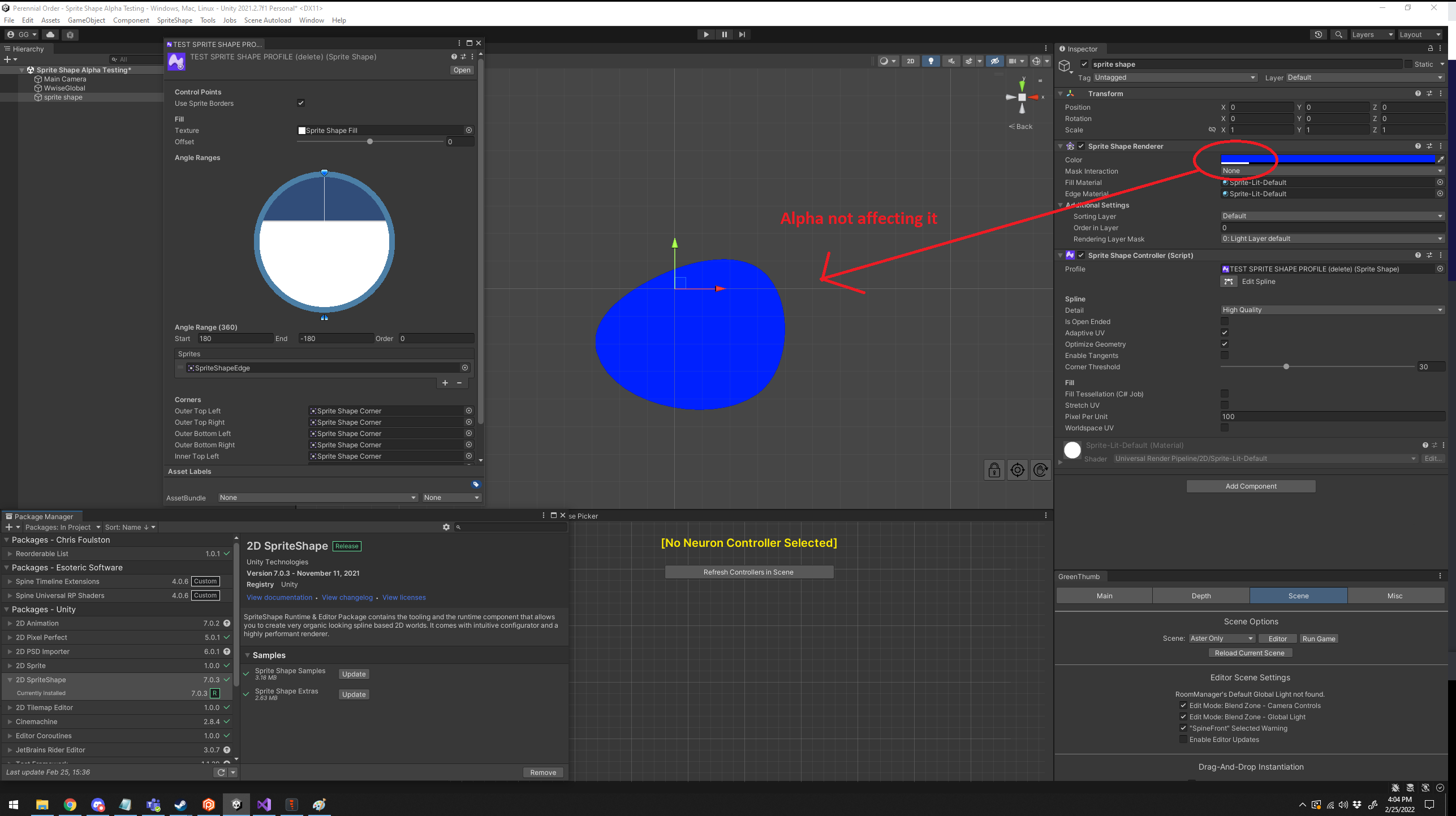
Unity Forum
The alpha value of "Color" in the Sprite Shape Renderer is not being applied. Here is a screenshot with basically a default setup for the Sprite Shape:...
I don't use the 2d renderer because it is shit
So I wasn't aware of the problem offhand
 spiral monolith
fix?

 spiral monolith
uh not that
 surreal valve
that isn’t helpful
if you cant even tell us what its supposed to look like, how can we help?
what even is it
spiral monolith
green
spiral monolith
surreal valve
if you cant even tell us what its supposed to look like, how can we help?
green grass top view
surreal valve
is it a tilemap?
spiral monolith
ye
tiny nest
is it possible to add multiple polygon colliders on 1 tilemap? it appears to me as no
tiny nest
spiral monolith
why is it all pink now
if you deleted something off your object palette, it gets deleted on the scene and is replaced with a pink color to distinguish it
surreal valve
maybe your scaling is wrong
tiny nest
tiny nest
is it possible to add multiple polygon colliders on 1 tilemap? it appears to me ...
and are there and possible workarounds for this? the tilemap collider doesn't work well with the slanted objects I had
spiral monolith
tiny nest
if you deleted something off your object palette, it gets deleted on the scene a...
uh i never deleted the plaette
tiny nest
spiral monolith
uh i never deleted the plaette
I think it must either have something to do with that OR it has to do with your render pipeline
tiny nest
tiny nest
is it possible to add multiple polygon colliders on 1 tilemap? it appears to me ...
Can anyone help me with this?
spiral monolith
ok
cerulean condor
solemn latch
https://forum.unity.com/threads/spriteshape-alpha-value-of-color-not-working-uni...
yeah i saw that post so i was hoping the fix came after that, guess not
solemn latch
Well, they seem to have a kindasorta fix posted, though obviously I can't test it
At least you know it is a known issue
cerulean condor
what version did they put the fix?
solemn latch
in the forum post
solemn latch
Grr, the 'apply' button is instead 'reverting' randomly. It throws this error when it happens: ```ArgumentOutOfRangeException: Index was out of range. Must be non-negative and less than the size of the collection.
Parameter name: index
System.ThrowHelper.ThrowArgumentOutOfRangeException (System.ExceptionArgument argument, System.ExceptionResource resource) (at <695d1cc93cca45069c528c15c9fdd749>:0)
System.ThrowHelper.ThrowArgumentOutOfRangeException () (at <695d1cc93cca45069c528c15c9fdd749>:0)
UnityEditor.U2D.Animation.MeshCache.GetWeight (System.Int32 index) (at Library/PackageCache/com.unity.2d.animation@5.0.4/Editor/SkinningModule/SkinningCache/MeshCache.cs:87)
UnityEditor.U2D.Animation.SpriteMeshDataController.GetMultiEditChannelData (UnityEditor.U2D.Animation.ISelection`1[T] selection, System.Int32 channel, System.Boolean& enabled, System.Int32& boneIndex, System.Single& weight, System.Boolean& isEnabledMixed, System.Boolean& isBoneIndexMixed, System.Boolean& isWeightMixed) (at Library/PackageCache/com.unity.2d.animation@5.0.4/Editor/SkinningModule/SpriteMeshData/SpriteMeshDataController.cs:419)
UnityEditor.U2D.Animation.WeightInspector.ChannelsGUI () (at Library/PackageCache/com.unity.2d.animation@5.0.4/Editor/SkinningModule/IMGUI/WeightInspector.cs:58)
UnityEditor.U2D.Animation.WeightInspector.OnInspectorGUI () (at Library/PackageCache/com.unity.2d.animation@5.0.4/Editor/SkinningModule/IMGUI/WeightInspector.cs:40)
UnityEditor.U2D.Animation.WeightInspectorIMGUIPanel.OnGUI () (at Library/PackageCache/com.unity.2d.animation@5.0.4/Editor/SkinningModule/UI/WeightInspectorIMGUIPanel.cs:41)
UnityEngine.UIElements.IMGUIContainer.DoOnGUI (UnityEngine.Event evt, UnityEngine.Matrix4x4 parentTransform, UnityEngine.Rect clippingRect, System.Boolean isComputingLayout, UnityEngine.Rect layoutSize, System.Action onGUIHandler, System.Boolean canAffectFocus) (at <6aef74cd6e9c4a708ea4a51c97de39d4>:0)
UnityEditor.EditorApplication:Internal_CallUpdateFunctions()
In the sprite editor.
light elk
hey @solemn latch you know does unity 2D animation package have sprite deformation?
modest cargo
light elk
hey <@172484507788771328> you know does unity 2D animation package have sprite d...
That's exactly what it does
Shouldn't be too hard to read the docs
modest cargo
solemn latch
Grr, the 'apply' button is instead 'reverting' randomly. It throws this error wh...
Time to report a bug, perhaps
Fortunately they're still actively working on 2D tools over there
light elk
well it looks the tech release have it not the lts 2021?
solemn latch
light elk
hey <@172484507788771328> you know does unity 2D animation package have sprite d...
Literally the point of the package.
 old dust
could anyone help me with the pixel-perfect camera component because it keeps talking about the odd number resolution

Does anyone know how to fix it
please ping me if you do answer
solemn latch
old dust
Does anyone know how to fix it
Don't use an odd-numbered resolution for your camera.
old dust
solemn latch
Don't use an odd-numbered resolution for your camera.
...how do i make it..not odd
solemn latch
SO FRUSTRATING

This didn't happen at all in my last project and it is happening over and over tonight
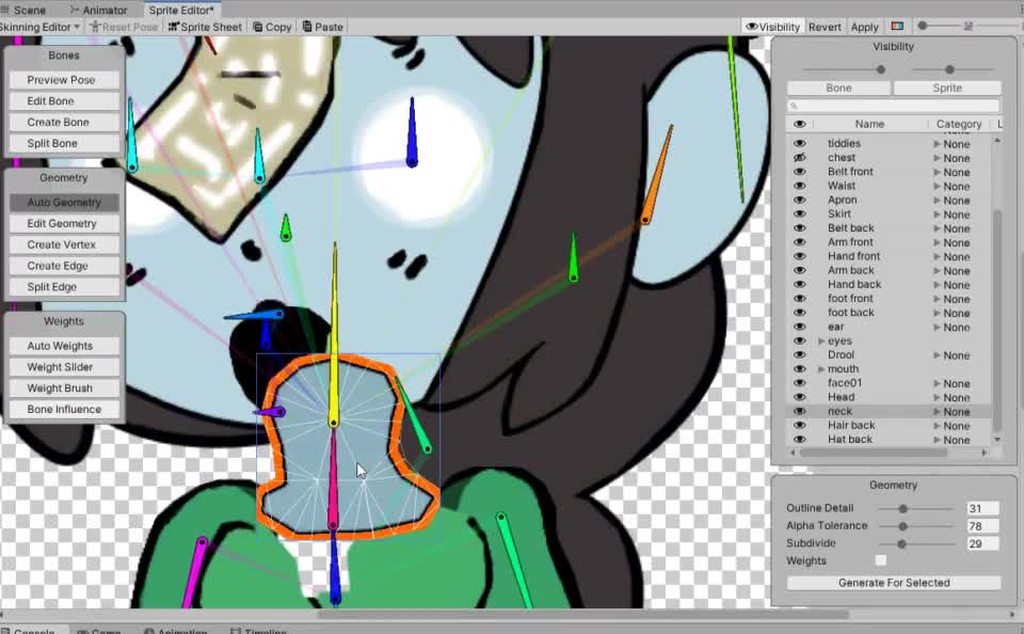 solemn latch
<@&502884371011731486>
solemn latch
It shouldn't have too many problems.
You can combine multiple sprites into a layer group which makes it a lot easier to do that kinda thing
 distant swallow
Idea came to mind: create a set of objects from an inscription
Script from the texture of the second camera looks for the color of the pixel, if black, then creates an object for it. How would you do it differently?
solemn latch
distant swallow
Idea came to mind: create a set of objects from an inscription
Script from the t...
I suppose it depends on your ultimate goal
 viral gorge
Guys.
How do I resize the grids to fit my sprite size?

This image is originally 16x16 or 32x32
How to draw them on grid?
 opaque summit
viral gorge
Guys.
opaque summit
viral gorge
Guys.
Have you considered using a tilemap and making a palette for your sprites?
Using a tilemap allows you to draw in a grid
viral gorge
opaque summit
Have you considered using a tilemap and making a palette for your sprites?
How again?
I haven't used unity in a while.
opaque summit
I don't have unity open but
in the hierarchy
If you right click and go into 2d, you will have an option to use tilemaps and then rectangular
And if you press on your sprite image you should be able to resize them to their proper pixel size. So the default size is 100 for every sprite but you can put it back down to 32 or 16
Unless your sprites are very tiny in the first place then keep it at 100
 modest cargo
viral gorge
Why does my character spawn on air?
modest cargo
viral gorge
Why does my character spawn on air?
I think you're in a better position to investigate that problem than we are
viral gorge
Wait @modest cargo
modest cargo
I am stopped dead in my tracks
 sick mauve
Hello, I am loving the ability of the Sprite Editor to provide custom physics for my tiles. I have a lot of custom physics to provide, as the automatic system doesn't like the sloped floors of the pixel art I am using. That's fine, I don't mind drawing physics BUT I find it tedious to have to limit myself to 1 cell at a time. I have 512x512 tilesets set to "Multiple" and then Split by 32x32 chunks. The sloped floors take up many tiles and it's a bit tedious to draw physics in individual cells, then attempt to match them up to their neighbors.
What I want is to be able to draw the physics across multiple tiles at once, and have the system automatically split this up according the splice pattern. Is this possible?
EDIT: I am ok with 3rd party tools. If it is not possible, I am considering writing a program capable of splitting one set of physicsShape data in the .meta file of a texture set to Single mode, then copy that data over into many physicsShape data sets for each tile in a .meta file of a texture set to Multiple mode.
solemn latch
sick mauve
Hello, I am loving the ability of the Sprite Editor to provide custom physics fo...
That third option sounds really useful! If you do it please let us know
sick mauve
I will try! I can't promise it wouldn't be command line and super hacky!
sick mauve
solemn latch
That third option sounds really useful! If you do it please let us know
I like the idea of having to solve that programming challenge. Very leetcode 😄
solemn latch
Can't be worse than my failed attempts to add modules to the sprite editor
light elk
is unity learn or the blog for learning the 2D animation good enough or suggest some kind of other resources?
solemn latch
The manual
Because there is a lot that the 'learn' stuff doesn't cover, or which is out of date.
 tranquil sierra
is there an easier way to copy the collisions for all of the top bits to the bottom bits?
edit: ive made a macro to where it clicks paste every time i press the V key

 crude matrix
Anyone used the 2D animation package? Why is Sprite Resolver component always greyed out?

I am following the docs but cannot change the category
crude matrix
crude matrix
Anyone used the 2D animation package? Why is Sprite Resolver component always gr...
Actually I just realized I forgot to add the Sprite Library component. I'll double check tomorrow.
modest cargo
<@&502884371011731486>
abstract olive
@supple talon There's no off topic/advertising in this discord.
 rich iron
I just updated my editor version to 2021 LTS from 2020 LTS, and my tile palette has changed grid size somehow. How do I get this back to having square grid cells?

 golden root
How do I generate Normal Maps from my art so I can use the 2D Lights to bring about depth? Does this even apply for pixel art?
still tendon
hey all, I'm learning a bunch of different stuff from Unity lately, I got a couple months experience of Unreal and less with Unity but, never rigged a 2D character so I'm trying that, I can't even find anywhere on the internet for the solution to my problem it's weird. Image sums it up, the packages are locked, I unlock and they keep locking back up. It's a 2D empty project, so I'm not sure what's wrong. I updated versions too from 2021.3.4f1 to 2021.3.5f1, when I did, I think the PSD Importer wasn't locking itself but 2D animation and others were, even with PSD importer unlocked I still couldn't get all those things, to create bones and all that to try out. thanks in advance ^^

 short furnace
any pixel art programs where i can copy paste images
solemn latch
still tendon
hey all, I'm learning a bunch of different stuff from Unity lately, I got a coup...
Does the image have a .psb file extension?
Despite the name, the PSD importer package only works with PSB files.
still tendon
Oh that worked exactly as I expected now it all makes sense lol thank you ;w; not sure how I missed that
solemn latch
Yeah, the package is poorly named. 
 hoary temple
hi im just wondering which apps are u using guys for pixel arts
modest cargo
@short furnace @hoary temple Aseprite, or Libresprite if you don't want to pay
hoary temple
i bought aseprite but i was just wondering what are u using
modest cargo
hoary temple
i bought aseprite but i was just wondering what are u using
I can safely say that Aseprite is wiping the floor with all of the competition 😄
hoary temple
yeah i think the same way its easy to use and have every single tool
short furnace
alr
modest cargo
Collab offers belong in the forums as per #📖┃code-of-conduct
 gray juniper
Salute
abstract olive
gray juniper
Salute
You've already been told twice before that job and collaboration posts don't belong here. 🤔
gray juniper
abstract olive
You've already been told twice before that job and collaboration posts don't bel...
This time it was about a question I have
abstract olive
Then just ask your question and anyone can answer. #854851968446365696 on how to ask a proper question in this discord.
gray juniper
Don’t ask to ask
Yeah yeah I’m familiar with this
I’m looking for a good pixel art designing application - I prefer free.
Any ideas?
modest cargo
gray juniper
I’m looking for a good pixel art designing application - I prefer free.
Any idea...
You can scroll up a bit there was just a discussion about that topic
gray juniper
Yeah I just say that
neon matrix
any way to set default import settings for images?
rn i have to set all my images to the point filter
like by hand
still tendon

Anyone know what could cause my sprite to be of angle to the tilemap?
i made the sprite with guidelines of 60 degrees
which should be correct, for what i know
abstract olive
Is that the angle your art is using? Because to me it seems to be 45.
still tendon
I followed a guide to setup gridguides in Gimp, and it said that isometric should be 60 degrees either way to end up with guides that look like this

im not a 2d guy, so i dont know if that completely wrong
 fresh nymph
Good afternoon guys, I need a little help, what happens is that I want to perfectly join these 2 sprites and I can't find how, if I do it manually, there is always an edge of the collider that makes my character fall. What can I do with this?
 neon matrix
any way to set default import settings for images?
rn i have to set all my images to the point filter
like by hand
fresh nymph
neon matrix
any way to set default import settings for images?
rn i have to set all my image...
To auto-select sprites?
neon matrix
sorry, i don't really get what you mean by that?
sick mauve
I noticed some folks talking about paying for Asesprite. I feel it needs to be said paying for Asesprite is totally optional. It's open source and you can build it yourself. There are tutorials online to help you do so.
solemn latch
sick mauve
I noticed some folks talking about paying for Asesprite. I feel it needs to be s...
Well, someone has to pay or development will stop 😄
 sage prairie
 nocturne plank
Hi i wanted to add and animate little running alpaca in my main menu screen
if i place the alpaca in canvas its invisible but if i place it outside of canvas its also invisible

i cant place it as image in canvas as it's prefab imported with .psb
how can i make it visible?

she is in front of everything
ahaaaa!!! render mode world space on canvas!!
nope it broke the canvas
ok, it has to be screen space camera
 frail halo
So when you create a Custom Rule tile, it has a variable named customField (or something, i don't remember exactly) but, is there a way to ACCESS it from a script?
sick mauve
solemn latch
Well, someone has to pay or development will stop 😄
Of course of course, and I hope many continue to pay. I think many will pay for the convenience, I just wanted it stated for all those folks struggling financially on budget less projects. I toiled like that for years
modest cargo
sick mauve
I noticed some folks talking about paying for Asesprite. I feel it needs to be s...
That's why I also recommend Libreoffice, even though I think Aseprite deserves every penny
Usually the ones who ask are total newbs, and I don't want to send them to do something as complex as software compilation
Next they'd be in need of tech support
sick mauve
Fair point!
 leaden sky
anyone using inkscape. How can I preserve the size of objects? I mean if I import a background to inkscape of 1920x1080 it will be a lot bigger. I want to sort of use the same units as in Unity .
solemn latch
leaden sky
anyone using inkscape. How can I preserve the size of objects? I mean if I impor...
You set the pixels per unit in the importer settings.
leaden sky
thanks. I got confused as I tried to import to inkscape and the image got larger, found a setting for that. And then I think I now have the same px dimensions in inkscape and unity importer.
 tranquil basin
Hello, I have a tilemap on a grid that is set up as isometric Z as Y. I was wondering if there’s any way to rotate the entire tilemap at 90 degree intervals
 tawdry fractal
Hello, could someone help me, is there a way in unity 2d to make it so light doesn't go through walls? Thank you

 lost cedar
tawdry fractal
Hello, could someone help me, is there a way in unity 2d to make it so light doe...
lost cedar
tawdry fractal
Hello, could someone help me, is there a way in unity 2d to make it so light doe...
use the universal render pipeline
 hollow crown
tawdry fractal
lost cedar
use the universal render pipeline
hollow crown
tawdry fractal
lost cedar
use the universal render pipeline
I am using it
its just that the light bleeds through walls
lost cedar
oh
then change the Shadow Opacity to 1
in the light settings
ah wait i think i know what the problem is
you are using a tilemap?
tawdry fractal
Ye
lost cedar

Hi there! My name is Rob and I am a professional game developer from New York City. If you enjoy my YouTube videos, you might be interested in some of the Udemy courses I offer. The links are embedded with coupons valid through September 22nd 2020 so please check them out as soon as you can. Big courses at big discounts! Thanks.
Complete C# Pr...
basically
make sure the material is sprite-lit-default and not sprite-default for the tilemap that should cast shadows
lost cedar
oh
tawdry fractal
its just that the light goes past the wall, I want it to stop before it
or at it I guess
lost cedar
well what i did was i basically just wrote a custom shadow caster :/
tawdry fractal
I see
lost cedar
Pastebin
Pastebin.com is the number one paste tool since 2002. Pastebin is a website where you can store text online for a set period of time.
this is the code
the best settings are already set as the defaults
tawdry fractal
I use it as a shadow caster?
lost cedar
it also tells you if there is something within your view
just have to set the target layer
sort of
put it only on the lights that cast shadows
for point lights use 360°
for flashlight type lights use anything from 0 to 180 (or any value really)
 lost cedar
ah my bad
tawdry fractal
All good
lost cedar
yea, for the errors that are tied to the data, you have to use your own values, but basically I think the only value that you need to use is the range of the light
so just delete the LiveData data and the Init() void
it runs on the cpu so be careful to not use too many instances of the script tho
i made it mainly only for my player's flashlight
lost cedar
i also suggest to use a gameobject pooler if you wanna have more of them, so only the close ones are active


