#🖼️┃2d-tools
1 messages · Page 65 of 1
 ancient path
nope
 civic cave
the player just fall through it
ancient path
parent the player
civic cave
how?
ancient path
and make it not fall
civic cave
ancient path
parent the player
how do I do that? I've heard the term before but I can't recall it
ancient path
civic cave
how do I do that? I've heard the term before but I can't recall it
transform.setparent
civic cave
in the script?
ancient path
yes
civic cave
do I just put it anywhere?
ancient path
civic cave
do I just put it anywhere?
when the player goes into the elevator
civic cave
how did you do this box to send the code?
ancient path
civic cave
how did you do this box to send the code?
you use this `
civic cave
._.
 civic cave
using System.Collections;
using System.Collections.Generic;
using UnityEngine;

public class FinalElevator : MonoBehaviour

{
    Rigidbody2D rb;
    public float speed;
    float horizontal, vertical;
    Vector2 direction;
    public GameObject child;
    public Transform parent;

    public void Papai(Transform GameObject)
    {
        child.transform.SetParent(GameObject);

    }

    private void Start()
    {
        rb = GetComponent<Rigidbody2D>();
    }
    private void Update()
    {
        direction.x = Input.GetAxisRaw("Horizontal");
        direction.y = Input.GetAxisRaw("Vertical");
    }
    private void FixedUpdate()
    {
        rb.AddForce(direction * speed * rb.mass);
    }
}
you forgot the cs
civic cave
oof
ancient path
well if you dont want to move horizontally
use in AddForce
Vector2.up * vertical
and erase any other related with horizontal
and instead of setting direction.y
use a new float called vertical
want me to do it?
civic cave
please
ancient path
 Rigidbody2D rb;
    public float speed;
    float vertical;
    public GameObject child;
    public Transform parent;

    public void Papai(Transform GameObject)
    {
        child.transform.SetParent(GameObject);
    }

    private void Start()
    {
        rb = GetComponent<Rigidbody2D>();
        child.transform.SetParent(transform);
    }
    private void Update()
    {
        vertical = Input.GetAxisRaw("Vertical");
    }
    private void FixedUpdate()
    {
        rb.AddForce(Vector2.up * rb.mass * vertical);
    }
and i just changed to set the player as child from the start
try this
civic cave
alright
the elevator moves now up and down
but the player falls through it
cuz there's no collision
ancient path
civic cave
cuz there's no collision
Desactívate gravity
In the player
And I recommend doing an animation where the player enter the elevator or some other way to have the player be on the elevator floor
civic cave
hmmm
ancient path
civic cave
hmmm
The animation can come later
civic cave
ancient path
The animation can come later
thanks for your help! I managed to make it work with the collision :3
btw could you also teach me the snappy way too?
 spare coyote
guys i have problem that i cant solve, i want to instantiate prefab as parent of canvas but it scales too small, if i instantiate it outside of canvas it's in natural size. Why canvas scale it to the point its only a dot?
dude sometimes programming seems like quantum physics, 1 word makes me search and google for almost 24 hours with no sleep, 1 f...ing word
 abstract olive
What is the thing you're instantiating as a child?
spare coyote
i found problem
´´´_instance.transform.SetParent(GameObject.FindGameObjectWithTag("Canvas").transform, true);´´´
fk i forgot how to link to code
when i set true to false it gives me prefab almost size as dot
when it's true everything is fine
 snow willow
sounds like a scale problem
 bronze anvil
If we rescale the texture2D, we have to reslice it and recreate the animation. Is there any way to do avoid this?
One more question regarding Sprite Atlas, when creating animations, do we have to reference the texture from the Sprite Atlas or it is okay to reference the original Texture2D that's inclued in the Sprite Atlas? Would using Sprite Atlas help in reducing the RAM used? The game is 2D and 4k so we are trying to optimize it.
bronze anvil
Also, the advice is to keep the textures in 4k and let the Unity rescale depending on the resolution, but the memory consumption is much higher even though the resolution is 1080p compared to using 1080p textures. Is there any way to make that the Unity choose different textures depending on which resolution is set?
 knotty adder
How would one have a kinda circular detection radius for other gameobjects that get close to it? Ive got a player in the center with a circle around it, and I want it to be able to tell which is closest to the center when in the big circle
 turbid heart
knotty adder
How would one have a kinda circular detection radius for other gameobjects that ...
turbid heart
knotty adder
How would one have a kinda circular detection radius for other gameobjects that ...
if you have a reference to those gameobjects when they enter the radius, you could use Vector3.Distance to check their distance?
knotty adder
turbid heart
if you have a reference to those gameobjects when they enter the radius, you cou...
Oh youre right... my bad 🤣
 bright condor
How do I change the position of a tile?
I can change the offset when selecting a tile in the editor but idk how to do it in script
 cold sundial
Anyone ever had an issue with using ScreenToWorldPoint using the Pixel Pefect Camera?
 compact knoll
cold sundial
Anyone ever had an issue with using ScreenToWorldPoint using the Pixel Pefect Ca...
compact knoll
cold sundial
Anyone ever had an issue with using ScreenToWorldPoint using the Pixel Pefect Ca...
Depends on what kind of problem you are referring to
cold sundial
compact knoll
Depends on what kind of problem you are referring to
Have an issue with its returning different data with it being on or off.
Best explanation I have at the problem is I capture mouse position, add the z offset and I get different WorldPoints depending on if its active or not. https://i.imgur.com/jX2arBZ.gif
ancient path
cold sundial
Have an issue with its returning different data with it being on or off.
Best...
i googled your problem
haven't found any answers
what about using 2 cameras?
normal and pixel
and use the screentoworldpoint in the normal?
cold sundial
I very well could do that, just seems over kill but if its an overall bug I'd like to get it reported as well.
Just trying to make sure I'm not an idiot as well. Lol
Specially considering I haven't found anything in regards this particular issue.
I guess I'll roll with the 2nd camera, wasn't even something I thought about appreciate the idea.
ancient path
sure
i guess you could enable and disable it or have it display on another channel so no rendering is done
 exotic cradle
So let's say I'm working on UI of different screen sizes. Here I have 2 screenshots of the same game but with different screen sizes.
When I run the game on Unity without maximizing, these 'Mana Orbs' are spaced out nicely. But when I maximize the screen and run again, they're too compact. I am currently using transform.position to move each descending mana orb downward.
Is there a unity trick to fixing this problem? Besides making a bunch of empty game objects to act as position holders?
 abstract olive
Seems like something you'd want to use the UI system for?
Rather than world objects you're spacing manually. But if that was a requirement, then I personally would put empty holders you child things to.
exotic cradle
So there's no trick like transform.localScale for this? I noticed that scales objects fine regardless of screen size.
Unless that's what you were talking about with 'the UI system'
abstract olive
No, the UI is made in such a way that you can build it for any screen resolution with proper setup/anchoring. It has components such as vertical layout groups as well which will automatically keep things in a specific order with spacing.
 marble badger
I have a problem. Let's say i have an object at position (0, 0) and when pressed the button E i want it to move to position (5, 0). Not teleport but transition to this new position. And it will have a speed variable that i can set. The object will not go beyond the target position in other words when it reaches it's target position it will stop. The transition will have to be constant.
How do i go about implementing this
Note that the object is physics based with collider
ancient path
well
there's plenty of methods for movement
in a physics way it depends
you can use lerp if you don't use physics
or move towards
marble badger
with movetowards how do i set speed
ancient path
you can also just set the velocity to 0 when it reaches the destination
or constraint it
marble badger
with movetowards how do i set speed
ancient path
what part
marble badger
the third parameter is maxDistanceDelta as in the object will not go beyond this distance. but how did we turn it into speed
ancient path
marble badger
the third parameter is maxDistanceDelta as in the object will not go beyond this...
ok
speed
is distance traveled in a certain time
everytime you call the method
is the certain time (multiplied by deltatime for independent frames)
the speed is how much distance it will travel when its called
if you have a speed of one
how many seconds will it take to go to
5, 0, 0 position?
(test it and come back)
marble badger
yes
ancient path
meter as unity unit measurement
marble badger
yep
ancient path
well there you have it
marble badger
i see
multiply the speed variable with time.deltatime. For example speed is 10 then you get 10 meter per second
ancient path
yes
marble badger
and since the maxDistanceDelta parameter decides the max limit the object will travel if i put the calculated variable there then it will not overshoot and give that constant moving.

 polar magnet
how do i make it so that my player jumps and not teleports really fast to a location above them and then falls again? in the tutorials the player jumps realistically but in my project not. pls help
marble badger
ancient path
<@!808371821530316921> keep in mind this
thanks i will keep that in mind. and thanks for the help
ancient path
polar magnet
how do i make it so that my player _jumps_ and not teleports really fast to a lo...
how are you doing it?
polar magnet
ill send the code in a minute
https://pastebin.com/P47LWSLJ thats the jump part
Pastebin
Pastebin.com is the number one paste tool since 2002. Pastebin is a website where you can store text online for a set period of time.
ancient path
polar magnet
https://pastebin.com/P47LWSLJ thats the jump part
i would recommend to use
AddForce
or do rb.velocity +=
marble badger
i do it like this:
rb2d.velocity = new Vector2(rb2d.velocity.x, jumpVelocity);
when pressed jump and on ground
ancient path
marble badger
when pressed jump and on ground
also this
polar magnet
marble badger
i do it like this:
rb2d.velocity = new Vector2(rb2d.velocity.x, jumpVelocity);
now i have it like you: oid Jump() { if (Input.GetKeyDown(KeyCode.Space) && isJumping == false) { player.velocity = new Vector2(player.velocity.x, jumpStrenght); isJumping = true; } }
but dont work either
the player just teleports in the air and not jumps
marble badger
does the player have rigidbody attached
ancient path
can you send a screenshot of it
polar magnet
of rigidbody?
ancient path
yes
polar magnet
 polar magnet
ill try that
    {
        if (Input.GetKeyDown(KeyCode.Space) && isJumping == false)
        {
            player.AddForce(new Vector2(player.velocity.x, jumpStrenght));
            isJumping = true;
        }
}``` you mean like this?close
add force is similar to adding velocity += other
so just do
Vector2.up * Jumpstrenght
polar magnet
the jump is still way too fast
ancient path
polar magnet
the jump is still way too fast
ok
is the jump being called in fixedupdate?
is your game doing many things?
is your pc good? or busy?
did you change the strength of jump?
polar magnet
ancient path
is the jump being called in fixedupdate?
yes its called in fixedupdate
polar magnet
ancient path
is your game doing many things?
no just movement and jump
ancient path
void Jump()
    {
        if (Input.GetKeyDown(KeyCode.Space) && isJumping == false)
        {
            player.AddForce(Vector2.up * jumpStrenght), ForceMode2D.Impulse);
            isJumping = true;
        }
    }
no
polar magnet
ancient path
did you change the strength of jump?
i need to change the strength of jump to at least 5000 because otherwise the player just jumps a pixel or so
ancient path
polar magnet
i need to change the strength of jump to at least 5000 because otherwise the pla...
well
did you lower
the gravity?
polar magnet
yes i lowered the gravity to 1
ancient path
hmm
try doing it on an empty scene
create a new scene
and put rigidbody and this movement script and test
polar magnet
okay
ill do that tomorrow i need to go to bed cause its late and i cant figure it out here

 unborn sundial
exactly what it says
Components (which inherit from MonoBehaviour) can only be created as part of a GameObject, not directly using new
spare coyote
but this script is atached to an object
 unborn sundial
which line is 52 exactly?
spare coyote
line 52 is just calling this function in Awake()
 unborn sundial
this may actually be a problem with the ads library you're using
spare coyote
i dont see problem anywhere that's the biggest problem everything is default from google
the only thing is library as u say
unborn sundial
can you show the full stack trace? The bottom part here is cut off:
https://cdn.discordapp.com/attachments/763500535554375750/897970461097488414/Screenshot_1545.png

the stuff above AdRequest might be relevant
spare coyote
 unborn sundial
yea it's the same as that issue on github
spare coyote
oh then it's their bug
thanks for finding this
i mean it's only warning nothing happens but it's iritating
 somber wyvern
When I call this code in my fixed update it frequently doesn't register input. But it's physics movement so I need to call it there right? How do I fix this?
 somber wyvern
solved it
 arctic iris
Tried some options of checking distance between 2 GameObjects and it always returning 0...
Any possible solution?
ancient path
arctic iris
Tried some options of checking distance between 2 GameObjects and it always retu...
how are you doing it?
arctic iris
rn tried this:
Vector3 Distance_ = objectToFollow.position + transform.position;
            float distanceGap = Distance_.sqrMagnitude;
            if(distanceGap < closeDistance * closeDistance)
            {
                Debug.Log("Disconnected: " + Distance_);
            }
you can just do
float Distance = Vector2.Distance(objectToFollow.position, transform.position);
unity does the substraction and gets the magnitude in that method
arctic iris
Worked! thank you!
ancient path
np
 dire zealot
hey everyone, im not sure where to put this question but im having trouble applying custom pivot points for 2d tilesets. I don't have an issue with doing this with gameobjs because I can just apply as shown

but with tilesets, I try to apply pivot points using the sprite editor, but it doesnt seem to do the trick
this is how i try to apply pivot using the sprite editor

 covert whale
https://forum.unity.com/threads/tilemap-palette-doesnt-work-well-with-non-center-pivot-sprites.516196/
in this thread if you scroll down to the post by 'huulong' there's an answer

Unity Forum
This problem has been reported before.
Basically, if you're using sprites that have any pivot beside "center", it'll end up looking like this:...
dire zealot
thank you!
 keen siren
I'm importing tilemaps with Unity for the first time using SuperTiled2Unity. This seems ok. I want to be able to add properties to each tile on a layer and later access these properties but Unity's documentation seems aimed at specifically scripting tilemaps.
To be more accurate I'd like to assign tile directions as an unsigned char by researching each tile for it's exits to adjacent tiles.
0000 0001 = north 0000 0010 = northeast 0000 0100 = east ...
- Should I be using SuperTiled2Unity as I'm not using Tiled Map Editor's properties or even tile objects?
- Is there a useful tutorial about working with my tilemaps as above?
 hollow crown
For the "unsigned char" part specifically, what you're looking for is an enum that uses an underlying type of byte
I have an overview of bitmasks here https://help.vertx.xyz/?page=info/bitmasks
keen siren
Thanks for your link @hollow crown
byte not unsigned char
Where do I assign the code in the editor? I have to say I'm lost
Just attach the script on the tile layer?
hollow crown
I'm not sure how to answer that part of your question, sorry, all I'm saying is that C#'s unsigned char is byte, and using enum allows you to easily have named integral values like my Days example. You can make extension methods for it, Unity supports enum serialisation and you can set enum variables in the inspector using a dropdown. But yeah, not sure about the rest of the question
keen siren
ok, thanks
 wide ginkgo
keen siren
To be more accurate I'd like to assign tile directions as an unsigned char by re...
wide ginkgo
keen siren
To be more accurate I'd like to assign tile directions as an unsigned char by re...
If you're talking about Unity tilemap here there's no built-in way to give the tilemap unique per-tile instance data. A common workaround is to make a script attached to the tilemap and have that script store per-tile data.
keen siren
Right. That makes it clearer. But you can use Unity functions to check tiles by Transform.
 little loom
Still a bit stuck from yesterday. Managed to do a test part of adding the player tag to a test reference. Question is how do I do the same for a transform?

Basically; making 'None (Transform)' into 'Player' gameObject
turbid heart
little loom
Still a bit stuck from yesterday. Managed to do a test part of adding the player...
any gameobject has a .transform property
get a reference to your player, then do .transform
or, just drag the object into the inspector
you might benefit from this video https://www.youtube.com/watch?v=ymq2AUckws0

Check out the Course: https://bit.ly/3i7lLtH
Learn 5 different ways you can connect your gameobjects in Unity. Ranging from direct references & singletons to scriptableobjects and injection.
More Info: https://unity3d.college - (and where you can submit your own questions)
Join the group: http://unity3d.group
little loom
Oh this is for a spawner
Dragging the object to the reference at the prefab doesn't work. Only the ones directly spawned from the prefab has the AI, the ones at the spawner doesn't
turbid heart
ah, yeah. you can't assign scene references to a prefab.
i'm confused on what your question is though
you want to assign to your Player transform variable?
little loom
My question is that how do I have the enemy that spawns from the spawner get the player reference in the transform
turbid heart
"get the player reference in the transform" this bit I dont understand, but you can have your spawner have a reference to your player
then have it pass in the reference to your enemy through a method that you call when you instantiate the enemy
little loom
turbid heart
"get the player reference in the transform" this bit I dont understand, but you ...
Like this? When I start the play button, 'Object to Find' is classified as the Player.
 wide ginkgo
little loom
Like this? When I start the play button, 'Object to Find' is classified as the P...
wide ginkgo
little loom
Like this? When I start the play button, 'Object to Find' is classified as the P...
So "ObjectToFind" is a reference to a GameObject public GameObject objectToFind. If you want to grab any component from a GameObject you can use GetComponent<TYPE>() So for instance if you wanted to grab the Enemy Spawner component from "objectToFind" you could do:
enemySpawnerVariable = objectToFind.GetComponent<EnemySpawner>() However since all GameObjects are guaranteed to contain a transform component you can get this simply by doing yourGameObject.transform. In your case you would do player = objectToFind.transform; Keep in mind you have to do it after the Find.
little loom
Got it to work 👍

The Enemy spawns from the EnemySpawner, and is now doing the AI script I gave it
thx
 still tendon

using UnityEngine;
using UnityEngine.UI;

public class TextScript : MonoBehaviour
{
    Text val;
    public Transform spawnPos;
    public GameObject Square;
    private Vector3 scaleChange;
    float thickness;
    int n = 0;
    // Start is called before the first frame update
    void Start()
    {
        val = GetComponent<Text> ();
        thickness = Square.transform.localScale.x;
    }

    // Update is called once per frame
    public void textUpdate(float value)
    {
        n = Mathf.RoundToInt(value);
        val.text = "number of elements : " +
Mathf.RoundToInt(value);
        Instantiate(Square, new Vector3(n * 0.5F - 9, 0, 0), Quaternion.identity);
        scaleChange = new Vector3(thickness, Random.Range(0, 7.0F), 1f);
        Square.transform.localScale = scaleChange;

    }
}
Hello, I am trying to generate squares in a 2d environment which I obviously managed to do. However, when I randomly assign heights to each square, they get out of sync, i.e., they are not on the same line on the X axis.
 twin terrace
still tendon
```C++
using UnityEngine;
using UnityEngine.UI;
public class TextScript : MonoB...
twin terrace
still tendon
```C++
using UnityEngine;
using UnityEngine.UI;
public class TextScript : MonoB...
change the Y position by half of height
 still tendon
hello guys I want to swap two squares.

How to Swap Game Objects Position C# | UNITY
✉️ Fanpage: https://www.facebook.com/CezarySharpOfficial/
🛒 Shop: https://www.facebook.com/CezarySharpOfficial/shop
🌐 Website: https://www.cezarysharp.online
💳 Patreon: https://www.patreon.com/cezarysharp
💵 Support: https://www.youtube.com/channel/UCYFnQ_5dtfkdG210lL3gh0Q/join
📷 Pinterest: https://ww...
Like this
graphically, it feels to fast, can I slow down the swapping somewhat?
 surreal panther
turbid heart
surreal panther
turbid heart

Learn to animate buttons, move objects and fade anything - the right way - in my in-depth guide to using LERP in Unity (including copy / paste examples).
 spiral solar
question to mods/admins - if someone asks a question where a free asset-store asset would work for them is it a violation to point them to it if it's your own work.
covert whale
they might see it better in #531949462411804679
spiral solar
ah thanks
spiral solar
wide ginkgo
If you're talking about Unity tilemap here there's no built-in way to give the t...
There's no built-in way but there's this free asset #502171717544968212 message
 mild pewter
Why are my tilemap colliders this weird shape, and why can't I change them?

And why are they occluding OnMouesEnter for my gameobjects?
compact knoll
they use the sprite's custom physics shape which can be changed in the sprite editor
 soft blaze
awfhg alright so!
i have this character right here that i animated in spine and imported to unity

however we're currently using a template that has a certain number of actions: walk, run, jump, fall, and idle
i'd like to be able to do a few things- like maybe be able to control the character's head, add a sneaking or crouching command and a command to turn on his lamp face, and some other actions but i'm not sure where to begin.
mild pewter
Hm, I changed the custom physic shape to a square, but when I applied I got a unity error and the colliders haven't changed
 subtle vessel
soft blaze
i'd like to be able to do a few things- like maybe be able to control the charac...
subtle vessel
soft blaze
i'd like to be able to do a few things- like maybe be able to control the charac...
Is the template an animation controller?
if so, looking up a tutorial on Unity's animation state machine seems like a decent place to start
subtle vessel
mild pewter
Hm, I changed the custom physic shape to a square, but when I applied I got a un...
What's the error?
mild pewter
subtle vessel
What's the error?
 subtle vessel
mild pewter
subtle vessel
mild pewter
oof... that looks like a bug
try restarting unity and see if it fixes it
mild pewter
Is there any performance benefit to making the collider a normal square instead of its current shape?
mild pewter
subtle vessel
try restarting unity and see if it fixes it
Oh, that worked. Lol
 soft blaze
subtle vessel
Is the template an animation controller?
soft blaze
subtle vessel
Is the template an animation controller?
yes it is! i can grab a screenshot if youd like
 subtle vessel
soft blaze
yes it is! i can grab a screenshot if youd like
subtle vessel
soft blaze
yes it is! i can grab a screenshot if youd like
just go on youtube and look for a tutorial on animation in Unity. It'll explain what's going on there and how to add stuff to it.
soft blaze
ohh okay!
mild pewter
How do you prevent colliderA from blocking an OnMouseEnter on colliderB?
Like, how is the order layer of colliders determined? Where can you see it?
Presumably colliderB is underneath colliderA?
still tendon
Hi there, does anybody know a way to make it so that my camera pans a bit towards my mouse? It's a top down 2D game. I want it to have a sort of constraint that prevents the camera from panning too far
compact knoll
still tendon
Hi there, does anybody know a way to make it so that my camera pans a bit toward...
i recommend using cinemachine for something like that. it's super handy and can do much more than just that too
twin terrace
still tendon
Hi there, does anybody know a way to make it so that my camera pans a bit toward...
Get mouse position and offset camera position by it and some math equation
Or idk use cinemachine if you want but for me this seems simple enough to code manually
 dusky wagon
I have a rail like the one shown in the picture for my game. Whenever an object on the rail comes from the left then it follows the three points from A to B to C. If it comes from the right direction its the same thing in reverse, so from C to B to A.

Now I want to make it so that if an object drops on the rail it snaps to it and starts moving on it. So if it comes from the yellow point and has velocity towards the right it will move from B to C, if it comes from the orange marker with velocity towards the right it will just go to C and the same thing in reverse if it was to have velocity towards the left

There will also be different types of rails, some of them are more complex (e.g. a curve) and it would be good if I dont have to hardcode it for all of the different pieces, but I have no idea how I could detect the thing shown in this message
 tawny hatch
Hello guys I am attempting to destroy an unity gameObject which I managed to do. However, there are a set of clones after that that are not getting destroy
Is there a way to destroy the clones and not the actual game object ?
Here is a picture of the problem

Added some nice colours
covert whale
tawny hatch
Is there a way to destroy the clones and not the actual game object ?
you'll need to get a reference to all the clones and destroy them
tawny hatch
Basically, I am using a slider to generate squares
covert whale
or you could set them all to one parent, and destroy that parent
tawny hatch
My goal is to destroy according to the how the slider dot move. So if I move it from 0 ->3 I want to generate 4 rectangles
but if I go back to 2,i.e., sliding from 3->2
I want to remove the 3th element, but can also add it back depending on the slider cursor.
covert whale
so you can have a list of the instantiated rectangles and destroy however many you need from that list
covert whale
tawny hatch
https://pastebin.com/ffcUFFdK
squareList.Add(Square);
i assume Square is your prefab?
tawny hatch
yeah
covert whale
you haven't actually added the square you've instantiated
you've only added your prefab
tawny hatch
GameObject newGameObject = Instantiate(...); ?
covert whale
tawny hatch
GameObject newGameObject = Instantiate(...); ?
yes
then you add that to the list
tawny hatch
Ah I see
covert whale
and when you do
Destroy(squareList[squareIndex]);
you've only destroyed the game object, not removed it from the list
so you're going to have a null reference in the list
what you can do is do squareList.Remove(squareList[squareIndex]); and then destroy the object
oh wait you already have the index
so you can just do RemoveAt(squareIndex)
tawny hatch
cool :)!
covert whale
but you need a reference to know which square to destroy
so you can do Destroy then RemoveAt
covert whale
yep
tawny hatch
regarding the reference I have the square index and the value n that is the slider value
it varies from 0-35
covert whale
yeah so there's something about n and squareIndex
there's the chance that n can be smaller than squareIndex by more than one right?
tawny hatch
yeah
tawny hatch
But I assume that my textUpdate function is getting called everytime the slider cursor move
covert whale
ah ok
tawny hatch
or can you jump from ex 0 to 5 and 5-0 etc?
covert whale
but you can still tap on the slider
it won't always be continuous
you don't need to drag the slider, if you click on a spot on the slider it'll jump to that
and it won't call value changed more than once
covert whale
a solution to this could be to find the difference between squareIndex and n, and then do a backwards for loop to remove that many objects
tawny hatch
Hello guys got stuck on another problem
I am trying to swap my squares, for example pos 0 with 1
but I get this :

the pivot kind of gets moved in the Y-axis
I want the first square to get down in the Y-axis, and the second one go up in the Y-axis
My goal is to swap positions
between any square within the x-axis only
covert whale
what's your code?
 covert whale
it seems like you only want to change the x axis, so for that you can do
position = new Vector3(targetPosition.x, position.y, position.z)
tawny hatch
thanks again king moe you just saved me a lot of time 🙂
can I somehow affect the timing of the swap or is it something that is always instant in time
I was thinking of a moving swap
covert whale
if you want to transition between the two positions, you can do some sort of lerp with a coroutine
https://gamedevbeginner.com/the-right-way-to-lerp-in-unity-with-examples/
https://docs.unity3d.com/Manual/Coroutines.html
Learn to animate buttons, move objects and fade anything - the right way - in my in-depth guide to using LERP in Unity (including copy / paste examples).
tawny hatch
aha ok, great I read about it in google
still tendon
hey how can i make a rigidBody to add torque in order that the object look to the mouse?
twin terrace
still tendon
hey how can i make a rigidBody to add torque in order that the object look to th...
have you googled?
 swift pebble
Hey how can I make a character?
 lean estuary
It's good to familiarize yourself with Rigidbody methods, there's a lot of good stuff there
swift pebble
Like how can I make character sprites
still tendon
swift pebble
Like how can I make character sprites
what do you mean
swift pebble
Idk
still tendon
softwares?
swift pebble
I’m new to unity
swift pebble
still tendon
softwares?
Yes
What software should I use to make 2D character sprites
still tendon
swift pebble
Like how can I make character sprites
i would recomend you using something like inskcape (vector graphics) or gimp (bitmap)
still tendon
or using some assets until you learn to use unity
swift pebble
still tendon
or using some assets until you learn to use unity
From the asset store?
still tendon
swift pebble
From the asset store?
i get them from itch.io
swift pebble
O
 still tendon
lean estuary
<https://docs.unity3d.com/ScriptReference/Rigidbody.AddRelativeTorque.html>
still tendon
lean estuary
<https://docs.unity3d.com/ScriptReference/Rigidbody.AddRelativeTorque.html>
but that is for a 3d rigidbody lol
whatever i solved tyyy
dire zealot
hey everyone, just a quick question, I was watching a couchFerret video, it seems when you use tile maps you cant use pivot point to sort by custom axis. I was wondering when should I use unity 2d tilemap compared to just creating a gameObj. In his example here, wouldn't this cause performance issues if the game were to get too big
https://youtu.be/UWhXS6iVsUM?t=594

We will Design our first Level for our Top Down Pixel Art Game with proper Sorting Order. We will use Grids to precisely position our Elements in our 2d Map, just like in a Level Editor. We will also talk about Snapping and we will set it up so it works on a Pixel basis helping us while creating the Level. We will define separate Pivot Points fo...
lean estuary
Rifidbody2D has only one rotational axis and that one is covered by its AddTorque
lean estuary
dire zealot
hey everyone, just a quick question, I was watching a couchFerret video, it seem...
TileMaps have optimizations to handle thousands of tiles. Which can be chunked further as well.
You can also layer them to have separate for collision maps, swap etc.
dire zealot
Thank you! i'll look into that
 random hinge
swift pebble
What software should I use to make 2D character sprites
random hinge
swift pebble
What software should I use to make 2D character sprites
Depends, if you want to do normal frame by frame animation go to photoshop or some Thing that but If you want to do pixel art I would suggest getting aseprite or Gimp if you don’t have the money for it
 lost obsidian
Hello, I have a topdown game with tiles, I'm trying to figure out the best way to find out which tiles are covered by a sprite/shape, e.g a big circle moving over the tiles I want to find out which ones are partially and fully covered/touched by the circle. I'm not sure what to google for here, could someone point me in the right direction?
 austere osprey
lost obsidian
Hello, I have a topdown game with tiles, I'm trying to figure out the best way t...
austere osprey
lost obsidian
Hello, I have a topdown game with tiles, I'm trying to figure out the best way t...
Well your tiles surely have a Tilemap collider. So basically it is not possible to track which of the tile overlaps with the moving circle. I think the best aproach would be creating a grid collider, where each cell has its own collisionbody. That way, you can check Collision with your cirlce
Not sure about your usecase though. It might also be a very terrible solution.
lost obsidian
austere osprey
Well your tiles surely have a Tilemap collider. So basically it is not possible ...
Thanks for your reply! Essentially I will want to check the type of the tile, and if it meets the condition it will replace the tile sprite. I've already written a function where if I return the position of the tile it will do the check, and the replacement if valid. So now I just need to figure out how to the positions of everything under the sprite. I was actually thinking to check collision, it seems like the easiest approach
covert whale
the first answer to this might help
https://stackoverflow.com/questions/64976889/detect-which-tilemap-cells-have-collided-with-a-collider2d-in-unity

Stack Overflow
I have a Tilemap. This has a TilemapCollider2D component. Onto this are painted several tiles that each have their own sprite collider shape. However they are sprite tiles not prefabs. (They were not
lost obsidian
covert whale
the first answer to this might help
https://stackoverflow.com/questions/64976889...
Looks like exactly the right thing, cheers!
little loom
Almost done with my project as far as coding goes. All I need to do is to figure out how to change to a "GameOver" screen whenever my character dies. I know how to change scenes based on button clicks but idk how to do it as a trigger. I tried setting it so that the scene changes when health reaches 0 or less, but that doesn't seem to work.
turbid heart
little loom
Almost done with my project as far as coding goes. All I need to do is to figure...
show your attempt?

 turbid heart
you never call Trigger anywhere
turbid heart
you probably want to do it when you take damage. not in Update. Otherwise it'll call LoadScene every frame that Health is <= 0
you never call playGame anywhere, unless you assigned it to a button
these are not like Start, or Update, that's called automatically by Unity
covert whale
when you call LoadScene in normal mode it'll unload any previous scenes anyway
in additive it won't so for that you want to make sure you're only calling it once
little loom
ok ok, so one at a time, what'd I need to call first? The SceneManager?
turbid heart
When do you want to check if Health is <= 0?
little loom
Instantaneous. Soon as it hits 0 or less, it switches to "Game Over"
turbid heart
yeah so where do you make Health go down?
little loom
Over here
 turbid heart
well i can already see you have a Health <= 0 check there
little loom
oh ye, true
turbid heart
yeah, so which is it? EndGame, or Trigger?
also, you shouldn't rely on FindObjectOfType to get object references
you should watch this video to learn better ways
https://www.youtube.com/watch?v=ymq2AUckws0
Check out the Course: https://bit.ly/3i7lLtH
Learn 5 different ways you can connect your gameobjects in Unity. Ranging from direct references & singletons to scriptableobjects and injection.
More Info: https://unity3d.college - (and where you can submit your own questions)
Join the group: http://unity3d.group
little loom
well, I'm not even sure why did I write Trigger there so
turbid heart
Find is slow, and if there is more than one object with that Type, you don't control which one you get
little loom
Oh ok, now apparently when I jump, it duplicated itself
huh
I figured out the scenes but now this bug came outta nowhere
thx btw
little loom
little loom
I figured out the scenes but now this bug came outta nowhere
and nvm it fixed itself
 cedar verge
hi, Im trying to get a prefab to animate but for some reason it just takes the first sprite from my spritesheet and doesnt animate any idea why this happends?
austere osprey
cedar verge
hi, Im trying to get a prefab to animate but for some reason it just takes the f...
spiral solar
lost obsidian
Hello, I have a topdown game with tiles, I'm trying to figure out the best way t...
This is how I do it. The interfaces are in there because I use them to search for tiles which do a certain thing, in this case, accept collisions. https://paste.ofcode.org/7CJbeB43YndfXibApPt6Up
lost obsidian
spiral solar
This is how I do it. The interfaces are in there because I use them to search fo...
cool, thanks!
 hybrid yoke
Hey @spiral solar can you check out my question in AI?
spiral solar
hybrid yoke
Hey <@!596786582716022784> can you check out my question in AI?
Can you link to it?
 storm coral
How would I do an TransformPoint operation with only a vector2, and not an actual Transform
still tendon
turbid heart
you should watch this video to learn better ways
https://www.youtube.com/watch?v...
Should I use [SerializeField]?
 fleet remnant
still tendon
Should I use [SerializeField]?
fleet remnant
still tendon
Should I use [SerializeField]?
if you have a private field and need to be able to drag in a refrence in the inspector, yes
still tendon
fleet remnant
if you have a private field and need to be able to drag in a refrence in the ins...
Is that more efficient than Find?
fleet remnant
still tendon
Is that more efficient than Find?
if you dont have to find the objec at runtime, yes
sometimes u cant drag in a refrence before the game starts
still tendon
Oh I see, just do as much as you can before runtime.
still tendon
Increases size but improves performanxe
fleet remnant
GameObject.Find in general is not recommended because you are writing hardcoded strings
that u can change later
and then code breaks
FindObjectByType is safer
still tendon
Strings?
Oh sorry I was asking about FindObjectOfType
still tendon
Which would still be slower
Than preruntime
But yeah I don't know why unity loves strings so much
fleet remnant
eh doesnt matter if you really get it once at the start of the game
but its just safer
because u know exactly what ur putting in
still tendon
Well with intellisense I just type 3 chars and hit tab
fleet remnant
aslong as there is only one object with that type in the scene, its fine
its just 1 extra line of code
fleet remnant
if there is a couple i would recommend making some sort of system to keep track of them
depends on the game really
still tendon
Yeah
turbid heart
still tendon
Strings?
Oh sorry I was asking about FindObjectOfType
Avoid any Find
If it’s something that can only be assigned during run time, say a reference on an instantiated object, then have the script that instantiates pass in the reference to the instantiated object
still tendon
And make that object a child of the script that instantiates it?
turbid heart
No, nothing to do with what i said. That’s more for organising stuff in your hierarchy
You can make any other object the parent of instantiated stuff
still tendon
turbid heart
If it’s something that can only be assigned during run time, say a reference on ...
So then you can't do anything before runtime for this
But you can have an empty variable waiting to be assigned to the instantiated object so you don't have to constantly find? Is that what you're saying?
turbid heart
Uh.. i guess? Yeah? Instantiate returns you the reference to the instantiated object. So something like
GameObject newClone = Instantiate(objectToClone);
Then you store newClone anywhere you want, or pass in references it needs through a method it has or something.
For example if you instantiated an Enemy that needs a reference to the player. Have your EnemySpawner hold a reference to the player, then call a method that your enemy has that takes in the player reference as a parameter and use it to assign to the variable that the enemy has to refer to the player.
Syntax might not be correct, typing on mobile
turbid heart
Hope that clears things up.
Oh great. I’m relieved. This is the third time recently that i explained something like this XD
still tendon
I'd say one of my bad practices is avoiding interfaces
Essentially, I just wait until I need to to refactor
turbid heart
Ah, it takes time. I know they’re useful, but i personally forget to use them too
still tendon
Feels pretty annoying to inherit an abstract class which inherits monobehavior and implements my interfaces, for an enemy that only takes a hundred lines to code
But I completely see the value of it at a larger scale
turbid heart
Haha, now clearly you’re not a beginner to programming. All the best
still tendon
Lol
You too. It's a journey that will never end, and I'm glad.
I don't want it to end
little loom
Trying to make a high score program, but the score that was saved are always some other number instead, all of which are divisions of 9

....for some reason
It gets numbers like 9, 18, 27 etc, and regardless of high the score is I got, it always end up as a division of 9
oh and here's what causes my score to increase, in case if it helps
 compact knoll
little loom
Trying to make a high score program, but the score that was saved are always so...
compact knoll
little loom
Trying to make a high score program, but the score that was saved are always so...
couple things to note here:
- score manager doesn't need to be a singleton. Use events instead if you don't want to get a reference manually
- OnDestroy is called when the scene ends or game is quit, which means that any of those objects that are in the scene when you close it or whatever will also call that and therefore increase the score/highscore which could be what is causing your issue
little loom
Oh I think I just realised why my highscore isn't working, it's that it wasn't saving my score, but rather the number of enemies that are on the map
compact knoll
yes, that was what i was saying in point number 2
little loom
Yeah I fixed it by the player gaining points not because of the enemy dying but because of the bullet colliding with the enemy. That seems to fix it
thx
compact knoll
I mean that's definitely one way to do it. But if your enemy handled its own destruction, you could have just incremented the score there instead of OnDestroy (since like I said before OnDestroy is called when the scene ends)
I'm feeling bored and generous right now so if you want to post the code you've got for the enemy and your score manager in a paste site, I'll show you what i mean by modifying it
 brittle smelt
Is there a function where it can track a position of a gameobject and determen wich side the tracked object is like in the red or green side?
 covert whale
brittle smelt
Is there a function where it can track a position of a gameobject and determen w...
covert whale
brittle smelt
Is there a function where it can track a position of a gameobject and determen w...
you can have trigger colliders for the red and green side and use OnTriggerStay or Enter
or you can use overlap collider
if it's not a specific area and you want to see if the object is on the left or right side of the other object, then you can do
if(square.position.x < point.x)
and that'd be true if the square was on the left of the point
brittle smelt
covert whale
if it's not a specific area and you want to see if the object is on the left or ...
how do i fix this cause i cant use transform.position.x?
 brittle smelt
covert whale
is player of type `Transform`
brittle smelt
covert whale
is player of type `Transform`
it is
covert whale
brittle smelt
how do i fix this cause i cant use transform.position.x?
if you type tra does it auto complete to transform
still tendon
brittle smelt
how do i fix this cause i cant use transform.position.x?
What do you mean you can't use it?
 strange kayak
How would I go about having a sprite that circles around the player as the weapon and then I can attack from any direction without having to build inputs for up/down/L/R attacks? The weapon should follow the mouse cursor, I found some documentation for lookatcursor but have no idea where to get started..

I've come across this, not sure how to implement it though
public class WeaponRotate : MonoBehaviour
{
    // Point you want to have sword rotate around
    public Transform shoulder;
    // how far you want the sword to be from point
    public float armLength = 1f;
    void Start()
    {
        // if the sword is child object, this is the transform of the character (or shoulder)
        shoulder = transform.parent.transform;
    }
    void Update()
    {
        // Get the direction between the shoulder and mouse (aka the target position)
        Vector3 shoulderToMouseDir =
            Camera.main.ScreenToWorldPoint(Input.mousePosition) - shoulder.position;
        shoulderToMouseDir.z = 0; // zero z axis since we are using 2d
                                  // we normalize the new direction so you can make it the arm's length
                                  // then we add it to the shoulder's position
        transform.position = shoulder.position + (armLength * shoulderToMouseDir.normalized);
    }
}```Hello, I have a list of squares with width and heights. However, I dunno how I can access the specific height of a square in my c# code
Can anyone help me to find the correct way to get the square height (the square is 2d).
 sudden fox
void shoot()
    {
        Vector3 playerpos = new Vector3(cam.ScreenToWorldPoint(Input.mousePosition).x, cam.ScreenToWorldPoint(Input.mousePosition).y, 0);
    Vector3 difference = playerpos - transform.position;
    float poopirotation = Mathf.Atan2(difference.x, -difference.y) * Mathf.Rad2Deg;
        float rotationZ = poopirotation - 90f;
        GameObject bulletins = Instantiate(Bullet,ShootingPoint.position,ShootingPoint.rotation);
        bulletins.GetComponent<Rigidbody2D>().AddForce(new Vector3(0, 0, rotationZ) * bulletSpeed);
        Destroy(bulletins,5);
    }
``` I am trying to shoot a bullet from the gun but the bullet leaves the gun with no force at all and drops on the ground. The bullet speed is not working (it is declared in the script).you are adding a 0,0 force to it
your Vector3 which might have a non-zero Z component will be automatically converted here to a Vector2 (the Z component is dropped off), and you have 0, 0 for x and y
so you're just adding 0 force
also for a one-off force like this you should use ForceMode2D.Impulse, or better yet for this kind of thing just set the velocity of the Rigidbody2D directly instead of using AddForce
sudden fox
ahhh gotcha, thanks for the help
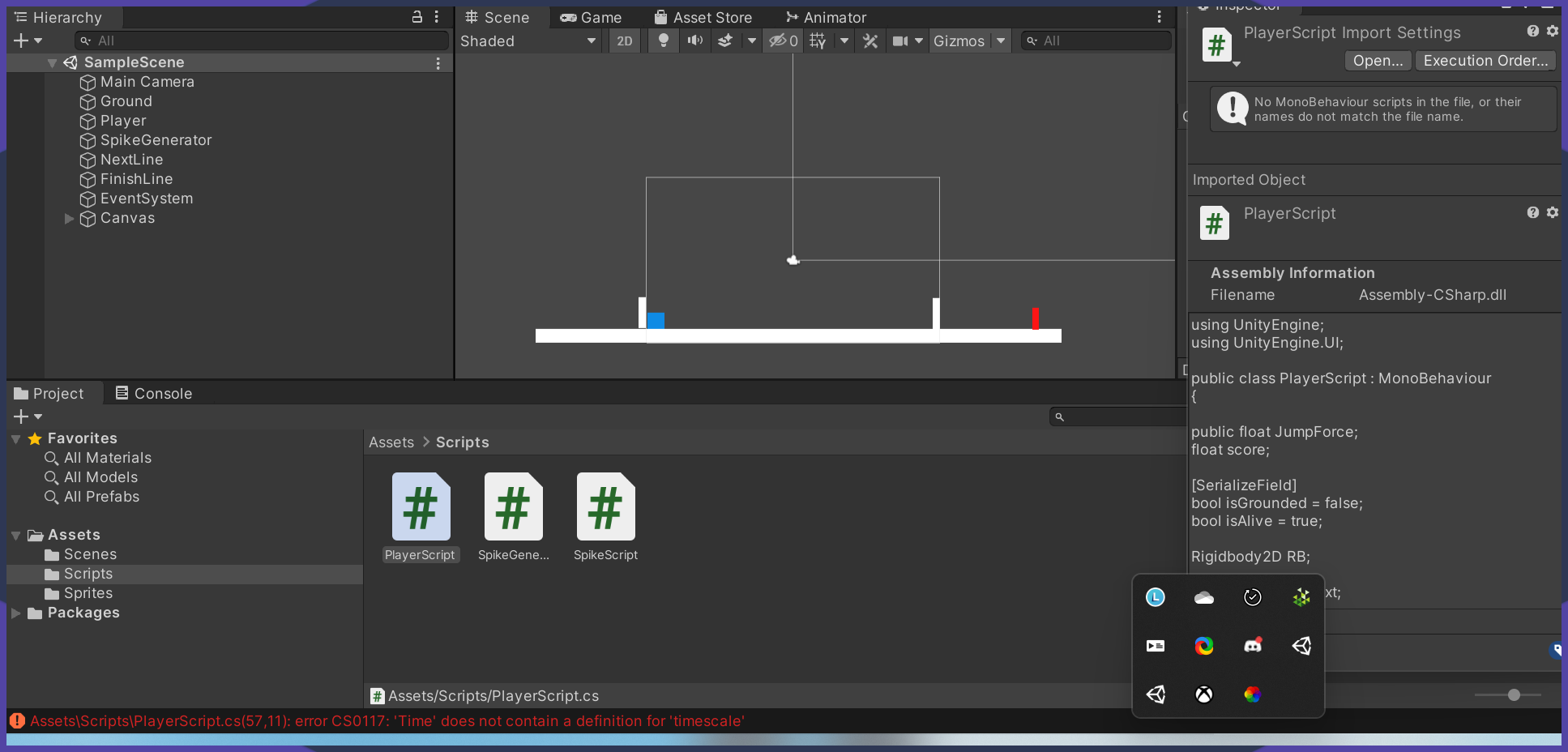
 wheat dragon
Hey there!!
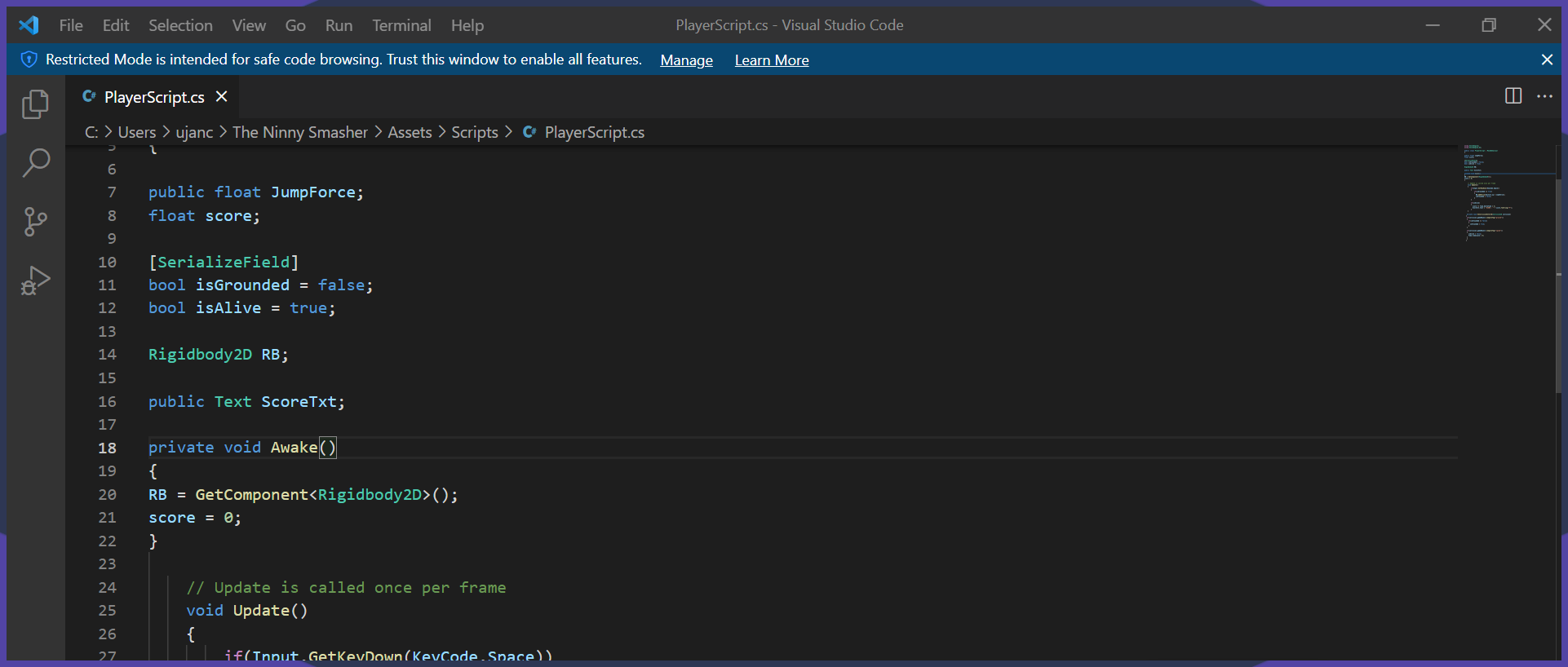
so i was trying to create a timescale for death
in my 2d game
using UnityEngine;
using UnityEngine.UI;

public class PlayerScript : MonoBehaviour
{

public float JumpForce;
float score;

[SerializeField]
bool isGrounded = false;
bool isAlive = true;

Rigidbody2D RB;

public Text ScoreTxt;

private void Awake()
{
RB = GetComponent<Rigidbody2D>();
score = 0;
}


    // Update is called once per frame
    void Update()
    {
        if(Input.GetKeyDown(KeyCode.Space))
        {
            if(isGrounded == true)
            {
              RB.AddForce(Vector2.up * JumpForce);
              isGrounded = false;
            }
        }

        if(isAlive)
        {
          score += Time.deltaTime * 4;
          ScoreTxt.text = "SCORE : " + score.ToString("F");
        }
    }

   private void OnCollisionEnter2D(Collision2D collision)
  {
   if(collision.gameObject.CompareTag("ground"))
   {
     if(isGrounded == false)
     {
       isGrounded = true;
     }
   }

   if(collision.gameObject.CompareTag("spike"))
   {
     isAlive = false;
     Time.timescale = 0;
   }
   }
  }
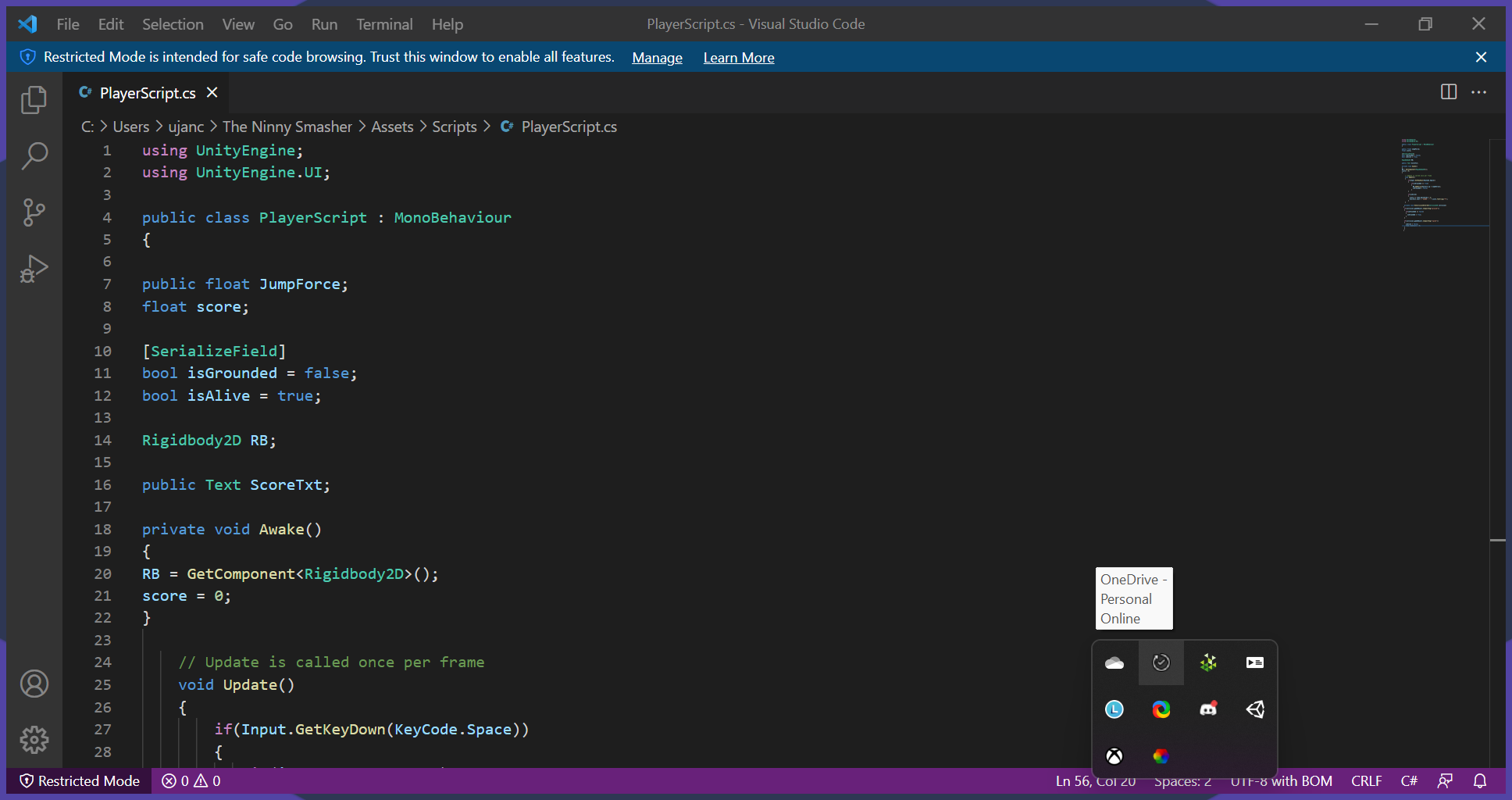
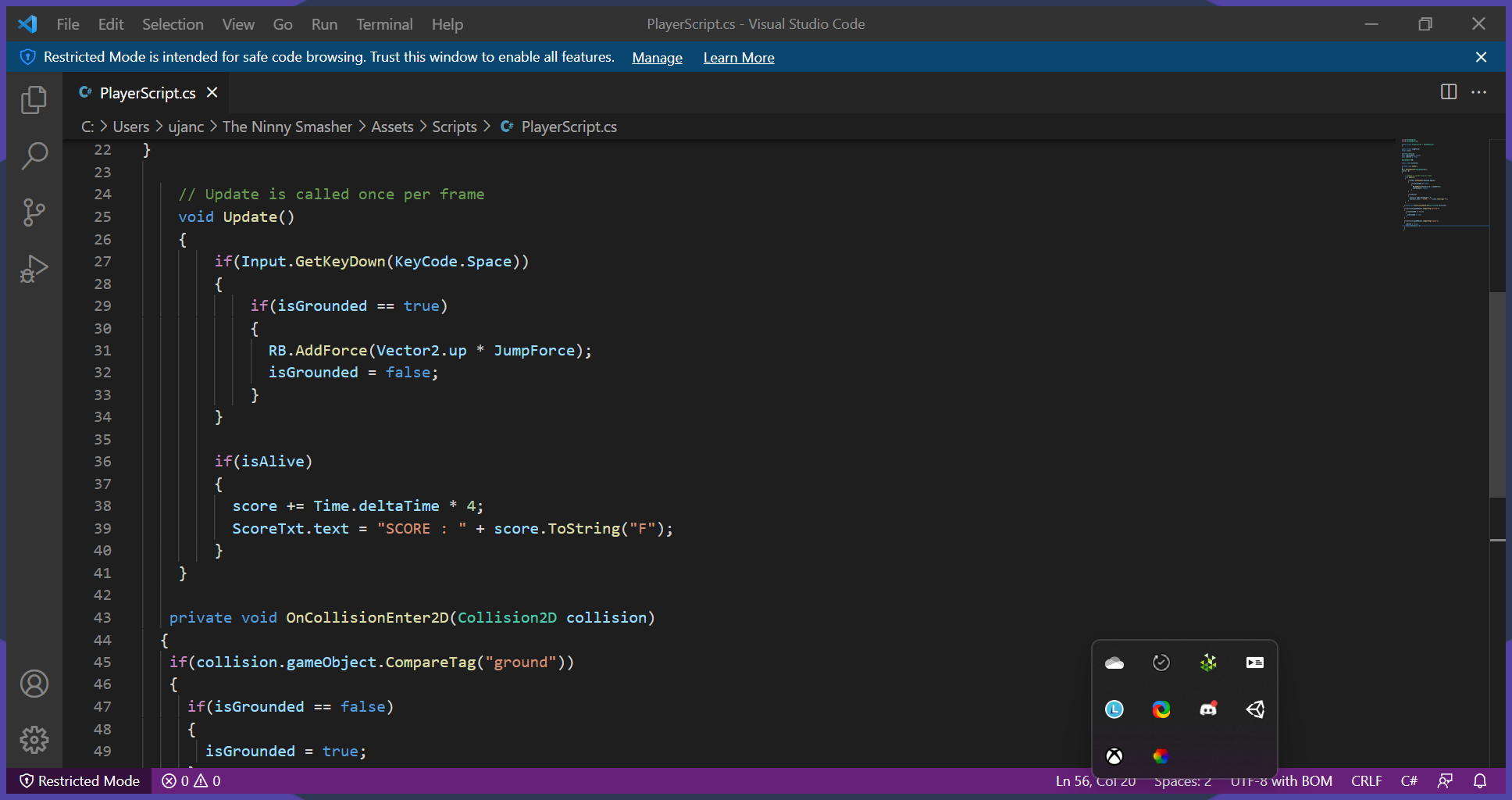
this is my code

this is what it shows
covert whale
still tendon
Can anyone help me to find the correct way to get the square height (the square ...
does the square have a collider? or is it just a sprite
wheat dragon
if somebody is free pls do consider helping me 🙂
covert whale
wheat dragon
https://i.imgur.com/bRmSGZE.png
have you configured your ide?
wheat dragon
wym exactly??
still tendon
nope the object does not have any collider
wheat dragon
srry if im acting dumb cuz im new to unity..
covert whale
wheat dragon
wym exactly??
check #854851968446365696 for how to configure your ide
it should underline that error
covert whale
still tendon
nope the object does not have any collider
you can check sprite.bounds although it's not always accurate
https://docs.unity3d.com/ScriptReference/Sprite-bounds.html
wheat dragon
no it doesnt seem to underline the err
covert whale
configure your ide then
covert whale
strange kayak
How would I go about having a sprite that circles around the player as the weapo...
so do you want the sword to follow the mouse while keeping the same distance from the player
so rotating around
wheat dragon
wheat dragon
https://i.imgur.com/bRmSGZE.png
wont this help
strange kayak
Yeah, so I'd like the sword to rotate around the player following mouse movement
with the hilt of the sword always facing the player
covert whale
wheat dragon
wont this help
it does but i can't give you the solution if you don't configure your ide
in the future it'll save you and others who want to help a lot of time
wheat dragon
covert whale
it does but i can't give you the solution if you don't configure your ide
i still am not sure about the ide config
covert whale
#854851968446365696 has a link for vs code
wheat dragon
which one manually or unity
strange kayak
unity is also throwing up a object reference error but I'm not sure what its telling me does/doesn't exist
covert whale
wheat dragon
which one manually or unity
you said you had 'vsc' so i assume you click on the VS Code
strange kayak
RotatePoint = transform.parent.transform;
NullReferenceException: Object reference not set to an instance of an object
WeaponRotate.Start () (at Assets/Scripts/WeaponRotate.cs:15)
wheat dragon
ohk then
covert whale
strange kayak
```cs
RotatePoint = transform.parent.transform;
```
NullReferenceException: Obje...
does the transform have a parent?
the script that this is on
wheat dragon
ohk the c# extension is installing
strange kayak
covert whale
does the transform have a parent?
That's cleared it... I unparented it when trying to figure out how to always have the hilt face the centre 
 covert whale
strange kayak
That's cleared it... I unparented it when trying to figure out how to always hav...
covert whale
strange kayak
That's cleared it... I unparented it when trying to figure out how to always hav...
so do you have any code that you've implemented currently and how is it working/not working
strange kayak
I've implemented the below:
using System.Collections;
using System.Collections.Generic;
using UnityEngine;

public class WeaponRotate : MonoBehaviour
{
    // Point you want to have sword rotate around
    public Transform RotatePoint;
    // how far you want the sword to be from point
    public float armLength = 2f;

    private void Start() =>

        // if the sword is child object, this is the transform of the character (or shoulder)
        RotatePoint = transform.parent.transform;

    void Update()
    {
        // Get the direction between the shoulder and mouse (aka the target position)
        Vector3 shoulderToMouseDir =
            Camera.main.ScreenToWorldPoint(Input.mousePosition) - RotatePoint.position;
        shoulderToMouseDir.z = 0; // zero z axis since we are using 2d
                                  // we normalize the new direction so you can make it the arm's length
                                  // then we add it to the shoulder's position
        transform.position = RotatePoint.position + (armLength * shoulderToMouseDir.normalized);
    }
}```I then created an empty object called RotatePoint and made the club it's child object, the script is on the club and the Rotatepoint is set as the RotatePoint variable reference

I did have the RotatePoint object set to the centre of the player sprite but for some reason it seems to move to the same transform as the club despite it being the child

alright so I now have it rotating around the centre
how would I get it so that the tip of the weapon always faces the cursor?
wheat dragon
umm im still facing issues ;-;
 dawn umbra
so is this like a help channel?
wheat dragon
yes
covert whale
strange kayak
how would I get it so that the tip of the weapon always faces the cursor?
you can use LookAt https://docs.unity3d.com/ScriptReference/Transform.LookAt.html
wheat dragon
for 2d games
 covert whale
wheat dragon
umm im still facing issues ;-;
covert whale
wheat dragon
umm im still facing issues ;-;
i don't use vs code, don't know how to configure it, make sure you've followed the link properly
covert whale
dawn umbra
i got this nasty ass error
#854851968446365696 for how to post code
wheat dragon
covert whale
i don't use vs code, don't know how to configure it, make sure you've followed t...
i did i even downloaded the extention
 covert whale
have you set it as your external editor
wheat dragon
maybe
 covert whale
do you want to do health == 0?
dawn umbra
i mean
im watching a course
health is equal to 100
thats like the max health
its kinda obv
covert whale
oh so you want >=
dawn umbra
dawn umbra
this is the error
1
covert whale
you've done => which is basically assigning something
>= is comparison for if it's larger than or equal to
covert whale
so you know comparisons in c#?
covert whale
then use the right one, because you've used => which is a lambda expression
covert whale
please don't
covert whale
you should do some c# tutorials to get the syntax down
still tendon
float height = squareList[j].GetComponent<Renderer>().bounds.extents.y; is this the correct way to get your height of a 2d object ?
dawn umbra
covert whale
you should do some c# tutorials to get the syntax down
im watching a course
xD
covert whale
alright good luck
strange kayak
so something like
public Transform target;
    void Update()
    {
        // Rotate the camera every frame so it keeps looking at the target
        transform.LookAt(Cursor);
}```anybody still there??
dawn umbra
dang roblox community is way more toxic than this
strange kayak
then add that to the club?
dawn umbra
im happy here
covert whale
strange kayak
then add that to the club?
think so yeah
but it depends on what your sprite's transform.forward is
wheat dragon
;-;
covert whale
so you may need to define an argument for up
covert whale
wheat dragon
anybody still there??
you configured your ide?
wheat dragon
covert whale
you configured your ide?
i did but still no red line
covert whale
can you show a screenshot of it
wheat dragon
and i wanna fix this Time error
wheat dragon
covert whale
can you show a screenshot of it
of?
covert whale
of your configured ide
covert whale
i haven't used vs code for a while now
strange kayak
hmm it says Cursor is a type, which is not valid in the given context
covert whale
i assumed that was a vector3 of your mouse position
in world space
since that's what you want it to look at
wheat dragon
still isnt it possible to help without that ide??
 covert whale

Visual Studio Code can replace MonoDevelop as the editor for Unity
follow this link
carefully
wheat dragon
 covert whale
no it's alright
covert whale
wheat dragon
https://i.imgur.com/9kp1nAb.png
if it still doesn't work for you and you've tried everything, ask someone who's used vs code or switch to vs
dawn umbra
its not logically right if my health was -5
cuz whenever i press space bar
health goes down
i wanna make the minimum 0
covert whale
dawn umbra
its not logically right if my health was -5
do you want to clamp it in Update?
or in the inspector
dawn umbra
covert whale
do you want to clamp it in `Update`?
inspector.
 jolly narwhal
wheat dragon
https://i.imgur.com/9kp1nAb.png
jolly narwhal
wheat dragon
https://i.imgur.com/9kp1nAb.png
Installing the extension is just one of the prerequisites. You have to follow the entire instructions.
fleet remnant
range only works in inspector from what i know
covert whale
if you want to clamp it in code then Mathf.Clamp
fleet remnant
or have a check if(health < 0) then health = 0;

 wheat dragon
jolly narwhal
Installing the extension is just one of the prerequisites. You have to follow th...
wheat dragon
jolly narwhal
Installing the extension is just one of the prerequisites. You have to follow th...
ill try relogging
covert whale
dawn umbra
yeah so this only works in the inspector
fleet remnant
we litterally just told u range doesnt do anything
dawn umbra
still goes below "0"
covert whale
also is your ide configured?
dawn umbra
covert whale
also is your ide configured?
whats that
dawn umbra
fleet remnant
we litterally just told u range doesnt do anything
so what do i do xD
covert whale
dawn umbra
whats that
if you type tra does it autocomplete
dawn umbra
covert whale
if you type `tra` does it autocomplete
where
snow willow
dawn umbra
still goes below "0"
the range thing only affects the inspector. Your code can still make it go under 0
dawn umbra
abstract
covert whale
fleet remnant
or have a check if(health < 0) then health = 0;
you can do a logic check as said here
dawn umbra
thats what autocompletes for me
covert whale
covert whale
if you want to clamp it in code then `Mathf.Clamp`
or clamp
covert whale
dawn umbra
thats what autocompletes for me
can you show a screenshot of your entire script
wheat dragon
yes it does show the funcs now
dawn umbra
 covert whale
dawn umbra
covert whale
dawn umbra
yeah MonoBehaviour should be green i think
check the link for your ide in #854851968446365696
wheat dragon
what should i do next
dawn umbra
i mean
covert whale
wheat dragon
what should i do next
if you've configured your ide then it should underline your error and give autocomplete the right one
dawn umbra
imma just go with the course
ill explore more
as i go through it
im rn trying to do stuff my course doesnt mention
covert whale
the course probably doesn't tell you to configure your ide
wheat dragon
 dawn umbra
mhm
covert whale
if you don't configure then you'll end up with it not highlighting errors or auto completing
both are essential
dawn umbra
how to configure?
covert whale
check the link for your ide in #854851968446365696
dawn umbra
@covert whale i did not get that
 covert whale
jolly narwhal
Installing the extension is just one of the prerequisites. You have to follow th...
covert whale
jolly narwhal
Installing the extension is just one of the prerequisites. You have to follow th...
@wheat dragon
follow all the instructions
wheat dragon
yep my dot net and extention has been installed
covert whale
dawn umbra
you'll need to set your external script editor to your ide
covert whale
wheat dragon
yep my dot net and extention has been installed
can you show me a screenshot of the code in your ide
dawn umbra
covert whale
you'll need to set your external script editor to your ide
where do i find my ide
 covert whale
dawn umbra
where do i find my ide
covert whale
dawn umbra
where do i find my ide
what are you using vs?
covert whale
wheat dragon
https://i.imgur.com/iLVlq1f.png
cool it's configured
wheat dragon
covert whale
cool it's configured
but it still doesnt show the red line
covert whale
now if you go to your Time.timescale it should tell you that it needs to be Time.timeScale
wheat dragon
lemme see
covert whale
dawn umbra
virtual studio

Learn how to install and setup Visual Studio for Unity development.
follow this then
wheat dragon
covert whale
now if you go to your `Time.timescale` it should tell you that it needs to be `T...
it doesnt but the code stil lworks
the error is gone
covert whale
amazing
wheat dragon
demn that was quite a silly mistake huh
covert whale
it's what happens if you don't have a machine to tell you that you've misspelled something

 covert whale
wheat dragon
https://i.imgur.com/Bzjj7iU.png
covert whale
wheat dragon
https://i.imgur.com/Bzjj7iU.png
show the code and line
wheat dragon
covert whale
show the code and line
kk
dawn umbra
strange kayak
https://gyazo.com/2ebd4d21c5bf0b685b7043e9277d9a7a
yo i just wanna ask u, how many days u have been devving for?
covert whale
strange kayak
https://gyazo.com/2ebd4d21c5bf0b685b7043e9277d9a7a
nice
dawn umbra
its my first day i just wanna know
strange kayak
2nd day
dawn umbra
dang really?
strange kayak
so like 10 hours maybe
dawn umbra
what course are u following if you are following any
wheat dragon
 dawn umbra
im going in like 5 hours
strange kayak
I bought the Zenva subscription as they have a bunch of projects
but I take the projects and try and build it myself
wheat dragon
 strange kayak
and add additional stuff
wheat dragon
here
covert whale
wheat dragon
https://i.imgur.com/4nUV6Qx.png
#854851968446365696 for how to share code
paste instead of screenshots
fleet remnant
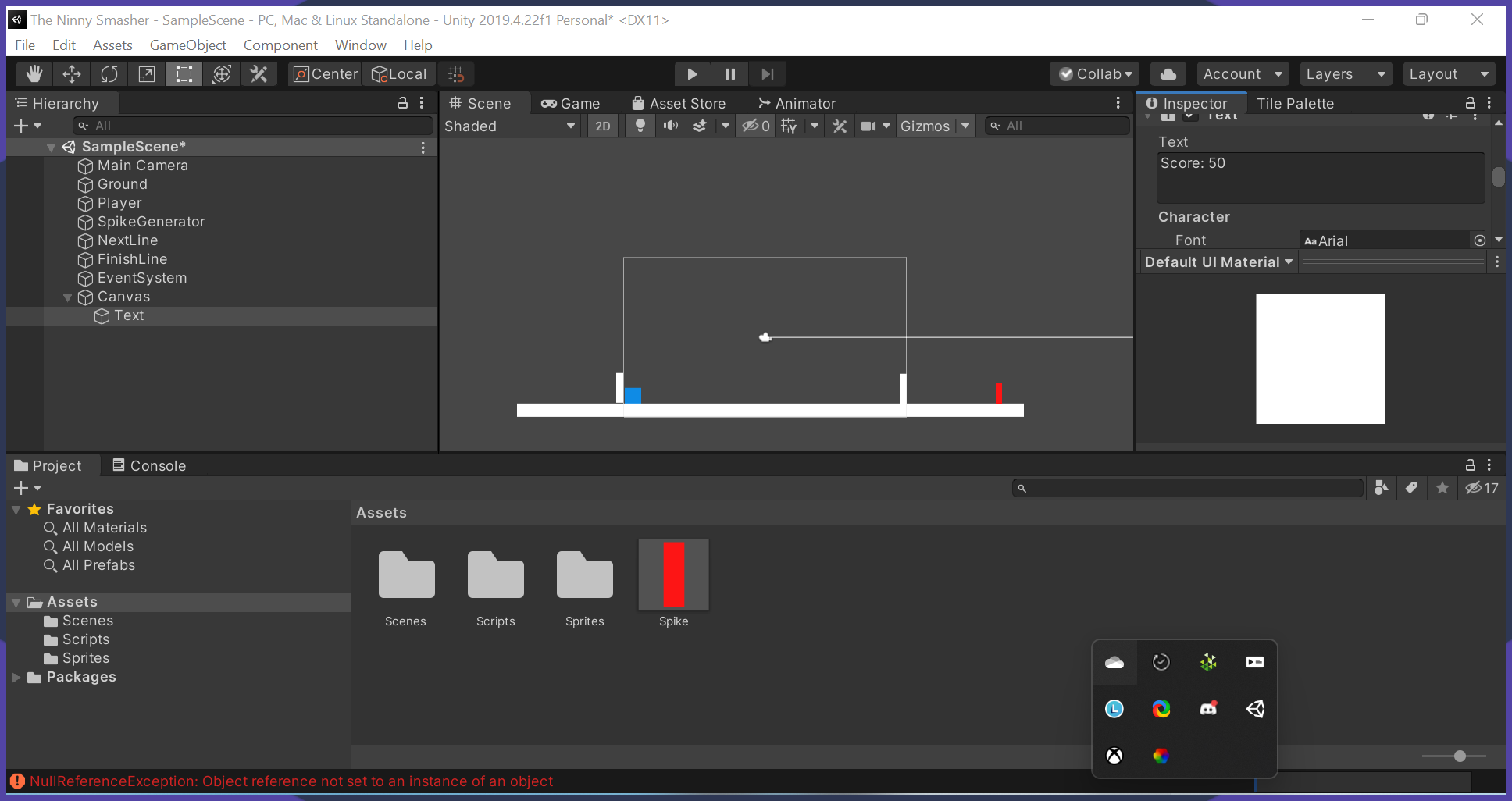
most likely u didnt reference the Text object in the inspector
wheat dragon
covert whale
paste instead of screenshots
ohkk then
strange kayak
For this project they wanted to use WASD for movement and up/down/left/right for attacks but I think a rotating cursor is cooler so I'm going to figure out how to make that work
wheat dragon
using UnityEngine;
using UnityEngine.UI;

public class PlayerScript : MonoBehaviour
{

public float JumpForce;
float score;

[SerializeField]
bool isGrounded = false;
bool isAlive = true;

Rigidbody2D RB;

public Text ScoreTxt;

private void Awake()
{
RB = GetComponent<Rigidbody2D>();
score = 0;
}

    // Update is called once per frame
    void Update()
    {
        if(Input.GetKeyDown(KeyCode.Space))
        {
            if(isGrounded == true)
            {
              RB.AddForce(Vector2.up * JumpForce);
              isGrounded = false;
            }
        }

        if(isAlive)
        {
          score += Time.deltaTime * 4;
          ScoreTxt.text = "SCORE : " + score.ToString("F");
        }
    }

   private void OnCollisionEnter2D(Collision2D collision)
  {
   if(collision.gameObject.CompareTag("ground"))
   {
     if(isGrounded == false)
     {
       isGrounded = true;
     }
   }

   if(collision.gameObject.CompareTag("spike"))
   {
     isAlive = false;
     Time.timeScale = 0;
   }
   }
  }
here
dawn umbra
strange kayak
For this project they wanted to use WASD for movement and up/down/left/right for...
creative idea
dawn umbra
wheat dragon
```c
using UnityEngine;
using UnityEngine.UI;
public class PlayerScript : MonoB...
ahh my eyes
covert whale
wheat dragon
```c
using UnityEngine;
using UnityEngine.UI;
public class PlayerScript : MonoB...
use one of the sites in #854851968446365696
wheat dragon
pastebin or sourcebin should work too
wheat dragon
covert whale
use one of the sites in <#854851968446365696>
ohkk
fleet remnant
fleet remnant
most likely u didnt reference the Text object in the inspector
@wheat dragon
we cant know tho because u didnt specify the line
covert whale
which line
wheat dragon
39
covert whale
fleet remnant
most likely u didnt reference the Text object in the inspector
yeah then this
fleet remnant
fleet remnant
most likely u didnt reference the Text object in the inspector
this^
covert whale
gotta drag it in
wheat dragon
umm?
covert whale
last one


 covert whale
oh god
fleet remnant
Check out the Course: https://bit.ly/3i7lLtH
Learn 5 different ways you can connect your gameobjects in Unity. Ranging from direct references & singletons to scriptableobjects and injection.
More Info: https://unity3d.college - (and where you can submit your own questions)
Join the group: http://unity3d.group

 covert whale
pretty cool
strange kayak
I wonder if I should add a limitation that you can't rotate beyond like 180 degrees of the direction you are facing
fleet remnant
wheat dragon
so i didnt understand the reference
basically take the gameobject that has the score on it and drag it to the field where it says Text(None) or somthn on ur other gameobject
strange kayak
So you still have to face upwards to get a degree of motion on the upwards direction
So if you want to recreate this effect and have a parented object (the club) rotate around your player pointing towards the mouse this is the code you will need.
If it can be done cleaner, please let me know so I can implement it! 
using System.Collections;
using System.Collections.Generic;
using UnityEngine;

public class WeaponPivot : MonoBehaviour
{
    public GameObject myPlayer;
    public float armLength = 2f;
    public Transform RotatePoint;

    private void FixedUpdate()
    {
        // Converting screen position of mouse to world position. - transform.position is the pivot of the weapon distance
        Vector3 difference = Camera.main.ScreenToWorldPoint(Input.mousePosition) - transform.position;

        difference.Normalize();

        float rotationZ = Mathf.Atan2(difference.y, difference.x) * Mathf.Rad2Deg;

        transform.rotation = Quaternion.Euler(0f, 0f, rotationZ);

        // Get the direction between the shoulder and mouse (aka the target position)
        Vector3 shoulderToMouseDir =
            Camera.main.ScreenToWorldPoint(Input.mousePosition) - RotatePoint.position;
        shoulderToMouseDir.z = 0; // zero z axis since we are using 2d
                                  // we normalize the new direction so you can make it the arm's length
                                  // then we add it to the shoulder's position
        transform.position = RotatePoint.position + (armLength * shoulderToMouseDir.normalized);
    }
}```oh
putting this in Update would be better
since you're not interacting with anything to do with physics
(at least not yet)
strange kayak
Wouldn't I want it in fixed update so FPS doesn't affect it
it's going to have a collider and interact with enemies/world objs eventually
strange kayak
just move this entire piece of code to:
private Update()
{
Vector3 shoulderToMouseDir =
            Camera.main.ScreenToWorldPoint(Input.mousePosition) - RotatePoint.position;
        shoulderToMouseDir.z = 0; // zero z axis since we are using 2d
                                  // we normalize the new direction so you can make it the arm's length
                                  // then we add it to the shoulder's position
}```

?so you'd need to make shoulderToMouseDir not a local variable so that you can use it in FixedUpdate
so declare it at the top
strange kayak
public shouldertoMouseDir;
?
strange kayak
private Vector3 shoulderToMouseDir;```yep
strange kayak
and then move that vector 3 code to a standard update
covert whale
yeah
wheat dragon
fleet remnant
basically take the gameobject that has the score on it and drag it to the field ...
so u mean a tag right??
fleet remnant
wheat dragon
so u mean a tag right??
no
wheat dragon
 fleet remnant
nothing to do with it
covert whale
strange kayak
and then move that vector 3 code to a standard update
general rule of thumb is
-input in Update
-physics and related interactions in FixedUpdate
wheat dragon
wheat dragon
https://i.imgur.com/qOGwsqs.png
anything from this
u want me to change
strange kayak
Cool thanks, just trying to piece together code from my limited knowledge and make it do the things
wheat dragon
fleet remnant
nothing to do with it
then where??
strange kayak
I'm sure the best way to do things will come with time
wheat dragon
srry if im being a pain but well im just noob for starters.. just started vsc 4hrs ago
;-;
fleet remnant
fleet remnant
basically take the gameobject that has the score on it and drag it to the field ...
on the object that has the script on it that u are getting the null reference on
strange kayak
Now just to build the entire player movement system and enemies and their AI and the combat system and... 
still tendon
Hello guys I am trying to do bubble sort with squares, my goal is to move them in the X axis, however, some squares are moving and not all of them. I suspect the way of swapping is not correct.
 fleet remnant
so on the playerscript
strange kayak
I take it I can add a trigger to the weapon
and use that to detect the enemy instead of having to click they can just rotate their mouse like a lawnmower
covert whale
strange kayak
I take it I can add a trigger to the weapon
yeah and have OnTriggerEnter, compare tag to see if it's an enemy and if so then destroy or whatever you need to do
strange kayak
cool yeah, picked that up from the wee 3d game I did, made loads of collisions
A big hurdle I think I'm going to have is changing that object that is parented to the player
wheat dragon
fleet remnant
basically take the gameobject that has the score on it and drag it to the field ...
lemme give it a try
strange kayak
I'll be adding other weapons and that, so realistically I need a working inventory and a script that changes out the parented item with the same script and variable values but takes on the new sprite and damage/collider values
fleet remnant
wheat dragon
lemme give it a try
theres no try, that is the solution :)
wheat dragon
fleet remnant
theres no try, that is the solution :)
so this is what it looks like
the small comp like object u see at bottom left is the game
strange kayak
are you trying to record your score? I made a score system yesterday
wheat dragon
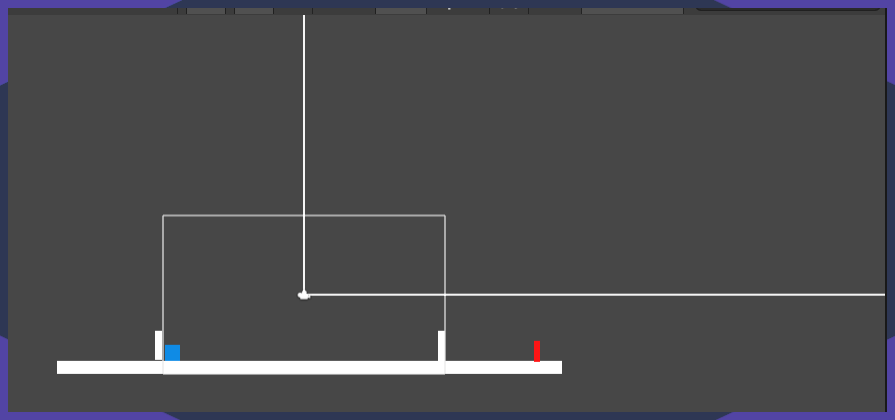 strange kayak
what isn't working
wheat dragon
strange kayak
are you trying to record your score? I made a score system yesterday
yes
wheat dragon
fleet remnant
u r looking the scene view
yes
fleet remnant
change to game tab
wheat dragon
i have
fleet remnant
so
wheat dragon
in game tab the score is in middle
fleet remnant
what is the problem
strange kayak
where do you want it
fleet remnant
well change it
wheat dragon
 fleet remnant
to wherever u want
strange kayak
you can click and drag it and resize it
wheat dragon
i want it right there
wheat dragon
strange kayak
you can click and drag it and resize it
already done
strange kayak
use the options at the top right of the inspector to anchor it to where you want it as well
so whats the actual problem
 fleet remnant
where
strange kayak
what line of code does it say
fleet remnant
we cant magically know wheres ur null refe3nce exception
u need to show
which line is it
and then
give the script
strange kayak
i think I might know what it is
 fleet remnant
so u still
wheat dragon
wheat dragon
https://hastepaste.com/view/9rjRDYlies
.
strange kayak
 covert whale
fleet remnant
https://youtu.be/ymq2AUckws0
covert whale
fleet remnant
https://youtu.be/ymq2AUckws0
you should really look at this video
it tells you how to do this
strange kayak
I only know this because I did the same thing yesterday trying to figure out the gui stuff
wheat dragon
 strange kayak
?
wheat dragon
ik
strange kayak
you need to drag your text component to your UI script
fleet remnant
u have on ur gameobject it says
PlayerScript
then under it says
Text(None)
drag the text obj
into there
i cant have it any more obvious
strange kayak
So currently the weapons X transform is following the cursor, how would I change the transform on the sprite so that it points out the top of the weapon instead of the side?
 still tendon
Hello guys I am trying to swap 2d squares so that they are sorted according to their height. I am using bubble sort but the swapping is not correct. I suspect there are some wrong assumptions in how I swap my squares. Here is the code : https://hastepaste.com/view/gHKvaF0NB

this is how I think it shall look like.
covert whale
strange kayak
So currently the weapons X transform is following the cursor, how would I change...
what are you using to rotate the sword?
strange kayak
Z axis in relation to the cursor as far as I know
covert whale
could you show your code?
wheat dragon
fleet remnant
u have on ur gameobject it says
PlayerScript
then under it says
Text(None)
drag ...
i understoof the text obj.. but i dont get the Text(None) thing
can u show an ss where do u see it
covert whale
fleet remnant
https://youtu.be/ymq2AUckws0
watch this
it tells you how to do it
better than any explanation we can give over text
strange kayak
using System.Collections;
using System.Collections.Generic;
using UnityEngine;

public class WeaponPivot : MonoBehaviour
{
    public GameObject myPlayer;
    public float armLength = 2f;
    public Transform RotatePoint;
    private Vector3 shoulderToMouseDir;

    // Update is called once per frame
    void Update()
    {
        // Get the direction between the shoulder and mouse (aka the target position)
        Vector3 shoulderToMouseDir =
            Camera.main.ScreenToWorldPoint(Input.mousePosition) - RotatePoint.position;
        shoulderToMouseDir.z = 0; // zero z axis since we are using 2d
                                  // we normalize the new direction so you can make it the arm's length
                                  // then we add it to the shoulder's position
        transform.position = RotatePoint.position + (armLength * shoulderToMouseDir.normalized);
    }

    private void FixedUpdate()
    {
        // Converting screen position of mouse to world position. - transform.position is the pivot of the weapon distance
        Vector3 difference = Camera.main.ScreenToWorldPoint(Input.mousePosition) - transform.position;

        difference.Normalize();

        float rotationZ = Mathf.Atan2(difference.y, difference.x) * Mathf.Rad2Deg;

        transform.rotation = Quaternion.Euler(0f, 0f, rotationZ);
    }
}
can you paste it in a site instead please
strange kayak
I can't seem to change the pivot point of the club sprite though, I opened up the spritesheet editor and move it to the bottom left and applied but when I move it to the scene the pivot is right back in the centre
covert whale
strange kayak
I can't seem to change the pivot point of the club sprite though, I opened up th...
maybe this can help?
https://youtu.be/NsUJDqEY8tE

Let's learn how the Game Object Transform Pivot works and how we can manipulate it to get it working exactly as we want.
If you have any questions post them in the comments and I'll do my best to answer them.
See you next time!
Grab the game bundle at https://unitycodemonkey.com/gameBundle.php
Get the Code Monkey Utilities at https://unity...
still tendon
no one answered my question 😛
strange kayak
covert whale
maybe this can help?
https://youtu.be/NsUJDqEY8tE
Yeah I can't seem to access the import inspector..weird
 desert cargo
still tendon
Hello guys I am trying to swap 2d squares so that they are sorted according to t...
desert cargo
still tendon
Hello guys I am trying to swap 2d squares so that they are sorted according to t...
Try this:
squareList.Sort((a, b) => a.GetComponent<Renderer>().bounds.y.CompareTo(
  b.GetComponent<Renderer>().bounds.y
);
That will sort your list in place
still tendon
The idea here is to use bubble sort
 scarlet violet
still tendon
The idea here is to use bubble sort
scarlet violet
still tendon
The idea here is to use bubble sort
Think just your variables were off a bit, i re-did it here using what you had, but outside of Unity:
https://hastepaste.com/view/Rf8uv
So as long as it's not a float comparison issue, then it should work.
Using what I provided here.
@still tendon Specifically this section here is what you want to change to:
                    if (height1 > height2)
                    {
                        int temp = squareList[j];
                        squareList[j] = squareList[j + 1];
                        squareList[j + 1] = temp;
                    }
That's the logic, just update it with your vector3, etc.
Looks like your temp and var assigning were just a bit off.
still tendon
@scarlet violet thanks will double check it soon 🙂
still tendon
This is what I think would work but it didn't, I guess I am missing something , i.e., when I swap in the X-axis. The bubble sort algorithm works fine with numbers as you said.

here is my code : https://hastepaste.com/view/ojcnd.
I have put several hours to make the swapping functionality work but have not progressed yet. I would be more than happy if anyone could help me with the swap method. My personal mail is volkan_hoca@hotmail.com. Have to rest now for my programming job tomorrow. Further, thx for your comments & good night everybody 🙂
scarlet violet
still tendon
This is what I think would work but it didn't, I guess I am missing something , ...
Your last line should just be equal to temp.
Why a new vector3 now?
 real ivy
I'd like to modify a 2D tilemap grid selection with my own custom functions. How do I get access this selection?
 covert whale
#↕️┃editor-extensions maybe?
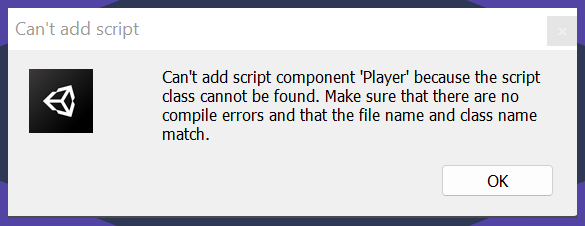 hollow crown
wheat dragon
can somebody explain this??
wheat dragon
hollow crown
<https://help.vertx.xyz/?page=programming/scripts/1-script-loading>
hollow crown
wheat dragon
can somebody explain this??
wheat dragon
hollow crown
<https://help.vertx.xyz/?page=programming/scripts/1-script-loading>
seems to be identical
hollow crown
and the rest of the steps after that?
wheat dragon
yes
hollow crown
Also, your screenshot shows no code, so it doesn't prove anything is identical
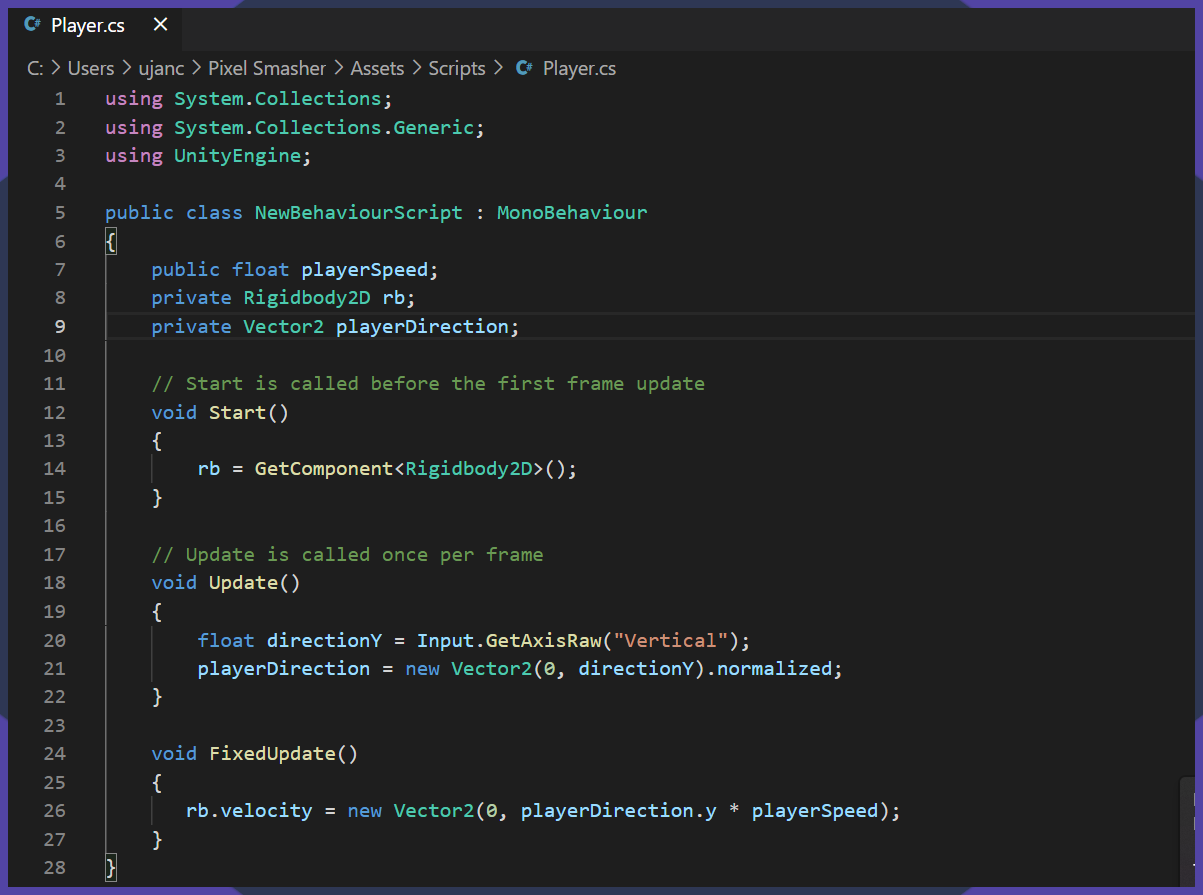 hollow crown
There's your problem.
wheat dragon
where??
hollow crown
Your class name is not the same
wheat dragon
hollow crown
Your class name is not the same
public class NewBehaviourScript : MonoBehaviour
this one??
hollow crown
yes, as my website said

 wheat dragon
umm hey
i have another prob
i have made a script for my camera to move along the player but it seems its always faster than the player and isnt following it
compact knoll
show code?
covert whale
wheat dragon
i have made a script for my camera to move along the player but it seems its alw...
can you show your script?
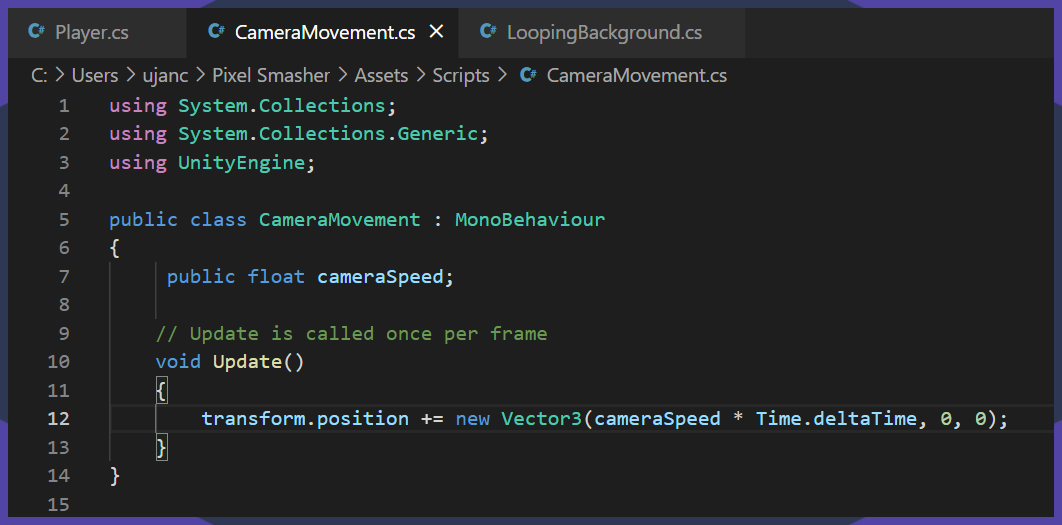


 compact knoll
that's just constantly moving it along the x axis at a fixed rate. Are you sure you want to be doing that instead of actually following the player?