#🖼️┃2d-tools
1 messages · Page 60 of 1
 teal gazelle
teal gazelle
teal gazelle
Ugh, im stuck between a rock and a hard place.
I can't use Freeze Rotation on because it completely breaks the physics simulation, it becomes totally unlike physics at all
but I also can't not use it, because then I basically have to recode the entire item system from the ground up to account for the root gameobject potentially rotating and rotating all of its children
like, I COULD write a script that freezes the children's rotation, except right now I want and am using the children's rotation sometimes for certain things, so then I would have to go through and re-write everything and manually unlock and lock the rotation as needed
whole thing is gross. :C wish freeze rotation just worked right instead of not working right
 solar thicket
teal gazelle
Ugh, im stuck between a rock and a hard place.
I can't use Freeze Rotation on be...
solar thicket
teal gazelle
Ugh, im stuck between a rock and a hard place.
I can't use Freeze Rotation on be...
are you just trying to get a more accurate reflection off of the wall?
 undone gorge
hello
i need some help coding a weapon switch system
i want the player when he dosen't have a weapon to pick it up
but if a player has a weapon and want to pick up anather weapon
i want the current weapon to drop and to switch with the new weapon
here is my attemp
 public Transform GunPosition;

    public GameObject CurrentWeapon;
    public GameObject WeaponInRange;

    public bool HasAWapon = false;
    public bool isInRangeWithWeapon = false;

    private void Update()
    {
        if(isInRangeWithWeapon == true)
        {
            if (Input.GetKeyDown(KeyCode.E))
            {
                CurrentWeapon = WeaponInRange;
                CurrentWeapon.transform.parent = GunPosition;
                HasAWapon = true;

                if(HasAWapon == true)
                {
                    CurrentWeapon.transform.parent = null;
                    CurrentWeapon = null;

                    if(CurrentWeapon == null)
                    {
                        if(WeaponInRange != null)
                        {
                            WeaponInRange.transform.parent = GunPosition;
                            CurrentWeapon = WeaponInRange;
                        }
                    }
                }
            }
        }
    }

}
@inland osprey , sorry for pin, but i need some help, i am participing in a gamejam and if i will stay to long at this point trying to figure this out alone i will lose time
 abstract olive
undone gorge
<@!267764661833695234> , sorry for pin, but i need some help, i am participing i...
abstract olive
undone gorge
<@!267764661833695234> , sorry for pin, but i need some help, i am participing i...
Don't ping random people for your help, it's obnoxious.
abstract olive
As for your code, you just need to condense your logic a bit. For example (not tested, but for a general idea):
private void Update()
{
  if (Input.GetKeyDown (KeyCode.E) && isInRangeWithWeapon)
  {
      // If the player has a weapon, remove it first
      if (HasAWeapon)
          CurrentWeapon.transform.parent = null:

      // Assign the weapon in range to the player
      CurrentWeapon = WeaponInrange;
      CurrentWeapon.transform.parent = GunPosition;
  }
}
In otherwords, first check if the player has a weapon then remove it. Then add the nearby weapon as the new one second.
You had it reversed.
teal gazelle
solar thicket
are you just trying to get a more accurate reflection off of the wall?
Yeah, trying to solve the wrong angle of bounce when FreezeRotate Z is on
solar thicket
teal gazelle
Yeah, trying to solve the wrong angle of bounce when FreezeRotate Z is on
Do you have the physics materials set up to be bouncy and combine properly? Otherwise I would maybe just add the reflection force yourself. You can detect when it hits the wall and at what angle, then zero out the velocity and push it along the reflection vector however hard you want it to bounce.
teal gazelle
solar thicket
Do you have the physics materials set up to be bouncy and combine properly? Othe...
I'm fairly certain I have the phys material / rigid body / colliders set up properly. I made a new debug gameobject and addForce'd it at a 45 degree angle, when Freeze Rotation Z is set to on, when it hits the wall it bounces perpendicular to the wall, but if Freeze Z is off, it bounces at an angle relative to its impact angle.
I hadn't considered zeroing out at the moment of collider hit, that's a good idea.
undone gorge
abstract olive
```
private void Update()
{
if (Input.GetKeyDown (KeyCode.E) && isInRangeWithW...
is not picking up the weapon
and olso thx for response
 strange cove
Im having this problem so when i made my character animated it gave me an error and my enemy doesnt go towards the player anymore so i belive it is something with the follow script in the enemy so does anyone know how to fix this? error:

 turbid heart
strange cove
Im having this problem so when i made my character animated it gave me an error ...
turbid heart
strange cove
Im having this problem so when i made my character animated it gave me an error ...
Are there any other errors? I don’t think that one is a problem. Looks like a unityeditor error you can ignore
 covert whale
strange cove
Im having this problem so when i made my character animated it gave me an error ...
covert whale
strange cove
Im having this problem so when i made my character animated it gave me an error ...
i got that error before but it didn't affect anything and went away when i reset unity
try to reset and see if that helps with the error
cus it could be that the error isn't related to the following problem
 timber shore
The sprite looks the opposite direction from where it's looking
using System.Collections;
using System.Collections.Generic;
using UnityEngine;

public class veikehjas : MonoBehaviour
{
    private BoxCollider2D boxCollider;

    private Vector3 moveDelta;

    private void Start()
    {
        boxCollider = GetComponent <BoxCollider2D>();
    }

    private void Update() {
  float x = Input.GetAxisRaw("Horizontal");
  float y = Input.GetAxisRaw("Vertical");

  Vector3 moveDelta = new Vector3(x, y, 0f);

  transform.localScale = new Vector3(Mathf.Sign(x), 1f, 1f);

  transform.Translate(moveDelta * Time.deltaTime);
}}```hello i have a problem
here is a vid of the problem
do u guys have any solutions ?
turbid heart
undone gorge
here is a vid of the problem
you still need to describe the problem, you know
undone gorge
when the player picks up a weapon the weapon stays up freesed in the position it was when was in the player's hand
i need the weapon to fall on the ground
but the weapons have a trigger colider
turbid heart
undone gorge
i need the weapon to fall on the ground
well, when the weapon is put down, reset its rotation
undone gorge
ok and how to make it fall on the ground ?
turbid heart
fall? you want it to fall down using gravity?
if you rely on physics, there's no guarantee it'll land right side up
you could lerp its current rotation to the target rotation to fake the falling
turbid heart
then what's wrong with just setting the rotation?
undone gorge
turbid heart
then what's wrong with just setting the rotation?
nothing
the problem is just the position
of the gun when being "dropted"
turbid heart
you could enable gravity for the gun, but constraint the rotation of the rigidbody
and hardcode the rotation so that the gun is the right way up
undone gorge
disable the trigger than enabeling it when ist's on the ground and disabeling the gravity ?
turbid heart
use rigidbody to allow the gun to behave with physics. Use gravity to allow the gun to fall, but dont allow physics to rotate the gun as it falls. Just hard set the rotation of the gun. That's the summary
hmm..
honestly, I dont know. will the guns always be at the same y?
or will there be platforms
undone gorge
platforms
turbid heart
you could fake the gun actually
undone gorge
turbid heart
you *could* fake the gun actually
interestig ?
turbid heart
this is kinda hacky, but the guns you pick up have physics. and when you pick up the gun, you destroy it or disable it. Then just enable a separate gun object in your player's hand
So the ones on the ground can have physics, but the ones in your player hand is a different object, but has no physics
then when you drop the gun, you just.. spawn the gun object(the one with physics)
undone gorge
turbid heart
then when you drop the gun, you just.. spawn the gun object(the one with physics...
danm
thats a great idea
turbid heart
I'm rather proud of it myself, haha. Try it out if you want. I dont know how well it will work. good luck
undone gorge
turbid heart
I'm rather proud of it myself, haha. Try it out if you want. I dont know how wel...
i will
turbid heart
you probably have to disable collision between the gun and the player.. but that'll be tricky on how you'll make the guns detect platform, but allow the player to pass through..
that part, honestly, I'm not sure
undone gorge
turbid heart
I'm rather proud of it myself, haha. Try it out if you want. I dont know how wel...
thx for the idea, u really need to be pround of ur self, see ya later, smart man 👍
undone gorge
turbid heart
you probably have to disable collision between the gun and the player.. but that...
i did that with the enemys
turbid heart
I'd love to hear what you ended up using, if you don't mind. all the best
undone gorge
turbid heart
I'd love to hear what you ended up using, if you don't mind. all the best
ok i will tell u later, i need to do some things, thx for the help, have a nice day : )
 dusky wagon
Is there any tutorial on making an object follow a certain line or something like a rail system for moving platforms? I have been trying to find some tutorials, but couldnt find any
Essentially what Im trying to do is:
 snow willow
dusky wagon
Is there any tutorial on making an object follow a certain line or something lik...
snow willow
dusky wagon
Is there any tutorial on making an object follow a certain line or something lik...
One thing you could do is look into Cinemachine's Dolly Cart component. It kinda does that for you built in, and you don't have to use it with a camera
could put any object on it
dusky wagon
Lets say I have these sprites. I want to make a tilemap that lets me draw these. Then have my object automatically follow the line to the right until it hits the right dot, stop and then switch the direction
 dusky wagon
snow willow
One thing you could do is look into Cinemachine's Dolly Cart component. It kinda...
dusky wagon
snow willow
One thing you could do is look into Cinemachine's Dolly Cart component. It kinda...
Okay let me google how that works
snow willow
https://learn.unity.com/tutorial/-2cinemachine-dolly-cart-and-track-2018
Here's a unity learn on it. You can ignore all the camera stuff in there and just look at the track building stuff and waypoints

Unity Learn
In cinematography, the term “tracking shot” refers to a scene where the camera moves alongside whatever it’s filming. To get the shot, the camera is mounted on a dolly that’s then placed on a track. As the scene is being filmed, the camera moves along the track. In this tutorial, you'll set up a Cinemachine camera to make a tracking shot.
dusky wagon
snow willow
https://learn.unity.com/tutorial/-2cinemachine-dolly-cart-and-track-2018
Here's ...
Hm Im pretty sure I already have a system similar to that, but my main problem is how I can make it automatically adapt to whatever track I draw with the tilemap
snow willow
dusky wagon
Hm Im pretty sure I already have a system similar to that, but my main problem i...
If you want to draw the track with a tilemap you'll need to build that system out yourself
would be pretty easy to do with the dolly cart I think though. Just build a track using the positions of those tiles
dusky wagon
snow willow
If you want to draw the track with a tilemap you'll need to build that system ou...
Yeah but I was looking for tips and suggestions on how I can do that
snow willow
shouldn't be that difficult I'd think
actually - knowing the order in which the tiles were placed might be a big challenge
dusky wagon
Oh that doesnt really matter, I want to follow the track after certain rules
dusky wagon
dusky wagon
Lets say I have these sprites. I want to make a tilemap that lets me draw these....
There will be more parts than this, this was just an example
But if I build the same path in a different order, the path should be the same
But I have no idea where to start. Where would be the track script if all of the different tracks are on the same tilemap?
snow willow
dusky wagon
But if I build the same path in a different order, the path should be the same
sounds like maybe waht you really want to do is run a pathfinding algorithm on your tilemap
using a particular tile type as the "walkable" tile
and generate a path that way
then you could use that path to either run your own custom code that does the patrolling or use those points to build a dolly track or something similar
dusky wagon
Hm okay maybe I want to do that
 hot fog
hi so i want my boss character to bob up and down but when i make the animation when it finishes and loops back it waits for a split second and doesnt look good ho do i fix
timber shore
timber shore
The sprite looks the opposite direction from where it's looking
```csharp
using ...
.
snow willow
timber shore
The sprite looks the opposite direction from where it's looking
```csharp
using ...
It looks the opposite direction from where it's looking?
what does that mean
 primal pivot
I have a weird issue, for quite a while, and only now noticing how to replicate it. So whenever i remove something on my tilemap (as in, on the grid so that square no longer exists in the scene) and i move to where that tile was, it will crash me, always. 🤔
So for example if i wanted to remove a wall in the scene on the grid, if i go to where it once was, it causes a crash, and it's really peculiar. I can change the tiles, but the layout has to remain identical because of that.
undone gorge
hey any idea how to make this gun fall and be a trigger after falling down ?
????????
snow willow
undone gorge
hey any idea how to make this gun fall and be a trigger after falling down ?
give it two colliders - one for interacting with the ground, one for interacting with players. Make the ground one a non-trigger and the player one a trigger
use the layer collision matrix to set up what collides with what
undone gorge
snow willow
give it two colliders - one for interacting with the ground, one for interacting...
how to make a colider ignore a colision ?
snow willow
undone gorge
how to make a colider ignore a colision ?
like I said, layer collision matrix
undone gorge
but the trigger won't be effected ?
snow willow
undone gorge
but the trigger won't be effected ?
??
undone gorge
snow willow
??
if i do the collision matrix the trigger won't be effected ?
snow willow
undone gorge
if i do the collision matrix the trigger won't be effected ?
I don't understand the question
timber shore
snow willow
It looks the opposite direction from where it's looking?
when I move right the character looks left and vice versa
snow willow
undone gorge
if i do the collision matrix the trigger won't be effected ?
triggers are affected by the layer matrix like anything else
set up the matrix so it works the way you need
and put the colliders on the appropriate layers
snow willow
timber shore
when I move right the character looks left and vice versa
your sprite is facing left by default then I guess? Just negate the rotation code you have
undone gorge
snow willow
and put the colliders on the appropriate layers
u can set colliders on other layres ?
snow willow
undone gorge
u can set colliders on other layres ?
Yes of course
you put them on GameObjects that are on the layer you want
undone gorge
snow willow
Yes of course
how can i do that ?
snow willow
undone gorge
how can i do that ?
each collider should be on its own separate child object
with a different layer
undone gorge
it dosen't work
undone gorge
snow willow
each collider should be on its own separate child object
it dosen't work i set that the weapon layer to not collide with the weapon and it dosen't work
snow willow
collision layers work
idk what you did
check the layer of each collider involved
and the way you set up the matrix
the weapon colliding with the weapon isn't your concern here
it's the collision between the player and the weapon and the ground and the weapon
 still tendon
i want to use the w and s buttons to rotate my object counter-clockwise and clockwise and also change the direction that the objects move
how would i do that
undone gorge
snow willow
collision layers work
ok they work
dusky wagon
snow willow
sounds like maybe waht you really want to do is run a pathfinding algorithm on y...
So I looked at some tutorial about path finding with A*, but I have no idea, how I could modify the algorithm to work for this case.
snow willow
dusky wagon
So I looked at some tutorial about path finding with A*, but I have no idea, how...
A* is the algorithm
dusky wagon
Okay maybe I should rephrase that
snow willow
dusky wagon
So I looked at some tutorial about path finding with A*, but I have no idea, how...
Here's 3 example articles that explain how to write it in C#:
https://web.archive.org/web/20170505034417/http://blog.two-cats.com/2014/06/a-star-example/
https://dotnetcoretutorials.com/2020/07/25/a-search-pathfinding-algorithm-in-c/
https://gigi.nullneuron.net/gigilabs/a-pathfinding-example-in-c/
dusky wagon
snow willow
Here's 3 example articles that explain how to write it in C#:
https://web.archiv...
Can I even use the algorithm for this case? I think the first part cant be used, but I dont really want to determine the shortest path towards a destination, but a path along the edges of these rails
snow willow
dusky wagon
Can I even use the algorithm for this case? I think the first part cant be used,...
you want the shortest path along the rails
the rails make up the "traversable" elements of your graph
for A* to operate on
dusky wagon
Well I dont really want the shortest one, and there isnt an target
snow willow
dusky wagon
Well I dont really want the shortest one, and there isnt an target
what if you draw the rails like this, what happens?
DDDDD  DDDD
    DDDD
DDDD```Is DDDD a singular rail?
snow willow
each D is a "rail tile"
snow willow
I think what you need is 3 tile types: rail start, rail, rail end
then you basically do A* from the rail start tile to the rail end tile
to find the path
the rails have directions?
dusky wagon
Yes the would all have two directions
Maybe I was a bit unclear when asking
For example here the black things are the rails. I want an object to just follow around this path for eternity and it doesnt matter what ever tiles are placed in the red squares, as each of the rails points towards its two neighbours
 still tendon
i want to use the w and s buttons to rotate my object counter-clockwise and clockwise and also change the direction that the objects move
how would i do that
snow willow
dusky wagon
For example here the black things are the rails. I want an object to just follow...
Ok the way i'd do this is somehow mark those tiles with a direction, then give your object a script that just reads the tile it's on and moves in the direction that the tiles says it should move in
so maybe giving each of those tiles a "conveyorBelt" script or something that has a direction field on it
that your follower object can read and determine which way to go
snow willow
dusky wagon
How would that work on the corner rails though?
they would just have a direction pointing to their exit
dusky wagon
But it would also need to signalize that you have to go into the middle first, and not diagonal towards the end point
snow willow
dusky wagon
But it would also need to signalize that you have to go into the middle first, a...
I don't think so. The follower script always goes to the middle of the tile
then goes in the direction the tile says to the next tile's middle
dusky wagon
Ah okay
Or maybe I could make each on of the tiles have an array of waypoints the that follower object follows? I would like to have more flexibility with the tiles
snow willow
there's a lot of possibilities. I'd look into rule tiles too which could help make placing these tiles a lot faster
dusky wagon
Yeah that was what I wanted to do any way
snow willow
like you could just have one rule tile selected and drag the path out and the rule tile will select the correct corner tiles etc
dusky wagon
But probably not in the intended way
I wanted to use it entirely for placing game objects, since I want to have multiple different possible corner tiles, and rule tiles only react to instances of itself and not other rule tiles on the same tile map
Or maybe I could make a custom rule tile script to make an option to also count any other tile on a tile map as a neighbor, but I havent found out how to do that yet
snow willow
I haven't messed with rule tiles much yet either but you can do a lot with the scripts afaik
turbid heart
snow willow
give it two colliders - one for interacting with the ground, one for interacting...
The non trigger ground one should be set to ignore the player’s collider through the matrix thing, right?
snow willow
turbid heart
The non trigger ground one should be set to ignore the player’s collider through...
yes
snow willow
turbid heart
The non trigger ground one should be set to ignore the player’s collider through...
It's the exact technique I'm using for #archived-works-in-progress message
turbid heart
Cool, thanks! I was missing that bit because i don’t have much experience changing the collision matrix, so i suggested a rather roundabout solution for the person earlier
dusky wagon
snow willow
I haven't messed with rule tiles much yet either but you can do a lot with the s...
Yeah I found this article here:
https://docs.unity3d.com/Packages/com.unity.2d.tilemap.extras@1.6/manual/CustomRulesForRuleTile.html
And I think I can do it with that, Im just trying to understand what exactly it shows in there
dusky wagon
Hm I found a solution online, but I have honestly now idea how it works.
public class MyTile : RuleTile<MyTile.Neighbor> {
    public int siblingGroup;
    public class Neighbor : RuleTile.TilingRule.Neighbor {
        public const int Sibing = 3;
    }
    public override bool RuleMatch(int neighbor, TileBase tile) {
        MyTile myTile = tile as MyTile;
        switch (neighbor) {
            case Neighbor.Sibing: return myTile && myTile.siblingGroup == siblingGroup;
        }
        return base.RuleMatch(neighbor, tile);
    }
}
This adds another option for the rule tile called Sibing and counts any other rule tiles that is based on the same script as a neighbour, although I dont see that part where it checks for the neighbour
primal pivot
I have this weird issue, where whenever i erase a tile in my scene, if anything enters that area, the entire engine crashes. Even if i disable the entire tilemap so it's not in the scene, entering the areas that were erased (and only those areas) will cause a crash, despite everything no longer existing...
I can replace tiles on the grid, and add them too. But erasing any of them will cause that when entering it 😦 so i'm rather stuck to this same layout
If i add new ones also, removing them creates the same issue. Little areas to crash at
 undone steeple
Hi, how can I prevent a sprite from sliding after a jump?
I'm using this material for ground, but the sprite still slides

 lean estuary
You need to use physics to take advantage of physics system
undone steeple
Uhm... the problem is that the sprite keeps bouncing or something similar
lean estuary
Both objects must have physics material set and moving object has to use dynamic physics and moved using Rigidbody methods.
There's physics tutorial on Unity Learn
undone steeple
lean estuary
Both objects must have physics material set and moving object has to use dynamic...
Yeah I know, I started to have this problem when I changed to another sprite
Oh ok I found the problem, it was the box collider
 honest python
how do I display objects in the inspector?
 languid lily
Wdym
strange cove
Does anyone know why my character tps when he rotates by me pressing left or right? script: ```csharp
public float moveSpeed = 5f;
public float jumpForce = 5f;
private Rigidbody2D rb2D;

void Start()
{
    rb2D = GetComponent<Rigidbody2D>();
}

void Update()
{
    if (Input.GetKey(KeyCode.D))
    {
        transform.rotation = Quaternion.Euler(0, -180, 0);
        transform.Translate(Vector2.right * (Time.deltaTime * moveSpeed), Space.World);
    }
    else if (Input.GetKey(KeyCode.A))
    {
        transform.rotation = Quaternion.Euler(0, 0, 0);
        transform.Translate(Vector2.left * (Time.deltaTime * moveSpeed), Space.World);
    }

    if (Input.GetButtonDown("Jump") && Mathf.Abs(rb2D.velocity.y) < 0.000001f)
    {
        rb2D.AddForce(new Vector2(0, jumpForce), ForceMode2D.Impulse);
    }
}
} ```
 hidden temple
huh
strange cove
hidden temple
huh
?
hidden temple
you went from 1 problem to another
strange cove
hidden temple
you went from 1 problem to another
lol sorry im more worried bout this one then the other
snow willow
strange cove
Does anyone know why my character tps when he rotates by me pressing left or rig...
because you're moving it:
transform.Translate(Vector2.right * (Time.deltaTime * moveSpeed), Space.World);```And it seems like you're mixing up transform.Translate and also Rigidbody motion, as I see AddForce later down
you can't mix and match those
use one or the other.
strange cove
snow willow
because you're moving it:
```cs
transform.Translate(Vector2.right * (Time.deltaT...
alr
strange cove
snow willow
because you're moving it:
```cs
transform.Translate(Vector2.right * (Time.deltaT...
its weird tho because it happened when i made my character animated
 bleak sparrow
Anyone know what Animator is not playing an AnimatorController means? I'm trying to call an animation from a script located in my bullet script but I get that instead and well the animation isn't activated either.
 hollow crown
Your Animator is missing its AnimatorController
bleak sparrow
hollow crown
Your Animator is missing its AnimatorController
It does have it tho :/
hollow crown
one of them doesn't. Else it wouldn't be saying that
snow willow
bleak sparrow
Anyone know what `Animator is not playing an AnimatorController` means? I'm tryi...
Actually this can happen if you tried to call animator.Play("something") on a disabled Animator too
bleak sparrow
snow willow
Actually this can happen if you tried to call `animator.Play("something")` on a ...
I am doing that yes, but the animator is not disabled as I use it elsewhere without any issues.
 frigid minnow
Any ideas why my Raycast2D is still hitting something that is on a layer set to ignore raycasts?

RaycastHit2D lineOfSight = Physics2D.Raycast(gameObject.transform.position, (other.transform.position - owner.transform.position).normalized);
Do I need to do anything particularly special in order to exempt layers set to ignore raycasts?
What's more, is they're detecting trigger colliders
So I don't really understand why
snow willow
frigid minnow
Any ideas why my Raycast2D is still hitting something that is on a layer set to ...
shouldn't hit anything on the Ignore Raycasts layer.
what object is it hitting?
you sure the collider itself is on that layer?
frigid minnow
Just found out I can disable the raycast hitting triggers
snow willow
yeah you can
snow willow
Are you sure the collider isn't just on a child object that's not on the ignore raycasts layer?
frigid minnow


Effect is toggled to ignore raycast
It hits basically every collider regardless
frigid minnow
Wait what
snow willow
this is the collision matrix
this means Effect will collide with objects in the Ignore Raycast layer
it has nothing to do with raycasts
snow willow
your object has to actually be in the Ignore Raycast layer to be ignored by raycasts by default or you have to use a layer mask in your raycast to filter out layers you don't want.
frigid minnow
I see! That's very helpful, thank you :]
honest python
even tho I set my aspect ratio to be the only available one in Player settings, in the build the cam is not the same as in the editor
and is less wide
frigid minnow
Your build will save preferences if you've previously resized the window in an earlier build
If you made a build, resized the window, then made another build with a specific resolution, it will still use whatever you resized it to in the past
That's my experience anyways
dusky wagon
dusky wagon
Hm I found a solution online, but I have honestly now idea how it works.
```cs
p...
Can anyone explain how this works? Its a custom rule tile script, but the side I found it on has no documentation about how it works
 marble badger
Hi, if i want to talk about Design pattern which channel should i use
can anyone tell me
@hollow crown if someone wants to talk about design pattern which channel should he use
lean estuary
@marble badger #502893580512395264
 desert cargo
marble badger
are you personally familiar with state design pattern
desert cargo
marble badger
are you personally familiar with state design pattern
What's state design? Like a state machine?
dusky wagon
I am working on a paddle for a pinball game. My original idea was to give it a hinge joint 2d, some angle limits and activate the motor whenever a button is pressed. It kind of works, but when you hold the button, the paddle starts going over its limits for a second and then teleports back which looks really weird. I am assuming that this is happening because the motor has an extremely larger amount of speed. Any idea how I could fix it?
dusky wagon
I have made a thing that disables the motor as soon as the paddle reaches its limit, but I cant seem to find a way to make it stop there and only go down again if you are not pressing the button anymore
 limpid drift
hey guys i was wondering if anyone could help me with a bullet script
right now its really working weird and trying to get it perfect
 mighty compass
Hi
Need some help
My 2d options such as creating a 2d object dissapeared
Someone?
 high rover
mighty compass
My 2d options such as creating a 2d object dissapeared
high rover
mighty compass
My 2d options such as creating a 2d object dissapeared
eh?
can you show
 sharp lichen
import the package/ restart Unity
 mighty compass
sharp lichen
import the package/ restart Unity
mighty compass
sharp lichen
import the package/ restart Unity
Yeah but how
Do I import the 2D sprite package
sharp lichen
have you ever had 2D in the project?
mighty compass
Yes
sharp lichen
Any console errors atm?
 sharp lichen
then move 'em back
mighty compass
But I don't know what file it is
sharp lichen
window -> package manager -> look for 2d stuff
mighty compass
I did that too
sharp lichen
and dont move files that you don't know about ;p
mighty compass
Cant find anything
sharp lichen
Have you got the view displaying Unity pacakges, or packages that are in the project
there are different views.. look around and learn the PM window
mighty compass
 sharp lichen
 sharp lichen
you don't need to say wait.. I already am waiting
mighty compass
Thx
honest python
frigid minnow
If you made a build, resized the window, then made another build with a specific...
so how do I fix that?
 prisma crow
how do they make that effect that sometimes an obstacle is rendered above player if player was walking from behind the obstacle in a 2d pixel game?
 austere iron
prisma crow
how do they make that effect that sometimes an obstacle is rendered above player...
austere iron
prisma crow
how do they make that effect that sometimes an obstacle is rendered above player...
Use the sorting layers for your sprites. You can setup a foreground, main, enemies, npc, vfx, background layer and place them in a rendering order . . .
turbid heart
prisma crow
how do they make that effect that sometimes an obstacle is rendered above player...
Maaybe they come up with a hacky solution, and the obstacle is 2 separate sprites with different sorting order?
I'm thinking of buildings in pokemon I guess
austere iron
Oh, you can sort based on y position as well. There are options to choose for sorting . . .
turbid heart
austere iron
Oh, you can sort based on y position as well. There are options to choose for so...
oh right, this too
austere iron
Even if using sorting layers, you can sort objects within each layer individually . . .
turbid heart
timber shore
snow willow
your sprite is facing left by default then I guess? Just negate the rotation cod...
what rotation code?
snow willow
timber shore
The sprite looks the opposite direction from where it's looking
```csharp
using ...
the localScale line here
negate the sign
timber shore
So cs transform.localScale = new Vector3(Mathf.Sign(x), 0f, 0f); ?
snow willow
timber shore
So ```cs
transform.localScale = new Vector3(Mathf.Sign(x), 0f, 0f);``` ?
no...
negate the sign
transform.localScale = new Vector3(-Mathf.Sign(x), 1f, 1f);``` livid wigeon
void Shoot()
{
    GameObject bullet = Instantiate(bulletPrefab, firePoint.position, firePoint.rotation);
    Rigidbody2D rb = bullet.GetComponent<Rigidbody2D>();
    rb.AddForce(firePoint.up * bulletForce);
}
currently, the bullets keep going at the same speed forever, how can i modify this code to make them slowly decelerate?
snow willow
livid wigeon
```
void Shoot()
{
GameObject bullet = Instantiate(bulletPrefab, firePoint.p...
One quick and easy way would be to give the bullet's Rigidbody2D some drag
in the inspector
livid wigeon
that works, thanks!
dusky wagon
How do I get information about a tile of a tilemap at a certain position?
Or to be clearer, that game object placed by the tilemap at a certain position
snow willow
dusky wagon
Or to be clearer, that game object placed by the tilemap at a certain position
I don't think TileMap uses GameObjects for each tile, does it?
dusky wagon
No. I have a rule tile that places objects on a tilemap
snow willow
oh
I think you'd have to keep track of that then? Maybe with a Dictionary<Vector3Int, MyObjectType> ?
or maybe that wouldn't work in the editor because dictionaries aren't directly serializable?
But maybe just a list of the object along with its tile coordinate
dusky wagon
Hm the problem is that the object only gets instantiated once the game starts
snow willow
dusky wagon
Hm the problem is that the object only gets instantiated once the game starts
well that makes it easier actually - then you don't have to worry about serialization
dusky wagon
Okay let me look up how a dictionary works, havent worked with that before. Is it similar to a dictionary in python?
Okay yeah, seems to be
dusky wagon
snow willow
I think you'd have to keep track of that then? Maybe with a `Dictionary<Vector3I...
But how exactly do I get the game object into this dictionary?
snow willow
dusky wagon
But how exactly do I get the game object into this dictionary?
you put it there when you spawn the object
with the tile coordinate you spawned it at as the key
dusky wagon
So I put a script on the object and it adds itself to the dictionary in the awake method?
Yeah that should work. Thanks a lot for the help again!
snow willow
dusky wagon
So I put a script on the object and it adds itself to the dictionary in the awak...
that's one way to do it but you'd need to get the tile coordinate somehow
the code that spawns the object could also put it in
This will be really useful for you as well to get the tile coordinate for a given position in the world:
https://docs.unity3d.com/ScriptReference/GridLayout.WorldToCell.html
dusky wagon
snow willow
that's one way to do it but you'd need to get the tile coordinate somehow
Couldnt I just take the transform of the object?
snow willow
dusky wagon
Couldnt I just take the transform of the object?
you need to the tile coordinate don't you?
snow willow
dusky wagon
How do I get information about a tile of a tilemap at a certain position?
So you can answer this question
you do:
world position -> tile coordinate -> the GameObject from the dictionary
dusky wagon
- Shouldnt it be the same as the object
- Not really, I mostly only care about the game object
Or do you mean when browsing through the dictionary?
snow willow
I'm assuming you're trying to do something like: click on the grid, get the object in that grid space, no?
dusky wagon
Not really, I want to got information about the gameobject of the tilemap of the tilemap the position an object is on
snow willow
oh the tilemap GameObject itself? Not a particular tile?
dusky wagon
Sorry I meant the game object of a particular tile
Assuming that the tile has an object
snow willow
so how do you know which tile?
is it based on a coordinate? A user clicking somewhere?
dusky wagon
Base on the coordinate of a game object
snow willow
right so - you'll want to use WorldToCell to get the tile coordinate that is closest to that object
and then it will let you look up the object from the dictionary
dusky wagon
Ah okay I was gonna use a method to round dont the objects position, but that might work as well
snow willow
it gets rid of all the guesswork
 sly shore
Hey im trying to use unity to create a simple mobile game and i created a c# script but it wont let me open it to visual studios does anyone know why or how to fix it
snow willow
sly shore
Hey im trying to use unity to create a simple mobile game and i created a c# scr...
#854851968446365696 IDE Configuration
sly shore
ok thx
 waxen harness
what would be the "correct" way to swap out sprites in a tilegrid (at runtime, with user input for a mechanic that changes the season)? (Using 2D extras library)
f.e.: changing water to ice in winter, changing the sprite and changing it back when the player switches to a different season
- Do you put the ones that need to be swappable on a different tilegrid?
- Do you change the render layer on the camera to only render the ones you wanna see?
- Use the gameobject brush for literally everything (im pretty sure that doesnt use the tilegrid anymore so it doesnt seem as performant as using the tilegrid mesh generation)
Im considering the first option since its the simplest, the second seems less optimal becuase technically the objects are still active and the 3rd sounds like a sizeable amount of work
but im looking for some input in case there is a better way that I am mising completely (I usually do 3D stuff, and am trying out 2D)
I'm aware I could test the different ideas, but I'm trying to think about it before I do things so I learn to not just jump to implementing out of nowhere.
 keen skiff
okay so i'm trying to make it where when you go in the radius of textboxPos then it sends a message to the console saying you're in radius, and when you're out of radius of the textboxPos the console will say you're out of the radius. Unity doesn't say i have any errors with my code, but when i get close to the textboxPos object when i play my game it still says i'm out of radius. (my code is below)
https://hastebin.com/afivegavep.cpp
snow willow
keen skiff
okay so i'm trying to make it where when you go in the radius of textboxPos then...
Did you set everything up properly in the inspector?
Does your player have a 2D collider and is that collider on the correct layer?
keen skiff
okay so apparently the player didn't have the player layer
I really thought i did that
thanks for the help
 digital dagger
I have a question. How do I get the direction an object is traveling in? Like In a vector 2, so I can hook up animations.
 late viper
digital dagger
I have a question. How do I get the direction an object is traveling in? Like In...
late viper
digital dagger
I have a question. How do I get the direction an object is traveling in? Like In...
depends on how you're moving it, but its likely transform.forward, which is the direction the object is facing
digital dagger
Thats kinda the problem. A* is moving the enemy for me. For the player object I have the option to create a movement vector base on the input of the player and use that information to see where the player is moving and then rig it up to the corresponding animation. For the enemy I dont have such a movement vector, so I need to draw that information from somewhere else
 rich iron
How would I rotate a 2d direction vector by x degrees?
 topaz root
Change the Z-rotation in the transform.
rich iron
    {
        float moveX = Input.GetAxis("Horizontal") * Time.deltaTime * speed;
        float moveY = Input.GetAxis("Vertical") * Time.deltaTime * speed;
        moveTransform.Translate(moveX, moveY, 0);
    }```
I have this code for my movement right now, but the sprite im moving around feels like he's on ice. Is there any way to get more snappy movements?Oh nevermind, turns out GetAxisRaw is what I should be using
 grave quarry
Hey guys i have stumbled upon a problem where i cant add the value of my movement speed because i have a dash variable in my script how do i fix this? here is my code
rb.velocity = new Vector2(horizontal * activeMoveSpeed, rb.velocity.y);
i need to change activeMoveSpeed to MoveSpeed to make my movespeed work but if i remove activemoveSpeed my dash dont work
if anyone know fixes for this ping me
im trying to implement sprint as well as dash
turbid heart
grave quarry
Hey guys i have stumbled upon a problem where i cant add the value of my movemen...
dont cross post. pick one channel and stick to it. You should delete one
grave quarry
yes my bad i was new to this will not do ti again hehe
 blazing mica
{
RaycastHit2D lineOfSight = Physics2D.BoxCast(eyeSightPosition.position, transform.localScale, 0, Vector2.right * transform.lossyScale, sightDistance, detectableLayers);
Gizmos.color = Color.white;
Gizmos.DrawRay(eyeSightPosition.position, Vector2.right * transform.lossyScale);
if (lineOfSight)
{
Gizmos.color = Color.green;
Gizmos.DrawWireCube(lineOfSight.collider.bounds.center + lineOfSight.transform.lossyScale, transform.lossyScale);
}
}```
i m trying to use ```BoxCast``` to check for the red characters. However, using this code only able to check the ray to the right side and not the left, my code does indeed make the scale to -ve when they are facing left. Is there any problem exist in the code?
Blue dot = eye
White Ray from Blue Dot = Ray direction
Green Box = where the ray hits
Red Bar above Red Box = Rage meter when they see another red box desert cargo
blazing mica
```private void OnDrawGizmos()
{
RaycastHit2D lineOfSight = Physics2...
desert cargo
blazing mica
```private void OnDrawGizmos()
{
RaycastHit2D lineOfSight = Physics2...
Vector2.right is a problem
probably
blazing mica
however, when i was using Raycast instead of BoxCast, it was working fine 😩
if not using Vector2.Right , how would I tell it which direction to cast to
desert cargo
blazing mica
if not using ``Vector2.Right`` , how would I tell it which direction to cast to
var direction = isFacingRight ? Vector2.right : Vector2.left;
        RaycastHit2D lineOfSight = Physics2D.BoxCast(eyeSightPosition.position, transform.localScale, 0, direction * transform.lossyScale, sightDistance, detectableLayers);
oh wait... lossyScale is (-1, 1, 1) when facing left?
I get it now
blazing mica
desert cargo
oh wait... `lossyScale` is (-1, 1, 1) when facing left?
yup
desert cargo
okay, how do you know it's not working?
I think it's just immediately hitting the red player
actually, sorry... where is it being fired from?
blazing mica
blazing mica
```private void OnDrawGizmos()
{
RaycastHit2D lineOfSight = Physics2...
in this diagram, the LeftRedBox have a meter charged on top of it while the RightRedBox doesnt, the meter suppose to be filled when they saw each other
blazing mica
desert cargo
actually, sorry... where is it being fired from?
from the blue dot, which i marked as eyes
desert cargo
Ah, i see. So both blue dots are firing
I get it
Is it possible that the right box is being filtered by detectableLayers?
blazing mica
desert cargo
Is it possible that the right box is being filtered by `detectableLayers`?
i don think so, i only have 2 layers in it, and they totally do not detect anything when they are facing left
however, this all works when I was using Raycast
desert cargo
Yeah... So it's just not hitting anything?
If I'm not mistaken if (lineOfSight) will always be true
blazing mica
desert cargo
Yeah... So it's just not hitting anything?
yup 🥲
desert cargo
You need to check if (lineOfSight.collider)
Or does it coerce into bool?
Ah, it does public static implicit operator bool(RaycastHit2D hit);
Sorry, I'm not being helpful at all.
Your code looks fine to me
blazing mica
dont be, I appreciate any help
i've been tortured by this for hours too, if I cant do it the worst thing i can do is just revert back to raycast
    {
        //RaycastHit2D lineOfSight = Physics2D.Raycast(eyeSightPosition.position, Vector2.right * transform.lossyScale, sightDistance, detectableLayers);
        RaycastHit2D lineOfSight = Physics2D.BoxCast(eyeSightPosition.position, transform.localScale, 0, Vector2.right * transform.lossyScale, sightDistance, detectableLayers);

        if(lineOfSight.collider != null && lineOfSight.collider.tag == "Monster")
        {
            Vector2 distanceBetweenMonsters = lineOfSight.transform.position - transform.position;
            if (rageMeter >= rageLimit)
            {
                rageMeter = rageLimit;
                return;
            }
            rageMeter += (Time.deltaTime * rateOfRage) * (Mathf.Exp(sightDistance / distanceBetweenMonsters.magnitude));
        }
        else
        {
            if(rageMeter > 0)
            {
                rageMeter -= (Time.deltaTime * rateOfRage);
                return;
            }
            rageMeter = 0;
        }
}```the previous code was in the OnDrawGizmos, this is the actual BoxCast casting from
basically the bottom part is just how the meter filled up, so the problem should be still on the ray
desert cargo
Why do you want to do a box cast?
That will mean that they're less able to see each other. Is that the goal?
blazing mica
desert cargo
That will mean that they're less able to see each other. Is that the goal?
my plan is to let them see each other more easily by having a larger detection area like boxcast
desert cargo
blazing mica
my plan is to let them see each other more easily by having a larger detection a...
Boxcast will make it harder for them to see each other
Because it's more likely to hit the environment
Consider the difference between trying to throw a dart or a basketball through a small hole
If you want to check LOS the best way is to do LineCast from one to the other and see if there's anything obstructing it
 lean sleet
Is there a way to paint tiles from the tile pallete as gameobjects? I'm trying to create hidden tiles that the player can break but can't find a good way.
 compact knoll
lean sleet
Is there a way to paint tiles from the tile pallete as gameobjects? I'm trying t...
compact knoll
lean sleet
Is there a way to paint tiles from the tile pallete as gameobjects? I'm trying t...
you can do that with rule tiles
lean sleet
compact knoll
you can do that with rule tiles
Thanks I will look into it
 solid trench
someone help?
 snow willow
solid trench
someone help?
snow willow
solid trench
someone help?
Main_Menu.cs line 24 you're trying to use a reference that was not assigned properly

 late viper
solid trench
so why?
late viper
solid trench
so why?
you likely didn't assign chose_level properly
snow willow
solid trench
Did you drag anything into the slot for chose_level in the inspector?
late viper
oh, he's doing it in setup, which is never being called
snow willow
Or - it looks like you have a Setup() method. Are you ever calling that method?
solid trench
ymmm no
snow willow
well there's your answer
solid trench
so what I am must correct?
late viper
you need to call Setup() somewhere
solid trench
in Chose_level?
snow willow
late viper
you need to call Setup() somewhere
Maybe rename Setup() to Start(), which Unity would call. Are you following a tutorial or something?
oops wrong reply
@solid trench
late viper
thats probably the real answer ^
late viper
solid trench
It still does not work :(
then it can't find your Chose_level gameobject for some reason. why not just assign it in the inspector?
solid trench
because it is to be selected in the menu and assigned to the varible and when I click play, the scene is to turn on (I work here on 2 separate scenes
so why this is not worked?
??????
snow willow
When are you calling FindObjectOfType
When is the scene being loaded
Think about those things
they are very important
solid trench
if i am comment SceneManager I have a this error
solid trench
something help me?
 dense igloo
Did i do something wrong? when I click on my sprite the color doesnt change
 late viper
dense igloo
Did i do something wrong? when I click on my sprite the color doesnt change
late viper
dense igloo
Did i do something wrong? when I click on my sprite the color doesnt change
does your sprite have a collider?
dense igloo
late viper
does your sprite have a collider?
yes. i added one so it wont fall into space lol.
late viper
put a debug log in there to check if its actually being called
dense igloo
ooh how do u do that?
snow willow
dense igloo
ooh how do u do that?
Read this and look at the example code: https://docs.unity3d.com/ScriptReference/Debug.Log.html
 grand cove
Anyone know if it's possible to add a shader to a tile inside a tilemap at runtime?
I would even be okay with adding that shader to all tiles of the same type
Answer to above in any case anyone is curious, yes it is possible, but each tilemap only has one shader.
 fossil quest
guys can i apply Clean Architecture in Unity ?
 left canyon
hey there I'm using this tutorial to try to generate a procedural map tilemap. The tutorial is in 3D so I'm doing my best now to swap it to 2d but I'm struggling. Any help would be appreciated! The GenerateTiles function is what I'm struggling with:
tutorial
https://www.youtube.com/watch?v=v7yyZZjF1z4
my code
https://pastebin.com/2HHbu50x
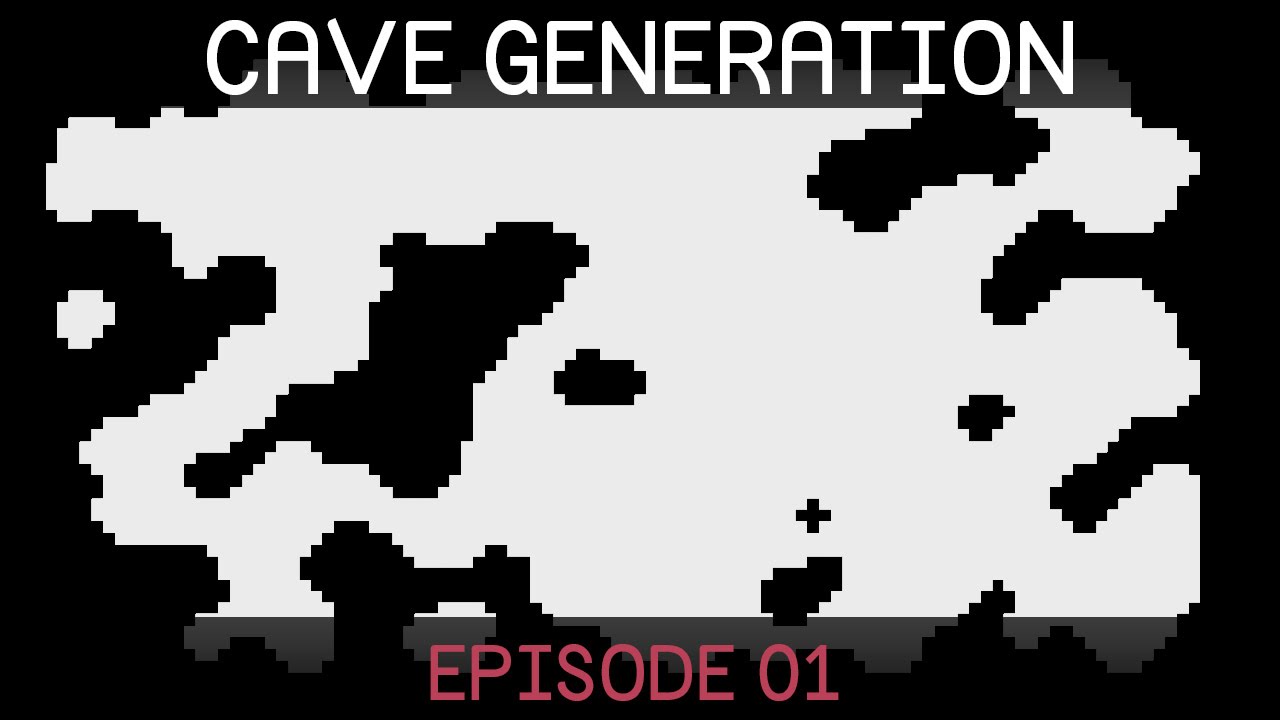
Learn how to create procedurally generated caverns/dungeons for your games using cellular automata and marching squares.
Source code:
https://github.com/SebLague/Procedural-Cave-Generation
Follow me on twitter @SebastianLague
Support my videos on Patreon: http://bit.ly/sebPatreon
Pastebin
Pastebin.com is the number one paste tool since 2002. Pastebin is a website where you can store text online for a set period of time.
dusky wagon
How can I make my object move towards a certain point with rigidbody velocity, while stopping as soon as it hits the point and not shooting over it, no matter what the frame rate is? I have made something that moves the object towards its target using the .normalized property, but I am not sure how I can make it not go over the target. I tried stopping it, as soon as it is in a certain range of the target, but when the frame rate is to low, it just misses the point where it is close enough to the object and flies over it
 remote moth
if is set the x scale -3 he flip in the other side but if i do that in the script the camera will show nothing then, but if is set it in editor it work without problems

 meager mural
remote moth
if is set the x scale -3 he flip in the other side but if i do that in the scrip...
meager mural
remote moth
if is set the x scale -3 he flip in the other side but if i do that in the scrip...
Sprite renderers have a Flip Toggle
remote moth
meager mural
Sprite renderers have a `Flip` Toggle
ik but if i do that the hands will on a bad position
dusky wagon
dusky wagon
How can I make my object move towards a certain point with rigidbody velocity, w...
Does anyone have any ideas for this?
snow willow
dusky wagon
How can I make my object move towards a certain point with rigidbody velocity, w...
In FixedUpdate you can check if the current velocity of the body will cause it to overshoot the target in the next physics frame
and either adjust the velocity to not overshoot, or MovePosition it to the correct position or what have you.
This is one benefit of a fixed-timestep physics system, you know precisely how much time the frames will be. It's not subject to the whims of the rendering framerate.
The amount an object will move in a single physics frame is simply rb.velocity * Time.fixedDeltaTime
dusky wagon
Ah okay so I can just detect of rb.velocity * Time.fixedDeltaTime is larger than the distance?
But what happens if the frame rate is below 50 and the fixed update rate is 50?
snow willow
dusky wagon
But what happens if the frame rate is below 50 and the fixed update rate is 50?
FixedUpdate will run more than once in certain rendering frames to make sure it runs often enough
dusky wagon
Ah okay, so there is no way that it can overshoot?
snow willow
nope unless there are other forces or scripts acting on the object that change the situation
dusky wagon
All right, thanks!
 worthy stump
Does anyone know if a Unity uses Sprite Atlases when you're playing in editor, or is it just for packaged builds? If its only for builds, is there any way to force the editor to use the atlas?
 tepid lintel
{
    public Transform target;

    public float smoothSpeed = 0.125f;
    public Vector3 offset;

    void FixedUpdate()
    {
        Vector3 desiredPosition = target.position + offset;
        Vector3 smoothedPosition = Vector3.Lerp(transform.position, desiredPosition, smoothSpeed * Time.deltaTime);
        transform.position = smoothedPosition;

    }
}
Why does this script on the camera make my player's movement look very jittery?
looks perfectly smooth if i just set the camera to be the child of the player and disable the script
still tendon
how do i adjust box collider for platform
 dusky wagon
still tendon
how do i adjust box collider for platform
dusky wagon
still tendon
how do i adjust box collider for platform
Do you want to do it through code?
still tendon
i actually fixed it thanku
dusky wagon
Oh all right
still tendon
why is my player not going forward

friction is .4
and there is no error in console
oh wait it was gravity issue
dusky wagon
The force you are adding is incredibly small
still tendon
yes i found that thank you and sorry apparently i stuck on a problem for long i fed up i ask and then i find bug instantly lmao
 unborn sundial
tepid lintel
```public class CameraFollow : MonoBehaviour
{
public Transform target;
...
unborn sundial
tepid lintel
```public class CameraFollow : MonoBehaviour
{
public Transform target;
...
You generally want to update the camera position in LateUpdate()
this prevents jitter
tepid lintel
huh i thought i done that already
imma try that
ah yea that works really well
thanks @unborn sundial
lean sleet
Is there a way to paint tiles from the tile pallete as gameobjects? I'm trying to create hidden tiles that the player can break but can't find a good way.
dusky wagon
You can use rule tiles for that
lean sleet
dusky wagon
You can use rule tiles for that
Could you possibly link to a good tutorial? I looked into rule tiles but couldn't work out how to achieve what I am trying to do
dusky wagon
Do you already have rule tiles set up?
lean sleet
dusky wagon
Do you already have rule tiles set up?
Not yet
dusky wagon
But do you kniw how to do it, or do you need a tutorial for that?
lean sleet
dusky wagon
But do you kniw how to do it, or do you need a tutorial for that?
I have seen a few tutorials for using rule tiles but wasn't sure how to apply it to what I am trying to achieve
 echo quest
im using an isometric diamond to create a triangle, is there a way to stop intense pixelation over large scaling?
 tepid lintel
echo quest
im using an isometric diamond to create a triangle, is there a way to stop inten...
tepid lintel
echo quest
im using an isometric diamond to create a triangle, is there a way to stop inten...
make the sprite higher resolution i guess
or use vector art for simple stuff like this
echo quest
how do i make it higher res?
dusky wagon
lean sleet
I have seen a few tutorials for using rule tiles but wasn't sure how to apply it...
You can make a tile spawn a game object using a rule tile, but dragging the game ibject in the game object field
lean sleet
dusky wagon
You can make a tile spawn a game object using a rule tile, but dragging the game...
Thanks for your help, I will look at some tutorials and try this out
tepid lintel
echo quest
how do i make it higher res?
depending on how/where you got that sprite from you might have to either recreate it at a higher resolution or just download a higher resolution version
echo quest
i did right click > 2d object > isometric diamond
tepid lintel
public class PlayerController : MonoBehaviour
{
    public float speed;
    public float jumpForce;
    private float moveInput;
    public int dashVelocity;
    private bool facingRight = true;
    public GameObject Camera;

    private Rigidbody2D rb;

    private bool isGrounded;
    public Transform groundCheck;
    public float checkRadius;
    public LayerMask whatIsGround;

    private int extraJumps;
    public int extraJumpsValue;
    private int Dashes;
    public int DashesValue;
    void Start()
    {
        rb = GetComponent<Rigidbody2D>();
    }

    private void FixedUpdate()
    {
        isGrounded = Physics2D.OverlapCircle(groundCheck.position, checkRadius, whatIsGround);

        moveInput = Input.GetAxisRaw("Horizontal");
            rb.velocity = new Vector2(speed * moveInput, rb.velocity.y);

        if(facingRight == false && moveInput < 0 || facingRight == true && moveInput > 0)
        {
            Flip();
        }
    }

    private void Update()
    {
        if(isGrounded == true)
        {
            extraJumps = extraJumpsValue;
            Dashes = DashesValue;
        }

        if((Input.GetKeyDown(KeyCode.Space) || Input.GetKeyDown(KeyCode.W)) && extraJumps > 0)
        {
            rb.velocity = Vector2.up * jumpForce;
            extraJumps--;
        }

        if(Input.GetKeyDown(KeyCode.LeftShift) && Dashes > 0)
        {
            Dashes--;

            if (facingRight == true)
            {
                rb.AddForce(new Vector2(dashVelocity, 0));
            }
            else if (facingRight == false)
            {
                rb.AddForce(new Vector2(dashVelocity, 0));
            }
        }
    }

    void Flip()
    {
        facingRight = !facingRight;
        Vector3 Scaler = transform.localScale;
        Scaler.x *= -1;
        transform.localScale = Scaler;
    }

    private void OnCollisionEnter2D(Collision2D collision)
    {
        if (collision.collider.tag == "Obstacle") { FindObjectOfType<GameManager>().GameOver(); }

    }

    private void OnTriggerEnter2D(Collider2D collision)
    {
        if (collision.tag == "WinTrigger") { FindObjectOfType<GameManager>().YouWin(); }
    }
}
How do i make the dash system work with the movement system? At the moment it does completely nothing because of the normal movement setting the velocity every single frame
also sorry for big script
echo quest
 tepid lintel
echo quest
i did right click > 2d object > isometric diamond
tepid lintel
echo quest
i did right click > 2d object > isometric diamond
yea you might just have to recreate the sprite in a photo editor at a higher res
i'd avoid the default unity sprites for anything more than prototyping
echo quest
ohk
i did draw my own art but i cant do collision detection with it
then i tried doing a 3d model in blender and importing it but then it had issues with lighting and stuff
tepid lintel
echo quest
ohk
i did draw my own art but i cant do collision detection with it
add a collider to the object with the art
echo quest
box colliders and rigidbodys can collide right?
tepid lintel
if the object with the rigidbody also has a collider then yes
also don't use a box collider for triangles
and make sure you use collider2d
echo quest
ohk
well for triangles id have to use a mesh collider right?
and i cant make a mesh from a png image
tepid lintel
echo quest
ohk
well for triangles id have to use a mesh collider right?
no you can just edit a box collider to a triangle shape
echo quest
tepid lintel
also don't use a box collider for triangles
but
tepid lintel
i meant unedited
echo quest
how do i edit it into a shape?
tepid lintel
you could even use a circle collider if you wanted but you need to edit it
tepid lintel
echo quest
how do i edit it into a shape?
give me a second
tepid lintel
tepid lintel
you could even use a circle collider if you wanted but you need to edit it
they all do the exact same thing just in different shapes
 tepid lintel
wait give me a sec need to check something
dusky wagon
echo quest
Use a polygon collider
tepid lintel
yea
echo quest
ey that worked thanks
 tepid lintel
np
tepid lintel
tepid lintel
```using UnityEngine;
public class PlayerController : MonoBehaviour
{
publi...
anyone?
dusky wagon
How do you want your dash script to work? Do you want the object to have a constant velocity or just a big velocity at the start that slowly decreases?
@tepid lintel
tepid lintel
dusky wagon
How do you want your dash script to work? Do you want the object to have a const...
big velocity at the start and it's all on the player controller script
which might not be a good idea
but in just a small game i'm making for fun it shouldn't really matter
dusky wagon
Is disabling the movement while dashing an option for you?
compact knoll
your options for getting an AddForce type dash to work are to either disable movement for the duration of the dash (so the velocity isn't overwritten) or switch to using AddForce for regular movement too
dusky wagon
tepid lintel
if i edit my code a bit
What do you have to edit?
tepid lintel
dusky wagon
What do you have to edit?
basically make the basic movement it's own script/function
dusky wagon
compact knoll
your options for getting an AddForce type dash to work are to either disable mov...
Yes, I did the AddForce method, but I had to do some work arounds to get the sliding to be what I want it to be
dusky wagon
tepid lintel
basically make the basic movement it's own script/function
You dont need to do that
But you can if you want to of course
tepid lintel
compact knoll
your options for getting an AddForce type dash to work are to either disable mov...
addforce for movement makes everything slide about and accelerate to stupid levels
 compact knoll
tepid lintel
addforce for movement makes everything slide about and accelerate to stupid leve...
compact knoll
tepid lintel
addforce for movement makes everything slide about and accelerate to stupid leve...
you have to cap how much force you are adding as well as properly set up mass, drag, and friction but it definitely is a viable way to do movement
it's pretty common for platformers
tepid lintel
dusky wagon
But you can if you want to of course
I might just do that anyway to make my code less of a spaghetti mess
dusky wagon
You can just put the line that sets the velocity of the rigidbody in an if statement and make a boolean to determine whether the player is dashing
dusky wagon
tepid lintel
addforce for movement makes everything slide about and accelerate to stupid leve...
But you can also fix these two problem here. It depends whether you want to be able to control the player while dashing or not
tepid lintel
compact knoll
you have to cap how much force you are adding as well as properly set up mass, d...
i might consider it if this is too difficult or doesn't do something i need it to
tepid lintel
dusky wagon
But you can also fix these two problem here. It depends whether you want to be a...
i don't want to control the player while dashing
dusky wagon
dusky wagon
You can just put the line that sets the velocity of the rigidbody in an if state...
Okay then you can do this
tepid lintel
and 1 more question
how difficult is it to make the player not have as much control in the air as on the ground?
dusky wagon
What exactly do you mean by that?
tepid lintel
like if you jump right you can't change your direction to left unless you double jump/dash until you touch the ground
not change direction but just change your velocity
yea you probably know what i mean
compact knoll
you would basically do the same thing you're doing with the dash. just prevent movement input while not grounded
tepid lintel
compact knoll
you would basically do the same thing you're doing with the dash. just prevent m...
ok that doesn't seem that difficult
but
i still want some small adjustments to be possible
and double jumping
compact knoll
sounds like you definitely want to switch to using AddForce for regular movement. You can then reduce the amount of force you are adding per physics frame when not grounded, this will make it so that only small/slow changes are possible while in the air
compact knoll
it's really not that big of a change to be honest
compact knoll
friction on walkable objects and higher linear drag/mass (these last two are settings on the rb2d)
tepid lintel
won't the friction make the player get stuck on the edges of platforms?
compact knoll
well the linear drag and mass are the two biggest factors, you don't necessarily need to use friction, but it does help.
tepid lintel
ah ok
compact knoll
keep in mind you would probably also want to cap the amount of force applied every frame if you don't set up your mass and drag well enough otherwise you'll have infinite acceleration
still tendon
how do i get current animation name
compact knoll
still tendon
how do i get current animation name
what are you trying to accomplish with that info? because i'm sure there's a better way for whatever it is you are trying to do
still tendon
compact knoll
what are you trying to accomplish with that info? because i'm sure there's a bet...
i wanna skip animation to another when controls keys are pressed as its causing insane lag
and i dont wanna put name of each animation as it is too long job i just want a way to get name of current animation playing
compact knoll
so i just want to make sure i'm understanding this:
- you have an animation that is causing a lot of lag
- you want to change to a different animation when there is specific input
- you think you need the animation name to accomplish this
is this all correct?
still tendon
yes lag is like when i press a key it first completes the current animation
then moves on
hmm?
compact knoll
set up your transitions correctly and it won't do that. here's a unity answers page that has some steps you could try
https://answers.unity.com/questions/1279859/unwanted-delay-between-animations.html
still tendon
wait my transitions are correct ig alll i want is just to stop current animation and skip to another at a specific event
compact knoll
yeah do the thing i just told you to do.
still tendon
oh well alr thx
compact knoll
i promise that's the actual issue here
still tendon
oh yes i got that
thank
u
can u explain that clickDown thing
this is my code how i implement that in it as i think its for mouse clicks
 compact knoll
you don't need the clickdown thing. move on to the actual answer
still tendon
like but the function needs that parameter so what should i replace it with
compact knoll
what function? are you still looking in the question to figure out your issue or did you scroll down to the answers? the person in the question is effectively trying to do what you were attempting, but that's not what needs to be done. read the answers not the question for the steps you need to take
 civic rock
not sure if gui questions work for this channel, but how can i change the font of GUI.Label to a font stored in a variable?
hollow crown
Pass a different GUIStyle to the Label with the font you care about
Note that you generally shouldn't be using IMGUI for anything other than debug menus or editor GUI though.
civic rock
is there a font parameter for the style?
also what else would i use to render text like this
snow willow
civic rock
is there a font parameter for the style?
hollow crown
civic rock
also what else would i use to render text like this
UGUI
civic rock
thanks!
 wind orchid
Hey, I'm new to unity/c# (started this week) and I'm having some trouble with my game and can't seem to figure out what it could be. Any ideas?
snow willow
wind orchid
Hey, I'm new to unity/c# (started this week) and I'm having some trouble with my...
Dynamic rigidbodies don't follow parent objects like normal gameObjects do
they continue to be independent and follow the physics simulation
If you change the body type to kinematic it will follow along with its parent
As for the jumping x position value in the inspector: the position you see in the inspector is the local position of the object which is why it jumps from 7 when not parented to a smaller number between -1 and 1 when it becomes a child object.
local position meaning position relative to its parent
wind orchid
snow willow
Dynamic rigidbodies don't follow parent objects like normal gameObjects do
well first off, thank you I did not know this. But I just changed it to kinematic, and now my Runner is just floating
 snow willow
wind orchid
well first off, thank you I did not know this. But I just changed it to kinemati...
snow willow
wind orchid
well first off, thank you I did not know this. But I just changed it to kinemati...
well yes
kinematic rigidbodies are not simulated the way dynamic bodies are
😛
they don't respond to forces or collisions
or move with velocity
wind orchid
so.. are you saying there is no way for me to get it stuck to my platform/move with it?
snow willow
One option is to use friction, which is how real life objects stick to moving platforms
The main thing that will require is that your moving platform:
- has a Rigidbody of its own (you can make this kinematic)
- Moves in FixedUpdate with rb.MovePosition rather than by moving transform.position or using an Animator
you can/should also look into PhysicsMaterial2D to customize the friction of your platform's collider
snow willow
wind orchid
so.. are you saying there is no way for me to get it stuck to my platform/move w...
don't give up that easily 😛
wind orchid
snow willow
don't give up that easily 😛
ok I will try what you suggested, and nah Im not giving up, just not sure what to do. I have been stuck on this all day and it seems its just a physics thing I wasn't aware of
thanks though
snow willow
wind orchid
thanks though
np. You're a lot more equipped to approach this problem now that you're more aware of what's going on.
still tendon
https://www.youtube.com/watch?v=hC1QZ0h4oco&ab_channel=Specoolar
This video shows how to get a really realistic 3d conveyer with proper physics!
I want to replicate this effect in 2d, but with a birds eye view (See my poor paint drawing example)
Is there any way to accomplish this with the physics system in unity for a 2d scene?


Simple and physic based way of creating conveyors in Unity
snow willow
still tendon
https://www.youtube.com/watch?v=hC1QZ0h4oco&ab_channel=Specoolar
This video sho...
not with 2D physics no.
2D physics are "side-on" not top-down
you could use 3D physics if you want though
still tendon
Ah alright thanks, i'll look into other things then
My game has a lot of physics objects, so using 3d physics would be laggy
timber shore
I'm getting the error "error CS0116: A namespace cannot directly contain members such as fields or methods" 6 times, even tho there are no namespaces in my code:
Rigidbody2D body;

float horizontal;
float vertical;
float moveLimiter = 0.7f;

public float runSpeed = 20.0f;

void Start ()
{
   body = GetComponent<Rigidbody2D>();
}

void Update()
{
   // Gives a value between -1 and 1
   horizontal = Input.GetAxisRaw("Horizontal"); // -1 is left
   vertical = Input.GetAxisRaw("Vertical"); // -1 is down
}

void FixedUpdate()
{
   if (horizontal != 0 && vertical != 0) // Check for diagonal movement
   {
      // limit movement speed diagonally, so you move at 70% speed
      horizontal *= moveLimiter;
      vertical *= moveLimiter;
   }

   body.velocity = new Vector2(horizontal * runSpeed, vertical * runSpeed);
}```
The places:
1,13
3,7
4,7
5,7
7,14
9,6
14,6
21,6show your full script
timber shore
 compact knoll
you need to put all of that into a class
i recommend going through some C# tutorials/courses to better learn how to structure your scripts
also maybe consider using an actual IDE instead of a text editing software that happens to have syntax highlighting
turbid heart
timber shore
if you created a script through Unity, you wouldnt have that sort of code. That looks like something you copy pasted. You need a class that inherits from MonoBehaviour
like boxfriend said, use an actual IDE like Visual Studio or Visual Studio Code. maybe also go through the beginner scripting tutorial pinned in #💻┃code-beginner
lean sleet
Is there a way to paint tiles from the tile pallet as gameobjects?
I'm trying to create hidden tiles that the player can break but can't find a good way. I am using the tile pallet to create my 2D levels, but I want to use the same tile pallet to create tiles that the character can destroy, but look the same as the other tiles in the level. I looked into rule tiles but couldn't work out how to do it. Any help would be appreciated!
compact knoll
lean sleet
Is there a way to paint tiles from the tile pallet as gameobjects?
I'm trying t...
Rule tiles are still the answer for this
Attach game object to rule tile when setting it up then when you place a rule tile and the scene is loaded it instantiates the game object that is attached to it
 pliant valve
Hello everyone, I want to make a complex system of character 2d movement, with such features as wall crawling, double jumps, etc. and with the further possibility of adding complex elements. I have a choice: 1) I tried to do the movement through rigidbody.velocity changing. But I ran into the following problem: I don’t know how to perform the exact BoxAllCast because I don’t know the exact distance that the body will travel with the changed velocity per frame 2) and using rigidbody.MovePosition is bad because, as I understand it, it does not pass in one frame, but I want have full control over the player, and if you make the controller through rigidbody.velocity changing, then you get a lot of stuck in textures, shaking in textures etc.
Please help me decide, maybe someone can share the sources of a complex movement system so that I can see how they implement it, and generally suggest about the best method for changing the position of a rigidbody
tepid lintel
using System.Collections;
public class PlayerDash : MonoBehaviour
{
    private Rigidbody2D rb;
    private int Dashes;
    public int DashesValue;
    public int dashVelocity;
    private bool isDashing;
    private PlayerMovement Player;

    private void Start()
    {
        rb = GetComponent<Rigidbody2D>();
        Player = GetComponent<PlayerMovement>();
        StartCoroutine(Dash());
    }

IEnumerator Dash()
    {
        if (Player.isGrounded == true) { Dashes = DashesValue; }

        Debug.Log("Test");

        if (Input.GetKeyDown(KeyCode.LeftShift) && Dashes > 0)
        {
            Debug.Log("Test 2");
            isDashing = true;
            if (Player.facingRight == true)
            {
                Debug.Log("Test 3");
                rb.AddForce(new Vector2(dashVelocity, 0), ForceMode2D.Impulse);
                yield return new WaitForSecondsRealtime(1);
                isDashing = false;
            }
            else if (Player.facingRight == false)
            {
                Debug.Log("Test 4");
                rb.AddForce(new Vector2(dashVelocity, 0), ForceMode2D.Impulse);
                yield return new WaitForSecondsRealtime(1);
                isDashing = false;
            }

            Dashes--;
        }
    }
}```
Why doesn't my dash script work at all? is it because of needing to use a coroutine to make the script pause or because of something else? Only the first debug.log statement shows upyou're only calling the coroutine once on Start(). The coroutine runs once and then it's done. Presumably you're not pressing LeftShift on the very first frame too
This seems like a coroutine you should start from Update when the user presses the shift button down. And the input checking shouldn't be in the coroutine
tepid lintel
snow willow
This seems like a coroutine you should start from Update when the user presses t...
ah that makes a lot of sense
thanks
 oblique flare
Hi, working on making a top down game. Im having troubles figuring out how to create pressure plates using the tilemap system in unity. Should my buttons ect not be in the tilemap and instead be on its own gameobject instead of part of the tilemap? Im not sure how to approach this, thanks for any answers 🙂
 white cedar
why my ActivateCollision isnt called if canBeDamage is true?

 ancient path
white cedar
why my ActivateCollision isnt called if canBeDamage is true?
ancient path
white cedar
why my ActivateCollision isnt called if canBeDamage is true?
is the last debug.log called?
and use an else
white cedar
ancient path
is the last debug.log called?
i already resolved, but thank you!
ancient path
was the last debug called?
white cedar
ancient path
was the last debug called?
nope
ancient path
okay, thank you
wind orchid
is there a way to make an if statement that says something along the lines of "If gameObject.RigidBody2D is colliding with a gameObject.RigidBody2D.BoxCollider2d whose tag == ExampleTag"?
I know there is a OnCollisionEnter2D/OnCollisionStay2D but I'm looking for a way to put it as an if statement. Anyone know how to format it correctly/if there's a way to do that?
 dusk escarp
honest python
how do you fit a Text component to a box?
dusk escarp
honest python
how do you fit a Text component to a box?
ContentSizeFitter is probably what you want
dusk escarp
wind orchid
is there a way to make an `if` statement that says something along the lines of ...
sure you can do that
 real moss
@wind orchid OnCollisionEnter2d(collision other) { if(other.gameObject.CompareTag("tag")){} }
you can also make different layers, but that's basically it.
if object has rigidbody in parent, it'll check that collider's tag. if you want some child limb then you need (other.collider.gameObject.CompareTag(""))
wind orchid
I think I should have mentioned, but the reason I wanted to do this was to put it in the void Update() part of the script and I know that OnCollisionStay2D acts like FixedUpdate(), so I wanted a way to put it in my Update() function
wind orchid
real moss
<@!273162750161715203> OnCollisionEnter2d(collision other) { if(other.gameObject...
I think you misunderstood, instead of making an OnCollisionEnter2D function, I'm trying to make an if statement that would get called in Update() that acts similarly to that
real moss
just make a coroutine
wind orchid
I'm not sure what that is 😅 sorry I just started with unity this week
real moss
OnEnter { if (tag){ StartCoroutine(Whatever()); } }
IEnumerator Whatever()
{
yield return null
}
wind orchid
I guess i'll have to look into coroutine's
real moss
the problem is with ending it when something exits
you can cache it, or you can put inside something else
either way without knowing what you're trying to accomplish i can't help anymore
wind orchid
alright, thanks anyway
real moss
actually i can...
Coroutine x
x = startcoroutine()
so you can end it with stopCoroutine(x)
and since you're comparing tag anyway you could just make an interface on it, and getcomponent on that interface, telling to start and end coroutine if you expect all of the objects with that tag to need it
 finite garden
Does anyone know the best way to check to see if a 2D object can see another 2D object?
I'm making a top down shooter, and I want the enemies to become visible even if only their shoulder is sticking out
late viper
finite garden
Does anyone know the best way to check to see if a 2D object can see another 2D ...
look up raycasting + vision cones
finite garden
Raycasting is something I know about, but Vision Cones sounds promising. I'll give it a look, cheers
limpid drift
could someone help me out?
currently i have a issue with my spell the velocity updates every frame but i only want it to do it once it fires looks once
this is my script atm ```csharp
void Update()
{
fire();
}
public void fire()
{
if (this.transform.position.x > Player.transform.position.x)
{
isFacingLeft = true;
}
else isFacingLeft = false;
    if (isFacingLeft == true)
    {
        transform.position = new Vector2(-Velocity, 0);
    }
    else transform.position = new Vector2(Velocity, 0);
}
i have it so when the player triggers the enemy hitbox its instantiates the spell
and then i got this script above attached to the object so not the enemy controller
turbid heart
limpid drift
this is my script atm ```csharp
void Update()
{
fire();
}
public...
I dont quite understand your issue. Can you please rephrase it?
 pallid stirrup
^
turbid heart
okay? what do you want to happen, and what is happening instead? @limpid drift
limpid drift
okay so right now something diffrent is happing
when i start the game the "spell" goes to a locked position
and when it should instatiates it goes to the other side of the world
turbid heart
What is happening right now?
 turbid heart
okay, so the spell is ending up in the wrong position
what is it supposed to do instead?
limpid drift
when the player enters the enemy trigger
it should Instantiate and then the script does the rest
where it goes to the direction of the player
but right now once i enter the trigger zone it keeps spawning new spells on the same position what happend in gif
i want to to spawn on the mage
turbid heart
okay, what is the code that sets the position of the spell? Show the code where you instantiate the spell
limpid drift
private void FireBullet()
    {
        Instantiate(Spell, transform.position, transform.rotation);
    }
okay.. what object is this code attached to
limpid drift
 private void OnTriggerEnter2D(Collider2D Player)
    {
        if (Player.gameObject.CompareTag("Player"))
            StartCoroutine(AutoFire());
 limpid drift
 private IEnumerator AutoFire()
    {
        while (true)
        {
            FireBullet();
            yield return new WaitForSeconds(FireRate);
        }

    }
this should be all that is linked to the fire bullet
turbid heart
turbid heart
okay.. what object is this code attached to
@limpid drift
limpid drift
the enemy
turbid heart
you're introducing alot of objects, but I have no idea what is what
what's the player? what's the mage? what's the enemy? which is which?
you said you want the spell to spawn on the mage
limpid drift
player on the left and the mage is the enemy
limpid drift
yes
        if (this.transform.position.x > Player.transform.position.x)
        {
            isFacingLeft = true;
        }
        else isFacingLeft = false;

        if (isFacingLeft == true)
        {
            transform.position = new Vector2(-Velocity, 0);
        }
        else transform.position = new Vector2(Velocity, 0);
oh
you're setting the position here, you're not moving it
see, you're using =
you should be using += instead
turbid heart
limpid drift
```csharp
private void FireBullet()
{
Instantiate(Spell, transform.p...
also, I think you should be using Quaternion.Identity instead of transform.rotation, otherwise your spell will match the rotation of your mage
limpid drift
so where do i put the +=?
turbid heart
do you understand what I mean when you said you're "setting the position to the velocity"
not moving the object according to the velocity
turbid heart
yeah I hope you get it
limpid drift
but where do i put the += in this line of code then?
private void FireBullet()
    {
        Instantiate (Spell, transform.position, Quaternion.identity);
    }
you dont
that's just to instantiate it
the movement should be in the code that's attached to the spell, right?
limpid drift
so ur saying this should be correct then
 if (isFacingLeft == true)
        {
            transform.position += new Vector3(-Velocity, 0 ,0);
        }
i assume? you should test it
limpid drift
okay so that does it but now i got the problem with
it does this every frame and i only want it to do it once
turbid heart
well then that just depends on where you call it
limpid drift
 public float Velocity;
    public Transform Player;
    public int BulletDamage;
    public bool isFacingLeft = false;
    Rigidbody2D rb2d;

    // Start is called before the first frame update
    void Start()
    {
        //transform.LookAt(Player);
        rb2d = GetComponent<Rigidbody2D>();

    }

    // Update is called once per frame
    void Update()
    {
        fire();
    }
    private void OnCollisionEnter(Collision collision)
    {

        var damageable = collision.collider.GetComponent<idamagable>();
        if (damageable != null)
            damageable.DealDamage(BulletDamage);
        //Destroy(this);
    }

    public void fire()
    {
        if (this.transform.position.x > Player.transform.position.x)
        {
            isFacingLeft = true;
        }
        else isFacingLeft = false;

        if (isFacingLeft == true)
        {
            transform.position += new Vector3(Velocity, 0, 0);
        }
        else transform.position += new Vector3(-Velocity, 0, 0);
    }
how can i fix that since if i dont have fire() in update it will never execute that part of the script
but if its in the update then it will always be on top of the enemy since every frame it transforms back to the starting point
turbid heart
dont crosspost. you might want to delete this question so people dont waste time answering it here
tepid lintel
ok sorry
honest python
dusk escarp
ContentSizeFitter is probably what you want
I triee that, but whatever values I adjusted nothing really happened
turbid heart
limpid drift
```csharp
public float Velocity;
public Transform Player;
public int Bu...
when do you want fire() to actually happen? If it's movement, it does sound like you will want it to be in Update
turbid heart
limpid drift
but if its in the update then it will always be on top of the enemy since every ...
what do you mean by it transforms back to the starting point?
limpid drift
 limpid drift
turbid heart
when do you want fire() to actually happen? If it's movement, it does sound like...
limpid drift
turbid heart
when do you want fire() to actually happen? If it's movement, it does sound like...
when player enters the enemy trigger
so when the spell get activated
 mossy fossil
hi!
starting to understand scripting n stuff and
i hope this is the right place
public Transform poziceHrace;
    public float speed = 20f;


    void Start(){

    }

    void Update(){

        float pohyb = Input.GetAxis("Horizontal");
        poziceHrace.position += new Vector3(pohyb, 0, 0) * Time.deltaTime * speed;

    }
i use this to move the player left and right
but it makes him keep the momentum
and i want him to stop right when you stop pressing the input
any idea?
snow willow
mossy fossil
and i want him to stop right when you stop pressing the input
use Input.GetAxisRaw instead of GetAxis
GetAxis applies some smoothing to the value over time
mossy fossil
and raw makes you stop right away?
snow willow
try it 🙂
mossy fossil
snow willow
use Input.GetAxisRaw instead of GetAxis
hey ummm
if i needed to set statically y in transform to some number
how do i do that ? 😅
snow willow
wdym by "statically"
snow willow
float someNumber = 5f;
Vector3 position = transform.position;
position.y = someNumber;
transform.position = position;```if i rotate all spriterenderers, but how can if fix that?
 tepid lintel
Why do my dashes go below 0 with this script
using UnityEngine;
using System.Collections;
public class PlayerDash : MonoBehaviour
{
    private Rigidbody2D rb;
    private int Dashes;
    public int DashesValue;
    public int dashVelocity;
    public bool isDashing;
    private PlayerMovement Player;
    public float dashLengthTime;

    private void Start()
    {
        rb = GetComponent<Rigidbody2D>();
        Player = GetComponent<PlayerMovement>();
    }
    private void Update()
    {
        if (Input.GetKeyDown(KeyCode.LeftShift) && Dashes > 0)
        {
            Debug.Log("you have:" + Dashes + "Dashes");
            StartCoroutine(Dash());
        }
        if (Player.isGrounded == true) { Dashes = DashesValue; }
    }
    IEnumerator Dash()
    {
        isDashing = true;
        if (Player.facingRight == true)
        {
            rb.AddForce(new Vector2(-dashVelocity, 0), ForceMode2D.Impulse);
            yield return new WaitUntil(() => Player.isGrounded == true);
            isDashing = false;
            Dashes--;
            Debug.Log("you have:" + Dashes + "Dashes");
        }
        else if (Player.facingRight == false)
        {
            rb.AddForce(new Vector2(dashVelocity, 0), ForceMode2D.Impulse);
            if (Dashes <= 0) { yield return new WaitForSecondsRealtime(dashLengthTime); }

            else { yield return new WaitUntil(() => Player.isGrounded == true); }

            isDashing = false;
            Dashes--;
            Debug.Log("you have: " + Dashes + " Dashes");
        }

    }
}
Unless i made a logical error this seems like it shouldn't happen. Dashesvalue is set to 2 in the editor

 rain geode
Can someone DM me to help me correct an error (canvas showing on scene view but not on game) ?
snow willow
tepid lintel
Why do my dashes go below 0 with this script
```
using UnityEngine;
using System...
You are allowing multiple dash coroutines to run at once
Each will reduce the dash count once the player is grounded
tepid lintel
well how can i prevent this from happening?
snow willow
Make sure you only have one dash coroutine running at a time
Either with a bool or with a reference to the started coroutine
You have the isDashing variable already
Use that
mossy fossil
Hi
for some reason
my trigger does not trigger -_O


public class CollisionDetection : MonoBehaviour{

    private void OnTriggerEnter(Collider other) {
        Debug.Log("An object entered.");
    }
    private void OnTriggerStay(Collider other) {
        Debug.Log("An object is still inside of the trigger");
    }
    private void OnTriggerExit(Collider other) {
        Debug.Log("An object left.");
    }

}
and this code is in the bigger trigger
when they collide or pass or anything
none of this prints
snow willow
mossy fossil
and this code is in the bigger trigger
You're using the 3D functions
You need the 2D ones
mossy fossil
oh my
snow willow
Other thing you need is for at least one of those objects to have a Rigidbody2D
snow willow
mossy fossil
do i Just type `2D` behind these xddd
No look it up they have different parameters too
mossy fossil
kk ima look it up
snow willow
mossy fossil
even if it is an invisible trigger field?
Yes, the Rigidbody2D can be kinematic
mossy fossil
is it better to move it around the player as the big field
or have it on the small square
that stays in the same spot?
(ill have multiple in one level)
snow willow
mossy fossil
that stays in the same spot?
Best to put the Rigidbody on the thing that is moving
If something moves and has a collider, it should have a Rigidbody2D too
snow willow
No
It will help
Moving static colliders is not good
But regardless of performance having at least one Rigidbody is required for OnCollisionEnter etc
mossy fossil
oh
ummm
  private void OnTriggerEnter2D(Collider2D other) {
        Debug.Log("An object entered.");
    }
    private void OnTriggerStay2D(Collider2D other) {
        Debug.Log("An object is still inside of the trigger");
    }
    private void OnTriggerExit2D(Collider2D other) {
        Debug.Log("An object left.");
    }
these work
but

I have the collider like this now
and the white box has also trigger collider
but it still doesnt print
i did bad again i suppose 😄
mossy fossil
ok you are a genius
or maybe im just too rarded
or both
😄
thanks
but is it even worth it using the on enter?
i mean
the on stay plays anytime it moves around right?
snow willow
On stay plays once per physics update while it's inside
It's usually better to use OnEnter/OnExit but it depends on what you're trying to do.
mossy fossil
oh i see thx
left canyon
does anyone know how i would go about instantiating objects from specific tiles on a tilemap? the map is procedurally generated but I have a small percentage of tiles that I set up to spawn around the map that would be used as spawners for enemies. Can't quite figure out the API but would appreciate it if someone here has worked with this before :)
 opal socket
left canyon
does anyone know how i would go about instantiating objects from specific tiles ...
opal socket
left canyon
does anyone know how i would go about instantiating objects from specific tiles ...
I didn’t work with tilemaps a lot but I guess you just have to cache those spawners somewhere, you can do it at procedural generation time?
left canyon
opal socket
I didn’t work with tilemaps a lot but I guess you just have to cache those spawn...
yeah, but im struggling figuring out how to get the positions of the tiles that are generated and assign them to the spawners
 solemn latch
@left canyon use the prefab brush from the 2d extras to add your spawner objects?
left canyon
solemn latch
<@185225210440581120> use the prefab brush from the 2d extras to add your spawne...
am I able to link that to a specific tile that is generated?
solemn latch
I haven't used it, I just remember it being a thing.
left canyon
I dont know if i can automate the 2d extras brush. but that is an interesting thought
mossy fossil
heyyy
how do i sort layers
like
put background in the background
foreground in the foreground and so on ?
i cant find any tutorial that works
abstract olive
You set a value to the sorting order on the sprite renderer.
 prisma ocean
Say I wanted to make a space ship construction thing in my game where, during runtime, you added rooms to your ship which would be a collection of tiles. So it could be adding a 5x5 box of walls to a 10x10 box of walls. Should I create a seperate gameobject and tilemap for each room or add the walls for each room to a single wall tileset for the ship
 orchid pewter
does changing the gravity also change all other assets gravity too? is there a way i can only change the gravity applied to my player?

sorry for it being like this its from a youtube tutorial
compact knoll
RigidBody2D has a gravity scale you can modify
https://docs.unity3d.com/ScriptReference/Rigidbody2D-gravityScale.html
orchid pewter
compact knoll
RigidBody2D has a gravity scale you can modify
<https://docs.unity3d.com/ScriptR...
thank you very much i've been trying all sorts of different methods
changing the gravity works really well but it seems to work for everything
compact knoll
Yeah physics 2d gravity affects all rigidbodies, the gravity scale only affects the rigidbody you set it for
orchid pewter
oh thats perfect thanks
orchid pewter
got this strange thing where my guy jumps at the right height the first time the game launches but then every other jump afterwards is too small

i forgot how to post code
        {

            rb.gravityScale = 3.0f;
        }
        {
            rb.velocity = Vector2.up * 6f;
        }
how would I get a tile on a specific tilemap from a specific world or screen position? for example the position of the mouse on the screen?
snow willow
orchid pewter
``` if (rb.velocity.y < 0)
{
rb.gravityScale = 3.0f...
Isn't this exactly the problem?
You're increasing the gravity scale the first time your y velocity is negative
That won't happen until after the peak of the first time you jump
from that point on you are jumping with triple gravity
orchid pewter
@snow willowhe jumps the 6.0f height the first time i launch the game but every other time its more like 2.0/3.0 height
snow willow
Did you ignore what I just said?
orchid pewter
oh i got it now haha
i got a little confused
sorry about that 😄
forgot to revert it back to normal gravity
mossy fossil
is it possible to flip cinemachine ?
snow willow
mossy fossil
is it possible to flip cinemachine ?
wdym by "flip"?
 snow willow
You mean just... move the camera?
mossy fossil
and everything insidhe him
yes
but the camera follow him
the way that he is mostly on left
snow willow
Cinemachine is an entire library devoted to moving cameras and pointing them at things
mossy fossil
i cant find how to do so 😄
snow willow
yes it is possible lol
mossy fossil
whenever google doesnt help i come here
snow willow
What is your setup exactly?
mossy fossil
wym
mossy fossil

yes
its just set up to follow the player
and i moved it like so
also there is one functional script and second prepared for this flip im talking about
the fucntional just freezes y movement
snow willow
mossy fossil
also there is one functional script and second prepared for this flip im talking...
Open the Body and Aim things
snow willow
mossy fossil
in this screenshot
snow willow
the little arrow dropdown

 snow willow
yeah so that follow offset
see how you have 5.17 for the x
what happens if you change that to -5.17
mossy fossil
it does the "flip"
it reverts
does the thing i need
how do i access that ?
with code
?
snow willow
mossy fossil
how do i access that ?
you need to get at that Transposer component. One sec I'll give you an example...
SOmething like this @mossy fossil :
[SerializeField]
CinemachineVirtualCamera vCam;

void FlipCamera() {
  CinemachineTransposer transposer = vCam.GetCinemachineComponent<CinemachineTransposer>();
  Vector3 followOffset = transposer.m_FollowOffset;
  followOffset.x *= -1;
  transposer.followOffset = followOffset;
}```cinemachine has its own component system sort of like how GameObjects have components.
the transposer is one such component
snow willow
mossy fossil
Do i give this to the player or the cam?
Could be on either one. Whatever is easier/makes more sense for you
You just would call FlipCamera() when necessary.
snow willow
sure - just make sure you wire up the vCam reference in the inspector
 mighty reef
Okay so I think this is the right channel for this. If not, I definitely apologize, just point me in the right direction. So I'm currently trying to figure out a solution to this issue. The player successfully loads above other game objects

However this happens when moving behind them

Sorting layers and order in layers are both set to the same, if that's relevant
I'm not sure if there's some sort of dynamic layer I can use that would easily fix this
late viper
mighty reef
I'm not sure if there's some sort of dynamic layer I can use that would easily f...
you'd want to do this https://docs.unity3d.com/2020.1/Documentation/Manual/2DSorting.html#customaxis
 mossy fossil
snow willow
sure - just make sure you wire up the `vCam` reference in the inspector
mossy fossil
snow willow
sure - just make sure you wire up the `vCam` reference in the inspector
okay so
practically it works
BUT
i need to to move smoothly
to the new offest
isnt there some command for that ,
?
snow willow
mossy fossil
to the new offest
One simple option is to have two vCams set up. One with the + offset and one with the - offset. When the player turns around, switch to the other vCam
Cinemachine will blend the transition automatically
mossy fossil
@snow willow won't the performance go big owie ouch oofie?
snow willow
nope
Cinemachine is designed to have many, many virtual cameras in the scene at a time
that's why Cinemachine uses virtual cameras instead of multiple real cameras
the performance footprint of a virtual camera that is not currently the highest priority one is virtually nothing
 nova remnant
a
Pastebin
Pastebin.com is the number one paste tool since 2002. Pastebin is a website where you can store text online for a set period of time.
uh i already solved this problem months ago but i lost the code and now i need help again lol
i'm on a topdown game where the camera normally follows the player
when LMB is pressed i want the camera to move to a point between the player's position and the mouse
it's just moving infinitely forward right now
Pls halp
 uneven stream
hi, i just created a physics object with Dynamic mode and another with static
ok so whenever the dynamic object touches the static it pass trough
and i want it to collide with it
but idk how to do it so i need help
 spiral swan
nova remnant
https://pastebin.com/Ev35zuKB
spiral swan
nova remnant
https://pastebin.com/Ev35zuKB
I think you might need to use something like this:
camera.transform.postion = Vector2.lerp(playerposition, mouseposition, 1f);
it does this, and go to the end of the universe, even if i put a static object

it should do this but it passes trough
 snow willow
uneven stream
it does this, and go to the end of the universe, even if i put a static object
snow willow
uneven stream
it does this, and go to the end of the universe, even if i put a static object
do both objects have colliders?
2D colliders
uneven stream
yup
snow willow
How are you moving the dynamic body?
uneven stream
the green box marks it
snow willow
uneven stream
the green box marks it
I only see one green box in your screenshot
uneven stream
snow willow
How are you moving the dynamic body?
this is the physics of the ball (dynamic)
 uneven stream
snow willow
I only see one green box in your screenshot
uneven stream
snow willow
I only see one green box in your screenshot
 snow willow
uneven stream
this is the physics of the ball (dynamic)
snow willow
uneven stream
this is the physics of the ball (dynamic)
And also that doesn't answer how you are moving the body