#🖼️┃2d-tools
1 messages · Page 53 of 1

 late viper
you move it in the x or y axis?
 maiden forge
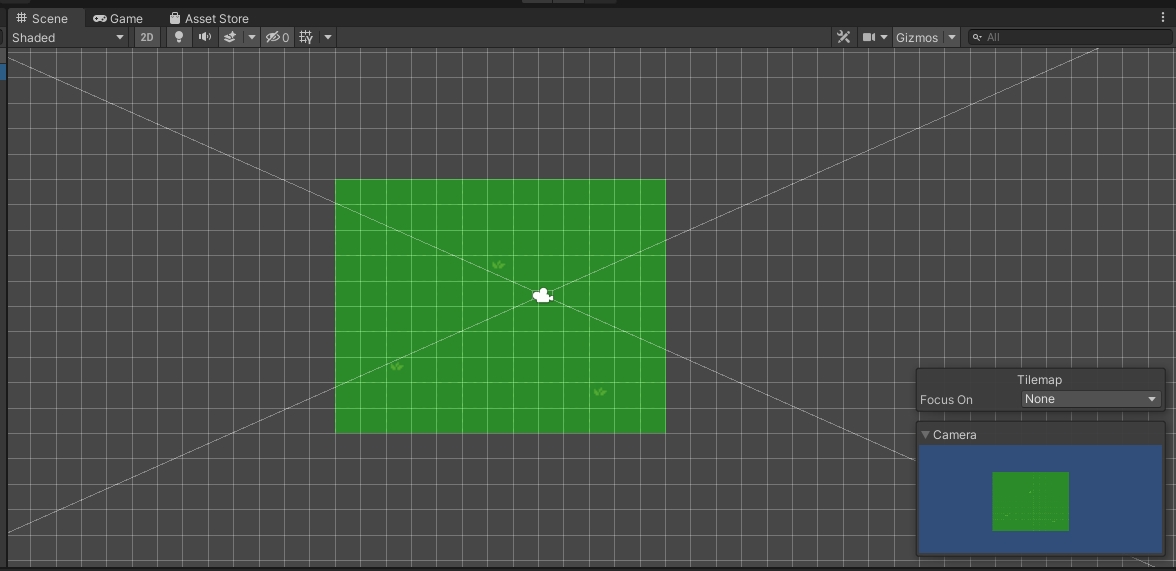
both - http://prntscr.com/19o6ib1 i want to move it on the scene.. so its more align with the tile map im drawing as of right now.. then later on ill code the camera to do stuff depending on the player.
 maiden forge
i have to do this in the inspector? there's no other way?
 cosmic olive
not the transform scale!! the camera scale
late viper
use the transform handle
cosmic olive
^ Hit W & select the camera
maiden forge
cosmic olive
^ Hit W & select the camera
Thanks and you said it backwards. That's what i was looking for haha. The other way i had to do it is set it to 3d to get the cosmos or whatever the 3d scaling stuff is called and move it that way.
maiden forge
now i goto bed and work on it more tomorrow, its 2am...
 modest cargo
I still don't know if you're talking about project templates or something else entirely
 jagged epoch
I am trying to set the sorting layers on some of my Sprites in a scene. Do you know why all my sprite renderers are greyed out in the inspector?
Trying to follow this tutorial: https://www.youtube.com/watch?v=ZzcyREamMUo
 modest cargo
jagged epoch
I am trying to set the sorting layers on some of my Sprites in a scene. Do you k...
modest cargo
jagged epoch
I am trying to set the sorting layers on some of my Sprites in a scene. Do you k...
"Sprite Renderer" part is minimized from the little arrow
The greyed out parts are the material settings
 velvet pilot
How can I make a rigidbody2d not use gravity
 abstract olive
Turn it off on the component.
velvet pilot
Use gravity isnt a option on 2d tho
abstract olive
There's gravity scale, isn't there? 🤔
velvet pilot
Uh 0 gravity scale still has a bit of gravity
abstract olive
That's not possible unless you're moving it in code or it's colliding with something that is pushing it slightly.
velvet pilot
I dont know but I just realized I can just lock the y location
 covert whale
 wet phoenix
Guys how can i bounce a bullet in 2d?
wet phoenix
Guys how can i bounce a bullet in 2d?
how are u shooting the bullet? is it with a rigidbody?
wet phoenix
covert whale
how are u shooting the bullet? is it with a rigidbody?
im just instantiating a prefab of a bullet, yeah it does have a rigid body
i was thinking using a raycast and making it follow that
covert whale
wet phoenix
im just instantiating a prefab of a bullet, yeah it does have a rigid body
u can store the previous velocity of the bullet in FixedUpdate, then OnCollisionEnter set the velocity to be Vector2.Reflect(OldVelocity, contact.normal)
 mighty oracle
modest cargo
I still don't know if you're talking about project templates or something else e...
mighty oracle
modest cargo
I still don't know if you're talking about project templates or something else e...
Yea templates
wet phoenix
covert whale
u can store the previous velocity of the bullet in FixedUpdate, then OnCollision...
i did try the reflect method, but to my knowledge there isnt a way to stop it after a number of collisions right?
covert whale
wet phoenix
i did try the reflect method, but to my knowledge there isnt a way to stop it af...
u can have an int called numberofCollisions, and increment it each time in OnCollisionEnter, then do a check to see if numberofCollision > collisionsAllowed before doing the reflect
if it is larger, then just destroy the bullet or whatever u want to do when the number of collisions is reached
wet phoenix
covert whale
u can have an int called numberofCollisions, and increment it each time in OnCol...
Aah yes your right
wet phoenix
covert whale
if it is larger, then just destroy the bullet or whatever u want to do when the ...
Thanks
modest cargo
mighty oracle
Yea templates
The templates are not fundamentally different. They simply start out with different settings and packages
If you know what packages and settings you need for a mobile project, you can make it using any template
The internet is very vague what settings are different between 2D and Mobile 2D, but I assume not many
mighty oracle
Ok thx
 still tendon
How to run this code for PSB file:
bool flipSprite = (spriteRenderer.flipX ? (move.x > 0.01f) : (move.x < 0.01f));
if (flipSprite)
{
spriteRenderer.flipX = !spriteRenderer.flipX;
}
I have gameobject parent to all sprite files for character, each sprite file has it's own sprite renderer attached to it
but when I attach this code to parent game object, it says null reference because I have no sprite renderer attached to it
covert whale
still tendon
but when I attach this code to parent game object, it says null reference becaus...
how have u gotten the reference to the sprite renderer?
have u used getcomponent or
still tendon
yup
I know problem is that my main parent game object doesn't have any SpriteRenderer attached to it hence it shows Null reference error
problem is i have spriterenderer attached to children of the gameobject
covert whale
still tendon
problem is i have spriterenderer attached to children of the gameobject
to get a component in a child u can use getcomponentinchildren
https://docs.unity3d.com/ScriptReference/Component.GetComponentInChildren.html

or u can reference to that child with transform.GetChild(index of child)
still tendon
does GetComponentInChildren() refers to all at once or only one child?
covert whale
still tendon
does GetComponentInChildren() refers to all at once or only one child?
all at once
if multiple children have the component it will return the first one by depth
still tendon
yeah just read about that DFS 😅
 dry flume
I want to use lights in 2D, but I can't find the lightweight RP package in the package manager
covert whale
dry flume
I want to use lights in 2D, but I can't find the lightweight RP package in the...
could u show ur package manager?
make sure u haven't selected the tab of installed packages
 analog path
is this the place to seek help with coding?
covert whale
analog path
is this the place to seek help with coding?
if u got a 2d specific coding problem yeah
if ur a beginner then #💻┃code-beginner and if ur not then #archived-code-general
analog path
okey, thank you
 honest python
how can I change the ppu of a Texture2D?
 solar frost
I am running into a weird problem with the SpriteRenderer where the color it displays is white:

But it has the wanted color inside of it

is there some method I am meant to call to apply the color?
 olive magnet
solar frost
is there some method I am meant to call to apply the color?
olive magnet
solar frost
is there some method I am meant to call to apply the color?
are you setting the color as 0-1 in the rgb?
solar frost
no I am using 0-255 for the RGB
olive magnet
solar frost
no I am using 0-255 for the RGB
If you're setting the color via script it may be related to the fact that Color uses a float between 0-1
solar frost
that fixed it!
olive magnet
cool
covert whale
maybe u could overshoot the camera in the direction its moving every time u drag?
or have an acceleration so that the longer u drag the faster it moves
olive magnet
I'm confused how you're calculating the difference. You're finding the world position of the mouse compared to the position of the camera?
covert whale
yeah cus mouse position is in screen units
so the difference is camera's position - mouse world position
olive magnet
I understand that, I just mean, I've set up a camera drag system in my own game and I find the initial press position and store that, and then every frame set the camera's position based on the difference between its initial position and its current position
*of the mouse
maiden forge
http://prntscr.com/19thuqy - any idea for the error?

 rare dagger
Hey everyone,
I am interested in creating a management game where you control ships on a big world map which is viewed as a 2d image similar to what Google Maps looks like.
I want this map to be infinitely scrollable in the x direction.
While I could achieve this by repeating a map in either direction and teleporting the camera back to the centre once it reaches the end of the exterior maps, this means that any objects on the map (which are moving relative to the map and not relative to the camera) would need to be repeated graphically on the exterior maps as well, and I feel like that could get very messy quickly, and will also be pretty bad from a performance standpoint. Does anyone have any other suggestions for how this effect could be achieved without needing to repeat all objects? Thanks!
 elder minnow
@rare dagger I'm having trouble trying to understand that
Map features would be just 2d sprites, right? Or flat meshes, you can just keep moving the camera as your ship go and you make objects appear or go
If you want to have some sort of "wave detail" of the ocean you could just put a fixed mesh under the camera and have a scrollable texture
the other objects would just be spawned / move as you move in the world
Games on ships / water are usually done with an illusion and the ocean is just a stationary mesh under the ship that scrolls its textures
rare dagger
Sorry should have made it clearer, the camera isn't following a ship, you control the ships by tapping somewhere on the world map which it will then pathfind to. So the idea is that you are very zoomed out in the world and can see all your ships that way, but as you scroll to the left or to the right the map should repeat.
elder minnow
Ah I see what you mean, like Civ games
rare dagger
Yeah exactly
But if I achieve this by just repeating the map sprite, then the icons of the ships/their trails will only be on the central map but not the exterior ones
elder minnow
The trail doesnt need to repeat
Well, repeating objects is not really messy if you work with a grid
I think a solution for this would be to just repeat once on the X and Y (depending on how zoomed out you can be) and teleport objects
But if you want a better solution I think you will need to provide a mock-up on paint or something like that because I might be imagining something slightly different of how you want it to work
rare dagger
Alright, thanks. I'll see if I can quickly get a mock-up.
 jade elm
Hello guys, how is tilemap on Unity actually in terms of performance?
rare dagger
Well this is the idea of what it would look like very zoomed out, you can control where the ships will go to by selecting a destination and it will pathfind there. But I want the player to be able to continue scrolling to the left or right and the map repeats there, but it isn't just the map that would need to repeat there, but also the ship icons and the trails of the ships (along with any other visual items on the map), i.e. it should be indistinguishable to the user that they are not looking at the exact same map if they have scrolled off either sides.
 elder minnow
@rare dagger that is not that difficult honestly
You can have duplicates of everything and just offset them by the size of your map
Depending how zoomed out you are you will need 2 "buffer" repeats (one for each side) or just one, and as you scroll you can just teleport the furthest one
So if you place a new ship / icon / route you can just automatically create a copy for your buffers
I think you could also use shader magic to scroll the map for you, but I'm not good with those
rare dagger
Ok, thank you, I didn't think it would be that difficult but I have a habit of overcomplicating things and I was afraid that I'd implement a really overcomplicated buffer system when there is a really easy solution. Anyways, thanks again for your help. :)
elder minnow
There might still be a simpler system but I can't think of one right now
jade elm
I just looking for better solution, but probably there's no way to do that via Tilemap Unity. Well, what do i need (it's really challenge) 1) Map (tile array given by the server side) 2) that isn't actually 2D map cuz it haz a layers & Z coordinate. Draw order is too complicated, cuz if you stay far away from building you see the roof, but if near window - tiles inside (above layer is covered) well it's actually works for me by drawing raw meshes (but just imagine how drastically fps is down, and remember, on client we dont have a map). I don't worked with Unity Tiles but is it possible to make a sonething like that and with more perfomance to reduce draw calls?
rare dagger
Yeah, I was probably overestimating how bad a buffer system would be to implement anyways. So it should be more than fine for this kind of game.
jade elm

Well little code goes here:
How it's actually draws by me, (but i dont know is that possible to do this at the better way? One of map hardest part of code)
Pastebin
Pastebin.com is the number one paste tool since 2002. Pastebin is a website where you can store text online for a set period of time.
  // process tiles that we can look through, e.g. windows, doors
                    if ((ix == 0 && iy == 0) || ((Math.Abs(ix) != Math.Abs(iy)) &&
                                                 Map.Current.IsLookPossible(pos)))
                    {
                        var upperPos = new Vector3(pos.x, pos.y, pos.z);
                        var coveredPos = new Vector3(pos.x, pos.y, pos.z);
                        var isCoveredUp = false;
                        var isUp = false;
                        {
                            int nx = (int)coveredPos.x + 1;
                            int ny = (int)coveredPos.y + 1;
                            int nz = (int)coveredPos.z - 1;
                            if (nx >= 0 && nx <= 65535 && ny >= 0 && ny <= 65535 && nz >= 0 && nz <= (float)TileMaps.MAX_Z)
                            {
                                coveredPos.x = nx;
                                coveredPos.y = ny;
                                coveredPos.z = nz;
                                isCoveredUp = true;
                            }
                            else
                                isCoveredUp = false;
                        }
                        {
                            int nz = (int)upperPos.z - 1;
                            if (nz >= 0 && nz <= (float)TileMaps.MAX_Z)
                            {
                                upperPos.z = nz;
                                isUp = true;
                            }
                            else isUp = false;
}```and etc. related in CameraCulling
Here generally i have a couple of problems, with performance things... With Atlases for tiles anyways not help alot because our map is dynamically generated thing (on client side) and renderer should put over9000 32x32 things (tiles, creatures, etc). Hmm, if someone worked before with Unity Embedded tilemap system, can i do the similar task (in short) with Unity tile-maps? And how about performance? Can Unity Tilemap behaves like that? (Layer Camera Culling)
For sure, i never seen any "tutorial" or example for making such or similar maps. All what i've found - just simple thing
 ebon rose
I'm using the UI, and i can't figure out how to make an image detect if the mouse is hovering over it. I've tried raycasting & the onMouseHover(or whatever its called) function with these settings:

and the UI is 2D, so i figured i would post here
 proven star
using System.Collections;
using System.Collections.Generic;
using UnityEngine;

public class CameraController : MonoBehaviour
{

    public Transform target;


    public Vector3 offset;


    [Range(1, 10)]
    public float smoothing;

    private void FixedUpdate()
    {
        Follow();
    }

    void Follow()
    {
        Vector3 targetPosition = target.position + offset;
        Vector3 smoothPosition = Vector3.Lerp(transform.position, targetPosition, smoothing * Time.fixedDeltaTime);
        transform.position = smoothPosition;
    }
}```So I'm super super new
This isn't compiling at all
 late viper
proven star
late viper
proven star
your class name and filename needs to be the same
proven star
 Omg thank you I'm sorry for asking such a silly question
 eternal nest
hi
 burnt badge
im trying to make a sort of wheel-of-fortune wheel spinner type thing. The wheel is generated by creating a few circular images, then modifying the fill-amount on the image to create the correctly sized pizza slice shape. the only problem is, i cant figure out how to obtain which slice is currently under the mouse. I tried looking up how to get which UI color is under the mouse, but that leads to other problems later on. If anyone knows a solution of just a better methodology, let me know.

 snow willow
burnt badge
im trying to make a sort of wheel-of-fortune wheel spinner type thing. The whee...
snow willow
burnt badge
im trying to make a sort of wheel-of-fortune wheel spinner type thing. The whee...
I guess you'd give each slice some angle range. E.g. 0-15 degrees is red, 15-30 is blue, etc..
Then you calculate the angle away from the "right" direction of the wheel your mouse is at with Transform.InverseTransformPoint and Mathf.Atan2
Finally you calculate which interval you fall into. This can be done with a linear search (just a for loop checking each range) in O(n) time, but I believe the ideal data structure for it would be something called an Interval Tree which would give you O(log(n)) search time.
burnt badge
snow willow
I guess you'd give each slice some angle range. E.g. 0-15 degrees is red, 15-30 ...
i see what youre saying! i can totally do that. Thanks again Praetor!
burnt badge
took a bit of algorithm shananigans but i got it working exactly how i want it
 proper nova
how do you animate the background of a panel? i know you have to use animation tab and sprite sheets (which i have already) but it isnt working at all. what am i doing wrong?? it has been 12 hours and i have slowly descended into a hell of tutorials with default youtube music and i just want to move on to the next part of my project and my life but i have a curse where i need to complete everything before moving onto the next thing. every single unity forum support page has been how to animate the shape of the background but I just want a gif or animated background in some way. i even ask people i know dont know the answer for some semblence of hope until they say "no, wtf?" every single time. please. i seriously have asked too many places this already and been ignored like this is some sick joke by god. please.
snow willow
proper nova
how do you animate the background of a panel? i know you have to use animation t...
it isnt working at all. what am i doing wrong??
It's really hard to say without knowing what you've tried so far, what you're expecting to happen, and what's happening instead.
You said you have a sprite sheet and an Animator. Good.
So what have you tried with them?
proper nova
snow willow
So what have you tried with them?
using that record button thing and then change the background image of the panel to the next frame all at once and using that record button thing and changing one background image then stopping it, and repeating
snow willow
proper nova
using that record button thing and then change the background image of the panel...
and, if you look at the scrubsheet that's created in the audio clip, does it look right?
If you hit the play button on the clip to preview it, does it look right?
proper nova
snow willow
and, if you look at the scrubsheet that's created in the audio clip, does it loo...
no. it showed two frame one time when i dragged it forward then when i dragged it back and forward again it didnt work.
 fossil dock
Guys can anyone help me with this? there is no information on how to do this anywhere: I need a rect mask 2D (from a scroll view) to work on objects with their own canvas
and override sorting
how can I do that?
or alternatively, how can I have objects in a grid layout within a scrollview change their sort order without re-ordering the layout group and allowing me to mask them all still?
 low agate
how to i make Vector2.Angle return a variable from 0 to 360/0
late viper
low agate
how to i make Vector2.Angle return a variable from 0 to 360/0
Read the docs, the result will never be more than 180 because it returns the smaller angle https://docs.unity3d.com/ScriptReference/Vector2.Angle.html
low agate
@late viper i figured out just add 180 to that vector2.signedangle thing
late viper
if you only want the bigger angle each time, sure
 mossy canyon
https://wirewhiz.com/unity-multiplayer-using-mirror/ Is this the appropriate way for network calculation of physics ? (The network channel doesn't respond 😛 )

(code and test scene available on the Downloads page for Patrons) In the modern age of gaming, multiplayer is almost a requirement for any game. As good as your gameplay loop or story is people will eventually get bored if there isn’t ever anything new to experience. That’s why BRs got so popular, endless new… Read
abstract olive
This channel is for code. Please don't crosspost.
mossy canyon
Sorry 🙂
 desert cargo
Does anyone have a good library for generating a 2D view/light/AOE mesh?
i.e. a circle that is clipped where any radial line intersects with a collider
Or the correct word for searching for such a thing
I know one simple way to do it is to cast our rays in a circle, but I'd prefer the more sophisticated solution of casting one one for each collider vertex in range.
 jolly hawk
What do i have to do when I use same script for two gameobjects(characters) and want to change their color, but I only get first sprites renderer? How can I forget first sprite and get second gameobject's spriterenderer? If my player has leveled up and has changed sprite, how my script knows which renderer it has to get? I cannot do Gameobject.rend = getComponent<SpriteRenderer>();
desert cargo
jolly hawk
What do i have to do when I use same script for two gameobjects(characters) and ...
What have you tried?
jolly hawk
I have tried if
( script.charcterlvl1.activeself == true || script.characterlvl2.activeself == true)
{
rend = getComponent<SpriteRenderer>();
rend.color = new color32(255,255,255,255);
}
desert cargo
There are instructions for sharing code in #854851968446365696, take a look.
```cs
// like this
```
// like this
I don't understand that code.
It's not valid Unity code anyway... getComponent is wrong.
jolly hawk
It is a basic if statement that checks if gameobject1 is active or if gameobject2 is true then it gets renderer and changes color. At the moment It only gets gameobject1 spriterenderer but i dont know how to program it to get gameobject2 spriterenderer
snow willow
jolly hawk
It is a basic if statement that checks if gameobject1 is active or if gameobject...
gameObject2.GetComponent<SpriteRenderer>() etc...
jolly hawk
Thanks I think I make progress now 👍
 leaden sky
anyone know how to apply a sprite (from a spritesheet) to a particle using URP. I don't even seem to have an unlit particle shader ( URP >Particle > ***)
Edit: nm found it under "Texture sheet animation"
 bronze anvil
2D Tilemap Extras - Rule Tile related question - I generated a rule tile during runtime, I set all the neighbour positions except the position of the m_RuleTransform, so I would assume that it would figure out its position, but it doesn't.

It always keeps it in the center
Anyone knows how to set its position?
It's definitely possible through the editor, but I need to set it during runtime
I think I understand what's happening here after I checked their code. They always draw this one at 0,0. So other positions should be adjusted.
Success!
 fossil dock
Guys can anyone help me with this? there is no information on how to do this anywhere: I need a rect mask 2D (from a scroll view) to work on objects with their own canvas
and override sorting
how can I do that?
or alternatively, how can I have objects in a grid layout within a scrollview change their sort order without re-ordering the layout group and allowing me to mask them all still?

 late viper
 dim bronze
I m getting null reference exception error
dim bronze
I m getting null reference exception error
does your camera have the "main camera" tag
dim bronze
late viper
does your camera have the "main camera" tag
But the rotation is not working if I click right it moves in left direction
It's moving in the same direction
covert whale
dim bronze
It's moving in the same direction
could u do a debug.log of Mousepos.x to see what u get
 stone star
hello, when i enable my 2d freeform light, the affected sprite turns back, anyone knows the cause?
 hoary delta
does anybody know why the pathfinding is doing that? it gets stuck at objects
second example has tiny collider and normal trigger collider
 compact knoll
you'll probably want to increase the number of nodes you have and decrease their size so that they aren't trying to go right up against the tiles like that. i personally have mine set up so it looks like this

also is that an original tileset you are using? because if not could you tell me where you got it? i've been looking for a nice top down tileset that includes seeing the bottom walls like yours
hoary delta
the bottom walls are just flipped sprites, i got the free asset pack from https://o-lobster.itch.io/simple-dungeon-crawler-16x16-pixel-pack

itch.io
free simple pack containing some animated sprites
also the corners i had to make myself
but i'll try your suggestion see if that works out
hoary delta
@compact knoll It's working pretty smoothly now, thanks : D
compact knoll
nice, glad i could help!
 fleet vessel
hey i need some help
the error message in unity is: NullReferenceException: Object reference not set to an instance of an object Player.FixedUpdate ()
does somebody know what the problem is?
it tells me that there is something wrong with line 37 but i dont know what it is

 compact knoll
is boxCollider correctly defined?
 compact knoll
where is it actually defined?
fleet vessel
do you mean in the code?
compact knoll
yes, show me the line you defined boxCollider on
 compact knoll
is it correctly getting the layer mask? throw a Debug.Log(LayerMask.GetMask("Actor", "Blocking")); right above that line to see if that is returning correctly
fleet vessel
yeah the goal is to creat a wall that blocks the player
and with the layers we can see what is a wall and what not
also the same for the actor
but i will try it
compact knoll
i know what a layer mask is, the debug is to ensure that it is correctly finding the layers
 compact knoll
it hasn't, there's just new lines so now the line number changed. it also doesn't appear to be getting the layers, go into your Project Settings and go to Tags and Layers and make sure that you have both of those layers defined
fleet vessel
well both of them are there

its fine it was a dumb misspelling error of mine
if you look at the private void Start function you can see that i wrote Start not in capital
so i just wrote the s capital and now it works XD
i love coding
compact knoll
oh dang i totally missed that, i was even checking for spelling and stuff. lmao so my first thought that boxCollider wasn't defined was actually correct
snow willow
fleet vessel
Do you have a BoxCollider2D attached to the same GameObject this script is attached to?
oh nvm
sorry you found the error 😄
fleet vessel
yeah i did but thanks


 steady haven
No problem 🙂
 toxic anvil
i always wondered tho why caps are so important
i just did one mistake and code didnt works ;-;
abstract olive
Because code isn't smart. It isn't supposed to be.
steady haven
toxic anvil
i just did one mistake and code didnt works ;-;
That’s just naming conventions for variables and functions and what not. You should have intellisense on to help you see caps or how they are defined.
toxic anvil
oh ok thank you


 noble sorrel
Hey guys im using Pixel Perfect Camera but when I put some sprites in my scene they seem to jitter when my camera moves. The only way I can find to solve this is when I put my sprites on whole pixel units (So on x=10, instead of x9.8), but that limits me. Does anyone know a solution for this?
I dont want to ditch Pixel Perfect
 boreal cobalt
hey all 🙂
im trying to flip my character on X axis and i mange to do it by spriteRenderer.flipX but the Player child "FirePoint" isnt flipping, why is that?
 snow willow
boreal cobalt
hey all 🙂
im trying to flip my character on X axis and i mange to do it by spri...
snow willow
boreal cobalt
hey all 🙂
im trying to flip my character on X axis and i mange to do it by spri...
flipX is just a thing for the SpriteRenderer to draw the image flipped
it doesn't change the position or rotation or scale of any GameObject/Transform
abstract olive
You can just flip the x-scale of the object (-1 for left, 1 for right) as a quick hack.
boreal cobalt
sweet ill try that now
 wanton sparrow
Anyone willing to help me debug my Shadow casting FOV code? 😠 lol
hoary delta
boreal cobalt
sweet ill try that now
watch out if you do mess with the scale in the editor that you take the scale of your sprite in consideration
wanton sparrow
Been fighting with an issue in it for 2 days now
hoary delta
boreal cobalt
sweet ill try that now
 boreal cobalt
hoary delta
boreal cobalt
hoary delta
work like a charm Thanks @hoary delta
hoary delta
nice, no problem : )
 lyric hollow
hey guys, good afternoon! i'm new to unity and i'm trying to do a color switch replica. I want the circle to only rotate 360º, but it's also moving between the X and Y axes (in other words, I want to fix the center of the circle). Does anyone know how can I solve this? Thanks!!
covert whale
lyric hollow
hey guys, good afternoon! i'm new to unity and i'm trying to do a color switch r...
could u show ur script?
lyric hollow
covert whale
could u show ur script?
Sure. This is the rotator script so far
 covert whale
is this attached to the parent?
 covert whale
lyric hollow
covert whale
lyric hollow
do the children have an offset
lyric hollow
covert whale
do the children have an offset
I'm not sure. how can i check this?
covert whale
click on the children and see what their transform's position is
if it's rotating like that then it means that the children's transforms aren't centred around the parent
lyric hollow
covert whale
click on the children and see what their transform's position is
sorry, i'm not sure if i've found the information you asked me. I was looking for a "transform position" option on the inspector but i haven't found any
 covert whale
lyric hollow
sorry, i'm not sure if i've found the information you asked me. I was looking fo...
covert whale
lyric hollow
sorry, i'm not sure if i've found the information you asked me. I was looking fo...
oh so u see the top there are those three blue red and green shapes
and next to it it says transform
covert whale
so do all ur children have position 0 0?
lyric hollow
covert whale
so do all ur children have position 0 0?
no, only the cyan one. the yellow one is x: 1.647 and y: 0; the purple is x: 1647 and y: -1645; and the pink is x: 0 and y: -1646
covert whale
oh
lyric hollow
but if i change those positions they might get but if i change those positions they might get scruffy, no?
covert whale
so when u do transform.rotate it will rotate around the parent's position, but in this case since everything is offset and not around the parent's centre then it will rotate around the cyan's position
because the cyan is at 0,0 and that's where it will rotate around
covert whale
lyric hollow
but if i change those positions they might get but if i change those positions t...
so u can make a square and make it a child of the thing ur rotating, and set its local position to 0 0
that will be what everything will rotate around
then u should offset everything an equal distance around that centre
lyric hollow
covert whale
so u can make a square and make it a child of the thing ur rotating, and set its...
ohh okay, I'll try to fix it! Huge thanks @covert whale for all the help!!
covert whale
alternatively u can do transform.rotatearound
but that also requires u to find what u've centred everything around
lyric hollow
Alright! thank u very much!!
 frosty trail
Hello, Im new to unity and I am trying to make a healthbar in a 2D project. I followed this tutorial (https://youtu.be/BLfNP4Sc_iA) but the healthbar is not decreasing. I made this pastebin with my code/images of the relevant inspectors: https://pastebin.com/8mbB6Nda
 flint dew
frosty trail
Hello, Im new to unity and I am trying to make a healthbar in a 2D project. I fo...
flint dew
frosty trail
Hello, Im new to unity and I am trying to make a healthbar in a 2D project. I fo...
i would change healthBar.SetHealth(currentHealth); in TakeDamage() to healthBar.value -= currentHealth
frosty trail
flint dew
i would change `healthBar.SetHealth(currentHealth);` in `TakeDamage()` to `healt...
That gives this error:
Error CS1061 'HealthBar' does not contain a definition for 'value' and no accessible extension method 'value' accepting a first argument of type 'HealthBar' could be found (are you missing a using directive or an assembly reference?)
frosty trail
That got rid of the error, but it doesn't seem to work
flint dew
change public int maxHealth = 20; to public float maxHealth = 20f;
since value of sliders is in float
and if that doesnt work, then im sorry :(
and set public int currentHealth; to float as well
frosty trail
Nah that didn't work
 flint dew
frosty trail
Nah that didn't work
flint dew
frosty trail
Nah that didn't work
does the debug print currentHealth ?
frosty trail
Yeah, it goes down
 covert whale
boreal cobalt
hey, why this call for public function in other script does not work?
covert whale
boreal cobalt
hey, why this call for public function in other script does not work?
have u gotten a reference to the bulletScript?
covert whale
either that or u can make the bulletScript public or serialized and drag in the object that has the script in there
boreal cobalt
ok let me try
covert whale
but i think since ur gonna have multiple bullets ur gonna have to do
collision.collider.gameObject.GetComponent<Bullet>();
each time in on trigger enter
boreal cobalt
@covert whale this isnt work yet
 covert whale
boreal cobalt
<@!368673056899596290> this isnt work yet
covert whale
boreal cobalt
<@!368673056899596290> this isnt work yet
yeah that's because the Bullet script is gonna be on the bullet when it hits right?
not on the game object
boreal cobalt
so like that?
bulletScript = GetComponent<Bullet>();
covert whale
so in on trigger enter do something like
collision.collider.gameObject.GetComponent<Bullet>();
to get the bullet script attached to the bullet
covert whale
so ur trying to change the health variable on ur Enemy script
boreal cobalt
yeah
boreal cobalt
but the damage of the bullet should be in bullet script no?
covert whale
so u can make a public float damage in Bullet
and on the trigger subtract that from health
no need to pass it to the Bullet script
covert whale
nice
boreal cobalt
Thank you very much 🙂 @covert whale
 hardy harbor
hi everyone
I'm trying to make my 2D sprite flash its alpha
but my usual ways of doing it aren't working (either spriteRenderer.color, material.color or material.SetColor)
it seems to be because I'm using URP's Sprites-Lit-Default for this object
how can I change the color/alpha of a sprite in URP?
snow willow
hardy harbor
it seems to be because I'm using URP's Sprites-Lit-Default for this object
SpriteRenderer.color should work
hardy harbor
Weird. The same code works for every object that uses Sprites-Default and does not work for any object that uses Sprite-Lit-Default
snow willow
hardy harbor
Weird. The same code works for every object that uses Sprites-Default and does n...
what does the code look like
hardy harbor
LeanTween.value(startFrom, targetAlpha, time)
                    .setEase(tweenType)
                    .setLoopPingPong(loopCount)
                    .setOnUpdate((float newAlpha) =>
                    {

                        Color newColor = new Color(1f, 1f, 1f, newAlpha);
                        mainSprite.material.SetColor("_Color", newColor);
                        //mainSprite.color = newColor;
                    });
what matters is just inside the setOnUpdate part
you can see I tried both changing the material color and the sprite color... Neither works! 😦
newAlpha is resulting correct values and the sprite being passed is not null (I checked via Debug.Log lines)
snow willow
hardy harbor
```
LeanTween.value(startFrom, targetAlpha, time)
.setEase(t...
yeah you're setting the wrong material parameter
though the sprite color version should work
but in URP the paramer is not called "_Color"
It's either _BaseColor or _MainColor
I don't remember which
hardy harbor
I tried both and they don't seem to work. I also tried mainSprite.material.color (which I believe should return the main color) and it also doesn't respond
snow willow
hardy harbor
I tried both and they don't seem to work. I also tried mainSprite.material.color...
material.color doesn't work in URP at all pretty much
it tries to use the main color shader property from the builtin renderer which isn't right for any of the default URP shaders
hardy harbor
I didn't know, thanks for the info!
As for the sprite color, it seems something is forcing the spriteRenderer to remain with 1f, 1f, 1f, 1f (full alpha) white, but surely nothing that I coded is doing that. Would it be possible that URP is forcing that full alpha white to my sprite color?
snow willow
hardy harbor
As for the sprite color, it seems something is forcing the spriteRenderer to rem...
Try putting mainSprite.color = new Color (1, 1, 1, .2f); directly
forget about LeanTween for a sec
jsut put that in Start or something
Because with Universal Render Pipeline/2D/Sprite-Lit-Default, modifying the SpriteRenderer alpha does change the alpha of the object
I just tested it
hardy harbor
snow willow
I just tested it
Me too, it does work!
huh, then maybe this is some LeanTween issue. I'll continue investigating. Thanks!!
snow willow
alright np
 snow willow
 white cedar
like this ?
white cedar
like this ?
this screenshot doesn't provide enough info to know what you're talking about
but yes you can call a method from itself
it's called recursion
white cedar
i just need to call him again?
white cedar
gonna read
snow willow
white cedar
i just need to call him again?
It's pretty dangerous if you don't know what you're doing - it's very easy to create a situation where the method calls itself infinitely, and you will end up with what's called a "stack overflow"
white cedar
well in this case if the teleports are equal its called again until the two teleportes are different, i guess
white cedar
hmmm i couldn't resolve 😦
I want to make my teleport manager take randomly one teleport and teleport to it. And at the same time, take the teleporte choseen out of the list.
that are my scripts
this one inside my teleport

this is one the piece of code taht would make shuflle and tp
 snow willow
white cedar
hmmm i couldn't resolve 😦
I want to make my teleport manager take randomly one...
snow willow
white cedar
hmmm i couldn't resolve 😦
I want to make my teleport manager take randomly one...
Just take your list of teleporters and shuffle it
then pick the first element of the shuffled list, then the second, then the third, etc
Some good code for shuffling an array in C#: https://www.dotnetperls.com/fisher-yates-shuffle
can be modified for a List pretty easily
white cedar
snow willow
then pick the first element of the shuffled list, then the second, then the thir...
but the player can not tp to the same teleport that he goes trough
snow willow
oh I see what you mean
white cedar
yea, i dont know how to do it
snow willow

Stack Overflow
There is a List<int> containing some set of numbers. Randomly I select an index, which will be processed separately (call it master). Now, I want to exclude this particular index, and get all...
 fallen grove
I am trying to figure out how to create an explosion effect using 2d sprites.
On impact, to replace my existing sprite with a few smaller chunks, and add a force to them to fly into random directions. Does anybody have an idea on how to do this?
cosmic olive
Well, you could use a particle effect though I'm not sure how that'd go in 2d... Otherwise, you could have a function OnDeath() that instantiates a random amount of prefab sprites (with rigidbody2d's) between 3-5 and apply random force to them
jolly hawk
Hi, how would I go about saving cosmetics player is wearing? Its mobile game and I have shop with cosmetics, I want to save what cosmetic player is wearing and when player comes back, game remembers current cosmetic
It would be a seperate gameobject on which character just has different sprite and new animator controller with new sprite animations
Should I save bool and on Start method check If any saved bools match and SetActive gameobject that matches the bool? I will try this
covert whale
jolly hawk
It would be a seperate gameobject on which character just has different sprite a...
u could have a list of prefabs of the cosmetics and u then save the index of the prefab and use that to instantiate the right cosmetic object
still tendon
how do i modify x position during rotation?
i expect the orange shape to stay with the line but the y also get modified, breaking its position
 unreal meadow
still tendon
how do i modify x position during rotation?
unreal meadow
still tendon
how do i modify x position during rotation?
can I see your code?
still tendon
    void Update()
    {
        if (isCounterClockwise)
        {
            rotation += Time.deltaTime * speed;
        }
        else
        {
            rotation -= Time.deltaTime * speed;
        }
        transform.rotation = Quaternion.Euler(0, 0, rotation);

    }
the line rotation
        void movePlacement(float amount)
        {
            Vector2 position = this.transform.position;
            position.x = position.x + amount;
            this.transform.position = new Vector2(position.x, this.transform.position.y);
        }
and the code for changing the orange shape position
unreal meadow
hrmmm
Now I'm not 100% sure, but my instinct is telling me you should be using an algorithm that uses pi to determine your vector.
Have you tried something like that yet?
unreal meadow
let me see if I can find something
Unity seems to already have functionality built into transforms
maybe you could just use that
compact knoll
still tendon
```cs
void Update()
{
if (isCounterClockwise)
{
...
if the orange part is a child of the needle then you shouldn't need to modify it's position at all, it should be relative to the needle object i think i misunderstood the problem here
but try changing its localPosition since that will be relative to the parent object rather than relative to world space
 rapid pelican
Is there a reason why there's no UnityEngine.CharacterController for 2d physics? for real, why...
 gaunt hawk
Because 2d physics are much simpler
rapid pelican
but all the slopes/step offset stuff are just already written, why not to reuse it :\
 toxic pilot
How to change a single tile opacity in a tilemap? TileMap.SetColor function doesn't seem to work.
hardy harbor
snow willow
Try putting `mainSprite.color = new Color (1, 1, 1, .2f);` directly
hey thanks for these answers last night. I found out that what was keeping my sprite's alpha at 1 was that one of the animations in my Animator messed with the alpha, which apparently keeps me from changing the alpha from script!! It's important to note that that animation was obsolete and not being played at all. Wish I hadn't lost so many hours on this 😦

 compact knoll
the Text type requires the UnityEngine.UI namespace
toxic anvil
oh i see thanks i didnt saw it in the video thats why i was confused
its working now
 misty kelp
How do I make a villain chase a player?
gaunt hawk
search "Unity how to make an object follow another one"
or smt like that
I'm sure there are tutorials for that
misty kelp
Don't forget to add a game over screen when the villain touches the player.
abstract olive
Not the place to ask for hand outs. Show your attempts, and ask your questions.
misty kelp
How do I make the enemy chase the player in 2D?
still tendon
how can i calculate/know the pixels per unit? From the tutorial i was watching it said that for example when you have a 16x16 sprite it will be 16 pixels per unit, but i have a background which is 240x160 so how do i know the correct pixels per unit for my 2d background?
snow willow
still tendon
how can i calculate/know the pixels per unit? From the tutorial i was watching i...
You specify the pixels per unit in the import settings for your sprite
still tendon
is it not like when you put something random that it wont look how its supposed to look?
snow willow
What?
still tendon
what should i set the setting to?
snow willow
whatever you want
howeve many pixels in your sprite you want to correspond to one unit in game
still tendon
with 16x16 sprites i know it will be 16 pixels per unit (from the tutorial i watched) but how do i get the right pixels per unit for a 240x160 sprite?
snow willow
how big do you want the 240x160 sprite to be in the game?
snow willow
How big do you want it to be
misty kelp
misty kelp
How do I make the enemy chase the player in 2D?
Please answer me.
still tendon
im making a basic platformer to learn unity
snow willow
None of that is an answer to the question of how big you want the background to be
snow willow
If you do 100 pixels per unit, your background will be 2.4x1.6 units
snow willow
still tendon
just as big as the first level i guess
great how big is the first level?
still tendon
i dont know yet, i was just watching a tutorial to get basics scripts and like a small start to be able to design my own levels and scripts
snow willow
pixels per unit is exactly what it says
if you want your 240x160 background to be 100 units wide, you'd do 2.4 pixels per unit
still tendon
so i should maybe design the level first and then look at background size? or what would an experienced indie dev do?
snow willow
that, or just try some different values out until it feels right
misty kelp
I need help making the enemy chase the player in 2D?
compact knoll
misty kelp
I need help making the enemy chase the player in 2D?
what have you tried?
abstract olive
misty kelp
I need help making the enemy chase the player in 2D?
Don't ask this question again. As I told you, you need to explain your attempts, nobody is going to do it for you.
misty kelp
I tried this to make an enemy chase the player.
 abstract olive
Looks like you copied that code off the internet without knowing what you're doing.
Where did you get that from?
misty kelp
Let's learn how to make 2D pathfinding using A* with and without code!
● Check out Skillshare! http://skl.sh/brackeys17
● A* Pathfinding Project: https://arongranberg.com/astar/
····················································································
♥ Subscribe: http://bit.ly/1kMekJV
👕 Check out Line of Code! https://lineofcode...
misty kelp
abstract olive
Looks like you copied that code off the internet without knowing what you're doi...
I'm trying to make an enemy chase the player.
abstract olive
Yes, you've said this so many times, enough already.
Did you include the using Pathfinding namespace as the video indicates?
misty kelp
Yes.
abstract olive
Did you load the package that is provided?
misty kelp
Now I did.
 pearl creek
Hi all! I'm now searching how to combine separate sprites to one "Sprite Sheet" sprite. What i want is to free my artist from the need of create sheets in PS every time new 2D animation is done. So i want be able just grab his PSD with layers (which are frames) and generate sprite sheet. Any advices?
abstract olive
This is a popular asset for packing sprites optimally:
https://www.codeandweb.com/texturepacker
 keen sierra
Heya folks. Using the 2D Tilemap to create an isometric realtime game where I'm running into issues thinking about the projectiles entering the backfaces of the tilemap objects.

When the projectile enters from the upper right and the white square is the collider, is there a way to get past the green line there and somehow implement a way for the projectile to "hit the wall" inside the green circle?
Basically trying to implement height into the 2d tilemap. Is this better done with a 3d project altogether? (Sorry if this is the wrong channel, it is technically a programming problem, please redirect me elsewhere if applicable)
 unborn robin
can i use sprite shape in the code to grow a flowers's stem when pressing different keys for different directions?
 dapper notch
Hey there people! I joined this server to get some help on this kind of coding stuff. I love platformers, and my dream is to embrace monke and create something DKC related.
unborn robin
is there a way to get the vertices of the trail renderer and apply them to the spline to make a moving stem?
 subtle vessel
unborn robin
is there a way to get the vertices of the trail renderer and apply them to the s...
subtle vessel
unborn robin
is there a way to get the vertices of the trail renderer and apply them to the s...
if you use a line renderer you can edit the points directly
unborn robin
in the code or the editor?
subtle vessel
both
unborn robin
ah
subtle vessel
it looks like TrailRenderer also has a SetPositions method, so you could use that
still tendon
Hello, I'm new to Unity (not to C#).
I've attached this script to a gameobject. Within it's Update method is just this.
void Update()
    {
        Vector3 pos = Camera.main.WorldToScreenPoint(transform.position);
        Vector3 dir = Input.mousePosition - pos;
        float angle = Mathf.Atan2(dir.y, dir.x) * Mathf.Rad2Deg;
        transform.rotation = Quaternion.AngleAxis(angle, Vector3.forward);
    }
It's supposed to make the object face the mouse, but when i save it and preview in the Game tab, the rotation does not change. Am I missing something
subtle vessel
it depends on whether you want trail behavior (appears behind a moving object then disappears) or line behavior (is always there)
subtle vessel
still tendon
Hello, I'm new to Unity (not to C#).
I've attached this script to a gameobject. ...
Do you have any other scripts or components taht might be setting the rotation? Maybe an animation on the object?
subtle vessel
have you tried using Debug.Log to see what values you're getting for pos, dir, and angle?
unborn robin
subtle vessel
it looks like TrailRenderer also has a SetPositions method, so you could use tha...
iv'e been trying to use sprite shape, but the tracking is weird
still tendon
subtle vessel
have you tried using Debug.Log to see what values you're getting for pos, dir, a...
i look in inspector of it
it never changes off 0
the code essentially not running
 unborn robin
also i want it to have a sprite because i want to animate the vine, plus shange the sprite at certian times
still tendon
this means script is attached right
subtle vessel
the Player script is attached, yes
have you tried using Debug.Log to see if the code is running?
😉
dapper notch
yo what you guys talking about?
still tendon
but why
still tendon
still tendon
Hello, I'm new to Unity (not to C#).
I've attached this script to a gameobject. ...
@dapper notch this
dapper notch
still tendon
<@!757990880459358231> this
oh cool
subtle vessel
show the whole script
still tendon
Let's see if "start" is running
using System.Collections;
using System.Collections.Generic;
using UnityEngine;

public class Player : MonoBehaviour
{
    // Start is called before the first frame update
    void Start()
    {

    }

    // Update is called once per frame
    void Update()
    {
        Debug.Log("Unity!");
        Vector3 pos = Camera.main.WorldToScreenPoint(transform.position);
        Vector3 dir = Input.mousePosition - pos;
        float angle = Mathf.Atan2(dir.y, dir.x) * Mathf.Rad2Deg;
        transform.rotation = Quaternion.AngleAxis(angle, Vector3.forward);
    }
}
 subtle vessel
make a new script, just put a debug statement in Start, and attach it to the object
still tendon
ok
subtle vessel
did you press play?
still tendon
Alright
Hmm
so rotation Z is 180 to -180?
i need to lerp rotation in my game and with past engines, ive had issues with it doing full rotations when it passes 180 to -180
still tendon
What's the 'f' in mathf
subtle vessel
float
its Unity's math library
it is mostly a wrapper for the C# Math library using floats instead of doubles, but with some other stuff too
still tendon
So minangle is the current angle
maxangle id use the new angle
and time is the lerp time?
subtle vessel
hmm... that documentation example is really weird
Mathf.LerpAngle(float startAngle, float endAngle, float percentLerped)
still tendon
that's what I figured
I'm currently porting my HTML5 game to Unity
Great
float angle = Mathf.LerpAngle(transform.rotation.z, Mathf.Atan2(dir.y, dir.x) * Mathf.Rad2Deg + 90, 0.25f * 1.4f);
        transform.rotation = Quaternion.AngleAxis(angle, Vector3.forward);
time to figure out how to do this properly
 manic mulch
Hello I’m currently making an idle game where you can place structures and move them around. But I want the structure to be following the mouse. I need them to move every time the mouse enters a new tile but I have no idea how to implement this.
 austere lagoon
I am making a 2d platformer, and when my character runs into a wall while falling and when going at max speed, the maxWalkHorizontal variable is set to 0 for some reason, I need help fixing this. pin me (is that the word?) when you have the answer
 humble kayak
I added a new sprite in my palette and it ruined all my previous tiles there, looks like this, anyway to fix it easily?

 inner vine
hey does anyone have a video of how to make 2d cutscenes? like with the text and the paused frame?
uhh
still tendon
i keep getting a error
can not instantiate before the client joined/created a room. state peercreated
if anyone can help pls tell me so i can share screen
in photon
late viper
still tendon
i keep getting a error
can not instantiate before the client joined/created a ro...
toxic pilot
Hello. I am trying to fade in tiles in front of player with Unity Tilemaps but I am a bit confused about when to fade them out and how. Can someone help? Here is the code example.
https://paste.myst.rs/4u8u96w3
a powerful website for storing and sharing text and code snippets. completely free and open source.
 earnest folio
humble kayak
I added a new sprite in my palette and it ruined all my previous tiles there, lo...
earnest folio
humble kayak
I added a new sprite in my palette and it ruined all my previous tiles there, lo...
Check your pixel per unit on new added sprite.
wet phoenix
Hey guys im not sure if this is possible but I want to have a reflective raycast, which sounds simple enough except sometimes it enters the collider and freaks out (in vector3.reflect) (used in 2D)
So when i subtracted 1 from x and y from the hitpoint, it worked really well when reflected off the walls to the top and right,
but ofcourse not the left and bottom walls.
How would i go about accurately moving the hitpoint 1 unit closer to the player so it doesnt enter the colliders?
 copper seal
just use 1 raycast
use its direction vector and vector3.reflect on the normal of the hit surface and send a raycast in the new direction
 opal socket
Half of that image is blank bro
 rigid kindle
The top corner is in the center of the image, which causes the offset
 scenic lantern
Hi.
I have general question. I started completely new 2d project and my character no matter what dont want to flip when turning left. I was using transform.localScale/transform.Rotation/flip when facing right- nothing working. Can someone toss some ideas?
i completely ran out of ideas
 misty kelp
C'mon, can you help me with the script for the villain to follow the player.
wet phoenix
Hey guys, i made a raycast and a line renderer that follows it, how do i go about making an object follow the raycast
btw the raycast is reflected multiple times
compact knoll
misty kelp
C'mon, can you help me with the script for the villain to follow the player.
have you tried actually paying attention and following along to the tutorial you are already using?
misty kelp
compact knoll
have you tried actually paying attention and following along to the tutorial you...
I tried, but the enemy doesn't follow the player.
wet phoenix
misty kelp
I tried, but the enemy doesn't follow the player.
check comments
compact knoll
misty kelp
I tried, but the enemy doesn't follow the player.
then either describe your problem clearly or find a different tutorial that is directed more toward your skill level
misty kelp
I described my problem very clearly.
abstract olive
Your description is as vague as telling a doctor "everything hurts, give me the specific medicine needed to remedy whatever is wrong."
You need to show your work, so people can help debug it.
 quartz breach
How would I go about firing toward enemy locations?
Would I include this logic within the enemy class or within the projectile class
 plush coyote
certainly not in the enemy class, you would handle it from whatever is actually firing the projectiles
if a turret is trying to fire at an enemy, it makes sense for the turret to be dictating where its shooting
not the projectile or the enemy
boreal cobalt
hey all, so i made a lil platformer game, i want to make the Enemy walk and shoot is it supposed to be hard?
i never done something like this, what approach i should go with?
austere lagoon
austere lagoon
I am making a 2d platformer, and when my character runs into a wall while fallin...
I still need help with this...
 wraith bay
austere lagoon
I still need help with this...
wraith bay
austere lagoon
I still need help with this...
Is 'Pixels' a class, or a struct? Classes in C# are reference types, meaning that if you have a line like 'horizontalMovement = maxRunHorizontal', both of those variables now point to the same object and if you later say 'horizontalMovement.blocksMovement = 0', it will change 'maxRunHorizontal.blocksMovement' as well
austere lagoon
That is wierd, never knew that, so i use a struct?
wraith bay
A struct is a value type, so if you make Pixels a struct and say 'horizontalMovement = maxRunHorizontal', it will create a copy of maxRunHorizontal and assign it to horizontalMovement. As an example, Vector2 and Vector3 are structs in Unity, so they behave this way.
austere lagoon
K

 green anchor
im working on wall jump but i cant make it diagnolly. do you have idea how to do it?
 gritty palm
I have no idea how to code this but make it go up and to which ever side at a certain rate ending at a certain time
s
n
 sonic kestrel
How can i use OnCollisionEnter to detect when there is not a collision with a object with a specific tag.
 lean estuary
@sonic kestrel You'll probably have to make all of your objects to register to a collection when they are colliding, like a HashSet, so they can be found easily. And lookup if the object is there when anything collides
(then remove them on collision exit)
sonic kestrel
Can i make it only detect object with a certain tag / layer?
sonic kestrel
Thanks, but there is nothing about filtering...
lean estuary
If you uncheck interaction, it won't be registered.
hardy harbor
Hello! Could anyone please help me with Cinemachine 2D target group? My game is a 2D multiplayer co-op sidescroller/beat'em up. I'm using a virtual camera set to transposer right now and my target groups members are each of the players (up to 4)
The issue is mainly when there is just one player, in other words, just 1 member in my Target Group
There are situations in the game where I need to "teleport" the player's main transform position to a close position on the screen, and that's when my issue happens
The virtual camera snaps to the new position instead of blending/tweening/damping properly
Which looks very weird, so I'm trying to solve this snapping issue
I already tried:
- Spawning a new virtual camera and enabling it to force blending
- Add a dummy new member that stays fixed when the teleporting happens
neither works 😦
late viper
hardy harbor
Which looks very weird, so I'm trying to solve this snapping issue
why don't you lerp the player's position instead of teleporting it?
hardy harbor
I couldn't do that visually (it would go through objects/walls)
but I can spawn an object per player to do that separately from the sprite
thanks! I'll try it
 untold phoenix
How would I get a 2d map like google maps in unity that can have locations and stuff marked on it? But not google maps because the API costs money
snow willow
untold phoenix
How would I get a 2d map like google maps in unity that can have locations and s...
have you tried googling "google maps api alternatives"?
untold phoenix
Yes but I need satellite map and I haven’t found any that are free
untold phoenix
I did find map box I’ll try that out
Also does anyone know how to get real time gps location I have gps location code it’s just not real time
I have found some code just hasent worked
still tendon
hello
 using System.Collections;

 public class laser : MonoBehaviour
 {

     // Use this for initialization
     void Start ()
     {


     }

     // Update is called once per frame
     void Update ()
     {

    if (Input.GetKeyDown(KeyCode.LeftShift))
         {

            this.gameObject.SetActive(true);
            Debug.Log("i should fire laser now");

         }

     }

}```why is this script not working
snow willow
still tendon
``` using UnityEngine;
using System.Collections;
public class laser : MonoBe...
Update doesn't run if the GameObject the script is attached to is deactivated
 naive solar
Hey! I am running into an issue with my game designing journey that I just recently started about a week ago... I am on Unity 2020.3.14f1 using URP in a 2D Pixel Platformer project. I am also using CorgiEngine as base, if that makes a difference at all! 🙂
As you can see these plants are waving in the background and they do not conform to a pixel grid. These, among a fair amount of other elements (like particles... Mostly particles!) would have to conform to a pixelated style. However, the free, inter-pixel movement of the character(s) in my scene and the camera is something I'd want to keep.
Using camera stacking to have my UI in game means I cannot use the Pixel Perfect camera asset's 'Upscaled Render Texture' feature. This is also not desirable since it'd lock the camera to pixel movement as well.
Is there any way of pixelating only the elements on layers I WANT them to be pixelated? Some kind of shader applied only to the layers for wavy plants and particles, for example? Basically keeping the 'intended' resolution (288 x 162 // 16PPU) in mind for all elements, excluding the player and camera which would still move freely in sub-pixel increments?
I have little to no C# knowledge and am really new to Unity (come from a few years of Game Maker Studio 2) so my base knowledge is MINIMUM! 😂
 marble carbon
Hi, I'm making a lot of SetTile calls. In the editor, it completes the process in 6 - 7 seconds, but standalone takes about 5 minutes. All of it is done on the same PC. Anyone know what could cause this to happen?
marble carbon
Nvm, I fixed it, I was being dumb and loaded a new sprite each time I called the SetTile function.
 vague solar
Hey
 vital comet
Hi, I am trying to drag a sprite with mouse like in table games but raycast doesn’t see it.How can i fix it?
modest cargo
naive solar
Hey! I am running into an issue with my game designing journey that I just recen...
URP has a "camera stack" feature which you may be able to use to render the background with a Pixel Perfect camera, and lay the normal camera on top of that
naive solar
modest cargo
URP has a "camera stack" feature which you may be able to use to render the back...
That'd be perfect, but the Pixel Perfect camera didn't seem to work on stacked cameras and overlays?
snow willow
vital comet
Hi, I am trying to drag a sprite with mouse like in table games but raycast does...
Does the sprite have a collider? And if so, is it 2D or 3D collider?
 idle ruin
Hi, new to unity and new~ish to C#. I've been trying to modify a projectile of mine to increase in speed permanently after the user collects a pickup, but after its picked up only 1 projectile can be fired at a time. Anything other projectiles just stand still. (Unlike pre-pickup.)
I suspect it has something to do with it being a prefab, and perhaps I'm only modifying the first Projectile, but I'm a bit stumped currently.
snow willow
idle ruin
Hi, new to unity and new~ish to C#. I've been trying to modify a projectile of m...
You haven't given much detail here. It's a bug in your code, that's all I can say for sure based on the information given
idle ruin
I can link a pastebin of my code if preferred, but I'd much rather appreciate advice on how I might go about modifying a prefab projectile's script, instead of modifying (what I think) is a singular one.
snow willow
I don't understand what you mean by that
you have a reference to the prefab? You can modify variables on it or call functions on it
just make sure you're keeping your references to the prefab and to instances of the prefab straight
never reassign the prefab reference for example
seeing the code will probably help pinpoint where you're going wrong
idle ruin
https://pastebin.com/cyDDiDUP Currently its in 3 separate scripts, Projectile is attached to the physical Projectile Prefab, and the other two are attached to the pickup.
Pastebin
Pastebin.com is the number one paste tool since 2002. Pastebin is a website where you can store text online for a set period of time.
ignore line 33-34, was testing something before I asked a question here
snow willow
As far as I can tell WeaponCollectiblePickup.cs: doesn't do anything
other than modify a bunch of its own internal variables
oh wait I see it
it's calling ModifiedBaseCalculations
idle ruin
So I setup WeaponCollectiblePickup.cs that way to attempt to simplify future pickup items I add, in an attempt to make that easier
snow willow
idle ruin
So I setup ``WeaponCollectiblePickup.cs`` that way to *attempt* to simplify futu...
okso your mainproblem is something like...
In Awake() for Projectile you have this:
    private void Awake()
    {
        boxCollider = GetComponent<BoxCollider2D>();
        anim = GetComponent<Animator>();
        _speed = speed;
        __speed = speed;
}```for the projectile
so every time you isntantiate a projectile, you're setting the global projectile speed to whatever the speed variable of the prefab you just instantiating is
there's also whatever projectileSpeedModifier is set to on WeaponFireSpeedBoost
make sure that's set correctly
Also where's the code that actually shoots the projectiles?
idle ruin
That's in a separate script, all it does is create an array of the prefab projectiles, and create a way to fire the projectile (https://pastebin.com/mt3iv4sa)
Pastebin
Pastebin.com is the number one paste tool since 2002. Pastebin is a website where you can store text online for a set period of time.
The speed variables should be properly set, as previously I had trouble getting the variables from WeaponCollectiblePickup.cs to Projectile.cs and those helped me figure that problem out.
snow willow
idle ruin
That's in a separate script, all it does is create an array of the prefab projec...
It's doing this too:
ireballs[FindFireball()].GetComponent<Projectile>().SetDirection(Mathf.Sign(transform.localScale.x));
this is modifying the projectile script on the prefab
wait
you're not actually Instantiating anything at all?
Are you just recycling a bunch of objects from an array?
idle ruin
I thought I was, but I might have just been doing that instead
snow willow
yeah you're not instantiating anything - you're basically using a poor man's object pooling
which is fine
idle ruin
So if I Instance the prefab correctly, theoretically that should help fix the problem I'm having?
snow willow
i'm not sure tbh
your code is kinda complicated
and there's a lot of things that could be going wrong
some of which might have nothing to do with the scripts
but how things are set up in the editor
idle ruin
I'll see what I can figure out based on this first, I think what the problem is (for me) is since I'm pooling the projectiles, I'm only modifying the first projectile in the pool, instead of modifying the prefab and instancing it. I really appreciate the help so far
 outer wagon
Its possible to use Aseprite for using Unity 2D bones? or that unity tool only accepts .psb/.psd?
snow willow
outer wagon
Its possible to use Aseprite for using Unity 2D bones? or that unity tool only...
You can use any sprites you want
it's just simple to import them as a group with the psb/psd importer thing
 lament elbow

Anyone know how I can now make whatever object is holding this code follow the cam's Y position?
Should be a super simple code, just not working for some reason.
Btw the parallax works, just want it to stay with the players Y position aka the camera's y position. It's a 2D game.
subtle vessel
when you set transform.position, use cam.transform.position.y instead of transform.position.y
lament elbow
Thanks m8 lemme try that.
Ohhh thank you so much!
It worked LOL Thanks!
I kept trying to make new lines of code and was so confused.
modest cargo
naive solar
That'd be perfect, but the Pixel Perfect camera didn't seem to work on stacked c...
I've not tried it, might be a limitation like that
naive solar
I think I am gonna NOT use URP... Seems to have quite a few problems 😂
modest cargo
naive solar
I think I am gonna NOT use URP... Seems to have quite a few problems 😂
Use what works for you best
No render pipeline is perfect, but seems that most problems people have with them are misunderstood or misused features
naive solar
Yeah, well I moreso meant that FOR ME it poses a bunch of problems
 left yoke
Hey can someone join vc and help me with calling a function from another script? Shouldn't be long.
 shrewd spindle
left yoke
Hey can someone join vc and help me with calling a function from another script?...
shrewd spindle
left yoke
Hey can someone join vc and help me with calling a function from another script?...
Send some screenshots. What seems to be the problem?
left yoke
All good now but thanks for responding
shrewd spindle
Ok
lament elbow


Is there anyone online that can help me figure out why I can't jump while climbing?
I think this code below might be it, but idk.
myRigidBody.velocity = climbVelocity;
Dunno what to do about it either if it is.
 vocal condor
For information on how to post code
You're overwriting velocity multiple times.
The last manipulation of velocity will be the final result of velocity.
lament elbow
OHHH thank you for that. I was wondering how people did that. Feel kinda dumb not noticing the read me LOL
lament elbow
vocal condor
The last manipulation of velocity will be the final result of velocity.
Ok so you mean where I put Mathf........velocity.y) > Mathf.Epsilon; (In the climb)
Do you know what I should do there?
vocal condor
I see you setting velocity equal to climb velocity and jump velocity.
You're overriding the other when this happens.
lament elbow
Ok maybe I could do an if & else there to test if jump velocity is active.
Nah that might not work.
vocal condor
Where do you call jump?
It's the reason why velocity may be overwriting itself but not the reason you're not able to jump; perhaps not, at the very least.
lament elbow
if (CrossPlatformInputManager.GetButtonDown("Jump") && extraJumps > 0)
The fourth line in the jump image code..... roughly 😅
idk if that's what you mean
vocal condor
When do you call Jump()?
lament elbow
Ohhhh
vocal condor
And when do you call ClimbLadder()?
lament elbow
void Update()
{
if (!isAlive) { return; }
LookDown();
LookUp();
Run();
ClimbLadder();
Jump();
FlipSprite();
Die();
transform.position = new Vector3(transform.position.x, transform.position.y, 0);
}
I could try moving it above climbladder
vocal condor
So do you want to ignore climbing whilst jumping?
lament elbow
That would work.
vocal condor
Or at the very least for a period of time
In case you want to allow climbing again; jumping between climbs
lament elbow
My main problem is, when I get to the top of the ladder, my feet are still technically touching that layer and I can't jump.
So if someone were to run over to where the top of the ladder is at the edge of a platform to jump across to another platform he doesn't move or he just runs off the edge.
But yeah, anything is better than being unable to jump. Pretty much anything helps 😅
lament elbow
vocal condor
So do you want to ignore climbing whilst jumping?
This would be fine. Have any ideas. If not that's fine.
 urban lantern
if i have the asset like this

on the same image
i need to cut it in photoshop for me to use it?
or its a simple way?
maiden forge
You can go to the right-side on inspector and select Multiple for sprites I think. Then click apply then click sprite editor and click splice and do by grid size and set it to size of your sprites @urban lantern
urban lantern
i cant find the multiple for sprites
can u send a ss?
oh i think i found how
thank you
maiden forge
Select the sprite sheet, then on the right side of your screen there should a tab called inspector and in the inspector there it should be this:

Then you can do Slice, Grid by cell size, Enter the X and Y value of how big your sprites are, then click Slice, then apply top right..
urban lantern
how i unable this thing

i acc press something and this showed up
and now i cant scale things
 dense charm
urban lantern
and now i cant scale things
dense charm
urban lantern
and now i cant scale things
Think you might've pressed E?
W E and R are the hotkeys for those
try each of them, you'll understand
urban lantern
ok thanks
still tendon
I made that for a 2d character movements but it doesn't work i still don't know why since there is no error messages
lean estuary
@still tendon Please use code posting guidelines #854851968446365696
lean estuary
#854851968446365696 Has a template you can copy directly to post the code in.
(not sure if third party paste sites work for mobile)
still tendon
Nah am good 3h i am on it its just annoying and frustrating
 upper sparrow
Is anything wrong with this movment script
using System.Collections;
using System.Collections.Generic;
using UnityEngine;
public class PlayerMovement : MonoBehaviour
{
public float speed = 5;
// Start is called before the first frame update
void Start()
{

}

// Update is called once per frame
void Update()
{
    float h = Input.GetAxis("Horizontal");
    float v = Input.GetAxis("Vertical");

    Vector2 pos = transform.position;

    pos.x += (h * Time.deltaTime);
    pos.y += (v * Time.deltaTime);

    transform.postition = pos;

}
}
bc i am getting this error:Assets\scripts\PlayerMovement.cs(26,19): error CS1061: 'Transform' does not contain a definition for 'postition' and no accessible extension method 'postition' accepting a first argument of type 'Transform' could be found (are you missing a using directive or an assembly reference?)
 inner lagoon
upper sparrow
bc i am getting this error:Assets\scripts\PlayerMovement.cs(26,19): error CS1061...
inner lagoon
upper sparrow
bc i am getting this error:Assets\scripts\PlayerMovement.cs(26,19): error CS1061...
you spelled position wrong
lmao
inner lagoon
np
 mental portal
hey so i was designing an idling for my 2d player so that it does not look like its walking when its in one place and i came across a problem
i got what i needed
but whenever i click the w key
for movement up
the player doesnt walk, instead it just moves up without looking like its walking up
heres a clip ^
as u can see when it moves in every direction it works/walks perfectly fine
but whenever it goes up it looks weird...
compact knoll
mental portal
https://cdn.discordapp.com/attachments/497874004401586176/866031930633617428/Top...
it's rapidly switching between the animation states so your transition conditions may not be entirely set up right
 lost phoenix
 void path
how would i make a player controller that when it hits a wall it can it moved on that wall like lets say i wanted to hit a platform over me i jump to it i stick to it then can move back and forth on that platform make with one off the left and right
 ebon fable
void path
how would i make a player controller that when it hits a wall it can it moved on...
ebon fable
void path
how would i make a player controller that when it hits a wall it can it moved on...
You'll want some logic to detect the collision with the wall. Probably only when you've collided on your characters head or sides and your characters feet aren't touching the ground
Once that is detected you can remove gravity/limit movement parallel to the wall. Id recommend looking into states + state machines. Id also use different colliders for each side of the character
void path
ebon fable
You'll want some logic to detect the collision with the wall. Probably only when...
thanks ok off to learn how to do that hahahaha
 distant pecan
mental portal
but whenever it goes up it looks weird...
distant pecan
mental portal
but whenever it goes up it looks weird...
thats because you have multiple transitions conditions for the same transition and/or something is wrong in your code
also a void move using transform.position
 candid maple
Hello!
I'm not sure which category should I post my problem in.
I am creating a simple 2D space themed platformer right now.
I would like to create a simple door opening and closing animation.
I created one, and it is working well with the door I put it on.
However, if I want to put it on an other (same-looking) door, it won't work, because the clip has animated position for one door only. (I only move the door on the Y coordinates so it goes up and down on the Y axis.)
I figured out I can solve this problem by creating "totally different" clips for the other door, but then I have to change the code as well, to play these clips, which will require way too many code after like 20 doors.
Is there a better solution for this problem?
 split portal
candid maple
Hello!
I'm not sure which category should I post my problem in.
I am creating a ...
split portal
candid maple
Hello!
I'm not sure which category should I post my problem in.
I am creating a ...
You should make a prefab of the door with the script on it, I think
 cunning whale
Hi guys, Im doing a game project and im having a problem that the player sprite animation will goes back to the starting position after the attacking animation is played . I want the player and the rigidbody stay at the position where the attacking animation sprites end.
This is my character controller moving and attack script


 solar thicket
cunning whale
Hi guys, Im doing a game project and im having a problem that the player sprite ...
solar thicket
cunning whale
Hi guys, Im doing a game project and im having a problem that the player sprite ...
probably you want to disable root motion so that your animation doesn't move your character?
honest python
so I'm kinda confused about what to do with the pixel perfect camera
I have a game with a consistent 9 pixels per unit
then what do I put the settings of the pixel perfect camera at?
vital comet
snow willow
Does the sprite have a collider? And if so, is it 2D or 3D collider?
Yes it does and it is 2D
honest python
honest python
then what do I put the settings of the pixel perfect camera at?
the camera size is 10
 scenic patio
Hey how can i make a function that rotates an object in the Z axis to -5, then back to 5 and then -5 again looped?
honest python
with a delay?
scenic patio
like a walking animation left right left right but im wokring on a solution rn
i think it will work
snow willow
vital comet
Yes it does and it is 2D
and how are you trying to raycast?
If you're using the mouse you should use Physics2D.GetRayIntersection
 frigid minnow
Don't really know where to ask this question but: how in the world are people accomplishing simple sorting layer stuff in a top-down format?
Things closer to the bottom rendering in front
That sort of thing
I have walls on the same sorting layer as the player, both set to order 0
But no matter where the player is, they render on top of the wall
Is there something else I'm not getting?
 cursive geyser
would anyone be able to help me with this puzzler: I'm trying to make a top down shooter, and I want to have bullet count upgrades. The issue is, I don't know how to automatically add spread for each number of bullets. Would this be reasonably possible?
this is what I have so far, but im stuck on how to evenly space the bullets

well that didnt work

 tame turret
cursive geyser
would anyone be able to help me with this puzzler: I'm trying to make a top down...
tame turret
cursive geyser
would anyone be able to help me with this puzzler: I'm trying to make a top down...
You get a random rotation and iterpolate towards it from your gun rotation
like this ```Transform gun;
GameObject bulletPrefab;
var spread = 0.1f; // 0 = straight, 1 = any direction, 0.05 = some moderate spread
var bullet = Instantiate(bulletPrefab, gun.postion, Quaternion.Slerp(gun.rotation, Random.rotation, spread));``` (not tested, but the idea should be clear)
cursive geyser
wow thats a method i hadnt even thought of thank you
what i was trying to do was make it kinda like this

but this will work too
tame turret
the above method can be extended to do all sorts of spreads... also 2D
All depends on how you constrain the random rotation
 uneven bolt
i wish i could remember all of the different things you half to do to code lol
tame turret
learn to walk before you run 😉... then its easy to remember
cursive geyser
this is what i ended up doing

its kinda a mix of the original thing and what you suggested
oh i love this already
 cursive geyser
how would you recommend doing 2d enemy AI/pathfinding
compact knoll
for pathfinding, check out the A* Pathfinding project, super easy to get started with and there are plenty of tutorials, including one from brackeys
cursive geyser
neat
 honest python
the pixel perfect camera isn't working correctly I think
my camsize is 11
my ppu is 9 for everything
so my reference resolution is 297 : 198
cuz the res is 3:2
but it still transforms the sprites all weirdy


 delicate moat
i was wondering if anyone could help me with a little issue i cant find a solution anywhere else to. does anyone have any idea how to have a 2d character stick to a slope. whenever i try to walk up the slope it slows down and the starts going down the slope. it probably got some painfully easy answer. thanks!
 grand coral
if you are moving using rigidbodies, you can apply a physics material to the slope with 100% friction
you might have to move it up the slope a bit differently though in that case
@delicate moat
you could also check if it's touching the slope in update and if it is and no keys are being pressed then set the rigidbody's velocity to 0
otherwise set the velocity to whatever you need it to move with the keys pressed
delicate moat
i just started reading up on friction, so i create a material and then apply that to the script?
grand coral
yeah make a Physics Material 2D
then turn up friction all the way and apply it to the slope object
i'm realizing the second method, although more complicated, might actually work better for your purposes though
bc with the friction at 100% you might not be able to go up the slope either
delicate moat
i got it working, thanks man!
grand coral
sweet
still tendon
How do I scale like this programmatically?

given the image is a 1:1 scale, how do I scale the UI.Image to the Canvas width but keep aspect ratio for the height?
solar thicket
still tendon
How do I scale like this programmatically?
maybe this will help you https://www.hallgrimgames.com/blog/2018/10/16/unity-layout-groups-explained

Hallgrim Games
Are you confused about Unity’s Layout Groups? Specifically the mysterious “Child Controls Size” checkboxes? Then this article is for you! TL;DR : Unity’s Auto Layout system is confusing because it uses parameters to compute its layout that by default are hidden and can only be overridde
still tendon
Nothing have worked so far...
Oh wait I found the solution. (Using Aspect Ratio Fitter -> Envelope Parent)
honest python
How do I set the reference resolution for my pixel perfect camera
My ppu is 9 my camsize is 12 and the aspect ration is 3 : 2
modest cargo
honest python
How do I set the reference resolution for my pixel perfect camera
Reference resolution depends on how big you want your assets to appear on the visible game area
Before it's enlarged to fit your device's screen
honest python
honest python
but then in game it looks like this
Then how do I fix it looking tlike this
honest python
The sprites aren't being displayed correctly
Some pixels are just gone
Some assets that are one pixel thick aren't even being didplayed at all
modest cargo
For starters, use reference resolutions that match your aspect ratio, like 300x200
modest cargo
I'm not sure if that's a thing
What definitely works is take your display resolution and divide it by 2, 4, 8 or any power of two value to get a reference resolution
But that's specific to that resolution
Also, make sure your Game window is displaying the game at the intended display resolution
honest python
Where can I see the display resolution
modest cargo
honest python
Where can I see the display resolution
Game window dropdown menu
under "free aspect"
 honest python
Isn't that the aspect ratio
modest cargo
Well, normally you know the display resolution from the device or monitor you're intending the game to be played on, and things generally work as long as the aspect ratio matches in the game window
modest cargo
honest python
Isn't that the aspect ratio
It also has the option for fixed resolution
honest python
I see
Then just divide that by any power of 2 until it kinda matches my camera's borders?
modest cargo
Ideally, but the game window seems to behave a bit weirdly at times
If your target is say, your monitor's full screen resolution, normally the editor cannot display that because it always adds borders, so pixel perfect isn't working 100% in editor either
Here it is set up correctly to display every pixel as 4 pixels on a 1920x1080 monitor

though in editor the pixels are obviously messed up because it's always shrinked a bit after the pixel perfect is applied

Camera size is controlled by the pixel perfect component at runtime so that's apparently not important
If you want to make sure it's working right, you can enable "run in edit mode" for pixel perfect camera, and make a game window resolution option that matches your reference resolution, and give it space so there will be no resizing

 rich nacelle
yo guys im working on a game atm that i wanna publish for android but i cant switch the Platform can sum1 help me
honest python
modest cargo
though in editor the pixels are obviously messed up because it's always shrinked...
Also in game view?
honest python
modest cargo
If you want to make sure it's working right, you can enable "run in edit mode" f...
Thanks so much!
modest cargo
honest python
Also in game view?
Specifically in game view
How things look in scene view doesn't have an exact bearing on how things will look like when the game is played
honest python
So will it not look like that in the build version or?
Oh wait ye it shouldn't
Shouldn't you turn upscale render texture on tho?
Otherwise what does it do?
modest cargo
honest python
Otherwise what does it do?
It forces everything displayed into the reference resolution
modest cargo
Above is without, below is with
 honest python
But above isn't actually in 480 x 270 res for the arrow and the tilted character
modest cargo
That's why you have the option
honest python
I see
modest cargo
Without it, the pixel perfect camera simply snaps its own position into specific pixel increments
Which does look pixel perfect as long as all your sprites are conforming to correct PPU, the pixel grid and do not have uneven scales or rotations
Pixel snapping ensures they stick to the grid
But if you know you have objects that do not conform, upscale render texture takes care of those
honest python
modest cargo
Without it, the pixel perfect camera simply snaps its own position into specific...
Isn't that what pixel snapping does?
So then what's the difference between pixel snapping and not having it
modest cargo
Pixel snapping affects sprite renderers
abstract olive
rich nacelle
yo guys im working on a game atm that i wanna publish for android but i cant swi...
Install Android build support from Unity Hub modules.
honest python
modest cargo
Pixel snapping affects sprite renderers
How so?
modest cargo
honest python
How so?
No snapping

they have sub-pixel space between them

Snapping on, they're perfectly on grid
 honest python
I'm confused
Isnt the pixel perfect cam supppsed to render everything on the res u set
How can it mess this up when the sprites are not rotated
modest cargo
Intuitively you'd think that
But by default it only snaps and resizes the camera
The extra options Upscale Render Texture is the option to make everything truly pixel perfect
honest python
I see
Thanks for all the help man!
In a game jam rn so ye
14 days tho so not too much stress
modest cargo
Good luck!
honest python
Thanks
rich nacelle
abstract olive
Install Android build support from Unity Hub modules.
i did but it teleported me into unityhub and told me that "The editor version 2020.3.12f1 is located by the Hub. You cannot add modules to a located Editor" what should i do?
abstract olive
You need to do it inside of Unity Hub.
Choose the version you've installed, click the three dots to open the modules list.
 vale dock
ok so this might be a weird question, i am still fairly new to unity but have some basics down. Working on a pixel top down adventure game and currently working on allowing for the players sprite to be customized. I have lots of different customization options from a pack (im not good with art side of game design, so i am using free art packs mainly from pipoya on itch.io) i have spritesheets of bodies and hair styles for example that have a sprite for each direction the player moves (prob not explaining that well but you will see from pics). Creating the UI for character customization with buttons to swap a player prefabs spritesheet is not the issue for me, but how i am thinking i have to do this, since the spritesheets have multiple "versions" of the single sprite for each direction, after the character selects the options, i need to then take all the options they wanted into a single spritesheet and then cut it to get each piece for the animations, will send pics below
so this is like a "base" spritesheet

and then say the character added hair, it would swap the hair part of the player prefab to result in this

is there a way to allow for customization like this and then break it into its individual pieces using a player prefab with a hair part, body part, etc
or is there a way to make the game combine the options as one png file and then break it apart into the sprites for the animations?
abstract olive
Usually you want to separate the pieces out entirely instead of baking them into the body.
If these aren't your sprites, then you'll have a bit of photoshopping to do.
vale dock
that was my original plan of what i thought id have to do, but then i started to like the idea of the player being able to see how the customizations looked for each direction while choosing so was wondering if there was a better way, thank you for your time and reply though
abstract olive
You can still achieve that?
Your sprite is going to be made up of a collection of layer sprites. Body, Hair, Shirt, Shoes, etc.
When they're flipping between options, you're simply replacing the sprite in that object's SpriteRenderer with the select sprite.
And for your preview of the character, you'll just have 12 of them standing there if you want. Or better yet, let the player rotate the character using input as they would if they were moving them around (just without actually moving them).
vale dock
oh true, i dont know why i didnt think of that. so then on the topic of the movement animations, would i just need to replace each of the sprites with the corresponding direction variant then in the animator?
i think i can do that, it will be a lot of tedious work, but that should work as a solution im thinking
so like when the player moves left, i replace the body with the left moving body, hair with left moving hair, etc
abstract olive
I probably don't want to use the animator for this, no.
Being a sprite animation, you can just animate it in code, and make it generic.
When the direction goes left, swap all the SpriteRenderers to their left versions of the sprite.
That way you don't care what type of the hair the character has.
(This would be a good usecase for ScriptableObjects by the way).
vale dock
ah ok, yeah i came from unreal so im not great with C#, but if its possible thats good enough for me, ill keep trying and looking into it
thank you so much
 dusty bough
I can't figure out if I'm doing something wrong:
a) If I have a Sprite Rendered attached to a GameObject, and that I rotate it's Transform on the Y axis by 180, it flips. Yay.
b) If I have a Sprite Rendered attached to a GameObject, and that I rotate it's parent Transform on the Y axis by 180 using the property grid, it moves. Nayyyyy.
c) If I have a Sprite Rendered attached to a GameObject, and that I rotate it's parent Transform on the Y axis by 180 using the rotation tool in the Scene, it rotates. Huh?
snow willow
dusty bough
I can't figure out if I'm doing something wrong:
a) If I have a _Sprite Rendered...
when you rotate the parent, if the children have any positional offset, they will move
snow willow
dusty bough
I can't figure out if I'm doing something wrong:
a) If I have a _Sprite Rendered...
As for c it depends on what your tool handle rotation thing is set to - local or global
dusty bough
Ohhhhhh. Great, thanks!
The offset was so big (not sure why) that it moved the GameObject WAYYY off screen I didn't notice that it flipped (rotated) too.
I just re-centered the object and everything is fine. Thanks 🙂
 rigid vault
This may be wicked easy but I'm new to this so I haven't been able to figure it out by trial and error or searching online. Top down 2D action game with very basic movement. I want certain enemies to put brief status effects on the player. I have co-routines that put him in a block of ice and slow movement by half for 3 seconds and another that puts him on fire for 3 seconds and does damage over time, those work fine. I want one enemy to confuse the player making him go left when you press right (D) and right when you press left (A), and vice-verse with up and down for 3 seconds. How do I switch player movement directions?
snow willow
rigid vault
This may be wicked easy but I'm new to this so I haven't been able to figure it ...
could you just use a bool controlsSwitched and reverse your movement if true?
rigid vault
snow willow
could you just use a `bool controlsSwitched` and reverse your movement if true?
Reversing the movement is the part I can't figure out the code for, not whether it happens or not.
snow willow
rigid vault
Reversing the movement is the part I can't figure out the code for, not whether ...
Can't you just multiply by -1 for your movement?
rigid vault
I tired. This is the basic code.

I debugged to make sure the collision and the waiting for seconds was working, they are.
snow willow
Just multiply those axis values by -1 as needed to reverse things
rigid vault
OK thanks.
gaunt hawk
Why is the line renderer shrinking and coming back to it's original size after 1 sec?
snow willow
Kinda looks like it's rotating to me
gaunt hawk
and it's only the last two points
snow willow
is your ball rotating?
gaunt hawk
no
wait let me check
just to be sure
Nope, there is nothing about rotation
I tried to change the color in case it might be a texture bug, nope
snow willow
what's your code look like?
gaunt hawk
Unity Forum
The title says it all.
[MEDIA]
I also posted it on the Unity Forums, and one guy replied
What he says is probably true, but I don't wanna move to a brand new vector line renderer component for just a single problem
snow willow
gaunt hawk
https://paste.ofcode.org/h4WxUC6tGBgHk8SM7WssGY
how's your LineRenderer configured
gaunt hawk
There may be some weird settings, I tried to play with them to see if the problem is them

 austere slate
Is there any way to control the resolution of BakeMesh on LineRenderer? In yellow is my LineRenderer, and in green is the Baked Mesh.

Another example with a thicker line

 vapid lion
Hey! I have no idea why - but the button only works once, I need it to replay the animations whenever i'm clicking the button - Any suggestions? Thanks! 🙂
 snow willow
vapid lion
Hey! I have no idea why - but the button only works once, I need it to replay th...
snow willow
vapid lion
Hey! I have no idea why - but the button only works once, I need it to replay th...
most likely related to how your animation state machine(s) are set up
vapid lion
snow willow
most likely related to how your animation state machine(s) are set up
Found the answer, thanks for leading me to it!
 meager quest
does anyone know why my camera is not displaying anyhting even tho everything is turned on?
abstract olive
Show your camera in the scene.
meager quest
it is on
abstract olive
Okay? Show your camera in the scene. A screenshot of the setup.
meager quest
i just deleted the entire project and restarted
 fallow pivot
im trying to make a nice, snappy rigidbody 2d controller for my character, every tutorial ive found on rigidbody controllers point to setting the velocity but i'd rather not as that might ruin some exploitable features like b-hopping, or any other form of keeping your momentum
in order to preserve that i've set it to primarily use the addforce method, the only problem being that everything my character walks on is treated like ice, as you just speed up over time starting from nothing
snow willow
fallow pivot
im trying to make a nice, snappy rigidbody 2d controller for my character, every...
Thee alternative is to add enough force over a short duration to accelerate very quickly
THis means VERY LARGE forces for very short time to accelerate and very large forces over a short time to decelerate
fallow pivot
right cool that's helpful thank u
fallow pivot
yea
snow willow
if you were using 3D physics you could use ForceMode.Acceleration
which makes the math a little easier
or ForceMode.VelocityChange
but 2d only has Impulse and Force
fallow pivot
im sure i could still check the docs for those two to see how they're done right?
snow willow
Neither of those take the body's mass into account, so generally to make your life easier you can do Impulse and multiply the force by rb.mass
and I think that will get you the same behavior as VelocityChange
and if you do Force and multiply the force by rb.mass, that will give you the same behavior as Acceleration
dusty bough
Can someone explain to me what's happening here:
Left is the Game window, right the Scene. When I turn around, I apply a 180 rotation (y axis) on everything. The box is parented to the object I rotate, but disappear. Not sure why.
 sleek sinew
is its z value changing so that the camera cant see it?
 woeful sentinel
yes, proly the z value was changed
 drowsy minnow
uh hello in my game I have a sequence where there will be a fight but I don't know at all how to go about it I looked on the internet but I only found people looking for help so I come to ask you here I would like the character to be able to move but it has already been done and when he presses on j he does a kick, on a punch, on a dash (to dodge that the teleport a little forward), i for an ultimate attack which slows down the movements and makes an attack and to finish o to transform and to make the attacks he gains a little mana like 10 mana per hit and when he has 100 mana he has an attack what I just said will be linked to a canvas thank you for helping me I know it's a long time but I don't know at all where to start and how to go about it I'm starting thanks to you
modest cargo
drowsy minnow
uh hello in my game I have a sequence where there will be a fight but I don't kn...
Are you asking how to make an entire fighting system? Or what, exactly
drowsy minnow
well I must do that except that I do not know at all how to go about it so it would be necessary to refer me so that I can then do it but after if there are hot people to do everything and then explain to me how they are done that suits me even I would prefer to do it myself it's better to learn
late viper
Holy run on sentence batman