#🖼️┃2d-tools
1 messages · Page 47 of 1
 green anchor
 viral plank
Okay, before assigning him any random position, why not, take it's current position and add x+5/x-5 etc?
I thought, you already have defined a random positions all over the map, or do you want them to be generated on a runtime basis?
green anchor
actually thats what i dont want . i dont want to generate random positions all over the map. as you said i want him to move x+5 and x-5
viral plank
I am sorry, I am not following it here, so where are you stuck at? At what point?
green anchor
okay i want my enemy to move x+5 and stop then flip and move x-10 from current position
viral plank
Okay. So, pseudo code would go something like this.
//Defining the target Position
Vector2 TargetPosition;

//At the start of the code initialize the TargetPosition(I would recommand inside the start method)
TargetPosition = new Vector2(this.transform.position.x + 5f, this.transform.position.y);

//Now inside update/fixedupdate/lateupdate whatever that you are using, simply check for it's position
if (Vector2.Distance(this.gameObject.transform.position, TargetPosition) > 0.2f)
        {
            has_Reached = false;
        }
        else
        {
            //Stop
            has_Reached = true;
        }
where has_Reached would be a local boolean to determine if it's reached or not.
Then perform your logic after that depending on to has_Reached == true or has_Reached == false/!has_Reached
green anchor
when distance is almost 0.2f has_Reached switches between true and false so fast
viral plank
Then try toggling the value a bit
since I don't know what exact scenario of your game is, I won't be able to give the pin-point figures.
 meager moat
https://paste.ofcode.org/SrtBVq5tnhKrN5iCi3LBPj
Anyone wanna try to crack this nut?
- unity 2d
- i have function that makes the player dash by setting the velocity of the player to the unit vector pointing towards the mouse. The problem is that this dash does not have a consistent travel distance and im unsure why.
- i have tried a lot of simple fixes like moving lines around and making it to where you cannot change the player velocity with wasd during the dash time
Ive also posted an image of the player’s rigidbody and script settings in case anybody wants to try to recreate the problem.
Much appreciated!

 flint hollow
Hey guys can someone lend a hand?
flint hollow
meager moat
https://paste.ofcode.org/SrtBVq5tnhKrN5iCi3LBPj
Anyone wanna try to crack this n...
Maybe you could implement a distance feature
or something
like you can make the dash go a certain amount
meager moat
so more like a teleport?
meager moat
i thought about that but i was unsure of how to handle things like hitting walls i know i can use raycasting to figure out if you hit a wall early but not sure how to keep momentum if you hit it
meager moat
i was thinking that maybe the getmousebuttonup was bugging because i press it in between a frame and it does the dash for an extra frame?
 knotty barn
Some input relies on frame updates for their state
meager moat
ive heard about it not recording inputs because it was recorded in between update intervals and whatnot
flint hollow
hmm i see
meager moat
so interesting
knotty barn
Generally the ones that are along the lines of returns true if started holding on this frame
meager moat
fixed update DOES make the dash length consistent
but
it completely breaks any input
🤔
flint hollow
maybe unity new input system maybe a work around?
knotty barn
Getting input values should be fine
flint hollow
if you do experience the jankyness
meager moat
well its just that when i release the mouse button it doesnt do the dash half the time
more than half actually
flint hollow
maybe its how your getting the input
like instead of getkeydown
just put input.getkey
meager moat
well im using getMouseButtonUp(0)
flint hollow
wait wait
meager moat
well that will just execute the command every frame it sees the button being pressed which i dont want
flint hollow
ohh i see
knotty barn
Yea that input relies on frames for the "Up" state
flint hollow
yea
knotty barn
You can get the input in Update and consume it in FixedUpdate
flint hollow
would looking for a left click work?
knotty barn
Save the value in Update and reset it in FixedUpdate
meager moat
so like, scan for the values and then set the dashing boolean to true so that the command executes in fixedupdate?
knotty barn
flint hollow
would looking for a left click work?
Not if it's expressing a frame dependant state
knotty barn
meager moat
so like, scan for the values and then set the dashing boolean to true so that th...
Yes
meager moat
i was hoping to just move all of this to 2 void functions called dashStart() and dash()
but ill see what i can do
flint hollow
Good luck bro!
meager moat
that sounds really clunky though 🤔
flint hollow
i say take a break and just think about it
thats what i do
and the answer just hits me
meager moat
i slept on it, been at this problem about 2 days now
flint hollow
yea?
meager moat
it looks janky as hell in code but the dash is still responsive and consistent in length now
so screw it
thanks @knotty barn @flint hollow
flint hollow
glad it works!!!!
meager moat
hell yeah
flint hollow
im just struggling on why my cube suddenly jumps
i want it to be smooth
😭
im practicing a simple platformer
type game
flint hollow
hmmm
like
when the player clicks w
the cube just shoots up into the air
then slowly goes back down
meager moat
increase the gravity of the rigid body on the player object
flint hollow
alright
meager moat
try like 3 instead of 1
flint hollow
alright
 timber bramble

im trying to move an object from 1 place to another, but it just instantly teleport ther everytime
 turbid heart
timber bramble
turbid heart
timber bramble
That’s because you’re immediately setting the position of the object
turbid heart
timber bramble
If this isnt physics based, look at MoveTowards
https://docs.unity3d.com/ScriptReference/Vector3.MoveTowards.html
timber bramble
@turbid heart thanks
meager moat
so im making a camera system for a 2d game that sets the camera position to the point in between the position of the mouse and the player, which this works.
im trying to smooth the movement so it doesnt feel so jerky. ive tried the lerp function and the SmoothDamp function but both result in the player object being jittery whenever i move.
https://paste.ofcode.org/VMsLXYKPGEJKsWJHLrRdGD - heres the script.
any ways to make the player object not jittery?
turbid heart
meager moat
so im making a camera system for a 2d game that sets the camera position to the ...
have you looked at this?
https://answers.unity.com/questions/353132/smoothdamp-causes-jitters.html
meager moat
turbid heart
have you looked at this?
<https://answers.unity.com/questions/353132/smoothdamp-...
im not sure how to impliment this code in this solution
it says "Cannot implicitly convert type 'UnityEngine.RigidbodyInterpolation' to 'UnityEngine.RigidbodyInterpolation2D'. "
oh wait i read it closer
me dumb i think
turbid heart
meager moat
im not sure how to impliment this code in this solution
I think they just put body.interpolation = RigidbodyInterpolation.Interpolate; after they get the reference to their rigidbody. body would be their rigidbody
meager moat
its because RigidbodyInterpolation and RigidbodyInterpolation2D are different
i think
i did that and it removed my error code
turbid heart
uh.. you did what? if you're using Rigidbody2D, then just change it to 2D
turbid heart
does it jitter still?
turbid heart
awesome
turbid heart
glad I could help you solve something this time, haha
meager moat
i found the issue with the previous problem tho
turbid heart
oh, nice, what was it?
meager moat
and it had a solution that made me mad
i just had to put the function that actually handled the physics into FixedUpdate() instead of Update()
turbid heart
eh, what? I can't believe I missed that
meager moat
which makes me mad because it looks and feels really janky
turbid heart
which function was it?
meager moat
so i slapped the dash start and the dash into 2 functions, and whenever update detects the proper input, it runs dash start, which sets a boolean to true which allows fixedupdate to run the actual dash calculations
im bad at explaining
heres what it looks like tho
 vagrant hatch
how do I change the opacity of tiles in a tilemap at runtime?
turbid heart
vagrant hatch
how do I change the opacity of tiles in a tilemap at runtime?
seems like it's just SetColor
https://answers.unity.com/questions/1489692/how-can-i-change-the-alpha-of-a-tile-sprite.html
turbid heart
meager moat
heres what it looks like tho
oh, so.. because you're setting velocity, that's why it needs to be in FixedUpdate? Okay 😮 I'm not sure because i dont use physics much. Honestly it scares me, haha, but good to know
turbid heart
vagrant hatch
setcolor doesn't exist
odd, there's a doc here
https://docs.unity3d.com/ScriptReference/Tilemaps.Tilemap.SetColor.html
vagrant hatch
turbid heart
seems like it's just SetColor
<https://answers.unity.com/questions/1489692/how-c...
i tried tileData.color = color but that doesn't update for some reason
turbid heart
can you show me how you're trying to use tilemap's SetColor? Full disclosure, i've never used tilemap stuff in Unity
meager moat
turbid heart
oh, so.. because you're setting `velocity`, that's why it needs to be in FixedUp...
i think it's because fixedupdate is used for physics calculations and stuff so yeah. it looks janky but it works so whatever!
vagrant hatch
turbid heart
can you show me how you're trying to use tilemap's SetColor? Full disclosure, i'...
oh figured out why it didn't exist: The GetTileData method gets a ITilemap rather than a Tilemap
and that interface doesn't have a SetColor method apparently
turbid heart
meager moat
i think it's because fixedupdate is used for physics calculations and stuff so y...
yeah it is, but didnt think "setting" a velocity wouldnt be "physics calculations" but I guess I was wrong 😄
vagrant hatch
but that still doesn't explain why this doesn't work
 meager moat
it may be because of some janky timing things probably idk
turbid heart
vagrant hatch
but that still doesn't explain why this doesn't work
it might be a "get only" thing. Sorry, no clue
meager moat
so im making a better pointer for my dash function
i want it to give the precise position the player object will end up, even getting shorter if it collides with a wall
i want to do this by tiling a " - " visual, so the the visual would look like " O - - - - - __ "
hard to explain that any better in my brain
but is there a way to do this? like adding a visual effect to a physics raycast?
turbid heart
meager moat
but is there a way to do this? like adding a visual effect to a physics raycast?
line renderer perhaps
https://answers.unity.com/questions/1142318/making-raycast-line-visibld.html
vagrant hatch
turbid heart
it might be a "get only" thing. Sorry, no clue
no problem ill just continue trying things haha. the unity docs suck
 still tendon
vagrant hatch
but that still doesn't explain why this doesn't work
still tendon
vagrant hatch
but that still doesn't explain why this doesn't work
dude how did you change your color theme to that, mine looks like this and i hate it
 meager moat
so is it improper to use body velocity when trying to make a proper momentum based aerial movement? whenever i try something it just ends up setting my speed very high
 snow willow
meager moat
so is it improper to use body velocity when trying to make a proper momentum bas...
snow willow
meager moat
so is it improper to use body velocity when trying to make a proper momentum bas...
If you want it to be realistic - control it via adding forces and torques only
meager moat
snow willow
If you want it to be realistic - control it via adding forces and torques only
i see, so something like body.velocity += new Vector2(horizontalInput * speed, 0); for the base movement would look fine on the face value but that is actually a linear increase in speed with no limit, so im not exactly sure how to handle this 🤔
snow willow
meager moat
i see, so something like ``body.velocity += new Vector2(horizontalInput * speed,...
You need to be a bit less... Mindless
Add your acceleration forces
But also add drag forces
Etc
What is the acceleration coming from?
Your player's Input obviously but in the lore of the game?
Is it a jetpack?
Basically add the force that whatever the propulsion system would add when it would add it
meager moat
legs :^)
snow willow
In the air?
meager moat
er good point, but for the sake of fluid controls i wanted to just get an aerial movement that was a smooth transition from left to right, think something like how minecraft aerial movement feels
snow willow
Creative mode Minecraft?
meager moat
i havent gotten anywhere design wise to think about how movement in air would work from any sort of game lore standpoint
snow willow
Creative mode Minecraft is essentially just god mode flying. Wouldn't bother with forces for that but you could just add force/velocity and clamp the magnitude afterwards
meager moat
all i need to figure out is, when the player object is in the air, they will have partial control over their direction, essentially adding a force in a specific direction until they reach their cap
so id need a hard limit on the aerial velocity if im using addforce?
snow willow
If you want a hard limit then yes
Alternative is to use a drag function that adds force opposite to the current velocity in a realistic way
That will lead to a natural soft speed limit
meager moat
i see i see
meager moat
im trying to do something like this for the ground so i can allow the player object to slide if they hit the ground at a high velocity
but im left with a problem of like, when the object goes from stationary to moving, there is a delay
vagrant hatch
still tendon
dude how did you change your color theme to that, mine looks like this and i hat...
haha i made the theme myself
here's the link :) https://marketplace.visualstudio.com/items?itemName=Al3xCubed.theme-cubed

Extension for Visual Studio Code - Dark theme with vibrant colors
still tendon
vagrant hatch
here's the link \:) https://marketplace.visualstudio.com/items?itemName=Al3xCube...
thanks, definitely got another download
vagrant hatch
hmm, so OverlapCircle doesn't seem to work when I add a layer mask. Any ideas why?


wtf?
oooh
figured out why
had to do 1 << deathLayer since deathLayer is the index of layer, not the mask
green anchor
how do i declare (my starting position + 5). (i want to move my enemy to + 5 or -5 from his starting position)
viral plank
green anchor
how do i declare (my starting position + 5). (i want to move my enemy to + 5 or ...
Declare Vector2 startPostion at the top of your code, where all of your variables are situated.
Now in the start method(assuming this script is attached to enemy gameobject)
startPostion = this.gameObject.transform.position;
now change the startPosition as per your wish. where startPostion.x is horizontal position and startPosition.Y is vertical
so if you want it to move to right, startPosition.x = startPosition.x + 5f this.gameObject.transform.position = (Vector3)startPosition
Kindly check for any compiling error, since I am not on unity/VS at the moment. I just wrote that code in a notepad.
still tendon
hey there
can someone help me?
i am trying to create gravity in my game and this error shows up

 turbid heart
still tendon
turbid heart
still tendon
gravity doesn’t exist in your script. Are you just trying to change the entire physics gravity, or is it meant to be a variable you declare?
still tendon
varible
turbid heart
Then declare it in the correct scope
Where are you declaring gravity right now?
Ooops i just realised that was velocity
But yeah, where are you declaring velocity?
 frozen moat
still tendon
varible
frozen moat
still tendon
varible
is the variable in other script?
turbid heart
frozen moat
is the variable in other script?
Ignore that question. Their issue has been resolved and this was a crosspost 😒
 marsh oar
hello, is there any way to make this code jump only when the player is on the ground, maybe a ground check? if you have any answers, please tell me cause im getting desperate

also, i tried mathf.clamp, it doesn't work
 elder minnow
marsh oar
hello, is there any way to make this code jump only when the player is on the gr...
elder minnow
marsh oar
hello, is there any way to make this code jump only when the player is on the gr...
Check on YouTube how to raycast in Unity, the idea is that you use it to check how close you are to the ground. If you are within a certain range, it means you are grounded, thus, allowing you to skip the jump logic.
Box/circle casting works too
marsh oar
elder minnow
Check on YouTube how to raycast in Unity, the idea is that you use it to check h...
ok, i'll check it out, thx
 mossy canyon
I've set the pivot point for a sprite in the Sprite Editor. I drag the sprite into my scene, but the the pivot seems to be dead center. What am I doing wrong? (The gameobject also behaves as if the pivot is in the center.. i.e my character goes "behind" a tree as soon as the center reaches)
 ebon flare
Is there a 2D equivalent to Transform.forward? Any way to get a vector representing the direction the GameObject is facing in world space? Or am I better off just using the eulerAngles.z?
 calm wyvern
ebon flare
Is there a 2D equivalent to Transform.forward? Any way to get a vector represen...
calm wyvern
ebon flare
Is there a 2D equivalent to Transform.forward? Any way to get a vector represen...
Transform.forward is just the direction of the objects Z axis
there is Transform.right for the x axis
and Transform.up for the y axis
you will have to see what axis fits for your 2D case
timber bramble
i have a situation where my character/player is slow/delay to respond on jump as i press space bar, is there a way to improve this?

 modest marsh
collect your input state inside Update, and apply non-instant forces inside FixedUpdate
 scenic hatch
Hello! I have a question, if I have a character who is burrowing in the ground and I want them to ricochet off of the wall surrounding the sand, How might I go about doing that?
just for clarity, I am talking about something like this
 delicate path
Is anyone good with maths? I'm trying to create a "StairZone" that gets an angle /_ from a polygoncollider2d[0] and [1] points, then figures out how much Y to add or subtract as the player moves thru it..but thats beyond my maths

Or... just a better way to do this lol
i wanna be able to slap this on any stairs, setup the collider and have it work for different steepness
 sudden knot
Im new but for the math part, im pretty sure you can use height of stair / horizontal length of the stair
Then u can add/subtract the y postion of the player with that value
Oh wait you are trying to figure it out using an angle
delicate path
i don't need to use angle i suppose
just however
basically just what i should add to my y -- however i get there doesn't matter to me
sudden knot
sudden knot
Im new but for the math part, im pretty sure you can use height of stair / horiz...
Math wise, i think this is the simplest. I cant say much bout programming side cuz im pretty new
sudden knot
Just use (point1.y - point0.y)/(point1.x-point0.x)
delicate path
i had to use (point1.y - point0.y)/(point1.x-point0.x) and then divide the total by 5 (why?) but it works! thanks @sudden knot
sudden knot
I dont think you need to divide it by 5, maybe its something related to worldspace or local position, im not too sure bout it. But glad to hear that it works
mossy canyon
I have an "action bar" with a grid layout group, where I have added 5 2d sprites. When I drag an image into the sprite, it appears tiny. When I start the game, it's not even visible. How can I make the image/sprite stretch to the boundaries given by the grid group?
 fleet pasture
Hey guys! im looking for a word processor for unity. Is there something out there or should I do it myself from scratch? thank you in advance!
I'm creating a note-taking app in case the reason for my question is needed.
I have started creating my own one using TMP but i feel that there should be something out there maybe.
green anchor

do you guys have any idea how can i exit from if statement. i tried to add my position 0.1f but still cant get out of if statement
 late viper
green anchor
late viper
green anchor
use > instead of >=
 plush geyser
Hello, I have a problem with my tic tac toe Game. When I press a field, X and O (the pictures) are invisible but it shows that this field has a value. Can someone help me, please? (dm for more information iguess)
green anchor
late viper
use > instead of >=
nothing changes
late viper
even if you do that on both if statements?
green anchor
i did but imagine like this. my transform.position.x = 10 and my startposition.x = 15
no
 humble obsidian
also if you want to handle something like this I suggest handling it differently
green anchor
let me tell you what i really want to do
humble obsidian
you dont want to check if the position is the same, you want to check if the distance is > 0
green anchor
i want to make my enemy move his starting position + 5 to right
humble obsidian
so run that code as long as the distance between the 2 positions is > 0.05f or something
green anchor
when he went + 5 stop and go - 5 from his starting position to left
humble obsidian
so you want it to patrol an area?
green anchor
yes
humble obsidian
couldve just said that lol
and whats the prob
its just infinitely going in some direction?
green anchor
no. never get out of first if statement
never checks else if
i cant get out from if statement when my enemy reaches startingposition
that statement is always true
late viper
green anchor
when he went + 5 stop and go - 5 from his starting position to left
well yeah, because you never change the position beyond that
you need to rethink the logic a bit
humble obsidian
do what i said earlier
patrol the area based on the distance from the starting point
then when the distance is greater than some number you can flip directions
you dont need Vector2.MoveTowards in this case at all if youre just moving left and right
late viper
if you want to stick to move towards you can do:
- move towards start position + 5
- check if position >= start position + 5
- move towards start position - 5
- check if position <= start position - 5
- repeat from step 1
green anchor
i think i found the problem. i exit that if but when i start to move left first if becomes true
late viper
yes, thats why we're telling you to rework it 🙂


 wide remnant
I'm going to try to recreate https://www.nitrome.com/html5-games/badicecream/
I can probably create most of it myself, but I have no idea where to start when creating player movement that's restricted to a grid.

Ping me when you answer, i'm going to bed
 burnt badge
im getting a wierd issue where niether tranform.position, nor localPosition are showing the same numbers as the the ones in the inspector

 late viper
burnt badge
im getting a wierd issue where niether tranform.position, nor localPosition are ...
late viper
burnt badge
im getting a wierd issue where niether tranform.position, nor localPosition are ...
the position the rectTransform shows is based on the anchor, its not the position of the Gameobject itself
burnt badge
late viper
the position the rectTransform shows is based on the anchor, its not the positio...
Ok, well since the anchor is controlled by the group layout, what syntax do i use if i want to get its starting position?
Or do i just have to do the calculations manually?
late viper
it'll just be transform.position
oh wait did you mean the anchored position? then its anchoredPosition3D
or anchoredPosition (gives you the Vector2)
burnt badge
Gotcha, thanks reo
mossy canyon
The blue lightning in this image is an animation. My game is currently paused. When the game plays, this animation is invisible. What could be causing that?
 burnt badge
late viper
or anchoredPosition (gives you the Vector2)
burnt badge
late viper
or anchoredPosition (gives you the Vector2)
Hey, sorry for the late reply, but anchoredPosition still doesnt give me the same position as the inspector
late viper
burnt badge
Hey, sorry for the late reply, but anchoredPosition still doesnt give me the sam...
https://docs.unity3d.com/ScriptReference/RectTransform-anchoredPosition.html
Note: The Inspector changes which properties are exposed based on which anchor preset is in use.
 burnt badge
ok, well is it possible to access that exposed property through code?
late viper
my impression was that anchoredPosition would update it accordingly but I guess that's not true
you may have to just calculate it based on the offset/pivot
burnt badge
in the start() function ive printed the position, localposition, and anchroed position, and none of them match up with the inspector
im just trying to make a ui object go up when you hover your mouse over it, and then back down when its off of it. to do this, i need to save its starting position to go back to once the mouse is off of it. but for some reason unity is making it difficult to access that information
late viper
could you just ignore the values in the inspector then? if you just want to move it up you can just use any of the positions and add to the y component
burnt badge
well i want it to be a smooth transition so im using lerp. but the inspector is saying its at 250, -150, but since unity thinks its transform.position is at 0,0, its gonna lerp to 0,0. I dont see how i could lerp it up without using its transform.position.y
sudden knot
late viper
could you just ignore the values in the inspector then? if you just want to move...
^ You can do this.You can have a variable called targetPos and set it to the transform of the gameobject you want to move and add it by the amount you want it to move up
late viper
yeah, if you just offset it using the position you grab in code, it shouldn't matter what the inspector values are because unity will still lerp it by the same amount
burnt badge
sudden knot
^ You can do this.You can have a variable called targetPos and set it to the tra...
i dont think i understand. you mean literally like, targetPos = transform, targetPos+=7?
sudden knot
Yea the logic is correct but you can do it like this. Im new so i might not get the names right. But you can do this
Vector2 targetPos = transform + Vector2.up * [amount you want it to go up by]
burnt badge
ok, but the problem is i want it to be a smooth transition using the Vector2.Lerp function
right now im testing it by doing this:
startPosition = transform.position
transform.position = Vector2.Lerp(transform.position, startPosition, raiseSpeed*Time.deltaTime);
as you can see, in this situation im Lerping it from its position, to its position, and thats making it move for some reason.
sudden knot
i guess its the worldspace value and the local position value problem, this is just a newbie guess tho
Vector2 targetPos = transform.position + Vector2.up * [amount you want it to go up by]
transform.position = Vector2.Lerp(transform.position, targetPos, raiseSpeed*Time.deltaTime);
just use this 
burnt badge
it considers its transform.position as a vector3, so i cant add a vector3 and a vector2
sudden knot
i have no idea why it goes left 
late viper
one reason might be because you're not using lerp quite correctly
https://twitter.com/FreyaHolmer/status/1175925033002254338?s=19

A quick guide to Lerp~✨
Lerp is used to blend between two things!
It has three inputs: ( a, b, t )
a = start value
b = end value
t = how far we should go from start to end, as a percentage
Here it is in action!⚡blending a value, position, color and an angle! https://t.co/LdA69fLI8N
Retweets
437
Likes
2039
 Twitter
·
burnt badge
Twitter
·
burnt badge
thats how ive been using lerp this whole time
to move an object smoothly between itself and another point
burnt badge
sudden knot
i have no idea why it goes left <:MatsuriDerp:734899975141720195>
thats where the difference between what unity thinks its poition is, and what the inspector shows its position as, i believe
because unity thinks its at 3,0, so if the inspector says its at 200,150, its gonna go to the left
sudden knot
that shouldnt happen since it is just the offset
late viper
yes, the inspector values should not matter
sudden knot
the only thing that i think could go wrong is that you typed something else instead of Vector3.up
late viper
try doing it using the anchoredPosition instead
burnt badge
trying now
late viper
also the "proper" way to use lerp
//declare a float t somewhere at the start of the class
Vector3 startPos = transform.position;
Vector3 targetPos = transform.position + [offset]
transform.position = Vector2.Lerp(startPos, targetPos, t);
t += Time.deltaTime;
ah fuck I don't remember how to format code lmao
burnt badge
uhhh its not letting me send messages
sudden knot
 sudden knot
burnt badge
uhhh its not letting me send messages
sudden knot
burnt badge
uhhh its not letting me send messages
your message/code is probably too long
late viper
yeah i figured it out, its just not highlighting anything because none of it is native c# stuff
burnt badge
oh hey, it unmuted me. ill send my code blocks using pastebin from now on
anyways, heres the code im currently running:
https://pastebin.com/yi0nkvU7
Pastebin
Pastebin.com is the number one paste tool since 2002. Pastebin is a website where you can store text online for a set period of time.
late viper
you should do it in Update() since its not physics
also why are you changing the localPosition?
burnt badge
oh right, lemme do that real quick
and just testing, ive tried it with both position and localposition, both result in going up and to the left
late viper
what happens when you use anchoredPosition?
late viper
could you post the whole script? use https://paste.ofcode.org/ for highlighting
late viper
when I said use anchoredPosition, I mean change all instances of transform.position to anchoredPosition
otherwise its not going to work
burnt badge
i see, implimenting that hnow
late viper
im surprised your lerp works btw, you're giving a vector2 lerp vector3s
burnt badge
yeah, this is my first project with unity, its real silly how it handles that
commands involving vcector2 and vector3 i mean
late viper
don't use GetComponent in update, save it to a local variable first
burnt badge
gotcha
I printed the targetPos, and its set to (0,10). and the position in the inspector seems to be moving towards 0,10
ok, so the inspector shows the position to be (400, -150), so i tried setting the targetPos to (400, -100), and it started moving directly up
so then, if we could just figure out how to get the position that the inspector is showing, i can just add my raise height to its y component, and set that as the targetPos
but, thats the original problem, position, localPosition, nor anchoredPosition give the same position that is shown on the inspector
late viper
is your object parented to something?
burnt badge
a text object
late viper
whats its position?
burnt badge
of the text object? 0,-40
late viper
gtg for a bit but I'll be back, this is quite the head scratcher
burnt badge
sure thing, i appreciate your time man. hopefully i can figure this out in the meantime
this is suuuuuuuuper wierd
i tried printing the RectTransform.anchoredPosition as it lerped
when printing its RectTransform.anchoredPosition from the Start(), it reads 0,0
but, on the first update frame, after lerping once, it goes to 0.4, -0.1
then in the next frame, it shoots to 400, -150,, which is where the ihnspector showed its position originally
from then on, its y position goes up like it normally would through lerping
i gotta admit, i think this ones on unity. ive been doing more testing, and it seems like its only getting its TRUE RectTransform.anchoredPosition in Update()
for instance, this code makes it go up and to the left: https://paste.ofcode.org/nqzG5VYyEhz3sE37wuSiWb
but THIS code makes it go DIRECTLY up, no x movement: https://paste.ofcode.org/3wAhpEuA4AyePtGZsyicqb
another test. i tried making the first 2 frames of Update() a sort of psuedo Start(): https://paste.ofcode.org/Sg8Rn3brGhjjtYxkkHmcDG
and heres the two prints that came from it:

so i dont know wtf is going on man, this is the wierdest thing ive seen so far using unity
meager moat
so im using addforce to make my player object move from left to right, adding force in whatever direction the player is.
this has an unintended side effect of the controls feeling incredibly unresponsive due to the player having to accelerate to speed.
i tried to fix this by setting the velocity to the player's soft capped speed whenever they pressed one of the direction buttons, but for some reason this part is not working at all, any reason why?
 if (grounded())
        {
            if (Input.GetKeyDown(KeyCode.A) || Input.GetKeyDown(KeyCode.D))
            {
                body.velocity = new Vector2(horizontalInput * speed, body.velocity.y);
            }
            body.AddForce(new Vector2(horizontalInput * (speed), 0));
            if (body.velocity.x > speed)
            {
                Vector3 dragVel = body.velocity;
                dragVel.x = dragVel.x / (groundDrag*2 + 1f); // zero = no drag. Start with a small value like 0.05
                body.velocity = dragVel;
            }
            if (body.velocity.x < -speed)
            {
                Vector3 dragVel = body.velocity;
                dragVel.x = dragVel.x / (groundDrag*2 + 1f); // zero = no drag. Start with a small value like 0.05
                body.velocity = dragVel;
            }
            dashAir = false;
}```Wow that is dumb. Are you doing anything to the object before you run this script? If not I guess it's a unity bug
burnt badge
i do have it already in play before runtime. having it be in a viewport might be screwing with the position before it fully initializes. other than that tho idk
thats just for testing pourposes, ingame, the object will be added proceduraly, so that might fix the error before it becomes a problem
 hollow crown
the canvas scaler (and/or canvas) probably just hasn't run before that point
if you made your script execute late it may work. There are also some callbacks to look into. UGUI is painful to work with
burnt badge
hollow crown
if you made your script execute late it may work. There are also some callbacks ...
execute late is in using LastUpdate, or is there anohter method to achieve that?
hollow crown
as in script execution order
it may not help at all in this case though. I've spent many an hour fighting with UGUI
burnt badge
How do i make some scripts execute last in order?
burnt badge
Noted, thank you for the info.
 subtle geyser
Trying to implement some basic pathfinding using 2D tilemaps and came across this github example: https://github.com/pixelfac/2D-Astar-Pathfinding-in-Unity
This seems straightforward enough but the way he's trying to access components seems a bit unweildy..
"object_name".GetComponent<Pathfinding2D>()."gridowner_name".GetComponent<Grid2D>().path[0].worldPosition;

seeker.transform.position = seeker.GetComponent<Pathfinding2D>().GridOwner.GetComponent<Grid2D>().path[0].worldPosition;
Could someone suggest a more efficient way of doing this? Been struggling to find a good implementation of something like this and I feel like this will do what I need it to but can't seem to get this working..
Open to other suggestions as I'm looking for just a basic 2d tilemap pathfinding where enemies move one tile at a time towards the player.

GitHub
A 2D implementation of the Astar Pathfinding algorithm using Tilemaps in Unity - pixelfac/2D-Astar-Pathfinding-in-Unity
meager moat
so i have this in my update function
    private void Update()
    {
        // gets a 1 or -1 based on if a or d is pressed
        horizontalInput = Input.GetAxis("Horizontal");
        // gets a 1 or -1 based on if w or s is pressed
        verticalInput = Input.GetAxis("Vertical");
    }```
and im not sure why but ``FixedUpdate`` does not see this change when i try to use these valuesam i missing something
turbid heart
meager moat
so i have this in my update function
```cs
private void Update()
{
...
you mean code that runs in FixedUpdate that use horizontalInput/verticalInput dont seem to react to those variables?
meager moat
yeah,
    private void FixedUpdate()
    {
        if (grounded())
        {
            body.AddForce(new Vector2(horizontalInput * (speed), 0));
        }
    }
i tried using debug to see what the value of horizontalInput was and it only returned 0
turbid heart
meager moat
yeah,
```cs
private void FixedUpdate()
{
if (grounded())
...
can you try Debug.Logging horiontalInput inside that if statement and see if the values are actually changing?
oof
does it change inside Update?
meager moat
yes
maybe fixedupdate isnt calling because there are no physics calculations starting yet?
turbid heart
if it isnt calling, you wouldnt see it print 0 😮
horizontalInput and verticalInput are declared outside of Update, right?
meager moat
yes
 abstract olive
This probably has nothing to do with any of this, and instead the fact your grounded check is just false.
Debug log inside that statement to see if it's even true at any point.
turbid heart
meager moat
i tried using debug to see what the value of ``horizontalInput`` was and it only...
yeah.. where exactly did you try to print horizontalInput in FixedUpdate?
meager moat
the line of code right after the addforce command
something even weirder
my jump key works and when im in the air this function does in fact work fine
if (!grounded())
        {
            body.AddForce(new Vector2(horizontalInput * (speed), 0));
wait ill try to put the debug there too
meager moat
turbid heart
yeah.. where exactly did you try to print horizontalInput in FixedUpdate?
it records the change when the player object is not grounded
turbid heart
meager moat
it records the change when the player object is not grounded
is your input detection inside any sort of if statement that stops it from assigning your input variables?
meager moat
no
so i just replaced body.addforce
with body.velocity
and it works perfectly fine
turbid heart
um.. okay XD your issues always confuse me, haha. glad you got it figured out
meager moat
yeah my issues are really weird
i havent figured it out yet though
body.addforce not working is still. not good
bro im giga confused this is weird as heck
i think it's a mass thing
meager moat
it was
now i need to figure out how to properly slow down the player quickly and smoothly
 desert lotus
I have a script for player movement and one for reverse gravity. Im doing a test and whenever I step on a blue platform (Reverses Gravity), my ground check no longer allows me to jump on the ceiling. It still allows me to go back down to the floor when I step on a blue platform on the ceiling, but I still cant jump even when I am grounded
using System.Collections;
using System.Collections.Generic;
using UnityEngine;

public class ReverseGravity : MonoBehaviour
{
    private bool CanReverse;
    private bool IsReversing;
    private bool OnRoof;
    public LayerMask BlueSwitches;
    public float CheckRadius;
    public Transform BlueSwitchCheck;
    private bool IsOnBlueSwtich;
    private Rigidbody2D rb;
    public float reverseSpeed;
    void Start()
    {

        rb = GetComponent<Rigidbody2D>();
    }

    // Update is called once per frame
    void Update()
    {
        IsOnBlueSwtich = Physics2D.OverlapCircle(BlueSwitchCheck.position, CheckRadius, BlueSwitches);

        if (IsOnBlueSwtich == true)
        {
            rb.gravityScale *= -1*reverseSpeed;
            IsReversing = true;
            Rotate();
        }


    }

    void Rotate()
    {
        if (OnRoof == false)
        {
            transform.eulerAngles = new Vector3(0, 0, 180f);
        }
        else
        {
            transform.eulerAngles = Vector3.zero;
        }

        PlayerMovement.facingright = !PlayerMovement.facingright;
        OnRoof = !OnRoof;
    }
}
using System.Collections;
using System.Collections.Generic;
using UnityEngine;

public class PlayerMovement : MonoBehaviour
{
    [Header("Basic Movement Variables")]
    public float movespeed;
    private Rigidbody2D rb;
    private float direction;
    public static  bool facingright = true;

    [Header("Jumping Variables")]
    public float jumpforce;
    public LayerMask GroundLayer;
    public float CheckRadius;
    public static bool IsGrounded;
    public Transform GroundCheck;
    private bool IsJumping;


    void Start()
    {
        rb = GetComponent<Rigidbody2D>();
    }

    // Update is called once per frame
    void Update()
    {
        //Basic Movement
        direction = Input.GetAxisRaw("Horizontal");
        rb.velocity = new Vector2(direction * movespeed, rb.velocity.y);


        //Jumping
        IsGrounded = Physics2D.OverlapCircle(GroundCheck.position, CheckRadius, GroundLayer);
        if(IsGrounded == true && Input.GetButtonDown("Jump"))
        {
            rb.velocity = new Vector2(rb.velocity.x, jumpforce);
            IsJumping = true;
        }

        //Flip player
        if( direction < 0 && facingright)
        {
            flip();
        }
        else if (direction > 0 && !facingright)
        {
            flip();
        }
    }

    void flip()
    {
        facingright = !facingright;
        transform.Rotate(0f, 180f, 0f);
    }
}

 vocal yacht
So im following a tutorial but it wont let me place the tile infront of the background can anyone help?

the arrow points at where it will let me place but when i hover over a tile on the background the object disapears
 vivid mason
Is it possible that the tiles are below the background?
Try moving its position
 ruby wadi
How can i make an enemy to move and when it collides with a wall, it will turn around
desert lotus
ruby wadi
How can i make an enemy to move and when it collides with a wall, it will turn a...
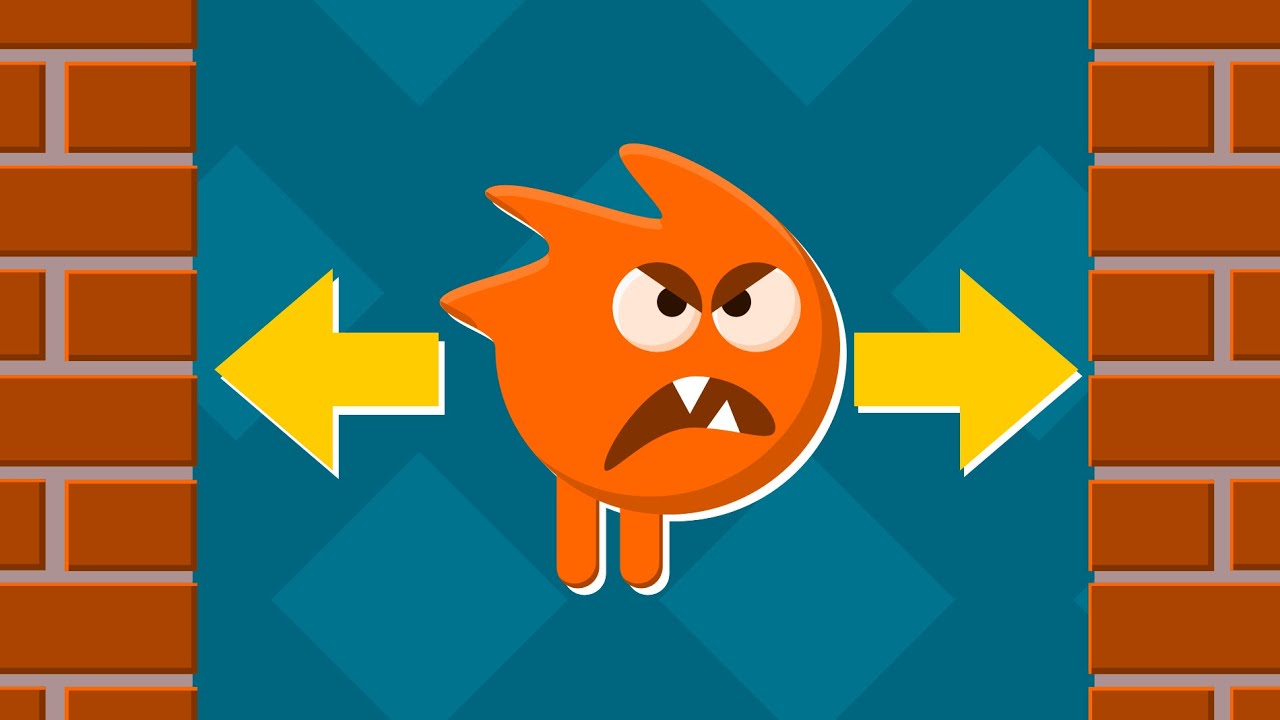
#unityenemymove #unityenemyai #unityenemywalk
In this video I give you a simple script that allows your enemy to walk from one wall to another back and forth changing its direction after collision. So enemy turns around when he touches the wall and starts moving in opposite direction. It is a kind of very simple enemy AI.
My new game Guess The...
 remote moth
i get a nullreference error by set a interger
a.GetComponent<Slot>().ID = i;
public int ID;
for (int i = 0; i < size; i++)
a doesn't have a Slot component on it
so GetComponent is returning null
and you're trying to set ID of null to something
snow willow
remote moth
```cc
GameObject a = Instantiate(Slot) as GameObject;
```
that's different
remote moth
ik
snow willow
There's the Slot component type, and then there's your Slot variable 🙂
remote moth
but bevor has it worked
snow willow
a doesn't have a Slot component on it. Up to you to figure out why that is ¯_(ツ)_/¯
remote moth
i has deleted the prefabs on the right sideline, and then was all prefabs diselected
remote moth
snow willow
`a` doesn't have a Slot component on it. Up to you to figure out why that is ¯\_...
ik, i fix it
 sand wing
How would I go about locking a camera horizontally, but have it follow something vertically?
snow willow
sand wing
How would I go about locking a camera horizontally, but have it follow something...
Just set the y position of the camera to equal the y position of the target
and ignore the x
Or follow a proxy object that does that
sand wing
ah... thats really simple why didnt i think of that. ok, ty!
ruby wadi
desert lotus
https://www.youtube.com/watch?v=NbA95f1FlXQ
My enemy facing the wrong direction
Never mind I figured it out
 teal lily
private void OnCollisionEnter2D(Collision2D collision)
    {
        if(collision.collider.tag == "Player")
        {
            Physics2D.IgnoreCollision(GetComponent<Collider2D>(), collision.collider);
            Instantiate(grasseffect, transform.position, Quaternion.identity);
        }
    }
so basically i always want to spawn grasseffect when the player walks into the collider of the grass, the problem is that it only works on the first ever collision but not on the next ones why is that? is it because of the ignorecollision line?
i still want the player to be able to be in the grass
sand wing
i think it's because it only occurs when you enter the collision, and not on the frames after that initial collision. i had a similar bug where if the player jumped but did not stop colliding (because the jump did not cause the player to go up any) with the floor, then they did not get their jump back.
ruby wadi
I followed this tutorial video and then i dont know how to take damage
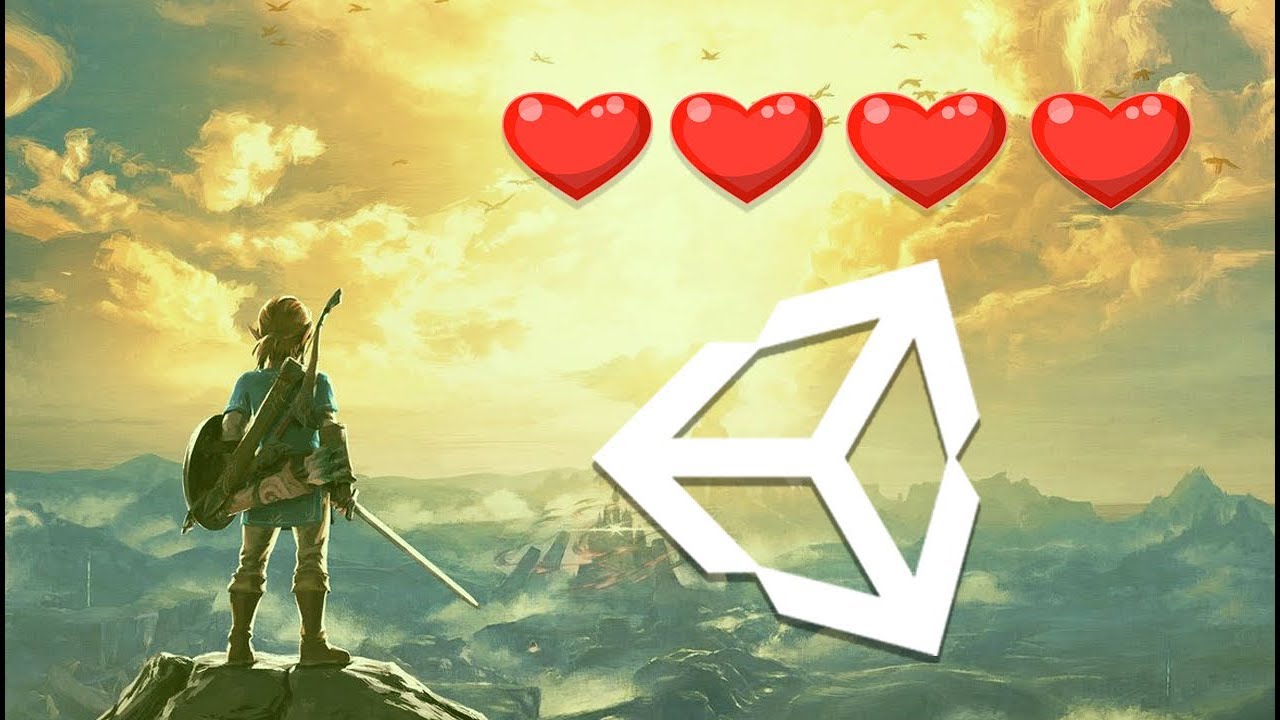
In this easy Unity tutorial I will show you how to make a health system similar to the one found in the the binding of isaac, minecraft and zelda !
Here is the LINK to the ARRAY video : https://www.youtube.com/watch?v=rbeAm_2r8Hs&t=216s
Here is the LINK to the LOOP video : https://www.youtube.com/watch?v=cF-46r2PhSg
Here is the LINK to my TW...
ruby wadi
Any video that you recommend?
ruby wadi
So how to decrease the number of health?
plush geyser
Hello, I have a problem with a tic tac toe Game. When I press a field, X and O (the pictures) are invisible but it shows that this field has a value. Can someone help me, please? (dm for more information 🙂 )
 thin prism
Hey friends, very quick question that I'm struggling with - what's the easiest way to draw a grid of squares of different colors at runtime?
I tried using tilemaps and SetTile but that requires a pre-built tile and I would prefer to be able to just generate a square of a certain color
 potent phoenix
an issue i'm having where the collisions only work in one way, and the walls say they don't have tag "Wall" even though they all do
please lmk if anything else is required to help
ruby wadi
How to make a simple animation when I press a button?
Basically when I press "K" on my keyboard, my player will make a shoot animation.
turbid heart
ruby wadi
How to make a simple animation when I press a button?
Basically when I press "K"...
first you need to know how to detect when the K key is pressed. the you need to have an animation already created and an animator set up. then you find out how to play the animation
subtle geyser
    Vector2 DirectionOfTarget(Transform _target)
    {
        Vector2 startPos = transform.position;
        Vector2 targetPos = _target.position;
        Vector2 directionToTarget = Vector2.zero;

        directionToTarget.x = startPos.x == targetPos.x ? 0 : targetPos.x > startPos.x ? 1 : -1;
        directionToTarget.y = startPos.y == targetPos.y ? 0 : targetPos.y > startPos.y ? 1 : -1;

        return directionToTarget;
    }
Trying to move objects along cardinal directions in a 2D grid but my current code is causing some weird behavior...
Two things I'm hoping to achieve:
-
Prevent diagonal movement (ideally I'd love to be able to toggle to allow either cardinal only or diagonal only but if I can only easily have one it would be cardinal)
-
If there is an obstacle between the enemy and the player, rather than having the enemy keep trying to move into the obstacle, to pick a new direction at random on it's opposing orientation (i.e. if it moves down and hits an obstacle, randomly choose between left and right)
I realize A* would probably solve the latter issue but that seems overkill for what I'm trying achieve as I really only need basic cardinal movement for objects.

 rough yarrow
subtle geyser
```cs
Vector2 DirectionOfTarget(Transform _target)
{
Vector2 sta...
rough yarrow
subtle geyser
```cs
Vector2 DirectionOfTarget(Transform _target)
{
Vector2 sta...
You are changing both directionToTarget.x and .y at the same time, meaning that sometimes it will actually move diagonally. You'll need to check if you've moved in either direction, and not apply the other direction if you have. This would probably make it biast to moving either horizontal or vertical first, but you could alternate each position update as an example.
timber bramble

im trying to make an option move according to set distance, then back
but upon running the code
it just shake violently when it reached its max range
as if code are fighting to move < and >
turbid heart
timber bramble
as if code are fighting to move < and >
you can confirm this with Debug Logs in your if statements. but see if this is relevant
#💻┃code-beginner message
also in the future please use a paste site. see the pinned messages in #💻┃code-beginner on how to post code here
timber bramble
eh
is there an operator to flip a value from positive to negative
or negative to position?
turbid heart
timber bramble
is there an operator to flip a value from positive to negative
multiply it by -1
timber bramble
thx
 leaden sky
How do I fix the bullet "jumping" over the wall? The bullet has rigidbody2d and capsule collider. It gets a velocity at the start. Theoreticaly I could do the walls thicker but I want this to work against moving ships as well.

 lean estuary
leaden sky
How do I fix the bullet "jumping" over the wall? The bullet has rigidbody2d and ...
lean estuary
leaden sky
How do I fix the bullet "jumping" over the wall? The bullet has rigidbody2d and ...
If the bullet travels in one frame faster than the width of the collider it will end up outside. Continuous collision might not handle some cases as well. In that case you want to raycast each frame and cache information, so if your bullet ends up outside, you can use information from previous frame to correct its position and travel direction.
leaden sky
cache what is in front and what is behind the bullet? Will that work for the enemiesi as well?
lean estuary
cache the previous raycast, it will have a collision location (and previous bullet position)
knotty barn
Would continuous collision not be able to deal with this case 🤔
Does it ever hit the wall?
lean estuary
Long time ago working on breakout type game I think I've had cases it going so fast continuous wasn't working properly too
leaden sky
I thought continous would do it. And yes,most of them do hit the wall
leaden sky
lean estuary
cache the previous raycast, it will have a collision location (and previous bull...
dont understand. Ok so I cache what was in front. Do I just compare that and if it is behind the bullet now its a missed collission?
lean estuary
Once bullet is outside of the game space, you use last raycast point to place the object there instead. And use raycast vector with hit angle to calculate proper ricochet, I think there's a bult in method for that as well
(and use resulting ricochet angle to set new velocity direction)
leaden sky
yeah so the bullit is suppose to be destroyed on impact. But should work on more than just the walls. Ideally you awnt to hit an enemy 🙂
lean estuary
even simpler, just register when it is outside
leaden sky
for the walls yes, but not for enemies
lean estuary
raycast should be the length of velocity so you can tell if it hit something, in this case hit something next frame when raycast says you are about to hit it
leaden sky
what if an enemy moves at the same time. So raycast sees the enemy but the next frame the enemy has move and didn't actually get hit?
lean estuary
Default frame is 1/50 of a second
leaden sky
so just ignore that very small possibility?
lean estuary
If you want more detailed calculation you can easily calculate it with object and bullet speed at that frame as well
leaden sky
but with a raycast that looks at the range of the speed, do I even need collission detection/OnTriggerEnter ?
leaden sky
lean estuary
If you want more detailed calculation you can easily calculate it with object an...
Something like this then. It seem to work at least
 lean estuary
You are not caching raycast, bullet will be destroyed just closing in to the wall. You can also use Debug.DrawRay or line to visualize raycasts, travel path. Also you should use velocity as raycast direction.
leaden sky
sorry don't understand why I need to cache it. If it is going to hit in this fixedupdateframe (I suppose the move is done later in the frame) then it should die this frame? I dont want it to bypass the wall and get destroyed on the other side of the wall /enemy
lean estuary
When you raycast it, it hasn't hit yet. When you hit and go past then you need to use information
(previously cached)
leaden sky
so if the backwardraycast hits withing velocity range and the frame before the same object was hit with teh forward raycast+
lean estuary
if you raycast back you may get another object entirely
leaden sky
?
but the raycast hit is limited by the velocity so won't it hit this frame?
and if I raycast forward next frame, I might have skipped it? and raycast will return empty?
 lean estuary
velocity is per second so should be cut by 50 to be per frame
it will also ensure that you are looking at actual data, if you have gravity or drag affecting it
leaden sky
gravity and drag is set to 0
and it seem to be able to skip the wall
the ray is drawn from the transform.position which shows this

 cerulean lily
hi, why the code lice StartCourotine or SerializedField doesnt light up in my vs? do i need to install some sort of module or something?

and heres the errors
 cerulean lily
oh ok, but still, it didnt light up even when i started writing start
or just corrected me
lean estuary
@cerulean lily You need to setup VS to work with Unity. Configuration guide pinned in #💻┃code-beginner
leaden sky
am I doing it wrong or is a drawing problem. My debug draw shown the wrong way (or it's just last frames debug arrow)

should point up left

the bullet can still go through my wall
leaden sky
ohh I see. and apparently I am colliding with myself as well 🙂
I just did only find example of raycast using transform.position
leaden sky
lean estuary
You need to use Rigidbody position instead
so didn't quite get it but can I get my bullet to actually move to the colliding position instead of overshoot?
lean estuary
Like I said previously, once you overshoot you move it back to collision position yourself using cached raycast hitpoint.
It will be almost the same as if physics caught collision correctly
leaden sky
and I know if it overshoots when the forward raycast different from the wall?
lean estuary
you know it overshot when cashed raycast says there was a collision when it didn't happen
leaden sky
OnTriggerEnter2D is after fixedupdate right?
lean estuary
leaden sky
so frame 1 I find a raycast collission.
on frame 2. we have now overshot the target and no raycast is detected so we think no detection is made because it will be found later in the execution order
lean estuary
At this point you don't need collision even really, just check cashed raycast every frame. Or you can use coroutine to yield until FixedUpdate finishes and check then if collision happened.
leaden sky
yeah, my thought exactly. As soon as a cached one existing. Move it back and destroy it.
Thank you very much.
leaden sky
lean estuary
At this point you don't need collision even really, just check cashed raycast ev...
Sorry another small question. I try to reset the position so the graphic will update correctly. Atm it will be rendered (very briefly) on the wrong side of the wall. I try to force it back.
 lean estuary
It shouldn't be rendered inside the wall, as it should be moved on the same frame right away, then rendered
leaden sky
lean estuary
It shouldn't be rendered inside the wall, as it should be moved on the same fram...
wrong side of the wall
 lean estuary
you should be yielding to end of frame
 thorn echo
is there something i can to reduce the delay between sound play and the object being destroyed?
 lean estuary
Check that you are moving to the correct point
thorn echo
thorn echo
This is how the code is working rn
leaden sky
I have tried by just disabling fixedupdate as soon as the object dies instead of destroy
lean estuary
Print out the positions
leaden sky
lean estuary
Print out the positions
these are the positions I set them to. So for a split of a second its on the other side and then reversed back to lock onto these positions which looks good
 lean estuary
Use step forward on pause in editor, printing out position to see what's happening
Maybe previous hit raycast is too short
it should show anomalies step by step
leaden sky
I havent used that before
lean estuary
thorn echo
You are running a loop waiting for the sound to finish playing, you don't need to do that.
lean estuary
leaden sky
I havent used that before
For simplicity start shooting on play, press pause, then play, then go step by step
leaden sky
lean estuary
For simplicity start shooting on play, press pause, then play, then go step by s...
so this is 1 frame after collission was warned by the raycast. So the cache is set
 thorn echo
lean estuary
You are running a loop waiting for the sound to finish playing, you don't need t...
thorn echo
lean estuary
You are running a loop waiting for the sound to finish playing, you don't need t...
so should i remove the while function is that it
lean estuary
yes
Removing that you don't need it to be a couroutine as well, so replace IEnumerator with void to return nothing
turbid heart
thorn echo
Error - audiosource.isplaying can not be used like a method
dont use it like a method then. that means dont put () after it
lean estuary
leaden sky
so this is 1 frame after collission was warned by the raycast. So the cache is s...
Inspect values raycast has, if it points to correct position at this point
thorn echo
already did that, or should i remove semi colon too
turbid heart
thorn echo
Error - audiosource.isplaying can not be used like a method
it's a bool type https://docs.unity3d.com/ScriptReference/AudioSource-isPlaying.html
 lean estuary
thorn echo
Error - audiosource.isplaying can not be used like a method
lean estuary
thorn echo
Error - audiosource.isplaying can not be used like a method
You need to remove entire thing, not just only while
all that is contains
thorn echo
ohk
but if i remove the loop the sounds won't play it destroys as soon as player collides with the object which any sound
leaden sky
yeah this has not yet found anything from the raycast.
 lean estuary
This looks like a correct case
lean estuary
thorn echo
but if i remove the loop the sounds won't play it destroys as soon as player col...
don't put stuff you need to play on things you are destroying.
Use a sound manager and make it play on event
thorn echo
ohk i just found sound manager a little hassle 😅
Thanks for the help
lean estuary
thorn echo
ohk i just found sound manager a little hassle 😅
Thanks for the help
Alternatively you can make it just invisible, and then collect to the pool. But having central manager would be better in any case.
thorn echo
lean estuary
Alternatively you can make it just invisible, and then collect to the pool. But ...
i get it now, Thanks
leaden sky
@lean estuary I put the raycasting WaitForFixed update and it looks great
it was raycasting because having its physics position updated I believe. So the raycast was from previous tick position
 rocky temple
heya I'm trying to make a collider a trigger from inside a script I've tried a couple of things but they don't seem to be working any tips?
abstract olive
Yeah, show your code. 😛
rocky temple
 abstract olive
It's adding the SpriteRenderer, but not the Collider?
rocky temple
it added the collider perfectly fine I just don't know how to make it a trigger
abstract olive
Any property you see in the inspector can by changed like how you were doing it with the .sprite
In this case, you would use .isTrigger = true;
 worldly reef
I am working on a topdown game right now where the player can recall a projectile and then launch it around the map. I'm running into an issue where at high speed, the projectile gets stuck in walls. I am manually adjusting transform.position because I don't feel like messing with physics and I think it gives the result I want better. I have detections sent to continous and have decreased fixed timestep. That's all helped it happen less, but it's still a problem. I also write a OnColissionStay2D that bumps the projectile out when it gets stuck, but it's does not really fix the problem and doesn't look great. Anyone have any other ideas for fixing this and keeping my existing movement?
remote moth
whats the best way to save and load GameObjects and data?
worldly reef
remote moth
whats the best way to save and load GameObjects and data?
There's lot of different ways to go about it. The simplest way to store some data would be PlayerPrefs
 worldly cove
I'm having trouble destroying an instantiated game object. When I pause the playback, I can see that the cloned object still exists in the hierarchy tab.
 remote moth
worldly reef
There's lot of different ways to go about it. The simplest way to store some dat...
remote moth
worldly reef
There's lot of different ways to go about it. The simplest way to store some dat...
and whats the best way to save a "chunk" (a object with a lot childs sorted by x value)?
 worldly reef
remote moth
and whats the best way to save a "chunk" (a object with a lot childs sorted by x...
worldly reef
remote moth
and whats the best way to save a "chunk" (a object with a lot childs sorted by x...
I'm going to admit that's a bit beyond me, haha, but this should get you moving in the right direction: https://www.youtube.com/watch?v=XOjd_qU2Ido

Here's everything you need to know about saving game data in Unity!
► Go to https://expressvpn.com/brackeys , to take back your Internet
privacy TODAY and find out how you can get 3 months free.
● Easy Save: https://bit.ly/2BzgdXb
♥ Support Brackeys on Patreon: http://patreon.com/brackeys/
·····················································...
remote moth
can i save the object in script as prefab, and to save override the prefab?
worldly reef
remote moth
can i save the object in script as prefab, and to save override the prefab?
I don't know if that's possible, I've never tried. But doing some research, I just stumbled across this: https://docs.unity3d.com/ScriptReference/PrefabUtility.SaveAsPrefabAsset.html
Might be worth looking into
remote moth
and were can i load it?
So i can save, but loading
string localPath = "Assets/saves/chunks/" + save.name + ".prefab";
localPath = AssetDatabase.GenerateUniqueAssetPath(localPath);
PrefabUtility.SaveAsPrefabAssetAndConnect(save, localPath, InteractionMode.UserAction);
Can you save in the Resources folder and then use Resources.Load?
remote moth
worldly reef
Can you save in the Resources folder and then use Resources.Load?
yes i can, but i don't want to make it in the resource folder
i try LoadPrefabContents
when not i use Resources.Load
it exist only one problem
when it save, the game freeze a half second
can i do it in a thread?
 vast plume
Hi i just made a 2d player controler and now i want to make a cameramovement thing it works but i dont know how i can do it so it stops moving at an certan point
How can i do this?
remote moth
why is "LoadChunk" everytime null?
private void SaveChunk(GameObject save){
  string localPath = "Assets/saves/chunks/" + save.name + ".prefab";
  localPath = AssetDatabase.GenerateUniqueAssetPath(localPath);
  PrefabUtility.SaveAsPrefabAssetAndConnect(save, localPath, InteractionMode.UserAction);
}

private GameObject LoadChunk(int num){
  string localPath = "Assets/saves/chunks/chunk " + num +".prefab";
  localPath = AssetDatabase.GenerateUniqueAssetPath(localPath);
  GameObject o = Selection.activeObject as GameObject;
  if(o == null){
    return null;
  }
  return PrefabUtility.LoadPrefabContents(localPath);
}
debug it.
maybe o is null or is not a GameObject
maybe LoadPrefabContents is returning null
maybe both at different times
remote moth
remote moth
can i do it in a thread?
exist so any in unity?
snow willow
remote moth
can i do it in a thread?
you can save your game in a thread but you have to be really careful about it. Background threads cannot access most Unity Engine objects/data
If you can succesfully isolate the data you need to save from referencing any of that, you can definitely do your saving in a background thread.
remote moth
and where is thenn the best way to save objects without lags
as prefarb

can i give the thread a paramenter
Thread thread = new Thread(
() =>{
  SaveChunk(d);
  Destroy(d);
  }
);
but a lot things can i only do in the main thread?
remote moth
can i anything do becaus the error, or can't i do any with new threads to save the object
 deep urchin
If I use OnCollisionEnter2D do both objects need to have a collider2D and a Rigidbody2D?
Or does just the object with the script need a Rigidbody?
turbid heart
deep urchin
Or does just the object with the script need a Rigidbody?
Not sure, but you can easily test that with a Debug Log
deep urchin
ok
remote moth
remote moth
```cc
Thread thread = new Thread(
() =>{
SaveChunk(d);
Destroy(d);
}
);
``...
if i do it with a ThreadPool exist no errors, but it not saved the object as Prefab (he don't execute the methode SaveChunk();
ThreadPool.QueueUserWorkItem(
  o => {
    SaveChunk(c);
    Destroy(c);
  }
);
is there a way to find all objects with a certain tag and then set them all to not active?
 sudden wasp
can someone here join a VC with me and explain the way to use layers in unity i am very confused, all the Youtube videos don't help
2d
Oh wrong chnneæ
channel
sry
rocky temple
rocky temple
is there a way to find all objects with a certain tag and then set them all to n...
figured out the answer to this (if someone looking at this has a similar problem DM me for what I used)
snow willow
rocky temple
figured out the answer to this (if someone looking at this has a similar problem...
just beware if you're using FindGameObjectsWithTag - that it will not work on the deactivated objects if you try to use the same thing to reactivate them
rocky temple
snow willow
just beware if you're using FindGameObjectsWithTag - that it will not work on th...
for what I'm doing I am using Destroy instead, I just wanna get rid of all of a certain game object when the game over screen activates
deep urchin
I am trying to get an object to face towards the mouse. Yesterday this script was working, but then I saved everything, re-opened it today and I got an error.
The error is NullReferenceException: Object reference not set to an instance of an object Here is the code:
Vector2 direction = (mouseScreenPosition - (Vector2)transform.position).normalized;
transform.up = direction;```What is the problem?which line exactly do you get the error?
snow willow
deep urchin
I am trying to get an object to face towards the mouse. Yesterday this script wa...
DO you have an enabled camera in the scene with the tag "MainCamera"?
deep urchin
late viper
which line exactly do you get the error?
The error is on the first line Vector2 mouseScreenPosition...
deep urchin
snow willow
DO you have an enabled camera in the scene with the tag "MainCamera"?
No I didn't, I tagged it now and it works, thanks!
deep urchin
Completely different question, does OnCollisionEnter2D require a dynamic body type? Because If I set it to Kinematic it doesn't work, but I want it to be Kinematic so it isn't effected by physics.
snow willow
deep urchin
Completely different question, does `OnCollisionEnter2D` require a dynamic body ...

A kinematic rigidbody collider (kinematic RB with a collider) will only cause OnCollisionEnter with dynamic rigidbody colliders (dynamic rigidbody with a collider)
It won't collide with static colliders or other kinematic rigidbodies
(a static collider is an object that has a collider and no Rigidbody at all)
I got this chart from the bottom of this documentation page: https://docs.unity3d.com/Manual/CollidersOverview.html
deep urchin
Ok thanks
snow willow
The trigger matrix is a bit more forgiving
kinematic rigidbodies will cause trigger messages with any trigger collider
deep urchin
Doesn't that mean kinematic wont detect collision if it hits another kinematic?
 snow willow
deep urchin
Doesn't that mean kinematic wont detect collision if it hits another kinematic?
snow willow
deep urchin
Doesn't that mean kinematic wont detect collision if it hits another kinematic?
It won't cause a "Trigger" message if neither of them is a trigger collider

It will work if one of the two objects has a trigger collider
deep urchin
Do you mean this thing?
 snow willow
deep urchin
Do you mean this thing?
snow willow
deep urchin
Do you mean this thing?
yessir
that makes the collider intoa trigger collider
note that if you want to detect that in code it's a little different:
void OnTriggerEnter2D(Collider2D other) {

}```Just get rid of private at the beginning?
Oh wait Its OnTriggerEnter instead of OnCollisionEnter
deep urchin
Ok thx
deep urchin
Another completely different question, I tried using this script
{
Destroy(gameObject);
Destroy(collider);
}```to destroy both this object and the object it collides with, but it doesn't do that, It just destroys the object with the script. Is there anyway to destroy the object I collided into in the same script? forest hamlet
Because you're destroying the gameobject that has the script before the object it's colliding with, thus it never reaches the second destroy call @deep urchin
It's like if someone said they were going to shoot themselves, then shoot someone else, they would never get to the second part because they were dead lol
worldly reef
On mobile so formatting going to be bad, but I think you want Destroy(collider.gameObject); Destroy(this.gameObject);
forest hamlet
oh yeah that too
snow willow
forest hamlet
Because you're destroying the gameobject that has the script before the object i...
doesn't work this way. Destroy is delayed until the end of the frame
It's what Wrimor said
deep urchin
Yes, I did what Wirmor said and it works now
snow willow
the difference is destroying the whole other GameObject vs just destroying its Collider component
deep urchin
Yes
 split edge

why does my 4k sprite look so bad on Unity?
it looks like an upscaled sprite

this is the original resolution
why would the game make it look like this
like I am completely blown away at why would Unity destroy this visually
snow willow
split edge
like I am completely blown away at why would Unity destroy this visually
try disabling compression in the import settings
split edge
yeah, set to none
that was bilinear filtering btw, this is how it looks like in point

like
how
late viper
split edge
few things
 split edge
mipmaps enabled, sprites arent a power of 2, I dont think i can meet that requirement
late viper
https://www.reddit.com/r/Unity3D/comments/9f86e1/downscaling_sprites_in_unity_gives_different/ from this post

reddit
6 votes and 11 comments so far on Reddit
split edge
Everyday I am more surprised at how shitty Unity is
late viper
it doesn't surprise me at this point 😄
split edge
like this isnt a crazy requirement
I am not even downscaling them
Love to wake up to see unity doesnt have a functional sprite renderer
late viper
i mean you're effectively downscaling them when you render them at that resolution
snow willow
I'm trying to figure out what you're expecting this to look lioke
is it the lack of antialiasing that's the issue?
split edge
it doesnt look like a 650x200 sprite scaled down, it looks like a 60x20 sprite scaled up
I guess this is better but thats trilinear filtering with a 16x anisotropic factor


for comparison, this is what a downscaled version should resemble

Is not like I am doing something crazy, my viewport target is 4k , these sprites should look as they are
late viper
split edge
Is not like I am doing something crazy, my viewport target is 4k , these sprites...
unity's downscaling algo just isn't as good as gimp, according to the unity forum post https://forum.unity.com/threads/downscaling-sprites-in-unity-vs-image-editing-software.553807/#post-3669721
Unity Forum
I'm experimenting with ways to downscale sprites in Unity while minimizing aliasing, and I noticed that in-game downscaling comes out differently than...
 hearty tiger
I'm making a 2d sidescroller (orthographic camera), and have been using Z coordinates for sorting, however this is affecting sprite size and all collisions to an extent
How am I meant to sort objects?
turbid heart
hearty tiger
How am I meant to sort objects?
Sorting layers. You’re meant to use that instead of relying on z
hearty tiger
ok thanks
should the higher numbered layers appear above the lower numbered layers?
does layerering depend on z position whatsoever if objects are on different layers?
turbid heart
Layering takes precedence over z sorting
turbid heart
hearty tiger
should the higher numbered layers appear above the lower numbered layers?
Why dont you test? 🙂
hearty tiger
it wasnt working so i asked
but turns out i was looking at the layer of the gameobject
not the sprite renderer
still tendon
#Hello Everyone. I don't know what happened on this code line:
anim.SetFloat("speed", Mathf.Abs(movePlayerVector));
#It show the error result like this:
NullReferenceException: Object reference not set to an instance of an object
CharacterMovement.Update () (at Assets/Scripts/CharacterMovement.cs:34)
Help me!
 vocal condor
still tendon
#Hello Everyone. I don't know what happened on this code line:
anim.SetFloat("s...
vocal condor
still tendon
#Hello Everyone. I don't know what happened on this code line:
anim.SetFloat("s...
anim is null?
still tendon
vocal condor
anim is null?
No, It's not.
still tendon
still tendon
#Hello Everyone. I don't know what happened on this code line:
anim.SetFloat("s...
This problem was solved.
thin prism
Can somebody help me figure out how the heck I'm supposed to color a tile in a tilemap? There are so many things online for it but nothing is working.
Here's what I'm currently working with:
                Color color;
                // Logic to select a color - will always have a non-white color

                Tilemap.SetTileFlags(pos, TileFlags.None);
                Tilemap.SetColor(pos, color);
                Tilemap.RefreshTile(pos);
                // After all this, all tiles are still white (the sprites color)
 velvet moon
hey guys
I am having trouble in unity 2D with Post processing
I followed a postprocessing tutorial but it wouldn't work
i am using the Light (URP)
 sweet nest
Is there a way to only get touches that dosen't touch a canvas element?

 woeful sentinel
You can use RectTransformUtility for that then check for mouse position
sweet nest
woeful sentinel
You can use RectTransformUtility for that then check for mouse position
i dont want to use mouse position im making a mobile game
sweet nest
i just want to know how to make something like this
if (Input.GetTouch(0) is not touching a Ui element)
{
}
i found a solution:
 worldly reef
What's a good practice to get Cinemachine to always keep some object in frame (the player for example) but example to a limit to keep some other object in frame? I correctly have it setup to follow a target group of the player and the square and look at player, but that doesn't do what I want.


Do I need to write some code that adjusts the camera if the square gets too far away or that available already in cinemachine?
snow willow
worldly reef
What's a good practice to get Cinemachine to always keep some object in frame (t...
What you have is fine it's just that your maximum ortho size is not big enough when those objects get too far apart from each other
you can also play with the weights of thje items in the target group, and maybe create a script that will remove an object from the target group if it goes too far away from the player
worldly reef
snow willow
you can also play with the weights of thje items in the target group, and maybe ...
Oh thanks, that's helpful.
worldly reef
Found a solution I'm pretty happy with. I setup two virtual cameras. One focuses on the target group and one focuses on the player. When the square gets too far away I transition to the player one. When the square gets closer, I move it back to target group.
snow willow
cool
worldly reef
Thanks for the help. Wouldn't have gotten there without you!
 fickle kiln
hi, basic question, but how do I initialise prefabs at runtime? So I have 9 'number tiles' as prefabs and I want to have 7 of them chosen at random displayed at the beginning of a scene on a canvas in certain positions. I think I should probably use a list as they are mutable
I found this which just initialises a prefab and you attach it to a game object. If I have 7 prefabs to initialise, do I need 7 game objects, each with this script?
using UnityEngine;
public class InstantiationExample : MonoBehaviour
{
    // Reference to the Prefab. Drag a Prefab into this field in the Inspector.
    public GameObject myPrefab;

    // This script will simply instantiate the Prefab when the game starts.
    void Start()
    {
        // Instantiate at position (0, 0, 0) and zero rotation.
        Instantiate(myPrefab, new Vector3(0, 0, 0), Quaternion.identity);
    }
}```You could put the prefabs in an array and instantiate each element of the array with a loop
so instead of public GameObject myPrefab you would use public GameObject[] prefabsArray;
then look up how to do a for loop over an array
fickle kiln
ok, how about how to choose 7 random prefabs to add to the array from the 9 I have available?
snow willow
fickle kiln
ok, how about how to choose 7 random prefabs to add to the array from the 9 I ha...
shuffle the array of 9 and pick the first 7 from the shuffled array
woeful sentinel
fickle kiln
ok, how about how to choose 7 random prefabs to add to the array from the 9 I ha...
You can use Random.Range for this...
e.g: prefabsArray[Random.Range(0, prefabsArray.Length)];
It would get random index number in your array
snow willow
yes you can do that but if you want to pick 7 out of the 9 that code will lead to duplicates if called repeatedly
which is why I suggested the shuffle method
woeful sentinel
Or just add them to a List and eliminate each index number of the successful instantiated object
woeful sentinel
snow willow
that's much slower though
man... 9... just 9 🤦
fickle kiln
for context, I'm trying to adapt a real life puzzle board game to unity...this is the 'pool' of number tiles the player can pick from...this was taken from an older python file so excuse the syntax - it's just 5 number 1 tiles, 7 number 2 tiles etc
numberTiles = {1:5, 2:7, 3:8, 4:8, 5:8, 6:7, 7:7, 8:7, 9:6 10:4, 11:3, 12:4,}
so yeh the player can have duplicates as long as there's enough in the pool of available tiles
snow willow
I mean think about how you would literally do this in a real life board or card game
you would shuffle the pile or the deck
and then take the top 7 items
I suggest doing the same thing in your code
vast plume
Hi, there are some bugs in my 2D game i cant really explain it
can i talk to someone in a call to show it?
turbid heart
vast plume
Hi, there are some bugs in my 2D game i cant really explain it
can i talk to so...
Do your best to describe it. With a video if you must. Knowing how to describe your issue is essential for learning to debug
turbid heart
vast plume
Hi, there are some bugs in my 2D game i cant really explain it
can i talk to so...
One way to start is to describe what you’re trying to achieve, and what is happening instead
fickle kiln
I have a problem that I asked last week but never got resolved...I have an orthographic camera that when I change it's size in the editor, doesn't actually change size in game
 orchid nest
So I came here yesterday with my unity 2d isometric snapping system
but I am still having trouble
turbid heart
fickle kiln
I have a problem that I asked last week but never got resolved...I have an ortho...
I remember this issue. You might want to try #💻┃unity-talk
vast plume
So my issue is that i have a 2d platformer game with moving and non movingplatforms and coins that do nothing jet you just can colekt them
when i go on the moving platform and go back to the ground after a while the player starts changing his size
snow willow
vast plume
So my issue is that i have a 2d platformer game with moving and non movingplatfo...
I think I know exactly what's wrong
Two things are happening:
- Your player is being set as a child of the moving platform when your player jumps on the platform
- Your platform has non-uniform scaling.
vast plume
Thats the issue
snow willow
so since your player is a child of the platform which has non uniform scaling, the player gets warped
you should rearrange the hierarchy of the platform so that it has uniform scaling (1, 1, 1)
the actual rectangle bit should be a child object of the platform parent object. That child object can have the scaling as necessary
then when your player lands on the platform, you just make it a child of the main platform parent object
Then you won't have to worry about rescaling the player or anything
vast plume
ok thanks
It worked don't had the problem again jet thanks
could you say me how i can make it so that the player can't rotate?
turbid heart
vast plume
could you say me how i can make it so that the player can't rotate?
Like tilt itself when it lands?
vast plume
yes kind da but thats normal because of gravati but i dont want the player rotating at all
turbid heart
If it’s a rigidbody, look at the constraints on the rigidbody component
vast plume
nice thx
orchid nest
Ok this is the last time im getting to ask before just going to reddit. I need help implementing a 2d isometric grid system, as it can now only move left/right and up/down correctly, but going sideways doesnt work as you would need to halve the value for both, and I dont know when to make the code find out you are going sideways, and thats what I need help with
also
how do I paste code
It just gets deleted
turbid heart
orchid nest
how do I paste code
See #💻┃code-beginner pinned
orchid nest
ok thanks
var currentPos = transform.position;
        transform.position = new Vector3(Mathf.Round(currentPos.x / gridSize) * gridSize,
                                         Mathf.Round(currentPos.y / gridSize) * gridSize / 2);
This is my code
btw
 shut geyser
How do I put the background in the background (I don't know how to explain it)
fickle kiln
snow willow
I mean think about how you would literally do this in a real life board or card ...
hi again, I'm using this script to try and instantiate my prefabs on the canvas but although they are being created, I can't actually see them on the screen (see screenshot)
using System.Collections;
using System.Collections.Generic;
using UnityEngine;
public class StartupScript : MonoBehaviour
{
public List <RectTransform> prefabList = new List<RectTransform>();
private int n;
private System.Tuple<float, float> startPositions = new System.Tuple<float, float>(-567, -538.4f);
void Start()
{
int offset = 0;
for(int i = 0; i < 7; i++)
{
n = Random.Range(1, 8);
Instantiate(prefabList[n], new Vector3(startPositions.Item1 + offset, 0, 0), Quaternion.identity);
offset += 100;
}
}
// Update is called once per frame
void Update()
{
}
}``` snow willow
fickle kiln
hi again, I'm using this script to try and instantiate my prefabs on the canvas ...
snow willow
fickle kiln
hi again, I'm using this script to try and instantiate my prefabs on the canvas ...
a few things:
- Your objects are not visible probably because they are simply behind your UI background image. Basically your UI is blocking everything. ALso if your objects are ui elements then you need to be instantiating them under the canvas.
- Why are you using a System.Tuple<float, float> instead of just Vector2?
- Your Random.Range call is starting at 1 (it should start at 0) and using hardcoded values. You should do it like this
Random.Range(0, prefabList.Length). This will always give you a valid index into the array, and won't skip the first element like with 1 as the starting number. - Your console window is not even visible in your screenshot so if you're getting any errors you won't see them
fickle kiln
snow willow
a few things:
- Your objects are not visible probably because they are simply be...
changed it to this
    void Start()
    {
        int offset = 0;
        for(int i = 0; i < 7; i++)
        {
            n = Random.Range(1, 8);
            var newObj = Instantiate(prefabList[n], new Vector3(startPositions.Item1 + offset, 0, 0), Quaternion.identity);
            newObj.transform.SetParent(GameObject.Find("Canvas").transform);

            offset += 100;
        }

    }
but it's now weirdly zooming right in...

 dusty maple
Hi, I have this issue with rotating an object based on where my mouse position is.
This is my code:
        mousePos = (Vector2)Camera.main.ScreenToWorldPoint(Input.mousePosition);
        currentPos = transform.position;
        aimDir = (mousePos - currentPos).normalized;

        if (equipped)
        {
            if (rb != null)
            {
                lineRender.SetPosition(0, ballSprite.position);
                Vector2 clampedEndPos = Vector2.MoveTowards(ballTarget.transform.GetChild(0).transform.position, mousePos, 3.5f);
                lineRender.SetPosition(1, clampedEndPos);
            }

            float angle = Mathf.Atan2(aimDir.y, aimDir.x) * Mathf.Rad2Deg - 90f;
            ballTarget.transform.eulerAngles = new Vector3(0,0,angle);
        }
Any ideas what's causing this?
snow willow
dusty maple
This is my code:
```cs
mousePos = (Vector2)Camera.main.ScreenToWorldPoi...
Is your LineRenderer using world space or local space
Also what is ballTarget.transform.Getchild(0)
Why not just the player's position for that
dusty maple
snow willow
Is your LineRenderer using world space or local space
World Space, and the ballTarget.transform.GetChild(0) is this:

ballTarget is here:
 snow willow
dusty maple
World Space, and the ballTarget.transform.GetChild(0) is this:
snow willow
dusty maple
World Space, and the ballTarget.transform.GetChild(0) is this:
Would really expect to use the player's position for that instead
Or ballTarget position
And the LineRenderer? World or Local?
dusty maple
snow willow
Would really expect to use the player's position for that instead
I just tried it with the player's position, and it still has that offset (can't see it on this image, but the red mark is where the mouse actually was)
 dusty maple
snow willow
And the LineRenderer? World or Local?
dusty maple
snow willow
And the LineRenderer? World or Local?
Line Renderer is set to World

BTW I'm using a Cinemachine Virtual camera if that makes a difference
snow willow
It does not, unless you have other "real" cameras besides the MainCamera
dusty maple
Nope
I tested with a Draw Gizmo to see where the system was registering the mouse position to be, and it seems to be consistent with where the end of the line renderer is, and it's lined up properly with the rotation of the aiming reticle. So what I ended up doing was making the mouse invisible on startup and then just having another gameobject with a sprite renderer be where the system is registering the mouse position to be.
It's lining up properly now
 white cedar
I have this two scripts, the left one is the to the camera follow the player, and the right one it's to sweep between the camera follow the player or not. But is not working D:

 sharp lichen
You can simplify the left one
if (collision.CompareTag(“Player”))
{
   cameraFollowPlayer = !cameraFollowPlayer;
}```It’s also not working because the left one doesn’t tell the camera anything, it just updates its own bool
white cedar
sharp lichen
It’s also not working because the left one doesn’t tell the camera anything, it ...
thank you, thank you
deep urchin
Hello. I'm trying to get a script to rotate a object by a certain amount when I click space. I tried 2 scripts but neither one works, here are the scripts:if (Input.GetKeyDown(KeyCode.Space)) { transform.rotation = Quaternion.Euler(0, 0, 5); }andif (Input.GetKeyDown(KeyCode.Space)) { transform.rotation = Quaternion.Euler(0, 0, transform.rotation.z + 5); }What is the correct way to rotate it?
late viper
deep urchin
Hello. I'm trying to get a script to rotate a object by a certain amount when I ...
try using Transform.Rotate() https://docs.unity3d.com/ScriptReference/Transform.Rotate.html
deep urchin
late viper
try using Transform.Rotate() https://docs.unity3d.com/ScriptReference/Transform....
Ok thank you, it works now
 storm coral
can someone help me turn my chunk generation infinite, so it just expands then the player can see further?
storm coral
nevermind
marsh oar
hello, im following a brackeys tutourial, the play game one, when i drag in the script to the button, for the function, it only says monoscript, this is happening with every script that im dragging in.
here is my script
 turbid heart
marsh oar
here is my script
turbid heart
marsh oar
here is my script
did you attach the script to the button?
marsh oar
yes
turbid heart
can you show us the inspector so we can see what you mean by it only says monoscript?
marsh oar
 turbid heart
and can you show where the script is attached to the button?
marsh oar
here
 turbid heart
do you have any errors in your console that might be stopping your code from compiling?
marsh oar
no, i don't have any errors in my console
turbid heart
let me open up Unity and test on my side 🙂
marsh oar
k, thx
turbid heart
so the issue is usually people drag the script itself into the field instead of the object with the script?
hollow crown
Yes
turbid heart
will keep that in mind, thanks vertx!(I hope that's your cat, it's so cute)
marsh oar
hollow crown
https://help.vertx.xyz/?page=Interface/Unity%20Events/Incorrect%20Assignment
thank you so much, it works now!!
 bronze anvil
'm making a runtime level editor with isometric tilemap support.
The level editor has layers that can be added, duplicated, deleted, and reordered.
As I'm using Isometric Z As Y, every time the layer is reordered, I need to remove tiles and set tiles for all affected layers. This usually results in hundreds of actions.
If I had two tilemaps instead, I would just have to switch their positions.
But for every tilemap, I also have additional tilemaps for preview, grid, etc. so this means there would be actually 5 tilemaps per layer. The user can create any number of layers he wants, but this could be limited if needed.
What's your opinion about this issue? If I use a tilemap per layer instead of 1 big tilemap with z-axis, are there any other issues related to the draw order or performance?
potent phoenix
how do i make a countdown that only loads the first time a scene is loaded, before doing the updates
turbid heart
potent phoenix
how do i make a countdown that only loads the first time a scene is loaded, befo...
Start a coroutine in start? Or do a good old timer based countdown in Update that starts with a bool set in Start
 upper rune
Is there a way I can use the camera width as a maxX to say an object shouldnt be able to move outside of maxX?
turbid heart
upper rune
Is there a way I can use the camera width as a maxX to say an object shouldnt be...
Look into ViewportToWorldPoint. Or vice versa
upper rune
thanks!
It seems that either I can't see the full camera view or the values are slightly off
turbid heart
upper rune
It seems that either I can't see the full camera view or the values are slightly...
dont forget to account for half of your object's width, if the pivot's at its center. and that viewport is from values of 0 to 1
upper rune
turbid heart
dont forget to account for half of your object's width, if the pivot's at its ce...
ohh okay, I think thats actually what the problem is
potent phoenix
what does this mean?

using UnityEngine;
using System.Collections;
using UnityEngine.UI; //Need this for calling UI scripts
using UnityEngine.SceneManagement;

public class Manager : MonoBehaviour {

[SerializeField]
Transform UIPanel; //Will assign our panel to this variable so we can enable/disable it
Transform deadPanel;
bool isPaused; //Used to determine paused state
public Eel eel;
void Start ()
{
    UIPanel.gameObject.SetActive(false); //make sure our pause menu is disabled when scene starts
    isPaused = false; //make sure isPaused is always false when our scene opens
}

void Update ()
{
    //If player presses escape and game is not paused. Pause game. If game is paused and player presses escape, unpause.
    if(Input.GetKeyDown(KeyCode.Escape) && !isPaused)
        Pause();
    else if(Input.GetKeyDown(KeyCode.Escape) && isPaused)
        UnPause();

    bool isDead = eel.isDead;
}

public void Pause()
{
    isPaused = true;
    UIPanel.gameObject.SetActive(true); //turn on the pause menu
    Time.timeScale = 0f; //pause the game
}

public void UnPause()
{
    isPaused = false;
    UIPanel.gameObject.SetActive(false); //turn off pause menu
    Time.timeScale = 1f; //resume game
}

public void QuitGame()
{
    Application.Quit();
}

public void Restart()
{
SceneManager.LoadScene(0);
}
}
with this code
 wide ginkgo
potent phoenix
what does this mean?
wide ginkgo
potent phoenix
what does this mean?
It means you didn't assign something to UIPanel on your GameObject that has the script attached.
Will assign our panel to this variable so we can enable/disable it
abstract olive
It tells you that on line 13 you're referencing something that is null.
turbid heart
potent phoenix
```
using UnityEngine;
using System.Collections;
using UnityEngine.UI; //Need th...
double click the error, it'll take you to the line with the error. it means you're using something that's null
potent phoenix
that line is just the void Start()
potent phoenix
wide ginkgo
It means you didn't assign something to UIPanel on your GameObject that has the ...
everything is already in
turbid heart
potent phoenix
that line is just the void Start()
really? it takes you to Start when you double click the error?
abstract olive
Show your inspector where you've assigned UIPanel.
 abstract olive
Then you probably have another one in your scene.
Type t: Manager in the search bar at the top of the hierarchy panel.
 abstract olive
Do you have any other console errors?
potent phoenix
nop
abstract olive
Can you search while the game is running?
 uneven rune
potent phoenix
```
using UnityEngine;
using System.Collections;
using UnityEngine.UI; //Need th...
uneven rune
potent phoenix
```
using UnityEngine;
using System.Collections;
using UnityEngine.UI; //Need th...
Hi, just saw Pause and Unpause, and it looks like you could simplify that.
void Update ()
{
    //If player presses escape and game is not paused. Pause game. If game is paused and player presses escape, unpause.
    if(Input.GetKeyDown(KeyCode.Escape))
    {
        isPaused = !isPaused; // inverts the isPaused bool
        UIPanel.gameObject.SetActive(isPaused); // sets the UIPannel to be active if it is paused, or not if it't not
        Time.timeScale = someBool ? 1 : 0; // Sets the timescale to 1 is someBool is true, or 0 if it is not
    }
    bool isDead = eel.isDead;
}```same thing
potent phoenix
uneven rune
Hi, just saw Pause and Unpause, and it looks like you could simplify that.
```cs...
yeah i had a feeling, thanks!
uneven rune
No problem.
Also, the original script sometimes checks if the button is pressed twice, so when doing things like that you should check if the button is down, and then inside that do if() and else. The script I gave doesn't have that minor issue tho.
upper rune
@turbid heart it seems to be still offset slightly
potent phoenix
yeah
turbid heart
upper rune
<@!244756049637146625> it seems to be still offset slightly
yeah I can't tell you why unless you show me your code and your game screen?
upper rune

I used this box collider x value / 2

    private float maxX;
    private float minX;
    public float speed = 2/1000f;
    // Start is called before the first frame update
    void Start()
    {
        Vector2 bottomCorner = Camera.main.ViewportToWorldPoint(new Vector3(0, 0, 0));
        Vector2 topCorner = Camera.main.ViewportToWorldPoint(new Vector3(1, 1, 0));


        maxX = (float)(topCorner.x - 5.514648 / 2);
        minX = (float)(bottomCorner.x + 5.514648 / 2);
        Debug.Log(maxX);
        Debug.Log(minX);
    }

    // Update is called once per frame
    void Update()
    {
        var enemyX = transform.position.x + speed;

        transform.position = new Vector2(enemyX, transform.position.y);

        if (transform.position.x > maxX)
        {
            moveDown();

        }
        else if (transform.position.x < minX)
        {
            moveDown();
        }
    }
If you use reply, rather than pinging them, it will make it easier to follow the conversation, and I can more easily help and figure out what is going on.
turbid heart
so your issue is it slightly exits the screen before bouncing back?
upper rune
uneven rune
If you use reply, rather than pinging them, it will make it easier to follow the...
oh yeah good tip
upper rune
turbid heart
so your issue is it slightly exits the screen before bouncing back?
yeah exactly
turbid heart
why do you hardcode your value? and you're using your collider's size, which you can see if larger than your actual sprite
upper rune
just hardcoded it as a test
uneven rune
 upper rune
turbid heart
why do you hardcode your value? and you're using your collider's size, which you...
upper rune
turbid heart
why do you hardcode your value? and you're using your collider's size, which you...
it is larger but its larger by such a small amount that it wouldnt really matter
im very zoomed in, on that first picture
turbid heart
upper rune
im very zoomed in, on that first picture
could be because you use > instead of >=
potent phoenix
pizza your code fixed that error
upper rune
turbid heart
could be because you use > instead of >=
Okay I tried it, seems to look the same
turbid heart
upper rune
it is larger but its larger by such a small amount that it wouldnt really matter
look at the answer in this thread to see how to get the actual size of your sprite
https://answers.unity.com/questions/1489211/getting-sprite-heightwidth-in-local-space.html
Unity is the ultimate game development platform. Use Unity to build high-quality 3D and 2D games, deploy them across mobile, desktop, VR/AR, consoles or the Web, and connect with loyal and enthusiastic players and customers.
upper rune
oh nice
uh
I have no renderer on the prefab
the sprite is composed of many cubes
thats why I thought box collider bounds would work best
I think I know the issue
if (transform.position.x >= maxX)
        {
            moveDown();

        }
this is checking if the x position of the entire row of enemies has hit maxX
which is the center of the row
now I fixed it 
turbid heart
great!
upper rune
thanks for the help!
 snow willow
potent phoenix
it doesn't even tell me what the error is anymore
snow willow
potent phoenix
it doesn't even tell me what the error is anymore
this looks like a bug in Unity itself
potent phoenix
fun
upper rune
turbid heart
great!
wait I thought it fixed it
but it didnt
it only works if I have 6 enemies in the row, if I have less than that its offset again

upper rune
if (transform.position.x + (transform.position.x / 2) >= GameManager.screenMaxX)
I thought this would solve it

cause this made sense in my head ^
but its apparently wrong somehow
turbid heart
it's transform.position.x + (half the width of your grid)
upper rune
hmm that doesnt seem to work either

unless you meant grid as in the grid of enemies
in which case would be the transform.position.x/2
turbid heart
no, transform.position.x /2 is half your position,
i'm talking half your grid of enemies
so 3 of your enemies + half of the center gap
upper rune
riight
do I have to use bounds for that again?
cause the row is just an empty object with a bunch of enemies as children
turbid heart
then use the prefab or something use the bounds of it to get the width
 faint sparrow
upper rune
i have no idea how to get the bounds of the group
faint sparrow
upper rune
i have no idea how to get the bounds of the group
If you want all your object positioning relative ti center, You need to get total width required / 2 so that is fartest position, and you also need relative position of each object and i think substract it, not to remember you also need an offset for it
upper rune
Yeah I managed to figure out how to get the total width / 2 now but I think it doesnt recalculate the center
Its weirdd
faint sparrow
That where is relative pos take place
upper rune
Right
faint sparrow
Wait i think i stored on my phone
upper rune
Would be super useful!
otherwise I have a bounds.center to work with
cause when I tried drawing a gizmo to debug, the gizmo worked perfect because I could use bounds.center + bounds.size
faint sparrow
Couldnt find it sorry...im scroll up 5mnt with and cant find it
But i think i missed what you want, if you need fartest screen you can go, simply screenwidth / 2 will give you that
upper rune
yeah that works until one enemy dies
this is when using this : ```csharp
if (transform.position.x + enemyRowWidth/2>= GameManager.screenMaxX)
Isnt that because you didnt update enemyrowwidth after some dies?
upper rune
right now its updating every frame
faint sparrow
What updating evrry frame?
upper rune
enemyrowwidth
faint sparrow
You dont need that, only if any dies you update the value
upper rune
yeah true, about to change it rn
 honest python
how do I get the collision to be more precise
 rocky temple
oh
honest python
but it still doesn't see it as if it exited eachother
turbid heart
honest python
but it still doesn't see it as if it exited eachother
Why not just shrink the collider
honest python
what?
cuz I don't want to
if u look at the collision boxes
the green ones
there is a small gap between them
that is what I want gone
so that they're all equally spaced
 signal crystal
Im sorry Im new in this discord, which room do i have to post if i have a question about unity?
honest python
depends on what in unity it's related to
turbid heart
honest python
the green ones
So then reposition them according to their height
turbid heart
signal crystal
Im sorry Im new in this discord, which room do i have to post if i have a questi...
Just ask in a channel most relevant to your question
signal crystal
honest python
depends on what in unity it's related to
I have a problem when I want to build and run
turbid heart
signal crystal
I have a problem when I want to build and run
Then maybe #💻┃unity-talk
honest python
turbid heart
So then reposition them according to their height
what do u mean?
turbid heart
honest python
what do u mean?
Get their height using SpriteRenderer.bounds and use that as the offset between them
 wooden ruin
Is there a way to easily disable and re-enable an object from a script on it?
or just making it invisible works too
rocky temple
wooden ruin
Is there a way to easily disable and re-enable an object from a script on it?
gameObject.SetActive(false);
and then gameObject.SetActive(true); to reenable
wooden ruin
I have that, but it disables the script too
rocky temple
yes it disables the entire object
wooden ruin
So how do I have that not happen
If the script is disabled, it can't re-enable itself
rocky temple
public Color invisible; then in the inspector set this colour's alpha to 0
gameObject.GetComponent<SpriteRenderer>().color = invisible;
wooden ruin
Ok, I'll try that
rocky temple
and to reenable just make another public color and set it to max alpha