#🖼️┃2d-tools
1 messages · Page 24 of 1
 craggy kite
@delicate bramble maybe this is something still, even if it was 2017: https://answers.unity.com/questions/209656/having-a-kinematic-rigidbody-detect-collision-with.html

Unity is the ultimate game development platform. Use Unity to build high-quality 3D and 2D games, deploy them across mobile, desktop, VR/AR, consoles or the Web, and connect with loyal and enthusiastic players and customers.
 delicate bramble
Yea, I think that is the same as the Use Full Kinematic Contacts checkbox
But I'll look over the versions, since the unity UI has change since that post
craggy kite
You could still check for colliders in scripts, which is the approach for using kinematics, I think. Instead of relying on oncollisionenter
delicate bramble
How?
Is there a fast way to do it with out checking every other collider, or setting up my own whole collision detection system?
craggy kite
Lets make clear, what do you want to happen if it collides?
delicate bramble
A lot of stuff
I need to check for the last non colliding position, and use that to move and rotate a Vector2 variable
I also need to access some of the variable on the object I am colliding with
craggy kite
Phew, I guess you have to do your own detection system to make it reliable. maybe osmeone else has a better idea, but as you are already doing all the physics reactions yourself with rotation and stuff, you should also do the checking. You can use physics sphere check for example a tthe size of your object.
delicate bramble
Yea, I just know that checking all other colliders is O(n), which is slow if I have too many objects
And the alternatives are a lot of work
and I was hoping unity would do it for me
craggy kite
you can use layermasks
delicate bramble
What are those?
craggy kite
you can tell what layers of your objects you want to check against in physics, therefore you dont have to check every layer like default, just put your objects in a separate layer
delicate bramble
Yea, but I only have 3-4 types of objects
and they all have to collide with each other
It's not a very complex game
craggy kite
yeah but your raycast sphere check does not have to check against everything. but still, its just a small sphere you would check for your information you need, right?
delicate bramble
I need to know the normal vector of the surface the ball encounters
craggy kite
Right now you have a collider on your object which checks my the physics system, with the script, you are basically doing the same but force it to check like in update or so
delicate bramble
I don't understand
Can I ask unity if there is a collider within some distance of a point?
Or do I have to check every collider to see if any of them are close enough to collide with
craggy kite
yes to first and nope to second question 😉
Its like a sphere raycast it a limited space
delicate bramble
What is the function?
craggy kite
delicate bramble
Is there a way to also get the specific colliders/gameobjects that are colliding?
craggy kite
maybe this would be better https://docs.unity3d.com/ScriptReference/Physics.OverlapSphere.html
 vocal condor
The returned array should contain those that have collided.
delicate bramble
That seems to be working
Thank you so much @craggy kite
I really appreciate it
craggy kite
@delicate bramble yw, hope you can get your desired physical behaviour there 🙂
delicate bramble
This actually works so much better
craggy kite
Yeah, if you decide to marry that kinematic stuff, you really got a bond there 😄
craggy kite
pleased to help 🙂
 dark fern
Hey, i am having an issue with Scroll rects. When i drag its doesnt move. any advice?
craggy kite
phew, scrollrects can have certain issues when you handle them wrong. is the content big enough to get out of the rect?
dark fern
same size, i am making an upgrade screen so the ScrollRect and then panel of teh contents I wanna scroll are the same size. When i do the exact same thing on an empty canvas(new project) it works but when i put it to my upgarde screen in my game it doesnt move.
craggy kite
if its the same size, it has nothing to scroll, I guess
 elfin sandal
I'm using pixel perfect, but I want to have a parallax effect and I found some code online
but it's choppy.
anyone know what can make it less choppy? Or why it's choppy for that matter...
here's the code
public class Parralax : MonoBehaviour
{
    public Vector2 ParallaxEffectMultiplier;
    Transform camtransform;
    Vector3 lastcampos;
    float textureUnitSizeX;


    // Start is called before the first frame update
    void Start()
    {
        camtransform = Camera.main.transform;
        lastcampos = camtransform.position;
        Sprite sprite = GetComponent<SpriteRenderer>().sprite;
        Texture2D texture = sprite.texture;
        textureUnitSizeX = texture.width / sprite.pixelsPerUnit;
    }

    // Update is called once per frame
    void LateUpdate()
    {
        Vector2 deltamovement = camtransform.position - lastcampos;
        transform.Translate(deltamovement * ParallaxEffectMultiplier);
        lastcampos = camtransform.position;

        if(Mathf.Abs(camtransform.position.x - transform.position.x) >= (textureUnitSizeX * transform.localScale.x ))
        {
            float offsetPosx = (camtransform.position.x - transform.position.x)  % textureUnitSizeX ;
            transform.position = new Vector3(camtransform.position.x + offsetPosx, transform.position.y);
        }


}```would my movement code affect it?
 still tendon
So I want to add an explosion after my rocket launcher missle explodes, how would I go about doing this? Can I save a video as a sprite?
 tropic inlet
could possibly find some software that lets you convert a video to a spritesheet or somethin', if u rly want to use a video
or u could look for animated 2d explosion sprites
maybe in the asset store idk
still tendon
lol no worries thanks
 late roost
Hi there!
I'm trying to create a grid with a specified size where each box on the grid holds multiple values of information as well as can be affected by the grid cells around it.
From what I can work out, a 2D array can help me with the grid itself, but I'm not too sure how to go about the next step actually assigning values to each cell like a simple database. Is there a way to do that? Do I need an array inside the array? Am I completely left-field and there's an easier way to do it?
late roost
This is the code I have at the moment, which gives me the different values for each item in the array, but I'm not sure how to get it to a 2d array so it can be layered overtop the game grid:
using System.Collections;
using System.Collections.Generic;
using UnityEngine;
public class TestingGrid2 : MonoBehaviour
{
[SerializeField] private SubClass[] myArray;
public void SetValue(int index, SubClass subClass)
{
// Perform any validation checks here.
myArray[index] = subClass;
}
public SubClass GetValue(int index)
{
// Perform any validation checks here.
return myArray[index];
}
}
[System.Serializable]
public class SubClass
{
public int number;
public string text;
}``` cinder veldt
@late roost friendly tid-bit 😉
 polar galleon
Hello guys :)
I've got a questions. If you know the game barotrauma the submarines can flood. I trying to figure out how to do this. Completely simulating the water with either particles or blobs seems unreasonable performance heavy at some point.
Just having a rising plane of water looks gross.
I was thinking about a plane that will start at x,y of the leak and goes to x,y of the end of the room, smooth out the motion and smooth out the triangles/sprite using a shader.
Is this the way to go or do you guys have any better ideas/solutions ?
Many thanks in advance!
cinder veldt
Hello guys :)
I've got a questions. If you know the game barotrauma the submarines can flood. I trying to figure out how to do this. Completely simulating the water with either particles or blobs seems unreasonable performance heavy at some point.
Just having a rising plane of water looks gross.
I was thinking about a plane that will start at x,y of the leak and goes to x,y of the end of the room, smooth out the motion and smooth out the triangles/sprite using a shader.
Is this the way to go or do you guys have any better ideas/solutions ?
Many thanks in advance!
@polar galleon u should use a plane with a shader.. u can procedurallly make the wave motions by changing the vertices...
and then even add some white highlight / foam etc where the plane intersects other geometry
polar galleon
@cinder veldt thanks for your fast answer!
cinder veldt

Let's make some simple cartoon water!
82% OFF for Web Hosting and FREE Domain included!: https://www.hostinger.com/brackeys
Coupon Code is "BRACKEYS" for an additional 15% discount.
The shader is based on this amazing video: https://youtu.be/jBmBb-je4Lg
GduX: https://www.gd...
something similar to this
polar galleon
looks kinda messy, but when I open the "red" door the water should come in so I start the plane at the door, place the last vertex at the end of the room and gradually increase one of the vertexes at the end of the room to increase the height of the water, this will add a "flat" triangle line which I then can smooth out using a shader
polar galleon
same would probably kinda apply to 3d if I want to have this "curved" shape of water being higher at the point of entrance then at the end of the room first. Just more complicated
polar galleon
Thanks for your input, much appreciated!
 candid onyx
hello, i have made this to detect when the player hits the enemy. Because my enemy has both a box collider and circle collider, it detects 2 hits. How do I make it so it only hits one?
    {
        //Play attack animation
        anim.SetTrigger("Attack");

        //Detect enemies within range of attack
        Collider2D[] hitEnemies = Physics2D.OverlapCircleAll(attackpoint.position, attackRange, enemyLayers);

        //Damage Enemies
        foreach(Collider2D enemy in hitEnemies)
        {
            Debug.Log("Enemy Hit");
            enemy.GetComponent<EnemyScript>().TakeDamage(attackDamage);
        }
}```You could get the gameobject of the hit enemy, use some linq to find it inside hitEnemies and then remove all colliders containing the gameobject of the one you already hit.
Probably enough to check if its the same instance of the EnemyScript
Just out of interest, why do you have 2 colliders ?
 sweet swan
perhaps have the attack only hit one of them with the layermask param
candid onyx
is that logical cause idk
lemme try something quick
ok im stupid. turns out i dont need one of the colliders
sorted
polar galleon
glad to hear 🙂
 prisma ocean
is it possible to create a circle collider that works to keep things inside the circle?
polar galleon
is it possible to create a circle collider that works to keep things inside the circle?
@prisma ocean https://answers.unity.com/questions/1309521/how-to-keep-an-object-within-a-circlesphere-radius.html
Unity is the ultimate game development platform. Use Unity to build high-quality 3D and 2D games, deploy them across mobile, desktop, VR/AR, consoles or the Web, and connect with loyal and enthusiastic players and customers.
using a collider would probably defeat its purpose.
prisma ocean
thanks 😄
polar galleon
no problem 🙂
late roost
cinder veldt
<@!608544941102202911> friendly tid-bit 😉
Thanks! Hopefully that'll help get my question answered 😛
cinder veldt
late roost
Thanks! Hopefully that'll help get my question answered 😛
anythings possible
 distant pecan
Is this reply thing on discord new?
late roost
Yup
 flint sorrel
ı guess so
cinder veldt
distant pecan
Is this reply thing on discord new?
nope its been around a few hours or so
distant pecan
A lot better
candid onyx
I have a enemy spawner which spawns in clones of the enemies every so often. I wanted to make each enemy slightly different by changing their speeds so i used this code, however it gives and error message
public static float speed = Random.Range(200f,600f);
(please @ if you have suggestion)
 fervent torrent
idk something like this
reddit
1 vote and 2 comments so far on Reddit
@candid onyx
 fervent ermine
if im using OnCollisionEnter2D
and it gives me the Collision2D object, is collider or othercollider the one that is part of the object that this script is in
vocal condor
collider is the collider that performed the collision.
You can get a specific component afterwards and it would be the correct object. Else, it's relative to the object with rb.
still tendon
To make a shotgun for my game, how do I get the shell to explode in the area that it is pointed. I know how to make a single bullet go, but not a group of them like a shotgun
 wooden acorn
i'm trying ot do a smooth camera follow, my player moves at the FixedUpdate, i put the camera in Update, LateUpdate or FixedUpdate too?
fervent ermine
please help me visual studio is being infuriating
it keeps pairing up these parentheses and it wont stop
 robust ivy
show less
fervent ermine
wydm?
fervent ermine
robust ivy
what do you have before that part
robust ivy
what does unity says the error?
fervent ermine
robust ivy
is EnemyMove the name of the script
fervent ermine
yeah
robust ivy
EnemyMove.cs
k
weird
cant figure out what it is
did you try deleeting the parenthesis and re writing it?
could be a illegal invisible character.. never seen it happen in vs but it does in other ide sometime
fervent ermine
have tried that and many variations of that multiple times
everytime i retype that one, it de indents these three lines
OHHH
i was defining public variables in the method
fervent ermine
yeah that fixed it
robust ivy
damn never seen it
 hollow crown
Because your code needs to go in a function
you cannot free-float an if statement in the scope of a class
still tendon
Im really new to coding so bear with me. I'm trying to make a vent system where players can hold e on a vent and after a short period of time theyll get teleported to another point in the map. if someone knows any tutorials it be a great help. all the ones I can find are just portal styled
 civic knot
@still tendon why would it be different from a portal? You only need 2 things:
- increase some value when a button is pressed near the object and reset it otherwise.
- when the value reaches certain threshold, move the character to a different position.
 sterile surge
why does it take so long for my sprite to start becoming detailed? his face just turns into a pixeled blob at the intended camera size (25)
 summer hornet
are there any good tutorials for 2d out there
still tendon
Depends on what u want @summer hornet but yes almost every generic 2d topic is covered
still tendon
Does anyone know how I can change the values of a 2D point light, such as falloff intensity through a script? I have been trying to find the answer to this for around 6 hours today and have not found anything.
specifically how do I reference the lighting script built in. I have tried making the entire class public, but it has not worked.
 hazy igloo
the thing is i reset my pc keeping my personal files, my unity things where saved on my one drive which is great however when i download unity it doesnt allow my to sign in on the unity hub along side not being able to load my license
can anyone help?
still tendon
nevermind
candid onyx
how to i make an object a prefab without losing its assigned references. I have an enemy which has an object called "target" which is the player. I have a script to clone the enemy prefab but the prefab has lost this target variable? (please @ if you have suggestion)
civic knot
@candid onyx scripts in a prefab can only reference things inside the prefab or other assets. They can't reference objects in the scene.
candid onyx
ok thank you
 runic sail
@candid onyx My go-to method for solving this is making the player a singleton.
Need help to limit how much a transform can rotate towards its target.
[SerializeField] Vector2 rotationLimit = new Vector2(-90, 90);
// Update is called once per frame
void Update()
{
transform.up = Player.Instance.transform.position - transform.position;
//Clamp the rotation using rotationLimit.
}```
Thoughts? vocal thunder
Try Mathf.clamp
fervent ermine
i have a problem
this is my character
the capsule is the actual collider for the player, and the box is a trigger for objects that can be picked up
i have a block that breaks when you step on it and the only problem is that it gets triggered by the box. how do i stop it
runic sail
You can add a tag to the player and check if the collider has the same tag as the player. The rectangle should be of a different tag, of course.
prisma ocean
I want to make a system where if you mouse over an object, then if possible it will make a box appear like the one I've drawn in the bottom right (in world). Any ideas for what I should google for this? 🙂
runic sail
You mean a tooltip?
fervent ermine
i have a parentclass called activator, and a child class called floorbutton. if i do GetComponent<Activator>() on an object that has a FloorButton script on it, will it return the FloorButton?
runic sail
Yes.
fervent ermine
cool
runic sail
The same applies to interfaces, btw.
prisma ocean
@runic sail Yes exactly thank you! Was on the tip of my tongue haha
still tendon
any good tutorials on how to make a door open and close? I can only find one decent one on the internet but im having a hard time understanding
civic knot
@still tendon 2d door? Oo
I'd you link the tutorial and tell us what exactly you don't understand, someone might help.
civic knot
Then try a more basic tutorial.
still tendon
lol
civic knot
The first thing that you don't understand. Look up a tutorial for that.
still tendon
I've been trying to find another one but there doesnt seem to be alot of top down 2d door tutorials
im obv not gonna stop looking but its quite weird how few there are
civic knot
I mean, if you don't understand "everything", you're clearly missing some basics.
So you should look for basics tutorial instead.
cinder veldt
still tendon
I've been trying to find another one but there doesnt seem to be alot of top dow...
2d and 3d share alot .. the same concept for a 3d door would work in 2d..
2d animations instead of 3d, box collider 2d's instead of normal box colliders etc
 flat widget
Hello there ! What could be the reason for a 2Dcollision to not happen between 2 objects, when both have 2Dcolliders, trigger unchecked, and 2Drb ?
polar galleon
Do you have a Rigidbody attached @flat widget ?
flat widget
yeah, on both
they are on the same layer, the layer's order is the same
i just don't get it why it do not happen
(and the trigger work cause I use it later in the loop)
trigger is off on both, then ON on the enemy. I have a OnTrigger script that work, obviously, but the OnCollisionEnter do not work. The llop being : ontrigger is off during a certain amount of time; During that time, if a collision occurs, piou piou, explosions but the enemy remain alive and then, once the time is elapsed, trigger goes on and THEN the enemy is destroyed
the gif show how the Ontrigger is working but not the OnCollision
Im gonna try something else, like negating the damages from the projectile during xx seconds, allowing the explosioing without damage inputs and then reseting the damages so that it get destroyed
vocal condor
You cannot have both trigger and collision working at the same time unless you've got some unique configuration setup @flat widget .
flat widget
so I can have a collision while trigger is OFF and then, another one when the trigger is ON ?
damn
vocal condor
From the docs:
A trigger doesn't register a collision with an incoming Rigidbody. Instead, it sends OnTriggerEnter, OnTriggerExit and OnTriggerStay message when a rigidbody enters or exits the trigger volume.
flat widget
that would explain why I can't even devug the OnCollisionEnter2D
vocal condor
2D variant in the 2D case.
You could probably have both.. using multiple objects with colliders; hiding the renderers if necessary.
flat widget
yeah but in my case, trigger is OFF for exemple, 5 seconds : no collision can happen during that time ?
that is weird
vocal condor
If isTrigger is true, you will no longer have collisions; if that's what you're asking.
Either in collision mode or trigger mode.
flat widget
The trigger is off for 5 seconds at the spawn of an enemy. Setup is a spawn protection, with a vfx (a shield) lasting for the time of the spawn protection (the 5 seconds where the trigger is off (false). During that time, I want collision to happen between my projectiles & the enemy, instantiating explosion (like, boom boom, she shield has been hit but no damage done to the enemy itself). Past the spawn protection timer (the 5 seconds), the vfx for the shield is gone, trigger goes ON (true) and then if the enemy get hit BOOM, another kind of explosion is instantiated and the enemy is gone for good (because damages inputs happen on the trigger
the problem I have is that, while trigger is OFF (false), no collision happen (where it should)
vocal condor
That is very strange.. and should not happen unless you've set certain colliders to be ignored. It would be great if you can show an illustration of the object with isTrigger false whilst ignoring collision.
flat widget
gimme sec, will do another gif
vocal condor
the problem I have is that, while trigger is OFF (false), no collision happen (where it should)
So during the first initial 5 seconds after spawn the projectiles go through the enemies (spawn protection - trigger mode) then after that the enemies still ignore collision? So collision never works whether trigger is on or off?
flat widget
no, the collision is working once the trigger is true
whell, it's a trigger rather than a OnCollision
vocal condor
Should not be, trigger mode should ignore collision.
I think you've got this reversed.
flat widget
when the trigger is true, a trigger event happen. But when it is false, the OnCollision do not happen
the gif is processing
vocal condor
Can you show your OnCollision code?
I'm assuming that OnCollision is simply not working (maybe that function is never called because of a mistype)
flat widget
private void OnCollisionEnter2D(Collision2D collision)
    {
        if (collision.gameObject.CompareTag("PlayerProjectile"))
        {
            GameObject explosion = Instantiate(vfxHit, transform.position, transform.rotation);
            Destroy(explosion, durationOfExplosion);
        }
    }
Possibly have it as collision.collider.gameObject.CompareTag("PlayerProjectile"); assuming parent game object has a different tag and that the projectile may be child to a parent - the player.
vocal condor
With the collider property we would now be evaluating against the actual collider/object that had the collision rather than the object with RB2D
flat widget
I have checked both tags and matrix, everythiong should be working properly ¯_(ツ)_/¯
craggy kite
Is there an rb2d on that object? is it kinematic?
flat widget
both have (enemy and projectile) kinematic rb2D
craggy kite
kinematic wont work with collision then, kinematics do like ignore the typical physics system
craggy kite
you either have to check against collisions yourself or do like a workaround with a non kinematic collider/rb2d
flat widget
yaeh, I can solve that, I barely remember solving something equivalent in another project
craggy kite
yeah, kinematic and physics are just stupid 😄
flat widget
damn, taht time """wasted""", thank to both of you @craggy kite & @vocal condor
lmao got that explosion on hit working but ...
vocal condor
but ...
Seems... interesting 😛
flat widget
too bad I ain't working on a space bowling game
vocal condor
I smell ricochet damage or bullet asteroid-cluster-dump-fields; highly volatile to COVID cells 🤔
Imagines rapid fire against a mob of cells
craggy kite
Can't you makme it static?
vocal condor
And if bullets do not expire... (wonders where all of the bullets go..  )
)
craggy kite
But I would love to see a chain raction in that game with all balls destroy the others 😄
flat widget
that would be nice yeah, could be added in an update
but first, i need to finish that vanilla version
for the bullet, I have shredders 🙂
craggy kite
So what about making the rb2d static, will that fix it?
vocal condor
If it's bowling, they should be flying as the results have shown; not sure what kind of game this was meant to be..
craggy kite
It is not bowling 😄
flat widget
the game is a simple schmup 🙂
@craggy kite im on it
nah, it go through even on static
craggy kite
You could still set it to static when it gets hit, therefore it shouldnt move
flat widget
and I can't set the projectile as static right now cause it has velocity
will try that !
(I am having to much fun on taht space-bowling-not-a-feature-but-could-lead-to-something's thing)
IT'S WORKING
\o/
craggy kite
cool 🙂
flat widget
Thanks again 😉
 quiet finch
public class Player : MonoBehaviour
{
    public float speed;
    public bool pressed = false;
    public VariableJoystick variableJoystick;
    public Rigidbody2D rb;
    public CapsuleCollider2D colliderAttack;
    [NonSerialized]
    public int level;
    [NonSerialized]
    public int health;

    private void Update()
    {
        SavePlayer();
    }

    public void FixedUpdate()
    {
        Vector2 direction = Vector2.up * variableJoystick.Vertical + Vector2.right * variableJoystick.Horizontal;
        rb.AddForce(direction * speed * Time.fixedDeltaTime);
    }

    public void SavePlayer ()
    {
        SaveSystem.SavePlayer(this);
    }

    public Vector3 LoadPlayerPosition ()
    {
        PlayerData data = SaveSystem.LoadPlayer();

        Vector3 position;
        position.x = data.position[0];
        position.y = data.position[1];
        position.z = data.position[2];
        gameObject.transform.position = position;
        return position;
    }

    public void LoadPlayerStats ()
    {
        PlayerData data = SaveSystem.LoadPlayer();

        level = data.level;
        health = data.health;
    }

    public void Attack()
    {
        pressed = true;
    }

    private void OnTriggerEnter2D(Collider2D collision)
    {
        if(pressed)
        {
            Destroy(collision.gameObject);
            Debug.Log("Test");
        }
    }
}```My player dont destroy the other gameobject by trigger collision
Whats wrong?
My player have a trigger 2d collider and the other object a normal 2d collider without trigger.
 robust willow
@still tendon
craggy kite
yeah, wrong language bud 😄
still tendon
Does anyone know of 2d coding? I get an error
craggy kite
Show us the error and your script
still tendon
this line of code has an error
when i turn the character to the right, the character jumping off the map
@craggy kite you here ?
craggy kite
This is not the error code, this is just an error saying, that a script has a error somewhere
So show the full console output
craggy kite
I am only here now and then, please do not ping me all the time
still tendon
my bad sorry
craggy kite
what does the compile error say?
elfin sandal
https://izeeware.com/2020/07/08/unity-smooth-camera-moves-with-pixel-perfect/
I found this script online that fixes camera movement with pixel perfect, but I'm using cinemachine.
Is there a way I can use this for movement instead of lerping?

A simple method for smooth camera with Pixel Perfect and avoid pixel jittering.
craggy kite
Well you have to check out the API of cinemachine and write into that somehow I guess.
elfin sandal
damn
craggy kite
There is a documentation about Cinemachine and you can use it with implementing in c# and a using state
 gilded mantle
why the ray perception sensor 2d doesn't work. There are no visible rays 😦
Can anyone help me?
cinder veldt
gilded mantle
why the ray perception sensor 2d doesn't work. There are no visible rays 😦
Can ...
u talking about Raycast2D?
gilded mantle
yes
 amber rock
I'm trying to move some missiles in an arc. I'm assuming I can do a new vector 3 and put some variables based on equations in for x and y, but I'm not sure how to make those
 fathom venture
Howdy, I'm trying to make a dice script for a 2D boardgame where an player avatar moves around some waypoints in a railroaded way, so each time a person rolls a die (e.g they roll a 4) they go from waypoint 1 to waypoint 5 (waypoint 2, 3, 4, 5) and stops there, then it goes to another player. I haven't scripted anything yet for the waypoints or the die.
 sonic sand
Hello, anyone could help me? I'm trying to add a tag and a collider to a specific tilebase of my tilemap, but I don't know how.
 vast basin
Hi there. Is there any way to draw many sprites to a Texture2D object in order to create a composite image?
 nimble light
Hello, I'm trying to make my 2d movement script using rigidbody, but my sprite doesn't move. Here is my code: ```cs
public class MovementBehaviour : MonoBehaviour
{
public Rigidbody2D rgbd;
public float moveSpeed = 4f;
private float _horizontal;
private float _vertical;

void Start()
{
    if (rgbd.Equals(null))
    {
        rgbd = GetComponent<Rigidbody2D>();
    }
}

void Update()
{
    this._horizontal = Input.GetAxisRaw("Horizontal");
    this._vertical = Input.GetAxisRaw("Vertical");

    rgbd.AddForce(new Vector2(this._horizontal, this._vertical) * (Time.deltaTime * this.moveSpeed), ForceMode2D.Impulse);
}
}
any errors?
nimble light
Nope
 spring ledge
@nimble light You're seting both axis to _horizontal. Also "this.vertical" shouldn't even exist?
nimble light
no but when I did some test I tried a lot of values so I miss spelled for this
spring ledge
Move speed shows up as 4 in the inspector too?
nimble light
yes
spring ledge
And the rigidbody is not kinematic?
nimble light
No it is dynamic
spring ledge
Well, try throwing some Debug.Log into the Update to output waht _horizontal and _vertical are, as well as this.moveSpeed
nimble light
The values are good
spring ledge
weird then
Show your setup? like hiearchy/inspector for the gameobject htat has the rigidbody
spring ledge
You've frozen the position?
spring ledge
Haha, well it works now 😄
 leaden flame
That sucks, this guy asked in multiple channels which made all my helping wasteful.
spring ledge
Yeah, crossposting is generally discouraged
 unreal rover
has anyone made a topdown rpg style game? If so @ me 🙂
craggy kite
There is a big tutorial I think about that on youtube
unreal rover
would you happen to have a link to said video?
craggy kite
actually nope, just remembering, that I found it on youtube, but if you google unity rpg topdown it should actually show up
unreal rover
ok thx
still tendon
Can anyone teach me how to make a flamethrower in 2d unity? Can't find a tutorial that seems to work
still tendon
Both, I can only find 3d tutorials that would require me to import packages which cause me to get errors
tropic inlet
Yeah, that's one thing I don't like to do
to have to depend on too many external packages, 'cuz if something breaks, then u have to hop the author fixes it
still tendon
but does the particle effect look realistic?
tropic inlet
I haven't seen any particle effect, so idk
still tendon
I will just try a particle effect in 3d on youtube and convert it
quiet finch
craggy kite
both have a rigidbody2d too?
No. Just the one have a rigidbody2d
tropic inlet
Yeah, crossposting is generally discouraged
Yeah, it's selfish; that's why I delete crossposts in a server I moderate.
Someone could try to put a bunch of effort into helping someone who has already received help, just 'cuz the asker didn't want to ask his question in only one channel.
Reposting a question is okay only if it was buried, imo.
distant pecan
still tendon
Can anyone teach me how to make a flamethrower in 2d unity? Can't find a tutori...
if your game is a platformer you can just add left/right force in the particle system, set it to world-space and you're good to go, shouldn't be hard
also increase the simulation speed
here is something i've made in 2 minutes without using any texture/shaders/anything
you could also add a child particle for the black smoke
still tendon
can you send me a picture of the settings you have for that @distant pecan
 bitter monolith
Hey guys, I wanna make my first ever game on unity. I want it to be pixelly and 2d but I dont have any ideas on what the game (or basic movement, use etc) should be. An suggestions?
sweet swan
#💻┃unity-talk message best not to crosspost heh
distant pecan
still tendon
can you send me a picture of the settings you have for that <@!42979986095957606...
one moment
oops sorry, the tooltip blocked the view of the first image, i'm sending it again
also i recommend changing the Simulation space from Local to World if the flamethrower is going to be moving
i'm gonna send a gif so you can see what it does
simulation space: local
simulation space: world
still tendon
How would I go about pushing items? Making a 2D top down puzzle game and want to push a block 1 tile over
prisma ocean
how do I add a gameobject to a tile?
 stuck yacht
Like make an empty game object?
prisma ocean
Well I've made a scripted door that opens and closes when you get close, but I want to be able to add it using the tile pallette so that it snaps to the grid
You can do it with rule tiles by adding a prefab as a default gameobject but there doesn't seem to be an option when making a tile?
stuck yacht
I'm not sure, haven't gotten there yet
prisma ocean
nmind I just snapped them to the grid lol
stuck yacht
ok cool, good job!
 hallow stump
    {
        if (collision.CompareTag("shrinkLaser") && shrunk == false)
        {
            transform.localScale = new Vector3(.5f, .5f, 0f);
            GetComponent<Player>().speed = GetComponent<Player>().speed * .5f;
            GetComponent<Player>().jumpForce = GetComponent<Player>().jumpForce * .5f;
            GetComponent<Player>().shrunk = true;
            shrunk = true;
            shrunkTime = shrunkDelayTime;

        }

        if (collision.CompareTag("speedUp") && enter == false)
        {
                GetComponent<Player>().speed = GetComponent<Player>().speed * 2f;
                Debug.Log("enter");
                enter = true;
        }
    }

    private void OnTriggerExit2D(Collider2D collision)

    {
        if (collision.CompareTag("speedUp") && enter == true)
        {
                GetComponent<Player>().speed = GetComponent<Player>().speed / 2f;
                Debug.Log("exit");
                enter = false;
        }
    }
}```this is driving me crazy.
im trying to edit the characters speed and it works in the collision.comparetag(shrinklaser) portion
but in the if (collision.CompareTag("speedUp") && enter == false) { GetComponent<Player>().speed = GetComponent<Player>().speed * 2f; Debug.Log("enter"); enter = true; } portion the player just won't speed up. The debug.log is reading properly also
I just dont get it. it's pretty much copied logic
vocal condor
You certain? see multiple prints of the same string..
hallow stump
yea im certain
vocal condor
You certain? see multiple prints of the same string..
hallow stump
        {
GetComponent<Player>().speed = GetComponent<Player>().speed * .5f;```why would this work
vocal condor
The log means little if you're printing the same thing in multiple places.
hallow stump
but if (collision.CompareTag("speedUp") && enter == false) { GetComponent<Player>().speed = GetComponent<Player>().speed * 2f;} won't
vocal condor
Change the string and tell us if it prints isolated to that function.
hallow stump
it's not a string even
vocal condor
Referring to your print.
hallow stump
all it is is getting a float variable from the player script and doubling it
vocal condor
debug.log is reading properly
Verify if it's actually entering the conditional branch.
hallow stump
im not sure what you mean. when i enter the tag with speedUp. It reads enter once. When i leave it reads exit once. Just like its supposed to.
vocal condor
You've got more than ONE place that prints "enter", making that print obsolete.
hallow stump
so it is entering it. but its just not changing a thing. Otherwise it would give me in error back. However... my players speed remains the same
i just dont get it
vocal condor
Sigh
Verify if it's actually entering the conditional branch.
That's your assumption. Change the string in that print.
hollow crown
Use a debugger and then you definitely know. No more confusing logs!
hallow stump
well it should be working... might take a bit but there's probably code somewhere else editting the players speed
vocal condor
Else you've got two places that prints "enter" and have no way of differentiating.
Should work is not good enough.
hallow stump
that doesn't matter
vocal condor
That does matter
vocal condor
Unless you've got some other means of verifying it's working?
hallow stump
its fine i found the issue lol
hallow stump
        {
            transform.localScale = new Vector3(1f, 1f, 0f);
            GetComponent<Player>().speed = stableSpeed;
            GetComponent<Player>().jumpForce = stableJumpforce;
            GetComponent<Player>().shrunk = false;
            shrunk = false;
}``` This kept overridding everything so i turned if (shrunkTime <= 0) into if (shrunkTime <= 0 && shrunk == true) lolthis is why i love coding
@_@
still tendon
how do i put a sprite in a material?
elfin sandal
how do I move with pixels per unit?
 shadow nebula
@still tendon you might have to change the imported image's texture mode if it doesn't let you
@elfin sandal unity doesn't use pixels, but if you set your sprites to have 1 pixel per unit then 1 unit will represent 1 pixel. Make sure to tweak gravity accordingly as by default it's configured for metres.
still tendon
the texture mode as in .png?
shadow nebula
Nah, it's a setting if you click it in the editor
Name might be a bit different but it's a dropdown option
still tendon
oh okay, now I know what you mean. The texture type. Thanks
elfin sandal
I'm using unity's pixel perfect component and using unity's physics movement causes jittery pixels
so I'm wondering how to convert physics movement to be based on pixels per unit
right now i'm using 32 pixels per unit
But I don't know how to convert it to a vector 3
for movement
elfin sandal
and if floating point movement is used then a jitter effect is seen
shadow nebula
That sounds like it should snap renderers to pixel perfect positions
shadow nebula
I'm on mobile so I can't see the issue in the video but try having a script on your camera that makes sure the x and y position is rounded to the nearest 1/32nd of a unit in LateUpdate
elfin sandal
will it work with unity's physics?
shadow nebula
in LateUpdate:
newPos = transform.position
newPos.x = Mathf.Round(x*32)/32f
same for y
transform.position = newPos
Yes it'll work
As long as you move more than a pixel per frame
If you don't then you can accumulate the remainder and consider it in the calculation but that shouldn't be necessary
elfin sandal
what is x supposed to be in newPos.x = Mathf.Round(x*32)/32f
speed?
or the horizontal input?
@shadow nebula
shadow nebula
Sorry, x is newPos.x
It just rounds the current position to the nearest 1/32nd of a unit
elfin sandal
do I set velocity in fixed update?
shadow nebula
LateUpdate is just for tweaks at the end of the frame
FixedUpdate is for anything physics
elfin sandal
k
vocal condor
Physics with Fixed Update; yeah.
shadow nebula
You can set it in Update if you don't have physics on your camera
It will feel more responsive that way
vocal condor
Jumping into the conversation without reading above; ignore me 😛
elfin sandal
shadow nebula
Hm
shadow nebula
Ahh
elfin sandal
private void FixedUpdate()
        {
            if (canmove && Mathf.Abs(movedir.magnitude) > .5)
            {
                rb2d.velocity = movedir * speed * Time.deltaTime;

            }
        }

        private void LateUpdate()
        {
            Vector2 newPos = transform.position;
            newPos.x = Mathf.Round((newPos.x * 32) / 32f);
            newPos.y = Mathf.Round((newPos.y * 32) / 32f);
            transform.position = newPos;
}```so like this right?
cause my character isn't moving
if (!TransitioningToLevel)
            {
                move.x = Input.GetAxis("Horizontal");
                move.y = Input.GetAxis("Vertical");
            }
            MoveLookAhead();
            playeranim.SetFloat("DirX", move.x);
            playeranim.SetFloat("DirY", move.y);

            if(move.magnitude > .1)
            {
                playeranim.SetFloat("LastDirX", move.x * 10);
                playeranim.SetFloat("LastDirY", move.y * 10);
            }

movedir = move.normalized;```this is in update btw
shadow nebula
@elfin sandal the rounding brackets are wronf
wrong
The input must be *32 and the result gets divided, but you do both to the input
round(x * 32)/32 instead of round((x * 32)/32)
 frank sigil
how can i add swipe up control in unity for android devices?
tropic inlet
why are u multiplying by Time.deltaTime in FixedUpdate?
why not Time.fixedDeltaTime?
@ juice
 daring tree
hello i have a problema with platform oneway .... i need help 😛
daring tree
@lean estuary ... my problema is that player when touch in air platform oneway...does anim landing ....
 lean estuary
So test that your character bottom part is above the platform first and has a negative y velocity when running landing animation on platform contact.
daring tree
lean estuary
Use code blocks described in #💻┃code-beginner pinned messages to post code to not trigger spam protection.
lean estuary
you also need to be sure you are above the platform
Also should be using enum for the states, you won't be prone to typing mistakes with it and have autocomplete.
daring tree
how can i do this?
lean estuary
Testing for overlap with platform collider would work fine
daring tree
yes, overlap works fine....
whatistheground for ground .... whatistheground2 for oneway
2 debug.log works fine.
lean estuary
It should be different from your ground check
it must check the space your character occupies, while test ground checks slightly below as well
lean estuary
Use https://docs.unity3d.com/ScriptReference/Gizmos.DrawWireSphere.html To visualize your overlap circle casts to see how they work.
lean estuary
Your both casts use the same circle
lean estuary
Your ground test circle should be lower and landing to trigger when ground is overlapping and body circle is not
lean estuary
https://docs.unity3d.com/ScriptReference/Physics2D.OverlapCapsule.html Would be better for the body as well
daring tree
use capsule and not circle
lean estuary
Red ground, yellow platform overlap test to make sure you're not inside of it.
So when you are touching ground with ground check you test that you are not inside the platform and going down to landing with negative momentum.
daring tree
there, player touch oneway ...not ground
lean estuary
If you are using physics you might want to not test against zero, but the velocity being more than .0001f or something like that, physics may jitter
lean estuary
Debug everything
daring tree
your red ground is similar
lean estuary
Output data dynamically to text elements to have flowing updates. See how everything works and interacts
daring tree
collision is similiar
problema is in those condition
i must add something
but i don't know thing
lean estuary
Experiment, see what works. Try a simplified model to test.
lean estuary
test everything
daring tree
ok i try in other mode , thanks for your time
@lean estuary
i added in those condition
.........&& rb.velocity.y<0 )
works!
 zinc linden
Hey! I'm trying to create a lose state, where all the arrays get set to false, this is just a few buttons and if the incorrect one gets pressed I'd like for the whole thing to reset and start from the beginning. I've been poking around the idea of using a for loop but I'm not entirely sure how to formulate it properly, any and all input and ideas would be very appreciated guys! ❤️
robust ivy
id create a new function called ResetArray, then do a loop in that to clear it:
public void ResetArray() {
   for (int x = 0; x < samples.Length; x++) {
      samples[x] = false;
   }
}
then you just call ResetArray();
if its a List instead of samples.Length use samples.Count
 tight field
you're setting each value of an array to 0, right?
or false
that is
so why not do something like samples = new bool[samples.Length];
robust ivy
thats another way
tight field
and that's waaay faster
robust ivy
but he spoke about using a for loop and wasnt entirely sure how it was written
so i gave him that solution
tight field
I see
zinc linden
both great solutions lads! Thank you very much!
still tendon
How would I get the particle system of my flamethrower to activate when I click the shoot button. I know how to do it for a normal gun, just not when the projectile is a particle system
still tendon
nvm I got it
daring tree
hello, i have a problem with onewayplatform .... the problema is when i jump near side platform, groundcheck don't collide and in falling collide the "player box collider2d" with "onewayplatf. boxcollider2d" and my player block in platform and doesn't / goes not in STATE = " landing"
someone help me ?
suggestions?
 rapid topaz
2D Code
Error:
Simply, I am making a multiplayer game in 2D. Currently using BoxCollider2D. I want the player to be able to collide with walls, and ECT. When two players collide, as in one running into one. The player that got pushed is vibrating, or getting pushed away from the other player. This only happens in the client side that pushed the character and not the server. I know this is mainly because the player position can only be changed within the player itself through my code. But instead of doing anything with this, I would just like to ignore collision on players. I tried using the Physics2D and disabling the layer that uses the Player to stop colliding. It did not help.
 zenith tendon
Hi! I followed a code by one video, but even I copied the code perfectly doesn't work the way it should, it is a PlayerShoot script and was supposed to shoot left and right, but when a shoot to the left, the bullet come to the right
I think that the problem is with the return
I don't know how to program, any help will save my projectm I'll be very thankful
rapid topaz
@zenith tendon Error?
@zenith tendon Are you sure you set your public int's to something. For example MaxAmmo to like 30.
Oh
Sorry
I forgot to read what your problem was Lol.
civic knot
@zenith tendon do you actually change the x scale of your character?
rapid topaz
@zenith tendon Is the bullet going left when you also shoot right or does it go right?
zenith tendon
when a shoot right goes to the right
zenith tendon
civic knot
<@333356674570256385> do you actually change the x scale of your character?
If I understood what you mean, I have put a Shoot position in the right of the character
civic knot
In your code you check the local scale of your transform and adjust the velocity direction based on that. If your local scale never changes, it will always Shoot in the right direction.
 terse compass
ok so im trying to get basic movement, just up, down, left, and right and it works except when you press a, and , d, you go up and down instead of left and right
distant pecan
terse compass
ok so im trying to get basic movement, just up, down, left, and right and it wor...
that's because you're modifing the Y axis
terse compass
im very new to coding so please explain if you dont mind
tropic inlet
x is for horizontal movement
y is for up and down movement
z is for forward and back movement
terse compass
yes
so, im confused where in the code its going wrong
wait
nvm
ya im still confused
@tropic inlet so do i need to swap the x and y?
tropic inlet
idk
public float speed = 5.0f;
private void Update()
{
    float Horizontal = Input.GetAxis("Horizontal");
    rb.velocity = new Vector2(Horizontal * speed * Time.deltaTime, rb.velocity.y);
}
does this work?
terse compass
ill try it, my friend was coding for me then went to sleep and idk how to fix it
tropic inlet
Is this supposed to be a platformer, or top-down?
terse compass
top down
tropic inlet
public float speed = 5.0f;
private void Update()
{
    float Horizontal = Input.GetAxisRaw("Horizontal");
    float Vertical = Input.GetAxisRaw("Horizontal");
    Vector2 direction = new Vector2(Horizontal, Vertical).normalized;
    rb.velocity = direction * speed * Time.deltaTime;
}
test this out
terse compass
so with the orginal code, if i do horizontal by itself and no vertical code, it works
tropic inlet
Maybe there's some sort of conflict between two parts of the code in ur Update then
I'm wondering tho, does the snippet I just posted work?
terse compass
no it didnt
tropic inlet
hmm
I'll open a 2D project real quick to test stuff out; I don't do 2D, but I think my vector math should have been correct there
terse compass
let me rewrite it, sometimes that fixes, idk what im doing lmao
tropic inlet
oh
mb
I did Input.GetAxis("Horizontal") twice
im a clown
    float Horizontal = Input.GetAxisRaw("Horizontal");
    float Vertical = Input.GetAxisRaw("Vertical"); //< -- make sure this says "Vertical"
Here is what I have.
using Photon.Pun;
using Photon.Realtime;
using UnityEngine;

namespace TheOffice.Menus
{
public class Movement : MonoBehaviourPun
{
    Rigidbody2D rb;
    private SpriteRenderer mySpriteRenderer;

    void Start() {
        rb = GetComponent<Rigidbody2D>();
        mySpriteRenderer = GetComponent<SpriteRenderer>();
    }

    void Update()
    {
        if (photonView.IsMine){ Move(); }
    }

    void Move() {
        float x = Input.GetAxisRaw("Horizontal");
        float y = Input.GetAxisRaw("Vertical");
        float moveBy = y * 4;
        float moveBy2 = x * 4;
        rb.velocity = new Vector2(moveBy, rb.velocity.y);
        rb.velocity = new Vector2(moveBy2, rb.velocity.x);
        if(Input.GetKeyDown(KeyCode.D))
        {
            if(mySpriteRenderer != null)
            {
                 // flip the sprite
                 mySpriteRenderer.flipX = true;
            }
        }
        if(Input.GetKeyDown(KeyCode.A))
        {
            if(mySpriteRenderer != null)
            {
                 // flip the sprite
                 mySpriteRenderer.flipX = false;
            }
        }
    }
}
}
@tropic inlet ill try it
rapid topaz
float x = Input.GetAxisRaw("Horizontal");
float y = Input.GetAxisRaw("Vertical");
Yes
terse compass
@tropic inlet it works, just VERY slowly, ill have to put the speed at like 1000
tropic inlet
hmm tru
I'm testing it out rn and it's very jittery, too
I'll try putting it in FixedUpdate
and changing Time.deltaTime to Time.fixedDeltaTime
there we go
that made it smoother
This is my entire script (minus the usings at the top), and it seems to work:
https://hatebin.com/hwbrygbdua
Do you understand why I used .normalize?
@terse compass
while I have this project up, I might as well make a top-down shooter with squares, lol
im bored
terse compass
@tropic inlet sorry i was gone for a bit, i was just messing around with the code and managed to fix the code and also added a camera follower and a mouse rotation thingy
tropic inlet
ok
terse compass
now i was going to start shooting bullets but i have no clue
terse compass
well, make them shoot from the tip of the triangle
tropic inlet
i see
terse compass
how would i even start to do that
tropic inlet
One thing Brackeys did was he made a child gameobject
and he called it "firepoint", or something
 meager mural
🥴
tropic inlet
he saved a reference to the firepoint to some variable
and when he wanted to fire his bullet
he used the Instantiate function
and supplied the position of the firepoint
terse compass
gotcha, do you remember what video that was from, i would like to watch it and learn
tropic inlet

Let's learn how to shoot enemies!
● Get the The Complete C# Masterclass for only $9,99: https://bit.ly/2xfXE6J
● Instagram: https://instagram.com/brackeysteam/
● Download the Project: https://github.com/Brackeys/2D-Shooting
● Get the 2D Sprites: https://bit.ly/2p6VcvH
♥ Support Brackeys on Patreon: http://patreon.com/brackeys/
·············...
terse compass
cool thanks!
@tropic inlet how would i make a "bullet" if im just using shapes, just make a rectangle and change the color?
tropic inlet
if u want to, sure
I use mspaint.exe if i want to make a simple shape. I save it as an image file, import it into my Unity project, drag the sprite into the hierarchy to create a GameObject, save as a prefab
i should prob use paint.net instead
still tendon
guys
do you think i could make 1v1 platform multiplayer game with some help of some friends?
i don't have experience with c# but i learn pretty fast as i've worked with js alottt
 fiery yarrow
i want to make a little Nebulus clone (it's just for study/myself). this is a super old game where you have a tower and you climb up to the top on platforms. the original was made fully in 2d and i definitely want to keep the 2d feel to it. (it was also known as Tower Toppler, its a game from 1987 for Commodore/Atari/similar systems)
but im wondering if my actual execution in the background should be 2d or 3d.
im a very inexperienced developer, its my first attempts at a game other than modding or a console snake, so this is how i see it:
a: make it 2d where the platforms z order changes, and they simulate going around the central tower. the character can only jump or fall vertically, and its the map that moves with left right arrows.
b: make it a cylinder map in 3d space. the platforms are 2d sprites facing the camera with a circle flat collider platform under them. the character moves, locked onto following the outer shape of the tower (not fully sure how to do this part), and its the camera that follows and always centers him
which one is more logical or easier for a beginner to try? or is there a more obvious solution im not seeing?

 unreal cairn
 desert cargo
@fiery yarrow I think the easiest would be to do it with 2D objects but mapped onto a 3D cylinder
That way you're using the 3D transform logic of Unity, but you'll get the sprite ordering and correct positioning for free.
You'd move the cylinder left + right when you put your horizontal input in
And keep your character static I guess
tbh I think you'd have to have a play around to see how best to do the movement/camera change. I don't think you can rotate the camera if you're using 2D collisions (beacuse they all have to exist on the XY plane) but there's nothing wrong with rotating the world and its colliders through 3D space.
fiery yarrow
yepp thats kinda what i ended up doing. for the colliders, im just checking their distance on the Z axis from the camera, and turn them off if they are "behind" my cylinder

is broken when i go into a platform sideways and my movement script is yoinked from a Brackeys video, sort of fitted to my needs, but it's a start
i just need to make that inner tower thinner and then it will look like they are properly around it too. i really didnt care to make it look good yet :'>
and i am using 2d colliders here. they basically just ignore the Z axis
"It Works™️"
 blissful tartan
I like it
 brave creek
https://hatebin.com/plkjiqjglf heyo, i've been trying to make it so my character gets thrown to the side when he activates 'dropAir', but for some reason it just doesn't do anything, while the console doesn't give me any errors (even in runtime) and the rest of the script works fine (i assume something wrong with line 35)
 upper void
public class Player : MonoBehaviour
{
    [SerializeField] private float speed = 12f;
    public Rigidbody2D rb;
    private GameplayInput inputActions;

    void Awake()
    {
        inputActions = new GameplayInput();
        rb = GetComponent<Rigidbody2D>();
    }

    private void OnEnable()
    {
        inputActions.Enable();
    }

    private void OnDisable()
    {
        inputActions.Disable();
    }

    void FixedUpdate()
    {
        Vector2 moveInput = inputActions.Player.Move.ReadValue<Vector2>();
        rb.velocity = moveInput * speed;
    }
}
this is the movement script for my player character
i'm using the new input system
but, when i do local multiplayer, it either makes copies of itself and they move with eachother, or, it makes one character, and all controllers control it
i'm pretty sure it has to do with these two lines of code
inputActions = new GameplayInput();
Vector2 moveInput = inputActions.Player.Move.ReadValue<Vector2>();
i am completely new to the new input system, so other than that, I have no idea why this isnt working
 zinc bane
Hey not 100% sure where to ask this but I've got a problem of a flicker or blur or something when my camera moves of the background image. Been looking around I'm sure people have run into this before just hard to put a name to the exact problem.
If anyone can help thanks a lot!
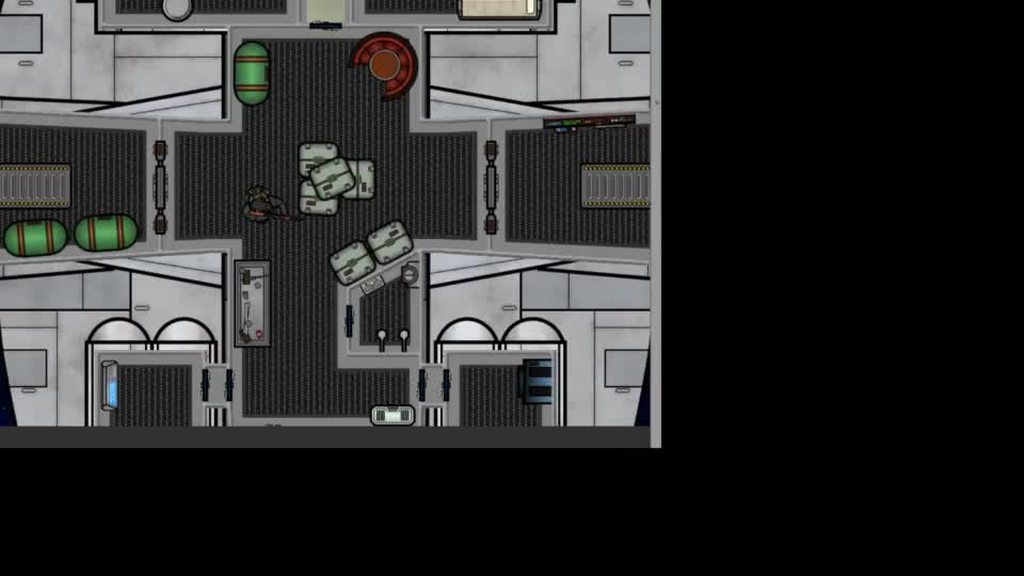

 shut wren
Hello, I´ve an issue with trying to export SVG files from illustrator to Unity 2019. The Unity package doesn´t seem to work properly so i used a another plugin named SVGImporter. It does work but i can´t seem to use thier components to code like you would with a sprite renderer. (sorry for the copy but i didnt knew in which channel to post it)
 frank summit
zinc bane
Hey not 100% sure where to ask this but I've got a problem of a flicker or blur ...
frank summit
zinc bane
Hey not 100% sure where to ask this but I've got a problem of a flicker or blur ...
i can't really see the problem there
zinc bane
It's the flickering of the ship sprite that just looks off.
You can see it best in the grates.
 ashen nova
@brave creek is AmountPlayer and AmountPlayerRB suppose to be some kind of index into those Lists your keeping track of?
The Start function is an odd way of doing it you can just do this and don't need AmountPlayer:
        {
            PlayerScr.Add(s.GetComponent<Movement>());
            PlayerRB.Add(s.GetComponent<Rigidbody2D>());
        }```
You already have a reference to the current player s will index Player[0], then Player[1] , etcAnd this code seems like it will skip some checks and eventually throw an index out of bounds exception after a while
        {
            if (coll.transform.name == Player[AmountPlayerRB].transform.name)
            {
                g.velocity = new Vector3(20 * Direction, g.velocity.y, 0);
                AmountPlayerRB++;
            }
        }```
It looks like AmountPlayerRB is starting out as the default of 0. But never being reset to anything. so it will go bigger than your Player[] LengthIt feels like your writing one script to collect every collision on every collider in your Scene. This is not the normal Unity way of doing things. You should make a script that just checks its own collider and attach it to each player
Then you don't have to make these big arrays and figure out which index of the collider just happneed
lean estuary
There are tutorials pinned in #💻┃code-beginner channel, they have examples. Also project examples.
tropic inlet
hey im a beginner, can i get a simple movement script code?
To what extent are you a beginner?
Are you a beginner at gamedev?
Or a beginner at programming?
Or both?
cuz gamedev and programming are two different things, although the former usually requires the latter
prisma ocean
Ello. I have a question: assuming I have a sprite and a UI panel, how would I set the panel to match the exact dimensions of the sprite on the screen?
craggy kite
What dimensions you are talking about? Pixel wise or just proportions?
prisma ocean
for example, if I right click on this (a gameobject)
then I want this panel to fit exactly around the object for any size sprite
craggy kite
Then you have to get the bounds of that sprite and put those on your selection sprite plus some padding if you want
prisma ocean
yes but how would I set the size of the panel correctly with those bounds?
craggy kite
You should checkout the documentation of the Unity UI components like recttransform and so on. https://docs.unity3d.com/2019.1/Documentation/ScriptReference/RectTransform-sizeDelta.html Checkout tutorials on how to access them by code.
prisma ocean
ty
        SpriteRenderer sprite = selection.GetComponent<SpriteRenderer>();
        Vector3 pos = cam.WorldToScreenPoint(sprite.transform.position);

        box.anchoredPosition = new Vector3(pos.x, pos.y, 0);
        box.sizeDelta = new Vector2(sprite.bounds.size.x, sprite.bounds.size.y);
Tried that but it doesn't seem to work
box is the panel's recttransform
craggy kite
Oh wait, you are mixing up UI and 3d space spriterenderer?
prisma ocean
Yes
I've just realized though
this needs to be an ingame sprite
don't want it moving with the camera lol
will probably make this a lot easier aswell xD
craggy kite
yeah, clean things up first conceptually, than we can continue here 😉
prisma ocean
I'm new to unity xD
craggy kite
Get into some tutorial series than first 😉 That will help you understand the basics of UI and stuff
prisma ocean
dw I am :p I just prefer to learn on the go
craggy kite
Yeah, common thing these days. Which will make you waste a lot of time if you find out the "right" way later and think, damn, I put all this work in this and there was just a button for it. 😄
prisma ocean
True, but if I don't figure things out myself then I have trouble remembering / learning
craggy kite
Oh for sure, you shouldnt just rebuild tutorials like, "How to make a game" thing, just like, how does the Unity UI System work, and then play around with it 🙂 good effort to learn it yourself tho, most people dont
Yeah, you did it! 🙂
prisma ocean
😄
added a little expand -contract animation for when you're close enough to interact with it
craggy kite
Nice, like your speed of solving it, such a rare thing 😉
prisma ocean
well it got the position alright
but that is actually just the default size of the box
craggy kite
Show the code 🙂
craggy kite
So is your box a spriterenderer or a UI element?
prisma ocean
spriterenderer
craggy kite
So both are spriterenderer? Did you debug.log the size of both after clicking ?
prisma ocean
I think I fixed it
box.size = new Vector2(sprite.size.x * trans.localScale.x, sprite.size.y * trans.localScale.y);
it's the right size now
yup it works now xDD
craggy kite
Uhh I like the animation style of your little snippet, curious what you are workin on tbh!
prisma ocean
workin on a space game 😄
craggy kite
You having like a dev log /blog or whatever? Or just doing it privately?
craggy kite
Nah, dont waste your time if you are not into it 😄 Usually people use like a free wordpress site to just post updates or youtube, but yeah, takes some time to do.
prisma ocean
ah
I mean I share a few snippets like that one on my instagram
but I don't share my social media stuff with the general public lol
time to work out crafting systems lol
craggy kite
Have fun and if you ever got on update, put it here too ! 😉
prisma ocean
will do 😄
 lusty tusk
Hi can I have some help? I'm making a 2D game and I want to customize my character and I thinked I can change sprite renderer but I can't do that. Is there any way to do that or can I do it better?
lusty tusk
when you press a button it calls a function what changes the player's spriterenderer's sprite value to an another sprite(like from a red cube to a blue circle)
 plush coyote
You can just swap out the sprite
change the spriteRenderer.sprite
you dont want to actually change the whole spriteRenderer component
plush coyote
// Drag all these in
[SerializeField] private Sprite _blueCircleSprite;
[SerializeField] private Sprite _redCubeSprite;
[SerializeField] private SpriteRenderer _spriteRenderer;

// Example
private void Start()
{
  // Switch to blueCircleSprite
  _spriteRenderer.sprite = _blueCircleSprite;
  // Switch to redCubeSprite
  _spriteRenderer.sprite = _redCubeSprite;
}
You can also GetComponent SpriteRenderer if you are doing that already
but yes, you have to have variables that contain the sprites you want
 lime zephyr
I'm trying to right movement for my character in 2D, however when I try to write the "CharacterController2D" variable, nothing comes up to select and the script doesn't work.
 tall current
@lime zephyr Maybe what you're looking for https://answers.unity.com/questions/1253636/the-type-or-namespace-name-charactercontroller2d-c.html
Unity is the ultimate game development platform. Use Unity to build high-quality 3D and 2D games, deploy them across mobile, desktop, VR/AR, consoles or the Web, and connect with loyal and enthusiastic players and customers.
lime zephyr
thanks
Well now, the script won't recognize inputs. I'm following Brackey's tutorial on 2D movement and I have everything working with no errors, accept the left or right arrows don't output a -1 or 1 input. It's just a 0 all the time. Should I send the script?
lusty tusk
Ok
Sorry but I can't fix your code
but I can offer you this
you have to define speed
@lime zephyr
tall current
hmm from your current code, the horizontalMove shouldn't be 0
that is strange yeah...
you're sure you've printed out the value of horizontalMove?
lime zephyr
Yes I'll try that thank you
lusty tusk
BTW I think he has good tutorials https://www.youtube.com/channel/UCFK6NCbuCIVzA6Yj1G_ZqCg

YouTube
Hello and welcome, I am your Code Monkey and here you will learn everything about Game Development in Unity 2D using C#. Check out the official website to do...
still tendon
i followed a script that makes the player jump and move around but the console is giving me an error
lime zephyr
So, I tired changing the value of horizontalMove, but all that does is make my character fall over I still can't control the character
lusty tusk
maybe you're have a missing component
lime zephyr
I don't know I have the exact same code as the tutorial
 bold pier
Sooo I have a bit problem in my script. Can you help me?
lime zephyr
Why did you say that you have an issue and not state the issue itself?
bold pier
To be short I want to make an animation on my text but in the skript wich I saw on tutorial and made it, I couldn't add animation.
bold pier
lime zephyr
Why did you say that you have an issue and not state the issue itself?
It was just my first time to asking questions in this server
lime zephyr
ok
 slate geyser
I have a question, what would be the best way of having mobs drop multiple items in a style such as sonic getting hit and losing his rings. I know that I can instantiate the different items and apply rigidbodies to them, but not sure how that would effect the performance?
I'm talking about 5 items max per mob drop.
plush coyote
instantiation and rigidbody is probably fine if its only a few items
if theres lots of enemies + lots of items, you might want to look into object pooling
slate geyser
I'd say at max there would ever be 10 mobs around, but thats pushing it in terms of enemies. 5x10=50, 50 items being instantiated and rigged for physics.
That does seem like a high number, then again. this is the worst of the worst that could happen.
plush coyote
I would say its probably fine to do it the instantiate rigidbody way
If its ever an actual issue, like, if you stress test and it actually drops fps
then I would look into other solutions
 fallow pivot
ive a wheeljoint2d and it's not really behaving how i'd expect it to
it just kinda moves wherever it want to
ive never worked with it before
i just want to make a skateboard D;
 leaden torrent
I made a script inheriting from Tile and am creating assets from said script, but every time I change a sprite on one asset, it changes the sprite for all of them. Is this expected?
leaden torrent
...I'm an idiot and locked the inspector
still tendon
oof I was just about to answer your question lol
If needed make a duplicate for one short instance. Don't change the overall default sprite, if necessary you can duplicate and modify
 rotund burrow
Can someone help me out im working on a 2 player pong game and im trynna make it so that player 1 uses w and s to move and player 2 uses the up and down arrow keys to move. The w and s keys work perfectly but when i use the arrow keys for some reason both the paddles move
tropic inlet
well
maybe has to do with how ur input settings are
are u using
Input.GetKey or
Input.GetAxis
 uncut sapphire
Need some help. 2d game, using rigidbody2d to move a character on the screen. Using GetAxis and the magnitude between the x & y in order to get the facing direction. It works, but it takes like 2 seconds for the character sprite to actually turn. And, if I hold down the move button, it won't turn until I release it.
rotund burrow
tropic inlet
are u using
Im using both
rotund burrow
tropic inlet
maybe has to do with how ur input settings are
i can show u my scripts
wait a sec

@tropic inlet
craggy kite
This is just moving the KeyCode or am I blind? @rotund burrow
Oh you are getting inputaxis vertical
Then check your input settings, I guess there as a standard binding for WS to feed vertical axis too
uncut sapphire
So, I fixed my other issues but having a new one now. When leaving an attacking animation, for a split second, unity displays the original front facing sprite from the sprite renderer before moving to the appropriate idle animation. Any clue on how to prevent this?
 crisp prism
I can't find a UI scripting channel so going to post in here. I am in the midst of creating a mathematical serious game for a university project, however i want to display the Z-axis rotation of the "launcher" as text using TMP.
I am struggling to find what code to use for detecting the Z-axis rotation and converting it into a string, currently i have this;
craggy kite
You cant access myGameObject right when you declare the int RotationZ
 pseudo geyser
Does trail render works on sprite and ui elements?
crisp prism
@craggy kite should i move it into a void then?
craggy kite
in the start for example
crisp prism
okay, thanks. Its now telling me to convert the float to int, but thanks for assisting
craggy kite
Ah yeah, you could typecast or just make it float, which makes more sense for a rotation
crisp prism
it would usually be fine as a float, however since im making a mathematical game, which is angle-based for this mission. Having the correct angle being full number will help a lot when creating the maths questions that players need to work out
craggy kite
Ah got it, yeah, then you can typecast or convert to int / round it
prisma ocean
so I set the size of a sprite to the size of another sprite and it's bigger lol:
(dotted line)
works with other things like this container
ah fixed it, was a problem with my maths lol
was multiplying the buffer with the scale aswell lol
prisma ocean
strangely I get stuck on something for like 20 mins then solve it like 20 seconds after asking about it
xD
lime zephyr
I'm trying to right movement for my character in 2D, however when I try to write the "CharacterController2D" variable, nothing comes up to select and the script doesn't work.
https://cdn.discordapp.com/attachments/763500535554375750/780465743153070110/playermovement.cs
pseudo geyser
I need help wth 2d logic
Seems like Untiy cannot detect the collisions of the object I'm dragging with the mouse is that right?
summer hornet
are there any 2d scripting tutorials out there that arent just like "put in this charactercontroller lol"
prisma ocean
@pseudo geyser are you setting the object's position to the mouse's position?
pseudo geyser
prisma ocean
<@!338973647479898113> are you setting the object's position to the mouse's posi...
you mean the one I drag?
prisma ocean
yes
pseudo geyser
I use public void OnPointerDown(PointerEventData eventData) { dragRectTransform.SetAsLastSibling(); }
prisma ocean
ah don't know that
pseudo geyser
wait I passed wrong code
    {
        dragRectTransform.anchoredPosition += eventData.delta / canvas.scaleFactor;
    }
this is the one that changes the Transform
 keen locust
hi anyone know how to create an inventory system using sprite?
spring ledge
Thats a... broad question
pseudo geyser
I'm having issue on reproducing basic 2D collision between a moving object and a wall, both have a Boxcollider2D, the moving object have also Rigidbody and "OnCollisionEnter" in script
what am I missing?
 fickle prairie
@pseudo geyser use OnCollisionEnter2D
fickle prairie
pseudo geyser
I'm having issue on reproducing basic 2D collision between a moving object and a...
Your wall will also need a rigidbody2d - if you don't want it to move, set the body type to static
pseudo geyser
Thanks for the tip buddy but after trying too many times with 2D physics I switch to 3D one
fickle prairie
pseudo geyser
Thanks for the tip buddy but after trying too many times with 2D physics I switc...
Hey whatever works for you!
brave creek
https://hatebin.com/ijnuwpwwqf heyo, i've been trying to make it so my character gets thrown to the side when he activates 'dropAir', but for some reason it just doesn't do anything, while the console doesn't give me any errors (even in runtime) and the rest of the script works fine (i assume something wrong with line 35)
fickle prairie
brave creek
https://hatebin.com/ijnuwpwwqf heyo, i've been trying to make it so my character...
I think it's the way you're checking equivalency - can you set a breakpoint and make sure it goes in to the if block on line 33-37?
Does coll.transform.name == Player[AmountPlayerRB].transform.name ever equal true?
brave creek
yeah it does equal true at times, since line 41 works fine
fickle prairie
brave creek
yeah it does equal true at times, since line 41 works fine
And direction is not 0?
brave creek
yeah it's either -1 or 1, depending on which ramp
fickle prairie
The way you're indexing these arrays looks off. On line 33 you're using AmountPlayerRB, but in 23-25 you're using AmountPlayer. Why have two separate variables? Will there ever be a player without a rigidbody? Shouldn't those two values always be the same?
brave creek
AmountPlayer is for the Awake function, while RB is for the foreach on line 33
i've tried it before but if i recall correctly it didn't work well
fickle prairie
Because your foreach loop is not correlated with the actual Player index you are using
A practice that has helped me is getting a piece of paper and trying to simulate your own code - what kind of values will be in AmountPlayerRB? even though you said line 41 works, you are not checking the same thing on line 42 as you are on line 33
brave creek
yeah, that could probably help, but i've tried currently all the other foreach's and they all work like they should at least, except the problematic one offcourse
fickle prairie
so what's the difference between them?
if one works and another doesn't, the difference between the two is where to look
if (coll.transform.name == Player[AmountPlayerRB].transform.name) is different from if (coll.transform.name == s.transform.name)
what value are you expecting to be in AmountPlayerRB?
brave creek
the difference i assume could have to do with Rigidbody g, and replacing it with GameObject s for example
generally 1-4 are the expected values for AmountPlayerRB, which is currently correct
fickle prairie
So let me ask - why loop through all your players each time any of them collides with something? Doesn't coll have information about the individual player that collided"?
brave creek
yeah, i have no real idea why i did that, i was i assume just very tired at the moment, but this could really help for optimization yeah
fickle prairie
try coll.GetComponent<RigidBody2D>().velocity = ....
might want to make sure it's a player first
but you get the idea
brave creek
yeah, thanks!
fickle prairie
Happy to help 🙂
brave creek
also thanks for not just spoonfeeding code, like some others do, and instead let the coder try to solve the problem, albeit with some help!
fickle prairie
Good luck! I'd suggest doing some dedicated C# programming classes, it will take time but will make things much easier moving forward.
brave creek
yeah, i've tried some, but not in all that advanced categories, so i'll try that.
 buoyant nebula
How can I check if the x position is currently decreasing?
 woeful temple
u can get the previous x position and compare it with the new one by minusing it
like
float xDelta;

void Update()
{
  if(transform.position.x - xDelta < 0)
    //X is decreasing

   xDelta = transform.position.x;
}hmmm, how would i make it a bool though?
woeful temple
set the bool to this line transform.position.x - xDelta < 0
buoyant nebula
i dont think i understand...
wait...
hm yeah it isnt working...
public bool goingLeft = false;
public float xDelta;
if (transform.position.x - xDelta < 0)
        {
            xDelta = transform.position.x;
            goingLeft = true;
        } else
        {
            goingLeft = false;
        }
its simple just make a float called xDelta or smth den subtract it from ur x pos den dats how much u moved it the last frame then sent xDelta to the x pos after ur check
dont put it inside
put it out side of the if statement
after the if statement
buoyant nebula
public bool goingLeft = false;
public float xDelta;
if (transform.position.x - xDelta < 0)
{
       xDelta = transform.position.x;
} else
{
       goingLeft = false;
}
goingLeft = true;
like that?
woeful temple
no the xDelta
the going left can stay inside
just put ur xDelta line outside
also flip the if
xDelta - transform.position.x < 0f
public bool goingLeft = false;
public float xDelta;
if (xDelta - transform.position.x < 0)
{
        goingLeft = true;
} else
{
       goingLeft = false;
}
xDelta = transform.position.x;
der now it should work
are u using any input from the player? like the player can use wasd?
buoyant nebula
yes
woeful temple
den i think u can just use Input.GetAxisRaw("Horizontal") < 0f
no need for the float delta
woeful temple
woeful temple
```cs
public bool goingLeft = false;
public float xDelta;
if (xDelta - transform...
u can use dis if u move without wasd
buoyant nebula
give me a moment
woeful temple
ok
woeful temple
np
 north geyser
heyo, I need some help regarding some basic movment that involve running/crouching in 2D unity
for context: I finished making the character run left and right no problem, and made the animation follow along.
but each time I press down to crouch, it takes about 1 second approx to be able to move again, the animation works, but not the velocity
civic knot
@north geyser share some code and we might figure it out.
pseudo geyser
I need help with 2DBoxCast
I'm setting the parameters but I have issue with results
does it need an array of RaycastHit2D to put values in?
the documentarion is really poor
tropic inlet
the documentarion says it only returns one RaycastHit2D
https://docs.unity3d.com/ScriptReference/Physics2D.BoxCastAll.html
but this version returns an array of RaycastHit2D^
two different versions
BoxCast, and BoxCastAll
 pearl patio
Can someone help me with this ?
I made a pointer that follow the mouse position, it's a sprite renderer that goes at Camera.main.ScreenToWorldPoint(Input.mousePosition).
I move the camera with cinemachine, and the main camera has the pixel perfect component. It follows the white circle that move with the velocity of its ridgibody.
But I don't know why, the pointer moves a bit when the mouse doesn't move but the camera does. I tried multiples things but none of them worked.
Anyone has an idea to help me ?
the white circle seems to have the same problem too
actually I can fix the circle problem easily, but it doesn't fix the pointer problem
spring ledge
Where are you moving the cursor
 tidal hull
hey
I need simple character control code
which has
jumping
walking side-to-side
uh
can anyone here yelp me with those
i don't know C# much for making game in Unity
🥲
lean estuary
@tidal hull Please don't spam the channel. There are tutorials pinned in #💻┃code-beginner
tidal hull
okay Thanks :D
 river surge
tidal hull
i don't know C# much for making game in Unity
river surge
tidal hull
i don't know C# much for making game in Unity
Hello, there are a few tutorials in youtube
pearl patio
spring ledge
Where are you moving the cursor
I almost don't move it in the video,
Basicly when it move a bit and get back to it's position is where it bug
But more precisly I'm moving it a bit at the middle of the video and at the end
 pastel flax
Is there any way to drag and drop material from sprite renderer? Script is able to get it from code but I can't drag and drop it. My object is made from multiple children objects so I want to have all of them in one list, group or something like that.
material = GetComponent<SpriteRenderer>().material;
did you try making it a material first?
pastel flax
I have material but when I click it I'm unable to grab it. Code is able to grab it but I have multiple children objects so I'm looking for way how to solve it. I could duplicate material few times and work on duplicated material but I'm pretty sure that's bad idea
spring ledge
pearl patio
I almost don't move it in the video,
Basicly when it move a bit and get back to ...
I meant in code, where do you set its position
spring ledge
hm
pearl patio
changing it to fixed update or a normal update doesn't change anything
I also tried to change the script execution order to play after the cinemachine script but it didn't work
 upper wedge
I have a sprite that I scaled down to 0.23 X and Y, when I play the animation it puts the sprite back to 1 X and Y, how to keep it the same scale?
fervent ermine
how do i rotate an object with code? quaternions are weird and i dont know how they work
pearl patio
fervent ermine
how do i rotate an object with code? quaternions are weird and i dont know how t...
to rotate an object you just type transform.rotation = new Quaternion(x, y, z, w);
put w to 0, it won't change anything in 2D, or at least it never for me so it should be the same to you
 ruby karma
transform.rotation = Quaternion.Euler(x,y,z)```
is easier. Consider x,y,z the numbers you put into the editorin the animation you have to delete the scale propriety
fervent ermine
its giving me an error when i tried the euler thing
oh nvm im dumb
i still have new at the begining
YES
it works
thx
upper wedge
Could I add the scale property and set it to 0.23?
pearl patio
you could but that's not recommended, like if you do that you won't be ever able to change the scale of your player since the animation put it constantly at 0.23
but hum, can you screen shot your screen ? Maybe I can see something else that change the scale of your gameobject
upper wedge
void Update()
    {
        anim.SetBool("Grounded", grounded);
        anim.SetFloat("Speed", Mathf.Abs(Input.GetAxis("Horizontal")));

        //move left
        if (Input.GetAxis("Horizontal") < -0.1f)
        {
            transform.localScale = new Vector3(-1, 1, 1);
        }

        //move right
        if (Input.GetAxis("Horizontal") > 0.1f)
        {
            transform.localScale = new Vector3(1, 1, 1);
        }
}
    private void FixedUpdate()
    {
        //left/right movement
        float h = Input.GetAxis("Horizontal");

        //moves player when movement keys pressed
        rb2d.AddForce((Vector2.right * speed) * h);

        //limits the players speed
        if (rb2d.velocity.x > maxSpeed)
        {
            rb2d.velocity = new Vector2(maxSpeed, rb2d.velocity.y);
        }

        if (rb2d.velocity.x < -maxSpeed)
        {
            rb2d.velocity = new Vector2(maxSpeed, rb2d.velocity.y);
        }
    }
That's about it
upper wedge
I see it now
pearl patio
so what you can do is
upper wedge
Is that the (-1, 1, 1)?
pearl patio
yes
upper wedge
I got it, thank you, I also have another weird error that when I move right it's smooth but when I move left it is glitchy
pearl patio
private SpriteRenderer sprite;

void Start(){
sprite = GetComponent<SpriteRenderer>(); // or GetComponentInParent<SpriteRenderer>() if the sprite is in the parent gameObject / GetComponentInChildren<SpriteRenderer>() if the sprite is in child
}

        anim.SetBool("Grounded", grounded);
        anim.SetFloat("Speed", Mathf.Abs(Input.GetAxis("Horizontal")));

        //move left
        if (Input.GetAxis("Horizontal") < -0.1f)
        {
            sprite.flipX = true;
        }

        //move right
        if (Input.GetAxis("Horizontal") > 0.1f)
        {
            sprite.flipX = false;

        }
you can do this
to flip the sprite
and to move the sprite you should use
rb2d.velocity = new Vector2(Input.GetAxis("Horizontal"), Input.GetAxis("Vertical")) * speed;
velocity is better for movement than addforce