#🎥┃cinemachine
1 messages · Page 18 of 1
 royal tartan
you can't modify Quaternion components and expect them to work like euler angles. They aren't euler angles
 modest brook
oh k i got it, thanks
 royal tartan
Try restarting Unity and/or your computer
 grave depot
worked, ty <3
 delicate ingot

Again this error. I reinstalled and updated cinemachine since it last happened 😦

I am so.. so confused..
Why does turning a simple freelook camera into a prefab cause such a massive problem?
 crimson vapor
Hi all, quick question. I'm not sure if this is the right place to ask, but can you have a camera zoomed in to 200%?
I'm working on a game with 16x16 grid size and the artwork is a bit small, but it looks just as good at 200%
royal tartan
crimson vapor
Hi all, quick question. I'm not sure if this is the right place to ask, but can ...
I don't understand the question. First, what does "zoomed in to 200%" mean? Zooming happens either by changing camera position or FOV(perspective) or changing orthographicSize (orthographic)
Beyond the actual definition, are you asking for permission, or what?
crimson vapor
Sorry let me clarify. This is a 2D game with no camera rotation, I think orthographic view. I would like the camera to be zoomed in at 2x resolution.
royal tartan
crimson vapor
Sorry let me clarify. This is a 2D game with no camera rotation, I think orthogr...
Right, I addressed this in my previous comment
you can check if your camera is perspective or orthographic by looking at the Camera component and seeing what it's set to
 tropic lintel
How do I access Cinemachine FOV, aim sensitivity, and noise?
royal tartan
tropic lintel
How do I access Cinemachine FOV, aim sensitivity, and noise?
FOV is in the Lens settings: https://forum.unity.com/threads/cinemachine-how-to-add-zoom-control-to-freelook-camera.505541/#post-3295546
Aim sensitivity is not really a concept in CInemachine. That'd be part of your input code
Noise: https://forum.unity.com/threads/changing-cinemachine-cirtual-camera-noise-values-with-c-script.490137/#post-3195436
 frigid tide
Hello there,
I have a hard time on the set up on my camera.
I don't understand why it un zoom before switching in 3D + perspective.
Also when switching back to orthographic top view, it zoom back too much and then zoom again to my square.
I'm using a transition style "Hard In" currently but I don't know how to improve this

 errant shard
frigid tide
Hello there,
I have a hard time on the set up on my camera.
I don't understand w...
errant shard
frigid tide
Hello there,
I have a hard time on the set up on my camera.
I don't understand w...
https://forum.unity.com/threads/shot-transition-from-perspective-to-orthographic.778298/
You fundamentally cannot interpolate between orthographic and perspective, but you can fake it
 warm verge
Hello, I have set up a dolly track and virtual camera and it follows the third person character fine, but when i get to a turn, it goes to fast? any suggestions
tropic lintel
I'm making a mobile game, my Cinemachine camera for some reason goes along with my joystick when pressed
eg if I swipe my joystick up the camera also looks up
errant shard
tropic lintel
I'm making a mobile game, my Cinemachine camera for some reason goes along with ...
Some Cinemachine components (e.g. FreeLook, POV, OrbitalTransposer) require user input to position or orient the camera. By default, Cinemachine gets user input by querying the standard Unity Input.GetAxis(name).
 frosty pasture
Anyone here got much experience with warping cameras during a blend and keeping the blend smooth?
As a rough example to what I want, imagine a camera in space looking down at the world, and blending between a Tokyo virtual cam (139 longitude) and a Los Angeles virtual cam (-118 longitude).
A normal linear blend would move west, across Asia, Europe, the Atlantic, then America - but you'd normally want it to go the other way, across the Pacific, to the east,
So I'd set another vcam to an imaginary point further east of Tokyo, where Los Angeles would be if you 'unwrapped' the world.
That would start the camera blending in the right direction, but at some point over the pacific the main camera would need to warp from 180 (maximum east) to -180 (maximum west), and that's the specific bit I'm having trouble with. Changing the target of the blended-to camera at that point is easy enough but there's a big discontinuity in the movement which I guess is because the virtual camera I'm blending from needs to move (or be replaced) as well.
frosty pasture
Looking at the code, I'm hopeful that I can get what I need using something like StaticPointVirtualCamera or creating a custom blend like in CinemachineVirtualCameraBase.CreateBlend but I'd appreciate any guidance
Actually, maybe BlendSourceVirtualCamera is even better for what I need - if I can capture the existing blend state at the point where I wrap around then hopefully the camera can continue to blend to the next position smoothly?
frosty pasture
Alternatively, an even cleaner approach would be an entirely custom blend policy where I can manage the wrap-around internally - is that possible?
 latent current
how do I access Cinemachine in a script so I can change the follow during runtime?
 frosty pasture
Get the CinemachineVirtualCamera component from the Virtual Camera, then change the .Follow member to whichever Transform you need
latent current
thank you although for some reason VS isn't thinking cinemachine is valid even after restarting it

no errors in unity itself though
frosty pasture
Sometimes VS gets it wrong.
latent current
also the value isn't simply .follow for some reason
frosty pasture
Upper-case F
latent current
o
 tranquil berry
Go to Edit / Preferences / External Tools in Unity, make sure registry packages is ticked and hit the regenerate project files button
then go back to VS and see if it's fixed
latent current
thank you
that fixed it
anyway adding that now caused a duplication glitch and it doesn't even change the follow value

 frosty pasture
That function only creates one object, so you're probably calling it too often
latent current
it worked perfectly fine before I added the newPlayer portion
there'd only be one player at a time no matter what
... for some reason going into play mode doesn't keep the virtual camera I manually set
 tranquil berry
are you overriding it with GetComponent
latent current
at least it kind of works when I do this
latent current
tranquil berry
are you overriding it with GetComponent
you're right damn I forgot to remove that line
I'm so tired
now it's fully functional and automated thanks to that getting sorted out
 desert parcel
Hey I am using a lot of polygon colliders for cinemachine camera bounds, but its a 2d game so they are very often just squares... but making perfect squares out of polygon colliders is a tedious process. I want to speed up my workflow here, what is the best way to do this?
one idea I have is to make a prefab that is just an invisible square texture with a physics shape... I believe this would create a usuable polygon collider for cinemachine, but im not entirely sure
is there any other good ideas for quick making and resizing rectangular polygon colliders??
desert parcel
desert parcel
Hey I am using a lot of polygon colliders for cinemachine camera bounds, but its...
oh this actually works pretty well
warm verge
No disrespect to cinemachine because they allow for lots of cool stuff but
i just can't work with the amount of jitter this thing has by default 😭
 long creek
I got 0 jitter with cinemachine
royal tartan
warm verge
i just can't work with the amount of jitter this thing has by default 😭
There's 0 jitter unless you've done something wrong
warm verge
Thats pretty weird because for default it gives me jitter and all solutions i have tried so far don't work for me
and i mean major jitter that it feels almost unplayable
frosty pasture
Is your frame rate uneven?
Or maybe the object the camera is following doesn't move smoothly?
royal tartan
warm verge
Thats pretty weird because for default it gives me jitter and all solutions i ha...
What does "default" mean?
There's no "default" setup
warm verge
frosty pasture
Is your frame rate uneven?
Or maybe the object the camera is following doesn't m...
It is consistent, it just whenever i move it around it skips
so when you move around it looks like it lags
royal tartan
warm verge
so when you move around it looks like it lags
classic symptoms of mismatched update cadence between the camera and its target (body or look)
frosty pasture
Lag and jitter are quite different - you'd expect lag if the cameras have damping, but no jitter. Jitter is possibly down to the wrong update choice, as just said
 neon heron
Hey guys anyone know what the problem is? It works as intended in the Editor, but as you can see in the dev build it does this thing. Im using a Cinemachine Cam, (Freelook and Collidor if that helps)


 royal tartan
neon heron
Hey guys anyone know what the problem is? It works as intended in the Editor, bu...
royal tartan
neon heron
Hey guys anyone know what the problem is? It works as intended in the Editor, bu...
I'd guess your Cinemachine Collider is occasionally colliding with some part of your character or its accessories
neon heron
my character/accessories dont have colliders, only skinned meshes
royal tartan
neon heron
my character/accessories dont have colliders, only skinned meshes
It has no collider at all? Surely it has a CharacterController at least
Otherwise how is it colliding with the environment?
A CharacterController is a collider, if you were not aware.
neon heron
yeah i use a charactercontroller
but for some reason its only doing that thing at a specific angle when i turn the camera?every other angle it works fine
royal tartan
See what happens if you exclude the CCs layer from the Cinemachine Collider
Or tag or whatever I forget how it works :)
 tired lintel
Hey! Camera work is not my strong suit in regards to my teams project, but I have free time and want to fix some of the last 1% things I see regarding camera positioning and timing.
So I have 2 questions: 1) how do I actually go about editing a recorded camera pieces efficently without needing to do something as crazy as re-recording it 2) how do I view the cameras viewpoint when in the scene view?
Here is the timeline in question.

 craggy notch
tired lintel
Hey! Camera work is not my strong suit in regards to my teams project, but I hav...
craggy notch
tired lintel
Hey! Camera work is not my strong suit in regards to my teams project, but I hav...
- You can press the big grey "solo" button in the inspector.
- You can edit it by converting it to a clip track , and then manipulate in timeline
errant shard
This is called the "confiner"
https://docs.unity3d.com/Packages/com.unity.cinemachine@2.8/manual/CinemachineConfiner.html
If you download cinemachine examples from the package manager you can find a demonstration of this and many more camera features used in that video
 gleaming tiger
Thanks a lot! it works
 plucky pond
hi my cinemachine on my character is pretty jumpy, is there any way to fix this?
 upbeat knoll
Cinemachine works fine for me when the camera is always oriented as if standing on the ground, with 'up' being vertically up. But my characters fly - can do somersaults, loops, etc - and this seems to break every combination of CM mode/setup/module. It seems that all of them are hardcoded to assume that no camera would ever rotate fully around x axis. Is there something I'm missing?
I've been through the docs, tutorials, etc. Can't seem to find any that cover rotation around x
plucky pond
plucky pond
hi my cinemachine on my character is pretty jumpy, is there any way to fix this?
it keeps jumping up and down as i move the camera while my character moves
this is my setup
    private void MovePlayer()
    {
        Vector2 movementV2 = input.OnFoot.Movement.ReadValue<Vector2>();
        Vector3 movement = new Vector3(movementV2.x, 0f, movementV2.y);
        Debug.Log(movement);

        Vector3 move = cameraTransform.forward * movement.z + cameraTransform.right * movement.x;
        move.y = 0f;

        controller.Move(move * moveSpeed * Time.deltaTime);
}``` upbeat knoll
Cinemachine works fine for me when the camera is always oriented as if standing ...
upbeat knoll
upbeat knoll
Cinemachine works fine for me when the camera is always oriented as if standing ...
facepalm. The Unity Inspector was cutting off the text for the BindingMode dropdown: it said "Lock to Target". But it was actually set to "Lock to Target ... With World Up" (the last three words not visible without resizing the inspector). LOL.
 near gazelle
Can a cinemachine camera be made to follow only one axis?
royal tartan
near gazelle
Can a cinemachine camera be made to follow only one axis?
you can put it on a dolly track so it will only move along that track
You could also just make an object that follows your object only on one axis very easily, e.g. with a PositionConstraint - and have your camera follow that object
near gazelle
Thanks bro
long creek
it's mostly happening when sprinting
 rustic fulcrum
not sure if this is a cinemachine question, more like a general question about the camera
*although I am using cinemachine
I'm working on a 2d game using 3d objects with an orthographic camera to give it an illusion as "2d."
how would I add the illusion of depth? let me show some examples


you can see that the background is the background


*i havent added textures yet
**I'm trying to make sure the player cant see the sides of other objects, which is why im using orthographic (gameplay depends on it)
rustic fulcrum
could anyone help me out with this? ^^
long creek
Seems to me like you wanna clamp the camera so it doesn't go too much to the left or right
rustic fulcrum
long creek
Seems to me like you wanna clamp the camera so it doesn't go too much to the lef...
i'm not really sure what you mean by that?
long creek
clamping is pretty much making sure it doesn't go below or above a certain point.
Your camera is probably centered on your character, that way it will always go out of screen
you can follow the character with the camera, but when the camera reaches a specific point on the x-axis, you need to unfollow the character and clamp the camera to like 0 on the x-axis, until the character is far enough from the wall again.
rustic fulcrum
long creek
you can follow the character with the camera, but when the camera reaches a spec...
no, i know what you meant
but I am asking how does that help?
long creek
you asked what it meant xD
long creek
long creek
Your camera is probably centered on your character, that way it will always go o...
.
rustic fulcrum
yes
i think you may have misunderstood my question
I am trying to add some illusion of depth to my orthographic game
as you can see here

you cant tell whats what
 rustic fulcrum
**I'm trying to make sure the player cant see the sides of other objects, which ...
rustic fulcrum
rustic fulcrum
**I'm trying to make sure the player cant see the sides of other objects, which ...
i think you misunderstood this, which was me basically saying i wanted to make sure that plrs ccant see the sides of objects yk
 long creek
rustic fulcrum
**I'm trying to make sure the player cant see the sides of other objects, which ...
long creek
rustic fulcrum
**I'm trying to make sure the player cant see the sides of other objects, which ...
ah, by this line I understood that you didn't want the camera go out of screen
rustic fulcrum
ah
rustic fulcrum
long creek
ah, by this line I understood that you didn't want the camera go out of screen
would you happen to know any solutions or tricks for the depth?
long creek
how about slightly rotating the camera down in normal view?
also by slightly blurring the background, you can add some depth
rustic fulcrum
long creek
how about slightly rotating the camera down in normal view?
ah, thank you, i'll try that
since currently, it's just a flat view
long creek
i'm sorry I can't help more, i'm not really into 2d game making
rustic fulcrum
long creek
i'm sorry I can't help more, i'm not really into 2d game making
ah, its okay, the rotation of the camera is a nice temp solution
 civic lagoon
I have a question about Cinemachine Camera.
I have two/ more Cinemachine cams:
1 cam is to handle the camera shake
And the remaining cams are used to move between zones using Camera Confiner. But when I added the zones cameras, my camera shake does not work anymore. Are there anything that I did wrongly here?
 long creek
Add the impulse listener to each camera? Because I believe only the active camera will listen to it
errant shard
@rustic fulcrum Illusion of depth can be done by having objects inherit some of the camera's motion/position
For the sky/horizon to appear at infinite distance, it would inherit 100% of the camera's motion, while things in the foreground would inherit 0%
Things in between would mix their position with the camera's position to some percentage between 0 and 100
(This is not practical with 3D meshes, unless you find a way to move each and every vertex according to distance from camera while modifying the bounding boxes so the meshes don't get culled randomly)
But for sprites it's as simple as "get starting sprite position, get camera position, set sprite position to a Lerp between them"
rustic fulcrum
errant shard
<@!325513335753932801> Illusion of depth can be done by having objects inherit s...
i see, i'll check it out, thanks!
 woeful granite
How can I disable and enable my cinemachine when I have my pause menu up?
errant shard
woeful granite
How can I disable and enable my cinemachine when I have my pause menu up?
Just as usual
I assume what you really want to know is how to allow blends to happen with zero timescale?
There's a setting to ignore timescale in the Brain component
woeful granite
errant shard
Just as usual
I assume what you really want to know is how to allow blends to ha...
I want to know how to stop my cinemachine from moving around when im in a menu
 stiff smelt
Does anyone know if there's a way to make it so the Cinemachine doesn't move if the mouse isn't hovering over something?
The main part I'm having trouble with is making it so the Cinemachine can't move
royal tartan
Be more specific. "The Cinemachine" could mean a lot of different things.
woeful granite
errant shard
There's a setting to ignore timescale in the Brain component
i don’t want it to ignore
warm verge
Hello 🙂 Is there anyway to adjust the virtual cam so that we have a similar result on all different mobile screen resolutions? 🙂
warm verge
warm verge
Hello 🙂 Is there anyway to adjust the virtual cam so that we have a similar res...
Would it be enough to calculate the diference of resoltution and adjust/multiply lens -> field of view?
 hollow steeple
How do you set the Cinemachine Track binding through script? I am instantiating a timeline and need to set the cinemachine camera field.
 old gust
Hi guys
I started a unity game project for a class project and im kinda stuck my virtual camera keeps identifying the side of my character model as the front 😢 i have a link to the model if you need

 bronze moon
 opal zealot
The cinemachine camera isnt moving smoothly
opal zealot
The cinemachine camera isnt moving smoothly
hard to tell without a vid
opal zealot
I already solved it
warm verge
Hey is there any way to set game view to fix width instead fix hight when working with cinemachine? So that when we have another resolution what we see in hight will change but what we see in width is constant?
old gust
I know you can lock the values if you are using orbital camera configuration I’m not sure about the other configurations of cinemachine
desert parcel
anyone know why I'm getting this error, despite the line working and doing exactly what I want it to do?
private void Awake()
    {
        cmBrain = CinemachineCore.Instance.GetActiveBrain(0);
    }```

error:
``ArgumentOutOfRangeException: Index was out of range. Must be non-negative and less than the size of the collection.
Parameter name: index
CinemachineShake.Awake() (at Assets/CinemachineShake.cs:22)``like, its getting the correct reference, everything associated with cmBrain is working as intended
but its throwing me this error everytime that awake runs
 worldly nova
there are no active brains
desert parcel
then how am I getting the correct reference here?
vcam = cmBrain.ActiveVirtualCamera.VirtualCameraGameObject.
GetComponent<CinemachineVirtualCamera>();```this line works, despite that error ^
worldly nova
Does it also work if you comment out line 22?
desert parcel
nope
I get NullReferenceException: Object reference not set to an instance of an object CinemachineShake.GetCurrentVCam () (at Assets/CinemachineShake.cs:31)
desert parcel
desert parcel
then how am I getting the correct reference here?
```cs
vcam = cmBrain.ActiveVir...
line 31 being this line
worldly nova
Put a debug.log inside Awake to see how many times it's called
desert parcel
like I said... the awake line IS working, its just throwing an error too for some reason
desert parcel
worldly nova
Put a debug.log inside Awake to see how many times it's called
only once
worldly nova
desert parcel
like I said... the awake line IS working, its just throwing an error too for som...
and now we're trying to figure out why it throws an error
desert parcel
well yea, that was the original question
its working despite the error, and its only running awake once, if I comment out the awake line, I get a null reference as expected
worldly nova
Did you put the log before or after line 22?
desert parcel
it doesnt matter? it was just Debug.Log("test") in awake
worldly nova
of course it matters
if you put it after, it won't show if there's an error on the previous line
desert parcel
ah, well
it was after
worldly nova
then Awake is being called twice
desert parcel
so the debug.log is also working despite the error
what it just skips line 22 on the 2nd awake run??
worldly nova
Awake is called twice. The other time it throws an error and it doesn't run the debug line. The other time it doesn't throw an error and it reaches the debug.
you probably have two objects that have this component
desert parcel
weird, you're right, I put the debug before the other line and it ran twice
so... why is it erroring on the first attempt?
oooh
worldly nova
because there are no active brains
desert parcel
I see
ok, I think have the script on another object in my scene
because I was working on it before, then changed the premise of the script
annoying that the debug log doesnt tell me what object contains the instance of the script thats erroring
worldly nova
Debug.Log("something", this); and you can then click on the log message to see which object it is
or Debug.Log("This is " + name); to just print the name of the object
desert parcel
wait no, now Im really confused, I removed the duplicate script and im still getting the error, but only 1 test log (its before the cmBrain = line)
ugh ok, I see whats going on
so I have this script in my main camera, thats where I intended for it to go
it was also in my virtual cam accidently.... where it was WORKING
the one in the main cam is not working, its not finding the brain
so I think I need to change my method for accessing the brain
What Im trying to do here is get the active virtual camera from outside the vcam object, because I dont want to have to put this script on every single vcam
cmBrain = GetComponent<CinemachineBrain>();
 vcam = cmBrain.ActiveVirtualCamera.VirtualCameraGameObject.
            GetComponent<CinemachineVirtualCamera>();```

this doesnt seem to work... I dont get a null reference, but its not causing the screenshake effect on my current vcamI even tried serializing the cmBrain field and dragging the main camera in so I dont need to get the reference in awake
why does it work when the script is on the vcam object, but not on anything else??
I guess I need to go back to my very first question when I started this:
How do I get a reference to the currently active virtual camera from outside of the vcam object??
I figured I could get it from the Cinemachine brain since that has the field Live Camera which is a reference to exactly what I want
vcam = CinemachineCore.Instance.GetActiveBrain(0).ActiveVirtualCamera.VirtualCameraGameObject.
            GetComponent<CinemachineVirtualCamera>();```

good lord this line is a mess, but it checks outbut damn, it didnt work
im not getting any errors, so i'm not sure whats wrong
desert parcel
ok, theproblem was my event, figured it out
desert parcel
desert parcel
```cs
vcam = CinemachineCore.Instance.GetActiveBrain(0).ActiveVirtualCamera.Virt...
this line is hideous but it works
 quasi igloo
Hi all, I am trying to implement a simple freelook camera to follow my 3rd person avatar in VR -- but having issues. Has anyone else had challenges here? The main camera does have a cinemachine brain implemented that references the freelook camera. The game scene previews the camera properly but when launching on my oculus (using Link), the freelook camera doesn't work. The main camera utilizes the initial XR Origin camera settings on play in Oculus
royal tartan
quasi igloo
Hi all, I am trying to implement a simple freelook camera to follow my 3rd perso...
you're trying to use FreeLook in a VR game? How is that supposed to work?
old gust
I’ve never played or herd of a 3rd person vr if you get it working pls send
royal tartan
Basically anything in a VR game that takes camera control away from the actual VR rig is a recipe for extreme motion sickness
I'd be very curious to see what the idea is here
 mighty sigil

 versed flume
Hey, does anyone know how to disable the zoom out effect in Cinemachine Freelook? I find it quite annoying
or at least to tweak it slightly
camera with player at 0 speed


then once the player speeds up, it gets zoomed out like this
 rain basin
Anyone know how I can add collision to my camera?
I hear people talking about the "Cinemachine Collider" component but when I search that up nothing is appearing
 errant shard
rain basin
I hear people talking about the "Cinemachine Collider" component but when I sear...
errant shard
rain basin
I hear people talking about the "Cinemachine Collider" component but when I sear...
It's not a component, it's an extension
https://docs.unity3d.com/Packages/com.unity.cinemachine@2.3/manual/CinemachineVirtualCameraExtensions.html
errant shard
versed flume
Hey, does anyone know how to disable the zoom out effect in Cinemachine Freelook...
Are you sure it's a zoom out? If your camera Body has positional damping, it will follow the target with a delay and drag behind
versed flume
errant shard
Are you sure it's a zoom out? If your camera Body has positional damping, it wil...
oh thank you!
zoom was just the best word I had to describe it
thanks
also, is there a way to make the fov higher the more speed you have?
errant shard
versed flume
also, is there a way to make the fov higher the more speed you have?
Use a script to track the speed and set the vcam.m_Lens.FieldOfView or blend between two vcams with different fovs
 mint urchin
I created a new animation and tried to add it timeline.It displayed this

New to cinemachine.Plz help
And I added an animation to CM vcam2 by following the tutorial.But here in the timeline it doesnt work


 pearl pulsar
hi everyone
from https://forum.unity.com/threads/set-playabledirector-bindings-from-script.487337/
The first parameter is a reference to the track, which you can either from iterating through the timeline assets, or it's also the sourceObject field of the PlayableBinding struct returned from PlayableAsset.outputs.```
so i've got here a list of playableAsset.outputs
and then i can check for the cinemachine trackonce i find it, and i have the binding object how do i match that back to director.setgenericbinding
is it gonna share an index?
or does binding.sourceObject have a method to set binding too, but i haven't found it?
ohh okay so it's keyed by the object itself so i should be able to SetGenericBinding(this if i understand correctly
like so
var outputs = newDirector.playableAsset.outputs;
foreach (var binding in outputs) {
switch (binding.sourceObject.GetType().ToString()) {
case "CinemachineTrack":
newDirector.SetGenericBinding(this, Camera.main.GetComponent<CinemachineBrain>());
break;
}
}``` onyx magnet
How can I adjust the weight of the PostProcessing overrides during runtime via script?
onyx magnet
Or rather, why does adjusting the weight on the volume not alter the weight of the postprocessing on the virtual cam?
 half shuttle
versed flume
errant shard
Use a script to track the speed and set the `vcam.m_Lens.FieldOfView` or blend b...
half shuttle
versed flume
errant shard
Use a script to track the speed and set the `vcam.m_Lens.FieldOfView` or blend b...
thanks!
another question: what type of transposer binding mode does the vehicle camera in a game like GTA use?
 ocean socket
Hello. Anybody has an idea on how to use cinemachine for a lock on camera on enemies in a toggle?
near gazelle
Hello guys, I have a problem with the "CinemachineTouchInputMapper" script, because it interferes with my touch joystick, how can I make it only capture half of the screen?
 versed geyser
How would one go about making a crash bandicoot style camera (one that stays on a path but follows the player as well, just like on a path. Maybe looking left and right a bit. Already got the culling easily but
errant shard
versed geyser
How would one go about making a crash bandicoot style camera (one that stays on ...
Cinemachine's importable examples has demos of this sort of dolly follow cameras
 fervent cliff
How would you go about making sure the player is facing away from the camera at all times with a third person camera? Like if my player is walking backwards it won’t face the camera
royal tartan
position the camera based on the player's orientation
E.g. use the player's body as the Body/Follow target for the vCam and offset it behind
 small crag
My loading screen is causing the freelook camera to swoop in from far off in the distance (roughly -3000,0,-3000). I'm turning the cinebrain off during the loading screen, and afterwards I am forcing the freelook camera to the target position and turning the cinebrain off and on again. The vcam is being repositioned after I've called ForceCameraPosition, it's not cross-blending from anywhere...anyone had a similar issue?
 remote tangle
Hey quick question, I have cinemachine to focus on my playable character however it feels too centered on them , I'd rather if the centre was slightly above the playable character so there isn't as much looking beneath the playable characters
royal tartan
remote tangle
Hey quick question, I have cinemachine to focus on my playable character however...
there's a million settings for this kinda thing in the look at settings
remote tangle
Ty
 remote tangle
royal tartan
remote tangle
royal tartan
Apologies for late response, thank you for your help
I heard other solutions but they were a bit more long winded
 sage maple
Hi hi @royal tartan - just wandering if I could ask you if I'm on the right tracks? So continuing our convo from code-beginner - would I be setting up a dolly and track system, so that everytime the player moves to a certain location I will have a preset location that the camera will move to? Also please do tell me if asking this question was a bad idea. Apologies if it was.
or is perhaps clearshot a better way to do it?
I'll keep watching and learning for now
royal tartan
sage maple
Hi hi <@!179367739574583296> - just wandering if I could ask you if I'm on the ...
you don't need a dolly and track - juist a secondary virtual camera in the position you want
then you transition to that camera
sage maple
oh I see - I think? I'll have a go at it myself and if I still struggle which I probably will - I'll come back w more questions if that's ok?
Apologies again for being so noob at this
I'll try my best to do it myself so as to not bother you w too many questinos ^^
sage maple
I've got it all working now - I used a clearshot camera - not sure if that's too different from what you suggested, it uses two virtual cameras and I played around with the priorities etc.
there's definitely a lot more information I should learn about all this
but for now I think I did a decent job of at least approaching it - so imma have a small break and take another crack at learning it soon
there's really a tonne to learn about it
also I had a playaround with the ease in and out blend - but that causes issues in that you can see gaps in my tiles when the camera pans. I know the solution to that issue (drawing pixels around my tilemap) but I think it's a bit too much of a time investment for me so I'll just use cut instead which is what I had planned on using before anyways ^^
 patent spruce
Hello, How can I have a camera like the freelook one but for a perfect orbit, I don't want to have 3 different orbit, I just want the camera to orbit the player with a fixed distance even if I look from the side or from the top
 flint mica
hello I cna't change the camera size for my game. I want it to zoom out but it's stuck in size: 1
royal tartan
flint mica
hello I cna't change the camera size for my game. I want it to zoom out but it's...
are you using cinemachine?
if so you have to change the settings in the Lens section of the virtual camera
You can't change the camera itself
 ripe lagoon
what is the terminology for controlling the camera with a custom Yaw value- for instance in a multiplayer game where I'm not using base unity.Input where would I override that for cinemachine?
ah it's under Aim: POV >> axis/[value]
 tacit anchor
So I have 2 cameras in my scene and even though both cameras and the vcams appear to be setup correctly and show they're working as expected in the Scene, when I hit play one of the Cameras doesnt work even though the Inspector thinks it is. Hard to define so quick 1 min video demonstration. Anyone seen this before? Am I going crazy?
royal tartan
tacit anchor
So I have 2 cameras in my scene and even though both cameras and the vcams appea...
I don't have a good answer as to why it happens or if it's a bug, but does disabling/enabling the camera in your script work as a workaround?
tacit anchor
It does, I did a quick test to basically disable/renable that camera at start and it fixes it... but that just feels like I'm painting over a large crack in the wall.
but I guess if the hack/workaround works then it works. just curious if anyone has seen that before.
 uneven crystal
Somehow I'm required to use an activation track here to activate the camera (it's disabled in the hierarchy) in order to make the dolly animation play correctly. Doesn't the cinemachine track enable/disable camera's?

And weirdly enough at the end of the activation track the camera does not switch back to the player's vcam
 last stump
How do you toggle between two identical third-person FreeLook cameras, making sure that they both share the same look rotation when you toggle between them?
 lusty ember
after i added cinemachine, all my scripts stopped working, what could it be?
 civic drift
lusty ember
after i added cinemachine, all my scripts stopped working, what could it be?
civic drift
lusty ember
after i added cinemachine, all my scripts stopped working, what could it be?
Show the errors if any
civic drift
last stump
How do you toggle between two identical third-person FreeLook cameras, making su...
If you leave them in stand by mode instead of disabling they should be in the same position. I think, I’m not sure
lusty ember
civic drift
Show the errors if any
i did some stuff here, and it got back to work, not sure how, but oh well, thanks for the help
last stump
civic drift
If you leave them in stand by mode instead of disabling they should be in the sa...
Standby mode?
Also, I was thinking that I'd have to change the two FreeLook cameras' Priority attributes/properties, though I'm not entirely clear on how I should do it.
civic drift
last stump
Standby mode?
Also, I was thinking that I'd have to change the two FreeLook cam...
If you change the priorities, instead of disabling and enabling, they go into standby mode. That means they keep following the character as usual
desert parcel
before I go and make UnityEvents that happen on trigger enter/exit.... what is the quick and easy way to change VCams when entering a trigger?
royal tartan
void OnTriggerEnter(..) {
  cam2.priority = somethingHigherThanTheOtherCameraPriority;
}```aaah ok, thanks
last stump
civic drift
If you change the priorities, instead of disabling and enabling, they go into st...
Is this done in a script?
civic drift
last stump
Is this done in a script?
Yes
last stump
civic drift
Yes
Okay, I think I can do that.
desert parcel
Hey, I have a secondary camera that is rendering out to a texture for a shader, and I want this camera to follow the same target as my main camera via cinemachine, but the Live Camera field in the texture output camera is set to none and I cant figure out how to change it, its greyed out (as per usual on Cinemachine Brain components)
or ya know... maybe I could just change the camera to my player hmm
royal tartan
desert parcel
Hey, I have a secondary camera that is rendering out to a texture for a shader, ...
Live camera is chosen by the priorities of the various virtual cameras
desert parcel
correct, but my secondary camera remains none for its Live Camera even when my main cameras Live Camera is set to the currently active VCam
I just made it a child of the main camera though, works just as well
royal tartan
Yeah no need to have two brains in this case
 topaz glen
Why is cinemachine only using the first virtual camera, when I switch between them (I have two)
royal tartan
topaz glen
Why is cinemachine only using the first virtual camera, when I switch between th...
how are you switching
topaz glen
When I click on them, as well as in the timeline
I'm trying to make a timeline that'll shift from one camera to the other
royal tartan
you have to set the priorities of the cameras to switch between them
it always uses the one with the highest priority
topaz glen
They're both set to 10
If you'd like, I can send an image of both virtual cameras, as well as the "Main Camera" that I'm using as the brain
royal tartan
topaz glen
They're both set to 10
yeah that's the problem
you need to set the one you want to be active to have a higher priority
topaz glen
But here's the thing, if I do that then the one with the higher priority number only shows up in the timeline. However I want the first virtual camera to transition to the second one
royal tartan
topaz glen
But here's the thing, if I do that then the one with the higher priority number ...
Blend vs cut with timeline/cinemachine is explained here https://docs.unity3d.com/Packages/com.unity.cinemachine@2.3/manual/CinemachineTimeline.html
 royal tartan
that's priority, yes, but ignore what I said before and read this https://docs.unity3d.com/Packages/com.unity.cinemachine@2.8/manual/CinemachineTimeline.html
uneven crystal
uneven crystal
Somehow I'm required to use an activation track here to activate the camera (it'...
Anyone?
royal tartan
uneven crystal
Anyone?
 wispy eagle
Hello people, I have this very nasty shaky camera movement, any idea on what is doing that ? I am using the pixelperfect camera included in the URP and cinemachine.
it's actually not very noticieable on the video ...
royal tartan
wispy eagle
Hello people, I have this very nasty shaky camera movement, any idea on what is ...
Probably a mismatch in your character movement cadence and your Cinemachine Brain update mode
 mental oracle
I am trying to create a camera shake effect in my 2D game. The shake is not coming from a particular direction. How do I disable the effect of velocity in Cinemachine Impulse Source? I have tried setting the default velocity to [0, 0, 0], but that silences the signal entirely. I am using legacy mode, Cinemachine 2.8.4.
 sharp elbow
I'm sure this has been asked before but maybe I can't find the searching:
I'm trying to do an offset with the mouse when aiming from topdown. I was hoping there would be an easy way to do this built into Cinemachine? Maybe I'm just blind?
mental oracle
sharp elbow
I'm sure this has been asked before but maybe I can't find the searching:
I'm t...
So that the camera is positioned between the mouse and the player’s character?
sharp elbow
mental oracle
So that the camera is positioned between the mouse and the player’s character?
More or less? I was sort of thinking the follow target should always be the player, and it should always remain in the soft zone (Or maybe dead zone? Not sure?). Then if I move my mouse closer to the edge of the screen, the uhh...yellow dot? Moves so yeah, positioned in-between mouse and player character.
mental oracle
sharp elbow
More or less? I was sort of thinking the follow target should always be the pla...
The way I solved this in a topdown shooter prototype I worked on was to have a separate “Camera Target” object which the camera follows. I then wrote code to position that object between the mouse cursor and the player
sharp elbow
mental oracle
The way I solved this in a topdown shooter prototype I worked on was to have a s...
Yeah was sort of thinking about doing that as well, but, I also made the assumption that it might be possible to do natively
 gaunt cape
I have a question regarding Unity Timeline sorry if not the right channel - First time using it and am trying to add an animator controller by hitting Timeline > Add > Animation Track. I cannot drag my animator controller onto it as its only allowing animation clips?
errant shard
wispy eagle
The reason this is happening because the follow camera is lagging a sub-pixel distance behind your character as it tries to follow it smoothly
This is always a problematic consequence of smooth motion and pixel perfect rendering
As the camera's true position is somewhere between pixels, it'll snap between the closest ones abruptly in many cases
wispy eagle
Is there a way to fix that ?🤔
errant shard
Workarounds only
A camera that's 100% fixed or parented to the player's position won't have this shimmering issue most likely
I would have at least one vcam that's fully fixed to the player that's used when the camera is meant to follow them
You can still have other types of cameras, but it's best to blend between them fairly quickly and linearly, and avoid any smooth accelerations and deaccelerations
wispy eagle
Oh gosh that sounds complicated xD Oh well time to learn cinemachine I guess
errant shard
wispy eagle
Oh gosh that sounds complicated xD Oh well time to learn cinemachine I guess
The minimum required workaround would be to have any camera parented on the player, cinemachine or not
wispy eagle
Yeah the only problem is actually when I use cinmachine ^^"
With a simple camera script it works perfectly fine
warm verge
Why is my cinemachine randomly changing positions every time I start the game? It just randomly rotates around and messes up the entire rotation of the player/camera
royal tartan
warm verge
Why is my cinemachine randomly changing positions every time I start the game? I...
it will move your camera to whatever Cinemachine Virtual Camera has the highest priority.
and that virtual camera will move according to however you configured it
warm verge
royal tartan
it will move your camera to whatever Cinemachine Virtual Camera has the highest ...
Currently only h ave a singular Cinemachine around my player and the configuration doesn't seem to be wrong but I think it's something to do with the code I just added.
I'll debug it and try and find the error, thank you
royal tartan
warm verge
Currently only h ave a singular Cinemachine around my player and the configurat...
could be anything. Can't really tell without you explaining how your scene is set up and how the cmaera(s) are configured etc.
warm verge
{
    private Vector2 PlayerMouseInput;
    [SerializeField] private float sensitivy;
    private float yRot;

    // Update is called once per frame
    void Update()
    {
        PlayerMouseInput = new Vector2(Input.GetAxis("Mouse X"), Input.GetAxis("Mouse Y"));
        MovePlayerBody();
    }

    private void MovePlayerBody() {
        transform.Rotate(0f, PlayerMouseInput.x * sensitivy,0f);
    }
}
``` is the code I just added for the player to rotate on the x and y axis but the weird bit is that this is probably configured for a first person game whilst mine is in third personEither the player rotates too fast for the camera or vice versa which is the issue I'm attempting to debug
 royal tartan
wait you have this code but you also have a Freelook rotating the camera?
what's the actual behavior you're looking for?
warm verge
royal tartan
what's the actual behavior you're looking for?
For the player to rotate towards the direction it is walking towards
royal tartan
so why the whole thing with the mouse then>?
where's the code that makes the player walk
warm verge
Err one second
    {
        horizontalMovement = Input.GetAxisRaw("Horizontal");
        verticalMovement = Input.GetAxisRaw("Vertical");
        moveDirection = cam.forward * verticalMovement + cam.right * horizontalMovement;
    }

    void FixedUpdate()
    {
        MovingThePlayer();
    }

    void MovingThePlayer()
    {
        if(isGrounded && !OnSlope()) {
            rb.AddForce(moveDirection.normalized * movementSpeed * speedMultiplier, ForceMode.Acceleration);
        } else if (!isGrounded) {
            rb.AddForce(moveDirection.normalized * 2, ForceMode.Acceleration);
        }
}```right so .. it's a Rigidbody
you can just have your player look in teh direction of the velocity
rb.transform.forward = rb.velocity;```One second
royal tartan
none of that is related to the camera though.
warm verge
That works but it snaps it into place
There are probably a variety of methods to do it with a rb tho ill find out one second, thank you.
onyx magnet
Is there any way to have the benefits of Light2D and overlay cameras while also using perspective?
I have a cool parallax effect in my 2d game for which I want to use perspective
but light2ds don't work with perspective
this is the editor view, but cinemachine on perspective mode tosses this lighting/shadow data out the window because they're 2d lights

and this is what it looks like when I run it

any ideas?
I really like the 2d light effect, but I need perspective to maintain proper parallax
 safe viper
onyx magnet
Is there any way to have the benefits of Light2D and overlay cameras while also ...
safe viper
onyx magnet
Is there any way to have the benefits of Light2D and overlay cameras while also ...
one option is to do parallax with a shader instead of using a perspective camera. There are plenty of tutorials on youtube.
 hearty badge
Hi, I am having some trouble with my overlay camera, I have it so that my main camera is using one post processing profile while my cursor camera (overlay one) is using another.
Once I set it to overlay and apply it to my main camera it inherits the post processing from the main camera and adds it's pp to objects from main camera.
I've tried everything that I could, all I want is to have an overlay camera that has it's own post p that's not affected or is not affecting main camera
Forgot to mention, I am sing URP
lusty ember
how do i change the size of the cinemachine camera?
royal tartan
lusty ember
how do i change the size of the cinemachine camera?
there's "lens" settings on it
on the virtual camera
hearty badge
hearty badge
Hi, I am having some trouble with my overlay camera, I have it so that my main c...
Still can't figure this out, any help would be appreciated
 ocean crown
how can i make some objects not render with cinemachine?
royal tartan
ocean crown
how can i make some objects not render with cinemachine?
nothing to do with cinemachine really
That'd be using your camera's culling mask
hearty badge
that won't work out in this case, I really doubt it's impossible to make what I need but ok, I'll make my problem a little more clear now:
I have a custom cursor that is rendering in it's own cursor camera (Picture 1)
I'd like it to have alot more bloom than the rest of the level so it can make a level brighter when it moves.
The problem is when I enable post processing on my cursor camera with it's own profile this happens (Picture 2)
Any suggestions would be useful and thanks!

 rustic fulcrum
the planet is really thin, and the cinemachine collider extension is sorta "delayed" on stopping itself from passing. any solutions?
i'm using a mesh collider

 bronze moon
 iron shore
how would i change camera follow during runtime
iron shore
how would i change camera follow during runtime
Via script get a reference to the cinemachine virtual camera, not the brain. Say we call it vmCam so vmCam.m_LookAt = yourplayertransform;
bronze moon
iron shore
how would i change camera follow during runtime
withh follow is just vmCam.m_Follow
here is all the stuff you can access after you reference it.
https://docs.unity3d.com/Packages/com.unity.cinemachine@2.1/api/Cinemachine.CinemachineVirtualCamera.html#Cinemachine_CinemachineVirtualCamera_m_Follow
iron shore
bronze moon
Via script get a reference to the cinemachine virtual camera, not the brain. Say...
and were do i put this
in a new script or in the cinemachine virtual camera component
bronze moon
iron shore
in a new script or in the cinemachine virtual camera component
You can add the script anywhere you see it fit , whenever you need it to switch. Doesn’t matter really, as long as you can reference the camera and know where it is when you need it to. Ideally You can just have the script to do this one particular thing on the camera so you can add the script on the camera itself
warm verge
@bronze moon I came here to try the exact same and I already wrote a script, but I get some errors
Could you see what I'm doing wrong?
private void SwitchPlayer()
{
CinemachineVirtualCamera cinemachineVirtualCamera = GameObject.FindGameObjectWithTag(Tags.Player).GetComponent<Transform>();
    cinemachineVirtualCamera.m_Follow = Transform;
}
well there are couple things wrong here... The finding object tag is messed up, Tag.player isnt a thing, , you are trying to find the cinemachine virtual camera from the Player but are returning the Transform component which makes it invalid.. you are then trying to pass a transform component instead of the transform position
warm verge
Turns out: I have no clue what I'm doing, haha.
bronze moon
lol id freshen up a little on object referencing ..
bronze moon
warm verge
Turns out: I have no clue what I'm doing, haha.
another great one. gets more in depth https://youtu.be/dtv7mjj_iog
warm verge
I have no experience with this, so thanks for the video! I'll check it out.
I'm trying to make the camera always follow the object with the Player tag, even whenever I switch the player object with another one
bronze moon
warm verge
I'm trying to make the camera always follow the object with the Player tag, even...
This can get messy if there is multiple gameobject with the same tag it then won't know which one to go to unless 1 is destroyed
even then can get messy
warm verge
I want to use it to swap characters. Is there a better method? I could swap the Animator controllers as well, if you recommend that?
bronze moon
watch the the videos first, should make things bit more clear on what to add next
warm verge
Thanks mate! The second guy is making it wayyyy too complicated for my skill level, so I got some homework to do.
bronze moon
warm verge
Thanks mate! The second guy is making it wayyyy too complicated for my skill lev...
np.. yeah the second one is a bit more advanced like I said but in beginning anything seems so, but later it will make more sense and become powerful for you to reference your own classes. . .
could easily make a script called "Player" that exists only as a placeholder you can reference to it , becomes cleaner with intellisense knowing what you are looking for, instead of tags because you can avoid easy spelling mistakes that can happen more frequent as project grows in complexity
warm verge
I'm at the "following tutorials and changing whatever I want to do different and sometimes come up with a crazy idea outside of my skill level"
bronze moon
gotta start somewhere right?
warm verge
I do have a player script! What would you recommend?
The player script has all the references to the animation triggers, camera, etc.
bronze moon
i'm just leading you to the water , you're gonna have to decide how to drink lol
iron shore
im using photon for multiplayer how can i make the cinemachine camera follow two different players separate
like if each player had their own camera
royal tartan
iron shore
like if each player had their own camera
give each player their own camera. Only enable the "local" player's camera on each client
iron shore
royal tartan
give each player their own camera. Only enable the "local" player's camera on ea...
wdym by "local"
oh you mean enable it by like if view.IsMine
then enable it
via a separate script
royal tartan
yes
iron shore
royal tartan
yes
i did the following yet it doesnt seem to activate the game object
 royal tartan
iron shore
i did the following yet it doesnt seem to activate the game object
royal tartan
iron shore
i did the following yet it doesnt seem to activate the game object
this will obviously just cause a NullReferenceException because you never assigned view to anything
Why would you do it in Update too? Belongs in Start
Gotta make sure you're paying attention to errors in the console window
iron shore
royal tartan
Why would you do it in Update too? Belongs in Start
i tried start but didnt work so i was just testing, also view is required for if view.IsMine
there were no errors
royal tartan
There's definitely errors
you never assigned view
in PUN normally I'd expect you to use MonoBehaviourPun or whatever it's called as the base class and you get view for free
I'm also assuming you actually... attached this script to your player object(s) and assigned the PlayerCam variable in the inspector, and ran the game?
royal tartan
iron shore
like i said no errors
show your inspector and show your console window


 royal tartan
iron shore
royal tartan
iron shore
and what is this attached to?
iron shore
the player
iron shore
 royal tartan
that's a prefab
iron shore
yeah its instantiated when the player joins
iron shore
ok
royal tartan
and show your console window after that

 royal tartan
iron shore
royal tartan
iron shore
and the inspector for this object has that script?
iron shore
 royal tartan
something's not adding up
iron shore
i cant get the entire inspector in frame to many components
royal tartan
that code will 100% cause an error
iron shore
hmm strange
 iron shore
royal tartan
Debug.Log in Update (outside the if statement)
iron shore
royal tartan
Debug.Log in Update (outside the if statement)
if that code theoretically shouldnt work what do you suggest
iron shore
i tried that
royal tartan
ok now... use more Log statements
and check if you're getting into the if statement or not
iron shore
royal tartan
and check if you're getting into the `if` statement or not
i just put it on an already existing script with that exact same function and it seemed to have worked
i guess for some odd reason that script was bugged ig
strange
royal tartan
Unity was not getting the updated version of your script or something
iron shore
yeah never had that issue well atleast it works, thanks for tryin to help
 solar rock
Anyone know why cinemachine seems to be looking inverse of how I turn my mouse? If I move my mouse right the camera moves left.. or is this normal?
royal tartan
you'll have to be more specific about what you mean by "cinemachine" here
solar rock
Well I need to be more specific about a couple things actually haha
one second
So it's a freelook cinemachine camera I'm using, the camera is moving left when I go left, but if this makes any sense, that moves my player right.. Just feels weird.
royal tartan
so is it a camera problem or is it a problem that the way your controls work in conjunction with your camera you turn a way you don't want to
solar rock
It's hard to explain so I know that doesn't help with trying to help. I might just write my own camera follow script, I think I might just have one lying around somewhere.
royal tartan
You can also pretty easily reverse the axes for FreeLook
if that's all you're asking
solar rock
royal tartan
if that's all you're asking
Figured out the issue, which I see you said lol. I must have clicked Invert by mistake, It's always something simple.
 abstract raptor
Hello, I'm trying to make a 3rd person camera using cinemachine. I made it a Freelook Camera with the hopes that when the camera is not changing, the player moves forward, back, left, and right. This kind of works. Whenever I move left or right, however, it rotates as if it was going around a circle, or in this case the camera.
    {
        moveDirection = cameraObject.forward * inputManager.verticalInput;
        moveDirection = moveDirection + cameraObject.right * inputManager.horizontalInput;
        moveDirection.Normalize();
        moveDirection.y = 0;
        moveDirection = moveDirection * movementSpeed;

        Vector3 movementVelocity = moveDirection;
        playerRigidbody.velocity = movementVelocity;
    }
rotation is similar (so that it faces the right direction)
bronze moon
<@&502884371011731486>
 fast orchid
!ban 533247951678734338 scam
 marble yachtBOT
 daniellord#9243 was banned
 alpine heath
Hello, maybe someone can help me with cinemachine. I am creating 2D platformer and I want it to follow the Player all the time. However, I would want camera to follow player even when he falls. Because in my case when the Player falls from the platform camera doesnt follow it properly anymore. Maybe anyone knows why? What should i check? Thank you, I am new to Unity.
royal tartan
What you should check is what object your virtual camera is configured to follow and how it's configured to follow it and whether that object actually falls with the player
 viral pier
Hello, I want a third person camera (like in GTA) for my game but I don't know how to program one. Can someone help me?
 wintry canopy
@viral pier I directed you here so you can find resources on how to work with #🎥┃cinemachine not to mindlessly repost the same question which was already answered
Check the pinned messages here for resources on it
 mint berry
Hi, when I try to record a 360 video with the video recorder using the cinemachine for the timeline, I get this error message and it prevents the video from recording. I don't know how to create a reference object, would you know how to help me please D:

 eternal galleon
Brief dumb question, if I may, just to doublecheck - https://docs.unity3d.com/Packages/com.unity.cinemachine@2.9/api/Cinemachine.CinemachineVirtualCameraBase.html This is the parent class of the VirtualCamera, right? So if I make a variable with this type, I should be able to store a VirtualCamera or a MixingCamera etc in here and I'll be able to access the Priority and have the CinemachineBrain do it's normal stuff with priority, right?
(I'm pretty certain this is correct, just trying to find if there's something I haven't considered here before I dive in)
 pastel glen
mint berry
Hi, when I try to record a 360 video with the video recorder using the cinemachi...
pastel glen
mint berry
Hi, when I try to record a 360 video with the video recorder using the cinemachi...
Do you not have a camera tagged with main camera in the scene?
mint berry
pastel glen
Do you not have a camera tagged with main camera in the scene?
i have a main camera
mint berry
eternal galleon
Brief dumb question, if I may, just to doublecheck - https://docs.unity3d.com/Pa...
ok i will try
eternal galleon
Ah, apologies @mint berry , I was asking an unrelated question. =)
eternal galleon
Folks, you know how you can call GetComponent<Collider>() and you'll get whatever collider was on that object, be it box, sphere, capsule etc? Does anybody know of how I could do that with CinemachineVirtualCamera components? Possibly using CinemachineVirtualCameraBase? Sorry if this is very elementary, but the answer is not immediately jumping to my mind...
royal tartan
eternal galleon
Folks, you know how you can call GetComponent<Collider>() and you'll get whateve...
you mean the components on the camera, or the cameras themselves?
royal tartan
eternal galleon
Folks, you know how you can call GetComponent<Collider>() and you'll get whateve...
You can see the list of all derived classes of virtual camera base here: https://docs.unity3d.com/Packages/com.unity.cinemachine@2.8/api/Cinemachine.CinemachineVirtualCameraBase.html
any of those will work with VirtualCameraBase
eternal galleon
royal tartan
you mean the components _on_ the camera, or the cameras themselves?
@royal tartan - the components which inherit CinemachineVirtualCameraBase, eg. CinemachineBlendListCamera, CinemachineClearShot, CinemachineExternalCamera,
CinemachineFreeLook
CinemachineMixingCamera
CinemachineStateDrivenCamera
CinemachineVirtualCamera
royal tartan
eternal galleon
<@179367739574583296> - the components which inherit CinemachineVirtualCameraBas...
A variable of the parent type can refer to instances of derived types. It's a key feature of inheritance
eternal galleon
I'm sorry to have wasted your time. When I tried this earlier today, I ran into a bunch of errors. I went back to my starting point and began again and everything worked perfectly. I thought it WAS a key feature of inheritance, but... Ehh. Thank you for your input and patience.
warm verge
hello, i am trying to follow a course about unity 3d development, I am trying to install Cinemachine, but for some odd reason it keeps giving me an error, can anyone help?

[Package Manager Window] Error adding package: com.unity.cinemachine@2.6.11.
UnityEditor.EditorApplication:Internal_CallUpdateFunctions ()
warm verge
anyone?
royal tartan
warm verge
restart your PC
warm verge
Found fix to it
eternal galleon
Hey folks - setting up a Cinemachine Blender Settings in a scene where I have a LOT (20+) of cameras... but I'm only having a few of them show up in the dropdown list. Can anybody identify what the issue is here?
 royal tartan
eternal galleon
Hey folks - setting up a Cinemachine Blender Settings in a scene where I have a ...
royal tartan
eternal galleon
Hey folks - setting up a Cinemachine Blender Settings in a scene where I have a ...
A lot of Cameras or a lot of virtual cameras?
eternal galleon
Sorry, a lot of Virtual Cameras.
royal tartan
Not sure then
eternal galleon
Oh. Hmm. Okay. Nuts. =/
eternal galleon
@royal tartan - Just had an acquaintance suggest the problem relates to my VCams being children of different prefabs, which certainly matches with the cameras that are available in the list. Looking through the CinemachineBlenderSettings source to see if there's a better way to gather 'em...
 umbral raven
What do you mean by "different camera behaviours" ?
 last kernel
like one moment it's first person, then it smoothly switches to moving around the map
umbral raven
You have your camera, which has a CM brain on it.
Then you have 'virtual cameras', which you set active for the one you want to be currently used.. these can swap between any of the different types of vcams
It's got the blending setup required for you to do that easily
last kernel
ok nice thanks
quasi igloo
royal tartan
you're trying to use FreeLook in a VR game? How is that supposed to work?
Might have mislead you when I said freelook, there is actually a thread about this topic on the Unity forums. Apologies for the late reply (have been off discord for a while). The idea is camera system that gently (i.e VR-friendlY) follows the movement of a 3rd person avatar -- potentially from a distance, and allow the HMD to manipulate rotation of the camera. Think AstroBot, LuckysTale or Ven VR. You can see what I built out here using Cinemachine -- https://www.youtube.com/shorts/C5vkWIOPnok
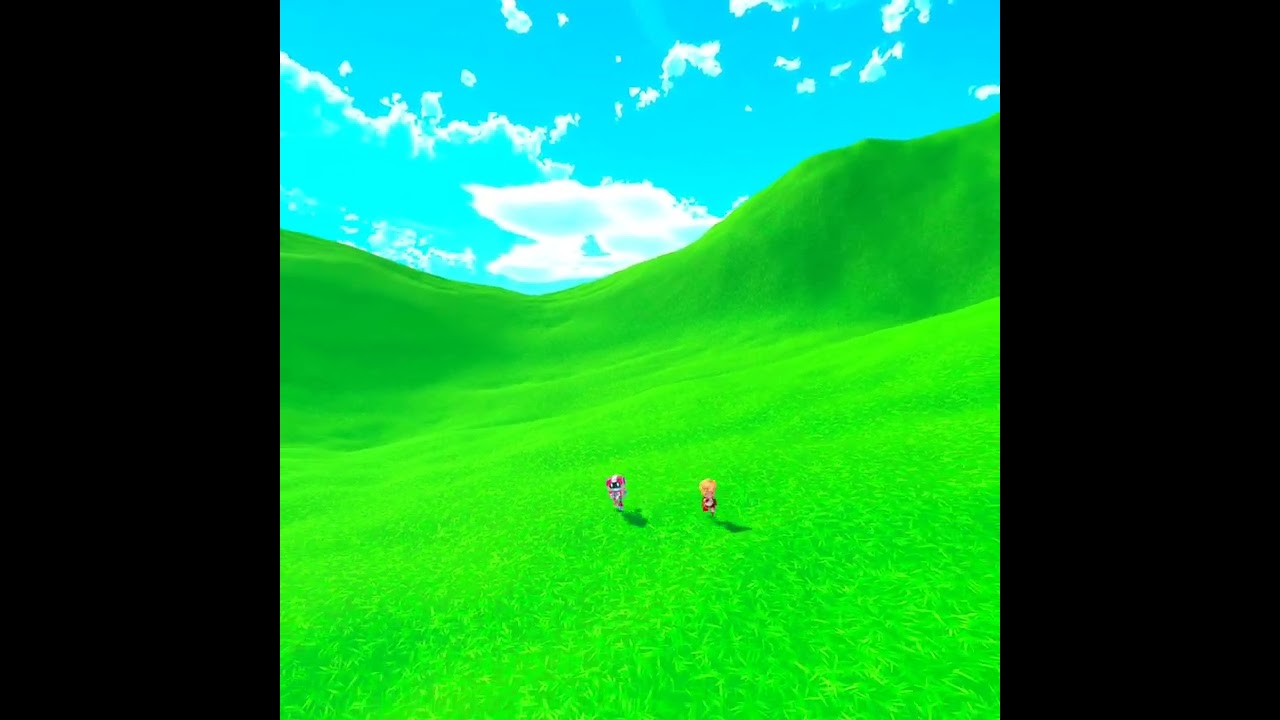
3rd person character controller for VR, minimizing motion sickness. Built in unity and utilizing Cinemachine for camera movement. Utilizing new input system to manage all actions.
 supple mauve
 umbral raven
your vcam is up there
supple mauve
anyone know ? ;-;
fast orchid
The main camera will attach itself to whichever virtual camera is the highest priority. Just move the vcam to where you want the camera to be.
supple mauve
yeee
i think its not the camera problem anymore
i removed the cinemachine and now its generally flying


idk whats going on maybe somethign with the script
and i cant find anything on google
ye i got a problem with the gravity
 snow jetty
I am making a game and all of a sudden my camera started doing what's happening in the video attached. I have no idea how to fix it and I made no changes to the camera that I know of that could have caused this. I created my project with the first person template in unity 2021.3.0f1. The only change I made that could have affected it was switching the input manager from just the new system to "both" so that I could use the old input system as well as the new one. The two things I have tested: 1) it's not my sensitivity, it works fine, and dragging around the editor is super smooth 2) it's not the frames because I tested this and it was a consistent framerate. Let me know if you have any ideas! I am really stuck with this and I don't know what to do. https://www.youtube.com/watch?v=jAa1ucwixNA

private void LateUpdate()
     {
         CameraRotation();
     }
     private void GroundedCheck()
     {
         // set sphere position, with offset
         Vector3 spherePosition = new Vector3(transform.position.x, transform.position.y - GroundedOffset, transform.position.z);
         Grounded = Physics.CheckSphere(spherePosition, GroundedRadius, GroundLayers, QueryTriggerInteraction.Ignore);
     }
     private void CameraRotation()
     {
         // if there is an input
         if (_input.look.sqrMagnitude >= _threshold)
         {
             //Don't multiply mouse input by Time.deltaTime
             float deltaTimeMultiplier = IsCurrentDeviceMouse ? 1.0f : Time.deltaTime;

             _cinemachineTargetPitch += _input.look.y * RotationSpeed * deltaTimeMultiplier;
             _rotationVelocity = _input.look.x * RotationSpeed * deltaTimeMultiplier;
             // clamp our pitch rotation
             _cinemachineTargetPitch = ClampAngle(_cinemachineTargetPitch, BottomClamp, TopClamp);
             // Update Cinemachine camera target pitch
             CinemachineCameraTarget.transform.localRotation = Quaternion.Euler(_cinemachineTargetPitch, 0.0f, 0.0f);
             // rotate the player left and right
             transform.Rotate(Vector3.up * _rotationVelocity);
         }
     }
 solid current
Hello everyone i am trying to make a Game Trailer for my upcoming MMORPG/FPS Game. I know how to set up a Dollytrack which the Camera will move in. The Problem is that getting the Camera to look around was always a challenge for me. So what i ended up doing in the past was to just let the camera focus on one object. I have a Huge Map and want the Camera to look around more "freely" anyone here who saw a tutorial where a way is shown that would help me with the struggle?
I already have looked many tutorials but most of them just do a very small clip or the way with the focus a single Object.
I am happy to hear answers from you guys!
 low saffron
Hi, im having a problem on my game. Im using cinemachine 2d. When the game runs the regular cam has the same settings in position as the cinemachine but when my player dies and restarts the scene the camara transform on the z axis goes to 0 which makes the game dissapear from the script. I cant find a way to fix this issue. Im happy to go in a call if needed. Thanks
 feral dirge
Hi guys - I'm having some issues wiht Cinemachine. I've installed it, and can see it in the top tool bar, but can't create a cinemachine from the hierarchy view. Has anybody else gone through this?

 charred iris
Whats a Cinemachine?
 raven monolith
I'm updating a virtual camera's lens values but nothing's happening in the game view
anyone know if there's a method i'm supposed to call?
value and fustrum are changing but no difference
{
DOTween.To(() => cmCam.m_Lens.FieldOfView, x => cmCam.m_Lens.FieldOfView = x, 1, 3).onComplete = () => print("complete") ;
}``` subtle depot
hey, today while working I noticed that my camera was making "Jumps" instead of moving smoothly, it is way more noticeable on bigger screens due to it requiring more mouse movement to actually move the camera just a bit
(I don't have any scripts that edit the behavior of the camera other than Input Provider to it so I can use the new input system with cinemachine)


 small talon
hey folks , i have many objects of the same type in my scene ,that triggers a camera shake at the same time. what is the best way to prevent that the shake is getting stronger with each placed object. ?
 raven sigil
Has anyone ever come across a way to set a transition blend on a TargetGroup when using AddMember and RemoveMember to dynamically change the contents of the TargetGroup? You can easily set custom blends when changing priorities between VCams, but because the vcam priority isn't changing, (we're just removing enemies as they die from the combat cam's TargetGroup) but there is no blend behavior I can find for when the targetgroups contents change and so it just snaps jarringly to the new framing targets without a blend. Hell I'd even take blending between TargetGroups to a new group with the revised contents at this point despite that not being the cleanest solution.
Have been trying to solve this one off and on for a while and can't seem to find much of a clue after fairly extensive research on a solution.
 ornate tendon
raven sigil
Has anyone ever come across a way to set a transition blend on a TargetGroup whe...
ornate tendon
raven sigil
Has anyone ever come across a way to set a transition blend on a TargetGroup whe...
Well a dumb solution come to mind but you can always have another VCam. Set up the new target group on that, inherit pos of old cam and blend between two vcams like normal.
raven sigil
ornate tendon
Well a dumb solution come to mind but you can always have another VCam. Set up t...
That is valid, and I've considered doing this if I cannot find a proper solution to the problem, but it's pretty ugly tbh. Managing two vcams in a revolving door of the same use case just seems unnecessarily complicated for such a simple task. I get the idea because AddMember and RemoveMember were later adds that weren't in the original functionality of targetgroups at all, that this is just a niche case that doesn't come up enough for the package to provide a decent solution..
ornate tendon
Put your issue on the cinemachine subforum. The dev is very responsive
raven sigil
ornate tendon
Put your issue on the cinemachine subforum. The dev is very responsive
I wasn't aware it had it's own forum somewhere, have a link perchance? Haven't come across that in all my searching
@ornate tendon found it, thanks for the responses man
ornate tendon
raven sigil
<@292371456862584833> found it, thanks for the responses man
I have to say Gregoryl solution in the forums is wayyyy better haha. I dont know how I didnt think about it
raven sigil
ornate tendon
I have to say Gregoryl solution in the forums is wayyyy better haha. I dont know...
That's absolutely brilliant! Thanks for the suggestion to go to the forum @ornate tendon
ornate tendon
raven sigil
That's absolutely brilliant! Thanks for the suggestion to go to the forum <@2923...
Yeah its best to go there with kinda wierd situations like this since Gregoryl can literally answer anything.
raven sigil
I see that now, that was very creative. Must've been the one thing I didn't think to try doing
 cloud iron
hey quick question i want to record but record track is gone... any idea where i can bring it back
 tranquil berry
cloud iron
hey quick question i want to record but record track is gone... any idea where i...
tranquil berry
cloud iron
hey quick question i want to record but record track is gone... any idea where i...
do you have the recorder package installed?
cloud iron
there is a record package?😅
tranquil berry
a link to it is pinned to this channel
cloud iron
oh yeah i see thank you
 tawdry mantle
Hello there I am using Cinemachine, when using it the character controls no longer function like they should, any idea?
royal tartan
tawdry mantle
Hello there I am using Cinemachine, when using it the character controls no long...
You'd really have to elaborate more on what you mean by that? We also have no idea how your character control code works, so we can't comment on it
 still patrol
Hi ! When using a Dolly cam, you can set up waypoints for the camera path. Then the cam follows a target (the player mostly). But is there a way to set up waypoints for the target itself? Because player doesn't always follows the camera points.
For example, if I want the camera to start near the floor when the player is far, and go up to the ceiling when he comes near, how can I achieve this kind of thing? 🤔
royal tartan
still patrol
Hi ! When using a Dolly cam, you can set up waypoints for the camera path. Then ...
can you draw a picture or something? That description is kinda hard to understand. Not really sure I understand what kind of motion this player has and how you are wanting the camera to react
still patrol
royal tartan
can you draw a picture or something? That description is kinda hard to understan...
Sure, here is a short video. When the player is far in the hallway, the camera is on the floor. And when he get closer to the cam, it's higher, above him.
Cam path and player path are not the same, so the follow option on dolly cam couldn't help me, right? :/
ocean crown
how can i make my cinemachine supporting 2 soft zones depending where my object is?
 weary crest
Any tool for changing the rotation of cinemachine
it seems to reset immediately when i change it
royal tartan
weary crest
Any tool for changing the rotation of cinemachine
you really need to be more specific
Are you talking about your main camera? A virtual camera?
weary crest
Im sorry, ive since fixed this, thanks though
 latent eagle
I'm using URP with the URP camera and pixel perfect component(alongside a cinemachine + cinemation pixel camera component) and I have a weird issue where children objects are jittering(but not the parent sprites). I have a shadow child on my sprite and when I move around it jitters mostly on the vertical axis. I have narrowed it down to the pixel perfect component(either camera or cinemachine), and disabling them fixes the shadow jitter but introduces gaps/seams while walking around.

anyone have any ideas how to fix it?
wintry canopy
It's likely have to do with your Y movement out of sync. Has different step perhaps
latent eagle
is it fixable?
wintry canopy
Try testing with uniformal object of same x,y size using the same exact values moving vertivally
Maybe your grid is not completely symmetrical?
latent eagle
for my tilemap?
latent eagle
pixel perfect ppu is 16 and so is my texture ppu
wintry canopy
I just gave you ideas to test. Something is not uniformal. Maybe resolution or reference resolution. Look what it is. Otherwise behavior vertically and horizontaly would be the same
latent eagle
it seems like maybe there are issues with the URP pixel perfect from some searching. I've verified everything in my setup and I can't find anything that's set up wrong
wintry canopy
Actually looking at it it seems the camera not following it in step properly
Otherwise everything around would shake not the object in relation to the camera
errant shard
latent eagle
I'm using URP with the URP camera and pixel perfect component(alongside a cinema...
To have a follow camera without jitter issues with pixel perfect rendering, you must have the camera moved perfectly in sync with its follow target
Cinemachine almost always applies some smoothing, but with pixel perfect being off by a subpixel amount will cause what looks like jitter
latent eagle
is there a way to achieve that? I already have it hard locked to target
errant shard
latent eagle
is there a way to achieve that? I already have it hard locked to target
I would assume hard lock works, as long as the camera updates on LateUpdate
Parenting the camera to the object should fix jitter in all follow-related circumstances which you can do to verify that a perfect track does indeed fix it
latent eagle
only solution I have found is rounding the players movement to 1f/16f
with 16 being my PPU
errant shard
latent eagle
only solution I have found is rounding the players movement to `1f/16f`
This is a bit unintuitive to me, as the pixel perfect camera is supposed to round sprite renderers and camera positions to begin with
If the camera's position matches the player, the rounded result of camera position and sprite render position should be exactly the same, in theory
This issue rises when the tracking isn't perfect and the sprite gets snapped a fraction of a second earlier than the camera
latent eagle
well no matter what I tweaked it doesn't seem to make a difference. I tried the late update and it still jitters around
errant shard
latent eagle
well no matter what I tweaked it doesn't seem to make a difference. I tried the ...
It always will jitter if the tracking isn't perfect
Maybe hard lock isn't hard enough
Parenting the camera instead of using any other type of tracking has always fixed the jitter for me, so that's a good test to confirm that tracking is causing it, instead of something to do with the sprite
using a non-interpolated rigidbody for movement also causes jitter unrelated to this, but it should be more obvious
If that's the case and you use a parented camera, the world will jitter instead
latent eagle
what type of hierarchy for the camera do you mean?
errant shard
Camera directly under the object with the sprite with no camera control from cinemachine
latent eagle
still jitters :(
 half sorrel
not sure if this is to do with cinemachine itself

But my sprite isnt moving smoothly
Is there any way to fix this?
 nocturne stirrup
Hello, i want to do this:

However, i only get that while game mode is activated
but if i go on scene mode, i cannot get it, because the yellow point is always in the middle
 nocturne stirrup
nevermind i found it, thx anyway
raven sigil
Anyone have any experience with when using a Cinemachine Confiner 2D, hitting the bounding box the camera snaps to and from the bounding box awfully instead of just stopping when it gets there? Once it's about a world unit away it just snaps the rest of the way to the final position. Also when leaving the bounding edge back towards the level it like clings to the camera and eventually snaps back away from it, then resuming normal camera behavior
 gusty beacon
I've noticed that the default camera script which comes with Unity projects is now more complex that many solution on GitHub. It uses curves and internal states to interpolate between them. Is it because they wrote it based on Cinemachine patterns?
 amber bison
I suspect im having some issues with cinemachines camera follow. The camera movement seems really choppy. Im not quite sure what to do to fix this, since ive never had this issue before in any games ive used it in until now. This is the first time im working with a gamepad as a player controller. I havent really changed any of the settings other than slightly modifying a few values to try to make something change. Any clue on how I can smooth this out? Ive not found anything online that seems to work for me. I switched to the scene in the video to show how the player moves without the weird effects of the camera. I dont have any code written for the camera that would change how its following things
Its been a while since ive worked in unity so im sure theres probably something dumb im forgetting :P
safe viper
amber bison
I suspect im having some issues with cinemachines camera follow. The camera move...
it looks like a mismatch between the object updating in FixedUpdate and camera updating in Update/LateUpdate or vice versa
amber bison
hmm interesting, i didnt know that could cause problems. I have parts of the objects movement running in fixed update. I dont how id modify how the cameras updating since i dont have any code for it, i havent done much work with camera stuff, let alone cinemachine. I tried moving what i had to regular update just out of curiosity and that hasnt seemed to change anything but at least ive got a direction to go in now
safe viper
amber bison
hmm interesting, i didnt know that could cause problems. I have parts of the obj...
I think there's a toggle to choose when the camera updates on either the brain or the virtual cam
amber bison
genius! thank you very much : ) that worked like a charm
 vapid solar
Another basic question, where can I choose the offset between the camera and the object its looking/following?
vapid solar
is the Offset Extension the right way to do it?
raven monolith
should be in the body settings
 radiant oxide
Has anyone else had a problem with a following Cinemachine camera rapidly decrementing down the Y axis? I can't find anything in my scripts or such that would cause this behaviour, but every time I run my project, the camera just.. sure goes down ahaha.
for background, I have it targetting a group of the two players of a platform fighter. Even when I attempt to just target a single player, the camera still falls down the Y axis.
eternal galleon
I'm looking to cut between two dolly cameras - but instead of an instantaneous cut, I'm getting a fraction of a moment where the camera moves. It's quiet jarring... anybody know what could be causing it, what the solution might be?
 hallow herald
How can i set how camera should start?
Like at which Angle
If you get what i mean
 muted haven
hey guys not sure if this is the right place to post this but my sprite shows up in the scene camera but not the game camera can someone give me some ideas :p
muted haven
actually fixed! haha
royal tartan
It can be done with either depending on your requirements. Freelook was specifically designed as a TPS camera
eternal galleon
Does anybody know how to access or set the Path Position value of a VCam set to Tracked Dolly? https://docs.unity3d.com/Packages/com.unity.cinemachine@2.8/manual/CinemachineBodyTrackedDolly.html Must be missing that value somewhere...
eternal galleon
So I have the value I'm trying to get access to here... https://docs.unity3d.com/Packages/com.unity.cinemachine@2.1/api/Cinemachine.CinemachineTrackedDolly.html 'm_PathPosition' . But I'm not sure how I get access to the Virtual Camera Body... =(
eternal galleon
Ended up casting my cinemachinebase to a virtual camera, then using getcinemachinecomponent in order to get the cinemachinetrackeddolly and there directly setting m_PathPosition. Easy when you know how.
warm verge
anyone can help me to configure URP post procesing?
i try to add the extension in the virtual cam but doesnt work


 coarse steppe
How would I go about setting up Cinemachine to start zoomed in on an object, and then zoom out to the desired target object and stay at that new distance from thereon out?
errant shard
warm verge
anyone can help me to configure URP post procesing?
i try to add the extension ...
I'd make sure to not have missed any steps in either URP or cinemachine post processing docs, such as enabling post post processing on the camera itself
warm verge
errant shard
I'd make sure to not have missed any steps in either URP or cinemachine post pro...
you have any tutorial or something ? because cant see what is missing
vapid solar
how can I turn a CinemachineVirtualCamera view into Ortographic?
royal tartan
vapid solar
how can I turn a CinemachineVirtualCamera view into Ortographic?
In the lens settings
vapid solar
royal tartan
In the lens settings
Got it, found in the override option, thanks!
vapid solar
Can Cinemachine Virtual Cameras have their own culling masks?
(an official answer from 3 years ago says but maybe things changed from then)
raven monolith
why isn't my camera moving when i cange cinemachine values in the inspenctor outside of play mode
camera isn't following virtual cam even though there's only one and it's live
apparently i had to set blend update method to late update
royal tartan
raven monolith
apparently i had to set blend update method to late update
Probably means you have some other script moving the camera
raven monolith
Outside of playmode?
I dont even know how to make scripts work outside of playmode
 signal brook
Has anybody here ever tried to use a cinemachine-based rig + XR rig ( standard xr rig, no CM tie in) to display CM brain live cam in desktop while being plugged in an HMD? Cameras are fighting for control in headset. Works fine if I switch the brain main camera to be overlay, but that won't give me a desktop view.
It worked perfectly fine on a non CM set up..
And nevermind. i forgot to change the cm brain cam to be target of none.
raven monolith
with timeline in cinemachine
if I want to make changes to the position of the vcam, then I have to give the vcam an animator?
pastel glen
raven monolith
with timeline in cinemachine
if I want to make changes to the position of the vc...
Or just make a second camera in the new position
 ancient delta
#003 Can anyone help me in creating camera behavior similar to what's shown here? Zooming I can handle, that's just FOV stuff. The camera tilts up whenever the camera hits a "floor" relative to the ships, that's the part I'm most worried about.
 kind sapphire
Is this gone?
I cant seem to use it in my script...
using Cinemachine;
royal tartan
kind sapphire
Is this gone?
I cant seem to use it in my script...
```using Cinemachine;```
why not? What happens when you try?
kind sapphire
royal tartan
why not? What happens when you try?
It just wouldn't recognize it.
royal tartan
kind sapphire
It just wouldn't recognize it.
what wouldn't recognize it?
VS? Unity? What error did you get?
kind sapphire
I figured it out tho.
royal tartan
details are important
kind sapphire
royal tartan
details are important
It would just underline it in red
 knotty shuttle
Yo i really need some help with dolly track and cinemachine in general i guess. I'm doing a fly though of a large area and have many points on the dolly track, at each path position i'd like to change where the camera is looking at so i thought i could key points where i've put a new target for the camera to look at but i'm not super sure how to do that. Is there an easier way as well? I need to make some sections slower as well when focusing on certain things but i'll cross that bridge when i get to it.
 hearty depot
how would you allow the vcam to work with different resolutions?

if i change the window size it changes the camera
errant shard
hearty depot
how would you allow the vcam to work with different resolutions?
"Work"? The camera size adapting to window size is a way of working isn't it
raven monolith
does anyone know where I can find the project that they showed in this demonstration?

Learn how to create and activate Timelines; how you add GameObjects (anim, audio, video, etc); and how to sequence tracks using Unity Timeline and Cinemachine, with step-by-step demonstration of creating different scenarios from scratch, with limited coding.
You can download the project here: https://drive.google.com/open?id=0B1ToZGrZLWKcZi1BWV...
Or a unity project similar to it?
raven monolith
nvm it shows up in the latest version in package window
knotty shuttle
Is there an easier way to do keyframes? I have 110 points on a dolly track and like going from 1 to 2 to 3 etc, keying every single point, rotation for camera direction and stuff seems like it's gonna take a real long time..
Also my camera is like.. Moving when i'm not doing anything with it or pressing play for some reason..
warm verge
cinemachine freelook cam problem;
when I move my character, camera sort of bobs out because of the movement

how do i make it so that camera is always following the character on the orbit and not bobbing in or out based on movement
im sure its some simple checkbox setting im missing but if anyone knows it pls lmk
found it setting is body x y z damping
set to 0 to make camera stick on the orbit and higher to make it bounce based on player movement
 remote stump
how to make player go transparent if cmaera is too close to player ???
 atomic wharf
is anyone has an idea to have a better camera blend ?
 acoustic frost
Anyone know how to make it so cinemachine freelook camera won't limit how fast you can look around? I've been stuck on this issue for days with a third person camera setup.
No matter how fast I move my mouse It takes almost 2 seconds to do a 360 degree turn, the turning speed stops going faster at a certain point.
Tutorial Followed: https://youtu.be/_I8HsTfKep8
My Project (clip): https://www.youtube.com/watch?v=alls4lXmpb0
 hybrid wyvern
Hi. Im testing cinemachine in 2d and would like to do the following:
- vcam1 follows player with damping x and y = 1, Dead zone with width = 0.35 and height = 0.6
- vcam2 also follows player with damping x and y = 0, Dead zone = 0
- when player starts walking, vcam1 shows.
- when player stops walking, vcam2 shows AND vcam1's position is set to vcam2's position
i tried to do it and everything works fine with changing bool in for statedriven camera animator etc but in the end, it doesnt let me edit any vcam positions. It'd be really helpful if you can guide me on how to change vcam position
 pliant gorge
Does anyone know how to orient the player follow camera from the starter assets to face forward when you load into different scenes?
 pliant trellis
i have a prototype im working on where the player is a sphere that rolls around, im trying to make a 3rd person camera using cinemachine. But i dont understand how (yes i looked at the pinned tutorials)
raven monolith
Use freelook cam
pliant trellis
how do i make the rotation of the player not affect the camera, the player is a sphere so they roll when they move. But, since they roll the LookAt object spins around causing the camera to bob up and down
any way to fix this?
errant shard
pliant trellis
any way to fix this?
If the lookat target's origin/pivot point stays still relative to the rolling sphere and the vcam doesn't add any local offsets to the tracking, then the camera will not bob
pliant trellis
errant shard
If the lookat target's origin/pivot point stays still relative to the rolling sp...
im using freelook cam so that i can look around with the mouse
i have no idea how to use cinemachine
pliant trellis
errant shard
If the lookat target's origin/pivot point stays still relative to the rolling sp...
the sphere rotates and the LookAt object is parented to the sphere
errant shard
pliant trellis
the sphere rotates and the LookAt object is parented to the sphere
Is it perfectly in the middle so the lookat object itself doesn't bob around?
pliant trellis
no
i have the LookAt object slightly above the sphere so the camera is at a different angle. there wouldnt be much of a point to put the LookAt object directly in the center because i could just have the freecam look at the sphere
btw im using freecam
and have no idea how to use cinemachine
errant shard
pliant trellis
i have the LookAt object slightly above the sphere so the camera is at a differe...
That's the point
It should be looking at the center of the sphere
Otherwise it will wobble no matter what
The vcam can add its own offset in world space so it's independent of any target rotation
pliant trellis
how do i use vcam and make my mouse affect its rotation around the sphere?
because im using freecam
errant shard
pliant trellis
and have no idea how to use cinemachine
That's a problem for you, isn't it
Time to study the documentation some more
The package manager also lets you download example scenes for its various features
 uncut void
Does anyone know a way to smooth the movement of a virtual camera when the subject moves out of frame?
I have the movement smoothed when the subject moves around within the frame, but when the subject moves out of frame faster than the camera can catch up (so the subject touches the edge of the frame), the camera hard turns to keep the subject in frame
I need the camera to remain moving smoothly even when the subject touches the edge of the frame, but I can't find any way to make it do this
(it is following a Target Group, if this is of relevance)
pliant trellis
how do i make the virtual camera not rotate when the sphere (player) does
nevermind
but i do need help figuring out how to make the virtual camera rotate around the player when i move the mouse
 languid sentinel
pliant trellis
but i do need help figuring out how to make the virtual camera rotate around the...
languid sentinel
pliant trellis
but i do need help figuring out how to make the virtual camera rotate around the...
Try looking up cinemachine free look camera
fast orchid
I'm not entirely sure, but I feel like the new Starter Assets from Unity would be using cinemachine for the character controller, which is free look. Could try installing that package and checking out their settings.
pliant trellis
do i need to use the cinemachine from the asset store in order to see things like the dead zone of the camera?
nvm
fast orchid
Yes, those are cinemachine features
pliant trellis
fast orchid
Yes, those are cinemachine features
i was meaning from the asset store or from the unity built in packages
fast orchid
Cinemachine is a built in package you can download from the package manager
Don't take the one off the store (if it even still exists there)
acoustic frost
Anyone have an idea on what might be causing cinemachine speed to fluctuate like this? The whole time i'm moving my mouse at roughly the same speed, and in the test after this recording it was more rapidly changing which is harder to show on a vid. https://www.youtube.com/watch?v=5B4cdEAdu4s
edit: aiming script speed set to 100 during vid

 acoustic frost
actually it seems that where i look has an effect on speed, now i'm even more confused.
faster if i look at the vast emptiness and super slow when looking at a close object/floor.
errant shard
acoustic frost
faster if i look at the vast emptiness and super slow when looking at a close ob...
Do your top/middle/bottom rigs have a different X axis speed?
FreeLook switches between three separate rigs based on your vertical look
 elder ledge
can someone help me set one up cause i dont know how to
fast orchid
elder ledge
can someone help me set one up cause i dont know how to
There's a tutorial pinned to this channel, along with other resources.
elder ledge
alr thanks
old gust
hey guys how your day going anyways im looking for a solution to my script to rotate the gun according to the camera rotation this is for a school project on Wednesday sry about the rush i am a 15 year old and this is my first time sry again
thank you again and sry pls @Me to answer or dm me sry again for the disturbance and probably the stupid question not to mention it is using cinamachine it is on the code-genaral thread
acoustic frost
errant shard
Do your top/middle/bottom rigs have a different X axis speed?
aim was set to composer with screen Y at 0.5/0.55/0.6 and the rest the same
testing with "hard look at"
errant shard
acoustic frost
aim was set to composer with screen Y at 0.5/0.55/0.6 and the rest the same
I don't think that's what I'm asking about

I mean these
acoustic frost
errant shard
I don't think that's what I'm asking about
those axis speeds don't change between the top/bottom rig selected, as far as i can tell nothing changes anywhere in the freelook inspector.
errant shard
acoustic frost
those axis speeds don't change between the top/bottom rig selected, as far as i ...
Ah, rules that out then I suppose
 opaque steppe
Hey guys I have a question, I want to have a smooth camera like genshin impact where it doesnt bug out and fly but instead runs smoothly any recommendations or somethin i can follow to make it extremely satisfying to use
royal tartan
opaque steppe
Hey guys I have a question, I want to have a smooth camera like genshin impact w...
extremely vague question. Any properly configured camera setup will be smooth
"bugging out and flying" is an indication you did something wrong
opaque steppe
when I run the game in screenmode
it doesnt feel smooth haha
even though in stats it says 400+fps
if you get what I mean
errant shard
Hard to guess what kind of smooth it isn't
vapid solar
how can I manage the render order using cinemachine?
I dont think I can use the classic dual camera method since the main camera gets its values changed in realtime by the cinemachine brain
royal tartan
vapid solar
I dont think I can use the classic dual camera method since the main camera gets...
cinemachine doesn't do anything to affect camera composition
it all works the same way as normal
vapid solar
The problem is that with cinemachine I can alter fov and other internal components
royal tartan
cinemachine will only change the position and lens settings of the camera, not the overlay settings etc..
vapid solar
So its not enough to just parent the second camera
I have 3 virtual machines that operates on the same "base" camera
royal tartan
what are you asking? You want the real cameras to both follow the same virtual cameras?
vapid solar
let me explain
I have this camera that its handled by 3 virtual cameras with their own fov, offset, etc.
Now I need to make a second camera that just renders 3D UI stuff on top but I can't use the classic method of just parenting this camera to the main one since other that the position, there are some lens values that gets dinamically changed by the cinemachine that will not influece and update my overlay camera
What should I do?
royal tartan
vapid solar
I have this camera that its handled by 3 virtual cameras with their own fov, off...
Why would/should the second camera care about FOV changes on the first?
Also why would/should you parent one of the cameras to the other?
What kind of 3D UI elements are we talking about
vapid solar
Im making a tps and I'm using a line renderer (which not works on ui) to draw the spray circle
vapid solar
royal tartan
What kind of 3D UI elements are we talking about
The orange circle
 royal tartan
that's just normal UI
vapid solar
The circle gets dinamically altered by the weapon parameters
so I cant just use and scale an image of a circle
royal tartan
Why not
altered how
Regardless could you not just give both cameras cinemachine brains?
they will both follow the virtual cameras together then
vapid solar
royal tartan
Regardless could you not just give both cameras cinemachine brains?
thats could be totally work
I didnt knew that solution existed (thats why I asked)
let me try quickly
regarding the UI circle, unless I find out how scale the circle based on the actual radius its pretty hard to have it accurate
Are you sure that just adding a Cinemachin Brain is enough? its not responding to virtual camera swap
royal tartan
Check the brain Culling masks?
vapid solar
royal tartan
Check the brain Culling masks?
culling mask are fine
the new camera just dont move like the main one
Ok now its working
looks like I must render the layer of the virtualcamera itself
 narrow wind
How can I make a Cinemachine's orbits a perfect circle?
royal tartan
narrow wind
How can I make a Cinemachine's orbits a perfect circle?
Freelook?
narrow wind
Yes
royal tartan
They are perfect circles
royal tartan
The Gizmo might not be drawn to extreme resolution
But the actual camera motion will be a perfect circle
Or as close as a digital computer can get ;p
narrow wind
Also, how can I make it so that when the followed object moves the freelook camera moves with it?
Instead of it sort of just trailing behind
royal tartan
that's up to the Follow settings of the vCam
 knotty geode
what you guys think about this, I am working on an extension that allows you to set up cameras and transition in literally a few seconds, results so far:
https://www.youtube.com/watch?v=JsBVbMHEg-w

 royal tartan
What does it do that Timeline cannot?
https://docs.unity3d.com/Packages/com.unity.cinemachine@2.8/manual/CinemachineTimeline.html
 narrow crescent
im in unity 2d and trying to get a pixel perfect camera so it doesnt look like manure, and im trying to import cinemachine through the package manager but i instantly get errors on import
il get the error up in a second
knotty geode
royal tartan
What does it do that Timeline cannot?
https://docs.unity3d.com/Packages/com.unit...
Not an expert in timeline, but this is in runtime. Also, I think its much faster to set up those cameras where set up in under 10s
tranquil berry
knotty geode
Not an expert in timeline, but this is in runtime. Also, I think its much faster...
You're placing the cameras at runtime?
knotty geode
tranquil berry
You're placing the cameras at runtime?
no, but the transition can be triggered at runtime. meaning you dont have to set up the whole scene like you do in timeline, could be in the middle of game play (again, my experience with timeline is very limited)
Basically, 5 clicks is all I needed to set up that transition, very quick to set up
no target required etc
tranquil berry
knotty geode
no, but the transition can be triggered at runtime. meaning you dont have to set...
With timeline you need to create a playable director and a timeline asset for it. Add a cinemachine track, add as many shot clips as you want, drag them into each other to blend them.
Make an animation track if you want to animate camera properties or move them on top of that (which can involve animating things like dollies and carts).
You then trigger it whenever you want by playing the director
There's certainly space on top of that for streamlining that process, but if you're doing something similar looking into timeline is certainly worth it
knotty geode
Thanks for that, I am really new to this whole thing, so initially I wanted to set up a very quick transition that was somewhat smooth. tried the whole dollies and carts, but I needed to set up a target for it, but if I didnt want a target, I had to make a target anyway and make the target invisible and make it move in the direction of where I want the shots, and it became more complicated when the shot was going around like you see in the video above, the transition speed became erratic based on the distance of the target (the camera can decide that the opposite side of the track is closer to the target and quickly transition around the track), Obviously its likely due to the fact that I am very inexperienced in Cinemachine in general. That said, I decided to build on top of the whole VirtualCamera transition mechanic to make a very quick to set up scene that literally can take less than a few seconds.
What I would really like to be bale to do, is exactly what I showcased, but the cameras move on a dollies/cart without needing a target (It might already be possible, but I couldn't figure it out).
tranquil berry
It's a little clunky, but if you wanted to do it with a dolly track and no Look At in Timeline: you might choose to create an animation track that animates the path position (animating it down the track), and the rotation of the camera. As long as the aim is set to Do Nothing it should work as you'd expect.
knotty geode
tranquil berry
It's a little clunky, but if you wanted to do it with a dolly track and no Look ...
wow cheers for that!, and this will only work with timeline?
tranquil berry
Should work without it too I think, the dolly track body doesn't affect the rotation if the aim is set to Do nothing afaik
knotty geode
tranquil berry
Should work without it too I think, the dolly track body doesn't affect the rota...
thanks!, I will look into that!
 barren ferry
does you use cinemachine on very light mobile game ?
narrow wind
How can I stop a cinema machine freelook camera from lagging behind the object it's following, just to move to the right position when the object finishes moving
royal tartan
narrow wind
How can I stop a cinema machine freelook camera from lagging behind the object i...
turn off damping in the Follow module
 lavish geode
I have two cameras in the same place showing the same perspective. One is showing the world, the other is showing objects on top that I want to show through walls. When I change the priority of my virtual cameras one of the cameras moves but the other doesn't. The second camera also lets me manually change its values, while the main camera's values are locked by cinemachine.
How do I move and modify the second camera at the same time as the main camera?
I know I could child the second camera to the first and remove the brain, but that would only change the position and rotation, but my virtual cams have different fovs and stuff.
lavish geode
nvm, found the answer.
narrow wind
royal tartan
turn off damping in the Follow module
I don't have any extra modules connected to the freelook camera
and I can't seem to find a dampening variable
royal tartan
narrow wind
I don't have any extra modules connected to the freelook camera
Wdym by extra modules?
coarse steppe
My FPS camera keeps seeing the back of my player's head when I look up. Any ideas for a workaround for this? Here's a clip:
 bright zodiac
cinemachine free look camera, its not rotating 360 degrees. Mouse gets stuck on edge of screen (webgl)
 pearl aspen
is there a way to change orthographic size smoothly so it zoomes out slowly with a script?
bright zodiac
pearl aspen
is there a way to change orthographic size smoothly so it zoomes out slowly with...
could you interpolate a float over time, and set that float value to the orthographic size?
pearl aspen
oh yes i could try that
bright zodiac
cinemachine free look camera its not
 fervent oxide
Hello. I just started using unity and now I'm facing a small problem, the house disappear too early from the camera view. Is there a way to make asset disappear a little bit late off camera?
fervent oxide
opps nvm I fixed it
errant shard
fervent oxide
opps nvm I fixed it
Sharing your solutions will be helpful to others
 tawdry sable
Hello, I'm alea, from France. 😁
I'm student in first year in art shool, in 3D, Animation, VFX and video game.
I have a problem in unity with my projet end year. I have an traveling camera no voluntary in start video.
You can help me please? I send it this evening, so is it urgent. Sorry for the urgent. 😔
My film : https://we.tl/t-xhw6eAsc8X

1 file sent via WeTransfer, the simplest way to send your files around the world
fervent oxide
errant shard
Sharing your solutions will be helpful to others
at first I put the house in the tile palette so I could easily just make house around my map but the problem is the camera only detects a pixel square which is on the middle of the house since it's set as a tile, so the house just disappear when the pixel square is off camera. I just turn the house into a 2d object sprite and make it as a prefeb to fix it.
 worthy carbon
how to make camera look around with cinemachine?
do i need a script to handle this?
or cinemachine already covered it?
im using cinemachinevirtualcamera -> body set to Framing transposer
im using the new input system
errant shard
worthy carbon
how to make camera look around with cinemachine?
If you create a "freelook" camera, that will handle input
As will Aim type POV
Freelook camera has more options designed to work with third person view where you can freely rotate the camera around a character
POV is more of a generic input solution
I dunno if it works out of the box with the new input system but if it doesn't there's instructions around for making it so
 tardy forum
Is there a way to confine a 2d top down camera to a specific area that isn't in the same shape as my games display format (widescreen typically)?
like a square shape that's 20x20 unity units
royal tartan
Yep that's what the Cinemachine 2D confiner does
eternal galleon
Hey folks. Just wondering if I can get the index of a specific (potentially-non-active) camera in the array of active ICinemachineCamera in the scene (basically the one referred to in these docs... https://docs.unity3d.com/Packages/com.unity.cinemachine@2.4/api/Cinemachine.CinemachineCore.html#Cinemachine_CinemachineCore_GetVirtualCamera_System_Int32_)
 earnest heart
I have a question
I'm using the cinemachine virtual camera, but I want it to kind of work like the freelook
What I mean is I want the virtual camera to be able to rotate around the player and then when the player moves, it goes in the direction the camera is facing
 jagged ocean
earnest heart
I have a question
jagged ocean
earnest heart
I have a question
Check out Brackey's third person controller tutorial, he sets up the kind of behavior you describe in that video.
 sleek garnet
Hello guys!
Is there any way to have the cinemachine camera followed the imported motion data?
So, I captured an environment with my camera and by using tracker. I got a set of data.
I can export it to blender or other 3ds application to do so but in unity?
thank you
tardy forum
Ran into this weird bug with a virtual 2d camera where it's not displaying something on screen that the main camera does


Top pic just shows the chests components like it's sprite renderer, next two show the chest there and not there depending on if it's activated or not. Anyone see why it'd be doing this? I've tried changing layers and various things but I'm stumped at this point
 desert hamlet
I have a very simple timeline structure to control a cinemachine dolly track and its rotation, but for some reason when I play the timeline dolly track doesn't move(mostly it lags behind) properly. It does move the right amount in the preview / frame tools in the timeline tho.
(A clue: The track position fixes when I remove the cinemachine shot)

This is how 5.50 looks on timeline preview.

And this is how 5.50 looks when I play the timeline

Oh sorry my bad, it was a damping thing :/
 split flicker
Hey! I am having a really hard time with Cinemachine. I can add a single Vcam no problem and set it up perfectly. The moment I add another Vcam The 1st Vcam transform gets set to the second added Vcam
It's infuriating .
royal tartan
split flicker
Hey! I am having a really hard time with Cinemachine. I can add a single Vcam no...
What do you mean by this? What does it mean for a vCam to get "set" to another cam?
warm verge
hello i am having a problem, I am using virtual camera as a third person camera, and i am doing a ray cast from the center of the camera when shooting... my problem is hitting the player himself. (in some cases i am avoiding obstacles like walls so the camera looks at the player) any suggestions?
split flicker
I'll drop a video now
@royal tartan I think I found the issue while recording a quick video. I had a Cinamachine brain in the main camera as well as the 2 cinamachine cameras. I am not sure if that caused the issue, but basically when I add Vcam1 to say position 1,1,1 and I move my scene camera and add another Vcam2 and it's position is 10,155,65, the position of vCam1 also randomly gets set to position is 10,155,65
split flicker
Okay, new question: I now have my ADSCamera and my top down camera working really great. The issue is, when I hold right click and I look around and I let go the ADS camera does not reset to origin . Any Idea?
I need to First person camera to reset back to default every time the zoom button is let go.
royal tartan
split flicker
<@179367739574583296> I think I found the issue while recording a quick video. ...
The virtual cameras should not have Cinemachine Brains. Only the main camera
split flicker
Ya, I figured that much
 atomic bone
for some reason, cinemachine is causing stuttering even tho with a normal camera this doesnt happen
does anyone know how to fix this?
its also causing some strange floating with my player object
without my brain attached to the camera, it works fine, but with it, some of the velocity is retained and it keeps moving random directions
errant shard
atomic bone
for some reason, cinemachine is causing stuttering even tho with a normal camera...
It looks like the ground is moving much smoother, which suggests it's your ship that's stuttering
That happens if it's a rigidbody with interpolation disabled
atomic bone
with a normal camera it doesnt have this effect tho
errant shard
The reason a normal camera doesn't appear to stutter is that with parenting it moves perfectly in sync with the ship, so only the ground would stutter in relation to the ship
atomic bone
can you explain what interpolation is?
i see an option for it w/ an option to also extrapolate
but idk what they do
errant shard
Physical positions of objects are calculated only 50 times per second, and so are their visual positions without any interpolation
atomic bone
oh so only once every few frames?
errant shard
With high fps, yes
Interpolation and extrapolation renders the object at visually correct position every frame it needs to be rendered on, either a little behind or a little ahead of where its physical position is
atomic bone
interpolation being behind and extra being ahead?
errant shard
Yes
atomic bone
thanks!
one more question

how can i rotate my cinemachine camera to the other side of this mesh?
errant shard
atomic bone
how can i rotate my cinemachine camera to the other side of this mesh?
Not sure which other side specifically, but you should be able to move the vcam by grabbing its transform, or by altering the offsets
atomic bone
its facing towards the front of the mesh, i want to rotate it to the other side
so i get the opposite POV
errant shard
If the ship is its view target, you should be able to alter the offsets defined in body
atomic bone
not just offsets tho, i want the camera's viewpoint to turn
doesnt offset just change its position
errant shard
If the ship is the view target, it should turn to look at it
If it isn't, you should be able to rotate it like any gameobject?
atomic bone
i cant rotate the ship, bc then the force is applied the other way
is there a way to just rotate this model to fix all this?
i exported it from blender but i get this issue often
with weird meshes
errant shard
atomic bone
is there a way to just rotate this model to fix all this?
Do you want to rotate the camera or the ship?
I don't know if anything stops you from doing either
You can make the mesh renderer a child object of the ship object with all the scripts and such to have full control over the mesh orientation and transforms
 buoyant light
Is cinemachine still a viable camera solution? I run into issues while using the new input system. Since I have the old system disabled, cinemachine usually throws errors
 plucky wren
buoyant light
Is cinemachine still a viable camera solution? I run into issues while using the...
plucky wren
buoyant light
Is cinemachine still a viable camera solution? I run into issues while using the...
Cinemachine supports the use of various input solutions without changes to Cinemachine itself, but by default uses the old input system when no input provider is provided. Cinemachine ships with a CinemachineInputProvider that provides support for the new input system. https://docs.unity3d.com/Packages/com.unity.cinemachine@2.9/manual/CinemachineAlternativeInput.html
warm verge
I cant found cinemachine to install in unity 2018
 vivid shale

This mini-game is only for testing game development using URP only, just a quick hardcode game made in 1 day, performance super unoptimized. Not a real game.
Character Model : punishing: GrayRaven
Animation: RPG Character Mecanim Animation Pack FREE
All other elements(shader,vfx,game logic, camera animation, UI....) created in unity.
Does anyone know how to make the camera move like this
 molten hull
vivid shale
Does anyone know how to make the camera move like this
molten hull
vivid shale
Does anyone know how to make the camera move like this
Looks like a multiaim constraint for the main combat loop with a separate camera that it transitions out of at the beginning.
raven monolith
Its not even gameplay, the description says its hardcoded.
My guess is its blending between multiple types of vcams with different settings
Not a practical gameplay camera at all
warm verge
people
am I the only one having problems with timeline when trying to use cinemachine
i am unable to add cinmachine cameras of any kind ... into the cinemachine timeline
warm verge
warm verge
i am unable to add cinmachine cameras of any kind ... into the cinemachine timel...
can you elaborate?
I think im having a similar problem
I have 2 cameras. and one is a mini cam, and the other is the main cam
the main cam has a virtual camera it follows
I want the 2nd cam to also follow a virtual cam, but a different cam
errant shard
warm verge
I want the 2nd cam to also follow a virtual cam, but a different cam
I dunno if that's related to timeline but you can use multiple cameras with multiple vcams
https://docs.unity3d.com/Packages/com.unity.cinemachine@2.6/manual/CinemachineMultipleCameras.html
warm verge
errant shard
I dunno if that's related to timeline but you can use multiple cameras with mult...
I layered it on sperate layers to get it to work. but ill check out your way too
errant shard
That's exactly what the docs instruct
warm verge
warm verge
can you elaborate?
It worked by updating cinemachie
eternal galleon
Can anybody recommend a current tutorial on setting up URP postprocessing with Cinemachine?
 soft pivot
The two (pp and cinemachine) aren't really that tied together
What do you need?
You apply pp in the same way as you would if you were using a standard camera
 verbal lark
warm verge
I layered it on sperate layers to get it to work. but ill check out your way too
verbal lark
warm verge
I layered it on sperate layers to get it to work. but ill check out your way too
so you quit libGDX eh
eternal galleon
Hi @soft pivot - I'm using the Cinemachine Volume Settings script - I thought this would override the post processing while this particular VCam was highest priority.
eternal galleon
Actually, I've got it working, all good, thanks! =D
warm verge
verbal lark
so you quit libGDX eh
hey whats up bear? Yes I quit libGDX and I've been making games in unity for the last few months #archived-unitytips dm me there
verbal lark
eh theres no offtopic here, but yeah ill DM u
 languid pewter
is there a cinemachine 2d
cuz i imported a cinemachine into my project and i cant do anything with it
never mind
it was in gameobject instead of component
uhh
i have another issue
where is cinemachine confiner 2d

i cant find it and i think its a component
nevermind guys
its an extension
 misty ivy
Hi ! I'm trying to blend between a virtual cam and a free look cam with a cylindrical transition. When I set the transition to cylindrical position, the camera tilts during the blend. What are the settings to avoid this ? I would like to have like a Steadicam.
Thanks
(Version 2.6.15)
 shy oxide
One message removed from a suspended account.
 cyan gull
is there an example of Cinemachine camera raycast to player to see if they are 'in view'. I want to use a outline / shader to show a player when you can't see him but am having a hard time getting the VMCam / whatever current cam raycast to target. Is this something thats builtin? or are there any examples / demos of the concept. it sounds like a common use case so wasn't sure if there was a headstart. Currently i am raycasting behind my char (which worked fine for a top down 3D cam with no camera orientation change) but i'd rather just raycast directly from my VM cam to the player or vice versa and do my outline if the raycast obscured
royal tartan
cyan gull
is there an example of Cinemachine camera raycast to player to see if they are '...
Doesn't really seem like a Cinemachine question at all.
cyan gull
well like i swap around to state machine / various views / etc. and i have a bunch of VMCams, and i want to raycast from the camera to a player. figured it was
royal tartan
YOu can just do the raycast from your "main" camera
cyan gull
ok
royal tartan
the actual Camera with the Camera component/brain on it
cyan gull
ok I did get it working.. but the raycast distance, i did Mathf.Infinity and it doesn't work. but i do 30f and it does, float rayDistance is Mathf.Infinity not a float. maybe thats why?
royal tartan
cyan gull
ok I did get it working.. but the raycast distance, i did Mathf.Infinity and it ...
Mathf.infinity is a float
 pulsar saffron
How can I keep the Follow of Cinemachine to my player after i switch scenes and only the player doesnt get destroyed because the cm looses reference to the player
 slender walrus
Does it have built in view bobbing?
Might switch from regualr cam coded view bob if it does
and anyother useful features for... Say: an fps?
royal tartan
pulsar saffron
How can I keep the Follow of Cinemachine to my player after i switch scenes and ...
It doesn't "lose" anything. It sounds like your vCam is being destroyed and there's one in the new scene that doesn't know about the player.
Can I ask why you're not just including the vCam as part of the DDOL player rig?
pulsar saffron
royal tartan
It doesn't "lose" anything. It sounds like your vCam is being destroyed and ther...
Ive never heard of that sorry, could you explain what that is?