#🎥┃cinemachine
1 messages · Page 14 of 1
 brisk sage
    {
        cam=cameraController.instance.getMainCam().transform;
        camLastPos=cam.position;
    }

    void LateUpdate()
    {
        transform.position+=cam.position-camLastPos;
        camLastPos=cam.position;
}``` BackgroundScript {
setCameraPos();
}
private void setCameraPos()
{
Vector3 bodyPos = transform.parent.parent.position;
var camPos = (Vector2.Distance(mousePosition, bodyPos) / 2 < maxAheadDistance) ?
(bodyPos + mousePosition) / 2 :
bodyPos + (mousePosition - bodyPos).normalized * maxAheadDistance;
var newPos=Vector3.MoveTowards(camFollow.position,camPos,Time.deltaTime*camFollowSpeed);
camFollow.MovePosition(newPos);
}```Setting tracking target position
brisk sage
mouseGamePos is the world position of the mouse
 royal tartan
brisk sage
mouseGamePos is the world position of the mouse
royal tartan
brisk sage
mouseGamePos is the world position of the mouse
so what's the issue you're having with the code exactly?
royal tartan
brisk sage
``` void FixedUpdate()
{
setCameraPos();
}
private void setCame...
this is jiterring because you're only moving the camera in FixedUpdate
is camFollow a Rigidbody?
Is there a good reason it's a Rigidbody?
brisk sage
royal tartan
Is there a good reason it's a Rigidbody?
I wanted a better way of setting the tracking target position
Its a kinematic rigidbody
royal tartan
Does it have interpolation enabled?
brisk sage
Yeah
 errant shard
brisk sage
``` void Start()
{
cam=cameraController.instance.getMainCam().transf...
errant shard
brisk sage
``` void Start()
{
cam=cameraController.instance.getMainCam().transf...
Are you setting the background to the previous frame's position of the camera here?
That sounds like it could cause jitter
Also, make sure CM cameras nor the real camera are parented to any transform that moves
brisk sage
errant shard
Are you setting the background to the previous frame's position of the camera he...
How else should I do it then?
brisk sage
errant shard
Also, make sure CM cameras nor the real camera are parented to any transform tha...
They are parented, but the transform doesnt move
Maybe I should change the way I set the tracking position?
errant shard
brisk sage
How else should I do it then?
If you want the transform to accurately match the camera's position after CM has moved the camera, your method should use the camera's current position and be executed after CM
Parenting it to the camera should likewise keep it stable, but I assume you want to do some scripted motion if it's going to be a parallax background
errant shard
brisk sage
Maybe I should change the way I set the tracking position?
I'm not sure what effects your tracking position script has, but you could first eliminate it as a cause of the issues
CM has a damping option for virtual cameras following the tracking target, so you don't usually need to damp the motion of the target itself
It looks like the mouse position is used to set one of the other positions, but it's also dependent on the camera movement, so that could cause compounding issues
Hard to guess where the problem exactly is when it could be in more than one of these
 nocturne stirrup
Hello ! I just saw those parameters on Cinemachine, (i don't really know the version of this) but I would like to know if it's possible to have this in cinemachine 3.1.6. n the component "Cinemachine Position Composer" i found some of them, but not all of them... Or parameters have seen their name changed :/ Thanks for help (:
 royal tartan
nocturne stirrup
Hello ! I just saw those parameters on Cinemachine, (i don't really know the ver...
royal tartan
nocturne stirrup
Hello ! I just saw those parameters on Cinemachine, (i don't really know the ver...
Can you explain which particular parameters you're looking for that are missing in the position composer?
nocturne stirrup
I'm looking for the soft zone, and the bias :/
royal tartan
nocturne stirrup
I'm looking for the soft zone, and the bias :/
- Soft zone is achieved now by configuring the dead zone and hard limits fields. The area between those two is identical to the old soft zone.
- For bias you use the margins now. Adjusting the margins under Composition achieves the same as the old bias properties
nocturne stirrup
Okay for the soft zone, thanks !
For bias, do you mean "sccreen position" ?
because i can't find "margins", or maybe i'm blind
royal tartan
uhhh i'm not in front of UNity right now can you send screenshots of the inspector?
 royal tartan
Ok I think in this version it's all just defined by the hard limits thing
effectively by setting the offset on the hard limits you would set the bias
nocturne stirrup
Oooh okay i'll look for this, thanks :p
royal tartan
because the bias is about how far left/right or up/down it should be "biased" to one side or the other
so if you have an assymetrical dead zone vs hard limit zone, you effectively have a bias
basically - use the game view visualizer thing to see where the hard limits and dead zone are
nocturne stirrup
Yeah i'm using it, it's really useful !!
nocturne stirrup
On the tutorial i'm looking, it says that i have to put a gameobject at the same position of the player, and smoothly rotating on Y axis, when the player turns. And make the camera follows this gameobject. This system is working well, but the camera is zooming/unzooming when the player is turning, but not on the tutorial, i'm not really sure that my request is really clear so... if you have questions i can answer lol, thanks for help 🙂
 pliant onyx
So for a third-person platformer type of camera it would seem that orbital camera / rotational composer would be ideal to use to keep the camera loose enough so it's not always strictly behind the player. The problem I have is when the player character goes towards the camera and how the camera repositions itself. Ideally the camera should try to rotate around the player and reposition itself the closer the player got towards the camera, and it does kind of work with these two camera modules. But if the player runs towards the camera without an angle, the camera will just sit there and flip itself on its x.
It's like almost perfect besides that edge case, and even messing with properties I can't really get it to work without breaking some other behaviours.
pliant onyx
3rd person always a pain. Also recentering seems to always been recentering, ignoring the wait time set
pliant onyx
I guess the behaviour I am looking for is better recentering when getting closer to the edges of the screen and currently Orbital Follower/Rotational composer don't really provide that well enough. Not sure if there's any modifiers I should be looking at, but previous versions of cinemachine had a few more settings for heading that doesn't seem to be here.
pliant onyx
The automated centering options seem to not work that well, and it maybe related to rotational composer. Feels like it will never zero out correctly, thus never encountering the waiting period so it'll continue try to recenter no matter how close it might be.
Could be also related to how the easing works with it, slowing down too much near the endpoint.
 kindred lintel
Excuse me what? Cinemachine should be installed too

Yeah, even the project manifest says I have it installed

Did they change the using directive maybe?
Yep, they did, nevermind XD
 ivory wraith
the namespace changed in 3.0, yes
nocturne stirrup
nocturne stirrup
On the tutorial i'm looking, it says that i have to put a gameobject at the same...
Hello, i'm still looking for a solution if someone can help me 🙂
errant shard
nocturne stirrup
Hello, i'm still looking for a solution if someone can help me 🙂
If your result is different from your tutorial, that 98% of the time means your setup is different from the tutorial
Confirm that your editor and package versions match and follow the steps again
nocturne stirrup
I'm using Unity 6, so cinemachine 3.x, but the tutorial is really old ... I mean i'm sure at 99% that my setup is really the same... I just put a gameobject that goes everytime to the position of my player, and rotate it on Y axis using the LeanTween library
I'm not really sure that having 3.x version of cinemachine breaks that behaviour ?
errant shard
nocturne stirrup
I'm not really sure that having 3.x version of cinemachine breaks that behaviour...
3.0 is rather new, and reworked almost everything from 2.9
So you won't be able to follow any old tutorial with it, at least not exactly
errant shard
nocturne stirrup
I'm using Unity 6, so cinemachine 3.x, but the tutorial is really old ... I mean...
I'm not sure if you mentioned which tutorial you are following, or what you're doing exactly
Moving gameobject transforms via code is a separate thing from Cinemachine itself, as it has its own systems for moving cameras and CM cameras
It can be mixed and matched with your own coded movement, but if you look for Cinemachine guides they usually would tell you how to use CM's own camera movement methods
nocturne stirrup
I want to have a smooth bias when the player is looking right, having the camera smoothly looking a bit far to the right, (it's a 2D game), and if the player turns, having a smooth transition
The best example I can give you is from Hollow Knight, there is that kind of bias on this game
errant shard
nocturne stirrup
I want to have a smooth bias when the player is looking right, having the camera...
Cinemachine has a damping option built in
So a very simple way to do this would be to parent a transform to the player with an offset in front of them, so when the player flips their facing direction, the transform will always be ahead in that direction
Then all you need to do is set that transform as the tracking target and the CM camera to follow it positionally
nocturne stirrup
Oooohh okay, i'll look into it when i'll work on my project, i'll tell you if it works or not, thanks dude !
errant shard
nocturne stirrup
Oooohh okay, i'll look into it when i'll work on my project, i'll tell you if it...
Better than looking at old tutorials, I recommend the official samples and tutorials, they show an example of basically everything
The documentation itself is a good read from the start, as it explains the core concepts and how-to's in a good way
nocturne stirrup
Thanks 🙂 !!
nocturne stirrup
errant shard
I'm not sure if you mentioned which tutorial you are following, or what you're d...
I've just done what u said, and it's so perfect !!! thanks a lot
errant shard
@nocturne stirrup You had a question here just now about allowing the camera to be offset down when falling?
There are multiple methods to go about that
nocturne stirrup
I deleted the question because I found that i checked "ignore Y", but i'm just adjusting the damping when the player falls
But with "Ignore Y" unchecked, it's still not working to be honest :/
    public void LerpYDamping(float targetValue)
    {
        if (_lerpYPanCoroutine != null)
            StopCoroutine(_lerpYPanCoroutine);

        _lerpYPanCoroutine = StartCoroutine(LerpYAction(targetValue));
    }

    private IEnumerator LerpYAction(float targetValue)
    {
        IsLerpingYDamping = true;
        float startDampAmount = _positionComposer.Damping.y;
        float elapsedTime = 0f;

        while (elapsedTime < _fallYPanTime)
        {
            elapsedTime += Time.deltaTime;
            float lerpedPanAmount = Mathf.Lerp(startDampAmount, targetValue, elapsedTime / _fallYPanTime);

            Vector3 damping = _positionComposer.Damping;
            damping.y = lerpedPanAmount;
            _positionComposer.Damping = damping;

            yield return null;
        }

        IsLerpingYDamping = false;
    }
This the code i'm using for the damping, and i'm calling that on the update method of my player movement script, with some conditions
errant shard
I was about to say if you want the camera to look down when the player is moving down, your methods could be:
- Offset the target transform again by player movement like it's being offset by the direction
- Use "lookahead" feature of cinemachine, which extrapolates the target's position based on motion, though not sure if it can be set to do it only vertically let alone only downward
- Like what's often the best solution make another CM camera that has the same target but also an offset, then blend to it by A) enabling/disabling it based on player vertical movement B) sync it with player animations via State Driven Camera or C) control blending to it smoothly and precisely from code via Mixing Camera
nocturne stirrup
i'm gonna try the 2nd, but i think i'll have to do the 3rd even if it seems really hard, because i don't think the "lookahead" can be used vertically
There's an option "ignore Y" into it, so i guess it can work?
 errant shard
nocturne stirrup
There's an option "ignore Y" into it, so i guess it can work?
errant shard
nocturne stirrup
There's an option "ignore Y" into it, so i guess it can work?
It would do the opposite of what you want, so probably not that useful in this case
nocturne stirrup
yeah i just let it uncheck, but to be honest, i tried it , the jump is quite ok but the fall is not really good :/
errant shard
nocturne stirrup
yeah i just let it uncheck, but to be honest, i tried it , the jump is quite ok ...
Having more CM cameras for different purposes is typically the easiest way to get the most control
Then just deciding how you want to blend between them
nocturne stirrup
yeah i saw that on the tutorials u gave me before, i think i'll try this
So i just have to disable the main CM camera when the player falls, and the blending will do the smooth automatically?
errant shard
nocturne stirrup
So i just have to disable the main CM camera when the player falls, and the blen...
Yes
https://docs.unity3d.com/Packages/com.unity.cinemachine@3.1/manual/concept-camera-control-transitions.html
The active CM camera is transitioned to automatically based on priority or order of activation
The default blend can be customized
nocturne stirrup
But i'll have other cams in the future, for corridors (in which i don't want the camera to follow the player, so a huge soft zone)
which order may I use in that case with 3 cam?
errant shard
Yes
They can simply have a higher priority and get enabled when they should be live
CM cameras are just "stored settings" for the real camera so you can have many
nocturne stirrup
huh yeah, i see, i'll look tutorials tomorrow, i'm pretty tired lol, but thanks!
nocturne stirrup
errant shard
CM cameras are just "stored settings" for the real camera so you can have many
oh really ???
it's a point of view i've never thought
errant shard
nocturne stirrup
oh really ???
Yes
Like I mentioned in passing it's good to read at least the first few pages of the documentation
Explains the purpose and the way CM works concisely
nocturne stirrup
Yeah to be honest i might not read correctly then 😭
I should read this correctly
errant shard
Definitely worth it to return to ^^
My last point about the transitions that as the Brain will always be blending towards the live CM camera, it means the transition is binary
If you want to control the weight of the blend, like setting the blend amount between two CM cameras to player velocity or freezing halfway, that's what Mixing Camera is for
nocturne stirrup
If i understand well, the CM cam (i'll call it the "main" one), can still be enabled, but if i enable the 2nd one (falling one), it will blend it to the second until it's being disabled, right ?
nocturne stirrup
errant shard
My last point about the transitions that as the Brain will always be blending to...
huh yeah i see, like the blend amount depending on the player velocity? I'll look for Mixing cameras as well
errant shard
nocturne stirrup
If i understand well, the CM cam (i'll call it the "main" one), can still be ena...
Yes (as long as the main one doesn't have a higher priority)
nocturne stirrup
of course yeah i didn't say but it was implied lol
I don't find some tutorials for mixing cameras in 3.x cinemachine , i think i'll have to look at documentation again lol
huh nevermind i might have something
I don't think mixing cameras can be useful in my case? u mean that i have to change the weight of the falling camera ?
errant shard
nocturne stirrup
I don't think mixing cameras can be useful in my case? u mean that i have to cha...
Not necessarily, but that may be something you want to do
With it your code can determine how much exactly and how quickly to blend to the downward camera, which could be useful if your character's downward velocity varies and you want the camera offset to vary with it
nocturne stirrup
errant shard
Not necessarily, but that may be something you want to do
With it your code can ...
Oh okay i see ! Actually except the acceleration from gravity, there is no variations
errant shard
Mixing a little on a short fall but a lot on a long fall is one useful application
But it's possible that simply transitioning between two separate CM cams is adequate in your case
errant shard
nocturne stirrup
I don't find some tutorials for mixing cameras in 3.x cinemachine , i think i'll...
There might not be a tutorial out there because the component is quite simple
And there is an example implementation in the importable samples
Same goes for any CM camera you need to use, all the information for basic usage can be found in the docs and the samples
nocturne stirrup
Okay Nice !! I really like samples it feels easier to understand for me
Thanks man
 worldly terrace
hi, im pretty new to unity and im making an fps game. i want to make it so certain actions like using a thruster pack move the camera into third person, and im clueless on how to do this convincingly with cinemachine
could someone point me to a good video, or walk through how i would go about making a seamless 1st-3rd transition
royal tartan
worldly terrace
hi, im pretty new to unity and im making an fps game. i want to make it so certa...
Pretty straightforward
set up your first person CinemachineCamera and yout Third Person CinemachineCamera separately
And whenever you want, you switch between them
 spice ingot
Why cant i move the cameras

i have to disable something to move them and then i cant rotate them
royal tartan
spice ingot
i have to disable something to move them and then i cant rotate them
When you're using cinemachine camera components like this, those components drive the camera position and rotation
The right way to "move it" is to adjust the parameters and settings on those components
In this case your CInemachine Rotation Composer (for rotation) and the spline dolly for the position
If you just want to manually set the position and rotation of the camera, you should remove those components
spice ingot
okay thanks a lot
royal tartan
With the Spline Dolly, your camera is basically glued to the spline
so to move it you would adjust the spline itself
and/or the position along the spline and the spline offset from the Spline Dolly component
spice ingot
ye i figured that after some testing i will try again and see if i can make it work better now
spice ingot
sorry for the many questions but how do i place the knots one by one so it follows that path for the animation

or if you know any good tutorials that covers these because i keep coming across ones that dont explain anything even remotely clearly
royal tartan
spice ingot
sorry for the many questions but how do i place the knots one by one so it foll...
Start here
spice ingot
Thank you
nocturne stirrup
errant shard
I was about to say if you want the camera to look down when the player is moving...
I tried the blending between two cameras method, when I jump completely like the full jump, it works well, but when i do a short jump, there's a little jitter, i don't know why. I tried to adjust the blending mode between the fall CM and the main CM, and doing a custom curve, but this is not working well anyway, if someone have a solution i'd very happy!
errant shard
nocturne stirrup
I tried the blending between two cameras method, when I jump completely like the...
There's not supposed to be sharp jitter, but an abrupt change very likely when even the smallest vertical motion would start and stop the whole transition to another camera
Making the start of transition blends both ways a very smooth curve might help it at least somewhat
But anticipating that kind of abruptness is why I talked about the Mixing Camera method, as it gives you full control over the amount of blending between the two cameras and the blend's quickness relative to player speed or other action
nocturne stirrup
I don't know why Mixing Camera would help, because the blending between both cameras would be just a turn on/off, right ? like turn the blending amount to another value when the player jump
Or maybe adapt the blending amount depending on the jump force applied to the player with a short or high jump ?
errant shard
nocturne stirrup
I don't know why Mixing Camera would help, because the blending between both cam...
Without Mixing Camera, just with two CM Cameras your only option is to be transitioning to one or the other according their predefined blend curves
With Mixing Camera you're not limited to that
You could set the transition target to a 50% mix between the two cameras at low speeds for example
And use any kind of blending function, like the sort that considers the current blend velocity to avoid abruptness, or change the blend speed contextually based on player actions like falling or jumping separately
What you want to do with this exactly depends on what kind of movement your player character will have in your levels, and your subjective design
Which is why I hesitate to say that you should implement a specific kind of blending or damping or such
nocturne stirrup
Oh okay i'll look with Mixing Cameras, i'm not sure that i'm able to create my own specific blending or something else
errant shard
nocturne stirrup
Oh okay i'll look with Mixing Cameras, i'm not sure that i'm able to create my o...
You can set up unique blends for transitions between CM cameras
With a Mixing Camera the weight is just a float you control from code, so you can use any method like MoveTowards, SmoothDamp, or any logic used to smooth a value change over time
nocturne stirrup
Oooh that's what u heard with creating my own blending okay
 elfin helm
Can anyone help me with this.
https://streamable.com/lmcthd
For everyone room, I defined a "Polygon Collider" so i thought the camera will be bounded to the Polygon Collider but it seems to go beyond it. The camera seems to have some very weird janky motion too
 nocturne stirrup
errant shard
You can set up [unique blends](<https://docs.unity3d.com/Packages/com.unity.cine...
nocturne stirrup
errant shard
You can set up [unique blends](<https://docs.unity3d.com/Packages/com.unity.cine...
    private IEnumerator LerpYAction(bool isFalling)
    {
        IsLerpingYDamping = true;
        float weightAmount = _mainMixingCamera.Weight1;
        float elapsedTime = 0f;

        float targetValue = isFalling ? 1.3f : 0.1f;

        while (elapsedTime < _fallYPanTime)
        {
            elapsedTime += Time.deltaTime;
            float lerpedPanAmount = Mathf.Lerp(weightAmount, targetValue, elapsedTime / _fallYPanTime);

         /*   Vector3 damping = _positionComposer.Damping;
            damping.y = lerpedPanAmount;
            _positionComposer.Damping = damping;*/
            _mainMixingCamera.Weight1 = lerpedPanAmount;

            yield return null;
        }

        IsLerpingYDamping = false;
    }
I've done that code, i tried so many things, but there's always a "bounce" when the player is landing on the ground :/ I don't know if i do the things well, i tried to use AIs as well, but with no good result :/
errant shard
nocturne stirrup
```cs
private IEnumerator LerpYAction(bool isFalling)
{
IsLerpin...
What kind of bounce? Can't really picture it so a video may be necessary
And what is the intended result of that code
nocturne stirrup
I'll do a video next time i'll go for a video
elfin helm
elfin helm
Can anyone help me with this.
https://streamable.com/lmcthd
For everyone room,...
Any ideas why? Would a simpler way be to expand the corridor?
nocturne stirrup
errant shard
What kind of bounce? Can't really picture it so a video may be necessary
And wha...
There is the clip u wanted. The intended result is this, without the "bounce" at the end of the jump as u can see multiple times in the clip (hope it's not banned from this server to send like this :/)
errant shard
nocturne stirrup
There is the clip u wanted. The intended result is this, without the "bounce" at...
I'm not skilled enough at interpreting code in my head to spot the cause of this problem
Make sure you're not doing your own smoothing and also blending between different CM cameras on top of that, at least until you have tested each part of your system separately
What kind of smoothing are you trying to achieve in this case?
Mixing Camera gives you precise control over the blending, which is only really useful if you can define what kind of blending and/or momentum you want to make for it
nocturne stirrup
I tried Mixing Camera with code but it's not really what i want.. because it shakes/bounces at the end. I don't do blending on top of my code, there is only one thing : the blending with coroutine which u can see in my code
I want all of the clip, but without the "shake" at the end
errant shard
nocturne stirrup
I tried Mixing Camera with code but it's not really what i want.. because it sha...
The strength of the Mixing Camera is that it doesn't do anything except what you tell it to
However do note that because it's blending between existing CM Cameras, those can have their own damping, lookahead and anything else
errant shard
nocturne stirrup
I want all of the clip, but without the "shake" at the end
What you're asking for in this case is a camera with damping and nothing else
nocturne stirrup
With damping and nothing else ? What do you mean by that ? I only have one camera now, but when I did with 2 cameras, it was a copy paste from the main to the fall camera, except the screen height a bit lower
I also tried to blend the weight1 of the Mixing Camera when I tried that system, but there was a "shake", it's kinda hard to explain not gonna lie :/
 pearl plume
Very confused about pixelperfect camera. Cant size camera without ruining pixel ration. Change orthographic size or ppu or reference resolution.
errant shard
pearl plume
Very confused about pixelperfect camera. Cant size camera without ruining pixel ...
You can but the render resolution simply isn't allowed to be odd numbered
pearl plume
idk, if its correct way, but doing calculations on perfect reference ortho size to be 16:1
errant shard
pearl plume
idk, if its correct way, but doing calculations on perfect reference ortho size ...
Can you give all the numbers in the component and show what your game window is showing
pearl plume
 errant shard
pearl plume
errant shard
pearl plume
What do these represent?
pearl plume
errant shard
What do these represent?
Values to achieve perfect 16:1 ratio. Now have to fix player jitter when he gets to camera death zone
errant shard
pearl plume
Values to achieve perfect 16:1 ratio. Now have to fix player jitter when he gets...
These don't mention the PPU of your sprites so they're only half of the necessary information
pearl plume
errant shard
These don't mention the PPU of your sprites so they're only half of the necessar...
PPU 16 const
errant shard
Pixel ratio also will depend on the screen
16 PPU doesn't mean you have to try to achieve 16:1 ratio
pearl plume
Yeah, it's 4:1 and all pixels perfectly sit
 tacit dove
how do I make a smooth cinemachine camera in unity with 32x32 pixel art without shimmering or jittering? The pixel perfect camera makes it worse
royal tartan
tacit dove
how do I make a smooth cinemachine camera in unity with 32x32 pixel art without ...
Usually jittering is caused by doing something wrong with your movement code or physics configuration
Impossible to say in your case without you providing details
tacit dove
royal tartan
Usually jittering is caused by doing something wrong with your movement code or ...

This is "Screen-Recording" by Sam Dalton on Vimeo, the home for high quality videos and the people who love them.
ivory wraith
are you currently using the cinemachine pixel-perfect camera component?
tacit dove
ivory wraith
are you currently using the cinemachine pixel-perfect camera component?
no it makes it have terrible pixel snapping instead of shimmering
ivory wraith
hm, yeah, you want to:
- make sure each pixel in your art is a 1x1/2x2/3x3/etc. block of pixels on your screen
- ... but DON'T want to lock every pixel in your art to a 1/2/3 pixel-wide grid
this sounds simple enough to do but i'm not sure if you'd need to DIY it or not
tacit dove
ivory wraith
this sounds simple enough to do but i'm not sure if you'd need to DIY it or not
i have every pixel as the same size
and when i use damping it happens but not when the camera is static
but I really want damping
@ivory wraith any ideas?
royal tartan
tacit dove
https://vimeo.com/1179350530?share=copy&fl=sv&fe=cihttps://vimeo.com/1179350530?...
Your video links got squished together
The first video (the only one I saw)just showed the jittering but didn't show how you set anything up, nor how your character is moving etc
tacit dove
uhhh okay yeah idk
This is "Screen-Recording" by Sam Dalton on Vimeo, the home for high quality videos and the people who love them.
maybe that one works better
nvm i fixed it
to get a smooth pixel art camera just use this math formula
Orthographic Size = vertical screen resolution divided by 2 * PPU * scale factor
mods can pin this bc i just fixed unity's biggest problem ngl
errant shard
tacit dove
Orthographic Size = vertical screen resolution divided by 2 * PPU * scale factor
What is "scale factor" meant to be in this equation
In the above video it seems pixel perfect camera component is hardly doing anything at all as the pixels of the art are becoming wider and thinner
That happens if pixels of the art don't line up with screen pixels in position or size, which is what the component would eliminate
That kind of error is expected when your game window only has locked aspect ratio without locked resolution
tacit dove
errant shard
What is "scale factor" meant to be in this equation
In the above video it seems ...
okay so
the fix for smooth camera you don't actually use pixel perfect camera
because if you do, it causes pixel snapping
but if you don't it will cause shimmering as in the video (if you are using damping like a good camera should have)
the fix is to just not use pixel perfect camera, and change the orthographic size
so in my case, the formula would be 1080 divided by 2 times 32 (the pixels per unit) times 4 (the scale factor, which is how much you want to upscale it by. For instance, since I put 4, each singular pixel becomes 4x4 pixels.)
And so, for my settings, I get 1080 divided by 256
which is 4.21875
Therefore, I set the orthographic size of the cinemachine camera to 4.21875
If that makes sense
@errant shard Does that make sense?
And the closer you want the screen to the player, the more the scale factor. So a scale factor of 5 would result in an orthographic size of 3.375
tacit dove
btw @errant shard u got any ideas on how to make my camera feel like hollow knights, or should I just mess around with it until it works?
errant shard
tacit dove
<@166982635950702592> Does that make sense?
It didn't totally make sense so I did some testing
Your math isn't wrong but it's exactly the same value that the pixel perfect camera works out, so why would it matter which component sets the scale? Somehow it seems to anyway
- Using Pixel Perfect without CM at all: works correctly unless Pixel perfect component is removed, then it works incorrectly even with the correct ortho size but only sometimes
- Using Pixel Perfect with CM: it works correctly if Pixel Perfect Extension is enabled, but only if the CM camera's ortho size is the same as ortho size calculated by Pixel Perfect component
The way CM seems to be intended to work is that even with Pixel Perfect the CM cameras have their own ortho size, which is rounded by the Brain to the nearest valid pixel ratio according to your reference resolution and PPU
But if it ever does that rounding, the sprites become "loose" again
A) Correct
B) Incorrect, "loose" sprites
C) Wrong pixel ratio / Pixel Perfect not working at all
I can't figure out a reason why sometimes the exact right ortho size fails to work without Pixel Perfect, or fails to work with Pixel Perfect + Pixel Perfect Extension
Or in your case fails to work with Pixel Perfect but works the other way around, apparently
This all is relevant only when not using any kind of pixel snapping, which are usually what Pixel Perfect components are used for
tacit dove
errant shard
This all is relevant only when not using any kind of pixel snapping, which are u...
yeah but the thgin is, pixel snapping sucks
and i wanted damping on the camera
on a pixel art game
and the only way to do that without shimmering or jittering is to do what i did
from what i can tell
errant shard
tacit dove
yeah but the thgin is, pixel snapping sucks
It can divide opinions, but what's your particular reason?
tacit dove
errant shard
It can divide opinions, but what's your particular reason?
Well for me personally, pixel snapping feels too like stiff or clunky. I want the sprites to look perfectly crisp without any shimmering, etc. For me, I feel like a pixel art game doesn't have to mean being limited to that 1990's video game camera feel. I'd rather have a smooth 60 fps camera than a forced grid.
I understand lots of people enjoy that pixel snapping, but at least for my game, it's supposed to be precise fast-paced platforming, so the smooth camera works much better
Does that answer your question @errant shard ?
Also one other thing, has this been done before, or am I the first? From what I've heard, unity has always been stuck with pixel snapping on pixel art games until now
errant shard
tacit dove
Does that answer your question <@166982635950702592> ?
Sure, although snapping the camera isn't technically a requirement when snapping the sprites
While the sprites can be snapped by their own pixel grid, the camera could move one screen pixel at a time or even slower
Unfortunately that's not supported by the built-in component
tacit dove
errant shard
Sure, although snapping the _camera_ isn't technically a requirement when snappi...
yeah
tacit dove
tacit dove
Also one other thing, has this been done before, or am I the first? From what I'...
has this been done before, or am i just now figuring this out?
@errant shard
errant shard
In my years I've never heard of anyone asking about it
Usually people either want authentic pixel snapping or upscaling, or they barely care at all how the pixels look
In theory it's also the method that you're the least likely to encounter any issues with, as it typically just works and the problems and jitter typically ensue from camera snapping together with damping
But I think what we're encountering is a bug (or two)
tacit dove
errant shard
But I think what we're encountering is a bug (or two)
wdym
what bug
with the pixel perfect camera or what?
errant shard
tacit dove
with the pixel perfect camera or what?
I mean the same correct ortho size causing loose jittering when the pixel perfect component is enabled in your case
And the same occurring in my case when the CM extension is enabled or the pixel perfect component is disabled
Considering it wasn't even consistent about that
- the third occurrence when the component and extension are enabled but the CM camera is scaled and attempts to round to a different pixel ratio ortho size
In all cases there should be no jitter because the ortho size is correct
tacit dove
errant shard
In all cases there should be no jitter because the ortho size is correct
Huh. I guess that's pretty cool lol. Fair enough man. Should I make a youtube video explaining all of this or something, so other people can know about it?
i feel like that might be a good idea
errant shard
tacit dove
Huh. I guess that's pretty cool lol. Fair enough man. Should I make a youtube vi...
It would be better to report it as a bug that the pixel perfect component is not working as intended
tacit dove
errant shard
It would be better to report it as a bug that the pixel perfect component is not...
Hasn't this been a problem for a while tho, and it's never been fixed?
errant shard
tacit dove
Hasn't this been a problem for a while tho, and it's never been fixed?
I would not know, and haven't heard anyone complain
As part of the bug report you'd make a repro scene, which you can test in multiple editor versions to confirm if it's new
tacit dove
errant shard
I would not know, and haven't heard anyone complain
As part of the bug report yo...
This guy actually talks about it

How I fixed Pixel Snapping / Jitter in my game using a subpixel camera to achieve smooth pixel perfect movement.
Access my Subpixel Camera files by supporting me ❤️
https://www.patreon.com/c/barrysdevhell/posts
Join my Discord server!
https://discord.gg/NgRZBAYMBP
Buy me a coffee ☕
https://ko-fi.com/barrysdevhell
Business Email ✉
bar...
but he switched to godot bc unity couldn't do it
but now unity can
👌
errant shard
tacit dove
https://www.youtube.com/watch?v=QK9wym71F7s
This doesn't talk about the kind of pixel perfect method you specifically have been making use of, which only would eliminate sub-pixel offset jitter between sprites
The game praised at 3:19 doesn't do anything at all about the sprites so it truly is "imperfect"
errant shard
tacit dove
https://vimeo.com/1179350530?share=copy&fl=sv&fe=ci
Has the same issues technically as you did here
Unity always could do the "viewport" type snap-less camera movement, just required some custom code
There used to be an asset for it on the asset store for a long time but I guess the author took it down
Funny though the video doesn't show how it works with parallax when that was pointed as half the original issue
Many don't consider that kind of snapping a problem or a flaw at all, as that's how it was in the old days, as long as abrasive motion is avoided
I agree that the smooth camera option is the gold standard pretty much
Should be supported by the Pixel Perfect component and Cinemachine especially when it has always been difficult to use with perfect pixels
tacit dove
errant shard
Funny though the video doesn't show how it works with parallax when that was poi...
Yes, that's my opinion on it as well
Thank you for your time Spazi!
 quaint lantern
Hello ! It's been a long time...
So, im watching a tutorial that requires me to Invert my axes.
But in my version of Unity... Such paramters just does not exist ! No matter how much i look for it...
I have a Freelook camera. Can someone help me figure out where this is please ? A huge thanks for those who can ! :)


Also i dont think "Cinemachine Free Look" still work.
Here's my version of unity


-# am i stupid ?
royal tartan
quaint lantern
Hello ! *It's been a long time...*
So, im watching a tutorial that requires me ...
by the way sounds like you are watching a tutorial that was designed for CInemachine 2.0, but you're using Cinemachine 3.0 (because that's teh modern version)
quaint lantern
Oh, maybe that's why. Thank ! Ill check that link soon
Also, i tried to make so when there's a wall between the camera and the player, the camera teleport forward to avoid the vision being blocked.
- Tutorial : Add a cinemachine collider
But it no longer exist...
So after looking online : It also no longer exist.
I have to put an extension... Which also no longer exist.
Im kind of lost, how can i achieve my goal please if anyone know ? Sadly, there's not really a lot of documentation online..
 royal tartan
quaint lantern
Also, i tried to make so when there's a wall between the camera and the player, ...
royal tartan
quaint lantern
Also, i tried to make so when there's a wall between the camera and the player, ...
There's a ton of documentation. https://docs.unity3d.com/Packages/com.unity.cinemachine@3.1/manual/CinemachineColliderConfiner.html
The first place you should be looking is the official docs
quaint lantern
My bad im missed that one, thank you for sending me that, ill check on it very soon ! 💪
pearl plume
I have issue with pixels jumping making 2D sprites, while camera moves. Using interpolation on rb. Upscaler on pixel perfect. Camera has been set to late update
errant shard
pearl plume
I have issue with pixels jumping making 2D sprites, while camera moves. Using in...
What kind of jumping?
A video might be best for demonstrating it
pearl plume
On high FPS you see extra pixels around, which are semi transparent. On discord screen record it can't be seen. Happens only, when player and camera moving at same time.
errant shard
pearl plume
On high FPS you see extra pixels around, which are semi transparent. On discord ...
Right, the semi-transparency occurs because the relative positions of the sprite and camera are off by one pixel every other frame the monitor can't even properly display it
To avoid it the camera and sprite positions must match exactly frame to frame, so if your CM cam has damping or any kind of smooth following at all it will be fundamentally unavoidable
If the CM cam is supposed to be hard locked to the object, it can still occur, possibly due to script execution order between CM and Pixel Perfect, or because of some internal transform update order
pearl plume
Then I need custom script for camera to move in front?
errant shard
I'm not sure if there is a solution besides parenting the camera to the sprite instead of moving it with scripts at all
That was my workaround when I had to deal with it long ago
Maybe on the forums there may be new information about it, or among in the bug tracker an official solution
But iirc not even custom scripts helped because Pixel Perfect component nor rigidbody interpolation nor CM follow typical script execution order / don't allow changing it
I think based on forum posts some had luck with custom scripts that do both pixel perfect sprite snapping and camera movement in the same script, but I didn't quite understand how they worked back then
I hope there's some more straightforward solution out there now
pearl plume
errant shard
I'm not sure if there is a solution besides parenting the camera to the sprite i...
did it. but maybe reduced. here settings
 errant shard
pearl plume
did it. but maybe reduced. here settings
errant shard
pearl plume
did it. but maybe reduced. here settings
Also I believe the Pixel Perfect CM extension allows CM cameras to change their ortho size, which snaps the real camera size to nearest size that produces a pixel perfect pixel ratio
But if the CM cam is not the same as the ideal pixel perfect camera size it seems the pixel perfect component may stop snapping sprites accurately
Something to keep in mind in case it seems to break
pearl plume
i dont have any other idea to fix pixel perfect, best option now is to disable it
pearl plume
errant shard
Also I believe the Pixel Perfect CM extension allows CM cameras to change their ...
I tried with upscaling, pixel snapping. Read multiple forums. Nothing works to fix
 spice spire
Hey guys, I’m really new to Unity (I’m using version 6.4), and I want to learn how to use Cinemachine. It’s pretty confusing for me, and I honestly have no idea how to use it. Could someone help me understand how it works?
errant shard
spice spire
Hey guys, I’m really new to Unity (I’m using version 6.4), and I want to learn h...
https://docs.unity3d.com/Packages/com.unity.cinemachine@3.1/manual/get-started.html
It's important that you read the "get started" documentation, particularly the core concepts chapter there, and the others are good too
Explains all the information better than we could
The documentation has pages for every part of Cinemachine, but additionally you can import premade samples for it from the package manager
spice spire
errant shard
<https://docs.unity3d.com/Packages/com.unity.cinemachine@3.1/manual/get-started....
nicee. thank man!
 wispy steppe
In cinemachine, I am using a cinemachine track to control a cutscene. When I initiate the cutscene, the camera immediately snaps to the first virtual camera in the sequence. How do I make it ease in? This also occurs at the end.
 late basin
wispy steppe
In cinemachine, I am using a cinemachine track to control a cutscene. When I ini...
wispy steppe
late basin
https://docs.unity3d.com/Packages/com.unity.cinemachine@3.1/manual/concept-timel...
late basin
wispy steppe
In cinemachine, I am using a cinemachine track to control a cutscene. When I ini...
wispy steppe
late basin
https://docs.unity3d.com/Packages/com.unity.cinemachine@3.1/manual/concept-timel...
I did try this but it didn't seem to work unfortunately.
late basin
It does work
wispy steppe
late basin
It does work
I am assuming it does and I just goofed somehow.
Will try it again later today.
late basin
Show me a picture of the timeline clips you are talking about
wispy steppe
late basin
Show me a picture of the timeline clips you are talking about
Sure, thanks 🙂
wispy steppe
late basin
Show me a picture of the timeline clips you are talking about
Alright, trying that in an empty scene did work, so clearly there's just some of my stuff that's breaking it. Will give a look.
 hoary sentinel
When configuring the freelook camera, I’ve noticed that controller input requires significantly higher gain values than mouse input. Is this expected behavior?
Should we dynamically swapping base gain based on input device?
royal tartan
hoary sentinel
Should we dynamically swapping base gain based on input device?
You should give your users mouse sensitivity settings, mouse hardware varies dramatically.
 dapper prairie
i want to maintain the rotation and position of the camera, but when it collides with an obstacle, just push back the camera, and when I go away from it, it should go back to the original position and rotation (like in the first image)


in this current setup when colliding with something and after I go away from it, the roation isnt the same

 viscid abyss
Unity 6.
Any idea why sometime my Cine Camera has hard time following my player ?
(it's not the animator, it's not the player movement, because with a normal camera it's work well)
But i need a cinemachine to avoid obstacles.
Comparaison with and without cinemachine camera
royal tartan
viscid abyss
Unity 6.
Any idea why sometime my Cine Camera has hard time following my player ...
how does your player character movement work
royal tartan
viscid abyss
Comparaison with and without cinemachine camera
the "normal" camera looks jittery to me. The character looks ok but the background is jittering. This leads me to believe your character movement itself is jittery
Most likely you are using Rigidbody motion and you have no interpolation or you are doing something that breaks the interpolation
viscid abyss
 royal tartan
viscid abyss
royal tartan
viscid abyss
and the code?
viscid abyss
coming x)
bruh i found the problem 💀
thanks to Gemini, i had this code in Fixed Update instead of normal update
rb.MoveRotation(Quaternion.Euler(rotationXLisse, rotationYLisse, 0f)); // Rotation de la mouche```Thanks anyways 😅
royal tartan
viscid abyss
thanks to Gemini, i had this code in Fixed Update instead of normal update
```...
MoveRotation belongs in FixedUpdate
but also
it's not really meant to be used for non-kinematic bodies
for the rotation part you'd be better off with something like this in Update:
rb.rotation = Quaternion.Euler(rotationXLisse, rotationYLisse, 0f);```although it's not clear where those values come from
 wicked mason
Been scratching my head at this problem for about an hour. I'm working on a pretty simple top-down RPG, and i'm just laying out and prototyping a bunch of the basic groundwork. The main issue i've been coming up against is, whenever the player uses a door to transfer between scenes the CM camera shakes and quickly drags itself into the new scenes bounds when I want the scene to fade in on the camera already still.
I've attached a video that shows what i'm talking about, and I can answer more questions if people need more clarification, but all I want is to make it so that my new scene fades in with the camera already resting.
royal tartan
wicked mason
Been scratching my head at this problem for about an hour. I'm working on a pret...
I mean just to start with you have some pretty noticeable jittering going on just with your basic player movement
I would start with fixing that
It's almost always a matter of using Rigidbody motion without interpolation, or with code that breaks the interpolation
wicked mason
I had forgot to set interpolation lol, was so focused on camera and scene switching shenanigans that I missed it
wicked mason
so, my fix was to include a 'stall duration' in my SceneController and SceneFade classes
when loading a scene with my initial script, it started fading in from second one, but with the new stall duration it waits for a few frames so that the camera can settle then fades in
ivory wraith
You should be able to instantly complete the blend
e.g. CinemachineBrain.ActiveBlend can be set to null to immediately complete the current blend
I'm a bit unsure about the implemtantion -- I think you can do CinemachineBrain.GetActiveBrain(0).ActiveBlend = null;, but I am unsure
royal tartan
Did you mean to put this in #1062393052863414313 ?
 solar mirage
Does anyone have any ideas on how to implement lock-on with Cinemachine? I tried using lock-on at constraint, but the result is poor when lock-on is disabled.
ivory wraith
i don't know what a "lock on at constraint" would be
maybe you mean the Look At Constraint component?
you should not use constraints to aim the camera -- use one of the aiming behaviors
ivory wraith
solar mirage
Does anyone have any ideas on how to implement lock-on with Cinemachine? I tried...
consider using a completely separate virtual camera for the "lock on" mode; switch it on (and configure its target) when the player locks onto something
 hidden hazel
Hey people, i just wanted to ask if anybody knows hows this camera view extension actually works?
 ivory wraith
this looks a lot like a target group
target groups let you provide multiple Transforms to follow at once
with varying weights
solar mirage
ivory wraith
consider using a completely separate virtual camera for the "lock on" mode; swit...
I will explore this approach
solar mirage
ivory wraith
consider using a completely separate virtual camera for the "lock on" mode; swit...
Thank you brother, I solved my problem.
 wispy swallow
How to create a top down camera for a 3d game?
I tried finding a tutorial on youtube and they only cover the older version of cinemachine with the virtualcamera.
It's pretty annoying

I need a solution immediately because i have to due a project due end of the month
Also the documentation doesn't help. It's bad
late basin
wispy swallow
Your camera setup looks good. Now adjust the CM Camera's rotation (in the Transform component) until you get the angle you want. Then adjust the distance setting in the Position Composer to get the camera distance you want.
errant shard
wispy swallow
I tried finding a tutorial on youtube and they only cover the older version of c...
Older version tutorials are still applicable as long as you use the new version's component workflow
The docs explain every component, typical workflows, changes from the previous version, and provides examples for more complex setups which you can download from the package manager
It has everything you need if you take time to read it
In addition to Position Composer you can also use Follow and simply specify a vertical offset
ivory wraith
i think someone made a typo when publishing the latest cinemachine docs

we've skipped 4 and 5 💔
royal tartan
ivory wraith
i think someone made a typo when publishing the latest cinemachine docs
Also when is Windows 4 coming out?
I've been on 3.1 since 1992.
 dusky pawn
when i try to do a camera stack, the overlay camera has this weird displacement from th emain camera such that it renders the player a good distance away from where the player should actually be. I have a cinemachine brain on both overaly and base cams
anyone know a fix for this
 olive crag
I'm having an issue figuring out how to make cinemachine let me look up.
I currently have the settings in the photo. I coded so when my mouse moves left or right, so does my character and the third person camera just follows the way my character rotates.
I cant make it so when I move my mouse up, because it'll glitch my character into the floor. I'd like to keep the settings I have but make it so when I move up or down on my mouse the camera does the same


 errant shard
dusky pawn
when i try to do a camera stack, the overlay camera has this weird displacement ...
errant shard
dusky pawn
when i try to do a camera stack, the overlay camera has this weird displacement ...
In theory all Brains use the CM cameras the same way, unless separated by Channels
https://docs.unity3d.com/Packages/com.unity.cinemachine@3.1/manual/CinemachineMultipleCameras.html
Not sure if that was different prior to 3.0
errant shard
olive crag
I'm having an issue figuring out how to make cinemachine let me look up.
I curr...
So mouse input moves the character, and also rotates the CM camera? It seems hard to imagine how that's supposed to work so it could be vital to demonstrate it
 mint phoenix
please someone suggest me a good camera (cinemachine) tutorial guide ?
errant shard
mint phoenix
please someone suggest me a good camera (cinemachine) tutorial guide ?
The documentation
Together with its importable samples
mint phoenix
errant shard
The documentation
Together with its importable samples
Ok thanku
 worldly delta
Didn't notice there was a cinemachine channel when I posted my question in #1390346827005431951 earlier today, apologies for that, but if someone could check it out that'd be appreciated: #1505888277520187553 message
olive crag
errant shard
So mouse input moves the character, and _also_ rotates the CM camera? It seems h...
No I have the camera to follow the player behind at a hard set.
I coded it so when input left or right from the mouse is detected it rotates my character across the y axis the same direction the mouse moves
The camera just follows it so cinemachines camera isn't actually moving with my mouse its just following my character as it moves, I can't code my character to look up with my mouse because I just shift into the ground
I probably overcomplicated it so any better way would be nice lol
errant shard
olive crag
No I have the camera to follow the player behind at a hard set.
I coded it so w...
You would likely not want to lock the camera to the player's rotation
Instead rotate them both the same amount from the same input, or orient the player towards the camera rotation
But only around player's vertical axis obviously
Importable samples have this type of motion in more than one scene, ThirdPersonWithAimMode specifically demonstrates camera oriented player movement and how to toggle out of it on the fly as well
royal tartan
 upper mist
why is my cinemachine look as if it is lagging
upper mist
why is my cinemachine look as if it is lagging
This is much too vague of a question
upper mist
royal tartan
This is much too vague of a question
After around 3h I figured out that because I was using physics based movement I needed it to be on fixed update
errant shard
upper mist
After around 3h I figured out that because I was using physics based movement I ...
Typically you might want to enable interpolation on your rigidbodies so they move smoothly and won't stutter relative to camera
Moving the camera in fixedupdate instead will keep them in sync, but both their movement will be limited to physics timestep frequency which tends to be relatively low
royal tartan
upper mist
After around 3h I figured out that because I was using physics based movement I ...
Generally not the right move
upper mist
errant shard
Typically you might want to enable interpolation on your rigidbodies so they mov...
Ah ok thanks
would it be better to be on late update?
errant shard
upper mist
would it be better to be on late update?
Yes, unless you have some specific justification why not
 hearty lotus
 tulip vessel
hey folks, my cinemachine is updating its position a frame late during my floating point offset function
you can see some glitching out in this clip here
I suspect it's something to do with the update method, I've tried adding it to fixed update or late update but nothing seems to be working - the vcams themselves are child objects of the plane so should be moving with it at all times
anybody have any tips?
errant shard
tulip vessel
I suspect it's something to do with the update method, I've tried adding it to f...
Vcams should be in charge of setting their own position so parenting them to moving objects is one potential cause for conflicts
tulip vessel
oh, that's interesting
didn't know that!
I'll see if I can move the vcams out of the parent and use the hard follow stuff on the body
 tranquil berry
Blogs and Videos
Asset workflows for film and animation pipelines: https://www.youtube.com/watch?v=BtKMvecBIbc
Introducing Sherman: https://blogs.unity3d.com/2019/06/11/introducing-sherman-part-1/
Sherman BTS: Cinema-quality Lighting: https://blogs.unity3d.com/2019/11/13/sherman-behind-the-screens-how-to-create-cinema-quality-lighting-in-unity/
Unpacking Sherman: https://www.youtube.com/watch?v=fFfWxErJMkY
Shotgun Template: https://blogs.unity3d.com/2018/11/13/new-shotgun-template-coming-2019/
Ahead for film in 2020: https://www.youtube.com/watch?v=wrc3R-BoDGs
HDRP for High-End Visualisations: https://blogs.unity3d.com/2020/01/09/how-to-set-up-unitys-unitys-high-definition-render-pipeline-for-high-end-visualizations/
Samples
Film Sample: https://assetstore.unity.com/packages/templates/film-sample-project-130415
tranquil berry
tranquil berry
__**Blogs and Videos**__
Asset workflows for film and animation pipelines: <http...
Cinemactics
Documentation
General
Timeline: https://docs.unity3d.com/Manual/TimelineSection.html
Sequences: https://docs.unity3d.com/Packages/com.unity.sequences@latest
Film/TV Toolbox: https://github.com/Unity-Technologies/film-tv-toolbox/tree/master/com.unity.film-tv.toolbox
https://docs.unity3d.com/Packages/com.unity.film-tv.toolbox@latest
Animation Rigging: https://docs.unity3d.com/Packages/com.unity.animation.rigging@latest
PlayableGraph Visualiser: https://docs.unity3d.com/Packages/com.unity.playablegraph-visualizer@latest
Recording
Recorder: http://docs.unity3d.com/Packages/com.unity.recorder@latest/
AOV Recorder: https://docs.unity3d.com/Packages/com.unity.aovrecorder@latest
Formats
Alembic: https://docs.unity3d.com/Packages/com.unity.formats.alembic@latest/index.html
USD: https://docs.unity3d.com/Packages/com.unity.formats.usd@latest/index.html?preview=1
FBX Exporter: https://docs.unity3d.com/Packages/com.unity.formats.fbx@latest/index.html?preview=1
Misc
Python in Editor: https://docs.unity3d.com/Packages/com.unity.scripting.python@latest
Documentation
General
Cinemachine: https://docs.unity3d.com/Packages/com.unity.cinemachine@latest
Tutorials
Overview of Cinemachine: https://learn.unity.com/tutorial/overview-of-cinemachine
Timeline and Cinemachine: https://learn.unity.com/project/cutscenes-and-trailers-with-timeline-and-cinemachine
Blogs and Videos
Tips & Tricks for 2D: https://blogs.unity3d.com/2018/07/17/cinemachine-for-2d-tips-and-tricks/
Websites
Cinemachine: https://unity.com/unity/features/editor/art-and-design/cinemachine
tranquil berry
tranquil berry
__**Cinemactics**__
__**Documentation**__
**General**
Timeline: <https://docs.un...
tranquil berry
tranquil berry
__**Documentation**__
**General**
Cinemachine: <https://docs.unity3d.com/Package...
 desert shoal
ooo thanks for this channel!
 warm verge
Noice
 main tulip
Noice
 winter lichen
question about cinemachine
how do I use it
I have the cinemachine camera set up
like
and I have my main camera
but nothing I do with the cinemachine camera affects my game view?
nvm I got it
 mint sandal
i have a question about cinemachine if anyone willing to help
here is the problem: Cinemachine have an extension "Cinemachine Confinder" and it take in object with polygon or composite collider, i have a tile map with a composite collider but i cant use it for my confinder.
winter lichen
Question about Cinemachine 3rd person cameras
whenever I turn the camera, it's lerp speed is wayyyy too slow and doesn't really follow the player all that well
I've tried adjusting the acceleration and deceleration speeds and deceleration looks nice now
but it still accelerates way too slow
nvm I got it
 cunning sentinel
looks like no one is interested in cinemachine here, lol
 pale lark
hey there, im haing issues with the extension cinemachine confiner, and cannot seem to get the camera to adhere to the polygon 2d collider bounds. is there a way to fix this? or a way to get around this issue?
 wintry canopy
Should also post some details about your setup as well, with screenshots displaying setup and the inspector. Never had problems with constraints.
wintry canopy
I suspect you are using confiner wrong. Haven't used it myself, should look up tutorials on it.
pale lark
i found the issue, sorry for any issues ive caused. it was because i had the confiner attatched to the camera and it was moving with the camera, rendering it useless. so i moved it out of the camera folder in the object list thiing.
 timid cobalt
I'm using a dollyTrack with AutoDolly enabled to follow a object
But there isn't any framing option so it just move the camera whenever the object move.
Is there a way to add a Dead/Soft zone to the AutoDolly?
 ebon pasture
hii so i was making a third person game with cine cinemachine's free look camera but i want it to only respond with a touchpad or when i am touching on right side of the screen any one have any ideas
This is the code i am using Right now
-i am making a smartphone game-
 rapid cedar
I just made a simple target group cam. everything working fine, but when I build the game the camera position is different
rapid cedar
so anyone actually able to help with cinemachine? not only issue I discovered with it so far
rapid cedar
looks like no one is interested in cinemachine here, lol
@cunning sentinel yes right? so many questions and no answers
I'm using it much but the issues are real and noone can answer it. best bet is still some cinemachine forum I guess. nobody in discord can help
winter lichen
hey guys I can't find the Cinemachine Input Provider in my project, do I have to import it or something?
I've imported the new input system and cinemachine
nvm I wasn't updated
nvm I still can't find it
rapid cedar
wow they also have an input system? -.- didnt't even know, but just checked and it's there for me @winter lichen
im on cinemachine 2.6.3
rapid cedar
just as a note to myself, Cinemachine's Group Target camera is just broken in so many ways. I will avoid using it
 olive iron
How do i make my cinemachine follow my player(clone) after i have respawned?
 full kindle
Hello guys! Any suggestions how to limit the amount of rotation of the camera. For example I want the camera in stead of rotating 360° I want to limit it to a 180° angle. However I don't see an option for the virtual camera to do that. Any tips for this? 😊
full kindle
As of now this are the settings I have for that camera
 bright dawn
hey guys how i could i access a cinemachine camera with c# code ? (the freelook one)
 rotund hemlock
GetComponent should be enough, right @bright dawn?
tranquil berry
After getting the base virtual camera you can get it's sub-components using GetCinemachineComponent
 proper edge
-_-
ebon pasture
hello guys anyone have any idea on how to connect freelook camera with a touch field??
 terse sedge
Is it possible to make Camera Sensitivity slider?
of freelook camera
if so, what is the best way to do it?
I guess I need to use maxspeed value in axis?
 violet moth
Do you guys have any questions or requests for a new Cinemachine tutorial?
This is a Cinemachine playlist which covers 5 different types and implementations of Cinemachine cameras:
https://www.youtube.com/watch?v=1iJ34xHkzyo&list=PLaqp5z-4pFi5ccz8E84Pfi6EQ-T-mHkWd

In this Unity tutorial, I will give you a short brief and intro to Cinemachine, and we'll make the camera follow the player without a single line of code!
Chapters
00:00 Intro
00:40 Installing Cinemachine
01:00 Create a Virtual Cam (VCam)
02:00 VCam Setup
03:18 VCam Zones
04:...
hello guys anyone have any idea on how to connect freelook camera with a touch field??
@ebon pasture Yes, you can.
You can check out this thread where you can implement your own input to the freelook's input:
https://answers.unity.com/questions/1386147/how-to-move-cinemachine-freelook-camera-with-touch.html

Unity is the ultimate game development platform. Use Unity to build high-quality 3D and 2D games, deploy them across mobile, desktop, VR/AR, consoles or the Web, and connect with loyal and enthusiastic players and customers.
violet moth
Is it possible to make Camera Sensitivity slider?
@terse sedge I think you can play with these values, Speed and Acceleration
terse sedge
thnx
 pastel glen
@violet moth how about a tutorial on cinemachine and timeline? Especially for gameplay rather than cutscenes.
violet moth
@violet moth how about a tutorial on cinemachine and timeline? Especially for gameplay rather than cutscenes.
@pastel glen it's upcoming, but for cutscenes. As a part of a new Timeline series I'm working on. But I think I'll add your suggestion to the series 👌🏻 Thanks
thnx
@terse sedge anytime 🙏🏼
 flat notch
Hi! Is it possible to have a virtual camera respond to mouse movement, like the free look camera does ?
pastel glen
@violet moth neat! If you're planning a timeline series, maybe something about standard cutscene controls, like dialogue skips?
violet moth
Hi! Is it possible to have a virtual camera respond to mouse movement, like the free look camera does ?
@flat notch if I got your question right, then yes. You can do anything with the virtual cameras because they act like a normal camera + a lot of additional cool components. So you can have a direct mouse influence, which will be a free look camera (still a virtual cam). Or, you can have it rotate or shake based on the mouse movement
@violet moth neat! If you're planning a timeline series, maybe something about standard cutscene controls, like dialogue skips?
@pastel glen nice! I was thinking to create a dialogue camera system as it was requested before, but never thought of the skipping feature. I'll keep that in mind, thanks a bunch! 🙏🏼
flat notch
@flat notch if I got your question right, then yes. You can do anything with the virtual cameras because they act like a normal camera + a lot of additional cool components. So you can have a direct mouse influence, which will be a free look camera (still a virtual cam). Or, you can have it rotate or shake based on the mouse movement
@violet moth Yes i'd like to have a direct mouse influence like the free look camera but with a virtual camera ! By any chance do you have a script that can do such thing ? I didn't find one. That would be very appreciated !
violet moth
@flat notch It can be done with Cinemachine without a single line of code! And later you can switch between your virtual cameras easily, whether via code or Timeline.
Here's a tutorial on Free Look with Cinemachine:
https://m.youtube.com/watch?v=sLMrbB2-smw

Player Camera Look using Cinemachine (Free Look) | Unity
In this tutorial, we will use Cinemachine FreeLook Camera to create an orbit camera that rotates around the player using the mouse. Then we'll add a collider to the camera to avoid it from running into walls or having ob...
flat notch
@flat notch It can be done with Cinemachine without a single line of code! And later you can switch between your virtual cameras easily, whether via code or Timeline.
Here's a tutorial on Free Look with Cinemachine:
https://m.youtube.com/watch?v=sLMrbB2-smw
@violet moth Thanks for the tutorial, but i don't want to use the free look camera. I'd like to have a virtual camera which rotation will slightly move from mouse influence. The camera would be alaways looking at the character on it right side, without going behind or on it left side like the free look camera does on mouse move.
Player Camera Look using Cinemachine (Free Look) | Unity
In this tutorial, we will use Cinemachine FreeLook Camera to create an orbit camera that rotates around the player using the mouse. Then we'll add a collider to the camera to avoid it from running into walls or having ob...
 drifting pine
im having trouble with my cinemachine, its very laggy and when ever my character lands it starts wobbling. ping if me if u have a fix for this :p
btw im a newbie and unity lol
 dusky smelt
I'm having an issue where when I start my game, my character just pops up a bit into the air. I know this is a problem with how I used cinemachine here because I took out cinemachine from my main camera and away from the player, then added a rigidbody to the player and he was able to move just fine. But when I have cinemachine on, the player is able to move with W, A, S & D, but can only go up objects, not down. Any fixes for this?
im having trouble with my cinemachine, its very laggy and when ever my character lands it starts wobbling. ping if me if u have a fix for this :p
btw im a newbie and unity lol
@drifting pine you might have a rigidbody that is interfering with your character
 vestal storm
can I use cinemachine for cutscenes in my game?
 obsidian gulch
Hey, I just installed cinemachine via the package manager but i cant find the timeline window. When i look at Window>Sequencing>Timeline there is no Sequencing Tab in the Window menu. Does anyone know how to get a Timeline window for cinemachine?
Hey, I just installed cinemachine via the package manager but i cant find the timeline window. When i look at Window>Sequencing>Timeline there is no Sequencing Tab in the Window menu. Does anyone know how to get a Timeline window for cinemachine?
@obsidian gulch Issue Solved. Timeline does not come with cinamachine. Timeline is a standalone install in the package manager.
 limpid wave
Hi everyone! Has anyone a idea why my Cinemachine camera with PixelPerfect module has such a low ortographic size? Changing it in the VCam settings doesnt do anything it's just stuck on this size
Also tried to change the pixel perf unit in my sprites and in the PixelPerfect Camera component but it neither worked
 sterile thistle
Hi, so I'm new to Cinemachine and I struggle to build my freelook camera for my TPS game. It seems that the default settings with the New Input System (with the provided script named "CinemachineInputProvider") give me a pretty low precision and I would like to increase the granularity of the Axis values. Right now the minimum transformation seems to be about 1 or 2 degrees... :(
sterile thistle
So I applied a scale vector2 to the mouse delta input, it kind a works but it's a bit awkward imo... Because of this setting missing, it's seems impossible to have smooth and responsive camera. :(((
 weary bone
 raven monolith
do u want the camera to remain still?
 main elk
I have a 3rd person controller and I Want To make my character disappear when the camera is under him looking up, because otherwise it blocks the view. Is that possible?
 late oxide
When I am recording in the Game view, I get this popping up... Does anyone know how to disable this?
 lost grove
I'm having the same issue as you @sterile thistle it's disappointing it doesn't work out of the box
sterile thistle
Yes speed and precision should not be merged... Dot per axis should be a thing to set the granularity of possible positions on the axis: 36000 on the x axis should means 0.01 angle per mouse delta (in pixel), no matter the speed limit.
lost grove
FWIW my workaround was going into my input controls asset -> my action map and then adding a new action just for camera movement. I called this "Camera Aim" and set a mouse delta binding. Then I added a "Processor" (IMO, "transform" or "map" is probably a more accurate name for this) to the binding. Then I have the Cinemachine Input Provider use that special InputAction so it gets the scaled values. Scaling the Y to 0.1 seems to work for me. Is this similar to what you did @sterile thistle ?
 real radish
hey guys
I have a problem
when my character rotates, my cinemachine goes crazy
@broken oyster add a reference to the camera's game object in your script
and then check out what you can do to the game object reference inside of the script
do you understand what I am saying?
I can be more detailed
 broken oyster
How would I check out what I can do?
real radish
ok so first you do
public GameObject camera;
then inside of unity you drag the camera object inside of the camera box on your script
then in your script you do
CinemachineVirtualCamera cinemachine = camera.GetComponent<CinemachineVirtualCamera>();
then just write cinemachine.
autocomplete will show you all you can do with the camera inside of your script
i think this is literally all you can change from your script
inside of that CinemachineVirtualCamera object
real radish
@broken oyster let me know if you don't understand
no worries
I don't explain very well
broken oyster
@real radish doesnt pop anything up
I dont have intellisense for unity, where should I get that
Didnt find it in the asset store
Extensions*
tranquil berry
Just properly configure Visual Studio https://docs.unity3d.com/Manual/VisualStudioIntegration.html
The one step in Using Visual Studio with Unity
tranquil berry
yes, and that is incorrect
tranquil berry
if you are using VS Code and not just VS then that's an entirely different setup process, but yes you will need to do that
and also all of these steps https://code.visualstudio.com/docs/other/unity
tranquil berry
VS Code is a lightweight alternative
tranquil berry
Whatever works
tranquil berry
it does require more setup
broken oyster
Okay
tranquil berry
VS you can just install via the hub
broken oyster
Mac
real radish
inside of it
broken oyster
I do already have VS
real radish
you have to install Unity for Visual Studio
broken oyster
Oh ok
tranquil berry
If you installed it via the hub that is pre-installed
broken oyster
Ok
real radish
oh yeah?
broken oyster
Yeah via hub
tranquil berry
if you installed it manually you need to add the module
If it's via the hub just set it in Unity prefs and it should start working
might require it to be closed and reopened via unity but yeah
broken oyster
@real radish and @tranquil berry
real radish
idk
sterile thistle
FWIW my workaround was going into my input controls asset -> my action map and then adding a new action just for camera movement. I called this "Camera Aim" and set a mouse delta binding. Then I added a "Processor" (IMO, "transform" or "map" is probably a more accurate name for this) to the binding. Then I have the Cinemachine Input Provider use that special InputAction so it gets the scaled values. Scaling the Y to 0.1 seems to work for me. Is this similar to what you did @sterile thistle ?
@lost grove It's exactly What I did, yes!
 upper bronze
is it possible to move a cinemachine free look camera closer to my playyer model that it is set to follow/look at?
 west moss
yes @upper bronze , change the TopRig/MiddleRig's radius' to be closer in the upper "Orbits" section.
upper bronze
aha thankyou
west moss
I'm wondering how to make a camera fly to an object
 ruby stone
hello
i working on a third person controller
and i have a lot of questions
First what settings i should update for be able to scroll my view like all game do
tranquil berry
I imagine the radius settings for each rig, but maybe there's a global multiplier somewhere
ruby stone
idk
full kindle

 Hey guys! can anyone help me out? I would like to limit the orbital rotation of my free look camera. The intension is to be able on to orbit in a 180° in stead of the default 360°. Also I would like to limit the Pitch (Y axis). any help would be very appreciated. Please keep in mind I am not a programmer so any changes that I am looking to make via the cinemachine component itself. Thanks in advance! 😊 👍
west moss
Unity Forum
There doesn't seem to be a very effective way to confine the orbital camera to a certain heading. Currently we are trying to set up a targeting system...
full kindle
Thanks @west moss I'll check it out!
 glad marlin
Hey guys, i'm trying to create the following effect for my camera when i tap on an object. any idea how can i do it using cinemachine? https://sketchfab.com/3d-models/little-pirates-island-6d7fc2df62e7415aae9585f258f5efb8

My own design for a Pirate Island - Final Project for Game Art Course - at DAEHowest
A cute place for little pirates! ❤
-Model - 3dsMax
-Handpainted textures - Photoshop and 3DCoat
check out my artstation for more! https://www.artstation.com/artwork/oOdAwJ
I hope you like it!❤...
 steady moss
Guys, just a little question. i need make camera who goes upwards in y axis, how better way to do this?
Using extension or accessing virtual camera directly
full kindle
@glad marlin I guess the simplest way I can think of is by just changing the "Follow & Look At" on real time. either that or having multiple cams and just change the Priority of the cam to activate them.
raven monolith
I don't understand the target group variable
upper bronze
I have cinemachine collider on, and it doesn't seem to affect the camera at all, it's supposed to bring camera forward but it just goes straight through

anyone got any idea why the obstacle detection thing seems to be ignored?
west moss
@upper bronze it must the the layers of the object and the layers the collider component, they gotta match.
upper bronze
I tried the object its meant to collide with with box collider, and also with the tag "Base" as well as mesh collider
no joy =[
oh wait
it is layer not tag??
i thought it's tag not layer
that fixed it

west moss
has anyone done a 1st person camera with cinemachine?
im trying the POV virtual cam and its kinda crappy
 formal hawk
Been working on a drivable puzzle prototype, and placed virtual cameras at realtime
west moss
Yea unity should work on a better 1st person camera for cinemachine XD
raven monolith
what's wrong with cinemachine
west moss
parenting the main camera to the head works really well for 1st person
raven monolith
totally
west moss
just needs a yaw/pitch motor & character rotation. the cinemachine follow doesn't do it very well :/ it doesn't follow the heads movements too smooth
west moss
i was just hoping cinemachine was the all in one awesome camera system XD
west moss
it looks really cool when the camera actually follows the heads movement/rotation
raven monolith
just add shake?
and you can have it follow the head too but having it only look where the head is looking is terrible
west moss
nah its possible to still look around after, if i can get the rotation corrected it with this normal 1st person cam it will be awesome
 warm pecan
Hey there, I'm wanting to create a C# script that switches to a different virtual camera based on the player's current target. I have a GameEngine object that could track the target, but would it be better to attach the script directly to the camera?
I guess my question is, what's the deal with Cinemachine's State Based camera system, and how do I control it if I'm not using Mecanim to track character states?
west moss
if your doing it by code you just set the priority of the virtualCam/FreeLookcam higher
or just change the LookAt
warm pecan
Ohh gotcha, let me give that a shot
west moss
if you are making a targeting system that looks at an enemy, if thats what you mean
warm pecan
Yeah, the camera angle would be behind the player's back when in a neutral state but when attacking an enemy it would shift to a view that frames both characters more evenly
So in the GameEngine object (or a separate Camera Targeting script) I would define a target that defaults to null but is assigned for a few seconds when the player attacks something and then re-settles to default if they don't do anything after a bit
So logically it would look something like
else {<the opposite, you get the idea>}```Is that correct? obviously simplified for the sake of brevity
But in terms of the general idea
west moss
yep
west moss
hah made my own perfect 1st person camera script
with head rotation follow & dampening on the head movement
raven monolith
does using the pixel perfect extension affect the orthographic size?
 next cove
@raven monolith Whenever you activate Pixel Perfect, your camera will always need to know the amount of pixels in width and height, so yes.
raven monolith
so how do I zoom out?
next cove
you don't live zoom out in a pixel perfect game, the tech is not meant to be used that way since it is "pixel perfect" if you zoom out you change the squares live, which is more like non-pixel stuff.
but you can try changing the resolution in the pixel perfect component.
raven monolith
damn that's gonna make things hard to do when transitioning from cameras
which was the whole the damn reason I'm using cinemachine
next cove
I mean, if you plan on using fancy camera movements and zooming effects, consider not using pixel perfect IMO, pixel perfect is only needed if you need the classic 8bit feel basically.
I would just use no filter on pixel sprites and make sure all of them use the right pixel per unit
 next cove
Yeah, then you better not zoom much x)
It's a very advanced technique that requires the camera to know the resolution since it needs to know which pixels to turn on, if you zoom out it changes the pixels size and it makes it way harder to calculate this.
There might be a way around this, but I have never bothered to research that far.
 maiden quail
is there a way to configure a framed transposer to have an offset dead zone? I'd like the player to be able to jump around a bit without making the camera move vertically, but if they start falling the camera should always follow closely.
 tardy sequoia
hey guys I wanted to make an target lock on system like in dark souls and other 3rd person games with Cinemachine. Anyone has any idea?
 dense stag
Hello, I have troubles with Cinemachine. The blending between 2 cams is not seamless while there is noise.
Anything to suggest?
(Noise is added to one of the 2 cams (or both), and when the transition from cam1 to cam2 is at 100% there's a slight shake, I don't get why. Centering the camera when active is unchecked, the noise is the same on the 2 cams)
drifting pine
hi i have trouble with cinemachine 2D, is there a way to make it not laggy cuz it lags alot for me
next cove
@tardy sequoia When the mouse enters the hitbox of a target, and you press a specific button, change the way your camera works and make it rotate around the character instead of being behind it at all times and keep it looking at said target.
 ebon sand

Unity Technologies Blog
Unity launched Timeline along with Unity 2017.1 and since then, we have received a lot of feedback about it. After talking with many developers and responding to users on the forums, we realized how many of you want to use Timeline for more than as a simple sequencing tool. I have already delivered a couple […]
@vast dock
 vast dock
ebon sand
https://blogs.unity3d.com/2018/09/05/extending-timeline-a-practical-guide/
vast dock
ebon sand
https://blogs.unity3d.com/2018/09/05/extending-timeline-a-practical-guide/
Thanks, i followed this article and didnt see the red button, then i found it in a forum saying that this red button thing has been removed in 2019.3 on wards
very strange
rotund hemlock
maiden quail
is there a way to configure a framed transposer to have an offset dead zone? I'd...
yes, you should be able to change ScreenY to achieve this effect
tranquil berry
@warm verge Do not ping admins or moderators unless it is a moderation or server issue
 tender sage
You are not entitled to support, please be patient 🙂
warm verge
Here is an image, I just cant get it to only show that box, and the red to not be visible, as it moves around
Pls help when you can :)
 crude hamlet
I think you should go to the Main camera object and decrease the value of the Orthogrphic size (or just called Size in the inspector)
 ornate cedar
pllssss some1 help me
how do i fit my code so it will work with cinemachine?
plss help
i made a script to move my cam and it works but with cinemachine it pls help
my code /\
wintry canopy
There are comprehensive tutorials pinned in this channel. If you have any specific questions about Cinemachine, ask here.
ornate cedar
help how do i only have the confiner extension but without anything else
warm verge
with the pixel perfect camera is there any way to snap pixels to world space instead of viewport space?
 quartz hatch
Guys
I have a question
in the cinemachine brain component in the normal camera
can I lock it
to stay with one cinemachine camera?
bcuz I use multiplayer and when another player joins the camera just forgets about the existing cinemachine cam and goes and follows the new player
does anyone know how I can lock the cinemachine brain component?
?
quartz hatch
DUDES its like 6 hours later does anyone know?
 cerulean sapphire
do you have a camera for each player prefab or only one at the root of the scene ?
I'd try to have a cam for each player, and disabling it if not isLocalPlayer. Did you try something like that ?
 grim inlet
How do I access this via code?
cerulean sapphire
grim inlet
@cerulean sapphire found it CMCam.GetRig(0).LookAt
cerulean sapphire
Nice
crude hamlet
How do I access through script to the three rigs values of a cinemachine?
nvm i just found out
srry
 low fossil
I can't find cinemachine in the package manager
adding it from https://github.com/Unity-Technologies/upm-package-cinemachine.git didn't work either (install gave error)
low fossil
nevermind, installing from git displays cinemachine under the component and gameobject tabs
 civic maple
Guys how do i make smooth zoom out with chinemachine without lerp ? I did it with just changing the camera distance value. I did some changes now i forget how to do it. So anyone know how m
civic maple
Oh i found it, its z damping
 umbral prism
How in the world do I move this Cinemachine camera up??
 rough imp
cunning sentinel
umbral prism
How in the world do I move this Cinemachine camera up??
rough imp
cunning sentinel
umbral prism
How in the world do I move this Cinemachine camera up??
Move the follow target and look at target above the character's head
on your picture it appears that the look at target is looking at the character's foot
tranquil berry
 pale anvil
???
pale anvil
???
Not sure what this has to do with cinemachine - please do not cross-post.
 night wedge
can someone help me I am trying to make a paralyx effect
 mint rover
I have a problem: The camera is following the player so when I try to go right or left, the player object isn't walking as I want... Any solution to put camera follow before the camera lookAt?
The camera is also looking at the player
 sacred mulch
smae
umbral prism
@cunning sentinel right now I've set the follow and look at target to the character itself, should I change it?
cunning sentinel
umbral prism
<@!675175579909226496> right now I've set the follow and look at target to the c...
Make an empty game object at the head of the character then set cinemachine to look at and follow that gameobject
 agile ravine
I'm trying to make a camera that allows for a lot of Y movement before tracking. And also has the player far down into the frame. This works - until the player falls down somewhere, as the deadzone is out of view in the negative Y axis. Can I set that "border" manually somehow?
night wedge
for mesh type should you do tight or full rec for pixel perfect?
 timber birch
Is there a way to set the follow speed of the cinemachine free look camera?
cunning sentinel
timber birch
Is there a way to set the follow speed of the cinemachine free look camera?
I think it can be done on C#
or just use the new input system idk....
 pulsar mason
Im a noobie with CM..
I'm trying to do a typical action 3rd person camera. Using the FreeLook, i can set the AxisControl.X Axis to take Q E input to rotate manually
But the cam also always rotate towards where the LookAt subject is moving
If i null the LookAt, it works as i wanted kinda, but if i start with null LookAt, the cam just spins non stop. Not sure how to not have it spin non stop without having to set - un set the LookAt..
pulsar mason
Ah yea im a moron. U're not supposed to put the brain and the vcam in the same object..
pulsar mason
Are there any in built "OnActiveVirtualCameraChanged" event?
Ah yea there's m_CameraActivatedEvent
pulsar mason
Im not sure what the 2 ICinemachineCamera params are for in the callback
Debugging them both, 1st one seems to be, i guess the activated camera
The 2nd one is always null. When "switching" to another cam, i expected they're oldCam, newCam, but apparently not?
Ok nvm it works now @_@
So im blending between 2 cams. From a typical 3rd person cam, into a security camera thing from a high position
During the blend, the subject still goes off screen. Can this be avoided? I tried a few Aim type, even Hard Look, but it still does the same
pulsar mason
So yeah, played around a bit more today and still cant figure it out..
But maybe.. the blend is doing both the Aim and Body ease at the same time
I probly need to blend the Aim at a very short time, and the Body can take as long as it wants
But there's no option for this i guess
timber birch
how to have both cinemachine free look camera move with the mouse?
it seems that only 1 free look camera can be controlled at a time?
do I have to code it myself or is there a built in solution?
 toxic prairie
I don't know how to fix this "jumping player" so that the player goes smoothly. (when there is no cinemachine it does not mow)
 glass dove
The player actually goes smothly, but it's cinemachine that is not following well. Tho I don't know how to fix this, and I'm still trying to fix this for the project I'm making too :/
I'll will tell you if I find anything
Maybe the best solution is to write your own camera script to get something like cinemachine but not broken
toxic prairie
ok
 sleek garnet
(Please it is very important to me. It took huge time and got bored.)
Hello. How can I fill the screen with gameobject's width. I mean whenever I change the aimed game object, camera's position will be adjusted with it.
(Please it is very important to me. It took huge time and got bored.)
For instance there are platforms one under the other. I want my camera to focus on the platform where my character steps on it. All my platform's size are different. so my camera should fill the screen out with object's width.
glass dove
I suppose you have to put the platform at cinemachine look at and follow variables, and change the orthographic size until it fill the screen but idk how you can detect that, might be somehow mathematics thing relating the camera size and the platform size or maybe you can do something with colliders ?
sleek garnet
Yea. there is not in need of using cinemachine.
I made my own camera system that s less complexity
 hushed flicker
I have a top down project I'm working on and its usually fixed rotation but I wanted to make it so that if the player walks behind a wall or something the rotation will switch to 90 degrees. I'm also using the collider extension for the camera because I like it being pulled closer to the player. However the code I set up is based on the distance between the player and camera which works fine on tall walls but if its too short the camera will start moving in and out because it's able to see the player again due to the rotation. So this code doesn't really work, is there a built in thing for something like this with cinemachine or no?
basically I still want the collider just in case I end up beneath a low roof, but I want the rotation thing cause the camera is normally at 60 degrees so if a wall is too high like the player is covered then I want it to rotate up to 90
right now I was using a linear regression formula to just move the cameras rotation between 60 and 90 based on the distance between the player and the camera but like I said it kills the collider 😔
works just beautifully with tall walls

but as you can see lol if the wall is too low the collider no longer has to collide anymore then it resets itself
 hushed flicker
Actually
So if I'm really ONLY using cinemachine for the pull forward functionality
should I just code that in myself?
ping me cause I'm going to sleep lol
 lavish lagoon
i got this error after installing cinemachine and i dont know how to fix it can anyone help?
 lost night
Hey all, I'm using Cinemachine with a Framing Transposer to follow the player in an isometric view.
If I add handheld noise, the camera starts freaking out, going under the level and such. It seems like noise is messing up the transposer.
If I use the transposer without noise, it's good.
If I use noise without the transposer, it's good.
Any idea why doing both together is problematic?
lost night
Finally found it... Cinemachine camera was a child of the main camera, which apparently is bad
 azure rune
that'll do it
Is it possible to have the cinemachine brain update on the fixed timestep without it becoming a jittery mess?
 rocky dirge
is there any way to stop and start the cinemachine from following my player through script?
 plucky wren
@rocky dirge Setting the follow target to null should do?
rocky dirge
@plucky wren can i retarget the object that I want to be followed again? I want to do everything through script
plucky wren
Yes, you can also set it to values other than null.
 outer pike
if its forbidden to ask for help here sory
I have problem with cinemachine I am trying to make 2 playable characters(like beyond two souls) I I set up 2 virtual cameras and blended between but I faced some problems what method should I use for more than one playable characters with diffrent cameras
like can I use the changing the follow target with blend animations or should I use more than one main cameras or something
just to be clear cause my english isnt very good I want the second character to teleported in front of the main character facing the same way
 dark knoll
is this a bug? Freelook camera - doesn't have top/mid/bottom rig. They disappeared after I save them into a prefab..
 void peak
can you add post processing to the virtual cameras if you are using URP?
 pseudo quest
https://www.youtube.com/watch?v=C7307qRmlMI Dont need help but yall might find this very interesting

In this GDC 2014 talk, John Nesky, the dynamic camera designer for thatgamecompany's award-winning PSN title Journey, takes attendees on a tour of all the poor camera choices that he and other game developers have made, and most importantly, how to fix them.
GDC talks cover a range of developmental topics including game design, programming, audi...
 carmine yacht
Hi, cinemachine seems to add some sort of rotation upon movement (you can see it clearly when starting and stopping in this video) even without any lookahead, recentering or offset. Any idea what this is and how I could remove it? Using a more or less default FreeLook camera with World Space binding mode
Nevermind apparently it's the one thing I hadn't touched yet, the Orbital Transposer's body dampening 😅
void peak
how can i access the cinemachine volume setting on my virtual camera via script?
is there a way to change the bloom via script?
 feral rune
@void peak I think you need to copy the profile, edit it, and set it back.
void peak
feral rune
<@308682986994270208> I think you need to copy the profile, edit it, and set it ...
yea i ended up doing that lol
void peak
how would I refer to the playable director in script, I want to be able to swap out the playable
 odd crater
Hi guys, I am currently trying to use cinemachine for a 2.5D sidescroller. I am trying to prevent the camera from looking through walls when I get close to the walls. Using Confiner I can prevent my camera from moving outside a certain volume, but I need something that applies to the LookAt position. I can't get this to work. does anyone here know how to solve this?
 hearty depot
whenever i create a CM object it just says this
tranquil berry
You need a Camera too with a CinemachineBrain on it. That camera is driven to the Virtual Camera positions and settings
 gritty eagle
Trying to recreate basic gameplay of GenshinImpact, what is killing me is the camera control. The game has a 3rd person free look style that unity provides you with cinemachine but you will have the following problem; ui input (joystick, etc) can't go together with touch base control; Both input will cross. If someone has a idea in how to use cinemachine on mobile I will be grateful.
 north minnow
is there a way to download cinemachine on unity 5.6.7?
 humble wedge
third person, to guide the camera position smoothly im guessing
 ornate tendon
@fervent current camera shakes, transitions frame compositing iron sights aiming. Why not use it. Its the best cam solution out there
 fervent current
Well, to do my FPS camera without Cinemachine, I just needed to put it on my character and it is working
Also camera effects like rotation on Z were also extremely easy to do
full kindle
hey guys why is the speed value difference between the Y and X Axis control?
Also when orbiting the camera via controller (xbox one) the speed is very slow vs orbiting with the mouse? any idea why this happens? and how to fix this? Thanks in advance
warm verge
Does anyone know how to shift between aiming down sights and orbits?
Like in genshin, how it shifts from orbiting around the player to aiming at an empty while charging up the bow.
 verbal raven
I'm getting pretty annoyed with cinemachine I think I'd have an easier time writing my own camera movements, but should I just try to deal with cinemachine?
Specifically for 2D
 shy wind
Hi all, I have an impulse listener and an impulse source, but the camera doesn't return to the original position after using GenerateImpulse, is that expected?
 tall tide
How can I have a virtual camera that renders a specific layer while following the other cameras?
royal tartan
I think you might need a separate real camera with a separate Cinemachine brain
since the camera itself has the culling mask
tall tide
You think that'll work? Let me try it and see
tall tide
Aye it should follow the position and all, but the rotation? Eh, lemme try it
royal tartan
all that depends on your Body settings
in the virtual cam
only thing I'd be worried about is it might lag a frame behind
depending on which order the two vCams are updated in
tall tide
yeah that shouldn't be a problem because I want to fade everything
Like, focus on an object, fade everything else to black except that object
tall tide
@royal tartan thanks, mate. It kinda works. I can do something with it.
 tacit steeple
Hey whet do you guys think is the best movement option for screen shake left right, up down, or zoom in out
 novel ingot
in cinemachine how do i only enacble it when i right click, and freeze the rotation when i dont right click?
 celest river
Howdy! Started using Cinemachine yesterday and ran into a small snafu. I am currently dynamically adding waypoints to the dolly, but the path length does not grow. I'm sure it's somewhere in CinemachineSmoothPath, but I just the recalculation done whenever a waypoint is added. If not the gameobject just teleports to the end of the track 😅
Ah it looks I have to call GetPathLength() to regenerate the distance calculation.
celest river
Hm, so I'm a bit stuck. After I dynamically add a way point I call InvalidateDistanceCache(). This works! The way points are added to the path and the new distance is updated, but my camera is losing it's position. I'm guessing it's from invalidating the distance cache 😅 . Every time my camera loses position, it resets it's position to 0 and this gives me a jawing snapping visual for a frame as it gets back into the correct position. Of course I want to avoid that ha.
I'm not sure how to calculate a new distance path while my camera does not lose it's position.
celest river
Gosh, it was an issue with my camera! I'm gucci now.
timber birch
I have these components in my cinemachine virtual camera.
btw I'm using the new input system for my inputs.
but it seems that the camera isn't moving with the mouse. what am I missing?
warm verge
It is possible to use a device to control the movement of a "virtual camera", in order to match another real camera movement that is targeting a subject in the green screen, so that he moves inside a virtual scene? Live, in real time to stream it?
Could be that device a mobile phone?
 gilded marten
Anyone here use Cinemachine Virtual Cams for an FPS? I'm using the built-in Noise profile for a camera shake, but if I pause the game using Time.Timescale = 0, the shake causes the camera to rotate slowly in one direction. It stops doing it as soon as I unpause though.
shy wind
Are there any callbacks for the impulse listener to tell when a impulse has started?
 rare rose
I can't figure out why the Cinemamachine camera does these weird jumps as soon as I go through the ring. I set the layer of the translucent hexagon shader to "Ihnore Raycast" and in the Cinemamachine Collider I set it to treat this layer as "transparent", but it doesnt seem to work?
https://streamable.com/wz00qs
https://i.imgur.com/5gBbVxQ.png
https://i.imgur.com/ra8u6PL.png


 royal tartan
rare rose
I can't figure out why the Cinemamachine camera does these weird jumps as soon a...
royal tartan
rare rose
I can't figure out why the Cinemamachine camera does these weird jumps as soon a...
The ring is in IgnoreRaycast layer, what about the sphere, or any of those other objects underneath it?
rare rose
royal tartan
The ring is in IgnoreRaycast layer, what about the sphere, or any of those other...
all children have the Ring tag and the "ignore raycast" layer, been sitting on this for hours now, no clue what to do
https://streamable.com/8zmdk7
 rare rose
royal tartan
The ring is in IgnoreRaycast layer, what about the sphere, or any of those other...
rare rose
royal tartan
The ring is in IgnoreRaycast layer, what about the sphere, or any of those other...
it happens even if I disable the sphere, the only thing that is still there is a plane trigger without meshrenderer https://streamable.com/pru30p

I have this bug even if I completely disable the Cinemamachine Collider
OK I found the bug, my wheels detected "ground" when flying through the trigger checkpoint of the ring 🙂
rare rose
I have another problem with the Cinemachine cameras. I am using two cameras, when on the ground, I use "vcam ground" with Lock to Target World up. When in the air, I switch in the code to "vcam air", with SimpleFollowWithWorldUp.
In the main camera I have the default blend "easi in out" with 2 seconds. But in the video you can clearly see it works when jumping, so switching from ground to air camera, but then landing it doesnt blend 2 seconds, but changes the camera instantly
https://streamable.com/7uouhb

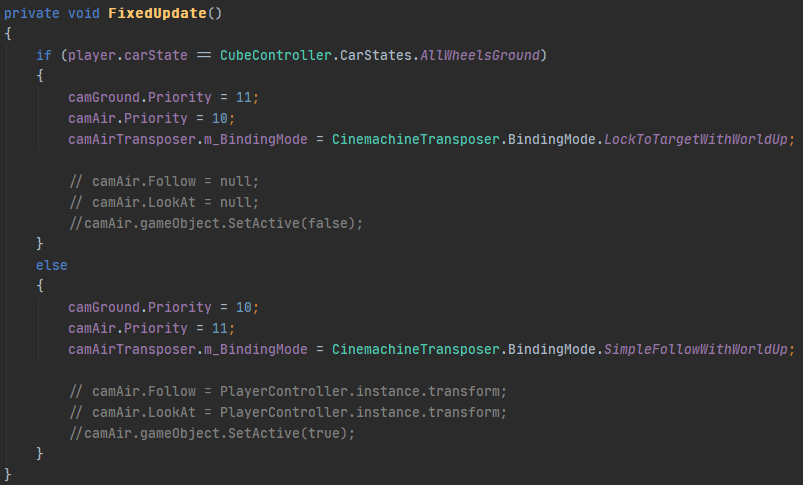
 sly stirrup
How would i go about having my camera following my player, then when next to a dolly track, connect to it, and be able to when moving away being able to disconnect from the track? I want it to look like nothing has happened between hooking on and off of the tracks. I am going for a slow camera rotation as the player moves similar to how the camera works for Paper Mario: The Thousand Year Door or Bug Fables. (both do the same thing with the camera.)
 warped mirage
i have a 2d camera following a coin in 2d, and when i flip the coin (with rigidbody2d physics) the camera goes batshit crazy because it also rotates with the coin. is there a way i can lock the rotation?
royal tartan
warped mirage
i have a 2d camera following a coin in 2d, and when i flip the coin (with rigidb...
How are you haveing the camra follow the coin? Are you making the coin a parent of the camera?
Don't use parenting, just make a script that sets the camera's position to the coin's position + some offset in LateUpdate()
warped mirage
cinemachine 2d camera, framing transposer
tracked object offset seems to use the target's up rather than global up
changing screen y and bias y instead of setting tracked object offset y seems to work though
rare rose
How do I force a vcam to change its position when its doing "simple follow"? I want the user to be able to reorient the camera behind the player
 near pawn
So in unity 2d I have cinimachine it is zoomed really far into my character and I cant move it away
 hardy fiber
This might help @rare rose

In this video, we’re going to look at how we can set up a third-person camera using the new Aiming Rig of Cinemachine 2.6, and how we can use Impulse Propagation and Blending to create additional gameplay functionality for our camera controller.
Download this project here!
https://on.unity.com/36nVNzt
Learn more about Cinemachine 2.6 here!
htt...
rare rose
hardy fiber
This might help <@!206641667871211520>
Hmm familiar face 😄 I watched this vid already a week ago, will skim again. I dont remember it doing what I want, teleport a "Simple follow" camera to a specific spot
When in the air, I am using "Simple Follow with world up" binding mode. What I want is when user presses a button I want that free floating camera to position behind the car, as if it was in the "Lock to target". I am trying doing that with code but the behavior is weird. I will post the code soon after I've tried more
https://i.imgur.com/U8Uvlb4.png
TLDR: need the cam to transition behind the car on button press with a smooth, but very fast transition. After the cam is behind the car it should float freely since its a "simple follow with world up" binding
hardy fiber
I will be using Cinemachine soon in my project, so I don't have much exp with it yet!
Have you tried making another Vcam that is already in that postion and then just activating that Vcam? I think moving the Vcam whilst de-activated and activating might be easier. I might be mis-understanding your situation a little also haha.
rare rose
Hmm, using another simple follow cam? I will try that. If the cam were lock to target the solution would work, but the cam has to be simple follow, I will try that, meaning it changes the position depending on the speed and direction of the car
hardy fiber
It should work, 2 Vcams that use the simple follow, you should be able to just duplicate your original set up 🙂
rare rose
I was sure there was some method to just force the "simple follow" to reset to specific position with code or somehting. Will try the easy solution
yea nope, the simple follow has a mind of its own @hardy fiber
https://streamable.com/9b4xo0

I feel the solution is trivial but being a newb with cinemamachine makes everything non trivial 🙂
There is another problem, I switch cameras with code when in the air and when on the ground, I set default blend to be 1 second but in the video you can see it switches the camera instantly, something is off, the blend is clearly NOT 1 second, its instant https://streamable.com/5z7ukt
First the camera changes position instantly and only then it does the blending, wtf? https://i.imgur.com/5VidMKY.png

 hardy fiber
I think the blend is in game time rather than realtime, I could be wrong try make it something like 10 and see it if helps @rare rose
rare rose
the blending does work going from the ground to air cam, but not when landing and switching from the air cam to ground. It snaps instantly
I literally dont understand what is going on 🙂
hardy fiber
Hopefully someone with some more experience with Cinemachine can help, I have only used it for simple flythroughs at the moment 😦
 solemn gulch
Can I use multiple polygon colliders to prevent the virtual camera from seeing past walls/borders in a top down game? Do I even need multiple?
rare rose
hardy fiber
Hopefully someone with some more experience with Cinemachine can help, I have on...
np, thats for suggestions anyways!
solemn gulch
solemn gulch
Can I use multiple polygon colliders to prevent the virtual camera from seeing p...
Playing around with it, and I believe what I need is the Composite Collider 2D component instead of the Polygon 2D
solemn gulch
solemn gulch
Playing around with it, and I believe what I need is the Composite Collider 2D c...
Still kind of stuck on this. Anyone know what I might need to google or look for?
Wondering why the polygons look all weird or why they appeared this way.
solemn gulch
Question, is it possible to switch shots between two polygon colliders? I currently have one polygon collider attached to the cinemachine confiner.
rare rose
A a simple question about Cinemamachine:
When I am in the air I am using the "cam Air" with "simple follow with world up" and when on the ground - "cam ground" with "Lock to Target". But when on the ground, I want the air cam to have the same position as cam ground.
What would be the easiest method to do? Right now when I am touching the ground I wait 0.3 seconds for the blend to finish and change cam air from simple follow to lock to target to force it to change the position. The code is ugly, there must be a nicer way doing it.
https://i.imgur.com/Pg9hwqV.png
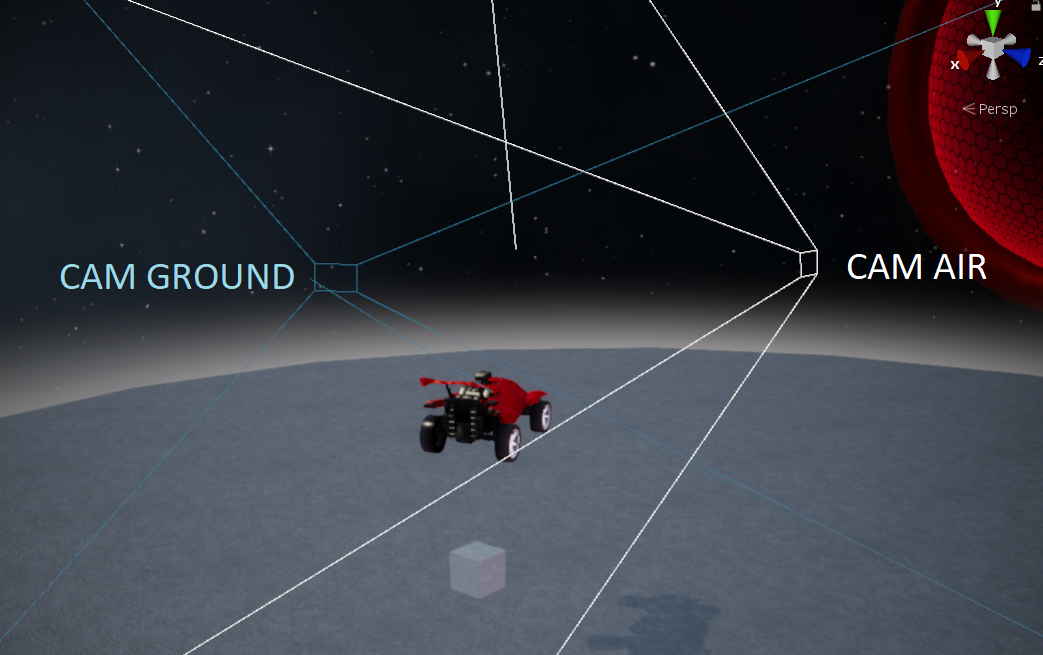 solemn gulch
Question, is it possible to switch shots between two polygon colliders? I curren...
solemn gulch
solemn gulch
Question, is it possible to switch shots between two polygon colliders? I curren...
Still stuck on this and I am trying to get a better understanding of it. Anyone have any experience with camera transitions? https://www.reddit.com/r/Unity2D/comments/cp74ea/cinemachine_problem_with_transition_between/

reddit
1 vote and 2 comments so far on Reddit
rare rose
solemn gulch
Still stuck on this and I am trying to get a better understanding of it. Anyone ...
You keep reposting the same question to have your message to be at the bottom, it is considered spamming.
Try asking in the unity forum in the cinema machine section, I got an answer within an hour from a Unity dev
 trim dirge
How do render textures interact with cinemachine? I'm creating a fog of war implementation
rare rose
trim dirge
How do render textures interact with cinemachine? I'm creating a fog of war impl...
Transparent layers - https://i.imgur.com/ZboHkAh.png
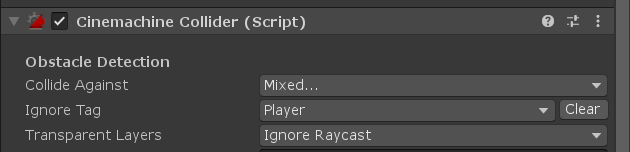 trim dirge
I saw this forum answer but was confused by it:
https://forum.unity.com/threads/is-this-possible-with-cinemachine.515208/
I thought you should only have one cinemachine brain?
Unity Forum
Lets say I have 10 game objects of various sizes that each have a virtual camera attached to them (with LookAt set respectively) .
- Is there a way...
question 2 in this forum post specifically
or do I not need a separate virtual camera for each
I'll just provide the context that I'm recreating this system:
https://andrewhungblog.wordpress.com/2018/06/23/implementing-fog-of-war-in-unity/

One of the earliest features that I implemented for Gridpulse Legions was fog of war. My intention was for the feature to work similarly to how it works in the original Starcraft; that is to say, i…
rare rose
usually you have one brain and many virtual cameras
trim dirge
rare rose
Transparent layers - https://i.imgur.com/ZboHkAh.png
Am I placing this on my main virtual camera or on my render texture vcams?
rare rose
trim dirge
Am I placing this on my main virtual camera or on my render texture vcams?
the collider goes on the vcam
trim dirge
should I only have one vcam, the player camera? I didn't think I would need one on the render texture cams but I was following these forum answers.... which I now realize are asking specifically about sending vcams to render textures 😅
rare rose
you can have as many vcams as you want and switch between them either deactivating and activating them or setting a priority.
 urban horizon
Hi everyone!
Could someone give me a hint of where can I find some info on how to make a camera that follows a car? I know it's way harder that it seems at first but I can't find any info or samples
trim dirge
rare rose
you can have as many vcams as you want and switch between them either deactivati...
main question is... the render texture camera objects do not need virtual camera components?
rare rose
trim dirge
main question is... the render texture camera objects do not need virtual camera...
I never used render textures so idk about it
rare rose
urban horizon
Hi everyone!
Could someone give me a hint of where can I find some info on how ...
Use a Transposer with lock to target with world up
rare rose
urban horizon
Hi everyone!
Could someone give me a hint of where can I find some info on how ...
solemn gulch
rare rose
You keep reposting the same question to have your message to be at the bottom, i...
It was like a day between messages. Two different questions and was trying to provide context. Yes I could have edited the original message. Apologies.
 green thunder
hey guys, i am using cinimachine as follow camera for player, i am seeing a weird issue, as you can see camera is near the black building, it cuts of the building.. i guess camera is colliding with the object..
and here it it seems to fine..
can any one tell me what is causing the issue?
royal tartan
Camera near clip plane distance perhaps?
This looks like an orthographic camera - how far away from these Game objects is the camera actually?
Make sure nothing is getting closer to the camera than the near clip plane distance
move the camera back and/or change the clip distance
 languid sentinel
Anyone has a clue what could make cinemachine not blend from camera A to B. but blend properly from B to A. Both have the same settings in terms of blending and inherit position( although I'm not sure if that's related).
To clarify, I'm switching between cameras by changing their priority from 0 to 1 and vice versa. Both of the cams are mixing cameras with 2 child cameras attached.
warm verge
NullReferenceException: Object reference not set to an instance of an object
sly stirrup
I have a virtual camera with the setting in the Body Camera Up on Path and i want to have the camera be on a rotation of 90 degrees. However, because of the path setting, it always is facing forward. how could I get the 90 degree rotation with the path or path no roll setting?
 restive grail
Anyone knows how to solve the jitters happens when I have cinemachine and pixelPerfectCamera? It only happens when I apply a damping or look ahead time. I added the pixel perfect extension and tried to change the update methods in cinemachine brain, but the player keeps jittering...
rare rose
restive grail
Anyone knows how to solve the jitters happens when I have cinemachine and pixelP...
try other update methods in the brain -> https://i.imgur.com/3oVSMVC.png



how do I handle camera change if I have 20 agents, do I create 20 cameras for each? Because if I use only 1x camera and assing follow and lookat targets the camera wont blend, it will jump
restive grail
yeah I tried all of them but none works for me
do you want to see all 20 agents together?
something like target group camera?
 polar elm
restive grail
Anyone knows how to solve the jitters happens when I have cinemachine and pixelP...
polar elm
restive grail
Anyone knows how to solve the jitters happens when I have cinemachine and pixelP...
I thought this is because of it's pixel perfect so it snaps to pixels
 worthy pasture
what the difference between "add cinemachine freelook camera" and " add virtual camera << body <<3rd person follow" ?
Looks like the same? all for 3rd person view.
royal tartan
worthy pasture
what the difference between "add cinemachine freelook camera" and " add virtual...
Cinemachine freelook is very different
it's this virtual rig with a low, mid, and high circle dolly tracks that the camera can follow
look at the freelook camera in scene view with the gizmos enabled
you should be able to see the rig
It also has built-in input handling to rotate the camera around that rig
worthy pasture
Thank you @royal tartan now I understand it.
After watching tutorials on Youtube, I feel Freelook is easier to code and use for a beginner.
I will start with Freelook for my projects.
 sharp hull
Does anyone know if it should be possible to have multiple state-driven camera systems to the same animator
I want this for nesting purposes where i can nest camera's to specific moving scenes
but control them via the same animator
i have it setup but it doesn't seem to switch to the second camera system
 white hull
sharp hull
Does anyone know if it should be possible to have multiple state-driven camera s...
white hull
sharp hull
Does anyone know if it should be possible to have multiple state-driven camera s...
Sorry nobody has gotten back to you
You can try putting multiple cameras under the same Transform in the hierarchy and put the Animation Controller on that parent Transform
If they all show up in the Animation properties tab, you should be OK to proceed
I have not attempted this use case myself, but that should indicate if the concept will work
 rose quiver
Hello, I'm fairly new to Cinemachine and I've got no clues on this one. I'm trying to interpolate between a match camera and a menu camera in a school project, and to some extent it works. It works to interpolate between these cameras in playmode by changing the priority in the Inspector, but for some reason in playmode it doesn't like being set in my events.
The only difference is that I set the priority using UnityEvents compared to setting them in the Inspector, and there's no disabled gameObjects or anything else I believe could affect it. Any suggestions?
 visual horizon
Hello! I tried to use cinemachiine for my project and i am having some trouble with it. I set a more complex confinder on my project and when it reaches the space when it reaches enough width to position itself to the center of the player it snaps directly to it. I want to make a smooth transition when it happens. How can i make that happen? Here aare my settings for cinemachine and the confiding shape
 leaden flame
visual horizon
Hello! I tried to use cinemachiine for my project and i am having some trouble w...
leaden flame
visual horizon
Hello! I tried to use cinemachiine for my project and i am having some trouble w...
if possible a video of this behaviour could help, including the cinemachine gizmos please
I think a framing transposer just wants to keep the target within a set space
visual horizon
leaden flame
if possible a video of this behaviour could help, including the cinemachine gizm...
dumb question, but what is gizmos?
visual horizon
oh, okay
leaden flame
Worst case you can use a tutorial and re set up the camera
leaden flame
there should even be some pre made cams for you in the cinemachine resources and examples pack (I think its in the package manager).
OK so the gizmos are off, just turn em on for me,but I think its targeting the space in front of your character
so it should have like blue and red bars and a yellow dot in the center if its on
visual horizon
leaden flame
I think a framing transposer just wants to keep the target within a set space
this is what happens
how can i fix this?
i made this camera using a brackeys tutorial
fervent current
Can I combine normal cameras (that you move with transform) with cinemachine cameras? How?
 hybrid herald
On the virtual camera for your custom movement:
Body -> Do Nothing
Aim -> Do Nothing
visual horizon
hybrid herald
On the virtual camera for your custom movement:
Body -> Do Nothing
Aim -> Do Not...
id it to me or to the other person?
fervent current
I think it is to me
And then just move the virtual camera instead of the camera right?
hybrid herald
visual horizon
id it to me or to the other person?
yeah sorry it was to @fervent current
And yes @fervent current, you can do what you want with the transform the virtual cam is attached to
 frigid tide
Hi guys,
I have 1 camera with CinemachineBrain and 2 VirtualCamera.
I'm switching priority between both, one is following my player and is working.
The second one is just a map view, so the camera is supposed to be fixed, so it has no Transform to look at or to follow. However, she constantly come back at the origin 0. I would like an offset on Z only.
Anyone has an idea ?
hybrid herald
frigid tide
Hi guys,
I have 1 camera with CinemachineBrain and 2 VirtualCamera.
I'm switchin...
Explain "map view". That could mean a thousand different things in video games.
frigid tide
Just a top view that can show the whole map, I want to be able to move and zoom with inputs and not with target
hybrid herald
You're assuming I have a lot of knowledge about your game, that I simply do not have.
Explain your camera system like you'd explain it to a player
Or give me an example of another game that uses a similar system.
frigid tide
Oh sorry, yea maybe it's obvious for me but not understandable
I have this view in my game, in 2D and I want a camera that able me to zoom back to see more and also can move freely
hybrid herald
Yeah I wasn't even visualizing a 2D game. I see. So when you zoom out, the camera position goes back to 0?
frigid tide
For now, I don't even have the zoom function. I just have a camera that will automatically go to 0 if it doesn't have a target
I don't know how to set up the cinemachine Virtual Camera (if it's the right one to use)
I have a camera, I start play, it go to 0.0.0
hybrid herald
I'm mostly a 3D guy, but I'm assuming that something needs to move the virtual camera. I'm gonna guess the target is where the 2D version tries to center itself.
so if it doesn't have one, it just snaps to the world origin
frigid tide
Ok, thanks for your answers (and patience) 🙂
I will try to dig in a target for the 2D and do some tricks then 🤔
hybrid herald
Brackey's tutorial for using Cinemachine 2D if you haven't watched it. -> https://www.youtube.com/watch?v=2jTY11Am0Ig
Even if you don't have a player, the VC will still need an object to follow.
frigid tide
Okok, that s because I saw somewhere that the camera would be fixed if it doesn t have any target, but seems it was wrong, I managed to succeed what I wanted to do ! Thanks for your advise
 haughty basin
Hello, I have this character moving along this spline, and I want the camera to stay on this side of the spline. However when the character changes directions, the camera flips to the other side of the spline. I don't know what to do because I still need the camera to rotate as the character moves along the spline, just not flip when the direction changes. What can I do?
royal tartan
haughty basin
Hello, I have this character moving along this spline, and I want the camera to ...
that would be part of the Body Transposer settings
haughty basin
Forgive me if it obvious, but I have been unable to figure out how to set it up for a while now. For example, I can use the following settings to get the camera not to flip, but it will not rotate with the player anymore. Which binding mode would be best to base it off of?
 prime wasp
I have a virtual cinemachine camera following a target around my 3d world, however i only want it to follow it when it hits the screen edges. Is there an option for this?
gave up trying to make my own camera script. its by far the hardest part of this entire thing lol.
prime wasp
aaaalright i've actually got this figured out, using the framing transposer on the cinemachine body. however this does not "work seemlessly with perspective cameras in 3d" as when moving along the Z-axis in game the camera for some reason 'zooms.' This requires orthographic camera 😦
languid sentinel
Anyone knows why setting GetInputAxis delegate wouldn't work?
//in Awake:
CinemachineCore.GetInputAxis = GetInputAxis;

        private float GetInputAxis( string axis )
        {
            Debug.Log( $"getting axis {axis}" );
            if (!input)
                return 0f;

            return input.GetAxis(axis);
        }
The debug doesn't print... =/
Nvm. I was not switching to the free look camera...
 weary torrent
Ay yo Im having trouble with cinemachine and what I think is a collider issue could someone dm me if they can help?
 fluid kelp
i have a simple question
or at least i hope its simple
how do i get my controller to work with cinemachine
so i can use the right joystick to control the camera
royal tartan
Many of the cinemachine transposer types and Cinemachine Freelook support input axes
Just have to set up the appropriate axis in the inspector
Alternatively - you can modify whatever properties of the virtual cams you want from a script, and incorporate input into your own script
fluid kelp
so how would i go about setting this up
prime wasp
just a note, but for some reason the confiner doesnt work on an empty game object with a box collider attached to it. you need to put a cube in first, delete the mesh and material and then for some reason that works just fine.
 trail prairie
Can anyone recommend me a simple tutorial about cinemachine, Would really appreciate it
 wide hull
I'm trying to learn about Cinemachine, but for some reason it's not responding to my mouse. I have everything set up like in this screenshot, with Mouse/Mouselook being mapped to Delta [Mouse]. When I click Play, I move my mouse and nothing happens. If anyone is available to help me, feel free to DM me.
SOLVED: Reinstalled and recreated everything, and now it works as intended
 mortal bobcat
CinemachineFramingTransposer seems to be returning null when using GetCinemachineComponent<CinemachineFramingTransposer>().
NullReferenceException: Object reference not set to an instance of an object
Nvm, got it.
Should have been referencing Cinemachine3rdPersonFollow instead.
warm verge
i wish i knew about this discord a year ago
i have a question about state driven cameras
So i've set one up for my player character. Just something simple like an alternate view and a close up for interactions
now i'm getting to a point where i also need to set up camera rules for the environment
inside building vs outside
i guess what i'm asking is if it would be easier to stick with the state driven camera
and when entering inside the buildings switching my animator state to control the state driven camera
or just use a complete other set of virtual cams specific enviros
just trying to avoid any headaches in advance
or if anybody has a good tutorial on multiple cam management i'd gladly watch that too
 plush totem
Hi, do someone know why can't I see a dolly track when a create one ?
royal tartan
plush totem
Hi, do someone know why can't I see a dolly track when a create one ?
Do you have gizmos enabled?
plush totem
Was disabled I turned it on thanks 
 gritty junco
Hello, my character is followed by a camera, but I don't want my character to detect rotation movements. I am using a cinemachine virtual camera, how can I do?

my settings are like this
 uncut pilot
How to access different rigs (toprig, middlerig, bottomrig) of a cinemachine free look cam through code ?
 novel heath
No. You can use the classic camera for that. Cinemachine makes for a better experience when following the player, however.
warm verge
like I want the player to be able to move the camera up and down slightly so they can look around more
but I still want to keep it looking at the character from one direction
the entire time
novel heath
I think you can do anything with the old camera that you can do with Cinemachine. It's just a matter of how much scripting you want to do.
warm verge
well, do you know the game called Little Nightmares?
novel heath
I haven't played it. I have heard of it.
warm verge
wait
here

Little Nightmares 2 - Mono meets Six (4K Gameplay)
subscribe here: https://www.youtube.com/channel/UCHDuB307J4FCrSYFwglPWMw?view_as=subscriber
MonoTv: https://www.youtube.com/channel/UC_m5kjj7q3T3lJgIaa_xzQA
#LittleNightmares #LittleNightmares2 #Gameplay
it shows the camera thing I want to replicate
the camera moves with the character