
#🎥┃cinemachine
1 messages · Page 11 of 1
 solemn skiff
that clip plane is the only way I've found that stops the orthographic camera from cutting off the bottom of the screen

 steady estuary
solemn skiff
why does the near clip plane keep resetting back to 0.01 every time I enter play...
steady estuary
solemn skiff
why does the near clip plane keep resetting back to 0.01 every time I enter play...
-100 is invalid. How can a near clip plane be negative? Probably resetting to the smallest valid value.
solemn skiff
no, its normal to have a clip plane be negative, it means the clipping will happen behind the camera
steady estuary
Is that in editor?
solemn skiff
yeah
steady estuary
Has it worked in runtime
solemn skiff
I enter playmode in the video, but once I exit, it defaults back to 0.01
solemn skiff
yeah
I guess I can just go with a different angle to stop clipping, but its odd for it to reset each time
steady estuary
Hmm. Sure looks like it clamps to the smallest non-negative number, perhaps suggesting negative clip plane is not supported (even if it works)
solemn skiff
thats what the near clip plane actually does, reducing it shifts that plane back. The far clip plane is on the other side of that cuboid
 solemn skiff
steady estuary
Hmm. Sure looks like it clamps to the smallest non-negative number, perhaps sugg...
solemn skiff
steady estuary
Hmm. Sure looks like it clamps to the smallest non-negative number, perhaps sugg...
I guess so, they probably forgot to add a Min(0.01) attribute
solemn skiff
steady estuary
Negative values just don’t make sense to me.
why not?
steady estuary
It’s the closest distance from the camera at which objects get rendered
Why not move the camera if you need things rendered
Maybe things work differently in orthographic
solemn skiff
I'll just adjust the camera so it cant clip below the floor. It's just a shame it limits the range of angle I could have the camera

perhaps its just a performance thing, as in theory I could have a near clip of -1000 and unity would then begin rendering things that are behind the camera
steady estuary
Couldn’t this screw up things like depth buffers etc
solemn skiff
maybe? I'd think those take the planes into account, just that a larger distance between the planes would just reduce the contrast of the depth buffer
its not a problem, ill just adjust the camera to avoid clipping
it just felt like a strange thing to override is all, but im sure theres an internal reason. perhaps the docs explain why
 wispy steppe
Hey I'm using Unity 6 and it seems like Cinemachine has changed up a lot of its scripts.
How do I get a simple follow/look at where I can specify a tracking distance
steady estuary
wispy steppe
Hey I'm using Unity 6 and it seems like Cinemachine has changed up a lot of its ...
Add a Cinemachine camera. Then pick the position and rotation controls you want. https://docs.unity3d.com/Packages/com.unity.cinemachine@3.1/manual/setup-follow-camera.html
 potent fable
When using a camera confiner and a target group at the same time in unity2d the confiner doesn’t work at all. Is there a way to fix this or would you need a custom solution?
 late basin
potent fable
When using a camera confiner and a target group at the same time in unity2d the ...
late basin
potent fable
When using a camera confiner and a target group at the same time in unity2d the ...
CM2 or CM3?
potent fable
late basin
CM2 or CM3?
I’m on the latest update on the 2022 LTS so I’m pretty sure 2
late basin
potent fable
I’m on the latest update on the 2022 LTS so I’m pretty sure 2
Are you just starting with CM, or are your scripts more heavily invested in it?
potent fable
No I don’t have any scripts for the cm the only components are the target group and confiner
late basin
potent fable
No I don’t have any scripts for the cm the only components are the target group ...
Are you willing to upgrade to CM3? You don't have to, but IMO it's just better. You can do it by following these instructions to upgrade to CM 3.1.3: https://discussions.unity.com/t/how-do-i-install-a-specific-version-of-cinemachine/927513
potent fable
I’m not able to upgrade Unity versions because of the multiplayer engine I’m using 🥲
late basin
potent fable
I’m not able to upgrade Unity versions because of the multiplayer engine I’m usi...
You don't need to upgrade unity versions, CM3 works with 2022.3
potent fable
Oh maybe I have cm 3 let me check my project 😅
potent fable
late basin
Are you just starting with CM, or are your scripts more heavily invested in it?
Nvm I’m on 2.1 will updating to 3 fix the issue?
late basin
potent fable
Nvm I’m on 2.1 will updating to 3 fix the issue?
2.1 is so old that I can't tell you what works differently on it. Please upgrade. I'm not promising that the issue will be fixed, but I can't help you if you're on 2.1.
potent fable
late basin
2.1 is so old that I can't tell you what works differently on it. Please upgrad...
Yeah definitely I can’t believe I’m using something so out of date… I didn’t realize the updates wouldn’t show in the package manager. Also thanks for the help so far!
late basin
potent fable
Yeah definitely I can’t believe I’m using something so out of date… I didn’t rea...
Hold on a sec - is your version of Cinemachine present in your project's Assets folder, or is it in Packages?
potent fable
late basin
Hold on a sec - is your version of Cinemachine present in your project's Assets ...
I’m pretty sure it’s in packages
I was backing up my game quickly just in case I can check
late basin
potent fable
I’m pretty sure it’s in packages
In that case PackageManager should be flagging is as being out of date
potent fable
late basin
In that case PackageManager should be flagging is as being out of date
Yeah I updated it like a month ago so when I saw I was on 2.1 I was like wat.
 fair tiger
Im using the new input system and I am making a fps game. Using cinemachine 3 how can I make it so the camera follows the player where ever he's looking? also I want to control the camera with the mouse. Any ideas?


 late basin
fair tiger
Im using the new input system and I am making a fps game. Using cinemachine 3 ho...
late basin
fair tiger
Im using the new input system and I am making a fps game. Using cinemachine 3 ho...
There are several ways to do it. Lock at the CM samples. See FreeLook Deoccluder, FreeLook on Spherical Surface, ThirdPersonWithAimMode
late basin
fair tiger
Im using the new input system and I am making a fps game. Using cinemachine 3 ho...
For quick and dirty you can right-click on your target object, and choose this:

 dapper dome
Question if i work with Cinemachine, does the maincamera or the virutal camera currently in use decide the shadow resolution point
or should i ask in cinemachine
or am i misunderstanding how the Cinemachine system works
 royal tartan
dapper dome
Question if i work with Cinemachine, does the maincamera or the virutal camera c...
royal tartan
dapper dome
Question if i work with Cinemachine, does the maincamera or the virutal camera c...
The unity camera is responsible for all rendering.
Cinemachine merely positions and rotations the camera
dapper dome
so cinemachine virtual cameras reposition the main camera ?
so i dont need to worry about the shadow distances might be wrong when using it ?
cuz i was worrying about maybe the shadows beeing super low res for a player if the main camera is completly somewhere else then the virtual one
@royal tartan
please ping when you answer so i can find it tomorrow, as i go to sleep now
royal tartan
dapper dome
so cinemachine virtual cameras reposition the main camera ?
yes
royal tartan
dapper dome
cuz i was worrying about maybe the shadows beeing super low res for a player if ...
Again virtual cameras don't do anything except position the Unity camera
the only way the vCam could be in a different place as the Unity camera is if it's not the active camera.
dapper dome
royal tartan
Again virtual cameras don't do anything except position the Unity camera
Thank you so much, yeah atleast one thing i can stop worrying about

late basin
royal tartan
Again virtual cameras don't do anything except position the Unity camera
Cinemachine can also manipulate the lens settings, don't forget that
royal tartan
late basin
Cinemachine can also manipulate the lens settings, don't forget that
Sure but not shadows.
I was keeping it simple
fair tiger
late basin
For quick and dirty you can right-click on your target object, and choose this:
what would be the best choice specifically for fps?
late basin
fair tiger
what would be the best choice specifically for fps?
There's no such thing as "best". It's context-dependent and depends in part on what character controller you're planning to use. Take a look at this, it comes all set up: https://assetstore.unity.com/packages/essentials/starter-assets-firstperson-updates-in-new-charactercontroller-pa-196525

Get the Starter Assets - FirstPerson | Updates in new CharacterController package package from Unity Technologies and speed up your game development process. Find this & other Essentials options on the Unity Asset Store.
fair tiger
late basin
There's no such thing as "best". It's context-dependent and depends in part on ...
I tried copying its settings but I can't get that same fps camera position also how can I look around? I head you can do it without scripting.
 late basin
fair tiger
I tried copying its settings but I can't get that same fps camera position also ...
late basin
fair tiger
I tried copying its settings but I can't get that same fps camera position also ...
Are you trying to do first person or third person?
fair tiger
late basin
Are you trying to do first person or third person?
first person only
late basin
fair tiger
first person only
You can't do first person with codeless camera only. You need some kind of controller to move the player around. That means code. What code are you using for that?
fair tiger
late basin
You can't do first person with codeless camera only. You need some kind of cont...
my fps controller to move around > https://paste.ofcode.org/32e6i7rukNzLBUKb7z8TZjH
late basin
fair tiger
my fps controller to move around > https://paste.ofcode.org/32e6i7rukNzLBUKb7z8T...
That code moves and rotates a GameObject/Rigidbody. Do you you want the CM camera to assume the same position and rotation as that object?
fair tiger
late basin
That code moves and rotates a GameObject/Rigidbody. Do you you want the CM came...
no I want to be able to move the camera around with the mouse
just a normal fps style
late basin
fair tiger
no I want to be able to move the camera around with the mouse
I don't understand. With an FPS camera, the camera is the player. There is no such thing as moving or rotating the camera.
fair tiger
should I not use cinemachine for fps? the only reason why I choose it cause before when ever I moved and looked around there was always a stutter and someone said I should use cinemachine as it might fix the problem
fair tiger
late basin
I don't understand. With an FPS camera, the camera is the player. There is no ...
so I can't rotate the camera then?
late basin
fair tiger
so I can't rotate the camera then?
I don't even understand what you want. The image you showed above is for a TPS, and what you are describing sounds like a TPS, but when I asked you you said you want an FPS. I don't get it.
 copper kayak
I looked up this https://docs.unity3d.com/Packages/com.unity.cinemachine@3.1/manual/setup-follow-camera.html
It say go to GameObject and select Cinemachine. I don't have cinemachine at all. Do I need to update Unity or download an addon?
late basin
copper kayak
I looked up this https://docs.unity3d.com/Packages/com.unity.cinemachine@3.1/man...
You need to install CInemachine from the package manager
fair tiger
late basin
I don't even understand what you want. The image you showed above is for a TPS,...
When I say fps I mean this >
copper kayak
fair tiger
When I say fps I mean this >
fps = framerate per second
fair tiger
copper kayak
fps = framerate per second
fps = first person shooter
late basin
fair tiger
When I say fps I mean this >
ok, that's an FPS. Your controller code is already using the mouse move to rotate the object it's controlling, so it makes sense to rigidly attach the camera to that object. Then the camera will rotate along with it for free. Is that what you want?
fair tiger
late basin
ok, that's an FPS. Your controller code is already using the mouse move to rota...
yes
copper kayak
in the documentation, it say In the Unity menu, select GameObject > Cinemachine > Targeted Cameras > Follow Camera.
I don't have the Targeted Cameras
 late basin
copper kayak
in the documentation, it say `In the Unity menu, select GameObject > Cinemachine...
late basin
copper kayak
in the documentation, it say `In the Unity menu, select GameObject > Cinemachine...
You are using an older version of CInemachine and a newer version of the docs. What is your Unity version?
copper kayak
2021.2.10
late basin
copper kayak
2021.2.10
That's ancient. Why so old?
copper kayak
I started developing my game that year and never updated unity since
I took a 4 years break
late basin
copper kayak
I started developing my game that year and never updated unity since
That version of Unity is no longer supported. You can take your chances with it if you like, or upgrade to something more recent. If you want to stay with the old version, you can use the doc for CM2: https://docs.unity3d.com/Packages/com.unity.cinemachine@2.10/manual/index.html
copper kayak
I hope upgrading wont break stuff
late basin
copper kayak
I hope upgrading wont break stuff
It might. Make a backup first
late basin
fair tiger
yes
You can set it up like this, but it won't work unless you change your controller script. There are some problems with it.
 fair tiger
late basin
You can set it up like this, but it won't work unless you change your controller...
fair tiger
late basin
You can set it up like this, but it won't work unless you change your controller...
What sort of problems?
late basin
fair tiger
What sort of problems?
Does it work when you don't use Cinemachine? Apart from the jitter.
fair tiger
late basin
Does it work when you don't use Cinemachine? Apart from the jitter.
Yh, the whole point of me using cinemachine is to stop the jitter hopefully
late basin
fair tiger
Yh, the whole point of me using cinemachine is to stop the jitter hopefully
CM won't stop that script from jittering. It's breaking the Rigidbody rules. Only ever move or rotate Rigidbodies in FixedUpdate, never Update. One way to fix it is to capture the mouse input on Update, and apply it in FixedUpdate. That will probably stop your jitter.
fair tiger
late basin
CM won't stop that script from jittering. It's breaking the Rigidbody rules. O...
just to clarify should the camera be a child of the player that has a rigidbody?
copper kayak
How to debug this? Playing with cinemachine camera.

I think the space where it's glitching there was no sprite at all
could it be a shader issue?
royal tartan
copper kayak
How to debug this? Playing with cinemachine camera.
What are we looking at here?
copper kayak
royal tartan
What are we looking at here?
well this happen at the edge of my world. I don't know what is causing this. I checked my shaders and they aren't responsible for this glitch.
royal tartan
copper kayak
well this happen at the edge of my world. I don't know what is causing this. I c...
What do you mean by "this"?
I have no idea what this image is showing
copper kayak
I can try to describe the image.
Let's start with this:

This is at the edge of the world. There is no sprites where the image is duplicating
royal tartan
copper kayak
I can try to describe the image.
Let's start with this:
what are your camera settings? This doesn't look cinemachine related
cinemachine doesn't render anything
this looks like a "don't clear" camera background
copper kayak
oooh that might be it
royal tartan
basically it's just the screen buffer holding onto whatever the most recent pixels you rendered there
copper kayak
thanks for pointing out the cause of the issue
 rugged iron
Hey!
I've taken a script from the samples of cinemachine for 2D

using Unity.Cinemachine;
using UnityEngine;

namespace Root
{
    /// <summary>
    /// This class inherits CinemachineCameraManagerBase, which is a convenient base class for
    /// making complex cameras by transitioning between a number of worker cameras, depending
    /// on some arbitrary game state.
    ///
    /// In this case, we monitor the player's facing direction and motion, and select a camera
    /// with the appropriate settings.  CinemachineCameraManagerBase takes care of handling the blends.
    /// </summary>
    [ExecuteAlways]
    public class PlatformerCameraManager : CinemachineCameraManagerBase
    {
        public enum PlayerState
        {
            Right,
            Left,
            FallingRight,
            FallingLeft
        }

        [Space]
        public float FallingSpeedThreshold = 0.1f;

        // The cameras in these fields must be GameObject children of the manager camera.
        [Header("State Cameras")]
        [ChildCameraProperty] public CinemachineVirtualCameraBase RightCamera;
        [ChildCameraProperty] public CinemachineVirtualCameraBase LeftCamera;
        [ChildCameraProperty] public CinemachineVirtualCameraBase FallingRightCamera;
        [ChildCameraProperty] public CinemachineVirtualCameraBase FallingLeftCamera;

        private Rigidbody2D player;
        private PlayerController playerController;

        protected override void OnEnable()
        {
            base.OnEnable();
            var target = DefaultTarget.Enabled ? DefaultTarget.Target.TrackingTarget : null;

            if (target != null)
            {
                target.TryGetComponent(out player);
                target.TryGetComponent(out playerController);
            }

            if (player == null)
                Debug.LogError("PlatformerCamera2D: Default target must be set to Player with a Rigidbody2D");
        }
        {
            bool isLeft = false;
            bool isFalling = false;

            if (player != null)
            {
                if (playerController != null)
                    isLeft = Mathf.Abs(playerController.transform.rotation.eulerAngles.y) > 90;
#if UNITY_6000_1_OR_NEWER
                isFalling = m_Player.linearVelocity.y < -FallingSpeedThreshold;
#else
                #pragma warning disable CS0618 // obsolete for 6000.0.0f11 and newer
                isFalling = player.velocity.y < -FallingSpeedThreshold;
                #pragma warning restore CS0618
#endif
            }
            if (isFalling)
                return isLeft ? PlayerState.FallingLeft : PlayerState.FallingRight;

            return isLeft ? PlayerState.Left : PlayerState.Right;
        }

        /// <summary>
        /// Choose the appropriate child camera depending on player state.
        /// </summary>
        protected override CinemachineVirtualCameraBase ChooseCurrentCamera(Vector3 worldUp, float deltaTime)
        {
            return GetPlayerState() switch
            {
                PlayerState.Left => LeftCamera,
                PlayerState.FallingRight => FallingRightCamera,
                PlayerState.FallingLeft => FallingLeftCamera,
                _ => RightCamera,
            };
        }
    }
}
Why do I have this No GUI Implemented problem?
Any known fix?
royal tartan
rugged iron
I've taken a script from the samples of cinemachine for 2D
Presumably you failed to copy over the necessary editor scripts as well for ChildCameraProperty etc
presumably there's a PropertyDrawer for that or something
rugged iron
royal tartan
Presumably you failed to copy over the necessary editor scripts as well for `Chi...
The problem is exactly the same in the samples :/
royal tartan
rugged iron
The problem is exactly the same in the samples :/
if the problem exists in the samples too then I'm not sure why you would expect it to work in your project
rugged iron
Well I don't
royal tartan
So what's the question exactly
rugged iron
I don't know how I could make the fields work :/
royal tartan
Just get rid of that [ChildCameraProperty] attribute
rugged iron
Even if I do so, I will still have problems for the "target" & "custom blends" fields :(
royal tartan
rugged iron
Even if I do so, I will still have problems for the "target" & "custom blends" f...
I think it seems pretty clear that you're just missing some editor scripts or perhaps using some code that's incompatible with your version of Cinemachine, or something of that nature
rugged iron
Yep, I'll check around the Cinemachine scripts if something allows using the cinemachine property attributes
rugged iron
Hmm the property drawers are in the cinemachine plugin.
I thought maybe the problem had to do with my script not being in the same assembly, so I used an assembly reference referencing the cinemachine runtime assembly
But nothing has changed
Well I give up haha
I can still access the fields by using inspector's debug mode, so I'll do that for now
 junior cobalt
Hello, I am having trouble understanding how apsect ratio actually works in relation to the camera size. In the scene, you can see my camera (the white box) encompassing the entire room. You can also see what it is supposed to look like in the game scene whilst not active. However, when i press play, the size of the 'main camera' shifts from 12 to 7.5, causing the screen size to shrink. the Cinemachine VC still has a lens ortho at 12. Any idea on why this might be happening?


 royal tartan
junior cobalt
Hello, I am having trouble understanding how apsect ratio actually works in rela...
royal tartan
junior cobalt
Hello, I am having trouble understanding how apsect ratio actually works in rela...
Orthographic size tells you half of the visible vertical space
If you switch to a smaller aspect ratio with the same orthographic size, you will see less of the world horizontally
If you want to always show the same amount of horizontal space, you'll need to write some small code to modify the orthographic size based on the aspect ratio
Tldr it's because you're switching to a different aspect ratio
junior cobalt
Thank you very much, ill look into that tomorrow
late basin
fair tiger
just to clarify should the camera be a child of the player that has a rigidbody?
If it's a child then you don't need any procedural motion, you can leave the CM camera at "none" for everything. If it's a separate object, then you need the procedural tracking.
late basin
rugged iron
The problem is exactly the same in the samples :/
I'm not seeing the problem in the samples for CM 3.1.3. Can you show an image? "No GUI Implemented" usually means that the inspector is using IMGUI but the property drawer only has a UIElements implementation. Do you have some default inspector code somewhere that's interfering and trying to make an IMGUI inspector? Here's what it looks like for me:
 rugged iron
I don't 🤔 this is very strange
late basin
rugged iron
I don't 🤔 this is very strange
What version of Cinemachine are you using?
late basin
rugged iron
Updated the version this morning before working
The samples also?
rugged iron
Yep
I use Unity 6
6.0.0.1f1 or smth like this
I don't use editor scripts
(I mean not in this project)
late basin
rugged iron
I use Unity 6
Yes but I'm asking about the Cinemachine version, not the Unity version. You can check it in the package manager
rugged iron
I know, was just giving more info
rugged iron
rugged iron
Updated the version this morning before working
I updated the package to its latest version before working
late basin
rugged iron
I updated the package to its latest version before working
In that case I don't know what's happening. Can you repro the issue in a baby project and share it with me?
rugged iron
I'll have limited time tomorrow but I'll try this later for sure
It will not be until a couple days though, sorry in advance
junior cobalt
royal tartan
If you switch to a smaller aspect ratio with the same orthographic size, you wil...
okay i looked into this (was late last night when i sent), but my aspect ratio is staying the same even when it 'shrinks' (16:9) the camera will get locked at a size of 7.25 when in playing mode.
From some research, I realised it was because of Pixel Perfect Camera that i completly forgot i had enabled. woops
although, i am still having trouble figuring out how to actually make the camera size the proper size ;-;
junior cobalt
im so confused. I want the camera size to be 6400 x 3600 with 128p per unit (dashed green rect), but for somereason it is stuck on being the size of the solid green rect, and i cannot change the camera sizes. if I turn on crop frame, itll stretch to the correct size, but i lose a ton of resolution. could someone explain how pp works?


do i want this to match the aspect ratio?
 royal tartan
junior cobalt
im so confused. I want the camera size to be 6400 x 3600 with 128p per unit (das...
royal tartan
junior cobalt
im so confused. I want the camera size to be 6400 x 3600 with 128p per unit (das...
What resolution do you have set in your game view window?
junior cobalt
royal tartan
What resolution do you have set in your game view window?
16:9
 errant shard
Camera size isn't in pixels, it's in units from which the resolution is dynamically calculated from
You can't normally directly control the display resolution of the application, at least not force it bigger than the user's screen physically is
I'm curious if it's possible to use a reference resolution bigger than the display resolution, but if it is it's likely pointless because it won't be pixel perfect in any way
@junior cobalt To me it seems you're misunderstanding camera size, display resolution, game window resolution, PPU and pixel perfect reference resolution
I'd start by reading the documentation for each of those
After that it would be important to know what you're exactly trying to achieve
Why 6400 x 3600?
junior cobalt
errant shard
<@406561495699423234> To me it seems you're misunderstanding camera size, displa...
Ill read those when i get home 👍
junior cobalt
errant shard
After that it would be important to know what you're exactly trying to achieve
W...
With the 128x unit, it is the proper camera size from atleast what i could tell
*for the camera size i want
But my main goal is just to have a 16:9 whilst being allowed to control the cameras view size and not having the pixels get all wonky like they do without pixel perfect
I dont care how many actual pixels there are as long as it can properly display everything within that ratio and size
errant shard
junior cobalt
But my main goal is just to have a 16:9 whilst being allowed to control the came...
Pixel perfect component emulates a specific resolution, you need to specify what it is, and follow the requirements because there are only so many ways pixel art can be scaled without distortion
The component doesn't inherently know what resolution your art is, and neither you or the component knows beforehand what size the user's screen will be, which is why it's so picky about being configured right
junior cobalt
So the pixel perfect wont work if someone like scales the window because the specific resolution would stay the same?
errant shard
It has settings to define what to do in that situation, like whether to letterbox, but it's possible none of those will help if the game window can be scaled freely
If you aren't after a specific pixel perfect resolution, another option to consider is some type of texture AA to smooth the pixel art instead when it's scaled
https://assetstore.unity.com/packages/2d/smooth-pixel-209066
https://github.com/9D-Tony/UnitySmoothPixelFiltering
Like one of these
junior cobalt
I see, would the issue persist if the game window could only be scaled in the 16:9 ratio?
errant shard
junior cobalt
I see, would the issue persist if the game window could only be scaled in the 16...
You'd have less issues but there would still have to be some specific method to resolve a situation where the screen size is "in between" integer scales of the reference resolution
For accurate non-wonky pixel art each sprite pixel will have to be precisely mapped into an integer grid of screen pixels
I may be explaining it inaccurately so I recommend you learn how the components are meant to be used and do some simple practical tests to see what kind of window scaling you can get it to support acceptably
junior cobalt
Oh jeez, i will definitely look into the smooth pixel filtering when i get home, and yeah i will definitely test around and read the documents. Thank you for the explanations
junior cobalt
errant shard
The component doesn't inherently know what resolution your art is, and neither y...
my (majority of) sprites are 64x64, with 32 pixels per unit, so to my understanding my 'assets pixel per unit" under the pixel perfect camera. My character should be about 1/10th of the screen, the closest pixel ratio to that would be 1024x576. However, pixel perfect seems to only work at that specific dimensions (as that is what it is supposed to do to my understanding), and even then, im still getting some weird issues like the eyes on the left image having the left eye being thicker than the right. Beyond this, the screen works how i want it to, with a longer screen meaning a wider camera, vise versa with a taller screen, and with a equally increasing length and width of window dimensions, the total camera size stays the same. Is this where the smooth pixel filtering may help?


 mossy plinth
Hey
it's been a while since I've used cinemachine, how do I tweak camera sensitivity?
is the only option accel time
late basin
mossy plinth
it's been a while since I've used cinemachine, how do I tweak camera sensitivity...
There is also Gain
mossy plinth
ty
 plain warren
how do i enable third persson mouse camera movement in cinemachine
royal tartan
plain warren
how do i enable third persson mouse camera movement in cinemachine

FreeLook or Third Person Aim
plain warren
thanks bud
 dense heath
Someone knows how to fix cinemachine freelook camera not to go through walls and instead zoom on the object?
royal tartan
dense heath
Someone knows how to fix cinemachine freelook camera not to go through walls and...
Cinemachine Deoccluder or Cinemachine Collider
dense heath
Someone has a good config ?

 prime phoenix
Hi folks, It's just the second week on unity. Could you please help me to figure out how to set handheld effect on my main camera ?
steady estuary
prime phoenix
Hi folks, It's just the second week on unity. Could you please help me to figure...
prime phoenix
steady estuary
Very easy. https://docs.unity3d.com/Packages/com.unity.cinemachine@3.1/manual/se...
Tks man, but cinemachine is correctly installed but there's no way to add it because it says it's deprecated and i cannot see into gameobject list as well
steady estuary
prime phoenix
Tks man, but cinemachine is correctly installed but there's no way to add it bec...
What version of Unity are you using? What version of Cinemachine (check Package Manager).
prime phoenix
unity 6 029f1 - Cinemachine 3.1.2
steady estuary
not sure why it would say deprecated.. please post screenshots of the inspector view showing this
prime phoenix
steady estuary
not sure why it would say deprecated.. please post screenshots of the inspector ...
Ok just relanuched unity and everything is working. So i need to work with cinemachine camera or can i apply it main camera as well ?
steady estuary
no, cinemachine camera
Put the Cinemachine Brain on your main camera game object
Then create one or more Cinemachine Cameras
prime phoenix
Fantastic!!! It works, is it possible to stop it when player is not moving ?
steady estuary
prime phoenix
Fantastic!!! It works, is it possible to stop it when player is not moving ?
Hmm.. I think you'd probably have to do that in code for your character controller. Like make the noise amount a function of movement.
 tacit matrix
Isnt there a cinemachine component that can automatically determine whether you entered or exit a cinemachine area? Is there a way to achieve this (selecting cinemachine to use) without a script
steady estuary
tacit matrix
Isnt there a cinemachine component that can automatically determine whether you ...
Cinemachine Trigger Action
 shell maple
I'm using the new input system and cinemachine. How can I control the sensitivity and make it work for mouse and controller?

 royal tartan
shell maple
I'm using the new input system and cinemachine. How can I control the sensitivit...
royal tartan
shell maple
I'm using the new input system and cinemachine. How can I control the sensitivit...
In the settings on your Cinemachine components
There should be something called Gain
shell maple
royal tartan
There should be something called Gain
I changed it and the mouse sensitivity has changed which is good but with the controller its still slow.
late basin
shell maple
I changed it and the mouse sensitivity has changed which is good but with the co...
You can add processors on the input action itself to scale the values etc. Cinemachine's Gain will affect all connected actions, so you should set up the source actions accordingly
shell maple
late basin
You can add processors on the input action itself to scale the values etc. Cine...
I did

Just checked and it doesn't work on the mouse either
late basin
shell maple
Just checked and it doesn't work on the mouse either
Are you sure you're adding it to the right action asset? CM maps to its own actions by default, and if you want to customize them, you'll first have to duplicate the default asset then make sure you're mapping to your new ones. Changing the names will help you notice that error.
shell maple
late basin
Are you sure you're adding it to the right action asset? CM maps to its own act...
Your right it was on default lol
 shell maple
late basin
Are you sure you're adding it to the right action asset? CM maps to its own act...
shell maple
late basin
Are you sure you're adding it to the right action asset? CM maps to its own act...
When I did that why am I getting low fps?
late basin
shell maple
When I did that why am I getting low fps?
idk
late basin
shell maple
When I did that why am I getting low fps?
try closing all inspectors
late basin
shell maple
wdym?
You've got inspector open. For the actions (in he hidden tab) and for the CM camera. Unselect the CM camera so that the inspector shows nothing, and close the actions tab. Does that change the fps?
shell maple
late basin
You've got inspector open. For the actions (in he hidden tab) and for the CM ca...
Didn't work why is this breaking everything?? now my mouse movement is inverted what the fuck is going on lol
Is there anything wrong in the settings?
 late basin
shell maple
Didn't work why is this breaking everything?? now my mouse movement is inverted ...
late basin
shell maple
Didn't work why is this breaking everything?? now my mouse movement is inverted ...
Look at the CM default actions, see what processors they have. That might be a clue. Mayve you have to scale by a negative value to invert
shell maple
late basin
Look at the CM default actions, see what processors they have. That might be a ...
in the gain?
late basin
shell maple
in the gain?
The CinemachineInputAxisControl setup looks fine. Now you have to check your actions to see the signal that you're delivering to Cinemachine. Examine the processors there. Look at the CM Default asset as an example.
shell maple
This one is CM
late basin
ok. Seee the DeltaTimeScale processor on the mouse? That's important
late basin
shell maple
This one is CM
If you set up the same thing, you should get the same result. Then you can tweak it.
shell maple
late basin
If you set up the same thing, you should get the same result. Then you can twea...
Right the sensitivity is fixed I think the issue now is the mouse control is inverted and the fps is low it starts from 160+ goes down to 20 - 50 - 40 just randomly goes between those numbers
late basin
There is no reason that changing the input actions should affect FPS. Mouse controls will not invert with same settings. Settings must be different somewhere (perhaps a -ve gain or scaling somewhere?)
shell maple
late basin
There is no reason that changing the input actions should affect FPS. Mouse con...
Bro I have only 2 script the player movement and the input handler I doubled checked everywhere can't find anything out of place or im just dumb
late basin
shell maple
Bro I have only 2 script the player movement and the input handler I doubled che...
Narrow it down by changing things one by one unil the problem disappears
shell maple
late basin
Narrow it down by changing things one by one unil the problem disappears
Im getting this error what does this mean?

when I move there are more errors
 late basin
shell maple
when I move there are more errors
late basin
shell maple
when I move there are more errors
Looks like an input system error. Does it persist if you restart Unity?
shell maple
late basin
Looks like an input system error. Does it persist if you restart Unity?
Hold on I will restart it
shell maple
late basin
Looks like an input system error. Does it persist if you restart Unity?
OMFG THANK YOU!!
Not only have the errors are gone
the fps does not drop anymore!!
Just the inverted mouse
late basin
yeah, sometimes that sort of thing happens. Input system was in some kind of weird state. For inversion, check your gain and scaling compared to CM defaults. You'll probably find a misplaced -ve somewhere
shell maple
late basin
yeah, sometimes that sort of thing happens. Input system was in some kind of we...
wdym -ve ?
late basin
if you scale by a negative value, it will ivert the direction
shell maple
late basin
if you scale by a negative value, it will ivert the direction
Can I open up another input action editor to compare the 2?
late basin
shell maple
Can I open up another input action editor to compare the 2?
idk try it
late basin
shell maple
Can I open up another input action editor to compare the 2?
you can just add a - to the scale value of the one that's inverted
shell maple
late basin
you can just add a - to the scale value of the one that's inverted
Easy fix!
 late basin
shell maple
Easy fix!
late basin
shell maple
Easy fix!
You could also have scaled the Y value by -0.1, would work just as well.
shell maple
late basin
You could also have scaled the Y value by -0.1, would work just as well.
Thanks for the help!
shell maple
late basin
You could also have scaled the Y value by -0.1, would work just as well.
Do I need to worry about these errors? how do I fix them?
 late basin
yes, those are bad
shell maple
late basin
yes, those are bad
how would I fix them?
late basin
idk. Ask over on https://discord.com/channels/489222168727519232/763502300781477948
shell maple
how would I change the controller sensitivity? would I just increase the scale vector 2?
late basin
For individual actions, yes. If you want to scale all the actions mapped to an axis at once in the same way, use CinemachineInputAxisController Gain for the driven axis in question
 hushed flax
How to use two cameras in a cinematic machine?
One camera


two cinemamachine

how to disable post processing in the second cinemachine? or how to make it not affect the UI?
tacit matrix
steady estuary
Cinemachine Trigger Action
I remember using something else, but this works perfectly as well. Thank you
tacit matrix
does the cinemachineTriggerAction only works for charactercontroller?
 broken cove
so why does Cinemachine Collider script work with these settings.... but not the Deoccluder one?

Deoccluder just spins my camera around crazily.... but the old Collider actually works?
like I have to set minimum distance from target to "1" just for it to somewhat work... but even then it doesn't work nearly as well as the Collider?
 late basin
tacit matrix
does the cinemachineTriggerAction only works for charactercontroller?
late basin
tacit matrix
does the cinemachineTriggerAction only works for charactercontroller?
Triggers require Rigidbody, not just collider. CharacterController is a kind of Rigidbody.
late basin
broken cove
Deoccluder just spins my camera around crazily.... but the old Collider actually...
They should be equivalent. It's hard to say what's going on without more info. Can you show the hierarchy? I don't understand how your camera is moving - you have no procedural motion on it. Also in your video you have it colliding against Everything, not Default.
tacit matrix
late basin
Triggers require Rigidbody, not just collider. CharacterController is a kind of...
This worked! I remember I did try rb earlier but didn't worked. I think Rigidbody trigger is a lot better to use than another cc, thank you 👍
broken cove
late basin
They should be equivalent. It's hard to say what's going on without more info. ...

Watch Camera Glitch Example and millions of other Requested videos captured using Medal.
I am using a Playmaker Action (Simple Look) to control the camera movement. While I know a little bit of C#, still pretty new.
a description of the action itself

here is the hirearchy itself
 late basin
@broken cove I'm not familiar with Playmaker, so can't really comment on the way it interacts with the rest of Unity. It's not obvious that it would interfere with Cinemachine, but you nenver know. One thing I can suggest: stick to Playmaker for your game action, but try to use Cinemachine cameras outside of Playmaker. Set them up separately. You'll get higher quality cameras and have greater control. Have a look at the CInemachine Sample scenes. I think the FreeLook Deoccluder scene is implementing the kind of camera you want.
fair tiger
Is it possible to make this type of headbob with CineMachine? If so how?
https://www.fab.com/listings/e629276a-017c-4c12-a508-185daa029448
Ultra Realistic VHS Effect In UE5 (test preview)
#vhs #vhsthegame #ue5 #ultrarealisticgraphics
 marsh coyote
Trying to make camera bounds for the cinemachine camera. I'm using 2 box colliders that are merged with a composite collider. When the player goes from one box collider to the other, the camera does this.
 late basin
fair tiger
Is it possible to make this type of headbob with CineMachine? If so how?
ht...
late basin
fair tiger
Is it possible to make this type of headbob with CineMachine? If so how?
ht...
Anything you can do with a plain camera, you can do with Cinemachine. If you're asking: does Cinemachine have an out-of-the-box "head bob" or "first person" feature, the answer is no.
late basin
marsh coyote
Trying to make camera bounds for the cinemachine camera. I'm using 2 box collide...
Try increasing the Damping on the CinemachineConfiner2D.
 flat wyvern
<@&502884371011731486>
shell maple
How can I make the cinemachine camera rotate with the player?
 errant shard
shell maple
How can I make the cinemachine camera rotate with the player?
errant shard
shell maple
How can I make the cinemachine camera rotate with the player?
Rotate in what specific way?
At simplest you can set the cinemachine camera to just copy the target's rotation
But that's rarely all that useful for player controls
shell maple
errant shard
Rotate in what specific way?
Rotate with the player
so when I select the player and rotate him I want the cinemachine camera to rotate with it as well
 gilded lion
Hey all, I'm following the John Lemon 3d tutorial on unity learn, but it looks a little dated. There's no menu in the toolbar for this cinemachine > create virtual cam.
Do you know what the closest route is with the updated unity?
Image

I see the follwing in game objects but I'm unsure how to proceed:
 royal tartan
gilded lion
I see the follwing in game objects but I'm unsure how to proceed:
royal tartan
gilded lion
I see the follwing in game objects but I'm unsure how to proceed:
Yeah it's that menu now.
Cinemachine has had a complete overhaul basically
It would just be "Cinemachine Camera"
gilded lion
Thanks, I'll try that and try to make it work with the tutorial.
Any idea what the framing transposer references now?
 royal tartan
gilded lion
Any idea what the framing transposer references now?
royal tartan
gilded lion
Any idea what the framing transposer references now?

Position Composer
(screnshot from my current project)
gilded lion
Is that a new component i'd need to add? I found that certain settings can bring up sub components with the camera
like altering position/rotation control
royal tartan
Yes it's a component you add to the Cinemachine Camera
royal tartan
gilded lion
Is that a new component i'd need to add? I found that certain settings can bring...
In the old cinemachine there was a separate "cinemachine component" subcomponent system thingy
in new cinemachine they are just first class unity Components
late basin
shell maple
so when I select the player and rotate him I want the cinemachine camera to rota...
 shell maple
late basin
shell maple
late basin
Here is a video and a picture, I have this animation I made and the cinemachine camera has to rotate with the player. Could I make a script that changes the rotation control when the animation plays?

I think that might be a good idea actually
late basin
shell maple
Here is a video and a picture, I have this animation I made and the cinemachine ...
No need for that, just tell PanTilt to use the Tracking Target as a reference frame, instead of "Parent Object"
 shell maple
late basin
No need for that, just tell PanTilt to use the Tracking Target as a reference fr...
shell maple
late basin
No need for that, just tell PanTilt to use the Tracking Target as a reference fr...
wow thanks for that
marsh coyote
How do I get rid of this empty space in the downwards slope without changing the cinemachine bounds ?
 shell maple
late basin
No need for that, just tell PanTilt to use the Tracking Target as a reference fr...
shell maple
late basin
No need for that, just tell PanTilt to use the Tracking Target as a reference fr...
Could I control it from a script? I only want the camera to rotate when the animation plays
late basin
shell maple
Could I control it from a script? I only want the camera to rotate when the anim...
yes
shell maple
late basin
yes
thanks 👍
late basin
marsh coyote
How do I get rid of this empty space in the downwards slope without changing the...
Your question is unclear. What do you want the camera to do? What does it do now? A video would help.
marsh coyote
marsh coyote
Trying to make camera bounds for the cinemachine camera. I'm using 2 box collide...
@late basin Its the same issue I have with the camera here. I realized that the inner area marked in yellow is where the camera can freely move, but when its outside of it, that means its near the bounds
I realized that this inner area is the same as the bounds, which means that the way I set them up makes this area empty

Is there a way to fix it without changing the bounds?
late basin
I still don't understand what you're asking
marsh coyote
marsh coyote
Trying to make camera bounds for the cinemachine camera. I'm using 2 box collide...
When the player goes to this slope, the camera does this, and I dont want this
I want the camera to follow the player regularly
late basin
marsh coyote
I want the camera to follow the player regularly
You mean you want it to not be confined?
marsh coyote
late basin
You mean you want it to not be confined?
I want it to be confined, but I dont want it to act this way on this slope
late basin
marsh coyote
I want it to be confined, but I dont want it to act this way on this slope
The yellow line is the way it is because if you change it - say by adding a slope, which is what I'm guessing you want - the camera will not be confined in that place. How do you want it to look?
marsh coyote
late basin
The yellow line is the way it is because if you change it - say by adding a slop...
I want the boundary to cover the walls of this level
 late basin
marsh coyote
I want the boundary to cover the walls of this level
late basin
marsh coyote
I want the boundary to cover the walls of this level
Then you have to put the bounding shape where you want it to be. I don't understand what the problem is.
marsh coyote
late basin
Then you have to put the bounding shape where you want it to be. I don't unders...
I MAKE the bounds how I want, but when I come to the area of the slope, the camera doesnt act how it acted before for a split second
I don't know how to describe this
@late basin Its like the camera transitions to a new area, despite it being a single area
errant shard
I might not be seeing it correctly, but looks like the camera has to avoid the sharp corner in your confiner collider
Perhaps the confiner should also be sloped
late basin
Yes. Add some content here and enlarge the bounds so the camera can go there safely.
 marsh coyote
@late basin @errant shard Thank you both, it worked
shell maple
I want to add a leaning feature where the player can lean left or right. I'm a bit confused on how to do it. I can't move or rotate both cinemachine and normal camera. I can't move the position of the camHolder that they are in but I can rotate it. For the cinemachine tracking target which is a child of the player I can move its position but I can not move its rotation at all. What would be a simple way of doing this?
If I change the reference frame to Tracking Target it lets me change the position & rotation for the tracking target for cinemachine BUT changing the reference frame and when playing it feels weird and too fast
 late basin
shell maple
If I change the reference frame to Tracking Target it lets me change the positio...
late basin
shell maple
If I change the reference frame to Tracking Target it lets me change the positio...
That is what I would have suggested. What do you mean "when playing it feels weird and too fast"?
shell maple
late basin
That is what I would have suggested. What do you mean *"when playing it feels w...
when I look around the sensitivity in increased ALOT
for some reason
shell maple
shell maple
this happens
late basin
shell maple
when I look around the sensitivity in increased ALOT
I don't see why that would be. CM's sensitivity doesn't care about the reference frame. Maybe you also have some code somewhere that's rotating the CamFollowPoint object when you move the mouse, so the effects are combining?
shell maple
late basin
I don't see why that would be. CM's sensitivity doesn't care about the referenc...
Im only changing the camfollowpoint when crouching.
should I have another empty game object for target tracking?
shell maple
shell maple
should I have another empty game object for target tracking?
Just tried this and it didn't help..
late basin
shell maple
Im only changing the camfollowpoint when crouching.
If you use TrackingTarget as PanTilt reference frame, you must make sure that the tracking target isn't rotating on its own (except in order to add your desired roll). Its forward should always be player's forward. Maybe you can temporarily add a cube or some shape to your camfollowpoint, so you can see in the scene view what it's doing. Put reference frame back to Parent for now.
shell maple
late basin
If you use TrackingTarget as PanTilt reference frame, you must make sure that th...
late basin
shell maple
Well there you go. It's spinning and it shouldn't. Find your code that's making it spin, and disable it.
shell maple
late basin
Well there you go. It's spinning and it shouldn't. Find your code that's makin...
your right its my fps controller script
shell maple
late basin
Well there you go. It's spinning and it shouldn't. Find your code that's makin...
before I do that would making a new empty game object that's not being using in any script fix it?
shell maple
late basin
Well there you go. It's spinning and it shouldn't. Find your code that's makin...
Just found the problem, The code to rotate the rigid body when looking around.

whats wrong with it tho? a bit confused and why is it making the camera do that.
late basin
shell maple
Just found the problem, The code to rotate the rigid body when looking around.
Because when you rotate your player, you're also rotating its children, creating a feedback loop with the camera. Fixing it will require some care. If you want your player to face its direction of motion when it's moving, you'll have to write some code to preserve your camfollowpoint's rotation when its parent rotates.
fair tiger
I made a lean/tilt script where the player can tilt/lean. I made it so the leaningFX follows where ever your looking and the child which is the CM tracking target does the leaning. When I look around it violently spins around very fast. How can I fix this issue.
 late basin
fair tiger
I made a lean/tilt script where the player can tilt/lean. I made it so the lean...
late basin
fair tiger
I made a lean/tilt script where the player can tilt/lean. I made it so the lean...
You probably have a script that's modifying the tracking target's rotation in undesirable ways. Find that code and disable it. My guess is that somewhere you're using Camera Forward as input to your rotation algorithm, and now you've got a feedback loop.
 unborn perch
Is utilising cinemachine standard practice/widely preferred for first person?
I was wondering whether I should be using it or coding the camera controls manually
errant shard
unborn perch
Is utilising cinemachine standard practice/widely preferred for first person?
"Standard" is relative, but if you're considering coding in features it already has for you then I would prefer it
I like that it's flexible and has features you might want to decide to use later
unborn perch
errant shard
I like that it's flexible and has features you might want to decide to use later
what type of features? For this project I was only looking for the most simple FPS camera. Granted that would be easy to code but I know that some features are way smoother than attempting to code it yourself, especially when it comes to visuals like cameras
errant shard
unborn perch
what type of features? For this project I was only looking for the most simple F...
Most of the features are for moving cameras in many ways
But the most important one may be the layer of separation between cameras and how they're moved
If you code the camera to move in a specific way, then need to later swap to a different kind of motion, you need to modify the code to allow for that conditionally
Then later if you need to blend to a different point of view, you need to modify your code even more to allow for blending
Because the responsibility of which script or method is ultimately moving the camera changes each time
Cinemachine is always responsible for the real camera, and you can determine that in a top down way using the virtual cinemachine cameras
If you need nothing but a first person perspective camera, it won't do much
But if you additionally want something like temporarily turning the camera to face a point of interest, you won't need to separately code the swapping and smoothing since CM has that already
CM also simplifies blending between different head bobs, leaning, crouching or other dynamic animations
Or static ones as well like blending to a first person cutscene without a hard cut
 zinc topaz
When using cinemachieneBrains Update Method: Smart, my Camera movement works really well and smooth. However the rigidbody it follows is clunky. When therefore using the UpdateMethod "FixedUpdate", the Rigidbody of the follow Transform Object works smoothly, however the camera movement it messed up. How can this be fixed? There is no camera script, it just follows the Frog GO.
 late basin
zinc topaz
When using cinemachieneBrains Update Method: Smart, my Camera movement works rea...
late basin
zinc topaz
When using cinemachieneBrains Update Method: Smart, my Camera movement works rea...
 loud sinew
anyone know if it possible somehow to use box collider2d for the cinemachine confiner? its so annoying to edit the polygon collider every level
 leaden garnet
Help, I need help to fix all these errors from this free parkour pack please 🤔 https://github.com/knela96/Dynamic-Parkour-System/blob/Git-Pages/docs/Downloads/DynamicParkourSystem_Documentation.pdf

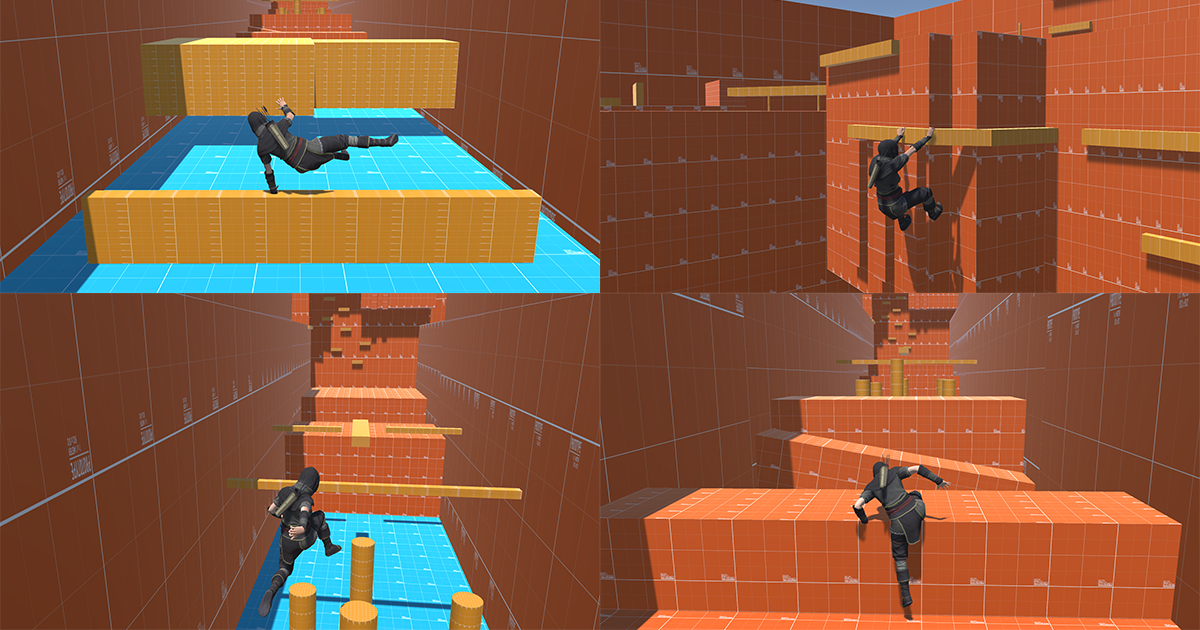
GitHub
Dynamic Parkour System is a FREE plugin for Unity that allows anyone to import any model and have an already working controller with parkour capabilities like in Assassin's Creed games. - ...
late basin
leaden garnet
Help, I need help to fix all these errors from this free parkour pack please 🤔 ...
Open the package manager and downgrade Cinemachine to 2.10.3, and the errors should disappear
leaden garnet
late basin
Open the package manager and downgrade Cinemachine to 2.10.3, and the errors sho...
Thanks 👍 And any fix for the purple material please ?
And also I have the cursor always appearing and i can't jump 🥲
late basin
leaden garnet
Thanks 👍 And any fix for the purple material please ?
Dunno what that is. Probably a render pipeline mismatch. You'll have to dig into that asset and find out what their requirements are.
leaden garnet
late basin
Dunno what that is. Probably a render pipeline mismatch. You'll have to dig in...
solved 👍
late basin
leaden garnet
solved 👍
RTFM, right:? 😄
leaden garnet
late basin
RTFM, right:? 😄
what ? 😄
 pulsar willow
anybody know why there is no lookat target option available for me in cinemachine 3? i only have a tracking target but i need both, im trying to do a lockon camera that keeps my player in the frame whilst locking onto something else such as an enemy

 fallen halo
Hello!
For a school project, I am doing a split screen local coop game. I spawn both players with the Player Input Manager component. Both players have a cinemachine camera + camera. But for some reason, when the 2nd player spawns in, the normal camera. Goes to the position of the 1st spawned player.
Anyone knows a possible fix for this?
pulsar willow
i believe you might need 2 seperate main cameras with a cinemachine brain but im not 100%. worth a try
pulsar willow
pulsar willow
anybody know why there is no lookat target option available for me in cinemachin...
update: i found a little checkbox for it
fallen halo
pulsar willow
i believe you might need 2 seperate main cameras with a cinemachine brain but im...
both players have it, but still does not work.
royal tartan
pulsar willow
anybody know why there is no lookat target option available for me in cinemachin...
Tracking target replaced it
if you need a separate follow/look at target then you hit the gear and do that there
pulsar willow
yep i found it and got everything working ! thanks !
royal tartan
fallen halo
Hello!
For a school project, I am doing a split screen local coop game. I spawn ...
Read this - it explains how to properly set it up. You need channels.
fallen halo
royal tartan
Read this - it explains how to properly set it up. You need channels.
I really appreciate it, thanks a lot!
fallen halo
@royal tartan Is it possible to set the channels differently for the players through code? Since both players are spawned by the Player Input Manager componenent. I can't just say in the script
cmBrain.ChannelMask = OutputChannels.Channel01;
Both players use the same scripts, do you know if there is if i can check if a cinemachinebrain is already on a channel?
so then i can set the other player to a different channel
royal tartan
fallen halo
<@179367739574583296> Is it possible to set the channels differently for the pla...
you would have each instance of the script do this:
- Assign the brain to a channel based on the playerId
- Assign the cinemachine camera to that same channel
e.g.
[CinemachineCamera]
cmCam;
[CinemachineBrain]
cmBrain;

void Start() {
  int myPlayerId = // This depends how you are doing things but if you're using PlayerINputManager for example it would be `myPlayerInput.playerIndex; or something like that
  OutputChannels channel = (OutputChannels)((int)OutputChannels.Channel01 << myPlayerId);
  cmCam.OutputChannels = channel;
  cmBrain.ChannelMask = channel;
}```something like this
assuming playerIds are simple 0, 1, 2, 3, etc values
 raven vapor
Hi everyone, just got a question, i am using cinemachine dolly spline cam and i only have one spline atm. How do i make it so i can have multiple tracks and the camera switches to the other tracks once its done?
hushed flax
Hey guys


how do I switch between cameras?
I'm switching between the virtual ones correctly, but I can't turn off post processing there.
or how do I turn off post-processing when I'm at my computer? because I can't see the UI because of it.
 stark orchid
Yoooo I have this issue with Cinemachien
I want to add a target to a target group by script
But it doesn't work
void Start()
{
cam = GameObject.FindWithTag("Cinemachine");
        cam.GetComponent<CinemachineTargetGroup.Target>();

List<CinemachineTargetGroup.Target> targets = new List<CinemachineTargetGroup.Target>();
        targets.Add(new CinemachineTargetGroup.Target {trans, 0.8f, 1f});

{```You made a list and did nothing with it
Also CinemachineTargetGroup.Target is not a component
So you have some basic programming errors here to resolve
 prisma harbor
hi do anyone know why does it keeps flashing a light whenever i move the camera? https://youtu.be/nEdVam1KHs0
 royal tartan
prisma harbor
hi do anyone know why does it keeps flashing a light whenever i move the camera?...
royal tartan
prisma harbor
hi do anyone know why does it keeps flashing a light whenever i move the camera?...
without seeing all the objects in the scene we can only guess.
presumably something inside that ThirdPersonPlayer object
Not likely to be Cinemachine related.
prisma harbor
royal tartan
without seeing all the objects in the scene we can only guess.
i see thank you
prisma harbor
how can i make the camera adjust to get closer to the player if theres a wall then stretches out to its original distance if theres no wall
 royal tartan
prisma harbor
how can i make the camera adjust to get closer to the player if theres a wall th...
royal tartan
prisma harbor
how can i make the camera adjust to get closer to the player if theres a wall th...
Use Cinemachine Deoccluder and/or Cinemachine COllider
prisma harbor
how can i adjust it to have atleast 3m away from the character
 late basin
prisma harbor
how can i adjust it to have atleast 3m away from the character
late basin
prisma harbor
how can i adjust it to have atleast 3m away from the character
You're not using CInemachine correctly. I suggest you have a look at some of the sample scenes that ship with Cinemachine. Find a camera style you like, and imitate the setup. It won't hurt to check out the essential elements doc to put you on the right path: https://docs.unity3d.com/Packages/com.unity.cinemachine@3.1/manual/concept-essential-elements.html
prisma harbor
late basin
You're not using CInemachine correctly. I suggest you have a look at some of th...
i see though i dont know what are sample scenes or how to access them im kinda new to unity
late basin
prisma harbor
i see though i dont know what are sample scenes or how to access them im kinda n...
 tight trellis
Trying to set up a set of vitual cameras, one for each room for the player to swap between, (2d environment) and there's no option for the first step for that

 royal tartan
tight trellis
Trying to set up a set of vitual cameras, one for each room for the player to sw...
royal tartan
tight trellis
Trying to set up a set of vitual cameras, one for each room for the player to sw...
you're following a tutorial for CInemachine 2.xxx
tight trellis
the first step in th tutorial to add a virtual camera is to find it in the create menu
royal tartan
you're on Cinemachine 3.xx
tight trellis
Ohhh I see
royal tartan
Virtual camera is now just called CinemachineCamera
you probably want the 2D cameras though
they will come with a Position Composer out the box
Position Composer replaces Framing Transposer from CM 2
tight trellis
I see, what does the framing transposer/position composer do?
royal tartan
positions the camera according to the positon of the target object
if you just want each one to be static
then you can just use a basic CinemachineCamera
tight trellis
Each one is going to be a static room camera, so that seems the best solution. Would I need the position composer to implement screenshake?
tight trellis
Thank you, that's super helpful
tight trellis
when I add a new cinemachine camera, it defaults to being massive instead of the existing camera's 4.5 units
is there a way to fix this or do I just need to do it by hand?
so, I add a cinemachine brain to my existing camera
then I add a new cinemachine camera
the active main camera now shows the view of my new cinemachine camera
is this intended? I expected the main camera to be the "first" camera and the first cinemachine camera to be the second camera, it it instead supposed to replace my first camera?
royal tartan
tight trellis
so, I add a cinemachine brain to my existing camera
then I add a new cinemachin...
Yes it's intended
the way it works is the brain finds the active camera with the highest priority and "becomes" that camera
until that camera gets deactivated or some other camera has a higher priority
it doesn't replace anything
tight trellis
I think I get it, the cinemachine camera isn't a camera, it's a point broadcasting "Camera, come to me and also adopt these settings"
if I apply something like a tint to a virtual camera, will the camera Lerp between the values the same way it Lerps the position?
royal tartan
tight trellis
I think I get it, the cinemachine camera isn't a camera, it's a point broadcasti...
Yes to your first sentence.
No to the second. There is no such concept. Cinemachine is only about positioning/rotating the camera (and also lens settings)
late basin
tight trellis
I think I get it, the cinemachine camera isn't a camera, it's a point broadcasti...
If you add a CinemachineVolumeSettings extension to the CinemachineCamera, you can set the tint there (and any other PostProcessing effects). The values will indeed lerp when you blend between cameras.
late basin
royal tartan
Yes to your first sentence.
No to the second. There is no such concept. Cinemach...
It can also blend PostProcessing settings
royal tartan
gotcha, I shouldn't speak on these things I know nothing about 😆
late basin
royal tartan
gotcha, I shouldn't speak on these things I know nothing about 😆
Well, you know now! Keep up the great work, your replies are awesome.
 latent spear
hey, i have a problem, i have a third person controller using cinemachine using orbital follow, but the problem is that the horizontal and vertical sensitivity are different, is there a way to fix this?
late basin
latent spear
hey, i have a problem, i have a third person controller using cinemachine using ...
Either adjust it in the input actions using processors, or adjust the Gain in the CinemachineInputAxisController
latent spear
late basin
Either adjust it in the input actions using processors, or adjust the Gain in th...
yeah but i dont know how much its different, so i cant really adjust it like that, i mean i could do it like that but it wouldnt be perfect. and it also seems like when i adjust the height or radius in the orbital follow component, the sensitivity changes
i want the sens to be exactly 1:1
late basin
latent spear
i want the sens to be exactly 1:1
So look at the ranges, they are in degrees. The right scaling can be calculated by taking the ratio of the ranges
latent spear
late basin
So look at the ranges, they are in degrees. The right scaling can be calculated...
okay so i have to scale the sensitivity every frame based on where the player is looking? because i just found out that the sensitivity is also based on if youre looking all the way down or in the middle
because the camera follow a curve that is much steeper when looking down or up so it has higher sensitivity
only way would be to make the curve a perfect circle maybe?
late basin
yes, if you want sensitivity over camera distance instead of camera angle, that is what you have to do to make it the same. There is an easy way:
 latent spear
late basin
yes, if you want sensitivity over camera distance instead of camera angle, that ...
latent spear
late basin
yes, if you want sensitivity over camera distance instead of camera angle, that ...
okay yeah, but if i dont want it to be a sphere i have to adjust the sens every frame right?
late basin
latent spear
okay yeah, but if i dont want it to be a sphere i have to adjust the sens every ...
Possibly. You can make your own driver for the axis value. CinemachineInputAxisController is just the default.
OrbitalFollow is agnostic about how the axis value is driven, you can write a script to do it any way you like.
fair tiger
How can't I rotate the camera? Its a child of them so it should rotate no?
late basin
fair tiger
How can't I rotate the camera? Its a child of them so it should rotate no?
Because the rotation is procedurally driven by the PanTilt component. Anything you set in the transform gets immediately overwritten. You can change the reference frame to Parent Object, and rotate that.
fair tiger
late basin
Because the rotation is procedurally driven by the PanTilt component. Anything ...
Thanks
fair tiger
late basin
Because the rotation is procedurally driven by the PanTilt component. Anything ...
I have changed it to parent object but how can I make the Cam_leaning object follow the camera locally? I tried this objectToRotate.localRotation = targetCamera.localRotation; and it worked but it would make the cinemachine camera spin very fast why is that?
I think ive fixed it just put the target as cinemachine camera
tight trellis
If I want a camera to take a curved or wonky path between two virtual cameras, but it's likely just a one off, would it be faster to just configure some extra cameras between and tweaking the speed to get a curved path or learning some other system?
90% of the cases for camera movement in my game will just be basic straight swaps
2d environment, if that affects the answer
late basin
tight trellis
If I want a camera to take a curved or wonky path between two virtual cameras, b...
If you want a wonky path you can transition to a spline dolly camera
 unique light
I made cinemachine follow a asset, however, if a asset is destroyed and it respawns it doesen't follow the clone, how do i fix that?
 fast orchid
I'm not going to deep dive into this, since I'm not motivated to go 1:1 with people who have issues with volunteers not answering fast enough for them.
However, if you've destroyed and then reinstantiated an object, it is not the "same" one as the previous, so naturally a cinemachine camera will not magically decide to follow it.
You will need to programmatically assign the new object to the follow property of the cinemachine camera after you've instantiated the object.
unique light
fast orchid
I'm not going to deep dive into this, since I'm not motivated to go 1:1 with peo...
How do i do that?
unique light
fast orchid
I'm not going to deep dive into this, since I'm not motivated to go 1:1 with peo...
Also "issues with volunteers not answering fast enough" isn't personal. I was frustrated at the time since i spent like 2 hours trying to get the camera to work.
 mighty pewter
Hi, I have a problem with the cinemachine camera randomly going black past a point when on lazy follow
broken cove
why is there an axis for other stuff in the Cinemachine camera example?
 late basin
broken cove
why is there an axis for other stuff in the Cinemachine camera example?
late basin
broken cove
why is there an axis for other stuff in the Cinemachine camera example?
Because you're looking at the player controller, not the camera. All that stuff is to move and rotate the player.
late basin
mighty pewter
Hi, I have a problem with the cinemachine camera randomly going black past a poi...
There's nothing in the Cinemachine Camera to make that happen.
broken cove
late basin
Because you're looking at the player controller, not the camera. All that stuff...
which one controls the sensitivity?
late basin
broken cove
which one controls the sensitivity?
The sensitivity of what?
broken cove
of how fast the third person camera would change in the ThirdPersonWithRoadieRun
late basin
Change how?
 late basin
The CinemachineThirdPersonFollow locks rigidly onto its target, and rotates with it. This is the input controller to rotate the target. The axes controlled by the Mouse X and Mouse Y are the ones you're looking for. Adjust their Gain or Legacy Gain. There is confusion since you seem to have both the Input package and the native (legacy) input enabled. You need to make up your mind and choose one.
broken cove
looks easier to read now cause of that, ty
still debating on some stuff since I am going to remake my camera/player in the near future.
I imagine in my case I'd have a script feed a sensitivity float value to the Gain and Accel Time if I want players to change that correct?
late basin
broken cove
still debating on some stuff since I am going to remake my camera/player in the ...
yes
Note that those driven axes are dynamically populated, so your code will have to iterate and find the desired axes by name
broken cove
what might be the easiest example then to reference? or all Cinemachine examples like that?
late basin
it depends what you want to do
broken cove
what im trying to do is a third person camera where player only faces forward, but if they left click it goes to a camera on the left side to aim and if they right click a camera goes to the right side to aim. If nothing then go back to center.
- Always faces forward in all camera modes (like Fortnite or other TPS games)
- Left Click = Aim Left Camera (zooms in slightly and camera shifts to left)
- Right Click = Aim Right Camera (zooms in slightly and camera shifts to right)
- Can turn and tilt up and down in all modes, but doesn't rotate around the player. The player turns instead with the camera.
late basin
If you need a TP camera with precise aiming, then this is the way to go. Otherwise there are simpler options
broken cove
my terminology isn't.... great sorry lol (6 AM + I cant describe my mindset with words)
late basin
broken cove
what im trying to do is a third person camera where player only faces forward, b...
You can configure the sample scene to behave that way. Maybe start with the ThirdPersonWithAimMode sample. For fortnite-style controller, configure the PLayer Aiming Core to be Coupled (that means player rotates with the aiming core).
It's a controller setting, not a camera setting

In the sample, the custom camera rig sets the coupling mode depending on what the current camera is:
protected override CinemachineVirtualCameraBase ChooseCurrentCamera(Vector3 worldUp, float deltaTime)
{
   var oldCam = (CinemachineVirtualCameraBase)LiveChild;
   var newCam = IsAiming ? AimCamera : FreeCamera;
   if (AimController != null && oldCam != newCam)
   {
       // Set the mode of the player aim controller.
       // We want the player rotation to be copuled to the camera when aiming, otherwise not.
       AimController.PlayerRotation = IsAiming
           ? SimplePlayerAimController.CouplingMode.Coupled
           : SimplePlayerAimController.CouplingMode.Decoupled;
       AimController.RecenterPlayer();
   }
   return newCam;
}
You'll probably want to do something different
broken cove
looks like in the example it instantly changes from Coupled to Decoupled in play mode
so I have to change the code then so it works when not aiming?
late basin
yes, just comment out the bit above
broken cove
just realized how the Coupled When Moving works and thats pretty cool too 👀
late basin
Probably you'll want to make your own camera rig script, based on that one, but with 3 cameras
or just use the StateDriven camera if you want to drive camera selection from a state machine
broken cove
guess I could probably still try to use Playmaker to handle the camera switching mode and just rely on C# to handle the sensitivity values and everything else
although I did want to try to get away from Playmaker for anything player related
late basin
idk playmaker
broken cove
yeah not many do 😅 (cool visual coding solution)
late basin
sounds cool if you don't care about performance
broken cove
looking at this code, idk how difficult it'd be to make my own camera rig script honestly
broken cove
late basin
but I at least know about this which is a start, so I really appreciate that
and that Decoupled when moving is something I should debate on too if I want it... probably not but never know
late basin
broken cove
looking at this code, idk how difficult it'd be to make my own camera rig script...
Code is quite simple, it's based on CM classes that do a lot of work for you
broken cove
it just looks weird to me cause its 200 lines of code lol
late basin
?? it's only 80 and lots of it is comments
broken cove
the SimplePlayerAimController?
late basin
no, AimCameraRig.cs
It's job is to choose between Aim and Free camera, and to set the player's coupling mode depending on which is live
just make a new version of that which does what you want
You don't need to write your own player controller, you can just steal the CM sample one, it's pretty good
The same controller is used in all the CM samples. Check it out in FreeLook On Spherical Surface. It's very flexible
It's nice because it doesn't care which CM camera style you're using
 tardy pelican
Hey yall, I've been having some quite peculiar issues with cinemachine, particularly when trying to look around on the horizontal axis (first person camera)
On my main development PC, and my teammate's laptop, the rotation works as intended. However on my and another teammate's laptop, it seems the horizontal axis rotation is locked/incredibly difficult to move, so effectively the player can only look up or down.
My current setup is the following:
- First person camera, implemented with third person follow
- Player is moved with a rigidbody, and I don't have experience with the Unity input system so inputs are handled with the classic "Keycode.key" implementation
- The camera follows an empty gameobject on the player, and the empty gameobject on the player is controlled with the following:
using UnityEngine;

public class PlayerCamera : MonoBehaviour
{
    public Transform cameraHolder;
    public float sensitivity = 2f;

    private float xRotation = 0f;

    private void LateUpdate()
    {
        float mouseX = Input.GetAxis("Mouse X") * sensitivity;
        float mouseY = Input.GetAxis("Mouse Y") * sensitivity;

        // Rotate the camera holder (vertical rotation - pitch)
        xRotation -= mouseY;
        xRotation = Mathf.Clamp(xRotation, -90f, 90f);

        cameraHolder.localRotation = Quaternion.Euler(xRotation, 0f, 0f);

        // Rotate the player body (horizontal rotation - yaw)
        transform.Rotate(Vector3.up * mouseX);
    }
}
Also attached the cinemachine camera settings and components + the hierarchy structure


- cinemachine brain settings as well
 tardy pelican
It appears to be related to performance, just tested with a laptop on normal mode + battery saving mode
normal mode works as intended, battery saving mode makes the horizontal rotation very difficult, vertical rotation works as intended
late basin
tardy pelican
It appears to be related to performance, just tested with a laptop on normal mod...
Weird. Your setup seems fine to me, except for mixing FixedUpdate and LateUpdate. What happens when you switch your CMBrain to LateUpdate?
tardy pelican
Didn't improve the situation unfortunately
Tried SmartUpdate as well, and fixedupdate for the blend update method, same issues
late basin
Why did you set it to FixedUpdate?
tardy pelican
the update method or the blend method? blend method just out of experimentation, put it back on lateupdate
update method's on fixed because I read it was good if you were moving the player with rigidbody

particularly this tooltip
late basin
But you're not moving the camera target with RBs, you're moving it in LateUpdate. Put everything in LateUpdate, and if your player is a RB, then enable its interpolation
If you move it properly, according to the RB rules, then everything will be smooth. FixedUpdate in the Brain is a last resort, and is suboptimal
tardy pelican
i see, let me try
I did have interpolation turned on for the RB though, though this might help
 split flicker
I have a question , is this the uuuhh right way to use cinemachine? I have so many camera cuts and angles for a 3 min cutscene , it's crazy XD. Also, Is there a nice way to manage these shots in a tool in unity. labels, filters, focuse buttons etc ?
 late basin
tardy pelican
Didn't improve the situation unfortunately
late basin
tardy pelican
Didn't improve the situation unfortunately
idk why you're getting bad yaw rotation behaviour. I don't think it has to do with Cinemachine. As an experiment, disable the CM brain and the CM camera, and put the main camera as a direct child of the CameraTarget object. Do you still have the problem?
tardy pelican
oh i might've just realised what the issue was,
I'm doing transform.rotation on a physics object that has interpolation active, so the interpolation is interfering with the rotation
had the exact same thing happen when i was teleporting the player with transform.position
YEP it's just that i think, just tried it with a normal camera and got the same issue
late basin
split flicker
I have a question , is this the uuuhh right way to use cinemachine? I have so ma...
Lots of cuts and angles means lots of CM cameras. You can name them carefully and put them all inside another GameObject to organize them in your scene, but apart from that we don't have any built-in tool to keep track of them. Maybe someone has made something.
I notice that you have a lot of animation tracks on the cameras. Chances are that you can make a lot of them go away by a judicious use of shot blending. It's a great way to take advantage of CInemachine's procedural nature. You're using CM2, but if you make a temp project with CM3 and install the samples, there's a nice cutscene example that illustrates what I'm talking about.
tardy pelican
tardy pelican
YEP it's just that i think, just tried it with a normal camera and got the same ...
yep MoveRotation() completely solved the issue, thanks for the tip on the experiment!!
late basin
split flicker
I have a question , is this the uuuhh right way to use cinemachine? I have so ma...
This is old but excellent. It shows the right approach. https://youtu.be/8aYvX7JyYGI?si=JWm-kB9QHN8MKrUQ

In this tutorial, Adam Myhill walks you through the basics of setting up Cinemachine and utilizing it with Timeline and the Post Processing Stack.
split flicker
late basin
Lots of cuts and angles means lots of CM cameras. You can name them carefully a...
Ohhhhhhh CM3 + procedural sauce ..
I will 100% need to look it up
I am using a shit tone of aniamtions for sure
panning , zooming , pull outs etc
Thank you so much
late basin
split flicker
Ohhhhhhh CM3 + procedural sauce ..
In reality, you almost never need to animate anything on a CM camera, blending + procedural tracking does 99% of the work, and makes the timing really easy to control by just dragging the shots around in the timeline. Check out that video.
split flicker
late basin
In reality, you almost never need to animate anything on a CM camera, blending +...
Will do. Thanks a bunch. I did assume I was doning something wrong for sure .
it felt a little dirty
late basin
split flicker
it felt a little dirty
That's a good indicator 🙂
split flicker
Followup questioan, If I update to cm3 will my current setup break ?
late basin
split flicker
Followup questioan, If I update to cm3 will my current setup break ?
It's possible that the upgrader fails to upgrade everything properly. It's supposed to, but you never know so backup your project first. Follow the upgrade guide: https://docs.unity3d.com/Packages/com.unity.cinemachine@3.1/manual/CinemachineUpgradeFrom2.html
split flicker
late basin
It's possible that the upgrader fails to upgrade everything properly. It's supp...
Ya, I upgraded and I came to the conclusion that using a dolly track, Zooming in, zooming out without actually having a 'To' camera will require animations .
So , as an example, If I have a camera shot from point A to B and I end on point B that's cool, I can use the timeline blend functions , but if I have a shot where camera 1 and camera 2 are widely different cuts, then I need to animate it.
Another great example would be .. If I want to punch in on a characters face . That requires 2 seperate cameras to do so with the blending . Camera 1 starting position and Camera 2 end position and a blend from 1 to 2. This can be achieved with an animation track and 1 camera .. Kinda depends on the approach I guess.. I could be wrong about this , but this was my findings looking at the sample cm3 projects.
Again super greatful for your help
late basin
split flicker
Ya, I upgraded and I came to the conclusion that using a dolly track, Zooming in...
If you've upgraded, be sure to finish the job! Don't leave these lying around, click the Upgrade Now button and upgrade the entire project.
 split flicker
late basin
If you've upgraded, be sure to finish the job! Don't leave these lying around, ...
split flicker
late basin
If you've upgraded, be sure to finish the job! Don't leave these lying around, ...
Yup! I did that 🔥
 zenith yarrow
Guys i was practicing in unity creating a little car game, i managed to create the car controller thenks to the wheelcolliders but it seems i can't find a way to use the cinemachine camera to make the unity camera follow the car, could someone help me?
i tried to use the freelook camera but i don't think it's the correct choice for a car, so i wanted to try the ex cinemachine virtual camera but it seems i can't figure out how to use it :D.
I also followed some tutorial on yt but nothing
this is what i have right now
 late basin
zenith yarrow
this is what i have right now
late basin
zenith yarrow
this is what i have right now
You need to give it some kind of procedural motion, otherwise it's a passive camera that just sits there. Try putting Follow in PositionControl, and RotationComposer in RotationControl. Set the Follow's Binding mode to Lazy Follow.
zenith yarrow
late basin
You need to give it some kind of procedural motion, otherwise it's a passive cam...
It kinda worked, tyvm, where can i find information about the procedural motion?
late basin
zenith yarrow
It kinda worked, tyvm, where can i find information about the procedural motion?
zenith yarrow
tyvm
 ivory vigil
Hi
I'm trying to use the cinemachine deoccluder module with the converted freecamera that follows my player, however I don't understand why it isn't working
Is anyone familiar with this component?

 late basin
ivory vigil
Hi
I'm trying to use the cinemachine deoccluder module with the converted freeca...
late basin
ivory vigil
Hi
I'm trying to use the cinemachine deoccluder module with the converted freeca...
From the scene view, I can tell that it's working properly. Your mistake was to attach a Camera component, which is overriding Cinemachine's output. Remove it. The Camera component lives with the CinemachineBrain, and should not be part of your FreeLook hierarchy.
late basin
ivory vigil
Hi
I'm trying to use the cinemachine deoccluder module with the converted freeca...
ivory vigil
late basin
From the scene view, I can tell that it's working properly. Your mistake was to...
Ah I see, thanks
yeah I failed to understand how cinemachine works
broken cove
what could I do to make the camera not be permanently messed up once with the Cinemachine Deoccluder

seems like the position/rotation get permanently messed up when the camera runs into walls (by the Deoccluder).
In theory I can just force Rotation and Position to always be a specific value every frame, but then this isn't performant or makes it work with deoccluder.
Tried changing the values of smooth, damping, etc. but no luck
late basin
broken cove
what could I do to make the camera not be permanently messed up once with the Ci...
You seem to be using a passive camera, with no procedural motion, so there is nothing to put it back once it's been moved. Why don't you use the CM procedural components to implement your FreeLook? See the FreeLook With Deoccluder sample scene.
split flicker
Sup! I am trying to figure out why my character is stuttering all over the place I am 90% sure it's my cinemachine settings . it started happening after upgrading from CM2 to CM3.
Here are my settings :
Main Camera Brain(1)
FreeLookCamera Cinemachine camera (2)
PlayerController methods (3)
All my camera logic is running in uhhh Fixed and late update .


Can confirm it's the camera stuttering .
late basin
split flicker
Sup! I am trying to figure out why my character is stuttering all over the place...
Looks like classic FixedUpdate/Update aliasing. Why are you doing anything in FixedUpdate? Are you using Rigidbodies? Can you show the inspector for the player and its hierarchy?
split flicker
late basin
Looks like classic FixedUpdate/Update aliasing. Why are you doing anything in F...
Moving everything to fixed update fixed all the issues actually 🥹 here you go.
 late basin
split flicker
Moving everything to fixed update fixed all the issues actually 🥹 here you go.
late basin
split flicker
Moving everything to fixed update fixed all the issues actually 🥹 here you go.
Mixing Fixed and regular update is a recipe for disaster unless you know what you're doing
You would do well to read up about it
split flicker
late basin
Mixing Fixed and regular update is a recipe for disaster unless you know what yo...
Yup. I tried ensuing all Rb work is in fixed along with the camera but I had some logic in late update

So late update is emplty now
late basin
You're not supposed to read input in FixedUpdate, so what most people do is read it in Update, store it, and use it in FixedUpdate
split flicker
late basin
You're not supposed to read input in FixedUpdate, so what most people do is read...
Well that makes sense . I think I'll do the same then
Cool. New issue. handeling CM Camera collision indoors.
right now The collsion works great. Adding a ceiling forces the camera to go up and over instead of follow in with the player .
 late basin
split flicker
late basin
split flicker
ThirdPersonFollow has built-in collision resolution. Why are you also adding decollider? You don't need it. Plus, you are telling it that all obstacles on the default layer are terrains, so it will put the camera on top of them.
split flicker
late basin
ThirdPersonFollow has built-in collision resolution. Why are you also adding de...
Without the decollider the camera does not collide at all
late basin
because this
 split flicker
late basin
because this
split flicker
late basin
because this
That fixed it all .. Thank you very much! I just moved over to CM3 so a lot of new things
 true plover
Hey sorry first time using Cinemachine
Is there a reason that when I create my first dolly camera with track, it throws a cinemachine brain on my main camera and messes up its position
 vagrant oyster
With cinemachine and a target group is there a way to make the virtual cam zoom to fit the whole target group while also not rotating at all? Also group composer zoom just isn't working at all for some reason.
royal tartan
vagrant oyster
With cinemachine and a target group is there a way to make the virtual cam zoom ...
use the position composer. the fact that it's a target group isn't relevant
late basin
true plover
Hey sorry first time using Cinemachine
Is there a reason that when I create my f...
Yes. When you create a CinemachineCamera via the menu, Unity assumes that you want to use Cinemachine to drive your camera, so it ensures that a CinemachineBrain is present on the camera. When this happens, Cinemachine immediately takes over the camera and starts driving it - that's what it's for. You can disable or remove the CinemachineBrain if you like, but then Cinemachine won't work until you put it back.
late basin
vagrant oyster
With cinemachine and a target group is there a way to make the virtual cam zoom ...
Assuming you're using CM2. Instead of the GroupComposer, use the FramingTransposer. It won't ever rotate the camera, and has group composition settings built-in if your target is a group.
 drifting umbra
guys im new at unity and trying to follow an old guide for thirdperson lockon camera using cinemachine, im having problem assigning animation state in the state driven camera.
as you can see the state driven camera does have an animator component with the animator controller, and i have selected the base layer for the animator in the state driven section
but as you can see the state is blank and i cannot click it
am i doing smth wrong?, btw i did check using a friend's pc that is using an older cinemachine version 2.x and it worked normally, and i can choose the state
the version im using rn is Unity 6 with Cinemachine 3.1.3

nvm now it works by downgrading the version to the lowest 3.0.1

is this a bug then?
late basin
drifting umbra
is this a bug then?
There should be no difference in this respect between 3.0.1 and 3.1.3. Can you try re-installing 3.1.3 and see if the problem returns? I'm wondering whether it was just a refresh problem.
drifting umbra
late basin
There should be no difference in this respect between 3.0.1 and 3.1.3. Can you ...
tried to go backk to 3.1.3 and it freezes
so im pretty sure im not tweaking
the plugin is
probably
idk
im new
late basin
drifting umbra
tried to go backk to 3.1.3 and it freezes
wdym it freezes?
drifting umbra
late basin
wdym it freezes?
when i cahnge back to 3.1.3 the tab for the animator state wont open again (blank)
but when i change it back to 3.0.1 it works again
late basin
drifting umbra
but when i change it back to 3.0.1 it works again
ok thanks. We'll try to repro at our end
late basin
drifting umbra
but when i change it back to 3.0.1 it works again
hmmm works for me with 3.1.3. What are you doing that's weird? Would you like to send me the broken project? You can just export a unitypackage with the necessary bits - basically the scene and the animator controller asset
 drifting umbra
late basin
hmmm works for me with 3.1.3. What are you doing that's weird? Would you like ...
drifting umbra
late basin
hmmm works for me with 3.1.3. What are you doing that's weird? Would you like ...
sure
can i just give you via dm or is there another way?
late basin
drifting umbra
can i just give you via dm or is there another way?
dm is fine
 silver marlin
why isnt my camera moving?? help
royal tartan
silver marlin
why isnt my camera moving?? help
hard to tell without seeing more context. Like - is the "player" object actually moving?
What does this "Hallway" collider look like?
Are there any other cinemachine cameras in the scene?
What are all the components on this object?
silver marlin
ofc one sec
so when the player touches the collider its supposed to move the cam to boundry2 by giving it a new boundry and there are no other cinemachine cameras in the scene


in the CMCam you can see the bounding shape changing but not the camera moving over
royal tartan
silver marlin
so when the player touches the collider its supposed to move the cam to boundry2...
this is pretty unorthodox
the normal/better way to do this would be to use two CInemachineCameras
one for each room
and switch to the other room's camera when you enter it
 agile dove
How do you make a first person camera with the new cinemachine? Cinemachine 2.x and 3.x look vastly different in both configuration and how things are labeled
late basin
agile dove
How do you make a first person camera with the new cinemachine? Cinemachine 2.x ...
It's not so different. The main changes are that some components have been renamed, and the old Cinemachine subcomponents (aim/body dropdowns) have been promoted to full-fledged Unity behaviours. See here for a more complete list: https://docs.unity3d.com/Packages/com.unity.cinemachine@3.1/manual/CinemachineUpgradeFrom2.html#what-has-changed-in-the-api
agile dove
late basin
It's not so different. The main changes are that some components have been rena...
I see, thanks a lot!
agile dove
I have made a 3rd person camera with cinemachine, and wanted to add in camera panning based off pointer delta. It seemingly is enabled, but it doesn't seem to work. I made sure to set it to my inputs

By doesn't work, I mean when I move my mouse, it doesn't pan
For more reference here is my input mappings for the Look action

 late basin
agile dove
I have made a 3rd person camera with cinemachine, and wanted to add in camera pa...
late basin
agile dove
I have made a 3rd person camera with cinemachine, and wanted to add in camera pa...
That's not the right way to do it. ThirdPersonFollow is special, and requires the character controller to handle the Pan/Tilt. If you want to do it all inside the CInemachineCamera, create a FreeLook camera from the menu and use that instead of the one you made
 agile dove
Ah gotcha
late basin
If you want to use the ThirdPersonFollow component, see the ThirdPersonWithAimMode scene in the CM samples (it comes with character controller code you can use), or follow this excellent tutorial: https://youtu.be/537B1kJp9YQ?si=dNf5ySfGO76EiXNy

In this video, we’re going to look at how we can set up a third-person camera using the new Aiming Rig of Cinemachine 2.6, and how we can use Impulse Propagation and Blending to create additional gameplay functionality for our camera controller.
Download this project here!
https://on.unity.com/36nVNzt
Learn more about Cinemachine 2.6 here!
h...
agile dove
late basin
If you want to use the ThirdPersonFollow component, see the ThirdPersonWithAimMo...
Thank you a lot!
You've been very helpful ^~^
 rose bloom
Hello! I have a quick problem with Cinamachine's Camera brain. Specifically, the Blend update method. I have my camera position being set in LateUpdate, and right after that i set the postion and rotation of a game object (also in lateupdate). When i have blending update set to LateUpdate, my obj im moving is jitting / lagging behind my camera. When i have blending update set to fixed update, my character is lagging behind my cam, but the obj is smooth. I need the Camera.ScreenPointToRay() function to get where the build obj's position should be, and the ScreenPointToRay seems to "Lag" behind what the player sees. (Its a FP cam, rotate with follow, hard look at follow) Edit: Seems to be that "LateUpdate" for my player is called before cam update
rose bloom
Testing solution now: With cinamachine, seems like you need to resgister for callback after it's update to call ANYTHING that has to do with aiming. sucks if this is the case, but will edit afterwards
royal tartan
rose bloom
Hello! I have a quick problem with Cinamachine's Camera brain. Specifically, the...
- You're modifying the camera position manually instead of using CM components?
- How is the character object moving
late basin
rose bloom
Testing solution now: With cinamachine, seems like you need to resgister for cal...
Yes indeed. CinemachineBrain updates late in the frame. This is so that targets are correctly tracked. If you need to do any calculations based on the camera's transform then you need to do after the CMBrain has positioned the camera. There are two ways to do this:
- Install a handler for
CInemachineCore.CameraUpdatedEventand do the work there, or - Do it in a script's LateUpdate, and set the script's execution order to be after CinemachineBrain
rose bloom
royal tartan
1. You're modifying the camera position manually instead of using CM components?...
im modifying the following target of the cinamachine, and it uses rigidbody (fixedupdate) for character movement, update for rotation.
late basin
rose bloom
im modifying the following target of the cinamachine, and it uses rigidbody (fix...
This is a recipe for jitter
royal tartan
rose bloom
im modifying the following target of the cinamachine, and it uses rigidbody (fix...
You need to turn on interpolation for that object
And make sure you're not modifying the Transform directly for it ever
Only the Rigidbody
rose bloom
sorry, lateupdate for rotation. I've froze the rb's rotation so rotation of player can be connected directly to mouse. i do not modify the position using transform, but do change the rotation.
rose bloom
royal tartan
You need to turn on interpolation for that object
turning on interprolation seems to completely break the rotation code though, wanted to freeze rotation of rb as i didnt want anything the player interacts with to be able to rotate the rb.
rose bloom
late basin
This is a recipe for jitter
may i ask for a quick explanation of how this causes jitter please? i update the rotation of the target in update, so the camera rotates left/right up and down in fast response to the user input, and applying movement in fixed update, based on accumulated input from the input system.
late basin
Mixing movement (translation or rotation) in update and fixedupdate will cause aliasing problems because they are running on different timeclocks. This will result in uneven motion in the render frames. If you use camera damping when following such a target, it will jitter on the screen. If you don't use damping, then the target won't jitter on the screen (because the camera is rigidly attached and jitters along with it) but the background will jitter. That may or may not be acceptable to you.
rose bloom
late basin
Mixing movement (translation or rotation) in update and fixedupdate will cause a...
I'm a bit confused, i dont think i understand what background means in this context. Its a fp cam, and i cant seem to get any anti-analising problems to happen while moving around with my current input system. do you mean like the edges of the screen, or like, things im looking at. I'm needing to use fixedupdate for movement as its a rigidbody system, and im needing to use update to update the camera values, as trying to do it in fixedupdate causes input delay to the player.
late basin
rose bloom
I'm a bit confused, i dont think i understand what background means in this cont...
if it's working for you then I'm not trying to create problems
rose bloom
I'm wanting to avoid common problems if possible, so i want to understand the drawbacks of the current setup i have.
late basin
rose bloom
I'm wanting to avoid common problems if possible, so i want to understand the dr...
Standard practice is to move and rotate RBs exclusively in FixedUpdate. Is your RB kinematic or are you using forces etc? For input, normally you read the input in Update, store it, and apply it in FixedUpdate. This won't create lag unless your physics timestep is ridiculously large.
rose bloom
late basin
Standard practice is to move and rotate RBs exclusively in FixedUpdate. Is your...
I move the RB in fixedupdate, non-kinamatic, but due to using primative colliders, i needed to constrain rigidbody rotation, so that hitting things didnt rotate the entire player obj. I set the rotation of the transform in update, and apply it to cam in lateupdate. i guess i need to readjust how i take in mouse movement to fix this problem.
late basin
rose bloom
I move the RB in fixedupdate, non-kinamatic, but due to using primative collider...
This DIscussions post might help: https://discussions.unity.com/t/cinemachine-rigidbody-stutter-as-usual/942206/4
late basin
rose bloom
I move the RB in fixedupdate, non-kinamatic, but due to using primative collider...
And for rotating the RB, you might be tempted to use Rigidbody.MoveRotation, but it won't work with interpolation because your RB isn't kinematic. See here for a solution: https://discussions.unity.com/t/rigidbody-cinemachine-jitters-with-without-interpolate/1594117/2
 normal pond
i have a unity 2d game, and i want to create cutscene where the camera zooms in/out of my character. i added a timeline, a cinemachine camera, cinemachine activation track, cinemachine animation track (where i set the orthographic size of the cinemachine camera), but the zoom is not working on the actual game (when i switched tab to game, no zoom is happening)
royal tartan
normal pond
i have a unity 2d game, and i want to create cutscene where the camera zooms in/...
You can't zoom an orthographic camera by moving it
It doesn't have perspective effects
You need to animate the orthographic size
Oh reading that
Why are you animating the main camera?
Since you're using Cinemachine you need to animate the CinemachineCamera's lens settings
normal pond
royal tartan
Why are you animating the main camera?
i am animating the cinemachine camera (see frame_0 has orthographic size of 116, and frame_12 has orthographic size of 12)


i have "screen space - camera" set in my canvas. even when i change it to "screen space - overlay", its not working
royal tartan
normal pond
i am animating the cinemachine camera (see frame_0 has orthographic size of 116,...
why's the main camera in the scrubsheet too?
normal pond
royal tartan
why's the main camera in the scrubsheet too?
that is just the cinemachine track for timeline for transitioning between multiple camera if needed (like shown in this example https://www.youtube.com/watch?v=o2N7pU68KDI)

Create your own Unity short film:
https://courses.obalfaqih.com/courses/unity-filmmaking-101
Cinemachine Track | Getting Started with Timeline (Unity)
Need help? Book a consultation session now:
https://store.obalfaqih.com/products/unity-consultation-session
The combination of Cinemachine and Timeline can be very very powerful! Especially when ...
even if i remove that, it doesnt work
 modest crypt
When I enable the cinemachine camera with priority as 0, the cinemachine brain camera should transition to that one correct?
royal tartan
modest crypt
When I enable the cinemachine camera with priority as 0, the cinemachine brain c...
It will transition to the highest priority active Cinemachine camera in the game world
If 0 is the highest priority, then yes
Bigger number beats smaller number
normal pond
i finally fixed my problem by changing my canvas render mode to "World Space"
modest crypt
royal tartan
It will transition to the highest priority active Cinemachine camera in the game...
Yeah I think my issue was I assumed having virtual camera stuff and trying to use the new stuff would work. I have to do a full remap to new cinemachine cameras and that will break stuff from the older virtual machines.
Basically it won't make the ease from an old VC to anything new.
 jagged cipher
- why are you sending this
- where are moderators
late basin
modest crypt
Basically it won't make the ease from an old VC to anything new.
You really shouldn't be mixing deprecated VirtualCmeras and the new CinemachineCamera in the same project. The deprecated classes are supported only to allow you to upgrade to the new ones. Use the Cinemachine Upgrader to upgrade the entire project. This will automatically convert to the new classes. https://docs.unity3d.com/Packages/com.unity.cinemachine@3.1/manual/CinemachineUpgradeFrom2.html
modest crypt
Yeah I'll try that tonight. I personally like just having it the old way since I've been using it for so many years. Lol
late basin
modest crypt
Yeah I'll try that tonight. I personally like just having it the old way since I...
You can continue using the old way if you like, but in that case you should downgrade Cinemachine to 2.10.3
fair tiger
I am using cinemachine 3 and using this for my head bobbing. I was wondering how could I change the head bobbing preset's depending if I am idle walking or running.
 late basin
fair tiger
I am using cinemachine 3 and using this for my head bobbing. I was wondering how...
late basin
fair tiger
I am using cinemachine 3 and using this for my head bobbing. I was wondering how...
You can lerp the amplitude gain when you're switching states. If it's a FPS, it might be better to implement the bobbing on the player object rather than the camera.
fair tiger
late basin
You can lerp the amplitude gain when you're switching states. If it's a FPS, i...
wdym " bobbing on the player object "? like the head bobbing for the camera do the same thing but for the player object?
late basin
fair tiger
wdym " bobbing on the player object "? like the head bobbing for the camera do t...
I mean write a script to bob the player's head. Since the camera is attached to the head it will bob also.
 dreamy nova
Hey, is there any way to control the speed variable of the cinemachine spline dolly when auto dolly - fixed speed is turned on via code
late basin
dreamy nova
Hey, is there any way to control the speed variable of the cinemachine spline do...
Same technique for the SplineDolly component as for the SplineCart:
https://discussions.unity.com/t/cm-3-modify-cinemachine-spline-cart-speed-parameter-by-script/932307/2
 unkempt juniper
why does it feel inverted? is this gonna be a problem
late basin
unkempt juniper
why does it feel inverted? is this gonna be a problem
Change the Gain (or Legacy Gain in you're using legacy input) in the CinemachineInputAxisController component to something negative
unkempt juniper
late basin
Change the Gain (or Legacy Gain in you're using legacy input) in the Cinemachine...
thanks it worked!
 lilac hinge
I am looking to hire someone who can make cinematic shots in unity, anyone know best place to post a job for that?
royal tartan
lilac hinge
I am looking to hire someone who can make cinematic shots in unity, anyone know ...
!collab
 marble yachtBOT
:loudspeaker: Collaborating and Job Posting
We do not accept job or collab posts on Discord.
Please, use Discussions to promote yourself as job-seeking, advertise commercial job offers, or look for non-commercial projects to participate in:
• Collaboration & Jobs
 merry pasture
anyone have any idea why my bound boxes only break if I set camera distance to 8+?
royal tartan
merry pasture
anyone have any idea why my bound boxes only break if I set camera distance to 8...
Camera distance should be completely irrelevant for a 2D game. Are you using a perspective projection camera instead of orthographic?
merry pasture
royal tartan
Camera distance should be completely irrelevant for a 2D game. Are you using a p...
I was, changing it to orthographic makes it work as intended. thank you. so i should only use projection if i want 'depth'? then i wouldn't use a confiner2d? would a confiner3d work instead?
royal tartan
merry pasture
I was, changing it to orthographic makes it work as intended. thank you. so i sh...
You mean perspective? Perspective is for 3D games. It means there will be perspective effects like farther away things looking smaller
Both perspective and orthographic are projections
errant shard
merry pasture
I was, changing it to orthographic makes it work as intended. thank you. so i sh...
A perspective camera can be used for a depth parallax effect, but a lot of 2D components might not play nice with it
I guess 2D Confiner should work technically the same way it does with an ortho camera, but it's harder to predict what the result will look like
To avoid weirdness you should use 3D cinemachine components with a perspective camera, though then you have the third axis to deal with too
Ideally you'd use an orthographic camera, only 2D components and if you want a depth effect, a parallax script that offsets your sprites relative to camera movement
 peak lava
How to limit maximum distance between target and current camera position?
Right now I'm using CinemachineCamera with Position Composer and the default Main Camera on which there's also component Cinemachine Brain.
I'd like to camera to be not more than 1 meter from the target
peak lava
Found out: decrease damping and enable hard limit on cinemachine position composer
 pseudo socket
can someone tell me why does my camera "flip" like this while blending?
errant shard
pseudo socket
can someone tell me why does my camera "flip" like this while blending?
How are you swapping the camera point of view exactly
pseudo socket
one is turning off and the second is turning on
errant shard
pseudo socket
one is turning off and the second is turning on
Turning off with what kind of code exactly? Are they cinemachine cameras or virtual cameras? What settings do they have?
We have to see your setup
pseudo socket
I already know what the fault was. Instead of operating the cutscene through the camera's transform, I operated through the tracking target
But thanks anyways
 slow niche
I can't seem to get cinemachine to not jitter. I'm moving my character with Rb.AddForce in the FixedUpdate Loop. Is there anything i need to change in cinemachine brain to work smoothly?
late basin
slow niche
I can't seem to get cinemachine to not jitter. I'm moving my character with Rb.A...
What are your current Brain settings?
slow niche
late basin
What are your current Brain settings?
I've tried FixedUpdate and Late Update for Both Blend and Update Method, still it jitters

It's at Late Update currently
late basin
slow niche
It's at Late Update currently
If you're changing player transform exclusively in FixedUpdate and via the RB, then you want FixedUpdate. If your RB has interpolation enabled (and you're moving it correctly), then you want LateUpdate. If neither is working, then you're moving the RB improperly and need to fix it.
slow niche
late basin
If you're changing player transform exclusively in FixedUpdate and via the RB, t...
I'm moving my player via RB.AddForce in FixedUpdate, have Rigidbody interpolation enabled and currently am using the above Cinemachine Brain setting "Late Update" for both methods
late basin
slow niche
I'm moving my player via RB.AddForce in FixedUpdate, have Rigidbody interpolatio...
that should work
slow niche
And I'm Netcode for GameObjects
So basically my player sends input data in the Update Loop, to the Server/Host, and the Server moves the RB via addforce
late basin
that should work IF you're really only moving the RB via AddForce in LateUpdate. What about rotation?
slow niche
Than the position of the player is synced back to the client
late basin
slow niche
I'm moving my player via RB.AddForce in FixedUpdate, have Rigidbody interpolatio...
If you're touching the RB's transform in any other way then you'll break interpolation and get jitter
slow niche
late basin
that should work IF you're really only moving the RB via AddForce in LateUpdate....
Do you mean "Fixed Update" instead of "Late Update" or should i RB.Addforce in Late Update?
late basin
slow niche
Do you mean "Fixed Update" instead of "Late Update" or should i RB.Addforce in L...
should i RB.Addforce in Late Update
Never!
late basin
slow niche
Do you mean "Fixed Update" instead of "Late Update" or should i RB.Addforce in L...
slow niche
late basin
If you're touching the RB's transform in any other way then you'll break interpo...
Does touching the RB's Transform via NetworkTransform cause the jitter?
Technically the NetworkTransform is syncing the position back to the client
late basin
slow niche
Does touching the RB's Transform via NetworkTransform cause the jitter?
Anything that bypasses RB will make trouble
late basin
I'm no expert on that but you should def look into it
Physics is very sensitive, you have to play by the rules
slow niche
Ok I've added Unity's NetworkRigidbody, maybe i should also tick that option "Use Rigidbody for motion" as well
 late basin
probably
You can use CInemachine to help debug the motion. If you set the Brain to SmartUpdate and look at the CmCamera inspector while playing, it will report how the target is moving. If you're doing it right and interpolation is OFF, it will say "FixedUpdate". With interpolation ON, it will say "LateUpdate". Anything else and it's wrong.
slow niche
late basin
You can use CInemachine to help debug the motion. If you set the Brain to Smart...
Ok NetworkRigidbody didn't solve the issue. I will try your above debug method, hopefully I'm able to get to the bottom of this
slow niche
late basin
You can use CInemachine to help debug the motion. If you set the Brain to Smart...
Do you mean this, at the right hand side it says "Late Update" while brain is set to "Smart Update"
 late basin
slow niche
Do you mean this, at the right hand side it says "Late Update" while brain is se...
late basin
slow niche
Do you mean this, at the right hand side it says "Late Update" while brain is se...
Yes. Check my link again, I updated the content just now: https://discussions.unity.com/t/cinemachine-rigidbody-stutter-as-usual/942206/4
errant shard
slow niche
Ok NetworkRigidbody didn't solve the issue. I will try your above debug method, ...
NetworkRigidbody is important so server and clients know who's responsible for controlling the RB and who's merely interpolating its position
The interpolation can break in both ends if it's not handled right depending on who's influencing it
https://docs-multiplayer.unity3d.com/netcode/current/advanced-topics/physics/
So at least it can be worth trying to rule out if the jitter is purely because of RB - CM interaction in your setup or if the networking is involved as well
 fierce ridge
Did they just remove the cinematic template in the latest version?
errant shard
fierce ridge
Did they just remove the cinematic template in the latest version?
Cinematic Studio feature set is unsupported beyond 6.0, so assuming the project template relies on it it'd be unlisted too
I would guess Sequences package is going away, so old feature sets, templates and sample scenes relying on it are getting deprecated
This probably includes the Cinematic Studio sample scene, but you can still import it
 leaden rover
I don't know why I'm using the third person controller and the cinemachine with a virtual camera to move the character and the camera eats things from the environment when I get closer and I don't want that to happen, I don't want things to disappear.
errant shard
leaden rover
I don't know why I'm using the third person controller and the cinemachine with ...
This sounds like your camera's near clip plane is too far
If that's the case, decrease it only as much as you need to, and decrease the far clip plane as much as you can
Rendering inaccuracies will occur the closer near clip plane is to zero, and the further away far clip plane is from the near clip plane
leaden rover
I just solved it, thank you very much
slow niche
Could there be an issue with the Rig Systems? I'm actually using the rig systems for my third person game. It seems like the thing causing the jittering could be the rig system.
 gaunt vortex
hey for a 3rd person camera, do i need to make a script for sensitivity? ive been adjusting these but for some reason, the sensitivity seems different everytime i boot up the game
 late basin
gaunt vortex
hey for a 3rd person camera, do i need to make a script for sensitivity? ive bee...
late basin
gaunt vortex
hey for a 3rd person camera, do i need to make a script for sensitivity? ive bee...
How are you driving the axes? And which version of CM?
 merry venture
hey, guys! i'm getting this error with cinemachine, and i'm wondering if my missing something. i've tried installing and reinstalling it, but i'm still getting this error, and i have no idea what's going on:
Assets\Scripts\Game Managers Etc\CameraFollowTarget.cs(6,12): error CS0246: The type or namespace name 'CinemachineVirtualCamera' could not be found (are you missing a using directive or an assembly reference?)
also, if this isn't the right place to ask this, i apologize!
latent spear
Hey, i have a cinemachine third person camera set to the lookattarget on the player. the problem is that the camera when its close to a wall bugs as showed in the video.

 late basin
merry venture
hey, guys! i'm getting this error with cinemachine, and i'm wondering if my miss...
late basin
merry venture
hey, guys! i'm getting this error with cinemachine, and i'm wondering if my miss...
Your code is built for Cinemachine 2.X but you've installed Cinemachine 3.x. Either upgrade your project's code and data (not trivial) or downgrade Cinemachine to the most recent 2.x version. See the project upgrade guide here: https://docs.unity3d.com/Packages/com.unity.cinemachine@3.1/manual/CinemachineUpgradeFrom2.html
late basin
latent spear
Hey, i have a cinemachine third person camera set to the lookattarget on the pla...
Looks like you're trying to do an over-the-shoulder camera with an OrbitalFollow and a CameraOffset extension. Is that what's happening? Please show the CinemachineCamera inspector
latent spear
late basin
Looks like you're trying to do an over-the-shoulder camera with an OrbitalFollow...
yes, im making an over the shoulder camera by having and object to the right of the player that the camera follows. i showed you a picture of it and also of the cinemachine inspector, you may have missed it
merry venture
late basin
Your code is built for Cinemachine 2.X but you've installed Cinemachine 3.x. Ei...
Thank you! I really appreciate it!
late basin
latent spear
yes, im making an over the shoulder camera by having and object to the right of ...
Yes I did miss it. You'll never get it to work that way. The solution is to make a proper over-the-shoulder cam and controller. There's a sample scene in CM: ThirdPersonWithAimMode. You can look at that and get inspired. Or follow this excellent tutorial: https://youtu.be/537B1kJp9YQ?si=4eBZVZBBBy38IBJb
In this video, we’re going to look at how we can set up a third-person camera using the new Aiming Rig of Cinemachine 2.6, and how we can use Impulse Propagation and Blending to create additional gameplay functionality for our camera controller.
Download this project here!
https://on.unity.com/36nVNzt
Learn more about Cinemachine 2.6 here!
h...
latent spear
late basin
Yes I did miss it. You'll never get it to work that way. The solution is to ma...
yes, i tried it before and it works, but then i have to script my own camera controller to move around the sphere which i didnt want to do so i made it this way. So i would have to redo all that.
late basin
latent spear
yes, i tried it before and it works, but then i have to script my own camera con...
What do you mean move around the sphere?
latent spear
late basin
What do you mean move around the sphere?
i mean to move the camera around with your mouse
late basin
latent spear
i mean to move the camera around with your mouse
They give you the code in the tutorial for that - just rotating the player core object. Alternatively, you can use the code that comes with the CM samples
latent spear
late basin
They give you the code in the tutorial for that - just rotating the player core ...
okay thanks
 heavy gate
i dont know where to ask this but how do i make my cameras preview thing smaller, this is impossible to work with cause i have to zoom out whenever i wanna look at ui elements attached to it.
 royal tartan
heavy gate
i dont know where to ask this but how do i make my cameras preview thing smaller...
royal tartan
heavy gate
i dont know where to ask this but how do i make my cameras preview thing smaller...
Just double click the canvas object to get it zoomed properly
This has nothing to do with Cinemachine btw
heavy gate
royal tartan
This has nothing to do with Cinemachine btw
Figured but it was a camera thing
 exotic inlet
Is cinemachine 2.9.7 from the package manager just a demo package? I can't seem to find any components that people on youtube are using lol
 void zephyr
exotic inlet
Is cinemachine 2.9.7 from the package manager just a demo package? I can't seem ...
void zephyr
exotic inlet
Is cinemachine 2.9.7 from the package manager just a demo package? I can't seem ...
no, are they maybe using cinemachine 3?
unity packages (and a lot of other ecosystems) generally use semver
the important point here is that the first number is the major version, and a package can have breaking changes between major versions
a demo/experimental/beta package would have major version 0 (or a beta suffix or something like that)
exotic inlet
void zephyr
a demo/experimental/beta package would have major version 0 (or a beta suffix or...
Got it, thanks!
exotic inlet
Why do I not see the "Body" of the virtual camera? I have tried reinstalling the package, and even adding it to a freshly made 3d project, still the same thing
 late basin
exotic inlet
Why do I not see the "Body" of the virtual camera? I have tried reinstalling the...
late basin
exotic inlet
Why do I not see the "Body" of the virtual camera? I have tried reinstalling the...
It's because your inspector is in Debug mode. Right-click on the inspector tab and put it back into normal mode.
exotic inlet
late basin
It's because your inspector is in Debug mode. Right-click on the inspector tab ...
Oh wow thanks, it helped!
heavy gate
https://streamable.com/u872m3 how do i prevent the camera from flipping the third person follow?

maybe ill just disable it and have it follow the camera target fully
but it would be nice if theres an option for it
errant shard
heavy gate
https://streamable.com/u872m3 how do i prevent the camera from flipping the thir...
What's your camera setup
heavy gate
errant shard
What's your camera setup
camera target inside the players head that rotates to mouse input, and attached to a player frame
 errant shard
heavy gate
camera target inside the players head that rotates to mouse input, and attached ...
errant shard
heavy gate
camera target inside the players head that rotates to mouse input, and attached ...
Rotates how?
heavy gate
errant shard
Rotates how?

unsure if my implementation is flawed or not.
errant shard
heavy gate
https://streamable.com/c52vz4
I'm not seeing the method here
If you're doing the rotation in your script, you also have to clamp the rotation in your script
 eager laurel
In Unity 6.1, how do I make cinemachine ignore targets rotation? I have a rolling sphere in the scene and I don't want the cinamchine to rotate with it. My cinemachine is set to third person follow. I saw solving it by setting Binding Mode to “World Space” but I don't see this option in current Unity version
heavy gate
errant shard
If you're doing the rotation in your script, you also have to clamp the rotation...
i dont care about the clamping, i care about the camera like snapping weirdly.
late basin
heavy gate
i dont care about the clamping, i care about the camera like snapping weirdly.
It's your rotation code that's flawed. You're hitting gimbal lock when the pitch is +-90. Clamping pitch to +-89 would be one way to fix it, another would be to rewrite your rotation code.
late basin
heavy gate
camera target inside the players head that rotates to mouse input, and attached ...
This is not a good camera setup. Brain and virtual camera should be separate GameObjects
heavy gate
I mean, my rotation code seems fine? If i set the cinemachine offset to 0 and just offset the camera target instead it works fine
heavy gate
late basin
This is not a good camera setup. Brain and virtual camera should be separate Ga...
Why
late basin
heavy gate
Why
heavy gate
late basin
https://docs.unity3d.com/Packages/com.unity.cinemachine@3.1/manual/concept-essen...
incase i wanna swap the camera? i guess thats fair and good for future proofing.
late basin
eager laurel
In Unity 6.1, how do I make cinemachine ignore targets rotation? I have a rollin...
Don't use ThirdPersonFollow for this, use Follow. You will find the option there.
eager laurel
late basin
Don't use ThirdPersonFollow for this, use Follow. You will find the option ther...
thanks
 worthy vigil
Hey folks, This is a hard look cinemachine camera switch and I'm trying to figure out why it's panning to the left before looking at the target?
Theres gonna be a jumpscare you're forced to look at but this obviously isnt what i'm going for, I want it to very quickly snap to the spot
okay so I figured out it's due to the cinemachine 'brain' settings
The issue iss, I want different types of 'blends' if different scenarios, I guess I just change the blend value whenever I need to?
(in script)
late basin
worthy vigil
The issue iss, I want different types of 'blends' if different scenarios, I gues...
You can use the Custom Blends asset where appropriate, but if you want to customize the blend based on game state, you can write a handler for CinemachineCore.GetBlendOverride.
 worthy vigil
late basin
You can use the Custom Blends asset where appropriate, but if you want to custom...
worthy vigil
late basin
You can use the Custom Blends asset where appropriate, but if you want to custom...
Oh nice! Per camera blends, that's what I was looking for thankss
 glossy brook
Hey, can I change these values via scripting somehow? i tried accessing those in c# with getcomponent, but there are no field for that... i wanna set them like the mouse sensitivity which has been set up in settings
 glossy brook
nvm solved it
 heavy gate
 royal tartan
heavy gate
https://streamable.com/2yof9l
royal tartan
heavy gate
https://streamable.com/2yof9l
You put your CInemachineBrain on your player object for some reason
do silly things, get silly results.
heavy gate
royal tartan
do silly things, get silly results.
🔥
heavy gate
royal tartan
You put your CInemachineBrain on your player object for some reason
dont i want the brain on my player
royal tartan
of course not
royal tartan
heavy gate
dont i want the brain on my player
heavy gate
what about for like multiplayer games where each person has their own camera does one brain just control them all
royal tartan
local multiplayer or network multiplayer
heavy gate
network
royal tartan
network multiplayer still only has one camera
you don't have/need cameras for other players
only for your self
anyway it's not related to the question of where the brain goes.
heavy gate
i- guess your right? client logic only needs to handle a single camera
royal tartan
cameras are pretty much entirely a client-side thing
 dark viper
Hi! When applying Cinemachine2 Impulses they are currently added on top of each other.
So if I hit 2 enemies with one hit (and therefore trigger 2 impulses) the shake is way more intense than if I only hit one.
Instead I want the most intsense impulse to win. So instead of stacking, I want to go over all active impulses and only apply the one that is the strongest instead of adding them all together.
Is this possible out of the box, or do I need to write my own solution for that? I guess I can write a custom CinemachineImpulseListener
Any ideas are appreciated 🙂
I also thought about only triggering a new impact, if no other one is playing, but what if I hit them shortly after one another.
The first impulse is not yet finished, then I hit the next one and I don't get any impulse at all.
I need to always play the impact, they should just not be added together
dark viper
Solved it like this: https://github.com/leohilbert/ConCinemachine/commit/703069995397e76bb03bb1406fd4720702f42a51
The API is not public and the ImpulseManager is not extendable so unfortunately I needed to modify the Cinemachine Plugins itself to make it work. :/
late basin
dark viper
Solved it like this: https://github.com/leohilbert/ConCinemachine/commit/7030699...
That's a nice addition
 mystic cloak
I've got a virtual camera in CM3 bound to a camera confiner, how can I avoid the camera zooming back in when players are both offstage like that? at that point the camera has reached the boundary
late basin
mystic cloak
I've got a virtual camera in CM3 bound to a camera confiner, how can I avoid the...
Can you show your CinemachineCamera inspector with all the components?
mystic cloak
late basin
Can you show your CinemachineCamera inspector with all the components?


added the confiner box in case it is required
late basin
mystic cloak
The zoom in is being done by the group framing component. Set its dolly range to 0 to stop it.
mystic cloak
late basin
The zoom in is being done by the group framing component. Set its dolly range t...
i know, I want it to zoom in usually with the dolly and its doing its job correctly, but i've got the edge case where i dont want it to zoom when off the edge like that 😅
late basin
mystic cloak
i know, I want it to zoom in usually with the dolly and its doing its job correc...
Because the targets are off-screen, the group framer can't see them and thinks the group size really small so tries to zoom in. You're going to have to add custom logic to handle that case
mystic cloak
late basin
Because the targets are off-screen, the group framer can't see them and thinks t...
fair enough, thank you 😄 i'll find some way to do that
mystic cloak
late basin
Because the targets are off-screen, the group framer can't see them and thinks t...
excuse the mention, but woyuld there be a way to do this by creating my own plugin addition to CM3? like "if group framer is off screen then dont zoom in" or whatever?
late basin
mystic cloak
excuse the mention, but woyuld there be a way to do this by creating my own plug...
sure, you can make your own custom group framer. Copy the script and modify as needed
mystic cloak
late basin
sure, you can make your own custom group framer. Copy the script and modify as ...
where can I find the script to modify it? It doesn't seem to be accessible if i double click
late basin
mystic cloak
where can I find the script to modify it? It doesn't seem to be accessible if i ...
You should be able to select "edit script" from the inspector. Use the ... button
mystic cloak
ah yeah there it is, thank you
late basin
You can make custom extensions by inheriting CinemachineExtension
Instead of making a custom framer, it might be easier to make a sidecar script that removes members from the group when they are off-screen
mystic cloak
late basin
Instead of making a custom framer, it might be easier to make a sidecar script t...
doesnt removing members from the group make a bit of a jitter, or am i mistaken? also, how can i make a sidecar script? i havent heard of those
late basin
It's just a script that sits on the same object as the CinemachineTargetGroup component and messes with its settings
You might have to think a little about what the conditions governing when you want to stop zooming.
Really what you want to do is freeze the group framer in its current state. Emptying the group or disabling the framer will make an undesirable pop
I'm thinking that a good way to do it could be to set the framer's dolly range to lock the current camera distance exactly - do that when freeze conditions are met. Then there will be no pop. You don't need a custom framer for that, just a custom script to manipulate the existing framer's range
And you will need some logic to restore it after you stop freezing
@mystic cloak ☝️
mystic cloak
late basin
<@370542912024346626> ☝️
awesome i'll start doing this, thank you 😄
late basin
dark viper
Solved it like this: https://github.com/leohilbert/ConCinemachine/commit/7030699...
This feature will be native in CM 3.1.4. Thanks for the great idea!
 dark viper
late basin
This feature will be native in CM 3.1.4. Thanks for the great idea!
dark viper
late basin
This feature will be native in CM 3.1.4. Thanks for the great idea!
Cool, thanks for integrating it! 🎉
 tranquil berry
Ohhhh nice, I was having similar issues and was hacking around to a similar end
 tropic needle
So. I dont know why or how but does anyone know how to open Inspector because I think I have closed mine
Got these 2 only

 indigo sorrel
tropic needle
So. I dont know why or how but does anyone know how to open Inspector because I ...
indigo sorrel
tropic needle
So. I dont know why or how but does anyone know how to open Inspector because I ...
Right-click on the Debug tab ; Normal
 late basin
Cinemachine 3.1.4 is released! https://discussions.unity.com/t/cinemachine-3-1-4-is-now-available/1653631
 lusty peak
Hi, I'm new to the Spline Dolly/Dolly Cart, how can I get the camera's rotation to follow the Knot's rotation? I've tried every Rotation Control with no luck, I'm sure I'm doing something wrong.
 lusty peak
well I guess im making a script for it, I'd still like to know if this exists with cinemachine though
EvaluateTangent and EvaluateUpVector doesn't give the knot's local rotation? looks like cinemachine doesn't have this so I won't be using it. very sad
late basin
lusty peak
EvaluateTangent and EvaluateUpVector doesn't give the knot's local rotation? loo...
Cinemachine doesn't look at the knot's rotation. You can certainly write an extension that does it, but - depending on what you're trying to achieve - there are probably better and more robust ways. For cameras, consider using the SplineDollyLookAtTargets rotation control component. It lets you associate LookAt points to points along the spline. It's nice because it's more robust than simply hard-assigning camera rotation values to spline points.
lusty peak
late basin
Cinemachine doesn't look at the knot's rotation. You can certainly write an ext...
I initially tried to write an extension but gave up after finding out the helper functions I said above don't return the knot's local rotation. I see what you're saying but for small/quick cases like mine, it seems a bit over the top to have to create a new GO for each Knot just to set where the camera should point. Would be cool to see a Rotation Control that takes the knot's local rotation but I'm assuming there's a reason that's not already a thing 🤷♂️ I ended up using a different tool for the camera dolly...
late basin
lusty peak
I initially tried to write an extension but gave up after finding out the helper...
You don't need to make a new GO, you can set an absolute point in space (null GO + worldspace offset)
lusty peak
late basin
You don't need to make a new GO, you can set an absolute point in space (null GO...
Ahhh then I probably could have used this, might go back if I have any issues with my current setup. Thank you
 hasty shadow
does any one know what is causing this error? I have this error once in a while after my screen shake effect triggers


 royal tartan
hasty shadow
does any one know what is causing this error? I have this error once in a while ...
royal tartan
hasty shadow
does any one know what is causing this error? I have this error once in a while ...
showing the full stack trace would be helpful
hasty shadow
like this?

 royal tartan
hasty shadow
like this?
royal tartan
hasty shadow
like this?
the full stack trace can be viewed at the bottom of the console window when the one-line summary log message is selected.
hasty shadow
it didnt really have show anything other than what that the error message already says
royal tartan
Mind sharing it here?
hasty shadow
yeah im having a hard time replicating the error since it happens on very rare occasions
hasty shadow
i cant even replicate the error right now lol, not sure how exactly it starts. Here is my implementation of the screen shake though: private CinemachineBasicMultiChannelPerlin perlinNoise;
``` public async void ShakeCamera(float shakeDuration = 0.1f, float intensityMultiplier = 1, float frequencyMultiplier = 1)
{
perlinNoise.m_AmplitudeGain = shakeIntensity * intensityMultiplier;
perlinNoise.m_FrequencyGain = shakeFrequency * frequencyMultiplier;
        await UniTask.Delay((int)(shakeDuration * 1000), DelayType.UnscaledDeltaTime);

        RestoreCameraShake();

    }

    private void RestoreCameraShake()
    {
        perlinNoise.m_AmplitudeGain = 0f;

    }

    private void Awake()
    {
        instance = this;
        perlinNoise = virtualCam.GetCinemachineComponent<CinemachineBasicMultiChannelPerlin>();
    }```
heres how it behaves
royal tartan
hasty shadow
i cant even replicate the error right now lol, not sure how exactly it starts. H...
it's most likely relatd to your mouse being over the game window when the shake is happening
Since it's the EventSystem
hasty shadow
royal tartan
it's most likely relatd to your mouse being over the game window when the shake ...
it doesnt seem to replicate the error :/
tropic needle
How to make cinama camera work better, like for me its like "fixing" pixels whenever my character moves and it looks not as smooth as planned...
royal tartan
tropic needle
How to make cinama camera work better, like for me its like "fixing" pixels when...
What do you mean by "fixing pixels"?
tropic needle
I cant show you because I am not home but I will try explaininh
royal tartan
If you're not home there's little we can do to fix your project.
tropic needle
So when I move while testing and then sudenly Stop camera doesnt Stop same time I Stop it like tries to align slowly
tropic needle
royal tartan
If you're not home there's little we can do to fix your project.
Yeah because it was 5 hours ago when I asked.
royal tartan
tropic needle
So when I move while testing and then sudenly Stop camera doesnt Stop same time ...
that's called damping
you have damping enabled
tropic needle
royal tartan
that's called damping
Thank you so much for help! I will find some youtube videos after I come back home.
 ancient stream
Why is the maximum time for lookahead in the position composer clamped between 0 and 1? Is there any way to increase this time? The behaviour is exactly what I want but I'd like it to lookahead further.
 errant shard
ancient stream
Why is the maximum time for lookahead in the position composer clamped between 0...
errant shard
ancient stream
Why is the maximum time for lookahead in the position composer clamped between 0...
Is the slider clamped or the value clamped? Try typing in a higher value
ancient stream
Value is clamped aswell. This is the documentation for the field itself: https://docs.unity3d.com/Packages/com.unity.cinemachine@3.0/api/Unity.Cinemachine.LookaheadSettings.Time.html
errant shard
ancient stream
Value is clamped aswell. This is the documentation for the field itself: https:/...
I guess your options are to copy and then modify the package locally, make your own script to extrapolate a dummy target transform relative to your primary transform
Or ask for better ideas in the forum where GregoryL is more likely to see the question
ancient stream
errant shard
I guess your options are to copy and then modify the package locally, make your ...
Hmm that wasn't the answer I was hoping for hahah. Thanks anyways
 regal cargo
Hi everyone, I’m facing a jitter issue with character rotation.
I have a setup where the camera is controlled by the mouse, and I take the camera’s Y-axis angle to rotate the character accordingly. I’m using Cinemachine for the camera and have already tried various smoothing and damping settings, but the character’s rotation still appears jittery, especially when moving the camera quickly.
I’ve recorded a video demonstrating the issue.
Has anyone experienced this before or have suggestions on how to fix it?
Thanks in advance
royal tartan
regal cargo
Hi everyone, I’m facing a jitter issue with character rotation.
I have a setup ...
Very common problem if you're using a Rigidbody and your code is rotating the transform directly
Is that the case?
regal cargo
I used character controller @royal tartan
royal tartan
regal cargo
I used character controller <@179367739574583296>
Showing your code would help
regal cargo
royal tartan
Showing your code would help
using Cinemachine;
using System.Collections;
using System.Collections.Generic;
using UnityEngine;
public class Local_CameraController : MonoBehaviour
{
public Transform cameraTarget;
public CinemachineVirtualCamera virtualCamera;

[SerializeField] private float mouseSensitivity = 1f;
[SerializeField] private float topClamp = 70f;
[SerializeField] private float bottomClamp = -30f;
[SerializeField] private float cameraAngleOverride = 0f;
[SerializeField] private bool invertX = false;
[SerializeField] private bool invertY = true;

private float yaw;
private float pitch;
private const float threshold = 0.01f;

public Vector2 lookInput;
public float CurrentYaw => yaw; // Exposed for player rotation

private void Start()
{
    if (virtualCamera == null)
        virtualCamera = FindObjectOfType<CinemachineVirtualCamera>();

    virtualCamera.Follow = cameraTarget;
    virtualCamera.LookAt = cameraTarget;
}

private void LateUpdate()
{
    RotateCamera();
}

private void RotateCamera()
{
    if (lookInput.sqrMagnitude < threshold) return;

    float deltaTime = Time.deltaTime;

    yaw += lookInput.x * mouseSensitivity * (invertX ? -1 : 1) * deltaTime;
    pitch += lookInput.y * mouseSensitivity * (invertY ? -1 : 1) * deltaTime;
    pitch = Mathf.Clamp(pitch, bottomClamp, topClamp);

    cameraTarget.rotation = Quaternion.Euler(pitch + cameraAngleOverride, yaw, 0.0f);
}
}
regal cargo
royal tartan
Showing your code would help
using System.Collections;
using System.Collections.Generic;
using UnityEngine;
public class Local_PlayerController : MonoBehaviour
{
public Local_CharacterInput _characterInputs;
private Local_CameraController cameraController;

void Start()
{
    cameraController = GetComponent<Local_CameraController>();
}

private void LateUpdate()
{
    _characterInputs.Local_GatherInput();
    cameraController.lookInput = _characterInputs.LookInput;

    // Apply rotation after camera has updated
    transform.rotation = Quaternion.Euler(0f, cameraController.CurrentYaw, 0f);
}
}
 late vine
regal cargo
Hi everyone, I’m facing a jitter issue with character rotation.
I have a setup ...
late vine
regal cargo
Hi everyone, I’m facing a jitter issue with character rotation.
I have a setup ...
I was having rotation jitter as well here's what solved my issue:
- Created a tracking target that that's not part of the animated armature
- Unparented the tracking target, created a script that follows the character position with an offset (in late update)
- I rotate the tracking target independent of the character via input values
- Camera has rotation control set to none, position control is Third person follow
After doing this, it was smooth. For my case, it seemed to be related to small adjustments that were happening related to IK and animations as well as motion matching. It took me a while to troubleshoot it, but now rotation movement is buttery smooth.
broken cove
trying to use the Orbital Camera since it seems to be the closest one to the Roblox camera system.... but it seems like even setting the Position Damping to (0, 0, 0) and the Rotation Composer Damping to (0, 0) it still seems to not hard follow the target?
does the Orbital Camera have like a limitation? or am I just tweaking the wrong setting?
royal tartan
broken cove
trying to use the Orbital Camera since it seems to be the closest one to the Rob...
Looks like the object it's tracking is a Rigidbody without interpolation
Is that the case?
broken cove
royal tartan
Looks like the object it's tracking is a Rigidbody without interpolation
we just figured it out
I put the cameraPivot inside the character visual.... since we are doing prediction physics it did the jitter a little bit... but putting the camera with the Character Visual prevented the jitter

they said something about camera updating every frame or something while the predicted player is moving on a tick or something.... can't fully remember the exact words
royal tartan
Yes it's basically like I said
 shrewd salmon
Does anyone by chance know why my cinemachine camera doesn't rotatoe when I rotate the tracking target assigned to the cinemachine camera? I've tried rotating my player root gameobject, the head game object, but running out of ideas. I shouldn't have any code that is affecting this but the below is my hierarchy and cinemachine settings. Thank you in advance! I've been bashing my head on this for atleast 30min😂


 royal tartan
shrewd salmon
Does anyone by chance know why my cinemachine camera doesn't rotatoe when I rota...
royal tartan
shrewd salmon
Does anyone by chance know why my cinemachine camera doesn't rotatoe when I rota...
Because you haven't added any Cinemachine component that would do that
 elder spruce
is there ay way to set cinemachine not go outside that border
 royal tartan
elder spruce
is there ay way to set cinemachine not go outside that border
royal tartan
elder spruce
is there ay way to set cinemachine not go outside that border
CinemachineConfiner
elder spruce
royal tartan
CinemachineConfiner
how does that work can u explain ?
where can i find it
royal tartan
elder spruce
how does that work can u explain ?
elder spruce
royal tartan
https://docs.unity3d.com/Packages/com.unity.cinemachine@3.1/manual/CinemachineCo...
hey bro for some reason the cinemanchine is acting as a collider and not letting come inside the white box in which main camer stays
do u know why thats happening
royal tartan
elder spruce
hey bro for some reason the cinemanchine is acting as a collider and not letting...
sounds like you attached a collider to the camera or the cinemachine camera or something
royal tartan
I can only speculate if I can't see the project
elder spruce
wanna come vc
elder spruce
ok wait
so this is starting position

when is start the game let me send that

it just push him to the corner
royal tartan
elder spruce
yeah you're going to want to make that collider not interact with the player
you can do that through layer based collision detection
royal tartan
https://docs.unity3d.com/6000.1/Documentation/Manual/LayerBasedCollision.html
Just make sure you do the 2D version not the 3D version
 elder spruce
like the polygoncollider making the character go outside ?
 tawny cliff
Hey guys, can I set the position of my cinema machine camera with a script?
tawny cliff
tawny cliff
Hey guys, can I set the position of my cinema machine camera with a script?
It looks like I can, I’ve got that now. Currently trying to work out why it’s changing a transform variable on every frame despite me only calling it in awake.
royal tartan
tawny cliff
It looks like I can, I’ve got that now. Currently trying to work out why it’s ch...
You would have to show more details
tawny cliff
yeah ill try toi
here s my code
    public Camera mainCamera;

void Awake()
    {
        mainCameraStartingPos = mainCamera.transform;
    }

 void Update()
    {

        print(mainCameraStartingPos.position);
    }
I hope you dont mind that I havent inluded all the code aound it, these aer the only times im refeenceing the camera and vcam

you can see that the console is showing many many changes to the position vector
mainCameraStartingPos is not being referenced anywhere else eitherr
royal tartan
tawny cliff
```public CinemachineVirtualCamera vCam1;
public Camera mainCamera;
void Aw...
This code isn't changing anything
It's just printing the position of a particular object each frame
The variables are very confusingly named as well
Presumably whichever object you referenced in the mainCamera variable is moving due to something else in the scene. Perhaps due to whatever cinemachine configuration you have set up.
tawny cliff
I dont understand why its printing a new position every frame
royal tartan
because the object is moving
tawny cliff
yes but im printing a position that is only set once, in awake
royal tartan
no
you have a reference to the object's Transform
you are printing the object's current position each frame
Even though you named your variable mainCameraStartingPos, what you actually have is a reference to the object's Transform
if you just want to save a position, you would do that with a Vector3 variable.
Vector3 startPos;

void Awake() {
  startPos = mainCamera.transform.position;
}```okay, and that would not update every frrame?
royal tartan
This is why I said above that your variable was poorly named
it will only change if you change it
tawny cliff
yes youe right, I initially was only setting the position but then the cinemachine wanted a transform
So i thought I ould save a transorm in the same way
also my keyboad is broken so sorry for the awful text
but youe saying that transom updates evey frame when set in awake?
royal tartan
Transform is a component on a GameObject, that holds the object's current position/rotation/scale and parent/child relationships.
It is not a snapshot of those things
tawny cliff
I see
royal tartan
When you look at the inspector of a GameObject, you will see the Transform as the first listed component.
tawny cliff
I thought the method was only alled one, therefore it would capturre it once
royal tartan
the method is only called once
and the variable is only set once
but the variable you set is a reference to the Transform
and the Transform itself updates all the time
tawny cliff
OH
I SEE
that makes sense
wow I just didnt understand the varriable type I guess
royal tartan
When you look at these:
https://docs.unity3d.com/ScriptReference/Transform.html
https://docs.unity3d.com/ScriptReference/Vector3.html
Note that Transform is a class and Vector3 is a struct
tawny cliff
right right