#🎥┃cinemachine
1 messages · Page 10 of 1
 candid harbor
i figured it out, it had something to do with the deoccluder component in the Freelook Camera
 royal tartan
I mean yeah, just the deoccluder doing its job
candid harbor
royal tartan
it thinks the new collider you added is blocking the view
very weird haha. Cinemachine 3 is a lot more confusing
royal tartan
These settings let you control which things it considers blocking

you'd want to either tag the new collider with "Player" or add it to one of the "transparent" layers
candid harbor
yeah, setting it to Untagged solved the issue
royal tartan
then it's going to ignore anything that's untagged which probably isn't what you want
but uhh, you can always change it
candid harbor
yeah that was the plan, change it when i need to, that's future me's problem
thank you for your help :)
 viral girder
Hey all. I was happy to see that Cinemachine has Splines integrated, but I have found the Automatic Dolly with NearestPointToTarget behavior to be a bit disappointing because I want the camera to have to stay on the dolly track rather than jumping the track to get to the nearest point.
Is there a built-in way to get that behavior that I have missed, or would it require cooking up my own script?
I thought maybe using the Spline Dolly Cart would do it, but it seems to behave the same as the the Dolly camera, except worse because there are no damping parameters
The first part of the video is the built-in jump-the-track behavior, but I would like for it to behave as it does when I manually set the poition in the second part of the video.
I don't really feel like making my own script for this so I hope there's a way (I'd like to think I don't need to customize the tool but instead just need to learn how to use it better), but I might just end up experimenting with multiple splines and dolly cameras
viral girder
Now I am doing it and am reminded that working with the Spline package in code is a PITA.
 ivory wraith
It sounds like you want to calculate the nearest point on the spline and then use Mathf.MoveTowards or Mathf.SmoothDamp to make the cart's position approach that point
viral girder
Well, that will make it move off the track still
Because in the case of bending
Trying it myself made me realize why it behaves how it does
But I think if I used progress/time from the spline and get that position then I can force the interpolated position to stay on the track rather than interpolating a jump off the track
Basically I do want it to interpolate to the closest spot, but if the closest spot compared to the last closest spot becomes a large distance on the spline, the position interpolation should stay on the spline rather than going straight toward the new closest point
Like a real track would work
But for this project I think I'll just use multiple dollys and cameras
viral girder
Okay new Cinemachine issue. I am attempting to run some callbacks when a certain CinemachineCamera becomes the main one or not.... I'm trying using CinemachineBrainEvents, but the interfaces passed into those events are opaque... For example:
CinemachineBrainEvents.CameraActivatedEvent passes along ICinemachineMixer, ICinemachineCamera
I can't find in either of those how to get a reference to the object that owns the camera that activated.
Any help much appreciated 🙏
royal tartan
viral girder
Okay new Cinemachine issue. I am attempting to run some callbacks when a certain...
The ICinemachineCamera is the camera that got activated, no?
viral girder
It’s an interface
Actually
I should double check that. I assumed it was an interface due to the naming convention
royal tartan
viral girder
It’s an interface
Yes it's an interface but it's the reference to the camera
viral girder
Hmm. So should I just cast it to GameObject?
royal tartan
You can probably just do cs if (theThing is CinemachineCamera c) { Debug.Log($"switched to {c}"); }
royal tartan
viral girder
Hmm. So should I just cast it to GameObject?
It's definitely not a GameObject
It's one of the components on the GameObject
viral girder
royal tartan
You can probably just do ```cs
if (theThing is CinemachineCamera c) {
Debug.Lo...
The cast worked. Thanks. I guess it never occurred to me to cast back to a concrete class from the interface. Learned something new and valuable. Thanks again! 🙂
 solar stream
bit of a conceptual question....
I have a third person game where you can scope in, and I'm adding in an aim assist feature for controller/gamepad.
I have it working for the game character (rotating them to face the aim assist target, raycasting for bullets towards the aim assisted gameObject etc) but I can't wrap my head around how to do it for the camera.
I can't set a custom rotation for the camera every frame (assuming this is because it gets overridden by camera's normal movements). I also can't change the cinemachine orbit camera's target, since that needs to stay as the player.
is there some way to add a 'hint' or target transform that the camera will try to keep in the center of the screen? (separate to the tracking target ofc)
or any other way to approach this problem, haha
 modest flume
How do I make both CinemaCam cameras look where the other one was looking? For example, the CombatCam starts looking in the same direction that BasicCam was looking and vice versa?
royal tartan
modest flume
How do I make both CinemaCam cameras look where the other one was looking? For e...
Have them use the same look at target
ivory wraith
modest flume
How do I make both CinemaCam cameras look where the other one was looking? For e...
Perhaps you just need a longer blend?
It looks like you're cutting between the two cameras
royal tartan
solar stream
bit of a conceptual question....
I have a third person game where you can scope ...
I can't set a custom rotation for the camera every frame (assuming this is because it gets overridden by camera's normal movements). I also can't change the cinemachine orbit camera's target, since that needs to stay as the player.
is there some way to add a 'hint' or target transform that the camera will try to keep in the center of the screen? (separate to the tracking target ofc)
The Follow target and LookAt target are two separate things.
You can also use a Target Group if you want to the camera to look at two separate things at once and keep them both on screen.
solar stream
royal tartan
> I can't set a custom rotation for the camera every frame (assuming this is bec...
CinemachineCamera only has 'Tracking Target,' no follow or lookat. CInemachineVirtualCamera has those though, but it seems to be deprecated>
I'll look into target groups though, thank you
royal tartan
solar stream
CinemachineCamera only has 'Tracking Target,' no follow or lookat. CInemachineVi...
CameraTarget contains both of those
LookAt target and TrackingTarget

You have to press the little gear @solar stream to enable the separate look at target
solar stream
oh brilliant, thank you
 late basin
solar stream
bit of a conceptual question....
I have a third person game where you can scope ...
late basin
solar stream
bit of a conceptual question....
I have a third person game where you can scope ...
Take a look at the ThirdPersonWithAimMode sample scene that ships with CM3. It sets up a camera to do exactly what you describe. It even shows how to get a steady aim when the camera has hand-held noise. Notice how when the player fires in aim mode, the bullet always goes exactly to where the camera reticle is.
It's not trivial to do, and requires co-operation between the camera and the character controller. The sample scene shows how to do it in such a way that blending with other CM camera is cleanly and non-hackily supported.
 late summit
how do I use that pixel per unit size and change the size of the camera without effecting pixel per unit size? I also have Vcam

 deep lagoon
Hey guys! Is it possible to have a Cinemachine Blender Setting that can be a different value depending on situations?
We want one of our blends to be a seperate time based on the size of a map in our game.
late basin
deep lagoon
Hey guys! Is it possible to have a Cinemachine Blender Setting that can be a dif...
You can use CinemachineCore.BlendCreatedEvent to modify a blend when it's created. So Blender Settings will give you the default, and your handler can modify the time or style based on whatever.
deep lagoon
Thanks for getting back to me. Would this also be the case if I'm using custom blends instead of default?
late basin
deep lagoon
Thanks for getting back to me. Would this also be the case if I'm using custom b...
Yes. CM first decides on the appropriate blend, then passes it to you for potential modification.
deep lagoon
Thanks
Have been attempting to read docs on this event and I'm a bit confused. Is there a way to subscribe to it or hook into it so that when the desired blend between virtual cams is happening, I can alter how long it's last for?
It says I can add listeners which is probably what I want but it doesn't say how.
late basin
deep lagoon
Have been attempting to read docs on this event and I'm a bit confused. Is there...
Yes. Do CinemachineCore.BlendCreatedEvent.AddListener(OnBlendCreated); where OnBlendCreated is something like this:
{
    if (evt.Blend.CamA == myFromCam && evt.Blend.CamB == myToCam)
    {
        evt.Blend.Duration = // whatever
    }
}
You can also do it via the CinemachineCameraEvents behaviour.
deep lagoon
Oh no, we're using Cinemachine 2.9.7
That's why I can't see these. :\
late basin
deep lagoon
Oh no, we're using Cinemachine 2.9.7
That's why I can't see these. :\
With CM2 you can use CinemachineCore.GetBlendOverride
It passes you the blend it's going to use, and you can return it as-is, or return a modified version.
deep lagoon
I also found an old forum post where I think you answered someone else about this delegate so now I know how to use it too. Thanks!
 rugged iron
Hello!
I have a big problem
for a head bobbing effect, I use an impulse listener & an impulse source, coupled with a noise setting that emulates a head bob, set in the listener's "reaction settings".
On each session, the head bobbing strength is different.
I cannot understand why
Only one script changes the amplitude gain (*= -1), but this is not the problem, it works for changing the bob from left to right
ivory wraith
Are you rapidly firing many impulses from the impulse source?
ivory wraith
Okay, so it's probably not a framerate dependency
rugged iron
I honestly have no idea how anything could go wrong here. The impulse source is exactly at the same point as the listener
 ivory wraith
Well, the impulse will stay at the position you fired it from, I'm pretty sure
rugged iron
 ivory wraith
(well...kind of sure)
rugged iron
ivory wraith
Well, the impulse will stay at the position you fired it from, I'm pretty sure
it's in "uniform" anyway so that shouldn't matter
ivory wraith
ah, yes

 ivory wraith
I would try adding a noise component to the Cinemachine Camera (and not firing any impulses from the impulse source). Does it behave the same from run to run?
rugged iron
I had one already, and just tested it multiple times as you asked: same behaviour from run to run
For the first time now I've had a new problem, where only the position X movement happened (not the rotation Z)
This is extremely strange
I change nothing between each run
ivory wraith
i wonder if it's just random? notice that "non-random wave if checked" bit
 rugged iron
holy shit
Maybe because I have frequency at 0, the random is applied only at initialization
I'll test
no idea why my eyes always saw "random wave if checked"
Well that was it. Thanks. I'm tired lmao
ivory wraith
Ah, that would make sense! It's a wave with a frequency of 0
So it's a constant
I was wondering why there weren't any squiggly lines in there
rugged iron
ivory wraith
I was wondering why there weren't any squiggly lines in there
That's exactly what made me miss the fact that it was random...
During a run, it kept the same, so I thought I had already made it non-random
 fiery harness
Hello i have an issue with cinemachine and pixel perfect camera, so when i set the upscale render texture setting everything works as intended but without it cinemachine ignores the pixel perfect resolution and sets its own orto size. Can someone please help? (i heve the cinemachine pixel perfect extension)
modest flume
cHow do I make a first person? Configuration and script
royal tartan
modest flume
cHow do I make a first person? Configuration and script
just use a normal CM camera set to Do Nothing for everything and follow and normal FPS controller tutorial
fiery harness
fiery harness
Hello i have an issue with cinemachine and pixel perfect camera, so when i set t...
i did not fix it but i got around it by just manualy resolving the orto size by an equasion
 worldly mountain
where is the cinemachine body section in unity 6?

whats the replacement for framing transposer or one similar to it
royal tartan
worldly mountain
where is the cinemachine body section in unity 6?
Everything is in discrete components instead now
If you want a transposer, add a transposer
worldly mountain
royal tartan
If you want a transposer, add a transposer
where do you add it in the menus
royal tartan
worldly mountain
where do you add it in the menus
From the normal Add component menu in the inspector
 pliant onyx
I have multiple main cameras but I specifically want to divide out what camera can blend to what virtual camera (think split screen). I'm not seeing any specific masking for this problem, anyone any ideas?
https://docs.unity3d.com/Packages/com.unity.cinemachine@2.6/manual/CinemachineMultipleCameras.html
Found this, and it sounds like what I need to do if I'm understanding it correctly
Sucks that it's bound by physical layers like everything thing else in unity
late basin
worldly mountain
where do you add it in the menus
You can use the normal AddComponent menu, or you can use the shortcuts here:
 late basin
worldly mountain
whats the replacement for framing transposer or one similar to it
late basin
worldly mountain
whats the replacement for framing transposer or one similar to it
Framing Transposer is now called Position Composer (because it composes the shot by moving the camera rather than rotating it). You can find the list of renamed things here: https://docs.unity3d.com/Packages/com.unity.cinemachine@3.1/manual/CinemachineUpgradeFrom2.html#new-components-with-clearer-names
late basin
pliant onyx
Sucks that it's bound by physical layers like everything thing else in unity
If you're using CM2, that's what you need to do. If you're using CM3 there is a dedicated Channel system, so you don't need to use up layers.
pliant onyx
I've a habit of grabbing the answers off google and not checking the current version ;p
 wheat herald
Hello! I'm having a problem where a world space UI canvas is registering my cursor based on the main camera's "actual" position, instead of the cinemachine camera controlling it. My understanding is that the cinemachine camera takes control of the main camera and repositions it. So how could this be? Or has something changed since the Unity 6 update? Becuase I used the very same canvas and setup before Unity 6 and it wasn't a problem then. Does anybody have any ideas?
ivory wraith
The actual position of the main camera is what determines what gets rendered
I don't understand what this would mean:
a world space UI canvas is registering my cursor based on the main camera's "actual" position, instead of the cinemachine camera controlling it
late basin
wheat herald
Hello! I'm having a problem where a world space UI canvas is registering my curs...
Possibly the processing is happening early in the frame, before CM has updated the main camera's position, in which case you would be using a stale position from the previous frame. Is that's what's happening?
ivory wraith
That could produce a dramatic error if something else is moving the real camera around early in the frame
I remember a long discussion about something very similar recently..
the camera was getting moved several times per frame
wheat herald
ivory wraith
I don't understand what this would mean:
> a world space UI canvas is registeri...
Ah, what I mean is that the main camera (as well as the main cinemachine camera) is positioned at eye level as part of the player gameobject, but a secondary cinemachine camera is positioned in a different spot, in front of a screen that is the main menu, rendered as a world space ui canvas. The menu camera (secondary cinemachine camera) has higher priority and controls the main camera when the player is in the menu, but when hovering the cursor over ui elements, there is an offset to whether it is recorded as being over a button or not. I have to place the cursor slightly below and to the right of the button for it to register. As I transition back from the screen camera to the main cinemachine camera, it becomes clear that the world space ui is somehow using the main cameras regular eye level position to determine where the cursor is, because when the primary cinemachine camera is in control, the ui registers the cursor correctly. This seems strange, because the assigned event camera in the canvas is the main vamera, which should be in the position of the menu camera when the latter is in control.
wheat herald
late basin
Possibly the processing is happening early in the frame, before CM has updated t...
I saw that theory online, but this error is happening constantly every frame. Or is cinemachine moving the main camera back and forth every frame? Either way I tried setting the update mode (can’t remember the exact name of the setting) in the cinemachine brain to late update just to make sure, and that broke the camera position entirely.
wheat herald
ivory wraith
the camera was getting moved several times per frame
If this is the case for me, it could be the source of the problem. I just don’t understand what would be resetting the main camera back to its original position every frame, as I haven’t done anything like that as far as I’m aware
late basin
wheat herald
I saw that theory online, but this error is happening constantly every frame. Or...
Can you show the CinemachineCamera inspector for the menu camera? All the components, please.
wheat herald
late basin
Can you show the CinemachineCamera inspector for the menu camera? All the compo...
Absolutely, I can’t get to my computer at the moment, but I’ll do it ASAP!
late basin
wheat herald
Absolutely, I can’t get to my computer at the moment, but I’ll do it ASAP!
One thing you need to understand about Cinemachine: there is only one camera. Cinemachine Cameras aren't cameras, they are controllers that position the main camera. The location of the CM camera doesn't matter (unless it's providing input for the the positioning algorithm - which it does, but not exclusively). Don't mess with the Brain update mode, it has nothing to do with this.
wheat herald
Here's the inspector for the menu camera:


Here are the cinemachine components of the regular cinemachine camera (The one that controls the main camera when not in the menu) in case it's interesting:


As well as the cinemachine brain:
 late basin
wheat herald
Here's the inspector for the menu camera:
late basin
wheat herald
Here's the inspector for the menu camera:
The problem is that you have procedural motion on the menu camera, that's why it doesn't stay where you put it. Set all 3 procedural components (Position Control, Rotation Control, Noise) to None.
wheat herald
late basin
The problem is that you have procedural motion on the menu camera, that's why it...
I'm afraid that didn't solve the issue. To be clear, all cameras seemingly stay in the right spot, unless something is happening "in between" frames that I can't see.
Here are some images to help explain:
The primary cinemachine camera, which controls the main camera when not in the menu:

The menu camera:

The actual main camera, being controlled by the menu camera:

AS you can see, the main camera is in the right spot, but UI events are still seemingly being calculated based on its original position.
It's a bit hard to explain in images, but in this image, my cursor is actually hovering over Controls

And when pulling back the camera, the UI calculations fall into place, and from this position the cursor is actually over Play, as it should. It's clear during the camera transition that the UI "thinks" the camera was in this position all along.

I've done everything I can to troubleshoot the UI, but as far as I can tell, it really is set up the way it should, and this set up has worked before. Also, the same problem occurs when creating a world space UI from scratch. The problems only arise when a different cinemachine camera from the usual one takes control.
 errant shard
@wheat herald Do you have more than one Camera component?
 fossil vector
is cinemachine virtual camera still a think or is it removed?
royal tartan
fossil vector
is cinemachine virtual camera still a think or is it removed?
renamed to CinemachineCamera
 vivid sedge
Hi! I have a virtual camera tracking a target group (two characters having a conversation). I want the virtual camera to position and rotate itself so that it's always aiming directly in the middle of both characters, and far enough away to capture both characters in frame. Can anyone help me with with the settings I need to use for this?
Essentially this:

These are my current settings:

It currently keeps both targets in frame, but it doesn't rotate around them
wheat herald
errant shard
<@697128745311535164> Do you have more than one Camera component?
How do you mean? I only have one camera in the scene, except for a camera pointed in a different direction which is like 64x64 and just renders to a render texture for light calculation stuff
errant shard
wheat herald
How do you mean? I only have one camera in the scene, except for a camera pointe...
That's correct as long as you're sure
World space Canvas reads events from whichever camera is the Event Camera, to know where to raycast from
Cinemachine Cameras don't do anything besides move the real Camera around
As far as I know it shouldn't be possible for UI raycasting to use a wrong cinemachine camera's perspective, or any past Camera position
wheat herald
I agree, none of this should be happening haha
errant shard
wheat herald
I agree, none of this should be happening haha
The best way to verify no suspicious cameras is to type Camera in the hierarchy search, and to check all event camera fields of canvases
ivory wraith
You can filter for Camera components with t:camera
searching for camera will give you camera components, plus anything named "camera"
 thin crypt
Hey there.
I'm trying to replicate the camera that give the planetary view of Dyson Sphere Program with cinemachine. But i'm getting a gimbal lock like effect on the pole when I would just want the camera to forget about keeping the north pole of the spehere at the top of the camera.
Is it possible ?
Example of what i'm trying to get
royal tartan
thin crypt
Hey there.
I'm trying to replicate the camera that give the planetary view of ...
If orbital follow doesn't do it out of the box you could just write it yourself
thin crypt

this is the config
I tried playing with almost all setting , but I don't find a way to make it ignore the rotation at the pole
a pan & tilt rotation controler don't care about that but do not look at the sphere at all
ivory wraith
You need more information.
Orbital Follow figures out a rotation from your position alone
but that, by definition, is going to cause the camera to abruptly roll around as you go past the pole
the only input here is the position
 slow niche
Hi may I check e.g for the "Horizontal" input as seen in this screenshot, how does cinemachine know that it is meant to rotate the camera based of that input?

Is "HorizontalLook" a default cinemachine name/enum?
royal tartan
slow niche
Hi may I check e.g for the "Horizontal" input as seen in this screenshot, how do...
Look at your inspector for the cinemachine thing
it has the axis name configured there, e.g:
 slow niche
royal tartan
slow niche
royal tartan
Do you mean cinemachine automatically identifies "Mouse X" as an input meant for rotating the camera around the player?
I'm actually wondering how does it know what to do with the particular input
royal tartan
slow niche
Do you mean cinemachine automatically identifies "Mouse X" as an input meant for...
The Cinemachine Input Axisw Controller component is responsible
the one you screenshotted
As you can see the different axes are configured to do different things
There's nothing automatic - it's configured right there in your screenshot
slow niche
royal tartan
As you can see the different axes are configured to do different things
Can I check what is setting up the input axis controller? When I put that component on my own player object, only 1 type of control shows up

I've dug into the code for abit and found this
 royal tartan
slow niche
Can I check what is setting up the input axis controller? When I put that compon...
royal tartan
slow niche
Can I check what is setting up the input axis controller? When I put that compon...
It will depend on what other cinemachine components are there I assume
it will only show things that are relevant
slow niche
But this seems to only give it the name of the inputs and not the exact exact action e.g "Jump". Additionaally I can't seem to find "Horizontal Look" anywhere in the code
royal tartan
It's only showing aim because you probably are missing other components that would care about other things
slow niche
royal tartan
It's only showing aim because you probably are missing other components that wou...
I see so basically if I want to use input axis controller, I must use the sample scripts otherwise it won't work? It is not meant to be used with custom scripts?
royal tartan
Never said that
What are you trying to accomplish?
input axis controller is for controlling cinemachine cameras.
If you're trying to do somethign unrelatd to camera control you needn't worry about it.
slow niche
royal tartan
input axis controller is for controlling cinemachine cameras.
If you're trying ...
What I'm trying accomplish is this:
Achieve a similar effect as the ThirdPersonAim Sample scene where there are 2 camera, one "Free Camera" and one "Aim Camera"
I've copied the entire Camera Rig game object over to my own scene. But the "Free Camera" does not rotate around my player object like in the Sample scene


The sample scene which I've copied the camera rig from is the above ^
I'm not using any of the Player scripts from the sample scene above ^
I hope to achieve a similar effect as the sample scene with the same Camera Rig setup ^ but with my own custom player components
hence firstly I'm figuring out how to make that "Free Camera" move and rotate (around my player object) with the mouse
Basically the "Free Camera" should behave somewhat similar to a Free look camera
royal tartan
You can start from the cinemachine menu with one of these:

it should give you a somewhat working thing to start off with
Either FreeLook or Third Person Aim
slow niche
royal tartan
You can start from the cinemachine menu with one of these:
Actually why doesn't the sample above ^ uses the free look camera?
royal tartan
no idea, I didn't write it
slow niche
I was initially using the free look camera but couldn't get the third person aim camera to work because it requires another set of mechanics (To rotate the camera and the Player Object with the mouse (Only in aim mode))
So because of that hurdle, I chose to try out the one from the unity sample above which has the desired effect I'm looking to achieve
But it seems that the one used in the sample requires using the sample player components to work
 steady estuary
Hi all. Cinemachine 3.1.2, using Unity Starter Assets 3rd person for prototyping. I like the Third Person Follow that it comes with, but don't understand how to apply rotation constraints. As currently configured, the player can rotate the camera 360 degrees around the player. How can I constrain that so that they can only rotate say -+ 25 degrees relative to the character's forward?

 static pendant
Hi everyone, I am making the cinemachine follow the player. My player has a RigidBody, so due to that whenever my player meets physics-based interactions like falling down, or just exhibiting physics in general, my cinemachine camera reacts to that and sometimes unfollows where my player is going, or sometimes shakes
 steady estuary
static pendant
Hi everyone, I am making the cinemachine follow the player. My player has a Rigi...
steady estuary
static pendant
Hi everyone, I am making the cinemachine follow the player. My player has a Rigi...
I wonder if that could be related to the update method in the Cinemachine Brain.
static pendant
steady estuary
I wonder if that could be related to the update method in the Cinemachine Brain.
so what to do
steady estuary
static pendant
so what to do
I'm speculating, but you could try changing the Update Method to Fixed Update to align with Unity physics
No harm in experimenting until someone who knows better can give you a definitive answer. Just note what your current method is so you can revert to your starting config.
static pendant
steady estuary
I'm speculating, but you could try changing the Update Method to Fixed Update to...
it didnt fix it
late,smart, fixed , nothing did fix
static pendant
its fine, thanks for the input tho
late basin
wheat herald
I've done everything I can to troubleshoot the UI, but as far as I can tell, it ...
Also, the same problem occurs when creating a world space UI from scratch.
Can you make this happen in a small test project? If so, please do it and send it to me. That might be the most efficient way to debug this. What others have said is correct: canvas UI knows nothing about CM cameras, it just raycasts off of whatever Unity camera. If CM positions your camera somewhere, then UX will be based on that camera's position, full stop.
late basin
wheat herald
I've done everything I can to troubleshoot the UI, but as far as I can tell, it ...
You can try disabling various GameObjects (or reparenting things) until you make the problem go away. That might narrow down the search.
wheat herald
late basin
> Also, the same problem occurs when creating a world space UI from scratch.
Can...
Good idea, I’ll do that as soon as I can, but based on everything it seems most likely that something is moving the main camera back and forth several times during a frame. I just wanted to check if you had any ideas what might do that?
late basin
vivid sedge
Your settings are telling the camera the camera to look at the group and to be a certain distance away, in a direction determined by the camera's rotation. There is nothing telling the camera to move (unless the target group is moving). What exactly do you want the camera to do? Gradually move in an arc around the group while looking at the group?
late basin
wheat herald
Good idea, I’ll do that as soon as I can, but based on everything it seems most ...
There is nothing in Cinemachine that will do that. Perhaps you have some custom scripts doing something weird?
wheat herald
late basin
There is nothing in Cinemachine that will do that. Perhaps you have some custom...
I’ll look into it, thanks!
late basin
wheat herald
I’ll look into it, thanks!
Are you ever calling CinemachineBrain.ManualUpdate()?
wheat herald
late basin
Are you ever calling CinemachineBrain.ManualUpdate()?
No
vivid sedge
late basin
Your settings are telling the camera the camera to look at the group and to be a...
No, I want the camera to remain static, looking at the two characters side-on perpendicularly. The camera only moves if the characters move. I managed to implement this by creating a custom script that rotates the target group transform to be perpendicular to the vector between the two character transforms. Then set the virtual camera to rotate with follow target. Works exactly how I wanted, although it would be nice if Cinemachine had an option to do this out of the box. The target group already has two options for rotation modes: Manual and Group Average. Adding "Perpendicular" would be nice, but I guess it might not work properly for more than 2 targets.
late basin
thin crypt
Hey there.
I'm trying to replicate the camera that give the planetary view of ...
Have a look at the FreeLook on Spherical Surface sample scene that ships with CM. While it's not exactly what you're trying to do, it illustrates the technique of eliminating gimbal lock by using a travelling world up proxy (basically a GameObject from which Cinemachine takes its concept of up).
late basin
vivid sedge
No, I want the camera to remain static, looking at the two characters side-on pe...
You could set the CinemachineCamera's Rotation Control to "Same As Follow Target". That will make the camera acquire the same rotation as the group object, and that will determine the direction from which it frames the group members. It will work for either group rotation mode. If you use "Manual" then you can write a script to directly control the group's rotation.
vivid sedge
late basin
You could set the CinemachineCamera's Rotation Control to "Same As Follow Target...
You mean "Rotate With Follow Target"? That's what I have it set to at the moment. I did write a script to directly control the group's rotation and it's working properly now.
late basin
slow niche
I see so basically if I want to use input axis controller, I must use the sample...
Yes, it is designed to work with custom scripts, and the sample controller script is an example of this. If your script exposes a Cinemachine InputAxis member, and if your class implements the Unity.Cinemachine.IInputAxisOwner interface, then the InputAxisController behaviour will find those exposed axes and provide inspector UX to drive them via user input. That's what the Cinemachine builtin and sample components are doing.
thin crypt
late basin
Have a look at the FreeLook on Spherical Surface sample scene that ships with CM...
Already checked but the sample just avoid the issue by locking the pitch so you can't go around the sphere from pole to pole continuously
I just made my own extension to do the behavior I wanted with some Calculations, using quaternion directly to calculate the proper transform
late basin
slow niche
Actually why doesn't the sample above ^ uses the free look camera?
The problem with the FreeLook camera is that it's not really good for imlementing an over-the-shoulder type camera with precise aiming. The Third Person Follow component is designed for this, but it does need to be controlled differently. The sample scenes show how to do this. You can copy the code and use it for your own custom controller scripts.
late basin
steady estuary
Hi all. Cinemachine 3.1.2, using Unity Starter Assets 3rd person for prototyping...
Cinemachine doesn't control that part. Look at the character controller scripts - they are responsible for rotating the GameObject that's driving the camera.
late basin
static pendant
Hi everyone, I am making the cinemachine follow the player. My player has a Rigi...
Don't mess with the Brain Update mode. That's always the first thing people try for some reason, and it's almost always the wrong thing. Leave it on SmartUpdate. From your screenshot, it's unclear what object the camera is tracking. Those big yellow warnings are there for a reason. Can you show it when it's set up properly?
static pendant
late basin
Don't mess with the Brain Update mode. That's always the first thing people try...
i fixed the issue, it was because i was moving my player transform thatswhy. Now im using rb.MovePositiion which makes camera follow it smoothly
And set it to fixedUpdate made it much better
tbh
late basin
static pendant
i fixed the issue, it was because i was moving my player transform thatswhy. Now...
perfect
static pendant
I also made a child object which camera follows so it avoids the rotation and extra physics
late basin
static pendant
tbh
Instead of putting the brain in FixedUpdate, try enabling Interpolation on the RB. That will convert the motion to be LateUpdate-compatible and you can use that in the Brain. It will give smoother results.
static pendant
late basin
Instead of putting the brain in FixedUpdate, try enabling Interpolation on the R...
it didnt fix by interpolation, so i had to put the brain in fixed update
game dev in the end is just trial and error, sometimes it would work, other times it wont
late basin
static pendant
it didnt fix by interpolation, so i had to put the brain in fixed update
if that's the case then you're not moving the RB correctly. Using the wrong API to move the RB will break interpolation. You should fix that or there will be truble later.
static pendant
late basin
if that's the case then you're not moving the RB correctly. Using the wrong API...
  {
      Vector3 movePosition = rb.position + (moveDir * moveSpeed) * Time.fixedDeltaTime;
      rb.MovePosition(movePosition);

      // Rotate to face movement direction
      if (moveDir != Vector3.zero)
      {
          Quaternion toRotation = Quaternion.LookRotation(moveDir, Vector3.up);
          rb.rotation = Quaternion.Lerp(rb.rotation, toRotation, 0.4f); // Smooth rotation
      }
}``` moveDir = new Vector3(inputVector.x, 0f, inputVector.y);
ig its correct
late basin
static pendant
``` private void HandleMovement()
{
Vector3 movePosition = rb.position ...
That's being called from FixedUpdate, right?
static pendant
yes
late basin
is there anywhere else in the code where you're touching the RB's transform? e.e. setting its rotation
static pendant
late basin
is there anywhere else in the code where you're touching the RB's transform? e....
nope
But why shouldnt i keep the brain as LateUpdate?
what difference it makes when its SmartUpdate by default
Honetly My camera is behaving GOOD in both
Theres no issue right now
late basin
static pendant
nope
Well, if that's true then interpolation should word, and CM will be able to track the RB using LateUpdate, jitter-free. If you're getting jitter then that points to a problem in how you're moving the RB.
static pendant
now i am not facing jitter, i think it was because i was making camera track my RB directly
I am using a child empty gameobject that gets tracked by it
so no jitter as of now
late basin
static pendant
game dev in the end is just trial and error, sometimes it would work, other time...
Trial and error is great, so long as in the end you understand what is happening and have control. If you settle on a solution that seems right but you don't understand why, that's asking for trouble later on, imo. If you're happy with what you've got now it's fine by me 🙂
static pendant
late basin
Trial and error is great, so long as in the end you understand what is happening...
Yeah i mean if its simple , lets keep it simple. Thanks for your help
steady estuary
late basin
Cinemachine doesn't control that part. Look at the character controller scripts...
Thanks Gregory
steady estuary
late basin
Don't mess with the Brain Update mode. That's always the first thing people try...
Ha - that stung because it was my suggestion. I thought “physics” > possible update mode issue.
late basin
steady estuary
Ha - that stung because it was my suggestion. I thought “physics” > possible upd...
Yes, it makes sense. It's important to understand that in Unity there are 2 clocks: Fixed and Render. If your object is moving on the fixed clock (e.g. a Rigidbody), you want cameras tracking it to also use the fixed clock. The FixedUpdate mode is provided for that, but it is a suboptimal solution, because you can end up causing jitter in non-physics objects that are visible on screen, and general stuttering because of aliasing between fixed frames and render frames. Much better to convert the object's motion to be render-frame-compatible (that's what interpolation does). Then, all visible objects animate on the same clock (Update/LateUpdate) and if the camera does that too, there will be no jitter anywhere.
slow niche
late basin
The problem with the FreeLook camera is that it's not really good for imlementin...
I'm finding this system to be quite complex. Is there a more straightforward way to handle this e.g another type of cinemachine camera that will achieve the same effect without the need to modify it via code?
If no, can I check where is, for an example, the "Move X" being handled in the code? Is it a delegate that we pass to cinemachine in which the delegate would contain the function we wish to run for that specific cinemachine input e.g RotateCamera(x, y, z);
From the above screenshot it seems as though "Move X" is passed to the cinemachine controller but there doesn't seem to be anything that will tell Cinemachine what to do with "Move X". Or is "Move X" a keyword/enum that cinemachine is meant to recognize that the user wishes to move the camera based of the specified position?

Also since now we would have to handle the actions of the camera by code, does this mean that we have to implement the rotation behavior of the caamera ourself? Since the FreeLook camera is not recommended.
late basin
slow niche
Also since now we would have to handle the actions of the camera by code, does t...
What camera behaviour do you want?
slow niche
late basin
What camera behaviour do you want?
The similar behavior as seen in the sample where the "Free Camera" rotates aaround the player by the mouse (Similar to what the Free Look Camera is doing) but with the added "Aim Camera". Basically similar effect to the sample scene screenshot below just that I'm using my own player components
 late basin
I'm using my own player components
What are your components doing that's different from what the sample components are doing?
slow niche
late basin
> I'm using my own player components
What are your components doing that's diffe...
I'm using NGO, and I'm moving the character via rigidbody instead of playercontroller. Here's my custom player
 late basin
slow niche
I'm using NGO, and I'm moving the character via rigidbody instead of playercontr...
late basin
slow niche
I'm using NGO, and I'm moving the character via rigidbody instead of playercontr...
What's NGO?
slow niche
Unity's Netcode for Game Objects
late basin
Do you need to have a precise camera aim mode as well, like the sample has?
slow niche
late basin
What's NGO?
So what I'm understanding first and foremost is that I've to implement my own camera rotation behavior for that "Free Camera" is this correct? Additionally does all these "Driven Axes" requires delegates for the cinemachine to execute or does simply giving the cinemaachine this keyword "Move X" tell cinemachine to run it's own in built function to move the camera?
slow niche
late basin
Do you need to have a precise camera aim mode as well, like the sample has?
Yeah am trying to get the same camera effect But
The way I fire the bullets are via physical gameobject/projectiles, not the ray cast method to hit the opponent
I'm not sure if the sample is doing the raycast method or not, but hopefully this is irrelevant to the cinemachine implementation
late basin
slow niche
I'm not sure if the sample is doing the raycast method or not, but hopefully thi...
Yes it is not relevant. The challenge is to have full control over the camera reticle, so that when you change camera (into and out of aim mode) the reticle stays put and doesn't mess up your aim. That's what you want, right?
slow niche
late basin
Yes it is not relevant. The challenge is to have full control over the camera r...
Yeah something like that
late basin
Have you seen this tutorial? https://youtu.be/537B1kJp9YQ?si=m2a8UtSroquf1oOT

In this video, we’re going to look at how we can set up a third-person camera using the new Aiming Rig of Cinemachine 2.6, and how we can use Impulse Propagation and Blending to create additional gameplay functionality for our camera controller.
Download this project here!
https://on.unity.com/36nVNzt
Learn more about Cinemachine 2.6 here!
htt...
steady estuary
late basin
Yes, it makes sense. It's important to understand that in Unity there are 2 clo...
Thanks for the explanation. Makes a lot of sense. It's fantastic that you're so active on here. Makes me want to go deeper into my usage of Cinemachine.
slow niche
late basin
Have you seen this tutorial? https://youtu.be/537B1kJp9YQ?si=m2a8UtSroquf1oOT
Yes but it seems to be outdated or perhaps the components have been renamed?
I did try to follow the above tutoriaal but couldn't find some of the cinemachine components mentioned in the video
I'm using unity 6 and the latest cinemachine version
late basin
slow niche
Yes but it seems to be outdated or perhaps the components have been renamed?
Right, the tutorial was made for CM2 and things have been renamed, but the concepts remain the same. Read this to learn about the name changes, and it should be fairly straightforward to mentally translate the tutorial to the new vocabulary. https://docs.unity3d.com/Packages/com.unity.cinemachine@3.1/manual/CinemachineUpgradeFrom2.html#new-namespaces
slow niche
late basin
Right, the tutorial was made for CM2 and things have been renamed, but the conce...
Thank you! Will give this a read soon, hopefully it is straightforward
late basin
slow niche
So what I'm understanding first and foremost is that I've to implement my own ca...
The thing that you need to implement is a script to control the "player aiming core" on your character. That's an invible GameObject child of your player whose local rotation defines where the player is aiming. Your script will control its rotation. That's considered to be part of the character controller. The camera then attaches rigidly to that object.
The CM samples show one way to do this. In your place, I would try to convert them to use Rigidbodies so that they work in your context. Alternatively you can roll your own. There is no need to use CInemachine's InputAxis for input, or the CinemachineInputProvider. CM samples just use those for convenience, but you can do anything you want. The main thing is that somehow you're controlling the rotation of that child aiming object.
steady estuary
I understand the intended use case is for when there are multiple cinemachine brains. Is there any reason you couldn't use this for camera organization and to prevent unwanted accidental blends? For example, in my game i have multiple fixed CM cameras in rooms, dialogue CM cameras, cutscene CM cameras, etc. I'm talking strictly as an org tool. Then change the channel mask when I want to lock into something specific, like cutscene. Or am I thinking about this the wrong way and should not think of them like layers, light/decal layers, etc
 late basin
steady estuary
I understand the intended use case is for when there are multiple cinemachine br...
late basin
steady estuary
I understand the intended use case is for when there are multiple cinemachine br...
It was designed for channeling different CM camera to different brains, but tbh we never thought about people using it in the way you describe. I say it's worth a try. Give it a shot and let us know how it goes.
slow niche
late basin
The thing that you need to implement is a script to control the "player aiming c...
Does the tutorial cover the implementaation of the invisible player aiming core gameobject? It being in the player object as a children means that I would have to also take into considerations when the player (root*) object rotates correct? Because if the root object rotates, the child invisible aiming core would follow along with it since it is a children and would therefore mess up with the camera's rotation
steady estuary
late basin
It was designed for channeling different CM camera to different brains, but tbh ...
Sounds good. I have so many cameras that it's nice to logically separate them. I'll just need to write some supporting code to switch channel masks as needed.
late basin
slow niche
Does the tutorial cover the implementaation of the invisible player aiming core ...
The tutorial provides code for rotating the child object in relation to its parent, and yes that means that when the parent rotates the child will rotate also, and the camera will go with it. The CM sample code is more sophisticated, and allows you to control how the child object is coupled to its parent. Coupled is what the tutorial implements, and Decoupled is what I think you want. You can just steal the code and use it in your own scripts.
 slow niche
late basin
The tutorial provides code for rotating the child object in relation to its pare...
slow niche
late basin
The tutorial provides code for rotating the child object in relation to its pare...
Oh alright, take it from the sample "Simple Player Aim Controller" is what you mean
late basin
slow niche
Does the tutorial cover the implementaation of the invisible player aiming core ...
In the ThirdPersonWithAim mode sample, the coupling mode changes: it's coupled when aiming, and decoupled otherwise.
late basin
slow niche
Oh alright, take it from the sample "Simple Player Aim Controller" is what you m...
You can change the code to remove all the InputAxis stuff if you don't like it, and replace the input control with whatever you want.
slow niche
late basin
You can change the code to remove all the InputAxis stuff if you don't like it, ...
Oh actually i'm just confused as to where is the code in the sample component here that is telling cinemachine to rotate or move etc. This screenshot shows the setup but the actual function that gets executed is no where to be seen

 late basin
slow niche
Oh actually i'm just confused as to where is the code in the sample component he...
late basin
slow niche
Oh actually i'm just confused as to where is the code in the sample component he...
There is no code there telling CInemachine to do anything. The CM camera is just rigidly attached to the target object, and this code is controlling the target object. It will work whether you're using a CinemachineCamera or not.
late basin
slow niche
Oh actually i'm just confused as to where is the code in the sample component he...
It's using some CInemachine tech (InputAxis/InputAxisController) only for convenience, because the sample needs to be input-system-agnostic. If you know what input system you're using, you can just replace this stuff with custom code to read user input and apply it to the driven value.
slow niche
late basin
It's using some CInemachine tech (InputAxis/InputAxisController) only for conven...
Oh ok so it's just handling the input, but how does cinemachine know what to do with the input?
late basin
slow niche
Oh ok so it's just handling the input, but how does cinemachine know what to do ...
Cinemachine doesn't see that input. It only sees the target object's transform.
slow niche
Ah ok so cinemachine is not even handling those inputs
late basin
slow niche
Ah ok so cinemachine is not even handling those inputs
right
 rose bloom
With Cinamachine, how do you stabilize a first person camera, if its following the head bone of the player (camera itself is completely seperate) idle animation currently both moves and rotates the camera rn.\

 echo basin
rose bloom
With Cinamachine, how do you stabilize a first person camera, if its following t...
echo basin
rose bloom
With Cinamachine, how do you stabilize a first person camera, if its following t...
Do you need to follow the head bone? You could make it follow the root and apply an offset in the Rotation Control to not look at its feet, but at the head.
Obviously the camera wouldn't go down if the player kneels down, but ..
It would at least not bob and move due to animations.
late basin
rose bloom
Try adding some Damping to the Rotate With Follow Target component. I assume you're trying to implement a first-person camera that always tracks the position and rotation of the head.
ivory wraith
I've gotten really good results by having the camera follow an "Eyes" object that's parented to the head
Right before Cinemachine runs, I set the rotation of that object to the desired look rotation
This way, you only get translational camera shake
And if you only partially fix the camera's rotation, you get a little rotational camera shake
rose bloom
Thank you all for the advice, i totally thought the eyes would be affected by the heads rotation, but since im updating the rotation values directly, that doesnt even matter XD.
the eyes object was a lifesaver, many other solutions involve "putting" the camera inside the head, but removing it from being affected by animations ENITERLY, which isnt what i want
ivory wraith
rose bloom
Thank you all for the advice, i totally thought the eyes would be affected by th...
You do have to make sure you to update the eye rotation at the right moment
It has to be after animation but before Cinemachine runs
LateUpdate is an appropriate place
 void cosmos
Can anyone tell why my camera does this when I enable composer aim?
royal tartan
void cosmos
Can anyone tell why my camera does this when I enable composer aim?
You can't use Framing Transposer + an aim thing
but uh - it's just the interaction of Framing Transposer and the Composer
The Body settings are responsible for the movement part.
void cosmos
royal tartan
You can't use Framing Transposer + an aim thing
I see. In that case, do you have an idea of how I could get a similar effect as this clip, where the camera both follows and rotates slightly towards the target? In this one I'm using a dolly track, but I'd like it to be able to move in atleast 2 dimensions
late basin
void cosmos
I see. In that case, do you have an idea of how I could get a similar effect as ...
Replace "Framing Transposer" with "Transposer". Use Simple Follow With World Up binding mode. Put "Composer" in Aim.
void cosmos
late basin
Replace "Framing Transposer" with "Transposer". Use Simple Follow With World Up...
Thank you. I used "Lock to target with world up" instead of simple follow, since simple follow seemed to not quite work when the camera couldn't move in all 3 dimensions. It works pretty good now
 heady spear
Need some help.. I upgraded to cinemachine 3 and now my camera bounces when moving... what could be causing this? it doesn't do it in the older version.. https://gyazo.com/89ec5940b6a3729ecb1c52d00f7ef8fb
 royal tartan
heady spear
Need some help.. I upgraded to cinemachine 3 and now my camera bounces when movi...
royal tartan
heady spear
Need some help.. I upgraded to cinemachine 3 and now my camera bounces when movi...
no way for us to tell without sharing details of how everything is set up.
heady spear
royal tartan
no way for us to tell without sharing details of how everything is set up.
Fair... lol this is how i have it setup.

This is the old setup
 royal tartan
need more context. What's the hierarchy look like? How does this FollowTarget object move?
is the follow taret a child or parent of the vCam or something
heady spear
royal tartan
need more context. What's the hierarchy look like? How does this FollowTarget ob...
This is how i have it setup

which was the same way as before... all i did was updated Cinamachine to 3 and changed the namespace and got a different result 😄
In my code im moving it like this transform.Translate(new Vector3(movementInput.x, 0f, movementInput.y * Time.deltaTime * currentSpeed), Space.World);
late basin
heady spear
which was the same way as before... all i did was updated Cinamachine to 3 and c...
Camera setup is fine. Can you share any custom scripts that interact with the CM API?
royal tartan
heady spear
In my code im moving it like this ```transform.Translate(new Vector3(movementInp...
how are you handling the world boundaries?
Why is the y input multiplied by deltaTime but not the x?
it might be better to just share the full script
heady spear
{
    // HandleCameraZoom();
    movementInput = inputs.Camera.Movement.ReadValue<Vector2>();
    cam = inputs.Camera.Mouse.ReadValue<Vector2>();
    // Debug.Log(cam);
    if (edgeScrolling)
        HandleCameraEdgeScrolling();

    //Rotation
    float currentSpeed = 50f;
    var rotationDirection = inputs.Camera.Rotate.ReadValue<float>();
    transform.Rotate(Vector3.up * Time.deltaTime * 30f * rotationDirection);

    //Movement
    //ClampCamera();
    //testCam();
    float topSpill = 0;
    float leftSpill = 0;
    float rightSpill = 0;
    float bottomSpill = 0;

    if (frustumCorners[1].x <= clampTop.x)
    {
        movementInput.x = Mathf.Clamp(movementInput.x, 0, 1);
        var frustumePos = frustumCorners[1].x;

        leftSpill = clampTop.x - frustumePos;
        //Debug.Log("X Start");
    }
    if (frustumCorners[1].z >= clampTop.z)
    {
        var frustumePos = frustumCorners[1].z;

        topSpill = clampTop.z - frustumePos;

        movementInput.y = Mathf.Clamp(movementInput.y, -1, 0);
        //Debug.Log("Z Start");
    }
    if (frustumCorners[3].x >= clampBottom.x)
    {
        movementInput.x = Mathf.Clamp(movementInput.x, -1, 0);

        var frustumePos = frustumCorners[3].x;

        rightSpill = clampBottom.x - frustumePos;
        //Debug.Log("X Start");
    }
    if (frustumCorners[3].z <= clampBottom.z)
    {
        var frustumePos = frustumCorners[3].z;

        bottomSpill = clampBottom.z - frustumePos;

        movementInput.y = Mathf.Clamp(movementInput.y, 0, 1);
        //Debug.Log("Z Start");
}``` if (leftSpill != 0)
{
var pos = transform.position;
pos.x += leftSpill;
transform.position = pos;
}
if (topSpill != 0)
{
var pos = transform.position;
pos.z += topSpill;
transform.position = pos;
}
if (rightSpill != 0)
{
var pos = transform.position;
pos.x += rightSpill;
transform.position = pos;
}
if (bottomSpill != 0)
{
var pos = transform.position;
pos.z += bottomSpill;
transform.position = pos;
}
}```thats pretty much it
royal tartan
what is this whole "spill" thing
heady spear
royal tartan
what is this whole "spill" thing
Its for the clamps when i zoom in and still move around it stays within it's bounds
royal tartan
heady spear
Its for the clamps when i zoom in and still move around it stays within it's bou...
I think your clamping code might be interacting poorly withj the cinemachine damping
especially since as the camera moves the bounds change
some kind of feedback loop is happening
heady spear
royal tartan
I think your clamping code might be interacting poorly withj the cinemachine dam...
any possible solutions? like i said it was working fine in v2.9.7 so some code in cinamachine is causing the issue like you said.
royal tartan
start by disabling the clamp code to test if that's actually the problem
or turn off damping
heady spear
royal tartan
or turn off damping
How do i turn off damping in v3? i dont see an option for it
royal tartan
right there
 heady spear
royal tartan
right there
heady spear
royal tartan
right there
Wow that was it.. and im blind, lol
been programming for the last 10 hrs.. maybe i need a break 😄
Thanks for the help!
 hidden beacon
hey guys I've been beating my head against a Cinemachine issue for a couple of days and am close to just writing my own camera movement but if I'm just missing an option would like to not. Here's a video of what's happening:
Basically, I have 3 cameras for each posture my character can be in. I have them parented under an empty 3d object together, and they have 2 different follow targets they follow. However, when the cameras are inactive they are not updating their rotation--when I swap postures, you see my camera flicks around to a completely different X rotation. It is saving a version of my follow target for each camera even when the follow target is shared. How can I fix this?
I've also attached screenshots of my camera settings and transition code. Thank you for any assistance.


I have tried parenting them together, parenting them with their follow targets, using Inherit Position, using all 3 Standby Update methods, and the behavior is the same no matter what I change in those regards
late basin
hidden beacon
hey guys I've been beating my head against a Cinemachine issue for a couple of d...
Try enabling the Inherit Position blend hint on your cameras:

 split flicker
I am finding it extremely hard to blend between 2 CM cameras in the timeline . Unity 6 seemed to have changed the way the timeline works
late basin
split flicker
I am finding it extremely hard to blend between 2 CM cameras in the timeline . U...
It's the same afaik. What's the issue?
hidden beacon
late basin
Try enabling the Inherit Position blend hint on your cameras:
Inherit Position does not work for me. It appears you and I are also talking on the forums 😁 so I've pasted a bunch of my code there for something that could be setting rotation to 0,0,0 for some reason
steady estuary
I’m curious about Cinemachine’s design. Blend hints are specific to the transition between cameras. This doesn’t sound like a camera property, but rather a blend or transition property. If I have this right, why are they defined on the camera? What’s the right way to manage different blend hints for Camera A to B vs Camera A to C?
late basin
steady estuary
I’m curious about Cinemachine’s design. Blend hints are specific to the transiti...
For sure there's something to be said for attaching blend hints to specific blends rather than specific cameras. It is the way it is for historical reasons, and it generally works. There hasn't been enough motivation to change it.
steady estuary
late basin
For sure there's something to be said for attaching blend hints to specific blen...
Understand completely as it's pretty niche. I managed to build out a prototype Transition Manager this morning that combines the custom blend and blend hint mask to do From/To any combination of Channel or Camera (with camera taking precedence if specified, falling back to channel if not). It seems to work so far
ivory wraith
It would be very cool if you could add that hint information in the BlendOverride callback
I discovered that recently. Very useful.
 queen relic
questions: can this be done with cinemachine? and how come when pressing down the character and camera start rotating around the other character?
royal tartan
queen relic
questions: can this be done with cinemachine? and how come when pressing down th...
- yes of course
- not sure what you mean
queen relic
royal tartan
1. yes of course
2. not sure what you mean
Basically I just don't know how this camera works 💔
 vernal wraith
Hi guys i'm currently using the Cinemachine Confiner 2D but the first time i move my 2D Character the Confiner 2D seems to grow a little bit on the Y axis but i don't understand why, then it stops grow and works as expected.


 vernal wraith
Ok I found the problem, I'm moving the 2D Character on the Z Axis
 neon forge
Hello there everybody, anyone knows if you can use smoothing time and min occlusion time with third person follow cinemachine (3.1.3)
 frosty prism
Does cinemachine support splitscreen? I need 2 cinemachine Cameras to be live at the same time
steady estuary
frosty prism
Does cinemachine support splitscreen? I need 2 cinemachine Cameras to be live at...
Yes - install the samples. They have one in there.
frosty prism
steady estuary
Yes - install the samples. They have one in there.
Thanks @steady estuary for the assist ! 🦾
 fair tiger
I'm using cinemachine and when I move around why does this happen?

Watch "ShootBallGame - Level 0 - Windows, Mac, Linux - Unity 2022.3.26f1_ DX11 2025-02-12 13-12-22" on Streamable.
late basin
fair tiger
I'm using cinemachine and when I move around why does this happen?
https://s...
It's because your binding mode is Lock To Target with World Up. Change it to World Space.
fair tiger
late basin
It's because your binding mode is Lock To Target with World Up. Change it to Wo...
Thank you!!!
slow niche
late basin
Have you seen this tutorial? https://youtu.be/537B1kJp9YQ?si=m2a8UtSroquf1oOT
Hey gregoryl, I'm working on this now but I can't seem to get the exact behaviour following this tutorial. When I rotate the camera using my mouse, the player gameobject rotates and follows exactly where the camera is looking at as well. In the video tutorial, the camera rotates while the character object does not. This is the part of the tutorial where it is instructing the player object to rotate which doesn't seem to be working exactly in my own project

this is the part of the code that's making my player object rotate with the camera. I guess I could remove it but that will mean I will be implementing it differently from the tutorial hence I think I'm making a mistake elsewhere that's making this code run at the wrong timing (It's suppose to run only when I right-click the mouse)

Oh hang on I can't even remove it, if I do, the camera no longer rotates. I'm guessing I should be placing it on the child, but that again goes against the tutorial since this code is on the player game object not the child hence that rotation is meant for the player
late basin
slow niche
Hey gregoryl, I'm working on this now but I can't seem to get the exact behaviou...
Are you sure you're following it exactly? The code you're showing will sync the player's rotation to the followTarget child's rotation if and only if the player is moving. Is your code doing that? Is that even the behaviour you want? If not, then what behaviour do you want?
slow niche
late basin
Are you sure you're following it exactly? The code you're showing will sync the...
When I comment out the bottom 2 lines it gets the desired effect. I think it is because I'm mapping it to the input

I'm using this instead of whatever was in the tutorial

But that cannot be as well, since the tutorial didn't have a check for that 2 lines *OH wait i see the "return"
late basin
When you run it, does it ever enter into the conditional? Put a breakpoint on the "return" at line 193. Do you hit it when the payer isn't moving?
slow niche
It seems as though that last 2 line i've commented out is meant for either:
- When the player is moving
- When the player is right clicking the mouse correct?
slow niche
late basin
When you run it, does it ever enter into the conditional? Put a breakpoint on t...
Alright 1 moment
slow niche
late basin
When you run it, does it ever enter into the conditional? Put a breakpoint on t...
yes it is running into that condition when I don't move my mouse
So I guess i made a mistake there
late basin
slow niche
yes it is running into that condition when I don't move my mouse
Well, in that case, the code you're commenting out won't run when the player isn't moving. Isn't that what you want?
slow niche
I should track player's velocity?
late basin
slow niche
I should track player's velocity?
Oh wait a minute, yes. You're checking the Look input, but you should be checking the Move input
slow niche
slow niche
I'm using this instead of whatever was in the tutorial
this is the conditional on my side, it seems as though on the tutorial side it is supposed to be player's velocity
Oh yes the move input
slow niche
late basin
Oh wait a minute, yes. You're checking the Look input, but you should be checki...
Actually what if I want to rotate the camera on it's own without rotating the player only while the player is not "right clicking to aim"?
late basin
slow niche
Actually what if I want to rotate the camera on it's own without rotating the pl...
Are you using CM3?
slow niche
late basin
Are you using CM3?
yes
late basin
Take a look at the ThirdPersonWithAimMode sample scene. Is that what you want?
slow niche
late basin
Take a look at the ThirdPersonWithAimMode sample scene. Is that what you want?
yes that's exactly what i want, however I'm using my own player components, while that sample scene requires using the components that depends on their own player controller
late basin
slow niche
yes that's exactly what i want, however I'm using my own player components, whil...
Why can't you modify the sample code to accommodate your player? What is different about yours?
slow niche
late basin
Why can't you modify the sample code to accommodate your player? What is differ...
If i use the simpleplayeraimcontroller do I have to use simpleplayercontroller?
late basin
slow niche
If i use the simpleplayeraimcontroller do I have to use simpleplayercontroller?
yes, but both can be modified and adapted
slow niche
Also I'm moving the player via rigidbody and netcode for gameobjects would it require alot of rework?
Actually which are the components which I've to touch on? SimplePlayerController and SimplePlayerAimController? What about AimCameraRig?
Hold on, actually is AimCameraRig all I need?
 late basin
slow niche
Also I'm moving the player via rigidbody and netcode for gameobjects would it re...
late basin
slow niche
Also I'm moving the player via rigidbody and netcode for gameobjects would it re...
The main thing is that SimplePlayerAimController installs some callbacks into the main controller. Specifically, it expects to be called Pre-update, and Post-update. Just add those hooks into your controller, and you should be good to go. Also you can replace the Look inputs with whatever input mechanism you like - it's not dependent on being the Cinemachine InputAxis.
slow niche
The one in the sample scene seems to be basically a "Free Look Camera" and an "AimCamera" though it seems that the sample is kindda troublesome as I'd have to implement the code
late basin
slow niche
The one in the sample scene seems to be basically a "Free Look Camera" and an "A...
which code?
slow niche
Are there any cons not to go with aimcamerarig instead of the one in the sample scene?
slow niche
late basin
which code?
 late basin
slow niche
Are there any cons not to go with aimcamerarig instead of the one in the sample ...
late basin
slow niche
Are there any cons not to go with aimcamerarig instead of the one in the sample ...
I don't understand. What is aimcamerarig ?
late basin
oh I see. That's part of the camera setup, it's not part of the character controller. Let's deal with the character controller first. You can use any camera setup you like to choose between multiple CM cameras. AimCameraRig is just an example of one way to do it - which you can use if you like, but you don't have to.
slow niche
late basin
oh I see. That's part of the camera setup, it's not part of the character contr...
Before that don't mind if i ask, is there any cons if I use the "Free Look Camera" to achieve what is seen in the ThirdPersonWithAimMode sample scene?
Because in the ThirdPersonWithAimMode sample scene, the camera rotates around the character via the mouse, exactly like the Free Look Camera
So I'm not really understanding why they went with a sample code implementation when they can use the Free Look Camera, unless there is some difference I'm missing out
Or is it so that the Input and movement of the player doesn't have to be 2 seperate thing?
late basin
slow niche
Before that don't mind if i ask, is there any cons if I use the "Free Look Camer...
The con would be that it's difficult to get precise aiming + preservation of aim point + collision avoidance + over-the-shoulder with a standard CM FreeLook camera. In contrast, the ThirdPerson component was specifically designed to support those things. Are you making a shooter where aiming matters?
slow niche
late basin
The con would be that it's difficult to get precise aiming + preservation of aim...
Yes aiming matters
late basin
slow niche
Yes aiming matters
Then you should go with the ThirdPerson approach. Notice in the sample how the aim is precise - even with hand-held camera noise (it's subtle, but it's there). Notice how aim is preserved when you switch camera modes. That's really hard to do without the ThirdPerson paradigm.
Notice also how when you fire a shot it always goes exactly where you're aiming. To implement that, there are several things that need to work in tandem. Study the sample in order to understand it.
@slow niche I am here if you have questions
slow niche
late basin
<@1254766848516423686> I am here if you have questions
Do you mind elaborating on the steps I should take before that? I'd like to know the following:
- As I'm using my own Player components and finite states, I'm assuming I need to copy the code from the sample scene
- Are you able to recall which exact components I should be copying from? I know the ThirdPersonAimController is one, what other components are besides this am I suppose to copy from?
late basin
slow niche
Do you mind elaborating on the steps I should take before that? I'd like to know...
Keep you existing player controller that handles player motion. Add to it the Pre-update and Post-update hooks I mentioned earlier. Bring over SimplePlayerAimController, modifying it to hook into your controller instead of SimplePlayerControllerBase. Does that make sense?
slow niche
late basin
Keep you existing player controller that handles player motion. Add to it the P...
Ok so basically run the PreUpdate action on my own player script correct? And than attach the ThirdPersonPlayerAim script onto a child in my player object? Is this child object suppose to be the cam follow target?
 late basin
Yes. And don't forget Post-update
slow niche
^ I see the PreUpdate?.Invoke() in the ThirdPersonPlayerController so basically I get the ThirdPersonAimController to assign the action to my own Player script and have my player script run PreUpdate?.Invoke in the update loop
late basin
slow niche
^ I see the PreUpdate?.Invoke() in the ThirdPersonPlayerController so basically ...
Yes. And the same thing for PostUpdate at the end. You might encounter FixedUpdate vs Update issues, since you are using RBs. There might be some subtleties there, depending on how your controller is implemented.
slow niche
late basin
Yes. And the same thing for PostUpdate at the end. You might encounter FixedUp...
Alright will attempt this now thanks will report back
late basin
slow niche
Alright will attempt this now thanks will report back
NB your controller will also need the concept of "strafe mode", which SimplePlayerAimController needs to set and unset
 digital venture
Hi guys. I want to make a 3D Platformer Camera, and the Orbit Follow with Lazy Follow active is giving quite a nice result. Everytime the character moves perpendicular to the camera the camera stays behind and rotates. But when i orbit the camera around with Input at the same time, the rotation of the Lazy and the rotation of the input start to fight each other, resulting in inconsistent rotation speed. Is there a way to suppress the Lazy Effect when Input happens?
late basin
digital venture
Hi guys. I want to make a 3D Platformer Camera, and the Orbit Follow with Lazy F...
Can you show a video of the problem?
digital venture
late basin
Can you show a video of the problem?
Basically, what happens is, i run perpendicular, and the Lazy Effect wants to rotate the camera to keep the target in view. As soon as the camera is starting to orbit due to input, these two rotations add up or slow down one another. And i want the Lazy effect simply not happening for as long the camera orbits due to input (and at best, a short timespan after).
 late basin
digital venture
Basically, what happens is, i run perpendicular, and the Lazy Effect wants to ro...
late basin
digital venture
Basically, what happens is, i run perpendicular, and the Lazy Effect wants to ro...
That feels like an issue in your controller, not in the camera
digital venture
late basin
That feels like an issue in your controller, not in the camera
The character controller? This one does nothing but taking the rotation of the camera and move perpendicular to it when there is a Character Input on X-Axis..
late basin
digital venture
The character controller? This one does nothing but taking the rotation of the ...
ok, that's fine. Maybe I spoke too fast 🙂
Looking again, I'm wondering what the problem is. If you orbit the player while it's moving, wouldn't you expect exactly what's happening? What ought to happen instead?
digital venture
late basin
Looking again, I'm wondering what the problem is. If you orbit the player while...
I expect it to happen. But i don't want it to happen XD
Basically, when there is User Input orbiting the camera, the Orbital Follow Extension Binding Mode should behave like "Lock to Target on Assign", when there is no input, behave live "Lazy Follow"
thats what i try to achieve
so that the user never fights the rotation from the Lazy Follow
late basin
digital venture
I expect it to happen. But i don't want it to happen XD
Basically, when there is...
Well, you're into custom territory, then. You can try making a companion script that monitors stuff and makes the tweaks, but you might end up with camera pops when you change modes. Alternatively, have 2 CinemachineCameras set up in the different modes and activate them based on user input activity. Make sure to use the Inherit Position blend hint if you try that.
digital venture
late basin
Well, you're into custom territory, then. You can try making a companion script...
i think i understand. I will test it, but i still have to read into Blend Hints for that. Will take a while. Thank you very much!! 🙂
late basin
digital venture
i think i understand. I will test it, but i still have to read into Blend Hints ...
Nothing to read about, just set it here in both cameras:

 sterile lynx
I'm experiencing jitter / stuttering when trying to use cinemachine follow target, what is the best practice to mitigate this?
So my transform can move in two different ways, first way is through rigidbody forces in realtime, the second way is through update in replay mode
my rigidbody is set to interpolate, and I tried setting update method on cinemachine brain to late update
late basin
sterile lynx
So my transform can move in two different ways, first way is through rigidbody f...
You need to choose: either everything in Update, or everything in FixedUpdate. If you mix them, you will get jitter. If you're using RigidBody, use the correct API from FixedUpdate and enable interpolation. Never touch the transform directly or you will break interpolation and get jitter. Cinemachine won't help you here, you have to get the player movement right.
sterile lynx
late basin
You need to choose: either everything in Update, or everything in FixedUpdate. ...
I'm not using both at the same time, only using rigidbody and fixed update to add forces in non replay mode. When I go into replay mode the rigidbody gets destroyed and positions are interpolated from recorded replay frames inside update.
These don't happen at the same time
I'm seeing jitter in both modes though. The only way I can get rid of it, is if I set the rigidbody to not interpolate and set the cinemachine brain to smart update
turning rigidbody interpolation back on in smart update reintroduces the jitter
I can't figure out how to get rid of jitter in reply mode at all
It seems I need interpolation on for my rigidbody though for other things. For example, displaying the velocity freaks out when it is off
nvm scratch that last part, was due to another issue
late basin
SmartUpdate will monitor the target's transform to see whether it's being modified in Update or FixedUpdate. If the transform changes during FixedUpdate only, then the camera will update also in FixedUpdate. In any other circumstances the camera will choose LateUpdate. You can tell which one it chooses by entering playmode and looking at the CM Camera inspector. It displays the update mode to the right of the Solo button. What gets displayed there, both in RB mode and Replay mode?
sterile lynx
late basin
SmartUpdate will monitor the target's transform to see whether it's being modifi...
FixedUpdate in RB mode and LateUpdate in replay mode
So I can leave interpolate off and RB mode works fine. Just need to figure out how to get rid of jitter in replay mode now
late basin
Explain what is being recorded and how it's being played back
sterile lynx
late basin
Explain what is being recorded and how it's being played back
Oh boy, it is a custom replay system I wrote. I can share the code if that is easier.
I essentially record the transform's position and rotation at a set recording fps (currently have it set to 10), then in playback I interpolate between those recorded frames in update at the beginning of the frame
The motion is smooth in playback if I watch it from an external camera, like the scene view
late basin
I don't need to see the code. Are you recording during fixed update frames?
sterile lynx
late basin
I don't need to see the code. Are you recording during fixed update frames?
No, in update at a set recording fps. And now that I'm thinking about it, it records at the beginning of the frame which could potentially be problematic
late basin
You need to record in FixedUpdate, because render (i.e. Update) frames don't occur at regular time intervals. FixedUpdate frames do. So very likely there is jitter in your playback, and no camera can correct for that (unless you attach the camera rigidly to the object - but then the background will jitter)
sterile lynx
late basin
You need to record in FixedUpdate, because render (i.e. Update) frames don't occ...
I think I'm accounting for this though, I only record if the time elapsed since last capture frame has exceeded the recording frame deltaTime. And I also record the time of the recorded frame into it's data.
if (_currentReplayFrame == -1)
{
    _currentReplayFrame = 0;
    RecordFrame(0);
    _currentReplayFrame++;
}
else
{
    float recordingTime = (float)(Time.timeAsDouble - _recordingStartTime);
    if (recordingTime - _lastFrameTimeRecorded >= _recordingFrameDeltaTime)
    {
        RecordFrame(recordingTime);
        _currentReplayFrame++;
        _lastFrameTimeRecorded = recordingTime;
    }
}
I also don't see jitter in backround with fixed camera to the object, although that may be less noticeable
late basin
ok, so you are recording at uneven frame intervals. Can you prove that your interpolation code is working correctly at playback time? Indeed jitter in the background is way less noticeable, and you can often get away with it if all else fails.
sterile lynx
Would I also see jitter from a stationary camera looking at the object go through space? Because I don't
late basin
sterile lynx
Would I also see jitter from a stationary camera looking at the object go throug...
you probably wouldn't see it
When the camera is tracking, then even the most subtle jitter becomes extremely visible
sterile lynx
late basin
When the camera is tracking, then even the most subtle jitter becomes extremely ...
Okay, I'll try to keep digging to see if playback is causing jitter
For what it's worth here is the playback loop:
float replayTime = (float)(Time.timeAsDouble - _replayStartTime);

if (_currentReplayFrame == -1)
{
    _currentReplayFrame = 0;
    StartReplayFrame();
    _currentReplayFrame++;
    OnReplayNextFrame();
}
else
{
    while (_currentReplayFrame < _currentRecording.Frames.Count - 1 &&
            replayTime > _currentRecording.Frames[_currentReplayFrame].Time)
    {
        float nextFrameTime = _currentRecording.Frames[_currentReplayFrame].Time;
        if (replayTime > nextFrameTime)
        {
            _currentReplayFrame++;
            OnReplayNextFrame();
            _lastFrameTimeRecorded = nextFrameTime;
        }
    }
}

if (replayTime <= _currentRecording.Frames[_currentRecording.Frames.Count - 1].Time)
{
    foreach (var kvp in ReplayObject.ReplayObjects)
    {
        // calculate lerp value
        float prevFrameTime = _currentRecording.Frames[_currentReplayFrame - 1].Time;
        float nextFrameTime = _currentRecording.Frames[_currentReplayFrame].Time;

        float lerpRange = nextFrameTime - prevFrameTime;
        float timeElapsedSinceLastFrame = replayTime - prevFrameTime;

        float lerpVal = timeElapsedSinceLastFrame / lerpRange;

        kvp.Value.OnReplayUpdate(lerpVal);
    }
}
And inside replay transform:
private struct TransformData
{
    public Vector3 position;
    public Quaternion rotation;
    public Vector3 scale;
}

private TransformData currentTransformData;
private TransformData nextTransformData;

public override void OnRecordFrame(ref WriteableReplayFrame writeableReplayFrame)
{
    writeableReplayFrame.WriteVector3(transform.localPosition);
    writeableReplayFrame.WriteQuaternion(transform.localRotation);
    writeableReplayFrame.WriteVector3(transform.localScale);
}

public override void OnReplayNextFrame(ref ReadableReplayFrame readableReplayFrame)
{
    currentTransformData = nextTransformData;
    ReadData(ref readableReplayFrame, ref nextTransformData);
}


public override void OnReplayStartFrame(ref ReadableReplayFrame readableReplayFrame)
{
    ReadData(ref readableReplayFrame, ref currentTransformData);

    nextTransformData = currentTransformData;

    transform.SetLocalPositionAndRotation(currentTransformData.position,
                                            currentTransformData.rotation);
    transform.localScale = currentTransformData.scale;
}

public override void OnReplayUpdate(float lerpValue)
{
    transform.SetLocalPositionAndRotation(Vector3.Lerp(currentTransformData.position, nextTransformData.position, lerpValue),
                                          Quaternion.Slerp(currentTransformData.rotation, nextTransformData.rotation, lerpValue));

    transform.localScale = Vector3.Lerp(currentTransformData.scale, nextTransformData.scale, lerpValue);
}

private static void ReadData(ref ReadableReplayFrame readableReplayFrame, ref TransformData transformData)
{
    transformData.position = readableReplayFrame.ReadVector3();
    transformData.rotation = readableReplayFrame.ReadQuaternion();
    transformData.scale = readableReplayFrame.ReadVector3();
}
@late basin Okay so I wrote a simple camera controller with interpolation on RB set to on, and it is smooth in RB mode, but it is also jittery in playback, so I think I might just need to record the camera's transform as well.
[SerializeField]
private Transform _targetTransform;

[SerializeField]
private ReplayValues _replayValues;

[SerializeField]
private Vector3 _offset;

[SerializeField]
private float speed = 1;

private bool _nextUpdateIsInstant = false;

private void Awake()
{
    _nextUpdateIsInstant = true;
}

private void LateUpdate()
{
    UpdateCamera();

    _nextUpdateIsInstant = false;
}

private void UpdateCamera()
{
    Quaternion targetRotation = _targetTransform.rotation;

    Vector3 targetPosition = _targetTransform.TransformPoint(_offset);

    if (!_nextUpdateIsInstant)
    {
        targetPosition = Vector3.MoveTowards(transform.position, targetPosition, speed * _replayValues.Velocity.magnitude * Time.deltaTime);
        targetRotation = Quaternion.RotateTowards(transform.rotation, targetRotation, speed * _replayValues.Velocity.magnitude * Time.deltaTime);
    }

    transform.SetPositionAndRotation(targetPosition, targetRotation);
}

public void HandleReplayStartAfterFirstFrame()
{
    _nextUpdateIsInstant = true;
}
Well, if you're playing back the target motion smoothly, there's no reason why CM can't track it without recording camera transforms.
sterile lynx
late basin
Well, if you're playing back the target motion smoothly, there's no reason why C...
That's fair
sterile lynx
late basin
Well, if you're playing back the target motion smoothly, there's no reason why C...
As an aside, why would having a RB set to interpolate and having cinemachine brain set to late update cause jitter?
And thanks for your help btw, I appreciate it!
late basin
sterile lynx
As an aside, why would having a RB set to interpolate and having cinemachine bra...
It shouldn't jitter, unless you're breaking interpolation by moving the RB incorrectly.
sterile lynx
late basin
It shouldn't jitter, unless you're breaking interpolation by moving the RB incor...
This is the only way I am moving the rigidbody
private void FixedUpdate()
{
    _rigidBody.AddForce(throttle * 100 * maxThrust * transform.forward);
    _rigidBody.AddTorque(pitchMultiplier * responseModifier * pitch * transform.right);
    _rigidBody.AddTorque(rollMultiplier * responseModifier * -roll * transform.forward);

    _rigidBody.AddTorque(yawMultiplier * responseModifier * yaw * transform.up);

    _rigidBody.AddForce(_rigidBody.linearVelocity.magnitude * lift * _rigidBody.transform.up);
}
I think the problem with my replay is that the recording framerate is just too low at 10 fps. I don't think there is enough data to properly interpolate the turns smoothly. So I'll just bump it up to 45. It is way smoother
late basin
sterile lynx
I think the problem with my replay is that the recording framerate is just too l...
Consider also recording at the end of the frame
late basin
sterile lynx
This is the only way I am moving the rigidbody
```cs
private void FixedUpdate()...
I'm a little spooked by you reading the transform. Try to do everything using the Rigidbody only
sterile lynx
late basin
I'm a little spooked by you reading the transform. Try to do everything using t...
Well how else would I get the forward direction from the rigidbody?
Okay I guess I can calculate from the rotation
sterile lynx
late basin
Consider also recording at the end of the frame
Also how would this help? Maybe I'm misunderstanding the unity loop, but doesn't the physics not get updated between Update and LateUpdate?
late basin
no, it happens before Update. See the chart here: https://docs.unity3d.com/6000.0/Documentation/Manual/execution-order.html
 sterile lynx
late basin
no, it happens before Update. See the chart here: https://docs.unity3d.com/6000...
sterile lynx
late basin
no, it happens before Update. See the chart here: https://docs.unity3d.com/6000...
That's what I am saying so recording at the beginning and the end of the frame would have the same transform data
late basin
sterile lynx
That's what I am saying so recording at the beginning and the end of the frame w...
yes, that's true
sterile lynx
late basin
I'm a little spooked by you reading the transform. Try to do everything using t...
So changed it to this, but still have jitter with RB set to interpolate and CM brain set to late update.
private void FixedUpdate()
{
    Vector3 forward = _rigidBody.rotation * Vector3.forward;
    Vector3 up = _rigidBody.rotation * Vector3.up;
    Vector3 right = _rigidBody.rotation * Vector3.right;

    _rigidBody.AddForce(throttle * 100 * maxThrust * forward);
    _rigidBody.AddTorque(pitchMultiplier * responseModifier * pitch * right);
    _rigidBody.AddTorque(rollMultiplier * responseModifier * -roll * forward);

    _rigidBody.AddTorque(yawMultiplier * responseModifier * yaw * up);

    _rigidBody.AddForce(_rigidBody.linearVelocity.magnitude * lift * up);
}
And no jitter with that simple camera controller I wrote
late basin
sterile lynx
And no jitter with that simple camera controller I wrote
Are you touching the RB transform anywhere else in the code? And what happens when you set the brain to smart update? Does it jitter, and what update mode is the camera reporting?
sterile lynx
I don't believe I'm modifying the transform anywhere else but let me double check. Setting it to smart, causes jitter as well and reports late update
Yeah not modifying it anywhere else
late basin
Maybe you should show me the jitter
sterile lynx
Okay hold on
 late basin
Can you show me the CinemachineCamera inspector?
sterile lynx
 late basin
This is with RB motion?
 late basin
what is the physics timestep?
sterile lynx
late basin
what is the physics timestep?
0.02
late basin
turn off the vcam damping settings one by one. does the jitter disappear?
sterile lynx
late basin
turn off the vcam damping settings one by one. does the jitter disappear?
Yeah if I set the dampening back to a default of 1 for rotation and position, then the jitter does dissappear but the camera then becomes too far away.
RB with no interpolation does not have this problem
late basin
how stable is the framerate?
also: is that the sort of jitter you're seeing in replay?
sterile lynx
late basin
also: is that the sort of jitter you're seeing in replay?
No the replay is not as drastic, more minor.
And fps is staying between 60 - 65 fps
late basin
What happens if you set the z position damping to 0?
sterile lynx
late basin
What happens if you set the z position damping to 0?
Setting all the position values to 0 gets rid of the jitter
so it is definitely the position that is jittering
late basin
what kind of worldspace distances are we talking about?
I mean, how fast is this thing moving, and how far from the origin is it?
sterile lynx
My object's position is less than 10,000 in all axes
It's moving fast, like 1,000 km/h
late basin
we might just be tripping over precision 😦
sterile lynx
so like 277 m/s
late basin
Would you be willing to send me the project?
sterile lynx
Not this exact one because I'm at work. But I can make a similar one later and replicate when I get home and send that.
late basin
That would be helpful. I don't need all the record/playback stuff, just that test shape flying around in RB mode
but if you want to send it all that's fine too
 indigo quarry
Hiii everyone,im new to cinemachine and unity
Can anyone guide me
How might i recreate this camera
indigo quarry
this is what i came up with i dont want thiiiis🥲
royal tartan
indigo quarry
this is what i came up with i dont want thiiiis🥲
for 2D you should be using Framing Transposer
no aim behavior
royal tartan
indigo quarry
idk how to use it
look at the pinned resources in this channel to learn
sterile lynx
late basin
That would be helpful. I don't need all the record/playback stuff, just that te...
GitHub
Contribute to nathanAjacobs/CinemachineJitteryCameraFollow development by creating an account on GitHub.
sterile lynx
The controls are bound to controller btw
slow niche
late basin
Yes. And the same thing for PostUpdate at the end. You might encounter FixedUp...
Actually is post update necessary? It seems like postupdate is meant for the animations of the sample scene's bot character

anyway after implementing PreUpdate, the camera doesn't react to the mouse input. I'm trying to find the area where the mouse input is processed in the sample code
I think i found the function ^, but I can't "Find References" where the sample bot is executing this function. I'm guessing this is being assigned in the inspector
 slow niche
This is basically how I'm moving my character. I apply a force in the direction of the given keyboard input. But currently with the sample setup, everytime I move and change directions, the camera keeps following behind the player as it rotates. This then causes quite a weird "spinning effect" if i continue holding down that new direction keyboard input e.g left or right. It'll endlessly spin the character continuously. Do you think my setup is compatible with the sample thirdpersonaimcontroller code?
 slow niche
I think firstly i need to know how is this component which is in the player object ^, linked to the SimplePlayerAimController* component.

Because SimplePlayerAimController is getting updated by the mouse input as seen here:

But when I "Find References" I can't seem to find any that is taking in mouse input.. So my guess is the SetLookDirection function in SimplePlayerAimController that is taking in the mouse input, though upon "Finding References" for that function, there are 0 results
 late basin
indigo quarry
this is what i came up with i dont want thiiiis🥲
late basin
indigo quarry
this is what i came up with i dont want thiiiis🥲
Assuming you're using CM3, install the 2D samples and take a look at the 2D Fighters scene. That might give you some ideas.
 tired trout
Hello
How do developers manage the Audio Listener when using Timeline and Cinemachine? Normally, the player has an Audio Listener, but during a cinematic where different virtual cameras are active, how do you make sure the audio sounds correct based on the current camera's position?
Some Context:
- Using Timeline & CinemachineBrain to switch cameras.
- The player’s Audio Listener is normally active, but it may not be positioned correctly during cutscenes.
- I want the audio to sound like it’s coming from the active Cinemachine camera
sterile lynx
tired trout
Hello
How do developers manage the Audio Listener when using Timeline and Cinema...
Why not just have the AudioListener on the actual camera?
tired trout
sterile lynx
Why not just have the `AudioListener` on the ***actual*** camera?
you can only have 1 audio listener, usually the player camera has it
sterile lynx
Doesn't cinemachine just move the actual camera though? The cinemachine cameras are "virtual"
so it blends between the virtual player camera and cutscene virtual camera
tired trout
sterile lynx
Doesn't cinemachine just move the actual camera though? The cinemachine cameras ...
I can test that, my guess was that the actual camera wouldnt match the position of the VCs but it might do it
sterile lynx
but it always moves the same real camera
sterile lynx
tired trout
I can test that, my guess was that the actual camera wouldnt match the position ...
It does, the only time I don't think it'll match exactly is when it blends between virtual cameras
But regardless, just have the AudioListener on the actual camera, that will always have the audio come from where it is currently rendering
tired trout
sterile lynx
It does, the only time I don't think it'll match exactly is when it blends betwe...
Indeed that works
Thanks!
slow niche
slow niche
I think firstly i need to know how is this component which is in the player obje...
@late basin sorry to ping but any advice on my above questions?
late basin
slow niche
<@714454713940049951> sorry to ping but any advice on my above questions?
Sorry, was distracted by other things. Will take a look now but am running out the door so it's gonna be quick.
late basin
slow niche
Actually is post update necessary? It seems like postupdate is meant for the an...
Yes, it's important for rotation, so you can't leave it out. Look at the handler in SimplePlayerAimController.
late basin
slow niche
I think i found the function ^, but I can't "Find References" where the sample b...
SetLookDirection is not called by the controller, it's a service for other scripts to programmatically set the aim. Your controller should not use it.
late basin
slow niche
This is basically how I'm moving my character. I apply a force in the direction ...
You're not giving enough details. The spinning effect might have something to do with the reference frame of the input. Are directions relative to the camera or relative to player forward? SimplePlayerController gives options for this sort of thing. You can try playing with those a little to understand better wat they do. Incidentally, your code that goes rb.transform.whatever = ... raises a red flag. You're not using the RB properly - you should never touch its transform directly.
late basin
slow niche
I think firstly i need to know how is this component which is in the player obje...
This is because SimplePlayerAimController exposes Exposes InputAxis properties and implements the IInputAxisOwner interface, which allows the InpuAxisController to find the axes dynamically and drive them. You can just rip out all that stuff and replace it with your own input code.
@slow niche Writing a character controller is tricky, especially in you're also using RigidBodies and have the aiming requirements that you do. This is a good exercise, especially if you're not an experienced coder. Don't expect it to be quick.
slow niche
late basin
You're not giving enough details. The spinning effect might have something to d...
"Incidentally, your code that goes rb.transform.whatever = ... raises a red flag. You're not using the RB properly - you should never touch its transform directly."
Thanks, But I'm only using it for rotation? Is that not recommended? I've seen tutorials using it. If that's not the case, may i know what's the proper way to have the character look in a specific direction without using transform.rotation?
slow niche
late basin
You're not giving enough details. The spinning effect might have something to d...
Excuse the lack of details, the directions are relative to the camera. So hitting the "Left" or "Right" button, moves the character in the direction base of the camera's forward direction.
slow niche
late basin
<@1254766848516423686> Writing a character controller is tricky, especially in y...
No, you've misunderstood. My custom character controller with the code example I've provided which you've stated isn't recommended, is working to the desired effect with the free look camera. So I've settled my custom character controller which is done via a custom abstract finite state machine, not just one script containing all the character behaviors as seen in the sample scene.. (except for the part where you've stated it is not recommened to use transform."whatever", which I'd gladly appreciate if you let me know what is a better approach to rotate the character without rb.transform.LookAt/Rotation or "whatever".
What I need to do now is to modify my custom character controller to work with the sample camera setup.
The issue here is as soon as I switch to the camera setup in the unity Sample ThirdPersonAim scene, that camera setup behaves in the spinning manner described in my earlier post.
Just in case, but also don't misunderstand the decision of wanting to use my own playercontroller instead of simply using the one in the sample scene. I'm using my own because I'm handling each behavior, e.g moving, attacking, flinch etc in seperate finitestates. Hence imo think it would be best if I roll my own solution to have different states instead of just one playercontroller script handling every behavior (There'll be too many conditional statements and will get messy real quick). I've already got the desired effect in combination with the freelook camera, until I came to the separate aiming portion and was looking for the best way to implement this hence asking here to familiarize with the sample code before I can actually integrate things in...
late basin
slow niche
No, you've misunderstood. My custom character controller with the code example I...
By all means use your custom controller. The issue at hand is how to add a child object that drives both player aim and camera angle. The SimplePlayerAimController takes care of reading user input and applying it to the child object, but it needs to work together with the player controller (which can itself rotate) in order to manage the combined rotations. That's what the pre-update and post-update hooks are for. You need to understand what those do.
To interact with Rigidbodies, you need to use the API inside the Rigidbody, and it needs to be done from FixedUpdate. Use things like Rigidbody.position and Rigidbody.rotation. Accessing the transform via Rigidbody.transform is against the rules. See the API here: https://docs.unity3d.com/6000.0/Documentation/ScriptReference/Rigidbody.html
Looking at the code in SimplePlayerAimController, I see that it's not only modifying its own transform, it wants to modify its parent's transform as well. Clearly this won't work out of the box if the parent is controlled by a Rigidbody, so at best this code can only serve as a strategic guide for one potential way to implement this.
You can convert the code to use the Rigidbody API, but then you have to call it from FixedUpdate. In fact, you can just move all the code right into the FixedUpdate of your controller and not bother with this script or the hooks at all (I think that's what the video code was doing - which is fine).
One thing: user input should be read during Update, not FixedUpdate, so the normal strategy is to read it in Update and store it for subsequent use in FixedUpdate.
sterile lynx
When cinemachine is running in FixedUpdate loop does it interpolate transform values between update calls?
royal tartan
sterile lynx
When cinemachine is running in FixedUpdate loop does it interpolate transform va...
No
sterile lynx
thanks!
sterile lynx
Okay so I want to update the camera in FixedUpdate and interpolate the positions in Update. Is this achievable with cinemachine? If not, I guess I'll just have to write a custom camera controller.
 subtle ice
Why is the camera shake only affecting canvases? How can I have it affect objects as well?
 sterile lynx
Essentially trying to solve this and it seems like it might be a limitation of cinemachine. I want the render loop to not feel like 50 fps, but also have a smooth follow camera when moving object with rigidbody

 feral shadow
so I set my cinemachine camera to follow the cow, but it doesn't seem to capture it in some positions, what could be the problem?
feral shadow
nvm got it to work 
 finite cove
How would I go about changing a value like Dutch or Zoom in the CinemachineRecomposer through code?
 royal tartan
finite cove
How would I go about changing a value like Dutch or Zoom in the `CinemachineReco...
royal tartan
finite cove
How would I go about changing a value like Dutch or Zoom in the `CinemachineReco...
Have you checked the documentation?
https://docs.unity3d.com/Packages/com.unity.cinemachine@3.1/api/Unity.Cinemachine.CinemachineRecomposer.html
finite cove
royal tartan
Have you checked the documentation?
https://docs.unity3d.com/Packages/com.unity....
I tried to look for them but was only getting documentation on the actual component in the editor. So thank you I'll give that a look
royal tartan
finite cove
I tried to look for them but was only getting documentation on the actual compon...
Scripting reference has the code stuff
ivory wraith
royal tartan
Have you checked the documentation?
https://docs.unity3d.com/Packages/com.unity....
I have to say that I'm not a fan of the package documentation format
it's trying to be too clever

just list the damn methods!
i much prefer the main documentation site
 dull cradle
private void Rotate()
{
if (isShooting)
{
Vector2 input = playerInput.UI.Point.ReadValue<Vector2>();
Camera activeCamera = Camera.main;
    // Convert screen position to world position
    Vector3 mouseWorldPos = activeCamera.ScreenToWorldPoint(new Vector3(input.x, input.y, activeCamera.transform.position.y - transform.position.y));

    // Lock Y position
    mouseWorldPos.y = transform.position.y;

    // Rotate towards the target
    Vector3 direction = (mouseWorldPos - transform.position).normalized;
    direction.y = 0; // Keep rotation flat
    transform.forward = direction;
}
}
cs
could anyone help here? im using cinemachine and i got a mouseWorldPos checking for ScreenToWorldPoint, the moment i switch between cameras the mousePos goes to complete shit and gets fixed on the left side of the screen
royal tartan
dull cradle
private void Rotate()
{
if (isShooting)
{
Vector2 input = player...
!code
 marble yachtBOT

Posting code
📃 Large Code Blocks
Use links to services like:
https://paste.mod.gg/, https://hastebin.skyra.pw/, https://paste.ofcode.org/, https://paste.myst.rs/, https://scriptbin.xyz/
📃 Inline Code
Surround code with three backquotes. Not quotation marks.
To format as C#, add cs to the first line:
```cs
// Your code here
```
Add a comment with a line number if there is an error message.
 nova tulip
How can I modify certain variables of cinemachine in Unity 6? When I try to make a cinemachinefreelook variable it just doesn't let me saying it's deprecated
ivory wraith
nova tulip
How can I modify certain variables of cinemachine in Unity 6? When I try to make...
the special CinemachineFreeLook component is no longer needed
Everything is done with an ordinary cinemachine camera
pliant onyx
What would be some settings to get a virtual camera to just pivot over the character and LookAt it without any rotation? Unless there's a way to add offset when using both Hard Lookat and Hard Lock To Target, I'm not seeing it
Alternatively I guess I could just use a position constraint
Ah, I think 3rd person follow with LookAt seems to work
royal tartan
nova tulip
How can I modify certain variables of cinemachine in Unity 6? When I try to make...
Look at your free look GameObject and which components are attached to it. Those are the components to interact with
late basin
pliant onyx
Ah, I think 3rd person follow with LookAt seems to work
To track your character from a fixed offset and look at it, use Follow and RotationComposer.
 tardy pelican
Hey yall, I've been playing around with cinemachine for a little bit and I implemented 3 noise profiles that the player transitions through:
- Idle
- Walk
- Run
My question is, how do you seamlessly (or close to seamless) transition between these profiles? currently it's a bit jarring to clearly see the noise profiles change
Currently the noise changing is something like this within a script:
// updating noise on the camera depending on whether the player is idle, walking or running
private void UpdateNoise()
{
    if (noisePerlin == null) return;

    if (horizontalInput != 0 || verticalInput != 0)
    {
        noisePerlin.NoiseProfile = isRunning ? runNoise : walkNoise;
    }
    else
    {
        noisePerlin.NoiseProfile = idleNoise;
    }
}
The first thing that comes to mind is writing your own cinemachine component
It'd do basically the same thing as CinemachineBasicMultiChannelPerlin, except it'd have multiple noise profiles to choose from, and would blend between them
tardy pelican
hmm hmm alright, never written my own components before (aside from the usual monobehavior scripts)
late basin
tardy pelican
Hey yall, I've been playing around with cinemachine for a little bit and I imple...
You could do as Fen suggested (just copy the CinemachineMultiChannelPerlin.cs code, and modify). Aside from that, the expectation is that you have 3 CM cameras, each with a different noise (and possibly other settings too), and activate them as needed, letting the CM Brain do the smooth blend.
tardy pelican
ahh i should try that actually, would help me learn how to transition between the cameras
ok i'll give it a shot
late basin
tardy pelican
ok i'll give it a shot
Take a look at the ThirdPersonWithRoadieRun sample scene
tardy pelican
ok!
late basin
sterile lynx
https://github.com/nathanAjacobs/CinemachineJitteryCameraFollow
Thanks, but I'm unable to load the Main scene without errors. Prefab is missing assets

 umbral raven
 shadow reef
The camera follows the active virtual camera values. Change that.
You probably need to go do some beginner tuts on CM
shadow reef
thanks
late basin
shadow reef
If you're trying to look at the target, use Rotation Composer in Rotation Control, instead of Rotate With Follow Target
sterile lynx
late basin
Thanks, but I'm unable to load the Main scene without errors. Prefab is missing...
Sorry I'll try to fix that later.
I think I figured out the root of the jitter and it was a combination of inconsistent framerate, RigidBody interpolation, and the camera being updated in LateUpdate.
Now the simple "solution" (not good enough for me) is to just turn off RigidBody interpolation and move the camera in FixedUpdate as well. The major problem with this, is now the game appears like it is running at low framerate because the camera only moves each FixedUpdate.
The better solution is to actually interpolate the RigidBody between FixedUpdate calls ***and *** move the camera in FixedUpdate while also interpolating it between FixedUpdate calls. This allows for a smooth follow camera even at inconsistent framerates.
I couldn't figure out how to interpolate the cinemachine camera between fixed update calls
shadow reef
late basin
If you're trying to look at the target, use _Rotation Composer_ in Rotation Cont...
thank you very much, it helped me get in the right diraction
sterile lynx
Could an option be added to allow interpolation between fixed update calls when in fixed update mode?
errant shard
Pretty interesting that the jitter appears even with RB interpolation and LateUpdate vcam together
I'd have guessed that should take care of it
late basin
sterile lynx
I couldn't figure out how to interpolate the cinemachine camera between fixed up...
You could try something like this. Add a Rigidbody to your main camera, plus the following script. Let me know if it works for you.
late basin
errant shard
Pretty interesting that the jitter appears even with RB interpolation and LateUp...
Yes, me too. The problem is that CM's damping isn't very tolerant of uneven frame rates.
sterile lynx
late basin
You could try something like this. Add a Rigidbody to your main camera, plus th...
Okay thanks I will try this later tonight!
sterile lynx
errant shard
Pretty interesting that the jitter appears even with RB interpolation and LateUp...
I just think interpolation at inconsistent framerates will appear jittery. Even viewing it from a static side camera there is jitter at inconsistent framerates, although harder to notice.
By moving the object and camera in fixed update and interpolating both of them, they essentially experience the jitter together. This gives the effect that the world jitters which is a lot harder to notice.
and makes the follow camera smooth no matter the framerate consistency.
sterile lynx
Or it could be that by moving the camera in late update with rigidbody interpolation on, the follow camera is doing calculations on interpolated data which can cause weirdness at inconsistent framerates. Whereas moving the camera in fixed update it does the calculations on non-interpolated data and then interpolation is applied to both the object and the camera afterwards
tardy pelican
Hey yall, so tried doing the 3 different states with the first person camera, however it seems the other cameras are not updating at the same speed the active camera is, so when the game transitions to the other camera, you get this huge disorienting jitter
I tried looking at the RoadieRun sample, but could not figure out what was causing this
late basin
tardy pelican
Hey yall, so tried doing the 3 different states with the first person camera, ho...
Not sure I know what you mean by "not updating at the same speed". When the transition happens, all relevant cameras are updating at the same rate: once per frame. Is this enabled on all three cameras?
 tardy pelican
That's disabled, same effect happens when enabled
what I mean with not updating at the same speed, is from what I can see the inactive cameras are not rotating like the main camera is, or at least not at the same "sensitivity"?
late basin
tardy pelican
what I mean with not updating at the same speed, is from what I can see the inac...
When they're inactive, it doesn't matter. As soon as they are part of a blend, they get updated. If you have doubts you can put them in Update Always mode, to check.
tardy pelican
Swapping to update always didn't help either, though i do see the difference between each update method
Could it be the wrong approach for a first person camera? Doing hard lock to target + pan tilt for the camera controlling
late basin
tardy pelican
Could it be the wrong approach for a first person camera? Doing hard lock to tar...
Off the top of my head I can't think of a reason why it wouldn't work
Although maybe a better approach would be to do it exactly like a 3rdPerson cam, except with the offsets set to put the camera in the head instead of behind. That way there is only one thing being controlled by input, and multiple cameras responding to it. In the RoadieRun sample scene, try adjusting the offsets in the cameras to convert them to 1stPerson
tardy pelican
Alrighty, i'll give it a shot
 inland hollow
Hi, i'm using cinemachine's clear shot.
I have the problem you see in the photo, the cam doesn't change when the pg is out of vision.
I've put the photo of the setting.
Does anyone knows why is it happening?
Cinemachine 3 and unity 6


 late basin
Enable Shot Quality Evaluation
 inland hollow
THANK YOU
What option should i use? :P

Like what should i consider to setup them sorry
late basin
inland hollow
What option should i use? :P
start with defaults and see how it goes. Hover over the labels for hints.
inland hollow
Thank you ^^
late basin
inland hollow
Thank you ^^
The most important one is Optimal Distance
inland hollow
Yeah, i noticed that it even takes the one under ground
There is the collider in the ground, what should i do?
Oh yeah noticed the collide against thing
Yeah it still has bugs
 storm abyss
First picture is my follow camera. Second is the camera I want to switch to by simply changing its priority. And third is my MainCamera. Switching Priorities does not seem to have any affect. I'm still on my PlayerFollowCamera.


What should I do here?
Also. If I disable my PlayerFollowCamera. It switches to my Npc Camera just fine. But I'm trying to understand why changing priorities does not work.
Also something weird I just noticed is that. My main camera is overridden with Npc camera as it says on the inspector. But I have to manually enable and disable my main camera for prioritiy changes to work.
late basin
storm abyss
What should I do here?
What layers are the virtual cameras on, and what is the culling mask of the main camera?
late basin
storm abyss
Also. If I disable my PlayerFollowCamera. It switches to my Npc Camera just fine...
Can you show the hierarchy, with the relevant objects visible?
storm abyss
Sure
late basin
storm abyss
Also something weird I just noticed is that. My main camera is overridden with N...
Do you have more than one Unity Camera or CMBrain in your scene?
storm abyss
No I have one main camera and a single cmbrain on it
Both of the cameras are on the default layer
Hmm wait.

I dont know why there is a camera in here
late basin
storm abyss
I dont know why there is a camera in here
get rid of it
storm abyss
It says post process layer depends on it
late basin
no other Camera objects? Should work now
storm abyss
All right I will check now and let you know thanks.
late basin
Also: you should set the LookAt to null in your PlayerFollowCam. Get rid of that warning message
storm abyss
Oh. Thanks a lot. It works now. Was it because of the camera component I had?
late basin
probably
storm abyss
Nice. Thanks again!
 hollow current
Hey guys, how do I set Cinemachine Freelook's camera to feel natural?
I've been using X and Y Axis controls as Max Speed value, and it didn't work very well. Now I changed to Input Value Gain, and it's much better, but the speed of Y and X are different, even if I set the same value (I guess widescreen resoution?)
Is this how you guys set up the 3rd person look camera?
How do devs match the FOV/Resolution in mouse sensitivty, so that Y and X match? What's industry standard for this?
Is it just 16 by 9, so 9 parts for Y and 16 for X? So that X must be 1.7 times more? (Edit, nope, no way)
Also, I have to set the speed with Input Value Gain to 0.01 for Y and 0.4 for X for it to not be SUPER FAST. I feel like I'm doing something wrong..
Is this right place to ask for questions?
These are my settings
And this is how I got it to feel kinda ok, but then again, I feel like I'm doing something wrong, because I shuoldn't have to set 0.008 on Y and 0.4 on X (Got roughly on the same level by feel). This brings up questions like, how do I set mouse sensitivity (later in settings) as 1x multiplier, or so on.
How are these things done usually? The mouse settings and sensitivity?

There must be a nicer way to do this, which I'm missing, and I couldn't find a tutorial or guide on this.
People tend to do "max speed", which works very sluggishly, because that's not how camera/mouse works. It should correspond to my mouse movements 1:1, and if I move my mouse twice the distance, it should orbit exactly twice (or more, depending on the sensitivity settintgs).
hollow current
I found a forum thread here https://discussions.unity.com/t/free-look-camera-and-mouse-responsiveness/735261/4
Looks like they're complaining about the same thing. But I wonder, is everyone having this problem for mouse input?
What is the general way people implement 3rd person camera that goes to 1 : 1 mouse movement (standard)?
Another issue I have is that whatever I set here (to save and be the starting camera direction) it changes to 0, so the start camera direction may drift.
What am I doing wrong?
 late basin
hollow current
I found a forum thread here https://discussions.unity.com/t/free-look-camera-and...
late basin
hollow current
I found a forum thread here https://discussions.unity.com/t/free-look-camera-and...
In CM 2.x, FreeLook X axis range is -180...180 and Y axis range is 0..1, hence the asymmetry of the scaling factors. There is no such thing as 1:1 out of the box, because it's dependent on how you've configured your orbits, and on the display resolution. You'll have to use trial and error to find values that feel right, and very probably offer tuning settings to your users.
In CM3, this is different, and axis ranges are in degrees for both X and Y. Is there a reason why you're using CM2 and not CM3?
I've also noticed that you have the Input package installed but are still using legacy input for your FreeLook. Why is this? Which input system do you intend to support?
late basin
hollow current
Another issue I have is that whatever I set here (to save and be the starting ca...
The X axis value keeps resetting to 0 because you're using the "Simple Follow" binding mode, which interprets the axes in Camera space. Since 0 in this mode means "look in the direction of camera forward", you will always see 0 here at the end of the frame. If some other value gets put there at the beginning of the frame, then CM will apply that offset during the frame and change the camera direction, after which 0 will be put there once again. If this is not the behaviour you want, try changing the Binding Mode to something else, perhaps "World Space".
hollow current
late basin
In CM 2.x, FreeLook X axis range is -180...180 and Y axis range is 0..1, hence t...
Thank you for your response.
I use CM2 because that's what I started with in the beginning of 2024. I'll give CM3 a go if it solves this issue.
As for why I'm using Legacy input, it's because I find it more straightforward. Is that changing something fundamentally?
I'll consider switching to new input system if that solves the issues I have.
Also, please, consider that I'm a newbie, so my ways of doing things may not quite be optimal. It's just what I found that works for me and I thought that i'll be using those methods unless there's a need to switch
late basin
hollow current
Thank you for your response.
I use CM2 because that's what I started with in the...
If you're going to upgrade to CM3 please read the upgrade guide first - depending on how you're using CM, the upgrade process might not be simple. https://docs.unity3d.com/Packages/com.unity.cinemachine@3.1/manual/CinemachineUpgradeFrom2.html
hollow current
late basin
The X axis value keeps resetting to 0 because you're using the "Simple Follow" b...
Reason I've been using Simple follow with Wolrd Up is because I'm making a ball game, where the object itself rotates, so at some point, I found that the simple follow with world up works best.
Maybe I need to consider setting wolrd up manually (Y axis up manually?). But I've set up the camera at one of the beginning steps of my unity learning And I relied on tutorials heavily.
late basin
hollow current
Also, please, consider that I'm a newbie, so my ways of doing things may not qui...
It's just that I see you have the input package installed but are using legacy input. It adds complexity and potential confusion. It's fine to stick with legacy, but if you do it might be a good idea to uninstall the input package.
hollow current
I see
late basin
hollow current
Reason I've been using Simple follow with Wolrd Up is because I'm making a ball ...
I can't recommend specific camera settings without understanding the nature of the camera behaviour you want. If you'd like to stick with Simple Follow that's fine, but it just means that setting the initial position of the camera will not be fully controllable from the inspector, but will depend on where your camera in instantiated in the scene. You can try calling FreeLook.ForceCameraPosition to manually place the camera at the start of the scene.
hollow current
In regards to this:
"In CM 2.x, FreeLook X axis range is -180...180 and Y axis range is 0..1, hence the asymmetry of the scaling factors. There is no such thing as 1:1 out of the box, because it's dependent on how you've configured your orbits, and on the display resolution. You'll have to use trial and error to find values that feel right, and very probably offer tuning settings to your users.
"
Do you have an idea how I could calculate it to be at least 1:1 Y and X axis? If I understood correctly, there's certain ratio of Y and X axis. And there's a way to at least get that ratio 1:1.
late basin
hollow current
Thank you for your response.
I use CM2 because that's what I started with in the...
CM3 can't "solve" the issue of mouse sensitivity depending on things outside your control (like screen resolution and personal preferences). It might help a little to make the values more symmetric, but does that really matter? The Input Package might help, because you can add processors to the input actions, to scale them or whatever.
hollow current
Making the values symmetric would at least give me control over Whole sensitivity universally. That's the main problem for me.
Then, I could increase the overall sensitivity by x value from the code for both X and Y axis..
My logic tells me that X axis' input gain value must be 2x times of Y axis, because one is 180 degrees, and other is 360, but that seems wrong.
By feel, I found that 0.1 and 0.5 are close. But I can't explain why.
late basin
hollow current
My logic tells me that X axis' input gain value must be 2x times of Y axis, beca...
Yes, I was just going to suggest that you find an agreeable ratio by trial and error. Once you've found it, then you can use a single value to programmatically scale the sensitivity for both axes, provided that you always preserve that ratio.
hollow current
Hm.
is there a way to find that ratio exactly?
Unfortunately, I don't have enough deep understanding of why is there a difference in the first place
late basin
hollow current
Hm.
is there a way to find that ratio exactly?
It would depend on the geometry of your FreeLook orbits. The range is 0...1 to go from bottom orbit to top orbit. The angles could be anything.
Of course it's possible to compute the angles from the orbits (and in the end that's what CM3 is doing under the hood) but it seems to be that the point is for it to feel right, and you can determine the appropriate ratio for that by trial and error.
hollow current
Oh btw, Cinemachine 3 isn't available for upgrade. I think that's because I'm on uhnity 2022.3.0f1?
hollow current
late basin
Of course it's possible to compute the angles from the orbits (and in the end th...
I guess I'll go by that for now.
Also, last thing, Would you recommend an in-depth cinemachine tutorial?
Most I've seen go over things quite lightly.
late basin
CM3 is officially only available with Unity6. Why don't you use Unity6? However, CM3 is also compatible with 2022.3, but the package manager doesn't display it. You can install it manually like this: https://discussions.unity.com/t/how-do-i-install-a-specific-version-of-cinemachine/927513
hollow current
I don't, because, well, there wasn't really (or isn't) a reason to upgrade, and then I'd be even farther from most tutorials/guides.
And I'm also worried something may break
Well, thank you for the help sir, have a nice day 🙂
late basin
hollow current
Also, last thing, Would you recommend an in-depth cinemachine tutorial?
Most I'v...
I wish I could, but afaik there isn't really anything comprehensive out there. I guess it depends on what you need to know how to do. Git-amend does nice work, imo https://www.youtube.com/channel/UCMAU6mx40NWsQuYmxAzPcHA/videos

YouTube
Ready to master high-level Unity3D techniques?
Advanced Unity3D tutorials to help get your game in front of your playtesters faster!
Build your indie game like an expert with:
- comprehensive core mechanics
- programming patterns
- proper architecture
- software engineering principles
- advanced C# language features
Learn how to take your gam...
He also has a discord server
And maybe you'll hate me, but there's always this: https://docs.unity3d.com/Packages/com.unity.cinemachine@3.1/manual/get-started.html
 brisk skiff
I wish documentation was more accessible to the lamen. Or that there were more cohesive tutorials. My biggest issue with unity in general, for so many things there's basically 0 information anywhere besides surface level stuff (which is usually out of date).
Especially compared to unreal, blender, maya, hell even Zbrush, the lack of intuitive ui/tutorials is abysmal even paid tutorials theres almost none by comparison
But I know thats just me whining. It's just so frustrating to attempt to teach yourself something when there's so many obstacles
Btw, if anyone knows of a good unity overview tutorial thats comprehensive please share lol.
royal tartan
brisk skiff
I wish documentation was more accessible to the lamen. Or that there were more c...
layman*
I've heard the complete opposite though. I've heard Unity has excellent tutorials compared to Unreal for example.
Also once you understand the basics of C# the documentation should be quite accessible.
Have you looked at !learn
marble yachtBOT
:teacher: Unity Learn ↗
Over 750 hours of free live and on-demand learning content for all levels of experience!
brisk skiff
Thats absolutely my issue, I'm not realistically able to learn C#
I've tried for years with python to no avail.
I've made a carreer as a 3D artist, no coding has been required. Even for creating shaders, there's usually a shader graph editor
Don't think coding is a barrier I'll ever get over tbh, and I think that's okay
royal tartan
brisk skiff
Don't think coding is a barrier I'll ever get over tbh, and I think that's okay
Coding isn't for everyone!
Just don't be surprised, as a non-coder, that the coding documentation doesn't make sense.
Have you looked into Visual Scripting?
brisk skiff
Hahaha thats super fair. I will no longer be surprised. (Although I'll probably still whine lol)
Visual scripting, is that like unreal engine's blueprint system? Thats probably something I could do
Unitys animator kinda feels like a visual scripting interface
royal tartan
brisk skiff
Visual scripting, is that like unreal engine's blueprint system? Thats probably ...
Yes
nova tulip
I've got myself a cinemachine freelook camera, and I've made myself a bunch of code that changes the camera's radius whenever it collides against something. It works, but changing the radius of the orbital camera changes the position and rotation of the camera, which I don't want. How do I ensure the camera doesn't change orientations with its radius?
royal tartan
nova tulip
I've got myself a cinemachine freelook camera, and I've made myself a bunch of c...
If you don't want the camera position to change why would you change the radius?
nova tulip
I don't want for the camera's position and rotation to change, just the position alone
I want for the camera not to rotate when the radius changes
royal tartan
The rotation will depend on what its look target is
late basin
royal tartan
The rotation will depend on what its look target is
Also what the Rotation Control component is. What is it? @spare inlet
 steady arch
Why does the Game view recording using Cinemachine is breaking like this?
@everyone
Also if someone can suggest a good way to record this player controller go around the whole environment
do I need to set up cinemachine, hit play and then go around the whole scene ?
royal tartan
steady arch
Why does the Game view recording using Cinemachine is breaking like this?
I'm not sure I see what part of this is breaking?
steady arch
royal tartan
I'm not sure I see what part of this is breaking?
see the video how the pixels are breaking apart at the start
royal tartan
steady arch
see the video how the pixels are breaking apart at the start
How are you recording?
Are you using Unity Recorder?
steady arch
Cinemachine?
yes
I am using movie option, then

I hit play here, the game mode starts, I take my character and walk using 3rd person controller
royal tartan
Alright well I doubt it has anything to do with Cinemachine
Seems to be some kind of encoding issue
steady arch
should I change the encoder then?
 deft nova
try different kinds of encoders if not then changing the codec will surely fix the problem
 stiff void
hi, i do not know if i should ask this question here but i am trying to make a parralex background but do not know what canvas size to use, my lens ortho size is 10 and my tiles in my game are 64 x 64
can anyone helo me
 latent spear
Hey, i have a problem. So i have a third person multiplayer shooter similar to fortnite. And i want to make the aiming which i have done by having 2 cameras one with 50 FOV and one with 30FOV and i switch between using the priority parameter to simulate aiming. This works perfectly but the cameras get out of sync in some time. one camera gets on a slightly different position than the other. i think this is because when one camera is not the priority and is not active it doesnt deocclude so it gets out of sync. How do i fix this or how should i implement the feature? I also have the cameras not attached to the player but i have them in the scene by their own because the game is multiplayer
queen relic
hey everyone, i am trying to make a camera where it tries to keep a 2D plane-styled focus but still heavily accounts for the 3rd plane when fighters end up switching sides somehow due to major movement shifts the controls kinda orbit with the camera- it's just really hard to explain. first video is what i have and second is what i am aiming for.
https://cdn.discordapp.com/attachments/763497743976497222/1338238605281460255/Pcsx2-Qtx64-Avx2_2025-02-09_21-53-02-67.mp4?ex=67c41092&is=67c2bf12&hm=a3c86c8f61e0977af5e20ee104249781758fb71ba3626a69da1705d0e698312e&
steady arch
@royal tartan @deft nova Guys you were right, I changed the encoder, and it's breaking up anymore! Thanks both of you!
deft nova
Great to hear that!
 broken cove
trying to make it so I can have the camera go forward if it runs into obstacles

if I turn the Rotation Composer off.... the camera just goes off spinning?
Can I not just use Cinemachine Deoccluder so the camera moves forward if it runs into obstacles? (Because the rotation kinda makes it bad on my current turning the camera system)
 solar plinth
how can i limit, how far up and down i can look with a cinemachineCamera?
 prisma vine
You guys probably get this often.. Maybe. But why is it that after entering play mode, the cinemachine camera starts elsewhere then slowly moves to the target position?
royal tartan
prisma vine
You guys probably get this often.. Maybe. But why is it that after entering play...
It shouldn't normally. You're transitioning from one camera to another or the object you are tracking is moving right at the Start
prisma vine
royal tartan
It shouldn't normally. You're transitioning from one camera to another or the ob...
I switched from a non-cinemachine camera to the cinemachine camera by disabling and enabling their gameobjects and assigning the target after the player is spawned. The first camera is used for the login menu.
royal tartan
prisma vine
I switched from a non-cinemachine camera to the cinemachine camera by disabling ...
wdym by non-cinemachine camera?
You should always have one normal Unity camera for the actual rendering with a CM brain on it. The CinemachineCameras are not actual cameras. They just position the actual camera.
prisma vine
royal tartan
You should always have one normal Unity camera for the actual rendering with a C...
I mean a camera that doesn’t have the brain on it
That’s the login camera
royal tartan
prisma vine
I mean a camera that doesn’t have the brain on it
that would be all of your CM cameras
anyway sounds l;ike yes you are transitioning from one camera to another
which means a transition will happen
prisma vine
royal tartan
anyway sounds l;ike yes you are transitioning from one camera to another
That’s what I learned after doing some deep digging for answers
royal tartan
if you want it to be an instant cut you can set it to do that instead of interpolating between them
royal tartan
prisma vine
That’s what I learned after doing some deep digging for answers
sounds like you want a Cut instead of a Blend
prisma vine
royal tartan
sounds like you want a Cut instead of a Blend
That’s what I wanted. Going to make the change when I get back on my project later
 pliant hinge
Hey, I'm setting up a character controller for outer space movement. I currently have a freelook camera and WASD movement that moves the player forward relative to the direction their camera is facing. This works fine but I also want the world up override to be the player so the player can spin around in the vacuum of space and land on planets without a sense of "up" and "down". With cinemachine though, when you update the world up override, the camera rotates with it which causes the player to rotates and then the world override. This leads to the player spinning when you try to move and turn the camera. Does anyone have any ideas on how to fix this?
royal tartan
pliant hinge
Hey, I'm setting up a character controller for outer space movement. I currently...
The answer is don't use freelook as it wasn't made for this
Look into the more flexible third person options and don't be afraid to write some code yourself
late basin
pliant hinge
Hey, I'm setting up a character controller for outer space movement. I currently...
Look at the FreeLook on Spherical Surface sample scene that comes with CM.
late basin
latent spear
Hey, i have a problem. So i have a third person multiplayer shooter similar to f...
Can't be sure what the solution is from your description alone, but try enabling the Inherit Position blend hint on both cameras. Also, take a look at the ThirdPersonWithAimMode sample scene that ships with CM.
latent spear
late basin
Can't be sure what the solution is from your description alone, but try enabling...
okay, and where do i find the sample scene? i cant seem to find it
late basin
latent spear
okay, and where do i find the sample scene? i cant seem to find it
Are you using CM3?
latent spear
late basin
Are you using CM3?
yes
late basin
latent spear
yes
 latent spear
late basin
latent spear
late basin
oh okay, thanks
late basin
queen relic
hey everyone, i am trying to make a camera where it tries to keep a 2D plane-sty...
This is tricky. I don't think there are out-of-the-box components in CM that will implement it without some coding from you. I would approach it by creating a proxy GameObject to use as a target. Write a custom script to position the proxy between the two characters, and orient it so that its z points perpendicular to the line connecting the characters, along the plane, always in the direction away from the camera. Then, make your camera follow that object and be always behind it. That should do the job, I think.
latent spear
here is a video of the problem, i have the 2 cameras that are identical, have exactly the same values and target but one has lower fov, when i press the aim button the aimcamera becomes active but as you can see on the video the camera moves a little bit down when i aim.
@late basin
late basin
latent spear
here is a video of the problem, i have the 2 cameras that are identical, have ex...
The paradigm is wrong. You're telling both cameras, via the Rotation Composer, to look at the player. There is no logic to preserve camera rotation - there is only logic to tell the camera to position the player at such-and-such a point on the screen. Now you can, by trial-and-error, find the appropriate Composer settings that will in fact preserve the rotation for this specific pair of cameras, but I would not recommend that approach as it is not very robust.
late basin
latent spear
here is a video of the problem, i have the 2 cameras that are identical, have ex...
In fact the intention of both cameras is not to look at the player, it's to look past the player. You need to properly inform CM of your intentions.
latent spear
so should i make a camera rig with both cameras attached?
late basin
latent spear
so should i make a camera rig with both cameras attached?
In the sample scene, this is correctly set up. Study it carefully to understand how the aim tracking works. Notice that the camera aim point does not change when switching between cameras, and notice also how the aim is perfect - even though the aim camera has a little hand-held noise on it. Fire the bullet, and it correctly hits the target. There is logic to implement all this, it doesn't come for free.
late basin
latent spear
so should i make a camera rig with both cameras attached?
It's not about the rig, it's about the implementation of the 2 cameras. The rig is just there to implement the switching logic
latent spear
late basin
In the sample scene, this is correctly set up. Study it carefully to understand...
yes, i looked into it but im asking if making the camera rig with cameras attached would fix the issue of them not being at the same position
latent spear
late basin
It's not about the rig, it's about the implementation of the 2 cameras. The rig...
so how should i implement them?
late basin
latent spear
so how should i implement them?
Do it like in the sample. There is a "player aiming core" invisible object which is a child of the player. The controller doesn't move the camera, it rotates that object. You can just grab the code from the sample if you like. Both cameras are rigidly fixed to that aiming core object via the ThirdPersonFollow component. The ThirdPersonAim extension manages the aiming target, and gives the cameras knowledge of what they're aiming at (which the Fire behaviour can access).

@latent spear This tutorial is also helpful: https://youtu.be/537B1kJp9YQ?si=YSV-h0eVAhCdo5Hb
In this video, we’re going to look at how we can set up a third-person camera using the new Aiming Rig of Cinemachine 2.6, and how we can use Impulse Propagation and Blending to create additional gameplay functionality for our camera controller.
Download this project here!
https://on.unity.com/36nVNzt
Learn more about Cinemachine 2.6 here!
htt...
latent spear
late basin
thanks for the detailed answer. i actually when i started making the game used the third person aim component for the camera but i didnt like the fact that i had to rotate a separate object to rotate the camera and also that i would have to make the constraints for looking up and down. So instead i used the orbital follow which seemed like a more easier choice. I will probably let it be like this and just have 1 camera and just change the lens fov by code but in later games i will probably use the aim component.
late basin
latent spear
thanks for the detailed answer. i actually when i started making the game used t...
Yes it's simpler, but it also does not give precise results, which is why the other option exists. The advantage of having your controller rotate the aiming core object and not the camera is that it is camera-agnostic and serves as a ground-truth to represent what the player is doing. You can attach any number of cameras to it and switch between them at will.
late basin
latent spear
thanks for the detailed answer. i actually when i started making the game used t...
If you look at the controller implementation in the samples, you'll see that it uses the same constraint mechanism that CM does, so really if you do it that way there's no extra work. It's worth reconsidering, IMO.
latent spear
late basin
If you look at the controller implementation in the samples, you'll see that it ...
yes, i already looked at it. But like i said i will probably stick to just changing the fov by code because i already have implemented it but in future games i will use the other approach
queen relic
late basin
This is tricky. I don't think there are out-of-the-box components in CM that wi...
I will try my best thank you so much ❤️
late basin
queen relic
I will try my best thank you so much ❤️
Let me know how it goes.
queen relic
late basin
Let me know how it goes.
it works now thanks to you :)
but there is something missing, it's how player controls should also orient with the camera. for example moving the character down should make the player orient around the other character
because now it feels like the controls are inverted in certain positions
late basin
queen relic
it works now thanks to you :)
but there is something missing, it's how player co...
Sorry, I don't really understand your question
queen relic
late basin
Sorry, I don't really understand your question
Basically it's like aligning player movement with the camera orientation
late basin
queen relic
Basically it's like aligning player movement with the camera orientation
Use the main camera's rotation as reference

 feral iris
Sorry if it's not the right place to ask questions but I'm struggling to figure out how cinemachine works 😅
I'm trying to make cinemachine work, but the camera doesn't move with my mouse :/ I watched a few tutorial about it, and I don't see what they did that I missed
Does anyone know what i'm doing wrong here ? ^^"


 late basin
feral iris
Sorry if it's not the right place to ask questions but I'm struggling to figure ...
late basin
feral iris
Sorry if it's not the right place to ask questions but I'm struggling to figure ...
To make is move with the mouse create a CinemachineFreeLook instead of a CinemachineVirtualCamera
 wide ocean
queen relic
it works now thanks to you :)
but there is something missing, it's how player co...
wide ocean
queen relic
it works now thanks to you :)
but there is something missing, it's how player co...
Please open source
queen relic
wide ocean
Please open source
Huh what do you mean
 jaunty seal
hey guys quick question. I'm trying to create a simple knockback visual effect on my cinemachine camera with impulses. I call the impulse like so (for now):
Vector3 velocity=((PlayerController.Instance.transform.forward).normalized*m_VisualKnockbackForce);
            GetComponent<CinemachineImpulseSource>()?
                .GenerateImpulseWithVelocity(velocity);
I see I am on the correct channel and the impulse listener responds, but its very weird. If I set the "knockback force" beyond a value like 10, the camera seems to just go off-map for a frame and instantly return, so you just see the default blue background for a moment.
I know the listener responds, because when I add the secondary noise, it's correctly called and works on the camera. But why does it not work when called with a custom velocity via code?
if I set the knockback (so the velocity scalar) to lower values, it seems to not do anything to the camera
and I ensured to apply it on finalize, but that changes nothing. I only have a script changin the follow offset on update, but even if i disable it it does not change the issue

 reef path
Velocity Calculation: The way you're calculating the velocity might be contributing to the issue. If m_VisualKnockbackForce is too high, consider capping it or applying a damping factor to smooth out the impulse.
float clampedForce = Mathf.Clamp(m_VisualKnockbackForce, 0, 10); // Adjust the max value as needed
Vector3 velocity = (PlayerController.Instance.transform.forward.normalized * clampedForce);
jaunty seal
Thing is, If i set it to something below 10, theres simply no effect to the camera, if i set it to something above I just get a split-second blue background before instantly returning to the exact same position
reef path
jaunty seal
Thing is, If i set it to something below 10, theres simply no effect to the came...
is your camera bounds correct it could just be returning to a default color which is normally blue?
jaunty seal
wdym by camera bounds, if you mean they are setup correctly then yeah, it works perfectly, except for impulses. I just want the camera to move in the opposite direction of the fired bullet a bit, and the game is set on a XY axis, so Z is ignored. Could it be just clipping through the tilemaps?

ok i got it, i laid the answer myself right here lmao
im using XY, but scaled velocity on the player.forward, which is always 0
reef path
jaunty seal
im using XY, but scaled velocity on the player.forward, which is always 0
 oop
oop
jaunty seal
solution is to use player.transform.up as that is technically the forward looking direction from the POV of the camera
i make these mistakes so often in 2d projects lmao
reef path
jaunty seal
i make these mistakes so often in 2d projects lmao
Maybe write down your mistakes so their not made again lol
jaunty seal
it catches me by surprise every time, I think, oh i need forward so .forward and then debug everything else except that, until I shamefully realise what it was
yeah probably a good idea, thanks anyway!
reef path
jaunty seal
it catches me by surprise every time, I think, oh i need forward so .forward and...
Yeah np 
solar stream
whenever I blend between two cameras, I notice that the camera's rotation /position is not calculated during the transition (i.e. moving the mouse/RS has no effect on the camera's position)
this feels pretty clunky since I have two different cams for general movement and one for scoped in aiming, and not being able to move the view (even if its just for a little bit) is not great
is there any workaround to this?
steady estuary
solar stream
is there any workaround to this?
Have you explored blend hints on the cameras?
solar stream
steady estuary
Have you explored blend hints on the cameras?
just looked into it and it seems they're for interpolating the positions between the two cameras, and don't have anything to do with the mouse input
royal tartan
solar stream
just looked into it and it seems they're for interpolating the positions between...
But as long as the two cameras are being moved with the mouse that would be fine no?
solar stream
that makes sense but unfortunately is not what happens in my scene
(this is me wiggling the mouse constantly)

(normally the transition isn't that long, I just made it longer for visualisation's sake, but it's still noticable in gameplay even if it's 0.15s)
royal tartan
solar stream
that makes sense but unfortunately is not what happens in my scene
how do you do the transitions?
Do you use priority or enabling/disabling?
How do you control the camera? Is it using cinemachine stuff or some manual code?
late basin
solar stream
whenever I blend between two cameras, I notice that the camera's rotation /posit...
Is it this?

 patent hinge
i am using 2d camera in perspective projection, and i want to keep the camera angle on the ground level. except this makes the whole scene ride high up on display screen, and i dont want the camera to see underground. confiner doesnt help, because it changes the camera angle. what can i do?
i figured i can just displace everything accordingly in 3d space, but id like to avoid that
royal tartan
patent hinge
I don't really understand the question. You're moving the camera down. That means it will see lower stuff.
just don't move the camera down
It's not clear to me exactly what effect you're trying to achieve here.
Also why perspective camera instead of ortho?
patent hinge
id like to keep my camera angle and not have half my scene cut off
royal tartan
I'm not sure what that means tbh
you said you don't want to change the angle
the angle is not changing
moving the camera down will naturally show more of the world lower down then
"I want to move the camera down but not see lower" 🤔
patent hinge
that is what changing the angle is
patent hinge
royal tartan
"I want to move the camera down but not see lower" 🤔
yes
patent hinge
and i dont want that. i want to crop my display
royal tartan
you mean you want to zoom in?
or you want the bottom of the screen to be black or something?
royal tartan
you want to change the size of the window?

 royal tartan
move the camera up
patent hinge
changes the angle. is on video
patent hinge

whats with that thing
i dont think it works for me
i think i did it in a different way, thanks anyways
my new issue is that camera zooms in on jump and transformation positions are locked 😝
 plucky dragon
Please let there be an easy solution...
I have a local multiplayer with split screen, two cameras with a cinemashine brain, and two virtual cameras (following each player)
i want PlayerCam1 to use vcam1 and PlayerCam2 to use Vcam2...
on the Cinemashine brain theres a variable saying "live camera" wich looks like its showing the Vcam that the brain is accessing, but why cant i just manually edit that in the editor😭 what would be the easiest way to achieve that?
late basin
patent hinge
PositionComposer is the replacement for FramingTransposer. Use it. It allows you to compose your shot (i.e. specify where on the screen you want your character to appear), but it will never rotate the camera. Confiner2D will work with it.
patent hinge
is position composer a component? if so, when i tried to add it i got "this component is redundant" notification
late basin
plucky dragon
Please let there be an easy solution...
I have a local multiplayer with split sc...
The CInemachineBrain chooses the current live camera according its priority. To force the live camera, raise the camera's priority. For split-screen with multiple CM views see here: https://docs.unity3d.com/Packages/com.unity.cinemachine@3.1/manual/CinemachineMultipleCameras.html
You can also look at the Split-screen sample that ships with CM
plucky dragon
late basin
The CInemachineBrain chooses the current live camera according its priority. To...
wait that looks like what im looking for, thanks for that!
But im using a regular unity cam do i have to switch to a cinemashine cam? whats the difference ?
late basin
You'll need 2 regular Unity cameras, each with a CinemachineBrain component on a different CM channel (let's call the channels A nd B). Then, you'll create 2 CinemachineCameras, one on channel A, the other on channel B. You can create more Cinemachine cameras if you want, allowinf the brain blend between them for complex camera action
plucky dragon
i feel like im using a wrong version or something, cause in the doc the cinemashine brain and camera have a different icon, for me its called cinemashine virtual cam and there is no Cinemashine channels on the cinemashine brain either
late basin
You're using CM2. Can you upgrade to CM3?
plucky dragon
in the package manager? ill have a look wait
late basin
plucky dragon
in the package manager? ill have a look wait
Yes. What version of Unity are you using?
late basin
You won't find CM3 in the package manager for 22.3, but you can still get it. The latest version is 3.1.3. Follow instructions here: https://discussions.unity.com/t/how-do-i-install-a-specific-version-of-cinemachine/927513
plucky dragon
late basin
You won't find CM3 in the package manager for 22.3, but you can still get it. T...
aight sir! thank you so much! i asked chatgpt and he was telling me about the layer thing too but i didnt get it... makes sense if im using the wrong version lol
late basin
gpt is a bit mixed up about the differences between versions
plucky dragon
anyways thanks a lot while im at it i might switch to unity 6 anyways just in case it matters for future stuff, im just a few days into the project so is fine
late basin
I think that's a good idea
plucky dragon
late basin
gpt is a bit mixed up about the differences between versions
definitely, sometimes he also just makes buttons up completely
late basin
don't we all
plucky dragon
and im like, where is that button, and hes like: oh sorry it doesnt exist
plucky dragon
late basin
don't we all
lmao
Oh, you didnt know about the tripple A online multiplayer button?
wich turns your game into a triple a onlinemultiplayer, removes any bugs, and overhauls all graphics and effects?
well thats a skill issue
late basin
yes, that button exists, but it's really hard to press and takes a long time to find
plucky dragon
for me if i wanna keep creative control i sometimes just use the: "remove all issues" or the "make my code clean" button
plucky dragon
late basin
yes, that button exists, but it's _really_ hard to press and takes a long time t...
real! to little people know about it as well!!! i think the indurstry is gatekeeping it
plucky dragon
lmao anyways ill get to transfer my game to the new version! thanks for the help and have a good night (probably your not in european timezone but whatever)
late basin
good luck
plucky dragon
late basin
if we made it easy to find, people would just ask for more
true
plucky dragon
late basin
good luck
thanks <3
plucky dragon
late basin
good luck
i just wanted to say that the new cinemashine is SO satifying😭 actually accessing things with composer.Damping.y instead of m_Ydamping is so staifying to me! makes it feel way more like a real unity Package
also all of the hidden interfaces on the cinemachineCam make it way easier to navigate
they where cooking on this update
slow niche
I'm trying to get my cameraFollowTarget (which is a child) to not inherit rotation from the parent (The player object), I've tried various ways but here's one where I unparent before rb.MoveRotation is called on the Player object and than re-parent right after rb.MoveRotation. This semi-works as there seems to be a "back and forth" phenomenon in rotation where the camFollowTarget rotates with the parent and than warps back to the original position after. And advice on this? It's currently running on the update loop.
        if (aimLookAt != null)
        {
            xAxis.Update(Time.deltaTime);
            yAxis.Update(Time.deltaTime);

            float mouseX = Input.GetAxis("Mouse X") * mouseSensitivity;
            float mouseY = Input.GetAxis("Mouse Y") * mouseSensitivity;

            horizontalRotation += mouseX;
            verticalRotation -= mouseY;
            verticalRotation = Mathf.Clamp(verticalRotation, -70f, 70f); // Limit vertical look
            camFollowTarget.rotation = Quaternion.Euler(verticalRotation, horizontalRotation, 0f);

            camFollowTarget.SetParent(null);
            if (clientInputDirectionRelativeToCamera != Vector3.zero)
            {
                Debug.Log(clientInputDirectionRelativeToCamera);
                // Rotate player ONLY if movement input is present
                Quaternion targetRotation = Quaternion.LookRotation(clientInputDirectionRelativeToCamera, Vector3.up);
                rb.MoveRotation(targetRotation);
            }
            camFollowTarget.SetParent(transform);
            camFollowTarget.rotation = Quaternion.Euler(verticalRotation, horizontalRotation, 0f);
        }
Dynamic rigidbodies don't follow their parents.
And using Rigidbody.MoveRotation in Update is always going to cause a jittery effect
Anyway if you don't want to inherit rotation, simply don't be a child object
Use a PositionConstraint to follow the object instead of having a parent child relationship
slow niche
royal tartan
Use a PositionConstraint to follow the object instead of having a parent child r...
positionconstraint as in the one found in the unity "rig" package or simply just make the object follow the player in the update loop?
royal tartan
The built in component
slow niche
royal tartan
Anyway if you don't want to inherit rotation, simply don't be a child object
I'm doing it in the child because the parent / player object is a network object (i'm using netcode for gameobjects). the child gets destroyed as soon as the player disconnects. I guess I could have the camFollowTarget out of the player object entirely but was trying to figure a way to do it while its parented
Though now it seems like it is making it a little more troublesome than i hope
slow niche
royal tartan
Just make it a child in the prefab and have it get detached
If it detach when it spawns, I guess I will need to make it destroy with the player object when the player disconnects correct?
Because when a player disconnects, NGO automatically destroys all network objects associated with it
So with that child detached, it may end up leftover in the scene when the player disconnects and all network associated objects associated with it are destroyed.
royal tartan
Except for the local player wouldn't you just destroy it immediately?
For local player - detach it
For everyone else - destroy it
On spawn
slow niche
Yup, only the local player would have to be destroyed manually
I guess this would be the easier less cumbersome way to do it. The one in the thirdpersonaim unity sample is a little too complexed to understand, the comments don't really elaborate much
royal tartan
Alternatively this object is not part of the player prefab and you spawn only one locally to target the local player only.
slow niche
royal tartan
Alternatively this object is not part of the player prefab and you spawn only on...
Yes this sounds like another simple alternative
broken cove
been trying to look at the Cinemachine 3.1+ sample scene of the ThirdPersonWithAimMode but I cant tell what script is telling the Cinemachine components which one to activate
not very many tutorials on how to use or make this from scratch either via the 3.1 changes 😭
royal tartan
broken cove
been trying to look at the Cinemachine 3.1+ sample scene of the ThirdPersonWithA...
What do you mean by "which one to activate"?
broken cove
royal tartan
What do you mean by "which one to activate"?
the example has a freelook and a aim camera
freelook as in it rotates around the camera
aim as in it always looks forward in front of player
royal tartan
Are you talking about two completely different Cinemachine cameras?
You're wondering how they switch between the two?
You can switch between Cinemachine cameras by setting their priority or just enabling/disabling them
broken cove
royal tartan
You can switch between Cinemachine cameras by setting their `priority` or just e...
thing is I am not seeing what exactly is controlling it in the sample scene
broken cove
ngl I dont even know which script is controlling it (theres a handful)... but I can confirm priority is not enabled lol
royal tartan
Wdym "priority is not enabled"?
 royal tartan
What's on the camera rig
broken cove

so its this but I feel like this code just overcomplicates it? unless there is a reason they just do it like this
 protected override CinemachineVirtualCameraBase ChooseCurrentCamera(Vector3 worldUp, float deltaTime)
 {
     var oldCam = (CinemachineVirtualCameraBase)LiveChild;
     var newCam = IsAiming ? AimCamera : FreeCamera;
     if (AimController != null && oldCam != newCam)
     {
         // Set the mode of the player aim controller.
         // We want the player rotation to be copuled to the camera when aiming, otherwise not.
         AimController.PlayerRotation = IsAiming
             ? SimplePlayerAimController.CouplingMode.Coupled
             : SimplePlayerAimController.CouplingMode.Decoupled;
         AimController.RecenterPlayer();
     }
     return newCam;
 }
Yep that code is picking the camera to use. Look at where that's being called from to see what they're doing with it.
 dark viper
Hi, I want to blend from the current VCam to a specific VCam in my Timeline. I currently achieve that by having a Clip that has no VCam defined to it and then transitioning to a Clip with the VCam I want. I'm getting a warning from the Timeline that "a virtual camera must be assigned". However it does exactly what I want it to and I don't know how else to achieve it haha
 late basin
dark viper
Hi, I want to blend from the current VCam to a specific VCam in my Timeline. I c...
late basin
dark viper
Hi, I want to blend from the current VCam to a specific VCam in my Timeline. I c...
A simpler way is to set the ease-in duration of the shot. With no incoming clip, it will blend from the current active camera. A similar technique can be used at the end to blend out to the current active camera.

 dark viper
OMG i have been looking for this thing for ages, how did I miss this 😄 It's exactly where I expected it to be but for some reason I didn't see it. Thanks a bunch!
late basin
You can use the same technique to have CM timeline tracks blend into and out from other CM timeline tracks. You can stack it as much as you like
 nimble knoll
I'm getting irritated with Cinemachine. It refuses to work and every tutorial is using the old version of Cinemachine when Virtual Camera was still a thing.
A lot of people on the internet say that Cinemachine Camera = the same as Virtual Camera, but they don't have the same options.
Anyway. I've got a Main Camera, and I try to create a follow camera to follow my character around. I've got a Cinemachine Brain also. But it does NOT update the main camera and I cannot figure out why, while in the tutorials with the Virtual Camera, it works out of the box.
When I delete the main camera, it's telling me no camera's are there. Even if the cinemachine camera is in the scene.
Would love some input on what I'm doing wrong. Because I'm this close to binning my project and moving on to 2D because that sure as hell seems easier.
Okay, apparently I figured it out and I feel dumb. At the same time, Idk how else I would've figured it out. I figured it out purely on accent.
steady estuary
nimble knoll
I'm getting irritated with Cinemachine. It refuses to work and every tutorial is...
You always need a Main Camera. Cinemachine cameras are not cameras on their own. More like a transform with a specific set of ways to behave.
nimble knoll
steady estuary
You always need a Main Camera. Cinemachine cameras are not cameras on their own....
That makes sense. Thanks. Apparently, I had to add the brain to the main camera as a component.
steady estuary
Main Camera + Brain > always required. Then on separate game objects you create one or more Cinemachine Cameras.
nimble knoll
I was attaching it in the scene.
nimble knoll
steady estuary
Main Camera + Brain > always required. Then on separate game objects you create ...
Do you happen to know if Cinemachine supports a World of Warcraft style camera system? I've got it set up in my script that when I click left mouse button the camera moves without the character, right mouse button moves the character in a direction. And this seems to work, to a degree. But the camera only moves on it's own axis, and doesn't center the player object despite it tracking the player object.
 teal nacelle
yo guys how do I add virtual camera
errant shard
nimble knoll
I'm getting irritated with Cinemachine. It refuses to work and every tutorial is...
Prefer to read the docs over tutorials
https://docs.unity3d.com/Packages/com.unity.cinemachine@3.1/manual/index.html
It takes some understanding of how the system is intended to work to use it, and luckily these docs are particularly well written
nimble knoll
errant shard
Prefer to read the docs over tutorials
<https://docs.unity3d.com/Packages/com.un...
Thank you!
errant shard
I recommend start reading from page one onward until it starts making more sense, only then jump into pages that seem more relevant to your case
Also, it has detailed example scenes you can import from package manager's "samples" tab
pliant onyx
Using position/rotation composer. How do I go about making the camera repositioning to be less abrupt when the player walks towards the camera?
I guess the behaviour I'm looking for is the camera should be repositioning more towards the back of the character instead of looking straight down
Just playing around with dampening and the other few properties and I do get some better results, but was wondering if theres some component or other settings I should be aware of
Ah, ok toying with deadzone and dampening seems to really smooth it out. Kinda. It fixes the problem of getting into that deadzone, but it can still happen and if it does then it becomes abrupt
 ripe lodge
how can i make a cinemachine camera always rotate with the player? i want to make it so that its always looking at the back of the player's head
if i have rotation control set to "rotate with follow target", the camera rotates whenever the player rotates, but it doesnt rotate around each ring and looks away from the player
late basin
ripe lodge
if i have rotation control set to "rotate with follow target", the camera rotate...
Keep Rotation Control as Position Composer, and change the Binding Mode of the OrbitalFollow to Lock To Target with World Up.
ripe lodge
late basin
Keep Rotation Control as Position Composer, and change the Binding Mode of the O...
this works great! thanks!
but how do i make it so that movement inputs override mouse look inputs?
atm, it rotates with the player additively, so that when you move the mouse or press wasd manually, it adds the movement rotation to the current cam rotation
how can i make it so that you can look around with the camera with mouse inputs, but make it so that the cams pos gets reset when movement inputs are detected? similar to Detroit Become Human, if youre familiar with that movement system at all)
late basin
ripe lodge
how can i make it so that you can look around with the camera with mouse inputs,...
I don't quite understand what you're asking. Take a look at the Sample scenes that ship with CM. In particular, the ThirdPersonWithAimMode and ThirdPersonWithRoadieRun scenes. Do any of those cameras/controllers behave the way you want?
ripe lodge
late basin
I don't quite understand what you're asking. Take a look at the Sample scenes t...
none of the samples are quite what im looking for. i'll try to explain this a bit better with the vid attached. (sorry for the low quality, i had to compress this a lot for discord)
in the video, the player can move around with WASD and can look around with the mouse. when the player moves, the camera look direction changes and recenters itself to look in the same direction that the player is moving towards (0:12-0:24). i was not moving the camera manually at all towards the 2nd half of the video. Instead, the cam was recentering itself since it wasnt looking in the same direction as the player's movement direction.
late basin
ripe lodge
none of the samples are quite what im looking for. i'll try to explain this a bi...
Try the Lazy Follow binding mode.
ripe lodge
late basin
Try the `Lazy Follow` binding mode.
oh wow its that easy. perfect, thanks again!
pliant onyx
Using both position and rotational composer, I'm looking for a behavior such that the virtual camera would calibrate its position/rotation towards the player's forward direction if the player exceeds a distance from the camera. It's like I want a mix of the follow/orbital follow? when the player is further away from the camera.
I can possibly think of ways to script that in, but was just wondering if I'm overlooking some settings here.
It seems like I want to use these composers for that deadzone logic, but otherwise have a more loose follow implementation
I'll try fooling around with a second virtual camera implementation and see if they helps.
 haughty thorn
Hello!
I'm currently messing around with the Target Group camera. I want the camera to zoom in or out based on position of the players in my target group.
I currently have it so that my characters get spawned when I press a button on my controller, and when they get spawned, they are assigned to the target group.
Currently it works, but it is not entirely how I want it to look like, and I assume it is because I am missing something/misunderstanding something.
I want the camera to look down on my players from a diagonal topdown view. And then it should only rotate, not move based on the characters positions. But currently the camera seems very zoomed out. Is there perhaps something I am misunderstanding/not using correctly?
Or is this doing exactly what Ive set it to be, and should I use a different approach?

 late basin
pliant onyx
It seems like I want to use these composers for that deadzone logic, but otherwi...
late basin
pliant onyx
It seems like I want to use these composers for that deadzone logic, but otherwi...
I'm not quite sure I understand what you're asking. Have you tried the "Lazy Follow" binding mode for the Follow/OrbitalFollow?
late basin
haughty thorn
Hello!
I'm currently messing around with the Target Group camera. I want the cam...
If you want the camera to only rotate and not move, then you should remove the Follow behaviour, because that tells the camera to change its position. Remove it then position the camera where you want it using the transform.
late basin
haughty thorn
Hello!
I'm currently messing around with the Target Group camera. I want the cam...
I want the camera to zoom in or out based on position of the players in my target group.
when you say zoom in or out, do you mean that you only want it to change its FOV and not move closer or farther away? If so, then you need to change the Size Adjustment setting to "Zoom Only". "Dolly" means "change position".
 haughty thorn
Nah, the problem was that it was too zoomed out. But I think with some fidgeting I've got it how I want it now.
Unless you have a different way for me to regulate the zooming. Because changing the framing size showed the entire map, but then it was too zoomed out.
pliant onyx
late basin
If you want the camera to only rotate and not move, then you should remove the F...
I was playing around with it and it does have a similar behavior to the position composer, and some of the properties sound like it's what I need but still haven't found the behavior I'm looking for. Perhaps I need to fool around with it more, but I think the best way to describe what I'm searching for is a way for the camera to recenter the Look at target when the look ahead is far enough away on the positive y of the frame.
https://i.imgur.com/pkarFnz.png
Like here, I can determine that my player has traveled long enough that the look ahead is extended out past the frame, so this would be the trigger that tells the camera to reposition it self more to the back of the player character.
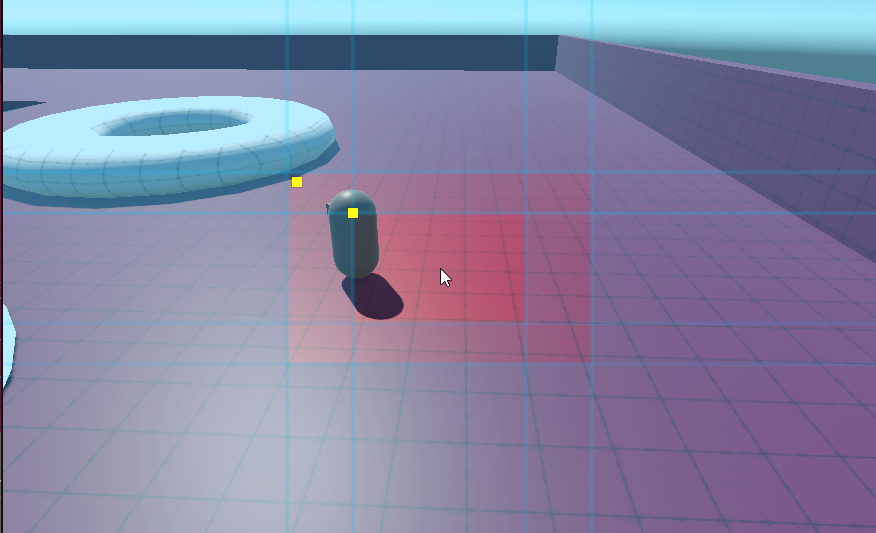

And such that the camera will try to get the character and look-ahead more towards the positive x in this screenshot
late basin
pliant onyx
I was playing around with it and it does have a similar behavior to the position...
There's no specific logic in CM to do what you describe based on screen positions. The closest I can think of is to use the Lazy Follow binding mode. This will sort of pull the camera along behind the player like a trailer, so that as the player moves forward, the camera will gradually recenter itself behind it.
I'm assuming that you're using RotationComposer + Follow or OrbitalFollow. Don't use the PositionComposer for this.
 old wing
you can kinda recreate some position composer stuff in the Orbital Follow but scripting your follow point
 tawdry mica
Hey guys, having a problem when switching scenes with cinemachine.
Having three scenes
1. Systems (Persistent with MainCamera and Cinemachine Brain)
2. MainMenu (3 Cinemachine Cameras)
3. Gameplay (1 Cinemachine Camera)
Starting with Systems and MainMenu, everything works fine and I can transition between all 3 Cams.
Loading Gameplay and unloading MainMenu
SceneManager.UnloadSceneAsync("MainMenu");
SceneManager.LoadSceneAsync("Room1", LoadSceneMode.Additive);
and loading back into MainMenu
SceneManager.UnloadSceneAsync("Room1");
SceneManager.LoadSceneAsync("MainMenu", LoadSceneMode.Additive);
I can't transition between the Cameras anymore.
GameObject with Main Camera / Cinemachine Brain stays persistent via DontDestroyOnLoad though.
tawdry mica
nevermind, timescale got me