#archived-code-general
1 messages · Page 382 of 1
 knotty sun
 prime lintel
Is there a reason why my transform value is different from what I see in the editor? This is the same object holding the component, yet it returns 10,0 in the code instead of 5,2 as seen in the editor
 knotty sun
the position you see in the inspector is the localPosition
prime lintel
What is the object local to? It's parent I assume?
knotty sun
prime lintel
What is the object local to? It's parent I assume?
indeed
 wanton cedar
so is this method called pooling? or am i misunderstanding it? - and how would you go about enabling & disabling?
knotty sun
no, pooling is something completely different.
disabling is easy, you just disable everything by default in your scene
enabling you do with a OverLapSphere call and enable everything it returns
wanton cedar
knotty sun
no, pooling is something completely different.
disabling is easy, you just disab...
OverlapSphere is great!! how did i not hear about this until now....
knotty sun
wanton cedar
OverlapSphere is great!! how did i not hear about this until now....
You don't read the docs as much as I do or as much as you should?
 graceful latch
i really cant figure out why this doesnt work ``` private bool CheckAdjacentTiles(Vector3Int tilePos, TileBase _tile)
{
Vector3Int[] directions = new Vector3Int[]
{
new(0, 1, 0), // up
new(0, -1, 0), // down
new(1, 0, 0), // right
new(-1, 0, 0) //left
};
    for (int i = 0; i < directions.Length; ++i)
    {
        TileBase adjacentTile = tilemap.GetTile(tilePos + directions[i]);
        if (adjacentTile != _tile)
        {
            return false;
        }
    }

    return true;
}
}
its suppposed to check if any of the adjacent tiles on a tilemap arent _tile
but it just always returns false
 somber nacelle
you want to invert your condition and return statements. otherwise if the first one is not _tile it will return false so it won't even check the others
graceful latch
thats fine. i just need to know if any arent.
im basically checking if the current tile is an edge of that type
if that makes sense
somber nacelle
also consider caching your directions array in a readonly field of the class instead of creating a new instance each time you call this method
knotty sun
logically it's unlikely that all tiles are going to be the same
somber nacelle
graceful latch
thats fine. i just need to know if any arent.
so then it's doing what you want, no? because surely all of the tiles are not that specific tile you passed in
graceful latch
wait. now ive confused myself, is tilebase the type of tile or that current tile
somber nacelle
the _tile variable is a specific tile, not a type of tile, but a reference to a specific one
graceful latch
this is some generated terrain i have, surely all the grass tiles are the same

its using rule tiles, but you can rule tile in a a basetile variable
somber nacelle
sure, they may be the same type of tile. but they are not the same tile. much like how you and i are each a person, but we are not the same person
graceful latch
but im checking if the tile is that type
knotty sun
graceful latch
this is some generated terrain i have, surely all the grass tiles are the same
if you were laying grass turf would each piece be the same pice of turf?
somber nacelle
no, you are comparing the tile against another tile. you are not doing anything with their types
graceful latch
when i have basetile as a variable in inspector i set that when building my tilemap, im really confused now i dont do much 2d stuff
these are the tiles i set when building the tilemap

and these are tilebase in code
somber nacelle
this has nothing to do with being 2d, this is about the concept of objects. you are comparing the tile objects to see if they are the same object, you are not comparing their types to see if they are the same type of tile object
graceful latch

so would checking if that tyle is that variable should work no?
because thats literally how i set it
knotty sun
no
somber nacelle
just like if you have two gameobjects and compare them. They could be named exactly the same and be in the same exact position, rotation, etc. but they are two completely separate gameobjects
somber nacelle
what are you actually trying to accomplish with this
and don't say "see if the tiles are the same", i want to know the actual problem you are trying to solve
https://xyproblem.info
graceful latch
this here literally says tilebase is what im saying

Tile is a current tile in the tilemap
somber nacelle
just because it is an instance of the same object does not mean it is the same object
i already explained this
graceful latch
there is no need to be so arrogant. i dont know how else to explain what im trying to do
somber nacelle
you haven't even bothered trying yet
graceful latch
im trying to check if a tile is next to a water tile
red would return false, blue true

i dont know if that helps at all
 jagged tulip
if i were to do
todolist = gameObject.GetComponent<DataToDo>();
and then
todolist.task = "cooking"
would it change the task variable on the DataToDo class. or would it just change the task in my todolist version
graceful latch
somber nacelle
just because it is an instance of the same object *does not mean it is the same ...
im surely correct the way i was checking if a tile was ground or not before without edge checking was just that
i was getting the current tile and checking if it was groundtile
somber nacelle
jagged tulip
if i were to do
`todolist = gameObject.GetComponent<DataToDo>();`
and then
`todo...
components are reference types, they point to the same object
graceful latch
and that worked fine
jagged tulip
i'm trying to make all of my Data in one big script that i can access so the often-accessed-variable won't scatter in 5 different script
somber nacelle
graceful latch
and that worked fine
if you are so certain that worked fine, then you need to compare what you did there with what you are doing here
jagged tulip
somber nacelle
components are reference types, they point to the *same* object
okay. thanks a lot! 
graceful latch
okay, thanks for absolutly no help, all you have done is say, you're wrong
you haven't actually tried to help me at all
knotty sun
graceful latch
im surely correct the way i was checking if a tile was ground or not before with...
you should use this override of GetTile
public T GetTile(Vector3Int position);
cool then don't listen to me and go read the documentation since you're so sure that you are 100% right and that i'm not
graceful latch
somber nacelle
cool then don't listen to me and go read the documentation since you're so sure ...
dude i was literally checking if tile was == to a certain tilebase and it was working
somber nacelle
if that were working, then why isn't it working
 graceful latch
somber nacelle
if that were working, then why isn't it working
graceful latch
somber nacelle
if that were working, then why isn't it working
if i knew i wouldnt be here
graceful latch
knotty sun
you should use this override of GetTile
```cs
public T GetTile(Vector3Int positi...
thats already what im doing im passing through a vector3 int
 knotty sun
graceful latch
thats already what im doing im passing through a vector3 int
knotty sun
graceful latch
thats already what im doing im passing through a vector3 int
yes but you are not checking Type which is what this override does
graceful latch
there is the actual text file up somewhere
oh you mean put the T there
im confused lol
graceful latch
knotty sun
yes but you are not checking Type which is what this override does
how does one use an override ive never done that
or i just dont understand
knotty sun
In this case you provide the generic type argument
graceful latch
knotty sun
In this case you provide the generic type argument
yeah but how, i feel so stupid rn lol
knotty sun
GetTile<WaterType>(position)
or whatever your WaterType is. If it returns null it's not water, if it retuns not null it is water
somber nacelle
doesn't seem like they even are using a custom tile type and are just using the built in RuleTile so that won't really be much help to them
knotty sun
then they cannot do what they want to do
all tiles will look alike to the Type system
graceful latch
so unless i use custom tiles its not possible
knotty sun
correct
somber nacelle
knotty sun
then they cannot do what they want to do
eh, it's still possible. just a lot more convoluted
 thick terrace
why would you need a custom tile type here?
knotty sun
how if there is nothing there to differentiate the original rule tile
@graceful latch you know the easiest solution would be to maintain your own grid with the tile types in it
thick terrace
it's been a while since i touched tilesets but aren't tiles assets? so each grass tile is referencing the same asset for example, and instance identity should be enough to compare (so in this case that's why the tree check was working before)
graceful latch
thick terrace
it's been a while since i touched tilesets but aren't tiles assets? so each gras...
yeah it must be different
or else it wouldnt of worked before
if i make this i++ it partly works but only for some sides
 thick terrace
are you sure the condition you're checking is right? it seems like you should be checking for adjacentTile == _tile not the opposite, if you want to return false when there's any _tile adjacent
graceful latch
thick terrace
are you sure the condition you're checking is right? it seems like you should be...
no im doing the opposite of that
i want false if there isnt any
true if there is
somber nacelle
so you want it to return false if none of the tiles being checked are the same as _tile? and true if any are?
graceful latch
no, false if any arent, true if all are.
im checking if the current tile is a ledge
thick terrace
just in case, you're also still checking for groundTile, not _tile in that last screenshot 😛
graceful latch
well it was only being used to check for ground tile at that point anyway, so that doesnt matter right
but i fixed it
thick terrace
maybe stick in a debug log when you return false then, with the adjacent coordinate and name of the tile that it found there?
 thick terrace
what's at that coordinate in your tilemap then?
 somber nacelle
remember how i told you that if the first tile is not _tile then it won't even check the others?
graceful latch
this time i got this, i feel like im just doing something really dumb somewhere
thats fine though?
 leaden ice
this is a basic NRE
a reference you are accessing on the indicated line is null
check the line number it is telling you
and look at all the references being accessed on that line
thick terrace
graceful latch
is this since adding the log? i guess you're logging something from the returned tile, so that means GetTile is returning null?
 rigid island
or tilemap is null
thick terrace
it's probably not that lol
rigid island
do you know for sure or just assuming?
thick terrace
i mean this person has been trying stuff for ages and that hasn't been the problem so far so unless something randomly broke we can probably assume
graceful latch
i just messed something up nvm that
graceful latch
graceful latch
this is whats really displaying
thick terrace
can you double check again then, what's at that coordinate in your tilemap?
graceful latch
get tile is always null.
graceful latch
thick terrace
can you double check again then, what's at that coordinate in your tilemap?
thats just an offset
its not an actual tile
 thick terrace
okay, what's at the first tile's coordinate plus that offset?
graceful latch
its null for every tile
 thick terrace
and is there a tile there in the tilemap?
rigid island
graceful latch
its null for every tile
show your current code
which positions are these, are you using WorldToCell ?
wanton cedar
knotty sun
no, pooling is something completely different.
disabling is easy, you just disab...
so i made it now, but since the gameobjects in my scene are inactive, the OverlapSphere() cant find them.. is there a workaround for this issue?
 wheat elbow
Hi all,
Just wanted to bump the above in case anyone has worked with virtual keyboards + steam!
I started this thread as well in the steam developer discussions, but I'm still struggling to figure out why the keyboard is not popping up.
While I don't have a steam deck / controller handy, two of my beta-testers (one windows pc + xbox one controller and the other a steam deck) mentioned that the while all the other controls / mappings were fine, when they tapped on input fields, no virtual keyboard was popping up.
For context, here are some threads I had:
https://steamcommunity.com/groups/steamworks/discussions/27/4697910365481113732/ (I think you have to log in as a steamworks developer for this one)
https://adventurecreator.org/forum/discussion/15458/virtual-keyboard#latest
Any advice?
Code is in the parent message that I'm replying to + the forum! 🙂
 mellow hazel
Does anyone know how to detect if the game is running in a GeForceNow environment without any sdk?
graceful latch
you cant.
mellow hazel
Only with sdk?
graceful latch
indeed
mellow hazel
Uff thanks
graceful latch
yeah im stupid i need to rethink my system, i just realised why it wasnt working, its because the other tiles dont even exist yet, i dont know how i didnt think of that
im sorry for all the troubleshooting i got you guys to do
i need to generate terrain then objects
which should be simple enough
yep that worked
thanks @thick terrace for all the help though'
even if it was a was fruitless lol.
 hybrid relic
But with Geforce now you can tell them to launch your game with a specific parameter, so thats prolly the easiest way of detecting it
Just react to -gamemode geforcenow
Or something like that
hybrid relic
mellow hazel
Does anyone know how to detect if the game is running in a GeForceNow environmen...
So technically no, but you can use other ways
Also getting your game on geforce now is prolly the bigger problem, they dont even have some massive titles on there, so id be surprised if they will accept some random indie game
graceful latch
hybrid relic
Also getting your game on geforce now is prolly the bigger problem, they dont ev...
not having aaa games is probably more the devs then anything
i think steam already has adding it to geforce now
mellow hazel
hybrid relic
But with Geforce now you can tell them to launch your game with a specific param...
That's a good idea. Thanks.
wanton cedar
This is the spike i get in memory, CPU & rendering, when my player moves one chunk to the side (which instantiates 3 chunks & destroys 3 chunks)...

since its a procedural infinite exploring game, i wont need to save old chunks, so i just destroy them
hybrid relic
mellow hazel
That's a good idea. Thanks.
no problem
 placid summit
wanton cedar
since its a procedural infinite exploring game, i wont need to save old chunks, ...
placid summit
wanton cedar
since its a procedural infinite exploring game, i wont need to save old chunks, ...
what's in a chunk?
wanton cedar
placid summit
what's in a chunk?
8x8 tiles of road, which is procedurally generated based on neighboring chunks, buildings & some physics props spread out randomly.
placid summit
wanton cedar
8x8 tiles of road, which is procedurally generated based on neighboring chunks, ...
so it is procedurally generating 3 chunks - it could be very slow. Spreads things out over many frames to avoid a spike
wanton cedar
placid summit
so it is procedurally generating 3 chunks - it could be very slow. Spreads thing...
how would you acheive this?
placid summit
wanton cedar
how would you acheive this?
well how does it do it now? A big long function? Break it up and record progress per frame in an Update call. Have a monobehaviour in charge of updating the world
wanton cedar
its all pretty much one method, calling the next, calling the next... and so forth.. so i need to break these methods out of this chain somehow?
placid summit
tbh Unity is not ready for infinite exploring out of the box, it needs some advanced knowledge. Eventually floating point accuracy goes out the window too if you do not have HDRP or something with the world centre do the player
 tulip breach
I have my steam game id how can I test the game with it?
placid summit
wanton cedar
its all pretty much one method, calling the next, calling the next... and so for...
that is one method - I read some dev recently that had just spread world updates over a time period
knotty sun
tulip breach
I have my steam game id how can I test the game with it?
maybe read the steam docs or ask them
tulip breach
ok
wanton cedar
placid summit
that is one method - I read some dev recently that had just spread world updates...
aaaaah okay got it - so i should probably not spawn all groups of gameobjects at the same time, but spread them out, so the chunk is instantiated, and then the physics props are instantiated when the player moves a within a certain distance of that chunk
or is that stupid? hahahaha
placid summit
wanton cedar
aaaaah okay got it - so i should probably not spawn all groups of gameobjects at...
yes if the spike is too big that will make more smaller ones instead!!
wanton cedar
a game is nothing but lag spikes spread out over time
 split junco
I have implemented a state machine pattern for a gameobject called "Server". The server takes on states such as NormalLoadState, HighLoadState and so on. Here's a basic implementation.
public class ServerLoadManager : MonoBehaviour
{
    public float currentLoad { get; private set; } // Current server load percentage
    public float NormalLoadThreshold = 50f;  // Below this is considered Normal load
    public float HighLoadThreshold = 80f;    // Above this is High load
    public float OverloadThreshold = 95f;    // Above this is Overload
    public ServerLoadState currentState;

    // States
    public NormalLoadState normalLoadState = new NormalLoadState();
    public HighLoadState highLoadState = new HighLoadState();


void Start()
    {
        SetState(normalLoadState);
    }

public void SetState(ServerLoadState newState)
    {
        if (currentState != null)
        {
            currentState.ExitState(this);
        }

        currentState = newState;

        if (currentState != null)
        {
            currentState.EnterState(this);
        }

    }


void Update()
    {
       Debug.Log($"Current Server State is: {currentState.GetStateName()}"); //Error at this line
    }
public class NormalLoadState : ServerLoadState
{
    public override string GetStateName() => "NormalLoad Server State";

    public override void EnterState(ServerLoadManager server)
    {
        Debug.Log(GetStateName()); //this works
    }

    public override void UpdateState(ServerLoadManager server)
    {
        // Monitor the server's load and transition if it increases
        if (server.currentLoad > server.HighLoadThreshold)
        {
            server.SetState(server.highLoadState);
        }
    }

    public override void ExitState(ServerLoadManager server)
    {
        //Debug.Log("Exiting NORMAL load state.");
    }
}
I get an error when I try to Debug.Log($"Current Server State is: {currentState.GetStateName()}"); Please help!
knotty sun
care to share the actual error or should we guess it's a NRE
leaden ice
split junco
I have implemented a state machine pattern for a gameobject called "Server". The...
I get an error
What error?
split junco
Yes. It's NRE
leaden ice
then currentState is null
knotty sun
so currentState is null
leaden ice
if (currentState == null) Debug.Log("Current State is null");
else Debug.Log($"Current Server State is: {currentState.GetStateName()}");```Let me try that. Thanks!
leaden ice
Debug.Log($"Current Server State is: {(currentState == null ? "null" : currentState.GetStateName())}");```
or ^Yup. It's null for a brief time during the start and that's it. Thanks!
placid summit
hmm why on earth does the visual studio unity project explorer not have a search on it?
knotty sun
placid summit
hmm why on earth does the visual studio unity project explorer not have a search...
visual studio has a find option
placid summit
I meant for a file - you can search in solution explorer, but I get a bit of a mess from multiple assemblies - so it can appear twice or more!
but that may work also
Ctrl+F class name...!
knotty sun
if you have a reference to the class you can also right click and go to definition
placid summit
yes I know that much - but I often dont have
tulip breach
How can I get all a player data in a dictionary with just their id? via unity cloud save
rigid island
tulip breach
How can I get all a player data in a dictionary with just their id? via unity cl...
You'd only be able to grab their public data iirc
they need to be signed in to access their private files
tulip breach
I have them signed in im just confused on how to grab all their data because everything on the docs shows how to do it with specific data
rigid island
tulip breach
I have them signed in im just confused on how to grab all their data because eve...
you generally get all the keys then you can put them in the query, they actually made a new Class now that works similiar to query parameters if you ever used traditional Object Document based Storage
oh its been there for a while , haven't seen it before lol
tulip breach
so this freezes my editor
public async Task<GameData> Load() {
  GameData data = new GameData();
  try {
    var dataDict = await CloudSaveService.Instance.Data.Player.LoadAsync(ListKeys().Result);
    data = dataDict.AsDictionary().ToObject<GameData>();
  }
  catch (Exception ex) {
    Debug.LogError("Failed to load save data from cloud: " + ex);
  }
  return data;
}
more specifically
var dataDict = await CloudSaveService.Instance.Data.Player.LoadAsync(ListKeys().Result);
this line
rigid island
tulip breach
this line
what is ListKeys()
tulip breach
public async Task<HashSet<string>> ListKeys() {
  var hash = new HashSet<string>();
  var keys = await CloudSaveService.Instance.Data.Player.ListAllKeysAsync();
  for (int i = 0; i < keys.Count; i++) {
    hash.Add(keys[i].ToString());
  }
  return hash;
}
I have 2 total keys
rigid island
tulip breach
```c#
public async Task<HashSet<string>> ListKeys() {
var hash = new HashSet<s...
btw any webcall is especially important you try catch
tulip breach
ah true
rigid island
tulip breach
ah true
put some logs see where it starts freezing
leaden ice
tulip breach
so this freezes my editor
```c#
public async Task<GameData> Load() {
GameData ...
well yeah sounds like you're doing I/O on the main thread
make sure you run this in a background thread
tulip breach
leaden ice
make sure you run this in a background thread
how do I do this...
tulip breach
rigid island
put some logs see where it starts freezing
Freezing on the
var dataDict = await CloudSaveService.Instance.Data.Player.LoadAsync(ListKeys().Result);
its not freezing in listkeys
leaden ice
tulip breach
Freezing on the
```c#
var dataDict = await CloudSaveService.Instance.Data.Playe...
yeah because you're awaiting from the main thread here
how are you running Load()?
rigid island
tulip breach
Freezing on the
```c#
var dataDict = await CloudSaveService.Instance.Data.Playe...
I wonder if its too many keys to run at once
tulip breach
leaden ice
how are you running `Load()`?
public void LoadGame() {
  this.gameData = Load().Result;
  if (this.gameData == null) {
    Debug.Log("No data was found. Initializing data to defaults");
    NewGame();
  }
  foreach (IDataPersistence dataPersistenceObj in dataPersistenceObjects) {
    dataPersistenceObj.LoadData(gameData);
  }
}
yewah if you do Load().Result you're awaiting it right there
it's async
rigid island
ohhh nice catch
tulip breach
ah ok
leaden ice
basically LoadGame needs to itself be async
or you need to use a coroutine
or just periodically check in Update if the task is done
 chilly surge
Or .ContinueWith().
tulip breach
chilly surge
Or `.ContinueWith()`.
I've never read up on this, how is it used?
tulip breach
👍
chilly surge
I wouldn't really suggest using it, it how async/await works under the hood (you can think of await as compiling rest of the code into .ContinueWith)
In general, I would suggest you to pick one (either coroutines or tasks with async/await) and stick to it throughout your entire project. It gets really ugly if you start mixing the two.
 jaunty sleet
is anyone familiar with render textures?
rigid island
jaunty sleet
is anyone familiar with render textures?
 jaunty sleet
I have one in my game and I am rendering to it from a camera with the background set to solid color with a fully transparent color. I also have the render texture set to a color channel that has an alpha channel. However, the alpha channel on the render texture is fully opaque. I'm not sure why the alpha isn't showing in the render texture
leaden ice
jaunty sleet
I have one in my game and I am rendering to it from a camera with the background...
which render pipeline
jaunty sleet
leaden ice
which render pipeline
URP
I am not using any shaders here though, just a single render texture
jaunty sleet
ah ok
leaden ice
here's a thread about it
apparently the "render post processing" checkbox breaks this?
jaunty sleet
I havent tried turning that off, lets see
oh my god that fixed it
why would that break it? so dumb
thanks 👍
tulip breach
Ok im getting a new error now....

public async void LoadGame() {
  this.gameData = await Task<GameData>.Run(Load);
  if (this.gameData == null) {
    Debug.Log("No data was found. Initializing data to defaults");
    NewGame();
  }
  foreach (IDataPersistence dataPersistenceObj in dataPersistenceObjects) {
    dataPersistenceObj.LoadData(gameData);
  }
}
this is how I ended up on running load async
tulip breach
tulip breach
```c#
public async Task<HashSet<string>> ListKeys() {
var hash = new HashSet<s...
but now this is having issues....
tulip breach
it freezes if I try to just run await Load()
public override void OnServerAddPlayer(NetworkConnectionToClient conn) {
  UnityEngine.Debug.Log("Adding " + conn + " Player prefab");
  PlayerObjectController GamePlayerInstance = Instantiate(GamePlayerPrefab);
  GamePlayerInstance.ConnectionID = conn.connectionId;
  GamePlayerInstance.PlayerIdNumber = GamePlayers.Count + 1;
  GamePlayerInstance.PlayerSteamID = (ulong)SteamMatchmaking.GetLobbyMemberByIndex((CSteamID)SteamLobby.Instance.CurrentLobbyID, GamePlayers.Count);
  PlayerInstance.Add(GamePlayerInstance);
  NetworkServer.AddPlayerForConnection(conn, GamePlayerInstance.gameObject);
  DataPersistenceManager.Instance.LoadGame();
}
this is where its being called and idk how to make it async honestly
 ivory cove
Is it possible to convert a distance on the screen to world space distance, depending on the camera? Pretty much I have a map camera and I need to know how much screen distance between objects on the map UI is versus world space and how far they are actually in the scene.
chilly surge
tulip breach
```c#
public async void LoadGame() {
this.gameData = await Task<GameData>.Run(...
Don't do Task.Run, just simply await Load().
Task.Run specifically runs it on a thread pool, and most Unity APIs can only be accessed on main thread.
 cosmic rain
ivory cove
Is it possible to convert a distance on the screen to world space distance, depe...
cosmic rain
ivory cove
Is it possible to convert a distance on the screen to world space distance, depe...
You can take 2 points(either in screen space or world space) that are visible on the map, convert them into the other space, calculate the distance for both spaces and find the ratio.
hybrid relic
ivory cove
Is it possible to convert a distance on the screen to world space distance, depe...
Raycasts, there is a raycast that does exactly what you want, i just forgot the name of it, but if you look into raycasts for your needs you should find it
hybrid relic
cosmic rain
You can take 2 points(either in screen space or world space) that are visible on...
A raycast would do the job with the 2 points for you, i just cant remember the function name of the raycast for screen to world space
 iron sentinel
ivory cove
Is it possible to convert a distance on the screen to world space distance, depe...
iron sentinel
ivory cove
Is it possible to convert a distance on the screen to world space distance, depe...
There is a direct function which does this I forgot
leaden ice
ivory cove
Is it possible to convert a distance on the screen to world space distance, depe...
World space distance depends on a few things like how far away from the camera you want. There's Camera.ScreenToWorldPoint, Plane.Raycast, and Physics.Raycast that can all be used depending on the circumstance.
hybrid relic
There is also a raycast method using the screentoworldpoint, which im having in mind, which would fulfill what he needs, i just cant find the name of it online for some unholy reason
ivory cove
So to give more insight about my situation, pretty much the map technically doesn't have any UI elements besides the necessary ones to display what my map camera is seeing, so it's pretty hard to actually get two points on the map. For your raycast thing, would the raycast come from the map camera and land accordingly to where the mouse is? If so, that is correct that is literally exactly what I would need
hybrid relic
Oh its just using the mouse pos as a ray data and then using a normal raycast, so you could do that without a mouse, bit just the position of the minimap
Oop brainfart, i thought it was a raycast function
hybrid relic
ivory cove
So to give more insight about my situation, pretty much the map technically does...
100%
Click mouse and it raycasts to the actual point in worldspace
Ray r = Camera.main.ScreenPointToRay( Input.mousePosition);
if (Physics.Raycast(r, out hit))
{
     Transform objectHit = hit.transform;
}
Phone coding so if its bad formatted shame on me
But you get the Idea
I really thought this was a raycast function and not a camera function lol
Also this is like really old code so it might work a bit differently in Unity 22 or 6
ivory cove
I see I see, the only thing is, I wouldn't want the ray to go to exactly where the mouse if if that makes sense. This is a picture of my map. It's a little hard to see but the little icons at the very top are the teleporters, which are way off the screen, as the map camera is much larger than the player's camera. If I were to click on that icon would the ray be at that teleporter or would it be hitting the floor under the map if that makes sense.
 hybrid relic
Hmm is that map an image or like a zoomed out camera
Instead of focussing the main camera, maybe use that zoomed out camera, but idk how well that works with the mouse position
Trail and error tbh
ivory cove
Ya what you are saying works with the zoomed out camera that would be so nice xD I'll give it a shot
hybrid relic
Unless someone else here that did this before has a better solution
I guess
I never did anything like this
ivory cove
Ya I was originally going to use math to convert screen distance to world distance but it was going to be a huge headache was just wondering if anyone had a easier solution
hybrid relic
ivory cove
Ya what you are saying works with the zoomed out camera that would be so nice xD...
Try it out, if it doesnt work maybe playing around with the code in how you create the ray is a good idea
ivory cove
Yep yep! I'll give it a shot pray for me it works LOL
hybrid relic
ivory cove
Ya I was originally going to use math to convert screen distance to world distan...
Maybe it works, defo easier then this lol
Anyways its 1am im gonna bounce, wish you luck

ivory cove
ty for the help xD gn
 vagrant blade
@polar surge Please don't spam this channel with off topic.
hybrid relic
Osteel is faster then i can ping mods
vagrant blade
I understand what spam is and how it includes unnecessary messages. Please keep this channel on topic, thanks.
 polar surge
vagrant blade
I understand what spam is and how it includes unnecessary messages. Please keep ...
polar surge
vagrant blade
I understand what spam is and how it includes unnecessary messages. Please keep ...
Yeah of course, I wasn't trying to cause problem on the channel
 slow delta
I feel like I've just spent too much time staring at my code to understand what is being said here so can someone please explain this?
this is the code in question
    private void HandleMovementInput(){
        currentInput = new Vector2((IsSprinting ? sprintSpeed : walkSpeed) * Input.GetAxis("Vertical"), (IsSprinting ? sprintSpeed : walkSpeed) * Input.GetAxis("Horizontal"));

        float moveDirectionY = moveDirection.y;
        moveDirection = (transform.TransformDirection(Vector3.forward) * currentInput.x) + (transform.TransformDirection(Vector3.right) * currentInput.y);
        moveDirection = moveDirection.normalized * Mathf.Clamp(moveDirection.magnitude, 0, walkSpeed);
        moveDirection.y = moveDirectionY;
    }

I tried adding - sprintSpeed after the 0 in that clamp but that did not work
leaden ice
slow delta
I feel like I've just spent too much time staring at my code to understand what ...
they're saying use sprintSpeed instead of walkSpeed while sprinting
 lean sail
slow delta
I tried adding `- sprintSpeed` after the 0 in that clamp but that did not work
lean sail
slow delta
I tried adding `- sprintSpeed` after the 0 in that clamp but that did not work
its hard to understand because this is an awful way of writing code. split some of those statements up and itll be at least easier to see the intermediate steps.
that 0 - sprintSpeed thing looks like "0 to sprint speed" rahter than 0 minus sprintSpeed
 dusk apex
slow delta
I feel like I've just spent too much time staring at my code to understand what ...
dusk apex
slow delta
I feel like I've just spent too much time staring at my code to understand what ...
The response or the initial comment post? Maybe just ask the question of concern in regards to your/the code?
leaden ice
but yeah this is pretty convoluted
and you're involving the sprinting/walking speeds in multiple places
theyh should just come in at one place
honestly I wouldn't normalize the input
just clamp it
then multiply by the speed at the end
slow delta
I have to normalize the input to prevent the speed from doubling when holding W and strafe
leaden ice
slow delta
I have to normalize the input to prevent the speed from doubling when holding W ...
no
you don't
clamping it is the superior way to do that
slow delta
changing it from walkSpeed to sprintSpeed worked, thank you. I may refactor the code later but I'd rather build something that works now and worry about that later.
lean sail
slow delta
changing it from walkSpeed to sprintSpeed worked, thank you. I may refactor the ...
this line
moveDirection = moveDirection.normalized * Mathf.Clamp(moveDirection.magnitude, 0, walkSpeed);
can be replaced with this method also
https://docs.unity3d.com/ScriptReference/Vector3.ClampMagnitude.html
whatever tutorial you're following is definitely questionable
 leaden ice
slow delta
changing it from walkSpeed to sprintSpeed worked, thank you. I may refactor the ...
leaden ice
slow delta
changing it from walkSpeed to sprintSpeed worked, thank you. I may refactor the ...
private void HandleMovementInput(){
    Vector2 input = new Vector2(Input.GetAxis("Horizontal"), Input.GetAxis("Vertical"));
    input = Vector2.ClampMagnitude(input, 1);

    float moveDirectionY = moveDirection.y;

    moveDirection = transform.forward * input.y + transform.right * input.x;
    // add speed
    moveDirection *= (IsSprinting ? sprintSpeed : walkSpeed);

    // add y back
    moveDirection.y = moveDirectiony;
}```I would do it this way
much simpler, more readable
slow delta
so why dont we want to use normalize here?
leaden ice
and clamping lets you move at speeds between full joystick actuation and 0
because normalize doesn't let us use a joystick properly
i.e. if we tilt our joystick halfway we move half speed
that doens't work with normalize
slow delta
so it's basically future proofing for controllers?
lean sail
slow delta
its this one
https://www.youtube.com/playlist?list=PLfhbBaEcybmgidDH3RX_qzFM0mIx...
actually now that i look at it closer, the logic seems very flawed. they copy the y value, seemingly so not to overwrite it with the following lines, but the normalize still uses the Y value meaning if the player has vertical motion they'll be moving slower horizontally.
leaden ice
yeah
slow delta
I really appreciate that
slow delta
leaden ice
```cs
private void HandleMovementInput(){
Vector2 input = new Vector2(Input....
switched to this for readability and the better method and it's smooth as butter now. Thank you 
probly gonna switch to a better tutorial like Brackeys at this point, was mainly on this one to get some specific features
lean sail
slow delta
probly gonna switch to a better tutorial like Brackeys at this point, was mainly...
brackeys has lots of flaws in his tutorials, probably worse than what youve linked. honestly most of the tutorials will have issues if it doesnt fit your exact game
slow delta
I have a background in software development so I'm mostly using the tutorials to understand the engine calls
granted I've never played with movement, quaternions, or quads before 
 soft shard
slow delta
I have a background in software development so I'm mostly using the tutorials to...
soft shard
slow delta
I have a background in software development so I'm mostly using the tutorials to...
I think the docs do a pretty good job of explaining the engine calls, and most pages show examples of how to use them, albeit quaternions in general can be difficult to understand
 inner shuttle
is it possible to access the transform of the NavMeshAgent collision cylinder?
 leaden ice
inner shuttle
is it possible to access the transform of the NavMeshAgent collision cylinder?
leaden ice
inner shuttle
is it possible to access the transform of the NavMeshAgent collision cylinder?
The Transform component can be accessed from any component or GameObject with .transform
But somehow based on your question I don't think the Transform is actually what you're asking about
inner shuttle
yeah its weird im not completely sure what it is i looked about on docs and saw collision cylinder was mentioned, and thats what is moving with my character as it uses root motion and consequently updatePosition is disabled
i just want to be able to offset it a bit to prevent my character from flicking back to it occasionally
leaden ice
inner shuttle
yeah its weird im not completely sure what it is i looked about on docs and saw ...
You can access the height and radius of the agent:
https://docs.unity3d.com/ScriptReference/AI.NavMeshAgent-height.html
https://docs.unity3d.com/ScriptReference/AI.NavMeshAgent-radius.html
inner shuttle
thats not what i need, i need the actual world transform
leaden ice
and vertical offset here: https://docs.unity3d.com/ScriptReference/AI.NavMeshAgent-baseOffset.html
The Transform is... a separate component
inner shuttle
okay
leaden ice
leaden ice
The Transform component can be accessed from any component or GameObject with `....
mentioned here
inner shuttle
as i said though updatePosition is disabled will that affect it>
leaden ice
I don't think it's relevant to the question
but like
can't you just solve this in the inspector
inner shuttle
okay
leaden ice
by changing the vertical offset?
idk, I'm a bit confused about what you're actually doing or trying to do here
it seems weird to use a root motion animation with a NMA
sounds like you have two or more competing things controlling the position of the object then
inner shuttle
this is literally my only problem that ive had with this agent
and is what im trying to fix
leaden ice
yeah this is happening because your animation is controlling the position of the object separately
you probably want to change that
 young tapir
Has anyone got any decent PID "intros"? I'm looking to create an interactive UI (VR game) but can't quite rap my head around the smooth movement. I've been digging around google for a bit now and can't find anything that explains how exactly they work
 hushed cloud
Is it possible to move a text mesh pro (TMP) world-space object without causing massive lag?
 latent latch
Why would it cause massive lag
 maiden fractal
I cannot think of single reason it would cause lag let alone massive. I thought the transforms are just matrix transformations
hushed cloud
Seems to be related to the use of SmoothDamp. MoveTowards doesn't cause lag
LateUpdate makes it lag less for whatever reason 🙃
Or maybe not
latent latch
Oh, you're talking about the interpolation of it
This happens only with TMP? How about just general mesh renderings
maiden fractal
hushed cloud
Seems to be related to the use of SmoothDamp. MoveTowards doesn't cause lag
Really hard to help without seeing the code and knowing bit more about the use (how many of the objects with the code etc.)
SmoothDamp seems to only do some basic arithmetics so it shouldn't really cause a lot of problems unless you are doing thousands of those every frame
 mint harbor
I am rying to align 2 hex objects upon collision based on collided edge.
On the image you see 2 edges that are marked in red - that is the result of collision. The goal is to transform (position and rotation) "grey" hex in such a way so that 2 red edges are aligned (as shown on the 2nd image).
Known vars are: edge points, their midpoints, hex positions and rotation.
Maybe someone can point to the right direction?


 fallow quartz
in VSCode when i press ctrl + shift + space and i cant see the overload of the methods, i tried a lot of possible solutions from google and none of them works
On my PC at home it works but not on the laptop
 mellow sigil
mint harbor
I am rying to align 2 hex objects upon collision based on collided edge.
On the ...
mellow sigil
mint harbor
I am rying to align 2 hex objects upon collision based on collided edge.
On the ...
Position is easy, it's blue hex position + 2 * (blue edge midpoint - blue hex position)
knotty sun
the rotation should be as simple as set grey rotation = blue rotation
mellow sigil
Rotation can be calculated by taking vectors (grey edge midpoint - grey hex position) and (blue hex position - blue edge midpoint), the angle between them is the amount the grey hex needs to rotate
If it doesn't matter which edges touch then yeah just set the rotation to match the blue one's
mint harbor
knotty sun
the rotation should be as simple as set grey rotation = blue rotation
edge matters.
@mellow sigil , thank you, will try
knotty sun
mint harbor
edge matters.
you can still use gray rotation = blue rotation and then rotate (360/6) * edge number
mint harbor
mellow sigil
Position is easy, it's `blue hex position + 2 * (blue edge midpoint - blue hex p...
That us basically placing the hex into other hex and then applying an offset based on midpoint direction with magnitude of 2. Almost works, the magnitude for sure has to be adapted; maybe per edge.
Unfortunately, the angle looks off.
@mellow sigil , with the angle did you mean?
var dir1 = (Vector2)transform.position - greyEdgeMidpoint;
var dir2 = blueEdgeMidpoint - (Vector2)other.gameObject.transform.position;
var angle = Vector2.Angle(dir1, dir2);
Debug.Log("angle " + angle);
transform.Rotate(0, 0, angle);
That is similar to:
var angle = Mathf.Atan2(dir1.y, dir1.x) * Mathf.Rad2Deg;
var angle2 = Mathf.Atan2(dir2.y, dir2.x) * Mathf.Rad2Deg;
var rotationDifference = angle2 - angle;
Debug.Log("rotationDifference " + rotationDifference);
But both overshoot the angle. The issue was that position or angle must take into account modified edge, midpoints after pos/angle modification. All works after that 🙂 thank you
tulip breach
public async void Start() {
  try {
    await UnityServices.InitializeAsync();
    SetupEvents();
    SignInWithSteam();
    this.dataPersistenceObjects = FindAllDataPersistenceObjects();
    await LoadGame();
  }
  catch (Exception ex) {
    Debug.LogException(ex);
  }
}
How can I make sure that sign in with steam is called before await LoadGame()
sorry correction
how can I make sure sign in with steam is done before loadgame is called
thick terrace
tulip breach
how can I make sure sign in with steam is done before loadgame is called
that's kind of impossible to answer without seeing what SignInWithSteam does, but you're probably going to have to await it
tulip breach
private void SignInWithSteam() {
  m_AuthTicketForWebApiResponseCallback = Callback<GetTicketForWebApiResponse_t>.Create(OnAuthCallback);
  SteamUser.GetAuthTicketForWebApi(identity);
}

void OnAuthCallback(GetTicketForWebApiResponse_t callback) {
  m_SessionTicket = BitConverter.ToString(callback.m_rgubTicket).Replace("-", string.Empty);
  m_AuthTicketForWebApiResponseCallback.Dispose();
  m_AuthTicketForWebApiResponseCallback = null;
  Debug.Log("Steam Login success. Session Ticket: " + m_SessionTicket);
  // Call Unity Authentication SDK to sign in or link with Steam, displayed in the following examples, using the same identity string and the m_SessionTicket.
  SignInWithSteamAsync(m_SessionTicket, identity);
}
you could adapt this so the OnAuthCallback sets the result on an AwaitableCompletionSource if you want to make it properly awaitable, otherwise maybe just have SignInWithSteamAsync set a flag when it's done then wait for that in a loop in Start like while (!m_steamSignedIn) { await Awaitable.NextFrameAsync(); }
something like this should work:
private Awaitable SignInWithSteam() {
  var completion = new AwaitableCompletionSource();

  m_AuthTicketForWebApiResponseCallback = Callback<GetTicketForWebApiResponse_t>.Create(async callback => {
    m_SessionTicket = BitConverter.ToString(callback.m_rgubTicket).Replace("-", string.Empty);
    m_AuthTicketForWebApiResponseCallback.Dispose();
    m_AuthTicketForWebApiResponseCallback = null;
    Debug.Log("Steam Login success. Session Ticket: " + m_SessionTicket);
    // Call Unity Authentication SDK to sign in or link with Steam, displayed in the following examples, using the same identity string and the m_SessionTicket.
    await SignInWithSteamAsync(m_SessionTicket, identity);

    completion.SetResult();
  });
  SteamUser.GetAuthTicketForWebApi(identity);

  return completion.Awaitable;
}
im on unity ver 2022.3 and dont have Awaitable....
thick terrace
tulip breach
im on unity ver 2022.3 and dont have Awaitable....
you can do the same thing with Task and TaskCompletionSource then, although it doesn't have a SetResult with zero parameters like Awaitable so you'd have to do SetResult(null)
tulip breach
thick terrace
you can do the same thing with Task and TaskCompletionSource then, although it d...
Sorry for being kindof dumb rn but after this
private Task<bool> SignInWithSteam() {
  var finished = false;

  m_AuthTicketForWebApiResponseCallback = Callback<GetTicketForWebApiResponse_t>.Create(async callback => {
    m_SessionTicket = BitConverter.ToString(callback.m_rgubTicket).Replace("-", string.Empty);
    m_AuthTicketForWebApiResponseCallback.Dispose();
    m_AuthTicketForWebApiResponseCallback = null;
    Debug.Log("Steam Login success. Session Ticket: " + m_SessionTicket);
    // Call Unity Authentication SDK to sign in or link with Steam, displayed in the following examples, using the same identity string and the m_SessionTicket.
    await SignInWithSteamAsync(m_SessionTicket, identity);
    finished = true;
  });
  SteamUser.GetAuthTicketForWebApi(identity);

  return Task.FromResult(finished);
}
How should I trigger the LoadGame(); function
thick terrace
tulip breach
Sorry for being kindof dumb rn but after this
```c#
private Task<bool> SignInWit...
you're immediately returning false here, you need a completion source so the result can be set by the callback
but if you fix that, you can change the line in your Start method to await SignInWithSteam()
mellow sigil
mint harbor
That us basically placing the hex into other hex and then applying an offset bas...
Nice, but the distance between the midpoint of the hex and a midpoint of an edge is the same for every edge
mint harbor
mellow sigil
Nice, but the distance between the midpoint of the hex and a midpoint of an edge...
yes. But I had to use atan approach as it accounts for negative angle in certain cases. Thank you for the assistence.
 nova leaf
Idk if this makes sense but, Is there any way to not force code implementation of variables/fields when I apply an interface to my monobehavior script, and just show them in the inspector to change, and only force functions?
 warm cosmos
how does unity detect what a raycast hits? is everything in the scene in a hidden quadtree or spatial hash grid
 naive swallow
warm cosmos
how does unity detect what a raycast hits? is everything in the scene in a hidde...
naive swallow
warm cosmos
how does unity detect what a raycast hits? is everything in the scene in a hidde...
Colliders. In 3D, it uses PhysX, in 2D it uses Box2D. You'd need to look up how those physics engines handle colliders to know for sure
knotty sun
warm cosmos
how does unity detect what a raycast hits? is everything in the scene in a hidde...
inside your computer is a little demon who models your scene in plasticine then runs around very quickly with a ball of string and a tape measure
latent latch
nova leaf
Idk if this makes sense but, Is there any way to not force code implementation o...
interfaces force the implementation, that's the idea. But, you don't need to add logic to them if you don't want to.
thick terrace
nova leaf
Idk if this makes sense but, Is there any way to not force code implementation o...
if you want default implementations of fields you'd have to use a base class instead of an interface
warm cosmos
knotty sun
inside your computer is a little demon who models your scene in plasticine then ...
feels that way sometimes
 storm ivy
Hi everyone! I’m a beginner working with prefabs, and I’m running into some issues with maintaining references in my Unity project. I have a car prefab that I spawn at runtime, and it needs to be assigned to the camera, but the reference to the car is lost every time I spawn it. Right now, I’m using FindObjectWithTag in Update() to re-assign it to the camera, but I know this might not be the best approach. The car also has ui button references for touchscreen movement (forward and backward), and because it’s a prefab, these references in the inspector are empty. I know I could assign them with a script, but it seems like it could get overly complex. Is there a recommended way to handle these references efficiently without a large script? Thanks!
rigid island
storm ivy
Hi everyone! I’m a beginner working with prefabs, and I’m running into some issu...
don't crosspost
 next rain
Anyone who knows how I can join with my friend in unity please dm me.
latent latch
nova leaf
Idk if this makes sense but, Is there any way to not force code implementation o...
Sorry, kinda read over this a little fast, but I think the answer to this is to serialize the backing field if I'm reading it right via:
[field: SerializeField] public int MyInt { get; set; }```One thing to note is that interfaces don't implement fields, but properties
 sleek bough
next rain
Anyone who knows how I can join with my friend in unity please dm me.
sleek bough
next rain
Anyone who knows how I can join with my friend in unity please dm me.
Using version control. Git is a popular solution, or Unity built-in one. !vc
 tawny elkBOT

Using version control in Unity
Unity Version Control
 Git
Git
Get the latest .gitignore file from here. It should be placed at the root of your Unity project directory.
sleek bough
Git has a lot of popular client apps to manage it.
next rain
sleek bough
Using version control. Git is a popular solution, or Unity built-in one. !vc
Can you come into a vc?
sleek bough
next rain
Can you come into a vc?
No, there's a wealth of materials online on the topic. Only have to look.
Also linked you a tutorial as well
rigid island
I'm using Unity pooling just fine with other scripts/objects... but for some reason here the projectile gets released then collides again while disabled I guess? looking at the logs... causing this already released pool error.
Been at this since last night, Its probably something obvious I'm missing , hoping someone can clear something to look that haven't.. I have no idea where to even look anymore, my collision seems to be triggering more than once I think? at least it was doing so during OnTrigger, switched it to OnCollision but still happens just less frequent. The setup seems the same as my other projectile that works fine. how can it be triggering a Collision message when it was disabled (according to log message above it)

ops.. here is my enemy projectile script https://hatebin.com/orzvrhqbqi
latent latch
You can also whip up your own pooling in no time if you wanted to just go that way
sleek bough
It just might hide the problem
rigid island
I could but it works fine in other scripts, and yeah I agree with Fog thats just masking something weird going on
why would a disabled object trigger another collision message
sleek bough
One of those bugs you would spend hours writing debugging tools for to figure out what exactly is happening.
latent latch
Is disabling end of frame? Could be something related
rigid island
I'm so confused why this isn't happening in my other projectile for player
more or less the same script
https://hatebin.com/epiiouurfg (Player Arrow)
latent latch
I've had problems before with OnTrigger method where I've set my own flagging so prevent other acting upon it
rigid island
isn't that what I did? or am i confused by what you said?
private void OnCollisionEnter2D(Collision2D collision)
    {
        if (hasHit) return;
        rb.simulated = false;
hasHit = true;```also it was worse on trigger but oncollision i switched it and still does it freakness
doc just says
Collision events will be sent to disabled MonoBehaviours, to allow enabling Behaviours in response to collisions.
idk if that includes Disabled GameObjects ? if so why is other projectile (arrow) not doing it
sleek bough
So the primary problem is that event getting triggered twice
rigid island
yea..gotta love these logs..
go_-37050 trying to release go_-37050 go_-37050 Disabled go_-37050 collision with WallTile(Clone) go_-37050 trying to release go_-37050 InvalidOperationException: Trying to release an object that has already been released to the pool.
could it be because I'm teleporting it while disabled?
so weird, why would it hit something..should i move the rb.position ?
sleek bough
What makes the setup different from the other object, that does work properly
latent latch
Well, the flagging seems fine, so it points to how ReleaseToPool is being called
assuming that's the only place the flag is being reset
rigid island
latent latch
assuming that's the only place the flag is being reset
indeed
rigid island
sleek bough
What makes the setup different from the other object, that does work properly
i sent both scripts afaik I know nothing, maybe the shooting?
In the Both they use a coroutine to shoot, so its very similar.
latent latch
So for ReleaseToPool is queuing back into the pool?
sleek bough
You seem to have additional condition filtering on collision, maybe that protects it
latent latch
why don't you just reset the flag on dequeue
rigid island
latent latch
why don't you just reset the flag on dequeue
this gives me an idea
latent latch
because how the code reads is you're unsetting the flag 5-6 lines after setting it
so it's still in the same frame
rigid island
I think i see the issue
the Reset in my arrow ( the one that works) is done on the Get / requesting from pool
In my enemy one it resets on release and probably causing as you said weird order of frame issue
I will reset it on Get only and see if its gone
Yay! seeems to fixed it 999+ debugs and no errors
thanks help me see this in diff prospective
@sleek bough @thick patio

 dusky pelican
If we load the scene async, all the awakes and starts are calling? I mean i need to wait for all the awakes and starts before loading data. Is it works this way?
    {
        await SceneManager.LoadSceneAsync(sceneName, LoadSceneMode.Single);
    }

    public static async UniTask LoadDatas()
    {
        await LoadLevelAsync(newSceneName);
        GameManager.Instance.PlayerData.Load();
}```yes, they should both be called i think? Awake gets called immediately when the scene loads and Start is called earlier than the sync context update in the frame lifecycle so it should have happened by the time you resume from the await in LoadDatas
 south ravine
how do you access the cinemachine priority to change between cameras. I cant seem to figure it out.
leaden ice
south ravine
how do you access the cinemachine priority to change between cameras. I cant see...
- get a reference to the virtual camera
- set the priority
rigid island
south ravine
how do you access the cinemachine priority to change between cameras. I cant see...
same way you access every other property in a component , use a reference lol
south ravine
leaden ice
1. get a reference to the virtual camera
2. set the priority
when I define a variable for the object with the cinemachine component, nothing comes up and it just gives an error
rigid island
south ravine
when I define a variable for the object with the cinemachine component, nothing ...
show code
south ravine
 leaden ice
south ravine
leaden ice
south ravine
Cinemachine is not a thing
south ravine
i dont think i should just write cinemachine
leaden ice
it's a namespace
rigid island
Cinemachine is not the component
south ravine
yea
latent latch
I think they reduced it to CinemachineCamera now in unity 6
or maybe im thinking of something else
rigid island
always look at the names here usually (without the space ofc)

 leaden ice
south ravine
leaden ice
south ravine
what error
you have to read the actual error
probably you're just missing a using directive
south ravine
could not be found
latent latch
right click on it
leaden ice
that's not the full error
are you missing a using directive or assembly reference
this means things
leaden ice
CinemachineVirtualCameraBase also would work:
https://docs.unity3d.com/Packages/com.unity.cinemachine@3.1/api/Unity.Cinemachine.CinemachineVirtualCameraBase.html#Unity_Cinemachine_CinemachineVirtualCameraBase_Priority
latent latch
Yeah I think they changed it to CinemachineCamera now in Unity 6
they also changed the namespace to Unity.Cinemachine
leaden ice
latent latch
Yeah I think they changed it to CinemachineCamera now in Unity 6
Nah, both CinemachineCamera and CinemachineVirtualCamera exist
they are separate subclasses of CinemachineVirtualCameraBase
Ah you're right actually
latent latch
Ah, I think I may be having a linking problem then with vs code then
leaden ice
VCam is obsolete
latent latch
oh?
latent latch
I loaded up an older project into 6 and all the cinemachine methods just complaining so somethings up
knotty sun
latent latch
I loaded up an older project into 6 and all the cinemachine methods just complai...
yep, breaking changes in 6
 sleek heath
latent latch
Yeah I think they changed it to CinemachineCamera now in Unity 6
sleek heath
latent latch
Yeah I think they changed it to CinemachineCamera now in Unity 6
yeah, you now have a CinemachineBrain as well
very complicated, but more finer control
 storm wolf
Anyone familiar with Text Animator by Febucci?
I am trying to get the current text of the string displayed by the typewriter. The only text I can get is the textFull which is the entire text including text that hasnt been shown yet. Any way I can get just whats being shown? Thanks. I checked documentation but couldnt find anything
I am essentially trying to detect whether the TMP_Text isTextOverflowing when each character gets added, but it returns true even if the typewriter only printed the first letter when i check it with the textFull.
if there was like a typewriter.TextAnimator.isTextOverflowing that would be perfect but I can't find something like it
Any help is appreciated, thanks.
 short quiver
I'm looking for some help with game animation states! I'm working on a fighting game, and the characters have a game-logic FSM, governing what actions they're able to do. (If they're shielding, they can't attack; if they're knocked down, they can't move; etc)
I'm also working on adding animations to the models. I approached it in the way that I'd seen in all of the tutorials, using the Animator Controller. I realized that, in the Animator Controller, I ended up reimplmenting what's already in my character's game-logic state.
Are there patterns I can follow to base the character's animation state on their game-logic state directly?
nova leaf
latent latch
Sorry, kinda read over this a little fast, but I think the answer to this is to ...
yeah no i meant them only being visible in the inspector without adding in code
somber nacelle
no, you have to implement interface members. that's kind of their whole deal
hybrid relic
That would make 0 sense
knotty sun
nova leaf
yeah no i meant them only being visible in the inspector without adding in code
how could they be visible in the inspector whilst not being in the code?
nova leaf
knotty sun
how could they be visible in the inspector whilst not being in the code?
idk i did that once accidentally xd i wasn't with an interface, but i forgot how i did it
somber nacelle
it was likely with inheritance
knotty sun
abstract class
nova leaf
knotty sun
abstract class
ah yeah but then i can use max one.. hmmm
knotty sun
not really, you can build an inheritance chain although you should do so with caution
nova leaf
uurgh i guess i will use interfaces then. it was just an idea to simplify
knotty sun
horses for courses, chose with care
somber nacelle
nova leaf
uurgh i guess i will use interfaces then. it was just an idea to simplify
what are you actually trying to accomplish? because choosing between an interface and inheriting a class should not be dependent on what is drawn to the inspector
nova leaf
somber nacelle
what are you actually trying to *accomplish*? because choosing between an interf...
just adding pre made modules to a script, without having to implement stuff like strings for names or sprites for icons in code, and just setting them in the inspector, but still having to add the function the module requires
but not important
forget what i said
 tulip spruce
Apologies for interrupting any previous conversation.
When the player dies a scene should load with a username text promting user to input a name. but should also be able to press play or quit too. this menu should looks the same as the startmenu except the text input thing. Is it better to have two different scences for that or have a deactivated element in the startscene and use same scene for gameover scene but with a logic saying if <player has died in gamescence> activate this gameObject. Which is the best?
knotty sun
deactivated object
it would be ridiculous to duplicate a complete scene just to add one extra UI element to it
nova leaf
tulip spruce
Apologies for interrupting any previous conversation.
When the player dies a ...
you can add the screen to the players ui too then it has nothing to do with a scene
tulip spruce
knotty sun
deactivated object
Ok. Thanks
tulip spruce
nova leaf
you can add the screen to the players ui too then it has nothing to do with a sc...
add the screen?
nova leaf
tulip spruce
add the screen?
the game over/ respawn buttons
knotty sun
he means a canvas, also an option
nova leaf
somber nacelle
what are you actually trying to *accomplish*? because choosing between an interf...
because i thought adding for example all this to every single script is annoying, and it would be better to just add the module (interface) and set the values in the inspector
 somber nacelle
what kinds of objects need all of that? because it sounds like you probably want a shared base class
nova leaf
i have a mod system to create custom units and i thought about making it more simple lol
just adding mod
and not all the code
somber nacelle
or even just a specific component with all that information
nova leaf
yeah but yk i thought instead adding 5 or so components in the inspector just adding the words to the script, which also has better overview for the user but i guess you are right
knotty sun
you're doing network stuff without, apparently, knowing the basics of C# structures, not a good plan
nova leaf
knotty sun
you're doing network stuff without, apparently, knowing the basics of C# structu...
no it's not
what could go wrong lol
knotty sun
exactly, best of luck with that
nova leaf
if both players have the same script there is nothing that can go wrong
nova leaf
knotty sun
exactly, best of luck with that
it works perfectly so far
knotty sun
if you don't know wtf you're doing, nothing can go right
nova leaf
i said it already works so i guess ik what i am doing :P
knotty sun
big doubt
knotty sun
spoken by someone who knows nothing about networking
nova leaf
knotty sun
spoken by someone who knows nothing about networking
do your parents just dont love you or why are u so angry
knotty sun
because I hate to see people wasting their time
nova leaf
knotty sun
because I hate to see people wasting their time
then stop wasting your time arguing with someone who has a working game, with good performance, even with not the best approach
let people do what they want
also, learning is never wasting time, thats why i ask here. thats what this server is about
somber nacelle
nova leaf
then stop wasting your time arguing with someone who has a working game, with go...
don't expect people to bother helping you if you try and do something stupid like make a multiplayer game with no experience
nova leaf
somber nacelle
don't expect people to bother helping you if you try and do something stupid lik...
? networking for gameobjects is simple and makes stuff like this possible
and i dont have problems
somber nacelle
you will
somber nacelle
lmao no. your "working game" is probably barely even a prototype anyway
somber nacelle
nobody here is jealous or really even cares about you or your game. but don't expect people to help you when you run into issues with networking because you've not bothered learning the basics
nova leaf
somber nacelle
nobody here is jealous or really even *cares* about you or your game. but don't ...
the networking is finished god damnit and i didnt ask about that
i did NOT EVEN MENTION IT
latent latch
nova leaf
yeah no i meant them only being visible in the inspector without adding in code
No too sure what you mean. They actually won't be visible in the inspector if you don't add the [field: ...] attribute, but you'll not be able to serialize a value onto it from the inspector
or do it the basic way of adding secondary private field yourself and serialize that
nova leaf
latent latch
No too sure what you mean. They actually won't be visible in the inspector if yo...
yeah but thats the point... i want them to be visible ._. just not in code
i gave up on that idea tho, but thx for wanting to help :)
latent latch
Ah, yeah. Kinda hard to avoid that but honestly what you have there looks clean enough
the [field: ..] backing really cuts down a lot of code
 crisp flower
I have a player that can move pretty fast. Strafing at 100kph or something it's very obvious that shooting seems to come from a position slightly behind where the player is now. (bullets are created as a struct that are handled in a fixedupdate and lerped from last frame position and this frame position. I tried setting posiation as gunTransform.position + shooterRigidbody.velocity * Time.fixedDeltaTime , but that hasn't fixed it. Is it that when a bullet is created it's position and lastposition are set to the same position, which are lerped between in update, before a fixedupdate gives it a real last frame position for the next frame.... how is this normally handled in fast moving fps situations?
cosmic rain
crisp flower
I have a player that can move pretty fast. Strafing at 100kph or something it's ...
How are you moving your character? If you're using physics to move it, it would move at the same rate as your bullet, so both would be at the same position when bullet instantiates.
 pure ore
Let's say I want to play audio on a timer. I have a VERY BASIC movement for my player, it basically sets float x and float y to the Vector2 float values and makes a vector to identify the direction and the charactercontroller moves via that. How can I make it so for example, if I check that the magnitude is greater then 0, footstep audio plays on a fixed timer?
float x = m_Actions.Player.Move.ReadValue<Vector2>().x;
        float y = m_Actions.Player.Move.ReadValue<Vector2>().y;
        Vector3 vector = (transform.right * x + transform.forward * y) * m_MoveSpeed;
        vector.y -= m_Gravity;
        m_CharacterController.Move(vector);
I tried doing coroutines checking if my values are not 0, but that just made the audio overlap
dusk apex
pure ore
```cs
float x = m_Actions.Player.Move.ReadValue<Vector2>().x;
float y = ...
Using a timer:cs [SerializeField] private float delay = 2f;//Two seconds of delay private float next = 0;``````cs var direction = m_Actions.Player.Move.ReadValue<Vector2>(); Vector3 movement = (transform.right * direction.x + transform.forward * direction.y) * m_MoveSpeed; if (movement.sqrMagnitude > 0 && Time.time > next) { //Play footsteps next = Time.time + delay; } movement.y -= m_Gravity; m_CharacterController.Move(movement);Assuming the sound played isn't looped - not needing to stop it ect
pure ore
Why is this happening? The audio source plays the clip even when im not moving
float x = m_Actions.Player.Move.ReadValue<Vector2>().x;
        float y = m_Actions.Player.Move.ReadValue<Vector2>().y;
        Vector3 vector = (transform.right * x + transform.forward * y) * m_MoveSpeed;
        vector.y -= m_Gravity;
        m_CharacterController.Move(vector);

        if (vector.magnitude > 0f || (m_Actions.Player.Move.ReadValue<Vector2>().x != 0f || m_Actions.Player.Move.ReadValue<Vector2>().y != 0f))
        {
            if (Time.time < m_NextFootstep)
                return;
            int rand = Random.Range(0, m_FootstepSounds.Length);
            AudioClip clip = m_FootstepSounds[rand];
            m_Source.clip = clip;
            m_Source.Play();
            m_NextFootstep = Time.time + m_FootstepTimerMax;
        }
Log the magnitude, x and y values.
Automatically, the y component will be equal to gravity so you'd get some directional play.
pure ore
Oh I see
dusk apex
Consider doing the above before adding gravity
 rocky basalt
So I tried this and it was a good lead, almost worked, but it sort of moved slightly diagonally on its local axis, not perfectly along it. I'm not sure why, it was pretty odd. And unfortunately the documentation is basically nonexistent
 blazing smelt
Alright so I’ve imported an Asset Store package into a project I’m working on, and there are compiler errors that prevent me from making builds. However, I installed said package into a blank project and it works fine.
I presume it’s an issue with how I imported the package, but I’m not sure how to proceed with this. I’ve already tried deleting and reimporting said package, and I’ve also tried deleting and reimporting one of the dependencies (Shader Graph) required for the shader that’s causing the compile errors.
Would any of you have ideas on what else I should try?
knotty sun
blazing smelt
Alright so I’ve imported an Asset Store package into a project I’m working on, a...
Care to share the compile errors?
blazing smelt
knotty sun
Care to share the compile errors?
They're errors in a Shader Graph shader. When I imported the package, it initially set the Shader Graph version to 12.1.7 (which wasn't recognised by Unity, so I downgraded to 12.1.6). But the compile errors still existed.
The weird part is I was able to compile previously. But then I switched platforms and the errors popped up, and they persisted when I switched back.
blazing smelt
knotty sun
Care to share the compile errors?

should I ask in #archived-shaders instead?
knotty sun
probably best, I can only think it's a render pipeline issue
blazing smelt
knotty sun
probably best, I can only think it's a render pipeline issue
sure I'll screenshot the mentioned lines of code
blazing smelt
knotty sun
probably best, I can only think it's a render pipeline issue
cheers I posted there, hopefully someone knows what's what
cosmic rain
blazing smelt
It looks like GLES3 graphics API doesn't support some of the stuff. Maybe try setting the target graphics API to something different in project - player settings.
Ah, but I see vulkan also has an error
 past raven
can anyone teach me how to use FindAnyObjectByType
is it the class name i put inside or the object name
i keep confusing myself
where do i find the type of an object
knotty sun
the class name is the Type
past raven
ook
so what happens when theres multiple scripts attached to an object
does it then have several types?
can i still use FindAnyObjectByType with only one class name
if that's the case
lean sail
past raven
can i still use FindAnyObjectByType with only one class name
Did you read the docs? https://docs.unity3d.com/ScriptReference/Object.FindAnyObjectByType.html
It only returns one object, the one you asked for. If you want it to return multiple then the "see also" section lists another method https://docs.unity3d.com/ScriptReference/Object.FindObjectsByType.html
But these methods should be rarely used tbh
tulip spruce
Is it ok to use a yt video on how to make a highscore table in unity?
or is it better to make it yourself
mellow sigil
Do you know how to make one yourself?
 swift aspen
tulip spruce
Is it ok to use a yt video on how to make a highscore table in unity?
swift aspen
tulip spruce
Is it ok to use a yt video on how to make a highscore table in unity?
why would it not be ok?
tulip spruce
mellow sigil
Do you know how to make one yourself?
No
tulip spruce
swift aspen
why would it not be ok?
because it is cheating
similar to using chatgpt?
then I wouldn't have made it myself
if you understand my logic
vagrant blade
Where do you expect to pull this unknown knowledge from if you can't use learning resources?
cosmic rain
tulip spruce
because it is cheating
Development is not a game. There is no cheating. That being said, it might be more productive if you learn in the process and not just copy paste blindly.
 thin aurora
tulip spruce
similar to using chatgpt?
thin aurora
tulip spruce
similar to using chatgpt?
Not the same though
Most Youtube videos actually put effort and research into them, where ChatGPT is a bot that responds with summaries of what it has learned
Therefore ChatGPT is only relevant for very global topics, and as soon as it becomes specific it will not help you properly and you should take it with a big grain of salt
So don't use it for learning, use it for reference
tulip spruce
thin aurora
Therefore ChatGPT is only relevant for very global topics, and as soon as it bec...
ok
 sudden lantern
tulip spruce
because it is cheating
sudden lantern
tulip spruce
because it is cheating
then documentation is cheating too
tulip spruce
fair point
maiden fractal
of course it's cheating, it's made purely for documentational purposes, not for learning
naive swallow
Using a computer is cheating
Write your code out longhanded and mail it to the unity offices where they will eventually compile it for you and send back the machine code for you to solve by hand
knotty sun
naive swallow
Write your code out longhanded and mail it to the unity offices where they will ...
you may think you are joking, it actually used to work like that (not with unity thank god) in the 'good' old days
maiden fractal
Why even cheat with high level coding languages, writing binary code by hand have always been the only right way
leaden ice
maiden fractal
Why even cheat with high level coding languages, writing binary code by hand hav...
Why use a computer when you can just write out your registers and perform all of the calculations on paper by hand?
naive swallow
Just lay face down in the grass and let your dreams carry you to the game you wanted to make
 steady moat
leaden ice
Why use a computer when you can just write out your registers and perform all of...
steady moat
leaden ice
Why use a computer when you can just write out your registers and perform all of...
Why use paper when you can do all of in your memory.
latent latch
imagine having to reinvent the quaternion because someone already did it
steady moat
Be the computer.
knotty sun
You are all being very amusing but... If any of you had the ability to do any one of
#archived-code-general message
#archived-code-general message
or
#archived-code-general message
you would find you would be very much better at your job
leaden ice
I would also be way better at my job if I spent less time here 😉
 dense moss
Hello, I am under Unity 2022.3.44, and I am trying to make a menu with a dropdown except that when the OnValueChanged is triggered in the int argument there is always 0 (the value defined in the event) and not the id of the selected dropdown, what can I do?
 knotty sun
dense moss
Hello, I am under Unity 2022.3.44, and I am trying to make a menu with a dropdow...
knotty sun
dense moss
Hello, I am under Unity 2022.3.44, and I am trying to make a menu with a dropdow...
in the method dropdown for the event there are probably 2 options for your method, you need to use the one under the dynamic list
dense moss
knotty sun
in the method dropdown for the event there are probably 2 options for your metho...
Is not this ?
 knotty sun
no
 minor tinsel
can I make a native array of type struct that has native arrays in it? Would it still work with Jobs system?

 dusky lake
minor tinsel
can I make a native array of type struct that has native arrays in it? Would it ...
dusky lake
minor tinsel
can I make a native array of type struct that has native arrays in it? Would it ...
You will find the experts there
dense moss
knotty sun
no
Which one then?
knotty sun
dense moss
Which one then?
the dropdown where you select the method from your script
dense moss
knotty sun
the dropdown where you select the method from your script
Well that's the one, I don't understand where you're coming from
 knotty sun
at some point you selected the method SetspeedrunMode did you not?
dense moss
knotty sun
at some point you selected the method SetspeedrunMode did you not?
Yes, in the OnValueChanged field (Int32)
Also in my script but I don't think you were talking about that
knotty sun
so screenshot the window where you selected that
dense moss
knotty sun
so screenshot the window where you selected that
This?
 knotty sun
no
dense moss
somber nacelle
<https://unity.huh.how/unity-events/dynamic-values>
Oh so easy
knotty sun
dense moss
Oh so easy
that is exactly what I told you to do
dense moss
Yes, sorry I couldn't understand
A picture is worth a thousand words
Thank you both very much for your help
 north thorn
I have a question.
A multiplayer game. Turn-based. Asynchronous. Think chess. Game state is stored in a SQL db on the server. Each time a player makes a move the game state is deserialized from db, the move is processed, the results are communicated to the clients, game state is serialized again. This is to facilitate cases such as players making one move per day.
Possible/practical to do in Unity?
Or should only the clients (displaying the fancy 3D chess boards) be implemented in Unity, while the server (that processes actual game logic) be implemented in something else entirely?
Or just ditch unity?
knotty sun
north thorn
I have a question.
A multiplayer game. Turn-based. Asynchronous. Think chess. Ga...
unity is fine to just use as a render engine, all of the backend code has nothing to do with unity
north thorn
knotty sun
unity is fine to just use as a render engine, all of the backend code has nothin...
because i thought - i'm not really sure if i'm right - that unity can be used for full stack: namely that if i have a multiplayer game i can make the client and the server both in unity and state syncing will be out of the box
but admittedly i've never really dug in the topic
knotty sun
in the scenario you described having Unity as the back end processor adds no value whatsoever
north thorn
ok thank you
 quiet kestrel
Does anybody know why the camera's previousViewProjectionMatrix does not update every frame? I am trying to do a shader effect and it is annoying me that it only updates once even though I am moving the camera.
leaden ice
quiet kestrel
Does anybody know why the camera's `previousViewProjectionMatrix` does not updat...
It should update each frame, according to the documentation.
Can you show your code?
quiet kestrel
leaden ice
It should update each frame, according to the documentation.
Can you show your ...
all I am literally doing is a Debug.Log(camera.previousViewProjectionMatrix) on Update()
literally this

 quartz folio
quiet kestrel
all I am literally doing is a `Debug.Log(camera.previousViewProjectionMatrix)` o...
quartz folio
quiet kestrel
all I am literally doing is a `Debug.Log(camera.previousViewProjectionMatrix)` o...
What value are you changing to expect to see the matrix change?
quiet kestrel
I am moving the camera's position and changing it's rotation.
I press play mode, in the editor I move the camera and look at the log, and all I see is the same value being printed over and over
and even when using my controller script for moving the camera it remains unchanging
 turbid summit
Happy Halloween
leaden ice
quiet kestrel
and even when using my controller script for moving the camera it remains unchan...
which object is the script attached to? Is there more than one camera in the scene?
quiet kestrel
leaden ice
which object is the script attached to? Is there more than one camera in the sce...
It's applied to a gameobject with a camera component. And there are several cameras in the scene, 3 of them total.
leaden ice
quiet kestrel
It's applied to a gameobject with a camera component. And there are several came...
ok then you're probably looking at the wrong camera
you're looking at a camera that isn't moving
quiet kestrel
leaden ice
ok then you're probably looking at the wrong camera
there are 3 cameras on 3 different game objects. The above script is applied to one of the gameObjects with the camera component, only one instance of the above script is present and I am moving the game object with the camera component and script applied but the previousViewProjectionMatrix displays the same value. If you search in the Unity discord server you can tell someone has had this issue before (I did not read an answer on it though)
leaden ice
quiet kestrel
there are 3 cameras on 3 different game objects. The above script is applied to ...
if that's actually the case then it sounds like a bug
I recommend submitting a report
quiet kestrel
damn
 ionic grove
Do you guys know how to maintain velocity of a rigidbody on letting go of LMB when I'm using the below to move it around (on holding LMB)
void MoveObject()
{
Vector3 targetPosition = mesh.position + mesh.forward * detectionRange;
// Use Rigidbody to move the object
objectGrabbed.MovePosition(Vector3.Lerp(objectGrabbed.position, targetPosition, objectMoveSpeed * Time.deltaTime));
}
 spare dome
you could get the current velocity of the object and store it in a vector3 then use that vector3 under certain conditions like letting go of LMB to set the RB velocity to that vector
sleek heath
or use SmoothDamp
knotty sun
ionic grove
Do you guys know how to maintain velocity of a rigidbody on letting go of LMB wh...
your Lerp is wrong to start with
somber nacelle
yeah that should be a MoveTowards not Lerp
sleek heath
ionic grove
I don't see a .MoveTowards with a rigidbody
Vector3.MoveTowards
on the transform
leaden ice
ionic grove
I don't see a .MoveTowards with a rigidbody
Neither Lerp nor MoveTowards are on Rigidbody itself
ionic grove
Ah, it's on Vector3, gotcha
It works basically the same so far after replacing it
It doesn't maintain momentum
spare dome
so you are trying to make a throw?
somber nacelle
well yes because Rigidbody.MovePosition does not use velocity. so once you stop calling that method it stops moving
are you sure you don't want to just be assigning the velocity instead?
ionic grove
No, I'm doing a top down where you can pick objects up and they "float" in front of you or rather are "dragged" in front of you. Just want the object to maintain velocity when I let go of it
ionic grove
somber nacelle
well yes because Rigidbody.MovePosition does not use velocity. so once you stop ...
Yeah this seems to be the issue
spare dome
ionic grove
No, I'm doing a top down where you can pick objects up and they "float" in front...
you can do this if you do not want to use the velocity of the rb
#archived-code-general message
but you probably could still do the exact same thing with the RB velocity set directly somehow
ionic grove
So should I be using the linear velocity to get it to "float" in front of my player? Or should I still be using what I have and just store the linear velocity of it until it's released?
Although I don't think it technically has any until I release it (under my current implementation)
leaden ice
ionic grove
So should I be using the linear velocity to get it to "float" in front of my pla...
You can do either one
ionic grove
I'd like to use linear velocity the entire time if possible. Then I can just unassign that RB when I don't want to be holding it and turn on gravity, and, in theory, it should maintain momentum
spare dome
ionic grove
Although I don't think it technically has any until I release it (under my curre...
you should probably find a way to use the velocity to get the "float" since it will actually update the velocity, unless you want to calculate velocity yourself in that case that does work
ionic grove
No, not throw. But if I'm wagging it left to right and release LMB, I want it to continue in whatever direction it's going
ionic grove
spare dome
you should probably find a way to use the velocity to get the "float" since it w...
I'm using Unity 6, so it's not .velocity anymore
spare dome
yes I know
ionic grove
I'm trying objectGrabbed.linearvelocity
spare dome
linear velocity is the exact same thing
ionic grove
Ah ok that's good to know
I wasn't sure which one it was
I can post the solution that worked though
Which was helped by @leaden ice 🙂
void MoveObject()
{
    Vector3 targetPosition = mesh.position + mesh.forward * detectionRange;
    Vector3 expectedPosition = Vector3.Lerp(objectGrabbed.position, targetPosition, objectMoveSpeed * Time.deltaTime);
    Vector3 velocity = (expectedPosition - objectGrabbed.position) / Time.deltaTime;

    // Use Rigidbody to move the object
    objectGrabbed.linearVelocity = velocity;
}
you can calculate your own velocity yourself by using current position and previous position to get your velocity
yes
you just calculated your own velocity
ionic grove
Not sure how I can post that in pretty code though
spare dome
!code
tawny elkBOT
Posting code
📃 Large Code Blocks
Use links to services like:
https://gdl.space/, https://paste.ofcode.org/, https://hatebin.com/, https://paste.myst.rs/, https://hastebin.com/
📃 Inline Code
Surround code with three backquotes. Not quotation marks.
To format as C#, add cs to the first line:
```cs
// Your code here
```
Add a comment with a line number if there is an error message.
sleek heath
ionic grove
No, not throw. But if I'm wagging it left to right and release LMB, I want it to...
that's what I meant
pure ore
Is there a difference between using a singleton game manager and a static game manager?
naive swallow
How would you use a singleton without using static?
maiden fractal
I think they mean static class and methods etc.
latent latch
I would say the biggest benefit is just being able to renew the instance
easier to control the lifetime of a singleton
maiden fractal
Regular classes gets recreated at scene load for example, static fields will keep their values regardless of scenes
latent latch
Otherwise effectively similar. Singletons are probably easier to preload though as well as statics only load into mem at first access
pure ore
What I mean is ```cs
private static GameManager m_Instance;
public static GameManager Instance
{
if (m_Instance == null)
m_Instance = new GameManager();
return m_Instance;
}
Actually, there's more to singletons being that they are also on the editor, so you get the benefit of serializing values from it
maiden fractal
pure ore
What I mean is ```cs
private static GameManager m_Instance;
public static GameMa...
MonoBehaviours receive unity messages like Update, LateUpdate etc.
latent latch
Oh yeah that's a good point too. Anyway, just use the singleton pattern.
 tacit talon
How do I calculate the angle between two local quaternions like in the image, but in 3D?
I tried using Quaternion.Angle(), but that doesn't work, because the local rotations are using transform.LookAt() and that gives them completely different rotations.
I was also considering finding their common plane using the end-effectors and then calculating the angle between them on the plane, but I have to do this with local rotations, so I'm not sure how to even make the plane...
 cosmic rain
tacit talon
How do I calculate the angle between two local quaternions like in the image, bu...
cosmic rain
tacit talon
How do I calculate the angle between two local quaternions like in the image, bu...
If both of the rotations are in the same space, them it should work.
tacit talon
you mean with Quaternion.Angle?
cosmic rain
Yes
tacit talon
It doesn't though, in my case, because the LookAt function messes with the other axes
cosmic rain
tacit talon
It doesn't though, in my case, because the LookAt function messes with the other...
Look at returns a world space rotation
tacit talon
but I'm applying it locally
my issue is that quaternion,angle calculates the difference between the two quaternions (if i'm not mistaken)
quartz folio
sure, and what's the problem there?
cosmic rain
Ah, transform.lookat doesn't return anything. It just rotates the object to look in a direction.
So I'm not sure what you're comparing there
tacit talon
quartz folio
sure, and what's the problem there?
the problem is that for, say if there's an arbitrary rotation around an axis I don't care about, quaternion.angle gives me data I can't use.
quartz folio
You've not explained what this arbitrary rotation is. If you want to get the angular difference between two rotations then Quaternion.Angle is a way to do it
tacit talon
The practical application I'm applying this to is to compute the difference of two body poses in degrees
cosmic rain
Then just use Euler angle degrees maybe. Why overcomplicate with quaternions?
tacit talon
wouldn't I get the same result there?
quartz folio
Can you screenshot what you're trying to compare, because it's impossible to help like this
cosmic rain
tacit talon
wouldn't I get the same result there?
No, because you can explicitly compare the axis you're interested in.
quartz folio
Like is the problem that you have end effectors that are the rotations and you don't know how to get the angle between the bone direction and its effector?
tacit talon
quartz folio
Like is the problem that you have end effectors that are the rotations and you d...
The orange dots are the joints and I'm trying to compare two sets. Middle bottom is the hip, middle top the chest, etc.
 tacit talon
cosmic rain
No, because you can explicitly compare the axis you're interested in.
tacit talon
cosmic rain
No, because you can explicitly compare the axis you're interested in.
That's what I was trying to do by creating a plane to find the relevant axis of rotation, but I'm not sure how to go about that when I'm in local space
quartz folio
Vector3 from = A-B;
Vector3 to = C-B;
Vector3 theta = Vector3.Angle(from, to);
Only in the cases where you want the direct non-reflex angle.
If you have the plane of rotation represented as a normal vector then you can get a signed angle like:
Vector3 theta = Vector3.SignedAngle(Vector3.ProjectOnPlane(from, normal), Vector3.ProjectOnPlane(to, normal), normal);
 tacit talon
quartz folio
```cs
Vector3 from = A-B;
Vector3 to = C-B;
Vector3 theta = Vector3.Angle(from, ...
tacit talon
quartz folio
```cs
Vector3 from = A-B;
Vector3 to = C-B;
Vector3 theta = Vector3.Angle(from, ...
"If you have the plane of rotation represented as a normal vector"
I wish I had this elusive plane 😅 . This is what I'm trying to figure out at the moment.
I have the points of the plane that I need, but the issue is that they are in different local spaces.
maybe if I rotated the end-effector by the local rotation of the joint I'm trying to compare it to.
cosmic rain
tacit talon
I have the points of the plane that I need, but the issue is that they are in di...
Why can't they be in world space..?
tacit talon
cosmic rain
Why can't they be in world space..?
cause they aren't in the same place when compared.
they might even be two different people facing each other for instance
cosmic rain
Then transform the points/directions/vectors to the same local space before using them. There are transform and inverse transform methods for that.
tacit talon
cosmic rain
Then transform the points/directions/vectors to the same local space before usin...
ok, thanks! I'll give it a look.
tacit talon
cosmic rain
Then transform the points/directions/vectors to the same local space before usin...
Isn't this from world space to local space? That wouldn't be what I'm looking for I think, since it would be in the same position, just with the position converted to local space, or am i wrong?
cosmic rain
tacit talon
Isn't this from world space to local space? That wouldn't be what I'm looking fo...
It's both ways.
That's why there's transform and transforminverse
Or inversetransform. Don't remember
And while at that, you should probably be transforming directions, not positions.
tacit talon
cosmic rain
That's why there's transform and transform**inverse**
this is what I mean, if it makes sense. red is what I expect will happen and green is what I want to happen
 cosmic rain
I've no clue what these colorful lines are supposed to represent
tacit talon
cosmic rain
I've no clue what these colorful lines are supposed to represent
the local rotations, with red the transform parent is simply changed, and with green, the local transform of the point is applied.
maybe this helps more, where the dots are gameobjects and the lines are the hierarchy

and then green and red represent the changes I want and expect, respectively, using inversetransform.
cosmic rain
If blue and yellow are the directions that you want to compare, then you can do it just like that, without transforming them.
 tacit talon
how?
tacit talon
so that would be something like Vector3.Angle(a.forward, b.forward)
that doesn't work. 😂
worth a try, though
I think it's because it uses the world space direction
cosmic rain
Yes, they are. You can transform them to local space if that's the case.
tacit talon
Vector3.Angle(obj1.forward, obj1.InverseTransformDirection(obj2.forward))
using this I get some massive angle between them, when it should be 0
cosmic rain
Because that calculation doesn't make sense.
You have one vector still in world space and another one transformed to local space
 sonic iron
can someone dm me and assist me with a bug. It should be simple I am happy to hop in call
is beginner stuff
tacit talon
cosmic rain
You have one vector still in world space and another one transformed to local sp...
converting them both gave me an even larger number.
ok I think I got it this time
cosmic rain
sonic iron
is beginner stuff
Beginner stuff goes in #💻┃code-beginner
cosmic rain
Maybe you can just compare .localRotation. of the bones. It seems like that's what you're trying to do.
 hexed pecan
quartz folio
```cs
Vector3 from = A-B;
Vector3 to = C-B;
Vector3 theta = Vector3.Angle(from, ...
hexed pecan
quartz folio
```cs
Vector3 from = A-B;
Vector3 to = C-B;
Vector3 theta = Vector3.Angle(from, ...
Are those ProjectOnPlane's really needed here?
quartz folio
GitHub
ScriptReference/Vector3.SignedAngle https://docs.unity3d.com/ScriptReference/Vector3.SignedAngle.html
The angle returned is the angle of rotation from the first vector to the second, when treating these first two vector inputs as directions. These two vectors also define the plane of rotation, meaning they are parallel to the plane. This means the axis of rotation around which the angle is calculated is the cross product of the first and second vectors (and not the 3rd "axis" parameter).
The axis provided only determines the sign
hexed pecan
Man this is news to me. Thanks
tacit talon
cosmic rain
Maybe you can just compare .localRotation. of the bones. It seems like that's wh...
can't do that, since I'm comparing two different rigs.
I mean different as in different structure
cosmic rain
tacit talon
can't do that, since I'm comparing two different rigs.
Why would that make a difference?
You want to compare a bone rotation across the rigs, no?
 celest warren
guys is a enum basically referring to all of the elements including components?
cosmic rain
Regardless of the rig orientation and other bones positions/rotations.
cosmic rain
celest warren
guys is a enum basically referring to all of the elements including components?
enum is just a type that allows you to specify a list of values.
cosmic rain
Also, this kind of questions go to #💻┃code-beginner
celest warren
ok
tacit talon
cosmic rain
Regardless of the rig orientation and other bones positions/rotations.
the rigs differ kind of like this.

it's crude
cosmic rain
Then what exactly are you trying to compare?
I feel like the issue was not explained properly and we're going in circles wasting time...
tacit talon
these are both shoulders, and I'm trying to get the difference between the shoulder angles. I created a system of points with transform.lookat that is supposed to get the gist of both rigs in order to compare them
but the rotations of the points get oddly transformed when using lookat so the only thing that is accurate is the direction.
kind of like this

I think I'm gonna take a break from this and come back to it tomorrow.
Thank you for your help. I appreciate the time you took here and I think I almost got it solved
 indigo verge
https://hastebin.com/share/zigokohari.csharp
Okay, am I insane, or is this really weird behavior?
I do a for loop over each entry in Bars.
Bars has 4 entries in it. Startistics has 4 entries in it.
I declare a unique Func in each loop. I use "i" (the iteration variable) in that func.
i correctly returns 0, 1, 2, 3 outside of the func. INSIDE the func however, i always returns 4, resulting in an index out of bounds exception.
Meanwhile, assigning a-
I'm an idiot. I literally just figured it out AS I described it.
Hastebin is a free web-based pastebin service for storing and sharing text and code snippets with anyone. Get started now.
It was treating i as the same one variable for all four iterations of the func, not new variables for each iteration.
Which is why it was fixed when I created a new variable, "index" for each...
cosmic rain
indigo verge
It was treating i as the same one variable for all four iterations of the func, ...
Yes, that's called variable capture.
short quiver
Hastebin
wheat elbow
Hi all,
I'm still struggling with this strangely -- it looks like Unity is still not detecting my gamepad, but more than that, steam is not even opening up the virtual keyboard.
I tried adding a condition to check for steam input devices, but adding this condition is causing the game to crash. I looked at the Player.log file and couldn't make much sense of the error sadly.
I was originally using "both" input systems, but now I'm purely on the legacy system.
If it helps, here is my code:
It looks like it might be too big to use the C# lining
Is there anything that I should take a look at?
Any guidance is appreciated, thank you!
blazing smelt
tulip spruce
because it is cheating
using tutorials isn't cheating, besides if the tutorial itself isn't ai generated you can have more trust that it actually works
blazing smelt
cosmic rain
Ah, but I see vulkan also has an error
actually I should try manually switching it to Vulkan. Because I remember a couple of times I'd get that error but it wouldn't prevent builds from occurring
although why is it using both APIs at once? I thought it would stick to one or the other
 unborn bough
I've been reading on the "new input system" and i'm a bit confused.
I'm trying to imagine a game where there is like cutscenes and menus etc.
I presume i'd have an action map for controlling my character, and one for controlling menus.
I know i need to enable the actionmap or actions individually.
But since the character probably doesn't want to subscribe to cutscene events, the game manager would know when the player should have control or not and enable/disable the action maps? How does the cinemachine input provider work, it doesn't seem to enable/disable the maps, but still works?
cosmic rain
blazing smelt
although why is it using both APIs at once? I thought it would stick to one or t...
This is such that devices that don't support vulkan(or other graphic apis) would be able to fallback to those that they do support. You can change that in the project settings. You probably have it set to auto, which includes several graphic apis.
blazing smelt
cosmic rain
This is such that devices that don't support vulkan(or other graphic apis) would...
yep it's set to auto (I was checking just a bit ago)
the package originally demanded URP/shadergraph version 12.1.7 but my version of unity didn't recognise those, so I had to switch to v12.1.6 of each of those
so I also need to try making a blank project but in a newer version of unity, that recognises v12.1.7
and see what effects that produces
it's possible I just need to update to a new version of unity
or stick with the old version of the package, except that with the new version the performance is way better when it actually compiles properly
cosmic rain
blazing smelt
or stick with the old version of the package, except that with the new version t...
Yeah, that's very much possible. Version compatibility is a thing
 broken nest
I am writing an editor script to speedup some iteration involving several materials. I have exposed a property in the Inspector of type Material, but when I assign values to it with methods like materialInQuestion.SetColor("_BaseColor", Color.red), the changes aren't applied to the material asset. If I attach a renderer to my script and use renderer.sharedMaterial I can apply the changes there and they will stick. My question is, is there any way to get what ever reference Renderer.sharedMaterial is returning without going through a renderer?
cosmic rain
broken nest
I am writing an editor script to speedup some iteration involving several materi...
Try marking the asset as dirty so that it serializes all your changes back to the file properly.
EditorUtility.SetDirty
tulip spruce
blazing smelt
using tutorials isn't cheating, besides if the tutorial itself isn't ai generate...
my question still haunts me lmao
but yeah you are right
sometimes it is really difficult understanding how the script works in yt videos and they do minimalist exploration
then I am trying mt best to understand it by Google ING
blazing smelt
tulip spruce
Is it ok to use a yt video on how to make a highscore table in unity?
well if you don't know how to make one, it makes sense to use external resources to figure out how to do it
broken nest
cosmic rain
Try marking the asset as dirty so that it serializes all your changes back to th...
Yep, that did it. You're a hero!!
cosmic rain
tulip spruce
sometimes it is really difficult understanding how the script works in yt videos...
Try to understand it by reading the code. You can always ask about hard to understand places in the community.
tulip spruce
cosmic rain
Try to understand it by reading the code. You can always ask about hard to under...
Yeah I'll do that
 maiden heath
Why even bother with interface if abstract methods exist?
I mean if you have a class that doesn't need to inherit from multiple things
Like for example a command pattern; why would you make the Command class an interface and not an abstract class?
I see a lot of people do it and I'm not sure why
 leaden solstice
maiden heath
Why even bother with `interface` if `abstract` methods exist?
leaden solstice
maiden heath
Why even bother with `interface` if `abstract` methods exist?
You can’t inherit from multiple abstract classes but you can implement multiple interfaces
maiden heath
leaden solstice
You can’t inherit from multiple abstract classes but you can implement multiple ...
Yes but I'm talking in the context of a class that *doesn't *need to inherit from multiple things
People still use interfaces in that situation
I wanna understand why, is there a benefit to interfaces im missing
leaden solstice
maiden heath
Yes but I'm talking in the context of a class that *doesn't *need to inherit fro...
Implementing interface is not inheritance, interface just defines what functionality you need, and help you not care about encapsulated details
You don’t have to care if the concrete class is inherited from something or not, as long as the class implements your interface
maiden heath
leaden solstice
You don’t have to care if the concrete class is inherited from something or not,...
Ok but thats functionally the same as an abstract method
Theyre both "contracts"
leaden solstice
If you use abstract class then you are restricting how the concrete class is formed
There is no case you can know “this class will never want to implement other interface”, especially when you are exposing it as public
See how many interfaces int implements
You should instead wonder why would you not use interface over abstract class
Using abstract class is only sensible when you absolutely need to store shared data
maiden heath
leaden solstice
If you use abstract class then you are restricting how the concrete class is for...
In what way
leaden solstice
maiden heath
In what way
You are forcing the whatever class that implements your contract to not have other base class than your abstract class
Less flexibility
maiden heath
leaden solstice
You are forcing the whatever class that implements your contract to not have oth...
But that is what we want in some cases
Like if we have a Command class for a command pattern
leaden solstice
maiden heath
But that is what we want in some cases
In what case? You don’t want that kind of restriction
You can have ICommand instead
Then user can freely pick base class
In Unity you possibly want MonoBehaviour command
maiden heath
leaden solstice
Then user can freely pick base class
But why would you need to implement other interfaces
Im talking in the context of a command pattern
leaden solstice
Why not? You don’t know what command class user will have, why restrict?
maiden heath
leaden solstice
Why not? You don’t know what command class user will have, why restrict?
Well, one drawback is that you cant have instance fields or properties in an interface
I needed that for my command pattern so I used abstract classes
The restrictions are virtually unnecessary
leaden solstice
Like I said it is only sensible when you absolutely need to store common shared data, and if you need it then go for abstract class?
leaden solstice
maiden heath
Well, one drawback is that you cant have instance fields or properties in an int...
You can have properties btw, just not auto backing field
maiden heath
leaden solstice
You can have properties btw, just not auto backing field
Oh
Did not know that
leaden solstice
maiden heath
I dont see any major differences then
They have same root, interfaces are abstract class with no field in IL level
maiden heath
leaden solstice
Like I said it is only sensible when you absolutely need to store common shared ...
I guess I have to research more about interfaces and abstract classes to decide but, until I dont need to implement multiple interfaces, Ill personally stick with abstract classes for now
maiden heath
leaden solstice
They have same root, interfaces are abstract class with no field in IL level
Where can I see the implementation of it?
chilly surge
Base class models "is" relationships, while interface models "can" relationships. It's more about how resilient your code is when confronted by future changes, you can easily make something "can" do more (a class can implement multiple interfaces), but if you need to make something "is" multiple thing, you are backed into a corner because C# doesn't have multiple inheritances (nor is multiple inheritance considered a good thing nowadays) and you are forced to do a huge refactor.
leaden solstice
maiden heath
Where can I see the implementation of it?
maiden heath
leaden solstice
<https://sharplab.io/#v2:EYLgtghglgdgNAFxFANgHwAIGYAEsECmATgGYQDGBOAkgLICe1MhpFB...
Nice
leaden solstice
You see .class interface public auto ansi abstract beforefieldinit IMyInterface
 haughty zephyr
Can someone please help me understand this error with the Unity Player Accounts Authentication? We implemented it into one game, works fine.
I'm now implementing it into a second game, and when we call the Unity login page it errors.
The line is await PlayerAccountService.Instance.StartSignInAsync();
There is no variable required, if I fill the option bool as true or false (isSigningUp), it still happens.
URL states:
error=invalid_request&error_description=The+request+is+missing+a+required+parameter+or+is+using+an+unsupported+parameter.

P.S User anon login, user cloud data and remote config are all working, and the client ID has auto filled under the Unity Player Accounts config in Services.
sleek bough
@haughty zephyr Don't cross-post. Pick one channel.
haughty zephyr
sleek bough
<@258605679248408586> Don't cross-post. Pick one channel.
Which one would you prefer I use?
sleek bough
Most appropriate one for the topic
 warm badger
latent latch
warm badger
latent latch
blender
warm badger
latent latch
blender
i tried with array and a curve modifier with bones, but the modifiers doesn't support in unity
latent latch
you don't need modifiers. Just animate it normally
From the video the chain is very much a static animation with no physics
 vast patrol
how to properly puzzle objects to empty space
somber nacelle
what does it mean to "puzzle objects to empty space"
vast patrol
if i have 3x3 2d chart or 3x3x3 3d chart
and i may have some object like 2x1 and move it around
how im supposed to scan if all pieces fit
and attach and deattach it
knotty sun
maintain your own internal grid of space and check for empty or occupied places in it
vast patrol
like the only way of not looping through everything aggressively is to have physical collider of desired size + snap it to the int
which surely is not good
vagrant blade
That is not the only way? 🤔
latent latch
warm badger
i tried with array and a curve modifier with bones, but the modifiers doesn't su...
Rather, you probably want to use modifiers to make things easier for you to animate, but you should be saving all keyframes. Similar idea with IKs. They don't transfer to unity, so usually the idea is making sure they save the in between for each keyframe. Still, it's not always a perfect solution as a lot of these modifiers use blender's physics.
vagrant blade
Why do you have to loop over everything? Just check the tiles in which the object is over to verify if it's occupied.
warm badger
latent latch
Rather, you probably want to use modifiers to make things easier for you to anim...
seems like i have to gather more ideas and a bi experience with blender animation first...kind of i just cant figure out a guided way to do this
latent latch
Unity has its own animation package, but it's not something I've needed to use.
but the idea usually is animate in blender, add the physics in Unity
warm badger
latent latch
but the idea usually is animate in blender, add the physics in Unity
suppose i am using a cube with some loop cuts and with a curve modifier...now use the curve points to bend the object...now do i save the keyframe?
latent latch
warm badger
suppose i am using a cube with some loop cuts and with a curve modifier...now us...
You need to save key frames for each bone. Using the example of IKs, if you were to only move the IK you can pretty much animate limbs by saving the IK keyframe, but that's because Blender's physics is what moves everything else regarding the modifier.
warm badger
latent latch
You need to save key frames for each bone. Using the example of IKs, if you were...
but what if i am using curve modifier with a beizier curve instead of bone weight? is there any way around?
latent latch
So if you were to export data with only a few bones moving, Unity can't really interpret that data with the skin mesh render correctly.
latent latch
warm badger
but what if i am using curve modifier with a beizier curve instead of bone weigh...
Not entirely sure, but do some testing yourself and move everything a few units, save all keyframes, repeat
warm badger
okay, thank you, i will try out things now
 unborn elm
I have some On destroy events (removing interface from static list etc) and when I quit this trows a bunch of null errors. Is there any point in doing null checks (I useally prefer not to since it can hide bugs) or is there any other way around it?
I can of course refactor and do a manual function that doesnt get triggered when i quit
leaden ice
unborn elm
I can of course refactor and do a manual function that doesnt get triggered when...
This is what I would recommend.
But the null checks are also a good idea
unborn elm
Thank you, hate when you realize that the idea that demands the most work is the best 🙂
But always nice to avoid null checks when you can
 charred swift
When using Camera.RenderToCubemap, why is one of my sides rotated 90 degrees and flipped?

        renderTexture = new RenderTexture(renderTextureSize, renderTextureSize, 0);
        renderTexture.dimension = UnityEngine.Rendering.TextureDimension.Cube;
        cam = GetComponent<Camera>();
        cam.RenderToCubemap(renderTexture);
 vagrant girder
idk where necessarily to ask this question but how do I make it so when on different sized monitors it doesnt cut off my view like in this comparison


 maiden heath
I have a MonoBehaviour StateMachine class, and it has a subclass called CharacterStateMachine that inherits from it.
The CharacterStateMachine has references to states such as WalkingState or RunningState which inherit from a generic State<T> where T : StateMachine class.
StateMachine and its subclasses handle the transitioning to states and such, and each indiviual State<T> has 3 abstract methods: OnStart, OnUpdate, OnChange.
My question is...
- Should I handle ALL character logic, e.g crouching, jumping, walking, sprinting inside each of the
WalkingStateorRunningStatewhich inherit from a genericState<T> where T : StateMachineclass, or... - Should I handle ALL character logic, e.g crouching, jumping, walking, sprinting inside of the
CharacterStateMachineclass, or... - Should I create a new class called
Characterwhich handles the movement and passes in data to theCharacterStateMachineclass, or... - Should I make classes for each type of movement mechanic, such as
CrouchControllerorJumpControllerto further split up my code?
latent latch
CrouchState and WalkState sound fine, otherwise WalkState with substate of Crouch is an idea
maiden heath
latent latch
CrouchState and WalkState sound fine, otherwise WalkState with substate of Crouc...
Hierarchal FSM?
Thats.. complicated
maiden heath
latent latch
CrouchState and WalkState sound fine, otherwise WalkState with substate of Crouc...
So youre saying I should handle all movement logic in the states themselves?
latent latch
If you want to write the least amount of logic, ideally you have more substates
 rain crater
Hey, I'm trying to split a huge monolithic class that I have into a more manageable thing, and I have a question about the placement of NetworkVariables and input management.
Where should I have them?
I can either have all off that in the main class, and just call functions in other classes that do things (for example: main class gets the input for a honk, it changes the network variable too, and just calls the audio class that honk is on)
or I can separate it all into the audio class, so it gets the input for just the honk, it changes the netvar for just the honk and it handles the sound internally. This way other parts of the vehicle don't know about the honking, as it's irrelevant anyways.
Eventually it all comes down to the same effect, but which approach is better and more professional in the long run?
latent latch
maiden heath
So youre saying I should handle all movement logic in the states themselves?
One problem I do run with making a bunch of substates is similar to the idea of abstracting too much to a single class. You may fall into the problem of wanting to have behaviour that would be considered more unique which goes against the primary behaviour.
maiden heath
latent latch
One problem I do run with making a bunch of substates is similar to the idea of ...
That is true
latent latch
So if movement controls could be considered very similar to many of these other states, much like crouching/walking/running, then those substates could run very little extra logic that modifies the primary state
 open plover
I don’t get this error in the editor. But I get it with android - ss is from logcat

From the singleton A, I call StartCoroutine(UIManager.instance.ScreenshotWithoutUI)
wheat elbow
wheat elbow
Is there anything that I should take a look at?
Any guidance is appreciated, t...
Hi all,
So I ended up switching over to the new input system, but I'm struggling to understand what is done here:
The plugin I'm using has the following default bindings, so I was thinking of just starting out with that -- however, I'm kind of confused as to how I'll map these.
Is there any way I could figure out whether to use CursorHorizontal, CursorVertical, etc.?


Any help is appreciated, thank you! 🙂
leaden ice
wheat elbow
Hi all,
So I ended up switching over to the new input system, but I'm struggli...
Not clear what you'e asking about here.
Are you asking what to map into the input module?
Unless you have a really good reason, it's usually better to just let the input module use the default settings it came with.
wheat elbow
leaden ice
Not clear what you'e asking about here.
Ahh no yes you're right -- I realized I accidentally overwrote the defaults so I just readded the component freshly.
Thanks for the heads up -- will keep this in mind going forward!
 regal basin
anyone knows how to stop the navmeshagent to stop repathing once it reached its destination?
auto repath is off i just set the path with agent.SetPath(path);
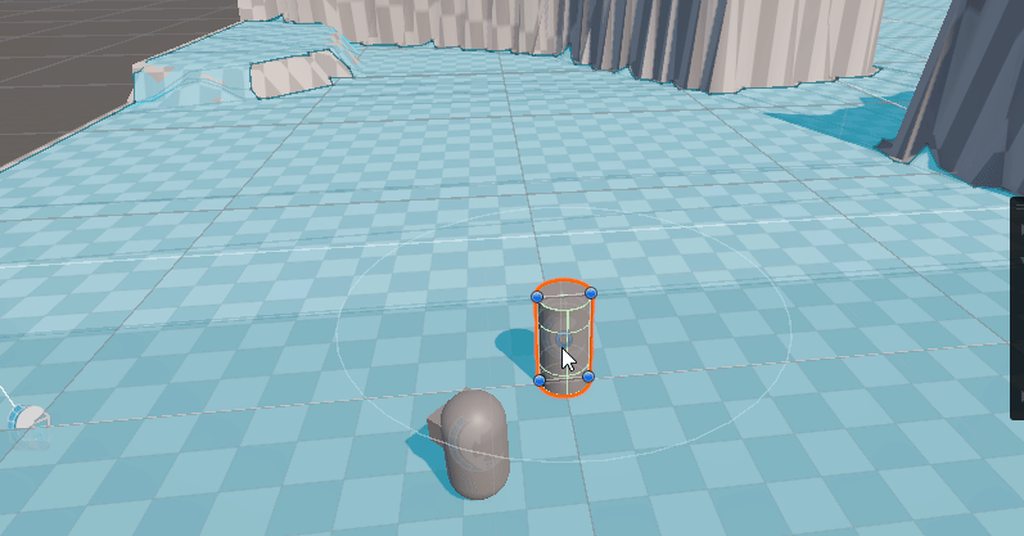
 open plover
    {
        ssCamera.gameObject.SetActive(true);

        RenderTexture renderTexture = new RenderTexture(Screen.width, Screen.height, 24);
        ssCamera.targetTexture = renderTexture;
        ssCamera.Render();

        Texture2D endtex = new Texture2D(Screen.width, Screen.height, TextureFormat.RGB24, false);
        RenderTexture.active = renderTexture;
        endtex.ReadPixels(new Rect(0, 0, Screen.width, Screen.height), 0, 0);
        endtex.Apply();

        ssCamera.targetTexture = null;
        RenderTexture.active = null;
        Destroy(renderTexture);

        File.WriteAllBytes(Path.Combine(System.Environment.GetFolderPath(System.Environment.SpecialFolder.Desktop), "GG.png"), endTex.EncodeToPNG());

        ssCamera.gameObject.SetActive(false);
}```This works just fine in the editor, but gives a null reference error in the android logcat. I’m thinking it could be because I manually set application.targetframerate to 60
leaden ice
On which line?
open plover
leaden ice
On which line?
It doesnt say
open plover
open plover
I don’t get this error in the editor. But I get it with android - ss is from log...
This is the error
It was previosly a coroutine with yield return waitendoftheframe
I thought that was the issue so I made it into a void but still the same problem
leaden ice
open plover
I thought that was the issue so I made it into a void but still the same problem
Path.Combine(System.Environment.GetFolderPath(System.Environment.SpecialFolder.Desktop could be a problem, no?
Does that exist on Android?
open plover
leaden ice
`Path.Combine(System.Environment.GetFolderPath(System.Environment.SpecialFolder....
I commented that anyways before building
Whatever the issue is, it is about that whole rendering thing
It used to work but now it doesnt idk how and why
open plover
leaden ice
Where does the saCamera reference come from
Inspector
leaden ice
And "screenshotCam"?
leaden ice
Why two different variables then
open plover
I was experimenting with some things
They are the same thing
Not even different variables
Just edited names
Like I said, could setting the fps to 60 be the issue?
I know it seems rlly unrelated but idk
 runic island
Hello! General question for modularity and performance when it comes to creating items in game with similar but some custom logic.
I'm still in the paper-planning stage for this system and would just like to know how other people are handling this before I go making a whole system in code only to re-write it later.
My game has many items of a similar type. Types of axes, types of swords, types of pickaxes, types of spears, etc. My initial thought was to use a state-machine in the PlayerInteraction.cs script. This quickly became messy so I began refactoring and coming up with plans and I'm between two:
Plan 1: Create a 'MainHandEquipment' class to handle high-level logic related to anything that can be equipped by the player in the main hand. Then have each type of item e.g. Axe, Pickaxe, Spear, Food. inherit from this and add basic logic for that category. Then have the specific item, say Stone Axe, to inherit from there.
This seems fairly simple. I'm mainly just trying to keep memory usage and runtime as optimized as possible while allowing for custom logic in some very-late game unlocks the player will get access to.
Plan 2: Use scriptable objects with polymorphism. So basically scriptable objects are highly efficient in unity since the instances exist in the asset database rather than memory. It reduces runtime memory use and will only load when needed. So I THINK this would be the most optimized in theory.
My main concerns and considerations are that some of the very late-game unlocks for weapons and tool variants will have special functionality. The plan 1 of simply having a class hierarchy would allow me to code that right into the item's class data. Maybe I can do this with scriptable objects somehow that I can't think of, or maybe this would present problems in new ways I haven't considered.
Maybe the memory usage concern is negligible, idk. Also I'm only like 6 months into using Unity, so if I have obvious gaps in knowledge I'm sorry. 😅
lean sail
runic island
Hello! General question for modularity and performance when it comes to creating...
The scriptable object route would still require inheritance in the same way as plan 1 if you want to add custom functionality.
Optimization isnt worth considering here, and tbh what you wrote doesnt make much sense. Youd still be creating and accessing instances at runtime related to data from the SO, like how you would in plan 1. Nothing you do here will actually affect performance, because this isnt gonna be a main source of your performance issues.
For items it makes sense to go the SO route to declare values in inspector rather than code. Either way you need some way to attach logic to the SO, inheritance or any other way
runic island
SO + Poly vs Class Inheritence
 west bough
It does not work in IEnumerator. It works inside buttons:
 spare dome
west bough
It does not work in IEnumerator. It works inside buttons:
spare dome
west bough
It does not work in IEnumerator. It works inside buttons:
take a look through this
https://docs.unity3d.com/ScriptReference/Coroutine.html

I just now noticed the documentation is actually running again 😅
west bough
I forgot to add StartCoroutine 
spare dome
yup
wheat elbow
Did anyone else face any weird behavior after switching from legacy to new input?
It looks like I'm unable to select some of my TMP_InputFields unless I hover over it in a weird way.
I had to move my cursor to the right of the top box in order to get the blinking caret

Also I'm unable to click on things and type directly strangely
 maiden peak
I’m getting a error message anyone know what this means
Importer(NativeFormatimporter) generated inconsistent result for asset(guid:a9a6963505ddf7f4d886008c6dc86122) "Assets/XR/Settings/Open XR Package Settings.asset"
Unity Editor.AssetPostprocessingInternal:PostprocessAllAssets (stringl,string,string(, string, string i,bool)
spare dome
this is more of a #🥽┃virtual-reality question
you could try forcing a recompile by deleting your project library folder to see if that fixes it as it looks like a unity problem itself
maiden peak
I tried that didn’t work
 wet pumice
I want to collect data analytics on a WebGL build running on a website, thinking of rolling my own simple back end in nodeJS, can I use UnityWebRequests to send data from inside the engine, mouse clicks, time played etc but more importantly actor positions (non realtime) at particular intervals etc.
There's protection for a good amount of data on a hardware level and the browser is sandboxed to prevent you from accessing any user data as far as I am aware but data from within the Unity build.
Edit: sorry this is more of a design question rather than code specific.
 elfin tree
I have this code that makes a camera render in wireframe, works great, only issue is if I try to remove the component and add it back, the camera no longer seems to render in wireframe unless I pause the editor and press play again, what's wrong?
    public class CameraWireframe : MonoBehaviour {
        void OnPreRender() {
            GL.wireframe = true;
        }

        void OnPostRender() {
            GL.wireframe = false;
        }
    }
(i don't fully understand how this works)
actually it just seems like this script is irreversible
warm cosmos
if I want to spawn prefabs in multiple passes, e.g. rocks, trees. etc. and don't want them to intersect
should I add a bounding box to each prefab and use that to check intersections?
elfin tree
elfin tree
I have this code that makes a camera render in wireframe, works great, only issu...
`seems like i might just need to clear the camera buffer, not sure how yet
 formal wagon
Is Resources.InstanceIDToObject performant? I assume it's less performant compared to simply holding a reference to the object, but just how bad is it?
cosmic rain
formal wagon
Is Resources.InstanceIDToObject performant? I assume it's less performant compar...
Profile and see for yourself
warm cosmos
warm cosmos
should I add a bounding box to each prefab and use that to check intersections?
Is it possible to check whether a bounding box intersects any other boxes in general? because so far the unity documentation shows checking with a specific one
I guess I'm hoping that I can leverage unity's built in ways for collision detection
cosmic rain
warm cosmos
Is it possible to check whether a bounding box intersects any other boxes in gen...
loop all the potential intersections and test.
cosmic rain
warm cosmos
I guess I'm hoping that I can leverage unity's built in ways for collision detec...
Then you'll need to use colliders, not bounding boxes.