#archived-code-general
1 messages · Page 363 of 1
 wispy raptor

 hexed pecan
I mean the inspector of the animation state after you select it in the animator window

 iron bobcat
can I get help with these errors

 rigid island
iron bobcat
can I get help with these errors
rigid island
iron bobcat
can I get help with these errors
your agent isnt on a navmesh, pretty clear error
hexed pecan
Have you baked a navmesh and is your agent on it?
 pine marsh
||sorry for cutting||
Hello, is it possible to save bools, ints and more variables in the game when changing scenes without playerprefs?
Like a "Globals" thing
Like I can defeat someone and it leaves a bool true when I change scenes
I always do it like playerprefs but it's kinda messy for me
rigid island
just use a DDOL w singleton
pine marsh
rigid island
just use a DDOL w singleton
What is that, may I ask?
rigid island
pine marsh
What is that, may I ask?
keeps your object alive through diff scene changes
Singleton would let you easily reference it from any script/scene
https://unity.huh.how/references/singletons
pine marsh
thank you so much ! ❤️ I'll try it out...
iron bobcat
hexed pecan
Have you baked a navmesh and is your agent on it?
how do I check if my agent is on my navmesh?
rigid island
did you bake one?
iron bobcat
yes
hexed pecan
Window > AI > Navigation
Or just select a navmeshsurface object
Tick "Show NavMesh" if its not visible in the scene view

Could be different in the newer packages though 🤔
 unreal lodge
you gotta make sure its enabled as well
enabled = true
its similar to this
if (navMeshAgent.isOnNavMesh)
{
// Safe to calculate path or set path
}
else
{
Debug.LogError("Agent is not on the NavMesh!");
}
rigid island
the best way to know if it even is on the navmesh, observe the navmesh agent with it selected in scene mode, press play. If it snaps onto the navmesh then its working
iron bobcat
so I check if this navmesh agent snaps onto the navmesh?
 rigid island
iron bobcat
so I check if this navmesh agent snaps onto the navmesh?
rigid island
iron bobcat
so I check if this navmesh agent snaps onto the navmesh?
yes you can screenshot it
lets see where it is compared to blue mesh
unreal lodge
Hello team, I require some assistance towards my 2d project, so when i walk near to the slimes, i don't know why it knockback against the slimes, however, when i have attacked once, everything works

the slimes won't get knockback automaticlly when i walk near them
after i have attacked
rigid island
unreal lodge
the slimes won't get knockback automaticlly when i walk near them
Without code we dont knnow whats doing what
unreal lodge
its prob the weapon collider right?
 winged tiger
hey guys
I'm making a system to change menus quickly, it looks like that
    public void ChangeMenu(string nm)
    {
        if(nm == null)
        { Debug.LogError("[MenuManager] ChangeMenu argument can't be null"); return; }
        Debug.Log($"Changing menu to {nm}");
        MenuPage pg = GetPage(nm);

        if (pg != null)
        {
            if (pg.type != MenuBlockType.FullScreen)
            {
                Debug.LogError("[MenuMamanger] Use ShowPopup to show popups and not ChangeMenu.");
                return;
            }

            Debug.Log("1");
            Debug.Log(pg.gameObject.name);
            Debug.Log("2");

            pg.Show();
            pg.ClearInputs();
            currentPage = pg;
        }
        else
            Debug.LogError($"[MenuManager] Page {nm} not found in scene");


    }
GetPage() is just allPages.FirstOrDefault(x => x.menu_name == nm);
and a page is just a script with a string variable and function to show and hide the children
and for some reason the funcion works the first time correctly, and for the second time the code stops executing when referencing the object in any way? ("1" prints but "2" does not)
sorry for the wall of text
unreal lodge
unreal lodge
Hello team, I require some assistance towards my 2d project, so when i walk near...
using System.Collections;
using System.Collections.Generic;
using UnityEngine;
public class EnemyHealth : MonoBehaviour
{
[SerializeField] private int startingHealth = 3;
private int currentHealth;
private Knockback knockback;

private void Awake() {
    knockback = GetComponent<Knockback>();
}

private void Start() {
    currentHealth = startingHealth;
}

public void TakeDamage(int damage) {
    currentHealth -= damage;
    knockback.GetKnockedBack(PlayerController.Instance.transform, 15f);
    DetectDeath();
}

private void DetectDeath() {
    if (currentHealth <= 0) {
        Destroy(gameObject);
    }
}
}
iron bobcat
rigid island
yes you can screenshot it
 unreal lodge
Hello team, I require some assistance towards my 2d project, so when i walk near...
unreal lodge
unreal lodge
Hello team, I require some assistance towards my 2d project, so when i walk near...
using System.Collections;
using System.Collections.Generic;
using UnityEngine;
public class DamageSource : MonoBehaviour
{
[SerializeField] private int damageAmount = 1;
private void OnTriggerEnter2D(Collider2D other) {
    EnemyHealth enemyHealth = other.gameObject.GetComponent<EnemyHealth>();
    if (enemyHealth != null) {
        enemyHealth.TakeDamage(damageAmount);
    }
}
}
 somber nacelle
unreal lodge
using System.Collections;
using System.Collections.Generic;
using UnityEngine;
...
somber nacelle
unreal lodge
using System.Collections;
using System.Collections.Generic;
using UnityEngine;
...
!code 👇
 tawny elkBOT

Posting code
📃 Large Code Blocks
Use links to services like:
https://gdl.space/, https://paste.ofcode.org/, https://hatebin.com/, https://paste.myst.rs/, https://hastebin.com/
📃 Inline Code
Surround code with three backquotes. Not quotation marks.
To format as C#, add cs to the first line:
```cs
// Your code here
```
Add a comment with a line number if there is an error message.
rigid island
iron bobcat
where is the navmesh
iron bobcat
 unreal lodge
Hello team, I require some assistance towards my 2d project, so when i walk near...
unreal lodge
unreal lodge
Hello team, I require some assistance towards my 2d project, so when i walk near...
unreal lodge
unreal lodge
Hello team, I require some assistance towards my 2d project, so when i walk near...
unreal lodge
unreal lodge
Hello team, I require some assistance towards my 2d project, so when i walk near...
rigid island
unreal lodge
https://paste.ofcode.org/39tciqUxwiNEcvSUABLDnwD
unreal lodge
unreal lodge
Hello team, I require some assistance towards my 2d project, so when i walk near...
unreal lodge
unreal lodge
Hello team, I require some assistance towards my 2d project, so when i walk near...
unreal lodge
unreal lodge
Hello team, I require some assistance towards my 2d project, so when i walk near...
unreal lodge
unreal lodge
Hello team, I require some assistance towards my 2d project, so when i walk near...
rigid island
unreal lodge
https://paste.ofcode.org/39tciqUxwiNEcvSUABLDnwD
so the knocback doesnt work? where is the movement for enemy then
unreal lodge
rigid island
so the knocback doesnt work? where is the movement for enemy then
hi, the knockback works
but when i walk near them
rigid island
also please paste scripts with some type of labeling
unreal lodge
they arent supposed to get knockbcked
 simple void
unreal lodge
rigid island
also please paste scripts with some type of labeling
simple void
unreal lodge
rigid island
also please paste scripts with some type of labeling
okay
rigid island
unreal lodge
they arent supposed to get knockbcked
so if you collide into them it knocks back? or im a bit confused
iron bobcat
rigid island
this doesnt help.
does this help?
 unreal lodge
rigid island
so if you collide into them it knocks back? or im a bit confused
unreal lodge
rigid island
so if you collide into them it knocks back? or im a bit confused
but if i press attack for once
everything works perfectly
its kinda weird ngl
rigid island
unreal lodge
but if i press attack for once
wdym if you press attack once
rigid island
iron bobcat
does this help?
show it in the scene view and show where the agent is
rigid island
winged tiger
hey guys
I'm making a system to change menus quickly, it looks like that
```cs
...
is pg or its object being disabled / destroyed ?
unreal lodge
rigid island
wdym if you press attack once
rigid island
unreal lodge
https://paste.ofcode.org/353AcVfZFmECdY6gAWDjqQS
what am i looking at here
unreal lodge
rigid island
wdym if you press attack once
its for my combat system within the game
rigid island
tbh I still have no clue what is happening vs whats supposed to happen
iron bobcat
rigid island
show it in the scene view and show where the agent is
what do you mean by this?
winged tiger
rigid island
is pg or its object being disabled / destroyed ?
Nope
rigid island
iron bobcat
what do you mean by this?
showing just the component doesnt help me see what it looks like in the scene
rigid island
winged tiger
Nope
start debugging, commenting objects and double check nothing was broken/or references disconnected.
unreal lodge
winged tiger
rigid island
start debugging, commenting objects and double check nothing was broken/or refe...
I tried debugging, switching the names of the pages, making an empty game objects with just the Page script on it.
It always breaks the second time the function gets called.
rigid island
unreal lodge
oh so your rigidbody is pushing enemy rigidbodies
rigid island
unreal lodge
yeah but after i have attacked
probably because your setting the rigidbody position again? reseeting it
unreal lodge
rigid island
probably because your setting the rigidbody position again? reseeting it
thank you
rigid island
unreal lodge
thank you
huh ?
 river shale
Whats the easiest way to save data locally? I was using playerprefs, but i need to handle 2d arrays and getting the serialization to compress it into a form that json can handle has been going poorly.
 cosmic rain
river shale
Whats the easiest way to save data locally? I was using playerprefs, but i need ...
cosmic rain
river shale
Whats the easiest way to save data locally? I was using playerprefs, but i need ...
Writing to a file.
 earnest epoch
Hello! Does anybody know how to set up Unity to reimport scripts that change? I installed FastReload (https://assetstore.unity.com/packages/tools/utilities/fast-script-reload-239351) at one point and later removed it. Now, I have to use Ctrl+R in order to detect code changes in my project and am unsure how to re-enable automatic imports again.

Use the Fast Script Reload from Chris Handzlik on your next project. Find this utility tool & more on the Unity Asset Store.
 cold parrot
earnest epoch
Hello! Does anybody know how to set up Unity to reimport scripts that change? ...
cold parrot
earnest epoch
Hello! Does anybody know how to set up Unity to reimport scripts that change? ...
Edit > Preferences > General > Auto Refresh
earnest epoch
cold parrot
Edit > Preferences > General > Auto Refresh
Thanks! I'm still not sure what I might need to change here.
 cold parrot
i would set it to "off" or "recompile when finished playing"
earnest epoch
I actually made that change just now after having read it, but what I was hoping to achieve is to get the editor to recompile scripts when they change when out of play mode entirely.
cold parrot
yes
compiling while playing is tricky to make useful. typically some state gets reset and you'll have errors.
earnest epoch
I really don't care about compiling during runtime, which is why I removed the FastReload asset as I did. What I'm really trying to do is return the editor's behaviour back to factory behaviour, where scripts are reloaded when they change regardless of whether the editor is in play mode or not.
It is tedious to have to reload scripts manually after making changes in VS.
 open bluff
Hello, if I check with moveInput.x when walk left and right, I get 1 and -1 values. How can I get 2 and -2 values instead of 1 and -1 when running?
 cold parrot
open bluff
Hello, if I check with moveInput.x when walk left and right, I get 1 and -1 valu...
cold parrot
open bluff
Hello, if I check with moveInput.x when walk left and right, I get 1 and -1 valu...
multiply by 2 when the "run" key is pressed
 rose willow
does anyone know how to replicate these shadows in unity?
 cosmic rain
rose willow
does anyone know how to replicate these shadows in unity?
cosmic rain
rose willow
does anyone know how to replicate these shadows in unity?
Looks like flat shading. A flat shading(toon?) shader should work
 sterile mural
I'd like to really learn and make a character controller from scratch without using unity's character controller, does someone have good resources ?
cosmic rain
sterile mural
I'd like to really learn and make a character controller from scratch without us...
Plenty on YouTube. I'm sure there's something on unity !learn too.
tawny elkBOT
:teacher: Unity Learn ↗
Over 750 hours of free live and on-demand learning content for all levels of experience!
cosmic rain
There's also an rb character controller provided by unity recently(in the last few years) I think you can get it on asset store. And it's open source, so you can learn how it works.
I think it's in the latest starter assets or something
sterile mural
yeah thats good, I remember taking a good inside and basing a 3rd person controller off of it, I heard it's possible to do it without a rigibody aswell using Physics cast and thats more what I'm looking
cosmic rain
I don't see why you'd want to do that. You're gonna be relying on unity physics anyway.
sterile mural
What i found is limited so i'd appreciate more resources
I want to understand how it works
cosmic rain
How what works?
sterile mural
everything in a character controller
cosmic rain
Well, how does the rb prevent you from doing that?
 open basalt
are you asking about using raycast with character control?
open basalt
sterile mural
yeah thats good, I remember taking a good inside and basing a 3rd person control...
technically you can code every physic interaction "without using a rigidbody"
sterile mural
my bad, I didnt mean not use a rigid body
open basalt
might not be the response you're looking for, but try chat gpt? Ask all the questions you want to know about, once you have a direction then you can start looking at documentations etc. That's how I would approach this broad of a topic
open basalt
following a tutorial would be your best bet I'd say
cosmic rain
sterile mural
everything in a character controller
I'd also like to say that this is a very broad topic depending on what exactly your project needs. It can be as simple as several lines of code and as complicated as tens or hundreds of scripts.
cosmic rain
sterile mural
I mean a kinematic controller
I think there are plenty of kinematic rb controllers tutorials out there.
sterile mural
cosmic rain
I'd also like to say that this is a very broad topic depending on what exactly y...
general use first person controller
open basalt
some tutorial goes from making the simple: walk around and look around. Then once you have that concept in mind, you can start looking at climbing, rotating platforms etc
sterile mural
the ones I have found dont go very in depth
cosmic rain
sterile mural
general use first person controller
Well then pick the first YouTube tutorial you find and that should work.
cosmic rain
sterile mural
the ones I have found dont go very in depth
How deep do you need to go?
sterile mural
this is the best I have found so far
https://www.youtube.com/watch?v=YR6Q7dUz2uk
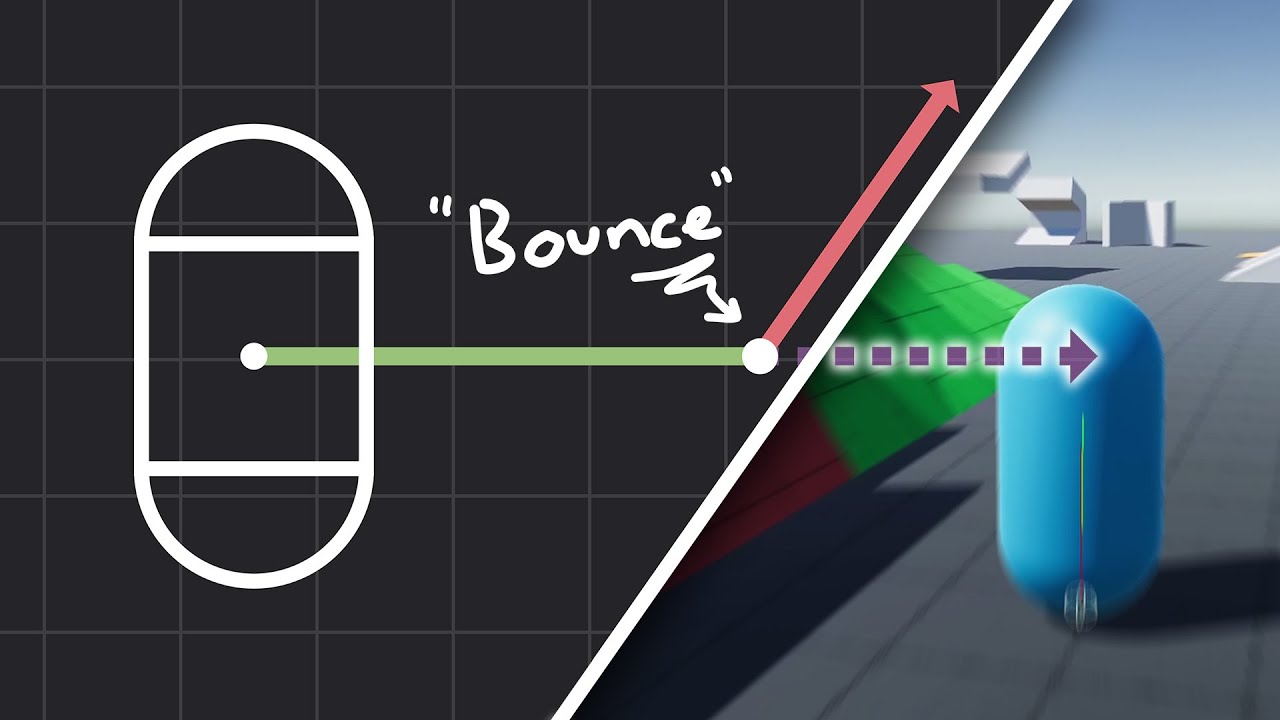
How to make actually decent collision for your custom character controller. Hopefully you find this helpful and people will finally stop saying "jUsT uSe DyNaMiC rIgIdBoDy!!!1!!11!!"
Chapters:
00:00 - Intro
01:09 - Algorithm
05:11 - Implementation
Improved Collision detection and Response (Fauerby Paper):
https://www.peroxide.dk/papers/collisi...
open basalt

The introduction video to the 3rd Person controller series, in this video we discuss the features the series will implement!
► JOIN OUR DISCORD
https://discord.gg/jzmEVx5
► SUPPORT ME ON PATREON!
http://www.patreon.com/SebastianGraves
► ASSET STORE PAGE (Animations & Models)
https://assetstore.unity.com/publishers/58059
► FOLLOW ME IN IN...
sterile mural
but its not a direct tutorial
cosmic rain
If you need to go deeper, you'll need to read the code.
open basalt
This playlist goes into climbing, stairs, dodging
and once you have that, try to look at what exact feature you want to implement into the controller, and go from there?
 vital atlas
hi! im making a simple character movement script, using a rigidbody2D. i have it so the character has is affected by gravity, but can move along walls and cielings, and any angle of surface, but it has trouble with convex upside down surfaces like a semicircle on the cieling. it's because the character moves to where it is no longer 'colliding' with the ceiling and then falls.
i've tried adding a force that goes into the surface (opposite of the normal), but that makes the other movement inconsistent, moving slower and faster.
any suggestions to help "stick" to convex surfaces while moving along them?
cosmic rain
vital atlas
hi! im making a simple character movement script, using a rigidbody2D. i have it...
Do a raycast instead of relying on collision.
It's also partially a design question. Like, how do you detect the correct surface in the first place.
vital atlas
cosmic rain
Do a raycast instead of relying on collision.
i want to make it work in any direction, wouldnt that require raycasts in every direction?
cosmic rain
That's the design question I'm talking about.
sterile mural
open basalt
and once you have that, try to look at what exact feature you want to implement ...
not quite the video Im looking for, if you look at what I sent he goes deeper into things like skin width, thats more of waht im looking
I know how to make a simple character controller, I just want more understanding
cosmic rain
vital atlas
i want to make it work in any direction, wouldnt that require raycasts in every ...
Presumably, it should only be enough to cast in the character downwards direction, but I'm not entirely sure what you want to achieve, so that's just an assumption.
vital atlas
cosmic rain
It's also partially a design question. Like, how do you detect the correct surfa...
well, my current method is to rely on the rigidbody's collision, which is convienient because it also provides me the normal of the collision point, which is useful for the sideways movement
vital atlas
cosmic rain
Presumably, it should only be enough to cast in the character downwards directio...
i want it to be generalized rather than having a specific "down"
cosmic rain
vital atlas
i want it to be generalized rather than having a specific "down"
So the character can walk on the ground upside down..?🤔
open basalt
sterile mural
I know how to make a simple character controller, I just want more understanding
honestly then I would just dive into the code and try to understand what each line means. again, chatgpt would be a good resource in helping you understand specific lines
sterile mural
thanks nathan
 civic scroll
I've never fully built or finished a game before, and I'm trying to make my current game vertical. I've tried a few different methods, like adjusting the default screen width and height, but none of them have worked so far. does anyone know what to do?
vital atlas
cosmic rain
So the character can walk on the ground upside down..?🤔
yes, theoretically. at the moment though i'm keeping the character always upright, but yes when they collide with the cieling, the local "up" direction is towards the contact surface, as if swinging from monkey bars
cosmic rain
civic scroll
I've never fully built or finished a game before, and I'm trying to make my curr...
The screen aspect ratio would depend on the platform screen that you're playing on. You can simulate that by selecting a desired resolution in the game tab.
open basalt
civic scroll
I've never fully built or finished a game before, and I'm trying to make my curr...
https://www.youtube.com/watch?v=gFWQHordrtA
I followed this myself to set my game size to 1080x1080, I'd say same applies to the screen you want

Cameras can be tricky, especially when you need to factor in different screen sizes and aspect ratios. I'll show you how to keep all of your elements on screen at all times. Perfect for puzzle games, multiplayer games.. or any games I suppose.
This will even work if you flip your phone from landscape to portrait!
❤️ Become a Tarobro on Patreon...
civic scroll
cosmic rain
The screen aspect ratio would depend on the platform screen that you're playing ...
yea but when building the game it always goes back to the old resolution
civic scroll
open basalt
https://www.youtube.com/watch?v=gFWQHordrtA
I followed this myself to set my ga...
thank you ill watch this
open basalt
civic scroll
yea but when building the game it always goes back to the old resolution
yea the video will help you(it helped me too haha I was so confused before), maybe there's a smarter way of doing it but it works
cosmic rain
vital atlas
yes, theoretically. at the moment though i'm keeping the character always uprigh...
Well, at that point, you'll run a surface contact logic that should turn your character upside down. Or do you actually intend it to move visually upside down towards the surface?
cosmic rain
civic scroll
yea but when building the game it always goes back to the old resolution
Yes, that's what I said in the first part.
civic scroll
cosmic rain
Yes, that's what I said in the first part.
i see, but is there a way to always change it to be vertical on pc once it is built?
vital atlas
cosmic rain
Well, at that point, you'll run a surface contact logic that should turn your ch...
well, i was thinking that as a GameObject, the character wouldn't ever rotate, but eventually I will add animations that make it look as if the character is rotated. i just figure it makes it easier this way, because otherwise i'll have to deal with a bunch of math to invert the control direction and walk direction when upside down so left movement is always towards the left of the screen, and deal with edge cases like when the character is just switching between upside down and right side up.
open basalt
vital atlas
well, i was thinking that as a GameObject, the character wouldn't ever rotate, b...
just a thought, wouldn't rotating/changing the direction of gravity make more sense?
i.e. direction of gravity points to the nearest point of contact with a collider
vital atlas
open basalt
just a thought, wouldn't rotating/changing the direction of gravity make more se...
oh huh, i wasn't aware that you could change the gravity direction with a rigidbody, but that does make sense. in a prototype, i had it flip by making the gravityscale negative, but this might be pretty helpful, if i like put it on a short timer or something
open basalt
you can not-use the gravity built with rigidbody, but apply a constant force towards a direction acting as gravity
vital atlas
i tried adding a constant force, but for some reason it made other movements unreliable, which was odd
like when sliding along a surface, it would move slower or faster randomly
i'll try it with gravity for now, thanks!
open basalt
vital atlas
like when sliding along a surface, it would move slower or faster randomly
oh, change the material 2d then
vital atlas
oh wait, i think i read that wrong, so it seems you can't change gravity direction
cosmic rain
vital atlas
well, i was thinking that as a GameObject, the character wouldn't ever rotate, b...
Well, what you're trying to do usually is implemented with changing the character orientation.
open basalt
- set rigidbody2d gravityscale to 0
- set rigidbody2d's 2d material to a 0 friction one
- with code, apply a constant force towards a certain direction (be it downwards, upwards pointing at the ceiling
is how I would approach this
to give a bit more percision then you can calculate the amount of friction artificially since now it's very slippery
vital atlas
oh i see, i currently have the "None (Physics Material 2D)" material, i wasn't aware it had friction heh
cosmic rain
civic scroll
i see, but is there a way to always change it to be vertical on pc once it is bu...
Well, you can't change the resolution, unless you make it windowed and make the window of your desired aspect ratio.
What games usually do is add black bars on the sides and make sure the gameview is laid out correctly in the visible area.
civic scroll
cosmic rain
Well, you can't change the resolution, unless you make it windowed and make the ...
yea i did do that and it kinda works, but its still not vertical its more like a box now but it also still doesnt fit all the ui in it
now it streches everything
open basalt
^I'd highly suggest following that tutorial and understanding what it's doing, it scales your game into your desired aspect ratios
if your ui are set up properly they will sit in the screen as well
civic scroll
yea but he talks abt the screen changing in game
civic scroll
open basalt
if your ui are set up properly they will sit in the screen as well
its not just ui everything gets streched
open basalt
I followed the tutorial and it fit the game screen within a 1:1 aspect ratio with grey bars around it, I assume it would be similar for yours if done properly
 civic scroll
im a little confused on the video ngl lmao
 void basalt
 ebon cloud
hey, I had some trouble with a code I had. So, I wanted to create a script that if u destroy special asteroids, a text will appear saying how much asteroids you have destroyed, and if u destroy 5, the exit trigger will appear. I tried it this way, but rn it's giving me the error "Cannot implicitly convert type void to bool"

Idk what other logic I could use for it to detect that the asteroid was destroyed
somber nacelle
Destroy does not check if an object is destroyed, it destroys the object.
also get your !IDE configured 👇
tawny elkBOT
💡 IDE Configuration
If your IDE is not autocompleting code
or underlining errors, please configure it.
Select one:
•  Visual Studio (Installed via Unity Hub)
• Visual Studio (Installed manually)
•  VS Code
•  JetBrains Rider
• :question: Other/None
ebon cloud
So what can I use to make it check if the object is destroyed?
Thx abt the IDE thing btw
somber nacelle
having a configured IDE is required to get help with your code here. configure that first
somber nacelle
cool, now to check if an object has been destroyed (provided you have a reference to that object), just see if it is equal to null using the == operator. unity has overridden that operator for UnityEngine.Object to check if an object has been destroyed (since C# does not really have the concept of destroyed)
ebon cloud
Ahhh, that worked, thx
Btw, I had another issue. I'm using an asteroid spawner, so I made this special asteroid as a prefab. So I added the script for the special asteroids to the prefab. But, when I try to add the GameObjects I want to use to the script in the prefab, it says "Type mismatch"

Like this
somber nacelle
prefabs cannot reference in-scene objects
https://unity.huh.how/references/prefabs-referencing-components
ebon cloud
Ahhh, so is there a way I can make them reference the objects once they spawn?
somber nacelle
yes, pass the reference when you spawn them like the link shows
ebon cloud
Ok ok, let me try and I'll let u know
 dusk apex
Examplecs var instance = Instantiate(prefab); instance.name = "Changed";
 valid trench
currently making a simple barebones inverse kinematics system for a leg with 3dof, pretty much a basic robot arm i guess
ive made a working version where the two arms are the same length, but im having a pretty hard time getting it to work for varying legnths
the working version is based on this video: https://www.youtube.com/watch?v=Q-UeYEpwXXU
the change i made for it to work with different lengths is a bit more complicated than it has to be (i just learned i couldve just done law of cosine)
what i did was getting the area of the entire triangle and then the height, so that i could use that to find the angle theta using arcsin
heres whatever i just said above in code:
        float l = Mathf.Sqrt(pos.x * pos.x + (pos.z * pos.z));
        float h = Mathf.Sqrt(l * l + pos.y * pos.y);
        if(h>legLength1+legLength2)return;

        float phi = Mathf.Atan(pos.y/l) * Mathf.Rad2Deg;

        float s = (legLength1 + legLength2 + h)/2; // relevant part starts here
        float area = Mathf.Sqrt(s*(s-legLength1)*(s-legLength2)*(s-h));
        float m = (area * 2)/h;
        float theta = Mathf.Asin(Mathf.Clamp(m/legLength1, -1, 1))*Mathf.Rad2Deg;
     // float theta = Mathf.Acos(h / 2 / legLength1) * Mathf.Rad2Deg; // if leg lengths are equal (previous version based on the video)
the annoying thing is that this math does in fact work, ive written it out in paper multiple times and checked it, it does work
the other annoying thing is that this works in the simulation only if legLength1==legLength2, otherwise it just starts being weird
as seen in the attached video, it works pretty well for equal leg lengths (i tried with 3,3 and 4,4 as well, it did work), but doesnt at all if theyre not equal
 tame smelt
I am using firebase sdk for windows desktop, firebase does not give an option to modify its authentication persistence on Unity sdk. Is there a way to prevent persistence of firebase sdk from Unity's perspective since the sdk does not support on that?
 karmic mulch
guys i came here after watching this how can i approach making the mechanics similar to this game?

👉 Play the game here:
https://lazyteastudios.itch.io/theshatteredknightofelaria
👾DISCORD: https://discord.gg/45s74r6rNM
👾PATREON: https://www.patreon.com/LazyTeaStudios
🎵 @themillanbrothers
https://themillanbrothers.com/
#gamedevlopment #unity #gamejam
 lean sail
karmic mulch
guys i came here after watching this how can i approach making the mechanics sim...
lean sail
karmic mulch
guys i came here after watching this how can i approach making the mechanics sim...
is there anything more you can narrow down other than just wanting to copy a game? highly doubt anyones gonna watch a 7 min video in hopes of helping you
karmic mulch
lean sail
is there anything more you can narrow down other than just wanting to copy a gam...
aah sorry i meant only a shadow mechanic that the player has
like they switch to another player that is a shadow which can pass from gate and stuff that the main player cant
so its like i thought maybe with a state machine but
state machine can only morph a character right not become a whole other character
maybe it is a second character that by clicking a button activates
but how do i implement it that it activates and the current player deactivates
with the same controls and such
valid trench
based on whart youre describing, it just sounds like you have a player character, who when in "shadow mode", can pass through walls that the player normally wouldnt have been able to
lean sail
a state machine can do anything you want it to. "morph a character" means whatever you want it to mean.
valid trench
if ive gotten it right then this is just a matter of having a boolean in the player script which when true means you are in shadow mode, and when false means you are normal
to make it pass through walls, you can make use of the collision matrix by simply just changing the layer of the player when it toggles the shadow mode on or off, and making it so that the "shadow mode" layer doesnt collide with a specific kind of wall, while the normal player does
karmic mulch
valid trench
based on whart youre describing, it just sounds like you have a player character...
i mean when i click a button a shadow character imerges from the main character and have the same controls as the player its not a shadow mode
valid trench
give me 5 minutes, im watching the video because it looks fun
karmic mulch
valid trench
give me 5 minutes, im watching the video because it looks fun
aah yea its a good idea
valid trench
ok so
this should be pretty simple
think of it as two modes
one where youre controlling the normal player
and one where youre controlling the shadow
when youre in the normal mode, you are actually moving both the characters
the two characters being the normal player and the shadow
BUT while in the normal mode, the shadow doesnt have any quirky collision layers that make it pass through walls
that change only happens when you toggle the button
when you are in shadow mode
the normal player stops moving, while the shadow player keeps moving
and you also change the collision layer of the shadow character such that it can pass through layers that it wasnt able to
so in summary
you have the two characters who are both moving at once
when you press whatever button, the normal player stops moving, while the shadow player keeps moving
the shadow player character's collision layer is also switched to another one where it can pass through walls, and this is something you can easily configure using unity's collision matrix
 gray mural
Make both shadow and player have a PlayerController script, and disable the previous mode using a Singleton
karmic mulch
valid trench
think of it as two modes
thats a lot of usefull insight their man
hope i can make even a small prototype of the game
karmic mulch
gray mural
Make both shadow and player have a `PlayerController` script, and disable the pr...
can do that
gray mural
karmic mulch
can do that
Make sure you disable and enable the script, not the object
 real sandal
hi so i made an object that moves like this:
if (Input.GetKeyDown(KeyCode.D) || Input.GetKeyDown(KeyCode.RightArrow))
{
    Vector3 Move = new Vector3(3, 0, 0);
    Move = Move.normalized * Time.deltaTime * Speed;
    rb.MovePosition(Move + Transform.position);
}
if (Input.GetKeyDown(KeyCode.A) || Input.GetKeyDown(KeyCode.LeftArrow))
{
    Vector3 Move = new Vector3(-3, 0, 0);
    Move = Move.normalized * Time.deltaTime * Speed;
    rb.MovePosition(Move + Transform.position);
}```
and when it moves through another object, it just kinda jumps away? ill attach a video to show ithow do i stop it from happening
 leaden ice
real sandal
hi so i made an object that moves like this:
```cs
if (Input.GetKeyDown(KeyCode....
leaden ice
real sandal
hi so i made an object that moves like this:
```cs
if (Input.GetKeyDown(KeyCode....
MovePosition doesn't respect collisions
Use velocity instead
It also should never be used in Update, only FixedUpdate
real sandal
alright thank you very much
real sandal
leaden ice
Use velocity instead
if (Input.GetKeyDown(KeyCode.A))
{
    rb.velocity = new Vector3(-Speed, rb.velocity.y, 0.0f);
}
else if (Input.GetKeyDown(KeyCode.D))
{
    rb.velocity = new Vector3(Speed, rb.velocity.y, 0.0f);
}
else if (Input.GetKeyUp(KeyCode.A) || Input.GetKeyUp(KeyCode.D))
{
    rb.velocity = new Vector3(0.0f, rb.velocity.y, 0.0f);
}
This code in both Update and FixedUpdate is working only every few clicks
cosmic rain
real sandal
```cs
if (Input.GetKeyDown(KeyCode.A))
{
rb.velocity = new Vector3(-Speed, r...
You should use GetKey to set the velocity instead. And it should be in update.
Even better use input axes
real sandal
cosmic rain
You should use GetKey to set the velocity instead. And it should be in update.
but i want it to move like 3 things to the left only when i press one time, not while i hold
and to keep respect the coliders
wait now it works
real sandal
cosmic rain
You should use GetKey to set the velocity instead. And it should be in update.
but if it is in update it would behave diffrent on diffrent machines
and sorry for the pings
cosmic rain
real sandal
but if it is in update it would behave diffrent on diffrent machines
Are you a actually moving it in update?
real sandal
yes
cosmic rain
Share the updated code
 cosmic rain
You're not moving it in update
You're just setting the velocity.
The movement happens during physics update(around the time of fixed update)
real sandal
oh so its okay?
cosmic rain
Yes
real sandal
alright thank you
 stable osprey
real sandal
stable osprey
real sandal
It's great how you structured the code (Update only containing named function calls), it's a nice practice.
I recommend you alter the velocity-setting part a little to unify: instead of setting the velocity conditionally 3 times, only set it once.
- Store the velocity in a field variable, and only set it at the end of
Movement()
imo should try to make practice of this for any public properties/fields -- methods too.
reason is when you ctrl+shift+f12 to find all references (which is a very common need in VS), you probably don't want to see the conditional calls, but the users of the variable/method.
 knotty sun
stable osprey
It's great how you structured the code (Update only containing named function ca...
knotty sun
stable osprey
It's great how you structured the code (Update only containing named function ca...
better yet, make a local speed float variable as that is the only difference
 vagrant hollow
Can't remove Rigidbody because CharacterJoint depends on it
How to fix this ^
 simple egret
vagrant hollow
Can't remove Rigidbody because CharacterJoint depends on it
How to fix this ^
simple egret
vagrant hollow
Can't remove Rigidbody because CharacterJoint depends on it
How to fix this ^
Remove Character Joint first, then the Rigidbody
The CJ requires the RB to be present, so you cannot remove the RB.
vagrant hollow
but i need them for ragdoll?
simple egret
Then you cannot remove either of them
You're in a "keep all or none at all" situation
knotty sun
vagrant hollow
but i need them for ragdoll?
the question is, if you need CJ and RB for Ragdoll, why do you want to remove the RB?
simple egret
It would make sense to require a RB, since ragdoll is principally physics-based
knotty sun
Delete your post and !code
tawny elkBOT
Posting code
📃 Large Code Blocks
Use links to services like:
https://gdl.space/, https://paste.ofcode.org/, https://hatebin.com/, https://paste.myst.rs/, https://hastebin.com/
📃 Inline Code
Surround code with three backquotes. Not quotation marks.
To format as C#, add cs to the first line:
```cs
// Your code here
```
Add a comment with a line number if there is an error message.
knotty sun
Please actually read the bot message, this is a LARGE BLOCK
 paper pine
okay sorry hold up...
knotty sun
also 'explain your problem, 'doesn't work' tells us nothing
simple egret
Mandatory !ask command!
tawny elkBOT
:thinking: Asking Questions
:mag: Search the internet for your question!
:book: Use the API Scripting Reference and User Manual and this troubleshooting site for commonly posted issues.
:wrench: Attempt to debug your issue.
:thought_balloon: Find an appropriate channel by reading the name and description in #🔎┃find-a-channel
:grey_question: And don't ask to ask, ask a full question illustrating with screenshots if needed.
-# For more posting guidelines, go to #854851968446365696
paper pine
https://paste.ofcode.org/RXMANgu4sRsryjEGxuQDiy
as soon as i try to interact with an npc it downst seem to work. the npc doesnt respond at all it seems like the interact function isnt being triggered even though the abstract interactable class is being inherited by multiple other things such as items pickups and on there it works
cosmic rain
Debug🤷♂️
simple egret
Put a Debug.Log() inside that overriden method to ensure it's being executed at all
cosmic rain
paper pine
it isnt being executed.
Then you're not calling it
paper pine
the ineractSystem uses raycasts to find a hit to interact with
cosmic rain
Debug where you supposedly call it.
paper pine
cosmic rain
Then you're not calling it
yep it seemslike the interact sys cant fins the npc
ah i have no collider attached to the npc
thats the problem
cosmic rain
Debug why there's no collider
paper pine
cosmic rain
Debug why there's no collider
no need to debug that i just havent attached one i attached it now and it works
thank you guys so much have a great day 😄
cosmic rain
Debug why you forgot to attach the collider
vagrant hollow
did i do something wrong why is the ragdoll not working?

 spare dome
We have zero idea why your ragdoll isn't working, please give us code and more information
 dire crown
Is there any way to get these values from the terrain settings as an set of possible values to use somewhere else?
 vagrant hollow
spare dome
We have zero idea why your ragdoll isn't working, please give us code and more i...
vagrant hollow
spare dome
We have zero idea why your ragdoll isn't working, please give us code and more i...
here

 spare dome
Did you debug to see if enable ragdoll is actually working?
vagrant hollow
yea
spare dome
In what way
vagrant hollow
i mean it saays enabling collider and rigidbody but ragdoll dosent work
 placid siren
vagrant hollow
i mean it saays enabling collider and rigidbody but ragdoll dosent work
placid siren
vagrant hollow
i mean it saays enabling collider and rigidbody but ragdoll dosent work
ive never messed with ragdolls so i could be off base here, but is it possible your animations are overriding the ragdoll?
vagrant hollow
placid siren
ive never messed with ragdolls so i could be off base here, but is it possible y...
but i made it so animator disables when ragdoll enables
placid siren
do you disable the animatior and then enable the ragdoll
or enable the ragdoll first?
vagrant hollow
does it matter?
vagrant hollow
ahhh i cant im canceling ragdoll mechanics
 opaque vortex
I am working on a script that takes 3d models with their colliders, mesh, material, and uploads it into bytes, does anyone know where I can study this topic better?
knotty sun
opaque vortex
I am working on a script that takes 3d models with their colliders, mesh, materi...
what do you mean with ' uploads it into bytes'
 maiden fractal
opaque vortex
I am working on a script that takes 3d models with their colliders, mesh, materi...
maiden fractal
opaque vortex
I am working on a script that takes 3d models with their colliders, mesh, materi...
Could you give more context as to what you are actually doing and why?
 gray vessel
guys why is this compiling

this shouldn't work
there should be errors
what's going on??
 eager yacht
It's a default implementation in an interface
eager yacht
Crafter crafter;
((iTest)crafter).Why(); // no error
crafter.Why(); // error
damn I'm stupid
I was wondering why it wasn't requiring me to implement the interface
but that's because I gave it a body
thank you so much
eager yacht
Yeah
eager yacht
(You can also still override those in the inheritor btw) I think it's:
void iTest.Why() { }
even with delays, what would cause this code to not be as reliable each time ?
very rare I can get all 3 but sometimes it does. Any suggestions on what might be the problem? I'm guessing some desync between UI updating TMP and camera.Render
https://gdl.space/awipofukoc.cpp
 eager yacht
rigid island
even with delays, what would cause this code to not be as reliable each time ?
v...
eager yacht
rigid island
even with delays, what would cause this code to not be as reliable each time ?
v...
You don't seem to be .Create()ing the RenderTexture after you make it, maybe that's the problem. I think if you use RenderTexture.GetTemporary it will automatically do that for you (you also seem to be wanting temp RTs anyhow).
rigid island
eager yacht
You don't seem to be `.Create()`ing the RenderTexture after you make it, maybe t...
Ohh thanks had no Idea I need that, let me try that out. I will look up RenderTexture.GetTemporary method, I never used it before lol
hexed pecan
Not sure if you need Create
From docs:
by default the texture is created the first time it is set active.
https://docs.unity3d.com/ScriptReference/RenderTexture.Create.html
As long as you do RenderTexture.active = ... it should create it
eager yacht
Oh weird didn't realize setting that just "does" that 
hexed pecan
🤷♂️
eager yacht
and this is why I hate properties that do extra stuff :(
 rigid island
 eager yacht
oh wait
rigid island
basically I'm trying to screenshot 3 generated numbers and get a texture from it
eager yacht
The first time you render, you set active after the render, so empty texture?
hexed pecan
I also noticed that you are setting the texture active after it was rendered so maybe it wasn't yet created
Yep that^
 late lion
The camera render is not rendering to RenderTexture.active. That's only being set for the texture.ReadPixels.
rigid island

I think it broke
renderCamera.Render();
yield return new WaitForSeconds(1);
RenderTexture.active = rt;```
went from this
to this

```cs
 RenderTexture.active = rt;
renderCamera.Render();```Go back to the first one but call rt.Create right after constructing it, or did you try that already?
rigid island
yes I did so cs textDisplay.SetText($"{numbers[i]:00}"); yield return new WaitForSeconds(1);// trying to delay - same result RenderTexture rt = new (256, 256, 24); rt.Create(); renderCamera.targetTexture = rt; Texture2D texture = new Texture2D(rt.width, rt.height, TextureFormat.ARGB32, false); renderCamera.Render(); yield return new WaitForSeconds(1); RenderTexture.active = rt;
eager yacht
This is what my game does, and it works on my end. Line 80, although I think I just use an asset render texture lol https://nombin.dev/gbdhsxtmi9y99v1b6uzx5c2j
A website to host temporary code snippets.
rigid island
I tried with a RT already in the camera but it wasnt changing for some reason but I think I did it wrong?
rigid island
eager yacht
This is what my game does, and it works on my end. Line 80, although I think I j...
how many do you capture in sequence? I'm also trying to use it ingame without making it an asset, I wonder if thats part of issue. I'm thinking something to also do with how TMP renders the mesh ?
late lion
Do you need the texture data on the CPU? Like to save it to a file or something? Because this:
texture.ReadPixels(new Rect(0, 0, rt.width, rt.height), 0, 0);
texture.Apply();
Is basically:
- Copy
rttexture data from GPU to CPU memory. - Copy
texturedata from CPU to GPU memory.
You'll end up with the texture data in both CPU and GPU memory, with only the latter needed to render it on screen, but the former needed if you want to read the data in script or save to a file.
You can use Graphics.CopyTexture to copy data within the GPU, which is much faster and doesn't require messing with RenderTexture.active.
eager yacht
rigid island
how many do you capture in sequence? I'm also trying to use it ingame without ma...
100
rigid island
late lion
Do you need the texture data on the CPU? Like to save it to a file or something?...
I tried CopyTexture but I think i had same error, I'll try again.
I don't need it as an asset, I just need those generated numbers to be as textures for a quad
hexed pecan
rigid island
how many do you capture in sequence? I'm also trying to use it ingame without ma...
Could try also WaitForEndOfFrame before rendering (after the first WaitForSeconds())
In case TMP only works at the end of the frame or something
late lion
You also don't have to use a whole Camera to capture a single renderer. You can use a CommandBuffer and CommandBuffer.DrawRenderer to draw a specific renderer directly into a texture without a camera. Probably won't work with UI Canvas text, though.
rigid island
hexed pecan
Could try also ``WaitForEndOfFrame`` before rendering (after the first WaitForS...
Will try that but I think i tried it b4
rigid island
late lion
You also don't have to use a whole Camera to capture a single renderer. You can ...
interesting, btw its a Textmesh TextMeshPro idk if it helps
i much rather do that directly if i can skip this screenshot capturing business..
here this what happens visually btw

there is a weird hiccup if you notice
late lion
rigid island
I tried CopyTexture but I think i had same error, I'll try again.
I don't need ...
Then it sounds like the rendering method is the problem, not the texture copying.
rigid island
Yeah I'm thinking so too, maybe its TextMeshPro updating text is wonky
hmm seems DrawRenderer outputs to a material directly.. I need it to be Texture to place in array
late lion
rigid island
hmm seems DrawRenderer outputs to a material directly.. I need it to be Texture ...
No, it just asks for a material to render with, in case you want to use a different one than is on the renderer. You can just pass the material that is on the renderer.
The renderer will be drawn on whatever texture is currently set at that moment, either with RenderTexture.active or CommandBuffer.SetRenderTarget.
rigid island
oh okay i'll check it out, its all new to me sorry 😛
late lion
You also need to set the view projection matrices, which represents where the virtual camera is, i.e. from what angle to draw it from. Since you already have a Camera placed where you want it to be, it's convenient to access its matrices to match it, but you can also create the matrices from scratch using something like Matrix4x4.Ortho.
commandBuffer.SetRenderTarget(rt);
commandBuffer.SetViewProjectionMatrices(renderCamera.worldToCameraMatrix, camera.projectionMatrix);
let me try that out 🤞
Hopefully its not just Textmeshpro and maybe dealing with canvas / dirty layout issues
rigid island
late lion
You also need to set the view projection matrices, which represents where the vi...
so would it be something like this
RenderTexture rt = new(256, 256, 24);
textDisplay.SetText($"{numbers[i]:00}");
yield return new WaitForEndOfFrame();
    CommandBuffer commandBuffer = new();
    commandBuffer.SetRenderTarget(rt);
commandBuffer.SetViewProjectionMatrices(renderCamera.worldToCameraMatrix, renderCamera.projectionMatrix);
commandBuffer.DrawRenderer(textDisplay.GetComponent<Renderer>(), textDisplay.GetComponent<Renderer>().material);```And execute the buffer with Graphics.ExecuteCommandBuffer after adding the commands to it. And better to reuse the same buffer and Clear it between loops.
You can of course then just keep the RenderTextures if you don't have to have it as a Texture2D. Both types inherit Texture and can be used interchangeably in many cases, but not all.
rigid island
oh okay. Will do that.
Still confused on how to port this into a texture2d, do I need Graphics.Copy?
late lion
So you have to have it in Texture2D? Because wherever it needs to go will only accept Texture2D?
rigid island
late lion
So you have to have it in Texture2D? Because wherever it needs to go will only a...
its a special material shader so its new to me . I can show you
late lion
Shaders/materials don't care about the difference between Texture2D and RenderTexture. It accepts Texture, which both types inherit.
rigid island
its part of it
opaque vortex
maiden fractal
Could you give more context as to what you are actually doing and why?
Turns custum Ugc conten into byte data by using binary writer to byte method, transfering the byte data to a seperate script that manages it
rigid island
late lion
Shaders/materials don't care about the difference between Texture2D and RenderTe...
the thing is, the way I setup my system is basically using a List of <Texture> can I just place RT inside it to use on each material?
late lion
rigid island
the thing is, the way I setup my system is basically using a List of <Texture> c...
Yes.
opaque vortex
knotty sun
what do you mean with ' uploads it into bytes'
I am using a binarywriter to byte method it is very straight forward what do you mean? Look this is example code for reading vertices of a UGC object. public void ""cs code here SerializeMeshAndMaterial(Mesh mesh, Material material, BinaryWriter writer)
{
Debug.Log($"Serializing mesh with {mesh.vertices.Length} vertices");
WriteArray(writer, mesh.vertices, WriteVector3);
how do I make code look correct in discord I forgot
late lion
opaque vortex
how do I make code look correct in discord I forgot
```cs
code here
```
rigid island
late lion
Yes.
I think its textmeshpro tbh.. Let me double check the code with you if you dont mind though. Its still doing it.
knotty sun
opaque vortex
I am using a binarywriter to byte method it is very straight forward what do you...
so what does WriteArray do?
rigid island
late lion
And execute the buffer with `Graphics.ExecuteCommandBuffer` after adding the com...
late lion
rigid island
https://gdl.space/vecekuduja.cpp
Are you using the UGUI version of TMP, which is in a Canvas, or the 3D version?
rigid island
same problem where they show up blank sometimes

 maiden fractal
opaque vortex
Turns custum Ugc conten into byte data by using binary writer to byte method, tr...
maiden fractal
opaque vortex
Turns custum Ugc conten into byte data by using binary writer to byte method, tr...
Is there some specific part that you are unsure how to do? Meshes are just lists of numbers so it shouldn't be too difficult to put them in a binary file
rigid island
late lion
Are you using the UGUI version of TMP, which is in a Canvas, or the 3D version?
its supposed to be the mesh version yes
 late lion
rigid island
late lion
rigid island
That's a RectTransform, which means it's in a Canvas.
opaque vortex
knotty sun
so what does WriteArray do?
WriteArray is a function that turns the given value into byte data to transfer it, I don't understand the question really
rigid island
late lion
That's a RectTransform, which means it's in a Canvas.
I did 3D -> Add Text

doesnt say UGUI
late lion
rigid island
I did 3D -> Add Text
So it's the right component, but you have it in a Canvas for some reason.
opaque vortex
maiden fractal
Is there some specific part that you are unsure how to do? Meshes are just lists...
My issue is that I want some easier way to do this, instead of this massive script that has to do it
rigid island
I think unity did that
opaque vortex
I know I am doing something wrong because my script is massive for no reason really
rigid island
late lion
So it's the right component, but you have it in a Canvas for some reason.
there is no canvas, its just on a rect transform
late lion
rigid island
I think unity did that
Oh, huh, so it is. I didn't know RectTransforms could exist outside of Canvases.
rigid island
yeah its weird
I think its wats causing the issues :\
since the method you suggested works, but the results are similar.
who knew it was this difficult to get some text onto a texture at runtime 😭
opaque vortex
Basically I want to figure out how to best refactor my code, by learning from someone smarter in handling breaking down a given 3d object into byte data
knotty sun
opaque vortex
Basically I want to figure out how to best refactor my code, by learning from so...
is this some kind of library you are using?
maiden fractal
opaque vortex
I know I am doing something wrong because my script is massive for no reason rea...
sounds likely. dealing with files may require lengthy codes but the idea should be relatively simple. the material part may be difficult though if you need it to work for arbitrary materials
late lion
rigid island
since the method you suggested works, but the results are similar.
who knew it w...
Maybe try forcing TMP to refresh somehow after changing the text. There's a Rebuild method that updates rendering stuff if you pass in CanvasUpdate.PreRender.
opaque vortex
knotty sun
is this some kind of library you are using?
No I wrote the script throughtrial and error, sending it to an AI system to ask it sometimes questions on what I need to add. The ai advice was bad, and I needed to figure out most of it leading to massive script lengths
Back to the real question, is there somewhere I can learn from a person that has done this. I just want to know why, or when my script went wrong so badly. It works, but the length is stupid
maiden fractal
opaque vortex
No I wrote the script throughtrial and error, sending it to an AI system to ask ...
Could we see the code you have so far? Since it's long, some paste site is prefered
rigid island
late lion
Maybe try forcing TMP to refresh somehow after changing the text. There's a `Reb...
textDisplay.SetText($"{numbers[i]:00}");
textDisplay.Rebuild(CanvasUpdate.PreRender);```
Tried this sadly, same results :\ its weird because it isn't only the first element , sometimes its the second one or none at all..Yes, where would I best do that?
knotty sun
opaque vortex
No I wrote the script throughtrial and error, sending it to an AI system to ask ...
just to give you an idea of the can of worms you are trying to open, my base binary serializer is 30 pretty complicated scripts and the specific part which deals with materials and meshes is another 8 scripts
And on top of that is a file format structure which is another 5 scripts
opaque vortex
knotty sun
just to give you an idea of the can of worms you are trying to open, my base bin...
It is need for my dream game plan, of users uploading custum avatars. So I have no choice but to create something that can read custom uploaded meshes, materials, and everything related to a peronal avatar in 3d space
rigid island
rigid island
```cs
textDisplay.SetText($"{numbers[i]:00}");
textDisplay.Rebuild(CanvasUpdate....
Wait..I think adding it in multiple spots might have worked..or its just luck that the last 3 runs it generated Ok
Nope. It was "luck" now still not generating random ones
knotty sun
opaque vortex
It is need for my dream game plan, of users uploading custum avatars. So I have ...
point is you cannot just serialize data into binary and call it a day, you need to be able to deserialize and for that you need a file structure, do you have one?
knotty sun
opaque vortex
Back to the real question, is there somewhere I can learn from a person that has...
how long is this script?
 swift falcon
using System.Collections;
using System.Collections.Generic;
using Unity.VisualScripting;
using UnityEngine;

public class Buttons : MonoBehaviour,Clickable
{

    public static event Action<Clickable.Materials> OnClickButton;

    [SerializeField] private GameObject ButtonSelf;
    [SerializeField] private Clickable.Materials ButtonMaterial;

    private int counter;

    public void Click()
    {
        Debug.Log("Clicked");
        StartCoroutine(ChangeButtonPosition());
        counter++;
        if (counter == 10)
        {
            OnClickButton?.Invoke(ButtonMaterial);
            Debug.Log("Event Shooted");
            counter = 0;
        }


    }

    IEnumerator ChangeButtonPosition()
    {
        ButtonSelf.SetActive(false);
        yield return new WaitForSeconds(0.05f);
        ButtonSelf.SetActive(true);

    }


    Clickable.Materials Clickable.Material()
    {
        return ButtonMaterial;
    }
}
and
using System;
using System.Collections;
using System.Collections.Generic;
using Unity.VisualScripting;
using UnityEngine;

public class MaterialManager : MonoBehaviour
{
    public static MaterialManager instance;


    private void Awake()
    {
        instance = this;
    }
    private void OnEnable()
    {
        Buttons.OnClickButton += Instanita;
    }

    private void OnDisable()
    {
        Buttons.OnClickButton -= Instanita;
    }

    public void Instanita(Clickable.Materials Material)
    {
        Debug.Log("Instantiate: " + Material);

    }


}
I have no idea why my MaterialManager cannot subscribe to event that i have in Buttons Class. I managed to shoot the event succesfully but my MaterialManager classes do not read it. Why? I didn't figure out somehow
hexed pecan
swift falcon
```using System;
using System.Collections;
using System.Collections.Generic;
usi...
So you are getting "Event Shooted" to print?
swift falcon
@hexed pecan yes
maiden fractal
opaque vortex
Yes, where would I best do that?
!code
tawny elkBOT
Posting code
📃 Large Code Blocks
Use links to services like:
https://gdl.space/, https://paste.ofcode.org/, https://hatebin.com/, https://paste.myst.rs/, https://hastebin.com/
📃 Inline Code
Surround code with three backquotes. Not quotation marks.
To format as C#, add cs to the first line:
```cs
// Your code here
```
Add a comment with a line number if there is an error message.
rigid island
late lion
Maybe try forcing TMP to refresh somehow after changing the text. There's a `Reb...
okay added huge delays to double check and it seems that TMP randomly decided not to render text.. So it doesnt seem to be a copy issue but TMP not rendering in some iterations..strange..
opaque vortex
This is my code, feel free to give me tips on what I am doing wrong or should change https://paste.ofcode.org/z7Fkk8zfeCq5N6QfYJvP5R
rigid island
late lion
Maybe try forcing TMP to refresh somehow after changing the text. There's a `Reb...
Yes its confirmed that issue is with TextMeshPro.. Even the mesh version being wonky..
I tried using the Legacy TextMesh component and it nails them every time , no issues whatsoever.
Any ideas why it would cause TextMeshPro to randomly not update the text? I also tried textDisplay.ForceMeshUpdate(true);
https://docs.unity3d.com/Packages/com.unity.textmeshpro@1.1/api/TMPro.TextMeshProUGUI.html#TMPro_TextMeshProUGUI_ForceMeshUpdate_System_Boolean_
no success..
I would use TextMesh but the text ofc comes out looking like shit practically unreadable.

 glad dew
If you just need to render numbers to a texture, you could create a texture atlas that contains all the number glyphs and generate a mesh uvd to it and render it into a texture.
I guess if you don't want that tmpro text rendering directly onto the screen, you want to render the text into some non fullscreen sized texture?
rigid island
glad dew
I guess if you don't want that tmpro text rendering directly onto the screen, yo...
yes I just need my generated numbers to be in a texture
glad dew
And that texture will be projected onto some 3d model?
rigid island
glad dew
And that texture will be projected onto some 3d model?
its for a special material that is on a quad
just need a texture plugged into it
I would ideally want to work the same as TextMesh is working, just not blurry lol
 little meadow
I'm sure Bea can help much more than me... but still, what's the objective? I'm curious 🙂
rigid island
Just need my randomly generated numbers to be used as textures for my quad
player will need to unlock them to view them
little meadow
and you have something with TMPro, but it's misbehaving?
rigid island
Yes TextMeshPro the 3D version randomly not displaying 1 iteration
its random, and sometimes it works
basically the text wont update
little meadow
can you show the code?
rigid island
little meadow
can you show the code?
whole convo is up here
#archived-code-general message
little meadow
also, is there a problem with just pre-rendering the numbers and then assigning UVs like Bea suggested?
rigid island
I would rather have dynamic as is this way I can change font/text sizes without worrying about making a new atlas each time
seems to be a bug/quirk of TMP
TextMesh works perfect each time.. i guess its acting as a true mesh. Its just the font being grabage blury for large text
TMP randomly decides not to update the mesh
 daring cove
Hey, how to project a 3D point on to a 2D plane in Unity?
I'm trying to project an impact point for a shell on to an aircraft HUD which is the 2D plane being projected to.
I'm looking for something similar to Camera.WorldToScreenPoint
I was writing a custom projection function for it following Javidx9 3D Graphics Engine series, but I feel like I'm overcomplicating this most universal problem in 3D graphics. There must be a set of tools in Unity to do this already.
little meadow
@rigid island if you can give me a repro project or all the necessary code and stuff to set it up myself, I'll tell you what the issue is 😛
spare dome
not sure he would do that.
rigid island
little meadow
<@968604165150507078> if you can give me a repro project or all the necessary co...
there is not really any thing special , its just that script , text and a Camera
use a coroutine, plug in that code for a TextMeshPro 3D text and see
little meadow
what render pipeline is it?
rigid island
Built-In
 pliant ridge
this is a vs question not a unity one though there might be a unity question wrapped up in it
how do you act on a warning like this in visual studio and what does it mean anyway

also yes it would probably be better to just rename the child but I'm too lazy for that
(I have two childs of two separate parents with the name "Males")
lean sail
pliant ridge
this is a vs question not a unity one though there might be a unity question wra...
Google what obsolete means, or infer from the context. And then do exactly what its telling u, use the other method instead
Although I wouldnt use those methods at all
lean sail
Reread the warning. Slowly
spare dome
instead of Findchild use Find
lean sail
 pliant ridge
is this what it wants?
 spare dome
it also says Findchild is deprecated
lean sail
Also dear lord just make a field and drag in the reference. Or at the bare minimum just cache the reference to that object so you arent doing 2 finds 100 times
 spring creek
Ooof
spare dome
oo 😬
pliant ridge
spare dome
oo 😬
is that bad?
spare dome
i wasnt responding to that
spring creek
pliant ridge
is that bad?
Find is bad for sure.
rigid island
slow, error prone etc
spring creek
transform.find is a liiittle better. At least you aren't searching every object in the scene, but you are still relying on gameobject names for logic, which is never good. Plus what nav said
lean sail
This is one of those codes "I didnt change anything! what is a null error?"
simple egret
pliant ridge
Find([mscorlib])?
For completeness, mscorlib designates the base C# stuff. MicroSoft CORe LIBrary
So [mscorlib] System.String is just string. Yeah the message could use some more simplicity, I've seen clearer than this
pliant ridge
lmao yeah I actually tried typing that into the code lmfao
 elfin tree
How do you guys go about debugging something that freezes the editor (no logs), I've tried to run in debug but I get the same behavior
simple egret
Without breakpoints you can click the Pause button at any time to break the execution where it is right now
It will usually land in the offending code right away
glad dew
I usually add a debug counter to suspicious loops that throws an exception if the counter is over some max count constant.
elfin tree
simple egret
Without breakpoints you can click the Pause button at any time to break the exec...
Yeah I wish, unable to pause from the IDE after it freezes in that case though
simple egret
It always worked for me
elfin tree
you using Rider or Visual Studio?
lean sail
As long as its attached to unity already should be fine
elfin tree
maybe it's a rider thing idk
simple egret
Visual Studio 2022 for me
somber nacelle
break all definitely works in visual studio
spring creek
It should absolutely work in Rider
elfin tree
ohh uhh idk about break all i'll check
somber nacelle
that's the pause button . . .
daring cove
Hey guys, update on my question if you saw it. I Found
Matrix4x4.Perspective for creating a OpenGL perspective matrix and Matrix4x4.MultiplyPoint to multiply the world space coordinate to local screen space.
Only issue is now that I don't know what parameters to give.
What would the field of view be for the local projection matrix?
What do I do about near and far planes?
little meadow
rigid island
use a coroutine, plug in that code for a TextMeshPro 3D text and see
so, uhm... works fine for me 🤷♂️
rigid island
little meadow
so, uhm... works fine for me 🤷♂️
how did you set it up ?
little meadow
exactly like you said 😄
rigid island
it what way does it work though and how many tries in a row
little meadow
 rigid island
little meadow
rigid island
little meadow
yeah but sometimes it worked for me too. How many times in a row does it do all 3 ?
try 20 tries. stop / play simulation
rigid island
idk I need it to work every time a new game is started lol which was a hit or miss for me for some reason
did it also add a RectTransform for TextMeshPro for you?
little meadow
no
I'd say just delete it, although it shouldn't matter
(I just did 2x100 and it was fine)
oi...
rigid island
 little meadow
my bad, it did add a RectTransform
rigid island
ill try in a blank scene but doubt getting my hopes up
little meadow
in some gif I saw, the numbers weren't showing the whole time and blabla
rigid island
yes some times TMP would not update it would "skip it"
little meadow
that's not realistic
that's something else overriding the text after you do it or something
rigid island
like what? nothing else is touching it and i just put these yesterday trying
little meadow
like, text sometimes not updating is something a text component can't really have and be used 😄
you might be on some weird buggy version of TMP, I don't know
but still, that seems like quite a severe bug
rigid island
tell me about it
shits annoying af cause it works perfectly as it should on the legacy TextMesh component
im on 2022.3.16f1
little meadow
well, that's why I wanted a repro project, to see what's causing it to misbehave... as for me it just works 🤷♂️ (so hey, your code was good 👍 )
I'm on 2022.2.21
rigid island
lets see what happens
 rigid island
little meadow
well, that's why I wanted a repro project, to see what's causing it to misbehave...
rigid island
little meadow
well, that's why I wanted a repro project, to see what's causing it to misbehave...
that gives me idea, I will just try the same code on a fresh project..
this way I know for sure if its that specific proj
will try new scene too
little meadow
good luck! 🤞
rigid island
🙏
rigid island
little meadow
btw I wonder if the camera settings might affect it.
I have set to Orhographic with Depth only mode clear flags
little meadow
ortho won't, depth only kinda sorta might, buuut doesn't for me...
like, the thing on screen has all the numbers on top of each other, but the textures are okay
rigid island
in new scene its working..
if thats the case..I could probably offset this operation in a separate scene
no idea why its borked in my gameplay scene :\ maybe PP who knows..
gray mural
Any ideas on making this clearer without changing the logic, because I don't feel like I can think properly now?
The code runs inside of the struct
if (max.NotSameAs(_maxLimit))
{
    _minLimit = min;
    SetMaxLimit(max);
}
else if (min.NotSameAs(_minLimit))
{
    _maxLimit = max;
    SetMinLimit(min);
}
else if (forceSet)
{
    _minLimit = min;
    SetMaxLimit(max);
}
My best is
if (max.NotSameAs(_maxLimit)) { }

else if (min.NotSameAs(_minLimit))
{
    _maxLimit = max;
    SetMinLimit(min);
    return;
}
else if (!forceSet)
    return;

_minLimit = min;
SetMaxLimit(max);
the first and last block do the same logic. Typing on mobile
If (min.NotSameAs...)
{
  max=...
...
}
Else if(max.... || forceSet)
{
min=....
...
}
Try to fill in the blanks that was a pain to type lol
Oh actually the logic is slightly different I guess. But this does seem odd, do you want that 2nd block to happen specifically only if the first is false?
Either way you can get rid of 1 if statement using or ||
 dense rock
Is there some best practice for moving the player between scenes?
I heard someone talk about making a starting scene with only player and then loading the other scenes ontop of it. Does that work well and if so, how?
spring creek
dense rock
Is there some best practice for moving the player between scenes?
I heard someon...
Yes, it can work well. it doesn't necessarily have to be first either, just separate
Otherwise having just the DATA in DDOL or an additive scene and updating the player on new scenes can work
 latent latch
ye just make the player and player class a singleton
dense rock
can you tell me what to look into? LoadSceneAditive?
dense rock
latent latch
ye just make the player and player class a singleton
are you sure? that sounds very daring to me
latent latch
You can always just wrap the player into some singleton manager
dense rock
i have never heard of someone do that
spring creek
dense rock
can you tell me what to look into? LoadSceneAditive?
Yeah, or ddol.
latent latch
but for simpler projects -> use singletons all you want ;)
dense rock
i see
spring creek
dense rock
i have never heard of someone do that
It's pretty common in sp
dense rock
spring creek
Otherwise having just the DATA in DDOL or an additive scene and updating the pla...
any advice on whats better to do? or any downsides to each?
spring creek
dense rock
any advice on whats better to do? or any downsides to each?
It's always a tradeoff for anything. I hesitate to use the word better except for a few things (like anything is better than Find())
Player as a singleton is gonna be easier for sure
Additive scene loading takes a bit more consideration
dense rock
i just wanna learn some best practices for coding my games, even if it takes more effort
glad dew
You don't have to make the player a singleton. You can make a player system a singleton though. And that system could take care of spawning the player at the beginning of the application lifecycle and moving that prefab instance between scenes during the game(and move the player prefab instance to the loading scene during loading screens).
dense rock
what do you mean by moving the instance between scenes?
not just spawning a new instance and setting it up, right?
little meadow
I just wanna say that moving objects between scenes is... extremely rarely a good idea, I feel
dense rock
thats good to know ^^
glad dew
Just a SceneManager.MoveGameObjectToScene() call.
dense rock
okay, never seen that before
spring creek
little meadow
I just wanna say that moving objects between scenes is... extremely rarely a goo...
You mean best to just have it in its own scene? I agree in that case
dense rock
the player?
spring creek
dense rock
the player?
Talking in general, not necessarily the player specifically
dense rock
side question, can objects on additively loaded scenes interact with each other?
little meadow
Do you really need to move it? I'd say store data in some non-Unity singleton/manager kind of class, and init the instance in the beginning of the scene
spring creek
dense rock
side question, can objects on additively loaded scenes interact with each other?
Yes. Being in different scenes is completely irrelevant to referencing (using any runtime method)
dense rock
little meadow
Do you really need to move it? I'd say store data in some non-Unity singleton/ma...
each scene thats loaded?
dense rock
spring creek
Talking in general, not necessarily the player specifically
i guess you mean more like managers and systems? to then spawn the player in each scene?
little meadow
I don't know what your scene structure is or what you want / need from it, so can't quite say... but you'll have one player at any time, for sure (well, for a single player game)
spring creek
dense rock
i guess you mean more like managers and systems? to then spawn the player in eac...
No, was just talking about this
I just wanna say that moving objects between scenes is... extremely rarely a good idea, I feel
Literally nothing to do with the player or your issue except tangentially
dense rock
little meadow
I don't know what your scene structure is or what you want / need from it, so ca...
yeah im thinking of a sp rpg
sorry for all the confusion going on on my side :)
little meadow
if you wanna do additive loading scenes... unload one, load the other, then I think putting the player (and probably some other stuff) in their own is probably best 🤔 but not something I've actually done myself
dense rock
alright thanks ^^
I'll do some more research on how to accomplish that
on a similar note, would it be good practice to have one 'ManagerManager' thats just a singleton holding public references to all managers and the player in this seperate scene, so the active scenes can access them easily? or would that be bad practice for having that global dependency there?
latent latch
I've done a GameManager as my only singleton
and just included non-singleton AudioManager, ect
dense rock
for what kind of game would that be?
latent latch
Anything if you dislike the idea of static/global classes. Ideally you do want to have that GameManager for the service locator
dense rock
and other classes would then trigger the AudioManger through the GameManager?
latent latch
Makes the calls a little verbose, but yeah that's the idea
dense rock
thanks ^^
but doesn't that make like everything depend on the GameManager? Or is that not actually that bad?
latent latch
I wouldn't say there's any dependency beyond a place to store the references
daring cove
Hey,
How can I transform a world space coordinate to a coordinate on a viewport?
This is what I have written thus far.
Vector3 point; // (931.24, 314.45, 1200.50)

Vector2 viewportSize = new Vector2(0.25f, 0.16f);
float projectionFov = 90f;
float nearPlane = 0.1f;
float farPlane = 6500f;

// width divided by height
float aspectRatio = viewportSize.x / viewportSize.y;

// Creation of a projection matrix
localProjectionMatrix = Matrix4x4.Perspective(projectionFov, aspectRatio, nearPlane, farPlane);
localProjectionMatrix.SetTRS(transform.position, transform.rotation, Vector3.one);

Vector2 screenSpace = localProjectionMatrix.MultiplyPoint3x4(point);

screenSpace // is now (1205.57, 637.08)
            // expected numbers between -1 and 1 if thats correct.
Im looking to translate the result to show on a simulated screen in the game.
So if the result is between -1 and 1 (not sure if that is the correct range) it can be translated to coordinates
So showing the player where a gun is aiming
With a point on a HUD
 pliant spade
Hi, anyone has this error? Invalid configuration request for gameId
Is there a problem with unity servers, I don't see anything on the status page.
Ads don't work anymore.
 modern atlas
Anyone know how a child of my player object doesn’t rotate with the player? I want a strict constraint on it’s Z rotation but whenever the player rotates, it also rotates
latent latch
Undo the rotation in code, use the AnimationConstraint class, or just make them siblings
modern atlas
ight thanks
elfin tree
I get a crazy 10-20sec lag spike in my game, yet i'm unable to catch it with deep profiling since it goes too fast and the exact moment is always lost, any idea how to go about this?
lean sail
elfin tree
I get a crazy 10-20sec lag spike in my game, yet i'm unable to catch it with dee...
if u know what general code is causing it, should be able to use Debug.Break to pause the game
cosmic rain
elfin tree
I get a crazy 10-20sec lag spike in my game, yet i'm unable to catch it with dee...
You can change how many frames the profiler keeps. I think you can set up to several hundreds of frames, which should be enough.
elfin tree
lean sail
if u know what general code is causing it, should be able to use Debug.Break to ...
don't really, it's some code made by unity a long time ago
elfin tree
cosmic rain
You can change how many frames the profiler keeps. I think you can set up to sev...
will try to play around with that
lean sail
i vaguely remember doing the same changing the amount of frames the profiler keeps. It was too fast before for me too
especially if you're trying to test input stuff
cosmic rain
Or just prepare to press the pause button right after the spike.
 rain minnow
10-20 secs is a long time for the profiler to miss . . .
stable osprey
are there actual math/physics for this kind of thing?

like it'd normally reflect 15° leftwards but because the surface is 60° it reflects 75°
or if the reflect force was smaller than a threshold it wouldn't reflect but move along the surface's normal
 ebon viper
is there any way to check what these GUI commands got changed to ?
 stable osprey
ebon viper
is there any way to check what these GUI commands got changed to ?
stable osprey
ebon viper
is there any way to check what these GUI commands got changed to ?
I don't see how that answers my question 
ebon viper
my fault OG
stable osprey
they're part of the UnityEngine.IMGUIModule, but they didn't get changed into anything.
knotty sun
ebon viper
is there any way to check what these GUI commands got changed to ?
that looks like your !ide is not configured correctly, it should tell you the missing using statement
tawny elkBOT
💡 IDE Configuration
If your IDE is not autocompleting code
or underlining errors, please configure it.
Select one:
• Visual Studio (Installed via Unity Hub)
• Visual Studio (Installed manually)
• VS Code
• JetBrains Rider
• :question: Other/None
stable osprey
as in, if you don't have the IMGUI package in your project, they won't be compiled
 lean sail
stable osprey
are there actual math/physics for this kind of thing?
lean sail
stable osprey
are there actual math/physics for this kind of thing?
Not sure exactly what you want but maybe Vector3.Reflect along the surface normal
gray mural
lean sail
Oh actually the logic is slightly different I guess. But this does seem odd, do ...
Yes, if max differs, SetMaxLimit, if min differs, SetMinLimit. Otherwise, SetMaxLimit only if forceSet
stable osprey
lean sail
Not sure exactly what you want but maybe Vector3.Reflect along the surface norma...
that's actually exactly what I want -- but curious about the actual math behind it -- also where the thresholds I mentioned come from
swift falcon
stable osprey
are there actual math/physics for this kind of thing?
Not sure the exact question but to reflect a vector u across v, you'd just rotate v using the transformation of u rotated to v. In geometric algebra, this is just their geometric product, but there are other ways of getting that u -> v rotation transformation.
lean sail
gray mural
Yes, if `max` differs, `SetMaxLimit`, if `min` differs, `SetMinLimit`. Otherwise...
Then yea just take the last code you had and combine the first 2 if statements, checking the reverse for the max.
swift falcon
swift falcon
Not sure the exact question but to reflect a vector u across v, you'd just rotat...
This is why the reflection formula in geometric algebra is vuv or -vuv:
v * uv (uv being the u -> v rotation)
gray mural
lean sail
Then yea just take the last code you had and combine the first 2 if statements, ...
Not sure what you mean by combining the first 2 statements
lean sail
stable osprey
that's actually exactly what I want -- but curious about the actual math behind ...
I have no clue what you were writing about for the thresholds part honestly.
And if you look at the docs the formula is right there
https://docs.unity3d.com/ScriptReference/Vector3.Reflect.html
stable osprey
was just righting something like: Quaternion.LookRotation(surfaceNormal, Vector3.forward) * (- 2 * Vector3.Dot(dir, surfaceNormal) * dir)
was close enough lol
thanks @lean sail @swift falcon. What's that about the u -> v transformation though? can I just deal with on a matrix level?
stable osprey
stable osprey
or if the reflect force was smaller than a threshold it wouldn't reflect but mov...
@lean sail regarding this, it's like, when you let a marble fall on a sloped surface, based on the height and angle it might begin rolling instead of bounce
swift falcon
would actually be easier to do with quaternions since you're using them. the geometric product of two vectors in quaternion form would be:
real part: u dot v,
vector part: u cross v
so then use that quaternion to transform v
well technically it'd be its square root iirc bc double cover
stable osprey
that makes sense coz of real life observation lol, but otherwise not much
I guess physics math are based on real life observation though :/
swift falcon
also assuming u and v are unit length
lean sail
gray mural
My best is
```cs
if (max.NotSameAs(_maxLimit)) { }
else if (min.NotSameAs(_minL...
I meant changing this to the code below. But honestly the first way you wrote it is the most clear. this is kinda confusing to read. even im trying to go through the logic to see if its the exact same
bool isMaxSame = !max.NotSameAs(_maxLimit);
if (isMaxSame && min.NotSameAs(_minLimit))
{
    _maxLimit = max;
    SetMinLimit(min);
    return;
}
else if (!forceSet)
    return;

_minLimit = min;
SetMaxLimit(max);
..or can you? A deceptively simple question with a complex answer – come join a mathematical journey into madness and wonder, in search of answers that might just give you a new perspective on the mathematical constructs we use in our games
Recorded at Dutch Game Day 2023, October 4th
Timestamps:
00:00 Intro
04:34 Talk Start
05:17 Anatomy of a...
stable osprey
swift falcon
also assuming u and v are unit length
well neither dot nor cross mind unit length -- why would I be tied in unit length here?
Dot(new(0, 1f, 0), new(250f, 250f, 0)) would return 500 * Dot(new(0, 1f, 0), new(0.5f, 0.5f, 0))
I studied physics so I'm aware of the fundamental math parts
stable osprey
stable osprey
<@119616167894712320> regarding this, it's like, when you let a marble fall on a...
this is the super confusing part rn, and the origin of the reflect maths
lean sail
stable osprey
<@119616167894712320> regarding this, it's like, when you let a marble fall on a...
kinda just woke up but id try comparing 2 vectors using Vector3.Angle. 1 is this result from Vector3.Reflect to see where it would bounce. The other being the movement if you project inDirection along the surface normal.
so im not fully sure if thats what you need
stable osprey
after finishing my coffee I get friction is involved though xD (& torque when it comes to marbles)
lean sail
just saying you rarely need to do complicated vector math yourself here. (ik its not actually complicated) but everything is pretty much built in
stable osprey
no, I'm looking to do the complicated vector math right now 😛 without any torque though
swift falcon
stable osprey
well neither `dot` nor `cross` mind unit length -- why would I be tied in unit l...
i mean u dot v != u.normalized dot v.normalized, idk what u mean
lean sail
still if the goal is to just move the marble along the surface, when the bounce is very close to where the marble would be moving anyways then all the needed functions are already built in
so i might be misunderstanding what you actually want. i dont really see what the problem is
swift falcon
if u and v aren't normalized then their geometric product will not return a unit rotor, and rotors are supposed to be normalized
stable osprey
well in my case the marbles would be enemies/projectiles, etc. I'm using kinematic RBs/CCs so would have to recreate bunch of the original dynamic physics (e.g.: bounce + slide along surface)
lean sail
a bounce being Vector3.Reflect, and sliding just being projecting on the surface normal. which is still built in
you also mentioned height would be taken into account, which is simply checking the magnitude of the vector before it hits the surface
stable osprey
I'm also on half-awake mode but this convo has been very productive since I realized bunch of things:
- Torque is involved bunch of times in real-life -- but it probably isn't applicable in my game
- Friction needs to play a part in Reflection/Bounce
3a) Sliding along should be part of the Motor and Friction should be the only external anti-force to stop the slide
3b) ..and the Reflection/Bounce part should be a result of anti-force after applying the Friction
I should probably just code them as separate Physics Effects (Components) and call it a day.. it's not really accurate physics I'm after, after all.. but a convincing and fun game environment
glad dew
stable osprey
well neither `dot` nor `cross` mind unit length -- why would I be tied in unit l...
Dot product of 2 vectors is equal to length(a) * length(b) * cos(angle between a and b). So if you don't normalize your vectors, you will get the cosine multiplied by the vector lengths.
stable osprey
I'd get the velocity instead of just the dir if I don't normalize them (since length(someVel) would be not normalized [?])
lean sail
stable osprey
I'm also on half-awake mode but this convo has been very productive since I real...
id heavily consider how much of this you actually need in your game. like friction and torque i wouldnt even really think of implementing myself.
little meadow
stable osprey
I should probably just code them as separate Physics Effects (Components) and ca...
Exactly! Accurate physics in games are overrated 😋
stable osprey
@little meadow !! 😄
little meadow
Hallo! 😊
stable osprey
little meadow
Exactly! Accurate physics in games are overrated 😋
no longer just trolling ;P too I see 😆
 glad dew
stable osprey
I'd get the velocity instead of just the `dir` if I don't normalize them (since ...
glad dew
stable osprey
I'd get the velocity instead of just the `dir` if I don't normalize them (since ...
No. Velocity is a vector, speed is a scalar.
stable osprey
lean sail
id heavily consider how much of this you actually need in your game. like fricti...
I'm basing my game's combat on environmental effects, so friction might be interesting.. torque I think I'll just make individual animations per effect (IF ever NEEDED)
pliant spade
Hi, anyone has this error? Invalid configuration request for gameId
Is there a problem with unity servers, I don't see anything on the status page.
Ads don't work anymore.
lean sail
stable osprey
I'm basing my game's combat on environmental effects, so friction might be inter...
yea animation or just rotate the object depending on its last bounce compared to where it was actually going and its speed.
little meadow
stable osprey
I'm basing my game's combat on environmental effects, so friction might be inter...
and you can't just use the standard Unity physics with their friction and stuff? 🤔
stable osprey
little meadow
and you can't just use the standard Unity physics with their friction and stuff?...
this was my first thought, but people don't seem to think it's viable either: #archived-code-advanced message
I definitely want custom physics in, so might be a pain to implement them with dynamic RBs
lean sail
its definitely possible but making your own velocity then just implementing what you want is a lot easier.
stable osprey
and more importantly, it's probably more fun too, lol
like I'm sure I'll end up with Bounciness/Friction variables down this road (or re-use PhysicsMaterial, even)
little meadow
All fair points... I'd probably go with simplest approach first, see how far it gets me and whether it allows me to test the gameplay, even if not optimal or whatever... buuut I can see how making custom physics can be fun! 👍 😄
swift falcon
the math skill checks in doing anything custom physics is a pain in the ass
i feel like i need a masters every time i try to touch physics lol
stable osprey
@little meadow you were using Kinematic RB + custom physics for your 3D Character Controller, right?
lean sail
swift falcon
the math skill checks in doing anything custom physics is a pain in the ass
it really is not complicated. as i was saying before, pretty much everything is already built in
little meadow
stable osprey
<@445005933362413568> you were using Kinematic RB + custom physics for your 3D C...
yes, but it didn't need to be physically correct in a lot of aspects... it doesn't bounce, has torque or anything like that
I do highly recommend this for CCs, but for something that needs more proper physics.. who knows 🤷♂️ And as you may remember, I did try to use a dynamic RB first for a CC, and that did not go well 😂 😅 good thing someone was there to save me 😛
lean sail
i just use a non kinematic rigidbody and set the velocity to be exactly what i want. In which case it doesnt bounce, use friction, or torque. and it fits the design of my game because the only "downside" aka movement that i didnt code in will be depenetration
there is also the KCC on the asset store which you might as well learn if you wanna go that route
swift falcon
lean sail
it *really* is not complicated. as i was saying before, pretty much everything i...
true unity does all the heavy lifting. I just like to learn by implementing stuff myself tho
lean sail
swift falcon
true unity does all the heavy lifting. I just like to learn by implementing stuf...
you should just ask your questions here instead of dming me. #📖┃code-of-conduct
stable osprey
@swift falcon you can download the free top-tier asset KCC and check it's code: https://assetstore.unity.com/packages/tools/physics/kinematic-character-controller-99131
it's not really as easy as bawsy made it sound, lol, but it's certainly doable!
 upper pilot
How can I skip coroutine yield return by time passed OR key press?
IEnumerator Test()
{
  DoSomethingBefore();
  yield return (new WaitForSeconds(1f) || IsButtonPressed());
  DoSomethingAfter();
}
There is WaitUntil, is it possible to combine with a timer?
Found this:
float timeout = 5f;
yield return new WaitUntil(()=>condition || (timeout -=Time.deltaTime) <= 0);
Going to test ;]
stable osprey
upper pilot
How can I skip coroutine `yield return` by time passed OR key press?
```csharp
I...
I go the standard way of:
float t = 5;
do { yield return null; } while ((t -= Time.deltaTime) < 0 && !IsButtonPressed());
Why is there a need to do do { yield return null; }?
stable osprey
yield return null; makes the coroutine wait a frame
upper pilot
but it's only called once right?
stable osprey
if you just open a while loop, the execution will continue instantly because t -= Time.deltaTime; will be called 1000 times in the same frame
no, do { } while (); is essentially a while loop -- its content gets executed repeatedly until the condition isn't true anymore
upper pilot
I don't understand how does that work, but I never used do
From what I remember do runs 1st and only 1 time, then you execute next part(in this case a while loop)
stable osprey
it's not do, it's do while https://www.w3schools.com/cs/cs_while_loop.php
upper pilot
The Do/While Loop

The do/while loop is a variant of the while loop. This loop will execute the code block once, before checking if the condition is true, then it will repeat the loop as long as the condition is true.
yeah
"then it will repeat the loop as long as the condition is true"
doesn't that mean it will repeat while 1000 times per second
or is it meant to do that


 stable osprey
no
the syntax is do { content } while (condition);
content is being executed until condition is not true anymore
upper pilot
oh so its different from what I expected
is it same for all do/for loops too?
or is do/while special
stable osprey
there are no do/for loops xD
upper pilot
huh
stable osprey
the loop types are: for, foreach, while, do/while
upper pilot
Its been a long time since I did JS so maybe I forgot 😄
ok nvm, I still thought that do executes only 1 time, but since I never used it I didn't know it actually executes multiple times 😮
simple egret
The main difference between a while and a do ... while loop is that, for do ... while, the contents of the loop will be executed at least once. The condition gets evaluated after the block { } has executed
lean sail
theres no need for the do while here, a simple while loop is sufficient here.
upper pilot
simple egret
The main difference between a `while` and a `do ... while` loop is that, for do ...
Ah thats the part I remember "execute only once", I guess when I started programming years ago I never understood this part and I never had a reason to use it.
I always thought its do executes 1 time 😄
stable osprey
yup! and in this case the timer is correctly substracted only after the frame is over
 upper pilot
lean sail
theres no need for the do while here, a simple while loop is sufficient here.
upper pilot
lean sail
theres no need for the do while here, a simple while loop is sufficient here.
You can click on the UI during while loop?
simple egret
Not sure it compiles with the while loop, if the only yield return is inside the loop. It might ensure at least one yield is always reachable
stable osprey
you need to work on your programmer's mindset xD how could you possibly not have made your app stuck in a while loop yet? 🤣
upper pilot
Maybe because I never understood do/while that I never had a reason to use it since it didn't make sense at that time.
Why would I use do to call something once, then do a loop 😄
lean sail
upper pilot
You can click on the UI during `while` loop?
well this is in a coroutine
upper pilot
But I need some sort of yield return
to wait for a condition
you can do yield return while?
or do you mean WaitUntil
stable osprey
upper pilot
You can click on the UI during `while` loop?
imo go trial and error a lot more. You should have made your app crash and find out while loop freezes your app within the first week lol
upper pilot
WaitUntill is probably cleaner way and it should act the same as the above?
From what I read it's what it does behind the scenes anyway
simple egret
simple egret
Not sure it compiles with the while loop, if the only `yield return` is inside t...
It compiles, so a regular while loop is sufficient here.
upper pilot
stable osprey
imo go trial and error a lot more. You should have made your app crash and find ...
It happened last week I think, thats why I asked how can a while loop work on its own.
stable osprey
stable osprey
yup! and in this case the timer is correctly substracted only after the frame is...
regular while loop makes it 1 frame quicker, so it's not ideal
lean sail
simple egret
It compiles, so a regular `while` loop is sufficient here.
id hope so, or like 30 of my scripts would be screaming with errors. Theres no specific check that a yield is reached in every condition
simple egret
Not in any condition, but at least once in the method
stable osprey
yeah 1 missed frame doesn't really make a noticeable difference, but it's still an error of some sort 😛
lean sail
stable osprey
regular while loop makes it 1 frame quicker, so it's not ideal
the while loop doesnt force anything like this. that is up to the implementation
simple egret
I thought something like that might have angered the compiler, but no
IEnumerator Sample()
{
  while (false)
    yield return null;
}
wdym?
lean sail
the yield is never reached, meaning this might freeze your unity nvm
was that not the issue with coroutines, where if a yield isnt reached it would freeze the editor?
stable osprey
IEnumerator can yield a count of 0 no problem
no, it's stuck inside a while loop that causes the freeze
lean sail
maybe im misremembering, i dont write code like that in the first place
lean sail
stable osprey
no, it's `stuck inside a while loop` that causes the freeze
and yes im aware how loops work. I vaguely remember some issue with coroutines when it never yields
simple egret
Yeah in that case the method executes fully at the first internal MoveNext() call, and that's pretty much it!
lean sail
hm not sure where i read that then. i always thought it had to reach a yield
simple egret
Compiler enforces that there must be at least one in the method, but no further checks yep
If it's unreachable, it doesn't care lol
stable osprey
lean sail
hm not sure where i read that then. i always thought it had to reach a yield
IEnumerable is pretty much a list whose content is created/populated dynamically, so you can have something like this:
public IEnumerable GetImportantObjects() {
    yield return FindObjectOfType<Player>();
    yield return FindObjectOfType<Boss>();
    yield return FindObjectOfType<Checkpoint>();
}
```and `IEnumerator` is just the mechanism that does the walking through the `IEnumerable`.

Imagine that to walk through a list with `foreach`, the compiler does: `var en = myList.GetEnumerator(); while (en.MoveNext()) { yield return en.Current; }`i know how it works, i just thought something different if it never hit a yield.
not sure if there was some confusion but i wasnt asking any questions on it. it was someone elses question
stable osprey
nah just felt like enriching my procrastination a bit and potentially clear that out just in case lol
sorry
 ebon linden
i used advertisement legacy to add rewarded ad
when i install and add this thing, build can't happen and android resolver gets stuck at 0%
when i remove it, everything is fine
i'm aware that unity recommends mediation
but i've my client's ad ids for legacy i think
\Temp\PlayServicesResolverGradle\gradlew.bat --no-daemon -b "\Temp\PlayServicesResolverGradle\PlayServicesResolver.scripts.download_artifacts.gradle" "-PANDROID_HOME=C:/Program Files/Unity/Hub/Editor/2022.3.35f1/Editor/Data/PlaybackEngines/AndroidPlayer\SDK" "-PTARGET_DIR=\Assets\Plugins\Android" "-PMAVEN_REPOS=https://maven.google.com/" "-PPACKAGES_TO_COPY=com.unity3d.ads:unity-ads:[4.12.0,4.13[" "-PUSE_JETIFIER=1" "-PDATA_BINDING_VERSION=7.1.2"
can anyone help?
there is playfab tmp in the project as well
nothing else
 silver crown
Hello, question to anyone who can help.
I have a base class Interactive that GroundItem and Door derive from. There is a raycast on my CameraController that detects GOs with the Interactive component.
Question: When a Interactive is found with the raycast, will invoking the base method of the component invoke the respective override method instead?
lean sail
silver crown
Hello, question to anyone who can help.
I have a base class `Interactive` that ...
If you override the method in the derived class, that functionality will be used.
So yes
leaden ice
silver crown
Hello, question to anyone who can help.
I have a base class `Interactive` that ...
Better to use composition instead of inheritance for this stuff.
silver crown
So
if (Physics.Raycast(Blah, Blah)){  //Target is GroundItem : Interactive
  Interactive i = hit.collider.go.GetComponent<Interactive>();
  i.Interact();
}
If I understand correctly this will invoke the GroundItem.Interact over the base function?
leaden ice
But yes the override will be used that's the point of an override
You could also use an interface here, which would be much more flexible than a base class
silver crown
leaden ice
You could also use an interface here, which would be much more flexible than a b...
Ok I'll more into using interfaces, thank you for your time folks @lean sail
 warm kite
If I use Unity's Awaitable API, what happens to the running asynchronous methods? Will Unity wait for them to execute before quitting?
leaden ice
warm kite
If I use Unity's Awaitable API, what happens to the running asynchronous methods...
No. It works just like a coroutine afaik
warm kite
leaden ice
No. It works just like a coroutine afaik
So does the asynchronous method just terminate even if it's not done yet?
leaden ice
Sure. Or rather, it just never resumes from whatever await line it's waiting at
tame smelt
tame smelt
I am using firebase sdk for windows desktop, firebase does not give an option to...
anyone can help me with this?
 mellow rivet
Why when I put the knot it goes soooo much to the right (The cubes is where it should be)
    private void IsPlacing(InputAction.CallbackContext obj)
    {


        var layerDefault0 = 1 << 0;
        var layerTrigger6 = 1 << 6;
        var finalmask = layerDefault0 | layerTrigger6;


        RaycastHit hit;
        Ray ray = playerCamera.ViewportPointToRay(new Vector3(.5f, .5f, 0));
        if (Physics.Raycast(ray, out hit, 15, finalmask))
        {

            Vector3 hitPosition = hit.point;
            hitPosition.y = _firstKnot.Position.y;


            _splineToAddKnots.Add(hitPosition);

            if (hit.collider.gameObject.layer == 6)
            {
                StopAndSendSpline();
            }
        }
    }
 ebon viper
I’m adding a gamemode to this game and when i launch the game some dependencies like unlink and whatnot how do i fix this
earnest epoch
ebon viper
I’m adding a gamemode to this game and when i launch the game some dependencies ...
I'm sorry - what? Did you have a conversation going with someone earlier in this channel?
spring creek
ebon viper
I’m adding a gamemode to this game and when i launch the game some dependencies ...
What do you mean dependencies (do you mean references, or packages, or something else)? And unlink? And when you say launch, is this a build or just hitting play?
earnest epoch
Hey - I might have a design question here. This uses the new Input System, but I don't think it's an Input System specific question.
I am building an RTS game with an input map for every unit ability. This code enables or disables inputActions according to the player's current unit selection and passes all input actions through the method "OnAbilityButtonPressed".
Consider the following methods:
{
    if (unitAbility != null)
    {
        unitAbility.inputActionReference.action.Enable();
        unitAbility.inputActionReference.action.started += OnAbilityButtonPressed;
        Debug.Log($"Enabled {unitAbility.inputActionReference.action.bindings[0].ToDisplayString()}!");
    }
}

public void DisableInputAction()
{
    if (unitAbility != null)
    {
        unitAbility.inputActionReference.action.Disable();
        Debug.Log($"Disabled {unitAbility.inputActionReference.action.bindings[0].ToDisplayString()}!");
        unitAbility.inputActionReference.action.started -= OnAbilityButtonPressed;
    }
}

private void OnAbilityButtonPressed(InputAction.CallbackContext inputActionContext) => InputUtilities.PressReleaseAction(inputActionContext, () =>
{
    // Do something here
});```

InputUtilities:
```public static void PressReleaseAction(InputAction.CallbackContext context, Action onPressCallback = null, Action onReleaseCallback = null)
{
    switch (context.phase)
    {
        case InputActionPhase.Started: onPressCallback?.Invoke(); break;
        case InputActionPhase.Canceled: onReleaseCallback?.Invoke(); break;
    }
}```In "EnableInputAction", I'm trying to figure out an elegant way to pass "unitAbility" as a parameter to OnAbilityButtonPressed, or at least emulate some way of making that object available to the method. Basically, when the input action pressed method is called, I would like to be able to reference the ability that called it, but there doesn't seem to be a way to attach "extra" data to an input event. Any ideas?
I understand that there isn't a magic way to attach an object to an event with a defined signature, but I'm trying to brainstorm how to really cement this.
I also just realized that my helper method is redundant...
 gleaming quiver
I've been working on improving the efficiency of my game, I've noticed I use a lot of MaterialPropertyBlocks to change the color on renderers.
Does using a different MaterialPropertyBlock per renderer cause inherit performance issues, even if some of them have the same underlying properties. Or does the engine know theres to MaterialPropertyBlocks that have the same color and optimizes accordingly.
public class Wall{
    public Color WallColor = Color.Green;

    void Start(){
        var mpb = new MaterialPropertyBlock();
        mpb.SetColor("_BaseColor", property.color);
        GetComponent<MeshRenderer>().SetPropertyBlock(mpb);
    }
}
I doubt the graphics renderer will optimize that as it's relatively cheap to spawn new materials per Renderer component. A material is really just a "property block" that points to a program, so it isn't much heavier than it's properties and so is easy to instantiate.
I'm pretty sure by the line ,SetPropertyBlock(mpb) you have instantiated a new Material that differs from renderer.sharedMaterial, so at that point, renderer.material will be unique.
Sorry for the edit - I'm just being dumb.
gleaming quiver
earnest epoch
I'm pretty sure by the line `,SetPropertyBlock(mpb)` you have instantiated a new...
I didn't think MaterialPropertyBlocks changed the underlying material, and instead acted as per-instance shader overrides
earnest epoch
In your last message, are you referring to the Material asset in your project as the "underlying material"?
gleaming quiver
Yes
earnest epoch
Okay, so your renderer will generate a totally new Material in memory when it's properties change.
gleaming quiver
From what I've tried just now, in a large scene with lots of MaterialPropertyBlock, sharing MaterialPropertyBlock that share the same attributes does have a performance increase over using a new MaterialPropertyBlock per object
earnest epoch
Out of curiosity, have you considered sharing the material as a reference?
gleaming quiver
Nope, just because some of the Walls have different textures, so different materials. But sharing MaterialPropertyBlocks between multiple renderers seems to do what I need
earnest epoch
So as soon as you do so much as offset a texture in a material, you are changing the initial conditions of a shader. A "material" might be best thought of as a set of conditions given before a shader runs.
Unity spawns materials behind the scenes whenever a renderer has the properties of its' shaders changed. This is okay, because shaders really are just a summary of conditions which get passed into the same shader program that all these materials reference.
I'm wondering if you're forcing instantiation of shaders this way.
gleaming quiver
gleaming quiver
I've been working on improving the efficiency of my game, I've noticed I use a l...
The main thing I'm not understanding is in a scene that has many MaterialPropertyBlocks with the same data, on the same sharedMaterials.
    public Color WallColor = Color.Green;

    void Start(){
        var mpb = new MaterialPropertyBlock();
        mpb.SetColor("_BaseColor", property.color);
        GetComponent<MeshRenderer>().SetPropertyBlock(mpb);
    }
}```
has an inherently worse runtime performance than
public class Wall{
public Color WallColor = Color.Green;
public static MaterialPropertyBlock mpb;
void Start(){
    if(Wall.mpb == null){
        Wall.mpb = new MaterialPropertyBlock();
        Wall.mpb.SetColor("_BaseColor", WallColor);
    }
    GetComponent<MeshRenderer>().SetPropertyBlock(Wall.mpb);
}
}
Just sharing a reference to the same `MaterialPropertyBlock` for common objects, in this case all Green walls using the same `MaterialPropertyBlock`, instead of generating a new one for each object improves performance in my scene.I'm spitballing here, but in the first (slow) version, you're instantiating a unique MaterialPropertyBlock and using it right away in the GetComponent() method call. In the second case, you're checking if a reference isn't null, setting a colour in the same control flow and then calling a function that references the potentially null value. In the first case, the instantiation and involvement of the MaterialPropertyBlock is guaranteed, whereby I think some C# null allocation wizardry might be bypassing a lot of work for you.
Null checks are dirt cheap in C#.
gleaming quiver
That would account for the intialization, but moving around the scene, I'm seeing a performance increase doing it the 2nd way
earnest epoch
Have you been able to pinpoint when work happens with the Unity built-in profiler?
gleaming quiver
ScriptableRenderer.Execute
 slim trail
hi
i have problem with collision between my two enemies
they have box collider and rigidbody
gray mural
It's fine with me if you write it in a single message
spring creek
The colliders are not triggers, right?
Your code actually moves via the rigidbodies right? (As opposed to transform.translate or transform.position)
spring creek
slim trail
.MoveTowards()
That is not a movement method despite the name. What do you USE that with?
Also, as Sashok said, please finish a message before hitting enter
Vertical message spam is against the policy here
earnest epoch
@slim trailThis is a common concern. Generally speaking, Unity physics don't work very well when you move objects around outside of Fixeed Update.
slim trail
just changing transform.position = vector2.movetowards...
spring creek
slim trail
just changing transform.position = vector2.movetowards...
Ok, so transform movement exactly as I said above and you said no to
earnest epoch
Also, the reason why @spring creek asks about triggers is for this reason - rigidbodies don't magically find themselves within other hulls on system updates - rather collisions need to happen on physics ticks.
spring creek
If you have a rigidbody, then use the rigidbody.
rb.velocity, rb.AddForce, rb.MovePosition
slim trail
how
spring creek
MoveTowards is just a math function.
You are using it to teleport the player (directly setting the transform.position)
slim trail
then they will be going to one direction
spring creek
What? Why would that be?
slim trail
.addForce
rigid island
you can technically still do
rb.position = vector2.movetowards
spring creek
AddForce takes a vector and can move in any direction or combination of directions
slim trail
can i add updatable force direction?
spring creek
slim trail
can i add updatable force direction?
Of course.......
That is indeed the entire point of any of these
slim trail
how/
earnest epoch
@spring creek Not a direct answer to your question, but the meat of the issue (if you want to do further reading) is described here: https://docs.unity3d.com/Manual/ExecutionOrder.html. Thankfully, you're in good company.
spring creek
earnest epoch
<@349017582105526273> Not a direct answer to your question, but the meat of the ...
What?
I did not ask any question. And that is not relevant to anything I said
I know all about the execution order and the difference in cadences between update and fixedupdate
earnest epoch
spring creek
What?
I did not ask any question. And that is not relevant to anything I said
I ...
Oops, I mean to target that to LordSword. 😦
spring creek
Ahhhh, gotcha. Was very confused
 zealous bridge
Is there a way in unity to make ScriptableObjects revert to their original values after editor runtime (like Resources from Godot)? As I haven't found a way to implement such a behaviour, I always use: [field: SerializeField] public int ReadonlyProperty { get; private set; } where it is readonly from outside of Scriptable Object and notice the [field: SerializeField] attribute which is necessary to tell unity to serialize auto implemented property in inspector (because properties aren't serialized by default). Reason behind doing this constant property thing is avoiding accidental change of ScriptableObject's data because I want my EVERY editor runtime to be consistent - begin with some carefully choosen values. I really want this feature of reverting Scriptable Objects to original:
Solution from chatGPT was:
using UnityEngine;
public abstract class Resource<T> : ScriptableObject where T : struct
{
public T value;
private T originalValue;

void OnEnable()
{
    // Store the original value when the ScriptableObject is first loaded
    originalValue = value; // Deep copy for structs
}

public void ResetToOriginal()
{
    // Reset the value to the original stored value
    value = originalValue; // Deep copy for structs
}
}
This is not fully correct cause OnEnable isn't called right before runtime. I also now that FlaxEngine (powerful young 3D engine similar to unity) has Assets as way of doing permanent data like SO and it also doesn't revert to original after runtime. Am I wrong with my desire and way of doing this? Am I fighting with some logical engine concept? What do you think?
earnest epoch
spring creek
Ahhhh, gotcha. Was very confused
Reading comprehension is hard. I don't know what else to say.
spring creek
zealous bridge
Is there a way in unity to make ScriptableObjects revert to their original value...
We are not allowed to help fix gpt code here
#📖┃code-of-conduct
#854851968446365696
Share what YOU made
earnest epoch
zealous bridge
Is there a way in unity to make ScriptableObjects revert to their original value...
ChatGPT is an expert system designed to present you with a solution that you'll believe. That isn't enough to show us that you've thought about the problem critically.
zealous bridge
Ok but what do you think: should those scriptable objects be always constant for the sake of having consistent runtime beginning? Do you also make field: SerializeField for such a reason?
rigid island
zealous bridge
Is there a way in unity to make ScriptableObjects revert to their original value...
what is even the intent behind using SO for this ? They do reset to their original value in the runtime but not in editor
latent latch
just make SOs immutable
earnest epoch
zealous bridge
Ok but what do you think: should those scriptable objects be always constant for...
I'm shooting in the dark slightly for your use case, but ChatGPT missed the mark if OnEnable() should mean "is first loaded". If you want this action triggered when the object is born in the game world, use Awake(). If it needs to run before the first frame of the scene is run, use Start().
zealous bridge

Scriptable Objects are an immensely powerful yet often underutilized feature of Unity. Learn how to get the most out of this versatile data structure and build more extensible systems and data patterns. In this talk, Schell Games shares specific examples of how they have used the Scriptable Object for everything from a hierarchical state machine...
earnest epoch
GameObjects can be enabled and disabled... when enabled, methods such as "Update", "LateUpdate", some physics stuff, etc. are polled regularly and the object is given an opportunity to run some code. The most common example is "Update", which runs every rendered frame where graphics are displayed. OnEnable() is run every time the object is set to "be enabled", which isn't exactly synonymous with constructor-like behaviour.
So if you're relying on ChatGPT electing that method, I think it missed the mark.
zealous bridge
That timestamp is talking about player having reference to some data and systems having reference to same scriptable object. This way, systems get notified whenever player health (or other plaayer data) changes and the idea here is that scriptable object - player data IS DESIGNED to change during runtime. My confusion is following: if I do so with lets say, health, mana, score or whatever, systems having the reference to same scriptable object would be notified but it won't revert to original values as soon as editor runtime ends. This way, I have system notification but next runtime will not be consistent for me. However, if I make use of [field: SerializeField] to make scriptable object immutable, than I lose the ability of changing that player data. Am I using scriptable object in wrong usecase? If so, what is that guy in video time stamp (Ryan Hipple) trying to teach?
latent latch
SOs should be for default health of the player if that's your usecase
players should have thier own current health property that takes in a SO with those default values and appends it onto that specific player instance along with anything else that's part of the health equation.
 oblique spoke
zealous bridge
That timestamp is talking about player having reference to some data and systems...
oblique spoke
zealous bridge
That timestamp is talking about player having reference to some data and systems...
You would have to come up with some sort of resetting mechanism. I'm personally not super sold on using SOs to this extent.
earnest epoch
@zealous bridge Okay, I think I'm starting to get where you're coming from. Have you used ScriptableObjects much before this?
oblique spoke
OnEnable/Disable might work for this
zealous bridge
I used them for constant immutable things mostly, I didn't know that inconsitency of SO not reverting their values aftoer editor runtime but they revert their values after exported runtime (exported game doesn't have the means of having that asset so it cannot remember values after last exported runtime but it is very inconsistent IMHO)
earnest epoch
So the main purpose of a ScriptableObject is to created an instanced set of data from a template, much like a Prefab, and store it on disk on your project.
latent latch
oh, are you editing the SOs in an editor build?
you mean want to create instance if you're doing that instead
earnest epoch
Here are some of mine, in an RTS game.
 latent latch
if I recall, editing a SO during editor builds creates another instance to prevent you from actually modifying the actual instance, but it won't reset back to the original copy until you restart the editor
earnest epoch
It might help to consider that ScriptableObjects inherit from UnityEngine.Object, as do GameObjects. They are an offshoot from the base object class that don't necessarily live within a scene, but share a lot of fundamental members with GameObjects.
earnest epoch
latent latch
if I recall, editing a SO during editor builds creates another instance to preve...
If you modify an SO in memory, you are creating an instance, similar to how Materials work. The base asset doesn't get changed as it is a template.
latent latch
Yeah, and the problem here is it's still using that instance when exiting the editor runtime build, right? I think I remember looking up a solution for that and it's to just create a new SO instance at editor-build runtime instead of modifying that exact copy.
zealous bridge
I have never tried to change value in SO (I didn't use [field: SerializeField]). I remember watching this video
https://youtu.be/5a-ztc5gcFw?si=qs8pwbiL8XL5-p4r&t=139 for the first time and from that point, I started thinking about should I use SO in immutable way always? Then I found out that Godot's Resource is much better that SO IMHO. Unity engine programmers would typicallly say: "It's not a bug, it's a feature", but I realized that without that 'feature', I would be able to let myself freely change SO's values and have more dynamic gameplay.

📝 Further Clarification https://youtu.be/CjJNeyyhsKs
🎮 Synty Store BLACK FRIDAY https://cmonkey.co/syntystore
✅ Get 70% OFF on Unity Black Friday! https://assetstore.unity.com/?aid=1101l96nj&pubref=carefulsos
📝 95% OFF on Cute Low Poly Assets https://cmonkey.co/humblebundle
🌍 Get my Complete Courses! ✅ https://unitycodemonkey.com/courses
👇 Click...
 rapid glen
I am working on a small racing game, and am trying to calculate lap completion so that I can decide what position players are in during the race. I've created a spline that goes around the track and have a reference to it as a SplineContainer called _trackSplineContainer, with the length of the track being a float called _trackSplineLength, and also the Vector3 position pos of the car I am trying to calculate progress for.
Ideally if the player is 1/3 around the track, the calculation should find the closest point to the car on the spline and return it as .33 or so.
I'm having trouble figuring out how to interact with the spline group and hoping someone may assist ❤️
latent latch
Even in Godot, I don't modify resources ;p
earnest epoch
latent latch
Yeah, and the problem here is it's still using that instance when exiting the ed...
I got weeks into a project thinking that I could use ScriptableObjects as a kind of database to learn the hard truth later, that they're just an on-disk flat-file storage system that uses a C# class to define it's form. Toally useful, but perhaps easily misunderstood.
latent latch
I usually prefer a dependency injection workflow when considering these data types
earnest epoch
latent latch
I usually prefer a dependency injection workflow when considering these data typ...
SO are fine; they aren't repositories - just cookie-cutter data.
As soon as you need a to grab data from a repository, SO aren't going to help you. You need a model object and some appropriate way to fetch data instead.
 mossy snow
earnest epoch
If you modify an SO in memory, you are creating an instance, similar to how Mate...
mossy snow
earnest epoch
If you modify an SO in memory, you are creating an instance, similar to how Mate...
no, you are editing the asset. Materials work the same way, there are just ways that Unity automatically creates instances for you (ex: .material vs .sharedMaterial)
earnest epoch
mossy snow
no, you are editing the asset. Materials work the same way, there are just ways ...
Sorry, that is correct. I was implying that many people working in C# aren't aware that they are creating instances in common use. I'm tired. :/
zealous bridge
latent latch
I usually prefer a dependency injection workflow when considering these data typ...
By saying dependency injection, do you mean passing necessary data (health, mana, difficulty level, whatever ....) to constructor of all classes which need that and they also pass necessary data to other objects which needs that?
latent latch
class_name AbilityData
extends Resource

enum CastPoint {
    Forward,
    Self,
}

@export_group("Variables")
@export var _hit_layers: Array[LayerUtility.Layer]
@export var _cast_point: CastPoint = CastPoint.Forward
@export var _mana_cost: int = 1
@export var _damage: int = 1
@export var _mana_drain: int = 1
@export var effect_type_set: EffectUtility.EffectType
@export var effect_type_unset: EffectUtility.EffectType

@export_group("Particles")
@export var _primary_particles: PackedScene
@export var _trail_particles: PackedScene
@export var _hit_particles: PackedScene```

Similar to SOs, this is what I do for Godot for my projectiles (for object pooling). This allows me to use a single prefab (scene) and reuse it by injecting these datas onto it when I want to reuse them.the other workflow is to have multiple different scenes/prefabs with unique data for each... which is fine but when you're making hundreds of abilities or wanting to pool them it becomes problematic
Scene/Prefab inheritence vs single prefab + plain data
earnest epoch
@latent latch @zealous bridge Okay, I'll bite. I don't think that this is dependency injection.
latent latch
I'd argue anything really done with unity game objects could be considered DI since you do not have a constructer ;p
earnest epoch
Dependency in .NET really requires that lifetimes be transient, scoped or singular. Outside of that, I'm not sure we can really use the term. Are you perhaps refering to a collection of singletons or static objects?
 latent latch
There's nothing static here. It's loose data that can change the behaviour of an object
earnest epoch
Can you provide a code example outside of GDScript?
latent latch
For example, and on the topic of projectiles. Say, the default behavior you'd expect from one is a velocity, but let's assume you want to give the projectile the ability to ricochet or pierce using that same object. This behavior isn't the result of what parameters were set through the constructor, but a result of data that's passed in to define that behavior. What this allows you to do is reuse these objects without having to destroy/reconstruct with a new set of parameters.
earnest epoch
Dependency injection is a systems issue that doesn't apply well to objects in a simulation. I think you need to brush up on the meaning in a generic sense. With respect to C#, it would guide you to look at the transient, scoped and singleton implementations of DI as they are well-supported. What you are describing has nothing to do with DI, even artistically.
It's a well-defined pattern designed to skirt issues that are not present in object-wise simulations, but rather service-based ones.
latent latch
I guess the example is the greatest, but the behavior itself doesn't necessarily needs to be hard coded on that object. It can be passed code to execute that also defines that behaviour
This is coming from c++ perspective, so I'm not sure if .net has its own definition for this stuff
earnest epoch
DI is about running some code within a context where some global resource is overloaded.
latent latch
Usually composition and DI go hand in hand
earnest epoch
Okay yeah, I'm drawing on the C# method here. I don't use DI in C++ personally.
cold parrot
i think one of you is talking about Inverson of Control and the other about Dependency Injecton Containers
earnest epoch
DI in C# is pretty railroaded, but also solves some specific problems.
I'll elect myself as talking about containers lol.
cold parrot
"DI" is a useless shorthand that gets misunderstood constantly
latent latch
I think I've had this discussion many times before lmao
earnest epoch
Inversion of control was not on my radar - maybe I'm biased.
cold parrot
most of these discussions have people talking about different things with each other
most of the time, all parties agree actually
earnest epoch
C# certainly revolves around DI being containerized as part of the .NET offering.
cold parrot
c# revolves around nothing related to DI, .NET has a framework for how you're supposed to configure and init applications however, and that one has a dependency injecton container
but you are by no means forced to use that or even encouraged to from a purely C# perspective
earnest epoch
cold parrot
c# revolves around nothing related to DI, .NET has a framework for how you're su...
Right. Sorry - it's a named feature, is what I meant.
cold parrot
this .NET DI container is useless for game projects as it cannot deal with dynamic scopes
earnest epoch
I can understand how inversion of control can thematically sit in for dependency injection, but I can't say I've ever seen the two terms used interchangeably.
More specifically, in wizard language (like C/C++), I don't think I've ever heard of code being so heavily dependent on reading from a parameter being labeld as "dependency injected". I think the custom might have thrown me for a loop.
 flint plume
is there embed or file permissions here

Watch Untitled and millions of other Requested videos on Medal, the largest Game Clip Platform.
how do i fix this
idk why its stretching like that
it hasnt done that on my other project
earnest epoch
@flint plume Like when you move your view vertically?
flint plume
yeah

Watch Untitled and millions of other Requested videos on Medal, the largest Game Clip Platform.
this is another thing i did
the gun doesnt do that
rigid island
flint plume
idk why its stretching like that
non uniform scale
rigid island
meaning one of the parents has scaled non-uniform
(the numbers aren't the same) eg 3,3,2
earnest epoch
Honestly, that looks like the default sort of reaction that I would expect. In the second video that you posted, the gun is parented to the camera, or at least moves proprotionally to it.
flint plume
rigid island
meaning one of the parents has scaled non-uniform
(the numbers aren't the same) ...
didnt know that would break it ty
 earnest epoch
Can you post a screenshot of your object hierarchy?
flint plume
that should fix it
i had the overall parent of the player as the 3d object instead of a holder
earnest epoch
I think that UGUI has this, but for the editor side - sorry, I can't remember.
rigid island
gray mural
Thanks, I will post it here
flint plume
just realised shadows dont move
is this a thing with the directional light or do i need to use a different type
if so which
im trying a point light but everything looks a little weird
simple egret
flint plume
im trying a point light but everything looks a little weird
Ask in #archived-lighting
flint plume
alr mb
 compact bramble
Why isn't my player showing up?
 somber nacelle
not a code question. but is it perhaps on a sorting layer that is rendering behind whatever layer that background is on?
compact bramble
somber nacelle
not a code question. but is it perhaps on a sorting layer that is rendering behi...
no idea
which channel can I ask questions about this?
somber nacelle
compact bramble
somber nacelle
<#531961806646935564>
thx
 queen saffron
Hello yall
I've been trying to implement subdivision of a mesh that contain set of vertices and faces. This is my code and i would like some assistance https://paste.ofcode.org/suAQF4SwvSAmEHZS9kH23J
appreciate any offer of assistance
 mighty void
anyone know if exists a way to draw gismos in exported game?
i want to draw gismos in specific moments of the game
latent latch
usually I just create a primitive mesh at the location
can probably do some wireframe shader
 hoary mason
Unity gets stuck entering playmode
I get this on editor.log
the GUIStateObj is deleted, but is accessed
stable osprey
hoary mason
the GUIStateObj is deleted, but is accessed
did u fix?
stable osprey
latent latch
can probably do some wireframe shader
@mighty void yeah you'd need a custom solution for runtime gizmos. You can find some libs in the asset store that do it, or code your own for your specific needs.
stable osprey
hoary mason
do you have any ideas?
closing all Editor Windows and restarting Unity 😛
(Editor Windows aka Animator, Animation, windows for Tools, etc)
hoary mason
stable osprey
closing all Editor Windows and restarting Unity 😛
tried lke 5 times!
stable osprey
if that doesn't work, consider closing Unity Editor then deleting the Library folder and letting it re-import after you open it
stable osprey
hoary mason
tried lke 5 times!
you surely closed all editor windows? can you post a screenshot of your screen when u have Unity Editor open?
hoary mason
 stable osprey
I see 2 extra editor window tabs right there

and another 2 there

aka you didn't close a single editor window before trying lol
make sure you read full responses from real people before responding to them -- people use up their time to type them specifically for you, so at least read them

(not really mad or anything, just saying)
hoary mason
stable osprey
aka you didn't close a single editor window before trying lol
no I meant that I reopened unity
I closed the whole program before
since once it gets stuck loading everything freezes
stable osprey
right click on Timeline, Animation, Animator, Asset Store, and close them