#archived-code-general
1 messages · Page 298 of 1
 leaden ice
Note you can only write extension methods and not properties. So you could write your own thing to create:
myVector.Example()``` but not```cs
myVector.Example``` wise kindle
Yeah, that makes me wonder how the .normalized property is added. I know it's a procedure of square roots and all of that, but I'm just curious on how I could do it, since as far as I know, for Unity it doesn't require the parentheses a method has
leaden ice
If you want to do the Distance thing as an extension to GameObject you could do this for example:
  public static float DistanceTo(this GameObject go, Vector3 target) {
    return Vector3.Distance(go.transform.position, target);
}```That's just a property
Unity's code looks something like this:
public struct Vector3 {
  float x, y, z;

  public Vector3 normalized {
    get {
       float magnitude = this.magnitude;
       return this / magnitude;
    }
  }
}```that lets you do someVector.normalized
More info here:
https://learn.microsoft.com/en-us/dotnet/csharp/programming-guide/classes-and-structs/properties

A property in C# is a member that uses accessor methods to read, write, or compute the value of a private field as if it were a public data member.
wise kindle
So it's a constructor?
leaden ice
no
it's a property
properties are just methods with cuter syntax
it's the same as if you just wrote
public Vector3 GetNormalizedVector() {
   float magnitude = this.magnitude;
   return this / magnitude;
}```but it just has slightly nicer syntax to work with
under the hood it's exactly the same as a method though
(btw magnitude is also a property)
wise kindle
Got it. I'll check it out once I'm done with dinner
I actually have a static class called Generic where I put all my methods and variables I'm going to use across several classes or projects. For example, an enum for language selectors, a method to move towards a place, the formula for decibels based on sound intensity. Is that a good thing to do?
So that example you gave me is similar to what I already do
 languid hound
I'm genuinely lost.. why is this making my character jitter like crazy?
using System.Collections;
using System.Collections.Generic;
using Unity.VisualScripting;
using UnityEngine;
using UnityEngine.InputSystem;

public class Player : MonoBehaviour
{
    public Rigidbody rigidBody;
    [Space]
    public Transform leftHand;
    public Transform rightHand;
    [Space]
    public Transform leftPhysicalHand;
    public Transform rightPhysicalHand;

    private bool leftGrabbing;
    private bool rightGrabbing;

    private Vector3 leftHandGripPosition;
    private Vector3 rightHandGripPosition;

    public void Update()
    {
        leftPhysicalHand.transform.position = leftHand.transform.position;
        rightPhysicalHand.transform.position = rightHand.transform.position;

        if (leftGrabbing)
        {
            transform.position += (leftHandGripPosition - leftPhysicalHand.transform.position).normalized;
        }
    }

    public void OnGrip(InputAction.CallbackContext context)
    {
        bool leftHand = context.action.actionMap.name.ToLower().Contains("lefthand") ? true : false;

        if (leftHand)
        {
            leftGrabbing = context.performed;
            leftHandGripPosition = leftPhysicalHand.transform.position;
        }

        else
        {
            rightGrabbing = context.performed;
            rightHandGripPosition = rightPhysicalHand.transform.position;
        }
    }
}
Specifically when I'm grabbing
I don't mean to be that person who wants people to fix their code but I'm just a bit dumbfounded is all. I don't know if I'm missing something obvious
leaden ice
languid hound
I'm genuinely lost.. why is this making my character jitter like crazy?
```cs
us...
You're mixing up RIgidbody motion and Transform motion
languid hound
Even when the Rigidbody is kinematic it does this though
leaden ice
or perhaps you're colliding with the thing you're grabbing
when which body is kinematic?
languid hound
Sorry?
leaden ice
languid hound
Even when the Rigidbody is kinematic it does this though
You said this
which Rigidbody is kinematic
the player?
The object being grabbed?
languid hound
Oh yeah no objects are being grabbed it's just thin air right now. The player rigidbody is kinematic while trying to fix this
leaden ice
Well you'd have to explain how your player movement works then
languid hound
This is literally all there is right now lol. I have an XR Origin with this slapped on it
Compound collider made out of a sphere collider on the camera and parented to the camera is a gameobject with a capsule collider
I tried being more "physical" and adjusting the velocity to get the rigidbody to the correct position. This partially worked but when it reached the target position it started to jitter even with no gravity affecting it
leaden ice
none of this code moves your character
except this
transform.position += (leftHandGripPosition - leftPhysicalHand.transform.position).normalized;```Yeah
leaden ice
I'm really kinda trying to understand what that line of code is supposed to do
because that definitely looks like Jitter hell
why are you moving the player here
languid hound
It's a prototype I just want to get the player climbing something. I'm aware they're climbing thin air right now because they're only climbing what part of the air they grabbed
The whole idea is the transform will be offset by how far away the hand is from where it should be which should in theory correct it
And it does.. with a lot of up and down jitter
leaden ice
this code will move you by 1 unit every frame
which is absolutely going to cause a ton of jitter
and overshoot
and go back
etc
languid hound
But there's less than a unit between the grip position and the actual hand which is why I'm confused
Printing the distance gives like 0.3 off in the x
leaden ice
You're doing .normalized
which makes it 1
why are you normalizing
you definitely don't want to normalize
languid hound
Actually that's a good question why am I doing that
Hold on
Sorry I'm dead inside it's 12:26 right now and I've got a white box strapped to my head
Yes that did fix it thank you for pointing out a really stupid mistake
 dry violet
I need to do a lot of calculations in parallel, how can I make it use the graphics card instead of the processor?
 cosmic rain
dry violet
I need to do a lot of calculations in parallel, how can I make it use the graphi...
cosmic rain
dry violet
I need to do a lot of calculations in parallel, how can I make it use the graphi...
Compute shaders.
dry violet
any tutorial?
cosmic rain
Many. Try googling.
 chilly surge
If it's still the same question as the one you asked earlier, you should probably think about how to reduce the amount of workload rather than throwing more computing power at it.
dry violet
The problem comes because it calculates everyone's paths and when they are all calculated they move, if they don't wait it works perfectly
 late lion
Moving computation to the graphics card makes less sense if you need the data back on the CPU. It's possible, but not ideal. You won't be able to get the data back immediately, it will have a 1-2 frame delay.
dry violet
okay thanks
 wheat spade
I'm trying to figure out how to override a struct inside a class. Previously, I tried to use interfaces, but NativeArray can't hold interfaces. I'm trying to use the Job system, but I need to get data from all GameObjects with component in the level. I tried to move it into a struct, but I'm not sure how.
cosmic rain
wheat spade
I'm trying to figure out how to override a struct inside a class. Previously, I ...
Can you provide some more details/code? As it's not entirely clear what you mean by "override a struct inside a class"
wheat spade
cosmic rain
Can you provide some more details/code? As it's not entirely clear what you mean...
I have an abstract class that derives from MonoBehavior, a bunch of different classes derive from that class. There is an abstract method that returns a list of vector3s. Each derived class uses different math equations to calculate the list.
Then, in a separate block of code, I get all instances of the class in the level and combine the returned vector3 lists.
This is performance heavy since I have to iterate a lot, it froze the Unity Editor for a long while.
So, I wanted to convert my code to use the Job system. The Job system has strict requirements of thread-safe variable types. It mostly uses structs. I don't know how to move the calculations for returning a Vector3 list while being able to access all instances in a level. If I use interfaces, I can access them all but interfaces is nullable, so NativeArray won't accept it.
chilly surge
wheat spade
I have an abstract class that derives from MonoBehavior, a bunch of different cl...
Have you profiled it to see which is the slow part? Is it the "finding all instances of said class in the level," is it "calling the abstract method on all the instances," or is it "combining the returned vectors"? Because depending on which part is actually causing your performance problem, Job system might not help at all.
cosmic rain
wheat spade
I have an abstract class that derives from MonoBehavior, a bunch of different cl...
You could create different jobs for all of your calculation types, gather all the objects with the same calculation and schedule jobs to process all of them. You can't do polymorphism in jobs.
Yeah, I'd also profile the issue properly.
chilly surge
Yeah for any performance related problems, the first step is always profiling than throwing random solutions at the wall and hoping it improves performance.
wheat spade
Am I able to use the Task system for one part and the Job system for another?
cosmic rain
Sure. As long as you can code it, everything is allowed.
wheat spade
cosmic rain
Sure. As long as you can code it, everything is allowed.
I'm specifically wondering if the threads would interfere with one another.
 fervent furnace
you can multithread the calculation part for each instance,
but multithread the combine part can make you code runs terribly slow unless the combine doenst mean append list to list (eg list.addrange(another list)).
chilly surge
Most Unity APIs also only work on the main thread.
cosmic rain
wheat spade
I'm specifically wondering if the threads would interfere with one another.
Threads can't interfere with one another. What they can cause is a race condition. But that's up to you to handle it. Jobs are built in a way that prevents race conditions from happening.
 river kelp
I have a "LootSource" component that I was hoping to dynamically hook up to events in other objects by selecting them in the editor. For example I want to be able to place the LootSource on an enemy, and drag the "OnEnemyDeath" event in from the HP component to trigger the LootSource
But if I pull in the component that has the enemy death event it doesn't show up on the list, only functions do
well, variables too but not event variables
 somber nacelle
make a method that invokes the event and subscribe that
river kelp
I'm not sure if I understand what you mean
somber nacelle
you cannot subscribe an event to a unity event in the inspector. so instead you create a method on the class that owns that event you wanted to subscribe and inside that method you just invoke the event that you were intending to invoke
river kelp
But it's not really the invoking that is the issue
Like, let's say a treasure chest is a loot source and an enemy is a loot source
I don't want enemies or the treasure chest itself to know about the lootsource component
So I want the loot source to add its own function as a listener on the event of the enemy
so when the enemy dies, it invokes the enemyDied event, which then should have the lootsource component as a listener, spawning loot
Even if I can't subscribe to the event in editor, if I could just get a reference to it I could subscribe to it in code
somber nacelle
so what specific part of that are you actually having trouble with? because your previous message implied you were trying to subscribe an event to another event
river kelp
I'm just trying to add a listener to an event that I select in editor
somber nacelle
show the method you are trying to add as a listener
somber nacelle
now show what you see in the menu for the event when you try to add that as the listener
river kelp
public UnityEvent zeroHPEvent = new UnityEvent();
well I can't do that because I don't have the event
the event isn't on the list of things I can place in the variable
river kelp

I want to select that event in the editor
I understand that is kind of dumb because this is not an event on this object but rather a reference to a different event on a different object
somber nacelle
it's not a reference to another event. you cannot drag an event like that
get a reference to the component and add the listener via code through the event on that reference, or just add the SpawnLoot method as a listener in the inspector for the zeroHPEvent
river kelp
Ah
so instead of trying to pass the event itself to the lootsource in order to runtime add the lootsource function as a listener
I just, in editor, add the lootsource as a listener on the event itself
somber nacelle
yes. or give the LootSource component a reference to the object that has the event on it to subscribe via code
river kelp
somber nacelle
yes. or give the LootSource component a reference to the object that has the eve...
If I gave the lootsource component a reference to the object that has the event
the lootsource would have to know about that object right
like, the lootsource would know about enemy death
somber nacelle
yes
river kelp
I think I'll do the other option of just adding the listener to the event
Thanks for the assistance!
 earnest meteor
Hello. Can somebody help how to remove path from namespace "Game.AlpinoPlay.Scripts"?

 soft shard
earnest meteor
Hello. Can somebody help how to remove path from namespace "Game.AlpinoPlay.Scri...
soft shard
earnest meteor
Hello. Can somebody help how to remove path from namespace "Game.AlpinoPlay.Scri...
If your creating scripts from within VS, then itll use the path as a namespace convention, if you create the script from Unitys Project browser, it will not use a namespace by default, and if that folder (or a parent folder) has an assembly definition file with a namespace, Unity will use that namespace when you create a new script from the Project browser - if its just that one file, you could just change the text to whatever you want that namespace to be called
somber nacelle
you can also set a default namespace for scripts created in unity in the project settings
earnest meteor
Thank you!
 versed spade
public class SetupWizard : MonoBehaviour
{
[Header("Ships & Data")]
public GameObject Shipitem;
public List<ShipData> ships;
[Header("Hierarchy Objects")]
public Transform ShipSelectionContent;
[Header("Counts and Distances")]
private int xDistance = 98;
// Start is called before the first frame update
void Start()
{
for (int i= 1; i <=ships.Count; i++)
{
Vector2 position = new Vector2(xDistance, 38);
GameObject.Instantiate(Shipitem, position, Quaternion.identity, ShipSelectionContent);
xDistance += 20;
}
}
}```
Trying to get this object prefab to spawn in in the position 98x and 38y of the transform object but for some reason is spawning 10k away from that position. What is the issue with this? prime sinew
versed spade
```cs
public class SetupWizard : MonoBehaviour
{
[Header("Ships & Data")]
...
prime sinew
versed spade
```cs
public class SetupWizard : MonoBehaviour
{
[Header("Ships & Data")]
...
is ShipItem and ShipSelectionContent UI?
as in, does it use RectTransform, or Transform?
 hard viper
use debugger and breakpoint in the code to follow what the variables are doing
versed spade
prime sinew
is ShipItem and ShipSelectionContent UI?
both are yes. and are rect transforms
Will have to take a look inot the debugger. Never used it for Unity
prime sinew
for UI, you should set the parent in Instantiate
then set the anchoredPosition of RectTransform of the object
GameObject ShipItemObj =  GameObject.Instantiate(Shipitem, ShipSelectionContent);
ShipItemObj.GetComponent<RectTransform>().anchoredPosition = position;
I'm assuming ShipSelectionContent is a child of a Canvas
@versed spade
 normal arch
I'm making a battle system in my game and basically it kind of works like pokemon in the later gens, The player collides with a battle trigger, (a pokemon for example, or maybe comes into sight of a trainer) and this battle trigger would contain information such as which pokemon the battle should be with, the biome in which the battle is etc. But I think the best way to do this would be using putting the player into a 'Battle Scene' but obviously I'd have to somehow pass this info between scenes. How would i do this, and are there better ways to do it?
prime sinew
normal arch
I'm making a battle system in my game and basically it kind of works like pokemo...
make a DDOL object that contains the data
normal arch
prime sinew
make a DDOL object that contains the data
what do you think I should call it
prime sinew
DDOL stands for DontDestroyOnLoad, and basically if you mark a GameObject as DDOL, it puts it in a special "scene" that persists alongside your other scenes
whatever you want, doesn't matter
normal arch
Ok, thanks!
 grizzled venture
Hey everyone, does anyone know what it means that this package is unlocked?
 leaden ice
grizzled venture
Hey everyone, does anyone know what it means that this package is unlocked?
leaden ice
grizzled venture
Hey everyone, does anyone know what it means that this package is unlocked?
it means you can update or remove it independently from the Engineering feature
grizzled venture
leaden ice
it means you can update or remove it independently from the Engineering feature
Okay, thanks 👍
 jagged snow
I'm trying to create a fade coroutine that isn't specific to any target value. However, it seems to get stuck because it's unable to reach it via Mathf.Lerp. I.e. it gets very close to 0 then bugs out and gives random string like 2.694687E-06
    {
        Color color = renderer.materials[0].color;
        while (color.a != targetAlpha)
        {
            color.a = Mathf.Lerp(color.a, targetAlpha, speed);
            renderer.materials[0].color = color;
            Debug.Log(color.a);
            yield return new WaitForEndOfFrame();
        }
}```this isn't how you Lerp
Lerp really wants a duration, not a speed
jagged snow
ah ok yes I want a duration actually
leaden ice
    private IEnumerator Fade(MeshRenderer renderer, float targetAlpha, float duration)
    {
        float timer = 0;
        Color color = renderer.materials[0].color;
        while (timer < duration)
        {
            timer += Time.deltaTime;
            color.a = Mathf.Lerp(color.a, targetAlpha, timer / duration);
            renderer.materials[0].color = color;
            Debug.Log(color.a);
            yield return null;
        }
}```something like this
 knotty sun
also do not test floats for equality
jagged snow
ohh i see how it works now
thanks
is there a reason why its reaching the target alpha way before the duration?
I set the duration to 10 but its reaching from 1 to 0 in about a second
leaden ice
jagged snow
is there a reason why its reaching the target alpha way before the duration?
you'd have to show your code - including where you start the coroutine
jagged snow
    {

        while (true)
        {
            yield return Fade(renderer, 0, _fadeDuration);
            Debug.Log("Fade Complete");
            yield return Fade(renderer, 1, _fadeDuration);
        }

    }
    private IEnumerator Fade(MeshRenderer renderer, float targetAlpha, float duration)
    {
        float timeElapsed = 0;

        Color color = renderer.materials[0].color;
        while (timeElapsed < duration)
        {
            timeElapsed += Time.deltaTime;
            color.a = Mathf.Lerp(color.a, targetAlpha, timeElapsed / duration);
            renderer.materials[0].color = color;
            Debug.Log(timeElapsed);
            yield return null;
        }
        Debug.Log("TEST");
}```where do you set _fadeDuration?
jagged snow
in the inspector
leaden ice
Debug.Log duration see what it says
jagged snow
its showing the correct values as the inspector
leaden ice
Did you mess with Time.timeScale?
jagged snow
Nope its an empty scene with just two cubes and no other scripts besides this one
leaden ice
Ok can you show the codew that starts the FadeInAndOut coroutine?
jagged snow
    {
        StartCoroutine(FadeOutObject(_renderer));
}```That's a different coroutine
jagged snow
using System.Collections.Generic;
using UnityEngine;

public class FadeObject : MonoBehaviour
{

    [SerializeField] private MeshRenderer _renderer;
    [SerializeField] private AnimationCurve _flashCurve;
    [SerializeField] private float _fadeDuration;
    private void Start()
    {
        StartCoroutine(FadeOutObject(_renderer));
    }
    public IEnumerator FadeOutObject(MeshRenderer renderer)
    {

        while (true)
        {
            yield return Fade(renderer, 0, _fadeDuration);
            Debug.Log("Fade Complete");
            yield return Fade(renderer, 1, _fadeDuration);
        }

    }
    private IEnumerator Fade(MeshRenderer renderer, float targetAlpha, float duration)
    {
        float timeElapsed = 0;
        Debug.Log(duration);
        Color color = renderer.materials[0].color;
        while (timeElapsed < duration)
        {
            timeElapsed += Time.deltaTime;
            color.a = Mathf.Lerp(color.a, targetAlpha, timeElapsed / duration);
            renderer.materials[0].color = color;
            //Debug.Log(color.a);
            yield return null;
        }
        Debug.Log("TEST");
    }
}```Here's the class
Everything seems to work as intended except that the target alpha is being reached in a fraction of the duration rather than syncing to it
leaden ice
seems fine to me... Add more logging I guess until you see what's wrong. I can't really see how this would go wrong other than the duration not being correct somehow, or if somehow the code is running more than once simultaneously 🤔
jagged snow
alright
leaden ice
basically log like:
Debug.Log($"Duration: {duration} TimeElapsed: {timeElapsed} Real Time: {Time.unscaledTime}");``` make sure they're correspondingthey are quite close
 leaden ice
well importantly they're going up by the same amount
leaden ice
jagged snow
```using System.Collections;
using System.Collections.Generic;
using UnityEngine...
oh wait
sorry there's an issue with the lerp still
leaden ice
It should be
yeah
exactly
private IEnumerator Fade(MeshRenderer renderer, float targetAlpha, float duration)
{
    float timeElapsed = 0;
    Debug.Log(duration);
    Color color = renderer.materials[0].color;
    float startingAlpha = color.a;
    while (timeElapsed < duration)
    {
        timeElapsed += Time.deltaTime;
        color.a = Mathf.Lerp(startingAlpha, targetAlpha, timeElapsed / duration);
        renderer.materials[0].color = color;
        //Debug.Log(color.a);
        yield return null;
    }
    Debug.Log("TEST");
}```yep works now thanks
chilly surge
Would be nice if we had math.remap in Mathf too.
leaden ice
Well you sorta can with Lerp and InverseLerp
but yea
float output = Mathf.Lerp(newMin, newMax, Mathf.InverseLerp(oldMin, oldMax, input));```Yeah... and various clamped/unclamped versions of these methods would also be nice.
 ashen yoke
        [MethodImpl(MethodImplOptions.AggressiveInlining)]
        public static float Remap(this float value, float from1, float to1, float from2, float to2)
        {
            return (value - from1) / (to1 - from1) * (to2 - from2) + from2;
        }

        [MethodImpl(MethodImplOptions.AggressiveInlining)]
        public static float Remap01(this float value, float from1, float to1)
        {
            return (value - from1) / (to1 - from1);
        }

        [MethodImpl(MethodImplOptions.AggressiveInlining)]
        public static double Remap(this double value, double from1, double to1, double from2, double to2)
        {
            return (value - from1) / (to1 - from1) * (to2 - from2) + from2;
        }
What's the cost of MethodImplOptions.AggressiveInlining? Are we getting performance in exchange for larger binary executable files or something?
ashen yoke
yeah
leaden ice
Unnecessary use of this attribute can reduce performance. The attribute might cause implementation limits to be encountered that will result in slower generated code. Always measure performance to ensure it's helpful to apply this attribute.
I wonder what limits they're referring to
knotty sun
basically page caching in the CPU and Level 1 and 2 cache
ashen yoke
basically use it with small, struct/math methods where inlining benefits more than a call
works wonders
skips mem lookup, and scope push to the stack as i understand it, main benefit
chilly surge
I would think JIT is smart enough to optimize it by inlining already (and surely IL2Cpp even more so)
 rugged canyon
Hey i tried working with the Scriptable Render Pipeline and created a Custom Renderer Feature that should render the Depth-Texture to the Screen (here Source) but somehow this doesn't seem to work. Any ideas why or do you have any good documentation about Renderer Features (becuase i haven`t found any good so far) https://pastebin.com/UFzaUngi
Pastebin
Pastebin.com is the number one paste tool since 2002. Pastebin is a website where you can store text online for a set period of time.
ashen yoke
chilly surge
I would think JIT is smart enough to optimize it by inlining already (and surely...
.net 4.8JIT?
its in stone age at this point
hard viper
we are in unity, working off mostly C#7
we don’t get to call anything as being in the stone age lol
normal arch
How do I only the destroy an object that is not a DDOL object in a script
Like if there are two of the same object I only want to keep the DDOL one
how would I do that
leaden ice
normal arch
Like if there are two of the same object I only want to keep the DDOL one
Are you asking how to implement the singleton pattern?
That's pretty well trod
something like:
public static MyScript Instance { get; private set; }

void Awake() {
  if (Instance == null) {
    Instance = this;
    DontDestroyOnLoad(this.gameObject);
  }
  else {
    Destroy(this.gameObject);
    return;
  }
}```you mean bad?
leaden ice
no, just "done many times and well known"
normal arch
leaden ice
no, just "done many times and well known"
oh ok, ty
normal arch
leaden ice
something like:
```cs
public static MyScript Instance { get; private set; }
voi...
this is basically what i had before, wouldn't that destroy the newest object? I don't want that because that one will hold the correct info needed
I want to destroy the oldest one
fervent furnace
"this" is pointing the previous object
leaden ice
normal arch
this is basically what i had before, wouldn't that destroy the newest object? I ...
Then why are you using DDOL at all?
normal arch
normal arch
I'm making a battle system in my game and basically it kind of works like pokemo...
I'm doing this and the reply said I should use DDOL objects
leaden ice
normal arch
I'm doing this and the reply said I should use DDOL objects
But it seems like you're confusing which data needs to be passed in between scenes and which doesn't
Use a DDOL singleton for the data which needs to pass between scenes. Not for other stuff.
fervent furnace
you store the data in the ddol object and you have to prevent duplicate exists
leaden ice
Or perhaps you are just not thinking of setting the data on the DDOL thing at the appropriate time
versed spade
prime sinew
<@398889539059318786>
That worked! Thx so much
 normal arch
leaden ice
Or perhaps you are just not thinking of _setting_ the data on the DDOL thing at ...
normal arch
leaden ice
Or perhaps you are just not thinking of _setting_ the data on the DDOL thing at ...
public class BattleRelayInfo : MonoBehaviour
{
    public static BattleRelayInfo instance;
    public EnemyObject enemy;
    public Biome biome;
    void Awake()
    {
        if (instance == null)
        {
            instance = this;
            DontDestroyOnLoad(this.gameObject);
        }
        else
        {
            Destroy(this.gameObject);
            return;
        }
        instance = this;
        DontDestroyOnLoad(this.gameObject);
    }

    public void Relay(EnemyObject enemy, Biome biome)
    {
        this.enemy = enemy;
        this.biome = biome;
    }
}`
This is my current script
leaden ice
normal arch
```cs
public class BattleRelayInfo : MonoBehaviour
{
public static BattleRel...
you have a duplicate cs instance = this; DontDestroyOnLoad(this.gameObject); which isn't harmful but is extraneous. But I don't see why you would need to preserve the "new" copy of this
In the previous scene you call Relay and then the data is accessible in the new scene
just make sure you're always setting it via:
BattleRelayInfo.instance.Relay(...);```oh i was doing it BattleRelayInfo.instance.Relay(...)
normal arch
k I'll try it now, ty
normal arch
leaden ice
yeah that's correct
Sorry it took so long I had a problem with scriptable objects and then realised i hadnt made the enemy a prefab but it works perfect now, thanks!
 waxen blade
How do I incorporate Time.deltaTime into this rotation code?
transform.Rotate(0f, 0.0f, -0.5f, Space.Self);
I tried using transform.rotate(Vector3.right * Time.deltaTime) but it's not rotating fast enough.
fervent furnace
*some speed
 naive swallow
waxen blade
How do I incorporate Time.deltaTime into this rotation code?
```cs
transform.R...
naive swallow
waxen blade
How do I incorporate Time.deltaTime into this rotation code?
```cs
transform.R...
Any numerical value you want to become in "units per second" instead of "units per frame", you multiply by deltaTime. So, if this code is in update, it's going to rotate 0.5 degrees per frame. If you instead wanted it to be 0.5 degrees per second, you'd multiply 0.5 by deltaTime
 nova moon
Can an object be essentially "stuck into" a terrain? I'm looking to make objects that can be attached to the ceiling, sort of buried into it, and then when it's dug at with a pick it will break out.
waxen blade
fervent furnace
*some speed
Turns out it's actually not rotating at all. I tried this:
transform.Rotate(Vector3.right * Time.deltaTime * 200f);
Doesn't matter what the speed is at the end, it's not rotating.
naive swallow
waxen blade
Turns out it's actually not rotating at all. I tried this:
```cs
transform.Rota...
Where is that code
 gusty aurora
waxen blade
Turns out it's actually not rotating at all. I tried this:
```cs
transform.Rota...
gusty aurora
waxen blade
Turns out it's actually not rotating at all. I tried this:
```cs
transform.Rota...
Do some printing. Print the rotation before and after calling rotate...
waxen blade
I also tried
transform.Rotate(0f, 0.0f, -0.5f * Time.deltaTime, Space.Self);
This is also not rotating. @naive swallow the code is in an IEnumerator Start method in a while loop.
If I remove the multiplication of Time.deltaTime it does rotate again.
leaden ice
waxen blade
I also tried
```cs
transform.Rotate(0f, 0.0f, -0.5f * Time.deltaTime, Space.Sel...
this will rotate at half a degree per second
which is very slow
waxen blade
            while (transform.position != targetPosition)
            {
                transform.position = Vector3.MoveTowards(
                      transform.position,
                      targetPosition,
                      speed * Time.deltaTime
                 );
                transform.Rotate(0f, 0.0f, -0.5f, Space.Self);
                yield return null;
            }
maybe you're just not seeing it because it's so slow
(it would take 10 minutes to rotate once at this speed)
leaden ice
you need to make the number bigger
waxen blade
But with it of course I need to really increase that value
leaden ice
and leave deltaTime in
yeah
think of it as "degrees per second"
which is what it is
waxen blade
Switching it to -200f gave me close to the original -0.5f
Just need to tweak it a little more. Thanks everyone.
leaden ice
waxen blade
Turns out it's actually not rotating at all. I tried this:
```cs
transform.Rota...
FYI this one was rotating around the x axis, the new code rotates around the Z axis
waxen blade
Z is what I need, so that wouldn't have worked for me.
leaden ice
yep it would have needed to be Vector3.forward or Vector3.back
 dense pond
Hi guys, i have funny idea for game mechanic, but got into troubles trying to iplement it:
I'm recording sound from my micro in game to a clip. then my npc need to detect my voice tone from this clip somehow. I tried to get it somehow, but i realized i have no idea how to get this tone of sound. Please help me with advice what to do?
naive swallow
By "tone" do you mean literally tone as in the pitch or tone as in what sort of emotion the voice is conveying? One of them is really hard, the other is borderline impossible
dense pond
naive swallow
By "tone" do you mean literally tone as in the pitch or tone as in what sort of ...
i mean NOT emotion one
idk how to call it normaly like just main sound
like notes in music
fervent furnace
amplitude / frequency
notes is more like frequency
dense pond
yes but how to get this
 dull glade
So I'm using the input comp in unity but I don't want player 2 to have his own screen but share it with player 1. But unity insists the player 2 must assign a camera. So what I want is split screen with 2 players per screen.
 chilly surge
dense pond
yes but how to get this
chilly surge
dense pond
yes but how to get this
Understand the differences between amplitude and frequency first, and decide on which one you actually want.
You can grab the audio data and then process it to get the one you want. Amplitude is just the volume, frequency you have to do a FFT and Unity has API for it IIRC.
 rotund saffron
https://hastebin.com/share/kopoxigiya.java
this script i made needs you to put in an object (player) to generate terrain around and a chunksize (i'm using 20)
it seems to sometimes struggle to make the next chunk when the player moves to a new chunk and i cant understand why.
roast me for my trash code but also please help
Hastebin is a free web-based pastebin service for storing and sharing text and code snippets with anyone. Get started now.
 upper pilot
How do I prevent input on UI using new input system?
Even if I switch between different input types, input system still lets me click on UI with mouse/keyboard/gamepad.

Is this the reason? That list of UI/Click etc?
leaden ice
yes
that's the reason
if you don't want any input on the UI to do anything you remove those or even the input module entirely
but then of course your UI won't be interactable at all
 covert swift
i have a game where you can pick up things. but when you go near the wall, the object goes through it. Does anyone have a script or any ideas that makes it so it collides with the walls?
gusty aurora
increase your character's hitbox or add another hitbox in front
covert swift
gusty aurora
increase your character's hitbox or add another hitbox in front
ok i will try
upper pilot
leaden ice
but then of course your UI won't be interactable at all
How can I tell input module to ignore UI in a script?
I am trying different things, but nothing works so far.
Changing default map doesnt work for me
 rigid island
covert swift
i have a game where you can pick up things. but when you go near the wall, the o...
rigid island
covert swift
i have a game where you can pick up things. but when you go near the wall, the o...
dont crosspost
this isnt a code question either
covert swift
rigid island
dont crosspost
ok
covert swift
rigid island
this isnt a code question either
why isnt it
 ruby tiger
what does this error mean with my script ?
 rigid island
covert swift
why isnt it
rigid island
covert swift
why isnt it
huh where is the code question?
upper pilot
covert swift
i have a game where you can pick up things. but when you go near the wall, the o...
rigidbody + collider on the object/wall?
rigid island
ruby tiger
what does this error mean with my script ?
it means your script alredy has a variable/method called Close
covert swift
rigid island
huh where is the code question?
 leaden ice
upper pilot
How can I tell input module to ignore UI in a script?
leaden ice
upper pilot
How can I tell input module to ignore UI in a script?
I'm not sure I understand exactly what you're trying to ignore and not ignore
upper pilot
I want to click an UI button which starts a dialog scene, during dialog I use different set of controls(action map), but the UI is still interactable.
rigid island
covert swift
i already answered you in #💻┃unity-talk
just dont crosspsot
leaden ice
upper pilot
I want to click an UI button which starts a dialog scene, during dialog I use di...
disable the UI action map
covert swift
ok
leaden ice
or just disable the input module/event system
upper pilot
leaden ice
disable the UI action map
From what I read so far, only 1 action map is enabled at any point right?
So if I set "default action map" in player input system then it should automatically disable UI action map?
leaden ice
upper pilot
From what I read so far, only 1 action map is enabled at any point right?
So if ...
From what I read so far, only 1 action map is enabled at any point right?
Not correct, no
upper pilot
So multiple action maps can be enabled at any point?
How do I ensure that is not the case?
I thought thats the point of action maps tho.
leaden ice
The PlayerInput component has a concept of "current action map" but that's purely a PlayerInput thing
upper pilot
do I even need player input? 😄
leaden ice
are you using it?
You need it if you're using it to handle input
if not, you don't need it no
upper pilot
I do want to handle input somehow in script, like read current input to decide what to do, but UI input should be handled by Unity.
for example player movement is handled by me based on the input.
leaden ice
handled by you sure but using which technique?
There are several ways to use the input system^
anyway - the PlayerInput current action map will not affect the Input Module
so you'll need to disable the input module or disable the action map it's connected with
upper pilot
Either Using an Actions Asset or the Using an Actions Asset and a PlayerInput component
I have to read on those again, I forgot the differences 😄
ah yeah most likely 3rd option, without player input.
I dont want to setup events in the inspector.
Input Actions file has only 1 instance right?
So even if its attached to an event system, as long as I get reference to the input actions file I can disable/enable actions and it will disable/enable in event system as well?
or do I need to get reference to that action on the event system?
leaden ice
upper pilot
Input Actions file has only 1 instance right?
So even if its attached to an even...
That's up to you
you can create as many instances as you like
it all comes down to your code
upper pilot
I want 1 instance, so I can disable/enable certain input.
    CustomInput CustomInput = new();

  void Init()
  {
        CustomInput.UI.Disable();
        CustomInput.Combat.Disable();
        CustomInput.Overworld.Disable();
  }
So the issue with this snippet^ is you are using the generated C# class
and to do that you need to new() up your own instance of it
and that won't be the same instance that the input module refers to
upper pilot
I wasnt able to get proper reference to my input system so I could do CustomInput.UI
Do I have to get input action asset from EventSystem and do FindActionMap("UI");?
leaden ice
One alternative:
[SerializeField] InputActionAsset myAsset;

void Init() {
     myAsset.FindActionMap("UI").Disable();
     myAsset.FindActionMap("Combat").Disable();
     myAsset.FindActionMap("Overworld").Disable();
}```you lose the nice autocomplete/compile time checking though
upper pilot
What is InputActionAsset?
leaden ice
I do wish they would provide a way to do like:
CustomInput CustomInput = new();
CustomInput.TargetAt(myAsset);```nvm my VS got confused, but it figured it out
leaden ice
upper pilot
What is InputActionAsset?
It's the Actions asset
upper pilot
leaden ice
I do wish they would provide a way to do like:
```cs
CustomInput CustomInput = n...
I agree, that would be nice.
upper pilot
leaden ice
One alternative:
```cs
[SerializeField] InputActionAsset myAsset;
void Init() {...
So even if I do this, I am still giving it reference to the asset file right?
So If I want 1 instance only, I have to take the reference from EventSystem directly.
myAsset = MainEventSystem.GetComponent<InputSystemUIInputModule>().actionsAsset;
the input module references the same asset
leaden ice
upper pilot
```csharp
myAsset = MainEventSystem.GetComponent<InputSystemUIInputModul...
but yes this is an option as well
leaden ice
upper pilot
But earlier you said that they have separate instances
only if you create separate instances
leaden ice
upper pilot
```csharp
CustomInput CustomInput = new();
void Init()
{
Custo...
in this code you're creating a new instance
upper pilot
oh thats good then
so the asset file is like SO, its already an asset instance.
Hopefully I cant override input asset in script like I can SOs?
Tho that might be needed if I want to change input through game settings and such.
So does PlayerInput script do the same thing as I did above? i.e. Disable all action maps except "current action map"?
upper pilot
yeah I cant do that unless I set this copy to event system.
public class PlayerInputController : PersistentSingleton<PlayerInputController>
{
    [SerializeField] InputActionAsset CustomInputAsset;

    protected override void Awake()
    {
        base.Awake();
        Init();
    }

    private void Init()
    {
        EventSystem MainEventSystem = EventSystem.current;
        CustomInputAsset = MainEventSystem.GetComponent<InputSystemUIInputModule>().actionsAsset;
        DisableAllInputs();
    }

    private void DisableAllInputs()
    {
        CustomInputAsset.FindActionMap("UI").Disable();
        CustomInputAsset.FindActionMap("Combat").Disable();
        CustomInputAsset.FindActionMap("Overworld").Disable();
    }

    public void EnableUIInput()
    {
        DisableAllInputs();
        CustomInputAsset.FindActionMap("UI").Enable();
    }
    public void EnableCombatInput()
    {
        DisableAllInputs();
        CustomInputAsset.FindActionMap("Combat").Enable();
    }
    public void EnableOverworldInput()
    {
        DisableAllInputs();
        CustomInputAsset.FindActionMap("Overworld").Enable();
    }
}
Is this correct way of doing it?
I should probably use PlayerInput, just need to be sure to set EventSystem to use same reference.
But if the above code is good, then I might as well stick with it 😛
gusty aurora
I have a bug where calling DestroyImmediate(this) in Reset raises an error.
Can anyone confirm it is indeed a Unity bug not an issue on my side ?

 spring creek
gusty aurora
Can anyone confirm it is indeed a Unity bug not an issue on my side ?
spring creek
gusty aurora
Can anyone confirm it is indeed a Unity bug not an issue on my side ?
Without seeing the error and the code, probably not
gusty aurora
private void Reset() { Object.DestroyImmediate(this); }
Does it also raise an error in your version of Unity
rigid island
gusty aurora
`private void Reset()
{
Object.DestroyImmediate(this);
}`
Yu should not be using Object.DestroyImmidiate on GameObjects
gusty aurora
this is a component though
What else ? There is another way to remove a component ?
rigid island
even more reason to use Destroy
DestroyImmidiate is meant for Editor and removing assets
rigid island
gusty aurora
What else ? There is another way to remove a component ?
Destroy(this)
gusty aurora
"Destroy may not be called from edit mode! Use DestroyImmediate instead."
rigid island
oh ur doing in editor?
rigid island
gusty aurora
Does it also raise an error in your version of Unity
what is the error this one gives you btw
gusty aurora
Destroying object "" is not allowed at this time.
rigid island
hmm yea DestroyImmediate should work here since its editor..
I think Reset event might be the issue
rigid island
gusty aurora
Destroying object "" is not allowed at this time.
why are you doing DestroyImmediate on Reset ? is probably poor design
it makes sense though how can it reset something you're trying to destroy
sounds self-conflicting
 heady iris
I have a Tilemap that represents the ground in my game. I would like to be able to store some data on each of these tiles.
My first thought was to just do...
public class GroundTile : Tile { public bool isSandy; }
However, this prevents me from using different kinds of tiles. I'd like to be able to use RuleTile, for example.
I'm not sure how I should best handle this.
I could make an interface that I derive from in multiple "empty" classes
public class GroundRuleTile : RuleTile, IGroundTile { public bool IsSandy => true; }
But then I have to repeat myself for every kind of tile I'd like to use
My other thought was to abandon making this a tile entirely, and to just have something like
public class GroundElement : ScriptableObject {
  public TileBase tile;
  public bool isSandy;
}
But now I have to store a Dictionary<Vector3Int, GroundElement> and make sure it stays consistent with the tilemap
and I also can't paint ground tiles now
since...well, they are not tiles
heady iris
heady iris
```cs
public class GroundRuleTile : RuleTile, IGroundTile { public bool IsSandy ...
referencing the tiles is also a nuisance if I do this, but I have one of those "serializable interface" add-ons to handle that
I guess I could invert things:
public interface IGroundTile {
  public GroundData Data { get; }
}

public class GroundRuleTile : RuleTile, IGroundTile {
  [SerializeField] GroundData data;
  public GroundData Data => data;
}
where GroundData is a bag of data
heady iris
heady iris
But now I have to store a `Dictionary<Vector3Int, GroundElement>` and make sure ...
If I were storing per-grid-square data, this would be a lot more obvious of a choice
(e.g. if i had to remember a health value for each ground tile)
ah, shoot, Tilemap.GetTile wants a TileBase, so I can't just give it an interface type
 gaunt finch
I am trying to run some code
void Start()
    {
        StartCoroutine(DisplayTextRoutine());
    }


    // Shows Text At Different Times
    IEnumerator DisplayTextRoutine()
    {
        UpdateText(2f, "Rebooting.");
        UpdateText(3f, "Rebooting..");
        UpdateText(4f, "Rebooting...");
        UpdateText(5f, "Activating...");
        UpdateText(6f, "... Active ...");
        yield return null;
    }

    IEnumerator UpdateText(float Seconds, string Text)
    {
        yield return new WaitForSeconds(Seconds);
        renderText.text = Text;
    }
My question is does StartCoroutine work in VR? When I run this nothing happens.
If it does work what am I missing?
leaden ice
gaunt finch
I am trying to run some code
```c#
void Start()
{
StartCoroutine(Di...
Yes coroutines work in VR. You're not actually starting those coroutines though
rigid island
gaunt finch
I am trying to run some code
```c#
void Start()
{
StartCoroutine(Di...
don't think VR would effect a Coroutine
leaden ice
You need to use yield return UpdateText(2f, "Rebooting."); to actually start it
or yield return StartCoroutine(UpdateText(2f, "Rebooting."));
gaunt finch
ah i'm stupid >_< I just assumed that that UpdateText Already Did that.
leaden ice
coroutines don't start themselves
rigid island
gaunt finch
ah i'm stupid >_< I just assumed that that UpdateText Already Did that.
you wrote it like a regular method, which is valid syntax but Coroutine is a Unity specific thing so only way to start them is using the appropriate method for it
upper pilot
How do I use PointerEvent in script?
Without adding PointerEvent component to the object
MonoBehaviour, IPointerClickHandler, IPointerEnterHandler, IPointerExitHandler
I have those on my class, that class is attached to an object with a Button component(button has graphic too)
None of these events fire when I hover/click on the button.(Button itself is not reacting to hover(color not changing))
Regular buttons work fine if I put them in the same place in hierarchy.
Ok so apparently Graphic has to be on the same component for a button to work :?
 ember mirage
youre using thsoe interfaces on a built in button?
ember mirage
upper pilot
Ok so apparently Graphic has to be on the same component for a button to work :?
i dont know if i understood but the object that receives raycsts should have the component implementing the interfaces
upper pilot
ember mirage
i dont know if i understood but the object that receives raycsts should have the...
oh maybe I dont need button at all 😄 I should try with just an image then haha
 calm hinge
Hey guys I'm having trouble with my game where when my character dies or wins the endgame screen seems to load multiple times rather than once. Can someone help me out as to why?
 ember mirage
the builtin button just has all that stuff set up already
you can inherit from it and override those functions
ember mirage
calm hinge
Hey guys I'm having trouble with my game where when my character dies or wins th...
you have the load in fixedupdate
 dawn nebula
So I have a DropTable that contains weighted items. It has a method "GiveItem" which causes it to randomly select an item by weight and return it.
I want to be able to pull the Random implementation out of the class so it doesn't have a dependency on Unity's Random class. Any tips?
calm hinge
ember mirage
you have the load in fixedupdate
What do I put it under? Sorry I'm not a coder I'm a designer and 2d artist we just made this for a GameJam and wanted to fix it.
ember mirage
ember mirage
you have the load in fixedupdate
you could make a property or function for setting health
rigid island
or make a bool
leaden ice
dawn nebula
So I have a DropTable that contains weighted items. It has a method "GiveItem" w...
You will either need to:
- Write your own Random number generator
- Depend on a different Random number generator
- Separate the random number generator into a separate interface and an implementation, then provide the Unity Random class as one such implementation in a separate assembly.
rigid island
set a bool and return out of the function just incase
but yeah making a method for when health gets removed is better
and / or method for Win condition to be called directly
calm hinge
rigid island
set a bool and return out of the function just incase
I wish I could tell what your saying but these are magic words I do not understand lol
dawn nebula
leaden ice
You will either need to:
- Write your own Random number generator
- Depend on a ...
I effectively want to supply the drop table with a way to generate a random number. Sometimes I'd like to use System.Random, sometimes I'd like to use Unity's Random class.
rigid island
calm hinge
I wish I could tell what your saying but these are magic words I do not understa...
intead of changing public variables directly make method to modify them
so you can control what happens when number changes to what u want
ember mirage
private void TakeDamage(int amount)
{
  if (playerHealth <= 0) return;
  playerHealth -= amount;
  if (playerHealth <=0)
  {
    sceneController.LoadScene("EndLose");
  }
//rest of the stuff
}
right - use an interface and then you can provide different implementations
dawn nebula
leaden ice
right - use an interface and then you can provide different implementations
Isn't Unity's random a static class?
leaden ice
Yes
dawn nebula
Meh, I can create a wrapper for it I guess.
leaden ice
I'm saying use an interface and provide different implementations for the interface
yes you'd need a wrapper to implement the iface
ember mirage
ember mirage
```cs
private void TakeDamage(int amount)
{
if (playerHealth <= 0) return;
...
@calm hinge
and make that playerHealth private
if you need to aaccess it elsewhere make a property public int PlayerHealth => playerHealth;
you can modify the TakeDamage if you have heals
calm hinge
ember mirage
if you need to aaccess it elsewhere make a property `public int PlayerHealth => ...
Okay I'll see what I can do thanks!
 magic ember
I'm working on a project with some other ppl and im using github desktop. i had some merge conflicts so i just replaced the few things i had changed with the changes on the main branch. the issue now is that im getting "project has invalid dependencies: error when executing git command. not in a git directory" my repo has the .git folder and everything and ive checked dependencies in the manifest.json file and the things that it says are not in the git directory are right here at the top. Im not sure what else to check.
Console Error
An error occurred while resolving packages:
  Project has invalid dependencies:
    com.andicraft.volumetricfog: Error when executing git command. fatal: not in a git directory

    com.prenominal.realtimecsg: Error when executing git command. fatal: not in a git directory
manifest.json file
"dependencies": {
  "com.andicraft.volumetricfog": "https://github.com/Andicraft/VolumetricFog-URP2022.git",
  "com.prenominal.realtimecsg": "https://github.com/LogicalError/realtime-CSG-for-unity.git"
...
}
 vapid bluff
Hello. I am making a space shooter 2D game. The problem I have is that I added a singleton scorekeeper in my code, but now it doesn't increment the points I am getting when I am killing the enemies
rigid island
vapid bluff
Hello. I am making a space shooter 2D game. The problem I have is that I added a...
show !code
 tawny elkBOT

Posting code
📃 Large Code Blocks
Use links to services like:
https://gdl.space/, https://paste.ofcode.org/, https://hatebin.com/, https://paste.myst.rs/, https://hastebin.com/
📃 Inline Code
Surround code with three backquotes. Not quotation marks.
To format as C#, add cs to the first line:
```cs
// Your code here
```
Add a comment with a line number if there is an error message.
vapid bluff
rigid island
show !code
[SerializeField] float sceneLoadDelay = 2f;
ScoreKeeper scoreKeeper;

private void Awake()
{
    scoreKeeper = FindObjectOfType<ScoreKeeper>();
}
public void LoadGame()
{
    //scoreKeeper.ResetScore();
    SceneManager.LoadScene("GameLevel");
}

public void LoadMainMenu()
{
    SceneManager.LoadScene("MainMenu");
}


public void LoadGameOver()
{
    StartCoroutine(waitAndLoad("GameOver", sceneLoadDelay));
}
where do you increase points tho?
vapid bluff
this is the level manager script (where I can use it to transit to other scenes)
vapid bluff
rigid island
where do you increase points tho?
one sec
vapid bluff
rigid island
where do you increase points tho?
public class ScoreKeeper : MonoBehaviour
{

    int score;
    static ScoreKeeper instance;


    private void Awake()
    {
        ManageSingleton();
    }

    void ManageSingleton()
    {
        //int instanceCount = FindObjectsOfType(GetType()).Length; first option of singleton
        //if (instanceCount > 1)

        if (instance != null)
        {
            gameObject.SetActive(false);
            Destroy(gameObject);
        }
        else
        {
            instance = this;
            DontDestroyOnLoad(gameObject);
        }
    }


    public int GetScore()
    {  return score; }

    public void ResetScore()
    { score = 0; }

    public void ModifyScore(int value)
    {
        score += value;
        Mathf.Clamp(score, 0, int.MaxValue);
        Debug.Log(score);
    }
}
to make sure if I get points when I kill the enemy (wich it does)
rigid island
vapid bluff
to make sure if I get points when I kill the enemy (wich it does)
you just asnwered your question then, so its working
vapid bluff
rigid island
you just asnwered your question then, so its working
yes it does, but it doesn't on the UI
vapid bluff
rigid island
where in this code are you updating UI
public class UI : MonoBehaviour
{
    //setting up the health slider
    [Header("Health")]
    [SerializeField] Slider healthSlider;
    [SerializeField] Health playerHealth;

    //setting up the score
    [Header("Score")]
    [SerializeField] TextMeshProUGUI score;
    ScoreKeeper scoreKeeper;


    private void Awake()
    {
        scoreKeeper = FindObjectOfType<ScoreKeeper>();
    }

    // Start is called before the first frame update
    void Start()
    {
        healthSlider.maxValue = playerHealth.GetHealth();
    }

    // Update is called once per frame
    void Update()
    {
        healthSlider.value = playerHealth.GetHealth();
        score.text = scoreKeeper.GetScore().ToString("000000000");
    }
}
hmm well you do have console error, i bet that got something to do with it
or that something else?
show entire console (playmode)
vapid bluff
rigid island
hmm well you do have console error, i bet that got something to do with it
I don't have
the code is running without errors
vapid bluff
rigid island
show entire console (playmode)
one sec
so here, if I go into play mode directly to game, the score UI works, but it doesn't show anything on game over scene
here, if I go from the game over Screen, it doesn't work, but it shows the final score
rigid island
vapid bluff
so here, if I go into play mode directly to game, the score UI works, but it doe...
your singleton is probably wrong
might be different ones
try writing it this way instead https://unity.huh.how/references/singletons#implementation
vapid bluff
rigid island
your singleton is probably wrong
this is the singleton:
int score;
static ScoreKeeper instance;


private void Awake()
{
    ManageSingleton();
}

void ManageSingleton()
{
    //int instanceCount = FindObjectsOfType(GetType()).Length; first option of singleton
    //if (instanceCount > 1)

    if (instance != null)
    {
        gameObject.SetActive(false);
        Destroy(gameObject);
    }
    else
    {
        instance = this;
        DontDestroyOnLoad(gameObject);
    }
}
ohh the FindObject is commented out
vapid bluff
rigid island
ohh the FindObject is commented out
I uncommented it and still nothing
rigid island
I mean, never said to uncomment it
vapid bluff
ah
rigid island
if you have a singleton
why are you doing scoreKeeper = FindObjectOfType<ScoreKeeper>();
the whole point is
static ScoreKeeper instance;
but should also be public
so you can access that specific instance like ScoreKeeper.instance.score
or use the method you have
but should still be public instance
score.text = ScoreKeeper.instance.GetScore().ToString("000000000");
 nimble cairn
The .NET Core SDK cannot be located: Error running dotnet --info: Error: Command failed: dotnet --info
System.IO.FileNotFoundException: Retrieving the COM class factory for component with CLSID {177F0C4A-1CD3-4DE7-A32C-71DBBB9FA36D} failed due to the following error: 8007007e The specified module could not be found. (0x8007007E).
   at System.RuntimeTypeHandle.AllocateComObject(Void* pClassFactory)
   at System.RuntimeType.CreateInstanceDefaultCtor(Boolean publicOnly, Boolean wrapExceptions)
   at System.Activator.CreateInstance(Type type, Boolean nonPublic, Boolean wrapExceptions)
   at System.Activator.CreateInstance(Type type)
   at Microsoft.DotNet.Workloads.Workload.VisualStudioWorkloads.GetVisualStudioInstances()
   at Microsoft.DotNet.Workloads.Workload.VisualStudioWorkloads.GetInstalledWorkloads(IWorkloadResolver workloadResolver, InstalledWorkloadsCollection installedWorkloads, Nullable`1 sdkFeatureBand)
   at Microsoft.DotNet.Workloads.Workload.List.WorkloadInfoHelper.AddInstalledVsWorkloads(IEnumerable`1 sdkWorkloadIds)
   at Microsoft.DotNet.Cli.WorkloadCommandParser.ShowWorkloadsInfo(ParseResult parseResult, WorkloadInfoHelper workloadInfoHelper, IReporter reporter, String dotnetDir, Boolean showVersion)
   at Microsoft.DotNet.Cli.CommandLineInfo.PrintWorkloadsInfo()
   at Microsoft.DotNet.Cli.CommandLineInfo.PrintInfo()
   at Microsoft.DotNet.Cli.Program.ProcessArgs(String[] args, TimeSpan startupTime, ITelemetry telemetryClient)
   at Microsoft.DotNet.Cli.Program.Main(String[] args)
.NET SDK:
 Version:           8.0.203
 Commit:            5e1ceea679
 Workload version:  8.0.200-manifests.4e94be9c

Runtime Environment:
 OS Name:     Windows
 OS Version:  10.0.19045
 OS Platform: Windows
 RID:         win-x86
 Base Path:   C:\Program Files (x86)\dotnet\sdk\8.0.203\

.NET workloads installed:

Host:
  Version:      8.0.3
  Architecture: x86
  Commit:       9f4b1f5d66
  RID:          win-x86

.NET SDKs installed:
  8.0.203 [C:\Program Files (x86)\dotnet\sdk]

.NET runtimes installed:
  Microsoft.AspNetCore.App 8.0.3 [C:\Program Files (x86)\dotnet\shared\Microsoft.AspNetCore.App]
  Microsoft.NETCore.App 8.0.3 [C:\Program Files (x86)\dotnet\shared\Microsoft.NETCore.App]
  Microsoft.WindowsDesktop.App 8.0.3 [C:\Program Files (x86)\dotnet\shared\Microsoft.WindowsDesktop.App]

Other architectures found:
  x64   [C:\Program Files (x86)\dotnet]

Environment variables:
  Not set

global.json file:
  Not found

Learn more:
  https://aka.ms/dotnet/info

Download .NET:
  https://aka.ms/dotnet/download
System.IO.FileNotFoundException: Retrieving the COM class factory for component with CLSID {177F0C4A-1CD3-4DE7-A32C-71DBBB9FA36D} failed due to the following error: 8007007e The specified module could not be found. (0x8007007E).
   at System.RuntimeTypeHandle.AllocateComObject(Void* pClassFactory)
   at System.RuntimeType.CreateInstanceDefaultCtor(Boolean publicOnly, Boolean wrapExceptions)
   at System.Activator.CreateInstance(Type type, Boolean nonPublic, Boolean wrapExceptions)
   at System.Activator.CreateInstance(Type type)
   at Microsoft.DotNet.Workloads.Workload.VisualStudioWorkloads.GetVisualStudioInstances()
   at Microsoft.DotNet.Workloads.Workload.VisualStudioWorkloads.GetInstalledWorkloads(IWorkloadResolver workloadResolver, InstalledWorkloadsCollection installedWorkloads, Nullable`1 sdkFeatureBand)
   at Microsoft.DotNet.Workloads.Workload.List.WorkloadInfoHelper.AddInstalledVsWorkloads(IEnumerable`1 sdkWorkloadIds)
   at Microsoft.DotNet.Cli.WorkloadCommandParser.ShowWorkloadsInfo(ParseResult parseResult, WorkloadInfoHelper workloadInfoHelper, IReporter reporter, String dotnetDir, Boolean showVersion)
   at Microsoft.DotNet.Cli.CommandLineInfo.PrintWorkloadsInfo()
   at Microsoft.DotNet.Cli.CommandLineInfo.PrintInfo()
   at Microsoft.DotNet.Cli.Program.ProcessArgs(String[] args, TimeSpan startupTime, ITelemetry telemetryClient)
   at Microsoft.DotNet.Cli.Program.Main(String[] args)
. .NET Core debugging will not be enabled. Make sure the .NET Core SDK is installed and is on the path.
The path is 100% correct.
Error in VS Code. Anyone had a similar issue?
 red notch
I have a weird behaviour in my in my Editor right now, for some reason when i play, the objects in the scene are getting "refreshed" and it says: "This GameObject only exists at runtime", anyone else had this behaviour? If yes, is there a way to fix it?
rigid island
nimble cairn
Error in VS Code. Anyone had a similar issue?
try installing also .net 7 sdk
nimble cairn
Where did you get that SDK number from?
rigid island
what?
nimble cairn
SDK v 6 was installed with the C# extension to facilitate VS Code
rigid island
https://dotnet.microsoft.com/en-us/download/dotnet/7.0 SDK not runtime
restart PC after installation
rigid island
nimble cairn
SDK v 6 was installed with the C# extension to facilitate VS Code
wdym 6? You only have 8
should work with 8 too, but have you updated the Unity plugin to latest and everything
nimble cairn
Let me try that
rigid island
C# extension is old, now its C# DevKit for it
rigid island
well yeah anything I do in .NET needs it on VSCode
nimble cairn
So do I use Visual Studio Code Editor or Visual Studio Editor
rigid island
Use whichever want you want to use
nimble cairn
This is horrid
somber nacelle
If you are referring to the package in the package manager, then use the one that the guide said
 tulip plank
Can someone tell me why my materials are pink when I have them as blue?

 tulip plank
how do I fix that?
rigid island
is your project actually set to URP ?
tulip plank
rigid island
something is corrupt on material
But I made the material brand new
if you look at the shader
tulip plank
rigid island
is your project actually set to URP ?
for VR game
rigid island
that doesn't answer the question
tulip plank
But if you look at the shader type when I set it to that thats when it becomes pink
tulip plank
rigid island
is your project actually set to URP ?
oh mb
I didn't understand
I'm not sure
I think it is
how would I find out?
rigid island
in the Graphic tab of Project Settings
tulip plank
where?

found it
where do I go in the graphics tab in project settings?

@rigid island
ruby tiger
hey!
i was making a main menu for my FPS game, and the buttons dont work, all my code + settings seem fine, does anybody know where i could've went wrong ?


the txt is seperated into 3 sections btw make sure you dont get them confused together
rigid island
ruby tiger
hey!
i was making a main menu for my FPS game, and the buttons dont work, all m...
how do people start working on multiplayer code before knowing how to code a menu 
tulip plank
I switched the shader back to standard
ruby tiger
rigid island
how do people start working on multiplayer code before knowing how to code a men...

 dense estuary
I am currently rewriting my script to use preinstantiated prefabs instead of creating and deleting every frame. How can I move all colliders in results[] that are greater than the length of hits[] back to vector3.zero? ```cs
private void Start()
{
scannerVertical *= scannerHeight;
results = new Collider[8];
foreach (Collider i in results)
{
Instantiate(scannable, transform.position, transform.rotation, transform);
}
}
private void Update()
{
RotateRay();
int hits = Physics.OverlapCapsuleNonAlloc(player.transform.position - scannerVertical, player.transform.position + scannerVertical, scannerRange, results, layerMask);
for (int i = 0; i < hits; i++)
{
    Vector3 colliderPosition = results[i].transform.position;
    Vector3 desiredPosition = colliderPosition - new Vector3(player.transform.position.x, 0, player.transform.position.z);
    Vector3 position = this.gameObject.transform.TransformPoint(desiredPosition / (scannerRange * transform.localScale.x)/2);
    transform.GetChild(i + 1).transform.position = position;
}
}```
 oblique spoke
dense estuary
I am currently rewriting my script to use preinstantiated prefabs instead of cre...
oblique spoke
dense estuary
I am currently rewriting my script to use preinstantiated prefabs instead of cre...
Might be more straightforward to loop over results and use hits conditionally
dense estuary
oblique spoke
Might be more straightforward to loop over results and use hits conditionally
I was told not to do that a few weeks ago when I first started using OverlapCapsuleNonAlloc.
oblique spoke
I don't think it matters here. You alternatively could subtract the amount you processed from the amount you need to process and have a second loop. The int i doesn't have to start from 0.
rotund saffron
Three.js has https://threejs.org/docs/#examples/en/geometries/ConvexGeometry is there something like this in unity?
 latent latch
doubtful
if you're doing mesh gen, usually you're implemeting most of it yourself
but, unity does provide some utility with colliders when it comes to convex hulls, so maybe if there's a way to use that
heady iris
dense estuary
I am currently rewriting my script to use preinstantiated prefabs instead of cre...
I don't understand what this is doing.
Are you positioning objects at the points your query hit at?
I'm just confused by the scannable stuff up top
dense estuary
heady iris
I don't understand what this is doing.
Scannable is a icon that is displayed on a radar screen, the overlap capsule is being used to to detect objects within a radius of the player. First I allocate the array, then I create an icon for each collider in the array, in the for loop I calculate the positions of icons on the radar, then move the icons to the positions. My issue currently is that if an object is in the radius of the player, then leaves that radius, the icon just sits where it left off. My goal is to reset the position of the icon that's no longer being used to the center of the radar screen (Vector3.zero), when the hits array shrinks.
heady iris
Ooh, they aren’t colliders. That’s what was throwing me off
heady iris
dense estuary
I was told not to do that a few weeks ago when I first started using OverlapCaps...
Sounds fine to me — as long as you don’t try to use the extra entries in the results array
dense estuary
heady iris
Sounds fine to me — as long as you don’t try to use the extra entries in the res...
My issue is that I can't figure out how to reset the positions of unused icons.
Ik ow I can just set them back to Vector3.zero
But how can I detect if they are unused?
heady iris
The icon at index i is unused if i isn’t less than the number of hits.
dense estuary
Huh, thats makes sense, thank you very much.
nimble cairn
I'm trying to change a TextMeshPro material preset's glow color.
Surely there's a better way than this:
MaterialPropertyBlock block = new MaterialPropertyBlock();

block.SetColor(ShaderUtilities.ID_GlowColor, Color.red);

textMeshPro.GetComponent<MeshRenderer>().SetPropertyBlock(block);
This isn't even changing the material preset, it's changing an instance of it! Very sloppy.
 ashen jasper
hey question. I'm trying to find the ledge of the floor to put my character in a balaceing state when not moving. I read documentations on the player itself how it was done in the past but is there to do so within unity?
this is the example https://info.sonicretro.org/images/b/b2/SPGBalancingAnimated.gif
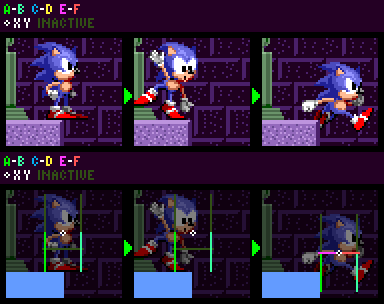
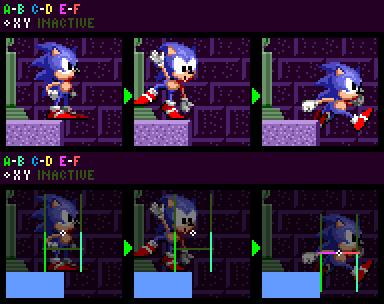
this is what I have right now for testing
private void balanceSwitch(Player player)
{
if (IsPlayerNearLedge() && IsPlayerFacingLedge())
{
Debug.Log("Player is near and facing a ledge!");
}
else if((IsPlayerNearLedge() && !IsPlayerFacingLedge()))
{
Debug.Log("Player is near and back a ledge!");
}
}
private bool IsPlayerFacingLedge()
{
// Calculate direction to the ledge
Vector3 directionToLedge = GetDirectionToLedge();
// Check if player is facing the ledge
float dotProduct = Vector3.Dot(transform.forward, directionToLedge);
if (dotProduct > 0.5f) // You can adjust this threshold based on your needs
{
// Player is facing forward towards the ledge
return true;
}
else if (dotProduct < -0.5f) // Check for facing backward
{
// Player is facing backward towards the ledge
return true;
}
return false;
}
private Vector3 GetDirectionToLedge()
{
// Raycast downward to find the position of the ledge
RaycastHit hit;
if (Physics.Raycast(transform.position, Vector3.down, out hit, Mathf.Infinity, ledgeLayer))
{
// Return direction towards the ledge
return (hit.point - transform.position).normalized;
}
return Vector3.zero;
}
private bool IsPlayerNearLedge()
{
// Raycast to check if there's a ledge within detection range
RaycastHit hit;
if (Physics.Raycast(transform.position, Vector3.down, out hit, detectionRange, ledgeLayer))
{
// If the raycast hits something on the ledge layer within detection range, return false
return true;
}
return false;
}``` dark kindle
is if([image component].sprite == null) the best way to check if source image has no sprite set/ "None"?
 sterile crescent
can we remote profile a server build hosted in a dedicated public server?
 earnest gazelle
Is it a simple way to trigger multiple keys for example key + (alt/ctrl/shift) using new input system?
rigid island
dark kindle
is `if([image component].sprite == null)` the best way to check if source image ...
checking Image component has no sprite, yea
rigid island
earnest gazelle
Is it a simple way to trigger multiple keys for example key + (alt/ctrl/shift) u...
iirc modifiers
 agile rock
Hello everyone 🙂
I have a kinda weird discovery/question. We have a game on steam, everything is fine but the game will crash ONLY when players has this exactly GPU:
"Intel(R) Iris(R) Xe Graphics"
We have 3 bug reports with this and all 3 of them has this GPU. Is there something wrong with this GPU and Unity games?
other intergrated GPU works fine, only this Iris Xe model
 plucky inlet
agile rock
Hello everyone 🙂
I have a kinda weird discovery/question. We have a game on ste...
plucky inlet
agile rock
Hello everyone 🙂
I have a kinda weird discovery/question. We have a game on ste...
Surely not a coding question
 astral nexus
It's not fully related to Unity, but maybe someone can answer this off-topic like question:
I can code pretty decently, but when I face a math related stuff - I'm completely lost even at basics of basic trigonometry problems, because in math I'm at level of "basic operations, some foundation of vectors and that's all, buddy", lol. Sometimes I don't even know what to google to find a good formula or decent algorithm, because of my poor math knowledge
Can ChatGPT be used for this type of tasks of googling or pointing to needed formula? Like just as source of constructing/finding formulas and then I'm just implement them in code by myself, not just "hey, write me some code to move a player"
Anyone using it like this within Unity development? I know that I can't trust anything like a saint word from ChatGPT, but maybe it can point me what to google next
I'm using 4th model version of ChatGPT, not free version, btw
 dark tide
yeah I've used chatgpt (and sometimes still do) and I have to like guide it through fixing a problem that it made...
cosmic rain
astral nexus
It's not fully related to Unity, but maybe someone can answer this off-topic lik...
You can use whatever tools work for you, ai being one of them. There are no laws prohibiting you from asking chat gpt math related questions.
 vapid condor
i disagree, chatGPT is very helpful for find out about stuff, i use it almost all the time, just yesterday i found out about how i can use custom JsonConverters for my usecase from it
agile rock
yes, they have up to date drivers, I'm corespoding with one of this players
knotty sun
astral nexus
It's not fully related to Unity, but maybe someone can answer this off-topic lik...
the problem you are going to have, if you do not know the math, how will you know it's pointing you in the right direction?
agile rock
and yes, 100% users with this GPU has this issue
vapid condor
i blame that on non existent UE docs, chatGPT didnt have from where to learn =)
 thin aurora
vapid condor
i disagree, chatGPT is very helpful for find out about stuff, i use it almost al...
thin aurora
vapid condor
i disagree, chatGPT is very helpful for find out about stuff, i use it almost al...
It should be pointed out that it is a great tool for supporting you in your work as long as you form your question properly and don't expect it to spoonfeed an answer. This is basically the same as being helped by anybody else, the only drawback is that ChatGPT is not going to ask additional questions before giving a proper answer.
vapid condor
thin aurora
It should be pointed out that it is a great tool for supporting you in your work...
yeah, exactly
thin aurora
So if you can't ask a proper question then the answer will be horrible, like 99% of beginners will have
cosmic rain
I have a different experience with using chat gpt to assist with learning a new technology and I can say that it helped a lot. You just need to understand how to work with it and what to be careful of.
cosmic rain
agile rock
yes, they have up to date drivers, I'm corespoding with one of this players
You could provide them with a debug build so that they send you a detailed crash dump file to debug.
vapid condor
but in that usecase asking about what math formulas to use where i think chatGPT can provide a good answer to where you can start your research
astral nexus
vapid condor
but in that usecase asking about what math formulas to use where i think chatGPT...
yeah, I was planning to do it like this mostly, just ask for hint to what to search and google by myself with it
versed spade
TextMeshPro ShipName = ShipItemObj.GetComponentInChildren<TextMeshPro>();
ShipName.text = ships[item].name;```
How does one change the name of the first TMP object's component in code? I assume this one would work but its saying there is no object in reference somber nacelle
you're using the wrong component type for the GetComponent call. TextMeshPro is the 3d text object. you want TextMeshProUGUI
or you can use TMP_Text which both of those inherit from
versed spade
ah, will try that out. thx!
upper pilot
https://github.com/Unity-Technologies/uGUI/blob/2019.1/UnityEngine.UI/EventSystem/EventInterfaces.cs
How does Unity know that your script has IPointerClickHandler on a script(I extend IPointerClickHandler), does it checks if there is an image object under the cursor when the cursor is moving/clicking every frame then goes through all components and finds one that extends IPointerClickHandler?
latent latch
it raycasts
dark tide
versed spade
ah, will try that out. thx!
yeah try using TMP_[component type] instead of TextMeshPro (also make sure you have using TMPro at the top)
latent latch
I'm not too sure if it's a unique raycast of sorts, but it does raycasts in the scene and on the UI, so maybe it just uses what's available.
upper pilot
I see, is there anything special about raycast?
Compared to regular mouse events, or is raycast just Unity way of calling mouse events?
latent latch
Like mouseover? That probably uses raycasts too
upper pilot
I guess Unity is 3d, so it might need to "cast" forward into space to detect things
chilly surge
As for how Unity magically knows your component implements those interfaces without you registering in any way, I would assume it's some kind of reflection magic.
latent latch
One thing to note that if you do have a IPointerHandler in the world scene and on the UI and your pointer is over both, you will detect both IPointerInterfaces
chilly surge
It confused me when I learned about it too, then I just shrugged and moved on.
upper pilot
latent latch
One thing to note that if you do have a IPointerHandler in the world scene and o...
So if I have 2 buttons on top of each other I will click both?
Is that the case if I implement 2 buttons without having custom IPointerHandler in my script?
latent latch
Nah, this is why I believe it uses multiple raycasts
upper pilot
oh
latent latch
I mean, it must use different raycasts because it's detecting at different locations of the scene
upper pilot
maybe raycast passes through(afaik there is a way to block that)
so it gets a list of objects it passed through
latent latch
On the UI it stops at first blocked
upper pilot
so anything in canvas(world space or regular) will be blocked at first element?
Thats good, I had the issue when I added onMouseStay/Enter for 2d sprites and those were detected even if UI covered them.
Since then I learned that there is a World Space Canvas and I use it since then 😄
latent latch
Yeah, so anything that has a box that you can tick "Raycast Target" or Blocks Raycast will be the target of that raycast.
latent latch
upper pilot
Thats good, I had the issue when I added onMouseStay/Enter for 2d sprites and th...
Which is what I was saying about the multiple raycasts
UI and Scene are different locations
It does a physics raycasts and some graphics raycasts from what it seems
upper pilot
What is a use case for OnMouseEnter/Exit for games?
Isnt it better to use world space canvas and draw buttons on top of your character sprites if you want to click on them, or is it more about using collisions for clicking 2d sprites in the game?
For 2D games ^
latent latch
Not too sure about 2D games, but UI does give you some components like buttons, but beyond that I don't see why you cant do a world space type of UI
somber nacelle
upper pilot
What is a use case for OnMouseEnter/Exit for games?
Isnt it better to use world ...
please don't use world space canvases just for being able to click on objects that belong in world space. you can use the event system interfaces for that too as long as you have the relevant physics raycaster on your camera
upper pilot
latent latch
Not too sure about 2D games, but UI does give you some components like buttons, ...
isnt world space canvas basically a world space UI?
somber nacelle
use world space canvases for world space UI
upper pilot
Got it
I do use it for UI, its kinda hard to explain since the game world is static.
I have a list of zones(buttons) and you click on them for a character to "walk" towards them.
Character is 2D sprite, but the background/area buttons are on World space canvas.
I did it first using sprites, but I had issues with onMouseEnter events that would fire with UI covering them and I couldnt find an easy way to block the world space raycast(?) with UI.
Also using world space "ui" uses different scaling methods, all UI "sprites" have to be scaled like 200 times
somber nacelle
i personally prefer the event system interfaces over OnMouseEnter and the like. especially since i'm fairly certain OnMouseEnter doesn't work with the input system
upper pilot
I am still figuring this part out, I wish that I could somehow make it 1:1 ratio, but nothing works as of yet, so my current ratio is 100:1(world space canvas vs regular canvas)
somber nacelle
and your objects do not need to be UI objects to take advantage of those interfaces
latent latch
yeah no reasonto use OnMouse events when you have IPointer
somber nacelle
upper pilot
I am still figuring this part out, I wish that I could somehow make it 1:1 ratio...
don't make your world objects using UI
that's how you fix that
upper pilot
Meaning I need a specific set of sprites at higher resolution if I want to use them?
somber nacelle
huh?
upper pilot
so I avoid having to set their scale to 100 for them to be at "correct" size.
or in some cases its the other way around and I set scale of some objects to 0.01
Depends if I use canvas world space or just 2d sprites.
somber nacelle
again, the way you fix your issue is that you stop using UI to make your world space stuff
upper pilot
I am most likely missing something simple, but this is where I am now 😄
so I have to not use world space canvas, but instead use 2d sprites?
somber nacelle
yes. why would you use UI objects to make your environment in the first place
upper pilot
its not really environment, but I wasnt ready to use tilesets for this project as it doesnt fit.
Its really just buttons on the flat background.
only character is moving
but maybe I went too deep in the wrong direction 😐
so in order for my world space canvas(ignoring the fact that its environment) requires me to set up camera Size to 500 from 5(x100) in order to show properly.
Camera resolution: 1920x1080
World space canvas Background(child element of canvas) 4096x4096
With the above settings(camera size 500) my camera covers that canvas 1:1
Is there a way to go back to camera size 5 and have same ratio?
I was told yesterday that I should use w/e camera size I need, but it seems weird that I have to make it 100x bigger.
somber nacelle
and again, all of this could be avoided if you stop trying to make your game environment out of a world space canvas
upper pilot
ah ok I think that I know the issue I had.
My character sprite is 2024x2024
so I need to change its scale to 0.1 or so
somber nacelle
alright i guess we're just ignoring everything now so good luck with that
upper pilot
I mean this is not canvas character, its 2d sprite.
with camera set back to 5 size.
so its not UI
I dont see how else to resize character if its 2024x2024 file.
somber nacelle
change its pixels per unit setting in the import settings
upper pilot
Either importing at lower resolution or changing object scale right?
Thanks 😄
Setting it from 100 to 1000 fixed it
Is that proper way of doing it tho?
somber nacelle
yes (assuming you are referring to what i suggested and didn't just ignore that and continue referring to your own suggestion)
upper pilot
Thanks
That solves scaling issue for sure haha
2d sprite(not canvas, not UI) scale 1, pixel per unit of that image used in the sprite is set to 1000 from default 100.
it looks good now, since I believe the above means that 2024x2024 displays as 202x202 or so.
which covers ~20% of height in 1920x1080 camera setting
Which looks good, thats what I was stuck on, not understanding why it didnt scale the way I wanted.
base image was too big and pixel per unit was default 100
somber nacelle
don't think of it in terms of resolution. think in terms of units in world space. a 2024x2024 image set to 1000 pixels per unit takes up approximate 2 square units in world space
the amount of world space visible in your camera is dependent on the resolution of the game view and the orthographic size of the camera
upper pilot
ah
but that would mean the image should cover whole camera if the above is correct, but it covers about 15-20%
somber nacelle
no . . . it covers 2 units of world space
stop thinking in resolution, i am talking about world space
upper pilot
but the above means I have 2 units of world space in height?
somber nacelle
yes but that is irrelevant to the resolution of the game
because world space is not the same as screen space
upper pilot
How can I convert/compare those? so I know the settings I need in order for a character to take certain amount of screen space?
somber nacelle
world space does not change based on the resolution of the game. just how much of the world space you can see based on the orthographic size of your camera
chilly surge
Your coffee mug has the same physical size in the real world, no matter if you take a close up photo of it or a photo from across the room.
upper pilot
yeah I get that part, trying to figure some math.
If we agreed that 2024x2024 character at 1000pixels per unit takes 2 world space units, but it takes ~20% of 1080 camera at size 5, then there has to be a way to get the size of the camera in world space units.
somber nacelle
why
upper pilot
So when I import my sprites I know what pixel per unit to use for them to be visible in the game at correct size.
I might be doing it wrong 😐
somber nacelle
you are 100% thinking about this wrong
don't worry about the game's resolution. worry about the number of world space units you want something to take up. and you can clearly see how many units your camera can view in the scene view
upper pilot
Right, so is it wrong to ask: How many world space units my camera takes so I can compare it to units per pixel on my sprite?
somber nacelle
but you shouldn't be sizing those relative to the camera. you should size them relative to how big in the world you want them to be. then change the camera to view the correct number of units
upper pilot
Because the numbers we discussed dont seem to match on the screen
Right
I got that
somber nacelle
christ i'm done
upper pilot
I need something to use as a base size so I can import everything else relative to its size
somber nacelle
use the world space as the base size. 1 unit == 1 meter
upper pilot
Ok so this works after I changed camera size to 1...from 5.
camera size 1 seems to give you 1 unit in height(not sure about width)
So my character at 1000pixels per unit cover 1 unit.
Tho afaik height unit is calculated as camera height * 2, which makes more sens as my sprite is 2k resolution so 1000px per unit = 2 units.
Mystery solved, thanks. Math checks out <_<
I wont use camera as a reference of the size of my sprites, but I just wanted to understand where those numbers come from.
somber nacelle
So my character at 1000pixels per unit cover 1 unit.
except if your character is 2000 pixels tall then it covers 2 units. because as i have pointed out numerous times now, the resolution of your game view window is not relevant to the pixels per unit setting for your sprites. that setting affects how many pixels of the image occupy a single unit of world space
upper pilot
now I can import my sprites with 100pixels per unit and set camera to 50 size. if I got it right.
upper pilot
somber nacelle
> So my character at 1000pixels per unit cover 1 unit.
except if your character ...
Yes I understand that
somber nacelle
do you though?
upper pilot
2000x2000 sprite, 1000px per unit = 2000/1000 = 2 units
somber nacelle
great! do you also understand that that measuremeant has nothing at all to do with your game window's resolution?
upper pilot
and camera size * 2 = height in units. meaning camera size 1 = 2 units in height
yes I look at camera size now, not resolution.
I will do last test by changing resolution of camera just to see if it still matches, just to be sure 😄
Resolution of the game*
Yep works as expected, thanks. All solved
800x600 makes character take full height too without changing anything.
Sorry for having you go through this, but this helped.
somber nacelle
yeah it's all solved until you come back with gigantic objects that are 50 meters tall and world space UI for your environment
upper pilot
At that time I will have another tool I can use to understand whats going on, so I probably wont make that mistake, and If I do I should be able to solve it.
 pastel patio
Guys what is the cleanest way to make my async method die with my gameobject? It stops when exiting play mode alright but uh...
It doesn't stop after being destroyed.
Attaching a destroy cancellation token sounds about right, but thing is that I need to write this everywhere I want something to flash once-
Task.Run(() => highlighter.Flash(Color.white, 0.2f), destroyCancellationToken);
Which just doesn't sound appealing, especially since it also means that I'd better not forget to do that instead of calling it directly.
somber nacelle
using cancellation tokens is the cleanest way to stop your async methods/tasks
upper pilot
upper pilot
Resolution of the game*
And here was my issue too, I assumed that camera has resolution, but afaik its game settings that give you resolution. I got confused with Canvas which lets you set up resolution/pixel per unit and such.
pastel patio
somber nacelle
using cancellation tokens *is* the cleanest way to stop your async methods/tasks
Right... So uh, that means using Task.Run every time, right? Is that what's usually done?
somber nacelle
no, you don't need to use Task.Run and you shouldn't use that for anything that is going to touch unity's API since that schedules things on the thread pool. but you can (and should) still use cancellation tokens with your own async methods
chilly surge
pastel patio
Right... So uh, that means using Task.Run every time, right? Is that what's usua...
The cancellation token in Task.Run doesn't do what you think it does.
somber nacelle
ah yeah, that too. the cancellation token for Task.Run is just for if the work hasn't started yet
your method would still to accept a cancellation token as a parameter to stop mid task
pastel patio
I thought that it just gets stopped when the source monobehaviour of the token gets destroyed?
Following Unitask logic it'd probably be a token source on each monobehaviour where the token came from?
chilly surge
The proper way to do cooperative cancelling, is for your highlighter.Flash method to accept an argument of cancellation token, and the method itself uses that cancellation token to do whatever its logic needs to do with cancelling.
pastel patio
Ah... Damn, literally has to check manually as before then
chilly surge
Task.Run also accepts a cancellation token, but it doesn't do what you think it does. Task.Run schedules something to be run, and that cancellation token is for cancelling the scheduling. So if a task has already finished scheduling and is running, the token does nothing.
somber nacelle
yep. although good news, if you are unity 2022+ monobehaviour has a destroyCancellationToken so you technically wouldn't even need to pass one in if the method you are calling is an instance method on the monoBehaviour
pastel patio
Though uh, why use destroy cancellation token if you have to do it yourself when you can just do: if (this == null) <- I tried that and it do return true when the behaviour's destroyed
chilly surge
That is also cooperative cancelling, it's just cancelling the scheduling of the task not the task itself.
somber nacelle
pastel patio
Though uh, why use destroy cancellation token if you have to do it yourself when...
because cancellation tokens are the standard way of handling cancelling tasks. what you are showing is just a unity thing
chilly surge
Not only that, cancellation token is required for cooperative cancelling.
pastel patio
Right... Okay I'll go read some extra stuff and just add those manual check ig
chilly surge
If your highligher.Flash doesn't call other tasks, then sure you can just keep null checking. But what if your highlighter.Flash needs to call something else?
The answer is by passing the cancellation token you receive, to that something else, so that something else also knows how to cancel.
pastel patio
Thanks guys, cya
pastel patio
chilly surge
The answer is by passing the cancellation token you receive, to that something e...
Yeah that's what I did before in another project, when I was using Unitask
Didn't think that it just always comes back down to that though :1
chilly surge
Yep.
pastel patio
Uh, just wanna confirm then, is it normal to add checks after every single await?
chilly surge
No.
When an async method accepts a cancellation token, as a convention it means that that method supports cooperative cancelling. So for a case like this:
async Task DoSomething(CancellationToken token)
{
    await DoSomethingElse(token);
    // should I check if token has been cancelled here?
}
Notice DoSomethingElse accepts a token, that means it supports cooperative cancelling, so the fact that that line of code has completed running, it means the token wasn't cancelled and you don't need to check it again.
If that DoSomethingElse does not accept a token argument, by convention it means it does not support cooprative cancelling, and once started it must run to completion with you having no way to tell it to stop, and in that case you would have to check the token after the await.
pastel patio
Uh, maybe my mistake is returning if the token is cancelled then, since what you wrote there hints that by convention cancellation of DoSomethingElse does not let the code pick up after the call...
chilly surge
If it's cancelled, you should throw OperationCanceledException.
Cancellation token also has ThrowIfCancellationRequested method you can call if you don't need to do any clean up.
But tldr:
// If your method supports cooperative cancelling, make it accept a token
async Task MyMethod(CancellationToken token)
{
    // Call other methods that support cooperative cancelling and pass them the token
    await OtherMethodA(token);
    // You don't need to check if token is cancelled here

    // Call other methods that does not support cooperative cancelling
    await OtherMethodB();
    // You have to check token here in some way
    token.ThrowIfCancellationRequested();
}
That does mean that it's used with try catch?
Since otherwise it might cascade undesirably far
chilly surge
Throwing OperationCanceledException is how tasks signal cancellation all the way up the chain, you are not supposed to catch it.
pastel patio
I don't remember why I wanted to do that in the past so... Alright '^^
Thank you Burrito, bye bye
 thick terrace
i think it's usually fine to catch it in an empty catch block in top level locations like button click handlers, getting a bunch of OperationCancelledExceptions hitting the logs from ordinary stuff like the player clicking fast and cancelling previous actions is just unhelpful noise most of the time
for that exception specifically of course, don't catch everything haha
catch (OperationCanceledException) {
 // ignore
}
Yeah it's fine for top level since you are not bubbling up higher anymore.
 frail dust
I have added a overlap check so that none of the spawning items get overlapped on top of each other. Now I want to add some minimum distance so that they aren't very close to each other. Any tips on how can I achieve that?
   {
       bool isSpawnPosValid = false;
       int attemptCount = 0;
       int maxAttempts = 200;

       Collider2D[] colliders;


       while (!isSpawnPosValid && attemptCount < maxAttempts)
       {

           bool isInvalidCollision = false;
           colliders = Physics2D.OverlapCircleAll(spawnPos, radius);

           foreach (Collider2D col in colliders)
           {

               if (((1 << col.gameObject.layer) & layersEnemyCannotSpawnOn) != 0)
               {

                       isInvalidCollision = true;

                       break;


               }

           }


           if (!isInvalidCollision)
           {
               isSpawnPosValid = true;
           }
           attemptCount++;
       }

       // If no invalid collisions found, spawn position is valid
       if (!isSpawnPosValid)
       {
           Debug.Log("No valid spawn");
           return false;
       }


       return true;

}```Yeah, though I can't come up with an example of when I'd better use it which preferring to catch it, since getting destroyed is generally a bit of a complete ending to all functions?
 karmic stratus
My character keeps randomly getting stuck on something when moving. I've attached the player movement script, but what happens is if I keep moving left and right, my character will randomly just stop in a certain spot. It's velocity goes from 5 to fluctuating from 0-1.5 (or -1.5-0). The character gameobject has a polygon collider 2d and it's on a tilemap which has a tilemap collider 2d. any ideas as to why this is happenng?
void Update()
    {
        float moveDirHor = Input.GetAxisRaw("Horizontal");
        float moveDirVer = Input.GetAxisRaw("Vertical");
        Rigidbody2D rg = GetComponent<Rigidbody2D>();

        if (moveDirHor != 0)
        {
            if (rg.velocity.x < movementSpeed && rg.velocity.x > movementSpeed*-1)
            {
                rg.velocity += new Vector2(moveDirHor * (movementSpeed/50), 0f);
            }
        }
    }
is that spot identifable or is it anywhere on the tilemap collider?
chilly surge
pastel patio
Yeah, though I can't come up with an example of when I'd better use it which pre...
When you need to perform extra clean up.
pastel patio
True
chilly surge
Although most of the time you can just do it with finally, or using if it's just cleaning up IDisposable.
pastel patio
karmic stratus
My character keeps randomly getting stuck on something when moving. I've attache...
Issue looks to be outside that script, though maybe a nitpick but the second if statement might as well be written as:
if (rg.velocity.x < movementSpeed && rg.velocity.x > -movementSpeed)
or
if (math.abs(rg.velocity.x) < movementSpeed)
Uh nvm, I might be looking too roughly there, need to doublecheck
Also best get and store the rigidbody instead of getting it each update
karmic stratus
pastel patio
Issue looks to be outside that script, though maybe a nitpick but the second if ...
thanks, i'll keep checking the colliders
pastel patio
karmic stratus
thanks, i'll keep checking the colliders
I think that your script might get an unexpected behaviour:
If you're moving too fast to one side, you can't move to the other side either
Unless if that's what you intend of course
For the rest, no, I don't see why this script will cause such an odd behaviour
karmic stratus
here's a video of the behavior
pastel patio
Oh, reminds me, maybe it got stuck on the edge of a collider? Just a blind guess but I remember being annoyed about that before
Just try change your character's collider to a circular or capsule collider, if the bug doesn't happen anymore then it's definitely that
And honestly, you shouldn't use a polygon collider for your character unless if you have a good reason to
It's just extra weight for unnecessary precision, you see?
karmic stratus
yeah I see your point. switching to a circular collider seems to have fixed it, thanks!
pastel patio
No problem
karmic stratus
pastel patio
And honestly, you shouldn't use a polygon collider for your character unless if ...
strangely enough, though, the polygon collider was just a rectangle. maybe that was the issue
pastel patio
karmic stratus
strangely enough, though, the polygon collider was just a rectangle. maybe that ...
Yeah, though trying to slide a box over boxes might not work as intended, since it might just catch the edge of the floor
No matter how evenly put the floor is
karmic stratus
ahhh makes sense. thanks for the help!
guess I gotta be more careful with square colliders now lol
pastel patio
Good luck and have fun
frail dust
frail dust
I have added a overlap check so that none of the spawning items get overlapped o...
any ideas?
pastel patio
frail dust
any ideas?
Note on quick glance: Rather then checking layers yourself, I'm quite certain you can add a layermask to the overlapCircle
Which filters out which layers you want and don't want to check for
And change layersEnemiesCannotSpawnOn to a layermask
(Sidenote: LayerMask is essentially representable by a series of bits that acts as true/false for each layer)
Also, for minimum distance you can just make the circleCast larger? If you want to do it more fancily you can make a value called like... Margin or so
dense estuary
Is there a way to find the angle between two directions resulting ina value between 0 and 360. Currently I am using Vector3.angle, but that returns a value between 0 and 180.
pastel patio
It doesn't quite make sense to get an angle difference between 0 and 360?
But... If you're just trying to do it clockwise exclusively
Some basic math should cut it
ashen yoke
frail dust
I have added a overlap check so that none of the spawning items get overlapped o...
this is an inneficient approach
it has potential to spend astronomical time looping in search of a position, a better approach is to use some sort of grid
pastel patio
It's not an inefficient approach if you ask me
It depends on how much of the spawn area is occupied
ashen yoke
its what you came to in the end i guess, basically you treat space as if it was a grid with some spacing, and you do flood fill on positions, adding them to a HashSet to see if this position was already checked
frail dust
pastel patio
And change layersEnemiesCannotSpawnOn to a layermask
i did that but that doesnt work and everything just overlaps. MY script works fine. theres no overlapping. The only thing I want is that the minimum distance
frail dust
pastel patio
Also, for minimum distance you can just make the circleCast larger? If you want ...
if i make it larger than all items spawn at a very long distance from each other
which spoils my concept of endless runner game
frail dust
pastel patio
It depends on how much of the spawn area is occupied
yeah
frail dust
ashen yoke
its what you came to in the end i guess, basically you treat space as if it was ...
i would appreciate that but its too complex for the scope of my game
ashen yoke
i dont see anything complex in it, but its your choice
pastel patio
A grid could be necessary but if there's always a lot of free space... It's a waste of memory and unnecessary complexity
ashen yoke
there is no memory, there is no grid
grid is a position that is floored to some value
no 2d/3d arrays
all you have to do is select a cell size and any initial position round it to this cell size, this is the abstract grid
pastel patio
Well, even so, you're allocating a list/hashset to cache values when it could be solved in 1~5 tries, if there's a lot of space, it's insignificant difference and a small chance to become such a lag spike
hard viper
dense estuary
Is there a way to find the angle between two directions resulting ina value betw...
SignedAngle gives you an angle between -180 and 180
frail dust
guys lets not discuss the overlaps, just the min distance between items. I explain a bit more, its a car endless runner game.. Suppose there are 2 lanes, and 2 cars spawn, both are on different consequent lanes. But the y distance between them is so less that the player cant move within that gap
hard viper
but that only makes sense for 2D
pastel patio
hard viper
but that only makes sense for 2D
In that game surely the 2d is just the topdown view...
frail dust
yes
hard viper
to distinguish 270 degrees from 90, you need some other info in 3D
frail dust
topdown
ashen yoke
pastel patio
Well, even so, you're allocating a list/hashset to cache values when it could be...
depends on a game, i didnt know it was endless runner, and the collection is only allocated once
frail dust
2d
hard viper
pastel patio
In that game surely the 2d is just the topdown view...
which direction is the topdown view from? you need that info to define the difference
so it would need to be a function of at least 3 vectors, not 2
pastel patio
Uh sorry, zom is the dev, I was just guessing
frail dust
i think we all are on different pages lol
frail dust
frail dust
guys lets not discuss the overlaps, just the min distance between items. I expla...
i was asking about this
hard viper
what I would do is define a function of Vec 1, vec 2, and orientation vector.
frail dust
Loup&Soup is discussing about other question ig
pastel patio
Anyhow, if you want distance between all enemies, a simple approach is to make a mask for enemies and increase the check range for that specific layer
hard viper
i’m talking to oddysey dev
frail dust
pastel patio
Anyhow, if you want distance between all enemies, a simple approach is to make a...
oh
pastel patio
A tad bit more complex approach is to store and check the distance to each enemy, I guess
dense estuary
hard viper
but that only makes sense for 2D
I currently am comparing the angle of a rotating line and the angle returned by vector3.angle, to place an icon on a map when the lines rotation is a roughly the same value as the angle returned by vector3.angle. However, because the angle of the rotating line is always a value between 0 and 360, it causes an icon to spawn within 90 degrees of the line. So I need a way to find a value between 0 and 360 instead.
frail dust
pastel patio
A tad bit more complex approach is to store and check the distance to each enemy...
yup
pastel patio
There are of course even more "sophisticated" ways but it's likely gonna be overkill
frail dust
    {
      if (((1 << col.gameObject.layer) & layersEnemyCannotSpawnOn) != 0)
      {
        if (col.gameObject.tag == "Cars")
        {
          // Check distance to existing car
          float distanceToCar = Vector2.Distance(spawnPosition, col.transform.position);
          if (distanceToCar < minSpawnDistance)
          {
            isInvalidCollision = true;
            break;
          }
        }

      }
    }````

I tried the distance check but this didnt workUh, really you should learn to use layermasks, it works for me and makes things look a whole lot simpler '^^
frail dust
Yeah I will try the layer mask
I have learnt a bit from codingmonkey
also i did use the layermask to do the OR operation for overlap check which worked
hard viper
dense estuary
I currently am comparing the angle of a rotating line and the angle returned by ...
for a minimap like this, I would project your vector3 to a pair of Vector2 so you can use Vector2.SignedAngle
frail dust
all i need to do is the min distance
pastel patio
frail dust
```foreach (Collider2D col in colliders)
{
if (((1 << col.gameObject.l...
What failed about that?
pastel patio
frail dust
```foreach (Collider2D col in colliders)
{
if (((1 << col.gameObject.l...
Ah, I see an issue
hard viper
signed angles are more complex to parse in 3D, whereas they can be properly defined in 2D
frail dust
pastel patio
What failed about that?
cars were still spawning close to each other
not overlapping, but close
frail dust
XY
frail dust
its still a topdown tho
pastel patio
But then saw 2d collider and realized that I messed up
frail dust
u remember those 2d car racing games that were endless runner
hard viper
a lot of games keep Y as the axis in which you jump
frail dust
so what do you think ? @pastel patio
fervent furnace
your spawn position (function parameter) is fixed and other things is fixed, then the result is deterministic
adding any non random thing wont affact the result, it is still deterministic
pastel patio
It's a piece of code to randomly place stuff
So there's a random value in it
Spawnposition and probably all the previous cars
frail dust
    {
        while (true)
        {
            randomPrefabIndex = Random.Range(0, carPrefab.Length);
            GetRandomSpawnPosition();

            canSpawnHere = CheckForValidPosition(spawnPos);
            if (canSpawnHere)
            {
                Instantiate(carPrefab[randomPrefabIndex], spawnPos, Quaternion.identity);
            }

            float time = 0f;
            yield return new WaitForSeconds(time);
        }

    }

    private Vector2 GetRandomSpawnPosition()
    {

        randomLaneIndex = Random.Range(0, Lm.GetCurrentLaneCount());
        laneWidth = Lm.GetCurrentLaneWidth(randomLaneIndex);
        middleLanePosition = Lm.GetLanePosition(randomLaneIndex) + laneWidth / 2f;
        spawnPos = new Vector2(middleLanePosition, Random.Range(10.25f, 50f) + minSpawnDistance);

        return spawnPos;
    }```

Thats how i recieve the random spawn position everytime a prefab is selectedbool CheckForValidPosition(Vector2 spawnPosition){
bool isSpawnPosValid = false;
int attemptCount = 0;
int maxAttempts = 200;
Collider2D[] colliders;
while(!isSpawnPosValid&&attemptCount<maxAttempts){
bool isInvalidCollision = false;
colliders = Physics2D.OverlapCircleAll(spawnPos, radius);
foreach (Collider2D col in colliders){
if (((1 << col.gameObject.layer) & layersEnemyCannotSpawnOn) != 0){
isInvalidCollision = true;
break;
}
}
if (!isInvalidCollision){
isSpawnPosValid = true;
}
attemptCount++;
}
// If no invalid collisions found, spawn position is valid
if (!isSpawnPosValid){
Debug.Log("No valid spawn");
return false;
}
return true;
}
```iterate 200 or 2000 or 20000 wont change the deterministic resultwhich result are u talkin about
tawny elkBOT
Posting code
📃 Large Code Blocks
Use links to services like:
https://gdl.space/, https://paste.ofcode.org/, https://hatebin.com/, https://paste.myst.rs/, https://hastebin.com/
📃 Inline Code
Surround code with three backquotes. Not quotation marks.
To format as C#, add cs to the first line:
```cs
// Your code here
```
Add a comment with a line number if there is an error message.
hard viper
i’m on mobile, and I need to keep scrolling and scrolling just to read the message above your code
frail dust
got it
pastel patio
fervent furnace
your spawn position (function parameter) is fixed and other things is fixed, the...
To zom: They're talking about this result
hard viper
i say because we’ve been having a lot of big code blocks this morning
fervent furnace
btw try and error approach should work, just overlap circle with a random center, if no any other game objects then this is valid position
pastel patio
fervent furnace
btw try and error approach should work, just overlap circle with a random center...
zom was doing just that? Except that he said that it failed for some reason...
frail dust
frail dust
```foreach (Collider2D col in colliders)
{
if (((1 << col.gameObject.l...
this approach where I use distanceToCar
it just doesnt change anything
frail dust
yes but then it should break the loop
it will break the loop, increase attempt
if attempt = 200, then IEnumerator will select next prefab to be spawned
with a new random pos
pastel patio
frail dust
with a new random pos
Isn't a random pos supposed to be picked everytime it fails tho?
Not after 200 attempts?
frail dust
Hastebin is a free web-based pastebin service for storing and sharing text and code snippets with anyone. Get started now.
it will go upto 200 attempts
its not changing the spawn pos
pastel patio
Uhm, wait, you're testing 200 times at the same place before switching location?
pastel patio
What changes in each one of the 200 times tho?
frail dust
just booleans
fervent furnace
public bool Method(int a){
  for(int iteration=200;iteraion>0;--iteration){
    if(a>10){return true;}
  }
  return false
}
```do you think than the iteration can change the result?that dictate whether the pos is safe to be spawned upon
frail dust
fervent furnace
```cs
public bool Method(int a){
for(int iteration=200;iteraion>0;--iteration)...
no
pastel patio
You know why, right?
frail dust
So I call the GetRandomPos everytime it fails to find right spawn pos?
pastel patio
frail dust
So I call the GetRandomPos everytime it fails to find right spawn pos?
*Everytime it finds that the current attempted spawnpos is invalid
frail dust
if(isInvalidCollision)
{
GetRandomSpawnPosition();
}
pastel patio
frail dust
if(isInvalidCollision)
{
GetRandomSpawnPosition();
...
Seems right... Depends on where you put it
frail dust
lemme just try it
frail dust
https://hastebin.com/share/hiwokolezi.csharp
looks good?
Hastebin is a free web-based pastebin service for storing and sharing text and code snippets with anyone. Get started now.
fervent furnace
btw there should be a deterministic algorithm to solve it by overlapping the circle on the lanes and doing a boolean subtraction on the mesh, so you can get some polygon areas, then the next step is to shrink the polygon by the radius of the new collider should be spawned to get the real set of spawning points (the shrunken polygons)
But this is so hard that i would still use try and error or copy other code.
hard viper
in general, I would change this function signature to:
private bool TryGetValidSpawnPoint(Vector2 proposedSpawnPos, out Vector2 validSpawnPos)
if it fails, return false.
If succeeds, return true, and out the valid position
frail dust
fervent furnace
btw there should be a deterministic algorithm to solve it by overlapping the cir...
yeah
frail dust
hard viper
if it fails, return false.
If succeeds, return true, and out the valid position
Makes sense
but the number of attempts isnt the main problem rn
hard viper
this is just a general architecture thing
frail dust
yeah i agree
hard viper
In my code, I have a CheckSpawnBlock method that solely checks if a given position is valid for spawning, or if the thing is spawnblocked
i do not iteratively try to spawn it anyway at a few different random positions if it fails
it is private bool CheckSpawnBlock(Vector2 pos)
frail dust
frail dust
https://hastebin.com/share/hiwokolezi.csharp
looks good?
i tried doing in this way that if its an invalid point then get a new randomPos, but it doenst do anything
frail dust
hard viper
it is private bool CheckSpawnBlock(Vector2 pos)
yeah
hard viper
if I needed to try multiple iterations, I would make a separate method that calls CheckSpawnBlock at a couple of locations, using the signature I said above; TryGetValidSpawnPos
basically, split the check from any sort of iteration
these are two totally separate tasks
frail dust
thats true
hard viper
TryGetValidSpawnPos might need multiple different parameters later for things like search range, number of iterations, RNG seed, etc.
all of this is separate from checking validity of a specific spot
my recommendation is not to use any RNG, but a hard coded array of offsets to test at.
like, first check spawn point, then spawn point + (0.1, 0), then spawn point + (-0.1,0)….
frail dust
more like a linked list
hard viper
any IEnumerable would work
frail dust
in which i give it a range of y positions to select
hard viper
i would not try very hard to force something to spawn if it is really blocked tho
depends on how important it is for it to spawn
if it is a boss or something, it should probably force its spawn, and try to shove out things that are in its way
frail dust
understood, i will retry my approach
hard viper
yeah. i wouldn’t even try attempts at all. If blocked, block it. If it’s important, spawn it anyway, and push shit out of its way
Unity’s physics engine should do decent depenetration for overlapped crap anyway
 coral cosmos
Hi all - I'm looking for guidance on recreating a mechanic I've seen in many different games.
These little characters follow the main player, but they recreate his movements and always remain at a distance.
How can this be done? I tried getting delayed positions using a TrailRenderer, but it's been extremely finnicky so far. There must be an easier solution.
latent latch
seems like just queueing a bunch transformational info over some duration
could do a bunch of matrix4x4s
cosmic rain
Just position and rotation would probably be enough.
 craggy veldt
coral cosmos
Hi all - I'm looking for guidance on recreating a mechanic I've seen in many dif...
craggy veldt
coral cosmos
Hi all - I'm looking for guidance on recreating a mechanic I've seen in many dif...
unrelated, whats this game called? that looks nice
coral cosmos
Pizza Tower! It's my favorite new game from last year. I'd recommend it.
craggy veldt
coral cosmos
These little characters follow the main player, but they recreate his movements ...
it's just smooth dampening + offset for the those characters following their main
coral cosmos
cosmic rain
Just position and rotation would probably be enough.
Probably wouldn't even do rotation. But would shoving an endless conveyor belt of Vector2s down a line have a performance impact?
latent latch
lerping and adding some delay between each would be fine
similar to how you'd do it with animation curves
 white perch
Hi guys, if u write documentation of your projects - where do you do that?
coral cosmos
github, probably
latent latch
I mean, they seem to be not just lerping towards the main character, but following a route
coral cosmos
latent latch
I mean, they seem to be not just lerping towards the main character, but followi...
Right.
latent latch
so* there needs to be some positional caching
cosmic rain
coral cosmos
Probably wouldn't even do rotation. But would shoving an endless conveyor belt o...
Unless you have hundreds of characters following you, probably not.
coral cosmos
Is that done on the player itself? Populating and repopulating an array of positions?
craggy veldt
coral cosmos
These little characters follow the main player, but they recreate his movements ...
you can copy the formula here for the ease in/out.. there's a TypeScript version in it, you can just convert it to c#, they're quite similar it will work https://easings.net/

Easing functions specify the speed of animation to make the movement more natural. Real objects don’t just move at a constant speed, and do not start and stop in an instant. This page helps you choose the right easing function.
coral cosmos
cosmic rain
Unless you have hundreds of characters following you, probably not.
There will be at least five, possibly six at a time.
Whatever it is, it's gotta be light on performance.
ashen yoke
in that video i think there is a combination of methods, when player is moving they use the stored positions with offset, while standing they switch to a lerping to a point behind the player
coral cosmos
Yeah, that second bit I can take care of fairly easily.
It's just lerping to the player with an offset.
The former is more difficult, as each follower needs a specific delay.
craggy veldt
it's not linear, you need to smooth dampened them
ashen yoke
in the video the delay seems to be a fixed value for every follower, like 0.1 seconds, because it seems to scale with speed
coral cosmos
Yep.
latent latch
well, t being some distance constraint because you don't want them to fall behind if the character is too far ahead
so yeah not exactly linear (actually if speeds are the same then it should be very much linear)
coral cosmos
Well, they'll always catch up I think.
It's not like the player going too fast will ruin it. A distance cap is something I can put in later if I feel it's necessary.
ashen yoke
if you have some circular buffer where a cursor is the player, and you sample player position at known intervals, in FixedUpdate for example you will know how the index offset in the buffer corresponds to time
so if its sampled every 0.02 seconds 5 indeces difference is 0.1 second, so each follower just looks at the index that corresponds to it
craggy veldt
it's just smooth damp + offset 😅
transform.position = Vector3.SmoothDamp(transform.position, targetToFollow, ref velocity, speed);
toy around with the velocity
you'll get the same effect as that video
ashen yoke
problem with smooth damp is that it will introduce that rubber banding effect with speed, it works but as seen in video some followers are left very far behind, may be desireable idk
craggy veldt
you can do exactly that, you just need to set the velocity value small enough
either way you can make your own from the website I linked above
just convert the math formulas to c#
ashen yoke
there probably is an easing lib for c# on github
 rocky jackal
what am i doing wrong that the resulting surfaceNormal is a half infinite and half undefined vector


other is just the collision from the OnCollisionENter function
craggy veldt
ashen yoke
there probably is an easing lib for c# on github
glad you mentioned that, here's mine https://github.com/breadnone/Easing
😄
ashen yoke
😄
craggy veldt
I made tweening libs so yeah
latent latch
rocky jackal
what am i doing wrong that the resulting surfaceNormal is a half infinite and ha...
nan usually means dividing by zero
so check your division there
ashen yoke
rocky jackal
what am i doing wrong that the resulting surfaceNormal is a half infinite and ha...
first add all, then divide once?
also yeah a 0 contacts should throw exception or error, if it ever happens
shouldnt normal be already normalized?
you also dont need -1 length-1 i think
yeah thats probably the issue
 vivid heart
Hello guys, can you please tell me how an ideal inventory should look like or better say super acceptable from your point of view, what classes should it have, how to combine many enums since I have different items? Please, if anyone has experience, help me out.
rocky jackal
latent latch
so check your division there
even if i clamp it so the division cant be 0 i still get some infinite vectors sometimes

 latent latch
rocky jackal
even if i clamp it so the division cant be 0 i still get some infinite vectors s...
latent latch
rocky jackal
even if i clamp it so the division cant be 0 i still get some infinite vectors s...
average / length
rather total / length
for an average if you are doing it that way
There's a few problems doing it that way as you can get a cluster of points in one position despite a bunch of other areas.
 glossy gust
Is there anything wrong with this? The bool is unchanged for some reason: i want to check for any object inside of the woodColliders list
if any of the woodColliders list or the groundCollider is detected, the bool should be false.
 rocky jackal
latent latch
There's a few problems doing it that way as you can get a cluster of points in o...
rocky jackal
latent latch
There's a few problems doing it that way as you can get a cluster of points in o...
it doesnt really matter, im using primitive shapes as colliders
glossy gust
glossy gust
Is there anything wrong with this? The bool is unchanged for some reason: i want...
I think I found the issue: woodColliders list is initially empty, so there is nothing for it to check
latent latch
vivid heart
Hello guys, can you please tell me how an ideal inventory should look like or be...
you should show some examples of what you're working with and perhaps I can give you some ideas
latent latch
glossy gust
I think I found the issue: woodColliders list is initially empty, so there is no...
is there a reason you're using a xor bitwise operation between two lists
I assume those are lists
glossy gust
latent latch
is there a reason you're using a xor bitwise operation between two lists
is ^ XOR?
I thought it was or
latent latch
use logical or ||
glossy gust
ohh
latent latch
bitwise or is |