#archived-code-general
1 messages · Page 273 of 1
 tender arch
so i can just handle the double click?
 leaden ice
yes
 dusk apex
Note: In order to receive OnPointerUp callbacks, you must also implement the IPointerDownHandler interface
 leaden ice
tender arch
leaden ice
tender arch
It's a checkbox on the input module:

or if you want it to deselect when you double click, just add an EventSystem.current.SetSelectectedGameObject(null);
 leaden ice
in your code...
tender arch
idk man im extremely stupid
 leaden ice
tender arch
idk man im extremely stupid
leaden ice
tender arch
idk man im extremely stupid
you misspelled it
 tender arch
sorry
 white coyote
I can use 'play' on my laptop where I'm building the application. However, I can't proceed to the point where the prefab is instantiated because I need to scan the marker for that. I can only do that by running the program on my phone or other iOS or Android devices..
the application has to interact with the real word
leaden ice
white coyote
I can use 'play' on my laptop where I'm building the application. However, I can...
can't you fake it with some test code?
just make up a position where the marker is "scanned" and spawn it there
and see what happens
 round violet
does anyone knows dot tween here ?
i would like to make my shakes working independently of timescale
 cold parrot
round violet
i would like to make my shakes working independently of timescale
cold parrot
round violet
i would like to make my shakes working independently of timescale
DOTween is the evolution of HOTween, a Unity Tween Engine
cold parrot
round violet
i would like to make my shakes working independently of timescale
Call SetUpdate(UpdateType.Normal, true) on your tween
round violet
ty
 hard viper
let’s say I make a git for my project. How will pull/commit function with my non-code files, like images, or SOs etc?
 heady iris
completely normally
 somber nacelle
SOs are yaml so they work just like any other text file
heady iris
Git will detect binary files, like images, and not try to do line-by-line diffing and merging
You may want to use Git LFS to avoid storing very large binary blobs in your repository.
hard viper
LFS?
heady iris
Large File System.
hard viper
i’m still looking into how to set up my git properly, so excuse me for not knowing the deets
heady iris
It's an add-on for Git. Large files are stored in the repository as a "pointer" to the actual file.
I don't use it, personally
So Git just does its best to deal with large binary files. They take up a good chunk of the total size of my repository.
 quaint rock
yeah it can handle it fine, just don't have like massive psds and stuff in there
at work we keep the project repo and the source art repo seperated and they use different types of version control
round violet
Can I make 1 trigger box call OnTriggerEnter when it hits another trigger box ?
hard viper
i’ll see. I’ll try making a git for my unity project, and I’ll come back when I succeed or fail lol
quaint rock
round violet
Can I make 1 trigger box call `OnTriggerEnter` when it hits another trigger box ...
triggers do not interact with other triggers
round violet
would it work if i have a rigidbody on the object B ?
somber nacelle
round violet
Can I make 1 trigger box call `OnTriggerEnter` when it hits another trigger box ...
quaint rock
not unless you make a shared bundle for that stuff first
hard viper
so I saw a guide on making a git, which makes a folder of files on my computer. What tool do I use to effectively connect this git repository between two different computers, but not using github?
eg I want to keep it to a local network
 simple egret
You would need an instance of a Git server (like Azure DevOps) on a local server on your network
leaden ice
hard viper
so I saw a guide on making a git, which makes a folder of files on my computer. ...
Git is the tool
All repositories are created equal
You add a remote repo with git remote add ...
hard viper
leaden ice
You add a remote repo with `git remote add ...`
ty
quaint rock
think i would jsut use something simple like github as the remote to start
hard viper
i just want to keep it local. Hypothetically keeping some backup copies of my git repo
i don’t want to store my whole project on a foreign server
foreign as in not owned by me
 opal bridge
Anyone got any ideas for a simple health system for the player and enemy. I can’t seem to figure anything out.
 wicked scroll
hard viper
i just want to keep it local. Hypothetically keeping some backup copies of my gi...
wicked scroll
hard viper
i just want to keep it local. Hypothetically keeping some backup copies of my gi...
If you want to keep it local you certainly can, but if you want to be able to work across multiple machines at all, you may as well connect to github and make use of that instead of copying files around
hard viper
opal bridge
Anyone got any ideas for a simple health system for the player and enemy. I can’...
I have a Monobehaviour to parse collisions into a simple struct that I can easily work with. I have a static class with helper functions to quickly interpret that struct with an entity’s data to check for specific things happenning. And I have an entity logic monobehaviour that stores health, gets the struct, uses the helper class to do the check, and then update the health.
eg, ObjCollision is a monoscript that turns a raw collision between mario and goomba into a simple “collision from up/down/left/right.”
ObjCollisionParser can compare an ObjCollisionData vs mario’s data to check what sort of thing happens with this collision.
PlayerLogic has the HP, gets ObjCollisionData from ObjCollision, uses ObjCollisionParser to interpret whether or not dmg has been taken.
Having these intermediate steps lets you make a system with more things that don’t need explicit code to handle logic
opal bridge
Cool thanks
round violet
what is the logic behind "look at"
i would like to get the look at, modify it, then apply rotatrion
simple egret
round violet
i would like to *get* the look at, modify it, then apply rotatrion
It does something along the following lines:
Vector3 direction = (target.position - transform.position).normalized;
transform.rotation = Quaternion.LookRotation(direction);
So either modify the direction vector, or the quaternion, before assigning it to the Transform's rotation
round violet
okay ty very much
hard viper
opal bridge
Cool thanks
btw, part of that system is that different logic scripts can use the information in different ways.
Like GenericEnemyLogic, PlayerLogic, SpecificEnemyLogic… all of these monobehaviours can rely on ObjCollision and ObjCollisionParser to do different things with collision information.
More applicable for a platformer than a JRPG, obviously.
ObjCollision mostly helps because Collision2D can be a bit rough to work with, since it has a bunch of contact points in it, and vectors and shit. I just want to reduce all that into a simple “overlap/up/down/left/right”
opal bridge
Does anyone know how to make a shared variable. I am pulling my hair trying to figure this out! I want one that can be my Health variable across different scripts
opal bridge
hard viper
btw, part of that system is that different logic scripts can use the information...
Oh cool thanks
opal bridge
Oh alright thanks again (don’t worry I’ll be back)
hard viper
btw, make sure health is public with a PRIVATE setter
only the script with the health field should be allowed to modify it
like this
public int health {get; private set;}
opal bridge
Alright. Will do
hard viper
you will be tempted to let other scripts modify it. don’t
opal bridge
Alight, hehe. I will fight the temptation
opal bridge
Is there anyway other way I can place the variable in the heath Manager script and modify the value from the enemy script.
opal bridge
hard viper
you will be tempted to let other scripts modify it. don’t
Without worrying about this
 lean sail
opal bridge
Is there anyway other way I can place the variable in the heath Manager script ...
lean sail
opal bridge
Is there anyway other way I can place the variable in the heath Manager script ...
Have a public method on your health script like TakeDamage which other scripts can call
 celest iron
Hi. I want to use SetTiles, but the logic for my world generation uses a 2D array, while SetTiles uses 1D. How would I flatten out the 2D array?
Meh, I'll add to a list and then use ToArray()
hard viper
celest iron
Hi. I want to use SetTiles, but the logic for my world generation uses a 2D arra...
SetTiles takes a 1D array of TileChangeData, which contains an xy coord in it
celest iron
That's one of the overrides, yes
opal bridge
lean sail
Have a public method on your health script like TakeDamage which other scripts c...
Awesome thank again it works great, it has been 3 days of me hitting problem after problem with this. Thanks and thank you to @hard viper
hard viper
celest iron
That's one of the overrides, yes
that is the override to use.
 calm talon
void LateUpdate()
{
  float targetDist = (cam.position.x - startPos) * speedMod;
  transform.position = new Vector3(startPos + targetDist, transform.position.y, transform.position.z);
  float newDist = cam.position.x - transform.position.x;
  if (Mathf.Abs(newDist) > width / 3) startPos = cam.position.x;
}
I have some basic parallax code for the background in my game that chases towards the camera, however at high values for speedMod (approaching 1) it causes the background to jitter
For context the camera uses cinemachine and runs on smart update, & smoothly follows the player
somber nacelle
i recently had a similar issue, i found that the object i had following the camera was updating before the camera's position updated because CinemachineBrain is set to like 200 for the script execution order.
You could try ensuring that this code runs after the CinemachineBrain updates by specifying an even later script execution order to see if that fixes it
https://docs.unity3d.com/Manual/class-MonoManager.html
calm talon
somber nacelle
i recently had a similar issue, i found that the object i had following the came...
worked perfectly, thanks mate
 acoustic sorrel
calm talon
worked perfectly, thanks mate
acoustic sorrel
calm talon
worked perfectly, thanks mate
british
 orchid abyss
sometimes swing sound plays even when he doesn't swing
 terse garnet
guys invoke repeating work in webgl? because I am using for each 3 minutes, but not respect this time
 soft shard
I have a debug console for logging information in a Development Build, it works fine, though some testers find when theres a lot (around 600+) of logs it starts to drastically affect frames (due to rendering so many since the scroll view wont only render whats visible at the scroll position), I have a 1K pool of TMP input fields, the easiest solution would be to reduce the pool size, but that also means I lose log info when searching for specific things, is there another way I can possibly optimize this? Would it be less taxing to maybe check the bounds of everything in the scroll view every frame and toggle TMP based on how close it is to the visible part of the view?
 latent latch
soft shard
I have a debug console for logging information in a Development Build, it works ...
latent latch
soft shard
I have a debug console for logging information in a Development Build, it works ...
What's the profiler looking like? Draw calls / verts rendering
soft shard
latent latch
What's the profiler looking like? Draw calls / verts rendering
At about 500 logs, 1.4K draw calls, 1.6M verts it seems when the console is open (from an average of 100 draw calls and 1.4K verts when its closed), I have a feeling its likely just that a single Canvas is trying to render 500+ TMP objects in the scroll view, though that did also show something interesting (unrelated to this issue) ill have to look into later with some areas of our prototype maps spiking the draw calls higher than it should - I say "unrelated" cause im testing these numbers looking in the sky of maps with the least geometry when the draw calls are the lowest
latent latch
That's a lot of draw calls. Is this only a canvas game or do you have more in your scene rendering? The verts are also pretty high if so, but that could be more related to rendering all in the scroll view since it will render everything (2 tris per letter)
Which then your idea of disabling the rendering would be how to solve it, but that would probably require some tinkering with the scroll rect to keep it proportional to the selection. (need to keep the rect transform values so the scroll view doesn't collapse when you remove the text renderings)
 hexed pecan
soft shard
I have a debug console for logging information in a Development Build, it works ...
hexed pecan
soft shard
I have a debug console for logging information in a Development Build, it works ...
You can always try drawing it with the legacy IMGUI system instead. I use that for debugging
Just providing an alternative
soft shard
Interesting, I could try it and see if the legacy text might be better for this - its a FPS multiplayer so theres a lot more being rendered than just UI, though that 2 tris per letter helps too, I also log the stacktrace with each entry, so maybe only having 1 area to show the stack trace for a selected input field could cut the number in half, thanks for the ideas!
hexed pecan
soft shard
Interesting, I could try it and see if the legacy text might be better for this ...
Oh I don't mean the legacy Text component. I mean the old, immediate mode GUI. You know, GUILayout.Label, GUILayout.BeginScrollview and such
No need for gameobjects, just pure code. And maybe a custom GUIStyle if you want. And you can easily limit the amount of lines drawn
soft shard
hexed pecan
Oh I don't mean the legacy Text component. I mean the old, immediate mode GUI. Y...
Ah I see, hmm, ill have to look into that as well, I only used it in editor scripts, might require a bit of a overhaul but since its for debugging its not a huge deal to me to spend that time
 spring creek
#archived-game-design is a good place to ask
 upper pilot
How to Move a gameobject towards another game object at an offset without weird jittering movement?
Just move straight from point a to point B?
Without rigidbody, just Vector3.
Vector3.SmoothDamp causes it to move back and forth when it reaches the target which is not what I want
I feel like just doing x += speed * Time.deltaTime tbh Then checking if we reached or crossed the destination to stop movement.
soft shard
upper pilot
How to Move a gameobject towards another game object at an offset without weird ...
Maybe Vector3.Lerp or Vector3.MoveTowards?
https://docs.unity3d.com/ScriptReference/Vector3.Lerp.html
https://docs.unity3d.com/ScriptReference/Vector3.MoveTowards.html
upper pilot
Trying MoveTowards again as that mighr be the easiest way
but is there a way to not do extra condition check?
It should stop and never go beyond the target position.
otherwise its jittering at the end.
                float distance = Vector3.Distance(character.transform.position, TargetPosition);
                Vector3 dir = character.transform.position - data.TargetPosition;
                Vector3 targetOffsetPosition = new Vector3(data.TargetPosition.x - 10 * dir.x, TargetPosition.y, TargetPosition.z);
                Vector3 interpolatedPos = Vector3.MoveTowards(character.transform.position, targetOffsetPosition, Time.deltaTime * 5f);

                if (distance > 1f) character.transform.position = interpolatedPos;
This works, but I have to do distance > 1f which is not ideal
But at least it stops moving and doesnt jitter at the end.
soft shard
Well .MoveTowards will move from a to b, where t is a value between 0 (0%) and 1 (100%), so if you restrict t to 1f then it should never pass b, maybe this blog could help with that param, as it can be a bit confusing: https://gamedevbeginner.com/the-right-way-to-lerp-in-unity-with-examples/

Learn to animate buttons, move objects and fade anything - the right way - in my in-depth guide to using LERP in Unity (including copy / paste examples).
 soft shard
Well from your code, it looks like your using t as Time.deltaTime * 5f, so once it reaches the end, the calculation of deltaTime multiplied by 5 might be slightly above/below 1
upper pilot
t = Time.deltaTime * 5f
right
but if I dont do *5f then its too slow
afaik lerp will not do what I need, but I can try.
Yep lerp has same issue
hexed pecan
It should work without any additional checks 🤔
Like it should clamp automatically, not overshoot
Talking about MoveTowards
soft shard
I dont think you want t to use deltaTime directly as t, since deltaTime is just the difference between frames, and Lerp will move smoothly to b, without ever reaching b, while MoveTowards will eventually reach b, AFAIK
soft shard
Really? I usually see it produce weird results, I usually add to a variable that stops at 1f, since t isnt meant to be above 1 if the goal is to stop at b o.o
hexed pecan
Maybe TargetPosition is causing the jitter? Where does it come from?
upper pilot
Target position is a non moving object
I just add an offset to it
Based on the docs its like you said, it shouldnt go beyond the target position.
hexed pecan
https://docs.unity3d.com/ScriptReference/Vector3.MoveTowards.html
the new position does not overshoot target.
Also
To make sure that object speed is independent of frame rate, multiply the maxDistanceDelta value by Time.deltaTime (or Time.fixedDeltaTime in a FixedUpdate loop).
upper pilot
Vector3 interpolatedPos = Vector3.MoveTowards(character.transform.position, targetOffsetPosition, Time.deltaTime * 5f);
character.transform.position = interpolatedPos;
 mossy snow
if nothing else is modifying the char position and targetOffsetPosition is a stable value, maybe your assumption is wrong. It might be that the object is stable, but your camera is jittering instead
upper pilot
Vector3 targetOffsetPosition = new Vector3(data.TargetPosition.x - 10 * dir.x, data.TargetPosition.y, data.TargetPosition.z);
Yeah this is causing the issue
if I go directly on top of a target its fine
but I want to move at an offset 😐
maybe its because I am recalculating it
so I should set offset 1 time
hexed pecan
Maybe you are updating TargetPosition after doing this, every frame? Should update it first
upper pilot
I am not updating target position
I am just calculating new target offset position which probably causes some floating point errors which makes it different from previously calculated position.
So every frame it gets different value
Thats my guess, trying to set it 1 time only
latent latch
Vector3 direction = (transform.position - relativePivot).normalized;
Vector3 targetPosition = relativePivot + direction
    * stateData.stateSO.MovementData.EncirclingData.MoveTowardsRadius;

float distance = Vector3.Distance(transform.position, targetPosition);
float moveTowardSpeed = distance / (stateData.stateTime - stateData.stateTimeElapsed);

transform.position = Vector3.MoveTowards(transform.position,
    targetPosition, Time.fixedDeltaTime * moveTowardSpeed);
That's a snippet of some movetowards code I use
Relative pivot calculated at frame start
upper pilot
Alright yeah that was the issue
Once I calculated the offset one time only it works good.
latent latch
upper pilot
Alright yeah that was the issue
If you are trying to do local position without parenting usually I only calculate the offset once and cache it (that would be the zero position in local space) and append another value which would be the local position change (which I'd recalculate every frame)
upper pilot
Not sure what do you mean by parenting here.
I do .position in this case since those 2 objects have different parents, tho both parents are at 0,0 in this case.
latent latch
World position + offset (relative to another object) = local position relative to that object
that offset would be the zero point in local space, so you wouldn't change that but rather have another variable that represents the change in space that you'd update every frame.
 earnest gazelle
Could you share file layout in rider for your unity projects?
upper pilot
Too confusing for me 😄
I assume that .position is world position and .localPosition is local.
earnest gazelle
upper pilot
Too confusing for me 😄
I assume that `.position` is world position and `.localP...
.localPosition is based on its parent
spring creek
upper pilot
Too confusing for me 😄
I assume that `.position` is world position and `.localP...
position is the offset from the world center position 0,0,0
Localpositions is the offset from wherever the parent is.
Sometimes it helps to consider them offsets
latent latch
I sometimes have to calculate local positioning without parenting because there's not an easy way to remove rotation relativity from parenting.
Pretty odd there's no easy feature for that beyond using animation constraints which seems hacky to me.
 tawdry jasper
What's up with this error? I thought its because I had my OnEnable public, but I changed it and still get this warning. Isn't it expected that monobehaviours will each have an OnEnable method?

Also on animation events, if I have multiple objects' animators use this animation, I can set the Object field to some random object and all animation events will call it's method? what if the scene changes, I can't think of a use case for this field unless it's meant to be set at runtime?
 cosmic rain
Everything below Function field is a parameter. That includes the Object field.
Not sure why it complains about OnEnable, when you have a different function selected.
tawdry jasper
cosmic rain
Everything below `Function` field is a parameter. That includes the Object field...
ah, interesting, I'll read up on some examples on how to use it. thanks.
tawdry jasper
cosmic rain
Not sure why it complains about OnEnable, when you have a different function sel...
I think this is details about the warning of duplicated function names across monobehaviours, and then the details say which function is duplicated? but I also have "duplicated" Start 🤷♂️
cosmic rain
Of course you'll have duplicate methods in Monobehaviours. That shouldn't be a problem, unless you select them in the Function field.
Maybe it's just a warning in case you would want to use them... In which case it's a weird timing to show it...
 grave mango
Hey guys Im new to Unity but a seasoned programmer. Im wondering what techniques i need to research to make a map like this? I want to make a train move along those lines and decide direction. Can anyone point me to some conecepts i need to learn to make this?
 orchid abyss
 dusk apex
orchid abyss
dusk apex
orchid abyss
What does the stacktrace show?
You'll be able to see more details in the details pane
https://docs.unity.cn/2021.1/Documentation/Manual/Console.html
dusk apex
grave mango
Hey guys Im new to Unity but a seasoned programmer. Im wondering what techniques...
The points of interests would just be nodes which could be implemented with linked list, tree or whatnot.
The lines drawn would require artistic talent or some spiffy algorithm for smooth curves.
The train traversing would require some sort of pathing - navmesh or whatever you've used to generate the lines.
grave mango
DAGs look interesting, thank you!
@dusk apex ive done some smooth curve drawings in swift so I should be able to do that. Thanks! Sounds like i need to find a way to turn a DAG into a map on a grid, and navmesh or whatever to do the pathing?
 fervent furnace
I think you dont need to turn a graph into navmesh which is another graph
grave mango
Ohh okey. Thanks. Not to familiar with these concepts 😄
So I would make the DAG on a grid, and some pathing
Sounds easy enough
😄
Is there anywhere I can learn how to make a line based map like that procedurally?
fervent furnace
ofc if you need to respresent it in a 2d space by generate a mesh then navmesh can offer you a smooth movement and path finding on a real 2d geometric mesh
upper pilot
Can someone explain this?
https://i.gyazo.com/0a86b37e7e5d5e921d82338b443573bb.png

Distance is 5, 5 is not equal to 0, but the condition is true?
Must have been VS bug, it works now
 opaque fox
Hello so I have ran into some trouble with my player damaging and killing system. I put in an animation event which activates damagePlayer() and then it just kills the player immediately instead of in 2 hits. https://hatebin.com/jhfpqtmaza
 robust whale

How can i fix this ? that's my code;
Ray ray = cam.ScreenPointToRay(Mouse.current.position.ReadValue());
if (Physics.Raycast(ray, out RaycastHit hit)) {
  Vector3 pos = hit.point;
  playerMovement.handTarget.position = pos;
}
What're you needing to fix?
robust whale
dusk apex
What're you needing to fix?
the position is suddenly locked on the character.
dusk apex
Maybe filter your ray cast using layer masks
robust whale
It's not working.
dusk apex
I don't understand what to look for in the gif
Maybe you ought to summarize what you're trying to do. What's working. What's not. What debugging steps you've taken. And provide your code.
robust whale
I've got a rig. This target follows the mouse position. When it is working properly, it suddenly locks towards the character's head in some positions.
dusk apex
When does it lock on the players head? Is there a pattern that can reproduce the behavior? The video illustrates that the hit point is very close to the player when the mouse is lower (more towards the player).
Log what you've hit and see what the patterns are during the wanted and unwanted event.
robust whale
This is how I solved this problem...
Ray ray = playerCamera.ScreenPointToRay(Mouse.current.position.ReadValue());
handTarget.position = ray.GetPoint(100);
please
 marble mauve
How I can create a websocket client and use it all around my protect in all the scenes etc.. like a class which I can call a connect and send message method.
And which package I should use to create the client. Is there any native package?
 arctic plume
Does anyone have any recommendations on how to check if a character in your game is done speaking before it moves onto the next character to speak?
I'm thinking about implementing a queuing data structure to manage it but I'm wondering if there's a simpler solution that I'm just missing
latent latch
cliptime ah, didn't see the whole message, but yeah a queue sounds ideal beyond situations where you may have too much dialogue queued up.
round violet
how can I place the cursor to the center of the screen ?
round violet
i tried locked then none but it didnt work
 vagrant blade
Did you click into the game view?
vagrant blade
It always worked 🤷♂️
round violet
yeah mb
marble mauve
I'm using a websocket client package called NativeWebSocket and I'm trying to connect to a server but I have some problems. How I can create a connection and make it global and accessible for all the scripts and objects from diffrent scenes etc...?
 knotty sun
marble mauve
I'm using a websocket client package called NativeWebSocket and I'm trying to co...
knotty sun
marble mauve
I'm using a websocket client package called NativeWebSocket and I'm trying to co...
That sounds more like a question for the publisher of the package
marble mauve
knotty sun
That sounds more like a question for the publisher of the package
No as I am asking about creating in this case a class when the game starts and this class being accessible from all the scripts. I know how to run and make the connection with the package
knotty sun
marble mauve
No as I am asking about creating in this case a class when the game starts and t...
Use a Static class or a Singleton with DDOL
marble mauve
Mmm okey. I will try to create a singleton with don't destroy on load
 kind pivot
hi, I have a class library project that is not in a unity project. so it doesn't have any direct reference to unity. I can get references to unity dll's by finding a game that has the unity files in its output and add those to my project references. but this makes it dependent on the game meaning if the game is moved or removed the references will no longer work.
so is there a way to get more independent way to access unity code?
knotty sun
kind pivot
hi, I have a class library project that is not in a unity project. so it doesn't...
yes, access the dll's directly from your Unity Editor install location
kind pivot
ideally the unity dll's would be able to be referenced directly within the project and be as independent as possible. this project will be used as a template so the location of the files shouldn't cause problems
kind pivot
knotty sun
yes, access the dll's directly from your Unity Editor install location
that does require me to have the installation in the first place? which might not always be the case
simple egret
Found some that look correct under C:\Program Files\Unity\Editor\Data\Managed\UnityEngine (your install location may vary).
Ideally these should be copied into your project folder
knotty sun
how would you have a project without having the corresponding Editor?
kind pivot
like I said, I had previously just used the unity files from an installed game
simple egret
But yes you do need to install the editor at least once to get the DLLs
knotty sun
    <Reference Include="UnityEngine">
      <HintPath>C:\Program Files\Unity\Hub\Editor\2020.3.48f1\Editor\Data\Managed\UnityEngine\UnityEngine.dll</HintPath>
      <Private>False</Private>
    </Reference>
this is from one of my dll projects
kind pivot
I mean it is a project template so I really only need like one or two unity dll references. so even though it doesn't seem very optimal maybe I could drag and drop the dll's I need and reference them from within the project somehow?
knotty sun
afaik VS does not support drag and drop references
kind pivot
I can clarify this is for modding purposes so the files are only needed to compile but will be present when loaded in game
kind pivot
knotty sun
afaik VS does not support drag and drop references
that's unfortunate
knotty sun
kind pivot
I can clarify this is for modding purposes so the files are only needed to compi...
you should know by now that modding discussions are not allowed here
knotty sun
 ashen yoke
kind pivot
hi, I have a class library project that is not in a unity project. so it doesn't...
ashen yoke
kind pivot
hi, I have a class library project that is not in a unity project. so it doesn't...
is it a mod or a satellite dll for the project itself?
knotty sun
kind pivot
can't really imagine why
because there is no difference between legal modding and illegal pirating and we have no wish to help pirates
ashen yoke
with vs you can automate some things like using relative paths to locate things, i dont remember if it finds references by relative path
kind pivot
ashen yoke
is it a mod or a satellite dll for the project itself?
don't know what a satelite dll is. it's a class library project that'll be loaded by UnityModManager
ashen yoke
but if it does then all you have to do is keep your solution dir at the same relative location as your bin
#archived-code-general message
test it, change this path to be relative to your solution and see if it picks up the references after you move it
kind pivot
knotty sun
because there is no difference between legal modding and illegal pirating and we...
I guess that's understandable? but unity games built with unity. if you wanna mod a game this seems like a place to come to for help? but I guess there's no way to tell what the extend of a mod is? I don't know. honestly sounds confusing to me
ashen yoke
modding is generally frowned upon here due to the grayzone it is
kind pivot
just having trouble understanding a world I have no knowledge off
but I'm sure the discord moderators have their reasons
kind pivot
ashen yoke
https://discord.com/channels/489222168727519232/763495187787677697/1208411642262...
only issue is it heavily relies on the version being the same which isn't always as easy to ensure
knotty sun
kind pivot
only issue is it heavily relies on the version being the same which isn't always...
actually it doesn't, Unity dll's are specifically build to be version agnostic unless there are specific apis being used
kind pivot
I mean the path
Edtitor/2020.3.48f1
if I have installed any other version it will fail
knotty sun
so copy the dll's to your project folder
kind pivot
hmm yea that could work. some kind of dependency folder and simply referencing those dll's instead? seems reasonable
 clear sapphire
im attracted to this game engine in ways i shouldnt be
knotty sun
remember, if you add a reference to an external dll it has a Copy Local option, if this is true the dll and it's dependencies will end up in your bin folder anyway when you build
 twilit marlin
Hello there, i'm currently working on a 2d game and i'm trying to implement a 2d grapple-hook.
The grapple hook once shoot should make the player spin in a orbital trajectory around the target that got hit by the grapple. It's kind of working, but i've one problem. Currently the orbital trajectory given by sin and cos is getting updated even tho it shouldn't. This makes it so every time the player shoot the grapple, and hit something, it start grappling from a new position.
https://hatebin.com/ldajccqhhe Code.
https://www.youtube.com/watch?v=G2OUiP1C4uU video of what's happening
 kind pivot
knotty sun
remember, if you add a reference to an external dll it has a Copy Local option, ...
kind pivot
knotty sun
remember, if you add a reference to an external dll it has a Copy Local option, ...
yea I set copy local to false as mentioned previously the game files will contain the unity files which will be automatically loaded by the game
thanks for your help btw
knotty sun
but, as you also said, if you remove or move the game those references are invalid, by using copy local at least you have a fixed place for them
latent latch
twilit marlin
Hello there, i'm currently working on a 2d game and i'm trying to implement a 2d...
it's getting updated cause you're using time lol
I'd suggest using rotatearound instead if you want to just plug in some values
 latent latch
what you need is the starting angle from the two points, because at the moment you're just using the angles defined by the current time
twilit marlin
mm okay i'll work on it, tysm
orchid abyss

 marble igloo
I'm scripting a bunch of Splines, but I have to click "Create Mesh Asset" in the Inspector (under SplineExtrude) while the scene is playing in order to see it. Anybody know a way to do this from script? https://docs.unity3d.com/Packages/com.unity.splines@2.4/manual/extrude-component.html
(splineExtrude.CreateMeshAsset() does not work)
 thin aurora
Posting this in here is not going to change the fact that we don't help people who ask questions about generated code. You've already been told in #💻┃unity-talk so this also counts as crossposting.
Please learn how to write your own code. People would rather help broken code from lack of experience than somebody who relies on generated code they have no clue about
 regal oak
thin aurora
Posting this in here is not going to change the fact that we don't help people w...
regal oak
thin aurora
Posting this in here is not going to change the fact that we don't help people w...
I've posted here at the same time..
clear sapphire
thin aurora
Please learn how to write your own code. People would rather help broken code fr...
sure, generated code can be useful, but theres no soul to it, why not learn how to script yourself? you can actually learn and understand more
very true statement
thin aurora
Generated code is only useful if you actually know what it's supposed to do.
It's a great timesaver, but especially pointless for beginners who are learning.
I admit I write the majority of my powershell scripts using ChatGPT because I am too lazy to learn the language, but even then I spend half an hour actually chatting with ChatGPT before it generates a script I am satisfied with
Even then I usually restart the process like 3 times because it will write new scripts lol
But either way, even if I can't write it myself, I have the knowledge how to debug the flow so I actually know what parts of the code does.
I do think this is very different to code shared here since I use it for tools, while the rest is for a whole game and every small mistake here matters. So don't do what I do
 steady marsh
thin aurora
I admit I write the majority of my powershell scripts using ChatGPT because I am...
steady marsh
thin aurora
I admit I write the majority of my powershell scripts using ChatGPT because I am...
Blasphemy!
round violet
what could make a Play one shot not work ?
i tested mutliple sounds with multiple volumes
does it need a audio source not playing already ?
 rigid island
round violet
what could make a Play one shot not work ?
rigid island
round violet
what could make a Play one shot not work ?
is the game muted?
simple egret
Is the audio listener close enough to the source?
(is there even a listener in the scene? - it's on your camera by default)
 jade vault
Hi, I am implementing Perlin Noise Terrain Generation into my game and its going well.
An issue I am having is with Unity Ruleset tiles. I want single tiles to not have connecting tiles. It needs to be in a 2x2 to connect. I have a somewhat working solution however, tiles still are trying to connect to the single tiles. Is there anyway to add conditions to a rule set tile to not connect to a single tile?


 round violet
rigid island
is the game muted?
round violet
rigid island
is the game muted?
nop
round violet
simple egret
Is the audio listener close enough to the source?
the code is on the player
simple egret
That's not answering the question
round violet
i play other sound on the player and hear it, but not this one
round violet
simple egret
That's not answering the question
yes sorry i missunderstood
well i did a workaround with another audio source dedicated with this sound
and just using Play when needed
 tawny elm
does anyone have any clue why i cant have things you can click on within a prefab? or specifically, an object thats in a prefab, which activates a function within another object in the same prefab upon clicking. for some reason, the multiple prefabs ive tried this in, and the different ways ive tried doing it, it will not work at all. ive tried putting debug.logs on both the button script itself, and the recieving function in the other script, but neither do anything. i have made buttons within prefabs that activate a method in the GameManager before, but for some reason just other parts of the prefab cant be talked to??

it should be really simple but ive been stuck on it for weeks
jade vault
is there any UI components blocking raycasts? any overlapping objects that blocks raycast?
 jade vault
?? Im literally trying to help the guy above
tawny elm
jade vault
is there any UI components blocking raycasts? any overlapping objects that block...
no ive looked around at that one
jade vault
Ok
tawny elm
theres nothing infront of it
rigid island
well this isnt a code question
tawny elm
for some reason, i have another script that changes the cursor while hovering on something, and those scripts work fine
its only for clicking?
tawny elm
there is UI but its off to the sides
also i have other things you can click on in this game and those work fine
rigid island
tawny elm
also i have other things you can click on in this game and those work fine
depends how you are detecting clicks
jade vault
So its just instantiated objects that cant be clicked?
tawny elm
theyre activating a function in the gamemanager which works fine but for some reason they cnat activate a function in another object within the same prefab
simple egret
Seeing how the selected object doesn't have a Rect Transform, it's not UI. How are you detecting clicks? You should post some code.
 rigid island
:doubt
simple egret
That's not a Unity message that I know of
rigid island
jade vault
On UI thats a function
its not a method
its an event
and its lowercase onClick
tawny elm
right if this is seriously what was wrong im gonna peel some skin off
rigid island
no
spring creek
Dont
rigid island
if youre using sprites and colliders you probably want the OnMouseDown
simple egret
rigid island
and its lowercase `onClick`
Yeah that's on buttons for example. It's provided by the Button component, and you can subscribe to it so it notifies you when a click occurred
rigid island
or put the Physics Raycaster on the camera to use built in event system on colliders

 tawny elm
rigid island
tawny elm
rigid island
THATS THE THING
GUH
i was trying to use event triggers before
and i remembered thinking "yeah isnt there a thing that needs to be on the camera too??"
and couldnt find that on google
rigid island
normally event trigger is UI only
but that component on camera lets u also use it on Collider
hence the "physics" in the name
simple egret
Yeah event triggers work, I think you can also use the IPointer* interfaces if you don't want to attach the component everywhere? Or does that only work for UI?
tawny elm
simple egret
Yeah event triggers work, I think you can also use the `IPointer*` interfaces if...
i seen that a lot but i remember not liking it
rigid island
yup it works exaclty the same as the interface methods
component is only if you want to use inspector for same functions
simple egret
I wouldn't be surprised if the component implements all the interfaces and invokes the event when the methods are called
Acting as a simple relay
rigid island
Yeah prob thats what might be happening
 deft timber
rigid island
if youre using sprites and colliders you probably want the OnMouseDown
deft timber
rigid island
if youre using sprites and colliders you probably want the OnMouseDown
actually
IPointerEnterHandler
is better, i think OnMouseDown is outdated
but might be wrong i dont remember
rigid island
OnMouseDown works fine but iirc only works with the mouse though
deft timber
i had issues with OnMouseDown not working but im not sure where exactly trying to remember 😄
rigid island
OnMouseDown is for colliders and usually IPointerEnterHandler is UI unless using the component mentioned above
deft timber
rigid island
OnMouseDown is for colliders and usually IPointerEnterHandler is UI unless using...
what component?
rigid island
I used to use it before I learned raycasts, and yes it was not relyiable
rigid island
thats what I wrote above
deft timber
right, saturday evening strikes hard
rigid island
but op is using 2D so I mentioned the 2D Physics Raycaster
 noble root
hi, i'm having a really annoying problem with this function.

it says that researcher[i] is empty (throws me an NRE) even though it's initialised in Awake
the problem is that this error goes away if... i click ResourcesManager in the Hierarchy (in the editor)
why does inspecting the ResourcesManager GameObject do anything in the first place? there isn't any special behavior in it
fervent furnace
i will reopen the editor to see if it solves anything
 tawny elkBOT

💡 IDE Configuration
If your IDE is not autocompleting code
or underlining errors, please configure it.
Select one:
• Visual Studio (Installed via Unity Hub)
• Visual Studio (Installed manually)
• VS Code
• JetBrains Rider
• Other/None
thin aurora
You should configure it
tawny elm
thin aurora
Your !ide is not configured
im aware of that
i cant be arsed lol
also im on linux so idk if that would make thigns more annoying to do that
thin aurora
tawny elm
i cant be arsed lol
It's better for you to do it so you have proper help, not to mention it's required to have a configured editor for us to help you
tawny elm
huh
thin aurora
It's a one time thing, then you're done
rigid island
tawny elm
also im on linux so idk if that would make thigns more annoying to do that
it works fine on linux
I have a guide on VScode for Mint
rigid island
tawny elm
i cant be arsed lol
and yes its community rules to have a configured IDE to get help
tawny elm
this thing just tells me to install the unity package for vscode
rigid island
sure thats part of it, there is more to it
tawny elm
and also says i shouldnt
 rigid island

Link to Unity hub Install
https://docs.unity3d.com/hub/manual/InstallHub.html#install-hub-linux
Link to VScode Download:
https://code.visualstudio.com/download
Link to .NET 7 SDK:
https://learn.microsoft.com/en-us/dotnet/core/install/linux-ubuntu-2210
or command
sudo apt-get update &&
sudo apt-get install -y dotnet-sdk-7.0
Time Stamps:
0...
rigid island
tawny elm
and also says i shouldnt
exactly because now VSCode piggy backs off the Visual Studio Editor package
hence it needs to be updated to 2.0.20+
tawny elm
guh
 rigid island
tawny elm
guh
rigid island
tawny elm
guh
dont use any external package managers to install packages btw
tawny elm
nevermind it opened anyway
tawny elm
god its making me do bash things
tawny elm
half the time my bash just says no
rigid island
are you running the commands as sudo
tawny elm
yeah
rigid island
tawny elm
yeah
what is failing though because configuring VSCode only requires commands for .NET installation

 eager steppe
Attempt 3 bruh im so done with this not working

Tryna make this stupid timeline work, basically when i click somewhere on it, i want the song to skip to that point in time (how we calculate this is we see how far away the LineRunner (just a vertical line that should be here).
Since it's a scrollbar, it's just harder so for this I tried using this script
It basically (tries to) calculate the current place we are in the timeline, by finding where it starts and ends on the screen.
It then finds where between the bounds the mouse is, and uses that to calculate where to put the LineRunner on the grid
Of course there's a few problems with this though.
For one...
- It somehow like, becomes way way less accurate the more of the song you play/deeper to the right of the timeline you go, resulting in the LineRunner being further forward than ideally needed
- sometimes StartBounds is just plain incorrect
But I'm not good enough at math to see what's wrong. Can someone help?
 solemn raven
hi,
i'm confused in a weird way, why is this function doesnt work :S
float constant = 0.1f;
public Image img;
void Update()
{
  if (img.color.a < 1)
  {
        Debug.Log("img.color.a =  "  + img.color.a ); // ----------------------> WORKS!!!
        img.color = new Color(1, 1, 1, img.color.a + constant); //---------> WORKS !!!!
  }
  else if (img.color.a > 0)
  {
        Debug.Log("img.color.a =  "  + img.color.a ); ------------------>> WORKS I CAN SEE IT ON THE CONSOLE-- means condition's met!!
        img.color = new Color(1, 1, 1, img.color.a - constant); // ------------------>> ((( DOESNT WORK!!! ))))
  }

}
update is not Update
solemn raven
knotty sun
update is not Update
typo , but not the issue, thx tho
its the same function ... adding value works but subtracting doesnt ??
knotty sun
define doesn't work
solemn raven
knotty sun
define doesn't work
the console spits out on every update the value of Debug.Log("img.color.a = " + img.color.a ); and it's img.color.a = 1.01 on every update ... it doesn't subtract anything
if I changed img.color.a - constant to img.color.a + constant it works , it keeps on adding
knotty sun
looking at your code it should flipflop depending on the start value of a
solemn raven
wait let me add a debug on the (adding portion ) maybe both of them works on every update so it keeps on adding and suptracting in the same update
knotty sun
no, you have an else, they will flipflop on sucessive Updates once a = 1
clear sapphire
im too stupid to comprehend code like that
solemn raven
knotty sun
no, you have an else, they will flipflop on sucessive Updates once a = 1
u are right , let me test it out
yes it worked thanks @knotty sun i've no idea how i missed that 😄
knotty sun
clear sapphire
im too stupid to comprehend code like that
plug a value like 0.5 into a and run the code in your head, it's pretty simple
 fierce forge
Hello everyone
is there any way to project some room with tilemap and then using it in generating dungeons
or i have to do it totally procuderaly
rigid island
#💻┃unity-talk not code question
 vale bridge
rigid island
<#497872424281440267> not code question
vale bridge
rigid island
<#497872424281440267> not code question
oh sry mb
rigid island
fierce forge
is there any way to project some room with tilemap and then using it in generati...
wdym project some room
 nova leaf
i have a sprite in the 3d world, that i use as a health bar, i want to scale it from right to left, but it always scales down from both sides to the middle, so i changed the sprite pivot. problem now is, the billboard shader that i use rotates on the sprites pivot and not the middle ._.
fierce forge
rigid island
wdym project some room
like prepare that in the editor, draw it by hand and then reuse that in code to generate dungeons
rigid island
fierce forge
like prepare that in the editor, draw it by hand and then reuse that in code to ...
ofc
I would use scriptable tiles so you can put a custom enum for tiletype
 crystal creek
I currently have an issue when loading Universal Render Pipline materials from an asset bundle
how im currently loading them:
            foreach (string assetName in assetNames)
            {
                Material asset = loadedAssetBundles[0].LoadAsset<Material>(assetName);
            }
currently they load correctly, but they do not seem to be affected by any type of ambient lighting, even calling DynamicGI.UpdateEnvironment(); does not seem to have an effect.
I can fix ambient lighting by reassigning the shader, however this breaks almost every other property of the material such as emission will no longer work etc
any idea to what could be a possible fix?

additional info: yes i am including shader variants into the bundle
vagrant blade
Isn't it TimelineAsset?
https://docs.unity3d.com/2018.3/Documentation/ScriptReference/Timeline.TimelineAsset.html
vagrant blade
What a weird deleted conversation. Well, timeline assets are serializable. 👍
rigid island
great case of xy problem , also they mentioned tracks inside timeline btw
as soon as i asked use case they blocked me 
vagrant blade
You can modify the tracks in a timeline as well. 🤷♂️
Anyway, good luck to them I guess
rigid island
yeah lol no idea what they were going for . strange folk
 frosty sequoia
Heya, im trying to add an enemy that can pathfind to a location while avoiding objects that spawn after the game starts. What's the best method of tackling this? It's top down so I thought A* is what I needed for this, but I don't know how to use that to make the enemy navigate correctly. Should I just generate a new grid every time an object spawns and is destroyed?
rigid island
frosty sequoia
Heya, im trying to add an enemy that can pathfind to a location while avoiding o...
Unity has built in A*
just attach sprites instead of a mesh if you're doing 2D
somber nacelle
navmesh (unity's A* implementation) doesn't really natively support 2d, but there is a third party package you can get to make it work with 2d
frosty sequoia
rigid island
Unity has built in A*
i didnt know that lol. how would i go about using it for this
rigid island
frosty sequoia
i didnt know that lol. how would i go about using it for this
Yeah you could use it also with third party package for native 2D support, I usually just put sprites and use the 3D colliders
crystal creek
crystal creek
I currently have an issue when loading Universal Render Pipline materials from a...
anyone have a clue at all? ive been searching for ages and have no idea what is the cause
rigid island
frosty sequoia
i didnt know that lol. how would i go about using it for this
I typically put a sprite on the gameobject and attach a navmesh agent to it , nothing to it
now its 2D!
the only difference is you have to work with 3D colliders so there is that
if you want native 2D
here is the third party
https://github.com/h8man/NavMeshPlus
frosty sequoia
right, thanks
rigid island
crystal creek
anyone have a clue at all? ive been searching for ages and have no idea what is ...
wish I could, I haven't worked much with assetbundles :\
crystal creek
rigid island
wish I could, I haven't worked much with assetbundles :\
yeah its making me insane 
frosty sequoia
frosty sequoia
Heya, im trying to add an enemy that can pathfind to a location while avoiding o...
nvm i dont understand it at all. can you please go in more detail on what i have to do in order to do this. i havent dabbled with pathfinding much but i know hot it works so yea lol
rigid island
frosty sequoia
nvm i dont understand it at all. can you please go in more detail on what i have...
is your game 2D or 3D
frosty sequoia
2D, topdown
rigid island
frosty sequoia
2D, topdown
did look at the github and what it says
frosty sequoia
oh yea, sry i didnt look through it much. this is exactly what i want lol. thanks
crystal creek
rigid island
wish I could, I haven't worked much with assetbundles :\
lmao fixed
 rigid island
crystal creek
lmao fixed
rigid island
crystal creek
lmao fixed
nice!
crystal creek
rigid island
nice!
nvm causes more issues
vale bridge
Is there a unity equivalent to a for in loop? Like for (animator in SomeAnimators) { }
If not is it just typically done via int i = 0; i < SomeAnimators.length() or something like that?
For context I'm trying to loop through a series of animators to call a trigger on all of them at the same time
lean sail
vale bridge
Is there a unity equivalent to a for in loop? Like ```for (animator in SomeAnima...
Unity uses c#. Unity is not it's own language so you can just use a for loop. In the first case you would want foreach though, and in the 2nd snippet you would still need the for loop part. Then you would just be iterating through the array/list by its index
vale bridge
thanks!
vale bridge
If I have for example multiple types of bullets I need to fire, but have different damage/sprites etc, how would it be done typically if not via inheritance? I've read something about the composition pattern but was curious how you'd implement it in Unity
rigid island
vale bridge
If I have for example multiple types of bullets I need to fire, but have differe...
Scriptable Objects
vale bridge
Thanks! I'll look into those
Is the official documentation a good place to start? Or is there some official unity article/video about it
rigid island
vale bridge
Is the official documentation a good place to start? Or is there some official u...
 oblique spoke
vale bridge
If I have for example multiple types of bullets I need to fire, but have differe...
oblique spoke
vale bridge
If I have for example multiple types of bullets I need to fire, but have differe...
Just prefabs. Create different bullet prefabs with different damage values and sprite.
cosmic rain
vale bridge
Is the official documentation a good place to start? Or is there some official u...
I should point out that the ScriptableObjects in this case just play the role of storing data for all your different bullet types. You still need to implement the bullet and a mechanism of initializing it with the desired data.
If you don't have many variations a prefab approach might be better.
rigid island
Yeah prefabs will be easiest to start with
vale bridge
Gothca, thanks guys!
vale bridge
cosmic rain
I should point out that the ScriptableObjects in this case just play the role of...
The initialization process I imagine would be through a script that has all the behvaiour written in it and go through a bunch of if statmeents or a dictionary right?
cosmic rain
vale bridge
The initialization process I imagine would be through a script that has all the ...
Sort of yeah.
Not sure about the if statements part. And it could be as simple as just assigning the fields to the values in the SO.
Depends on what you want to do.
You would probably need some "factory" script that has reference to all the bullet SOs.
 faint hornet
Why can't I find a way to add a dropdown menu for my scriptTemplates !?? god this is frustrating
cosmic rain
Or maybe not. Depends on your architecture.
faint hornet
anywone know how to?
vale bridge
cosmic rain
You would probably need some "factory" script that has reference to all the bull...
Makes sense! Like the factory pattern?
rigid island
faint hornet
Why can't I find a way to add a dropdown menu for my scriptTemplates !?? god thi...
enum
cosmic rain
faint hornet
Why can't I find a way to add a dropdown menu for my scriptTemplates !?? god thi...
If it's just for enums, then unity should create a drop-down automatically. Otherwise, a custom editor/inspector/property drawe.
cosmic rain
vale bridge
Makes sense! Like the factory pattern?
Yes.
faint hornet
cosmic rain
If it's just for enums, then unity should create a drop-down automatically. Othe...
no not enums.. i share a screen shot
rigid island
if its not enums the default answer is custom editor stuff
faint hornet
i want to make the blue circled elements be inside a drop downlist like the red arrow
 faint hornet
c# script templates
is it as easy as adding a folder inside the scripttemplates folder?
rigid island
Oh you want script templates then
faint hornet
what do you mean? lol
 rigid island
ohh thought it was something like public class #SCIPTNAME# : MonoBehaviour or whatevr
I did it a long time ago but once so I cannot be much help sorry ll
faint hornet
rigid island
ohh thought it was something like `public class #SCIPTNAME# : MonoBehaviour` or ...
bro, i already know how to create templates. i want to organize them
cosmic rain
Nevermind. Thought it's the create asset attribute.
faint hornet
cosmic rain
Nevermind. Thought it's the create asset attribute.
this works if it is a script
rigid island
faint hornet
its already in the folder. create assetmenu does not work
I assume you already tried to put them inside another folder there?
faint hornet
@rigid island Ok got it working
 rigid island
faint hornet
<@968604165150507078> Ok got it working
rigid island
faint hornet
<@968604165150507078> Ok got it working
how?
faint hornet
The file structure needs to look like this:
index - 1st level __ menu item label - file name

i think you can do nested levels by adding more double underscores like this:
index - 1st level __ 2nd level __ menu item label - file name
rigid island
yeah found a read about that, but misunderstood it
faint hornet
Does anyone know why my empty project build is 470mb large? how do i reduce this?
quaint rock
faint hornet
Does anyone know why my empty project build is 470mb large? how do i reduce this...
in the editor log after doing a build, you can find a section in the outputs that breaks down what went to the buildsize
though what platform and what unity features heavily effect the build size
https://docs.unity3d.com/Packages/com.unity.build-report-inspector@0.3/manual/index.html
this tool can be used as a other way of viewing that data too
faint hornet
quaint rock
in the editor log after doing a build, you can find a section in the outputs tha...
its an empty project. you have no idea what the issue could be? how do i create a new unity project with a clean slate?
quaint rock
i showed some tools to look at whats going on
the game engine takes up space in the build too, how much depends on the target platform, render pipeline and packages
crystal creek
crystal creek
lmao fixed
ok i did this as a joke but it actually ended up being a good solution wtf 😭
 dreamy meteor
I have a file that has "using TMPro;" When I move it to a specific folder in assets, it doesn't recognize what to import
it's in assets/samples if that helps
But if I put it into a different folder in assets it works
mossy snow
probably the Assets/Samples dir has an assembly definition that doesn't reference the TMPro asmdef
dreamy meteor
how do I fix that?
quaint rock
find the asmdef, in its references add the one for text mesh pro
https://docs.unity3d.com/Manual/ScriptCompilationAssemblyDefinitionFiles.html
shows how about half way down this page
dreamy meteor
got it working thanks
But do you know why if I delete that asmdef file, it doesn't work? I had to manually add Unity.TextMeshPro
to my knowledge asmdef limits the packages that are used. So if I remove the asmdef, shouldn't it allow all packages
cosmic rain
dreamy meteor
But do you know why if I delete that asmdef file, it doesn't work? I had to manu...
Did you try refreshing/reimporting the project after deleting the asmdef file?
dreamy meteor
oh no i did not. But I didn't have to refresh when I added Unity.TextMeshPro
cosmic rain
The script needs to be included in the main project assembly for it to take effect.
Maybe regenerating project files in project settings - external tools would work too
rigid island
lookup rigidbody moving platforms they show fix
 timid crater
Good morning, I'm trying to connect my firebase realtime database to my Unity project but I'm getting this error:
I even tried to add reference to my db using GetInstance and a url still didn't work, here's how I reference the db:
FirebaseDatabase.GetInstance("url");
dbRef = FirebaseDatabase.DefaultInstance.RootReference;
 spring creek
timid crater
Good morning, I'm trying to connect my firebase realtime database to my Unity pr...
spring creek
timid crater
Good morning, I'm trying to connect my firebase realtime database to my Unity pr...
#archived-networking would be the best place for that
timid crater
spring creek
<#497874116246896640> would be the best place for that
Oh thanks
dusk apex
What is a smooth camera collision?
So your camera doesn't move, it teleports instead?
Maybe lookup how to move an object (consider cinemachine)
 limber wigeon
is there a way to accept 2 different object types? I need a public variable and I would like it to accept either a Tile or a RuleTile.
 fringe ridge
How would you make the camera have a delay of 30 ms for example?
knotty sun
limber wigeon
is there a way to accept 2 different object types? I need a public variable and ...
Try TileBase
limber wigeon
knotty sun
Try TileBase
That does it, ty
latent latch
When working with a manager that handles the coupling and communication between objects (primarily through event callbacks), should I directly bind these event callbacks between the objects? Or, should I always callback to the manager and let it forward the data to the coupling?
knotty sun
latent latch
When working with a manager that handles the coupling and communication between ...
let the manager do it's job if that is your design strategy
latent latch
knotty sun
let the manager do it's job if that is your design strategy
This manager I'm making is binding my UI to the business logic, and for some callbacks it seems like all I'm doing is forwarding events, such as a UpdateUICallback() from the manager. I feel like I can just instead bypass that extra method call, but probably for consistency I should just keep it like that.
knotty sun
latent latch
This manager I'm making is binding my UI to the business logic, and for some cal...
really, yes, it makes the design and code flow cleaner and easier to follow
latent latch
aight ty
knotty sun
that's what managers are for, to manage but also to act as conduits
 vestal geode
If I'm modifying a single variable temporarily from multiple sources, such as timescale being affected by various components, I wonder if there are programming patterns that could help ensure that the change remains temporary, while considering maximum and minimum allowed values or potentially handling multiplication too without the need for a singleton manager class in the middle
I guess that might not be possible with Unity's own static variables, but with custom components the "management" side of the external effectors could be built in relatively simply
 craggy veldt
imo abusing Time.timeScale is a bad practice, you'll end up guard clausing lotta things just for them not be affected by it. I usually make my own custom deltatime/global-speed to manipulate the speed and what not and only change that
what you're going to use it for? hope not for the sake of just pausing the game
vestal geode
craggy veldt
imo abusing Time.timeScale is a bad practice, you'll end up guard clausing lotta...
It depends what you mean by "abuse", precisely
I have been using it for pausing and haven't encountered any noticeable issues, nor heard of what to watch out specifically, though mostly I make rather simple prototypes where those limitations are unlikely to show
Now I'm planning for a system that could do handle pausing, menu-slomo and gameplay slomo seamlessly together
craggy veldt
make it event-based so only certain components can be paused EVEN without timescale.
vestal geode
On the surface it sounds like it might be difficult to get Animators and particle simulations to use a custom time variable
Animators specifically only give you the option to use timescale, physics time or unscaled time
Updating them manually breaks their multi-threading
 chilly surge
vestal geode
It depends what you mean by "abuse", precisely
I have been using it for pausing ...
chilly surge
vestal geode
It depends what you mean by "abuse", precisely
I have been using it for pausing ...
If two different code both want to pause and not aware of each other, when one of them unpauses it resumes the whole world even though the other thinks the world is still pausing.
But really it’s what can happen with mutable global state that anyone can modify, not limited to time scale.
craggy veldt
vestal geode
Animators specifically only give you the option to use timescale, physics time o...
surely does have that, but it's more convenient and safe if you just change their speed, no?
vestal geode
chilly surge
If two different code both want to pause and not aware of each other, when one o...
Quite
Usually I'd have to make singleton with the ability to receive multiple signals to change the timescale, and then with its discretion use them to produce the final real timescale non-destructively
Making singletons kind of sucks though so I was wondering if there were better ways around it
craggy veldt
oh s wrong video
see this, Spazi https://www.youtube.com/watch?v=KPaEnLpu57s
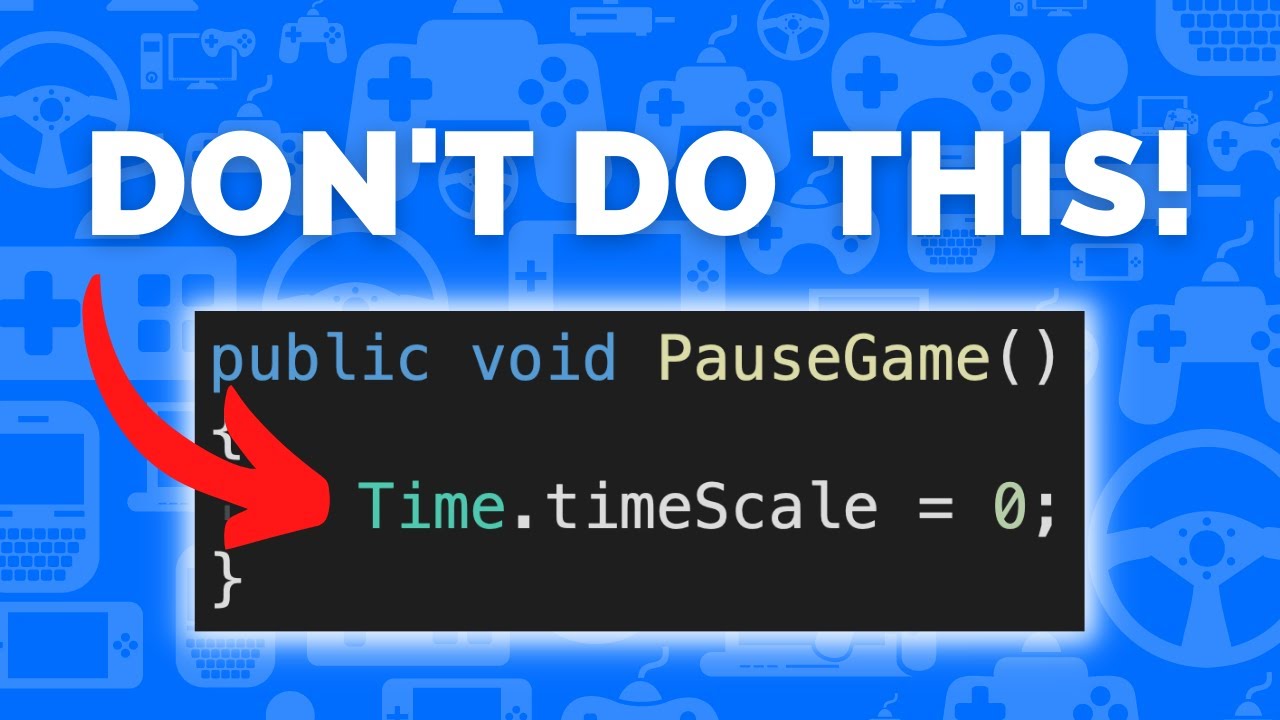
Learn how to pause your game in Unity in less than 2 minutes without setting timescale using events.
This allows you to still use time-based logic in pause menus and background systems and can even be extended to work for cutscenes, loading screens and game over screens.
TIMESTAMPS
00:00 Intro
00:05 Game State Manager
00:51 Hook up Player Move...
chilly surge
vestal geode
Quite
Usually I'd have to make singleton with the ability to receive multiple si...
Yes having a centralized manager for time scale (rather than everyone free for all and modify time scale however they want) solves the issue. How that manager is managed is a different issue yeah.
latent latch
vestal geode
On the surface it sounds like it might be difficult to get Animators and particl...
I was looking into something related to this to add animation frame skip for my characters, and my solution was to just evaluate the animation keys every other frame.
 broken jewel
any idea on camera collision??
vestal geode
craggy veldt
see this, Spazi https://www.youtube.com/watch?v=KPaEnLpu57s
This doesn't really seem to explain what problems are we avoiding by doing this
Unity already has timescale and the option to use unscaled time for time-sensitive components
I can see that it gives you more control to make a custom timescale, for when you need more than just two modes of time, but what beyond that?
vestal geode
latent latch
I was looking into something related to this to add animation frame skip for my ...
That does work but from what I've read that prevents Animator's internal optimizations from working, at least if you're using Animator.Update
 mild coyote
I agree, unity already give the unscaled delta time to almost everything, so I dont see benefit on avoiding timescale = 0
latent latch
vestal geode
That does work but from what I've read that prevents Animator's internal optimiz...
Right, you'd lose some features by directly animating it yourself through the script. I'm actually surprised Unity doesn't allow you to scale animation frame rate as it's a technique used in older games for optimization purposes.
Animancer from the asset store does provide this feature though if you're interested.
craggy veldt
mild coyote
I agree, unity already give the unscaled delta time to almost everything, so I d...
lots? physics, anything related to Update.. I mean sure you can freely cherry picking them and make them work with timescale 0. The idea is to make your life much easier and have more control on what should be affected by speed and what not, which is a big deal imo
and cleaner code ig
 mental rover
craggy veldt
and cleaner code ig
mental rover
craggy veldt
and cleaner code ig
apart from the boilerplate event handlers you now need to write for every class of course
(not that it's a bad idea though)
mild coyote
mental rover
apart from the boilerplate event handlers you now need to write for every class ...
exactly this.
and prone to error too I think
now you'll need XManager everywhere
craggy veldt
in what way it's prone to error?
vestal geode
craggy veldt
lots? physics, anything related to Update.. I mean sure you can freely cherry pi...
Are really that many issues with timescale?
As long as you keep in mind that it's just a multiplier used by components and doesn't change how Update itself runs, I haven't seen anything weird about how it works
Doesn't seem like I'll escape singletons either way
mental rover
vestal geode
Doesn't seem like I'll escape singletons either way
if you want a global way to control timescale that other individual components can access and request changes to, a singleton makes perfect sense
you don't need to try so hard to avoid it
mild coyote
craggy veldt
in what way it's prone to error?
more code to write, more chance one make mistake
craggy veldt
vestal geode
Are really that many issues with timescale?
As long as you keep in mind that it'...
what I was trying to convince you is that, you have more control of which objects should be affected by the speed and what not, so you won't need to deal with which components should have access to speedup/slowingdown things, they can have their own speed control.. it's not a global thing so you don't need to get too hairy of who/when should access the singleton
mild coyote
they can have their own speed control
now that I think of it, unreal iirc has this system where each actor has their own 'local' timescale, and I dont think its a bad idea 🤔
chilly surge
It’s basically opt in (“stuff that care about pausing needs to write code for it”) vs opt out (“stuffs that care about not being paused by time scale need to write code for it”), it very much depends on the ratio between the two.
vestal geode
craggy veldt
what I was trying to convince you is that, you have more control of which object...
Whether I use timescale or custom time multiplier, I would practically have to have a manager class in between anyway which as far as I can see should make them technically identical in how they work relative to components
Custom and local timescales sound good but are not that much of an everyday use case
latent latch
Video seems like fine idea for pause, but I'm not seeing how to change the timescale by a value. Would you just compare the current time and return from it otherwise?
mild coyote
vestal geode
Custom and local timescales sound good but are not that much of an everyday use ...
I was going to add
not that I'll need one anytime soon 😅
 steep saddle
I need to communicate with a couple serial ports. Incoming packets will be small most of the time, outgoing have the possibility of being much larger (I think close to 2 kb at the most extreme). In that most extreme example, I could be sending that packet pretty consistently, maybe every 20ms. Could be less frequently if I limit if further. For context, this is sending rgb data for several hundred addressable LEDs.
My question is, should I consider multithreading this process, or even have the serial port handling in an external application? At a baud rate of 921600, I believe it it would take around 20ms to send the largest packet I could conceivably send (1800 bytes).
knotty sun
steep saddle
I need to communicate with a couple serial ports. Incoming packets will be small...
which protocol are you using or, as you said serial ports, is is straight RS232 or RS422?
steep saddle
knotty sun
which protocol are you using or, as you said serial ports, is is straight RS232 ...
Like over USB
I've had a few iterations of this. First was to use a few USB hubs and then several USB extenders to connect to the distant microcontrollers (up to 50 feet away). USB extenders were unreliable so I switched to UART adapter boards and rs485 modules. And my latest (final?) version is a single microcontroller connected to the PC via USB which channels packets to up to 6 other microcontrollers.
But yeah, at the end of the day, it's just a USB com port
knotty sun
but USB does not have a baud rate as such, so I fail to see how that is relevant. If you can buffer multiple ports then a single thread will handle it, if not then you will need a thread per port
steep saddle
The limiting factor is on the microcontroller side, which uses USB 1.1, so there is a baud rate cap
knotty sun
tbh if you are coming from 485 then channelling into 422 would be preferable, if you have the hardware to support it
steep saddle
knotty sun
tbh if you are coming from 485 then channelling into 422 would be preferable, if...
I don't, and this needs to be pretty flexible/work on any PC
knotty sun
so USB-C?
steep saddle
...micro?
Sorry, I might be unclear on terms. USB-B I thought was the boxy one for connecting to printers
knotty sun
micro can be A micro or C
deft timber
Don't offtopic in code related channel 🤷
steep saddle
It's relevant to the question I'm working through
deft timber
Is the question related to code?
knotty sun
steep saddle
It's relevant to the question I'm working through
simple answer, if your microcontroller is buffering, which I'm pretty sure it can handle, then single thread should be sufficient
steep saddle
So yeah I guess it's micro C. But I must have misread earlier and I see the baud rate is 12Mbit/s. The bottle neck is the rs485 on the controller side, not the USB side
steep saddle
knotty sun
simple answer, if your microcontroller is buffering, which I'm pretty sure it ca...
Yeah I think you're right
Thanks
knotty sun
steep saddle
So yeah I guess it's micro C. But I must have misread earlier and I see the baud...
that's fine, as I suspected, then single thread should be no problem at all
knotty sun
steep saddle
Sorry, I might be unclear on terms. USB-B I thought was the boxy one for connect...
fyi, USB-B is the standard for USB 1.1 connections
 normal arch
public void CorrectColliders()
    {
        foreach(Collider2D col in colliders)
        {
            HeightCollider colHeight = col.GetComponent<HeightCollider>();
            colHeight.dynamicColliderHeightLevel = colHeight.startingColliderHeightLevel + (int)entityHeight;
            colHeight.ChangeHeightLevel();
        }
    }

    public void CorrectColliderList()
    {
        foreach(Collider2D col in colliders)
        {
            HeightColliderList colHeightList = col.GetComponent<HeightColliderList>();
            for(int i = 0; i < colHeightList.dynamicColliderHeightLevels.Count; i++)
            {
                for(int j = 0; j < colHeightList.startingColliderHeightLevels.Count; j++)
                {
                    int heightAdder = colHeightList.startingColliderHeightLevels[j] + (int)entityHeight;
                    colHeightList.dynamicColliderHeightLevels[i] = heightAdder;
                }
            }
            colHeightList.ChangeHeightLevels();
        }
    }
so i have this code that's supposed to be changing the player's position in a height system and i can't for the life of me figure out what's wrong
leaden ice
What's it supposed to do? And what's happening instead
normal arch
there are many scripts tied to it and i can show them if thats what you want
so first off, the first function in there works completely fine but the second one just messes up
leaden ice
First explain what it's supposed to do and what's happening instead.
leaden ice
What's the first function doing?
normal arch
but this line colHeightList.dynamicColliderHeightLevels[i] = heightAdder; gives all the wrong numbers
normal arch
leaden ice
What's the first function doing?
basically my player can jump, and when they jump it moves the players height level so they interact with the right things
mental rover
normal arch
but this line `colHeightList.dynamicColliderHeightLevels[i] = heightAdder;` give...
seems weird to be looping over both i and j
I'd try some https://en.wikipedia.org/wiki/Rubber_duck_debugging - this sounds like the type of thing where as soon as you actually try to explain step by step what you're trying to do, it will be obvious to you where you made the mistake
 modest brook
yo can someone help me?
im trying to make it so text gets a bit bigger when hovering over it
this is the current codee i have
i followed a tutorial but it was for a 3d object
`public GameObject HoverPanel;
public void OnPointerEnter(PointerEventData eventData)
{
if (OnPointerEnter(true))
{
transform.localScale = new Vector2(3.798263, 3.798263, 3.798263);
}
}`
it could be all wrong im quite new sorry
knotty sun
why not just change the font size?
modest brook
knotty sun
why not just change the font size?
because i want to make it so when ever i hover over it it will change size
knotty sun
what do you think changing the font size will do?
 sudden relic
You should probably remove the if statement and just call "transform.localScale = new Vector2(3.798263, 3.798263, 3.798263);"
And then add an "OnPointerExit" method that sets the size to the original
modest brook
sudden relic
And then add an "OnPointerExit" method that sets the size to the original
i'll try
modest brook
knotty sun
what do you think changing the font size will do?
yeah but surely i'll need a bit of coding to make it so i exit and enter it'll change
knotty sun
yes, OnPointerEnter/Exit, which you already have
modest brook
sudden relic
You should probably remove the if statement and just call "transform.localScale ...
i did that btw
 sudden relic
However, the suggestion by @knotty sun is probably what you want to do. Instead of modifying the localScale, you should set the font size.
Replace transform.localScale = new Vector2(3.798263, 3.798263, 3.798263); with transform.localScale = new Vector2(3.798263, 3.798263);
knotty sun
modest brook
i did that btw
can you count
modest brook
sudden relic
However, the suggestion by <@556797857584381953> is probably what you want to do...
how can i do that/
?*
knotty sun
Vector2(3.798263, 3.798263, 3.798263);
2 -> with 3 parameters
modest brook
im so sorry or the inconvenience by the way guys
modest brook
knotty sun
Vector2(3.798263, 3.798263, 3.798263);
2 -> with 3 parameters
yeah but it said the same with 2
hold on
arctic plume
Is there a way to make a collider for an object visible to the player in the actual game through scripting?
knotty sun
missing f, you are specifying doubles not floats
modest brook
knotty sun
missing f, you are specifying doubles not floats
how can i specify a float instead of double?
knotty sun
f at the end of the number
modest brook
wait that worked cheers
is there a way to smooth it out?
i know thats a stupid question
knotty sun
yes, Lerp but I fear that is way beyond your current skill level
sudden relic
It circles back to changing the font size vs. scaling
modest brook
how can i change the font size instead then?
im assuming i just change a couple of things
sudden relic
It requires a bit more context, but assuming you're using TMP and the script you have is attached to a Text Object:
GetComponent<TMP_Text>().fontSize = 50; // or whatever font size you want.
However, I'd recommend watching tutorials or guides related to UI
knotty sun
no, you need a Coroutine and Lerp
rigid island
arctic plume
Is there a way to make a collider for an object visible to the player in the act...
yeah probably
wiremesh material
 kindred copper
im having issues using the default unity json serializer
It seems clunky, is it better to use or not much of a difference if I use other .net serialization methods
latent latch
newtonsoft
kindred copper
thanks 🙂
rigid island
kindred copper
im having issues using the default unity json serializer
It seems clunky, is it ...
yes built in one gets job done but its trash because its limited by unity serialization.
Json.net from newtonsoft is the best tool for the job
orchid abyss
how to destroy gameobject but have the particle effect play?
leaden ice
orchid abyss
how to destroy gameobject but have the particle effect play?
spawn a separate object that is just the particle system
orchid abyss
aight
 half vigil
!code
tawny elkBOT
Posting code
📃 Large Code Blocks
Use links to services like:
https://gdl.space/, https://paste.ofcode.org/, https://hatebin.com/, https://paste.myst.rs/, https://hastebin.com/
📃 Inline Code
Surround code with three backquotes. Not quotation marks.
To format as C#, add cs to the first line:
```cs
// Your code here
```
Add a comment with a line number if there is an error message.
half vigil
does anyone know why this calculation could result in the "Input velocity is NaN, NaN, NaN"
https://gdl.space/ujequgugiq.cpp
im aware the error appears when you try dividing by 0
Im just not sure where I am
rigid island
if you dont know debug your values
half vigil
im not sure where to
rigid island
inside CalculateJumpVelocity
simple egret
Most likely the result of the division on line 9, which would imply that the result of the addition for the denominator is zero
knotty sun
half vigil
im not sure where to
break this line down into it's constituents
Vector3 velocityXZ = displacementXZ / (Mathf.Sqrt(-2 * trajectoryHeight / gravity) + Mathf.Sqrt(2 * (displacementY = trajectoryHeight) / gravity));
rigid island
yeah that line looks freeky
half vigil
simple egret
Most likely the result of the division on line 9, which would imply that the res...
bro i can barely even comprehend what ur saying but sure Ill try it thnx
simple egret
Also is this an intended = (assignment) here? In the middle of the expression?
 spring creek
half vigil
bro i can barely even comprehend what ur saying but sure Ill try it thnx
spring creek
half vigil
bro i can barely even comprehend what ur saying but sure Ill try it thnx
You divide by zero on line 9
leaden ice
simple egret
Also is this an intended `=` (assignment) here? In the middle of the expression?
that's gotta be a typoed + or -
brutal for the calculation though
simple egret
Yeah most likely it's a subtract
half vigil
simple egret
Also is this an intended `=` (assignment) here? In the middle of the expression?
lmao
yeah p sure thats it
knotty sun
@half vigil fyi, there is no reason whatsoever to ever write a line of code like that which is impossible to debug
simple egret
And for pure completeness, the "denominator" is the lower part of a fraction (the division), while the numerator is the upper. num / den
half vigil
alr so the jump is quite working byt the error is gone so I may just have to tweak som stuff'
its doing like half the jump and then the other half after a couple seconds
mental rover
more likely to be NaN from the negative square root I'd say

 west lotus
Okey now show the code
Also obligatory using the animator for UI is bad for performance
 untold siren
really stuck on this - I'm trying to make a script that allows the enemy to wallrun - I originally tried to implement this via navmesh, navmeshlinks etc and then just handle the visual rotation in script but it keeps auto pathing to walk backwards and then approach another wall, even though both surfaces (I have one for left, one for right, so I can control the correct rotation for the enemy) have the same cost
I'm now trying to implement this via manual movement but I can't figure out how to check when the enemy needs to wall run - I can check the navmesh if the path is valid but according to navmesh it thinks that this path is still valid (see pic)
there is nothing else online that really mentions wallrunning for enemy movement, so I'm stumped on what to do :p

its just weird since I see so many games out there have their own implementations of wall running, across multiple game engines but its just so odd to not find resources for unity that help implement this
rigid island
untold siren
really stuck on this - I'm trying to make a script that allows the enemy to wall...
bake the navmesh on the wall
knotty sun
untold siren
its just weird since I see so many games out there have their own implementation...
I have a rather old test project that does wall running using NavMesh, I can package it up for you if you want
untold siren
knotty sun
I have a rather old test project that does wall running using NavMesh, I can pac...
that would be amazing if you don't mind doing so :)
knotty sun
untold siren
that would be amazing if you don't mind doing so :)
sure, wait a minute and I'll DM it to you
untold siren
rigid island
bake the navmesh on the wall
yeah, I've gone about that method - the AI repaths however to run on the other wall even though they both have the same cost, and disabling repathing whilst the enemy is on the wall changes nothing
 untold siren
knotty sun
sure, wait a minute and I'll DM it to you
untold siren
knotty sun
sure, wait a minute and I'll DM it to you
thank you very much :)
half vigil
can someone explain why this is happening (the neon blue cubes are the grappling ones)
ignore sound
rigid island
untold siren
yeah, I've gone about that method - the AI repaths however to run on the other w...
strange I had it working like that before, but seems you have something sorted 🙂
untold siren
rigid island
strange I had it working like that before, but seems you have something sorted �...
yeah it seems to be one of the only methods I can find online, that implement it that way - the whole thing is actually rotating the mesh etc once its on the wall but it results in it being so goofy lol
a method would be to set the linkers to single direction when the enemy wallruns but having that would require it to be on every single wall which sounds like far more effort then what sounds like could be done with an easy method
modest brook
west lotus
Okey now show the code
` public void OnPointerEnter(PointerEventData eventData)
{
animator.Play(ScaleWhenHover);
}`
i thought this would work
rigid island
untold siren
a method would be to set the linkers to single direction when the enemy wallruns...
yea iirc when I did it just used the surface itself as way to "ground player" but it does take more effort instead.
untold siren
rigid island
yea iirc when I did it just used the surface itself as way to "ground player" bu...
if it works it works lol, since I've never used navmesh that in-depth in the past I'm surprised how barebones the package actually is, unless I'm just trying to use it in odd ways the devs didn't intend for XD
modest brook
can anyone else help me?
im trying to get it so an animation plays when hovering over text
rigid island
untold siren
if it works it works lol, since I've never used navmesh that in-depth in the pas...
yeah it does work well but you have to get kinda creative to push it at its limits :p
rigid island
modest brook
im trying to get it so an animation plays when hovering over text
you havent provided enough info
what's wrong with OnPointerEnter
simple egret
You need to implement the IPointerEnterHandler interface, have you done that? Do you have an Event System in the scene?
modest brook
rigid island
what's wrong with `OnPointerEnter`
i thoughts thats what i have to do
rigid island
modest brook
i thoughts thats what i have to do
well sure if you want mouse event but you need a couple of things, for starters the ones mentioned by SPR2 above
modest brook
simple egret
You need to implement the `IPointerEnterHandler` interface, have you done that? ...
i should do
 dense estuary
I logged when its true, and it seems to be functioning properly.
But I am still leaping into the sky when the ramp ends
 golden lichen
is it possible for compute shaders to create geometry (meshfilter mesh, for example) without reading back the compute buffer on C#? I know it's possible to create textures this way, since the template compute shader does exactly this
in other words, how do I know if something is possible to do on a compute shader with/without a compute buffer?
(this is not a graphics question)
modest brook
 golden lichen
your question?
simple egret
modest brook
this
Event system is present. Second part, is your class implementing the IPointerEnterHandler interface?
eg. class SampleScript : MonoBehaviour, IPointerEnterHandler { ... }
modest brook
simple egret
Event system is present. Second part, is your class implementing the `IPointerEn...
yeah
`using System.Collections;
using System.Collections.Generic;
using UnityEngine;
using UnityEngine.EventSystems;
public class HoverOver : MonoBehaviour , IPointerEnterHandler,IPointerExitHandler
{
public GameObject HoverPanel;
public Animator animator;

void Update ()
{

}

public void OnPointerEnter(PointerEventData eventData)
{

    animator.Play(ScaleWhenHover);


}

public void OnPointerExit(PointerEventData eventData)
{

}
}
`
this is fulll
simple egret
Post a screenshot of your Canvas, and one of your Event System
modest brook
 simple egret
The Inspector of that object lol
sudden relic
Maybe that is their canvas

 simple egret
Okay good, can you do the same for the object you're trying to hover? Also confirm it's under your Canvas
 late lion
golden lichen
is it possible for compute shaders to create geometry (meshfilter mesh, for exam...
late lion
golden lichen
is it possible for compute shaders to create geometry (meshfilter mesh, for exam...
You can access the GPU vertex buffer of a mesh with this method:
https://docs.unity3d.com/ScriptReference/Mesh.GetVertexBuffer.html
Then you can pass this buffer to a compute shader and read/write to it.
golden lichen
whoa, awesome!
half vigil
does anyone know why this is happening (the neon blue cubes are for grapplin(zooming towards them) and brown is for swinging(thats working properly so I dont need help with it))
also sorry about the strange sound
modest brook
modest brook
@simple egret these are under canvas New game text is what im trying to hover
 simple egret
Good. What you can do is play the game, and with the Event System selected, at the bottom of the Inspector you can pull up a small window, it will show what's being detected. See if your object appears in the list when you hover over it. If it does not, then it might be blocked by something "on top" of it
Like that "Main Menu" object if it englobes the button
modest brook
@simple egret ?
 half vigil
does anyone know why this is happening (the neon blue cubes are for grapplin(zoo...
half vigil
half vigil
does anyone know why this is happening (the neon blue cubes are for grapplin(zoo...
can anyone help ith this?
modest brook
@simple egret ?
simple egret
Sorry I'm not available right now, someone else will take the lead
But it seems like the event system isn't detecting anything
modest brook
oh
simple egret
The "Selected", "pointerEnter" and other fields should fill up when an object is detected
So yeah there might just be another object in front of the one with the script on.
Basic check, you attached the script to the object right??
modest brook
oh no cuz it had compile errors
heady iris
How should I go about changing the name, namespace, or assembly of a type that's used by managed references (i.e. [SerializeReference] fields)?
I imagine I can just whack every scene and prefab file with a find-replace
but this is uh
an interesting way to make changes
Oh, I guess I could write an editor script.
I see that I can get https://docs.unity3d.com/ScriptReference/SerializedProperty-managedReferenceFullTypename.html, but I don't see a way to manipulate the assembly name, namespace, and classname
ah, hmm
I see that UnityEditor.ScriptAttributeUtility is what actually gets you the Type that SerializedProperty.managedReferenceFullTypename reports, but it's inaccessible
i'm going to go ask this in #↕️┃editor-extensions because it's gone off into that territory
 little meadow
@heady iris oh, but isn't it obvious? you can just use the MovedFrom attribute... that no one ever documented anywhere... 😒
Or so I've heard, I haven't actually tried it 😄
heady iris
I just bumped into that. Someone on the forums suggested it only works for MonoBehaviour/ScriptableObject classes
i'm going to give it a try
little meadow
If that doesn't work - utter sadness 😄
heady iris
if it doesn't work, I'm using sed 
little meadow
I use [SerializeReference] extensively... so I made a menu that goes "Tools" -> "I did the unspeakable" -> "I changed a serialized object's type", which opens a menu that does exactly what you said - find and replace in all prefabs and scenes 😄
Buut I didn't know about this attribute back then... let me know if it helps!
heady iris
I think it worked!
I did have to convince Unity to re-serialize my prefab to see the updated namespace
I already have a button to do that project-wide
little meadow
yeah, that's normal
heady iris
that way I don't have to litter my code with [FormerlySerializedAs]
little meadow
That's just for another use-case, no?
heady iris
Yeah, it's just what motivated me to add the Big Reserialize Button
and the Bigger Reserialize Button
little meadow
Ah, I see, yeah 🙂 👍
heady iris
which reserializes every asset I have
scorched earth
I'm going to make sure this works when renaming and changing namespaces
it still might be easier to find-replace the YAML though
lol
or, if I'm feeling less naughty, actually parsing the YAML, rewriting the relevant parts, and writing it back to disk
little meadow
find-replace 👍 😄
half vigil
half vigil
does anyone know why this is happening (the neon blue cubes are for grapplin(zoo...
does anyone have a fix for this?
 grave tundra
I have code that needs a list of objects. I want to be able to add to this list in the editor and at runtime. In order to work in the editor, I understand it needs to be UnityObject[] instead of object[], however, I have scripts at runtime that are not UnityObjects (or any derivative). Is there a way to structure this field so this can work in both situations?
heady iris
If a plain-old C# class is marked with [System.Serializable], Unity can serialize it.
The big caveat is that this doesn't support polymorphism
That's what the [SerializeReference] thing we were just talking about is for -- it lets you serialize a parent type and then actually store a child type
This comes with the drawback of Unity not providing an inspector UI for you out of the box.
 swift falcon
How could i get **serialized **variable's count in a Type? typeof(TestClass).GetFields().Where(i => !i.IsNotSerialized).Count() this does not work.
hexed pecan
Maybe .GetFields.Count(i => ...)?
kindred copper
I want to code better in unity, im not sure when I should abstract my methods and code in seperate game objects or have a game controller etc.
Is there some kind of guide for best practices for code abtractions on unity that anyone recommends?
swift falcon
hexed pecan
Maybe ``.GetFields.Count(i => ...)``?
Ah overloads...
rigid island
kindred copper
I want to code better in unity, im not sure when I should abstract my methods an...

Unity
Level up your programming with game programming patterns
kindred copper
just what I needed thanks 🙂
latent latch
virtual all methods
swift falcon
hexed pecan
Maybe ``.GetFields.Count(i => ...)``?
Thank you. Now only one problem left
latent latch
virtual all methods and use protected over private :)
(it's a joke but im lazy to go back and change stuff)
 zealous salmon
Hello, any help here would really be appreciated.
I've been wokring on trying to import a character from a URL & render into my game. I've seen unity games download fassets before I'm just trying to figure out how to get it to work for me.
If anyone has any tutorials or working code examples that they can show me I would be greatly appreciatied!
rigid island
Maybe asset bundle?
knotty sun
zealous salmon
Hello, any help here would really be appreciated.
I've been wokring on trying t...
you need to look up Asset Bundels and Addressables
rigid island
You could potentially just use GLTF file and load them runtime like that + webrequest
zealous salmon
Could you guys give me some links that I could use to learn more please?
rigid island
well the link i've sent is a repo for this plugin you can try.. it tells you how to use it
zealous salmon
oh right I never realised that was a link lol
knotty sun
zealous salmon
Could you guys give me some links that I could use to learn more please?
I've given you 2 keywords you can plug into Google after the word "Unity"
zealous salmon
Thank you guys will try this & get back to you if I get stuckl again 😅
 gray nebula
Hey all, wondering if you can add a folder to a sprite atlas packables list via c#. I can currently sift through the folder and add all the assets individually, but just wondering if I can just add the folder path. Thanks!

 modest lion
Hey guys i have this error for one of my maps on my multiplayer games
this error wont allow me to play on the map
does anyone have any idea in what direction i should look for to fix that bug?
 deft timber
did you read it?
modest lion
yes
deft timber
and what does it say
swift falcon
There is a spy EventSystem in your scene.
modest lion
deft timber
type that into your hierarchy
Thank you
swift falcon
This isn't allowed because shared thing can't be multiplied but can be overriden.
tender arch
using TMPro;
using UnityEngine;
using UnityEngine.UI;

public class HoverDetector : MonoBehaviour
{
    private RawImage rawImage;
    private TextMeshProUGUI textMeshProUGUI;
    public Color noHover;
    public Color hover;

    private void Start()
    {
        rawImage = GetComponent<RawImage>();
        textMeshProUGUI = gameObject.GetComponentInChildren<TextMeshProUGUI>();
    }
    private void OnMouseEnter()
    {
        rawImage.color = hover;
        textMeshProUGUI.color = Color.white;
    }

    private void OnMouseExit()
    {
        rawImage.color = noHover;
        textMeshProUGUI.color = Color.black;
    }
}
its not detecting when the mouse is hovering over it
wait no
i figured out the solution
thanks anyway
tawdry jasper
Should I be able to do: if (heroIsStuck && _heroItem.transform.parent?.TryGetComponent<Target>(out var target)) { I get an CS0019: Operator '&&' cannot be applied to operands of type 'bool' and 'bool?' err. Does this mean the ?. syntax can only be used to conditionally run methods on nullable types and can't shorten a parent != null check? (It appears I can use a ?? to coerce the potential null to a bool, but then I loose the ability to conditionally call TryGetComponent 🤔
lean sail
You shouldnt be using ? on unity objects in the first place
tawdry jasper
this works: var heroParent = _heroItem.transform.parent; if (heroIsStuck && heroParent != null && heroParent.TryGetComponent<Target>(out var target)) {
I was hoping I can get by without explicitly checking for transform.parent with the ?. operator.
lean sail
tawdry jasper
this works: ```
var heroParent = _heroItem.transform.parent;
if (heroIsStuck &...
Modern ways of null checking (? and ??) dont work on unity objects, because it does not use unitys implementation of a null check
tender arch
i just do if (ex != null){}
heady iris
tawdry jasper
Should I be able to do: `if (heroIsStuck && _heroItem.transform.parent?.TryGetCo...
It sounds like you have your project set up to be nullable-aware
if I do that, I don't get such an error
ah, no, there it goes
You got that error because the right hand side winds up being a nullable bool
But, as bawsi noted, you shouldn't be doing this in the first place
When you destroy a Unity object, it will compare equal to null
but this is just how UnityEngine.Object defines the == operator
Any existing references don't magically become null
golden lichen
can anyone find an example of a compute shader that uses GraphicsBuffer instead of ComputeBuffer? I can't find a single example of one online, not even the official documentation shows the shader code (GetVertexBuffer in this example https://docs.unity3d.com/ScriptReference/Mesh.GetVertexBuffer.html)
and speaking of GetVertexBuffer, what kind of data am I sending to the GPU? ints? floats? Do I still use RWStructuredBuffer for GraphicsBuffers? So much isn't explained in the docs
cosmic rain
golden lichen
can anyone find an example of a compute shader that uses GraphicsBuffer instead ...
Shaders typically don't care about the exact types you use on the shader side. What matters is that your type matches the memory layout of whatever you send from the CPU side.
You'll need to figure out what the data structure on the C# side looks like and replicate it in the shader.
golden lichen
yes, I perfectly aware of that
when I use ComputeBuffers, but I'm asking about GraphicsBuffers
with ComputeBuffers, you can send any data as a struct as long as the structs matches on both C# and the shader code
cosmic rain
Same with graphics buffer. A compute buffer is just a wrapper for a graphics buffer I think.
golden lichen
okay, but it would help if I found 1 example
since Graphics Buffers are used with vertex/index buffers, both of which I don't know how to use (in the shader code)
cosmic rain
I think there aren't any examples, because unity generates the buffer struct dynamically based on what attributes the mesh has. I.e. it can be as simple as just the vertex position or as complicated as position, normal, tangent, uv, etc...
Check the VertexAttributeDescriptor docs page. It explains it a bit.
golden lichen
alright, thanks!
half vigil
Does anybody know why this is happening, the grappling script targets the neon blue cubes but as you can see in the video is doesnt grapple properly
ignore the sound btw lol
hexed pecan
half vigil
Does anybody know why this is happening, the grappling script targets the neon b...
Better share your code
half vigil
its a bit
spread out
accross alot of scripts
but Ill try
unity and vs loading up rn tho
dusk apex
When you do, here's instructions on how to post !code
tawny elkBOT
Posting code
📃 Large Code Blocks
Use links to services like:
https://gdl.space/, https://paste.ofcode.org/, https://hatebin.com/, https://paste.myst.rs/, https://hastebin.com/
📃 Inline Code
Surround code with three backquotes. Not quotation marks.
To format as C#, add cs to the first line:
```cs
// Your code here
```
Add a comment with a line number if there is an error message.
half vigil
dusk apex
When you do, here's instructions on how to post !code
bruh Im getting so many namespace errors now that its open
sould I just wait them out?
or is there something u have to do to fix them
cosmic rain
What errors and where do you see them?
half vigil
cosmic rain
What errors and where do you see them?
Type 'Movement' already defines a member called 'StopCrouch' with the same parameter types
I have this but for basically all the scriptscand public functions
Im aware its a unity error but I still dont know how to fix
cosmic rain
So is your actually issue compile errors?
Do these errors appear in the unity console?
half vigil
im pretty sure
 cosmic rain
The error implies that you have duplicate scripts/files. Find the duplicates and delete them.
half vigil
I just opened the project
cosmic rain
I feel like you did something silly, like copying the project or it's assets into itself...
half vigil
cosmic rain
I feel like you did something silly, like copying the project or it's assets int...
I feel insulted :(
anyway yeah tere were just extras in the normal assets'
bc scripts is a folder
idk how
silly unity
cosmic rain
Search the project for one of the mentioned types/files. Then take a screenshot of the results.
half vigil
cosmic rain
Search the project for one of the mentioned types/files. Then take a screenshot ...
nah its fixed
time to actually try fixing the problem lol
cosmic rain
Since you're asking in general code, you should know how to debug your code. Find the part that actually hooks the grappling hook, and trace backwards from there.
half vigil
cosmic rain
Since you're asking in general code, you should know how to debug your code. Fin...
alr
alr so Im doing it but it just logs what is hooked onto which isnt really the problem
Im quessingthe caculation is off so Ill post it
cosmic rain
half vigil
Im quessingthe caculation is off so Ill post it
I don't k ow enough about your setup, but jump logic doesn't sound relevant to swinging..?🤨
half vigil
im just calling the act of pulling u to what ur grappling to a jump
its not the actual jump
cosmic rain
half vigil
im just calling the act of pulling u to what ur grappling to a jump
Then debug it. The force that is being applied and timing. And compare to when it does work correctly
tender arch
im going to cry
ive been trying to get this to work for over 2-3 hours, it worked before but all of a sudden it stopped working when i implemented a optional gameobject then removed it
i am so frustrated that im going to cower on the ground


the thing is it works with other kinds of buttons
but not the actual x buttons
cosmic rain
tender arch
im going to cry
ive been trying to get this to work for over 2-3 hours, it work...
Debug it
tender arch
i did
 cosmic rain
Debug what object it's called from.
 daring hull
is this a place where I can ask for help?
half vigil
daring hull
is this a place where I can ask for help?
no, its patrick
cosmic rain
daring hull
is this a place where I can ask for help?
Assuming it's relevant to this channel.
daring hull
im trying to make conways game of life on unity, and I'm really confused as to why my code doesn't work. When I click on any of my cells, nothing changes. I'll send my code.
mild coyote
tender arch
im going to cry
ive been trying to get this to work for over 2-3 hours, it work...
you shouldnt close the parent using a function on it's child
instead make the close function on the parent itself and let the child call it
daring hull
this is my code for the actual board
cosmic rain
mild coyote
you shouldnt close the parent using a function on it's child
instead make the c...
I don't think there's any problem in deactivating an object from its child. At least functionally.
cosmic rain
daring hull
this is my code for the actual board
!code
tawny elkBOT
Posting code
📃 Large Code Blocks
Use links to services like:
https://gdl.space/, https://paste.ofcode.org/, https://hatebin.com/, https://paste.myst.rs/, https://hastebin.com/
📃 Inline Code
Surround code with three backquotes. Not quotation marks.
To format as C#, add cs to the first line:
```cs
// Your code here
```
Add a comment with a line number if there is an error message.
mild coyote
cosmic rain
I don't think there's any problem in deactivating an object from its child. At l...
if he move the child (the close button) it might close the wrong object
cosmic rain
Indeed, but it would work if it's not moved in the hierarchy.
daring hull
this is my grid code: https://gdl.space/efiqejubit.cs
this is my cell code: https://gdl.space/lebupovivo.cs
before running

running

when i try to click on my grid, it simply does nothing?
cosmic rain
daring hull
this is my cell code: https://gdl.space/lebupovivo.cs
What debugging steps did you take so far?
daring hull
ive tried to figure out how breakpoints and stuff work
cosmic rain
Ok, when you figure that out, use it to see if the OnMouseUp function is being called.
mild coyote
daring hull
can you help me figure out how to use them
the old reliable Debug.Log("Ahoi there"); might be enough to do the job
cosmic rain
daring hull
can you help me figure out how to use them
Did you read through the VS debugging manual or some other resource on how to use the debugger?
daring hull
mild coyote
the old reliable ```Debug.Log("Ahoi there");``` might be enough to do the job
sure
yeah i dont think tis being called because theres nothing in the console
mild coyote
maybe you need to add collider(2D) to the cell prefabs
https://docs.unity3d.com/ScriptReference/MonoBehaviour.OnMouseUp.html

 mild coyote
is Physics2D.queriesHitTriggers set to true?
daring hull
OH
cosmic rain
daring hull
What's wrong with it's size? I don't think anything would be able to hit it.