#archived-code-general
1 messages · Page 256 of 1
 wicked scroll
but you can maybe profile it? i never tried
ultimately it will always take some time though and if there's no reason to spend that time, it seems good not to
 heady iris
the more stuff there is, the longer it takes
i do need to look into profiling that
It's ultra-fast in an empty project
 hard viper
does domain reload also have to reset non-serialized fields in SOs?
wicked scroll
i don't think it touches SOs
heady iris
mmm, that's something I'd need to double check
I know that changes to serialized fields on scriptable objects can appear to persist from play mode session to play mode session
(and then go away after the objects actually unload)
wicked scroll
right? i think that's because domain reloads are just for monobehaviors
which is why statics are a problem, because they too get 'missed'
heady iris
a domain reload will reset static fields back to their default values
it's creating a new application domain
afaik
time to go check
 dawn apex
!code
 tawny elkBOT

Posting code
📃 Large Code Blocks
Use links to services like:
https://gdl.space/, https://paste.ofcode.org/, https://hatebin.com/, https://paste.myst.rs/, https://hastebin.com/
📃 Inline Code
Surround code with three backquotes. Not quotation marks.
To format as C#, add cs to the first line:
```cs
// Your code here
```
Add a comment with a line number if there is an error message.
wicked scroll
haha yeah i'm starting to doubt everything now >_>
dawn apex
why does the enemy stay in place? https://gdl.space/xigebuluzu.cpp
yet still tries to move towards me like i want it to
hard viper
ok, this isn't quite right
    objBase.customDrawLogic = gameObject.AddComponent(objBase.drawSpecialLogic.Type) as ICustomDrawLogic;
}
Debug.Assert(objBase.customDrawLogic.gameObject == gameObject, $"Cust....```
objBase is an SO. customDrawLogic is a public, non-serialized interface field. That interface contains a singleton. This code (at the last line) says missing reference exception because objBase.customDrawLogic references an object that has been destroyedI'm literally checking if it is null in the line above
heady iris
sweet, exactly what I expected
the Domain Reload reset the non-serialized fields
but Unity persisted changes to the serialized fields
hard viper
that is dogshit
I'm just turning back on domain reload
I need to domain reload anyway whenever I change my code
and he most common case is entering playmode exactly once after changing code
I am absolutely not going through every non-serialized field, and micromanaging that
and then depending on having done that right
dawn apex
nvm i figured it out
 dusk apex
hard viper
I'm literally checking if it is null in the line above
dusk apex
hard viper
I'm literally checking if it is null in the line above
So you've checked if it was null above. Assuming it was, you've attempted to add a component to this game object and reference it as an interface (potential null).
hard viper
dusk apex
So you've checked if it was null above. Assuming it was, you've attempted to add...
it does implement that interface tho
heady iris
the cast can silently fail if something is wrong there
hard viper
it works fine on domain reload
heady iris
oh, I see it
dusk apex
hard viper
it does implement that interface tho
What if the added component isn't of the type?
heady iris
customDrawLogic is an interface type
you aren't getting Unity's null comparison logic
dusk apex
Relative to cast
heady iris
you'd need to cast it to UnityEngine.Object and then check if that's null
the interface type is just going to do a reference equality check
hard viper
dusk apex
Relative to cast
I used Debug.Log right before my assertion, and it is not null
heady iris
and that returns false because it's not literally a null reference
it's just a reference to an object unity happens to think is destroyed
dusk apex
Else we're assuming it isn't entering the if statement and actually null but not null
hard viper
but it does throw a missing reference exception the moment I call customDrawLogic.gameObject
heady iris
heady iris
`customDrawLogic` is an interface type
this is the issue. you don't need to keep looking :p
hard viper
and I checked customDrawLogic == null AND customDrawLogic is null. Both are false
dusk apex
Maybe log if the expression evaluated is null or if the if-statement is occurring
Or if the component after cast is null
heady iris
without a domain reload, all of these old static references will remain exactly as they were in the last play session
dusk apex
I'm assuming the adding of the component is valid
heady iris
they will be references to objects that Unity considers destroyed
but they will still be there, regardless, because C# doesn't care what Unity thinks
this is happening specifically because of the interface type. it skips Unity's custom null comparison logic.
If the domain is reloaded before you enter play mode, that field will be a literal null reference
hard viper
honestly, I think I will spend less time waiting for domain reloads, then I will debugging to make sure not domain reloading is an accurate match in final build
heady iris
it's especially important to disentangle unity objects and C# objects from each other when you're dealing with interface types
 idle rose
I have this Input Actions Asset.
What I want to achieve is : Change the value of the 'Movement' Action through CODE at runtime

I know you can read values by getting the action, and doing ReadValue
However I want to know how to SETValue (which doesn't exist) to manually override this at runtime
lets Say I want to temporarily control the input through code
how do I do this?
hard viper
I would not do that
I would make a singleton with a super high execution order. Have this subscribe to Movement, make whatever edits you need for its own internals, and then all your scripts reference this singleton
eg ProcessedInputManager : Singleton<ProcessedInputManager>
idle rose
dang. okay.
Would've been nice to have the option for everything to go through a single action. That way the player can switch between using the premade bindings (WASD) and the virtual controls im making
and it would've been a cleaner implementation i feel
but if its not ideal or doable, I guess I will have to work around it.
heady iris
I wonder if https://docs.unity3d.com/Packages/com.unity.inputsystem@1.7/manual/Testing.html could help you out
you wouldn't actually be writing tests, so you'd be able to ignore most of it
you'd be creating a fake device, basically
 lavish frigate
Hey guys. Currently i have a variable that is true when spacebar is held (using new input system). This works fine for what i have, but now i need this variable to be false after like a 0.x delay. So it should only turn true for a while after a press/hold. Any suggestions or solutions on how to approach this problem?
lavish frigate
lavish frigate
Hey guys. Currently i have a variable that is true when spacebar is held (using ...
My issue here is that when the button is held, it is always true as it is subscribed to jump.performed
heady iris
The input system alone won't do that for you. Maybe you could write a custom processor?
I would just implement that logic myself.
 west merlin
The First Person Controller from the Unity Starter Assets limits the number of decimal places to 3 after calculating speed. Is this an optimization of some kind? FirstPersonController.cs, line 179.
The comments don't offer an explanation, and I haven't found a reference to this as a general technique on Google...
 lean sail
west merlin
The First Person Controller from the Unity Starter Assets limits the number of d...
lean sail
west merlin
The First Person Controller from the Unity Starter Assets limits the number of d...
Most people dont just have the code open/wont go find it to help you. Can you show the lines you're referring to?
west merlin
Sure thing: https://pastebin.com/7kaJPELb
Pastebin
Pastebin.com is the number one paste tool since 2002. Pastebin is a website where you can store text online for a set period of time.
 spiral geode
taking an online tutorial and I ran into a situation where the instructor's implementation smells, however I'm not an expert in unity/C# so I'm assuming there is a reason he went with the implementation that he chose. Here is his top-level scriptable object. He's assigning bools to indicate the "type" of room that it is. This seems bad because:
- it's not really a type-safe way to assign behavior to something (you're checking a property at run-time instead of type-checking it during compile, when you're validating things)
- each room type is now aware of the other characteristics of room types outside of itself
[CreateAssetMenu(fileName = "RoomNodeType_", menuName = "Scriptable Objects/Dungeon/Room Node Type")]
public class RoomNodeTypeSO : ScriptableObject
{
    public string roomNodeTypeName;

    #region Header
    [Header("Only flag the RoomNodeTypes that should be visible in the editor")]
    #endregion Header
    public bool displayInNodeGraphEditor = true; // for example, we don't need Entrance in the dropdown - since it's a special case
    #region Header
    [Header("One type should be a corridor")]
    #endregion Header
    public bool isCorridor;
    #region Header
    [Header("One type should be a corridorNS")]
    #endregion Header
    public bool isCorridorNS;
    #region Header
    [Header("One type should be a corridorEW")]
    #endregion Header
    public bool isCorridorEW;
    #region Header
    [Header("One type should be an entrace")]
    #endregion Header
    public bool isEntrance;
    #region Header
    [Header("One type should be a boss room")]
    #endregion Header
    public bool isBossRoom;
    #region Header
    [Header("One type should be None (Unassigned)")]
    #endregion Header
    public bool isNone;
}
Is there any reason that I shouldn't refactor it into something like this:
public class Corridor : RoomNodeTypeSO
{
        roomNodeTypeName = "Corridor";
}

public class CorridorNS : RoomNodeTypeSO
{
        roomNodeTypeName = "CorridorNS";
}

...
...
...
basically, wherever he would validate the room type via some check like isCorrider - I could check that it is type Corridor.
is there some pattern in C# that makes it useful to set this kind of behavior up via these OOP properties/bools?
lean sail
west merlin
Sure thing: https://pastebin.com/7kaJPELb
It's hard to say what they were thinking, I'm gonna assume it's for consistency sake like for printing the speed to screen. Even the other code is questionable
heady iris
spiral geode
taking an online tutorial and I ran into a situation where the instructor's impl...
this could just be an enum
lean sail
spiral geode
taking an online tutorial and I ran into a situation where the instructor's impl...
Yea enum as Fen wrote, but dear lord those regions are horrible
heady iris
using many bools would make sense if a RoomNodeTypeSO could be many types at once
and yes, I have no idea what's up the regions
spiral geode
can enums have the stringy-name thing on them?
heady iris
they aren't exactly saving space...
heady iris
spiral geode
can enums have the stringy-name thing on them?
enums are just integers under the hood
but you can get the name of an enum and display that, or write a method that gives you a string name for an enum
spiral geode
i mean it seems like he's going to use the roomTypeName string for labels later
i see
heady iris
public string GetName(EnumType myEnum) => myEnum switch {
  EnumType.Foo => "Foo",
  EnumType.Bar => "Big Bar"
};
not sure about the behavior later, but i think it may need more functionality than enum?
like an algebraic datatype
a "family" of coproducts to a parent type
i just hate the bool thing and I'm not sure if it's going to be important later
west merlin
lean sail
It's hard to say what they were thinking, I'm gonna assume it's for consistency ...
Alright, thank you for taking a look at it
heady iris
I would give a room a list of qualities it has
like having an exit in the east, or being a boss room
but that's getting into "how your game is designed" territory
 swift falcon
When i shoot into the void, the hitposition becomes 0,0,0. How can i make it so it chooses a point within the path instead of the origin
 heady iris
I would not create a custom type for every possible kind of room
RoomWithEastExitAndABoss
lean sail
west merlin
Alright, thank you for taking a look at it
Even the lerp in the code is kinda bad, so you're better off finding a new guide/tutorial. That was likely written just to get something working, rather than being a production ready script
heady iris
I wouldn't use the type system to make sure I create valid room layouts.
spiral geode
heady iris
I wouldn't use the type system to make sure I create valid room layouts.
why not?
heady iris
you could express individual attributes as interfaces, I guess
that sounds incredibly funky
lean sail
swift falcon
When i shoot into the void, the hitposition becomes 0,0,0. How can i make it so ...
!code and also you need to check if the ray hit anything. If it didnt, then choose a point along the ray (like 50 units away for example)
tawny elkBOT
Posting code
📃 Large Code Blocks
Use links to services like:
https://gdl.space/, https://paste.ofcode.org/, https://hatebin.com/, https://paste.myst.rs/, https://hastebin.com/
📃 Inline Code
Surround code with three backquotes. Not quotation marks.
To format as C#, add cs to the first line:
```cs
// Your code here
```
Add a comment with a line number if there is an error message.
spiral geode
for instance, a function that's like ConnectingToRoomNode (SomeKindOfCorridor corridor) would tell me at compile-time that i need to be using a corridor
whereas the isCorridor thing allows you to pass any type of room
swift falcon
lean sail
!code and also you need to check if the ray hit anything. If it didnt, then choo...
how would i write that?
spiral geode
like the SOLID principles
west merlin
lean sail
Even the lerp in the code is kinda bad, so you're better off finding a new guide...
I have a couple different systems I'll be trying. That was about the feeling I got from the code as well... Good to know it wasn't just me! Thanks again
lean sail
swift falcon
how would i write that?
You already check if the ray hit anything, just dont use the hit.position if it doesnt hit anything. It is 0 because it didnt hit anything
heady iris
spiral geode
for instance, a function that's like `ConnectingToRoomNode (SomeKindOfCorridor c...
if you really can only connect to corridors, then sure, but what if you want to connect to other rooms directly?
now you need to prove that the room can be connected to
spiral geode
heady iris
if you really can only connect to corridors, then sure, but what if you want to ...
lol I'm actually not sure yet!
im guessing that's a later lesson
heady iris
what if it doesn't have a door that can connect to your room? maybe it's already attached to something else
swift falcon
lean sail
You already check if the ray hit anything, just dont use the hit.position if it ...
how would i write it to to choose a position along the ray?
heady iris
at some point you wind up trying to punt the entire runtime program into the compiler
and that takes you to c++ template hell
spiral geode
heady iris
at some point you wind up trying to punt the entire runtime program into the com...
yeah this is what i like!
lean sail
swift falcon
how would i write it to to choose a position along the ray?
There is a method under Ray which does this for you, look at the docs. I dont remember the name right now
swift falcon
lean sail
There is a method under Ray which does this for you, look at the docs. I dont re...
oh cool thanks
 soft shard
swift falcon
how would i write it to to choose a position along the ray?
soft shard
swift falcon
how would i write it to to choose a position along the ray?
A Ray provides a origin and direction, you can use the direction and multiply it by however far you want it to travel, the resulting vector would then be your end point, or the equivalent to a "hit point"
 timid depot
transform.Rotate(Vector3.up * mouseX);
anyone have any idea why camera is snapping so weirdly?
 indigo oyster
Hi everyone. I try to keep this short. I always loved game dev and decided to try and learn unity with C#. For now only 2 D tho. I heard from someone that there is a tutorial for Flappy Bird, which is about one hour long. I am enjoying the process of following it and Start to understand the basic basics. But I don’t know what I am suppose to do after. Just create a Game and learn what I need when I need it, learn advanced C# or focus on thinks like sprite art and game design while getting code from ChatGPT or so.
heady iris
timid depot
```cs
transform.Rotate(Vector3.up * mouseX);
```
i bet you included Time.deltaTime when calculating mouseX
if you did, that's wrong. remove it and adjust your sensitivity down to compensate
timid depot
removed now but still seems to be snapping
heady iris
show your whole script
timid depot
void UpdateLook()
{
    float mouseX = Input.GetAxis("Mouse X") * mouseSensitivity;
    float mouseY = Input.GetAxis("Mouse Y") * mouseSensitivity;

    transform.Rotate(Vector3.up * mouseX);

    float xRotation = cam.transform.localRotation.eulerAngles.x;
    xRotation -= mouseY;
    // clamping
    if (xRotation > 180)
    {
        xRotation -= 360;
    }
    xRotation = Mathf.Clamp(xRotation, -90, 90);

    cam.transform.localRotation = Quaternion.Euler(xRotation, 0, 0);
    GetComponent<Rigidbody>().angularVelocity = Vector3.zero;
}```I tried adding camera smoothing but still snapping but smoother
heady iris
you've got a rigidbody
that's going to be fighting with your attempts to rotate the transform
ah, that's on a different object?
ok, you're rotating transform with the yaw input and cam.transform with the pitch input
Get rid of the rigidbody and observe how it behaves. It should look smooth at that point.
timid depot
ok one second
heady iris
I haven't made a 3D character with a rigidbody like that before -- always a character controller of some kind
What you could do is rotate the camera to where you should be facing every frame in LateUpdate
timid depot
i tried using charactercontroller but it seems to break physics
heady iris
timid depot
i tried using charactercontroller but it seems to break physics
especially if you also have a Rigidbody!
heady iris
heady iris
What you could do is rotate the camera to where you *should* be facing every fra...
you'll want to track the yaw angle you want to have, instead of using Rotate to spin the transform a little bit each frame
Set the rigidbody to have that rotation in FixedUpdate and make the camera have that rotation in LateUpdate
timid depot
okay give me a second
ok I made x axis and for now it looks promising
still behaves weird
maybe it's unity's editor problem and on compiled game it will work correctly?
heady iris
Have you checked how it behaves without a rigidbody?
heady iris
Ah. That's why I asked for the whole script :p
Each frame, a certain amount of mouse input is detected
since you were using FixedUpdate, you were only getting whatever input happened to come in the frame before a physics update happened
timid depot
sorry for problem and thanks for help
heady iris
FixedUpdate is also bad for Down/Up input, since those are only true for a single frame
and you can wind up missing them
timid depot
heady iris
FixedUpdate is also bad for Down/Up input, since those are only true for a singl...
I know but I remember doing some physics tests back in the day
and it was really weird when using Update
heady iris
Physics-related things should happen in FixedUpdate, yes
 jagged snow
If you have a BehaviourTree and a GOAP system for your AI Agent, do you only communicate between BT and GOAP
or do you also communicate with BT and Agent as well?
Goal: Reach Player or Move To Position
but there are other things such as attack which is just one sequence of a task therefore is it worth going through the GOAP class to do this?
 lament cove
I used those Quaternion (eulerAngles) and Transform (localRotation) methods, until Quaternion.Euler, but they gave the same result (the same as in the screenshot). But even though one believes that it affects the rotation somewhat, it seems that it still moves correctly even if the values are not coincident (I no longer know if those values affect in terms of precision).
 heady iris
Yes, you'll get a tiny bit of numerical error
 craggy totem
Hello devs, who knows how to get this Vector3 coordinates , knowing
- StartPoint(Vector3),
- Distance from startPoint , and
- Angle (Vector3)- it is Direction vector.
For example if i write this Raycast, it - will end exactly at point i need.
Physics.Raycast(StartPoint, Angle, out hit, Distance );
but i just need that end point's Vector3

 hidden parrot
What, get the point where a raycast hits something? its hit.point no?
craggy totem
no i dont need to check anything, i dont need collision check. only Vector3
lean sail
craggy totem
Hello devs, who knows how to get this Vector3 coordinates , knowing
1. StartPoi...
Cant you just use the hit.position? Also Ray has a method which calculates the position after a distance. It is a simple calculation still of originalPos + (dir * dist)
 somber nacelle
or if nothing is hit, it's literally just StartPoint + (Angle * Distance)
assuming Angle is normalized since you said it was a direction vector
craggy totem
somber nacelle
assuming Angle is normalized since you said it was a direction vector
at moment i'm using that "Angle" in Physics.Raycast
so i assume it is normalized
 somber nacelle
dunno what you mean by that
 normal quest
Hey guys, I imported google ads package and when it is resolving for android I get this error:
Gradle failed to fetch dependencies.

Failed to run 'C:\Users\Sebas\Documents\Unity Projects\Juego de los aviones - copia\Temp\PlayServicesResolverGradle\gradlew.bat --no-daemon -b "C:\Users\Sebas\Documents\Unity Projects\Juego de los aviones - copia\Temp\PlayServicesResolverGradle\PlayServicesResolver.scripts.download_artifacts.gradle" "-PANDROID_HOME=C:\Program Files\Unity\Hub\Editor\2021.3.29f1\Editor\Data\PlaybackEngines\AndroidPlayer\SDK" "-PTARGET_DIR=C:\Users\Sebas\Documents\Unity Projects\Juego de los aviones - copia\Assets\Plugins\Android" "-PMAVEN_REPOS=https://maven.google.com/" "-PPACKAGES_TO_COPY=com.google.android.gms:play-services-ads:22.5.0;com.google.android.ump:user-messaging-platform:2.1.0" "-PUSE_JETIFIER=1" "-PDATA_BINDING_VERSION=4.0.1"'
stdout:

ERROR: JAVA_HOME is not set and no 'java' command could be found in your PATH.

Please set the JAVA_HOME variable in your environment to match the
location of your Java installation.

stderr:

exit code: 1
I searched for solutions online and people said I should add JAVA_HOME to my environment variables, I did it but it still throws same error
 hard viper
can a dictionary have a null key?
like actually having a value defined for the key “null”
somber nacelle
no
 knotty sun
impossible to generate a hash value for null
hard viper
that’s what I was thinking, especially in case of keys being value type
 verbal wadi
Hi, i have a problem with my cameras, and it may be something dumb but here it is. I am trying to use a secondary camera to create a reflection of the upper part of my screen in a river, and even when i change the settings of the second camera to be the exact same size as the main one, it isn't. Here are the screenshots


they have the same size/scale parameters but are still different sizes i don't understand why
 cosmic rain
It kinda looks like they have different positions in the scene view
Oh, they do
I think it's just the difference between screen resolutions.🤔
They seem to be roughly the same size on the y axis. Only different on the x axis.
And your scene view window on the top screenshot seems to be slightly wider than on the bottom.
 west nova
okay thanks for the tips vOlt i will try it out right now 👍
 umbral chasm
Can I have a question about how many design pattern does I need for a pokemon type game ?
cosmic rain
umbral chasm
Can I have a question about how many design pattern does I need for a pokemon ty...
How many pushups do I need to do to order pizza?
Does that make any sense? Neither does your question.
You use whatever design patterns make sense in your project. The count doesn't really tell anything. And the type of a game is not related to design patterns in any way either.
 spring creek
umbral chasm
Can I have a question about how many design pattern does I need for a pokemon ty...
spring creek
umbral chasm
Can I have a question about how many design pattern does I need for a pokemon ty...
0-1 at minimum. 0 will be tough though
 cunning escarp
Does anyone know how you would script the equivalent of a fixed joint? I know they essentially just add the exact amount of force of the object they are attached to, but idk how the rotation would be done. (I can’t use a fixed joint because I need the object to be able to move both with and independently of the second object at the same time. I found an old thread detailing pretty much my exact problem but with no answers: https://forum.unity.com/threads/script-the-equivalent-of-parenting-for-physics.393490/ . Any help would be appreciated!
Unity Forum
I have two game objects with rigidbodies. I want one to be the child of the other. They should not collide with each other. The child should move with...
 wicked scroll
cunning escarp
Does anyone know how you would script the equivalent of a fixed joint? I know th...
wicked scroll
cunning escarp
Does anyone know how you would script the equivalent of a fixed joint? I know th...
maybe https://docs.unity3d.com/Manual/class-PositionConstraint.html and/or some rotation constraints, which let you kind of do 'parenting' without the hierarchy? there's also damped transforms in the rigging package which feels similar to but not quite what you need https://docs.unity3d.com/Packages/com.unity.animation.rigging@1.1/manual/constraints/DampedTransform.html
otherwise yeah you can write a script which will copy whatever pieces of that over you need, it's just figuring out exactly what that means for what you're doing
 west lotus
cunning escarp
Does anyone know how you would script the equivalent of a fixed joint? I know th...
west lotus
cunning escarp
Does anyone know how you would script the equivalent of a fixed joint? I know th...
I would insert my own custom system that runs after FixedUpdate and just copy over the velocity and angular velocity from one rb to the other. https://docs.unity3d.com/ScriptReference/LowLevel.PlayerLoop.html This repo has helper methods to make things easier https://github.com/Baste-RainGames/PlayerLoopInterface


GitHub
Contribute to Baste-RainGames/PlayerLoopInterface development by creating an account on GitHub.
 alpine token
I'm trying to figure out what refresh rates are supported as I'd like to include the monitor refresh rate as an option when running in fullscreen mode. I wrote some code to get all refresh rates and screen res options as reported by Screen.resolutions.
My confusion is that it is reporting some strange refresh rates that I don't understand where they are coming from.
My code displays the following as refresh rates, but Nvidia / Windows only report 60hz and 120hz as supported by my monitor.
60hz
72hz
75hz
120hz
56hz
70hz
Code I'm using:
    void GetSupportedScreenSettings()
    {
        //Temp lists to add objects to as we collect possible options
        List<int> tempRefreshRates = new List<int>();
        List<Rect> tempScreenRes = new List<Rect>();
        foreach(var res in Screen.resolutions)
        {
            //Use a rect cause whatever, I just want a simple object to store width/height
            tempScreenRes.Add(new Rect(0,0,res.width, res.height));
            tempRefreshRates.Add(res.refreshRate);
        }
        //Move them to a distinct array
        supportedScreenRefreshRate = tempRefreshRates.Distinct().ToArray();
        supportedScreenResolutions = tempScreenRes.Distinct().ToArray();

        string temp = "";
        string temp2 = "";
        foreach(var i in supportedScreenRefreshRate)
        {
            temp += $"{i}hz\n";
        }
        foreach(var i in supportedScreenResolutions)
        {
            temp += $"{i.width}x{i.height}\n";
        }
        Debug.LogError(temp + "\n" + temp2);
    }
 frail meteor
Is it possible to configure a script to build in one batch 3 different versions for the same platform (webgl)?
My 3 cases are:
-Linear colorspace and DXT texture compression
-Linear colorspace and ATSC texture compression
-Gamma colorspace and ATSC texture compression
 midnight grotto
Hi, i have a problem with Nav Mesh. If I create more than 1 enemy, they go to the corners and stand there

if you leave the enemy alone then everything is fine

 stark plaza
What is best for this thing? I have a grid that is manually built (not built on start). Each tile can have some differences. Using InputSystem, If i press wasd or gamecube dpad I can navigate the grid (a grid cursor should appear over the tile). Only with mouse if hover a tile the grid cursor automatically goes there: tile layermask.
I could use IPointer interfaces or else a mouse to screen raycast but I don't know how I would get the specific tile since all are adjacent
Sometimes I struggle to find the better approaches
actually most of the time
timid depot
hey, does anyone have idea why there is this huge input lag? when I release key my character is still going
I found that axes Horizontal and Vertical are interpolated for keyboard, can I disable that?
I want it to be normalized 0 or 1, not 0-1
 drowsy gazelle
Use GetAxisRaw rather than GetAxis
timid depot
thanks!
drowsy gazelle
No problem
timid depot
works exactly like i wanted thanks again
 dawn nebula
Hey so architectural question here. I have a series of items that the player can collect. Once collected, the item shouldn't appear again. How should I go about tracking this? Obviously each item needs an ID. Should I have some ScriptableObject representation of the item data that contains the ID, prefab and any other relevant data?
timid depot
any idea why night is so bright?
RenderSettings.ambientIntensity = 0;
sunLight.color = Color.black;
sunLight.shadowStrength = 1;
 rancid jolt
Can anybody suggest why the animation trigger twice?


 hexed pecan
rancid jolt
Can anybody suggest why the animation trigger twice?
hexed pecan
rancid jolt
Can anybody suggest why the animation trigger twice?
You probably aren't setting isPunchR to false early enough
 quartz jay
using System.Collections;
using System.Collections.Generic;
using UnityEngine;

public class Camera : MonoBehaviour
{

    private GameObject Player;
    private CarController RR;
    private GameObject child;
    private GameObject cameralookAt;
    [Header("Parameters")]
    public float speed = 23;
    public float defaultFOV = 0, desiredFOV = 0;
    [Range(0,2)]public float smoothTime = 0;

    private void Awake()
    {
        Player = GameObject.FindGameObjectWithTag("Player");
        child = Player.transform.Find("CameraPOS").gameObject;
        cameralookAt = Player.transform.Find("cameraLookAt").gameObject;
        RR = Player.GetComponent<CarController>();
        defaultFOV = UnityEngine.Camera.main.fieldOfView;
    }

    private void FixedUpdate()
    {
        Follow();
        boostFOV();

    }

    private void Follow()
    {
        if (speed <= 23)
            speed = Mathf.Lerp(speed, RR.KpH / 5, Time.deltaTime);
        else
            speed = 23;


        gameObject.transform.position = Vector3.Lerp(transform.position, child.transform.position, Time.deltaTime * speed);
        gameObject.transform.LookAt(cameralookAt.gameObject.transform.position);
    }

    private void boostFOV()
    {
        if (Input.GetKey(KeyCode.LeftShift))
        {
            UnityEngine.Camera.main.fieldOfView = Mathf.Lerp(UnityEngine.Camera.main.fieldOfView, desiredFOV, Time.deltaTime * smoothTime);
        }
        else
            UnityEngine.Camera.main.fieldOfView = Mathf.Lerp(UnityEngine.Camera.main.fieldOfView, defaultFOV, Time.deltaTime* smoothTime);
    }
}
I want to know why the camera follows the car for the first second but then it slows down continously to the point where it doesnt move
knotty sun
because you're using the current FOV in your Lerp
 earnest nebula
Hi, I am having this weird problem.
I use the AssetDatabase class witch it linked the package for. But it keeps unlinking and every time I connect it again by clicking the option given in the error message it's fine for some time (from 10s - 2min) and then does it again.
Do you know what might cause this? I am using it in the Start() method.
 heady iris
AssetDatabase is a UnityEditor class.
You can't use it in the built game.
What are you trying to achieve here?
(that's not necessarily what's causing the error message here; it's just important :p )
 subtle jungle
I have a basic movement and a basic camera script on my unity project i've notice this problem where the camera is "jittery" it is very noticeable if you look around an object
heres my camera script:
    public float sensitivity;

    public Transform playerCam;
    private float xRot;
    private Vector2 playerMouseMovement;


    void Start()
    {
        Cursor.lockState = CursorLockMode.Locked;
        Cursor.visible = false;
    }

    void Update()
    {
        playerMouseMovement = new Vector2(Input.GetAxis("Mouse X"), Input.GetAxis("Mouse Y"));
        xRot -= playerMouseMovement.y * sensitivity;
        transform.Rotate(0f, playerMouseMovement.x * sensitivity, 0f);
        playerCam.transform.localRotation = Quaternion.Euler(xRot, 0f, 0f);
        xRot = Mathf.Clamp(xRot, -90f, 90f);
    }
I am trying to get a path of a file which is part of the script
I assign the file from directory where it's saved
the file contains string which I'll be saving to an Array
I could put the path in manually but I want to use it for more files later and writing path manually just seams weird
 heady iris
subtle jungle
I have a basic movement and a basic camera script on my unity project i've notic...
heady iris
subtle jungle
I have a basic movement and a basic camera script on my unity project i've notic...
I was about to say "don't use deltaTime!"...but you aren't! good
How is the player being moved?
heady iris
earnest nebula
I am trying to get a path of a file which is part of the script
I assign the fil...
These files won't exist in the built game.
all of your Assets get bundled into a few big archive files
What are you trying to accomplish here?
not "get the path of a file"
earnest nebula
heady iris
What are you **trying to accomplish** here?
sorry, I don't think I quite follow
swift falcon
Hey could anyone help me create a good script for movement wasd on unity i have no clue what im writing and need help really bad
subtle jungle
heady iris
How is the player being moved?
rigidbody i can send the code if you want
heady iris
earnest nebula
sorry, I don't think I quite follow
What are you doing with these files? Why do you think you need file paths?
 lavish pine
for some reason the player is unable to move forward even though its detecting the fact that the player is pressing the W key . i am using ;netcode for gameobjects; for the networking

 heady iris
subtle jungle
rigidbody i can send the code if you want
heady iris
subtle jungle
rigidbody i can send the code if you want
is the camera parented to the object with the rigidbody?
the rigidbdy will, by default, only move during physics updates
this will result in a lot of jitter
earnest nebula
heady iris
What are you doing with these files? Why do you think you need file paths?
open the file
store the content of the file into Array
and then use and modify the Array
subtle jungle
heady iris
is the camera parented to the object with the rigidbody?
yup
heady iris
earnest nebula
open the file
store the content of the file into Array
and then use and modify t...
If you just need to read a text file, then you can directly reference a TextAsset
that's the kind of asset you get when you drag a .txt into your project
subtle jungle
ok i will try updating the camera's transform to an empty gameobject while keeping the player outside/unparented to the player
heady iris
subtle jungle
ok i will try updating the camera's transform to an empty gameobject while keepi...
turning on interpolation on the rigidbody could help
I'm not sure what the "correct" fix is here, though. I've never really done rigidbody-based first person games
lavish pine
ok the code seems to work now
heady iris
heady iris
If you just need to read a text file, then you can directly reference a TextAsse...
AssetDatabase doesn't exist at all in the built game, and the files in your Assets folder will also not exist in the built game.
earnest nebula
heady iris
If you just need to read a text file, then you can directly reference a TextAsse...
oh okey
sry I haven't realised that it comes with this kind of method
thank you so much for your help
earnest nebula
heady iris
AssetDatabase doesn't exist at all in the built game, and the files in your Asse...
okay, I think I get it now
thank you
subtle jungle
heady iris
turning on interpolation on the rigidbody could help
i already have the rigidbody set to interpolation
subtle jungle
subtle jungle
ok i will try updating the camera's transform to an empty gameobject while keepi...
ok so i tried doing that but now i cant look on the x axis
its only on the y axis
heady iris
In that case, make sure that you are not modifying the transform of the rigidbody at all
it'll overwrite whatever you do
lavish pine
how do you make it so that the forward velocity is capped after it reaches a certain value ?
 latent latch
compare and set?
knotty sun
Clamp it
lavish pine
also is there anyway to check if the forward velocity reaches a certain value ?
knotty sun
if ?
lavish pine
oh wait does velicity use local or global posititions ?
dusk apex
lavish pine
oh wait does velicity use local or global posititions ?
neither
knotty sun
what? Velocity is not positions
lavish pine
sorry for the confusion . i am applying a relative force on the Z axis and what i want to do is to see if that forward velocity is more than my max speed and if it is cap it to that value

hopefully this makes what i am trying to do a bit clearer
knotty sun
so check if velocity.z is greater than max speed and if so clamp it to max speed
lavish pine
so it would look like this right ?
 knotty sun
no
swift falcon
hey how can i make crouch code for my movement code
 simple egret
lavish pine
so it would look like this right ?
simple egret
lavish pine
so it would look like this right ?
Velocity will be represented in world space, use transform.InverseTransformDirection(rb.velocity) to convert it to local space
Or multiply the velocity with your transform.rotation, that should do the same normally
lavish pine
so it would look like this ?
 lean sail
lavish pine
so it would look like this right ?
lean sail
lavish pine
so it would look like this right ?
Look at the docs for Clamp, what you wrote doesnt make sense.
Also I believe force isnt added right away, so you might want to clamp the velocity regardless if they press W. Or you might run into cases where people can move faster than your max speed because they let go of W and it didnt clamp properly after the last add force
lavish pine
allright . thanks for the help
 sacred sinew
I need to access the data from tiles but it say to me there is an error, I don't understand what is the error

 knotty sun
sacred sinew
I need to access the data from tiles but it say to me there is an error, I don't...
knotty sun
sacred sinew
I need to access the data from tiles but it say to me there is an error, I don't...
why would you think that the TileData struct contains a property tiles?
https://docs.unity3d.com/ScriptReference/Tilemaps.TileData.html
sacred sinew
it's in a scriptable object
knotty sun
and?
simple egret
Side-step, avoid using var when the type on the other side is not clearly apparent
This makes the code harder to read
Show the definition of TileData, because seeing how it's colored, it's a class, meaning it's not Unity's TileData struct
sacred sinew
yep it's a script
 latent latch
one whole tile
simple egret
Rename to tile for clarity
hard viper
let's say I have an Action<>, and I want to subscribe a method to it as Method(fixedInput). I want to also be able to both += and -=, and I worry doing
+= () => Method(fixedInput);
will make that not work because it is anonymous
suggestions for how to do this the most cleanly?
I could define a private method, but just wondering if that is the only way
knotty sun
also, if you must duplicate Unity class/struct names at least have the sense to put them in your own namespace
lean sail
hard viper
let's say I have an Action<>, and I want to subscribe a method to it as Method(f...
Youd have to store the delegate or write it in a method to be able to unsubscribe. Unless you want to unsubscribe by assigning the whole action to null
simple egret
You can store the lambda in a field, then (un)subscribe to/from the field
sacred sinew
simple egret
Rename to `tile` for clarity
 hard viper
sacred sinew
I need to access the data from tiles but it say to me there is an error, I don't...
hard viper
sacred sinew
I need to access the data from tiles but it say to me there is an error, I don't...
I have a system like this which is a lot smarter
simple egret
Good. Now you don't need the inner foreach loop, add tileData.tile to your Dictionary
sacred sinew
ok thanks
timid depot
where can I ask about meshcollider?
hard viper
sacred sinew
I need to access the data from tiles but it say to me there is an error, I don't...
tiles is not an IEnumerable
in my equivalent of a tiledata class, I have a method that outputs a List<TileBase> to get all tiles for that tileData.
this way I can have a TileData that corresponds to multiple tiles
I have a child class of it, which does have multiple tiles
TileAssembly : TileData
also, don't do public float etc in your SOs. you want to protect that shit like a dragon protects their hoard of gold
the standard pattern is:
[field: SerializeField] public float myValue {get; private set;}
if you make it fully public, you allow other scripts to not just read, but to EDIT your SO, which would be catastrophic for this sort of system
hard viper
sacred sinew
ok thanks
do you understand?
sacred sinew
yes i do
hard viper
one thing I wish I did was make that dictionary a private dictionary, with public property IReadOnlyDictionary
private Dictionary<....> myDict;
public IReadOnlyDictionary<....> MyDict => myDict;
this makes the dictionary publicly readable, but nothing is allowed to modify it outside the class
because I use this dictionary literally everywhere in my game
 dawn canopy
Hey all,
I have an object with AudioSource and a controller script (UIAudio) attached to it, and I want to play different sound effects. But now that I want to play coin sfx, it still plays the main click sfx, even if I manually change the clip to coin sfx from unity inspector.
public class UIAudio : MonoBehaviour
{
    [SerializeField]
    private AudioSource audioSource;

    [SerializeField]
    private AudioClip clickAudioClip;
    [SerializeField]
    private AudioClip coinAudioClip;

    private bool shouldDestroy = false;

    private void FixedUpdate()
    {
        if (!audioSource.isPlaying && shouldDestroy) Destroy(gameObject);
    }

    public void Play(bool shouldDestroy)
    {
        audioSource.Stop();
        audioSource.clip = clickAudioClip;
        audioSource.Play();
        // I believe below is to continue playing the sound effect in the next scene, and then delete the object.
        this.shouldDestroy = shouldDestroy;
        DontDestroyOnLoad(gameObject);
    }

    public void PlayCoin()
    {
        audioSource.Stop();
        audioSource.clip = coinAudioClip;
        audioSource.Play();
    }
}
uIAudio.PlayCoin();
 rigid island
dawn canopy
Hey all,
I have an object with AudioSource and a controller script (UIAudio) at...
rigid island
dawn canopy
Hey all,
I have an object with AudioSource and a controller script (UIAudio) at...
which method
how do you call playcoin
dawn canopy
rigid island
how do you call playcoin
Is it important? I believe it definitely gets called, as I logged it and it also plays the other sound effect. (click clip)
rigid island
dawn canopy
Is it important? I believe it definitely gets called, as I logged it and it also...
its kind of important if you want to debug it
dawn canopy
public void WatchAd()
    {
        //uIAudio.Play(false);

        if (IsLoading()) return;
        BeginLoading();

        RequestAd();

#if UNITY_EDITOR
        EndLoading();
        EarnNClose();
#endif
    }
    private void EarnNClose()
    {
        uIAudio.PlayCoin();
        coinManager.ReceiveMoney(14);
        ClosePanel();
    }
here. WatchAd() method is part of another gameObject and gets called by a UI Button
rigid island
dawn canopy
here. WatchAd() method is part of another gameObject and gets called by a UI But...
and these two run for sure ?
EndLoading();
EarnNClose();
dawn canopy
rigid island
and these two run for sure ?
EndLoading();
EarnNClose();
Yeah, I just put a Debug.Log in PlayCoin itself to make sure it gets called
rigid island
oh ok hmmmm . that DDOL is kinda weird but shouldn't cause issue if you already start with correct assigned sfx
hard viper
can someone explain why my IDE is putting this global:: thing on some class I'm modifying? eg buildingCreator = global::BuildingCreatorEditor.GetInstance();
I have never written global:: myself. So I want to know what made this exist
 fervent furnace
change the language mode to c#? but it looks like hybrid of cpp and other languages
simple egret
It refers to the global namespace
rigid island
This is used to specify the global namespace
hard viper
I understand. but I did not type it, so my IDE put it in there.
in a different file that I was not editting
simple egret
Like if you had your own System namespace inside another namespace, then to access Microsoft's System namespace, you'd need to do global::System
rigid island
dawn canopy
Yeah, I just put a `Debug.Log` in `PlayCoin` itself to make sure it gets called
print something more useful in the log, like check which sound clip is assigned perhaps before playing?
fervent furnace
just googled c# allows such syntax...
hard viper
my IDE is definitely set to C#
I suspect I accidentally tried to rename a class
but I'm still confused
simple egret
hard viper
I understand. but I did not type it, so my IDE put it in there.
Yeah sometimes it does that with the Quick Actions. The snippets it inserts contains the most declarative code possible to avoid ambiguities, then simplifies it as much as possible until an ambiguity is found, or until it can't simplify anymore
Like the for code snippet, will insert a for (global::System.Int32 i = 0; ..., and simplify it down to for (int i = 0; ...
hard viper
ok but can you explain what I personally did to prompt this modification in a file that was not open
simple egret
Any Quick Action that would modify other files
dawn canopy
rigid island
print something more useful in the log, like check which sound clip is assigned ...
Updating my method to:
public void PlayCoin()
    {
        audioSource.Stop();
        Debug.Log("1 " + audioSource.clip);
        audioSource.clip = coinAudioClip;
        Debug.Log("2 " + audioSource.clip);
        audioSource.Play();
        Debug.Log("3 " + audioSource.clip);
    }
log:
1 mixkit-handgun-click-1660 (UnityEngine.AudioClip)
2 mixkit-coin-win-notification-1992 (UnityEngine.AudioClip)
3 mixkit-coin-win-notification-1992 (UnityEngine.AudioClip)
But in the inspector, it still shows handgun:
 simple egret
Renaming with Ctrl+R², adding a new member, modifying a method signature...
hard viper
i suspect i did the rename
so would you say: 1) putting class into namespace, 2) ctrl + R rename. That this prompts global::NewName
dusk apex
dawn canopy
Updating my method to:
```c#
public void PlayCoin()
{
audioSource.St...
Well, you've assigned it to the coin audio after the first print.. so it'll print the coin audio for the latter two.
If you're referring to the property, maybe check to ensure you're looking at the correct object.
dawn canopy
dusk apex
Well, you've assigned it to the coin audio after the first print.. so it'll prin...
Yeah, but it doesn't play it, it instead plays "click" audio clip
dusk apex
Add the second argument cs Debug.Log(..., audioSource);
simple egret
hard viper
so would you say: 1) putting class into namespace, 2) ctrl + R rename. That this...
I'd say the latter. If I were to do the renaming utility, the operation would be done in 3 steps:
- Expansion. The class name and all its references are prefixed with its explicit namespace structure
class Sample->class global::Sample - Rename. The references to it are resolved and renamed.
- Simplification. The name is removed because there's no ambiguities
class global::Sample->class Sample
dusk apex
Afterwards, click the log and see which object becomes highlighted.
dawn canopy
dusk apex
Afterwards, click the log and see which object becomes highlighted.
I did add the second argument, but nothing changed in my log
rigid island
its meant to click the log and check which object is calling the log
indeed there might be a clone?
dusk apex
Add a Debug.Break() after play.
rigid island
there is a DDOL in Play, maybe that has something to do wit it
dawn canopy
rigid island
its meant to click the log and check which object is calling the log
It the same object that I was inspecting before
 dusk apex
Also, show an image of the console logs
swift falcon
Hello guys, I am following code Monkey's tutorial ( this https://www.youtube.com/watch?v=AmGSEH7QcDg&t=405s ) , and I have a problem I have been trying to find a solution for 1 hours now lol, I would love some insight / hints from experienced people, Am I allowed to ask my question here ?

💬 This was a ton of work to make so I really hope it helps you in your game dev journey! Hit the Like button!
🌍 Course Website with Downloadable Assets, FAQ, Related Videos https://cmonkey.co/freecourse
❤ Follow-up FREE Complete Multiplayer Course https://www.youtube.com/watch?v=7glCsF9fv3s
🎮 Play the game on Steam! https://cmonkey.co/kitchencha...
dawn canopy
dusk apex
Also, show an image of the console logs
 dusk apex
dawn canopy
It the same object that I was inspecting before
dusk apex
dawn canopy
It the same object that I was inspecting before
Can you show the entire console window?
dawn canopy
dusk apex
Can you show the entire console window?
 dusk apex
Ensuring that it doesn't get played then stopped immediately
dawn canopy
dusk apex
Ensuring that it doesn't get played then stopped immediately
Again, it does get played, but it playes another clip, the "click" clip instead of the "coin" clip
dusk apex
dusk apex
Add a Debug.Break() after play.
With the debug break, what does the inspector show for the object?
dawn canopy
I added debug break:
public void PlayCoin()
    {
        audioSource.Stop();
        Debug.Log("1 " + audioSource.clip, audioSource);
        audioSource.clip = coinAudioClip;
        audioSource.Stop();
        Debug.Log("2 " + audioSource.clip, audioSource);
        audioSource.Play();
        Debug.Log("3 " + audioSource.clip, audioSource);
        Debug.Break();
    }
And the inspector still shows the wrong clip, and the wrong clip gets played
 swift falcon
i got Animation set up but it changes idle animation instant to walking animation and doesnt stop how to fix?
dusk apex
dawn canopy
I added debug break:
```c#
public void PlayCoin()
{
audioSource.Stop...

Maybe yield a frame
dawn canopy
dusk apex
Maybe yield a frame
Didn't work
public IEnumerable PlayCoin()
    {
        audioSource.Stop();
        //Debug.Log("1 " + audioSource.clip, audioSource);
        audioSource.clip = coinAudioClip;
        //yield return new WaitForEndOfFrameUnit();
        yield return new WaitForFixedUpdate();
        audioSource.Stop();
        //Debug.Log("2 " + audioSource.clip, audioSource);
        //Debug.Break();
        audioSource.Play();
        //Debug.Log("3 " + audioSource.clip, audioSource);
    }
Or use PlayOneShot()
If you need multiple sounds at once, one set in the Audio Source, and another that should be played from code, then you should be using two distinct sources
dusk apex
dawn canopy
Didn't work
```c#
public IEnumerable PlayCoin()
{
audioSource.Stop(...
Define worked? I'm assuming no sound played at all...
dawn canopy
dusk apex
Define worked? I'm assuming no sound played at all...
It plays the other sound effect, not that one that I'm setting
dawn canopy
simple egret
Or use `PlayOneShot()`
It sill plays the other sound effect
simple egret
Yes because OneShot overlays the sounds
dawn canopy
simple egret
If you need multiple sounds at once, one set in the Audio Source, and another th...
What if a game has like 15 sound effects per scene, there should be 15 game objects with 15 audio sources?
dusk apex
Use the debug break and see what clip is assigned to the audio clip - assuming all prior images were not during runtime
simple egret
dawn canopy
What if a game has like 15 sound effects per scene, there should be 15 game obje...
No, one source with multiple clips fed in OneShot
With play scheduling made in the code, if you don't want them to overlap
dawn canopy
dawn canopy
I added debug break:
```c#
public void PlayCoin()
{
audioSource.Stop...
This is during runtime, and with Debug.Break, before and after Play
dusk apex
dawn canopy
This is during runtime, and with `Debug.Break`, before and after `Play`
Not sure what's going on. Simply changing clips seems to be an issue that you're having overall.
The playing of the correct clip will be resolved if you can determine why swapping clips isn't possible
dawn canopy
simple egret
No, one source with multiple clips fed in OneShot
Now I'm using OneShot everywhere, still the same result
    public void Play(bool shouldDestroy)
    {
        //audioSource.Stop();
        //audioSource.clip = clickAudioClip;
        //audioSource.Play();
        audioSource.Stop();
        audioSource.PlayOneShot(clickAudioClip);
        // I believe below is to continue playing the sound effect in the next scene, and then delete the object.
        this.shouldDestroy = shouldDestroy;
        DontDestroyOnLoad(gameObject);
    }

    public void PlayCoin()
    {
        //audioSource.Stop();
        //Debug.Log("1 " + audioSource.clip, audioSource);
        //audioSource.clip = coinAudioClip;
        //yield return new WaitForEndOfFrameUnit();
        //yield return new WaitForFixedUpdate();
        //audioSource.Stop();
        //Debug.Log("2 " + audioSource.clip, audioSource);
        //Debug.Break();
        //audioSource.Play();
        //Debug.Log("3 " + audioSource.clip, audioSource);

        audioSource.Stop();
        audioSource.PlayOneShot(coinAudioClip);
    }
Post the entire script using !code
tawny elkBOT
Posting code
📃 Large Code Blocks
Use links to services like:
https://gdl.space/, https://paste.ofcode.org/, https://hatebin.com/, https://paste.myst.rs/, https://hastebin.com/
📃 Inline Code
Surround code with three backquotes. Not quotation marks.
To format as C#, add cs to the first line:
```cs
// Your code here
```
Add a comment with a line number if there is an error message.
dawn canopy
HOLY
dusk apex
I'm guessing that you're stopping and reassigning the clip to gun
dawn canopy
dawn canopy
Now I'm using OneShot everywhere, still the same result
```c#
public void P...
removing stop here, made it work properly
Although I'm not sure why
But the problem seems to be solved
Thank you for your time@dusk apex @simple egret @rigid island
rigid island
nice glad you got it working
what an odd thing, even though I just use PlayOneShot mostly
heady iris
dawn canopy
removing `stop` here, made it work properly
which Stop did you remove?
swift falcon
https://gdl.space/jadexabaza.cpp I can't get the aim down sight to work. When i shoot, the camera doesn't stay fixed onto the sight, which is the aimpoint. adsPosition is the position of the gun when aiming.

whats wrong it only does idling animation and doesnt switch to walking when pressing w
 willow meteor
Hey guys, I have an issue currently with TwoBoneIKConstraints.
In editor everything works fine, but whenever I build the game and the Weight is set to anything else than 0, the game crashes. It worked perfectly for about 3 months and it started happening when I implemented a save system with PlayerPrefs (which do no modify anything related to TwoBoneIKConstraint). Any help to debug / fix this issue would be greatly appreciated.
 heady iris
swift falcon
heady iris
swift falcon
this is literally trying to set a bool named "IsWalkingHash"
i presume you meant to use IsWalkingHash
dusk apex
swift falcon
Both statements require your animation state to be is walking.
Assuming is walking is false, neither will run and you'd stay idle
simple egret
Yeahh that's a lot of code to do a simple thing, this can be simplified down to anim.SetBool(IsWalkingHash, Input.GetKey("w"))
That single line
simple egret
Also as your IDE suggests (three dots below Input), prefer using the enum for the key, instead of a string. KeyCode.W
heady iris
swift falcon
where do i put it
stop and think about what this line of code does
If you don't understand, ask
swift falcon
im clueless about these lines i only know movement ones these sound really wierd to me
swift falcon
i dont this ones right either

okay i got it to do walking animation but it doesnt do idle animation or stop doing animation when pressing w
simple egret
That would be an Animator setup issue because, ignoring the simplifications this code could use, it's correct
swift falcon
i changed get getkeys to getkeydown and getkeyup
latent latch
in the animator you'd have your idle state (usually the entry point) where if you've conditions for when you're not in any current state to fallback into it
 latent latch
it's a little confusing because you still have to mimic a lot of the state logic script-side, so your script does end up looking similar to how the animator blend tree would look like. The benefit of this though is it's easier to trigger one-off animations and jump rightback into the previous animation.
 rocky jackal
my unity overlap sphere has a dead zone for some reason, if another object is too close to the center it stops working and doesnt detect the object anymore
latent latch
swift falcon
click the arrows in between and make sure the transitional logic is correct
swift falcon
i have left arrow on IsMoving false and left arrow is IsMoving true
dawn canopy
heady iris
which Stop did you remove?
All of them
public void Play(bool shouldDestroy)
    {
        audioSource.PlayOneShot(clickAudioClip);
        // I believe below is to continue playing the sound effect in the next scene, and then delete the object.
        this.shouldDestroy = shouldDestroy;
        DontDestroyOnLoad(gameObject);
    }

    public void PlayCoin()
    {
        audioSource.PlayOneShot(coinAudioClip);
    }
if you keep the animator tree open side by side as you can see the routes it tries to take. Without knowing more I can only guess that the idle clip isn't set, or there could be an exit lag problem on the blending timeline
swift falcon
yea it skips idle and goes straight to walking and then cant find back to idle

now it shows this
hard viper
simple egret
I'd say the latter. If I were to do the renaming utility, the operation would be...
ty
simple egret
swift falcon
Pretty self-explanatory, the parameter you're referring to in code does not exist in the Animator Controller
swift falcon
i did it
swift falcon
simple egret
Pretty self-explanatory, the parameter you're referring to in code does not exis...
thanke chön
swift falcon
latent latch
if you keep the animator tree open side by side as you can see the routes it tri...
thanke chön pt2
 cosmic geode
hello! im trying to create a game with cars and i want to add to the main menu some kind of way to select cars and preview them in 3d something like this: https://youtu.be/wjwf4AKfNF4?si=FIa4lyfOhvwowfOm&t=133
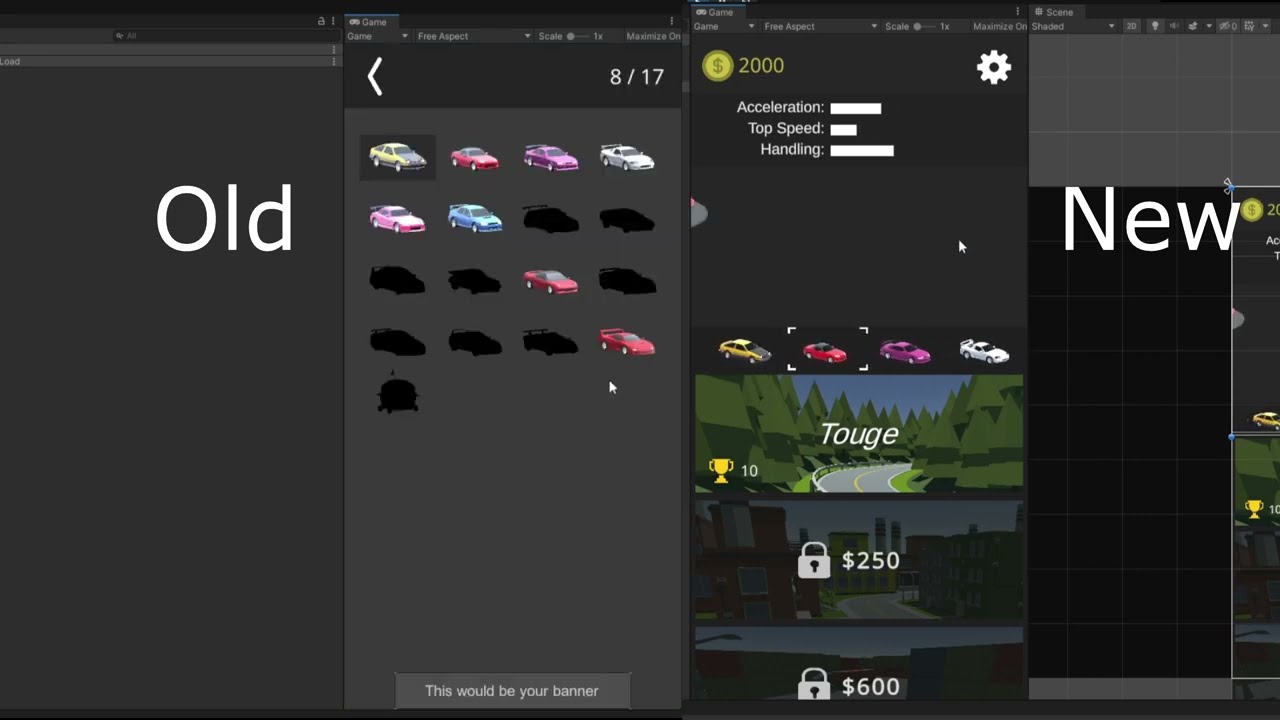
Fixing the UI for the mobile racing/drifting game Drifto
https://play.google.com/store/apps/details?id=com.UnluckyDuck.Drifto
https://apps.apple.com/app/drifto/id1643464834
The game is built with the Unity game engine (2019)
does anyone know how could i do this
or have a tutorial which i could watch
rigid island
cosmic geode
hello! im trying to create a game with cars and i want to add to the main menu s...
you give me idea for a video xD thx
anyway its not diffcult to make at all
they pretty much explain it in the video
they just use a scrollView component for the sliding UI
the cars are rendered with RenderTexture which is a special texture that can be outputted to from the camera/gpu
 solemn shale
Would like some feedback on whether this is a decent strategy. So I'm continuing my quest to implement saving and loading. I have a number of modular systems that presently handle their own saving and loading internally. However, this creates many save files, and it'd probably be better to store them all in a single save file per run. That naturally would require coupling.
However ...
I am considering using interfaces and injection. So you have an ISaveable interface that has Save, Load, and Clear methods. Each System inherits from this. Then each system has a corresponding save interface that the central repository inherits from: IGlobalSettingsData, IPlayerPositionData, IInventoryData, etc. The specific interface gets injected.
public class SaveObject : IGlobalSettings, IPlayerPositionData, IInventoryData, ...
{
  public IGlobalSettings ...
  // Local properties gotten from and sent to the SaveObject

public void Save(){
    // Assign each property to IGlobalSettings
  }

  public void Load(){
    // Get each property from IGlobalSettings
  }
}```

However ...

Interfaces can't store fields and, from my understanding, you can't serialize properties to something like JSON.  So I would have to convert to a backer field inside the SaveObject class.  I am aware that C# allows you to do this:

```[field: SerializeField] public int MyField { get; private set; }```

However, if I go to serialize MyField into a JSON string, will that work or do I need to explicitly make a local serializable field for it?just use Json.net (It can write properties just fine)
JsonUtility is hot trash
spiral geode
@heady iris you were right yesterday about using an Enum
not sure if you remember
but representing "flavors" of something via instances of a thing - and the collection of those things being a List<Thing> just adds so much unecessary complexity
enum solves basically all of those problems
simple egret
solemn shale
Would like some feedback on whether this is a decent strategy. So I'm continuin...
And for putting it all in the same file, I suggest doing it by compressing the contents into a ZIP archive with the stuff in the System.IO.Compression namespace. If you haven't got any solution in place already, of course
heady iris
you can also make the enum values into powers of two so that you can use it like a bitmask
very handy if you need multiple-choice
I think there is a lot of merit to using more complex datatypes, but only when you actually need more expressiveness
spiral geode
this is all that isCorridor stuff I was mentioning yesterday (I still think the instructors bool implementation is the worst version)
knotty sun
you're right, it is terrible design
spiral geode
i ended up making them all types like Corridor, and doing the matching via thing is Corridor for the logic
knotty sun
yep
spiral geode
my hesitency for Enum was just because I wasn't sure if he had a good reason that he would reveal later on
spoiler: he didn't
another problem with my "typed" solution is that Unity gets annoyed when you orphan classes in one big file
it really urges you to break them out into files named after the class
so that was kind of a waste of time
and even if there is special logic associated with each Enum member - I can solve that with a static function from Enum -> Whatever
heady iris
You can move from an enum to a more elaborate type if necessary, after all
(maybe scriptable object assets)
spiral geode
yeah this is all SOs
heady iris
I'm making pretty heavy use of those in my current game
it's nice to be able to just serialize a localized string on something instead of having to look up a translation at runtime with a hardcoded string
spiral geode
i think the course is still worthwhile, since I'm learning some unity tools I wasn't aware existed (like creating a new editor window that does custom stuff)
heady iris
editor windows are fun
spiral geode
this is like a level-editor tool he's making
heady iris
you will get exposed to a lot of "unity plumbing" as you get into editor tooling
stuff that you're normally not exposed to, like serialized objects and serialized properties
spiral geode
yeah like the whole EditorGUI.BeginChangeCheck() stuff is neat
knotty sun
forget all that old crap, if you're doing Editor tooling today you should be using UIToolkit, it's far superior
heady iris
I really gotta learn UIToolkit
I've used it a little for making custom property drawers, but not for anything substantial.
spiral geode
knotty sun
forget all that old crap, if you're doing Editor tooling today you should be usi...
i didn't even know there is a new one
he's using the old input system too
knotty sun
if you've ever done any web dev (HTML/CSS/JS) it's a doddle
heady iris
EditorGUI/etc. is "immediate mode" GUI
you draw it every single frame
this is simpler to reason about than "retained mode" GUIs, where you just set it up once and then reference the things you created
but you also have to draw the entire GUI every frame.
spiral geode
googling UIToolkit
heady iris
it also results in some rather confusing code
OnGUI gets called multiple times, IIRC
since Unity has to first figure out how much space things will take up, then paint them
UIToolkit is basically HTML flexboxes.
spiral geode
and runtime UI for games and applications.
people using this for in-game menu?
heady iris
(Unity UI is also basically flexboxes)
rigid island
solemn shale
Would like some feedback on whether this is a decent strategy. So I'm continuin...
You could never do this with JsonUtility 😏
public class Saving : MonoBehaviour
{
private void Awake()
{
var data = new SavingData()
{
ImAProperty = "Hello From Property :)",
};
data.ImADictionary.Add("Hello", "Hello From Dictionary");
var jsonData = JsonConvert.SerializeObject(data);
File.WriteAllText(Path.Combine(Application.persistentDataPath + "/File.json"), jsonData);
}
}
public class SavingData
{
public string ImAProperty { get; set; }
public Dictionary<string, string> ImADictionary { get; set; } = new();
}```
Definitely switch over to Newtonsoft if you plan on doing real saving system knotty sun
one of the things I love about UIToolkit is it's so easy to make and consume your own widgets, makes life so much easier
heady iris
- IMGUI: immediate-mode; anything using
GUI/EditorGUI/ etc for both games and editors - Unity UI: retained-mode; RectTransforms and LayoutGroups for games
- UIToolkit: retained-mode; VisualElements for both games and editors
spiral geode
looks like the official unity youtube video is using it in the context of an in-game menu (so it can do editor stuff and game stuff)
rigid island
UIToolkit is awesome, confusing a bit at first but def puts IMGUI to sleep
spiral geode
i guess i'm using IMGUI in this course
heady iris
rigid island
UIToolkit is awesome, confusing a bit at first but def puts IMGUI to sleep
having actual automatic layout is nice
I've gotten a very good handle on Unity UI, so now I've got that sunk cost going
spiral geode
i bet that ebook on the unity resources page (the one about making an advanced UI) is using this
rigid island
the binding handling is so much more straight-forward, also very intuitive if you come from XAML
spiral geode
their youtube example looks like the same assets
knotty sun
I've done a shed load of IMGUI in the past, tbh I'm glad to see the back of it
spiral geode
that ebook you linked @rigid island is great BTW. been reading it daily
rigid island
heady iris
I've gotten a very good handle on Unity UI, so now I've got that sunk cost going
I still use traditional UI because im used to it but im making all my custom editor in uitoolkit
rigid island
spiral geode
that ebook you linked <@968604165150507078> is great BTW. been reading it daily
glad it helped out! they have tons of those
spiral geode
they have a pretty nice blogpost on the ui stuff
https://blog.unity.com/engine-platform/new-ui-toolkit-demos-for-programmers-artists
rigid island
so glad they also added the UI Toolkit editor so you can visual build it
 rain minnow
rigid island
I still use traditional UI because im used to it but im making all my custom edi...
rain minnow
rigid island
I still use traditional UI because im used to it but im making all my custom edi...
That's what I'm doing right now. I really like how it's set up. I just have to find a preference: utilize the editor, or code the ui with uss . . .
rigid island
rain minnow
That's what I'm doing right now. I really like how it's set up. I just have to f...
Same 😅 I tried doing it all in C# without UXML and it came out to be kind of a pain and giant class to mantain, dont mind UXML since it gives that feel of XAML so I feel familiar having done most of my work in the new windows UI / Maui
 pure scarab
How would i go about getting and preserving the player's local y velocity, i am making a game where you can walk on a planet (player is a child of the planet), currently the movement works fine but when i walk to the side of the planet the physics start to act weird (eg. player starts to fall diagonally, player jumps diagonally from the pov of the player), i want to preserve the player's y velocity but somehow in local space? how do i do this?
movement method:
Vector3 moveDir = new Vector3(Input.GetAxisRaw("Horizontal"), 0, Input.GetAxisRaw("Vertical")).normalized;
Vector3 targetMoveAmount = moveDir * walkSpeed;
moveAmount = Vector3.Lerp(moveAmount, targetMoveAmount, Time.deltaTime * 8);

private void Movement()
    {
        float currentYVelocity = rb.velocity.y;

        Vector3 newVelocity = orientation.TransformDirection(moveAmount);

        newVelocity.y = currentYVelocity;

        rb.velocity = newVelocity;

        Debug.DrawRay(transform.position, newVelocity);
    }
 solemn shale
rigid island
just use Json.net (It can write properties just fine)
solemn shale
rigid island
just use Json.net (It can write properties just fine)
How do I use JSON.net? Is that a package in the Unity Registry?
 lime idol
hey @heady iris i deleted my audio folder and my project runs fine
but the audio folder isnt corrupted
rigid island
solemn shale
How do I use JSON.net? Is that a package in the Unity Registry?
add the package by name yes
the name is what comes after the /
so com.unity.nuget.newtonsoft-json
pure scarab
Preserving player's local y velocity correctly
solemn shale
rigid island
https://docs.unity3d.com/Packages/com.unity.nuget.newtonsoft-json@latest
When you say add it by name, does that imply I can't access it through the Package Manager window?
Explain it to me like I'm 5, basically.
knotty sun
no, that is an option within the package manager
solemn shale
knotty sun
no, that is an option within the package manager
Is it this one? Cuz I don't see any other options for JSON, .Net, or Newtonsoft.


 elfin tree
Hey, I'm working on a deck builder game where there's a deck for the entire run and it gets cloned for a battle. For some reason, it seems like if a card is modified during a battle, it is also permanently changed, but it shouldn't. Look at the code below where I've put the methods that are called in order, what am I missing?
// DECK CONTROLLER
        public DeckController Clone() {
            List<CardInfo> deckCardClones = new List<CardInfo>();

            // Moved to TryAddCardToDeck.
            foreach (var card in _deck) {
                deckCardClones.Add(card.Clone(CreatedBy.DECK_CLONE));
            }

            return new DeckController(deckCardClones, _skipShuffle);
        }


// THE CARD
        public CardInfo Clone(CreatedBy createdBy = CreatedBy.UNKNOWN_CLONE) {
            if (createdBy == CreatedBy.DECK_CLONE) return new CardInfo(this, createdBy);

            var cI = GenerateCardInfo(_cardData, _owner, createdBy);
            cI.SetCreatedBy(createdBy);

            return cI;
        }

        public CardInfo(CardInfo cardInfo, CreatedBy createdBy = CreatedBy.UNKNOWN) {
            _owner = cardInfo._owner;
            _createdBy = createdBy;
            _isUpgraded = cardInfo.IsUpgraded();

            AssignVariables(
                cardInfo.GetCardDataForArt(),
                cardInfo.GetCardId(),
                cardInfo.GetCardName(),
                cardInfo.GetManaValue(),
                cardInfo.GetShuffleTypeValue(),
                cardInfo.GetSpeedValue(),
                cardInfo.GetElement(),
                cardInfo.GetKeywords(),
                cardInfo.GetCardDataForArt().tetheredCard
            );

            InitializeEffectControllers();
        }
Yes, the file can quickly build up when creating the UI in C#. It helps to use the builder pattern with extension methods to quicken the process
I use the UI builder myself. The layout is so much easier than before. Once I figure out accessing the binding properties to alter/ update the design based on field values, I'll be good . . .
rigid island
solemn shale
Is it this one? Cuz I don't see any other options for JSON, .Net, or Newtonsoft...
Did you find it, if not look at what Fen sent
rigid island
rain minnow
Yes, the file can quickly build up when creating the UI in C#. It helps to use t...
Yeah Im glad they added UI Builder, it makes everything much easier if you can see it visually .Very good tool
good tip on the builder pattern, I should've just done that 😅
 main coral
[SerializeField] private LocalizedString m_PasswordErrorText;
How do I get the string from this ?
PopupManager.MyInstance.AddToQueque(m_PasswordErrorText.TableEntryReference);
Does not work ? AddToQueQue is a string
rigid island
main coral
`` [SerializeField] private LocalizedString m_PasswordErrorText;``
How do I ...
what exactly "doesn't work"
heady iris
main coral
`` [SerializeField] private LocalizedString m_PasswordErrorText;``
How do I ...
TableEntryReference is not the localized string
It's a key used to look something up in a string table
m_PasswordErrorText.GetLocalizedString() will work
rigid island
Ohh LocalizedString is a Unity class dooh. I thought it was custom class
 autumn gorge
Hey I am trying to make a random scrolling animation that selects a item (like what it looks like when choosing a mini game in Mario party) does anyone know how to make it or better yet a tutorial.
rigid island
autumn gorge
Hey I am trying to make a random scrolling animation that selects a item (like w...
scroll rect
or do you mean the code
no idea what minigame selection looks like in MP 🤷♂️
autumn gorge
Oh just a sec I will get a video
autumn gorge
rigid island
scroll rect

This video is a complete full game walkthrough for Mario Party Mode in Super Mario Party for Nintendo Switch in 1080p & 60ps. This video features many characters from the Super Mario Bros. Movie. Thanks for watching. Are you excited for the Super Mario Bros. Movie and looking for Mario content? I've got it tons of videos from all of your favo...
rigid island
oh that looks even easier lol
literally just scrolling through a simple list and adding the visual highlight for the indexes
break down the issue into smaller steps, I don't think you would find such a specific video.
pick the random item is the easy part ofc, the hard part is smoothing the UI to look just right
autumn gorge
Oh wait that sparked something I might know how to make it thank you
solemn shale
rigid island
Did you find it, if not look at what Fen sent
Yes, I did. Thank you.
Now I just have to figure out how to use it. 🙄
rigid island
solemn shale
Now I just have to figure out how to use it. 🙄
did you click "Documentation" ?
also my example shows, its literally 1 method

you're basically just swapping JsonUtility static function with this class instead
solemn shale
So as simple as just replace this line?
TO: string json = JsonConvert.SerializeObject(saveObject);```yes exactly
 twilit scaffold
i have a Game Manager type script that i send events and names and IDs and such to. There is a significant amount of boiler plate code involved in doing this, every time. Is there a set of built in functions i am not aware of that does things like ('object a-script a), get info variable somename from (object b-script b)'?
 chilly surge
What does your current code look like?
twilit scaffold
private void Start()
    {
        // Find the GameObject with the "Player" tag
        GameObject playerFarmer = GameObject.FindGameObjectWithTag("Player");

        if (playerFarmer != null)
        {
            // Access the GameObjectInfo component and call ReturnName
            GameObjectInfo gameObjectInfo = playerFarmer.GetComponent<GameObjectInfo>();

            if (gameObjectInfo != null)
            {
                // Get the name from GameObjectInfo
                string playerName = gameObjectInfo.ReturnName();

                // Use the playerName as needed in the Odin script
                Debug.Log("Player Name: " + playerName);
            }
            else
            {
                Debug.LogError("GameObjectInfo component not found on the Player-Farmer.");
            }
        }
        else
        {
            Debug.LogError("Player-Farmer GameObject with 'Player' tag not found.");
        }
    }
create extention classes/methods
twilit scaffold
rigid island
create extention classes/methods
I was thinking that, that was probably the way.. now i have to figure out exactly how 😅
chilly surge
Beyond architectural changes, some basic syntax changes will make this a lot more palatable:
- Have a method
GetComponentOnGameObjectWithTag<T>(string tag)so you are not repeating the same finding and checking code over and over. - In the implementation, make use of guard clauses.
 ornate harness
Hello, does anyone know which are the JoystickButton numberd for the arrows on the left of a PS4 Joystick?
twilit scaffold
chilly surge
Beyond architectural changes, some basic syntax changes will make this a lot mor...
Thanks., I will start attempting to implement that now
twilit scaffold
Ok, i think i got it. still finalizing testing
using System.Collections;
using System.Collections.Generic;
using UnityEngine;

public class GOUtility : MonoBehaviour
{
    public static T GetComponentOnGameObjectWithTag<T>(string tag) where T : Component
    {
        GameObject[] gameObjectsWithTag = GameObject.FindGameObjectsWithTag(tag);

        foreach (GameObject go in gameObjectsWithTag)
        {
            T component = go.GetComponent<T>();
            if (component != null)
            {
                return component;
            }
        }

        return null;
    }

}
GOUtility does not have to be a MonoBehaviour unless it has specific reasons to, otherwise it can just be a plain C# class. Make it static too if it's not meant to be instantiated.
twilit scaffold
Thanks., i will have to go a bit further to determine whether it will eventually require MonoBehaviour or not. Changing to static now. Edit: Oh, ok, making it static insists on removing MonoBehaviour
 scenic crown
Hey, I want to make a button that when its clicked it checks the other button to see if the material color is green. If it is then it turns green but if its not they both go red but it seems like the second one still turns red.
!code
tawny elkBOT
Posting code
📃 Large Code Blocks
Use links to services like:
https://gdl.space/, https://paste.ofcode.org/, https://hatebin.com/, https://paste.myst.rs/, https://hastebin.com/
📃 Inline Code
Surround code with three backquotes. Not quotation marks.
To format as C#, add cs to the first line:
```cs
// Your code here
```
Add a comment with a line number if there is an error message.
scenic crown
 teal parrot
Is there an equivalent to Rigidbody.AddForceAtPosition for rotational velocity? One that would change both velocity and angular velocity as one would expect when trying to rotate an object away from the center of mass? I see Rigidbody.AddTorque, but unless I am mistaken, that only changes angular velocity. Is there maybe a way to calculate the force and torque manually? Also, is anyone having issues where docs.unity3d.com is just not loading? The docs for Rigidbody.AddForceAtPosition is still showing the loading icon, and the page for Rigibody isn't loading at all.
 twilit scaffold
teal parrot
Is there an equivalent to `Rigidbody.AddForceAtPosition` for rotational velocity...
twilit scaffold
teal parrot
Is there an equivalent to `Rigidbody.AddForceAtPosition` for rotational velocity...
the page comes up fine here https://docs.unity3d.com/ScriptReference/Rigidbody.AddForceAtPosition.html
teal parrot
I just tried on another browser and it worked fine, I guess one of my browsers is having a hard time :\
twilit scaffold
rotten cookies
teal parrot
Doesn't look like it was a cookies issue. It will probably start working again for no reason the next time I restart my pc.
 granite crown
scenic crown
https://paste.ofcode.org/LiVqCBXrqtiQ2z5jJVGMej
granite crown
scenic crown
https://paste.ofcode.org/LiVqCBXrqtiQ2z5jJVGMej
Link didnt load for me.
granite crown
twilit scaffold
i have a Game Manager type script that i send events and names and IDs and such ...
Watched this yesterday and it might help accomplish the same tasks without having to look up the information via find:
https://learn.unity.com/tutorial/persistence-saving-and-loading-data#5cf18288edbc2a3094da073b
twilit scaffold
granite crown
Link didnt load for me.
that link works here.. checked after you mentioned it
twilit scaffold
granite crown
Watched this yesterday and it might help accomplish the same tasks without havin...
Cool deal, thanks. I will check it out right now
Ah, yeah, that is a different subject entirely, but good to have in the links
granite crown
scenic crown
!code
I don't see in this code where you are comparing to another button, just the button color itself.
twilit scaffold
ended up doing this
using System.Collections;
using System.Collections.Generic;
using UnityEngine;

public static class GOUtility
{
    public static T GetThisComponentFromGameObjectsWithThisTag<T>(string tag) where T : Component
    {
        GameObject[] gameObjectsWithTag = GameObject.FindGameObjectsWithTag(tag);

        foreach (GameObject go in gameObjectsWithTag)
        {
            T component = go.GetComponent<T>();
            if (component != null)
            {
                return component;
            }
        }

        return null;
    }

}
which allows me to get the variables of the dynamically instantiated game objects with the much shorter method of :
    string playerName;

    private void Start()
    {
        GameObjectInfo playerGameObjectInfo = GOUtility.GetThisComponentFromGameObjectsWithThisTag<GameObjectInfo>("Player");
        if (playerGameObjectInfo != null)
        {
            playerName = playerGameObjectInfo.ReturnName();
            Debug.Log($"Player name is {playerName}");
        }
    }
pretty new to programming, so the verbose names help me think it through
 jade vault
I'm also new, whats the benefit to this, when you can just do
GameObject.FindGameObjectWithTag("Player").GetComponent<GameObjectInfo>().doSomething();
other than it being ugly 😆
this is also coming from the guy whos inventory script controls building as well
teal parrot
jade vault
I'm also new, whats the benefit to this, when you can just do
```cs
GameObject....
It looks like his searches through all with the tag to find one with the component, where as that would break if it first found an object with the tag but without the component.
jade vault
Ah, yeah makes sense to condense searching all gameobjects with tag player then checking their components in its own method*
teal parrot
twilit scaffold
pretty new to programming, so the verbose names help me think it through
Though I do recomment using .TryGetComponent<T>() and using the boolean output rather than comparing with null.
There's probably some Linq shenanigans that could make that in one line if you were really deticated.
Maybe this?
GameObject.FindGameObjectsWithTag(tag).Select(x => x.GetComponent<Rigidbody>()).FirstOrDefault(x => x != null);
I have a question my building system checks for collision and if it collides with an object (the player moves the mouse and it casts a ray) I have a bunch of conditionals to check what object it hit.
Heres a really condensed version
if (hit.collider != null && hit.collider.gameObject.transform.parent != null)
{
  if (hit.collider.gameObject.transform.parent.gameObject.CompareTag("Carpet"))
  {
    if (activeItem.name.Contains("Carpet") || activeItem.name.Contains("Floor") || activeItem.isWalkable)
    {
      return;
    }
  }
}
...
(checks parent object as objects can have a physical item pickup collider)
What can I do to make this less convoluted?
in this specific condition, if the player holds an item that is a carpet, floor, or its walkable, it will return making it so it cannot be placed
teal parrot
@jade vault
Physics.Raycast returns true if it hits something, which can replace hit.collider != null.
I believe you could do hit.collider.gameobject.transform.parent?.gameobject.CompareTag("Carpet") to avoid checking if the parent is null, the question mark tells it to evaluate to false if it gets null there.
jade vault
Ah, thank you. I am using Physics2D, does that change things?
I'm sure they are identical in some ways.
twilit scaffold
jade vault
I'm also new, whats the benefit to this, when you can just do
```cs
GameObject....
hmm. probably not much (beyond the null checks). i am just new enough to have to stick with the first thing that makes sense for a while, until the 'other' thing starts to makes sense 🙂
chilly surge
jade vault
I'm also new, whats the benefit to this, when you can just do
```cs
GameObject....
It also does not handle null, if for example the player game object is not found, it would proceed to throw NRE.
teal parrot
jade vault
Ah, thank you. I am using Physics2D, does that change things?
Yes, slightly. The function won't return a boolean, but RaycastHit2D is truthy if it hits something, so you can just do if (hit)
chilly surge
And you also cannot fix that with ?. because Unity.
teal parrot
Aw, unity shenanigans :\
jade vault
Dang, I could just make it so instead of checking objects that would cause it to return, check if it the hit is a placeable area and return everything else
teal parrot
chilly surge
And you also cannot fix that with `?.` because Unity.
What exactly is wrong with it? Does Unity's version of c# not support it? Does .parent return some weird value instead of null?
jade vault
My building script is 1,600 lines like 400 lines for sure is just conditional statements checking if an object is there
twilit scaffold
teal parrot
Maybe this?
```cs
GameObject.FindGameObjectsWithTag(tag).Select(x => x.GetCompon...
I simply do not understand that well enough to use it yet 🙂. soon, perhaps
 quartz folio
teal parrot
What exactly is wrong with it? Does Unity's version of c# not support it? Does `...
chilly surge
quartz folio
teal parrot
What exactly is wrong with it? Does Unity's version of c# not support it? Does `...
chilly surge
Presumably in this case using ?. is safe, because I would think FindGameObjectsWithTag and friends would not return GOs that are already dead.
But that would mean you need to suppress analyzer warnings and what not, so yeah I would not recommend.
quartz folio
You would use referenceequals if you cared about real null
chilly surge
Or is null.
jade vault
real null?
chilly surge
C# pattern matching is great 😄
quartz folio
jade vault
real null?
quartz folio
chilly surge
Presumably in this case using `?.` is safe, because I would think `FindGameObjec...
The array ones will just return an empty array, but anything that doesn't may return Unity null for more context
Not a destroyed object, but a fake one that specifies the origin of the call
jade vault
Managed objects will refer to an object as null while the the native compilation would keep a reference to the object
quartz folio
It's the opposite
The managed object exists but will evaluate to null via the overridden equality
jade vault
Oh
chilly surge
Interesting, well it's pretty much to the point you have to know the implementation details of those methods to use ?. safely, so I guess the verdict is "just don't."
jade vault
So does garbage collection cause the high-load times with Instantiation as it takes CPU time? Or is it loading that object what causes it to lag.
teal parrot
I think garbage collection is asynchronous.
jade vault
In a simple 2D sprite renderer object in this case
quartz folio
There is nothing collected when you instantiate. The cost is loading the object and allocating memory
jade vault
Ah, implemented Object Pooling into my game to remove frame drops when building. Still get frame drops.
spring creek
jade vault
Ah, implemented Object Pooling into my game to remove frame drops when building....
Have you profiled?
jade vault
Yes heres a video
spring creek
jade vault
Yes heres a video
Yeah, I sent my comment at the same time you sent it. Watching now
jade vault
No prob my b
 terse quarry


Why on earth would it think that the 3rd Log is not contained within the other 2?
teal parrot
What?
terse quarry

The white dots are TL and BR
I declared a rect covering this area
and when I click inside it, it calls the function that SHOULD be called when i click OUTSIDE of it
the third log is the mouse position
first is top left, second is bottom right
the mouse position is in range of the other two
so why does it think its outside the rect
teal parrot
terse quarry
Does this new Rect(SimBoundsTL, SimBoundsSize); do anything? Is it creating an object and doing nothing with it?
 teal parrot
Does .Contains do what you think it does?
terse quarry
I'd hope so lol
teal parrot
I'm not sure exactly what SimBounds holds, but .Contains() usually determines if an item is in an array/list/generator
terse quarry
Rect.Contains just checks whether a vector lays within the Rect
spring creek
jade vault
Yes heres a video
What happens in Bag.Update()
Seems like that is the issue, not instantiation?
Also looks like you could have drilled down further in the hierarchy view? Kinda hard to watch it on my phone haha
terse quarry
 teal parrot
terse quarry
teal parrot
terse quarry
That looks correct then. Are you sure you are creating the rect correctly?
jade vault
@spring creek Yeah I could have sorry about that. In Bag.Update it runs the function to check if an object can be placed and then instantiates that object. It also will then update the items in the bag and then updating the slots. When the slots get updated it does instantiate new slots. However, those are also pooled.
terse quarry
it says its declared with Rect(x,y,width,height)

and thats what i've done
This is such a stupid thing to be stuck on for hours I have no clue what the problem is
fervent furnace
this is GUI space, while you are using it in world space
terse quarry
I've tried it in both honestly
teal parrot
terse quarry
it says its declared with Rect(x,y,width,height)
In your code, I see you create a new Rect, but you don't actually assign it to anything.
variable = new Rect(...) creates a rect and assigns it to variable.
new Rect(...) just creates one and doesn't actually put it anywhere, so it might as well not exist.
teal parrot
terse quarry
Did you mean to write SimBounds = new Rect(SimBoudnsTL, SimBoundsSize);?
terse quarry
teal parrot
Did you mean to write `SimBounds = new Rect(SimBoudnsTL, SimBoundsSize);`?
wtf
u are so right
my god

i declared it at the top
but never gave it a value
ty
jade vault
@spring creek ah, a new deep profile has discovered the issue. Must have been an editor glitch, it was displaying Instantiate instead of the actual issue. Its my AStar pathfinding updating the region where AI (animals) can walk.

Now to research a quicker way to do that 
Aaaaand you can just take it off the main thread. Out of the box.
twilit scaffold
teal parrot
Though I do recomment using .TryGetComponent<T>() and using the boolean output r...
Updated. Thanks
using System.Collections;
using System.Collections.Generic;
using UnityEngine;

public static class GOUtility
{
    public static T GetThisComponentFromGameObjectsWithThisTag<T>(string tag) where T : Component
    {
        GameObject[] gameObjectsWithTag = GameObject.FindGameObjectsWithTag(tag);

        foreach (GameObject go in gameObjectsWithTag)
        {
            T component;
            if (go.TryGetComponent(out component))
            {
                return component;
            }
        }

        return null;
    }
}
Ok nice. That does make more sense. It wasn't instantiating that many things quickly
teal parrot
twilit scaffold
Updated. Thanks
```c
using System.Collections;
using System.Collections.Generic;...
If you want to make it even fancier, you can define it in the same line as you call the function.
You can write out T component and by giving it a type, it will create the variable in the same line.
jade vault
Thanks @spring creek
twilit scaffold
teal parrot
If you want to make it *even fancier*, you can define it in the same line as you...
Really!? I did not know that. Ok, trying
Nope., i will have to save that one for later, as i do not understand the syntax well enough. I will keep it in mind though 🙂
wait, did you mean like this?
        foreach (GameObject go in gameObjectsWithTag)
        {
            if (go.TryGetComponent<T>(out var component))
            {
                return component;
            }
        }
Yes. var implitly converts to the type of what is being assigned, so it's basically the same as writing T. If T wasn't working, it might be some weird edge case related to generics.
quartz folio
twilit scaffold
wait, did you mean like this?
```c
foreach (GameObject go in gameObjects...
you can remove the <T> and replace var with T too
twilit scaffold
quartz folio
you can remove the `<T>` and replace `var` with `T` too
that was my first try, and for some reason, it did not seem to like it, so i ended up with this syntax. I will try again though, as there is a good chance it was my own user error
Hah. as expected, user error. Seems to be working that way now 🙂
public static class GOUtility
{
    public static T GetThisComponentFromGameObjectsWithThisTag<T>(string tag) where T : Component
    {
        GameObject[] gameObjectsWithTag = GameObject.FindGameObjectsWithTag(tag);

        foreach (GameObject go in gameObjectsWithTag)
        {
            if (go.TryGetComponent(out T component))
            {
                return component;
            }
        }

        return null;
    }
}
That really does make a lot more sense than a null check. Thanks again @ Burrito, Frog Detector, vertx and all
spring creek
twilit scaffold
Hah. as expected, user error. Seems to be working that way now 🙂
```c
public st...
Can I suggest the name GetCompontOnObjectsWithTag
Just a thought. It aligns more with the two methods your combining
twilit scaffold
spring creek
Can I suggest the name GetCompontOnObjectsWithTag
Just a thought. It aligns more...
good idea, thanks. I just had it named that way to cement my understanding of the concept 🙂
public static T GetComponentOnObjectsWithTag<T>(string tag) where T : Component
spring creek
twilit scaffold
good idea, thanks. I just had it named that way to cement my understanding of th...
Totally fair. Doesn't really matter either way, just popped in my head so I shared it haha
twilit scaffold
updated now, because you were correct. makes more sense matching the rest of the names 🙂
chilly surge
Try pattern vs get then null check are pretty much just two different ways of writing the same thing, except one critical difference: try pattern allows you to represent success state but with a null result value.
In this case that is not really utilized, so either is fine.
Personally I find try pattern to be a bit icky because of the inline variable declaration, so you have to read to the end of the line to see it.
twilit scaffold
For some reason, i was under the impression that is was more efficient, in the long run, than != null. that was just my impression, i am not suggesting that as fact. i surely do not know
scenic crown
granite crown
I don't see in this code where you are comparing to another button, just the but...
Was taken away for a moment, yes I am comapring the color of the button
 small ember
why is this guy using this line of code:

instead of using this?
transform.Translate(Vector3.forward * flySpeed * Time.deltaTime);
not sure if I wrote the code correctly but you get the point
what even is +=?
 outer otter
if i make a prefab of an object with a collider and trigger on it, how come it doesnt work the same as the original? My code opens a menu when close to an object after a key press. The copy does not
west lotus
small ember
what even is +=?
x+=1 is just shorthand for x= x+1
If you look at what Translate does its the same https://github.com/Unity-Technologies/UnityCsReference/blob/7c95a72366b5ed9b6d9e804de8b5e869c962f5a9/Runtime/Transform/ScriptBindings/Transform.bindings.cs#L147

GitHub
Unity C# reference source code. Contribute to Unity-Technologies/UnityCsReference development by creating an account on GitHub.
west lotus
outer otter
if i make a prefab of an object with a collider and trigger on it, how come it d...
Well do you get any errors? Also show the relevant pieces of code. A prefab should work the same as the original
west lotus
Translate is a mathematical term that means to move a point in space
outer otter
i found out why, I have an object from the desk script that if I used a list instead of a single object it would open up on any desk
west lotus
You move a point in space by adding to its coordinates
 lucid parrot
Am I allowed to ask custom editor related questions here?
latent latch
lucid parrot
alr
 leaden ice
small ember
so Translate is the same as x+
leaden ice
small ember
so Translate is the same as x+
No, since Translate operates in local space of the object by default
sacred sinew
I have a hidden tilemap but when I click on the IsActive button, it stay hidden. Do somebody know why ?
drowsy gazelle
sacred sinew
I have a hidden tilemap but when I click on the IsActive button, it stay hidden....
How is the tilemap hidden? Just with IsActive turned off or is the tilemap renderer disabled?
sacred sinew
Is active is off
 hard estuary
sacred sinew
Is active is off
hard estuary
sacred sinew
Is active is off
Then probably some other script is turning it off. You can try putting the object in some empty scene without other scripts to see if it behaves the same. If it behaves differently, then you'll know that something is messing with it.
sacred sinew
ok thx
 dense tusk
hello my fellas. i'm working to create a mechanic where an enemy will try to hide from the player when looked at. currently i'm just trying to figure out how to check if the player can see the object. my research has suggested i use raycasts, but that doesn't feel like the right thing to use. i'd like to check if it shows up on screen, not just if the player is looking directly at it. any guidance would be greatly appreciated
lean sail
dense tusk
hello my fellas. i'm working to create a mechanic where an enemy will try to hid...
You could check if the renderer is visible (it's a built in field) or possibly use this
https://docs.unity3d.com/ScriptReference/Camera.WorldToViewportPoint.html
Although the last one might have slight edge cases where you can see a part of the object but not the center which you'll have to handle how you want that to function.
lean sail
dense tusk
hello my fellas. i'm working to create a mechanic where an enemy will try to hid...
You will need to raycast at some point though, especially if you're trying to have it hide. Otherwise you dont really have a way of checking what areas are visible. Also with the last method I linked, you'll need to raycast so the ai doesnt think its visible but its on the opposite side of the wall
latent latch

Let's explore how you can detect when an object is inside the players camera view by using the camera's frustum and axis-aligned bounding boxes (AABB). This takes advantage of Unity's built in GeometryUtility class that provides some helper functions to make this easier.
The fi...
main coral
What is the best way to change "ErrorMessages" ?
try { await UnityServices.InitializeAsync(); await AuthenticationService.Instance.SignUpWithUsernamePasswordAsync(m_RegisterUsernameInputField.text, m_RegisterPasswordInputField[0].text); Debug.Log("SignUp is successful."); } catch (AuthenticationException ex) { Debug.LogException(ex); } catch (RequestFailedException ex) { // Compare error code to CommonErrorCodes // Notify the player with the proper error message Debug.LogException(ex); }
simple egret
main coral
What is the best way to change "ErrorMessages" ?
`` try
...
What? The exceptions you get cannot be modified, so you will have to make your own depending on the error code, as the comment suggests
main coral
How do I catch i have tried it with string .. if (errorCode == "INVALID_PASSWORD") .. but this does not work
 thin aurora
main coral
How do I catch i have tried it with string .. if (errorCode == "INVALID_PASSWORD...
thin aurora
main coral
How do I catch i have tried it with string .. if (errorCode == "INVALID_PASSWORD...
This really depends on the exceptions. If it does not have an error code or anything like that you can't do this
simple egret
The code will be inside ex so see what's inside that first
thin aurora
So if AuthenticationException can specify what went wrong, you can check for that.
Or maybe it falls under another exception type. Consider reading the documentation of what it can throw, perhaps
simple egret
And the RequestFailedException will most likely have the HTTP status code in it.
Like 500 Internal Server Error, 404 Not Found, etc.
main coral
Yes but how can i catch it in a if statement ?
simple egret
main coral
Yes but how can i catch it in a if statement ?
You look at the documentation to see where in RequestFailedException it is
main coral
catch (AuthenticationException ex) { if (ex.ErrorCode.ToString ==) } catch (RequestFailedException ex) { // Compare error code to CommonErrorCodes // Notify the player with the proper error message Debug.LogException(ex); }
This is the errorcode:
[Authentication]: Request completed with error: {"detail":"Password does not match requirements. Insert at least 1 uppercase, 1 lowercase, 1 digit and 1 symbol. With minimum 8 characters and a maximum of 30","details":[],"status":400,"title":"INVALID_PASSWORD"}
simple egret
status: 400
Your exception variableexshould have aStatusproperty, as well as aTitleproperty. You need to check those in your if statement
if (ex.Title == "INVALID_PASSWORD") for example
main coral
ex.Title does not exist
That was my question how I get the title or something to change it
simple egret
Then use the completion list to see what's available
It's probably under another name
main coral
string errorCode = ex.ErrorCode.ToString(); if (errorCode.Contains("INVALID_PASSWORD")) { Debug.Log("TEST ERFOLGREICH"); }
This does not work but the error:
[Authentication]: Request completed with error: {"detail":"Password does not match requirements. Insert at least 1 uppercase, 1 lowercase, 1 digit and 1 symbol. With minimum 8 characters and a maximum of 30","details":[],"status":400,"title":"INVALID_PASSWORD"}
simple egret
Just look at the documentation it will be much faster
main coral
Where do I find it ?
simple egret
On the internet
 severe sable
is this a bug with unity?

My script very clearly inherits monobehavoir and is in the right namespace
my IDE sees no issue and I tried restarting unity & discarding VCS changes and rebooting also
it just won't recoginize this file for some reason
 mellow sigil
Did you try without the namespace
I don't think it's a good idea to use Unity's namespaces in your own scripts
severe sable
I can definetly try, its weird though since other scripts are using the same namespace in the folder and work totally fine
apparently that fixed it? so am I just not able to use the namepsace scenemanagement without conflict?
its odd I never got a warning from unity before or smth
also even weirder is it worked yesterday
and only one file broke
hard estuary
severe sable
and only one file broke
Sometimes such issues can be fixed by reimporting corrupted file. Bugs happen.
dawn apex
Can anyone help me with detecting if my character has rotated 360 degrees within a certain time frame?
to then trigger an ability
latent latch
dawn apex
Can anyone help me with detecting if my character has rotated 360 degrees within...
dawn apex
ok ill check that out
latent latch
dawn apex
ok ill check that out
Well, some requirements I'd set is a counter that accumulates degrees rotated over the time frame. Not sure how you'd want to handle if a character rotates an opposite direction such as reseting the counter entirely.
Or just decrement the degrees
dawn apex
ok thx
ok so im sorry but i have 0 clue as to how i would implement that with this gameplay. (The ability should trigger once the mouse has rotated around the player)
severe sable
hard estuary
Sometimes such issues can be fixed by reimporting corrupted file. Bugs happen.
huh, that worked, thank you so much for that little trick! I'm definetly going to get a lot of use out of that
latent latch
dawn apex
ok so im sorry but i have 0 clue as to how i would implement that with this game...
float degreesDif = Vector3.Angle(previousForward, currentForward); //or w/e forward is in 2D
float totalDegrees += degreesDif;
few things though is you need to also figure out if you're rotating in the same direction
dawn apex
alright
latent latch
such that if you rotate clockwise then add positive degrees, otherwise negative degrees
and both values of 360 and -360 should work
dawn apex
alright man i appreciate you so much, but i think im to stupid too do this and ive been on this for 2 hours. I give up sorry
latent latch
lol well, you were almost there
dawn apex
well i dont know how i would implement half of the stuff you were talking about
latent latch
just finding the angle between two vectors
dawn apex
yup, no idea
latent latch
and adding em up
 pure garden
any idea if you can differentiate between left and right click with an event trigger from code?
rigid island
pure garden
any idea if you can differentiate between left and right click with an event tri...
if you want to use code then just use the IPointer interface and check the click there
pure garden
wait nvm
i found it out
apparently you can send pointer event data with event triggers
rigid island
yup the code is easier public void OnPointerClick(PointerEventData pointerEventData)
its right in the signature
swift falcon
can anyone tell me why this code freezes unity (lastX =999 and currentX = 0 by default, something has to do with the while)

 fathom tapir
What happens if you call LoadAsset() on an asset bundle multiple times?
bundle.LoadAsset<GameObject>(assetName);
Does it create multiple copies in memory or is only one copy ever loaded?
small ember
Can someone explain to me how the inside of the "if" line of code works? I don't understand why we are using a new Vector3 and not Vector3 by its self? and why did he write transform.position.y and transform.position.z instead of just writting 0, 0
 dusk apex
small ember
Can someone explain to me how the inside of the "if" line of code works? I don't...
dusk apex
small ember
Can someone explain to me how the inside of the "if" line of code works? I don't...
If they wrote zero for y and z, they would be overwriting the previous y and z values. They only want to set the x value to negative ten if the x value is ever less than negative ten.
 humble void
You can not write directly to one axis of a transform position, so a workaround is to set the other axis to their current value (leaving them untouched) and giving a value to the axis you want to modify
swift falcon
can anyone help me pls im in a hurry. ty
fathom tapir
swift falcon
can anyone tell me why this code freezes unity (lastX =999 and currentX = 0 by d...
You have an infinite loop, which is why its freezing.
swift falcon
fathom tapir
You have an infinite loop, which is why its freezing.
yea but why
small ember
dusk apex
If they wrote zero for y and z, they would be overwriting the previous y and z v...
what's another example where you use transform.position.y and transform.position.z
fathom tapir
swift falcon
yea but why
probably need while(condition1 && (condition 2 || condition 3))
try the parentheses
swift falcon
lemme try
fathom tapir
I'm just guessing that is the logic flow you are attempting
swift falcon
like this?
 fathom tapir
swift falcon
doesnt freeze but doesnt work as intended, thank you
fathom tapir
swift falcon
doesnt freeze but doesnt work as intended, thank you
You're welcome. Good luck on getting your logic check correct
dusk apex
swift falcon
yea but why
Last x is not 999 and any value of current x minus last x results in a value greater than 2 - for instance, you would get an infinite loop if last x was negative ten.
Or if last x was 9
 split merlin
yo can someone help add my idle animation to my character in unity
not the x bot the character that I imported
dusk apex
split merlin
yo can someone help add my idle animation to my character in unity
not the x bot...
Don't cross post #💻┃code-beginner message
split merlin
dusk apex
Don't cross post https://discord.com/channels/489222168727519232/497874004401586...
ok
swift falcon
fathom tapir
You're welcome. Good luck on getting your logic check correct
used a way more efficient approach that worked :)
 wraith mauve
I have a quick question about using Animator Override Controllers (haven't really used them before), but I have a character who can wield many guns, the number of animations on the character (Run, Walk, Shoot etc.) won't change, but the animation clips for each gun will.
Do I create an Animator for, say, 'Character_Base_Anims', then create an override for each weapon and swap out the animator override when I equip a different weapon? Or is the correct workflow to have 1 animator override, and swap out all of the overridden clips based on the weapon equipped?
 vagrant blade
One override and swap out the clips
The whole idea is to only create a single animator with all the states that you swap the animations used for each state, via the override controller.
elfin tree
hey, not quite sure where to ask about this but has anyone used strand based hair simulation?
https://github.com/Unity-Technologies/com.unity.demoteam.hair
I managed to setup everything following the tutorial and it works but for some reason i cannot get a material to be applied to the hair, it always just forms a big color block somewhere and the hairs disappear, no part of the guide talks about materials so i assume just assigning one should make it work?
https://learn.unity.com/tutorial/set-up-character-hair

GitHub
An integrated solution for authoring / importing / simulating / rendering strand-based hair in Unity. - GitHub - Unity-Technologies/com.unity.demoteam.hair: An integrated solution for authoring / i...

Unity Learn
In this tutorial, you will learn how to use the Alembic Groom package to customize the look and feel of your characters' hair.

 meager stirrup
Hi, I imported the UnityEngines.Splines package through the package manager, but I can't use any of its types inside my scripts, can't even import its namespaces with using directives... I can however, use its components inside the editor. Anyone experienced this before and has some tips? Many thanks!
rigid island
meager stirrup
Hi, I imported the `UnityEngines.Splines` package through the package manager, b...
wdym you can't use it in the scripts?
try Regen Project Files maybe
hard viper
is there a specific size at which Hashset.Contains is faster than Array.Contains?
I assume so?
west lotus

hard viper
oh god. more benchmarking -.-
latent latch
hashset is 0(1)
fervent furnace
Hashset.Contains should be always faster than array.contains unless you only have two elements.....
meager stirrup
rigid island
wdym you can't use it in the scripts?
.net runtime can't find the assembly... I'll try regen...
hard viper
latent latch
hashset is 0(1)
it's mostly an issue of overhead
I found some benchmarking
rigid island
meager stirrup
.net runtime can't find the assembly... I'll try regen...
regen also are you using assembly defintions ?
meager stirrup
I do have one for the project, but not for the imports
hard viper
array is still faster at the 10 element mark
latent latch
gotta pay the c# fee
hard viper
yeah. array, as always, if best for small numbers
fervent furnace
probably cache hit
is the type value or reference?
hard viper
btw, Unity source code shows this:
        1 => (Object)(object)other == (Object)(object)this,
        2 => (Object)(object)other != (Object)(object)this,
        _ => true,
};```which I thought was interesting syntax
fervent furnace
!code
tawny elkBOT
Posting code
📃 Large Code Blocks
Use links to services like:
https://gdl.space/, https://paste.ofcode.org/, https://hatebin.com/, https://paste.myst.rs/, https://hastebin.com/
📃 Inline Code
Surround code with three backquotes. Not quotation marks.
To format as C#, add cs to the first line:
```cs
// Your code here
```
Add a comment with a line number if there is an error message.
fervent furnace
meager stirrup
rigid island
regen also are you using assembly defintions ?
Thanks! It was the asmdef... just had to add UnityEngine.Splines to the reference list.
hard viper
hard viper
btw, Unity source code shows this:
``` return neighbor switch {
1 => ...
is there a simple way to do this for simple one liners that return void?
simple egret
No, it's a switch expression so it must return a value
It's not like match x { } in some other languages
pure garden
any idea on how to load a custom class with resources.load ?
like
CustomClass class = Resources.Load<CustomClass>("class");
^^ doesn't work
fervent furnace
i test it with random access, unfortunately hashset is faster the list with count=10
hard viper

Stack Overflow
I have been searching for a performance benchmarking between Contains, Exists and Any methods available in the List<T>. I wanted to find this out just out of curiosity as I was always confused
lean sail
pure garden
any idea on how to load a custom class with resources.load ?
like
```CustomClas...
 what are you trying to do
pure garden
an item use system which takes a string and returns an ability from a script in resources
the most flexible way possible ^^
(i don't want to make a scriptable object for every ability)
lean sail
pure garden
the most flexible way possible ^^
This doesnt look flexible, looks more fragile than anything. That function is for getting assets. What is CustomClass and how will this provide you with getting an ability?
Scriptable objects seem like exactly what you want here instead
pure garden
[System.Serializable]
public class CustomClass
{
    public virtual void Activate() { }
}

public class Base_Use : CustomClass
{
    public override void Activate()
    {
        Debug.Log("use");
    }
}

public class Base_Use_2 : CustomClass
{
    public override void Activate()
    {
        Debug.Log("use 2");
    }
}
if i do
CustomClass use = new Base_Use_2();
use.Activate()
it returns "use 2" as expected
the problem is that i cannot asign customclass from an scriptable object in the inspector
also base_use and base_use_2 are separate files
 crimson plaza
What's considered the best practices when handling user inputs? Should I use scripts to handle movement via Input.GetKeydown or should I use the build in Input Manager? OR is it just preference
 wide dock
pure garden
the problem is that i cannot asign customclass from an scriptable object in the ...
wide dock
pure garden
the problem is that i cannot asign customclass from an scriptable object in the ...
Well, you kinda can
pure garden
any idea on how
wide dock
via [SerializeReference]
pure garden
doesn't seem to work
rigid island
crimson plaza
What's considered the best practices when handling user inputs? Should I use scr...
up to you , doesnt matter much.
Look into new Input System though if you want something more modern
wide dock
[SerializeReference] BaseClass obj = new DerivedClass(); // Or other methods
If you want it to take in a string, then you're gonna have to declare your own mapping from string to new ClassName.
Aside from that part, you could easily just do this all via scriptable objects, and just put the Activate functionality on a scriptable object
crimson plaza
rigid island
up to you , doesnt matter much.
Look into new Input System though if you want s...
Thanks! On the other hand, I wanted to ask about first and third pesron follow cameras, from my exp with tutorials they typically do it with scripts, and I was wondering if there was a "best practice" floating around
pure garden
wide dock
```cs
[SerializeReference] BaseClass obj = new DerivedClass(); // Or other metho...
its literally the same that i had at the start
like the "new DerivedClass()" thing
lean sail
crimson plaza
Thanks! On the other hand, I wanted to ask about first and third pesron follow c...
Everything is gonna have to be code in some way. Whether you make it or someone else. Use cinemachine, does all the work for you
wide dock
pure garden
its literally the same that i had at the start
Why not do it this way then?
pure garden
because you cannot asign it from the inspector of serializable objects
i might just do an scriptable object for every script and thats it
wide dock
You can assign it from the inspector, you just have to play around a bit
pure garden
lean sail
If you want it to take in a string, then you're gonna have to declare your own m...
before that imma look into this
crimson plaza
lean sail
Everything is gonna have to be code in some way. Whether you make it or someone ...
Is there a downside to using cinemachine
crimson plaza
I'm not opposed to writing code (I actually love doing it) but just was wondering, figured I'd ask

rigid island
cinemachin will take care of the heavy lifiting (lerping and all that)
you dont need follow scripts for example
crimson plaza
So if I were to use my own scripts I'd be writing to simulate what cinemachine does to a degree right
rigid island
you plop a target and it follows
rigid island
crimson plaza
So if I were to use my own scripts I'd be writing to simulate what cinemachine d...
no point in reinventing the wheel
crimson plaza
Mhm
rigid island
you still need basic stuff esp for FPV
like rotating the eye view with code etc.
lean sail
crimson plaza
Is there a downside to using cinemachine
Not really, you just need to learn what to use from all its settings. Theres a lot of options
lean sail
pure garden
before that imma look into this
What I said is just make SO for the functionality, I'm not really sure where the whole string part comes into play. The string part you should remove, unless the user is typing in words to cast an ability.
 fiery oyster
I have a strange problem, game does only work in editor, doesnt work when built, it looks like from debugging that the Camera Manager would never call the SetupPlayerVirtualCamera() I can go voice chat if that would help
Camera Manager
private void OnEnable()
{
  playerTransformAnchor.OnAnchorProvided += SetupPlayerVirtualCamera;
}
private void Start()
{
  if (playerTransformAnchor.isSet)
    SetupPlayerVirtualCamera();
}```

Player
```cs
public override void Spawned()
{
  if (Object.HasInputAuthority == true)
  {
    playerTransformAnchor.Provide(transform);
  }
}```

playerTransformAnchor
```cs
public class RuntimeAnchorBase<T> : DescriptionBaseSO where T : UnityEngine.Object
{
    public UnityAction OnAnchorProvided;

    [Header("Debug")]
    public bool isSet = false; // Any script can check if the transform is null before using it, by just checking this bool

    [SerializeField] private T _value;
    public T Value
    {
        get { return _value; }
    }

    public void Provide(T value)
    {
        if (value == null)
        {
            Debug.LogError("A null value was provided to the " + this.name + " runtime anchor.");
            return;
        }

        Debug.Log($"{name} runtime anchor provided with {value.name} transform and OnAnchorCallback {OnAnchorProvided != null}");
        _value = value;
        isSet = true;
        Debug.Log($"value set to {_value} and isSet to {isSet}");

        OnAnchorProvided?.Invoke();
    }

    public void Unset()
    {
        _value = null;
        isSet = false;
    }

    private void OnDisable()
    {
        Debug.Log($"RuntimeAnchorBase OnDisable");
        Unset();
    }
}
I'm just tired with this issue
the call stack has the same order in editor and when built
main coral
Why is my text on the last line not centered ? What did I make wrong ?

 latent latch
So I'm rotating around a circle using RotateAround along with MoveTowards to create a spiral effect. I was doing it via rotation + forward velocity but it eventually creates some rotational drift over time. Anyway, assuming my rotating object starts at the very ends of the circle, I want this object to move towards the center pivot at a speed dependent on a duration (normalized time), so it would be distance from pivot / duration.
Now, that works, but let's assume my circle is irregular like an ellipse. Since the radius can differ for where ever it spawns, how would I create a speed that respects where it is on the ellipse, such that it would slow down as it got closer to the pivot, but faster the further away it is.
like I need to normalize speed based on a MAX distance?
oh, wait maybe I just recalculate the speed instead of caching it
right, that's what I get for trying to save those extra few operations
hard estuary
main coral
Why is my text on the last line not centered ? What did I make wrong ?
Settings seem fine to me. I would check if you have some extra invisible characters between 2nd and 3rd lines. Similar issues can happen when you copy text from text editors. Try deleting everything between 1-st character of the 3rd line and the last character of the 2nd line (including those characters), then retype the missing characters.
main coral
OK did work.
Is it possible to add there some information per script ?

Thats the Unity Player Management Dashbord
simple egret
There won't be any wait between the color changes, that's not how coroutines work
"co-routine" - runs "concurrently", as in parallel to the current code
heady iris
StartCoroutine just tells Unity to check on your coroutine method every frame (by default)
When Wait(5f) runs, the Wait method will execute until it hits a yield statement.
It will then return an IEnumerator, which is passed to StartCoroutine. That tells Unity you have a new coroutine for it to keep track of.
This will not stop ChiliRedeem from executing. If it did, your game would freeze.
simple egret
You need to make this whole method a coroutine, and yield directly in it.
Or, put the second color change inside the coroutine, after the yield
heady iris
Unity will wait for 5 seconds, then ask the IEnumerator returned by Wait for a new value. The method will exit, so the enumerator will report that it's exhausted. Unity will then decide the coroutine is finished (having done nothing)
Also, this will not do any kind of smooth fading of the colors
It's just going to set the color to something between assignColor and Color.white based on the value of timer
read about coroutines here.
 strange scarab
I'm wondering how I would detect these voxels that aren't connected to the rest of the group so I can make them fall down
 left violet
strange scarab
https://imgur.com/a/jnlmKxz
left violet
strange scarab
https://imgur.com/a/jnlmKxz
I am just a beginner here would be interesting how to solve this.
Maybe it fits good here now void Start() { InvokeRepeating("SpawnObstacle", _startDelay, _repeatRate); _playerControllerScript = GameObject.Find("Player").GetComponent<PlayerController>(); } if I start a coroutine like this on a SpawnObject for example it will only give me the ability to set the repeat rate once on start right? What ways are there to keep it more open and be able to change the repeatRate for example if I want to make it spawn faster when difficulty gets higher per kill or whatever
sorry not Coroutine but a invokeRepeating
So it would be better to make a CoRoutine and just update the values of the spawnRepeat in the Update method
right?
 clever lagoon
strange scarab
I'm wondering how I would detect these voxels that aren't connected to the rest ...
clever lagoon
strange scarab
I'm wondering how I would detect these voxels that aren't connected to the rest ...
interesting one! I'd probably start with the ones connected to the ground, and "mark" them with a "1". Then mark each voxel they connect to with a 2- then go through those "2-marked" voxels and do the same marking thier neighbors with a 3, until I reach a loop where every voxel I'm testing HAS a marked neighbor. Finally, those without ANY "marks" fall down. This is very brute force, obviously, and I've got a feeling, not the most optimized approach.
clever lagoon
left violet
right?
yes, update would work well for this. You COULD also, choose to make your corotine run an infinitite loop- checking the time, and yielding if the timer has not run out..
latent latch
really the only neighbors you need to check are those at the top of the brush
hard viper
left violet
Maybe it fits good here now ``` void Start()
{
InvokeRepeating("SpawnObstacl...
first, don’t call methods by strings. That is really error prone, and usually slow. The usual workaround would be nameof(SpawnObstacle). But you’ll usually want to actually find a different way to just call the method.
hard viper
left violet
Maybe it fits good here now ``` void Start()
{
InvokeRepeating("SpawnObstacl...
this sounds like you want to use Update()
private float spawnPeriod;

void SetSpawnRate(float spawnRate) => spawnPeriod = 1/spawnRate;

void Update() {
  if (Time.time >= nextSpawnTime) {
    SpawnObstacle();
    nextSpawnTime += spawnPeriod;
  }
}```a method you run as a coroutine can still see fields from its class; just store the repeat rate there
[SerializeField] float delayTime;

IEnumerator DoSomething() {
  while (true) {
    yield return new WaitForSeconds(delayTime);
  }
}
that is an alternate method
my method requires more maintainance, but gives more control over pausing and changing numbers in the middle.
clever lagoon
only KINDA coding Q: I wrote a class, but I hate the name- any suggestions for a more descriptive name? /// <summary> /// Represents a scrollable list of unlimited objects, and displays them using a limited/minimal number of instantiated UI Objects. /// </summary> /// <typeparam name="TListElementType">The type of elements in the full list.</typeparam> /// <typeparam name="TLineElementPreFabType">The type of prefab used to display list elements. /// Must implement the <see cref="IDisplay{TListElementType}"/> interface and must be a Monobehavior, to ensure proper functionality.</typeparam> public class LimitedObjectScrollListBase<TListElementType,TLineElementPreFabType>:MonoBehaviour where TLineElementPreFabType : MonoBehaviour,IDisplay<TListElementType> let me know if more details wold help.
hard viper
ScrollingCollectionBase
collections by definition contain objects, and have different constraints over capacity
dusk apex
clever lagoon
only KINDA coding Q: I wrote a class, but I hate the name- any suggestions for...
ObjectScrollConstraint
clever lagoon
good ones! was hoping to highlight the fact that a limited number of UI elements (just enough to fit on screen +2) will be instantiated, regardless of number of items in the list. should I not worry bout that?
hard viper
clever lagoon
good ones! was hoping to highlight the fact that a limited number of UI elemen...
that is just one behaviour of it
not worth putting in the class name
what is it? a collection for a scrollbar
but as an abstract base
oh, it isn’t abstract?
then nvm, don’t put Base in the name
clever lagoon
hard viper
but as an abstract base
abstract cuz you cannot use generic mono's
hard viper
i believe you can AddComponent a concrete mono of generic class, iirc
i might be mistaken. but i think that’s how it goes
in my case, I do keep all my generic monobehaviours abstract, to force inheriting into a concrete
i just noticed a lack of abstract in your signature
clever lagoon
I've been creating concrete descendants and adding em into the canvas, at editor-time.
hard viper
then add abstract to the declaration
right now you can instance it, and AddComponent during runtime
clever lagoon
like this guy public class LimitedFileScrollList : LimitedObjectScrollListBase<FileSystemInfoWithNameOverride, DisplayFileButton> { } and public class LimitedTextScrollList : LimitedObjectScrollListBase<string, TextDisplay> {}
hard viper
i know. i do that too
clever lagoon
hard viper
then add abstract to the declaration
good idea
hard viper
in my case, I have
public abstract FixedSpawnPointBase<T> : FixedSpawnPointBase {…}

public FixedSpawnPointSingle : FixedSpawnPointBase<TilePlacement> {…}

public FixedSpawnPointLine : FixedSpawnPointBase<TilePlacementContig> {…}

public FixedSpawnPointTilemap : FixedSpawnPointBase<TilePlacementContig> {…} ```it's just a component that creates the line element instances for you. You just have to call public void SetList(List<TListElementType> fullList) and it does the instantiating for ya.
 zinc parrot
So I need to use a text file to save variables from a script that I modify during play mode so I can set them back in editor mode(theres hundreds of gameobjects with this script, so I cant just use playerprefs or something)
Is there a way to get some ID or something of the gameobject that contains the script whos variables I modified that I can use to find that gameobject again once I back out of play mode?
hard viper
hard viper
in my case, I have
```public abstract FixedSpawnPointBase : MonoBehaviour {…}
...
for reference, I have a non-generic base class underneath so I can GetComponent etc without knowing the generic form
without unboxing a fuckload of structs
I do recommend consider a similar structure
clever lagoon
zinc parrot
So I need to use a text file to save variables from a script that I modify durin...
not sure if this guy will help when you need to go back, in the editor, and find em. but GO's DO have this member: https://docs.unity3d.com/ScriptReference/Object.GetInstanceID.html
hard viper
clever lagoon
it's just a component that creates the line element instances for you. You just...
right now, you’d probably need an interface to try to access everything independent of the generic. Such as clicking on element X. An abstract nongeneric class might help a bit
zinc parrot
clever lagoon
not sure if this guy will help when you need to go back, in the editor, and find...
yeah I thought so, but I dont think theres a awy to find them by that ID unfortunately
clever lagoon
zinc parrot
yeah I thought so, but I dont think theres a awy to find them by that ID unfortu...
can you give all the GO's unique names? If not.. perhaps you could store name + parent's name+ grandparents name.. etc...
left violet
Thanks @clever lagoon @hard viper for the answer
 quaint rock
you can just register all of them with a system that can do the lookup by id for you
zinc parrot
the names will not save if I do it in play mode, and since this is for something fo ruse by other people, I want to keep the changes to the hierarchy to a minimum
zinc parrot
clever lagoon
can you give all the GO's unique names? If not.. perhaps you could store name +...
I could yeah!
left violet
Thanks @hard viper for the tip with Strings I heard its Bad practice I am a Junior Dev with 1 Year experience and trying to follow the Unity Path right now and just get some results and learn some techniques. I will ofc watch out for better practice in a Project where it matters.
clever lagoon
hard viper
right now, you’d probably need an interface to try to access everything independ...
I do indeed use interfaces alot..but on the lineElement, rather than the list as a whole: eg. /// <summary> /// Event triggered when the pointer exits an element in the list. /// The int parameter represents the index of the element in the full list. /// Note: The prefab used (TLineElementPreFabType) must implement the ITriggerOnHover interface for this event to work. /// </summary> public UnityEvent<int> onPointerEnterEvent { get; } = new UnityEvent<int>();
left violet
I just dont want to overengineer and do complicated stuff for the challenges and the videos flying them through as quick as possible while playing around with stuff
clever lagoon
left violet
Thanks <@652940956806676480> for the tip with Strings I heard its Bad practice I...
strings? I';d use an int for the "mark".