#archived-code-general
1 messages · Page 246 of 1
 tacit swan
 late lion
Unity only very recently added async object instantiation, in Unity 2023.3:
https://docs.unity3d.com/2023.3/Documentation/ScriptReference/Object.InstantiateAsync.html
It's mostly async, but components and scripts are still awakened on the main thread, and that part can be a significant portion of the instantiation time, depending on the components.
You could also pay the instantiation cost up front with prewarmed object pools, at the cost of additional memory.
 jaunty sleet
How do I make a gizmo visible permanently? I just started using gizmos for the first time and right now it only shows when I have the object with the script that has the gizmo selected
 leaden ice
jaunty sleet
How do I make a gizmo visible permanently? I just started using gizmos for the f...
leaden ice
jaunty sleet
How do I make a gizmo visible permanently? I just started using gizmos for the f...
OnDrawGizmos will always draw them.
OnDrawGizmosSelected will only draw them when selected
jaunty sleet
leaden ice
OnDrawGizmos will always draw them.
OnDrawGizmosSelected will only draw them whe...
oh, that makes sense. Thanks
 strange scarab
Does C# have something similar to a struct or a even a table?
leaden ice
strange scarab
Does C# have something similar to a struct or a even a table?
C# in fact has structs
Unclear what you mean by table. Are you talking about LUA tables? If so then yes, C# has Dictionaries
strange scarab
leaden ice
Unclear what you mean by table. Are you talking about LUA tables? If so then yes...
Yes I was talking about lua tables thank you!
I'm actually looking for somthing like a 3D array
leaden ice
strange scarab
I'm actually looking for somthing like a 3D array
C# has multidimensional arrays too
but that's not an associative array /table
you could also use a Dictionary with a 3D coordinate as the key and that would be similar, and better in sparse data situations
 latent latch
better because you don't actually need to declare every index
strange scarab
I need to store data about x y z positions of voxels
because I need to loop through the data of cubes when being destroyed think teardown.
I've succesffully done it in roblox using tables lol but now I'm trying to do it in unity
latent latch
right, stick to a lookup table as you only need to store pivots
leaden ice
strange scarab
I need to store data about x y z positions of voxels
you can use a Dictionary or a 3D array.
strange scarab
Okay thanks guys
 loud vector
Any idea how to check for a GameOver in a game similar to Woodoku?

Do I need to check all possible combinaisons with the pieces that the player has?
leaden ice
loud vector
Any idea how to check for a GameOver in a game similar to Woodoku?
you would have to explain how Woodoku works.
how does the game end here?
loud vector
The game ends when the player dosent have any possible tiles to place his shapes.
The screenshot dosent cause a game over
leaden ice
Yes you'd presumably have a function that looks for a valid piece placement and if none are found, gameover
loud vector
Makes sense. Is there any hints or documentation on how to do this? Im guessing this is pretty niche
leaden ice
documentation? Wdym
 quartz folio
It's completely dependent on the game
leaden ice
How or why would there be documentation on making this particular game?
Looks like a simple for loop
loud vector
I thought that this kind of game was pretty popular lol
leaden ice
there are only 81 possible positions any piece could be placed in. The first approach you can try is simply to check all 81 positions
leaden ice
loud vector
I thought that this kind of game was pretty popular lol
When a developer creates a game they don't create documentation on how to create the game though...
 glass fossil
Can I put a coroutine in its own class if I use things like ‘public ClassName className;’ and have access to variables within the declared class. I might not even need/shouldn’t attempt this but I’m trying to breakdown an issue into smaller parts and this is one avenue I’m exploring in the “think it out” stage.
It may not matter but I’m also noting, this coroutine contains a nested while loop which I have almost made stable(ish) by extracting and inverting the inner while loop to a method
leaden ice
glass fossil
Can I put a coroutine in its own class if I use things like ‘public ClassName cl...
This question is very vague and it's unclear exactly what you're asking. I'll respond with a few points about coroutines that might help you:
StartCoroutineitself can only be called on a MonoBehaviour instance, but can be called on that MonoBehviour instance from anywhere.- The actual IEnumerator-returning-function can be declared anywhere, it doesn't matter. All that matters is that when you call such a function it returns the IEnumerator and you can pass that IEnumerator object returned from any such function into any MonoBehaviour's StartCoroutine.
tacit swan
how can i make a gameobject rotate 360 degrees smoothly?
i want to use quaternion.slerp instead of lerp
leaden ice
tacit swan
i want to use quaternion.slerp instead of lerp
Well the problem with Slerp here is that Slerp will always take the shortest path between two rotations. The shortest path between a rotation and itself (rotating 360 degrees gives back the same rotation) is to not move at all
leaden ice
So what you actually want to do is Lerp a float between 0 and 360, and generate a quaternion from that
e.g.
float start = 0;
float end = 360;
float timer = 0;
while (timer < duration) {
  timer += Time.deltaTime;
  float angle = Mathf.Lerp(start, end, timer / duration);
  Quaternion rotation = Quaternion.Euler(0, angle, 0);
  transform.rotation = rotation;
  yield return null;
}```huh it doesn't seem to be working
i declared the start, end, timer in Start()
and am running the while in the Update()
did i do something wrong?
leaden ice
tacit swan
i declared the start, end, timer in Start()
that doesn't make sense
leaden ice
tacit swan
and am running the while in the Update()
sorry this was meant to be a coroutine
tacit swan
ohh
tacit swan
yield return null waits for 1 frame right?
tacit swan
leaden ice
this can also be done in Update but it wouldn't use a loop
huh weird it seems to be rotating over 360 degrees
ok nvm
just weird perception
tysm!
glass fossil
leaden ice
This question is very vague and it's unclear exactly what you're asking. I'll re...
Thank you. Maybe what I'm asking is complete nonsense, but your pointers are helpful.
 foggy sentinel
does someone know the best way to script dialogue in unity
tacit swan
how do i add a collider to a line renderer thats changing length
should i just bake a mesh collider?
leaden ice
tacit swan
should i just bake a mesh collider?
if it's always just two points in the line you can use a box collider
 rigid island
foggy sentinel
does someone know the best way to script dialogue in unity
rigid island
foggy sentinel
does someone know the best way to script dialogue in unity
depends entirely on the game/project and its needs. The easiest would probably using premade assets for it
foggy sentinel
Ok ty
tacit swan
leaden ice
if it's always just two points in the line you can use a box collider
Is it possible to adjust the length and rotation of the collider while the game is running as my line renderer changes length and rotation
leaden ice
tacit swan
Is it possible to adjust the length and rotation of the collider while the game ...
Of course
 west lotus
foggy sentinel
does someone know the best way to script dialogue in unity
west lotus
foggy sentinel
does someone know the best way to script dialogue in unity
https://www.inklestudios.com/ink/ best way imho
As used to author Heaven's Vault, 80 Days and Sorcery!: produce interactive scripts by writing in pure-text with ink markup.
 strange jacinth
Hey, is there neat method for finding points inside closed spline?
Spline itself is posY const with local up vector allways being (0,1,0). I'm currently having to check upwards of few thousands points per spline with tens of splines, but with current crude implementation i'm having big issues with performance that scales very bad with multiple splines.
 full scaffold
hey guys, I want to make a game like thief puzzle, so that I need to wrap a line renderer around an object by using raycast. However, when I drag very fast, my line go through the object. How can I solve this problem ?
 uncut plank
full scaffold
hey guys, I want to make a game like thief puzzle, so that I need to wrap a line...
uncut plank
full scaffold
hey guys, I want to make a game like thief puzzle, so that I need to wrap a line...
before adding a segment to the line, use raycast to see if something is in the way
assuming I understood you correctly
 raven orbit
I have a dedicated server build and am trying to connect with it by entering play mode in Unity Editor. I am getting an error about socket creation failing because only one usage of each socket address is normally permitted. Not sure where to ask about this
 void wedge
could someone help me debug this problem, ive been on it for a while but dont see whats wrong with it.
I have an inventory system but the first slot keeps getting overriden because it thinks the slot is null or empty.
heres my inventorymanager function:
public void AddItemToInventory(GameObject pickedUpObject)
    {
        // Check if the item to add is not null
        if (pickedUpObject != null)
        {
            // Get the Item component from the picked-up object
            Item itemToAdd = pickedUpObject.GetComponent<Item>();

            // Check if the itemToAdd is valid
            if (itemToAdd != null)
            {
                // Iterate through the inventory slots to find the first empty slot
                for (int i = 0; i < inventorySlots.Count; i++)
                {
                    InventorySlot slot = inventorySlots[i];

                    // Check if the slot is empty
                    if (slot.IsEmpty())
                    {
                        // Log the slot index where the item is added
                        Debug.Log("Added item to slot " + i);

                        // Add the item to the empty slot
                        slot.AddItem(itemToAdd);

                        // Update the UI to reflect the changes
                        slot.UpdateUI();

                        // Item added successfully, so return
                        return;
                    }
                }

                // If no empty slots are found, handle as needed (e.g., show a message)
                Debug.Log("Inventory is full or no matching slots.");
            }
            else
            {
                Debug.Log("Picked up object is not an item.");
            }
        }
    }
heres my other functions:
private Item currentItem; // The item currently stored in this slot

public bool IsEmpty()
    {
        return currentItem == null;
    }
I've already checked and the slots are seperated into their own boxes so its not like theres only 1 slot to go into, the index is telling me its only trying to enter the first box, and considering the first slot image keeps getting overriden, it tells me that the IsEmpty function is not working how it should
^ im going to bed... Ill be up in like 6 hours to keep workin xD
 fervent furnace
why the code looks ai code...
btw log inventorySlot after add
InventorySlot slot = inventorySlots[i];
if (slot.IsEmpty()){
    Debug.Log("Added item to slot " + i);
    slot.AddItem(itemToAdd);
    slot.UpdateUI();
    log inventorySlots[i] data
    return;
}
i guess InventorySlot is struct
and the indexer is getter
ah, whether the indexer is getter or direct memory access doesnt matter
 vapid bluff
Hello. I have a little question. I am following GameDev.tv's 2D tutorials and I finished the delivery driver section. I learned a lot from them and I have a question. So, at the challenge where one of the guys told us to make the boosts and slows for the car, I made this:
    void OnTriggerEnter2D(Collider2D collision)
    {
        if(collision.tag == "Boost")
        {
            moveSpeed = boostSpeed;
        }
        if(collision.tag == "Slow")
        {
            moveSpeed = slowSpeed;
            collision.isTrigger = false;
        }
    }
}
But he made this:
    private void OnCollisionEnter2D(Collision2D collision)
    {
        moveSpeed = slowSpeed;
    }
    void OnTriggerEnter2D(Collider2D collision)
    {
        if(collision.tag == "Boost")
        {
            moveSpeed = boostSpeed;
        }
    }
}
I want to know if my method is faster to process or slower
 knotty sun
tbh I dont think yours will work. Once you set isTrigger to false your method will not be called
vapid bluff
knotty sun
tbh I dont think yours will work. Once you set isTrigger to false your method wi...
it works, that's the thing
I have some buildings that have the tag, and it works as intended
fervent furnace
then your car is triggered collider?....
vapid bluff
yeah, something like that
I made a small video demonstration, maybe you will understand what I am saying
and all I need to know if my method is faster or his (as in processing the data and frames and not making it laggy)
fervent furnace
The box collider on your car is not trigger…
knotty sun
vapid bluff
but I asked if how I wrote is faster or not
well, you have 1 extra if and 1 extra assignment, so no it is not faster however the differences is so small as to be effectively zero
vapid bluff
knotty sun
well, you have 1 extra if and 1 extra assignment, so no it is not faster however...
ok, thank you
fervent furnace
I have no idea why your ontriggerenter still be fired (maybe you have two colliders on your buildings)
vapid bluff
fervent furnace
I have no idea why your ontriggerenter still be fired (maybe you have two collid...
I made my buildings to have on trigger checked then go false after I bump into them
 cosmic rain
vapid bluff
and all I need to know if my method is faster or his (as in processing the data ...
cosmic rain
vapid bluff
and all I need to know if my method is faster or his (as in processing the data ...
To answer that you'd need to test and profile, and see for yourself.
knotty sun
if you are wondering are Trigger colliders more efficient than physics colliders then yes they are because there are much less physics calculations required
fervent furnace
Then if your car collide with the buildings again and the ontriggerenter wont be fired
vapid bluff
fervent furnace
Then if your car collide with the buildings again and the ontriggerenter wont be...
yes, because I set it to false, but it will reset when I take a triangle that gives me boost (wich after that, the collision.isTrigger will become true and will work with no problem)
knotty sun
vapid bluff
yes, because I set it to false, but it will reset when I take a triangle that gi...
according to that code it wont reset
vapid bluff
knotty sun
according to that code it wont reset
maybe you are right
and maybe idk how to explain
knotty sun
look, it's simple, if you hit something tagged slow the trigger is set to false which means only OnCollision events will fire, you do not have those
in the othe code he covers this by having both OnTrigger and OnCollision event handlers
vapid bluff
I made another video where I show that with what I wrote, it works as if I wrote the guy's solution
I know it may be a mistake and I am taking any criticism and adivce, I just wanted to know wich was faster (wich you answered, this video is to show you that it works as well as if I wrote the other example)
 neon plank
Given an AnimationCurve, how can I draw it in scene using Handles.DrawBezier? I'm not sure what values must I pass as arguments.
full scaffold
uncut plank
before adding a segment to the line, use raycast to see if something is in the w...
yes, that's what I mean. However, when I drag very fast, my line go through the object.
can u guys know how to fix it?
uncut plank
full scaffold
yes, that's what I mean. However, when I drag very fast, my line go through the ...
seems like you're not doing your raycast check properly then
it would be easier to help you if you show your code
full scaffold
wait me a second
var results = Physics2D.LinecastAll(this.Hand.transform.position,
                this.LineRenderer.GetPosition(this.LineRenderer.positionCount - 2));

            foreach (var hit in results)
            {
                if (hit.collider is { gameObject : { layer: (int)Layers.Character } } or { gameObject : { layer: (int)Layers.SpecialLoseElement } })
                {
                    this.Hand.GetComponent<Hand>().CannotMove();
                    if (hit.collider.gameObject.layer == (int)Layers.Character) this.GameStateMachine.TransitionTo<GameFirstCaseLoseState>();
                    else this.GameStateMachine.TransitionTo<GameSecondCaseLoseState>();
                    break;
                }

                var obstacle = hit.collider.GetComponent<StaticObstacle>();
                if (obstacle == null) continue;
                if (Math.Abs(Vector2.Distance(hit.point, this.Hand.transform.position) - Vector2.Distance(this.Hand.transform.position, this.linePoints[^2]))
                    > Mathf.Epsilon)
                {
                    this.linePoints.RemoveAt(this.linePoints.Count - 1);
                    var closestPoint = FindClosetObstaclePoint(hit.point, obstacle.ObstacleColliderPoints);
                    var offset       = (closestPoint - obstacle.CenterOfMass).normalized * this.LineRenderer.startWidth;
                    this.CurrentCenterObstaclePoint = obstacle.CenterOfMass;
                    this.AddPointToLine(offset + closestPoint);
                    break;
                }
            }
this is what I did
and then I do this to check if my line renderer still go through an object
if (this.LineRenderer.positionCount < 3) return;

            var results = Physics2D.LinecastAll(this.linePoints[^3], this.linePoints[^2]);

            foreach (var hit in results)
            {
                var obstacle = hit.collider.GetComponent<StaticObstacle>();
                if (obstacle == null) continue;
                if (Math.Abs(Vector2.Distance(hit.point, this.linePoints[^2]) - Vector2.Distance(this.linePoints[^2], this.linePoints[^3])) > Mathf.Epsilon)
                {
                    var tempPoint    = this.linePoints[^2];
                    var closestPoint = FindClosetObstaclePoint(hit.point, obstacle.ObstacleColliderPoints);
                    if (closestPoint == default) continue;
                    this.linePoints.RemoveAt(this.linePoints.Count - 1);
                    this.linePoints.RemoveAt(this.linePoints.Count - 1);
                    var offset = (closestPoint - obstacle.CenterOfMass).normalized * this.LineRenderer.startWidth;
                    this.CurrentCenterObstaclePoint = obstacle.CenterOfMass;
                    this.AddPointToLine(offset + closestPoint);
                    this.linePoints.RemoveAt(this.linePoints.Count - 1);
                    this.AddPointToLine(tempPoint);
                    break;
                }
            }
while (true)
            {
                var results2      = Physics2D.LinecastAll(this.linePoints[^3], this.linePoints[^2]);
                var isHaveMistake = false;
                foreach (var hit in results2)
                {
                    var obstacle = hit.collider.GetComponent<StaticObstacle>();
                    if (obstacle == null) continue;
                    if (Math.Abs(Vector2.Distance(hit.point, this.linePoints[^2]) -Vector2.Distance(this.linePoints[^2], this.linePoints[^3])) > Mathf.Epsilon)
                    {
                        var tempPoint = this.linePoints[^2];
                        var closestPoint = FindClosetObstaclePoint(hit.point,
                            obstacle.ObstacleColliderPoints,
                            true,
                            this.linePoints[^3],
                            this.linePoints[^2],
                            obstacle.CenterOfMass);
                        if (closestPoint == default) continue;
                        this.linePoints.RemoveAt(this.linePoints.Count - 1);
                        this.linePoints.RemoveAt(this.linePoints.Count - 1);
                        var offset = (closestPoint - obstacle.CenterOfMass).normalized * this.LineRenderer.startWidth;
                        this.CurrentCenterObstaclePoint = obstacle.CenterOfMass;
                        this.AddPointToLine(offset + closestPoint);
                        this.linePoints.RemoveAt(this.linePoints.Count - 1);
                        this.AddPointToLine(tempPoint);
                        isHaveMistake = true;
                        break;
                    }
                }

                if (isHaveMistake) continue;
                break;
            }
Can you record a video of how the issue looks like?
 latent oriole
long story short, i was only using symlinks to i didn't have to manually move the dll to the editor-visible folder each time i built. i ended up "fixing" this by changing the build location.
 shadow fern
hello everyone,
i want to my unity project (included firebase and photon fusion) build to iOS platform. first i solved "'GoogleSignIn/GIDSignIn.h' file not found" error, after that occur new error on XCode 15. This error is "Framework 'FBLPromises' not found". How can i solve this?
 twilit tree
Hello, I have an error when I build my project (or sometimes that build correctly but the game is just a black screen). This is the error :
Recursive serialization is not allowed for threaded serialization - files cannot be written during serialization callbacks UnityEditor.EditorApplication:Internal_CallGlobalEventHandler ()
I found this Redit post : https://www.reddit.com/r/Unity3D/comments/7vih8g/comment/dtsn8ce/?utm_source=share&utm_medium=web3x&utm_name=web3xcss&utm_term=1&utm_content=share_button
That explain assigning variables like this : a = b = true; for exemple is not good and make this error. But I have coded a giant part of my scripts like this, how can I fix it... 😭

Reddit
Explore this conversation and more from the Unity3D community
I'm on 2022.3.5f1 version.
cosmic rain
twilit tree
Hello, I have an error when I build my project (or sometimes that build correctl...
I don't think variable alignment like this is the problem. Recursive serialization might be caused by a class that has a serialized field of itself for example, so unity is gonna go deep the hierarchy while trying to serialize any object of this class eventually reaching the limit.
I don't think it's the cause of incorrect build. Is it even an error? I thought it was a warning.
cosmic rain
twilit tree
Hello, I have an error when I build my project (or sometimes that build correctl...
Anyway, if you need proper help, you should share more details(like a screenshot of the build error and it's details).
twilit tree
cosmic rain
Anyway, if you need proper help, you should share more details(like a screenshot...
Thank you for your help. I rebuilded the project without any modification and that worked but when I open the application this is just a black screen. I will try to build it again to copy past the errors. (because console is automatically cleared after a successful build)
 swift falcon
hey guys, im working on some precedural genaration stuff, its only basic, but im getting some weird issue, could someone give me a hand and take a look over my code in vc?
rigid island
swift falcon
hey guys, im working on some precedural genaration stuff, its only basic, but im...
doubt anyone is going to commit to vc
you should just state your issue and if someone can help they will
worth reading http://dontasktoask.com

 wanton wasp
Is there a way to stream an audio file when loading from resources folder?
I'm working on a modding support for my game and threat my "Default" game data as a mod, which is stored in the Resources folder.
I've managed to stream audio when loading from a persistent data path and it works like a charm.
But, when loading from resources the file loading causes a lag spike.
Or the approach with the Resources folder is plain wrong and there're better options?
Maybe Asset bundles/Addressables would be a better option?
But, I really want to keep it simple.
knotty sun
Resources will not work for modding support anyway, so stick to PersistentData
wanton wasp
Yeah, I just want to include the "Default" configuration for the game in the build.
Otherwise, the player would have to download it separately in order to play.
knotty sun
include it in StreamIngAssets
wanton wasp
Already tried, but could not load anything from it.
Will try it again.
knotty sun
which platform?
wanton wasp
Android
knotty sun
use UnityWebRequest to load from StreamingAssets on Android
you can even copy to PersistentData if you want
wanton wasp
In the editor and windows build it worked fine
Oh...Yeah, just remembered, that jar is a zip.
And can't be accessed via IO.
knotty sun
exactly
wanton wasp
Thanks for the help
 flat granite
i'm following a tutorial and experianced an error. index out of bounds. it might be due to me not using the same naming convetions as the tutorial ebcasue i didnt want to be a copy paste clone look alike so i named my file and most of its functions chunks instead of chunk

idk if thats whats tripped me up but any idea how to fix it if it isnt that
 hidden flicker
How would I make a spread of raycasts? I want to use input variables of rows, columns, horizontal spread, and vertical spread
knotty sun
flat granite
it might help if you showed line 85 where the error occurs
 arctic plume
Does OnTriggerStay work with VR Projects?
I was following some tutorials online to get the basics of it for more advanced work later, so I'm starting by just printing to the console if it detects the player has entered an object area and it doesn't seem to work at all, no errors or anything (neither debug logs print)
using System.Collections;
using System.Collections.Generic;
using UnityEngine;
using DialogueEditor;
using System;

public class conversationStarter : MonoBehaviour
{
    private void OnTriggerStay(Collider other)
    {
        Debug.Log("Test");
        if (other.CompareTag("Player"))
        {
            Debug.Log("Player has entered dialogue area.");
        }
    }
}
nested for loops
hidden flicker
knotty sun
nested for loops
i know that much, but i need to know how to properly modify the vectors
knotty sun
hidden flicker
i know that much, but i need to know how to properly modify the vectors
impossible to say without knowing much more about your data, I suggest you try to make something and then let us see it
flat granite
knotty sun
it might help if you showed line 85 where the error occurs

there shouldnt be an error all the way down there because it was fine up intil i made changes around line 26 or so and above
knotty sun
It's complaining there because there is an incompatibility in one or more of your arrays
 maiden junco
I'm creating a Quest system and i want to serialize and save the data to disk. I'm having problems with serializing a List since having this structure:
[System.Serializable]
public struct QuestSave
{
    public List<Quest> Data;
}
gives this JSON as result: {"Data":[{}]}
I don't think the problem is about the Quest class, because since I'm using System Actions I thought that the problem were them and so wrote a custom serializing system for my system actions
Thats the entire code tho:
QuestSerializer.cs
QuestManager.cs
QuestData.cs
Quest.cs
AddQuestExample.cs
Hastebin is a free web-based pastebin service for storing and sharing text and code snippets with anyone. Get started now.
Hastebin is a free web-based pastebin service for storing and sharing text and code snippets with anyone. Get started now.
Hastebin is a free web-based pastebin service for storing and sharing text and code snippets with anyone. Get started now.
 toxic light
so anyways i just got unity and i opened a tutorial and the guy is using unity editor 2021.3 so should i use that version or the latest one instead
anyone?
maiden junco
toxic light
so anyways i just got unity and i opened a tutorial and the guy is using unity e...
You should be good with the latest one
toxic light
alright
knotty sun
toxic light
so anyways i just got unity and i opened a tutorial and the guy is using unity e...
not a code question, use the correct channel in future, but you are best off using the version used in the tutorial
maiden junco
Ok with a little bit of experimenting I've found that when declaring fields with a private setter they can't be serialized
knotty sun
maiden junco
Ok with a little bit of experimenting I've found that when declaring fields with...
did you add the correct attribute?
knotty sun
wrong
maiden junco
oh
knotty sun
look in the docs
maiden junco
is it DataContract?
knotty sun
no
maiden junco
I don't know
What are you talking about
Is it serializefield?
(name should help)
swift falcon
rigid island
doubt anyone is going to commit to vc
dose haveing a memory leak from haveing a int++; surfise
knotty sun
maiden junco
(name should help)
I'll give you the benefit of the doubt because the docs are unclear. you need
[field:SerializeField]
maiden junco
almost there
knotty sun
the field: is the extra you need for a Property
 lyric atlas
Is there a way to spherecast and ignore specific objects as well as layers? Lets say I'm controlling an enemy so I still want them to be on the "Enemy" layer but I don't want my spherecast to contact the specific enemy i'm controlling.
Is this possible or should I move the controlled enemy to a new layer such as "Controlled" or whantot.
 somber nacelle
swift falcon
dose haveing a memory leak from haveing a int++; surfise
somber nacelle
swift falcon
dose haveing a memory leak from haveing a int++; surfise
incrementing an integer cannot result in a memory leak. there might be something you are doing in relation to that integer, but just simply incrementing the integer itself will not leak memory
knotty sun
in fact, it would be impossible as incrementing an integer only happens on the cpu register stack
maiden junco
@knotty sun thank you so much! That works like a charm
knotty sun
maiden junco
<@556797857584381953> thank you so much! That works like a charm
np, I've submitted a request to Unity to improve their docs on this issue
 hard viper
I did a bunch of benchmarking, and have some info on Physics2D
- .Distance is pretty optimized, and about 1 microsecond per call.
- rigidbody and collider2D Cast have similar cost.
- ContactFilter2D is super important. The cost of .Cast or .OverlapCollider is roughly proportional to the number of unfiltered colliders in the given area. So filtering makes the method actively much faster.
- Casting into a dense blob of colliders that are not filtered out by a query is expensive. Spreading out the same colliders (so some don’t get checked) makes it much cheaper.
 steady moat
lyric atlas
Is there a way to spherecast and ignore specific objects as well as layers? Lets...
steady moat
lyric atlas
Is there a way to spherecast and ignore specific objects as well as layers? Lets...
You can also just check if the enemy that has been detected is controlled afterwards
lyric atlas
steady moat
You can also just check if the enemy that has been detected is controlled afterw...
I switched to changing the entity's layer upon it becoming controlled, I was contemplating that approach originally but the issue is SphereCast only returns one hit and I'd rather it hit something behind in this case rather than doing nothing
steady moat
lyric atlas
I switched to changing the entity's layer upon it becoming controlled, I was con...
lyric atlas
steady moat
https://docs.unity3d.com/ScriptReference/Physics.SphereCastAll.html
I considered this too but you need an origin point rather than a direction. I could get this to work by iterating along a line and spherecasting each point but that seems like more work than just switching a couple layers
steady moat
lyric atlas
I considered this too but you need an origin point rather than a direction. I co...
 lyric atlas
steady moat
lyric atlas
steady moat
ahhhhh mbmb misread it as spherecast without a layer param
hard viper
I have a singleton class that maintains a Hashset of tuples, for colliders that should ignore each other (oneway).
you could do that sort of thing, to filter out the result after the fact
Physics2D also has a SetIgnoreCollision or something to make two colliders just not acknowledge each other. You might be able to use a similar thing with Physics3D
maiden junco
knotty sun
I'll give you the benefit of the doubt because the docs are unclear. you need
[f...
But, what about serializing the System.Action?
knotty sun
maiden junco
But, what about serializing the System.Action?
tricky
maiden junco
yeah
maiden junco
knotty sun
so Unity cannot do it
doesn't Invoke use reflection?
somber nacelle
if you want a serialized Action just use a UnityAction or UnityEvent instead
knotty sun
maiden junco
doesn't Invoke use reflection?
but invoke is not serialization
maiden junco
somber nacelle
if you want a serialized Action just use a UnityAction or UnityEvent instead
I was thinking about it, but I've seen people throwing sh*t to UnityEvents and I don't know the reasons actually
maiden junco
knotty sun
but invoke is not serialization
so I can't serialize things with reflection
knotty sun
yes you can but then you have to do it all yourself, you cannot mix n match
maiden junco
knotty sun
yes you can but then you have to do it all yourself, you cannot mix n match
very tricky
knotty sun
most serialization systems use reflection which is a very poor way of doing it
maiden junco
I've seen that for serializing callbacks in general you have to still use reflection
UnityEvent, UnityAction, System.Action....
knotty sun
yep, very true if you want to serialize yourself, and even then it's still very tricky
especially deserializing
maiden junco
I will try to setup another way to add callbacks to my quests, since I don't wanna get in that tricky stuff just for running a method
knotty sun
I do have a solution for that but I don't think you'll like it, it's pretty tricky as well but it makes serializing things easier
maiden junco
tell me anything
knotty sun
lets make a thread
 livid grail
I'm making a 2D top down dual stick shooter with a simple pixel artstyle (similar to nuclear thrones); Are there some standard/good ways for map creation nowadays, especially randomized ones?
Also is it necessary to keep tile VS asset size consistent? (So like maybe a character sprite is 60/60 but the grass tile is only 40/40)
hidden flicker
How do I keep variable values even if a scene reloads? ie. a stat manager
knotty sun
hidden flicker
How do I keep variable values even if a scene reloads? ie. a stat manager
use DontDestroyOnLoad or a ScriptableObject
hidden flicker
knotty sun
use DontDestroyOnLoad or a ScriptableObject
How would I use DontDestroyOnLoad
knotty sun
you could start by looking it up in the docs
hidden flicker
I have, it seems to work for gameobjects, not variables
I need something that will work even if you quit the project
knotty sun
yes, but variables are usually attached to Monobehaviours which are attached to GameObjhects
knotty sun
hidden flicker
I need something that will work even if you quit the project
then you want PlayerPrefs if it's primitive data
knotty sun
Player prefs is static, it's available to all scripts
 plucky tendon
hidden flicker
how do i access playerprefs from another script
plucky tendon
hidden flicker
how do i access playerprefs from another script
I've been using PlayerPrefs for this, just started implementing in the last few weeks, Stone (to store/calculate best time and scoring and to unlock levels). Couple things that have helped in this process for me:
1). Start with simple scripts that just read you the new PlayerPrefs and whether it was recorded.
2). Have an easy/quick way to reset/clear player prefs (I have a big button on the title screen of my demo now to wipe it regularly in testing)
3). Dynamic naming conventions wherever possible. I've been using scene name as a dynamic element so that scoring is always attached to the level name.
There's a ton of support/documentation out there on how to use PlayerPrefs.
flat granite
knotty sun
It's complaining there because there is an incompatibility in one or more of you...
what's wrong with them?
knotty sun
flat granite
what's wrong with them?
how could I possibley tell just looking at your code? You need to look at your data
flat granite
thats why i'm asking here is because i don't see an issue with my code. mine looks identical to what i'm following along with so i thought someone esle could see what me and the person whose tutorial i'm watching, missed.
plucky tendon
flat granite
thats why i'm asking here is because i don't see an issue with my code. mine loo...
Sounds like a sorting layer issue maybe?
 unborn flame
for some reason I cant collide with the circle, my tags are correct and i have it set as a trigger here is the code I have for colliding with it, ```void OnTriggerEnter(Collider other)
{
Debug.Log("OnTriggerEnter triggered with: " + other.gameObject.name); // For debugging
    if (other.gameObject.CompareTag("FetchItem"))
    {
        Debug.Log("FetchItem collected!"); // Confirming the right item is collected
        Destroy(other.gameObject); // Collect the item
        DialogueManager.GetInstance().CompleteQuest(); // Complete the quest
    }
}```
You need the 2D version
for 2D colliders
unborn flame
rigid island
You need the 2D version
    {
        Debug.Log("Collided with: " + other.gameObject.name); // For debugging
        if (other.CompareTag("FetchItem"))
        {
            Debug.Log("FetchItem collected!");
            Destroy(other.gameObject); // Collect the item
            DialogueManager.GetInstance().CompleteQuest(); // Complete the quest
        }
}``` i changed it, it still does not work.you're missing Rigidbody2D
on your player, probably
Hard to say, you didn't show your player's inspector
tacit swan
when doing boxcollider2d.size = new Vector(); is it possible to keep one end of the box collider stationary and the other end scales?
instead of scaling both ways
leaden ice
You would move the collider in addition to resizing it
knotty sun
tacit swan
when doing boxcollider2d.size = new Vector(); is it possible to keep one end of ...
no, you'll need to adjusst the center of the collider to compensate
tacit swan
ah ty
leaden ice
unborn flame
leaden ice
you're missing Rigidbody2D
ridgid body is here
 leaden ice
unborn flame
ridgid body is here
leaden ice
unborn flame
ridgid body is here
where's the collider for the player?
unborn flame
leaden ice
where's the collider for the player?
here
 leaden ice
unborn flame
here
leaden ice
unborn flame
here
??? This shows nothing. Show the inspector
unborn flame
sorry wrong image
leaden ice
Why is the Rigidbody on the child object (with the SpriteRenderer) instead of the main Player object?
unborn flame
leaden ice
??? This shows nothing. Show the inspector
 leaden ice
unborn flame
leaden ice
unborn flame
What components are on the "Player" object? Because right now you have all this on the child for some reason
unborn flame
leaden ice
Why is the Rigidbody on the child object (with the SpriteRenderer) instead of th...
no reason exactly i just do that, should i switch it?
leaden ice
The Rigidbody almost definitely belongs on the parent
unborn flame
alright let me switch it
leaden ice
the PlayerSprite object should most likely only have the SpriteRenderer and maybe the collider
unborn flame
leaden ice
the PlayerSprite object should most likely only have the SpriteRenderer and mayb...
it works!
thank you!
flat granite
plucky tendon
Sounds like a sorting layer issue maybe?
Idk what that is but I’ll google it and come back when I’m ultimately confused
 tacit dawn
I'm running into issue with using Unity with git and a remote :
it seems that some assets are not synchronized? I mean, we are up to date but some scripts and sprites that are associated by hierarchy on the scene are considered 'Missing' when I pull on my side and vice versa.
leaden ice
tacit dawn
I'm running into issue with using Unity with git and a remote :
it seems that so...
Possibly someone forgot to commit certain assets or scene changes
tacit dawn
which should not be possible since we are normally all on the same version,
but if it is the only explaination, I can triple check
hard viper
I'm confused by this argument out of range exception:
// Sort raycastHits by distance so we have fewer things banging into where things that plan to move.
raycastResults2.Sort(0, totalHits, raycastHitSortByFarthest);
Debug.Assert(raycastResults2.Count >= totalHits, "Why is the list not holding totalHits?"); // Does not get triggered
for (int i = 0; i < totalHits; i++) {
    if (IsValidHit(raycastResults2[i])) { // <= Argument out of range exception
        yield return raycastResults2[i]; // TODO: Check with BUILTIN CAST BUFFER.
    }
}```and raycastResults2 = new List<RaycastHit2D>(16); during initialization
I must be missing something obvious
 slate trellis
I am trying to rewrite my black hole cast script. Basically, the player casts a black hole that pulls any enemy or player to it's center. Once there, they start to take damage. I am facing an issue when trying to get the values for the Game Objects that are present. A little explanation on why. I have a script called "AssetHandlerPlayer" which holds all components and information for scripts that need to access them. Because the player and the enemy use different components and information, I created a new script called "EnemyAssetHandler" which does the same. I am trying to see if the collided objects hold any of those and do a ternary condition to give the appropriate values.
I am getting the error Use of unassigned local variable "_playerAssets" (CS0165) on the line marked with //ERROR
Here is my relevant code:
"EnemyAssetHandler" script: https://pastebin.com/Q7i9LY0v
"AssetHandlerPlayer" script: https://pastebin.com/xr9882aL
"Gluttony" (Black Hole) script: https://pastebin.com/qU60BkbQ
Thanks in advance
leaden ice
hard viper
and raycastResults2 = new List<RaycastHit2D>(16); during initialization
That sets memory capacity not size. If you want a fixed size thing use an array
hard viper
that should be initial capacity, but I thought the whole point of feeding a list into the .Cast methods is to allow it to resize?
slate trellis
slate trellis
I am trying to rewrite my black hole cast script. Basically, the player casts a ...
also, important to note, the problem appears only in the "Gluttony" scripts' ternary operation for the item in the right side of the || operation. That's what stumps me the most.
Here is an example:
// 1st example
if (collider.TryGetComponentInParent(out EnemyAssetHandler _enemyAssets) ||
    collider.TryGetComponentInParent(out AssetHandlerPlayer _playerAssets))
{
    _entityStats = (_enemyAssets != null) ?  _enemyAssets.enemyStats : _playerAssets.playerStats; // Error: Use of unassigned local variable "_playerAssets" (CS0165)

//2nd example
if (collider.TryGetComponentInParent(out AssetHandlerPlayer _playerAssets) ||
    collider.TryGetComponentInParent(out EnemyAssetHandler _enemyAssets))
{
    _entityStats = (_enemyAssets != null) ?  _enemyAssets.enemyStats : _playerAssets.playerStats; // Error: Use of unassigned local variable "_enemyAssets"
use | instead of || if you want both conditions to be checked. || short circuits so that if the left side is true it won't bother evaluating the right side
somber nacelle
usually you would want to use that. in this case though if the right side is not also evaluated then your right side local variable is not assigned to, hence the error
slate trellis
I see. I didn't know the difference between || and | because I haven't done any programming in anything other than Python at school. Anything I have achieved in C# was self taught and I didn't quite catch the differences. Thanks a lot!
hard viper
I think I figured out my problem, that I was repopulating my list while using it.
 proud fossil
does somebody know how to mantain the relation TArget-Player Transform when the Scene loads again?

 deft timber
Don't crosspost
proud fossil
what is crosspot?
hard viper
posting on multiple channels
deft timber
You already asked this in different channel. Crossposting is against the rules
hidden flicker
why does only one shake frame run?
https://hastebin.com/share/rusayewote.csharp
Hastebin is a free web-based pastebin service for storing and sharing text and code snippets with anyone. Get started now.
here's the thing, it does properly run a single frame
but then proceeds to give up
 simple egret
hidden flicker
but then proceeds to give up
simple egret
hidden flicker
but then proceeds to give up
Are you starting the coroutine properly with StartCoroutine(CameraShake())?
Iterators (coroutines) that are not called properly will run up to the first yield, and "stop"
void wedge
Does this look theoretically correct? Here’s the hierarchy for my inventory system:
Empty GameObject (InventorySlot):
- image
- text
InventoryManager.cs:
using UnityEngine;

public class InventoryManager : MonoBehaviour
{
    public InventorySlot[] inventorySlots; // Reference to your inventory slots

    // This function can be called to add an item to the first open slot
    public void AddItemToFirstAvailableSlot(Item newItem)
    {
        for (int i = 0; i < inventorySlots.Length; i++)
        {
            if (inventorySlots[i].item == null)
            {
                inventorySlots[i].AddItem(newItem);
                return; // Exit the loop after adding the item
            }
        }
    }
}
Yes
void wedge
InventorySlot.cs
using UnityEngine;
using UnityEngine.UI;

public class InventorySlot : MonoBehaviour
{
    public Item item; // Reference to the Item in this slot, initially set to null for empty slots
    public Image imageComponent; // Reference to the Image component for the item icon
    public Text textComponent; // Reference to the Text component for item quantity or information

    // Function to add an item to the slot
    public void AddItem(Item newItem)
    {
        item = newItem; // Assign the Item instance to the slot

        // Update the slot's visual elements
        if (item != null)
        {
            // Set the slot's image to the item's icon
            imageComponent.sprite = item.icon;

            // Update the text with quantity or other item information
            textComponent.text = "Quantity: " + item.quantity; // Adjust this to your item structure
        }
        else
        {
            // Handle the case when the item is null (empty slot)
            // You might want to clear the image and text components in this case
            imageComponent.sprite = null;
            textComponent.text = "";
        }
    }

    // Function to remove an item from the slot
    public void RemoveItem()
    {
        item = null; // Set the item reference to null to indicate an empty slot

        // Clear the slot's visual elements
        imageComponent.sprite = null;
        textComponent.text = "";
    }
}
Do you get the log on line 15 only once?
hidden flicker
Yes
simple egret
Log elapsed and shakeDuration before yielding in the loop
hidden flicker
I even tried removing the part where elapsed iterates and that didn’t work
simple egret
- Make sure "Collapse" is disabled in the Console, or if it's enabled look at the log count on the right

 simple egret
Does the object this code is on gets disabled/destroyed?
Not the one that has the coroutine method definition, the one that calls StartCoroutine
hidden flicker
Yes
simple egret
Coroutines do not run on disabled/destroyed objects
 soft shard
void wedge
Does this look theoretically correct? Here’s the hierarchy for my inventory syst...
soft shard
void wedge
Does this look theoretically correct? Here’s the hierarchy for my inventory syst...
Looks syntactically correct to me, assuming inventorySlots is pre-populated
void wedge
soft shard
Looks syntactically correct to me, assuming `inventorySlots` is pre-populated
Yea I would input those in through the editor
hard viper
Any suggestion on the fastest way to get the index of the rightmost set bit of a uint/ulong?
i can easily get an equivalent uint/ulong with just that rightmost bit on, but i want it’s Log2 ig
 lost mirage
I just started making a card game. I have a prefab for a card template. For most cases for other games, it looks like using ScriptableObjects for storing the cards makes more sense than making every card an inherited prefab of the card template. However, for my card game, some cards may be an exception depending on their artwork. For example, their artwork might slightly extend past the card border, or the card sprite might be extended to make the card feel more rare and important. But if the artwork's color scheme conflicts with the card text, the card text may have a partially transparent background so you can still read the card text. Knowing this, do you think my game should store the cards as inherited Prefabs, or ScriptableObjects?
hard viper
every card should have a scriptable object
scriptable object can hold a reference to a prefab, which you can use if needed, but I don’t think any of your cards should have a prefab on it. at most a reference to a script
lost mirage
Ok, I'll try going in that direction. Every card will have a scriptable object. If the card has special artwork, then it'll have a reference to a prefab
hard viper
lost mirage
Ok, I'll try going in that direction. Every card will have a scriptable object. ...
i would try to make some generic prefabs, not in the scriptable object, and let the card’s scriptable object have a flag to tell the card system to make the generic prefab, and populate it
for a card game, you want to minimize the number of unique prefabs you make imo
lost mirage
I wanted to take inspiration from some modern pokemon designs where for some important/rare cards, the artwork pops, sometimes extending past the cards borders and the section for the artwork is extended
maybe I could make it generic by having the card sprite actually overlay on top of the card border. If it extends past the border, then I'll have to increase the cards dimensions in photoshop and also store the position, or offset position, of the image
hard viper
there should just be a couple of generic prefabs, and SO should have some simple parameters
like an enum to specify what sort of prefab to use (eg normal card, full card art, full holo, etc), and offset parameters for the card art
strange scarab


I'm not sure why i cant print the value that I just inserted into my 3D dictionary
leaden ice
strange scarab
I'm not sure why i cant print the value that I just inserted into my 3D dictiona...
Oh god why not just a Dictionary<Vector3Int, int>???
lost mirage
that looks overlycomplicated
leaden ice
overcomplicated and very inefficient
strange scarab
It's just some code I'm copying from lua into unity I know Ill probably simplify it
leaden ice
strange scarab
I'm not sure why i cant print the value that I just inserted into my 3D dictiona...
what do you mean by you can't print it? What happens when you try?
strange scarab
I'm just curiouse how to print the values
leaden ice
This is massively overcomplex and inefficient though, yes
somber nacelle
you absolutely should simplify it. but also you're trying to print an entire dictionary rather than a single element in that inner dictionary
somber nacelle
"not complex" yet it's 4 nested dictionaries
lost mirage
there are definitely other ways that can better model what you're trying to do more clearly and efficiently
leaden ice
strange scarab
It's not complex it's just 4 dictionarys
actually it's more like hundreds or thousands of dictionaries
depending on what the dimensions of this thing are
Compared to ONE single dictionary if you use Vector3Int as the key
strange scarab
I know it's bad code I just need to know why it wont print value
lost mirage
because you're printing the entire dictionary
for example, if you want the value of the X coordinate, you need to do: regionPos[x][y][z]["X"]
It shows that its confusing because even you, the person that wrote the code, is confused
strange scarab
It's a lot less confusing in lua
But that's essentially what it is in C#
thanks I will change it when I think of better way in a moment hopefully
lost mirage
I don't know lua, but if it has classes and objects then it's probably just as confusing
Unity is designed for game development. People need to use things like coordinates all the time. So we should expect that there is something that makes it much easier than what you're doing. One of the most fundamental classes in Unity is Vector3, which can be used to model coordinates. It has an x, y, and z property. You could go further and use Vector3Int, which is like Vector3, except it uses int for its values instead of float. Creating a dictionary whenever you need properties like an object really doesn't make any sense and is bound to be confusing
strange scarab
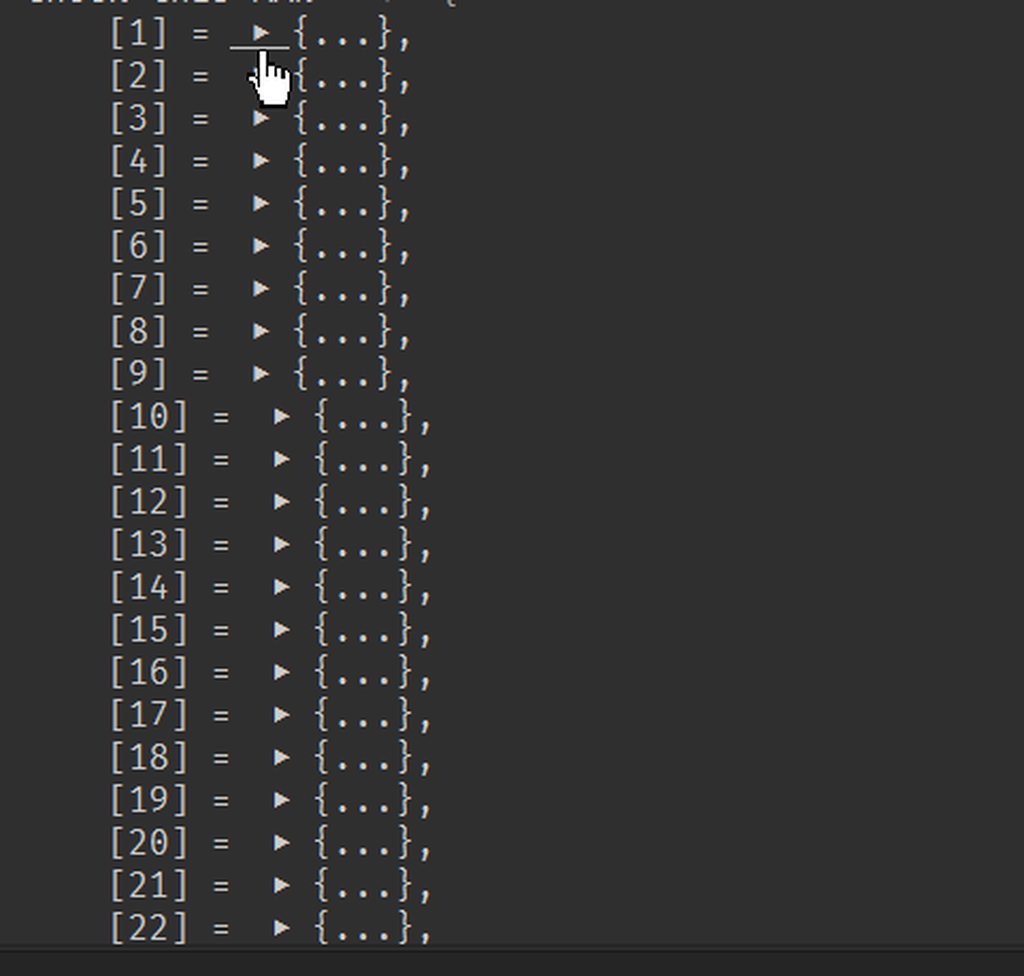
I'm generating 3D cubes to replace a bigger cube for destruction
this is what it looks like in lua
but I think someone suggested a way I'm gonna try in a moment just store a vector3 but need a break lol
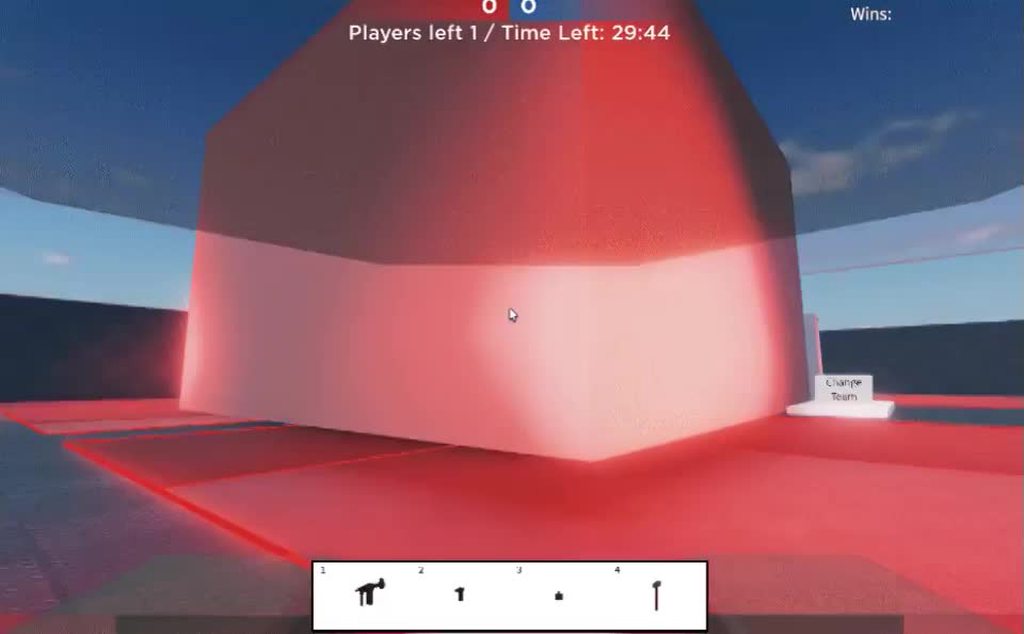
That's what I'm gonna do with this btw
tacit swan
is there such thing as audio events (same as animation events) where you can make something happen when a certain part of the music is playing?
soft shard
tacit swan
is there such thing as audio events (same as animation events) where you can mak...
AFAIK there is no built-in event system for audio in a similar way to animation events, though the AudioSource does provide some useful functionality to build your own, such as .time which tells you how long the clip has played for in seconds: https://docs.unity3d.com/ScriptReference/AudioSource-time.html - and the .clip.length to get the max time, theres also .isPlaying if you may need any conditional checks - for example, when you play an audio, you could run a coroutine or check in Update the time passed, once it reaches a certain point call an event, wrap that logic into a class maybe with a dictionary of <float, System.Action> to represent "event (Value) at time (key)", or however youd want to set it up for your projects requirements

 teal parrot
I moved this from code-beginner because maybe it's more appropriate here.
I'm having an issue moving a Rigidbody over time. I am trying to move it to a given position and rotation using the physics engine. I use the SmoothDamp functions, but instead of using the output, I feed the velocities through it and put them back into the Rigidbody to follow the movement. The position works fine and as expected, but the rotation is unstable. If I decrease the maximum rotation speed to something like 5, it doesn't rotate as fast, but it remains unstable and never settles. As far as I can tell the values being put in are correct. In the documentation I see SmoothDampAngle similarly being used on the Euler angles of a transform, and I have tried subtracting angles by 180 and that hasn't fixed it. Is it using the angular velocity in a different way then the rigidbody would read it, or have I done something else wrong?
 quartz folio
Is there a reason you're not using the result of SmoothDampAngle?
leaden ice
teal parrot
I moved this from code-beginner because maybe it's more appropriate here.
I'm ha...
your SmoothDamp code is completely useless?
You're not using any of those results
All 4 smoothdamp lines do nothing
quartz folio
The only thing it's doing is modifying angularVelocity and velocity
teal parrot
Yes, if I used the result directly it might try to clip through terrain and such.
The idea is that feeding the velocity into the rigidbody which will then move based on that velocity will be functionally the same as taking the resulting position, but it will resolve any collisions and update the velocity based on any collisions. It works with the position.
leaden ice
this is a really weird way to use SmoothDamp
teal parrot
Ping me if anyone has any amazing, very cool insight
 hexed pecan
teal parrot
I moved this from code-beginner because maybe it's more appropriate here.
I'm ha...
hexed pecan
teal parrot
I moved this from code-beginner because maybe it's more appropriate here.
I'm ha...
The 'velocity' parameter in SmoothDamp has nothing to do with rigidbody.velocity/angularVelocity
It should just be an extra float that you store just for the smoothdamp
teal parrot
I am using the rigidbody intentionally, instead of using smoothdamp directly on the rotation, I want to use it's calculation to modify the velocity only, so the rigidbody can handle collisions.
If it hits a wall while rotating, that will change the rotation, which should then apply in the next update.
Future note: So, cool thing, rigidbody angular velocity is one of the only angles that is handled in radians, not degrees. It needed a degree to radian conversion. Amazing.
hexed pecan
Well if you know what you're doing then you will sort it out
 cold willow
Unable to call method from inside a namespace
So I have a namespace that is calling a method like this
ClickMovement.ReachedTarget();
Then in that ClickMovement class I have a static method with that reached target name, but I am getting a compile error saying that ClickMovement does not exist in the current context. Remember that click movement is not also a namespace, just a simple mono behavior class.
leaden ice
cold willow
Unable to call method from inside a namespace
So I have a namespace that is cal...
Namespaces are just part of the class name
note that "namespaces" cannot "call" anything
you might have a class inside a namespace
that doesn't mean the namespace is doing anything, it's just part of the class name
cold willow
Got it, that helps. Thanks!
leaden ice
if the ClickMovement class is NOT in a namespace, it doesn't matter where you call it from, you don't need to do anything special
Now your real problem might be if you have an assembly definition. You won't be able to interact with your classes that are not in the assembly from inside the assembly.
 chrome trail
Trying to make a dodge role have consistent results and it's not. Is my problem that it's unrealistic to expect root motion to have consistent results or is there a way to make this work?
west lotus
Root motion is entirely consistent what do you mean ?
 iron pumice
Does Unity indeed accept compound assignments or VSCode is nuts?


 mellow sigil
It's a C# 8 feature so it's available from editor version 2020.2 onwards
 nimble cairn
Is there really any downside to having Animator components enabled if they are not in use?
Or is it better to enable/disable the components only when I need an animation to play. 90% of the time, the gameObject in question does not play animation.
latent latch
well, when you disable a GO you stop the Update() so yes, you do minimize the amount of work needed each frame
quartz folio
iron pumice
Does Unity indeed accept compound assignments or VSCode is nuts?
As long as the object is not a UnityEngine.Object subtype it will work fine
nimble cairn
@latent latch The gameObject itself does not get disabled. It is active and visible at all times.
iron pumice
mellow sigil
It's a C# 8 feature so it's available from editor version 2020.2 onwards
Awesome to know!
nimble cairn
The Animator component on that gameobject I am referring to
iron pumice
quartz folio
As long as the object is not a UnityEngine.Object subtype it will work fine
As someone coming back after some long years, what is that?
latent latch
nimble cairn
The Animator component on that gameobject I am referring to
it would be similar to disabling the GO but for that specific component
iron pumice
quartz folio
https://unity.huh.how/unity-null
ty!
nimble cairn
@latent latch It feels correct to disable components when not needed, so thank yo for confirming!
latent latch
ye, disable it if it's not in use, which is technically the basis for object pooling if you've gotten into that
iron pumice
quartz folio
https://unity.huh.how/unity-null
So my guess is that this is okay as well now?


The last time I used Unity, using new C# features would always return weird errors lol
mellow sigil
you could just try these, if it works then it works
quartz folio
Unity null is the only thing that will trip you up, and hopefully I've explained that one
the rest will either compile in Unity or not
 dense swan
Hello, I usually upload to steam and apply drm manually by uploading the executable into steam drm tool, then downloading it and replacing the original executables.
REcently, I added SteamManager from Steamworks.net plugin and it seems like when I haven't applied drm using my previous method, steam is trying to run the steam version of the game (which mean I cannot test the build that I just built because it's not on steam yet).
Does that mean I don't have to apply DRM manually anymore after I implemented Steamworks.net's SteamManager?
 crystal holly
Hi there, I'm making a Unity Android application that communicates with my server over Websockets. I am using the Websocket-Sharp library. In editor and Windows standalone build it works flawlessly but my Android build doesn't connect to the server. From logcat I get the output in the screenshot. It says "Access denied". Can anybody help?

 rocky basalt
I need to ensure a brief tween animation finishes before I continue my script execution.
Could anyone share best practices for this? I believe this calls for coroutines and/or Dotween's 'OnComplete' callback feature, but I'm a bit confused how to implement it.
What I'm essentially trying to do is:
- Fade text's alpha until invisible
- Once text is invisible, update it
- Proceed to unfade the text
- Once text is unfaded, now do other stuff
mellow sigil
If the animation uses Dotween then OnComplete is the natural way to do it
rocky basalt
Cool, that's what I figured. It's kinda ugly code, though to have the very important OnComplete buried at the end of a list of tweens
Was hoping to figure out a more readable way
Guess I could use a dotween Sequence, tho
 hardy tendon
good morning, I need to add a similar liquid to my project that must resemble fresh concrete, can you recommend a package that can simulate something like this?
 hallow crown
Guys, i'd like an opinion. What do ya'll think of replacing singleton with a static event (Action) ? how bad/good is it ?
 waxen matrix
i dont understand why but it always grounded, nothing else sets grounded to true or false...
        grounded = Physics2D.Raycast(transform.position, Vector2.down, checkDistance).collider != null;
        Debug.DrawRay(transform.position, Vector2.down * checkDistance, grounded ? Color.green : Color.red);

!code
 tawny elkBOT

Posting code
📃 Large Code Blocks
Use links to services like:
https://gdl.space/, https://paste.ofcode.org/, https://hatebin.com/, https://paste.myst.rs/, https://hastebin.com/
📃 Inline Code
Surround code with three backquotes. Not quotation marks.
To format as C#, add cs to the first line:
```cs
// Your code here
```
Add a comment with a line number if there is an error message.
 drifting crest
using System.Collections;
using System.Collections.Generic;
using UnityEngine;
using UnityEngine.UI;

public class loadingbar : MonoBehaviour {

    private RectTransform rectComponent;
    private Image imageComp;
    public float speed = 0.0f;


    // Use this for initialization
    void Start () {
        rectComponent = GetComponent<RectTransform>();
        imageComp = rectComponent.GetComponent<Image>();
        imageComp.fillAmount = 0.0f;
    }

    void Update()
    {
        if (imageComp.fillAmount != 1f)
        {
            imageComp.fillAmount = imageComp.fillAmount + Time.deltaTime * speed;

        }
      /*  else
        {
            imageComp.fillAmount = 0.0f;

        }*/
    }
}
I want this progress bar code to work for like 2 minutes or any time I enter
fervent furnace
you want the bar completes for any time period?
eg if you want it load for 60 second, that means the bar should propagate 1/60 fraction (of itself) pre second, so how you manipulate the speed?
chrome trail
west lotus
Root motion is entirely consistent what do you mean ?
I mean that, if I use root motion to propel the dodge roll from the same starting point, it will end up in two different points if I give it the exact same inputs
waxen matrix
waxen matrix
i dont understand why but it always grounded, nothing else sets grounded to true...
anyone?
p.s.:
when i turn off simulation in rigidbody it works
i fixed, no i didnt
soft shard
waxen matrix
i dont understand why but it always grounded, nothing else sets grounded to true...
Try logging the collider your checking against, if its always grounded then it sounds like the collider is never null, so your statement would always return true in those cases
waxen matrix
soft shard
Try logging the collider your checking against, if its always grounded then it s...
okay
yeah
its always grounded
somehow...
but when i turn off simulation it detects ground normally
soft shard
waxen matrix
its always grounded
Which collider is causing it to be grounded? Or rather, which collider is your raycast hitting?
waxen matrix
lemme check
wait
when i used it != instead of == its now not grounded
it looks like it hit something
soft shard
waxen matrix
when i used it != instead of == its now not grounded
The code you posted was using !=, which from what you described, was making it always grounded, so flipping the operation to == would make sense to do the reverse where instead it would always be false, since your check would then be saying "if the thing hit IS null then consider grounded true", using != would be saying "if the thing hit is NOT null (meaning its something) then consider grounded true"
waxen matrix
well..
it looks like it hit himself or smth, cuz when i turn off rigidbody it works
i mean simulation*
soft shard
Well if you log the collider your raycast hits, does it return the name of itself?
soft shard
waxen matrix
it hits himself
Ah ok, so likely because your raycast may be starting from inside your collider, it will be the first thing to get hit before your ground, the version of Raycast your using is only taking into account the position and the direction along with a distance, so you could either try moving the position outside of your collider (though there may be cases where it is not precise enough), or you could try putting your player on a different layer than your ground and also include the "layermask" param: https://docs.unity3d.com/ScriptReference/Physics2D.Raycast.html - I usually make a public LayerMask listenForThese, anything thats checked on those layers are the only colliders that are ever detected by the ray, and will pass colliders on different layers than provided to that variable (you can also do this manually with bitmasks, but I find those more complicated to understand)
waxen matrix
well...in 3D games i didnt used it, i just dont want to change every object in scene
soft shard
You shouldnt have to change every object, you would only need to change your player - for example, if your level is using "Default" as their layer, but your player is also using "Default" you could make a new layer called "Player" and just set only your player to that layer - your raycast layermask can then just only look at your "Default" layer and ignore your "Player" layer, which would then detect your level, and not your player
soft shard
Np, you can do a lot of cool and useful things with raycasts and layers for sure
iron pumice
Is is possible to create a boolean Event? Invoke an event with a boolean parameter?
fervent furnace
Action<bool> ?
 lusty dragon
Guys any idea as of why the pivot of the avatar gameobject moves in the scene while its position is not altered at all?
I mean I want it to be stationary and its children to move around but It seems that while it is stationary in the inspector, it is moving in the scene.
 strange gust
Tge pivot isnt changing, the center is changing, in the corner of your scene view yiu can see a thing that says center, change that to pivot to see the pivot
crystal holly
Hi there, I'm making a Unity Android application that communicates with my server over Websockets. I am using the Websocket-Sharp library. In editor and Windows standalone build it works flawlessly but my Android build doesn't connect to the server. From logcat I get the output in the screenshot. It says "Access denied". Can anybody help?
 lusty dragon
strange gust
Tge pivot isnt changing, the center is changing, in the corner of your scene vie...
lusty dragon
strange gust
Tge pivot isnt changing, the center is changing, in the corner of your scene vie...
Thank you so much!
iron pumice
fervent furnace
Action<bool> ?
I can't find the docs for it, what's that exactly?
iron pumice
found this video, probably the same subject since it shows basically what I'm aiming to do! https://youtu.be/UWMmib1RYFE tysm.

The observer pattern is essentially baked into C# and Unity. It comes in the form of delegates, events, actions, and to some extent funcs. The observer pattern de-couples the source of information from the object receiving the information. This makes unity projects more stable, easier to add mechanics, and far less likely to break.
Blog Post Co...
 severe creek
hey, I have prefabs for different rooms... does anyone know how to generate those in a random arrangement to make like a connected environment or does anyone know some tutorials?
 unique delta
i have a take damage function in the player script whic is refering in a code that damages the player in the enemy script. I put a print in the takedamage function in player script and it works but the player dosen t take damage.
this is the player script
Pastebin
Pastebin.com is the number one paste tool since 2002. Pastebin is a website where you can store text online for a set period of time.
 proper bolt
I've currently got a system whereby two objects will be dragged around the scene by the player. When one object touches another it should create a new 'GroupObject' empty which both objects should set as their parents. However, when testing it out it seems the parenting isn't quite working right. I am aiming for the ObjectGroup to be the parent of both.
I am assuming this is because they are both fired at the same time, but is there a way to stagger them or ensure they both get parented correctly?
private void OnCollisionEnter(Collision collision)
{
   if (!isSnapped)
   {
       ObjectSnap otherSnapScript = collision.gameObject.GetComponent<ObjectSnap>();

       if (otherSnapScript != null && !otherSnapScript.isSnapped)
       {
           GameObject otherObj = collision.gameObject;

           if (otherObj.transform.parent == null)
           {
               var groupObject = Instantiate(EmptyParentPrefab, collision.transform);
               Vector3 snapPosition = CalculateSnapPosition(collision.contacts[0].point, collision.transform);
               transform.position = snapPosition;
               otherObj.transform.SetParent(groupObject.transform);
               gameObject.transform.SetParent(groupObject.transform);
               isSnapped = true;
               otherSnapScript.isSnapped = true;
           }
           else
           {

               gameObject.transform.SetParent(otherObj.transform.parent.transform);
               isSnapped = true;
               otherSnapScript.isSnapped = true;
           }
       }
   }```
 desert shard
unique delta
this is the player script
desert shard
unique delta
this is the player script
currenthealth = maxhealth; you are setting this, every frame in update.
this should have been put in start. one would assume. Remove it from Update.
severe creek
its in update too
 static matrix
can unity recompile at runtime?
Ie: if I have some unity code that writes unity code, and I want it to be written anew each time the game runs, can the code be written on startup and then used after it is written?
leaden ice
static matrix
can unity recompile at runtime?
Ie: if I have some unity code that writes unity ...
No
 leaden ice
You could do something like that if you include a scripting engine for your game
e.g. moonsharp
what are you trying to accomplish with this though
modding?
static matrix
I essentially wanted to make a script that would write a script that has a unique effect, from a list of effects
without using a massive switch-case
hard viper
the main use case I’d imagine would be doing a redstone-like thing in minecraft, and then compiling it into machine code
static matrix
I could flick a ton of bools on and off but that's kinda annoying
leaden ice
static matrix
I essentially wanted to make a script that would write a script that has a uniqu...
Seems like an overkill solution for this
leaden ice
static matrix
I could flick a ton of bools on and off but that's kinda annoying
you can use delegates
static matrix
yes, I probably should
leaden ice
or a dictionary
static matrix
delegates my beloved
leaden ice
or even a dictionary of delegates
static matrix
or a delegate that returns a dictionary of delegates? \j
or have I gone too deep
hard viper
it sounds like the thing in God Eater 3, where the player can make custom particle effects
for their guns
but i think you can accomplish this without compiling it during runtime
is this accurate?
static matrix
i'll use delegates
hard viper
I would personally make a POCO which represents a given particle effect. which might include a list of another POCO. Inner POCO represents an individual components of a particle effect with different parameters etc. The big POCO containing it manages timing, access, and stringing them together.
static matrix
delegates will at least cut down the switch cases massively, limiting more to conditionals
even then, maybe I wont need any
this is a good idea
hard viper
delegates are good as long as the parameters do not change
individual classes are better if individual parts need to hold different parameters.
static matrix
by "parameters do not change" do you mean the types do not change or the values do not change
hard viper
the arguments and output type do not change
hard viper
abstract class is better if the inner components can be really different.
 heady iris
that's where you'd use polymorphism, yeah
so I guess there's a hierarchy here
if you always do the same thing, you just hard code it
if you do different things of the same kind, you need to add delegates
and if you do different things of different kinds, you also need polymorphism (or something else that allows for different types to be used)
System.Action<object> yolo
Things can get frustratingly abstract when you allow for too much customization
I'm rewriting a game right now to make it a lot more..."general", and it has made a lot of things more annoying
i can no longer have a global setting for "enemy difficulty" because there's no longer a single enemy class and a single player class
hard viper
i have a little circuit thing in my game with logic gates, and pressure plates etc. That I handle with an abstract class that gets very derrived. This way I can also check if the class implements different types of interfaces
for other things, I might keep a Func where I use a single switch case to assign a given function to a delegate, to just hold a given type of behavior
eg a sensor that can detect player, or enemy, or solid. Assign a Func<GameObject, bool> based on an enum, where the Func says true/false is this gameobject relevant to the sensor
instead of making 1 class for each
heady iris
yeah
There's a sliding scale of where you put all of your logic
one extreme is just writing code for everything
the other is doing everything in the inspector
the latter means you can construct arbitrary behaviors at runtime
but it also means that..none of your logic is actually compiled C#
hard viper
i try to keep inspector primarily for just adding components, setting collider/rb/sprite settings, and clicking serialized enums/bools to turn on/off different class behaviours in C#
keeping consts in C# in general saves me more than it hurts me
proper bolt
Seeing something a bit odd, I can see my regular inventory in the inspector but the structures one is blank. Not sure why :/


 leaden ice
proper bolt
Seeing something a bit odd, I can see my regular inventory in the inspector but ...
leaden ice
proper bolt
Seeing something a bit odd, I can see my regular inventory in the inspector but ...
InventoryItemSlot is a UnityEngine.Object and InventoryStructureSlot is not
not that this is also just the script defaults. The inspector for an actual instance of this script will be a bit different
only UnityEngine.Object fields will show in the script defaults inspector
proper bolt
I've not manually made the structure slot not one of those, so what is it that determines whether one is a .Object or not?
leaden ice
proper bolt
I've not manually made the structure slot not one of those, so what is it that d...
if it derives from UnityEngine.Object
e.g.
public class MyClass : MonoBehaviour``` this derives from UnityEngine.Object
```cs
public class MyClass``` this does notMonoBehaviour is a subclass of UnityEngine.Object
same goes for ScriptableObject
proper bolt
None of them extend Monobehaviour


Although I have just spotted that this has a serialisable tag, could that allow it to display in the inspector even though it doesn't extend that?
 leaden ice
proper bolt
None of them extend Monobehaviour
leaden ice
proper bolt
None of them extend Monobehaviour
the first one isn't serializable
hard viper
the whole thing needs to be serializable to work
and then structure needs to be serializable too…
proper bolt
So i'd need some way to define how the inspector should serialise my custom structure?
 amber sonnet
how to i stop it looknig smooth I use TERRAIN
 hard viper
proper bolt
So i'd need some way to define how the inspector should serialise my custom stru...
hard viper
proper bolt
So i'd need some way to define how the inspector should serialise my custom stru...
no. every part of a class needs to be serializable in order for it to be serializable
if A contains B contains C contains D, then B C and D must all be serializable for A to be Serializable
proper bolt
gotcha
hard viper
also, some data structures can’t be serialized by default. fair warning
eg Dictionaries
proper bolt
with this I managed to see the list in the inspector, but of course the actual structure is just blank

 hard viper
looks like Structure isn’t serializable
hard viper
go to structure. make it serializable lol
proper bolt
is it literally just that tag that you need?
proper bolt
I assume it would require some other fancy code to get working
doesn't like the contents though it seems
 hard viper
not if everything in it is easily serialized
well, what is in Structure
and is everything in structure serializable
proper bolt
it's just a game object, with a list of gameobjects in it
static matrix
using System.Collections;
using System.Collections.Generic;
using UnityEngine;

public class Projectile : MonoBehaviour
{

    public delegate void Action();
    public List<Action> actions;
    public bool IsPlaceholder;
    //Put here everything that might be needed for the projectiles
    public Rigidbody2D body;
    public float Speed;
    public float TimeAfter;
    public static Projectile MyPlaceholder;

    // Start is called before the first frame update
    public void SetForceForward(){//Moves Forward At speed;
       this.body.velocity = (transform.up.normalized)*Speed;
    }
    void Start()
    {

        //Prep things;
        if(IsPlaceholder){
            MyPlaceholder = this;
            MyPlaceholder.TimeAfter = Random.Range(3, 8f);
            MyPlaceholder.actions = new List<Action>
            {
                SetForceForward
            };
            MyPlaceholder.Speed = Random.Range(5, 15f);
        }
        else{
             body = GetComponent<Rigidbody2D>();
            actions = new List<Action>(MyPlaceholder.actions);
            Speed = MyPlaceholder.Speed;
            TimeAfter = MyPlaceholder.TimeAfter;


        }


    }


    // Update is called once per frame
    void Update()
    {
        if(!IsPlaceholder){
            Debug.Log(name);
            this.actions[0]();
        }
    }
}
for some reason, with this code
after the instantiation:
if(Input.GetMouseButtonDown(0)){
            var Proj = Instantiate(Projectile, transform.position + transform.forward, transform.rotation);
            Proj.GetComponent<Projectile>().IsPlaceholder = false;
        }
the debug.log logs the name of the new object, but for some reason the placeholder runs actions[0](), and moves forward. The copy has its body set to its own, not the placeholder, so im not totally sure what is going on here.
proper bolt
I assume then that the gameobject can't just be serialised like that then?
static matrix
just reassign it, its because there was something in it but then you changed the type of the something or of the collection, and now they are mismatched
hard viper
proper bolt
I assume then that the gameobject can't just be serialised like that then?
gameobjects can be serialized already
but that class also needs to serializable tag on it
also, if it’s serialized, i expect the only gameobejcts in it to be prefabs
and not gameobjects that are instantiated during runtime
because otherwise you’d only serialize a reference to something that doesn’t exist
proper bolt
It'll be prefabs that are instantiated, combined together into one structure, then saved to spawn somewhere else later
static matrix
is it something to do with the statics? I dont see why the placeholder would be running the function through the copy
proper bolt
so at the moment I guess it's storing the gameobjects in the scene itself, how could I instead store just the prefab?
hard viper
drag prefab from assets to the field in inspector
do not drag anything from the scene
because that connects to references to gameobjects in the scene
fervent furnace
google serializable dictionary unity
unity inspector doesnt support serialization of usual dictionary
static matrix
am I setting references wrong? im not sure why it is doing this
proper bolt
hard viper
drag prefab from assets to the field in inspector
what about doing this programmatically instead of dragging?
Think I figured something out. Added a prefab holder script that I can get the prefab from. probably isn't the best way but honestly at this stage I really don't know what's right or wrong
although it still says missing

so I guess that didn't actually work lol
hard viper
proper bolt
what about doing this programmatically instead of dragging?
you can also do it programatically
but then the program needs to get a reference to the prefab from somewhere
and if you want to serialize but not show in inspector, you could always use the HideInInspector attribute
proper bolt
I thought maybe I could slap something like this on the object then do this to store the prefab itself


though I don't know if that's working at all
hard viper
it’s unfortunate that prefab and gameobject aren’t different classes sometimes
 thick socket
    private void Awake()
    {
        textMesh = GetComponent<TextMeshPro>();
        baseColor = textMesh.color;
        baseScale = transform.localScale;
    }
if I disable/re-enable this object often will this just be called once?
fervent furnace
yes
thick socket
or each time this is "enabled" it will call this again
hard viper
Awake is only called once
thick socket
darn thanks
hard viper
OnEnable and OnDisable are called whenever you change
thick socket
running into a weird bug that I can't seem to fix
proper bolt
since it still says (1), which means it's just the object from the scene "ProcessedItemPrefab (1) (UnityEngine.GameObject)"
hard viper
hey tina, you might be the best person to ask. Do you know a fast way to count the number of leading zeros in a uint?
thick socket
this showText is being ran once every second
the text grows bigger and then smaller and disappears as it should the first 2 times
hard viper
a lot of ways use recursion or if statements, but i’m not sure if there is a smarter way
thick socket
then after that it only seems to "appear" on the 2nd half where it goes smaller
hard viper
since it is just bitmath
thick socket
but not while its growing bigger(dispite the object being enabled it isn't in view for awhile)
hoping Im overlooking something small but not sure what Im doing wrong
hard viper
i can make a uint just the rightmost turned on bit already. I would just like to know the index of that bit
eg Log2
fervent furnace
i am not good at bit manipulation....i cant even understand population count....
hard viper
really? oh mb
i don’t understand the popcount function; but i do know it is slick af
i copied from microsoft’s BitOperations source code, and it works really nicely
fervent furnace
btw i think the one use recursive based on divide and conquer.
if i>>16!=0 then the one must occur in range [17,32) else [0,16]
hard viper
i saw the recursive one, which is nice. i wasn’t sure how good recursion is in terms of stack frames when bit math gets involved, since bit math is stupidly cheap
severe creek
how can i make options in a random function rarer or more frequent?
hard viper
maybe i’ll just make a stupid semi-hard coded version
hard viper
severe creek
how can i make options in a random function rarer or more frequent?
give a weight
or use a cdf
fervent furnace
oh, my way is binary search, population count is divide and conquer (add the right part and left part recursively, and idk why how the bit shift version comes up)
hard viper
severe creek
how can i make options in a random function rarer or more frequent?
do you undersrand CDFs?
severe creek
hard viper
do you undersrand CDFs?
nope
hard viper
do you know how to make a uniformly random number between 0 and 1
actually, are you trying to pick a weighted entry from a list, or make a random number that follows a different distributikn
the two are very different
for a random number: define an inverse cdf for the random distribution. then call the inverse cdf on a uniform random float between 0 and 1.
this would let you turn a uniform distibution into a normal distribution, for example
severe creek
i want to instanciate different things with diffrent frequencies, those are in an array
hard viper
but if you have like a rouguelike card game, where cards need to be weighted, then that’s different
severe creek
i want to create a sort of dungeon with diffenrent rooms. some of those should occur more often then others
 raven basalt
This is in my late update:
    public void LateUpdate()
    {
        if (holdingFirearm)
        {

            Vector3 difference = targetTransform.position - rightShoulder.position;


            difference.Normalize();

            rightShoulder.up = difference;

......
The right shoulder is to the character's Shoulder.R armature bone. My Character's right shoulder points towards the mouse, but the character's arm is bent by the elbow, so that the right hand ends up pointing to the side, instead of towards the mouse. How do I make the entire right arm point straight towards the mouse.

 hard viper
ok, then give everything a weight, count the total weight, generate a uniformly distributed random number that goes up to total weight. Then iterate through list going:
cumulativeWeight = 0;
foreach entry in list
cumulativeWeight += entry.weight;
if (cumulativeWeight > randomNumber)
return entry.
severe creek
ok thanks
hard viper
does it make sense why that works?
severe creek
yes
hard viper
good luck
you can optimize that later, if you call this function a lot, and the list has lots of entries
for now, this should be the basics
severe creek
thanks
static matrix
did anyone figure out the solution to my issue yet?
 hidden parrot
you sent that message like 2 hours ago i doubt anyone is scrolling and reading through it again
hidden parrot
by the way
public delegate void Action();
is there a reason you don't just use System.Action
static matrix
I need delegates, and I will probably have different parameters
hidden parrot
system.action is a delegate
static matrix
can I assign it as such?
leaden ice
static matrix
can I assign it as such?
This is the source code for System.Action. It's precisely the same as yours:
https://github.com/microsoft/referencesource/blob/51cf7850defa8a17d815b4700b67116e3fa283c2/mscorlib/system/action.cs#L22
leaden ice
which is?
static matrix
the fact that for some reason action0 is running on the placeholder and not the instantiated object
leaden ice
not sure what that means. Do you have a link to more context?
hidden parrot
using System.Collections;
using System.Collections.Generic;
using UnityEngine;

public class Projectile : MonoBehaviour
{

    public delegate void Action();
    public List<Action> actions;
    public bool IsPlaceholder;
    //Put here everything that might be needed for the projectiles
    public Rigidbody2D body;
    public float Speed;
    public float TimeAfter;
    public static Projectile MyPlaceholder;

    // Start is called before the first frame update
    public void SetForceForward(){//Moves Forward At speed;
       this.body.velocity = (transform.up.normalized)*Speed;
    }
    void Start()
    {

        //Prep things;
        if(IsPlaceholder){
            MyPlaceholder = this;
            MyPlaceholder.TimeAfter = Random.Range(3, 8f);
            MyPlaceholder.actions = new List<Action>
            {
                SetForceForward
            };
            MyPlaceholder.Speed = Random.Range(5, 15f);
        }
        else{
             body = GetComponent<Rigidbody2D>();
            actions = new List<Action>(MyPlaceholder.actions);
            Speed = MyPlaceholder.Speed;
            TimeAfter = MyPlaceholder.TimeAfter;


        }


    }


    // Update is called once per frame
    void Update()
    {
        if(!IsPlaceholder){
            Debug.Log(name);
            this.actions[0]();
        }
    }
}
theres their code
swift falcon
Hey guys, trying to get back into working with Unity (As a beginner). A friend told me I could start with trying to replicate game mechanics that I've seen in games I like and I thought to ask people what game mechanics would be viable.
hidden parrot
from the last message
hidden parrot
swift falcon
Hey guys, trying to get back into working with Unity (As a beginner). A friend t...
not really a code question and make a top down shooter
static matrix
swift falcon
Hey guys, trying to get back into working with Unity (As a beginner). A friend t...
bro asked the broadest question known to man 💀
"what make game good"
static matrix
hidden parrot
theres their code
thank you
swift falcon
static matrix
"what make game good"
I wasn't asking what makes a game good, just was wondering if people had suggestions.
static matrix
when I spawn the projectile, the original object starts to move
rigid island
swift falcon
Hey guys, trying to get back into working with Unity (As a beginner). A friend t...
anything simple, 2D or 3D.
static matrix
which is odd, I don't see why it should
hidden parrot
static matrix
when I spawn the projectile, the original object starts to move
wait, what spawns the projectile?
static matrix
if(Input.GetMouseButtonDown(0)){
            var Proj = Instantiate(Projectile, transform.position + transform.forward, transform.rotation);
            Proj.GetComponent<Projectile>().IsPlaceholder = false;
        }
this code
Projectile is just a gameobject
hidden parrot
What does your debuglog name say?
leaden ice
static matrix
```cs
if(Input.GetMouseButtonDown(0)){
var Proj = Instantiate(Proje...
you'd have to show how the object moves
hidden parrot
leaden ice
you'd have to show how the object moves
it moves through this
static matrix
hidden parrot
What does your debuglog name say?
It says the copy in the update, but it says the original in the function update calls, setforceforward
hidden parrot
hidden parrot
```cs
using System.Collections;
using System.Collections.Generic;
using UnityEng...
here
leaden ice
hidden parrot
```cs
using System.Collections;
using System.Collections.Generic;
using UnityEng...
If this is the code then it's completely expected tjhat the template/placeholder moves
actions = new List<Action>(MyPlaceholder.actions); < the action you put in the list originally is one that moves the placeholder obejct
you are copying that action into the new list
it's the same action
static matrix
ohhhh
I see
leaden ice
nothing will magically retarget it to the new object
hidden parrot
what actually does your myplaceholder variable do
leaden ice
What you could do is make the action take a parameter, then pass that parameter in from the copy (have the copy pass itself in)
static matrix
lovely, it is fixed
hidden parrot
hold up, both of them should be moving-
static matrix
just moved it
 hidden parrot
hold up, both of them should be moving-
hidden parrot
hidden parrot
hold up, both of them should be moving-
when isplaceholder goes to false
which is right after instantiation
the actions list gets copied from the myplaceholder object
leaden ice
hidden parrot
the actions list gets copied from the myplaceholder object
yes, and the only thing in that list is an action that moves the placeholder
at no point would there be a function in that list that moves the new copy
static matrix
yeah, I understand my mistake
hidden parrot
oh right because reference type
static matrix
but the placeholder is always set as placeholder, so it doesn't do all the stuff
 storm thorn
Good day! I have this idea where the user can set the number of points they want to achieve for ex. 10 points, then if they reach it, the game would be "Finished", they can also save their points if they can't finish.
The problem is, I can't find any tutorials where the user will win if they reach a certain number of points. (This is basically the problem)
Do you guys have any idea or video links on how I can implement this? I'm using firebase as my backend btw
fervent furnace
how you save the data is nothing related to your problem....? or you want to perform the check in backend
leaden ice
storm thorn
Good day! I have this idea where the user can set the number of points they want...
well you'd just make a function to add points and call it. In that function you'd check for the game over state. For example:
public void AddPoints(int points) {
  currentPoints += points;
  if (currentPoints >= 10) {
    GameOver();
  }
}```I have UIs where the user can also check their progress so, I would want them to save their data if they can't finish
storm thorn
leaden ice
well you'd just make a function to add points and call it. In that function you'...
Thank you! Can I replace 10 with " " where the user can input the points they want in the UI?
leaden ice
storm thorn
Thank you! Can I replace 10 with " " where the user can input the points they w...
you can replace it with a variable, absolutely
not ""
but for example a variable named pointsToWin
severe creek
how do i access the second part of each entry in a dictionary to put it into an array?
leaden ice
severe creek
how do i access the second part of each entry in a dictionary to put it into an ...
you mean the values?
myDictionary.Values.ToArray()```how do i use this in code
leaden ice
wdym
this gives you exactly the array you want
do whatever you want with it
You probably want to start by storing it in a variable
A question though is why do you feel you need it in an array specifically? What are you ultimately trying to do?
severe creek
leaden ice
A question though is why do you feel you need it in an array specifically? What ...
i have a dictionary with gameObjects and an int to have a weighted randomness and i want to access the value to calculate the picked gameObject
leaden ice
severe creek
i have a dictionary with gameObjects and an int to have a weighted randomness an...
you'll want to just iterate over the dictionary itself for that then
e.g.
float total = myDictionary.Values.Sum();
float randomValue = Random.Range(0f, total);
GameObject result = null;

foreach (var pair in myDictionary) {
  randomValue -= pair.Value;
  if (randomValue <= 0) {
    result = pair.Key;
  }
}```thanks
severe creek
leaden ice
e.g.
```cs
float total = myDictionary.Values.Sum();
float randomValue = Random.R...
buti have an error: error CS1061: 'Dictionary<GameObject, int>.ValueCollection' does not contain a definition for 'Sum' and no accessible extension method 'Sum' accepting a first argument of type 'Dictionary<GameObject, int>.ValueCollection' could be found (are you missing a using directive or an assembly reference?)
leaden ice
severe creek
buti have an error: error CS1061: 'Dictionary<GameObject, int>.ValueCollection'...
are you missing a using directive or an assembly reference
Yes, you're missing using System.Linq;
Your IDE should automatically suggest that for you.
hard viper
i would avoid iterating over a dictionary for this
unless you can represent weight with simple integers
leaden ice
I mean I probably wouldn't use a Dictionary in the first place, it's not really necessary. Just a List<ItemWeightPair> or something would be just as good. But I don't see an alternative to iterating over whatever the collection is
severe creek
hard viper
unless you can represent weight with simple integers
i have int for all the weights
hard viper
and are all the ints very small?
severe creek
no
severe creek
20-50
leaden ice
I'm not sure I see how the size of the ints matters
hard viper
if it isnt too big, you could just add the weight as # of copies into a giant list, pick a random number between 0 and count-1, and go straight to the index
leaden ice
Ah - sure - I mean the optimal way to do this is set up an interval tree
but that's a lot of work 🤣
hard viper
or dictionary, where you get your calculated random value (between 1 and total weight), then iteratively check for keys at randnumber, randnumber +1, randnumber +2… and if the weights are all small, you’ll iterate only a few times
leaden ice
If there's less than 100 items in the loot pool, the cost of iterating will be negligible anyway
hard viper
idk, at first, just make a list and iterate manually
don’t get fancy and optimize prematurely until you see it’s actually super expensive
then optimize
i have a general question on Collision2D being enabled/disabled. I have a platform effector which is one way, and can make collisions not enabled. However, i have 2 different collisions with the same one way collider, which both have the same normal, and have very slightly different Collider2D.Distance (-0.011 vs -0.005), and the -0.011 is the one that is enabled
question: what is the rule for a platform effector2D disabling a collision2D?
severe creek
leaden ice
e.g.
```cs
float total = myDictionary.Values.Sum();
float randomValue = Random.R...
i have the problem that every time the result is the last thing in the list or dictionary
leaden ice
severe creek
i have the problem that every time the result is the last thing in the list or d...
time to start debugging
raven orbit
Do we have a multiplayer code channel? or does that still just fall under code
 hushed wedge
hi guys, this is the attack animation like dash and bum. child object have animation and parent have collider how can i fix it :/ I don't know if I explained it fully.
animation plays but parent not following and when animationd ends its turn back i dont want it 😦


 normal quest
hushed wedge
normal quest
hushed wedge
is this the sprite sheet?
hushed wedge
yes 30 frame
knotty sun
raven orbit
Do we have a multiplayer code channel? or does that still just fall under code
normal quest
the reason it goes back is because it is locally animated. Parent objects transforms its children with it, while child objects don't transform the parent with them. Also if this is the sprite sheet the child isnt really moving, just playing the animation
in order to fix that you should have a sprite sheet where the animation doesnt move, so you can move the gameobject
if you don't have that sprite sheet, you could try moving the parent to the position where the animation ends (lets say 4 units (for example) to the left or to the right depending on where the player is facing)
animation ends -> move parent immediately
hushed wedge
i will try thank you
normal quest
that should fix it in a dirty way, if you want to do it cleanly you should have a static sprite sheet (where the character doesn't move, just animates) and move the game object according to your animation
hushed wedge
yes I am trying that:
rocky basalt
Anyone have ideas - When scripting something with many sequential steps - namely a tutorial - what are convenient ways to organize the sequence so you can easily edit it later?
Right now each of my steps has an integer ID. But I'm concerned as it grows into dozens of steps, I'm gonna waste a lot of time editing the integers for all the steps as I insert/remove them
leaden ice
rocky basalt
Anyone have ideas - When scripting something with many sequential steps - namel...
use Timeline or something along those lines
Or assets like NodeCanvas
rocky basalt
Oh interesting. I had thought Timeline was mainly just for animations
My tutorial has a lot of animations, but also just gameplay behavior changes, where a user is prompted to test out features of the game
hard viper
i’d like to run by my sketch for a collectible system, if anyone has time for feedback:
public interface ICollectable {
public GameObject gameObject {get; }
public CollectibleType collectType;
public void Collected();
}

public class CollectibleCollector : Monobehaviour {
[SerializeField] private CollectibleType collectibleTypes;
private void OnTriggerEnter2D(Collider2D col) {
…check if it is a valid collectible and call ICollectible Collected()
}

public class CoinBehaviour : Monobehaviour, ICollectable {…}

public class CollectionManager : Singleton<CollectionManager> {
private Dictionary<CollectionType, int> collectionCount;
….methods to manage
}```sound good? bad?
raven orbit
My editor is randomly getting stuck like this for 5min plus
 somber nacelle
raven orbit
My editor is randomly getting stuck like this for 5min plus
somber nacelle
somber nacelle
raven orbit
My editor is randomly getting stuck like this for 5min plus
either you need to restart your editor more often or you have infinite loops.
severe creek
hey, I want to generate rooms next to each other and i have a script to do so. Now i want to implement so that some rooms can only spawn next to a specific room. does anyone know how?
somber nacelle
that's fairly vague and will likely also be dependent on how you are generating and identifying rooms
hard viper
each room would need to be represented with a class with a function that can return a bool about whether or not it is valid
raven orbit
somber nacelle
either you need to restart your editor more often or you have infinite loops.
It must be a loop
hard viper
then I would iterate through your list, only add weight from vaild entries, get the total weight, get random total weight, then iterate again
or make a list and save the result in between or whatever
but at the core, each room needs a function that can telll you if it is valid
somber nacelle
wave function collapse algorithm would be useful for that too, though it may end up requiring a rewrite
hard viper
this might be pretty simple tbh.
for making a dungeon, you’d probably only want on the order of like 30 rooms at a time or something, usually. so you can just eat the cost of doing this the dumb way once
severe creek
so i should use a wave function collapse algorithm?
hard viper
focus on the basics first
you need a function that tells you if a room is valid
and to define that function well
then the filtering and randomness etc will be the easy part
somber nacelle
that's how the wave function collapse algorithm works btw. you define valid neighbors then it starts with the object with the fewest possibilities, then iterates the valid neighbors on its neighbors, then repeats until generation is complete
basically think of a sudoku solver. it determines all of the possible values for each empty square, then starts with the square with the fewest possible values, selects a value, the updates the others with what is still possible, then selects the next square with the fewest possible values and keeps repeating that process until the puzzle is solved
hard viper
in all cases, you need to define what constitutes a valid room. that is the hard part, as there can be a lot of logic in there depending on how fancy you want to make it
it could be based on how many of a given type of room is allowed to appear, or how many connecting entrances etc there are
that’s not something we can help with, but we can help with what comes after
somber nacelle
yeah initially defining what is valid will be the difficult part. unless you only care about what room types are next to each other, then you just need a way to identify the rooms types (like an enum). in that case a simple switch statement would be enough
severe creek
thanks a lot
hard viper
wave function collapse algorithm assembles puzzle pieces
the hard part is defining the rules for the puzzle pieces
if that makes sense
severe creek
is it possible that a room is only valid if a neighbouring room is next to a specific room
somber nacelle
severe creek
is it possible that a room is only valid if a neighbouring room is next to a sp...
you can define whatever rules you would like for it
you just need to be able to express those rules in code. for example, you would check that any of its neighbors are that specific kind of room and if not then it is not a valid option
severe creek
yes but how can i check the neighbours of a neighbouring room
somber nacelle
that entirely depends on how your current room generation works. typically you would keep them in some sort of collection
severe creek
oki
 earnest gazelle
After creating a building, an animal or a character, etc. in my game, I would like to add it to a specific runtime collection. I have a collection for each entity type (BuildingCollection, AnimalCollection,etc.)
Now, I want to know where I should call method Add when spawning or Remove when destroying that entity.
In Spawner class or in that Entity Class for example Building in Start/Awake? where?
Where do you prefer to put it?
leaden ice
earnest gazelle
After creating a building, an animal or a character, etc. in my game, I would li...
Well where do you keep the collections?
The most convenient place is probably the spawner script
The entities could also register themselves with whatever collection manager is relevant in their Awake() methods
 hoary mason
I'm trying to do context steering and it's mostly working well but when many enemies are together (since the enemy layer is marked as an obstacle) things get weird like tihs
heady iris
so this is basically force-based AI
you have a force pushing towards the player, and forces pushing away from obstacles
hoary mason
well, towards the tree in this case
but yeah, since I'm using the steering to control velocity
I think what's happening is that it's detecting the other enemies, then moving away, but then stopping detecting said enemies and going back to the tree, but then detecting the other enemies again
and so on
 lunar acorn
how do you do two finger touch in unity new input
earnest gazelle
leaden ice
The entities could also _register themselves_ with whatever collection manager i...
Yes, I do not prefer to register the entity with the manager in that entity class itself because it adds a cyclic dependency. The manager depends on entities and vice versa but if I put it there, it reduces the complexity I guess.
By the way, In Spawner, it is OK as well
For each type (Character, Animal, Strcture (Buildings, Plants, etc.)), one spawner/factory exists but I think it could have been one spawner for all of them if I kept all definitions in one array and not different collections for each.
I think the number can increase by adding new entity types. As an instance, if I add natural features, I need additional classes for it, NaturalFeatureCollection,NaturalFeatureSpawner, NaturalFeatureLoader and so on
leaden ice
earnest gazelle
For each type (Character, Animal, Strcture (Buildings, Plants, etc.)), one spawn...
Could have a Dictionary of entity type to lists of instances
heady iris
Yep. I do that pretty often.
earnest gazelle
leaden ice
Could have a Dictionary of entity type to lists of instances
My problem is to add new classes for spawner/loader/collection after adding new entity type.
What do you mean create a dictionary with key entity type?
 public class AnimalSpawner
    {
        private readonly IAnimalRepository _animalRepository;
        private readonly Animal.Factory _animalFactory;
        private readonly AnimalCollection _animalCollection;

        [Inject]
        public AnimalSpawner
        (
            IAnimalRepository animalRepository,
            Animal.Factory animalFactory,
            AnimalCollection animalCollection
        )
        {
            _animalRepository = animalRepository;
            _animalFactory = animalFactory;
            _animalCollection = animalCollection;
        }

        public Animal SpawnById(Guid id, Vector3 position)
        {
            var definition = _animalRepository.GetById(id);
            return Spawn(definition, position);
        }

        public Animal Spawn(AnimalDefinition definition, Vector3 position)
        {
            var animal = _animalFactory.Create
            (
                definition.Prefab,
                new AnimalSpawnData<AnimalDefinition>(definition, position)
            );
            _animalCollection.Add(animal);
            return animal;
        }
    }
For example AnimalSpawner
 ionic bobcat
I have a gameObject that has been made into a prefab (it has AI scripts attached - all enemies will share generic AI) and subsequently removed from the scene. I create instances of this prefab as my enemies, in code. I want this object to have a script attached to it that stores the various data for the enemy (name, health, damage etc) so they are easily accessible and generated at runtime - I don't want to create hundreds of different prefabs for each possible enemy type and enemy level. The only way I can seem to achieve this is by making the class a MonoBehaviour, which seems unnecessary since it's just a POCO and contains no methods, only properties. Is there a better way to achieve this? ie add a normal class to a prefab or is there no detriment to making the data class inherit from MonoBehaviour?
heady iris
sounds like you want to store the data separately from the prefab
if you don't want to create hundreds of prefabs
ionic bobcat
I want to create the data at runtime when I create an instance of the prefab
heady iris
I presume you have a class that will actually hold the health/name/damage/etc.
ionic bobcat
heady iris
I presume you have a class that will actually hold the health/name/damage/etc.
yes
heady iris
you'll want to instantiate the prefab, then pass that data to the component (or components) that need it
var enemy = Instantiate(wolfPrefab);
enemy.Configure(scaryWolfStats);
where scaryWolfStats is a...
[System.Serializable]
public struct EntityStats {
  public string name;
  public float health;
  public float damage;
}
Now, if different kinds of enemies have different kinds of stats, things get more complicated.
ionic bobcat
Yes, that's basically what I've come up with. It just seemed a bit off to me.
Thanks for clearing it up 🙂
 cunning radish
Anyone know an alternate method for 2d pixel perfect? I tried using the Pixel Perfect Camera extensions, and it does what it's supposed to do, but it makes certain moving objects very jittery, and that stops happening as soon as I disable the component. I'm trying to recreate the genesis sonic games style in terms of how the game should be rendered. Apart from the 4:3 screen ratio.
 karmic brook
cunning radish
Anyone know an alternate method for 2d pixel perfect? I tried using the Pixel Pe...
karmic brook
cunning radish
Anyone know an alternate method for 2d pixel perfect? I tried using the Pixel Pe...
It might be because the moving objects dont use interpolate or because of specific camera settings
Are you using a cinemachine camera aswell?
cunning radish
No I left it and made custom camera movement
Changing the jittery objects' rigidbody interpolation mode doesnt seem to have an impact
These are the pixel perfect camera settings
 karmic brook
Your reference resolution seems a Bit specific are you Sure its correct?
cunning radish
It's correct in the theory, since I'm trying to mimic another more modern 2D Sonic game's resolution.
although I just tested 384x216, and the jitter is well, still there, i think its a low resolution thing
making the resolution bigger does look like it makes the jitter go away, but then I'm stuck with a large camera
karmic brook
By large camera you mean Low FOV?
cunning radish
just the camera size property under projection
I messed around with reference resolution some more, and I found a camera size, that although isn't perfect, it doesn't have the jitter, and it's a not too bad, so I think I'll just take it.
 dusk epoch
I have an issue with an asset I was testing on. I have written all on this thread, if you guys have a solution or an idea why it could be accuring please either comment on the question or write on discord. Thank you in advance.
https://stackoverflow.com/questions/77754853/stamina-bar-in-unity-project-has-a-refilling-issue

Stack Overflow
I have recently downloaded an asset from unity asset store and changed it a bit for my interest. This is a simple movement code with UI and mechanics. However I am having an issue on the stamina bar
tacit swan
i want certain things to happen at certain points in the music in my game. What is the best way to achieve this? I'm currently using WaitForSecondsRealtime in a coroutine, but i feel like this approach is very cumbersome
hard viper
anyone know how to set a animated tile to restart it's timer? like, to go back to its start frame?
karmic brook
tacit swan
i want certain things to happen at certain points in the music in my game. What ...
I think this is what you are looking for
https://learn.unity.com/tutorial/introduction-to-timeline-2019-3#

Unity Learn
The Unity Timeline Editor is a built-in tool where you create and edit cinematic content, gameplay sequences, audio sequences, and complex particle effects. In this tutorial, you'll see the various features of Timeline.
karmic brook
hard viper
anyone know how to set a animated tile to restart it's timer? like, to go back t...
You need to Access the tilemap you can then the loop through, Check If its an animated tile and Set the frame to 0
 dense rock
Hey, I want to create a save & load system, where the players can choose between a local and an online save of their game. How do I go about that? I've recently looked into databases. Should I save all their stats in a database and in playerprefs?
 bitter oar
i need help i want to check if the current letter from my text is equals to "." but i dont know how to do that
normal quest
dense rock
Hey, I want to create a save & load system, where the players can choose between...
you could look for google drive api
normal quest
bitter oar
i need help i want to check if the current letter from my text is equals to "." ...
have you tried
stringname[i] == '.'
dense rock
normal quest
you could look for google drive api
what does that help me with?
tawny elkBOT
Posting code
📃 Large Code Blocks
Use links to services like:
https://gdl.space/, https://paste.ofcode.org/, https://hatebin.com/, https://paste.myst.rs/, https://hastebin.com/
📃 Inline Code
Surround code with three backquotes. Not quotation marks.
To format as C#, add cs to the first line:
```cs
// Your code here
```
Add a comment with a line number if there is an error message.
normal quest
dense rock
what does that help me with?
you can save data on their google drive account
 faint brook
Are there any built in methods for encryption algorithms such as sha256?
bitter oar
dense rock
is that a common thing? sounds kinda weird to me. If they don't have a google drive i.e...
bitter oar
thats the code
normal quest
faint brook
Are there any built in methods for encryption algorithms such as sha256?
if its not built in Unity, its in c#
https://learn.microsoft.com/en-us/dotnet/api/system.security.cryptography.sha256?view=net-8.0

Computes the SHA256 hash for the input data.
normal quest
dense rock
is that a common thing? sounds kinda weird to me. If they don't have a google dr...
you can try to use databases but that implies hosting and database administration. If you want to use it for something simple it shouldn't be a headache
bitter oar
normal quest
you can try to use databases but that implies hosting and database administratio...
pls can u help me?
normal quest
bitter oar
pls can u help me?
can you please explain what exactly you are trying to achieve?
bitter oar
i want it to wait 1sec if the current letter is == (".")
and if not it just should wait null
normal quest
oh and you are using coroutines, i get it
bitter oar
ye
faint brook
normal quest
if its not built in Unity, its in c#
https://learn.microsoft.com/en-us/dotnet/ap...
Should of clarified unfortunately it is unity 😦
normal quest
try appending this instead of "yield return null"
if(letter == '.') yield return new WaitForSeconds(1f);
uh… what method do I use for this?
bitter oar
normal quest
try appending this instead of "yield return null"
```
if(letter == '.') yield re...
okay
normal quest
faint brook
Should of clarified unfortunately it is unity 😦
Unity uses c#, so if something works for c# it does for unity
you have to import its library System.Security.Cryptography
faint brook
normal quest
Unity uses c#, so if something works for c# it does for unity
you have to import...
oh word I thought you could only use unity libraries thx
bitter oar
normal quest
try appending this instead of "yield return null"
```
if(letter == '.') yield re...
works, thanks man
bro is codiak programmer
 spiral geode
where do I ask beginner questions about the editor (not necessarily about an issue with C# or scripting)?
specifically I'm trying to understand why prefabs cannot be assigned scriptable objects
quartz folio
spiral geode
where do I ask beginner questions about the editor (not necessarily about an iss...
spiral geode
quartz folio
<#497872424281440267>
TY friend
iron pumice
the use of the visual scripting namespace keeps on being added in my scripts automatically even though I don't use the package at all, is that a common thing now?
quartz folio
iron pumice
the use of the visual scripting namespace keeps on being added in my scripts aut...
If you don't need the package, remove it from your project
It doesn't get added automatically, you're probably adding it yourself as you type/use autocomplete in your IDE
iron pumice
I never installed, didn't notice it comes with the project now. Thank you for pointing out!
normal quest
what does that common function do?
latent latch
they should still be different instances
normal quest
and that function detects the first available red square?
latent latch
if you're using mouse controls or touch you should consider IPointerHandler interfaces
you need a way to detect which slot was the one selected so you'll have a GO for each
that's the most basic implementation
depends how you've got it all set up, but where are the spells on the left located before the right
another UI element I'd assume
Ok, so the right is like a hotbar and the left is what the player has
So two manager type scripts, they don't need to know the exact type of spells, but they need to know the types they store
you do need a slot script though for each GO
and like I was saying you'd need IPointerHandler if you are using mouse
OnClick should be fine too
if you wanted dragging though probably IHandler
Well, each GO should have its own script
so all you're doing is taking that stored instance and passing it over to Manager#2
OnClick should be fine. If every slot has its own OnClick and it's targeting the script on its own GO then it will reference that exact instance
right, you need to attach it to their own GO
I'm not sure how you can even link parameters like that with OnClick
IHandler you can though
regardless, I don't recommend that way. It's better just to localize the scripts on each GO itself
latent latch
latent latch
I'm not sure how you can even link parameters like that with OnClick
Ah, ok just playing around with it I can see two ways to do it like this if you wanted, but it's by referencing by the GO, other by creating individual methods for each slot.
For #1 you'd have to map out the reference probably through a dict such that GameObject 1 references Spell Slot 1.
For #2 you'd have as many extra method calls per GO on the UI
or my method:
Each script doesn't care for what slot it is, but it knows that if you click on it, the stores spell reference will be added to Manager#2
 sweet raft
You know... A lot of C# shortcuts I understand intuitively; but I've never understood exactly what bool = !bool translates to (I don't mean what it does. I know what thew result is.)
For instance int = bool ? 1 : 0 means if the bool is true the int will be 1, and if it's false it will be 0. What does bool = !bool mean in words?
unborn flame
i have a issue with my quest panel. When the quest starts the panel shows but the questname and decription sont show. I can see in my heirachry they are there for a moment before but when its time for them to show its blank. Here are the 2 scripts that effect them. The Dialogue trigger script is supposes to pass the quest name and description to the quest manager which then it displays. Dialogue Trigger Script: https://hatebin.com/nezodunqew Quest Manager Script: https://hatebin.com/sdwqyvhwsb
 spring creek
sweet raft
You know... A lot of C# shortcuts I understand intuitively; but I've never under...
spring creek
sweet raft
You know... A lot of C# shortcuts I understand intuitively; but I've never under...
Set bool to the opposite of the current bool value
 lean sail
sweet raft
You know... A lot of C# shortcuts I understand intuitively; but I've never under...
lean sail
sweet raft
You know... A lot of C# shortcuts I understand intuitively; but I've never under...
bool = not bool, basically just flip the value
 frozen fjord
Why must it be so hard to implement block placing in a minecraft clone
I can't figure out
How tf
You're supposed to find the correct position to place the block at, it always puts it at some weird position
 void basalt
frozen fjord
You're supposed to find the correct position to place the block at, it always pu...
void basalt
frozen fjord
You're supposed to find the correct position to place the block at, it always pu...
post your code
nobody can help you otherwise
if you're just straight up copying from youtube without understanding it, then that's probably why it's not working
frozen fjord
void basalt
if you're just straight up copying from youtube without understanding it, then t...
Okay when I get to my computer I will, I didn't copy from YouTube all this code is mine, I'm just kinda dumb rn
livid grail
Just a quickie;
       cc.Move(moveVector * moveSpeed * Time.deltaTime); //Movespeed 3.0f when using Character Controller
       rb.velocity = new Vector2((moveVector.x * moveSpeed * Time.deltaTime),(moveVector.y * moveSpeed * Time.deltaTime)); //Movespeed around 3000f to move same speed using Rigidbody2D
Why is this the case?
void basalt
livid grail
Just a quickie;
```c#
cc.Move(moveVector * moveSpeed * Time.deltaTime); ...
why is what the case?
oh
cc.Move moves you exactly with the parameter value you put in
a velocity is movement over time. Like movement over 1 second
so if I have a 30hz physics rate, and a velocity of 10,000 then my movement per tick is going to be like 10000 / 30
tacit swan
is there a way to call specific methods from scripts in the unity timeline? My idea is to have certain elements appear in the game at certain time in the music (ie: the drop)
rigid island
tacit swan
is there a way to call specific methods from scripts in the unity timeline? My i...
livid grail
void basalt
so if I have a 30hz physics rate, and a velocity of 10,000 then my movement per ...
oh true right.
tacit swan
rigid island
signals
https://blog.unity.com/engine-platform/how-to-use-timeline-signals

Unity Blog
oh nvm
i see the link you edited
tysm!
rigid island
indeed
livid grail
void basalt
so if I have a 30hz physics rate, and a velocity of 10,000 then my movement per ...
Ty I took off the Time I was basically doubling it by LOL. Now it's fine.
Maybe more appropriate for 2D; I'm doing my collission via tilemaps, but I don't really want them to follow the pixels or just use the cellsize. Is there a way to attach the hitbox to the tilemap relatively (so lets say for those pillars since I want to be able to walk a bit in front and behind them it would be a smaller rectangle in the middle of it) so I can still paint the map via the Tile Palette while having unique hitboxes?

Or would I have to do this code-wise, or just add in another gameobject -just- for collissions
 true blade
anyone able to help me with a problem im having
ive got a script that runs a function from another script after 60 seconds
and in both scripts there is zero errors
but in my first script the moment it tried to run the function in the second script it guved me an error
NullReferenceException: Object reference not set to an instance of an object
and it says the error is in the first script on the line that calls the function from the second script
iron pumice
Unity keeps changing the default script editor from VSCode to VS Studio automatically, anyone else ever had this issue?
It got to a point I fully uninstalled VS Studio to stop it, but it seems this causes some errors if you're using the Unity package on VSCode as well.
After I uninstalled VS Studio I keep receiving these errors in VS Code

I'd have no problems on leaving it installed but Unity ALWAYS changes the default editor from VSCode to Studio, I don't even restart the project, it just suddenly changes
rigid island
iron pumice
It got to a point I fully uninstalled VS Studio to stop it, but it seems this ca...
what the hell is Visual Studio Studio?
 my bad my brain also does not work as intended
 rigid island
true blade
NullReferenceException: Object reference not set to an instance of an object
rigid island
iron pumice
VSCode and Visual Studio LOL
rigid island
true blade
NullReferenceException: Object reference not set to an instance of an object
rigid island
iron pumice
VSCode and Visual Studio LOL
I see, so which one did you want connected to unity
iron pumice
VSCode (I want Unity to open it whenever I open a script)
leaden ice
true blade
and it says the error is in the first script on the line that calls the function...
Better get used to seeing and fixing this issue. It's the most common one for beginners to get until you understand how references work
rigid island
iron pumice
VSCode (I want Unity to open it whenever I open a script)
did you set it inside Preferences properly?
afaik i know there was a way where you have to set it a couple times/through a few project before it stays saved.
cosmic rain
iron pumice
After I uninstalled VS Studio I keep receiving these errors in VS Code
Try regenerating project files perhaps🤔
iron pumice
I've set it like this, and it does work normally, but soon after it suddenly changes to Visual Studio
 true blade
leaden ice
Better get used to seeing and fixing this issue. It's the most common one for be...
true blade
leaden ice
Better get used to seeing and fixing this issue. It's the most common one for be...
yeah im realizing it need to get some tag thing to reference it
iron pumice
I tried regen already :((
rigid island
iron pumice
I've set it like this, and it does work normally, but soon after it suddenly cha...
have you tried setting it a couple of times
I heard this issue before but it only happens to me when I switch it in one project it affects all of them until i change it back a few times
iron pumice
I'm in this battle with Visual Studio to make it stop opening since yesterday lol, maybe I should close everything, change settings in Unity, regen and then restart it as well? I'll give a shot here 
true blade
leaden ice
Better get used to seeing and fixing this issue. It's the most common one for be...
got my issue fixed, hopefully i wont forget that again
leaden ice
true blade
yeah im realizing it need to get some tag thing to reference it
FindWithTag is one of many ways
true blade
it worked for me so im sticking with it
rigid island
 unkempt peak
anyone know where i can get help with Vivox?
unkempt peak
anyone know where i can get help with Vivox?
probably #archived-networking or #archived-unity-gaming-services
unkempt peak
rigid island
probably <#497874116246896640> or <#989064252415426651>
thank you
rigid island
dont forget, dont ask to ask and just state ur problem
 clear oriole
how might i go about moving the mouse cursor through script
leaden ice
clear oriole
how might i go about moving the mouse cursor through script
Only in the new input system, you can do this: https://docs.unity3d.com/Packages/com.unity.inputsystem@1.8/manual/Mouse.html#cursor-warping
leaden ice
As mentioned, yes. It's part of the new input system package.
somber nacelle
I have a question about source generators.
Since Unity requires source generators to target .net standard 2.0 but the unity dlls are .net standard 2.1 when api compatability is set to .net standard in the latest versions, is it not possible to access anything within those assemblies? Ideally I'd like to generate an enum for layers and also if possible some constant strings for tags but I cannot figure out how I can do so since i cannot build with a reference to unity's dlls
 calm talon
    private void RecalculateBuffer(bool remove)
    {
        if (bufferColl == null) return;
        if (!remove) collidedRooms.Add(coll);
        else collidedRooms.Remove(coll);
        bufferColl.pathCount = collidedRooms.Count;
        for (int i = 0; i < collidedRooms.Count; i++)
        {
            Vector2[] arr = collidedRooms[i].GetPath(0);
            for (int x = 0; x < arr.Length; x++)
            {
                Transform t = collidedRooms[i].transform;
                arr[x] = new Vector2(arr[x].x * t.localScale.x, arr[x].y * t.localScale.y);
                arr[x] += (Vector2)t.position;
            }
            bufferColl.SetPath(i, arr);
        }
    }
so I have this code to change the boundaries of a polygon collider based upon the rooms the player is in (where the rooms also have their boundaries defined by polygon colliders) however upon running the above code no trigger events with objects in the room occur after resizing the collider
leaden ice
calm talon
```cs
private void RecalculateBuffer(bool remove)
{
if (bufferC...
You mean... immediately, or later?
Like are you expecting triggers to trigger as soon as this code runs?
Or later on?
calm talon
I'm expecting trigger events to occur after it runs
well right after it runs since the new area the collider will cover will intersect other gameobjects with colliders
somber nacelle
if you want trigger events to occur in reaction to the changed collider then you will likely need to disable and reenable the collider
leaden ice
calm talon
well right after it runs since the new area the collider will cover will interse...
It won't happen until the next physics simulation
calm talon
leaden ice
It won't happen until the next physics simulation
yeah that's expected
the problem is that no trigger event occurs at all
leaden ice
something probably would need to move too
I feel like this is something you'd want immediate answers on, no?
Why not use https://docs.unity3d.com/ScriptReference/Collider2D.OverlapCollider.html or someting?
clear oriole
Note to self when updating the mouse position using the warp function update it using fixedupdate
 shell scarab
in your guys's opinions, is it acceptable to use a goto statement to restart half a while loop?
clear oriole
Its not preferable but i mean if you have to and only have to do it a few times it should be fine