#archived-code-general
1 messages · Page 222 of 1
 leaden ice
 sick crow
lol
sick crow
thanks.
leaden ice
and serialzie that
sick crow
That's a problem for later
leaden ice
[Serializable]
public class GameData {
  public List<PlayerData> playerDatas;
}```make this and serialize it^
sick crow
I did something like that, and it yelled at me about [serializable]... honestly, let's just deal with the json sending thing for now
we have a chunk of json that does the job
let's use that
leaden ice
sounds like whatever it was was a basic compile error
sick crow
Sure.
leaden ice
easily fixed with using probably
sick crow
ok
I'm in the wrong state of mind to fix that right now
let's focus on sending the json I have
right now it's not passing unity's type checker becuase namespace name 'Encoding' could not be found (are you missing a using directive or an assembly reference?)
trying to get that byte encoder
sick crow
byte[] bytes = UTF8.GetBytes(basicJSON);
leaden ice
sick crow
`` byte[] bytes = UTF8.GetBytes(basicJSON);``
this doesn't say Encoding though
leaden ice
using System.Text;
Your IDE should auto suggest this stuff for you
If it's not, you should set it up. It will save you a ton of angst
sick crow
It's VSC, I use it for a lot of other things so I might have disabled that feature lol
sick crow
ikr lol
leaden ice
it's clearly wasting a lot of your time
sick crow
I agree
I had "Debugger for Unity" instead of "Unity" so I'm fixing that lol
ok fixed.
Now it's using the wrong version of "Post" or something.
Argument 2: Cannot convert from byte[] to string
using (UnityWebRequest www = UnityWebRequest.Post("http://localhost:5000/playerRanks", bytes))```Actually looks like you should just be able to do :
UnityWebRequest.Post("http://localhost:5000/playerRanks", basicJSON, "application/json"); in modern Unity
sick crow
I've tried that before
but I have the error messages now so let me show you
Argument 3: cannot convert from 'string' to 'byte[]'```seems to still be using the wrong version of Post or something
leaden ice
oh right nvm that expects form data
For some reason Post doesn't come with a nice static method that takes a raw string or bytes
this might be the simplest approach then:
https://forum.unity.com/threads/posting-raw-json-into-unitywebrequest.397871/#post-3391308

Unity Forum
I'm having trouble getting anything other than a 400 status from my webserver when using UnityWebRequest and json.
Here's what I'm doing:
//Example...
basically build it with Put and then just change the HTTP method to Post
sick crow
Can you use this with the context manager (I don't know if it's actually called a context manager in C# so bear with me)
leaden ice
not sure what you mean by that
sick crow
``` <- this patternyou mean the using statement?
sick crow
sure
leaden ice
of course
sick crow
ok, let me set it up and I'll run it past you
since this is in the context of a mod, testing it takes ages so I don't want to compile till I'm absolutely sure it'll work haha
        byte[] bytes = Encoding.UTF8.GetBytes(basicJSON);
        using (UnityWebRequest www = UnityWebRequest.Put("http://localhost:5000/playerRanks", bytes))
        {
            www.method = "POST";
            www.SetRequestHeader("Content-Type", "application/json");
www.SendWebRequest();```yeah looks good
leaden ice
print basicJSON
sick crow
[{"name":"CPU 1","rank":0,"side":"","fleet":"","cost":""},{"name":"AirmanEpic","rank":3750,"side":"","fleet":"","cost":""}]
        Debug.Log("Version 11");
        byte[] bytes = Encoding.UTF8.GetBytes(basicJSON);```
and I'm manually incrimenting every verion so I don't go insane lolhow are you reading it on the server
sick crow
this is ExpressJS
app.post("/playerRanks",function(req, res){
    console.log("playerRanks")
    //get the data from the request
    var data = req.body
    console.log(data)
    res.send({result:false, message:"Airman says hi"})
})```is it logging anything at all?
sick crow
"undefined"
basically there's no data
........ shit
should I be using .data
no, .data is undefined too
leaden ice
not an express js expert but do you have the app.use thing

Stack Overflow
I have the following Node.js code:
var express = require('express');
var app = express.createServer(express.logger());
app.use(express.bodyParser());
app.post('/', function(request, response) {
sick crow
I don't believe so but let me just double check other known working code using express
It appears to be at least possible that it's required, so I added it. testing now.
.... I feel very dumb now, because that worked!
What was the thing we were going to do to fix the nasty way of creating basicJSON?
leaden ice
 lean sail
Im making a central object pool which holds a dictionary of prefab, object pool. This pool is intended to hold everything that i pool
Dictionary<GameObject, ObjectPool<GameObject>>
Is there a clean way to reset values on these pooled objects when disabled? The problem is that these objects can be anything, so resetting a projectile might be different compared to something else.
I was in the middle of making a script to do this https://gdl.space/cevuhiyiku.cs but realized I would either have to accomodate for everything in ReturnToPool and use a bunch of null checks or use inheritance for each unique pooled object. I feel this defeats my purpose of having a central object pool.
Im looking for suggestions on what to do. Should I abandon the central pool, is there a cleaner way to reset values on the pooled objects, or is there some other magic i am unaware of?
 west lotus
How about a IPoolable interface that implements a Reset method
lean sail
west lotus
How about a IPoolable interface that implements a Reset method
this would still need to exist on some script, so itd be similar to having a class override my PooledObjectHandler's ResetToDefault() method. The reason i feel this defeats the purpose of my central object pool, is because the central pool was made to avoid every pool being a different script
leaden ice
sick crow
what do I do with it?
you serialize it with JsonUtility
leaden ice
lean sail
Im making a central object pool which holds a dictionary of prefab, object pool....
What's wrong with doing this in OnDisable of each particular script that needs to be reset?
west lotus
Well I dont see a way to reset all thw different values without writing the code somewhere
lean sail
Idk i guess i was just wondering if I should even continue with a central pool, or maybe I can try to just copy the values from the prefab to the instance
leaden ice
I don't see how it matters if it's a central pool or not
either way you need to reset your data somehow
lean sail
leaden ice
What's wrong with doing this in OnDisable of each particular script that needs t...
I was thinking this but then components that i didnt make (like rigidbody) would have to be reset from somewhere else
leaden ice
just do it in a script on the object
I don't think there's a good way to get around writing the reset logic yourself
Unfortunately Unity doesn't give us enough access to their serializer to do something like UnitySerialize.CopyValue(prefab, instance);
The closest thing we have is JsonUtility.FromJsonOverwrite but JsonUtility doesn't serialize UnityEngine.Objects effectively, it just serializes the instance id
lean sail
leaden ice
just do it in a script on the object
this is what i was doing above with PooledObjectHandler but i didnt really like the idea of making a ton of scripts to handle the different components. I also didnt like the idea of putting the logic for every single component in there then checking if the component is null before trying to reset. I might just end up putting them all in one script anyways and add reset methods to a delegate if the component exists
leaden ice
lean sail
this is what i was doing above with `PooledObjectHandler` but i didnt really lik...
I think you're trying to go too generic with that
Every one of your pooled objects should have at least one custom script on it that is the "main" actor script for that object
that script can be responsible for the reset
it can implement an interface i.e. IResettable or just use OnDisable() to reset
lean sail
ah yea you're right, ill just man up and do that lol
idk why I just have this mental block against doing it like that, even though it is the easiest/most understandable
 swift falcon
Hey, less programming more of a general math question(?)
so, from this video I've been able to get the position of points in a circle by using a value from 0 - 1
https://www.youtube.com/watch?v=qzkOslgzuzo
and by using this code:

Learn how to make your NavMeshAgents SURROUND their target, instead of just running to the center point of their target. In this tutorial we'll be implementing a simple solution to the "dumb AI" problem where your NavMeshAgents get bunched up and create a funnel or wedge when trying to follow a target.
We'll implement a simple AI Manager single...

What I'm wondering is, and here's an image i made to visualize it
Let's say I wanted to move the red point by 90 degrees, BUT i want the green point to stay at the 0.25 mark
How do i make the units relative to any rotation?

I'm not sure I've worded it correctly/makes sense so please tell me if you don't understand the question
lean sail
swift falcon
What I'm wondering is, and here's an image i made to visualize it
Let's say I w...
im unsure what you're asking honestly in terms of your game, or what the code has to do with this but you are just shifting the circle by a factor of pi/2. I dont know what calculation this would be for
lean sail
swift falcon
does this code even work? this looks off, sin(2pi) = 0 and cos(2pi) = 1
So the x isnt being changed from target.position
swift falcon
lean sail
does this code even work? this looks off, sin(2pi) = 0 and cos(2pi) = 1
So the x...
where it says 2 * pi, it isnt being multiplied by anything yet so it funcitonally doesnt do anything but in the 5:20 mark of the video, it is being multiplied by a decimal from 0-1, which marks where it is on the circle
and if you look at the poorly made diagram the decimals mark where the points would be on the circle
so sin(2 * pi * 0.25) and cos(2 * pi * 0.25) would be the green point on the circle
lean sail
honestly you could swap the sin and cos if you dont mind it going the other direction
https://www.desmos.com/calculator/hoq7gjtdme
use the slider for r (0 to 1) if you want to see what i mean other direction. Since this is for enemy circling your player, i assume the direction it goes along the circle doesnt matter
 deft torrent
hello, i have a problem with my code... can you help me ?
 dawn dock
deft torrent
hello, i have a problem with my code... can you help me ?
dawn dock
deft torrent
hello, i have a problem with my code... can you help me ?
What’s the problem
So post code use
!code
 tawny elkBOT

Posting code
📃 Large Code Blocks
Use links to services like:
https://gdl.space/, https://paste.ofcode.org/, https://hatebin.com/, https://paste.myst.rs/, https://hastebin.com/
📃 Inline Code
Surround code with three backquotes. Not quotation marks.
To format as C#, add cs to the first line:
```cs
// Your code here
```
Add a comment with a line number if there is an error message.
deft torrent

 lean sail
swift falcon
so sin(2 * pi * 0.25) and cos(2 * pi * 0.25) would be the green point on the ci...
lean sail
swift falcon
so sin(2 * pi * 0.25) and cos(2 * pi * 0.25) would be the green point on the ci...
the correct equation would be 2 * pi * (r + 0.25) though if you want the same direction. Since this is just around a circle, it doesnt actually need to be 0 to 1.
multiplying the entire thing by 0.25 would mean you travel along the circle 4 times slower (even though theres still no r included in your equation)
lean sail
deft torrent
!code to post your code
tawny elkBOT
Posting code
📃 Large Code Blocks
Use links to services like:
https://gdl.space/, https://paste.ofcode.org/, https://hatebin.com/, https://paste.myst.rs/, https://hastebin.com/
📃 Inline Code
Surround code with three backquotes. Not quotation marks.
To format as C#, add cs to the first line:
```cs
// Your code here
```
Add a comment with a line number if there is an error message.
swift falcon
lean sail
multiplying the entire thing by 0.25 would mean you travel along the circle 4 ti...
oh sorry but to clarify midRange is the radius from the player
should've clarifyed
lean sail
i understand that, but you currently have no number in your equation which lets you go around the circle. Sin(2pi) is 0, you still need that 0 to 1 value included in it
lean sail
swift falcon
oh sorry but to clarify midRange is the radius from the player
here new graph visual https://www.desmos.com/calculator/wqcpd2cq7i
I use r for the radius now to be more clear, and a is your 0-1 value. If you slide a from 0 to 1, you can see the points both go around while the green dot is 0.25 ahead. Even though we input 0, the green dot starts at the top like you wanted in the image.
If you change r then the dot does the exact same thing, just further away from the center (0,0)
 main shuttle
deft torrent
main shuttle
deft torrent
And also setup your !ide like I said in #💻┃unity-talk, you must have a setup IDE to get help here.
tawny elkBOT
💡 IDE Configuration
If your IDE is not autocompleting code
or underlining errors, please configure it.
Select one:
• Visual Studio (Installed via Unity Hub)
• Visual Studio (Installed manually)
• VS Code
• JetBrains Rider
• Other/None
deft torrent
main shuttle
And also setup your !ide like I said in <#497872424281440267>, you must have a s...
thks
Now, that happen

It's normal ?
 clever lagoon
deft torrent
thks
clever lagoon
deft torrent
thks
if you have a script with a compiler error when you open the project this will popup: not uncommon.
(p.s. please use screen shots, not photo's of the screen.)
 simple egret
Especially when there's the Discord icon in that picture...
It's installed on your computer, use it lol
 thin aurora
deft torrent
It's normal ?
thin aurora
deft torrent
It's normal ?
Yes, because Unity has scripts that run in the editor the moment you open it. The point of this is to avoid these scripts from running an potentially breaking even more.
swift falcon
lean sail
here new graph visual <https://www.desmos.com/calculator/wqcpd2cq7i>
I use `r` f...
Alright I came up with a pretty simple solution by using the rotation of the dot relative to center divided by 360 to get that 0-1 value, now I'm wondering how to get the a value when you only have a position of the dot as opposed to using a to get the position of the dot
lean sail
swift falcon
Alright I came up with a pretty simple solution by using the rotation of the dot...
im confused what you mean by this, you said up above that
where it says 2 * pi, it isnt being multiplied by anything yet so it funcitonally doesnt do anything but in the 5:20 mark of the video, it is being multiplied by a decimal from 0-1, which marks where it is on the circle
You should already have this 0-1 value. This is being used to calculate where the dot should be on the circle. This whole formula doesnt make sense to use if you already have the dot
swift falcon
lean sail
im confused what you mean by this, you said up above that
> where it says 2 * p...
ty for helping
 narrow summit
Are there ways to get the vertex/tri count in runtime player builds? Basically the Stats window shows. https://docs.unity3d.com/Manual/RenderingStatistics.html It uses I guess something called UnityStats which isn't documented but does exactly what I need https://github.com/Unity-Technologies/UnityCsReference/blob/d0e1a5b25e8d3c8e1b4e6baf0073032d97254a0c/Editor/Mono/UnityStats.bindings.cs#L70
The semi-obvious way, is to manually add up vertices of visible meshes, but that's painful since it requires a system where you have a handle of all the meshes...
 late lion
narrow summit
Are there ways to get the vertex/tri count in runtime player builds? Basically t...
late lion
narrow summit
Are there ways to get the vertex/tri count in runtime player builds? Basically t...
In release builds, i.e. non-development builds?
narrow summit
late lion
In release builds, i.e. non-development builds?
Only in dev builds is also fine. Release build would be great though
late lion
narrow summit
Only in dev builds is also fine. Release build would be _great_ though
You can read profiler metrics in builds through the ProfilerRecorder API. They can be used in release builds, but not all metrics will be available. I'm not sure about vertex/tri counts.
https://docs.unity3d.com/ScriptReference/Unity.Profiling.ProfilerRecorder.html
According to this, it should be available:
https://docs.unity3d.com/Manual/ProfilerRendering.html#markers.html
 mild orbit
I am creating a terrain from a render texture that is filled with noise. Using terrainData.CopyActiveRenderTextureToHeightmap. Its working 'fine', but running in to two issues I am not sure how to solve.
Firstly, it seams values above a certain threshold (75, 80?) are getting negative values or something.
And secondly, the terrain is looking terraced.
Any ideas on either of these?

 ashen yoke
dont know about the flipping but the terracing may be caused by resolution mismatch
afaik the terrain has +1 w/h or something like that
at least you have to do something with +1 when importing raws
can also be texture format
filtering, something else
mild orbit
ashen yoke
dont know about the flipping but the terracing may be caused by resolution misma...
I checked but the resolution of the terrain is 257, and so is the render texture. And the render texture is set to bilinear filtering
ashen yoke
and if you set the RT to 256?
mild orbit
ashen yoke
and if you set the RT to 256?
No difference it seems
ashen yoke
google those terracing issues for raw imports, solution probably the same
mild orbit
Hmm, looks like might have to do with the texture format issue. Will take some messing around. Maybe that will fix the other issue too (one can hope haha). Thanks!
 hexed pecan
mild orbit
I am creating a terrain from a render texture that is filled with noise. Using `...
hexed pecan
mild orbit
I am creating a terrain from a render texture that is filled with noise. Using `...
Terracing is probably fixed if you use a rendertexture format with more bits
I had a similiar issue
Ah, didnt read your latest reply - you seem to be on the right track
 steep herald
How do I read individual vertex data from mesh.GetVertexBuffer()?
on the CPU that is
mild orbit
steep herald
on the CPU that is
If you want it on the CPU, you can just use mesh.vertices
steep herald
mild orbit
If you want it on the CPU, you can just use `mesh.vertices`
I want the position of the vertex post-skinning. I want to keep the skinning on the GPU.
steep herald
@ashen yoke Yeah, I'm just not sure how to go from there. I can't find resources that indicate how to fetch the data from the vertexbuffer
ashen yoke
public GraphicsBuffer GetVertexBuffer(int index);
mild orbit
This page says you can use GerVertexBufferStrtide and GetVertexAttributeOffset, take that as you will https://docs.unity3d.com/ScriptReference/Mesh.GetVertexBuffer.html
ashen yoke
GraphicsBuffer.GetData
id assume you need to provide an matching array of floats
then read it as v3
ashen yoke
mild orbit
This page says you can use `GerVertexBufferStrtide` and `GetVertexAttributeOffse...

yeah
 hard viper
Physics2D question: Manual simulation. Kinematic RigidBody2D has velocity, when I call MovePosition, then Physics2D.Simulate(fixedDeltaTime);
My rigidbody now has a different velocity. Q: Why?
 weak gate
Has anyone created a application for video conferencing in unity? If so Please help me in this part I already asked this in StackOverflow but no response. Some Help would be appreciated. Thanks in Advance.

 pulsar holly
I'm getting error CS0165 and CS1612, here's the code: https://pastecode.io/s/ry117bp7
pulsar holly
 pulsar holly
I don't think thats it...
 fervent furnace
you are declaring a new set (or preSet) variables and assign it by itself ie int a=a+1; so you will get this error
ashen yoke
if (transform.position.y = -5.5)
=
equality operator == assignment, replacement operator =
int set = (set + 1);
you cant use a variable before it was initialized
you already have int set declared in the class, as a member of that class
writing int set within the method REdeclares it, as a local variable of the method
declaration is preceded by type
int type set name
just set = (set + 1) will not redeclare it
pulsar holly
So what should I rename the code?
fervent furnace
you dont need any special operator to access class-level variables, just type its names
pulsar holly
So I should make it just set + 1?
 mental rover
set++;
pulsar holly
The errors are gone, but there's a new problem, whenever it touches the bottom of the grid, the variables set and preSet won't change by 1.
fervent furnace
i just notice that the whole thing is in start
pulsar holly
So I should put it in update?
fervent furnace
probably, and
first. there is a operator called logical and (&&) eg if(A&&B){some codes}, "some codes" will be executed only if A and B is true
second, this line:
if (puyoType == 1) ; in 18
Start runs once when the behaviour enters the scene
 quiet bear
I'm looking into bettering my code. Currently, it is doing what I intend on having it do. What else can I do to clean this up into something shorter?
using UnityEngine.Events;

public class Generate : MonoBehaviour
{
    public UnityEvent onGenerate;

    private bool generating = false;

    private float counter;
    private float waitTime;

    private int currentVal;
    private int addVal = 1;

    private void OnEnable()
    {
        StartGenerating();
    }

    public void StartGenerating()
    {
        generating = true;
        InvokeRepeating(nameof(CheckGenerate), waitTime, waitTime);
    }

    private void OnDisable()
    {
        StopGenerating();
    }

    public void StopGenerating()
    {
        generating = false;
        CancelInvoke(nameof(CheckGenerate));
    }

    private void Start()
    {
        InvokeRepeating(nameof(CheckGenerate), waitTime, waitTime);
    }

    private void CheckGenerate()
    {
        if (generating)
        {
            currentVal += addVal;
            onGenerate.Invoke();
        }
    }

}
 mellow sigil
The generating flag is unnecessary
quiet bear
Thank you very much
 rigid island
quiet bear
I'm looking into bettering my code. Currently, it is doing what I intend on havi...
rigid island
quiet bear
I'm looking into bettering my code. Currently, it is doing what I intend on havi...
use something more solid like coroutines
quiet bear
rigid island
use something more solid like coroutines
I've asked around and I was told to use events or coroutines, not both.
rigid island
quiet bear
I've asked around and I was told to use events or coroutines, not both.
you were misinformed then lol
leaden ice
This could be much more compact just using Update tbh:
public class Generate : MonoBehaviour {
  public UnityEvent onGenerate;
  public float waitTime;
  int addVal = 1;
  int currentVal = 0;
  float timer;

  void Update() {
    timer += Time.deltaTime;
    while (timer >= waitTime) {
      timer -= waitTime;
      currentVal += addVal;
      onGenerate.Invoke();
    }
  }
}```but I suppose there's some elegance to a coroutine or to InvokeRepeating?
rigid island
quiet bear
I've asked around and I was told to use events or coroutines, not both.
the problem I dont like with invoke methods is you can't pass arguments to it
quiet bear
leaden ice
This could be much more compact just using Update tbh:
```cs
public class Genera...
Yeah, but now the update is constantly reading.
leaden ice
quiet bear
Yeah, but now the update is constantly reading.
eh, it's happening in the engine anyway when you use a coroutine or InvokeRepeating
you're just hiding it
quiet bear
at one point it was invokeRepeating in the Start method... lol
narrow summit
late lion
According to this, it should be available:
<https://docs.unity3d.com/Manual/Prof...
Lovely, thank you. Will try it out now.
rigid island
quiet bear
Yeah, but now the update is constantly reading.
premature optimization lol
quiet bear
I understand. I was trying to curtail a particular way of writing code to my liking and then specialize it.
ashen yoke
leaden ice
This could be much more compact just using Update tbh:
```cs
public class Genera...
public class Generate : MonoBehaviour {

  public UnityEvent onGenerate;
  public float waitTime;

  int addVal = 1;
  int currentVal = 0;
  float lastTick;

  void Update() {
    if(lastTick + waitTime < Time.time)
    {
        lastTick = Time.time;
        currentVal += addVal;
        onGenerate?.Invoke();
    }
  }
}
 heady iris
i randomly switch how i do this every time
sometimes I subtract from a timer. sometimes i add to a timer. sometimes i just compare the current time to a goal time.
 polar marten
weak gate
Has anyone created a application for video conferencing in unity? If so Please h...
polar marten
weak gate
Has anyone created a application for video conferencing in unity? If so Please h...
what is your goal? what is the application of video conferencing? maybe use a plugin
leaden ice
ashen yoke
```cs
public class Generate : MonoBehaviour {
public UnityEvent onGenerate;
...
This isn't as accurate - lastTick += waitTime would be more accurate. Plus it's against Time.time guidelines to use it in Update like this
due to precision limitations
ashen yoke
i dont understand, where is the inaccuracy coming from?
leaden ice
ashen yoke
i dont understand, where is the inaccuracy coming from?
well i think lastTick + waitTime < Time.time should be lastTick + waitTime > Time.time yes?
Anyway let's say lastTick is 1, waitTime is 1, and Time.time is 2.05.
If you do lastTick = Time.time now you have lost that 0.05 seconds
you would want the times to be 1, 2, 3, 4
but now you'll get 1, 2.05, 3.07, 4.09 etc
based on frame boundaries
ashen yoke
well i think lastTick + waitTime < Time.time should be lastTick + waitTime > Time.time yes?
no, it should tick once the realtime exceeds the previous tick time + wait
ashen yoke
yes you lost it because if you have 20 fps you will be losing ticks
leaden ice
if you do lastTick += waitTime, then 2 + 1 becomes 3 exactly
rather than 3.05 or whatever Time.time is currently
ashen yoke
this can be compensated for, when it is important
when you require a ticker accuracy that ticker will be built with compensation, accumulating actual time and potentially running several ticks a frame, like fixed update
the above is simply "fire as soon as update hits"
  float nextTick;

  void Update() {
    if(nextTick < Time.time)
    {
        nextTick = Time.time + waitTime - (Time.time - nextTick);
    }
  }
this should compensate for overshoot i think
leaden ice
this is getting way more complex now though
ashen yoke
yes
leaden ice
and the more math we do with Time.time the less precise it is
fervent furnace
it is simply nextTick=nextTick+waitTime
ashen yoke
then you will be accumulating error, since Update will happen undefined time after the nextTick+waitTime
nextTick = 1.1, Time.time = 1.10024
lost 0.00024
fervent furnace
it will just compensate the time lost in future update
suppose wait time is 0.1 and you will expect the time different to enter if block in future update is around 0.0976s, if time.time is 1.2345 the expected time different is ~0.0655s
assume update rate>wait time
otherwise
for(;Time.time>=nextTick;nextTick+=waitTime){}
eg update frequency is 1s^-1 but wait time is just 0.1s
ashen yoke
i think youre right
fervent furnace
and what i written is the same as you
N=T+W-(T-N)=T+W-T+N (note that the next call to Time.time will return slightly larger value but here i ignore it)=N+W
polar marten
mild orbit
Hmm, looks like might have to do with the texture format issue. Will take some m...
what is the format of your render texture?
i'm not sure if you will ever get signed texture formats
by default
mild orbit
polar marten
what is the format of your render texture?
Not sure, whatever the default one is
polar marten
it's also not likely to be an srgb versus linear issue
CopyActiveRenderTextureToHeightmap ought to deal with all these issues
but maybe it does not
mild orbit
polar marten
`CopyActiveRenderTextureToHeightmap` ought to deal with all these issues
That is what I am doing
polar marten
in your shader, try clamp ing the output values
so that they are between 0 and 1
or whatever it is in hlsl
have you visualized the render texture in the frame debugger? you can at least see if the heightmap has this glitch. it is also unlikely, but maybe it is sampling unexpectedly. clearly it seems to be nearest filtering, which is surprising
terrains in general perform poorly for macroscopically large smooth surfaces, like sand dunes. they are unusually bumpy. unity terrains also perform poorly for ridges.
mild orbit
polar marten
have you visualized the render texture in the frame debugger? you can at least s...
Hmm, not really familiar with the frame debugger, but I'm not seeing it there
polar marten
you should create a single channel 32 bit format, like RFloat
so set its format before you call Create
i think you will also want to create mipmaps
polar marten
mild orbit
Hmm, not really familiar with the frame debugger, but I'm not seeing it there
okay it turns out that with terrains
and this is going to give you a heart attack
but it is indeed the behavior that any value above 0.5 returned by the shader will "loop back to" -0.5, at least with default formats, because it will seemingly interpret shader outputs on unsigned render textures (the default) as signed https://forum.unity.com/threads/understanding-copyactiverendertexturetoheightmap.706679/#post-6254475
Unity Forum
Hi there
I have a question regarding this newer Terrain method:...
i think if you try switching to RFloat, you will not experience this issue
"But I don't know"
mild orbit
polar marten
i think if you try switching to RFloat, you will not experience this issue
Ooh, so setting it to RFloat fixed the stepping! 😄 Not the 'looping back' though
polar marten
mild orbit
Ooh, so setting it to RFloat fixed the stepping! 😄 Not the 'looping back' thoug...
okay well, it's because they baked in this stupid signedness idea
mild orbit
I guess I just gotta manually normalize it to a 0 - 0.5 range
polar marten
so go ahead and do -1 in your outcolor
yeah
i think the range is from -0.5 to 0.5 but with RFloat it will not matter
and then clamp
mild orbit
Yeah I guess I will just have to put in another compute shader step that just remaps the range before applying it to the terrain. But thats fine.
mild orbit
polar marten
i think if you try switching to RFloat, you will not experience this issue
Are you able to give a high level/short explanation of what/why RFloat fixed the stepping? I think I get it, but having clarity would be cool
 worn crystal
how would I check if a ui element is touching any of the edges of the screen?
polar marten
mild orbit
Are you able to give a high level/short explanation of what/why RFloat fixed the...
the default render texture format is whatever your frame buffer is, which is 8 bit RGBA
you author shaders with floating point numbers, and the precision of the arithmetic in them is determined by various configuration. once you write to an 8 bit destination, they are taking a floating point number and shoving it into an 8 bit unsigned integer, where 0 = 0 and 1.0 = 255. so you get those 256 equally spaced values and that's it
RFloat is a single 32bit ordinary float, same meaning as in C#
so it can express a much smoother range of values, especially unevenly spaced ones
mild orbit
Right, makes sense, so why would ARGB32 not work and still result in stepping?
polar marten
i think it would work
your frame buffer is ARGB8 though
or ARGB 10 bit
it's never by default going to be ARGB 32 aka 4 32 bit floats
frame buffer meaning the texture that directx or whatever ultimately draws to the screen
it doesn't pack a 32 bit float value into the 4 bytes of ARGB
i mean, that's what the format RFloat is
mild orbit
Looks like ARGBFloat works, but ARGB32 results in stepping. interesting
polar marten
yes, because you are ultimately returning values 0 - 1 in your shader
which are preserved directly in float
mild orbit
Also, didn't know the default for the render texture is whatever the frame buffer is. Good to know!
polar marten
and float can represent those without issue, it can represent fine grained differences between floats in the 0-1 range
an integer cannot
mild orbit
Oh, is ARGB32, not floats but integers?
polar marten
naturally, returning 1.0 as an out color in your shader does not correspond to 3e38 or whatever it is
no
ARGB32 is 4x 8 bit integers aka unsigned bytes
mild orbit
Ooh, that makes sense why it is getting the stepping then (should of read the doc comment for it I guess)
Thank you very much! 😄
mild orbit
worn crystal
how would I check if a ui element is touching any of the edges of the screen?
Do you mean a UIToolkit element or a UGUI element?
worn crystal
ugui, im assuming i do some trickery with GetWorldCorners
odd that it returns world position values but they seemed to be mapped to screen resolution at least?
im assuming ive gotta do something like, if i want to check if the ui is touching the left edge id compare one of the left corners to see if its pos is less than 0, on the other side it would depend on screen resolution (id compare a right side corner to see if its pos is greater than the screen res width?)
mild orbit
Sounds about right, but you could probably use the canvas rect I think?
worn crystal
wouldnt that only work if the parent canvas fills the screen?
mild orbit
Yeah, guess it depends on the use-case
worn crystal
i need to know the global space coords of the rect to do this so i think this should work
again, weird that it decides to use Vector3 as its return value though, def threw me off
polar marten
worn crystal
again, weird that it decides to use Vector3 as its return value though, def thre...
create an empty, parent rect transform that fills the "screen" however you want it to. then compare the left, right, top and bottom of the candidate rect to this screen-filling rect.
 eager steppe
Does anyone know why using Directory.EnumerateFiles or Directory.GetFiles can work weird on android? I'm trying to use this code to get all of the .mp3 files in the streamingAssets folder:
public void RefreshAllAudios()
{
isRefreshing = true;
Songs.Clear();
SongPaths = Directory.EnumerateFiles(Application.streamingAssetsPath, "*", SearchOption.AllDirectories)
.Where(s => s.EndsWith(".mp3")).ToArray();
StartCoroutine(DownloadAllAudios());
}```
But for some reason it renders a "DirectoryNotFoundException".
The weird thing is that I can actually load these files individually with a simple UWR, but all I'm trying to do with this code is get all of the files paths - and that doesn't work. knotty sun
eager steppe
Does anyone know why using Directory.EnumerateFiles or Directory.GetFiles can wo...
knotty sun
eager steppe
Does anyone know why using Directory.EnumerateFiles or Directory.GetFiles can wo...
StreamIngAssets is packed into the apk so it can only be accessed with UnityWebRequest
eager steppe
knotty sun
StreamIngAssets is packed into the apk so it can only be accessed with UnityWebR...
I get that, but I just want to get the paths of these files dynamically with this code- is that possible with APKs?
After getting all the paths into SongPaths with RefreshAllAudios(), i loop through them and download them via UWR
knotty sun
No, it's not possible, Directory works on physical folders, StreamIngAssets is not a physical folder on Android
polar marten
mild orbit
Looks like `ARGBFloat` works, but `ARGB32` results in stepping. interesting
you should be choosing RFloat not ARGBFloat, unless you want a 4x larger thing or are using the channels for something else
hard viper
apparently unity is supposed to support c# v9? Is this true? Is there a way to turn this on or something
rigid island
2021+ irc
rigid island
if it is then its c#9
hard viper
i don’t even have the file keyword
hard viper
nvm that is C#11
worn crystal
polar marten
create an empty, parent rect transform that fills the "screen" however you want ...
this parent rect would have to be a root object or else itll fill the rect relative to it though
rigid island
hard viper
nvm that is C#11
yeah...who knows when thats going to come to unity..
their .net hella old
 rich kestrel
Hi, i got a question about unity localization
I have a big json that contains some object infos in english and in french. In my script, i store both.
For the moment, i saw that we can swap some text based on a translation table.
But is it possible to have an event in my script that is trigger when the language change so i can internally change the text displayed ?
hard viper
we get all these experimental half-baked features. But then the language itself doesn’t even fully support the main version of the main language that came out 3-4 years ago
mild orbit
polar marten
you should be choosing `RFloat` not `ARGBFloat`, unless you want a 4x larger thi...
Thanks, yeah, it is using a wider generic system, so for now going with the more flexible format.
rigid island
hard viper
we get all these experimental half-baked features. But then the language itself ...
imagine?
oh wait its reality lol
new versions of .net are more performant
mild orbit
They are working to port to .NET Core, just gotta give them time, they are moving the GC to the .Net Core one as well, so it takes time to rewrite things to support it. Can't wait for it, going to be nice! 😄
hard viper
that is going to be under the new ToS with potential revenue share tho
rigid island
if it gets me newer .net so be it
 spring creek
hard viper
we get all these experimental half-baked features. But then the language itself ...
spring creek
hard viper
we get all these experimental half-baked features. But then the language itself ...
Switching from Mono is gonna break a lot of Unity. They are trying to make it break as little as possible. There is a forum thread on the roadmap of getting past that hurdle. Then they can stay up to date with .net
lean sail
rich kestrel
Hi, i got a question about unity localization
I have a big json that contains s...
Yes it is easy to code, it seems like you know what to do though. Just subscribe to some event, and when the user changes the languages in your settings then invoke the event. When the event is invoked (with the language sent as a parameter), the text will lookup what it should use
rich kestrel
lean sail
Yes it is easy to code, it seems like you know what to do though. Just subscribe...
Is there a function in MonoBehaviour for this ? Or a object in the package localization for this ?
lean sail
rich kestrel
Is there a function in MonoBehaviour for this ? Or a object in the package local...
Function for what? What does monobehaviour have to do with this as well
rich kestrel
I was saying, how can i subscribe to the event ?
clever lagoon
rich kestrel
I was saying, how can i subscribe to the event ?
https://docs.unity3d.com/ScriptReference/Events.UnityEvent.AddListener.html havn't followed convo.. but usually this is it
rich kestrel
i check for this 🙂
 unkempt meadow
any way to know how much time remaining I have for my build to build?
could be 5 mins, could be 5 days, I don't know that
lean sail
rich kestrel
I was saying, how can i subscribe to the event ?
You just += something to the event, you should look at c# events online. The method sent to you above is for unity event, which you could use as well if you want something setup in inspector. But have you looked at this?
https://docs.unity3d.com/Packages/com.unity.localization@1.0/manual/QuickStartGuide.html
 tawny elm
im working on a little clone of that one watermelon game. any suggestions on how i would detect the collision between two balls and merge them? i know normal colission detection but im not sure how to get around this one. if two of the same ball collide, they would merge to become a bigger ball, like 2048.

 dire pier
Hi, im following a guide to make a game. (https://www.youtube.com/watch?v=sWKk5ytBCTE&t=853s) Right now i want to consume my 'stick' with right clicking. But i got an error. Provided my code + unity.


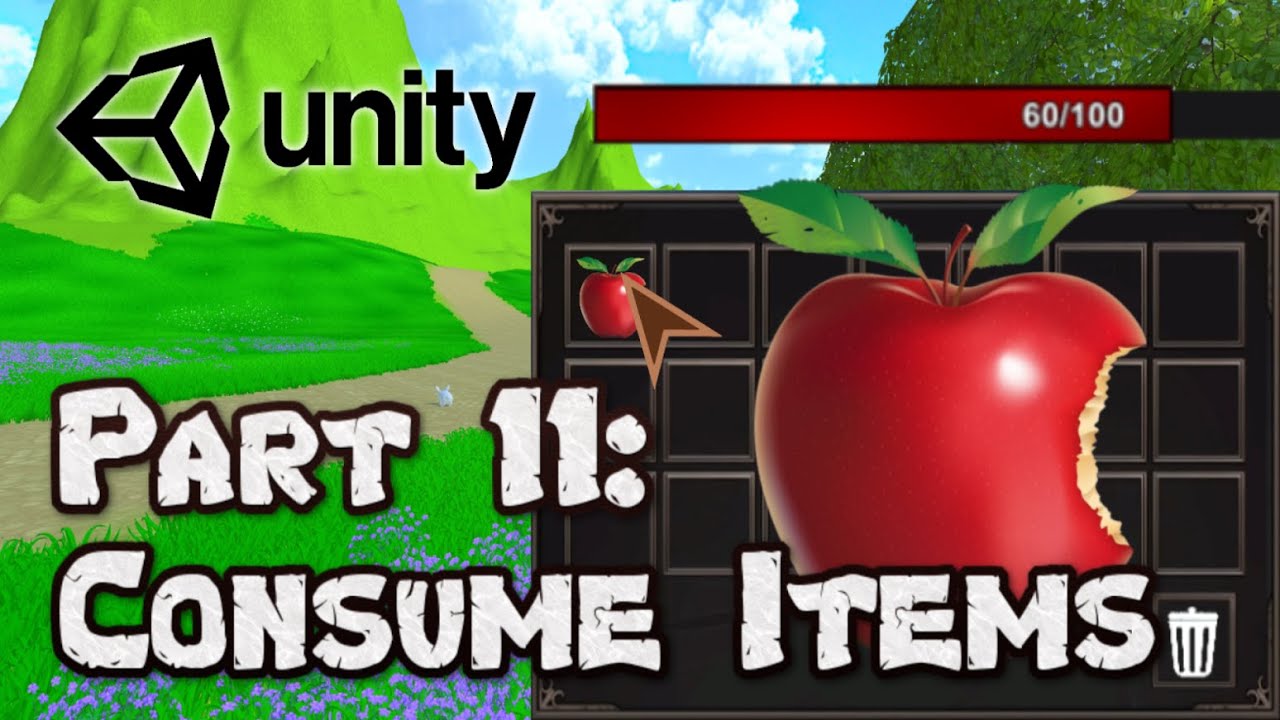
#unity #survivalgame #3d
In this episode of our 3D survival game tutorial series, we will create a few different features.
First of all, we are going to add the option to hover with our mouse on an item and see its details.
Then we are going to add the ability to consume (eat/drink) our items.
Lastly, we are going to create a way to remove item...
leaden ice
tawny elm
im working on a little clone of that one watermelon game. any suggestions on how...
what is "abnormal" about these collisions?
spring creek
tawny elm
im working on a little clone of that one watermelon game. any suggestions on how...
What have you tried?
leaden ice
dire pier
Hi, im following a guide to make a game. (https://www.youtube.com/watch?v=sWKk5y...
Looks like PlayerState.Instance is null
dire pier
How can i solve this? @leaden ice Thanks for helping.
rich kestrel
lean sail
You just += something to the event, you should look at c# events online. The met...
Yes i've look at this but this is linked to translation tables, and my translations are more "dynamic"
tawny elm
leaden ice
what is "abnormal" about these collisions?
Well it's just I don't know how to make two balls specifically know what type of ball they're colliding with, and then spawn a new one without that making two different balls spawn on accident
Overall it's just I dunno how to do the thing and I wanna know how
dire pier
the problem is that i got no references in the code and my tutorial have. Still cant figure out how to solve this prob
 leaden ice
tawny elm
Well it's just I don't know how to make two balls specifically know what type of...
leaden ice
tawny elm
Well it's just I don't know how to make two balls specifically know what type of...
Use GetComponent to grab the script from the other ball.
Compare the numbers
If the numbers are what you want, merge the balls
You can compare instance IDs to make sure only one of the balls runs the code
e.g.
if (gameObject.GetInstanceID() < collision.gameObject.GetInstanceID()) return;```This just means you aren't calling those functions anywhere
When you call those functions from some other code, it will register as references to them
dire pier
cant find it. i followed the tutorial and copied the scripts... i understand what you mean. @leaden ice
leaden ice
can't find what
dire pier
its at 25:50 in the video. and i added them as you can see in the code: https://www.youtube.com/watch?v=sWKk5ytBCTE&t=853s
#unity #survivalgame #3d
In this episode of our 3D survival game tutorial series, we will create a few different features.
First of all, we are going to add the option to hover with our mouse on an item and see its details.
Then we are going to add the ability to consume (eat/drink) our items.
Lastly, we are going to create a way to remove item...
thankyou for helping sir
leaden ice
dire pier
its at 25:50 in the video. and i added them as you can see in the code: https://...
I'm not really understanding what your issue is
dire pier
im picking up an object. when im right clicking the object i get an error. Right now im trying to solve it. i see the problem that i dont have references and he has. but i have the exact same code.
leaden ice
dire pier
im picking up an object. when im right clicking the object i get an error. Right...
what error?
That would be the first place to start
dire pier
NullReferenceException: Object reference not set to an instance of an object
InventoryItem.healthEffectCalculation (System.Single healthEffect) (at Assets/Scripts/InventoryItem.cs:99)
leaden ice
dire pier
NullReferenceException: Object reference not set to an instance of an object
Inv...
Right so go to InventoryItem.cs:99\
PlayerState.instance is null
we already discussed this
dire pier
float healthBeforeConsumption = PlayerState.Instance.currentHealth;
leaden ice
it has nothing to do with those functions
PlayerState.Instance < this is the only thing that could be null and cause that error here
the function is irrelevant
you are trying to call a function on a null reference
It's like If I told you to open the car door, and pointed at an empty parking lot
there is no car
in this case, there is no PlayerState to get the currentHealth of
You need to make sure PlayerState.Instance has been assigned properly
Typically a static singleton instance property like that is assigned in Awake of the script in question
dire pier
thanks for the advice. i got the singleton in the player state script and the function currentHealth
 leaden ice
dire pier
thanks for the advice. i got the singleton in the player state script and the fu...
leaden ice
dire pier
thanks for the advice. i got the singleton in the player state script and the fu...

See anything wrong here?
You probably don't since you're not following C# naming guidelines anywhere
but in C# method names need to start with capital letters
In particular Unity's message is called Awake not awake
this code will not run
Yeah I don't like this tutorial
it's teaching you bad naming practices
dire pier
omg
thank you so much. got any tips for me?
for the good practice
you are a great human being for helping me and patience @leaden ice 🙂
leaden ice
dire pier
thank you so much. got any tips for me?
Yes, read this and follow it: https://learn.microsoft.com/en-us/dotnet/csharp/fundamentals/coding-style/identifier-names#naming-conventions

Learn the rules for valid identifier names in the C# programming language. In addition, learn the common naming conventions used by the .NET runtime team and the .NET docs team.
and recognize that much of Unity's API doesn't follow it for historical reasons and that's ok 😂
If you see a function name with a lowercase, it should immediately look "weird" to you
rigid island
dire pier
thank you so much. got any tips for me?
also make sure to setup your VSCode with unity, from your screenshot you seem to have a .NET error
narrow summit
Is there a compiled list of markers and ProfilerCategories somewhere? There's some here : https://docs.unity3d.com/Manual/profiler-markers.html#rendering but its irritating as it barely covers, its different from the actual profiler window, and there are some modules missing entirely. [Example : Asset loading]
re: marker/counter names, which are supposed to be used here -> https://docs.unity3d.com/ScriptReference/Unity.Profiling.ProfilerRecorder.StartNew.html
Some of the modules which have their own doc pages, do actually have a more detailed list
dire pier
leaden ice
If you see a function name with a lowercase, it should immediately look "weird" ...
like here it begins with a lower case. is that bad?
 narrow summit
But, again the Asset loading one, https://docs.unity3d.com/Manual/profiler-asset-loading-module.html#:~:text=The Asset Markers view displays,and display all child markers. is on some other level
narrow summit
dire pier
like here it begins with a lower case. is that bad?
yes
dire pier
but it works in my code i guess..
rigid island
lowercase for private /local variables is fine
methods / public ones should be capital(Pascal case)
leaden ice
dire pier
like here it begins with a lower case. is that bad?
yes, by convention it should be SetHealth
narrow summit
dire pier
but it works in my code i guess..
It'll work. Okay think of it this way
If unity is calling the function, and not you, it'll work ONLY if its the exact casing as what Unity expects it to be. So awake() will not work as Unity expects Awake()
If you're calling it, it'll work, but, its bad practive. C# conventions PascalCase for functions, i.e. SetHealth and not setHealth
dire pier
so you see problems like this earlier because you have a basic rule for it?:)
ah i understand
narrow summit
dire pier
so you see problems like this earlier because you have a basic rule for it?:)
Sort of, and IDEs and eyes trained to notice this stuff
dire pier
it will work but with the build in functions it won't like the "awake" function that has to be "Awake"
thank you guys ❤️
tawny elm
leaden ice
Use GetComponent to grab the script from the other ball.
Compare the numbers
If ...
kool ill try that
tawny elm
leaden ice
Use GetComponent to grab the script from the other ball.
Compare the numbers
If ...
ok turns out you were right earlier with "whats abnormal about these colissions?" because i was overthinking it and turns out this works out great. the whole issue i thought would happen just kinda doesnt so its all good.
 steep herald
Is there a way to disable frustum culling for meshes rendered with graphics.DrawMeshInstanced?
 gray mural
Hello, does somebody know how to make a parameter for the method MyMethod that takes a float v and expects a string that used that float?
E.g. it returns that string with the value it wants.
MyMethod(v => $"The value: {v}!");
 somber nacelle
well this v => $"The value: {v}!" is a Func<float, string>
gray mural
somber nacelle
well this `v => $"The value: {v}!"` is a Func<float, string>
but it isn't...
somber nacelle
how is it not?
 dusk apex
Then what is v => ... if not a function?
 steady moat
What is the type if you put it in a var then ?
gray mural
somber nacelle
how is it not?
oh, sorry, my bad, I used an Action instead of a Func 😅
thank you 😄
leaden ice
tawny elm
ok turns out you were right earlier with "whats abnormal about these colissions?...
Oh I see since you're changing the level of whichever ball runs this code first, it won't run twice
due to the if statement
 zinc parrot
Whats the reccomended way to store data in a prefab that has a LOT of data? I want to store a hierarchy formated gameobject that happens to have a script on it that stores a huge amount of data
 thin hollow
Is there a way to be able to assign a reference to a simple class (not mono behavior) in a scripted object? I'm making an item system, and I wanted to make item functionality to be in interchangeable class blocks that decide what item does. Right now my items have their properties defined by the scriptable object instances of ItemDefinition. I've tried to add a variable for parent class of these object logic blocks I'm making, and make it [serializable], but it doesn't show up in the Inspector. Is there a way to go around it, or it would be better to ditch the POCO class ideas and just create a bunch of inheritors from the ItemDefinition and create scriptable objects in unity from them instead? Though this loses the "interhangeable modular" part of my idea, still hardcoding what object can do without a way to easily change it, but now in a scriptable object...
leaden ice
zinc parrot
Whats the reccomended way to store data in a prefab that has a LOT of data? I wa...
"a LOT" and "Huge" are really vague
zinc parrot
fair
like
max of 1 gig of raw data
leaden ice
you should explain what kind of data this is, how much of it there is, and what the access patterns will be
narrow summit
zinc parrot
fair
like
max of 1 gig of raw data
where did you get that number from
zinc parrot
its a bounding volume hierarchy and my own triangle format to allow for raytracing in a compute shader
I want to get a way to store this and be able to load it in a format that is stored in the project folder
zinc parrot
narrow summit
where did you get that number from
experience
zinc parrot
created at edit time yes
loaded in edit or play or build
leaden ice
I'd just include the binary file in StreamingAssets I guess
zinc parrot
after write it doesnt need to be modified
but I wanted to package it as like a single prefab thing so its just a drag and drop into the hierarchy to load it up along with the gameobjects/meshes it targets naturally
leaden ice
you can include it as a TextAsset
with .bytes file extension
it will take quite some time to load though
zinc parrot
wouldnt that then be a seperately saved file? I need to store the prefab anyways
narrow summit
I don't see why it needs to exist in an hierarchy
leaden ice
zinc parrot
wouldnt that then be a seperately saved file? I need to store the prefab anyways
The prefab can reference the TextAsset
zinc parrot
I was thinking of just doing a binary text file but I wanted to see if there was something better for this
leaden ice
public TextAsset MyTriangleData;
zinc parrot
hmmm ok yeah I can have a folder of textassets then I guess
that will be the most sane way
but is there a sane way to have it packaged inside the prefab or is that just a bad idea? really focused on the whole one physical file thing for easy transfer between projects and loading
narrow summit
A prefab, a text file, and a script on the prefab to load and do things to the loaded file sounds sanest... relatively
leaden ice
zinc parrot
that will be the most sane way
but is there a sane way to have it packaged insid...
I mean it's possible but I wouldn't recommend it. You can have a [SerializeField][HideInInspector] byte[] data;
but I feel like the TextAsset is much cleaner
and easier to reason about
zinc parrot
hmmmm ok
leaden ice
plus if it's a serialized field on a MonoBehaviour - you don't really have the best control over when it's loaded/serialized etc
it will probably slow the unity editor down a lot
zinc parrot
indeed it does lol
 leaden rover
Hey guys. I am trying to animate a texture or find some sort of way to make these yellow bulbs on this sign create a sort of chaser light effect where they spin around the circle ring
Image
everything I have tried so far has failed miserably
ive tried animating the squared texture in hopes it moves on each square from bright to dark, emission stuff and just animating literal point lights and after I add like 5 point lights unity starts only showing a few of them on
 polar marten
leaden rover
Hey guys. I am trying to animate a texture or find some sort of way to make thes...
polar marten
leaden rover
Hey guys. I am trying to animate a texture or find some sort of way to make thes...
while this isn't really a programming question, it looks like the lights are their own geometry, and maybe you can click on the transform corresponding to the lights and animate its rotation?
leaden rover
of the texture?
i have been using code to make the texture move but it isnt working right]
leaden rover
yes
leaden ice
in a rotating pattern
leaden ice
I feel like a custom shader would be the best approach
based on some parameters (perhaps a bitmap integer) you can programmatically control individual lights
(toggling between two input colors)
and then in C# you can do the chaser animation by setting the shader param
The lights would be distinguished in the fragment shader by UV coords
leaden rover
I have no idea how to go about that cause the material covers all the bulbs like they aren't separate objects
leaden ice
right hence the shader
you could of course make them all separate objects and just switch their materials (or the colors on the materials)
leaden rover
using System.Collections;
using UnityEngine;

public class LightController : MonoBehaviour
{
    public Material animatedMaterial;
    public int rows = 5;
    public int columns = 5;

    private int[,] lightData; // 2D array to store light information

    void Start()
    {
        InitializeLights();
        StartCoroutine(AnimateLights());
    }

    void InitializeLights()
    {
        lightData = new int[rows, columns];

        // TODO: Initialize the lightData based on your requirements (e.g., bitmap or procedural generation)
    }

    IEnumerator AnimateLights()
    {
        while (true)
        {
            // TODO: Update lightData based on your animation logic

            // Pass the updated lightData to the shader
            Vector4 lightDataVector = Flatten2DArray(lightData);
            animatedMaterial.SetVector("_LightData", lightDataVector);

            yield return null;
        }
    }

    Vector4 Flatten2DArray(int[,] array)
    {
        int length = array.GetLength(0) * array.GetLength(1);
        int[] flattenedArray = new int[length];

        int index = 0;
        for (int i = 0; i < array.GetLength(0); i++)
        {
            for (int j = 0; j < array.GetLength(1); j++)
            {
                flattenedArray[index] = array[i, j];
                index++;
            }
        }

        return new Vector4(flattenedArray[0], flattenedArray[1], flattenedArray[2], flattenedArray[3]);
    }
}
am i on the right path?
leaden rover
I don't know what I'm doing tbh
 dire crown
What's the difference of Disposing and Releasing a compute buffer?
dire crown
leaden rover
I don't know what I'm doing tbh
same bro
leaden ice
dire crown
What's the difference of Disposing and Releasing a compute buffer?
Dispose is there to satisfy the IDisposable interface
it basically just calls Release
IDisposable is what lets you do:
using (ComputeBuffer cb = new(...)) {
  // do stuff with it
}

// it's automatically disposed here```it's actually technically the other way around. Release calls Dispose
https://github.com/Unity-Technologies/UnityCsReference/blob/master/Runtime/Export/Shaders/ComputeBuffer.bindings.cs#L102
somber nacelle
it doesn't matter, they do the same thing
dire crown
Okay
 brittle oyster
Which is most efficient, or does it even matter:
- each of my chunk objects containing a reference to the world object in their individual scripts
- a static world reference in my chunk script (there only 1 world script)
- World script singleton
Chunks may be using this reference many thousands of times per frame
hard viper
if I'm not putting classes in namespaces throughout my project... could that be slowing down my compiler/roslyn analyzer?
lean sail
brittle oyster
Which is most efficient, or does it even matter:
1. each of my chunk objects co...
None of these really describe anything thatd affect performance. The only difference would come from how you are getting or inserting the reference to the chunk object. An obvious example would be if each chunk object was doing a .Find() compared to just doing it once with a static field.
 earnest gazelle
Can we treat sprite atlas asset created in the unity as a texture and pass it into a shader/material in the inspector?
brittle oyster
Ok cool, thank you
brittle oyster
earnest gazelle
Can we treat sprite atlas asset created in the unity as a texture and pass it in...
Yeah you can just pass it in as a texture, and have your mesh vertices track which specific range of UV's it'll display
In Properties{} you can define this type of property, which'll show up in the inspector when you select a material using your shader

Assign your texture atlas and voila
 untold siren
Does anyone if I can extend Cinemachine's CinemachineInputProvider script to allow for a modifiable mouse sensitivity? I'm assuming this shouldn't be that difficult to achieve?
leaden ice
untold siren
Does anyone if I can extend Cinemachine's `CinemachineInputProvider` script to a...
Yes that's the point of it, but also pretty sure you don't need to just to change the sensitivity
untold siren
leaden ice
Yes that's the point of it, but also pretty sure you don't need to just to chang...
no options to do so, unless it'd be done from within the cinemachinevirtualcamera
 leaden ice
untold siren
no options to do so, unless it'd be done from within the cinemachinevirtualcamer...
leaden ice
untold siren
no options to do so, unless it'd be done from within the cinemachinevirtualcamer...
It's part of the vCam settings yes
FreeLook has it
If you're using that
somber nacelle
untold siren
no options to do so, unless it'd be done from within the cinemachinevirtualcamer...
you can modify the speed on the actual vcam. otherwise you can inherit from CinemachineInputProvider and override the GetAxisValue method if you really wanted to extend that class instead
untold siren
I could just map two floats to a var and then set the speeds from within the aim of the vcam it seems
 spare island
m_animator.SetInteger("destroyState", 1); // Normal animation <-- null reference
im thoroughly confused

 untold siren
I could just map two floats to a var and then set the speeds from within the aim...
untold siren
untold siren
I could just map two floats to a var and then set the speeds from within the aim...
 somber nacelle
untold siren
somber nacelle
untold siren
yes, this is the speed you were instructed to modify
leaden ice
spare island
```cs
m_animator.SetInteger("destroyState", 1); // Normal animation <-- null ref...
Possibly on a different copy
untold siren
somber nacelle
yes, this is the speed you were instructed to modify
gotcha, thank you - I'll work on that now :)
spare island
leaden ice
Possibly on a different copy
hm but there's only one in the scene

and I checked, there's only one tutorialnote component on it
untold siren
my curse is always assuming the most complex route of things when the solution is right in front of me lmao
leaden ice
spare island
hm but there's only one in the scene
Maybe you're calling a function on the prefab by accident
Instead of the scene instance
spare island
leaden ice
Maybe you're calling a function on the prefab by accident
oh true im using Resources.FindAllObjectsOfType
leaden ice
spare island
oh true im using Resources.FindAllObjectsOfType
Yes that will get prefabs too
spare island
leaden ice
Yes that will get prefabs too
How do I find all components of type in a scene without including prefabs
leaden ice
spare island
How do I find all components of type in a scene without including prefabs
The most efficient approach here is just to store all the notes you spawn in a list as you spawn them
Or HashSet
spare island
leaden ice
The most efficient approach here is just to store all the notes you spawn in a l...
it doesn't need to be efficient its for debugging only, and i need it to delete notes i drag into the scene too
leaden ice
Object.FindObjectsOfType<Note>()
spare island
im curious though, I was running Destroy() on the prefab, what does that do?
leaden ice
It will generally just give you an error
There's a special override of DestroyImmediate that will let you actually destroy prefab components and objects
spare island
oh i guess i closed the game when it dropped the first exception
so i never saw the one from trying to destroy a prefab
leaden ice
Yes the exception that came before will stop the code execution
spare island
ok, works now thanks
is there a way i can profile which sounds are taking the longest to load?
i get big lag spikes from the audio system when i activate certain objects and they load their audioclips
untold siren
follow up to the cinemachine stuff, I can set the sens like this, correct?
firstPersonCam.GetCinemachineComponent<CinemachinePOV>().m_VerticalAxis.m_MaxSpeed = 1f;
I did not get your meaning.
sprite atlas is a unity asset and not a texture
.spriteatlas
brittle oyster
Oh yeah you’re right, I thought you were talking about a texture array
You can get the texture 2d of a spriteatlas with .texture I believe
Then you’d grab a reference to your material and use .SetTexture() on it
pulsar holly
How do I update a variable on line 34 and 35 of this code?https://pastecode.io/s/otnmfdrw
hexed pecan
SpriteAtlas doesn't seem to have .texture, only sprite does
 stark sun
I was following brackeys rpg tutorial and in stats episode I had a problem about modifiers not adding.
PlayerStat :https://hatebin.com/mrvgaqlryp
CharacterStats :https://hatebin.com/ctdgzwqqqn
Stat :https://hatebin.com/vzwnqrwubm
EquipmentManager:https://hatebin.com/iyquciehbq
Debug.Log("Equipment Changed"); this line works but rest doesnt.(it's in playerstat)
hexed pecan
pulsar holly
How do I update a variable on line 34 and 35 of this code?https://pastecode.io/s...
With the = operator
I suggest doing some basic C# learning right away
pulsar holly
I mean with a +
hexed pecan
You really should just learn C# before asking the most basic questions here.
No offense, that's just how it goes
See the pins in the #💻┃code-beginner channel
hard viper
if you don't use namespaces to group together classes, and your project keeps growing, will that slow down the IDE?
simple egret
I'd say only when the IDE starts up. VS uses incremental parsing, so it only parses the code that changed, not the whole code base
Only valid for Intellisense and static analysis of the code. Compilation is still done on the whole code base, you can use assembly definitions to split the project into multiple assemblies, to speed up compilation of a single assembly
But namespaces are more of an organization thing, not a performance thing
One namespace for player stuff, one for the weapon system, etc.
 proper pier
Could someone take a look at my implementation of syncing ticks across clients and servers: I don't know why it isn't working, i've tried estimating latency with so many different approaches but nothing seems to work https://hastebin.com/share/qoxiyesapu.csharp
Hastebin is a free web-based pastebin service for storing and sharing text and code snippets with anyone. Get started now.
spare island
hard viper
if you don't use namespaces to group together classes, and your project keeps gr...
It will slow compilation
If you only use one namespace you're compiling all of the code every time instead of just portions of the code that are relevant to eachother
polar marten
proper pier
Could someone take a look at my implementation of syncing ticks across clients a...
what are you trying to do
why are you trying to estimate latency
spare island
No reason to recompile GUI scripts that have nothing to do with the script you were just editing like an AI or something
proper pier
polar marten
what are you trying to do
Ideally I'd like my tick on the client to be only less than the ticm on the server by 1 or 2
spare island
Personally im lazy as fuck and dont use namespaces tho unless its very obvious it should be in its own namespace, otherwise causes problems with trying to use plugins
proper pier
polar marten
why are you trying to estimate latency
I have no idea if the way i'm estimating latency is correct here, but i've tried other methods and theyve never worked
polar marten
proper pier
Ideally I'd like my tick on the client to be only less than the ticm on the serv...
okay
stark sun
stark sun
I was following brackeys rpg tutorial and in stats episode I had a problem about...
I get this error when I change equipment Object reference not set to an instance of an object PlayerStat.OnEquipmentChanged (Equipment NewItem, Equipment OldItem) (at Assets/Scripts/PlayerStat.cs:26) EquipmentManager.Equip (Equipment newItem) (at Assets/EquipmentManager.cs:38) Equipment.Use () (at Assets/Equipment.cs:24)
hexed pecan
spare island
If you only use one namespace you're compiling all of the code every time instea...
Isn't that with assemblies, not namespaces? 🤔
spare island
hexed pecan
Isn't that with assemblies, not namespaces? 🤔
Dont they line up? I may be mistaken
hexed pecan
You can have multiple namespaces in an assembly
spare island
Right but assemblies are tied to namespaces are they not?
hexed pecan
But using namespaces doesn't necessarily mean you are even using assemblies
spare island
True
polar marten
proper pier
I have no idea if the way i'm estimating latency is correct here, but i've tried...
the thing you are looking for is a Round Trip Time. the server computes a tick T_0, sends it to the client, and the client immediately sends T_0 back. in the body of the method where the server receives the reply, it computes the current tick T, and computes the RTT = T - T_0
does that make sense?
you don't need to involve time at all
your stuff is confusingly named
proper pier
polar marten
the thing you are looking for is a Round Trip Time. the server computes a tick `...
yeah so I've tried using the NetworkManager.RTT, but it still doesn't work. I was dividing it by 2 however, because I don't think it's the round time i'm looking for, just a one way trip
the delay from the server rpc doesn't matter because it doesn't actually get the value until after that delay
polar marten
you are making things very hard on yourself
pulsar holly
My variables are not updating. Here's the code: https://pastecode.io/s/iydrnre3
spare island
        private void Start()
        {
            ExitGame.OnExitActions.Add(Task.Delay(delayInMilliseconds));
        }
        public async void BeginExit()
        {
            // Run all exit game actions and wait for them to complete
            await Task.WhenAll(OnExitActions.ToArray());
I feel like this should work but i dont know what im doing wrong, the top method is intended to just add a 5 second delay task
However it seems Task.WhenAll quits immediately
proper pier
polar marten
your stuff is confusingly named
my apologies, hopefully the comments at the top help
polar marten
spare island
```cs
private void Start()
{
ExitGame.OnExitActions....
you can't prevent the application from exiting immediately
proper pier
polar marten
you are making things very hard on yourself
in what way?
spare island
polar marten
you can't prevent the application from exiting immediately
Application.Quit() doesn't run yet
polar marten
on windows, you don't have a chance to do any work when the user hits the X button on the window. otherwise, you can put stuff in a quit.
hexed pecan
pulsar holly
My variables are not updating. Here's the code: https://pastecode.io/s/iydrnre3
Don't compare floats with ==. Your position will likely not be exactly -5.5
Also -5.5 is a double, while -5.5f would be a float
polar marten
anyway, the task.delay is run immediately
spare island
polar marten
on windows, you don't have a chance to do any work when the user hits the X butt...
This is code that runs when you press an exit button in the game, also I think there is OnApplicationQuit() no?
polar marten
so it's already elapsed by the time you quit
hexed pecan
@pulsar holly Talking about this line specifically cs if (transform.position.y == -5.5)
polar marten
spare island
This is code that runs when you press an exit button in the game, also I think t...
does that make sense?
spare island
polar marten
so it's already elapsed by the time you quit
        public async void BeginExit()
        {
            // Run all exit game actions and wait for them to complete
            await Task.WhenAll(OnExitActions.ToArray());

            // Shut game down
            UnityEngine.Debug.Log("All shutdown tasks complete. Continuing to shutdown...");
            Application.Quit(0);

            if (Application.isEditor)
            {
                UnityEngine.Time.timeScale = 0;
                UnityEngine.Debug.Log("Application quit.");
            }
        }
heres the full context
stark sun
Adding modifiers
spare island
Application.Quit() is not run until AFTER the tasks are complete
hexed pecan
@pulsar holly Also this if statement does nothing because it has a semicolon ; at the end:cs if (puyoType == 1) ;
proper pier
polar marten
the thing you are looking for is a Round Trip Time. the server computes a tick `...
is this describing how round trip time is estimated?
spare island
polar marten
the timer starts
does the task return as soon as the delay starts? that doesn't make sense
i want it to return the task when the delay ENDS
proper pier
could I use this when I send the data and when I recieve it and then subtract the difference to get the trip time? https://docs.unity3d.com/2017.3/Documentation/ScriptReference/Networking.NetworkTransport.GetNetworkTimestamp.html
spare island
im pretty sure Task.Delay is not supposed to return until the delay has elapsed
hexed pecan
spare island
im pretty sure Task.Delay is not supposed to return until the delay has elapsed
Yep. What's the issue exactly, if you don't mind explaining again? This works as intended
var actions = new List<Task>();
actions.Add(Task.Delay(1000));
Debug.Log("A");
await Task.WhenAll(actions);
Debug.Log("B");```print A -> wait a second -> print B
spare island
hexed pecan
Yep. What's the issue exactly, if you don't mind explaining again? This works as...
It's not working as intended though
 hexed pecan
Btw you don't need ToArray, it accepts a list (if that's a list?)
spare island
Oh wait i should check the obvious stuff
Need to make sure its actually adding the task

delay is set to 5000 which should be 5 seconds
 polar marten
spare island
im pretty sure Task.Delay is not supposed to return until the delay has elapsed
polar marten
spare island
im pretty sure Task.Delay is not supposed to return until the delay has elapsed
You create it in start
Which is a long time ago
By the time you quit it has elapsed
pulsar holly
hexed pecan
<@330467543775182848> Talking about this line specifically ```cs
if (transform.p...
Sorry for the late reply, but I tried what you said and it didn't work.
polar marten
Think deeply about what I am saying
spare island

polar marten
Thank you
hexed pecan
pulsar holly
Sorry for the late reply, but I tried what you said and it didn't work.
Yeah I didn't realize you are adding the task beforehand. What doctor is saying is true. The Delay gets ran as soon as you add it to the list
spare island
polar marten
Thank you
ok this may be a dumb workaround but i added an event that is invoked when the game is about to exit and anyone who wants to can subscribe to that event, and when the event is called everybody will add their tasks to the task queue
or i guess it wouldn't be a task queue it would be something else because i believe tasks run in parallel
it works! so who cares if its stupid

for some reason my game is starting at timescale 0 now though
that seems a bit strange..
hexed pecan
Check Time settings
spare island
            if (Application.isEditor)
            {
                UnityEngine.Time.timeScale = 0;
am i setting the correct timeScale?
is there like a seperate timescale specifically for the unity editor
spare island
hexed pecan
What are you trying to do?
well when my game 'closes' you can't really tell inside of the editor, so my solution is to set the timescale to 0 so its obvious
but when I start the game again its still at 0 which is strange
huh looks like i did set the editor's timescale..

how do i edit it so its just the timescale in-game and not outside of play mode?
 cosmic rain
Play mode is an editor app as well🤷♂️
hexed pecan
Is that in OnApplicationQuit?
spare island
hexed pecan
Is that in OnApplicationQuit?
no
cosmic rain
Whether the game is running inside the Unity Editor (Read Only).

Returns true if the game is being run from the Unity Editor; false if run from any deployment target.
oh i see
spare island
cosmic rain
```
Whether the game is running inside the Unity Editor (Read Only).
Returns tr...
i dont get why the timescale still applies after i stop playing though?
shouldn't that be something that reverts after playmode ends
hexed pecan
spare island
```cs
if (Application.isEditor)
{
UnityE...
Where are you calling this though?
/When
spare island
hexed pecan
Where are you calling this though?
        public async void BeginExit()
        {
            UnityEngine.Debug.Log("Beginning shutdown tasks.");

            // Initalize shutdown tasks, which will add exit tasks to be completed
            OnPreGameExit?.Invoke();

            // Run all exit game actions and wait for them to complete
            await Task.WhenAll(OnExitActions.ToArray());

            // Shut game down
            UnityEngine.Debug.Log("All shutdown tasks complete. Continuing to shutdown...");
            Application.Quit(0);

            if (// are we playing inside of the unity editor rn)
            {
                UnityEngine.Time.timeScale = 0;
                UnityEngine.Debug.Log("Application quit.");
            }
        }
right after the exit button is pressed
is it because im doing it after application.quit()? its my understanding application.quit doesn't do anything inside of the editor
hexed pecan
So after Application.Quit
spare island
hexed pecan
So after Application.Quit
yes
hexed pecan
Maybe it switches to editor mode before the method finishes? Like instantly after Application.Quit
cosmic rain
spare island
shouldn't that be something that reverts after playmode ends
I'm not sure about that. It might not be.
spare island
ill try putting it before application.exit
hexed pecan
Doing logic after any 'Quit/Exit' command is kinda sketch anyway
cosmic rain
But what's the point of setting timescale on app exit?
spare island
cosmic rain
But what's the point of setting timescale on app exit?
only in editor, to show that the game quit because you can't tell with just application.quit
cosmic rain
spare island
only in editor, to show that the game quit because you can't tell with just appl...
Show how?
spare island
well everything will stop
cosmic rain
Ah, because it wouldn't quit the play mode?
spare island
(well most things)
ok putting it BEFORE application.quit() works
so im assuming application.quit() does actually do something inside of the editor its just not very obvious
hexed pecan
Yeah that's definitely something that should be in the docs but isn't
 hexed pecan
spare island
only in editor, to show that the game quit because you can't tell with just appl...
hexed pecan
spare island
only in editor, to show that the game quit because you can't tell with just appl...
You could just exit playmode manually, no?
It has a setter
spare island
i cant even remember when i started doing the timescale thing, its just a habit i got from the beginning
i never thought to use any kind of unity GUI function to just quit the game
spare island
hexed pecan
You could just exit playmode manually, no?
oh this works much nicer 👍
do I need to do an # if UNITY_EDITOR for this using?

(i dont want to build again to test i just did a build like 20 minutes ago)
somber nacelle
you'll need to wrap your entire EditorApplication line in a #if
i recommend just using the fully qualified name on that line so you don't also need to wrap the using directive for it
spare island
somber nacelle
you'll need to wrap your entire EditorApplication line in a #if
i recommend jus...
oh good call
 noble heath
How to detect if build is being made on unity cloud build? Any macro/preprocessor define?
spare island
noble heath
How to detect if build is being made on unity cloud build? Any macro/preprocesso...
Application.cloudProjectID != null?
or its a string so maybe string.IsNullOrEmpty(Application.cloudProjectID)
polar marten
spare island
```cs
public async void BeginExit()
{
UnityEngine.De...
you are makign this really painful
public async void BeginExit() {
 await Task.WhenAll(Task.Delay, ...);
 UnityEngine.Debug.Log("All shutdown tasks complete. Continuing to shutdown...");
 Application.Quit(0);
}
don't use this array at all
just call your methods
use unitask
you're going to have problems unless you are on unity 2023
problems with vanilla async
spare island
polar marten
you are makign this really painful
i love making things painful for myself
        var incrementValue =
            (100 - randomObjective.CurrentObjectiveProgress) / 100.0 > rnd.NextDouble() * 0.075 ? rnd.Next(0, 3) : 0;
i just came across this line that supposedly i wrote and yet it took me a good 2 minutes to figure out what it does
 harsh steeple
Not sure where this fits in channel wise, but does anyone know why when I teleport, the game teleports me in the ground? Note: I am making a VR simulator and allow the user to change their locomotion system.
spring creek
harsh steeple
Not sure where this fits in channel wise, but does anyone know why when I telepo...
Show code
Is your model the root? The center of the object is transform.position. so if you set the y of that to 0, you'll be half in the ground if the transform has any height
leaden ice
harsh steeple
Not sure where this fits in channel wise, but does anyone know why when I telepo...
I'd guess that your code is teleporting you into the ground
harsh steeple
There is no code as it just the unity XR toolkit with just dragging thing into place. What I have worked in Unity 2021, but i changed things to the 2022 version (which i know I shouldn't do, but my project wasn't opening so i deleted and reinstalled everything) and now the movement stuff is broken.


Not sure what else I can say. Unity learn is what I have used for this and everything worked fine until I updated. I've reconstructed the whole XR rig, and still don't work. Feel like they changed something that isn't commonly known
dusk apex
Is this a coding question?
harsh steeple
No, but not sure where else it fits in the other channels either. So I just defaulted to here
spring creek
There are vr and ar channels
#🥽┃virtual-reality
#🤯┃augmented-reality
spring creek
harsh steeple
No, but not sure where else it fits in the other channels either. So I just defa...
Or the default if something doesn't fit is #💻┃unity-talk
harsh steeple
Ok. Will try there. Sorry. Kinda panicing because what I have is my senior project
noble heath
spare island
Application.cloudProjectID != null?
No macro available? Thanks for the direction though. Will check it.
spare island
noble heath
No macro available? Thanks for the direction though. Will check it.
idk im just guessing
 nocturne anvil
Hello, I just downloaded the vivox version 16 on my project but I always get the DLLNotfound Exception
cosmic rain
nocturne anvil
Hello, I just downloaded the vivox version 16 on my project but I always get the...
Maybe start from explaining what's "vivox" as it doesn't sound like something obvious to everyone.
 spice dragon
Hey guys, I wanted to extend a class from a plugin without modifying the original scripts so I created a partial class in a new script but now I am getting the following error.
Missing partial modifier on declaration of type fruits; another partial declaration of this type exists GroceryStores,
So my understanding was you can create a partial class from a class but after investigation it turns out the original class now also have to be a partial classes.
How do I go about this extending the class without modifying the original class and maintaining all current code refences to the class, wrapper and composition over inheritance wont work as both these require me to change all existing references.
cosmic rain
The only way is inheriting the class and adjusting all the relevant instances to be of the extended type. There's no other way.
There are extension methods too, but I'm not sure if that's what you want.
spice dragon
I am currently looking at the extension method so hopefully this one plays along :0
cosmic rain
If you could just easily modify a class from a library and make existing code use these changes, that would be a security/encapsulation disaster.
spice dragon
agreed, so sad the partial class does almost exactly what I wanted...
Inheritance will also not solve this issue of having to go into all existing and future plugin code and update it every single time...
Okay extension methods could work, will give you an update later thanks for your insights!
 uncut vapor
Hey
I need something like notifications whenever someone sends a message
Always checking the (MySQL)database for chnages seems very inefficient, so what should I use for online events or something like that?
spice dragon
You will need to create triggers for the changes you want to tract, then within your trigger logic you can implement something like RabbitMQ, Apache Kafka then you will need to process the notifications and need a service for that or you can use pushbullets https://docs.pushbullet.com/
 tropic surge
!ban @pseudo hamlet Just here to buy disc accounts
tawny elkBOT
 hitesh5556 was banned.
 wide quest
Hi there, so just recently I decided to get back into trying game development after quite some time off just doing absolutely nothing with it. With that SUPER long break (I'm talking like 2-3 years) I have forgotten how to code.
So I went to Chat gpt to generate a code for the player controlls using rigidbody, so I can see if I remember at least some of that code just by looking at it. I didn't.
After some time of going back and fourth with chat gpt, I gave up with it because I felt like I was getting nowhere. So I am now asking you guys for help.
My problem is that, everytime I go to move the player around every time I test it, it seems to roll around randomly in every direction even though I have locked the rotation in the code.
It's still doing it and I do not like it at all. So, I was wondering how to go about it fixing this issue? My mind is blank and got no idea what else to do. It's a completely brand new project to so it couldn't be something with the project that's at fault. Like a corrupted file or something.
FYI: I am currently not at my pc atm.
Thanks in advance! 🙂
wide quest
ok, that will only take me maybe 5 mins. 🤣
spice dragon
Code could be it but I will like to see what your rigidbody setings are
spice dragon
both will work but ChatGPT is more than capable or creating a simple player controller but it could be both so ya please send as a snippet of both
wide quest
ok so firstly, here is my current code:
void Start()
{
rb = GetComponent<Rigidbody>();
    //Freeze Rotation:
    rb.freezeRotation = true;
    mainCamera = Camera.main;
    Cursor.lockState = CursorLockMode.Locked;
    Cursor.visible = false;
}

void Update()
{
    // Player movement
    float horizontalInput = UnityEngine.Input.GetAxis("Horizontal");
    float verticalInput = UnityEngine.Input.GetAxis("Vertical");
    Vector3 movement = new Vector3(horizontalInput, 0f, verticalInput).normalized;
    rb.velocity = transform.forward * verticalInput * moveSpeed + transform.right * horizontalInput * moveSpeed;

    // Player rotation based on mouse input
    float mouseX = UnityEngine.Input.GetAxis("Mouse X") * rotationSpeed;
    transform.Rotate(Vector3.up * mouseX);

    // Camera rotation based on mouse input
    float mouseY = UnityEngine.Input.GetAxis("Mouse Y") * rotationSpeed;

    // Invert the mouseY input to make it feel more intuitive
    mouseY *= -1;

    // Rotate the camera up and down
    cameraRotationX += mouseY;
    cameraRotationX = Mathf.Clamp(cameraRotationX, -90f, 90f);

    mainCamera.transform.localRotation = Quaternion.Euler(cameraRotationX, 0f, 0f);
}
}
you mean the settings in vs, right?
oh! Could it be that I might not have somehow updated vs?
spice dragon
I wanted to see the rigidbody component also but this code will do, one sec.
here you go, this should fix it.
Replace the entire player movement
// Player movement
float horizontalInput = UnityEngine.Input.GetAxis("Horizontal");
float verticalInput = UnityEngine.Input.GetAxis("Vertical");

Vector3 movement = new Vector3(horizontalInput, 0f, verticalInput).normalized;
Vector3 velocity = (transform.forward * verticalInput + transform.right * horizontalInput).normalized * moveSpeed;

rb.velocity = new Vector3(velocity.x, rb.velocity.y, velocity.z);
just to clarify, just this part, right?
// Player movement
float horizontalInput = UnityEngine.Input.GetAxis("Horizontal");
float verticalInput = UnityEngine.Input.GetAxis("Vertical");
Vector3 movement = new Vector3(horizontalInput, 0f, verticalInput).normalized;
rb.velocity = transform.forward * verticalInput * moveSpeed + transform.right * horizontalInput * moveSpeed;
spice dragon
correct
wide quest
also does this fix the random rotation thingy?
ok one sec
done, now just gotta test it, one sec..
wow, that surprisingly fixed it. Thank you! 🙂
spice dragon
say thanks to ChatGPT 😉
wide quest
wait, chat GPT did it? not you?
spice dragon
wide quest
wait, chat GPT did it? not you?
It was all there just small oversite you where calculating the velocity directly
wide quest
spice dragon
It was all there just small oversite you where calculating the velocity directly
can you dumb that down for me, please?
😆
spice dragon
this calculates and sets the velocity at the same time
rb.velocity = transform.forward * verticalInput * moveSpeed + transform.right * horizontalInput * moveSpeed;
So all I did was seperate the calculation into its own step to detirmine your movement speed and direction
wide quest
spice dragon
this calculates and sets the velocity at the same time
rb.velocity = transform....
In my defence, that technically wasn’t me… it was all chat GPT…
spice dragon
enjoy and welcome back to game dev
wide quest
Thank you, and thank you very much for your help!
 hard estuary
If you want to split the code into a few lines, do you prefer to put symbols at the end of the line or at the beginning of the new line?
someVariable = variableWithALongName1 +
  variableWithALongName2;
// or
someVariable = variableWithALongName1
  + variableWithALongName2;
beginning is easier if you think you will be changing stuff, end is easier to read, so take your pick
fervent furnace
prefer beginning, since you can read the operator easier
mellow sigil
whichever the IDE autoformats it to
fervent furnace
eg
int x=aaaaaaaaaaaaaaaaaaaaaaaaaaaaaaaaaaaaaaaaaaaaa......
      b;
vs
int x=aaaaaaaaaaaaaaaaaaaaaaaaaaaaaaaaaaaaaaaaaaaaa....
      +b;
if your code looks anything like that you have bigger problems than where to put the + sign
 floral rain
Nevermind, I need to read my documentation better.
pulsar holly
My variable still isn't updating. https://pastecode.io/s/0e27k3a4
fervent furnace
not code general
and https://docs.unity3d.com/ScriptReference/MonoBehaviour.Start.html
leaden ice
pulsar holly
My variable still isn't updating. https://pastecode.io/s/0e27k3a4
Why is everything inside Start?
fervent furnace
yoou should !learn without guessing which unity message you should put your code into
tawny elkBOT
:teacher: Unity Learn ↗
Over 750 hours of free live and on-demand learning content for all levels of experience!
pulsar holly
leaden ice
Why is everything inside Start?
Is that why? Because it's not in update?
leaden ice
pulsar holly
Is that why? Because it's not in update?
You need to actually think about what your code is doing
Do you understand what Start is? What Update is?
pulsar holly
Yes, start is only once while update is multiple times.
leaden ice
So think about your code in that context
Think about how you're trying to read input in Start
And about when this code is going to run
pulsar holly
My variable still didn't update.
leaden ice
That's extremely vague
pulsar holly
I meant the variable on line 33 and 34 respectively.
leaden ice
You'd have to show your new code, explain what's happening in the scene, and explain what you expect to happen with the variable
pulsar holly
I showed the code, and the variable on line 33 and 34 isn't updating.
leaden ice
you showed code where all your code was inside Start
I don't know what it looks like now
fervent furnace
dont use == for floating point comparison
pulsar holly
leaden ice
pulsar holly
https://pastecode.io/s/kns5eazu
- All of your input handling and movement code is still in Start
- The only thing in Update is a
==check to some exact position. The object will likely NEVER be at that precise position
pulsar holly
fervent furnace
dont use == for floating point comparison
I tried that, but it gave me CS1612 error.
leaden ice
pulsar holly
I tried that, but it gave me CS1612 error.
you tried what? There was no suggestion made there. Just saying what you shouldn't use
pulsar holly
leaden ice
you tried what? There was no suggestion made there. Just saying what you _should...
I updated the code so == became =.
leaden ice
no
that's very very wrong
that's even more wrong
don't make assumptions like that
fervent furnace
why the google link is so long, so i post stackoverflow instead
https://stackoverflow.com/questions/39898301/compare-floats-in-unity
Stack Overflow
I have 6 InputFields in my scene. Their content type is decimal.
I fetch values from these input fields and check if their sum is equal to 100.02. I enter 16.67 in all of them.
float fireP =
When you're not sure what to do ask what the right thing is rather than guessing
pulsar holly
leaden ice
When you're not sure what to do _ask what the right thing is_ rather than guessi...
Then what is the right thing I'm supposed to do?
leaden ice
pulsar holly
Then what is the right thing I'm supposed to do?
Something like what was shown to you here for example #archived-code-general message
but also if you're making a grid based game it'd be better to track things in integer grid coordinates and use those directly
pulsar holly
leaden ice
but also if you're making a grid based game it'd be better to track things in in...
You mean a puzzle game like tetris or puyo puyo?
leaden ice
pulsar holly
You mean a puzzle game like tetris or puyo puyo?
absolutely
uncut vapor
Hey
I'm trying to use MySQL connector with unity
I downloaded the MySql.Data.dll
It showed me this error
I installed all the packages it mentioned, nothing changed
Does anyone know what's wrong?
 leaden ice
uncut vapor
Hey
I'm trying to use MySQL connector with unity
I downloaded the MySql.Data.dll...
leaden ice
uncut vapor
Hey
I'm trying to use MySQL connector with unity
I downloaded the MySql.Data.dll...
looks like it has dependencies which you don't have or aren't compatible with the target platform
fervent furnace
welcome to dependences hell
yes please check the dll
leaden ice
What's your use case for wanting to communicate directly between Unity and MySQL btw?
spice dragon
pulsar holly
You mean a puzzle game like tetris or puyo puyo?
Hey Anthony, as @leaden ice is trying to explain to you.
You have code placed in the incorrect place and thus it will not work.
Start will only be excecated during the start and it seems that you do not quite understand this coding structure but lets assume you are just a little lost.
using System.Collections;
using System.Collections.Generic;
using UnityEngine;
public class test : MonoBehaviour
{
// Start is called before the first frame update
void Start()
{
ONLY PUT LOGIC HERE THAT IS ONLY MEANT TO BE TRIGGERED DURING THE START ONCE "Once as in everytime this script will b instantiated it will be excecuted"
}
// Update is called once per frame
void Update()
{
**HERE YOU SHOULD HAVE ALL YOUR MAIN LOGIC THAT SHOULD ALWAYS BE READY TO BE EXCECUTED **
}
}
knotty sun
uncut vapor
Hey
I'm trying to use MySQL connector with unity
I downloaded the MySql.Data.dll...
afaik the only MySQl.Data dll that works with Unity is version 6.7.9.0
uncut vapor
leaden ice
looks like it has dependencies which you don't have or aren't compatible with th...
As I said I did install all the packages
I'm trying to use Android, but I tried switching to windows and nothing changed
And wdym what's my use case? I just wanna store a table of data between devices
uncut vapor
knotty sun
afaik the only MySQl.Data dll that works with Unity is version 6.7.9.0
Oh
Lemme try
leaden ice
uncut vapor
As I said I did install all the packages
I'm trying to use Android, but I tried ...
I mean how will it be used? It's quite dangerous to give Unity direct access to the SQL database, as this means that anyone with your app will have the credentials to be able to access the database directly. Depending on which roles you give the user from your game, they can potentially read and write all kinds of things in your database that they really shouldn't be allowed to.
Normally when you have a shared databsae for your app it should be behind some web application you control which carefully controls access to the database.
uncut vapor
???
How's it different from using a php request from a website?
leaden ice
uncut vapor
???
How's it different from using a php request from a website?
The difference is like having a cashier in front of the goods vs giving the customer a key to go in and get the goods themselves
with the key they can do whatever they want
steal everything
change anything
etc
the php website can:
- authenticate the user
- only allow the user to access data related to them (instead of everyone's data)
- Not allow them to freely update their scores/money/items whatever you have in there
fervent furnace
authentication
leaden ice
Once I have your key I can do all kinds of things. like just connect to your database and run truncate table users
uncut vapor
I'm confused
leaden ice
What part are you confused about
pulsar holly
spice dragon
Hey Anthony, as <@179367739574583296> is trying to explain to you.
You have cod...
I tried to put the lines I was reffering to in update, but they still wouldn't update.
uncut vapor
You mean like you can access the connection info when doing it like this somehow?
I'm confused as to how it gives the users access to anything
leaden ice
uncut vapor
You mean like you can access the connection info when doing it like this somehow...
In order to connect to the database you will have to put your database credentials (username/password) in your app
anyone can open the Apk
get those credentials
connect to your database
and run whatever commands they want
 gusty flame
Hey guys i have this problem that i want to make one object look at another. For this i am using "Quaternion.LookRotation". Everything is great but when i want to smooth the rotation by using "Quaternion.Lerp" and the LookRotation.eulerAngles.y is greater than 360 the value of it goes back again to 0, 1, 2... and the object makes 360 turn. And i want to prevent the object from doing this 360 degrees turn, any ideas?
leaden ice
gusty flame
Hey guys i have this problem that i want to make one object look at another. For...
Why are you bringing euler angles into the equation when you have perfectly good quaternions
show your code perhaps?
gusty flame
leaden ice
Why are you bringing euler angles into the equation when you have perfectly good...
oh shoot forgot, i am using Vector.Lerp, and i am using it becuase it is easier to modify the value
leaden ice
Yeah that's not a good practice
can you show your code?
It's best to avoid euler angles entirely when possible
leaden ice
!code
tawny elkBOT
Posting code
📃 Large Code Blocks
Use links to services like:
https://gdl.space/, https://paste.ofcode.org/, https://hatebin.com/, https://paste.myst.rs/, https://hastebin.com/
📃 Inline Code
Surround code with three backquotes. Not quotation marks.
To format as C#, add cs to the first line:
```cs
// Your code here
```
Add a comment with a line number if there is an error message.
gusty flame
oh thanks
        Quaternion lookRotation = Quaternion.LookRotation(target.transform.position - rotator.position);
        Vector3 final = new Vector3(rotator.eulerAngles.x, lookRotation.eulerAngles.y, rotator.eulerAngles.z);
        rotator.eulerAngles = Vector3.Lerp(rotator.eulerAngles, final, .125f);
ok so you're trying to rotate rotator only on the y axis to look at target?
gusty flame
Yes
leaden ice
This is the better approach:
Vector3 direction = target.transform.position - rotator.position;
direction.y = 0;
rotator.rotation = Quaternion.LookRotation(direction);```and if you want to "lerp" this you do:
Vector3 direction = target.transform.position - rotator.position;
direction.y = 0;
Quaternion desiredRotation = Quaternion.LookRotation(direction);
rotator.rotation = Quaternion.RotateTowards(rotator.rotation, desiredRotation, Time.deltaTime * speed);```Okay i'll try it thanks
leaden ice
Or use Slerp if you really wish
gusty flame
Why is the y axis set to 0 tho?
leaden ice
so you aren't looking up or down
this isn't the y axis, it;'s the y component of the look direction vector
it's so you only rotate around the y axis
gusty flame
Oh okay
gusty flame
leaden ice
and if you want to "lerp" this you do:
```cs
Vector3 direction = target.transfor...
Works perfectly, thank you sir.
hard viper
I have another small physics question: When I manually call Physics2D.Simulate, it seems like it: 1) solves, 2) generates contacts (based on velocity/pos) before simulation, 3) changes velocity/positions of RBs to their position for start of next frame, 4) runs collision callbacks.
Before I call .Simulate, I know what position/velocity they should have before and after.
My issue is when I have kinematic RBs, the simulate step won’t change vel obviously, so ContactPoint2D.relativeVelocity and RB.velocity during collision callbacks are alligned. (whereas they normally would not be).
Q: Is there a way to get in that middle step right before collision callbacks, to set rigidbody velocity to match?
steady moat
hard viper
Q: Is there a way to get in that middle step right before collision callbacks, t...
Couldnt you just not set it in the CollisionCallback itself ?
hard viper
to do this I would need one collision callback that I would know with absolute certainty gets called first every fixed frame
is there a way to do that?
i do not know anything about order of execution of collision callbacks.
leaden ice
hard viper
to do this I would need one collision callback that I would know with absolute c...
I do believe these will respect the general script execution order settings
but I'm not sure
hard viper
i see. so when I get home today, I will try to put a trigger collider on something with a specific layer, with a singleton Monobehaviour with very high script order, and have it collide with something else very specific. Then in OnTriggerStay2D, I’ll invoke my singleton’s OnBeforeCollisionCallbacks action.
This should theoretically make it possible to get in between that, right? Assuming it obeys execution order.
heady iris
Do you want the rocket to completely ignore collisions with the other objects?
leaden ice
wdym by "return to the x axis"?
heady iris
I still do not understand what you mean.
Do you want the rocket to resume flying straight up?
leaden ice
There's a way to do everything but I don't really understand what you mean by "start point in axis"
I can't tell if we're talking about positions or rotations
 bleak thorn
leaden ice
There's a way to do everything but I don't really understand what you mean by "s...
bleak thorn
leaden ice
There's a way to do everything but I don't really understand what you mean by "s...

R - rocket
leaden ice
But wouldn't you want that to just happen organically?
e.g. from the user pointing the rocket right?
otherwise you're talking about taking over control of the rocket from the user
and if you want it to be physically realistic you will need a PID controller
basically an AI which controls the trajectory of the rocket and aims it such as to get it to that desired x position
like a cruise control
heady iris
i'd just apply force to push you back towards 0
instead of trying to realistically make the rocket tilt and whatnot
leaden ice
it can be done very eeasily
it just won't look good
I'm also unclear about if you actually want to move the rocket or maybe just the camera
heady iris
that doesn't answer praetor's question
What is wrong that you're trying to fix?
not "the rocket's x position changes"
is the rocket just going off the screen?
or is the rocket drifitng away from all of the objects you've spawned?
okay, so you want the player to be able to move the rocket
BUT you want the rocket to drift back towards x=0
float delta = -transform.position.x;
rb.AddForce(delta * Vector3.right);
This would apply a larger and larger force as you moved further from x=0
This might be too aggressive.
Perhaps you could only start applying force when you're far enough from x=0
 tawny mountain
I have a list of strings and I want to sort the list by what the user is typing? I want what the user is typing to appear at the top of the list
this is my list
public class InventoryList : ScriptableObject
{
    public List<ProductEntry> ProductEntries;


    [System.Serializable]
    public class ProductEntry
    {
        public string itemName;
        public string fourDigitDepartment;
        public string itemSKU;
        public int itemUPC;
        public int itemShelfLocation;
        public Transform itemLocation;
    }
}
so you want to do a fuzzy match
and order the strings by how well they match the current input
I don't know of a library to do that off the top of my head, but there must be at least a few.
Look up "fuzzy string matching"
Fuzzy matching means that "Potato crop is good!" and "Potat crop is good!" are very similar
You would then need to sort the list based on how well the name matches your input
I would probably just use LINQ, since it has some really nice sorting methods
IEnumerable<ProductEntry> sorted = items.OrderBy(item => SomeFuzzyMatchFunction(input, item.itemName));
you could use ToList() to turn that into a new list if needed.
or use Take() to take the first 10 results
fervent furnace
dynamic programming by either edit distance or lcs
heady iris
bringing me back to sophomore-level algorithms class with that one
tawny mountain
heady iris
you could use `ToList()` to turn that into a new list if needed.
Yes I would turn it into a new list then fill a dropdown options with it
 low horizon
public void SetInputActions(InputAction action)
{
    action.performed += _ => skillInputHeld = skillInputPressedFixedUpdate = skillInputPressedUpdate = true;
    action.canceled += _ => skillInputHeld = false;
}
this method will be called more than once, how can i properly unsubscribe from the previous action and subscribe to new action if it is the second+ time this is called?
fervent furnace
dont use lambda expression or any anonymous method
heady iris
you'll also need code that unsubscribes from the methods.
Perhaps you can remember the InputAction you're currently using
if (currentAction != null) {
  currentAction.performed -= ActionPerformed;
  currentAction.canceled -= ActionCanceled;
}
    private InputAction _currentInputAction;
    public void SetInputActions(InputAction action)
    {
        if(_currentInputAction!=null)
        {
            _currentInputAction.performed -= OnInputActionPerformed;
            _currentInputAction.canceled -= OnInputActionCanceled;
        }
        _currentInputAction = action;
        _currentInputAction.performed += OnInputActionPerformed;
        _currentInputAction.canceled += OnInputActionCanceled;
    }
    private void OnInputActionPerformed(InputAction.CallbackContext f)
    {
        skillInputHeld = skillInputPressedFixedUpdate = skillInputPressedUpdate = true;
    }
    private void OnInputActionCanceled(InputAction.CallbackContext f)
    {
        skillInputHeld = false;
    }
thanks! something like this?
low horizon
fervent furnace
dont use lambda expression or any anonymous method
what does anonymous method mean, do you mean make it a function like this?
fervent furnace
yes, it has its own name
spring creek
low horizon
oh the stuff after lambda is an anonymous method
Specifically the BODY of that anonymous method. The parameters (which looks to be a discard in yours?) comes BEFORE the lambda
heady iris
It's anonymous because it has no name
thin hollow
Are referenced assets loaded in the memory always, or when I do something with them?
I currently have a component that OnValidate()constructs a string,AnimationClip dictionary from all animations in an specified asset folder, so that I then could pluck those animations at runtime by their name (needed to define animations for item handling for my characters since not all of them have matching skeletons and proportions). Will this list cause all of those animations to load up in the game? If so, would it be better to offload the list to an ScriptableObject asset, or it would load them all when referenced as well?
heady iris
Yes, the assets will wind up in memory as long as the component is loaded.
 jaunty jolt
Consistent jump hight in 2D platformer (changing gravity)
spring creek
 slim yacht
can somone help with somthing ?
slim yacht
can somone help with somthing ?

We certainly can, if we know the answer. Gotta ask first of course
spring creek
slim yacht
i want disscus somthing in unity store assest
So... discuss it.
Gotta hear what you need still
Just jump right in. We don't bite (mostly)
 weary depot
Hello! I've been trying to get to grips with overlay scripting but can't wrap my head around subscribing to duringSceneGUI only once. I essentially have a method that draws lines between each selected objects, and call it through my button, but it keeps getting called on repeat. If I try to unsubscribe to my event after my iteration is done the handles aren't drawn. Any insight would be great🥺
ashen yoke
weary depot
Hello! I've been trying to get to grips with overlay scripting but can't wrap my...
from where you subscribe?
leaden ice
weary depot
Hello! I've been trying to get to grips with overlay scripting but can't wrap my...
Just subscribe in Start or OnEnable or elsewhere that only runs once
slim yacht
okey there is proplm with my own assest backage it,s told me i get rejecet becuse my backage was too simple i mean it,s not that big thing but how should it.s be
how i can make it no simple any more ?
weary depot
This "var clicked = new Button(() => ToggleState());" which in turn has the toggle state call a method that does this "SceneView.duringSceneGui += UpdateSelectedObjects; "
spring creek
slim yacht
okey there is proplm with my own assest backage it,s told me i get rejecet becus...
Ah, this is not really a code question. It should go in #💻┃unity-talk
But what kind of package is it? What does it do?
ashen yoke
weary depot
This "var clicked = new Button(() => ToggleState());" which in turn has the togg...
and var clicked is where?
inspector/editor window?
weary depot
editor, for an overlay tool
ashen yoke
then use OnEnable/OnDisable of the window, and in the callback just check a bool
slim yacht
spring creek
Ah, this is not really a code question. It should go in <#497872424281440267>
...
 ashen yoke
so your button flips the bool, the callback still there until the window is closed
slim yacht
do you thing is it simple cuse it 2mgb ?
weary depot
Ok im sorry this might be dumb but would this essentially mean I'm subscribing once to duringSceneGUI until I press my button again?
ashen yoke
you are subscribing once when the window is opened, unsubscribe when its closed
while the window is visible you are subbed
spring creek
slim yacht
do you thing is it simple cuse it 2mgb ?
Maybe. How many pieces of furniture is it? I see the number 15? Is that the pieces. Also, the spelling may have made them a little nervous. It should be Poly, and probably Character (no s)
slim yacht
spring creek
Maybe. How many pieces of furniture is it? I see the number 15? Is that the piec...
mybe you.re right im gonna make this backage for free cuse i can.t change it any more mybe they will accepted
thanks for your time
weary depot
Come to think about it, I'm not sure if handles are permanent in the editor. So maybe I'm approaching this the wrong way. What I want is an overlay button that gets the active selected objects, displays a handle and restarts if I press the button again.
Also, thank you for the insight🥹
 @spring creek
knotty sun
slim yacht
mybe you.re right im gonna make this backage for free cuse i can.t change it any...
@spring creek
knotty sun
slim yacht
mybe you.re right im gonna make this backage for free cuse i can.t change it any...
they will not accept it just because you change the price
ashen yoke
weary depot
Come to think about it, I'm not sure if handles are permanent in the editor. So ...
yes use a boolean
slim yacht
why not i will make it free
ashen yoke
the callback you send to duringSceneGUI renders all the time
knotty sun
does not make the package less simple does it?
ashen yoke
but until you press the button it doesnt do anything, because bool prevents it
slim yacht
knotty sun
does not make the package less simple does it?
mybe they thinked it.s too simple for 7.99$
ashen yoke
void onSceneGui()
{
    if(!_active)
      return;

    Handles...
}
Alrighty perfect, I did try something like that to no avail, but I probably screwed it up. Thank you!
knotty sun
no, the price is irrelevant
ashen yoke
if you want to draw a button on top of scene view use Handles.BeginGUI / EndGUI
at least with imgui
weary depot
I tried it but I don't think it works with UI toolkit and overlays 😦
slim yacht
knotty sun
no, the price is irrelevant
okey i will do my best
ashen yoke
i dont know uitk yet for that ask people in #↕️┃editor-extensions
weary depot
Oh snap I missed that, thank you
knotty sun
slim yacht
okey i will do my best
create a new draft of your package, click on the preview button and post a screenshot of the page in #💻┃unity-talk and I will take a look for you
slim yacht
knotty sun
create a new draft of your package, click on the preview button and post a scree...
thanks for that device i was need it
hard viper
what determines the sign of relative velocity for a contactpoint2D?
is it just the velocity of the thing it hit in the reference frame of the RB getting the callback?
I’m getting some weird numbers when I try to check that two things aren’t trying to move away when in contact.
eg if I hit something OnCollisionEnter, relative velocity should be opposed to the surface normal, right?
leaden ice
hard viper
what determines the sign of relative velocity for a contactpoint2D?
It's the velocity of the point on the other collider from the frame of reference of this point on this collider
untold siren
how would I go about caching components via a Dictionary? I can assume the basic logic will be
if component in dictionary then dictionary[component]
else getcomponent and add to dictionary
I usually do this:
if (!dict.TryGetComponent(key, out Component c)) {
  c = GetComponent<Type>();
  dict[key] = c;
}

// do whatever you want with `c` here```so on collisionEnter, relative velocity dot surface normal should be positive, then?
if I have a collision with speed
leaden ice
hard viper
so on collisionEnter, relative velocity dot surface normal should be positive, t...
usually negative I would guess - since the other object just hit us
surface normal faces away from us
untold siren
leaden ice
I usually do this:
```cs
if (!dict.TryGetComponent(key, out Component c)) {
c ...
that makes sense, thank you - probably a daft question but how would I go about defining / declaring the dictionary?
leaden ice
untold siren
that makes sense, thank you - probably a daft question but how would I go about ...
Dictionary<KeyType, ValueType> myDictionary = new();```