
#archived-code-general
1 messages · Page 214 of 1
 rocky helm
 lean sail
All options would work the same, the absolute easiest is to plug the reference in inspector.
If you have a lot of objects it needs to be plugged into then you could search the parent transform, it won't be the most efficient thing if you have a deep list of children but the performance is probably negligible/expected since this is once at start
 spring creek
Dependency Injection seems like the best method for you if you don't want to deal with serialized references
rocky helm
That should be the same as Bounds.extents.y without the /2
 wraith raven
do u mean "colliderObject.position.y" here?
 normal arch
rocky helm
That should be the same as Bounds.extents.y without the /2
normal arch
rocky helm
That should be the same as Bounds.extents.y without the /2
ok ty
normal arch
wraith raven
do u mean "colliderObject.position.y" here?
also this @rocky helm
 lyric atlas
lean sail
All options would work the same, the absolute easiest is to plug the reference i...
lyric atlas
lean sail
All options would work the same, the absolute easiest is to plug the reference i...
yeah, the hierarchy is shallow and doing it once on start will be fine, I'd much rather that than do insepctor references even though there aren't a ton, it just streamlines my workflow a tiny bit
normal arch
i assume you mean only the y value
wraith raven
ya
normal arch
also i replaced colliderObject.position with other.bounds.center (other is the collider taken from the on triggere enter function)
lean sail
lyric atlas
yeah, the hierarchy is shallow and doing it once on start will be fine, I'd much...
Could also do it in the reverse of what I said, instead of searching the parent for a manager just have the manager search its children to see where to plug its reference into
lean sail
spring creek
Dependency Injection seems like the best method for you if you don't want to dea...
Which ties into the dependency injection said here
lyric atlas
lean sail
Could also do it in the reverse of what I said, instead of searching the parent ...
I could but that requires the parent checking all of the hierarchy to make sure it has all child script references, I think the initial way of children being responsible for themselves is better as ideally the only interaction the manager has with the children is Invoking the event they're listening to
rocky helm
wraith raven
do u mean "colliderObject.position.y" here?
"here" isn't very specific, but I assume you mean colliderBounds.y/2.
That means the length of the green stick on the picture, where the blue shape is the collider and the orange is the bounding box/ bounds

This is also equal to Bounds.extents.y
lyric atlas
lyric atlas
I could but that requires the parent checking all of the hierarchy to make sure ...
this does avoid going over the same objects in the hierarchy multiple times though but it should be negligable
normal arch
rocky helm
"here" isn't very specific, but I assume you mean ``colliderBounds.y/2``.
That m...
he menas that you cant add a float and a vector2 together so where it says cs colliderObject.position it should probably be cs colliderObject.position.y
 heady iris
I am using the Localization package to display lots of localized strings. A frequent pattern I've noticed myself writing goes something like this:
void Start() {
  something.label.StringChanged += ShowString;
}

void OnDestroy() {
  something.label.StringChanged -= ShowString;
}

void ShowString(string str) {
  myText.text = str;
}
Bit of a nuisance. Are there any strategies for "automating" that setup? I'd like to be able to just do this:
something.label.StringChanged += str => myText.text = str;
...but I'm pretty sure that means that, as soon as this object (and thus its text component) is destroyed, changing languages will throw errors as it tries to interact with the destroyed component.
rocky helm
normal arch
he menas that you cant add a float and a vector2 together so where it says ```cs...
Oh that, yeah I meant that
normal arch
k ty
wraith raven
rocky helm
"here" isn't very specific, but I assume you mean ``colliderBounds.y/2``.
That m...
I meant in the first and second line
float bottomBound = colliderObject.position - colliderBounds.y/2;
colliderObject.position is a Vector right?
But we need only the y value.
So,
float bottomBound = colliderObject.position.y - colliderBounds.y/2;
heady iris
heady iris
I am using the Localization package to display lots of localized strings. A freq...
Ideally, this would cause all of my subscriptions to be removed when the object is destroyed.
rocky helm
wraith raven
I meant in the first and second line
```
float bottomBound = colliderObject.posi...
Yeah
heady iris
I guess this problem actually extends beyond just localization -- it's events in general
spring creek
wraith raven
I meant in the first and second line
```
float bottomBound = colliderObject.posi...
normal arch
rocky helm
Yeah
k ive fixed all the errors im trying it out now
it didnt work sadly
it isnt returning correct numbers
rocky helm
normal arch
it isnt returning correct numbers
Show me what you tried.
normal arch
Collider2D platform = GetComponent<Collider2D>();
            float bottomBound = platform.bounds.center.y - platform.bounds.extents.y/2; //Gets the bottom most y-level of the collider (given that the position is at the middle of the collider)
            float upperBound = other.bounds.center.y + other.bounds.extents.y/2;
            float value = (other.bounds.center.y-bottomBound)/platform.bounds.extents.y;
            Debug.Log(value);
they aren't tabbed like that in the actual script that's just a pasting error
rocky helm
normal arch
they aren't tabbed like that in the actual script that's just a pasting error
platform is supposed to be the player right
normal arch
platform is the collider
rocky helm
so other is the player?
 wispy raptor
I wanna do a custom editor for a custom tile palette, then i would like to show the texture and then select tiles of the palette with the mouse and then modify specific attributes of selected tiles. How can i do a canvas on the window where i can interact with the mouse?
normal arch
the player's collider specifically
rocky helm
normal arch
```cs
Collider2D platform = GetComponent<Collider2D>();
float bottom...
extents is already /2 so you only need to do platform.bounds.extents.y instead of platform.bounds.extents.y/2
spring creek
wispy raptor
I wanna do a custom editor for a custom tile palette, then i would like to show ...
#↕️┃editor-extensions is probably gonna be more helpful
normal arch
rocky helm
extents is already /2 so you only need to do ``platform.bounds.extents.y`` inste...
ok ill try that ty
wispy raptor
thanks i wil lask on that channel
rocky helm
normal arch
```cs
Collider2D platform = GetComponent<Collider2D>();
float bottom...
Also upper bound is still supposed to be the platform's upper bound not the player's upper bound.
normal arch
oh yeah thats my fault
i tried it and its close, but im getting some negative values
also its between 0 and 2 i think
rocky helm
Thats because /platform.bounds.extents.y is supposed to be /(platform.bounds.extents.y*2), as we want to divide the height by the max height, not by half of the max height, which is extents
normal arch
k thats the last thing
rocky helm
normal arch
k thats the last thing
It works then?
normal arch
btw i think im getting negative values because im coming in from the bottom
so i think it does work properly
maybe i should just do if its less than 0 value = 0
rocky helm
normal arch
btw i think im getting negative values because im coming in from the bottom
Show me the improved code, that shouldnt be happening
normal arch
Collider2D platform = GetComponent<Collider2D>();
            float bottomBound = platform.bounds.center.y - platform.bounds.extents.y; //Gets the bottom most y-level of the collider (given that the position is at the middle of the collider)
            float upperBound = platform.bounds.center.y + other.bounds.extents.y;
            float value = (other.bounds.center.y-bottomBound)/(platform.bounds.extents.y * 2);
            Debug.Log(value);
sorry
rocky helm
You are missing the first 2 checks there which prevent it from going negative and above 1
normal arch
oh yeah i removed those because i assumed it wouldnt do that since its called in an on triggerenter2D function
rocky helm
normal arch
oh yeah i removed those because i assumed it wouldnt do that since its called in...
The player collider is probably not a dot, so at first the players position would be a little below the platform when the player first touches the platform with the top of the collider
normal arch
yeah im adding them, it shouldnt hurt performance too much
rocky helm
normal arch
yeah im adding them, it shouldnt hurt performance too much
Performance difference at this scale should be negligible
normal arch
i was thinking because i think with what i eventually want to do, i'd need to add this to an update function
also i changed them to instead of setting the value to 0 and 1, i just return
rocky helm
normal arch
i was thinking because i think with what i eventually want to do, i'd need to ad...
Given the info I have, I'd say that you would only need to call the function whenever the player is touching the collider, but even putting this into update shouldn't leave a slightest mark on the performance
 hard viper
I have like 12 fields in one class that should only be used in one outside class. Would it make sense to put them all into a little class inside?
 latent latch
A struct? Sure why not.
hard viper
it needs to be rapidly altered, a lot
I worry that encapsulating it in a class might make it slower, since this is used for physics calculations, for what will be an extremely expensive part of my program.
 rigid island
first two is ok , did you get it working?
 primal needle
Hello. I am loading an Obj file in a Corutine. But, when I run the Coroutine and run yield return www.SendWebRequest();, the code never executes after the yield. The object loads fine (no errors and I can see it in the scene). But, no code runs after the yield. I can confirm this by using the debugger and seeing it just stop after the yield as well as none of my Debug logs write out. Here is the full code, if it helps: ```
public void ButtonClick()
{
""ObjSAS":"http://127.0.0.1:10000/SAS_URL_FOR_OBJ\", " +
""ImgSAS":"http://127.0.0.1:10000/SAS_URL_FOR_JPG\", " +
""ObjMatName":"Item.jpg"}";
StartCoroutine(RunCode(creds));
}
private IEnumerator RunCode(string creds)
{
Creds jsonObject = new Creds();
jsonObject = JsonUtility.FromJson<Creds>(creds);
    Debug.Log("Running code with key: " + jsonObject.ObjSAS);

    OBJ_SAS = jsonObject.ObjSAS;
    IMJ_SAS = jsonObject.ImgSAS;
    Debug.Log("Getting Obj SAS: " + OBJ_SAS);
    using (UnityWebRequest www = UnityWebRequest.Get(OBJ_SAS))
    {
        yield return www.SendWebRequest();
        //NO CODE EXECUTION AFTER THIS
        if (www.isNetworkError || www.isHttpError)
        {
            Debug.LogError(www.error);
            Console.Write(www.error);
        }
      ....```
the code is cutoff
 primal needle
rigid island
the code is cutoff
primal needle
rigid island
the code is cutoff
I can provide the full code, but I know there is a cap to the number of characters. Nothing runs in my code after the yield return www.SendWebRequest(); line
rigid island
primal needle
I can provide the full code, but I know there is a cap to the number of characte...
full code is fine, here use links !code
 tawny elkBOT

Posting code
📃 Large Code Blocks
Use links to services like:
https://gdl.space/, https://paste.ofcode.org/, https://hatebin.com/, https://paste.myst.rs/, https://hastebin.com/
📃 Inline Code
Surround code with three backquotes. Not quotation marks.
To format as C#, add cs to the first line:
```cs
// Your code here
```
Add a comment with a line number if there is an error message.
primal needle
rigid island
full code is fine, here use links !code
Let me know if this works: https://gdl.space/ezerexikul.cs
rigid island
primal needle
Let me know if this works: https://gdl.space/ezerexikul.cs
should put debug.log/breakpoint in that else statement
primal needle
I did. I just removed them for previty
rigid island
primal needle
I did. I just removed them for previty
are you sure there are no console errors or maybe they're collapsed?
primal needle
yeah I'm sure
rigid island
I'm thinking that or your server is just not sending back the response
unless whatever you called this coroutine from or on has been disabled / destroyed
primal needle
ugh. I just restarted Visual Studio and Unity and now the break points are gettting called. Sorry about that
rigid island
😮
primal needle
that being said, the code still does not seem to be moving the obj into view of the camera or adjusting the pivot point of the object (the pivot points of the models are all off and I cant edit the files)
If you have any experience with that?
rigid island
primal needle
that being said, the code still does not seem to be moving the obj into view of ...
where exactly is it moving it to view? perhaps the -center is wrongly calculated
is it moving at all? , does scaling part work
primal needle
The camera is fixed. and the model is a GameObject that I have centered in the camera. So, I thought that by attaching the loaded objet to it would work?
Scaling seems to work but let me change some values to check
rigid island
primal needle
The camera is fixed. and the model is a GameObject that I have centered in the ...
and the model is properly loaded at least I assume?
primal needle
Yeah, I can see the model when it loads in the Scene view
hmm. I dont think the loaded object is being added as a child to the GameObject. Let me see if that would make a difference
rigid island
primal needle
hmm. I dont think the loaded object is being added as a child to the GameObject...
yeah not sure, don't really see that in the code you sent 😛
primal needle
Yeah, I realized that too lol
trying it now
well, adding it to a parent game object works well. The problem is still, what I think is a pivot point issue, but maybe I am wrong? When the model loads I can see the Red/Green/Blue arrows are not in the center of the GameObject (or its parent). This causes a problem when I then try to rotate the objet, because it rotates around the wrong point. It also means when I try to move it, I think its moving from the wrong origin. I am not sure how to fix that (the actual Obj files I dont have access to edit)
 narrow yoke
I cloned this project.But it pops this error and editor crashed
 rigid island
narrow yoke
I cloned this project.But it pops this error and editor crashed
rigid island
narrow yoke
I cloned this project.But it pops this error and editor crashed
File not found
narrow yoke
I found there did not have Megacity.unity file. Is it auto-generated?
 rigid island
narrow yoke
I found there did not have Megacity.unity file. Is it auto-generated?
rigid island
narrow yoke
I found there did not have Megacity.unity file. Is it auto-generated?
Wdym auto generated. Don’t think that’s the case here
narrow yoke
Anyone has ever downloaded this project?
rigid island
primal needle
well, adding it to a parent game object works well. The problem is still, what ...
Yeah that’s a tough one , Unity doesn’t allow to fix the pivot in editor or /editor script
Working with object with incorrect pivots is a pain
primal needle
it sure is!
lean sail
narrow yoke
I found there did not have Megacity.unity file. Is it auto-generated?
That is a scene named Megacity. Scenes are not auto generated by default
 leaden ice
primal needle
well, adding it to a parent game object works well. The problem is still, what ...
leaden ice
primal needle
well, adding it to a parent game object works well. The problem is still, what ...
You have to edit the mesh in a 3d modeling software or Probuilder to truly fix this.
Not sure how it's possible that you wouldn't have access for this.
The bandaid fix is to give it an empty parent
primal needle
I can edit the obj file in code (i.e. when I load the file I can make changes to the values in code). I just cant edit the files where they reside (they are read only and I dont have admin access). Yeah, what I did was create offsets and attached it to an empty game object
leaden ice
primal needle
I can edit the obj file in code (i.e. when I load the file I can make changes to...
Duplicate the file
Edit the duplicate
primal needle
This is for a webgl export to run in a browser. the browser will dynamically provide me with the file location. so, it would be a lot of work to replicate all the files.
 main coral
Best way to save login details? PlayerPrefs?
normal arch
so i have a math heavy function that only affects the y value upwards of like everything it does, however i want it to also affect the y value downwards, x value upwards, and x value downwards and i feel like there's a better way to do this than just do an if statement for all of these cases, how could i do this?
it would probably involve more maths
 steady moat
normal arch
so i have a math heavy function that only affects the y value upwards of like ev...
steady moat
normal arch
so i have a math heavy function that only affects the y value upwards of like ev...
What you just wrote make no sense for me. The first step to solve any problem, is to clearly define it.
leaden ice
normal arch
so i have a math heavy function that only affects the y value upwards of like ev...
This is a bit too vague to make any recommendations for
normal arch
steady moat
What you just wrote make no sense for me. The first step to solve any problem, i...
so like i have a function that only uses the y value of some vectors, i want it to be able to use the x values too, but the only way i can think of doing tat is with if statements which doesnt seem right to do, i feel like there's another way
steady moat
normal arch
so like i have a function that only uses the y value of some vectors, i want it ...
myvector.x
done
normal arch
the only way?
steady moat
You are being way to vague...
normal arch
ill paste the ode and show you what i mean
steady moat
Whatever you do though, will need to access the value x if you want to actual use it.
normal arch
float bottomBound = platform.bounds.center.y - platform.bounds.extents.y;
            //Gets the bottom most y-level of the collider (given that the position is at the middle of the collider)
            float upperBound = platform.bounds.center.y + other.bounds.extents.y;
            float value;
            if(other.bounds.center.y < bottomBound)
            {
                value = 0;
            } //The player is below the collider
            else if(other.bounds.center.y > upperBound)
            {
                value = 1;
            } //The player is above the collider
            value = (other.bounds.center.y - bottomBound)/(platform.bounds.size.y);
            //Gets how far up the player is on the collider and puts it onto a scale from 0-1 by dividing it by the maximum
see how whre basically all the vectors are it references the vector.y
i want it to sometimes be the vector.x dependin on a variable that i have
steady moat
Create a function...
normal arch
that does?
steady moat
exactly that
normal arch
thats exactly what im asking
steady moat
private void mMyFunction(float upper, float lower, float value)
{
    if(value < lower)
    {
        return 0;
    }
    ...
}
if(slopeDirectionUpwards == Vector2.up)
{
            float bottomBound = platform.bounds.center.y - platform.bounds.extents.y;
            //Gets the bottom most y-level of the collider (given that the position is at the middle of the collider)
            float upperBound = platform.bounds.center.y + other.bounds.extents.y;
            float value;
            if(other.bounds.center.y < bottomBound)
            {
                value = 0;
            } //The player is below the collider
            else if(other.bounds.center.y > upperBound)
            {
                value = 1;
            } //The player is above the collider
            value = (other.bounds.center.y - bottomBound)/(platform.bounds.size.y);
            //Gets how far up the player is on the collider and puts it onto a scale from 0-1 by dividing it by the maximum
}
else if(slopeDirectionUpwards == Vector2.right)
{
            float bottomBound = platform.bounds.center.x - platform.bounds.extents.x;
            //Gets the bottom most x-level of the collider (given that the position is at the middle of the collider)
            float upperBound = platform.bounds.center.x + other.bounds.extents.x;
            float value;
            if(other.bounds.center.x < bottomBound)
            {
                value = 0;
            } //The player is to the left of the collider
            else if(other.bounds.center.x > upperBound)
            {
                value = 1;
            } //The player is to the right of the collider
            value = (other.bounds.center.x - bottomBound)/(platform.bounds.size.y);
            //Gets how far up the player is on the collider and puts it onto a scale from 0-1 by dividing it by the maximum
}
function
normal arch
latent latch
give an example of it with your desired if statements
thats basically it but twice more times because slope could be going down the y axis, or down the x axis
steady moat
normal arch
thats basically it but twice more times because slope could be going down the y ...
Just do what I did.
normal arch
i wasjust thinking is there a different way to do this than to create a massive block of code
steady moat
normal arch
i wasjust thinking is there a different way to do this than to create a massive ...
Yes, make a function
As I stated 3 times alredy
normal arch
steady moat
```cs
private void mMyFunction(float upper, float lower, float value)
{
if(v...
i have made a function
this is inside the function
normal arch
steady moat
```cs
private void mMyFunction(float upper, float lower, float value)
{
if(v...
i dont get how this is supposed to help
steady moat
normal arch
i dont get how this is supposed to help

What is that
What is the differenec
Are you able to do a function called difference by example ?
If you do that with the upper bound to, maybe you could do a function call interval ^
normal arch
the point of that is to find out how far along the player is along a collider
that's what the variable value is
primal needle
anyone have experience with ProfilerRecorder? I would like to display FPS for the scene but I dont see an FPS option in the API?
normal arch
steady moat
alright im not sure if this is what you wanted me to do but i made a function that did this
public float ReturnCorrectAxisValue(Vector2 vector)
    {
        return (vector * slopeDirectionUpwards).x + (vector * slopeDirectionUpwards).y;
    }
slopeDirectionUpwards is always a Vector2 value, with y being either 1 or 0, and x being either 1, or 0 so if i times that vector by the vector i want it should return a float value of the vector axis that actually matters. thanks for the help
spring creek
@normal arch I'm confused by the two if and else if blocks where you set value
#archived-code-general message
You immediately assign value right after, overwriting all that code
hard viper
primal needle
anyone have experience with ProfilerRecorder? I would like to display FPS for t...
you can see FPS by clicking the button at the top right of the little game window
steady moat
normal arch
alright im not sure if this is what you wanted me to do but i made a function th...
it is not at all what I was saying
normal arch
spring creek
<@713739390098210936> I'm confused by the two if and else if blocks where you se...
yeah thats my bad
hard viper
what are you trying to do? are you calculating a slide along a slope?
normal arch
spring creek
<@713739390098210936> I'm confused by the two if and else if blocks where you se...
that isnt really the problem thoguh, ill fix taht later; it doesnt change much
normal arch
hard viper
what are you trying to do? are you calculating a slide along a slope?
calcualte how far an object is along a slope
spring creek
normal arch
that isnt really the problem thoguh, ill fix taht later; it doesnt change much
I know, it changes nothing. It is just... bloat I guess. Seemed like you wanted shorter code. You could delete those big parts and it would be the exact same outcome
But yeah, not part of your issue. Just an aside
hard viper
can you just get the contact point?
normal arch
you mean using a cast?
hard viper
oh is this 2D or 3D?
normal arch
2d
hard viper
what is your input? a collider and two points?
normal arch
i guess its more of how far an object is along a collider because the slope is actually falt because its 2d
hard viper
or are you calculating from a contact point
normal arch
hard viper
what is your input? a collider and two points?
yeah
hard viper
so, this might not be well defined because the line segment of the slope might skewer the collider
are you sure it won’t?
normal arch
the slope isnt actually a slope, in reality its flat
its just graphics which make it look like a slope
hard viper
the angle is irrelevant here
you want to get a point on a line segment that is closest to a given collider
normal arch
no im getting a point inside the collider and based on the colliders size it returns a value from 0-1, 1 being fully along the collider, 0.5 being halfway along, etc
hard viper
i understand that, but is the slope defined by 2 points, or a contact point, or a collider?
you could have this:

or the box not touching the slope
steady moat
normal arch
no im getting a point inside the collider and based on the colliders size it ret...
Bro, I was going to simplify your function but you probably made an error...

All of that does nothing
It is overwrite directly after
hard viper
you can only really define one specific spot along a slope if you can collapse the query to a single point
then the math is very simple
i think you need to work out the math better, which will dramatically reduce how many lines of code you need
because it will be more obvious what you need to do
right now, you are trying to split into cases by each corner, which is going to make your life suck
steady moat
Also,
value = (other.bounds.center.y - bottomBound)/(platform.bounds.size.y);
=> implies
value = (other.bounds.center.y - (platform.bounds.center.y - platform.bounds.extents.y))/(platform.bounds.size.y);
=> implies
value = platform.bounds.extents.y / platform.bounds.size.y;
=> implies
value = platform.bounds.extents.y / platform.bounds.extents.y * 2;
=> implies
value = 2;
Did you even test your code ? Or am I missing something here
normal arch
steady moat
Also,
```cs
value = (other.bounds.center.y - bottomBound)/(platform.bounds.size....
well this is clearly not the case because the actual logic of the code works fine
steady moat
normal arch
well this is clearly not the case because the actual logic of the code works fin...
Alright, I see there is an other platform in the mix.
 unborn sphinx
General question:
Is there a way to create and merge Sprites/Textures to a new one and store the result in a Scriptable Object for subsequent runs? I kinda made a code that is supposed to do that, but I get a "Type missmatch" in the ScriptableObject field during the rund and a "Missing reference" when the run is stopped.
hard viper
unborn sphinx
General question:
Is there a way to create and merge Sprites/Textures to a new o...
not really
sprites and textures are really different
unborn sphinx
no not merge sprites with textures
steady moat
@normal arch so yeah, it is: value = (other.bounds.center.y - platform.bounds.min.y)/(platform.bounds.size.y);
unborn sphinx
but sprites with sprites or textures with textures. Either is fine
hard viper
you mean you are creating a new texture from a sprite and/or texture, and storing the result?
that is possible, but does make files, and is not super simple
you’re basically writing a new texture pixel by pixel.
unborn sphinx
hard viper
you mean you are creating a new texture from a sprite and/or texture, and storin...
Yes, I'd like to store it in a scriptable object, for later
unborn sphinx
hard viper
you’re basically writing a new texture pixel by pixel.
I did
wait... let me bit bucket the code
normal arch
steady moat
<@713739390098210936> so yeah, it is: `value = (other.bounds.center.y - platform...
ty for this
hard viper
if you have a reference to the new texture, you can just assign it to an SO
creating the texture is the hard part
unborn sphinx
and as far as I know (but can't see it), I get a result
normal arch
steady moat
<@713739390098210936> so yeah, it is: `value = (other.bounds.center.y - platform...
so ic an just remove the whole upper and lower bound thing
steady moat
normal arch
so ic an just remove the whole upper and lower bound thing
Yes, you only need 1 line of codes per direction
hard viper
i remember instantiating/creating sprites/textures is a bit tricky in unity
unborn sphinx
hard viper
creating the texture is the hard part
It actually is just a merge from existing ones, so rather "simple"
hard viper
are you sure you don’t want to just use masks and shit to show two together?
because that is a common and normal thing
creating a whole new object is not so simple, and not so well supported
everytime I try creating new textures, the answer is almost always “that is the wrong way to do it”
unborn sphinx
hard viper
are you sure you don’t want to just use masks and shit to show two together?
Thing is, I'd like to make a game about figuring out alien languages, sort of.
Where with each new run (kinda rogue lite) "words" and "letters" are combined to new structures to figure out.
Each "symbol" would represent a word and it is assembled from "parts" (predefined sprites), that get rotated and such during generation.
hard viper
ok. then you really don’t want to make textures like thisp
unborn sphinx
It worked making "Prefabs" for each Symbol, where each "part" is a child stuck to a plane
hard viper
no no no
unborn sphinx
hard viper
ok. then you really don’t want to make textures like thisp
maybe there are better ideas
hard viper
Prefab for a generic alien symbol
hard viper
alien symbol has script to: input variables of what it represents, and 2) create the image
alien symbol can be created programatically, using several sprites
and it should do this
unborn sphinx
hard viper
alien symbol can be created programatically, using several sprites
I already have that XD
my problem is not it's creation, but proper storage
 slate trellis
I am trying to make a "domain" script where inside the area domain a few are registered per enemy inside it and target it. To damage the enemy I need access to the enemy's stats handler (a genera purpose script that handles all stats in the game). I do this using gameObject.TryGetComponent<StatsHandler>(out StatsHandler enemyStats) . Problem being, shows a weird warning that I haven't seen in my other references callled Name Can Be Simplified (IDE 0001). With no errors in the script, I try to run the game. When I try to cast the domain, it tells me an Object reference not set to an instance of an object Error. I cannot find the cause in my script, although, my code is very messy so I have trouble either way.
These are the relevant scripts:
PlayerAttacks (developing domain): https://pastebin.com/4xnNAQkS
StatsHandler: https://pastebin.com/rnnxvbvV
The error is at line 46. I have tried for a while and I cannot find documentation or forums relevant to my problem so I am asking here, any help appreciated of course
unborn sphinx
I dont want to create so many prefabs for each symbol
hard viper
you will not
unborn sphinx
hard viper
alien symbol has script to: input variables of what it represents, and 2) create...
And with prefabs that worked
hard viper
you make one single prefab. period
that one prefab takes in programatically what it does
latent latch
slate trellis
I am trying to make a "domain" script where inside the area domain a few are reg...
collider.gameObject.transform.parent.gameObject.TryGetComponent<StatsHandler>(out enemyStats);
hmmm and instead just store instructions how to assemble a sybmol at runtime
latent latch
I think you can scratch off gameObject after the parent. I think it's complaining you're doing a repetitive dot operation there
unborn sphinx
like, which part and rotation value etc
thought so too
at least I can now stop fidgeting with texture rotation matrix math 😛
slate trellis
latent latch
I think you can scratch off gameObject after the parent. I think it's complainin...
thanks for the notice, it is my first time using it so I got confused. Although it still doesn't solve the main issue
latent latch
The issue can be many things when you've a bunch of accessing going on there
unborn sphinx
latent latch
The issue can be many things when you've a bunch of accessing going on there
so called Train Whreck
latent latch
so ideally you want to log each variable you're accessing from the collider
and check if it's null
slate trellis
latent latch
so ideally you want to log each variable you're accessing from the collider
can you please ellaborate?
latent latch
check if the collider is null -> check if the gameobject is null -> check if the parent is null
unborn sphinx
instead of one long row, make several lines and store subsequent values, that you can log 😉
makes debugging easier too
slate trellis
latent latch
check if the collider is null -> check if the gameobject is null -> check if the...
I think I figured out the problem
unborn sphinx
collider.gameObject.transform.parent.gameObject.TryGetComponent<StatsHandler>(out enemyStats);

to

GameObject go = collider.gameObject;
Transform tr = go.transform;
Transform parent = tr.parent
etc
it is getting the collider from the Floor placeholder I have, which does not have a parent of type GameObject (it's right under Scene)
unborn sphinx
still, long train whrecks can be "dangerous" and harder to debug step by step
slate trellis
if that is the case, it should be an easy fix. If not, that will need to do a lot of debugging
latent latch
ye, just when you get a null ref at a line and you've a string of reference dot operations going on, always log from the beginning or break it up like nico does.
unborn sphinx
I tell my students that they may use method chaining and such only if they are 120% sure they know (no assume to know) what the type and value is in each step. "With great power comes great responsibility"
slate trellis
okay, it's not the floor, as it now only shows up when I have a player in the domain. It is however on this line if (isOnEnemyLayer && enemyStats.entityType.Equals(StatsHandler.EntityType.LowEnemy)) and in the inspector it doesn't get the stats handler (although they have it)
unborn sphinx
What type is "LowEnemy"?
slate trellis
it an enum
slate trellis
unborn sphinx
also: comparing entityType with entityType.LowEnemy?
thats the localized reference to the enum
unborn sphinx
so they are the same by type
slate trellis
not really. The enum has some set values, but the localized reference is a referene to the enum, which means it can take any of the values the enum contains
I have 5 values in the enum. The value of the localized reference can be anything of those 5 so I need to compare them
heady iris
unborn sphinx
also: comparing entityType with entityType.LowEnemy?
EntityType.LowEnemy, not entityType.LowEnemy
Very important distinction
StatsHandler.EntityType.LowEnemy looks at the StatsHandler class and gets the EntityType member from it. It then gets the LowEnemy member from the EntityType type.
I wouldn't call this a "localized reference". You've just made a nested type.
public class Foo {
  public enum Bar {
    Baz
  }
}
Foo.Bar is an enum type. Foo.Bar.Baz is a valid value for that enum type
public class Foo {

}

public enum Bar {
  Baz
}
Bar is an enum type, and Bar.Baz is a valid value for that enum
unborn sphinx
oh i missread the capital E XD
slate trellis
heady iris
I wouldn't call this a "localized reference". You've just made a nested type.
I am not too familiiar with types, but I somewhat know how to make basic uses of enums
unborn sphinx
slate trellis
I am not too familiiar with types, but I somewhat know how to make basic uses of...
what? how? WHY?
heady iris
slate trellis
oh. Lol
heady iris
you might already know how they work without really knowing the words
since they are, indeed, fundamental
 swift falcon
my player is levitating and the box collider from grass and the characther are matching
heady iris
heady iris
<https://learn.microsoft.com/en-us/dotnet/csharp/programming-guide/classes-and-s...
Nesting just affects how you refer to the type
heady iris
heady iris
`Foo.Bar` is an enum type. `Foo.Bar.Baz` is a valid value for that enum type
e.g.
slate trellis
heady iris
since they are, indeed, fundamental
yeah, I am just learning CS in my language so I forgot that in english they are called types
unborn sphinx
heady iris
since they are, indeed, fundamental
exactly, why one should not just intuitively only know how they work, but use them distinctively
slate trellis
slate trellis
yeah, I am just learning CS in my language so I forgot that in english they are ...
also the fact that I am mostly learning python without my self learning journey
unborn sphinx
outch, good luck with the transition here then 😄
slate trellis
will be easy, since I already know most of the stuff they teach in english terms. I have around 2-3 years of C# experience so the difficult transition was python
unborn sphinx
back to your problem then
slate trellis
yup
unborn sphinx
heady iris
`EntityType.LowEnemy`, not `entityType.LowEnemy`
I'm not sure why I got a lecture on Enums and such, but yeah
feels like this one sentence was what I asked about
maybe, I got lost track - long day
slate trellis
unborn sphinx
maybe, I got lost track - long day
can completely relate. after 12 hours of work I only managed to work on the health bar and was too exhasted an unfocused to do anything else
Anywho, the problem is that tryGetComnponent<StatsHandler>(out enemyStats) doesnt return a value even when the object has the, ohhhhhhhhh.
I friggin hate my life
unborn sphinx
slate trellis
okay, it's not the floor, as it now only shows up when I have a player in the do...
what do you get instead?
slate trellis
I think I figured it out
I am getting the collider from the capsule and trying to get the component from EnemyGFX. instead, the root object is the one that has all the relevant scripts

I am so mad if thats the cased
unborn sphinx
happens ^^
slate trellis
long day, as you said
unborn sphinx
duck typing helps
We serve as each other's ducks here 😄
slate trellis
I can't find a capable plushie to satisfy my needs
unborn sphinx
anyway, lets not get reprimanded for OT
slate trellis
unborn sphinx
anyway, lets not get reprimanded for OT
I agree, although the channel IS also for discussing
 eager fulcrum
Hey, so i have this method
private void SaveToJson(string fileName, object obj)
{
    string save = JsonUtility.ToJson(obj);

    if (!System.IO.Directory.Exists(_path))
    {
        System.IO.Directory.CreateDirectory(_path);
    }

    System.IO.File.WriteAllText($"{_path}/{fileName}.json", save);
}
and I do something like
SaveToJson("Players", _players)
private List<SavePlayer> _players = new();
thats the list im trying to save
SavePlayer is a simple serializable class
and for some reason
save string is just {}
why?
slate trellis
question. if I do a foreach loop with a debug, will it debug all the values?
// example
int[] list = {1, 5, 8, 12, 3};
foreach ( i in list)
{
  Debug.Log(i);
}``` how many of the 5 values would it print on the console?I tested it and it should show all the items of a list or array in one frame. The problem now being I try to debug the containers of an overlap shpere but it only gives me 1 output, while it has 5 colliders inside
leaden ice
slate trellis
question. if I do a foreach loop with a debug, will it debug all the values?
```...
with a semicolon like that? No
Yes of course it will print all of them
slate trellis
slate trellis
I tested it and it should show all the items of a list or array in one frame. Th...
then this is a problem
leaden ice
slate trellis
then this is a problem
you'd have to show the code
slate trellis
slate trellis
I am trying to make a "domain" script where inside the area domain a few are reg...
here it is as well as a detailed breakdown of my problem
from what I can understand, it literraly breaks the foreach loop when I ask it to TryGetComponent
hard viper
Could someone explain simply where the need for depenetration comes from when doing physics calculations?
leaden ice
slate trellis
from what I can understand, it literraly breaks the foreach loop when I ask it t...
Debug.Log is your friend
print the size of the array etc
slate trellis
leaden ice
you'd have to show the code
the code has changed a bit minimally tho, but not significantly
leaden ice
Debug.Log($"Array length is {collidersInDomain.Length}"); absolutely works 🤔
slate trellis
leaden ice
`Debug.Log($"Array length is {collidersInDomain.Length}");` absolutely works 🤔
the array length is 5
leaden ice
ok then it will do 5 iterations unless you get an exception or something
or have a break; or return;
Since you said you are getting a NRE then it's quite likely breaking out due to the exception
slate trellis
problem being, it a) doesn't do 5 iterations and b) it breaks at that point
leaden ice
slate trellis
problem being, it a) doesn't do 5 iterations and b) it breaks at that point
Object reference not set to an instance of an object
You are getting an exception
exceptions stop the execution of your code
slate trellis
leaden ice
Since you said you are getting a NRE then it's quite likely breaking out due to ...
didn't know loops worked like that. I have researched a lot about them but that never came up. thans
leaden ice
slate trellis
didn't know loops worked like that. I have researched a lot about them but that ...
has nothing to do with loops
exceptions break out of ALL code
that's why it didn't come up - the loop is irrelevant
slate trellis
oh, that makes so much more sense now that I think about it.
leaden ice
slate trellis
didn't know loops worked like that. I have researched a lot about them but that ...
btw you are completely ignoring the return value of TryGetComponent here, thus defeating the purpose of using it in the first place
collider.gameObject.transform.parent.gameObject.TryGetComponent<StatsHandler>(out enemyStats);
if you're going to ignore the return value you might as well just use GetComponent
this is why you're getting an exception too
you're trying to use enemyStats which is null since that component doesn't exist on that object
that's why TryGetComponent should always be used with an if statement
if (someObject.TryGetComponent(out MyScript theComponent)) {
  // you can access theComponent safely here
}
else {
  // the component didn't exist on the object. Trying to access `theComponent` will throw a NullReferenceException
}```but doesn't TryGetComponent get the component only if it can be found?
Description

Gets the component of the specified type, if it exists.
``` Unity Docsyes indeed - and it returns true when it finds it. It returns false when it can't
you can't ignore that
if it doesn't exist, your variable (the out parameter) will be set to null
slate trellis
and how would I avoid the NullReference exeption?
hard viper
if TrygetComponent {
in here you won’t get a null ref exception}
leaden ice
slate trellis
~~and how would I avoid the NullReference exeption?~~
explained already
use the if statement
slate trellis
will try rn.
eager fulcrum
eager fulcrum
Hey, so i have this method
```cs
private void SaveToJson(string fileName, object...
bumping my question
leaden ice
eager fulcrum
Hey, so i have this method
```cs
private void SaveToJson(string fileName, object...
You can't serialize raw lists/arrays with JsonUtility
you need a wrapper objct
Also make sure ALL CLASSES and STRUCTS in the data you are trying to serialize are actually serializable
eager fulcrum
i mean, i can see the list in the inspector
so it seems that these are serializable
leaden ice
eager fulcrum
so it seems that these are serializable
refer back to my first sentence
slate trellis
I changed it to what you told me. It just throws an Object Reference not set to an instance of an object exception
leaden ice
slate trellis
I changed it to what you told me. It just throws an `Object Reference not set to...
you would have to show your code and the exact line on which the error is thrown
eager fulcrum
leaden ice
you need a wrapper objct
wdym?
leaden ice
eager fulcrum
wdym?
you need a wrapper object.
[Serializable]
public class SaveData {
public List<SavePlayer> PlayerData = new();
}``` polar marten
primal needle
Hello. I am loading an Obj file in a Corutine. But, when I run the Coroutine a...
polar marten
primal needle
Hello. I am loading an Obj file in a Corutine. But, when I run the Coroutine a...
do you have a screenshot of your game?
slate trellis
leaden ice
you would have to show your code and the exact line on which the error is thrown
https://pastebin.com/VRz6qgKB
line 48
Pastebin
Pastebin.com is the number one paste tool since 2002. Pastebin is a website where you can store text online for a set period of time.
leaden ice
slate trellis
https://pastebin.com/VRz6qgKB
line 48
collider.gameObject.transform.parent.transform.parent.TryGetComponent
this will throw that exception if the object doesn't have two levels of parents
it's also unnecessarily verbose
you could just do collider.transform.parent.parent
you have a lot of extras in there for little benefit
eager fulcrum
leaden ice
you need a wrapper object.
```cs
[Serializable]
public class SaveData {
public...
can i make something like?
[Serializable]
public class SaveData {
  public List<T> PlayerData;

  public SaveData(List<T> playerData)
  {
    PlayerData = playerData;
  }
}
why not
eager fulcrum
aight
slate trellis
leaden ice
you could just do `collider.transform.parent.parent`
I have no idea how transform.parent works as not a lot of references explain how to get 2 layers of parents (first time using it). How would I go about avoiding the check if the gameobject doesn't have 2 parents? Would a layermask to check if it's in the correct layer work?
heady iris
slate trellis
I have no idea how transform.parent works as not a lot of references explain how...
transform.parent gives you the transform's parent. that's it.
there's nothing special about going up two parents
you can go up three parents with transform.parent.parent.parent if you want to
slate trellis
heady iris
`transform.parent` gives you the transform's parent. that's it.
that much I figured, but it seems I needed 3 lessons to learn how it fully works
leaden ice
slate trellis
I have no idea how transform.parent works as not a lot of references explain how...
In this circumstance you should just do this:
EnemyStats es = collider.GetComponentInParent<StatsHandler>();
if (es != null) {
  // whatever
}```that'll be the cleanest way by far
and it will handle any hierarchy depth
slate trellis
leaden ice
In this circumstance you should just do this:
```cs
EnemyStats es = collider.Get...
won't work for me as I need it to go 2 parents up
 leaden ice
slate trellis
won't work for me as I need it to go 2 parents up
leaden ice
slate trellis
won't work for me as I need it to go 2 parents up
it will work
as I just said
it will handle any hierarchy depth
Also if you are trying to filter by layer you should not be doing that manually
use a layermask in the OverlapSphere call
heady iris
GetComponentInParent looks all the way up, and GetComponentInChildren looks at all of the transform's children
GetComponentInParent would not be very useful if it only looked at the immediate parent!
slate trellis
now that is just blatanlty confusing. I looked through docs and missed it and assumed it gets from the immediate parent (as Children is plural and parent is singular)
leaden ice
https://docs.unity3d.com/ScriptReference/Component.GetComponentInParent.html
This method checks the GameObject on which it is called first, then recurses upwards through each parent GameObject, until it finds a matching Component of the type T specified.
slate trellis
leaden ice
it will work
At least I am learning new things through this trouble
slate trellis
leaden ice
https://docs.unity3d.com/ScriptReference/Component.GetComponentInParent.html
> T...
I really need to learn how to look through docs correctly
swift falcon
slate trellis
I really need to learn how to look through docs correctly
I feel you...
 rocky basalt
What's the best way to copy only the yaw of a transform.rotation to a different gameobject/transform? Like, when you maniuplate only Rotation.Y in the inspector.. that's the type of rotation I want to copy, while ignoring everything else.
I'm in Quaternion/Euler hell and the manual's still leaving me confused
leaden ice
rocky basalt
What's the best way to copy only the yaw of a transform.rotation to a different ...
Something like this:
Vector3 direction = Vector3.ProjectOnPlane(sourceObject.transform.forward, Vector3.up);
destinationObject.transform.rotation = Quaternion.LookRotation(direction, destinationObject.transform.up);```Ooh those are some new ones for me. Gonna check it out
hard viper
if I serialize a field, set it in inspector, and then in runtime it changes via code, does it get permanently overwritten? yes right?
leaden ice
hard viper
if I serialize a field, set it in inspector, and then in runtime it changes via ...
depends. On a scene GameObject? No.
On an asset - yes but only in the editor
hard viper
ty. I realize I usually just make my inspector-modified serialized fields not change.
heady iris
leaden ice
depends. On a scene GameObject? No.
On an asset - yes but only in the editor
the latter isn't always the case
notably, with scriptable objects
the change will persist until the object unloads
which might not happen until you quit the editor
heady iris
indeed
I avoid touching serialized fields on my scriptable objects, just so that I don't get confused by it
slate trellis
slate trellis
I am trying to make a "domain" script where inside the area domain a few are reg...
I am exhausted. It FINALLY works without an error, and just like how I wanted it, and flawlessly at that. Thanks to @leaden ice @latent latch and @unborn sphinx for the help. I will make sure to give you credits upon final release
heady iris
I'm using non-serialized fields to store runtime data in them right now
it's just annoying that I can't see them in the inspector. custom editor time...
polar marten
primal needle
in WebGl
do you have a screenshot of your game? *
sorry it glitched on the message i was replying to
hard viper
is there a way to check if a number is NaN?
leaden ice
hard viper
is there a way to check if a number is NaN?
if (float.IsNan(theNumber))
 brave pollen
hi! does someone know why could the character not be jumping in my project? i just did this code and i think i messed up the gravity but cant figure out how to fix it, the input of the jump is working but cant point the exact error and ive been like 1 hour trying to figure out, thanks in advance
rocky basalt
leaden ice
Something like this:
```cs
Vector3 direction = Vector3.ProjectOnPlane(sourceObje...
this worked out the box. ty!
rocky basalt
So, since struct is a value type, can you easily serialize a specific struct configuration as a reference on a class instance?
Say MyClass has a reference to MyStruct myStruct. Struct values like myStruct.myFloat1, etc. are set at runtime. Can it be serialized? I also have Odin btw
May have just answered my own question as it pertains to Odin.. it shows in the inspector accurately, so, seems legit
 untold siren
quick question - am I able to implement a lerp inside of an extension method?
lean sail
untold siren
quick question - am I able to implement a lerp inside of an extension method?
implement it meaning just use it? yes, why wouldnt u be able to
untold siren
lean sail
implement it meaning just use it? yes, why wouldnt u be able to
assuming I'll have to define the function as an IEnumerator right?
 cold parrot
untold siren
assuming I'll have to define the function as an IEnumerator right?
cold parrot
untold siren
assuming I'll have to define the function as an IEnumerator right?
A lerp, a coroutine and an IEnumerator are three separate concepts, depending on what you actually want to do, it may be possible or not
untold siren
cold parrot
A lerp, a coroutine and an IEnumerator are three separate concepts, depending on...
looking to lerp the FOV of a cinemachine virtual camera, wanting to define it as an extension method
cold parrot
untold siren
looking to lerp the FOV of a cinemachine virtual camera, wanting to define it as...
That’s not impossible yet
But the coroutine needs to run on a game object, so…
untold siren
ah rip, is there any viable method of still doing a smooth lerp without a coroutine / ienumerator definition?
(as an extension method)
cold parrot
untold siren
ah rip, is there any viable method of still doing a smooth lerp without a corout...
you can pass a gameobject as argument to your extension method and run the coroutine on that
you can also lerp without any coroutine just in update on a monobehaviour
you can manually iterate an IEnumerator (coroutine is just an automation of it)
you can use DOTween
you can use async, (if you'd use unitask that would make this kind of thing quite easy really)
untold siren
what would be the easiest / best implementation 
cold parrot
untold siren
what would be the easiest / best implementation <:peepoDetective:783169084694593...
first impulse would be DOTween
a coroutine is fine if you want to avoid assets
manual in a monobehaviour is the most plain approach but thats ofc not really reusable
untold siren
DOTween has a lerp for a normal camera FOV but not for a virtualcamera unfortunately
unless I'm mistaken
cold parrot
you dont have to use the readymade convenience functions, you can lerp any value with dotween
its completely generic
untold siren
ahh ic
        public static void LerpFOV(this CinemachineVirtualCamera vcam, float endValue, float timeToTake)
        {
            var start = vcam.m_Lens.FieldOfView;
            var timeElapsed = 0f;
            Debug.LogWarning("Start FOV: " + start);
            while (timeElapsed < timeToTake)
            {
                var fovValue = Mathf.Lerp(start, endValue, timeElapsed / timeToTake);
                vcam.m_Lens.FieldOfView = fovValue;
                timeElapsed += Time.deltaTime;
            }
        }
this is what I have currently, I'm assuming if I've already defined this method the best approach would be to manually iterate an ienumerator?
hard viper
you should only use dotween once you have mastery over basic movement without it
cold parrot
untold siren
ahh ic
the generic API http://dotween.demigiant.com/documentation.php#genericTo
DOTween is the evolution of HOTween, a Unity Tween Engine
hard viper
like, if you struggle to make a coroutine that just moves something in a straight line, or has constant acceleration or something, then you aren’t ready for dotween
untold siren
hard viper
like, if you struggle to make a coroutine that just moves something in a straigh...
I know how to use coroutines lmao
it's just for extension methods
hard viper
ok, it wasn’t clear from convo. sry
untold siren
all good dw
hard viper
dotween is good for quick, fancy movement
cold parrot
untold siren
all good dw
        public static void LerpFOV(this CinemachineVirtualCamera vcam, float endValue, float timeToTake)
        {
            vcam.StartCoroutine(DoIt);
            IEnumerator DoIt() {
              var start = vcam.m_Lens.FieldOfView;
              var timeElapsed = 0f;
              Debug.LogWarning("Start FOV: " + start);
              while (timeElapsed < timeToTake)
              {
                  var fovValue = Mathf.Lerp(start, endValue, timeElapsed / timeToTake);
                  vcam.m_Lens.FieldOfView = fovValue;
                  timeElapsed += Time.deltaTime;
                  yield return null;
              }
            }
        }
works perfectly
you legend thank you sm
my first time actually working with extension methods which is why I was confused
o7
cold parrot
its not a particularly clean solution yet
you can easily start multiple such coroutines and they will fight each other
untold siren
for this implementation I know that I won't be lerping multiple FOVs at the same time so it should be all good - that will be an issue I know how to fix when it comes to it
 eternal kestrel
is it possible to change a gameobject´s tag through script?
eternal kestrel
i need it so only the player cube can raise the score when collecting coins

i have a script that assigns a random cube to the player, so in this case i need to change the tag of the others
since theyre all duplicates they all have the same tag
spring creek
eternal kestrel
since theyre all duplicates they all have the same tag
Just making sure, you saw the docs I linked, right?
It shows exactly how to change the tag in code
Also, wouldn't you want to ONLY change the tag of the player, instead of all the others?
I feel like that would make more sense
 wintry stone
I have a bucket with a handle on it what would I need to use to make the bucket swing on the handle?
https://forum.unity.com/threads/how-can-i-make-the-players-handheld-object-swing-around-with-the-players-movement.544796/
something like this if you need more specifics

Unity Forum
I'm trying to setup some physics for my players arm model so the lantern they are holding reacts to the movement by swinging around; however, I am...
eternal kestrel
another question, i want to add a simple win condition where if the player or enemy gets to the finish line, it will display a win or a lose panel respectively. how do i make it so that the panels wont overlap when for example the enemy gets to the finish line after the player does
steady moat
eternal kestrel
another question, i want to add a simple win condition where if the player or en...
You could use a vertical layout group.
https://docs.unity3d.com/Packages/com.unity.ugui@1.0/manual/script-VerticalLayoutGroup.html
 still carbon
Why does Unity temporarily allow some letters to be input into a script's public integers and floats in the Inspector? For example...set up a script with a public integer or float variable. Attach the script to a GameObject and modify the value in the Inspector. Try typing "123abc". You'll see "123ac" - the 'b' will be blocked (as it should) but the 'a' and 'c' will be allowed. The 'a' and 'c' will be removed when you press return but the question is why it allows those characters to be entered at all, and why there's a difference between 'b' (which is blocked) and 'a' and 'c' (which aren't.)
 proper trellis
#⚛️┃physics message
im just gonna link my preexisting message but basically i need help with slopes
steady moat
still carbon
Why does Unity temporarily allow some letters to be input into a script's public...
Probably because of the implementation of https://docs.unity3d.com/Manual/EditingValueProperties.html (You can also type Infinity)
 elder flax
ive got an int[,] representing my tiles in my map and I need to get all outlines in the form of lists of points

image to help explain
note i need seperate outlines because my map might have like concave spaces and stuff
whats the best algorithm/approach?
 fervent furnace
the red dots?
fervent furnace
floodfill the white tiles
elder flax
and then like find all of them with neighbours?
fervent furnace
i am wrong, you should flood fill the empty tile, if the neighbors of empty tile is white tile then it is boundary
you may get duplicate points so you need to check if the point is added to list
elder flax
fervent furnace
i am wrong, you should flood fill the empty tile, if the neighbors of empty tile...
the white tiles are empty tiles
fervent furnace
then flood fill the black tile....
i think the black one means empty at first....
elder flax
oh i didnt think of that for some reason
 hoary monolith
Hello, I have a method the OnSceneLoaded function of scenemanagement like this:
public void OnSceneLoaded(Scene scene, LoadSceneMode mode)
{
    this.dataPersistenceObjects = FindAllDataPersistenceObjects();
    Debug.Log(dataPersistenceObjects.Count);
    Debug.Log(scene.name);
}
and this is the method
private List<IDataPersistence> FindAllDataPersistenceObjects()
{
    IEnumerable<IDataPersistence> dataPersistenceObjects = FindObjectsOfType<MonoBehaviour>(true).OfType<IDataPersistence>();
    return new List<IDataPersistence>(dataPersistenceObjects);
}
in the debug.log it shows that I do have 1 dataPersistenceObject but when my saveGame method is accessing it, it says that dataPersistenceObject is null.
public void SaveGame()
{
    if (playerData == null)
    {
        Debug.Log("No Data was found. Need to start a new Game.");
        return;
    }

    if (this.dataPersistenceObjects != null)
    {
        foreach (IDataPersistence dataPersistenceObj in this.dataPersistenceObjects)
        {
            if (dataPersistenceObj != null)
            {
                dataPersistenceObj.SaveData(playerData);
            }
            else
            {
                Debug.LogWarning("Null dataPersistenceObj found in dataPersistenceObjects.");
            }
        }
    }
    else
    {
        Debug.LogWarning("dataPersistenceObjects is null.");
    }

    if (this.cloudDataHandler != null)
    {
        this.cloudDataHandler.SaveData(playerData);
    }
    else
    {
        Debug.LogWarning("cloudDataHandler is null.");
    }
    Debug.Log("Successful Saving");
}
When is SaveGame called in relation to your data persistence objects being found?
This might be simpler instead of your data persistence objects just add itself to the save system on start, then remove themselves on destroy
hoary monolith
SaveGame is called on everytime a player upgrades/unlocks/equips a skill and OnApplicationQuit()
lean sail
hoary monolith
SaveGame is called on everytime a player upgrades/unlocks/equips a skill and OnA...
Then you'll also need to ensure that the list gets updated, since objects can be destroyed or created after OnSceneLoaded
Try doing it in reverse, instead of searching for the objects to save, have them register themselves in the save system
hoary monolith
Okay, thanks for the help. I'll try doing that
lean sail
It just avoids the need to call .Find more often, but now you'll need a way to get a reference to the save system. The easiest way is singleton, since you probably dont need multiple instances of a save system
hoary monolith
Oh this is already a singleton. that makes it easier then
 dawn canopy
any idea why this condition is still getting checked even though I'm on Windows?
 private void FixedUpdate()
    {
#if UNITY_ANDROID
        if (aimDone) return;
#endif
      ...
 lethal rivet
Anybody know why the red one is going in circles? https://i.gyazo.com/467991ee6ba7770012c6398fefcab76e.gif
//Walk code
Vector3 direction = target.position - transform.position;
float yRotation = Mathf.Atan2(direction.x, direction.z) * Mathf.Rad2Deg;
transform.eulerAngles = new Vector3(0, Mathf.Lerp(transform.eulerAngles.y, yRotation, turnSpeed), 0);

Vector3 moveVector = (transform.forward * walk).normalized * speed;
rb.velocity = new Vector3(moveVector.x, rb.velocity.y, moveVector.z);

The target is the gray one.
 prime sinew
dawn canopy
any idea why this condition is still getting checked even though I'm on Windows?...
prime sinew
dawn canopy
any idea why this condition is still getting checked even though I'm on Windows?...
is your current unity platform set to Android
dawn canopy
prime sinew
is your current unity platform set to Android
Oh, yes. Is there a work around for what I want to do? maybe I should use DEVELOPMENT_BUILD as well
prime sinew
you havent said what you want to do
https://docs.unity3d.com/Manual/PlatformDependentCompilation.html
check out the link
dawn canopy
prime sinew
https://docs.unity3d.com/Manual/PlatformDependentCompilation.html
check out the ...
Thanks
 last raven
looked into TMP tag parser, oh god
why is it so terrible
did they have some intern code that
<br is a valid tag btw
and so is </i="why is this so stupid" why?="kill me">
but not this </alpha> despite being documented
I can't find a single consistent thing about it, every single tag is parsed differently
<size=" aasd 10 asdf" > this is valid
but this is not <size=" aasd 10 asdf" >
the code is impressively bad
last raven
even case sensitivity is not consistent
<zWsP> is a valid tag, so is <I angle=50> but not <Size=110%>
 loud wharf

    internal class Program
    {
        static void Main(string[] args)
        {
            var foo = new Foo();
            (foo as IFoo).some_init = 1; //Not allowed

        }
    }

    internal interface IFoo
    {
        public int some_init { get; init; }
    }

    internal class Foo : IFoo
    {
        int IFoo.some_init { get; init; }
    }
Found out an interface property can use an init. But i don't see anyway to be able to use it when it's implimented explicitly.
 swift falcon
Anime girl, that is interesting.
 swift falcon
loud wharf
Found out an interface property can use an `init`. But i don't see anyway to be ...
swift falcon
loud wharf
Found out an interface property can use an `init`. But i don't see anyway to be ...
Init is can be only used in constructor, anime girl.
var anime_girl = new Foo
{
    some_init = 1984
};

foo.some_init = 1926; //Not allowed, as its value can only be set once in the constructor
If you want to do that, declare a set property in class.
internal class Foo : IFoo
{
    int IFoo.some_init { get; init; set; }
}
 mellow sigil
That's exactly the same as what they have + an extra syntax error
loud wharf
swift falcon
Init is can be only used in constructor, anime girl.
```cs
var anime_girl = new...
Not what i'm trying.

loud wharf
loud wharf
First example isn't allowed because it thinks it doesn't contain a definition. Which makes sense because this is an explicit implementation.
latent latch
What's the idea around init anyway? Instead of using constructors you just make a mini constructor for each property that is also readonly?
loud wharf
latent latch
What's the idea around init anyway? Instead of using constructors you just make ...
Essentially yes.
I find it handy imo.
Avoids the MyType() : base().
latent latch
Probably clean up some of my constructor parameters ;)
loud wharf
Yep, that's pretty much why it's there.
There doesn't seem to be a way.

And i can't find anything about this either.
 quartz folio
Why explicitly declare the member using the interface? Why not just public int some_init { get; init; }
Also, what does this have to do with Unity
loud wharf
I got curious.
loud wharf
quartz folio
Also, what does this have to do with Unity
Nothing actually when we only have a vaccum example like this, now that i think about it, does the current version C# uses even have the init?
 raven orbit
current version is 9
quartz folio
If nothing, then this is the wrong discord
loud wharf
Considering we talked about Flash and AS3 at some point or at least didn't stop us, you're randomly strict.
quartz folio
I cannot remember the context, but if it wasn't stemming from a Unity conversation then I would have told you to move on
 jaunty plume
I have a problem: when i reach the point where the light goes between 359 and 1 (i mean when you go under 0, it goes instantly to 360 and vice versa), the camera goes crazy...
I have tried many methods, like adding 360 (it automatically goes to 0)
My apologies for bad code
{
    public bool ActivateScript = true, TouchCamera = true, IsGrounded, LateCameraMovement;
    public Vector3 Jumpforce, MoveVector, Velocity, MouseLookEuler, ZeroVector=Vector3.zero;
    public float MultiplierY = 1, MultiplierX = 1, CameraDelay;
    private void Start() {

    }

    private void Update() {
        MoveVector = new Vector3(Input.GetAxis("Horizontal"), 0, Input.GetAxis("Vertical"));
        //Velocity = GetComponent<Rigidbody>().velocity;
        MouseLookEuler += new Vector3(Input.GetAxis("Mouse Y")*MultiplierY, Input.GetAxis("Mouse X")*MultiplierX, 0);
    }
    private void FixedUpdate() {
        if(ActivateScript){
            if(IsGrounded){
                if(Input.GetButtonDown("Jump")){
                    Velocity = Jumpforce;
                }
            }
            Velocity += MoveVector;
            transform.position += Velocity;
            IsGrounded = false;
            GetComponent<CharacterController>().Move(new Vector3(MoveVector.x, 0, MoveVector.z));
            transform.Find("MouseLook").eulerAngles = MouseLookEuler;
            if(TouchCamera)
        {
            if(LateCameraMovement)
            {
                Camera.main.transform.eulerAngles = new Vector3(Vector3.SlerpUnclamped(Camera.main.transform.eulerAngles, MouseLookEuler, CameraDelay*Time.deltaTime).x, Vector3.SlerpUnclamped(Camera.main.transform.eulerAngles, MouseLookEuler, CameraDelay*Time.deltaTime).y, 0);
            }
        }
        }
    }
}
Edit: removed +360 parts
couldnt find any alternative method
leaden ice
jaunty plume
couldnt find any alternative method
First person camera control tutorials are all over the place and they all solve this problem.
The basic gist is stop relying on transform.eulerAngles
jaunty plume
leaden ice
First person camera control tutorials are all over the place and they all solve ...
i remember your name, long time no see
heady iris
You should set the camera's euler angles, rather than trying to change them
So just store the pitch and yaw you want, and adjust those values based on user input
jaunty plume
what do you mean by this?
heady iris
float yaw;
float pitch;

void Update() {
  yaw += inputStuff;
  pitch += moreInputStuff;

  cameraTransform.eulerAngles = new Vector3(pitch, 0, yaw);
}
e.g.
I forget if that alone will work right. I tend to explicitly compute two rotations for the yaw and pitch
var turnRot = Quaternion.AngleAxis(yaw, Vector3.up);
var lookRot = turnRot * Quaternion.AngleAxis(pitch, Vector3.right);
like this!
jaunty plume
i think i understood something, let me do some changes
heady iris
This computes the Z-axis rotation, then combines that with the X-axis rotation
jaunty plume
also the script is based on lantern rotation, not by mouse
if you meant input as mouse or something
heady iris
i don't know what a lantern rotation is
heady iris
heady iris
```cs
float yaw;
float pitch;
void Update() {
yaw += inputStuff;
pitch += m...
this just shows the strategy you should be using
jaunty plume
it first rotate the lantern by mouse and the camera is smoothly rotating by lantern's position
heady iris
if you want to make the camera smoothly follow something's rotation, use Quaterion.RotateTowards and Quaternion.Slerp
jaunty plume
ok, let me see what can i can change
heady iris
float distance = Quaternion.AngleBetween(transform.rotation, target.rotation);
float t = Mathf.InverseLerp(30, 90, distance);
float rate = Mathf.Lerp(45, 90, t);
transform.rotation = Quaterion.RotateTowards(transform.rotation, target.rotation, Time.deltaTime * rate);
This will rotate towards a target's rotation at a rate that varies between 45 and 90 degrees per second
depending on how far off you are
jaunty plume
heady iris
if you want to make the camera smoothly follow something's rotation, use `Quater...
i changed based on this except for the rotatetowards
Camera.main.transform.rotation = Quaternion.SlerpUnclamped(Camera.main.transform.rotation, Quaternion.Euler(MouseLookEuler), CameraDelay*Time.deltaTime);
IT WORKS!
thanks so much
heady iris
there you go (:
Quaternion methods will work best for rotations
I see that you were trying to slerp the underlying euler angles
That causes discontinuities whenever the euler angles wrap around
There are some methods that can handle that
e.g. Mathf.SmoothDampAngle will properly wrap a single angle
jaunty plume
this is how it was supposed to work, it works perfectly
 low scaffold
Think I'm just having a slow moment here, could someone explain why button != 1 would always be true in this case?


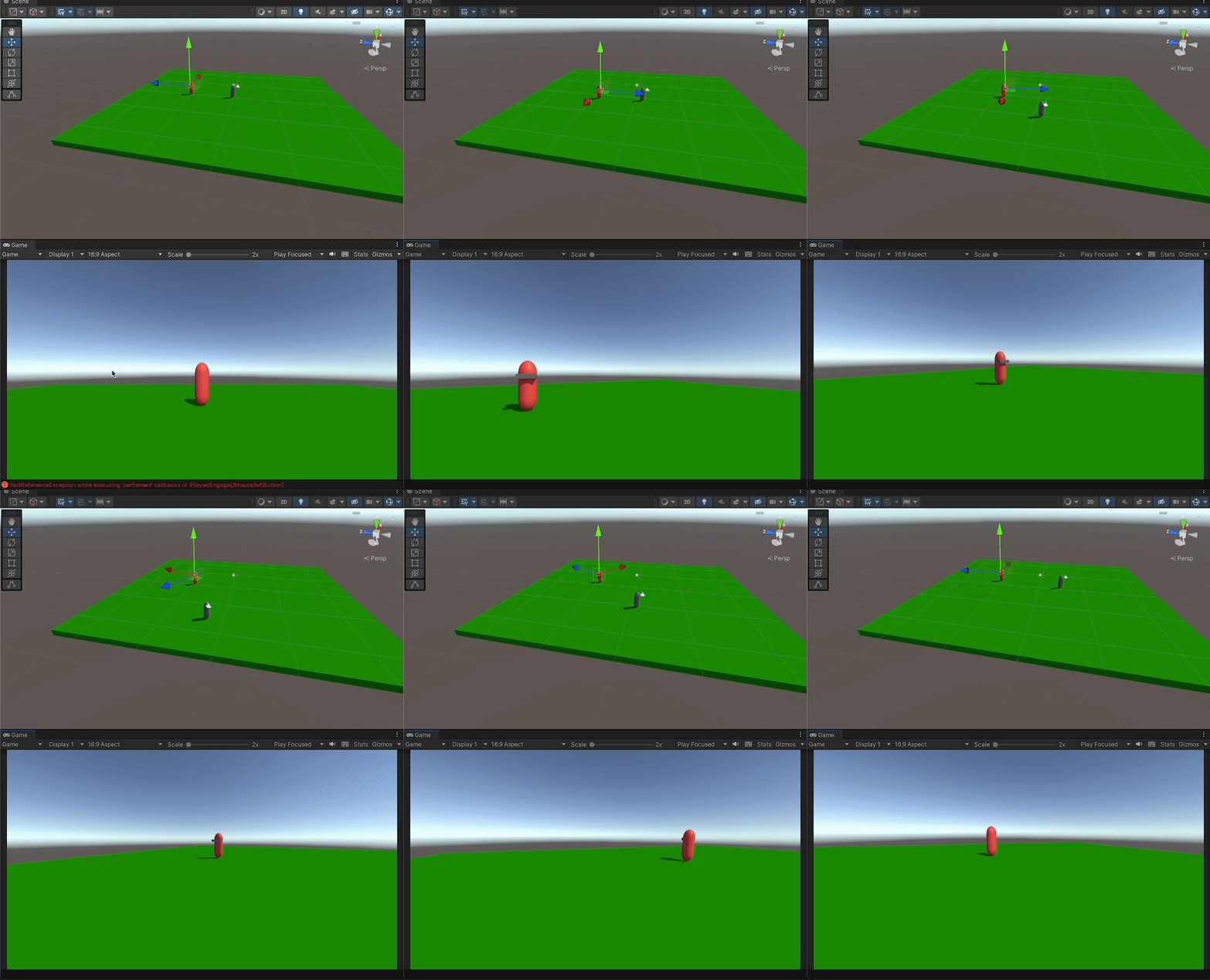 jaunty plume
mellow sigil
you probably meant `&&`
jaunty plume
mellow sigil
you probably meant `&&`
&& would make it ever true
mellow sigil
No, || would
jaunty plume
mellow sigil
No, `||` would
|| => if button is either 1 or 0, its true
&& => if button is not 1 or 0 is true
mellow sigil
|| => if button has any value, it's true
&& => if button has any value other than 0 or 1, it's true
jaunty plume
mellow sigil
|| => if button has any value, it's true
actually even no value inserted its true i think
mellow sigil
int always has a value
jaunty plume
mellow sigil
&& => if button has any value other than 0 or 1, it's true
i forgot that false false go true
low scaffold
jaunty plume
&& => if button is not 1 or 0 is true
it's !=
If button is not 0, and is not 1
Then invert that value so it's true when the value is 1 or 0
jaunty plume
low scaffold
it's !=
If button is not 0, and is not 1
Then invert that value so it's true wh...
yeah, i kinda remembered too late
somehow i made it bouncy
 delicate zinc
i'mm currently working on an 2.5d fps Videogame, does anyone know of a good video guide i can use to setup stuff like the HUD animations?
the characters themselves are sprites so i'm a bit unsure how to do the animations for the FPS attacks
steady moat
delicate zinc
the characters themselves are sprites so i'm a bit unsure how to do the animatio...
There is multiple things that qualify as 2.5D. I guess you are talking about isometric point of view ? In that case, you want 8 direction sprite animation. There is multiple tutorial online on how to do it.

Heya Pals!
This is a followup video to the previous pixel art class series on isometric and top-down animations that will let you bring your pixel art creation to life in Unity in just 30 mins!
Enjoy :)
Chapters:
0:00 - Intro
0:47 - Importing Your Sprites into an Empty Unity Project
5:30 - Setting Up the Character Object
10:00 - Setting Up th...
delicate zinc
not quite, i should've explained mmyself better
heady iris
I don't get what an "FPS attack" would be
delicate zinc
yeah fair enough, i was talking mostly the animations that the player ddoes when firing guns n stuff
like in Doom for example, the ones that seem to be part of the HUD
delicate zinc
i suspect theyre indeed just sprite animations
steady moat
delicate zinc
like in Doom for example, the ones that seem to be part of the HUD
In DOOM, I'm pretty sure it is a simple overlay.
delicate zinc
i'm just relatively confused on how i'd go implementing them
heady iris
you'd probably use an Image component to show the image in a UI
so you would animate the sprite field of the image
delicate zinc
ahh
steady moat

✅🎮 Play the Game and Download the Project Files here: https://unitycodemonkey.com/game.php?g=doom
🌍 Interesting Game Dev Videos https://www.youtube.com/playlist?list=PLzDRvYVwl53vD6I_5QE8jV-TYjckA7w_w
Snaps Art HD | Buried Memories Volume 2: Serekh
https://assetstore.unity.com/packages/templates/packs/snaps-art-hd-buried-memories-volume-2-serek...
heady iris
get the decino video!
heady iris
delicate zinc
steady moat
Also
https://www.youtube.com/watch?v=UEeqT2G1TSg
had no idea codemonkey actually did this, i'll take a quick look at how he handled that bit
ahah
so yeah he does just use an Animator component with an Image component
that's gonna be easy
thanks you two
hard viper
let’s say I have a collider in another collider (but there could maybe be other colliders nearby). any suggestions on how to do depenetration?
Example: I need to tell red square to get out of blue triangle. But at that point in calculation, idk that red square would then be bumping into green circle.

Any general recommendations or resources on how to resolve overlaps?
 delicate flax
hard viper
Any general recommendations or resources on how to resolve overlaps?
delicate flax
hard viper
Any general recommendations or resources on how to resolve overlaps?
is this a custom physics implementation, you do you want physx to solve this?
delicate flax
ah, aight, there are many videos, papers and blogs about this. give me a min and I'll see if I can dig up some 'easy' starting points
hard viper
ty. i just don’t know how to do this is a non-stupid way
assume i can use basic Physics2D methods to do the basics of casting, detecting overlaps, and getting “distance” between two colliders
delicate flax
well to start here is the source code for the built-in 2d physics in unity:
https://github.com/erincatto/box2d
but it can be quite daunting to read, I found this video explains the general algo in a 'simple' manner:
https://www.youtube.com/watch?v=9IULfQH7E90
Sebastian Lague's video on fluid sims also goes over some general concepts in a good way. (also just a really good watch imo)
https://www.youtube.com/watch?v=rSKMYc1CQHE

GitHub
Box2D is a 2D physics engine for games. Contribute to erincatto/box2d development by creating an account on GitHub.


Let's try to convince a bunch of particles to behave (at least somewhat) like water.
Written in C# and HLSL, and running inside the Unity engine.
Source code:
https://github.com/SebLague/Fluid-Sim
If you'd like to support me in creating more videos like this, you can do so here:
https://www.patreon.com/SebastianLague
https://ko-fi.com/sebastia...
hard viper
i watched, and i think I’m missing the critical thing I need
specifically, how do I resolve overlaps in a non-stupud way
pezza talked about the issue, but I don’t think he actually explained how to solve it
normal arch
so yesterday i was figuring out how far along an object is on a collider, but i only want to detect this is if the player came in through the left/right of a collider (or top/bottom depending what i set it to), how could i detect that?
i'd understand if you don't get what i mean
heady iris
you could record the direction from the collider's center to the player when the trigger starts
heady iris
player position - collider position
normal arch
so i've got this code
if(other.bounds.center - platform.bounds.center != slopeDirectionUpwards ||
                 other.bounds.center - platform.bounds.center != -slopeDirectionUpwards)
``` is this what you mean?well, you probably don't want to compare vectors for equality
I am thinking of something like this
public Vector3 direction;
public float angleTolerance;

void OnTriggerEnter(Collider other) {
  Vector3 colliderDirection = other.transform.position - transform.position;
  Vector3 expectedDirection = transform.TransformDirection(direction);
  float angle = Vector3.Angle(colliderDirection, expectedDirection);

  if (angle <= angleTolerance) { ... }
}
direction is a local-space direction that you expect the player to come from
We transform it to world space, then check the angle betwen it and the actual vector to the player
heady iris
Right. You would pick the (local space) direction you want
So making it [1,0,0] would make the component check if the player is coming from its right
This would be a smart place to add a gizmo
to visually indicate the direction
normal arch
heady iris
So making it `[1,0,0]` would make the component check if the player is coming fr...
k, also btw im in 2d if that makes anything easier
normal arch
heady iris
```cs
public Vector3 direction;
public float angleTolerance;
void OnTriggerEnte...
do you know if there's any math i could do based on the trigger colliders width/ height to turn into the angleTolerance variable|?
heady iris
are you trying to detect when the player hits a specific side of a box-shaped collider?
normal arch
yeah
heady iris
If you get a collision, not a trigger, you could check the normal vector for the collider you hit (on the player side, at least)
for a trigger, you could convert the player's position into local space
then compare the X and Y values of the local position to the collider's width and height, I guess
normal arch
heady iris
then compare the X and Y values of the local position to the collider's width an...
sorry i took so long but would it be something like
float angleTolerance = Vector2.Angle(platform.bounds.min, platform.bounds.center)
no, this doesn't make sense
These aren't directions.
you're finding the angle between two vectors that start at the origin and point to those two positions
I think you could compute it with Mathf.Atan2
normal arch
it takes the angle between the bottom corner of the collider and the center of the collider
heady iris
You would find the angle from the horizontal axis to the corner
so suppose the collider has a width of 4 and a height of 2
The upper corner would be at [2,1] in local space
Actually, you can still use Vector.Angle
You would want two vectors in local space.
suppose I want to allow the player to approach from the left
I want the angle between Vector3.left and a vector pointing from the center of the object to the bottom left corner
If the player's angle is less than this, they'e coming from the left
I'm not sure what logic I'd use to automatically do this for any direction
tbh I'd just add an empty child and position it in the scene view
That'd let you visibly see the cutoff angle
hard viper
If I just use .Cast by Vector2.zero, is that just... the same as checking for Overlap? Is there something I should know?
normal arch
heady iris
I want the angle between `Vector3.left` and a vector pointing from the center of...
so i would do the angle between Vector3.left (well probably vector2 but whatever) and -platform.bounds.extents (this would be a vector pointing from the center to the bottom left corner)
heady iris
They're in different spaces
So convert -platform.bounds.extents to local space or Vector3.left to world space
This feels convoluted...
leaden ice
hard viper
If I just use .Cast by Vector2.zero, is that just... the same as checking for Ov...
Cast with zero doesn't make much sense
heady iris
I wonder if there's a better way to handle this.
normal arch
heady iris
So convert `-platform.bounds.extents` to local space or `Vector3.left` to world ...
ok
heady iris
I guess it's weird because we're trying to derive the angle from the size of the box collider
hard viper
I'm just wondering if I can avoid making a specific Overlap method, by just using my Cast method with zero input
but yes, zero cast makes no sense
anyway, I am looking to make a simple depenetration algorithm. OverlapColliders might give me what I need, but I'm not sure if what I'm doing is dumb or not.
delicate flax
normal arch
i'd understand if you don't get what i mean
if and understand the problem, and you excuse my poor paint skills.
given a box collider, it has 4 side, aka 4 normals, n_1 -> n_4.
when you collide with it you can get the normal you collided with (hit.normal iirc)
in this example, we've defined the 'up' direction of the collider to be n_4, we can now check the dot product of the collision with the 'up' vector, to get the side we collided with.

does that make any sense?
 gray mural
public static IEnumerator FocusCamera(Vector3 targetPosition, float targetSize, float duration)
{
    Vector3 startPos = _mainCamera.transform.position;
    float startSize = _mainCamera.orthographicSize, elapsedTime = 0f;

    while (elapsedTime < duration)
    {
        float t = elapsedTime / duration;

        _mainCamera.transform.position = new Vector3(Mathf.Lerp(startPos.x, targetPosition.x, t), Mathf.Lerp(startPos.y, targetPosition.y, t), _mainCamera.transform.position.z);
        _mainCamera.orthographicSize = Mathf.Lerp(startSize, targetSize, t);

        elapsedTime += Time.deltaTime;

        yield return null;
    }
}
This method focuses camera. It moves camera to the targetPosition and size in specific duration.
So the problem is that it doesn't fully change it. When desired position is far enough, its size and position may differ on e.g. 5f and (6f, 10f) respectively.
Why?
 hexed pecan
gray mural
```cs
public static IEnumerator FocusCamera(Vector3 targetPosition, float target...
hexed pecan
gray mural
```cs
public static IEnumerator FocusCamera(Vector3 targetPosition, float target...
I think you stop the while loop one step too early
Like the t value never reaches 1.0
gray mural
hexed pecan
I think you stop the while loop one step too early
so <= ?
hexed pecan
Try that
gray mural
hexed pecan
Try that
tried, still the same
hexed pecan
Or, just set the values after the while loop
Or, calculate the t after adding to elapsedTime, not before it
normal arch
delicate flax
if and understand the problem, and you excuse my poor paint skills.
given a box ...
also where is the hit.normal variable gotten from
delicate flax
normal arch
how would i convert that to code
Well this is just pure pseudo from memory, so take it with a grain of salt. and also, this will only work for box colliders
private void onCollisionEnter(Collision collision) {
    var normalThatWeHit = collision.normal;  //get the side/normal of the thing we hit
    var upDirection = collision.transform.forward; // get the 'up' direction of the thing we hit

    var dot = Vector2.Dot(upDirection, normalThatWeHit);

    //dot = 0 means we hit the top
    //dot = 0.5 means we hit left
    //dot = -1 means we hit buttom
    //dot = -0.5 means we hit right
}
collision.transform.forward should be .up, no?
delicate flax
hexed pecan
``collision.transform.forward`` should be ``.up``, no?
in 2d, that might be the case yeah 😅
normal arch
hexed pecan
``collision.transform.forward`` should be ``.up``, no?
well it could be anything; in this case it would be a variable that i have in the script called slopeDirectionUpwards
normal arch
delicate flax
Well this is just pure pseudo from memory, so take it with a grain of salt. and ...
btw this is in an OnTriggerEnter2D function not an OnCollisonEnter so how would i get the normal?
normal arch
delicate flax
Well this is just pure pseudo from memory, so take it with a grain of salt. and ...
also wouldn't it be
1 if top,
0 if right or left
and -1 if bottom?
gray mural
hexed pecan
Or, calculate the ``t`` after adding to elapsedTime, not before it
That's the issue. So I changed < to <= and calculated elapsedTime before t. Now it works perfectly, I guess. Thank you 😄
normal arch
normal arch
also wouldn't it be
1 if top,
0 if right or left
and -1 if bottom?
that's what the docs told me at least
delicate flax
normal arch
also wouldn't it be
1 if top,
0 if right or left
and -1 if bottom?
btw. using Debug.DrawLine is a life saver in these situations since you can visualize the vectors that way.
and as I said pure pseudo from memory so sure, the values / API may be wrong, but I'm fairly sure the general idea is correct
normal arch
delicate flax
btw. using Debug.DrawLine is a life saver in these situations since you can visu...
yeah that's fine, it's just getting the normal that i need to do and then it's done
normal arch
delicate flax
btw. using Debug.DrawLine is a life saver in these situations since you can visu...
this has helped a lot btw thanks
delicate flax
normal arch
this has helped a lot btw thanks
since it's a Trigger and not a Collision, getting the normal can be quite tricky.
my first naive idea is to do a raycast, but maybe someone else here has a more elegant solution:
private void onTriggerEnter(Collision collision) {
    var normalThatWeHit = vector2.zero;

    // prob need to add a mask or something to make sure the raycast is only between, 'this' and 'other'
    // maybe even use Raycast all?
    if(physics2d.Raycast(this.transform, collider.transfrom, out var hit)){
      normalThatWeHit = hit.normal;
    }

    var upDirection = collision.transform.forward; // get the 'up' direction of the thing we hit
    // same code
}
now that I think about it, I'm not sure raycasts can hit triggers by default...
delicate flax
normal arch
which isnt a trigger
that's why I called it naïve. you could also do something like
var hits = RaycastAll(.....
foreach hit
if hit.transform == collider.transfrom
and parse out the correct hit, I'm not 100% on-board with this solution, but I think it will work at least. so if anyone want's to chime in with a solution, feel free
well the 'start' point/vector of a raycast is arbitrary. so you can set it to what ever you want
 edgy kernel
my origin right now is transform.position
hexed pecan
delicate flax
now that I think about it, I'm not sure raycasts can hit triggers by default...
There's a bool for it
Remember to set it back to false after
heady iris
I always just pass the explicit extra argument
delicate flax
edgy kernel
my origin right now is transform.position
then set it to what you need it to be? I'm not sure I understand the problem correctly 😅
normal arch
Vector2 normal;
RaycastHit2D[]  hits = Physics2D.RaycastAll(platform.bounds.center, slopeDirectionUpwards);
            foreach(RaycastHit2D hit in hits)
            {
                if(hit.transform == other.transform)
                {
                    normal = hit.normal;
                }
                else
                {
                    normal = Vector2.zero;
                }
            }
why am i getting an unassigned local variable error even though all code paths set the variable
 somber nacelle
not all code paths assign to it though. what happens if there are no elements in the hits array
normal arch
oh ty
somber nacelle
also your logic is flawed. what happens if the first element in the array is the same as other.transform but the second element is not?
also why are you comparing to another transform like that in the first place?
normal arch
heady iris
What would be a simple way to detect if an object is in the scene when I'm entering play mode?
I have a scene for my settings menu. I want to add a camera and event system if I start the scene directly
But I don't want to create those objects if the scene gets loaded while the game is running.
hexed pecan
Singletons?
somber nacelle
could just use a Find call from an object that is tagged EditorOnly so it isn't loaded in a build
hexed pecan
hexed pecan
Singletons?
With the usual destroy-self-if-instance-already-present logic
heady iris
somber nacelle
could just use a Find call from an object that is tagged EditorOnly so it isn't ...
that'd get rid of any (extremely minor) overhead, yeah
sounds reasonable
i haven't set a tag on a game object in ages
delicate flax
heady iris
What would be a simple way to detect if an object is in the scene when I'm enter...
simple way? GameObject.FindObjectOfType, or GameObject.Find("Name of Object")
heady iris
Oh, I mean for something to decide if it existed when the game started
using UnityEngine;
using UnityEngine.EventSystems;

public class SystemMenuEditorTester : MonoBehaviour
{
    public Camera editorCamera;
    public EventSystem editorEventSystem;

    // Start is called before the first frame update
    void Awake()
    {
        if (FindAnyObjectByType<Camera>())
        {
            Destroy(gameObject);
            return;
        }

        editorCamera.gameObject.SetActive(true);
        editorEventSystem.gameObject.SetActive(true);
    }
}
I think this'll do.
I'm working on the menu, and it's annoying to have to load it in alongside a scene that provides a camera
Yep, bingo. I was overthinking it a little. Thanks everyone (:
(hey, that was an XY problem!)
somber nacelle
oh yeah, you could also just check Camera.main if you have your cameras tagged as MainCamera. that would be a bit faster than using Find
heady iris
(doesn't that find an object by tag?)
somber nacelle
yeah, but it also should cache it too so it can be faster than just using a straight Find ByType or WithTag
delicate flax
heady iris
(doesn't that find an object by tag?)
historically yes, but iirc there is some special optimizations for Camera.main in newer versions of unity
hexed pecan
Reminder that Finding by tag is also faster than finding by type since unity caches tagged objects in a list
somber nacelle
https://docs.unity3d.com/ScriptReference/Camera-main.html
ah looks like it just caches all MainCamera tagged objects anyway. so it's not even just caching it the first time you call it, it should already be cached
heady iris
hexed pecan
Reminder that Finding by tag is also faster than finding by type since unity cac...
😮
goodbye, serialized references! makes 5000 tags
also, any opinions on this problem i mentioned yesterday? #archived-code-general message
I've replaced some of my code with LocalizeStringEvent components
maybe I should just use more of those
heady iris
heady iris
I've replaced some of my code with `LocalizeStringEvent` components
(e.g. instead of using code to fill in text for headers, I just put a LocalizeStringEvent component on them and assign the localized string reference on that)
hexed pecan
heady iris
I am using the Localization package to display lots of localized strings. A freq...
So youre wondering if you can use anonymous functions instead? I don't think you can unsubscribe an anonymous function since it isn't the same instance of that function
heady iris
That's what I was originally doing
And yeah, that's the rub
(well, I'm still doing it in several places. I need to clean this up...)
The main goal is to get rid of that boilerplate code
- subscribe to the event
- manually set the string
- unsubscribe from the event
It's easy, but it's very repetitive
and I know I'm going to start getting weird exceptions once I actually add more than one locale and switch languages
because some random-ass text element from an unloaded scene is still subscribed
normal arch
delicate flax
that's why I called it naïve. you could also do something like
var hits = Rayc...
btw i ended up just asking chatgpt and it gave me this
Vector2 collisionDirection = new Vector2(platform.bounds.center.x, platform.bounds.center.y)
                - new Vector2(other.bounds.center.x, other.bounds.center.y);
            if (Mathf.Abs(collisionDirection.x) > Mathf.Abs(collisionDirection.y))
            {
                if (collisionDirection.x > 0)
                {
                    // Object entered from the left
                    Debug.Log("Entered from the left");
                }
                else
                {
                    // Object entered from the right
                    Debug.Log("Entered from the right");
                }
            }
            else
            {
                if (collisionDirection.y > 0)
                {
                    // Object entered from the bottom
                    Debug.Log("Entered from the top");
                }
                else
                {
                    // Object entered from the bottom
                    Debug.Log("Entered from the bottom");
                }
            }
which surprisingly worked perfectly, i didn't know it was that reliable, but thanks for the help anyways
delicate flax
normal arch
btw i ended up just asking chatgpt and it gave me this
```cs
Vector2 collisionD...
might be because I haven't worked with 2d for a long time, I would think something like that would not work if the collider is rotated. anyways, glad to hear it worked out 😄
heady iris
normal arch
btw i ended up just asking chatgpt and it gave me this
```cs
Vector2 collisionD...
note that this will give you unexpected results for a non-square collider
normal arch
delicate flax
might be because I haven't worked with 2d for a long time, I would think somethi...
probably but basically all of the code in the script relies on that, so that shouldn't be on a problem
heady iris
you could move down onto the left side and get told you entered from the left
it's also in world-space, so the results may be surprising if you rotate the object
normal arch
heady iris
you could move down onto the left side and get told you entered from the left
it also relies on it being a box collider too
 wary ferry
This is definitly the wrong place to ask this question but I figure their is a good chance someone here would know. Anyone know what I need to install to be able to compile c and c++ code? their seems to be a wild amount of slightly disagreeing info online. I have windows 10 installed if it makes a difference.
Just being pointed in the right direction would be massivly helpful
leaden ice
wary ferry
This is definitly the wrong place to ask this question but I figure their is a g...
Definitely the wrong place but https://visualstudio.microsoft.com/vs/features/cplusplus/
Visual Studio
Download free Visual Studio IDE to build cross-platform apps for Linux, iOS, Android, IoT, and Windows devices using latest, standards-compliant C and C++.
wary ferry
leaden ice
Definitely the wrong place but https://visualstudio.microsoft.com/vs/features/cp...
Thanks i appreciate it!
 chrome trail
I can't seem to get the rigidbody's angular velocity to update with this function. The only reason I can think of for why that might be is because the function is being called in Update rather than FixedUpdate but I can't see why that would be the case when I can use this function to manipulate the object's regular velocity just fine from Update. So why isn't angular velocity updating correctly?
    //It would be an issue
    void ChaseTarget()
    {
        //Calculate a path to the target
        NavMeshPath path = new NavMeshPath();
        NavMesh.CalculatePath(transform.position, target.position, filter, path);

        //Try to face the next point
        float targetAngle = Mathf.Atan2(target.position.x - transform.position.x, target.position.z - transform.position.z) * Mathf.Rad2Deg;
        float angleDiff = Mathf.DeltaAngle(transform.eulerAngles.y, targetAngle);
        float torque = Mathf.Clamp(angleDiff / Time.fixedDeltaTime, -moveTorque, moveTorque);
        rb.angularVelocity = Vector3.up * torque * Mathf.Deg2Rad;
        print(Vector3.up * torque * Mathf.Deg2Rad);
}```Hmm make sure that the rigidbody's rotation is not locked in the inspector
chrome trail
hexed pecan
Hmm make sure that the rigidbody's rotation is not locked in the inspector
Now that I think about it that might be it
hexed pecan
Also yeah FixedUpdate is the correct way, otherwise it will depend on framerate
chrome trail
Yeah, seems that was the problem. I was locking the axis I wanted to rotate
hexed pecan
Nice
I would also simplify that code by using Vector3.SignedAngle or something but if you love trigonometry, do it your way 😄
chrome trail
hexed pecan
I would also simplify that code by using ``Vector3.SignedAngle`` or something bu...
I have no clue what Vector3.SignedAngle is
If you're talking about how I calculate the target angle that's just how I've always done it
hexed pecan
That's fine
leaden ice
chrome trail
I can't seem to get the rigidbody's angular velocity to update with this functio...
btw depending on transform.eulerAngles.y is possibly not going to work well due to potential gimbal lock. Euler angles can't typically be taken in isolation.
chrome trail
leaden ice
btw depending on `transform.eulerAngles.y` is possibly not going to work well du...
What do you mean?
leaden ice
chrome trail
What do you mean?
I mean for example these two sets of euler angles:
(0, 180, 0)
(180, 0, 180)
are identical, so just reading the y part might not tell you what you need to know
it's better not to rely on euler angles in this manner
hexed pecan
chrome trail
I have no clue what Vector3.SignedAngle is
I mean something like cs Vector3 targetDir = target.position - transform.position; float angleToTarget = Vector3.SignedAngle(transform.forward, targetDir, Vector3.up); // Y angle difference (-180..180 range) from current direction to target direction. 'Vector3.up' argument denotes that we want to use the up/Y axis // Then use angleToTarget as the Y torque
It might not be exactly the same result, not sure
chrome trail
leaden ice
it's better not to rely on euler angles in this manner
What should I be doing instead then?
leaden ice
chrome trail
What should I be doing instead then?
quaternions are generally better for this kind of thing, or direction vector manipulation, or some combination of the two
chrome trail
leaden ice
quaternions are generally better for this kind of thing, or direction vector man...
I've noticed that quaternions are a bit weird, though, and I don't really understand them all that well
leaden ice
They're not that bad, and easier to work with than euler angles once you get familiar with the API
people overexaggerate them
hexed pecan
I think the word 'Quaternion' just sounds evil by itself
chrome trail
In general the Y quaternion never seems to be the same as Y euler and the Y euler is a lot more legible anyway
hexed pecan
You are right they are not as scary as they seem, just use the utility functions (Quaternion.FromToRotation/AngleAxis/LookRotation etc)
chrome trail
hexed pecan
You are right they are not as scary as they seem, just use the utility functions...
So I would use what Quaternion function to get the information I want?
leaden ice
for example if you want to know the rotation you need to get from your current rotation to look towrads some direciton you can use something like:
Vector3 desiredLookDirection = target.position - transform.position;
desiredLookDirection.y = 0; // "flatten" it
Quaternion desiredRotation = Quaternion.LookRotation(desiredLookDirection); // create a rotation from the look direction
Quaternion rotationDiff = desiredRotation * Quaternion.Inverse(transform.rotation); // this is like desiredRotation - currentRotation```now of course rb.angularVelocity is a set of euler angles so you can convert back at the end
hexed pecan
leaden ice
for example if you want to know the rotation you need to get from your current r...
How would you translate that into a torque/angular velocity?
Just convert to euler from quat?
leaden ice
Vector3 eulerDifference = rotationDiff.eulerAngles;
rb.angularVelocity = eulerDifference.normalized * speedInDegreesPerSecond;``` something like thisI think haha 😉
hexed pecan
chrome trail
So I would use what Quaternion function to get the information I want?
Something like what praetor suggested, but my suggestion still stands, you can get the Y angle difference with a couple of lines of code
#archived-code-general message
heady iris
chrome trail
In general the Y quaternion never seems to be the same as Y euler and the Y eule...
Quaternions are a set of 4 values. The X/Y/Z values do not correspond to euler angles.
chrome trail
heady iris
Quaternions are a set of 4 values. The X/Y/Z values do not correspond to euler a...
I'm aware
leaden ice
chrome trail
In general the Y quaternion never seems to be the same as Y euler and the Y eule...
you shouldn't ever be looking at the y in the quaternion and indeed it is not the same as the y euler
 hybrid turtle
hi dumb question about git and unity. I just pulled a repo with missing assets and want to checkout a fresh repo what would be the git commands to do this could I git branch -D name then git fetch origin branch would this delete the local branch then fetch me a copy of the remote?
leaden ice
hybrid turtle
hi dumb question about git and unity. I just pulled a repo with missing assets a...
you can do git checkout --hard origin/branch
if you want to pull a repository from scratch you should do:
cd ..
rm -rf myfolder // delete the folder entirely
git clone blahblah // copy the clone command from github here```nah like I have another user whose working on it on gitlab and can't see it from my list of branches but only gitlab so last time I wanted to get his work I just git fetch origin branchName but ok will git checkout --hard origin/branch be run on the branch that I want a fresh repo of?
leaden ice
Idk what "fresh repo" of a branch means
a branch is part of the repository as a whole
heady iris
hybrid turtle
nah like I have another user whose working on it on gitlab and can't see it from...
you can't see the branch you want?
hybrid turtle
nah you run git branch -a
leaden ice
if you want to checkout another user's created branch you can do:
git fetch
git checkout branchName```git won't know about the new branch on the remote until you fetch
leaden ice
hybrid turtle
doesn't show but when i run ```git fetch origin branchName```
just do git fetch
then git branch -a will show it
assuming they actually pushed it up
hybrid turtle
yes I checked the logs they pushed it for sure

but on my end the textures all missing
so i want to fetch it again
and delete the local branch
i just ran git fetch again on the branch and pull but didnt do anything
leaden ice
git reset --hard origin/branchname will work (after a fetch)
if it's not working your friend didn't push things up properly
leaden ice
yes
hybrid turtle
ok awesome ill give it a shot
ok didnt do anything
can I just run git branch -D delete the local
then git fetch origin
again
and it wont tamper with his remote branch?
leaden ice
hybrid turtle
and it wont tamper with his remote branch?
it won't tamper with anything but you're not going to get a different result
it sounds like your friend didn't save/commit/push their changes properly
hybrid turtle
cuz I've checked the logs in gitlab and seen for sure they were pushed
im confused bruh
leaden ice
I mean they have made a commit
it doesn't mean the commit includes everything
they might have forgotten to add files
or to save a scene
or a prefab
before pushing
hybrid turtle
yeah idk cuz I checked the commit details and saw all prefabs and textures were staged
so he kept telling me to get a fresh repo
and i was like idk ill fetch another then 😦
leaden ice
your friend doesn't seem to understand git that well
there is never a need to "freshly" pull a branch
if the commit is in your local log, you have it
heady iris
hybrid turtle
so he kept telling me to get a fresh repo
this means he doesn't know what's going on
hybrid turtle
nah this is his
not my comp
lol ill remove it cuz idk if he wants his screenshot on
but bruh
i think he didnt push it right
leaden ice
he needs to do git status and see what it shows
hybrid turtle
yeah i'll tell him idk i thought it was convention to always git status before you commit and push
heady iris
it will tell you if:
- the files are completely untracked
- the files are tracked, but not staged
- the files are staged, but not committed
- the files are committed, but there is a commit that hasn't been pushed to the remote
i run git status randomly when i'm trying to look busy
hybrid turtle
lol same
heady iris
ls; git status; ls; ls; ls; clear; ls
hybrid turtle
lmaooooo
leaden ice
hybrid turtle
yeah i'll tell him idk i thought it was convention to always ```git status``` be...
it certainly is
heady iris
If git status reports there are no pending changes and no unpushed commits, then you will need to look at the remote branch he pushed to
hybrid turtle
yeah my git status not showing anything so im just going to make him push it again
leaden ice
hybrid turtle
yeah my git status not showing anything so im just going to make him push it aga...
he needs to run git status
and show what the results are
hybrid turtle
lol and yes tell him to always run git status and lol make sure that well the textures are all there
heady iris
the point is that they should not "be there" when he runs git status
heady iris
correct.
leaden ice
He should see something like this:
On branch master
Your branch is up to date with 'origin/master'.

nothing to commit, working tree clean```that will tell us he properly committed and pushed everything
hybrid turtle
yes exactly
heady iris
(so you'd better get that entire message from him)
hybrid turtle
yeah lol ill make sure to this time lmao instead of just trsuting it there after he said it pushed
leaden ice
if he sees
On branch master
Your branch is up to date with 'origin/master'.

Untracked files:
  (use "git add <file>..." to include in what will be committed)
    example

nothing added to commit but untracked files present (use "git add" to track)```
He needs to do `git add example` or `git add -A` and then commit & pushdoes git branch -D delete only the local branch then
git push origin --delete remoteBranchName ive been using this to get rid of both but have never checked tbh that what they taught me in class
lean sail
github desktop would make stuff like this a bit easier
heady iris
Hey, question about dealing with multi-scene design.
I have my settings menu in its own scene. The player can ask to open the settings menu from the game scene. This makes the game controller load the scene.
The settings menu can have many nested screens open. If the user hits "back" (so, the B button) on the settings screen, it exits the current screen. When you exit the root screen, the settings menu needs to close. This means the settings menu needs to be able to say "hey, I'm closing!" to the game controller.
This means that the game controller needs to find the settings menu in the newly loaded scene and subscribe to the event. Right now, I'm doing this:
var op = SceneManager.LoadSceneAsync(systemMenuScene, LoadSceneMode.Additive);

op.completed += op => {
    FindAnyObjectByType<SystemMenu>().Closed += ToggleSystemMenu;
};
I'm...really not a fan of this! It just finds a completely random SystemMenu!
I'm thinking about how to make that connection. Nothing's jumping to mind here...
In this case I could definitely just use a static event
But I'm wondering about what'll happen if I have multiple scenes that need to do the same kind of thing
heady iris
heady iris
Hey, question about dealing with multi-scene design.
I have my settings menu in...
I guess I can iterate over the root game objects of the scene and search for an object.
heady iris
heady iris
I guess I can iterate over the root game objects of the scene and search for an ...
I could definitely drop a "scene descriptor" component into each scene that holds all the interesting references, then find it and grab what I need
hybrid turtle
ok sorry one more question
what does git pull origin do
sorry git pull origin
i saw online it pulls from a branch
if it is not linked to an upstream branch and specifies which upstream to pull from
leaden ice
git pull pulls the current branch from the remote tracking branch
git pull origin branchName pulls a specific branch from a specific remote
leaden ice
pull is the same as fetch + merge or rebase
hybrid turtle
cuz i also tried git pull origin remoteBranch as well
but made no difference then git pull
leaden ice
why would you expect it to make a difference
 rotund burrow
i want to make a better structure for an inventory system.
Classes ---- Weapon : Item, Recourse: Item, Junk : Item.
Paired classes ---- WeaponController : ItemController, InactiveController : ItemController
when i click on weapon, it shoots. but for junk and recourses nothing happens.
I need something like this dictionary to use (the analogy just makes it simpler):
pairedClasses = { Weapon : WeaponController, Junk : InactiveController, Recourse : InactiveController}
The item class will have method like this
protected ItemController GetController()
return new pairedClasses[this.GetType()]
right now i'm just overriding the GetController method in each item derived class but i want to only have 1 method at the base (item class)
leaden ice
rotund burrow
i want to make a better structure for an inventory system.
Classes ---- Weapon...
Why not just have an abstract void Use(); function on Item and let each subclass implement it.
it seems like you're trying to fight against the type system instead of just using polymorphism as intended.
rotund burrow
leaden ice
it seems like you're trying to fight against the type system instead of just usi...
because items will process inputs and work differently for player and npcs
leaden ice
rotund burrow
because items will process inputs and work differently for player and npcs
I don't see how that changes anything
Maybe you want some parameter then to distinguish who is using it? abstract void Use(Character user);
rotund burrow
consider an item like a bow that charges and then shoots on button up. then normal gun that shoots on button down. then for ai it will work completely differently
one method is not enough for this
leaden ice
rotund burrow
consider an item like a bow that charges and then shoots on button up. then norm...
Right that's why you let the subclass implement things
you're right
one method is not enough
abstract void Use();
abstract bool RequiresCharge { get; }
abstract bool FullAuto { get; }
abstract bool BeginUse();
abstract bool EndUse();```
etci just dont want to be constrained in what items can do. i dont think i will be able to fit it like that
 quaint crypt
I want to have a character preview in the inventory. Much like in wow / rust / zelda etc. Is there any better way to achieve this than: 1. create a copy of the character model, 2. attach afront facing camera to it, make it render to a render texture, add that render texture to a raw image?
leaden ice
rotund burrow
i just dont want to be constrained in what items can do. i dont think i will be ...
there's no difference between this and the dictionary thing. It's just a better way of organizing the code
where each class has its own behavior inside itself
instead of some high level controller having intimate knowledge of all the subclasses
rotund burrow
leaden ice
there's no difference between this and the dictionary thing. It's just a better ...
where do you put the logic that activates the item? for example, a gun in an fps game. For player you will have to check facing direction, range etc.. For ai it is controlled completely different
lean sail
quaint crypt
I want to have a character preview in the inventory. Much like in wow / rust / z...
better in what way?
rotund burrow
right now i just have it in player and enemy classes but i want it to be cleaner
hexed pecan
quaint crypt
I want to have a character preview in the inventory. Much like in wow / rust / z...
Again, the way you described is a pretty standard way of doing it
leaden ice
rotund burrow
where do you put the logic that activates the item? for example, a gun in an fps...
In the player controller and in the AI controller
quaint crypt
lean sail
better in what way?
design, approach, performance. any
leaden ice
Each of them will call Use on the gun when they want to shoot
hexed pecan
quaint crypt
I want to have a character preview in the inventory. Much like in wow / rust / z...
As an alternative, you can skip copying the character and just render the existing character, with a culling mask on the camera so that it renders only the character
But that's a design choice, whether you want to have different animations on the preview or not
leaden ice
Choosing when and how to activate the item is not the purview of the item itself.
But what happens when the item activates is
rotund burrow
what if there are 50 guns? you cant fit it all in one class
all with different logic, like i described with a bow
quaint crypt
hexed pecan
As an alternative, you can skip copying the character and just render the existi...
unfortunately i don't like the fact that some animation sip through and can be seen on the preview
for example, opening the inventory while falling etc
hexed pecan
Yeah, I see
leaden ice
rotund burrow
what if there are 50 guns? you cant fit it all in one class
That's exactly why you do what I'm saying...
quaint crypt
anyway, thanks a lot for the help @hexed pecan @lean sail !
leaden ice
Your approach is to put it all in one place
rotund burrow
i dont think i understand you correctly
 light jay
HI all,
i got a question about my code:
https://pastebin.com/WJ8UX2Ur
What i expect to happen is that this gameObject with this script get put under DontDestroyOnLoad in the Hierarchy but i doesnt and when i switch scene's ( Main Menu to World ) it gets destroyed
and i cannot figure out where i did something wrong
Pastebin
Pastebin.com is the number one paste tool since 2002. Pastebin is a website where you can store text online for a set period of time.
hexed pecan
light jay
HI all,
i got a question about my code:
https://pastebin.com/WJ8UX2Ur
What i e...
Make sure the gameobject is a root object