#archived-code-general
1 messages · Page 190 of 1
 shell scarab
 green radish
I tried to use ECS
but entities lack features gameobjects have so I hit a dead end
they can have their own variation of components which is cool, but I couldnt get them to access data from one another, and the way they spawn into the scene is different from gameobjects for some reason so ordering them in a grid just didnt work correctly, at all
 quartz folio
I have an ECS project, and yeah it can be very hard to grasp how you're supposed to work in a data oriented setting
shell scarab
yea cus that's thinking object oriented, not data oriented  (which is why I said it's weird)
green radish
I understood how each entity works, they all call the same script for behavior but store individual variable data
basically the ideal computational situation for simulating something in a scene optimally
 spring creek
green radish
I understood how each entity works, they all call the same script for behavior b...
spring creek
green radish
I understood how each entity works, they all call the same script for behavior b...
An entity is just an ID essentially
And a version number used to see if there were structural changes
green radish
meanwhile gameobjects generate new instances of the script per gameobject, which is more demanding as the number increases
data oriented programming can be applied to gameobjects however by storing a majority of their data outside and calling it from a location, like a library
that way the gameobject only stores what it needs in the immediate
any value that will always be the same regardless of situation can be hard set in the library and then called for
 steady moat
The principle performance boast of data oriented approach come from memory locality
green radish
ye
if it exists in one location instead of being repeated elsewhere, that saves computing power because its not doing the same thing again, just one time
steady moat
No, I meant cache misses
green radish
what?
 ashen yoke
less memory reads, basically
steady moat
 steady moat
ashen yoke
less memory reads, basically
steady moat
ashen yoke
less memory reads, basically
Yes and no.
The amount of memory reads is the same, however you need less time to get memory from higher cache
ashen yoke
heh?
steady moat
If you miss the cache on a read, you need to get the memory from the previous cache
Which is costly
ashen yoke
i mean how can it be the same if the whole point is to eradicate redundant access
green radish
if you mean the size of a chunk, yes, that is if I dont break it into smaller 40*40 chunks, which one I go with depends on performance effect of bigger or smaller chunks, which depends on if tilemaps take a considerable toll on performance by simply being active
steady moat
The whole point is not to reduce the amount of access to the memory, but to access the memory sequentially
ashen yoke
that doesnt sound correct to me, a tightly packed data array will be read in less lines than highly fragmented, and stay in cache longer and allow cpu to do more work on already cached data
steady moat
ashen yoke
that doesnt sound correct to me, a tightly packed data array will be read in les...
Yes, you describe exactly what cache misses is. A highly fragmented array will required the CPU to read more memory because it misses the data as it is not in the cache due to the cache being limited in size.
green radish
green radish
if you mean the size of a chunk, yes, that is if I dont break it into smaller 40...
considering this, would 80*80 be more performant or would 40*40 be better?
40*40 being done to reduce the number of tiles loaded, at the cost of more tilemaps
ashen yoke
it should be parametric and the size should be chosen based on tests
shell scarab
steady moat
No, I meant cache misses
I see you truly do know what you're talking about. When i started to read all about this, that's when I knew I'm getting in over my head.
green radish
ashen yoke
it should be parametric and the size should be chosen based on tests
is there any way to say this in a more layman speak phrasing?
steady moat
green radish
is there any way to say this in a more layman speak phrasing?
It is as I said,
Yeah, and you want the least amount of tilemap with the least amount of useless tiles.
It is a multiconstraint problem that varies on the type of game you are doing and the actual cost of having useless tile vs having more tilemaps
ashen yoke
not only type of game, type of scenario within the game as well
steady moat
True
ashen yoke
i.e. different maps size, or different user hardware
green radish
if by different user hardware you mean higher and lower end systems, I want the game to be able to run on lower end PCs
steady moat
If you are not hitting memory issue, I do not believe hardware as that much of an importance.
What is going to be better on one, should be as good on an other. (Within a small margin)
green radish
so far I havent hit any performance issues due to the game, any time there has been one its when some other program is doing fairly expensive tasks, so Unity itself lags as a result
steady moat
Then just use whatever chunk size fit in your screen and call it a day
green radish
the reason for the questions is because I havent implimented it yet and last time I made a tilemap thing where tiles were deleted and created often it resulted in massive lag, so I've been concerned about that sort of thing happening again
steady moat
That is stange, becase I expect the tilemap to be fairly optimal because of how they use ScriptableObject/Tile and not instanced object.
It seem the rebuilding of the tilemap is slow though
green radish
it was when I last tried to make cellular automata and what it did was check through every tile row by row and when it encountered a sand tile it checked tiles around it, if it was in a situation where it should fall, it would delete the tile, place sand in the next tile down, then continue to the next tile in the row
it worked but it was extremely slow
green radish
that sort of thing is what lead to Minecrafts floating sand terrain generation bug
where if you didnt interact with it it would never fall because it generated in that position
ashen yoke
that means there was no initialization for it
steady moat
Did you try to use Tilemap.SetTiles instead of Tilemap.SetTile
green radish
if a player placed a sand block in a position and removed the support beneath it fast enough the bug could be recreated, until Mojang changed it so block updates happen constantly so sand is updated constantly
ashen yoke
doesnt sound like thats what happened
steady moat
green radish
if a player placed a sand block in a position and removed the support beneath it...
You were still able to place a torch under a sand block last time I played.
ashen yoke
most likely they just fixed the bug, because its a network sync bug or something similar
steady moat
The block would not fall if you place it fast enough
green radish
the reason the bug could be recreated was because player actions happened more often in the games update loop than block updates, meaning you could squeeze actions between block updates and trick the game into doing things it shouldnt
steady moat
Also, there is https://docs.unity3d.com/ScriptReference/Tilemaps.Tilemap.SwapTile.html function
There is alot of function that could potential increase the speed of your tilemap
instead of deleting blocks to move
ashen yoke
green radish
the reason the bug could be recreated was because player actions happened more o...
i can imagine at least one way how that could be resolved by locking the cell from which the sand was removed until the next tick, but they didnt, because its one of those "its a feature" things which make games fun
green radish
they ended up implimenting the floating sand bug into a feature where if sand generates in the air it floats and has a dust particle under it to indicate thats whats happening
after it's been interracted with it becomes normal
ashen yoke
wet wall, aquifier nearby
green radish
making block updates constant was also done to fascilitate a new block they introduced that detects block updates
if a block in front of it has been changed in some way it outputs a redstone signal
ashen yoke
any links on evidence that there are constant updates?
because given the size of minecraft worlds it sounds unrealistic
green radish
its constant in so much as it's every gametick
but gameticks arent entirely in sync with the computer
it just means there's less room for weirdness to happen
steady moat
If you are not here, I pretty sure that redstone is not updated
ashen yoke
65,536 blocks per chunk, assuming i generate a map with only sand blocks of 16 *16 chunks that would be ~16,777,216 block updates each tick, sounds realistic?
spring creek
steady moat
If you are not here, I pretty sure that redstone is not updated
Correct, unless you forceload the chunk
green radish
redstone only updates outside the players range if it's powered
spring creek
green radish
redstone only updates outside the players range if it's powered
Oh yeah?
steady moat
Are you sure ?
green radish
if its not powered it stops running
steady moat
Because as I remember, it was only updating when you were close enough
green radish
this concept has been used to build lag machines on servers
steady moat
Same with zombie and spawner
green radish
massive redstone machines that do nothing except eat up processing power
spring creek
green radish
this concept has been used to build lag machines on servers
I've seen those, but the person is nearby, and leave so it stops, then come back to start again
steady moat
Yeah, if you are close
spring creek
All the "lagging pay2win server" videos I've seen work that way
I like those vids lol
green radish
I forgot, the way they keep them loaded without a player is tagged entities
tagged entities force a chunk to remain loaded because they are priority
 urban orbit
Does someone have experience using the asset LeanTouch?
 flat abyss
I'm having a goddamn brain fart, guy. How do I tween the camera on a curve? I want to go from 1x,1y,1z to 2x,1y,2z, but passing through 2x,1y,1z.
Like a car turning a corner
I don't want to go straight to the diagonal tile, I want to go to the tile forward, then the diagonal, while rotating the camera from front to right.
steady moat
Can you use orbital camera ?
flat abyss
It's first person
Wait. Unless I use root motion? Just animate the camera on a curved path and play the animations?
I feel like there's a better way to do this, though.
steady moat
If it is first person, why are you moving the camera like that ?
flat abyss
Automatic movements. At an intersection, the player has the choice to go forward, backwards, left or right.
If they want to go left, then have the camera naturally curve around, walking to the left diagonal tile
steady moat
So, it is not the camera you move, but the character ?
flat abyss
well yes, the camera is behind the character, though
steady moat
First person usually mean that the camera is attached to the player in first person
flat abyss
well, "behind"
steady moat
Then it is third person
steady moat
Then you can just use multiple interpolation bezier curve. Intepolate between
Position A: current position, corner position
Position B: corner position, end position
Intepolate between position A and position b.

Like the example here, but the P1, P2 is the same point
I believe it does that*
 somber steeple
Hey, let's say I have a 2d Trajectory using dots... I would like to make them reflect of certain tagged objects... any idea how to get it dots to reflect after hitting x tagged gameobjects?
shell scarab
as in they are moving and you want them to bounce?
somber steeple
It's more visual first, Imagine the dots are showing the path to where the projectile can go
but if one dot touches a game object tagged "Mirror", the remaining dots after that dot should get reflected
shell scarab
ah. well Vector2.Reflect may work (or Vector3 if in 3D space)
you need the normal of the surface it's reflecting off of however
sorry but I won't be much more help than that. I've often wondered how games precalculate trajectories.
somber steeple
Alright, thanks, I'll look into that
steady moat
shell scarab
sorry but I won't be much more help than that. I've often wondered how games pre...
Usually, people use Uniform acceleration Equation such as second the image.
https://en.wikipedia.org/wiki/Equations_of_motion
Personally, I tried an other approach which is solving the equation in the image. It is base on https://www.youtube.com/watch?v=aKd32I0uwAQ&t=228s


In physics, equations of motion are equations that describe the behavior of a physical system in terms of its motion as a function of time. More specifically, the equations of motion describe the behavior of a physical system as a set of mathematical functions in terms of dynamic variables. These variables are usually spatial coordinates and tim...
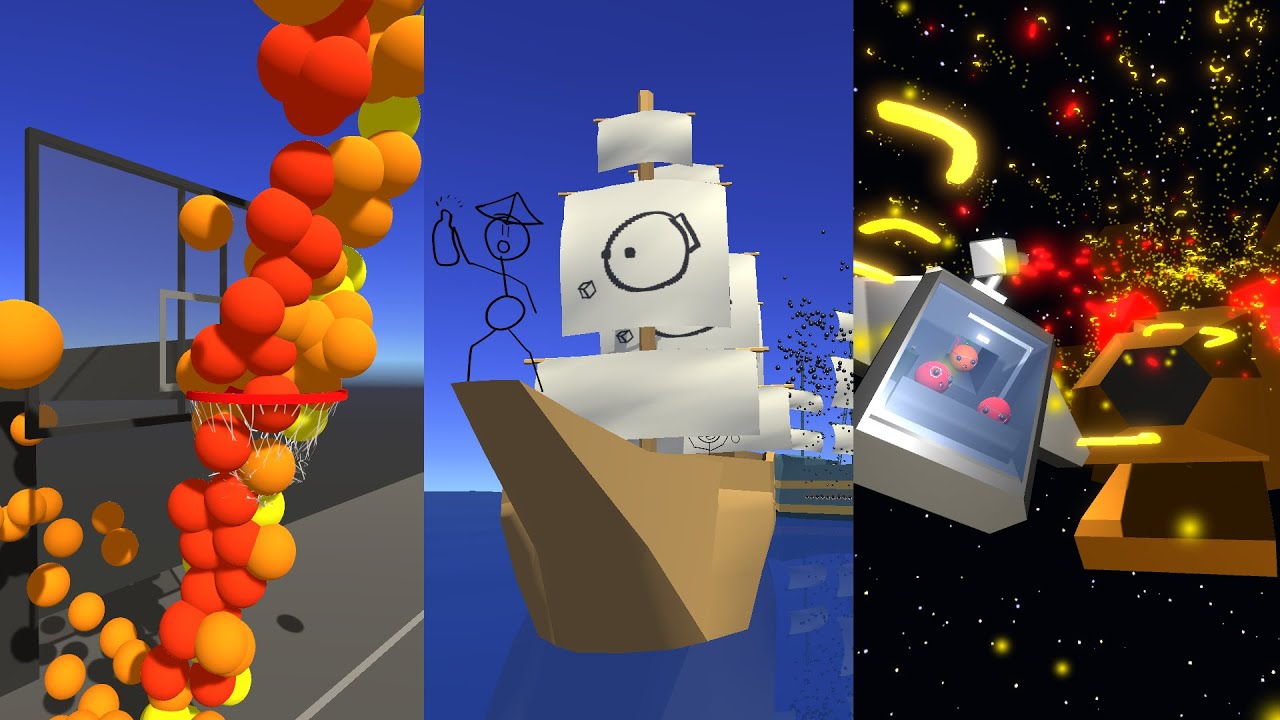
whether it's recess basketball, captain blubber's shenanigans or the alien kangaroo invasion, having an aimbot is always useful
0:00 Intro
0:21 Basketball
1:20 Basketball Maths
1:54 Captain Blubber
3:41 Captain Blubber Maths
4:06 Captain Blubber Part 2
4:49 Space Kangaroos
5:24 Space Kangaroos Math
6:05 Root Finding Algorithm
7:28 Finale
White...
An example would be:
private void SolveForVelocity(Vector3 startPosition, Vector3 endPosition, float gravity, float angle, out Vector3 velocity)
    {
        //x = v * t

        //x = v * cos(a) * t
        //h = v * sin(a) * t + 1 / 2 * g * t ^ 2

        //t = x / (cos(a) * v)
        //h = v * sin(a) * (x / (cos(a) * v)) + 1 / 2 * g * (x / (cos(a) * v)) ^ 2
        //h = v * sin(a) * (x / (cos(a) * v)) + 1 / 2 * g * (x / (cos(a) * v)) * (x / (cos(a) * v))
        //h = v * sin(a) * (x / (cos(a) * v)) + 1 / 2 * g * x ^ 2 / (cos(a) ^ 2 * v ^ 2)
        //h = sin(a) * (x / cos(a)) + 1 / 2 * g * x ^ 2 / (cos(a) ^ 2 * v ^ 2)
        //h - sin(a) * (x / cos(a)) = 1 / 2 * g * x ^ 2 / (cos(a) ^ 2 * v ^ 2)
        //1 / 2 * g * x ^ 2 / (h - sin(a) * (x / cos(a))) = cos(a) ^ 2 * v ^ 2
        //1 / 2 * g * x ^ 2 / (h - sin(a) * (x / cos(a))) / cos(a) ^ 2 = v ^ 2

        Vector3 delta = endPosition - startPosition;

        float x = Mathf.Sqrt(delta.x * delta.x + delta.z * delta.z);
        float x2 = x * x;
        float h = delta.y;
        float g = gravity;
        float sin = Mathf.Sin(Mathf.Deg2Rad * angle);
        float sin2 = sin * sin;
        float cos = Mathf.Cos(Mathf.Deg2Rad * angle);
        float cos2 = cos * cos;

        float r = Mathf.Sqrt((0.5f * g * x2) / (h * cos2 - sin * x * cos));

        Vector2 planeDirection = new Vector3(Mathf.Cos(Mathf.Deg2Rad * angle), Mathf.Sin(Mathf.Deg2Rad * angle));
        Vector3 direction = new Vector3(delta.x, 0, delta.z).normalized * planeDirection.x + Vector3.up * planeDirection.y;
        velocity = direction * r;
    }
I also have the Solve for angle if you are interested. (With the motion equation)
shell scarab
ah, good old physics.
why squaring sin and cos?
well ig that's a dumb question, obviously you want it positive. But doesn't that change the value?
 rancid frost
why are my tiles dissappering when zoomed (the blue triangles on the top)

 terse gazelle
rancid frost
why are my tiles dissappering when zoomed (the blue triangles on the top)
terse gazelle
rancid frost
why are my tiles dissappering when zoomed (the blue triangles on the top)
A movie demonstrating what happens would be better to understand what the issue is. Hard to tell with just a screenshot
rancid frost
it was a bounds issue, since the anchor is set, the bounds must be changed respectively

 night harness
So I have something set up like this
    [TabGroup("Game"), SerializeField, HideInInspector] private GameSettings gameSettings = new GameSettings();
    [TabGroup("Game"), ShowInInspector, ShowIf("@gameSettings.hasLoaded")]
    public GameSettings GameSettings
    {
        get { return (gameSettings); }
        set { onGameSettingsChanged?.Invoke(); gameSettings = value; }
    }
Is there a good way to get when the values inside GameSettings change? I want to fire off that event whenever something incase it has changed rather than it itself (for inspector and code purposes)
rancid frost
use the OnValidate method
it is not possible to check when specific values have changed in editor
You can try writing ur own scripts for that, but generally speaking, just use the Validate Method to detect changes from editor
rancid frost
night harness
So I have something set up like this
```cs
[TabGroup("Game"), SerializeFiel...
this guy
night harness
ideally i
'd
prefer it to work during code aswell
do i just have to bite the bullet and turn each value inside GameSettings into a property too?
rancid frost
wait
you can then create an event then
are the game settings being modified externally?
if they are being modified by you then you can detect them
if not, you are gonna have to poll the values
green radish
what advantages and disadvantages are there to using int[,] vs int[][]?
 dense vessel
green radish
what advantages and disadvantages are there to using ``int[,]`` vs ``int[][]``?
dense vessel
green radish
what advantages and disadvantages are there to using ``int[,]`` vs ``int[][]``?

Stack Overflow
What are the differences between multidimensional arrays double[,] and array of arrays double[][] in C#?
If there is a difference?
What is the best use for each one?
 fervent furnace
int[,] is faster for random access and int[][] is faster when iterating array by array (since you can cache int[] from int[][])
but causes slighlty more memory
dense vessel
A simple "c# 2d array vs array of array" search for example would've given you those results though 😉
green radish
the way they just described the difference is notably shorter and quicker to understand than anything I saw on google
fervent furnace
i have tested [,] and [][] for random access (ie i,j is random) and [,] is faster
i see no one mentioned and tested but i end up with flatten array....
green radish
int[,] could still be searched through as a grid right?
 simple egret
Yes they're suitable for grids because the two sizes are known beforehand. With a jagged array T[][], the array at the first index could be of a different length compared to the one at the second index
Nothing prevents you from doing
int[][] x = new int[2];
x[0] = new int[10];
x[1] = new int[3];
And it's not a grid
The array at the second index is shorter
green radish
ok than [,] would be more applicable to my use case, because what I need is a grid for storing tiledata at tile positions
simple egret
If the underlying structure is a rectangle (or square) then yes a MD-array is more suitable
 light wraith
does anyone know what happens first: input events or update?
I have an input event which raises a function that updates a value.
at the same time I have an update function on a different script that uses the value.
which one will happen first? the value updating or the update function?
simple egret
Place a log with Time.frameCount in your event handler. Do the same in Update. Take a pair of logs that has the same frame count, which one appears first? => You have your answer
light wraith
didn't think about that, thank you!
 somber nacelle
Automatically run input updates right before every Update.
light wraith
yea, it updated on the same frame so the update function could use the value.
thanks!
 robust elk
Does anyone have a problem when downloading template in unity hub??
somber nacelle
this is a code channel, mate. if you're having trouble with downloading content in the hub then ask in #💻┃unity-talk and also check the hub !logs
 tawny elkBOT

📝 Logs
Documentation
Windows: %LOCALAPPDATA%\Unity\Editor\Editor.log
MacOS: ~/Library/Logs/Unity/Editor.log
Linux: ~/.config/unity3d/Editor.log
Unity Hub
Windows: %UserProfile%\AppData\Roaming\UnityHub\logs
Mac: ~/Library/Application support/UnityHub/logs
Linux: ~/.config/UnityHub/logs
robust elk
Thank you
 humble kraken
Can someone help me out, please? I have a missile system, which I use for knockbacks/knockups as well. It works by giving it starting and ending point. The missile moves until ending point and then gets out of the system.
I need some help with the drag mechanics for my knockback for it to look more impactful. (something like this: https://youtu.be/uGWeKV80jZo?si=vx6TP00DrU7yA832&t=69). I don't know how to adjust the math to give this type of optionality to my system.

Your will, his fists.
Learn more at https://wildrift.leagueoflegends.com.
ABOUT THE GAME
Dive into Wild Rift: the skills-and-strats 5v5 MOBA experience of League of Legends, now built from the ground up for mobile and console. With fresh controls and fast-paced games, players of every level can team up with friends, lock in their champion, an...
steady moat
shell scarab
well ig that's a dumb question, obviously you want it positive. But doesn't that...
Not really important for the sin, it is unused in the formula. However, the cos is.
 steady moat
humble kraken
Can someone help me out, please? I have a missile system, which I use for knockb...
steady moat
humble kraken
Can someone help me out, please? I have a missile system, which I use for knockb...
You can literally use either SolveForAngle or SolveForVelocity that I was talking about to find a more realistic trajectory that will integrate gravity. You can then simulate the trajectory by applying the velocity and gravity on it.
    private void UpdateForVelocity()
    {
        SolveForVelocity(origin.position, target.position, Physics.gravity.y, angle, out Vector3 velocity);

        Vector3 direction = new Vector3(target.position.x, 0, target.position.z) - new Vector3(origin.position.x, 0, origin.position.z);
        this.transform.rotation = Quaternion.LookRotation(direction, Vector3.up) * Quaternion.AngleAxis(angle, Vector3.left);

        if (Input.GetKeyDown(KeyCode.Space))
        {
            GameObject projectile = Instantiate(prefab, origin.position, origin.rotation);
            Rigidbody rigidbody = projectile.GetComponent<Rigidbody>();
            rigidbody.AddForce(velocity, ForceMode.VelocityChange);
        }
    }
An other option could be to use AnimationCurve for the height.
 gray mural
how do I check raycast collision with a GameObject that doens't have Collider ?
or not raycast ? something similar
steady moat
gray mural
how do I check raycast collision with a `GameObject` that doens't have `Collider...
You don't
Raycast works on collider
gray mural
steady moat
Raycast works on collider
I see, so can I check it without using raycasts?
light wraith
you can set a collider as "Trigger" so it won't collide with other objects but still detect it on trigger enter
steady moat
gray mural
I see, so can I check it without using raycasts?
Yes, manually.
Doing your own calculation
Which I highly discourage.
gray mural
light wraith
you can set a collider as "Trigger" so it won't collide with other objects but s...
oh.. that makes sense
gray mural
steady moat
Which I highly discourage.
I see, yes, it's better just to set a collider to trigger
steady moat
Yes
gray mural
thank you both
 hexed coral
humble kraken
Can someone help me out, please? I have a missile system, which I use for knockb...
hexed coral
humble kraken
Can someone help me out, please? I have a missile system, which I use for knockb...
You could try adding force on the opposite direction, in the event function "OnCollisionEnter" (or "OnCollisionEnter2D")
humble kraken
hexed coral
You could try adding force on the opposite direction, in the event function "OnC...
this is not an approach i want to follow
will create more problems
hexed coral
Sure
 vague tundra
Hey guys, which channel should I post the following question in?
"Can someone please explain to me how I can have an object's sprite repeat/tile when the object is stretched?"
 rigid island
vague tundra
Hey guys, which channel should I post the following question in?
"Can someone p...
rigid island
vague tundra
Hey guys, which channel should I post the following question in?
"Can someone p...
nothing here is code related.
#💻┃unity-talk
vague tundra
That's why I asked - thanks!
 swift falcon
steady moat
An example would be:
```cs
private void SolveForVelocity(Vector3 startPosition, ...
swift falcon
steady moat
An example would be:
```cs
private void SolveForVelocity(Vector3 startPosition, ...
What a readable code
light wraith
Is addressables considered a good way to manage scriptable objects in unity?
in terms of performance.
 prime acorn
Hey, I am using Unity's new input system, and whenever I press a button it calls the method twice, however it has the exact same CallbackContext in both calls, is there a way to distinguish wether or nto it is still the same press/a possibility to only call the Event Method once?

 leaden ice
prime acorn
Hey, I am using Unity's new input system, and whenever I press a button it calls...
leaden ice
prime acorn
Hey, I am using Unity's new input system, and whenever I press a button it calls...
It should only call it once _per input phase _ e.g. started, performed, canceled.
If it's running twice it's due to something in your setup
Without seeing how you set things up, can't really say more than that
prime acorn
It runs twice whenever I press/let go
prime acorn
leaden ice
It should only call it once _per input phase _ e.g. started, performed, canceled...


Anything else I didnt add?
Problem is I wanna use F1 to toggle the console, and like it is now it would immediately go off again
leaden ice
prime acorn
Double check that you don't have two PlayerInput components in the scene
 leaden ice
prime acorn
Problem is I wanna use F1 to toggle the console, and like it is now it would imm...
leaden ice
prime acorn
Problem is I wanna use F1 to toggle the console, and like it is now it would imm...
Oh wait are you disabling/enabling an action map in your code?
prime acorn
No only UI
leaden ice
Is the PlayerInput part of the object getting enabled/disabled?
 leaden ice
So by default you should only be getting one "started" event. I'm not sure why you're getting more than one here. You're not also manually subscribing to an event in code are you?
prime acorn
No Im not
0 since it doesnt know the reference from Unity

And I aint touching no reflection lmao
 toxic helm
Hey guys
I have a problem
When I enter my game the game freezes after the unity Splash Screen
leaden ice
toxic helm
When I enter my game the game freezes after the unity Splash Screen
It's possible you have an infinite loop in your code
You can also check the player logs though
 lofty egret
Hey, for some reason, my button listener isn't working.
It's probably a very stupid problem, but here:
using System.Collections;
using System.Collections.Generic;

using UnityEngine;
using UnityEngine.UI;

public class MainMenu : MonoBehaviour
{
    [SerializeField] Button singleplayerButton;
    [SerializeField] Button multiplayerButton;

    private void Awake()
    {
        singleplayerButton.onClick.AddListener(SingleplayerButtonClick);
        multiplayerButton.onClick.AddListener(MultiplayerButtonClick);
    }

    // Start is called before the first frame update
    private void SingleplayerButtonClick()
    {
        Debug.Log("Loading singleplayer...");
        // Load level 0
        SceneLoader.LoadLocal(SceneLoader.Scene.Level0);
    }

    private void MultiplayerButtonClick()
    {
        // Load lobby scene
        SceneLoader.LoadLocal(SceneLoader.Scene.LobbyScene);
    }
}
Pressing any of the buttons does not do anything. Doesn't even print the log.


 rigid island
lofty egret
Hey, for some reason, my button listener isn't working.
It's probably a very stu...
rigid island
lofty egret
Hey, for some reason, my button listener isn't working.
It's probably a very stu...
the button actually going down when u press it?
 glacial epoch
YOu might need an eventsystem
rigid island
yup
lofty egret
rigid island
the button actually going down when u press it?
You mean the press effect?
 whole wyvern
why do some people put the word "out" before a variable sometimes?
rigid island
event system seems to be missing
https://docs.unity3d.com/Packages/com.unity.ugui@1.0/manual/EventSystem.html
rigid island
whole wyvern
why do some people put the word "out" before a variable sometimes?

out parameter modifier - C# Reference
is this what u mean?
glacial epoch
whole wyvern
why do some people put the word "out" before a variable sometimes?
Lets you pass a parameter as a reference, so you can pass in something like health that's an int, normally a value parameter, and then have the function modify it
lofty egret
rigid island
event system seems to be missing
https://docs.unity3d.com/Packages/com.unity.ugu...
Yup, this is it.
Knew it'd be a stupid problem. Thanks!
rigid island
whole wyvern
why do some people put the word "out" before a variable sometimes?
basically it helps you to return more than one value
 rain minnow
whole wyvern
why do some people put the word "out" before a variable sometimes?
rain minnow
whole wyvern
why do some people put the word "out" before a variable sometimes?
out passes arguments by reference and must be assigned in the method called, however, the variable used as an argument does not require initialization . . .
light wraith
hey, currently I save all my player varialbes (walk speed, jump height...) on different scriptable objects, so when I need a specific player I do:
playerStatsData = Resources.Load<PlayerStatsData>("playerStats/idlePlayer");
this is now considered bad practice and pretty slow when it comes to memory.
so what is the right way to load scriptable objects data?
glacial epoch
light wraith
hey, currently I save all my player varialbes (walk speed, jump height...) on di...
you could just reference them as a serialised field on the script. Like, add
[SeralizedField] PlayerStatsData playerStatsData
and use the drag and drop in the editor to assign it
light wraith
I mean, if I have 20 different PlayerStatsData objects and I would want to switch between them all the time, what would be the most efficient way to load them to memory
simple egret
At once when the game starts, with LoadAll<T>(string)
glacial epoch
Oh ofc, didn't get that part
light wraith
I would use resources, but that is very unefficient,
and addressables is more mess than it should be for this solution
light wraith
simple egret
At once when the game starts, with `LoadAll<T>(string)`
I thought about it, but in this case maybe I should just load them all to a dictionay when the game starts and than just switch between them on runtime?
simple egret
Have you verified that it causes performance issues using the profiler though? No need to fix an issue that does not exist
light wraith
simple egret
Have you verified that it causes performance issues using the profiler though? N...
I mainly avoid Resources due to recommendations and posts online: https://www.reddit.com/r/Unity3D/comments/xzr1x4/what_is_the_most_efficient_way_to_load/
 glacial epoch
Resources isn't too bad so long as you're loading at the start of your game
simple egret
The post (question and answers) do not talk about performance
At this point, if you're going to load all of them when the game starts, no need to do it from the code, expose a field of type T[] or List<T> and drag-drop, then you can map them in the code into a dictionary whatever
 molten crane
How can I get VFX visual effects renderer bounds in code?
toxic helm
leaden ice
It's possible you have an infinite loop in your code
How can I fix it?
 robust dome
post some code so we can inspect
toxic helm
I only have a walking script
leaden ice
toxic helm
I only have a walking script
It doesn't matter what the intention of the script is. If it has an infinite loop, it will freeze your game
toxic helm
!code
tawny elkBOT
Posting code
📃 Large Code Blocks
Large code blocks should be posted as links to services like:
https://gdl.space/, https://paste.ofcode.org/, https://hatebin.com/
https://paste.myst.rs/, https://hastebin.com/
📃 Inline Code
Surround code with three backquotes. Not quotation marks.
To get C# formatting the first line should only contain cs or csharp.
Add a comment with a line number if there is an error message.
```cs
// Your code here
```
Do not share screenshots of code unless requested.
toxic helm
leaden ice
toxic helm
https://gdl.space/gesadipoya.cs
there are no loops in this code
nothing that would cause any performance issues either
it's very basic
leaden ice
toxic helm
I only have a walking script
why you lie then
leaden ice
anyway there are no loops here that could be inifnite either
leaden ice
toxic helm
How do I check the player logs?
leaden ice
toxic helm
How do I check the player logs?
toxic helm
I checked
Nothing
I tried googling it, but all of it is like for some like android Unity game not a pc one
rigid island
toxic helm
I checked
you checked what?
leaden ice
And what do you mean by "nothing"?
 knotty sun
Let's go back to basics
@toxic helm Screenshot your Build Settings window
toxic helm
 knotty sun
All of it
toxic helm
 knotty sun
So you have no active scenes in your build, problem solved
toxic helm
Man, I was so goddamn stupid
knotty sun
Occams Razer
 mystic ferry
sounds like it's my turn to ask a stupid question lmao
public class PlayerController : Monobehaviour
{
  private List<CollectibleItem> _overlappedItems; //used to see if player is within range to collect
  private void Awake()
    {
       _overlappedItems = new List<CollectibleItem>();
       _asset.Move.CollectItem.started += OnInteract;
    }
  private void OnInteract(InputAction.CallbackContext context)
    {
        if (_overlappedItems.Count < 0)
        {
            print("List was too small");
        }
        if (GameManager.Instance.TryCollect(_overlappedItems[0]))
        {
            //code does not reach here as console throws index out of range exception
            print("reached")
            //_overlappedItems.RemoveAt(0);
        }
    }
}
 public bool TryCollect(CollectibleItem item)
    {
        return true;
    }
Count < 0 ?
mystic ferry
I have a list of objects that the player is colliding with to "pick up" when they fire the respective action. The list is obviously intialized as empty and is filled at runtime via the ontriggerenter callback, but the list is throwing an index out of range exception
yeah, obviously the count should never be less than 0, but I don't know where this issue is coming from so that was one test I tried lol
fervent furnace
it should be <=0
knotty sun
not should can never
 dusk apex
The list might be empty but you're still trying to access element zero
leaden ice
mystic ferry
I have a list of objects that the player is colliding with to "pick up" when the...
sounds like you're trying to access a nonexistent element
it'll come down to your code of course
mystic ferry
so I should just check if the element exists before accessing it
dusk apex
You haven't given us the error line so simply assuming.
leaden ice
mystic ferry
so I should just check if the element exists before accessing it
show the code then we can suggest the best course of action
steady moat
Personally, I would use an assert instead in this situation.
leaden ice
you say "the list should n ever be empty" but that's not true
it's definitely going to be empty before any triggers
steady moat
Assert.IsTrue(_overlappedItems.Count >= 0)
leaden ice
I'm not sure where that assertion would go though?
in what code is he accessing the list?
it's all unknown
show the code
knotty sun
just change Count < 0 to Count == 0, job done
mystic ferry
they managed to answer my question, and there's literally no missing code lmfao
knotty sun
also need a return in the if
leaden ice
mystic ferry
```cs
public class PlayerController : Monobehaviour
{
private List<Collectible...
ok i didn't see this before
dusk apex
knotty sun
just change Count < 0 to Count == 0, job done
Probably equality check rather than assignment as it's an expression - typo.
steady moat
 private void OnInteract(InputAction.CallbackContext context)
    {
        Assert.IsTrue(_overlappedItems.Count > 0);

        if (GameManager.Instance.TryCollect(_overlappedItems[0]))
        {
            //code does not reach here as console throws index out of range exception
            print("reached")
            //_overlappedItems.RemoveAt(0);
        }
    }
assetion doesn't solve this. It should be == 0 and it should be an else before you try to access it
knotty sun
dusk apex
Probably equality check rather than assignment as it's an expression - typo.
indeed
leaden ice
steady moat
```cs
private void OnInteract(InputAction.CallbackContext context)
{
...
you don't want an assertion
just an if statement
leaden ice
mystic ferry
```cs
public class PlayerController : Monobehaviour
{
private List<Collectible...
        if (_overlappedItems.Count == 0)
        {
            print("List was too small");
            return;
        }

        if (GameManager.Instance.TryCollect(_overlappedItems[0]))
        {
            //code does not reach here as console throws index out of range exception
            print("reached")
            //_overlappedItems.RemoveAt(0);
}```you need to return when the list is empty
otherwise the other code will still run
fervent furnace
or else if
dusk apex
Or else if (implies nothing else remains below these two if statements)
steady moat
Or an assertion if the situation should never arrived, by example, if someone try to interact when there is nothing and that it makes 0 sense for someone to interect when there is nothing in the list.
mystic ferry
so the count being 1 means there's 1 item in the list, but you access it by getting the 0th index?
I guess that's the part that ended up confusing me
fervent furnace
if(count<=0){
  Debug.LogError("why the count is 0???");
}
else if(list[0].XXXX){
  DoWork();
}
```list and array index are start from 0i prefer use logerror for safety check on some conditions that never true, if error is logged then some codes are going wrong
dusk apex
It's always a question of whether or not the application should throw an exception or continue to operate.
 white haven
I have a problem. In my game i use buttons to select levels. So when you first start up the game, only the first two buttons are interactable and every other button isnt, but when i buildmy game and open it, all buttons are interactable and i keep getting this error unable to find player assembly testrunner.dll
Anyone got a fix for this ?
 vocal breach
help im trying to get a turret to look at the player but like it works but the head will roll to the left or right sometimes too can someone help me, this is my script and a video for an example
using System.Collections;
using System.Collections.Generic;
using UnityEngine;

public class enamelookat : MonoBehaviour
{
    public Transform target;
    // Start is called before the first frame update
    void Start()
    {

    }

    // Update is called once per frame
    void Update()
    {
        transform.LookAt(target,Vector3.zero);
    }
}
Vector3.zero is nonsensical as the second parameter to LookAt
vocal breach
leaden ice
Vector3.zero is nonsensical as the second parameter to LookAt
oh shoot thanks it worked
swift falcon
Hey guys I have a builder and when placing props, if you hold left click it'll change to rotation move, I was just using a "LookAt" with raycasts but I'm considering using screen space for rotation instead?
So I can use Mouse.current.position.ReadValue() to get the screen space location but how do I limit it to not go futher than say 100 pixels from the start? Assuming I've already cached it as a Vector2 startPos?
Also how do I then convert these 2 position to a rotation?
Or maybe... I should just have a 2d circle mesh that I show when hold drag and then use the look at on that layer
steady moat
swift falcon
Hey guys I have a builder and when placing props, if you hold left click it'll c...
-> Transform in Screen Space
-> Move object in World Space
-> Transform in Screen Space
-> Clamp (in Screen Space)
-> Transform in World Space
urban orbit
what is the best/least performance expensive way to lock x and z follow on cinemachine virtual camera?
gray mural
Hello, let's say I spawn a GameObject from a prefab. How do I check if the GameObject I have spawned equals to that prefab?
and it's not ReferenceEquals
knotty sun
gray mural
Hello, let's say I spawn a `GameObject` from a prefab. How do I check if the `Ga...
unless you have changed it the name of the GameObject will be something like prefabName (Clone)
gray mural
knotty sun
unless you have changed it the name of the GameObject will be something like pre...
yes, prefabName(Clone)
knotty sun
so
if (gameObject.name,StartsWith(prefab.name) // Gameobject came from prefab
gray mural
knotty sun
so
if (gameObject.name,StartsWith(prefab.name) // Gameobject came from prefab
I see, yes, that's gonna work
knotty sun
rough and a bit hacky but it works
gray mural
yes, no way to check it in another way, assuming that I have changed its components
thank you 😄
knotty sun
only in the editor, not at run time
gray mural
knotty sun
only in the editor, not at run time
why? I can check its name at run time
knotty sun
I mean a better way, it uses UnityEditor code
gray mural
or are you referring to the "another way"?
gray mural
knotty sun
I mean a better way, it uses UnityEditor code
I see
knotty sun
@gray mural If you want to make a script you could make an int variable and fill it with prefab.GetInstanceID() when you instantiate the game object. Then use that to check
gray mural
knotty sun
<@1025482839954821222> If you want to make a script you could make an int variab...
and that works in run time, right?
knotty sun
yes
gray mural
I see, I will either do this method or that one with names, thank you
anyway, it's more reliable with ids
knotty sun
The instance ID option is much more reliable
gray mural
knotty sun
The instance ID option is much more reliable
if I have multiple prefabs, do I have to make a struct (GameObject prefab, List<int> items) for each of them?
knotty sun
no
gray mural
why?
knotty sun
not needed
gray mural
I will spawn gameObjects from different prefabs
knotty sun
yes
gray mural
so there can be 3 prefabs and each of them have 5 instances
those 5 instances should be equal to 1 prefab that they were spawned from
so each prefab should have list of ids like I have written above?
if (smth.items.Contains(checkedItem.GetInstanceId()))
look make a script put it on all the prefabs
class CheckPrefab : Monobehavbiour
{
int id;

public void SetId(GameObject prefab) {
id = prefab.GetInstanceId();
}
public bool IsPrefab(GameObject prefab) {
return id == prefab.GetInstanceId();
}
}
call SetId when you instantiate
call IsPrefab when you want to check
 vale cradle
hi
 plush ridge
Hey guys, I'm having an issue with clearing these cards from the table when "War" happens. Can anyone help me out? I know you need more info than just the vid but idek where to start.
leaden ice
plush ridge
Hey guys, I'm having an issue with clearing these cards from the table when "War...
wouldn't it basically be the same as however you're clearing it for a normal "duel"?
just do the same thing, but for all the cards in the war
plush ridge
leaden ice
wouldn't it basically be the same as however you're clearing it for a normal "du...
Solved it by making this "while" statement. Before it was just an if statement.
    public void DiscardCards(bool isWar) {
        Transform discardPile;

        if (!isWar) {
            while (table.childCount > 0) {
                if (GameManager.Instance.GetComponent<WarGameLogic>().playerWonLastRound == true) {
                    discardPile = playerDiscardPile;
                } else { discardPile = opponentDiscardPile; }

                foreach (Transform card in table) {
                    card.SetParent(discardPile);
                    card.GetComponent<PlayingCardDisplay>().FlipCard(true);
                    card.localPosition = Vector3.zero;
                    //card.GetComponent<RectTransform>().rotation = new Quaternion(0, 0, Random.Range(0, 10), 0);
                }
            }
        }
} ```Ew sorry how do I share code the right way?
leaden ice
plush ridge
Ew sorry how do I share code the right way?
!code
tawny elkBOT
Posting code
📃 Large Code Blocks
Large code blocks should be posted as links to services like:
https://gdl.space/, https://paste.ofcode.org/, https://hatebin.com/
https://paste.myst.rs/, https://hastebin.com/
📃 Inline Code
Surround code with three backquotes. Not quotation marks.
To get C# formatting the first line should only contain cs or csharp.
Add a comment with a line number if there is an error message.
```cs
// Your code here
```
Do not share screenshots of code unless requested.
plush ridge
Well, I am using a foreach. Ngl I've been staring at this so long that I'm a bit lost. All I know is it's working how I want it for now.
I guess
foreach (Transform child in table) {
}
???
That causes this to happen

 hasty island
Setting tile to null results in an error "Destroying object multiple times"
 fringe condor
yo guys
i am making a game
and
when the gameis loading
it automatically gets some information of the players
gpu, os and the fps
its to see how well the game runs
and how i can send this information to me? bc i can only see it if i play it
steady moat
fringe condor
and how i can send this information to me? bc i can only see it if i play it
You need to program a tool that will send this information via networking. Also, note that most people find those type of tool intrusive and a breach of privacy.
Pretty much what you would call "Analytics"
 primal scaffold
fringe condor
and how i can send this information to me? bc i can only see it if i play it
primal scaffold
fringe condor
and how i can send this information to me? bc i can only see it if i play it
i would NOT do that as most players will be creeped out but you do need something that would send the data to an outside database
fringe condor
i am just planning for now
primal scaffold
and the player would have to be connected to a internet connection
 cosmic rain
fringe condor
and how i can send this information to me? bc i can only see it if i play it
cosmic rain
fringe condor
and how i can send this information to me? bc i can only see it if i play it
An http request to your server or something.
fringe condor
primal scaffold
and the player would have to be connected to a internet connection
they need one
how will they download
the game
primal scaffold
fringe condor
how will they download
not while playing? lol you can still play singleplayer games while not connected to the internet
so im just letting you know to create some error handlers if you were to throw a HTTP request to whatever
 ashen bough
How can I make a flight mode in 3rd PS? Currently, when I want to fly, I deactivate the gravity of the rigid body and apply force upwards
 thick steeple
hi, does anyone know where can i learn game engine development ?
spring creek
thick steeple
hi, does anyone know where can i learn game engine development ?
!learn
tawny elkBOT
🧑🏫 Unity Learn can offer you over 750 hours of free live and on-demand learning content for all levels of experience! Make sure to check it out at https://learn.unity.com/
spring creek
Oh, you mean like MAKING an engine?
thick steeple
yea
spring creek

Learn how to make your own game engine. Determine whether you should build your own game engine and what you need to succeed
I dunno if that's good, but there are plenty
 dusty pulsar
I need some help..
I added Assembly Definition to my script file then my script lost references to .NET Framework.System
The type or namespace name 'Eventing' does not exist in the namespace 'System.Diagnostics' (are you missing an assembly reference?)
Very lost here..
 muted helm
I'm trying to simulate the path a belt would need to take around a series of wheels by collecting a series of points involved in the common tangents between circles (Only working on the local X, Y plane). The current method I have, getting the angle perpendicular to the direction from one wheel to the next, works find in a situation where all wheels are the same diameter and none are inverted, but in a situation where one or more is inverted or the radius is inconsistent it does not. How might I go about finding all of the points involved in common tangents? Red indicates the desired path, green indicates the segment from one point on the tangent to the next, orange is the same but with invalid tangents.


For reference I'd like the points to be located here instead

 cobalt gyro
for (int i = 0; i < 10; i++)
    if (Input.GetKeyDown((KeyCode)(48 + i)))
        try
        {
            if (i == 9)
                currentWeaponIndex = 10;
            else
                currentWeaponIndex = i - 1;
            Debug.Log(weapons[currentWeaponIndex]);
        }
        catch
        {
            currentWeaponIndex = weapons.Count - 1;
}``` i have this section script that uses a debug.log to check if the detected slot was valid and im wondering if this will still work if I build the gameif i==0 then you will access weapons[-1].... though negative index maybe valid
cobalt gyro
fervent furnace
if i==0 then you will access weapons[-1].... though negative index maybe valid
i put i == 9 instead of i == 0
ty
 scarlet root
fervent furnace
if i==0 then you will access weapons[-1].... though negative index maybe valid
scarlet root
fervent furnace
if i==0 then you will access weapons[-1].... though negative index maybe valid
-1 will be invalid or valid 
spring creek
scarlet root
-1 will be invalid or valid <:hmmGe:826227356477816864>
If there is any element, it will be valid
If none, then invalid, like ANY index would be
afaik
fervent furnace
depends on the start address
scarlet root
so will something like int i = 0; i < 10; i++ work
without checking the length of the array first
dusk apex
Consider:
i < weapons.Length
i = i < 1 ? 0 : i - 1
 cobalt gyro
scarlet root
so will something like int i = 0; i < 10; i++ work
cobalt gyro
scarlet root
so will something like int i = 0; i < 10; i++ work
it will but it would be a tad bit slower than whats below the message i replied to
dusk apex
Not sure why you're polling every keycode within a certain set but maybe use the new input system and callbacks instead.
cobalt gyro
dusk apex
Not sure why you're polling every keycode within a certain set but maybe use the...
im going through keycodes Alpha0 through Alpha9 since its faster
dusk apex
What for?
cobalt gyro
easier not faster
fervent furnace
keycode 1 to 9 is mapped to weapons 1-9 and 0 is mapped to 10
then i think you can just separate the last case from the loop
ie
for(i=1;i<10;i++){if i is pressed access weapons[i]}
if 0 is pressed access weapons[10];
though it cannot answer will it works on build
cobalt gyro
dusk apex
Consider:
`i < weapons.Length`
`i = i < 1 ? 0 : i - 1`
probably gonna swap to this
gray mural
why does OnTriggerExit2D work if script is disabled?
do I have to check if script is disabled before doing smth there?
somber nacelle
all physics messages will work when the component is disabled. the docs mention this is to allow enabling behaviours in response to collisions
toxic helm
guess who's back with ANOTHER problem
When I build and run my game the player is invisible until its moved a bit and its annoying
somber nacelle
toxic helm
When I build and run my game the player is invisible until its moved a bit and i...
see #854851968446365696 for what to include when asking for help
also keep in mind that this is a code channel
 chilly obsidian
Hi I wanted to ask about something related to animation maybe someone can point me in the right direction. Im trying to implement an animation for a gameobject that changes the rotation while a user holds the left mouse click but I want to make it responsive by making the animation reverse at the point of letting go.
 scarlet viper
my UVs loop work/loop/repeat properly only if the tilling setting in the material is 1,2,3,4, etc...
if its 0.5 it will break where the texture should repeat seamlessly (it will cause seams)
is that how it should be?
scarlet viper
hmm seems i need to divide the incremention/step value by tile value
cosmic rain
.5 would basically only fits half of the texture in the faces.
gray mural
Hello, what is the best way to start timer in GetMouseButtonDown and check how many seconds passed since then in GetMouseButtonUp
I don't think coroutine is needed, should I use DateTime ?
somber nacelle
just store the current time in GetMouseButtonDown and subtract that from current time in GetMouseButtonUp
gray mural
somber nacelle
just store the current time in GetMouseButtonDown and subtract that from current...
the problem that it doesn't work as expected
somber nacelle
in what way
gray mural
double time = (DateTime.Now - startHoldTime).TotalSeconds;

print($"startHoldTime: {startHoldTime}; time: {time}");

if (time <= deselectHoldTime)
    DeselectItem();
// Unity console
startHoldTime: 1/1/0001 12:00:00 AM; time: 63829944550.5959
just use Time.time
gray mural
somber nacelle
just use Time.time
it doesn't work too
somber nacelle
"doesn't work" tells me literally nothing
gray mural
yeah, I'm gonna send you console output now
gray mural
somber nacelle
"doesn't work" tells me literally nothing
oh, I am sorry, it actually does work, I tried to do it before, but I did something wrong
thank you 😄
 wanton wasp
How would I spawn players in different positions?
I have a map with spawn positions.
And I want to make each player spawn in a different position.
https://hastebin.skyra.pw/femiyeraje.kotlin
Yeah, I know that it will make an endless recursion.
I'll make it a nullable type later.
gray mural
wanton wasp
How would I spawn players in different positions?
I have a map with spawn posit...
You can make a method that returns a Vector3 position according to Random.value
private Vector3 GetPosition() => Random.value switch
{
    // positions that you want here
    <= .25f => smth,
    <= .5f => smth,
    <= 75f => smth,
    _ => smth
};
and then you have to instantiate a prefab on this random position
private GameObject SpawnPlayer() =>
    Instantiate(prefab, GetPosition(), Quaternion.identity, parent.transform);
that's all
see Random.Value and Object.Instantiate
 late rivet
I wanted to have a gameobject that plays just one animation so I don't want to use an animator. But why does this setup not work?
 fervent furnace
you have fours corner and you dont what two or more player stay at same corner
so fisher-yates shuffle
gray mural
fervent furnace
you have fours corner and you dont what two or more player stay at same corner
s...
they haven't said this
just 4 corners
fervent furnace
if (!_leftTop)
    {
        _leftTop = true;
        print("Left Top");
        return new Vector3(0, 0, (_gameSettings.MapLength - 1) * mapPreset.Size);
    }
they can probably make (Vector2 min, Vector2 max) for each of them
somber nacelle
gray mural
You can make a method that returns a `Vector3 position` according to `Random.val...
i don't see how that solves the issue they are asking help for.
what they should do though is put their spawn points into some collection and just shuffle the collection or use Random.Range to access random indices in the collection. the former means they just need to keep track of what index is the next free spawn point. the latter means they have to keep track of all free spawn points
fervent furnace
it blocks other player from getting same corner
gray mural
somber nacelle
i don't see how that solves the issue they are asking help for.
what they *shou...
I see, they have to use while loop then
fervent furnace
you have four corners so random shuffle it, first player picks the first corner, second player picks the second one and so on, no need to use while loop
gray mural
gray mural
```cs
private GameObject SpawnPlayer() =>
Instantiate(prefab, GetPosition(),...
private Vector3 prevPos;
//

private GameObject SpawnPlayer()
{
    Vector3 pos;

    do { pos = GetRandomPos(); }
    while (pos == prevPos);

    prevPos = pos;
    return Instantiate(prefab, pos, Quaternion.identity, parent.transform);
}
oh, that's just the previous one
so they want to do a list
gray mural
gray mural
```cs
private Vector3 prevPos;
//
private GameObject SpawnPlayer()
{
Vector...
private List<Vector3> positions = new();
//

private GameObject SpawnPlayer()
{
    if (positions.Count >= 4)
        return null;

    Vector3 pos;

    do { pos = GetRandomPos(); }
    while (positions.Contains(pos));

    positions.Add(pos);
    return Instantiate(prefab, pos, Quaternion.identity, parent.transform);
}
positions.Sort((_, _) => Random.Range(-1, 2));
// shuffled
what is that ?
simple egret
Sorts a list randomly using a custom comparer
fervent furnace
Random shuffle, and two elements have 1/3 probability swap (or 2/3 idk)
gray mural
they can use it if they want to spawn all players in 1 method
simple egret
Returning -1 means the element is "before", 0 means they are equal, "1" means the element is after
somber nacelle
i wonder how that would compare to just a simple fisher yates shuffle in performance 🤔
fervent furnace
I have said that, but no one care
Btw it only works on pre defined positions
gray mural
oh no! I do
somber nacelle
from what i gathered from the original question, i assume they have pre defined positions. but the OP hasn't responded to any of this anyway 🤷♂️
gray mural
gray mural
```cs
private Vector3 GetPosition() => Random.value switch
{
// positions th...
then this is not needed and they can just spawn from the list
but they still have to add used positions to the list
somber nacelle
yes that was my point here #archived-code-general message
gray mural
somber nacelle
yes that was my point here https://discord.com/channels/489222168727519232/76349...
yes, I have mentioned it and changed the code
 orchid bane
I've watched some tutorial on how to create a car controller. There they create wheel colliders and set wheels' position and rotation from the colliders. I don't understand how and when the wheel colliders move because I was only setting properties on them and wasn't calling any methods except for wheelCollider.GetWorldPose(out pos, out rot); to get the data out. Could you explain?
wanton wasp
I can see that you've started a debate here.
So, I'll give more info.
I'm making a multiplayer bomber man game.
So, I have a map with 4 corners and I wanted to spawn player in one of each corners, so they don't repeat.
My positions are predefined.
somber nacelle
yeah just store the positions in a collection like a List or array and just shuffle that. then just loop through the list to assign spawn positions
gray mural
what do I use with Vector3 if I want smth like float.NaN ?
null, positiveInfinity, negativeInfinity, kEpsilon ?
gray mural
simple egret
Nullable can be an option yes, `Vector3?`
I see, I will use null then
somber nacelle
what is the purpose of this though?
gray mural
simple egret
Or a vector full of NaN
that's a troubles, I have to make a seperate method to check it
somber nacelle
usually there is a better way than using a nullable value type
gray mural
somber nacelle
what is the purpose of this though?
I store startPos in GetMouseButtonDown and check if position was changed (that means the item was dragged) in GetMouseButtonUp
so if it wasn't dragged, I will deselect it
assuming selected item is current item
if not, then startPos has to be NaN, so null in this case
 trim rivet
How do I check whether an infinite directional vector with origin 'h' and direction 'dir' intersects a sphere of radius 'r' at position 'p' ? 🤔🤔🤔 is there a simple way ?
scarlet viper
cosmic rain
.5 would basically only fits half of the texture in the faces.
Is there any way to solve this issue programatically? I thought dividing would work but it seems it doesnt
 late lion
trim rivet
How do I check whether an infinite directional vector with origin 'h' and direct...
late lion
trim rivet
How do I check whether an infinite directional vector with origin 'h' and direct...
You can project the sphere position onto the line and calculate the distance between the sphere position and the projected position. If the distance is less than the sphere radius, it intersects, otherwise it doesn't.
 rocky helm
So, I'm looking into what's causing too many memory allocations for me and came across this https://docs.unity3d.com/Manual/performance-garbage-collection-best-practices.html#tempalloc. If I understand correctly, if I for example have List<int[]> a and I loop through each int[] in a with a[i][j], then every time I use a[i], new memory is being allocated for the array the same way if I were to do int[] subA = a[i]?
 trim rivet
late lion
You can project the sphere position onto the line and calculate the distance bet...
trim rivet
late lion
You can project the sphere position onto the line and calculate the distance bet...
What does 'projecting' mean here? What mathematical operations does that entail?
late lion
rocky helm
So, I'm looking into what's causing too many memory allocations for me and came ...
No. No allocation is happening unless you're creating a new array with the new keyword, or are using a method that uses the new keyword. If you create a List of int arrays, it won't contain any arrays until you add them into the list. If you do a[i][j] and a is an empty List, you will get an exception.
late lion
trim rivet
What does 'projecting' mean here? What mathematical operations does that entail?
I don't know the math behind it, but in Unity it would be Vector3.Project. It projects a vector onto another vector. Since your line can have a position, you will need to calculate the relative position of the sphere, relative to the line, and project that.
rocky helm
late lion
No. No allocation is happening unless you're creating a new array with the `new`...
Hm, well this is the part that confused me into thinking that.
// Bad C# script example: this loop create 4 copies of the vertices array per iteration
void Update() {
    for(int i = 0; i < mesh.vertices.Length; i++) {
        float x, y, z;

        x = mesh.vertices[i].x;
        y = mesh.vertices[i].y;
        z = mesh.vertices[i].z;

        // ...

        DoSomething(x, y, z);
    }
}
Mesh.vertices is a property. That means it's equivalent to a method call. If it were a method with an accurate name, it would be Mesh.CreateCopyOfVertices()
It always returns a copy.
rocky helm
late lion
`Mesh.vertices` is a property. That means it's equivalent to a method call. If i...
Oh, alright then.
Thx
cosmic rain
scarlet viper
Is there any way to solve this issue programatically? I thought dividing would w...
Well, you'll need to edit your mesh uvs such that they go from 0 to 0.5 instead of 1.
 raven rune
i need some help with my game i do not know why the camera is not fallowing the player around in the camera script attached to the main camera if i chage it to a bas Update function it works but the gun place holder i have is all jittery. and Last update stops the camera from moving https://github.com/DRJONES15/FPS-BASE

GitHub
Contribute to DRJONES15/FPS-BASE development by creating an account on GitHub.
chilly obsidian
Can someone help me? My animation seems to lag the longer I take to switch states and I dont know what the cause of it could be the code related to the animation is ```if (Input.GetMouseButton(0) && holdingItem)
{
playing = true;
animator.SetFloat("Multi", 1f);
animator.SetBool("IsPouring", true);
    }
    else if (Input.GetMouseButtonUp(0) && animator != null && playing)
    {
        playing = false;
        animator.SetFloat("Multi", -1f);
        animator.SetBool("IsPouring", false);
    }```

 lean sail
 covert depot
how would i script the yellow dot
covert depot
how would i script the yellow dot
Cant this just be a random number you use as an offset on a set axis?
covert depot
lean sail
Cant this just be a random number you use as an offset on a set axis?
okay ill try it thanks
 wide fiber
private void OnCollisionStay2D(Collision2D collision)
{
if (((1 << collision.gameObject.layer) & layers) != 0) <--- wall A
{
isStickingA = true;
Debug.Log("sticking wall A");
transform.parent = wallA.transform;
rb.gravityScale = 0f;
}
if (((1 << collision.gameObject.layer) & layersB) != 0) <--- wall B
{
isStickingB = true;
Debug.Log("sticking wall B");
transform.parent = wallB.transform;
rb.gravityScale = 0f;
}
}
private void OnCollisionExit2D(Collision2D collision)
{
if (isStickingA && (((1 << collision.gameObject.layer) & layers) != 0 || (isStickingB && ((1 << collision.gameObject.layer) & layersB) != 0)))
{
isStickingA = false;
isStickingB = false;
Debug.Log("No longer sticking.");
transform.parent = null;
rb.gravityScale = 1f;
}
}```
hi guys sorry but when i exit my collision from wall Am, the function under onCollisionExit2D works. But From Wall B, when i exit from that collision, the function under onCollisionExit2D didnt work? lets just say the debug log ("No longer sticking") appeared when i came out from Wall A which means it works but it didnt appeared after i exit from Wall B. anyone know why? 🤔 mellow sigil
Basic debugging procedure... first put a debug.log outside the if statement to make sure that the OnCollisionExit2D method is called at all. If you see that log, then it's a matter of finding out why the if statement condition isn't met. Which you'll find out by logging the values.
 steep herald
In the process of optimizing some things.
I modify a 1x32 texture every frame. 99% of the frames, it takes 0.04ms to process, but every once in a while, the same method takes 23-25ms to process. The method does not have varying input. It only takes in a texture and that texture is always the same resolution. Any idea?
The deepest culprit is Texture2D.Apply()
steep herald
Just speculating but is there any chance that .Apply() uploads the texture to the GPU and that the GPU is busy, causing the method to take longer?
 modern creek
One of my work clients has a project on a very old unity 2021.3 LTS that has a bug that impacts my workflow (I have a high DPI mouse and they didn't fix it intil something many builds later than my project uses). Can I safely use a later version (still in 2021.3) without impacting the project? Ie - are there any API changes or code that's not compatible within the same LTS release?
Their project is on 2021.3.10f1 and I think the bug was fixed in ... 2021.3.23f1 or so?
FWIW I don't do any builds on my machine - I just branch off, add my features, and merge those back to the branch (usually with just a couple script or prefab files).
 hard tapir
I think this is bug. I have host and client. When host call ThrowServerRpc (function that spawns netcode gameobject and then it does something with it) then it works fine but when client call it then there is error only server can spawn but that function is marked as ServerRpc. What?!
leaden ice
hard tapir
I think this is bug. I have host and client. When host call ThrowServerRpc (func...
#archived-networking and if you think you found a bug report it to Unity, not here
hard tapir
leaden ice
<#497874116246896640> and if you think you found a bug report it to Unity, not h...
I don't know for sure if it is a bug
gray mural
I have this code that scrolls camera using mouse scroll wheel. You can mention that scroll delta becomes larger the larger the camera.
Does someone know how to scroll it in the direction of mouse? (The way it works in Unity Scene)
float scroll = Input.GetAxis("Mouse ScrollWheel");

if (scroll != 0f)
{
    float size = _mainCamera.orthographicSize;
    float newSize = size + size / 50f * scroll * -cameraScrollSpeed;
    _mainCamera.orthographicSize = Mathf.Clamp(newSize, cameraMinSize, cameraMaxSize);
}
what does "scroll it in the direction of mouse" mean?
gray mural
leaden ice
what does "scroll it in the direction of mouse" mean?
could you, please, see scroll in Unity Scene? If you have mouse on the specific GameObject, while you're scrolling, mouse will stay on this GameObject
changing camera size is the same as scrolling in (0, 0) direction
 frosty sequoia
heya, does anyone know why the line doesnt bounce off certain points on the wall? i have no idea why it does this lol. also here's the code
public class DirectionLine : MonoBehaviour
{
    public int bounces;
    public LayerMask layerDedection;
    public Vector2 direction;
    Vector3 startPosition;
    LineRenderer lr;
    // Start is called before the first frame update
    void Start()
    {
        lr = GetComponent<LineRenderer>();
        //CalculateRay();

    }

    // Update is called once per frame
    void Update()
    {
        startPosition = transform.position;
        lr.SetPosition(0, transform.position);

        RaycastHit2D hit = Physics2D.Raycast(startPosition, direction.normalized, 100);
        lr.SetPosition(1, hit.point);
        Vector3 startPosition2 = hit.point;
        Vector2 direction2 = Vector2.Reflect(direction, hit.normal);

        RaycastHit2D hit2 = Physics2D.Raycast(startPosition2, direction2.normalized, 100);
        lr.SetPosition(2, hit2.point);
    }
oh oops idk how to format the code in discord
leaden ice
gray mural
changing camera size is the same as scrolling in `(0, 0)` direction
You need to combine the zooming with some camera movement here. I'd basically do this:
- figure out the world space position of the mouse before the zoom
- do the zoom
- figure out the new world space position of the mouse
- calculate the difference between the two world space positions
- offset the camera by the opposite of that difference to move the mouse back.
leaden ice
frosty sequoia
heya, does anyone know why the line doesnt bounce off certain points on the wall...
you don't appear to be checking if the raycast is actually hitting anything
gray mural
leaden ice
You need to combine the zooming with some camera movement here. I'd basically do...
I see, I haven't thought about this, it really does make sense, I'ma try it, thank you 😄
swift falcon
Hi there! Having trouble figuring out how to edit a capsule colliders size through code. Any help would be great as I can only find information regarding boxcollider2D online
frosty sequoia
that's true but is that necessary? it will always hit something cuz it's in an enclosed room so dont i only need hit.point?
leaden ice
frosty sequoia
that's true but is that necessary? it will always hit something cuz it's in an e...
also in 2D, raycasts that start hitting a collider will register that hit. So sometimes the second raycast is probably starting inside the wall collider and just instantly hitting it again
frosty sequoia
ooh right
leaden ice
frosty sequoia
that's true but is that necessary? it will always hit something cuz it's in an e...
Perhaps but still more robust to actually check it in the code I think
you might not always be in an enclosed space
though the second point is probably more your issue
frosty sequoia
yeah alright
thank you so much
just added physics2D.queriesStartInColliders = false; it works now :))))))
leaden ice
frosty sequoia
just added physics2D.queriesStartInColliders = false; it works now :))))))
Ah nice I wasn't sure there was a setting for that
frosty sequoia
i didnt either until earlier today when i looked up a tutorial lol. bless random small tutorial youtubers with bad mics 🙏
rigid island
swift falcon
Hi there! Having trouble figuring out how to edit a capsule colliders size throu...
what is the trouble exactly ?
API / Manual has all the functions you need
modern creek
Is it possible to setup unity's console to only show warnings in non-plugin projects? I'd like to see these warnings for my project but this project has a lot of plugins, so the console is spammed up to hell..
 heady iris
modern creek
Is it possible to setup unity's console to only show warnings in non-plugin proj...
heady iris
modern creek
Is it possible to setup unity's console to only show warnings in non-plugin proj...
I know you can create a file called csc.rsp to list warnings you don't want to see
i'm very unclear on how it works
modern creek
Hm.. I'll investigate, thanks. I know globalsuppressions.cs can silence warnings but only in one project, not the entire solution
heady iris
or was it smcs.rsp? i have both
modern creek
(i think that's a VS specific thing too)
heady iris
mine contains
-nowarn:8524
-nowarn:0618
i think this turns off the obsolete warning, which I was seeing a lot of from third party code
i forget what the other one is 🙃
modern creek
what's csc.rsp? I'm having some trouble googling it.. compiler options..?
"c-sharp compiler" I imagine.. but .rsp?
Found it .. response files. https://learn.microsoft.com/en-us/visualstudio/msbuild/msbuild-response-files?view=vs-2022

Learn about MSBuild response or .rsp files, text files that contain MSBuild.exe command-line switches.
 thin hollow
Is this a correct way to try get interface? This code is part of an AI's "update" function.
                        //Calm down if it's dead
                        if (agitated && !moveToObject.GetComponent<IDamageHandler>().IsAlive())
                        {
                            CalmDown();
                        }
 vagrant blade
@dark kindle There is no offtopic here
modern creek
Usually you don't "get" interfaces, you get an object that implements that interface - unless you're using DI (which you probably aren't, but then you'd use a service locator to find a service interface).
In this case, assuming IDamageHandler is a component (ie, it inherits from MonoBehaviour) then yes, this works - but it's not good. If moveToObject doesn't have that component then this bit of code will NRE. Check it first to see if it's null. Also, you probably want to save a reference to that component so you aren't doing this in an Update() loop - GetComponent is expensive.
simple egret
To add to the answer, you can pass interface types to GetComponent, and it'll return the first component it finds that implements said interface
But yes, at least use bool TryGetComponent<T>(out T component) if there's a chance the component might not be there to avoid the NRE
It looks neat in if statements because you can use the out param right away
if (a && x.TryGetComponent(out MyThing m) && m.Whatever)
I'm just switched over from Unreal, and there in the blueprints you could try to invoke interface function on any game object reference and if it didn't have that interface implemented - simply nothing would happen or it would return a default value. Which was SUPER convenient. "TryGetComponent" would behave the same in Unity then?
simple egret
It does the same yes, the default value being null when the component (optionally implementing the interface) was not found
thin hollow
Ah, so it won't return the default value, so anything other than comparison to a bool will result in an error as well?
simple egret
TryGetComponent uses the "Try" pattern that you can see here and there throughout C#
The bool it returns indicates whether it was found or not
You get the actual reference in the out param
 west sparrow
thin hollow
Ah, so it _won't_ return the default value, so anything other than comparison to...
west sparrow
thin hollow
Ah, so it _won't_ return the default value, so anything other than comparison to...
It can't return a default value, GetComponent is literally trying to get a component from an object. So it either got it (and returned it) or didn't find it at all. You could then, if it was missing, add one with the defaults or ignore it and go on with your day.
thin hollow
So I can't use it like
if(object.TryGetComponent<Interface>().GetFloatVar() != 12)
?
simple egret
No, but you can do .TryGetComponent<Interface>(out Interface i) && i.GetFloatVar() != 12)
thin hollow
you can do it like this? woah.
simple egret
As && is short-circuiting, it won't even look at what's on its right, if what's on its left is false
So yep you can do some nice tricks with it
 junior light
Is there any easy way to get the rotation of the end of a spline? I have the tangent but normalized I'm getting some behaviour i wasnt expecting (1, 0, -6.5...e) when in reality it should just be (1, 0, 0). I have a feeling im overthinking this issue
simple egret
simple egret
So yep you can do some nice tricks with it
And it's the same with OR ||: it won't evaluate what's on the right if what's on the left is true already.
So you can use that if you need to see whether two methods, a fast one and an expensive one, return true. Put the less expensive method call first if (Cheap() || Expensive())
leaden ice
junior light
Is there any easy way to get the rotation of the end of a spline? I have the tan...
Those numbers look identical basically
Assuming the exponent is negative, that z component is probably essentially 0
junior light
its ~6.5x larger than the x, no?
or wait, am i getting my scientific notation wrong? I though e meant "and so on" in this situation
leaden ice
junior light
its ~6.5x larger than the x, no?
E is scientific notation
You didn't include the part after the e which is very important
If it's a negative number it means a very small number.
E.g. 6.5 e -10 is like:
0.00000000065
junior light
oop, you're right. I'm used to the written 6.5 * 10^x in my courses, thank you
leaden ice
It's exactly the same as in your courses
junior light
just not written the same way, is what i mean
leaden ice
Yeah it's short for the * 10 ^ part 🙏
junior light
speaking of which, figured out the final step. Just needed to pop in Quaternion.LookRotation(tangent, my_up_vector) and now i converted that tangent to a rotation
thank you for the help!
 marble ember
hello, I am struggling with getting the SetTile to work. I am following this tutorial for procedural generation (https://youtu.be/DBjd7NHMgOE?si=ZszVwHparQnup9JV) but trying to translate it to 2d. I have the code working to draw gizmo cubes, but then when commenting that out and trying to draw to tilemap instead, nothing happens
code: https://github.com/IndividualKex/ProceduralGrid
discord: https://discord.gg/eEY75Nqk3C
tiktok: https://www.tiktok.com/@individualkex
wishlist Orrstead on steam: https://store.steampowered.com/app/693940/Orrstead/
free alpha on itch.io: https://individualkex.itch.io/orrstead
        for(int y = 0; y < size; y++) {
            for(int x = 0; x < size; x++) {
                Cell cell = grid[x, y];
                Vector3Int cellPos = new Vector3Int(x, y, 0);
                if(!cell.isWater) {
                    baseTilemap.SetTile(cellPos, floor);
                }
                else {
                    baseTilemap.SetTile(cellPos, water);
                }
            }
}```thats what I am working with right now. The Cell object really only keeps track of if the cell is water or not at the moment. grid is just a custom grid to help decide which cell should be water or not.
I have read the documentation on SetTile and looked up lots of similar questions with none of the solutions helping
marble ember
oh nvm i got it
 last raven
simple egret
No, but you can do `.TryGetComponent<Interface>(out Interface i) && i.GetFloatVa...
last raven
simple egret
No, but you can do `.TryGetComponent<Interface>(out Interface i) && i.GetFloatVa...
would've been nicer if unity didn't create a mess with overriding == and != and breaking ?. and ??
simple egret
if (x.GetComponent<TComponent>()?.Method() ?? false) meh, I don't find it pretty anyway, especially the ?? false part
Plus TryGetComponent is less expensive than GetComponent + null check apparently [citation needed]™️
 scarlet kindle
Hey I have 2 coroutines running for OnMouseEnter, and OnMouseExit for these card objects. The idea is that I move them and expand them when the mouse enters, and then shrink them back when the mouse exits. It works as long as I am not moving between the cards, but once I start doing that things get all screwy.
In my code, I make sure to check if the coroutines are running before proceeding to the next one, and stop it if it is.
For example...
` if (stop != null) {
StopCoroutine(stop);
stop = null;
}
start = StartCoroutine(HoverPulse());`
Here is a video of the issue I'm having. I'm pretty stuck here, not sure what could be wrong.
even with 1 card, there is this issue at certain parts when the mouse enters the border that both coroutines are getting called over and over again back and forth
robust dome
use debug logs to see what is going on maybe you are starting a new coroutine every time.
sounds simple but it solves many problems
also would be interesting to see what is going on in the coroutine are you using animation or just plain code
make sure the collider of the cards are not oversized
scarlet kindle
thanks, yeah I think i'm realizing that i need to use OnMouseOver, to continually check and then lock the HoverPulse (start coroutine) with a bool right when the coroutine starts, so that it cannot start again until the stop coroutine has finished
its one of those things that seems simple on surface but then really isn't
doing that already fixed the issue in the 2nd video
so that's something
it seems like the OnMouseEnter event is interrupting itself when it enter different overlapping objects
the enemies also have OnMouseOver and when my mouse passes over them, you can see the card gets deseslected
scarlet kindle
yeah that sounds like the real solution here
so the raycaster will only select the topmost item right?
since its a beam of light
that's what i really want
scarlet kindle
yea i mean, configurable is better than not
so would the idea be... to emit the ray from the mouse location, facing down toward the scene, and then check for collision on the collider, if it hits then perform the coroutines i mentioned?
how would i check for the mouse leaving the object though?
green radish
I was planning to save tile chunks in my game to a tilemap per chunk but today I had the thought that maybe I could just draw them onto the same tilemap and remove them when that chunk is out of range. Would this be a more performant way of handling tiles?
ashen yoke
scarlet kindle
so would the idea be... to emit the ray from the mouse location, facing down tow...
its automatic, handled for you by event system
 broken pivot
guys i have a ui element in the player prefab and i using photon real time, when the seconed player joins in i can see two uis why is that ?
ashen yoke
you only use IPointerEnter/Exit etc interfaces to handle events
scarlet kindle
ashen yoke
you only use IPointerEnter/Exit etc interfaces to handle events
so something like this as a setup in Update?
PointerEventData pointerData = new PointerEventData(EventSystem.current); List<RaycastResult> results = new List<RaycastResult>(); //Raycast using the Graphics Raycaster and mouse click position pointerData.position = Input.mousePosition; this.raycaster.Raycast(pointerData, results);
are raycasts automatically handled and deleted by the engine?
i'm just wondering if this is going to hurt performance to cast rays on update every frame
spring creek
Yeah, they are just a query, not an object afaik
It's VERY common to cast them every frame
That's a better way to do ground checking than trigger volumes imo
I do a tripod of raycasts every frame
ashen yoke
scarlet kindle
so something like this as a setup in Update?
` PointerEventData p...
did you google IPointerEnter ?
scarlet kindle
yes I see the example, but don't i need to cast the ray?
ashen yoke
no, its handled by PhysicsRaycaster and EventSystem for you
scarlet kindle
ok so switching over to using those instead of OnMouseEnter & OnMouseExit, now the mouse position is no longer accurate to the canvas space
the event handler is working, but it's selecting the cards when the mouse is not on them
 restive dirge
broken pivot
guys i have a ui element in the player prefab and i using photon real time, when...
restive dirge
broken pivot
guys i have a ui element in the player prefab and i using photon real time, when...
Is it the ui of the second player thats been joined?
ashen yoke
scarlet kindle
the event handler is working, but it's selecting the cards when the mouse is not...
cards are ui objects?
scarlet kindle
yes
ashen yoke
then you dont need physics raycaster
remove it, leave the default GraphicsRaycaster
you confused me because OnMouse are mostly used for 3d objects
ui by default works through IPointer interfaces
scarlet kindle
ashen yoke
remove it, leave the default GraphicsRaycaster
pardon my ignorance, but how do I do that?
remove the collider completely from the cards, then?
ashen yoke
ui objects dont need collider
their Graphics are already colliders, hence Graphic raycaster
Image/RawImage etc inherit Graphic
scarlet kindle
ok so I disabled the 2D Colliders from the cards, but the same issue persists
do i need to change some setting with my camera or something?
ashen yoke
possibly, i dont have the full picture
 wind palm
scarlet kindle
ok so I disabled the 2D Colliders from the cards, but the same issue persists
wind palm
scarlet kindle
ok so I disabled the 2D Colliders from the cards, but the same issue persists
What exactly are you doing?
- The cards are UI based?
- Are coroutines are "set in stone" and the same per card position?
In which case I do not see why your original idea wasn't working unless there is something I am missing. I would use single variable for both start and stop however.
Based on the example you provided*
scarlet kindle
wind palm
What exactly are you doing?
- The cards are UI based?
- Are coroutines are "set...
what appeared to be happening, was that the colliders using the old input system were interrupting each other's OnMouseEnter events
ashen yoke
i also dont recommend to use coroutines or tweens for that purpose
it will end up with a lot of overlapping states, glows, hovers, scales etc, its much simpler to manage with just a normal update loop
scarlet kindle
so for example, look at this video. you can see the collider in the scene view in green. when the pointer goes up to the enemy (which also has an OnMouseEnter event), the exit event is called on the card, EVEN THOUGH the pointer is still inside the collider
wind palm
ashen yoke
it will end up with a lot of overlapping states, glows, hovers, scales etc, its ...
I'm not seeing that being an issue here, as long as the stop and start coroutines ensure that the states "end" at the same point.
I.E each card has a transition % which is used to calculate how far through the transition they are. So starting and stopping use the same value. If you start at 0.5% then you're going to finish much quicker, but if you reverse after 20% of the transition time it can reverse without making things too small etc.
Update to me just seems too much.
wind palm
scarlet kindle
so for example, look at this video. you can see the collider in the scene view i...
That'll be based on what .cache said then.
ashen yoke
scarlet kindle
so for example, look at this video. you can see the collider in the scene view i...
this has colliders
wind palm
The physics colliders are different systems.
scarlet kindle
right that was what i was doing before, just trying to explain the original problem
ashen yoke
using colliders for ui is incorrect approach
you are circumventing the built in system
wind palm
You were never using the colliders xD
scarlet kindle
i wasn't?!
ashen yoke
simplify the card to a single square image
 scarlet kindle
oh, i think its the boudning box for some of the images! yea good point
wind palm
as you could technically do custom stuff
 wind palm
How your game was working is exactly how I'd have expected being a player 😛
scarlet kindle
har har
yeah i've been doing a bad job of mixing the scene and UI components
agreed
ashen yoke
is your canvas in camera mode?
wind palm
In fairness it doesn't look terrible, but I would make sure that your canvases are separated correctly, I.E the health bars are in a different canvas. I can see you have a "Canvas" and then child "___ Canvas" objects making it harder to judge with the set-up.
Just because if you're animating and they're under the same Canvas, then everything needs to be recalculated etc, not just the canvas you change.
ashen yoke
wind palm
It wouldn't work full stop
incorrect
i will work if the camera is able to hit colliders
problem with overlay mode is that colliders on ui are in their screen coords in world space
if the canvas mode is camera, then it will hit because collider is directly in front of the camera
if not the only way is for the game camera to capture the whole ui area
there is no safety mechanism that stops it from working, the OnMouseEnter are legacy callbacks
scarlet kindle
im so lost, i thought that the sprite mesh type -> tight would force the border of the image to not use empty space?
yet, the rect is showing where the full image edges are
scarlet kindle
ok and then this is all i need to do in the sprite editor right?

yet still having the same issue
ashen yoke
those are slicing lines, not related to collision mesh
scarlet kindle
couldnt i just use a sprite renderer
instead of the canvas renderer
or is that mixing the scene & ui again
because with sprite renderer you can set the rect without it scaling
yea i mean that works, but then unfortunately it messes up all the ordering of the heirarchy in that card prefab. since those are all ui items, and then the sprite renderer tries to use layer ordering from scene...
is what i'm trying, sadly that doesnt fix the overdraw and rect boundaries issue

 ashen yoke
what do you want fixed?
scarlet kindle
the mesh type is not transferring to the UI Image component
ashen yoke
show the mesh
scarlet kindle
that looks dramatically better thanks
 ashen yoke
you have a problem that is generally solved by splitting the sprite into layers
the glow should be a separate sprite
with raycasting disabled
scarlet kindle
i see
ok ill do that, thanks
btw thank you so much @ashen yoke and @wind palm for your patience and time in my noobish struggles
wind palm
I think cache did the majority of the work and found an error with what I said too.
scarlet kindle
I'm actually baffled by how helpful and amazing this community is, it's a humbling experience to learn this engine but it's super rewarding when things click
wind palm
There are many Unity communities >_>
scarlet kindle
wind palm
I think cache did the majority of the work and found an error with what I said t...
yea but still, you tried so ty anyway 🙂
but this is the Official one, xD
wind palm
I guess xD
 spring creek
Looks like the string (what you called fileName) is the path
https://learn.microsoft.com/en-us/dotnet/api/system.io.file.createtext?view=net-7.0
Creates or opens a file for writing UTF-8 encoded text. If the file already exists, its contents are overwritten.
Haven't used it though
lean sail
that function has nothing to do with unity, so its just the path you decide
scarlet kindle
ashen yoke
with raycasting disabled
Riffing on what you suggested here, I actually just made an invisible boundary box with a default rectangle image and set it's alpha transparency to 0, then disabled raycasting on all the other card prefab images. Works like a charm
 arctic tartan
For Unity.Mathematics, can float3 and other SIMD stuff just be used anywhere Vector3 is used without any additional syntax? Couldn’t find much documentation on it and I only saw examples where it’s used in JOBS, but from my understanding float3 is better than Vector3 for all cases
 vale bridge
Is it better to create enemy objects at runtime by loading json files with their healths and other data instead of using prefabs?
wind palm
vale bridge
Is it better to create enemy objects at runtime by loading json files with their...
Makes little to no difference as far as I am aware
vale bridge
wind palm
Makes little to no difference as far as I am aware
I was curious about the best ways to create different types of the same objects without using inheritance, which is done by composition/typeObjects as far as I know (from the game programming patterns book + many data oriented design blogs), but I don't know what the best practice is specifically for Unity;
Any resources to read up on some of this stuff? Or suggestions.
wind palm
vale bridge
I was curious about the best ways to create different types of the same objects ...
If you're doing things at runtime you need to be cautious that players cannot modify files etc
vale bridge
Are you referring to security concerns or..
 broken nest
!code
tawny elkBOT
Posting code
📃 Large Code Blocks
Large code blocks should be posted as links to services like:
https://gdl.space/, https://paste.ofcode.org/, https://hatebin.com/
https://paste.myst.rs/, https://hastebin.com/
📃 Inline Code
Surround code with three backquotes. Not quotation marks.
To get C# formatting the first line should only contain cs or csharp.
Add a comment with a line number if there is an error message.
```cs
// Your code here
```
Do not share screenshots of code unless requested.
 wind locust
Hey All, scratching my head over a little issue im having, In Netcode for gameobjects you have network objects. I accidentally attached it to an object i shouldn't have but now i seem to be unable to remove the component. whenever it remove it, it just readds it.
Each time i remove it, it's just automatically given a new global hash so it seems to be creating it entirely new each time
 rain minnow
vale bridge
I was curious about the best ways to create different types of the same objects ...
rain minnow
vale bridge
I was curious about the best ways to create different types of the same objects ...
you can use SOs to create different data sets or prefab variants . . .
lean sail
vale bridge
Are you referring to security concerns or..
I was going to say use scriptable objects too, the player editing the file is more of a concern that they can just edit all enemies super easily. I think json would technically be slower but by such a little amount since you would need to read once only at start of every enemy.
The bigger trouble with json is that you now have to link the data somehow, while SO can just be directly plugged in as a reference
vale bridge
Gotcha, thanks guys
By the way, are there any reputable resources you'd recommend that talk about game architecture specific to Unity?
I've read the programming patterns & game engine architecture books fwiw
lean sail
🤷♂️ many games are very different in their architecture, you could find people talking about AAA approaches or just do what you think is good and both may work depending on the scope of the game
vale bridge
Hmm that's true
Would you suggest that I just screw around and find out then, make some medium sized games and whatnot
Also thought your pfp was a disney castle or something lol didn't notice the animal
lean sail
vale bridge
Would you suggest that I just screw around and find out then, make some medium s...
I think it's fine to loosely follow stuff in SOLID, like single responsibility, especially if you're just a solo dev making a game that's not fully planned out yet
vale bridge
Would you mind me asking what happens(in terms of code planning) after having a game fully planned out? I have negative experience regarding that manner
lean sail
vale bridge
Would you mind me asking what happens(in terms of code planning) after having a ...
im not entirely sure what you mean, after having a game fully planned out.
really the architecture depends entirely on how far you want to take it, some people like to use DI (and a framework for it) for everything which is one route you could take. Everything is gonna like you have to try it to know what you want to do better.
For example rn my save system is very simple, kinda limited and i can only save 1 type of data per file but I like it for the moment.
rain minnow
vale bridge
Would you mind me asking what happens(in terms of code planning) after having a ...
I doubt you'd have time to fully plan your game out (unless its a flappy bird clone). Game dev is iterative and will constantly change . . .
vale bridge
rain minnow
I doubt you'd have time to fully plan your game out (unless its a flappy bird cl...
Point taken
vale bridge
lean sail
im not entirely sure what you mean, after having a game fully planned out.
reall...
Gotcha, thank you.
broken nest
The end goal:
I've got a game where the lighting will be 90% baked. There are some objects whose light baking I want to "fiddle" with.
The plan:
In order to "fiddle" I need to be able to read the baked lightmap into memory and change the pixels corresponding to the UVs of the objects that need "fiddling". So challenge number one is essentially to be able to copy the pixels out of the existing lightmap and write them into a new one. (I'll deal with actual "fiddling" later)
The problem:
When I read the pixels into a texture and then encode that texture(to ANY format) and then write it, what comes out is not the same as what went in.

My spidey senses tell me that it looks like a problem involving linear and gamma color spaces, but I feel like I've tried every trick I know for converting between them, and it doesn't seem to help
There's the code that generated the above image
Help me Discord Unity Gurus. You're my only hope.
If it matters. I'm using Bakery to create the original lightmap.
cosmic rain
broken nest
If it matters. I'm using Bakery to create the original lightmap.
I'd check the original light map in a debug inspector in case there are some hidden properties.
broken nest
cosmic rain
I'd check the original light map in a debug inspector in case there are some hid...
I will try that. It'll take a few minutes, because I need to rebake the scene, but I'll post a screenshot of the debug inspector ASAP.
broken nest
OK, sorry, that took a hot minute. Here's the debug inspector for the unfiddled baked lightmap:

And here's the debug inspector for the copy:

To my eye they look the same exept the instance ID and hash, which is to be expected
cosmic rain
Expand texture settings

 cosmic rain
No clue then🤔
broken nest
cosmic rain
No clue then🤔
Yeah, I think I'll make a post on unity answers. Thanks for taking a look at it
night harness
@broken nest I'm very new when it comes to the type of stuff your doing but could it be because of an issue when GetPixels and SetPixels is converting into Color structs and then back? vs. GetPixelData and SetPixelData that seems to do it abit more directly? just a wild guess though could be very wrong
broken nest
night harness
<@836763392551026710> I'm very new when it comes to the type of stuff your doing...
I did goof around with GetPixelData and SetPixelData, and the little bit of goofing I did seemed to suffer from the same issue. I didn't go too far down that rabbit hole, because at some point in the future I will need to "Fiddle" with the actual color values, so I would have to reconcile the difference between Colors and ColorData at some point. You could be right though, maybe it's better to deal with the pixels I'm copying as Data and only encode the pixels I'm "Fiddling" with.
night harness
Mhm
I wonder if theres anything to gain from directly opening the files in a text editor and looking for differences
broken nest
night harness
I wonder if theres anything to gain from directly opening the files in a text ed...
At this point, I'm willing to try it.
night harness
I've been on and off fiddling with UnityEvent's internal serializedproperties and just opening the prefab in notepad was the fastest way to figure stuff out haha
 sullen cedar
I'm struggling with something in unity at the moment and it would be great if someone could help me figure this out. In the game view there is a black border around the textures for the sand blocks but this does not appear in the scene view. I believe it is to do with the texture or material but I don't know what could be causing it, does anyone have any ideas?

 prime sinew
sullen cedar
I'm struggling with something in unity at the moment and it would be great if so...
prime sinew
sullen cedar
I'm struggling with something in unity at the moment and it would be great if so...
this doesn't seem like a code issue. ask in #💻┃unity-talk perhaps
sullen cedar
my bad
 pure onyx
Hello guys i wanna ask. How do I make the ones I choose stand out like the red square ? It's using scroll view and horizontal layout group

 red flax
Not sure where to post this, so I thought I'd just ask here. I'm currently running Unity 2022.3.8f1 and using Visual Studio 2022 with the newest version. Unsure on what broke when (I updated the unity version for the game I'm working on last week, for the latest LTS version) but I cannot attach the debugger for visual studio, it instead tries to make a build in visual studio (which it then fails to do so without giving the error). So not sure if this is a visual studio problem or unity problem. I might for the meantime try older versions of visual studio and see I can just get things to work, I honestly cannot live without the debugger.
Okay looks like this might be a visual studio thing, I just tried visual studio 2019 and can attach the debugger just fine :/ bit of an odd situation, I guess I'll just use this until they work out all the issues
 torn sentinel
Hello, i have a gun with a projectile instantiation. So when the player moves, the instantiated projectile is influenced by the players movement. In the video, when the player is moving right, the projectile hits with the gun collider and you can see the hit FX at that point. When the player is not moving and we shoot the gun, the projectile goes with a forward force as expected.
                Rigidbody projectileRigid = projectile.GetComponentInChildren<Rigidbody>();
                projectileRigid.AddForce(MuzzlePointTransform.forward * ShotForce, ForceMode.VelocityChange);
P.S: i tried
projectileRigid.AddRelativeForce(Vector3.forward * ShotForce, ForceMode.VelocityChange);
but the result is the same
How can i make stop the projectile from being influenced by external forces?
if you are reading this, thank you for your time. Really appreciate it.
lean sail
torn sentinel
Hello, i have a gun with a projectile instantiation. So when the player moves, t...
Maybe you just want to setup some layer based collision so the bullet cannot collide with the gun in the first place. Or possibly just remove the collider from the gun itself. Relative force vs regular add force wont change anything in this
torn sentinel
lean sail
Maybe you just want to setup some layer based collision so the bullet cannot col...
i need collisions. its a VR game. isnt there an option to add force without being influenced by other forces?
lean sail
Yes and you can have collisions, but why does your bullet need to collide with your gun?
I dont know what you mean, this issue just looks like the bullet is hitting the gun in a weird edge case. I dont think velocity has anything to do with it
torn sentinel
i can setup layer based collisions. Its my other option. i was wondering how to achieve it via code.
(the add force without being influenced by other forces)
lean sail
addForce isnt influenced by other forces, I still dont really know what you mean by that. This bullet isnt even a child of anything based on the code so it's not like its moving relative to the player
lean sail
torn sentinel
i can setup layer based collisions. Its my other option. i was wondering how to ...
There is a physics function to ignore collision between 2 colliders, I'm on mobile maybe you can google for that part
I would also really setup object pooling for bullets
torn sentinel
thanks. i will try that.. appreciate the help
marble ember
what would be the best way to "chunk" my 2d map? I am creating a very large open world pixel game. Currently wrapping up the general map generation techniques and want to start considering how I am going to chunk them before i go too far and can't. I am using an empty game object with a custom "grid" class I made that can procedurally set tiles to locations on child tilemap objects, which works. It can generate 100x100 very fast and 1000x1000 in a few minutes.
should I take each of these segment generations as their own "chunks" and just load the ones near the player? or is there a more efficient way to do it? In the end there are gonna be several layers obviously like floor, wall, buildings, etc, so each grid object will have multiple child tilemaps. Or is there a way I can utilize the same grid object with the same tilemaps and somehow only render the tiles near the player?
scarlet viper
im thinking of maybe creating an array of prerecorded rotations and positions
 main shuttle
Have you tried Joints? https://docs.unity3d.com/Manual/Joints.html
Seems like the best use case for this kind of thing.
If you need to actually calculate it, you can use joints and then record the values from it.
 clear oriole
using System.Collections.Generic;
using UnityEngine;

public class PlayerSetting : MonoBehaviour
{
    [SerializeField]
    public List<PlayerSettingsCreator.PlayerSetting> creatorList = new List<PlayerSettingsCreator.PlayerSetting>();

    public void AddNewSetting(PlayerSettingsCreator.PlayerSetting newSetting)
    {
        creatorList.Add(newSetting);
    }

    private void Start()
    {
        foreach (PlayerSettingsCreator.PlayerSetting playerSettings in creatorList)
        {
            if(playerSettings.hasMinMaxValues)
            {
                float currentAmount = playerSettings.max;
                SetVariables(playerSettings, currentAmount);
            }
        }
    }

    private void SetVariables(PlayerSettingsCreator.PlayerSetting playerSetting, float updatedCurrent)
    {
        playerSetting.currentValue = updatedCurrent;
    }
}
Ok so i am changing the current value as show below, but the inspector doesn't show the value has changed. I have logged it and it is indeed changing but not displaying the changes
Now if need be i can also send my struct im using
 tender gull
hey.. I have in my project newtonsoft json package and I can call Newtonsoft.Json.JsonConvert.SerializeObject(new object()), but I'd like to check if it's present (I'd like to make unitypackage of my code and don't want to break everything if it json dependency doesn't exist).
So I thought best solution will be to check if such class exists, but calling Type.GetType("Newtonsoft.Json.JsonConvert"); get me null.. what am I missing?
tender gull
yea, I know.. but it isn't... I can call serializeObject on it using the same namespace and class
clear oriole
your saying its null anyway even when you indeed have it
tender gull
  var converterClassNameType = Type.GetType("Newtonsoft.Json.JsonConvert"); // this variable is null
  Debug.Log(Newtonsoft.Json.JsonConvert.SerializeObject(new object())); // this is printing "{}", no error of not existing namespace/class
oh.. o0
clear oriole
Did something click
 mild sand
@swift falcon
tender gull
no.. I don't get it.. I'm doing the same with my own classes and it works (getting type)..
clear oriole
The issue with your code is that it's logging the result of Newtonsoft.Json.JsonConvert.SerializeObject(new object()), which is a serialized JSON string of an empty object ({}). Even if Newtonsoft.Json is not available, this line of code will execute and log the JSON string
var converterClassNameType = Type.GetType("Newtonsoft.Json.JsonConvert");

if (converterClassNameType == null)
{
    Debug.Log("Newtonsoft.Json.JsonConvert is missing.");
}
else
{
    Debug.Log(Newtonsoft.Json.JsonConvert.SerializeObject(new object()));
}
Something like this should sufice your needs
vagrant blade
mild sand
<@456226577798135808>
Do not ping random people on this server.
tender gull
clear oriole
```cs
var converterClassNameType = Type.GetType("Newtonsoft.Json.JsonConvert");
...
ok.. so what about that?
class MyClass {
  [Serializable]
  class Test
  {
      [SerializeField] public int i = 5;
      [SerializeField] public string s = "asdf";
  }

  public void Check() {
    var converterClassNameType = Type.GetType("Newtonsoft.Json.JsonConvert");
    Debug.Log(converterClassNameType == null); // prints "True"

    var test = Newtonsoft.Json.JsonConvert.SerializeObject(new Test());
    Debug.Log(test); // prints "{"i":5,"s":"asdf"}"
  }
}
So just a question are you trying to avoid if statements or trying to keep it compact
tender gull
there can be if's I don't mind.. but if I'll check it as you can see I would get "Newtonsoft.Json.JsonConvert is missing." even if package clearly exists..
btw. if it would be missing won't console just throw an error on second Debug line? It won't even check those if's if there is no such class
clear oriole
Your debug line is being ran no matter what, its going to show null no matter what
does everything else work as expected except that part
tender gull
you mean even if I don't have Newtonsoft.Json.JsonConvert calling Newtonsoft.Json.JsonConvert.SerializeObject(new Test()) will still get me {"i":5,"s":"asdf"}?
clear oriole
No, even if your Debug to see if its null = null do you still get the correct result for the Debug.Log(test)
 primal wind
Wouldn't the line before throw an error? Or am i missing something?
mild sand
vagrant blade
Do not ping random people on this server.
Okay
clear oriole
primal wind
Wouldn't the line before throw an error? Or am i missing something?
Line before what
primal wind
the second Debug.Log
clear oriole
primal wind
the second Debug.Log
No it shouldnt atleast
tender gull
clear oriole
No, even if your Debug to see if its null = null do you still get the correct re...
yes.. if I debug to see if it's null==null still second line shows correct string from json..
and calling Debug.Log(Type.GetType("MyClass") == null) is printing "True" (as expected, because this class exists)
just restarted Unity and IDE.. no changes
clear oriole
tender gull
yes.. if I debug to see if it's null==null still second line shows correct strin...
Maybe you need a reference to it
only explanation i can come up with for it to be acting this way
tender gull
that can be problematic, because it's a static class ^^'
clear oriole
tender gull
that can be problematic, because it's a static class ^^'
wait try to use just JsonConvert
if(JsonConvert == null)
  //log something.....
else
  //everything after or not use else
nope.. "The name 'JsonConvert' does not exist in the current context"
clear oriole
as long as you have using Newtonsoft.Json it should work
 safe knoll
I imagine Newtonsoft.Json.JsonConvert is in a different assembly, so you can only get its type by string using the full assembly qualified name.
tender gull
yea.. but it won't change anything.. if I'll add using Newtonsoft.Json and I won't have package installed whole script will just throw an error
tender gull
safe knoll
I imagine ```Newtonsoft.Json.JsonConvert``` is in a different assembly, so you c...
ohhhh... let my try...
safe knoll
Type t = Type.GetType("Newtonsoft.Json.JsonConvert");
Type t1 = Type.GetType("Newtonsoft.Json.JsonConvert, Newtonsoft.Json");
Type t2 = Type.GetType("Newtonsoft.Json.JsonConvert, Newtonsoft.Json, Version=13.0.0.0");
Type t3 = Type.GetType("Newtonsoft.Json.JsonConvert, Newtonsoft.Json, Version=13.0.0.0, Culture=neutral, PublicKeyToken=30ad4fe6b2a6aeed");
t1 onwards all return the type for me. @tender gull
But if you're trying to make the code safe incase you dont have the package you'll still just get compiler errors anyway on lines like:
Newtonsoft.Json.JsonConvert.SerializeObject(new object())
tender gull
safe knoll
```
Type t = Type.GetType("Newtonsoft.Json.JsonConvert");
Type t1 = Type.GetType...
for me first one got null.. but that's probably because my class is also in different namespace -.-
knotty sun
!code
tawny elkBOT
Posting code
📃 Large Code Blocks
Large code blocks should be posted as links to services like:
https://gdl.space/, https://paste.ofcode.org/, https://hatebin.com/
https://paste.myst.rs/, https://hastebin.com/
📃 Inline Code
Surround code with three backquotes. Not quotation marks.
To get C# formatting the first line should only contain cs or csharp.
Add a comment with a line number if there is an error message.
```cs
// Your code here
```
Do not share screenshots of code unless requested.
tender gull
safe knoll
```
Type t = Type.GetType("Newtonsoft.Json.JsonConvert");
Type t1 = Type.GetType...
No, it won't if you get around calling it explicitly =p
var converterType = Type.GetType("Newtonsoft.Json.JsonConvert, Newtonsoft.Json");

if (converterType == null)
    Debug.Log("No converter!");
else
{
    var args = new object[] { new Test() };
    var method = converterType.GetMethod("SerializeObject", new[] { typeof(object) });
    Debug.Log(method.Invoke(null, args)); // prints "{"i":5,"s":"asdf"}"
}
@tender gull This may help you
Here I chose between Newtonsoft and Unity Json
https://hatebin.com/alnytomikm
 normal stump
is it preferable to use async or coroutines?
 daring cove
Hey,
How can I fix this formula?
I'm trying to calculate the maximum range of a projectile.
The answer for a projectile travelling at 1785 m/s should be around 6km not 137km
float g = -Physics.gravity.y;                             // = -9.81 m/s
float v0 = 1785.0f;                                       // = 1785 m/s
float theta = 12.5f * Mathf.Deg2Rad;                      // = 0.2181662
float r = (Mathf.Pow(v0, 2) * Mathf.Sin(2 * theta)) / g; // 137263.7
 somber nacelle
I don't know where you are getting the 6km figure from, but the formula and result you have are correct for the parameters provided
daring cove
The projectile should have drag therefore it should loose velocity over time
currently the drag is 0.5
somber nacelle
ah so it's your selection of formula that is incorrect because the formula you chose does not include air resistance/drag
daring cove
Yes I guess so.
How would I go about implementing drag?
somber nacelle
google it. but make sure to include "air resistance" or "drag" in the search terms so that you find a resource that includes that. i'm not a physicist so i don't know the formulas for that off the top of my head
daring cove
somber nacelle
google it. but make sure to include "air resistance" or "drag" in the search ter...
Can you help decipher this formula?
 gray mural
daring cove
Yes I guess so.
How would I go about implementing drag?
gray mural
daring cove
Yes I guess so.
How would I go about implementing drag?
what kind of drag?
daring cove
gray mural
what kind of drag?
Linear drag I guess the same drag that rigidbody uses
gray mural
daring cove
Linear drag I guess the same drag that rigidbody uses
why do you need this?
daring cove
gray mural
why do you need this?
To calculate impact points, release points and launch angles.
gray mural
daring cove
To calculate impact points, release points and launch angles.
so you want to make is the same as rigidbody has? why don't you just use rigidbody?
daring cove
The maximum range is to limit the range at which enemies engage.
daring cove
gray mural
so you want to make is the same as rigidbody has? why don't you just use rigidbo...
I need the angles for calculations. The game needs to know how much elevation to add to a gun in order to hit an enemy
gray mural
daring cove
I need the angles for calculations. The game needs to know how much elevation to...
how is it connected with linear drag?
you probably have to LookAt enemy
daring cove
gray mural
how is it connected with linear drag?
The game currently calculates the wrong distance therefore they engage from too far.
And their rounds fall short
gray mural
daring cove
And their rounds fall short
so how is it connected with linear drag?
daring cove
The calculation doesn't consider drag therefore the incorrect maximum range is calculated
gray mural
daring cove
The calculation doesn't consider drag therefore the incorrect maximum range is c...
why should it consider drag if you haven't implemented it manually yet?
somber nacelle
so you're telling us that your enemies are shooting from more than 6km away because that is the range you expect to be the maximum?
daring cove
somber nacelle
so you're telling us that your enemies are shooting from more than 6km away beca...
The effect is less important for high velocities, but low velocity projectiles start falling short
somber nacelle
well if you want realistic bullet physics then you're gonna have to do some studying. good luck tho
hexed coral
@daring cove I went through this a few years ago when trying to make NPCs calculate the y angle for shooting arrows.
I did use rigidbody2D's linear drag to simulate air resistance.
The math was quite a bit complicated, it ended up in a 4th degree equation IIRC, which required me to get a math library to solve it via Newton's method
Took me a week to get it right, and I started with the advantage of having studied physics in my engineering major.
My point is that it's a lot of trouble calculating the exact angle, there could be other solutions depending on how your game works, like just making a simple formula for angle vs distance that approximates the real thing
hexed coral
normal stump
is it preferable to use async or coroutines?
Most of the time coroutines, especially if you're an amateur.
Async in Unity has a lot of caveats and edge cases that make it quite tricky to use.
If you really need to go for async, take some time to read the documentation and the main differences between the two
knotty sun
@daring cove One thing you should remember, this is game dev, things don't have to be real, they just have to look real, what you want to do could very easily be achieved by following a Bezier curve over time
normal stump
hexed coral
Most of the time coroutines, especially if you're an amateur.
Async in Unity has...
well I'm not an amateur in C#, but in unity I am. I just feel async is a better way to go through things as I use it for my work all the time, coroutines seem kinda weird to me
is there any performance difference?
daring cove
Yeah I been thinking of creating an async API by which you can calculate ballistic curves certain over time.
It will take quite a bit of refactoring
hexed coral
normal stump
is there any performance difference?
Coroutines always run in the main thread.
Async can be multi threaded.
However, if it is multi threaded, you can't access any kind of object that derives from UnityEngine.Object, it leads to undefined behaviour.
Also, depending on how you setup your async functions, they will keep running even if you pause/unpause the editor, which can be tragic
junior light
At that point would you not be better off diving into DOTS?
quartz folio
normal stump
well I'm not an amateur in C#, but in unity I am. I just feel async is a better ...
Async is great, you just have to remember that it's not tied to the lifetime of Unity objects, so you need to use the destroyCancellationToken to have them not flow from Play mode into Edit mode.
normal stump
DOTS is where I can batch execution over multiple threads right?
hexed coral
junior light
At that point would you not be better off diving into DOTS?
He said he's just starting with Unity, messing with DOTS would be a pitfall imo
normal stump
well I have 5 years of C# experience at work
it shouldn't be too complicated for me
just a bump to go over
junior light
Ah, fair. It is a lot of additional unity stuff to learn compared to async
quartz folio
If you're familiar with cancellation tokens and not awaiting Tasks eating exceptions then you'll be fine
junior light
Oh no, DOTS is like a lot of theory. It's a completely new control flow
normal stump
I see
hexed coral
You don't need DOTS to use async, it has a much bigger purpose
normal stump
say I wanna have hordes of 50-100 enemies all at once
hexed coral
normal stump
say I wanna have hordes of 50-100 enemies all at once
Use the job system
normal stump
yeah
quartz folio
That is not that many
hexed coral
That will lead you the right way
normal stump
quartz folio
That is not that many
but if I use jobs I can scale that up to like 500
also their AI will do quite a bit of calculations
I'm afraid a single thread may become overloaded
quartz folio
Sure. If you use Entities you can scale that up by 5000
junior light
ECS is fun, coming from bevy. A pain but fun
quartz folio
Straying a lot from the original question though, coroutines won't give you any threading, just some basic control flow
quartz folio
async/await can, but you can't use many Unity APIs off the main thread
normal stump
quartz folio
async/await can, but you can't use many Unity APIs off the main thread
is there a way to invoke the main thread?
quartz folio
and jobs are designed to do that with Unity using unmanaged types
In 2023 Unity introduced Awaitable which has some helper methods for working in Unity with await, similar to UniTask https://docs.unity3d.com/2023.1/Documentation/ScriptReference/Awaitable.html
some of which are moving between threads
normal stump
say like
Task.Run(async()=>
{
  await Task.Delay(2500);
  await Dispatcher.MainThread.InvokeAsync(()=>
  {
    // do stuff
  });
})
I'm just looking at my options now
so I guess I may use jobs if async is too restrictive
will read what you sent me
quartz folio
jobs are more restrictive than async
hexed coral
Jobs is more restrictve than async
quartz folio
they are designed to work with the Burst compiler so you get ideal looking code (to the CPU) for little work
knotty sun
normal stump
I don't really get that
Bear in mind, Unity was designed to be Single Threaded, that still rules many restrictions
normal stump
but it supports dx12 right?
and vulkan
those allow for many threads
or is the legacy code holding it back
quartz folio
There are "job ready" apis that can be called off the main thread, but they'll be specific to certain things, like mesh generation, or pathfinding, sometimes rendering.
You can research why Unity is not particularly multithreaded, but yeah, it's because it was never designed to be
hexed coral
normal stump
those allow for many threads
Their engine code does multi thread quite a bit, but they designed it with the idea that users would only single thread
quartz folio
Hence why they've made the Job system, Entities, Burst... DOTS is designed to be multithreaded and data oriented (it's in the name)
normal stump
right
but like can I control mob animations from jobs?
or do I need to set a variable from the job that will then execute the animation in main thread?
hexed coral
You can cache the data then apply it when the main thread picks up
normal stump
yeah that's what I thought
hexed coral
normal stump
but like can I control mob animations from jobs?
You can't touch managed types in the job system
heady iris
unmanaged types require no special attention to copy and use correctly
they're just blobs of data
bursted jobs can give you some incredible throughput
normal stump
so in essence, async uses multiple threads, and not touch managed code
jobs are similar in that sense
hexed coral
normal stump
so in essence, async uses multiple threads, and not touch managed code
You can touch managed code in async, just not Unity's managed code
normal stump
hexed coral
You can touch managed code in async, just not Unity's managed code
but I'm sure there is a way to invoke the main thread synchronously right?
heady iris
unbursted jobs can use managed types
heady iris
normal stump
but I'm sure there is a way to invoke the main thread synchronously right?
by writing code that runs on the main thread, sure
but you can't have another thread just barge in and say "hi I'm the 'main thread' now"
normal stump
I mean, take my animations example
heady iris
you can write to buffers that the main thread later reads and uses
normal stump
can I decide what animation should play on another thread, then invoke the main thread and play it next frame?
heady iris
ideally, you do lots of painful work on another thread, then write the final results to a buffer to be applied
the more work you can do without actually modifying unity's state, the more performance you can squeeze out of async or jobs
normal stump
anyone know the method for invoking main thread from within an async task?
quartz folio
quartz folio
In 2023 Unity introduced Awaitable which has some helper methods for working in ...
. or use UniTask
normal stump
yeah I was gonna read that
quartz folio
(or build it manually, similar to how either of them have done it)
heady iris
normal stump
anyone know the method for invoking main thread from within an async task?
you can't "invoke the main thread"
if you could, at any moment, interrupt the main thread and tell it "hey, you're running this method now!", that would be no different than just letting every single thread mess with unity's state simultaneously
heady iris
are you talking about stuff like https://learn.microsoft.com/en-us/dotnet/api/system.windows.threading.dispatcher.invoke?view=windowsdesktop-7.0 ?