#archived-code-general
1 messages · Page 180 of 1
 ashen yoke
there are ways to do it, but what is "better" is up to you
rimworld doesnt use gameobjects for pawns, for example
 vestal crest
 heady iris
i would not advise using it to learn the technical details of unity
heady iris
i would not advise using it to learn the technical details of unity
thats why i asked my question here first.
still didnt get an answer 😦
 quaint rock
i think the issue is your are calling for a non addative scene load, that unloads the currerent scenes, then asking for addtive loads while there is not a active scene
vestal crest
even if i load main scene as additive it does not load at the same frame
thats the issue
quaint rock
also you need to make sure there is something still around to make sure the coroutine can tick along as well or it will get stuck on its first yield return null
this feels xy problem do you really care if its the same frame?
vestal crest
yes i need them at the same frame
quaint rock
like just have a loading screen or blocker to cover it up over the difference
vestal crest
i need reference an object from the other scene thats why it needs to be on the same frame
quaint rock
but it does not you just need to know when everything is loaded
then make your references then
heady iris
is the problem that you're getting these references in Awake / Start ?
vestal crest
in one scene there is singleton in other scene i use somethin.Instance in update
quaint rock
or make sure all depednent thigns are fully loaded before you continue with the next load
vestal crest
so thats the problem it returns null for like 3 frames for now
quaint rock
also docs
When allowSceneActivation is set to false, Unity stops progress at 0.9, and maintains.isDone at false
ashen yoke
its a hierarchy issue, you have to ensure the hierarchy is correctly initialized
even if they end on the same frame
there is no guarantee that the awake on systems will be called before awake on dependants
vestal crest
quaint rock
also docs
> When allowSceneActivation is set to false, Unity stops progress at 0...
yes but it is for first asnyc op i guess because my additive scenes ops progress is always 0
ashen yoke
if you are loading a core system stack that has a clear dependency hierarchy you must ensure it is loaded and handled correctly
vestal crest
let me cleraly tell you whats happening my project right now. i have a loading scene and when i enter play mode it starts from loading scene so this scene basiclly loads scenes. i want to load main scene and additive scenes as UIScene. I want to load them at the same frame so I can reference a object in scenes. A gameobject in MainScene lets say Player. player reference Something.Instance but it returns null for 3 frames (for now later maybe it will be more).
quaint rock
it just feels like dependencies are backwards
like your are loading the thing first that depends on what comes next
ashen yoke
vestal crest
let me cleraly tell you whats happening my project right now. i have a loading s...
you realize that "at the same frame" doesnt mean at the same time?
one will still be loaded before the other
quaint rock
if the main scene is so reliant on the UI scene i would literally just prefab it or make UI load first
 rain minnow
even if it's the same frame it won't be at the same time. you don't know which one is going to run first . . .
 vagrant blade
Or load them all before doing reference logic?
rain minnow
and expecting the same frame seems unreasonable . . .
quaint rock
could also just use a event
ashen yoke
loading implies Awake calls, which means one scene will have its awake before the other
quaint rock
when all loading is done invoke a event that anything can listen to, run the init logic from that
ashen yoke
if order is important, you have to ensure the correct order for your game
vestal crest
quaint rock
when all loading is done invoke a event that anything can listen to, run the ini...
this makes sense
instead of depend on awake or smth else i need to use an event
ashen yoke
you can bypass custom initialization event if you control objects activation manually
quaint rock
still feels like your are doing things a little backwards
vestal crest
but still in this case if i need refer i should just prefab in the main scene
ashen yoke
or if you activate scenes in correct order
quaint rock
but to hack it in, just have things disabled by default then can SetActive(True) from the event
ashen yoke
you seem to stumble into cyclical dependency which with this approach may get even worse
quaint rock
that will defer the awake, start and onenable calls
ashen yoke
you can disable objects before awake
automatically thats what most frameworks out there do
load the scene, hijack the first awake in the scene, grab all root go's, cache their state, do its own init, then restore their state
vestal crest
thank you all for helping me out and discussing
 cobalt elm
im getting an argument out of range exception but I cant figure out why. Especially because its coming from the last line.
            foreach (Transform subject in input)
            {
                Vector3 origin = Vector3.zero;

                dynamicInput.Remove(subject.position);

                if (dynamicInput.Count > 1f) origin = CustomMath.AverageVector3(dynamicInput.ToArray());

                if (Vector3.Distance(origin, subject.position) <= exclusionDistance) dynamicInput.Add(subject.position); // Checks if it's too far away from the other points average.
            }

            return CustomMath.AverageVector3(dynamicInput.ToArray());
wold have to see how CustomMath.AverageVector3 is implemented if you say its the last line
cobalt elm
        public static Vector3 AverageVector3(Vector3[] positions)
        {
            if (positions.Length <= 1f) return Vector3.zero;

            Vector3 sum = Vector3.zero;

            foreach (Vector3 position in positions)
            {
                sum += position;
            }

            return sum / positions.Length; // This will give a NAN error if the positions or the sum is 0.
        }
@quaint rock
quaint rock
would debug log a few things and see what the values are
but what it could be is your if (positions.Length <= 1f)
Length is a int
cobalt elm
But if the problem was here wouldn't the error message come from a line in here?
quaint rock
you do it as well in the previous function as well comparing count with a float
though it should just implicitly cast
cobalt elm
this is old code and im kinda past that, but im not sure it makes a difference?
lemme check
quaint rock
otherwise figure out exactly what line is the error and log what goes into it
 lament raft
it returns null

 balmy reef
How can I disable this upload?

 bitter laurel
Hello everyone, it's me again. Today I created a simple shader, that changes the color of a sprite over time.
When I add it to my game and play, in Scene view, it's worked:
But in Gameview, it stuck:
I checked the console log, and found this warning:

What's the problem here?
I'm using Create > Shader Graph > URP > Sprite Unlit Shader Graph
 hard viper
I'm confused. I'm trying to figure out why myProfiler says grid's WorldToCell is slowing down my code so much, but when I look in assembly explorer, I get this:

which just leads me to this, which is an externally defined function. so how would I know exactly what is going on in this method?

 broken light
does unity have an editor api for when saving an asset it lets you choose the directory
for the location to save it
 tawny elkBOT

Posting code
📃 Large Code Blocks
Large code blocks should be posted as links to services like:
https://gdl.space/, https://paste.ofcode.org/, https://hatebin.com/
https://paste.myst.rs/, https://hastebin.com/
📃 Inline Code
Surround code with three backquotes. Not quotation marks.
To get C# formatting the first line should only contain cs or csharp.
Add a comment with a line number if there is an error message.
```cs
// Your code here
```
Do not share screenshots of code unless requested.
 spark stirrup
Anyone know what's wrong with the dashing in my script? It's super inconsistent. Sometimes, it activates, sometimes it doesn't. Also, the dashTime variable seems to jump from 3 to 0 for some reason:
quaint rock
broken light
does unity have an editor api for when saving an asset it lets you choose the di...
https://docs.unity3d.com/ScriptReference/EditorUtility.html
this has multiple things you can use for this like SaveFilePanel

 cosmic rain
spark stirrup
Anyone know what's wrong with the dashing in my script? It's super inconsistent....
cosmic rain
spark stirrup
Anyone know what's wrong with the dashing in my script? It's super inconsistent....
First, you shouldn't be applying continuous forces in update.
Second, you shouldn't be querying input in fixed update
Aside from that the code is hardly readable and debuggable.
I wouldn't be surprised if there are a couple-dozen of other bugs hiding in it.
the dashing input is in fixed update. Which is why it probably doesn't work sometimes.
It kind of looks like they took code from some tutorial as a base and then added their own code in random places 😄
rain minnow
broken light
does unity have an editor api for when saving an asset it lets you choose the di...
https://docs.unity3d.com/ScriptReference/AssetDatabase.html
you can copy, create, delete, or move the asset at a given path, then call SaveAssets . . .
 red stratus
I'm working on an inventory system and I'm currently at the very beginning. I have the following code
private ItemDataSO _itemData;

public ItemDataSO ItemData { get => _itemData; set => _itemData = value; }

private int _currentStackCount = 1;

public int CurrentStackCount
{
    get { return _currentStackCount; }
    set { _currentStackCount = value; }
}
private int _maxStackCount;

public int MaxStackCount
{
    get { return _maxStackCount; }
    set { _maxStackCount = value; }
}

public InventoryItem(ItemDataSO itemData)
{
    _itemData = itemData;
    _maxStackCount = itemData.MaxStackSize;
}

public void AddToStack()
{
    _currentStackCount++;
}

public void RemoveFromStack()
{
    _currentStackCount--;
}
There is a tutorial I was following that didnt explain why they have placed the current stack count here in this script instead of the scriptable object data container. The only reason I can think of is because the stack size changes value. Are scriptable objects only supposed to have fields that do not change values?
broken light
scriptable objects are not runtime things
they are more for storing data about objects but not anything that matters when the game runs like quantity in your inventory
red stratus
So fields that wont change after run time, such as a description, bool isStoryItem, or isStackable can be safely placed in the SO and other fields that potentially have changing values are better to be placed in a wrapping class?
broken light
yeah
and so changing values you would have to save as player data when the player saves to remember that sorta stuff
i think of SOs as blueprints but for data
red stratus
I would need to mark the class as [Serializable] when I need to save and load later down the road?
the wrapping class*
broken light
not for SOs you can't save back to them afterwards
red stratus
Since they will always have the same values for the fields, they should always remain the same. If my wrapping class is InventoryItem.cs, and this class contains all the values I need to save but at the same time, has a reference to the SO, how is that handled when saved?
Will that reference be broken on save or load?
 mighty hatch
I'm wanting to roll dice but to guarantee a certain result.
I'm using Physics.Simulate to simulate a dice roll to find which side is facing up, and then rotating a child object's mesh (the actual die itself) so that the desired side is facing up. This works most of the time, but if I change the diceForce to be high I'm occasionally getting the wrong result. Most often when observing the dice roll it's when the die teeters on an edge before settling on a side (and the correct side is usually the other side it could've landed on).
The only conclusion I can think of is that Physics.Simulate is not entirely accurate but maybe others will see something I'm not. Code incoming:
    {
        Physics.simulationMode = SimulationMode.Script;
        Vector3 initialPosition = transform.position;
        Vector3 torque = new Vector3(Random.Range(-1, 1f) * diceForce, Random.Range(-1, 1f) * diceForce, Random.Range(-1, 1f) * diceForce);
        Quaternion intiialRotation = Quaternion.Euler(Random.Range(0, 360f), Random.Range(0, 360f), Random.Range(0, 360f)); ;

        diceRigidBody.rotation = intiialRotation;

        float safety = 60;
        diceRigidBody.AddTorque(torque, ForceMode.Impulse);
        while (!diceRigidBody.IsSleeping() && safety > 0)
        {
            Physics.Simulate(Time.fixedDeltaTime);

            safety -= Time.fixedDeltaTime;
            if(safety < 0)
            {
                Debug.Log("took too long");
            }
        }

        float mostUpDotProduct = float.MinValue;
        int upSideIndex = -1;
        for (int i = 0; i < sides.Length; i++)
        {
            Transform side = sides[i];
            float dotProduct = Vector3.Dot(side.up, Vector3.up);
            if (dotProduct > mostUpDotProduct)
            {
                upSideIndex = i;
                mostUpDotProduct = dotProduct;
            }
        }
        Debug.Log(upSideIndex);
        Physics.simulationMode = SimulationMode.FixedUpdate;
        transform.position = initialPosition;
        transform.rotation = intiialRotation;
        orientator.localRotation = sides[upSideIndex].localRotation;
        diceMesh.localRotation = Quaternion.Euler(sideFacings[desiredRoll - 1]);
        diceRigidBody.AddTorque(torque, ForceMode.Impulse);

}```if it helps
 cosmic rain
red stratus
Will that reference be broken on save or load?
cosmic rain
red stratus
Will that reference be broken on save or load?
Yes. The reference to the SO would be broken if you serialize/deserialize a plain class. You should assign some kind of ID to your SO items and save that ID when serializing the item instance. Then reassign the reference based on the saved ID, when loading the item.
 gray mural
public class ButtonHoverCursor : EventTrigger
{
    [SerializeField] private Texture2D cursor;

    public void Hover(bool value, bool canHover = true)
    {
        if (canHover)
            GameManager.instance.SetHoverCursor(value, cursor);
    }
}
Why I cannot see Hover method in ButtonHoverCursor script when I select gameObject as an event object

 lean sail
gray mural
```cs
public class ButtonHoverCursor : EventTrigger
{
[SerializeField] priva...
lean sail
gray mural
```cs
public class ButtonHoverCursor : EventTrigger
{
[SerializeField] priva...
I dont think unity events like multiple args, you probably have to put that in a struct
gray mural
lean sail
I dont think unity events like multiple args, you probably have to put that in a...
a struct that consists of..?
lean sail
oh nvm u wouldnt even be able to do that either
gray mural
was it an insult ? 😐
lean sail
no, i meant cant use a struct like i thought
lean sail
gray mural
well either way you cant assign multiple values in inspector for the parameters i believe, so you'll have to call it through code and do something like this
https://stackoverflow.com/questions/36244660/simple-event-system-in-unity/36249404#36249404
gray mural
I see, I have copied everything from EventTrigger script and added my custom method, now I can all it
EventTrigger's custom inspector doesn't allow to have serialized variables or method
and thank you 😄
 warm stratus
Hey, i did that to check if there just one persistent object
using UnityEngine;

public class PersistentObject : MonoBehaviour
{
    private void Awake()
    {
        //checks at the begin if there several persistent object, if yes, destroy the object
        if (FindObjectsOfType<PersistentObject>().Length > 1)
        {
            Destroy(gameObject);
            return;
        }

        DontDestroyOnLoad(gameObject);
    }
}
but, when i do FindObjectOfType<PersistentObject>() at the start Method it returns the object that has got Destroyed, what is the problem?
gray mural
warm stratus
Hey, i did that to check if there just one persistent object
```csharp
using Uni...
you mean Awake?
it could be destroyed before awake
lean sail
warm stratus
Hey, i did that to check if there just one persistent object
```csharp
using Uni...
Just use a singleton, aka make a public static reference to the instance of PersistentObject
Seems like you want one here
I believe the issue is just because it's not destroyed instantly
warm stratus
lean sail
Just use a singleton, aka make a public static reference to the instance of Pers...
Thanks it works i did that to fix the issue
using UnityEngine;

public class PersistentObject : MonoBehaviour
{
    public static PersistentObject persistentObject;

    private void Awake()
    {
        //checks at the begin if there several persistent object, if yes, destroy the object
        if (persistentObject != null)
        {
            Destroy(gameObject);
            return;
        }

        persistentObject = this;
        DontDestroyOnLoad(gameObject);
    }
}
 celest iron
Is a tile in a Tilemap considered a GameObject? Or is it only a GameObject if I override StartUp() and instruct it to do so?
I got a little confused, Unity documentation doesn't really explain
(please ping me if answering)
gray mural
celest iron
Is a tile in a Tilemap considered a GameObject? Or is it only a GameObject if I ...
it's probably not considered as a GameObject
it's TileBase -> ScriptableObject -> Object
public T GetTile<T>(Vector3Int position) where T : TileBase
so basially it's not a GameObject, as it's not inherited from it
it's an Object
celest iron
I'm trying to understand this tho, from the documentation
StartUp is called for each tile when the Tilemap updates for the first time. You can run any start up logic for Tiles on the Tilemap if necessary. The argument go is the instanced version of the object passed in as gameobject
when GetTileData was called. You may update go as necessary as well.
public bool StartUp(Vector3Int location, ITilemap tilemap, GameObject go)
As far as I can tell, if I want the tile to have some unique behaviour, I give it a GameObject?
With the behaviour that I want?
So the tile has a GameObject associated with it?
That gets called when StartUp runs?

gray mural
celest iron
So the tile has a GameObject associated with it?
TileData has
public struct TileData
gray mural
celest iron
As far as I can tell, if I want the tile to have some unique behaviour, I give i...
well, why should you..
celest iron
Like, if player walks in a lava tile
It gets hurt
Ok, so apparently, reading more, the Tile itself isn't a game object, but whenever a tile is added to a tile map, it does instantiate a game object
If I want to
By overriding StartUp
I guess

 pearl violet
Hi! I am trying to create a virtual mouse for brackeys gamejam but I am having a lot of issues when trying to performing pairing with the virtual mouse device. Help would be very much appreciated.
using System.Collections.Generic;
using Unity.VisualScripting;
using UnityEngine;
using UnityEngine.InputSystem;
using UnityEngine.InputSystem.Users;
public class VirtualMouseManager : MonoBehaviour
{
[SerializeField] private PlayerInput playerInput;
[SerializeField] private float cursorSpeed = 1000f;
RectTransform cursorTransform;
Canvas canvas;
RectTransform canvasTransform;
Mouse virtualMouse;
private static Vector2 MousePosition { get; set; }
private static Vector2 GamepadDelta { get; set; }
private static Vector2 Position { get; set; }
private void OnEnable()
{
cursorTransform = GetComponent<RectTransform>();
canvas = cursorTransform.GetComponent<Canvas>();
canvasTransform = canvas.GetComponent<RectTransform>();
if(virtualMouse == null )
{
virtualMouse = (Mouse)UnityEngine.InputSystem.InputSystem.AddDevice("VirtualMouse");
}
else if(!virtualMouse.added)
{
UnityEngine.InputSystem.InputSystem.AddDevice(virtualMouse);
}
//All guides use playerInput.user, the definition for user does not exist.
InputUser.PerformPairingWithDevice(virtualMouse, playerInput.user);
}
}``` swift falcon
I love how every time I'm typing out my question here I end up answering my own question, it's crazy how powerful formulating ur thoughts is
celest iron
pearl violet
```using System.Collections;
using System.Collections.Generic;
using Unity.Visua...
!code
tawny elkBOT
Posting code
📃 Large Code Blocks
Large code blocks should be posted as links to services like:
https://gdl.space/, https://paste.ofcode.org/, https://hatebin.com/
https://paste.myst.rs/, https://hastebin.com/
📃 Inline Code
Surround code with three backquotes. Not quotation marks.
To get C# formatting the first line should only contain cs or csharp.
Add a comment with a line number if there is an error message.
```cs
// Your code here
```
Do not share screenshots of code unless requested.
 vague sedge
can someone help me figure out how to rotate a raycast around a local rotation but towards a global direction like this
 lean sail
vague sedge
can someone help me figure out how to rotate a raycast around a local rotation b...
lean sail
vague sedge
can someone help me figure out how to rotate a raycast around a local rotation b...
This just looks like you want it to use the transform.forward as the direction
vague sedge
lean sail
This just looks like you want it to use the transform.forward as the direction
not really what im going for but im struggling to word it better
 lucid wigeon
Is this a valid piece of code to cache values of ScriptableObject like that? https://gdl.space/dijupepobi.cs I'm accessing those values thousands of times during generation so I prefer (unserializable)Dictionary instead of List. This works for me in the Editor but somehow the values are not found in runtime...
 warm aspen
vague sedge
can someone help me figure out how to rotate a raycast around a local rotation b...
warm aspen
vague sedge
can someone help me figure out how to rotate a raycast around a local rotation b...
Get the world direction vector and project it on a plane that has the object's transform.up as its normal
lucid wigeon
Like this: ```
public List<BlockTilesConfig> blockTilesConfigs; // actual values
Dictionary<BlockType, BlockTilesConfig> blockConfigCache; // used for caching
The only other thing I can think of based on your description would be take the original ray, and multiply it by the rotation (quaternion) you want
warm aspen
vague sedge
not really what im going for but im struggling to word it better
I answered it
vague sedge
warm aspen
I answered it
yeah thankyou im just not the most educated with code and stuff so im trying to figure out how to do what you said haha
vague sedge
yeah
warm aspen
warm aspen
Vector3.ProjectOnPlane(...)
If I remember correctly it's sonething like this
Check documentation if not
lean sail
Oh I see what your image is trying to describe now lol
vague sedge
in more detail im trying to move a player object based on the input relative to the camera angle i have the player moving transform.forward and just rotating the y on local rotation but when the player is upside down its flipped in a way that isnt what i want
im new to programming (more of an artist) so just what you said might be very clear instruction ill probably be trying to do it for a couple days lmao
warm aspen
Forget about code for a second. Do you understand the concept of projecting a vector onto a plane?
vague sedge
not really
warm aspen
Ok. It would be easier to explain with images but I'll try:
A vector is something that has a direction and magnitude ("length"), so something that can be represented as an arrow in 3D space. Imagine you have an arrow that is angled up in something like 45 degrees from the ground. And it's high noon so the sun is totally perpendicular
To the ground
 night harness
Whats the general vibe for scriptableobjects that contain global settings? Should I be dragging and dropping or should I have some sort of god Settings : ScriptableObject that is singleton based
warm aspen
warm aspen
Ok. It would be easier to explain with images but I'll try:
A vector is somethin...
The shadow of the arrow is the arrow vector projected onto the plane of the floor
So on your case you want to get an "arrow" that points 'east' (or something) and project it on a plane that follows your character rotation
The normal of a plane is a vector perpendicular to the plane. So if you use you char's transform up as the normal for that plane, you'll get the resulting vector that you need for your raycast direction
lean sail
vague sedge
in more detail im trying to move a player object based on the input relative to ...
Not entirely sure if this is related because I'm still confused by the image, but I do something similar to what you describe. I just use the transform.forward and multiply that by a quaternion constructed by the cameras angle that I care about
I do not think you need project on plane here honestly
warm aspen
He needs the vector to stay always perpendicular to a character that can freely rotate
So the vector has to always point in a general world direction (let's say east) but stay perpendicular to the character
vague sedge
idk if this will help more but in this example the green arrow is the direction i want a raycast to point
in all of these scenarios i want to be holding down "A" and thats it

at the moment the character just moves forward on their local rotation so transform.forward which means when theyre at x = 180 and im holding "A" they would go right instead
but i want the charcater to always go in the direction of left relative to the camera
vague sedge
warm aspen
He needs the vector to stay always perpendicular to a character that can freely ...
couldnt i use the cameras rotation then?
warm aspen
vague sedge
couldnt i use the cameras rotation then?
You can use camera.transform.right * -1 and project that onto a plane that has the character.transform.up as its normal
vague sedge
warm aspen
You can use camera.transform.right * -1 and project that onto a plane that has t...
ill try do some research on what you talked about cause i can feel my brain turn to mush trying to figure this out, thankyou though
vague sedge
went back to my old approach, footage is old and im not using the built in character controller anymore but its the exact same problem visually so it still works for reference
https://gdl.space/otukigoyex.cs
i have no idea what im doing wrong for it to rotate fine if facing the z plane but dosent work if facing the x plane
gray mural
Why doesn't my vertical scrollbar work when I add this script on its handle?
Well, it conflits with Scrollbar that is also inherited from IBeginDragHandler and IDragHandler. How to I fix it?
public class Scrollbar :
    Selectable,
    IBeginDragHandler,
    IDragHandler,
    IInitializePotentialDragHandler,
    ICanvasElement
[ExecuteAlways]
public class ButtonHoverCursor :
    MonoBehaviour,
    IPointerEnterHandler,
    IPointerExitHandler,
    IPointerDownHandler,
    IPointerUpHandler,
    IBeginDragHandler,
    IEndDragHandler,
    IDragHandler
 reef garnet
Hi I need help with Vector 3 calculations, I'm making a solar system simulation and need to calculate the perpendicular direction between an asteroid/planet and the star, the rotation is irrelevant for this so long as it isn't moving directly towards or away from the star, I'm working with vector3's and want to add an initial velocity to create a planetary orbit
gravity and such is already implemented and I can do it manually but I'd like the script to procedurally generate the direction
red stratus
cosmic rain
Yes. The reference to the SO would be broken if you serialize/deserialize a plai...
That makes sense. Does using the guid of the created SO file make sense for this?
cosmic rain
red stratus
That makes sense. Does using the guid of the created SO file make sense for this...
Do you mean instance ID? If so, then no. They are random each new session.
gray mural
gray mural
Why doesn't my vertical scrollbar work when I add this script on its handle?
Wel...
I have fixed it by adding the script directly on Scrollbar
 steady moat
Pretty sure you cannot "substract" tilemap collider.
You will probably need to do a work around such as creating manually your collider.
One way could be to have an additionnal invisible tilemap that does the required operation base on the other tilemap.
Oh, I think I misunderstood. You should be able to adjust the collider in the tilemap rules.
I never done it myself, but a quick search land you on things such as: https://learn.unity.com/tutorial/using-rule-tiles#

Unity Learn
Rule Tiles are scriptable tiles written in C#, which are smart enough to use the appropriate adjacent tiles, and handle tile animation, boundaries, and collisions on the fly. In this tutorial, you will set rules on a tile and experiment with the properties and settings of a Rule Tile.
 wise quiver
i have a question about structs and libraries in unity..
i have made a library (in rust) which i need in unity, i managed to import the function which works just fine but i have problems using structs..
my unity code:
namespace MyHandler
{
   <the imports>
    public class LibHandler
    {
        [DllImport("unity_lib1")]
        private static extern Position add(Position p);

        private struct Position
        {
            public int x;
            public int y;
        }

        public void TestCode()
        {
            Position p = new Position();
            p.x = 4;
            p.y = 7;
            Position l = add(p);
            Debug.Log(l.y);

        }
    }
}
(once i changed the input to a int a, int b and returning a int and it worked so the problem is with the struct)
if u need my rust code:
#[no_mangle]
pub extern "C" fn add(a: Position) -> Position {
    let x = a.x + a.y;
    Position { x: x, y: x }
}
// also tried with #[repr(C)]
pub struct Position {
    pub x: i32,
    pub y: i32,
}
and my result is smth like -107 (some more numbers)
heady iris
it seems unlikely that C# and rust would disagree on how to pack that struct
but it's the first thing that comes to mind
heady iris
heady iris
it seems unlikely that C# and rust would disagree on how to pack that struct
You may need to manually control that on the C# side -- https://learn.microsoft.com/en-us/dotnet/api/system.runtime.interopservices.structlayoutattribute?view=net-7.0
 leaden ice
wise quiver
and my result is smth like -107 (some more numbers)
leaden ice
wise quiver
and my result is smth like -107 (some more numbers)
what's the exact result?
wise quiver
ok i somehow "fixed" it by restarting unity..
wise quiver
leaden ice
what's the _exact_ result?
-1007363836
leaden ice
seems like an integer overflow or something but - yeah idk how the restart would change anything
wise quiver
ok smth else really quick.. is there a way to reload unity?
i also get this when i try to replace the dll file by deleting old and adding the new one:

any idea?
 knotty sun
wise quiver
i also get this when i try to replace the dll file by deleting old and adding th...
knotty sun
wise quiver
i also get this when i try to replace the dll file by deleting old and adding th...
Once an Assembly is loaded into an Application Domain it cannot be unloaded without unloading the complete domain
https://learn.microsoft.com/en-us/dotnet/framework/app-domains/application-domains

Read about application domains, which provide an isolation boundary between applications for security, reliability, versioning, & unloading assemblies in .NET.
wise quiver
mhh ok thank you
knotty sun
one thing you can try, not sure if it works in Unity but it does in std Windows programming.
Rename the original .dll
Then put the new one in with the original name
Next time you run it should replace old with new
wise quiver
yeah i tried that but it didnt work
gray mural
Why does it select text in TMP_InputField like that? The caret should be at the end.
levelNameInput.text = "My Level";
levelDiffDropdown.value = 0;

levelNameInput.Select();
levelNameInput.caretPosition = levelNameInput.text.Length;
 wise quiver
ok i have a even bigger problem xD
when i try to get strings from my dll my unity crashes xD
 quasi python
Hey, I'm trying to make a game where my player shoots a portal at wherever the mouse is located. However, I don't want the player to be able to shoot through the walls. The problem is that whenever the player gets close to a wall their gunpoint is then positioned inside of it. This means that the player can then simply shoot onto the opposite side of the wall. How can I make the raycast end at the beginning of the wall when I'm inside of it?
 dense vessel
quasi python
Hey, I'm trying to make a game where my player shoots a portal at wherever the m...
dense vessel
quasi python
Hey, I'm trying to make a game where my player shoots a portal at wherever the m...
You could make the raycast start from inside the player (assuming the player itself can't go inside the wall) 🙂
quasi python
dense vessel
You could make the raycast start from inside the player (assuming the player its...
Oh, duh, that seems so obvious now that it's said.
 dapper flower
I'm teleporting a falling cinemachine target. I'm using these settings

How should I resolve the issue with the camera smoothing features?


 scarlet kindle
Hello @rigid island we had been chatting the other day about the card game stats approach, i was wondering if you'd be open to accepting a friend request and chatting in DM some more about your approach?
It sounds like from what you're saying, make the SO, link the SO to the POCO, instantiate the POCO and link it to the GO.
The POCO can then be loaded/saved to JSON easily and then reconstructed when the game is closed/opened?
 grim copper
grim copper
grim copper
grim copper
grim copper
I've got this gamebreaking bug that when the character shoots into the sky/at nothing or too far down it either goes backwards or the bullet just falls with no velocity. btw, those errors are not the problem.
grim copper
grim copper
the red lines are the paths of the bullets
grim copper
grim copper
i've been working for ages trying to fix this and cannot wrap my head around it
heady iris
grim copper
well, we'll need to see some code.
 half cloak
Hey guys, how can I implement this effect in unity? any idea help?
grim copper
heady iris
well, we'll need to see some code.
oh, sorry 😅
heady iris
half cloak
Hey guys, how can I implement this effect in unity? any idea help?
this is not very clear. is this a skybox where the ground haze moves as you move up and down?
grim copper
half cloak
Hey guys, how can I implement this effect in unity? any idea help?
if this is a skybox, i think there is a slider on the skybox texture that does something like this.
half cloak
Sorry, This is the full effect
heady iris
!code
tawny elkBOT
Posting code
📃 Large Code Blocks
Large code blocks should be posted as links to services like:
https://gdl.space/, https://paste.ofcode.org/, https://hatebin.com/
https://paste.myst.rs/, https://hastebin.com/
📃 Inline Code
Surround code with three backquotes. Not quotation marks.
To get C# formatting the first line should only contain cs or csharp.
Add a comment with a line number if there is an error message.
```cs
// Your code here
```
Do not share screenshots of code unless requested.
grim copper
oh ok
half cloak
heady iris
this is not very clear. is this a skybox where the ground haze moves as you move...
Yeah
grim copper
heady iris
it will depend on your render pipeline, since they'll have different skybox shaders
grim copper
grim copper
https://gdl.space/cucedoriqu.cs
this isn't the entire shooting function, just the parts that are relevant
heady iris
your default choice of targetPoint is going to cause problems
if you don't hit anything, you wind up drawing a vector from attackPoint to... attackPoint
that's a zero-vector. normalizing this returns another zero-vector (since normalizing a zero-vector is ill-defined)
half cloak
heady iris
it will depend on your render pipeline, since they'll have different skybox shad...
Thanks, I think this is good for me. but I wonder this image move up and down.
 heady iris
Since you scale the spread based on distance between attackPoint and targetPoint, you get no spread
So you wind up with a zero-vector for the bullet direection
grim copper
heady iris
your default choice of `targetPoint` is going to cause problems
Yeah, I was pretty sure it was that
heady iris
Instead of defaulting targetPoint to equal attackPoint, just default to a point that's far away in the direction of the raycast
ray.GetPoint(50);
e.g.
grim copper
heady iris
Since you scale the spread based on distance between `attackPoint` and `targetPo...
I was going to remove the spread completely as I've got a new recoil system now
grim copper
heady iris
```cs
ray.GetPoint(50);
```
e.g.
ok! thanks! 🙂
The issue that persists is the one where the bullet basically goes backwards when you shoot at the floor or too close to directly down
The other one is fixed tho thankfully
grim copper
grim copper
the white cylinder has no collision, so the bullet literally just goes the reverse way its supposed to and doesn't collide with anything.
heady iris
the ray is firing from the camera, so it could hit any collider that's right in your face
does the gun have a collider?
grim copper
no
grim copper
the bullets die on collision
heady iris
i'm not talking about the bullets hitting anything
i'm talking about the raycast that determines which way the bullet goes
grim copper
oh okay
oh shit, it was colliding with the player collider
this wasn't an issue in earlier versions so i forgot abt that lol
thanks for the help
heady iris
that'll do it (:
grim copper
well, one last thing
heady iris
You can prevent this by pushing the raycast origin forward a bit
grim copper
oh ok
heady iris
make a new ray from the old one
grim copper
i was just gonna say that i can't really disable the collider but u right
grim copper
heady iris
make a new ray from the old one
?
heady iris
new Ray(ray.GetPoint(1), ray.direction);
e.g.
this would walk it forwards by one meter
red stratus
cosmic rain
Do you mean instance ID? If so, then no. They are random each new session.
No there is a guid associated with each asset and unity uses this to keep track of references. I wasn't sure if this would be useful in unique identification
heady iris
red stratus
That makes sense. Does using the guid of the created SO file make sense for this...
This is exactly how I've done serialization before
using UnityEngine;

#if UNITY_EDITOR
using UnityEditor;
#endif

public class Identifiable : ScriptableObject
{
    [SerializeField] Guid _guid;
    public Guid Guid => _guid;

#if UNITY_EDITOR
    void OnValidate()
    {
        var path = AssetDatabase.GetAssetPath(this);
        _guid = new Guid(AssetDatabase.AssetPathToGUID(path));
    }
#endif
}
It all works, tysm for being so helpful (:
heady iris
heady iris
```cs
using UnityEngine;
#if UNITY_EDITOR
using UnityEditor;
#endif
public cla...
it's a bit of a nuisance to have every single asset fetching its guid on every validate call...
That shows roughly how things worked
the static IdentifiableReference class is used to fetch dictionaries of specific kinds of Identifiables
Progression is the save file format. "uplink" is a bonfire equivalent in my soulslike ripoff
i really should've done something smarter than "load all resources of type X and make a new dictionary" every single time I need to look up a GUID
ah well, first draft :p
grim copper
public Volume postProcessVolume;
apparently volume isn't a namespace?
i am on urp and i have the using UnityEngine.Rendering.Universal;
heady iris
It's just UnityEngine.Rendering, iirc.
the volume framework is used by both URP and HDRP
grim copper
oh okay
heady iris
grim copper
is there a place that says what all the effects are called
heady iris
the different volume components?
grim copper
Assets\Scripts\Health.cs(13,13): error CS0246: The type or namespace name 'Vignette' could not be found (are you missing a using directive or an assembly reference?)
yeah
cuz i changed to urp and stuff broke like this
heady iris
that's in UnityEngine.Rendering.Universal. You might have old using directives in some files.
I don't see an obvious way to ask for all classes that derive from VolumeComponent (which is what you want here)
But you can at least search the scripting API for what you're looking for
grim copper
okay
 grim copper
i'm kind of confused
using rendering.universal
the only error i get is about the 'Volume'
but on rendering all my post fx are broken
heady iris
You need both namespaces.
heady iris
heady iris
It's just `UnityEngine.Rendering`, iirc.
Volume comes from here.
It's not unique to the URP.
heady iris
heady iris
that's in `UnityEngine.Rendering.Universal`. You might have old `using` directiv...
All of the URP-specific volume components live in here.
heady iris
I'm having trouble with state machines. Suppose entities have a GrabbedState for when they're being grappled. If the entity performs an attack, it makes sense to go into the AttackState -- but then they need to go **back to the GrabbedState **. But this is problematic; we'd have to remember which state we came from and go back to it (which you wouldn't always want to do; imagine going from the BlockState directly into the AttackState or something)
...but, it also seems wrong to leave the GrabbedState. You don't stop being grabbed; you're doing an attack while being grabbed.
Perhaps I need to split this into two state machines?
One would be for things the entity is doing and one would be for things the entity is experiencing
maybe?
Maybe I need to have a component that tells the entity which state it belongs in, given its current circumstances (idle, grabbed, dead) and return to that one, not just to the idle state...
...but, it also seems wrong to leave the GrabbedState. You don't stop being grabbed; you're doing an attack while being grabbed.
Actually, maybe I'm just thinking about this wrongly. GrabbedState should just mean you're being grabbed and not doing anything right now.
I already have a separate "Grabbable" component that makes the entity grabbable in the first place, and that is responsible for doing stuff like turning on the ragdoll system when grabbed.
That component is what determines if you're grabbed or not.
ok, yeah, I think I'm happy with that
🦆
 stark ore
I have something I need help with; for some reason, when testing my game, my mouse button doesn't count as clicked (through using both Input.GetMouseButton(0) and Input.GetMouseButtonDown(0)) unless I first click out of the game window and then back in. I'm not sure if this is specifically an issue with using those within Update() or something else.
 humble kraken
I am making my Spell System for Unity, and would like to get some feedback on the system design. I am still a beginner. The game is MOBA (like LoL, but for now I am making it without multiplayer). I have Ability SO, Active Ability SO and Passive Ability SO. These SOs have lists of IAbilityBehaviour (interfaces) inside them. IAbilityBehaviour have a function in it that requires AbilityContext, which is a constructor with data. The idea is that SO has different behaviours inside it (create a skill shot, wait, use mana and etc), and they are casted in a tree-like manner.
Here are my two questions:
- Any feedback on this design?
- How to better implement it? Is it fine to just call from another class and MB (the reasons I am asking it is because I saw a guy creating a normal class for each SO = Ability Class, Ability SO, but I didn't understand why he was doing it. He has a constructor inside it with AbilityDefinition and Ability Controller):
foreach (IAbilityBehaviour abilityBehaviour in abilityDefinition.OnSpellCast)
{
abilityBehaviour.Execute(abilityContext);
}
 scarlet viper
Hey I have a silly question. I'm incrementing speed every frame but I want to add the less speed the more speed there already is. Anyone knows how to?
 buoyant bridge
Anyone here know Multiplay and Matchmaker? having issues with getting chucked into different servers despite requesting the same "room" via ticket
buoyant bridge
scarlet viper
Hey I have a silly question. I'm incrementing speed every frame but I want to ad...
just need to run the standard exponential plateau type formula: https://www.graphpad.com/guides/prism/latest/curve-fitting/reg_exponential-plateau.htm
gray mural
How to I add a GameObject in Canvas as an UI Element?
scarlet kindle
I'm trying to set up a SO -> POCO -> GO flow, the point of this is to have inerited base stats from the SO that get loaded into the POCO if it is first getting created, but then I can also load from JSON into the POCO later from a save file. Is this the correct idea of flow?
buoyant bridge
gray mural
How to I add a GameObject in Canvas as an UI Element?
you have to manually sync it. by default Transforms and RectTransforms don't know about each other nor do their respective components. So if you have a Horizontal Layout Group, for example, you will need to create your own mono script that will track the 2D parent object behaviour and manually sync it to your 3D object
gray mural
buoyant bridge
you have to manually sync it. by default Transforms and RectTransforms don't kno...
so basically an editor only script that controls every child added to gameObject and makes it a ui if it's a gameobject?
scarlet viper
buoyant bridge
just need to run the standard exponential plateau type formula: https://www.grap...
I dont have time variable
scarlet viper
Nvm i dont need time i think
gray mural
covert to ui without overriding an original prefab
scarlet viper
i think i got it to work uwu
 ocean river
heady iris
ocean river
heady iris
you can use GetComponents to get every component of the relevant type from a GameObject.
 rigid island
scarlet kindle
Hello <@968604165150507078> we had been chatting the other day about the card ga...
rigid island
scarlet kindle
Hello <@968604165150507078> we had been chatting the other day about the card ga...
If you want we can create a thread here
scarlet kindle
rigid island
If you want we can create a thread here
sure, that would be great
 fluid lily
Is UnityEvent performance still pretty bad? I saw a lot of articles about it, but they are all pretty old. I am considering using an interface with a C# Action instead, and just make a UnityEvent adapter component.
 somber nacelle
what articles are you seeing that are saying that UnityEvent's performance is bad? i'm pretty sure actual benchmarks show that the performance is pretty similar to a regular c# event. the only major difference between the two is that a UnityEvent can be serialized and subscribed to in the inspector
fluid lily
JacksonDunstan.com covers game programming
knotty sun
January 25, 2016
grim copper
https://gdl.space/rijufayoya.cpp
I had a procedural recoil animation script that was originally attached to the GunHolder, which is the parent of all the guns in the game. meaning, that every gun would have the same amount of recoil. I changed that and have been left with some weird results that idk how to fix
heady iris
that's another deal :p
grim copper
grim copper
https://gdl.space/rijufayoya.cpp
I had a procedural recoil animation script t...
messing with the settings doesn't help
fluid lily
heady iris
UnityEvent isn't fundamentally different

A quick look at the speed of UnityEvents compared to C# Events and Multicast Delegates.
Join our Discord Server!
https://discord.gg/TfYJfSJmED
Music:
"Late Night Radio" Kevin MacLeod (incompetech.com)
Licensed under Creative Commons: By Attribution 4.0 License
http://creativecommons.org/licenses/by/4.0/
grim copper
grim copper
https://gdl.space/rijufayoya.cpp
I had a procedural recoil animation script t...
the gun is supposed to go towards the camera and up a little bit, its not supposed to shoot up as it is, i have a video of the recoil working if needed
fluid lily
That vid is from 5 months ago
Makes a good point that in most games it won't effect performance, but if you are calling tons then it will
somber nacelle
well i guess this is a good time for me to create a project to do some actual benchmarking instead of just printing some numbers to the screen
it's gonna take a few to get a project setup with the performance testing package
lean sail
What's the performance testing package?
somber nacelle
lean sail
What's the performance testing package?
lean sail
Oo ty
 marble ember
Is there a way to take an image of biome "zones" and map it to a unity 2d tilemap? For context, I am trying to create a large open world 2d game by procedurally generating the map. Thing is, I don't want to randomely generate biomes, I am wanting to choose what areas are what biomes on the tilemap, and can have my tile generation algorithm choose the correct tileset to use depending on what biome that area should be. I figured the easiest way to do this was paint the biome zones in a png that is the size of my desired map (1 pixel on png equals 1 tile on tilemap, to get smooth biome blends) and somehow read the color data from the png to create invisible zones I can reference in my terrain generation code to decide which biome tileset to use. So for this example, the image attached is a 100x100 pixel png with some poorly drawn biomes. Is there a way to somehow map those to a 100x100 area on the tilemap in unity that i can reference in the generation algorithm, like checking if the tile location is inside forest zone, etc.
 leaden ice
marble ember
Is there a way to take an image of biome "zones" and map it to a unity 2d tilema...
leaden ice
marble ember
Is there a way to take an image of biome "zones" and map it to a unity 2d tilema...
sure jsut read colors from the texture and use SetTile in the tilemap to match the read color
you'll make a mapping of color -> tile somewhere
marble ember
leaden ice
sure jsut read colors from the texture and use SetTile in the tilemap to match t...
ok thats what I was considering, so if im understanding correctly, read the color data and create a layer of it on the tilemap?
leaden ice
not sure what you mean by layer
marble ember
then how would i be able to access what tile is where in code? So that way for the terrain generation i could do something like "if( (tile on biome layer) = snowBiome) have it use tiles from my snow tileset
marble ember
leaden ice
not sure what you mean by layer
oh i was just figuring it would need to be its own layer on the tilemap no?
broken light
how do you get the unity default gui colours
i changed gui.color to red now i dont know how to turn back to the default theme
im sure it must be accessible some how
marble ember
leaden ice
you'll make a mapping of color -> tile somewhere
oh actually i think i know what you mean, so i wouldnt be be having to make a tilemap out of the biome image, just maybe go pixel by pixel on the image and check the color, and have the different biome tilesets mapped to that color value to use
somber nacelle
fluid lily
Makes a good point that in most games it won't effect performance, but if you ar...
so doing some testing using the performance tester, it does show similar results as those articles. of course the difference in timing is less than a microsecond for the same operations so realistically it does not matter which you use
here's the code: https://paste.myst.rs/tfhl76fo
and the attached file is my results
scarlet kindle
Hi general question about DontDestroyOnLoad!
If I have set up a GO to not destroy, i see it move over to the next scene! which is fantastic, but this makes it instantiate on runtime in the new scene, rather than pre-run in the editor... so i'm wondering how I would attach that GO into other things in the editor in this case?
for example, a GameDataManager
somber nacelle
this makes it instantiate on runtime in the new scene
what do you mean by this? because it's not being instantiated again to move to the new scene
scarlet kindle
ah right I worded that oddly. I mean, it doesn't show up in the editor of the other scene until I've hit the play button
somber nacelle
right because it isn't actually in that scene. it's in whatever scene you have it in initially and then when you pass it to DontDestroyOnLoad it gets put into a persistent scene so that it isn't destroyed when the scene changes. DontDestroyOnLoad doesn't make it magically appear in every single scene, all it does is prevent it from being destroyed when the scene is unloaded
scarlet kindle
yup correct, so i'm confused about how I would properly manage GameData between scenes
somber nacelle
you need to get a reference to the DDOL object at runtime. you cannot drag it into the inspector for other objects in other scenes because it isn't even guaranteed to be in that scene ever
scarlet kindle
ah fun, so i'll need to abandon use of the inspector completely then and go all scripting sounds like
scarlet kindle
somber nacelle
you need to get a reference to the DDOL object at runtime. you cannot drag it in...
I just saw this on a thread from the forums, do you think this is accurate?

 whole mist
after loading in the same scene on pressing the retry button i get a "Transform has been destroyed and you are trying to access it" error. the only Destroy() thats called in any of my code is when you kill an enemy. how do you fix this

the error is one the Raycast
with cam as the Transform
somber nacelle
let me guess, you are using a DontDestroyOnLoad object?
whole mist
somber nacelle
let me guess, you are using a DontDestroyOnLoad object?
wasnt but i added it
still didnt fix
somber nacelle
then you need to provide more context. and i never said to add DontDestroyOnLoad. that's typically what causes issues like this where you're referencing an object, reload the scene, and suddenly the referenced object is destroyed
use mp4 to embed videos in discord
whole mist
somber nacelle
then you need to provide more context. and i never said to *add* DontDestroyOnLo...
well the cam is referenced through a serializefield and its the red one, the script with the raycast is in the ones circled in blue

when you shoot it sends a raycast to an object at the center of the camera but when i load a new scene it sees the Transform cam as destroyed
somber nacelle
by "more context" i of course meant the rest of the relevant code
whole mist
ah
somber nacelle
!code
tawny elkBOT
Posting code
📃 Large Code Blocks
Large code blocks should be posted as links to services like:
https://gdl.space/, https://paste.ofcode.org/, https://hatebin.com/
https://paste.myst.rs/, https://hastebin.com/
📃 Inline Code
Surround code with three backquotes. Not quotation marks.
To get C# formatting the first line should only contain cs or csharp.
Add a comment with a line number if there is an error message.
```cs
// Your code here
```
Do not share screenshots of code unless requested.
 swift ocean
somber nacelle
use mp4 to embed videos in discord
swift ocean
somber nacelle
use mp4 to embed videos in discord
when i left mouse click to rotate around the player, the player can run away from the camera
somber nacelle
whole mist
https://gdl.space/xohujataye.cs
you're not unsubscribing from your events. so the old objects that have been destroyed are trying to react to the events too. it's typically recommended to subscribe to events in OnEnable and unsubscribe in OnDisable. or if you want to keep the subscription in Start then unsubscribe in OnDestroy
whole mist
so just -= the things in start?
somber nacelle
well don't do it in Start, but yeah
whole mist
got it
somber nacelle
swift ocean
when i left mouse click to rotate around the player, the player can run away fro...
you don't need to ping me for the question. but you also need to show code. most likely you're setting the camera's position preventing it from following the player
whole mist
worked ty
 barren stag
Is there any way to make Rule Tiles connect to other tilemaps in other scenes?
apparently inheriting RuleTile and overriding RuleMatches could work, but not sure how it works
swift ocean
using UnityEngine;
public class CameraFollow : MonoBehaviour
{
public Transform target;
public float smoothSpeed = 0.125f;
public float rotationSpeed = 100f; // Adjust as needed
private Vector3 offset;
private bool isDragging = false;
private Vector3 lastMousePos;

private void Start()
{
    offset = transform.position - target.position;
}

private void Update()
{
    if (Input.GetMouseButtonDown(0)) // Left mouse button down
    {
        isDragging = true;
        lastMousePos = Input.mousePosition;
    }

    if (Input.GetMouseButtonUp(0)) // Left mouse button up
    {
        isDragging = false;
    }

    if (isDragging)
    {
        Vector3 mouseDelta = Input.mousePosition - lastMousePos;
        lastMousePos = Input.mousePosition;

        float rotationX = -mouseDelta.y * rotationSpeed * Time.deltaTime;
        float rotationY = mouseDelta.x * rotationSpeed * Time.deltaTime;

        // Apply rotation to camera and update offset
        transform.RotateAround(target.position, Vector3.up, rotationY);
        transform.RotateAround(target.position, transform.right, rotationX);
        offset = transform.position - target.position;
    }
}

private void LateUpdate()
{
    Vector3 desiredPosition = target.position + offset;
    Vector3 smoothedPosition = Vector3.Lerp(transform.position, desiredPosition, smoothSpeed);
    transform.position = smoothedPosition;
}
}
tawny elkBOT
Posting code
📃 Large Code Blocks
Large code blocks should be posted as links to services like:
https://gdl.space/, https://paste.ofcode.org/, https://hatebin.com/
https://paste.myst.rs/, https://hastebin.com/
📃 Inline Code
Surround code with three backquotes. Not quotation marks.
To get C# formatting the first line should only contain cs or csharp.
Add a comment with a line number if there is an error message.
```cs
// Your code here
```
Do not share screenshots of code unless requested.
 stable osprey
oh the `` mark was for recording don't mind it
i edited it
where is the problem?
how?
public class MyClass { private int whatEver; }
alright
the code still have no colors
leaden ice
marble ember
then how would i be able to access what tile is where in code? So that way for t...
Make a Dictionary<Vector2Int, Biome> or something along those lines and populate it from the texture
swift ocean
public class CameraFollow : MonoBehaviour
{
    public Transform target;
why does yours have colors tho?
somber nacelle
!cs
tawny elkBOT
You can format your multiline code block with C# highlighting! Just add cs to the start of it. Highlighting example below!
class Fluffs : FluffyCat
{
    public void PetCat ()
    {
        Debug.Log ("Petting Cat.")
    }
}
using UnityEngine;

public class CameraFollow : MonoBehaviour
{
public Transform target;```cool
using UnityEngine;

public class CameraFollow : MonoBehaviour
{
    public Transform target;
    public float smoothSpeed = 0.125f;
    public float rotationSpeed = 100f; // Adjust as needed

    private Vector3 offset;
    private bool isDragging = false;
    private Vector3 lastMousePos;

    private void Start()
    {
        offset = transform.position - target.position;
    }

    private void Update()
    {
        if (Input.GetMouseButtonDown(0)) // Left mouse button down
        {
            isDragging = true;
            lastMousePos = Input.mousePosition;
        }

        if (Input.GetMouseButtonUp(0)) // Left mouse button up
        {
            isDragging = false;
        }

        if (isDragging)
        {
            Vector3 mouseDelta = Input.mousePosition - lastMousePos;
            lastMousePos = Input.mousePosition;

            float rotationX = -mouseDelta.y * rotationSpeed * Time.deltaTime;
            float rotationY = mouseDelta.x * rotationSpeed * Time.deltaTime;

            // Apply rotation to camera and update offset
            transform.RotateAround(target.position, Vector3.up, rotationY);
            transform.RotateAround(target.position, transform.right, rotationX);
            offset = transform.position - target.position;
        }
    }

    private void LateUpdate()
    {
        Vector3 desiredPosition = target.position + offset;
        Vector3 smoothedPosition = Vector3.Lerp(transform.position, desiredPosition, smoothSpeed);
        transform.position = smoothedPosition;
    }
}```why are you assigning offset in Update while dragging the mouse?
 soft glade
public class SampleScript : MonoBehaviour
{
    [SerializeField] LayerMask ignoreMask;
    LayerMask detectLayer;

    SphereCollider sphereCollider;
    Collider[] foundColliders;

    private void Start()
    {
        sphereCollider = GetComponent<SphereCollider>();

        detectLayer = ~ignoreMask.value;
        detectLayer <<= 1;
        string binary = System.Convert.ToString(detectLayer.value, 2);
        Debug.Log(binary);
        Debug.Log(LayerMask.LayerToName(detectLayer));
    }

    void Update()
    {
        foundColliders = Physics.OverlapSphere(transform.position, sphereCollider.radius, detectLayer);

        if (foundColliders.Length > 0)
        {
            foreach (Collider collider in foundColliders)
            {
                Debug.Log("hit " + collider.name);
            }
        }
    }
}
I'm trying to write a script that makes overlapsphere ignore that layer by inputing ignoreLayer in Inspector
but somehow Overlapsphere still detect that layer I inputed in
swift ocean
somber nacelle
why are you assigning `offset` in Update while dragging the mouse?
Without offset, the camera won’t be able to follow my player
somber nacelle
but why are you changing the offset when you are dragging the mouse
that's literally the whole issue. you are changing the offset to the current distance between the player and the camera. so when you update the camera's position to the player's position plus offset, it doesn't move because you've changed the offset
swift ocean
What do you mean? I should remove offset?
somber nacelle
remove that line from Update as it is literally what is causing your issue
swift ocean
Let me see
By removing offest the camera sets inside the player giving me first person view
I want 3rd person view
somber nacelle
i didn't say remove the offset. i said remove the line where you change the offset inside of Update
swift ocean
That cause glitches, please define which line, copy and paste it here so i know
somber nacelle
the only place in Update where you change the offset
swift ocean
you mean offset = transform.position - target.position;
somber nacelle
because if you set the offset to the current distance from the player to the camera, then later that frame you set the camera's position to the player's position plus the offset, then the camera's position will not change because it's already at the offset position
somber nacelle
swift ocean
you mean offset = transform.position - target.position;
yes, the one in Update. not the one in Start, just the one in Update.
again, the one in Update.
swift ocean
Yes ik
somber nacelle
do you? because i've had to tell you several times now
swift ocean
Rotation is fine but it’s rotate on camera not the player, the camera rotate itself instead of rotating around the player
somber nacelle
honestly you should just use cinemachine though
swift ocean
somber nacelle
honestly you should just use cinemachine though
Yeah it’s pretty complicated, i thought maybe if i made the camera look around another empty game object inside the player, but that didn’t work because camera has to ether be fixed in place or freely rotating
Can’t be both states at once
somber nacelle
if you want to keep using the code you have, then you'll need to get the offset in a different way. it should instead be the direction from the player to the camera multiplied by the distance you want. rather than the current direction and distance from the player to the camera
but cinemachine will be better. and you most likely won't have the same jittery camera you have now
swift ocean
Alright
 shell scarab
How would I be able to remove Up/Down/Left/Right from 'All' through bitwise operators so that it equals some combination of the others? Or would I be better off making All 15 so I could do All & ~Up for example?
[System.Flags]
public enum RoomLayout
{
    Empty = 0,
    Up = 1,
    Down = 2,
    Left = 4,
    Right = 8,
    All = ~0
}

 granite birch
Game object
 severe sable
it doesnt mean scriptable object or anything right
 dawn warren
shell scarab
How would I be able to remove Up/Down/Left/Right from 'All' through bitwise oper...
dawn warren
shell scarab
How would I be able to remove Up/Down/Left/Right from 'All' through bitwise oper...
You can use bitwise operators to remove one or more flags from a flag enumeration. In your case, you can remove the Up flag from the All flag by using the bitwise AND operator (&) and the bitwise NOT operator (~) as follows:
C#
This code is AI-generated. Review and use carefully. Visit our FAQ for more information.
RoomLayout allWithoutUp = RoomLayout.All & ~RoomLayout.Up;
This will remove the Up flag from the All flag and store the result in allWithoutUp. You can use this same approach to remove any other flag(s) from the All flag.
Alternatively, you can set the value of All to 15 (which is equivalent to having all flags set) and then use the bitwise AND operator (&) and the bitwise NOT operator (~) to remove any flag(s) you want. For example, you can remove the Up flag from All as follows:
C#
This code is AI-generated. Review and use carefully. Visit our FAQ for more information.
RoomLayout all = (RoomLayout)15;
RoomLayout allWithoutUp = all & ~RoomLayout.Up;
This will also remove the Up flag from the All flag and store the result in allWithoutUp.
I hope this helps! Let me know if you have any other questions.
somber nacelle
severe sable
what is this new icon
that's not new, been around for a while.
https://docs.unity3d.com/Manual/PrefabInstanceOverrides.html
shell scarab
yes but currently All & ~Up will not leave me with Down, Left, Right, it leaves me with 11111111111111111111111111111110 (in binary). I gave this as an example....
severe sable
somber nacelle
that's not new, been around for a while.
<https://docs.unity3d.com/Manual/Prefa...
ah I was using a very old version of unity for my project, thank you for the help :D
somber nacelle
dawn warren
You can use bitwise operators to remove one or more flags from a flag enumeratio...
it is against server rules to answer questions using AI generated responses
shell scarab
on top of that its a bit annoying I'm just told something I used while asking the question.
severe sable
somber nacelle
that's not new, been around for a while.
<https://docs.unity3d.com/Manual/Prefa...
I'm having a tiny bit of issues trying to setup my prefabs, think you could help? I am not sure how I can best show without taking up most of the chat, would it be helpful for me to show a class diagram that I generated?
Main issue is my parent class inherits monobehavoir, and then the subclasses cannot be attached to any prefab as a component, which makes me unable to edfine them
celest iron
SO why is Unity giving me this error if on the documentation itself they do that in a Scriptable Object?
#if UNITY_EDITOR
    [MenuItem("Assets/Create/GrassTile")]
    public static void CreateGrassTile()
    {
        string path = EditorUtility.SaveFilePanelInProject("Save Grass Tile", "New Grass Tile", "Asset", "Save Grass Tile", "Assets");
        if (path == "")
            return;
        AssetDatabase.CreateAsset(ScriptableObject.CreateInstance<GrassTile>(), path);
    }
#endif

It's a custom tile, inheriting from Tile class
heady iris
show the entire stack trace.
celest iron
 heady iris
well, what does your grass tile constructor look like?
you've defined one of your own, it looks like
line 11 of GrassTile.cs
it's unususal to define a ctor for a unity object
celest iron
I didn't tho
heady iris
well, it clearly says there's a constructor on line 11 of GrassTile.cs, so...
celest iron

Pastebin
Pastebin.com is the number one paste tool since 2002. Pastebin is a website where you can store text online for a set period of time.
heady iris
ok, yes, that's your problem
celest iron
There is literally no constructor
heady iris
it's happening during the constructor, at least
that's a field initializer.
the error says that you are forbidden to call Resources.Load in a field initializer
so, don't do that
heady iris
you could load it in the CreateGrassTile method and assign it to the GrassTile
the only constraint is that you can't do this in a field initializer or constructor
rain minnow
You have to call Load in a method . . .
celest iron
Aaah
I see
Thanks
I'll just drag and drop the sprite in the inspector
Easier anyways if I want more variations of grass
rain minnow
Just drag and reference it from the inspector . . .
celest iron
celest iron
I'll just drag and drop the sprite in the inspector
Yes, I just said that
Anyways, thank you guys for the help
heady iris
More generally, you'll often get errors if you try to use Unity methods in a constructor or in a field initializer
spark stirrup
My player walks really slowly on spheres, is there a fix for that?
heady iris
heady iris
More generally, you'll often get errors if you try to use Unity methods in a con...
e.g. trying to use LayerMask.NameToLayer
heady iris
spark stirrup
My player walks really slowly on spheres, is there a fix for that?
We can't tell you much of anything until you give us some more information...
spark stirrup
heady iris
We can't tell you much of anything until you give us some more information...
Ask what you need and I'll tell you lol
heady iris
how are you moving the player?
heady iris
spark stirrup
Ask what you need and I'll tell you lol
also, consult #854851968446365696 ...
spark stirrup
It's a script on a rigidbody
heady iris
the relevant lines:
• Post a description of your problem with relevant context.
• Post relevant error messages with stack traces.
• Describe what troubleshooting steps you have taken.
• Use full paragraphs with the information ready.
spark stirrup
heady iris
the relevant lines:
• Post a description of your problem with relevant context....
- No errors
- I have tried turning up the player's movement speed
heady iris
the script would be useful to see.
heady iris
I would guess that the player is trying to move into the sphere, so most of the velocity is wasted
spark stirrup
heady iris
I would guess that the player is trying to move into the sphere, so most of the ...
Oh yeah i've also tried changing the max slope angle and it didn't really work. How would I fix the velocity?
heady iris
you could try rotating the forces so that they're perpendicular to the ground
i'd have to think about how to do that math for a minute
so, imagine that the down vector is always pointing straight into the ground at your feet
and then forward/backward/right/left are relative to that
spark stirrup
So
angle the down vector to match the angle of the slope when close to the sphere?
spark stirrup
How would I do that? I don't really know trig
heady iris
I think you'd need to do var rot = Quaternion.FromToRotation(Vector3.up, surfaceNormal)
then rot * transform.forward would be a corrected forward vector
FromToRotation goes from one direction to another
spark stirrup
I will try this thank you
heady iris
I'm not sure that'll rotate correctly, but see what that does
(and make sure to use Debug.DrawRay to visualize it)
spark stirrup
heady iris
I think you'd need to do `var rot = Quaternion.FromToRotation(Vector3.up, surfac...
what should surfaceNormal be defined as
heady iris
celest iron
Or just project the vector
oh yeah, a projection would work
heady iris
spark stirrup
what should surfaceNormal be defined as
the normal vector of the surface you're on. It looks like you already track that
celest iron
Btw this may be a good guide for ya https://catlikecoding.com/unity/tutorials/movement/custom-gravity/
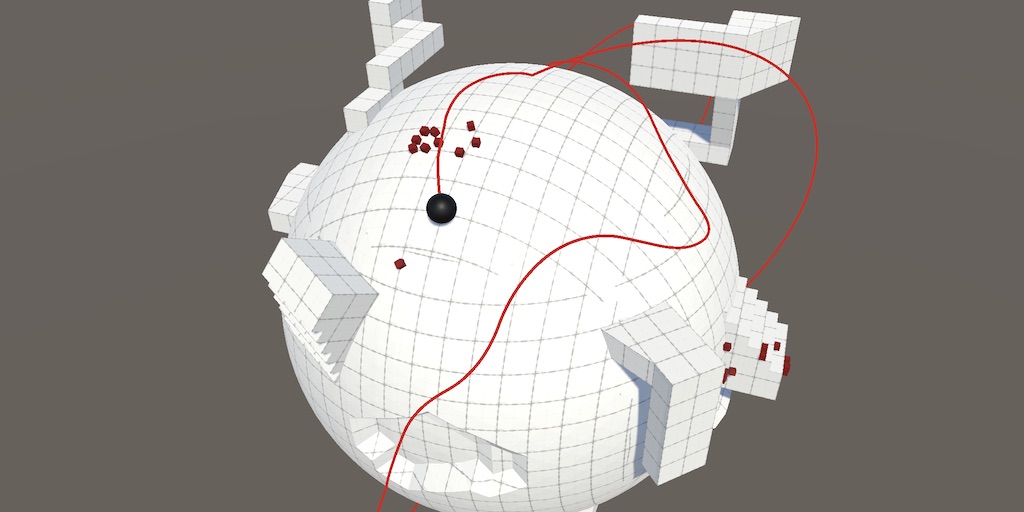
A Unity Movement tutorial about applying custom gravity to our sphere and other objects.
 fair wadi
How can I get more than one person to work on one project?
leaden ice
fair wadi
How can I get more than one person to work on one project?
use version control such as Git or PlasticSCM
 patent cradle
Is there a way to get a ID3D11ShaderResourceView* from an existing Texture? I'm trying to render some of the textures with Dear ImGui, which requires a ID3D11ShaderResourceView*, but Texture.GetNativeTexturePtr() returns a ID3D11Resource* which doesn't work. I have seen a lot of docs and questions about creating textures from a ID3D11ShaderResourceView*, but nothing about getting one from existing textures. I assume Unity would need to create a ID3D11ShaderResourceView in order to render the texture, so is there a way to get a pointer to it? Barring that, is they a way within Unity scripting to create one? Or do I have to manually create it from the ID3D11Resource*?
heady iris
I don't have an answer for you, but I am interested in using Dear IMGUI. how are you doing that?
patent cradle
There are a few different github repos/plugins for it, depeding on your needs. Since I'm modding I'm using a version that can inject into a running process, but if you are creating from scratch you can use the actual plugin versions. I believe this one is the one I see mentioned most often.
heady iris
neat, thanks!
i love Brigador's debug interface, so I've been interested in playing with it
 leaden solstice
heady iris
I don't have an answer for you, but I **am** interested in using Dear IMGUI. how...
leaden solstice
heady iris
I don't have an answer for you, but I **am** interested in using Dear IMGUI. how...
Unity GUI is Dear ImGui wrapper tho
heady iris
is it literally just a wrapper? I was under the impression it was a different system.
 misty temple
hey all i'm doing a udemy course
and somehow my floor game objects are gone
i didn't hide them
i'm not sure what i clicked on to hide all the floor objects
 patent cradle
heady iris
is it literally just a wrapper? I was under the impression it was a different sy...
patent cradle
heady iris
is it literally just a wrapper? I was under the impression it was a different sy...
It's a double wrapper, Dear Imgui is for C which gets wrapped by ImGuiNet for .Net, which is then wrapped by Dear ImGui Unity for Unity.
heady iris
I was referring to Unity’s own IMGUI
heady iris
misty temple
hey all i'm doing a udemy course
and somehow my floor game objects are gone
i...
Click the Layers drop-down in the top right
Make sure none have a crossed out eye
(also, not a code question)
 wind wren
why does this keep appearing? im using vscode with unity
 wind wren
i guess it works fine? but the code completion doesnt work or anything at all
patent cradle
heady iris
I was referring to Unity’s own IMGUI
Oh, as far as I'm aware they are completely different. While they have a similar name and some similar basic elements, they are not the same. For example, just compare how windows are done.
heady iris
wind wren
i guess it works fine? but the code completion doesnt work or anything at all
So it doesn’t work fine!
!ide
tawny elkBOT
💡 IDE Configuration
If your IDE is not autocompleting code
or underlining errors, please configure it:
• Visual Studio (Installed via Unity Hub)
• Visual Studio (Installed manually)
• VS Code*
• JetBrains Rider
• Other/None
*VS Code's debugger plugin is unsupported.
We recommend using VS or Rider instead.
wind wren
heady iris
Make sure you’ve followed the directions for VSCode
i did follow them


still doesnt seem to work
 leaden solstice
heady iris
is it literally just a wrapper? I was under the impression it was a different sy...
leaden solstice
heady iris
is it literally just a wrapper? I was under the impression it was a different sy...
Maybe I should said a port

 obtuse perch
wind wren
i did follow them
obtuse perch
wind wren
i did follow them
visual studio editor is not the same as visual studio code editor
vscode and vs are different
 quartz folio
obtuse perch
visual studio editor is not the same as visual studio code editor
quartz folio
obtuse perch
visual studio editor is not the same as visual studio code editor
The Visual Studio Editor is the package that is now required for both VS and VS Code.
quartz folio
wind wren
i did follow them
- Make sure the Visual Studio **Code **Editor extension is removed from Unity's Package Manager.
- Update the C# and C# Dev Kit extensions in VS Code.
wind wren
quartz folio
1. Make sure the Visual Studio **Code **Editor extension is removed from Unity's...
doesnt let me remove it
 quartz folio
Do 2 first and see if it fixes it, but if it doesn't then you can see this is installed as a part of something, afaik you can unpack the "feature" it's included with, or perhaps it has some updates
 wind wren
quartz folio
Do **2** first and see if it fixes it, but if it doesn't then you can see this i...
wind wren
quartz folio
Do **2** first and see if it fixes it, but if it doesn't then you can see this i...
did 2 as well still doesnt seem to work , and how can i unpack the feature?
quartz folio
Select the feature it mentions and see what the options are. I don't use features so I can't really be of help
Maybe you can't even unpack them and you just have to remove the whole thing... which would suck, because then all the packages would no longer be there, and you would have to add them manually before removing the feature.
wind wren
quartz folio
Maybe you can't even unpack them and you just have to remove the whole thing... ...
still seems to say the same thing


tried reinstalling c# and c# dev kit still the same
quartz folio
No idea then. I would recommend JetBrains Rider (free for students via the GitHub student program), or VS Community, which can be installed via the Unity Hub. Both of which have much easier configuration.
heady iris
wind wren
still seems to say the same thing
One thing to try: the csproj files
Then regenerate external files
I had a problem where there were two copies of every assembly in the project
I had to completely delete the csproj files to fix that. Regenerating the files seemed to keep the extra copies
broken light
Any one know how to get the unity's mesh inspector for Mesh objects and have it display in a window ? something like this:
if (GUILayout.Button("Preview Mesh"))
{
    // open editor window showing the default mesh inspector for Mesh type
    EditorWindow.GetWindow<MeshEditorWindow>().SetMesh(_target.Mesh);
}
this is obviously not real syntax as MeshEditorWindow doesn't exist
 broken light
this when you select a mesh object in assets folder

yeah that
i want it to show that info in a window when i press my button
quartz folio
I am unsure whether you can just create an InspectorElement from your mesh, and call FillDefaultInspector, I believe it won't use the Editor, and you can't do that. But it might be worth trying as it's a few lines of code
broken light
ah ive not used ui elements for editors yet
quartz folio
You should.
broken light
its a whole new thing i need to learn
quartz folio
Things like that API make stuff 100x easier
quartz folio
it looks like it also may just work, based on what I'm looking at

You may have to pass it an initialised Editor for the mesh, I am unsure whether it will automatically detect that with the Object constructor
If so, it's UnityEditor.ModelInspector,UnityEditor
Which you can create through Editor.CreateEditor with that type
Note in future that this is an #↕️┃editor-extensions question
broken light
im going to have to read up on ui elements for all this stuff and really learn it properly
misty temple
heady iris
Click the Layers drop-down in the top right
turns out my camera rotated things so i didnt see the z axis
quartz folio
Only InspectorElement is the UITK part of all this
Which is practially UITK's "draw me an editor for this object"
 delicate zinc
ok so i'm going absolutely insane
i'm trying to create a temporary characterController based entity that would ideally go from pointA to pointB and check if it was succesful on reaching the pointB's XZ coordinates (this is for later creating a node graph and then implement A* with it.)
The main issue that i'm having and i have absolutely no idea why it's happening, is that whenever i call CharacterController.Move(), no matter what vector3 value i give in, the Charactercontroller gets snapped into the coordinates (0, 1.08, 0)
from my understanding on how i could obtain the motion to reach pointB from pointA is by subtracting pointB's position by pointA, and using the resulting vector as the motion parameter for the Move() method
https://github.com/Nebby1999/ElementalWard/blob/d65a87e751e613f8a0faeb7b9936695a6b4b752e/ElementalWard/Packages/com.nebby1999.nebula/Runtime/Navigation/NodeBaker.cs
This is the class which's purpose is basically baking the nodes by creating links between each node's position. yet i have no idea what's causing the snapping to what's basically the scene's center
i think chances are its setting the position to 0,0,0 on the Move call for whatever reason, i mmade some crude testing by calling Move() with the vector 3, 10, 10. the result was the capsule on the right who's position is spot on 3, 10, 10. while the other capsule was moved by just adding 3, 10, 10 to it's position, which exhibited the expected change in position.

so... yeah i have no clue whats going on with this charactercontroller but i have not been able to see or figure out what's the reasoning behind it's extremely weird behaviour with calling Move()
ok
i figured it out, it seems to be a desync between the scene transformm and the physics transform?
not exactly the same issue, but i figured might as well try to call Physics.SyncTransforms(), now the character controler moves as expected
How to reproduce: 1. Open attached project ("CharacterControllerTransform.zip") 2. Open SampleScene 3. Play 4. Use WASD to move and ...
patent cradle
Can you get a ID3D11ShaderResourceView* from an existing Texture
 buoyant zenith
If I wanted this white paper (seperate sprite ofc) to smoothly move down the belt, how should I go about it? I understand I could do transform.position but are there any other options?

 pearl otter
buoyant zenith
If I wanted this white paper (seperate sprite ofc) to smoothly move down the bel...
pearl otter
buoyant zenith
If I wanted this white paper (seperate sprite ofc) to smoothly move down the bel...
You could use rb.AddForce although I would think transform.position would be best
buoyant zenith
pearl otter
You could use rb.AddForce although I would think transform.position would be bes...
I figured. How should I find the values to move it in that direction?
It moves a little diagonal
rather than straight down ofc
pearl otter
You could use Vector2.MoveTowards().
transform.position = Vector2.MoveTowards(transform.position, target, speed * Time.deltaTime);```Ah this is what I was looking for. Thank you
pearl otter
You're welcome
 green radish
why is this showing up in the inspector when the variable doesnt exist on this script?


it exists in a script inheriting from this one, but not in this one
somber nacelle
custom inspector? did you recently remove it from that class and forget to save? we can really only guess since you aren't really providing a lot of context
 winged mortar
Make sure that you always save scripts before questioning
Changes aren't applied untill you save
winged mortar
Provide full script
somber nacelle
so it was a part of this class before? in that case unity probably just needs to recompile
green radish
for context about the inheriting thing


 tacit kestrel
it's likely coming from your inherited script, if the property is also serializable in there (public property)
tawny elkBOT
Posting code
📃 Large Code Blocks
Large code blocks should be posted as links to services like:
https://gdl.space/, https://paste.ofcode.org/, https://hatebin.com/
https://paste.myst.rs/, https://hastebin.com/
📃 Inline Code
Surround code with three backquotes. Not quotation marks.
To get C# formatting the first line should only contain cs or csharp.
Add a comment with a line number if there is an error message.
```cs
// Your code here
```
Do not share screenshots of code unless requested.
green radish
tacit kestrel
it's likely coming from your inherited script, if the property is also serializa...
how would I allow the variable to be inherited without the inheritance also going backward?
somber nacelle
inheritance does not go backwards
winged mortar
Which script do you have attached to your gameobject
somber nacelle
the bit about inheritance is unnecessary and serving only to confuse you. if the component is not an Arcanium component then that class is irrelevant
green radish
the relevance is that the variable exists in Arcanium but doesnt exist in the inheriting class, yet its showing up there
somber nacelle
you still have not confirmed whether that variable was part of the Sim_Entity class before
green radish
it was at one point
somber nacelle
then unity likely just needs to recompile. make another change, save, and swap to unity again and make sure it actually compiles
if you've done something silly like turn off the auto refresh for the assets or scripts or whatever then you need to trigger the compile manually or restart the editor
green radish
make a change to script and tab back into unity?
somber nacelle
and save, that part is important
somber nacelle
and now we learn why you should answer questions that are asked #archived-code-general message
green radish
sorry
 green glacier
I am using this to display groundLayerMask to my custom inspector and the set the value of what is ground to groundLayerMask
but for some reason groundLayerMask is changing its value to some random builtin layers
this problem is only happening with layerMasks every other thing is perfectly working
I have confirmed thereisn't any other code snippet that is trying to change ground layer

this is what it shows when I turn on debug inspector
knotty sun
I would guess that LayerField is expecting a Layer ID not a LayerMask which are 2 different things
green glacier
knotty sun
I would guess that LayerField is expecting a Layer ID not a LayerMask which are ...
yeah I just found out that
lol
green glacier
knotty sun
I would guess that LayerField is expecting a Layer ID not a LayerMask which are ...
thanks it worked
 chilly obsidian
Hi I got a weird thing happening to me. I set interpolation on a rigid body to interpolate but in play mode it gets set to None. No code is altering interpolation. Any idea what could be happening ?
gray mural
Do I have to instantiate a prefab if I want to create a UI Object?
swift falcon
if the player is doing collision with the terrain more than 0.3sec, I want to do carry out code player gravityScale = gravityConst, how can i apply this timer thingy for OnCollisionEnter2D
 gray mural
swift falcon
if the player is doing collision with the terrain more than 0.3sec, I want to do...
gray mural
swift falcon
if the player is doing collision with the terrain more than 0.3sec, I want to do...
Coroutine
make IEnumerator OnCollisionEnter2D first
leaden ice
swift falcon
if the player is doing collision with the terrain more than 0.3sec, I want to do...
Start a timer and use OnCollisonExit to stop it
swift falcon
leaden ice
Start a timer and use OnCollisonExit to stop it
this seems to be better option and easier
wait nvm it doesnt work
leaden ice
It works
swift falcon
nvm yes it does
leaden ice
Why wouldn't it work
swift falcon
i mistook timer to another thing
gray mural
swift falcon
nvm yes it does
so you have implemented it already?
swift falcon
in my head
swift falcon
gray mural
so you have implemented it already?
no in my head tryiing to figure how to do it
i just realized i dont know how to do timer
so ama go google
gray mural
a coroutine probably.
swift falcon
yeh but we cant exist coroutine tho
gray mural
of course you have
 gray mural
anyway, I think it's better to make OnCollisionEnter2D a void and to implement additional coroutine
swift falcon
alright
 clever trellis
Hey i'm a newbie to unity, i want to make a scoreboard but can't drag drop text(under canvas) to the script attached to canvas
How to do it?
 fervent furnace
i think the "text" in your script is TMP_text but the text object in canvas is TextMeshProUGUI
show your code
 frosty shuttle
I am new to coding in csharp and got ChatGPT to generate me this code to activate and deactivate guis and the player controller upon doing things and it isnt working, UIGemLook isnt becoming visible when i look at "Stone_low_1". please tell me how to insert code as a discord message for someone to look through.
clever trellis
fervent furnace
i think the "text" in your script is TMP_text but the text object in canvas is T...
using System.Collections;
using System.Collections.Generic;
using UnityEngine;
using UnityEngine.UI;
public class ScoreText : MonoBehaviour
{
public Text scoreText;
int score = 0;
// Start is called before the first frame update
void Start()
{

}

// Update is called once per frame
void Update()
{

}
}
frosty shuttle
ill try sending at just normal text
clever trellis
fervent furnace
i think the "text" in your script is TMP_text but the text object in canvas is T...
 fervent furnace
!code
tawny elkBOT
Posting code
📃 Large Code Blocks
Large code blocks should be posted as links to services like:
https://gdl.space/, https://paste.ofcode.org/, https://hatebin.com/
https://paste.myst.rs/, https://hastebin.com/
📃 Inline Code
Surround code with three backquotes. Not quotation marks.
To get C# formatting the first line should only contain cs or csharp.
Add a comment with a line number if there is an error message.
```cs
// Your code here
```
Do not share screenshots of code unless requested.
clever trellis
fervent furnace
i think the "text" in your script is TMP_text but the text object in canvas is T...
 frosty shuttle
The ray is long enough but the gui isnt appearing
 simple egret
We do not help with code generated by an AI.
See the server rules at #📖┃code-of-conduct
fervent furnace
also show the inspector of the gameobject of text in canvas, i think the component should be TextMexhProUGUI
frosty shuttle
why not? I can't writ it myself bc i barely know what anything code related is or does
clever trellis
fervent furnace
also show the inspector of the gameobject of text in canvas, i think the compone...
 simple egret
frosty shuttle
why not? I can't writ it myself bc i barely know what anything code related is o...
simple egret
frosty shuttle
why not? I can't writ it myself bc i barely know what anything code related is o...
No shortcuts. Learn like everyone else. AIs spit out very questionable stuff with very high confidence, a beginner will think it's perfect when in reality it's far from it.
!learn
tawny elkBOT
🧑🏫 Unity Learn can offer you over 750 hours of free live and on-demand learning content for all levels of experience! Make sure to check it out at https://learn.unity.com/
fervent furnace
TextMeshProUGUI is not Text
they are two different components
so you cannot drag then drop it to the field in your script, you have to change it to TMPro.TextMeshProUGUI (or using TMPro;)
frosty shuttle
i dont have the time to learn, constant studying for school
is there anywhere i can ask for someone to help with AI code?
not in this server
clever trellis
fervent furnace
TextMeshProUGUI is not Text
please check dm 🙏
fervent furnace
why not just talk in here....
clever trellis
fervent furnace
they are two different components
only these options available
 clever trellis
fervent furnace
why not just talk in here....
clever trellis
fervent furnace
why not just talk in here....
different messages come in between breaking the flow
simple egret
The issue is in the code
Your object setup is fine
You can't drag-drop because you used the wrong type in the code
clever trellis
i want to display score everytime i hit an object
fervent furnace
this component's class name is TextMeshProUGUI
 clever trellis
i want to achieve this
clever trellis
fervent furnace
this component's class name is TextMeshProUGUI
what should i do now?
clever trellis
public Text scoreText;
here?
fervent furnace
re-declare a variable with type or class name TextMeshProUGUI
then you can assign it
frosty shuttle
frosty shuttle
is there anywhere i can ask for someone to help with AI code?
I would say that is a no
simple egret
frosty shuttle
I would say that is a no
Most servers will just redirect you back here, there's no escaping it
If you don't have time to learn then pause it, and return when you have more time
frosty shuttle
sooo i cant get help anywhere?
simple egret
Not until you invest time in the basics
frosty shuttle
simple egret
If you don't have time to learn then pause it, and return when you have more tim...
that will be in 6 years (literally)
welp! Lets see if ChatGPT can fix it itself
clever trellis
fervent furnace
re-declare a variable with type or class name TextMeshProUGUI
like this?
 fervent furnace
yes, but you have to using TMpro; since this class is under TMPro namespace
simple egret
They don't have an error so the using is up there cropped out
clever trellis
fervent furnace
yes, but you have to using TMpro; since this class is under TMPro namespace
where?
simple egret
Nowhere
It's done already it seems
If it wasn't recognised, it would be underlined in red in the code
fervent furnace
no error then fine
simple egret
(In before their code editor wasn't configured and there is the error in Unity)
[replying to now deleted message]
Ask in #archived-networking
clever trellis
 simple egret
Did you drag-drop the text? Did it work?
frosty shuttle
do I have to pay people to write code for me or is there some place that will write it. I don't have the brain capacity to learn what every part means and i don't have the time either.
clever trellis
i have a script attached to a ball (for its movement), and now i have to show score so i searched on youtube and they made a canvas and text, now in which script should i add the score code: the ball one or the canvas one?
fervent furnace
canvas one, then ball's script calls its method
simple egret
The easiest way is in the same script that manages the score
warm stratus
Hey, i use this code to check if a file exists
public static class FileStorage
{
    public static string dataPath = Path.Combine(Application.persistentDataPath, "savedData");

    public static bool DoesFileExists(string _filePath)
    {
        bool fileExist = File.Exists(Path.Combine(
            dataPath, _filePath));
        Debug.Log(Path.Combine(
            dataPath, _filePath));
        return fileExist;
    }
}```
i call it with FileStorage.DoesFileExists(Path.Combine("levels", "createdLevels", "0")
but the Debug.Log shows "C:/Users/MYUSER/AppData/LocalLow/RH Dynamics/TapOrResign\savedData\levels\createdLevels\0" with / and \ so it says the file doesn't exists celest iron
Hey, I have a game object Grid with 3 Tilemaps as children. How do I get, in code, the Tilemap component of each child?
warm stratus
simple egret
Post a screenshot of it
ok thks i got the issue
fervent furnace
GetComponent on each children
 frosty shuttle
how do I toggle fog by pressing e with a script?
warm stratus
frosty shuttle
how do I toggle fog by pressing e with a script?
i guess RenderSettings.fog = true;
https://docs.unity3d.com/ScriptReference/RenderSettings-fog.html
 wary pewter
Is there a way to tweak a camera's rendering to change perspective?
I have a game where the character can turn into a mouse, and want the level to look gigantic without having to make two versions or scaling it up (as it prevent anything from being static).
Surely there must be some way to tell the projection matrix to multiply all distance by X or something?
 prime sinew
celest iron
Found it
prime sinew
celest iron
Found it
Probably better to just declare SerializeField variables and drag them in
celest iron
True, true
 vague tundra
Is there a consensus on whether, in the following situation, to use weapon or this.weaponSO to access values off of this object in the constructor?
public WeaponContract(WeaponSO weapon) {
    this.weaponSO = weapon;

    this.WeaponName = weapon.WeaponName;
    this.AttackCooldown = weapon.BaseAttackCooldown;
}
Not sure if I'm using InverseTransformPoint wrong but the line here I'm using it for is giving me the currect position relative to the object, however rotation is being done around point 0,0 instead of the object. Also the rotation is reversed(the V3ToV2 method used here does exactly what it sounds like, it converts a Vector3 to a Vector2)
 prime sinew
vague tundra
Is there a consensus on whether, in the following situation, to use `weapon` or...
prime sinew
vague tundra
Is there a consensus on whether, in the following situation, to use `weapon` or...
Doesn't matter since you're only reading from the SO
vague tundra
Is one preffered for any reason over the other?
prime sinew
No? This really doesn't make any difference
simple egret
Not sure why you'd replicate the stuff in the SO in WeaponContract
You can use read-only properties for this
public string Name => weaponSO.name;
so for calling the method, i also have to attach ball's script to canvas?
green radish
I want to get a position relative to an object in the same way a child object would be relative to it, including being effected by the rotation of the targetted object, and I dont know if InversTransformPoint is the correct solution, and if it is, how its even meant to be used for something like this
gray mural
Is it possible to get a copy of the component (that is not null when original component is destroyed) ?
any easy method?
prime sinew
gray mural
Is it possible to get a copy of the component (that is not null when original co...
Why do you need a copy
gray mural
prime sinew
Why do you need a copy
a SpriteRenderer
gray mural
oh
SpriteRenderer renderer = GetComponent<SpriteRenderer>();

foreach (Component component in source.GetComponents<Component>())
    DestroyImmediate(component);

Image image = source.AddComponent<Image>();
image.sprite = renderer.sprite;
image.color = renderer.color;
well, I know that I can get a sprite and a color
prime sinew
Okay, so why don't you do that instead of destroying and adding
gray mural
prime sinew
Okay, so why don't you do that instead of destroying and adding
sorry?
prime sinew
Why are you doing this?
gray mural
prime sinew
Why are you doing this?
/// <summary>
/// Converts GameObject to UI GameObject
/// </summary>
private void Convert(GameObject source)
What?
gray mural
Anyway, I think I can do this instead
Image image = source.AddComponent<Image>();

SpriteRenderer renderer = GetComponent<SpriteRenderer>();
image.sprite = renderer.sprite;
image.color = renderer.color;

foreach (Component component in source.GetComponents<Component>())
{
    if (!(component is Image))
        DestroyImmediate(component);
}
Yeah, sure. Create before you destroy
gray mural
prime sinew
Yeah, sure. Create before you destroy
thank you 😄
green radish
so I'm trying to use this line to get a position relative to an object, effected by rotation as well as if it were a child object(at least position wise), and while rotation works, for some reason the position it gets is the target objects position multiplied by 1.5, and I cant find a way to fix this so far
Vector3 pos = hitherOutputTestHost.transform.localToWorldMatrix.MultiplyPoint3x4(targetObject.transform.position);
lean sail
green radish
so I'm trying to use this line to get a position relative to an object, effected...
https://docs.unity3d.com/ScriptReference/Transform.InverseTransformPoint.html
Cant you just use this?
green radish
I've tried, Unity's documentation about how its meant to be used is horribly unclear, I tried to follow it and the results were utter chaos
this line has given me the most consistent and direct results
lean sail
The docs are quite clear on how it's used, theres literally an example with comments and explanations on what it does. Although I barely understand what you're trying to do, if inverse transform point isnt what you need
green radish
I want a position that mimics what you get from having an object as a child of another gameObject, but I'm only trying to get a position, not actually have a child under the gameObject
lean sail
Then just using the function and plugging in the "child" objects position should get what you want
green radish
this line was my last attempt at using the method you suggested, from what I recall it gave me a weird inverted position and rotation around 0, 0 instead of anything close to what I was trying to do offsetStoreLocal = list[i].teather.transform.InverseTransformPoint(0, 0, 0);
this was me just trying to even get the objects position, not even adding an offset yet
lean sail
Is the child objects position at 0,0,0?
green radish
no
lean sail
Well then you arent using the objects position in that function, but you were inside the other attempt with matrix
green radish
to hopefully make things more clear encase the way I've described it up to now caused any confusion, I need a vector2 to be set to a position that mimics what you'd get from having a gameObject nested under another gameObject, but I'm not actually nesting a gameObject under it
just trying to replicate the positional effect
lean sail
Unless im misunderstanding, that is just a matter of converting world position to a local one. Which is what the function does
swift falcon
Does cullingGroup.Dispose(); frees memory of boundingsphere array? In the documentation, it does not touches the array of Bounding Spheres
It does not. BoundingSphere array still exists at memory - Memory Profiler
green radish
I get that thats the intended purpose, but I've been very lost as to it's actual usage in practice, part of what confused me is it being unclear what exactly the method does with the inputs you feed into it
so I had no idea what should go where for it to work correctly and was forced to guess
lean sail
green radish
so I had no idea what should go where for it to work correctly and was forced to...
I suggest just experimenting with it on basic shapes and a test script to see both if it's what you want and how to get the correct values from it. I must go now or I'd try to describe more
warm stratus
Hey, i am serializing a struct to a binary file, but i got the error; "used by another process..." or "Sharing violation on path..."
The code
//Save a class instance to a binary file
    public static void Save(object _objectToSave, string _filePath)
    {
        _filePath = Path.Combine(FileStorage.dataPath, _filePath);
        //create the directory if it doesn't exist
        string directoryPath = Path.GetDirectoryName(_filePath);
        //create directories needed
        if (!Directory.Exists(directoryPath)) {Directory.CreateDirectory(directoryPath);}
        //create an instance of BinaryFormatter to serialize a class
        BinaryFormatter binaryFormatter = new BinaryFormatter();
        //delete the file if it exists
        if (File.Exists(_filePath))
        {
            File.Delete(_filePath);
        }
        //create FileStream to write the file
        FileStream saveFile = File.Create(_filePath);
        //turn the class into binary file
        binaryFormatter.Serialize(saveFile, _objectToSave);
        //close the FileStream
        saveFile.Close();
    }
foreach (Component component in components)
{
    if (!(component is RectTransform) && !(component is Image))
    {
        try { DestroyImmediate(component); }
        catch { }
    }
}
Why does this code still throw an error?
Can't remove CanvasRenderer because Image (Script) depends on it
because you are trying to destroy the Renderer whilst leaving the Image component alive
gray mural
knotty sun
because you are trying to destroy the Renderer whilst leaving the Image componen...
I know, but I have try catch
knotty sun
try catch catches Exceptions not Errors
gray mural
oh.
any ideas how I can avoid this?
without adding !(component is CanvasRenderer) condition
knotty sun
gray mural
without adding `!(component is CanvasRenderer)` condition
use enabled = false instead of Destroy or
https://gamedev.stackexchange.com/questions/140797/check-if-a-game-objects-component-can-be-destroyed

Game Development Stack Exchange
Developing a game in Unity, I'm making liberal use of [RequireComponent(typeof(%ComponentType%))] to ensure components have all dependencies met.
I'm now implementing a tutorial system which highl...
gray mural
knotty sun
use enabled = false instead of Destroy or
https://gamedev.stackexchange.com/ques...
I sure can disable them, but destroying sounds better. The link you have sent was very helpful, I have fixed my issue by implementing the correct answer's solution. Thank you
knotty sun
gray mural
I sure can disable them, but destroying sounds better. The link you have sent wa...
enabled=false will be much more performant if performance is an issue
gray mural
knotty sun
enabled=false will be much more performant if performance is an issue
I know, but the script is for Editor
knotty sun
ok, np
 jade kindle
https://awesometuts.com/blog/optimize-unity-game/
I animate UI elements by tweening and rebuilding layouts manually. Is there a better approach?

Reading Time: 34 minutes One of the most important parts of game development is optimization which ensures your game will run smoothly on your target platform. This article is a detailed guide on every optimization part that I have learned so far in my game development journey
wind wren
why is the thing there and not under the turret? , im following breckeys tutorial and wanted to make my own turret in blender and im new to it so idk why its there
 clever trellis
Thank you all 😊🥹
clever trellis
clever trellis
Thank you all 😊🥹
just cant understand one thing, that ball dosen't go down the plane but passes from below the plane why?
wind wren
wind wren
why is the thing there and not under the turret? , im following breckeys tutoria...
can someone tell me why the pivot point of the turret is so far from the turret
wind wren
wind wren
why is the thing there and not under the turret? , im following breckeys tutoria...
oh it was cause of the camera lmao
can someone help me with my turret cause it keeps starting with a camera and lights and it messes with my pivot point , idk how to fix it

okay i forgot to delete the camera and lights from in blender
heady iris
Common problem!
I was wondering why my game was running so slowly after adding just a few characters….
 rancid kindle
is is my unity stuck on reloading domain??
knotty sun
rancid kindle
is is my unity stuck on reloading domain??
not a code question, do not cross post
rancid kindle
mb
 river kelp
I bought this coding book after a recommendation here and would like to warn anyone else from buying it. The audacity to write a book with coding skills at this level is pretty outrageous.
https://www.amazon.ca/Unity-Multiplayer-Intermediate-Coding-Networking-ebook/dp/B0C3W6JJTZ
Author does everything you're not supposed to. Searches through all objects by tag, component or name every time he wants to find an object. Checks if a player has won by looping over every building every frame to see if they all belong to the same player, etc. Just lots of bad coding overall, to say nothing of his networking implementation.

Unity Multiplayer: Intermediate C# Coding & Networking eBook : Alam, Asadullah: Amazon.ca: Kindle Store
If you're looking for networking code advice, look somewhere else. I'm still looking for good suggestions, if anyone has any.
 fiery warren
So I am trying to make item database currently and I'm having an issue where nothing appears in Inspector after creating the asset, how can I get the list to appear in inspector? cs [CreateAssetMenu(fileName = "New Item Database", menuName = "New Database/Item Database")] public class ItemDatabase : ScriptableObject { public List<BaseItem> items = new List<BaseItem>(); }

 worn stirrup
When you make changes to a ScriptableObject at runtime, the changes stay when you exit play mode, is this reflected in builds too? If I make "winning a level" add a bunch of values to a scriptableobject, will those stay across scenes as long as that build isn't closed? I figure I'll have to "save" this later, but I'll figure that out later
 elfin tree
Hello, I added this code to my Currency class with IComparable<Currency>.
public int CompareTo(Currency otherCurrency) {
            // Implement your comparison logic here
            if (otherCurrency == null)
                return 1;

            // Compare the SomeValue property for the >= operator
            if (_amount >= otherCurrency.GetAmount())
                return 1;
            else
                return -1;
        }
And then tried to do this in the image below below but it does not work.
Is that not how you do that in C#?
.

Or is this just not a thing like in C++ and I'm just supposed to call .CompareTo?
 mellow sigil
CompareTo is only used in sorting algorithms. You'll have to overload the >= operator.
rigid island
fiery warren
So I am trying to make item database currently and I'm having an issue where not...
BaseItem need to have [Serializable] if its a regular C# class
fiery warren
Ty 🙏
worn stirrup
Okay so ScriptableObjects do save data between scenes in-game, but I'm guessing I'll still have to write that data into some sort of saver at some point for actual application use, saving's gonna be funnnn to learn lol
rigid island
worn stirrup
Okay so ScriptableObjects do save data between scenes in-game, but I'm guessing ...
thats what saving to files is for
SO is only good between scenes
worn stirrup
Yeah, I really like how easy that can still be though
Like just "add" arbitrary numbers to my main world SOs every time I complete a level or quest or what have you, then when I have to save I just save the current value of the main world SOs, sounds pretty easy
Just gotta make sure I have an SO for the levels completed and all that jazz
So I tried looking for something already and couldn't find any great details, does anybody have any ideas or tutorials in mind that I could look into to help me understand how to set up a good "enemy spawner" that supports 5 different types of enemies and, if any of them have hit their limits, would automatically go to spawn the next version without skipping its "spawn step"?
I'm just making lists of existing enemies, their limits, their amounts left, and I feel like 3 variables for each new enemy type means I'm doing this wrong
Then y'know, crawl into the code and add an entire new element to an enum and add it to the list of switches for the random spawning
leaden ice
worn stirrup
I'm just making lists of existing enemies, their limits, their amounts left, and...
wrap the enemy details up in a class called EnemyData or something
worn stirrup
So having a reference to all the ScriptableObjects that represent each enemy type, and looking into the object for that type when told to spawn it
That makes sense yeah
I think I knew 90% of that, and needed it spelled out like that, thank you!
leaden ice
 molten venture
Does Unity offer any built-in triangulation function? I want to be able to input the vertices of a polygon and get back the vertices I need to make a mesh out of.
 hexed coral
worn stirrup
So having a reference to all the ScriptableObjects that represent each enemy typ...
hexed coral
worn stirrup
So having a reference to all the ScriptableObjects that represent each enemy typ...
What I do in my games is set up a database (via SO) that is accessible via a static reference.
Then I use keys to find the data I want (in your case, the key could be the enemy enum).
3 variables for each enemy type is not wrong, just make sure to store those in a dictionary(where the key is enemy enum), so that you don't have to add new fields everytime you add another enemy
 harsh bobcat
how much memory does it take to store a reference to a gameobject?
hexed coral
harsh bobcat
how much memory does it take to store a reference to a gameobject?
Basically the same as other reference types, which is negligible, what takes meaningful memory is the gameobject itself
 thick terrace
8 bytes
harsh bobcat
ah okay, thanks
worn stirrup
I'm starting to think that I should put all the object type prefab references in their Type SO, and just have a list of their types, then when it tries to spawn that type it already has all the information for that in play... is that sounding correct?
hexed coral
worn stirrup
I'm starting to think that I should put all the object type prefab references in...
That does sound right
worn stirrup
Instead of doing resources.load I'll just do like SOType.enemyVariants() to get which version
cool
thanks
hexed coral
worn stirrup
Instead of doing resources.load I'll just do like SOType.enemyVariants() to get ...
Are you making a big 3d game?
harsh bobcat
hexed coral
Basically the same as other reference types, which is negligible, what takes me...
what part of the gameobject tends to take the most memory? with ~100k copies of the same prefab could I make it more efficient?
worn stirrup
Kind of working on teaching myself to do more than prototype game ideas, so I'm working on turning a prototyped 2D game into a buildable application that can be saved & closed, etc.
...while still prototyping the game along the way of course :P
I started hitting that hardcode block after a week of rapid prototyping wahere I needed to take a step back and go big-picture, and I'm trying to keep that perspective now
hexed coral
harsh bobcat
what part of the gameobject tends to take the most memory? with ~100k copies of ...
You should use the memory profiler to check that, each UnityEngine.Object allocates quite a bit of memory, so the GO itself and each component will add to the pile. Not sure I can help without seeing how the prefab is like
 thick socket
I was following sebastions procedure generation for planets...I cant seem to figure out how to generate like plants or structures on the surface after that. Anyone know of a tutorial or anything that could help with that?
hexed coral
worn stirrup
Kind of working on teaching myself to do more than prototype game ideas, so I'm ...
I see, I was going to suggest that if the size of your game is small then you shouldn't bother dealing with Resource Management, it takes quite a bit extra development time
worn stirrup
yeah I actually prefer extra development time so my tiny projects teach me the slow, hard process and I can do it quicker later
hexed coral
worn stirrup
yeah I actually prefer extra development time so my tiny projects teach me the s...
If you're planning on making big sized games (lots of textures, animations), then I recommend learning addressables instead, it's a nightmare but it's necessary for those kind of games
hexed coral
hexed coral
If you're planning on making big sized games (lots of textures, animations), the...
In your case addressables would replace UnityEngine.Resources
harsh bobcat
hexed coral
You should use the memory profiler to check that, each UnityEngine.Object alloca...
ah thats fair. I just thought id ask before coding a system to avoid rewrites later if possible.
Most of the prefabs that will be super common have a box collider, a simple mesh (<20 poly), and a monobehaviour whos current only non static field is a float for health. The objects will be on a grid. I'm debating storing a reference to each surrounding object in each one, since it would make life a lot easier. im anticipating having them in the 100k range so memory management.
I'm also storing the grid as a Dict<vec3int, GameObject> but I'm worried about performance late, and thinking about writing methods to interface with 8 arrays - one for each quadrant, or just having a 3d array that dynamically shifts each object when they would be added to a negative index
I suppose I can always code now optimize later but that seems like a worse approach
worn stirrup
I'm destroying my code while I fix this so may I verify this looks parsed correctly?
TrashObject SpawnTrashObject(TrashSO trashType)
        {
            //Pick a random version of this trash type's variants
            TrashObject objToSpawn = trashType.trashVariants[Random.Range(0, trashType.trashVariants.Count)];

            //Spawn new Trash object
TrashObject trashObject = Instantiate(objToSpawn.gameObject).GetComponent<TrashObject>();```hey guys i know this is not a unity related question but is a coding general, i want to know a sudden spike in a value i keep monitoring of a certain threshold
im monitoring that value in real time and i want to know if there was a really big spike in the value ||(spike meaning a sudden increase)||
heady iris
compare two moving averages
one short-term, one long-term
if the short-term goes above a multiple of the long-term average, that's a spike
(there are much more elaborate ways to do this kind of anomaly detection)
swift falcon
heady iris
one short-term, one long-term
the value is fixed, its the memory usage. i want to detect a sudden spike in the user's memory
worn stirrup
What's the method for scene end, does that get called by gameobjects?
I'm hoping it'll be OnDisable 👀
nope it ain't
heady iris
OnDisable and OnDestroy will get invokved on everything in a scene that's being unloaded
This event gets fired when a scene unloads
hexed coral
worn stirrup
I'm destroying my code while I fix this so may I verify this looks parsed correc...
There's no parsing happening here
heady iris
I'm unsure of the order. The docs don't say.
hexed coral
Ondisable comes first
worn stirrup
I didn't use the right phrasing heh, it worked though
heady iris
hexed coral
Ondisable comes first
referring to the sceneUnloaded event here
fervent furnace
heady iris
I'm familiar with the other that the MonoBehaviour messages are invoked in
was unclear, sorry
hexed coral
harsh bobcat
ah thats fair. I just thought id ask before coding a system to avoid rewrites la...
Are you using Unity DOTS?
harsh bobcat
hexed coral
Are you using Unity DOTS?
nope, though I planned to look into it for the job system
hexed coral
If you're thinking about 100k GOs spawned you should definitely look into it
hexed coral
About the grid, why not int[,,] ? Definitely faster than a dictionary and more memory efficient
harsh bobcat
gameobjects at negative positions
if i did GameObject[,,] I would have to resize/reposition the array somewhat often
hexed coral
harsh bobcat
gameobjects at negative positions
You don't know the grid size at initialization?
harsh bobcat
no, theres multiple grids that are dynamic and player made
hexed coral
As for negative positions, you can just offset them
heady iris
Arrays are also a poor choice for sparse datasets.
It'll depend on how dense these objects are.
hexed coral
heady iris
It'll depend on how dense these objects are.
I assumed every single position would be filled
harsh bobcat
the objects represented by the grid would very rarely be cube like so pretty sparse
 west matrix
I want a material changer script that will be used in a few scatteered objects across the scene, but I think I'm overcomplicating it (the is using newmaterial code is basically doubled I know) I want to add the old and new material, the old one should be already there, I know I don't check if its there but works well enough, the material changing part doesn't work thought...
public class MaterialChanger : MonoBehaviour
{
    public Material newMaterial;
    public Material oldMaterial;

    private bool isUsingNewMaterial = false;
    private Material[] originalMaterials;

    private void Start()
    {
        originalMaterials = GetComponent<MeshRenderer>().materials;
    }

    [ContextMenu("Cambiame")]
    public void CambiaMaterial()
    {
        Material[] currentMaterials = GetComponent<MeshRenderer>().materials;

        for (int i = 0; i < currentMaterials.Length; i++)
        {
            if (!isUsingNewMaterial)
            {
                if (currentMaterials[i].name == oldMaterial.name)
                {
                    currentMaterials[i] = newMaterial;
                }
            }
            else
            {
                if (currentMaterials[i].name == newMaterial.name)
                {
                    currentMaterials[i] = oldMaterial;
                }
            }
        }

        //Updating copy of material list
        GetComponent<MeshRenderer>().materials = currentMaterials;

        isUsingNewMaterial = !isUsingNewMaterial;
    }
}```this is a valid structure in my system, which is why my current approach is Dict<Vec3Int, GameObject

im not sure theres a better way to handle it
fervent furnace
is it a 3d game?......
 eager mango
` using System.Collections;
using System.Collections.Generic;
using UnityEngine;
using UnityEngine.UI;
public class CameraFollow : MonoBehaviour
{
private Slider cameradistance;
public Transform target;
Quaternion toRotateBy = Quaternion.identity;
// Start is called before the first frame update
void Start()
{

}

// Update is called once per frame

void LateUpdate()
{
    toRotateBy.eulerAngles = new Vector3(70, 0, 0);
    transform.position = toRotateBy * Vector3.forward * -cameradistance + target.position;
    transform.LookAt(target);
}
} `
help how do i turn the slider value into a float
 harsh bobcat
fervent furnace
is it a 3d game?......
harsh bobcat
fervent furnace
is it a 3d game?......
yes those would be cubes (if that question was for me)
buoyant zenith
I've got this script:
public class ProductMoving : MonoBehaviour
{
    private float speed = 0.2f;
    private Vector2 target;
    public GameObject thisPaper;
    public TMP_Text score;
    private GameObject newPaper;
    private bool count = false;
    private int points = 0;

    void Start()
    {
        target = new Vector2(-0.542f, -0.33f);
    }

    void Update()
    {
        transform.position = Vector2.MoveTowards(transform.position, target, speed * Time.deltaTime);

        if (transform.position.Equals(target) && count.Equals(false))
        {
            count = true;
            points = points + 1;
            score.text = points.ToString();
            newPaper = Instantiate(thisPaper);
            newPaper.transform.position = new Vector2(0.007f, -0.042f);
        }

    }

}
I want to add one point every time the obj gets to the target. However right now, it just adds one and then doesnt do anything when the instantiated objs hit the target. am i missing anything? im tired so it is likely something dumb
harsh bobcat
eager mango
mySlider.value
eager mango
myslider is the custom name of a slider?
harsh bobcat
yes
eager mango

i named my slider "ZoomSlider"
but its not showing as an option when i try to write it
harsh bobcat
buoyant zenith
I've got this script:
```csharp
public class ProductMoving : MonoBehaviour
{
...
transform position is a vector 3 which is floats. floats are almost never equal to eachother. try using > and < instead.
if (Vector3.Distance(transform.position, target.position) < 0.1f)
{
 //do stuff
}
public class CameraFollow : MonoBehaviour { private ZoomSlider.value cameradistance; public Transform target;
knotty sun
eager mango
what is the name of your slider in your code?
buoyant zenith
harsh bobcat
transform position is a vector 3 which is floats. floats are almost never equal ...
instead of that if statement in the Update()?
harsh bobcat
buoyant zenith
instead of that if statement in the Update()?
yeah
eager mango
` using System.Collections;
using System.Collections.Generic;
using UnityEngine;
using UnityEngine.UI;
public class CameraFollow : MonoBehaviour
{
private ZoomSlider.value cameradistance;
public Transform target;
Quaternion toRotateBy = Quaternion.identity;
// Start is called before the first frame update
void Start()
{

}

// Update is called once per frame

void LateUpdate()
{
    toRotateBy.eulerAngles = new Vector3(70, 0, 0);
    transform.position = toRotateBy * Vector3.forward * -cameradistance + target.position;
    transform.LookAt(target);
}
}
`
this is the whole code
heady iris
buoyant zenith
I've got this script:
```csharp
public class ProductMoving : MonoBehaviour
{
...
i would also check that you don't have an Z-axis position
harsh bobcat
eager mango
` public class CameraFollow : MonoBehaviour
{
private ZoomSlider.value camer...
your variable has to be slider
public Slider zoomSlider
then later you can do stuff with
zoomSlider.value
eager mango
i see thanks
heady iris
oh wait, nvm -- Vector2.MoveTowards will get rid of that already
since the Vector3 position gets casted to a Vector2
buoyant zenith
heady iris
i would also check that you don't have an Z-axis position
i dont think i need to
ye
buoyant zenith
harsh bobcat
transform position is a vector 3 which is floats. floats are almost never equal ...
its a 2D game. Do i still need vector 3? It errors if i use vector 3
harsh bobcat
what errors
 viral igloo
Is there anyway to get a .TTF loaded off the disk to also have a material created?
                Font fontData = new Font(@"E:\Downloads\Fonts\FREESCPT.TTF");
                font = TMP_FontAsset.CreateFontAsset(fontData);
Loading it from an asset bundle off the disk works, but not a file path.
buoyant zenith
plus the MoveTowards() should take care of it anyway, right?
eager mango
harsh bobcat
your variable has to be slider
```public Slider zoomSlider```
then later you can...
im sorry im still getting an error
harsh bobcat
isnt transform position is always a vector 3, even if you use movetowards
eager mango
`using System.Collections;
using System.Collections.Generic;
using UnityEngine;
using UnityEngine.UI;
public class CameraFollow : MonoBehaviour
{
public Slider zoomSlider;
private zoomSlider.value cameradistance;
public Transform target;
Quaternion toRotateBy = Quaternion.identity;
// Start is called before the first frame update
void Start()
{

}

// Update is called once per frame

void LateUpdate()
{
    toRotateBy.eulerAngles = new Vector3(70, 0, 0);
    transform.position = toRotateBy * Vector3.forward * -cameradistance + target.position;
    transform.LookAt(target);
}
}`
harsh bobcat
buoyant zenith
plus the MoveTowards() should take care of it anyway, right?
transform position always has a z. is your target variable a transform?
harsh bobcat
eager mango
`using System.Collections;
using System.Collections.Generic;
using UnityEngine;
...
dont have private zoomSlider.value cameradistance; this isnt a thing you can do
zoomSlider.value isnt a type of variable you can make
this
transform.position = toRotateBy * Vector3.forward * -cameradistance + target.position;
should be
transform.position = toRotateBy * Vector3.forward * -zoomSlider.value + target.position;
buoyant zenith
target = new Vector2(-0.542f, -0.33f);

then i do the move to that pos

then i check if it hits that target, instantiate the obj (which works) ```My only issue is the points not adding correctly
harsh bobcat
ah in that case
if (Vector3.Distance(transform.position, target) < 0.1f)
{
 //do stuff
}
I thought target was a transform so thats why the .position was there. transform.position is a vec3, and target can be cast to a vec3 so this should function correctly, assuming your transform.position has 0 for z
worn stirrup
Is there some sort of OnCleanup or something that I can use that allows me to access scene data before everything goes away, when clicking out of play mode? (and in the future, clicking x)
buoyant zenith
harsh bobcat
ah in that case
```cs
if (Vector3.Distance(transform.position, target) < 0.1f) ...
that loops inf that didnt work
i feel my old if statement worked fine