#archived-code-general
1 messages · Page 175 of 1
 knotty sun
float error
 sonic stream
knotty sun
float error
sonic stream
knotty sun
float error
so how do i fix it?
 lean sail
Round the number
knotty sun
you dont need to fix it, it is correct
 swift falcon
Hi, I have never understood how extensions work. I have written a function that takes a gameobject as an argument. But I prefer to have it work as an extension instead of passing the gameobject as argument.
 lean sail
swift falcon
Hi, I have never understood how extensions work. I have written a function that ...
lean sail
swift falcon
Hi, I have never understood how extensions work. I have written a function that ...
You are missing a "this" on the parameter to be able to use it as an extension
swift falcon
so I just place this and it will be an extension?
I don't understand extensions well
knotty sun
@sonic stream
allowSceneActivation = false stops progress at 0.9f
0.9f * 0.9f = 0.81f
80% in your case
so it is working as expected
sonic stream
lean sail
Round the number
it just keeps printing 0 and 1
lean sail
swift falcon
I don't understand extensions well
There isnt much to understand really
https://learn.microsoft.com/en-us/dotnet/csharp/programming-guide/classes-and-structs/extension-methods
sonic stream
knotty sun
<@617569118492557313>
allowSceneActivation = false stops progress at 0.9f
0.9f ...
yeah,but i want it to tell actuall progress,it seems to start a point and keep at it for the whole loading duration
lean sail
sonic stream
it just keeps printing 0 and 1
Then you've rounded the wrong number. I really dont know what you're typing inbetween suggestions but I dont think its correct lol
swift falcon
lean sail
There isnt much to understand really
<https://learn.microsoft.com/en-us/dotnet/c...
ok, so it's just a this. I thought you had to place it in a class with a specific inheritance (in relation to examples I saw)
sonic stream
lean sail
Then you've rounded the wrong number. I really dont know what you're typing inbe...
float progress = Mathf.Round(operation.progress * 0.9f);
lean sail
sonic stream
`float progress = Mathf.Round(operation.progress * 0.9f);`
Well yea this is gonna round it to a whole number. You're doing this on a number between 0 and 1
knotty sun
sonic stream
`float progress = Mathf.Round(operation.progress * 0.9f);`
man do you never read documentation before you do stuff?
lean sail
You would want to round the one the user is seeing
sonic stream
lean sail
You would want to round the one the user is seeing
oh,well i thought that fixed the main issue,but good point
knotty sun
'Returns f rounded to the nearest integer.'
sonic stream
knotty sun
'Returns f rounded to the nearest integer.'
i know what rounding is
knotty sun
so why are you surprised that you get either 0 or 1 ?
sonic stream
knotty sun
so why are you surprised that you get either 0 or 1 ?
i thought it was for the main issue,i just have been trying to fix this issue all day and trying anything
anyways i still need to know why it starts at 0.9 and not at 0
it also keeps staying at 0.9 despite it being the point it should actually be completed
or 1 to be more accurate since we are dividing progress by 0.9
 green oyster
Fellas whats going on ehre,


why after the code was run, it didnt set the sprite in the list
i is at 0
so before that line was ran, at 0 index, sprite is null, after its run its still null?
how does that make sense
sonic stream
green oyster
Fellas whats going on ehre,
i think it has to do with breakpoints,the line is i assume highlighted before it's actually run
lean sail
sonic stream
or 1 to be more accurate since we are dividing progress by 0.9
What are you dividing by 0.9? And why? this would only make your number larger.
sonic stream
lean sail
What are you dividing by 0.9? And why? this would only make your number larger.
the operation progress
green oyster
sonic stream
i think it has to do with breakpoints,the line is i assume highlighted before it...
i dont think so
coz ingame, the sprite isn't set either
its stil null, and idk why
The troop here is a reference to each troop in list

 mild osprey
I'm trying to write a scalable system for playing footstep audio. What I'd like to accomplish is having Unity play the correct array of sounds when walking upon a matching surface (eg. walking on stone plays stone footstep audio, water plays water footsteps etc.) The issue I'm running into regards finding the proper way of matching the "hit.collider.tag's" output string to a corresponding array with the same name. Obviously, you can't use a string as an input to an array so is there a good way to use the correct array when the "hit.collider.tag's" output matches the string within the "FootStepSounds" class?
Hastebin is a free web-based pastebin service for storing and sharing text and code snippets with anyone. Get started now.
 somber nacelle
you could use a Dictionary where the key is the tag string
or you can use a linq query for the stepSounds array where element.stepName == hit.collider.tag
mild osprey
somber nacelle
you could use a Dictionary where the key is the tag string
wydm specifically by "key"
green oyster
green oyster
The troop here is a reference to each troop in list
any ideas? how does this make any sense
somber nacelle
mild osprey
wydm specifically by "key"
do you know what a Dictionary is?
somber nacelle
just keep in mind that a Dictionary cannot be serialized by Unity, however you already have a convenient structure that you could turn into a Dictionary at runtime, you can loop over that array of FootStepSounds and add their arrays to the dict
green oyster
green oyster
The troop here is a reference to each troop in list
Oh i just realized coz im getting returned a list of sprites

so its not gonna have reference to the sprite variables lol
see im learning now
mild osprey
somber nacelle
just keep in mind that a Dictionary cannot be serialized by Unity, *however* you...
I'm assuming I'd just do that loop in start and it should work throughout runtime correct?
somber nacelle
yeah
swift falcon
Hello, I'm dealing with a weird issue I can't figure out and I'm not sure how to find the solution. I'm using Text Mesh Pro UI and like in my screenshot, only some of my text labels are flickering at certain points on my mobile screen.
Has someone seen this before and know how I can fix it or any ideas? Thanks

 jovial valley
why is my networkManager refusing to spawn playerPrefabs!??!?!?
they just ficking dont spawn
ok it spawns exactly every third time i run the game
what the f***
using parrelsync btw
 thin hollow
Can somebody explain how to use assembly definition assets?
A youtube video said it is a good way to speed up updating of my code by partitioning it into these assemblies, particularly the third party tools you won't be touching, but I have trouble with it. Upon creating the file in a folder and moving the Asset Store plugins into it, the editor now throws a bunch of missing references errors, which are supposed to be fixed by adding missing stuff into "assembly definition references" list... But I can't! For example it demansds "RotaryHeart" reference, but unity finds only "RotaryHeart.Editor".
Same shit happens when I try to partition the code only for my game into an assembly, thinking that if I can't cut off third party assets, fine, then I just cut off my own code then. Same thing - it demands references that I can't add to it.
What do I do?

 leaden ice
thin hollow
Can somebody explain how to use assembly definition assets?
A youtube video sa...
leaden ice
thin hollow
Can somebody explain how to use assembly definition assets?
A youtube video sa...
Does the rotary heart assembly exist?
thin hollow
Evidently, if I was able to reference it before?
leaden ice
Doesn't mean there was an assembly definition for it
Show the asmdef file
The thing about using asmdefs is that EVERYTHING now has to have one
If it didn't before, it needs one now
thin hollow
Ah, it explains stings
I guess this means that most of the asset store asset don't have this asmdef files and therefore I won't be able to use assemblies at all.
 scarlet kindle
Hey this isnt rly code but still math ...
I have a general question, doing a 2D project topdown game, I want to sort the transparencies by Y axis to create the illusion of a 3D space. So I went to
Which works! BUT there is now an issue where my player becomes invisible above the midpoint Y coordinate relative to the Grid Tiling in my world 😦

So is there a way to prioritize Z axis first above Y axis, but if they match then sort by Y axis?
It looks like I can use sorting layers
to fix this
but i guess my question is, is that the correct way to solve the issue?
scarlet kindle
also if there is a better chat for this, pls let me know sorry
i changed it to 0, 1, -99999 and it worked
by setting the grid floortiles z axis to -1
very funky
 thorny cosmos
    public void AttackServerRpc(NetworkObject cardNetObj)
    {
        if (cardNetObj.TryGetComponent<BaseCard>(out var card))
        {
            BaseCard Rival;

            bool isPlayerA = card.side;
            NetworkObject rivalSlotCardNetObj = isPlayerA ? SlotsB[card.slot].GetComponent<slot>().card : SlotsA[card.slot].GetComponent<slot>().card;

            if (rivalSlotCardNetObj != null)
            {
                Rival = rivalSlotCardNetObj.GetComponent<BaseCard>();
                DamageServerRpc(card.atk, Rival, card);
            }
            else
            {
                Scales -= card.atk;
            }
        }
    }```
i keep having this recurring error, i'm trying to sync my game using unity netcode and relay
 oak plover
is there anywhere for ide help.
not for setup but help in general
mines being stupid
thorny cosmos
thorny cosmos
``` [ServerRpc]
public void AttackServerRpc(NetworkObject cardNetObj)
...
here's the full script if it helps
scarlet kindle
oak plover
mines being stupid
which ide? i just was doing stuff with VScode today
oak plover
vscode
scarlet kindle
whats the issue
oak plover
so i've had my ide setup up and all that, its been working for ages and suddenly like2 weeks ago it stopped working and starting turning on and off like i mean sometimes it'd give me errors and fill prompts but now it does that half the time not even like its going on between actually connected to not setup at all
 cosmic rain
thorny cosmos
``` [ServerRpc]
public void AttackServerRpc(NetworkObject cardNetObj)
...
cosmic rain
thorny cosmos
``` [ServerRpc]
public void AttackServerRpc(NetworkObject cardNetObj)
...
You can't pass NetworkObject to rpc methods it seems.
scarlet kindle
oak plover
so i've had my ide setup up and all that, its been working for ages and suddenly...
turning on and off? like actually shutting down?
somber nacelle
oak plover
so i've had my ide setup up and all that, its been working for ages and suddenly...
pretty average vs code experience. either switch to a real IDE that won't randomly break (like Visual Studio) or go through the !IDE configuration guide for vs code again
 tawny elkBOT

💡 IDE Configuration
If your IDE is not autocompleting code
or underlining errors, please configure it:
• Visual Studio (Installed via Unity Hub)
• Visual Studio (Installed manually)
• VS Code*
• JetBrains Rider
• Other/None
*VS Code's debugger plugin is unsupported.
We recommend using VS or Rider instead.
oak plover
somber nacelle
pretty average vs code experience. either switch to a real IDE that won't random...
ive already went through redoing vscode ide
but ill do it agian
scarlet kindle
@oak plover There were breaking changes to the Unity plugin, & VSCode plugins in the last couple week. see this thread
GitHub
Describe the feature you'd like Whenever I try to open a unity project in VSCode using the new C# Dev Kit I get the following warning messages for each project [warning] The project file 'P...
it may be your issue, i didn't experience the symptoms you mentioned though but my intellisense was all messed up and project was giving like 60+ errors until I fixed the plugins
Also, I don't think VSCode is a "fake" IDE, I've used it in a professional setting for the last year and it's been very reliable. However, getting the right plugins and right versions is a big part of improving your experience 🙂 good luck
 spring creek
scarlet kindle
Also, I don't think VSCode is a "fake" IDE, I've used it in a professional setti...
spring creek
scarlet kindle
Also, I don't think VSCode is a "fake" IDE, I've used it in a professional setti...
I mean, vs code is perfectly fine imo, but it is a text editor. Just because you can use it to code doesn't make it an actual IDE
lean sail
scarlet kindle
Also, I don't think VSCode is a "fake" IDE, I've used it in a professional setti...
you could use notepad in a professional setting, as long as no ones looking lol
scarlet kindle
spring creek
I mean, vs code is perfectly fine imo, but it is a text editor. Just because you...
you mean a text editor that can debug code, perform live unit testing, do source control management etc?
then, yes, it's just a text editor (just like all other IDEs)
spring creek
scarlet kindle
you mean a text editor that can debug code, perform live unit testing, do source...
I mean, microsoft defines vs code as a text editor and vs as an ide
scarlet kindle
spring creek
I mean, microsoft defines vs code as a text editor and vs as an ide
probably for business reasons, one has a paywall the other doesnt
spring creek
scarlet kindle
probably for business reasons, one has a paywall the other doesnt
I mean... no. But ok. Like I said, vs code is fine. Not throwing shade. It's just... not an ide. And it's not for business reasons, especially since the free version of vs is an ide too
oak plover
scarlet kindle
turning on and off? like actually shutting down?
@scarlet kindle so i looked into it so when i launch my vscode by opening a script in unity it goes through the whole opening and i pul up the output and it goes through everything, my code starts out like the ide is fully set up (ide is work, errors highlighted, colors everywhere lol) but after a few seconds the setup ide now becomes like a not setup one where theres no error correction, you cant refrence anything from unity like RigidBody2D or Input.GetAxisRaw or anything, doesnt prompt it, dosent reconise it and all that but it dose do that on launch for a few seconds after it opens, see why i find this weird dw about it im heading off here anyways lol i may be on in a bit if problems still happen
scarlet kindle
spring creek
I mean... no. But ok. Like I said, vs code is fine. Not throwing shade. It's jus...
OOTB it is not an IDE. I'll agree with you there. Adding several plugins and it becomes pretty much an IDE. It's up to you to customize as you want. That being said, VS does have more robust features that require less personal customization OOTB
scarlet kindle
oak plover
<@387384320643301387> so i looked into it so when i launch my vscode by opening ...
It sounds like the issue I had, I'd recommend making sure you have the plugins referenced in that article I sent, check this link for an easier guide https://devblogs.microsoft.com/visualstudio/announcing-the-unity-extension-for-visual-studio-code/
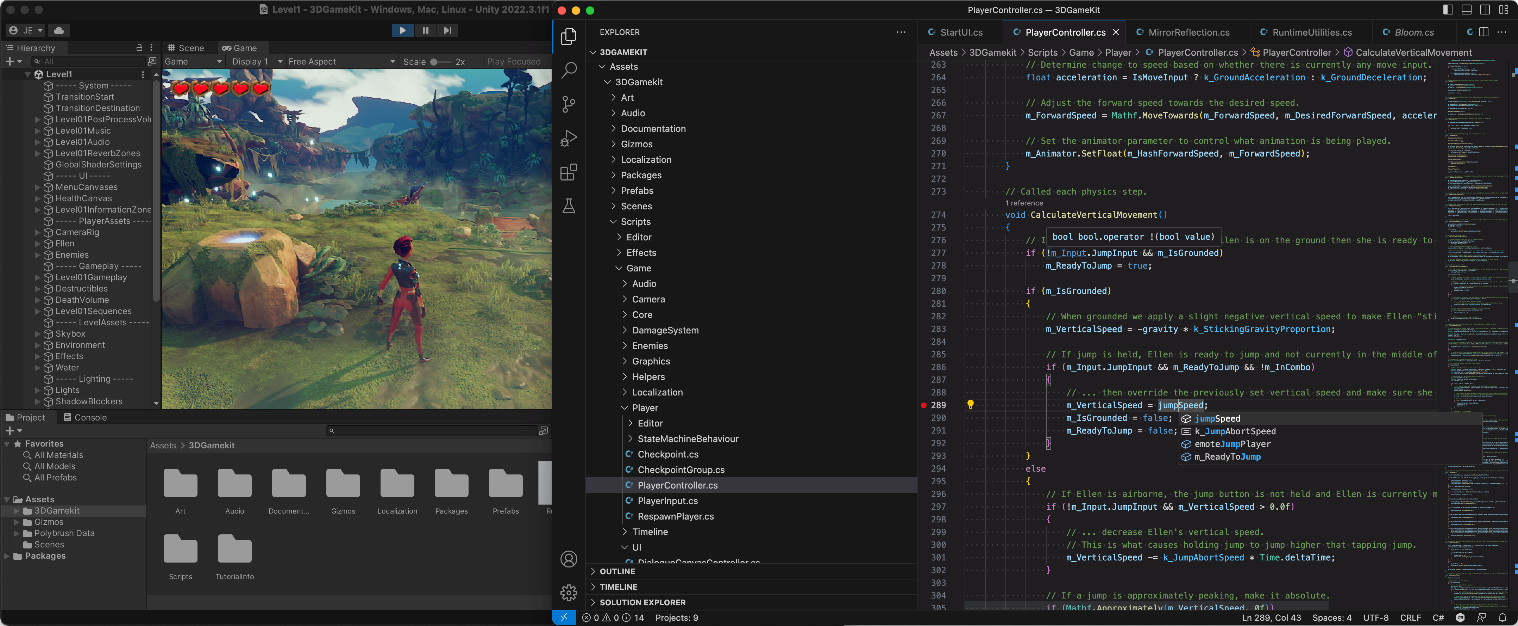
Announcing a new Visual Studio Code extension that integrates with Unity to write and debug your Unity C# games with Visual Studio Code.
My intellisense also got totally messed up (which is what you're describing)
oak plover
ok thanks :}
scarlet kindle
make sure you have disabled the old Code Editor plugin in Unity too (use the one with the green check instead)

 atomic sinew
Hey everybody! Can anyone tell me why line 14 doesn't have any effect?: https://hatebin.com/rcmajkyouk
cosmic rain
atomic sinew
Hey everybody! Can anyone tell me why line 14 doesn't have any effect?: https://...
Perhaps there's no such property?
Care to explain how you know that it "doesn't have any effect"?
 sterile shell
should the shooting logic be triggered here
void Awake()
{
    playerInput = new PlayerInput();
    onFoot = playerInput.OnFoot;

    motor = GetComponent<PlayerMotor>();
    look = GetComponent<PlayerLook>();
    shoot = GetComponent<PlayerShoot>();

    onFoot.Jump.performed += ctx => motor.Jump();
    onFoot.Shoot.performed += ctx => shoot.Shoot();
}
This doesnt make sense right?
 prime sinew
sterile shell
should the shooting logic be triggered here
```
void Awake()
{
playerI...
prime sinew
sterile shell
should the shooting logic be triggered here
```
void Awake()
{
playerI...
Please don't crosspost
sterile shell
i will delete beginner
 quartz folio
sterile shell
should the shooting logic be triggered here
```
void Awake()
{
playerI...
quartz folio
sterile shell
should the shooting logic be triggered here
```
void Awake()
{
playerI...
What's the issue? You're subscribing once, it can be called after that point just fine. You may or may not have to enable/disable the action too, depends on the setup
sterile shell
NullReferenceException: Object reference not set to an instance of an object
InputManager.<Awake>b__5_1 (UnityEngine.InputSystem.InputAction+CallbackContext ctx) (at Assets/Scripts/InputManager.cs:26)
UnityEngine.InputSystem.Utilities.DelegateHelpers.InvokeCallbacksSafe[TValue] (UnityEngine.InputSystem.Utilities.CallbackArray`1[System.Action`1[TValue]]& callbacks, TValue argument, System.String callbackName, System.Object context) (at ./Library/PackageCache/com.unity.inputsystem@1.6.3/InputSystem/Utilities/DelegateHelpers.cs:46)
UnityEngine.InputSystem.LowLevel.<>c__DisplayClass7_0:<set_onUpdate>b__0(NativeInputUpdateType, NativeInputEventBuffer*)
UnityEngineInternal.Input.NativeInputSystem:NotifyUpdate(NativeInputUpdateType, IntPtr)
It seems to cause this issue but on top of that I was wondering if this is a good way to handle shooting? Some people handle it in Update
quartz folio
Is there a motor and shoot component on every object that has this script?
sterile shell
Yes
quartz folio
Is this Awake function in InputManager, and if so, which line is 26?
sterile shell
 quartz folio
Then there is no PlayerShoot component attached to this object
sterile shell
oh my
quartz folio
You can use the debugger or log after you get the components to confirm that's the case
quartz folio
Perhaps. But either way you need to understand that NREs just mean something isn't assigned, figure out what line it's talking about, which references can be null, and then making sure they're assigned before you use them
Troublehshooting NREs is the same steps every time
sterile shell
Okay understood that's good to know
Also my other question, is this a good way to handle shooting?
as opposed to Update?
quartz folio
It's fine afaik. Events are generally preferable because they only run when needed
 worn stirrup
Can I drop a code blob here for people to see if there's any better way to shorthand it? It's a lot of space to say a little, and I'm a bit of a code line freak
oh happy saturday cst folks
I trimmed out the debugs and that's 20 lines, but I wanna be able to fine tune in the future so whatever
at least it's the end of my script
quartz folio
The left and right claw's code looks identical (though the ifs are flipped, I doubt it matters), just make one method for both with a change in parameters
worn stirrup
oo parameters, good point, I don't think that far ahead
 elfin quest
Hello. I'm working on a dashing mechanic right now. I've got it working and up and running, but I want them to work a lil diferent.
As of now if the dash ends in terrain, I'll look for the closest point on the navmesh with navMesh.SamplePosition and make the dash target location that point instead. [4]
What I want to acomplish is that it'll pick the point closest to both navmesh and player[3][1]. I have the ability to disable the terrain ignore, but I do not want to do that since the dash might pass through multiple terrain.[3]
 worn stirrup
quartz folio
The left and right claw's code looks identical (though the ifs are flipped, I do...
worn stirrup
quartz folio
The left and right claw's code looks identical (though the ifs are flipped, I do...
Way better, thanks! https://hatebin.com/afpugjjykp
elfin quest
I've throught about checking if the distance between the sampeposition point and the player is less than the inputed position and the player, that works for disregarding the samplePosition, but it does not give me the point I want
quartz folio
worn stirrup
Way better, thanks! https://hatebin.com/afpugjjykp
I meant that the complete logic for the left and right claws looks identical, the whole thing for a claw should be in a method, and only the transforms and limits should be passed in, not just the AddTorque bit
elfin quest
elfin quest
Hello. I'm working on a dashing mechanic right now. I've got it working and up a...
Nvm, thought of a solution
 lean sail
 misty drum
You can add a summary above a method by typing 3 slashes in VS and itll autocomplete the summary comments for you. Then you just fill in the description
Dont know if vscode has it too
misty drum
lean sail
You can add a summary above a method by typing 3 slashes in VS and itll autocomp...
my man

 night harness
Is there a way for me to provide a System.Type and then get every type that inherits from that type? Or even just a list of every System.Type
elfin quest
I can't find any way to check if a given point in 3D space is positioned on a navMesh, all I an find is SamplePosition and FindClosestEdge, or on the navMeshAgent isOnNavMesh. My issue is that I want to check that without placing the navMeshAgent there at all. I could go the long route of checking if a terrain object is ocuppying that point, but I feel like that is not the best option. Thoughts?
 cosmic vector
What's wrong with SamplePosition?
worn stirrup
quartz folio
I meant that the complete logic for the left and right claws looks identical, th...
so actually I'm back because this is only working in one direction (opening), what am I supposed to be doing to get it to work for closing too? https://hatebin.com/krkwfymjho
 soft shard
night harness
Is there a way for me to provide a System.Type and then get every type that inhe...
soft shard
night harness
Is there a way for me to provide a System.Type and then get every type that inhe...
Without context, sounds like you might be looking for System.Reflection
quartz folio
worn stirrup
so actually I'm back because this is only working in one direction (opening), wh...
If you took your original thing and just de-deplicated each side it would support both opening and closing
elfin quest
cosmic vector
What's wrong with SamplePosition?
I do not want the closest position, I want to know if the point is on or of the navMesh
cosmic vector
elfin quest
I do not want the closest position, I want to know if the point is on or of the ...
So... SamplePosition with a max distance of 0?
elfin quest
Does that work? xd
cosmic vector
idk have you tried it?
elfin quest
Nope, I was just testing now with calculatePath, but i'll try right after
worn stirrup
Uhhh I don't get it, but thanks for trying. I think this is more over engineering than I wanted after all 😓
cosmic vector
Is a complete guess but chances are you'd actually want a max distance of something like 0.5 or 1. Unless if you're absolutely certain you probably don't care if it is exactly on the nav mesh, but very very close to it.
quartz folio
worn stirrup
Uhhh I don't get it, but thanks for trying. I think this is more over engineerin...
https://hatebin.com/qfuegcmtrt it's easy (may need to be adjusted to pass in correct left-right parameters, I just quickly did this)
elfin quest
cosmic vector
Is a complete guess but chances are you'd actually want a max distance of someth...
Absolutley, this is not to find the closest position, I want to know if a position is on or off, so I can then assign a new position based on a raycast that finds that closest position, but ONLY in the direction of the navMesh agent. My issue with samplePosition and findclosestedge is that it will give me that closest position, but it might be further away than the range i want
cosmic vector
I'd try a max distance of like 0.05 to 0.1 in that case just to account for any floating point rounding.
worn stirrup
quartz folio
https://hatebin.com/qfuegcmtrt it's easy (may need to be adjusted to pass in cor...
That looks a lot better, thank you!
elfin quest
cosmic vector
I'd try a max distance of like 0.05 to 0.1 in that case just to account for any ...
Yep, got it working, I tried with 0, allways returns false, and I hav not done much testing, but I think anything bellow 0.1 returns false aswell, with 0.1 is working as I want it so thank you very much!
Okay one step away from victory I have my position, and I have my raycast and everything. My last issue is that the raycast is allways instanciated inside terrain, I need it's hit to detect the terrain bounds, but since it's inside the object it kinda goes through it. Is there any way (other than placing dummy objects as terrain bounds) for the raycast to hit from the inside?
I don't wana do ray marching if possible
cosmic vector
Could look at doing a Physics.RaycastAll and loop through the results.
Oh... you have the opposite problem. Is it not hitting anything at all?
elfin quest
Exactly. I have a solution that will solve my problem, but It's a hack basically and I'd much rather have a way to detect hits form inside the object, but I create gameobjects around the terrain, but bellow it, as a kind of perimeter, then I fire the raycast from bellow the terrain. It should hit the boundaries, but It'll be a problem if I ever want to implement terrain height variation.
Anyways, with that little fix it's working so I'm happy, but future me is gona have some problems xd. Thanks for the help @cosmic vector
cosmic vector
Glad I was able to help a little. Don't understand what you're trying to do with the ray casting enough to offer any help there.
 forest imp
I'm confused about the 'size' variable in a 'boundsint' type. what is it actually referencing?

I'm trying to define a triangular area and get all the tilemap blocks within that area

Here's my error btw
elfin quest
cosmic vector
Glad I was able to help a little. Don't understand what you're trying to do wit...
#archived-works-in-progress message The blue pilar is the dash endpoint, the red pilar is the raycasr hit and the yellow the closest point on navmesh from the raycastHit. If I was to do the sampleposition from the dash end it wou've brought the dude to the other side of the terrain and what I want is to be able to traverse terrain, but only if the dash range allows it
My paint drawings were not up to standards sorry xd
 hexed coral
Actually, there is some memory leaks, the ones I could spot are related to the closure created on:
button.onClick.AddListener(() => isPressed = true);
For each button, one closure will be created by creating the delegate () => isPressed = true;
The closure captures the variable "isPressed", you will never be able to access that variable again after PressButton() finishes, but it will still be allocated in the closure because the delegate is subscribed to button.onClick(meaning it won't be cleaned by the GC), thus you have a memory leak.
You can solve this by calling button.onClick.RemoveAllListeners();, the GC will eventually clean that delegate(and the closure associated with it).
@mellow sigil
 slender hound
Hello,Im making a game where there is chest with treasure that you can take on every level.I wonder where and how should I store data about every level(for example:level 1:5 green diamonds left,level 2:no loot left).
hexed coral
slender hound
Hello,Im making a game where there is chest with treasure that you can take on e...
Will such data need to be memorized on save files?
slender hound
Yes
hexed coral
My first thought is creating a serializable class that represents a save file and storing that information in there
 thorn summit
why can't i serialize a dictionary for scriptable objects?
slender hound
Thank you
 simple egret
thorn summit
why can't i serialize a dictionary for scriptable objects?
simple egret
thorn summit
why can't i serialize a dictionary for scriptable objects?
Unity doesn't support serialization of objects that are not "simply structured", ie. a lot of the generic stuff.
You either need a custom implementation (search for serializable dictionary online), or an inspector package like Odin (paid)
thorn summit
oh ok thanks
 steady moat
If the XML correspond contains the individual size of each frame of each animation, you could try to make your own importer. Otherwise, just use the sprite tool to splice the sprite sheet.
Also, you might want to look if the source provides a normalized size for each sprite or each individual frame.
If it has each individual frame, you can create an atlas in Unity.
If it has normal size, you can auto slice with the sprite tool.
 stone scaffold
HELLO
i have a very small problem and not a lot of time to fix it so can someone help asap?
i have used OnTriggerEnter2D() in one of my scripts however, when i press play, the trigger is activated before my player is inside the trigger.
steady moat
stone scaffold
HELLO
i have a very small problem and not a lot of time to fix it so can someone...
Double check what you have done. Because it should not happen.
stone scaffold
steady moat
Double check what you have done. Because it should not happen.
i have double checked
steady moat
stone scaffold
i have double checked
Good, now triple check
stone scaffold
this is not helping
steady moat
This is programming. That is how you solve an issue.
Because, there is no way we can help with the amount of information we have.
stone scaffold
i dont even know what im supposed to be checking for
steady moat
Find the collider that is responsable for the collision.
stone scaffold
there is no other collider in the scene other than the player
steady moat
Then, your player is colliding with itself.
stone scaffold
wha-
steady moat
I mean, if you have no other collider, then there is no other way than that.
lean sail
Add useful debugs, like print the name of the object colliding with your trigger.
steady moat
Base on the validity of your information.
stone scaffold
the "is Trigger" box collider that the player should trigger is all the way on the other side of the scene, but somehow when i press play, the trigger is already active
steady moat
So, there is not only the player collider...
Also, are you sure you are triggering OnTriggerEnter2D ?
stone scaffold
yes
steady moat
Your code might just be bogus
stone scaffold
    {
        inTrigger = true;
}```Use Debug.Log;
Also, log the other
stone scaffold
when i use Debug.Log("Trigger"), the console says Trigger as soon as i press play
steady moat
Log the other
stone scaffold
log what?
steady moat
Collider2D other
stone scaffold
oh
ok
breehhhhh
its colliding with my camera
i didnt know it could do that
thanks
 void sundial
Is it possible to check in C# script what the previous scene was?
prime sinew
void sundial
Is it possible to check in C# script what the previous scene was?
No, you could just save the scene name or index in a static variable though
void sundial
So I can pass it on?
prime sinew
Yeah. It's static
Asking in code general I'd assume you know what static is
So just set the variable before you change the scene
At least, that's the simplest way I can think of
void sundial
Will try that. What I'm trying to do is if the load is from a specific scene, then load with specific variables. If it's another scene, then other variables.
Makes sense.
prime sinew
I see
void sundial
Like when I'm at scene1, and reload scene1, it continues with the variables I had (aka if I had 100hp and lost 10, if I reload it's 90)
prime sinew
Then wouldn't you just check what the current scene is before loading the next one?
void sundial
But the other scene is always the startup scene, so when I load scene1 from there, it's always 100hp
void sundial
prime sinew
Then wouldn't you just check what the current scene is before loading the next o...
That's exactly what I wanna do
prime sinew
The scene manager class lets you just check what scene you're in, no?
Or if you Google"how to get current scene"
void sundial
Gotcha
prime sinew
I thought you wanted to know what the previous scene was after you loaded a new one
Hence why I suggested the separate static variable
void sundial
I phrased it poorly then sry
 stray marten
Broddas i need help i dont know how to get multiplayer to work its my first time im used to making singleplayer
 ashen bough
Hello, I have a problem that has never happened to me, in a new scene Time.deltatime returns 0. How can I solve this? The editor is not paused
 heady iris
what's Time.timeScale?
ashen bough
1
 spark stirrup
Why doesn't anything happen with my script?
using UnityEngine;

public class CullFaces : MonoBehaviour
{
    public Transform topPlane;
    public Transform bottomPlane;
    public LayerMask collisionLayer;
    public float rayLength = 0.01f; // Tiny ray length to prevent missing the target

    private void Update()
    {
        // Calculate ray origin slightly below the top plane
        Vector3 rayOrigin = topPlane.position - topPlane.up * 0.001f;

        // Shoot a ray from the rayOrigin downward
        if (Physics.Raycast(rayOrigin, -topPlane.up, out RaycastHit hit, rayLength, collisionLayer))
        {
            // If the ray hits the bottom plane, hide the top plane
            topPlane.gameObject.SetActive(false);
        }
        else
        {
            // If no collision, show the top plane
            topPlane.gameObject.SetActive(true);
        }

    }
}
My hierarchy is:
GrassBlock
- Top (has script)
- Bottom
- Left
- Right
- Front
- Back
leaden ice
spark stirrup
Why doesn't anything happen with my script?
```
using UnityEngine;
public clas...
Add Debug.Log to make sure the code is running and see which branch you end up in (the if or the else)
spark stirrup
leaden ice
Add Debug.Log to make sure the code is running and see which branch you end up i...
using UnityEngine;

public class CullFaces : MonoBehaviour
{
    public Transform topPlane;
    public Transform bottomPlane;
    public LayerMask collisionLayer;
    public float rayLength = 0.01f; // Tiny ray length to prevent missing the target

    private void Update()
    {
        // Calculate ray origin slightly below the top plane
        Vector3 rayOrigin = topPlane.position - topPlane.up * 0.001f;

        // Shoot a ray from the rayOrigin downward
        if (Physics.Raycast(rayOrigin, -topPlane.up, out RaycastHit hit, rayLength, collisionLayer))
        {
            // If the ray hits the bottom plane, hide the top plane
            topPlane.gameObject.SetActive(false);
            print("hit");
        }
        else
        {
            // If no collision, show the top plane
            topPlane.gameObject.SetActive(true);
            print("no hit");
        }

    }
}
Returns "no hit"
leaden ice
spark stirrup
```
using UnityEngine;
public class CullFaces : MonoBehaviour
{
public Tran...
then your raycast isn't hitting anything
spark stirrup
Yes I know, but I don't know why it isn't
 west sparrow
stray marten
Broddas i need help i dont know how to get multiplayer to work its my first time...
west sparrow
stray marten
Broddas i need help i dont know how to get multiplayer to work its my first time...
Do a tutorial.
leaden ice
spark stirrup
Yes I know, but I don't know why it isn't
Maybe it's going in the wrong direction. Or the position is wrong, or the layermask is wrong, or the layer on the object you expect to hit is wrong, or the object has no collider, or the collider is in the wrong position
Debug.DrawRay is a useful tool
spark stirrup
I was trying to use that earlier and couldn't figure it out
leaden ice
start investigating all these possibilities
stray marten
west sparrow
Do a tutorial.
iM ASKING BC I CANT UNDER STAND TUTORIALS THIS IS MY LAST RESORT
Woops
caos
caps
thorny cosmos
i'm working on a card game and trying to sync the cards, but i don't know why it's not working
west sparrow
stray marten
iM ASKING BC I CANT UNDER STAND TUTORIALS THIS IS MY LAST RESORT
If you have a specific question - definitely ask in #archived-networking but this isn't the place to get one on one unity training.
spark stirrup
leaden ice
Maybe it's going in the wrong direction. Or the position is wrong, or the layerm...
I'm stupid, the ray was too short 😭
 proud cypress
I'm new to working with base and sub classes. I'm making a gun script that can handle different kinds of guns. I want to figure out how to connect any of these guns to my GunSlot script, if I had a sub class of Gun called SingleFireRifle, how would I best be able to link this to the gun slot? At start of game we start with the SingleFireRifle already in the gun slot but I want to be able to update it, something like this running from the GunSlot script if it's child is empty: gun = GetComponentInChildren<Gun>();
The runtime would look like: PlayerControl.cs runs GunSlot.cs Fire() method when the shoot button is pressed, if GunSlot.cs does not have a gun assigned it will look at it's child that will inherit from Gun.cs, and will then call the Shoot() method of that class, in this case SingleFireRifle.cs
The idea being that the player will be able to drop a weapon from the slot and pick up other weapons that all inherit from Gun.cs
leaden ice
proud cypress
I'm new to working with base and sub classes. I'm making a gun script that can h...
sounds fine - I would just directly assign the gun when you pick it up rather than using GetComponentInChildren though
proud cypress
Ok, I was basically seeing at the start if gun = GetComponentInChildren<Gun>(); if (gun == null) { Instantiate(defaultGun, Vector3.zero, Quaternion.Euler(new Vector3(0, 0, -90))); }
but gun doesn't seem to register as null even when the gun says empty in the public inspector (it is public Gun gun;)
 gritty hazel
If I have a class that defines a method
protected abstract void Foo(body);
And I would like to override it in another class, but that class is already inheriting from another class (C# doesn't support multiple inheritance), how could I override that method?
spark stirrup
How should I cull my blocks instead of doing it inside of an update function?
using UnityEngine;

public class CullFaces : MonoBehaviour
{
    public Transform topPlane;
    public Transform bottomPlane;
    public LayerMask collisionLayer;
    public float rayLength = 0.01f; // Tiny ray length to prevent missing the target

    private void Update()
    {
        // Calculate ray origin slightly below the top plane
        Vector3 rayOrigin = topPlane.position - topPlane.up * 0.001f;

        // Shoot a ray from the rayOrigin downward

        if (Physics.Raycast(rayOrigin, topPlane.up, out RaycastHit hit, rayLength, collisionLayer))
        {
            // If the ray hits the bottom plane, hide the top plane
            //topPlane.gameObject.SetActive(false);
            topPlane.GetComponent<Renderer>().enabled=false;
            //print("hit");
        }
        else
        {
            // If no collision, show the top plane
            topPlane.GetComponent<Renderer>().enabled=true;

            //print("no hit");
        }
    }
}
It's too laggy lol
 leaden solstice
gritty hazel
If I have a class that defines a method
```protected abstract void Foo(body);```...
leaden solstice
gritty hazel
If I have a class that defines a method
```protected abstract void Foo(body);```...
Use interface instead
gritty hazel
leaden solstice
Use `interface` instead
But with an interface I'm implementing it, I can't override it
leaden solstice
gritty hazel
But with an interface I'm implementing it, I can't override it
How does that matter, interface method is same as abstract method
leaden ice
spark stirrup
How should I cull my blocks instead of doing it inside of an update function?
`...
Is this for a Minecraft-like game?
The whole idea of using a separate Renderer for every face of every block is already super inefficient
spark stirrup
leaden ice
Is this for a Minecraft-like game?
The whole idea of using a separate Renderer f...
Yes it is. I should probably target all blocks in the same script I generate my chunks right?
leaden ice
idk what that means
gritty hazel
leaden solstice
How does that matter, interface method is same as abstract method
so instead of
protected override void Foo(body);
should be declare as
public void Foo(body)
?
leaden ice
generally games like this precedurally generate meshes to represent some number of connected blocks or a chunk or something along those lines
leaden ice
gritty hazel
If I have a class that defines a method
```protected abstract void Foo(body);```...
C# doesn't support multiple inheritance as you noted. It is not possible
you should consider using a composition pattern, rather than an inheritance pattern
leaden ice
e.g. "Shield goblin IS a Goblin and HAS a shield" rather than "Shield Goblin IS a goblin and IS a shield unit"
spark stirrup
leaden ice
generally games like this precedurally generate meshes to represent some number ...
I am generating chunks. This is going to sound dumb but the reason I'm using a seperate renderer for every face is because I couldn't figure out how uv mapping works in unity
leaden solstice
gritty hazel
so instead of
```protected override void Foo(body);```
should be declare as
```p...
Sure, or interface specific implementation
leaden ice
spark stirrup
I am generating chunks. This is going to sound dumb but the reason I'm using a s...
Time to learn then
as you can see this way is not practical
spark stirrup
leaden ice
Time to learn then
Would it be a simple change to my culling script for those blocks?
leaden ice
probably not
spark stirrup
oh well lol
leaden ice
nothing about this is going to be simple
spark stirrup
good point
leaden ice
aren't there tutorials for minecraft mesh generation etc?
proud cypress
perlin noise is what you would look for
proud cypress
leaden ice
that's just one part of it
Well the rest could be best explained in this video I found once on the topic, it is long and part of a series: https://www.youtube.com/watch?v=leBl6q21-0I&list=PLcRSafycjWFdYej0h_9sMD6rEUCpa7hDH&ab_channel=SunnyValleyStudio

In the Section 1 of this procedural voxel world generation Unity 2020 tutorial we will start by creating a codebase to generate the terrain using voxels. We will need to write a bit of code so instead of retyping the code copy it from github or use the end project from google drive (links below).
Section 1 - Voxel Terrain Engine https://youtube...
gritty hazel
leaden solstice
Sure, or interface specific implementation
I tried with some like
{ void Foo(body); }

public class MyCustomScript : InheritScript, IMycustomInterface
{
...
public void Foo(body)
{ do some logic }
}```

But can't get it to work without overriding the method.But can't get it to work without overriding the method.
What does that mean?
gritty hazel
leaden solstice
> But can't get it to work without overriding the method.
What does that mean?
That the logic doesn't work in the script
simple egret
Seems like they want a default implementation after all
leaden solstice
gritty hazel
That the logic doesn't work in the script
Why? Show how you are calling it
Default implementation is good but very misleading concept
simple egret
Yeah, never really found a use for those
gritty hazel
leaden solstice
Why? Show how you are calling it
 leaden solstice
gritty hazel
leaden solstice
gritty hazel
So you implemented it, what is 'not working' part
gritty hazel
leaden solstice
So you implemented it, what is 'not working' part
The input public void CheckInput()
leaden solstice
gritty hazel
The input public void CheckInput()
I mean how is it not working
You have compile error?
gritty hazel
leaden solstice
You have compile error?
I don't get any errors
leaden ice
gritty hazel
Is there an error at compile time?
Is there an error at runtime?
Is it not running at all?
Have you checked with log statements or the debugger?
How are you calling it?
leaden solstice
gritty hazel
I don't get any errors
So how is it not working
gritty hazel
leaden solstice
So how is it not working
that's what I'm asking myself
If I do the same one, but inheriting from the class with the abstract void CheckInput() method and override the method, its works. But with interfaces I can't make it to work
I added a debugger after the press button, but nothing prints out in the console, so I guess I'm doing the interface wrong
leaden solstice
gritty hazel
If I do the same one, but inheriting from the class with the abstract void Check...
Where are you actually calling CheckInput ?
gritty hazel
leaden solstice
Where are you actually calling `CheckInput` ?
When I inherit directly from that class?

In this case it is working as I'm inheriting directly from HVRInputAction and overriding the method
leaden solstice
gritty hazel
When I inherit directly from that class?
I mean.. something needs to call the method
If you don't call it ofc it doesn't execute
gritty hazel
leaden solstice
I mean.. something needs to call the method
You mean by this?:
    {
        if (controller.TriggerButtonState.Active)
        {
            StartRecording();
            isRecording = true;
        }

        if (controller.TriggerButtonState.JustDeactivated)
        {
            if (isRecording)
            {
                StopRecordingAndSubmit();
                isRecording = false;
            }
        }
}```That's a method definition not a method call
Actual call like something.CheckInput(args);
gritty hazel
leaden solstice
Actual call like `something.CheckInput(args);`
but I'm calling StartRecording() and StopRecording() methods inside CheckInput()
I'm a bit lost, should I call also CheckInput(); somewhere else in the code?
leaden ice
gritty hazel
I'm a bit lost, should I call also CheckInput(); somewhere else in the code?
if you want code to run, you do have to call it generally
gritty hazel
leaden ice
if you want code to run, you do have to call it generally
So something like?:
    {
        customConversation.CheckInput(leftController);
        customConversation.CheckInput(rightController);
}```Are you deriving from this not your own class? https://cloudwalker2020.github.io/HurricaneVR-Docs/api/HurricaneVR.Framework.ControllerInput.HVRInputAction.html
Then library is calling that method, and the library requires inheritance
gritty hazel
leaden solstice
Then library is calling that method, and the library requires inheritance
So only inheritance, I can't do it through interfaces?
leaden solstice
gritty hazel
So only inheritance, I can't do it through interfaces?
Yes, and it sounds like the case you shouldn't combine them as single class in the first place
You can make your classes separate MonoBehaviour and communicate between them
 scarlet viper
im trying to create an PersistentSpeed variable and i already have done so, it's making sure the vehicle speed doesnt drop instantly after releasing the drive button despite high Drag settings.
but the issue is, when I hit a tree and my velocity will go to 0 because of collision, it wont detect it and will think it should still remain at high speed
I can detect collision but i think its a wrong way to do this
gritty hazel
leaden solstice
You can make your classes separate MonoBehaviour and communicate between them
Alright, thanks for the explanation!
 ashen yoke
scarlet viper
im trying to create an PersistentSpeed variable and i already have done so, it's...
ashen yoke
scarlet viper
im trying to create an PersistentSpeed variable and i already have done so, it's...
you are trying to both use physics and bypass it
which creates a sort of circular dependency problem
instead, control the drag, for example
high speed lower drag
scarlet kindle
Hi, I want to generate by code a layered sprite from multiple base images, is that something that is doable in unity?
ashen yoke
yes
 rigid island
scarlet kindle
Hi, I want to generate by code a layered sprite from multiple base images, is th...
rigid island
scarlet kindle
Hi, I want to generate by code a layered sprite from multiple base images, is th...
anything is doable 🙂
scarlet kindle
for example, think a deck of cards with suit & number. have a base card image, then layer the number & suit onto it
rigid island
scarlet kindle
for example, think a deck of cards with suit & number. have a base card image, t...
You can use a basecard prefab then load its stats via ScriptableObject data or just regular POCO
scarlet kindle
yea that was where I've started, but i'm struggling with concept of layering images on top of each other, can you elaborate on how to do that?
rigid island
you would just put the placeholders of where the positions of images will be
then replace the image according to the Suit or type of card n whatnot
scarlet kindle
would I want to use a Sprite Renderer if it's a 2d object?
rigid island
scarlet kindle
yea that was where I've started, but i'm struggling with concept of layering ima...
so the whole idea of prefabs is to create a "template" for a blank card with placeholders for the icons, labels and all that junk
rigid island
scarlet kindle
would I want to use a Sprite Renderer if it's a 2d object?
sure, sometimes you can just do everything entirely on UI (Image component). Depending on your specific usecases
scarlet kindle
ok i'll look into ScriptableObject examples thanks
rigid island
scarlet kindle
ok i'll look into ScriptableObject examples thanks
not a huge fan of Brackys but this can show an example of what I meant
https://youtu.be/aPXvoWVabPY
When making a game you need a good way of storing data. This is where Scriptable Objects come in! In this video we’ll learn how to use them by looking at an example: Making cards for Hearthstone.
● Project on GitHub: https://github.com/Brackeys/Scriptable-Objects
♥ Support Brackeys on Patreon: http://patreon.com/brackeys/
····················...
scarlet kindle
awesome!!! ty
leaden ice
ISelectHandler on the selected object?
 edgy ether
so i'm trying to get the asset folder of a referenced sprite?
i used
string imagepath = AssetDatabase.GetAssetPath(_sprite);
but this just gets the specific file location +name+extension. example: "/assets/gamestuff/sprites/Sprite.png"
but i'd like to get the folder that that sprite is in. example "/assets/gamestuff/sprites"
anyone know of a way to do that?
just making a reference for all the objects in a folder if one object from that folder is referenced.
soft shard
edgy ether
so i'm trying to get the asset folder of a referenced sprite?
i used
```cs
strin...
Since you know the path returned is a file, you could parse the string to the last "/", or use the Path class: https://learn.microsoft.com/en-us/dotnet/api/system.io.path.getdirectoryname?view=net-7.0 - or put it in a new FileInfo and get the parent folder: https://learn.microsoft.com/en-us/dotnet/api/system.io.fileinfo.directory?view=net-7.0 - these are all part of the System.IO namespace, and not specific to the engine/AssetDatabase
leaden ice
edgy ether
so i'm trying to get the asset folder of a referenced sprite?
i used
```cs
strin...
edgy ether
thank you very much the both of you 🙇🏾♂️
 spare dove
Any mathemagicians here? I need to figure out a way to get an array of the green squares
 rigid island
spare dove
Any mathemagicians here? I need to figure out a way to get an array of the green...
rigid island
spare dove
Any mathemagicians here? I need to figure out a way to get an array of the green...
is that euclidean distance the red ? maybe you need manhattan to get those
 fervent furnace
bresenham line drawing algorithm
spare dove
fervent furnace
bresenham line drawing algorithm
It worked, big thanks 🙂
 spring summit
Hi guys, seeking some help here.
I've got a ScriptableObject with an enum, worked fine in 2021 LTS.
I recently upgraded to 2022 LTS and it started producing this error. Reads NullReferenceException: Object reference not set to an instance of an object.
Does anyone know if this is a known issue in the latest 2022 LTS or if I have to fix something?

 modern creek
maybe you could make that console window wider so it's possible to read the stack trace 😛
spring summit
Sorry, here's the full message from my console
modern creek
judging from what I can read of it, it doesn't look related to your ability data? looks like it's related to something else entirely
oh, no, it's something going on with Odin
spring summit
spring summit
Sorry, here's the full message from my console
I'm using the Odin Inspector package, but even after removing it the issues persist
modern creek
well.. you probably need to track down where the error is.. I haven't had any issues migrating my project from 2021.3 to 2022.x but I don't use odin or enums in SOs
spring summit
the error is global, all of my scriptable objects with enums proc this error
I haven't even touched some of the scriptable objects for months
spring summit
modern creek
well.. you probably need to track down where the error is.. I haven't had any is...
still looking, hopefully I find the root soon :((
modern creek
try making a brand new SO with only one field, an enum, and see if you get the same error
i can't imagine that odin or unity SOs have any problems with enums, I suspect something else is going on
the stack trace seems to be having issues drawing text fields, maybe? UnityEditor.EditorGUI.TextField namespace in the lines at the top
spring summit
modern creek
try making a brand new SO with only one field, an enum, and see if you get the s...
Created a brand new ScriptableObject with no dependencies/3rd party packages, it's not even in my namespace
Same issues :((
modern creek
do me a favor, because i'm curious - post a screenshot of your entire unity window
(don't resize things)
i wonder if there's a bug in odin or something else with text fields for very small sizes?
spring summit

I just enlarged the inspector to the right to take up 80% of my screen
didn't solve it
modern creek
what about the game window?
maybe that tiny game window is causing issues in some component or editor validator?
modern creek
and what version of odin?
i might upgrade odin.. the stack trace seems related to editor drawing stuff
update*
spring summit
modern creek
i might upgrade odin.. the stack trace seems related to editor drawing stuff
You're not gonna believe this
Odin uninstalled itself 💀
I re-imported it and it fixed everything
Not sure why the issue extended even to SOs that didn't call it, but ok 🤷🏻♂️
Thank you for the help! I don't think I would've fixed the issue if I didn't look for Odin in my package manager 🙆🏻♂️
 devout solstice
I dont know how to fix it without rewriting the whole thing though, because the only fix i can think of is swap the struct for a bunch of dictionaries so I dont need to iterate through any list
But in order to do that Id basically just need to redo the whole thing
@rigid island
 west pelican
I am making a little rpg and want to make it so if the player taps in a certain direction (eg. up, down, left, right) they will face that direction, but if they hold it, they will move in that direction
rigid island
devout solstice
I believe the problem is too many for loops
lemme see... this is a monolith h/o
devout solstice
a what?
rigid island
devout solstice
a what?
that is indeed a lot of loops
idk how much of issue it would cause tho..you'd have to profile it
spring summit
west pelican
I am making a little rpg and want to make it so if the player taps in a certain ...
You can store the duration for which your player is inputting a certain value and run your code based on that
Unity's Input System comes with Interactions that allow you to define special inputs (e.g. holding buttons, double tapping)
You can define how long a Hold interaction is and run code based on whether the input is a Tap or a Hold
devout solstice
rigid island
that is indeed a lot of loops
I counted them, 11 for loops
rigid island
all those if statements tho can just be a switch or sum
spring summit
rigid island
idk how much of issue it would cause tho..you'd have to profile it
^ if your code works, is readable, and your game doesn't deem it too expensive, you don't need to optimise everything
rigid island
well they claim FPS drops so only way to know is to profile
otherwise you're just speculating
11 for loops shouldn't matter , it matters more what you're doing in those but don't see anything tragic..
computers are pretty darn powerful to run thousands of for loops with ease (ofc its important what you're doing in them too)
west pelican
west pelican
I am making a little rpg and want to make it so if the player taps in a certain ...
can someone help me out here?
spring summit
spring summit
You can store the duration for which your player is inputting a certain value an...
^^
devout solstice
rigid island
well they claim FPS drops so only way to know is to profile
what does that mean
rigid island
devout solstice
what does that mean
what does what mean?
devout solstice
profile
rigid island
using the profiler
https://docs.unity3d.com/Manual/Profiler.html
devout solstice
aight
knotty sun
west pelican
can someone help me out here?
read the Unity Input.Touch documentation
rigid island
devout solstice
aight

Check out the Course: https://bit.ly/3i7lLtH
Learn how to use the amazing Unity3D profiler in just a few minutes. We'll go over a sample project built to show the profiler at it's best, then start profiling and tuning a real project.
More Info: https://unity3d.college
Join the FB Group: http://unity3d.group
devout solstice
thank you
west pelican
knotty sun
read the Unity Input.Touch documentation
alright thanks 👍🏾
west pelican
knotty sun
read the Unity Input.Touch documentation
from what i understand, this is more for mobile games
knotty sun
you said you were making a mobile game
west pelican
no?
oh
im sorry i think i worded it badly
yeah i understand how it came off that way
i meant tap the key
vs holding the key
sorry about that 😂
knotty sun
Ok, so you need Input.GetKey and Input.GetKeyDown
west pelican
oh
so getkeydown only accounts for the single frame the key is pressed
and getkey accounts for the entirety the key is held
spring creek
Yes
west pelican
ok let me think on how I could structure that
scarlet kindle
https://gdl.space/izafecelez.cpp
I'm trying to make the mouse hover cause the Object to expand a bit, then shrink when mouse leaves. It works! But, there is a bug where fast mouse movement over the object causes it to deform, any ideas?
Crap, what's a better way to show my code?
spring creek
scarlet kindle
Crap, what's a better way to show my code?
!code
tawny elkBOT
Posting code
📃 Large Code Blocks
Large code blocks should be posted as links to services like:
https://gdl.space/, https://paste.ofcode.org/, https://hatebin.com/
https://paste.myst.rs/, https://hastebin.com/
📃 Inline Code
Surround code with three backquotes. Not quotation marks.
To get C# formatting the first line should only contain cs or csharp.
Add a comment with a line number if there is an error message.
```cs
// Your code here
```
Do not share screenshots of code unless requested.
spring creek
scarlet kindle
https://gdl.space/izafecelez.cpp
I'm trying to make the mouse hover cause the O...
Deform in what way? Like expand/contract too much
scarlet kindle
it will actually shrink the object more than it's supposed to and then the object stays that small, lol
one sec ill share images
normal expansion (1)
weird bug(2)

 lean sail
scarlet kindle
it will actually shrink the object more than it's supposed to and then the objec...
lean sail
scarlet kindle
it will actually shrink the object more than it's supposed to and then the objec...
From just skimming through it's probably because you are using the current local scale, you should cache the initial scale and lerp towards that
You also arent caching your coroutines, so your stop coroutines do nothing
lean sail
scarlet kindle
ok great ideas i'll look into caching, ty
Caching just means save it in memory. Store the initial scale and have a field for your coroutines
scarlet kindle
roger
 trail pelican
Hey! So I'm using an array property with [SerializeReference] and everytime I edit the class that my array contain, it removes all objects from the array I put via the inspector. Is this normal? Is there a way to not do that? 😅
 deep oyster
Is there a more performant alternative to raycasting to check if a point is visible from an object in 2d? I'm trying to get a map of visible locations and I'm not sure if raycasting hundreds of times is viable
scarlet kindle
lean sail
Caching just means save it in memory. Store the initial scale and have a field f...
added caching by storing the original scale here https://gdl.space/ihitehoxes.cpp
it fixes the bug, but for some reason they are shrinking more than they're supposed to now, heh
lean sail
deep oyster
Is there a more performant alternative to raycasting to check if a point is visi...
you could use this
https://docs.unity3d.com/ScriptReference/Camera.WorldToViewportPoint.html
just check if its between 0 and 1. Then possibly raycast once to see if anything is blocking it. Raycasting hundreds of times is almost never viable, it would be a very niche case that you would want to do this and have no alternative
deep oyster
well unfortunately I'm not actually using a camera when I say visible
this is my setup

I want to get a map of places that the white square can't see
so my AI can find one and hide from them
lean sail
scarlet kindle
added caching by storing the original scale here https://gdl.space/ihitehoxes.cp...
you may want to add debugs to see whats specifically happening, like if the coroutine is only running once, if the localScale is what you expect in code. I would also use a timer increasing by deltaTime instead of what you're doing with that for loop and WaitForSeconds(0.015f)
scarlet kindle
lean sail
you may want to add debugs to see whats specifically happening, like if the coro...
tru
deep oyster
Can I see if a point is hit by a light more performantly than raycasting? A light is how I'm creating the "visibility area" visual effect
trail pelican
 primal wind
I don't think so but i might be wrong
primal wind
I don't think so but i might be wrong
Ah I'm dumb I forgot the [Serializable] to my main class 😅. It's working, but I'm afraid it might just redo the same thing after I do a another random thing 🙃
scarlet kindle
lean sail
you may want to add debugs to see whats specifically happening, like if the coro...
oh rofl, i'm reducing the size relative to the originalScale.... that's the issue 😛
lean sail
deep oyster
I want to get a map of places that the white square can't see
i havent exactly worked with this case so im unsure myself what the best solution is. Instead of raycasting though I would use some OverlapBoxAll or really any of those overlap shapes and get the list of all objects nearby. Then start calculating from there whats obscuring the vision
deep oyster
Uh
lean sail
A naive approach would be have the AI go towards the center of the closest object thats obscuring vision, on the opposite side that the white square is
lean sail
deep oyster
Uh
https://docs.unity3d.com/ScriptReference/Physics2D.OverlapBoxAll.html
if something was confusing i can clarify, but overlapboxall would be way better than raycasting to start
deep oyster
That tells me a list of objects that are near the square but that's not really helpful for what I'm trying to do. My project is to make an intelligent AI that will smartly hide from the player, and predicting where they will go, attempt to stay hidden.
leaden ice
deep oyster
this is my setup
Do you have a pathfinding algorithm or grid here? Basically just do a floodfill (BFS) and check each square with a boxcast to see if there's LOS. Keep going till you find one without LOS
lean sail
deep oyster
That tells me a list of objects that are near the square but that's not really h...
Your raycasting would be doing the same thing as overlap box all but would be way worse performance. It's just to get what can block vision
But for such an advanced AI yea you would need what praetor suggested
leaden ice
basically you will need a pathfinding algorithm for basically any approach here. YOu can also start the search with positions that are as far away from the player as possible
deep oyster
I have a pathfinding plugin that generates a navmesh, I'll see if I can figure out how much I can interface with the mesh itself
west pelican
hmmm
So I'm trying to use Input.GetKeyDown and Input.GetKey to make different responses between tapping a key and holding the key down
This is for movement controls
but I am struggling to come up with code that isn't 100 lines long to do this
scarlet kindle
lean sail
you may want to add debugs to see whats specifically happening, like if the coro...
hey so, I think the bug is because the Enter coroutine is still running while the Exit is starting, so they are both modifying the transform at the same time, creating unexpected behavior. Is there some way you'd suggest to keep them both in one code block, or to make one of them blocking the other? I know this is contradictory to the behavior of Coroutines, but surely there are many use cases for doing this
so I guess i need to stop the other one, and then set the expected size in the exit one... otherwise it will bug out
 woeful spire
west pelican
but I am struggling to come up with code that isn't 100 lines long to do this
woeful spire
west pelican
but I am struggling to come up with code that isn't 100 lines long to do this
you might have to explain further?
west pelican
west pelican
I am making a little rpg and want to make it so if the player taps in a certain ...
sorry i have some context up here
woeful spire
west pelican
sorry i have some context up here
Ahh, are you using a vector for this to begin with?
You can achieve this effect by just turning the player towards the direction it's walking in.
If you tap you'll ever so slightly walk in a certain direction, and therefore turn no?
west pelican
i want the player to stay in place though. just turning in the direction. kind of like in the old school pokemon games
for example if you tap left, you turn to face left, but if you actually hold it down you will walk left
sorry if im confusing u its hard to explain lol
woeful spire
west pelican
i want the player to stay in place though. just turning in the direction. kind o...
ahh, I see.
Well you'd want to check if the input matches your current forwardVector and if it does: move.
Else, turn to the input direction.
Then I guess wait a certain time before you can move forwards, as you must be able to tap and not move in that direction.
west pelican
someone else suggested i use Input.GetKeyDown to turn the player in the direction, and then use input.GetKey to actually move
woeful spire
That would result in walking even if you turn though.
Input.GetKeyDown and input.GetKey Are both active when you press down a key.
The difference is that Input.GetKeyDown only is true the first frame you press it down. It then returns to false.
I suggest what I previously wrote, only using input.GetKey.
modern creek
If I'm designing an open world system, where each chunk has some tiles (10x10 currently but probabaly 20x20 later) and there's essentially an infinite number of chunks since they're procedurally generated, should I be "moving the world" (and keeping the camera at 0) to avoid float instability later?
(I'm typically only going to have 9 chunks visible on screen at once)
woeful spire
modern creek
If I'm designing an open world system, where each chunk has some tiles (10x10 cu...
You shouldn't have to worry about that. It'll take a few units before you exit the world.
But if you somehow end up outside, that's when you should implement it. I highly doubt it though.
leaden ice
modern creek
If I'm designing an open world system, where each chunk has some tiles (10x10 cu...
If you plan for the player to be able to go more than ~2km from the origin then yes
modern creek
2km units? I was thinking I was going to have my transform sizes be pixel based, but ... that seems to be uncommon from digging into other example projects
If my transforms were pixel based than a player would easily be able to get to (2,000,000, 2,000,000) and I imagine all kinds of wonky things will happen there
west pelican
woeful spire
That would result in walking even if you turn though.
`Input.GetKeyDown` and `in...
question. hypothetically, what would the result of this code be
 modern creek
pathing, camera movement, colliders, etc
west pelican
west pelican
question. hypothetically, what would the result of this code be
would this still result in the player walking even if they tap the key
woeful spire
west pelican
question. hypothetically, what would the result of this code be
Yeah - before we continue on this code I'd recommend looking at some basic tutorials for moving around.
Using these inputs in this way is incredibly inefficient and cluttered.
You want to use a vector to store your input.
west pelican
alright. sorry i'm a bit new and am just experimenting around. do u have a tutorial in mind?
woeful spire
west pelican
alright. sorry i'm a bit new and am just experimenting around. do u have a tutor...
No need to be sorry, we're all beginners at one point :)
Any tutorial should do for 2D movement. I do recommend looking at more than one though as there's always more than one way of doing it.
Here's one: https://www.youtube.com/watch?v=dwcT-Dch0bA

Let’s give our player some moves!
● Check out Skillshare: https://skl.sh/brackeys7
● Character Controller: https://bit.ly/2MQAkmu
● Download the Project: https://bit.ly/2KPx7pX
● Get the Assets: https://bit.ly/2KOkwjt
♥ Support Brackeys on Patreon: http://patreon.com/brackeys/
·································································...
 fathom cobalt
Hey all, I'm having some problems with navmeshagent and root motion. I'm trying to make an enemy ai, the agent is moving the enemy but when it attacks, it switches to root motion animation for the attack (using agent.isstopped and animator.applyrootmotion to allow root motion attack). Currently though, when it attacks, sometimes the root motion works, sometimes it just attacks inplace. I've been noticing it more often remains inplace when it's within a certain distance (I've been observing about 3.5u) from the player. I've already scoured my code and don't think I'm explicitly setting anything that could cause this. Does anyone know why this is happening?
woeful spire
I need some help myself;
I'm making a controller in 3D, and I'm using Physics.SphereCastNonAlloc to check the ground below the player.
An issue that arises is with meshes that are stairs or other uneven surfaces. The point of the code is to be able to traverse these efficiently.
The Physics.SphereCastNonAlloc doesn't allow for multiple collisions with the same object, so when it hits a stair, it never checks the other steps.
I was thinking I could rectify this using multiple Physics.SphereCast and just iterate for every collision.
It doesn't seem to work quite well though, as I need to start inside the mesh in order to find the step.
Is there a way to start a cast within a mesh and stop only when it hits another front-face?
In the picture there's an example of the issue.
The circled point in blue is found, but the point marked by an X isn't.

 earnest epoch
Hello everyone! I am trying to determine whether or not the player's cursor is targeting any UI element on screen so that to their exclusion I can assume that the player is pointing at something in the game world that is not UI. My question is really one of best practice... anytime the user moves the mouse I perform the following using the new input system:
public void OnCursorPosition(InputAction.CallbackContext context)
{
switch (context.phase)
{
case InputActionPhase.Performed:
UpdateScreenPosition(context.ReadValue<Vector2>());
break;
}
}
private void UpdateScreenPosition(Vector2 rawInput)
{
screenPosition = rawInput;
viewportPosition = Camera.main.ScreenToViewportPoint(rawInput);
canvasScreenPosition = GameInterfaceController.ViewportToCanvasPoint(viewportPosition);
inWindow = !(viewportPosition.x < 0 || viewportPosition.x > 1 || viewportPosition.y < 0 || viewportPosition.y > 1);
// Are we targeting the world!?
}```
What I'm considering now is how I can best produce a boolean that rings true if the cursor does not intersect any UI elements. I could certainly share more code if anyone is interested, but I'm wondering if anyone has doine this before and has any general ideas that I should consider. Thanks so much! molten oriole
Hello :D
Another problem it is... I have written this simple CharacterController where the player simply follows a GameObject, which is moved by WASD relative to the players position. It all worked like a charm until I realized, you can use small edges like in the video to build up some sort of momentun making you rotate constantly. You can undo it by walking straight into a wall, but getting rid of the core problem would be cool anyways. I put an example video and a photo of the code. Please excuse if it is messy, I had to play around a bit to end up with this and as so often, as soon as something works I don´t touch it anymore
 woeful spire
molten oriole
Hello :D
Another problem it is... I have written this simple CharacterController...
woeful spire
molten oriole
Hello :D
Another problem it is... I have written this simple CharacterController...
check in your Rigidbody constraints. Locking it on rotation in the Y axis might help here.
It looks like your character is getting spun by knocking into the wall.
You can quickly test if this is the case by just making the angular drag massive.
sorry, just re-read and see that you have CharacterController. Nevermind...
molten oriole
No the player has a rigidbody
woeful spire
ahh, then maybe it is the issue. I haven't used CharacterControllers so I wouldn't know...
molten oriole
Yes it worked! :D Thanks a lot man ^^ Sorry I can´t help with your issue, I am not that long into Unity...
woeful spire
molten oriole
Yes it worked! :D Thanks a lot man ^^ Sorry I can´t help with your issue, I am n...
Great! :)
nah no problem, never feel pressure to help anyone.
 opal pine
Hey guys, trying to setup a reverse distance thing but from within a radius. So I want to know how for an object is from the radius its in. Not from the centre. Am I right thinking I need to grab centre of radius, point towards object till i hit the edge of radius then distance that between edge and object? Or is there an easier way?
cosmic rain
opal pine
Hey guys, trying to setup a reverse distance thing but from within a radius. So ...
(Radius - DistanceToCenter) should work.
opal pine
Radius and distance to centre would be the same numeber wouldnt it?
or you mean object distance to centre?
lean sail
the distance of your object from the center
opal pine
 thanks.
 echo sleet
Is Rigidbody.MovePosition the only way to make a rigidbody copy the position of a transform I've placed in the scene? Its working perfectly in terms of following the transform but ignores collisions. I tried using addforce instead but its not working and I'm thinking of just coding some work around lol.
cosmic rain
echo sleet
Is Rigidbody.MovePosition the only way to make a rigidbody copy the position of ...
You'd either need to use forces or velocity for it to collide properly.
 mossy snow
What version of xcode are you building with? Might be out of date
Xcode version is fine, I found something mentioning code signing maybe being an issue on an older macos version? Apple is pretty strict with versioning
you aren't signing it with xcode?
this sounds like a shady tool with instructions like 'When prompted, enter your Apple ID password. The tool uses your Apple ID to sideload the app. We recommend you use a burner account.'
so I'm going to guess that's your issue
mossy snow
If you use a public certificate provided by Esign, chances are that the certificate will get revoked quickly because Apple quickly blocks publicly used certificates. In such cases, you can only use apps until the certificate is revoked, after which you have to resign them.
The tool is designed to get around a security measure
opal pine
Ok im starting to rip my hair out. I have objects that are untagged but getting in my if statement.
if (explode) {
    foreach (Collider2D c in col) {
        RaycastHit2D hit = Physics2D.Raycast(transform.position, c.transform.position, exploderadius);
        if (hit.collider == c.CompareTag("Enemy") || hit.collider == c.CompareTag("Player")) {
            float dist = Vector2.Distance(transform.position, c.transform.position);
            float edgeDist = exploderadius - dist;
            float adjustDam = (edgeDist / exploderadius) * 100;
            float finalDam = (adjustDam / 100) * maxDamage;
            if (c.CompareTag("Enemy")) c.GetComponent<Enemy>().TakeHealth(finalDam);
            else if (c.CompareTag("Player")) c.GetComponent<PlayerMovement>().TakeHealth(finalDam);

            Debug.Log("In radius: \n" + c.name + "\nDist from edge: " + edgeDist + "\nDam percent: " + adjustDam + "\nFinal Dam: " + finalDam);
            Object.Destroy(this.gameObject);
        }
        else Object.Destroy(this.gameObject);
    }
}
What am I missing?

 mossy snow
What do you think is actually happening with this statement:
if (hit.collider == c.CompareTag("Enemy") || hit.collider == c.CompareTag("Player")) {
because it's wild, and I bet it's not doing what you think it's doing
opal pine
If the raycast hits those colliders with that tag it continues?
nope still doing the same
Thats already in there?
Yep. Which is what i want
But its allowing false to go through
How do I check tags without == ?
So how would I compare?
Should I just add another if statement then? might be the best way around it
mossy snow
opal pine
If the raycast hits those colliders with that tag it continues?
look closely, you never check what tags the hit collider has. You check only the tags of colliders in col. Your raycast here does nothing at all, and your code is equivalent to selecting those colliders in col that have the Enemy or Player tag
spring creek
Why is TakeHealth in PlayerMovement. If it was its own component you could use the same if check for Enemy or player and get the same component from either instead of the duplicate if check
Ohhhh yeah, and this
#archived-code-general message
Totally missed that at first
What even is the "col" being iterated over?
opal pine
spring creek
Why is TakeHealth in PlayerMovement. If it was its own component you could use t...
Its a mock up. Wasnt even meant to have health but atm just testing things before going though to polishing.
Ive got the check in the update atm for testing with gizmos
private void Update() {
col = Physics2D.OverlapCircleAll(transform.position, exploderadius);
spring creek
opal pine
Ive got the check in the update atm for testing with gizmos
private void Update(...
Ahhh ok
So the raycast is a LOS check. Makes way more sense now
Col is a common name for a single collider, so I thought it was iterating that colliders children (which I think only works that way with transforms anyways).
opal pine
Works but picks up the tilemap every once in a while. Not sure how but its better then it was. Now i guess I have to add Nades in the game now ive gone through this much effort haha
jovial valley
how to find Client with ID?
spring creek
jovial valley
how to find Client with ID?
fathom cobalt
fathom cobalt
Hey all, I'm having some problems with navmeshagent and root motion. I'm trying ...
So I figured out the cause was because I was trying to rotate the enemy to face the player during the root motion animation.. but I don't understand why exactly having both rotation and root animation causes the animation to play in place? Basically, I had a coroutine that smoothly rotates enemy to face the player every frame (altho using other rotation methods like transform.lookat or transform.rotate results in the same behavior). I had similar setup for the player, root motion attack animation with code for rotating the player in update based on mouse input, and that works fine. Does anyone know why rotating could conflict with animation root motion and cause this behavior in this case?
cosmic rain
fathom cobalt
So I figured out the cause was because I was trying to rotate the enemy to face ...
Because root motion moves/rotates the object. That's what it is for.
spring creek
!code
tawny elkBOT
Posting code
📃 Large Code Blocks
Large code blocks should be posted as links to services like:
https://gdl.space/, https://paste.ofcode.org/, https://hatebin.com/
https://paste.myst.rs/, https://hastebin.com/
📃 Inline Code
Surround code with three backquotes. Not quotation marks.
To get C# formatting the first line should only contain cs or csharp.
Add a comment with a line number if there is an error message.
```cs
// Your code here
```
Do not share screenshots of code unless requested.
 dense estuary
spring creek
!code
dense estuary
spring creek
!code
Sorry, I sent the files cause I thought it may be easier.
spring creek
dense estuary
Sorry, I sent the files cause I thought it may be easier.
No worries. People generally aren't willing to download files, so they will either bring up that bot like I did, or just ignore you.
All good though, you couldn't have known!
dense estuary
I just spent a lot of time following this tutorial https://youtu.be/9fa4uFm1eCE and I can't figure out why but the Custom Post Process Effects isn't showing up in the frame debugger. I am trying to make ben day bloom, and I just followed the tutorial through and through, I don't have any errors. Here is my code.
BenDayBloomEffect: https://hastebin.com/share/uhahesakar.java
CustomPostProcessPass: https://hastebin.com/share/uqufitilal.csharp
CustomPostProcessRenderFeature: https://hastebin.com/share/usazodozuq.csharp


 plucky whale
How do you reference a component of an object has multiple of the same one?
lean sail
plucky whale
How do you reference a component of an object has multiple of the same one?
 cosmic rain
plucky whale
How do you reference a component of an object has multiple of the same one?
cosmic rain
plucky whale
How do you reference a component of an object has multiple of the same one?
Though, don't do it. Just put them on separate objects. Unless it's sort of a compound collider.
 cobalt ember
so I have an xp bar that I am calculating the width of based on current exp and exp to next level. it works fine for level 0-1 because the width of the bar should start at 0. but when i get to level one my current exp is no longer starting at 0 so the width of my bar starts like halfway through the goal bar.. any tips on how i fix calculating the width of the xp bar?
my current formula for this is width = player.GetCurrentExp / player.NextLevelExp * 100
i have solved this before using modulus or some shit but i just can't remember
 mellow sigil
Mathf.InverseLerp(previousLevelExp, nextLevelExp, currentExp) * 100
this works how my previous calculation does but doesn't reset the bar when i get to the next level; sets it to the middle
same thing I think
mellow sigil
Then the value of the first parameter is wrong
cobalt ember
correct, i'm an idiot. thank you for the help brother
night harness
Was look around UnityEvent documentation but no luck, I know I can get what functions are in a UnityEvent but can I also get what paramter is loaded in?
simple egret
night harness
Was look around UnityEvent documentation but no luck, I know I can get what func...
No. The value is only known when you invoke the event and pass that value as the argument.
night harness
pain
 lethal plank
!code
tawny elkBOT
Posting code
📃 Large Code Blocks
Large code blocks should be posted as links to services like:
https://gdl.space/, https://paste.ofcode.org/, https://hatebin.com/
https://paste.myst.rs/, https://hastebin.com/
📃 Inline Code
Surround code with three backquotes. Not quotation marks.
To get C# formatting the first line should only contain cs or csharp.
Add a comment with a line number if there is an error message.
```cs
// Your code here
```
Do not share screenshots of code unless requested.
lethal plank
guys have i made it infinity?
https://hatebin.com/qapjmgjynb
it freeze everytime i call it
simple egret
lethal plank
guys have i made it infinity?
https://hatebin.com/qapjmgjynb
There's a while loop, so yes.
Your condition that guards the thing = null; is never passing it seems
lethal plank
i thought when i set it null then while loop will be stopped xd
simple egret
Oh and also your continue; a bit above has the effect on the while loop, not the foreach
In cas that's not what you wanted
simple egret
It always affects the innermost loop yeah
lethal plank
too many braces so i did that
lean sail
lethal plank
guys have i made it infinity?
https://hatebin.com/qapjmgjynb
for stuff like this you should really attach the debugger and see what each value is. Itll become clear which point is not acting like how you think, because the debugger will tell you what every single value is
lethal plank
simple egret
Oh and also your `continue;` a bit above has the effect on the while loop, not t...
so should i use break?
lean sail
break and continue both only affect the innermost
lethal plank
oh
lean sail
definitely just use the debugger. if att was null in every iteration, your while loop wouldnt be the issue
meaning the continue isnt happening anyways right now
simple egret
With breakpoints
Attach VS to Unity and add a breakpoint in the loop. Then run the game
lethal plank
alright
fervent furnace
if none of the InventoryItemData of item.data of current att.CompatibilityItems is null or none of the item in Slots[i].data.Attachment==Slots[j].AttachmentType then it runs forever
and i wonder why you can reassign att during foreach loop
i dont even understand what you are trying to do
lean sail
i suggest debugger because i also have no clue what this code is trying to do 😅
lethal plank
it kinda complex to explain tho
simple egret
Looks like it's trying to find all compatible attachments for a weapon
lethal plank
i use while loop because some attachment had slots so i use while to repeat it until it that attactment have no slot
simple egret
Or whatever has things that can be attached
lean sail
there probably is a way to simplify this, but without knowing more of the system its hard to say
lethal plank
wait for a sec
my device is calling help because i opened to many tabs
i recorded this video to ask my friend but he have no clues
just watch to 0:30
lethal plank
lethal plank
this is what i want to do
if you understand xd
im not good at using words
lean sail
i have absolutely 0 clue what that video is trying to show. all you did was move a sight around
lethal plank
i move objects mean datas transfered to another place
its no longer belong to that parent
and so on
lethal plank
lean sail
i suggest debugger because i also have no clue what this code is trying to do 😅
you mean this?
 lean sail
that is a part of u attach the debugger
night harness
simple egret
No. The value is only known when you invoke the event and pass that value as the...
is that a short no or a long no
simple egret
What?
simple egret
No weird magic possible here
The value is passed when the event is invoked. It is not stored anywhere persistently afterwards
Seems like you're trying to use an event as something it isn't designed to do
night harness
where does Unity store it
simple egret
It does not
Invoke calls all handlers immediately, passing the value as the argument
It does this, essentially:
void Invoke(T value) {
  foreach (var handler in handlers)
    handler(value);
}
value being the value you pass to Invoke, that your subscribed methods will receive
And handlers being the list of subscribed methods, however they're stored
night harness
but for like a inspector UnityEvent, it stores the parameter value somewhere right
 simple egret
I don't know how the Inspector does it
But it's not in the event itself, it's serialized somewhere and the asset is resolved each time it is invoked
Stores an ID that points to your asset, essentially
All that is open source btw, you can check that out for yourself
night harness
Not to be an anti googling dumbass, where would i look for that open source sauce?
quartz folio
Top of #↕️┃editor-extensions pins
lethal plank
lean sail
that is a part of u attach the debugger
oh i thought script will be stopped but still freezing and i have to reopen project again xd
lean sail
lethal plank
oh i thought script will be stopped but still freezing and i have to reopen proj...
it will, if you add breakpoints
although if you didnt breakpoint the correct thing, aka you have a misconception about where the infinite loop is, then itll do nothing
lethal plank
oh thanks
knotty sun
lethal plank
oh thanks
tbh, your code is a mess, you need to go through it line by line
lethal plank
yes i know
im still new at it
knotty sun
so set a breakpoint at the start of the method and step through it
 prime sinew
Now press play on unity
void sundial
https://unity-technologies.github.io/ml-agents/Installation/#windows-installing-pytorch
im confused, that pytorch installation doesnt exist
what should i do?
The Unity Machine Learning Agents Toolkit (ML-Agents) is an open-source project that enables games and simulations to serve as environments for training intelligent agents.
prime sinew
Beginner code has a guide on debugging pinned
void sundial
ERROR: Could not find a version that satisfies the requirement torch~=1.7.1 (from versions: 2.0.0, 2.0.0+cpu, 2.0.0+cu117, 2.0.0+cu118, 2.0.1, 2.0.1+cpu, 2.0.1+cu117, 2.0.1+cu118)
ERROR: No matching distribution found for torch~=1.7.1
that's what im getting
id appreciate any and all input as i cant continue without overcoming this step
lethal plank
prime sinew
Now press play on unity
may i run it through inspector mode?
i using this [ContextMenu("Generate data")]
knotty sun
yes
 knotty sun
because you have the breakpoint at the wrong place. Thats why I said at the top of the method
knotty sun
Thatys not freezing, that's hit the break point, so now you can inspect your variables
lethal plank
no unity is freezing not VS
knotty sun
Do you see at the top, Attach To Unity has changed to Continue
lethal plank
oh
simple egret
Yellow line: line that will be executed next
lethal plank
im reading it
simple egret
You may now step through the code and inspect the values at will
lethal plank
oh sheet somehow i cant read it anymore
 knotty sun
what did you press?
knotty sun
ok, so that is what happened, VS continued and the break point was not hit again
lethal plank
oh
knotty sun
so run it again
lethal plank
i think i need to reopen and place breakpoint on top
knotty sun
no
this time when it breaks use these
 knotty sun
you want step over to advance to the next line in your code
lethal plank
i have a question
do "break" affect for loop?
knotty sun
break in while loop will not affect for loop
lethal plank
oh
 sleek bough
@void sundial Don't cross-post
simple egret
Easy way to see which loop a break or continue statement affects: click on the statement so the editing cursor is over it, it'll highlight it in blue as well as the loop it affects
lethal plank
i placed it right here was that good enough?
 lethal plank
yes
void sundial
sleek bough
<@182131286440148992> Don't cross-post
im sorry, wont happen again
lethal plank
knotty sun
no
this time when it breaks use these
hey i press square button but still freezing :(
knotty sun
is the square button Step Over?
lethal plank
left one
 frozen sparrow
Hello there 🙂
I'm working on a tile-based game, which has path finding. For the pathfinding script I was thinking of using Threads, but other threads cannot access to the tiles position (tile.transform.position). How would you manage that ?
elfin quest
What would be the best way to make a collider ignore the Y axis? Should I just make it's height something ridiculous?
 rocky helm
Are TransformPoint/s and InverseTransformPoint/s considered slow functions like magnitude, or are they pretty fast?
rocky helm
elfin quest
What would be the best way to make a collider ignore the Y axis? Should I just m...
What do you mean 'ignore the Y axis'? Do you want it to not collide with the top? Do you want a plane? What are you trying to achieve?
scarlet viper
Disconnecting connId=0 to prevent exploits from an Exception in MessageHandler: ArgumentException The number of vertices in the combined mesh (260903) exceeds the maximum supported vertex count (65535) of the UInt16 index format. Consider using the UInt32 IndexFormat for the combined mesh to increase the max vertex count.
i dont understand why im suddenly getting this error when i didnt change anything...
it worked up until 5min ago
for months
elfin quest
I mean I care if the characters are inside an area in x and z, I don't really care bout if they are on the ground or 808908m in the air, but I just rememebered I never move the hitboxes off the ground so it does not matter. @rocky helm
elfin quest
scarlet viper
> Disconnecting connId=0 to prevent exploits from an Exception in MessageHandler...
looks like a high poly count object is breaking something
Did you add an object or something?
Also, if it's related to netcode I sugges going to #archived-networking or the Official netcode discord.
 celest iron
So I want to give the player the ability to place stuff in the world. The script for that seems simple enough: raycast to know where the player is pointing to, then instantiate a prefab. The thing is, this seems it would take a toll on performance, specially if the player tries to build a bunch of stuff in a short amout of time (let's say building a wall by dragging the mouse button, placing a bunch of wall objects in one second). Is this the correct approach? Is there a better one?
 hard estuary
Hi, im trying to create procedural generation for a mall, currently i have made some assets (a hallway and a couple of rooms).
What would be the best way to make a script that would create a bunch of hallways with adjacent rooms?
its in 3d btw
rocky helm
elfin quest
I mean I care if the characters are inside an area in x and z, I don't really ca...
Then what's the problem? Just check if they are in that area.
Unity Discussions
I want to have a cube in my world. When the player is near the cube, I want to display some text instructing the player what to do. The only way that I can seem to accomplish this is by: void OnGUI() { if(GameObject.FindWithTag("Player").transform.position.x <= someAmountNearCube && GameObject.FindWithTag("Player").transform.position....
celest iron
hard estuary
Hi, im trying to create procedural generation for a mall, currently i have made ...
There are several algorithms for that, you just need to choose one that best fits your your game.
hard estuary
thank you
celest iron
celest iron
So I want to give the player the ability to place stuff in the world. The script...
Anyone?
rocky helm
celest iron
So I want to give the player the ability to place stuff in the world. The script...
Doing this shouldn't cause any performance issues
celest iron
hard estuary
thank you
You probably want either caves or dungeon algorithms
But it is a case by case thing
rocky helm
as long as you dont instantiate like 50 prefabs per frame
celest iron
rocky helm
Doing this shouldn't cause any performance issues
Thanks
hard estuary
celest iron
But it is a case by case thing
ill check them out to see which fits best, thanks for the help
celest iron
rocky helm
as long as you dont instantiate like 50 prefabs per frame
So, the player can craft any amount of walls. is it a good idea dynamic pooling the walls? I.e, the pool doesn't have a fixed amount.
rocky helm
celest iron
So, the player can craft any amount of walls. is it a good idea dynamic pooling ...
Sure, I guess.
celest iron
Then I would just need to do a check everytime the player opens the inventory and make a pool for every placeable item
rocky helm
Although, not quite sure if you need to pool them if you instantiate one object per click.
But it couldn't hurt 🙂
celest iron
yeah you're right
Guess I'll just try without pooling
If I need it, then I'll do it
 vernal tartan
I have a script, and I want to make a static reference to a prefab. How can I achieve this?
rocky helm
vernal tartan
I have a script, and I want to make a static reference to a prefab. How can I ac...
"You cannot link prefabs to static variables directly. If you want to do something like this, you will need to put in an object with non-static fields in the scene, drag the prefabs in there and add static accessors to find them"
--> https://forum.unity.com/threads/static-prefab-references.50832/

Unity Forum
Hi,
i just want to refer to my prefabs in a static way.
So i created a class called "Blueprints.cs" and noticed that this seems to need an object...
knotty sun
rocky helm
"You cannot link prefabs to static variables directly. If you want to do somethi...
There is so much wrong with that. Like what if you want 2 static prefabs?
rocky helm
knotty sun
There is so much wrong with that. Like what if you want 2 static prefabs?
Okay true, I should have paid more attention to the code, I just copy-pasted it from the answer on the website
knotty sun
rocky helm
Okay true, I should have paid more attention to the code, I just copy-pasted it ...
It's just an extremely poor implementation of the Singleton pattern
thin hollow
How can I measure the height of a word-wrapped string (or at least - how many rows it'll take)? I tried TextElement.MeasureTextSize and GUIStyle.CalcHeight - they both give me "cannot access non-static method in static context" compiler errors. T_T
rocky helm
thin hollow
How can I measure the height of a word-wrapped string (or at least - how many ro...
Are you calling the those in a static field (aka not in a function)?
If you aren't, put them into Start() or Awake()
elfin quest
rocky helm
https://discussions.unity.com/t/checki-f-player-is-within-area-c/28845
nothing, like I said, I just remembered that I don't move their hitbox from the ground, so no problem, but enphasis on the "I just remembered"
thin hollow
rocky helm
Are you calling the those in a static field (aka not in a function)?
I'm trying to use them in a custom property drawer
fervent furnace
not familiar with custom editor but you are doing something like:
public class A{
  int a;
  static void AA(){
    a=10;
  }
}
Nope, in my case it's
[CustomNodeEditor(typeof(DialoguePhraseMultiple))]
public class DialoguePhraseMultipleNodeEditor : NodeEditor
{
    private DialoguePhraseMultiple phraseNode;
    private EditorXMLContainer DB = null;
    public bool folded = true;

    public override void OnHeaderGUI()
    {
        base.OnHeaderGUI();

        if(phraseNode == null)
            phraseNode = target as DialoguePhraseMultiple;
        phraseNode.AutohandleNames();
    }

    public override void OnBodyGUI()
    {
      ///I want to calculate here;
    }
}
i think you may want to show the method that the compiler gives you the error on ...
 plucky fulcrum
Does anyone know how to make a hinge joint door open like this?

I can get it to work for all "Normal doors" that swings left or right
thin hollow
fervent furnace
i think you may want to show the method that the compiler gives you the error on...
I just did? Or you mean the actual line of code?
leaden ice
plucky fulcrum
Does anyone know how to make a hinge joint door open like this?
Should be the same, just with an x axis hinge instead of y axis
plucky fulcrum
if i have a rigidbody with use gravity on it just falls to the ground
 green creek
How can I set a float3 for all the cells of a "3d" Array using compute shaders? I have a 64 * 64 * 64 cells array, in which I want to store some positions, and I want it to represent a 3d array. I've set numthreads to (8, 8, 8), and I call Dispatch(id, 8, 8, 8), so I know there should be 64 * 64 * 64 threads. I think SV_GroupIndex helps accessing all the array cells, but setting the positions to be the index given by SV_DispatchThreasID gives random values, with many overlapping or equals to 0. What should I do?
 tardy basin
Is there a way to allow player to select text in TMP_InputField, but not write to it? Setting interactable to false prevents me from selecting the text.
 gray thunder
So you want a button?
tardy basin
No, I want a multiline text output for my console. Text in the console output should be selectable.
void sundial
hey yall, im always getting 0 observations when running my agent, despite declaring 6
knotty sun
void sundial
hey yall, im always getting 0 observations when running my agent, despite declar...
read what you have written. How do you expect an answer based on that?
void sundial
you know what, you're completely right. im pretty confused with the mlagents so im phrasing it very poorly. when ive understoof the problem better, ill come and ask again
thin hollow
thin hollow
How can I measure the height of a word-wrapped string (or at least - how many ro...
Tried to write my own version of that functionality, but it behaves inconsistently - gives too little rows on short texts and too many rows on long texts >_<
Can't understand why.
    private static int CalcRows(string phrase, int width)
    {
        string[] words = phrase.Split(" ");
        int lth = 0;
        int row = 1;
        for (int i = 0; i < words.Length; i++)
        {
            if (words[i].Length == 0)
            {
                continue;
            }

            lth += words[i].Length;

            if (words[i].Contains("\n"))
            {
                row += 1;
                lth = words[i].Length - 2;
            }
            else if (lth > width)
            {
                row += 1;
                lth = words[i].Length;
            }
            else lth += 1;
        }

        return row;
    }
 stoic blade
Anyone know why my game object is moving forward when I start the game. It should not be moving unless I press an input key. The rigid body has no gravity.the isThrusting is only set true when I press the left shift key.
 fervent furnace
is "width" limit the number of char on one row?
frozen sparrow
stoic blade
Anyone know why my game object is moving forward when I start the game. It shoul...
is rv.velocity = 0 before clamp ?
 vagrant blade
stoic blade
Anyone know why my game object is moving forward when I start the game. It shoul...
vagrant blade
stoic blade
Anyone know why my game object is moving forward when I start the game. It shoul...
Debug log your IsThrusting and see if it's true?
void sundial
Fewer observations (0) made than vector observation size (4). The observations will be padded.
I dont quite understand why there are 0 observartions.
stoic blade
Is Thrusting...False rb.velocity...(0.00, 0.00, 0.00)
cosmic vector
thin hollow
Tried to write my own version of that functionality, but it behaves inconsistent...
Btw. \n is only 1 not 2
stoic blade
@frozen sparrow @vagrant blade
knotty sun
void sundial
Fewer observations (0) made than vector observation size (4). The observations w...
great, now let me see if I can telepathically read your code from here
stoic blade
I have a sphere collider around my ship. Its set as not a trigger so i think when I am creating my world. something is hitting the ship and making it move. I set the collider to is Trigger and the ship isnt moving when the game starts
frozen sparrow
I don't know, I'm not an expert, I'm waiting an answer for my question too x)
cosmic vector
stoic blade
I have a sphere collider around my ship. Its set as not a trigger so i think whe...
Could toss a https://docs.unity3d.com/ScriptReference/Collider.OnCollisionEnter.html in your code and figure out what’s colliding
 stoic blade
@cosmic vector ty
leaden solstice
void sundial
Fewer observations (0) made than vector observation size (4). The observations w...
#archived-machine-learning Is probably better place to go
Not much people do ML agents here
void sundial
Sadly
I figured the observations part, but its a whole beast
i dont even know where to begin asking
 visual estuary
i am having a weird problem that is facing me with my jump code
so i dont want the player to double jump so i made the isGrounded bool variable and played with it in a way in a 2d game that stopped the double jumping
but now i wrote the same code in 3d game and it bugs
it waits for the player to touch the ground and jumps again on its own
i even tried using the Physics.overlapsphere
and it does the same thing but the jump looks funny now
    void PlayerJump()
    {
        if(Physics.OverlapSphere(GroundChecker.position, 0.1f).Length == 1)
        {
            return;
        }

        if (jump)
        {
            rb.AddForce(Vector3.up * 5, ForceMode.VelocityChange);
            jump = false;
            Debug.Log("Jumping!");

        }
    }
here is the code
when i double press spacebar even though i pressed the 2nd time while the player is in air. once the player hits the ground it prints "Jumping" in the console. which means he jumped
cosmic vector
Toss a jump = false in that first if
It looks like you are probably setting the jump bool to true when the player hits the key. And are just calling this check in update. You should really just be calling the method when they press the key and not have the bool. By having the bool you’re allowing the player to essentially queue up a jump that will be done the next time they hit the ground.
visual estuary
is it okay for me to call the jump function in Update ?
and just multiply the force by Time.deltatime to even it out
 void Update()
    {
        horizontalInput = Input.GetAxisRaw("Horizontal");
        if (Input.GetButtonDown("Jump"))
            PlayerJump();
    }
 void PlayerJump()
    {
       if(Input.GetButtonDown("Jump") && isGrounded)
        {
            isGrounded = false;
            rb.AddForce(Vector3.up * 5, ForceMode.Impulse);
        }
    }
    private void OnCollisionEnter(Collision collision)
    {
        if (collision.collider.CompareTag("ground"))
            isGrounded = true;
    }
do this i meant
cuz this seem to work and fixed my issue
 light rock
never multiply one-time forces by time.deltaTime
you only need to account for time.deltaTime when you’re applying a force consecutively in the Update loop
rigid island
visual estuary
and just multiply the force by Time.deltatime to even it out
you never use Time.deltaTime on rigidbody forces, its already moving on a fixed timestep
spring creek
visual estuary
```cs
void Update()
{
horizontalInput = Input.GetAxisRaw("Horizonta...
You check getbuttondown("Jump") twice in this code to jump. Just call PlayerJump() directly in update and let the internal conditional handle it
 noble quest
I've got two 2D objects: One with a bounciness which is set to zero, and one with a bounciness which is not zero.
The object with a bounciness of zero is set that way so that it never bounces. Unity by default uses the maximum of two bounciness values, and so if it hits an object with a bounciness which isn't zero, it will bounce.
I need it to not do that.
Surely, this absolutely trivial problem, which the underlying physics engine has an in-built solution to, must have a similarly trivial solution?
Somewhere?
Right?
visual estuary
spring creek
You check getbuttondown("Jump") twice in this code to jump. Just call PlayerJump...
ahh thats my bad
light rock
noble quest
I've got two 2D objects: One with a bounciness which is set to zero, and one wit...
the physics material has options to change the “maximum” behavior
noble quest
light rock
the physics material has options to change the “maximum” behavior
That's 3D.
visual estuary
light rock
you only need to account for time.deltaTime when you’re applying a force consecu...
so for jumping i dont use time.deltatime but for moving left and right etc i use it ?
cz its consecutive force
spring creek
visual estuary
so for jumping i dont use time.deltatime but for moving left and right etc i use...
No, if you're using rb movement
visual estuary
but when i move to the right for example i keep adding a force aslong as the key is down
light rock
spring creek
No, if you're using rb movement
this is wrong
rigid island
visual estuary
cz its consecutive force
time.deltaTime isn't about continuous force, it's about having a consistent value between frames
spring creek
visual estuary
but when i move to the right for example i keep adding a force aslong as the key...
How are you moving? Which function?
spring creek
light rock
this is wrong
How so?
visual estuary
        rb.velocity = new Vector3(horizontalInput, rb.velocity.y, 0);

``` like herein Update or FixedUpdate
visual estuary
light rock
in Update or FixedUpdate
it's in fixedupdate now
rigid island
visual estuary
it's in fixedupdate now
fixedupdate is already a fixed time, you don't need time.deltaTime
noble quest
rigid island
time.deltaTime isn't about continuous force, it's about having a consistent valu...
You only need a consistent value between frames if it's dependent on an interval of time, in other words continuous. You don't want your jump to impart less velocity if the frame is shorter.
visual estuary
rigid island
fixedupdate is already a fixed time, you don't need time.deltaTime
so if its in update i need time.deltatime ?
spring creek
visual estuary
```cs
rb.velocity = new Vector3(horizontalInput, rb.velocity.y, 0);
``...
Velocity is in meters per second. So it's already scaled by time
rigid island
visual estuary
so if its in update i need time.deltatime ?
not on rigidbodies, they already move on FixedUpdate regardless where you have it
visual estuary
oh
i didnt know that
so even if i have rb.AddForce in update it still runs on fixedUpdate internally ?
visual estuary
yes thats what i know
rigid island
light rock
AddForce in Update should use deltaTime
nope
you keep saying No but you're not backing it up with any proof of the contrary
rigid island
light rock
AddForce in Update should use deltaTime
AddForce shouldn't be inside Update in the first place, only when its Impulse its okay
visual estuary
why do they say all physics and forces stick to fixedupdate anyway ?
rigid island
visual estuary
why do they say all physics and forces stick to fixedupdate anyway ?
because it makes most sense calling it on the timeline it belongs on (aka the rate of how many times is called) for physics
visual estuary
if i only call my playerjump function in fixedupdate with its input i might miss soem inputs bc of its 0.02 time interval
leaden ice
to make the physics consistent
leaden ice
visual estuary
if i only call my playerjump function in fixedupdate with its input i might miss...
input handl;ing in Update, physics in FixedUpdate
visual estuary
leaden ice
input handl;ing in Update, physics in FixedUpdate
ahh alright
noble quest
rigid island
you keep saying No but you're not backing it up with any proof of the contrary
Theoretically, the time between frames in Update is shorter than FixedUpdate. If (and you really shouldn't, but if) you perform continuous changes to the rigidbody on update, then they will be more frequent, and therefore require a shorter timestep to achieve the same result in the same timespan.
light rock
rigid island
you keep saying No but you're not backing it up with any proof of the contrary
if AddForce is inside of Update, high frame rates will cause more forces to be added in between physics steps
leaden ice
visual estuary
doesnt that seem too messy
I can't control yolur perceptions, just telling you the right thing to do
rigid island
noble quest
Theoretically, the time between frames in Update is shorter than FixedUpdate. If...
afaik the rigidbody will still move on the FixedUpdate intervals unless you're forcing Transform movement instead o of using Forces
even in Update
noble quest
rigid island
afaik the rigidbody will still move on the FixedUpdate intervals unless you're f...
This is true.
visual estuary
leaden ice
I can't control yolur perceptions, just telling you the right thing to do
yeah so how do i make sure my code is clean if i take all inputs in update and call the functions in fixedupdate
leaden ice
visual estuary
yeah so how do i make sure my code is clean if i take all inputs in update and c...
define "clean"?
visual estuary
leaden ice
define "clean"?
organized
rigid island
light rock
if AddForce is inside of Update, high frame rates will cause more forces to be a...
see this
#archived-code-general message
leaden ice
i don't see what code organization has to do with it
visual estuary
just like to have my code readible
leaden ice
is there something particularly "messy" you're concerned with?
visual estuary
yes
noble quest
visual estuary
yeah so how do i make sure my code is clean if i take all inputs in update and c...
It's a value you need to store, so keep it as a variable in your class.
light rock
rigid island
see this
https://discord.com/channels/489222168727519232/763495187787677697/1142...
the rigid body accumulates all forces added to it, and it resets to 0 each physics step. if you add more of these forces, it will apply more force each time step (unless you account fort deltaTime)
noble quest
If you can't use it in-situ, you've gotta cache it.
leaden ice
Having two functions in a class is not inherently messy so idk what to say
rigid island
light rock
the rigid body accumulates all forces added to it, and it resets to 0 each physi...
You never apply Time.deltaTime on AddForce , idk what the hell you're talking about
visual estuary
noble quest
It's a value you need to store, so keep it as a variable in your class.
yeah for example if i get the Input.GetButtonDown"Jump" as input in update then how will i condition it in the function ? with a boolean ofc so i have to make a boolean variable and use that in the function that is called by fixedupdate. you see how i tried that up there and it made the double jumping bug but when i just disregarded all of that and called it in update it worked fine. better even and didnt need as many boolean variables
light rock
rigid island
You never apply Time.deltaTime on AddForce , idk what the hell you're talking a...
i’m literally explaining why you are wrong. are you just trolling? because you’re not giving any reason to the contrary
spring creek
light rock
i’m literally explaining why you are wrong. are you just trolling? because you’r...
Look at the calculations
leaden ice
visual estuary
yeah for example if i get the Input.GetButtonDown"Jump" as input in update then ...
it's simple:
bool jumpRequested = false;

void Update() {
  if (Input.GetKeyDown("Jump") && isGrounded) {
    jumpRequested = true;
  }
}

void FixedUpdate() {
  if (jumpRequested) {
    jumpRequested = false;
    isGrounded = false;
    rb.AddForce(Vector3.up * 5, ForceMode.Impulse);
  }
}```
now to be fair since this is a "one-off" force you can get away with doing it in Update but in general physics needs to be in FixedUpdate so it's a good habit to get into.AddForce does, in fact, have a mode for continuous force addition, which does not require a timestep.
spring creek
Force is already scaled by deltaTime
Accelleration is too
Impulse is time independant
VelocityChange works on velocity which is in meters per second
light rock
“The effects of the forces applied with this function are accumulated at the time of the call. “
noble quest
noble quest
AddForce does, in fact, have a mode for continuous force addition, which does no...
But also, you should never use this in the Update loop, as it will add multiple forces per fixed timestep.
visual estuary
leaden ice
it's simple:
```cs
bool jumpRequested = false;
void Update() {
if (Input.GetK...
 void Update()
    {
        horizontalInput = Input.GetAxisRaw("Horizontal");
        if (Input.GetButtonDown("Jump") && isGrounded)
            PlayerJump();
    }
 void PlayerJump()
    {
            isGrounded = false;
            rb.AddForce(Vector3.up * 5, ForceMode.Impulse);
    }
``` is this also fine ?I mean I did say it shouldn't be in update in the first place unless it was impulse so 🤷
leaden ice
visual estuary
```cs
void Update()
{
horizontalInput = Input.GetAxisRaw("Horizonta...
now to be fair since this is a "one-off" force you can get away with doing it in Update but in general physics needs to be in FixedUpdate so it's a good habit to get into.
visual estuary
wdym one off
visual estuary
as in just 1 force directing upward ?
visual estuary
yes thank you
rigid island
when you shoot a bullet pew pew, Impulse
visual estuary
leaden ice
it's simple:
```cs
bool jumpRequested = false;
void Update() {
if (Input.GetK...
and i make the isgrounded true in the on collision enter right ? as it hits the ground again i should make that variable true again
noble quest
Me, though, I pretty much never use AddForce. Forces are subject to differences in mass, when usually what I want to control is acceleration, so I use rb.velocity.
visual estuary
noble quest
Me, though, I pretty much never use AddForce. Forces are subject to differences ...
whats the difference between rb.velocity and addforce
leaden ice
noble quest
Me, though, I pretty much never use AddForce. Forces are subject to differences ...
there's a ForceMode.Acceleration
visual estuary
what does rb.velocity acc do
leaden ice
and ForceMode.VelocityChange
They both ignore mass
noble quest
visual estuary
what does rb.velocity acc do
rb.velocity allows you to control the velocity of the rigidbody directly.
visual estuary
i see
spring creek
noble quest
Me, though, I pretty much never use AddForce. Forces are subject to differences ...
Then it can't respond to collisions properly unless you do it manually
visual estuary
what about forcemode.velocitychange ? does it control the velocity directly ?
noble quest
leaden ice
and ForceMode.VelocityChange
They both ignore mass
Forgot about that, but I still don't like to use it. More complex than it needs to be.
noble quest
spring creek
Then it can't respond to collisions properly unless you do it manually
Not true. Setting the rigidbody position messes that up, but velocity is handled perfectly.
spring creek
noble quest
Not true. Setting the rigidbody position messes that up, but velocity is handled...
I mean by bouncing off
spring creek
Fair enough. I hate setting velocity. It feels so sterile
light rock
depends on the kind of game you wanna make
noble quest
Rocket engineers like sterile environments.
light rock
setting velocity is very helpful for character controllers
spring creek
noble quest
Rocket engineers like sterile environments.
Funny enough, I have a rocket game and I use addforce only.
noble quest
This is what my current project's horizontal acceleration looks like.
Note the insanity of a true switch expression.
light rock
i think most of the summary comments are unecessary lol
noble quest
Probably.
 lofty willow
anyone have mouse look script?
spring creek
lofty willow
anyone have mouse look script?
What have you tried and how is it not working?
leaden ice
lofty willow
anyone have mouse look script?
Tons of people do.
None of them will work in your game.
You need a basic understanding of scripting to make it work for you.
Follow tutorials and try to understand
spring creek
Show !code
tawny elkBOT
Posting code
📃 Large Code Blocks
Large code blocks should be posted as links to services like:
https://gdl.space/, https://paste.ofcode.org/, https://hatebin.com/
https://paste.myst.rs/, https://hastebin.com/
📃 Inline Code
Surround code with three backquotes. Not quotation marks.
To get C# formatting the first line should only contain cs or csharp.
Add a comment with a line number if there is an error message.
```cs
// Your code here
```
Do not share screenshots of code unless requested.
leaden ice
My guess is you put the script on the wrong object and/or assigned the wrong object in the inspector, if you're using one of the typical tutorial scripts.
Code is only part of the equation
YOu need to set things up in the scene properly as well @lofty willow
lofty willow
i did
leaden ice
prove it
lofty willow
idk how to
leaden ice
show us what you did and explain why you think it's correct
leaden ice
you just said you think you set it up properly
leaden ice
lofty willow
thats why im asking for help
so show us whjat's going on
we can't help without seeing things
a mechanic cannot fix a car that you merely describe
lofty willow
 spring creek
lofty willow
idk how to
leaden ice
lofty willow
spring creek
lofty willow
idk how to
leaden ice
lofty willow
keep going
leaden ice
lofty willow
I mean this error is extremely straightforward
it even tells you how to fix it
 gray mural
Hello, why does void return type method work and IEnumerable<TResult> doesn't?
They both do the same, coroutine just returns results.
https://www.nombin.dev/vurxpvjrra
and yes, I cannot debug them
leaden ice
gray mural
Hello, why does `void` return type method work and `IEnumerable<TResult>` doesn...
Neither of these is a coroutine
the first one is an iterator method
the second one is a regular method
gray mural
leaden ice
Neither of these is a coroutine
sorry, confused with IEnumerator
gray mural
leaden ice
the first one is an iterator method
yes, it is
leaden ice
gray mural
yes, it is

Learn how to use built-in C# iterators and how to create your own custom iterator methods.
Read this^
the IEnumerable can be iterated over with foreach like so:
https://learn.microsoft.com/en-us/dotnet/csharp/iterators#iterating-with-foreach
Or it can be used with Linq methods.
gray mural
leaden ice
the IEnumerable can be iterated over with foreach like so:
https://learn.microso...
so it shouldn't work when I just call it as a normal method?
levelsSelectionField.transform.OrderChildren<LevelInfo, LevelDiff>(c => c.levelData.levelDiff);
no because you aren't iterating over it
it won't actually execute
you would need to do something like:
IEnumerable<LevelInfo> enumerator = levelsSelectionField.transform.OrderChildren<LevelInfo, LevelDiff>(c => c.levelData.levelDiff);
foreach (LevelInfo li in enumerator) {
   // do something
}```that's the magic of iterator methods
they execute as you iterate over them
that's the secret sauce Unity uses to build coroutines but these are not coroutines
gray mural
but it doesn't make sense if this is done in an iterator already?
children.ElementAt(i).transform.SetSiblingIndex(i);

yield return children.ElementAt(i);
so it will be more wise to return a list instead?
gray mural
I see, but that's just strange that it doesn't execute a method
leaden ice
that's how iterators work
if you don't like it or understand it, don't use it
¯_(ツ)_/¯
gray mural
leaden ice
it depends what you're doing with it
I am reordering children of transform
leaden ice
i don't see how it would make sense to use an iterator for that
so I wouldn't use one
gray mural
leaden ice
i don't see how it would make sense to use an iterator for that
yeah, just if I want to see how children are ordered then
thank you for your help 😄
scarlet kindle
This is a pretty basic question. I have an asset that is a templated object of type Card (linked by the Card class script) how would I create this by code?

 sage latch
scarlet kindle
This is a pretty basic question. I have an asset that is a templated object of t...
sage latch
scarlet kindle
This is a pretty basic question. I have an asset that is a templated object of t...
Is this what you want?
scarlet kindle
I believe so, let me try that out
rigid island
scarlet kindle
This is a pretty basic question. I have an asset that is a templated object of t...
You have ideally a container class that reads this data then outputs it to the prefab