#archived-code-general
1 messages · Page 110 of 1
 wintry bluff
 nova moon
Not at all what I said to put. cam = Camera.main;
wintry bluff
the camera is not names main
nova moon
it doesn't matter
wintry bluff
ok
nova moon
It's not checking the name
It's checking that your camera Tag is set to MainCamera, which you need to check in Unity.
 hoary sparrow
alternatively, you can add the [SerializeField] attribute to the "cam" variable, and drag the appropriate camera manually, if you only use a single camera in your game
wintry bluff
now i got this error right back lol
 nova moon
show code.
 nova moon
No. Show me the camera code in Start()
 nova moon
Ok, now in Unity, check the camera Tag to make sure it has MainCamera in there. show a pic of it please.
wintry bluff
 nova moon
It's not tagged as main camera.
wintry bluff
 nova moon
yes now that is correct. Try it now.
wintry bluff
yayy it works thank you so much
im ok with graphics and stuff not as good with code
nova moon
As a side note, this is all extremely beginner level stuff. You should be asking your questions in the #💻┃code-beginner area. And I'd also strongly suggest following tutorials and solving issues like this on your own if you want to learn.
wintry bluff
yea got it
hoary sparrow
I have one weird issue, where random bullets speed alternates between the intended speed of 3 and 3.4 each frame.
A friend suggested a weird fix of multiplying the speed by any number and it somehow fixes it.
Is there a less hacky way of doing so or does any of you know what could be the actual issue source?


 heady iris
I'm guessing you're getting hit by floating point inaccuracy.
If the result of ClampMagnitude has a magnitude slightly less than MaxSpeed, the first condition will fail
hmm, but you're saying it's flickering between the min and max speed?
i noticed you aren't using deltaTime in the third block, which doesn't sound right
hoary sparrow
it's flickering between the max speed of 3 and a value above it, which is 3.4
heady iris
does additiveVelocity happen to be 0.4?
nova moon
heady iris
does additiveVelocity happen to be 0.4?
That's what I was just looking at too
heady iris
notice how you check if the speed is too high before you add to it
that's the wrong order
you should change the speed, then clamp it
additionally, you should change the speed by additiveVelocity * Time.deltaTime, not just additiveVelocity
otherwise, you're changing the speed by a fixed amount every update, no matter how much time that update covered
hoary sparrow
heady iris
does additiveVelocity happen to be 0.4?
this is how that looks
 heady iris
i would do that math in the update function, not ahead of time
wait
is that a private field ?
hoary sparrow
it is in the update function, just above it
 tawny elkBOT

Posting code
📃 Large Code Blocks
Large code blocks should be posted as links to services like:
https://gdl.space/, https://paste.ofcode.org/, https://hatebin.com/
https://paste.myst.rs/, https://hastebin.com/
📃 Inline Code
Surround code with three backquotes. Not quotation marks.
To get C# formatting the first line should only contain cs or csharp.
Add a comment with a line number if there is an error message.
```cs
// Your code here
```
Do not share screenshots of code unless requested.
hoary sparrow
yea, I did a bad crop, sorry
heady iris
just share the entire script
hoary sparrow
This is the whole bullet script, in general it's for a bullet hell game https://paste.ofcode.org/sLdv2xn8SXLyQWvwm6ZrwJ
heady iris
by the way, you can just write transform.forward
instead of (transform.rotation * Vector3.forward)
hoary sparrow
huh, neat
hoary sparrow
here are all the bullet pattern values

and tick is called by the bullet manager in its update function
heady iris
ok, yeah
20 * 0.02 = 0.4
every tick, the bullet speed changes by 0.4
once the speed is at 3, it will oscillate between 3 and 3.4 forever
I'm guessing that the resulting vector after clamping has a magnitude SLIGHTLY less than 3
due to floating point error
so it was actually something like 2.9999997 and 3.3999999
if the velocity is slightly less than 3, then the first block is skipped
and you add 0.4 to the velocity
I would just clamp the velocity after acceleration
hoary sparrow
oh ye, now that I added this and a check based on it, it now all works perfectly, thank you!

I knew I was messing up some fundamental
 warm forum
I'm giving it effort.
 rotund burrow
Raycast misses some object when i call it in awake/start (doesnt miss with a timer) ?
 leaden ice
rotund burrow
Raycast misses some object when i call it in awake/start (doesnt miss with a ti...
leaden ice
rotund burrow
Raycast misses some object when i call it in awake/start (doesnt miss with a ti...
collider positions are not generally updated in the physics system until the physics simulation step of the frame. This will happen after Awake generally in a new scene
You could try calling Physics.SyncTransforms() to force the syncing before your raycast
This is especially a problem if you're placing/spawning some objects and then expecting them to be raycastable immediately
rotund burrow
sync transform doesnt work
leaden ice
rotund burrow
sync transform doesnt work
then perhaps the objects in question are not in the right place, are missing the appropriate colliders, or the raycast is not in the right place
you'll have to do some debugging
Or maybe your layermask(s) are wrong, if being used.
rotund burrow
i disabled layermasks to test
leaden ice
you'd have to share more details and investigate all of the above
rotund burrow
first time it hits another object, second it hits the right one
 leaden ice
rotund burrow
first time it hits another object, second it hits the right one
leaden ice
rotund burrow
first time it hits another object, second it hits the right one
then the answer is simple - there's another object in the way at that moment
also:
new Vector3(16, 0, 4) + Vector3.up * 50``` can be simplified to:
```cs
new Vector3(16, 50, 4)```you just said it hits another object
what object is it hitting
 somber nacelle
rotund burrow
there's no object in the way cause i know where i placed them
somber nacelle
rotund burrow
there's no object in the way cause i know where i placed them
why not print what it hits instead of making assumptions
leaden ice
and how do you know which object it is hitting?
rotund burrow
i mean it doesnt matter (actually it misses the right object and then hits another)
leaden ice
why doens't it matter? It seems like it matters quite a lot
rotund burrow
okay i printed. anyway, what my problem is: 1. this solution seems stupid. 2. i have a OnDrawGizmos method that needs that raycasthit info but if i do the timer it returns null reference when i pause the game.

i mean i could do null check there but i still dont see the gizmos.
leaden ice
rotund burrow
okay i printed. anyway, what my problem is: 1. this solution seems stupid. 2. i ...
you're printing the position of the hit, not the name of the object that was hit. That would be important/relevant information
rotund burrow
 leaden ice
ok so which object is the "right object" and which is the "wrong" object
rotund burrow
leaden ice
ok so which object is the "right object" and which is the "wrong" object
cube is the right one
leaden ice
ok so something called "Plane" is in the way of your raycast at the beginning
rotund burrow
first it misses the cube, then it doesnt, plane is below the cube, nothing moves
leaden ice
rotund burrow
first it misses the cube, then it doesnt, plane is below the cube, nothing moves
is the cube spawned in at runtime?
rotund burrow
no
 prime fossil
Heya,
Recently I've installed unity 2023.1b.16 on my Ubuntu 22.10 laptop. I have also installed both VSC and VSC-insider but when I go to external editors in preferences. Neither of them show up.
I've checked if Visual Studio Extension is up to date
and couldn't seem to find one specifically for VSC
 thick socket
prime fossil
Heya,
Recently I've installed unity 2023.1b.16 on my Ubuntu 22.10 laptop. I have...
thick socket
prime fossil
Heya,
Recently I've installed unity 2023.1b.16 on my Ubuntu 22.10 laptop. I have...
have you tried closing and reopening unity
 swift falcon
well... uh... joints certainly are funky
prime fossil
here is an image(if it helps)
 swift falcon
seems that animations make them apply force to the main hand and rotate infinitely
prime fossil
I've also reinstalled VSC and VSC-insider
heady iris
prime fossil
here is an image(if it helps)
do you have the relevant package installed in Unity?
prime fossil
heady iris
do you have the relevant package installed in Unity?
relevant package?
prime fossil
prime fossil
I've checked if Visual Studio Extension is up to date
do you mean the extension?
heady iris
no, there is a unity package you must install for editor support
tawny elkBOT
💡 IDE Configuration
If your IDE is not autocompleting code
or underlining errors, please configure it:
• Visual Studio (Installed via Unity Hub)
• Visual Studio (Installed manually)
• VS Code*
• JetBrains Rider
• Other/None
*VS Code's debugger plugin is unsupported.
We recommend using VS or Rider instead.
heady iris
Since 2019.2, it is required to use the Visual Studio Code Editor package. The built-in support for opening scripts from Unity and getting csproj and sln files generated has been removed.
prime fossil
thank you
I think this is the problem
hmm I can't seem to find the extension. I've been checking the packet manager
and tried adding it manually
installing it by git gives me following error

not sure what /home/bokken/build/... path is
not a user in my pc
also tried adding it by name
didn't gave me an error nor add it to the list
redoing it worked
idk what I did different this time
uh is it bad that it is deprecated?
 prime fossil
heady iris
> Since 2019.2, it is required to use the Visual Studio Code Editor package. The...
prime fossil
heady iris
> Since 2019.2, it is required to use the Visual Studio Code Editor package. The...
anyways it worked thanks!
heady iris
why are you installing it via git?
:p
but yes, just install it normally
and the package is, indeed, now deprecated
unity decided they don't need to support an extremely popular text editor for uh
[checks notes]
reasons
prime fossil
haha
unity devs probably have a reason
anyways it works flawlessly so can't complain
^^
thanks a lot!
heady iris
np!
swift falcon
so I am planning on using fixed joints for my VR grabs, but it seems that I've encountered an issue - for some reason having a fixed joint component with no attached body locks the rigidbody in place completely. Is there a way to bypass that? (joints cannot be disabled, tried that) I wasn't able to find any relevant info online, perhaps there's a way to do better physics-based grabbing?
 fervent furnace
idk if it is appropriate to ask my problem on this channel:
i want to draw line connect some GO with a sprite renderer using handles.drawline method, and the sprite should be rendered over the red line. i try using Handles.zTest, it cannot help, are there ways to perform the desired effect?

 potent sleet
fervent furnace
idk if it is appropriate to ask my problem on this channel:
i want to draw line ...
potent sleet
fervent furnace
idk if it is appropriate to ask my problem on this channel:
i want to draw line ...
huh why not use linerender ?
fervent furnace
since it may draw line from one point to many other points, eg the bottom white square is drawing line to the two square on top
potent sleet
i dont understand. so line renderer can't do that ?
fervent furnace
i think line render cannot render a "tree" shape like this
if i use line renderer to render the lines the code will be much complicated (since the line have to be determined in run time) and need to use many GO to hold the line renderer
 leaden ice
fervent furnace
idk if it is appropriate to ask my problem on this channel:
i want to draw line ...
leaden ice
fervent furnace
idk if it is appropriate to ask my problem on this channel:
i want to draw line ...
isi this intended for an editor script, or in the game itself?
fervent furnace
in the game
 vestal summit
Anyone know how to pass a parameter of the class it self something like this:
{
    void Update()
    {
        Name(BlahBlah);
    }

    public void Name(BlahBlah blahblah)
    {

    }
}```don't ask the reason why I'm doing this. Just tell me cause it's a little complicated. I've been working on this issue for a little while
fervent furnace
"this"
leaden ice
fervent furnace
in the game
you can't use Handles in the game
it's editor only
Use LineRenderer or something like https://assetstore.unity.com/packages/tools/particles-effects/vectrosity-82
I would just start with LineRenderer for now (you can make one LR per line you want to draw) to start with, and if you have a performance issue you can optimize it later.
heady iris
vestal summit
Anyone know how to pass a parameter of the class it self something like this:
``...
you want this
fervent furnace
how about in editor? i may not build the game in future
heady iris
oops, missed the answer
leaden ice
fervent furnace
how about in editor? i may not build the game in future
in the editor you can use Handles just fine
Handles.zTest should work fine
vestal summit
heady iris
you want `this`
wha?
leaden ice
Abbot and Costello moment
heady iris
this is a keyword
vestal summit
heady iris
`this` is a keyword
oh
heady iris
it gives you the object on which the current method is being called
thus, it only exists in non-static methods
leaden ice
what is the keyword???
No no what, this
vestal summit
no no what is this
heady iris
this isn't that
vestal summit
what this is this
heady iris
this one
vestal summit
this this
potent sleet
this is this
vestal summit
what is this this
heady iris
vestal summit
this
fervent furnace
i tried to set the ztest to comparefunction.less and the z value of each two points to a positive number so that the sprite is closer to camera, but the lines are still on top of the sprite
rotund burrow
is there a method to copy ref type array? like an array of class objects
fervent furnace
just copy the array or clone all the objects that stored in array?
leaden ice
rotund burrow
is there a method to copy ref type array? like an array of class objects
https://learn.microsoft.com/en-us/dotnet/api/system.array.clone?view=net-7.0 to create a copy of any array (doesn't matter if it's an array of ref types or value types)
rotund burrow
from google search i learned it's called deep copy
leaden ice
Unless you want a deep copy, in which case you will need to copy all of the member objects yourself
leaden ice
rotund burrow
from google search i learned it's called deep copy
yeah you'd have to say that
there is no generic way to create a copy of a reference typed object in C#, it really depends what those objects are and exactly which data needs to be copied.
rotund burrow
okay i'll make something myself
heady iris
yes, you need to have a way to correctly make a new, independent copy of each reference
for example, copying a Transform would be...weird
you'd need to instantiate their game objects, I guess
leaden ice
yep, it really depends what they are
heady iris
big brain move: blindly copy the memory

i don't need serialization. i already have memcpy.
[nuclear explosion]
fervent furnace
wont work if you have a pointer to pointer (reference to reference) sadly...
heady iris
well, yeah, you'd do it recursively, I guess :p
and it would explode even harder
i often see newbies asking about "deep copying"
it sounds like such a convenient concept
but it winds up raising a bunch of questions
fervent furnace
i change the material and it works
 amber heart
How do I use an enum block palette from my C# class in a compute shader for voxel terrain? There doesn't seem to be an enum type in HLSL
Should I ask in #archived-code-advanced ?
potent sleet
amber heart
How do I use an `enum` block palette from my C# class in a compute shader for vo...
#archived-shaders maybe?
 left gale
Does anyone have some time to help me get this setup correctly so that I can attach visual studio to a player and get symbols loading for managed code built completely separately from unity?
 bronze crystal
i have void Start() { //Create a pool of bullets PoolManager.AddInstances(bulletPrefab, "bullet", 20); }
    {
        if (Input.GetKeyDown(KeyCode.Space))
        {
            // Get an instance of a bullet from the pool
            GameObject bullet = PoolManager.GetInstance("Bullets");
            bullet.transform.position = transform.position;
            bullet.transform.rotation = transform.rotation;
            bullet.SetActive(true);
            bullet.GetComponent<Rigidbody>().velocity = transform.forward * ShipModel.Speed;
        }

}```the pool script is on a empty gameobjct in the scene
but i get error no reference to instance
 simple egret
bronze crystal
but i get error no reference to instance
simple egret
bronze crystal
but i get error no reference to instance
The full error message contains a stack trace, which points to the line of code the exception was thrown from. Once you have that, you can determine what can be null here, and debug further.
bronze crystal
its complaining about this function within the poolmanager script. ``` public static GameObject GetInstance(string groupName)
{
var group = FindGroup(groupName);
var prefab = group.Objects[group.LastObjectIndex].Prefab;
group.LastObjectIndex++;
if (group.LastObjectIndex >= group.Objects.Count)
group.LastObjectIndex = 0;
    return prefab;
}```
lastOjbectIndex
simple egret
Seems like lastObjectIndex is an int, which cannot be null.
The method contains multiple lines. The stack trace will point to one specific line.
bronze crystal
yes, var prefab = group.Objects[group.LastObjectIndex].Prefab;
simple egret
Either group, group.Objects were null, or what group.Objects[group.LastObjectIndex] returned was null
Need to debug more, and check which one
bronze crystal
weird because they spawn a couple of bullets to use
simple egret
Okay? That doesn't tell me which one of the three is null
 stuck robin
what linq query would you use instead of IndexOf for finding an item in a list (with duplicates)? i need to be able to grab the specific index of the item
        int selectedIndex = itemSlots.FindIndex(slot =>
        {
            ItemSlotData itemSlotData = slot.GetComponentInChildren<ItemSlotData>();
            return itemSlotData != null && itemSlotData.item == item;
        });
unfortuantely just grabs the first item in the list
leaden ice
I wouldn't use Linq. I'd use IndexOf or a for loop.
stuck robin
hmm okay, i think i get you
simple egret
Might be related to your issue: GetComponentInChildren<T>() also searches on the object, before looking at its children. If slot has a ItemSlotData attached, it'll pick that one up first.
stuck robin
ah yeah okay hmm, i'll have to think about how to structure this a bit more. cheers.
leaden ice
stuck robin
``` //Find the index of the selected item
int selectedIndex = ite...
I mean the FindIndex thing here should also work fine
if it's grabbing the first item in the list then... that item is the item.
Possibly your == operator for whatever item's class is is screwed up
 slow salmon
Hello, i have a small problem, im trying to trigger an attack animation at a certain distance, i did the code for it but it doesnt seem to work. Instead, my object does the attack animation all the time and not only at the distance i want it to
I made a bool parametre for the attacking animatio too
oh and i have declared the stopping distance above too

 latent latch
If you're playing the attacking animation when it's false then you've an animation transition problem probably, otherwise check your logic again.
 tough geyser
Need some help here :) I'm somewhat new to gamedev (been trying things out for some time but never made a game) and I'm making a small local coop game, though idk how to link, let's say one controller device to player1 and the other one to player2. I was used to the old way of making up the controls (when there wasn't the player controls tab) and now I'm just lost, Idk if it's easy or really difficult, seems also that I only fall on videos that don't really help for what I'm trying to do. (mostly trying to make that kind of "Player1 press X to join" kind of thing)
[ I actually don't know if it's a built-in functionality in Unity, so I'm dropping this here considering it probably needs some coding ]
 topaz ocean
how could I take an array of gameobjects and convert it to an array of the transforms of those gameobjects
latent latch
foreach over the gameobjects and access their transforms via dot operator, then add to your new array
latent latch
tough geyser
Need some help here :) I'm somewhat new to gamedev (been trying things out for s...
The new input system has a more intuitive system for multiple devices if you want to go with that.
tough geyser
neat, didn't know that at all, I mean I thought about it but I didn't dig enough to see that it is an actual thing I guess :) thanks 
topaz ocean
return gameObject.Select(go => go.transform).ToArray();
does this work?
latent latch
there's plenty of tutorials for multiple gamepads, but if you've run into problems try asking in #🖱️┃input-system for more support
leaden ice
topaz ocean
return gameObject.Select(go => go.transform).ToArray();
does this work?
sure
well, you'd want myArrayOfGameObjects.Select( ... // the rest
topaz ocean
gotcha, its just what an AI spit out when I asked it the same question
wanted to validate that it actually works
latent latch
good time to practice your forloops though
 jaunty sleet
How do I determine which canvas is drawn on top if I have multiple canvases in my scene?
 oblique spoke
Sort order on the canvas, at least if they use the same Render Mode.
swift falcon
Confused. Why is "item" coming back as "null"? Here is the code https://paste.ofcode.org/35dAE7iU3rtncSZ82ByqnUr
it only happends when I open the inventory for the second time
everything is fine the first time I open it while having the item
simple egret
item only gets set when you call AddItem(Item). Are you sure you're executing that method every time you create (open) the inventory item?
 knotty sun
swift falcon
Confused. Why is "item" coming back as "null"? Here is the code https://paste.of...
knotty sun
swift falcon
Confused. Why is "item" coming back as "null"? Here is the code https://paste.of...
Because you are logging in Update which may be executed a million times before you call AddItem
simple egret
Seeing the logs in depth from that video, it works as expected. When you open the inventory for the second time after picking the item up (timestamp 0:12) "New Item" is logged a second time. Another InventoryItemController is created somewhere else, and that one never got AddItem called on it, and it's the one logging. Now as for why it creates multiple, it's a bug in one of your inventory scripts
swift falcon
simple egret
Seeing the logs in depth from that video, it works as expected. When you open th...
I don't think another "InventoryItemController" is made. Because "NewItem" would have logged twice every time I reopened the inventory
simple egret
No, not if you never execute AddItem on the second one
You can verify that by modifying your log in Update to Debug.Log("Null", gameObject).
Then run the game, and once you start getting the "Null" log, pause the game (do not stop play mode), and select the log in the console. The object that sent it will be highlighted in the Hierarchy
You just have to select the object and look at its Inspector, ensure that there's one, and only one InventoryItemController attached to it
And of course, that it's the right object that has the InventoryItemController
swift falcon
simple egret
You can verify that by modifying your log in Update to `Debug.Log("Null", gameOb...
maybe it's another script messing it up
simple egret
You can view private variables in the Inspector by switching it to debug mode
Right-click the inspector tab at the top, and select debug
You'll see lots of info and your private fields. Repeat the same procedure pause-select-inspect but with debug mode active, and check that the item in the inspector is not null nor missing
Also it can turn item to null if you ever call DestroyItem() on that instance
stuck robin
hmm, what would I use instead of IndexOf, if the object i'm looking for is a scriptable object and not a gameobject?
As this snippet just returns the first matching item rather finding the specific indice
        //Find the index of the selected item
        int selectedIndex = itemSlots.FindIndex(slot =>
        {
            ItemSlotData itemSlotData = slot.GetComponent<ItemSlotData>();
            return itemSlotData != null && itemSlotData.item == item;
        });
As in, ItemSlotData is a scriptable object and not a component?
 cerulean oak
how do I make a TextMeshPro text resize a layout?
swift falcon
simple egret
You'll see lots of info and your private fields. Repeat the same procedure pause...
never used this debug before
simple egret
Welp, says "None" so it's null. Maybe we're looking at the wrong script after all, and you're passing null into AddItem
Can you throw an exception in that method if the item is null?
Something like
void AddItem(Item newItem)
{
    if (newItem == null)
      throw new ArgumentNullException(nameof(newItem), "AddItem received null, not normal!");

    item = newItem;
}
Oh wait wow I can totally use the ItemSlotData to grab the index.
swift falcon
simple egret
Something like
```cs
void AddItem(Item newItem)
{
if (newItem == null)
...
Does this need an reference ?
simple egret
What?
You replace the existing AddItem with this one
Or just add the if statement and the throw in the one you have right now
swift falcon
simple egret
What?
 simple egret
Then AddItem is never executed on that instance
The exception will appear as an error though, so make sure you're looking at the right log
swift falcon
simple egret
Then AddItem is never executed on that instance
This is the instance https://paste.ofcode.org/PH9Bcv9D2xmjw3aweA7hiy
swift falcon
simple egret
The exception will appear as an error though, so make sure you're looking at the...
Nothing. Just to make sure, this is correct right?
 simple egret
Yep looks good to me
swift falcon
simple egret
Yep looks good to me
yea thought it was weird that the "if (newItem == Null)" is a little transparent
simple egret
swift falcon
yea thought it was weird that the "if (newItem == Null)" is a little transparent
Yeah it's because there's a way to simplify the whole thing that will both set item and throw the exception if it's not there. Looks like this item = newItem ?? throw new ... but we're not doing it because Unity doesn't like the ?? specifically
swift falcon
simple egret
Yeah it's because there's a way to simplify the whole thing that will both set `...
ah I see
So we are stuck now
simple egret
Back to InventoryManager, the loop on line 114 shouldn't be made at all. You should get the InventoryItemController from the obj you just created on line 75
And set the item somewhere after line 75. That way, it avoids using GetComponentsInChildren which can return the components in an undetermined order, which might be the actual issue here
You might be assigning the new item to another slot by mistake, because GetComponentsInChildren isn't guaranteed to give you the components in the same order each time it's called
And even if it does, it's bad practice, you have a loop that creates the elements, you should use that to set everything you need
Also each time you open the inventory it deletes and re-creates the slots... not very performant
swift falcon
simple egret
Back to InventoryManager, the loop on line 114 shouldn't be made at all. You sho...
So just delete the entire loop?
simple egret
Yes, and get the component from obj after line 75, and call AddItem on that
obj.GetComponent<InventoryItemController>().AddItem(item)
swift falcon
what do I do with InventoryItems = ItemContent.GetComponentsInChildren<InventoryItemController>();
delete it?
simple egret
The whole method yeah, lines 110-118 in the link you posted, gone
And consequently, line 89
As everything is now done in ListItems()
swift falcon
@simple egret
simple egret
Well that was it, it was the GetComponentsInChildren returning in a random order
swift falcon
simple egret
Well that was it, it was the `GetComponentsInChildren` returning in a random ord...
yeah stupid little mistake
thank you!
 viral marlin
Hey there, My school's using unity playground to stop us from having to code but I do have some coding knowledge but I'm not too sure why I'm getting this error:
Assets_INTERNAL_\Scripts\Editor\Movement\CameraFollowInspector.cs(77,45): error CS1501: No overload for method 'FreeMoveHandle' takes 4 arguments
This also only happens on my computer and the one at my school runs it fine'
knotty sun
viral marlin
This also only happens on my computer and the one at my school runs it fine'
that would suggest 2 different incompatible versions of Unity
viral marlin
yeah
not getting any message though saying that this project is going to be upgraded
but wouldn't surprise me as it seemed someone else had a similar error for another thing
knotty sun
you need to see where CameraFollowInspector. is coming from and install the version compatible with your Unity version
or use the same Unity version as your school does
 hidden compass
        Target = Hear.GetDetectedPlayer();

        // If the player is not heard
        if(Target == null)
            Target = Sight.GetDetectedPlayer();

        if(Target != null)
        {
            //Player Detected
            //YadaYada
hello, is there a clever way to combine all this code?
maybe a Ternary is all thats needed..
simple egret
hidden compass
maybe a Ternary is all thats needed..
Does Target derive from UnityEngine.Object? Or is it a plain C# class?
hidden compass
its just returns a Transform
hidden compass
lol
viral marlin
knotty sun
you need to see where CameraFollowInspector. is coming from and install the vers...
Best I can do is get to the script where it is, not anywhere else on the internet
knotty sun
viral marlin
Best I can do is get to the script where it is, not anywhere else on the interne...
it must be a part of some asset or package
viral marlin
yeah
seems to reference some internaleditor stuff
well call I should say
might just try doing previous versions until I get no error
knotty sun
hidden compass
```cs
Target = Hear.GetDetectedPlayer();
// If the player is no...
its horrible but
Target = (Hear.GetDetectedPlayer() == null) ? Sight.GetDetectedPlayer(); : Hear.GetDetectedPlayer();
I do not understand why people seem to associate writing less code with writing better code when often the opposite is true
hidden compass
ah, i dont.. im aware less != better. but i like to experiment and change things around.. i changed it to a ternary just like the one u posted
will i keep it? maybe not. i might change it back.. but i'll comment it and keep it around to better familiarize myself w/ the shortened or just different syntax

just something that keeps me invested in trying out new things i suppose 👍
knotty sun
the code you originally posted is
A) More efficient
B) More readable
 smoky pike
I need to make my camera follow the player while also maintaining a increasing velocity upwards. My current code simply follows my object, how do I add a force that makes the camera move up increasingly.
`
targetPosition = new Vector3(gb.transform.position.x,gb.transform.position.y,-1)
transform.position = Vector3.SmoothDamp(transform.position,targetPosition, ref velocity, smoothTime);
`
hidden compass
you tried adding a float value onto the .y component of the vector you create for targetPosition?
smoky pike
hidden compass
you tried adding a float value onto the `.y` component of the vector you create ...
yes, but it just creates an y-offset to the player
the offset doesn't increase
hidden compass
u can increase the float in the update loop just add it to the vector3
seems to me thatd work, unless ur setup is differnt than i picture
smoky pike
hidden compass
u can increase the float in the update loop just add it to the vector3
so like
`
targetPosition = new Vector3(gb.transform.position.x,gb.transform.position.y+10f,-1)
transform.position = Vector3.SmoothDamp(transform.position,targetPosition, ref velocity, smoothTime);
`
i tried doubling the float value but it just changes the offset and not the actual velocity of the camera
hidden compass
void Update()
{ myFloat += Time.deltaTime; }

Vector3 myVector3 = new Vector3(0, myFloat, 0);```oh yea well that would just increase the offset ^ of the thing ur following and not actually increasing the camera's vel as well
but thats teh same thing.. ur increasing ur velocity and the thing ur following isn't so ur offset will grow
 honest basalt
Hey! Ive been using unity for around 6 months but i cannot figure out how to make a closet enter-exit system that puuts you in it? does anybody have any stack overflow forums i could use?
hidden compass
like a hide mechanic?
smoky pike
hidden compass
```cs
void Update()
{ myFloat += Time.deltaTime; }
Vector3 myVector3 = new Vect...
ah yes tysm that worked
honest basalt
yeah! trying to recreate a horror game lmao
hidden compass
https://www.youtube.com/watch?v=GTtW57u_cfg&ab_channel=SpeedTutor found one in javascript
its pretty similar to c#, and could be converted over if u tried
honest basalt
alright! thanks bro
 lean sail
just from skimming that tutorial, i dont think its that good. pretty bad coding practices
smoky pike
hidden compass
```cs
void Update()
{ myFloat += Time.deltaTime; }
Vector3 myVector3 = new Vect...
hmm there seems to be a problem, the camera ends up not keeping the player at the center of the camera as a result of the added velocity when the camera does SmoothDamp
the added smoothdamp makes the player go off the screen faster than it should.
 tall coral
Does anyone have a tutorial that describes delegates, unityevents, other events, etc. in really simple terms? I've watched 3 so far and none have made sense.
hidden compass
tall coral
Does anyone have a tutorial that describes delegates, unityevents, other events,...
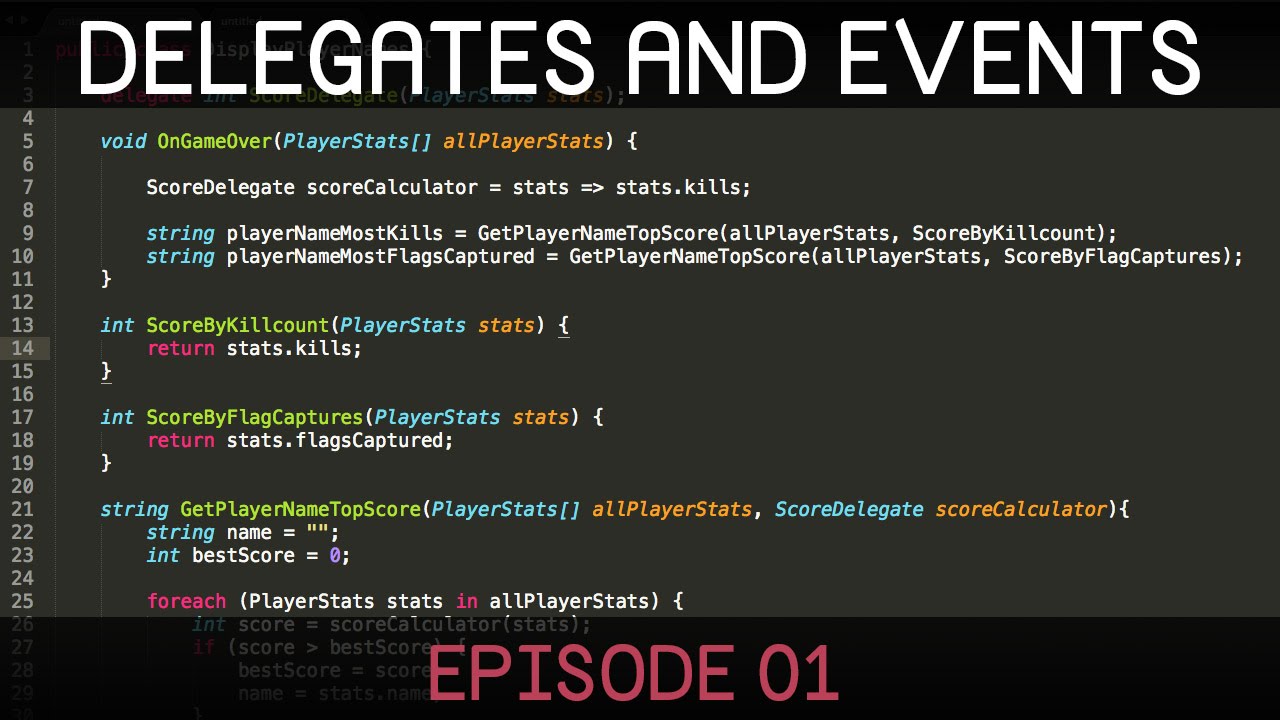
In this two-part series we'll be looking at delegates and events.
This episode covers how delegates can be used to pass methods as arguments into other methods. It also very briefly touches on lambda expressions.
The next episode can be found here:
https://www.youtube.com/watch?v=TdiN18PR4zk
If you'd like to translate this video, you can do so...
tall coral
Awesome, thank you. This guy seems like he teaches in my learning style lmao
evreryone else just dumps all the facts and features and not how they're used
 prime sinew
tall coral
Does anyone have a tutorial that describes delegates, unityevents, other events,...
prime sinew
tall coral
Does anyone have a tutorial that describes delegates, unityevents, other events,...
I recommend this one
https://youtu.be/UWMmib1RYFE

The observer pattern is essentially baked into C# and Unity. It comes in the form of delegates, events, actions, and to some extent funcs. The observer pattern de-couples the source of information from the object receiving the information. This makes unity projects more stable, easier to add mechanics, and far less likely to break.
Blog Post Co...
 zealous tide
how can i parent the main camera into each player prefab that i spawn
prime sinew
zealous tide
how can i parent the main camera into each player prefab that i spawn
Instantiate has a parameter where you can set the parent
 exotic aspen
Howdy folks. I am attempting to modify my game to allow some user modding. For example, I have created prefabs for each unit type and scripts to define behavior and stats. So initially I broke the stat loading out into JSON files accessible to users after the game is installed. Beyond that I'm a little stuck. What strategies could be employed to allow sprite/animation replacement? Is there perhaps some guides or resources I could learn from here?
zealous tide
prime sinew
Instantiate has a parameter where you can set the parent
sorry?
 night harness
If the answer is no thats cool, Does unity have a built in way of drawing text/numbers as a gizmos like how you can draw lines and cubes?
or would you have to provide them as sprites manually and stuff
prime sinew
zealous tide
sorry?
You're asking how to set the parent of spawned objects?
 wide terrace
night harness
If the answer is no thats cool, Does unity have a built in way of drawing text/n...
wide terrace
night harness
If the answer is no thats cool, Does unity have a built in way of drawing text/n...
Handles.Label might fit the bill https://docs.unity3d.com/ScriptReference/Handles.Label.html
I think Llamacademy has a nice intro to them
zealous tide
prime sinew
You're asking how to set the parent of spawned objects?
well the camera should become a child of the prefab
not the otehr way around
night harness
these look slightly out of my depth but i think I can modify the example code and stay in my lane. thanks a ton king
prime sinew
zealous tide
well the camera should become a child of the prefab
You're spawning using instantiate?
Instantiate gives you the reference to the spawned object. So just use that, and the reference to the camera, then do the parenting
zealous tide
oh nevermind i got it thanks
 humble trail
Does anyone know what is the simplest way to render 2D images in unity? like by programmatically setting each pixels color, lets say i just want to render a gradient or anything arbitrary
tall coral
prime sinew
I recommend this one
https://youtu.be/UWMmib1RYFE
That one also helped a lot, thank you!
 cosmic rain
humble trail
Does anyone know what is the simplest way to render 2D images in unity? like by ...
cosmic rain
humble trail
Does anyone know what is the simplest way to render 2D images in unity? like by ...
You render 2d images either with a ui Image, a sprite renderer or a quad/plane mesh with a your image texture.
Either of those takes a texture. You can modify the texture on the CPU pixel by pixel, but that's gonna be slow. An alternative is a custom shader that does whatever you want.
tall coral
Is there anyone that properly teaches how to create a save and load system and actually explains the code they're using?
cosmic rain
Some tutorials I guess.🤷♂️
Save and load is an advanced enough topic for them not to explain every line of code.
swift falcon
look for the tutorials that are longer than 10-15 min I suppose
tall coral
Yeah, I guess so. It just sucks that they've used like 8 different things I don't know.
cosmic rain
Break it down and research the things that you don't know separately.
That's how you learn.
tall coral
Yup, a project for another day lol
humble trail
cosmic rain
You render 2d images either with a ui Image, a sprite renderer or a quad/plane m...
Thank you! ive tried the setting pixels on a texture method and it was really slow so im gonna go the shader way
 golden sapphire
So I'm getting to the point in my game where I need to start considering saving and storing information...
I've got some UI panels that will be storing different information such as relationship levels, bestiary, a calendar, inventory, etc. At the moment, they are all just individual canvases that are enabled or disabled with the information store inside their children. Would you suggest putting a DontDestroyOnLoad function on these objects? Or should I be storing and retrieving this information through scriptable objects or playerprefs or something like that?
lean sail
You will run into issues storing them with scriptable objects, and playerprefs have limitations. Json should be fine for this
lean sail
golden sapphire
So I'm getting to the point in my game where I need to start considering saving ...
Saving it in an SO wont save throughout sessions
 twin hull
singleton or SO for easy global access, load/save to JSON for persistence
golden sapphire
hmm...so for the JSON persistence stuff...Are we talking like exclusively for loading information from a saved game? Or should I be storing things in JSON that persist between scenes too such as the relationship info/inventory/bestiary? I initially thought I would just have a DontDestroyOnLoad on each of the UI parent objects, but is that a no-no?
twin hull
@golden sapphire are you aiming for webGL at all?
golden sapphire
twin hull
<@220413022118608897> are you aiming for webGL at all?
I have no idea, if I'm honest...I'm just creating a pixel RPG in Unity lol 😅 should I be aiming for webGL?
what is webGL? 🙊
twin hull
do you want it to play in browser or just downloadable?
golden sapphire
ah just downloadable, I think...I always expected to either kickstart or steam release it in like 3 years when I actually finish. Don't really know too much about that stuff since I'm assuming it's well down the line
should I be aiming to release it in a browser?
lean sail
golden sapphire
hmm...so for the JSON persistence stuff...Are we talking like exclusively for lo...
Well you'll need to store it to json anyways everytime the information updates otherwise a crash would cause the user to lose info they gained. Unless u have a save system that the user invokes or is area based like souls games campfires
Store what the user has seen*
golden sapphire
lean sail
Well you'll need to store it to json anyways everytime the information updates o...
hmm sounds like I should look into this JSON stuff then...
lean sail
golden sapphire
should I be aiming to release it in a browser?
Only if u want it to be on a browser. Doesnt sound like u do though
twin hull
@golden sapphire
using System.IO;
     public static bool CheckIfFileExists(string fileName)
     {    return File.Exists(Path.Combine(Application.persistentDataPath, fileName)); }

     public static void SaveFile(string fileName, object saveObject)
     {    string saveData = JsonUtility.ToJson(saveObject);
          File.WriteAllText(Path.Combine(Application.persistentDataPath, fileName), saveData); }

     public static T LoadFile<T>(string fileName)
     {    return JsonUtility.FromJson<T>(File.ReadAllText(Path.Combine(Application.persistentDataPath, fileName))); }

     public static void DeleteFile(string fileName)
     {    File.Delete(Path.Combine(Application.persistentDataPath, fileName)); }
oh wow, is this a save/load system you just whipped up?!
golden sapphire
ahh I see! Hmmm I'll have a think about the webGL browser thing
twin hull
basically you just need to make a class that stores data that can be saved in json, and that's the object you pass around
golden sapphire
twin hull
basically you just need to make a class that stores data that can be saved in js...
and is it better to pass around this object with all of the data in it (sprites, strings, etc.) and load them up in every scene? Is it faster than DontDestroyOnLoad?
Currently, I have one scene per location.
twin hull
DDOL will lose everything once you close the game
it's used on a singleton which is one of the things you can use to hold the current profile
golden sapphire
twin hull
DDOL will lose everything once you close the game
oh, yeah i thought that might be the case, so I'll be implementing some sort of save system with multiple slots eventually to save that stuff
I'm just walking out a door at this point into another scene and figuring out how to bring across the UI info to the next scene, hah
twin hull
and you shouldn't hold sprites, just the most basic stuff that you need to restore the save
e.g. instead of sprite an index
golden sapphire
twin hull
e.g. instead of sprite an index
ahh so put it in a dictionary or something?
lean sail
golden sapphire
ahh I see! Hmmm I'll have a think about the webGL browser thing
if your game is heavy, its very likely u do not want it on a browser. Typically people first think of if they are making a browser game, or a downloadable one. It really sounds like u just want a downloadable one
twin hull
dictionary can't be saved in json iirc
twin hull
aiming for a game playable in browser is a good idea in general though, you can switch out of it in later stages but early on it's easier to let others playtest
golden sapphire
twin hull
aiming for a game playable in browser is a good idea in general though, you can ...
oh true, i didn't think of that...
twin hull
itch has a really nice patching system, the only problem was the saves breaking
which is solved with a small workaround
lean sail
well if you havent designed a game in mind to be built on a browser, theres no point coding one for a browser after you've already started coding...
that is some major requirement changes
golden sapphire
lean sail
well if you havent designed a game in mind to be built on a browser, theres no p...
oh, hah. well yeah, I'm pretty noob and my code is all over the place, so maybe just download will have to do
twin hull
@lean sail that depends, for just the code it's not a problem unless you're using async. for an artist, yeah HDRP won't work on browser i guess.
golden sapphire
I only just learned how to use delegates this week. before then I was just putting references to everything in every single script 😅 lol
lean sail
I just think its not good advice at all, browsers will never be strong enough to run the same game.
twin hull
references are usually the better way though
twin hull
lean sail
I just think its not good advice at all, browsers will never be strong enough to...
it's not about the end result but prototyping / playtesting
lean sail
i guess that'd have some use case for low fidelity prototypes
golden sapphire
okay, so I've come to the following conclusion then regarding the 'storing data' thing:
DontDestroyOnLoad for UI canvases between scenes
JSON to create a save file system to store all data between gameplay sessions
Does this sound right? Or should I be using singletons or SO's or something instead of the DontDestroyOnLoad?
twin hull
lean sail
i guess that'd have some use case for low fidelity prototypes
which is >99.9% of the games in early stages
lean sail
well yes, low fidelity's use case is specifically early stages
 west lotus
Thats just called greyboxing
twin hull
golden sapphire
okay, so I've come to the following conclusion then regarding the 'storing data'...
JSON is just a file in system, you need a separate class that you'd update with stuff to save before calling it
golden sapphire
twin hull
JSON is just a file in system, you need a separate class that you'd update with ...
okay, so I'd make some sort of 'GameManager' object, attach a script with all of the goodies in it, then during save that would convert that info to JSON?
 winged mortar
golden sapphire
okay, so I'd make some sort of 'GameManager' object, attach a script with all of...
winged mortar
golden sapphire
okay, so I'd make some sort of 'GameManager' object, attach a script with all of...
I'd go for SaveManager but yes
golden sapphire
and then for persistence between Scenes (which is currently one location per scene), should I be using DontDestroyOnLoad, or should I be just pulling the data from this 'SaveManager' script each time?
winged mortar
golden sapphire
and then for persistence between Scenes (which is currently one location per sce...

golden sapphire
winged mortar
<:tryitandsee:1090612861178478703>
hah okay fine. I just get scared about shooting myself in the foot due to my early design choices...Guess it's all part of the journey though 😛
lean sail
u can make either work, but itd make more sense to use your save manager
winged mortar
golden sapphire
hah okay fine. I just get scared about shooting myself in the foot due to my ear...
Depends on how important your project is, you cant know everything from the start and even when you think you know everything from the start you are still going to run into issues anyway
golden sapphire
lean sail
u can make either work, but itd make more sense to use your save manager
well I'll start with some DontDestroyOnLoad and see if it slows anything down between scenes. Then when I finally do implement my save system, I'll see if its any faster pulling the data from that each time I load a scene up.
prime sinew
Hey Ben, how'd the UI thing go?
lean sail
you wont notice any speed difference
winged mortar
Not worth spending years architectung a solution when it's all about the final product anyway
golden sapphire
prime sinew
Hey Ben, how'd the UI thing go?
oh, your change selection idea worked! I can now switch between entries and have the right window change as per the selected item!
thanks for teaching me delegates ❤️
prime sinew
Happy to hear that
 normal cedar
How can I apply BuildNavMeshSettings?
lean sail
golden sapphire
well I'll start with some DontDestroyOnLoad and see if it slows anything down be...
no issues unless your file is massive, but you shouldnt be storing each text for the bestiary that the user finds. If its already stored in another JSON, u dont want to store it twice (one for raw copy and one for user version). Just store some ID maybe to link which the user found.
If you store the entire text again it might be a tiny tiny bit slower, im talking like 0.01 seconds lol
golden sapphire
lean sail
no issues unless your file is massive, but you shouldnt be storing each text for...
okay! i'll keep that in mind 🙂
twin hull
basically store the state, not the objects.
golden sapphire
twin hull
basically store the state, not the objects.
okay, this will be my mantra🙏
oh actually, a more generic question here...Why is my project 20 gigabytes already?!
what is stored in the 'Library' Folder of the project? Because that's where all the weight is by the looks of it
lean sail
do you have a lot of packages downloaded? or lots of models
golden sapphire
i didn't think I had 20gb worth of packages...but yeah, it bumped up from like 900mb from my previous backup to 20gb 🤢
Here are the ones in my project atm

hmmm the only assets I really have are pixel tilemaps
all of the junk is in my 'Artifacts' folder by the looks of it? What's in here?
winged mortar
(keep the two json files)
golden sapphire
oh nice! I was worried I'd have to create multiple 20gb backups lol
when I've backed up so far I've just been copying the folder and saving it somewhere...I'd be fine to skip this 'Artifacts' folder then?
lean sail
what exactly are u copying when backing up your project..
u should be using some version control
golden sapphire
lean sail
what exactly are u copying when backing up your project..
the whole project folder...am I doing it wrong? 😅
lean sail
yes
golden sapphire
i've never had to use a backup luckily, but I suppose I should make sure I'm doing it right now while I'm early!
winged mortar
Atlassian
Git is a mature, actively maintained open source revision control system used by thousands of developers around the world. Become a Git pro with this guide
Try and read this
lean sail
you need version control if you want to use backups or just have a history of your code somewhere.
I recommend git, mainly because i think perforce and plastic arent good yet and are still trying to replicate what git does
And git will be a useful skill for every other branch of computer science
perforce and plastic obviously will work for the basics, but from what ive seen both are just lacking in features compared to git
to me, theres no reason to have version control integrated into unity. github desktops UI is insanely good
golden sapphire
okay, I'll give this 'Git' thing a go this weekend.
swift falcon
hi guys so i tryna build survival tempolate pro and i got 2 errors tht say Access is denied.
legit nothing else
any help would b great lol
lean sail
is that some asset?
lean sail
this doesnt sound like a coding question in particular
swift falcon
its a error im getting in unity.
lean sail
try #💻┃unity-talk or googling issues related to this
swift falcon
i have this is my last option lol
lean sail
well this just isnt a coding question
twin hull
swift falcon
hi guys so i tryna build survival tempolate pro and i got 2 errors tht say Acces...
considering that asset wasn't free, maybe you can contact the creator?
he does have discord and email on store page
lean sail
i assume its either an issue with copying files around, the file being locked due it being open elsewhere, or a stolen asset
swift falcon
its not stolen cuz i bought it from unity asset. and i think its honestly a copying issue idek doe
ill do some more digging n see i fi can fix or find the solution
prime sinew
golden sapphire
okay, I'll give this 'Git' thing a go this weekend.
hey, i definitely back this up. Definitely get the hang of git. Unfortunately don't have a dependable resource on it that I can share
 fluid lily
Does unity serialize Range[]?
prime sinew
fluid lily
Does unity serialize Range[]?
what's Range[]?
fluid lily
I know there is a [range()] attribute for int.
Also it is System.Range a data type meant for ranges
Sorry. Range is a data type for ranges, Range[] is a array of them(though now I think about it you probably weren't asking what an array is...).
lean sail
that seems pretty easy to test, i dont think it even serializes range in the first place
doesnt matter if its an array or not
rotund burrow
if i buy some script library will i be able to see all of its code?
cosmic rain
rotund burrow
if i buy some script library will i be able to see all of its code?
Depends on how they share the library. It could be compiled into a dll. If they provide source code, they usually mention that in the asset description.
Although, you might be able to see the dll code too, just not edit it.🤔
lean sail
Decompilers also arent 100% accurate, sometimes it's more tedious to try and understand than it's worth
cosmic rain
I meant metadata included in the dll. But I guess it doesn't really qualify as source code.
 primal wind
Up until now i haven't had any issue with the results of dnspy, even tested it on apps i made and it was pretty accurate
As a modder it's pretty much necessary to use it
heady iris
primal wind
Up until now i haven't had any issue with the results of dnspy, even tested it o...
sometimes it throws up when given coroutines
 neon plank
Weird question, but, how can I replicate the effect of Quaternion.AngleAxis(float angle, Vector3 axis) without calling that method? I mean, what code has under the hood? Decompiling Unity show that it class an unmanaged function... so there is not much to see.
 severe geode
neon plank
Weird question, but, how can I replicate the effect of `Quaternion.AngleAxis(flo...
severe geode
neon plank
Weird question, but, how can I replicate the effect of `Quaternion.AngleAxis(flo...
i think it just make "rotate degree" from "around axis"
and after u got rotate degree so just create them with Quaternion.Euler(m_rotateAxis)
neon plank
From internet I got something like this:
float halfAngle = Mathf.Rad2Deg * angle * 0.5f;
Vector3 normalizedAxis = axis.normalized;
float sinHalfAngle = (float)Math.Sin(halfAngle);
float cosHalfAngle = (float)Math.Cos(halfAngle);
Quaternion result = new(normalizedAxis.x * sinHalfAngle, normalizedAxis.y * sinHalfAngle, normalizedAxis.z * sinHalfAngle, cosHalfAngle);
Thought I'm not sure if it is correct
rotund burrow
how would i make something like a navmesh sample position method for my own pathfinding?
 static matrix
I'm trying to get a spear to stick to a wall (3d) and was wondering how to do that. I thought I could do it with joints, but it gets all buggy with a fixed joint
 private void OnCollisionEnter(Collision col)
    {
        var Hit = new RaycastHit();
       var joint = gameObject.AddComponent<FixedJoint>();
        Physics.Raycast(transform.position, transform.forward, out Hit);
        joint.anchor = Hit.point;
    }
heres the code
  var Hit = new RaycastHit();
        var joint = gameObject.AddComponent<FixedJoint>();
        Physics.Raycast(transform.position, transform.forward, out Hit);
        joint.anchor = Hit.point;
        GetComponent<Rigidbody>().velocity = new Vector3(0, 0, 0);
        GetComponent<Rigidbody>().ResetInertiaTensor();
This works slightly better
I basically want spears to stick to walls like they do in rain world
nvm
different question
if(!Physics.Linecast(transform.position, Player.transform.position, out Hit, NotMonster))
This will pass if there are no colliders between the start and end right?
severe geode
static matrix
different question
`if(!Physics.Linecast(transform.position, Player.transform.po...
yes
 static matrix
cool
sorry that was a very stupid question
other very stupid question how do I get the direction between two positions
I've done this before hold on
 lethal plank
i think my shortcut support is turned off
anyone know where it is?

 steep herald
@static matrix (end position - start position).normalized
 thin aurora
lethal plank
i think my shortcut support is turned off
anyone know where it is?
thin aurora
lethal plank
i think my shortcut support is turned off
anyone know where it is?
You mean autocomplete?
static matrix
im programming! Things aren't supposed to work the first time!
lethal plank
thin aurora
You mean autocomplete?
the blue part
 sharp acorn
static matrix
im programming! Things aren't supposed to work the first time!
sharp acorn
static matrix
im programming! Things aren't supposed to work the first time!
It happens sometimes, savor the moment
And dont get used to it
static matrix
yeah lol
I hate how unity renders planes its very annoying
ca I turn it off
the only from one side part
lethal plank
thin aurora
You mean autocomplete?
my same binding performed while im performing shortcut
sharp acorn
I know how you can do it in your custom shader, but idk if you can do it with the default shaders
If it is the case, the name for not rendering the backface is "face culling"
bear in mind though, it's a waste of resources to render the backfaces of most of the 3d models
lethal plank
lethal plank
i think my shortcut support is turned off
anyone know where it is?
see nothing from InputSystem.cs
well found it
 topaz plaza
Any idea why my 3D TextMeshPro is offset so hard even tho my settings say it's 0,0 on x,y ?


 jaunty iris
Hello i have a problem whit my food tag detector here is the code and here is a descripton.
This script is used to build food by combining specific ingredients. When an object with a collider enters the trigger area of the plate, the script checks if the object has all the required tags. If it does, it destroys all nearby objects within a specified range and replaces the plate with a completed food prefab.
The script uses an array of required tags, which represent the ingredients needed to build the food. When an object collides with the plate, the script checks if the object has all the required tags. If it does, it destroys any nearby objects and replaces the plate with a completed food prefab.
using UnityEngine;

public class BuildingFood : MonoBehaviour
{
    public string[] requiredTags; // Tags that the prefab should have
    public GameObject doneFoodPrefab; // Prefab to replace the plate when all tags match
    public float range = 1f; // Range for the box collider
    private void OnTriggerEnter(Collider other)
    {
        // Check if the colliding object has all the required tags
        bool hasAllTags = true;
        foreach (string tag in requiredTags)
        {
            if (!other.gameObject.CompareTag(tag))
            {
                hasAllTags = false;
                break;
            }
        }

        if (hasAllTags)
        {
            // Destroy all objects within the range of the box collider
            Collider[] colliders = Physics.OverlapBox(transform.position, transform.localScale * range);
            foreach (Collider collider in colliders)
            {
                if (collider.gameObject != gameObject) // Skip the plate itself
                {
                    Destroy(collider.gameObject);
                }
            }

            // Replace the plate with the done food prefab
            Instantiate(doneFoodPrefab, transform.position, transform.rotation);
            Destroy(gameObject); // Destroy the plate
        }
    }
}
||
 trim schooner
!code
tawny elkBOT
Posting code
📃 Large Code Blocks
Large code blocks should be posted as links to services like:
https://gdl.space/, https://paste.ofcode.org/, https://hatebin.com/
https://paste.myst.rs/, https://hastebin.com/
📃 Inline Code
Surround code with three backquotes. Not quotation marks.
To get C# formatting the first line should only contain cs or csharp.
Add a comment with a line number if there is an error message.
```cs
// Your code here
```
Do not share screenshots of code unless requested.
trim schooner
Yeah, follow the rules. Share things properly so it's easier for people to help you
You obviously didn't bother to read #854851968446365696 properly/ at all/ just ignored it after it was suggested you read it before
jaunty iris
thin aurora
Please just stick to the purpose of this channel
Just knock it off and the other conversations will make the messages disappear
trim schooner
jaunty iris
Looks like the burger hits a collider above the plate and then falls off
So it isn't doing the trigger event
 trim schooner
Does the burger work if you put it on first?
jaunty iris
nah
severe geode
i see u burger Rigidbody -> useGravity = false
that why you burger is not drop
check the code player drag drop object
about function dragBurger
 ionic zenith
hi, I have a rolling ball, but when I go to fast using (rb.AddForce(speed)), My ball tends to bounce upwards on a flat surface. Anyone know how to prevent the ball from bouncing upwards at high speeds?
severe geode
ionic zenith
hi, I have a rolling ball, but when I go to fast using (rb.AddForce(speed)), My ...
please show you vdo
steep herald
@ionic zenith Either your world has colliders sticking out, or speed is some vector with a non zero Y value
ionic zenith
steep herald
<@591244139513774090> Either your world has colliders sticking out, or speed is ...
i just have a plane (100x100) to test it and it still bounces when going to fast
steep herald
@ionic zenith what is speed?
ionic zenith
steep herald
<@591244139513774090> what is speed?
Vector3 moveDirection = (cameraForward.normalized * verticalInput) + (cameraRight.normalized * horizontalInput);
        moveDirection.Normalize();

        float currentSpeed = Input.GetKey(KeyCode.LeftShift) ? speedBoost : speed;

        rb.AddForce(moveDirection * currentSpeed);
Add this after movedirection.normalize()
print(moveDirection.y);
ionic zenith
when rolling at default speed, it doesn't bounce, but when using speedboost (is at 10f), it bounces
ok
steep herald
If y is non-zero, then with low speed it'd make sense that gravity makes your issue seem almost non existant, whereas with high speed you'd notice it
ionic zenith
steep herald
If y is non-zero, then with low speed it'd make sense that gravity makes your is...
it prints all zeros
steep herald
@ionic zenith Is your ball the default unity sphere?
ionic zenith
steep herald
<@591244139513774090> Is your ball the default unity sphere?
yes
sphere collider
swift falcon
How is everyone
ionic zenith
swift falcon
How is everyone
im good :), what about you
steep herald
@ionic zenith Right so you have a single plane, the code above, the default sphere collider, and nothing else?
ionic zenith
steep herald
<@591244139513774090> Right so you have a single plane, the code above, the defa...
yep, nothing else
i think its my rigidbody
steep herald
It shouldn't behave like this, and I cannot say this is a behaviour I have observed in the past.
For the hell of it, try making a custom physics material, turn down the bounciness to 0 and see if it still occurs?
ionic zenith
tried that xD, not working, it seems that it works now on a flat plane
but i tried adding different planes (all 10x10) in a grid to make it 100x100, then it bounces
maybe, there is a little gap i can't see
nope, not the case, it's so weird
swift falcon
ionic zenith
im good :), what about you
Pretty tired but glad you're well 
steep herald
Try overlapping them slightly and see if it still occurs?
e.g. 11x11 at 10m intervals
ionic zenith
steep herald
Try overlapping them slightly and see if it still occurs?
tried that, i tried overlapping the colliders, but it still makes it bounce when going fast, but on a plane it doesn't bounce
IT WORKED
@steep herald there actually was a little litlle gap
steep herald
@ionic zenith Solver iterations?
ionic zenith
like, a 0.01 mm gap
 elfin vortex
How do I rotate an object so it faces the player's position, but at the same time it has a lagged aim? I'm trying to make a laser beam that shoots instantly but at the last position of the player when the laser beam was getting ready to shoot. Can anyone help me do it?
swift falcon
I've seen weird bugs tbh, I've had xaml say my assembly is missing but work anyway lol
ionic zenith
steep herald
<@591244139513774090> Solver iterations?
what do you mean with that?
ionic zenith
swift falcon
I've seen weird bugs tbh, I've had xaml say my assembly is missing but work anyw...
xaml? like WPF?
severe geode
elfin vortex
How do I rotate an object so it faces the player's position, but at the same tim...
use transform.LookAt
swift falcon
ionic zenith
xaml? like WPF?
Yeah wpf
ionic zenith
nice, i used wpf for a while, its sometimes complicated
trim schooner
jaunty iris
nah
find out what the difference is between the tomato and the meat
steep herald
@ionic zenith It's possible default solver iterations count caused issues at high velocity. Increasing this would probably fix the insane depenetration issue
swift falcon
trim schooner
find out what the difference is between the tomato and the meat
Ones a vegetable and ones a fruit
steep herald
but if you got it to work, then no need to play with that as it has performance impacts 🙂
ionic zenith
steep herald
<@591244139513774090> It's possible default solver iterations count caused issue...
yes, thanks for your help man
static matrix
my script keeps freezing
like the guy stops moving when it isnt supposed to
swift falcon
Can you show us it ?
static matrix
uh sure
its lengthy but il ltry
static matrix
Thats the problem im not sure which bits cause the problem
swift falcon
Can you send it in a hadtebin
static matrix
wut is that
swift falcon
Haste*
Hastebin
Hastebin is a free web-based pastebin service for storing and sharing text and code snippets with anyone. Get started now.
Paste the code here and share the link
static matrix
ok
Hastebin is a free web-based pastebin service for storing and sharing text and code snippets with anyone. Get started now.
swift falcon
Also what you could do is for parts of your code print a debug and see which part doesn't actually print the debug
swift falcon
Let us know if it works
swift falcon
Awesome
static matrix
I could try and rig up a navmeshagent but that has some other issues, especially with a flying thing
hmm
ah well Ill figure it out
swift falcon
What kind of issues
static matrix
ive had this convo about 400 times

ill figure it out
besides it doesn't go from wall to flying well
ionic zenith
nah @steep herald doesn't work anymore, i found out that when I roll over 1 collider (plane collider), i don't bounce
but when i go over multiple colliders (grid 100x100) with 10x10 planes, there are multiple colliders and then it bounces up when rolling fast over these planes, any idea?
(sorry for ping btw)
i already tried increasing the default solver iterations and velocity iterations, but still doesn't work
steep herald
@ionic zenith What did you increase it to?
ionic zenith
steep herald
<@591244139513774090> What did you increase it to?
12 for default solver and 24 for velocity iterations
i even tried 100 and 100 on both, no difference
the ball just bounces up when it rolls over multiple colliders fast
@steep herald fixed it, there is this setting:

it was 0.01 by default and i set it to 0.000000001
weird, but i fixed it somehow
steep herald
You will still encounter your problem at higher velocity
If your game does not allow for much higher velocity, then congrats on your fix 🙂
If so, then you will need to either batch your colliders into a large one to avoid the depenetration kickback that occurs when a new collision is detected (e.g. at your intersections)
 high violet
i am getting these errors , does someone know how to resolve these?

 harsh bobcat
code would probably be helpful
but that usually means you defined a function twice or something along those lines
 west scaffold
I have these moethods in my sign controller class,
||public void Interact();
private static void FindTextMeshProInScene();
public static void ToggleTextBox(bool inputtog);||
I wanted to have the game search for textmeshpro only once when the first sign is interacted with (hence the static), but I just realised that each sign I have in a level may be running the controller seperately, how can I make the game run findtextmeshpro only once each scene and if I assign the same script to multiple gameobjects in unity how does the engine translate it behind the scenes?
 shy spire
Weird question, but, is increasing the fixed timestep good practice when collisions are not accurate enough?
It feels wrong for some reason
west scaffold
shy spire
Weird question, but, is increasing the fixed timestep good practice when collisi...
It will have a negative effect on performance
shy spire
west scaffold
It will have a negative effect on performance
That makes sense, is that all? I don't know why I feel so fearful of this
My collisions weren't right on 60 fps, so I changed the timestep from 0.02 to 0.01, on a small 2d pixel art game, so I'm guessing it will not have too bad of performance issues
 worldly hull
fixed Update or fixed execution is just letting ur code executing without affected by frame rate
it will still have some influences if u have extreme FPS rates
if u increase the time steps, it means fixed update will execute the code more, so its just making ur code more consuming
fixed update is 1/ steps right?
then it should be
west scaffold
shy spire
My collisions weren't right on 60 fps, so I changed the timestep from 0.02 to 0....
I don't know enough about the physics system to say if that is all, but Bard said there is a Physics Visualizer tool that can help, and you can change your colliders to a box collider, but there shouldnt be any disastrous consequences for it
worldly hull
shy spire
That makes sense, is that all? I don't know why I feel so fearful of this
ur code will be executing 100 times per seconds instead of 50
west scaffold
worldly hull
ur code will be executing 100 times per seconds instead of 50
yeah I read somewhere that fixedupdate alredy does that
worldly hull
1/0.01 = 100
if theres a fps freeze, the compensation will be very very huge
lets say the game frozen for 5 seconds
on 6th seconds , normal fixed update will execute 250 times
but in ur case it will be 500 times
but i guess it wont happen tho lol, 2d pixel art shouldnt be so heavy
leaden ice
worldly hull
on 6th seconds , normal fixed update will execute 250 times
This won't actually happen btw
worldly hull
oh it wont?
shy spire
worldly hull
ur code will be executing 100 times per seconds instead of 50
I understand how the fixed update works, I'm just scared that changing the time step will affect something else
west scaffold
@shy spire Use the Continuous Collision Detection option in the project settings
leaden ice
worldly hull
oh it wont?
FixedUpdate has a "maximum allowed timestep" setting in the time menu
default is 0.1 seconds
shy spire
west scaffold
I don't know enough about the physics system to say if that is all, but Bard sai...
I'll look into it
worldly hull
leaden ice
FixedUpdate has a "maximum allowed timestep" setting in the time menu
then its actually not that bad lol
shy spire
west scaffold
<@136212423098105856> Use the Continuous Collision Detection option in the proje...
I know, but the problem is happening on a Circlecast in code, not a collider
Usually the Continuous Collision is enough
leaden ice
worldly hull
then its actually not that bad lol
yep, what will happen is the physics simulation will actually only advance 0.1 seconds over that 5 second gap (or whatever the max is set to), meaning of course the game actually will slow down while that's happening
it's to prevent this exact problem of bad performance leading to more FixedUpdate leading to worse performance death cycle
shy spire
shy spire
I know, but the problem is happening on a Circlecast in code, not a collider
I set up tunneling prevention code but it still skips sometimes
shy spire
leaden ice
it's to prevent this exact problem of bad performance leading to more FixedUpdat...
Great, thank you all for the clarifications
west scaffold
shy spire
Great, thank you all for the clarifications
Your welcome
west scaffold
west scaffold
I have these moethods in my sign controller class,
||public void Interact();
pr...
I'd appreciate it if someone can tell me about the way the same script on multiple gameobjects work
leaden ice
west scaffold
I have these moethods in my sign controller class,
||public void Interact();
pr...
I have no idea why you would want a static FindTextMeshProInScene method at all TBH.
Shouldn't the sign controller just have a reference to its own text component assigned in the inspector?
west scaffold
Yes, I just wanted to make scene setup easy when creating levels
ionic zenith
how do I set the lighting settings in code?
i've been trying different things like RenderSettings and stuff, but I don't find the right thing
leaden ice
ionic zenith
how do I set the lighting settings in code?
depends on which render pipeline you're using
and which lighting settings you want to change
ionic zenith
leaden ice
depends on which render pipeline you're using
I have this in my code
public LightingSettings[] lighting; ```and I would like to set 1 of these in this box through the code

@leaden ice any idea?
leaden ice
not sure what you're asking exactly. Like how do you get the reference?
ionic zenith
like, i have an array with lighting settings:

and through coude, it has to select 1 and apply it to the scene
i got it to work with skyboxes
RenderSettings.skybox = skyboxes[randomIndex]; ```how do I do this with the lighting settings?
leaden ice
ionic zenith
like, i have an array with lighting settings:
can't you drag the lighting settings assets into here in the inspector?
ionic zenith
leaden ice
can't you drag the lighting settings assets into here in the inspector?
yes, but the problem is: I need to generate lighting based on the skybox.
My game choose a random skybox, if it is night, then it has to apply these 'night lighting settings'
or do I bake lighting at runtime?
then it destroys the gameobject with the script, which is not possible
yes
 warm stratus
Hey, i did a code to smooth the movement of a fps rigidbody player
private void LateUpdate()
    {
        SmoothedCamera();
    }

    private void SmoothedCamera()
    {
        float LerpAmount = lastPositionTimer / Time.fixedDeltaTime;
        playerCamera.position =
            new Vector3(Mathf.Lerp(beforeLastPosition.x, lastPosition.x, LerpAmount)
                , Mathf.Lerp(beforeLastPosition.y, lastPosition.y, LerpAmount)
                , Mathf.Lerp(beforeLastPosition.z, lastPosition.z, LerpAmount));

        lastPositionTimer += Time.deltaTime;
    }

    public void ResetLastPosition() //fonction called each FixedUpdate within playerMovement
    {
        beforeLastPosition = lastPosition;
        lastPosition = transform.position + localCameraPosition;
        lastPositionTimer = 0f;
    }
And why is it a bit jittering? but not a lot?
lean sail
warm stratus
Hey, i did a code to smooth the movement of a fps rigidbody player
```cs
priva...
Not entirely related but why not just lerp the vector instead of each individual float
warm stratus
ionic zenith
put your rigidbody to 'interpolate'
he is interpolate and continious
warm stratus
lean sail
Not entirely related but why not just lerp the vector instead of each individual...
ok i will do that but... it won t fix
ionic zenith
warm stratus
he is interpolate and continious
oh, ok, then... idk
 hard estuary
warm stratus
Hey, i did a code to smooth the movement of a fps rigidbody player
```cs
priva...
hard estuary
warm stratus
Hey, i did a code to smooth the movement of a fps rigidbody player
```cs
priva...
You shouldn't use Time.fixedDeltaTime in LateUpdate. You probably meant Time.deltaTime
warm stratus
hard estuary
You shouldn't use `Time.fixedDeltaTime` in `LateUpdate`. You probably meant `Tim...
no it s not the proble;
leaden ice
warm stratus
Hey, i did a code to smooth the movement of a fps rigidbody player
```cs
priva...
this isn't how Lerp works either btw
leaden ice
warm stratus
no it s not the proble;
it is 100% a problem
but it's not your only problem
Silly question - why not just use Cinemachine?
lean sail
I feel like something is off with that reset last position logic
warm stratus
leaden ice
but it's not your only problem
i used /Time.fixedDeltaTime to put to 1 the Lerp Amount instead of 0.02 ig
leaden ice
warm stratus
i used /Time.fixedDeltaTime to put to 1 the Lerp Amount instead of 0.02 ig
which shows a complete lack of understanding of how Lerp works
warm stratus
with Lerp 5 6 0.5 it makes 5.5 right?
leaden ice
yes
wide terrace
I guess that lerpAmount will pretty much always be 0 if the timer's reset in FixedUpdate()
warm stratus
wide terrace
I guess that lerpAmount will pretty much always be `0` if the timer's reset in `...
but it s divided by Time.fixedDeltaTime and i think with that it will be between 0 and 1 between 2 fixedUpdate
wide terrace
warm stratus
but it s divided by Time.fixedDeltaTime and i think with that it will be between...
LateUpdate() is called every frame. FixedUpdate() is called multiple times per frame (under normal circumstances, I think). 0/anything is 0
leaden ice
warm stratus
Hey, i did a code to smooth the movement of a fps rigidbody player
```cs
priva...
If you're just going for an actual linear interpolation you could just be using MoveTowards here
You could also use SmoothDamp if you want it "smoothed"
warm stratus
wide terrace
LateUpdate() is called every frame. FixedUpdate() is called multiple times per f...
???
warm stratus
leaden ice
If you're just going for an actual linear interpolation you could just be using ...
i just need a linear interpolation
ok i try MoveTorwards
warm stratus
leaden ice
If you're just going for an actual linear interpolation you could just be using ...
ah no i don 't need that
leaden ice
MoveTowards will be simpler
warm stratus
but if float LerpAmount = lastPositionTimer / Time.fixedDeltaTime;
playerCamera.position = Vector3.Lerp(beforeLastPosition, lastPosition, LerpAmount);
dont work...
leaden ice
playerCamera.position = Vector3.MoveTowards(playerCamera.position, lastPosition, Time.deltaTime * speed);
warm stratus
leaden ice
`playerCamera.position = Vector3.MoveTowards(playerCamera.position, lastPosition...
i need to lerp the coord between beforeLastPosition and lastPosition between 2 fixedUpdate (idk if you understood)
and i move this

 languid hound
Why are raycasts just randomly acting up? I'm raycasting from the top of the arm to the floor but its randomly just going up and it wont actually touch the floor
        if (Physics.Raycast(arm.transform.position + Vector3.up * arm.transform.localScale.y / 2f, Vector3.down, out rayHit, 100f))
        {
            target.transform.position = rayHit.point;
        }
Huh?
Every GameObject of the arm is on the layer creature
Oh wait I'm not even using the LayerMask
Sorry I have a different issue I can go to another channel for
warm stratus
Without my code it s terribly not smooth but with it s smoothed but there a bit of jittery
private void CameraMovement()
    {
        //rotation of the entire body
        transform.Rotate(new Vector3(0, mouseMovement.x, 0) * mouseSensibility * Time.deltaTime);
        //rotation camera up and down
        playerCamera.Rotate(new Vector3(-mouseMovement.y,0,0)
                       * mouseSensibility*Time.deltaTime);
        xRotation -= mouseMovement.y * mouseSensibility * Time.deltaTime;
        //rotation clamped to these values
        xRotation = Mathf.Clamp(xRotation, -90f, 90f);
        playerCamera.localRotation=Quaternion.Euler(xRotation,0f,0f);
    }
}
i found the piece of code that produce the jittery and why???
somber nacelle
don't multiply mouse input by delta time, mouse input is already frame rate independent and anyone teaching otherwise is wrong. when you remove that make sure to lower your mouse sensitivity variable both in the script and the inspector
warm stratus
somber nacelle
don't multiply mouse input by delta time, mouse input is already frame rate inde...
i don t think that cause the jittery but thanks
somber nacelle
it is exactly what causes jittery camera controls
warm stratus
ok not it don 't work either
 strange jacinth
Are you updating camera in LateUpdate?
wide terrace
warm stratus
i need to lerp the coord between beforeLastPosition and lastPosition between 2 f...
Changing the camera position in a FixedUpdate() will be desynchronized from the frame rate, which could cause jitter. If you meant between two LateUpdate()s, I don't think there's a reason to lerp the camera's position between just two frames, because it would never render a frame with the camera at an intermediary position
warm stratus
strange jacinth
Are you updating camera in LateUpdate?
yes
warm stratus
wide terrace
Changing the camera position in a `FixedUpdate()` will be desynchronized from th...
it is in LAteUpdate (i lerp the camera position bc i use a Rigidbody)
strange jacinth
Try also to set it by rigidbody.position, for me in cinemachine helped
warm stratus
strange jacinth
Try also to set it by rigidbody.position, for me in cinemachine helped
what do you mean?
strange jacinth
Sorry. I had to read it again, I thought it's position based problem.
How exacly is this jittering?
warm stratus
strange jacinth
How exacly is this jittering?
ok wait i record
warm stratus
strange jacinth
How exacly is this jittering?
hmm record is not exactly
the same as what i see
that bc i stream on discord also wait
no it s not like what i see when i record
i have an idea i put the FixedDeltaTime to like 1
ah but
the mouse movement is strange when i move it s jiterry AA
strange jacinth
Ok, gimmie a second
warm stratus
yes?
somber nacelle
warm stratus
the mouse movement is strange when i move it s jiterry AA
show your updated code
warm stratus
for camera movement or smoothed?
somber nacelle
the code that rotates the camera based on your mouse movement. you know, the stuff you claim is jittery
strange jacinth
The code that rotates seems ok, I would remove delta time since it will cause frame dependency in rotation
warm stratus
strange jacinth
The code that rotates seems ok, I would remove delta time since it will cause fr...
i removed
using System;
using System.Collections;
using System.Collections.Generic;
using UnityEngine;

public class MoveCamera : MonoBehaviour
{
    //refs
    private Transform playerCamera;

    //inputs
    private Vector2 mouseMovement = Vector2.zero;

    //constants
    private float mouseSensibility = 1f;

    //var
    private float xRotation = 0f;

    private void Awake()
    {
        playerCamera = transform.Find("playerCamera").Find("camera");
    }

    private void Start()
    {
        Cursor.lockState = CursorLockMode.Locked;
    }

    private void Update()
    {
        GetInputs();
        CameraMovement();
    }

    private void GetInputs()
    {
        //mouse inputs
        mouseMovement = new Vector2(Input.GetAxis("Mouse X"), Input.GetAxis("Mouse Y"));
    }

    private void CameraMovement()
    {
        //rotation of the entire body
        transform.Rotate(new Vector3(0, mouseMovement.x, 0) * mouseSensibility);
        //rotation camera up and down
        playerCamera.Rotate(new Vector3(-mouseMovement.y,0,0)
                       * mouseSensibility);
        xRotation -= mouseMovement.y * mouseSensibility;
        //rotation clamped to these values
        xRotation = Mathf.Clamp(xRotation, -90f, 90f);
        playerCamera.localRotation=Quaternion.Euler(xRotation,0f,0f);
    }
}
Wait, why are you rotating playerCamera twice?
warm stratus
strange jacinth
Wait, why are you rotating playerCamera twice?
no i am not (ok yes but one time the player and one time up and down)
strange jacinth
I would try commenting out line with playerCamera.Rotate, since later you're setting playerCamera.localRotation
 warm stratus
strange jacinth
I would try commenting out line with playerCamera.Rotate, since later you're set...
warm stratus
strange jacinth
I would try commenting out line with playerCamera.Rotate, since later you're set...
the localRotation is to Clamp the value
but i have an idea
i try just to rotate the player first to see what make the jittery*
ok just the body Rotation makes jittery
somber nacelle
didn't you say you were updating the camera in LateUpdate? this is being done in Update not LateUpdate
warm stratus
somber nacelle
didn't you say you were updating the camera in LateUpdate? this is being done in...
Ahh yes probably, (by the way when i use just up and down it don t jitter)
i try update
ah no i am in Update
somber nacelle
yes, that was exactly my point. you are updating the camera's rotation in Update instead of LateUpdate. rotate the player in Update and the camera in LateUpdate
warm stratus
Ahh
warm stratus
somber nacelle
yes, that was exactly my point. you are updating the camera's rotation in Update...
but when i do just rotation of the player in Update it s jittery
twin hull
it might be an overkill but why not just use cinemachine with (new*) input system?
requires no code to set up and has examples of how to do everything
somber nacelle
don't even have to switch to the new input system to use cinemachine, it works with the input manager
twin hull
new input system is just nice to have long-term
 sudden hinge
I made a guide on how to use Jobs + Burst in Unity. Does someone have the time to quickly look over it before I publish it?
Fair enough
Sure, ill DM you and put it in #archived-resources
warm stratus
hmm, i will wait until i am really desesperate to switch to cinemachine i think
lol
ok it s definettely just this line the proble;
transform.Rotate(new Vector3(0, mouseMovement.x, 0) * mouseSensibility);
strange jacinth
warm stratus
hmm, i will wait until i am really desesperate to switch to cinemachine i think
Cinemachine looks at terryfing at first glance, but it's quite well documented, and after you toy with it it becomes nice easy to use package
lean sail
its way less terrifying than building your own camera system thats gonna attempt to replicate what cinemachine already does
theres no point building your own unless u need specific functionality. Even then, u can always add functionality to your main camera on top of it
strange jacinth
warm stratus
ok it s definettely just this line the proble;
transform.Rotate(new Vector3(0, m...
Unless you're setting rotation elsewere it should work correctly. The only thing i can think of with this line is sensibility ("sensitivity" for input) can be too large [?]
strange jacinth
lean sail
theres no point building your own unless u need specific functionality. Even the...
Basics first
warm stratus
strange jacinth
Unless you're setting rotation elsewere it should work correctly. The only thing...
i made to 1f the sensibility
lean sail
strange jacinth
Basics first
Building your own camera system is not basic when you want it to be good. Also I'd say it's better for new people to just use cinemachine as a plug and play solution while they actually figure out fun stuff like moving the character properly
strange jacinth
lean sail
Building your own camera system is not basic when you want it to be good. Also I...
Can't argue with that
lean sail
Cinemachine is definitely more basic than building your own
warm stratus
i need just to fix 1 line of code and it s done i already done what i wanted but i am just remaking my game with rigidbody and i don t wan t more than this
strange jacinth
warm stratus
i made to 1f the sensibility
How about casting yaw (yRotation) to variable and later performing transform.eulerAngles = new Vector3(0, _yaw, 0);
warm stratus
strange jacinth
How about casting yaw (yRotation) to variable and later performing ```transform...
😮 that s a good idea i test right now
warm stratus
strange jacinth
How about casting yaw (yRotation) to variable and later performing ```transform...
same problem...
AHH
i think i found something
warm stratus
strange jacinth
How about casting yaw (yRotation) to variable and later performing ```transform...
when i rotate with transform the Rigidbody is confused and make jittery of idk
lean sail
Is the rigidbody itself jittery or the camera
warm stratus
lean sail
Is the rigidbody itself jittery or the camera
how do i know that?
the rigidbody is jittering but it s normal bc it s not updated every frame
Ohh no i think i am stupid
qh no oof
 magic terrace
could someone help me out with an issue im having
strange jacinth
What's the issue?
 granite nimbus
is doing System.Type.GetMethod() bad for performance?
magic terrace
I have an enemy that i want to look towards the direction its walking, its kinda doing that but with its side. when i try to manually rotate the enemy 90 degrees it just snaps back when the game starts so idk how to fix this
strange jacinth
Sounds like rotated graphics at first
magic terrace
strange jacinth
Sounds like rotated graphics at first
is there a way i could find out what the issue is somehow? and if so how may i fix this
it has been troubling me for a while
strange jacinth
Can you show code?
magic terrace
yes
this is my script attached to the enemy
it has a patrolling and chasing function which works
and some animations which also work
lean sail
magic terrace
!code
tawny elkBOT
Posting code
📃 Large Code Blocks
Large code blocks should be posted as links to services like:
https://gdl.space/, https://paste.ofcode.org/, https://hatebin.com/
https://paste.myst.rs/, https://hastebin.com/
📃 Inline Code
Surround code with three backquotes. Not quotation marks.
To get C# formatting the first line should only contain cs or csharp.
Add a comment with a line number if there is an error message.
```cs
// Your code here
```
Do not share screenshots of code unless requested.
strange jacinth
There's nothing in this script changing rotation other than NavMeshAgent, so it should be either animation that's rotated or some game object. If you want to see gizmos rotated with object set space to local

 ionic path
question - did Unity change how Dictionaries are referenced?
I followed a tutorial and for some reason, Unity keeps saying NullReferenceException: Object reference not set to an instance of an object in relation to the code public void LoadData(scr_GameData data) {data.SP_pickUpsCollected.TryGetValue(id, out SPwasCollected);}
I know it understands what data is, and this works with normal ints and bools, but it's just acting up when it comes to Dictionaries, any ideas as to why?
lean sail
Dictionary is a c# thing, not a unity thing..
You have a null reference somewhere though. Debug to find out which part it is
magic terrace
strange jacinth
There's nothing in this script changing rotation other than NavMeshAgent, so it ...
it could be the animation how would i deal with this? sorry if im asking a lot
 regal violet
Hello guys, i am currently working on a game based on synthwave style. I would like to make a background with that kind of tile (cf. picture)
Do you think I should make a sprite that I tile or I create a simple square with untiy, duplicate it and add particles ?
 lean sail
ionic path
question - did Unity change how Dictionaries are referenced?
I followed a tutori...
lean sail
ionic path
question - did Unity change how Dictionaries are referenced?
I followed a tutori...
It's likely you missed a step in the tutorial as wwll
strange jacinth
magic terrace
it could be the animation how would i deal with this? sorry if im asking a lot
No problem.
Easy, but not elegant solution would be to intoduce GO with counter rotation as parent of the animation.
steep herald
@regal violet Use 2 planes and adjust the tiling till you like the effect. Fog depends on your setup
 cold parrot
regal violet
Hello guys, i am currently working on a game based on synthwave style. I would l...
cold parrot
regal violet
Hello guys, i am currently working on a game based on synthwave style. I would l...
You could just use that picture if its for a background. Maybe share more how that background is supposed to behave and integrate with the game?
magic terrace
strange jacinth
No problem.
Easy, but not elegant solution would be to intoduce GO with counter ...
How can i do that?
regal violet
I would like to have one plane actually, not really like the actual image (with one at the top and one at the bottom)
steep herald
@regal violet I don't understand, can you elaborate? You want a single, flat grid rather than 2 parallel grids?
regal violet
Yes, something like one of the grid from the picture but totally straight
With the color
So basically just square as background 😄
strange jacinth
magic terrace
How can i do that?

 steep herald
As for the color, you want simple pink grid or you want the fog effect(which I can only assume would make little to no sense on a flat grid)
regal violet
But I am interested to know what would be better, having X square with particles or have X sprites ?
Not the fog (for now)
strange jacinth
magic terrace
How can i do that?
Sometimes imported meshes have different rotations dependent on export settings, blender usually does -90 on x
steep herald
1 plane with a fairly low resolution square and tile that till you like the results @regal violet
magic terrace
so i do a counter rotation on its parentobject?
regal violet
I am concerned about the final render. I am afraid to use sprite, it might not render great
Ok I will check
Thanks for your reply
strange jacinth
magic terrace
so i do a counter rotation on its parentobject?
Yes
steep herald
@regal violet Just so we're clear, you can set the tiling property on the material. I'm not suggesting you tile several planes to recreate the effect
regal violet
Ok, I will give a look on tile for material, didn't really work on visual with unity 🙂
And if I want to cut my background with a random line
I can modify the UV of the material ? 🤔
I saw something like this in some youtube videos
steep herald
🙃
granite nimbus
        public ButtonInvokeAttribute(Type type, string method, object methodParameter = null, string customLabel = "")
        {
            this.type = type;
            this.method = method;
            this.methodParameter = methodParameter;
            this.customLabel = customLabel;
        }
so I have this constructor in an attribute (PropertyAttribute)
but for some reason it doesn't let me pass in this (which is just a ScriptableObject)
saying it's static member. I don't quite understand what it means and what is wrong and who is static (except ConversionSystem is static, but I don't see how is it related at all)
I literally use this in a scriptableobject (which is not static...) and it says it's static, what 🤷♀️

 lyric oriole
Does anyone know how to make a grid placement system for a sphere
cus im making a game where you have an orbit camera and you have to place buildings
 rose willow
When I exported my game it had a bug of making my character spin around for some reason and when I played in the editor it was fine. Can someone help?
leaden ice
granite nimbus
```cs
public ButtonInvokeAttribute(Type type, string method, object meth...
attributes are all implicitly static
they're part of the class definition itself, not part of an instance
why would you ever need to pass this into the method anyway
granite nimbus
leaden ice
attributes are all implicitly static
how am I allowed to construct them then?
leaden ice
You can construct them with statically accessible things
granite nimbus
leaden ice
why would you ever need to pass `this` into the method anyway
it is a button and I need to pass data through.
I ended up just doing another method GetConfigData inside this scriptableobject, and passing this method to attribute as well. it works but I'm not sure it's the best way of doing it
leaden ice
granite nimbus
it is a button and I need to pass data through.
I ended up just doing another me...
there is no this at the time the attribute instance is created
it's tied to the field declaration
basically the attribute is instantiated when the class / assembly is loaded
not when an object of this class is created
granite nimbus
leaden ice
basically the attribute is instantiated when the class / assembly is loaded
so I circumvent this with passing GetConfigData method instead of passing data itself🙂
seems like the best way then
not method, method name* and then use System.Type.GetMethod
which feels super dumb tbh but I don't see better way
originally I tried passing in Action delegate but it doesn't work for aforementioned reasons too👍
feels incredibly stupid to have to do all these roundabout ways to just have a simple button invoking a simple method
 dusk apex
Whatever the case is, the attribute isn't associated with instances of the class but defined with the class itself - you'll not get a different attribute per instance of the class (there's only one)
granite nimbus
dusk apex
Whatever the case is, the attribute isn't associated with instances of the class...
there's only one
can't really wrap my head around that. so when I do
[MyAttribute("One")]
private int myField;
[MyAttribute("Two")]
private int myOtherField;
who is only one there? attribute? but I clearly have two of them, no? I call the constructor 2 times🤷♀️
🤯
dusk apex
It's defined with the string constant as the argument type and done so well before any instances are created
What's the confusion?
granite nimbus
dusk apex
What's the confusion?
there's 1 instance of attribute per field, not per class that I use it in?
but they're "kinda static" so I don't understand🙂
dusk apex
What you were suggesting with the prior was cs public string key; [MyAttribute(key)]//Error
simple egret
They're not really static, at least that's how they appear into the decompiled code. They're a bunch of bytes attached to whatever the attribute decorates
granite nimbus
simple egret
They're not really static, at least that's how they appear into the decompiled c...
this makes way more sense now👍
heady iris
they're also only ever accessible through reflection, iirc
granite nimbus
so, is passing in method name and doing System.Type.GetMethod() really the best way of passing a method to attribute for it to invoke it?
it doesn't sound to be efficient at all
simple egret
class C
{
    [Sample(W = 5)]
    private int _y;
}

class Sample : Attribute { public int W { get; init; } }
Compiles into
.field private int32 _y  // the field itself
.custom instance void Sample::.ctor() = (  // attribute declaration
    01 00 01 00 54 08 01 57 05 00 00 00
//  --------------------|--|-----------
//  Unknown data ^ | Prop name ('W') | Value (int 5 / on 4 bytes)
)
makes sense, thank you
 ashen yoke
granite nimbus
there's 1 instance of attribute per field, not per class that I use it in?
but t...
ashen yoke
granite nimbus
there's 1 instance of attribute per field, not per class that I use it in?
but t...
you can attach attribute to a class as well
granite nimbus
ashen yoke
you can attach attribute to a class as well
I have problems understanding what am I actually constructing with the constructor of the attribute😄
granite nimbus
yeah but above they told me it's "implicitly static"
ashen yoke
alright a static in c# is also an instance
i dont know exactly how its glued in the clr but its part of the meta data
and all the meta is stored separately and loaded through Reflection api
granite nimbus
ashen yoke
alright a static in c# is also an instance
I know, but what am I constructing with the constructor😄
various instances of... static class? what😄
ashen yoke
that is not static in a keyword sense
it is static in a sense that the data is written once at compile time
granite nimbus
ashen yoke
that is not static in a keyword sense
ok so this makes sense actually👍
night harness
Is there a way to set a mesh's read/write in editor? .isReadable is read only
ashen yoke
after that yes you can access the actual objects that store metadata but only for read, unless you plan to runtime compile/construct classes with roslyn
night harness
debug inspector doesn't show it either
ashen yoke
night harness
Is there a way to set a mesh's read/write in editor? .isReadable is read only
uh yes with reflection i think
if you dig into google/unity forums youll find examples dating back to 2009 or something
night harness
😭
ashen yoke
maybe they added some EditorMeshUtility in recent versions
they been adding those a lot lately
granite nimbus
ashen yoke
after that yes you can access the actual objects that store metadata but only fo...
I just needed this clue that static there doesn't mean the same as static in keyword sense. now it makes perfect sense
ashen yoke
granite nimbus
I just needed this clue that static there doesn't mean the same as static in key...
void foo() => System.SerializableAttribute serializable = new System.SerializableAttribute();
valid code btw
night harness
ashen yoke
maybe they added some EditorMeshUtility in recent versions
can't find anything like that. that's really dumb.
theres a way you can turn read/write off, but not on
ashen yoke
i remember i did it years ago, it was slow but doable
lets exclude xyproblem, what is you actual goal
night harness
i have meshes in my assets because i think its cluttered to have a mesh in a fbx file when the mesh is the only thing in there
and I have some stuff trying to access them
ashen yoke
you mean you serialized meshes separately as subassets?
night harness
i dont know if this is considered subassets
 night harness
ye i figured
ashen yoke
so the type of those is?
night harness
mesh
ashen yoke
just raw mesh without importer
night harness
yes
ashen yoke
well, i never worked with those, but the approach i usually take if i need to automate something like "all read/write enabled meshes for generation are in this folder" is i write an asset post processor
and it would receive an importer object in which you can conditionally toggle anything based on the asset path
but i have no idea how raw meshes behave there if they even have importer associated with them
ashen yoke
alright, can you open it in notepad and find the property in the file?
night harness
.. I actually haven't tried that
ashen yoke
you have serialization set to text?
night harness
no clue but yeah thats totally readable in text lemme try that
yeah looks like that does it. someone should tell unity so they can add a checkbox somewhere 😛
ashen yoke
btw you can automate that too
with a simple ```cs
File.WriteAllText(File.ReadAllText(path).Replace("readwriteproperty = false", "readwriteproperty = true"))
I haven't done anything with direct files before, in what context would I do this in?
ashen yoke
when you are tired of editing files in notepad
ah you mean where
a context menu for example
a menu item in the editor
like right click > toggle read/write
night harness
yeee
never done anything like that before so trying a jank odininspector button as a component and might look into that
ashen yoke
just make sure you make a commit before all that
night harness
smart smart
@ashen yoke tried just having this but doesn't seem to be working, should I be saving somewhere?
    [Button("Enable Mesh Read/Write")]
    public void SetMeshReadWrite(Mesh mesh)
    {
        string path = @meshPath + mesh.name + ".mesh";
        Debug.Log(path);
        if (File.Exists(path))
        {
            Debug.Log("File Found!");
            File.WriteAllText(path, File.ReadAllText(path).Replace("m_IsReadable: false", "m_IsReadable: true"));
        }
    }
it finds the file