#archived-code-general
1 messages · Page 56 of 1
 eager fulcrum
@leaden ice
cuz I just did this
public List<BattleGridObstacleData> GetRandomObstaclesToSpawn(int seed)
        {
            Random.InitState(seed);
            var obstacles = new List<BattleGridObstacleData>();
            var numberToSpawn = Random.Range(minObstaclesToSpawn, maxObstaclesToSpawn + 1);

            for (var i = 0; i < numberToSpawn; i++)
            {
                var obstacle = obstacleList.OrderBy(x => Guid.NewGuid()).FirstOrDefault(x => x != null);
                obstacles.Add(obstacle);
            }

            return obstacles;
        }
and it didnt work
 humble thistle
Anyone got any tips about stopping players from sticking to walls that isn't just setting the physics material to no friction?
I'm thinking of two ideas either use the on collision enter function of the collider and get the ctx and figure out the direction from their to stop momentum in the right direction. (Not 100% sure if I can do that with it but I'm like pretty certain)
Or using ray casts
 signal bane
I'm trying to write a image then immediately reference it to hook up to a material but don't seem to be able to reference the file

AssetDatabase.ImportAsset(lutPath, ImportAssetOptions.ForceUpdate); makes it appear in the project but still no luck using it in the script 😕
 swift falcon
using UnityEngine.UI;
public class speed : MonoBehaviour
{
    float distanceofthething;
    Vector3 oldPosition;
    public Transform player;
    public Text SpeedText;
    void Update()
    {

        distanceofthething = Vector3.Distance(oldPosition, player.transform.position) * 100f;
        oldPosition = player.transform.position;
        SpeedText.text = ("Speed: " + distanceofthething.ToString("F2"));

    }
}```This keeps resetting the text to 0.00 for some reason
 somber nacelle
!code
 tawny elkBOT

Posting code
📃 Large Code Blocks
Large code blocks should be posted as links to services like:
https://gdl.space/, https://paste.ofcode.org/, https://hatebin.com/
https://paste.myst.rs/, https://hastebin.com/
📃 Inline Code
Surround code with three backquotes. Not quotation marks.
To get C# formatting the first line should only contain cs or csharp.
Add a comment with a line number if there is an error message.
```cs
// Your code here
```
Do not share screenshots of code unless requested.
swift falcon
oh mb
swift falcon
swift falcon
This keeps resetting the text to 0.00 for some reason
its like its fighting between the actual speed and 0.00
somber nacelle
if it doesn't move every single frame (for example if it is only moved in FixedUpdate) then of course it will show 0 on the frames the object hasn't moved because the distance will be 0 and anything multiplied by 0 is still 0
swift falcon
somber nacelle
if it doesn't move every single frame (for example if it is only moved in FixedU...
ohhhh
but then how do I slow down the frame rate
so either the object has more frames or it updates the speed less frequently
somber nacelle
use a timer or coroutine to update it every few seconds or so
 proper pier
this pretty much sums up my programming:
 swift falcon
somber nacelle
use a timer or coroutine to update it every few seconds or so
swift falcon
somber nacelle
use a timer or coroutine to update it every few seconds or so
I cant find anything on timers and coroutines seem too complex
somber nacelle
a timer in update is incredibly simple. but also coroutines aren't really complex and would work just as well as a timer
swift falcon
man i wish it was just as simple as time.sleep(1) or even better sleep(1)
somber nacelle
it basically is if you use a coroutine
just throw an infinite loop in a coroutine, yield return new WaitForSeconds at the end of the loop and do all of the other stuff you were doing before the yield. then just start the coroutine in Start and voila you have a super simple delay
swift falcon
somber nacelle
a timer in update is incredibly simple. but also coroutines aren't really comple...
I cant really think of a way to incorporate it into the speed calculations tho
 dawn nebula
I have 2 Vector2 unit vectors. I want to have one rotate towards the other along the X,Y axis at a certain rate. Any tips?
somber nacelle
swift falcon
I cant really think of a way to incorporate it into the speed calculations tho
swift falcon
somber nacelle
just throw an infinite loop in a coroutine, yield return new WaitForSeconds at t...
ill try this
but i really wish it was just as simple as sleep(1)
its my 2nd day doing c#
somber nacelle
well unity is single threaded, so if you Thread.Sleep in your update method the entire game will freeze
swift falcon
somber nacelle
well unity is single threaded, so if you Thread.Sleep in your update method the ...
ahhhh
somber nacelle
which is why the coroutine exists and it's much simpler than you are thinking it is
swift falcon
ohh i sort of get this
so basically i would do void start coroutine and then do WaitForSeconds x and then run my calculations for speed
and then change the text
then wait again
and basically repeat it
to add a little delay
proper pier
could someone explain why my index in the for loop is starting from a random number and counting down? Here's a pic of the index count and heres my code: https://hastebin.com/share/dabaqayaku.csharp

Hastebin is a free web-based pastebin service for storing and sharing text and code snippets with anyone. Get started now.
I know it has something to do with the coroutine
maybe because it's in lateupdate
proper pier
nvm I fixed it
dawn nebula
I have a direction normal vector and want to convert it to euler angles. How do?
 hexed pecan
dawn nebula
I have a direction normal vector and want to convert it to euler angles. How do?
hexed pecan
dawn nebula
I have a direction normal vector and want to convert it to euler angles. How do?
Pretty much this:cs Quaternion.LookRotation(direction).eulerAngles;
dawn nebula
ah ok then
 timber kraken
Hi, trying to make item system like league of legends.
Should I make a Global Item Script with functions like OnEquip, and have each item inherit from that?
Any advice/suggestions would be gr8 c:
 solemn raven
Hey,
Im getting a weird error on the editor
 hexed pecan
Using a custom editor? You would need this:
https://docs.unity3d.com/ScriptReference/CanEditMultipleObjects.html
solemn raven
hexed pecan
Using a custom editor? You would need this:
https://docs.unity3d.com/ScriptRefer...
that wasnt the reason , when It was a normal bug, but good thing that u have shared this link because I needed that too but never know that it even exists lol , thanks ❤️
 spark sandal
Anyone know if there's a way to add like a "notes" section to a scriptable object / monobehavior that doesn't compile? I can add a multiline string but i don't want all that data making it into the build.
can a variable be editor only?
 sleek bough
You'll have to create such a editor side manager yourself. Register objects there and restore remove records on registered objects. Or go with more elaborate custom inspector.
 undone remnant
Hi a have a question about my script
 maiden breach
spark sandal
Anyone know if there's a way to add like a "notes" section to a scriptable objec...
maiden breach
spark sandal
Anyone know if there's a way to add like a "notes" section to a scriptable objec...
Yeah, you can use preprocessor directives to only have a field in the editor.
 quartz folio
undone remnant
Hi a have a question about my script
quartz folio
undone remnant
Hi a have a question about my script
#854851968446365696 how to ask a question
 solid heron
undone remnant
Hi a have a question about my script
solid heron
undone remnant
Hi a have a question about my script
then ask the question
undone remnant
so i have a script and it keeps giving me this error
(Assets\Scripts\Death.cs(21,31): error CS1503: Argument 1: cannot convert from 'UnityEngine.SceneManagement.Scene' to 'string')
but i cant find a fix
What should i edit in my code to fix it
quartz folio
Googling "unity reload scene" would give you the answer. This is a #💻┃code-beginner question for reference
 potent sleet
i am not a code beginner i just have a qustion
Posts a beginner question...
undone remnant
quartz folio
Googling "unity reload scene" would give you the answer. This is a <#49787400440...
i have but none of the solutions work
quartz folio
Well, what you've written is not a solution anyone would provide
potent sleet
undone remnant
i have but none of the solutions work
LoadScene takes a scene name or index, API docs would show you this so You would need to put that in..
GetActiveScene returns a scene
undone remnant
also answers.unity website is down
potent sleet
which is neither of those
quartz folio
Luckily there is more than one website
hexed pecan
potent sleet
i am not a code beginner i just have a qustion\
Posts a beginner question...
I think we all saw it coming 😅
potent sleet
undone remnant
also answers.unity website is down
Imagine something where the software developers could post how to use methods & classes
https://docs.unity3d.com/ScriptReference/SceneManagement.Scene-buildIndex.html
imagine such a crazy place exists?
examples and all?
wild
 wispy wolf
Idk if this is a coding thing or more of a physics thing, but I'm already here so I'm asking. I'm used to using Kinematic bodies, but I want to try and actually use physics for this project.
I have a capsule, I apply a force to it to make it move on X+. But when this capsule gets to an upward ramp or any non-flat geometry it almost immediately stops. Even on a gentle slope.
How can I keep the linear velocity of this capsule somewhat consistent?
 cosmic rain
wispy wolf
Idk if this is a coding thing or more of a physics thing, but I'm already here s...
cosmic rain
wispy wolf
Idk if this is a coding thing or more of a physics thing, but I'm already here s...
Project the force on the plain that the capsule is standing on🤔
wispy wolf
Hmmmmm. Maybe raycast downward a little and use that hit normal to know the orientation of the plane?
That would probably work. As long as the angle isn't too drastic and my capsule rockets itself into space
cosmic rain
wispy wolf
Hmmmmm. Maybe raycast downward a little and use that hit normal to know the orie...
Yes, that's one of the ways to get the plane that you're standing on.
timber kraken
hmm... is it possible to have a list of a class, and be able to see it in the inspector?
i have a Shop gameobject, with ShopController script... script has [SerializeField] private List<Item> itemList = new List<Item>();
but i cant add Item script from Project to the itemList in inspector
wispy wolf
You can use an array if you don't need to change the length at runtime
And make sure Item is serializable
that's probably the problem
probs
quartz folio
timber kraken
hmm... is it possible to have a list of a class, and be able to see it in the in...
If you just want to set serialized data in the inspector, your serialized class shouldn't inherit from MonoBehaviour and should have the [System.Serializable] attribute.
If you want to assign a script that is a monobehaviour from the project folder then it should be an instance on a prefab, and typically you would then be instancing that in your code
timber kraken
quartz folio
If you just want to set serialized data in the inspector, your serialized class ...
does the fact that my Item class is Abstract, mean anything?
I removed MonoBehavior from Item class and added that [System.Serializable], but now it just disappeared from inspector
quartz folio
Yes, you will not be able to serialize abstract types in the inspector without more work.
Typically people would use ScriptableObjects to contain their item data, and they support inheritance just fine
timber kraken
quartz folio
If you just want to set serialized data in the inspector, your serialized class ...
so yes, i went with ur first solution
but how could i make it a list of Item scripts, instead of it making new items

this is how i want it

..
Update: In the script, I added itemList.Add(new ITEM_1());
ig this could work?
timber kraken
still couldnt figure out how to get it how i wanted
but the itemList.Add(new ITEM_1()); technically works
timber kraken
timber kraken
hmm... is it possible to have a list of a class, and be able to see it in the in...
i used this from here
scriptableobjects only allow storing data for like strings, ints...
items could do more than just increase player damage
with the [SerializeField] List<Item> items = new List<Item>();
quartz folio
Profile it
 fervent furnace
Left shift by one is *2
 thick heron
how do tilemap coordanites work. they take a vector int but idk if its based on the world postion or if it is based on its own coordanite system
 shell scarab
this is in 3D space correct?
ah
and the problem is that it moves in the same direction no matter where you shoot it?
so if you remove the transform.rotation line, as it is right now, it works properly?
okay, well firstly I believe you should be using Vector3.right as it's in 2D space. Try that and let me know what happens?
wait
i was thinking of the wrong method
that should be Vector3.forward.
hexed pecan
All that rotation code in Update could be replaced with transform.up = rb.velocity;.
(Or transform.right depending on your setup)
shell scarab
try setting the arrow's transform.right to the velocity.normalized
humble thistle
Am I crazy 
Why isn't this running when I hit a wall
https://hastebin.com/share/ijaqirutew.java
Hastebin is a free web-based pastebin service for storing and sharing text and code snippets with anyone. Get started now.
Ah shit there is two l's ty
I always mess that up
humble thistle
Hrmmm anyone got any ideas on what would be the best idea to stop momentum in the direction of a collision.
I got a could of ideas but my solution would just make it so movement would get stopped all the time and still have the issue of sticking to walls.
Script for reference: https://pastebin.com/epUZkfvJ
Blue debug rays show the direction of the collision: https://imgur.com/a/a1t8lmp
Pastebin
Pastebin.com is the number one paste tool since 2002. Pastebin is a website where you can store text online for a set period of time.
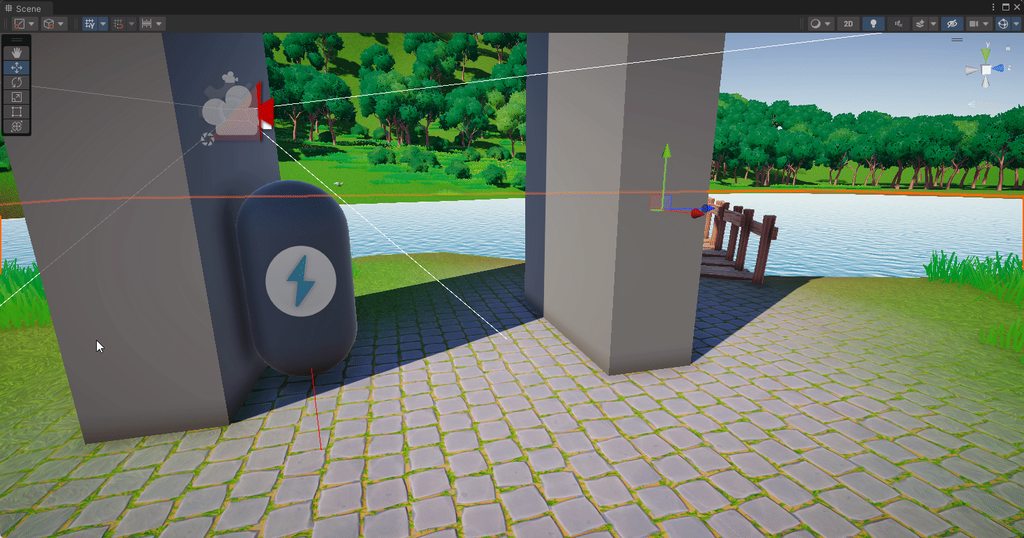
I want to be able to just change the physics material on the player but the problem with that is it makes the player slide if there is even a suggestion of a slope
Like pretty all talks about it online just talk about the physics material but like I said huge problem with you know. Sliding down slopes
 zenith yew
Guys my button keep appearing under the worldmap assets, how can I fix it?
humble thistle
humble thistle
Hrmmm anyone got any ideas on what would be the best idea to stop momentum in th...
It's a lot to ask..
Hrmmm I'll rack my brain on this one
 rigid island
humble thistle
It's a lot to ask..
Hrmmm I'll rack my brain on this one
rigid island
humble thistle
It's a lot to ask..
Hrmmm I'll rack my brain on this one
look into rigidbody casting or capsulecasting
humble thistle
Hmmm that might be a better solution I'll give that a think
 cosmic ermine
Going to ask this here, because #💻┃unity-talk is a hellscape. Always wondered, why does it take so much longer to create scripts than to change scripts? It takes like 30 seconds on my computer to make a change to numerous scripts, but it takes around 5 minutes to create a script.
sleek bough
30 seconds even seems a lot. If you upgraded your project through different versions might want to refresh Library. Creating new script also should not take a long time. But do ask in #hellscape next time.
cosmic ermine
sleek bough
30 seconds even seems a lot. If you upgraded your project through different vers...
my computer is old, from 2015, so 30 seconds is probably to be expected lol, and i have refreshed the library a few times as I've upgraded it through the versions due to numerous oddities, but ye weird that creating a script takes so long lol, fascinating, and thanks I will try the hellscape next time!
sleek bough
Using more dynamic approach might speed up things as well. Using addressables to reduce compilation size.
cosmic ermine
sleek bough
Using more dynamic approach might speed up things as well. Using addressables to...
ooh i haven't heard of adressables before, I'll look into them thanks lol
sleek bough
They are not directly referenced so the project is not compiling them each time.
 sleek bough
Like everything else. You reference them.
 lethal plank
it will be terminated after i close list tho
sleek bough
Then reference and initialize when you creating them
 grave raptor
which way is better?
timer -= Time.deltaTime;
or
if (timer > 0)
  timer -= Time.deltaTime;
not sure if a condition is faster than arithmetic, I would imagine it is though, maybe
 maiden fractal
grave raptor
which way is better?
```cs
timer -= Time.deltaTime;
```
or
```cs
if (timer > 0)
...
maiden fractal
grave raptor
which way is better?
```cs
timer -= Time.deltaTime;
```
or
```cs
if (timer > 0)
...
Why does it matter?
 west lotus
It doesnt really matter on modern hardware @grave raptor
 ruby fulcrum
anyone here good with quaternions?
lethal plank
sleek bough
Then reference and initialize when you creating them
this created them not me xd
 grave raptor
maiden fractal
Why does it matter?
grave raptor
maiden fractal
Why does it matter?
was just making sure I dont have an unnecessary issue basically
grave raptor
west lotus
It doesnt really matter on modern hardware <@80998285107535872>
thank you 
maiden fractal
grave raptor
was just making sure I dont have an unnecessary issue basically
Be careful, that subtraction will obviously drop your fps very badly joke
sleek bough
lethal plank
this created them not me xd
Whatever instantiates them, can save reference. If you instantiating prefab with children, have a script on the prefab root that references children, then you only have to ask it for reference
lethal plank
should i edit something from source code eh?
maiden fractal
ruby fulcrum
anyone here good with quaternions?
I dont think many of us understands quaternions really (I dont) but if you just post the question here, someone will most likely be able to help. Not many are confident enough with quaternions to say they are ”good” but with the methods unity provides, its relatively easy to solve most rotation problems without really understanding them
ruby fulcrum
maiden fractal
I dont think many of us understands quaternions really (I dont) but if you just ...
so basically i have a grenade tool and im trying to make a function where if you hold it down it progressively rotates up so you can control the direction it throws in, and theres a limit to how far up it can rotate, the grenade follows the rotation of the camera so that the player is 'holding' the grenade except for when the grenade is thrown.
problem is im having difficulties calculating the rotation of the grenade since its being affected by the camera rotation and localrotation doesnt seem to work. for some reason the grenade rotates downwards instead of upwards and its being really buggy and inconsistent
code:
rotate upwards function triggered by Update(), value of maxXAimDir is -30
private void continueAiming()
    {
        if (isAiming)
        {
            Debug.Log(transform.localEulerAngles.x);
            if (transform.localEulerAngles.x < maxXAimDir)
            {
                float xRotation = (xDirIncrement) * Time.deltaTime;
                transform.Rotate(xRotation, 0, 0);
            }

            generateLineTrajectory();
        }
    }
set to camera rotation function
private void LateUpdate()
    {
        if (!isThrowing)
        {
            //player is either not aiming or aiming the grenade, and has not been thrown
            transform.position = toolPos.transform.position;

            if (!isAiming)
            {
                //player is not aiming the grenade, has not been thrown
                transform.rotation = camera.transform.rotation;
            }
            else
            {

                //player is aiming the grenade
                //every axis except x is manipulated to camera axis
                transform.rotation = Quaternion.Euler(transform.eulerAngles.x
                    , camera.transform.eulerAngles.y
                    , camera.transform.eulerAngles.z);
            }
        }
    }

^ use gravity is turned off when aiming, turned on only when thrown
if you need video showcase i can record
swift falcon
Does most code still run even if theres errors before it?
//Error

//Error

//Working code
 lucid valley
swift falcon
Does most code still run even if theres errors before it?
```cs
//Error
//Error...
lucid valley
swift falcon
Does most code still run even if theres errors before it?
```cs
//Error
//Error...
nope
unless you use a try catch
lucid valley
errors throw which causes the code to stop executing and only continue at a try catch
swift falcon
Yeah i see thanks
swift falcon
lucid valley
errors `throw` which causes the code to stop executing and only continue at a `t...
Will it still loop around though, like if its in update
Update:

//Working

//Error
not sure what you mean
the best solution is to just prevent the error
 plain yacht
@swift falcon In general you want to avoid running code after an unexpected error, because you will be running your application in an unknown state after that point.
So, small headache to avoid big headaches.
 velvet quartz
should i put camera movement on LateUpdate or Update ?
 deep fable
what's the type of a 3d model file? (I am trying to do: var myModel = AssetDatabase.LoadAssetAtPath<???>(assetPath);)
Like this, I need access to the whole thing, not only the model
 quartz folio
deep fable
Like this, I need access to the whole thing, not only the model
quartz folio
deep fable
Like this, I need access to the whole thing, not only the model
GameObject
 wise arch
I am using the new input system and I have a pick up and drop event. Both are on the same button currently because it feels intuitive however I want the option to later split it in seperate buttons.
Because they are bound to the same button, if I press it, it will pick up and immediately drop whatever I picked up. Which is kinda logical. What is the best way to solve this?
Please ping or reply me so I get a notification
 plucky inlet
wise arch
I am using the new input system and I have a pick up and drop event. Both are on...
plucky inlet
wise arch
I am using the new input system and I have a pick up and drop event. Both are on...
you can just use the same function with a local bool to check if its picked up or not
 elder temple
How do I get y rotation value of an object from inspector in code?
wise arch
plucky inlet
you can just use the same function with a local bool to check if its picked up o...
Can you elaborate? In my case I have a reference to whatever I picked up if I pick up something, but I use that same check to see if I can drop whatever I have picked up
plucky inlet
y rotation is eulerAngles and local, so you just use transform.localRotation.eulerAngles.y?
plucky inlet
wise arch
Can you elaborate? In my case I have a reference to whatever I picked up if I pi...
do you register the event codewise or do you use the PlayerInput Premade Component to assign events?
wise arch
plucky inlet
do you register the event codewise or do you use the PlayerInput Premade Compone...
I use the "new" input system
a package from unity I installed
plucky inlet
wise arch
I use the "new" input system
Thats not what I asked.
How do you assign the code that is being executed to those input actions?
 wise arch
Yeah. Hold on, let me show it:
 public void OnPickUp()
    {
        if (PickUp && _weapon == null)
        {
            _weapon =  PickUp.PickUpWeapon();
            PickUp = null;
        }
    }
    public  void OnDrop()
    {
        if (_weapon)
        {
            GameObject spawnedPickUp = Instantiate(PickUp.GenericPickUpPrefab, _pawnMovement.transform.position, Quaternion.identity);
            _pickUp = spawnedPickUp.GetComponent<PickUp>();
            _pickUp.WeaponPrefab = _weapon;
            _weapon = null;
        }
    }
Not working, getting an error
plucky inlet
Ah got it. So you gotta keep track of if you have picked up something.
plucky inlet
elder temple
Not working, getting an error
not too much detail, somone might help... 😄
wise arch
plucky inlet
Ah got it. So you gotta keep track of if you have picked up something.
I do, _weapon is basically how I track it
It still doesn't work since I instantly drop it since I need to know if I can drop something in OnDrop
plucky inlet
wise arch
I do, _weapon is basically how I track it
It still doesn't work since I instant...
You might have to delay your function for example. So I get your issue, but I would suggest you use code to add and remove the action of the input key
wise arch
plucky inlet
You might have to delay your function for example. So I get your issue, but I wo...
How would that look like?
plucky inlet
google for performed on new input system. That way you can assign and remove your functions like with a usual delegate or event. You might get rid of playerinput comp, but if its just standard events, you can also just do this codewise
wise arch
Will this also work with my setup? I currently have player manager, spawning player controllers whenever a new player is detected and delegating it to the player pawn. A bit like how unreal works. Won't adding and removing functions complicate things?
plucky inlet
wise arch
Will this also work with my setup? I currently have player manager, spawning pla...
Basically playerinput is doing the same. But yeah, if you worked around the whole thing, you might just use the playerinput component and maybey ou can use that .performed state too. never worked with playerinput myself, always did it manually
wise arch
Okay, I'll look into it. Thanks for the effort
 weak flame
can I add a script to a scriptable object? for example - I want to create a few different kinds of enemies so I create a scriptable object with there AI, health and damage, but I want one of them to have a special ability. could this be done?
plucky inlet
You could have a list of abilities and your ability could be another scriptableobject. Then you could add those to the inpsector list of your AI scriptableobject
weak flame
so you saying just have another scriptable object and code all the abilities I want there, can have a few options?
plucky inlet
I do not know your abilities? How do they differ? Just with values, or complex code? That depends on how you set your system up.
plucky inlet
Then you might have to do some other kind of list, enums, classes or whatever fits your needs
weak flame
ok so making another script for the specific needs of the enemy works?
plucky inlet
Cant answer that in general as "specific needs" can be ANYTHING
weak flame
ok thanks I was wondering about that for a bit😑
plucky inlet
weak flame
ok thanks I was wondering about that for a bit😑
try to prototype it, refactor if it does not work
weak flame
It was a general question
but it really helped
can methods be created inside a Scriptable objects or just variables?
 past linden
Help pls, my script has to make it so that my slider changes the audio mixer volume for master audio, sfx audio, music audio an voice audio, but it doesn't work. Idk why pls help

 simple egret
Mixer volumes aren't in 0-1 ranges, like your sliders probably are. Plus, their scale isn't linear, you'll have to apply the following function to convert a 0-1 range to whatever the mixer is using:
volume = log10(slider) * 20
Oh and once you apply that, modify the slider's min value so it's a bit greater than 0. Otherwise if it's 0 then log10() will return Infinity and it'll basically rupture your eardrums
past linden
simple egret
Mixer volumes aren't in 0-1 ranges, like your sliders probably are. Plus, their ...
the range is 0.0001 min and 1 as max. I added the part of the script that you told me to and it still doesn't work
simple egret
Then make sure the code is actually getting executed, log something in it
past linden
like this?
 simple egret
Sure
past linden
doesn't do anything
simple egret
Then this function isn't getting executed. I assume this is hooked to your Slider's On Value Change event, can you verify that?
past linden
yep
 simple egret
Okay, make sure that slider component is enabled, the check box aside its name should be checked
Ignore if there's no checkbox
past linden
it is enabled
simple egret
Okay, can you visually interact with the slider? Can you see its color change when you hover over it, and can make it move the knob?
Also, is there any other slider that's in front of it by mistake?
past linden
simple egret
Okay, can you visually interact with the slider? Can you see its color change wh...
the slider's interactive, the color changes, the knob moves, there's no sliders in front of it
simple egret
I haven't asked, but you don't get any exceptions in the console, do you?
Other than that, I have one more debugging technique to post, then I'm out of ideas
past linden
simple egret
I haven't asked, but you don't get any exceptions in the console, do you?
Other ...
the debug doesn't work too, the only exception in the console is abt the other objects that do nothing with the slider
simple egret
Exceptions stop scripts from running, you should fix those because even if they don't appear related, it might still prevent the event from being raised
past linden
simple egret
Exceptions stop scripts from running, you should fix those because even if they ...
i fixed it and it still doesn't work
 spice aspen
when i dont have the line of disabling the collider
the animation plays
why is that?

 vague slate
Is there a way to get value of whether Gizmos are enabled atm?
I have a separate drawing system for debug and I want to tie it to gizmos enabled state
 glacial snow
Hey guys
I'm experimenting with some GUI map stuff
My script requires all the objects to be put together under a parent
When the text object is moused over, it causes the 'popup' object to be shown and move to the mouse position, and be hidden if its no longer being moused over.
In the video you can see the text of 'desolate crossroads' (its a bit hard to see because of the drawn map overlay) is displayed over the top of the forest path popup. How do i fix this? I dont think i can just change the position in layer either since that would just shift the problem elsewhere.
spice aspen
vague slate
Is there a way to get value of whether Gizmos are enabled atm?
    void OnDrawGizmosSelected()
    {
        Gizmos.color = Color.red;
        Gizmos.DrawWireSphere(atk_pos_left.position,atk_range);```
this ?no
I need some static field
which represents whether gizmos are enabled
I am not drawing from within monob
simple egret
From a quick research it doesn't look like you can
I'd have a MonoBehaviour which has OnDrawGizmos, and raise an event in it your custom drawing thing catches
vague slate
            if (!UnityEditor.EditorWindow.GetWindow<UnityEditor.SceneView>().drawGizmos)
            {
                return;
            }
turns out you can
😅
vague slate
simple egret
Just make sure not not include that in a build
it's not like it will even build with editor code 😅
allthough
Smth wrong with this code
it makes editor broken
somehow
 unreal temple
spice aspen
```
void OnDrawGizmosSelected()
{
Gizmos.color = Color.red;
...
unreal temple
spice aspen
```
void OnDrawGizmosSelected()
{
Gizmos.color = Color.red;
...
You could always do something like:
class NastyGizmoThing : MonoBehaviour {
  public static bool AreGizmosEnabled => _enabledFrame == Time.frameCount;
  int _enabledFrame = -1;
  void OnDrawGizmos() {
    _enabledFrame = Time.frameCount;
  }
}
The correct check might be _enabledFrame == Time.frameCount - 1
Either way I hate it.
 agile nimbus
You could check something like
#if UNITY_EDITOR
if (SceneView.currentDrawingSceneView.drawGizmos) {

}
#endif
or
#if UNITY_EDITOR
bool isDrawingGizmos = false;
foreach (SceneView s in SceneView.sceneViews) {
    if (s.drawGizmos) {
        isDrawingGizmos = true;
        break;
    }
}
#endif
Right?
I haven't tested or used this before, but am speculating this might help
unreal temple
that's a lot nicer than my suggestion
agile nimbus
No worries! I just happened to remember they have some helpful static getters in SceneView to see the current drawing SceneView, or loop through all the open SceneViews 🙂
unreal temple
vague slate
I have a separate drawing system for debug and I want to tie it to gizmos enable...
Although I'd probably just have an object in the scene with OnDrawGizmos() => myDebugSystem.DrawGizmos()
 torn ore
Hey there 🙂 Not sure if the correct channel, but I guess most programmers are here. How can I activate auto complete in my visual studio 2022 community editor like in this tutorial? My IDE version doesn't have the suggestion as seen on the screenshot 
 unreal temple
torn ore
Hey there 🙂 Not sure if the correct channel, but I guess most programmers are h...
unreal temple
torn ore
Hey there 🙂 Not sure if the correct channel, but I guess most programmers are h...
!ide
tawny elkBOT
💡 IDE Configuration
If your IDE is not autocompleting code
or underlining errors, please configure it:
• Visual Studio (Installed via Unity Hub)
• Visual Studio (Installed manually)
• VS Code*
• JetBrains Rider
• Other/None
*VS Code's debugger plugin is unsupported.
We recommend using VS or Rider instead.
unreal temple
@vague slate in fact, I think you'd need to run the code in the OnDrawGizmos callback for it to work anyway
Gizmo calls don't work otherwise
vague slate
unreal temple
<@331022224779771915> in fact, I think you'd need to run the code in the OnDrawG...
not that simple
my system relies on loop
it's ECS system
with codegen related to it
but
it's fine
I already found code that does the trick
unreal temple
okay, if it works.
vague slate
            if (!UnityEditor.EditorWindow.GetWindow<UnityEditor.SceneView>().drawGizmos)
            {
                return;
            }
Does it work though? Because if that's in an ECS system that's running in Update it won't draw gizmos anyway.
vague slate
unreal temple
Does it work though? Because if that's in an ECS system that's running in Update...
I don't draw gizmos
unreal temple
Oh.
vague slate
yeah, it's Debug.DrawLine for now 😅
unreal temple
Did you at least see this? #archived-code-general message
Just a terser version of your code
Well, less GetWindowsey
vague slate
I do it once in OnCreate anyway
not an issue
but I see the idea
I just don't want to rely on MonoB
unreal temple
there's no other gizmos callback (AFAIK) so you kind of have to
Just like Update
etc
 hazy kayak
hey guys, I'm having a slight problem with scene management. Loading a scene asynchronously unloads a different scene instead of the scene specified, which is even weirder.
currently my setup is as follows ```yaml
Name: Build Index
BootLoader: 0
MainMenu: 1
Game: 2
bootloader is the "loading screen" scene, which implements all scene management logic and other core stuff
currently the bootloader (0) and main menu (1) are loaded. when using `SceneManager.LoadSceneAsync(2, LoadSceneMode.Additive);`, for some reason, the bootloader (0) gets **un**loaded, game (2) gets loaded for like a frame, before disappearing, leaving me with only the main menu left, when I wanted to load the game scene.If you're loading additive then nothing should be unloaded.
hazy kayak
unreal temple
If you're loading additive then nothing should be unloaded.
well thats the problem
it works at launch
not when selecting play in main menu
unreal temple
Are you ever calling LoadScene or UnloadScene elsewhere?
hazy kayak
unreal temple
Are you ever calling `LoadScene` or `UnloadScene` elsewhere?
no
thats the thing
unreal temple
100% sure, did you search your entire codebase?
hazy kayak
unreal temple
100% sure, did you search your entire codebase?
gonna do it again
if I find a pesky LoadScene call in a random monobehaviour I forgot about I'll cry
unreal temple
AFAIK a scene can only by unloaded by LoadScene, non-additive LoadSceneAsync (will unload all scenes) or UnloadSceneAsync
unreal temple
hazy kayak
if I find a pesky LoadScene call in a random monobehaviour I forgot about I'll c...
you're not searching manually are you?
it should take about 10ms to find all instances of "SceneManager" in your project
hazy kayak
I have
unreal temple
did you find the issue?
unreal temple
Well, I've never had this issue and I've made plenty of multi-scene projects that do stuff like this
hazy kayak
every other instance of SceneManager.(Un)loadScene have been commented out when debugging
unreal temple
hazy kayak
every other instance of SceneManager.(Un)loadScene have been commented out when ...
are all the files saved?
unreal temple
Well, it's extremely unlikely to be a unity error
Even smart people make that mistake
hazy kayak
true but I have saved my files
and it isnt working
when clicking play
both bootloader and game just disappears
unreal temple
Make an empty scene
And load that instead of Game
Also try logging in the callback of this:
https://docs.unity3d.com/ScriptReference/SceneManagement.SceneManager-sceneLoaded.html

Maybe you can get a stack trace
At least work out what's happening
hazy kayak
unreal temple
Make an empty scene
didnt work
unreal temple
void Start() {
  SceneManager.sceneLoaded += (scene, mode) => Debug.Log($"Loaded {scene.name} {mode}");
}
If you can, go back to your Visual Studio Installer (or re-download/re-run it) and update your VS to contain at least the following:
- .NET desktop development (C#)
- Game development with Unity
If they're already checked, then you should be good there.
After restarting your computer, then re-open your Unity project, go under Window → Package Manager and make sure you have the latest Visual Studio Editor package installed for your project.
Then, go under Edit → Preferences → External Tools and make sure your "External Script Editor" is set to your VS installation. Mine looks like this:
 unreal temple
agile nimbus
If you can, go back to your Visual Studio Installer (or re-download/re-run it) a...
unreal temple
agile nimbus
If you can, go back to your Visual Studio Installer (or re-download/re-run it) a...
There's a detailed guide linked in the bot message from !ide
tawny elkBOT
💡 IDE Configuration
If your IDE is not autocompleting code
or underlining errors, please configure it:
• Visual Studio (Installed via Unity Hub)
• Visual Studio (Installed manually)
• VS Code*
• JetBrains Rider
• Other/None
*VS Code's debugger plugin is unsupported.
We recommend using VS or Rider instead.
torn ore
agile nimbus
If you can, go back to your Visual Studio Installer (or re-download/re-run it) a...
Thanks, the bot actually already helped me haha. There was a package missing, I guess the .net stuff
unreal temple
Yes, people ask many times each day (or more often ask how to fix errors caused by typos and reveal they don't have it set up)
torn ore
unreal temple
Yes, people ask many times each day (or more often ask how to fix errors caused ...
I can imagine. Well, one less to deal with today. Time to code!
hazy kayak
unreal temple
```cs
void Start() {
SceneManager.sceneLoaded += (scene, mode) => Debug.Log($"...
okay, got a stacktrace
Loaded MainMenu Additive
# Clicked Play
Loaded Empty Additive
Loaded MainMenu Single
no idea why the mainmenu single is called
unreal temple
Is there a stacktrace on Loaded MainMenu Single?
I'm guessing not because it's going through unity engine
hazy kayak
nah it just points to the sceneLoaded callback
unreal temple
Damn
Well, I feel like somewhere some code is calling LoadScene*
If not in your codebase, perhaps in a package? Feels unlikely.
But that's definitely not normal
hazy kayak
no way
found it
it was my code but vs didnt search there
cause it was a different solution
for my networking stuff
im so dumb
unreal temple
nice
😢


it's VS that's dumb, not you.
A good worker always blames their tools.
Or something
 dusk geode
hey im having a problem :
im using a relatively simple setup to make a cube hover above the ground -- it has 5 anchors and each anchor casts a ray downwards to find a surface. if a surface is found it tries to approach that surface using a spring force. This is adjusted based on the surface normal too, so if the slope is well a proper slope the sticky force would be relative to the surface. however sometimes that causes my object to get stuck. I suspect this is because of raycast origins but i am not 100% sure
Here is a gif of what is happening
actually it might work today ? lol
nope no luck

Vector3 ForceSticky(float stickyHeight, Vector3 stickyRayOrigin, Vector3 stickyRayDirection)
    {
        //determine if sticky force should be applied
        RaycastHit stickyHit;
        if (Physics.Raycast(stickyRayOrigin, stickyRayDirection, out stickyHit, stickyRayDistance, ~stickyLayerIgnore))
        {
            Vector3 agentVel    = rb.velocity;
            Vector3 stickyVel   = stickyHit.rigidbody?.velocity ?? Vector3.zero;
            Vector3 stickyDirection = -stickyHit.normal;

            float agentBodyRelMag   = Vector3.Dot(stickyDirection, agentVel);
            float stickyBodyRelMag  = Vector3.Dot(stickyDirection, stickyVel);
            float relativeBodyMag   = agentBodyRelMag - stickyBodyRelMag;

            float springMag = ((stickyHit.distance - stickyHeight) * stickySpringStrength) - (1 * stickySpringDampener);
            if (stickyDrawDebug)
            {
                UnityEngine.Debug.DrawLine(stickyRayOrigin, stickyRayOrigin + (stickyRayDirection * stickyHit.distance), Color.red);
                UnityEngine.Debug.DrawLine(stickyRayOrigin, stickyRayOrigin + (stickyRayDirection * springMag), Color.yellow);
            }

            return stickyDirection * springMag;
        }
        return Vector3.zero;
    }
I am also applying gravity relative to the surface which might be a problem too
Vector3 ForceGravity(Vector3 gravityRayOrigin, Vector3 gravityRayDirection, GameObject anchor)
    {
        Vector3 anchorForward;
        float effectiveGravity;

        RaycastHit gravityHit;
        Vector3 slope = Vector3.down;
        Vector3 gravityForce = slope * gravityStrength;

        if (Physics.Raycast(gravityRayOrigin, gravityRayDirection, out gravityHit, gravityRayDistance, ~gravityLayerIgnore))
        {
            slope = Vector3.Cross(
                gravityHit.normal,
                Vector3.Cross(gravityHit.normal, Vector3.up)
            );
            anchorForward = Vector3.Dot(slope, anchor.transform.forward) >= 0 ? anchor.transform.forward : -anchor.transform.forward;

            effectiveGravity = gravityStrength * Mathf.Abs(
                Vector3.Dot(slope, anchorForward)
            );
            gravityForce = Vector3.Slerp(anchorForward, slope, Vector3.Dot(slope, anchorForward)) * effectiveGravity;
        }
        if (gravityDrawDebug)
        {
            UnityEngine.Debug.DrawLine(transform.position, transform.position + (slope * 100), Color.red);
            UnityEngine.Debug.DrawLine(gravityRayOrigin, gravityRayOrigin + (gravityRayDirection * gravityHit.distance), Color.green);
            UnityEngine.Debug.DrawLine(gravityRayOrigin, gravityRayOrigin + (gravityForce), Color.blue);
        }
        return gravityForce;
    }
At first I thought my spring force was simply not strong enough to push the anchor out of the surface in time but this happens when I approach the collider slowly too :

In fact this version is even more bizarre
Im a bit lost on this
I tried using a spherecast in the hopes that it was some weird precision issue but that did not fix it
Ok so the issue is that the raycast reaches the plane through the object
How do I not make it do that
The anchors do get pushed into the surface slightly but that should not be an issue as the ray does not originate from their y level
 river lynx
can someone pls help me ? im making a pong game and i have a bouncy physics material and when the ball collides with a wall that also has the bouncy material. the balls velocity doesnt change. it still goes the same way
[SerializeField] private Rigidbody2D rb;
private float VelocityX = 1;
private float VelocityY = 1;
void Start()
{
rb.velocity = new Vector2(VelocityX, VelocityY);
}
private void Update()
{
Debug.Log(VelocityX);
Debug.Log(VelocityY);
}
private void OnCollisionExit2D( Collision2D collision )
{
VelocityX = VelocityX * 1.2f;
VelocityY = VelocityY * 1.2f;
rb.velocity = new Vector2(VelocityX, VelocityY);
}``` main shuttle
river lynx
```csharp
[SerializeField] private Rigidbody2D rb;
private float Velocit...
main shuttle
river lynx
```csharp
[SerializeField] private Rigidbody2D rb;
private float Velocit...
Not really sure what you are asking, it should at least make it 20% faster I would think.
But to me it seems you think velocity is some sort of speed, its a velocity vector where you want to go, and how long that vector is, that's your speed.
So you just multiply your velocity vector by 20% each time you are CollisionExiting, you are not changing the velocity vectors direction.
river lynx
main shuttle
Not really sure what you are asking, it should at least make it 20% faster I wou...
i mean like when the ball goes from the middle of the screen to a wall i want it to bounce back
like in pong
 main shuttle
Yeah, but currently you are constantly setting your velocity to go top right.
river lynx
the camera edges are the walls they have colidees
oh then how can i make it change to the new velocity?
 main shuttle
I don't understand why you would want it to be honest, you already have bouncy materials, so when you collide with the top, I would assume you bounce back.
You could make it so the velocity is always a constant speed, but if you give the materials no friction, it should also do that normally.
river lynx
then i should delete that code and only add a force? at the start
main shuttle
That should work I think
river lynx
ok it works but still soemthing seems off. when i play it always goes the oposite way so it doesnt bounce off the walls so theres no need to move the paddles
main shuttle
river lynx
ok it works but still soemthing seems off. when i play it always goes the oposit...
It doesn't bounce? But you have bouncy materials you said?
river lynx
oh bad wording it does bounce but it just goes to the opposite direction
thats how mounce works irl but in pong it makes the game usseles
main shuttle
river lynx
thats how mounce works irl but in pong it makes the game usseles
Can you show a gif/vid of what you mean? Because what your telling me is exactly what I would expect from a pong game.
If you go to top right and hit the wall, it should go bottom right.
You could do some math that changes the direction depending on where the ball hits the paddle, but that's a feature.
main shuttle
So it doesn't bounce 😛
Show how you setup the top wall then.
Also, you sure you deleted all the velocity code?
river lynx
 [SerializeField] private Rigidbody2D rb;
    private float VelocityX = 100;
    private float VelocityY = 31;
    void Start()
    {

        rb.AddForce(new Vector2(VelocityX, VelocityY));
    }
 dusk geode
How do I not make it do that
dusk geode
dusk geode
How do I not make it do that
Anyone ?
main shuttle
river lynx
```csharp
[SerializeField] private Rigidbody2D rb;
private float VelocityX ...
This seems fine, can you show the bouncy material?
river lynx
 main shuttle
river lynx
main shuttle
river lynx
Strange, this seems fine too, does the ball have the same bouncy material?
main shuttle
river lynx
even the rigidbody
And that's the only script you have in the scene?
river lynx
    private float vertical;
    private float speed = 15f;

    [SerializeField] private Rigidbody2D rb;

    void Update()
    {
        vertical = 0;

        if (Input.GetKey(KeyCode.UpArrow))
        {
            vertical = 1;
        }


        if (Input.GetKey(KeyCode.DownArrow))
        {
            vertical = -1;
        }

    }

   private void FixedUpdate()
    {
        rb.velocity = new Vector2(0f, vertical * speed);
}``` this to make the paddle moveWhat if you duplicate the paddle, and add that at the top

Something weird is going on in your scene, I'm not sure what.
 trim sand
Hey,
I try to create a multiplayer game with a matchmaking system, but I don't know where to look. Because I search a system like APEX Legends or others where you click on a search button and the game create a server if anyone is available or connect the player to the server ( A server on demand system).
I see tools like Netcode for gameobjects or RiptideNetworking but i don't know which one choose and if they are good for what i look for.
Can u help me ?
Thanks
main shuttle
trim sand
Hey,
I try to create a multiplayer game with a matchmaking system, but I don't k...
#archived-unity-gaming-services has a whole suite for Lobbies, Matchmaking, Servers and more, all the things you would want from a multiplayer game. I would look through the documentation of it there.
river lynx
main shuttle
Something weird is going on in your scene, I'm not sure what.
oh no it worked the whole time i guess the starting force was weird with almost no bounce. last thing how can i make it speed up on collison? with add force? if yes how do i get the vector2 to set it too
trim sand
main shuttle
<#989064252415426651> has a whole suite for Lobbies, Matchmaking, Servers and mo...
Ok, thanks, but these solutions are not free from what I have seen. I personally have my own machine.
main shuttle
river lynx
oh no it worked the whole time i guess the starting force was weird with almost ...
Your original code forced it to always go up and right.
What you need to do is flip the Y, and keep the X.
dusk geode
im not sure unity allows it but simply increasing the bounciness to above 1 should be the same
does not. shame
river lynx
yeah i did that i just need to increase speed on every collision. im thinking of adding a force after every collision i just dont know how to find the vector that tells me the way its going
main shuttle
trim sand
Ok, thanks, but these solutions are not free from what I have seen. I personally...
They are free for normal amounts of indie games, and if you don't have a normal amount, you will have plenty of money to spend a bit on the infrastructure.
If you want to setup your whole own solution, I don't really have a suggestion. It's really hard, and insanely time consuming.
main shuttle
trim sand
Ok, thanks, but these solutions are not free from what I have seen. I personally...
You could ask in #archived-networking, they would have more knowledge on topics like this.
main shuttle
river lynx
yeah i did that i just need to increase speed on every collision. im thinking of...
The rigidbody.velocity is the vector of where it's going.
trim sand
main shuttle
You could ask in <#497874116246896640>, they would have more knowledge on topics...
Ok thanks u !
river lynx
rb.AddForce(rb.velocity*10);``` will this work?Bit heavy handed, but OnExit it probably could 😅
river lynx
its on collision end
sorry for asking for help again but it doesnt work ```csharp
[SerializeField] private Rigidbody2D rb;
private float VelocityX = 400;
private float VelocityY = 31;
void Start()
{
    rb.AddForce(new Vector2(VelocityX, VelocityY));
}

private void CollisionEnd()
{
    rb.AddForce(rb.velocity*100000);
}```
No idea what CollisionEnd is, I think you mean this: https://docs.unity3d.com/ScriptReference/MonoBehaviour.OnCollisionExit2D.html
Just like you had in your first example
Also, with a speed like that, you will probably destroy your physics.
river lynx
yeah i know it didnt do anything so i tried to make it drastic
and yeah i accideanty typed end and not exit
main shuttle
It needs to be exactly the same, otherwise it wont get called. So OnCollisionExit2D. Don't forget the 2D part, most people do.
river lynx
yes thanks it works but why if the velocity is > 50 i think it goes past the collider
dusk geode
You need to change your collision detection mode to continuous
main shuttle
river lynx
yes thanks it works but why if the velocity is > 50 i think it goes past the col...
It's because of your RigidBody settings, by default it's a 'cheap' version of collision detection, with the problem that if an object is so fast it doesn't hit the wall in 1 of the Update frames, it just teleports through. You could set it to a more expensive version, so it doesn't do that.
river lynx
but if i build the game will it fix it
main shuttle
No
river lynx
okay laso there are 2 parameters. Collision collision which one do i set a game object ? so it runs only when it hits a paddle
hexed pecan
river lynx
okay laso there are 2 parameters. Collision collision which one do i set a game ...
Thats one parameter. Collision is the type, collision is the name
Though it should be Collision2D for you
spice aspen
y isnt the animation playing?

 lost dove
Hello. I created a level editor for my game, and I used the world space. I then realized that a very good feature I wanted would better come from the UI space. That said, I created a temporary concept UI editor to demonstrate what I'm trying to achieve.
The first state in this video is my working in game level editor. The second state is using the UI space for my level editor, and I have several questions regarding it.
First: How can I get the local position the mouse is clicking when clicking on a Rect Transform?
Second: How can I prevent the scroll view from moving while the mouse is placing blocks? (Both use left click).
river lynx
hexed pecan
Thats one parameter. Collision is the type, collision is the name
im trying to call that function when colliding with a specific game object
hexed pecan
The collision parameter lets you access the other gameobject
river lynx
hexed pecan
The collision parameter lets you access the other gameobject
{
[SerializeField] private Rigidbody2D rb;
    [SerializeField] private GameObject Enemy;
    [SerializeField] private GameObject Player;
    private float VelocityX = 400;
    private float VelocityY = 31;
    void Start()
    {

        rb.AddForce(new Vector2(VelocityX, VelocityY));
    }

    private void OnCollisionExit2D( Collision2D Player )
    {
            rb.AddForce(rb.velocity * 20);
            Debug.Log("colision");
    }``` this is the code and it triggers on every collision not just gameobject player
 finite coral
i have been working on a perlin noise map but when i tried to add meshes to the map the textures started bugging out any ideas why this may be happening??
hexed pecan
river lynx
```csharp
{
[SerializeField] private Rigidbody2D rb;
[SerializeField] privat...
Just naming the parameter "Player" will not make it happen only when colliding the player.. its a Collision2D and you should use its properties to check if you collided with the player or not
river lynx
hexed pecan
Just naming the parameter "Player" will not make it happen only when colliding t...
nono i added a gameobject called player and in unity i set the gameobject the the player gameobject so
hexed pecan
Yeah it doesnt work like that.
river lynx
oh then i should use player.getcomponet?
hexed pecan
Firstly, dont name it player. Its just a collision, you dont know if its the player or not
Use collision.collider or collision.gameObject
river lynx
as the second condition or in a if statement
hexed pecan
Not sure what you mean second condition but yes an if statement
You seem to be confusing parameters and conditions
 hollow karma
is there a way that's built into unity where I can lock the aspect ratio of my game?
otherwise the player can resize the windows and see things they weren't meant to see
 prime sinew
hollow karma
is there a way that's built into unity where I can lock the aspect ratio of my g...
prime sinew
hollow karma
is there a way that's built into unity where I can lock the aspect ratio of my g...
Check the Player Settings
 swift delta
I'm messing around with OnInspectorGUI() to try and display some serializefields, but I'm having a hard time using it with a class
I have a
[SerializeField] QuestItemGoal[] goals;
I'd like to add to a SerializedProperty, with QuestItemGoal being a class with a GameObject and a byte, but I keep getting errors trying to find the property "goals"
 leaden ice
swift delta
I have a
```cs
[SerializeField] QuestItemGoal[] goals;
```
I'd like to add to a...
leaden ice
swift delta
I have a
```cs
[SerializeField] QuestItemGoal[] goals;
```
I'd like to add to a...
is QuestItemGoal serializable?
swift delta
// Objeto responsável por armazenar ítens a serem coletados ou monstros a serem mortos para uma quest
class QuestItemGoal
{
    [SerializeField] GameObject item;       // GameObject do item ou monstro requerido (mudar para SO no futuro?)
    [SerializeField] byte       quant;      // Quantidade do objeto requerida pela quest
}
 candid kiln
why does this get rounded to 22?
 leaden ice
swift delta
```cs
// Objeto responsável por armazenar ítens a serem coletados ou monstros a ...
leaden ice
swift delta
```cs
// Objeto responsável por armazenar ítens a serem coletados ou monstros a ...
you have not marked your class with [Serializable]
so it is not serializable
candid kiln
 swift delta
right, got it
leaden ice
candid kiln
why does this get rounded to 22?
100 / 12 is 8 in integer math
candid kiln
there is "f" in the end of ints
candid kiln
candid kiln
but this
leaden ice
also you are doing another integer division at the end with / 100 potentially
candid kiln
lemme put f to them too
swift delta
hm, no dice. still getting Object reference not set (...)
leaden ice
also why not just do 100f / 12f one time and store it in a variable to reuse, instead of redoing the calculation 4+ times?
leaden ice
swift delta
hm, no dice. still getting `Object reference not set (...)`
with what code
show your code
swift delta
on it, one sec
leaden ice
and show the full error message as well
candid kiln
leaden ice
also why not just do `100f / 12f` one time and store it in a variable to reuse, ...
right
lucid valley
candid kiln
why does this get rounded to 22?
also use a local var, no point doing the same calculation twice (+2 for the logs)
candid kiln
just put an "f" to the end of 100 but still same thing
leaden ice
candid kiln
why does this get rounded to 22?
Also... shouldn't you be using Debug.Log?
candid kiln
leaden ice
Also... shouldn't you be using `Debug.Log`?
this is the server code
leaden ice
plus, what are the numbers involved and why do we expect something that is not 22?
I'm not really sure I understand what result we're expecting and why
candid kiln
it's kinda hard to explain but i'm doing a statics chart for my game and i need to find exact positions to put the points
 swift delta
    GUIContent qgoal_desc_item = new GUIContent("Item a ser coletado");

    void OnEnable()
    {
        //  (...)
        qgoal = serializedObject.FindProperty("goals");
    }

    public override void OnInspectorGUI()
    {
        serializedObject.Update();
        //  (...)
        EditorGUILayout.PropertyField(qgoal, qgoal_desc_item);
        //  (...)
        serializedObject.ApplyModifiedProperties();
    }
Error message:
NullReferenceException: Object reference not set to an instance of an object
UnityEditor.EditorGUILayout.IsChildrenIncluded (UnityEditor.SerializedProperty prop) (at <71ee84cdf7fe40d890e92f20d978f6a2>:0)
UnityEditor.EditorGUILayout.PropertyField (UnityEditor.SerializedProperty property, UnityEngine.GUIContent label, UnityEngine.GUILayoutOption[] options) (at <71ee84cdf7fe40d890e92f20d978f6a2>:0)
QSO_Editor.OnInspectorGUI () (at Assets/Scripts/QuestSystem/QSO_Editor.cs:47)
UnityEditor.UIElements.InspectorElement+<>c__DisplayClass62_0.<CreateIMGUIInspectorFromEditor>b__0 () (at <42e3fce2e9f94782ada94f14d4b406f2>:0)
UnityEngine.GUIUtility:ProcessEvent(Int32, IntPtr, Boolean&)
leaden ice
swift delta
```cs
GUIContent qgoal_desc_item = new GUIContent("Item a ser coletado");
...
what line is Assets/Scripts/QuestSystem/QSO_Editor.cs:47
swift delta
EditorGUILayout.PropertyField(qgoal, qgoal_desc_item);
fourth from the bottom up in the pasted code above
leaden ice
swift delta
```cs
GUIContent qgoal_desc_item = new GUIContent("Item a ser coletado");
...
can you show the full script, not just a snippet. Using a paste site?
candid kiln
leaden ice
(you are also casting to `int` explicitly)
yes
swift delta
aight
leaden ice
swift delta
worth mentioning: I also tried
```cs
qgoal.GetArrayElementAtIndex(0)
```
and QSO_Base looks like?
leaden ice
swift delta
https://pastecode.io/s/xfhnrw9n
You put [SerializeField] on your class instead of [Serializable]
[SerializeField]
class QuestItemGoal```^not correct
swift delta
not getting any hits with [Serializable]
 leaden ice
I'm presuming you're planning to add more stuff to that right?
swift delta
possibly
leaden ice
What you have right now you can get without a custom inspector
that's just the default inspector
swift delta
all I want is to block off other data that won't be used in case quest type isn't relevant to what's being fed to it
leaden ice
If you're allowed to use third party libraries I'd recommend NaughtyAttributes
It can do stuff like this with little more than a simple attribute:
https://dbrizov.github.io/na-docs/_images/ShowIf_Inspector.gif
 swift delta
I'm not sure if that's necessary. We won't be doing much more with the inspector besides some basics, and I just want to make sure there's as little fiddling on the back end as possible for the artists and quest designers
they understand what a scriptable object is and how to add it so I'll just stick so making quests via those and call it a day
although if we do need to make some more complex things I'll keep NA in mind, thanks
...on that note is there a less silly way to add padding in between the fields besides
EditorGUILayout.LabelField("");
groovy. that's perfect
leaden ice
BTW, this took me a really long time to realize, but EditorGUILayout is just a "convenience" wrapper around EditorGUI:
https://docs.unity3d.com/ScriptReference/EditorGUI.html
In EditorGUI you have to specify everything with Rects explicitly, but you have a lot more fine-grained control over the placement and spacing of everything.
I'd definitely stick to the Layout version whenever possible but it's good to know what exists.
swift delta
very interesting. I'll keep it in mind if I want to make some more meaningful edits to the layout
 maiden junco
guys
i have a oroblem
i have a pool with 2500+ colored balls
with around 32 triangles per ball
the thing is, how can i deal with performance?
i tried to optimize it the most
but its still laggy
 cyan rapids
I have a [ Dictionary<T1, T2> dictionary ] that I want to make get/private set, in the sense that anything can read dictionary.Count and try to get/read values, but nothing outside of the class holding the dictionary can call .Add or .Remove or anything that modifies the dictionary.
Is there a keyword or something for this or is it something I write myself? I tried readonly and get; private set; but neither of those really had the effect I wanted
 real ivy
how can i get the local foward of an object?
 real ivy
how can i get the local foward of an object?
real ivy
real ivy
how can i get the local foward of an object?
like, the red or the green line
cyan rapids
it's just transform.forward no? I think that's local space by default. Also there's transform.right and transform.up for the other lines
 buoyant crane
real ivy
like, the red or the green line
buoyant crane
real ivy
like, the red or the green line
transform.forward
buoyant crane
cyan rapids
I have a [ Dictionary<T1, T2> dictionary ] that I want to make get/private set, ...
would this work? https://stackoverflow.com/a/51072438
cyan rapids
buoyant crane
would this work? <https://stackoverflow.com/a/51072438>
Yes! Thank you :)
idk why i didn't think of that haha
maiden junco


How can i deal with performance guys
(btw i wanted to add to them some physics like rigidbody)
(like fnaf security breach daycare scene you know)
(idk if is possible with 2500+ objects)
real ivy
buoyant crane
transform.forward
i'm getting the fixed vector even when the object is rotated

did i do something wrong?
maiden junco
Optimize 2500+ balls in a pool
leaden ice
real ivy
like, the red or the green line
red line is transform.right, green is transform.up
real ivy
leaden ice
red line is `transform.right`, green is `transform.up`
i literally discovered this 5 seconds before you say
epic
real ivy
leaden ice
red line is `transform.right`, green is `transform.up`
thank u btw
real ivy
buoyant crane
transform.forward
and u
lucid valley
solemn raven
hi,
how to run a function on change gameobject name ?
i don't think theres a way do that
you'd have to make a util or monobehaviour to go through
lucid valley
solemn raven
OnValidate()?
only runs when a value is changed in the inspector or when the script first loads (and is editor only)
 kind grove
Hello! I want to be able to set a global or static variable to a particular object (the current Campaign) from the editor. How can I do so?
 vocal cypress
idk if this is the right place to ask this, but I have this code public void PlayerDied(DyingEventArgs ev) { if (ev.DamageHandler.GetType() != typeof(CustomReasonDamageHandler)) { switch (ev.Player.Role.Type) { case RoleTypeId.ClassD: ev.DamageHandler = new(ev.Player, new CustomReasonDamageHandler($"{Plugin.Instance.Config.ClassDdeathreason}")); break; that apparently dosent work but I dont understand why it wouldnt
lucid valley
kind grove
Hello! I want to be able to set a global or static variable to a particular obj...
pretty sure there's no direct way to do it
vocal cypress
all Dying Event is the method gets called when the player dies
leaden ice
vocal cypress
idk if this is the right place to ask this, but I have this code ```public void ...
- What are you expecting it to do?
- What does it do instead?
- What steps did you take to debug?
kind grove
What's the best way to set data that exists independent of objects within the scene? So I don't have to reproduce the same change in every scene.
leaden ice
kind grove
What's the best way to set data that exists independent of objects within the sc...
You can use ScriptableObjects, or a DDOL MonoBehaviour
kind grove
Scriptable object sounds right. Once I create one can I access it statically?
vocal cypress
leaden ice
- What are you expecting it to do?
- What does it do instead?
- What steps did y...
Im expecting it to override whatever the player is dying to in-game and set my custom death message with it (using a CustomReasonDamageHandler), it either dose nothing at all or the ev.DamageHandler dosent work. I've tried putting a Log at the start of the case to see if the case is being executed, which it is
grave raptor
is there a way to get a monobehaviour instance from a transform reference? I want to somehow be able to remotely start a coroutine without having to put "this" as the argument every time if possible
kind grove
leaden ice
You can use ScriptableObjects, or a DDOL MonoBehaviour
My goals is to be able to define a "Campaign" object that contains a List<Scene> variable, then create multiple instances or prefabs with different scene combinations.
kind grove
vocal cypress
idk if this is the right place to ask this, but I have this code ```public void ...
Are you using breakpoints?
leaden ice
vocal cypress
Im expecting it to override whatever the player is dying to in-game and set my c...
what does "doesn't work" mean?
You should be logging the value of ev.Player.Role.Type, making sure if (ev.DamageHandler.GetType() != typeof(CustomReasonDamageHandler)) passes, etc.
vocal cypress
It must not override the death message in game, but I cant find out exactly what part is going wrong
vocal cypress
leaden ice
You should be logging the value of `ev.Player.Role.Type`, making sure `if (ev.Da...
Ill try that ye
kind grove
Sounds like Breakpoints will solve your problem if you have a 100% repro.
leaden ice
vocal cypress
It must not override the death message in game, but I cant find out exactly what...
How are you expecting this "override" to happen?
what code does it
vocal cypress
thats just what Im assuming to happen from this line of code
leaden ice
Looks like you're trying to change your DyingEventArgs from an event handler? That's highly unusual and kind of error prone.
 vocal cypress
leaden ice
vocal cypress
leaden ice
!code
tawny elkBOT
Posting code
📃 Large Code Blocks
Large code blocks should be posted as links to services like:
https://gdl.space/, https://paste.ofcode.org/, https://hatebin.com/
https://paste.myst.rs/, https://hastebin.com/
📃 Inline Code
Surround code with three backquotes. Not quotation marks.
To get C# formatting the first line should only contain cs or csharp.
Add a comment with a line number if there is an error message.
```cs
// Your code here
```
Do not share screenshots of code unless requested.
 wise hollow
I called stop all coroutines but I get an out of range exception error and the line it refers to is a yield break. The error only gets logged once when a specific action is done so I want to know what will happen if I ignore this because I plan to forget about it.
leaden ice
Share the full scripts
vocal cypress
leaden ice
wise hollow
I called stop all coroutines but I get an out of range exception error and the l...
you need to fix all your errors or you'll probably get bitten in the ass and not understand why. The out of range will be on a line that involves an array or list access. It's bugged so it doesn't show the right line.
leaden ice
vocal cypress
https://hatebin.com/dotnbylfuz
show the full script(s) not just a snippet
this isn't enough context
how does this get called?
How is DyingEventArgs defined?
etc
leaden ice
leaden ice
how does this get called?
How is DyingEventArgs defined?
etc
^^
share the other code
it's important
even if you don't realize it
kind grove
vocal cypress
One thing that might help is that instead of a switch, you should be using a Dictionary<RoleType, String>
kind grove
@vocal cypress Set up a breakpoint on the function and it will tell you exactly what the problem is.
leaden ice
vocal cypress
the class that calls it
The definitioon of the event and the definition of DyingEventArgs?
vocal cypress
?
vocal cypress
kind grove
<@727255668121403443> Set up a breakpoint on the function and it will tell you e...
kk
leaden ice
vocal cypress
?
Asking to see that code
kind grove
There's three possibilities for your bug: The deathtype is not what you expect, you're returning the right string but consuming it wrong, or this function is never being called at all.
leaden ice
More possibilities:
- DyingEventArgs is a struct so changing it does nothing
- You're changing a different copy of DyingEventArgs than you expect
vocal cypress
The function is being called, its a API and the method is being called
kind grove
leaden ice
More possibilities:
- DyingEventArgs is a struct so changing it does nothing
- Y...
Oh yeah, lol. I thought it was returning a string.
leaden ice
hence why I'm asking to see the code...
kind grove
Changing the parameter struct will do nothing
leaden ice
Mutating the event argument for an event is a huge code smell IMO
vocal cypress
this?
 leaden ice
Yes that was one of the things I was asking for
would love to also see Handlers.Player of course
vocal cypress
I sent you it
leaden ice
leaden ice
Mutating the event argument for an event is a huge code smell IMO
But this is the main thing that bothers me about the way tou have the code set up
You have no guarantee that it's not being changed multiple times by multiple event listeners
kind grove
Wheres that breakpoint??
maiden junco
maiden junco
i tried litterally everything
leaden ice
vocal cypress
I sent you it
Why doesn't it have a definition for Dying?
Player.Dying += player.PlayerDied;
This is confusing me
I guess you have a separate class/script called Player that is not Handlers.Player??
vocal cypress
Player is the API player, and player. is my class
player.PlayerDied is my class and the method
kind grove
Thats a Really confusing naming scheme
vocal cypress
Player.Dying is the API dying event
so when the player dies it just calls my method
wise hollow
leaden ice
you need to fix all your errors or you'll probably get bitten in the ass and not...
There is no such code. Just a coroutines that sets a fill amount.

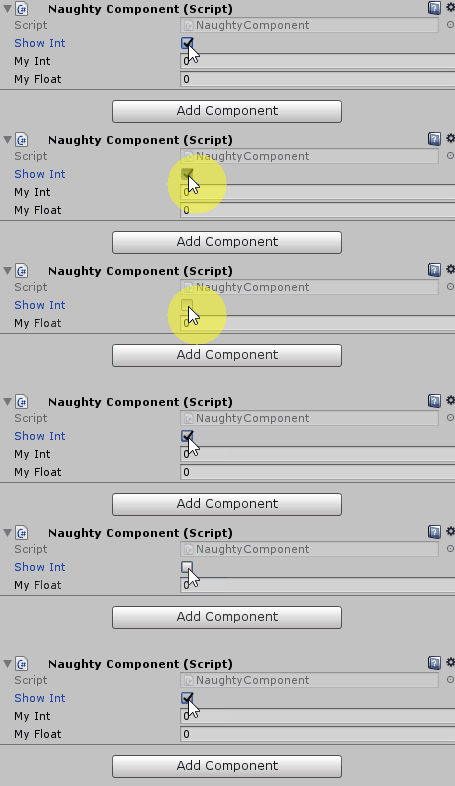 leaden ice
wise hollow
There is no such code. Just a coroutines that sets a fill amount.
leaden ice
wise hollow
There is no such code. Just a coroutines that sets a fill amount.
You have an error. Clearly there's code.
vocal cypress
 leaden ice
vocal cypress
leaden ice
vocal cypress
Ok and ... does this not match your expectations?
vocal cypress
No as the CustomReasonDamageHandler dosent work
leaden ice
Where?
Where are you expecting something to work that it is not working?
that's where you should be adding logs
kind grove
Going forwards, i strongly recommend the following when naming variables:
- Give instanced variables some kind of prefix to distinguish from the class name. Like "My" or "Local"
- Events should have the prefix "On" to distinguish them. Functions that subscribe to the event should usually have a prefix like "React" or " Handle" to show they are functions and not events.
kind grove
vocal cypress
Set up the breakpoint like i have been asking for 20 minutes.
Can you stand on the balls or do you just push them away?
Making them particles would help.
wise hollow
gpu instancing. culling. using the new burst and jobs could help
leaden ice
Use DOTS/ECS instead?
wise hollow
leaden ice
You have an error. Clearly there's code.
{
playerHud.HpFill.fillAmount = (playerBattlePhase?.stats != null) ? ((float)playerBattlePhase.stats.CurrHP / playerBattlePhase.stats.MaxHP) : 0;
playerHud.MpFill.fillAmount = (playerBattlePhase?.stats != null) ? ((float)playerBattlePhase.stats.CurrMP / playerBattlePhase.stats.MaxMP) : 0;
enemyHud.HpFill.fillAmount = (enemyBattlePhaseList[0].stats != null) ? ((float)enemyBattlePhaseList[0].stats.CurrHP / enemyBattlePhaseList[0].stats.MaxHP) : 0;
enemyHud.MpFill.fillAmount = (enemyBattlePhaseList[0].stats != null) ? ((float)enemyBattlePhaseList[0].stats.CurrMP / enemyBattlePhaseList[0].stats.MaxMP) : 0;
yield break;
}``` vagrant blade
@maiden junco Don't crosspost please #archived-code-advanced.
leaden ice
wise hollow
```IEnumerator UpdateHudsRoutine()
{
playerHud.HpFill.fillAmount = (...
any one of these array/list accesses can cause the out of range error:
enemyBattlePhaseList[0]
wise hollow
what would be a solution. adding a question mark before stats?
leaden ice
no
you can't even access stats
remember the error is that your array access is out of range
enemyBattlePhaseList[0]
this part is the issue
you need to make sure that's not out of range
if (enemyBattlePhaseList.Count > 0)```or .Length if it's an array
btw
what's the point of this being a coroutine?
It seems to just be a normal method.
leaden ice
No it was a method with void as the return type.
but the way you have it written now it acts just like that.
wise hollow
    {
        playerHud.HpFill.fillAmount = (playerBattlePhase?.stats != null) ? ((float)playerBattlePhase.stats.CurrHP / playerBattlePhase.stats.MaxHP) : 0;
        playerHud.MpFill.fillAmount = (playerBattlePhase?.stats != null) ? ((float)playerBattlePhase.stats.CurrMP / playerBattlePhase.stats.MaxMP) : 0;

        enemyHud.HpFill.fillAmount = (enemyBattlePhaseList[0].stats != null) ? ((float)enemyBattlePhaseList[0].stats.CurrHP / enemyBattlePhaseList[0].stats.MaxHP) : 0;
        enemyHud.MpFill.fillAmount = (enemyBattlePhaseList[0].stats != null) ? ((float)enemyBattlePhaseList[0].stats.CurrMP / enemyBattlePhaseList[0].stats.MaxMP) : 0;
}```this was the original
Changed it for no particular reason besides liking how my code looked.
But that can be changed. What Im more curious about is the potential fixes I can implement for the error. I'm calling the clearing of the list after I call stopall
wise hollow
If greater than 0, for the list will solve it?
 lunar mauve
Can someone help Im getting the error "Specified cast is not valid" in this monstrosity List<BaseCollectable> collectables = (List<BaseCollectable>)Resources.LoadAll("Collectables/", typeof(BaseCollectable)).ToList().Where(item => ((BaseCollectable)item).collected);
I made it at like 3 am Idek
wise hollow
Yes sir it did. Thnx
hollow karma
prime sinew
Check the Player Settings
there isn't a target aspect ratio setting when i look
even though it seemed that there used to be one

my settings
leaden ice
lunar mauve
Can someone help Im getting the error "Specified cast is not valid" in this mons...
List<BaseCollectable> collectables = Resources.LoadAll<BaseCollectable>("Collectables/").Where(item => item.collected).ToList();```what it shows in the unity docs

i found this old forum post of one of the unity people saying that the setting was stupid and they are going to remove it
lemme find it give me one sec
lunar mauve
leaden ice
```cs
List<BaseCollectable> collectables = Resources.LoadAll<BaseCollectable>("C...
Thank you so much I'm new to using resources
hollow karma
hollow karma
what it shows in the unity docs
here it is


Unity Forum
I mean, it's pretty obvious: if someone plays the game at some weird aspect ratio, things are going to appear wrong. Either they'll see things they...
so I don't know how to lock it if its not in the player settings anymore
i guess i can just design my levels to be good no matter how wide the screen is, no biggie
like floors that go really down low (maybe a floor as part of the skybox)
 native prawn
Hello!
I am working on crouching in Unity 3D. But everytime I crouch, my groundcheck goes through the ground. Is there any way to fix this and maybe keep it on the bottom position of the character controller forever?
rigid island
native prawn
Hello!
I am working on crouching in Unity 3D. But everytime I crouch, my groundc...
don't shift the positioning but only shrink collider
kind grove
native prawn
Hello!
I am working on crouching in Unity 3D. But everytime I crouch, my groundc...
What's the code for your ground check?
native prawn
rigid island
don't shift the positioning but only shrink collider
That's the thing that confuses me. Since I only shrink the collider, the camera works fine. But the groundcheck goes under the ground
So i tried to find another way to fix it
kind grove
Another question for the class: I followed people's advice and made a scriptable object to hold my campaign settings, but I still need to be able to make it accessible somewhere statically and I'm not sure how to make that happen. I have a variable of type "CampaignSettings" that I want accessible in every scene without editing each scene or any prefabs.
rigid island
native prawn
That's the thing that confuses me. Since I only shrink the collider, the camera ...
how are you shrinking the collider?
kind grove
I can make a static variable no problem, but I don't know how to set its initial value.
native prawn
kind grove
What's the code for your ground check?
    [SerializeField] private Transform groundCheck;
    [SerializeField] private float groundDistance;
    [SerializeField] private LayerMask groundMask;
    [SerializeField] private bool isGrounded;

        isGrounded = Physics.CheckSphere(groundCheck.position, groundDistance, groundMask);
That's all i use for the groundcheck
kind grove
Can't tell what's going wrong without knowing what GroundCheck is.
rigid island
has nothing to do with the ground check
kind grove
So GroundCheck is another gameobject attached to the player character?
native prawn
rigid island
how are you shrinking the collider?
I followed the tutorial of a video on youtube.
This is the code of the crouching part:
    private void CrouchInput()
    {
        if (ShouldCrouch)
        {
            StartCoroutine(CrouchStand());
        }
    }

    private IEnumerator CrouchStand()
    {
        //duringCrouchAnimation = true;

        float timeElapsed = 0;
        float targetHeight = isCrouching ? standingHeight : crouchHeight;
        float currentHeight = characterController.height;
        Vector3 targetCenter = isCrouching ? standingCenter : crouchingCenter;
        Vector3 currentCenter = characterController.center;

        while(timeElapsed < timeToCrouch)
        {
            characterController.height = Mathf.Lerp(currentHeight, targetHeight, timeElapsed / timeToCrouch);
            characterController.center = Vector3.Lerp(currentCenter, targetCenter, timeElapsed / timeToCrouch);
            timeElapsed += Time.deltaTime;
            yield return null;
        }

        characterController.height = targetHeight;
        characterController.center = targetCenter;

        isCrouching = !isCrouching;

        //duringCrouchAnimation = false;
    }
Yes
kind grove
Is it at the center of the character or is it offset?
rigid island
native prawn
I followed the tutorial of a video on youtube.
This is the code of the crouchin...
it's most likely the offset of the center
leaden ice
kind grove
I can make a static variable no problem, but I don't know how to set its initial...
Resources.Load is one option
kind grove
Most likely, you're shrinking the collider but the distance of the groundcheck object does not change to match
native prawn
kind grove
Is it at the center of the character or is it offset?
The groundcheck you mean? That one is on the bottom of the character
kind grove
leaden ice
Resources.Load is one option
So identify the settings object in C# and load it through ResourcesLoad?
rigid island
native prawn
The groundcheck you mean? That one is on the bottom of the character
groundcheck shouldn't change if it's at the feet.
native prawn
Thats the groundcheck
 kind grove
native prawn
The groundcheck you mean? That one is on the bottom of the character
kind grove
native prawn
The groundcheck you mean? That one is on the bottom of the character
There's your problem. If you shrink the capsule the capsule's edge will move but your groundcheck will not change to match.
rigid island
native prawn
Thats the groundcheck
it's the center offset of the character collider
leaden ice
kind grove
So identify the settings object in C# and load it through ResourcesLoad?
Not sure what you mean by identify, but yes load it through Resources.Load. preferably in a cached static property
kind grove
Instead of a transform, you should re-calculate where the bottom edge of the capsule is each frame.
kind grove
leaden ice
Not sure what you mean by identify, but yes load it through Resources.Load. pref...
Would I have to put that call in some object in the game scene?
native prawn
Ooh I see, thanks a lot!
leaden ice
kind grove
Would I have to put that call in some object in the game scene?
Not sure what you mean
kind grove
Collider.Bounds and Collider.Extents are your friends there
leaden ice
You would call the static property wherever you need the data
native prawn
kind grove
Collider.Bounds and Collider.Extents are your friends there
Thanks!
kind grove
leaden ice
You would call the static property wherever you need the data
Like this? public static CampaignSettingsClass S_ClassSettings { get { return Resources.Load("Settings/DefaultCampaignSettings") ; } }
To compare to Unreal, Unreal Engine has an object called GameInstance (and its subsystems) that matches the lifetime of the program. I'd use that for this problem.
leaden ice
kind grove
Like this? ```public static CampaignSettingsClass S_ClassSettings { get { retur...
Sort of - as mentioned, I would cache it though
static CampaignSettingsClass _settings;
public static CampaignSettingsClass S_ClassSettings { get {
   if (_settings == null) {
     _settings = Resources.Load<CampaignSettingsClass>("Settings/DefaultCampaignSettings");
   }

   return _settings;
}```You could also use RuntimeInitializeOnLoad to initialize the field too
kind grove
Ideally there would be some kind of Settings object I can edit that's guaranteed to be loaded.
RuntimeInitializeOnLoad? I haven't heard of that.
leaden ice
just a way to run code at the start of the game to do things like this
leaden ice
It doesn't "work on" anything
it just runs a static method.
you can do whatever you want in the method
kind grove
Only extra step would be if I had some way to set a reference to an object through the inspector instead of relying on string match.
leaden ice
You would be doing the exact same Resources.Load thing in the RIOL thing
leaden ice
kind grove
Only extra step would be if I had some way to set a reference to an object throu...
A good option is to make a "bootstrap" scene which you load as the first scene of your game
kind grove
Doesn't help me when testing.
leaden ice
it can. There's editor scripts that will ensure such scenes are always loaded & run first
even when testing arbitrary scenes
or having fallback editor code
which does something like Resources.Load when the bootstrap scene hasn't run in the editor
kind grove
Seems like overkill. Is there a way to add new Project Settings? That would solve everything for me.
 leaden ice
lots of options
leaden ice
kind grove
Seems like overkill. Is there a way to add new Project Settings? That would so...
yes you can add custom project settings. Not sure how that helps you though
kind grove
ProjectSettings -> Set Default Campaign Settings. Then on Load, check the default in project settings and set that as the static.
leaden ice
Sure but now you're back to the same problem
kind grove
Not at all.
leaden ice
because project settings are all implemented as ScriptableObjects
check the default in project settings
This part is the same step as we've been discussing all along, as you need to reference your custom project settings SO somehow
https://docs.unity3d.com/ScriptReference/SettingsProvider.html
For info on custom settings pages ^
kind grove
I assume that projectsettings will allow for the same capabilities as the Inspector.
Wait, are projectsettings accessible on packaged builds?
leaden ice
Yes. They are stored in ScriptableObjects
leaden ice
leaden ice
Sure but now you're back to the same problem
^ back to step 1
kind grove
Dango
Alright I'll get the intermediate step with Resources.Load and try again later.
 stuck owl
So I have 3 Classes
1 - BattleUnit : MonoBehavior it contains a Unit
2 - Unit is a normal data class with System.Serializable. it contains multiple Skill
2 - Skill is also a normal data class with System.Serializable.
is it possible for me to edit all 3 of them on the inspector of BattleUnit?
 timber snow
Im calling Physics2D.OverlapPoint() on the awake method of a monobehaviour and it's always returning null
leaden ice
stuck owl
So I have 3 Classes
1 - **BattleUnit : MonoBehavior** it contains a **Unit**
2 -...
Yes - this should work automatically, assuming all fields are serialized. Is it not working?
kind grove
stuck owl
So I have 3 Classes
1 - **BattleUnit : MonoBehavior** it contains a **Unit**
2 -...
It should be, if you make each one Public the inspector should nest them.
 plain drift
Hey all, simple question:
    void OnCollisionEnter2D(Collision2D collision)
    {
        if (collision.gameObject.tag == "Player")
        {
            //log:
            Debug.Log("SpringCollision: OnCollisionEnter2D: collision.gameObject.tag == Player");
            playerController.isClockwiseRotation = !playerController.isClockwiseRotation;
        }
    }
I have this OnCollionEnter2D behavior in a 'spring' -i.e. a square. What do I need to do to ensure my isClockwiseRotation is actually flipped in my playercontroller?
I have added a tag "Player"
leaden ice
plain drift
Hey all, simple question:
```cs
void OnCollisionEnter2D(Collision2D collisi...
you should be finding the player controller component from the collision
not from some random other reference you predefined
plain drift
Right, so perhaps I have the wrong approach. All I want to do is flip the bool when my player object touches the spring.
kind grove
if (collision.gameObject.GetComponent<PlayerController>())
leaden ice
plain drift
Right, so perhaps I have the wrong approach. All I want to do is flip the bool w...
e.g.
MyPlayerControllerScript playerController = collision.gameObject.GetComponent<MyPlayerControllerScript>();```That assumes I only have 1 instance of a player right?
I do, but I'm trying to understand how it is exactly getting the component
leaden ice
plain drift
That assumes I only have 1 instance of a player right?
no
it doesn't assume anything about the number of players
it assumes only that the object you collided with has the MyPlayerControllerScript attached to it
 grizzled needle
Is there a way to shorten this down?
new DynamicValue(int startLevel, float startValue, new DynamicStage(int endLevel1, float endValue1, float exponent1), new DynamicStage(int endLevel2, float endValue2, float exponent2)...);
ideally i'd want it to be like this new DynamicValue(int startLevel, float startValue, int endLevel1, float endValue1, float exponent1, int endLevel2, float endValue2, float exponent2...);
stuck owl
kind grove
It should be, if you make each one Public the inspector should nest them.
Yeah, I was coding something incorrectly, and that was causing the error, my bad. thanks for the help.
grizzled needle
the ... is just showing that there's a variable amount of them afterwards, rn using the params keyword
leaden ice
grizzled needle
Is there a way to shorten this down?
`new DynamicValue(int startLevel, float sta...
make a constructor for DynamicValue that accepts the arguments you want it to accept.
grizzled needle
The constructor looks like this right now public DynamicValue(int startLevel, float startValue, params DynamicStage[] stages)
plain drift
leaden ice
it assumes only that the object you collided with has the `MyPlayerControllerScr...
Right, but it doesn't really have any different behavior than checking for the tag of the object it collides with right?
In any case, when using the gameobject of the player to check, there is still no collision. Perhaps I'm missing something fundamental, do I need to add some 2d physics properties for my player to have collision?
leaden ice
grizzled needle
The constructor looks like this right now `public DynamicValue(int startLevel, f...
you can make more than one constructor
make another one, and have it call that one.
kind grove
grizzled needle
Is there a way to shorten this down?
`new DynamicValue(int startLevel, float sta...
new DynamicValue(int startLevel, float startValue, List<DynamicStage> allDynamicStages);
 lament ocean
I've been looking around and cant seem to figure out the best way to go about this
I have a general targeting system and I want it to set the target of turrets on my units but to do that I'd need to make references to all the turrets per each unit individually is there a way I can grab references to all the weapon scripts on a unit on start without changing my targeting system script per each unit?
grizzled needle
leaden ice
you can make more than one constructor
that's not what I'm taking about..
i mean, have effectively params but with 3 values repeating instead of just one
kind grove
lament ocean
I've been looking around and cant seem to figure out the best way to go about th...
GameObject Unit = //whatever
Unit.GetAllComponents<WeaponScript>();
leaden ice
grizzled needle
i mean, have effectively `params` but with 3 values repeating instead of just on...
not possible in C#
grizzled needle
there's probably not a way to do this tbh, but i just wanted to check
grizzled needle
leaden ice
not possible in C#
okie, gotcha!
plain drift
    void OnCollisionEnter2D(Collision2D collision)
    {
        //log
        Debug.Log("SpringCollision: OnCollisionEnter2D: collision.gameObject.tag == " + collision.gameObject.tag);
        if (collision.gameObject == playerController.gameObject)
            ...
Even the first log never gets logged. I think I might be missing a prereq for collision in the first place.. :/
lament ocean
kind grove
GameObject Unit = //whatever
Unit.GetAllComponents<WeaponScript>();
That would only return a certain type of script though right? Like lets say i had a flak cannon and missile launcher on a unit vs another unit has 2 flak cannons and no missile launchers
kind grove
grizzled needle
Is there a way to shorten this down?
`new DynamicValue(int startLevel, float sta...
Look in to the Factory pattern. Instead of overloading the constructor, make a function that takes what parameters you want and performs whatever setup before returning the final object.
kind grove
lament ocean
That would only return a certain type of script though right? Like lets say i ha...
If your Flak Cannon and Missle Launcher have the same parent class you can do it that way.
lament ocean
Hmm okay thanks 😎
kind grove
What's the class structure of your Flak Cannon and Missile Launcher?
GetAllComponents will return child classes no problem.
So GetAllComponents<Organ>() will return the Heart, Lungs, Stomach, and Skin components in one collection.
plain drift
plain drift
```cs
void OnCollisionEnter2D(Collision2D collision)
{
//log
...
Is a rigidbody on my object and my player model not enough for OnCollisionEnter2D to trigger in the first place?
kind grove
plain drift
Is a rigidbody on my object and my player model not enough for OnCollisionEnter2...
Double check the syntax of Trigger Overlap vs Collision Blocking/collide.
leaden ice
plain drift
Is a rigidbody on my object and my player model not enough for OnCollisionEnter2...
- Both objects need non-trigger Collider2Ds
- At least one object needs a DYNAMIC Rigidbody2D.
plain drift
Thank you, let me see if I can get it to work using that.
I did not have Collider2Ds, cheers :P. First hour of unity, learning lots
leaden ice
plain drift
I did not have Collider2Ds, cheers :P. First hour of unity, learning lots
If you want collisions, you need colliders 😉
plain drift
That makes perfect sense
 strange gust
does anyone have a good script for dynamic footsteps based on terrain?
ive heard that scriptable objects can be good but i dont know much]
 pliant lake
Hey, I'm trying to create a steam game on my editor everything works fine but on the other hand as soon as I compile the game impossible to host a party, I looked in the Player.log and apparently this would be the line allowing to create the Lobby ( SteamMatchmaking.CreateLobby(ELobbyType.k_ELobbyTypeFriendsOnly, 10); ) which throws InvalidOperationException: Steamworks is not initialized. and I have no idea why i tried to put the appid txt in the build foler, restart steam, my pc, recompile with small changes but no wouldnt work, although in the editor everything works fine. here is the Player.log and the SteamLobby.cs class, the line concerned is the 34 Thank you very much for all the help! Player.Log: https://hastebin.com/share/modajagado.csharp SteamLobby.cs: https://hastebin.com/share/oyapimovoj.sql
plain drift
Sorry again for my basic question, but my playerController is never referenced correctly.
public class SpringCollision : MonoBehaviour
{
    public PlayerController playerController;
    // Start is called before the first frame update
    void Start()
    {
        playerController = gameObject.GetComponent<PlayerController>();
would be the way to do it, right?
No playercontroller is ever found. I just attached the playerController to my Player object in the scene. I flip with ``` playerController.isClockwiseRotation = !playerController.isClockwiseRotation;
gameObject.GetComponent<PlayerController>(); is PlayerController on the same object that has SpringCollision?
plain drift
No, PlayerController is on my player, a different object.
lucid valley
...
can you see why that won't work
gameObject is the gameobject that SpringCollision is on
and you are asking it for PlayerController
which isnt on that gameobject
plain drift
Ah, I thought gameObject allowed you to reference any existing object alive
whoops 😛
Perhaps I should read the docs a bit first..
lunar mauve
Currently I'm doing BaseCollectable collectable = Resources.Load<BaseCollectable>("Collectables/" + button.name); to get my collectable and button.name is "Bill's Note" but i've tried it as just "Bill" and it will not work it just says "Object reference not set to an instance of an object"
lucid valley
plain drift
Perhaps I should read the docs a bit first..
These are some of the best ways to reference game objects in the Unity engine. There are other methods of getting a reference such as the GameObject.Find and GameObject.FindObjectsOfType methods, but those methods are generally slow because they need to traverse the hierarchy to find the object and you don't get to choose which object it finds i...
Might be helpful for you if you prefer videos to docs
plain drift
    public PlayerController playerController;
    GameObject player = GameObject.FindWithTag("Player");
    // Start is called before the first frame update
    void Start()
    {
        playerController = player.GetComponent<PlayerController>();
``` I reckon I need something along those lines then. And thanks, will check it outhave you put it in a folder inside a resources folder?
lunar mauve
lucid valley
have you put it in a folder inside a resources folder?
I'm using this to get the same things List<BaseCollectable> collectables = Resources.LoadAll<BaseCollectable>("Collectables/").Where(item => item.collected).ToList();
but that one is just getting the name
using a button that has the name it needs
lucid valley
log button.name and make sure it's correct
lucid valley
lunar mauve
its correct
BaseCollectable a scriptable object?
lunar mauve
yeah

its using a event trigger
that has the button linked to a hover function that has a variable it needs but it gets set as the button is made
so i have no clue why this is happening
lucid valley
if BaseCollectable collectable = Resources.Load<BaseCollectable>("Collectables/" + button.name); is the line erroring then it doesnt really matter how it was called
i'm not too sure why its not working
can you screenshot the scriptable object in the folder
lunar mauve
lucid valley
if `BaseCollectable collectable = Resources.Load<BaseCollectable>("Collectables/...
its not that line thats just whats null
when i try to get something from it thats when it gets the error

 mystic ferry
what is the reasoning behind making a package local vs embedded?
mystic ferry
well, what’s the difference? Outside of where the package files are created
lunar mauve
lucid valley
if `BaseCollectable collectable = Resources.Load<BaseCollectable>("Collectables/...
I figured out it has it its something with the scriptable object thanks toh
lunar mauve
mystic ferry
well, what’s the difference? Outside of where the package files are created
it easier
idk
i like it
mystic ferry
…thanks
lunar mauve
mystic ferry
well, what’s the difference? Outside of where the package files are created
nah Im messing when you embed it like in a list you have to manually do that but if you use resources you can just create it make sure other stuff is filtered out in script and than you wouldn't for every collectable put it manually into the script its already there
lunar mauve
mystic ferry
…thanks
lol
mystic ferry
I’m gonna be honest I don’t think a single word of that made sense
what is manually “doing that”
lunar mauve
like putting it into the list
using resources you just load it
without
maunually putting it in
lunar mauve
mystic ferry
what is manually “doing that”
.
lunar mauve
mystic ferry
bro what
how are you not getting this
in the inspector
mhm
you dragggg dropppp the thingggyyy
mystic ferry
I’m talking about making packages idk what you’re talking about with an inspector
drag and drop what?
 barren lava
hi
lunar mauve
mystic ferry
I’m talking about making packages idk what you’re talking about with an inspecto...
mb you could of told me thought you were talking about something else
mystic ferry
I literally started the question and you responded to it 💀💀
lunar mauve
mystic ferry
I literally started the question and you responded to it 💀💀
holy i thought you were responding from when i was talking to someone else i didn't see pacakge ask your question again good day 💀 💀
mystic ferry
don’t act like I’m stupid because you messed up bro lmfao
barren lava
what are yall working on
lunar mauve
mystic ferry
don’t act like I’m stupid because you messed up bro lmfao
why are you beign so rude about it i said mb
it WAS my fault
 dim spindle
public void Pickup_Pressed(InputAction.CallbackContext ctx)
{
    if (!ctx.performed)
        return;

    RaycastHit hit;
    Ray ray = main_camera.ScreenPointToRay(Input.mousePosition);

    if (Physics.Raycast(ray, out hit, 5f, 1 << 8)) // Do a Raycast with only layer 8 (Items)
    {
        Transform hit_transform = hit.transform;
        GrabItem(hit_transform.gameObject);
    }
}
Any reason why this code wouldnt call GrabItem when an item was hit specifically on linux?
it works on two other machines im testing with
but when i run it on my ubuntu test machine, it does not work
you can sometimes pick up items
but it is EXTREMELY finnicky
and requires some unknown condition that i have not figured out yet
 nimble salmon
Hey everyone, what's the easiest way of creating world-space rich UIs, mostly meant for XR experiences? I would like to use an HTML+CSS+JS stack, but I couldn't find any way of natively doing that in Unity. Possibly suitable components on the asset store are very expensive ($150+). Any ideas?
leaden ice
dim spindle
```csharp
public void Pickup_Pressed(InputAction.CallbackContext ctx)
{
if (...
any errors in the player log?
barren lava
dim spindle
```csharp
public void Pickup_Pressed(InputAction.CallbackContext ctx)
{
if (...
input settings can be the problem so make sure that the input settings for the mouse button are configured correctly on the Ubuntu machine.
dim spindle
leaden ice
any errors in the player log?
good question, let me check, is that stored in the same folder as the game?
i will just check hold on
leaden ice
dim spindle
good question, let me check, is that stored in the same folder as the game?
barren lava
barren lava
input settings can be the problem so make sure that the input settings for the m...
or check if the physics settings are the same on all the machines. The physics engine settings could be different, causing the raycast to behave differently.
barren lava
nimble salmon
Hey everyone, what's the easiest way of creating world-space rich UIs, mostly me...
One option for creating world-space UIs in Unity using html, css, and js is to use a web view plugin that allows you to display web content within Unity ....one popular plugin for this purpose is the Uniwebview plugin, which allows you to display web pages and web-based UIs in Unity scenes
barren lava
dim spindle
i will just check hold on
done?
dim spindle
barren lava
done?
sorry my internet dropped, yeqah there was no eerrors
dim spindle
literally never touched those, how?
barren lava
never?
dim spindle
im not really sure what input and physics settings you are even talking about
 green solstice
Hello i wanted some help to find out a calcul
i have an interval like [x;y] and a value r within the interval . How do i know the percentage of r knowing that y is 100% x is 0%
(This is for my Day/night cycle systeme, i have another light that light up the player in the night within [7 pm - 6 am], and between [6:30pm - 7pm] i want the light intensity to start increase until 1)
dim spindle
barren lava
never?
i assume not lol because i have no clue what you mean
barren lava
okay so
for the physics settings just go in edit
project settings -> physics
and adjust it
dim spindle
i see that now
soooooooo what am i supposed to adjust
rather
what would be related to my issue
barren lava
but i think its because of your system
dim spindle
i dont like this world bounds option here lol

my world bounds is def more than that lol
i can try that first ig no clue
although, it does say you dont need that setting
pliant lake
pliant lake
Hey, I'm trying to create a steam game on my editor everything works fine but on...
Bump
dim spindle
if you are using the broadphase type i am (no clue what that means)
barren lava
green solstice
Hello i wanted some help to find out a calcul
i have an interval like [x;y] and ...
To calculate the percentage of a value r within the interval [x, y] where y represents 100% and x represents 0%, you can use the formula:
percentage = ((r - x) / (y - x)) * 100
So for example, if r is 80 and the interval is [50, 100], the percentage of r would be:
percentage = ((80 - 50) / (100 - 50)) * 100 = 60%
To apply this to your Day/night cycle systeme, you can use the time of day as r, the start time of the night as x, and the end time of the night as y. Then you can use the percentage to adjust the intensity of the light that lights up the player in the night. For example, you can start increasing the intensity linearly from 0% to 100% during the period of [x, y] and set it to 100% outside that period. Now if you want the code...hmu
 surreal iron
What would be the best way of making something like an engine builder sim? Like how should I ”weld/attach” parts to each other in unity the best way?
barren lava
uh i need a level designer soo bad
barren lava
dim spindle
is this related to my problem
no
dim spindle
it sounds like a !collab
tawny elkBOT
📢 Collaborating and Job Posting
We do not accept job or collab posts on discord.
Please use the forums:
• Commercial Job Seeking
• Commercial Job Offering
• Non Commercial Collaboration
barren lava
yeah thats why i joined this server
barren lava
what is your game based upon anyways
barren lava
dim spindle
well did you read the message
hm
barren lava
oh
dim spindle
semi ghost HUNTING you know
gotta free the angry spirits of the [insert import natural environment here]
barren lava
its 3.25 AM
barren lava
i do
dim spindle
ok, well what input settings and physics settings would affect my grab items functionality on linux but not windows?
(not specifically for you)_
(you should sleep)
dim spindle
what about them?
barren lava
I mean it's possible that the mouse input is not correctly mapped or calibrated, leading to inconsistent behaviour?
could be other factors
like layer settings
 jaunty sleet
I am making a level editor, so I want to save files to a folder in my project. I know how to save files, but how do I write the path to my project folder?
*so that it will work on another operating system
is there something I can use like application.persistentDataPath
barren lava
To write the path to your project folder in a way that will work on multiple operating systems
you can use uh
Application.dataPath
which is a property provided by unity
jaunty sleet
Is there a way to make it path to a specific folder in my project after that?
I have a level data folder inside the project I want it to go into
barren lava
jaunty sleet
Is there a way to make it path to a specific folder in my project after that?
ya
Here's an example of how you could use this to construct a path to a folder called "LevelData" within your project's Assets folder:
string levelDataPath = Application.datapath + "/LevelData/";
and yes you can construct a path specific folder within your project by appending the folder name to the path obtained from Application.dataPath
for example
assume you have a folder "MyFolder"
within the projects asset folder
so you could construct a path to it like this:
string myFolderPath = Application.dataPath + "/MyFolder/";
*;
jaunty sleet
Thanks, I'll try that
barren lava
np
jaunty sleet
Still not working, though I suspect the problem is not the data path
If anyone could look at my code here, I am using Binary Formatter to save data but it is not making the file
But File.Exists() returns true? I don't know where I've gone wrong
barren lava
try using Application.persistentDataPath
jaunty sleet
thats what I was using before
I just wanted to change the location to my level data folder so I could see if it was actually doing anything
it still wasn't working though lol
barren lava
jaunty sleet
https://codeshare.io/qPm8Ax
the code you provided already does that by constructing a path to a folder called "Level Data" within your project's Assets folder using the following line of code:
string path = Application.dataPath + "/Level Data/" + fileName + ".save";
jaunty sleet
yeah I changed it after you told me how to path to the folder
the problem is it doesn't work, and I don't think it is because the path is wrong
I get object not set to an instance of an object error when I try to read from the file in my test method
barren lava
jaunty sleet
yeah I changed it after you told me how to path to the folder
It's possible that the file path being constructed is not correct, or that there are permission issues preventing the file from being created or read, u could try checking the file path that is being constructed and make sure it is correct. You can do this by adding a debug statement to your code like so:
string path = Application.dataPath + "/Level Data/" + fileName + ".save";
Debug.Log("Save path: " + path);
FileStream stream = new FileStream(path, FileMode.Create);
jaunty sleet
oh, it has created the file now
barren lava
If you still get the object not set to an instance of an object error...it might indicate that there is an issue with the code that loads the data from the file or the data itself
jaunty sleet
the path seems to be right
barren lava
jaunty sleet
oh, it has created the file now
great
jaunty sleet
Yeah, probably something in my other file
I'll see if I can figure that out now that I've got this part of it working, thanks
 heavy hornet
._. Visual Studio Code doesn't work for me somehow and Visual Studio doesn't support Linux at all? I followed this: https://code.visualstudio.com/docs/other/unity but it's not working... It tells me I need to install mono after the 5th step which is not working, because everytime I try it, I get ```Problem: problem with installed package monodoc-6.12.0-9.fc37.x86_64
- package monodoc-6.12.0-9.fc37.x86_64 requires mono-core = 6.12.0-9.fc37, but none of the providers can be installed
- mono-core-6.12.0-9.fc37.i686 has inferior architecture
- cannot install both mono-core-6.12.0.107-0.xamarin.9.epel8.x86_64 and mono-core-6.12.0-9.fc37.x86_64
- package mono-devel-6.12.0.107-0.xamarin.9.epel8.x86_64 requires mono-core = 6.12.0.107, but none of the providers can be installed
- cannot install the best candidate for the job