#archived-code-general
1 messages · Page 45 of 1
 floral crescent
 plucky inlet
why do you use an if statement here? Maybe your input is somehow "jittery" you can still moveposition even with zero vector, its just not moving then.
floral crescent
fixed it nvm
plucky inlet
floral crescent
fixed it nvm
You might wanna tell others what was the issue, so serach function returns some solution? 🙂
floral crescent
use rigidbody.velocity instead of rigidbody.moveposition because velocity allows you to change each axis separately
_playerRigidBody.velocity = new Vector3(_currentJoggingInput.x * _jumpHorizontalSpeed, _playerRigidBody.velocity.y, _currentJoggingInput.y * _jumpHorizontalSpeed);
 floral needle
Hello guy, I'm making my first (serious) multiplayer shooter (projectile/rigidbody based) using Photon. I have a decent understanding of server connection/creation, client-host relationship... those more basic concepts. Where I think my troubles will start is the bullet syncing part of the game (and probably pretty much everything else that involves syncing tbf). My first thought was to instantiate bullets (with pooling) as RPC's, but I've been reading on it and it doesn't look like the best solution, so I might opt for an authoritarian model with client-prediction implementations. Thing is, I'm not knowledgeable enough on this to filter what are good and bad practices, so I was going to ask if anyone has any recommendations on more in-depth resources that might help me with a project like this and, of course, if you have any inputs/tips that you think are important for projects like this. Thanks in advance!
 oblique spoke
floral needle
Hello guy, I'm making my first (serious) multiplayer shooter (projectile/rigidbo...
oblique spoke
floral needle
Hello guy, I'm making my first (serious) multiplayer shooter (projectile/rigidbo...
For a serious multiplayer shooter you probably want to make sure you are on Photon Fusion and check out their Battle Royale demo https://assetstore.unity.com/packages/templates/packs/br200-battle-royale-multiplayer-with-photon-fusion-226753 #archived-networking
floral needle
oblique spoke
For a serious multiplayer shooter you probably want to make sure you are on Phot...
Thank you, I will for sure look into it! Can you tell me if it works like PUN where I just go into the asset store and get Photon Fusion package or is it somewhere else?
cause that link is just a demo correct?
oblique spoke
I believe that includes Fusion, but looks like you can only get it as a standalone through their site
floral needle
Again, thank you for your help!
 distant owl
Hello, does anyone know how you would go about programming an object to follow the movement on the X and Z axis of another object when a collider hits it? I have already sorted out the collision but am struggling making the object follow the player's movement without it teleporting to the player thank you
 icy sundial
is it possible to regenerate meta files for some objects? im getting some weird errors and i think it comes from there
floral needle
distant owl
Hello, does anyone know how you would go about programming an object to follow t...
I'd say that depends a bit on the behaviour you want, whether you want it to STRICTLY follow the player from a distance or you want a more natural movement (ie. you want it to wait for a bit then start following slowly and build up speed then slow down and stop when player stops etc...)
 knotty sun
icy sundial
is it possible to regenerate meta files for some objects? im getting some weird ...
knotty sun
icy sundial
is it possible to regenerate meta files for some objects? im getting some weird ...
just delete the meta files, unity will automatically regenerate them. Bear in mind that will lose all references if you do so
knotty sun
distant owl
Hello, does anyone know how you would go about programming an object to follow t...
very simple
First calculate distance on X and Z between object A and B
Secondly when object A moves, set object B position to A + distance calculated above
icy sundial
im getting a weird error. Somehow when I stop the editor and run it again, a List still contains objects from the previous run. How is that possible?
 somber nacelle
is it static? and do you have domain reloading turned off?
icy sundial
its not static, and it was working well before
floral crescent
how can i move my player towards a main camera z rotation?
_playerRigidBody.velocity = new Vector3(_currentJoggingInput.x * _jumpHorizontalSpeed, _playerRigidBody.velocity.y, _currentJoggingInput.y * _jumpHorizontalSpeed);
 neat galleon
hello, im making a backrooms game with procedural generation
so it makes everything in one square, but i need to do chunk generation and cant find information about that anywhere

can you tell me how do chunks really work and how do i realise it
somber nacelle
if you google unity procedural chunk generation you'll get dozens of results including video tutorials
distant owl
knotty sun
very simple
First calculate distance on X and Z between object A and B
Secondly ...
oh yes thank you I was just working on it now and sorted it out I actually tried a very similar method but thank you very much for the help
neat galleon
somber nacelle
if you google `unity procedural chunk generation` you'll get dozens of results i...
bro thats why i ask it here
distant owl
floral needle
I'd say that depends a bit on the behaviour you want, whether you want it to STR...
also thank you for your help I eneded up actually binding the object as a child to the player and just set their position on update to another object so they dont move with the parent
somber nacelle
neat galleon
bro thats why i ask it here
you asked here because you found dozens of tutorials on google? that doesn't make sense
 austere orbit
Hi, is there a possibility to assign value to readonly field when Instantiate() prefab?
ideal would be something like this:
  GameObject display = Instantiate(ShopItem);
  display.GetComponent<ShopItemManager>().Item = item;
public class ShopItemManager : MonoBehaviour
{
    public readonly IShopItem Item;
}
no, readonly means it can only be assigned via field initializer or constructor
austere orbit
Okey, is there any other possibility to assign value to the field when Instantiate() prefab in way that it will be impossible to change after that?
somber nacelle
private IShopItem _item;
public IShopItem Item => _item;

public void Init(IShopItem item)
{
    if(_item == null)
      _item = item;
}
This will allow you to access the reference from other objects via the read-only property Item while only being able to assign it once via the Init method. So you just instantiate then call Init and pass the item as the parameter
austere orbit
so the only way is to create another class for handling that?
somber nacelle
no?
the code i just gave you would replace your readonly field in the ShopItemManager class
austere orbit
but I don't want to be able to change it even from the inside of the class
somber nacelle
then just don't change it in the class. access it only through the Item property even in the class itself.
since you won't have access to call the constructor you won't be able to use a readonly field for this
austere orbit
thx for help
 jagged laurel
how to make a flashlight glow give the script
somber nacelle
public Flashlight flashlight;
public void Start()
{
  flashlight.Glow();
}
 vagrant blade
jagged laurel
how to make a flashlight glow give the script
vagrant blade
jagged laurel
how to make a flashlight glow give the script
Not how this discord works. Glow involves post processing. You can set that up with bloom and toggle it in code.
 mental rover
somber nacelle
```cs
public Flashlight flashlight;
public void Start()
{
flashlight.Glow();
}...
mental rover
somber nacelle
```cs
public Flashlight flashlight;
public void Start()
{
flashlight.Glow();
}...
I copied this into my script and it still doesn't turn on 😢
austere orbit
You have to add turn on too
public bool TurnOn;
public Flashlight flashlight;
public void Start()
{
  TurnOn = true;
  flashlight.Glow();
}
I copied and pasted saved it in the console, it writes an error on line 3
 prisma birch
Anyone know how to change this setting via script?
 somber nacelle
prisma birch
somber nacelle
<https://docs.unity3d.com/ScriptReference/Camera-clearFlags.html> (probably)
somber nacelle
prisma birch
somber nacelle
<https://docs.unity3d.com/ScriptReference/Camera-clearFlags.html> (probably)
Thank you! Confusing that the label on the component is different than in the script
somber nacelle
you can use transform.TransformDirection to convert a direction from local space to world space then use the returned Vector3 for your movement
 buoyant crane
 forest storm
how to make the player move in the looking way?
forest storm
how to make the player move in the looking way?
you can use .forward to retrieve the direction vector of the camera
forest storm
my mesh is already rotating with the mouse looking cam but it wont go in the direction of looking
forest storm
buoyant crane
you can use `.forward` to retrieve the direction vector of the camera
hmmm
somber nacelle
forest storm
my mesh is already rotating with the mouse looking cam but it wont go in the dir...
show what you've tried

 somber nacelle
!code
 tawny elkBOT

Posting code
📃 Large Code Blocks
Large code blocks should be posted as links to services like:
https://gdl.space/, https://paste.ofcode.org/, https://hatebin.com/
https://paste.myst.rs/, https://hastebin.com/
📃 Inline Code
Surround code with three backquotes. Not quotation marks.
To get C# formatting the first line should only contain cs or csharp.
Add a comment with a line number if there is an error message.
```cs
// Your code here
```
Do not share screenshots of code unless requested.
somber nacelle
also don't multiply mouse input by delta time, mouse input is already frame rate independent and anyone teaching otherwise is wrong. when you remove that make sure to lower your mouse sensitivity variable both in the script and the inspector
forest storm
void Update()
    {
        float mouseX = Input.GetAxis("Mouse X") * mouseSens * Time.deltaTime;
        float mouseY = Input.GetAxis("Mouse Y") * mouseSens * Time.deltaTime;

        xRotation -= mouseY;
        xRotation = Mathf.Clamp(xRotation, -80f, 60f);

        yRotation -= mouseX;
        //yRotation = Mathf.Clamp(yRotation, -120f, 120f);

        transform.localRotation = Quaternion.Euler(xRotation, yRotation, 0f);
        //transform.localRotation = Quaternion.Euler(0f, yRotation, 0f);
        playerBody.Rotate(Vector3.up * mouseX);
    }
void Update()
    {
        IsGrounded = Physics.CheckSphere(Groundcheck.position, groundDist, groundMask);

        if (IsGrounded && velocity.y < 0) {

            velocity.y = -2;
        }

        float x = Input.GetAxis("Horizontal");
        float z = Input.GetAxis("Vertical");

        Vector3 move = transform.right * x + transform.forward * z;

        controller.Move(move * speed * Time.deltaTime);

        if (Input.GetButton("Jump") && IsGrounded == true) {

            velocity.y = Mathf.Sqrt(JumpForce * -2f * gravity);

        }

        velocity.y += gravity * Time.deltaTime;

        controller.Move(velocity * Time.deltaTime);
    }
retrieve the .right and .forward of the camera and use those in the movement script, or rotate the player as well in the camera script
somber nacelle
that shouldn't be necessary if they are actually rotating the player body
forest storm
buoyant crane
retrieve the `.right` and `.forward` of the camera and use those in the movement...
how do i retrieve and use it?
somber nacelle
i'd bet they have a NRE they aren't paying attention to 😉
forest storm
im a beginner in unity
buoyant crane
somber nacelle
that shouldn't be necessary if they are actually rotating the player body
oh wait you’re totally right
i somehow read that as camera rotation, not the player
somber nacelle
forest storm
im a beginner in unity
then #💻┃code-beginner next time. and take a look in your console, you likely have errors while you play if the player's body isn't actually rotating correctly because the movement code does move using the player's body rotation
forest storm
somber nacelle
then <#497874004401586176> next time. and take a look in your console, you likel...
yeah it does
but the character wont move to the direction im looking to
 dusk apex
Are there errors?
forest storm
dusk apex
Are there errors?
no errors
dusk apex
Runtime errors
forest storm
nope
somber nacelle
then your setup in the hierarchy is probably wrong
forest storm
hm
somber nacelle
show how you have it set up
dusk apex
Maybe you're not rotating what you think you are? 
forest storm
yk its walking to worlds Axis but not the camera looking
forest storm
dusk apex
Maybe you're not rotating what you think you are? <:UnityChanThink:8851695945605...
im, i looked in editor while in game
buoyant crane
forest storm
what is playerBody assigned to in the inspector?
somber nacelle
if the playerBody is rotating then most likely the movement code is on the wrong object
forest storm
buoyant crane
what is `playerBody` assigned to in the inspector?
the player itself
forest storm
somber nacelle
if the playerBody *is* rotating then most likely the movement code is on the wro...
hm
somber nacelle
again, show how you've got this set up in the hierarchy so we don't have to make guesses


 somber nacelle
it's really not helpful that we can't see which object has what components and that two objects have identical names
forest storm
yeah mb
its just a capsule
the above "player" is just an empty
the below "player" is a capsule
somber nacelle
the "empty" one is the one that should be rotated and moved
forest storm
somber nacelle
the "empty" one is the one that should be rotated and moved
yes
it is
somber nacelle
are you sure
 somber nacelle
and which object does the CamScript reference
 pine bronze
hey guys so im trying to make doors, im following a tutorial and for some reason my door only opens in one way, and the door should've opened depending on which way the player is facing the door. im using Vector3.dot() with the forward position of the door and the player pos - the door pos.
this code opens the door https://hastebin.com/share/oyevazonub.csharp
and this code closes the door https://hastebin.com/share/ezerucuyup.csharp
the dot variable is always negative
forest storm
somber nacelle
and which object does the CamScript reference
Playercam
somber nacelle
not what is it on, what object is it referencing as playerBody
forest storm
somber nacelle
not what is it on, what object is it referencing as playerBody
PlayerMesh
oh
i should bind it with the empty
somber nacelle
yes, but it's also not empty, there are several components on that object
somber nacelle
the camera is a child of the player, right?
forest storm
somber nacelle
the camera is a child of the player, right?
yes
somber nacelle
and you rotate the playerBody by mouseX every frame and the camera by -mouseX every frame, right?
pine bronze
pine bronze
hey guys so im trying to make doors, im following a tutorial and for some reason...
can somebody help pls?
forest storm
somber nacelle
and you rotate the playerBody by mouseX every frame and the camera by -mouseX ev...
right
forest storm
pine bronze
can somebody help pls?
yeah wait for a moment pls
somber nacelle
forest storm
right
okay so if you rotate playerBody by mouseX then the camera is also rotated by mouseX, so then what do you think happens when you rotate the camera by -mouseX
forest storm
pine bronze
hey guys so im trying to make doors, im following a tutorial and for some reason...
shouldnt be negative tho
pine bronze
forest storm
shouldnt be negative tho
it should be negative/positive depending on where the player is
forest storm
somber nacelle
okay so if you rotate playerBody by mouseX then the camera is *also* rotated by ...
nothing?
forest storm
pine bronze
it should be negative/positive depending on where the player is
yeah
somber nacelle
well the end result is nothing because mouseX + -mouseX == 0
forest storm
somber nacelle
well the end result is nothing because `mouseX + -mouseX == 0`
ok..?
how to fix?
somber nacelle
either don't make the camera a child of the player and have it only follow the player + rotate, or stop rotating it by -mouseX every frame
forest storm
hm
forest storm
somber nacelle
either don't make the camera a child of the player and have it only follow the p...
but it wont follow Player if its not a child?
somber nacelle
so make it follow it
forest storm
somber nacelle
so *make* it follow it
lmao how
forest storm
somber nacelle
so *make* it follow it
ah
wait
i got it
thanks for the support!
find out a solution
dusk apex
pine bronze
hey guys so im trying to make doors, im following a tutorial and for some reason...
Dot product would produce positive numbers if the two directions are going the same way else if you're getting negative numbers, it's likely because the two directions are opposite. It would seem you've got door's forward as the opposite of the direction to player.
dusk apex
dusk apex
Dot product would produce positive numbers if the two directions are going the s...
Maybe cs Vector3.Dot(forward, (transform.position - userPosition).normalized);
 empty hollow
Hello,
I'm working on a pseudo database (with dictionaries) for my scriptable objects, and I was wondering if it is bad practice to use the scriptable object name as an ID like this :
public string ID()
{
return this.name;
}```
It would make it easier for since I won't have to manually set an ID for each item (I'll have couple hundreds of items). cedar pivot
hello friends, can you recommend youtube tutorial series for advanced coding?
pine bronze
dusk apex
Maybe ```cs
Vector3.Dot(forward, (transform.position - userPosition).normalized)...
it was because i changed forward from transform.right to transform.forward and also i used -dot instead of dotwhen rotating the door and now it works
austere orbit
Hi, I have general question about currency system. I have that SO that represents my cash amount
[CreateAssetMenu(fileName = "Voult", menuName = "ScriptableObjects/Voult")]
public class Money_SO : ScriptableObject
{
    public int Currency { get; set; }
    public int PremiumCurrency { get; set; }
}
Is it good to store this variables in something like SO or is there a better way?
it wouldn't be catastrophe if some players just cheat and add money to their accounts via 3rd party apps
empty hollow
austere orbit
Hi, I have general question about currency system. I have that SO that represent...
I would not use an SO for that, just a generic class or struct. SO's are rather used for storing permanent data, for example items in an RPG (Sword SO -> Short sword, long sword, etc...) with their stats
And if you really need runtime data in SOs you can always make a copy at runtime
austere orbit
I mean I did it in SO cuz thats the only way I know that will store data between game launches (with out obviously *.txt or other files)
how is it possible to store data in classes between game sessions?
empty hollow
Be careful since data in SOs is saved in unity editor between play sessions, but not in build version (pc, android, etc...)
austere orbit
empty hollow
Be careful since data in SOs is saved in unity editor between play sessions, but...
wait, what?
empty hollow
yes check the API: https://docs.unity3d.com/Manual/class-ScriptableObject.html
Saving and storing data during an Editor session

for proper data persistence you should look into a save system that writes to files
but in the meantime, if you want something quick & dirty, you can always use player prefs https://docs.unity3d.com/ScriptReference/PlayerPrefs.html
austere orbit
shiiiiit and I build half of the app on SO XD
empty hollow
player prefs are often used to store game settings etc... but in prototyping they can be fine to store your data
I can also recommend an asset from the store that is very useful in my projects (Easy Save 3), check it out
 strange pine
not sure if this is right channel, but i've got Plastic SCM enabled and Unity is refusing to compile any changes until I check in the files, which is then automatically pushing up to my workspace. Is there a way I can disable that, because that is really getting in the way?
 trim schooner
I've never seen a user on here that knows how to use Plastic. Best place to ask is the Unity forum (Plastic has its own section).. or Plastic suport wherever that is.
strange pine
It being the main tool that Unity want people to use for collaboration, and nobody here knows on the official Unity server? Hmmm
vagrant blade
Honestly, most people use standard alternatives.
Nobody ever has issues with git. Everyone had issues with collaborate, and now plastic comes up often.
 maiden breach
trim schooner
I've never seen a user on here that knows how to use Plastic. Best place to ask ...
maiden breach
trim schooner
I've never seen a user on here that knows how to use Plastic. Best place to ask ...
I used Plastic for a trial period. It was good, but very different. Would be hard to find solutions given how small the community using it is.
trim schooner
strange pine
It being the main tool that Unity want people to use for collaboration, and nobo...
Beginners don't have a clue.
Advanced people were on git before, and are staying on git now
¯_(ツ)_/¯
strange pine
Right we’ll then I’ll just look for something else, thanks all
 sweet egret
hey! can anyone call to help me with my errors? I can't seem to figure them out. I'm making a cutscene for my game and my script is messed up. Can anyone help me? Ping me if you can. Thx!
 cloud smelt
Has anyone else had issues with resources.FindObjectsOfTypeAll() it works but ocasionally it just doesnt find an object nad I have to edit it and save it for it to discover it again.
 elfin tree
Hi, I have a Tooltip Canvas, inside there is a title, and eventually there will be a Text right below it, that's what I'm unsure about. How can I anchor the text to the title?


 viral willow
Is there a way to export a gameobject as a .prefab in script?
strange pine
sweet egret
hey! can anyone call to help me with my errors? I can't seem to figure them out....
normally when asking for help, people post code or screenshots for context
 ionic socket
is there a way to parent a UI element to a transform in worldspace, and have it auto-translate into 2d/UI screenspace? I have a damage pop-up that I want to follow the unit as it moves around. I could do this in an Update() loop but I'd rather not if possible.
 leaden ice
ionic socket
is there a way to parent a UI element to a transform in worldspace, and have it ...
leaden ice
ionic socket
is there a way to parent a UI element to a transform in worldspace, and have it ...
You could use a world space canvas
ionic socket
leaden ice
You could use a world space canvas
yeah but then they'll be natural scaling based on distance to the camera, which I don't want.
 pale marsh
So I am making a game where I need to make a timer. The timer needs to count up in minutes seconds and decimals and be in minimal 100 levels... If you reach the end time need to stop. If it stopped it needs to check for the best time and save it so that It can be displayed in another scene. So it actually needs to be a Best Time timer or something. Just like speedrun games. I have the timer working but not the best time and the display in the other scene. Can someone help me with this, because I wasted like 3 hours and motivation.
 tepid river
hello, i have two trigger-colliders on two separate objects. when they collide, they trigger code that glues them together with a fixed joint.
now i have the two connected objects and want to pull them closer togehter => reduce the offset.
how do i do that?
magic rubberduck: you have to set the localposition of the slaved transform and then set the anchorposition (joint.connectedAnchor) afterwards
buoyant crane
pale marsh
So I am making a game where I need to make a timer. The timer needs to count up ...
check if your current time is less than the current best time. then set best time to the current time
pale marsh
buoyant crane
check if your current time is less than the current best time. then set best tim...
thats the easier part but the harder part is the displaying of the different levels best time
buoyant crane
pale marsh
thats the easier part but the harder part is the displaying of the different lev...
look up how to transfer data between scenes in unity
pale marsh
mk
buoyant crane
pale marsh
mk
wait actually, are you trying to transfer data or did you want each scene to store its own best time?
pale marsh
the last one
buoyant crane
pale marsh
the last one
ok so how do you plan on saving best times
pale marsh
I maybe tought of playerpref, but if I use that it will give the 1 best time to every level (its displaying only 1 time for every level in my levelselector)
buoyant crane
pale marsh
I maybe tought of playerpref, but if I use that it will give the 1 best time to ...
player pref will work. for the “key” of each playerpref, just use the build index of the scene
each scene can access its current build index and use that as the key to the player pref and access the time
pale marsh
just like this: Playerpref.SetString("name" + buildindex, amount)
buoyant crane
pale marsh
just like this: Playerpref.SetString("*name*" + *buildindex*, *amount*)
yes that should work
pale marsh
I can try that ig
 elder temple
Need help.
I'm using leantween to rotate object when a button is pressed. When I press the button it rotates perfectly to 90° but if I press it again it stays still. I need to rotate object by 90° everytime with each button press
 rigid island
elder temple
Need help.
I'm using leantween to rotate object when a button is pressed. When I...
rigid island
elder temple
Need help.
I'm using leantween to rotate object when a button is pressed. When I...
show current code
elder temple
 tawny elkBOT
Posting code
📃 Large Code Blocks
Large code blocks should be posted as links to services like:
https://gdl.space/, https://paste.ofcode.org/, https://hatebin.com/
https://paste.myst.rs/, https://hastebin.com/
📃 Inline Code
Surround code with three backquotes. Not quotation marks.
To get C# formatting the first line should only contain cs or csharp.
Add a comment with a line number if there is an error message.
```cs
// Your code here
```
Do not share screenshots of code unless requested.
elder temple
Ah ok😅...wait a min
Pastebin
Pastebin.com is the number one paste tool since 2002. Pastebin is a website where you can store text online for a set period of time.
elder temple
rigid island
bro
this good?
 sacred frost
elder temple
sacred frost
elder temple
try something like ```cs
LeanTween.rotateY(obj, obj.transform.eulerAngles.y + 90, 3);
not sure if thats what you meant
elder temple
sacred frost
try something like ```cs
LeanTween.rotateY(obj, obj.transform.eulerAngles.y + 90...
It worked. This is actually what I wanted. Tnx a lot.
How does this work exactly?😅
 orchid surge
I'm working on my workflow for projectiles and bombs, this time I wanted to make the weapon that fires the projectile, or the bomb that spawns the explosion, gets to define what happens when a projectile detects a potential target. I started by using an OnHit event in the projectile or explosion that the weapon responds to with a funciton, kinda like this pseudocode below.
private void Fire() {
  // projectile spawning and launching code
  projectileFired.OnScoredHit += ValidateHitAndApplyEffects;
}
private void ValidateHitAndApplyEffects(HitData projectileHitData, Projectile projResponsibleForHit){...}
This works great for projectiles, but it didn't work well for bombs, cause bombs explode. The bomb prefab is destroyed when the explosion prefab is spawned, so the callback can't be called. Is there a way to make this sort of setup work?
 devout solstice
Ive gotten myself into a interesting situation
orchid surge
Actually, I think I can just use delegates to avoid my issue. Gonna try that now.
sacred frost
elder temple
It worked. This is actually what I wanted. Tnx a lot.
How does this work exactl...
if you just have 90, then it'll just move for example from 0 to 90, or from 180 to 90, or from 270 to 90. It's a hard-coded value. To make it keep rotating 90 degrees, you need to add 90 degrees to the object's current rotation axis, hope you understood
elder temple
sacred frost
if you just have 90, then it'll just move for example from 0 to 90, or from 180 ...
Ah I see. I got it. Tnx♡
devout solstice
I've decided to store a slot and a item both in the same dictionary, one as a key, one as the value, and I need the item to follow the slot, so set the item to the slots position, how could I get the key and value using one another?
I basically just need to get any of the keys and values but they need to be corresponding to one another
I honestly have no idea what I've done but I'm here now so
rigid island
you make a script
rigid island
so say it's a dictionary
devout solstice
I literally explained it
rigid island
you didn't
devout solstice
I did
rigid island
it's ambiguous
devout solstice
What
devout solstice
A explanation should do just fine
rigid island
yeah goodluck with that
sacred frost
devout solstice
I've decided to store a slot and a item both in the same dictionary, one as a ke...
sooo you wanna like get an item in dictionary using either just a key or just a value? not sure if i got it fully
devout solstice
No, I need to get the key in the dictionary, using the value and vice versa
rigid island
devout solstice
the more I explain this, the more idiotic it sounds
rigid island
no just a basic question
sacred frost
yeah I see, just get an item from dictionary and then you can get a key or value from it
that's kinda all
rigid island
learn how to work with Dics
leaden ice
devout solstice
No, I need to get the key in the dictionary, using the value and vice versa
two dictionaries, one in each direction. Or have the item store which slot it's currently in, or vice versa
sacred frost
 foreach(KeyValuePair<string,float> attachStat in attachStats)
 {
     //Now you can access the key and value both separately from t$$anonymous$$s attachStat as:
     Debug.Log(attachStat.Key);
     Debug.Log(attachStat.Value);
 }
example i found online idk
devout solstice
idk now that I've put it in my script it looks like it should work
It very much did not appreciate that
sacred frost
if you need any more help you can dm me (but only if you really dont get something), btw this is a pretty basic thing so it belongs to #💻┃code-beginner . if you want to learn more on dictionaries, watch some tutorials - https://learn.unity.com/tutorial/lists-and-dictionaries
devout solstice
I know how dictionaries work
rigid island
not synonymous with effective use
devout solstice
true
 zealous bridge
Which approach do you think would be most suitable for a list of strings that can be edited and accessed by other scripts? Would you recommend using scriptable objects, singletons, static lists, or another alternative?
sacred frost
depends on the usage
what will you use them for exactly?
i'd just do a singleton probably
zealous bridge
A list of types of items.
sacred frost
i'd make it a scriptableobject i guess then
and have it stored in a singleton
like gamemanager or whatever
rigid island
I wouldn't use SO for this type of mutable data
rigid island
zealous bridge
Which approach do you think would be most suitable for a list of strings that ca...
singleton should do just fine
don't overcomplicate it
sacred frost
yeah but it also depends on what you plan to do in future with it
 swift falcon
the most programmer thing ive ever said
 zealous bridge
singleton behaviour should be done in the constructor if you want it run correctly in editmode right?
orchid surge
orchid surge
I'm working on my workflow for projectiles and bombs, this time I wanted to make...
Delegate + removing a reference to the bomb's tranform in the the callback made the fix happen.
leaden ice
zealous bridge
singleton behaviour should be done in the constructor if you want it run correct...
you should not use the constructor ever for MonoBehaviours
Use a lazy-loaded property if you must.
zealous bridge
Yeah I'm kinda lost after I wrote the constructor. I feel the need to figure out when unity calls it now aha...
rigid island
zealous bridge
Yeah I'm kinda lost after I wrote the constructor. I feel the need to figure out...
why even use constructor ? Awake is like the constructor for mono
unless you mean a non-mono class.
leaden ice
zealous bridge
Yeah I'm kinda lost after I wrote the constructor. I feel the need to figure out...
what are you trying to do exactly
why do you need your singleton available in edit mode
zealous bridge
Figured that is where it starts if it gets instantiated. Although using the property does work for me. Since I need to call get first
I'm creating a list of items types.
I have a custom inspector that allows for string drop down menu.
leaden ice
zealous bridge
Figured that is where it starts if it gets instantiated. Although using the prop...
I'd do something like this:
static MyScript _instance;
public static MyScript Instance {
get {
#if UNITY_EDITOR
if (_instance == null && !Application.isPlaying) {
_instance = FindObjectOfType<MyScript>();
}
#endif
return _instance;
}
}
void Awake() {
_instance = this;
}``` young wolf
Anyone familiar with Unity EditorXR?
How can we make runtime-created objects selectable?
zealous bridge
leaden ice
I'd do something like this:
```cs
static MyScript _instance;
public static MyScr...
This works the same as a constructor?
zealous bridge
This is a constructor for a property?
leaden ice
zealous bridge
This works the same as a constructor?
no
leaden ice
zealous bridge
This is a constructor for a property?
this is a property
no constructors involved
zealous bridge
How does it work outside of a function?
zealous bridge
aha yeah alright it's a get now
leaden ice
you can think of it as ```cs
public static MyScript GetInstance() {
}```
 upbeat dust
Heyy, is there i direct way to control transform.rotation, with same values in code and inspector?
Want to make a simple directional light cycle, but can you simply rotate without quaternions?
 sacred frost
upbeat dust
Heyy, is there i direct way to control transform.rotation, with same values in c...
sacred frost
upbeat dust
Heyy, is there i direct way to control transform.rotation, with same values in c...
transform.rotation = Quaternion.Euler(x,y,z);
leaden ice
upbeat dust
Heyy, is there i direct way to control transform.rotation, with same values in c...
the stuff you see in the inspector is more or less transform.localEulerAngles
but the numbers won't always be the same due to euler angles not being unique
Simpler to use quaternions
upbeat dust
leaden ice
the stuff you see in the inspector is more or less `transform.localEulerAngles`
but when i tried it, not at all, its a random up and down moutain graph
leaden ice
upbeat dust
but when i tried it, not at all, its a random up and down moutain graph
What?
what is "a random up and down moutain graph"
sacred frost
debug log returns graph now? dayum, unity technology advancing
upbeat dust
from what i found
upbeat dust
leaden ice
yes because euler angles suck
ok ok, thx for calrifying
zealous bridge
Quaternions are complicated but you get tons of functions to use them.
leaden ice
quaternions are actually simpler to work with
that's why unity uses them
they're more complicated to understand the internals of
but you don't need to
just use them
upbeat dust
Alr, thx for info guys)
zealous bridge

 craggy sapphire
sorry quick dumb question
when you want your coroutine to end do you need an extra yield return null at the end
 potent sleet
craggy sapphire
when you want your coroutine to end do you need an extra yield return null at th...
potent sleet
craggy sapphire
when you want your coroutine to end do you need an extra yield return null at th...
no
pale marsh
buoyant crane
yes that should work
It didnt work because I need to get the buildindex from that scene, but thats always 0. I cant get the specific number of that scene ig...
so I cant do playerpref.GetFloat()
buoyant crane
pale marsh
It didnt work because I need to get the buildindex from that scene, but thats al...
i gtg, but it definitely should work
potent sleet
pale marsh
so I cant do playerpref.GetFloat()
You can get SceneManager.GetActiveScene().buildIndex;
pale marsh
I can try to do something with that ig
potent sleet
pale marsh
I can try to do something with that ig
you're trying to store what the level you're in?
pale marsh
potent sleet
you're trying to store what the level you're in?
I want to have a timer that saves the best time. I need to convert the best time to the levelselector scene. (the timer itself is in the level itself) I need to have it for multiple levels
potent sleet
pale marsh
I want to have a timer that saves the best time. I need to convert the best time...
oh so why do you need level index ?
just save the current time in the playerprefs and load it inside the score scene
pale marsh
so I can check what level it is and check if the required index is the same as the index that I send the best time to.
potent sleet
pale marsh
so I can check what level it is and check if the required index is the same as t...
wdym the "required index"
pale marsh
potent sleet
just save the current time in the playerprefs and load it inside the score scene
that doesnt work, because then all the scenes will have the same time right
pale marsh
potent sleet
wdym the "required index"
what level index I want it to be
potent sleet
pale marsh
that doesnt work, because then all the scenes will have the same time right
ok I get it
you wanna save time Per-Scene
pale marsh
yeahhh
potent sleet
pale marsh
yeahhh
hmmm how comfortable are you with coding ?
cause sure you can use playerprefs but it's not a good system imo. I would highly recommend you make a struct to determine an scene int + time "whatever type it is" in a file json
it would be easy to also keep track of everything in a neat list
pale marsh
potent sleet
hmmm how comfortable are you with coding ?
not very comfortable xD. A friend of mine made the whole playerprefs system in a file json
pale marsh
potent sleet
it would be easy to also keep track of everything in a neat list
mkmk
Im still learning C# yk. I know a few things, but not that much
O wait a sec...
potent sleet
pale marsh
Im still learning C# yk. I know a few things, but not that much
hmm yeah ok maybe with player prefs you can jank it up together np
pale marsh
pale marsh
O wait a sec...
maybe I've got a solution
pale marsh
potent sleet
hmm yeah ok maybe with player prefs you can jank it up together np
true true
potent sleet
pale marsh
true true
you can store the whole thing as a string
just how json works
but in playerprefs
then when you can "dissect" the string to extract values
eg time + scene number + w/e
the important part is you separate info with a certain char you can then use to String Split
pale marsh
yeah but a better way to use it
potent sleet
JSON would involve knowing how to make a serializable class
pale marsh
mkmk
potent sleet
pale marsh
yeah but a better way to use it
ofc ofc
pale marsh
yeah ok so I was just stupid... I fixed the time thing. I only need to have the time getting less... its hard to explain
potent sleet
huh ?
 soft hare
he can some one help me i am using ad mob and i am getting this error NullReferenceException: Object reference not set to an instance of an object
AdScript.Update () (at Assets/scripts/AdScript.cs:36)
this is my code >>> if (rewardedAd.IsLoaded())
watchAd.gameObject.SetActive(true);
else
watchAd.gameObject.SetActive(false);
zealous bridge
which line is 36 o.o
if it is rewardedAd.IsLoaded() It might be rewardedAd that isn't set to a instance of an object,
if it is watchAd it is possible that watchAd is not set to a instance of an object.
It is also possible that you can't access gameObject with watchAd.
soft hare
zealous bridge
rewardedAd does it have a right script attached to it in the inspector?
If that isn't the issue. It's possible that, the issue lies within the function isLoaded
 coral hornet
how do i use a navmesh, do i just calculate a path then iterate through the corners? where do i get this supposed "navmesh"? i was looking through unity doccumentation and it said that it was auto generated by geometry, how do i get this automatically created navmesh? where do i create another navmesh? i am very lost

can i create my own custom navmesh or no?
sacred frost
coral hornet
how do i use a navmesh, do i just calculate a path then iterate through the corn...
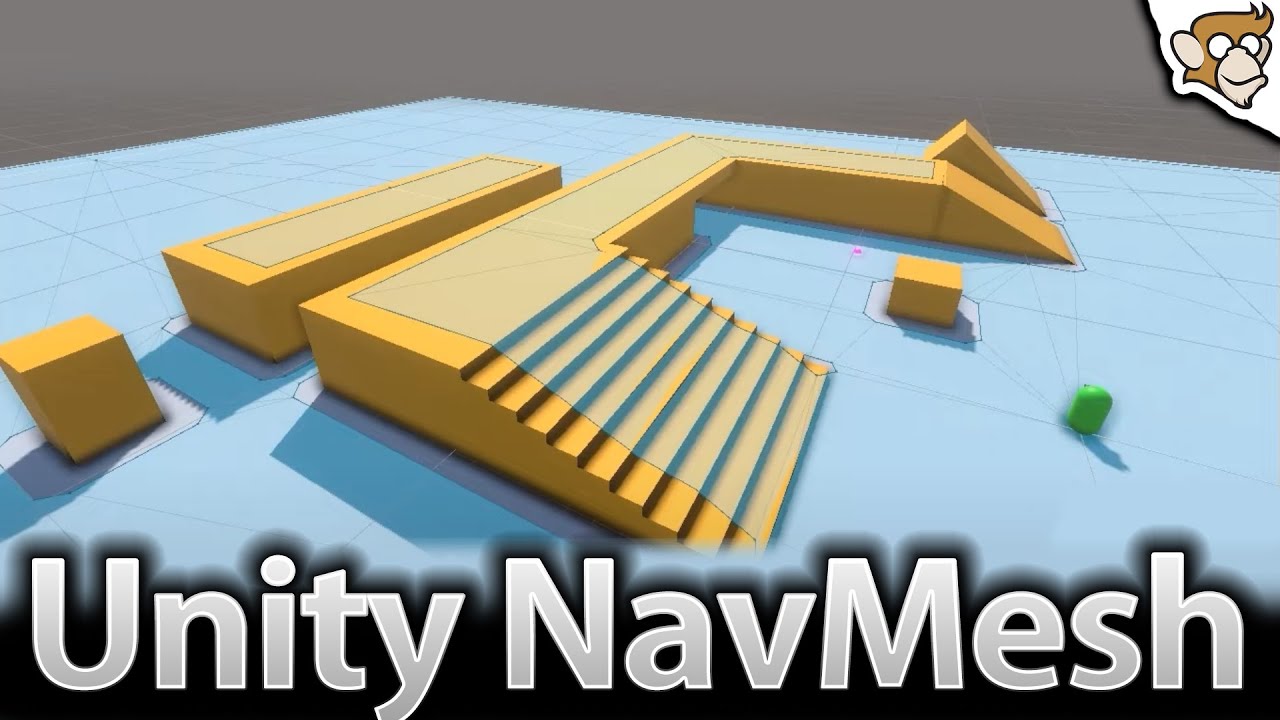
✅ Get the FULL course here at 80% OFF!! 🌍 https://unitycodemonkey.com/courseultimateoverview.php
👍 Learn how to make BETTER games FASTER by using all the Unity Tools and Features at your disposal!
👇
🌍 Get my Complete Courses! ✅ https://unitycodemonkey.com/courses
👍 Learn to make awesome games step-by-step from start to finish.
🎮 Get my Steam Gam...
i think this video will answer most of your questions
coral hornet
alright
coral hornet
sacred frost
https://www.youtube.com/watch?v=atCOd4o7tG4
is there any articles that you could reccomend me instead? i dislike video tutorials
theres a 1 minute long segment advertising his own stuff right at the start, god i hate youtube tutorials 🙁
so wait navmesh is a class?
sacred frost
probably this then
https://docs.unity3d.com/Manual/nav-BuildingNavMesh.html
coral hornet
sacred frost
probably this then
https://docs.unity3d.com/Manual/nav-BuildingNavMesh.html
alright thanks
potent sleet
coral hornet
theres a 1 minute long segment advertising his own stuff right at the start, god...
people gotta make money to eat
coral hornet
potent sleet
people gotta make money to eat
but they dont have to make money off of invasive youtube tutorial ads, sidebar ads on articles are much more personally appealing
potent sleet
coral hornet
but they dont have to make money off of invasive youtube tutorial ads, sidebar a...
how's it invasive? it can easily be skipped through the timeline seekscroll
coral hornet
potent sleet
how's it invasive? it can easily be skipped through the timeline seekscroll
timeline seekscroller?
sacred frost
install sponsorblock addon
potent sleet
coral hornet
timeline seekscroller?
you never seen this

you don't know how to skip a 1 minute chunk of a video ?
coral hornet
ive never personally heard it called a timeline seekscroller
coral hornet
potent sleet
you never developed a media player then
no i have.. not...
should i have developed a media player before watching youtube?
potent sleet
coral hornet
should i have developed a media player before watching youtube?
you should know what a "seek" bar is
coral hornet
or any other platform with a media player integrated into it?
coral hornet
potent sleet
you should know what a "seek" bar is
i mean.. sorta..
idk i just dont really see it as a "bar" or as "seeking", even if that is the official term
potent sleet
so you know it has the words in it why are you still goin
coral hornet
i see it as "moving to a different time in the video", i just dont personally identify it as a timeline seekscroller
potent sleet
technical term is seek bar
coral hornet
potent sleet
so you know it has the words in it why are you still goin
iunno i like talking
coral hornet
potent sleet
technical term is seek bar
noted
on a different note where is the navigation tab
nvm
ok built the navmesh thanks guys 👍
coral hornet
so assuming the path's corners are points in world space that i can iterate through, how do i tell when an agent has reached the waypoint?
sacred frost
check the remaining distance
coral hornet
sacred frost
check the remaining distance
alright
sacred frost
navMeshAgent.remainingDistance
coral hornet
oh thats a property?
potent sleet
there is more info than that too
coral hornet
oh, i figured itd just give me the waypoints and leave me to do the rest, thanks
wait whats this?

also how does auto repath work?
assuming that the path i create manually can be stored in the path property
will auto repath automatically overwrite the path property if the path ive made becomes invalid?
sacred frost
are you creating the path for the navmeshagent manually?
coral hornet
sacred frost
are you creating the path for the navmeshagent manually?
i mean that was the plan but now im not so sure i should
considering auto repath
should i just create one to kick off the pathing or what?
what counts as an invalid path, and what about the destination?
sacred frost
if you want him to patrol an area non-dynamically, then create a path manually
coral hornet
if i set this mid-pathing and it doesnt line up with the previous paths destination will it auto-repath to try to approach the new destination? when exactly is auto-repath active?
 sacred frost
if you want to make him code to just walk around in random ways dynamically then yeah dont create a path manually
autorepath is for when it sees an obstacle i think, but im no navmeshagent expert
im just guessing
coral hornet
alright
sacred frost
coral hornet
if i set this mid-pathing and it doesnt line up with the previous paths destinat...
i guess only one way to find out - check
coral hornet
well im looking to make this creature constantly try to reach a player
and im sorta puzzled
cuz like
wait so if i make a path manually
but the paths endpoint is no longer the player (player moved) then do i make another one immediately after?
sacred frost
then just set the destination to player's position
sacred frost
coral hornet
but the paths endpoint is no longer the player (player moved) then do i make ano...
it does it automatically
coral hornet
ok yeah that clears up alot, thanks
 wide burrow
No matter what I try I can't seem to change the Icon for my scriptable objects
coral hornet
sacred frost
it does it automatically
ok wow that works amazing, thanks a TON man
zealous bridge
#if UNITY_EDITOR directive allows you to run things in edit mode?
Or am I understanding this wrong?
 lyric wadi
play mode in the editor
is it not working? it should but it needs to be before any other platforms
so if your target platform is android, and you have #elif UNITY_EDITOR after UNITY_ANDROID the android one will superceed it
zealous bridge
lyric wadi
is it not working? it should but it needs to be before any other platforms
It is working. It's working in edit mode. I'm able to copy a static list from another script in update.
but I'm not sure I'm using it right.
It feels like a unintended way of doing it.
lyric wadi
just lets different blocks run on different platforms, so if you have different input for different platforms or something you can define each and it just triggers the right one
zealous bridge
Uhh that means I don't actually need it and my understanding of update is wrong?
I thought unity doesn't run update in edit mode
Only during play, and outside of play it(edit mode) it doesn't run.
lyric wadi
if you have [ExecuteInEditMode] it runs the code
zealous bridge
I don't have it.
lyric wadi
weird
zealous bridge
yeah
zealous bridge
Uhg yeah I was testing it and you need execute in edit mode for it to run the code in update. something buggy is happening on my side
 lunar mauve
Im using animation rigging and I made a small script to make it so when you turn the camera facing it, it will put the weight to zero. but when you turn 180 degrees it does the opposite can someone help me?
Vector3 Direction = targetConstraint.position - sourceObject.position;
if(Direction.z <= 0)
{
targetWeight = 0f;
}
else
{
targetWeight = orginWeight;
}``` digital whale
I made a controller script for my player character,but when I try to move them anywhere,they don't move at all
https://pastebin.com/tqrMJeMY
Pastebin
Pastebin.com is the number one paste tool since 2002. Pastebin is a website where you can store text online for a set period of time.
 hexed pecan
digital whale
I made a controller script for my player character,but when I try to move them a...
hexed pecan
digital whale
I made a controller script for my player character,but when I try to move them a...
You need to type FixedUpdate correctly or unity will not call it
digital whale
hexed pecan
You need to type **F**ixedUpdate correctly or unity will not call it
Thanks
I don't know how I missed that lol.
 tall lagoon
Hey guys so I'm making a 3d enemy and i want the transform.foward or the current direction looking at the player bc ima need it for something else later bc right now i have it looking at the player but how can i get the forward or current direction to look at the player instead? This is my code
Vector3 LookDir = transform.position - Target.transform.position;
transform.localRotation = Quaternion.Euler(0, LookDir.y, 0);
transform.forward = new Vector3 (LookDir.y, 0, 0);
```cs supple hinge
!code
tawny elkBOT
Posting code
📃 Large Code Blocks
Large code blocks should be posted as links to services like:
https://gdl.space/, https://paste.ofcode.org/, https://hatebin.com/
https://paste.myst.rs/, https://hastebin.com/
📃 Inline Code
Surround code with three backquotes. Not quotation marks.
To get C# formatting the first line should only contain cs or csharp.
Add a comment with a line number if there is an error message.
```cs
// Your code here
```
Do not share screenshots of code unless requested.
tall lagoon
supple hinge
!code
mb ill fix
supple hinge
tall lagoon
mb ill fix
?
tall lagoon
i thought you were talking to me
hey joseluis now that your hear if you got a sec you think you could help me out with my problem real fast?
supple hinge
tall lagoon
i thought you were talking to me
Oh, no
im kind of ignorant on Coding by the moment
the only think i can tell you is to create a Child Object and make it act like if it was a Compass and the player was North
tall lagoon
wdym?
supple hinge
but that won't change anything bc it's the same problem
tall lagoon
ye i just need the current or blue arrow of the enemy to face the player
thats the tricky part
supple hinge
position.X? i don't know man, sorry i won't give you any advice if i don't know what im talking about
good luck
tall lagoon
supple hinge
position.X? i don't know man, sorry i won't give you any advice if i don't know ...
ijustneed the blue arrow to follow the player on the y axis
supple hinge
tall lagoon
ijustneed the blue arrow to follow the player on the y axis
nono, i mean
i have problems with rigidbody, i won't be able to understand any of that
supple hinge
tall lagoon
ijustneed the blue arrow to follow the player on the y axis
ask Osmal about it
he's a great guy
lyric wadi
You tried LookAt(target) and Quaternion.LookRotation? https://docs.unity3d.com/ScriptReference/Quaternion.LookRotation.html
 bronze egret
Vector2 inputDir = new Vector2 (Input.GetAxisRaw("Horizontal"), Input.GetAxisRaw("Vertical"));```
Im trying to get a player input for my player object, what do you guys think, i've seen other people do it like this:
>  float X or Y input = input.getaxisraw("X Or Y");
i assume this way its more optimised since its a single linebeing a single line doesn't make it any more optimized. use whichever you prefer, the performance difference between the two is likely negligible at best
tall lagoon
lyric wadi
You tried LookAt(target) and Quaternion.LookRotation? https://docs.unity3d.com/...
Oh i actually figured it out
For the suggestion
 timid meteor
is there away to add a 3d collider to a tilemap?
potent sleet
timid meteor
is there away to add a 3d collider to a tilemap?
no
you can use a gameobject brush with 3D colliders on them
potent sleet
timid meteor
is there away to add a 3d collider to a tilemap?
what are you trying to do?
potent sleet
put a tilemap collider
timid meteor
I have set it up so it generates meshs
I did but it wasn't workign
the player walked straight through them
timid meteor
yes
3d
I am using it for vr
since I found out it runs better on vr urp
I can load massive worlds with no performance issues
potent sleet
timid meteor
I am using it for vr
you already have meshes no? just add mesh collider
timid meteor
how do you add a mesh collider in c#
timid meteor
potent sleet
you already have meshes no? just add mesh collider
like this?
MeshCollider meshCollider = edgeObj.AddComponent<MeshCollider>();
meshFilter.collider = mesh;
potent sleet
pretty much
potent sleet
timid meteor
MeshCollider meshCollider = edgeObj.AddComponent<MeshCollider>();
meshFi...
pretty sure it's sharedMesh
hexed pecan
timid meteor
MeshCollider meshCollider = edgeObj.AddComponent<MeshCollider>();
meshFi...
Yea second line looks a bit off, should be
meshCollider.sharedMesh = mesh;
 wet condor
How can i make my arrow in Minimap adjust with my minimap texture.
i mean my arrow (PNG) is place inside my Car and another camera render that Arrow (layer) and place it in my UI..
since my Arrow is flowing all my places should i have to scale my map texture in scale and place it exect sclae as my acutal scene map while that layer is render with another camera ?

this white is my road texture i mean like this
it's place accordingly with my acutaly road rander with another camera
 wild nebula
wet condor
How can i make my arrow in Minimap adjust with my minimap texture.
i mean my ar...
wild nebula
wet condor
How can i make my arrow in Minimap adjust with my minimap texture.
i mean my ar...
If you have a child arrow object and parent it to the car, since its on another layer, you can just resize the arrow game object?
- Car
-- Arrow (Just resize this based on object to camera distance)
I imagine it something like this.
float size = (Camera.transform.position - Arrow.transform.position).sqrMagnitude * resizeFactor;
//Then clamp it:
size = Mathf.Clamp(size, 0, maxSize);
//Then apply it:
Arrow.transform.scale = Vector3.one * size;```Just a pseudo code, but you get the idea.
On the other hand ------
Anyone know if I can peek into the implementation of this? Internal_ToEulerRad(Quaternion q)

Its from Quaternion.eulerAngles C# reference
somber nacelle
if it isn't available in the csreference then it isn't available for you to look at
unless you buy whatever license unity offers that allows access to the internal code
wild nebula
somber nacelle
if it isn't available in the csreference then it isn't available for you to look...
I just need that one specific implementation to debug because I need to do the quaternion.eulerAngles from Unity.Mathematics version of the function.
But it isn't producing the same results with generic implementations from the internet.
somber nacelle
i dunno what to tell you mate, the engine is closed source except for what is available through github. if it isn't on github then the source is not available to view
wild nebula
😭
leaden ice
wild nebula
Anyone know if I can peek into the implementation of this? `Internal_ToEulerRad(...
Here's the declaration
GitHub
Unity C# reference source code. Contribute to Unity-Technologies/UnityCsReference development by creating an account on GitHub.
It's marked extern which means it's implemented in C++ and closed source
wild nebula
Thanks, I will keep trying all the implementations I can find ig.
 coral kettle
I can't find any info on how to clamp a long
System.Math.Clamp gives an error about Math not containing the definition of Clamp
 prime sinew
do you specifically need a long?
coral kettle
at the moment yes
prime sinew
i'm not sure.. but what version of .Net is your Unity using?
cause it does seem to be a thing
https://learn.microsoft.com/en-us/dotnet/api/system.math.clamp?view=net-7.0#system-math-clamp(system-int64-system-int64-system-int64)

Returns value clamped to the inclusive range of min and max.
wet condor
wild nebula
If you have a child arrow object and parent it to the car, since its on another ...
Hnmmm no i mean should i have scale my map as big as my game and place a huge big map over it..
So i can track my arrow where ever i go in game?
Or there's another way to do it
coral kettle
prime sinew
i'm not sure.. but what version of .Net is your Unity using?
seems to be 4.7. I'll just construct a clamp using an if
wild nebula
wet condor
Hnmmm no i mean should i have scale my map as big as my game and place a huge bi...
Sorry I actually don't understand the question :c
I thought you want to scale your arrows when the mini map camera is very far.
Because you want a huge part of the map to be seen.
wet condor
No no not that ':) 🐱
I just fell like i dont have to scale my map texture (the road lines) in the game and scale it 200x soo it be same as my environment

This while is my texture and i have scale it 200x so it can be same as my road 🛣️
 earnest epoch
wet condor
This while is my texture and i have scale it 200x so it can be same as my road �...
earnest epoch
wet condor
This while is my texture and i have scale it 200x so it can be same as my road �...
Hey, if I'm following correctly, the white stuff in your picture is supposed to mimic your road in geography and you don't want to have to change its scale in order for it to line up; is that correct?
wet condor
earnest epoch
Hey, if I'm following correctly, the white stuff in your picture is supposed to ...
Yes that's correct the acutal road I've sclae it 200x and now it work fine now but i dont want it like that. Since I've sclae it 200x..
hexed pecan
What kind of object is the white road?
And what is the arrow, I don't see any
Is your map one Terrain component?
You could get its scale and adjust the white road mesh to that
hexed pecan
But it's on some renderer component, is it a MeshRenderer with a plane/quad mesh?
Or world space UI?
earnest epoch
wet condor
Arrow is just a png also inside my car
To be clear, you're looking for a way to scale your PNG accurately to your terrain.
wet condor

This. I mean this white is my map and i to place it my environment I've scale it 200x so it can big enough to place my environment..
Everything work fine but somehow i think that's not the correct way since I've sclae too much also what if there a much bigger project 😅
This small is what I've scaled. And make this big one.
hexed pecan
If it works, it works. Another option would be to render it to the minimap camera on a canvas
wet condor
Yes im rendering to rander texture and using UI to place it
earnest epoch
So two things: @wet condor
- If you want to eliminate this difference in relative scale, you need to make one thing a different scale than the other intrinsically. Import a bigger thing into your project if you don't want to scale it up. The same for going smaller.
- This is the wrong channel to discuss non-programming related topics. Try #💻┃unity-talk, or share your code which attempts to solve the scaling issue programatically.
wet condor
earnest epoch
So two things: <@616262832182263808>
1) If you want to eliminate this differenc...
Oh ok Thx Soory for wrong Chanel Omi @earnest epoch
 unique cloak
            {
                Debug.Log(r.ToString());
                for (int i = 0; i < x; i++)
                {
                    Debug.Log("= " + r.ToString());
                }
            }
The debug log says
"1"
"2"
"= 2"```
How on earth is this possible?Why is it not running the debug.log inside the for loop for r = 0 and r = 1
prime sinew
unique cloak
``` for (int r = 0; r < s; r++)
{
Debug.Log(r.ToStri...
it looks like it is. that Debug.Log doesnt have = in it
or do you mean you dont see = 0 and = 1
it'll be helpful if you shared what s and x are
leaden ice
unique cloak
``` for (int r = 0; r < s; r++)
{
Debug.Log(r.ToStri...
show a screenshot of your console window.
Do you have Collapse enabled?
wild nebula
Anyone know how to clean up unused assembly references?
I don't want to do the stone-man approach
Using Visual Studio 2022
unique cloak
leaden ice
show a screenshot of your console window.
 leaden ice
unique cloak
leaden ice
unique cloak
the whole window
unique cloak
 leaden ice
unique cloak
leaden ice
unique cloak
none of this seems to relate to the code you posted above, since nothing in the code above prints "rows = someting"
 restive dirge
How can we get right and left mobile tilt movement(when mobile screen vertically facing us) values?
leaden ice
restive dirge
How can we get right and left mobile tilt movement(when mobile screen vertically...
prime sinew
How come Input.acceleration detects the tilt, when it's a "linear acceleration"? Or am i misunderstanding what linear acceleration is.
swift falcon
I load an asset bundle and it gives me this error "Desired shader compiler platform 14 is not available in shader blob". Any idea on how to fix it?
leaden ice
prime sinew
How come Input.acceleration detects the tilt, when it's a "linear acceleration"?...
The accelerometer can detect the direction of gravity
Or rather, by reading the direction of gravity, it can surmise the orientation of the phone to some degree
prime sinew
oh.. wow. so I can just assume it'll detect movement and tilt. thanks!
ionic socket
Invoke vs. Coroutine vs. using a DoTween to delay triggering an event. What's the cleanest, most professional way?
ionic socket
potent sleet
the true answer is async
is that Task.Delay type stuff?
potent sleet
ionic socket
is that Task.Delay type stuff?
or thread.sleep depending on what you doing
I don't even think it works in unity so that's that
ionic socket
Task.Delay seems both clean and semantic
potent sleet
there is also Wait
potent sleet
ionic socket
Task.Delay seems both clean and semantic
it's just a fancy Timer in disguise
https://learn.microsoft.com/en-us/dotnet/api/system.timers.timer?view=net-7.0
 thin aurora
potent sleet
or thread.sleep depending on what you doing
thin aurora
potent sleet
or thread.sleep depending on what you doing
Thread.Sleep is only valid if you manually created a thread and did not apply any Task-based features in it, which is basically never since a Task-based system is easier to begin with
So let's all forget Thread.Sleep exists 😄
potent sleet
agree lol
thin aurora
Weird
potent sleet
screen was shaking
thin aurora
Weird..........
cloud smelt
Not sure if this is a bug, and im struggling to google for the issue but I'm using Resources.FindObjectsOfTypeAll() to pull a load of scriptable objects into a dictionary. My issue is occasionally it just doesn't pull anything in, and will continue to do so until I change something on one of the objects and re save it. Anyone ever had this issue? Any other alternatives?
 thick heron
im doing animation stuff and the last keyframe plays for a millisecond is there a way to add idle time to the last frame
I want to move that bar without moving the rhoumbus
 sacred frost
cloud smelt
Not sure if this is a bug, and im struggling to google for the issue but I'm usi...
sacred frost
cloud smelt
Not sure if this is a bug, and im struggling to google for the issue but I'm usi...
you sure the scriptableobjects are in the scene somewhere?
 quartz folio
You generally shouldn't be using that API, it only returns loaded objects
sacred frost
yep, you can't trust it, i'd just do an array and you can drag your stuff there
cloud smelt
sacred frost
you sure the scriptableobjects are in the scene somewhere?
not in the scene no they are in the resources folder.
sacred frost
well yeah you cant really trust that function for that then
quartz folio
Despite the name, FindObjectsOfTypeAll isn't really anything to do with the Resources folder
if you want to load an array of data from the resources folder, use LoadAll
swift falcon
im using first person core and every time i open the camera prefab the scene goes grey even tho i didnt touch anything but it works just fine in play mode
 sacred frost
I think that's a unity bug lol
I had it a lot in older versions
if you restart it will probably show up normally but if you move is it gray again?
if so then yeah - from my knowledge just a unity bug ;/
swift falcon
sacred frost
if you restart it will probably show up normally but if you move is it gray agai...
yes
do you know the bug name so i can search in google
sacred frost
nope, you can try disabling the lighting though see if that fixes anything
prime sinew
thick heron
I want to move that bar without moving the rhoumbus
Duplicate the last frame and drag it further down the animation
 frozen peak
Hello! I am using Netcode for gameobjects and I am trying to display the ping of each player.
public TextMeshProUGUI pingText;

    private float pollingTime = 1f;
    private float time;
    private float frameCount = 0f;


    private NetworkTransport networkTransport;
    private ulong clientId;
    private bool networkSpawned = false;
    public override void OnNetworkSpawn()
    {
        networkTransport = GameObject.Find("NetworkManager").GetComponent<NetworkTransport>();
        clientId = NetworkManager.Singleton.LocalClientId;
        networkSpawned = true;
    }

    // Update is called once per frame
    void Update()
    {
        if (!networkSpawned) return;

        time += Time.unscaledDeltaTime;
        frameCount++;

        if (time >= pollingTime)
        {
            ulong ping = networkTransport.GetCurrentRtt(clientId);
            pingText.text = $"{ping} ms";

            time -= pollingTime;
            frameCount = 0;
        }
    }
This is how i am doing it. The player that hosts the game has 0 ms latency, but when a client connects, it outputs this error:
KeyNotFoundException: The given key '1' was not present in the dictionary.
It references this line ulong ping = networkTransport.GetCurrentRtt(clientId);
potent sleet
frozen peak
Hello! I am using Netcode for gameobjects and I am trying to display the ping of...
upbeat dust
heyy, so i have this simple IF statement checking the quternion rotation (float)
if ((Mathf.Round(transform.rotation.x * 1000) / 1000) == 0.707)
{
      Debug.Log("DAY OR NIGHT");
}
At first i put 0.707**f **like its supposed to be, but the if statement did not pass, but when i removed f, it stated working
Do quaternions return some kind of other data type?
 wild smelt
I want to make the user select a json file and then the game should read it, but not modify it
how
 dusky lake
upbeat dust
heyy, so i have this simple IF statement checking the quternion rotation (float)...
dusky lake
upbeat dust
heyy, so i have this simple IF statement checking the quternion rotation (float)...
You round your value, so it can never be 0.707, additionally you need an f behind that 0.707 to make it float. Futhermore you should never == compare floats as they are not precise
upbeat dust
dusky lake
You round your value, so it can never be 0.707, additionally you need an f behin...
but thats the thing, 0.707 works, while 0.707f doesnt
dusky lake
Oh nvm to the first part, didnt see the / 1000 behind the round
Put an f behind the 1000 you are dividing by
You are currently working with doubled
Doubles*
 tacit kestrel
@upbeat dust - you should try something like:
float value = Mathf.Round(transform.rotation.x * 1000) / 1000;
if (Mathf.Abs(value - target) <= float.epsilon) {
  // equality functionality
}
thx a lot for suggestion, but im such a noob ;P
ill research on epsilon tho, thx
somber nacelle
tacit kestrel
<@842750026609983488> - you should try something like:
```
float value = Mathf.R...
at that point just use Mathf.Approximately, it does the same thing
tacit kestrel
that is a good choice too
austere orbit
Hi, is it possible to force devs to assign values to fields in scripts?
[RequireComponent(typeof(Rigidbody))]
Something like this but with fields in script
[RequireValue]
[SerializeField]
private int JumpForce;
so if you try to test the game it will not start until you fill the required values
 earnest gazelle
austere orbit
so if you try to test the game it will not start until you fill the required val...
earnest gazelle
austere orbit
so if you try to test the game it will not start until you fill the required val...
Probably you mean ref types?
Odin inspector has an attribute for it called Required.
If it is null, you will see an error below the field in the inspector.
Then you can run Odin validation tool, it shows all validation errors
swift falcon
Do asset bundles for WIndows work for Ios or Mac or do I need to build asset bundles for each platform?
 late lion
swift falcon
Do asset bundles for WIndows work for Ios or Mac or do I need to build asset bun...
late lion
swift falcon
Do asset bundles for WIndows work for Ios or Mac or do I need to build asset bun...
You have to build for each platform.
sacred frost
austere orbit
Hi, is it possible to force devs to assign values to fields in scripts?
```
[Req...
Try NaughtyAttributes :)
GitHub
Attribute Extensions for Unity. Contribute to dbrizov/NaughtyAttributes development by creating an account on GitHub.
austere orbit
sacred frost
Try NaughtyAttributes :)
great name XD
 placid summit
Hi has anyone used alternatives for http communication like System.Net.Http?
 hybrid relic
Does anyone know if Facepunch fixed their p2p ip leak thing in Facepunch.Steamworks ?
I last remember Dani having problems in Crab Game with DDOS attacks cuz of it
somber nacelle
hybrid relic
Does anyone know if Facepunch fixed their p2p ip leak thing in Facepunch.Steamwo...
why not ask in their community?
 copper plaza
hey ,I need a help;
Im try to build my game,it was built perfect,but after integrate sdk it not,it failed build,
This is my error console:


 hybrid relic
somber nacelle
why not ask in their community?
hybrid relic
somber nacelle
why not ask in their community?
Cuz they dont have one
 gentle hinge
How can I check if a spotlight is shining onto an object?
somber nacelle
hybrid relic
Cuz they dont have one
surely they have a forum thread at the very least
copper plaza
gentle hinge
How can I check if a spotlight is shining onto an object?
use raycast
hybrid relic
somber nacelle
surely they have a forum thread at the very least
They dont, they have the github, but i asked there before and got no answer
im also confused that i asked here and noone has an answer for me, i thought it might be used more often then Steamworks.NET since its more easy
somber nacelle
i'm aware they have a github. they link to their forum thread on the github 😉
somber nacelle
hybrid relic
im also confused that i asked here and noone has an answer for me, i thought it ...
someone will have to have not only used the package but also be familiar with its changelog and the issue you are describing in order to know the answer to your question. how likely do you think that is?
hybrid relic
somber nacelle
i'm aware they have a github. they link to their forum thread on the github 😉
yeah the thread doesnt exist

im a steamworks developer so i should have access to that group
somber nacelle
works for me
hybrid relic
lemme try something
copper plaza
@hybrid relic & @somber nacelle this is code general room not chat room;please go there
somber nacelle
Notice how i was already redirecting the person to the proper place to ask their question? this wasn't just a casual chat mate
hybrid relic
copper plaza
<@755084025416253440> & <@175082927862841344> this is code general room not cha...
This is about code, networking to be specific
hybrid relic
somber nacelle
works for me

If i click on "here" nothing happends
im a steamworks dev and i have a game
Its just too dumb to redirect me correctly
somber nacelle
have you even bothered looking at their docs pages? that would answer your question
hybrid relic
now i get this, after i joined the group
 somber nacelle
hybrid relic
somber nacelle
<https://wiki.facepunch.com/steamworks/Sending_P2P_Messages>
somber nacelle
hybrid relic
somber nacelle
<https://wiki.facepunch.com/steamworks/Sending_P2P_Messages>

Pff yeah ok then i wont use Facepunch
Steamworks.NET it is
somber nacelle
they stopped doing the thing that revealed IP addresses. isn't that what you wanted?
hybrid relic
They stopped using peer to peer for vc
cuz their peer 2 peer stuff is leaking ips
they did not fix the ip leak issue, just ignored it and used something else
leaden ice
hybrid relic
cuz their peer 2 peer stuff is leaking ips
Isn't revealing your IP an inherent part of establishing a P2P connection?
not really a "leak"
somber nacelle
hybrid relic
they did not fix the ip leak issue, just ignored it and used something else
ah, i misread it. either way this is getting pretty off topic for this channel 🤷♂️
hybrid relic
leaden ice
Isn't revealing your IP an inherent part of establishing a P2P connection?
you can mask ips with steamworks when using steam for peer 2 peer
since you use steam as a kind of proxy, steam also routes the whole traffic so no port stuff has to be done
leaden ice
Not sure how that could work without using some kind of intermediate host, which makes it not really P2P right?
hybrid relic
well steam is kinda handling the peer to peer traffic and afaik a intermediate host with steamworks p2p
kinda works like a proxy
ive read about it and Steamworks.NET doesnt reveal your ip normally
 leaden ice
 lethal plank
anyone know what was that called?
lethal plank
anyone know what was that called?
a line?
leaden ice
it's just a LineRenderer, no?
copper plaza
you can use several stuff for that,like UI or line renderer or even creat your own line via script (this will help you to defined the start and end position and control the size ...)
 icy schooner
Hey!
I'm having some issues with my code where if (!isLocalPlayer) is returning the error (The name "isLocalPlayer" does not exist in the current context. I changed to capital I so IsLocalPlayer where the error disappeared but its not correct according to the documentation
Thank you in advance
somber nacelle
icy schooner
Hey!
I'm having some issues with my code where `if (!isLocalPlayer)` is returnin...
that's heavily dependent on the networking library you are using. but also if the docs are wrong, then submit a report through whatever issue reporting tool the docs should have
icy schooner
somber nacelle
that's heavily dependent on the networking library you are using. but also if th...
Im using Netcode. I dont think there is an error in the docs because in stackoverflow questions they do write it similar to the documentation but its just not working for me
somber nacelle
icy schooner
Im using Netcode. I dont think there is an error in the docs because in stackove...
make sure you're looking at the docs for the correct version. latest version shows the property is IsLocalPlayer
https://docs-multiplayer.unity3d.com/netcode/current/api/Unity.Netcode.NetworkBehaviour#islocalplayer
icy schooner
somber nacelle
make sure you're looking at the docs for the correct version. latest version sho...
I guess I was looking at wrong then I was using this
https://docs.unity3d.com/2017.4/Documentation/ScriptReference/Networking.NetworkBehaviour-isLocalPlayer.html
I see top left... Version 2017
My bad
Thanks m8
 neon plank
What does mean when NavMeshAgent.isOnOffMeshLink is true but NavMeshAgent.nextOffMeshLinkData.valid is false?
 rain minnow
That sounds an entire system with a bunch of mechanics working together. You'll need a research a few topics . . .
 leaden ice
 wary wraith
anyone know what to do here?
wary wraith
anyone know what to do here?
What are we looking at? What are you trying to do?
wary wraith
it wants me to select a root sdk folder
and no wonder what folder I select it just goes back to that screen
leaden ice
wary wraith
and no wonder what folder I select it just goes back to that screen
the one called sdk
wary wraith
leaden ice
the one called `sdk`
doesnt work
wary wraith
leaden ice
the one called `sdk`
 jagged laurel
!docs player walking
tawny elkBOT
 cedar pivot
!docs player dribbling
tawny elkBOT
 hexed sorrel
I want to check for collisions on very large scales where floating point inaccuracy would usually make it break down; I'm thinking I could do some rudimentary check using my double precision coordinates and then use a raycast at a collider placed at the origin; if I don't want to create lots of such colliders, is there some way to raycast at a collider without actually creating one in the scene? (Or is there a much better way to go about things?)
Thanks
wary wraith
https://gyazo.com/acb39097db4c8b1832c53f28d5a419f7 does anyone know where exactly I can fix this error Ive tried looking and I cant find it anywhere
 hexed pecan
wary wraith
https://gyazo.com/acb39097db4c8b1832c53f28d5a419f7 does anyone know where exactl...
hexed pecan
wary wraith
https://gyazo.com/acb39097db4c8b1832c53f28d5a419f7 does anyone know where exactl...
Check the first error
It says See the Console for more details
 whole night
I want to put a number on default cube, I have made text mesh pro the child of the object but still the number is not showing up
hexed pecan
whole night
I want to put a number on default cube, I have made text mesh pro the child of t...
Make sure it's the 3D version of TextMeshPro and not the 2D/UGUI
And look at its local position
Not a code question though
whole night
what is the size of a default cube in unity?
rigid island
whole night
what is the size of a default cube in unity?
1,1,1 meter
*1 unity unit = 1m
rigid island
if its world canvas prob
hexed pecan
whole night
so in text mesh pro the width and height should be 1>
Yes, you should see a yellow rectangle that shows the area
 thick socket
https://pastebin.com/hGqbCbH4
I know next to nothing about 3d stuff...is there any easy way to convert this 3d script to work for 2d?
Pastebin
Pastebin.com is the number one paste tool since 2002. Pastebin is a website where you can store text online for a set period of time.
it uses meshes rn
wary wraith
hexed pecan
Check the first error
the console is just repeats that
like that is the console
hexed pecan
wary wraith
the console is just repeats that
Did you make sure the android sdk path is correct?
wary wraith
hexed pecan
Did you make sure the ``android sdk path is correct``?
Yes c: -> User -> appdata > local > android > sdk
even downloaded other sdks

but I just get this no matter what
lunar mauve
Does anyone know if its possible to fetch all scriptable objects of a type and pick a random one or more?
rigid island
lunar mauve
Does anyone know if its possible to fetch all scriptable objects of a type and p...
ofcourse
lunar mauve
rigid island
ofcourse
oh really? Do you know how?
rigid island
lunar mauve
oh really? Do you know how?
store them in a list and randomize them like you would any other list items
lunar mauve
oh alright
rigid island
lunar mauve
oh alright
x = random.Range(0, myListofSo.Count)
//do stuff myListofSo[x]
lunar mauve
alright
thick socket
whats the best way performance-wise to convert from screen space to world space
Vector3 worldPosition = mainCamera.ScreenToWorldPoint(screenPosition);
for some reason I feel I was told bad performance
ionic socket
long running question I've had about damaging a player with an attack. Should I simply raise an event on the player with the attack info in it, and let the player respond, or should I call a Damage method on the player, and have /that/ raise some events? On one hand, the later method allows me to control the ordering of certain things (ie, I can subtract the damage after invoking any events that may change the damage?), but it then requires me to add methods to the player and starts nibbling into "Single Responsibility". How would you do it?
thick socket
thick socket
https://pastebin.com/hGqbCbH4
I know next to nothing about 3d stuff...is there a...
bump...in short, just need a little help converting the few 3d aspects to 2d
 wheat cargo
Does Quaternion.AngleAxis not work when supplying an axis that isn't Vector3.up, Vector3.right, Vector3.forward?
hexed pecan
wheat cargo
Does `Quaternion.AngleAxis` not work when supplying an axis that isn't Vector3.u...
It does
wheat cargo
hexed pecan
It does
Why then, when I supply transform.forward as the axis, it reorients the object to default orientation?
wheat cargo
hexed pecan
How are you doing it?
transform.localRotation = Quaternion.AngleAxis(newAngle, transform.forward);
hexed pecan
wheat cargo
`transform.localRotation = Quaternion.AngleAxis(newAngle, transform.forward);`
localRotation is local space and transform.forward is world space, they don't really mix
Either use transform.rotation or change transform.forward to Vector3.forward
wheat cargo
hexed pecan
Either use ``transform.rotation`` _or_ change ``transform.forward`` to ``Vector3...
The same thing happens when I use:
transform.rotation = Quaternion.AngleAxis(newAngle, transform.forward);
hexed pecan
Hmm what exactly do you expect to happen?
Usually I use AngleAxis to multiply it with another rotation
hexed pecan
wheat cargo
The same thing happens when I use:
`transform.rotation = Quaternion.AngleAxis(ne...
If you do this and newAngle is zero, then it will indeed reorient to default rotation
wheat cargo
I just want to rotate an object to a specific angle around one of it's transform's axes, I don't want to continuously rotate it
I want to rotate it to a specific angle around the forward axis, so essentially this would 0 degrees

And 90 degrees would be rotated right around the forward axis
 hexed pecan
Then you would multiply it with the current rotation
transform.rotation = transform.rotation * Quaternion.AngleAxis(newAngle, transform.forward);```Or I believe this works the same:
```cs
transform.rotation *= Quaternion.AngleAxis(newAngle, transform.forward);```Might need to flip the multiplication sides around. Might not matter. I never remember
wheat cargo
This is in an update loop though, so that rotates it continuously, I want to be able to change the angle value and it always stays in the same rotation of what that value is set to
hexed pecan
wheat cargo
I just want to rotate an object to a specific angle around one of it's transform...
You just said here that you don't want to rotate continuously
wheat cargo
Yeah I don't
hexed pecan
Store the original rotation in a variable then, and apply the rotation on top of that
thick socket
@hexed pecan big ask from ya...wouls you be able to help me convert a code made for 3d->2d?
hexed pecan
thick socket
<@136926228341850112> big ask from ya...wouls you be able to help me convert a c...
I took a look at it and it seemed to use MeshColliders and whatnot
Not sure how you would 2D that
Also yeah asking someone specifically to fix your code is a bit weird.
thick socket
Not my code...its some elses lol
hexed pecan
Even worse
thick socket
Its a 3d version that converts ui toolkit to worldspace
hexed pecan
Never used UI toolkit
thick socket
Really good for formatting...doesnt work in worldspace
Thus why this code is so great
Guess converting it isnt as easy as I hoped...maybe Ill have to try and learn 3d mesh collider stuff to try and make it work for 2d 😦
wheat cargo
hexed pecan
Store the original rotation in a variable then, and apply the rotation on top of...
Thanks!!! This is working.
 hybrid sleet
Hi all, in C#, is there anything that's like a combination Enum and Dictionary? I would like to create a dictionary but where all the keys are sort of like the immutable data of an Enum entry. I'm mostly going to have a big long list of setting names, and I'd like to pair each one with a type, and I don't want to declare the enum first, and then write all the enum entries again as keys in a dictionary.
At first I thought of creating a new class for each thing that I would use as an Enum entry, but it was starting to get cluttered.
This feels like there might just be some kind of existing type that handles this kind of thing, no?
I also thought of using ScriptableObjects as an entry, but I don't think it's much more practical.
somber nacelle
well one (not super great) option is to just have a bunch of constants all in one class
of course that would only work if the values would be constant
 soft shard
hybrid sleet
Hi all, in C#, is there anything that's like a combination Enum and Dictionary? ...
soft shard
hybrid sleet
Hi all, in C#, is there anything that's like a combination Enum and Dictionary? ...
System.Enum does have functions to get an array of the enums (as values or strings, then you can cast by the index or type), you could technically loop through that and auto-populate the keys of your dictionary, assuming all you need to do is something like someDict.Add(enumValue[i], new List<string>); or whatever initialization you need for the value - or would this still not be ideal for you?
https://learn.microsoft.com/en-us/dotnet/api/system.enum.getvalues?view=net-7.0
Retrieves an array of the values of the constants in a specified enumeration.
hybrid sleet
soft shard
`System.Enum` does have functions to get an array of the enums (as values or str...
I think I need to manually set what the value for each key in the dictionary would be. Right now I can write out all the enum entries, but I need to add just a tiny bit of extra data with each entry, to say whether it is going to be handling floats or bools, or some other thing I haven't thought of yet.
right now it's like Dictionary <MyEnum, MyClass>, where MyEnum is a long list I've started writing out, and MyClass is two or three subclasses that all behave a little differently
Matching Enums with Subclasses is what I'm trying to accomplish, and just not have to write everything twice, because the list is very long, like maybe 50+ entries
I don't care so much about typing it out, I'm more worried about making changes later.
soft shard
hybrid sleet
Matching Enums with Subclasses is what I'm trying to accomplish, and just not ha...
Hmm, how do you intent to use the dictionary in your code base? Could you maybe give a use-case example with pseudo data?
 ionic path
question for navMeshAgent - is there a way to keep the agent from overlapping the destination?
I have an enemy chasing my player, and it keeps overlapping the player - I set the stopping distance to be further away but either it's just way too far, or doesn't affect anything and the enemy still overlaps the player
lyric wadi
tried changing the agent radius?
swift falcon
i need help how do i change the apk install location to auto for my game
 lucid valley
swift falcon
i need help how do i change the apk install location to auto for my game
lucid valley
swift falcon
i need help how do i change the apk install location to auto for my game
cross posting is against the rules
swift falcon
sorry
lucid valley
delete your messages in the other channels
lyric wadi
what does "install location to auto" mean
ionic path
lyric wadi
tried changing the agent radius?
yeah, but it doesn't seem to affect anything
cloud smelt
Is anyone able to give me some advice on the best place to store sprites and grow stages of a tile? I have a 2D array that holds my tile data but if I have the grow stages stored there then I would need a tile for each stage of every crop... which ads up fast...
 sleek bough
@random raft Your post got caught by a wrong automod filter. It is turned off now.
 random raft
sleek bough
<@742677824770539622> Your post got caught by a wrong automod filter. It is turn...
random raft
sleek bough
<@742677824770539622> Your post got caught by a wrong automod filter. It is turn...
ah dont worry i got it working now

 noble leaf
I have a issue in Mirror with Unity
noble leaf
noble leaf
I have a issue in Mirror with Unity
I make a menu for players in game but is not work
noble leaf
noble leaf
I make a menu for players in game but is not work
Somebody help me?
sleek bough
sleek bough
<@742677824770539622> Your post got caught by a wrong automod filter. It is turn...
@stiff tide You've been caught by this as well, You can repost.
 stiff tide
Thank you!
I'm super lost on what feels like it should be really simple. I want to make a menu button appear (that I can click on) when I hover over a zone.
But, unity thinks the mouse has left the zone when the button appears, causing a flickering effect. If I could just test for what object the mouse is on, I could tell it to not disable things, it'd be easy. Or if I could just tell it to ignore it's children when exiting. Or anything like that. But I've spent my last two days trying to research and figure out how to do this without messing with ray casting. Because 'IsPointerOverGameObject' and 'EventSystem.current.currentSelectedGameObject' sounds like the correct things? But they can't return objects, they're just lways true.
using System.Collections;
using System.Collections.Generic;
using UnityEngine;
using UnityEngine.EventSystems;
using UnityEngine.UI;

public class HoverMenuButton : MonoBehaviour
{
    [SerializeField] GameObject MenuButton;
    [SerializeField] GameObject ViewButton;

    public void Start()
    {
        //transform.Find().gameObject only searches through it's children for the object.
        MenuButton = transform.Find("Mini Menu Button").gameObject;
        ViewButton = transform.Find("View Button").gameObject;

        // I'll probably want to check for the parent here. Then I can easily know if this is yours or opponent's.
        OnMouseHoverExit();
    }

    public void OnMouseHoverEnter()
    {
        MenuButton.SetActive(true);
        ViewButton.SetActive(true);
    }

    public void OnMouseHoverExit()
    {
        if (IsMouseOverChild())
        {
            //stuff
        }
        MenuButton.SetActive(false);
        ViewButton.SetActive(false);
    }

   private bool IsMouseOverChild()
    {
        return EventSystem.current.IsPointerOverGameObject();
    }
}```Link to a visual of what's happening:
https://gyazo.com/ed52eb3c0605b9d9c1270a5f1aa4fe88
 hybrid sleet
soft shard
Hmm, how do you intent to use the dictionary in your code base? Could you maybe ...
hybrid sleet
soft shard
Hmm, how do you intent to use the dictionary in your code base? Could you maybe ...
I plan to compare two dictionaries with identical keys, and then check the class in the value, which has a value itself (either a float, a bool, or something else I haven't thought of yet)
Basically just checking a bunch of values and lerping or flipping them, in a state machine kind of thing
Like State A, has a big collection of settings, and State B has an identical collection, but the values are a bit different. We then transition from StateA to StateB by checking the dictionaries and lerping the differences
lucid valley
stiff tide
I'm super lost on what feels like it should be really simple. I want to make a m...
remove the OnMouseHoverExit() on this script and add it to a new script on the buttons?
stiff tide
Ah yeah that will probably work
Now I feel kind of dumb, cuz the solution is as simple as I thought it'd be
Although, I just realized that wouldn't work. Not without something else too.
When you hover over the zone, then the mouse leaves, the button won't disappear if you don't hover over the button first.
noble leaf
noble leaf
Somebody help me?
using System.Collections;
using System.Collections.Generic;
using UnityEngine;
using Mirror;
using UnityEngine.UI;

public class MenuScripts : NetworkBehaviour
{
    private bool menuState = false;
    public Canvas canvasMenu;

    void Start()
    {
        menuState = false;
    }

    void Update()
    {
        if(isLocalPlayer)
        {
            MenuActivation();
        }
    }

    void MenuActivation()
    {
        if(Input.GetKeyDown(KeyCode.Escape) && isLocalPlayer)
        {
            menuState = !menuState;
        }

        if(menuState && isLocalPlayer)
        {
            canvasMenu.enabled = true;
            Cursor.lockState = CursorLockMode.None;
            Cursor.visible = true;
        }
        else
        {
            canvasMenu.enabled = false;
            Cursor.lockState = CursorLockMode.Locked;
            Cursor.visible = true;
        }
    }
}
What's wrong here?
stiff tide
Vagetti-Dev, I won't be able to help you, since I'm not experienced.
But I will say you haven't shared what it's doing, or what it's meant to do.
sleek bough
@noble leaf #854851968446365696 on how to ask questions. Specifically indicate what's wrong and how you've attempted to debug it
 vestal summit
yo! What I'm trying to do is make the character rotate when I press wasd by the camera's orientation (cam.forward) thingy. Everything works but it rotates in z and x axis. I want to restrict it to the y axis. I tried to use this: https://answers.unity.com/questions/127765/how-to-restrict-quaternionslerp-to-the-y-axis.html but it was using quaternion.slerp and I'm using vector3.slerp cause the forward is vector not quaternion. Is there a way to do it with vector3? Here's the code and a clip of the problem to explain the issue a little better:

Unity is the ultimate game development platform. Use Unity to build high-quality 3D and 2D games, deploy them across mobile, desktop, VR/AR, consoles or the Web, and connect with loyal and enthusiastic players and customers.
leaden ice
vestal summit
yo! What I'm trying to do is make the character rotate when I press wasd by the ...
Project your camera forward and right directions on the x/z plane
Vector3.ProjectOnPlane
vestal summit
I'll c what I can do
yeah idk what I'm doing
if I understand correctly I have to do something like this but on the last one idk

right directions on the x/z plane??
 rustic furnace
Hello, I am a bit confused if I did this correctly or not.
using System.Collections;
using System.Collections.Generic;
using UnityEngine;

public class playerInteract : MonoBehaviour
{
    // Start is called before the first frame update
    public npcDialogue npc;


    private void OnTriggerStay(Collider other)
    {
        if (other.CompareTag("NPC"))
        {

            npc = other.GetComponent<npcDialogue>();
            npc.dialogueText.gameObject.SetActive(true);
            if (npc.currentIndex < npc.lines.Length && Input.GetKeyDown("e")  )
            {
                Debug.Log("click click");
               this.GetComponentInParent<mouseMovement>().inDialogue = true;
                npc.dialogueText.text = npc.lines[npc.currentIndex];
                npc.currentIndex++;
            }
            else if (Input.GetKeyDown("e") && npc.currentIndex >= npc.lines.Length)
            {
                npc.dialogueText.gameObject.SetActive(false);
            }

        }
    }
}
Basically, if the player is in trigger and clicks e, dialogue should play one line at a time. But when I go into play mode, I make sure that the player is in the trigger, then it takes multiple 'e' key clicks for it to register the click and I'm not sure why it does that. Also, it does halt the movement correctly. my problem is just with the input not registering with the clicks of e
My other script is
using System.Collections;
using System.Collections.Generic;
using UnityEngine;
using TMPro;

public class npcDialogue : MonoBehaviour
{
    // array
    public string[] lines = new string[] { "Hello there friend!", "Eat up all the food!", "Have fun!" };
    public TMP_Text dialogueText;
    //text object

    public int currentIndex = 0;
    // Update is called once per frame
    private void Start()
    {
       dialogueText.gameObject.SetActive(false);
    }

}
Please do not hesitate to @ me. Thanks!
vestal summit
vestal summit
right directions on the x/z plane??
yeah I'ma hella confused
I either don't understand something or idk
or it's something like this

how am I supposed to put x and z axis in there
I'm so confusedc
potent sleet
vestal summit
or it's something like this
 vestal summit
yeah I understand that
hexed pecan
If you want a horizontal plane, use Vector3.up as planeNormal
vestal summit
leaden ice
Project your camera forward and right directions on the x/z plane
but I just don't really understand this explanation :P
yeah I did that before you said that

but I'll try that
leaden ice
vestal summit
yeah I did that before you said that
uhhh no...
leaden ice
vestal summit
or it's something like this
why are you assigning right to forward??
in fact why are you changing the camera orientation at all
vestal summit
 leaden ice
W're just producing a vector to use later in your calculations
you shouldn't be assigning anything to cam.forward
leaden ice
Vector3 flatForward = Vector3.ProjectOnPlane(cam.forward, Vector3.up);```the answer is very simple, Don't get inputs inside of physics update
it won't be as responsive
even on TriggerStay
vestal summit
leaden ice
```cs
Vector3 flatForward = Vector3.ProjectOnPlane(cam.forward, Vector3.up);```
yeah I've never used projectonplane before
rustic furnace
Okay...hmmm, then How could I remake this but without physics triggerStay? I need my player to be in the trigger and then update lines of dialogue...maybe I could use a bool for it instead
That might work
potent sleet
rustic furnace
Okay...hmmm, then How could I remake this but without physics triggerStay? I nee...
put this in your class, outside the methods
private bool InteractKeyPressed => Input.GetKeyDown("e"); @rustic furnace
vestal summit
ok so I got that now where should I replace it with
 potent sleet
rustic furnace
Okay...hmmm, then How could I remake this but without physics triggerStay? I nee...
potent sleet
rustic furnace
Okay...hmmm, then How could I remake this but without physics triggerStay? I nee...
you can also just set a bool that ur InTrigger when ur OnTriggerEnter
then u set bool InTrigger to false on TriggerExit
either way works
rustic furnace
I'll update the code and come back if it doesn't work
leaden ice
vestal summit
ok so I got that now where should I replace it with
the idea is you would use this flat forward instead of cam.forward in the:
Vector3 inputDirection = cam.forward etc... line
Likewise with a "flat right"
potent sleet
rustic furnace
I'll update the code and come back if it doesn't work
oki , but really you should really change it to keycode
private bool interactPressed => Input.GetKeyDown(KeyCode.E);
much more efficent
vestal summit
leaden ice
the idea is you would use this flat forward instead of cam.forward in the:
`Vect...
oh
leaden ice
should probably normalize it too
rustic furnace
potent sleet
oki , but really you should really change it to keycode
` private bool intera...
Okay, what does it mean? This is new to me, you can make a bool an input???
potent sleet
rustic furnace
Okay, what does it mean? This is new to me, you can make a bool an input???
Input.GetKey returns a boolean so yes
vestal summit
I'll see
potent sleet
rustic furnace
Okay, what does it mean? This is new to me, you can make a bool an input???
you already using it in a ifstatement no ?
so it's a boolean

return type is bool
in yellow
rustic furnace
potent sleet
Input.GetKey returns a boolean so yes
okay, but I was thinking of making a bool inside the update() and then if that bool is true then do the code to update the lines of dialogue I guess?
potent sleet
rustic furnace
okay, but I was thinking of making a bool inside the update() and then if that b...
Like I said you don't need the bool in update for keys
potent sleet
rustic furnace
okay, but I was thinking of making a bool inside the update() and then if that b...
bool InteractPressed => Input.GetKeyDown(KeyCode.E);
vestal summit
wait bro you can't
hexed pecan
It works with the =>
vestal summit
I don
vestal summit
I don't get it at all. The hell is flat? I got flatforward. I can't place it in the inputDirections cause it's using it to call the if statement thing

am I dumb?
or I just don't get something
oh wait
nope I don't get it at all
rustic furnace
potent sleet
oki , but really you should really change it to keycode
` private bool intera...
where would you put that
hexed pecan
That example doesnt work
rustic furnace
then...what would
hexed pecan
 slim light
PLease can someone help me with a problem connecting vs code to unity
slim light
PLease can someone help me with a problem connecting vs code to unity
!vscode
tawny elkBOT
Visual Studio Code guide
If your IDE is not underlining errors in red or autocompleting code,
please configure it using the link below:
hexed pecan
rustic furnace
then...what would
Where do you want to read the input?
potent sleet
rustic furnace
then...what would
 hexed pecan
If thats called from FixedUpdate it can still be missed
rustic furnace
so I need to put that bool into update()?
potent sleet
rustic furnace
so I need to put that bool into update()?
use the bool wherver you need it
    bool IsInteract => Input.GetKeyDown(KeyCode.E);

    private void OnTriggerStay(Collider other)
    {
        if (IsInteract)
        {
            Debug.Log("HI");
        }
}```no?
hexed pecan
OnTriggerStay is called as frequently as FixedUpdate
potent sleet
I don't use Triggers that often but iirc they did work
hexed pecan
So GetKeyDown can get missed
potent sleet
oh you right.. the getter is in the fixedupdate
hexed pecan
Single key presses should be detected in Update (or anything that runs with the render loop, not physics loop)
rustic furnace
I am slightly confused...
using System.Collections;
using System.Collections.Generic;
using UnityEngine;

public class playerInteract : MonoBehaviour
{

    public npcDialogue npc;

    private bool interactPressed => Input.GetKeyDown(KeyCode.E);

    private void OnTriggerStay(Collider other)
    {
        if (other.CompareTag("NPC"))
        {

            npc = other.GetComponent<npcDialogue>();
            npc.dialogueText.gameObject.SetActive(true);

        }
    }
    private void Update()
    {

        if (npc.currentIndex < npc.lines.Length && interactPressed)
        {
            Debug.Log("click click");
            this.GetComponentInParent<mouseMovement>().inDialogue = true;
            npc.dialogueText.text = npc.lines[npc.currentIndex];
            npc.currentIndex++;
        }
        else if (interactPressed && npc.currentIndex >= npc.lines.Length)
        {
            npc.dialogueText.gameObject.SetActive(false);
        }

    }
}
``` like this?why dont u just put a bool in ontrigger enter/exit like i said
then do the logic in Update or Coroutine
leaden ice
vestal summit
I don't get it at all. The hell is flat? I got flatforward. I can't place it in ...
this:
#archived-code-general message
you're calculating it after you need to actually use it.
Obviously you need it sooner
I basically spelled it out for you here..
hexed pecan
potent sleet
why dont u just put a bool in ontrigger enter/exit like i said
Yeah that sounds better
potent sleet
@rustic furnace
 vestal summit
leaden ice
this:
https://discord.com/channels/489222168727519232/763495187787677697/1078806...
vestal summit
leaden ice
this:
https://discord.com/channels/489222168727519232/763495187787677697/1078806...
ok now I get it
potent sleet
rustic furnace
I am slightly confused...
```cs
using System.Collections;
using System.Collectio...
bool IsInteract => Input.GetKeyDown(KeyCode.E);

    private void Update()
    {
        if(canInteractOrWhatever && IsInteract)
        {
                // do work
        }
    }
    bool canInteractOrWhatever;

    private void OnTriggerEnter(Collider other)
    {
        canInteractOrWhatever = true;
    }

    private void OnTriggerExit(Collider other)
    {
        canInteractOrWhatever = false;
}```so I was stupid
rustic furnace
potent sleet
```cs
bool IsInteract => Input.GetKeyDown(KeyCode.E);
private void Update()...
yes but the problem is that the player cannot move while interacting
potent sleet
rustic furnace
yes but the problem is that the player cannot move while interacting
you mean you want to do that while ?
or just a bug rn ?
rustic furnace
potent sleet
you mean you want to do that while ?
like, I disable movement when diologue pops up
vestal summit
thanks I got it done
potent sleet
rustic furnace
like, I disable movement when diologue pops up
yeah, so whats the problem ?
potent sleet
rustic furnace
the player will never get out of the trigger
Understand but why not disable it only while dialoguing but not in trigger
vestal summit
leaden ice
this:
https://discord.com/channels/489222168727519232/763495187787677697/1078806...
this is how I had to do it. Thanks
 potent sleet
you can set it to be able to move after it has done with dialogue @rustic furnace
not on trigger exit
ontrigger exit should only know how close or if it's within the radius of interaction no ?
vestal summit
you helped me understand ProjectOnPlane a little more :)
Got another problem that seems a lot easier than the last one but I don't get it at all since the slerp with delta time makes the turn smooth but it don't for some reason. Here's the code and a clip of the problem. Tried to fix it with some tries but it gave me the same result.

forgot to include one line

worked on this issue for a day :P
still no progress
rustic furnace
@potent sleet Thanks! It works! Have a nice day
leaden ice
vestal summit
Got another problem that seems a lot easier than the last one but I don't get it...
You can't do someting like Slerp inside an if (Input.GetKeyDown(...))
GetKeyDown will only be true for one frame
vestal summit
leaden ice
GetKeyDown will only be true for one frame
I knew it
leaden ice
Slerp is something you need to be calling every frame as long as the transition is happening
vestal summit
that's what I was thinking
leaden ice
you would just set a target orientation in the if statement
and in Update is where you would do the rotation
vestal summit
leaden ice
Slerp is something you need to be calling every frame as long as the transition ...
yeah I realized that when I tried to use the orientation with slerp
vestal summit
leaden ice
and in Update is where you would do the rotation
k
I'll see
ok so I did this. But it's a little messed up

\
it does the nice slerp thing after I come out for some reason
it should do just when I press the button
vestal summit
leaden ice
and in Update is where you would do the rotation
then it starts bugging out so putting it in the update ain't going to work
leaden ice
vestal summit
then it starts bugging out so putting it in the update ain't going to work
if you do it correctly it won't "bug out" 😉
vestal summit
leaden ice
if you do it correctly it won't "bug out" 😉
true
leaden ice
vestal summit
lookView seems backwards here. I think you reversed your subtraction.
vestal summit
can't think anymore tho cause it's 1 am and I'm trying to fix this problem :P
vestal summit
no
it's fine
I used the lookView for camera and body rotation orientation
it was fine
the script that gets called is inside a different method that gets called when it gets to thirdperson
when I press the zoom key it goes to first person
and uses a different code
and stops using the code that is in that third method
though I already tried to put it in an update it was the same result
yeah got no idea
whenever I place the Slerp in a different if statement without the keys it doesn't even run anymore
 warm plaza
Hey 😁
Currently trying to visualise different data.. I want it to be a 3d volume, but I did not find something fitting online. Instead I generated cubes for the data, each with respective colors and transparency. Due to the amount this is however not really efficient (10.000+ cubes) ... I basically need every point to have a corresponding color but interpolated as a volume. Are there any approaches to that instead of my self written interpolating cubes? If not, is there any way to make it more efficient (f.e. culling, change cubes to a prefab of planes, if these would work at all)?
quartz folio
warm plaza
Hey 😁
Currently trying to visualise different data.. I want it to be a 3d volu...
You could use VFX graph to display the points, but then you'd likely have to use graphics buffers to pass your data to the graph
I have done it before and it came out like this
 bronze egret
using System.Collections;
using System.Collections.Generic;
using UnityEngine;

public class player_movement : MonoBehaviour
{
    [Header("Movement")]
    public float moveSpeed = 0f;
    public float gravity = 9.81f;

    public Transform orientation;

    float horizontalInput;
    float verticalInput;

    Vector3 movementDirection;
    Vector3 velocity;
    CharacterController characterController;

    void Start()
    {
        characterController = GetComponent<CharacterController>();
    }

    void FixedUpdate()
    {
        MovePlayer();
    }

    private void MovePlayer()
    {
        horizontalInput = Input.GetAxisRaw("Horizontal");
        verticalInput = Input.GetAxisRaw("Vertical");

        movementDirection = orientation.forward * verticalInput + orientation.right * horizontalInput;

        velocity.y += Physics.gravity.y * Time.deltaTime;
        Vector3 combinedMovement = movementDirection.normalized * moveSpeed * Time.deltaTime + velocity * Time.deltaTime;

        characterController.Move(combinedMovement + velocity * Time.fixedDeltaTime);

        if (characterController.isGrounded && velocity.y < 0f)
        {
            velocity.y = 0f;
        }

    }
}```
wrote this basic First Person Script with Char. Controller in mind
what do you guys think? anything i should improve or fix?Looks pretty good. Do you know if this would be more perfomant? Will have a look into it and thanks for the advice! 😄