#📱┃mobile
1 messages · Page 39 of 1
 sick axle

 delicate nova
Calling setContentView(mUnityPlayer); in Android studio causes
java.lang.NullPointerException: Attempt to invoke virtual method 'void com.unity3d.player.f.a(android.view.ViewGroup)' on a null object reference```
Does anyone here know what this error means? And how to fix it? ember heart
Anyone know how I would make this code update in real time?: https://docs.unity3d.com/ScriptReference/LocationService.Start.html I have tried multiple things but it never seemed to work properly

 glad quiver
ASPECT RATIO ...What am I missing here?
The ratio should be something like 0.56 ... but for some reason it sets it to zero ...see the image for more info:

 pure flare
Hi, I have an admob problem. "error CS0246: The type or namespace name 'RewardBasedVideoAd' could not be found (are you missing a using directive or an assembly reference?)" Here is my code: ```using UnityEngine.Events;
using UnityEngine;
using GoogleMobileAds;
using GoogleMobileAds.Api;
using UnityEngine.UI;
using System;
using System.Collections.Generic;
public class AdMobScript : MonoBehaviour
{
string App_ID = "xxxxxxxxxxxxxxxxxxxxxxxxxxxx";

string Interstitial_Ad_ID = "ca-app-pub-3940256099942544/1033173712";
string Video_Ad_ID = "ca-app-pub-3940256099942544/5224354917";

private InterstitialAd interstitial;
private RewardBasedVideoAd rewardBasedVideo;


//Start is called before the first frame update
void Start()
{
    MobileAds.Initialize(App_ID);
}

public void RequestInterstitial()
{
    this.interstitial = new InterstitialAd(Interstitial_Ad_ID);

    // Called when an ad request has successfully loaded.
    this.interstitial.OnAdLoaded += HandleOnAdLoaded;
    // Called when an ad request failed to load.
    this.interstitial.OnAdFailedToLoad += HandleOnAdFailedToLoad;
    // Called when an ad is shown.
    this.interstitial.OnAdOpening += HandleOnAdOpened;
    // Called when the ad is closed.
    this.interstitial.OnAdClosed += HandleOnAdClosed;
    // Called when the ad click caused the user to leave the application.
    this.interstitial.OnAdLeavingApplication += HandleOnAdLeavingApplication;

    AdRequest request = new AdRequest.Builder().Build();
    this.interstitial.LoadAd(request);

}

public void ShowInterstitialAd()
{
    if (this.interstitial.IsLoaded())
    {
        this.interstitial.Show();
    }
}

public void RequestRewardBasedVideo()
{
    rewardBasedVideo = RewardBasedVideoAd.Instance;

    // Create an empty ad request.
    AdRequest request = new AdRequest.Builder().Build();
    // Load the rewarded ad with the request.
    this.rewardBasedVideo.LoadAd(request, Video_Ad_ID);


}

public void ShowVideoRewardAd()
{
    if (rewardBasedVideo.ISloaded())
    {
        rewardBasedVideo.Show();
    }
}

// FOR EVENTS AND DELEGATES FOR ADS

public void HandleOnAdLoaded(object sender, EventArgs args)
{
    adStatus.text = "Ad Loaded";
}

public void HandleOnAdFailedToLoad(object sender, AdFailedToLoadEventArgs args)
{
    adStatus.text = "Ad Failed To Load";
}

public void HandleOnAdOpened(object sender, EventArgs args)
{
    MonoBehaviour.print("HandleAdOpened event received");
}

public void HandleOnAdClosed(object sender, EventArgs args)
{
    MonoBehaviour.print("HandleAdClosed event received");
}

public void HandleOnAdLeavingApplication(object sender, EventArgs args)
{
    MonoBehaviour.print("HandleAdLeavingApplication event received");
}
}```
 naive dawn
I'm trying to include ads into a mobile game. I'm following a course and it looks like I've followed it exactly but I'm just getting "ad failed" error messages.
What can I do to debug?
 buoyant field
I have a problem with the android sdk and open JDK can you help. when I get a new version of unity it messes up instilling the android stuff. Do you know why, or can you help me
 frigid bramble
Hello, I have this c# code csharp AndroidJavaClass javaClass = new AndroidJavaClass("com.qwinci.peli.S2"); Debug.Log(javaClass.CallStatic<int>("Test")); and this java code
package com.qwinci.peli;
public class S2 {
    public static int Test() {
        return 1;
    }
}
``` and that Debug.Log is printing zero for some reason?
 grave jackal
how to fix it?

 glossy sluice
Folks always install from unity hub
Those components it may not be compatible with ur current unity version
 undone hedge
And seriously, how do you expect people to help you by showing a screenshot of a build failure dialog that's actually telling you the reason for failure is in the Console, yet you never pasted what the console said was the reason for your build failure...?
 stable horizon
Does anybody has problems with permission on Android 11? Our application showing dialogs with disabled permission, but on android 11 they doesn't work, with android 10 its ok
 muted moat
I've been stuck on this shi~ for three days already!
I am adding
implementation 'com.google.android.gms:play-services-auth:17.0.0'
to main or base gradle template but nothing happens.
Android resolver doesn't download this *.aar, autoresolve is on, force resolve does nothing too
What I am doing wrong?
 vale plinth
Can anybody tell me what it is and what may be causing it? I tested on 3 different phones, worked fine, tried it on an older Galaxy J 4+ model, and the screen has squares that flicker crazy, sometimes they appear sometimes they don't?

This is what it looks like, and it is prevalent in the upper left screen
vale plinth
Answer found: Camera Clearfags was set to Don't Clear by code. Did not see it doing this severe things before, but removing it fixed the problem!

 dire magnet
Has anyone brought a brand new app to production in Google Play recently? How long did the initial review take?
 silent cliff
dire magnet
Has anyone brought a brand new app to production in Google Play recently? How lo...
silent cliff
dire magnet
Has anyone brought a brand new app to production in Google Play recently? How lo...
4 days
 elder venture
can anyone make a tutorial on mobile joystick in 8 direction movement?

 frozen narwhal
pls help, im trying to play my game in my android phone with unity remote 5, what is this error?? Thank you


 wide portal
I want to make my game controlled by your phone like a wii remote, but I haven’t used any of the phone input stuff before, how would you guys do it
 eternal shell
Does OnApplicationFocus get a false focus parameter when you go to the main menu on a Mobile device without closing the app? (Basically the "square" button on the device)
glossy sluice
Yo didn't know where to ask about it, any mobile devs around with experience with google play store? I'm in a pickle. I made a simple game and tried to upload it on google play but I'm stuck at "Target audience and content" screen. The game itself is for all ages but I have ads in it so I'm not sure which target age I should select. Some say I should select +18 and select on next screen "Yes, it may unintentional appeal to kids", I will get a label "Not for kids" but at least google algorithm won't ban me or something.

 weary dirge
hello i upladed my game to google play. Now im looking for feedbacks. Its my first ever game and i used unity. if you have little bit time and give it a try i will be deffintily happy. Please let me know in DM. Thank you very much ❤️
grave jackal
does someone know how to fix gradle build failed?
grave jackal
?
dire magnet
grave jackal
does someone know how to fix gradle build failed?
gotta look at the logs and see why it failed
Does anyone know how I can remove these textures and fonts from my build? Except for 2 or 3 of these, none of them are actually being used by my game but they're getting included in my build for Android, making it larger unecessarily
https://paste.myst.rs/6o3telrg
undone hedge
dire magnet
Does anyone know how I can remove these textures and fonts from my build? Except...
Well, the images from searcher are in a Resources path, so those are automatically included. Not sure for the render-pipelines one though
But... it's also in the Editor path 🤔
dire magnet
undone hedge
Well, the images from `searcher` are in a Resources path, so those are automatic...
https://docs.unity3d.com/Packages/com.unity.searcher@4.0/manual/index.html
These all seem like editor tools. It's annoying that Unity is including them in the build :(
 lone osprey
guys is there any way I could test in-app-purchases locally?
 vast kernel
Guys what's a good screen res to be working with for a mobile game?
1980 x 1080 is good?
Or should I be working with something else?
ember heart
Anyone know how I would make this code update in real time?: https://docs.unity3d.com/ScriptReference/LocationService.Start.html I have tried multiple things but it never seemed to work properly
dire magnet
ember heart
Anyone know how I would make this code update in real time?: https://docs.unity3...
I don't think data of that precision is generally available from Android/iOS
 runic coral
Hello, I would like to match the size of an image on 2 differents phones
To achieve that, in my opinion the best solution is to use DPI to compare the differences in size between the images in inches but Screen.dpi dont give me a valid dpi[In fact the value is wrong] , I’ve done a lot of research about it and in fact I feel that this "Value" is not really well documentated on the phones so it's why i havn't the real DPI so any one know how to obtain the real DPI with unity OR have a better idea to achieve my goal ?
Thanks For your help !
runic coral
vast kernel
Guys what's a good screen res to be working with for a mobile game?
1980 x 1080 ...
Actually, i'm working with this resolution and it's work pretty well on many devices
 proper radish
Hi guys, do you know a way to use event trigger on a button but for the object reference get a prefab instantiated at runtime?
 abstract bison
proper radish
Hi guys, do you know a way to use event trigger on a button but for the object r...
abstract bison
proper radish
Hi guys, do you know a way to use event trigger on a button but for the object r...
are you trying to set up an onClick handler for a button that is instantiated at runtime?
if so, it’s the same way you’d do it any other way. if the onClick handler is simple enough you can set it up in the inspector
or if you want to do it programmatically, something like this:
var instance = Instantiate(buttonPrefab);
instance.onClick.AddListener(() => Debug.Log(“buttonPrefab clicked”));
assuming buttonPrefab is of type Button. if it’s a gameobject, you can call buttonPrefab.GetComponent<Button>()
proper radish
No here is my problem:
I'm using photon to make a simple multiplayer game and i need to control the player with 4 UI buttons. To do so i usually use event trigger system to detect when the button is pressed and when it's released. The problem is that this time the player is instantiated by photon at runtime so i can't use it as reference for event trigger. So i was searching for a way to detect from a script inside the instantiated player, when the button is pressed and when is released
proper radish
Ok now i managed to control my player with buttons and it work fine when inside the room there is only one player, but if another player joins the room the button wont work anymore
glossy sluice
is there a way to set FPS on iOS to 60fps?
Application.targetFrameRate = 60; works for me on android but won't work on iOS build
abstract bison
proper radish
Ok now i managed to control my player with buttons and it work fine when inside ...
sounds like a photon question, not a mobile one. try #archived-networking
proper radish
thx
 odd arrow
@buoyant field #502171626805133312
eternal shell
Excuse me if I am posting this on the wrong chat, but is Unity Ads revenue affected by the developer's country? Or the players'?
odd arrow
Matters only who is presented/engages with an Ad, I believe.
silent cliff
An update for my android game has been rejected on google play console:
Families ad format requirements
Your app contains ads that do not comply with our Families ad format requirements.
Ads that interfere with normal app use that are not closeable after 5 seconds.
I checked unity dashboard and "Allow skip after 5 seconds" does not exist.
Rewarded ads on my game are completely optional (revive and free coins)
Someone help please!
dire magnet
silent cliff
An update for my android game has been rejected on google play console:
Famili...

it's in the settings for the particular ad unit
silent cliff
Thanks but thats for interstitial not rewarded ads
glossy sluice
that's kind of the whole idea about rewarded ads, you don't skip them
dire magnet
silent cliff
Thanks but thats for interstitial not rewarded ads
Maybe something about the design of your game is making Google think that you're showing the unskippable ads non-voluntarily.
 sharp lion
silent cliff
An update for my android game has been rejected on google play console:
Famili...
sharp lion
silent cliff
An update for my android game has been rejected on google play console:
Famili...
Mail them mentioning yours is rewardable ad and its triggered based on the user interest only.
 stable warren
does anyone know of a unity mobile camera framework that's a little more in depth than the basic system and that would do exposure, iso, etc..
 brittle pilot
hey Could any1 help with adds? so currently i have this script```cs
using System.Collections;
using System.Collections.Generic;
using UnityEngine;
using UnityEngine.Advertisements;
public class AdManager : MonoBehaviour
{
#if UNITY_IOS
private string gameId = "4231580";
#elif UNITY_ANDROID
private string gameId = "4231581";
#endif
public bool testMode = true;
void Start() {
    Advertisement.Initialize(gameId, testMode);
}


public void ShowInterstitialAd() {
    if(Advertisement.IsReady()) {
Advertisement.Show();
    }
else {
    Debug.Log("try again");
}
}
}```
and i just want to click a button and get an add. This is not working
and yes adds are on
- i did install the package
 brittle pilot
now this is the code ```cs
using System.Collections;
using System.Collections.Generic;
using UnityEngine;
using UnityEngine.Advertisements;
public class AdsManager : MonoBehaviour, IUnityAdsListener
{
#if UNITY_IOS
string GameId = "4231580";
#else
string GameId = "4231581";
#endif
// Start is called before the first frame update
void Start()
{
Advertisement.Initialize(GameId);
Advertisement.AddListener(this);
}
public void playrewardedadd()
{
if(Advertisement.IsReady("rewardedVideo")){
Advertisement.Show("rewardedVideo");
}
else{
Debug.Log("rewarded add not rdy");
}
}
public void OnUnityAdsReady(string placementId){
    Debug.Log("rdy");

}
public void OnUnityAdsDidError(string message){
    Debug.Log("error");
}
public void OnUnityAdsDidStart(string placementId){
    Debug.Log("start");
}
public void OnUnityAdsDidFinish(string placementId, ShowResult showResult){
    if(placementId == "rewardedVideo" && showResult == ShowResult.Finished){
        Debug.Log("rewarded");
    }
}
}
and this is happening
odd arrow
@brittle pilot Don't spam
glossy sluice
grave jackal
does someone know how to fix gradle build failed?
whats the error code?
eternal shell
brittle pilot
now this is the code ```cs
using System.Collections;
using System.Collections.Ge...
How did you set up the UNITY_ANDROID and UNITY_IOS? I know in C, it's with #define, but idk about Unity/C#, is it the same? (I am sorry for the reply and the notification. I know you're waiting for help probably).
grave jackal
glossy sluice
whats the error code?
i fixed it
glossy sluice
I have a question, I save variables to a file
save = Path.Combine(Application.persistentDataPath, "save.sav");
and it works perfectly on PC but on mobile (android) it doesn't work anymore. I searched the device for save.sav file and I found it in two places
mnt/sdcard/Android/data/"com.appname"/files/save.sav
and
storage/emulated/0/Android/data/"com.appname"/files/save.sav
So it looks like it properly creates the file even in two places for some reason, but it doesn't load it properly, why though? is it perhaps related to permissions in android application to access storage?
Maybe it's because app is saved to sdcard instead internally?
brittle pilot
eternal shell
How did you set up the UNITY_ANDROID and UNITY_IOS? I know in C, it's with #defi...
what do you mean?
eternal shell
brittle pilot
what do you mean?
This is a part of the code you posted:
    #if UNITY_IOS
    string GameId = "4231580";
    #else
    string GameId = "4231581";
    #endif
is UNITY_IOS already declared or not? If not, how did you declare it?
dire magnet
eternal shell
This is a part of the code you posted:
```
#if UNITY_IOS
string GameId =...
It's built in to Unity
dire magnet
eternal shell
This is a part of the code you posted:
```
#if UNITY_IOS
string GameId =...
 dim dune
guys help. it works in play mode and when exported as exe on my PC, but android apk simply starts and nothing is going on. What you shall see is balls spawning and falling down yeah. Android doesn't start this script

 iron hatch
Any resources for achieving AAA graphics on mobile devices at 60 fps?
weary dirge
Hello any iidea how to promote game sucessfuly. Like i tried instagram , twitter, reddit, discord, facebook but "webs" are not strong enaught any idea ? 🙂 thank you for any advices
brittle pilot
eternal shell
This is a part of the code you posted:
```
#if UNITY_IOS
string GameId =...
yeah it is build in u just gotta have a using Unity.Advertisements; above i think
glossy sluice
Hey i have a problem with google play services.
So i set up everything in google play games services are running great and everything works perfect! but only when i build the project in development build(setting in the build settings).
once i just untick the development build google play games service is doing nothing.
 vague forge
Hello, I have a big problem with the IAPs, I have correctly configured my product as a consumable but in the game the purchase only worked once. Now it tells me that I have already bought this product

ping me please
glossy sluice
Hello, did you meet with this error? I made everything and of course icon is in Images.xcassets file. I used also the app icon generator and replace the file but it doesn't work. This error showed me when I tried to build an iOS app store file in Xcode.
 glossy sluice
iron hatch
Any resources for achieving AAA graphics on mobile devices at 60 fps?
glossy sluice
iron hatch
Any resources for achieving AAA graphics on mobile devices at 60 fps?
have the same issue, mobile likes to lock fps to 30
silent cliff
Is even possible to contact google in any way?
Is literally impossible to contact a real person through the google play console
iron hatch
glossy sluice
have the same issue, mobile likes to lock fps to 30
What do u mean? You can get rid of 30 fps by using Application.targetframeRate = 60;
glossy sluice
iron hatch
What do u mean? You can get rid of 30 fps by using Application.targetframeRate =...
yeah and it works in unity but not after building and deploying to a mobile device
iron hatch
glossy sluice
yeah and it works in unity but not after building and deploying to a mobile devi...
Where do you add it?
Because it works for me
glossy sluice
I attached it to Awake() in my GameManager, works great in unity but after deploying to android app has max 30fps. I'm trying now with disabling vsync and setting fps to -1 will check if that helps later
iron hatch
-1 will always target 30 set vsync to don't sync and use it in start instead
Also if you are still not able to reach 60 then it menas your device cannot actually reach 60 maybe try on a high end device
glossy sluice
so disable vsync and set it to 60 in start not awake?
I find it so frustrating how unity simulator doesn't show accurately how mobile device will run, and unity remote always lags like hell so you can't test anything...
iron hatch
glossy sluice
so disable vsync and set it to 60 in start not awake?
I find it so frustrating h...
Send me the apk with a fps counter let me test the fps I have a high end mobile
 quartz orchid
How can i make this text?
 runic coral
Hello, i have a question about IAP Purchasing plugin, is it an obligation to set the same price for apple and android ? (For an item)
Thanks.
 brazen birch
Nope! Lots of folks charge more on Apple for the platform being a bit more of a pain
Mindustry is a good example, free on android paid on iOS
 glossy sparrow
¿Can anyone help me? I have a problem, and it is that I want to implement google services (login, leaderboard, etc.) and I have tried all kinds of tutorials and it still does not work for me, could they help me implement these services? Thank you
glossy sluice
how can i see how my game looks in mobile in unity itself?
 neon thicket
glossy sluice
how can i see how my game looks in mobile in unity itself?
neon thicket
glossy sluice
how can i see how my game looks in mobile in unity itself?
Install the Device Simulator package.
glossy sluice
neon thicket
Install the Device Simulator package.
name of the package?
neon thicket
It'll be called Device Simulator. Though if you're on newer versions of Unity it might be in the project under Window > General
brazen birch
glossy sparrow
¿Can anyone help me? I have a problem, and it is that I want to implement google...
That is a lot of work to do for free for a stranger - my advice is to keep working on the tutorials
 neon thicket
@low turtle Because of the pandemic, the review process is going to take a lot longer.
It took nearly a month for Google to approve our app.
dire magnet
 low turtle
Hello is google play console waiting, 2 days???
low turtle
Hello is google play console waiting, 2 days???
took 4 days for me last week
 wary citrus
Im literally don't know why my game is fricking crushing. I've deleted all of the folder except Assets and it is still crashing. If I make new project it works fine but not my current one.
I've tried everything
Without any success
Unity 2019/2020/2021.1/2021.2
All of it
Oh and I'm using firebase SDK
In the past I had errors like "build can't find il2cpp.so something something files !crash!"
Which was solved by making export build
But
I can't publish this type of build anywhere
Only aab
Any ideas?
odd arrow
Crashing during compiling?
Anyway. For mobile builds to work properly usual pitfalls is not having all needed components installed. Including some C++ frameworks for VS
So make sure all of your mobile modules installed in Unity Hub. Reinstall VS from the Hub to make sure you have all the needed components.
Also make sure mobile components were not blocked during install, like Avast does blocking them.
 rain leaf
wary citrus
Im literally don't know why my game is fricking crushing. I've deleted all of th...
rain leaf
wary citrus
Im literally don't know why my game is fricking crushing. I've deleted all of th...
crash on what? opening project? running on editor? building? running on device?
 frank prairie
guys can someone help me? i'm building an app for mobile but the ui its way different when builded..

 neon thicket
You have your canvas to match width, so it'll scale down so the width aligns with the device.
frank prairie
ah so should i put it in the middle?
neon thicket
Well, depends.
low turtle
@dire magnet@neon thicket thanks information!
No work error said: "Google Failed to Authorize your login: "
login playfab
 neon thicket
Background images that you want to "fill" the screen should be stretched to fill the canvas. If you can't do this, because it's a rasterized image, then you need to make it fit the larger resolution you intend to support, so that the the smaller resolutions will simply "cut off" the edges.
low turtle
An open forum for users of PlayFab to get answers to questions and to provide feedback on features and add-ons they'd like to see.

====
here no understand how explanied: error.

{
    Social.localUser.Authenticate((bool success, string error) => {
        if (success)
        {
            StatusText.text = "Google Signed In";
            var serverAuthCode = PlayGamesPlatform.Instance.GetAnotherServerAuthCode(true, (AuthCode) => {
            Debug.Log("Server Auth Code: " + serverAuthCode);

            PlayFabClientAPI.LoginWithGoogleAccount(new LoginWithGoogleAccountRequest()
            {
                TitleId = PlayFabSettings.TitleId,
                ServerAuthCode = serverAuthCode,
                CreateAccount = true
            }, (result) =>
            {
                StatusText.text = "Signed In as " + result.PlayFabId;
            }, OnPlayFabError);
        }
        else
        {
            StatusText.text = "Google Failed to Authorize your login: " + error;
        }
    });
}```ah thank you now its good, but now yhe bio box its too large, can i add expetion to the object in the canvas or do i have to make a new canvas?
neon thicket
Each element is case by case. Not every one needs to stretch. Others you just leave and anchor. Then you choose to either scale width or height on your canvas until it looks acceptable on various devices.
low turtle
..

all is okay? or problem?
there is google play games
"R_NEWER;CROSS_PLATFORM_INPUT;MOBILE_INPUT;GOOGLEGAMESG;PUN_2_0_OR_NEWER;PUN_2_OR_NEWER;PUN_2_19_OR_NEWER;CROSS_PLATFORM_INPUT;MOBILE_INPUT;GOOGLEGAMES;PHOTON_UNITY_NETWORKING;UNITY_POST_PROCESSING_STACK_V2"
wary citrus
odd arrow
Crashing during compiling?
@rain leaf crashing on opening build on phone
wary citrus
odd arrow
So make sure all of your mobile modules installed in Unity Hub. Reinstall VS fro...
Others project is running successfully
wary citrus
compilation is successful as well as publication in google play
wary citrus
Error AndroidRuntime signal 11 (SIGSEGV), code 1 (SEGV_MAPERR), fault addr 0x4a
Error AndroidRuntime Cause: null pointer dereference
Error Unity Unable to find type [UnityEngine.CoreModule.dll]Unity.Collections.DeallocateOnJobCompletionAttribute

Error Unity Unable to find type [UnityEngine.CoreModule.dll]Unity.Collections.LowLevel.Unsafe.NativeContainerAttribute
Error Unity Unable to find type [UnityEngine.CoreModule.dll]Unity.Collections.LowLevel.Unsafe.NativeContainerIsAtomicWriteOnlyAttribute
what the hell
please fricking no
 rain leaf
wary citrus
Error AndroidRuntime signal 11 (SIGSEGV), code 1 (SEGV_MAPERR), fault addr 0x4a
...
rain leaf
wary citrus
Error AndroidRuntime signal 11 (SIGSEGV), code 1 (SEGV_MAPERR), fault addr 0x4a
...
Could be firebase sdk issue, which sdk version?
Or missing/duplicate aar library
I did encounter the similar issue in the past, using unity 2018.2
I forgot how to solve it but iirc it has something with duplicate(or maybe missing?) aar library.
wary citrus
rain leaf
Could be firebase sdk issue, which sdk version?
Or missing/duplicate aar librar...
i dont actually remember
but i did force resolving multiple times
rain leaf
try to remove(or move to other place) the aars inside the plugin/android before force resolve (if you havent tried it already)
wary citrus
man
 wary citrus
rain leaf
try to remove(or move to other place) the aars inside the plugin/android before ...
wary citrus
rain leaf
try to remove(or move to other place) the aars inside the plugin/android before ...
ive tried to delete them
wary citrus
maybe i dont need to check this

and build only by google -> build Android App Bundle
wait
do I?
wary citrus
ok now its working
 vivid talon
Hey guys, I tried to set up google admob for my project, but after following the instruction on the google website step by step, the "enable admob" checkbox & the "enable ad manager" are missing. does anybody know why?

 dapper musk
hey, I have a rewarded ad which works perfectly fine the first time you die. But in the next round the ad will play without anything happening (you wont be revived) any solutions?

 frozen vapor
I would just set a breakpoint and step through it
dapper musk
what do you mean?
frozen vapor
Use the debugging tools in your IDE to see how the code executes
You can follow the path it takes and the values it sees
 deep elm
Whenever i try and build the signed version of my game (With key and all) this happens. Never happened when I built normally
 wary citrus
ok now its working
wary citrus
wary citrus
ok now its working
AND NOW FRICKING PHOTON IS NOT CONNECTING TO THE FRICKING SERVER
AHHHHHHHHH
deep elm
deep elm
Whenever i try and build the signed version of my game (With key and all) this h...
Fixed, I had a deleted scene checked in the scene management
low turtle
who help playfab for google play games?
 jade oyster
I'm trying to publish my game to the Play Store, it's an AR Game and uses the Gyroscope for some UI trick. Though when I upload it to Play Console it says that the game supports only 200 or so devices, which is absurd, every device has a Gyroscope, and the AR part while testing also worked fine. I even check my AndroidManifest file, it seems ok to me, its just the default Manifest file. I just wanna know what is causing this issue? Is it something in Unity or in Play Console?
dire magnet
jade oyster
I'm trying to publish my game to the Play Store, it's an AR Game and uses the Gy...
Doesn't the play console give you an idea of why a particular device is not supported?
pick some random device and check
jade oyster
dire magnet
Doesn't the play console give you an idea of why a particular device is not supp...
Nope it doesn't, When I was testing the game using Unity Remote or even installing the aab on my phone directly everything worked fine. But as soon as I uploaded that exact same aab to play store and try to download it, it says "Our device is not supported "
Also out of thousands and thousands of Android devices only 200 are supported, how does that make any sense, I tried to look on google for last 2 days, I cant find anything, most people who were having issues have at some point modified their AndroidManifest File
I have not even touched that file
dire magnet
jade oyster
Nope it doesn't, When I was testing the game using Unity Remote or even installi...
You're checking this section of the play console?

If you look at a particular unsupported device what does it show
jade oyster
This device isn’t supported in your app’s APK manifest. Users with this device can’t install or update your app.
I didnt even do anything with the manifest
<?xml version="1.0" encoding="utf-8"?>
<!-- This file was automatically generated by the Google Play Games plugin for Unity
     Do not edit. -->
<manifest xmlns:android="http://schemas.android.com/apk/res/android"
    package="com.google.example.games.mainlibproj"
    android:versionCode="1"
    android:versionName="1.0" >


    <application>


        <!-- The space in these forces it to be interpreted as a string vs. int -->
        <meta-data android:name="com.google.android.gms.games.APP_ID"
            android:value="\u003239074071723" />

        <!-- Keep track of which plugin is being used -->
        <meta-data android:name="com.google.android.gms.games.unityVersion"
            android:value="\u0030.10.12" />

        <activity android:name="com.google.games.bridge.NativeBridgeActivity"
            android:theme="@android:style/Theme.Translucent.NoTitleBar.Fullscreen" />
    </application>
</manifest>
@dire magnet


 brisk dragon
CommandInvokationFailure: Unable to install APK to device. Please make sure the Android SDK is installed and is properly configured in the Editor.
anyone have a clue why this happens?

 jade oyster
brisk dragon
CommandInvokationFailure: Unable to install APK to device. Please make sure the ...
jade oyster
brisk dragon
CommandInvokationFailure: Unable to install APK to device. Please make sure the ...
Are you trying to do "Build and Run"?
brisk dragon
yes
jade oyster
Is your mobile connected properly?
brisk dragon
yes i have a cable connected from my pc to my phone
jade oyster
Settings > Editor, send a SS
brisk dragon
project settings? or something else?
jade oyster
Select "Any Android Device"
brisk dragon
ok
jade oyster
ok so
Is the previous version of the app still installed in your device (mobile)?
If so delete it
and try again
brisk dragon
uh if it has an error message like the one that i showed does that mean it was installed?
jade oyster
idk im asking you, check you mobile, is the app there?
brisk dragon
ok there isn't
jade oyster
Also make sure you're on "Transfer Files" mode on your mobile and not on "Charge Only"
 brisk dragon
uhh
that might have been the problem
wait ima build and run again to see what happens
still no
same error message
jade oyster
Is there just 1 error message?
brisk dragon
for some reason there are 2
the exact same error messages 2 times
like exactly the same
 brisk dragon
did you figure anything out or is this just a very rare bug?
jade oyster
idk, its generally one of the solutions that I've already mentioned
how old is your phone?
Your phone's API shouldn't be lower than whats mentioned in Unity
Else restart Unity and try
brisk dragon
my phone is from 2016-2017
aight ima try to restart
unity
and try again
Nope.
same thing again
jade oyster
try googling the error there are many solutions out there
brisk dragon
seems to be the same type of solutions
the only i haven't tried is re-installing
i don't know how to do that
with jdk and sdk
so the only thing i could find is that the target api level is android 10 or 11 i don't really know but my phone has an android version of 9
could that be a problem?
jade oyster
yeah try changing that
brisk dragon
alright after that didn't work i decided to read more in the error message apparently it says "\android1.apk: Failure [INSTALL_FAILED_USER_RESTRICTED: Install canceled by user]"
i didn't cancel anything
after i disabled all of windows security it still doesn't work i think the problem is from my phone and not the pc
DISCOVERY i haven't checked notificiations on my phone a bit and apparently it has blocked downloading 3 seperate times
jade oyster
ah
yes you have to allow unity to install the build
That pops up right after you switch to "Transfer Files"
brisk dragon
it finally works !!!!
all i had to do was disable miui optimisation
which is a thing only on xiaomi phones
thanks memxor you helped a lot too
brisk dragon
so uhm apparently
i made an actual game this time and to run on android
i did the usual build and run
it's all complete
but i don't see any apk
nvm found it better to send the build to my phone manually
 rocky flicker
Hello guys, stuppid question, how to load image on Android from binary file? I am using my own file format and keep them in StreamingAssets, and gettin access to it via UnityWebRequest but it's simple won't load image :(
public void CreateTexture()
    {
        int w = Width;// +(4 - Width % 4) % 4;
        int h = Height;// +(4 - Height % 4) % 4;

        if (w == 0 || h == 0)
            return;

        if ((w < 2) || (h < 2)) return;

        Image = new Texture2D(w, h, TextureFormat.ARGB32, false);
        byte[] rawData = Decompress(FBytes);
        Array.Reverse(rawData, 0, rawData.Length);// i know, changed method already.
        Image.LoadRawTextureData(rawData);
        Image.wrapModeU = TextureWrapMode.Clamp;
        Image.wrapModeV = TextureWrapMode.Clamp;
        Image.Apply();
    }```
Huh
Hmm any tips?
 sacred creek
rocky flicker
Hmm any tips?
sacred creek
rocky flicker
Hmm any tips?
You never assign your texture to the mainTexture of your material
You ar ejust having a texture2d created for now
rocky flicker
sacred creek
You never assign your texture to the mainTexture of your material

On PC/StandAlone
private void Start()
    {
        InvokeRepeating(nameof(Next), 0, AnimationSpeed);
    }

    private void Next()
    {
        CurrentFrame += 1;
        if(CurrentFrame > EndFrame)
        {
            CurrentFrame = StartFrame;
        }

        if(GameLibrary != null)
        {
            Texture2D texture = GameLibrary.GetTexture(CurrentFrame);
            Renderer.material.mainTexture = texture;
        }
    }
I.e. same code works for Pc/Editor but doesn't for Android
Via Android Logcat nothing about...

I'm thinking something goes wrong with byte[] data, of my sprite.lib binary file. Or something wrong with texture pixel data. For example at editor, my little app, i am packing sprites with System.Drawing, and it has correct pixel data & order for my DX little engine. But in Unity i should do reverse pixel byte array for display it correctly. Also i am using Gzip for compress/decompress the data. And there is few questions, as following code works for PC. There the simple binary reader, and how the data gets corrupted inside the APK. Or maybe something wrong with ARGB32 texture format...
 hard shore
hi!
Can someone explain to me why the 2d objects seems to be wider on mobile ?
I didn't find the answer on internet
 bitter silo
does Unity Ads automatically pause your game + mute audio when an ad is shown, or do you have to implement that yourself?
 steady silo
hi good day has anybody here tried integrating facebook sdk for ios in unity? I keep getting an error that tha FBSDKShareKit/FBSDKShareKit.h file is not found
 delicate vortex
I have trouble compiling project on Android. I made an empty project, set scripting backend to IL2CPP, set Android SDK, NDK, JDK, Gradle installed with unity. But when i tried to compile i got an error.
Minimal API version selected: Android 7.0 (API 24)
Target API: Android 7.1 (API 25)
Unity 2020.3.15f2
C:\Program Files\Unity\2020.3.15f2\Editor\Data\PlaybackEngines\AndroidPlayer\OpenJDK\bin\java.exe -classpath "C:\Program Files\Unity\2020.3.15f2\Editor\Data\PlaybackEngines\AndroidPlayer\Tools\gradle\lib\gradle-launcher-6.1.1.jar" org.gradle.launcher.GradleMain "-Dorg.gradle.jvmargs=-Xmx4096m" "assembleRelease"

stderr[
G:\UnityProjects\AndroidBuildTest\Temp\gradleOut\unityLibrary\src\main\java\com\unity\androidnotifications\UnityNotificationManagerOreo.java:4: error: cannot find symbol
import android.app.NotificationChannel;```

**P.S. Build works if i use different target android.**So, why BinaryReader doesn't work at Android?
_fStream = BetterStreamingAssets.OpenRead(_fileName);
        _reader = new BinaryReader(_fStream); //simple is NULL
CurrentVersion = _reader.ReadInt32();```Or
var libRequest = UnityWebRequest.Get(patch);
        libRequest.SendWebRequest();
        while (!libRequest.isDone) {}

_fStream = new MemoryStream(libRequest.downloadHandler.data);
        _reader = new BinaryReader(_fStream); //null again
CurrentVersion = _reader.ReadInt32();```It's simple not working... -_-
BinaryReader always null
rocky flicker
:(
sacred creek
rocky flicker
:(
you sure you getting the right paths?
https://docs.unity3d.com/Manual/StreamingAssets.html , I do not know about your plugin you are using
 glass holly
anyone knows why this doesnt open my android keyboard
TouchScreenKeyboard.Open("ghhg", TouchScreenKeyboardType.NumbersAndPunctuation, false,false,true);
neon thicket
You are building the app to your device, right?
 copper wadi
 deep elm
I'm confused about whats happened to my game. I tryed it and it plays fine on my PC, but when I build and run on a mobile device it crashes and doesnt start. After testing on PC again i find this in the Console and it makes no sense, can anyone help?
CommandInvokationFailure: Unity Remote requirements check failed
C:\Program Files\Unity\Hub\Editor\2020.3.5f1\Editor\Data\PlaybackEngines\AndroidPlayer\SDK\platform-tools\adb.exe forward tcp:7201 tcp:7201
stderr[
error: no devices/emulators found
]
stdout[
]
exit code: 1
 vivid talon
This only means that your phone isn't plugged in, even though you told unity to run the game on the unity mobile app
deep elm
Ah, alright. but after building, uploading to playstore and testing the game on mobile devices it just doesnt start
i thought that'd had something to do with it
vivid talon
No, it's unrelated
deep elm
Alright
vivid talon
Although its weird that you don't get any sort of errors if it won't start on mobile
deep elm
this is all that happens

I think I found the problem.

But how can I fix this?
Where do I find where its referencing the ExternalDpendancyManager?
I think this happened because i accidentally moved that folder into another one, saved, then dragged it out again
ever since then thats been happening
What would happen if i just deleted it, hmmmmmmm
Fixed
no more errors
Delete the errors, to fix the errors
glass holly
anyone knows why this doesnt open my android keyboard, my game is built for android and still doesn't open in unity remote or simulated
TouchScreenKeyboard.Open("", TouchScreenKeyboardType.NumbersAndPunctuation);
 patent wagon
@glass holly does it open in an actual build?
glass holly
patent wagon
<@!342698738667749387> does it open in an actual build?
what do you mean
patent wagon
like if you build it as an android project, and install it on th ephone, does it work then?
my guess is that it will. Unity remote doesn't actually use your phone for anythign but a controller. Everythign is still processed on your computer and relayed to the phone screen
glass holly
i didnt try yet but shouldnt the simulators work?
patent wagon
The only one i have experience with is unity remote and because it's running on the computer, I dont think touchscreenkeyboard will do anything
neon thicket
glass holly
anyone knows why this doesnt open my android keyboard, my game is built for andr...
Why do you bother asking again if you don't read previous responses.
You need to make a build.
glass holly
neon thicket
Why do you bother asking again if you don't read previous responses.
my bad, yes ill try to build it now and see if it works, thanks
glass holly
it works kinda, because i made it a type keyboard for only numbers, but text is appearing on keyboard
 sturdy wagon
I have this code and i want to store the touch position of the last frame and current one, but how do i do it?
{
currentPosition = lastFramePosition;
Touch mainTouch = Input.GetTouch(0);
currentPosition = mainTouch.position;
Debug.Log(currentPosition.x + lastFramePosition.x);``` currentPosition & last frame Position are vector 2 soft spear
Hey, for some reason my Samsung A6+ cant seem to be stable at 60fps with 25k vertices visible on camera, atm it's at 45-50fps. it returns to 60fps when i look away from the mesh. Not using any post processing or anything heavy that I know of, so it's a bit confusing why it cant remain stable on this vertices amount. Thoughts?
hard shore
Can someone explain to me how to sign an abb with Google play console? I searched on internet but all the answers seems to be outdated
dim dune
Guys, Samsung a51, the gaming is lagging even when no shadows and polycount is pretty low

Earlier my game was always 60 FPS, what may reduce FPS? I only replaced prototype assets (default stretched cubes) with 3d fbx models, there are no shadows, emit textures, what could do wrong? I can share you my .apk
So you may see it
glossy sluice
dim dune
Earlier my game was always 60 FPS, what may reduce FPS? I only replaced prototyp...
How many polys do your 3d models have?
dim dune
My scene always has not more than 10 platforms because they spawn and get deleted, so max is 10. One platform weights 252 triangles
You see it is not for the models. Maybe materials attached to them in unity hmm
But tbh before I used this pink detailed platforms it was always 60 fps
brittle pilot
yo i got a problem and idk whats causing it but my mainmenu buttons (in the options and when on dead) are not working
ill show a video
code function that is used

idk what else to say
everything else works
glossy sluice
Hey everyone, Im doing a side project and was wondering if anyone knows a way for me to have the same resolution on all phones ( I don't want to deal with anchoring shit ), what I want is my game to always be in 1080x1920, but if a phone is smaller or bigger the size of 1080x1920 proportionally gets scaled up or down
soft spear
Are you able to run the game in 60fps with that count?
 iron acorn
soft spear
Are you able to run the game in 60fps with that count?
iron acorn
soft spear
Are you able to run the game in 60fps with that count?
On my device yes.
soft spear
How old is your device? Mine's a Samsung A6+, so it's not that old... it struggles to be stable at 60 fps with 40k vertices in a empty scene using Unity's default geometry
iron acorn
soft spear
How old is your device? Mine's a Samsung A6+, so it's not that old... it struggl...
Pocophone F1. Something like 4-5 years old.
You should profile your project to see what's slowing it down.
If there's not much geometry, it might be a CPU bottleneck. Too many draw calls for example.
soft spear
Yeah, hard to say... It's on 1000fps in profiler, so not sure the source of this
I'm just assuming the budget for vertices are really low on mobile, but surely it shouldn't be as low as mine?
This is before using any post processing or other effects
1 camera only

My vertices budget is at 50k when it's all Static, no movement, no physics
iron acorn
Check the profiler.
59 is close enough to 60.
You probably have vsync on or target frame rate set to 60, so the fps can't go any higher
It won't be exactly 60
soft spear
Yeah, it's 60 on my PC, but it doesn't match on my phone. On phone it bounces between 40-50fps
soft spear
Yeah, seems hopeless, so could be that my phone can't handle it for some reason.
the only fix I can think of is reducing render resolution, atm i've set it to 0.25 render scale, and now it can handle 500k vertices at 60fps
iron acorn
Did you actually profile?@soft spear
soft spear
Yeah
soft spear
 iron acorn
What shaders are you using?
soft spear
URP/Lit
soft spear
None, disabled all effects & minimized shadows. cast shadow is Off
iron acorn
Also have a look at the GPU section of the profiler
If it works with your device
Also, are you using linear of gamma color space?
iron acorn
Try switching to gamma
Linear is slower on mobile
Lastly, make sure you're using batching although I don't remember how it works on urp.
soft spear
Yep, SRP batcher is on, and is toggled in the URP asset
will test with gamma now, sec
soft spear
Gotta make it prioritize OpenGL, atm it's on Vulkan
Using Vulkan could be a disadvantage with performance too maybe?
iron acorn
@soft spearThen I've no clue. Try converting to built in render pipeline. Maybe URP is the problem.
 sonic otter
Does anyone know why when you build for armv7 on Unity and export to android studio, the default emulator architecture is x86--why does it even run at all?
for me, it shows a warning that the target build architecture is different, "Cannot build selected target ABI: x86, supported ABIs are: armeabi-v7a" but the expected behavior is that it would fail completely
sonic otter
and emulated armv7 is just unusable :/ even with a 2080 and i9
 spring blade
Hi, is there a way to see what is adding things to the android manifest?
I have a specified a Assets/Plugins/Android/AndroidManifest.xml and why I check the manifest from the apk I built it contains <uses-permission android:name="android.permission.READ_PHONE_STATE" />
And I can't figure out what is adding it
I have a target SDK set (26)
Is there some phrase I can search in the editor log after building that might shed some light?
spring blade
All these 4 have been added when I build the project with 2019 LTS compared to 2018 LTS
<uses-permission android:name="android.permission.WRITE_EXTERNAL_STORAGE" />
<uses-permission android:name="android.permission.READ_PHONE_STATE" />
<uses-permission android:name="android.permission.READ_EXTERNAL_STORAGE" />``` ionic tartan
guys what is the difference between SetResolution and set FixedDPI / Resolution Scaling Fixed DPI Factor
which way should i use to downscale the graphics in real time for mobile
 tame hawk
spring blade
And I can't figure out what is adding it
tame hawk
spring blade
And I can't figure out what is adding it
Have similar problems. Are you using AdMob plugin for Unity? More precisely - version 6.0.0 +?
spring blade
tame hawk
Have similar problems. Are you using AdMob plugin for Unity? More precisely - ve...
I am not.
 steady yew
Hey guys,
I am trying to implement Google Play Services Plugin and followed some versatile guides from Unity, Youtube Creators, Medium Blog Posers and more. I always come back to an error code 16 and can't find a solution for it.
Hence I made a setp-by-step guide to reproduce this error.
I hope someone is willing to try to find my error. 😅
All informations needed: https://stackoverflow.com/questions/68632182/sign-in-error-code-16-while-using-google-play-games-plugin-signin-in-unity
Especially
Source code: https://gitlab.com/kronesbastian/unity-gpgs-plugin
Step-by-step: https://justinmind-apps.gitbook.io/unity-using-gpgs-plugin/
I know its much work to reproduce this scenario, but I am struggling with it since a while now without any progress.
I appreciate any help!
Thank you very much 🙂

Stack Overflow
I am first time developer using Unity with Google Play Games Plugin including SignIn only.
I went along the Unity Plugin Guide.
Extracted error via logcat:
User cancelled sign in attempt in the pre...


 arctic nova
i had a jar plugin in my project, but then I updated the jar file (same name, class, etc.) but Unity seems to continue using my old jar plugin and not recognize some methods. When I start a fresh project, the new jar file works. It's just the old project where it doesn't seem to update. Any ideas?
 pale cradle
Hi I want to use this asset here for my commercial android game, but dont know, what things I need to take care of because of the license. Does someone know if I need to mention the creator or ask for commercial use?
 neon thicket
You typically do not need to credit an asset you get off the store.
pale cradle
neon thicket
You typically do not need to credit an asset you get off the store.
oh lol I didnt know it is that easy. So I wont get any illegal charge? 😳
neon thicket
I'm not a lawyer, so I can't give you legal advice. But generally, unless the asset specifically states it in your agreement/license, you can use the asset for commercial purposes. They're on the asset store for a reason. 🤷♂️
pale cradle
neon thicket
I'm not a lawyer, so I can't give you legal advice. But generally, unless the as...
ok nice. I read that assets are there for learning purpose. I will use this Asset, thanks!
bitter silo
How long does google play typically take to review your app? I’ve been waiting about 5 days now
And is it faster to update it later or does it need to get reviewed each time?
 errant sedge
What are some good cheap android phones to use to test my projects on?
It’s not working on bluestacks
neon thicket
bitter silo
How long does google play typically take to review your app? I’ve been waiting a...
24 hours on a normal day. Due to covid it's been extended much longer. Ours took over a month.
Future updates don't require reviewing, no.
bitter silo
neon thicket
24 hours on a normal day. Due to covid it's been extended much longer. Ours took...
Sheeeeesh
dire magnet
bitter silo
How long does google play typically take to review your app? I’ve been waiting a...
took my (very simple) app about 4 days a couple weeks ago
bitter silo
dire magnet
took my (very simple) app about 4 days a couple weeks ago
What’s the name of ur app?
dire magnet
bitter silo
What’s the name of ur app?
Hexalate
bitter silo
My game is kinda garbage but I got impatient and wanted to work on something else. Plan on updating it a bit later
bitter silo
dire magnet
Hexalate
Cool I’ll check it out
bitter silo
dire magnet
Hexalate
Neat game, very clean, satisfying, and visually appealing. Rated 5 stars. How did you make those little particle explosion things that move towards a point?
bitter silo
errant sedge
What are some good cheap android phones to use to test my projects on?
This is what I use, was like $100 from Walmart and works fantastically.

I’ll dm listing
dire magnet
bitter silo
Neat game, very clean, satisfying, and visually appealing. Rated 5 stars. How di...
just a regular old particle system actually
 worthy falcon
Do I have to pay to get my game published on the App Store?
pale cradle
hi, I have this really big scene. It is just for shop reasons there. That means that the trees, rocks, mountains ... are all for the background and are not used. When I play this game with my mobile, its really laggy and the fps are pretty low. Can someone help me and give me tips, how I can get better performance?
 neon thicket
worthy falcon
Do I have to pay to get my game published on the App Store?
neon thicket
worthy falcon
Do I have to pay to get my game published on the App Store?
Not per game, but you need a developer account.
Google is a one time payment of $25 USD.
Apple is an annual fee of $100 USD.
worthy falcon
I thought i dont have to pay if i want my game published in the playstore
neon thicket
As above ☝️
 ashen cave
pale cradle
hi, I have this really big scene. It is just for shop reasons there. That means ...
ashen cave
pale cradle
hi, I have this really big scene. It is just for shop reasons there. That means ...
maybe make the backround in a separate scene and load and unload it when needed
iron acorn
pale cradle
hi, I have this really big scene. It is just for shop reasons there. That means ...
First, you should check your profiler to see what the bottleneck is. It could be CPU or GPU. In the first case you probably have too many draw calls/batches or it might even be unrelated to rendering. In the second case, using mobile friendly shaders and reducing vertex count might help.
But if it's really just for background, why not render it into a texture and just display it as a ui image? Does it need to be dynamic or something?
pale cradle
there is a little campfire, where my shop is. Some objets are interactive, thats why I cant make it a image. I testet the game on some devices of my friends and its working fine on there.
I also added graphicsettings
iron acorn
Then I'd suggest profiling on the slow devidlce. And going through the other things I mentioned.
bitter silo
is it ok just putting app-ads.txt in your github page?
i'm too dumb to do anything else
 wary solstice
pale cradle
ok nice. I read that assets are there for learning purpose. I will use this Asse...
wary solstice
pale cradle
ok nice. I read that assets are there for learning purpose. I will use this Asse...
Yes, there are some assets in assets store are free for training purposes only. But those assets have information in their description. Also, if assets contain different license than unity provided, unity requires devs to add license file in package. So if there is no license file in package, it has license of unity assets store. For example, following Unity Education asset is clearly stating it is not for commercial usage.https://assetstore.unity.com/packages/templates/tutorials/create-with-code-challenge-5-whack-a-food-146047#description

Use Create with Code | Challenge 5 - Whack-a-Food from Unity Education to elevate your next project. Find this & more Tutorials and templates on the Unity Asset Store.
 icy roost
Hi, does anyone have any experience integrating the code google provides for Google play pass in unity 2021?
I got it working in unity 2019 but I get some kind of permission error in newer unity versions. I'm guessing I need to add something to the manifest but I'm not sure what permission it requires
 worldly thunder
Attempting to make an Android Native Library to execuce native android code and for some reason I'm getting "java.lang.NoClassDefFoundError: Failed resolution of:"
sacred creek
worldly thunder
Attempting to make an Android Native Library to execuce native android code and ...
Did you clean up your project and then rebuild it?
worldly thunder
I ended up exporting the Android project and then adding the Implementations to the Gradle and running it from Android Studio, that solved it
glossy sparrow
Hello, I have a problem, and it is that when I build my game stays on this screen and Unity stops working, does someone tell me how to solve this problem?
 iron acorn
glossy sparrow
Hello, I have a problem, and it is that when I build my game stays on this scree...
iron acorn
glossy sparrow
Hello, I have a problem, and it is that when I build my game stays on this scree...
Must be something wrong with that scene. Did you try to build without that scene?
 potent berry
im on a windows and i have an android. whats the easiest way to build my game and just send it to my friend who is an ios user. idrc about publishing it.
glossy sparrow
iron acorn
Must be something wrong with that scene. Did you try to build without that scene...
Yes, i solved it, thanks
bitter silo
I asked this on Unity Forums and a bit earlier, but i'm still unsure why there is movement stuttering on different devices. I'm wondering if anyone here has experience with this? Here is an example of the stuttering on another device:
and here is my device, completely fine
only things I can think of are player movement, camera movement, and changing timescale
bitter silo
now that I realize it, it's stuttering even on my device (just a lot less noticeably)
bitter silo
I removed modification of the timescale and it's even worse
iron acorn
potent berry
im on a windows and i have an android. whats the easiest way to build my game an...
You need a Mac to build iphone build.
iron acorn
bitter silo
I removed modification of the timescale and it's even worse
Not sure wether it's fps drop or controls jittering. Could be both.
bitter silo
iron acorn
Not sure wether it's fps drop or controls jittering. Could be both.
I’m not sure either and it’s really frustrating because I’m getting shit reviews in the play store because of it
iron acorn
Most likely need to do some optimizations.
 iron acorn
Who knows🤷♂️
frozen vapor
Maybe the device is throttling hard?
@bitter silo Do you have higher end devices to test on?
Consider adding analytics to the build to try and detect this
bitter silo
frozen vapor
<@!408443862953099285> Do you have higher end devices to test on?
I don't, but it seems to be consistent with many devices
 iron acorn
@bitter silo profile your game. Best to profile on a device with the problem, but profiling in the editor might provide some clues too.
bitter silo
iron acorn
<@408443862953099285> profile your game. Best to profile on a device with the pr...
I did that. No lag spikes (except usual editor spikes).
iron acorn
I'm not talking about spikes but overall performance.
What CPU time do you see?
Take a screenshot of the profiler hierarchy. Might be able to figure something out.
 bitter silo
 iron acorn
360 mb texture memory seems to be pretty hight too. Are you using extremely hight texture resolution?
bitter silo
iron acorn
360 mb texture memory seems to be pretty hight too. Are you using extremely high...
how do I change that? i'm not using textures lol
iron acorn
Wdym? What are you using then?
 iron acorn
It's the individual texture import settings that I'm interested in.
Textures you use for your sprites
bitter silo
oh they are set to 1000 ppu
bitter silo
 iron acorn
bitter silo
iron acorn
bitter silo
There's no reason for such a small sprite to be 2048.
And you can't compress it because it's not power of 2 too.
bitter silo
hmm is that why it's 14.3 MB lol
iron acorn
Open it in image editor, set the resolution to 2048*2048. In unity set it's resolution to 1024 or 512 and apply compression(with crunch maybe)
This will also greatly reduce the build size which is one of the most important things for mobile games.
Make sure you're using gamma color space in player settings too. PP with linear color space seems to reduce performance on mobile.
And make sure you're not using too many post processing effects and using the mobile friendly settings.
bitter silo
since the current resolution is larger than 2048 x 2048, how do would I scale it down in photoshop
iron acorn
bitter silo
since the current resolution is larger than 2048 x 2048, how do would I scale it...
many ways. You could increase the canvas size on y axis to 2048 without resizing the image. Just make sure it's centered.
If it was in Gimp, I could guide you through. I don't have Photoshop.
bitter silo
ok i just increased canvas size then set it to 2048 x 2048
bitter silo
iron acorn
Open it in image editor, set the resolution to 2048*2048. In unity set it's reso...
by resolution, you mean ppu right?
iron acorn
resolution is resolution. The size of the image. In pixels
ppu..? Is pixel per unit. The sprite setting in the scene?
Not related at all
iron acorn
resolution? depends on many things. First and foremost the size of the sprite in game. If it only takes 1/4 of the screen, there's no point setting it to 2048, as it would be downscaled to 1/4 * screen size anyway. Use common sense when setting the resolution.
Just in case, when I'm talking about texture resolution, I mean this setting here:
 bitter silo
yeah I did that, now it's 1mb instead of 14 mb. Thanks for teaching me how to do that
iron acorn
better, but could reduce it further by setting the right compression
I usually set it in the default tab. check the crunch compression.
bitter silo
256 kb
iron acorn
That sounds about right
Now do the same things for all your sprites
and other things I mentioned too
 short pulsar
so Google send out this email the past week to anyone using the Drive API on Android. Thing is, their own Google Play Games plugin uses it for cloud saving so I have no clue as to whether our project may be affected since I don't know the implementation details:

anyone got a clue?
 somber violet
If I want to implement a multiplayer system whereby you can interact with other players "assets" but just not in realtime, similar to how "Coin Master" or "Summoner's War" or most other mobile games do, where should I begin?
Not sure how to search for help on this "mobile multiplayer" concept as well, so if anybody can direct me in the right direction, I'd be more than grateful
 vivid loom
Hello everyone, I tried to install the google play games plugin but i got an error while installing and now i cannot build my game again here are the exeptions

The force Resolve of android does not work too if it helps

if i trie to make the setup over Window Google Play Games-Setup-Android Setup I get this exception


If you know a solution pls dm me
iron acorn
vivid loom
Do you have android sdk path set up in your preferences?
vivid loom
I do not think so where can i do that
iron acorn
vivid loom
I do not think so where can i do that
preferences - external tools
 iron acorn
vivid loom
how did you get there exactly? i can not find the tab
iron acorn
vivid loom
how did you get there exactly? i can not find the tab
Edit-preferences
bitter silo
iron acorn
Now do the same things for all your sprites
I did those optimizations and removed all post-processing.... It still stutters.
iron acorn
bitter silo
I did those optimizations and removed all post-processing.... It still stutters.
Not completely sure what exactly stutters? Is it the red ball that flies from the bottom up?
rain leaf
bitter silo
I did those optimizations and removed all post-processing.... It still stutters.
did you use object pooling or create and destroy the obstacle?
The stutters seem to happen everytime an obstacle appears
bitter silo
rain leaf
did you use object pooling or create and destroy the obstacle?
The stutters seem...
Create and destroy
bitter silo
iron acorn
Not completely sure what exactly stutters? Is it the red ball that flies from th...
The player
iron acorn
bitter silo
The player
Okay. So it can be 2 things: camera movement of player movement.
share the related code and we might figure something out
bitter silo
iron acorn
Okay. So it can be 2 things: camera movement of player movement.
I looked at both those possibilities (to the point of actually removing the camera smoothfollow). I’ll share the current code
player movement:
void Update()
    {
        if (controllable)
        {
            movement = Input.GetAxis("Horizontal");

            if (Input.touchCount > 0)
            {
                Touch touch = Input.GetTouch(0);

                switch (touch.phase)
                {
                    case TouchPhase.Stationary:
                        if (touch.position.x < Screen.width / 2)
                            movement = -1f;

                        if (touch.position.x > Screen.width / 2)
                            movement = 1f;
                        break;

                    case TouchPhase.Ended:
                        //stop moving
                        break;
                }
            }

            if (wobbling)
            {
                RB.velocity = new Vector2(movement * speed + additiveXVelocity, RB.velocity.y);
            }
            else
            {
                RB.velocity = new Vector2(movement * speed, RB.velocity.y);
            }
        }
    }
Current camera follow:
public class CameraFollow : MonoBehaviour
{

    public Transform target;
    public float smoothTime = 0.3f;
    public float yOffset;

    private Vector3 currentVelocity;


    private void Update()
    {
        transform.position = new Vector3(target.position.x,target.position.y,-10);
    }
    //Smoothfollow in LateUpdate() removed
}
Is the rigidbody interpolation enabled?
bitter silo
Yeah
iron acorn
bitter silo
Yeah
One thing to try is setting camera position to the target rigidbody.position.
bitter silo
iron acorn
One thing to try is setting camera position to the target rigidbody.position.
But that’ll make the player invisible
iron acorn
Also make sure the interpolation is enabled on the rb. And test in the build instead of the editor.
iron acorn
bitter silo
But that’ll make the player invisible
Why? 😳
bitter silo
Because the camera will be on the same z level as the player
Oh you mean just x and y
iron acorn
I mean, adding an offset on z axis is fine. The point is taking rigidbody position as opposed to transform position
Still not sure it's gonna have any effect. If there are no performance spikes in the profiler, the rb is interpolating and no weird stuff in movement, it should be smooth...🤔
bitter silo
iron acorn
Still not sure it's gonna have any effect. If there are no performance spikes i...
Yes that’s why I’m so confused. I used profiler on my device, smooth 60 FPS 0 spikes. (And my device is cheap as hell)
I just need to find another device to test
iron acorn
So where does it jitter? On your device or in the editor? Or both? Or only on other people devices?
bitter silo
It doesn’t stutter in my editor or my device at all. Only on other particular devices.. Samsung galaxy S20+, Samsung galaxy S9, Samsung Galaxy M31s, Samsung galaxy a51 are confirmed stutters lol
iron acorn
So, was that video taken by someone else?
bitter silo
Yeah
iron acorn
If you want I can test on my device, although I never had performance problems on it.
what's the game called?
bitter silo
Glow Bounce
I also tried it on a laptop with no stuttering
The version on the store is currently not optimized at all btw
But still should run smoothly
iron acorn
Just tried it out. It kinda feels like there's a problem with input rather than jittering.@bitter silo
Like even if I keep on pressing the screen, the ball would stop moving in the right direction for a frame or 2
Could be related to that touch.phase(never used it). Or that wobbling state. I'd comment them one by one to see if it fixes it.
bitter silo
Wobbling only occurs for like 2 seconds when you jump on the purple platforms
bitter silo
iron acorn
Just tried it out. It kinda feels like there's a problem with input rather than ...
I’ll try to rewrite the input when I get home, about to be on a long flight. Thanks for testing it out
iron acorn
bitter silo
I’ll try to rewrite the input when I get home, about to be on a long flight. Tha...
It seems like the code that moves the ball up and down is also in different script. A problem could be there as well.
 lone rose
I've got problem with getting target API level 30
I've tried manually to use command and see what happens
C:\Windows\system32>"C:\UnityProjects\2020.3.16f1\Editor\Data\PlaybackEngines\AndroidPlayer\SDK\tools\bin\sdkmanager.bat" "platforms;android-30"
I've got that error, anyone knows what should I do?
Exception in thread "main" java.lang.NoClassDefFoundError: javax/xml/bind/annotation/XmlSchema
        at com.android.repository.api.SchemaModule$SchemaModuleVersion.<init>(SchemaModule.java:156)
        at com.android.repository.api.SchemaModule.<init>(SchemaModule.java:75)
        at com.android.sdklib.repository.AndroidSdkHandler.<clinit>(AndroidSdkHandler.java:81)
        at com.android.sdklib.tool.sdkmanager.SdkManagerCli.main(SdkManagerCli.java:73)
        at com.android.sdklib.tool.sdkmanager.SdkManagerCli.main(SdkManagerCli.java:48)
Caused by: java.lang.ClassNotFoundException: javax.xml.bind.annotation.XmlSchema
        at java.base/jdk.internal.loader.BuiltinClassLoader.loadClass(BuiltinClassLoader.java:636)
        at java.base/jdk.internal.loader.ClassLoaders$AppClassLoader.loadClass(ClassLoaders.java:182)
        at java.base/java.lang.ClassLoader.loadClass(ClassLoader.java:519)
        ... 5 more
Your problem are not just stuttering I'm afraid...
Taken from my samsung A02s
 bitter silo
rain leaf
Your problem are not just stuttering I'm afraid...
Taken from my samsung A02s
bitter silo
rain leaf
Your problem are not just stuttering I'm afraid...
Taken from my samsung A02s
Good lord what the shit is that
How
Like genuinely how
iron acorn
lone rose
I've got problem with getting target API level 30
I've tried manually to use com...
Try updating it the sdk via android studio?
rain leaf
bitter silo
Like genuinely how
my wild guess would be the camera doesnt clear the zbuffer (properly)
iron acorn
bitter silo
Like genuinely how
By the look of it something wrong with the shaders...🤔
iron acorn
rain leaf
my wild guess would be the camera doesnt clear the zbuffer (properly)
Could be that too
bitter silo
rain leaf
my wild guess would be the camera doesnt clear the zbuffer (properly)
How do I fix that
iron acorn
First gotta check your camera clearing flags.
 steady crypt
When i try to play test my game on my ios device, it just shows the unity remote "conect this device" screen. i set my build target to ios and i set the editor setting to any ios device. can anyone help?
bitter silo
iron acorn
Could be related to that touch.phase(never used it). Or that `wobbling` state. I...
Ok just got home, I believe you're right about touch.phase being the primary issue causing the stuttering
I'm a complete idiot and i'm using TouchPhase.Stationary, which means if the user even moves their finger a pixel, it won't register
iron acorn
Yeah, that's what I thought too.
Honestly, I don't think you need to check the phase at all.
 chrome orbit
does anyone know why this " SceneManager.LoadScene(SceneManager.GetActiveScene().name);
" doesnt work sometimes to reload scenes ? i implmeneted it onclick on a button, but when i click that button, i still have my scene progress nothing changes
 bright epoch
Hi guys, I am working with a sound designer and I wanted to streamline the way of testing sounds for my game. Like instead of building an apk for each different version of sound I get for an sound effect and sending it to the sound designer, I want to add a feature where the user will be able to import the sound effect from his device in game and that sound effect will be used in the game. After the user is done with that particular sound effect he can load back to the settings where he can import another sound effect and test it again. Whats the best way of go about doing this?
iron acorn
chrome orbit
does anyone know why this " SceneManager.LoadScene(SceneManager.GetActiv...
Add a debug and see if it prints every time.
vivid loom
bright epoch
Hi guys, I am working with a sound designer and I wanted to streamline the way o...
if you know a solution pls dm me it would fit perfectly in my game too. I do not have a solution at this point
iron acorn
vivid loom
if you know a solution pls dm me it would fit perfectly in my game too. I do not...
Will need to use some external library for file import.
bright epoch
vivid loom
if you know a solution pls dm me it would fit perfectly in my game too. I do not...
sure soon as i figure it out
bright epoch
iron acorn
Will need to use some external library for file import.
hmm ill research more on that , thanks for the tip
vivid loom
bright epoch
sure soon as i figure it out
I would appreciate that ❤️
bitter silo
@iron acorn how do I see camera clear flags?
iron acorn
bitter silo
<@!209684227720085505> how do I see camera clear flags?
On the camera obviously.
bitter silo
i'm using URP
iron acorn
Hmmm
Perhaps in the urp settings asset
What's you background type setting?
On the camera
Take a screenshot of your camera and urp asset/ renderer inspectors@bitter silo
bitter silo
iron acorn
Take a screenshot of your camera and urp asset/ renderer inspectors<@40844386295...
ok

Pipeline asset
 iron acorn
And the 2d renderer?
bitter silo
 iron acorn
Hmmm... I'm not a big expert of urp, but your camera is supposed to clear properly. Is the background color opaque?
bitter silo
iron acorn
Hmmm... I'm not a big expert of urp, but your camera is supposed to clear proper...
oh yeah
well alpha 0
iron acorn
Wait, so it's transparent?
bitter silo
yea
iron acorn
Set it to opaque!
Aside from that, you could add graphics options to the the menu allowing enabling)disabling things like hdr and post processing.
Then perhaps some folk from the community could test and see if they can reproduce the previous issue with different settings.
glossy sluice
hey there
coming from the godot discord because they were unable to help me
but it's not the engines fault
I've been trying to connect google play games services for 4 days now
no matter what keystore SHA1 / release version I use it always returns "error code 4"
vivid loom
I have a problam with google play. Everytime I reload my main scene it trys to connect with google play but fails all the time
iron acorn
Connect with Google play? What exactly does it connect with?@vivid loom
vivid loom
I am trying to make a leaderboard and a google play sign in but if I press the button sign it it fails and somehow it automatically tries to log me in but it tells me connecting... until it stops and did not work
thats the code i am using i did not really understand what is hapening in that part of code maybe thats my issue
I was searching on github and found out that maybe my sh1 key is wrong or something like that but every tutorial I looked up did not work

GitHub
I can't figure it out. I have a feeling that something is happening on services end, but then there's also some weird behavior on my end. Like it works when I just built new apk, it...
thats the github
I could not find how to exactly replace the App Upload key with the App signing key
@iron acorn
iron acorn
vivid loom
Check #854851968446365696 for how to share code.
iron acorn
vivid loom
https://gdl.space/acujikubap.cpp
Did you get any errors in the logcat?
vivid loom
what is a logcat?
iron acorn
A console interface that can connect to android.
look up the logcat package and test a build with it enabled.
vivid loom
I am new to unity where can i find that
 iron acorn
Not in built-in
 iron acorn
Yes
vivid loom
what should i do now?
iron acorn
connect your device, build and run the game
dock the logcat tab somewhere or just open it in separate window
it should connect to your device automatically
vivid loom
I am building it right now i can open the logcat over window and something like logcat right?
iron acorn
You can do it after the build
vivid loom
 vivid loom
 iron acorn
Select your app in the filter field

And unity in the tag colum

Now you should be able to see only the relevant logs
vivid loom
ah ok
iron acorn
scroll through the log to see if there are any errors
 vivid loom
then there are no errors
iron acorn
returning an error code means that the google api failed or denied the operation
we don't know what exactly though...
but we can see that it happens on calling signout
Can you find the log for signing in?
iron acorn
good question. Can you share the whole log as a text file?
I think there was something in tools for saving it
 iron acorn
Not sure if that's related but you have some scripts missing on gameobjects:
 vivid loom
those are my cars but they work fine
iron acorn
It seems like you also try to authenticate twice:
 vivid loom
I pressed the button more than once
vivid loom
oh wait a sec
iron acorn
and on the same frame
vivid loom
oh yeah omg completly forgot about that i made that yesterday at 4 am
iron acorn
And that's probably why you can't log in:
Server Auth Code and ID Token require web clientId to configured.
iron acorn
A quick google found this thread on github:
https://github.com/playgameservices/play-games-plugin-for-unity/issues/1778#issuecomment-306847176

GitHub
Hello, I was using 0.9.38 and I was having problems getting the ID token, sometimes I received it other times it was null, so had to run the app couple of times till it returned the token ID. But w...
Most likely the same issue that you have.
there's a link in the reply that leads to the config guide.
vivid loom
ok I will try to solve my issues thanks
One more question what is a referenced script?
iron acorn
What I mentioned previously?
In this context it's a script on a gameobject.
There are some scripts on your cars that are beoken
or not included in build
vivid loom
ok thx can it be a mistake because they work flawless
iron acorn
No. There's definitely something missing. Whether it's important for the cars to work properly or not is a different question... I could have a look at your cars inspector and try to guess what it is, if you want.
vivid loom


 iron acorn
Well, there you go. It misses in the editor too. 🤣

Donno what it was, but I guess you don't need it..?
vivid loom
I do not know why it has this script
iron acorn
I think you should remove it then, to avoid confusion
vivid loom
something is weird with the mobile version of my game the tires do not rotate but if i start it in unity on the pc it works fine XD
- i removed the script with the signout but if i press the button it signs me out i do not know why
vivid loom
Yeah i tried but like i said the button still does weird things i did everything what was in the github
with the client id
iron acorn
Did something change in the logs?
vivid loom
i am trying to use a new script but it did not update even if i build it new
iron acorn
wdym?
vivid loom
thats the script i made yesterday and i want to use it

the yellow highscore thing has the script attached
but if i press it nothing happens
iron acorn
well, what do you see in the log?
vivid loom
still the same as before with the old script but the new one does not logout if i see right
iron acorn
And did you do the config in the editor? Window > Google Play Games > Setup... > Android Setup
vivid loom
yeah

I did it how it was mensioned on github

if i press the leaderboard button multible times
iron acorn
vivid loom
seems like you're missing the package name
vivid loom
where?
iron acorn

if you look at their guide, they have a package name there

Perhaps you don't have it configured properly on the play games console
vivid loom
huh ok but i entered my package name there and if i download it over the store the package name is there too
iron acorn
vivid loom
This is probably connection error. Happens sometimes on unstable connection.
vivid loom
 iron acorn
vivid loom
huh ok but i entered my package name there and if i download it over the store t...
iron acorn
vivid loom
huh ok but i entered my package name there and if i download it over the store t...
Then it should be there when you retrieve the resources

Did you also configure your game for services?
This is important too (step b):
Warning: Make sure to record the package name and signing certificate that you configured in this step. Using a different certificate or package name in your application will cause authentication failures.
ok i have never seen that side where do you find all that sides
iron acorn
vivid loom
ok i have never seen that side where do you find all that sides
it's all from the same guide
just a bit earlier

GitHub
Google Play Games plugin for Unity. Contribute to playgameservices/play-games-plugin-for-unity development by creating an account on GitHub.
I think you should read it through at least once and follow step by step
Then if you still have problems, come back
vivid loom
ok I will do that
thanks for helping
should i read through the github first or the other one?
iron acorn
the github. The other link was linked in that github guide.
vivid loom
ah ok thx
iron acorn
debug it
vivid loom
I am building it new because i think it did not take everything last time i built it
is it easy to debug with unity because i have never done that

i deactivated the sign in but if i build it new on my phone it is still there
iron acorn
vivid loom
is it easy to debug with unity because i have never done that
Same as with anything else I guess. Add debug logs everywhere you want to check a value or whether code executes there.
iron acorn
vivid loom
i deactivated the sign in but if i build it new on my phone it is still there
deactivated?
Is it activated somewhere in the code?
vivid loom
no if i start it normal on the pc it is not there but i think i can clear that because i do not need that anymore
 static bison
so,i have big problem,its a black bars around the game

like that
how to remove them?
pls help me someone


;///
iron acorn
are you locking the resolution somewhere in the player settings?@static bison
static bison
umm
idk
i have unity 5
5.6
wait

there is no any resolution

what can i do?
iron acorn
static bison
what can i do?
Take a screenshot of the camera
And graphics and quality settings in project settings
and why are you using unity 5? It's super old
 iron acorn
static bison
i have 32 bit
iron acorn
static bison
i have 32 bit
screenshots of quality and graphics in project settings


 iron acorn
hmmm
static bison
hmm
 lone heron
Does anyone know what causes this or how to fix it?
I am getting these weird stretchy-windows-xp-like laggy effects when objects on my render texture moves or rotates.
My render texture outputs to the texture slot on a raw image component and the material slot on an image component
When I tried to recreate the render texture on a new project, everything works fine.
spring blade
lone heron
Does anyone know what causes this or how to fix it?
I am getting these weird st...
Are you rendering to the texture via a camera? If so what is the clear flag?
The problem looks like the render texture isn't cleared before you render to it.
lone heron
There's no clear flags property here.
Ok, I changed the background type to uninitialized and it did that, but solid color didn't.
So, I just reduced the alpha at solid color, and everything is fine now, thanks a lot!!
rain leaf
static bison
5.6
you cant publish to playstore using 5.6 anymore, you need 64 bit unity to build to arm64 (playstore requirement)
rain leaf
static bison
if this is taken from device with non rectangular screen (notched, hole-punched, rounded corners, or anything else), you'll need at least unity 2018.3 (or 2018.4?) or 2019.2 and above to render outside 'safe area'
 slim thunder
Hi I am having a problem with Admob ads. I added an interstitial ad to my game, the test ad works in unity Editor Play mode, but when I get the apk and download it to the Android phone, the ads do not appear. If anyone can guess the reason or have any advice, I'd be very grateful. I couldn't find a solution anywhere.
 frozen slate
I'm about to publish a game to the Google Play Store, but I clicked on review release and error this comes up.
https://imgur.com/jdHYmjX
Does anyone know how to resolve this?
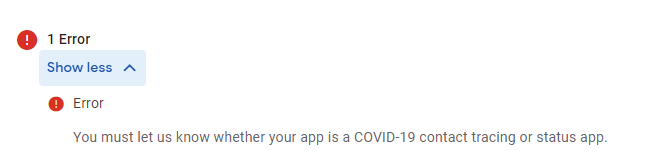 frozen slate
I'm about to publish a game to the Google Play Store, but I clicked on review re...
frozen slate
frozen slate
I'm about to publish a game to the Google Play Store, but I clicked on review re...
Just figured it out, it was in the app setup section, for anyone wondering.
lone heron
slim thunder
Hi I am having a problem with Admob ads. I added an interstitial ad to my game, ...
I think you need to have it on the play store first before checking for ads.
static bison
rain leaf
if this is taken from device with non rectangular screen (notched, hole-punched,...
If i download 2019 or 2018 version,it will work well?
vivid loom
How can i fix that


are those settings right to build it on my phone?


I fu**ed up
static bison
wait

Android SDK without installing Visual Studio
Make Unity Great Again (with an android device)
JDK : https://www.oracle.com/technetwork/java/javase/downloads/jdk8-downloads-2133151.html
SDK :
https://developer.android.com/studio/
►-------------------------------------------------------◄
Join the community, keep on learning.
► Come hang out in d...
@vivid loom
best tutorial
i ever seen
try this
free SKD file
universal
 versed surge
@noble prism
sory
but
i have a question
my TMPro
buttons are not working in the mobile build
but in the editor are working fine
neon thicket
versed surge
<@!270713208329732098>
Don't ping the admins, they're not here for 1:1 consultation.
Don't ping anyone you're not in a conversation with, for that matter.
versed surge
neon thicket
Don't ping anyone you're not in a conversation with, for that matter.
ok, sory
versed surge
versed surge
ok, sory
but can you help with my problem
neon thicket
Assuming you're testing on an android device, install the Android Logcat package and run it while the app is running on your phone plugged in.
You need to see if you're getting any errors.
versed surge
ok
thx
ok, so idk what is this, but my TMPro buttons are not working

normal buttons
@neon thicket any clue why my buttons are not working in build but in editor are working fine ?
neon thicket
Make sure you have your app selected in logcat when you're running the game.
Otherwise, if that's it, you have a crash happening ... which is probably why your buttons are not working.
In otherwords, the fact your buttons are not working have probably nothing to do with the buttons. It's that your game is broken.
versed surge
how to fix the problem i am so confused
neon thicket
No idea, that log isn't very readable. Hence why I said, make sure you're actually pointing to your app in logcat, when you run the game.
Your screenshot is too cropped to verify that it is.
versed surge
neon thicket
No idea, that log isn't very readable. Hence why I said, make sure you're actual...
run the game in the editor or my phone
?
neon thicket
With your phone plugged in, and logcat running, run the game on your phone.
Logcat will show the logs of your phone (all of it). You have to select to filter just your game so it's not flooded with non-game related logs.
versed surge
@neon thicket
the problem is the scroll rect
i think
i have a scroll rect to display a top 100 high score
in a turned false panel
what i need to do to fix the problem ?
neon thicket
How do you know that's the problem?
versed surge
beacose beafore i added the scroll rect everything was working fine
after
i added the scroll rect
the problems started
so what i need to do
i need the scroll rect
neon thicket
Well, start by verifying it is in the scroll rect. Disable it and build it to your phone and see if the buttons work.
versed surge
corupted files after corupted files when i install the logcat
so what i need to do
i am despirate
neon thicket
Nobody knows, without you doing the debugging part and finding out what the source of the problem is.
Unless they physically get into your project and try to fix it themselves. Which isn't what's going to happen here.
Your buttons not working can be an infinite number of things. An error causing the game to hang up, a UI element that's blocking casting, some bad code that is actually disabling their interactivity.
versed surge
i am reinstalling the logcat
hope it's working
perfect
is working
now how to debug local the game from my phone
@neon thicket
neon thicket
I've already told you how to do that. Also, please stop tagging me, it's disruptive.
neon thicket
I had told you. Look for a tutorial on how to use it in Unity if you need to.
versed surge

whein i press the button
nothing is happening
after a few seconds
thus is deabuging
versed surge
neon thicket
Your buttons not working can be an infinite number of things. An error causing t...
so what is the prob
?
neon thicket
You don't need to keep asking what the problem is, we get it, you're stuck on this.
So in logcat, you've selected your app and you see no red errors?
versed surge
neon thicket
So in logcat, you've selected your app and you see no _red_ errors?
no
there are no red errora
neon thicket
Try this person's solution then:
https://answers.unity.com/questions/1721172/buttons-are-not-detected-on-android.html
versed surge
neon thicket
Try this person's solution then:
https://answers.unity.com/questions/1721172/bu...
i was on that page right now
versed surge
neon thicket
Try this person's solution then:
https://answers.unity.com/questions/1721172/bu...
steel the same
neon thicket
Well, you need to start debugging things. Move the buttons, see if they work in a different position. Put Debug.Log in your code to see if the buttons are actually working, but just not doing what they're supposed to etc.
versed surge
neon thicket
Well, you need to start debugging things. Move the buttons, see if they work in ...
in the editor they work
neon thicket
So you've said. But code runs differently on different devices. For all you know, you could have an order of execution error somewhere as well.
Hence why you need to debug down into the code.
static bison
static bison
If i download 2019 or 2018 version,it will work well?
@rain leaf ?
 tough estuary
Getting this error: Error: uses-sdk:minSdkVersion 19 cannot be smaller than version 24 declared in library [:com.mapbox.android.unity-debug:]
I've checked the sdkmanager version and its 26, where is 19 coming from?
Trying to compile to android
sonic otter
are you looking in Unity or in android studio
rain leaf
static bison
If i download 2019 or 2018 version,it will work well?
it should be, but you'll need 64bit OS to run unity 64 bit
iron acorn
tough estuary
Getting this error: `Error: uses-sdk:minSdkVersion 19 cannot be smaller than ver...
Perhaps it's the minimum API level set in the player settings? 🤔
 floral pasture
hi ppl. I have problems with IL2CPP.
The application I'm developing needs to get metadata, such as thumbnail, artist, album etc, from audio files. In order to obtain the meta I use plugin taglib sharp. The plugin works perfectly fine when I build with mono, but after I switch the backend to **IL2CPP **I get runtime Constructor on type 'TagLib.Riff.File' not found exception.
 fickle jackal
sounds like its being stripped by the build process
will need to explicitly tell it not to strip the type
iron acorn
floral pasture
hi ppl. I have problems with **IL2CPP**.
The application I'm developing needs t...
What's your managed stripping level in player settings?
iron acorn
Then perhaps what Aaron linked.
fickle jackal
I needed a link file for litedb
floral pasture
fickle jackal
https://docs.unity3d.com/2017.4/Documentation/Manual/IL2CPP-BytecodeStripping.ht...
Where do I put the link.xml? I don't have it under the project's root folder.
fickle jackal
make a new one wherever
floral pasture
Unity supports a per-project custom stripping safe list. To create a safe list, create a link.xml file and put it in the Assets folder (or any subdirectory of Assets)
found
floral pasture
fickle jackal
https://docs.unity3d.com/2017.4/Documentation/Manual/IL2CPP-BytecodeStripping.ht...
Sorry, for bothering, but can't make it work. I added this to the link.xml
<linker>
       <assembly fullname="agLib.Riff">
              <type fullname="TagLib.Riff.File" preserve="all"/>
       </assembly>

       <assembly fullname="TagLib" preserve="all"/>
       <assembly fullname="TagLib.Riff.File" preserve="all"/>
       <assembly fullname="TagLib.Riff" preserve="all"/>
</linker>
but still have Constructor on type 'TagLib.Riff.File' not found exception. Any suggestions? Just found the missing T in Tagliib. rebuilding..
still the same issue
fickle jackal
Where did you put the link.XML
floral pasture
in the assets folder
fickle jackal
Hmm those aren’t assembly names but type names
Need to tell it to include the entire assembly
floral pasture
<assembly fullname="TagLib" preserve="all"/> this won't do it?
 floral pasture
literally, or change System.Core to TagLib.Riff?
fickle jackal
Yes, , copy that above and replace with your stuff
And make sure your taglib dll is in assets/plugins
floral pasture
yes it is in the Assets/plugins folder
will do it now
in the code I reference the TagLib like this TagLib.File, but in the adb console the type is at path TagLib.Riff.File. So, will this:
<linker>
       <assembly fullname="TagLib.Riff">
              <type fullname="TagLib.Riff.File" preserve="all"/>
       </assembly>
       <assembly fullname="TagLib">
              <type fullname="TagLib.File" preserve="all"/>
       </assembly>
</linker>
work?
fickle jackal
do you have two seperate dll?
floral pasture
nope, only one
fickle jackal
the assembly name can be found
by right clicking on that
and looking at details
if i remember
then you put the types under that
lets assume its TagLib
then if the namespace and type is TagLib.Riff.File then that first type defintion is correct
probably
well its deleting my stuff now

I assume
floral pasture
thanks, rebuilding... Hope it helps
fickle jackal
if it doesnt work just gotta get the fullnames right
floral pasture
So, this is the xml I'm trying now
<linker>
       <assembly fullname="TagLib">
              <type fullname="TagLib.Riff.File" preserve="all"/>
       </assembly>
       <assembly fullname="TagLib.Riff">
              <type fullname="TagLib.Riff.File" preserve="all"/>
       </assembly>
       <assembly fullname="TagLib">
              <type fullname="TagLib.File" preserve="all"/>
       </assembly>
</linker>
If one assembly is not correct, I hope another will match
still doesn't work
this is the decompiled dll

in theory this should have worked, no?
       <assembly fullname="TagLib.Riff">
              <type fullname="TagLib.Riff.File" preserve="all"/>
       </assembly>
Show me where TagLib file is
Oh you did
Hang on
and this works with a mono build?
floral pasture
