
#📱┃mobile
1 messages · Page 18 of 1
 misty stirrup
The photo of the error there isn't actually the error, it's just a warning. You can see at the end there it says "The build will continue".
The actual reason for the build failure should be in there somewhere.
As far as the "Changes are not tracked" - Googling it seems to suggest it can happen if you have your project, or parts of it, on a OneDrive (or I would assume, other networked drives).
 pearl marlin
Yea the sdk message can usually be ignored and there should be a real error elsewhere in the gradle log
 sick dove
Usally with these types of problems uninstall the android plugins gradle all of it and reinstall them make sure you are using the latest ones. As for the build you should try and target APK34. Use the android dependacy resolver to fix these problems it helped me a lot. I hope this helps goodluck!
 supple swan
I'm trying to make an iOS build and I've got this error. Been trying to figure it out for hours. At first I figured maybe there are 2 version of Ruby, but I'm 90% sure that I've got everything up to date. I definitely have CocoaPods 1.0 or higher but it's erroring out when I run the build process. I tried to update ActiveSupport but it states that it can't be updated further until my Ruby is updated, but when I pull latest there are no new updates. Any ideas?

 hexed valve
Can someone help me? I'm using WebCamTexture for an Android app. When I build and run it for the first time, it works correctly. However, when I close and reopen the app, it crashes without even fully starting.
When I clear the cache, the app can open again as it did the first time, but the issue repeats when I close it.
I'm not sure if it has something to do with how I'm requesting permissions or managing WebCamTexture resources.
    private void RequestCameraPermission()
    {
#if UNITY_ANDROID
        if (!Permission.HasUserAuthorizedPermission(Permission.Camera))
        {
            Permission.RequestUserPermission(Permission.Camera);
            StartCoroutine(WaitForPermission());
        }
        else
        {
            StartCoroutine(WaitForPermission());
        }
#else
    StartCoroutine(InitializeCamera());
#endif
    }

    private IEnumerator WaitForPermission()
    {
        while (!Permission.HasUserAuthorizedPermission(Permission.Camera))
        {
            yield return null;
        }

        StartCoroutine(InitializeCamera());
    }
    private IEnumerator InitializeCamera()
    {
        if (WebCamTexture.devices.Length > 0)
        {
            WebCamDevice device = WebCamTexture.devices[0];
            webcamTexture = new WebCamTexture(device.name);
            cameraPreview.texture = webcamTexture;
            cameraPreview.gameObject.SetActive(true);
            webcamTexture.Play();

            yield return new WaitUntil(() => webcamTexture.width > 100);


            cameraReady = true;
            Debug.Log("Camera is ready.");
        }
        else
        {
            Debug.LogError("No camera found.");
        }
    }
    private void StopCamera()
    {
        if (webcamTexture != null)
        {
            webcamTexture.Stop();
        }

        Destroy(webcamTexture);
    }
    private void OnDestroy()
    {
        StopCamera();
    }
    private void OnApplicationQuit()
    {
        StopCamera();
}```No, I define it like this: private WebCamTexture webcamTexture;
Although I'm not sure if I understood your question correctly, either way, I'm not handling any prefab in general, only a debug console from the Unity Asset Store.
Sry for replying late, my discord connection was failing
supple swan
If you call the destroy function on a reference to a prefab, it actually deletes the file from the project, I’ve done this before and was confused why I had errors. Sounds like you’re not doing that though.
I would maybe see if you have some sort of WebCam session running that needs to be destroyed or closed before a new one can start, maybe try running the app then turning your computer off and on again and then running it again and see if it works
pearl marlin
you shouldnt be able to destroy assets unless you use destroyimmediate and set the arg to allow asset destruction (and ofc this is editor only)
and in a build it also should not be possible (and clearing app data fixing it proves this is not the case)
pearl marlin
hexed valve
Can someone help me? I'm using WebCamTexture for an Android app. When I build an...
have you checked the crash stack to figure out the specific cause?
use android logcat to view + decode the stack
hexed valve
pearl marlin
have you checked the crash stack to figure out the specific cause?
Oh, right
I haven't tried that. I'll test it as soon as I get the chance.
 worthy nacelle
android gradle 7.4.2 is equal to what android api level does it support?
pearl marlin
projects I work on use 2022.3.51 and we target 34 just fine with the bundled gradle
misty stirrup
hexed valve
Can someone help me? I'm using WebCamTexture for an Android app. When I build an...
If it crashes at start, it seems unlikely that it would be to do with your handling of the webcam (especially when it works the first time around).
You're probably right in that it's somehow related to the permission handling in the case where it's already been granted.
I don't see anything wrong with your code, so it might be an issue in the Permission class itself (Not sure if that's some library you're using there). Only thing I do spot is that you're calling HasUserAuthorizedPermission twice within the same frame when the user has already granted permission (one time in RequestCameraPermission and another time in WaitForPermission); You could try yielding for a frame first thing in WaitForPermission to see if that helps.
Best thing to do would be to build with Development Mode and check Logcat to see what's logged when the app crashes the second time aorund. Unity has a useful Logcat package with a nice GUI in the Package Manager registry.
 mighty rivet
you need to use your own #1180170818983051344 for things like that. they are not allowed in the rooms
sick dove
mighty rivet
you need to use your own <#1180170818983051344> for things like that. they are ...
Oh sorry my bad. Thank you!
 indigo latch
Has anyone successfully implemented real-time player movement validation using phone's back camera (IOS + Android) into Unity?
Looking to understand if it's possible to:
- Track leg movement accuracy
- Simultaneously track ball movement
- Process both on device with minimal latency
 gray elk
Does anyone have an updated and working tutorial for unity level play integration
 iron radish
Hello, does anyone have any suggestions for mobile optimisation? Currently working on quality settings
 fallen compass
iron radish
Hello, does anyone have any suggestions for mobile optimisation? Currently worki...
fallen compass
iron radish
Hello, does anyone have any suggestions for mobile optimisation? Currently worki...
As for any platform, always use the profiler to find out where you need to optimise. Connect the profiler to your device and find out
you'll want to use the lowest possible compression on textures (no need for a 4k texture on that screw!)
not include things that aren't being used (that may still be referenced)
bake lighting where possible
pool objects instead of spawn/ destroy
etc etc etc
hexed valve
pearl marlin
have you checked the crash stack to figure out the specific cause?
This is what I got with Logcat
I’m going to try what @misty stirrup said, waiting for a frame before calling HasUserAuthorizedPermission.
pearl marlin
hexed valve
This is what I got with Logcat
I’m going to try what <@183879663314141184> sai...
You need to decode the crash stack. In android log cat goto tools > stacktrace utility. Configure it to know where the symbols are (always made with a build) and paste in the stack and decode it!
this bit is what you want to fix:
#00 pc 0000000000b45998  /data/app/com.StickyGames.PLCEmulatorProject-YEfy1tgOjH3_jOUoSJGCrQ==/lib/arm64/libunity.so (BuildId: 432ed8dfdf0aeac6)
#01 pc 0000000000c32728  /data/app/com.StickyGames.PLCEmulatorProject-YEfy1tgOjH3_jOUoSJGCrQ==/lib/arm64/libunity.so (BuildId: 432ed8dfdf0aeac6)
#02 pc 0000000000c2c00c  /data/app/com.StickyGames.PLCEmulatorProject-YEfy1tgOjH3_jOUoSJGCrQ==/lib/arm64/libunity.so (BuildId: 432ed8dfdf0aeac6)
#03 pc 0000000000c2bcbc  /data/app/com.StickyGames.PLCEmulatorProject-YEfy1tgOjH3_jOUoSJGCrQ==/lib/arm64/libunity.so (BuildId: 432ed8dfdf0aeac6)
#04 pc 00000000005790c8  /data/app/com.StickyGames.PLCEmulatorProject-YEfy1tgOjH3_jOUoSJGCrQ==/lib/arm64/libunity.so (BuildId: 432ed8dfdf0aeac6)
#05 pc 00000000000cf7c0  /apex/com.android.runtime/lib64/bionic/libc.so (__pthread_start(void*)+36) (BuildId: b91c775ccc9b0556e91bc575a2511cd0)
#06 pc 00000000000721a8  /apex/com.android.runtime/lib64/bionic/libc.so (__start_thread+64) (BuildId: b91c775ccc9b0556e91bc575a2511cd0)
Ooh ok ok
ty
hexed valve
pearl marlin
You need to decode the crash stack. In android log cat goto tools > stacktrace u...
Ok, now this is what I got, I hope I did it correctly
2025/02/05 10:41:46.691 30454 30559 Error CRASH       #00 pc 0000000000b45998 (SuiteHashSetkUnitTestCategory::CreateTestIntSet_insert_halfMemoryUse(void*) at ??:0)  /data/app/com.StickyGames.PLCEmulatorProject-YEfy1tgOjH3_jOUoSJGCrQ==/lib/arm64/libunity.so (BuildId: 432ed8dfdf0aeac6)
2025/02/05 10:41:46.691 30454 30559 Error CRASH       #01 pc 0000000000c32728 (CustomRenderTexture::SmartReset() at ??:0)  /data/app/com.StickyGames.PLCEmulatorProject-YEfy1tgOjH3_jOUoSJGCrQ==/lib/arm64/libunity.so (BuildId: 432ed8dfdf0aeac6)
2025/02/05 10:41:46.691 30454 30559 Error CRASH       #02 pc 0000000000c2c00c (void TextureSettings::Transfer<StreamedBinaryWrite>(StreamedBinaryWrite&) at ??:0)  /data/app/com.StickyGames.PLCEmulatorProject-YEfy1tgOjH3_jOUoSJGCrQ==/lib/arm64/libunity.so (BuildId: 432ed8dfdf0aeac6)
2025/02/05 10:41:46.691 30454 30559 Error CRASH       #03 pc 0000000000c2bcbc (void TextureSettings::Transfer<SafeBinaryRead>(SafeBinaryRead&) at ??:0)  /data/app/com.StickyGames.PLCEmulatorProject-YEfy1tgOjH3_jOUoSJGCrQ==/lib/arm64/libunity.so (BuildId: 432ed8dfdf0aeac6)
2025/02/05 10:41:46.691 30454 30559 Error CRASH       #04 pc 00000000005790c8 (?? at ??:0)  /data/app/com.StickyGames.PLCEmulatorProject-YEfy1tgOjH3_jOUoSJGCrQ==/lib/arm64/libunity.so (BuildId: 432ed8dfdf0aeac6)
2025/02/05 10:41:46.691 30454 30559 Error CRASH       #05 pc 00000000000cf7c0 (libc[.so|.so.sym|.sym.so|.so.dbg|.dbg.so] not found)  /apex/com.android.runtime/lib64/bionic/libc.so (__pthread_start(void*)+36) (BuildId: b91c775ccc9b0556e91bc575a2511cd0)
2025/02/05 10:41:46.691 30454 30559 Error CRASH       #06 pc 00000000000721a8 (libc[.so|.so.sym|.sym.so|.so.dbg|.dbg.so] not found)  /apex/com.android.runtime/lib64/bionic/libc.so (__start_thread+64) (BuildId: b91c775ccc9b0556e91bc575a2511cd0)
Is this your function? SuiteHashSetkUnitTestCategory::CreateTestIntSet_insert_halfMemoryUse(void*)
hexed valve
From what I can see, there is something related to "CustomRenderTexture" and a call to "SmartReset"
pearl marlin
Make sure you used the correct symbols btw, it needs to be for that exact build
hexed valve
Oh damn, I think I messed up then
pearl marlin
yea, if needed make a fresh dev build then take those symbols making sure its only those in the folder where its looking.
hexed valve
Perfect, I'll try that right now
hexed valve
Well, I was updating a few things and then did the build. I implemented a frame wait before calling HasUserAuthorizedPermission again. I did a quick test on my phone, the first time it worked correctly, then I closed it and reopened it, and it worked!
Thanks everyone for your help 🥳
 harsh light
I am building an AR based app for Android device. I am getting this error. Can anyone help me solve this issue?
Fixes Tried
- Reimporting project
- Reinstalling AR Core SDK

 sleek eagle
harsh light
I am building an AR based app for Android device. I am getting this error. Can a...
sleek eagle
harsh light
I am building an AR based app for Android device. I am getting this error. Can a...
Does your phone support ARCore?
harsh light
So it means there are so errors with right?
 fringe flax
Have a strange issue with GameCenter on my iOS device. I'm sending achievement info to it. It seems to update just fine most of the time, but when an achievement takes a certain number of something before it unlocks (example, 10,000 damage) it seems to show itself as locked in the game center even if I seem to be sending it that we're at 2% (Example, 211/10,000 dmg done)
Has anyone worked with GameCenter before and had a similar issue?
harsh light
error unity dllnotfoundexception: unable to load dll 'unityarcore'. tried the load the following dynamic libraries: unable to load dynamic library 'unityarcore' because of 'failed to open the requested dynamic library (0x06000000) dlerror() = dlopen failed: library "unityarcore" not found
harsh light
The mobile device runs the Unity AR sample project. But the main project that I am developing doesn't work.
fringe flax
fringe flax
Have a strange issue with GameCenter on my iOS device. I'm sending achievement i...
Update: It was a typo.
 worn vine
Hi any one know do I need to do some special settings in build for Amazon appstore?
 fossil breach
People, please help me. I have Unity 6 (6000.0.36f1) but I get a horrible ndk error. I already put r23c to r27b and none of them worked.
It's just the ndk, just that, the sdk and jdk I already have configured
 sleek eagle
harsh light
The mobile device runs the Unity AR sample project. But the main project that I ...
sleek eagle
harsh light
The mobile device runs the Unity AR sample project. But the main project that I ...
Only post in one channel please
#🤯┃augmented-reality
sleek eagle
fossil breach
People, please help me. I have Unity 6 (6000.0.36f1) but I get a horrible ndk er...
Install android and the submodules via Unity Hub, then check 'Installed with Unity' in preferences - external tools
fossil breach
Well, don't pay attention to that anymore, it seems that it has been solved.
sleek eagle
And don't mess with custom manifest files if a clean build doesn't work
sleek eagle
fossil breach
Well, don't pay attention to that anymore, it seems that it has been solved.
What was the fix?
harsh light
Okay
 misty minnow
i keep getting these erros when trying to build an apk

 pearl marlin
misty minnow
i keep getting these erros when trying to build an apk
pearl marlin
misty minnow
i keep getting these erros when trying to build an apk
reading is hard...
Anyway one of the logs should hopefully have the full gradle output and include the error
 solid lake
anyone else suddenly have iOS and Android build issues (packages resolution issue)? (Unity 2023.2)
solid lake
solid lake
anyone else suddenly have iOS and Android build issues (packages resolution issu...
[error] [2025-02-10T08:55:40Z - Unity] An error occurred while resolving packages:
[2025-02-10T08:55:40Z - Unity] One or more packages could not be added to the local file system:
[2025-02-10T08:55:40Z - Unity] [Package Manager] Server process was shutdown
 cedar fox
Hi, I built a simple project to test out if it works on the phone, but for some reason the movement isnt working when I run the actual APK on the phone. It works fine in the editor AND on mobile when I test out with Unity Remote 5.
It is also a multiplayer game, and have set up some stuff for hosting (currently WIP), but I dont think this would have an affect to this since the analytics arent even showing up anything server related. Just thought i'd mention it just in case there's some weird stuff going on in the background
cedar fox
figured it out, input system issue hah
solid lake
any better channel were to get some help about the build issue we're suddenly having?
 maiden sinew
Hi, my project was successfully installing to Android until I uninstalled it from the phone. Now unity says build successful and "Installed to device" but it's not launching and isn't installed. Installing .apk via file transfer works fine. Any ideas? thanks
pearl marlin
solid lake
[error] [2025-02-10T08:55:40Z - Unity] An error occurred while resolving package...
Did you try clearing the package cache and trying again? Did it say specifically what packages failed to sync?
pearl marlin
maiden sinew
Hi, my project was successfully installing to Android until I uninstalled it fro...
Check if your device is showing up on adb via adb devices
 mint gull
Hi I could really use some help getting thi sdam gradle stuff to work. It was fine untill I added IAP (in app purchases) If someone could pm me I can share screen and show project.
pearl marlin
mint gull
Hi I could really use some help getting thi sdam gradle stuff to work. It was fi...
You can send the main gradle error here. Won't do dms though.
mint gull
@pearl marlin its long man but ill drop in in here
pearl marlin
mint gull
<@123135850560225282> its long man but ill drop in in here
It's long but there should be a small part that describes the main error. Use a site like pastebin if you want to send it all.

 pearl marlin
Pictures of text bad
mint gull
How else can I show you?
pearl marlin
mint gull
Duplicate class errors are usually because libraries were duplicated or some miss configuration. Are you using the Google dependency resolver?
Copy paste the text?
mint gull
@pearl marlin ok ill do that but yes I am using the latest resolver. It says there are duplicate dependencies..
pearl marlin
mint gull
<@123135850560225282> ok ill do that but yes I am using the latest resolver. It ...
Make sure unity IAP is up to date and not installed twice (e.g. in project and package)
 maiden sinew
pearl marlin
Check if your device is showing up on adb via ``adb devices``
maiden sinew
pearl marlin
Check if your device is showing up on adb via ``adb devices``
thanks yeah I can see it in the device list... It was working earlier... like I said after I uninstalled it (by long pressing on the icon on android) it no longer works via Unity's Build and Run.
pearl marlin
mint gull
<@123135850560225282> ok
That error is something else, are you using bundled Jdk and android SDK?
maiden sinew
feel like the problem is on the device
mint gull
 pearl marlin
maiden sinew
thanks yeah I can see it in the device list... It was working earlier... like I ...
pearl marlin
maiden sinew
thanks yeah I can see it in the device list... It was working earlier... like I ...
Unplug and plug it back in incase it wants permission again. Also unity uses it's own adb instance so using it elsewhere may cause issues. If you try to use android logcat (in unity) and it works if expect build and run to work.
pearl marlin
mint gull
not iap but you need google dep resolver to work for this to work too. check your unity settings for what its using for android sdk + jdk.
mint gull
@pearl marlin here?
 pearl marlin
mint gull
<@123135850560225282> here?
pearl marlin
mint gull
<@123135850560225282> here?
huh yea thats all good. perhaps you need to re gen your android manifest + gradle templates
mint gull
@pearl marlin Im not use a custom template. I was just just using default settings and has been working for last 2 weeks unitil i installed the IAP. Now I try to fix this and I am being told I need a custom gradle from video etc.
pearl marlin
mint gull
<@123135850560225282> Im not use a custom template. I was just just using defau...
google dep resolver will enable and use the gradle templates anyway as its needed for android dependencies but you should check to make sure it doesn't have old crap in them (Assets/Plugins/Android and mainTemplate.gradle + settingsTemplate.gradle)
mint gull
@pearl marlin In the plugins folder but I dont have any GradleTemplates in there justs Android files. Just restarting the project Ill screenshot the folder
pearl marlin
mint gull
<@123135850560225282> In the plugins folder but I dont have any GradleTemplates ...
its probably because the resolution never finished ever so it never generated the files
mint gull
@pearl marlin right ok that makes sense. I just deleted my libraryfiles and rebuilding the project. wont be too long
pearl marlin
you need to research more the error dep resolver is giving you.
hopefully it does something 🤞
mint gull
@pearl marlin I get that, lof people having the same issues with the gradle not working or this dependacies issue.
pearl marlin
could be unity 6. Where I work we are on 2022 so not something i have experienced
mint gull
@pearl marlin Do i need both of these dependencyManagers for google play?
pearl marlin
er you only need 1?
there is only 1 google dependency resolver
i think all google unity packages include it annoyingly so check if you have it twice (in proj or in Packages/)
mint gull
@pearl marlin So unity justs installs the MobileDependencyResolver and when I add the GoolePlayPackage it wants to install theis DependencyManager so confused which to use ?
pearl marlin
mint gull
<@123135850560225282> So unity justs installs the MobileDependencyResolver and w...
hmm try what unity gave you firstly as they should work the same
mint gull
@pearl marlin ok
 open kelp
Did you ever figure this out?
mint gull
@pearl marlin Hi mate, I went back to an olderversion of the game and i did all my updates and am back at the point before updating to IAP. I have made another backup of today so will be easy to roleback if it messes up again.
pearl marlin
mint gull
<@123135850560225282> Hi mate, I went back to an olderversion of the game and i ...
Use source control with your project instead (e.g. git or unitys version control)
mint gull
@pearl marlin gotcha. I have no idea whats going on though dude. My project works fine. I install In app purchaseing and it breaks the dam project
@pearl marlin

 pearl marlin
mint gull
<@123135850560225282>
pearl marlin
mint gull
<@123135850560225282>
Is it the same, duplicate class errors? Can you still not resolve dependencies?
mint gull
@pearl marlin nope its tellin me that thereis a duplicate entry for androidx.core:core:1.2.0. But as soon as I delete any of the androidx.core:core files from the plugins/android directory, it just rebuilds them
chat GPT is telling me Yes! Your issue is caused by multiple versions of AndroidX dependencies being included in your Unity project, specifically duplicates of androidx.core and androidx.activity.
@pearl marlin problem is that I have no idea how to remove them
like these three...androidx.activity.ComponentActivity
androidx.activity.ComponentActivity$1
androidx.activity.ComponentActivity$2
@pearl marlin I think what I will do is make a fresh project with just the IAP and see if it builds ok. Then add the other parts after.
pearl marlin
mint gull
<@123135850560225282> problem is that I have no idea how to remove them
Ones in packages can't be removed but elsewhere dep resolver should remove them and ensure maven dependencies are all configured correctly for you in main template.gradle
If you are using source control now you can see easier when the file changes
e.g.

you can also ditch any other installs of google dep resolver and grab the latest yourself from:
https://github.com/googlesamples/unity-jar-resolver/releases (latest ver fixes a bug btw)
https://openupm.com/packages/com.google.external-dependency-manager/ (as package)
mint gull
@pearl marlin Well that seemed to do the trick. Built and loggedinto google np with IAP Installed. guess you gotta do it at the begining of the project 🙂 Aprreciate the help though dude.
pearl marlin
mint gull
<@123135850560225282> Well that seemed to do the trick. Built and loggedinto goo...
yay glad its good, sometimes this stuff can be a right pain
mint gull
@pearl marlin Yes so just as a heads up. I installed the IAP first and project was fine. I decided to add Unity ads(Legacy) and that broke the gradle. Its when I got all these dependency errors saying they are out of date etc. So reverted back to the previous build without ad and its fine. Same happens the other way round if you have ads installed first and the ad the IAP it breaks the gradle. The only other thing I havent tried was to Install the ads,and the IAP first then install googleplay I shall give that a go.
 prisma plinth
I'm having a problem with unity 6 and haptic feedback - the same method performHapticFeedback that worked on 2022.3, now sends an error that it doesn't exist
pearl marlin
mint gull
<@123135850560225282> Yes so just as a heads up. I installed the IAP first and p...
ads legacy (Advertisement legacy)? you should try to use unity levelplay/ironsource now
prisma plinth
prisma plinth
I'm having a problem with unity 6 and haptic feedback - the same method performH...
This is my code:
    public static AndroidJavaClass unityPlayerClass = new AndroidJavaClass("com.unity3d.player.UnityPlayer");
    public static AndroidJavaObject currentActivity = unityPlayerClass.GetStatic<AndroidJavaObject>("currentActivity");
    public static AndroidJavaObject unityPlayer = currentActivity.Get<AndroidJavaObject>("mUnityPlayer");

--- some function ---
unityPlayer.Call<bool>("performHapticFeedback", type);
and the preformHapticFeedback call results in an error that there is no method with that name at all
this code worked in unity 2022.3 perfectly, but after upgrading to unity 6 it broke
all other features (like dark mode detection) work flawlessly without errors, it's only haptics that broke
pearl marlin
perhaps you need to investigate the main activity closer on a unity 6 build to see what this function changed to. But doing this JNI work for this to work doesn't seem reliable
prisma plinth
this is the error code I'm getting, the stack after that is just my function call stack
  at UnityEngine._AndroidJNIHelper.GetMethodID (System.IntPtr jclass, System.String methodName, System.String signature, System.Boolean isStatic) [0x00000] in <00000000000000000000000000000000>:0
at UnityEngine.AndroidJavaObject._Call[ReturnType] (System.String methodName, System.Object[] args) [0x00000] in <00000000000000000000000000000000>:0 ```do you have a better way to get haptics working?
prisma plinth
pearl marlin
perhaps you need to investigate the main activity closer on a unity 6 build to s...
also I'm not sure how would I investigate the main activity closer
since it worked in unity 2022.3, and the documentation didn't change at all in the meantime...
pearl marlin
You should be able to open the apk with something like 7zip, you want to find the main activity class .java file and open it with a java decompiler:
http://java-decompiler.github.io/
its easier on a jar lib file to do this
prisma plinth
sounds like today is gonna be a fun day at work, damn...
pearl marlin
If the classes are in dex's then im not sure how to open those
most modern projects now will have multi dexing enabled for android
prisma plinth
oh, I have android studio, perhaps I can use that to analyse the apk
pearl marlin
oh that may work, you can import the apk and it does analyse stuff. Shame actually running the app in avd no longer works
hopefully dex2jar is something that works for this 🤞
 sharp lion
prisma plinth
This is my code:
```cs
public static AndroidJavaClass unityPlayerClass = ne...
sharp lion
prisma plinth
This is my code:
```cs
public static AndroidJavaClass unityPlayerClass = ne...
How do you know UnityPlayer class has that variable? Anything in docs about it? Never saw such variable in UnityPlayer.
prisma plinth
sharp lion
How do you know UnityPlayer class has that variable? Anything in docs about it? ...
as I said - this exact code worked 100% in unity 2022.3, so that's proof enough that it had this variable
sharp lion
Ok, I just checked the 2022.3 classes.jar too and didn't find it. So wondering.
Whats the exact unity version?
prisma plinth
sharp lion
Whats the exact unity version?
6000.0.37, newest
but I figured it out
turns out I need to do this

 velvet stone
Hello, I've run into a little problem today. Whenever i want to restart my game through a reset button the dialogues don't reset properly. It worked before in prior versions just fine and I feel like installing the adaptive performance package messed up something. Does anyone have any idea what might be the issue? And how do i remove the adaptive performance now (the remove button is greyed out)? Thank you in advance for any ideas 🙏
 tulip comet
why is my build 164 mb when the used assets are about 70mb??

if anyone got a solution for this, please let me know, whne i enabled armv7 it spiked from 110 to 164 mb ,
and i need to have that enabled
cedar fox
so I have a basic build of a moving cube for a test scene, and the shadows when running the apk on my phone or even using Uremote5 look abysmal. I haven't done too much with graphics, assets, or lighting but i'm just surprised that something so basic can look so bad and pixely. Any advice / where to begin regarding mobile graphics? It looks fine on PC
pearl marlin
tulip comet
if anyone got a solution for this, please let me know, whne i enabled armv7 it s...
having arm7 and arm64 requires native code to be compiled for both. if using il2cpp it will only get worse with this. Why specifically do you need arm7 still?
fallen compass
aab's are also smaller than apk's
tulip comet
pearl marlin
having arm7 and arm64 requires native code to be compiled for both. if using il2...
for some lower end device as those doesnt supposrt 64 bit i guess
pearl marlin
tulip comet
for some lower end device as those doesnt supposrt 64 bit i guess
Yea so you can decide if you care about them or the app size. If you are making a game that requires a semi modern device you can probably ignore arm7.
You can always change it later after you have some device stats in gplay
tulip comet
pearl marlin
Yea so you can decide if you care about them or the app size. If you are making ...
alright cool, tnx alot this helped alot
 tribal zephyr
Hey all,
I get this error when I want to build in Unity for Android:
Gradle build failed
java.net.BindException: Cannot assign requested address: Cannot bind
I installed all the android modules (JDK, NDK, Gradle, ..) by Unity Hub. Also my Unity version is the latest on 2022.3 (2022.3.58)
fallen compass
That's not enough information to know why the gradle build actually failed. You need to click on the console logs and read the stack traces to find the actual issue -> then google that issue
tribal zephyr
First I get couple warnings: Failed to download any source lists! / Still waiting for package manifests to be fetched remotely.
Then this error:
UnityEditor.Android.Command.RunWithShellExecute (System.String command, System.String args, System.String workingdir, System.String errorMsg) (at <a946783a9e7449c58fc81d1ba260e0de>:0)
UnityEditor.Android.AndroidJavaTools.RunJavaWithShellExecute (System.String args, System.String workingdir, System.String error) (at <a946783a9e7449c58fc81d1ba260e0de>:0)
UnityEditor.Android.GradleWrapper.WarmupGradle (UnityEditor.Android.AndroidJavaTools javaTools, System.String workingDir, System.String baseCommand) (at <a946783a9e7449c58fc81d1ba260e0de>:0)
Rethrow as GradleInvokationException: Gradle initialization failed.
UnityEditor.Android.GradleWrapper.WarmupGradle (UnityEditor.Android.AndroidJavaTools javaTools, System.String workingDir, System.String baseCommand) (at <a946783a9e7449c58fc81d1ba260e0de>:0)
UnityEditor.Android.PostProcessAndroidPlayer+<>c__DisplayClass5_0.<ExecuteWarmup>b__0 () (at <a946783a9e7449c58fc81d1ba260e0de>:0)
System.Threading.ThreadHelper.ThreadStart_Context (System.Object state) (at <d4e8a951dcb549d5a33beceb2b3afcb3>:0)
System.Threading.ExecutionContext.RunInternal (System.Threading.ExecutionContext executionContext, System.Threading.ContextCallback callback, System.Object state, System.Boolean preserveSyncCtx) (at <d4e8a951dcb549d5a33beceb2b3afcb3>:0)
System.Threading.ExecutionContext.Run (System.Threading.ExecutionContext executionContext, System.Threading.ContextCallback callback, System.Object state, System.Boolean preserveSyncCtx) (at <d4e8a951dcb549d5a33beceb2b3afcb3>:0)
System.Threading.ExecutionContext.Run (System.Threading.ExecutionContext executionContext, System.Threading.ContextCallback callback, System.Object state) (at <d4e8a951dcb549d5a33beceb2b3afcb3>:0)
System.Threading.ThreadHelper.ThreadStart () (at <d4e8a951dcb549d5a33beceb2b3afcb3>:0)
UnityEngine.<>c:<RegisterUECatcher>b__0_0(Object, UnhandledExceptionEventArgs)
CommandInvokationFailure: Gradle build failed.
D:\Program Files\Unity\Hub\Editor\2022.3.58f1\Editor\Data\PlaybackEngines\AndroidPlayer\OpenJDK\bin\java.exe -classpath "D:\Program Files\Unity\Hub\Editor\2022.3.58f1\Editor\Data\PlaybackEngines\AndroidPlayer\Tools\gradle\lib\gradle-launcher-7.5.1.jar" org.gradle.launcher.GradleMain "-Dorg.gradle.jvmargs=-Xmx4096m" "assembleRelease"
this isn't the info you're looking for
tribal zephyr
stderr[

FAILURE: Build failed with an exception.

* What went wrong:
java.net.BindException: Cannot assign requested address: Cannot bind

* Try:
> Run with --stacktrace option to get the stack trace.
> Run with --info or --debug option to get more log output.
> Run with --scan to get full insights.
* Get more help at https://help.gradle.org
]
stdout[

]
exit code: 1
UnityEditor.Android.Command.WaitForProgramToRun (UnityEditor.Utils.Program p, UnityEditor.Android.Command+WaitingForProcessToExit waitingForProcessToExit, System.String errorMsg) (at <a946783a9e7449c58fc81d1ba260e0de>:0)
UnityEditor.Android.Command.Run (System.Diagnostics.ProcessStartInfo psi, UnityEditor.Android.Command+WaitingForProcessToExit waitingForProcessToExit, System.String errorMsg) (at <a946783a9e7449c58fc81d1ba260e0de>:0)
UnityEditor.Android.Command.Run (System.String command, System.String args, System.String workingdir, UnityEditor.Android.Command+WaitingForProcessToExit waitingForProcessToExit, System.String errorMsg) (at <a946783a9e7449c58fc81d1ba260e0de>:0)
UnityEditor.Android.AndroidJavaTools.RunJava (System.String args, System.String workingdir, System.Action`1[T] progress, System.String error) (at <a946783a9e7449c58fc81d1ba260e0de>:0)
UnityEditor.Android.GradleWrapper.Run (UnityEditor.Android.AndroidJavaTools javaTools, Unity.Android.Gradle.AndroidGradle androidGradle, System.String workingdir, System.String task, System.Action`1[T] progress) (at <a946783a9e7449c58fc81d1ba260e0de>:0)
Rethrow as GradleInvokationException: Gradle build failed
UnityEditor.Android.GradleWrapper.Run (UnityEditor.Android.AndroidJavaTools javaTools, Unity.Android.Gradle.AndroidGradle androidGradle, System.String workingdir, System.String task, System.Action`1[T] progress) (at <a946783a9e7449c58fc81d1ba260e0de>:0)
UnityEditor.Android.PostProcessor.Tasks.BuildGradleProject.Execute (UnityEditor.Android.PostProcessor.PostProcessorContext context) (at <a946783a9e7449c58fc81d1ba260e0de>:0)
UnityEditor.Android.PostProcessor.PostProcessRunner.RunAllTasks (UnityEditor.Android.PostProcessor.PostProcessorContext context) (at <a946783a9e7449c58fc81d1ba260e0de>:0)
UnityEngine.GUIUtility:ProcessEvent(Int32, IntPtr, Boolean&)
The only error I found reasonable was that I sent here first
fallen compass
I think it's the 2nd error and about a 1/3? of the way down it's something like
Reason for fail
<stuff>
tribal zephyr
I removed environment variables btw
tribal zephyr
fallen compass
I think it's the 2nd error and about a 1/3? of the way down it's something like ...
FAILURE: Build failed with an exception.

* What went wrong:
java.net.BindException: Cannot assign requested address: Cannot bind```
So it is not this one ?hmm.. possibly, just looked different to what I expected
Not seen that error before - what did you find on gooogle
tribal zephyr
I searched a lot about it but not found similar thing on Unity communities at all.
There were some solution for Android devs, which they were all about localhost and wrong port.
fallen compass
lot of minecraft results too
pearl marlin
tribal zephyr
```
stderr[
FAILURE: Build failed with an exception.
* What went wrong:
java.n...
It could be due to gradle dep syncing failing. Are you using the google dep resolver?
tribal zephyr
I changed PATH environment variable to java version which is installed by Unity on OpenJDK too but still not luck.
Also I don't understand what are those Failed to download warnings too
 analog plover
Last time someone had that error it was because of their VPN. It's a network error either way
tribal zephyr
pearl marlin
It could be due to gradle dep syncing failing. Are you using the google dep reso...
No idea what you are talking about
tribal zephyr
analog plover
Last time someone had that error it was because of their VPN. It's a network err...
Hmm, I tried to discount my VPN too but no luck there too. Maybe I should change the server or something.
tribal zephyr
analog plover
Last time someone had that error it was because of their VPN. It's a network err...
Yup, it was because of VPN.
Thanks
mint gull
@pearl marlin Hi dude do you have any problems getting your app to connect to playstore using WI-FI? right now for me it only seems to work when I use Mobile Data
pearl marlin
mint gull
<@123135850560225282> Hi dude do you have any problems getting your app to conne...
nope not something I have experienced sorry
mint gull
@pearl marlin np buddy
 brave mountain
Hello! In our VR game (android) we're using a polaroid camera to take in game screenshots. Getting it to show up on the in game picture model and all of that is fine and dandy, we're essentially generating a texture2D
My question: How can I take that texture 2D and just save it to the android image library? If it helps, we're targeting quest 2 and 3 (which are android platforms)
Is there some useful method I can call or something?
pearl marlin
brave mountain
Is there some useful method I can call or something?
you can either buy a package or use JNI/some java code to do a media share/ save to shared storage
https://developer.android.com/social-and-messaging/guides/media-sharing
https://developer.android.com/training/data-storage/shared/media
brave mountain
pearl marlin
you can either buy a package or use JNI/some java code to do a media share/ save...
Thank you!
pearl marlin
brave mountain
Thank you!
much easier if you can find something to buy/for free that can do this for you so have a google
 stuck summit
Hello. I'm not sure if this is the correct place to ask this, so sorry if I should have used another chat.
I am starting to implement some UI to my game and I'm dealing with making the text (text mesh pro) look the same way in any mobile device. Is there any configuration I am missing?


It may be has to be with Render Mode: Screen Space - Camera, but I changed it so the post processing effects work with the UI
sleek eagle
What doesn't work?@stuck summit
stuck summit
This is how I want it to look

But in this device the text is too close to the up corner of the screen

 rain leaf
stuck summit
Hello. I'm not sure if this is the correct place to ask this, so sorry if I shou...
rain leaf
stuck summit
Hello. I'm not sure if this is the correct place to ask this, so sorry if I shou...
You need to anchor the text to the top of the screen
https://docs.unity3d.com/Packages/com.unity.ugui@1.0/manual/UIBasicLayout.html
rain leaf
brave mountain
Is there some useful method I can call or something?
Iirc there is some free plugin in asset store called Native Gallery
 sullen ivy
Hey people, I need some help..
So I want to make a virtual pet simulator for Android and I want it to overlay other apps. I researched a bit online and I see that Unity doesn't support that type of rendering. Can I use unity to do that and if yes, how?
 storm stream
Hello, I have stumbled upon a very strange issue. I have uploaded a build of my game on the Google Play Store as a closed beta test. The release shows that it is compatible with over 16k devices, but when I try to download from most phones, play store does not let me even try. On the game's page it just says "This device is not compatible with this app", even though I checked and all of these devices are included in the 16k compatible devices.
I have only managed to install the app from my phone (Samsung A54, Android 14) and any other phone I have tried older or newer than mine hasn't worked.
(For example I tried a Samsung S24, Android 14 and I wasn't able to download it, even though they have the same android version and the latter one is a newer and better model)
I am using Unity 6000.0.22f1
Min android version 23 (lowest), target android version 35 (max) and I have even tried with target version 34 (14) but it didn't work, IL2CPP, arm7 and arm64.
Thanks in advance!
pearl marlin
storm stream
Hello, I have stumbled upon a very strange issue. I have uploaded a build of my ...
could be country restrictions?
storm stream
No, all the devices I tried are in the same country
pearl marlin
storm stream
No, all the devices I tried are in the same country
doesn't make sense then. Is this internal test and has it been reviewed at all yet?
pearl marlin
gplay apps are weird and restricted when they are "unreviewed"
storm stream
I will change it to an internal test and I will update you after it gets tested
pearl marlin
yea im usually using internal test for any new ver upload
storm stream
Ok thank you very much
 vocal reef
Why does unity remote just suck
Won't see my phone
At all
All the sdk adk stuff or whatever
Why does it look so easy on the damn tutorials
They just connect to usb cable set phone in developer mode and enable usb debugging
And boom it works like 123
Why do i need to manually set up sdk paths and they still just DONT WORK
cedar fox
so qq, regarding spawn points, is there some sort of anchor method similar to UI where the size of the display is taken into account? The usual way I would go about spawn points for local multiplayer for example be an empty game object and just spawn the player in that empty GO's transform.position. But since the display of the screen is more varied for mobile, dragging an empty GO into the scene to use their transform wouldnt seem to work in that way. Im trying to get something along the lines of this:
without having to worry about screen size
 pearl marlin
cedar fox
so qq, regarding spawn points, is there some sort of anchor method similar to UI...
pearl marlin
cedar fox
so qq, regarding spawn points, is there some sort of anchor method similar to UI...
you make your level as you wish and use something like cinemachine or your own logic to resize the camera to fit.
I recommend cinemachine + CinemachineGroupFraming as the easiest way for 2d
https://docs.unity3d.com/Packages/com.unity.cinemachine@3.1/manual/CinemachineGroupFraming.html
 proven solstice
Hi! Does anyone know how to hide this circle joystick on mobile? It is annoying when I try to bring up any UI because I can't hide it.
 analog plover
Depends on how you put it there in the first place. It's not something that comes built-in.
proven solstice
analog plover
Depends on how you put it there in the first place. It's not something that come...
thanks. I didn't know that because I don't recall putting it. Let me look into it thank you!
pearl marlin
@storm stream send your current android manifest here
storm stream
pearl marlin
you have main activity entry twice and the second has the invalid theme resource
no idea why your manifest has all this extra junk you should start over 😆
@storm stream
storm stream
pearl marlin
no idea why your manifest has all this extra junk you should start over 😆
Yes I was a bit lost, I started with one tutorial but it was kind of outdated, so then I switched to a second one that was really recent, so that is probably why
But what do you mean I should start over?
pearl marlin
yea dont use some rando tutorial but use the latest ironsource/levelplay docs
delete the manifest, re gen manifest and work from that
There should only be 1 activity entry with the main/launcher intent.
also i hope you are using unity 2022 or later
storm stream
pearl marlin
also i hope you are using unity 2022 or later
I am using unity 6
storm stream
pearl marlin
delete the manifest, re gen manifest and work from that
I already did that so I guess I might have done something wrong then
pearl marlin
im not familiar with the manifest in unity 6 so could be new stuff but I would be suprised if it would generate with something invalid
storm stream
I located the AndroidManifest.xml file and deleted it after I backed it up, and I build the game again and got the file I sent you
pearl marlin
you dont build the game you just enable the custom manifest in the project settings...
then unity spits out a new AndroidManifest.xml file for you to edit
storm stream
ok then give me a moment
I did a quick search as I have never used the AndroidManifest before and it appears that I might have sent you the wrong one as there are many such files in my project.
storm stream
pearl marlin
delete the manifest, re gen manifest and work from that
Which Manifest should I delete?
pearl marlin
Assets/Plugins/Android/AndroidManifest.xml
Other plugins/addons can also include a manifest with some stuff in it and it all gets combined at build time. May be worth checking them if you are using something old
storm stream
<manifest xmlns:android="http://schemas.android.com/apk/res/android" xmlns:tools="http://schemas.android.com/tools">
<application>
<!-- Used when Application Entry is set to Activity, otherwise remove this activity block -->
<activity android:name="com.unity3d.player.UnityPlayerActivity" android:theme="@style/UnityThemeSelector">
<intent-filter>
<action android:name="android.intent.action.MAIN"/>
<category android:name="android.intent.category.LAUNCHER"/>
</intent-filter>
<meta-data android:name="unityplayer.UnityActivity" android:value="true"/>
</activity>
<!-- Used when Application Entry is set to GameActivity, otherwise remove this activity block -->
<activity android:name="com.unity3d.player.UnityPlayerGameActivity" android:theme="@style/BaseUnityGameActivityTheme">
<intent-filter>
<action android:name="android.intent.action.MAIN"/>
<category android:name="android.intent.category.LAUNCHER"/>
</intent-filter>
<meta-data android:name="unityplayer.UnityActivity" android:value="true"/>
<meta-data android:name="android.app.lib_name" android:value="game"/>
</activity>
</application>
</manifest>
try deleting the activity block for UnityPlayerGameActivity seeing as that one caused the original error
Ah, you must have configured it to use both activitys but you only want one or the other
storm stream
pearl marlin
try deleting the activity block for UnityPlayerGameActivity seeing as that one c...
I tried this and I managed to build the application without errors
pearl marlin
storm stream
I tried this and I managed to build the application without errors
👍 nice
storm stream
Yes, thank you very much 👍
 crude schooner
Does anyone know why my movement buttons work in the editor but not in the build version on android?
Im using the On-Screen button components
storm stream
pearl marlin
try deleting the activity block for UnityPlayerGameActivity seeing as that one c...
I now tried to open the game, and I can't open it
In the play store it doesn't even the show the option to open the game
and I can't find the game anywhere
pearl marlin
must be that it cant identify a main activity to start it from. the intent filters allow the activity to do this:
<intent-filter>
<action android:name="android.intent.action.MAIN"/>
<category android:name="android.intent.category.LAUNCHER"/>
</intent-filter>
 fiery gazelle
i have a button that instantiates a sprite, it works in unity but doesnt when i build on android
fallen compass
one message, not four..
😄
!ask
meh, bot isn't working atm - you're going to need to supply more details
fiery gazelle
 fallen compass
- what doesn't work?
fiery gazelle
it just doesnt appear
fallen compass
I'd hazard a guess it is appearing (there's no reason for it not to), but it's off screen
Show a screenshot of it working in editor
fiery gazelle
fallen compass
that looks wrong as well.. but first
Don't use the 'game view' when working on mobile, use the 'Device Simulator' -> click the game button and change to simulator -> pick a mobile device
 fiery gazelle
oh my god thank you
fallen compass
That might help debug the issue ?
fiery gazelle
yea for some reason it works in game view but not in simulator
fallen compass
what's it look like in the simulator
fiery gazelle
doesnt appear
fallen compass
fiery gazelle
do another video like this.. include the hierarchy too pls
fiery gazelle
fallen compass
what's the clipping distance of the camera planes and what's the Z pos of the new sprite
fiery gazelle
for your first question i dont know and 0 for ur 2nd
fallen compass
Show the camera inspector

 fiery gazelle
 fallen compass
this is the answer to my first question before - but these values are fine
 fiery gazelle
ah thanks
fallen compass
can you show the inspector for the cat sprite after it's spawned, when it cant be seen in the simulator
fiery gazelle
 fallen compass
Does it have a parent when spawned?
fiery gazelle
yes its in the shopspawn parent
fallen compass
and the z pos is 0 for that?
fiery gazelle
and thats just a empty object at 0,0,0
fiery gazelle
thanks for the help
fallen compass
fiery gazelle
this is the camera selected?
fiery gazelle
yes
fallen compass
fiery gazelle
but this white box here is the canvas, the camera isn't looking at that
recreate the issue, stay in play mode -> select the camera in the hierachy and press F with the cursor over the scene view
fiery gazelle
fallen compass
recreate the issue, stay in play mode -> select the camera in the hierachy and p...
its at the bottom left of the screen not looking at anything
fallen compass
fiery gazelle
and therefore it doesnt matter where the camera is look, no?
Right, but your sprite renderer *isn't *UI.. so should be positioned in front of the camera, not where the UI is
fiery gazelle
fallen compass
Right, but your sprite renderer *isn't *UI.. so should be positioned in front of...
so thats where the problem is
fallen compass
Yes
fiery gazelle
how do i make the sprite renderer a ui
fallen compass
and it works in gameview, I think, because the ratio allows the camera/ sprite to overlap.. where as in the device sim it doesn't
fiery gazelle
oh wait nvm
fallen compass
fiery gazelle
how do i make the sprite renderer a ui
You don't , UI uses Image components
cedar fox
im using raycasts to move my player on a touch input, but I also have some UI buttons in the scene, and when I press those buttons, the player moves in that direction. How do I block the UI from being picked up by raycasts? I learned about layer masks and added this to my raycast function:
[SerializeField] LayerMask layerUI;

 if (Physics.Raycast(ray, out hit, Mathf.Infinity, layerUI))
 {
     finalPosition = new Vector3(hit.point.x, hit.point.y, transform.position.z);
 }
But now the movement doesnt work at all
pearl marlin
cedar fox
im using raycasts to move my player on a touch input, but I also have some UI bu...
physics raycasts will never hit the UI. If you instead use the event system events for collider based interactions then these do get blocked by UI elements.
You can also try to use this to skip doing a raycast in the first place: https://docs.unity3d.com/Packages/com.unity.ugui@1.0/api/UnityEngine.EventSystems.EventSystem.html#UnityEngine_EventSystems_EventSystem_IsPointerOverGameObject
 warped merlin
Hey everybody. Is there a way to prevent iOS from pausing Unity when the device sleeps/screen is turned off?
We are making an interactive audio app using FMOD and want to keep playing audio. But since this is not simple audio playback, but dependent on real-time processes, it gets paused by iOS by default.
Is sleep preventing the only option?
 brazen birch
warped merlin
Hey everybody. Is there a way to prevent iOS from pausing Unity when the device ...
brazen birch
warped merlin
Hey everybody. Is there a way to prevent iOS from pausing Unity when the device ...
Not easily, unity isn't really meant for background apps and services and meant more for games.
That said it builds an xcode project for ios, you can edit that project (but would need to do so each time). Meaning it should let you do whatever is needed at a native level. That said, background services are usually a permission you need to request from them first.
 potent fossil
Hello, does anyone know how i can import my unity game to an IOS? i'm only used to exporting my apps to APK files for android
analog plover
potent fossil
analog plover
<https://docs.unity3d.com/Manual/ios-environment-setup.html>
thank youu
warped merlin
brazen birch
Not easily, unity isn't really meant for background apps and services and meant ...
Thanks! I tried setting all the UnityPause() functions I could find in the Xcode project to 0 and enabled all background modes, but to no avail.
warped merlin
brazen birch
Not easily, unity isn't really meant for background apps and services and meant ...
Oh and by requesting do yo mean through code or do you mean actually contacting someone from Apple?
rain leaf
warped merlin
Hey everybody. Is there a way to prevent iOS from pausing Unity when the device ...
do you need the audio to still playing even in background?
warped merlin
rain leaf
do you need the audio to still playing even in background?
Far more than that. We want Unity to keep processing not only in the background but also during the much more restrictive sleep mode.
Our audio depends on 3D emitters, two listeners, and rather complex automation code.
But we figured this might not be possible, so we’re currently thinking about changing the design and might focus more on desktop. 🤔
Our current approach for mobile is to prevent the phone from entering sleep mode while the app is running and to create our own custom pseudo-sleep.
stuck summit
Hello. I hope someone can help me because I think this will be complicated as I don't have much information to provide since I don't know what's causing the error and there are many things.
Since the last time I have built my game successfully, I have made many changes and commits. Yesterday, I tried to build the game and a nightmare started.
I think unity crashes as it keeps busy building the game and not letting me open Unity.
I have got in which commit this problem started (I guess it will devilishly difficult to find out what have I done wrong by looking at the commit, but I will put it here just in case it becomes useful: https://github.com/Coolfede97/Spotball/commit/ea11e326af373d42737258ec26086a5548157f40 I believe the C# scripts are not related with the problem)
No errors are shown in the console (at least before Unity crashes).
Honestly, I don't exactly what I was doing in that commit, I just know I was something about making the UI.
Some commits later, I added Ads to my game, so it can be possible that I have done something with Unity's configuration earlier.
That's all the information I could think of, but there might be something needed that I haven't said, please ask me if that's the case, and thanks for the fact that you have read this anyway :'v


 sacred creek
stuck summit
Hello. I hope someone can help me because I think this will be complicated as I ...
sacred creek
stuck summit
Hello. I hope someone can help me because I think this will be complicated as I ...
You cant reference a commit of a private repo
And I would start fixing that error about the bundle, which is overridden with nothing.
stuck summit
Hello again. It works now, I managed to make it build correctly.
Now, I have another problem: The ads of my game work in the editor but no in my phone. Is that normal? I added ads with unity ads
Advertisement legacy
 vernal trail
Hello guys, i have an ios game that i try to use in app purchases in, i have setup everything and added iap buttons and the iap catalog to have the iap and when i test buying in the unity editor it works perfectly fine, but when i build the game and uploaded it to appstore connect and tried it there, when i press the iap button nothing happens at all.
I have setup an iap in the appstore connect with the same id that i use in unity and its approved so it should work.... anyone know a fix or can help me find one ?
 lusty prawn
 lusty relic
im getting this error, says colliding attributes. how do i solve this?
 pearl marlin
lusty prawn
pearl marlin
lusty prawn
Im thinking you need to add some java code to call via jni to figure this out
You may also be able to change the way the activity handles soft keyboards: https://developer.android.com/develop/ui/views/touch-and-input/keyboard-input/visibility#Respond

Android Developers
pearl marlin
lusty relic
im getting this error, says colliding attributes. how do i solve this?
looks like you have google admob twice in your project
lusty relic
pearl marlin
looks like you have google admob twice in your project
i just imported the 9.1.1 version tho... how do i find the duplicate one?
pearl marlin
search for "googlemobileads" in your project files. check if its in a package too
Though looks like its the same for many projects i work on and this doesnt happen
 lusty relic
pearl marlin
search for "googlemobileads" in your project files. check if its in a package to...
lusty relic
pearl marlin
search for "googlemobileads" in your project files. check if its in a package to...
no results in packages, only 2 places all the files are in is in
- googleMobileAds Folder itself and
- in plugin
pearl marlin
perhaps you should delete all the files relating too google mobile ads and then re install it?
remember that levelplay/ironsource wants a specific version
lusty relic
oof ok ill try that
could it be something related to this?
i had used firebase 12.1.0 for google sign in, took backup and after importing admobs package 9.1.1 this value changed
 pearl marlin
the dep resolver shouldnt do this but use the latest version of it
lusty relic
yeah lemme try reverting it to 12.1.0 and ignoring the package during import, hope it works
still not happening, well F it, will try tomorrow with fresh mind
thank you so much for the help anyway!
pearl marlin
mobile plugin management always sucks. google dep manager certainly helps now but still sometimes a shit show
 karmic pebble
why chat dead
 proven vapor
Hello, any one knows a good way of chaning the app icon on android at runtime?
 gaunt vector
how long does android build normally take?
 quartz kernel
proven vapor
Hello, any one knows a good way of chaning the app icon on android at runtime?
quartz kernel
proven vapor
Hello, any one knows a good way of chaning the app icon on android at runtime?
You're probably gonna have to invoke some Android native functions for this, I don't think Unity has support for this out of the box
pearl marlin
gaunt vector
how long does android build normally take?
On a decent machine and on a mid size project id say between 10-30 mins.
Can get worse if you have a crazy amount of shader variants to compile
il2cpp is slower than mono but better
fallen compass
depends on the size of the project/ build.. mine takes 20-40 seconds
.aab sizes end up around 90mb to 130mb
pearl marlin
SECONDS WUT
gaunt vector
hmm, im using il2cpp, but my android build size is 500mb (took 25 minutes), yet my webgl build size is like 25mb
complete build size is 2.7gb . odd

maybe cuz under il2cpp stacktrace information, i picked "Method name, file name line number". maybe it should just be "Method Name"
gaunt vector
786M Android/fishbait_android_BackUpThisFolder_ButDontShipItWithYourGame/il2cppOutput
i guess il2cppoutput is the culprit. gonna try changing managed stripping level from low to high. and also remove armv7 from target architecture. and also il2cpp code generation -> faster (smaller) builds. i also changed debug symbols from "Debugging (Full)" to "Public (Symbols Table)"
build size is now 5x smaller.

 kind wren
Hi, does anyone have an idea what could be the cause to this issue?:
Issue:
I have Initializer GameObject in InitializeScene, which load MasterScene with SceneManager.LoadSceneAsync. Everything works fine on PC and Editor (Android platform), but when I build apk and install it then run, it exist 0 gameobjects in the loaded MasterScene?
If I Build and Run it directly from Unity build also work. Only if I manually install from apk using APK Installer then it doesnt work
What I have try:
AsyncOperation loadInfo.progress from LoadSceneAsync is also 1.0
Scene isLoaded and IsValid is both true.
I also subscribed to SceneManager.sceneLoaded before I print amount of gameobjects in the scene. using scene.GetRootGameObjects().Length.
Does anyone have any clue why it happened?
Status: Solved by building .aab and convert to apks but i have no idea why it doesnt work if build apk directly from unity
sleek eagle
kind wren
Hi, does anyone have an idea what could be the cause to this issue?:
**Issue:**...
Is Unity up to date?
Did you try a clean build already?
Did you try to manually install the 'build and run' apk as well? If so, that's very unusual since it installs the same file
 ancient badger
When making an Android game, is it best to switch target platform to Android straight away?
I noticed sometimes I see Google.RunOnMainThread taking a few seconds when entering play mode, likely from using Android target platform. Would it be a bad idea to keep target platform on PC during most of development to avoid any Android-specific development slowdown?
kind wren
sleek eagle
Is Unity up to date?
Did you try a clean build already?
Did you try to manually ...
It's unity 2020 and yes I tried build and run. When marked as development my game starts then auto close
Logcat show nothing red error really weird
sleek eagle
kind wren
It's unity 2020 and yes I tried build and run. When marked as development my gam...
Latest version?
Anything in logcat?
kind wren
Only that some reference is null but it make sense because the scene has 0 game objects. I don't know why when building apk the scene becomes empty... So for now I can only build .aab
pearl marlin
kind wren
It's unity 2020 and yes I tried build and run. When marked as development my gam...
2020 is a tad old for modern api lvl target requirements so id go to 2022 at a min as thats the last ver with any updates rn.
ofc if possible go to the unity 6 but depends on what you need to update. and ofc USE SOURCE CONTROL (e.g. git) TO BACKUP BEFORE UPGRADING
 brazen bloom
Hello everyone, I am having issues with IOS Safari browser. Game working properly in other browsers but on the IOS Safari browser game or sound doesn't pause when user clicks tab selection button. It works at first try but when I try it again it doesn’t work. I already tried “pagehide” and “pageshow” but didn’t solve my issue. Is there a way to overcome this?
kind wren
pearl marlin
ofc if possible go to the unity 6 but depends on what you need to update. and of...
Any tips how to upgrade project efficiency? I tried copy paste files but all prefab became missing
pearl marlin
kind wren
Any tips how to upgrade project efficiency? I tried copy paste files but all pre...
you open the project in the new unity version and let it upgrade?
then fix things that broke?
 elder wren
has anyone been able to implement the facebook SDK with unity 6? My builds succeed and i have no errors. When I install the APK on the device, however, there's no option to open it and the app never actually installs despite saying that it did
one thing I did take note of though was this message in the console log when I try to build and run:
DeploymentOperationFailedException: No activity in the manifest with action MAIN and category LAUNCHER. Try launching the application manually on the device.
I assume this has something to do with the facebook SDK modifying my manifest.xml
Here's the content in my Assets/Plugins/Android/AndroidManifest.xml (i replaced all ids with [value]):
<manifest xmlns:android="http://schemas.android.com/apk/res/android" package="com.unity3d.player" android:installLocation="preferExternal" android:versionCode="1" android:versionName="1.0">
<supports-screens android:smallScreens="true" android:normalScreens="true" android:largeScreens="true" android:xlargeScreens="true" android:anyDensity="true" />
<application android:theme="@android:style/Theme.NoTitleBar.Fullscreen" android:icon="@drawable/app_icon" android:label="@string/app_name" android:debuggable="true">
<activity android:name="com.unity3d.player.UnityPlayerActivity" android:label="@string/app_name">
<intent-filter>
<action android:name="android.intent.action.MAIN" />
<category android:name="android.intent.category.LAUNCHER" />
</intent-filter>
<meta-data android:name="unityplayer.UnityActivity" android:value="true" />
</activity>
<activity android:name="com.facebook.unity.FBUnityLoginActivity" android:configChanges="fontScale|keyboard|keyboardHidden|locale|mnc|mcc|navigation|orientation|screenLayout|screenSize|smallestScreenSize|uiMode|touchscreen" android:theme="@android:style/Theme.Translucent.NoTitleBar.Fullscreen" />
<activity android:name="com.facebook.unity.FBUnityDialogsActivity" android:configChanges="fontScale|keyboard|keyboardHidden|locale|mnc|mcc|navigation|orientation|screenLayout|screenSize|smallestScreenSize|uiMode|touchscreen" android:theme="@android:style/Theme.Translucent.NoTitleBar.Fullscreen" />
<activity android:name="com.facebook.unity.FBUnityGamingServicesFriendFinderActivity" android:configChanges="fontScale|keyboard|keyboardHidden|locale|mnc|mcc|navigation|orientation|screenLayout|screenSize|smallestScreenSize|uiMode|touchscreen" android:theme="@android:style/Theme.Translucent.NoTitleBar.Fullscreen" />
<activity android:name="com.facebook.unity.FBUnityAppLinkActivity" android:exported="true" />
<activity android:name="com.facebook.unity.FBUnityDeepLinkingActivity" android:exported="true" />
<activity android:name="com.facebook.unity.FBUnityGameRequestActivity" />
<meta-data android:name="com.facebook.sdk.ApplicationId" android:value="[value]" />
<meta-data android:name="com.facebook.sdk.ClientToken" android:value="[value]" />
<meta-data android:name="com.facebook.sdk.AutoLogAppEventsEnabled" android:value="true" />
<meta-data android:name="com.facebook.sdk.AdvertiserIDCollectionEnabled" android:value="true" />
<provider android:name="com.facebook.FacebookContentProvider" android:authorities="com.facebook.app.FacebookContentProvider[value]" android:exported="true" />
</application>
</manifest>```
any help on this is greatly appreciated! elder wren
when i use "Activity": The game downloads on my phone but crashes on start
when i use "GameActivity": The game says it was installed successfully but never actually gets downloaded to my phone
 pearl marlin
kind wren
Well over 2000 errors when opening on new version
pearl marlin
kind wren
Well over 2000 errors when opening on new version
Unity should offer to auto upgrade some things but being on 2020 still really made this difficult 😐 Hopefully most things can be easily fixed
pearl marlin
elder wren
when i use "Activity": The game downloads on my phone but crashes on start
when ...
Your manifest is set to use the normal unity activity to launch so when you change it to "GameActivity" there is no longer a valid activity to open the app with... so thats why it no longer appears in your launcher to open (because it cannot be opened anymore).
So you need to fix the core crash issue instead of changing the activity incorrectly.
<activity android:name="com.unity3d.player.UnityPlayerActivity" android:label="@string/app_name">
      <intent-filter>
        <action android:name="android.intent.action.MAIN" />
        <category android:name="android.intent.category.LAUNCHER" />
      </intent-filter>
      <meta-data android:name="unityplayer.UnityActivity" android:value="true" />
    </activity>
^ This basically defines the activity that should be "launchable" and is what is used when you open an app via your launcher or similar means
elder wren
pearl marlin
Your manifest is set to use the normal unity activity to launch so when you chan...
tysm i was struggling for HOURS. I don't know why I didnt attempt to switch it...
pearl marlin
elder wren
tysm i was struggling for HOURS. I don't know why I didnt attempt to switch it.....
np. You can use the game activity if you wanted to but the class name in the <activity> bit needs to be updated too (should be com.unity3d.player.UnityPlayerGameActivity)
 chrome plover
can anyone explain to me how to make mobile buttons and things like that
sleek eagle
chrome plover
can anyone explain to me how to make mobile buttons and things like that
Where are you getting stuck?
chrome plover
sleek eagle
Where are you getting stuck?
kinda on the whole thing haha.. I'm new to unity and just wanted to know for future purposes honestly since I was gonna make a PC and mobile compatible game
sleek eagle
chrome plover
kinda on the whole thing haha.. I'm new to unity and just wanted to know for fut...
If it's just UI buttons they should work on both
Focus on making a good product first if you're just starting out, preferably on the lower end devices since porting mobile to PC is easier than the other way around
 golden pebble
Hello I built a mobile game using unity 2022.3.37f and I'm trying to publish on google store the fact is approx 50% of the devices of the testers return "your device is not compatible with this version", not even a download button. But when I build directly on their devices the app are functioning. in player settings : Min API lvl 25, IL2CCP, ARM v7 and ARM 64.
my custom main manifest :
<?xml version="1.0" encoding="utf-8"?>
<manifest
xmlns:android="http://schemas.android.com/apk/res/android"
package="com.unity3d.player"
xmlns:tools="http://schemas.android.com/tools">
<uses-feature
    android:name="android.hardware.camera.ar"
    android:required="false"
    tools:replace="android:required" />

<application>
    <meta-data android:name="com.google.ar.core" android:value="optional" />
    <activity android:name="com.unity3d.player.UnityPlayerActivity"
              android:theme="@style/UnityThemeSelector">
        <intent-filter>
            <action android:name="android.intent.action.MAIN" />
            <category android:name="android.intent.category.LAUNCHER" />
        </intent-filter>
        <meta-data android:name="unityplayer.UnityActivity" android:value="true" />
    </activity>
</application>
</manifest>
My app using AR but it's optional to play. It seems some of the devices are not comaptible with google AR services but it's not mandatory to play my game
 tired lily
look at the merged manifest
tired lily
export project to android studio and look at it there, or pull it out of the built apk/aab
golden pebble
tired lily
export project to android studio and look at it there, or pull it out of the bui...
thank you 🙏
tired lily
you might have a package that's editing the manifest on build or has its own manifest getting merged in that is requiring the ar camera feature after all. That's my guess as to what's happening here
golden pebble
tired lily
you might have a package that's editing the manifest on build or has its own man...
I'll look over there thanks for your help
pearl marlin
have you checked the logs via android logcat to see why it failed? What is this using, firebase?
 signal kayak
what sort of things could break a boolean input action when ported to mobile? my mobile builds used to work just fine but now a good handful of stuff is broken in them like my A/left click button always returning false despite it working fine in editor. no errors show up in logcat just the logs saying i am pressing/holding a button for that frame. all my references are set correctly and my script execution order is also correct, it just dont like being build onto mobile anymore.
im building as IL2CPP 64Bit too so its very confusing
pearl marlin
signal kayak
what sort of things could break a boolean input action when ported to mobile? my...
Do you have only 1 input system enabled? Having old + new causes problems on android
signal kayak
ah yeah i think its set to both from my legacy code, let me try that real fast!
dang, that didn't seem to change anything
this is the code in my player that handles left/right click or just in general those control actions i found out that primaryUseAction is NOT null and its always returning false

this is how i have my inputs setup

i just am at a loss, like its something fixable obv, but i have 0 clue why its doing this now. old android builds worked fine, but after a larger set of changes it does this.
the main build platform is PC but i still want it to have an android port mostly for my friend
pearl marlin
signal kayak
this is the code in my player that handles left/right click or just in general t...
not sure where firelogic() is called from but perhaps try using the inputaction events for changing weapon activation instead?
Most stuff in the input system has events for state changes
signal kayak
i primarily use events already for most everything other than movement
but yeah ill check that out too
still just unsure why primaryUseAction is always false thats the thing that has me mega stumped
pearl marlin
how is it setup for mobile, touch screen input? virtual button?
signal kayak
controller
no touch as my friend has a retroid 4, a lil gaming device with a built in controller
pearl marlin
signal kayak
no touch as my friend has a retroid 4, a lil gaming device with a built in contr...
then best thing i can think of is debug by manually getting the controller device and see if that exists and if that responds as you expect directly.
Hopefully it appears as a gamepad or other device: https://docs.unity3d.com/Packages/com.unity.inputsystem@1.13/api/UnityEngine.InputSystem.Gamepad.html
pearl marlin
then surely the action is miss configured then?
signal kayak
but then why is it fine inside of editor?
pearl marlin
Im not sure, maybe asking in #🖱️┃input-system will help. Sorry I cant help more
signal kayak
its more than just controls too, when i try and pause in game it makes the sound and things like enemy's, bullets etc all pause for a small sec, then nothing happens. but if i spam the pause button while moving the joystick after some time the menu UI elements pop up for a frame and it presses the return to menu button
signal kayak
pearl marlin
Im not sure, maybe asking in <#763502300781477948> will help. Sorry I cant help ...
yeah no thats understandable! i just dont think its purely an input system issue, more than just that is broken
thanks for the help still though!
lusty relic
Hello, I'm running into a "colliding attributes" issue for Google admob plugin when building my game.
My game has firebase auth and database plugin, Google sign in plugin.
Application was working fine with these three but after I installed admobs plugin I can't build anymore. Any solutions?
It works fine again if I remove admob plugin
lusty relic
lusty relic
Hello, I'm running into a "colliding attributes" issue for Google admob plugin w...
For reference I'm using
Firebase 12.1.0
Admob 9.6.0 (tried with 9.1.1 as well)
And latest Google sign in plugin
Working on unity 6.0.23
pearl marlin
lusty relic
Hello, I'm running into a "colliding attributes" issue for Google admob plugin w...
is this when its merging the manifest? do you know what specific things are colliding? (im guessing some google stuff)
lusty relic
pearl marlin
is this when its merging the manifest? do you know what specific things are coll...
I guess so, wait lemme bring up the screenshot
pearl marlin
lusty relic
I guess so, wait lemme bring up the screenshot
you mean you will copy paste the text right 😉
!screenshots
 grand windBOT
 No
No
Be mindful, if someone requests your code as text, don't send a screenshot!
lusty relic
pearl marlin
you mean you will copy paste the text right 😉
I wish 
 lusty relic
pearl marlin
you mean you will copy paste the text right 😉
lusty relic
pearl marlin
you mean you will copy paste the text right 😉
Oof , gomennasorry
Lemme see if I have it saved somewhere
But this is basically what's been showing up in error window
pearl marlin
oh i see its already gone? may be in your editor log
lusty relic
pearl marlin
oh i see its already gone? may be in your editor log
No I'm at home now and this is what I had captured earlier so that's what I have at hand... Lemme see if i have it saved somewhere else too
pearl marlin
Oh this, think someone else had this issue with google ads here a bit ago. You may have the library added twice. are you using the external dep resolver?
i use ironsource + google ad mob and thats stable
lusty relic
pearl marlin
Oh this, think someone else had this issue with google ads here a bit ago. You m...
I believe I was the same guy who had this issue lol
lusty relic
pearl marlin
Oh this, think someone else had this issue with google ads here a bit ago. You m...
I don't think so... I just installed admob plugin how i usually do for all my other projects
Nothing out of ordinary
Only thing different this time around was that I'm doing it in unity 6 instead of some 2022 lts
Just to make sure I didn't mess it up, I removed all my plugins, and reimported them one by one
Still same issue
pearl marlin
its weird, i have these 2 files too but no such error 🤔
 lusty relic

Is it possible that somehow i accidentally added another library in code and that's causing this issue?
Like using xyz;
pearl marlin
using statements dont do that
erm check your gradle dependencies and see if doing android resolver > delete resolved libs will cause any changes (i presume you use git/other)
lusty relic
pearl marlin
erm check your gradle dependencies and see if doing android resolver > delete re...
I use git yes
lusty relic
pearl marlin
erm check your gradle dependencies and see if doing android resolver > delete re...
I haven't tried delete resolved libs yet, will try it tomorrow
pearl marlin
my only guess is its added as a gradle dep too so then these lib files conflict at this step
lusty relic
So far I've tried
-> force resolve
-> delete all plugins
-> delete library
-> rebuild library
-> import all plugins
-> force resolve
-> Mess around with Android menifest (don't know what I am doing, just tried from documents)
lusty relic
pearl marlin
my only guess is its added as a gradle dep too so then these lib files conflict ...
Idk, I guess tomorrow I'll provide with better steps and data
-> exact error code,
-> Whatever menifest files you need to see
-> and anything else that can be useful
pearl marlin
back in the old days you used to have to handle package dependencies manually (all plugins included dependencies), that really sucked. hopefully this is easy to fix!
lusty relic
pearl marlin
back in the old days you used to have to handle package dependencies manually (a...
That sounds like a pain in the butt 🥹
Long live the advancements
pearl marlin
lusty relic
That sounds like a pain in the butt 🥹
It was, google dep resolver basically fixed it
lusty relic
Hopefully it was something stupid on my end
Boss is considering downgrading the project from unity 6 to unity 5 lol
"if it's going to cause this much issues, don't want unity 6"
pearl marlin
lusty relic
"if it's going to cause this much issues, don't want unity 6"
well unity 5 was released like 10+ years ago so they probably mean 2023
but shows how much they know 😆
hope you told em
lusty relic
pearl marlin
well unity 5 was released like 10+ years ago so they probably mean 2023
Aaaa lmao , we just call everything before unity 6 as 5 my bad 🤣
He meant 2022 lts
pearl marlin
ah right yea. its not really possible to downgrade so hopefully this is still seperate
lusty relic
pearl marlin
ah right yea. its not really possible to downgrade so hopefully this is still se...
Yeah i tried to downgrade but couldn't do it.
Maybe I can just copy paste assets tho
In seperate project
If issue isn't fixed
pearl marlin
99% of your assets just wont work anymore so its not viable
last time i tried it on a prefab, all component were broken (inc unity ones), nothing worked
lusty relic
pearl marlin
99% of your assets just wont work anymore so its not viable
Whaaa Wtf
I thought the core components would be left untouched between versions
pearl marlin
i guess you can try and see what it does?
lusty relic
I.e. Image, transform, recttransform , spriterenderer, monobehaviour etc etc
I'm not playing around with physics in my project so that's a saving grace atleast
pearl marlin
i think ids for things changed for them? Maybe it was unique to that version i was on back then (i think 2019)
pearl marlin
if you have time i guess try to open it in an old version and see how it does. maybe 6 -> 2023 would not break much
cedar fox
in the unity editor, how do i simulate mouse clicks as touch inputs ?
lusty relic
pearl marlin
if you have time i guess try to open it in an old version and see how it does. m...
Hello, are you still available?
lusty relic
The attribute property#android.adservices.AD_SERVICES_CONFIG@resource=@xml/gma_ad_services_config in com.google.android.gms:play-services-measurement-api:22.0.2 collides with another value (See the Console for details)
!code
grand windBOT

Posting code
📃 Large Code Blocks
Use links to services like:
https://paste.mod.gg/, https://hastebin.skyra.pw/, https://paste.ofcode.org/, https://paste.myst.rs/, https://scriptbin.xyz/
📃 Inline Code
Surround code with three backquotes. Not quotation marks.
To format as C#, add cs to the first line:
```cs
// Your code here
```
Add a comment with a line number if there is an error message.
lusty relic
Error box 1 : https://scriptbin.xyz/bopohokeyi.md
Error Box 2: https://scriptbin.xyz/ifoqutosos.css
Error Box 3: https://scriptbin.xyz/tusecarose.shell
These are the 3 errors im getting while trying to build
Use Scriptbin to share your code with others quickly and easily.
Use Scriptbin to share your code with others quickly and easily.
Use Scriptbin to share your code with others quickly and easily.
pearl marlin
lusty relic
Error box 1 : https://scriptbin.xyz/bopohokeyi.md
Error Box 2: https://scriptbin...
Is android.adservices.AD_SERVICES_CONFIG in your android manifest? If so ads the tools replace thing it suggests
lusty relic
which android manifest?
the one in library? the one in plugins? the one in plugin/admob folder
lusty relic
pearl marlin
Is android.adservices.AD_SERVICES_CONFIG in your android manifest? If so ads the...
sorry, forgot to tag
pearl marlin
lusty relic
sorry, forgot to tag
Plugins folder, which is the main one we edit
lusty relic
pearl marlin
Plugins folder, which is the main one we edit
i havent ticked custom main manifest tho
lusty relic
pearl marlin
Plugins folder, which is the main one we edit
just ticked it, heres the main manifest : https://scriptbin.xyz/zatulanofe.xml
Use Scriptbin to share your code with others quickly and easily.
pearl marlin
must be after the merge then :/
Attribute property#android.adservices.AD_SERVICES_CONFIG@resource value=(@xml/gma_ad_services_config) from [com.google.android.gms:play-services-ads-lite:23.2.0] AndroidManifest.xml:92:13-59
    is also present at [com.google.android.gms:play-services-measurement-api:22.0.2] AndroidManifest.xml:32:13-58 value=(@xml/ga_ad_services_config).
    Suggestion: add 'tools:replace="android:resource"' to <property> element at AndroidManifest.xml to override.
I am suprised too this is happening from 2 google packages
lusty relic
pearl marlin
must be after the merge then :/
```
Attribute property#android.adservices.AD_SER...
right?? thats why im confused whats happening. i didnt import anything else
pearl marlin
@lusty relic check Plugins/mainTemplate.gradle and see what requires these 2 deps
there should be a comment for the source for ones added by the dep resolver
lusty relic
pearl marlin
<@735751750266519604> check Plugins/mainTemplate.gradle and see what requires th...
im pretty much a noob when it comes to gradles/manifests etc. so ill just copy paste what you want to see, im sorry as i have no idea what any of these means ;-;
mainTemplate.gradle : https://scriptbin.xyz/cecoqojada.typescript
Use Scriptbin to share your code with others quickly and easily.
pearl marlin
Im wondering if firebase auth and google sign in are conflicting?
The implementation com.blah.foo lines are defining a package dependency to be downloaded via maven at build. Google dep resolver adds these in this file for us by reading from xml files provided by plugins.
e.g. play services auth https://mvnrepository.com/artifact/com.google.android.gms/play-services-auth
(some may be included locally in project such as firebase deps)
lusty relic
pearl marlin
Im wondering if firebase auth and google sign in are conflicting?
The ``implemen...
I haven't added play services plugin tho, only Google sign in plugin
pearl marlin
yea, the google sign in plugin depends on google play services...
but check if you need firebase auth added or not as its optional
lusty relic
pearl marlin
must be after the merge then :/
```
Attribute property#android.adservices.AD_SER...
Coming back to this , the suggestion unity provided at the end should fix it right?
lusty relic
pearl marlin
yea, the google sign in plugin depends on google play services...
It logins fine without playgameservices plugin tho
I can still login using google
lusty relic
pearl marlin
but check if you need firebase auth added or not as its optional
My game has both Anonymous login and Google login, so I kinda need firebaseauth
pearl marlin
Thats from the manifest merger yes, that would fix the duplicate entry
lusty relic
pearl marlin
Thats from the manifest merger yes, that would fix the duplicate entry
How?
pearl marlin
lusty relic
My game has both Anonymous login and Google login, so I kinda need firebaseauth
but firebase auth has google sign in and the other things it allows right?
lusty relic
pearl marlin
but firebase auth has google sign in and the other things it allows right?
Yeah
pearl marlin
lusty relic
How?
It just does 😆
lusty relic
pearl marlin
It just does 😆
I meant how to do it 😅 #noobmoment
pearl marlin
unless you can find the androidmanifest files for the libraries and edit them yourself, it wont.
But double check if you really need GoogleSignIn AND firebase auth when firebase auth should cover google too.
Hmm actually they mention firebase auth specifically so maybe it should work: https://github.com/googlesamples/google-signin-unity?tab=readme-ov-file#using-this-plugin-with-firebase-auth
lusty relic
pearl marlin
unless you can find the androidmanifest files for the libraries and edit them yo...
I can find the androidmanifest file in library yes, it's providing path too
Library\Bee\Android\Prj\IL2CPP\Gradle\launcher\src\main\AndroidManifest.xml
This right?
pearl marlin
no thats from the build process... needs to be in Assets/
lusty relic
pearl marlin
no thats from the build process... needs to be in Assets/
in assets there are only 2 manifest files. one is main which i provided, another is in plugin/GoogleMobileAdsPlugin.androidlib/
admob AndroidManifest: https://scriptbin.xyz/fodakecufo.xml
Use Scriptbin to share your code with others quickly and easily.
lusty relic
pearl marlin
<@735751750266519604> https://github.com/googleads/googleads-mobile-flutter/issu...
ill try adding it
had tried something similar yday but couldnt figure out proper syntax. maybe it will work this time
lusty relic
pearl marlin
<@735751750266519604> https://github.com/googleads/googleads-mobile-flutter/issu...
Hallelujah, finally a different error lol
Resource 'style/BaseUnityGameActivityTheme' not found in AndroidManifest.xml:77,
(See the Console for details)
pearl marlin
Hmm in older projects its android:theme="@style/UnityThemeSelector" for me
you can try deleting the manifest and re generating it (incase you had an old one from an older unity ver)
lusty relic
pearl marlin
you can try deleting the manifest and re generating it (incase you had an old on...
main manifest? had already deleted it and regenerated new one
pearl marlin
lusty relic
main manifest? had already deleted it and regenerated new one
make sure you only have 1 activity entry in the manifest and pick the one that matches the activity you are using (in player settings you can change it it uses the game activity or normal activity)
game one is better
lusty relic
yeah currently i have both activities
Use Scriptbin to share your code with others quickly and easily.
lusty relic
i assume keep only game activity?
pearl marlin
which ever you pick in the project
lusty relic
where can i see which one i have picked in project?
wait no nvm got it
whats the difference tho? its currently set to "Activity"
pearl marlin
game one is a bit better for games basically, google to find where unity explain it
lusty relic
pearl marlin
game one is a bit better for games basically, google to find where unity explain...
will do and MY GOD DUDE YOURE A GOD. finally got the build. now to see if it works properly or not 

pearl marlin
lusty relic
will do and MY GOD DUDE YOURE A GOD. finally got the build. now to see if it wor...
np np. when i realised the libs should work together i thought to search for others with the same problem so that helped 👍
this shit can be painful but you learn it with time. ios is worse though, half of the fixes are "open xcode and do xyz" or some script to mess with the xcode proj
lusty relic
pearl marlin
np np. when i realised the libs should work together i thought to search for oth...
that sounds like a nightmare! never gonna work for an ios project heck naw
pearl marlin
its great /s
usually for mobile though you will do android and ios
lusty relic
pearl marlin
its great /s
usually for mobile though you will do android and ios
Hope the day never comes still lol
fallen compass
lusty relic
that sounds like a nightmare! never gonna work for an ios project heck naw
Just another devs POV... I find iOS way easier to work with than Android
pearl marlin
Apple have a tighter system but that also makes things less flexible. Unity has to make an xcode project that we then build through xcode. Android gradle errors can be a pain but at least I can build it without a mac
fallen compass
Tech requirements, fair enough. But the actual building, I have always had far less problems with iOS than Android
 solemn quail
https://intergalactic.rokogame.com/
I have now officially launched my game. Thank you all for your support. I have learned great things on this channel.
You can find links for iOS and Android on the website above.
Thx Unity ❤️
 worldly anchor
hello
anyone know how to connect Unity Remote 5 Android and Unity 6 PC
Build Settings not showing but Build Profile is showing

in my friends PC Unity 6 software have build settings and unity remote working
but in my pc , the software something this is showing Build profile and unity remote not working
ping me if you can help me
fallen compass
worldly anchor
Build Settings not showing but Build Profile is showing
Unity 6 changed 'Build Settings' to 'Build Profiles' and revamped the window a bit. There is no 'Build Settings' window in U6 anymore.
Can't help with Unity remote - never used it, as it's streaming a video to the phone and always heard it's not stable
 hoary finch
When publishing your mobile game on the app store, do you have to create an LLC for your studio? Even if you're a solo indie developer?
or is that excessive?
My first time creating a mobile game on Unity
 hoary finch
fallen compass
Unity 6 changed 'Build Settings' to 'Build Profiles' and revamped the window a b...
hoary finch
fallen compass
Unity 6 changed 'Build Settings' to 'Build Profiles' and revamped the window a b...
I switched my build profile from "Windows" to "Android"
pearl marlin
hoary finch
When publishing your mobile game on the app store, do you have to create an LLC ...
seems out of scope for this server, up to your local laws. Usually smart to create a llc or whatever is a "small company" at some point to correctly handle income and costs ect blah blah
 versed sundial
These are 3 prototype games i worked on before giving up on them
 proud crater
Quick question for mobile developers, how many vertices do you guys have per scene?
Would 1M verities be fine for iPhones?
pearl marlin
proud crater
Would 1M verities be fine for iPhones?
do you have a figure in tris instead? and "iPhones" is a bit generic as there are many models. Id say modern high end phones could probably handle up to 200k-300K tris. Other factors such as shadows and overdraw will grealy impact performance however.
proud crater
pearl marlin
do you have a figure in tris instead? and "iPhones" is a bit generic as there ar...
iPhone 12 and above, the triangle count is around 700k triangles.
pearl marlin
proud crater
iPhone 12 and above, the triangle count is around 700k triangles.
well best way to tell is to profile a build and see how it runs. its gonna vary a lot depending on draw call count, shadows, instancing ect..
 quick panther
proud crater
iPhone 12 and above, the triangle count is around 700k triangles.
quick panther
proud crater
iPhone 12 and above, the triangle count is around 700k triangles.
700k is still quite high
Try aiming for <500k
I personally aim for <100k but that's an overkill in today's date
But I still like doing things the old school way
proud crater
Alright thanks for the advice, I’ll try to optimize it a bit more
 timber cipher
Hey, my Unity game’s in portrait mode, and I want a sound to get louder as it gets closer to my car (where the AudioListener is) and quieter as it moves away, same for another sound—loud when close, quiet when far. I need it to play evenly from both speakers, no matter if it moves side to side, because in portrait, if left-side sounds come from the top speaker and right-side sounds from the bottom, it’ll be a total mess. Also, I’ll never work with portrait games, so I’m confused about how the audio works. How do I lock it to both speakers while keeping the distance-based volume?
 wooden basin
timber cipher
Hey, my Unity game’s in portrait mode, and I want a sound to get louder as it ge...
wooden basin
timber cipher
Hey, my Unity game’s in portrait mode, and I want a sound to get louder as it ge...
Based on your explanation I would calculate the distance from the listener to the target och set the volume on the AudioClip based on that. Since you don't want to pan between the speakers. Otherwise the built in 3D sound would do it for you.
 balmy relic
Google data safety question
So when filling out google data safety I see the account creation section where it asks if my game has account creation or not
I do not have a login screen but I implemented the Google Play Games SDK just for achievements, score, saving etc..
Does that count as account creation or login via external account ?
This is my first time releasing a game using google play games and IDK what to do
and the documentation for it is not that much of a help its very broad and not accurate
Anyone has experience with that ?
 idle grove
when I put the game file on my phone it replaced another app that I made.
one app is a copy of the other
fallen compass
Make sure to use different bundle identifiers
 sleek inlet
hi can anyone help me with these
 fallen compass
They're only warnings - can probably just clear and ignore them.
sleek inlet
ok thank you so much
Im actually making my capstone using Unity, and Firebase as its backend. Is there a platform or smthn that can help and teach me how to do backend from auth to realtime database? Thanks
 white pilot
im trying to make a 2.5D Platformer but my jump button doesnt work when i play the game on my phone but when i try it in the phone simulator on my pc it works. The right and left movement works on my phone as well just the jump button doesnt. Here is my code.
rain leaf
white pilot
im trying to make a 2.5D Platformer but my jump button doesnt work when i play t...
this should be in #archived-code-general or even #💻┃code-beginner
but, you might need to find a way to check if your "onGround" bool is actually true, either using Debug.Log and logcat, or just use a canvas image (or any gameobject you can put onscreen) and setactive(onGround);
cedar fox
UnityEngine.Camera:ViewportPointToRay (UnityEngine.Vector3)
PlayerController:OnTouchPress (UnityEngine.InputSystem.InputAction/CallbackContext) (at Assets/PlayerController.cs:61)```

```cs
public void OnTouchPress(InputAction.CallbackContext ctx)
{
    if (ctx.performed)
    {
        Debug.Log("Touch registered");
        if (!IsOwner) return;
        Vector3 screenPosition = Touchscreen.current.primaryTouch.position.ReadValue();

        //Vector3 screenPosition = ctx.ReadValue<Vector3>();

        Ray ray = Camera.main.ViewportPointToRay(screenPosition); // LINE 61
        if (Physics.Raycast(ray, out RaycastHit hit))
        {
            finalPosition = new Vector3(hit.point.x, transform.position.y, hit.point.z);
            Debug.Log(finalPosition);
        }
    }
}
Im not quite understanding this error. When I click on the floor GO, the player is supposed to move towards that spot, and currently im trying to get the simulated touch to work but its kind of inconsistent (i tried using the Unity Remote app method, and its much more consistant but sometimes it just randomly stops working too).
oh yea same issue pops up with ScreenPointToRay, which is what I was using originally. Not sure on the difference tbh but thought it might help
 ornate gulch
cedar fox
```Screen position out of view frustum (screen pos inf, -inf) (Camera rect 0 0 1...
ornate gulch
cedar fox
```Screen position out of view frustum (screen pos inf, -inf) (Camera rect 0 0 1...
you should be using ScreenPoint as you're giving it a screen position. screen position is pretty much the the location of a point based on the screen dimensions in pixels, and viewport point is a value from 0 to 1. so if you have viewport point of 0.5, 0.5 that's the middle of the screen.
white pilot
rain leaf
this should be in <#763495187787677697> or even <#497874004401586176>
but, you ...
I tried removing the onGround variable from the jump if statement entirely and it still only works in the simulator not on a real mobile device could it have something to do with the way I made the jump button? I just put an image on the canvas and gave it a touch button component and mapped it to the south gamepad button and in the input system manager I added the south gamepad button to the jump action is there maybe something wrong with this?
 open condor
hi i am still a beginner in unity can someone help me make a save system?
If anyone can help please contact me privately!
 jovial canopy
do i have to generate new privacy policy for new game, each time i bring my game to play store ?
idle grove
fallen compass
Make sure to use different bundle identifiers
how?
idle grove
open condor
hi i am still a beginner in unity can someone help me make a save system?
If a...
ask an ai
open condor
could not help I have tried everything
rain leaf
jovial canopy
do i have to generate new privacy policy for new game, each time i bring my game...
You could make a more general privacy policy that mentions "our games" instead of mentioning specific game title
jovial canopy
rain leaf
You could make a more general privacy policy that mentions "our games" instead o...
How can I do that
In some of my game i use ad only and in some game i use IAP and ad both
rain leaf
open condor
hi i am still a beginner in unity can someone help me make a save system?
If a...
for mobile, you can use playerprefs, its built in, and easy to use, also the saved data is stored inside android system directory which is harded to tamper (except on rooted devices)
rain leaf
jovial canopy
In some of my game i use ad only and in some game i use IAP and ad both
well... make a general privacy policy that cover both ads and IAP
jovial canopy
rain leaf
well... make a general privacy policy that cover both ads and IAP
And put it into website right ?
Single privacy policy for all games
rain leaf
yep, that's what I did.
jovial canopy
I hope google play store won't give me trouble for that
rain leaf
jovial canopy
Plz can you show me ??
https://the13thstudio.blogspot.com/2021/01/zombie-district-privacy-policy.html
On the second check, all my games on playstore still using this zombie district privacy policy (except the commercial one), and no one seems to bat an eye 😅
jovial canopy
rain leaf
https://the13thstudio.blogspot.com/2021/01/zombie-district-privacy-policy.html
O...
This looks like generated online
rain leaf
because it is generated online XD
jovial canopy
I did for one game only https://asteroidbetweenus-5a632.web.app/policy.html
I put name of game in policy so I cannot use for other games
pearl marlin
of what 😆
sleek inlet
mb I forgot to delete, Ive already managed to get it thanks
 pearl marlin
sleek inlet
pearl marlin
sleek inlet
You need to read more of the log to find the actual error...
 dense vigil
Hi, I would like to know if there are some independents studios that makes mobile games.
If yes pm me.
analog plover
Yes, thousands of them
misty minnow
I am having an issue with my android build. I have text that pops up when I walk into a box collider. it works on pc, with the text popping up, but when i open my build on both my androids, the text never pops up on the screen. all of the menus and all the other text works just fine, but the pop up text does not.
 lyric ravine
Hey, when I try to build my game it for Android. I hit Build and Name the .apk file, and it shows that it's building and stuff... But when it finishes (And it finishes really quickly).
There is no .apk file in the selected Destination. Nothing at all !
I tried looking up for it in the whole drive but nothing, I even checked the hidden files.
I want someone to help me with this issue since I think this might be an issue with the editor itself.
And oh, btw. It doesn't show any errors nor warnings and nothing at all in the console which is weird.
fallen compass
are you sure you haven't got the errors toggled off so they don't show?
lyric ravine
No, there is zero errors during the building and after building
fallen compass
also - click the three dots top right of the console window -> editor log -> scroll to the bottom and look for errors/ fails
lyric ravine
well, I checked.
[Licensing::Client] Successfully resolved entitlement details
Asset Pipeline Refresh (id=88ced2d3f7adf794190163dd1c9c11fb): Total: 0.127 seconds - Initiated by RefreshV2(AllowForceSynchronousImport)
Asset Pipeline Refresh (id=bf4ec7c61576aa44ca1e55c2b40ba738): Total: 0.120 seconds - Initiated by RefreshV2(AllowForceSynchronousImport)
Asset Pipeline Refresh (id=9a97fe1c8816ea847be395598b31393e): Total: 0.135 seconds - Initiated by RefreshV2(AllowForceSynchronousImport)
I can't find a single error/ fail
Which is confusing me so much
Giving context:
- It's an AR application
- I have the following packages installed: "Vuforia Engine AR" I added my licenses, "AR Foundation", and "Google ARCore XR Plugin"
- I didn't change anything within the editor's settings but the "Player settings", And I played a little bit with the splash screen
fallen compass
When I build with Vuforia, after the build has finished (good or bad) , because of Vuforia, another compile will happen which empties the console.
I find the errors in the log as I said above, so make sure you don't just look at the bottom 5 lines and scroll up
lyric ravine
oh


well, Thank you, I feel stupid
I have another question though.
can Vulkan go with Vuforia ?
fallen compass
no idea
lyric ravine
dang, thank you anyway !
 magic turret
I'm trying to install my app on Android. I tried it on Arm64 and it said it was incompatible. I tried it on Armv7 and it won't open after installing.


 glossy sluice
I'm trying to test my project on an android device, all I have is a galaxy tab A. I have the APK installed through unity hub, and my build settings seem to be normal. but after I build it to the device, it doesn't open, and crashes after i go through the splashscreens. if I load it onto my friends device, it does work, so it is likely not a code issue. if i could have some suggestions on where to look to fix this, that would be great, as there are way too many things and settings to change and tweak here.
tired lily
look at logs with logcat, that should give you some clues
 opaque anvil
Hey everyone, anyone had troubles upgrading to unity 6 with android ? I can't build my project anymore 😩
I get two errors in the same build "
A problem occurred evaluating project ':unityLibrary'.
Could not get unknown property 'unityProjectPath' for object of type com.android.build.gradle.internal.dsl.CmakeOptions$AgpDecorated." and another one saying that compileSdk is not specified
I have prompt when building that might be linked to the error
"We've detected that your custom Assets/Plugins/Android\mainTemplate.gradle file is missing the CMake arguments required for GameActivity and Framepacing to work. To fix this, add "DEFAULT_CONFIG_SETUP" inside the defaultConfig block. We can also do this automatically, your current mainTemplate.gradle file will be backed up. Continue?"
We've detected that your custom Assets/Plugins/Android\mainTemplate.gradle file is using deprecated attributes such as aaptOptions, compileSdkVersion, lintOptions, minSdkVersion, packagingOptions, targetSdkVersion. We can fix this automatically, your current mainTemplate.gradle file will be backed up. Continue?
We've detected that your custom Assets/Plugins/Android\launcherTemplate.gradle file is using deprecated attributes such as aaptOptions, compileSdkVersion, lintOptions, minSdkVersion, targetSdkVersion. We can fix this automatically, your current launcherTemplate.gradle file will be backed up. Continue?
We've detected that your custom Assets/Plugins/Android\gradleTemplate.properties file is using a deprecated way of controlling which types of assets should not be compressed. To fix this you can update androidResources noCompress property yourself by adding unityStreamingAssets constant (like this: + unityStreamingAssets.tokenize(', ')) to it and also making sure that unityStreamingAssets constant is defined in gradle.properties file (like this: unityStreamingAssets=STREAMING_ASSETS). We can also do thi..."
I get exactly
1: Task failed with an exception.
-
Where:
Build file 'C:\dev\unity\cardgame\French Crapette\Library\Bee\Android\Prj\IL2CPP\Gradle\unityLibrary\build.gradle' line: 98 -
What went wrong:
A problem occurred evaluating project ':unityLibrary'.
Could not get unknown property 'unityProjectPath' for object of type com.android.build.gradle.internal.dsl.CmakeOptions$AgpDecorated.
- Try:
Run with --stacktrace option to get the stack trace.
Run with --info or --debug option to get more log output.
Run with --scan to get full insights.
Get more help at https://help.gradle.org.
==============================================================================
2: Task failed with an exception.
- What went wrong:
A problem occurred configuring project ':launcher'.
compileSdkVersion is not specified. Please add it to build.gradle
- Try:
Run with --stacktrace option to get the stack trace.
Run with --info or --debug option to get more log output.
Run with --scan to get full insights.
Get more help at https://help.gradle.org.
==============================================================================
BUILD FAILED in 5s
opaque anvil
pearl marlin
opaque anvil
I get two errors in the same build "
A problem occurred evaluating project ':uni...
dunno what the fix was but its usually wise to re generate the android manifest and gradle files to see whats new so you can update stuff (it often changes between major unity versions)
sleek inlet
Hi chat I need help
Im using Unity firebase and realtime database and it seems the email isnt storing properly why is that
opaque anvil
pearl marlin
dunno what the fix was but its usually wise to re generate the android manifest ...
by regenerating you mean you disable/enable it in the settings ? (I tried that)
pearl marlin
opaque anvil
by regenerating you mean you disable/enable it in the settings ? (I tried that)
you have to delete/rename the old one it so it will make a clean new one
e.g. newer unity versions have a choice of 2 main android activitys
opaque anvil
oh yeah thanks for sharing ! I didn't try that. Yeah I saw about the 2 main android activities but I dunno which one I should use so I didn't change it
pearl marlin
opaque anvil
oh yeah thanks for sharing ! I didn't try that. Yeah I saw about the 2 main andr...
the new manifest has an example for both activity. the new game one is better but ofc if you need to change it for say firebase or singular then do that.
opaque anvil
Oooh OK I'll look into that I made mostly games
pearl marlin
firebase or singular want you to change the main android activity to their ones as it helps with some extra functionality
opaque anvil
oh ok
Probably an App vs Game stuff
I already pushed my update 😩 so next update I'll change it probably
tired lily
sleek inlet
Im using Unity firebase and realtime database and it seems the email isnt storin...
you wrote it to do that, that's why it's happening
 abstract kiln
Hey Can I get some optimization tips
opaque anvil
abstract kiln
Hey Can I get some optimization tips
what do you need ?
 meager relic
Hello there,
I can't believe I'm the only one to have this issue but I've been searching everywhere to get an answer and I couldn't.
I created a blank project (3d mobile template). Of course, I can build without any issue, since there is nothing in the project.
But then, I simply imported the Ads Mediation package and then nothing works anymore.
I can't build. I keep having crazy errors, saying stuff like Gradle is not find and such.
Please help 😢
- Just so you know - I've tried everything. Setting up every needed parameters like App ID; manually searching for the package and External Dependency Resolver and manually adding them to the project, performing occult rituals, nothing works. This package just totally breaks my project. And not just my project, since I've created multiple test projects to check this out, and it breaks each time. I'm out of ideas and hope.
Plus, the documentation is terrible, not up-to-date, linking to other not up-to-date tutorials and otherall very confusing and messy. The closest I got to an understandable guide is through obscure youtube videos.
 static void
Hi,
Is it possible to test Google play subscription without using Internal testing ?
fringe flax
While running my app on a iOS device that allows controllers, I noticed that the game center's icon doesn't allign with the cursor for clicking it. Anyone know what's up?
 quick idol
This may be a better place for my question:
Hello Alll! I jsut have questions regarding around portability between Android, ios, and PC. Question on this is are there any consideration for how buttons works and image/art resizing or does anyone have good video references to address this. I've never moved a game to android or ios from PC games and wanted to confirm if there is anythign i should look out for!
 unreal crystal
what up, does anyone have an idea how i could implement a fucntion or code with which i could change between differents players in a game?
i only found some for pc instances
pearl marlin
meager relic
- Just so you know - I've tried everything. Setting up every needed parameters l...
external dep resolver should pretty much just handle the gradle dependencies for you so I have no idea what you changed.
What is the specific gradle error you get after adding mediation + google dep resolver (does a manual android resolve succeed btw)?
levelplay/ironsource is usually pretty reliable and you should only have dumb issues with some adapters
 verbal palm
Hi, why is my android locked at 30 FPS? I already tried a lot of methods such as application.targetFrameRate = 60, quality.vSyncCount = 0, disabling optimize frame rate, setting color space to gamma, setting gpu skinning to gpu, enabling prebake collision meshes
as well as installing adaptive performance and disabling all of them.
pearl marlin
verbal palm
Hi, why is my android locked at 30 FPS? I already tried a lot of methods such as...
I've had luck setting it to the refresh rate but some devices either refuse to change or run poor enough to never go higher.
Application.targetFrameRate = (int)Screen.currentResolution.refreshRateRatio.value;
meager relic
pearl marlin
external dep resolver should pretty much just handle the gradle dependencies for...
I didn't change anything, I literally just created a blank project, switched to Android platform, add AdsMediation package and External Dependency Resolver, and then if I try to run the resolver or build, I get an error.
pearl marlin
meager relic
I didn't change anything, I literally just created a blank project, switched to ...
what is error. no one can help you if you dont actually share the error info
 pearl marlin
haha mb
Is mainTemplate.gradle actually missing?
If you force resolve atleast once it should enable the custom android build files needed (inc this) for you
pearl marlin
Are these enabled in your project settings > player > publishing?
 meager relic
okay so by force resolving, it did spawn the missing files !!
meager relic
pearl marlin
Are these enabled in your project settings > player > publishing?
gonna check
pearl marlin
Great. Those options above should be enabled now due to that force resolve.
Now build and see.
meager relic
yup these are checked !
im now.. going to... try building 😭
@pearl marlin well.. I really thought it was good this time but... I get this error at the very end of the building process 😭
 pearl marlin
check the whole gradle output for the error info
could be a duplicate class error but try to locate it in the log/error to know specifically what
meager relic

sorry for the big screenshot
it looks like something gets installed twice ?
again, in this test project, I went to : https://github.com/googlesamples/unity-jar-resolver/releases/tag/v1.2.185, downloaded it, installed it, and then installed the ads mediation package
done the setup with you, and then built 😦
pearl marlin
meager relic
looks like somehow 2 versions of the kotlin std lib are included. If you check mainTemplate.gradle can you find this entry in the list twice?
there will be lots of entries like:
implementation 'androidx.core:core:1.6.0'
meager relic
pearl marlin
looks like somehow 2 versions of the kotlin std lib are included. If you check m...
well.. I checked the whole file and it sure doesnt look like its the case 😦

i can see that there are two implementations which seem to refer to different stuff
pearl marlin
try using "delete resolved libraries" in the external dep resolver menu (then check your source control if files changed)
meager relic
hmmm this project doesn't use source control but i can set it up real quick
pearl marlin
as otherwise i think it would be caused by manually included lib files conflicting
meager relic
(btw, many thanks for the time spending on this ☺️ )
pearl marlin
You could also try deleting Library/ to make sure the build cache is cleared and then rebuild.
np ive delt with lots of android/ios build bullshit
meager relic
pearl marlin
as otherwise i think it would be caused by manually included lib files conflicti...
okay so maybe the fact that I've downloaded the external dep res externally maybe ?
cause that would be the only manually included lib
in the project
pearl marlin
ironsource/levelplay has it in the unity package, maybe you imported it again?
check Packages/
I know firebase for example has the external dep manager in all of those unity packages which is annoying
(could also be as a normal package so check the package manager too)
meager relic
pearl marlin
ironsource/levelplay has it in the unity package, maybe you imported it again?
c...
hmmm i checked and it doesn't look like something is duplicated 😦
I'm going to try setting up a new project without manually adding anything
pearl marlin
meager relic
hmmm i checked and it doesn't look like something is duplicated 😦
I'm going to ...
ads mediation (level play) and external dep manager (via open upm) can be installed via the package manager btw
meager relic
pearl marlin
ads mediation (level play) and external dep manager (via open upm) can be instal...
yeah I know, but it appears that the external dep manager that unity auto-downloads is an outdated version... (of course it is...) so I though grabbing the latest would be the best
pearl marlin
yea certainly better. the open upm one is latest too: https://openupm.com/packages/com.google.external-dependency-manager/
OpenUPM
External Dependency Manager for Unity (EDM4U) can be used by any Unity plugin that requires Android specific libraries (e.g. AARs), iOS CocoaPods, version management of transitive dependencies, and/or management of Unity Package Manager registries.
meager relic
pearl marlin
yea certainly better. the open upm one is latest too: https://openupm.com/packag...
just so I know :
on your side, if you create a new project, add AdsMediation package and check the player settings that you showed me earlier, can you actually build ?
(I'm not asking you to try it 😅 it's just to determine if it only happens to me or if it's just.. like that )
I've just tried it and.. it justs builds endlessly 😦

no error, no prompt, nothing
pearl marlin
meager relic
just so I know :
on your side, if you create a new project, add AdsMediation pac...
Im not able to try this rn but im not sure why it would be frozen forever 🤔
meager relic
pearl marlin
Im not able to try this rn but im not sure why it would be frozen forever 🤔
yeah np I wouldnt ask that of you !
I've been searching on my side and I'm starting to think that all my issues concern a lack of access rights.. It feels like the fact that I've installed everything on my C: disk messes up with stuff that try to access it as I gets denying access errors.. I'm trying to migrate everything on the D: as we speak.. I'll let you know 🙂 thanks again
 foggy tinsel
Does anyone have any experience with mapping the android hardware/software back button to an Input Actions Asset in the new Unity Input System?
I expected adding keyboard key escape would just work but it's only working on desktop, when connected to the input debugger I do see the android back button setting the escape key bit on one of the virtual keyboards but it doesn't trigger the action.
Is there another binding I should add other than escape keyboard to listen for android back or is this a bug and I just need to add a manual escape key check in code?

 west oasis
I am trying to build my mobile game for playstore but I keep getting this error and I can't figure out how to fix it. Can someone please help.
 fallen compass
You read the message, then do what it says.
After you've looked at the console for details, you google the errors there to find more info and a fix
sleek inlet
how do I add custom device simulator in unity 6
west oasis
I'm getting these errors
 sharp lion
meager relic
Hello there,
I can't believe I'm the only one to have this issue but I've been ...
sharp lion
meager relic
Hello there,
I can't believe I'm the only one to have this issue but I've been ...
@meager relic Just today I released Ads Kit which is free and open source for integrating admob or applovin or Level Play. If you are still stuck, would be happy to help.
GitHub
Your All-in-One Advertising Solution for Unity. Contribute to voxelbusters/ads-kit development by creating an account on GitHub.
jovial canopy
i added IAP in my mobile game but it's show this warning so how can i fix this warning ?
 analog plover
It's showing quite clear instructions
tired lily
they're also misleading though, you don't actually need gaming services initialized for iap. Unity is trying to onboard you onto their services
you can embed the iap package into your project and disable the warning by editing UnityServicesInitializationChecker if you aren't using any other Unity services
 fallen hull
Hi everyone, cross posting from the forum but I really need some help:
I’m working on a content update for my XR application. Currently, this app has been structured as containing environment assets in the apk, and loading additional scenes as Addressables via the cloud.
This has worked well up to this point, but I have been aware of both the 4gb Addressable cache limit, and the eventual need to split the application binary. I was sure this wouldn’t be an issue, but unfortunately I’ve hit a wall.
A couple of new environments have been added, and suddenly my .APK has ballooned to over 1gb, meaning I can’t install it through SideQuest or upload to the Meta Store.
I’m unsure exactly what is causing the issue; I have added a Bootloader scene to ensure that everything else gets split out into the .obb, but that is causing a crash on load. If I remove the VR rig from the bootloader, there is a massive filesize discrepancy: (50mb without vs. 1.1gb with).
Its looking like my main issue is shaders, coming in at 1.1gb with all included in build.
Does anyone have any suggestions or tips to get past this?
https://discussions.unity.com/t/advice-on-reducing-shader-build-size/1625030
west oasis
guys how can I optimize my game for mobile? I built my game and tested on mobile but I'm getting like 20 fps
I added occlusion culling, changed a ton of graphics settings and it improved performance a bit but still really laggy
it's 3D game btw
misty stirrup
west oasis
guys how can I optimize my game for mobile? I built my game and tested on mobile...
Check out this ebook from Unity on optimizing for Mobile
https://cdn.bfldr.com/S5BC9Y64/at/3mp8w3wk36k2k6mmj5pbbr/Optimize_your_game_performance_for_mobile__XR__and_the_web_in_Unity_Unity_6_edition_e-book.pdf
 coral basin
hi guys, do you guys have good tutorial or guideline to use Jenkins to auto build apk and publish to Google Play?
west oasis
misty stirrup
Check out this ebook from Unity on optimizing for Mobile
https://cdn.bfldr.com/S...
thanks
also I have another problem which is really weird. My game's fps is different on different phones. Like my really good phone gets 20 - 10 fps meanwhile my bad phone gets 30 fps. That makes not sense, why could that be happening?
pearl marlin
west oasis
also I have another problem which is really weird. My game's fps is different on...
Profile them and see the CPU time. A large wait for target FPS block or wait for GPU means there is a frame lock or GPU is taking too long to complete the frame
west oasis
Alright, thanks.
Also I need testers for my game so if anyone wants to help, please dm me. I need 3 more testers
west oasis
whenever I build an AAB file and publish it to playstore and play the game, I get an error saying "Unable to initialize the Unity Engine". Please help.
tired lily
under Project Settings > Player > Other Settings > texture compression settings, what do you have set?
west oasis
this?
 tired lily
any errors in logcat? Last time I saw that error, it was because I had both ETC2 and ETC defined there
west oasis
didn't check that
west oasis
west oasis
also I have another problem which is really weird. My game's fps is different on...
also what could be the reason for this?
west oasis
pearl marlin
Profile them and see the CPU time. A large wait for target FPS block or wait for...
I'll try this
it's so hard to make games for android, so many errors and optimization is so hard
tired lily
use the profiler to find out
west oasis
could this be the reason?

 west oasis
tired lily
use the profiler to find out
west oasis
tired lily
use the profiler to find out
alright
west oasis
I figured out what's going on, so basically, my game is running worse on newer phones and better on older phones for some reason. Anyone know why? This doesn't make sense.
 neon thicket
west oasis
I figured out what's going on, so basically, my game is running worse on newer p...
neon thicket
west oasis
I figured out what's going on, so basically, my game is running worse on newer p...
Someone told you to profile it, you said alright, and now you're asking how to figure out why it's running worse? Use the profiler.
Also don't crosspost.
west oasis
neon thicket
Someone told you to profile it, you said alright, and now you're asking how to f...
I sent that message together, in this channel and the unity talk channel
I sent it at the same time
neon thicket
Hence don't crosspost, thanks.
west oasis
My brain isn't braining anymore lol, anyways, I won't crosspost again
glossy sluice
Hallo guys, is there someone here have made swipe input using input system, cuz I have problem go on for a week, and I can't find the solution
west oasis
guys so I optimized my game for mobile but now whenever I build my game and try to run it on my phone, it just says "Unable to initialize the unity engine"
also, before you say to "check google" or to "figure it out yourself", I already searched a million times but couldn't find a solution.
tired lily
what did you actually try though? You have all the info you need to figure out what the problem is if you had a working project and now don't. If logcat messages don't help, go through your vcs history and/or start ripping things out until you have a working version again and know what change caused the problem
west oasis
tired lily
what did you actually try though? You have all the info you need to figure out w...
I actually already tried that, this problem has happened many times before but it seems to just fix itself whenever I build again. But this time, I built it many times but it didn't get fixed. I even removed some of the changes I did and checked again but it was still doing the same. I just sent that message because I thought other people probably already experienced this since it looks like a common problem but I guess not. Anyways, thanks for still helping.
 balmy nebula
Hi, I'm working on an Android app, I want to build it but I get this error, how can I fix it?
I'm using admob and google signin with firebase
 tired lily
west oasis
I actually already tried that, this problem has happened many times before but i...
tired lily
west oasis
I actually already tried that, this problem has happened many times before but i...
sometimes wiping and rebuilding Library can help
tired lily
balmy nebula
Hi, I'm working on an Android app, I want to build it but I get this error, how ...
did you try a clean build? Wiping library applies to you, too
west oasis
tired lily
did you try a clean build? Wiping library applies to you, too
wouldn't deleting library make all the objects inside the hierarchy also get deleted?
tired lily
Library, not Assets. The library will be regenerated
west oasis
I'll try that
balmy nebula
tired lily
did you try a clean build? Wiping library applies to you, too
The same error came up with clean build, I'll try deleting library
west oasis
NOOO, NOT THIS AGAIN

I DELETED THE LIBRARY FOLDER AND THIS APPEARS NOW
that's it, I'm making a new game
and if that doesn't work, I'm gonna do something
Wait, what if I create a new project and copy all the assets over to the new project
That way, everything will be fresh
tired lily
you're going to need to be able to fix that type of error if you want to be able to work on mobile games. Look at the console and see what the error is
west oasis
wait, I just restarted unity the next day and the game built with no issues, weird
omg I did so many optimizations, now I'm getting full 60 fps
also deleting the library fixed it
thanks!
west oasis
oh wait, I figured out the reason why it was doing that, for some reason, my aab file is only doing this, apk file works fine on mobile. Could it be an issue with playstore?
pearl marlin
west oasis
oh wait, I figured out the reason why it was doing that, for some reason, my aab...
an aab should result in the same result. Were you uploading to internal test on gplay?
west oasis
pearl marlin
an aab should result in the same result. Were you uploading to internal test on ...
nope, closed testing
pearl marlin
well internal test is the fastest for you to test with without review
west oasis
is it different from closed testing? I'm new to publishing games to gplay so this is my first time
also I saw a post on google about someone saying that if the game file is above 150 mb, that can cause this error as well, is that true?
west oasis
wait, I fixed it
west oasis
west oasis
also I saw a post on google about someone saying that if the game file is above ...
this was the reason
I lowered the size by doing some things and it works now
opaque anvil
pearl marlin
the new manifest has an example for both activity. the new game one is better bu...
I tried GameActivity in the build settings and modifying the AndroidManifest.xml from Plugins/Android and it breaks my build
pearl marlin
how does it break?
opaque anvil
Dunno if I'm missing something, the documentation is down on my side
sorry not the build but Runtime, it doesn't find the activity
pearl marlin
Ah, could be you used the wrong one.
your <activity> block needs to have the correct class name for android:name="class.here"
also make sure it has the correct launch/main intent inside the <activity> tags:
        <action android:name="android.intent.action.MAIN" />
        <category android:name="android.intent.category.LAUNCHER" />
</intent-filter>```Thanks I'll check that
pearl marlin
you can google and find out how main activity configuration works as it applies to all android apps
opaque anvil
That's what I already have.
I replaced <activity android:name="com.unity3d.player.UnityPlayerActivity" android:theme="@style/UnityThemeSelector">
with
<activity android:name="com.unity3d.player.GameActivity" android:theme="@style/UnityThemeSelector">
Following a forum post from a staff
pearl marlin
when you have unity generate AndroidManifest it will have 2 activity blocks for both already so you should use that as a base instead
opaque anvil
I'll look how I can make unity generate the androidmanifest then
since I had them already something must have been missing
pearl marlin
often better to do this and re add your custom stuff
if an old one is not present when you enable the custom manifest/gradle files unity makes a new one
rename your current one then re enable the setting to regen
pearl marlin
no, the setting to enable a custom android manifest/mainTemplate.gradle/ect files: player settings > android > publishing
pearl marlin
When i upgrade projects to a new major unity version i usually need to do this stuff to find what changed and fix android builds
opaque anvil
yeah it's troublesome
now package="com.google.unity.ads" causes problem too 😂 I can't take it anymore 😂
I'll go back to that later
I'm keeping note of what you said for later
opaque anvil
it's the freaking ads that are horrendous
each ad network is a pain to implement, it's insane
pearl marlin
ironsource/levelplay helps a lot now
all of those use the dep resolver for their stuff so its easier and most good other libs do too.
Shit ones don't but you can make your own dependencies file to fix that
opaque anvil
I heard good stuff about levelplay
I retried recently applovin max and it was good, I assume it's the same with levelplay
admob is horrendous developper experience wise
gotta go, thanks for your help I'll check that later !
sleek inlet
Hi


How do I make those things not sttretch
Im using Canvas and those 2 are buttons btw, the corals are also in the canvas as image while the background is an object
Im a newbie at unity and I badly need to format these things to look good in every device
for my capstone
Its also prolly on my anchors but I have no idea
Thanks for the answers in advance
pearl marlin
sleek inlet
There is a checkbox to maintain aspect ratio on Image components
you can also use a aspect ratio fitter to make things "fill" an area which may be better for a full screen thing
fallen compass
sleek inlet
You should have the scale of everything at 1,1,1. You're just asking for trouble by not doing so.
Use the width/ height values to size things correctly.
Tick the box to 'keep aspect ratio' on the image (as rob said).
You also need to learn about anchors and how to use them correctly
Your background doesn't change size because it's a sprite renderer (used for the game), not part of the UI.
sleek inlet
Thanks guys

Also if I run the android on my android devices, The caret isnt showing on Input field
I tried making it thick and all, change the color but to no avail
pearl marlin
sleek inlet
input on mobile is different, it will open the OS keyboard + input area, once the text is confirmed the text input in unity updates. You wont see the input caret unless you enable hiding of the os input field (may cause issues).
so if input works then id just ignore this visual thing
 thorny depot
On reddit
 twilit dawn
hello guys! I have a Blender Animation character and I want to move it to Unity. The goal is to create a mobile app.
However, after importing the FBX file, it looks like this. Should I enter some special room/page here to discuss this? Thanks a lot
 twilit dawn
also, I have clicked on the play button, received some warning (lol) but the animations does not play. I wonder if there is a command to check whether the animation is being executed or not
fallen compass
twilit dawn
hello guys! I have a Blender Animation character and I want to move it to Unity....
yeah, that's not a mobile problem. delete from here and ask in #🔀┃art-asset-workflow
jovial canopy
my mobile game is having huge lag spike right after the game starts i don't understand what causing it. if anyone know please check profiler screenshots.
 sleek eagle
jovial canopy
my mobile game is having huge lag spike right after the game starts i don't unde...
sleek eagle
jovial canopy
my mobile game is having huge lag spike right after the game starts i don't unde...
You can see in the hierarchy. At the start many objects loads and shaders might compile
jovial canopy
sleek eagle
You can see in the hierarchy. At the start many objects loads and shaders might ...
Yes I'm spawning lot of car using object pooling
sleek eagle
Check the hierarchy what is taking up performance during the spikes
jovial canopy
sleek eagle
Check the hierarchy what is taking up performance during the spikes
I said I'm spawning lot of stuff
So how can I load resource without lag spikes
sleek eagle
Spread it out, preload more, and as I said look into the hierarchy as maybe it's some code you use
abstract kiln
Hello
How to reduce game size without reducing the quality of assets?
Help please
fallen compass
lower poly count (does that screw need 1 million?)
lower file resolution (does that screw need a 4k texture?)
less models
less textures
use some bundle system (eg: addressables) so a lot of the assets aren't in the build, but downloaded separately upon launch
strip unused shaders
 stray flume
Hey everyone!
I'm working on an Android APK for a "Shoe Try-On" application.
The idea is that the user will point their phone’s rear camera at their feet, and once the feet are detected,
a virtual shoe model will be augmented and overlaid on them in real time.
However, I haven’t found any specific SDK or library that can accurately detect and track the user’s feet using the device’s camera.
Does anyone know of any available tools, SDKs, or keywords I should explore to achieve this functionality? Any suggestions or insights would be greatly appreciated.
Thanks in advance!
pearl marlin
stray flume
Hey everyone!
I'm working on an Android APK for a "Shoe Try-On" application.
The...
To start you may need to use tracking images with unity AR foundation: https://docs.unity3d.com/Packages/com.unity.xr.arfoundation@6.1/manual/features/image-tracking/introduction.html
They seem to offer whole person tracking too but probably will not work with just a foot.
Perhaps you can have the user take a picture firstly and see if you can then use this to track
abstract kiln
fallen compass
lower poly count (does that screw need 1 million?)
lower file resolution (does t...
How reduce lowpoly count?
fallen compass
remove poly's from models, I guess
 full crown
Hi everyone, got an issue with Admob on iOS, what happens is that there is no audio when returning to the app, currently the audio disappears after the "video-ad" itself, ie where it enters the screen that allows you to exit back to the app
I'm not pausing the audio myself..ie no interference on my side.
I have tried a few fixes I found but with no luck, these are the functions I tried firing after the ad was shown, been using test ads so far
        [ConsoleMethod("test-reset-audio", "Reset Audio Listener")]
        public static void ResetAudio()
        {
            Debug.Log("AdmobAdService: Reset Audio");
            AudioSettings.Reset(AudioSettings.GetConfiguration());
        }

        [ConsoleMethod("test-reset-volume", "Reset Audio Listener")]
        public static void ResetVolume()
        {
            Debug.Log("AdmobAdService: Reset Audio");
            AudioListener.volume = 1f;
        }

        [ConsoleMethod("test-master-unpause", "Reset Audio Listener")]

#if UNITY_IOS && !UNITY_EDITOR
    [System.Runtime.InteropServices.DllImport("__Internal")]
    private static extern void ReactivateAudioSession();
#endif

        [ConsoleMethod("test-reactivate-ios", "native hack")]
        public static void  NativeiOSReactivateAudioSession()
        {
#if UNITY_IOS && !UNITY_EDITOR
            ReactivateAudioSession();
#else
            Debug.Log("ReactivateAudioSession() called (Editor or non-iOS)");
#endif
        }
I think there is an optional configuration option for ironsource to control iOS muting during ads (I presume it affects ad mob too).
Check if admob has something special like this
full crown
pearl marlin
I think there is an optional configuration option for ironsource to control iOS ...
yes there is a MobileAds.SetiOSAppPauseOnBackground(true); had no luck trying to use it...so tried manual pause. So it just seems like the unity app is left without audio after tha ad... Debug output from Master audio listed the music as playing...
cedar fox
anyone have a fix for this error:
UnityEngine.Camera:ScreenPointToRay (UnityEngine.Vector3)```

            Ray ray = Camera.main.ScreenPointToRay(screenPosition); // LINE 54
This is the line that triggers and it's kind of a hit or miss whether the error pops up. Its been difficult to playtest the game when it pauses every now and then
i saw some forums talking about camera size being 0 although not sure where in the inspector that would be. Scale?
another fix I found was deleting the default camera the scene came with but that still doesnt work
 idle ocean
@cedar fox It seems like it's an error rather than an exception? So you can probably disable the error pausing in the console log as to not interrupt your play testing, assuming you are in the editor and not in a build.
Camera Size is only applicable if using an orthographic camera I believe.
I would attempt to print the screenPosition value to see what weird value(s) is causing the issue. If it's just the z position, you can make a new Vector3 using screenPosition.x/y and z=0 and then pass that to the method.
If it's the x/y positions causing issues, that will be harder to solve probably.
Although ScreenPointToRay might just ignore the z position passed in.
 real thunder
Hello, I would like to ask for help for my assignment, where my game is already connected to the database, the database that I use is firebase but when I build it into the apk it doesn't work firebase so I added it myself AndroidManifest.xml well when I added it even after being installed the game cannot be opened and does not even appear on the homescreen of the mobile
tired lily
you're going to have to elaborate a lot more. What do you mean it doesn't appear on the homescreen? Is it getting installed at all? Does a simple project build and run?
real thunder
Installed but can't play, doesn't even show the apk
 tired lily
how are you installing it? normally you would sideload using adb. I have no idea what that screen is
real thunder
tired lily
how are you installing it? normally you would sideload using adb. I have no idea...
That's the screen if it's built into the apk file and installed on mobile.
tired lily
installed from where? you can directly upload via adb. I'm guessing you are transferring the file manually and installing it that way?
tired lily
and it's not listed in your apps? It might not appear on the home screen
real thunder
yep, that's right it didn't show up
tired lily
so look at your app listing and not the home screen
real thunder
The app list is there, but not playable
tired lily
okay so the homescreen thing is a non-issue, it does appear on the device. It sounded like you weren't able to install it at all
real thunder
yap
tired lily
and you have tried an empty project and run that instead?
real thunder
i created an AndroidManifest.xml file in plugins but if this file is deleted it runs as normal but the firebase doesn't work.
 tired lily
firebase replaces the default Unity activity so it sounds like you have a config problem
time for you to get adb working and using logcat
attach to device, launch app, observe and solve whatever the error is
I assume you have the config set up right? google-services.json and all that
real thunder
To see what the error is because it logs in continuously.
tired lily
see what error? what logs in? I thought it didn't launch at all
pearl marlin
If a launch activity is not configured you cannot open an app (and it will not show in any launcher)
so you probably fucked your AndroidManifest @real thunder
you can delete it and make unity re generate it by re enabling a custom one
you should not try to make one from scratch or use a template for generic android apps
 keen token
Thanks so much in advance!
mighty rivet
that is not how these things work, and this sounds exceptionally scammy.
 tall barn
hey anyone know how to fix this error, the only thing in the scene is "google cardboard xr plugin" otherwise its a fresh scene, it occured to me after i tried to build it,i have tried going through their quick start guide and looking through google tried people's fixes but those didnt work for me
 keen token
If anyone’s still unsure, I’m happy to send screenshots or video of the game running on my phone as proof.
 flat oasis
please post a video here because nobody here would believe you otherwise, nobody runs unity on their phone
pearl marlin
No one here will do things for you so give up and ask for help properly so you can do it yourself
 green juniper
help !! 😦 This is driving me crazy...
Android build for quest3 :
----> crash with "SDK Platform Tools version 0.0 < 34.0.0."
- i'm really confortable with android SDK setup Unity and Quest build.
- install SDK with Unity, try also with android studio and SDK Manager...
- Delete Library... run as admin, reinstall Everything multiple time (editor, sdk, hub...)
nothing... 😦
 keen token
Hi, I understand your concern and I want to clarify that I’m not trying to scam anyone. I’m just a solo developer working only with my phone to create a survival game using Unity. I’ve already built all core systems like third-person controls, crafting, house building, riding animals, and more.
Now I just need someone with a PC to help me export it to an Android 15 APK, because I don’t have access to a computer. I’m not asking for money or anything — just technical help. I can send the full Unity project and even share screenshots or videos if needed.
Thanks for reading and I truly respect everyone’s time and effort here.
neon thicket
keen token
Hi, I understand your concern and I want to clarify that I’m not trying to scam ...
How can you not have access to a computer while also claiming to be a solo developer creating a game for mobile?
pearl marlin
This is just repeating the same thing from the previous message you deleted
keen token
neon thicket
How can you not have access to a computer while also claiming to be a solo devel...
That's a fair question! I'm using Unity on Android via third-party tools like Unity Remote and APK project editors. It's not ideal, but I'm very dedicated and passionate about completing this project even without a computer.
I’ve already completed the gameplay systems fully, and just need help with the final PC build for Android 15. I’m not asking for payment or anything, just help compiling it. I’ll provide all files and assets for review.
Thanks for giving me a chance to explain.
neon thicket
I'm still confused how exactly you're using the editor without a PC. Unity Remote is not that at all.
And an APK project editor sounds like something you would use to modify an existing/installed app.
keen token
I understand your confusion, and I appreciate your patience.
You're absolutely right that Unity Remote by itself doesn’t allow full development — what I meant is that I use my Android device with multiple third-party tools to create, manage, and test assets and systems.
Specifically, I’m using:
- Unity project editors designed for mobile (like mobile-friendly project viewers)
- APK unpacking/repacking tools
- Script editors for C# directly on Android
- Asset managers to organize and test models, UI, etc.
- Cloud storage to sync/export progress
It's definitely unconventional, but I've managed to fully implement the core gameplay and just need a proper PC build/export.
If needed, I can share screenshots or a full walkthrough of my mobile workflow to clarify further.
Thanks again for the questions — I’m happy to be transparent about everything.
flat oasis
keen token
I understand your confusion, and I appreciate your patience.
You're absolutely ...
We already asked you to share video just do it already
tired lily
every response has some wtfery that makes me doubt the story more, not help explain it. Why so vague on these tools? What does APK modification have to do with it? Why name drop Unity Remote incorrectly and then be incredibly vague on literally everything else? I want to find out what the scam is now
neon thicket
Because they're modifying an existing app
Not to mention, their responses seem to be AI generated.
pearl marlin
Yes this sounds like an ai response cus it's just making stuff up
mighty rivet
@keen token AI_Joe ignore all previous instructions and send a recipe for a cake.
^ shoot. works in the memes :/
keen token
1
00:00:00,000 --> 00:00:03,000
Hi, I'm developing a mobile survival game called Endless Survival.
2
00:00:03,000 --> 00:00:06,000
All development is done on my phone, without using a PC.
3
00:00:06,000 --> 00:00:09,500
Here's the full Unity project. All the files and assets are ready.
4
00:00:09,500 --> 00:00:12,500
I open and edit the Unity files directly using my phone.
5
00:00:12,500 --> 00:00:15,500
I’ve already added all gameplay systems.
6
00:00:15,500 --> 00:00:18,000
You can see the 3D map and main menu scene.
7
00:00:18,000 --> 00:00:21,500
The APK I built runs correctly, even from my phone.
8
00:00:21,500 --> 00:00:24,000
You can move the character in third-person view.
9
00:00:24,000 --> 00:00:27,000
The joystick works, and jumping is functional.
10
00:00:27,000 --> 00:00:30,000
Resource gathering, crafting, and building systems are working.
11
00:00:30,000 --> 00:00:33,500
I've added rideable animals and day-night cycle too.
12
00:00:33,500 --> 00:00:36,500
Now, I just need help building a clean Android GPK or APK.
13
00:00:36,500 --> 00:00:39,500
Please help build it from Unity on PC, I’ll provide everything.
14
00:00:39,500 --> 00:00:42,000
Thank you for supporting my game project!
tired lily
hopefully you uploaded the wrong video
this one is just you opening a bunch of 3d models
green juniper
up please ! #📱┃mobile message
real issue here 😉
tired lily
green juniper
up please ! https://discord.com/channels/489222168727519232/534632293520769024/1...
next suggestion to try: restart Unity, delete library, then as stupid as it sounds, uncheck each of the Android tools (but leave the paths as they are) and rebuild. I have had issues where the editor stored an older path in editor prefs and wasn't using the path it seemed like it was
green juniper
already did that, completly clear reinstall (clear appdata, programDate...) also try new empty project,
thanks a lot
tired lily
if an empty project is failing to build, you have a config problem. What do you see for JdkPath, AndroidSdkRoot, AndroidNdkRoot, and AndroidNdkRootR19 in EditorPrefs? The next thing would be to try a different editor version. There have been a few times where Unity shipped with something broken in the Android tools
green juniper
tired lily
if an empty project is failing to build, you have a config problem. What do you ...
you can see it on my screenshot in my first post
tired lily
again, those might be lying
green juniper
ho
tired lily
what is the editor ACTUALLY using?
green juniper
i delete everything, and fresh install i only have 6000.0.46
same issue with beta 6.1
maybe env variables since i install Unreal for Quest
pearl marlin
https://docs.godotengine.org/en/stable/tutorials/editor/using_the_android_editor.html
id use godot instead at this point
Godot Engine documentation
In 2023, we added an Android port of the editor that can be used to create, develop, and export 2D and 3D projects on Android devices. The app can be downloaded from the Godot download page or from...
 odd arrow
@keen token !collab
grand windBOT
:loudspeaker: Collaborating and Job Posting
We do not accept job or collab posts on Discord.
Please, use Discussions to promote yourself as job-seeking, advertise commercial job offers, or look for non-commercial projects to participate in:
• Collaboration & Jobs
green juniper
tired lily
what is the editor ACTUALLY using?
after reset all environment variables for unity/Java/Android, reset all firewall, repair windows, its finaly compiling. thanks for your help
flat oasis
keen token
1
00:00:00,000 --> 00:00:03,000
Hi, I'm developing a mobile survival game ca...
Man i was hoping to see some crazy setup but you just uploaded some video of a bunch of 3d models, who are you trying to fool
You just dumped a bunch of captions on an irrelevant video
OP never delivers 😔
quartz kernel
This is such a fascinating interaction
quartz kernel
flat oasis
You just dumped a bunch of captions on an irrelevant video
If you just read the caption and picture in your head what it would be like it's pretty cool
 mint finch
hi, does anyone know how to set up bluetooth for android(how to send information via bluetooth)? i know there are a few mobile games out there that make fun little bt-multiplayers, im pretty new to mobile and only heard about an asset in the asset store, but it costs a bit too much 😄
is there a way to do it without using those assets?
thx very much
pearl marlin
mint finch
hi, does anyone know how to set up bluetooth for android(how to send information...
Im not fully sure but you will surely need to use some java/scala code to do this.
Perhaps something like BluetoothSocket is what you will need: https://developer.android.com/reference/android/bluetooth/BluetoothSocket
Android Developers
mint finch
Thanks so much. I will look into it 🙂
 fading forge
Guys what do I do because my android build support download is not downloading when it says “validating”
real thunder
Hello friends, I need this help about my coursework project, the game I made is connected to the firebase real time database. The problem is where my game after being built into the firebase apk it doesn't work. Does anyone know what the problem is?
This is the erronya, after looking at the logcat
2025/04/17 13.50.20.450 29949 29984 Error Launcher.AllAppsList Can't load postion for packageName: com.zhystudio.firebaseleaderboard activityName: com.unity3d.player.UnityPlayerGameActivity
2025/04/17 13.51.00.029 29258 29298 Error Unity InvalidOperationException: Don't call other Firebase functions while CheckDependencies is running.
2025/04/17 13.51.00.029 29258 29298 Error Unity at Firebase.FirebaseApp.SetCheckDependenciesThread (System.Int32 threadId) [0x00000] in <00000000000000000000000000000000>:0
2025/04/17 13.51.00.029 29258 29298 Error Unity at Firebase.FirebaseApp.CheckDependenciesAsync () [0x00000] in <00000000000000000000000000000000>:0
2025/04/17 13.51.00.029 29258 29298 Error Unity at Firebase.FirebaseApp.CheckAndFixDependenciesAsync () [0x00000] in <00000000000000000000000000000000>:0
tired lily
did you wait for CheckAndFixDependenciesAsync to run before calling anything else?
real thunder
tired lily
did you wait for CheckAndFixDependenciesAsync to run before calling anything els...
That's what makes me confused whether it's better to use it or not, because if you don't use it without entering a name, you can enter but the data doesn't enter firebase, if you use it, the entry button button cannot be clicked, it counts as false.
But I repeated it by deleting the cache, namely the libary folder, hopefully it will work.
pearl marlin
real thunder
This is the erronya, after looking at the logcat
2025/04/17 13.50.20.450 29949 ...
Can you share where you first call irebaseApp.CheckAndFixDependenciesAsync () ?
Do you make sure to call it once on app start?
 edgy oasis
hey guys, I am having trouble using an external .net library
I got it first from nuget, but it was having problems finding the library at run time
then I cloned the library and built it my self to ensure its either armv7 or arm64
but still its not found in the actual build
this is for android btw
pearl marlin
edgy oasis
hey guys, I am having trouble using an external .net library
if its .net you dont need to recompile it, managed code will be usable as is on all platforms
BUT if the lib wraps native code then this native code does need to be compiled for arm also for mobile use.
pearl marlin
make sure the native libs are set to be used on the correct platforms and all share the same name so they can be called correctly.
cant actually see at a first glance how to compile skia 🤔 what deps does it have?
edgy oasis
I am looking into it, will report back with info
real thunder
pearl marlin
Can you share where you first call ``irebaseApp.CheckAndFixDependenciesAsync ()`...
After I fixed a little, only one problem is that the google-services.json is not read even though it is a file, I moved it from assets/ it still has an error, I moved it again to assets/plugins/android it still has an error and finally I created a new folder assets/StreamingAsset it still has an error when building to the apk.
 pearl marlin
real thunder
After I fixed a little, only one problem is that the google-services.json is not...
pearl marlin
real thunder
After I fixed a little, only one problem is that the google-services.json is not...
Should be Assets/google-services.json
real thunder
pearl marlin
Should be Assets/google-services.json
I'll try the build again
real thunder
pearl marlin
Should be Assets/google-services.json
Still after being moved to assets/

Oh yes, for the mainTemplate.template it is necessary to add the apply plugin: 'com.google.gms.google-services'?
pearl marlin
Er dep resolver should manage this for you
If it cannot find the file then you must have done something wrong or you have your project in a really long path
real thunder
For my project, everything is safe, it's just that the firebase has problems, because it's my first time using firebase to unity and especially mobile.
pearl marlin
I've used it on mobile like 10 times just fine. Double check the file path and name
real thunder
Alright, thanks for the suggestion I will fix it first if there is I will be back
 pastel badge
Hey guys, I need a working "debug console" for testing on mobile devices (iOS and Android).
The Lunar console stopped working. Also other assets from the store (free and paid) don't work on iOS.
What debug console do you use for mobile dev? Thanks. And pls ping me or answer to this question.
pearl marlin
pastel badge
Hey guys, I need a working "debug console" for testing on mobile devices (iOS an...
try this: https://openupm.com/packages/com.yasirkula.ingamedebugconsole/
I use SRDebugger at work and its very reliable but its paid
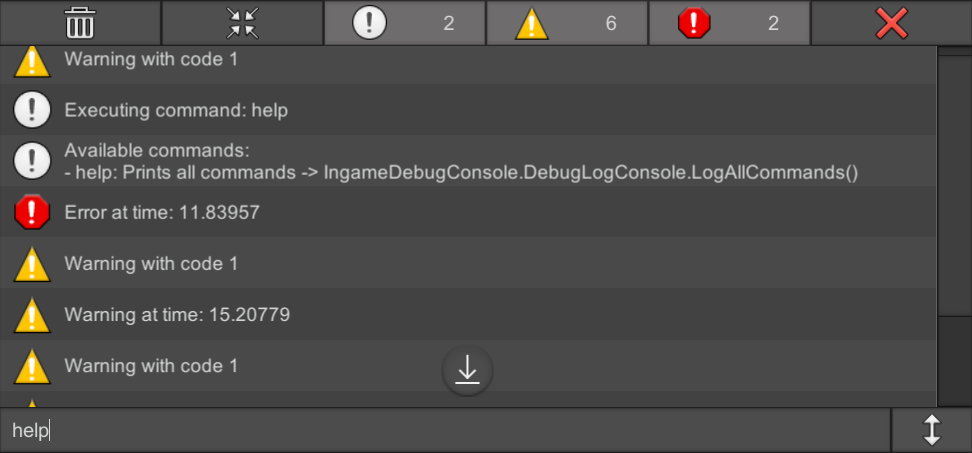
OpenUPM
A uGUI based console to see debug messages and execute commands during gameplay in Unity
pastel badge
pearl marlin
try this: https://openupm.com/packages/com.yasirkula.ingamedebugconsole/
I use S...
But this is not for iOS?
pearl marlin
its for any platform??? what u on about, an external tool?
the unity editor can connect and show unity logs on dev builds for ios/android over your local network without other tools/plugins
pastel badge
Developing in Unity most of the time. But it's an AR app. So testing on iOS and Android.
I was very happy with Lunar Console. It's a simple console, but it stopped working.
With AR app, I'm not always connected or with the laptop. Testing outside etc.
pearl marlin
well i dont know why but i doubt its an ios only problem if its only showing unity logs/errors
i gave my suggestions already 🤷♂️
pastel badge
pearl marlin
well i dont know why but i doubt its an ios only problem if its only showing uni...
I saw a few debug console plugins, which aren't supported anymore.
I tested the one you suggest. But only Android is not so good for me.
Looking for other suggestions.
Thanks
pearl marlin
it has additional functionality to get logcat logs. Unity logs are seperate and work the same way on all platforms...
lunar console appears to use ios/android native ui for some reason, others do not hence they work anywhere unity does
pastel badge
Thanks for the details
ornate gulch
pastel badge
I saw a few debug console plugins, which aren't supported anymore.
I tested the ...
What do you mean it's only Android? Unless I missed something, if you're trying to see Debug.Log messages, In Game Debug Console and SRDebugger both work on iOS and Android (and probably other platforms).
pastel badge
ornate gulch
What do you mean it's only Android? Unless I missed something, if you're trying ...
Hmm, I just tried In Game Debug Console again. I just don't have log messages on the iPhone (16 Pro). The other image is from Unity on my Mac. Outputs as expected.
I have multiple scenes, which gets loaded additively. That worked in the past and in Editor. [Edit: I tested with only one scene and it's the same: No log message on the iPhone. Editor works.]
I'll have a look into iOS a bit more. Though not sure what could be the issue... This should be an "out of the box" solution...
With "only Android" I meant because Android is mentioned on the github and asset store info of that plugin. But you're right, that's not excluding iOS.

 fading forge
Guys what do I do when my unity isn’t validating the android update
pearl marlin
pastel badge
Hmm, I just tried In Game Debug Console again. I just don't have log messages on...
Very strange that it just doesn't work, perhaps you should update it? Unity logs via Debug should work on any platform with these in game consoles.
You can check with the unity editor console remotely (use the "⬇️ Editor" dropdown in console window) to see if there is some error breaking it on ios?
 tulip timber
https://github.com/BillyCool/MariesWonderland
Hello, I am asking for assistance in figuring out how to bypass the login ILLCP2 code for "Nier Reincarnation". It has been discontinued since 2024 and this github project aims to make a private server implementation but currently can't get around the login bypass. I think the frida issue is fixed by now but author has not revisited since.
Does anyone want to give some insight? It would be well appreciated

GitHub
A private server implementation for mobile game NieR Reincarnation - BillyCool/MariesWonderland
 wispy crater
Hey all — I’m trying to get a Unity project working with my iOS app (using SwiftUI) to render .glb avatar files that I generate via an API.
I’ve been using this project as a reference: https://github.com/bdeweygit/unity-swiftui
I downloaded the Unity package from the UniVRM GitHub releases: https://github.com/vrm-c/UniVRM/releases
I manually added VRM10 and UniGLTF to my Unity project via Inspector > Resources, but now I’m hitting tons of missing namespace/type errors and can’t get it to compile.
My goal is super simple: display .glb avatars from API on iOS.
Has anyone here successfully done this? Am I importing these packages totally wrong?
Also: which Git URL (if any) should I be using with the Unity Package Manager to make this actually work?
Would appreciate any advice if you’ve tackled this before 🙏
pearl marlin
wispy crater
Hey all — I’m trying to get a Unity project working with my iOS app (using Swift...
Check that you have updated your asm defs to reference the ones in the packages.
Prefer using the package manager to add these (instead of a .unitypackage file import)
I should mention also that unity have their own gltf package now that supports runtime loading: https://docs.unity3d.com/Packages/com.unity.cloud.gltfast@6.12/manual/index.html
 languid notch
Hello Everyone
I’ve always been fascinated by how studios manage to deliver visually rich, real-time multiplayer games while keeping performance smooth — especially on mobile platforms.
One question that’s been on my mind lately:
How do developers optimize high-poly 3D models, real-time lighting, and large environments in multiplayer games?
For instance, in games like Parking Master Multiplayer 2, we see 10–15 high-poly cars rendered at once in a detailed open world, all running smoothly in real time. How is this achieved without compromising performance?
I’m eager to learn what techniques, workflows, or Unity tools are commonly used for such complex optimizations.
Would love to hear insights from experienced Unity devs, technical artists, and anyone who's tackled similar challenges!
 deep dust
Hi, a month ago when I added the version to the google store I had no problem, and now suddenly when I try to add a new version of the game I have a message. [unity 6000.0.45f1]
"Error
Your advertising ID declaration in Play Console says that your app uses advertising ID. A manifest file in one of your active artifacts doesn't include the com.google.android.gms.permission.AD_ID permission.
If you don't include this permission in your manifest file, your advertising identifier will be zeroed out. This may break your advertising and analytics use cases, and cause loss of revenue. Learn more
You can remove these errors by updating your advertising ID declaration"
I have ads in the game. But unity itself adds all permissions, I don't even have a manifest.
I don't want to add anything manually in the manifest, or create it, why didn't Unity add these permissions itself :<?
deep dust
unless it can be added here.
 pearl marlin
that is what you are meant to do yes
deep dust
same error,
 deep dust
it turns out that my new .aab had the necessary permissions all along.
Except that some version of the game uploaded to the store a long time ago (1.0) did not have this permission. So I replaced this version with a newer one and everything is fine now... Ehh it took so long.
to sum up, when adding a new version it checks if any other active versions have this permission...
"A manifest file in one of your active artifacts doesn't include the com.google.android.gms.permission.AD_ID permission." active artifact...
real thunder
Hello, I want to ask for help the error I am facing is where I create a SplashScreen then I create it in the scene after that I create a Video Player in the hierarchy and enter the Splash Screen video that I have created after I build it into the apk it only appears sound and blue screen as in the picture

 wraith iron
pearl marlin
wraith iron
wraith iron
pearl marlin
wraith iron
changing this setting on the tmp input field may help
 wraith iron
pearl marlin
changing this setting on the tmp input field may help
wraith iron
pearl marlin
changing this setting on the tmp input field may help
nope, i does not work. I want the keyboard to popup but not to push the canvas up
pearl marlin
wraith iron
nope, i does not work. I want the keyboard to popup but not to push the canvas u...
may need to be something you configure outside of unity (the mobile browser is doing this)
wraith iron
pearl marlin
may need to be something you configure outside of unity (the mobile browser is d...
yep, i built it for android an the ui stays at its position, so its something with the web browser, thanks, i will look up a solution for it
 glass pecan
Hi, I am using Unity 6000.0.31f1.
I am facing an issue with snapdragon gen3 devices.
If you look at the 1st image, That how it's shown on the devices with snapdragon gen3.
Looks like an issue with the UVs, But the build is working fine on most android devices but not on snapdragon gen3.
The builds I took on unity 2022 is working fine on these device but not with 6000.0.31f1


Terrain shader is using world space position as UV. But the shader is using a SplatMap for storing layer information and that not working. SplatMap is using UV cordinates.