#↕️┃editor-extensions
1 messages · Page 108 of 1
 barren moat
Or have you already got it working?
I meant store your event invocations in a stack
 gloomy chasm
Oh, no. Definitely not working hahahaaaa... 😭
barren moat
Although wouldn't you need to also create inverted events for the undos?
gloomy chasm
maybe having like a scriptable singleton that I record an undo for as well, and maybe it contains a int that is incremented each time, and then maybe some session data that mirrors that int, but without recording an undo. So when an undo/redo happens, the singleton value can be compared to the session data value to know if it was a undo or a redo...?
barren moat
Yeah. Although... What happens if they undo past your modification and then branch and then undo and redo
Actually maybe that's fine
gloomy chasm
Guah, this hurts my brain
barren moat
I'm still confused about what the goal is
Like I get that you want an event, but what is it that requires a delta instead of just being told that the asset changed?
Can't you just do a full rebuild of the derived data on change, and at worst on play/build?
gloomy chasm
I will give more context I guess. It is for my editor tool Smart Library which lets you create collections of assets. A Collection is a SO. When you add or remove an item to a collection an event is raised that contains the collection that was changed, whether items were added or removed, and what the items were.
barren moat
Ah right. So the collection is a separate SO?
(sorry just doing standup, back in a bit)
gloomy chasm
barren moat
Ah right. So the collection is a separate SO?
Yes, so when some items are added to a collection an undo is register and the event is raised. When you Undo that action the items are of course removed from the collection, but the event is not raised even though the items changed
(All good, have fun!)
gloomy chasm
barren moat
https://docs.unity3d.com/ScriptReference/Undo.PostprocessModifications.html
Seems not sadly
barren moat
gloomy chasm
Yes, so when some items are added to a collection an undo is register and the ev...
Would it be acceptable to store the collection info on the member SO? this is how addressables works.
If so then you can do a full rebuild every time.
Or... As required
barren moat
@gloomy chasm What if you add the collection reference(s) to the metafile of the member SO? Then the collection itself could have an entirely dynamic editor.
I guess the problem is that you'd need to get the SOs into the collection properly at build time so that they're included as scene dependencies
gloomy chasm
barren moat
I guess the problem is that you'd need to get the SOs into the collection proper...
I think you are misunderstanding. The collections are SOs, they are only for organizing other assets. Has nothing to do with builds, scenes, or runtime
barren moat
gloomy chasm
I think you are misunderstanding. The collections are SOs, they are *only* for o...
Oh so the collections are editor-only?
Perfect, then that approach could work.
gloomy chasm
Except for the fact that I don't save collections in to the assets folder so there is no metafiles
barren moat
gloomy chasm
Except for the fact that I don't save collections in to the assets folder so the...
The metafiles of the assets that you're adding to the collections I mean.
gloomy chasm
Oh those meta files
barren moat
What you're describing does sound a lot like addressables, which adds an ID to any given asset
And groups them into collections that are visible in an editor window
(actually not sure how to edit metafiles, but I think there's a way)
gloomy chasm
@zenith estuary thanks again for your help getting the WindowAction stuff to work 😄
 karmic ginkgo
i dont get this, when you press "Regenerate Project files" in editor, it works
when you call the same exact method through reflection it breaks the solution
unity:
        private void RegenerateProjectFiles()
        {
            Rect position = EditorGUI.IndentedRect(EditorGUILayout.GetControlRect(new GUILayoutOption[0]));
            position.width = 252f;
            bool flag = GUI.Button(position, "Regenerate project files");
            if (flag)
            {
                SyncVS.Synchronizer.Sync();
            }
        }
mine:
        public static void Sync()
        {
            var asmb = GetAssemblyByName("UnityEditor");
            var SyncVS = asmb.GetType("UnityEditor.SyncVS", true, false);
            var Synchronizer = SyncVS.GetField("Synchronizer", BindingFlags.Static | BindingFlags.NonPublic).GetValue(null);
            var Sync = Synchronizer.GetType().GetMethod("Sync", BindingFlags.Public | BindingFlags.Instance);
            Sync.Invoke(Synchronizer, null);
        }
nvm found that they do setup prior to that
 patent pebble
how can I manually display an IMGUI tooltip in the same way they are displayed for regular labels?
i'm using `SelectableLabel`` which doesn't take a GUIContent, so the tooltip of my content is not used 😓
EditorGUI.SelectableLabel(rect, content.text, EditorStyles.helpBox);
 waxen sandal
I've drawn an invisible box on top before
patent pebble
oh, that's a pretty clever solution
patent pebble
waxen sandal
I've drawn an invisible box on top before
how can I make the box invisible?
just GUI.Color = Color.clear?
patent pebble
ah just duplicate the style and set no background texture
will try that
@waxen sandal oh actually I just tried it and works!
GUI.Color, GUI.ContentColor, GUI.BackgroundColor,
all 3 use the alpha value provided
(at least with the 20 or so styles i've tested)
thx for the help! 😋
*sidenote:
GUI.Box intercepts mouse input, easily fixed by just drawing if before any other controls, but not obvious at first glance
gloomy chasm
patent pebble
how can I manually display an IMGUI tooltip in the same way they are displayed f...
What Unity does for this sort of thing is just draw a GUI.Label over it with GUIContent that only contains a tooltip
patent pebble
gloomy chasm
What Unity does for this sort of thing is just draw a GUI.Label over it with GUI...
ah right, that also makes sense
probably more performant than using Box + GUI.Color?
not sure without looking at source and profiling
waxen sandal
I couldn't get label and selectablelabel to ilne up perfectly before
patent pebble
waxen sandal
I couldn't get label and selectablelabel to ilne up perfectly before
with layout?
i'm using manual GUI rects, so they always line up
or you mean the text inside the label?
waxen sandal
Yeah
IIRC one of them had a slight offset compared to the other
So I had to do -2 on one of them or something
Updating Unity changed it
patent pebble
you wouldn't need to do that anyways tho, just drawing the label on top without any text, just the tooltip
waxen sandal
Oh right, I don't know why I drew text
patent pebble
maybe you couldn't cache it and you were trying to not create many GUIContents?
i've had situations where I had that kind of thing
even tho i've seen Unity internally instantiating many of GUIContents like that without regard for performance tho, so i guess it's not that bad
waxen sandal
Nah, I think i might be thinking of the auto complete textbox I made that drew the prediction inside the text field
patent pebble
hmmm
oh and about the -2 offset thing
i've recently learned that some of the different versions of label styles use different RectOffsets
for example regular label and LinkLabel styles
patent pebble
waxen sandal
Also changes between versions
oh god, that's a nightmare

this... i spent like 30 minutes debugging this crap yesterday
and it was just a slight padding difference 🙃
literally drove me insane for half an hour
i was blaming it on the Layout system and it was just the style 💀
 zenith estuary
gloomy chasm
<@!124710273368981505> thanks again for your help getting the WindowAction stuff...
zenith estuary
gloomy chasm
<@!124710273368981505> thanks again for your help getting the WindowAction stuff...
No problem, glad it worked!
 north sphinx
[SerializeField] protected (AudioClip, float)[] loopClips;
Can this be properly serialized without external class type?
I want simple key, valie pair in field
waxen sandal
No
north sphinx
sadge
 wintry wharf
I'm trying to install a package that requires .NET 4.x, but I have no such option in my settings. I tried downloading the .NET 4.8 developer pack, but this did not work. Anyone know a fix?

 visual stag
wintry wharf
I'm trying to install a package that requires .NET 4.x, but I have no such optio...
visual stag
wintry wharf
I'm trying to install a package that requires .NET 4.x, but I have no such optio...
Just install it. I don't believe that level of compatibility is relevant with the new versions of Unity.
wintry wharf
visual stag
Just install it. I don't believe that level of compatibility is relevant with th...
It's a microsoft package and it strictly states that it requires 4.x. Not only that, but I am also getting a console error after installing it Metadata file 'System.Security.dll' could not be found and Microsoft's answer to the fix is to enable .NET 4.x
visual stag
What package is it
wintry wharf
visual stag
What package is it
Project Acoustics
visual stag
wintry wharf
Project Acoustics
I can't say I know how this works as well as I did when it was just 4.x, but if swapping between the two options that are there now and restarting Unity doesn't fix it then you should be able to manually pull in the DLL from elsewhere on your PC just by putting it next to the others (and restarting Unity)
wintry wharf
visual stag
I can't say I know how this works as well as I did when it was just 4.x, but if ...
Swapping between 2.0 and 2.1 with restarts in between?
visual stag
Between .NET Standard 2.1 and .NET Framework. The options you screenshotted
I presume there are some native DLLs involved which is why it requires restarting Unity
wintry wharf
Will do, be back in a bit
wintry wharf
visual stag
Between .NET Standard 2.1 and .NET Framework. The options you screenshotted
Interesting, when switching to the .NET Framework option all errors seem to disappear. When going back to 2.1 they reappear
visual stag
Problem solved then, .Net Framework is the answer
wintry wharf
Thank you for your suggestions 😄
zenith estuary
I would not recommend using .NET Framework 4.6 if you can help it
.NET Standard 2.1 is superior
You might just need https://www.nuget.org/packages/System.Security.Cryptography.ProtectedData/

Provides access to Windows Data Protection Api.
Commonly Used Types:
System.Security.Cryptography.DataProtectionScope
System.Security.Cryptography.ProtectedData
Grab the .NET Standard 2.0 DLLs (including dependencies)
 earnest talon
Is custom localization support a good thing to have for a unity plugin
 silent stratus
Some of the tech artists in my team has asked me if it would be possible to add an extension on the profiler to automatically open up the Hierarchy to certain points then selecting a point in the graph. I have 0 exp in extending default editor windows in this manner, where might I want to look for info on doing this?
waxen sandal
You know, that's a new one
patent pebble
tech artists always asking for wacky things 🙃
gloomy chasm
silent stratus
Some of the tech artists in my team has asked me if it would be possible to add ...
This could at least get you in the ballpark for the right API. https://docs.unity3d.com/2021.2/Documentation/Manual/Profiler-creating-custom-modules.html
 silent stratus
Thanks!
gloomy chasm
Is there a good way to sanitize a file name?
 primal thunder
is it possible (and if so how) to write a custom property drawer for a readonly struct and use it to replace the entire struct?
e.g. with a text field that parses the input into a new instance of the struct
gloomy chasm
primal thunder
is it possible (and if so how) to write a custom property drawer for a readonly ...
Unity can't serialize anything readonly
primal thunder
even with a custom property drawer?
gloomy chasm
primal thunder
even with a custom property drawer?
A custom property draw only changes how a serialized thing is draw
Can't change how data is drawn if there is no data that is serialized
primal thunder
sad
primal thunder
gloomy chasm
Can't change how data is drawn if there is no data that is serialized
what if the property drawer were to read / write it with reflection
gloomy chasm
primal thunder
what if the property drawer were to read / write it with reflection
There is no property since Unity never even serializes it so no SerializedProperty is created.
The only workaround I can think of is to create a wrapper class/struct that is serializable and use reflection to get/set the values of the readonly struct.
primal thunder
mmm, this can fetch the value just fine via reflection (the behaviour satisfies the "non readonly container" requirement, but this is also the use case for property drawers generally right? it's my use case anyways.)
[Serializable]
readonly struct Foo {
}

class FooBehaviour: MonoBehaviour {
    [SerializeField] Foo m_Foo;
}

class FooDrawer: PropertyDrawer {
    // -- lifecycle --
    public override void OnGUI(Rect position, SerializedProperty property, GUIContent label) {
        var obj = property.serializedObject.targetObject;
        var prop = obj.GetType().GetField(property.name, BindingFlags.NonPublic | BindingFlags.Instance);
        Debug.Log($"foo {prop.GetValue(obj)}");
    }
}
but is then setting the property going to have bad side effects
gloomy chasm
primal thunder
mmm, this can fetch the value just fine via reflection (the behaviour satisfies ...
Here is the thing, as soon as you enter/exit playmode or change a script and the domain reloads, m_Foo will be reset back to its default values
primal thunder
ahh, okay.
gloomy chasm
primal thunder
ahh, okay.
Honestly it would be by far the easiest to just not make it readonly. Maybe not as nice API wise, but far easier
 onyx harness
gloomy chasm
Is there a good way to sanitize a file name?
onyx harness
gloomy chasm
Is there a good way to sanitize a file name?
Path.GetInvalidFileNameChars()?
gloomy chasm
onyx harness
Path.GetInvalidFileNameChars()?
I thought there was also like 3 letter words that were not allowed as well?
gloomy chasm
onyx harness
like what? the dot?
onyx harness
You are telling me I can not name my file COM8?
I think you are overthinking the thing
gloomy chasm
Idk, this is outside my field of knowledge
Thinking of it more, it doesn't even matter because I am going to be adding a GUID to the end of the file name ahh
Thanks for the help 🙂
 ember gate
Hey so I'm trying to show a Enum in a Custom Inspector, but something seems to not work. I have setup tabs to switch between and show different properties, but when I try to use a Enum as a Serialized Property, I get a error.


 earnest talon
ember gate
Hey so I'm trying to show a **Enum** in a **Custom Inspector**, but something se...
earnest talon
ember gate
Hey so I'm trying to show a **Enum** in a **Custom Inspector**, but something se...
You need to use [System.Serializable] above the Enum.
if you don't, the system can't serialize the enum for the property field. You also need a variable of Type "GunType" to store your weapon of choice instead of trying to directly serialize the enum.
As long as the enum itself is serializable (can sometimes be [Serializable] over [System.Serializable] if you're using System too.


both the enum and container must be public as well.
and you need to serialize the object you're trying to edit too.
 earnest talon
onyx harness
You are telling me I can not name my file COM8?
earnest talon
onyx harness
You are telling me I can not name my file COM8?
Can't have a file named COM due to windows backwards compatibility.
I believe this goes for COM0-COM9.
this may also be the case for other operating systems too.
earnest talon
COM is a reserved name due to Microsoft DOS era applications.
if you have it available as a file name (not folder name), there is a possible serious error.
CON is a reserved one too.
 gloomy chasm
earnest talon
You need to use [System.Serializable] above the Enum.
gloomy chasm
earnest talon
You need to use [System.Serializable] above the Enum.
Nope, it actually serializes enums as ints 🙂
gloomy chasm
ember gate
Hey so I'm trying to show a **Enum** in a **Custom Inspector**, but something se...
Would need to see more code to tell what is going on
earnest talon
@gloomy chasm enums are ints to begin with.
You still need to serialize the enum in order to use it's type as a serialized property
gloomy chasm
Well yes they are int, and no you don't need to have the Serializable attribute 🙂
earnest talon
You do or it will error.
This is if you have the runtime and editor scripts separate
gloomy chasm
Idk if that is how it used to be, but not any more
zenith estuary
I've never encountered that before, enums serialize perfectly fine on my end
[Serializable] should only be necessary for structures and classes that don't derive from UnityEngine.Object
If [Serializable] was required on enums, then tons of code wouldn't work because Unity's own enums don't do that
earnest talon
In 2020.2.6f1 and 2020.3.29f1, you have to serialize enums or they will throw object missing errors when trying to create property fields for enum variables
zenith estuary
That sounds like a bug
gloomy chasm
Indeed it does to me as well
zenith estuary
Do you have a minimal repro?
earnest talon
No. I just have the build I have now for obscura
When I used enums without serialisation in the same script, they were fine. When I used them in Runtime and tried to read from a SerializedObject in an EditorWindow, they would error and throw a missing object exception because the custom name for the enum type wouldn't appear. This is when calling for a variable that uses said type and not the enum directly
zenith estuary
Yeah that does sound like a bug, I'd open a bug report for it
It shouldn't behave that way
earnest talon
zenith estuary
Yeah that does sound like a bug, I'd open a bug report for it
Alrighty, I'll do that if I can get a minimal repro up.
despite this bump in the road
I've been loving the journey of creating a custom editor so far.
it's very complex and takes a lot of time to get used to.
But it's really engaging and challenging.
 sly kite
Hello everyone. I'm not getting intellisense for Unity on VSC, even with the Visual Studio Code Editor package, did I miss something ?
 clear kite
sly kite
Hello everyone. I'm not getting intellisense for Unity on VSC, even with the Vis...
clear kite
sly kite
Hello everyone. I'm not getting intellisense for Unity on VSC, even with the Vis...
This is channel about unity editor coding (like custom extension tools inside unity editor), not code editor stuffs. Maybe try ask on #archived-code-general or #💻┃unity-talk (dont really know any channel your question would fit perfectly in)
sly kite
Aight sorry, and thanks
 acoustic egret
Is there a way to make a menu item option list? Like hover the item to expand then select an option from the list
Where it shows a checkmark next to the one currently selected
acoustic egret
(please ping me when replying, not watching the channel anymore)
acoustic egret
beautiful, thanks!
patent pebble
@acoustic egretwhat are you trying to do exactly?
because I don't think you can show GenericMenus from the top menu bar
acoustic egret
Yeah it's meant for that
using MenuItem
For now I'm fine without the checkmark which is working fine
patent pebble
iirc none of the default MenuItems have the checkmark functionality
patent pebble
oh, didn't know about that class
acoustic egret
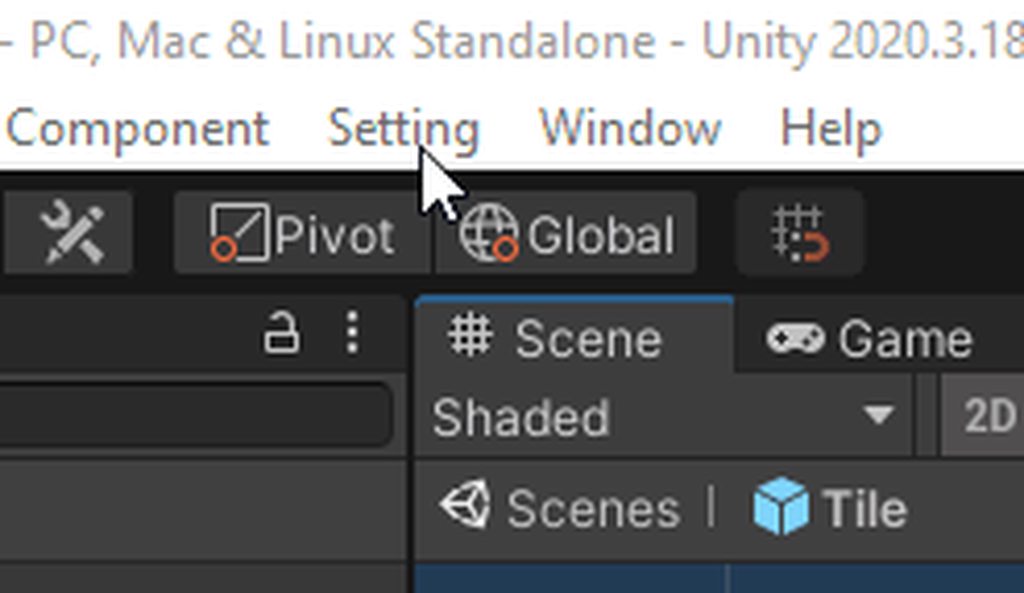
Works perfectly
Just need a modular way to register it as a list
at the moment I'm hardcoding it
        private static void SetChecked(Settings setting)
        {
            foreach (var value in Enum.GetValues(typeof(Settings)))
            {
                Menu.SetChecked($"Setting/{value}", false);
            }
            Menu.SetChecked($"Setting/{setting}", true);
}```This works if the menu path fits the enum's default ToString
But since MenuItem is an attribute, the path has to be compile time, making it a bit tricky to modularize
patent pebble
i've never had any luck registering MenuItems without hardcoding them
i've looked into the topic a couple of times but never dug too deep
waxen sandal
Same but I remember someone posting here that got it working iirc
earnest talon
acoustic egret
```cs
private static void SetChecked(Settings setting)
{
...
that's handy for enums overall
onyx harness
waxen sandal
<@!264188849788289024> Do you remember?
I'm not sure about the issue here, but CatSandwich knows already about the API Menu, which is enough to manipulate the top menu
patent pebble
oh right the class has a bunch of nice internal methods
for example ```cs
[FreeFunction("MenuController::AddMenuItem")]
internal static extern void AddMenuItem(string name, string shortcut, bool @checked, int priority, System.Action execute, System.Func<bool> validate);
Ah right, that's the one then
patent pebble
i guess that is what Unity uses to handle the MenuItems stuff internally?
@acoustic egret so i guess you can use reflection and use the methods on this class for what you want
https://github.com/Unity-Technologies/UnityCsReference/blob/master/Editor/Mono/Menu.bindings.cs
onyx harness
Type : public sealed class UnityEditor.Menu
5.0.0f4 ⟩ 2022.1.0b9
Unity Doc
Method : internal static AddMenuItem()
2019.2.0f1 ⟩ 2022.1.0b9
GitHub Source
@acoustic egret
Oh OK, now I understand, you want dynamic way to handle the menus, well you have it already
acoustic egret
I was really hoping for something like cs [MenuList(typeof(MyEnum))] private static void ChangeSetting(MyEnum setting) { }
Might be able to do it with code generation
 snow bone
when i click on an ObjectField that has an FBX asset (in particular a humanoid character) selected, it selects the asset, is it possible to select, say the Avatar component within the asset?
gloomy chasm
snow bone
when i click on an ObjectField that has an FBX asset (in particular a humanoid c...
Using a custom property/attribute drawer you can.
snow bone
i have an ObjectField for a character FBX, I want to make a button to easily select the avatar within the asset
gloomy chasm
The way think I would do it is to draw a rect over the field and get when there is a double click, use the event then set the selection to the avatar.
Oh, if you just want to add a button to select the avatar, then using an attribute with a drawer would work and be easier
snow bone
I'll have a look into doing it that way, thank you.
snow bone
@gloomy chasm does this look like the correct approach? I haven't used prop drawers before https://hatebin.com/gsciqqmrjh
gloomy chasm
snow bone
<@!131292153300123648> does this look like the correct approach? I haven't used...
You mean before you add the code for drawing?
snow bone
I'm assuming I write the code for dispalying the button in OnGUI in that prop drawer, then add the attribute to the button in the editor that I have
although, i'm a little confused about this, cos I have an EditorWindow that I want the button to select the avatar, which has it's on OnGUI method
gloomy chasm
snow bone
I'm assuming I write the code for dispalying the button in OnGUI in that prop dr...
Yes, and then you would add the attribute to the field (not button).
Also there is no point in having the AvatarSelector take a GO in it's constructor, you can get that info from the serializedProperty.
Also the AvatarSelector should be named AvatarSelectorAttribute as this makes it clearer and is the C# convention.
snow bone
so i just have a field in the editor for OnGUI and the prop drawer would draw it's own button?
gloomy chasm
Yeah?
snow bone
I have an editorWindow that looks like this, with an avatar button, here's a pic which might help

in the EditorWindow.OnGUI method, I can't declare a field, as it's a function
snow bone
I think i need to be getting the Avatar Component of the FBX source file, making a property drawer might be detracting from what I'm trying to do
perhaps I do need the prop draw to actually select the Avatar Component from the FBX file though
 smoky spear
I have problems loading unity where the project explorer nbever loads...

i tried restarting, last time i left it for 10 hoursd
I believe the solution would be to delete a load of temp files or settings files but im not sure what ones are gonna fuck me in the ass later
snow bone
have you tried loading a different project with unity?
smoky spear
yep, works fine
im now manually copying over all my changes
and im gonna see if its the changes
and then try and reinstall unity on my other client
so thanks for trying @snow bone
 past shell
I'm working on adding a Custom Editor to my game that has some updates in OnSceneGUI that draws gizmos to the screen. The person I'm working on the game with can edit values in the inspector and it immediately calls OnSceneGUI and updates the scene with the new values, but on my computer I have to mouse over the scene panel for OnSceneGUI to update. Is there some setting I'm missing to call OnSceneGUI when my mouse isn't hovered over the scene panel?
snow bone
you have to call repaint in the editors Update method i think
ie in Update() make a call to SceneView.RepaintAll();
that should repaint the scene with the updates that you made to the inspector
or, you may have to call Repaint() within OnInspectorUpdate()
past shell
I don't think Editor has an Update function, right?
snow bone
I think it should do
I use both them ways for an editorWindow, which is basically an editor with added functionality to allow it to be a window
past shell
Can you link to the documentation for that update function? I'm not finding it in the docs
snow bone
just put a void Update() {Debug.Log("update");} in your editor, and you'll know, cos it outputs some text
Update is called 10 times per second
snow bone
what about OnInspectorUpdate()?
snow bone
perhaps add a function with the repaint() and add it EditorApplication.update delegate - https://docs.unity3d.com/ScriptReference/EditorApplication-update.html
or perhaps a better solution, use executeInEditMode attribute - https://docs.unity3d.com/ScriptReference/ExecuteInEditMode.html
past shell
I feel like this is more of a settings problem than a code problem. As I mentioned, someone else working on the same project gets immediate updates, so it must be something wrong with my project settings or installation or something I think
A code solution for this could be to add SceneView.RepaintAll() inside of OnInspectorGUI so that when my mouse is over the inspector I'm repainting everything in the scene, but that's a bit heavy handed for something that I think should just be a settings issue
snow bone
i'm not convinced, as if it doesn't work for you, then it's not likely to work for others either. I've had this myself, during editing, it worked fine, but later, it stopped updating, fixed when added the Repaint to Update()
when you are directly writting the code, it tends to update fine, but later, when you aren't, it stops updating
just add [ExecuteInEditMode] to the top of your editor class, then add the Update() debug fn i mentioned above
snow bone
alternatively, you can subscribe to EditorApplication.update by adding your update fn with the repaint in it, when an update is called, it'll also call your fn that you subscribed to EditorApplication.update
past shell
Alright, found the answer from someone back in Sept. 17th, 2020 in this channel. The idea is to check if the Inspector is updated, and if it is then call RepaintAll. Here's the basic gist of the solution, taken from here: https://docs.unity3d.com/ScriptReference/EditorGUI.ChangeCheckScope.html
    public override void OnInspectorGUI()
    {
        using (var check = new EditorGUI.ChangeCheckScope())
        {
            // Block of code with controls
            // that may set GUI.changed to true

            if (check.changed)
            {
                SceneView.RepaintAll();
            }
        }
    }
 opaque agate
Not sure if this is the right place for it, but I'm trying to figure out how to install this editor extension and I'm getting nowhere. Directly adding the files into Unity seems to fail. https://github.com/UniGameTeam/UniGame.GoogleSpreadsheetsImporter

GitHub
google spreadsheet v.4 support library for unity3d - GitHub - UniGameTeam/UniGame.GoogleSpreadsheetsImporter: google spreadsheet v.4 support library for unity3d
waxen sandal
You should probably ask the developers and not some random people on the internet
(and wrong channel)
patent pebble
is there a way of getting what priority the default Unity menu items have?
i can find the priority from the menu items that are built with the [MenuItem] attribute
but not all of them are built using that
 glacial sail
I have a 3 sections layout for my editor extension, what's the proper way to make them separate from each other?

I can't seem to find anything related to section/separator line.
patent pebble
@glacial sail you can draw lines with EditorGUI.DrawRect()
pass a manual rect with a width of 1 pixel for example to do a vertical line
glacial sail
patent pebble
<@!451999506918277131> you can draw lines with EditorGUI.DrawRect()
What color should I use to keep it consistent with editor theme?
patent pebble
glacial sail
What color should I use to keep it consistent with editor theme?
i often just use Color.grey
it depends
or Color.black * 0.8f
glacial sail
😦
Is the theme color not exposed anywhere?
I just got into editor scripting, and I think the most frustration part I have so far is to keep the look consistent with rest of the editor
I'd like to avoid magic values unless that's how the editor does it too.
patent pebble
@glacial sail they are probably somewhere in the source code
most of the time i just use an eye dropper to get whatever color i need to use
but also, a lot of the Unity UI stuff is not just raw colors, it relies on actual textures for the visuals
some of them have transparency and whatnot
it's a little bit messy, i usually just do eyedropper
glacial sail
Eh, the perfectionist in me is strongly disturbed.
patent pebble
oh don't worry, Unity will bend you to its will
 tough stream
anyone knows why i can't affect/delete array elements here on the right? (see screencast)
Here's my script:
https://pastebin.com/636EiL7S
(sorry, i pastebin'd it so it takes less space)
Update: my ScenarChoosing so seems to be wrong somewhere. Cuz it seems its property and the property drawn aren't the same...?
glacial sail

How do I make the hierarchy stand out more? Like a section header.
Does editor provide any built in style that we can just reference and use?
patent pebble
@glacial sail depends on what you want to do
i like encapsulating regions of my UI in help boxes
using (new EditorGUILayout.VerticalScope(EditorStyles.helpBox))
{
    // Draw stuff inside a box
}
as for the header style
you could maybe use the Toolbar style
or just use a Toolbar control
there's a bunch of different ways of making things stand out, it depends
glacial sail
patent pebble
```cs
using (new EditorGUILayout.VerticalScope(EditorStyles.helpBox))
{
// D...
This looks great 😄

Hmm toolbar doesn't look that good, the background color differs from help box.
patent pebble
yeah you have to figure what visual style you're going for
your headers looked like the default toolbar buttons
take a look through all the EditorStyles, there's a lot of them
some will probably fit your needs
glacial sail
Yeah I'm going to keep trying, but it feels weird to use styles not in their intentions.

It does look better if I use large + bold font style and center the text though.
On that note, the canvas (it's rendering "multiplication calculator" currently) I draw them with GUI because I need explicit layout calculation in my own code
How do I stop it from bleeding into the right side panel?
patent pebble
hard to know without looking at your code 🤷♀️
you have 3 vertical sections, vertical groups should be enough to divide the area in 3 and make it not bleed into eachother
glacial sail
The canvas part does not use EditorGUILayout, it's done with raw GUI
Because it's rendering data and layout from outside sources.
patent pebble
ah
it's kinda messy to mix GUILayout + GUI
i usually just go for one or the other
glacial sail
Yeah but unfortunately the layout from the source can't be worked into layout
So I have to explicitly calculate and draw with GUI.
Is there no mechanism for masking stuffs?
patent pebble
ideally yes
a dirty hack is "registering" your reserved space to the Layout system with a GUILayout.Space for example
i don't like it, but i've done it a couple times
so whatever the width of your center area is, just do a horizontal space with that value
wrap all your 3 vertical sections inside a horizontal group and do the space in the middle
glacial sail
I don't quite get how reserving space would solve it
My two side panels have "fixed" width, what happens if the space is larger than the center group can have?
patent pebble
if you draw the center area with GUI, using a manual rect
you know the width
so use that
glacial sail
But it will still overflow out to the right side, no?
 crude relic
you don't need to reserve your space using GUILayout.Space -- you can use the method intended for that purpose, GUILayoutUtility.GetRect.
If you then wrap your internal GUI code in GUI.BeginScrollView, the overflow will be clipped and a scrollbar added (you would need to calculate the overall bounds of your content, however, since you're not using guilayout)
@glacial sail
glacial sail
Thanks I'll give it a shot.
Does that mean I also need to manually handle scroll position as well?
crude relic
it operates the same as EditorGUILayout.BeginScrollView
but yes, you need a Vector2 on your editor class to maintain the scroll position
you can use the EventType.Layout event for calculating your overall bounds, just like GUILayout does
glacial sail
Oh that's for sure, but I was asking if say the current scroll position is (42, 69), do I also need to add that offset to all my content's draw calls.
crude relic
you will need to store the result somewhere for the next repaint, however
crude relic
glacial sail
Oh that's for sure, but I was asking if say the current scroll position is `(42,...
that's a good question tbh -- my instinct says no, that ScrollView will automatically shift everything for you
yeah, scroll view will shift how it gets drawn based on the scroll position
glacial sail
Cool, makes sense that's the case.
patent pebble
crude relic
you don't need to reserve your space using `GUILayout.Space` -- you can use the ...
oh right, I always forget about that one
even though I use it ALL THE TIME
crude relic
there are a lot of esoteric gui functions
patent pebble
yeah
i use a bunch of them a lot but they escape my brain when I'm not in the zone
crude relic
had to re-teach myself after a long break from editor work recently
patent pebble
yeah I go through that process every now and then
crude relic
especially effing handle tools
patent pebble
oh god, I haven't touched handles in months 💀
crude relic
whee
it's always a battle to let unity do what you want it to
I had to create a custom tool that overrode all button inputs
thankfully beforescenegui is a delegate now
you can get away with a lot less reflection nowadays
 zinc spoke
hello
so I know that "Event.current.type == EventType.Used" returns true if I am holding a handle (Handles.Slider(vector3.zero, Vector3.up))
but how would I detect the first and the last frame of the handle grab
zinc spoke
I have an editor script for a custom tool and it has a handle in it
the handle changes a generated mesh
but I dont want to regenerate the mesh after each move
I just want to show a preview of the edit (with "Handles.DrawWireCube") when you start the push
and I want to confirm the mesh generation on release
and all of this is only in editor
crude relic
that is an excellent question
zinc spoke
yeah
crude relic
unity doesn't have a built-in way to detect the beginning and ending of control id switches
zinc spoke
no
thats the answer I got from my research
so im here to check if any of you have a hacky sulution
crude relic
you can get the last control id using reflection https://forum.unity.com/threads/how-to-get-controlid-of-specific-control.534356/
Unity Forum
I created a window in the editor window. There are some buttons, toggles and other controllers inside my window. How do I get the controlID of the...
if you have that, you can detect when GUIUtility.hotControl goes from 0 to that control id, and then again when it goes from that control id to 0
 soft zenith
hi guys, how can i have a miniature of the sprite instead of the file name ?

i tried changing the inspector to Texture2D and using ObjectField instead of PropertyField but nothing changed
that's my property drawer for this "frames list"
 waxen sandal
I think it's ObjectField but you need to give it more height
patent pebble
someone shared on this discord the 3 different ways of making an object field display no icon, small icon and big thumbnail
can't remember who or when lol
ah here
@soft zenith ^
 shell beacon
Not sure where to ask but.. does the editor version matters when uploading a package to the Unity publisher portal? for the end user
If I upload an update using the latest version does it limiting it to only this version (as minimum)?
gloomy chasm
shell beacon
If I upload an update using the latest version does it limiting it to only this ...
Yes, the version of the editor you use to upload is the minimum version that it can be downloaded on
shell beacon
gloomy chasm
Yes, the version of the editor you use to upload is the minimum version that it ...
Thanks!
Should I upload using latest 2019 version? or try to upload the older version I can support?
onyx harness
Remember it takes into account the major.minor, not the increment
shell beacon
Got it thanks! I'll check 2018.4 (as they suggest)
soft zenith
patent pebble
<@!429799860959576066> ^
sorry for the late answer, thank you very much !
crude relic
@soft zenith you can also draw a preview sprite directly into the GUI using the UnityEditor.AssetPreview class
Depends on how fancy you want to get
 thin fossil
Is there any way to overwrite a gameobjects presentation in hierarchy? I mean overwrite as in replacing the exisitng text, icon and background. HandleHierarchyWindowItemOnGUI just enables rendeing of additional GUI objects
patent pebble
@thin fossil i think you could access the internal data structure of the Hierarchy tree, and edit the contents there
but it's a hassle
people usually use the public API delegate that gives you the rect
and they just draw on top of it
thin fossil
patent pebble
people usually use the public API delegate that gives you the rect
yes I was afraid thats the case
I would like to mimic the look of the scenes in hierarchy for my "level object"
rendering on top is especially problematic with drawing rects as it has to be pretty transparent in order to just tint it slightly
patent pebble
yeah altering the default look and behaviour of the Hierarchy and the Project can be quite challenging
i don't really bother, the time sink is too much compared to the benefits
i mean, it's doable and certainly not impossible, but there's so many little things to take into account
thin fossil
patent pebble
i don't really bother, the time sink is too much compared to the benefits
yeah I see your point. could have been that I just missed some simple method hidden deep in the docs that makes it easy
patent pebble
if you provide more context to what exactly is your goal, someone else may be able to help
I would like to mimic the look of the scenes in hierarchy for my "level object"
i'm not quite sure i understand what you mean here
thin fossil
patent pebble
> I would like to mimic the look of the scenes in hierarchy for my "level object...
I am trying to make it look more like a scene than a game object in the hierarchy.
Similar to what unity has done with subscenes. I even looked at the subscenes code but it seems like they hacked it in to the core hierarchy rendering code with some kind of special callbacks
 whole steppe
Is there a way to reference a prefab from a custom material editor?
I have a prefab that bakes texture curves and I want a material to somehow reference it to control the prefab directly from the material inspector and to insert the generated texture into its shader.
The texture is just a Texture2D stored within the prefab (looks like a sequence of hex codes in the .asset).
patent pebble
is it possible to add more items to an EditorWindow's generic menu?

for example adding a new item to the Inspector generic menu
or alternatively, add a new button next to the lock button

i know how to do this for custom EditorWindows
but no idea how to do it on the default Unity ones (Inspector, Project, Scene, etc)
gloomy chasm
patent pebble
OH OH! I just did this!
patent pebble
gloomy chasm
OH OH! I just did this!
i was looking into this class, which seems to be the way Unity does that internally
https://github.com/Unity-Technologies/UnityCsReference/blob/2020.3/Editor/Mono/WindowAction.cs
however I'm very bad with delegates and reflection
so I'm kinda struggling to use it lol 😅
gloomy chasm
Yeah that is the one
patent pebble
if you could share an example of how to use it, that would save me hours of hitting my head against the delegate wall
gloomy chasm
Yeah doing that now
gloomy chasm
patent pebble
if you could share an example of how to use it, that would save me hours of hitt...
Here you are https://gdl.space/ficifeqave.cs
Ya just gotta replace my reflection utility class or get it from my github
patent pebble
@gloomy chasm oh my god thanks so much! 🙏 💙
gloomy chasm
Example usage
[WindowAction]
private static WindowAction AddWindowToSidebarAction()
{
            return WindowAction.CreateWindowActionButton("WindowToSidebar",
                (window, action) => MoveWindowToClosestSidebar(window),
                "Move to Sidebar",
                16, (Texture2D)EditorGUIUtility.IconContent("Import-Available").image);
}
It is a really nice class, has like validator and stuff too. Idk why it is internal
patent pebble
yeah it's a extremely useful thing and it's just buried on their source code
big sad
i wonder if they have exposed in recent versions of the engine, or if they're planning to
gloomy chasm
doubt
There are a number of APIs that are internal for no apparent reasons. For example you know how in 2020 they added default parents to the scene? Well guess what, the API to 'properly' create GameObjects so they are added to the default parent is internal, so no official packages even respects it (like Cinemachine) xD
And there is no good spot to make requests for these things to be made public 😦
(I actually submitted a bug report for that one)
patent pebble
gloomy chasm
There are a number of APIs that are internal for no apparent reasons. For exampl...
yeah I remember seeing that one and being like "wtf ?¿?¿?¿"
gloomy chasm
Undo.RegisterCompleteObjectUndo(this, "Library Collection Modified");
This just gave me a ArgumentNullException...
Thanks Unity xD
 rugged urchin
what do i have to do to enable building from command line to use the cache?
it seems like it does not
because it looks like it does a whole reimport
patent pebble
@gloomy chasm hmmm I'm trying to use it but it doesn't seem to work
[WindowAction]
private static WindowActionAccessor MenuItemTest1()
{
    return WindowActionAccessor.CreateWindowMenuItem
        (
            id: "MenuItemTest1",
            executeHandler: (window, action) => MenuItemTest1Execute(window),
            menuPath: "MenuItem Test 1"
        );
}

private static void MenuItemTest1Execute(EditorWindow window)
{
    Debug.Log($"MenuItemTest1Execute()");
}
is there other things I have to do to make it work?
patent pebble
sure, no rush
gloomy chasm
patent pebble
sure, no rush
Right so it will require a bit more work to translate this from using my methods to your own...
https://gdl.space/oxoxipowap.cs
patent pebble
gloomy chasm
Right so it will require a bit more work to translate this from using my methods...
ah right right I'm dumb, I was looking at the HostView source code earlier and I saw the array of WindowActions
thanks again! 💯
gloomy chasm
Sure thing, let me know if you need info on what to change to make it work for you 🙂
patent pebble
i reckon this should be enough, many thanks 😋
i really should stop working past 10pm... brain starts being stoopid hahah 😅
gloomy chasm
Haha, no problem
earnest talon
goodluck madled and godspeed
patent pebble
aaah so nice

can add:
MenuItem only
Button + MenuItem
Button only
and button to only certain windows
don't know if it's possible to add a MenuItem only to specific windows tho
onyx harness
Looks beautiful
patent pebble
the WindowAction class seems so useful to add custom buttons and custom status icons
perfect for data validation, nice to have a lil icon displaying any errors instead of having a separate window open all the time
or to rely on Console errors
i would guess this is possible also with UITK?
so maybe that's why they haven't exposed the WindowAction as a public API
onyx harness
I wouldn't say it is "possible also with UITK", just that they added a more convenient way to do it
Imma gonna keep WindowAction in a corner of my mind
If one day I want to investigate how it works
Maybe it leads to somewhere where we can have more power
patent pebble
it's pretty damn useful
you can just define a single method with that attribute and every EditorWindow will have that button or menu item
basically like the
https://docs.unity3d.com/ScriptReference/IHasCustomMenu.html
and the magic method "ShowButton" or whatever it's called
but with some extra functionality
onyx harness
Took them 20 years, not too bad
patent pebble
lmao
onyx harness
It's like their shortcut system
Took them 20 years
It's a shame in a certain way =X
Very sad for tool programmers
patent pebble
that's the Unity life 💀
 dire bough
Hi guys, is there any way to share custom packages without exposing the source code?
crude relic
you can compile a dll, which will obfuscate the original code
but realistically not really
unless you write it in C++ (or similar) and distribute the binary only
waxen sandal
patent pebble
it was added in Unity 2020
This is in 2019 to fyi
waxen sandal
crude relic
you can compile a dll, which will obfuscate the original code
Compiling to a dll is not really obfuscating by default
 desert lake
Is there a way to restore to the 'normal' typing?
desert lake
waxen sandal
Also wrong channel
where should i could have put this?
and thanks
nvm
sorry. I though this channel is the closest
waxen sandal
#💻┃code-beginner probably
 loud vortex
Hey there,
I'm trying to write an editor window which allows me to modify prefabs in editor mode. I just can't figure out how i would add GameObjects to an existing Prefab.
  public void Manipulate()
    {
        GameObject prefab = AssetDatabase.LoadAssetAtPath<GameObject>("Prefabs/myPrefab");

        GameObject someEmptyObject = new GameObject();

        //Simply set parent? nope...
        someEmptyObject.transform.SetParent(prefab.transform);

        //Maybe this..? also not
        AssetDatabase.StartAssetEditing();
        PrefabUtility.ApplyAddedGameObject(someEmptyObject, "Prefabs/myPrefab", InteractionMode.AutomatedAction);
        AssetDatabase.StopAssetEditing();
    }
any ideas?
 dire panther
Hello
I want to use UI builder in order to recreate my asset's tools UI
However, there are many Unity built in components that are simply not present in the builder, For example: the "Box" style.
What I have to do currently, is open the UnityReferenceProject, search for whatever I want, and add the style manually, however, that only even works when it's simply a purely visual element that does not have any behaviour.
Is there any work-around to add these components to the builder (I've been looking at UXMLEditorFactories, but I want to make sure someone has already encountered this problem before doing anything)? Because it seems my second best option is to stop using UI builder and create visual elements by hand
 gloomy chasm
dire panther
Hello
I want to use UI builder in order to recreate my asset's tools UI
However,...
gloomy chasm
dire panther
Hello
I want to use UI builder in order to recreate my asset's tools UI
However,...
Yes, some visual ones are not there simply because they are so easy to create. In the case of "box" I wouldn't make it a VisualElement at all, just a uss class. But to see custom VisualElements in the UIBuilder, in the library window look under "Project" instead of "Standard"
dire panther
gloomy chasm
Yes, some visual ones are not there simply because they are so easy to create. I...
Well, yes, I agree that box is a trivial example or that I could just add a class, but my point is that there are many built-in elements with specific behaviours that are not accessible, for example "TreeView", or "TwoPaneSplitView". So what I wanna do is, use the elements that are already there but ui builder doesn't show me
gloomy chasm
dire panther
Well, yes, I agree that box is a trivial example or that I could just add a clas...
TreeView was made internal for now, and TwoPaneSplitView was on github, but add in officially in 2021.2 I think it was.
And again, look under the "Project" tab of the "Library" window to see custom VisualElements
gloomy chasm
So it seems that non-persistent UnityEngine.Objects survive domain reload, but not entering playmode...
Anyone got any ideas why?
zenith estuary
That depends on what you mean by "survive"
Any more details on the scenario?
The native objects can certainly survive, the managed wrappers shouldn't
(So by extension, a serialized reference to an object can survive)
gloomy chasm
CreateInstance<TestScriptableObject>();
// This will be 1 of course.
Resources.FindObjectsOfTypeAll<TestScriptableObject>().Length

//After scripts recompile this will be 1
Resources.FindObjectsOfTypeAll<TestScriptableObject>().Length

// After entering playmode this will be 0
Resources.FindObjectsOfTypeAll<TestScriptableObject>().Length
Yeah, so the C# object is destroyed, but the native side still exists
So when you call FindObjectsOfTypeAll after a reload, it re-creates the wrapper
If you printed the address of the object, I'm sure the values would differ
gloomy chasm
I mainly care that the object doesn't exist after entering playmode
gloomy chasm
yeah seems so. It invokes the OnDestroy message where a simple script reload does not
zenith estuary
So let's see
IntPtr address;
UnsafeUtility.CopyObjectAddressToPtr(Resources.FindObjectOfType<TestScriptableObject>(), &address);
(You need unsafe code enabled and using Unity.Collections.LowLevel.Unsafe;)
Do that and log address to the console
See if the value changes after a script reload
gloomy chasm
Oh I just added the HideFlags.HideAndDontSave as the hideflag for the SO and it works. You are right about the GC I think
zenith estuary
Yeah the object has no references in C#, and no references in any scenes or assets
So it gets deleted
gloomy chasm
I know that, but I would have thought the domain reload caused by a script change would also trigger it if hat was the case.
zenith estuary
I bet if you called Resources.UnloadUnusedAssets() right after creating the scriptable object, it would be deleted
gloomy chasm
I guess it makes sense, you don't want any unexpected behaviour in runtime
zenith estuary
Or rather, EditorUtility.UnloadUnusedAssetsImmediate() since the Resources one is async
crude relic
@gloomy chasm got there right before me -- I had an SO that needed to persist state into runtime, I also created it with HideAndDontSave
gloomy chasm
zenith estuary
Or rather, `EditorUtility.UnloadUnusedAssetsImmediate()` since the `Resources` o...
Actually it is still there (I removed the flag first of course)
Thanks for the help, I'm glad it was just that. I was worried I was going to have to do some real ugly stuff 😅
crude relic
it is somewhat esoteric behavior. In retrospect, it's not obvious why setting HideAndDontSave should allow values to persist into runtime 😄
zenith estuary
HideAndDontSave is a bit of a misleading name
It also specifies DontUnloadUnusedAsset
gloomy chasm
It really is...
zenith estuary
You can probably just do so.hideFlags |= HideFlags.DontUnloadUnusedAsset; to get the same behaviour
crude relic
ah, that's the rub
yeah I just think of HideAndDontSave as the magical editor flag that makes all my editor code work better
zenith estuary
You say that, but HideAndDontSave also sets DontSave
Worse
DontSave also sets DontUnloadUnusedAsset
gloomy chasm
so... HideAndDontSaveAndDontUnload?
crude relic
HideAndDontSaveOrUnload
zenith estuary
Makes you wonder why HideAndDontSave exists if you can just combine the flags yourself
gloomy chasm
Rolls right off the tongue
crude relic
convenience
gloomy chasm
Yeah just a convenience thing. same reason I normally have a 'master' BindingFlags field
crude relic
all editor-only objects need most of those flags, so why repeat them every time
onyx harness
zenith estuary
Makes you wonder why `HideAndDontSave` exists if you can just combine the flags ...
Conveniency
zenith estuary
So, to be specific, HideAndDontSave is:
HideInHierarchy
DontSaveInEditor
NotEditable
DontSaveInBuild
DontUnloadUnusedAsset
and yes, I know it's for convenience 😄, it was a rhetorical question
gloomy chasm
DontSave = DontUnloadUnusedAsset | DontSaveInBuild | DontSaveInEditor

HideAndDontSave = DontSave | NotEditable | HideInHierarchy
That is so many...
crude relic
side note, never understood dontsaveinbuild
I guess to prevent things from getting bundled?
zenith estuary
As I understand it, it means the object won't be included in a build
zenith estuary
Though the comment says The object will not be saved when building a player
So maybe it's referring to serialization?
crude relic
I'm like, saved where 😂
my random editor-only SO doesn't exist in runtime
how would it get saved to the build
zenith estuary
It's a bit of a weird flag
crude relic
mb it's only relevant on assets
zenith estuary
The documentation says:
The object will not be saved when building a player.
You must manually clear the object from memory using DestroyImmediate to avoid memory leaks.
crude relic
hm
crude relic
maybe DontSaveInBuild really means it won't get unloaded when building?
zenith estuary
Could be? Awful name if so
gloomy chasm
Now with that bug fixed, I just gotta figure out why my custom preview generators breaks in some projects and not others in the same version 🙃
crude relic
fun
gloomy chasm
Im just going to have to recreate the PreviewGeneratorUtility one to one and work backwards from there I think 😦
The default PreviewRenderUtility is sooo bad on performance. Every render it creates and then destroys a textures for the background gray color...
crude relic
because editor code 🙂
gloomy chasm
I have no idea. They could just set the Background color of the camera
zenith estuary
The editor is an absolute mess of unnecessary allocations
gloomy chasm
Also they use a RGB32 for the texture it renders out instead of RGBA32...
Why? No idea, performance I guess? lol
crude relic
probly bc the preview doesnt have transparency, so why bother?
gloomy chasm
Well if they didn't make the stupid texture the background it could have transparency...
onyx harness
@gloomy chasm You sure you checked those?
 zenith estuary
Domain reload wouldn't have any effect on the particular example shown earlier, since it only works because the native object stays alive
The managed side has no bearing on it, and will be recreated whenever necessary
onyx harness
Well, if the only fix was the hide flag, then so be it
zenith estuary
The hide flag is the only way to fix it other than storing a reference to it in an asset (afaik), yeah
gloomy chasm
I don't think even referencing it in an asset would work since it is still just a reference to an object that is only in memory. The reference would end up being null
zenith estuary
Serialized references survive and will root the object so it doesn't get destroyed
You would need to "rediscover" the object though, yes
 gritty forge
I'm wanting to redesign/rebuild my progress bar prefab. I want the script to control the prefab, but I also want it to look good in the editor (ie - resizes put the child components in the right place, etc). What do I need to read up on to get the editor part working?
is that just called Editor scripting? I'm assuming there's some set of events that I can tap into (resize, specifically)?
zenith estuary
You can mark a component with [ExecuteAlways] to have it function in edit mode
gritty forge
OK. What sort of events do I want? I don't think I want the component to be doing stuff in an Update()
zenith estuary
Combine that with #if UNITY_EDITOR and Application.IsPlaying(gameObject) to tweak your logic
Update isn't called constantly for ExecuteAlways scripts
gritty forge
Like - what I'm thinking is a script that has several public members - "background image" "foreground image" "start cap image" and so on
zenith estuary
You can read up on the specifics here https://docs.unity3d.com/ScriptReference/ExecuteAlways.html
zenith estuary
There is no event that will tell you what specifically changed, but you can use OnValidate to know something changed
gritty forge
On an object which is not part of the playing world, the functions are not called constantly like they otherwise are.
Update is only called when something in the Scene changed.
zenith estuary
You can also look into ISerializationCallbackReceiver
gritty forge
OnValidate will work, I think. My idea is that the prefab will have some default images so that it looks like an actual progress bar when dropped into a scene, but then any time I change an image or item in the progress bar, I'll have to look up the child components and assign the image to them
oh, yeah, Onvalidate is exactly what I needed, thanks.
zenith estuary
If you want to set defaults for when you add the component in the editor, there's also the Reset event
Which is called when the component is first added, and when you reset it via the inspector
gritty forge
OnValidate doesn't get called in those situations?
(seems like it would? according to the documentation)
zenith estuary
I believe it does, but it's not intended for those situations is the main point
gritty forge
fair enough
zenith estuary
i.e., Reset is for assigning default values so you only want that to run on init
OnValidate is for checking for changes and reacting to them for validation purposes
gritty forge
OK.. Good to know. I'll tinker with it. My idea is roughly that the prefab will have a bunch of defaults, dragging a progress bar prefab into a scene will render it by assigning the values to the child objects (triggered from OnValidate -> my own method, maybe something like DoLayout()), but the user won't need to know the child object heirarchy or whatever, they'll just assign images/values/settings to the parent prefab object
my current prefab progress bar requires me to remember which child object is the foreground, and go and set the image of that (by digging into the progress bar heirarchy).. and also, it doesn't render in the editor, so I can't really see how it looks until game time
onvalidate is also called a lot of times.. hm..
<color=#ccccccff>Verbose: Updating the layout of a progress bar: New Progress Bar</color>
UnityEngine.Debug:Log (object)
KaimiraGames.ISG.Utils.Logging:v (string) (at Assets/Scripts/KaimiraGames/ISG/Utils/Logging.cs:81)
KaimiraGames.ISG.Utils.HorizontalProgressBar:DoLayout () (at Assets/Scripts/KaimiraGames/ISG/Utils/HorizontalProgressBar.cs:32)
KaimiraGames.ISG.Utils.HorizontalProgressBar:OnValidate () (at Assets/Scripts/KaimiraGames/ISG/Utils/HorizontalProgressBar.cs:27)<color=#ccccccff>Verbose: Updating the layout of a progress bar: New Progress Bar</color>
UnityEngine.Debug:Log (object)
KaimiraGames.ISG.Utils.Logging:v (string) (at Assets/Scripts/KaimiraGames/ISG/Utils/Logging.cs:81)
KaimiraGames.ISG.Utils.HorizontalProgressBar:DoLayout () (at Assets/Scripts/KaimiraGames/ISG/Utils/HorizontalProgressBar.cs:32)
KaimiraGames.ISG.Utils.HorizontalProgressBar:OnValidate () (at Assets/Scripts/KaimiraGames/ISG/Utils/HorizontalProgressBar.cs:27)<color=#ccccccff>Verbose: Updating the layout of a progress bar: New Progress Bar</color>
UnityEngine.Debug:Log (object)
KaimiraGames.ISG.Utils.Logging:v (string) (at Assets/Scripts/KaimiraGames/ISG/Utils/Logging.cs:81)
KaimiraGames.ISG.Utils.HorizontalProgressBar:DoLayout () (at Assets/Scripts/KaimiraGames/ISG/Utils/HorizontalProgressBar.cs:32)
KaimiraGames.ISG.Utils.HorizontalProgressBar:OnValidate () (at Assets/Scripts/KaimiraGames/ISG/Utils/HorizontalProgressBar.cs:27)
UnityEngine.CanvasRenderer:RequestRefresh ()
For one compilation
zenith estuary
Yeah OnValidate is called for any change
gritty forge
Ah well, I'll figure it out, I think I have what I need. Thanks bud.
gloomy chasm
Well turns out my preview generator works just fine because PreviewRenderUtility has the same problem! Nice!
(I guess...)
patent pebble
PROBLEM FIXED
🙃 ...
i've had that situation so many times
"hmmm, this feels wrong and borked..."
2 hours later
"ah, it's just Unity that's broken"
gloomy chasm
Well, now sometimes when it generates a preview it will generate it with bad lighting in HDRP for some reason...
The worst bugs are the ones you can't repro consistently
gloomy chasm
The on on the right is the Preview window, the one on the left is using PreviewRenderUtility and supposedly setup exactly the same as the GameObjectInspector...

(HDRP)
It is inconsistent when it breaks too...
 stark geyser
@crude relic Don't post memes here, read #📖┃code-of-conduct
crude relic
k
 tired sail
I've got a weird problem. I have a scriptable object that contains a reference to a monobehaviour. When I assign the behaviour to the scriptable object I can continue to fetch the reference from my editor script. But as soon as I save the scene, the reference is lost to that behaviour and then it returns a null reference. It only happens when I save. I need to be able to grab that scriptable object and do stuff with it ensuring all the attached references are correct.
 weak spoke
scriptable object do live outside the scene and can not hold references to scene objects (same for prefabs)
@tired sail
tired sail
Okay hmmm. I'd like to have a prefab that can be added to the scriptable object and then referenced. Will this mean I need to create a new scriptable object that is a mirror of the scene object to get the data in? @weak spoke
I would like to be able to just drag a prefab into my custom editor and have it work from there instead of having to create separate scriptable objects for each prefab.
weak spoke
why not fill the references to the scene object once the prefab / scriptable object is loaded in the scene?
tired sail
I have a style that can be reused. The user creates a template window which then is grabbed during generation. The window prefab is never used at runtime, it's just referenced. It is also easier for the user to go in and modify the template window in the scene view, thus the mono behaviour. it seems like I may need to create a mono behaviour that stores the scriptable object that is then modified and referenced.
User would grab a random window mesh, drag the mono behaviour onto it, modify it and set up the settings and then add it to the style scriptable object.
weak spoke
@tired sail sorry my brain is out of order for today
hope you get your construct working.
tired sail
Oh it's all good. I am super confused why saving the scene will wipe those references. Thanks for the help though!
 slender mantle
Hey y'all! I'm stuggling with delegates and I'm using GenericMenu.MenuFunction. I'm making a node based editor and I want to make a custom object that draws a bezier
zenith estuary
Which part are you struggling with?
slender mantle
I'm really struggling with delegates and understanding them in general, but specifically, I want to define this Menu function as a call to a method of another class but I don't know how to handle the arguements?
And like, I am still so in the dark it's hard for me to know what to ask tbh
zenith estuary
A delegate is basically just a class that calls a function, nothing more
So it can be used to pass functions around like objects
So provided you have a function that matches the signature of the delegate (MenuFunction returns void and has no parameters), you can just pass the function as an argument of that delegate type
So for example
menu.AddItem(content, on, MyCallback);

// ...

static void MyCallback()
{
}
The function doesn't have to be static, but you'll avoid an allocation if you can make it static
slender mantle
What if I need to have a parameter or get a return value but I'm limited to the MenuFunction type?
zenith estuary
You can use a lambda which captures the values you need (that probably sounds like word soup lol, let me explain)
A lambda is basically fancy syntax for writing a function without giving it a name, so you can just pass it to a function that needs a delegate
The syntax is (arguments) => { /* stuff */ }
So let's say you have
int someValue = GetSomeValue();
menu.AddItem(content, on, MyCallback);
and you want to be able to access someValue in MyCallback
You can do this:
int someValue = GetSomeValue();
menu.AddItem(content, on, () =>
{
    // you can use someValue in here and do whatever
});
hope that helps
zenith estuary
np
slender mantle
I'm going to test it and I hopefully will be able to report back soon
slender mantle
Got it working, among other things!
gloomy chasm
Anyone happen to know how to render a mesh with a wireframe?
tired sail
There is definitely a shader out there for that. Just look up wireframe renderer shader unity on google. I've found one before that way.
Then you can either make a gameObject or call a standard Graphics.RenderMesh and pass it the mesh you want and the material with the shader on it.
tough stream
Hi! Any ideas of why my dialogLinesLoc property is null here?
https://pastebin.com/FwBcUkcz
My DialogLines work just fine, but not the localized ones
it's not because of the ternary operator, is it...?
i obviously have made no typo in there too, have i?
tough stream
(ping me :) )
clear kite
Any ideas where I could find these textures to use on my own editorwindow?
 patent pebble
@clear kite i have a tool to extract most of the internal textures
one second, i'll share it
clear kite
so they are not available for editor scripting by default?
patent pebble
they kinda are, you need to know the names
iirc this is the method used to get icons
@clear kite https://pastebin.com/mxJPdfDg
Pastebin
Pastebin.com is the number one paste tool since 2002. Pastebin is a website where you can store text online for a set period of time.
here ya go
it's unfinished, some of the buttons don't work (save, expand window, etc)

to use it just search and click on any of the resulting icons
and then you have the Copy buttons at the bottom
to get the piece of code that gives you the icon
you have the first Copy that gives you the GUIIContent and the second gives you a Texture2D
clear kite
thanks, have to take a look 🙏
patent pebble
for the other icon just search for "GameObject"
patent pebble
@clear kite ah forgot to mention how to open that Window.
on the top bar of Unity:
Tools > Internal Editor Textures
clear kite
yeah, found that by searching for the GetWindow method from the code
patent pebble
heh yeah 😅
clear kite
which one you think is faster/better practise, IconContent or EditorResources.Load?
patent pebble
clear kite
which one you think is faster/better practise, IconContent or EditorResources.Lo...
doesn't really matter
just cache the Texture when you open the window
in the OnEnable method for example
clear kite
Yeah i'm gonna do exactly that but just wanted to know if theres any difference
patent pebble
no idea about the nitty gritty of both of them
i just use IconContent when I need a GUIContent and EditorResources.Load when I just need a texture
clear kite
Just realized IconContent returns GUIContent instead of Texture. GUIContent.image could work obviously but making new GUIContent objects for no reason seems bit useless. i'll stick with the EditorResources one then
patent pebble
yeah depends on what you need
clear kite
patent pebble
yeah depends on what you need
Yup, I need only the texture for now. This is awesome extension. This is gonna be super useful. Thanks a ton 👍
patent pebble
clear kite
Yup, I need only the texture for now. This is awesome extension. This is gonna b...
no problem! I wish I had completed it so I didn't have to share an unfinished tool with you... but eh
still low priority, and it mostly works
clear kite
works perfectly for what I need it for
earnest talon
clear kite
Any ideas where I could find these textures to use on my own editorwindow?
gl with your own editor btw
also if it's a custom hierarchy tool you want to make
EditorSceneManager is in UnityEditor.SceneManagement.
it's easy to get confused between the two
clear kite
earnest talon
EditorSceneManager is in UnityEditor.SceneManagement.
Yeah, Im trying to make my own hierarchy just for fun (my first real editor window project). Hope im able to get fully functional hierarchy but lets see how far I can get
clear kite
earnest talon
it's easy to get confused between the two
True. EditorSceneManager seems to be inherited from regular SceneManager and at the moment I don’t need any additional methods from EditorSceneManager so im using only the regular SceneManager for now
gloomy chasm
clear kite
Yeah, Im trying to make my own hierarchy just for fun (my first real editor wind...
Good luck, and incase you didn't know there is UnityEditor.IMGUI.Controls.TreeView
earnest talon
@clear kite you will
EditorSceneManager contains stuff like SceneChanged and SceneLoaded
I'm porting over a custom implementation of ROBLOX's hierarchical structuring because a lot of devs I know want to get into Unity from ROBLOX but can't deal with the vast differences with object handling in the default hierarchy tree*.
 earnest talon
also @gloomy chasm I do like treeview and I'll keep testing it but for right now, I've got a simpler, custom tree-viewing solution that's visually more responsive to interact with.
but thanks for reminding me of it
clear kite
earnest talon
EditorSceneManager contains stuff like SceneChanged and SceneLoaded
I thought EditorApplication.hierarchyChanged would work but lets see
Actually i think im being dum rn. How could that work if I don’t use the built in hierarchy 😂
earnest talon
well you can extend from the hierarchy.
my Hierarchy tool doesn't try to stand on it's own.
It's more like an extension of the built-in hierarchy.
all I need the tool to do is be able to do type-differentiaton
object movement
and child holding.
 rough spear
Please let me know if this is the wrong channel to ask this, if not I am sorry and will repost.
I have never seen this before, editor screen is grey, game screen is black, same when hitting play, anyone ever see this before? Haven't found much forum/searching wise: I can select gameobjects but they are selected behind the grey: Using Unity 2020.3.30f1 URP
 patent pebble
rough spear
Please let me know if this is the wrong channel to ask this, if not I am sorry a...
patent pebble
rough spear
Please let me know if this is the wrong channel to ask this, if not I am sorry a...
unrelated, just curious
what is that little floating toolbar you have on the top left of the Scene view?
and your question would probably better suit the #💻┃unity-talk channel
rough spear
that is gamecreator, which i have removed, still same issue. Thank you I will move it there 🙂
rugged urchin
is there a way to query all the dependencies of a scene? the objective is to generate a list of files (+ Resources + StreamingAssets + manifest.json + ...) for build caching
does unity already have a way to generate a build cache manifest of some kind?
earnest talon
rough spear
Please let me know if this is the wrong channel to ask this, if not I am sorry a...
This happens when your memory is low.
I ran into this issue myself.
our uni's computers only have 8GB of RAM and so doing editor creation was taxing.
it can happen due to a memory leak too when creating instances too often.
if you wanna reach that result faster
OnGUI - create a game object in OnGUI
Update - Repaint();
don't actually do that
you can crash your PC.
but it's basically 60~ Game Objects a second.
if you're using HideFlags for objects and components, it'll be harder to debug.
tough stream
tough stream
Hi! Any ideas of why my dialogLinesLoc property is null here?
https://pastebin.c...
up? 🥺
clearer pastebin: https://pastebin.com/hY1vb7zf
Usually, having a null property means one thing: a typo
but i haven't any here. double check it by yourself, if you will
tough stream

ok well
i need to put [serializable] on both fields apparently, even if i put it on DialogLineBase, which is DialogLinesLocalized's parent
 hybrid oar
hello everyone, if texture is selected from the shapes list, I want the "Gizmo Texture" variable to appear. how can I do it?
Solved;
if (shapes == GizmoShape.Texture)
{
    gizmoTexture = (Texture2D) EditorGUILayout.ObjectField("Gizmo Texture", gizmoTexture, typeof(Texture2D), false);
}
 hybrid oar
clear kite
Any ideas where I could find these textures to use on my own editorwindow?
hybrid oar
clear kite
Any ideas where I could find these textures to use on my own editorwindow?
Extensions project by halak with no description.
whole steppe
How do I reference prefabs in a editor script and keep it there (for a window)
public class RoadWindowManager : EditorWindow
I need to instantiate the prefab in my scene on a button press (editor only, not about game mode)
whole steppe
ok so not optimal but this works:
GameObject roadObject = (GameObject) PrefabUtility.InstantiatePrefab(
            AssetDatabase.LoadAssetAtPath<GameObject>(
                AssetDatabase.GUIDToAssetPath( AssetDatabase.FindAssets("Road1")[0])
                )
);```Actually its not working fine...

The spawned roads are missing the center darker grey part(?)
Nope.. make sure to not name two assets same I guess if using this because i was using the fbx model instead of the prefab lol
crude relic
@whole steppe that looks about right -- only thing you might change is to cache the asset somewhere
whole steppe
crude relic
<@456226577798135808> that looks about right -- only thing you might change is t...
how
can i keep it in that same script
probably right
crude relic
not really
whole steppe
:/
like my head gets confused by scriptableovject lol idk what it does even tho i watched stuff about it
crude relic
yeah there's not any single great resource on the editor
unity has a decent official tutorial on SOs https://learn.unity.com/tutorial/introduction-to-scriptable-objects

Unity Learn
Scriptable Objects are amazing data containers. They don't need to be attached to a GameObject in a scene. They can be saved as assets in our project. Most often, they are used as assets which are only meant to store data, but can also be used to help serialize objects and can be instantiated in our scenes. We won't cover serialization in depth ...
I learned all of my editor knowledge from lots of assorted searches, trawling through the open source code, and trial and error
whole steppe
damn i see
cool
i was thinking of maybe making one tutorial in video form since i learn by trying to teach others ... lol
crude relic
so I can answer any questions you may have, but can't really give you a good info dump lol
whole steppe
yea i see
i got into it because i saw this "guide" :
https://m.youtube.com/watch?v=MXCZ-n5VyJc

In this video we take a look at how to build a simple but effective waypoint-based traffic system. With this system, you'll be able to create believable pedestrian and vehicle traffic behaviours that will add a much more lifelike feeling to your environments.
In this video we mainly focus on pedestrian traffic but the same logic could apply to ...
crude relic
yah
you definitely want to learn how to make custom handle controls and how GUIUtility.hotControl works
will make your life way easier
crude relic
long term goals 😄
 elfin minnow
Hey fellas this isn't exactly a unity question but I'm sure a fair amount of people probably use Visual Studio Code for their code editing. I've been working with a lot of loops and am using a standard "int i = 0", which causes no problem. However, intelliSense (I think?) seems to think everytime I type "i" as a variable it should correct it to "await", I feel like this didn't use to happen and so I'm not quite sure why it's doing this now. Anyone else experienced this before or perhaps just know how to prevent code complete from having await on it?
visual stag
🤷 autocomplete for loops by typing for and pressing tab.
You can do the same with forr to make a reverse for loop
elfin minnow
I'm talking anytime I use i, like inside the loop if I were to do array[i] it'll attempt to correct it to array[await]
visual stag
Weird. I can't find a solution for you, sounds kinda broken tbh
elfin minnow
That's all good I'll dig into it, figured I'd ask before looking too much though. I appreciate your help :)
 stray ridge
idk what wrong with it , but its not able to change the color
[CustomPropertyDrawer(typeof(ReadOnlyWithColorAttribute))]
public class ReadOnlyWithColorAttributeDrawer : PropertyDrawer
{
    string value;
    Color inputColor;
    ReadOnlyWithColorAttribute _attribute;

    public override void OnGUI(Rect position, SerializedProperty property, GUIContent label)
    {
        _attribute = (ReadOnlyWithColorAttribute)attribute;
        inputColor = new Color(_attribute.r, _attribute.g, _attribute.b);

        if (property.propertyType == SerializedPropertyType.Integer)
            value = property.intValue.ToString();
        if (property.propertyType == SerializedPropertyType.Float)
            value = property.floatValue.ToString();
        if (property.propertyType == SerializedPropertyType.String)
            value = property.stringValue.ToString();

        GUI.color = inputColor;
        GUI.Label(position, property.displayName + " : " + value);
        GUI.color = Color.white;
    }
    public override float GetPropertyHeight(SerializedProperty property, GUIContent label)
    {
        return base.GetPropertyHeight(property, label);
    }
}
[CustomPropertyDrawer(typeof(ReadOnlyAttribute))]
public class ReadOnlyAttributeDrawer : PropertyDrawer
{
    string value;
    public override void OnGUI(Rect position, SerializedProperty property, GUIContent label)
    {
        if(property.propertyType == SerializedPropertyType.Integer)
            value = property.intValue.ToString();
        if (property.propertyType == SerializedPropertyType.Float)
            value = property.floatValue.ToString();
        if (property.propertyType == SerializedPropertyType.String)
            value = property.stringValue.ToString();


        GUI.Label(position, property.displayName+" : "+value);
    }

    public override float GetPropertyHeight(SerializedProperty property, GUIContent label)
    {
        return base.GetPropertyHeight(property, label);
    }
}
main.cs
   [ReadOnlyWithColor(1f,0f,0f)]
    public string bestAchievement = "You are awesome";
output :
 waxen sandal
Why aren't you just using propertyfield instead?
stray ridge
waxen sandal
Why aren't you just using propertyfield instead?
for every field i have to re write the code , so its good to have one code to the use it on many field
patent pebble
@stray ridge the code should change the label's text color
are you sure you have the correct script?
main.cs
is this your Player.cs script?
 patent pebble
@stray ridge can you show your ReadOnlyWithColorAttribute script?
stray ridge
using UnityEngine;

public class ReadOnlyWithColorAttribute : PropertyAttribute
{
    public float r ,g, b;
    public ReadOnlyWithColorAttribute()
    {
        r = 0f; g = 1f; b = 0f;
    }

    public ReadOnlyWithColorAttribute(float _r,float _g, float _b)
    {
        r = _r; g = _g; b = _b;
    }
}
😳 then
patent pebble
are you sure you don't have another PropertyDrawer overriding that?
like a property drawer for all string types?
or a custom editor or something
stray ridge
but the property attribute only work only on the next below line of it
visual stag
Try contentColor
The text is black though, I'm not sure if you can tint it like this, it's been a long while since I've needed to
patent pebble
the Label style works fine for both GUI.color and GUI.contentColor
the text can be tinted
i suspect their issue is somewhere else in their setup
or... maybe just a Unity bug
 remote coral
Which version .net framework does vscode use?
zenith estuary
VS Code isn't tied to any framework or runtime version
It uses what your project uses
earnest talon
clear kite
I thought EditorApplication.hierarchyChanged would work but lets see
tbh hierarchychanged would actually be useful.
was scrolling around for something else but that's actually a really solid idea.
plus Unity exposes it's hierarchy selection
even when the documentation isn't always complete, at least they expose these things for us.
 warm swallow
[SOLVED] Hi, does someone know how to draw UnityEvents in a EditorWindow?
I managed to create UnityEvents on a MonoBehaviour and invoke those events with custom button. However, I want an EditorWindow that doesn't need to be attached to a GameObject or is an extension of a normal script and can invoke a list of UnityEvents.
This is how I have it in a script on a GameObject using NaughtyAttributes
public class DevUtils : MonoBehaviour
{
    public static DevUtils instance;

    [System.Serializable]
    public class CustomEvent : UnityEvent { }

    public CustomEvent setups = new CustomEvent ();

    [Button]
    public void SetupForBuild()
    {
        setups.Invoke();
    }
But sadly I can't manage to understand how I can put this to work in an independent EditorWindow.
Kind regards.
SOLUTION
https://forum.unity.com/threads/editorwindow-gameobject-array.509218/
Unity Forum
I've been trying to find a source on how to put a gameobject array (or list) in a custom editor window that will accept multiple items dragged into it...
crude relic
@stray ridge if you want to change the color of the text, you need to create a custom GUIStyle and change the font color there. GUI.color is only a tint, and any color * black = black
so in other words it is technically working but the only thing getting tinted is already black
if you create a GUIStyle with a white text color, then GUI.color will tint it correctly (this lets you avoid allocating a new GUIStyle every time the window draws)
patent pebble
it's weird because i tested the exact same code frogora has and the label changes color just fine for me
so it has to be a bug, a Unity version difference or a problem in their setup somewhere
crude relic
perhaps
GUI.color is white by default
I'm actually more surprised it worked for you
@patent pebble oh, are you in dark mode?
patent pebble
yep, 2020.3 Unity, dark mode
patent pebble
but i don't think that would change anything regarding text tho?
crude relic
(white-er)
patent pebble
oh, mmmm
patent pebble
lmao
my brain had totally erased from existence any trace of white-mode
it's like it never existed
good catch, tho, quite impressive
stray ridge
crude relic
<@!360434951180779521> if you want to change the color of the text, you need to ...
thanks
        var style = new GUIStyle();
        //style.fontSize = 70;
        style.normal.textColor = inputColor;

        GUI.Label(position, property.displayName + (_attribute.r, _attribute.g, _attribute.b) + " : " + value, style);
        style.normal.textColor = Color.black;
``` fixed@stray ridge you dont need to reset the GUIStyle color, it's not used for anything else
like GUI.color would be
stray ridge
okay
stray ridge
how can i mention i have array of transform cube.Points = (Transform[])EditorGUILayout.ObjectField("Points Array", cube.Points,typeof(Transform[]), true);
 soft creek
How can I install custom addons? I'd like to include this into my project https://github.com/landonth/unity-vfx-custom-addons

GitHub
Custom Add-ons for Unity Visual Effect Graph. Contribute to landonth/unity-vfx-custom-addons development by creating an account on GitHub.
stray ridge
guys how can i use coroutine in editor script
warm swallow
stray ridge
guys how can i use coroutine in editor script
It's a package you have to install. (I haven't tested it myself)
https://docs.unity3d.com/Manual/com.unity.editorcoroutines.html
stray ridge
warm swallow
It's a package you have to install. (I haven't tested it myself)
https://docs.un...
thanks worked well
 prisma thistle
Any idea how to remove the "Element 0, Element 1..." and the "StateField" text? should I use custom editor or custom property drawer?

 short tiger
prisma thistle
Any idea how to remove the "Element 0, Element 1..." and the "StateField" text? ...
short tiger
prisma thistle
Any idea how to remove the "Element 0, Element 1..." and the "StateField" text? ...
Without changing the type you're serializing? It looks like you're serializing a class that contains a stateField variable. Why not just serialize a list of whatever type stateField is?
prisma thistle
short tiger
Without changing the type you're serializing? It looks like you're serializing a...
Ah you're right, although I need to modify some part of the script... but now I am here, I want to remove the Element 0, Element 1 text, is it possible?
 patent pebble
@prisma thistle here's a thread of people sharing different solutions for this kind of thing
prisma thistle
patent pebble
<@!450573896509423619> here's a thread of people sharing different solutions for...
thanks for the link, will give it a read
prisma thistle
patent pebble
<@!450573896509423619> here's a thread of people sharing different solutions for...
finally made it works, thanks
 patent pebble
prisma thistle
finally made it works, thanks
patent pebble
prisma thistle
finally made it works, thanks
nice, what approach did you use?
prisma thistle
custom property drawer
patent pebble
is there a better way of doing attributes that use field names as variables?
public class SomeMonoBehaviour : MonoBehaviour
{
    [SomeAttribute("_someFloat")]
    [SerializeField] private SomeClass _someClass;
}

[Serializable]
public class SomeClass
{
    [SerializeField] private float _someFloat;
    [SerializeField] private string _someString;
}
instead of
[SomeAttribute("_someFloat")]```
i'd like something that I don't have to refactor every time I rename the field, something like ``nameof``
```cs
[SomeAttribute(nameof(_someFloat))]```any ideas for handling this sort of thing?
gloomy chasm
patent pebble
is there a better way of doing attributes that use field names as variables?
```...
Why are you doing it at all...?
patent pebble
gloomy chasm
Why are you doing it at all...?
because sometimes I need PropertyAttributes/PropertyDrawers to do stuff depending on the data from a field
gloomy chasm
patent pebble
because sometimes I need PropertyAttributes/PropertyDrawers to do stuff dependin...
Hmm, well it isn't needed for PropertyAttribute since you can get that info from there. But otherwise there is https://docs.microsoft.com/en-us/dotnet/api/system.runtime.compilerservices.callermembernameattribute?redirectedfrom=MSDN&view=net-6.0
public CustomAttribute([CallerMemberName] string propertyName = null) { }
I think this is in a supported version of C#
waxen sandal
Hmm, not sure about it on attributes tbh
 slim zinc
gloomy chasm
I *think* this is in a supported version of C#
slim zinc
gloomy chasm
I *think* this is in a supported version of C#
it has nothing to do with any c# version. it is only available in .net 6.0+ so not available in unity yet. also i'm not sure that works in attributes
gloomy chasm
slim zinc
it has nothing to do with any c# version. it is only available in .net 6.0+ s...
That is just the version of the docs. It is in Standard 1.0 so it definitely is (also, just tested and it does work)
patent pebble
gloomy chasm
Hmm, well it isn't needed for PropertyAttribute since you can get that info from...
it isn't needed for PropertyAttribute since you can get that info from there
i don't need to get the name of the field that uses the attribute
i need to get names of fields that I pass to the attribute as parameters
gloomy chasm
patent pebble
> it isn't needed for PropertyAttribute since you can get that info from there
...
Oooh, just random fields?
gloomy chasm
Then yeah, ya gotta do nameof(..)
patent pebble
hmmm, the sad part is it doesn't work on private members
i guess the only solution is to do some boiler plate and just add a public property that points to the name of the private field?
gloomy chasm
patent pebble
hmmm, the sad part is it doesn't work on private members
What?
nameof(_privateField) 100% works
patent pebble
not on private fields of other classes
if it's called from within the same class, yes
but I need private fields from external classes
public class SomeMonoBehaviour : MonoBehaviour
{
    [SomeAttribute(SomeClass.SomeFloatName)]
    [SerializeField] private SomeClass _someClass;
}

[Serializable]
public class SomeClass
{
    public const string SomeFloatName = nameof(_someFloat); // HACKY SOLUTION 😅

    [SerializeField] private float _someFloat;
    [SerializeField] private string _someString;
}
[SomeAttribute(nameof(SomeClass._someFloat))]``` doesn't workOh, well of course not. 😛
patent pebble
i would be nice if they just let us get the name of any member
since it's just the name
😓 sad
gloomy chasm
I am glad that you can't, it would make stuff messy
And to be fair, you only need to do this because of Unity
patent pebble
i've seen a few people asking non-Unity questions related to nameof() with private members in StackOverflow
but eh, i guess it's not a dealbreaker
it'd be nice tho
 wise yoke
does anyone know how to draw dynamic icons for scriptable objects? (like how Tilebase scriptable object shows the tile sprite as it's icon in the inspector)
short tiger
wise yoke
does anyone know how to draw dynamic icons for scriptable objects? (like how Ti...
Here's TileEditor's implementation of it
https://github.com/Unity-Technologies/UnityCsReference/blob/master/Modules/TilemapEditor/Editor/Managed/TileEditor.cs#L130
 nimble jolt
Hi, i have a question and i need thoughts about how you guys would solve it as idk if my solution is the best.
I currently have a cabin we made where people are being able to scan themselves and we generate a 3D model out of the 500+ pictures we are taking.
It's basically working like so : Hardware take pictures -> send to AWS -> instance of AWS where my tool run so it reconstruct the model.
From now, i was just sending the model to an api where you could download it with the right access. but i'm working on a developer API for videogames and much more that will work with Unity and right now for that purpose i want to Wrap my 3D asset into an Asset Bundle.
So here is the question now that you know the context. I would like to build an Asset bundle on the flow, on an AWS instance (can be inside of a docker so the environment doesn't matter) what would you recommand to build the asset bundle ?
My current solution is to have an instance of Unity Editor runing, and calling a static function through https://docs.unity3d.com/Manual/EditorCommandLineArguments.html
but i was wondering if there was some other solutions that are a bit more lightweight.
stray ridge
guys how can i add enum cs EditorGUILayout.EnumPopup(FofX);
visual stag
stray ridge
guys how can i add enum ```cs
EditorGUILayout.EnumPopup(FofX);```
what's the actual question here
stray ridge
sorry i was adding enum due to wrong variable name i was getting error
 indigo cairn
I'm struggling with removing Text components from scene game object, I do it with DestroyImmediate(textComponent), at first look it seems removed but when I reload the scene all is bringed back to normal. How to do it correctly?
Nevermind, I had to add following code for every modified gameObject
{
    EditorUtility.SetDirty(goToRemoveComponentFrom);
    EditorSceneManager.MarkSceneDirty(goToRemoveComponentFrom.gameObject.scene);
}```You're already on the right path.
Except if you know how to create a bundle (which is probably a zip), you should stay with Unity CLI to generate them, for compatibility reason
 dull wyvern
Hi!
is there any good way to persist objects per property in a property drawer?
I'm trying to do a ReorderableList but that needs an object to persist between calls
visual stag
Only via static variables.
Collections in newer versions of Unity are reorderable by default so that has taken a lot of the need for it away luckily
dull wyvern
I have tried a static Dictionary indexed by the property but that just kept growing as i got a different property each time
i also tried, path and the hash in the picture both fail when i switch to a different object and back
 visual stag
I imagine the hash code for the object changes, though I have no idea why it would
you could use its scene/asset path I suppose. 🤷
dull wyvern
This is the exact error i get
 dull wyvern
I don't think i'm saving it....

 visual stag
You would need to change the lists' serializedProperty when you switch back to it
Hell, even just creating a whole new list when that happens might be workable
the point was to make it persist while you're looking at it, you don't really care what happens outside of that period
visual stag
the simple but bad way would be a try catch for this very scenario 😄
 gloomy chasm
dull wyvern
Hi!
is there any good way to persist objects per property in a property drawer?
...
gloomy chasm
dull wyvern
Hi!
is there any good way to persist objects per property in a property drawer?
...
Easy, just override CanCacheInspectorGUI
visual stag
Checking it for validity yourself, though I forget whether the property exposes any methods to do that
visual stag
gloomy chasm
Easy, just override `CanCacheInspectorGUI`
That's true by default though
do I have the wrong understanding of what it does
dull wyvern
Yeah i'm confused as well
gloomy chasm
By default it is true meaning that all properties of the same type will use a single instance of the property drawer
visual stag
Ah, right
gloomy chasm
Changing it to return false will cause each property to have its own instance
visual stag
I wonder if it was just performance scaling that was the issue in regards to Unity implementing reorderable lists everywhere then
because they went for a static caching solution
that is kinda a nightmare tbh
gloomy chasm
To be fair what other solution was there than static caching?
dull wyvern
okay Mech that was a god sent
visual stag
I mean, if it's so easy to (admittedly create a ton of garbage) just turn off caching of the property drawer
dull wyvern
is there a tank system in this server?
visual stag
no
 here a cookie
 dusk timber
hi
im using vscode with unity working on 2 projects at the same time but intelesince is working in 1st pwoject but not in the 2nd
i have both updated for vscode from package manager and both have external editor as vscode but still when i try for example [Se] for SerializeField it just dosent auto complete
my project depends on some dlls were auto complete is also not working
 true fern
when I create a blank menu this thing appears how do i fix it?

code
using UnityEditor;
using UnityEngine;
public class Terrain_Generator : EditorWindow
    {
        [MenuItem("Advanced Tools/Terrain Generator")]
        public static void ShowWindow()
        {
            GetWindow<Terrain_Generator>("Terrain Generator");
        }
    }
this warning pops up
UnityEditor.EditorApplication:Internal_InvokeTickEvents ()```I'm creating propertydrawer of my custom class, and having problem to get the field type, here's some part of the code
public override void OnGUI(Rect _position, SerializedProperty _property, GUIContent _label)
        {
            EditorGUI.BeginProperty(_position, GUIContent.none, _property);

            SerializedProperty itemData = _property.FindPropertyRelative("data");

            // this return SerializedPropertyType, not the Type of its field (AudioClip, GameObject, etc)
            System.Type type = itemData.propertyType.GetType();

            itemData.objectReferenceValue = EditorGUI.ObjectField(
                    _position,
                    itemData.objectReferenceValue,
                    type,
                    false);

            EditorGUI.EndProperty();
        }
Is it possible to get the exact type of SerializedProperty? Above code just returning SerializedPropertyType
patent pebble
@prisma thistle to get the field type you can use this
FieldInfo is a C# class that has a "fieldType" property
prisma thistle
patent pebble
<@!450573896509423619> to get the field type you can use this
Thanks, I tried that but ended up returning parent's field type, which is the List
public override void OnGUI(Rect _position, SerializedProperty _property, GUIContent _label)
        {
            EditorGUI.BeginProperty(_position, GUIContent.none, _property);

            SerializedProperty itemData = _property.FindPropertyRelative("data");

            itemData.objectReferenceValue = EditorGUI.ObjectField(
                    _position,
                    itemData.objectReferenceValue,
                    fieldInfo.FieldType,
                    false);

            EditorGUI.EndProperty();
        }
 gloomy chasm
prisma thistle
Thanks, I tried that but ended up returning parent's field type, which is the Li...
gloomy chasm
prisma thistle
Thanks, I tried that but ended up returning parent's field type, which is the Li...
fieldInfo.FieldType.GetElementType() is what you want for that
prisma thistle
gloomy chasm
`fieldInfo.FieldType.GetElementType()` is what you want for that
it becomes <no type>
 gloomy chasm
prisma thistle
it becomes <no type>
gloomy chasm
prisma thistle
it becomes <no type>
Er, right that is only for arrays
type.GetGenericArguments() would be it
visual stag
This will only then work when viewed in a list unless you handle both cases
gloomy chasm
Yeah
visual stag
What's the value in using an ObjectField here? Isn't that already how it'll be displayed
We're only drawing a sub object of our property? Why not just draw it with a PropertyField
prisma thistle
gloomy chasm
`type.GetGenericArguments()` would be it
it return the type of List, not the type of SerializedProperty

this is the related script
[System.Serializable]
    public class AudioCollectionItemData : CollectionItemData
    {
        [SerializeField] private AudioClip data;
        public AudioClip Data
        {
            get
            {
                return data;
            }
            set
            {
                data = value;
            }
        }

        public AudioCollectionItemData(string id, AudioClip data)
        {
            this.id = id;
            this.data = data;
        }
    }
what I want is it return the type of data field, which is AudioClip
prisma thistle
visual stag
We're only drawing a sub object of our property? Why not just draw it with a Pro...
Well it can do it but there's a "Data" text in front of the fiekd.
 gloomy chasm
prisma thistle
Well it can do it but there's a "Data" text in front of the fiekd.
gloomy chasm
prisma thistle
Well it can do it but there's a "Data" text in front of the fiekd.
There is an overload which takes a GUIContent as the label. Simply pass an empty one
GUIContent.none
prisma thistle
omg you guys right! guess I need to learn more deep about this editor stuff 
thanks for help 👍
stray ridge
guys is there any way to see canvas image preview in inspector
 covert sinew
Hello, I'm trying to create an animation with unity timeline. But it seems that it's not affecting "Text Input" field in TextMeshPro Text component. It does work with with Vertex color and other things though. Found nothing in the web...
dull wyvern
Soo amm
Unity gods. I have come once again to ask for help with Inspector GUI.
This time it seams that property.hasMultipleDifferentValues doesn't get set for sub properties of a property.
I'm writing a property drawer that draws the 2 sub fields in a class