#↕️┃editor-extensions
1 messages · Page 94 of 1
 pure siren
 gloomy chasm
pure siren
Okay thanks, and how can I set the new added value?
gloomy chasm
pure siren
Okay thanks, and how can I set the new added value?
And you just do
events.arraySize++;
var element = events.GetArrayElementAtIndex(events.arraySize - 1);
element.managedReferenceValue = new MoveCamaeraEvent();
Okay thanks will give it a shot! I really appreciate your help!
gloomy chasm
pure siren
Okay thanks will give it a shot! I really appreciate your help!
Np! Make sure to Apply the modified properties either in the main loop or after adding the element.
Btw, are you just using the EventType enum for the editor?
pure siren
Yes!
pure siren
gloomy chasm
Np! Make sure to Apply the modified properties either in the main loop or after ...
Is there a better way I'm missing?
gloomy chasm
pure siren
Is there a better way I'm missing?
Better way to do what?
pure siren
to distinguish the types of subclasses
gloomy chasm
pure siren
to distinguish the types of subclasses
System.Type 😛
pure siren
gloomy chasm
`System.Type` 😛
How can I know how many subclasses there are though?
gloomy chasm
pure siren
How can I know how many subclasses there are though?
TypeCache.GetTypesDerivedFrom<AgileEvent>()
pure siren
Holy shit no way, I guess I need to read up on types
gloomy chasm
pure siren
Holy shit no way, I guess I need to read up on types
That is a Unity class, but yeah. Types are very nice.
pure siren
gloomy chasm
That is a Unity class, but yeah. Types are very nice.
Interesting, do you know of a way in a non unity environment too?
gloomy chasm
pure siren
Interesting, do you know of a way in a non unity environment too?
Yeah, you would just iterate over all of the types in the assembly iirc. There are a couple of answers on Stackoverflow related to this topic, so a quick google search should give you more info on it 🙂
pure siren
Really cool, never would have thought. Thanks a ton!
 onyx harness
AppDomain
Assembly
Type (is subclass of AgileEvent)
Look up for them in this order
 muted cave
what value do I need, to read from a SerializedProperty when it is a custom class?
pure siren
gloomy chasm
`System.Type` 😛
Ahh but managedReference is only write like you said, so I can't read the type. I see objectReferenceValue is both, should I just make AgileEvent inherit from Object?
gloomy chasm
pure siren
Ahh but managedReference is only write like you said, so I can't read the type. ...
You can use managedReferenceType, or fullType for that (property name may not be exact, but will get you close). You cannot inherit from UnityEngine.Object, best you can do is inherit from ScriptableObject, but that has other implications that you need to worry about for this use-case.
gloomy chasm
muted cave
what value do I need, to read from a SerializedProperty when it is a custom clas...
Can't. Just use .FindReletiveProperty to get the field that you want.
muted cave
y I was hoping I could get the class as a whole
pure siren
gloomy chasm
You can use `managedReferenceType`, or `fullType` for that (property name may no...
do you mean managedReferenceFullTypename? Also I'm getting this error when trying to set the managedReferenceValue
InvalidOperationException: Attempting to set the managed reference value on a SerializedProperty that is set to a 'PPtr<$AgileEvent>'
gloomy chasm
pure siren
do you mean `managedReferenceFullTypename`? Also I'm getting this error when try...
Yeah, there are two properties for the type and I don't remember the exact difference. I think one is the field type and the other is the value type.
Did ya add the [SerializeReference] attribute?
pure siren
gloomy chasm
Yeah, there are two properties for the type and I don't remember the exact diffe...
Yeah to the AgileEvent[] events
gloomy chasm
pure siren
Yeah to the AgileEvent[] events
Okay, show that code (just in case) and the code for where you are setting it.
pure siren
using Agile.Events;
using System.Collections;
using System.Collections.Generic;
using UnityEngine;

namespace Agile.Events
{
    public class AgileEventManager : MonoBehaviour
    {
        [SerializeReference]
        public AgileEvent[] events;
    }
}
private void AddDropdownCallback(Rect buttonRect, ReorderableList list)
{
    var menu = new GenericMenu();

    foreach (Type t in TypeCache.GetTypesDerivedFrom<AgileEvent>())
    {
        menu.AddItem(new GUIContent(t.ToString()), false, () => { AddItem(list); });
    }

    menu.ShowAsContext();
}

private void AddItem(ReorderableList list)
{
    events.arraySize++;
    var element = events.GetArrayElementAtIndex(events.arraySize - 1);
    element.managedReferenceValue = new MoveCameraEvent();
    serializedObject.ApplyModifiedProperties();
}
That looks good except for the using Agile.Events; namespace. No harm, just not needed. That is of course very beside the point though 😛
pure siren
Ohh yeah I forgot to take that out when I added the class to the namespace lol
gloomy chasm
pure siren
```cs
private void AddDropdownCallback(Rect buttonRect, ReorderableList list)
{
...
Hmmm... it looks okay... though something does feel off...
pure siren
gloomy chasm
Hmmm... it looks okay... though something does feel off...
Omg I forgot I tried to inherit from Object before I asked and didn't remove it hold on
It works!!
Awesome, just gotta get the types working now
gloomy chasm
pure siren
Omg I forgot I tried to inherit from Object before I asked and didn't remove it ...
That is what was off! The PPtr is for Object type properties.
pure siren
Yeah that's literally what made me double check when you said something felt off lol
muted cave
For some reason I can't drag anything into the lower field "Data". It's for a scriptableObject

this is how I create it:

the GameObject field works fine
gloomy chasm
muted cave
For some reason I can't drag anything into the lower field "Data". It's for a sc...
Maybe you are setting it somewhere else?
muted cave
I got it working now
 tough stream
Hi!
https://pastebin.com/grPGEEcf
I've been drawing this custom list for a while now; it's cute, but i just realised i can't modify any elements from it 🤡
Anyone has an idea?
(On this pastebin, you'd want to watch from line 214, it's the beginning of the lists' callbacks. I'd like to be able to edit characterShowingPrefab, AnimationType and Comment, but, can't seem to be able to do that lol)
tough stream
(don't mind the things that might be going out of sync, i'm on it right now 🤡 )
tough stream
oh, forgot my incantation again
ahem
Oh my lord and savior, Navi, i beg you, come and help my lost soul amongst thy filthy editor extensions, may your guidance help me to find redemption and peace
 waxen sandal
🙄
onyx harness
waxen sandal
🙄
You need to answer your herd
 visual stag
No gifs. Being obnoxious via text was bad enough
tough stream
sorry, sorry
 rose abyss
how can I draw a bezier curve in an editor window?
handles doesn't really work because its meant to be used in the scene view so it gives an error every time it updates and can't find the camera
onyx harness
And with BeginGUI()?
rose abyss
what do you mean by that?
pure siren
I'm trying to change the heights of my ReordableList once one is selected to expand the space. It is working great, the only problem is that an item sometimes get reordered when clicking it and releasing the mouse.
I think its related to the drag, though the drag callback isn't being called when this happens. But I can clearly see an item get reordered sometimes when the mouse is let go
What's weird is that when I screen capture it, my mouse is not showing where I clicked
I clicked on the very last item, yet the screen recording and possibly unity thinks my mouse is somewhere else
Has anyone seen this before?
@gloomy chasm
gloomy chasm
pure siren
I suspect it would have to do with how you are selecting/expanding it.
Also, I wouldn't do it the way you are from UX perspective. Selecting an item to see it's values is not very intuitive and also inconvenient if you want to see multiple values at once.
pure siren
gloomy chasm
I suspect it would have to do with how you are selecting/expanding it.
In the elementHeightCallback if list.index equals the parameters index then I change the height
pure siren
gloomy chasm
Also, I wouldn't do it the way you are from UX perspective. Selecting an item to...
I guess I can make dropdowns inside the items and resize the height that way, if dropdowns are possible
I just see it getting very long
gloomy chasm
pure siren
I guess I can make dropdowns inside the items and resize the height that way, if...
Do you mean foldouts?
pure siren
Yeah sorry
gloomy chasm
That is what I would do.
pure siren
Okay cool thanks!
pure siren
@gloomy chasm Thanks again for all of your help, everything is so much cleaner now by referencing types and using foldouts.
gloomy chasm
pure siren
<@!131292153300123648> Thanks again for all of your help, everything is so much ...
Oh, sure thing! Glad I could help!
pure siren
The foldouts are getting reset, because I'm keeping track of their states in the editor script. Would serializing an array on the class itself solve this?
Like when I click off of the object and back onto it
gloomy chasm
pure siren
The foldouts are getting reset, because I'm keeping track of their states in the...
Nope, no need! SerializedProperties have a handly isExpanded property 😄
Just get/set the foldout state from that property.
pure siren
gloomy chasm
Just get/set the foldout state from that property.
I'm not sure I'm following
gloomy chasm
pure siren
I'm not sure I'm following
Well right now you have something like foldoutStates[i] = EditorGUILayout.Foldout(foldoutStates[i]); right?
pure siren
Yes
gloomy chasm
Right so you just do elementProperty.isExpanded = EditorGUILayout.Foldout(elementProperty.isExpanded); and make sure to do serializedProperty.ApplyModifiedProperties(); at some point to save the state.
gloomy chasm
Yeah!
pure siren
gloomy chasm
Yeah!
Also do you know what the difference between EditorGUI and EditorGUILayout is?
Currently I'm using EditorGUI
gloomy chasm
pure siren
Also do you know what the difference between `EditorGUI` and `EditorGUILayout` i...
Simple, EditorGUI requires you to specify the rect that it uses in the editor/screen, while EditorGUIlayout uses the automatic layout system to determine where the controls should be shown, it is basically a wrapper around EditorGUI.
Note that you cannot use EditorGUILayout in all cases. For example it cannot be used in PropertyDrawers, and shouldn't be used to draw the items of a ReorderableList
pure siren
Thanks I thought it was doing something like that, and yeah I tried it for the ReordableList but it just puts the fields under it.
 lapis rose
is it possible to set the scene view to use my entire URP camera stack?
 silver hull
So I’m learning about custom windows is there any tutorials around to teach how to make sub tabs? For one tool
gloomy chasm
lapis rose
is it possible to set the scene view to use my entire URP camera stack?
What do you mean by camera stack? I don't think you can make the scene view render with multiple cameras.
gloomy chasm
silver hull
So I’m learning about custom windows is there any tutorials around to teach how ...
I don't know of any but a google search may come up with some.
silver hull
I could try trying to learn about waypoint editors lol
gloomy chasm
silver hull
I could try trying to learn about waypoint editors lol
Tabs are relatively easy to do, basically just have a list of bools, and a toggle for each one, if you toggle one on you loop through and toggle all of the others off, and you show different controls/content depending on which bool is toggled on.
lapis rose
gloomy chasm
What do you mean by camera stack? I don't *think* you can make the scene view re...
i have a camera thats handling particle systems and such because reasons but it has to be in play mode for them to actually render so i can't see how they look while i'm modifying them
silver hull
Alright ill keep that in mind thanks 🙂
gloomy chasm
lapis rose
i have a camera thats handling particle systems and such because reasons but it ...
Ehh? They should still show up in the sceneview. Do you have the particles toggle on in the sceneview window?
lapis rose
yes, they show up when they're on layers being rendered by the base camera, but not by the overlay camera

thats a camera stack FYI
gloomy chasm
lapis rose
thats a camera stack FYI
Oh, what version did they add that in, is it a SRP thing or am I just ignorant?
Well, you could try adding the stack to the sceneview camera, idk if it would work though.
lapis rose
its a URP thing
i just learned about it today lol
example of my issue

scene view on the left
where do i access scene view camera?
i only see the little drop down but it doesn't have settings for switching cameras at all
gloomy chasm
lapis rose
i only see the little drop down but it doesn't have settings for switching camer...
Need to do it in code, using SceneView.lastActiveSceneView.camera.
I would honestly go ask on the URP forums about this as there may be a built-in way to handle this properly.
 bold skiff
I think this is the right place for this question. I'm want a simple popup that has 2 options. Message being
"This parameter already exists. Override?"
[Yes] [No]
But I don't know how to do this
gloomy chasm
bold skiff
I think this is the right place for this question. I'm want a simple popup that ...
You would use EditorWindow for that.
 terse lagoon
Anyone know how to access these variables via C# script? I've been looking around in PlayerSettings but can't find anything
EDIT: Note this is using 2020.3 LTS
 gloomy chasm
terse lagoon
Anyone know how to access these variables via C# script? I've been looking aroun...
gloomy chasm
terse lagoon
Anyone know how to access these variables via C# script? I've been looking aroun...
Looks like if you just add the file for the option it automatically gets checked on.
At least that is what someone on Unity Answers said worked for them 😛
terse lagoon
gloomy chasm
Looks like if you just add the file for the option it automatically gets checked...
But you can untick the checkbox and the file remains and is not used. hmmmm. Can you link me to the unity answers thread
Yeah I might create and editor script that manually creates the files
gloomy chasm
terse lagoon
gloomy chasm
https://answers.unity.com/questions/1581150/enable-custom-gradle-template-from-s...
You're a legend :D
terse lagoon
gloomy chasm
https://answers.unity.com/questions/1581150/enable-custom-gradle-template-from-s...
If you were curious I just found out that it actually renames the file when you disable it
 gloomy chasm
terse lagoon
If you were curious I just found out that it actually renames the file when you ...
gloomy chasm
terse lagoon
If you were curious I just found out that it actually renames the file when you ...
Cool, good to know. Thanks 🙂
waxen sandal
@onyx harness any chance for a different color on Protected?
 onyx harness
waxen sandal
<@!264188849788289024> any chance for a different color on Protected?
onyx harness
waxen sandal
<@!264188849788289024> any chance for a different color on Protected?
Oh, gimme one, I'll change it
waxen sandal
Cheers
 pure siren
I'm getting the following error when entering playmode sometimes,
Could not udpate a managed instance value at property path 'events.Array.data[4]', with value '14'
Could I be applying modified properties in a wrong location?
gloomy chasm
pure siren
Could I be applying modified properties in a wrong location?
Yes, you are trying to set a managedReferenceValue to an int.
pure siren
gloomy chasm
Show the list/array and where you are setting it and I can tell you what. 🙂
Do you mean where I'm adding items to the list/array?
gloomy chasm
pure siren
Do you mean where I'm adding items to the list/array?
No, I mean where you are setting the value of the array element.
pure siren
gloomy chasm
No, I mean where you are setting the value of the array element.
I'm only setting the value of the array element when I add an item,
private void AddItem(ReorderableList list, Type t)
{
    events.arraySize++;

    var element = events.GetArrayElementAtIndex(events.arraySize - 1);

    element.managedReferenceValue = Activator.CreateInstance(t);

    serializedObject.ApplyModifiedProperties();
}
Hmm... does the error take you to the error line by chance?
gloomy chasm
pure siren
No that's the weird part
No really, the error is happening on the C++ side so a lot of the SerializedProperty errors don't take you to the C# code sadly.
gloomy chasm
pure siren
And its only in play mode
Are you sure it doesn't happen on recompile?
pure siren
gloomy chasm
Are you sure it doesn't happen on recompile?
I don't get any errors when I recompile if that's what you are asking
gloomy chasm
pure siren
I don't get any errors when I recompile if that's what you are asking
Only entering playmode?
pure siren
Yes
If I disable the script and enter playmode, there are no errors. And if I reenable the script and enter playmode there are still no errors. But if I enter play mode again when the script is enabled still then the errors come back
gloomy chasm
pure siren
If I disable the script and enter playmode, there are no errors. And if I reenab...
What about if you don't have the object with the script selected (so it isn't shown in the editor)?
pure siren
gloomy chasm
What about if you don't have the object with the script selected (so it isn't sh...
Still get the errors if its not selected
gloomy chasm
pure siren
Still get the errors if its not selected
Is there any more info in the error?
pure siren
Could it be my non editor script accessing the array to early?
gloomy chasm
pure siren
Could it be my non editor script accessing the array to early?
Shouldn't. You can try disabling your custom editor just to make sure that is the problem, but I am quite sure it is.
pure siren
gloomy chasm
Shouldn't. You can try disabling your custom editor just to make sure that is th...
So I disabled the editor script, and the errors are still showing. They also show when I load the scene in the editor
gloomy chasm
pure siren
So I disabled the editor script, and the errors are still showing. They also sho...
Well.. have fun tracking it down 😛
pure siren
Thanks for trying!
pure siren
gloomy chasm
Well.. have fun tracking it down 😛
Apparently it was because the object was a prefab
How to reproduce: 1. Open the attached project (SeralizedRefBug.zip) 2. Select the GameObject in the Hierarchy window 3. In the Insp...
Although I'm in 2020.1.8 and it says its fixed...
Yeah so if its a prefab and there any changes to the order of the list without applying the prefab overrides this error occurs. I would assume 2020.1.X would include 2020.1.8 but maybe not?
Nevermind in the notes it says 2020.1.11 it was fixed
 spice sun
Hi
I am always having massive problems with this whenever setting up a pc and none of the answers on google seems to work. I cant remember how i made the c#-extension (Or solution explorer) for Vs-code work with Unity Projects. Does anyone have some expertise on this? 🙂
gloomy chasm
Wondering if there are a couple of people who could take a look at my editor asset for me to let me know if it works good for them. If they run in to any bugs, or things that don't work how they would expect.
The tool lets you make collections of assets so you can find them easier and in a more organize way, and you are able to have assets in multiple collections at once.

 half scroll
little confused why the slider is locked using this code
EditorGUILayout.IntSlider(stackData.FindPropertyRelative("m_amount"), 1, stackSize);
Do you apply modified properties?
half scroll
In unity int fields when you modify them their value only updates when the int field loses focus for example in array size field u don't want it to update as u're typing. how can i replicate this?
gloomy chasm
half scroll
In unity int fields when you modify them their value only updates when the int f...
It is called a delay field.
half scroll
ohhh thanks tried searching for it but guess it was the wrong search term
 vast garnet
Is it possible to draw a texture and slap it on in a custom property drawer?
Like so
 gloomy chasm
vast garnet
Is it possible to draw a texture and slap it on in a custom property drawer?
gloomy chasm
vast garnet
Is it possible to draw a texture and slap it on in a custom property drawer?
GUI.DrawTexture 😉
Or do you mean create/generate a texture?
vast garnet
where the texture is generated within the property drawer...
gloomy chasm
vast garnet
where the texture is generated within the property drawer...
You would create a Texture2D and set pixels and then apply.
vast garnet
how lovely
 thin remnant
I have a Dictionary<string,objects> which holds variables, for each one i want to create a Numeric field in a UI I have created, how do i do this without having to manually create them?
 rigid locust
Hello. Can anyone tell how I can either set a minimum width to the Project Browser? or if it is even possible?
pure siren
gloomy chasm
Wondering if there are a couple of people who could take a look at my editor ass...
If you still need someone to check it out, I'd be happy to mess around with it later today
onyx harness
rigid locust
Hello. Can anyone tell how I can either set a minimum width to the Project Brows...
Get the window, set minSize
 ivory fulcrum
thin remnant
I have a Dictionary<string,objects> which holds variables, for each one i want t...
ivory fulcrum
thin remnant
I have a Dictionary<string,objects> which holds variables, for each one i want t...
in OnGUI, use a foreach loop on the dictionary and render the data in the dictionary using a "text field", I recommend saving each string in a List<String> and then if the string in the list is different from the one in the dictionary, convert the list string into int and then apply it to the dictionary. Then in "GetPropertyHeight" add, Dictionary.Length * EditorGUIUtility.SingleLineHeight to the total height returned.
waxen sandal
GetWindow has a desiredDockNextTo parameter, just pass scene view there
You mean the bool in the menuitem?
It's to define validate methods, it lets you disable/enable your menu item depending on if it makes sense in the current context
tough stream
Hi! I've got a problem with my custom window and my "save changes" button, for one of my scripts. i've recorded a little video to show: It's doing some unintended overwriting, somehow. At first, it was just erasing links between objects, but now it's doing weird things.
http://pastie.org/p/0z0fo1tKy5EIs3xMkjzmqI
Here's the code, the save changes button is L206
I guess i need a "setDirty" somewhere? I don't really know how that works lol
waxen sandal
Are you mixing SOs and direct object modification?
tough stream
possibly...?
I mean i have other windows that modify SO's, this one modifies prefabs
the "Leaves" and the "Tree" are monobehaviors
-> scripts on prefabs
 raw pecan
good practice is to not save a lot data in prefabs instead save this in SO and only reference this one so in prefab instead of saving this list directly in prefab.
waxen sandal
Mixing SOs and direect modification is tricky
Since one will override the other if not handled correctly
raw pecan
Put Leaves into SO and it should work correctly.
raw pecan
tough stream
in my head SOs were Scriptable objects
Because they are 😉 Idk what you understand?
waxen sandal
Because they're serializedobjects
tough stream
waxen sandal
Because they're serializedobjects
that's what i thought lol
tough stream
Modified and commented my code, will be less painfull to help me lol:
https://pastebin.com/FnZkxzYL
Around L253, you might be coming across things i understood:
I was using both "Leaves" and "pLeavesWindow", but thing is pLeavesWindow = ThisSo.FindProperty("Leaves")... Basically.
So yeah, now my save changes button doesn't work one bit. Why?
Pastebin
Pastebin.com is the number one paste tool since 2002. Pastebin is a website where you can store text online for a set period of time.
waxen sandal
You just reassigned a variable, you probably meant to copy the data into it
tough stream
waxen sandal
You just reassigned a variable, you probably meant to copy the data into it
L253? Well yeah...?
i want pLeaves (which is my destination where i want to save the leaves), to take the values of pLeavesWindow.
Do i need to iterate through those lists?
oh
it's .objectReferenceValue again, right?
wups, nvm

well, i did iterate through, and it seems like it works like a charm. Thanks!
You'll be in our special Thanks, Navi
and in first place
with all you did for me
waxen sandal
What are you even making?
 fast falcon
So... I used AssetDatabase.CreateAsset(image.texture, "Assets/Resources/Images/test.png") where image is a RawImage
For some reason the result is:
Could not create asset from "Assets/Resources/Images/test.png": file could not be read
UnityEngine.StackTraceUtility:ExtractStackTrace ()
It's the first time I use AssetDatabase.CreateAsset btw
Does anyone know how to fix this?
(Ping me when you answer so I get notified)
 near vale
fast falcon
So... I used AssetDatabase.CreateAsset(image.texture, "Assets/Resources/Images/t...
near vale
fast falcon
So... I used AssetDatabase.CreateAsset(image.texture, "Assets/Resources/Images/t...
You typed image.texrure instead of image.texture. It's a shot in the dark but typo's can be pesky.
fast falcon
near vale
You typed `image.texrure` instead of `image.texture`. It's a shot in the dark bu...
Sorry didn't realise it.
Anyway it's not the problem cuz I typed it wrong here only
near vale
ok! let's keep looking then
Have you also tried image.mainTexture?
Should not make a difference but you never know
tough stream
waxen sandal
What are you even making?
hey, i'm under NDA my guy 👀
But here's the reaction of my "boss" (we work horizontally, but everyone calls them boss, it annoys them) when i asked them if we could put you into special thanks:
"Good idea! 🙂
Thanks them for me!!"
 waxen sandal
Alright cool, let me know when you have something to show
tough stream
sure! :)
fast falcon
Hi
How to make EditorUtility work in build?
(Or if you can't what other way is there to use it's stuff like EditorUtility.OpenFilePath and others)
 stark geyser
They are in editor space because they use Editor's access to API to do those things. If you want to access folders outside of the application default permissions you need your own or third party implementation using API directly for that (which would be specific for every platform)
stark geyser
@fast falcon One example of third party tool like that. https://github.com/mlabbe/nativefiledialog
fast falcon
👀
spice sun
Hi
I am always having massive problems with this whenever setting up a pc and none of the answers on google seems to work. I cant remember how i made the c#-extension (Or solution explorer) for Vs-code work with Unity Projects. Does anyone have some expertise on this?
stark geyser
spice sun
Hi
I am always having massive problems with this whenever setting up a pc and no...
The channel is about extending Unity editor. How to configure VS Code is described here #854851968446365696 .
spice sun
stark geyser
The channel is about extending Unity editor. How to configure VS Code is describ...
Sorry for posting in the wrong thread
I did follow that guide with no success, but got it working now. Thanks anyway though
 placid dragon
I just switched to Visual Studio Code, anyone know why it's not finding the error in the code and underlining it?

 rare topaz
Hello there, has anyone ever tried to lets say "override " the play button in editor i want to add some functionality just before pressing play in editor mode?
 idle tree
I'm trying to add a new Hierarchy menu item to create one of my game objects. I got the menu item entry added, but I can't find the syntax to spawn copies of the object. The example code spawns a new GameObject, but I want to spawn the prefab I have in Resources/Prefabs/Item
  GameObject go = new GameObject("Object Name"); // Their code
 GameObject thing = Resources.Load<GameObject>("Prefabs/Item"); // What I would like to spawn
I tried to plug mine into Go, but when run all it does is select that object in the project window
 main yacht
placid dragon
I just switched to Visual Studio Code, anyone know why it's not finding the erro...
main yacht
placid dragon
I just switched to Visual Studio Code, anyone know why it's not finding the erro...
you might have to rebuild the project files. should be in prefrences -> external editors
placid dragon
main yacht
you might have to rebuild the project files. should be in prefrences -> external...
and im assuming click this?

stuff like this arent auto completing either

These are the extensions installedf
 placid dragon
fixed it
had to download this extension

weird how it doesnt work straight of the bat
 stray iron
I need help understanding why my Unity is crashing. Whenever I build a project, it would bring up the unity crash dialog. Does it save the crash log somewhere on the system?
 jade island
Is it possible to have a conditional enum for an editor window? Use case: I select an item from a drop down list and based on that selection other fields hide/show as appropriate
 quartz portal
Hi all. I need some help. How to remove the arrows from "Handles.PositionHandle" ? What would the functionality to move remains
 next robin
jade island
Is it possible to have a conditional enum for an editor window? Use case: I sel...
next robin
jade island
Is it possible to have a conditional enum for an editor window? Use case: I sel...
Yes this is possible, you can use if conditional to hide/show content based on a selected value.
waxen sandal
Why is it so hard to create a reoderable listview in uitk 0.o
The ListView style doesn't even seem to reserve height properly
Their debugger isn't even fully UITK ._.
gloomy chasm
waxen sandal
Why is it so hard to create a reoderable listview in uitk 0.o
I got one, you want it?
waxen sandal
Yes
gloomy chasm
waxen sandal
Yes
This is actually for binding to a array, and there is naming from my tool and the USS files can be cleaned up. But it should get you like 90+% of the way there. I hope it helps.
(Also, sorry for the messy code. I made it for use in my tool)
 coarse zealot
Hi all it is been more than an hour i am being in this state. Any solution for this? Thanks in advance

 opaque zenith
SerializedPropertyType.Vector3: what do I use to do something like this with a Transform?
waxen sandal
@gloomy chasm thanks
 pulsar ocean
 next lagoon
Is there a way I can have an inspector field for selecting an attribute/field on a class similar to the UnityEvent property drawer?
 waxen sandal
You have to make it yourself
next lagoon
If anybody else is interested heres what I quickly made to achieve this: https://pastebin.com/9A1v05mc. Note: I'm using Odin Inspector attributes for the editor.
 waxen panther
Does anyone know why Unity would suddenly pause the editor upon assert?
It wasn't doing it until this morning and I have no clue what happened (did not change unity, restarted it as sometimes this fixes issues)
The only thing coming to mind is Visual Studio. Turned off Exception support and still the same.
waxen sandal
Error pause
waxen panther
waxen sandal
Error pause
man, been looking long time for why this happens and it was so simple. Thank you.
 oak cradle
Hi, I have a problem, when I'm adding EditorUtility.SetDirty(script); , I can't save scene. When I press ctrl S nothing happens.
Unity starts infinite saving loop
I tried Undo.RecordObject(); but the changes reset when you click play
waxen sandal
There's a set scene dirty somewhere that might help you
Not sure about that infinite loop though
waxen sandal
 oak cradle
waxen sandal
try this https://docs.unity3d.com/ScriptReference/EditorApplication.MarkSceneDir...
oak cradle
waxen sandal
try this https://docs.unity3d.com/ScriptReference/EditorApplication.MarkSceneDir...
wow, this method is obsolete, but... it worked! Thanks!
waxen sandal
Oh there's probably one in editor scene manager
oak cradle
waxen sandal
Oh there's probably one in editor scene manager
Yes, there is EditorSceneManager.MarkSceneDirty(scene); and EditorSceneManager.MarkAllScenesDirty(); but they don't work
Hm, EditorApplication.MarkSceneDirty(); works only for not active scene.
waxen sandal
@gloomy chasm So uhh about your array drawer https://i.imgur.com/t8tXxQs.png
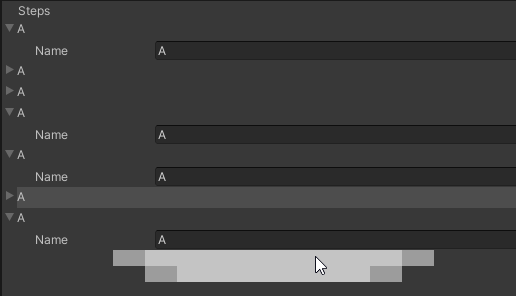 gloomy chasm
waxen sandal
<@!131292153300123648> So uhh about your array drawer https://i.imgur.com/t8tXxQ...
gloomy chasm
waxen sandal
<@!131292153300123648> So uhh about your array drawer https://i.imgur.com/t8tXxQ...
Did you apply all the style sheets?
waxen sandal
oh yeah maybe not 🤔
gloomy chasm
Also, did you change any of the names of the uss class, either in the USS or in the C# files?
gloomy chasm
waxen sandal
<@!131292153300123648> So uhh about your array drawer https://i.imgur.com/t8tXxQ...
Did you get it working?
waxen sandal
Haven't actually tried, got busy with other things
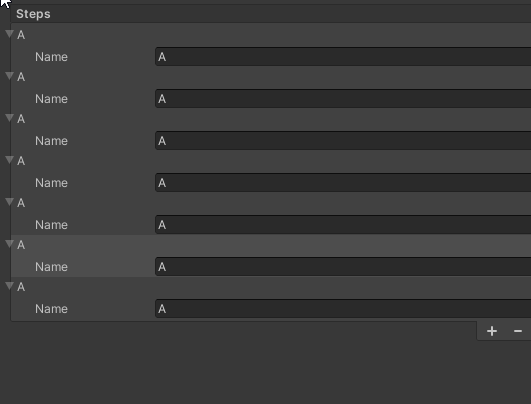
Hmm, not perfect smhw
Also how does re-ordering work?
Ah I need to add the manipulator
gloomy chasm
waxen sandal
Hmm, not perfect smhw
Yeah, it could definitively be better. I am working on a package for 'advanced' elements, and I will include a more refined version of this in it.
Going to have stuff like rename-able label, searchable popup, add component style dropdown, grid view, reorderable list, etc.
gloomy chasm
Right!? I think that is really the only control they are really missing that is used frequently in IMGUI.
Still annoys me that the UIElements Debugger isn't made with UITK 😛
(Or the QuickSearch window for that matter)
gloomy chasm
Oh really? That's nice at least. Too bad their TreeView is still internal... for reasons...
 steady crest
what is the correct USS property to tint the background of a button? nothing seems to work
trying to use the pseudo event in a USS file to create a tint on hover state but none of the properties seem to work
gloomy chasm
steady crest
what is the correct USS property to tint the background of a button? nothing see...
background-color:
gloomy chasm
In order for your style to override a default style it needs to have a higher specificity.
steady crest
it helps if you enable the stylesheet...
opaque zenith
I'm looking at trying to expand my read only attribute from what most basic guides do and wondering the route you guys would take. If SerializedPropertyType doesn't already have a type you can use in it, do you breakdown whatever type into a type that it has, or, create a custom drawer? For example, a custom class with a vector3, float, bool in it. Would you rather just do the SerializedPropertyType for each of those or?
gloomy chasm
opaque zenith
I'm looking at trying to expand my read only attribute from what most basic guid...
Given the context of extending the ReadOnlyAttribute, how does SerializedPropertyType relate to that?
opaque zenith
gloomy chasm
Given the context of extending the `ReadOnlyAttribute`, how does `SerializedProp...
I'm not sure if this ReadOnlyAttribute works the same as the things I found online, but,
[CustomPropertyDrawer(typeof(ReadOnlyAttribute))]
public class ReadOnlyDrawer : PropertyDrawer
{
    public override void OnGUI(Rect position, SerializedProperty prop, GUIContent label)
    {
        string valueStr;

        switch (prop.propertyType)
        {
            case SerializedPropertyType.AnimationCurve:
                valueStr = prop.animationCurveValue.ToString();
                break;
            case SerializedPropertyType.ArraySize:
                valueStr = prop.arraySize.ToString();
                break;
            case SerializedPropertyType.Boolean:
                valueStr = prop.boolValue.ToString();
                break;
            case SerializedPropertyType.Bounds:
                valueStr = prop.boundsValue.ToString();
                break;
            case SerializedPropertyType.BoundsInt:
                valueStr = prop.boundsIntValue.ToString();
                break;
as an example of what I'm doing
gloomy chasm
opaque zenith
I'm not sure if this ``ReadOnlyAttribute`` works the same as the things I found ...
Ehh, why are you getting a string value? Do you just display it in a label?
opaque zenith
gloomy chasm
Ehh, why are you getting a string value? Do you just display it in a label?
basically. And not sure, I'm fairly new to PropertyDrawers and this is just what I found online on for creating readonly attribute
gloomy chasm
opaque zenith
basically. And not sure, I'm fairly new to PropertyDrawers and this is just what...
What I do is just disable it...
[CustomPropertyDrawer(typeof(ReadOnlyAttribute))]
public class ReadOnlyDrawer : PropertyDrawer
{
    public override void OnGUI(Rect position, SerializedProperty prop, GUIContent label)
    {
      GUI.enable = false;
      base.OnGUI(position, prop, label);
      GUI.enable = true;
  }
}
I'm doing some more mesh manipulation things, and, I want to have one area to allow editing of these value, but, not necessarily allow editing of that value somewhere else, but still make it viewable. Maybe I'm taking the wrong approach
opaque zenith
gloomy chasm
```cs
[CustomPropertyDrawer(typeof(ReadOnlyAttribute))]
public class ReadOnlyDra...
oh okay, let me try this out. This may actually help with another question I had haha
gloomy chasm
opaque zenith
oh okay, let me try this out. This may actually help with another question I had...
I can't remember if you call base, or you do EditorGUI.PropertyField but I think base.
opaque zenith
gloomy chasm
I can't remember if you call base, or you do `EditorGUI.PropertyField` but I thi...
this is giving the correct info, but, also what looks to be No GUI Implemented combined with it
gloomy chasm
opaque zenith
this is giving the correct info, but, also what looks to be ``No GUI Implemented...
I just looked and this is what I do and it works for me.
public override void OnGUI(Rect position, SerializedProperty property, GUIContent label)
    {
        using (new EditorGUI.DisabledGroupScope(true))
        {
            base.OnGUI(position, property, label);
        }
    }
 gloomy chasm
opaque zenith
gloomy chasm
opaque zenith
What version of Unity and do you have anything else that could be messing with it?
opaque zenith
gloomy chasm
What version of Unity and do you have *anything else* that could be messing with...
2020.3.13f1 and let me see
does it matter at all this in the inspector?
and not an editor window?
gloomy chasm
opaque zenith
2020.3.13f1 and let me see
Maybe they changed the default implementation. Try using a EditorGUI.PropertyField
opaque zenith
gloomy chasm
Maybe they changed the default implementation. Try using a `EditorGUI.PropertyFi...
aha! Perfect. Also helps with some other things I was wanting to do with this readonly also
waxen sandal
Pretty sure it's been no gui implemented for a while
 warm lotus
i've seen some assets have a boolean variable in the inspector that reveals another variable when toggled, how can i replicate this?
waxen sandal
Custom editor that just cehcks whether it's toggled and if so draws something
 whole steppe
Hey guys, is there a way to apply a ContextMenuItem attribute to each element of an array?
when I try to right click in the inspector there's no additional options in the context menu
 median ravine
is it possible to make a custom selector for folders just like how Unity makes a filed to input game objects?
opaque zenith
median ravine
is it possible to make a custom selector for folders just like how Unity makes a...
Multiple routes you can take for this, but, one is to try EditorGUILayout.ObjectField in your editor script
median ravine
 cool thanks!
warm lotus
how do i draw a reorderable list? i get this error on list.DoLayoutList();
 gloomy chasm
warm lotus
how do i draw a reorderable list? i get this error on `list.DoLayoutList();`
gloomy chasm
warm lotus
how do i draw a reorderable list? i get this error on `list.DoLayoutList();`
Did you set the data list?
warm lotus
gloomy chasm
Did you set the data list?
list = new ReorderableList(serializedObject, cols, true, true, true, true);
alright i got it
I CANT FUCKING BELIEVE IT
i just set the serialized property to the wrong variable
and it gave me the error
 warm lotus
oh yes thank you
gloomy chasm
Uh, so UITK events are not triggered if the window is in a tab in a window and not being shown... is there a callback for when a window was not shown but now is?
median ravine
would it be better to make an Editor folder with all my custom editor scripts? or could i just make the editor script at the bottom of the script im editing and add the #if UNITY_EDITOR tag?
whole steppe
I have a problem with pro builder where there is a mesh but it is not visible
 median ravine
no material on it?
whole steppe
default material
median ravine
try adding a custom material on it and see if that does anything
whole steppe
ok

still not visible in scene after i added the test material

there is supposed to be a path
median ravine
did you drag the test material into the material box for the mesh collider? if not try doing that
whole steppe
ok
median ravine
oh, also see if your object has no 0 on the XYZ axis'. could be flat on one of those

 whole steppe
the mesh slot is filled but can't find the mesh when i click on it
gloomy chasm
median ravine
would it be better to make an Editor folder with all my custom editor scripts? o...
1000% use the Editor folder for editor only scripts.
median ravine
gloomy chasm
1000% use the `Editor` folder for editor only scripts.
will do thanks!
 lilac canyon
I am making a 3d tilemap editing system from scratch where all the tiles are currently just unique prefabs, and I am having trouble with how I want to reference and store the prefabs. Right now I have a folder in my Resources folder called "tiles", and it is full of my tile prefabs. I want my system to work both in the editor and in the game, so I need to be able to detect when the contents of that folder are changed so that I can add/remove tile selection buttons in my tile palette/painter window. How can I detect when a tile prefab is added or removed in the editor? Is the Resources folder even the right way to go with this type of thing?
lilac canyon
I just added a refresh button and it is good enough so long as I'm not planning to sell this thing haha.
gloomy chasm
lilac canyon
I just added a refresh button and it is good enough so long as I'm not planning ...
You can use AssetPostprocessor with the message OnPostprocessAllAssets(string[] importedAssets, string[] deletedAssets, string[] movedAssets, string[] movedFromAssetPaths)
You can then check the path to see if it is in your resources folder. This is of course editor only.
lilac canyon
Cool.
In build it is easy to know when the player might create a new tile so I'm all set. Thanks @gloomy chasm
gloomy chasm
lilac canyon
In build it is easy to know when the player might create a new tile so I'm all s...
Sure thing!
whole steppe
can't see the mesh

 sick pulsar
Hi all. Can anyone think of a way to... be able to select multiple objects in the hierarchy and convert that selection to all light maps that those objects are occupying? I want to be able to adjust compression settings for the light maps on a per object basis and I have many many objects in the scene. Currently, it seems you can only select the object and then click the light map preview to highlight the light map in the project window, which will then allow you to change the settings for that given object.
waxen sandal
Are you asking how to create an extension to do that or how to do that in the UI?
warm lotus
im trying to replicate the "length" field in reorderable arrays, and its working very well and im happy with the result, but it updates the list instantly instead of waiting for the mouse to focus out of it, is there a way to do that? i dont know what this term is so i cant google it
warm lotus
that works, thank you
 earnest drift
I'm having issues with using ILPostProcessor. It seems that the assemblies are compiling my changes, I can see them using a decompiler. But the engine doesn't load the changed assemblies until it's restarted.
 kind monolith
hey, I'm trying to create an app that can do stuff with an API and I'm having issues understanding how to integrate that into Unity
firstly, is this the right place to ask?
waxen sandal
If your goal is to extend the unity editor then yes otherwise no
Also your question has no substance
kind monolith
extend... somewhat
kind monolith
waxen sandal
Also your question has no substance
what do you mean?
I mean, I would've explained further if I got the confirmation that indeed this is the channel
so, I've just downloaded the NuGet of the API I need to work with (YouTube) and the script itself doesn't give me any errors, but Unity doesn't seem to like that
it gives me an error saying it can't find the namespace
strangely enough there's not much documentation of this I could find online
waxen sandal
Unity doesnt support nuget
waxen sandal
kind monolith
what do you mean?
I mean that there's so little information that it's hard to give an answer
kind monolith
any other way to circumvent this
waxen sandal
You can copy the dlls from the nuget and put them in unity
kind monolith
waxen sandal
You can copy the dlls from the nuget and put them in unity
oh
waxen sandal
But there's no guarantee that it'll work on all platforms
kind monolith
I've found some things related to this being a bit buggy
because the dlls may have similar or equal names
and that may mess with unity
kind monolith
waxen sandal
You can copy the dlls from the nuget and put them in unity
so I guess that's a possible next step
as of now I must go but I may let you know what happens when I try it
bye and thanks for this small part
opaque zenith
is there a built in way to make DrawDefaultInspector(); collapsable in inspector? So it can still be viewed it wanted, but, default is collapsed? I guess I could just add a toggle, but, is there a better way?
waxen sandal
Foldout around it
opaque zenith
waxen sandal
Foldout around it
okay ty, will check it out!
opaque zenith
is there any benefit to checking if a serializedObject has modified properties before applying modified properties at the end of OnInspectorGUI()? Outside of bug checking and limiting ranges
lilac canyon
I am working on buttons with tile thumbnail previews for my 3d tile editor and I am having trouble with my tile preview buttons. When refresh is clicked I look through the tile folder, and then I call this function ```private static void CheckTileThumbnails() {
if (thumbnailsUpToDate || tilePreviews == null)
return;
    thumbnailsUpToDate = true;
    for (int i = 0; i < tilePreviews.Length; i++) {
        if (tilePreviews[i] == null) {
            Debug.Log("Waiting for" + i.ToString() + " thumbnail.");
            thumbnailsUpToDate = false;
            tilePreviews[i] = AssetPreview.GetAssetPreview((GameObject)tileObjects[i]);
        }
    }
}```
and the meat of that runs until thumbnailsUpToDate is set to true (it doesnt find any null tile previews). It ran forever the first time I tried to run it. It was hung up on loading the preview for "testcover" as I would expect. But now it doesn't even call the debug line at all. Is there something wrong with how I am checking if the preview is loaded?
 lilac canyon
Oh, I figured out why it didn't run the second time. It is because I didn't have a scene view open and the function is connected to the event SceneView.duringSceneGui. Still doesn't explain why the cover preview never loads.
 normal cradle
Hey, I was wondering how I could create a projected trajectory path for an object before actually clicking play I made a gravity script for all objects And I would like to see the trajectory they would@take beforehand So I can tweak the initial velocity until I reach an orbit
normal cradle
;-;
near vale
normal cradle
Hey, I was wondering how I could create a projected trajectory path for an objec...
You need this to work outside of play-mode, correct?
normal cradle
yes
near vale
For trajectories, I think splines might be a solution? I haven't implemented it myself but I ran into this in the Unity Learn course on Editor Scripting (step 5) https://learn.unity.com/tutorial/editor-scripting#5c7f8528edbc2a002053b5fa

Unity Learn
Editor Scripting can help you customize and extend the Unity editor to make it easier to use on your projects. This tutorial covers the basics of editor scripting, including building custom inspectors, gizmos, and other Editor windows.
waxen sandal
Gizmos/handles to draw
near vale
If splines don't do the trick you can also check out Handles.DrawBezier https://docs.unity3d.com/ScriptReference/Handles.DrawBezier.html
waxen sandal
But you have to calculate it yourself
 real ivy
Haloo all
No matter what i do, i cant seem to change label text on callback
I use that execute.StartingIn(100) from some other patchup solution, but yeah. With or without it, it still doesn't work
The debug log shows the right changed value tho

 cold robin
hello, i hope this is the good place for my question
I'm trying to extend timeline, i want to have a thing like signal, but not with signal, i explain
I have my own marker, wich have a unity event variable in it, but i cant drag and drop scene object in my event
If i have a GameObject variable, its the same
But i have see (and try) that with "ExposedComponent<Type>" and an editor, you can drag and drop scene object in it, so i have do that for my gameobject variable and it work, now i have just to do that for the unity event, but i can't expose it
I have watch a bit the unity script about signals, and they use event, but i can't find how they do for letting us drag and drop scene object in it
sick pulsar
waxen sandal
Are you asking how to create an extension to do that or how to do that in the UI...
Either/Or. It does not seem possible in UI, that's why I'm posting the question in "editor-extensions"
 outer condor
Has anyone been able to build Bolt AOT from the command line? It seems like Bolt is tightly coupled with something in the Editor UI so any calls to it throw Null or Invalid Operator exceptions.
waxen sandal
Think there's a bolt specific server that can probably answer that better@outer condor
outer condor
Oooh! WHere can I find that?
waxen sandal
Forums iirc, there's also #763499475641172029 here
outer condor
Thanks! I tried on the forums, I'll try in the VS channel here. Ludiq's old forums seem deprecated since the acquisition
kind monolith
well uh
Navi, remember this problem here last time?
Well, where exactly am I meant to find those dlls you were talking about?
there's a folder within the unity project called Packages and it does have its fair share of dlls
but it has a lot of other things along with it
waxen sandal
You can extract the nuget package using 7z if you're the nuget guy at least
kind monolith
waxen sandal
You can extract the nuget package using 7z if you're the nuget guy at least
uhm, you mean the nugkp file?
outer condor
@kind monolith I added my first DLLs last week and was pleasantly surprised that I could just drag them into the project and they work.
waxen sandal
Yes
kind monolith
outer condor
<@!852080599589453836> I added my first DLLs last week and was pleasantly surpri...
that is some morale up stuff
kind monolith
waxen sandal
Yes
ok then, I have a weird history with that
I have downloaded that once, but I may have deleted it or moved it in a weird place, going to look at it further and try it
outer condor
@kind monolith Yeah, the preview package docs point you to places to get these things called packages that don't actually work with the package manager and there is no documentation telling you what you're supposed to do with them.
kind monolith
waxen sandal
You can extract the nuget package using 7z if you're the nuget guy at least
is winrar ok for this?
kind monolith
how am I meant to get there though?
I don't get any extract options
when I right click
maybe open with winrar...?
waxen sandal
Probably
Idk how winrar works
You can probably open it and find the file somewhere
kind monolith
waxen sandal
You can probably open it and find the file somewhere
what file?
the dlls?
waxen sandal
You locate the nupkg with winrar then extract it and it'll have the dlls somewhere in there
outer condor
@kind monolith I'm not sure what your actual issue is, I'm just chiming in because I ran into problems with nuget packages recently and the docs don't explain them. I was trying to integrate Cecil into Unity to parse IL code. I was able to just drag the DLL out of lib/(netstandard2.0 or net40)/ and into my project
kind monolith
outer condor
<@!852080599589453836> I'm not sure what your actual issue is, I'm just chiming ...
what's going on is that I'm trying to make something that's able to do things with your google accounts
youtube specifically
I know there's an extension plugin thing for some youtube things, but this seems much more convenient
also that plugin seems to only be about playing videos, which is not what I need
uhm
opening the nupkg file makes only two new things come up
remember, this nupkg is inside what seems to be an almost identical copy of what's in it
it's weird to explain
but anyway, this nupkg has two new folders here
_rels
package
do I need either?
if we need lib (which I don't find likely), then we already have that (know I installed this via vs packet manager)
outer condor
I've only ever pulled DLLs out of a nupkg. I assumed the other stuff was specific to how the package gets distributed.
kind monolith
uhm
I think it may be better to download just the raw nupkg instead
there was a download link somewhere on nuget.org or soemthing
anyway, if I supposedly found those dlls, where would I put them?
Assets? Somewhere in the Unity files?
outer condor
I'd make a folder like Assets/Plugins/(Name of the thing)/(drop DLLs here)
I think that should do it.
I did not end up using mine and found another solution to my problem, but I was able to access them in my code, so I think that's the way to add them.
My stuff was for editor only
So I do not know about how well they'll work on other platforms.
kind monolith
uhm
so if I potentially wanted this to work on phone, maybe it may not work? Is that what you're saying or am I trashy?
outer condor
I'm just saying that this is where my knowledge runs out and I can't give you an answer.
😦
Should be easy enough to compile and find out though 😄
kind monolith
uhm
what the heck is a nuspec?
well
but anyway...
searching for .dll in that nupkg I extracted gives me 5 results
they're all the same name, and I don't know why?
they come from 5 different folders each and this really confuses me
outer condor
which version of C# are you using in your project?
kind monolith
are there meant to be more? Do I only need to have one?
kind monolith
outer condor
which version of C# are you using in your project?
uhm, that is an annoying thing to ask
how would I check that exactly?
outer condor
Gimme a sec, I'll find an example
In Edit > Project Settings > Player > Other, you'll see a section labelled "Configuration"

It's going to be one of the two.
outer condor
Typo. I meant Edit
kind monolith
yeah
outer condor
My package folder looked kind of like this

So I picked netstandard2.0 since that was the API my project was set to at the time
But if I had 4.x set in my player, I think I would have picked net40
kind monolith
hm
I'm netstandard2.0 as well
ohh
so I need to cherry pick that one specifically?
outer condor
I think so
kind monolith
but are you sure maybe only the dll?
well, it makes more sense to copy them all so yeah
seems like we do actually finally have a direction now
we also have stuff like directory errors with google
so I assume I need to chuck those in too
outer condor
I am not sure. You can check though. Once you drag it in, click on it and look in the inspector. The inspector window will show you this screen, and it lets you set what platforms you want to use the DLL on

And then when you go into your code editor you can start typing the namespace name of the thing and see if you get suggestions for autocomplete
outer condor
Progress!
kind monolith
vs recognizes the thing but unity doesn't
no
it always was like this
added all the other things inside the net2.0 thing
4 out of 5 errors tell me it may be better after all to add that newtonsoft guy in as well
ok then, did tha
Assembly 'Assets/Plugins/auth/Google.Apis.Auth.dll' will not be loaded due to errors:
Unable to resolve reference 'Newtonsoft.Json'. Is the assembly missing or incompatible with the current platform?
Reference validation can be disabled in the Plugin Inspector.
4 out of 5 errors go like this
this pattern
the other one is this for some reason **Assembly 'Assets/Plugins/auth/Google.Apis.Auth.PlatformServices.dll' will not be loaded due to errors:
Reference has errors 'Google.Apis.Auth'.
**
have any idea what either of these means?
my only hypothesis is that maybe the name of the folders I put them in hecks them up?
maybe I could try removing them from their folders to see if that changes anything
if it does, it may make more sense to believe changing their names may change something
though it's still dumb
warm lotus
i'm using serializedProperty to draw enums on a custom inspector, but they dont initialize with the initial values, instead they initialize with the default values, how can i change that? and if not possible, what else can i use for drawing enums?
kind monolith
what? I moved them out of the folder and clearing the errors actually did wipe them, even when I tried playing? I'm going to try to see if things work from here
outer condor
I think Newtonsoft.Json is referring to Newtonsoft.Json.dll
waxen sandal
You got to add those dependencies as well to your project
And they'll liekly throw errors when you try to use any of their APIs
kind monolith
uhm
it's not like I didn't add them
I did and for some reason I was allowed to clear my error output
and now even when I start playing it won't give me those errors again
no idea why this happened but there's no telling it's going to work yet
so I'm going to try and finally learn some things about the api
though it's going to be complicated
I assume nobody here knows about youtube v3 api?
kind monolith
yeeeahh
may have to learn that on my own
what I'm worried about mostly is logging your channel in this
I'll also need help with actually storing your settings
warm lotus
warm lotus
i'm using `serializedProperty` to draw enums on a custom inspector, but they don...
anyone?
 warm pendant
Hey guys Im building a small little audio tool for myself as a package. The package itself works and I even managed to make into a thing people can download with the built in PackageManager using git which made me very happy. But only recently I realized that a project with my package in it cannot be built. When I try to build it I dont even get a proper error message. Instead just this little warning I attached shows up. What would even cause that?
[Put it in here because the package is mostly EditorExtensions and was unsure where to put this question]
 lilac canyon
I'm trying to make previews on my buttons but the preview for one will never load. Anyone know how to make it load? My searches haven't found much on the topic.
 gloomy chasm
lilac canyon
I'm trying to make previews on my buttons but the preview for one will never loa...
gloomy chasm
lilac canyon
I'm trying to make previews on my buttons but the preview for one will never loa...
You will have to share some of the code.
Hard to tell you what is going wrong without knowing what you are doing right now.
 drifting fractal
Is there a reasonably simple way to remove some of these rarely used items from the Create menu?
 lilac canyon
@gloomy chasm Understandable. However it doesn't load in the project view either. I think the reason the preview does not load is beyond my code. Either way, here is a pastebin of the relevant code https://pastebin.com/Kg01hNuM

Pastebin
Pastebin.com is the number one paste tool since 2002. Pastebin is a website where you can store text online for a set period of time.
gloomy chasm
lilac canyon
<@!131292153300123648> Understandable. However it doesn't load in the project v...
The problem is that the prefab does not have any components that are renderers. I assume at least.
lilac canyon
Oh, that makes sense. It is the only one of the three where the mesh renderer is on a child object of the root object of the prefab. I did this to make sure it is offset from the center of the of the grid cell so it sits on the block below it cause the block is only about .4 units tall. It doesn't seem like I can just put the mesh renderer on the parent so I will need to look into how to get this effect in another way unless you already know.
 wintry frigate
dearest editor unity inspector extension crew: i have a question. Sometimes, you dont want to assign a ton of stuff with get component in awake or start, even in a coroutine. Sometimes, you want it assigned in inspector, which, i think at least, is faster and cheaper than looking it up as it gets cached i hope. However, sometimes, because unity magic gods decide you are not worthy, you may lose all these references, and in my case, this is a lot...like, a lot a lot. I was wondering if its even possible to have some kinda editor extension that would find all unfilled serialized/public fields that are empty (i know this muh to be possible) but then, check each one and see if like, in my case, it can only take exactly ONE possible object from hierarchy view, and then this script i am imagining would be able to autofill all empty serialized/public fields where there is only one possible optioin (this is in prefab mode only)
waxen sandal
There's a bunch of plugins that add attributes that let you do that
E.g. find in children, find on self, find in parent etc..
wintry frigate
really?
i mean i just want something that iterates through everything in the prefab mode in inspector, and if theres only one possible choice, pick that
 shell furnace
Hey everyone, happy Friday 
I'm upgrading my project from the 2019 LTS to the latest (v2020.03.15f1) and an important plugin is now conflicting with what looks like a new DLL that was introduced for internal use only (Newtonsoft.JSON.2.0.0). I've tried to remove the plugin's DLL but it needs v9.0.0. I've also gone and replaced the PackageCache versions of the DLL with those that work (removing the instance in the plugins directory as well) to no effect. Is there a way I can simply have both coexist? Seems bonkers that Unity still doesn't have an intelligent package manager for this kinda stuff.
I should point out that my google searches thought the forums all indicate to do things like this.
waxen sandal
Well, C# doesn't really have robust dependency handling either compared to some other languages however it provides more tools to do so
You can copy the package folder from packagecache to Packages and keep changes and persist them (otherwise they will not be in version control etc...)
And then change the DLL to your version, unless Unity also depends on a specific version
shell furnace
So just copy out the directory from PackageCache to Packages then cut the DLL's from the plugins directory into the one we put in packages. I'll give it a shot.
and ty regardless
shell furnace
would this solution get overwritten in standard day-to-day workflows or outside of initial fix there shouldn't be a problem?\
waxen sandal
Shouldn't be
shell furnace
🤞
shell furnace
@waxen sandal looks like there's a dependency with PlasticSCM ```Assembly 'Packages/com.unity.collab-proxy/Lib/Editor/PlasticSCM/unityplastic.dll' will not be loaded due to errors:
unityplastic references strong named Newtonsoft.Json Assembly references: 12.0.0.0 Found in project: 9.0.0.0.
Assembly Version Validation can be disabled in Player Settings "Assembly Version Validation"
Are you using plastic or unity collab?
If not you can probably remove the package in the package manager
shell furnace
I'm not, I'll try to remove it then.
Making progress! Works, now I'm going to document the process and 🤞 it will just work easy.
QQ though, this means that my other plugin needs to be updated to use Newtonsoft.Json 12.0.0 if I ever need to use collab/plasticscm in unity correct?
shell furnace
indeed. software is fun like that
waxen sandal
They just all need to use the same version, doesn't matter which really
Could be worse
I have to coerce a third party plugin to update a dependency to solve my issue
shell furnace
my only concern is that it's 3 major revisions difference but in some project's that's not as big a deal as others.
waxen sandal
I don't think it's that big of a deal with netwonsoft.json
waxen sandal
😄
shell furnace
you got a patrion @waxen sandal or shall I just send you eternal thanks? 😉
waxen sandal
Just thanks is enough 😛
shell furnace
if my kids convince me to get a cat I'll see if we can name it Navi. My daughter's name is Zelda so a good chance of that.
and while(true) { print("thanks"); }
sick pulsar
Is there a way to select multiple objects in the hierarchy and convert that selection to all light maps that those objects are occupying? And if not how would I go about adding that functionality?
Currently, it seems you can only select the object and then click the light map preview to highlight the light map in the project window, which will then allow you to change the settings for that given object. This takes too long when you have close to 100 lightmaps that you want to identify and updates settings on.
 fresh plume
Hi i make custom editor and i want to when i Toggle one variable than it shows another hidden variable.it works, but the hidden variable always show in bottom. Ho can i fix It? ```csharp
using System.Collections;
using System.Collections.Generic;
using UnityEngine;
using UnityEditor;
[CustomEditor(typeof(GunShooting))]
public class CustomEditorGun : Editor
{
SerializedProperty auto;
void OnEnable()
{
    auto = serializedObject.FindProperty("auto");
}
public override void OnInspectorGUI()
{
    DrawDefaultInspector();

    GunShooting script = (GunShooting)target;
    if (script.oneMode == false)
    {
        EditorGUILayout.PropertyField(auto);
    }
}
}
Thanks.
waxen sandal
sick pulsar
Is there a way to select multiple objects in the hierarchy and convert that sele...
https://github.com/Unity-Technologies/UnityCsReference/blob/master/Editor/Mono/Inspector/RendererLightingSettings.cs#L518 I think this is the method that Unity uses to find the lightmaps for a given meshrenderer

GitHub
Unity C# reference source code. Contribute to Unity-Technologies/UnityCsReference development by creating an account on GitHub.
You can use the Selection class to find the current selection then look at the code in that method above to find the actual textures and change their settings
Never done this so no idea if that works but looks like a decent way to do it
opaque zenith
serializedObject.ApplyModifiedProperties(); is just doing a setdirty / saveassets?
gloomy chasm
opaque zenith
``serializedObject.ApplyModifiedProperties();`` is just doing a setdirty / savea...
No, when you edit a SerializedProperty it edits it on the C++ side, so when you apply, those are set on the C# side.
opaque zenith
gloomy chasm
No, when you edit a `SerializedProperty` it edits it on the C++ side, so when yo...
okay, ty
fresh plume
Could somebody help me Please or I did something wrong? https://discordapp.com/channels/489222168727519232/533353544846147585/873287480160432170
gloomy chasm
fresh plume
Could somebody help me Please or I did something wrong? https://discordapp.com/c...
You use a toggle.
fresh plume
gloomy chasm
You use a toggle.
i Should use?
gloomy chasm
fresh plume
i Should use?
Yes, or just a field.
EditorGUILayout.PropertyField(boolSerializedProp);
if (boolSerializedProp.boolValue)
{
// Other fields you want to show here...
}
        EditorGUI.BeginChangeCheck();
        EditorGUILayout.PropertyField(serializedPropertyMyColor);
        if (EditorGUI.EndChangeCheck()) humanModel.MyColor = serializedPropertyMyColor.colorValue;
is doing everything I'm looking for now with color inspector changes through
    [SerializeField]
    Color myColor = new Color(0.0f, 0.0f, 0.0f);
    public Color MyColor
    {
        get {return myColor;}
        set
        {
            myColor = value;
            MyMaterial.color = myColor;
        }
    }
but, I'm checking if any better way?
fresh plume
gloomy chasm
Yes, or just a field.
```cs
EditorGUILayout.PropertyField(boolSerializedProp);
i...
no, the problem is that i want to show the hidden variable in order like is write in the original script.
 opaque zenith
I guess, is there a way to get the getter/setter of a serialized property instead of the actual property?
fresh plume
?
gloomy chasm
opaque zenith
I guess, is there a way to get the getter/setter of a serialized property instea...
What are you trying to do.
To answer your question, no. The reason is that contrary to the name, a SerializedProperty has nothing to do with C# properties (getter and setter). It is a representation of the fields that are saved. Only public fields (no get or set) and private fields with the [SerializeField] attribute are saved.
gloomy chasm
Yes, you can even have 1000 if you have a wide enough monitor 😛
GUILayout.BeingHorizontal();
// Controls you want on a single line...
GUILayout.EndHorizontal();
Cool! Well good luck! There is a lot of info you can find on google, and you can always ask here if you have more questions.
I always recommend googling first, especially when you are getting started because someone has probably wanted to do that before and asked already 🙂
fresh plume
hi i have the problem that my bool value after custom editor is'n clickable.```csharp
EditorGUILayout.PropertyField(serializedObject.FindProperty("oneMode"));
if (script.oneMode == false)
{
EditorGUI.indentLevel++;
EditorGUILayout.PropertyField(serializedObject.FindProperty("single"));
EditorGUILayout.PropertyField(serializedObject.FindProperty("burst"));
EditorGUILayout.PropertyField(serializedObject.FindProperty("auto"));
EditorGUI.indentLevel--;
}
    [Header("Modes")]
    public bool oneMode = true;
    [Header("Singe")]
    [HideInInspector]public bool single;
    [Header("Burst")]
    [HideInInspector]public bool burst;
    [Header("Auto")]
    [HideInInspector]public bool auto;
 visual stag
Are you applying the changes to the serialised object?
 deep wyvern
I guess this counts as Editor Extensions:
VSCode isn't able to detect errors in my project. I have it selected under external tools. I clicked reset argument and regenerate project files with all selected but it didn't help.
The unity VSCode package is installed in the project and up to date. The only VSCode extensions active are C# and UnityCodeSnippets

And ofc I tried to google but I couldn't make sense of it. Most hits were about intellisense which is working for me
visual stag
It's a part of the configuration setup.
Also, this channel is for creating editor extensions
deep wyvern
The code completion is working fine if thats why you tagged readme.
visual stag
Also look at all the console outputs, not just the problems view to see if it's saying you need to install something. Though you should just check the installation instructions again as it's likely just something you have missed.
 surreal stirrup
how can i get a component of an object?
public void OnGUI()
    {
        sphere = EditorGUILayout.ObjectField(sphere, typeof(Object), true);
        if (GUILayout.Button("add orbiting"))
        {
            Object newS = PrefabUtility.InstantiatePrefab(sphere);
            newS.GetComponent<Rigidbody>().velocity = Vector3.right; //this line
        }
    }
 surreal stirrup
fixed it withcs GameObject newS = (GameObject)PrefabUtility.InstantiatePrefab(sphere);
gloomy chasm
😉
var comps = GameObject.FindObjectsOfType<MyComponent>();
foreach(var comp in comps)
  comp.myValue = 1;
 slender jetty
Hey 🙂 I am working on a small editor window for my conversations, and was wondering if there was a good way to add a colored area at the top of the windows to differentiate different types?
 gloomy chasm
slender jetty
Hey 🙂 I am working on a small editor window for my conversations, and was wonde...
gloomy chasm
slender jetty
Hey 🙂 I am working on a small editor window for my conversations, and was wonde...
EditorGUI.DrawRect
slender jetty
Does that follow the rounded corners?
gloomy chasm
slender jetty
Does that follow the rounded corners?
No, it just draws a rect in a specific color. If you want to handle the rounded corners then you will need to make a texture that has the corners that you then can tint.
slender jetty
gloomy chasm
No, it just draws a rect in a specific color. If you want to handle the rounded ...
Might be more work than it's worth, tbh...
It might actually be fine with DrawRect. Thanks

Thought it would be nice before I introduce branching paths and such that you can quickly see which are what kind.

 waxen sandal
You mean Indent?
waxen sandal
EditorGUI.Indent or EditorGUI.IndentLevelScope
 mystic jolt
ooo
lilac canyon
I have a tilemap of prefabs class with tools to paint prefabs on it and I am having trouble figuring out how to make its references to the prefabs painted on it persist when the code recompiles. The monobehavior is set to execute always, and when painted on, it adds the new prefab into a hashtable with coordinates as keys. I don't want to force it to look at all its childeren and add them to the hashtable each time I recompile my code and slow my iteration speed. Does anyone know how the official tilemap package saves its data?
 feral topaz
I'm adding a helper which removes (actually seralizes and saves) all script components on a game object. But I discovered that if the scripts have dependencies between them (with RequireComponent), it will fail if the order isn't correct. Is there a way to remove a set of components in a batch?
feral topaz
[update] I implemented reverse topological sort, so past that problem
mystic jolt
how do i scale the length of this

heres my code

i've use GUILayout.ExpandWidth() but it still be like this
 visual stag
Try to temporarily override EditorGUIUtility.labelWidth
 barren moat
How hard is it to write an array property drawer?
I'm trying to write a pretty simple drawer that fixes the array to length of an enum and prints out the enum element names instead of indexes
It's not doing what I expected...
waxen sandal
You have to create a wrapper class unfortunatley
barren moat
oh that's annoying. Although I guess that means I can make it generic which is kind of good in this case.
Okay, shelving this project for now haha
slender jetty
Is there an easy way to detect changes in an EnumFlagsField? I'd like a drop down in my conversation window to create a new node, where you click on an a value in an enum selector and it creates that one? I have ways to do it, but is there a good way to just tap into the value being updated?
Pseudo-code example of what I plan to make if not, just asking if there is a better way
nodeType = EditorGUILayout.EnumFlagsField((ConversationNodeType) nodeType);
If(nodeType != NodeType.CreateNewNode){
  // Logic to create new node
  nodeType = NodeType.CreateNewNode;
}
Pretty new to working with editor extensions
whole steppe
theres a method in the EditorGUI class called beginchangecheck i think
then you can make an if statement with the end change check
and if there was a change itll do the elements insdie the if statement
slender jetty
Thanks, I'll take a look at that 🙂
slender jetty
It looks fine. Slightly wish there was a call back OnChange function for the EditorGui methods as an option though
gloomy chasm
After an hour or so of brainstorming and reading the source code I have concluded that there is no way to find out which control is for which MaterialProperty in the material inspector, and that makes me sad.
I can get the stacktrack, and the rects of the controls. But no way to get the MaterialProperty without using Harmony 😦
gloomy chasm
How do you get hidden(HideInHierarchy) subassets? I can't actually find a way to access them...
@visual stag It's been a bit since the conversation, but I don't think I have showed you yet I got ScriptableObject Variants working nice.
They update immediately too!
feral topaz
gloomy chasm
After an hour or so of brainstorming and reading the source code I have conclude...
what does that mean? I can't make sense of your issue
gloomy chasm
feral topaz
what does that mean? I can't make sense of your issue
Haha, sorry I didn't really explain it well. Basically I want to add the little blue bars to fields in the inspector for Materials (the inspector shown when a material is selected) like what you see when a prefab property is overridden.
But there is no callback or anything when one of the fields is drawn, so I have no way of checking if a specific MaterialProperty should have one of the blue bars or not when drawing.
Like there is an internal event Action<Rect, SerializedProperty> beginProperty which is called before a Property field is drawn. But there is nothing like that for when a MaterialProperty is drawn.
feral topaz
beyond my pay grade at the moment, but can you make a custom ShaderGUI and set it for all materials?
gloomy chasm
feral topaz
beyond my pay grade at the moment, but can you make a custom ShaderGUI and set i...
Yeah, it is a pretty deep and niche thing.
That would indeed work for just default custom shaders. However a lot of shaders (including the standard one) use custom ShaderGUIs so it wouldn't work for them, and for my use-case that makes it pretty useless unfortunately. 😦
waxen sandal
gloomy chasm
<@!332468003151282176> It's been a bit since the conversation, but I don't think...
Looks pretty sweet
gloomy chasm
waxen sandal
Looks pretty sweet
Thank you! It is admittedly pretty nice. Low levels of jank.
cold robin
Hey, with a script editor, if i click on a GUILayout.button, my selection.activeGameobject change to take the good gameobject
in this gameobject, i have a script (a data script) with a list, does somebody know how to open the list at the good index ?
like, if i click on the button, my selection.activegameobject = data.gameobject
and then my data.list is open at index 0 for exemple
 primal heron
lilac canyon
I have a tilemap of prefabs class with tools to paint prefabs on it and I am hav...
primal heron
lilac canyon
I have a tilemap of prefabs class with tools to paint prefabs on it and I am hav...
the tilemap saves things like transform, color, flags and other info it gets from the GetTileData method in your tile into indexed lookup tables in the scene file. It only saves data from the Tile and TileBase classes. Adding fields to Tile subclasses so that such data are saved in the Scene doesn't work without additional work, but it can be done. Unsure if this is precisely what you are asking about though.
opaque zenith
can I not change a project name through serializedObject.targetObject.name? It seems to change the name, but, upon a save, reverts back
gloomy chasm
opaque zenith
can I not change a project name through ``serializedObject.targetObject.name``? ...
You mean object name? How are you saving it and for what type of object?
lilac canyon
primal heron
the tilemap saves things like transform, color, flags and other info it gets fro...
Thanks. You gave me what I wanted to know. Now I have a good lead on what to learn about next! I'm just terrible at writing questions without rambling haha.
primal heron
lilac canyon
Thanks. You gave me what I wanted to know. Now I have a good lead on what to lea...
Hey no problem. Tilemap internals are opaque but not imponderable
 grim walrus
Another dodgy question, though isn't important its just a nicety...
I'm collecting serialized data from all of the scenes, data is then displayed in a dropdown and choosing it copies the relevant data from that property to the current (so component A is in scene 1 and 2, I can make the scene 2 component copy the scene 1 stuff)
In order to use it however I have to use a menu function to obviously go through each scene and get the data needed.
Problem is, this is for people.
Having them constantly click collect components/properties may be annoying and may not be used.
Without using this menu function, can I silently load a scene and get the data from it?
Obviously, don't want to stop the flow so don't want to load a scene, I also don't want them to have to click the collect when they add a component...
If not then you know, suffer
whole steppe
anyone knows how to fix?
waxen sandal
Wrong channel
waxen sandal
#💻┃unity-talk is probably better
Also, if you're using git I would try using the git client to check for merge conflicts
whole steppe
im using Unity Collaborate lol
waxen sandal
Unity collaborate uses git afaik
waxen sandal
grim walrus
Another dodgy question, though isn't important its just a nicety...
I'm collecti...
I remember something like this being possible but I might be misremembering
oak cradle
Hi, is there any way to check if a custom inspector is inherited?
I want to do something like this:
if (script is ClassA)
  EditorGUILayout.LabelField("This script is base class!", EditorStyles.boldLabel);
else
  EditorGUILayout.LabelField("This script is derived!", EditorStyles.boldLabel);
The inspector or the class?
oak cradle
inspector
or not? I mean, I want only one custom editor, and this editor is derived to class that is derived from another class.
I have base class with custom editor, and I want to show label if component is this class or not.
waxen sandal
Can you post some psuedo code
oak cradle
I have class InteractableObject as base, and it have custom editor:
[CustomEditor(typeof(InteractableObject), true)]
public class InteractableObjectEditor : Editor
{
  public override void OnInspectorGUI()
  {
    InteractableObject script = (InteractableObject)target;
    if () //if this inspector is Interactable or not
      EditorGUILayout.LabelField("This script is base class!", EditorStyles.boldLabel);
    else
      EditorGUILayout.LabelField("This script is derived!", EditorStyles.boldLabel);

    DrawDefaultInspector();
  }
}
and some other classes, which inherit InteractableObject, like this:
public class Brake : InteractableObject
{
    [SerializeField] private GameObject brake;
    [SerializeField] private GameObject brakeMounted;

    protected override void OnShowInPosition()
    {
        brake.SetActive(false);
        brakeMounted.SetActive(true);
    }
}
and I want to show label if component is InteractableObject, or derived. And I don't want to create another Editor because I have many scripts like this.
Ok, nevermind, I got this.
if (script.GetType().IsSubclassOf(typeof(InteractableObject))) // checks if subclass
  EditorGUILayout.LabelField("This script is derived!", EditorStyles.boldLabel);
else
  EditorGUILayout.LabelField("This script is base class!", EditorStyles.boldLabel);
Yeah that works
Or you could just compare type
if script.gettype == typeof(interactableobject)
oak cradle
This looks better, thanks 🙂
grim walrus
waxen sandal
I remember something like this being possible but I might be misremembering
I haven't found much but then again I haven't gone into a deep dive for it
waxen sandal
grim walrus
I haven't found much but then again I haven't gone into a deep dive for it
Maybe this works? https://docs.unity3d.com/ScriptReference/SceneManagement.OpenSceneMode.AdditiveWithoutLoading.html
Or maybe j ust this https://docs.unity3d.com/ScriptReference/SceneManagement.SceneManager.GetSceneByPath.html and then GetRootGameobjects?
grim walrus
I'm currently going through all scenes with open scene, doing my search, loading the next.
Was going to try additive without loading but a bit uneasy about what it might give me
waxen sandal
You load the scene normally and then unload it and iirc that's the same as what you'll get with additive without loading
stray iron
Does anyone know how to create array list inside EditorWindows? This is for Unity Editor function, not to be used at runtime.
I tried this but found issues. It still works, but would like to know if there's something better...
private int _size = 0;
private string[] _list;

void OnGUI()
{
  _size = EditorGUILayout.IntField("Array Size", _size);
  if( _list == null || _size != _list.Length )
    _list = new string[_size];
  for(int i = 0, c = _list.Length; i<c; ++i )
    _list[i] = EditorGUILayout.TextField($"Array {i}", _list[i]);
}
The moment you change the length, it resets
stray iron
That's the issues....
onyx harness
Use Array.Resize
stray iron
I mean I could create a temp array to store saved value and then paste it in after re-constructing the array... but still.
That works...
ivory fulcrum
I know it's not necessarily a "Editor-Extension" question but it's in service of an editor extension, I'm building off of "TinyCsvParser" to build a generic parser (because I intend all of the CSVs to have the same format of using a semicolon instead of a comma) and I was thinking that in the case of an exporter, the client of the parser should be able to edit the list of objects that the parser generates and write it, but I don't want to have them necessarily be able to edit them directly. Originally I implemented "IReadOnlyList" but I'm trying to think how best to write a way to mutate the elements without accessing them directly or through methods/properties implemented in "IList". Should I just implement IList instead or am I making a good design choice?
waxen sandal
stray iron
I tried this but found issues. It still works, but would like to know if there's...
I'd just serialize an array and use PropertyField
waxen sandal
ivory fulcrum
I know it's not necessarily a "Editor-Extension" question but it's in service of...
Why not let them edit the list directly?
mystic jolt
how do i keep the foldout bool when press play cus the folded thing gone unfold again if it be in play mode
heres how i draw the foldout

 silver musk
@mystic jolt where is folderBool stored? make sure it's serialized to the editor window, as the window will get serialized / deserialized when going into play mode (might just need to slap [SerializeField] where it's declared
mystic jolt
it stored here. im not sure does i put the [sieralize] in wrong place but it still wont work

my foldout code run in public override void OnInspectorGUI() btw
ivory fulcrum
waxen sandal
Why not let them edit the list directly?
Because the contents usually come from parsing a csv file, so I don't want them to edit it accidentally. But it IS ok to edit it if they know what they're doing.
waxen sandal
mystic jolt
it stored here. im not sure does i put the [sieralize] in wrong place but it sti...
Not sure if that attribute applies to all of them and you should be using serializedProperty.isExpanded
waxen sandal
ivory fulcrum
Because the contents usually come from parsing a csv file, so I don't want them ...
I'd just make it clear in your API that data needs to be saved, or provide 2 APIs one returning a Span (if unity supports those) and the other returning IReadOnlyList
mystic jolt
waxen sandal
Not sure if that attribute applies to all of them and you should be using serial...
turns out i dont know how to use .isExpanded and give up
 urban bronze
Hey, new to using this Discord instead of the forums.
Anyone know a way to re-order tags?
 gloomy chasm
urban bronze
Hey, new to using this Discord instead of the forums.
Anyone know a way to re-o...
gloomy chasm
urban bronze
Hey, new to using this Discord instead of the forums.
Anyone know a way to re-o...
No can do.
urban bronze
I found the TagManager.asset file, where it lists them all

I have Odin Inspector too
gloomy chasm
urban bronze
I found the TagManager.asset file, where it lists them all
Well you could try reordering them there, not sure if that will work or cause problems.
urban bronze
https://www.reddit.com/r/Unity3D/comments/7a7dfc/any_way_to_reorder_tags_in_the_inspector/
I've seen this as the only documentation on it, and it's old
I'm gonna see what happens
Now rocks is ahead of damager, I'll see if anything broke
 waxen sandal
Tags are index based afaik and thus reordering will not swap the index on objects with that index
gloomy chasm
waxen sandal
Tags are index based afaik and thus reordering will not swap the index on object...
They are, and are stupid. Only time I ever use the built-in tag system is when an asset requires it.
urban bronze
waxen sandal
Tags are index based afaik and thus reordering will not swap the index on object...
So you're saying I should be okay? I'm testing and it's still recognizing the rocks properly
waxen sandal
No I'm saying that all object's tags are now shifted, damager used to be index 0 but is now index 1, while the object still points to index 0
urban bronze
waxen sandal
No I'm saying that all object's tags are now shifted, damager used to be index 0...
oo gotcha
I can re-name a tag in the debug mode though right?
waxen sandal
Does it not let you rename it in the tags and layers window?
urban bronze
waxen sandal
Does it not let you rename it in the tags and layers window?
lmao it does not
waxen sandal
IIRC it should if you double click
urban bronze
double click I'll try
and thank you
Nah double clicking doesn't work

2019.4 LTS
waxen sandal
🤔
urban bronze
I tried F2 as well
If I hit the Debug tab, I can edit that value in that way
Maybe I can write an Odin Inspector for it, so it's just the way it's shown visually
primal heron
mystic jolt
turns out i dont know how to use .isExpanded and give up<:Laugh1:655386342926057...
You can also use the ScriptableSingleton approach for storing serialized values for editor extensions. I use that for storing serialized values - they're stored on the file system. https://docs.unity3d.com/2021.1/Documentation/ScriptReference/ScriptableSingleton_1.html
grim walrus
Has anyone managed threaded editor stuff or jobs?
Manipulating actual Object and SerializedObject/Property ... And scene 👍
grim walrus
rip my cycles
gloomy chasm
grim walrus
Has anyone managed threaded editor stuff or jobs?
Manipulating actual Object and...
Yeah, as Navi said, no can do. You cannot use the unity API in a separate thread. Best you can do is async.
opaque zenith
What is the name of the window that meshs display in the inspector? Also, is there a way to display the image of data for a mesh without the mesh existing in there? I'm trying to create some scriptableObjects with mesh data to dynamically create, but, think it defeats what I'm trying to do if I just make a new mesh for every one?
 atomic sable
so I have this class in one of my scripts
[CustomEditor(typeof(SpoutSpawner))]
public class SpoutSpawner_Editor : Editor {
    public override void OnInspectorGUI() {
        DrawDefaultInspector();

        SpoutSpawner script = (SpoutSpawner)target;

        if (script.activeTime > 0) {
            EditorGUI.indentLevel++;
            script.repeatTime = Mathf.Clamp(EditorGUILayout.FloatField("Repeat Time", script.repeatTime), 0.0f, float.PositiveInfinity);
            EditorGUI.indentLevel--;
        }

    }
}
The problem is, whenever I press play repeatTime gets set back to 0.0, and in my script I do not initialize the variable and I have it hidden from the inspector. How can I get it to keep the value that's set?
opaque zenith
atomic sable
so I have this class in one of my scripts
```csharp
[CustomEditor(typeof(SpoutSp...
outside of saving it to a file, if for editor purposes, I like to setdirty and save scriptableObjects with data in between sessions and play sessions
opaque zenith
atomic sable
so I have this class in one of my scripts
```csharp
[CustomEditor(typeof(SpoutSp...
you can do something as simple as
EditorGUI.BeginChangeCheck();
if (EditorGUI.EndChangeCheck());
to set the so dirty
 delicate dove
I'm trying to open "Tile Palette" window using script, any idea how i can achieve this?
primal heron
delicate dove
I'm trying to open "Tile Palette" window using script, any idea how i can achiev...
one way is EditorApplication.ExecuteMenuItem("Window/2D/Tile Palette"); which would have to be a script in an editor folder if you don't want your build to fail
delicate dove
I didn't know you can call menu items with scripts. Thanks a lot!
opaque zenith
finally figured out what I was looking for for anyone interested
    public override bool HasPreviewGUI()
    {
        return true;
    }
 eager iron
in Probuilder how to i make the transformations permanent and not go-through?
opaque zenith
eager iron
in Probuilder how to i make the transformations permanent and not go-through?
a mesh is display data you could think of. You need to do something in order to make something stop at it. Wether it's through your own algorithm, or using colliders
opaque zenith
eager iron
how do I do that with probuilder
probuilder should have mesh colliders added by default, is it not for you?
 west fog
@eager iron Don't crosspost questions.
eager iron
its not
opaque zenith
eager iron
its not
Assigns the pb_ColliderBehaviour script to selected objects, which does the following:

If no collider is present, adds a MeshCollider.
Sets the Renderer material to the ProBuilder Collider material.
When entering Play Mode or building the renderer is automatically disabled.
see if that helps at all
opaque zenith
eager iron
its not
``pb_Entity (Deprecated)
Older versions of ProBuilder used a script called pb_Entity to manage trigger and collider objects. Projects making use of pb_Entity will still continue to function, but it is recommended to make use of the new pb_TriggerBehaviour and pb_ColliderBehaviour instead.`` more info if you happen to be doing this
eager iron
when i press set collider, it makes everything go through
and I think that Entity just seperated them
opaque zenith
eager iron
when i press set collider, it makes everything go through
IDK if this info is correct, but, found this in response to someone else
``Your mesh is not marked Convex. And you didn't include the Static checkbox in your screenshot, but I bet it's off.
That all matters, because things can't collide with non-static, non-convex mesh colliders. Calculating such collisions is very expensive and so Unity (or PhysX) just doesn't do it.
You should certainly check Convex on this mesh, because it is in fact a convex mesh; and if it doesn't need to move, you should check Static as well.
Also, you have it marked as Kinematic. That removes it from most of the physics calculations. Uncheck that unless you know what you're doing and have a good reason to use kinematic mode.
``
make sure to check all of those also
eager iron
it's not working, but thanks for helping 🙂
mystic jolt
anyone have experience with plasticSCM have this wierd "feature"
 naive loom
                {
                    data.PopulateData();
                    solvable.boolValue = false;
                }
to Generate random data inside my level data editor(inspector) i use button, and its still alot work to do since i need to click the SO in asset, then click the button in inspector, then go back click another SO, so on...so how i can use keyboard instead???, like press A to generate random data?
opaque zenith
naive loom
``` if (GUILayout.Button("Populate Random"))
{
...
if you are doing things in editor you need to need to do something with Event.current.button
naive loom
opaque zenith
if you are doing things in editor you need to need to do something with ``Event....
is button for keyboard?
isnt it keycode, but i tried Event.current.keycode == keycode.A debug log("A") not working
opaque zenith
I can't really answer more than that since there is so many different ways you can go from doing things like [ExecuteInEditMode] and/or subscribing to events and/or using update etc...
opaque zenith
naive loom
isnt it keycode, but i tried Event.current.keycode == keycode.A debug log("A") n...
how are you storing the variable and have it being checked?
naive loom
guess i cant use [executeInEditMode] either, its Scriptable object, so its doesnt have update to check input
opaque zenith
naive loom
guess i cant use [executeInEditMode] either, its Scriptable object, so its doesn...
ScriptableObjects still have access to to OnEnable etc..., but, you can also have the scriptableobject subscribe to events
naive loom
so i create another script with Mono Behaviour, then in SO i suubscribe to that?? will try
opaque zenith
naive loom
so i create another script with Mono Behaviour, then in SO i suubscribe to that?...
there is a lot of things you can use to allow scriptableobjects to place nice while in the editor
also, check out https://docs.unity3d.com/ScriptReference/AssetPostprocessor.html
you can use it to subscribe to events, but, these are going down routes that you shouldn't need to if you are looking for simplicity
opaque zenith
naive loom
so i create another script with Mono Behaviour, then in SO i suubscribe to that?...
you don't need to use any monobehaviour, you can create an OnEnable() to subscribe to an event on your scriptableObject. You can set this up in a way so that you Initialize the SO and to do whatever you want when you press a key. It doesn't even have to be a SO
if you don't want to either
opaque zenith
naive loom
so i create another script with Mono Behaviour, then in SO i suubscribe to that?...
for simplicity what I would do is create an OnLoadMethod that makes sure your SO has an instance and in that method also make it subscribe to an event that will detect keys
this won't work at runtime this way mind you
naive loom
okay i need to understand all of this first, thanks for the answer
opaque zenith
naive loom
okay i need to understand all of this first, thanks for the answer
Here is a quick search I found
 using UnityEditor;
 using UnityEngine;

 [InitializeOnLoad]
 public static class YourCustomSceneView
 {
     static YourCustomSceneView()
     {
         SceneView.onSceneGUIDelegate += OnSceneGUI;
     }

     private static void OnSceneGUI(SceneView sceneView)
     {
         // Do your general-purpose scene gui stuff here...
         // Applies to all scene views regardless of selection!

         // You'll need a control id to avoid messing with other tools!
         int controlID = GUIUtility.GetControlID(FocusType.Passive);

         if (Event.current.GetTypeForControl(controlID) == EventType.keyDown)
         {
             if (Event.current.keyCode == KeyCode.Keypad1)
             {
                 Debug.Log("1 pressed!");
                 // Causes repaint & accepts event has been handled
                 Event.current.Use();
             }
         }
     }
 }
no idea if it helps or works for you at all
it's from 2015
so might need some updating
naive loom
woa thanks, better tried to know
 vapid prism
How can I write back the raw bytes of an asset? Currently I'm loading an asset by reading it's raw bytes and converting it to json. Then I modify it but I don't know how to "write it back" effectively. Do I need to manually write the file or does Unity have some built in api for it? The asset in question is an AssemblyDefinitionAsset which has no publicly available methods/props for modifying it.
waxen sandal
I mean you're pretty much circumventing unity there so you have to do it yourself
vapid prism
Yeah it seems my solution is to just manually write to the file and then doing a Refresh()
waxen sandal
You can probably use ASsetdatabase.LoadAsset<TextAsset>
vapid prism
Thinking about it some more I should probably load it like you say and then use SerializedObject to write values
 high bronze
For some reason when I try to drag an instance of my scriptable object into a public field it says "type cannot be found Containing file and class name must match"
here's the so code:
using System.Collections;
using System.Collections.Generic;
using UnityEngine;

[CreateAssetMenu(fileName = "Colors", menuName = "ScriptableObjects/PlayerColors", order = 1)]
public class Colors : ScriptableObject
{
    public Color[] DarkColor = new Color[4];
    public Color[] LightColor = new Color[4];
    public Color[] MaskColor = new Color[4];
}
and in my MonoBehavior Script:
public Colors PlayerColors;
 visual stag
and is your script's filename Colors.cs
 raw tiger
Hello everyone, I tried to install the google play games plugin but i got an error while installing and now i cannot build my game again here are the exeptions

The force Resolve of android does not work too if it helps

if i trie to make the setup over Window Google Play Games-Setup-Android Setup I get this exception


If you know a solution pls dm me
feral topaz
Is there a way to abort entering playmode in playModeStateChanged ?
huh. ExitPlaymode works, nevermind!
 next temple
How would one go about moving a single face on a ProBuilderMesh at runtime without splitting it from the rest of the object? I've tried quite a few methods and all of them have either failed or the face doesn't stay connected with those neighboring it. I can provide my script if necessary.
opaque zenith
next temple
How would one go about moving a single face on a ProBuilderMesh at runtime witho...
have you checked https://docs.unity3d.com/Packages/com.unity.probuilder@4.0/manual/api.html at all? From my own probuilder experience it isn't designed for runtime, however, you can extend it for that, but haven't checked
next temple
I have gotten all my methods so far from there, and none of them have worked without splitting the face from the rest.
opaque zenith
do I treat public override void OnPreviewSettings() the same way I do with any customEditor? As in, anything EditorGUI and GUI works in it?
gloomy chasm
opaque zenith
do I treat ``public override void OnPreviewSettings()`` the same way I do with a...
Uhh, I don't remember. One way to find out I guess. 😉
feral topaz
Is it expected that all existing Scene objects become invalid when the editor switches scenes? (with EditorSceneManager.OpenScene?). This is what I think I'm seeing. It's odd, because I thought Scene was a passive struct.
 stone breach
yo i need some help
i use unity 5.6.7f1
and
i want to import the
post processing package but it is removed from the assets store
and i don't have the package manager so
is there any way to install it manualy from github
 tough cairn
Why does it take so long to refresh the* editor after saving the smallest code edit ? i literately added one line in one single file in the entire assembly definition
 waxen sandal
I read somewhere that it might actually be recompiling everything
tough cairn
is there a way around it ?
waxen sandal
Not really
tough cairn
this is so ghetto
Ok so if u build the assembly in VS ( Build menu and select assembly definition or Ctrl+B ) it will cut the reload time down to around 10 seconds instead of 30 in my case
 gusty oracle
Can anyone help me figure out why my ChangeCheck() checks don't validate? I'm new to this custom inspector stuff 🙂
[CustomEditor(typeof(TileManager))]
[CanEditMultipleObjects]
public class TileManagerEditor : Editor
{
    public override void OnInspectorGUI()
    {
        TileManager tileManager = (TileManager)target;

        EditorGUI.BeginChangeCheck();

        serializedObject.Update();

        tileManager.tileCount = (int)Mathf.Clamp(EditorGUILayout.IntField("Tile Count", tileManager.tileCount), 0, Mathf.Infinity);
        tileManager.resizeTileCount = EditorGUILayout.Toggle("Resize Tile Count", tileManager.resizeTileCount);
        tileManager.tileSize = EditorGUILayout.Vector3Field("Tile Size", tileManager.tileSize);
        tileManager.tileSpacing = Mathf.Clamp(EditorGUILayout.FloatField("Tile Spacing", tileManager.tileSpacing), 0, Mathf.Infinity);
        tileManager.relativeSpacing = EditorGUILayout.Toggle("Relative Spacing", tileManager.relativeSpacing);

        if (tileManager.relativeSpacing == true)
        {
            tileManager.spacingMultiplier = Mathf.Clamp(EditorGUILayout.FloatField("Spacing Multiplier", tileManager.spacingMultiplier), 0, Mathf.Infinity);
        }

        EditorGUILayout.PropertyField(serializedObject.FindProperty("tilePrefab"), true);
        EditorGUILayout.PropertyField(serializedObject.FindProperty("tileHolder"), true);
        EditorGUILayout.PropertyField(serializedObject.FindProperty("tiles"), true);

        serializedObject.ApplyModifiedProperties();

        if (EditorGUI.EndChangeCheck())
        {
            tileManager.UpdateOnChange();
        }
    }
}```yes, let me try to find more info, it's in the settings, just let me remember where. When you change something it recompiles everytthing
@tough cairn preferences -> auto refresh.
If you disable Auto Refresh, you will need to refresh the project after each script change manually. You can do this by pressing Crtl+R on Windows or ⌘+R on Mac.
Unity
Symptoms
I do not always want Unity to reload my script assemblies.
Recompiling script files during play mode is causing problems.
Cause
Unity will recompile any changes to script files as soon a...
the code blocks in there are to large for me to want to post in discord
of doing these changes through code
if you want
tough cairn
i don't mind that it auto refreshes , the time it takes to refresh is what bugging me
opaque zenith
gusty oracle
Can anyone help me figure out why my ChangeCheck() checks don't validate? I'm ne...
what is tileManager.UpdateOnChange(); doing? OnInspectorGUI() also is only going while the inspector of that typeof is being inspected, also, if you aren't saving the data in some way, it should reset on recompiles etc... though that isn't a validate issue, just figured I should mention
you also might be having an issue on where you appliemodifiedproperties is
usually it is recommend to have that at the end of all your code
for exactly potential problems with what you are metion
doing something like
        serializedObject.ApplyModifiedProperties();

        // Default Inspector
        showDefaultInspector = EditorGUILayout.Foldout(showDefaultInspector, "Default Inspector");
        if (showDefaultInspector) DrawDefaultInspector();
is an example of where you shouldn't put at end
opaque zenith
tough cairn
i don't mind that it auto refreshes , the time it takes to refresh is what buggi...
yeah, depending on how complex you want to get, you can complete control your own compilation in an effort to reduce this. I haven't personally delved into it yet
gusty oracle
opaque zenith
what is ``tileManager.UpdateOnChange();`` doing? OnInspectorGUI() also is only g...
UpdateOnChange() spawns (if appropriate) and repositions all of the tiles in the list 🙂 I want it so that If I modify any of the tile variables, the visual representation in the scene is rebuilt using the new values 🙂
Il move that line
The ending is now this: ```cs
if (check.changed)
{
tileManager.UpdateOnChange();
}
serializedObject.ApplyModifiedProperties();
However im confused as to why ```check.changed``` never validatesidk what check.changed is? I've only heard of EditorGUI.BeginChangeCheck(); and EditorGUI.EndChangeCheck() sorry 😦
gusty oracle
Ah sorry I changed my code before you first replied my bad. that was part of another method I tried but that didn't work either 😦
opaque zenith
gusty oracle
The ending is now this: ```cs
if (check.changed)
{
tileManager.Update...
here is something I could find for checkchangescope, idk if that helps for check.changed
gusty oracle
This was the other way I tried
using UnityEngine;
using UnityEditor;

[CustomEditor(typeof(TileManager))]
[CanEditMultipleObjects]
public class TileManagerEditor : Editor
{
    TileManager tileManager;

    private void OnEnable()
    {
        tileManager = (TileManager)target;
    }

    public override void OnInspectorGUI()
    {
        using (var check = new EditorGUI.ChangeCheckScope())
        {

            //EditorGUI.BeginChangeCheck();

            serializedObject.Update();

            tileManager.tileCount = (int)Mathf.Clamp(EditorGUILayout.IntField("Tile Count", tileManager.tileCount), 0, Mathf.Infinity);
            tileManager.resizeTileCount = EditorGUILayout.Toggle("Resize Tile Count", tileManager.resizeTileCount);
            tileManager.tileSize = EditorGUILayout.Vector3Field("Tile Size", tileManager.tileSize);
            tileManager.tileSpacing = Mathf.Clamp(EditorGUILayout.FloatField("Tile Spacing", tileManager.tileSpacing), 0, Mathf.Infinity);
            tileManager.relativeSpacing = EditorGUILayout.Toggle("Relative Spacing", tileManager.relativeSpacing);

            if (tileManager.relativeSpacing == true)
            {
                tileManager.spacingMultiplier = Mathf.Clamp(EditorGUILayout.FloatField("Spacing Multiplier", tileManager.spacingMultiplier), 0, Mathf.Infinity);
            }

            EditorGUILayout.PropertyField(serializedObject.FindProperty("tilePrefab"), true);
            EditorGUILayout.PropertyField(serializedObject.FindProperty("tileHolder"), true);
            EditorGUILayout.PropertyField(serializedObject.FindProperty("tiles"), true);

            if (check.changed)
            {
                tileManager.UpdateOnChange();
            }

            serializedObject.ApplyModifiedProperties();
        }
    }
}```what are you looking for to change exactly? I know it can be sloppy, but I like to do Begin and end checks for each property, not the entirety, though you can, but anyways,
        EditorGUI.BeginChangeCheck();
        EditorGUILayout.PropertyField(serializedPropertyMyHeight);
        if (EditorGUI.EndChangeCheck()) humanModel.MyHeight = serializedPropertyMyHeight.floatValue;
        EditorGUI.BeginChangeCheck();
        EditorGUILayout.PropertyField(serializedPropertyMyColor);
        if (EditorGUI.EndChangeCheck()) humanModel.MyColor = serializedPropertyMyColor.colorValue;
is an example of what I do if it helps at all. If you are still having problems it might be be in your method, not the change check. Put a Debug.Log("Test) in your change check to see if it is or isn't
tough cairn
opaque zenith
yeah, depending on how complex you want to get, you can complete control your ow...
any tips where to look 👀 ?
opaque zenith
Can anyone help me with
    public override void OnInteractivePreviewGUI(Rect r, GUIStyle background)
    {
        Event currentEvent = Event.current;
        if (currentEvent.isScrollWheel)
        {
            distance += currentEvent.delta.y;
            distance = Mathf.Clamp(distance, minDistance, maxDistance);
            Repaint();
        }
        if (currentEvent.isMouse && (currentEvent.button == 0 || currentEvent.button == 1))
        {
            rotateX += currentEvent.delta.y;
            rotateY += currentEvent.delta.x;
            rotateX = Mathf.Clamp(rotateX, minXRotation, maxXRotation);
            quaternion = Quaternion.Euler(rotateX, rotateY, 0);
            Repaint();
        }
        if (Event.current.type == EventType.Repaint)
        {
            if (!meshPreview) SetMeshPreview();
            previewRenderUtility.BeginPreview(r, background);
            previewRenderUtility.DrawMesh(meshPreview, Matrix4x4.identity, new Material(Shader.Find("MyShader")), 0);
            previewRenderUtility.camera.transform.position = Vector3.zero + quaternion * new Vector3(0, 0, -distance);
            if (distance != 0) previewRenderUtility.camera.transform.LookAt(Vector3.zero);
            previewRenderUtility.camera.Render();
            previewRenderUtility.EndAndDrawPreview(r);
        }
    }
I'm not sure what I have that is making the camera reset at -90 and 90 y until moving from those again
opaque zenith
tough cairn
any tips where to look 👀 ?
so, what I would do, possibly, and, I'm still fairly new to a lot of Unity, so some of the bigger guys might know, but, turn off Auto - Refresh in preferences, then, have a script that you register to different unity events, then check out something like https://learn.unity.com/tutorial/introduction-to-preprocessing-commands#5f750d7fedbc2a002337d9ad

Unity Learn
In this tutorial, we’ll examine preprocessor commands, also known as preprocessor directives.
I'm assuming Auto Refresh exists for exactly what it is doing, so, although can be annoying, it guarantees to refresh with a compile. Unity though allows complete access to their engine, so although I don't really know where to start with this question, I know you can
tough cairn
opaque zenith
I'm assuming Auto Refresh exists for exactly what it is doing, so, although can ...
i wish 😦 - allows complete access
next temple
Does anyone here know the modern equivalent of
pb_Math.BoundsCenter?
same for
pbUtil.ValuesWithIndices
opaque zenith
next temple
Does anyone here know the modern equivalent of
`pb_Math.BoundsCenter`?
is that probuilder? If so, https://csharp.hotexamples.com/examples/ProBuilder2.Common/pb_Bounds2D/-/php-pb_bounds2d-class-examples.html
C# (CSharp) ProBuilder2.Common pb_Bounds2D - 7 examples found. These are the top rated real world C# (CSharp) examples of ProBuilder2.Common.pb_Bounds2D extracted from open source projects. You can rate examples to help us improve the quality of examples.
Although not necessarily a new method being used that uses those, this should have examples of how to use those
whole steppe
Hi everyone, I don't know if this question fits this channel, sorry for if it is inappropriate.
I'm using visual studio code but my script doesn't debug, and inside of my unity project, the .vscode file is empty. I installed the debugger for unity, but it is not listed when I click the run and debug button. Help?
 winged crest
Hey everyone, I'm following Freya's intro to tool dev video series and at https://youtu.be/pZ45O2hg_30?t=2437 she says that running the following code in the editor creates an asset that will not destroy itself unless you expressly destroy it through code:
Material mat = new Material( shader );
She then says that it's better practice to use hide flags such as the example posted on this documentation: https://docs.unity3d.com/ScriptReference/HideFlags.html
I'm just wondering if anyone can clarify why we need to use hide flags here. I couldn't find any other resources online that talk about potential asset leaks arising from this issue.
gloomy chasm
winged crest
Hey everyone, I'm following Freya's intro to tool dev video series and at https:...
I could be wrong about this, but I believe Freya is mistaken/misspoke. It does not create a permanent asset. It creates it in memory and it will be destroyed when the session ends.
Further more, the editor periodically will go through and unload unused assets to keep memory usage in-check, when it does I believe that the instance of the material that was created will be unloaded and thus destroyed.
winged crest
So I did a quick test and it actually does persist in memory so long as Unity stays open. If you create a material through script in edit mode and assign it to a mesh renderer, it stays assigned to that renderer even if you delete the original code and start/stop play mode. However restarting Unity will remove those materials, so I guess they get destroyed when exiting Unity.
opaque zenith
hey guys
            distance += currentEvent.delta.y;
            distance = Mathf.Clamp(distance, minDistance, maxDistance);
            quaternion = Quaternion.Euler(quaternion.eulerAngles.x + currentEvent.delta.y, quaternion.eulerAngles.y + currentEvent.delta.x, 0);
            quaternion.y = Mathf.Clamp(quaternion.y, minXRotation, maxXRotation);
            previewRenderUtility.camera.transform.position = quaternion * Vector3.forward * -distance;
trying to figure out why I have this problem
the stuttering type part
I even tried setting the clamp lower, but seemed to still be causing it to freak out when it gets close to being upsidedown
winged crest
I think you meant to clamp quaternion.eulerAngles.y instead of quaternion.y
opaque zenith
winged crest
I think you meant to clamp quaternion.eulerAngles.y instead of quaternion.y
either or, even doing something like quaternion = Quaternion.Euler(Mathf.Clamp(quaternion.eulerAngles.x + currentEvent.delta.y, minXRotation, maxXRotation), quaternion.eulerAngles.y + currentEvent.delta.x, 0); causes me the same problem
winged crest
are you normalizing your angles?
opaque zenith
winged crest
are you normalizing your angles?
I did not, adding that seems to help, but, not fix the issue?
winged crest
Clamp doesn't work with angles unless you normalize them first. Try this
    public static float NormalizeAngle(float a)
    {
        if (a > 180f) return a - 360f;
        else if (a < -180f) return a + 360f;
        return a;
    }
            distance += currentEvent.delta.y;
            distance = Mathf.Clamp(distance, minDistance, maxDistance);
            quaternion = Quaternion.Euler(
              Mathf.Clamp(NormalizeAngle(quaternion.eulerAngles.x + currentEvent.delta.y), minXRotation, maxXRotation),
              quaternion.eulerAngles.y + currentEvent.delta.x,
              0);
            previewRenderUtility.camera.transform.position = quaternion * Vector3.forward * -distance;
so this stopped the crazy stuttering, but, still have this problem happening
this is in the OnInteractivePreviewGUI so idk if I'm getting issues somewhere else?
here is the entirety
    public override void OnInteractivePreviewGUI(Rect r, GUIStyle background)
    {
        Event currentEvent = Event.current;
        if (currentEvent.isScrollWheel)
        {
            distance += currentEvent.delta.y;
            distance = Mathf.Clamp(distance, minDistance, maxDistance);
            Repaint();
        }
        if (currentEvent.isMouse && (currentEvent.button == 0 || currentEvent.button == 1))
        {
            quaternion = Quaternion.Euler(Mathf.Clamp(NormalizeAngle(quaternion.eulerAngles.x + currentEvent.delta.y), minXRotation, maxXRotation), quaternion.eulerAngles.y + currentEvent.delta.x, 0);
            quaternion.y = Mathf.Clamp(quaternion.y, minXRotation, maxXRotation);
            Repaint();
        }
        if (Event.current.type == EventType.Repaint)
        {
            if (!meshPreview) SetMeshPreview();
            previewRenderUtility.BeginPreview(r, background);
            previewRenderUtility.DrawMesh(meshPreview, Matrix4x4.identity, new Material(Shader.Find("MyShader")), 0);
            previewRenderUtility.camera.transform.position = quaternion * Vector3.forward * -distance;
            if (distance != 0) previewRenderUtility.camera.transform.LookAt(Vector3.zero);
            if (distance == 0) previewRenderUtility.camera.transform.LookAt(previewRenderUtility.camera.transform.forward);
            previewRenderUtility.camera.Render();
            previewRenderUtility.EndAndDrawPreview(r);
        }
    }
oh whoops
I forgot to comment out that one part
let me see if that fixes is
winged crest
yeah just get rid of this line
quaternion.y = Mathf.Clamp(quaternion.y, minXRotation, maxXRotation);
opaque zenith
winged crest
yeah just get rid of this line
`quaternion.y = Mathf.Clamp(quaternion.y, minXRot...
yeah, sorry about that, I thought I did, give me a second
opaque zenith
winged crest
yeah just get rid of this line
`quaternion.y = Mathf.Clamp(quaternion.y, minXRot...
yeah, still basically giving the above video results
I was thinking I might need to use https://docs.unity3d.com/ScriptReference/Quaternion.FromToRotation.html somehow, but, I'm not sure. I think I'm having some problem with the way I'm handling this the stutttering is the camera actually correcting itself from going upsidedown
but, I thought clamping it would fix that, so idk
winged crest
Mmm, so it looks like you're using quaternion to set the position of the camera but LookAt to set its rotation. It looks like the bug you're getting is with the camera's rotation
you might be able to fix it by giving your LookAt a WorldUp vector
opaque zenith
winged crest
Mmm, so it looks like you're using `quaternion` to set the position of the camer...
uh, didn't think think about LookAt. Let me mess with that
ty
winged crest
Another issue might be that your LookAt will change the camera's rotation, so if your quaternion variable depends on that then the two functions will conflict with each other.
gtg, good luck debugging
opaque zenith
winged crest
Another issue might be that your LookAt will change the camera's rotation, so if...
I could probably leave the LookAt out for what I'm doing, it was mostly originally there just to make sure if I accidently did something it was still looking at point of origin
opaque zenith
okay, so part of my problem with clamping is it never reached the min/max I had set because I never set the initial values, so it never reached either basically. rotateX = Mathf.Clamp(rotateX, -89, 89); is a bandaid solution for now, but, sometimes would like to figure this out more
whole steppe
Visual studio is not detecting unity


i already tried reinstalling vs
(visual studio)


 visual stag
That's not where it's telling you to look
whole steppe
visual stag
That's not where it's telling you to look
where whould i look sir?
visual stag
Read what it said?
whole steppe
visual stag
Read what it said?
i already did that sir
 visual stag
Then click regenerate project files and see if that fixes it
whole steppe
visual stag
Then click regenerate project files and see if that fixes it
already tried many times
whole steppe
visual stag
Then click regenerate project files and see if that fixes it
do you think it is a unity bug or a visual studio bug?
visual stag
No idea. I use JetBrains Rider and have never had issues.
whole steppe
can you take a look at unity's source code?maybe it's a bug
visual stag
I don't work for Unity
Maybe you're missing a developer pack or something. No harm checking https://dotnet.microsoft.com/download/dotnet-framework/net471
stark geyser
And check that the VS package in package manager is up to date as well
whole steppe
stark geyser
And check that the VS package in package manager is up to date as well
i checked
stark geyser
whole steppe
i already tried reinstalling vs
Reinstalling from the Hub directly would be the best as well.
whole steppe
stark geyser
Reinstalling from the Hub directly would be the best as well.
how?
visual stag
Add it as a module to an installation
There's a drop-down you can find on an install to add the modules
whole steppe
visual stag
There's a drop-down you can find on an install to add the modules
yes sir
it is not working
any other ideas?
ping me if anything
stark geyser
@whole steppe If you manually delete solution files and trying to open the script from Unity, does it regenerate project files?
whole steppe
stark geyser
<@456226577798135808> If you manually delete solution files and trying to open t...
how
should i delete library?
stark geyser
by selecting .sln and .csproj files in the root of the project and deleteing them
whole steppe
ok
stark geyser
Does it happen with new project?
whole steppe
stark geyser
Does it happen with new project?
it happened to all my projects
stark geyser
if not then delete Library.
Unity manages project files and sets up references. If it can't edit them, then something on your OS prevents it from doing this
Either lack of rights or security program.
If you're out of ideas I would advise removing every copy of VS you might have, cleaning up remainder files as well. And do this for Unity as well. And install it cleanly into a new non system location. Like root folder or another drive. With VS component from the start.
whole steppe
stark geyser
If you're out of ideas I would advise removing every copy of VS you might have, ...
yes sir
 unborn lava
I'm making custom Editor Window for downloading data from the internet, but I need to store API keys and stuff somewhere. Where can I store it so it won't be included in game build?
stark geyser
Scriptable Object inside Editor folder should work https://docs.unity3d.com/Manual/SpecialFolders.html
primal heron
Could also use scriptable singleton which is perfect for this sort of thing.
I use it for backup for editor tool config backup. Persistence is part of this class.
unborn lava
Thanks! I'll try it
stone breach
how can i import a package manualy
help?
stone breach
unborn lava
Thanks! I'll try it
the legend says he never came back again
stark geyser
@stone breach Keep it on topic.
stone breach
ok
unborn lava
What did I do wrong? Tables property disabled for some reason

public class LocalizationSyncSettings : ScriptableSingleton<LocalizationSyncSettings>
{
    public Table[] Tables;

    public void SaveState()
    {
        Save(true);
    }
}```EditorGUILayout.PropertyField(serializedObject.FindProperty("Tables"));```It worked some time before, but now disabled and I don't know why
opaque zenith
possible not a big deal, but, why does
[CustomEditor(typeof(SkinnedMeshRenderer))]
public class SkinnedMeshRendererEditor : Editor
{
    public override void OnInspectorGUI()
    {
        //DrawDefaultInspector();
        base.OnInspectorGUI();
    }
}
both base and drawdefault cause the properties to be displayed out of order?
normal

DrawDefault

Base

is a component like Skinned Mesh Renderer not actually the right customeditor to make a customeditor for? Is there a different script already doing OnInspectorGUI things I need to make the custom editor for?
        public Bounds localBounds { get; set; }

        //
        // Summary:
        //     Creates a snapshot of SkinnedMeshRenderer and stores it in mesh.
        //
        // Parameters:
        //   mesh:
        //     A static mesh that will receive the snapshot of the skinned mesh.
        //
        //   useScale:
        //     Whether to use the SkinnedMeshRenderer's Transform scale when baking the Mesh.
        //     If this is true, Unity bakes the Mesh using the position, rotation, and scale
        //     values from the SkinnedMeshRenderer's Transform. If this is false, Unity bakes
        //     the Mesh using the position and rotation values from the SkinnedMeshRenderer's
        //     Transform, but without using the scale value from the SkinnedMeshRenderer's Transform.
is at the bottom, so, the editor is correct. Is there a way to search for anything possibly altering this component
instead of just the metadata for the component
primal heron
unborn lava
```[FilePath("CustomSettings/LocalizationSync.txt", FilePathAttribute.Location.P...
The first part with the scriptable singleton seems ok. I don't understand what you're trying to do in the second part with serialized object.
unborn lava
I'm just drawing properties of the singleton like if it was inspector, but in editor window
primal heron
unborn lava
I'm just drawing properties of the singleton like if it was inspector, but in ed...
fields in the singleton can be accessed as LocalizationSyncSettings.instance as in LocalizationSyncSettings.instance.tables to get that field.
unborn lava
I know, but I want to be able to edit values from Editor Window
primal heron
unborn lava
I know, but I want to be able to edit values from Editor Window
u need a custom editor with an OnGui. That's what I'm doing. I have a large editor-only config file called blahblah.cs which is a scriptable singleton and a custom editor blahblahEditorWindow:EditorWindow. In the OnGui I can access (well I used properties so in the set{} I could embed the Save() method call that's part of the ScriptableSingleton) anything in blahblah like this '''var blah = blahblah.instance''' (obv not really called blahblah)
unborn lava
I do actually use OnGUI of EditorWindow, but I wanted to have this cool array editor by using PropertyField
But this seem to do not work for some reason
primal heron
unborn lava
I do actually use OnGUI of EditorWindow, but I wanted to have this cool array ed...
Ahh I never use that system.
Serialized props I mean. But you don't need them for simple fields. Edit: unless you want to do multi-object editing
unborn lava
Yeah but i have arrays which apparently don't have easy solution to draw in editor window except property field
opaque zenith
don't need searlized props for anything. It's just a lot easier (imo) to reference as a serialized property to display the property instead of having to find all the different editorgui and gui functions to display that property