#↕️┃editor-extensions
1 messages · Page 91 of 1
 flint orbit
 gloomy chasm
flint orbit
now to figure out how to make it so that the scriptable object part can be colla...
gloomy chasm
flint orbit
now to figure out how to make it so that the scriptable object part can be colla...
GUILayout.Foldout
gloomy chasm
flint orbit
i was looking at https://docs.unity3d.com/ScriptReference/SerializedProperty-isE...
You set that value, and use the GUILayout.Foldout to draw the control
gloomy chasm
myProp.isExpanded = GUILayout.Foldout("A foldout", myProp.isExpanded);
if (myProp.isExpanded)
{
  // The controls and GUI to hide/show...
}
No why would it?
 gloomy chasm
flint orbit
gloomy chasm
flint orbit
Ehh, it might be in the EditorGUIlayout class.
flint orbit
public override void OnGUI(Rect position, SerializedProperty property, GUIContent label) ?
gloomy chasm
flint orbit
also which property should it be that i should look for?
Your scriptableObject field.
gloomy chasm
flint orbit
`public override void OnGUI(Rect position, SerializedProperty property, GUIConte...
What?
gloomy chasm
What is it that you are doing? Or I guess trying to do?
flint orbit

myAsset part which is the scriptable object properties to be able to collapse in the inspector
gloomy chasm
myAsset.isExpanded = EditorGUILayout.Foldout("Projectile Stats", myAsset.isExpanded);
if (myAsset.isExpanded)
{
  CreateCachedEditor(myAsset.objectRef.....);
  _editor.OnInspectorGUI();
}
That's all.

 waxen sandal
Don't forget to cleanup your editor
flint orbit
waxen sandal
Don't forget to cleanup your editor
cleanup?
waxen sandal
Dispose it iirc
flint orbit
how 
oh the _editor
or no?
ill just guess u mean to dispose the serializedObject.FindProperty
gloomy chasm
flint orbit
ill just guess u mean to dispose the `serializedObject.FindProperty`
You were right the first time, the editor.
Can't dispose of a SerializedProperty.
flint orbit
the editor has no dispose though?
gloomy chasm
Just Object.DestoryImmediate(_editor);
 gloomy chasm
flint orbit
serialized property has a dispose
gloomy chasm
flint orbit
serialized property has a dispose
Oh yeah, it does, my bad I forgot.
flint orbit
so use both then
gloomy chasm
flint orbit
so use both then
No, unity handles serialized properties.
Just the editor.
 gloomy chasm
flint orbit
looks good?
gloomy chasm
flint orbit
looks good?
No, that will create a lot of garbage.
You want to do it in OnDisable
 opaque zenith
if you wanted to sort a list alphabetically would it be better to just do that in a getter, or, iterate through the list first to see if it's already alphabetical first?
gloomy chasm
opaque zenith
if you wanted to sort a list alphabetically would it be better to just do that i...
In the end it will almost always be more efficient to just do the sort unless the list will most likely be in alphabetical order and you are calling sort frequently.
But if that is the case you most likely should redesign your code.
opaque zenith
okay, ty!
 polar hemlock
how can i get a texture to display in editorwindows?
i want it to automatically be placed in the window like any other gui element. not with absolute coords
 onyx harness
Is the making of icon linear in time?
I mean what if the texture, model or prefab is very big, does it matter?
gloomy chasm
onyx harness
Is the making of icon linear in time?
I mean what if the texture, model or prefa...
It isn't quite linear because I have to get all of the render components so I can get the total bounds of the object so I know how far away to place the camera.
Everything else is linear though.
onyx harness
Well, linear or not, you should not hardcode it to X per frame, but more like ~X per second
You load as much as you can under your limit of framerate and it should always be smooth
gloomy chasm
Ah, good point, that would be better.
onyx harness
polar hemlock
i want it to automatically be placed in the window like any other gui element. n...
You use GUILayoutUtility
 acoustic egret
So I'm drawing a box and lines within a box. The box is made with Rect rect. If I do GL.Viewport(rect) it doesn't limit it to the box, but rather a few pixels higher (likely title height) than the box. Any ideas as to whatmay be causing this?
polar hemlock
onyx harness
You use GUILayoutUtility
i got it to work with GUILayout.Box(texture)
acoustic egret
Oh nevermind I think I figured it out
onyx harness
polar hemlock
i got it to work with ``GUILayout.Box(texture)``
Good job
acoustic egret
does gl viewport takes position into account? it doesn't seem to be
 ivory fulcrum
Hey MechWarrior99, were you able to figure out that outline thing?
gloomy chasm
ivory fulcrum
Hey MechWarrior99, were you able to figure out that outline thing?
No, I have been talking to a guy on the forums about it trying to fix it.
ivory fulcrum
Ahhh
 real ivy
Im trying to really not include graphic assets from server build
I dereferenced all sharedMesh from all skinnedmeshrenderer potentially used
Looking at the build logs tho there are still fbx assets included in the build
I guess this is the animation clips? What else could it be?
real ivy
I guess gotta also de-ref the Avatar that's in the fbx
 grim walrus
real ivy
grim walrus
real ivy
They're still loaded
Hence why that asset even exists
And yea i saw that asset but as mentioned in the forum post, https://forum.unity.com/threads/headless-server.777614/#post-5216279
, this asset apparently switches the asset files into dummy assets, rewrites, reimports, etc
And the last post in the forum mentioned that this does a lot of writes and therefore bad for SSD lifetime
I only have a single SSD in my laptop and this project is kinda heavy on the graphic assets..

Unity Forum
Hi,
Mi Linux server is consuming 800 MB of RAM, is there any way of not loading the map and the terrain to reduce it? I tried with the batchmode and...
real ivy
Alright, this way seems to work
Basically keeping an SO to keep a list of all references of all components, and null the runtimeAnimator, avatar, mesh, etc. Can restore after server build's built
Ofcourse this SO gotta be placed outside of Resouces
real ivy
Hi all
So i'm trying to copy the values of a component in a prefab to an SO
Then reset the values of the original component
In pseudocode:
SomeMonoBehavior original = GetComponent<SomeMonoBehavior>();
ComponentUtility.CopyComponent(original);
ComponenetUtility.PasteComponentValues(mySo.dataHolder);
original.Reset();
But... mySo.dataHolder will just keep the reference of the component
So, is there a way to keep values of a component as data?
acoustic egret
Is there a way to make GUI.DragWindow only listen to a certain mouse button?
I hacked it by sending a different rect depending on the mouse button but I'm not sure if that's an intuitive solution
acoustic egret
So I switched from GUI.Window to GUILayout.Window so I could use GUILayout.MinHeight. When I did all my windows shrank:

Anyone have any idea as to what this may be? I didn't change any params
I'm not sure how the two windows work under the hood
I guess it's expecting more Layout stuff inside the window
Well the real underlying issue that got me here is that my windows seem to have a set min height that I can't figure out how to get rid of
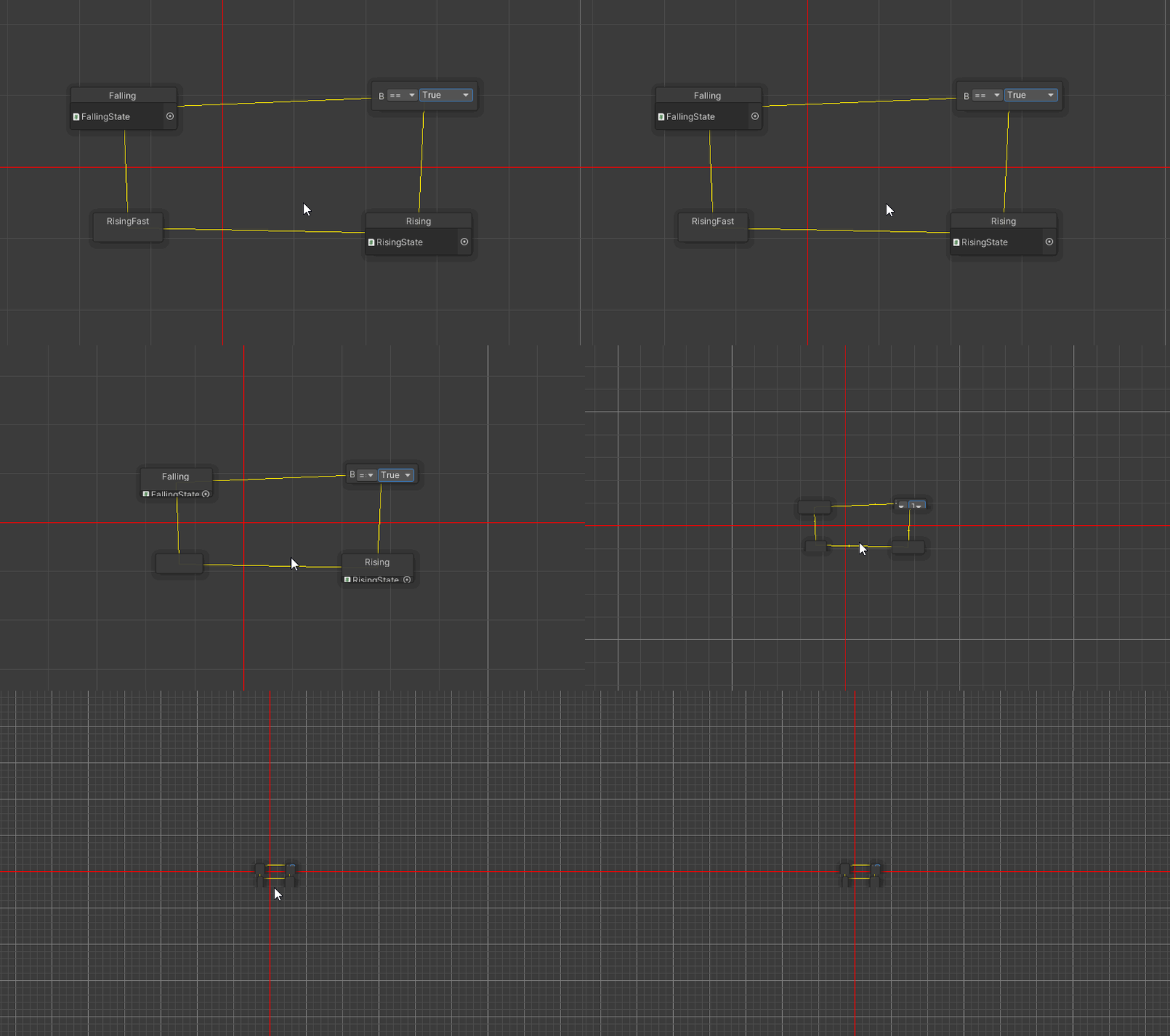
At the end you'll notice the windows lose their bottom border and remain at a certain height
This is with GUI.Window
no style
 narrow oasis
Is there way to draw Handles.Label over Gizmos.DrawSphere ?
 ivory fulcrum
If you do "EditorSceneManager.NewPreviewScene()", does that change the SceneView.currentDrawingSceneView?
gloomy chasm
ivory fulcrum
If you do "EditorSceneManager.NewPreviewScene()", does that change the SceneView...
No, SceneView is the EditorWindow class for the scene view window. It is important to note that the event is called currentDrawingScene not currentDrawingSceneView.
gloomy chasm
ivory fulcrum
called currentDrawingSceneView
Welp, my bad you're right.
ivory fulcrum
So then if I do a NewPreviewScene, do I have to add a camera manually and all that
gloomy chasm
ivory fulcrum
So then if I do a NewPreviewScene, do I have to add a camera manually and all th...
yup
gloomy chasm
ivory fulcrum
So then if I do a NewPreviewScene, do I have to add a camera manually and all th...
It isn't done, and I'm not going to walk through and explain it (sorry), but you can take a look at what I have if you want https://paste.mod.gg/igafidopaj.cs
ivory fulcrum
Is there something in Camera that allows me to frame up a certain bounds? SceneView.Frame(Bounds bounds) allowed me to do that with the scene view.
gloomy chasm
ivory fulcrum
Is there something in Camera that allows me to frame up a certain bounds? SceneV...
Not sure, take a look at the source for SceneView.Frame. If there is let me know.
gloomy chasm
ivory fulcrum
Is there something in Camera that allows me to frame up a certain bounds? SceneV...
This is what frames it for my thing. Don't ask because I don't really understand it my self.
float halfSize = Mathf.Max(bounds.extents.magnitude, 0.0001f);
            float distance = halfSize * 8f;

            Vector3 cameraPosition = bounds.center - _rotation * (Vector3.forward * distance);

            _camera.transform.SetPositionAndRotation(cameraPosition, _rotation);
halfSize chooses the larger between the magnitude (the distance from the center to any edge) and the constant value, then multiplies that by 8 to get the distance. So that would be 4 times the width of the bounds away from the bounds in Z. bounds.center - _rotation I think creates the rotation that you want. then multiplying it by the Vector3.forward * distance sets the forward axis to be that distance away. Then you re-correct the rotation by setting the rotation and camera position in the last line
in fact, I think bounds.center - _rotation, rotates the camera around the center of the bounds so it swings around to that rotation, and then setting the rotation opposite that for the camera causes the camera to be facing the center of the bounds.
gloomy chasm
ivory fulcrum
in fact, I think bounds.center - _rotation, rotates the camera around the center...
OH, the center - rot was real confusing, but that makes sense.
ivory fulcrum
so imagine the camera is in the center of the bounds, then you extend it on a boom away from you 4 times the width of the canvas, and then you swing it around according to the quaternion, and then you use a rig to rotate the camera to look back at you
That's what gives you that oblique perspective that allows you to see multiple faces of the geometry from an angle
I'm doing something more simple: I'm using orthographic view so the camera doesn't care how far away it is.
But also more complex since I think iirc I have to set the view angle to encompass the bounds
I was just hoping there was a much more simple way to do it like giving a method the bounds and then letting the engine calculate it from there.
I'll take a look at your code tomorrow as I'm about to head to bed. It's 11 PM here. Thank you so much!
gloomy chasm
ivory fulcrum
I'll take a look at your code tomorrow as I'm about to head to bed. It's 11 PM h...
Alright, night! And thanks for the explanation, it helped! 🙂
ivory fulcrum
You're welcome. Honestly I just walked through the code and intuited it. I would never have been able to write it that way.
The Vector3.forward * distance I think just masks it so that the distance only affects the forward axis.
gloomy chasm
ivory fulcrum
The Vector3.forward * distance I think just masks it so that the distance only a...
Yeah I understand that part, multiplying a direction by a value to offset it by a distance.
I have always been really bad with even slightly more complex math 😛
ivory fulcrum
I am too. I see people write code that does stuff like this, multiplies vectors and quaternions and such and I'm just like "Can.... How is that even valid!?"
real ivy
Hi all
I'm using PrefabUtility.EditPrefabContentsScope, but seems like inner prefabs (prefab child inside the prefab i'm editing) doesn't get changed/saved
Do i have to call this recursively on every child until it hits another prefab instance? And how to know if it's a prefab?
gloomy chasm
real ivy
Hi all
I'm using `PrefabUtility.EditPrefabContentsScope`, but seems like inner p...
I assume so. This is literally all it does.

 stark geyser
@burnt laurel Should continue here for Editor coding. You might have created your own class with the same name, it should be visible there.
Right click on GUILayout and select go to definition. If it's not inside UnityEngine namespace delete this empty class
real ivy
Hi all, i'm using the memory profiler
I did a strip off any references of mesh/animator/avatar, built a server build, then still sees that the meshes are still being referenced
When checking the memory profiler, i see this thing. Is this normal?
 real ivy
I guess this is good enough. Not gonna bother anymore
Some hi poly mesh n hi res textures but managed to strip most of them
But really tho, ticking Server Build not stripping mesh/anims/avatars/anim clips/shaders, is really silly. Yes those might be used for gameplay, but at least put the option to completely strip them down
gloomy chasm
It seems a subasset destroyed with Undo.DestroyObjectImmediate() cannot be undone once the assetdatabase is saved and refreshed.
Any ideas of ways around this?
 south fox
Is it possible to make some sort of clickable gizmo that opens something in the inspector? I want to set up my nodes for A* and I don't want to keep track of all the edges in list form. I'd like to see it visualised so I can click on an edge and change its properties.
gloomy chasm
south fox
Is it possible to make some sort of clickable gizmo that opens something in the ...
south fox
gloomy chasm
Yes.
https://docs.unity3d.com/ScriptReference/Gizmos.html
Or
https://docs.unity3...
I've checked those but I couldn't find anything about event handlers
Maybe I'm blind?
**lighting **Are handles lit?
Yes fam 🔥
gloomy chasm
south fox
I've checked those but I couldn't find anything about event handlers
I assume that Handles is what you are wanting. You just use normal Event.current stuff.
Maybe this will help.
https://stackoverflow.com/questions/51238340/how-to-make-editor-handles-selectable-to-display-properties-inspector-window

Stack Overflow
This is a follow-up question from How to make individual anchor points of bezier continuous or non-continuous. Please refer to it for the relevant code in the accepted answer (please note that I di...
south fox
None of that is normal to me yet. But I'll look it up 😄 thanks
 naive oyster
how can I make custom editor debug mode in visual studio?
south fox
gloomy chasm
Maybe this will help.
https://stackoverflow.com/questions/51238340/how-to-make-e...
I checked it out but it uses a distance check to decide if something was clicked. That doesn't seem right
gloomy chasm
naive oyster
how can I make custom editor debug mode in visual studio?
Hu?
waxen sandal
@thick aurora Can you take care of this?
 thick aurora
waxen sandal
<@!94808640086609920> Can you take care of this?
thick aurora
waxen sandal
<@!94808640086609920> Can you take care of this?
Got 'em, thanks!
waxen sandal
Thanks 🙂
gloomy chasm
ScriptableObject Variants:
Would it be better to simply not support undo/redo when assigning the base of a variant. Or to have it work inconsistently because Undo.DestroyObjectImmediate() on assets can't be undone once Save and Refresh are called. (And the variant data is store in a subasset SO that I delete if it has no variants and is not a variant)
waxen sandal
Keep the file until Unity is closed?
gloomy chasm
That would require iterating over all the SOs wouldn't it?
waxen sandal
Just add it to a list somewhere that it's marked for deletion
gloomy chasm
That is a good idea.
Thank you.
Got another question, what would you expect to be the behavior when exiting play mode and an SO variant has changed? Should it register that as an overridden property, or be reset to it's base's value?
I am thinking override, but I'm not sure.
gloomy chasm
waxen sandal
But override is more in line with the default SO behaviour
I think what is more important is what would actually be more useful/less annoying to the end user.
waxen sandal
Hence reset 😛
I don't want to my SO to have changes from playmode
Unless it's an editor only SO
gloomy chasm
waxen sandal
I don't want to my SO to have changes from playmode
True! But to be fair, if you are changing them in playmode, that is on you to reset them.
waxen sandal
Make it a setting?
gloomy chasm
I think that may be best tbh, though feels a bit 'unprofessional' in this case.
waxen sandal
If anything more professional 😉
gloomy chasm
waxen sandal
If anything more professional 😉
Ehh, I guess it just feels like something that should 'have a standard' to me. But it doesn't hurt to make it a project setting, and makes it more useful to more people.
 regal swallow
can you use your own prefabs with pro builder?
 cursive olive
How can I reference a I'm using FMOD in my project, how can I draw a field styled like in EventRef by the Editor?
 gloomy chasm
cursive olive
How can I reference a I'm using FMOD in my project, how can I draw a field style...
gloomy chasm
cursive olive
How can I reference a I'm using FMOD in my project, how can I draw a field style...
EventRef? I'm not sure what you are talking about, however I assume .audio is most likely a UnityEngine.Object so you would use a UnityEditor.EditorGUILayout.ObjectField for it.
cursive olive
EventRef is a FMOD Attribute
 gloomy chasm
cursive olive
EventRef is a FMOD Attribute
gloomy chasm
cursive olive
EventRef is a FMOD Attribute
Ah, you would have to draw the field with PropertyField using SerializedPropertys.
ivory fulcrum
So, I'm getting some warnings but still no image, I'm trying to fix the warnings first so that there's not more issues, but the first one I'm getting is a warning when creating the preview scene "Unable to allocate new scene culling mask"?
 gentle wedge
GUILabel is overwriting the first variable in the inspector, how to fix it?
GUIStyle style = new GUIStyle();
  style.richText = true;
  style.alignment = TextAnchor.UpperCenter;
  style.fontSize = 12;
EditorGUI.LabelField(pos, "Title", style);
 visual stag
"overwriting"?
gentle wedge
Sorry my english, I mean "covering"
visual stag
Then you have placed the rect over some other content
If you're making a property drawer you need to expand the rect via overriding GetPropertyHeight
ivory fulcrum
@gentle wedge You want something like this:
GUIStyle style = new GUIStyle(GUI.skin.label);
style.richText = true;
style.alignment = TextAnchor.UpperCenter;
style.fontSize = 12;
EditorGUI.LabelField(pos, "Title", style);
pos.y += EditorGUIUtility.singleLineHeight;
 sharp forge
Does anyone know where I can find an example of a complex scene view UI? Like something at the bottom of this page: https://riptutorial.com/unity3d/example/14519/editor-window
unity3d documentation: Editor Window
waxen sandal
Which part are you interested in?
sharp forge
The panel with the assets and their thumbnails. I'm wondering whether they are generated from the asset. Also the click raycast to find spawn position.
waxen sandal
The panel with Thumbnails is likely just scanning a certain directory for files then using https://docs.unity3d.com/ScriptReference/AssetDatabase.GetCachedIcon.html to get the icon
The raycast is just using https://docs.unity3d.com/ScriptReference/SceneView-duringSceneGui.html then using https://docs.unity3d.com/ScriptReference/SceneView-camera.html to get a camera to do raycasts
sharp forge
Thanks @waxen sandal !
waxen sandal
Those should at least give you some way to investigate more, feel free to ask more questions if you run into issues
grim walrus
whats the style used for arrays?
Don't really care about the drag/drop just the grey box foldout style
waxen sandal
Reorderable list or normal arrays?
grim walrus
You can reorder normal arrays can't you? o.o
Doesn't matter too much, it actually looks like a default property drawer for individual elements, kind of puts a dampener on my wish to replicate it
waxen sandal
Can you elaborate?
grim walrus


The first one is my version, where I give a dropdowns for the possible names, just wanted the style to match the second; which is the default drawn editor
of course I could probably just escape it by doing some elaborate property drawer
but the idea of attempting to grab assemblies per property drawer doesn't excite me
waxen sandal
Why not just do a propertydrawer for the type that's in your array?
grim walrus
done them separately atm will try a combined one
waxen sandal
It's hard to say what the issue is without seeing your code
You could also make your own implementation for the ReorderableList (which is what the default uses) and that'll give you something similar
grim walrus
Isn't an "issue" its just a style request, in order to make my own list, because the one I showed was in an editor script already i'd rather be able to apply the functionality from there, but retain the styling of the default list
waxen sandal
If you make a property drawer for your type then it'll work in the default styled list
Which is probably what you want but since I'm missing context I don't know for sure
You can make your own complete list by using ReorderableList, which will look the same given that you implement it correctly
real ivy
Just saw this and checked my own custom inspector stuff. Made it before 2020.1, and 2020.3 got a new default inspector stuff, wondered how it looks
But then realized i cant even click to open any of the foldouts, and the whole editor is super sluggish slow
Anyone know where i should start debugging this?
 waxen sandal
My first guess would be that ongui isn't being called for all events for some reason
But I can't imagine that they broke something fundamental
 trail dawn
@tacit dagger This isn't related to editor extensions.
 tacit dagger
trail dawn
<@567644205757890560> This isn't related to editor extensions.
tacit dagger
trail dawn
<@567644205757890560> This isn't related to editor extensions.
where do I send
for camera problems
trail dawn
You've already posted about it in #💻┃code-beginner (though also not a coding problem). #💻┃unity-talk is fine.
real ivy
waxen sandal
My first guess would be that ongui isn't being called for all events for some re...
Ok... how do i fix it? Lel
Ok it had to do with non default font
Altho i had the default font already, but i changed around and then back to default, and now everything's fine
Unity Forum
Installing UI Toolkit preview.14 crashes the editor, by throwing an error (see below). Restarting the editor will then cause the "Failed to load window...
And also i didnt have any crash, error, whatsoever
Ok even tho the opening foldout is fixed, the whole editor is still slow. Sometimes the prompt "Hold on, Application.Tick" even shows
It's the GC
But what?

Didnt have this problem before 2020.3..
waxen sandal
Looks like uitk
gloomy chasm
real ivy
It's the GC
But what?
Did you make your custom inspector with UITK? Are you calling something in OnGUI/OnInspectorGUI or Update? Because that would be my first guess.
real ivy
gloomy chasm
Did you make your custom inspector with UITK? Are you calling something in `OnGU...
Yes with UITK
And, i thought i did some in OnGUI/OnInspectorGui/Update, but apparently not
Still looking around. Just opened this project again after almost a year
I'm only doing stuff on CreateInspectorGUI
And yes i'm sure the GC is from my slow code somewhere. But i didnt have this issue on a previous version, and not sure where to start looking
So i'm guessing some UITK API got changed or some best practices/techniques is now different or what?
Ok lol, i did find 2 places i did an .Execute().Every(500) (every 0.5secs right?)
Then i commented that out, back to the editor and profile it, and now unity crashed
Just finding some more anomaly
The field chargeIs is an enum dropdown, but the enum is unselectable and the text is blank
The data is fetched from some child SO, and inspecting that child SO displays the values normally

Oh yea, the foldout not clickable stuff actually still happens on the parts of UITK that references child SO... but works fine on the parts where the data is from the main SO
I guess usually if there's a custom editor bug stuff, (if there's no error), the weird behavior continues from top to bottom from the point of the bug, right? I think?
And does that apply in UITK too? I guess so?
It's almost impossible to expand the foldouts in the UITK debugger too, when selecting the problem custom inspector
And on almost the top visual element, that's what the style looks like. Is this normal?
 gloomy chasm
real ivy
It's almost impossible to expand the foldouts in the UITK debugger too, when sel...
gloomy chasm
real ivy
It's almost impossible to expand the foldouts in the UITK debugger too, when sel...
Yeah, they changed something so are exposing all the internal custom properties styles and that makes the debugger slower.
You will want to look at your code where you are binding something, and where you do stuff with the scheduler.
real ivy
gloomy chasm
Yeah, they changed something so are exposing all the internal custom properties ...
Ok so the slow is their change. But i'm guessing it's not as slow as what i'm experiencing, right? To the point i can't even click the foldout
real ivy
gloomy chasm
You will want to look at your code where you are binding something, and where yo...
And..... ok
This is the part i wish i never had to look back into...
gloomy chasm
real ivy
Ok so the slow is their change. But i'm guessing it's not as slow as what i'm ex...
Yeah... mostly it is just slow to scroll in the properties panel.
real ivy
Off the top of my head, i did follow some forum post workaround regarding ListView not able to hold data for the elements/bindings or something
At that time, a unity staff said to just dont use the ListView and just build the list manually with loop
Maybe this "workaround" is the cause, idk
But my question is, is ListView changed recently, or is manually making the list with a loop still recommended?
In my case i dont need ListView's "optimized reusable shifting elements as u scroll" bcoz i wont have that much elements in the list
And if this means simpler code especially in the bindings part (which ListView had trouble as far as i remember), i guess it's time to ditch it and make the list manually?
gloomy chasm
real ivy
Off the top of my head, i did follow some forum post workaround regarding ListVi...
Manually make a list?
real ivy
Inside a for()
gloomy chasm
real ivy
Inside a for()
I am honestly not sure what you are talking about, 'making a list manually' apposed to?
real ivy
Opposed to using ListView and passing the bindings
Drawing the list manually means putting it in a VE container, styling it, add the text field etc in it
gloomy chasm
Oh, ListView works fine for that as long as all of the items have the same height.
 somber zinc
Is there something I can use to save the state of Editor scripts between script re-compiles? Kind of like PlayerPrefs for the Editor.
bool expanded = false;

    public override void OnBodyGUI()
    {
        var node = (DialogNode)target;
        if (node == null)
            return;

        if (GUILayout.Button(expanded ? "Collapse" : "Expand"))
        {
            expanded = !expanded;
        }

        if (expanded)
            base.OnBodyGUI();
        else
        {
            NodeEditorGUILayout.PropertyField(serializedObject.FindProperty("entry"));
            NodeEditorGUILayout.PropertyField(serializedObject.FindProperty("exit"));

            if(target is OpinionCheckNode)
            {
                NodeEditorGUILayout.PropertyField(serializedObject.FindProperty("else"));
            }

        }
    }
I have this script, (It's not the default Unity Editor it interacts with XNode Plugin) however at a script recompile all of my nodes will be set to whatever expanded's default value is, I would rather they stay in whatever state the user put them into
 gilded heath
somber zinc
Is there something I can use to save the state of Editor scripts between script ...
gilded heath
somber zinc
Is there something I can use to save the state of Editor scripts between script ...
There are EditorPrefs, which work exactly like PlayerPrefs except for the Editor
somber zinc
Worked great, thanks
gloomy chasm
somber zinc
Is there something I can use to save the state of Editor scripts between script ...
There is SessionState and there is ScriptableSingleton
Use those if you only want to persist data between domain reloads and not between editor sessions.
real ivy
I'm trying to narrow down where the bug could be
Excluding these area = no editor slow down
In this area i used to do BindProperty (ln 125), now trying to do bindingPath (ln 126) and Bind(serSkill);, but this crashes the editor?
 gloomy chasm
real ivy
I'm trying to narrow down where the bug could be
Excluding these area = no edito...
gloomy chasm
real ivy
I'm trying to narrow down where the bug could be
Excluding these area = no edito...
Where is append being called from?
real ivy
The main custom editor script
gloomy chasm
real ivy
The main custom editor script
I mean, like where specifically.
OH
I think I may see the problem
real ivy
In CreateInspectorGUI
 gloomy chasm
You are registering a value change callback, clearing everything then appending it all. And calling Bind invokes the value change callback I believe
So it is an infinite loop.
Assuming I am right and Bind triggers the callback which I am pretty sure it does.
real ivy
Testing
U are correct
And maybe this was why i didnt use .Bind at all in most of these setup
gloomy chasm
real ivy
And maybe this was why i didnt use .Bind at all in most of these setup
Well tbh I am not sure why you have the value change callback the way you do. It seems unnecessary for the bit of code you have shown.
real ivy
Ok found that this was indeed the cause of the editor slowdown. The callback is called every frame and...
real ivy
gloomy chasm
Well tbh I am not sure why you have the value change callback the way you do. It...
Im doing this bcoz i wanna redraw some stuff based on the new value
Like show/hide stuff
gloomy chasm
real ivy
Like show/hide stuff
Like as in foldouts?
real ivy
No.. like actually changing what elements being drawn
U kno, like the unity UGUI's Button component. Changing the dropdown for the Transition type
 gloomy chasm
Got it, the way that would be best to handle this I think is to have all of those elements in their own container element, then clear just that element and rebuild it.
That would solve your problem as long as the toggle is not in the container.
real ivy
Hmm
I think the reason why i'm calling a whole redraw of the whole hierarchy is bcoz the value being changed here might affect some set of fields in another branch of the ui
Oh wait, im not doing a whole hierarchy redraw. Wait.. but i think i do in some other part tho hold on
Ok hmm. First of all i'll do what u suggest
And even if there is a "change value here will change the set of display in another branch", i can use a scheduler to check if that became different
gloomy chasm
real ivy
Ok hmm. First of all i'll do what u suggest
And even if there is a "change value...
Or use actions.
real ivy
Delegate actions?
In what way?
gloomy chasm
real ivy
Delegate actions?
In what way?
Like in the value change callback invoke a delegate that the value changed. And in your 'other branches' you can listen for that delegate.
real ivy
Ah
Oh man in a more normal coding i'd figure this out straight away. But in UITK (also bcoz my lack of playing with it), i was just not sure if this is a thing
I guess editor window is just an object
Or, idk what im saying but if u say do this then i'll do it then
gloomy chasm
real ivy
Or, idk what im saying but if u say do this then i'll do it then
I have no idea what most of your code looks like so I am just guessing that this would be a good way to do it with the way you have things.
real ivy
I think i had the feeling that using delegate's not a thing bcoz.. idk i never used it (or didnt think it's possible?) in IMGUI
But then again idk why i think that
But then again i definitely dont play with custom editors enough to know what's possible..
real ivy
Ah great, and this is the source of the "regression"
My code was fine, but apparently not anymore..
Unity Forum
Hi,
Here is how I setup one of my toggles:
Toggle freeFormToggle = contentContainer.Q("FreeFormToggle");
freeFormToggle.value =...
south fox
I'm trying to make clickable gizmos or whatever I should be using. I'm working on an editor window that shows links between nodes. I want those links to be clickable and then do something when that happens.
How can I achieve this?
opaque zenith
is there a way to use AssetPostprocessor.OnPostprocessAllAssets(string[],string[],string[],string[]) to target changes from a specific folder rather than all assets?
like, I know I can put a check in this specifically for a path
but didn't know if there was already a built in feature
haha
❤️ this guy as always
was a lot more simple than I built up in my head for some reason. Just literally doing if the string contains the path
 dull wyvern
Hi!
how can i add Handles for my monoBehav?
I found 2 options and not sure how to do it...
I found:
[DrawGizmo(GizmoType.NonSelected| GizmoType.Selected | GizmoType.Pickable)] witch allows me to draw stuff for things that are not selected
and public void OnSceneGUI() in the Editor class that i can extend. But i don't think i can draw for not selected stuff
gloomy chasm
dull wyvern
I found:
``[DrawGizmo(GizmoType.NonSelected| GizmoType.Selected | GizmoType.Pick...
For handles even when a component is not selected you would add a listener to the SceneView.duringSceneGui where you would put your handles.
 frail olive
hai ive been building in unity for a vrchat world for a while, and i havent checked the console til now. (i also havent touched the code) and there are like tons of similar errors containing the error code CS0433. im very new to unity btw so idk wat im doing honestly.
 ivory fulcrum
@gloomy chasm So I adapted your code as best I could and I'm not sure why, I've tried rotating the camera, I've tried changing the positivity and negativity of the camera's position on the forward axis, etc but it doesn't generate an image in the image files.
https://hastebin.com/cijacitica.csharp
The only thing I get for errors is about not being able to allocate the new scene culling mask, and that there are over 100 temporary scenes which I have not found much in the way of answers to squash.
Any ideas?
gloomy chasm
ivory fulcrum
<@!131292153300123648> So I adapted your code as best I could and I'm not sure w...
Have you tried closing and reopening unity?
ivory fulcrum
... I haven't. Well. Worth a shot
gloomy chasm
ivory fulcrum
... I haven't. Well. Worth a shot
It will work.
The problem is that I assume you were doing stuff with creating preview scenes but not cleaning them up.
ivory fulcrum
Alright. I'll give it a shot
Does the engine not let you generate more preview scenes if there are more than 100?
gloomy chasm
ivory fulcrum
Does the engine not let you generate more preview scenes if there are more than ...
Yeah
ivory fulcrum
It still eventually generates greater than 100 preview scenes. But I close the scene in a finally clause no matter what
I also noticed that the newly created textures aren't saved when the editor is restarted, so I get to delve into that. Yay!
I'll work on that code later though
gnight. the bed is calling me.
gloomy chasm
ivory fulcrum
It still eventually generates greater than 100 preview scenes. But I close the s...
Maybe you have some code elsewhere creating the scenes?
gloomy chasm
ivory fulcrum
I also noticed that the newly created textures aren't saved when the editor is r...
Not sure what the problem is. But just so you know you can do File.WriteAllBytes(), unless I am missing something there is no need to use Fiel.OpenWrite
 bronze sonnet
Hello everyone i have a question to ask, i want to make a schedule system for my NPCs, and i want to implement some kinda custom editor for it. Which will looks something like this

Is it possible? If yes where should i look for it?
Like give me at least a tip what i should look for. I know about GraphAPI.
bronze sonnet
How can visualize data. I can make a data structure myself. I just don't know how can i visualize it, and make it easily editable.
waxen sandal
Depends on how much effort you want to spend on it 😛
bronze sonnet
Give me where to look, and i'll decide myself 🙂
Like i don't ask you to make it for me 🙂
Just, where to look you know.
gloomy chasm
bronze sonnet
Give me where to look, and i'll decide myself 🙂
You will most likely want to use UIToolkit (formally UIElements). There is a getting started on Unity Learn, and the manual have a page on it.
waxen sandal
I mean there's no generic solution to make such a view, so you'll have to make it yourself
bronze sonnet
Its okay @waxen sandal . Thank you @gloomy chasm i'll look into it.
waxen sandal
So depending on how much effort you want to spend it can be from showing some basic start/end times to some fancy drag and drop
bronze sonnet
I would want to look into fancy drag and drop
waxen sandal
https://docs.unity3d.com/ScriptReference/DragAndDrop.html is what Unity uses to do drag and drop, but you can also implement your own thing if you want to it inside your own window
Tbh, you should really just start and draw some columns with some entries
Then go slowly from there
bronze sonnet
Columns with Graph API?
waxen sandal
I mean you can but i don't see the need
real ivy
Hi all
So using UITK, on CreateInspectorGUI, i'm getting double calls
From the trace, one is from UnityEditor.InspectorWindow:RedrawFromNative () and the other from UnityEditor.Selection:Internal_CallSelectionChanged () in that order
Why is this happening?
grim walrus
Got another random question 
Is there an unrendered menu, or a way of not having MenuItem display?
visual stag
You're going to have to explain
grim walrus
I have a menu with various items, what I have been doing on the side is making a toolbar for the scene view where the unity inept can just click the button and it does the same thing that the menu does.
I've populated the toolbar with reflection; simply targetting editor window / menu items so the inheritance/attribute kind of needs to stay.
With this now being shifted into said toolbar i'd like to keep the top bar clean and just leave it with the default menus. So like a way to prevent menu item from creating that entry or whether unity has a debug/trash/blank menu which isn't shown on the top bar that I could just redirect them to
Obviously isn't an issue just a way to make it cleaner
visual stag
So, you need to use the MenuItem attribute, but you're doing everything via reflection so you don't actually want it to do anything?
grim walrus
Yeah, I have thought about doing my own attribute but the usage is split between multiple different packages so using menu item is unified as they obviously all depend on unity
visual stag
I can't imagine why there would be a way to insert a dud item. If you're doing this because of dependencies I would really just create a base package. Switch to using Open UPM and really dependencies are not a hassle, and getting users to use packages through Open UPM is really not a hassle at all
grim walrus
trust me when I say inept
Thats fine its just a visual thing, they don't collide with each other (GetWindow just returns the active if available) so the methods available still works out. Can just be another place if the toolbar fails; is also another place for those that tend to have game view and scene view on the same tab so they don't always have an active scene view
 slate lily
How do I center GUILayout.Label text?
gloomy chasm
slate lily
How do I center GUILayout.Label text?
Create a new style and set the text alignment to be center and use that style in the GUILayout.Label.
slate lily
gloomy chasm
Create a new style and set the text alignment to be center and use that style in...
how do I create new style?
I am really beginner to editor code
gloomy chasm
slate lily
how do I create new style?
void OnGUI()
{
  GUILayout.Label("My Text", Styles.centeredText);
}

// We create a privte class inside our main class to hande all of our styles.
static class Styles
{
  public static readonly GUIStyle centeredText;

  static Styles()
  {
    centeredText = new GUIStyle(EditorStyles.label);
    centeredText.align = TextAlinement.MiddleCenter; // These names may not be exact, but they should be close enough you can use intellisense to find the right ones.
  }
}
 gloomy chasm
slate lily
do these editor methods must be static?
gloomy chasm
slate lily
do these editor methods must be static?
No, not at all. The reason the class is static is so that the static constructor is called once before it is first accessed.
slate lily
do you know how do i write border line around textlabel?
also is there some references where I can find online that show these little things so that I don't have to bother anyone here 😄
gloomy chasm
slate lily
do you know how do i write border line around textlabel?
Since you are using IMGUI the only way to do that would either be to use a texture, or to use 4 EditorGUI.DrawRect.
gloomy chasm
slate lily
also is there some references where I can find online that show these little thi...
For a lot of the simpler questions a quick google search should get you what you want, either will result in the docs for what you want or a Unity Answers/Forum post.
slate lily
do you maybe know how do I access style width and height, since I want to make the box the size of a label style?
slate lily
gloomy chasm
For a lot of the simpler questions a quick google search should get you what you...
us FixedWeight/Height gonna work?
gloomy chasm
slate lily
us FixedWeight/Height gonna work?
Yeah, but I think there is a better way. Are you just wanting the GUILayout.Label rect to be the same size as the text it display? Aka, not expand?
slate lily
no
i want some styling around the label text
the label will represent like a header category and i want it to standout
gloomy chasm
slate lily
i want some styling around the label text
Styling around it? What sort of styling?
slate lily
like a border
similar to CSS
were you draw a border around the text with some padding
gloomy chasm
slate lily
like a border
Ah, yeah you can't do that in IMGUI, you need to use a texture or EditorGUI.DrawRect.
You can do it in UIToolkit thought, which uses a CSS and XML like system.
gloomy chasm
slate lily
no interesed in a new UI unity's system
That's fine, only reason I mentioned it is because if you are familiar with the web dev like workflow it may be easier for you.
(Custom editors and windows can be made using the new UITK if that wasn't clear)
slate lily
Do you know how I could select a specific file in unity project, an example would be a PSB file?
waxen sandal
Selection.activeObject
slate lily
waxen sandal
Selection.activeObject
I don't need that. What I need is a box where I can select a file. Similar would be something like selecting a texture2D in image component, how do I do similar in editor window?
The difference is only that I want to select .psb file and not texture2D
gloomy chasm
slate lily
I don't need that. What I need is a box where I can select a file. Similar would...
slate lily
_psdFile = (PSDImporter)EditorGUILayout.ObjectField("PSD File", _psdFile, typeof(PSDImporter), false);
I am doing that
and I can't select my psd file
how do I figureout which file type the object that i want to selct
gloomy chasm
slate lily
how do I figureout which file type the object that i want to selct
According to the docs it generates a prefab.
Afaik it is not possible to select files by extension like you want. Importers are hidden so they cannot be selected.
gloomy chasm
How do you allow an VisualElement parent of a IMGUIContainer to use a keydown event if the IMGUI doesn't use it?
dull wyvern
Hmmm so I'm trying to make some editor extension to help me connect nodes
Basically GOs that have a Node MonoBehav on them with a list of the connected Nodes. But i would like to make the editing experience.
Basically i want some easy way to link them, and add the link to the list in both Nodes
gloomy chasm
dull wyvern
Basically i want some easy way to link them, and add the link to the list in bot...
So, a node graph...?
dull wyvern
Yeah
gloomy chasm
dull wyvern
Yeah
Sorry, are you asking a question, or just thinking out loud?
dull wyvern
I did find this stuff: https://docs.unity3d.com/ScriptReference/EditorTools.EditorTool.html
Well both
what would be the best way to make some tool to help me?
gloomy chasm
I still don't fully grasp what you are wanting. But you could make a node graph (like Shader graph) for a scene and create a node in the graph for each node component in the scene. And use that to connect them up.
Idk if that is the best way in your case, but it is a way.
dull wyvern
oh... no this is an in world node graph....
it is for pedestrian walking
basically i would want a eyedropper tool... or similar. So that when the user clicks on a node and than right clicks on the next it makes a connection
gloomy chasm
OH
dull wyvern
or something similar
gloomy chasm
dull wyvern
I did find this stuff: https://docs.unity3d.com/ScriptReference/EditorTools.Edit...
In that case that API would be a good one to use then, yeah.
dull wyvern
gloomy chasm
In that case that API would be a good one to use then, yeah.
Well i'm not really sure how to do it...
I needs to detect mouse button inside the editor and get the GO it was clicking on...
gloomy chasm
@waxen sandal So it turns out you can't edit the asset database on editor quit... 😦
gloomy chasm
dull wyvern
Well i'm not really sure how to do it...
I needs to detect mouse button inside t...
Just get the camera with Handles.currentCamera, use it to transform the mouse position to a ray, then raycast on the scene to find the game object you clicked.
dull wyvern
what about getting the mouse event?
gloomy chasm
dull wyvern
what about getting the mouse event?
Just get it like normal Event.current.
dull wyvern

ivory fulcrum
It worked! Briefly! It worked~!
And then it got replaced with a black square!
Ugh!
ivory fulcrum
So question, is there somewhere I can save the thumbnail and some sort of flag as to whether it should be regenerated?
Or maybe when it was last updated?
south fox
Is there a way to perform logic before a gameobject gets removed from the scene in the scene window/editor?
I'm using OnDestroy in a custom inspector which works after deletion. I need access to a property before it gets deleted.
real ivy
So i'm having a weird bug. I kinda know what it is but someone else could probably explain it better
When the SO is first selected and the custom editor gets displayed, there's a PropertyField that says it's got a certain value. I also have a Redraw() to determine which VE gets .visible = true/false depending on said PropertyField
Sometimes (or maybe after a recompile), this SO gets selected, the Redraw is taking a wrong value
Changing the PropertyField calls the Callback to Redraw, but it redraws correctly only on the 2nd time the field gets changed. So.. something is "late"
But when i deselect this SO and come back to it, the "late-ness" is gone and everything works fine again
Yes i'm using this schedule.Execute(Redraw).StartingIn(100); mentioned in here
https://forum.unity.com/threads/registervaluechangedcallback-had-a-breaking-change-in-a-recent-update.1036942/
I just dont get why it works only after reselecting for the first time
Unity Forum
Hi,
Here is how I setup one of my toggles:
Toggle freeFormToggle = contentContainer.Q("FreeFormToggle");
freeFormToggle.value =...
waxen sandal
I've had some issues with entering/exit playmode and the selection not being correct afterwards
real ivy
I mean.. i've had a few "workarounds" for these types of issues (it's just the Unity lyfe..). Is there something i can do here? Maybe for re-select?
waxen sandal
IIRC SelectionChanged wasn't being called after entering playmode and thus window didn't know about it anymore
real ivy
The thing is i'm not 100% sure exactly when this "late value" happens. I should pinpoint this first i guess
waxen sandal
So I just serialized my own list and used that instead rather than relying on SelectionChanged to populate my list
 hot quarry
so the top slider is the actual int slider in SpawnScene u can see it OnValidate.. the bottom is that value set to a GUILayout.Slider in the Editor script... is there anyway to get the script to call OnValidate of the target SpawnScene script?
waxen sandal
OnValidate is called when you apply the SerializedObject, since you're not using it you either have to call it yourself or handle the validation in your editor
hot quarry
i do call it on the base script


the second is the editor script
do i call it on there as well? how would i do that
waxen sandal
No, you have to call OnValidate yourself in your editor when your value has changed
Or use SerializedObjects and SerializedProperties
(which you should be doing since you get free undo and multi object editing)
south fox
south fox
I'm using OnDestroy in a custom inspector which works after deletion. I need acc...
I noticed cases where OnDestroy doesn't get called so I need a different approach. I could use EditorApplication.hierarchyChanged, is that the best approach here?
Even if I use that, will it work if the custom editor window isn't open?
 tropic sedge
south fox
Is there a way to perform logic before a gameobject gets removed from the scene ...
tropic sedge
south fox
Is there a way to perform logic before a gameobject gets removed from the scene ...
What are you trying to achieve ?
south fox
I'm trying to maintain a list of connected nodes for my pathfinding. When a node gets removed I want to update the list of nodes and edges to remove whatever got affected.
south fox
tropic sedge
What are you trying to achieve ?
But I just found out I can use OnEnable and OnDisable in conjunction with [ExecuteInEditMode]
tropic sedge
What usually plugins with a similar nature do, is have a parent which has all the children in the respective order, so it's actually the parent who updates everything
That way, since you'll only be drawing using children, as soon as one is deleted, it'll automatically redraw the new path with the existing children
south fox
Yeah but it's more than a path
The edges also need to be updated. There's no particular order and the relations can get pretty complicated
But OnDestroy works and I can call the manager to RemoveNode, which will then tell all the other nodes to remove their relationship with the deleted node if it exists
tadaa
The really cool thing is that every edge has properties such as a mode (traversal type. Flying, walking, climbing, swimming) a cost (nodes have cost, but so do edges) as well as events (on enter, on leave. For example to trigger animations or updating cost to prevent AIs from all walking the same path).
Anyway I'll stop ranting now. I'm just excited :p
dull wyvern
that is scarily similar as to what i want to make.....
For my stuff i found this package....
https://github.com/RoyTheunissen/Scene-View-Picker

GitHub
Unity extension that lets you assign any Object field by choosing it from the scene view. - RoyTheunissen/Scene-View-Picker
and it is a life changer
it can even select components
it needs a little fix to work with lists
but other than that it should be part of the default unity editor
waxen sandal
That's pretty cool
south fox
That is pretty cool
The reason I'm using an icon instead of something like this is because my waypoints are empty gameobjects and I want to be able to select them
south fox
dull wyvern
you can draw a selectable gizmo on them
Shut up, how?
I've been trying that for two days
I had a gizmo and clicking it did nothing. Making it selectable meant looping everything on every click to see if it's < n distance away from the object
dull wyvern

This is what i'm doing
the function can be anywhere
just anotat it properly
[DrawGizmo(GizmoType.NonSelected| GizmoType.Selected | GizmoType.Pickable)]
public static void BasicGizmo(Node node, GizmoType type)
But that's just to indicate when the gizmo should be drawn isn't it?
 south fox
This is bullshit
south fox
I'm angry now
dull wyvern

real ivy
Bookmarking for my board game node editor..
south fox
I'm glad, but I'm also angry
dull wyvern

In this video we take a look at how to build a simple but effective waypoint-based traffic system. With this system, you'll be able to create believable pedestrian and vehicle traffic behaviours that will add a much more lifelike feeling to your environments.
In this video we mainly focus on pedestrian traffic but the same logic could apply to ...
Also
south fox
I remember that video
dull wyvern
that is where i got that method
south fox
Watched it a year or two ago. Couldn't find it 😄
I'm putting what I'm working on on github when I'm done
So I'm stealing your icons as well as your pickable solution
dull wyvern
no prob
south fox
I'd just like to know how you made the inline editor and how you made such pretty labels 😄
dull wyvern

.........
the map icon is from GoogleMaterialIcons (it is a free community collection of icons)
The warning is a google image search
south fox
I'm using a 3 part line gizmo to indicate a relation. It's direction, generic white line for relation and relation again (for unidirectional/bidirectional nodes). So for a waypoint system you'd have a square of four unidirectional nodes for example
dull wyvern
for the corner editor i'm using the new overlay stuff in the beta (2021.2.0.b1)
south fox
I'm on 2021.2, didn't know there was overlay stuff. Thanks for the pointers!
dull wyvern

you can move around the thigns
like the tools window
and from the vid you sent last i don't think you are on the new beta
south fox
dull wyvern
and from the vid you sent last i don't think you are on the new beta
Oh you're right. I installed it but apparently didn't switch yet.. Silly me
What's the image type needed to use as a custom icon?
dull wyvern
png
south fox
Sorry, I meant in the editor, texture type
dull wyvern
png?
I'm drawing that with Gizmos.DrawIcon
Gizmos.DrawIcon(position + Vector3.up*0.5f,"Assets/Vulgus/Scripts/Crowd/Editor/map-marker.png");
 dull wyvern
Default
south fox
That looks a lot better than my stupid ball
slate lily
is there a callback to EditorGUILayout.ObjectField
I imported an object and now I only once to do an action once it's imported
south fox
dull wyvern
And the Node 1 (7) is a handle with an image?
 south fox
Oh lol
slate lily
waxen sandal
PropertyField
any examples? I tried propertyfield with not luck. My list is type of Sprite
slate lily
I don't have any code since I don't know what to write
I just have a list of sprites
that I want to display in EditorWindow class
dull wyvern
well... where is that list?
slate lily
inside EditorWindow
dull wyvern
and by sprites do you mean Unity sprites right?
slate lily
Sprite
not SpriteRenderer or anything similar
just Sprite

This is how I store sprites
and now I jsut want to see them in inspector as a list
dull wyvern
well you have many options
slate lily
what is the easiest simpliest option?
you can see in my code objectSprites, how do I display them
dull wyvern
well are you using the new uxml stuff or imgui?
slate lily
I found examples on google, but those examples are too specific
i am using i think imgui
but how do i check that?
dull wyvern
well are you making a .uxml file or doing anything with VisualElements?
slate lily
no
dull wyvern
than imgui
dull wyvern
that is imgui
okay so what do you want to display exactly?
do you want to edit them?
or just see
slate lily
I pick an object and I store all sprite elements from that object in a list
just to see
dull wyvern
sure than you can do a for and draw them out for example
slate lily
but also I would like (but that is another step) to select only those sprites that are on the selected object
south fox
dull wyvern
sure than you can do a for and draw them out for example
Your tips made the tool a lot better already. Wanted to say thanks again
dull wyvern
hey no probs
south fox
I also added different indicators based on the edge type now
Blue means node to node edge. Red means node to node edge due to bidirectional edge
dull wyvern
Unity is really bad at advertising features....
They should get somebody who's only job is to make simple samples for each and every editor extension point
south fox
I think they did some of that
I remember seeing it on learn.unity.whateverthetldis
I also wrote an optimised A* implementation that allows you to mark nodes as static to improve performance (will maintain/cache known scores between static nodes) 😄 Combined with events on nodes and edges...
I suppose this cache can be baked if I serialize and store it somewhere.
That's a lot of sentences starting with "I" in a row.
opaque zenith
A lot of this already exists. I find my problem most the time is finding it. Like, an incorrect google search can give a plethora of outdated info or completely miss over what you are looking for
south fox
Maybe true, but with each iteration comes the possibility of improvement 😄
slate lily
how to add padding to sides? Mainly inside EditorWindow
my text is too close to the edge and doesn't look good
 dull wyvern
well you have a rect
and you add some number that you like to the side that you like
south fox
I giggled at "Haed up"
south fox
slate lily
how to add padding to sides? Mainly inside EditorWindow
You could use GUILayout.Space(SPACE);
But you'll have to be in horizontal mode
waxen sandal
Or modify the style
south fox
👆 I don't know how to do that. But it sounds better than what I suggested.
south fox
dull wyvern
```
Gizmos.DrawIcon(position + Vector3.up*0.5f,"Assets/Vulgus/Scripts/Crowd/Edit...
TIL you can put your icons in the Gizmos folder and reference it by name
So Assets/Gizmos/map-marker.png then you can do: Gizmos.DrawIcon(p, "map-marker", false, Color.white);
south fox
So for the edge events I was thinking of allowing you to put tags on edges. Just regular strings. And then when the event triggers, you get the tags in the event handler and you can decide if/what you want to do based on them. Does that sound like a good idea?
So for example an OnEnter will give you the AIController and the Edge. And you can decide to for example, if edge.Tags includes "BrittleBridge" increment some counter and let the bridge break down if it got passed too many times.
 snow bone
I'm making an editor extension, it requires newtonsoft.json to work, which is hosted externally to Unity's package server. Is it better to add this as a dependency in the package manager, so that the package manager will download it from the newtonsoft website or to just include the libraries in a subfolder of my editor package?
the licence for the library is MIT, so I'm free to include it in my project and redistribute it if I wish to
 tough stream
Hi! how can i do to make my editor display text from a string array on big boxes instead of small fields?
I've already got the monster script, just need help on line 92 here:https://pastebin.com/gkf7JHaA
Pastebin
Pastebin.com is the number one paste tool since 2002. Pastebin is a website where you can store text online for a set period of time.
(where "BigTextAreaLikeTMP" would by replaced by whatever i need to replace the casual field to something like this:
snow bone
you can change the font size with styles, this should increase the box size i think
tough stream
tough stream
(where "BigTextAreaLikeTMP" would by replaced by whatever i need to replace the ...
 snow bone
although, there is functions to allow a text box or a text field with multi-line
tough stream
snow bone
although, there is functions to allow a text box or a text field with multi-line
that would be the beginning of something! mind telling me? :)
snow bone
GUILayout.TextArea("text");
GUILayout.TextField("text");```Area is the multi-line. You can use styles to change the colour, size, font, etc
tough stream
snow bone
Area is the multi-line. You can use styles to change the colour, size, font, et...
okay! thanks, this is definetly it, but i don't really get where i should put that
snow bone
in OnGUI
tough stream
yeah, i know, but how can i link it to my dialogLines?
snow bone
string text;
GUIStyle style = new GUIStyle(GUI.skin.TextArea);
void OnGUI()
{
  text = GUILayout.TextArea(text, style, GUILayout.Width(200));
}```i've not used TextArea, but I assume it's something like that
tough stream
okay, i see, thanks!
But my dialogLines is a Serialized property though
Whereas i could do cs EditorGUILayout.PropertyField(dialogLines);
i can't do something like this with a text area?
snow bone
what's the code for your property?
tough stream
Pastebin
Pastebin.com is the number one paste tool since 2002. Pastebin is a website where you can store text online for a set period of time.
it's here, all the code of my editor script (for now)
(L.15 and 50)
snow bone
you can probably add a getter and setter property to get & set the SerializedProperty for the textarea
tough stream

waxen sandal
Isn't there a textarea attribute?
 snow bone
string Text
{
    get
    {
      return MySerializedProperty.Get("MyText");
    }
    set
    {
      MySerializedProperty.Set("MyText", value);
    }
 }
GUIStyle textStyle = null;
GUIStyle TextStyle
{
  get { GetTextStyle();}
}
GUIStyle GetTextStyle()
{
  if(textStyle == null)
    textStyle = new GUIStyle(GUI.skin.TextArea);
  return textStyle;
}
void OnGUI()
{
  Text = GUILayout.TextArea(Text, TextStyle, GUILayout.Width(200));
}```there is 😳
snow bone
then for you SerailizedProperty code, use Text = GUILayout.TextArea(Text, style, GUILayout.Width(200));
this is how I would do it
tough stream
thanks so much
snow bone
you can probably get rid of the text variable and just use the Text with getter & setter, this was just from the top of my head
I just added some nice GUIStyle code for you, this is how I get GUIStyle in my projects
tough stream
(I'm so grateful for you, but i made it with the attribute 😭 )

now i wanna make buttons to make the selected text bold and everything. For that, i need to know:
- Inspector buttons. The ones in tmpro are sweet, but i've got more things (like waving text, etc.).
- Getting the selected text. While i click on the button, it's going to put <bold></bold> to the edges of my selection, but i need to fetch it somehow. (i have a plugin that does this <bold></bold> thing :) )
I've got the button part:

kinda, lol
How could i make them side to side?
for now, i just did this : cs if (GUILayout.Button("B", GUILayout.Width(30))) { Debug.Log("BOLD"); } if (GUILayout.Button("U", GUILayout.Width(30))) { Debug.Log("UNDERLINED"); }
waxen sandal
HorizontalLayoutGroup
tough stream
timing, i just found the vertical one, and was like "oh perfect, there must be an horizontal one" lol, thanks!
Perfect! Gorgeous
But anyone knows how i could get the selected text via scripting? seems kind of hard imo
 snow bone
have a look at this post, it should help you out https://answers.unity.com/questions/275973/find-cursor-position-in-a-textarea.html
Unity is the ultimate game development platform. Use Unity to build high-quality 3D and 2D games, deploy them across mobile, desktop, VR/AR, consoles or the Web, and connect with loyal and enthusiastic players and customers.
tough stream
ooouh thanks! checking it out right now!
ah, 2012, great times
Hope this is not deprecated 🤞
the documentation hasn't been updated since 2018
https://docs.unity3d.com/ScriptReference/EditorGUIUtility-textFieldHasSelection.html
Closest i found is this i guess?
gloomy chasm
I am never going to use SerializeReference again. Every time, and I mean every time I have used it, it breaks. And always in ways that are time consuming to reproduce from scratch and report...
dull wyvern
Sooo i made this so far. It still needs a lot of work but some progress
@south fox if you are interested ^
south fox
dull wyvern
<@!366596598169600002> if you are interested ^
That's cool. I also added keyboard shortcuts so you can add nodes to the last one
As in, the selected one because the latest node becomes selected
dull wyvern
is there a way to add to the re-mappable shortcuts?
https://docs.unity3d.com/2019.1/Documentation/ScriptReference/ShortcutManagement.ShortcutAttribute.html
looks like this is the thing i would need for that
but again poor docs and no examples
 plain lake
How can I get state name, layer name and param name in animator window?
When I select them, I want to access their names in the editor
 orchid basalt
Hey,
Trying to use the TreeView in an editor script but with a custom TreeViewItem. I've extended TreeViewItem in MyCustomTreeViewItem but I'm not able to cast TreeViewItem in FindItem() to my overridden type (just returns null).
I also looked into extended TreeElement as it says to do for multi column layouts (mine is singular) but I can't seem to find the type TreeElement.
What's the correct approach for this? The docs say it can be overridden but don't really talk about it further.
tough stream
Hi! i'm getting some trouble finding the piece of text i'm selecting. Here's my problem: i've got an array of text areas (which are basically string with textArea attribute), and some buttons to make the text bold, underlined, etc; through nodes-like thingies like <bold></bold>. What i need is the indexes of my selected text, which i thought i found here: https://answers.unity.com/questions/275973/find-cursor-position-in-a-textarea.html
But nothing. When i try this label for myself (with modifications, cuz some things were renamed in the meantime): nothing. Some screenshots coming
TextEditor editor = (TextEditor)GUIUtility.GetStateObject(typeof(TextEditor), GUIUtility.keyboardControl);
GUILayout.Label(string.Format("Selected text: {0}\nPos: {1}\nSelect pos: {2}",
editor.SelectedText,
editor.position,
editor.selectIndex));```
Here is what i put in my code, and here's what is displayed to me: waxen sandal
I doubt that works before the textarea is drawn
tough stream
what do you mean...?
oh

you mean i should have tried to input it after the drawing of my dialog lines property, like this?
seemed legit to me too lol
tough stream
yaaaay! 😭
can't even find which element of my dialog lines array i selected
the editorextenstion documentation is not kept updated lol
waxen sandal
Try using this to get the controlId of a specific text box and see if you get valid data then
    var type = typeof( EditorGUIUtility );
    var field = type.GetField( "s_LastControlID", BindingFlags.Static | BindingFlags.NonPublic );
    var lastControlID = (int)field.GetValue( null );
Something might've changed slightly in the api so double check that property exists
tough stream
what's the ControlID already...?
the id of the things i can control (for inst. text fields?)?
waxen sandal
Which control has "focus"
waxen sandal
GUIUtility.keyboardControl is keyboard focus, I don't remember though if it can be -1 in the wrong eventType
Yeah
Just pass that to GetStateObject instead of GUIUtility.keyboardControl
tough stream
waxen sandal
Just pass that to GetStateObject instead of `GUIUtility.keyboardControl`
ok so instead of GUIUtility.keyboardControl i'll pass lastControlID?
waxen sandal
Yes
tough stream
still nothing :/
I'll pass in the code:
 waxen sandal
Just to make it easier, ignore the list and draw another textarea before the GetStateObject
Just to make it easier to test whether it's actually returning the right things
tough stream
 var type = typeof(EditorGUIUtility);
        var field = type.GetField("s_LastControlID", BindingFlags.Static | BindingFlags.NonPublic);
        var lastControlID = (int)field.GetValue(null);
        switch (actionSo.actionType)
        {

            case ActionType.None:
                //bruh
                break;
            case ActionType.Dialog:
                TextEditor editor = (TextEditor)GUIUtility.GetStateObject(typeof(TextEditor), lastControlID);
                GUILayout.BeginHorizontal();
                if (GUILayout.Button("B", GUILayout.Width(30), GUILayout.Height(30), GUILayout.MaxWidth(30)))
                {
                    Debug.Log("BOLD");
                }
                //[Some button code...]
                GUILayout.EndHorizontal();

                EditorGUILayout.PropertyField(dialogLines);

                GUILayout.Label(string.Format("Selected text: {0}\nPos: {1}\nSelect pos: {2}",
                    editor.SelectedText,
                    editor.position,
                    editor.selectIndex));
break;```got it, wait a sec
waxen sandal
Like this
var text = GUILayout.TextArea(text);
var type = typeof(EditorGUIUtility);
var field = type.GetField("s_LastControlID", BindingFlags.Static | BindingFlags.NonPublic);
var lastControlID = (int)field.GetValue(null);
TextEditor editor = (TextEditor)GUIUtility.GetStateObject(typeof(TextEditor), lastControlID);
tough stream
works "like a charm" (except for a few space issues)

BUT
Unity is the ultimate game development platform. Use Unity to build high-quality 3D and 2D games, deploy them across mobile, desktop, VR/AR, consoles or the Web, and connect with loyal and enthusiastic players and customers.
I made sure not to use GUILayout.TextArea but GUI.TextArea
(update: works with GUILayout.TextArea too, seems that got fixed)
here's the code i put: cs string stringToEdit = "Hello!"; stringToEdit = GUILayout.TextArea( stringToEdit, 200); var type = typeof(EditorGUIUtility); var field = type.GetField("s_LastControlID", BindingFlags.Static | BindingFlags.NonPublic); var lastControlID = (int)field.GetValue(null); TextEditor editor = (TextEditor)GUIUtility.GetStateObject(typeof(TextEditor), lastControlID); GUILayout.Label(string.Format("Selected text: {0}\nPos: {1}\nSelect pos: {2}", editor.SelectedText, editor.position, editor.selectIndex));
But GUILayout.TextArea doesn't put a real textArea where i can have several lines:

whereas gui does (but i still can't have several lines)
 waxen sandal
Interesting
You try doin hte old thing again and then logging the keyboardControl id and the Event.current.eventtype
Seeing when it's invalid and when it's valid
tough stream
waxen sandal
You try doin hte old thing again and then logging the keyboardControl id and the...
i'm sorry, where? 😭
What's this new event thing?
waxen sandal
So IMGUI frameworks call the GUI methods for different events
Like Layout, draw, MouseDown, MouseUp etc...
tough stream
(and when you said "the old thing", it's coming back to the arrays, right?)
waxen sandal
So for example Button reserves the right area in the Layout event, it draws the actual button (with the correct state) in draw, then in MouseDown it checks whether the mouse is in the area and which button is pressed
So it's likely that keyboardControl is correct in some of these passes but not in others
waxen sandal
tough stream
(and when you said "the old thing", it's coming back to the arrays, right?)
Well, it doesn't matter that much
You can also do it in your current version
tough stream
yeah, i'm on unity 2020 lol
waxen sandal
version of your code, not version of unity 😛
tough stream
oh 😳
so how do i have to do that, i need to log the Event.current.eventType with the keyboardControlID?
waxen sandal
Yeah just Debug.Log(Event.current.eventType + ":" + keyboardControl)
tough stream
"Event doesn't contain a definition for 'eventType'" 🥺
alt+return doesn't get me any recommendations
tough stream
oh, well current.type works

ok, so keyboard is 924,925 and 926 depending on which array element i'm on; and current event type doesn't change much
waxen sandal
Yeah it doesn't change it before you didn't put in in a debug.log 😛
Not sure why it doesn't work though then
tough stream
when i have an element selected as this, it's 918 lol
 tough stream
waxen sandal
Not sure why it doesn't work though then
tough stream
waxen sandal
Not sure why it doesn't work though then
yeah, that's weird
what "repaint" though?
waxen sandal
Since repaint does the drawing it'll only show repaint since that's what's drawing it
Tbh, I don't really have any ideas anymore 😛
Best to check the reference source and see what's going on
Or use the lastControlId thing from before
And put it right after the textarea propertyfield is drawn
tough stream
well i'm not using textareas, since i've got an array
waxen sandal
Ah I guess you just use EditorGUILayout.PropertyField for the whole array?
tough stream
yup 🥺
waxen sandal
Welp
tough stream
that made me realise my error lol
so i should draw each element of the array separately
right?
people are always saying "use propertyfield" on the web lol
yo i swear-
 waxen sandal
You don't have to but I guess it would "fix" this issue
Since you'll be able to use GetLastControlId
tough stream
tell me Navi
I'm ready for anything
waxen sandal
I mean if you draw each array element yourself, then you can use the lastControlId from before
And you get the correct data
Then you can save that data in your custom editor or something for your button to use
waxen sandal
Ah
The SerializedProperty of the array has an arrayCount and GetArrayElementAtIndex
Or you can make your own reorderablelist instance and it'll draw the same as your current one
tough stream
waxen sandal
The SerializedProperty of the array has an arrayCount and GetArrayElementAtIndex
well i could iterate through the array...?
seems to be the better thing, but i suppose the + and - buttons will be gone
so that's an issue
tough stream
waxen sandal
Or you can make your own reorderablelist instance and it'll draw the same as you...
how about that...? is there some documentation on how to online?
waxen sandal
Yes indeed

Not sure how the situation changed in 2020 though
Since it's now the default drawer for arrays
waxen sandal
Just follow that guide and see where you end up with
tough stream
okok lol
tough stream
waxen sandal
Just follow that guide and see where you end up with
i'm back:

followed the tutorial, ended up here, any ideas of why the dialog lines are below the orderable list?
waxen sandal
You using guilayout I guess?
You need to use normal GUI methods
And calculate rects
Also need to override the height
tough stream
oh lord
waxen sandal
You an use EditorGUIUtility.GetPropertyHeight
tough stream
ayyy look!

used the rect i found here

tried so custumize the rect-

https://pastebin.com/3WN52iFs
I'm so lost
Where is the rect of the list? lol
 vast geyser
is anyone have an example of OnPostprocessMeshHierarchy?
tough stream
waxen sandal
Just follow that guide and see where you end up with
Nevermind, got that, but i can't modify the texts somehow

how do i know if i'm selecting the text area though...?
waxen sandal
You can do EditorGUI.PropertyField to draw your textarea
That should work
Then after you draw you can use the lastControlId to get the TextEditor instance
That actually has valid data
tough stream
waxen sandal
You can do EditorGUI.PropertyField to draw your textarea
what do you mean...? i should encapsulate the field?
waxen sandal
EditorGUI.PropertyField(rect, element) instead of GUI.TextArea(rect, element.stringValue)
tough stream
waxen sandal
`EditorGUI.PropertyField(rect, element)` instead of `GUI.TextArea(rect, element....
oooh nice! So how do i get the string values inside?
works perfectly, but can't handle several lines thought 🥺

oh wait, i changed somethings, and i think it works now
Can you see this microscopic scrollbar? This is the text area when i press return
 tough stream
waxen sandal
Then after you draw you can use the lastControlId to get the TextEditor instance
tough stream
waxen sandal
Then after you draw you can use the lastControlId to get the TextEditor instance
how come the lastControlID isn't changin at all though?
it stays like that whatever i do
 waxen sandal
It's getting the control id of the last drawn control
So you should move that check to after you've drawn your textarea
Check if the data is valid and then use that when you press one of your buttons
tough stream
got it! brb
Pastebin
Pastebin.com is the number one paste tool since 2002. Pastebin is a website where you can store text online for a set period of time.
tough stream
waxen sandal
So you should move that check to after you've drawn your textarea
made it below (see L235+)
and it's not moving still :/
 elder vigil
Hello everyone. When creating prefab assets and saving them from a custom editor button click, you likely want to delete the prefab instance from the scene afterwards using DestroyImmediate, am I right?
Well, not today! I don't know what exactly caused this issue on my end but I'll let this here for future reference in case anyone wants to investigate on this...
It's a bit pseudo-code / stripped though, I tried to condense >400 lines of code as best as I could
Editor/SomeConverter.cs
    public class SomeConverterEditor : ScriptableObject {
        public override void OnInspectorGUI()
        {
            base.OnInspectorGUI();

            if (GUILayout.Button("Convert Models"))
            {
                var models = new GameObject[0];
                try
                {
                    AssetDatabase.StartAssetEditing();
                    models = ((SomeConverter) target).ConvertModels().ToArray();
                }
                finally
                {
                    AssetDatabase.StopAssetEditing();
                    AssetDatabase.SaveAssets();
                    AssetDatabase.Refresh();
                    foreach (var model in models)
                    {
                        DestroyImmediate(model, true);
                    }
                }
            }
        }
    }
SomeConverter.cs
    public class SomeConverter : ScriptableObject {
        public IEnumerable<GameObject> ConvertModels() {
            // for each model i want to convert...
            var assetPathPrefabs = $"Assets/PKMN/Prefabs/{model.name}.prefab";
            if (string.IsNullOrEmpty(AssetDatabase.AssetPathToGUID(assetPathPrefabs, AssetPathToGUIDOptions.OnlyExistingAssets)))
            {
                AssetDatabase.DeleteAsset(assetPathPrefabs);
            }
            // ... just some other sprites and textures magic
            var prefabAsset = new GameObject(model.name);
            // ... lots of stuff going on with the childs of prefabAssets
            PrefabUtility.SaveAsPrefabAsset(prefabAsset, assetPathPrefabs);
            yield return prefabAsset;
        }
    }
creating a prefab of a scriptable object?
and saving it? im i right?
elder vigil
nope not a prefab of a scriptable object
the prefab in fact is a GameObject
see pseudo-ish code above, maybe that helps
tough stream
well what was the scripts on the prefab?
elder vigil
You mean the Components assigned to it?
tough stream
yeah ig
idk lol
what i did is, in this order:
GameObject go = new GameObject();
GameObject prefab = PrefabUtility.SaveAsPrefabAsset(go,path)
DestroyImmediate(go);
and then, modifiy the prefab to the root
like this, works perfectly well to me
elder vigil
and then, modifiy the prefab to the root
what do you mean?
you save the prefab asset, then do stuff on it? are those changes reflected to the prefab afterwards?
tough stream
tough stream
`GameObject prefab = PrefabUtility.SaveAsPrefabAsset(go,path)`
well, with this you have a ref to the prefab
tough stream
elder vigil
you save the prefab asset, then do stuff on it? are those changes reflected to t...
well yeah :)
you lucky little turtle, i've done this yesterday lol
elder vigil
now its even more crazy 😄

                var prefabModelGameObject = new GameObject("model");
                prefabModelGameObject.transform.parent = prefabAsset.transform;
essentially what im doing
elder vigil
because all of this code is executed not a runtime but in the editor
tough stream
elder vigil
```cs
var prefabModelGameObject = new GameObject("model");
...
well yeah, seems logic: you can't set the parent of a prefab
it's still code, dw
elder vigil
nah its just the naming. look. i called it prefabModelGameObject but its still a GameObject
i don't explicitly save it somewhere, i just assign the parent to the actual prefab
tough stream
you can't do that lol
tough stream
you assign the parent of the prefab inside the prefab itself?
elder vigil
but then i added the animator controller and everything went bazooga
tough stream
oh lord
elder vigil
uhmmm hold on i think we are talking about different things
tough stream
go into #archived-code-general , don't worry
elder vigil
oof
elder vigil
i wish i could pay an 1 to 1 expert a shitload of money just to see him going mad over things not even he understands :D:D
tough stream
lmaoo
elder vigil
i will try #archived-code-general
tough stream
therre's my friend ghydia, he is cool
tough stream
how can i know, via scripting, and from a classic list, which element of the list i'm focusing on?
south fox
tough stream
how can i know, via scripting, and from a classic list, which element of the lis...
You mean List? You mean focusing as in hierarchy?
I think you need to phrase your question better :p
 south fox
That's not your hierarchy
tough stream
Not that i know of: bascially, it's a neat attribute i found here:https://github.com/Deadcows/MyBox/wiki/Attributes#displayinspector
south fox
GUI.GetNameOfFocusedControl();
tough stream
i'm displaying an array of "Leaf" that have the "DisplayInspector" attribute
tough stream
south fox
GUI.GetNameOfFocusedControl();
did you just make a diversion while you were researching??? 😭
tough stream
what does that return...? how may i use this?
south fox
And what it returns... That's what the docs are for lol
waxen sandal
Selection is for hierarchy/project things
waxen sandal
You can do SetNameOfNextControl for GetNameOfFocusedControl iirc
south fox
I found GetNameOfFocusedControl here: https://answers.unity.com/questions/728071/inspector-current-highlighted-element.html
Heyo, I finally beat navi
I was first this time 😄 Woooo
tough stream
😳
south fox
No I mean, I said the same thing
Usually I'm typing an answer and then you reply before I do
waxen sandal
Oh 
south fox
So I feel like it's the tiny victories you know :p
waxen sandal
Anyways, they're doing GUI.SetNextControlName("vert" + i); as well
south fox
How can I make a foldoutbox without the arrow? I just want the label and for it to always be open.
tough stream
waxen sandal
Anyways, they're doing `GUI.SetNextControlName("vert" + i);` as well
what does that consists of? Does that gives name on ... Things?
Seems kinda abstract tbh
waxen sandal
south fox
How can I make a foldoutbox without the arrow? I just want the label and for it ...
Just draw a label then?
waxen sandal
tough stream
what does that consists of? Does that gives name on ... Things?
Seems kinda abst...
Yep...
south fox
Oh. There's a label. Of course there is
waxen sandal
If you want a foldout that still works but doesn't have the arrow you can just use the label style
waxen sandal
Keep in mind that they're reference types so if you change one it'll change everywhere
waxen sandal
EditorStyle.boldLabel
south fox
I found EditorStyles, I'm guessing it's the same thing?
south fox
😄
tough stream
hey, i'm back! quick question...
If i wanna do this, i have to redo the array, whatever happens?https://answers.unity.com/questions/728071/inspector-current-highlighted-element.html
Unity is the ultimate game development platform. Use Unity to build high-quality 3D and 2D games, deploy them across mobile, desktop, VR/AR, consoles or the Web, and connect with loyal and enthusiastic players and customers.
here, this man uses a foldout
But if i want to do it, im i forced to recreate the array myself?
waxen sandal
Yes
south fox
I'm using EditorGUILayout.PropertyField(serializedProperty); to display a list of serializable classes right now. Is it possible to somehow filter this list? It's a big list for a bunch of different gameobjects and I want to show the ones where a property on the class equals the selected game object?
waxen sandal
Yes and no
south fox
Cool
waxen sandal
What unity version are you on?
south fox
2021.1.12 for now
waxen sandal
Not sure then since I don't know how the reorderablelist is implemented
south fox
My use case is my PathFindingManager component which is on a GameObject. It holds all the nodes and all their edges. When selecting a node gameobject in the scene I want to show only the edges that belong to that node.
I could build it myself, but I don't know what all the methods I would need are yet
waxen sandal
It really depends what you want to do
gloomy chasm
waxen sandal
Not sure then since I don't know how the reorderablelist is implemented
RL still need to be implemented manually like always because all they do is check if the Property is a list/array and if it is then create an RLW for it and store it in a dictionary.
Though I think there is a ReorderableListWrapper that is accessible which mimics the one in the inspector.
waxen sandal
If just iterating through the items in the list and then draw that property if it matches is enough then it's easy
If you need a full on array drawer then that's harder
south fox
Yes that's enough
south fox
But what's the method to render a field? I assume I need serialized properties for that
waxen sandal
gloomy chasm
RL still need to be implemented manually like always because all they do is chec...
Ah, no fun. In "older" unity you could iterate through all array items using Next and do some extra filtering or w/e and still get the same behaviour as a normal array
south fox
Or is that EditorGUILayout.PropertyField()?
waxen sandal
south fox
Or is that EditorGUILayout.PropertyField()?
Yes, you get an SerializedProperty back from the GetArrayItemAtElement
waxen sandal
So you just iterate through all array items, use serializedproperties to check whether you should be drawing that one them call the actual draw method
south fox
So I can iterate over the actual list and use the index on match to get the serialized field by calling GetArrayItemAtElement
gloomy chasm
waxen sandal
Ah, no fun. In "older" unity you could iterate through all array items using Nex...
Yeah, I really which they would have gone the wrought of using a property drawer type thing for it instead of the 'manual' way they did.
waxen sandal
wdym
south fox
 waxen sandal
gloomy chasm
Yeah, I really which they would have gone the wrought of using a property drawer...
waxen sandal
gloomy chasm
Yeah, I really which they would have gone the wrought of using a property drawer...
Probably not feasible given how RL works
Oh atindex

 waxen sandal
Swapped some words
south fox
haha
gloomy chasm
south fox
haha
GetArrayElementAtIndex
south fox
Does that work on lists?
waxen sandal
Arrays and lists are the same thing to unity
south fox
Unity is weird
gloomy chasm
waxen sandal
Probably not feasible given how RL works
Nah, I think it would be fine if they disabled caching the drawer. The problem is that PropertyDrawers don't support collections, and tbh I'm not entirely sure why. From the code I have looked at it seems like it wouldn't be hard to add.
south fox
Retrieving array element but no array was provided
south fox
It's four lines
waxen sandal
What's edges?
waxen sandal
Thought so
south fox
lol
Hey, unrelated question
What's the version of GetArrayElementAtIndex for dictionaries
south fox
Oh right, I'm storing 2 lists
I should just log off for today
    public class GenericDictionary<TKey, TValue> : IDictionary<TKey, TValue>, ISerializationCallbackReceiver
    {
        // Internal
        [SerializeField] private List<KeyValuePair> list = new List<KeyValuePair>();
        // ... Rest.
This is what I'm using because like you said serialization of dictionaries is not a thing.
SerializedProperty edges = _serializedManager.FindProperty("edges").FindPropertyRelative("list");
👍
But can I check if the Key in that KeyValuePair is the same as the selected game object? Because I'd think the reference will be different
gloomy chasm
south fox
> type is not a supported pptr value
Show code?
south fox
_serializedManager = new SerializedObject(_manager);
SerializedProperty edges = _serializedManager.FindProperty("edges").FindPropertyRelative("list");

Debug.Log(edges.GetArrayElementAtIndex(0).objectReferenceValue.name);
edges.arraySize returns 2 as expected. I currently have 2 edges.
list is a new List<KeyValuePair>();
gloomy chasm
edges is not a list of UnityEngine.Object I assume.
south fox
I want to know if the key of the key value pair is equal to _node (the selected game object's PathFindingNode instance which I use as the key)
No, edges is:
GenericDictionary<PathFindingNode, List<Edge>>
And GenericDictionary is this #↕️┃editor-extensions message
Unless you mean SerializedProperty edges then yeah, it should be a regular list I suppose
It's a System.Collections.Generic.List
gloomy chasm
Can you show the abridged version containing all the relevant fields in their respective classes?
@south fox Is this basically what you have?
class Manager : MonoBehaviour
{
  public GenericDictionary<PathFindingNode, List<Edge>> edges;
}
class GenericDictionary<TKey, TValue>
{
  public List<KeyValuePair> list;
}
I've left in the GenericDictionary entirely
So my PathfindingManager holds all nodes and edges in a GenericDictionary which is basically a list of KeyValuePair structs. What I want to achieve is showing only the edges in the fake-dictionary if the key equals the selected node.
gloomy chasm
south fox
```cs
_serializedManager = new SerializedObject(_manager);
SerializedProperty ed...
The problem is that edges is not an array but you are trying to get an element at a array index.
south fox
You mean SerializedProperty edges?
gloomy chasm
south fox
You mean `SerializedProperty edges`?
Yeah sorry I was mistaken
The problem is that Edge is not a UnityEngine.Object
But you are trying to get it as one and get it's name property.
south fox
I'm confused now. I'm not touching Edge yet
Or do you mean SerializedProperty a = edges.GetArrayElementAtIndex(0);?
Because I named that poorly because I'm messing around
In this case I think a is a KeyValuePair
Because edges is property list of the GenericDictionary
gloomy chasm
Debug.Log(edges.GetArrayElementAtIndex(0).objectReferenceValue.name);
list is a list of a KeyValuePair struct
south fox
Yes
gloomy chasm
Which is not a UnityEngine.Object...
south fox
Because it's a value
gloomy chasm
Correct, but you are trying to get UnityEngine.Object right here edges.GetArrayElementAtIndex(0).objectReferenceValue.name;
edge.GetArrayElementAtIndex(0).FindReletiveProperty("key").objectReferenceValue.name; is what you want.
south fox
Right
south fox
Okay I finally got it working
Thanks, you actually helped me understand

Look at that... It's beautiful
But I'm not allowed to edit anything...
Come on, this isn't funny anymore :p
gloomy chasm
south fox
But I'm not allowed to edit anything...
Gotta serializedObject.ApplyModifiedProperties() at the end of the editor code.
south fox
Pfff
That did work. Why do I only need to do that for some fields?
Because the edgeListProperty did allow me to update. Or is that because I'm not touching specific fields?
gloomy chasm
south fox
That did work. Why do I only need to do that for some fields?
It is required for all serialized properties. ReorderableList calls it when doing certain actions so maybe that was it.
south fox
Thanks again
south fox
Is there a way to add a button to a EditorGUILayout.HelpBox? I want to show a warning and a fix button
gloomy chasm
south fox
Is there a way to add a button to a EditorGUILayout.HelpBox? I want to show a wa...
Use a GUILayout scope with the HelpBox style.
south fox
I'm not sure if I understand, but you mean this? GUILayout.BeginVertical("HelpBox");
gloomy chasm
south fox
I'm not sure if I understand, but you mean this? GUILayout.BeginVertical("HelpBo...
Yeah, and I think that is what the style is called, you can also find it in EditorStyles.helpbox I bet.
south fox
I wanted to use it because of the icon but I might as well figure out how to do that 😄
gloomy chasm
south fox
I wanted to use it because of the icon but I might as well figure out how to do ...
Easy enough to just get the icon and give it to a Label.
south fox
Easy if you know how
gloomy chasm
south fox
Easy if you know how
Here is a list of all of them https://github.com/halak/unity-editor-icons
south fox
Oh, no I know the icon I want already, I've been using this https://unitylist.com/p/5c3/Unity-editor-icons