#↕️┃editor-extensions
1 messages · Page 85 of 1

 visual stag
so did you end up making private List<CompositionMapItem> list a serialized field?
visual stag
it's not though, it's private
 ivory fulcrum
but it's marked [SerializeField]
visual stag
it's not in what you posted
ivory fulcrum
err, yes it is: [SerializeField] private CompositionMap compositionMap = new CompositionMap();
visual stag
🤔
 ivory fulcrum
wait... oh really!?
Ok. So it's serialized.... let me try it again.
Ok. So I'm still getting NRE when I try to get the array
SerializedProperty arrayProp = property.FindPropertyRelative("compositionMap.Array.data"); is still null
visual stag
you don't do that at all, just use the names they are in code
ivory fulcrum
so do I want compositionMap or list or compositionMap.list?
visual stag
SerializedProperty arrayProp = compositionMapProperty.FindPropertyRelative("list");
ivory fulcrum
hmmm Ok. well, at least it's drawing now, but it's drawing from the top instead of a custom rect
visual stag
if it's a property drawer you use the rect provided by the function
and override GetPropertyHeight if you need to change its height
ivory fulcrum
Well... wait.... it's not that it's in the wrong position
it drew the header above the list
🤦♂️
 patent pebble
You should probably post the entire code, because right now we can just guess
The lack of context makes it kinda hard to help 😅
visual stag
it's not needed, I'm fairly sure they can take it from here
patent pebble
Maybe, but it never hurts to provide full context
ivory fulcrum
I figured it out
I was using "PropertyField" on the array property not the array element at index
And forgot to increment the vposition
I'm definitely gonna want to refactor and I want to put a rect around the elements too
patent pebble
I'm making my own version of a ReorderableList and I considered making it into a custom attribute but it seemed like it wasn't possible (or at least it seemed like a big pain in the arse)
So i just made it into a class and I draw it in CustomEditor or an EditorWindow
It's kinda inconvenient to use, I think I'll try to make it as an attribute if it's possible
patent pebble
What I'll probably end up doing is wrapping it in a class and just make a CustomEditor for it. The attribute seemed like a cool thing, to pass parameters and control it with more granularity... but eh, i can live without that
 honest swallow
Hey does anyone know how to project a circle onto a mesh in editor mode like the default terrain tool does?
 gloomy chasm
honest swallow
Hey does anyone know how to project a circle onto a mesh in editor mode like the...
gloomy chasm
honest swallow
Hey does anyone know how to project a circle onto a mesh in editor mode like the...
A sphere and a shader.
honest swallow
Can that be made to work only in scene view
gloomy chasm
honest swallow
Can that be made to work only in scene view
Uh, not that I know of. Just destory/disable it when the mouse leaves the window or something.
@honest swallow So I looked at the code that I had for when I did it. Turns out the answer is yes!
This is the effect. It goes on an object with a Camera: https://paste.mod.gg/uqagecimeh.cs
Here is the shader for it: https://paste.mod.gg/feyubaquku.cs
It has been like 8+ months since I touched it so idk if there is a some 'test' code in there or not sorry.
Tip, you can add the component to the sceneview camera, it doesn't have to be the 'Main Camera' in the hierarchy 😉
gloomy chasm
honest swallow
Looking through that will definitely work 😄
Oh good! I also have the code for making it a Tool if you want that too 🙂
honest swallow
Should be all good thanks, I already got the bulk of the tool done, just needed the visual and I'm not too strong at shaders yet
gloomy chasm
Alright, truthfully I am not that good with shaders either, that was some specific tutorials/guides, a bit of copy-pasting and trial and error (You can see the commented out stuff in the shader)
honest swallow
Ohh yea haha. tbh its a weirdly specific question so I couldn't find many resources on it
gloomy chasm
Yeah, it really is!
I think I found a guide on recreating the scan effect from NMS in unity and used that for the base.
 weak spoke
in what line is the error?
 vocal dirge
Hi folks, I'm having a bit of trouble with one of my plugins after updating to 2021.1 (From 2019.2.6). I didn't write the plugin, but it has since ceased development so its up to me to fix it. For what its worth, my current objective is to move away from it, but I'd like to make sure my project is functioning "correctly" before I do.
Here's the code in question:
System.Type gameViewType = System.Type.GetType("UnityEditor.GameView,UnityEditor");

System.Reflection.MethodInfo GetMainGameView = gameViewType.GetMethod("GetMainGameView", System.Reflection.BindingFlags.Static | System.Reflection.BindingFlags.Public | System.Reflection.BindingFlags.NonPublic);```

The first line returns a valid object to populate "gameViewType", the issue is arising with the second line. After execution, the MethodInfo object will be null. I'm presuming that "GetMainGameView" has either been removed/deprecated, but I can't find any information stating as such (or otherwise), or what to use as a replacement.

Additionally, at the moment this feels like a bit of a black box. I'm not particularly familiar with reflection, and I couldn't find any information regarding which class members/methods are actually available to be reflected for "GameView" (Nor any other internal classes). Frustratingly, I don't get any error or warning logs so I'm finding it difficult to narrow it down.

If anyone knows or could give me additional information about these systems (e.g, What method to use instead, or where I can go to find more information) I'd really appreciate it. Thanks!YAY!!!
 gloomy chasm
vocal dirge
Hi folks, I'm having a bit of trouble with one of my plugins after updating to 2...
gloomy chasm
vocal dirge
Hi folks, I'm having a bit of trouble with one of my plugins after updating to 2...
In the pins of this channel is a link to the c# source code for Unity.
vocal dirge
gloomy chasm
In the pins of this channel is a link to the c# source code for Unity.
Thanks for that, unfortunately it doesnt look like 2021.1 is availible yet
gloomy chasm
vocal dirge
Thanks for that, unfortunately it doesnt look like 2021.1 is availible yet
Yeah, it sadly seems like they are no longer updating it for some reason 😢
vocal dirge
Appreciate it anyway 🙂
Ill take a look at the most recent release, perhaps the change happened there anyway
gloomy chasm
@vocal dirge Looking at it, it seems all the method does is get the fisrt game view window.
You can use Resources.FindAllObjectsOfType(gameViewType) to get all of them.
vocal dirge
Thanks very much!
Looks like The method in question was removed prior to 2021 anyway, I should be able to track this down now
gloomy chasm
vocal dirge
Looks like The method in question *was* removed prior to 2021 anyway, I should b...
I checked in 2019.4 and it was already gone.
gloomy chasm
vocal dirge
Thanks for the help, Ill see what it got replaced with
Sure thing! I would honestly just make the method your self, it will have better performance, and not rely on internal stuff.
vocal dirge
Yea Ill probably just hack something up. My whole focus for the next period is to get rid of this plugin anyway, I just wanted it to work "correctly" before I transition, haha
gloomy chasm
Here you go @vocal dirge, a drop in replacement for you.
public EditorWindow GetMainGameView()
{
  System.Type gameViewType =     System.Type.GetType("UnityEditor.GameView,UnityEditor");

  Object[] gameWindows = Resources.FindAllObjectsOfType(gameViewType);
  if (gameWindows.Length > 0)
    return (EditorWindow)gameWindows[0];

return null;
}
No problem. I just edited really quick because I forgot to cast it to EditorWindow.
vocal dirge
Ah cool
Thanks for that, now I've got the fun job of figuring out why the rest of the game is broken, haha
gloomy chasm
vocal dirge
Thanks for that, now I've got the fun job of figuring out why the rest of the ga...
Haha ouch, good luck!
 whole steppe
Is it possible to add a CustomEditor for a custom serializable class?
class MyMonoObject : MonoBehaviour
{
    public MyClass t;
}

[Serializable]
class MyClass
{
   public float something;
   // etc...
}
So I want to add a custom editor in MyMonoObject's inspector
gloomy chasm
whole steppe
Is it possible to add a `CustomEditor` for a custom serializable class?
```cs
c...
Do you mean a custom drawer for a non UnityEngine.Object class? If so than what you are looking for is a PropertyDrawer and CustomPropertyDrawerAttribute
whole steppe
can i use that with the old editor system?
gloomy chasm
whole steppe
can i use that with the old editor system?
You mean IMGUI? Yep, it has been around forever.
 ivory fulcrum
Is it ridiculous to store GUIStyles in a dictionary of Func's that return the style?
like....
static Dictionary<string, Func<GUIStyle>> GetStyle = new Dictionary<string, Func<GUIStyle>>()
{
    ["LabelStyle"] = () =>
    {
        var style = new GUIStyle(GUI.skin.label);
        style.normal.textColor = guiColors["LabelText"];
        style.hover.textColor = guiColors["LabelText"];
        return style;
    },
    ["BoldText"] = () =>
    {
        var style = GetStyle["LabelStyle"]();
        style.fontStyle = FontStyle.Bold;
        return style;
    },
    ["SmallText"] = () =>
    {
        var style = GetStyle["LabelStyle"]();
        style.fontSize = 10;
        return style;
    }
};
Do you mean for general use around the editor or just for use in a single PropertyDrawer? Either way I guess the answer is yes. If you already have to define each one like that, why not just make them properties?
if you are using them for just a single PropertyDrawer, what Unity do for their own drawers is create a static class inside the drawer and assign the styles in the static constructor.
ivory fulcrum
I did and they were starting to stack up and I had like 20 lines of properties.
gloomy chasm
ivory fulcrum
I did and they were starting to stack up and I had like 20 lines of properties.
Do you mean 20 lines of the fields, or 20 lines total?
ivory fulcrum
int itemsPerPage = 30;
int pageNumber = 1;
int numberOfItemsInMap = 0;
int numberOfPages = 1;
    float SingleItemHeight = 0;
    float currentVPosition;
    float headerBoxHeight = EditorGUIUtility.singleLineHeight + 6;
    float headerHeight = -1;
    float left = 0;
    float fullWidth = 0;
    float maxPagesLabelWidth = 0;
    float currentPageTextWidth = 30;
    float numberOfItemsLabelWidth = 70;

    string proposedPageNumber = "1";

    bool isPaginated = true;
    bool propertyInit = false;

    Color evenBackground = new Color(0.22f, 0.22f, 0.22f, 1f);
    Color oddBackground = new Color(0.17f, 0.17f, 0.17f, 1f);
    Color addButtonBackground = new Color(0f, 0.44f, 0f, 1f);
    Color expandButtonBackground = new Color(0f, 0.44f, 0.44f, 1f);
    Color rectColor = new Color(0.1f, 0.1f, 0.1f, 0.77f);

    float SpaceBefore = 20f;
    float SpaceAfter = 10f;

    const string header = "Composition Map";
    const string mapHeader = "Map Item";
    const string previewHeader = "Preview";

    GUIContent headerContent = new GUIContent(header);
    GUIContent mapHeaderContent = new GUIContent(mapHeader);
    GUIContent previewHeaderContent = new GUIContent(previewHeader);

    GUIStyle smallText;

    CompositionMap map;
And that's after I factored out a few lines
gloomy chasm
Btw, I would take a look at EditorStyles it has a lot of static styles like label, boldLabel, miniLabel toolbarButton and a ton of others.
ivory fulcrum
Well... that's gonna shrink the code.
gloomy chasm
ivory fulcrum
int itemsPerPage = 30;
int pageNumber = 1;
int numberOfItemsInMa...
Uh... that is not that much, and it all seems like it is needed. Like what would you replace/remove?
ivory fulcrum
I'm trading all the colors for a Dictionary of colors
All the labels and icons can go in a Contents dictionary
I already factored those out
gloomy chasm
ivory fulcrum
I'm trading all the colors for a Dictionary of colors
Uh, that isn't going to shrink the code at all if that is what you are looking for.
ivory fulcrum
Well, not in all cases, but I felt it forced everything to stay together
as well
idk. it feels better organized to me
and yeah it's for a single property drawer
visual stag
seems like a mess, why would you want to string-reference all this stuff?
Also, why make funcs? Every time you want a style it makes a new one?
gloomy chasm
Unless you have a practice reason for doing it (like being able to access them 'dynamically') I would strongly advice against it, it will be less performant, and more prone to error, harder to refactor, etc.
ivory fulcrum
I'm just trying to prevent the code from getting too hairy when I haven't even finished writing it yet
So I can keep everything straight.
Obviously I need a better strategy
The EditorStyles class will definitely help
that probably lets me get rid of that whole dictionary
I'm also working on pulling things out of OnGUI so that it's not super long like it is now
I'll keep working on it. Thanks guys
gloomy chasm
Haha! I got my self the basics of material variants!
Such hackery, but I love it!

 onyx harness
What am I suppose to understand 😄
gloomy chasm
onyx harness
What am I suppose to understand 😄
I made it so you can have material variants which are like Prefab variants. The right material is a variant of the left one, changing the left one's color changes the right's, until the right's color is changed (overridden).
gloomy chasm
onyx harness
Goodajob 🙂
Thanks! I wonder if it is worth polishing it up and releasing it? If it is, free or paid?
I mostly just wanted to see if it was even possible. I had to use Harmony to do it, but I'm like 98% sure that it is fine and legal. 😛
I was thinking of doing ScriptableObject variants at first, but that one seems like more of a pain...
gloomy chasm
You sure? It doesn't modify the dlls.
onyx harness
You modify the code at the instruction level
I cant remember where I read that, I already had this discussion with other publishers
But hey, as long as you do it in private
Nobody cares
and I might even say that in the Asset Store the curators might not even see it
gloomy chasm
Really? Man thats to bad.
onyx harness
Yeah
To be honest, you can give it a try 🙂
https://unity3d.com/fr/legal/as_terms
This one talks about Services SDKs only
 gloomy chasm
onyx harness
To be honest, you can give it a try 🙂
gloomy chasm
onyx harness
To be honest, you can give it a try 🙂
I guess they can always just say no. If they don't say no, think it would be worth selling? Or just give it out for free?
onyx harness
I have absolutely no idea 🙂
gloomy chasm
Haha, fair enough.
ivory fulcrum
Harmony?
onyx harness
Runtime IL modifier
ivory fulcrum
... like DotPeek?
onyx harness
Can you modify the code with DotPeek?
ivory fulcrum
Not directly, but you can export the project
onyx harness
Well it's different then
ivory fulcrum
The only thing is that while it usually is compilable, if it uses windows forms for example, then you'll have to manually split the file into the "form" and "code-behind" parts and then change the project file to recognize them as such
Then you can edit it in the form editor
Otherwise it won't recognize it as a form
I did something like that back when I was trying to make a tool for steam, and then steam went to the gaudy awful vertical tiles with no way to change it and I said "F steam" and went to Playnite
Geeze! My home folder has over a million files and is over 140 GB
And climbing
170 GB
.... Yeah. I need to upgrade my SSD
LOL
207 GB final count
And that's not even counting my Dropbox and Google Drive
or OneDrive
Wow
 quiet beacon
What space should I use in HandleUtility.CalcLineTranslation(Vector2 src, Vector2 dest, Vector3 srcPosition, Vector3 constraintDir) for srcPosition and constraintDir?
World space?
 civic river
Unity's Asset Importer complains that the Importer(NativeFormatImporter) generated inconsistent result for asset when I save a particular asset
Is their some way to flag that I don't care what the importer thinks about this asset?
;p
patent pebble
@civic river apparently it's a "common" bug in recent versions of Unity
I've experienced it a couple times
deleting the Library folder got rid of it
but some people say it reappears frequently
I'm not sure what causes it, but it's a pain in the ass because forces assets to be reimported and get assigned a new GUID
I've read somewhere that it's possibly a rogue byte in the asset, that doesn't actually change any data but triggers importers
Unity devs said this can be used to debug the issue
https://docs.unity3d.com/2021.1/Documentation/Manual/ImporterConsistency.html
civic river
In my case at least, it appears to be related to [SerializeReference] but it's definitely complaining about an actual asset, I can delete it and the warning evaporates
In my case, I just want unity to disregard that the cached version doesn't match
I know it doesn't match, I made the changes that drifted the asset 🤣
gloomy chasm
 waxen sandal
Why do you need harmony?
waxen sandal
Why do you need harmony?
Two reasons, firstly because while MaterialProperty has applyPropertyCallback, I am not sure what a good way would be to get them and register a callback with each property. And secondly because there isn't a way to add the editor UI stuff. Like the field in the header, and the indicators on the left for overridden properties.
Though if you have a way to get around those things I would be all over it!
onyx harness
If it is UIT, you can do whatever you want
gloomy chasm
onyx harness
If it is UIT, you can do whatever you want
Yeah, sadly there is basically nothing that can be done with the Material Inspector, it is just two big blocks of IMGUI. I could of course make a new default editor for the Material type that uses UIT, but that doesn't do much for any sort of custom material editors.
visual stag
gloomy chasm
Yeah, sadly there is basically nothing that can be done with the Material Inspec...
I'm sure you can hack around this sort of thing without using Harmony.
How's the variant connected to the base exactly?
Also, I have no idea why Unity didn't add variants for things other than prefabs. I sorta assumed it was coming after they sorted out prefabs, but there's no real word of it
gloomy chasm
visual stag
I'm sure you can hack around this sort of thing without using Harmony.
How's the...
I hope you are right, but I don't see how (mainly the editor UI part).
The data is stored in AssetImporter.GetAtPath(materialPath).userData;, I just convert a custom class to json to store it there.
visual stag
I was wondering whether you could find a field in the actual material to use lol
probably don't have one that works... but that was my first idea
so does the original material being edited have callbacks that find the variants and change them?
gloomy chasm
visual stag
so does the original material being edited have callbacks that find the variants...
No, atm I am just using Harmony to wrap each field drawer method in a Begin/EndChangeCheck, and if the field has changed I get the custom data which contains a list of all of the variant materials and apply the change to them.
gloomy chasm
visual stag
I see... I'll have a think
Thanks! I think the biggest problem to overcome is definitely the editor stuff. Showing the header and more importantly the fields that are overridden.
visual stag
but I think in your case you could probably handle the editor stuff
you would override the base editor and call it again
the header stuff is easy
the override mark would be irritating, but basically you'd just draw them manually after the fact by iterating the properties and figuring out their heights yourself
gloomy chasm
visual stag
you would override the base editor and call it again
That doesn't work at all sadly if you have a custom editor.
visual stag
how so? I've done it before for stuff like the texture inspector
gloomy chasm
(Sorry I gtg for a bit)
visual stag
just ping me when you're back if you want to 👍
gloomy chasm
@visual stag Cool, I'm back, took longer than I thought.
About what you were saying about overriding the base editor, maybe I don't quite get what you mean, can you elaborate for me?
visual stag
like, making an editor for Material and then defaultEditor = CreateEditor(targets, Type.GetType("UnityEditor.MaterialInspector, UnityEditor")); and calling its methods from your editor
(I'm not sure whether that's the correct type name, just off the top of my head)
gloomy chasm
visual stag
like, making an editor for Material and then `defaultEditor = CreateEditor(targe...
Ah, got it. The problem is, like with custom editors for components, custom editors for materials would override my new 'base' editor.
visual stag
You're saying that yours wouldn't be compatible if other people also override the Material editor?
gloomy chasm
visual stag
You're saying that yours wouldn't be compatible if other people also override th...
Correct. The Material editor is actually a public class called MaterialEditor that you inherit from instead of from Editor to make custom editors for materials.
Oh, um, maybe I am wrong about how it works, it seems like you have to define in the shader the custom editor class name. So maybe it doesn't use CustomEditor attribute.
visual stag
Ah, I see, I have not made my own material editor. Makes sense...
yeah it appears to be in the shader code
I would imagine you're right and overriding the material inspector wouldn't work because of how they've set this up. Though, you could just provide your own editor as the new base and just ask people to inherit from that in their own projects - but it would probably cause issues with custom editors that already exist, like those in SRPs. Your solution is definitely more robust in that regard ):
gloomy chasm
It would also mean that it wouldn't work with asset store shaders as a lot of them have custom editors.
visual stag
I've created custom inspectors for ScriptableObject and just lived with the fact they won't exist on things that already have custom inspectors, but this feels like it needs to be a total conversion to really be useful
gloomy chasm
Yeah, pretty sad tbh.
visual stag
Is this new code injected into every property field then, BeginPropertyInternal maybe?
gloomy chasm
The MaterialEditor is kind of funky, it defines it's own methods for the fields that it can use, so you don't actually use EditorGUI's methods. But that is basically what I am doing, injecting the code in to each one of the methods it defines.
I was originally planning on doing ScriptableObject variants and was planning on doing just that, injecting in to BeginPropertyInternal. But I thought materials would be easier to start with, maybe that was a wrong assumption haha.
visual stag
I'm also thinking about SO variants...
the editor is the complex part
if someone has a custom editor, how do you draw the override swatch... I just have no sensible idea beyond hooking into BeginPropertyInternal somehow
(and then forgetting about UIToolkit for the moment and solving that later)
gloomy chasm
I think that is the only way, and that would require Harmony.
visual stag
Nah, there's a beginProperty callback in EditorGUIUtility that'd do it
(just taking a look rn)
gloomy chasm
Oh yeah?
@visual stag I wonder if it is possible to 'trick' the editor in to thinking a SO is a prefab (speaking from the SerializedObject/Property level)...?
I doubt that it is, so much of that is on the C++ side anyway.
visual stag
Not quite sure what you mean by that. I'm looking into a way of doing this that would appear to be native. It might be a little tricky though, I can think of a way to make it accurate on import, but keeping it up to date to changes is a little irritating
gloomy chasm
I was meaning like if there was some sort of bool property that was like isPrefab that could be set to true so that it would take care of all of the variants and everything automatically for us.
visual stag
Nah, prefabs are very different, the variants are based on the nesting concept that only prefabs have, so it'd all be logic specific to that
gloomy chasm
visual stag
Not quite sure what you mean by that. I'm looking into a way of doing this that ...
Yeah, there is no endProperty callback so you can't really do like a change check or anything :/
gloomy chasm
visual stag
Nah, prefabs are very different, the variants are based on the nesting concept t...
Well if ScriptableObjects could have variants, wouldn't they too have the same nesting concept?
(I mean, it doesn't really matter since the code that handles all of that is on the C++ side anyway and can't be touched)
What where you thinking for making it accurate on import?
visual stag
I'm giving it a go and will get back if it works at all lol
gloomy chasm
lol alright.
gloomy chasm
Hey @visual stag do you know how to add a eventHandler to that beginProperty event? I must be doing something wrong because it says you can't add to an event without a "visible add method".
gloomy chasm
visual stag
not sure, I'd have to do a bunch of googling to find out
No problem, I got it to work using the methodInfo.
visual stag
I need to figure out how Unity allows you to drag a Texture2D with a subasset of Sprite into an ObjectField constrained to sprite
my custom asset doesn't want to do that even though I have a subasset of the correct type
ah, the ol' fuck you we did it custom and you can't

 twin dawn
visual stag
ah, the ol' fuck you we did it custom and you can't
twin dawn
visual stag
ah, the ol' fuck you we did it custom and you can't
Taking a page out of Apple's book
visual stag
now I have to hack around this garbo somehow
visual stag
🆗

 tepid prairie
Hey all, what do you do when you want to add in an image into an editor GUI when you don't always know the image path relative to root?
or just dump it in the same folder as the editor script and get the reference from there?
onyx harness
I convert it to base64 and store it in code. 🙂
Or if it has a unique name, just look it up the database
tepid prairie
Ooooooh now that's an idea
waxen sandal
Or by guid
tepid prairie
Fair call, honestly just tried the base64 and it works perfectly, it's quite a small image anyway so I might just stick to that
onyx harness
tepid prairie
Fair call, honestly just tried the base64 and it works perfectly, it's quite a s...
This trick is perfect for icons, it helps to not mess the project
visual stag
my scriptable object variants are working fine
 onyx harness
Exactly your face when it occurred
 visual stag
serialized object, unhappy.
waxen sandal
I might be interested in that once you get it working
It'll work great in combination with my generated asset bundle variants
onyx harness
what is happening these days, the mecha guy is doing Material variant, now vertx on SO variant, and Navi on bundle variant XD
waxen sandal
Hey I was first ;P
onyx harness
Maybe I should do it too, let me pick a field...
waxen sandal
I made this months ago
onyx harness
I'm gonna go for... Unity tutorial variant 😄
waxen sandal
That doesn't inspire confidence
waxen sandal
😂
gloomy chasm
@visual stag So did you figure out a way to apply changes to variants from the base?
visual stag
I am using asset database dependencies to get 90% of the way there, but there are still issues
gloomy chasm
visual stag
I am using asset database dependencies to get 90% of the way there, but there ar...
I mean how are you detecting the change in the base?
visual stag
waxen sandal
That's only on import though, I guess mech wants on change?
visual stag
it's not only on import
gloomy chasm
" If you change an Asset that has been marked as a dependency, all Assets which depend on it will also get reimported"
Interesting.
visual stag
whenever you save the original SO (which requires a Save Project) it will trigger a reimport of the dependencies
waxen sandal
So on import..?
gloomy chasm
Yeah, it still requires an action from the user which I could see causing problems.
visual stag
on the other hand it's robust to external changes
changes via source control would reimport the asset just fine
the only issue is the discrepancy during the time the user hasn't saved, and you could automate that save if you wanted.
waxen sandal
Yeah I don't see an issue with doing it on import tbh
visual stag
Anyway, my prototype is mostly working, just there's some interesting things with object references I would need to figure out
there's many levels of bullshit I had to step through to make this work, so it'd need a bit to sweep that under the rug so nobody's the wiser
sleep time
gloomy chasm
I am trying to work with PropertyField's for an array element in UIT. I have a button that increments the array size, and the makes and binds a PropertyField for it. But it doesn't register the change! So each item I add is still just element 0, I have no idea why though...
If I apply the changes it works, but I should be able to increase the array size and bind without having to apply the changes... right...?
patent pebble
Is there any way to tell Unity to assign a SerializedProperty a specific name?
I have a class named "CompactList" that has a List inside
I use that nested List into my own ReorderableList implementation, but I want it to display the CompactList's name, right now the name is just "List" because my ReorderableList implementation takes in the serializedProperty of the nested list as a parameter
here's some pseudo-code
[Serializable]
public class CompactList<T>
{
    [SerializeField] private List<T> _list;
}

[CustomPropertyDrawer(typeof(CompactList<>))]
public class CompactListDrawer : PropertyDrawer
{
    public override void OnGUI(Rect position, SerializedProperty property, GUIContent label)
    {
        SerializedProperty listProp = property.FindPropertyRelative("_list");
        MyReorderableList myReordList = new MyReorderableList(property.serializedObject, listProp);
        myReordList.DoList(position);
    }
}
as you can see, the names are just "List"

does Unity have any API or something so I can modify that? Or do I just change my ReorderableList implementation to take in a string for the name?
gloomy chasm
patent pebble
does Unity have any API or something so I can modify that? Or do I just change m...
You just gotta change your RL to be able to set the name. Unity doesn't have anything for it, there is displayName but that is readonly.
patent pebble
gloomy chasm
You just gotta change your RL to be able to set the name. Unity doesn't have any...
alright, just as I suspected, thanks for the confirmation. I just wanted to make sure before I started refactoring the RL
thx!
patent pebble
is there a way to "re-serialize" a field that has an inline constructor?
so for example if I have this
[SerializeField] private CompactList<string> _list = new CompactList<string>(true);
and then later I change it to
[SerializeField] private CompactList<string> _list = new CompactList<string>(false);
```cs
How can I reset that field so the constructor gets called again?
The inspector has the Reset button for components but that does it for every field, and I'd like only to reset a single fieldI tried to use a PropertyDrawer for the CompactList to add a right click context menu but I don't know how to reset the field from there
onyx harness
Maybe this EditorApplication.contextualPropertyMenu?
gloomy chasm
I was thinking that too. But I think he means how to actually go about resetting the value to the default.
patent pebble
yeah, exactly
the problem is not making the context menus
it's how to deal with resetting the field, or the SerializedProperty
I've been searching for a couple hours, and I haven't found a way to do this 😓
I can share full code if needed
onyx harness
Only constant can be retrieved via Reflection
patent pebble
the furthest I've come is getting the component type that contains the SerializedProperty, and I guess I could use that, but that wouldn't work if there's multiple components of the same type
gloomy chasm
You could maybe create a new instance of the target object and then get the value from that...?
onyx harness
If you want to reset a field to its "default", since yours is a class and not a simple scalar object, I suggest you create the MB and extract the "default" to reassign on your target object
But its clearly not ideal
patent pebble
onyx harness
If you want to reset a field to its "default", since yours is a class and not a ...
hmmm, so basically adding a new MB and copying everything to the previous stat except the field I want to reset?
and deleting the old MB
onyx harness
yes
gloomy chasm
patent pebble
hmmm, so basically adding a new MB and copying everything to the previous stat e...
No don't do that, you will lose any references to it then.
patent pebble
hmmm
gloomy chasm
Just create a new one, copy what you need and then delete it.
patent pebble
oooh I see
making a dummy one so the default value gets set there and copying that value to the already existing component?
gloomy chasm
Yeah.
patent pebble
now I just need to figure out how to do that from a PropertyDrawer
seems doable, there's an edge case for when I have multiple components of the same type in a GameObject
but I guess that's bad practice anyways
gloomy chasm
Yeah, I mean it isn't really supported by Unity in the first place anyway. It is more like "Ehh, I guess we won't stop you..." 😛
patent pebble
yeah, I wonder why they never thought of implementing the Reset button but for single fields
seems like such a basic need...
gloomy chasm
Yeah...
onyx harness
You mean Reset() method per field?
onyx harness
Yep they could have
gloomy chasm
Would have been nice if they had.
patent pebble
alright I got it working with GameObjects!
[CustomPropertyDrawer(typeof(CompactList<>))]
public class CompactListDrawer : PropertyDrawer
{
    public override void OnGUI(Rect position, SerializedProperty property, GUIContent label)
    {
        Event e = Event.current;
        if (e.type == EventType.MouseDown && e.button == 1 && position.Contains(e.mousePosition))
        {
            GenericMenu context = new GenericMenu();
            context.AddItem(new GUIContent("Reset property"), false, () => ResetProperty(property));
            context.ShowAsContext();
        }
    }

    private void ResetProperty(SerializedProperty prop)
    {
        GameObject dummyGO = new GameObject("Dummy");
        Component dummyComp = dummyGO.AddComponent(fieldInfo.DeclaringType);
        SerializedObject dummyCompSerObj = new SerializedObject(dummyComp);
        SerializedProperty propToCopy = dummyCompSerObj.FindProperty(prop.name);

        prop.serializedObject.Update();
        prop.serializedObject.CopyFromSerializedProperty(propToCopy);
        prop.serializedObject.ApplyModifiedProperties();

        GameObject.DestroyImmediate(dummyGO);
        propToCopy.Dispose(); // Is this necessary to call? Or can we rely on the garbage collector for that?
        dummyCompSerObj.Dispose(); // Is this necessary to call? Or can we rely on the garbage collector for that?
    }
}
now I just need to make it work for ScriptableObjects and EditorWindows, which should be fairly straightforward
thanks a lot @onyx harness and @gloomy chasm 😊
i hit a wall for hours until you gave me some advice
patent pebble
I did some googling and could only found this on the forums
A SerializedObject will automatically call the Dispose method when it is garbage collected (which is when its destructor function is called).
so I guess it's not necessary... not that it would matter anyways, the thing I'm doing is not performance-heavy anyways nor is called frequently
patent pebble
onyx harness
why don't you use MenuItem in the MB?
it resets ALL the fields in the component
onyx harness
No no no
patent pebble
what?
onyx harness
Not Reset()
But your own custom reset
ResetField()
With [MenuItem("CONTEXT/BLAblabla/reset me")]
patent pebble
onyx harness
With [MenuItem("CONTEXT/BLAblabla/reset me")]
isn't that the same as I'm doing now?
onyx harness
Yes
patent pebble
sorry my brain is kinda fried today
onyx harness
but supa more straightforward
patent pebble
i don't see the difference
patent pebble
ah right, but the MenuItem is per component, right?
onyx harness
Yes
patent pebble
I want the user to be able to target a specific field by right clicking it
onyx harness
Ok ok 🙂
patent pebble
 onyx harness
ah ok ok
patent pebble
so let's say I change the declaration of a field in the script from
_objectList = new CompactList<Object>(onlyAssets: false);``` to
```cs
_objectList = new CompactList<Object>(onlyAssets: true);```i want to reset it, otherwise the user (my dumb future-self) will think that list can take Scene objects and Asset objects
because it's a must that the serialized data represents the changes, otherwise stuff will break down the line
ideally I'd want changes to be detected automatically instead of needing user input
but for now that "Reset Property" context menu will do
gloomy chasm
@patent pebble Two things, if the onlyAssets is only for the editor, you could use an attribute instead.
Secondly, if the user can use the CompactList type, make sure to account for ScriptableObjects and not just Components.
patent pebble
gloomy chasm
<@!175825309571088384> Two things, if the `onlyAssets` is only for the editor, y...
yeah, supporting ScriptableObjects and EditorWindows is on the TODO list
and this is mostly for learning purposes, but since my CompactList takes in more parameters, like the ability to "lock" elements on the list, to display the items in columns, etc...
I thought it would be better to handle that in the constructor instead of in an attribute
but I don't really know how to approach it 🤷♂️
_objectList = new CompactList<Object>(onlyAssets: false, lockable: true, columns: 3);
looks more readable than
[OnlyAssets]
[Lockable]
[Columns(3)]
_objectList = new CompactList<Object>();
because I'm very inexperienced with this I don't know which approach is better, so I went with whatever looked tidier 😅
I'll take any feedback y'all can give me 👀
I also thought with the constructor approach it would be easier to know what parameters can be used on the lists, i feel like with the attributes I will forget because I don't get a prompt like with intellisense when declaring the list
also, aren't attributes only per-element instead of per-collection? I feel like some of the parameters are more "global", like the one for the columns
visual stag
Only Unity interprets attributes as affecting elements for property attributes
Attributes are statically on the members they are declared on. Elements don't exist at that time
patent pebble
visual stag
Only Unity interprets attributes as affecting elements for property attributes
Oh so if I make my own custom attributes, I can tell them to affect the collection?
for some reason I always assumed that was not possible 😅
onyx harness
no
visual stag
They're on what they're decorating, I'm a little confused
onyx harness
Not the way you are thinking
patent pebble
hmmm
visual stag
I don't know what you mean haha
patent pebble
my knowledge of this topic is VERY limited, no wonder I'm making this whole thing confusing for everybody 🙃
onyx harness
As vertx stated, they are known in the code at compile time.
But when you call the constructor (at execution time), you can only know your direct environment.
What you got in hands in "I am in a constructor of Type A".
Unfortunately, you don't know that this ctor is being called from a field initializer
So, yes you can know the attributes on Type A, the attributes on the constructor, even those on the arguments.
But you don't know anything about the caller
patent pebble
I see
@onyx harness do you think there's anything particularly wrong with my approach?
I've been reading on this topic for the past couple days and seems like a reasonable thing
onyx harness
patent pebble
```cs
_objectList = new CompactList<Object>(onlyAssets: false, lockable: true, c...
On your 2 approaches, they are technically different
visual stag
I don't really like driving the inspector by values that exist at the instance level
onyx harness
So as far as I am concerned, you did well
visual stag
Unless you really have a reason to do so
patent pebble
@visual stag the "lockable" parameter relies on instance values because the CompactList holds a list of "locked" states
[Serializable]
public class CompactList<T>
{
    public CompactList(bool lockable = true, bool onlyAssets = false)
    {
        _lockable = lockable;
        _onlyAssets = onlyAssets;
    }

    [SerializeField] private List<T> _list;
    [SerializeField] private List<bool> _locks;

    public List<T> List { get => _list; set => _list = value; }

    // These are used in the ReorderableListCompact with FindPropertyRelative. So be careful if you ever rename them.
    [SerializeField] private bool _lockable;
    [SerializeField] private bool _onlyAssets;
}
i use this to prevent changing data in those elements of the collection
since that seemed like the simplest way of implementing "locking" behavior, and that's tied to the instance, I figured I would go with the same approach for everything
otherwise I'd probably just do PropertyAttributes

 patent pebble
@onyx harness thx a lot! 👀
visual stag
Yeh, I suppose I just see the locks as ideally not being in the instance at all. Sadly required with the instances because all we have is property.expanded, no property.locked
patent pebble
visual stag
Yeh, I suppose I just see the locks as ideally not being in the instance at all....
I gave it a quick think when I started doing this, and it felt like it was either including the "lock" states in the wrapper class, or handling that externally and storing those values somewhere in the editor. But seemed like a bad idea
lots of work to manage and track changes, and when exporting projects to use in other computers or by other users
I felt like more could go wrong with the other way, so i tried to keep it simple
onyx harness
I would personally go with the external storage
But I'm not sure about the "lock" states nature & purpose, so maybe I'm wrong
Another cheatsheet for Reflection
 patent pebble
onyx harness
I would personally go with the external storage
patent pebble
onyx harness
I would personally go with the external storage
I guess I just wanted to be lazy 🙃
I use the "lock"state to grey out an element on the list so it can't be edited.
Keeping this tied to the instance of the wrapper class is convenient because I can handle all that together in the ReorderableList.
Handling that externally would mean I have to keep track of every instance of the CompactList
and their data can be on GameObjects, ScriptableObjects, Json files, etc
so I'd have to figure a way to keep deterministic persistent references to everything that uses a CompactList
onyx harness
You can handle any array with RL
You dont keep track with CompactList, just use the propertyPath
Which makes everything transparent
(propertyPath + GUID of course)
I guess it's your lack of XP in this field, but it will come, you wont fear it one day! 😄
patent pebble
I have my own RL class public class ReorderableListCompact : ReorderableList
I use it like this
[CustomPropertyDrawer(typeof(CompactList<>))]
public class CompactListDrawer : PropertyDrawer
{
    private ReorderableListCompact _reorderableList;

    public override void OnGUI(Rect position, SerializedProperty property, GUIContent label)
    {
        if (_reorderableList == null)
        {
            _reorderableList = new ReorderableListCompact(property, true, true, true, true);
        }

        _reorderableList.DoList(position);
    }
}
Instead of property in the Ctor, provide an array
and in the drawer, draw an object, not a SerializedProperty
patent pebble
but the property is the wrapper class
the one that has the list of things and the lock states
patent pebble
onyx harness
This is why I was talking about storing externally
but I don't know how I would manage keeping track of everything, assets have GUIDs, but gameobjects are part of scenes, etc
and what happens if there's some shenanigans with Unity and changes the GUID of a prefab that has a CompactList field?
then the "lock" states data is lost in oblivion
that's why I feel it's too much headache
 onyx harness
I find it hard to know it will be embedded in build
I hope at least you wrap it with UNITY_EDITOR
patent pebble
onyx harness
I find it hard to know it will be embedded in build
yeah, that was one of my concerns too
patent pebble
onyx harness
I hope at least you wrap it with UNITY_EDITOR
whoops, good reminder 😅
onyx harness
Professionally speaking, if I see a plugin adding unrelated-stuff to a build I will instantly go berserk on it
patent pebble
👀 ❗
patent pebble
onyx harness
Professionally speaking, if I see a plugin adding unrelated-stuff to a build I w...
this was mostly a small learning project the learn how to use ReorderableLists
but I will 100% use it for my game projects
if I wrap it in the UNITY_EDITOR preprocessor directive, that list of "lock" bools won't be included in the build?
onyx harness
Yes
Just keep in mind that sometime the serializer might corrupt things due to UNITY_EDITOR
patent pebble
might corrupt things 😬
corrupt as in... for example every instance of my wrapper class?
like messing up assets and whatnot?
or game data too?
patent pebble
oh
that's less scary then
still worrisome, but not so bad
I mean, I could always convert the final data into regular Lists or Arrays when it's going to be in a build
with FormerlySerializedAs and all that
but for now, handling the "lock" states and any other extra data that I have in the wrapper class seems simpler and less error-prone than storing it somewhere externally
just last week Unity decided to go crazy for some reason and a lot of my asset's GUIDs were changed for no reason
just that bug alone tells me to keep it simple like I'm doing
onyx harness
patent pebble
just last week Unity decided to go crazy for some reason and a lot of my asset's...
I hope you are using GIT then
patent pebble
i am
it didn't matter in this case because it was just in a test project
but would not be fun to have it happen in my games' projects 😅
question about the preprocessor directive
if I do this
public class SomeClass
{
    public SomeClass()
    {
        _someVariable = true;
        _someEditorVariable = true;
    }

    [SerializeField] private bool _someVariable;

#if UNITY_EDITOR
    [SerializeField] private bool _someEditorVariable;
#endif
}
will it cause an error on the constructor if it's called at runtime?
should I have an editor-only constructor?
gloomy chasm
I am trying to basically recreate the apply/revert functionality of the asset importer inspector. But I can't find a good way to go about it, any suggestions?
visual stag
patent pebble
will it cause an error on the constructor if it's called at runtime?
I don't like wrapping serialized data in the preprocessor any more because of the data corruption side. I don't trust it... I don't know what Unity suggests you do though
patent pebble
visual stag
I don't like wrapping serialized data in the preprocessor any more because of th...
hmmmm
so do I just keep the data in the build anyways?
i'm not targeting mobile or anything
i guess it wouldn't be a big deal to not exclude that from build
visual stag
The impact of the preprocessor is very undocumented, I wish they had a resource to explain it properly, because I've just seen forum posts from staff
patent pebble
visual stag
The impact of the preprocessor is very undocumented, I wish they had a resource ...
hmmm I see
I googled last couple minutes about problems with the preprocessor and I've seen bunch of people saying the have crashes when building, on runtime, problems with cloud saving, etc
visual stag
I've just had borked stack traces, but that could have been something else entirely
 bitter hill
Alright so probably simple question with simple answer, I have a class that is public with some data and this is stored as an array. I want a button in each of the array elements so when I press them the class gets the function SetPos() is called.
using System.Collections;
using System.Collections.Generic;
using UnityEngine;
using UnityEditor;

[System.Serializable]
public class AnimationKeyFrame
{
    public string Name;
    public Transform MovementObject;
    public Vector3 Movement;
    public int FrameIndex;

    public void SetPos()
    {
        Movement = MovementObject.position;
    }
}

public class VertexHandlerTool : MonoBehaviour
{
    [SerializeField]
    List<AnimationKeyFrame> Keyframes;
    private Vector3 Offset;

    private void Start()
    {
        Offset = transform.position;
    }
}
``` this is my code for what is in my classesand this is a (really bad image) on kinda what I want
 visual stag
make a property drawer for AnimationKeyFrame
bitter hill
a property drawer? with all the contents or just the button?
visual stag
it will need all the content in it and the button
you can use EditorGUI.PropertyField to draw the other content without much hassle
bitter hill
alright, so how would I go about doing this; im very new to making any GUI but its in need of use right about now in my game dev career
also discord is already doing better than stack overflow, at least i get a responce
visual stag
Just scroll down and look at the IMGUI examples https://docs.unity3d.com/ScriptReference/PropertyDrawer.html
ignore the UIElements ones at the top as they require more work and knowledge
bitter hill
whaaat is this? that doesnt look like the normal unity editor are these scriptable objects?
visual stag
The manual page seems to just have the IMGUI ones https://docs.unity3d.com/Manual/editor-PropertyDrawers.html
it's just very old screenshots
bitter hill
ah alright so im also assuming you can edit the values the same as well with these?
visual stag
of course
bitter hill
great! sounds like something I need, so where does all of this go or is that mostly explained in the docs
visual stag
it goes in a script file under an editor folder (or editor assmdef if you're using those)
bitter hill
alright thanks for the help, back to work until I stop working because everything doesnt work anymore
visual stag
they don't mention, but you'll need to override GetPropertyHeight to make the property the correct height to include your button
bitter hill
screenshotted and noted
whole steppe
does anyone know why my editor crashes when i call method from OnRenderObject() ?
its kinda funny cus it only happens after unity reset or after scene change (the latter not confirmed)
if i were to be more careful about it, and eg click around/move around the scene then it will not crash

 tough cairn


 tulip plank
I have an editor script/tool which needs to modify potentially thousands of prefabs at a time (~10,000). Modifying files is pretty fast, but the import that happens afterward is a serious time bottleneck.
Is there a way to somehow batch all of these imports in a way that doesn't accumulate overhead for each file--or any other way I can speed things up here?
Sadly, despite this seeming like the answer to my wishes, it didn't seem to change anything: https://docs.unity3d.com/Manual/AssetDatabaseBatching.html
 bitter hill
@visual stag The PropertyDrawer works! but now I want the button to call a function

using System.Collections;
using System.Collections.Generic;
using UnityEditor;
using UnityEngine;

//so the bool property looks the same
[System.Serializable]
public class ButtonObject
{ bool State; }

[System.Serializable]
public class AnimationKeyFrame
{
    public string Name;
    public Transform MovementObject;
    public Vector3 Movement;
    public int FrameIndex;
    public ButtonObject c;

    //I want the if statement to call this
    public void SetPos()
    {
        Movement = MovementObject.position;
    }
}

[CustomPropertyDrawer(typeof(ButtonObject))]
public class AnimationKeyFrameDrawer : PropertyDrawer
{
    public override void OnGUI(Rect pos, SerializedProperty property, GUIContent label)
    {
        base.OnGUI(pos, property, label);
        EditorGUI.BeginProperty(pos, label, property);
        Rect buttonPos = new Rect(pos.x + 30, pos.y, pos.width - 50, pos.height);
        if(GUI.Button(buttonPos, "Set Position"))
        {
            //When someone presses the button
        }
        EditorGUI.EndProperty();
    }
}

public class VertexAnimationHandler : MonoBehaviour
{
    [SerializeField]
    public AnimationKeyFrame[] Array;
}
the thing I want is when you press the button, it calls the SetPos function in any means as long as Movement = MovementObject.position when you press it
visual stag
So, the SetPos method should exist in the editor, and not be in AnimationKeyframe, it's entirely for the button - and not for runtime (afaik)
secondly, you should disable the button if movement object is null, so
var movementObject = property.FindPropertyRelative(nameof(AnimationKeyFrame.MovementObject));
using(new DisabledScope(movementObject.objectReferenceValue == null)) {
  if(GUI.Button(buttonPos, "Set Position"))
  {
    var movement = property.FindPropertyRelative(nameof(AnimationKeyFrame.Movement));
    movement.vector3Value = ((Transform) movementObject.objectReferenceValue).position;
  }
}```(untested discord code)
Ah, your drawer is for ButtonObject
it'd have to be slightly different
bitter hill
alright fair enough, I mean im not to worried about stuff like turning off the button if there isnt a model connected because im the only one who is going to use the plugin and im going to trust that I put one in
really the only functionality of the button is to make MovementPosition be set to the MovementObject.position because this is an animator system
visual stag
I don't think you should make the drawer for a random button object that doesn't really have a purpose
the drawer would have to be for the AnimationKeyFrame
bitter hill
I tried to do that but that would mean I would have to override the entire propertyDrawer of the class
visual stag
you can't traverse anywhere from the button object with a property drawer (without a bunch of reflection)
bitter hill
alright, then is there a DrawDefault function that I missed? (i found some but they didnt work in this context)
visual stag
Gimmie a sec
bitter hill
alright
visual stag
bitter hill
alright, then is there a DrawDefault function that I missed? (i found some but t...
[CustomPropertyDrawer(typeof(AnimationKeyFrame))]
public class AnimationKeyFrameDrawer : PropertyDrawer
{
    public override void OnGUI(Rect pos, SerializedProperty property, GUIContent label)
    {
        EditorGUI.BeginProperty(pos, label, property);
        pos.height -= EditorGUIUtility.singleLineHeight + EditorGUIUtility.standardVerticalSpacing;
        EditorGUI.PropertyField(pos, property, label, true);
        if (property.isExpanded)
        {
            pos.y = pos.yMax;
            pos.height = EditorGUIUtility.singleLineHeight;
            var movementObject = property.FindPropertyRelative(nameof(AnimationKeyFrame.MovementObject));
            using(new EditorGUI.DisabledScope(movementObject.objectReferenceValue == null)) {
                if(GUI.Button(pos, "Set Position"))
                {
                    var movement = property.FindPropertyRelative(nameof(AnimationKeyFrame.Movement));
                    movement.vector3Value = ((Transform) movementObject.objectReferenceValue).position;
                }
            }
        }

        EditorGUI.EndProperty();
    }

    public override float GetPropertyHeight(SerializedProperty property, GUIContent label) =>
        property.isExpanded
            ? EditorGUI.GetPropertyHeight(property) + EditorGUIUtility.singleLineHeight + EditorGUIUtility.standardVerticalSpacing
            : EditorGUI.GetPropertyHeight(property);
}```I don't think the begin-end property is required though as we're using a PropertyField regardless
but that is how I'd do it personally
bitter hill
is this copy paste worthy? or is this still disconnected code that im going to have to heavy reference
visual stag
ye, copy paste all good
bitter hill
alright because im going to probably use this code like a thousand times over
this game and another after
visual stag
👍 you've shown you can read and understand the concepts fine so that's good 😛
gloomy chasm
@visual stag Wont this cause recursion...?
visual stag
nope
bitter hill
alright ill try to use this and get this working, if that is all for now then thanks for the help
visual stag
it did in UIElements and I reported the bug and they fixed it 🙂
bitter hill
but we all know how programming goes
gloomy chasm
But you are calling EditorGUI.PropertyField(pos, property, label, true); on the property itself. Are they smart about not calling itself from inside a property drawer?
visual stag
Yes
gloomy chasm
Ah fancy.
 visual stag
it did in UIElements and I reported the bug and they fixed it 🙂
visual stag
visual stag
it did in UIElements and I reported the bug and they fixed it 🙂
Hey, on a somewhat related note, I have a custom property drawer, and I basically just don't want to draw the foldout part (I also want to change the position of one of the fields to be inline with the header). But whenever I try to draw the fields it lags to hell with 8+ in the inspector at once...
I'm just using the normal do while do iterate and draw the children...
(post code properly after that 😛 )
gloomy chasm
visual stag
> Hey, on a somewhat related note, I have a custom property drawer, and I basica...
I can't even see my message (It contained code)... :/
visual stag
you posted it with 2 backticks (it's 1 for single-line, 3 for multi-line) and dyno deleted it because it was improperly formatted
I can't see the code because the moderation logs are not that long
you'd have to re-post it to tell where the lag's coming from
gloomy chasm
Okay, here is the full thing, with proper backticks this time.
public override void OnGUI(Rect position, SerializedProperty property, GUIContent label)
        {
            position.height = EditorGUIUtility.singleLineHeight;
            GUI.Label(position, label, EditorStyles.boldLabel);

            position.y += position.height + EditorGUIUtility.standardVerticalSpacing;

            SerializedProperty currentProperty = property.Copy();
            SerializedProperty nextSiblingProperty = property.Copy();
            nextSiblingProperty.Next(false);

            if (currentProperty.Next(true))
            {
                do
                {
                    if (SerializedProperty.EqualContents(currentProperty, nextSiblingProperty))
                        break;

                    EditorGUI.PropertyField(position, currentProperty);
                    position.y += position.height + EditorGUIUtility.standardVerticalSpacing;
                }
                while (currentProperty.Next(false));
            }
        }
I assume it has to do with iterating on the properties, but I'm not sure.
visual stag
you can definitely avoid copying the property the first time
SerializedProperty end = prop.GetEndProperty();
while (prop.Next(true) && !SerializedProperty.EqualContents(prop, end))
{
...
}``` is my usual iteratorbut it's always annoyingly fiddly
It looks fine otherwise tbh
(the editor already does a Copy when it passes it to the drawer)
gloomy chasm
That iterator lags too... The heck...
gloomy chasm
visual stag
(the editor already does a Copy when it passes it to the drawer)
(Good to know!)
visual stag
if you know how many members there are, it can be better to just do a for loop with a .Next in it to avoid any extra queries
gloomy chasm
visual stag
if you know how many members there are, it can be better to just do a for loop w...
It is for a type that can be inherited from so I would rather not have to have a PropertyDrawer for each derived type. It works fine with UIT, I guess I will just use that :/
ivory fulcrum
Why is it so difficult to change the background color of a control in IMGUI?
Like, that's cool that it's a texture, but trying to generate an all red texture or all blue or all yellow or all green texture in C# is not working
I even tried creating a new 30x30 texture and creating a box of red pixels using an array of identical red pixels and it still didn't generate the correct texture.
visual stag
EditorGUI.DrawRect?
ivory fulcrum
No, that just draws a red rect behind the button
You can only see it through the rounded corners
visual stag
You can only tint stuff in IMGUI without making your own textures for everything. Generally the tint is fine if you make it closish to white
 visual stag
DrawRect isn't what you want, I thought you were just looking for a pure fill
usually either GUI.color or GUI.backgroundColor is what you want
ivory fulcrum
Ok got it.
And the buttons even lighten up on hover and work to add and remove

Now I just need to get pagination to work
And do some refactoring
ivory fulcrum
By the way, the magnifier I'm using is FANTASTIC for getting pixel perfect with the GUI
honest swallow
huh
hmm
hmmmmm
Have any of you had recurring black screen gpu crashes while working on an editor script lmao
waxen sandal
So I've got some scriptable objects that have some tools to swap/copy data, I use Undo.RecordObject to make sure the changes are recorded however that doesn't work, it doesn't save those changes to disk for some reason
Any ideas why?
 stark geyser
I think I used https://docs.unity3d.com/ScriptReference/EditorUtility.SetDirty.html on Scriptable Objects for data to persist.
waxen sandal
Yeah that's what I'm doing now as well in combination with Undo
So I still get undo support but why..?
 autumn shore
I'm trying to render an array of objects into a small preview rect inside an editor window. Is there any reason why do Editor.CreateEditor(Object[] targetObjects) and subsequent call OnPreviewGUI() only render the first object in passed array?
gloomy chasm
autumn shore
I'm trying to render an array of objects into a small preview rect inside an edi...
The array is for multi-selection. How would you want things to render in OnPreviewGUI? They would all just overlap if it render multiple at once.
Do you just want the Preview functionality?
autumn shore
gloomy chasm
Do you just want the Preview functionality?
I have an editor for editing custom file defining game critter. In case of characters, one can assign characters apparel besides the base body geometry. And I wanted to create a small preview rect where the designers could see what their character will look like in real time. OnPreviewGUI doesn't seem as the right option then, I'll just try to render it as a texture via PreviewRenderUtility
bitter hill
@visual stag probably doesn't matter but I love branchless programming so I thought I would share just in case you think its cool or something
This function:
public override float GetPropertyHeight(SerializedProperty property, GUIContent label) =>
        property.isExpanded
            ? EditorGUI.GetPropertyHeight(property) + EditorGUIUtility.singleLineHeight + EditorGUIUtility.standardVerticalSpacing
            : EditorGUI.GetPropertyHeight(property);
```  can be replaced with this (gets rid of the if statement so the CPU can prepare the ALU for processing thus running like a few clock cycles faster but adds up over time plus GPU's like this)
```cs
using System;
.
.
.
public override float GetPropertyHeight(SerializedProperty property, GUIContent label)
        => EditorGUI.GetPropertyHeight(property) + (Convert.ToInt32(property.isExpanded)
        * (EditorGUIUtility.singleLineHeight + EditorGUIUtility.standardVerticalSpacing));
``` I know it was example code and its meant to be readable but whatever its coolGood job, you just played yourself 🙂
 ivory fulcrum
This might make certain things easier:
public static T ColorControl<T>(Func<T> doControl, Color? fgcolor = null, Color? bgcolor = null)
        {
            var defaultFGColor = GUI.contentColor;
            var defaultBGColor = GUI.backgroundColor;

            if (fgcolor is null) fgcolor = defaultFGColor;
            if (bgcolor is null) bgcolor = defaultBGColor;

            GUI.contentColor = fgcolor.Value;
            GUI.backgroundColor = bgcolor.Value;

            T result = doControl();

            GUI.contentColor = defaultFGColor;
            GUI.backgroundColor = defaultBGColor;

            return result;
        }
Aaaand in action
if (GUIHelper.ColorControl(() => GUI.Button(last, guiElements["CloseButton"]), null, guiColors["RedButton"])) map.Remove(i);
AAAAAAAAAAAAA
bitter hill
onyx harness
Good job, you just played yourself 🙂
C != C# 😦
C: bool is int whats the difference?
C#: there should be a difference! its an enum with {false, true} and true is at index 1! problem solved
actually is there a way to convert a boolean to int like how C does it without a stupid if statement / ternary operation?
onyx harness
You can't
There are ways to convert, but none are better.
https://www.dotnetperls.com/convert-bool-int
 nocturne geyser
is there any way to set the size of an EditorWindow on the click of a button? Ive tried looking it up but no dice.
patent pebble
@nocturne geyser EditorWindow.position
onyx harness
nocturne geyser
is there any way to set the size of an EditorWindow on the click of a button? Iv...
Roll again
onyx harness
Rect
patent pebble
Unity has docs for Rect, it's explained pretty well there @nocturne geyser
nocturne geyser
ok, ill check it out
which variable do I use? Ive tried size, width, height, xMax, and yMax but the size isnt changing
whole steppe
I have property drawer, but docs says that i have to put it into the "Editor" directory. So I won't get access to classes in actual project. What should I do?
because Editor is complete different assembly
visual stag
the editor assembly references the runtime one...
and if you're using assmdefs, you should set that reference up
whole steppe
i set opposite - main assembly knows about classes of Editor. Why? because Editor has classes that are base classes for some classes in main project
waxen sandal
🤦♂️
whole steppe
Sorry, I'm more into C++
waxen sandal
The editor assembly contains code that is only available in editor
If you reference that in your actual main game code then you won't be able to run (or build) your game outside of the editor
whole steppe
but I did
whole steppe
Lemme guess - it defines what is editor assembly by the name of the assembly file?
because I renamed it
I just have some property of the field 9I dunno how they called, that stuff you put in square brackets as meta-data for fields/proeprties)
And I draw some of these data in editor
So main project has to know about editor assembly in order to be able to apply these meta-data properties
right?
or should I create different assembly for these meta-properties?
PropertyAttribute - this
waxen sandal
That should be in your main assembly and not in your editor assembly
visual stag
are you using Assmdefs or not?
Because the default assemblies are specified by either being under a folder named Editor or not
whole steppe
yes, I am.
waxen sandal
Then you need to change the platform of your editor one to only be Editor
whole steppe
Already finished with this
At least no errors
How to get property/field/subobject of the object for displaying it in custom editor?
waxen sandal
SerializedObjects/SerializedProperties
whole steppe
Custom property drawer never called for this "property" (it's a field, right?)
waxen sandal
Editor has a serializedobject field of the target object and then you can call FindProperty on that
Are you talking about custom editors or property drawers..?
whole steppe
yesh, I have
First i tried PropertyDrawer
Then editor
Editor can't find such property (even if class is [Serialized] and field is [SerializedField])
visual stag
Property drawers pass in the property that it's a decorator of
the editor has serializedObject as a field and you find the properties from that
whole steppe
I dunno why, not even simpel string. I did same yesterday for different class and it works fine,
whole steppe
visual stag
the editor has serializedObject as a field and you find the properties from that
yes, I got it
ou, no static fields I guess
visual stag
Static variables are not serializable, yeah
whole steppe
ok, moved to Singleton
 round hazel
where can i get started with property drawers :)
whole steppe
round hazel
where can i get started with property drawers :)
there are code examples
visual stag
The manual version of that page doesn't have the UIElements stuff on it https://docs.unity3d.com/Manual/editor-PropertyDrawers.html
Which is generally less of a hassle to deal with if you don't know what you're doing
round hazel
ty
 steep talon
anyone has experience creating custom project settings here? i managed to create some but they don't update and always fall back to the default values
:S
this was where i started from, but it just doesnt work ^^"
waxen sandal
Are you modifying the object without serializedobjects?
And if oyu are, are you using Undo or SetDirty?
steep talon
so far i couldnt find a way to apply the changes
visual stag
steep talon
from the example it is not clear where this happens and it seems like it should be managed by the projectsettings interface
once you create the settings asset and reference it correctly for the prject settings to display
steep talon
visual stag
https://discord.com/channels/489222168727519232/533353544846147585/5929769385078...
I am fully aware of editor serialization
what i dont get is where it happens, when it comes to SettingsProvider class
visual stag
I'm not really sure what you mean, it's just a class that's called from different settings locations and you manage everything yourself
I honestly doubt their example works properly seeing as they never apply the SO's changes
steep talon
what I mean is that it doesnt seem to work the same way as editorwindows and custom inspectors do
steep talon
visual stag
I honestly doubt their example works properly seeing as they never apply the SO'...
how the hell is someone supposed to do it right, if there's no documentation about it and the examples are obsolete? ^^"
but anyway
visual stag
All they would need to do is ApplyModifiedProperties at the end of OnGUI like every other place you do SerializedObject modification
steep talon
where does the ONGUI gets called though
visual stag
from the editor, I really don't know what you mean
steep talon
cause it makes no sense in the serialized object
waxen sandal
I fully agree that the docs are shit but SettingsProvider works the same as any other way to modify data in the editor
visual stag
The SettingsProvider OnGUI is called from wherever it is registered to, like in the example ("Project/MyCustomUIElementsSettings", SettingsScope.Project)
steep talon
ok but then again, where should the ongui be placed?
should i create a custominspector for it?
visual stag
same as the example, just with applying
steep talon
that's what i dont understand
internal static ContinuousScreenshotSettings GetOrCreateSettings() so here?
i swear i'm not doing this on purpose, i just really don't understand
visual stag
They provide 3 methods for doing it
// Register a SettingsProvider using IMGUI for the drawing framework:
// Register a SettingsProvider using UIElements for the drawing framework:
// Create MyCustomSettingsProvider by deriving from SettingsProvider:
just pick one
steep talon
I did
I'm using the IMGUI one and it only has a function to create the settings
which i assume gets called in the serializedobject here
visual stag
the example has the GUI right there

the settings object would just need to be applied to save changes from that gui function
steep talon
can you stop for a second and at least agree it's visually not the same as the OnGUI implementation in the EditorWindow class?
I'm just trying to understand how it works
I'm not trying to troll or anything ^^"
waxen sandal
Yes it's different and the docs are confusing
visual stag
If you're confused, use the 3rd option
I'm not disagreeing that it's different, nor do I think you're trolling'
steep talon
visual stag
If you're confused, use the 3rd option
I honestly would like to understand, instead than merely copying over
visual stag
I don't know what you do not understand about it
it's a delegate you subscribe to that behaves exactly like OnGUI
steep talon
visual stag
it's a delegate you subscribe to that behaves exactly like OnGUI
that is clearer
though how does it work if you already created the settings and lets say, close and reopen the project?
does the delegate stay assigned in the serialized object?
visual stag
the SO has no knowledge of any of this
in that example it's retrieved (from the cache) every time the GUI runs
using the GetSerializedSettings function they wrote
steep talon
how does it retrieve the right type of settings tho?
thats the second question
steep talon
cause the SO and the settingsprovider dont reference each other in any way
visual stag
it's referenced explicitly by name with the static function MyCustomSettings.GetSerializedSettings
steep talon
yes, but how does it know which settings to get
like, what if i want to create another whole bunch of settings in another, separated SO
visual stag
look at the GetOrCreateSettings function
then you would write a different SO and it would have a different path
steep talon
oh, so it gets the asset and searches for the function marked as [settingsprovider]
?
visual stag
var settings = AssetDatabase.LoadAssetAtPath<MyCustomSettings>(k_MyCustomSettingsPath);
public const string k_MyCustomSettingsPath = "Assets/Editor/MyCustomSettings.asset";
it loads the asset at that path
waxen sandal
Unity searches for all SettingsProviders and does a little boilerplate for you, then in the GUI draw method you load your settings object yourself
Like they're doing with var settings = MyCustomSettings.GetSerializedSettings();
visual stag
I honestly think their code sucks majorly, mostly in the MyCustomSettingsIMGUIRegister example
visual stag
where it just loads the asset continually and creates a new SerializedObject every GUI frame
it's a mess
steep talon
mainly because: why would you have an example that doesn't include updating of an SO when you're explaining settings, whose whole meaning is to be updated until you get the desired values :/
visual stag
I think they lazily made these examples and didn't properly test them tbh
I reported the issue at the bottom of the page
steep talon
visual stag
where it just loads the asset continually and creates a new SerializedObject eve...
that doesnt seem like a wise performance choice
visual stag
the other two examples are fine, just that one's disgusting 😛
waxen sandal
I'm sure the example was made for UITK and then they realized oh wait we need IMGUI too
visual stag
yeah, me too. am I crazy though or does the UITK example just not even do anything with the property
creates the text field... but then... never actually binds it or reads from it
The more I look at these examples the worse they become 💀
waxen sandal
Looks like it yeah
visual stag
like, they have the editor from the SO, and UITK makes it really easy to create an editor element, they could have just done that
it's just real lazy stuff
steep talon
visual stag
the other two examples are fine, just that one's disgusting 😛
its actually just missing two lines
settings.Update();
editorgui stuff
settings.ApplyModifiedProperties();
then it works perfectly
visual stag
ye 👍
steep talon
visual stag
The more I look at these examples the worse they become 💀
glad to see I'm not alone 🥲
visual stag
Oh, they have fixed it actually
you are looking at ancient documentation
I should have realised that sooner
waxen sandal
Still not great but at least it works
Idk why they didn't update the old ones though
steep talon
visual stag
Oh, they have fixed it actually
oh
well ^^^"
besides, i just realized that settings get reset whenever i reopen the project
internal static ContinuousScreenshotSettings GetOrCreateSettings() {
var settings = AssetDatabase.LoadAssetAtPath<ContinuousScreenshotSettings>(k_MyCustomSettingsPath);
if (settings == null) {
cause this always returns null the first time it gets called :S not sure why
oh
I created it in settings and not in editor
:S
steep talon
ok no that still seems not to do the trick
@visual stag any idea why that would be happening?
visual stag
I don't know what's going on at this point
steep talon
😦
"No script asset for ContinuousScreenshotSettings. Check that the definition is in a file of the same name and that it compiles properly."
that's an interesting warning
visual stag
the file name and class name needs to be the exact same


 steep talon
 visual stag
not the asset
steep talon
oh, the script file
visual stag
the script
steep talon
visual stag
the script
completely forgot about thet
ivory fulcrum
when I click a button, does IMGUI trigger a redraw automatically after the button handler?
 mild reef
Hey does anyone know how add a texture to a material in Edit Mode?
gloomy chasm
mild reef
Hey does anyone know how add a texture to a material in Edit Mode?
Do you mean set a texture on a material?
mild reef
Yes...
gloomy chasm
myMaterial.SetTexture()
mild reef
material.SetTexture is not working for me...
gloomy chasm
mild reef
material.SetTexture is not working for me...
Did you SetDirty? (No idea if it is needed in this case)
mild reef
No I didnt but I will try...
gloomy chasm
mild reef
No I didnt but I will try...
You can also always go look at the source code to see what the editor does, and what SetTexture does to see why it isn't working for you.
mild reef
gloomy chasm
You can also always go look at the source code to see what the editor does, and ...
No idea what that means lol, where is the source code?
gloomy chasm
mild reef
No idea what that means lol, where is the source code?
Check the pinned messages 🙂
mild reef
gloomy chasm
Check the pinned messages 🙂
Thats what you meant! Thats daunting...
Just to be able to set texture in Editor, I think it should just work the way the docs say lol...
gloomy chasm
oh @mild reef Do you call AssetDatabase.SaveAssets()? You may need to.
Along with AssetDatabase.Refresh()
And SetDirty()
mild reef
Doesnt work...
gloomy chasm
mild reef
Doesnt work...
Well show code then because I just did it and it worked just fine...
mild reef
Pastebin
Pastebin.com is the number one paste tool since 2002. Pastebin is a website where you can store text online for a set period of time.
mild reef
@gloomy chasm Did you see code?
gloomy chasm
@mild reef I did not. You just need to change the order, SetDirty > SaveAssets > Refresh. SetDirty is telling unity that the asset has changed and to save it when SaveAssets is called.
mild reef
gloomy chasm
<@!291358112550486026> I did not. You just need to change the order, `SetDirty` ...
Doesn't work for me, whats your code that worked?
gloomy chasm
mild reef
Doesn't work for me, whats your code that worked?
I just realized what you are doing wrong. You need to set the material dirty, not the editor.
EditorUtility.SetDirty(markerImage.markerObject.GetComponent<MeshRenderer>().sharedMaterial);
mild reef
gloomy chasm
`EditorUtility.SetDirty(markerImage.markerObject.GetComponent<MeshRenderer>().sh...
Nope 😦
gloomy chasm
I have an architecture/design question. I am making a tool/window for sorting assets in to categories. I store the categories in an internal SO, and to have a clean API I have a standard c# static class that I use to access the data.
So here is the question(s), do I provide a field for the SO as a simple UnityEngine.Object in the static class so that things like Undo.RecordObject, and EditorUtility.SetDirty can be used on it. Or do I create two methods on the static class that handle that instead. I could also put the two methods on the SO instead of the static class. And or do I just handle all of it internally and not allow the user access to the SO at all including SetDirt, and RecordObject methods.
Not sure if that makes sense...
ivory fulcrum
Alright! Pagination mode works, now to make it so that the pages actually work
Am I going too crazy with the colors?
 gloomy chasm
ivory fulcrum
Am I going too crazy with the colors?
gloomy chasm
ivory fulcrum
Am I going too crazy with the colors?
Imo, yeah it is a bit much. I would leave the header buttons as gray at least.
ivory fulcrum
Why does getting the key for KeyUp work but not for KeyDown?
630 Lines of code and everything is implemented
and I still need to refactor
Fully working, including pagination!
 ivory fulcrum
Shoot! I forgot to implement the Preview button
But I'll have to design a character to test that
At least the index is correct.
lol
Ok. So now to design a character and assign textures and then try to check if the layer mapping works
ivory fulcrum
Preview button works!
Yay!
I just don't get why EventType.KeyDown doesn't work, but EventType.KeyUp does
 pastel osprey
Hey, does anyone know why a clicking a FreeMoveHandle would then break events on a GUI.Window?
In the example code here I have an editor for a MB creating a window in the scene view using GUI.Window and GUI.DragWindow as per usual. This works fine (can click and drag it) until I click the free move handle. After that, clicks on the GUI.Window fall through to the Scene View and deselect the object.
My actual case is more complex than this (There are many custom handles and the GUI contains a bunch of controls where mouse events also fall through), but I think this example explains the issue. Any ideas?
 visual stag
like you can't drag the window after you click the handle?
waxen sandal
Possibly due to the GetControlId(1)? You could try without the hint
pastel osprey
Oh I should mention I have tried:
- No hints/every hint index combination possible
- FocusTypes
- GUI draw ordering
And yes, I cant click or drag the window after I click the handle. The events go straight through it, therefore clicking in the scene view and deselecting the object
visual stag
pastel osprey
Wtf, maybe its my version? What version is that @visual stag ? (thanks for trying to repro it!)
visual stag
2021.1.1
patent pebble
until I click the free move handle. After that, clicks on the GUI.Window fall through to the Scene View and deselect the object.
@pastel osprey why don't you just check if the click was inside the Window's rect and consume it?
also. I remember when I was learning how to make custom scene Handles, that I also had an issue with my custom handles screwing mouse click events
you have to be very careful when implementing custom handles, and you have to do them by the book in the exact same way the built-in handles are done
if you share some code of the handles that are giving you problems, I can maybe spot the issue
(I can't off the top of my head remember exactly what caused issues for me)
this link was very helpful
https://github.com/alelievr/MasterUnityHandles/wiki
 thin fossil
Does anybody know a way to directly load a (AssetBundle) manifest file? It looks like it is just a serialized YAML file but loading via AssetDatabase.LoadAssetAtPath<AssetBundleManifest>() does not work
waxen sandal
Doesn't the asset bundle manifest class have a loaf method?
thin fossil
yes but I cannot load the manifest from the asset bundle
I am not uploading the menifest bundle to the server as I dont need dependency management etc. but I need the hash from the specific asset bundle manifest so I can upload the bundle together with the hash to save it to a database
so I try to read the manifest at edit time only
waxen sandal
Yes that works the same way
thin fossil
waxen sandal
Yes that works the same way
you mean by loading the AssetBundle bundle and loading the manifest from it?
thin fossil
yeah but there seems to be no way of directly loading a .manifest file
thin fossil
AssetBundleManifest manifest = manifestBundle.LoadAsset<AssetBundleManifest>("assetbundlemanifest");```Thats the intended way of loading the manifest via the additional AssetBundle
But I am trying to load the .manifest file directly and not from an asset bundle
It really looks like I have to parse the file manually 😑
ivory fulcrum
I really dislike this code I've written but I can't think of another way to do this:
// CalculateRects
float currentLeft = (left + fullWidth) - headerBoxHeight;
Rect headerButtonRectAdd = new Rect(currentLeft, currentVPosition, headerBoxHeight, headerBoxHeight);

currentLeft -= (headerBoxHeight);
Rect headerButtonRectCollapse = new Rect(currentLeft, currentVPosition, headerBoxHeight, headerBoxHeight);

currentLeft -= (headerBoxHeight);
Rect headerButtonRectNext = new Rect(currentLeft, currentVPosition, headerBoxHeight, headerBoxHeight);

currentLeft -= maxPagesLabelWidth;
Rect headerTotalPagesRect = new Rect(currentLeft, currentVPosition, maxPagesLabelWidth, headerBoxHeight);

currentLeft -= currentPageTextWidth;
Rect headerCurrentPageRect = new Rect(currentLeft, currentVPosition, currentPageTextWidth, headerBoxHeight);

currentLeft -= (headerBoxHeight - 1);
Rect headerButtonRectPrev = new Rect(currentLeft, currentVPosition, headerBoxHeight, headerBoxHeight);

currentLeft -= numberOfItemsLabelWidth;
Rect headerTotalItemsLabelRect = new Rect(currentLeft, currentVPosition, numberOfItemsLabelWidth, headerBoxHeight);

Rect headerText = new Rect(left + 5, currentVPosition, currentLeft - (5 + left), headerBoxHeight);
basically it generates the Rect's that the controls use for positioning
And it feels really messy
gloomy chasm
ivory fulcrum
I really dislike this code I've written but I can't think of another way to do t...
Uh... why not just
float currentLeft = (left + fullWidth) - headerBoxHeight;
Rect headerButtonRectAdd = new Rect(currentLeft, currentVPosition, headerBoxHeight, headerBoxHeight);

currentLeft -= headerBoxHeight;
Rect headerButtonRectCollapse = new Rect(headerButtonRectAdd) { x = currentLeft };

currentLeft -= headerBoxHeight;
Rect headerButtonRectNext = new Rect(headerButtonRectAdd) { x = currentLeft };

// etc...
wait... can I do...
Rect headerButtonRectCollapse = new Rect(headerButtonRectAdd) { x -= headerBoxHeight };
and then reference the previous rect in each subsequent rect?
gloomy chasm
ivory fulcrum
wait... can I do...
```csharp
Rect headerButtonRectCollapse = new Rect(headerBut...
No, but you could do
Rect headerButtonRectCollapse = new Rect(headerButtonRectAdd) { x = headerButtonRectAdd.x - headerBoxHeight };
that would save a lot of code and make it more clear
I keep forgetting that initializers are a thing
 unborn lava
Can someone help me with PropertyDrawer? I have PropertyDrawer of a class and I want the 'name' field of this class to be drawn independently.
https://paste.ee/p/ToP5B
But in an array of these classes objects seem like all elements share the same property field. When I change the value of one of them, all of their fields change together for some reason

 unborn lava
Can someone help me with PropertyDrawer? I have PropertyDrawer of a class and I ...
unborn lava
unborn lava
Can someone help me with PropertyDrawer? I have PropertyDrawer of a class and I ...
Ok nvm, problem was that I was caching SerializedProperty so all of the elements used only first of them
 west drum
My "Conversation editor" using the native GraphView API seems to be moving forward 🙂
 gloomy chasm
west drum
My "Conversation editor" using the native GraphView API seems to be moving forwa...
gloomy chasm
west drum
My "Conversation editor" using the native GraphView API seems to be moving forwa...
Truthfully I would probably change the input fields for the Message nodes to be the default input fields style. They look a bit like buttons to me, and generally it is better to stay consistent with already established styles.
Small thing, but the color of he "denied' node, I would make it a little bit brighter and/or more saturated. I think it would look a bit nicer.
But it is looking good!
west drum
@gloomy chasm Indeed, you are right about the input fields. I have to find a global style that fits. But I will probably polish things like typography, palette, icons and other at the end.
I miss quite a lot the full set of CSS options in USS 😛
gloomy chasm
west drum
<@!131292153300123648> Indeed, you are right about the input fields. I have to f...
Why not just the normal text input style?
gloomy chasm
west drum
I miss quite a lot the full set of CSS options in USS 😛
Like what? From what I understand they are not apposed to adding things in the future when given good use-cases.
west drum
I am trying things to give it my own "flair", but right now im just throwing things at the wall, seeing what ideas stick. I might very well end up using the natives ones.
About CSS, I miss things like "display" styles "block", "inline" and "inline block". Im also not sure if they have something like "box-shadow" or "position: fixed" or "position: sticky"
Also im not sure they are using the "content box" system like in the browsers, where the padding is included in the width. But I can be wrong about that one.
 grave pebble
editor friends i have a question
me and my friend making a game and and my friend saved it and i go on his scene but i dont see anything
gloomy chasm
grave pebble
me and my friend making a game and and my friend saved it and i go on his scene ...
This channel is for discussing writing extensions to the editor (Custom inspectors, new editor windows, ect.). You would probably get the most help in #💻┃unity-talk and it would be the more proper channel 🙂
(Unless I am mistaken and you are doing custom editor stuff)
grave pebble
thanks and sorry
ivory fulcrum
Well.... I found where the bug is that causes Unity to add a duplicate of the last item.
IT'S IN THE GORRAM SERIALIZED PROPERTY!!!
Ok.
So don't "insert".
gloomy chasm
ivory fulcrum
Well.... I found where the bug is that causes Unity to add a duplicate of the la...
What are you talking about? Are you meaning where adding a new element to an array in the inspector/editor has it be a duplicate of the last element in the array? If so, that isn't a bug...
ivory fulcrum
Yes. Specifically "InsertElementAtIndex()" duplicates the last element when the last index is passed
The call fails when the length is inserted.
To me any unexpected behavior is a bug
// works when not paginated, but hides them all when paginated. No idea what's serialized at this point.
public void AddItem(SerializedProperty property)
        {
            map.Add(new CompositionMapItem());
            numberOfItemsInMap = map.Count;
            property.arraySize = map.Count;
        }
Yes, this is the intended behavior. I assume they figure that you are more likely wanting to slightly change the existing values then not.
gloomy chasm
ivory fulcrum
The call fails when the length is inserted.
Yes, inserting length should work since that is how List<>.Insert functions. If it fails then I agree that is an unexpected behavior. You should file a bug report on it.
ivory fulcrum
I'd have to more thoroughly test it.
That add function is what I'm trying to get working
it seemed to work before and I don't know what changed that it suddenly didn't work.
I just wish it weren't so opaque.
Heck I'd be happy with a debugger that showed you everything SerializedProperty was doing behind the scenes, what gets written to disk, what the current memory state of the property was from the top, etc
"oh, you did map.Add(), ok here's what happened in SerializedProperty when you did that"
gloomy chasm
ivory fulcrum
"oh, you did map.Add(), ok here's what happened in SerializedProperty when you d...
Don't be messing with the C# data and the SerializedProperty at the same time, that just causes problems.
You mess with one or the other, but not both.
ivory fulcrum
What I don't want is to add to the map, and then it not serialize because I added to the map, nor do I want to add to the property, and it adds to the map and serializes, but duplicates the last item. That was the whole reason I did all this mess in the first place
gloomy chasm
SerializedProperties handle the data on the C++ side.
ivory fulcrum
But I don't know what's happening. Because I can't see ANYTHING on the SerializedProperty side.
It's C++ magic that has no debugging to help the programmer who has to deal with it.
And the documentation is trash
gloomy chasm
ivory fulcrum
What I don't want is to add to the map, and then it not serialize because I adde...
It would be a little annoying, but you could loop through all of the child properties of the new map and set them to default.
ivory fulcrum
That would mean deleting all the previous data that the user entered when they add a new element
Or at least it sounds like it
gloomy chasm
ivory fulcrum
That would mean deleting all the previous data that the user entered when they a...
What? No, you would just do like this.
mapProperty.arraySize++;
var newCompItem = mapProperty.GetArrayElementAt(mapProperty.arraySize - 1)
var end = newCompItem.GetEndProperty();
while (newCompItem .Next(true) && !SerializedProperty.EqualContents(newCompItem , end))
{
  newCompItem.SetToDefault(); // This would be like an extention method that you would need to make.
}
Just iterate over all of the child properties and set them too be their default value.
ivory fulcrum
Hang on. I have a bigger bug. The whole thing collapses into a pile of NRE when there are no elements
which I'm not sure how that happened but.
here we are
😦
 livid bramble
Hi! I'm creating a Cutscene ScriptedObject that contains multiple CutsceneEntry subclass ScriptedObjects. Currently I add them one by one in an array, but is there any way to extend the "Entries" Array editor control to allow for adding/editing "full" ScriptedObject entries?

Probably something like this... https://catlikecoding.com/unity/tutorials/editor/custom-list/
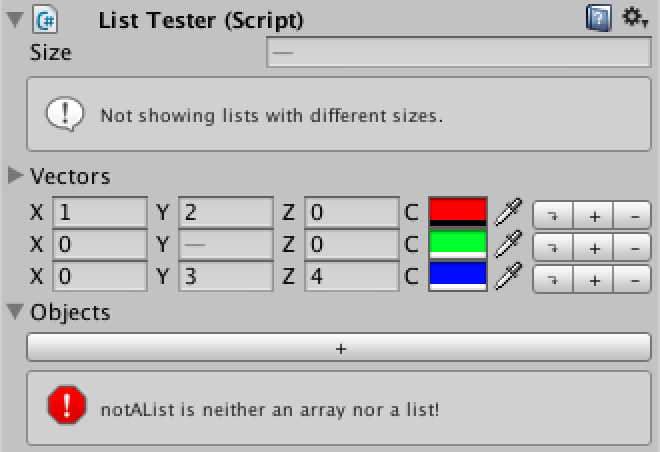
A Unity C# scripting tutorial in which you create an alternative visualization for lists in the editor.
livid bramble
This was solved by using a struct with [Serializable] btw 🙂
round hazel
how can i change this
 gloomy chasm
round hazel
how can i change this
gloomy chasm
round hazel
how can i change this
That question is far to open ended. How are you drawing them, IMGUI or UIToolkit? What is it that you want to change about them?
round hazel
1second
round hazel
round hazel
how can i change this
to something like this

im a noob but I want to get started with this side of unity
is this even possible..
gloomy chasm
round hazel
is this even possible..
The answer is almost always yes.
How are you drawing those fields? Do you know?
 steady crest
Running into some trouble with the amount of available textures, I am capping out the 2048 textures available. My generated thumbnails are one Texture2D from a RenderTexture each.
how can I increase that amount to more than the texture limit? I am using UI Toolkit, and need a Texture2D of each mesh to render a UI element on the database window.
for reference I dont want to raise the limit, there must be a smarter way to go about it and correctly manage the texture data in a way that doesnt exceed that amount
gloomy chasm
round hazel
in image 1 or 2
Image 1, the one that is in the editor.
round hazel
EditorGUILayout.ObjectField(recipe.ingredients[i],typeof(Item),true);
Okay, what you are looking for is GUILayout.BeginHorizontal()/ GUILayout.EndHorizontal(), and GUILayout.BeginVertical()/ GUILayout.EndVertical(). You put the fields after the begin and before the end. Look at the docs for more clarification, they have good examples.
gloomy chasm
steady crest
Running into some trouble with the amount of available textures, I am capping ou...
What do you mean you are capping out? Texture limit?
steady crest
yup, creating 2048 textures rather quickly
gloomy chasm
steady crest
yup, creating 2048 textures rather quickly
I'm sorry, are you able to spell it out for me? I am not quite following.
steady crest
i am generating mesh previews in the editor, each with a render textures. when I have 2048 mesh previews generated it caps out and I cant generate anymore
does that expalin it somewhat?
gloomy chasm
Yeah thanks. Hmm.. first off, why do you need to generate 2048 render textures at once?
 digital gorge
Anyone know how to add icons into editor extensions like so?
 gloomy chasm
digital gorge
Anyone know how to add icons into editor extensions like so?
gloomy chasm
digital gorge
Anyone know how to add icons into editor extensions like so?
If you are using IMGUI you can use GUIContent or EditorGUI.DrawTexture, I personally recommend the first option. If you are using UIT, then the Iamge element/
steady crest
gloomy chasm
Yeah thanks. Hmm.. first off, why do you need to generate 2048 render textures a...
well, I am creating an asset database for all my 3D models, and I have more than 2000 models in there. so I need a way to make sure I dont exceed that number (I am writing them in jpgs that are 256x256px for storage)
but I still need them to be displayed on the screen
gloomy chasm
steady crest
well, I am creating an asset database for all my 3D models, and I have more than...
Is this just in editor I assume? So like a custom editor window?
steady crest


I am using this currently in the editor, but I am working on a runtime importer as well
digital gorge
gloomy chasm
If you are using IMGUI you can use `GUIContent` or `EditorGUI.DrawTexture`, I pe...
where should i start researching this concept if I'm a noob. Spoiler alert, im a noob.
gloomy chasm
digital gorge
where should i start researching this concept if I'm a noob. Spoiler alert, im a...
Check the pinned messages, there are a lot of good sources 🙂
steady crest
@gloomy chasm using TriLib for runtime importing is alrdy working, but I cannot seem to fix the texture capping
gloomy chasm
steady crest
<@!131292153300123648> using TriLib for runtime importing is alrdy working, but ...
I think I need more context around this. How are you generating them, when, and what do you do with them (You said you save them to file? If so do you load them back in?)
steady crest
I generate a Texture2D from a camera into a renderTexture and apply that into a VisualElement in the UI taht takes a Texuture element
gloomy chasm
steady crest
I generate a Texture2D from a camera into a renderTexture and apply that into a ...
Why not use Unity's built-in system for getting the textures?
steady crest
        var tex = RuntimePreviewGenerator.GenerateModelPreview(assetLoaderContext.RootGameObject.transform, 256, 256);
        _ui.AddUIElement(tex);
you mean the editor side preview renderer?
gloomy chasm
Yeah
steady crest
cuz im planning to make it also work at runtime
its not so much the preview generation thats the issue, its the fact taht I am generating 2000+ of them
gloomy chasm
steady crest
its not so much the preview generation thats the issue, its the fact taht I am g...
Why not reuse the textures?
https://forum.unity.com/threads/rendertexure-count-limit.200824/
Unity Forum
What is the limit to the number of RenderTextures you can have at one time?
I'm using RenderTextures to generate unique terrain textures that blend...
steady crest
how tho? I cant reuse textures that are completely different 🤔
The RenderTexture gets cleaned up and the memory used by it gets released,
its the large collection of Texture2D's that is causing the issue, those are the actual thumbnails
I cant get rid of those, since I need to display them on the screen
gloomy chasm
steady crest
The RenderTexture gets cleaned up and the memory used by it gets released,
its ...
Why do you need 2000 at once? You are not displaying all 2k on the screen at a single time right?
steady crest
I am not, but I am generating them for the entire folder at once so that I dont have downtime while the application is running aftewrwards
tho I suppose it would be possible to clean up the textures that are being culled inside the scrollview 🤔
that would mean I need to re-read them from the img file if they enter the screen tho
gloomy chasm
steady crest
I am not, but I am generating them for the entire folder at once so that I dont ...
I assume that generating a single texture is relatively cheep, so I would think it would be quite sheep to generate say like 10 at a time when you need a new row to display.
steady crest
depending on the mesh complexity, I have had meshes load in anywhere between 0.1 to 2 seconds per preview
2 seconds being meshes with polycounts in the 100k+ range
steady crest
gloomy chasm
I assume that generating a single texture is relatively cheep, so I would think ...
While I am generating them, I am also writing them to files. So the next time that file is accessed I can simply grab that image and display it after loading it
gloomy chasm
steady crest
While I am generating them, I am also writing them to files. So the next time th...
How long does that read/write take? If you get rid of that does it speed up the 2 second preview load time?
steady crest
the 2 seconds is without any read/write integration. purely the realtime mesh preview generation
load mesh, create previews snapshot, clear mesh from memory, display ui element
the loading of the files is an async task, and the saving of img files is another. @gloomy chasm
the img saver just saves the images whenever it gets notified a mesh has finished loading and a new Texture2D has been added.
gloomy chasm
@steady crest I found the problem
steady crest
oh?
gloomy chasm
The tool you are using uses RenderTexture.GetTemporary, that is why there is the cap.
It seems like it does release it..
steady crest
you mean the asset for the preview renderer?
gloomy chasm
steady crest
you mean the asset for the preview renderer?
Yeah
steady crest
interesting
there is nothing stopping me from making changes to that code fyi. so thats not a problem. altho I dont know how to get around to fixing it
the 2048 texture limit exists for a reason I assume
gloomy chasm
steady crest
the 2048 texture limit exists for a reason I assume
For memory reasons. (I assume)
steady crest
I asssume so as well. which is why there should be a better way to go about it than to cercumvent the safety from this particular package
at least I think so
im not knowledgable enough about the specifics here to say for certain
which has led me here into the channel, because I hoped someone would have a solution for this (even though it goes beyond the editor, and into the runtime)
but I have posted this a few times during the day today and got little to no response in different locations, so I decided to try my luck here as its a complicated issue.
I may be slightly out of line asking about this in this channel, but without exaggeration I feel like this is where the smartest programmers in the discord hang out xD
@gloomy chasm
its also quite a relevant problem regardless of editor or runtime, so thats partially the reasoning too
gloomy chasm
steady crest
which has led me here into the channel, because I hoped someone would have a sol...
Have you already tried the forums? And maybe the github/forums for the tool you are using. I am not that familiar with it so I can't really help beyond this point sorry.
steady crest
I should maybe contact the dev for the preview generator and ask him to help figure out what is going wrong with my implementation of his tool. As he wrote it, its safe to say he would be able to understand the issue I would think. I just assumed discord would be faster than that 😅 @gloomy chasm
gloomy chasm
steady crest
I should maybe contact the dev for the preview generator and ask him to help fig...
Yeah, I would do that.
steady crest
he was last active on the forum thread about it 2 months ago, so I dont think I will have a hard time contacting him
steady crest
contacted the dev. Luckily this wont stop me from making progress if I keep the folders below that size for now. Which I would do anyway for testing as long as I know it scales 🙂
civic river
I'm a bit stumped, looking for some advice here. In the editor, I'm stuffing a bunch of data into an object array
public object[] initializationValues;
Late on in the game somebody is going to reference that data and possibly mutate a copy of it, so it gets copied when the game starts. My problem is this, I can get this stuff to serialize fine for reference types, but value types are going to get boxed/unboxed a bunch. Afaik, C# doesn't have a generic value equivalent of object that I can store arbitrary value types in. So, essentially my problem is this: How can I store this data at editor-time so that I can access and mutate it quickly at runtime without boxing/unboxing?
My most naive attempt is just say, here's the supported value types:
public object[] initializationObjectValues;
public int[] initializationIntValues;
//...etc
There's quite a few problems with this naive impl, it's not very space efficient but it'd be really fast at runtime. Figured somebodies been in this boat before and wondering if anybody has thoughts to share on it
My current attempt at this is here https://github.com/CoffeeVampir3/Graphify/blob/main/Runtime/Blackboard/DataBlackboard.cs -- I had to split some types for serialization reasons, but they all get combined into a single hash table at runtime. Although there's several problems with this approach, the boxing/unboxing garbage was really at the core of the problem
steady crest
@gloomy chasm ```cs
private void OnMaterialsLoad(AssetLoaderContext assetLoaderContext)
{
var tex = RuntimePreviewGenerator.GenerateModelPreview(assetLoaderContext.RootGameObject.transform, 256, 256);
    _array[_arrayFill] = tex;
    rects = _textureAtlas.PackTextures(_array, 0, 256);
    _ui.AddUIElement(_textureAtlas, rects[_arrayFill]);
    _arrayFill++;

    Destroy(assetLoaderContext.RootGameObject);

    if (_files.Count != 0) AssetLoader.LoadModelFromFile(_files.Dequeue(), OnLoad, OnMaterialsLoad, null, OnError, null, _assetLoaderOptions);
    else
    {
        var img = _textureAtlas.EncodeToPNG();
        File.WriteAllBytes(Application.dataPath + "/Thumbnails/x.png", img);
        AssetDatabase.Refresh();
    }
}
following up on yesterday, this works kind off. the problem is that the rects applied to the UI elements do not remain correct. is there any way i can update the rect I pass into the _ui.AddUIElement() function without needing to loop over all existing buttons and update their respective rects?
 gloomy chasm
steady crest
following up on yesterday, this works kind off. the problem is that the rects ap...
gloomy chasm
steady crest
following up on yesterday, this works kind off. the problem is that the rects ap...
Yeah, but it depends on the type of element. And what are you using?
steady crest
currently, button
    public void AddUIElement(Texture2D img, Rect rect)
    {
        var b = new Button(() => Debug.Log("Clicked"));
        b.AddToClassList("DatabaseElement");

        var tex = new Image {image = img, uv = rect};

        b.hierarchy.Add(tex);

        doc.rootVisualElement.Q<VisualElement>("DataContainer").hierarchy.Add(b);
    }
@gloomy chasm
gloomy chasm
steady crest
```cs
public void AddUIElement(Texture2D img, Rect rect)
{
var b...
Couple of things, first I would rename rect to something more descriptive, like uv, or iamgeUV. Most of the time when working with UI in unity, when you see rect, you would normally think it is the rect for where to display the VisualElement.
Second, you said you want to update the rect, meaning the image.uv, correct? Why do you want to, and when do you want to?
steady crest
why: because whenever the atlassed image changes, the rects end up being wrong as they are based on a % value of the full image (0,1 on x with 1 element, should become 0, 0.5 with 2 elements)
when: whenever a new element is added to an atlas that already has 1 or more images inside it, so where there are more than 1 rects in the array of textures
gloomy chasm
steady crest
why: because whenever the atlassed image changes, the rects end up being wrong a...
So unless you know exactly what changed, you would just need to loop over all of them and update the rects.
Btw @steady crest , to add child elements, don't use myElement.hierarchy.Add(), use the normal myElement.Add().
Every VisualElement has a contentContainer property, it is the visual element which elements get added to when you call the Add() method.
It is virtual so it can be overridden (like the ListView and ScrollView do), but normally it is this (it self). Where as the hierarchy.Add() method ignores the contentContainer and just directly adds it as a child. Unless you have a reason to do that, it is best to use the Add() method instead.
steady crest
gloomy chasm
So unless you know exactly what changed, you would just need to loop over all of...
There are no changes that can happen unless the mesh changes. In that case I replace the texture with the new one.
Or gets deleted I suppose
steady crest
gloomy chasm
Btw <@!234029697636237314> , to add child elements, don't use `myElement.hierarc...
I didnt have a particular reason. I thought that was the way to do it. I'll change that right away
gloomy chasm
steady crest
There are no changes that can happen unless the mesh changes. In that case I rep...
Wait, so what are you wanting then...?
gloomy chasm
steady crest
I didnt have a particular reason. I thought that was the way to do it. I'll chan...
I figured that was the case! Sorry I wasn't trying to criticize, just inform 🙂
steady crest
thats alright haha. glad you pointed it out 🙂