#↕️┃editor-extensions
1 messages · Page 76 of 1
 onyx harness
Pleasure is mine
 mellow oar
Me: Why yes boss person. I can certainly add a tooltip to this custom editor window. There is a Tooltip attribute now built in to Unity.
Meanwhile, in Unity: Derher! NERP! Not in Editor class :> We's trolls!
Also Me: >_> grumble grumble where's my coffee..... I have to smack Unity upside the head with it's own API. Again.
God bless GUIContent
onyx harness
Tooltip attribute? What is it?
mellow oar
onyx harness
Tooltip attribute? What is it?
If you've got a custom field, like say "Health", and you need other developers/script kiddies to know what it does, you usually slap something like [Tooltip("Here's a tooltip")] above the field in question.
That way when user hovers their mouse over it, it gives you useful info.
Evidently Unity only saw fit to put this into the Monobehavior fields. But that's alright. I got around it.
onyx harness
Oh yeah, I forgot it X)
mellow oar
onyx harness
Oh yeah, I forgot it X)
Oh buddy. This morning I'm forgetting EVERYTHING it's kind of terrible.
 vernal belfry
Is there any way i can show this in my SO view?
this controller that sets the anchors
i know i can set it up by the anchorMin and anchorMax but id like to know if its possible to show this for the designer to have to think less
 waxen sandal
Just that one control or the whole rect transform drawer?
vernal belfry
yeahm, that control basically just sets a couple of vector2 and the pivot
soo i as wondering if its possible to use it
or is kind of protected
waxen sandal
I would look at the source, there's no ready made thing in editorgui at least
waxen sandal
It might just be really easy to copy paste from the source
vernal belfry
how can i find the source of that specifically?
i guess this is it?

GitHub
Contribute to jamesjlinden/unity-decompiled development by creating an account on GitHub.
waxen sandal

GitHub
Unity C# reference source code. Contribute to Unity-Technologies/UnityCsReference development by creating an account on GitHub.
Probably that
 whole steppe
how would i stop my camera inspector editor from greying out the chosen options when the camera controller script is FIRST applied to the camera object? i want the greying out to happen once a camera & / or target has been chosen, then either one is set back to null again :
using UnityEngine;
using UnityEditor;
[CustomEditor(typeof(CameraController))]
public class CustomCameraEditor : Editor {
    void OnEnable ( ) {
        _cam = serializedObject.FindProperty("cam");
        _target = serializedObject.FindProperty ("target");

    }
    public override void OnInspectorGUI(){
        EditorGUILayout.PropertyField ( _cam );
        EditorGUILayout.PropertyField ( _target );
        if ( !firstTimeValidate ) {
            GUI.enabled = _cam.objectReferenceValue != null && _target.objectReferenceValue != null;
            firstTimeValidate = true;
            return;
        }
    }
}
as you see, i tried a boolean to check whether or not the script is first applied, but it is not working.
firstTimeValidate
i just don't want it to automatically grey out the options when the script is 1st applied to the object.
 quaint zephyr
Is there a way for me to use Unity's Add Component dropdown in my editor script? Specifically it's nested categories feature?
quaint zephyr
Thanks
 hardy apex
I've got a weird, specific question: is there an easy way to create an editor only tally of how many of a certain object is in a scene (or across scenes)? I'd like to update a database with the number of collectable objects I've placed in the world without needing to do a manual count between playtests, but I don't want to use any methods that will only update on runtime if possible
Edit: figured it out, checking for if the specific objects are added via the "HierachyMonitor" editor method. Simpler than I thought
waxen sandal
@onyx harness minor suggestion to your API versioner, if you collapse to 2020 it should show the earlier version that it supports in the top right corner, currently it shows the latest. In this case 2018.1 is supported but it shows 2018.4
Also docs links seem to be broken
 real ivy
Is there a way to exclude some enum element in an enum dropdown?
onyx harness
waxen sandal
<@!264188849788289024> minor suggestion to your API versioner, if you collapse t...
This label is just a little indicator to tell you a major version separation.
It makes sense when it is all unfolded, less when you are on the 2020 fold.
onyx harness
waxen sandal
Also docs links seem to be broken
Give me the API, I'll check that.
But for your information, the link becomes available if the API is a public C# entity, unfortunately it doesn't mean Unity has written a doc for it
onyx harness
real ivy
Is there a way to exclude some enum element in an enum dropdown?
Not directly, you will need to do it manually
real ivy
Manually means i gotta make a special enum for those specific cases?
waxen sandal
onyx harness
This label is just a little indicator to tell you a major version separation.
It...
Yeah, exactly
onyx harness
real ivy
Manually means i gotta make a special enum for those specific cases?
More like you use PopupField instead of EnumField
real ivy
Aaah oh yea
waxen sandal
onyx harness
Give me the API, I'll check that.
But for your information, the link becomes ava...
Hmm, seems like some pages already have working links while others don't. SerializeReference seems to only have working links to the docs while AdvancedDropdown doesn't have any
Even though there are some docs, https://docs.unity3d.com/ScriptReference/IMGUI.Controls.AdvancedDropdown.html

https://docs.unity3d.com/2019.1/Documentation/ScriptReference/AdvancedDropdown is what the versioner is linking to
Their uri seems to be "{assembly name}.{class name}" without the UnityEngine/UnityEditor part
onyx harness
waxen sandal
https://docs.unity3d.com/2019.1/Documentation/ScriptReference/AdvancedDropdown i...
Oooh, I'll look into that, thx
real ivy
Hi uhh, im not sure how to ask this..
Basically im playing with nested SO. The parent has a custom inspector and draws the childs as well
Now i have some stuff (button, dropdown, anything) in some of the child SO's drawer and wanna trigger the whole hierarchy to redraw (basically calling the parent's CreateInspectorGUI), but, the child dont really have reference to the parent's etc
Is there a "safe" way to just find the top most VE and call the CreateInspectorGUI?
onyx harness
VE?
real ivy
VisualElement
onyx harness
Re-retriggering CreateInspectorGUI... Hum... sounds dangerous
real ivy
Well i guess i have to Clear() the whole thing first
onyx harness
I might say playing with Selection
onyx harness
You dont.
Selection.activeObject to null.
Wait one frame (refresh Inspector)
Selection.activeObject to your SO
real ivy
Ah oh wow ok
onyx harness
Inspector should recreate everything
real ivy
Yea that should work
real ivy
Its fine, it's a pretty significant button, so some ground shaking is to be expected
real ivy
Ok i could use editorcoroutine but was trying this
public override bool RequiresConstantRepaint()
{
  return skill.dirty;
}
Which works
But then i dont know how/where to put it to make it false again
Is there like an event OnRepaint or something?
Oh wait nvm it doesnt even repaints the existing gui, so nvm
quaint zephyr
Do you know if ScriptableObject instance that is saved somewhere in Assets will persist through build and be accessible in production?
onyx harness
To embark any Object into the build, you need to reference it. Just that.
There are few exceptions to it, but I won't go there for the moment
quaint zephyr
So I can create a SO instance, and from a MB I can just expose a soInstance field, drag that in there and then it will be available in build as well as whatever state I save it in editor will be persisted to build?
 twilit leaf
I hope this is the correct place to ask, anyone know how to render to png with transparent background?
onyx harness
quaint zephyr
So I can create a SO instance, and from a MB I can just expose a soInstance fiel...
yes
 split bridge
^probably obvious but so long as it is serialized to disc and you haven't created it at runtime
 foggy birch
One message removed from a suspended account.
One message removed from a suspended account.
One message removed from a suspended account.
One message removed from a suspended account.
One message removed from a suspended account.
 thin fossil
Does anybody know how to use builtin unity icons with UI Toolkit. I just want to use simple folder icons etc. in my editor window
foggy birch
One message removed from a suspended account.
thin fossil
Thats what I usually use but I cannot use it with UI Toolkits USS files as they require a path
 icy tusk
hi
foggy birch
One message removed from a suspended account.
thin fossil
@foggy birch would be possible I guess but it somehow defeats the purpose of the UI Toolkit editor and I cannot just switch classes to change icon states. Would be a workaround. For now I just downloaded the icons I need from the unity editor icon list and put them in my own folder. Its also just a workaround but works better with the UXML workflow
onyx harness
@waxen sandal Thx for the report, I fixed them all and also implemented a direct link to GitHub files (when available)
waxen sandal
Nice, great addition
 ebon helm
I made a simple material analyzer that shows all the different active materials in a scene and the gameObjects that use them. Would anyone find this useful ?
waxen sandal
Does it show batching?
If so could be useful, otherwise the only use I would have for it is some dependency finder for material specific
real ivy
Hi. I wanna make something like this in the editor
First of all, what's the actual data container? A 2d array i guess enum[,]
I need a full grid tho (2 way relation)
The most important question actually:
I dont need it to be displayed like this, but honestly i dont know how else it could be displayed. It just has to be intuitive, and if there's an easier alternative i could go with that
This is for elemental damage table btw
real ivy
Im just gonna make the UIElement version of this
https://gamedev.stackexchange.com/questions/106143/how-to-display-a-list-of-2d-arrays-in-the-inspector
Manually draw each float input field

Game Development Stack Exchange
Simply put, how do I make public List<bool[,]> appear in the inspector? Every 'bool[,]' is a solution to a puzzle in my game and I want to be able to view and edit them in the inspector.
How do i uhh, grid-ify all child element in a visual element?
Maybe there's styling for it..
real ivy
Yeeey. Ok im good to go!
 small orbit
How do I implement sideways popup bars?
onyx harness
"GameObject/boolIsStatic"
small orbit
Thanks!
 trail dawn
Hey everyone, I'm curious to know why my DrawSolidDisc is not rendering behind my character in the game window, despite setting:
Handles.zTest = UnityEngine.Rendering.CompareFunction.Less;
 lime rivet
Does anyone know what this error means? I am following instructions on the Yarnspinner website but this error is telling me to "Install Git" on my computer? I need help.🙃
lime rivet
@waxen sandal thanks for the help! And i'll remeber to do that next time!
 cloud aurora
Is it only me or is the UI Toolkit documentation lacking or am i missing something?
waxen sandal
You're right
 thorny rock
Hey, I have a class "gadget" that is never used, but the base-class for inheritance. The "Spring"-class is one of the children. I want to extend my editor, that each child-class has a button that activates the gadget. If I extend my gadget-class, the button does not show up in the inspector of the spring-class (or any other child-class). Is there a way around me extending each children-class seperatly?
waxen sandal
Try enable bool editorForChildClasses on your CustomEditor attribute
ebon helm
hey Navi I wanted to ask you about your comment on my material analyzer. What did you mean by show batching? Like in the frame debugger ?
waxen sandal
Yeah
ebon helm
hmm not sure how to go about that. Right now it just show the shader keywords of each material
thorny rock
@waxen sandal Thank you that was exactly what I was looking for!
 dry grotto
can anyone help me i am having this issue everytime i open up my unity project i see this. My other project in the same editor version opens up easily but this doesn't i have 90gb+ space available
 severe python
the documentation could be better, but it covers the majority of important points, atleast for my needs it did
I don't know about the documentation for run time UIToolkit
 mortal kettle
I wonder if this is some kind of permissions issue
Or possibly a corrupt folder on your pc
severe python
I've run into that problem, unfortunately I can't remember what the cause was, I recall it was unexpected :/
you might try just blowing away the compiled data folders
or moving them
ProjectRoot/Library
severe python
dry grotto
can anyone help me i am having this issue everytime i open up my unity project i...
Just want to ping you on this. My first step for weird errors like this is to remove the compiled data for the project. So I move ProjectRoot/Library somewhere then open the project again
its definitely a throwing stuff at the wall to see what sticks approach
 wide spire
i dowloaded one of them but it says there is none when i try and select it on the drop down thing
i tried opening and closing unity but it didnt work
dry grotto
severe python
Just want to ping you on this. My first step for weird errors like this is to r...
Thanks but I thought of making a new project and manually importing all my data their and when I created a new project it opened up. After creating a new project I opened up my error project again and it opened up without errors.
I just crated a new project and opened up the last one again and somehow all errors were fixed
severe python
Oh you gotta love when errors just magic themselves away (not)
 summer basin
Just wondering, is the Allocator not available on static classes?
onyx harness
summer basin
Just wondering, is the Allocator not available on static classes?
What is it that it is?
summer basin
@onyx harness Something weird in VC just told me, I cannut use the using System.Collections and then use Allocator, so I had to write it inline with System.Collections.Allocator.Temp, now its working, nevermind and thx 🙂
 hidden shale
how can i make editor stuff in .dll work?
onyx harness
You run it
 digital spoke
How can I improve the UI/UX for my 3D tiling tool? This is the auto tiling ruleset. Currently it's just a dictionary that you have to set up (place tiles in etc) and it's not really intuitive to use
ideally I want something similar to the unity 2D extra's ruletile UI where you have a grid of arrows you can click on and then assign a tile to it
you would assign corner tiles to the corner arrows, etc
but that seems pretty complicated to do and have no idea how
severe python
Its rough that I'm asking this at all, but anyone happen to know why my UXML and USS files don't seem to be updating my views when I make modifications to them in Unity 2018.4
I've tried modifying them, and just clicking on the window, no changes
I've tried modifying them, closing the window and then opening a new one, no changes
I've tried modifying them, re-importing the 2 files, then closing the window and then opening a new one, no changes
What does seem to work is causing an assembly reload by modifying a CS source file
severe python
So, it looks like using EditorGUIUtility.Load to load the UXML instead of AssetDatabase.LoadAssetAtPath<>() is the reason for the issue
Nevermind...
severe python
Can you make an asset browsable in the project window? what documentation is available for that?
summer basin
What do you mean exactly?
severe python
I figured it out, kinda,
it doesn't quite achieve what I want it to, since I don't think using these will result in references to the asset bundle
 jovial plinth
real ivy
Hi. I wanna make something like this in the editor
First of all, what's the actu...
jovial plinth
real ivy
Hi. I wanna make something like this in the editor
First of all, what's the actu...
woah what is that
real ivy
Yes? That's just the default physics collision mask
vernal belfry
Is there soomething like a datetimepicker for the editor?
waxen sandal
Nope
vernal belfry
surprising, not even Odin has a decent datepicker
waxen sandal
Why do you need one?
vernal belfry
to set promo periods
like this item sale offer is available from this day this time to this day this time
well, i dont NEED it
but I know someone is going to ask me for it
😄
waxen sandal
I'd suggest to query your server for that information, it's a lot easier to deal with
waxen sandal
Hardcoded dates for promotions/sales/events in your build requires you to release a new version of your game, this is quite annoying since user will probably have to download a relatively large amount of data each time
And users can keep an old build around to keep access to the promo/sale/event
It would be better to send a request to your server that checks for active events
vernal belfry
ahhh, yes. thats the plan, but on a first stage and just for launch we wanted some stuff easily hardcoded
but now you mention that makes me realize dont need to put too much effort on this since soon we will be setting them up from outside.... 🤔
waxen sandal
😄
vernal belfry
yeah, youre right, damn i wasted almost 1 hour researching for something i actually dont even need that much
:facp
🤦♂️
need a break
thanks @waxen sandal
severe python
its not a waste of you ultimately come to the right conclusion
 mossy hearth
aight can someone help me out my inspector's being weird
waxen sandal
Do you have any custom editors/property drawers?
mossy hearth
i dont think so
 graceful gorge
Hello folks, I'm automating the setup of an image layout (it scales images uniformly so they fit their panel and I use a mask to crop the image if it gets out of the borders and the inspector should let you resize the panels, without burdening you with detail), no real problem with that I think.
I would like to be able to preview this layout in the inspector, without fiddling with the scene (The designers will need to adjust a couple values in hundreds of image combinations). Does anyone know of a way to emulate the behavior of the game UI(the image, layout groups and mask components for example) in the inspector ? (And ideally make gizmos over it, but I don't think I've ever seen such an inspector, probably for performance reason)
waxen sandal
Create some invisible objects and only render them in your special editor camera, then put that rendertexture in your ui
graceful gorge
Oooh, yeah that's perfect, thanks (I never thought about the fact that the editor camera is a thing you can access in C#)
severe python
Does anyone know for sure if it is or is not possible to assign a reference from Compiled AssetBundle A to a prefab, which is assigned to AssetBundle B, such as assigning a Texture from A to a Material which the Prefab uses on its MeshRenderer component, and when you build AssetBundle B it has a dependency on AssetBundle A?
 blissful burrow
is it possible to add dividers to enum popups somehow?
similar to the ones you can do in MenuItems:
waxen sandal
Not with the default popup controls afaik
blissful burrow
so I'd need to use GenericMenu or something for that then I guess
waxen sandal
Or your own editorwindow that uses showpopup
That's probably too much effort though
blissful burrow
showpopup seems to not be a context menu though right?
I want it to behave exactly like enum popups, but with dividers
anyway, generic menu will do!
waxen sandal
There's also ShowAsDropDown
But genericmenu is probably easiest unless you want to do really fancy things
severe python
You can make any of the windows behave how you want but it requires reflection
I have a popup for my auto complete control which uses ui elements for its content which would be able to do that
Outside atm but I can link my source for that if you want to see it
blissful burrow
I think I'm good! generic menu has all the things I need
thanks though!
feels a little cursed but you know what, it works~
severe python
context menus are always a bit of a pita in unity
blissful burrow
it has been incredibly convoluted just implementing this one thing, haha
I wanted an enum popup that is:
- sorted by the declaration order in the enum itself
- has separators
turned into this cursed lump of code
severe python
yep, that doesn't surprise me at all, I did some auto-populated popup like that for a set of scriptable objects recently, and I'm happy with what I wrote, but its just crazy how complicated it gets
I think they are providing something in UIToolkit for context menus, but I can't seem to find anything about it at the moment
split bridge
That's because I think it's not quite yet made 😄 - fingers crossed, at some point in the future we won't all have to keep doing this though.
severe python
I mean this isn't a context menu though, this is a popup, and they do have a solution for that which, its okay?
it's not a true popup, its confined to the window space
considering that its meant for runtime and edit time usage, it makes sense, but it would be nice to have a real popup
and actually, I guess context menus can be handled in that same way because you just create a VisualElement at the location of your cursor with a click event and then populate that however you want
split bridge
doesn't the existing uitk one just use generic menu though? (at least, editor ui) if not, I don't think I've seen it.
Samples for me looks like this for popup but I could easily believe I'm missing something new.
this is the on I made in UITK - hope one day they have something more like this built-in but tbh this is fairly custom and wasn't that much work
whole steppe
UMM its simple but
i have a question basically how to add your own custom object to this context menu https://i.imgur.com/IQykPxh.png
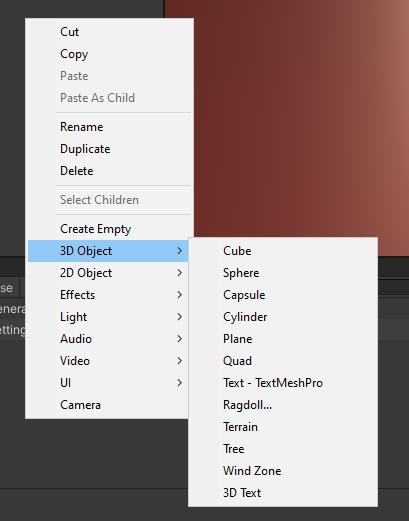
so i can add them with one click ;f
split bridge
off the top of my head I think you want something like [MenuItem("MyMenu/MyThing")] as an attribute above a static method you want to call
wide spire
i got of the things it says to download but it doesnt recognize it am i supposed to move the thing i downloaded to a certain folder or idk
severe python
Would anyone know how to iterate over assets that have been added as children to a ScriptableObjet via AddObjectToAsset?
split bridge
@severe python smth like AssetDatabase.LoadAssetRepresentations();
severe python
LoadAllAssetRepresentationsAtPath, thank you
wide spire
i also downloaded a different one from that list but still the same thing
doesnt know its there
severe python
Man, why can't I write out files from an assetbundle into my project :/
split bridge
heads-up, having just done a tonne of subasset manipulation stuff there are some real gotchas. For instance I think if you ctrl+drag to duplicate it acts differently to cmd+d and it swaps the main asset with the first sub asset (majorly disruptive). Other things like renaming them doesn't refresh project window and much more.
severe python
so this is a hack lol
uhm, I'm trying to basically extract Assetbundles so that I can add them into an assetbundle definition of the same name so that the assets can be excluded from other asset bundles
basically, I'm trying to setup a system to reference assets out of asset bundles and maintain the appropriate dependency requirements
split bridge
have you checked you're not reinventing functionality that addressables is supposed to solve?
severe python
if there is a smarter way, please call me stupid and explain
does addressables work against assetbundles?
I know its like built on them?
split bridge
yea - I've only had a brief foray but from what I've seen, it builds out assetbundles
severe python
does it become a dependency?
split bridge
but I'm far from an expert - just starting to learn about them
sorry does what become a dependency of what exactly?
severe python
backstory, I'm building a modding developing environment in unity, so I'm trying to avoid creating dependencies for the games being modded
its not a hard requirement, eventually the value of ease of use could outweigh that
that said, if Addressables kinda solves this problem, then at an absolute minimum I can understand how they accomplish it to see how I could
split bridge
Maybe check out https://docs.unity3d.com/Packages/com.unity.addressables@1.15/manual/AddressableAssetsDevelopmentCycle.html and scroll down to the 'how it works' section
Also here https://docs.unity3d.com/Packages/com.unity.addressables@1.15/manual/MemoryManagement.html - AssetBundle dependencies
AssetBundle dependencies are created when an asset in one AssetBundle references an asset in another AssetBundle. An example of this is a material referencing a texture. The dependencies of all these AssetBundles can be thought of as a dependency graph.
Adding an Addressable Asset that has an external reference (references an object in another AssetBundle) to an AssetBundle adds that AssetBundle as a dependency for all the other Addressable Assets in the AssetBundle.
severe python
So this is better than what I'm doing but It doesn't just work for anything unfortunately
whole steppe
 severe python
I'm not sure that I even need to build any support for addressables, if they are used it in the game already then I think it should just work
whole steppe
how to always rotate that to scene view direction?
even in edit mode
i know theres execute in editmode
tag
split bridge
@severe python yea sorry I'm not sure what direction's good for you just... extracting data out of bundles doesn't sound like that much fun 🤣 .. good luck!
severe python
lol, nope
 trail meteor
If we remove a serialized field in a script, it disappears in the inspector, we can't find it with FindProperty, but the value that was assigned is still serialized on whatever it's serialized (Scene, Prefab, etc) and I once had issues where a invisible referenced asset was included in the build because of this. Is there a way to discover obsolete hidden references like this?
waxen sandal
Not that I know of
waxen sandal
Selection.ActiveObejct?
whole steppe
i need a callback
something like
    void OnFocus()
    {
        Debug.Log("Focused");
    }
    void OnLostFocus()
    {
        Debug.Log("Unfocused");
    }
like when I click object in scene
i want something to happen
is itpossible?
waxen sandal
Selection.SelectionChanged
onyx harness
trail meteor
If we remove a serialized field in a script, it disappears in the inspector, we ...
Hum... I would try to dirty the whole project's assets to force a save on each and single one of them
whole steppe
any way to disable this https://i.imgur.com/jZe8Dt7.png
i legit dont see mesh
cus of these
lines
nvm
graceful gorge
Hello, I'm stuck on something rather dumb. I'm trying to do this :
    LayoutElement.minHeight = ParentRectTransform.rect.height;```
But it fits the rectTransform rather than the content itself.
The content is a sprite. And I'm certain you'd need the Sprites dimensions for a lot of the UI functionnality to work. But I can't for the life of me find how to access them.is there
 quiet saffron
Hi everyone, I just went through an terrible bug(behaviour?) I completely failed to understood, I'm using 2019.4.8f1
The code execution after PopupWindow.Show are completely cut off
 visual stag
Show calls EditorGUIUtility.ExitGUI which fires an exception which is caught by the GUI context
if you want to you can catch the ExitGUIException and re-throw it once you're done
quiet saffron
@visual stag Thanks! Is this documented anywhere?
visual stag
In the source code 😛
quiet saffron

visual stag
I've just added that as a note to the docs using this extension https://chrome.google.com/webstore/detail/user-contributed-notes-fo/fchdfdnnpkphopmdaochdfnmcahndmnb?hl=en
 novel juniper
Quick question: I'm using a ReorderableList to display a polymorphic list of serializable classes (stored using the SerializeReference attribute). However, the default property editors for the classes overlap other GUI elements when they fold out. How do I expand the list elements vertically to avoid this? https://gyazo.com/dad005f1ce1e7bb0e2aa7bf889525401
ReorderableList behaviours = new ReorderableList(
    serializedObject,
    serializedObject.FindProperty("Behaviours"),
    true, true, true, true);
behaviours.drawElementCallback = (Rect rect, int index, bool isActive, bool isFocused) =>
{
    rect.x += 15;
    SerializedProperty property = behaviours.serializedProperty.GetArrayElementAtIndex(index);
    EditorGUI.PropertyField(rect, property, new GUIContent(property.type), true);
};


 novel juniper
Never mind, I figured out the solution on my own:
behaviours.elementHeightCallback = (int index) =>
{
    SerializedProperty property = behaviours.serializedProperty.GetArrayElementAtIndex(index);
    return EditorGUI.GetPropertyHeight(property, property.isExpanded);
};
 low crown
Does anyone know if its possible to make a custom inspector that does something like this:
Trying to make a dialouge and subtitle system
low crown
figured it out with lists
 brisk crest
I want to make a simple tool to select all the materials used on my scene and change them to a specific folder... is that possible?
I know how to find the materials, but I don't know how to change their folder by code.
onyx harness
AssetDatabase.MoveAsset? Something like that
waxen sandal
Seems like Unity had a little oversight...
ReorderableList in a custom importereditor doesn't work that well since ReorderableList automatically applies the changes so you can't revert them
graceful gorge
It likely has a lot of little quirks like that, given that it's hidden in internal and not technically supported
real ivy
I changed the UIElements' stuff in code, but somehow it's still using the old stuff
So maxCharge used to be a List, and the drawer uses my custom list drawer stuff etc
Then i changed maxCharge to a simple int, and display it with a
pf = new PropertyField();
pf.BindProperty(maxChargeProp);
pf.label = "Max Charge";
container.Add(pf);```
but the inspector is still using the List drawer (although, draws it with the default List drawer)
I tried commenting the whole drawer, compile, then uncomment and compile again, but the same thing (default List drawer instead of an int drawer)
What's happening? next slate
Is it possible to write an editor tool that lets me select a bunch of scenes, select game objects with a particular component, change the value of a particular field to a particular value and save those changes?
Cuz I don't want go to every scene to change the next scene it will load.
graceful gorge
You'd probably have to load the scenes at some point to access gameobjects within them
But yeah, you can probably do that once they are loaded with something like FindObjectsOfType<>
next slate
Does normal scene loading work in the editor?
graceful gorge
You can change which scene is open in the scene view yes, you probably need a different syntax though
next slate
@graceful gorge Thanks. I found a page in the docs that lets me do that. And I can code the rest.
Long live automation.
real ivy
Ok i had to destroy n make a new SO, then it's displaying the correct up to date layout
real ivy
Lol no, it's doing this again at some point... Why is it displaying it as List when it's an int?
graceful gorge
Probably a weird serialisation error. But it could come from a lot of stuff
real ivy
Ok i changed the name, added a s, and now i think it's not doing it anymore
So this is a nested subasset SOs, and in the parent, there is actually another var called maxCharge which is a List
Could the serializer like, got mixed up bcoz it's a subasset?
split bridge
@real ivy a lot of the manipulations of subassets cause the main asset to swap with the first subasset... it's.. terrible. If that's what's happening to you, you can fix it by setting the main asset and then reimporting. I believe this also happens when you ctrl+drag to duplicate an asset (but not when you cmd+d to duplicate)
real ivy
I fixed that with uhh, on the auto importer, do LoadAllAssetAtPath, pick the one with the correct "parent type" and set main asset that
And this "bug" (a var in the subasset, gets mixed up with a different type var same name in the parent asset) happens not when dupe'ing or main asset jumbled up etc
Iirc that jumbling is bcoz of it auto selects the alphabetically sorted first as main asset
But as far as serializing, idk, really. Maybe it's related but who knows @_@
split bridge
cool, glad you're aware. I've not seen e.g. a list get mixed up with an int.
real ivy
Yeah, this one's just a weird bug
I'll just treat it as a "gotcha" for now. Not a good idea to have those have same name anyways (just did a search replace and mis-replaced those ones too..)
One day if i remember i'll try make a small repro n maybe report a bug, probably..
graceful gorge
Anyone would know how to trace back what is marking a scene as dirty ? I tried registering to the sceneDirtied callback but I don't get a useful call stack
 runic terrace
Hi all, I've downloaded from Package Manager version 1.0.3 of the USD importer/exporter, using URP version 7.5.1 in Unity 2019.4.14f1. When I export a prefab out from Unity it's only exporting the model, not the textures. I believe this is because USD expects separate maps for metallic and roughness, whereas the URP shader requires the roughness map to be packed into the alpha of the metallic, and as such the textures don't export. Can anyone confirm if this is correct, and if so how I can go about exporting USD out of URP? Is it even possible? Hope this is the correct place to ask, I initially asked over at #🤯┃augmented-reality but was advised to ask here too
whole steppe
#if UNITY_EDITOR
using System.Collections;
using UnityEngine;
using UnityEditor;
i want to do that but then i cant remove the script with GetComponent<>
now my question is
does such script
exist in build?
or it gets removed automatically
mellow oar
whole steppe
or it gets removed automatically
Anything surrounded with the pre-processor directive #if UNITY_EDITOR will not make it to the build
whole steppe
oh ok great, but do you know how to remove the annoying log
it makes me worried
lol
that the serialized deserialized
was different size
mellow oar
whole steppe
oh ok great, but do you know how to remove the annoying log
I've used that pre-processor directive a lot, and it's never resulted in a warning regarding serialized data
On another note; is anybody here good with Editor scrollbars? My editor window got big on me, and I need to make sure Devs can scroll down to see content. Here's the code: https://hastebin.com/unohopekox.java
The scroll bars appear, but they seem to be locked.
 vestal sand
does Stylizer works with URP?? I have seen mixed reviews on store...
whole steppe
the log is in build logs
severe python
I have some code to serialize json out to a file but the JsonUtility.ToJson doesn't serialize the name so I have to add it
I'd like to be able to deserialize that json, but the only thing I can think of is to use some regex to strip what I add
Is there a better way that doesn't require me to add a dependency?
 real meadow
So I need to make an EditorWindow however I am not sure how I split up my window into groups of UI elements. I've included a sketch of what I'd like to make.
What I'd like to know is how you handle UI grouping like that, so I can go do that.
severe python
Yeah, I just was being dumb, there is no reason it doesn't wokr
 hardy dock
Does anyone know why when you create a custom editor, the OnDestroy method of the Editor class is called when you CREATE that object?
onyx harness
Code
hardy dock
How do I send nicely formatted code?
hardy dock
using System.Collections;
using UnityEditor;

[CustomEditor(typeof(Target))]
public class TargetEditor : Editor
{
    private void OnDestroy()
    {
        Debug.Log("Target Editor On Destroy.");
    }
}```Can you put a log in your OnEnable?
hardy dock
using System.Collections;
using UnityEditor;

[CustomEditor(typeof(Target))]
public class TargetEditor : Editor
{
    public void OnEnable()
    {
        Debug.Log("Target Editor On Enable");
    }

    private void OnDestroy()
    {
        Debug.Log("Target Editor On Destroy.");
    }
}```I did this and both functions are called when I drag the object to the hierarchy or when I duplicate a game object with this component.
onyx harness
can i see the logs?
hardy dock
Ok, I think I just misunderstood the functionality. OnDestroy is called when you deselect an object. So when you duplicate one gameObject, the new one is selected. So OnDestroy is called on the previous one. Thank for your help @onyx harness
OnDestroy is called on the Editor class when you deselect the object. Seems weird to me.
hardy dock
Yeah, I do. This is a lesson for me.
onyx harness
To make it simple, Editor is the drawer of any Object in the Inspector.
You leave the Inspector, all Editors are destroyed.
You select any Object, boom you got new Editors ready to draw
icy tusk
hi
graceful gorge
Does anyone know if there is a way to just close an custom inspector (One of my inspector generate objects in the scene to work, but they need to be cleaned out before starting the scene)? I found a event I can listen for, but from here I don't know how to close the inspector
 deep wyvern
@graceful gorge I am not sure I understand completely. Would deselecting the object to the trick? Selection.objects = new Object[0] should do that
graceful gorge
That sound like it would work
It works, but the delegate fires after play starts. Is there any way to listen for the play button being clicked ?
deep wyvern
@graceful gorge https://docs.unity3d.com/ScriptReference/EditorApplication-playModeStateChanged.html
Never used that but it sounds like what you are looking for
graceful gorge
It's what I'm using, but deselecting in this context apparently doesn't work. I had to work around it
deep wyvern
Huh? What do you mean by that?
graceful gorge
It doesn't close the inspector. Then unity disable and enable the inspector, creating the object that cause the error (object that live through the transition to play mode don't cause any errors). So I had to move the object creation somewhere less practical
deep wyvern
Another Idea would be wrapping the entire custom inspector inside a disabledgroup checking for this: https://docs.unity3d.com/ScriptReference/EditorApplication-isPlaying.html
graceful gorge
That's waaaaaaay simpler indeed
ebon helm
Anyone know if I can define a custom build platofrm in unity so that a can make a plugin be specific for that platform and not worry about building it into other builds
graceful gorge
You can use platform specific compiler directive like #if UNITY_ANDROID . But I guess you mean be sure that it doesn't get built in ? I Think you can do custom build script and use these same directives, but I've never tried.
ebon helm
no not like that. You know how you can select platforms on a plugin file? I want to add a custom platform to that
and be able to select it as the build target in Unity
graceful gorge
aaaah, that would indeed be sweet. But I fear that'd be something you'd need a source licence to do
ebon helm
well the problem is the plugin crashes the game if a specific software is not present on the system.I dont want to have to manually include it every time I want to have a build with it.
graceful gorge
You can probably hack something together using this https://docs.unity3d.com/ScriptReference/Build.IPreprocessBuildWithReport.html?_ga=2.2806896.1533674412.1608111701-1951733453.1531142908
ebon helm
I can have a build preprocessor handle that I guess but I wanted to integrate it as cleanly as possible
oh wait cool There is a define constraints option in the plugin importer
that way I can exclude it
graceful gorge
Can you link it?(for later)
ebon helm
I'm on 2020.2 btw not sure in what version its present
looks like at least 2019.4
you can add them to a list on each plugin in the editor
and then it only gets build if that symbol is present in the scripting define symbols
since my automated build system already handles adding the right defines it's all ok
now if only I get the project to not load and save a scene for about 15-25 mins that would be great
 valid wharf
so I have this piece of function.
[MenuItem("Menu 1/Sub Menu")]
private static void BuildTags()
{
    //Do something here
}
it executes when there's no errors.
but how can I execute this editor function when there ARE errors?
valid wharf
basically, I'm trying to do how the new Input system auto-generates a cs file.
even when there are errors, it still generates the cs file.
 trail flicker
Hey so I noticed using a PropertyField in a custom editor for a List in 2020.2 doesn't use the new reorderable list editor
Specifically using a UI Toolkit editor
Hrmmm... Seems I can get around this by using an IMGUIContainer. Not ideal
 daring bough
I'm unsure if this is the right channel, but I am trying to use ECS for a 2d bullet hell game and the entities package is giving me the following error: (it appears twice, but both errors are identical)
Library\PackageCache\com.unity.entities@0.0.12-preview.33\Unity.Scenes.Editor\SubSceneLiveLinkSystem.cs(338,13): error CS0103: The name 'RenderPipeline' does not exist in the current context
I am using Unity 2020.2.0f1
daring bough
I was missing hybrid Renderer
waxen sandal
@valid wharf you have to make sure that your editor code compiles while the rest is broken, by putting it in a different asmdef for example. You have to be careful with dependencies though
valid wharf
waxen sandal
<@!482817166123466752> you have to make sure that your editor code compiles whil...
thanks.
 spark wyvern
Google is failing me. I have a custom property drawer, and I want that to serialize the field just like [SerializeField]. Right now I have to type [SerializeField] [MyPropDrawer] and I'd love to just type [MyPropDrawer] and have it serialize. Any ideas?
waxen sandal
You don't, you can't inherit from 2 classes at once
spark wyvern
Not inheritance, the attributes before a variable. I just want my property drawer to do the heavy lifting and serialize the property instead of also having to use [SerializeField]
waxen sandal
For your attribute to serialize a variable you need to inherit from SerializeField (which you can't since you need to inherit from PropertyAttribute as well) or you have to create a new base class that handles the custom serialization with serialization callbacks
spark wyvern
Oh, hmm. How is the [SerializeField] attribute able to be an attribute and serialize the field then? Does it just inherit from PropertyAttribute then handles all of the serialization callbacks?
waxen sandal
SerializeField doesn't have to inherit from PropertyAttribute since it doesn't have a propertydrawer looking for it
spark wyvern
Hmm. So if I wanted to achieve this, how would you recommend I go about it?
waxen sandal
Accept that you need to use SerializeField
spark wyvern
There's no way to manually recreate SerializeField?
waxen sandal
No easy way at least
onyx harness
You can use static using, but this sugar syntax is uglier than anything, not a good advice
waxen sandal
Oh @onyx harness did you ever look into how does their serialization? I'm assuming they just serialize to a byte array in their base class?
waxen sandal
Right, but the same idea
onyx harness
With one abstraction, to handle the top, then they just pick the outcome (Yaml, json, binary), then boom the result
What was the question? XD
waxen sandal
Just curiosity
onyx harness
The inside serialization process is in the C++ side
Had a talk with superpig on Slack, that's what he basically told me when we had a hot debate on JsonUtility
If I recall correctly X)
waxen sandal
Oh yeah I think I read that
 primal wasp
If I have dynamic resources that I want to keep out of the scene file when building but display when in the editor. What is the best way to do that? It seems that when I use the hideFlags.DontSaveInBuild it still will show up in the scene's .resS file.
onyx harness
Not having it in a Resources folder
primal wasp
It's in an addressable group at runtime, but I don't really want to put the scene into addressable.
When someone else opens the scene in the editor I want those assets to be loaded and visible. At player time I want to load the assets procedurally.
waxen sandal
@onyx harness The versioner is up to date with 2020.2 right?
waxen sandal
Damn, AsyncProgressBar is gone 😢
onyx harness
The one in the Status bar?
waxen sandal
Idk, some plugin is using it
I think it's the same one there's a new api for that right?
onyx harness
I'm really not sure
They revamped the system in the status bar to show more stuff in there
 patent pebble
Hi y'all. Question regarding OnDestroy()
The docs say it happens when:
-Stopping playmode
-Scene closed or opened
-Scene ends
But does it get called when the Unity editor is closed? My guess is yes, but I haven't found any specific info on it
I'm subscribing EditorWindows to SceneView.duringSceneGui and I want to be sure I don't leave that subscription hanging around when I close the editor
onyx harness
Open the Editor log from the Console context menu
patent pebble
@onyx harness gotcha! thanks a lot fam! ❤️
yeah it calls it when closing the Unity Editor
had to dig the logs file on the windows folder since opening the Editor clears up the log completely
onyx harness
I use Notepad++ to have it all the time
severe python
how do I use the default array renderer when I'm using imgui?
I'm using EditorGUI and not EditorGUILayout if that is relevant
I'm dumb
whole steppe
ok, so I simply want to use these values in a Custom Editor so I can grey them out depending on if a proper camera is chosen.
Here is CameraController.cs : https://hatebin.com/ihwqvymegn
Here is Globals.cs : https://hatebin.com/myvhebznqd
Here is CustomCameraEditor.cs : https://hatebin.com/jkkhzcvpaz
I want to use the values within Globals.cs
In all scripts & in the custom editor.
I need to be able to use the variables in other scripts calling them like this : Debug.Log ( Globals.myVar ); & like this in the inspector : _cam = serializedObject.FindProperty ( "cam" );
 peak summit
has anyone made a customer editor that makes custom editors
onyx harness
Odin no?
peak summit
oh cool
whole steppe
someone can help?
waxen sandal
You should make a singleton if you want those values to persist and your variables need to be defined in the class of the editor target type
They also need to not be static
 olive salmon
is there any way to change icon for scriptable objects??
split bridge
@olive salmon I don't think there is for the project folder icon - though you can change the icon you see when its selected.
(but I could just not know about it)
This is how you change the icon for when it's selected
onyx harness
Overdraw using the callback GUI
 rotund dune
Hey all, I'm trying to reference a GameObject that's specified in the inspector, using a class. I need to use a constructor to pass the gameobject to another class.
{
    public GameObject turret;
    public int selectedBarrel;
    public OrientableProperties constraints;

    public BarrelProperties[] barrels;

    public TurretContainer()
    {
        Debug.Log("Turret: " + turret);
        constraints._gameObject = turret;
    }
}```
I'm getting a null reference, which sort of makes sense. I suppose internally the constructor is getting called immediately before the inspector passes in the variables.Is there a way I can do it without having to inherit MonoBehaviour?
Almost perfect! but I need the class to show on the inspector
onyx harness
rotund dune
Is there a way I can do it without having to inherit MonoBehaviour?
You don't need MB
onyx harness
rotund dune
Almost perfect! but I need the class to show on the inspector
Serialize it
rotund dune
Perfect! That did the trick. Thank you
patent pebble
@olive salmon there's 2 ways to manually change icons for scriptable objects in the Project Tab.
One is by clicking on the ScriptableObject script and on the inspector changing the icon on the top left
the other one is by having a a folder called Gizmos, and inside that folder having a texture with the same name of the scriptable object script + "icon"
so if you have an ScriptableObject script called "Something" you call the texture "Something icon" and it should assign that texture automatically
both ways I described change the icons both in the script and the scriptable object instances
tho I haven't found a way to manually change the icons of individual instances of those scriptable objects
if you want to overdraw as Mikilo suggested, you can use this delegate and subscribe a method drawing over the existing icon
EditorApplication.projectWindowItemOnGUI += SomeOverDrawMethod;
but I don't like drawing stuff over existing icons since you can't use icons with transparency
even tho you could probably just draw a rectangle with the background color to cover the icon and then draw your icon on top of that rectangle. But that seems a little bit messy
 left gate
hello 👋 Is there any way to execute code when a package is installed via the package manager?
onyx harness
yes
left gate
fantastic thanks!
 gloomy pasture
Hello, how i can make this menu in the view scene?
visual stag
from SceneView.duringSceneGui or something similar
whole steppe
ok, so I simply want to use these values in a Custom Editor so I can grey them out depending on if a proper camera is chosen.
Here is CameraController.cs : https://hatebin.com/ihwqvymegn
Here is Globals.cs : https://hatebin.com/myvhebznqd
Here is CustomCameraEditor.cs : https://hatebin.com/jkkhzcvpaz
I want to use the values within Globals.cs
In all scripts & in the custom editor.
I need to be able to use the variables in other scripts calling them like this : Debug.Log ( Globals.myVar ); & like this in the inspector : _cam = serializedObject.FindProperty ( "cam" );
patent pebble
@whole steppe I use PropertyDrawers and PropertyAttributes to grey out fields in the inspector
you use it like this
public bool condition;

[ConditionalDisable("condition")]
public int someInt;
[ConditionalDisable("condition")]
public string someString;
[ConditionalDisable("condition")]
public Vector3 someVector;
it's a bit messy, there's probably a better way of doing it
there's also this asset called Stackable Decorator, I believe one of the Decorator Drawers in there also greys out fields with an attribute
oh I checked what vertx said to you. Yeah you're out of luck with statics, need to do something else
whole steppe
so i wrote a quick singleton in order to use variables all the way across the app. i still cannot get FindProperty ( ) to work correctly in CustomCameraEditor.cs. What am I doing wrong here?
Here's Globals.cs which contains the singleton : https://hatebin.com/qnevwapuws
Here's CustomCameraEditor.cs : https://hatebin.com/rciqpserdv
onyx harness
Show code, your question is pretty vast
onyx harness
whole steppe
so i wrote a quick singleton in order to use variables all the way across the ap...
Editor is to draw Unity Object. Globals is not.
whole steppe
I need the editor in order to gray out the other options until a camera & target are chosen.
@onyx harness
visual stag
Your singleton needs to either be a MonoBehaviour or ScriptableObject singleton
else you cannot make an editor for it
AngryArugula made an example project of the latter for you
and I gave an example resource of the former
waxen sandal
Are we still in this discussion?
patent pebble
@whole steppe I suggest you read the documentation for SerializedObject and SerializedProperty
SerializedObject and SerializedProperty are classes for editing serialized fields on Unity objects
your Globals class isn't a derived from UnityEngine.Object
I just read some of your previous questions because I feel I was missing context or something. You seem to be missing the point about what can and cannot be serialized on the editor, and you keep focusing on trying to fix the wrong thing.
I guess that's because you don't know exactly how custom editors work and what SerializedObjects and SerializedProperties are used for
Unity's docs on those topics are surprisingly very in depth and explain quite well how to use all of that. Go through them with patience, and you'll understand what your problem is
what I still don't understand is why you're trying to serialize global information and draw it in a custom editor
Custom editors are for "overriding" how you represent Unity objects' data in the inspector (or in Editor Windows)
if you have your CustomCameraEditor, it should be for representing data for a CustomCamera component in a way that suits your needs, your global data should not matter there
if you have any questions on the topic feel free to ask and tag me.
But don't copypaste your same question again. It will will just lead to people giving you the same answers we are giving you now
 safe owl
helloo
i have a quick question cuz google isnt really clear
can i put updates to my built project in unity?
onyx harness
I think Google is not very clear because your question is not.
 bitter flower
u can
safe owl
how?
safe owl
so my clients need to redownload the game?
bitter flower
in play store
safe owl
Ok thx a lot
waxen sandal
If it's just art assets/configuration files that's easy
Code is a bit harder bit still file
You can make a patcher that just redownloads the code and uses assetbundles for the art
graceful gorge
Anyone knows if there is a simple way to put a field that takes a reference to a text asset(or any asset for that matter) in an editor window ? Or do I have to use a serialised object just for that (I just need the reference to pass it to a function). There is a deprecated object field, but it doesn't seem to have been replaced by anything, so I'm a bit hesitant to use it.
waxen sandal
objectfield is deprecated?
I doubt it
Maybe specific overloads
https://docs.unity3d.com/2020.2/Documentation/ScriptReference/EditorGUILayout.ObjectField.html seems to be just fine
graceful gorge
Strange, VS marks it as deprecated. I'll just use it I guess
waxen sandal
Again, specific overloads might be
graceful gorge
Yeah, it was the ones without "allowSceneObjects". Thanks for pointing it out
onyx harness
Go Deep Profile, Profile Editor, analyze
 timid whale
Hey all. I have some Property Drawers that are written in IMGUI and heavily use EditorGUI.indentLevel. For some reason, that doesn't really work when I'm pairing it with a PropertyField from the new UI elements. Any thoughts on this, or someone else who has encountered the same issue? Unity version 2019.4.16f1
patent pebble
@timid whale code?
indent level should work fine
oooh the new UI Elements, haven't used those
you probably have to handle the indent differently
timid whale
@patent pebble That doesn't really work. The Property Drawers are written in IMGUI. The new UI Elements have an IMGUIContainer class, where it draws the original IMGUI inside the UIElement.
patent pebble
I have zero knowledge about UI Elements, I'm sorry I cannot be of help there
timid whale
No worries, I just hope anyone else knows something. I've been using them for awhile, first time I've encountered this.
patent pebble
@timid whale so far I've only used IMGUI because I use it for editor extensions, but I've heard UI Elements is nice for runtime stuff because of performance
I'll probably have to learn how to use it at some point
but I'm not a big fan of the style sheets stuff
timid whale
It's pretty useful and makes it easier for web devs to make UIs for Unity, which means that Unity teams can hire from a more diverse array of people. I'm giving it a couple of years before it being production ready though.
patent pebble
yeah that's why I figured I might aswell just stick to IMGUI for now
some folks online already asumming IMGUI is deprecated or the performance is extremely bad... 😓
all you need to do is figure out what its limitations are
timid whale
IMGUI should be fine, especially for Editor stuff. Its API needed some polish, but now with the UI Elements that's never gonna happen.
real meadow
I'm having some trouble understanding AddToClassList in the UI Toolkit.
I thought that if I did that, then I could access it via the UI Builder (1.0.0-preview.11) but I keep getting "Accessing Invalid Property" in the console.
Here is the code:
private VisualElement SetupTerrainDropdown()
{
    PopupField<string> pickedTerrainField = new PopupField<string>("Arena Terrain", _gridNames, 0);
    pickedTerrainField.value = _gridNames[_selectedTerrain];
    pickedTerrainField.AddToClassList("imgui-terrain-popup");
    pickedTerrainField.RegisterCallback<ChangeEvent<string>>((evt) =>
    {
        string target = evt.newValue;
        for (int index = 0; index < _gridNames.Count; index++)
        {
            if (_gridNames[index].Equals(target))
            {
                _selectedTerrain = index;
                break;
            }
        }
        Debug.Log($"Selected Terrain: {_selectedTerrain} ({_gridNames[_selectedTerrain]})");
    });
    return pickedTerrainField;
}
What am I missing?
The field is appearing as expected, I just can't style it using the UI Builder
 gloomy chasm
@real meadow Unless this is for a Control, things like children, and classes are only added when it draws, not in the UI Builder if that makes sense.
To style something in the UI Builder, you can just manually add the class in the style section.
real meadow
I understand that it doesn't appear in my UI Builder at least
But I can't seem to write any USS rules either which applies to that dropdown created in C#
How would I go about styling that?
gloomy chasm
@real meadow I really can't say. I would need some screenshots of the UI Builder and stuff to be able to see what is going on.
real meadow
@gloomy chasm I mean sure. There isn't much to show.
I need to style this, so that the dropdown is aligned with the rest of my stuff to the left, rather than hanging out in the middle there.
gloomy chasm
@real meadow So what is it that is causing it to do that? Or are you not sure?
If you are not sure you can open the UIElements Debugger to get a good look at what is going on.
real meadow
Well, I have aligned the "text" (which is a weird concept in Unity's UI builder apparently) to be aligned to the right. This pushes the text all the way up against the dropdown.
Problem is, I need to stylize the whole element of the dropdown + label to push it to the left.
gloomy chasm
@real meadow My guess would be either padding, or flex space. Opening up the debugger should show you pretty quickly what is going on.
real meadow
I can align the text with the left side of the screen which will put the text where it needs to be, but leave an ungodly big gap between the text and the dropbox
@gloomy chasm
gloomy chasm
@real meadow I can't see the styles or the structure of it so I can't really tell you what is causing it. It strikes me as maybe min-width on the text element? Or maybe flex?
Again, opening the debugger will tell you this info and what is causing it.
real meadow
Alright, thanks.
real meadow
I have a question surrounding trying to use the Scene view together with the UI Toolkit. I need to be able to "pick" two squares on a unity terrain. The flow would be:
- Press button so it works like the color picker in a paint program.
- Click one place in the scene view (I've overlayed the unity terrain with a grid)
- Calculate what tile has been clicked.
- Click another tile
- Repeat step 3
- Return to my editor window, now with the two tiles stored as variables in my editor window.
How would I go about doing this you think?
Is it even possible for an editor window to know what happens outside its own panel?
patent pebble
@real meadow are the "squares" in your terrain their own standalone game objects?
or are they just some value inside a class?
Does anybody know why Editor.OnSceneGUI() stops working when the Gizmos button of the scene is turned off?
can't find any info on the docs regarding to why that happens
found also this online Not a definitive fix, but if it happens again you can reset the editor Layout with the top-right button (for instance to Default).
so weird 😓
real meadow
It would be a calculation because the tiles are not objects
patent pebble
@real meadow if they were objects you could just use this class to get the ones you select https://docs.unity3d.com/ScriptReference/Selection.html
you could still probably use that class to select the object that has the terrain, and get the selection data from whatever script you store it in
using an object field
real meadow
I'm guessing I'd need to do a raycast from cam tho
patent pebble
that would be one of the steps yeah
you'd do from screen space to world space to get the tile of the terrain
and then you could use an object field and the Selection class to get the object and whatever script you'r storing the selection values at
i don't know the specifics of what you are doing, but sounds like you should handle the logic for the raycasting or selection in the terrain script itself
and then the editor window just needs to read that
if you only have 1 terrain in the whole scene you wouldn't even need to use Selection class, just find the terrain object in the Editor Window when you create it, and store a reference to it
patent pebble
there's probably other ways to do it. But the one I suggested seems simple enough
it all depends on the specifics of your implementation needs
@real meadow oh by the way. Detecting mouse events and positions outside of EditorWindows can get a bit tricky
just a heads up, you'll have to figure out a way to deal with that, it's not impossible, just a little bit tricky
here are some tests I did for figuring out how to deal with that sort of problem. I hope it helps
keep in mind I'm constantly forcing Repaint() there because I didn't care about performance, it was just to test functionality.
You will probably want to force continuous Repaint only when you are in the process of selecting your squares, instead of the entire time the Editor window is open
onyx harness
There are few ways to get the mouse position
On Windows its pretty solid
Or you might need to use internal events
patent pebble
@onyx harness please do share 👀 , so far I've only tested the way I shared in that hatebin
i'd love to know about other ways of dealing with that issue
onyx harness
When I get back to my code
patent pebble
sure no worries! If you don't feel like sharing code, just a point towards the right direction so I can research would be nice too 😋
onyx harness
patent pebble
sure no worries! If you don't feel like sharing code, just a point towards the r...
That is one way
patent pebble
onyx harness
Oh nice thanks! Didn't know about NativeMethods
onyx harness
No no no
patent pebble
@onyx harness yeah it's the Platform invocation stuff right?
onyx harness
Windows only
patent pebble
I doubted it was a Unity namespace so I just googled it
patent pebble
onyx harness
Windows only
i see, cool
onyx harness
User32 calls are solid and reliable
patent pebble
@onyx harness thanks a lot for sharing! 🥰
onyx harness
There are other ways, but I found these to be the most reliable
At least on Windows
patent pebble
yeah it seems a lot more reliable than "hacking" quick fixes by forcing window repaints and whatnot
pretty neat
onyx harness
The Windows method works at any time, both in OnGUI & Update and anywhere
 verbal hornet
Is there an easy way to create a window with options per platform? Ideally I'd reuse what shows up on an asset so you can enable it for one platform or another.
next slate
I have a function that I call on a monobehaviour via a custom editor script button.
I want to be able to call this function on multiple selected objects. Is it possible to use serializedproperty for this? I would like to keep undo functionality.
 wind lodge
Hi maybe someone can help me :/
i wrote an editor tool to create Items (ScriptableObject), works perfectly.
I also want to push the item into a Database (ScriptableObject with a List).
It works but when i restart the changes from the EditorTool are gone.
But the changes i made manually are still there?
        private void AddToDatabase(ItemData itemData)
        {
            const string itemDatabasePath = "Assets/Databases/ItemDatabase.asset";

            var itemDatabase = AssetDatabase.LoadAssetAtPath<ItemDatabase>(itemDatabasePath);

            itemData.id = itemDatabase.AddItem(itemData);

            AssetDatabase.Refresh();
            AssetDatabase.SaveAssets();
        }
This is the code i use to push it into the Database
 stark geyser
In the editor project you would use .ApplyModifiedProperties to update serialization. When updating fields not at runtime main project side you would need to use https://docs.unity3d.com/ScriptReference/EditorUtility.SetDirty.html to persist the data between restarts.
wind lodge
stark geyser
In the editor project you would use .ApplyModifiedProperties to update serializa...
I tried to use .SetDirty but it didn´t work
Do i have to use .SetDirty in combination with .ApplyModifiedProperties ?
(its not on runtime)
stark geyser
ApplyModifiedProperties is used on https://docs.unity3d.com/ScriptReference/SerializedObject.html
Setting object dirty should be enough for serialization to save values between restarts.
Did you save as well?
wind lodge
stark geyser
Did you save as well?
is´n this saving the asset ?
AssetDatabase.SaveAssets();
stark geyser
try changing the order, set dirty then save
wind lodge
I do have this and it is not working:
        private void AddToDatabase(ItemData itemData)
        {
            const string itemDatabasePath = "Assets/Databases/ItemDatabase.asset";

            var itemDatabase = AssetDatabase.LoadAssetAtPath<ItemDatabase>(itemDatabasePath);

            EditorUtility.SetDirty(itemData);
            itemData.id = itemDatabase.AddItem(itemData);

            AssetDatabase.SaveAssets();
            AssetDatabase.Refresh();
        }
You also setting it dirty before actually editing the field
wind lodge
stark geyser
You also setting it dirty before actually editing the field
I changed it but still does not work ;(
and thanks for the help 🙂
stark geyser
Should wait for someone more familiar with Editor extensions scripting :) (That's the extent of my knowledge on the subject)
wind lodge
All right still thanks for you time!!
patent pebble
@wind lodge I have a tool that saves data in a Scriptable Object, doing this seems to work for me:
_data = (PersistentStateData)AssetDatabase.LoadAssetAtPath(_dataPath, typeof(PersistentStateData));
EditorUtility.SetDirty(_data);
AssetDatabase.SaveAssets();
try not doing .Refresh and maybe cacheing your itemDatabase
wind lodge
Hi,
i just tried it without .Refresh sadly it did nothing.
what do you mean by cashing the itemDatabase i do it when i load the Object dont I ?
patent pebble
next slate
I have a function that I call on a monobehaviour via a custom editor script butt...
var itemDatabase cache that into a class member field
also, have you debugged that to see if your AssetDatabase.LoadAssetAtPath is finding the asset?
wind lodge
it finds it and i can push stuff in it, it just resets after unity restarts
patent pebble
are you doing "File > Save Project" before you close the unity editor?
on the top left in the main unity menu
wind lodge
yes i do 🙂
wind lodge
        private void AddToDatabase(ItemData itemData)
        {
            const string itemDatabasePath = "Assets/Databases/ItemDatabase.asset";

            var itemDatabase = AssetDatabase.LoadAssetAtPath<ItemDatabase>(itemDatabasePath);

            EditorUtility.SetDirty(itemData);

            itemData.id = itemDatabase.AddItem(itemData);

            AssetDatabase.SaveAssets();
        }
this is the function i use to store it into the "Database"
This is the parent class, my ItemDatabase inherites from
namespace Scrips.Databases
{
    public abstract class ADatabase<T> : ScriptableObject
    {
        [SerializeField]
        private List<T> _database = new List<T>();

        public List<T> GetDatabase()
        {
            return _database;
        }
    }
}
and the ItemDatabase
namespace Scrips.Databases
{
    [CreateAssetMenu(fileName = "New ItemDatabase", menuName = "Databases/ItemDatabase")]
    public class ItemDatabase : ADatabase<ItemData>
    {
        [SerializeField]
        private int _id;

        public int AddItem(ItemData itemData)
        {
            _id++;
            GetDatabase().Add(itemData);
            return _id;
        }
    }
}
Do you need something else ?
patent pebble
make var itemDatabase into a class member, and change that line to:
if(_itemDatabase == null)
{
  _itemDatabase = AssetDatabase.LoadAssetAtPath<ItemDatabase>(itemDatabasePath);
}
maybe try this instead (ItemDatabase)AssetDatabase.LoadAssetAtPath(_dataPath, typeof(ItemDatabase));
wind lodge
ok wow that is stupid ...
patent pebble
was that it?
wind lodge
patent pebble
maybe try this instead ``(ItemDatabase)AssetDatabase.LoadAssetAtPath(_dataPath, ...
this should compile to the same thing as the Generic
wind lodge
patent pebble
was that it?
nope
patent pebble
hmmm
patent pebble
lol nice
wind lodge
🥴
patent pebble
I missed that too 🙃
wind lodge
well you commend helped me to find it, so big thanks,
and wow i feel stupid right now ...
patent pebble
I'm glad my useless help actually helped you lol 😅
wind lodge
patent pebble
I'm glad my useless help actually helped you lol 😅
when i copied the variable in to the class one Rider didn´t highlighted the variable in the SetDirty() 😅
patent pebble
next slate
I have a function that I call on a monobehaviour via a custom editor script butt...
https://docs.unity3d.com/ScriptReference/CanEditMultipleObjects.html
add this attribute to your class declaration [CanEditMultipleObjects]
next slate
@patent pebble I am using that tag. I can call a function on multiple selected objects but the undo functionality does not work. Using editor.targets though.
mellow oar
I've got an EditorGUILayout.Popup value in my custom Editor Window. I'd like to program it where a function runs as soon as this value is changed.
mellow oar
Let's try it!
mellow oar
onyx harness
EditorGUI.BeginChangeCheck
If only I could kiss you bud. Thank you!
severe python
In a custom editor for a script able object i want to get each of the child scriptable objects and render their inspectors i. The parent script able objects inspector
This seems like it should be simple, can I get the editor for an object so I can execute its OnInspectorGUI method?
Is there a simply way to do this in imgui?
Ah nm, its just editor.createeditor
severe python
Okay, I feel like this should be obvious, but I don't know what I'm missing here.
I want to write a fall back editor which will more or less replace the default inspector setup by just rendering each field with PropertyField.
I can't seem to figure out how to correctly iterate over the properties. I get more than I intend to, for example...
I''m only intending to render "Redistributable Output Path"
however, I get all these other fields which I presume are just because these are fields on ScriptableObject
onyx harness
You are intending to render one path but you iterate over all of them
onyx harness
severe python
however, I get all these other fields which I presume are just because these are...
Prefer FindProperty, or maybe just use NextVisible() instead
severe python
I can't use FindProperty, it needs to be generic, but htis will work
I suppose I could use reflection with FindProperty
I'd be able to have the specific granularity I need
onyx harness
severe python
I can't use FindProperty, it needs to be generic, but htis will work
I don't get it
FindPropertyRelative is not generic
severe python
RunStep has no serialized fields because its a base class used to setup an extension point
its a ScriptableObject which instantiates as a child of another ScriptableObject called Pipeline, which renders its child RunStep objects so they can modified.
This inspector is meant to be a fallback for all RunStep derived types so that I'm not rendering the "Script" field
onyx harness
Don't use Next()
severe python
yeah, NextVisible was the answer
 quiet forum
Does anyone know how I can add a very simple quick button in the editors on a script
I always thought there was an attribute or a method that you could use to make a quick button
 somber zinc
GUILayout.Button("Your ButtonText") << only in Editor Scripts
patent pebble
https://learn.unity.com/tutorial/editor-scripting here's a tutorial, i believe they do buttons there
quiet forum
I swear we use to have an attribute.. ok this should do the trick ty
onyx harness
Attribute for Odin or other scripts in Internet
patent pebble
@onyx harness do you use Odin often? I've been thinking if I should start using it.
But I don't know how customizable it is for building custom editor tools.
onyx harness
I do not at all
patent pebble
Do you reckon is better to just learn how to build my own and learn it more in depth, rather than switching to Odin?
I feel very comfortable extending the editor with my own stuff
patent pebble
When I knew nothing about extending the editor and doing serialization I remember thinking Odin was some otherworldly magical asset that would make me x1000 times more productive
but now that I'm starting to be competent in those topics, I feel like most of the stuff Odin does is kinda generic
and even for things that I don't feel like doing myself from scratch there's a ton of open source projects online that do them, and sometimes with more functionality than Odin
somber zinc
There is a free alternative though, I own odin and there is no point to buy it for just this

Use the NaughtyAttributes from Denis Rizov on your next project. Find this utility tool & more on the Unity Asset Store.
Odin is worth it for me cause it let me Serialize 'Type' so I can continue with my dumbshit design patterns lmao
patent pebble
this one is pretty dope too
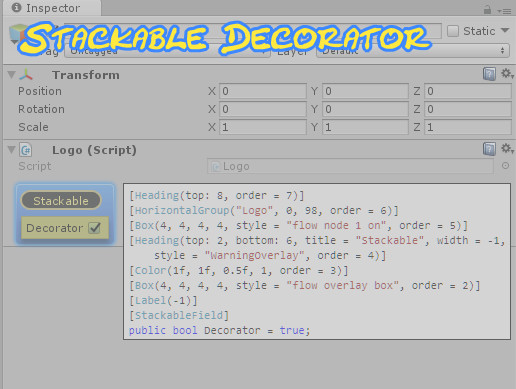
Use the Stackable Decorator from Kinwailo on your next project. Find this utility tool & more on the Unity Asset Store.
 sage crater
Is it possible to add a script from project to a gameobject on (GUILayout.Button("Setup"))?
next slate
Is it possible to add subscriber to unity events in code (editor mode) and have it show up in inspector/serialize?
waxen sandal
Uhh there's this utility class iirc unityeventtools or something like that
next slate
@waxen sandal I already found it but Thanks.
gloomy chasm
For IMGUI TreeView, I am trying to figure out how I get a row's rect from it's id. Anyone got any ideas? I'm coming up blank.
Well it isn't pretty, but I can't find any other way to do it. int rowIndex = GetRows().IndexOf(FindItem(id, rootItem));
severe python
Can I get the current window from an inspector? I'm trying to make a popup but I need to get the screenspace offset for the EditorWindow
getting this as a result
patent pebble
severe python
Can I get the current window from an inspector? I'm trying to make a popup but ...
if by "current window" you mean the editor window that is currently focused you can use EditorWindow.focusedWindow and just get the .position from that window
severe python
I ended up using GUIUtility.GUIToScreenPoint to solve the problem
patent pebble
EditorWindow.position also gives you the screen-space position of a window
the position.position is the top left corner, you would need to add the position.height and/or position.width to your calculations
onyx harness
EditorWindow.focusedWindow, or hoveredWindow.
Or there is an internal one which gives the current drawing
next slate
Is it possible to write an editor extension that bulk increments scene names?
I'm not sure how to get asset paths from the current selections.
gloomy chasm
@next slate AssetDatabse.GetAssetPath will get the asset path for a UnityObject, assuming it is an asset.
next slate
So I can just pass the object there?
gloomy chasm
Yep! It is editor only though.
next slate
@gloomy chasm Thanks.
Imma try it.
gloomy chasm
Alright. Let me know if you have any questions!
next slate
Works like a charm. I do have question though. Do I have to add the correct extension when renaming assets. Like .unity for scenes?
gloomy chasm
@next slate I honestly can't remember. I think so.
 naive canopy
I'm using ScriptableObjects as enums and I have an object that has an array of these enums. Am I going to run into issues when I attempt to serialize the scriptableobject enum array?
onyx harness
Give it a try :)
naive canopy
So I'm trying to update my serializedproperty and it doesn't seem to work
spriteSerial.objectReferenceValue = Sprite;
then I do update/applymodifiedproperties
Am I just going about this all wrong?
naive canopy
don't call update?
onyx harness
not after
naive canopy
that has somewhat fixed it
I see my other problem
cool I think that should fix it then
naive canopy
Well on to my next issue, I need to have a 3x5 grid of textures, some of them which are clickable. I'm trying to use the editorguilayout.objectfield but I can't get it to place them right, regardless of the horizanal/verticle controls. I'm trying to find an example of this and so far no luck.
 ivory fulcrum
So I'm newish to custom uis for the Inspector. I'm trying to create a game that includes tiles for each letter of the alphabet, and I want to have a place in the inspector to drop the assets into. The problem is that a Dictionary seems to be the correct data structure to store the data in, but there's no default editor for a Dictionary<T1, T2> and I specifically want to make one that is Dictionary<char, Texture2D>
So I figured since it replaces by type, I should create a derivative type that is unique to this particular list, so I created a class that derives from Dictionary<char, Texture2D> and then used that in my MonoBehavior script, and then created a class derived from Editor that is a custom editor for that class. My "OnInspectorGUI" method then is supposed to create an editor by putting a bold label at the top, then creates a list of chars, then creates an entry for each character. However it's as if everything after that for loop that creates the character list doesn't run at all. Not even a "Debug.Log" line right before the loop that creates the UI entries. And I can't figure out why it stops
I know it's running the method since it performs the logging iteration and shows the "LabelField" that heads the section, but I can't figure out why it doesn't create the rest of the controls
Here's the "OnInspectorGUI" method:
public override void OnInspectorGUI()
    {
        EditorGUILayout.BeginVertical("Letter Textures");
        EditorGUILayout.LabelField("Letters", EditorStyles.boldLabel);

        if (minigame.Letters.Count == 0)
            minigame.Letters = new LetterList();

        List<char> letterList = new List<char>(26);

        for (int i = 0; i < 26; i++)
        {
            var key = Encoding.ASCII.GetChars(new byte[] { (byte)(65 + i) })[0];
            letterList[i] = key;
            Debug.Log($"Iteration: {key}");
        }

        // This code doesn't run. Why?
        Debug.Log($"letterList.Count = {letterList.Count}");


        foreach (var i in letterList)
        {
            Debug.Log($"iteration: {i}");
            EditorGUILayout.BeginHorizontal();

            // Custom Field code goes here
            EditorGUILayout.LabelField(i.ToString());
            EditorGUILayout.ObjectField(null, typeof(Texture2D), minigame.Letters[i]);

            EditorGUILayout.EndHorizontal();
        }
        EditorGUILayout.EndVertical();
    }
When I loaded up the inspector, I saw this error but I can't make sense of what's broken:
gloomy chasm
@ivory fulcrum Unity can't serialize Dictionary. Not even if you make a derived solid class. So the error is because the dictionary is null I assume. Just look up something like "Unity serialize Dictionary" and you will get more info on it. Basically you need to use ISerializeCallbackReciver and in either a custom class or in a MonoBehavior, serialize the dictionary your self.
Which just means basically to put the keys and values in to two serializable lists on serialization, and then put them back from the lists in to the dictionary on deserialization.
ivory fulcrum
Can a CustomEditor be given just the type of the SerializableMap<char, Texture2D> derivative or does it have to override the whole component's editor?
gloomy chasm
@ivory fulcrum If you want a custom editor for a specific type, what you want is a PropertyDrawer, derive the editor from that instead of from Editor
(Also, feel free to @ me. I don't have notifications on for this channel and I don't mind if people @ me if they have a question)
ivory fulcrum
Ok. One last question. Can I use "EditorGUILayout" instead of "EditorGUI" to layout the controls? Or do I have to manually determine heights and positions?
Because the tutorial I'm seeing uses a bunch of rects
And that just seems crazy to me, manually laying out the controls
gloomy chasm
@ivory fulcrum Got to be manual sadly. It isn't as bad as it seems.
ivory fulcrum
Where would I find the documentation to write a custom control, like a custom version of the ObjectPicker?
My original idea for how the editor should look was a grid of boxes with a letter underneath each box in the grid and when you pressed the button in the bottom corner it pulled up the same box as the object picker but filtered for texture2D, and when a texture is selected or dragged into it, it showed the texture in the box
@gloomy chasm It doesn't have to look that way, but if I can accomplish that then I'll learn more about how this works
Sorry I know I said "one last question" before lol
gloomy chasm
@ivory fulcrum Lol, not a problem!
The docs can get you started https://docs.unity3d.com/ScriptReference/PropertyDrawer.html
And for the object picker specifically, this Unity Answers question would be most helpful on actually using it. (It can be opened with EditorGUIUtiliy.ShowObjectPicker https://answers.unity.com/questions/554012/how-do-i-use-editorguiutilityshowobjectpicker-c.html
ivory fulcrum
Thank you!!!
naive canopy
can I use GuiLayout in the inspector?
 chrome mist
@naive canopy yes, but in most cases I avoid it for things like propertydrawers and such. "Best practice" or something to that effect.
gloomy chasm
Any idea how to change the background for items of the IMGUI TreeView without having to readd the label and stuff? I can't figure out how.
naive canopy
I'm trying to figure out a way to put some texture buttons in an organized format, mainly 5 of them in a + shape.
ivory fulcrum
You can but it's painful as I'm finding out
It doesn't save you the pain of using Rects to lay it all out yourself
Because while you no longer have to fuss with rects, it never behaves the way you expect.
naive canopy
was that a response to me or MechWarrior?
I guess it makes more sense to be a response to mine, I'll play around with rects, I think I found a good resource for it
gloomy chasm
@naive canopy If you are using GUILayout then you could use HorizontalLayout's and 'empty elements' to make a + shape
naive canopy
@gloomy chasm I tried that and it put weird padding between everything that I couldn't figure out to remove
hmmm I didn't realize that EditorGUILayout.ObjectField is deprecated
is that part of my isssue?
naive canopy
I'm not seeing any overloads for objectfield that take a rect
It seems that I either need to sort out the spacing to make ObjectField work, or I need to switch to something like EditorUI.PropertyField which does support a rect
ivory fulcrum
SirLinhart
I played around with it in response to your question and I got it to show in the GUI, but at the end instead of in place of the element
It also shows the default control for that property where you want your EditorGUILayout controls to show, and then tacks the EditorGUILayout at the end
Unless there's something I'm missing
onyx harness
naive canopy
I'm not seeing any overloads for objectfield that take a rect
Only GUI and EditorGUI use the Rect.
naive canopy
I see
so this is what I have..
spriteSerial.objectReferenceValue = EditorGUILayout.ObjectField(GUIContent.none, (Sprite)spriteSerial.objectReferenceValue, typeof(Texture2D), allowSceneObjects: false);
if I slap 2 of those in a horizontal layout
they do not space well
ivory fulcrum
Does someone have a good tutorial for SerializedProperty? It feels like black magic
naive canopy
I can use the GuiLayoutOptions parameter with that overload
what are you trying to do with serializedproperty?
ivory fulcrum
"here, use this "FindPropertyRelative" method to find where your data should end up"
Ok, it's supposed to go in "Letters[i]"
Nope! Sorry! Null object
GAA
It's like they tried to simplify one thing and made anything else to do with that super complex
I'm venting. forgive me
I'm trying to create an array of controls that correspond to a SerializableMap
So I have a loop to go through the predetermined number of fields, and lays them out.
And the example code I'm working from has "EditorGUI.PropertyField(rect, property.FindPropertyRelative(...));"
The problem is what goes in the ...
I don't want it to replace the whole "Letters" Map with a single value, but rather just a single element of that
But I don't have direct access to that that I know of, so I have to use "SerializedProperty"
Because that's how you access the item.
But I'm not sure how
And it just feels like the Unity docs on it are less than helpful in explaining it
 karmic night
SerializedObjects and SerializedProperties are super general tools to modify your serialized data. The data itself is one big text file so youre literally finding variables by string names.
You probably want
property.FindPropertyRelative("Letters").GetArrayElementAtIndex()
assuming your list is called Letters
ivory fulcrum
It is. But it's not an "array" it's a "SerializedMap" so the array accessor is a char, not an int
because it's SerializedMap<char, Texture2D>
naive canopy
so a dictionary then?
ivory fulcrum
Yes, but serializable
naive canopy
you could use a scriptableobject instead that contains your texture
naive canopy
and then use the letters as names
karmic night
so traverse the map with a bunch of FIndPropertyRelative's
what does your SerializedMap class look like?
naive canopy
Actually backup a little bit, what's your whole goal here?
ivory fulcrum
I'm not sure
The whole goal is a list of Texture2Ds one for each letter of the alphabet.
I have a texture for each with the letter already on it
naive canopy
for what purpose though
ivory fulcrum
It's a minigame in my VN where you move letters into slots
To spell words that correlate with the story
naive canopy
ok, why do you need all of them listed in the editor?
karmic night
ooh if youre trying to use your dictionary like a dictionary using serialized property, youre not gonna have a good time
ivory fulcrum
Because it's a minigame, and the way to create that kind of stuff for this engine is to create a "CustomUI"
naive canopy
oh you aren't creating something for the inspector
ivory fulcrum
And then you can either show the UI and have it hide itself.
I am. The idea is that the game is a self contained GameObject
So I'm trying to attach resources that the underlying code can access to build the Minigame's UI and handle the interactions
And then from there, when it finishes, it hides itself and the VN continues
naive canopy
yeah.. I'm still confused
ivory fulcrum
Right, So, to create this, I have a script that makes those letter tiles available
Because the tiles to spell the different words are shown in random spots on the screen and you have to drag them into the right slots
So to manage those resources, instead of creating a bunch of game objects for the letters manually, I'm creating a place in the editor to assign the textures and then create the objects at runtime from those textures
Because the only difference between letters is the texture and what letter they respresent
karmic night
cool that makes sense
ivory fulcrum
Or I should say, "script that makes those letter tiles available" is what I'm creating
karmic night
but your problem is still that you want to access your dictionary like a dictionary from a serialized property
ivory fulcrum
I want to create an editor that defines the correspondance between letters and textures
karmic night
serialized properties have no idea what the data it's dealing with actually is
all it knows how to do is find variables by name and access lists through indices
ivory fulcrum
So maybe I should have a "Letter" class that has a char and a Texture2D and then do a list of those?
naive canopy
"I want to create an editor that defines the correspondance between letters and textures" what do you mean?
karmic night
that wouldnt really solve much since youre still looking for a specific index for your specific letter
karmic night
i would suggest a int LetterToIndex() converter that gets you the index you want
if the list is always sorted, its a pretty easy method to write
ivory fulcrum
Unless I do something really Bleh by doing "Encoding.ASCII.GetChars(new byte[] { (byte)(index + 65) })[0]" which is just Yuck
karmic night
since you cant guarantee that the dictionary will be sorted alphabetically, maybe switching to a list is also good
yeah, its not pretty
ivory fulcrum
I'm already doing that to generate the characters to insert into the dictionary
Which I'm not happy about
naive canopy
what about an a-z enum
to access your list
if your list is sorted, it should work
karmic night
serialized properties can only access lists with an index
so enums arent that much better
we would still need some sort of conversion
ivory fulcrum
GeoBT: Technically that would mean an Enum should still work since they're ints under the hood
naive canopy
the enum is to have the character to index association
it doesn't have to be part of the serialization
the only thing you serialize is your list
karmic night
sure, it would work if you can guarantee the element is at the correct enum index
ivory fulcrum
I mean, the list is only generated by a function I write to initialize it
Which would be in the GUI
Unity's Inspector to be precise
karmic night
if you can guarantee the ordering of the list, then your problem is mostly solved
ivory fulcrum
I have that generation happening in the OnGUI function
karmic night
normally dictionaries dont sort because theyre hashtables
ivory fulcrum
I suspect that's why Naninovel has that SerializedMap type
But I'm not going to use that since it likely wasn't made for this
naive canopy
what about using the textures name to correspond to the char it represents
then you just load everything in that texture path
name it all
and then you don't need to serialize the assocation at all
karmic night
thats an interesting idea but normally tightly coupling asset names are scary
naive canopy
but it's letters of the alphabet
ivory fulcrum
I'm also a fan of DRY
So anytime I can refrain from repeating myself I don't.
So anytime I can refrain from repeating myself I don't.
Woops
naive canopy
.
you would just loop through each texture loaded and create your dictionary based on the textures name, done
refactor it later
ivory fulcrum
I think the List of Letter objects might be the best.
That seems to solve the problem in my head
karmic night
in other news, check out this sweet coordinate system i made for the node graph editor im working on
naive canopy
that's neat
karmic night
I spent ~8 hours on 50 lines of code because this is all mostly just math
gloomy chasm
@karmic night Dude, that is cool! I assume this is with UIToolkit? I also really like the way you have the blackboard and properties. Looks nicer than Unity's way imo.
karmic night
haha thanks! Yeah this is with UIToolkit and using Unity's GraphView
 trim tide
Hi, does anyone know of a free (or cheap) plugin to quickly reorganize components in the inspector ? The built-in ways are so janky... Context menu is super slow to use and the drag-and-drop is annoying because the drop area between components is tiny
karmic night
Now that you mention it, Unity could easily update the components list into a nice reorderable list like they did for list properties
trim tide
that'd be a very welcome update
I've seen forum posts about small plugins to do exactly that but they mostly all date back to older versions of Unity and/or are not on the asset store anymore
chrome mist
@karmic night not so "easy" with prefab/variant dependencies.
gloomy chasm
You could use a bit of reflection to do it rather easily I would think @trim tide sense the inspector base is now drawn with UIToolkit.
karmic night
components are already reorderable and prefab variants support them. I dont think the logic for that would change
naive canopy
GUILayout.FlexibleSpace doesn't work with EditorGUILayout?
How do I get the rect positions in the editor to offset from?
naive canopy
still having issues sorting out this grid of textures in the editor
onyx harness
trim tide
Hi, does anyone know of a free (or cheap) plugin to quickly reorganize component...
NG Tools Free, there is a Component reordering tool in there
But the whole plugin in itself might be overkill
naive canopy
I figured something out, I can use GUILayoutUtility.GetRect to reserve space
it's gonna be janky, but it should work
onyx harness
IMGUI is still the main one
gloomy chasm
@abstract pendant Editor for what? You said sceneview. Do you mean the actual sceneview window? Or just for editor scripting in general?
onyx harness
IMGUI is not going anywhere for at least a decade 🙂
gloomy chasm
onyx harness
IMGUI is not going anywhere for at least a decade 🙂
I would disagree on that. Depending on what their timeline is, I could see them 'deprecating' it in the next 5 or so years. I would also be quite surprised if it got much support or new features.
onyx harness
Not in my opinion, but we will see :)
I might even switch decade with "forever"
gloomy chasm
They are working on replacing all their current editor stuff with UIToolkit. I think it is 2021 that they are moving the SceneView over to it. And I know they have talked about working on moving all of the node graph windows to it as well (to name more specifics) Once they do that I wouldn't be surprised if they started to 'shut down' IMGUI. But just my opinion, no way to know what they are planning in regards to IMGUI. Or more importantly, their timeline.
naive canopy
lol that didn't work
no idea why it's scaling them like that, I'm providng each one of them a 64x64 rect
onyx harness
I've stopped trusting Unity in their roadmap/timeline a long time ago.
1/ They are slow.
2/ UIT is far from solid.
3/ Asset Store.
1 & 2 are for the potential deprecation that will never happen.
3 is enough for never deprecating it 🙂
gloomy chasm
@abstract pendant Ah yeah, I mean you are plenty fine to use that stuff. And right now Handles is the only way to handle in scene stuff. Though iirc and understood what they were saying, they may be working on a new system/API for sceneview handles in 2021.
gloomy chasm
onyx harness
I've stopped trusting Unity in their roadmap/timeline a long time ago.
1/ They a...
- They are slow, and not always really accurate. But I feel like they are getting much better.
- I have actually found that it is pretty solid (at least on the editor side). Maybe that is just my experience though :)
For full on deprecation and removal, yeah. Too many assets now! I could see them making note that it is no longer the supported way to do things or something.
naive canopy
ok I can get this to work if I can get all of my ObjectFields to stop stretching
gloomy chasm
naive canopy
ok I can get this to work if I can get all of my ObjectFields to stop stretching
Just set the width of them?
naive canopy
They are all in a rect of a fixed side
size*
I think I need to setup GUILayout.ExpandWidth to false
but I don't see an overload that allows me to pass that into objectfield
passing it into BeginHorizontal doesn't do anything
gloomy chasm
It goes in the end under params GUILayoutOption[] options
gloomy chasm
OH, yeah, because it is only for the layout system.
naive canopy
So is there a way around the issue?
If I go back to EditorGUILayout.ObjectField I can set those layout options, but then I lose the ability to set the rect
wait
GUILayoutUtility.GetRect has the options
finally
ivory fulcrum
@karmic night Would this work assuming that Letters is a List<Letter>, index is the number of the element, and "texture" is the Texture2D member of the Letter object?
EditorGUI.PropertyField(rect, property.FindPropertyRelative("Letters").GetArrayElementAtIndex(index).FindPropertyRelative("texture"));
n/m It doesn't work.
I need to keep working on it
onyx harness
You can't access properties of an Object directly from a SerializedObject
ivory fulcrum
SirLinhart! I'm trying to accomplish something similar
naive canopy
oh? well don't do it the way I did
ivory fulcrum
LOL
naive canopy
I hate the result