#↕️┃editor-extensions
1 messages · Page 74 of 1
 drifting forge
I guess it is more clean that way, but I was hoping to save on lines of code with doing it the other way 😄
 primal minnow
I am not receiving the OnPostprocessBuild callback after a failed build.
Is that a normal behaviour?
 gloomy chasm
@drifting forge you would use the RegisterOnValueChange event to enable/disable another element when the value changes.
drifting forge
yeah that is what I am doing now. Although that means I have to initialize my elements too.
But yeah, I'll do it.
gloomy chasm
What do you mean you have to initialize your elements too?
drifting forge
Well my editor has 2 different way to be opened. 1. without an element 2. with an element, so now if I open it without an element, I have to disable some elements by default, while when it is opened with an element (so like if you double click on the asset), it has to enable it on default.
I guess I have to only initialize the disabled state
IIRC setting an object to a field by script also can trigger the callback, right?
gloomy chasm
Yes, but you can use SetValueWithoutNotify to not trigger a OnValueChange event
gloomy chasm
Np! 🙂
 foggy birch
One message removed from a suspended account.
One message removed from a suspended account.
One message removed from a suspended account.
One message removed from a suspended account.
One message removed from a suspended account.
One message removed from a suspended account.
 whole steppe
Can anyone here help me set up the controls for my vr player to be able to move around?
I have a script but don't know C#
So I need help with converting the script from what it was originally to Steam VR
Unless Steam VR comes with a script way that I can just attach to the controls so the player can move around
 glacial plank
o/
Anyone have any idea how I can reduce this with UIElements

I want to have them inline, and remove the massive whitespace to fit them in
I'm using PropertyField to create the elements. I thought that might have something to do with it but I'm not sure, and I can't find anything on it.
 split bridge
@glacial plank by default they have a minimum width that's quite large. You can override this with some uss. The debugger is really useful for finding and experimenting with these things - would thoroughly recommend checking it out. It's in most of the tripple dot (hamburger) menus in the top right of windows.
glacial plank
Thanks Timboc, I'll give it a look. I tried overriding the minWidth of the SerializedProperty and setting it to 0 with C#, but it seemed to have no effect.
Ah. The min width is in the label
@split bridge is it possible to access the IStyle member of the label in a serialized property? Or would I be up for rebuilding the properties manually?
split bridge
so I don't know your workflow but I usually create a uss style and apply the stylesheet. So I'd create e.g. (psuedocode) .unity-label { min-width: 30px; } or whatever
you can use all the usual css/uss selectors to apply it only to certain elements ofc
glacial plank
Ah I see. I've been working entirely within C#
On a CustomEditor... I may have to revise
split bridge
there are some initial pain points but imo it's worth using UI Builder and applying stylesheets... it pays off after the initial higher cost
split bridge
Yea no worries. You can do quite a lot once you get into the flow. E.g. this (https://forum.unity.com/threads/share-your-ui-toolkit-projects.980061/#post-6409617) dropdown uses 3 separate elements built in UI Builder and it's easy to change the styling with the gui.
glacial plank
Out of curiosity, do you have any initial materials for learning it?
The documentation is sparse and fairly 'high-level' explanations rather than implementation from what I've seen
split bridge
there was one thing I saw (which I'll try and find in a sec) but I just learnt things through exploration - the debugger helps a lot - especially inspecting how some unity windows are constructed
sorry, failed to find it.. though it was only some very beginner stuff which you're likely already familiar with by now
split bridge
np, glhf
glacial plank
Hm
Why is this happening? I was under the impression the flex Shrink should perform the function that is happening in the video
 covert lava
Hi everyone, soo my buddy created this youtube channel ( reallly stupid and funny contant ) and he has 57 subs. today is his birthday and i would be so happy if we can get him to 100 subs ❤️ thank uvery much to everone here. have a good day ❤️ https://www.youtube.com/channel/UCJkZVFN4sgZPePMW6WwTXZA

YouTube
Welcome to Our channel, this is our safe place to share our dumb stuff and more. so stick around gamers cuz we r cool bois Created By - xXGamersXx
drifting forge
how about no
glacial plank
When loading UXML, do you need to do something to clone the tree?
I've currently got all instances of a propertydrawer sharing a single set of UI. :V
Which is obviously not ideal
split bridge
generally you use c# to clone a uxml template. So e.g. with a dropdown menu you'd clone a DropDownMenuItem.uxml via CloneTree() for each entry
glacial plank
How do you use CloneTree? I can't really figure it out
I've gotten as far as actually using the function, but I have no clue what it's supposed to do
split bridge
load your uxml (e.g. var bob = AssetDatabase.LoadAssetAtPath<VisualTreeAsset>("myThing.uxml");) then add it your root visual element: var bobInstance = bob.CloneTree(); root.Add(bobInstance);
glacial plank
Ahh
I was looking at this...
Specifically..
Though this doesn't seem to like images?

I thought I was being stupid but I think this is just a terrible tutorial
split bridge
hmm yea, that's confusing
the docs do cover the basics although it's quite brief - https://docs.unity3d.com/2020.1/Documentation/Manual/UIE-LoadingUXMLcsharp.html
glacial plank
I'm definitely doing something wrong then
I've pretty much copied that word for word and It's not creating multiple instances of the property drawer
    [CustomPropertyDrawer(typeof(BezierPoint))]
    public class BezierPointDrawer : PropertyDrawer
    {
        private bool IsInitialised;
        VisualElement RootElement;

        private void Initialise()
        {
            RootElement = new VisualElement();

            VisualTreeAsset visualTree = AssetDatabase.LoadAssetAtPath<VisualTreeAsset>("Assets/Editor/Bezier/BezierPointDrawer.uxml");
            visualTree.CloneTree(RootElement);

            StyleSheet styleSheet = AssetDatabase.LoadAssetAtPath<StyleSheet>("Assets/Editor/Bezier/BezierPointDrawer.uss");
            RootElement.styleSheets.Add(styleSheet);
            IsInitialised = true;
        }
//...
what is initialise? you should be using one of the overrides
glacial plank
PropertyDrawer lacks OnEnable
split bridge
        {
            return base.CreatePropertyGUI(property);
}```Initialise runs once from CreatePropertyGUI
split bridge
ok and it returns the RootElement?
glacial plank
Yes
It displays correctly when there's only one
But with two, they both share the same UI Elements
split bridge
you're not adding the clone to the root as far as I can see
RootElement.Add(visualTree);
glacial plank
According to the docs, this does the same.
It doesn't work either way unfortunately
And I've confirmed with breakpoints that RootElement gains a child
split bridge
which part of the docs are you referring to?
glacial plank
The ones you linked
split bridge
that's for an editor window
glacial plank

This part specifically
Yeah, I double checked. RootElement.Add(visualTree.Clone()) does the same thing
split bridge
Does this show anything?
    public class BezierPointDrawer : PropertyDrawer
    {
        public override VisualElement CreatePropertyGUI(SerializedProperty property)
        {
            var root = new VisualElement();
            var testBtn = new Button();
            root.add(testBtn);
            return root;
        }
}```Well yes, it would. The issue is that it's sharing references to the tree somehow?
Look
The offset only appears when it's ticked normally, but with a size of 2 the offset doesn't appear by default
That's because the CreatePropertyGUI is run twice over the same elements
split bridge
I think you're discovering the horror that is property drawers - they don't work as you'd expect
for an array they're reused
split bridge
.. by accident it looked that way is my guess.. it's how it works afaik
glacial plank
Well.. that's rather pointless
I am still fairly certain that it worked fine before introducing the UXML
But I'll have to test it agian
split bridge
ok - just trying to help ¯_(ツ)_/¯
glacial plank
Aye, didn't mean to come off as dismissive, just confused. 🙂
I appreciate the help
split bridge
np, hope you work it out
glacial plank
Oh, I got it... Thanks to uDamian
Turns out, wherever I got the initialisation / OnEnable code from was wrong
For future reference, the uxml loading needs to happen every single time it's constructed
Otherwise for some reason it shares the same elements
split bridge
uDamian's a bit of a legend - wish every unity team had one 🙂
 soft zenith
Hello, i'm trying to use Odin to make a custom editor window like this:
currently i have this:
does anyone how to make a list of the group Stats ?
i want to do something where i have a group like this Stats group, and i have something like a List of that group, then i can add how many Stats i wan't
 upbeat yarrow
is there any way to add an icon to the status bar of the editor?
foggy birch
One message removed from a suspended account.
One message removed from a suspended account.
One message removed from a suspended account.
One message removed from a suspended account.
upbeat yarrow
I have an editor widow currently that manages the sso signon and token for our api in development. I'd like to have an at a glance indication for whether your token is currently valid or if you need to sign in again
foggy birch
One message removed from a suspended account.
One message removed from a suspended account.
One message removed from a suspended account.
 onyx harness
What I would try instead of using Reflection, I would select the AppStatusBar, reduce it by X pixels width.
Add and fit your IMGUIContainer into those X pixels
foggy birch
One message removed from a suspended account.
 chrome dock
Can anyone suggest any extensions for making reorderablelist's easier in custom editor (or a simple "[reorderable]"). I am done with the build in system (it's way over complicated for what it needs to be), and I have tried several extensions from just google, that have just flat out failed ("Not being used in same namespace? i'll just show a normal list."). I see Unity Store has several paid ones, but I cannot tell if any are good due to lack of reviews.
I need a reorderable list, because I need to make a list of different classes that all inherit from one base class, and I do not want to constantly make new scripts/files for each instant that such a thing will be used.
foggy birch
One message removed from a suspended account.
One message removed from a suspended account.
onyx harness
Haven't latest Unity converted all the Array into reorederable Array?
foggy birch
One message removed from a suspended account.
onyx harness
oh
chrome dock
Wait. So you are saying, that if I upgrade my Unity to 2020.2 beta, it will automatically generate them?
foggy birch
One message removed from a suspended account.
foggy birch
One message removed from a suspended account.
chrome dock
jebus. This should be bigger news, because its been a nightmare trying to get even a basic custom reorderablelist to work.
onyx harness
What was happening?
foggy birch
One message removed from a suspended account.
chrome dock
Designing them is a pain, getting a single base that can be reused in multiple scripts with property drawer - I couldn't even figure out.
foggy birch
One message removed from a suspended account.
One message removed from a suspended account.
One message removed from a suspended account.
One message removed from a suspended account.
chrome dock
I don't even know what a DecoratorDrawer is xD
foggy birch
One message removed from a suspended account.
One message removed from a suspended account.
chrome dock
ahhh. Are there any big problems that you would suggest for me to not go to 2020.2 rn? (My project is 2D based)
gloomy chasm
@foggy birch I am like 90% sure that they didn't remake the whole close. maybe improved parts of it, I can't be sure though. I know at least what you see in the inspector in 2020.2 is just a wrapper they made around the normal ReoderableList class.
@chrome dock It's beta, so things could break, and be unstable. I personally don't know of any big problems with it though. But just in general, it can be unstable.
chrome dock
I do kind of expect general instability in Unity (Which is which why I use Collaborate for backups,and doing so often)
foggy birch
One message removed from a suspended account.
chrome dock
Probably stupid question, but with the new automated reorderable list, does it only generate the original editor UI for each added, each new CustomEditor made for said class/s, or do I have to make it a new way, or the original way?
foggy birch
One message removed from a suspended account.
One message removed from a suspended account.
chrome dock
so it is just as much of a pain to modify each element of reorderable list then :/ at least is a vast upgrade from before
foggy birch
One message removed from a suspended account.
chrome dock
List<Action>, where each object added is a class that inherits from Action, having a custom editor look inside that list element
For example, if I add a DialogueAction class object to List<Action>, it itself has a list of lines for dialogue, then a section I would prefer to be hidden by default in a foldout that contains other settings such as font settings, background settings, etc
foggy birch
One message removed from a suspended account.
One message removed from a suspended account.
chrome dock
I can survive with the inline list being just a normal list- in that case, it’s just a slice of life thing.
so I just need to make a CustomEditor to change how it looks in list? or PropertyDrawer?
foggy birch
One message removed from a suspended account.
chrome dock
ide test it myself... but project still slowly upgrading to 2020.2....
foggy birch
One message removed from a suspended account.
chrome dock
yeah. Been using Unity Collaborate for that
IDK how to make it ask for other objects that inherit from Action to test it out 🤦♂️
foggy birch
One message removed from a suspended account.
One message removed from a suspended account.
onyx harness
PropertyDrawer is cool with everything
foggy birch
One message removed from a suspended account.
One message removed from a suspended account.
onyx harness
Your sentence is already wrong
foggy birch
One message removed from a suspended account.
onyx harness
PropertyDrawer is for reusable field
foggy birch
One message removed from a suspended account.
onyx harness
For MB or SO, EditorWindow
foggy birch
One message removed from a suspended account.
One message removed from a suspended account.
chrome dock
,< I tried a quick change in ActionSeries to just be a list of Dialogue.Dialogue, and it also just asks for an existing reference like before- instead of letting me create the variable right then and there
foggy birch
One message removed from a suspended account.
chrome dock
it is not
if anything, ActionSeries would be the ScriptableObject in the end, and not the individual classes in the List<Action> (Because, I expect there to be upwards of some hundreds)
foggy birch
One message removed from a suspended account.
chrome dock
Action is the base class that defines how a class inheriting from Action would run (such as a base virtual method called Run()). ActionSeries does not inherit from Action, as its name may suggest, but will define how to run through a series of actions (Such as, a player walks up to a chest and presses the action button to activate the ActionSeries which then: shows some text(Dialogue), gives the player an item, gives the player some money)
Pretty much, emulating how RPG Maker runs its entities (I am not soloing this, but am only programmer-so have to 'idiot proof' and simplify as much as possible)
foggy birch
One message removed from a suspended account.
chrome dock
idk how to even fix the List<Action> to not be looking for existing instances -_- (as seen in last pic). Lots i appear to not be able to figure out
foggy birch
One message removed from a suspended account.
One message removed from a suspended account.
chrome dock
Action is inheriting from Monobehaviour rn, at least one inheriting class uses Transform of monobehaviour (a class for moving the gameobject to position or along path)
foggy birch
One message removed from a suspended account.
One message removed from a suspended account.
chrome dock
maybe? I am absolutely no pro with unity, experience over several years- but no pro
maybe make Run() from Action, have a parameter in for GameObject to fix the need for inheriting from monobehaviour?
foggy birch
One message removed from a suspended account.
One message removed from a suspended account.
chrome dock
lol, I do not think I have tried to inherit from GameObject before- but i definitely type faster than I think, so verbally make the mistake all the time
 crimson nova
What do you mean with "looking for existing instances" by the way?
foggy birch
One message removed from a suspended account.
chrome dock
That definitely fixed the inspector to show a proper list.
So now, how can I make it so that the inspector will let me add inheriting classes to it?
Like how this is
https://media.discordapp.net/attachments/533353544846147585/772889259316215818/unknown.png
 foggy birch
One message removed from a suspended account.
One message removed from a suspended account.
chrome dock
This is how it looks in 2020.2 with new automated Reorderable List, when I add a class inheriting from Action, AddItemAction, which I place a public AddItemAction below the List<Action> that is only showing Action that AddItemAction inherits from (The Add Item button performs [series.Add(new AddItemAction()], which is where those in list already, came form). I did open a thread in the Unity forums- but if someone by chance knows how to get the actual class to show instead of the base in 2020.2, do tell please.
chrome dock
AH. Was taught it. Adding [SerializeReference] to the List<class> will make it show appropriately in inspector
[SerializeReference] public List<Action> series;
 strange hedge
Hey does anyone know what i'm doing wrong with EventTriggerEditor? I can't get any public fields to show in the editor
 lavish vigil
im pretty sure im following the documentation example exactly for Handles.Disc in my custom editor, but it still seems like its not changing anything when i rotate it
glacial plank
Anyone know if you can get a reference to the containing object in a PropertyDrawer?
Ie. if Public Class PropertyContainer : MonoBehaviour contains a serializable class 'PropertyClass', can PropertyClassDrawer : PropertyDrawer access PropertyContainer?
Boy that's a convoluted question
Illustration:
 glacial plank
Or the other way around works too
Can I get PropertyContainer's editor to change a value in PropertyClass's Drawer
glacial plank
Got it eventually...
foggy birch
One message removed from a suspended account.
One message removed from a suspended account.
One message removed from a suspended account.
One message removed from a suspended account.
 lucid hedge
I'm trying to change Unity preferences by script but having issues. Using this code
Debug.Log("Shader Variant Limit set to 256.");
var readMethod = typeof(Editor).Assembly.GetType("UnityEditor.CacheServerPreferences").GetMethod("ReadPreferences", BindingFlags.Static |
BindingFlags.Public);
readMethod.Invoke(null, null);```The value in the preference window doesn't change. However, when I use EditorPrefs.GetInt(), the value is correct! And when I change something in a script or whatever and cause unity to recompile, the value does update in the preference window
but I'd like it to change in the preferences window immediately
 velvet crag
I dont( have any option for prefab brush, any idea where I could find it? in 2D tilemap extras
 fresh shell
Hey guys! Does anyone know if there is a way to add to the Hierarchy's scene object's context menu? Specifically this? I know I can use MenuItem to add to the GameObject or context menu in the inspector, but I cant figure out what should be used to add to this menu
gloomy chasm
@fresh shell Oh it is totally possible(I think), you just need to find out what the path is. Also MenuItem is used for adding to any 'main' context menu, not just gameobject.
fresh shell
Yeah I've just spent the last hour or so trying different things like SceneAsset or Scene etc and havent had any luck googling either so I thought I'd see if anyone knew the path.
gloomy chasm
You could try MenuItem("Scene/Your Entry"). I have no idea if it would work or not. But an idea.
fresh shell
Yeah, that was the first thing I tried unfortunately it seems it's under a different path
gloomy chasm
@fresh shell seems like they are added dynamically https://github.com/Unity-Technologies/UnityCsReference/blob/61f92bd79ae862c4465d35270f9d1d57befd1761/Editor/Mono/SceneHierarchy.cs#L1284
fresh shell
Oh dang. That means I probably cant access it doesnt it?
gloomy chasm
Reflection 🙂
fresh shell
ahh yes my nemesis haha Thanks!
gloomy chasm
You could use EditorApplication.hierarchyWindowItemOnGUI maybe along with a tiny bit of reflection to do it.
fresh shell
Thats a great idea
 stark geyser
@cosmic oasis This channel is for extending Unity Editor. You are missing this asset or reference to the asset.
onyx harness
@fresh shell You simply can't.
fresh shell
That is very disappointing but thank you!
 frank gale
Hello there, I am wondering if I can have enum pop ups, or other EditorGUILayout stuff in OnGUI
I didn't find a lot of APIs under regular GUILayout
onyx harness
Yes
frank gale
I tried and found it worked, but what ever I select it didn't make changes to the actual variable
onyx harness
Return value
use it
Hello there, I am wondering if I can have enum pop ups, or other EditorGUILayout stuff in OnGUI
@frank gale In fact, you should use EditorGUI over GUI in Editor code
I guess you talk about OnGUI not coming from MonoBehaviour
frank gale
I see, thanks
onyx harness
Good luck
drifting forge
i wish there was some way to turn up the brightness in URP preview windows
 mellow oar
Is there a way to get Unity to reference the name of an Editor field I have right-clicked?
 empty island
I have a List<AudioClip> of random footsteps. Let's say I have 50 footstep clips, or whatever. How do I drag them all into the inspector at the same time, rather than 1 by 1. Seems really tedious
woah
You can do that already I didn't know
EYYYY
after 400 hours of unity, i finally found out
whole steppe
Hi everyone! I use vs code for unity scripst, but vs code does not suggest syntax. I installed all unity plugins and selected vs code as script editor. Do you how to fix it?
i have this error
This is my output
 waxen sandal
#archived-code-general has a pin on how to set it up
whole steppe
Ok i fixed my problem
 still wharf
Is there any way of telling if an object is collapsed/expanded in the hierarchy?
still wharf
If you think of it, @ me please. Been searching for it.
waxen sandal
Same here, Mikilo 😹
foggy birch
One message removed from a suspended account.
One message removed from a suspended account.
still wharf
Idk, starting to put my google-fu in doubt
foggy birch
One message removed from a suspended account.
glacial plank
o/
Anyone know why a specific instance of a specific UIElement object input might be giving an invalid AABB error?
These are both the same propertyDrawer, but only the first one gives the issue
Okay...
It turns out that if the first Offset's x field has text in it, only the first one produces the error
If it doesn't have text, they both produce an invalid AABB
That is... what?
onyx harness
@still wharf @waxen sandal
Not a direct call, you need to dig to get the data source.
foggy birch
One message removed from a suspended account.
foggy birch
One message removed from a suspended account.
onyx harness
Yeah yeah, shit happens 😄
onyx harness
Are you sure about that? XD
Because if you are not at ease with Reflection, getting the data source won't be easy to tackle
still wharf
I've no idea yet. I guess I love you as of right now? I'll report back if I end up hating you.
foggy birch
One message removed from a suspended account.
onyx harness
foggy birch
One message removed from a suspended account.
onyx harness
Yeah the path is :
UnityEditor.SceneHierarchy.treeView.data.IsExpanded
foggy birch
One message removed from a suspended account.
One message removed from a suspended account.
One message removed from a suspended account.
onyx harness
How stupid we are, there is this one...
UnityEditor.SceneHierarchy.GetExpandedGameObjects()
foggy birch
One message removed from a suspended account.
onyx harness
This one is
foggy birch
One message removed from a suspended account.
onyx harness
But anyway, SceneHiearchy is internal
still wharf
I'm reading you guys by the way, just figuring this out as I go. Appreciate the help.
foggy birch
One message removed from a suspended account.
still wharf
Any chance you can point out why this is failing. First time using reflection ```Type sceneHierarchyWindowType = typeof(Editor).Assembly.GetType("UnityEditor.SceneHierarchyWindow");
PropertyInfo sceneHierarchyWindow = sceneHierarchyWindowType.GetProperty("lastInteractedHierarchyWindow", BindingFlags.Public | BindingFlags.Static);
int[] expandedIDs = (int[])sceneHierarchyWindowType.GetMethod("GetExpandedIDs").Invoke(sceneHierarchyWindow.GetValue(null), null);```
EDIT: Was missing BindingFlags. Works fine now 🙂
still wharf
@onyx harness @foggy birch Huge thanks to you guys. Got it to work 🙂 Needed it to redraw the arrow icon on foldout.
onyx harness
Good job
foggy birch
One message removed from a suspended account.
whole steppe
Hello dear friends. OnValidate doesn´t work when you have a CustomEditor , how to solve this? Calling it fomr OnInspectorGui is really too fast and it is being called every frame without things in the Inspector being changed
foggy birch
One message removed from a suspended account.
whole steppe
can i use it on all my fields
foggy birch
One message removed from a suspended account.
whole steppe
this makes good sense actually thanks. I totally forgot.
drifting forge
anybody here ever tested limits on preview editors
should I be worried about drawing too many
hmm... probably just gonna try it out
 civic river
Heya guys, I'm completely stumped here. I'm trying to make an overlayed UI element uninteractable/unclickable but still transmit clicks to things beneath it, in regular css land I could just set pointer-events to null and I'd be good to go, but that's not the case in unity land.
I've tried making an overriden UI element that just passes events along,
        public override void HandleEvent(EventBase evt)
        {
            switch (evt.propagationPhase)
            {
                case PropagationPhase.TrickleDown:
                    base.HandleEvent(evt);
                    break;
                case PropagationPhase.BubbleUp:
                    base.HandleEvent(evt);
                    break;
            }
        }
but... no avail either. Any idea how I could do this?
gloomy chasm
@civic river just use
myVisualElement.RegisterCallback<MouseDownEvent>(OnMouseDown);
private void OnMouseDown(MouseDownEvent evt)
{
  // Whatever you want here. Just don't do evt.StopPropagation()
}
should work
gloomy chasm
What is that behind it?
civic river
the character gets added into the second layer
the "pure image" is the red thing in the image
frank gale
Hello, I am wondering if I can make EditorGUILayout.BeginHorizontal to warp automatically
onyx harness
Warp?
waxen sandal
Wrap I'm assuming
 tulip plank
The Unity docs indicate that "You cannot externally produce or edit UnityYAML files."
Of course, we're programmers, and this would be an extremely helpful thing to be able to do, so are there any good third-party tools for doing this?
The ability to do this would literally make some of my tools run 50-100x faster.
onyx harness
I do that a lot without external tools
And I wonder how they prevent us from doing it
 real ivy
Can u see the IMGUI on the left that says tooltip?
Is there a way to css select that text, bcoz the color's not working out..
Oops
I mean this
This is all bcoz of dark mode. The default color for a few things (mainly text) became white
The other option is, if there's a way to detect if the editor is in dark mode, so i'll just change the background color of those boxes
foggy birch
One message removed from a suspended account.
real ivy
Yep got it. Thx
drifting forge
man my custom editors are such omega files
i think i need some hidden programming technique to make the classes shorter
unless thats normal
foggy birch
One message removed from a suspended account.
drifting forge
i guess
onyx harness
Of course
Not about editor particularly
If it is not used elsewhere, why put it elsewhere?
tulip plank
@onyx harness You edit the YAML without external tools? The docs state that this isn't possible, so how do you do it?
onyx harness
What do you mean it is not possible, it's simple text
foggy birch
One message removed from a suspended account.
tulip plank
If you're editing the text in a text editor, for example, then this counts as an "external tool".
But yes, I may re-try YamlDotNet (I had issues the last time I tried) to modify these files in bulk instead of dealing with the half-second overhead of modifying them one-by-one with Unity's APIs.
onyx harness
If you're editing the text in a text editor, for example, then this counts as an "external tool".
@tulip plank so?
Manual editing, no need for dependency
Since Unity doesn't provide anything public
Maybe the softwares are in the install folder
Yaml protocol is not difficult, altering the content is pretty easy:
- read line
- replace
- write file
Not more difficult than modifying JSON
foggy birch
One message removed from a suspended account.
One message removed from a suspended account.
drifting forge
Does somebody have a fancy idea how I could make it so, that the imgui container here, doesn't block my button (the parent element) from being clicked?
currently to press the button i have to press on whitespace around the container
tulip plank
@onyx harness Yeah, I'll try it again. Last time I was getting weird parse errors in YamlDotNet because of the difference in Unity's format but I didn't dig into it too deeply.
foggy birch
One message removed from a suspended account.
foggy birch
One message removed from a suspended account.
One message removed from a suspended account.
onyx harness
Is it not for me unfortunately
foggy birch
One message removed from a suspended account.
onyx harness
Too many UI to redo, not worth it
foggy birch
One message removed from a suspended account.
 visual stag
It's nice working with state, but I find it harder to rely on Unity providing all the callbacks I need
 pearl hatch
How.. do I access the UI Builder for unity? i cant find how to bring it up on my editor
visual stag
It's in the package manager
pearl hatch
it says I already have it, but have no idea why its not letting me open it as a tab
foggy birch
One message removed from a suspended account.
pearl hatch
All I see is UIElements samples under UI Windows
foggy birch
One message removed from a suspended account.
pearl hatch
not working
civic river
@drifting forge I haven't found a way to do this using UIE yet =/
UIE seems to be missing the "raycast target" concept at the moment
you might be able to manually get a handle on the element and shuffle where it is in the heirarchy
there's no z ordering so I think the click always goes to the lowest index first
foggy birch
One message removed from a suspended account.
 tiny anchor
Work In progress for my Scene View Locker tool: Just Added a smooth transition from classic to locked :). It take the closest rotation possible for a better usage, activating it with the key "L" inside the sceneView !
#Unity #AssetStore #gamedev #tools #WIP

Working on a new tool! A SceneView Locker that follow an gameObject, support position / rotation :)
I will make it as easy & refined as possible so that it becomes another mandatory & native tool for unity :)
#Unity #AssetStore #gamedev #tools
See more tools on my website:
h...
onyx harness
Wrong channel
gloomy chasm
Right channel to show it off, its cool. Wrong channel to advertise it. There is a distinction.
drifting forge
too bad. but still thanks zcoffee
omg
@civic river u are a genius
i just registered a callback on the imgui container
imguicontainer.RegisterCallback<MouseDownEvent>(evt => {do stuff})
whole steppe
anyone here know how to setup vive controls in unity. I've been trying so hard to get things to work. I'm using the 2019.4.5f1 and watched video tutorials. Nothing is working so far. I've gotten close but something is missing
whole steppe
Okay so now I've got this script but I need help. I'm getting a CS0120 but according to this guy in a tutorial video I did exactly what he did
Assets\ShowController.cs(18,17): error CS0120: An object reference is required for the non-static field, method, or property 'Hand.ShowController(bool)'
Assets\ShowController.cs(22,17): error CS0120: An object reference is required for the non-static field, method, or property 'Hand.HideController(bool)'
Now it's CS1003
There's a syntax error and Idk how to fix that because Idk C# can someone help me?
waxen sandal
#archived-code-general or #💻┃code-beginner is better for your questiosn
foggy birch
One message removed from a suspended account.
One message removed from a suspended account.
One message removed from a suspended account.
gloomy chasm
@foggy birch What do you mean?
foggy birch
One message removed from a suspended account.
One message removed from a suspended account.
gloomy chasm
@foggy birch You can't, the opacity is for the parent and all its children. Think of it like hiding a GameObject in the hierarchy, you can't see it's children when you hide the parent. Same thing for VisualElements.
foggy birch
One message removed from a suspended account.
One message removed from a suspended account.
gloomy chasm
Ah, so first, there is no parent selector in USS. Second, the child takes the hover event, so I think you would need to register event listeners in C# to handle that. At least I think that would work.
Also, I don't think you really want the scroller to be invisible, you want the Slider, otherwise the actual content for the Scroller will also be made invisible.
foggy birch
One message removed from a suspended account.
gloomy chasm
Ah, my mistake.
The rest is still true though I believe. Will need to do it in c# I think.
split bridge
two quick things - thing.something is different to thing .something there are also descendent selectors (e.g. >) - I don't know a lot about these so I recommend finding out a little more rather than listening to me but I believe thing.something applies a style to a VE with both classes whereas the latter will find any child of a VE with thing that has a class something
onyx harness
gloomy chasm
 shadow violet
Im getting a weird error im not entirely sure how to solve it... It only seems to happen when I first open my editor window, and once every time Unity finishes compiling, while that editor window is opened
ArgumentException: GUILayout: Mismatched LayoutGroup.repaint
Looking online, it suggests it could be due to exiting a for-loop early and to use GUIUtility.ExitGUI(); - but im not exiting any for-loop at any point, and the solution just simply breaks the layout of my editor window, as expected from the auto-exception it throws internally, another post suggested to try something like if (Event.current.type == EventType.Layout) { return; } ?? But I feel like im misunderstanding that post since that just spams the equivalent of "your trying to draw 0 controls" and shows nothing on the window
The offender is GUILayout.BeginHorizontal(); on line 189, any idea what might be causing it? https://hatebin.com/hzhwimznlq
onyx harness
If it happens once after you open the window, or after a compilation, it likely means you initialize something
which might change the layout
shadow violet
Hmm, what exactly might you mean by initialize in this case? Could it be the first line "if window is null, make a new EditorWindow reference" ?
onyx harness
Anything that might be done once
 deep wyvern
can someone help me with using textures for buttons in the inspector? the image looks scuffed and pixelated no matter how I change import settings
it's a png
onyx harness
@shadow violet I'm not sure if this code would behave correctly
deep wyvern
deep wyvern
doesn't look as smooth as the rest of the UI
onyx harness
or you might need to remove the mipmap
foggy birch
One message removed from a suspended account.
deep wyvern
GUIStyle resetStyle = new GUIStyle();
resetSprite = Resources.Load<Sprite>(resetImagePath);
resetStyle.normal.background = resetSprite.texture;
if (GUI.Button(new Rect(pos.x + (textWidth + rangeWidth) * pos.width, pos.y, lineHeight, lineHeight), GUIContent.none, resetStyle))
{...}
The original is 256x256
foggy birch
One message removed from a suspended account.
deep wyvern
lol much better ! Thanks!
 pulsar haven
Is it possible, with Unity's editor API, to build something like this?
- in my inspector pane, I have a pair of floats representing x,y coordinates. I click a button that says "Pick point in scene"
- a little window pops up showing a preview of some other scene (not the one that I'm currently editing)
- in that window, I click somewhere, and the x,y coordinates are saved into the x,y floats in the inspector pane
The second part (having a clickable visual preview of the other scene) is the part that I'm guessing might not be possible
 weak root
Hey dumb question. I'm trying to make an editor that's got an editable list on it, like what you get if you have a public list in a monobehaviour with no editor. I'm not seeing anything that does that in EditorGUILayout. Is there an out-of-the-box way to do this?
fresh shell
@weak root If I remember correctly, EditorGuiLayout.PropertyField() should work assuming you set include children to true
 orchid palm
@pulsar haven Your best bet is probably to use multi-scene editing. Maybe find a way to load additional scene on the fly as needed?
whole steppe
Boys, is there a way to change where the new scripts are created through the Add Component/New Script section?
foggy birch
One message removed from a suspended account.
still wharf
I'm looking for a callback that is fired once globally every time the hierarchy window is updated. It doesn't matter if it's a bit more frequent than just hierarchy updates. hierarchyWindowItemOnGUI won't do it for me since the operation costs grow with the hierarchy size, and I don't need the parameters.
Any ideas what I could use?
foggy birch
One message removed from a suspended account.
still wharf
Need it to paint branches according to nesting depth over the hierarchy. I'd rather not evaluate the hierarchy once for every object instances.
foggy birch
One message removed from a suspended account.
One message removed from a suspended account.
One message removed from a suspended account.
One message removed from a suspended account.
One message removed from a suspended account.
One message removed from a suspended account.
One message removed from a suspended account.
One message removed from a suspended account.
One message removed from a suspended account.
One message removed from a suspended account.
foggy birch
One message removed from a suspended account.
One message removed from a suspended account.
foggy birch
One message removed from a suspended account.
strange hedge
Did they change how the editor works? I updated unity and this suddenly happened:
the elements things were not there before o3o
foggy birch
One message removed from a suspended account.
One message removed from a suspended account.
strange hedge
I had a custom thing to draw them that i spent all day last week building XD
so i guess it's showing the default now on top of my custom collection one
 eternal violet
Is there a way to force a UI Toolkit PropertyDrawer to repaint? I've tried MarkDirtyRepaint and it's not making a difference.
Context: I'm adding a PropertyField when a button is clicked, but it doesn't show up unless I deselect the object and then select it again.
tulip plank
I have a Dictionary<GameObject, HashSet<GameObject>> but I'm noticing that as I save some of these objects, Unity seems to put them in a bad state, such that accessing them later leads to an exception.
 feral token
Hello everyone! I'm doing custom editor controls directly in the scene view (custom controls are activated or not with something) and I want to control the editor camera with custom controls (for example WASD), move, rotate, etc. However, I can't manage to find how to that. I can access the camera with Camera.current but I can't modify it that way. Any ideas, tips or script examples?
waxen sandal
 feral token
Apparently I can use SceneView.pivot and SceneView.rotation. Gonna try something!
whole steppe
does anyone know how to fix Prettier so it works w/ VS Code C#/Omnisharp/Unity?
doesn't format on save like it should
whole steppe
are .net frameworks not backwards compatible for omnisharp?
or do i have to have the exact versions installed
so if i have 4.8 it doesn't cover 4.7.1?
that seems to have resolved it yeesh
 random lagoon
how do you add shortcut to
[CreateAssetMenu(fileName = "something", menuName = "Custom Manager/something")]
doesnt work
random lagoon
[CreateAssetMenu(fileName = "something", menuName = "Custom Manager/something %g")]
waxen sandal
Also lots of key combinations are taken already
random lagoon
%k isnt taked i used it
waxen sandal
Does it show up in the keybindings manager thing?
random lagoon
no and thats the problem
waxen sandal
Shame, you probably have to make your own method to create the asset and use MenuItem then
random lagoon
like shorcuts gets greyed out in the menu but the menu shows them like a part of name
yea
deep wyvern
@eternal violet GUI.changed = true
tulip plank
Is there a reason why PrefabUtility.SavePrefabAsset would set the GameObject to (fake)null?
I'm keeping track of prefab relationships via a Dictionary<GameObject, HashSet<GameObject>> and this is causing all sorts of issues as the keys and values are seemingly randomly becoming null.
mellow oar
public class MyScriptObject: MonoBehaviour
{
    //I have these Serialized variables in my main script
    [SerializeField] private string visualNodeType;
    [SerializeField] private string visualNodeModelDir;

    //This below variable is one I will set via a Unity Inspector Button
    //I want to use this button to load Windows Explorer, and locate the proper file path.
    [SerializeField] private string visualNodeConfigPath;

    //In order to override these with a custom Inspector,
    //Should I make a custom Get-Setter property for the custom Inspector to hook into?
    //Or will EditorGUILayout.PropertyField(serializedObject.FindProperty("propertyName") code work fine?
    //Or does it matter?

}
Question to the crew: See above code. If I'm using EditorGuiLayout.PropertyField, do I need any get{} set{} properties to access my otherwise private variables?
waxen sandal
PropertyField will work fine without a C# Property
It's a little confusing but SerializedProperties and C# Properties are not the same thing or related
eternal violet
Repeating my question from last night - how can I force an inspector to repaint? I've now tried GUI.changed = true and MarkDirtyRepaint and neither of them are working. My changes appear when I deselect the object and reselect it, but I can't figure out how to trigger the update without doing that.
onyx harness
EditorWindow.focusedWindow.Repaint()?
eternal violet
Unfortunately, that didn't do it.
eternal violet
Figured it out! I had to dig through the Unity C# reference to figure this out, but it turns out that you need to manually call Bind() on PropertyFields added after CreatePropertyGUI, or else it will just silently resist updating until CreatePropertyGUI is called again
whole steppe
Is anyone elsehaving this bug? I'm using the default inspector but for some reason arrays/lists aren't working
mellow oar
@whole steppe That's bizarre. Is it all arrays?
 lyric herald
Question on displaying arrays in an editor window
I'm trying to make something to automate anim exports, and want to drag/drop sprites from project lib into an editor window, but i can't figure out how to get an empty sprite array to show up in window
best lead so far is property fields, but it seems like you need a serialized ref to a property, which i don't have, as the only thing i've got to work with is the editor window and the project directory
onyx harness
What is an empty sprite array?
onyx harness
Just draw it manually
lyric herald
like i just want to get an array showing on the editor window that i can populate w/ sprites from the library
onyx harness
Looks and is a bit cumbersome, but it's not hard
lyric herald
ya, i'm not sure how to do that. if u can point me in right direction
onyx harness
You got your field of type Sprite[]
Loop on it, and draw each Sprite with ObjectField.
Or use ReorderableList to ease your life a bit
lyric herald
I see. so if i have this data
Sprite[] sprites = Selection.GetFiltered<Sprite>(SelectionMode.Unfiltered);
i should just draw it in the window?
onyx harness
yeah clearly
lyric herald
the one prob w/ that is i want to bypass reading what the user has selected and just have an empty field to drag/drop sprites instead
onyx harness
Remove this thing then and use a field
lyric herald
idk if that's possible
right, idk how to get a sprite[] field to display in editor window
onyx harness
Do you know how to display a Sprite field in an EditorWindow?
lyric herald
p.sure it's just an object field cast as a sprite?
onyx harness
exactly
lyric herald
and i probs surface some int property to manage how many
lyric herald
sure np
onyx harness
This will ease your life
lyric herald
i appreciate it. This clarifies where i've been stuck, there's just no direct way to get an editable array in editor window
onyx harness
Not directly
An array is basically a set of primitive fields
ReorderableList handles it
onyx harness
Or use SerializedObject to wrap an Object then use PropertyField on its properties
But I feel this way might be a bit complex for you
Prefer Reorderable
lyric herald
gotcha. So could i define a SerializedObject variable w/ the editor sprite targets , and then use that as the ref for the propertyfield?
lyric herald
SerializedObject so = Selection.GetFiltered<Sprite>(SelectionMode.Unfiltered);
how to do the cast then?
onyx harness
That's where I knew it would be a bit difficult
SerializedObject wraps around an Object
lyric herald
right
onyx harness
It can be a GO, a Component, an Editor, EditorWindow
Anything deriving from Object
Add a field of type Sprite[] in your EditorWindow
new SerializedObject(this) (this = EditorWindow) (do this code in your OnEnable)
lyric herald
okay, put that line in OnEnable
no ref to the new SO?
    private void OnEnable()
    {
        new SerializedObject(this);
    }
and i've got a Sprite[] field names _sprites already
onyx harness
yeah yeah, indeed save the SO somewhere
Use the event Selection.changed to update your field _sprite
Or do it at the beginning of OnGUI
lyric herald
ya, that's where it is now
onyx harness
(Former preferred)
Get the iterator from your newly done SerO
and kaboom draw it! 😄
lyric herald
great!
onyx harness
Do you know how to manipulate an newly created iterator?
lyric herald
so i could just create a new SerO from the selection, too ya?
instead of making the ref on enable
lyric herald
makes sense. it's probably generating too many assets for no reason
espesh in OnGUI
just wondering
and idk what u mean exactly by iterator here, was gonna research that
i see there is a getIterator() method tho
lyric herald
and that ya. that's where i was headed
awesome. i think i'm golden. anything else will just be working out any kinks while further learning the workings of these properties and methods
one last question, and i'm sure i can find the answer is. Is OnSelection an editor class method or treated like EditorGUI/Layout line items
onyx harness
What is OnSelection?
lyric herald
right, how to get that callback?
onyx harness
Selection.selectionChanged
lyric herald
like where would it go in the editor script. i'm only familiar w/ subscribing to events
onyx harness
OnEnable, hook in
lyric herald
ah got it
so just sub to that and then run method when it's invoked
do i need to unsub anywhere?
final question
lyric herald
ah right. first time messing w/ editor windows so wasn't familiar w/ all their workings. seems straight forward tho
onyx harness
no worry
lyric herald
and then a bunch of complex property scenarios cuz of how it has to write and record the data
if u know of some place that dives deep into this stuff outside of what Unity already offers feel free to share any addt'l reading. otherwise i'm good, and thx for the final time, and have a nice day
onyx harness
I'm working on this :
https://twitter.com/_Mikilo_/status/1315598185528778753


The Ultimate Unity Editor Interactive Cheatsheet is on its way…
#unity3D #indiedev #unitytutorials #unityeditor @unity3d https://t.co/HEv5l2tjjV
 Twitter
·
Twitter
·
But it's not out yet
lyric herald
awesome. i'll give u a follow
 weary plinth
Hi guys, Im trying to put a foldout to data that display in foreach loop, but it doesn't seem work in editor. Anyone have idea what the thing I did wrong?
oh nvm...found the issue
 left panther
--removed--
stark geyser
@left panther Please keep to one channel and don't cross-post. You can repost later.
left panther
ok my bad
eternal violet
In a UI Toolkit PropertyDrawer, how do I make it repaint on undo? Right now, undoing reverts the value but the changes aren't reflected in the inspector until you deselect/reselect.
deep wyvern
If I have an array in a property and I want to access some information of the objects inside the array of that property... how would I do that?
onyx harness
What is your "property"?
 kindred lark
Anyone knows why I get this error when I call SceneView.FrameLastActiveSceneView();?
onyx harness
Restart Unity perhaps
deep wyvern
So I have Class A. B and C. A holds an array of B. B has a property of C (of type AudioClip) and in the Editor for A I want to know the length of that clip
kindred lark
@onyx harness restarting didn't help, still doing the same
deep wyvern
I had a method in B to return the length of the clip or 0 if it is null but I couldnt get the typecasting right
Nvm I found a workaround
 timber scaffold
Can anybody helps me I have problems with intellesense it’s not showing rigibody or game object I’ve been having this problem for 2 days
real ivy
I realized i havent done this at all before: how to know if my PropertyField's value gets changed? Like, putting something in, or making it null, etc?
I'm just doing this utilityOverride.RegisterCallback<ChangeEvent<ActiveSkill>>((u){}); but it's not registering anything
My field is a class, btw
Was reading around and it says that it detects change of whatever the field of the property, like the <string>, the bool, etc. But haven't seen anything that listens to the field itself getting assigned or not
real ivy
Ok got it
utilityOverride.RegisterCallback<ChangeEvent<UnityEngine.Object>>((u) =>
That's how to do it
I'm using VisualElement.visible to determine if something is well visible or not. But it leaves a gap like in the pic
Is there a way to disable a VE and take it out of the whole hierarchy?
If i do rootElement.Remove, then since i'm determining the visibility in a ChangeEvent, i dont know how i'll be able to .Add it back to the same spot
Well i guess i can find the index.. but.. maybe there's an easier way?
empty island
Does anyone know if Unity will support Dictionaries in the inspector anytime soon?
since not a fan of converting lists to dictionaries in Awake()
gloomy chasm
@empty island I would be surprised. They have not really said anything about it. If I remember correctly, they did say that doing it "right" was complicated, so that is why they have not yet. Could be never, 10 years, 2 years, 5 months, or tomorrow, no one knows.
You should look in to the ISerializeCallbackReciver interface.
empty island
oh I see =[ It's been something I wished for since I first started using Unity for many years
thanks I'll take a look
gloomy chasm
Yeah, I get that. No problem, hope it helps.
eternal violet
In a UI Toolkit PropertyDrawer, how do I make it repaint on undo? Right now, undoing reverts the value but the changes aren't reflected in the inspector until you deselect/reselect.
split bridge
I think if you're using the binding it works automatically but if you're doing it manually via e.g. change handlers, you'll likely need to rebuild on Undo. You may get away with calling MarkDirtyRepaint() after undo if you want to avoid rebuilding. @eternal violet
eternal violet
@split bridge I understand using MarkDirtyRepaint() but when and where exactly do I call it?
split bridge
Undo.undoRedoPerformed += HandleUndo;
eternal violet
Amazing. Thanks!
 granite loom
@evreyone hello
 final seal
I am trying to modify the Button class to act as a toggleable button. As far as I can tell, that's only possible by modifying the background colors of the button, but of course since Unity has multiple themes that are always changing, I need a version-independent way to obtain the original color value.
With that said, how do I look up specific USS properties in C#?
I would like to find the default background-color of unity-button. Is this possible?
foggy birch
One message removed from a suspended account.
One message removed from a suspended account.
 orchid dove
Hi all -- I asked this in general-code but this might be a more suitable place to discuss the topic.
I'm making a "rope" object, which is comprised of a series of links and hinges. The formation is like this:
Link
Hinge
Link
Links are just capsules with a Rigidbody, and Hinges are capsules that have two Hinge Joints, one linked to the link above it, one connected to the link below.
The result is a physics-based rope (more of a chain, to be honest) that swings at each Hinge as you'd expect.
Obviously it's tedious to manually add Links and Hinges to increase the length of the rope. So, what I want to be able to do is edit the parameters of this rope in the inspector and have its script add Links and Hinges automatically.
My understanding is that I can run some script in editor to achieve this.
I currently have a script called "Rope" on an empty GameObject, with the expectation of generating the Rope Components (Links and Hinges) as children.
Here's the Rope script as it stands...
[ExecuteInEditMode]
public class Rope : MonoBehaviour
{
    GameObject[] components = Resources.LoadAll<GameObject>("RopeComponents");

    [SerializeField] int ropeLength;
    [SerializeField] int numberOfLinks;

    public void CreateNewSection(Vector3 pos)
    {
        var newHinge = Instantiate(components[0],gameObject.transform);
        var newLink = Instantiate(components[1], gameObject.transform);

        MoveComps(newHinge, newLink, pos);

        var hinges = newHinge.GetComponents<HingeJoint>();
        hinges[1].connectedBody = newLink.GetComponent<Rigidbody>();
    }

    void MoveComps(GameObject hinge, GameObject link, Vector3 pos)
    {
        hinge.transform.position = pos;
        link.transform.position = pos + Vector3.down;
    }
}
I also have an EditorScript to make a button so that I can run the CreateNewSection method from the Rope script: (Warning: it's totally in shambles, as this is the part of the process I really don't understand...)
using UnityEditor;

[CustomEditor(typeof(Rope))]
public class RopeEditor : Editor
{
    SerializedObject ropeObj;

    public override void OnInspectorGUI()
    {
        rope = serializedObject;
        DrawDefaultInspector();
        DrawRopeEditor();
    }

    void DrawRopeEditor()
    {
        GUILayout.Space(5);
        GUILayout.Label("Rope Editor", EditorStyles.boldLabel);

        DrawCommitButton();
    }

    void DrawCommitButton()
    {
        if (GUILayout.Button(text: "Commit"))
        {
            rope.CreateNewSection(Vector3.zero);
        }

    }
}
Anyone have experience writing Editor Scripts and procedurally building objects like this?
TLDR: Trying to procedurally(?) generate GameObjects in the Unity Editor before runtime. Anyone know how to do this? 🙂
Here's a screenshot of the Rope object if it helps anyone visualize the question.
onyx harness
@orchid dove where is the question?
eternal violet
I'm having an issue where ListView.bindItem keeps being called despite the itemsSource being empty. Any clues what might be causing this?
orchid dove
See the TLDR @onyx harness
"Trying to procedurally(?) generate GameObjects in the Unity Editor before runtime. Anyone know how to do this?" 🙂
onyx harness
But, isn't it done already?
eternal violet
Found the answer here: https://forum.unity.com/threads/correct-way-to-use-listview-bind.861862/
I don't know why ListView wants to bind to an extra item by default, which is not at all the behavior you'd expect...
Unity Forum
This thread: https://forum.unity.com/threads/uielements-listview-with-serializedproperty-of-an-array.719570/ mentions that 2019.3 should support the...
orchid dove
Sort of. The problem I have is that I can't figure out how to call the method from a button in the Inspector because I don't know how to properly make a reference to the actual script from the Editor script
Does that make sense?
 craggy latch
I have an array of a struct with some info about an object so I don't have to getComponent it a bunch. I want to make this easier but having a custom editor instead just show an array of GameObject, and use those to fill out the actual array. I'm having trouble understanding how to display an editor made array though. Any tips?
 untold prawn
Okay friends I have a bit of an annoying issue with a custom editor I've made. Basically I have a CharacterSheet class that contains an Inventory class, which lists all items in the characters inventory. So I made a custom editor so I could quickly see the contents of the inventory, if any. So far so good as read only.
Now it's gotten to the point that I want to be able to set a height and a width for the inventory. So like with all other Unity objects I add two public fields and add two IntFields to my custom editor. The problem is that if I attempt to edit these values through the Unity editor they reset to 0 every time
I'm not sure why this doesn't work all of a sudden
 somber zinc


 untold prawn
I am not and I just realized another thing; all the other fields I've been modifying have been working through Unity's default editor - I actually can't modify any of the intfields I've made myself! This is probably why
Oh yeah this works! Thanks!
craggy latch
I think I have some serious misconceptions about how serialization works because this is not clicking with me like it should.
whole steppe
Hopefully this is the right section to ask, but does anyone know of any resources on how one would go about packaging a retail level editor?
waxen sandal
Think the most common way would be to make a level editor in game rather than in editor
You could do in editor and then ask people to download Unity but that just seems like extra trouble
#archived-code-general is probably better for that question though
 maiden jay
I'm trying to go through all my materials and if any material uses a certain shader, I want to switch it to using the standard shader permanently.
using UnityEditor;

public class ShaderFixer : MonoBehaviour
{
    // Start is called before the first frame update
   [MenuItem("ShaderFixer/Fix Shaders")]
    static void MaterialPathsInProject()
    {
        var allMaterials = AssetDatabase.FindAssets("t:Material");

        foreach (var guid in allMaterials)
        {
            Debug.Log(guid);
            //var path = AssetDatabase.GUIDToAssetPath(guid);
            //Debug.Log(path);
        }
    }
}```
any ideas how? I don't understand whether it's even possible to get anything other than the path from the GUIDLoad the material, check the shader, change it, write it bcak to disk?
 vernal belfry
anybody knows how to launch EditorUtility.SetDirty from main thread? im calling it through a Timer and it launches an exception because is not being called from main thread
any workaround?
 south fox
Afaik it's not possible unless you send messages to something running on it
vernal belfry
send messages to something running on it?
south fox
On the main thread.
south fox
Something like a class that hasn't been instantiated on a separate thread.
vernal belfry
maybe my mistake was to use the System.Timer
south fox
https://github.com/PimDeWitte/UnityMainThreadDispatcher
I did a quick google, but something like this

GitHub
A simple, thread-safe way of executing actions (Such as UI manipulations) on the Unity Main Thread - PimDeWitte/UnityMainThreadDispatcher
vernal belfry
yeah i found that too but i thought I wouldnt need 3rd party assets to do something so simple
south fox
But it's not simple
south fox
Running something on a different thread is essentially starting two timelines.
vernal belfry
yeah, that i get
south fox
One can message (send events to) the other. But the other will have to then do the work.
vernal belfry
but i remember inn .net simply calling the main thread dispatcher ant tellinng him to run this or that
was 2 linnes of code
but seems here is not that simple
south fox
I don't think that's true
south fox
I think .net also requires you to message the main thread
vernal belfry
you simple get the current dispatcher
south fox
If it's possible, that's cool. And I'd also like to know how. But I don't think it is. In any case, Unity uses .net so try your method.
vernal belfry
well, im talking about... uf
i think it was .net 3.5 but i guess its still possible
nono, i trust you, if you tell is not possible here it must not be possible
south fox
Lol don't trust me. I don't know everything.
vernal belfry
just saying i remember doing that in winforms and maybe wpf
i will try not to use the timer
lets see
south fox
Idk what you're doing
But you could use async/await.
I'm curious about what you were talking about now though.
vernal belfry
no this is just for editor....... like this:
south fox
Do you mean Application.Current.Dispatcher?
vernal belfry
to make te
Do you mean Application.Current.Dispatcher?
@south fox yes i think it was something like thst
that
i dont remember
what im trying to do its an event that detects changes in the description textbox
theres an [OnValueChanged("MyMethod")] tag
that helps me to do that
buf it triggers every time hepushes a key
so i was creating a timer and restarting it
every time MyMethod was called
south fox
You want to throttle? Or debounce?
vernal belfry
so it would just trigger when he stops writting for 2 sseconds
south fox
Debounce. Okay.
vernal belfry
yep
but using the System.Timer got me in this multithreading shit
and i am in a normal class so i cannot use a coroutine
what should i do?
and you will say why dont you use a simple button for saving?
south fox
No I won't lol
south fox
Well, I would try using async/await
vernal belfry
how would you apply it there ?
south fox
Tasks can be cancelled. Otherwise you could perform a check to see if it's time to run. await Task.Delay(someTime);

An overview of the C# language support for asynchronous programming using async, await, Task, and Task
There might be a better way, I don't know. But this is what I would try.
vernal belfry
yeah im using tasks on other parts of the code but i wasnt expeting to use them for this 😅
seems like killing moskitoes with shotgunns
south fox
Moskitoes lol
vernal belfry
anyway thanks for your help
south fox
Mosquitos
vernal belfry
🤣
south fox
Well, I am native, just not to an English speaking country.
vernal belfry
norway?
south fox
But those americans and brits can't handle a second language so we have to learn english for those poor people 😇
The Netherlands 😄
vernal belfry
should have guessed
maiden jay
@waxen sandal thank you, I never did any editor coding before now, that helped!
whole steppe
Think the most common way would be to make a level editor in game rather than in editor
@waxen sandal Thanks!
whole steppe
Should I ever use dependency injection for injecting monobehaviours? in my experience, it's completely useless and creates confusion in the team. is there something i'm missing?
talking about extenject/zenject
waxen sandal
Yes it's confusing
onyx harness
In my experience, yes, avoid Zenject, DI in Unity does not work well.
MB and others were not thought for DI.
whole steppe
Thanks, I think i'm sold
I have a few classes that are not monos, I guess I should leave them with DI, but not the rest
onyx harness
Anything related to Unity, no DI for me 🙂
whole steppe
how would you deal with a very core, very central object?
in my case we're talking about server and data loader classes
waxen sandal
Eh normal DI in Unity is fine
I dislike the big DI frameworks since they have too many features that make it even more unreadable
 covert rose
guys if i have an editor button if (GUILayout.Button("Test Button"))
and i want this button to disappear after click
how do i do it
onyx harness
Use a boolean
 small orbit
I'm constantly having this error when using a PropertyDrawer with custom attributes.
OnGui(..) is empty
waxen sandal
Why is your ongui empty
 rain summit
i have written myself a simple editor window, that shows the output of a selected camera - mostly UI stuff hanging around in 3D space.
it's just for making it a little bit split in design and has no real bound functionality.
it's working fine, but it doesn't redraw on editor changes, so if i change values of what's seen, it doesn't appear there.
how would i make my editor window notice, that things have changed in the editor, like GameView or SceneView do ?
waxen sandal
They probably just repaint all the time
There might be some events like hierarchy changed or something like that
rain summit
used the wrong layer ...
but it only updates, if i give it focus
got it
we have "autoRepaintOnSceneChange"
 frozen cove
Super quick one: How do I get the Editor font colour?
I have a custom text display which doesn't look right in Dark Mode.
myNote.textColour = Editor.fontColour; // ???```
Cheers!@waxen sandal I was just testing back then. Even when the PropertDrawer is Empty then I get the errors as well
waxen sandal
Not sure, try using EditorStyles.Label to get it? @frozen cove
waxen sandal
small orbit
<@!171650322551275520> I was just testing back then. Even when the PropertDrawer...
Sounds like a bug in unity
small orbit
With other property drawers I don't get it? Super weird
frozen cove
@waxen sandal No luck in EditorStyles it contains presets for fields (foldout, colourfield, label) drilling down into those there's no fontColour or similar
waxen sandal
frozen cove
<@!171650322551275520> No luck in EditorStyles it contains presets for fields (f...
EditorStyles.label.normal.textColor
frozen cove
".normal" ahh ok
I've also just found cs GUI.contentColor
@waxen sandal Neither of those are happy at editor time:
UnityException: get_textColor is not allowed to be called from a MonoBehaviour constructor (or instance field initializer), call it in Awake or Start instead. Called from MonoBehaviour 'FillGauge'.
waxen sandal
Show code
frozen cove
@waxen sandal
Any Component:
public class ABC : MonoBehaviour
{
    public InspectorNote note1 = new InspectorNote("My Inspector Note.");
    public InspectorNote note1 = new InspectorNote("My Inspector Note.", Color.Black); //Optional Color Parameter
}```

InspectorNote class: (Trimmed)
```cs
[Serializable]
public class InspectorNote
{
    public string noteText = "Please specify text in constructor.";
    public Color noteColour = Color.white;

    public InspectorNote(string noteText)
    {
        this.noteText = noteText;
        this.noteColour = EditorStyles.label.normal.textColor; // Error here
    }
}
InspectorNoteDrawer class:
[CustomPropertyDrawer(typeof(InspectorNote))]
    class InspectorNoteDrawer : PropertyDrawer
    {
        public override void OnGUI(Rect position, SerializedProperty property, GUIContent label)
        {
            SerializedProperty NoteTitle = property.FindPropertyRelative("noteText");
            SerializedProperty NoteColour = property.FindPropertyRelative("noteColour");

            GUIStyle style = new GUIStyle(GUI.skin.label);
            style.normal.textColor = NoteColour.colorValue;
            style.fontStyle = FontStyle.Bold;
            style.wordWrap = true;

            Color original = GUI.color;
            GUI.color = NoteColour.colorValue;
            GUI.Label(position, NoteTitle.stringValue, style);
            //GUILayout.Label(NoteTitle.stringValue, style);
            GUI.color = original;
        }
    }
Don't do it in your constructor
Unity calls the constructor during deserialization on a different thread
frozen cove
yeah I'm working on a different solution, will test and share..
frozen cove
Added a bool to the note class, set to true if a custom colour has been defined
Cheers @waxen sandal
small orbit
Created a post for my error:
https://forum.unity.com/threads/unityeditor-inspectorwindow-shouldculleditor-nullreference.1008691/
 toxic loom
hi people, someone knows why sometimes when uploading a unity proyect to github, the addressables schema groups get "deleted"?, the schema is in the dir but you cant change anything, and it dissapear from Addresables window.
I find this post but i dunno how to change that https://forum.unity.com/threads/all-sort-of-problems-with-addressable-schemas.804498/#post-5366121
Unity Forum
I didn't pin down exactly where the problem is yet, but randomly schemas disappears, even if the addressable related files didn't change. It happen...
my .gitignore has this line, that people has reported that fixes the problem, but not for me
/[Aa]ssets/[Aa]ddressable[Aa]ssets[Dd]ata/*/*.bin*
i need to implement 'com.android.tools.build:gradle:3.6.0' to mainTemplate.gradle and launcherTemplate.gradle how do i do that?
toxic loom
just open the file
 stuck olive
Anyone here super familiar with scriptableobjects that have subassets?
i have this messed up bug where duplicating or renaming such an SO is shuffling the hierarchy of the SO
for example
- graph
-
- node
-
- node
becomes
- node
-
- graph
-
- node
after duplicating or renaming
this is really annoying because my overall system relies heavily on SOs with SubAssets
split bridge
yes it is god damn annoying.. you can 'fix' this by setting the main asset again via code I think... please don't be as lazy as me and submit a bug report 😄
stuck olive
oh god.... ok i'll look into that thanks.
I found an old issue in their bug tracker that was marked as resolved, i'm on 2019.3
will check to see if 2020.1.14 still has this issue
 sand spindle
I installed unity using these options however I can not build to android, the JDK, SDK and NDK are not getting recognized. Do I have to install them manually? If so, what are the recommended versions?
stuck olive
This installer sucks. Install through unity hub instead.
This one just adds the platform option, if u do it through hub, unity will also install its own convenient android sdk/jdk/ndk
Withoutany effort
@sand spindle
If u dont want hub, ur next easiest option is to install android studio and get dk paths from that
whole steppe
Yeah , download the android sdk and then you can browse the extension in unity
Checkout blackthornprod's mobile video , he doesn't use hub in that one , he uses the online android sdk installment
 worthy swallow
hi, I have custom editor of a scriptable object. 1 prefab reference is getting lost after restarting unity editor.
I'm doing EditorGUI.BeginChangeCheck() and if(EndChangeCheck()) SaveAssets etc. I feel like if there was another field that would be lost too. How should I solve this?
Yeah, It's not just prefab. It's losing reference to other scriptableObjects too unless it's a subasset.
oh, set dirty.
stuck olive
Are u marking ur classes as [Serializable] ?
waxen sandal
Show code
worthy swallow
I fixed it thanks. It was never flagged as Dirty for Editor to save it. It solves lots of other issues too.
 cerulean rover
How do i make it not reset all data when i restart unity?
https://hatebin.com/wveglscuav
onyx harness
By saving?
cerulean rover
wait do i not do that
i thought doing itemData.itemData[i].icon would directly edit the List
so do i need to create a temporary list and then set itemData to that list each time?
 frigid gale
Anyone have a good resource for debugging UI Builder? I am making a custom inspector and I keep getting exceptions from within unity libraries. I can't see exactly what is going wrong.
stuck olive
cerulean rover
How do i make it not reset all data when i restart unity?
https://hatebin.com/wv...
U have the same problem @worthy swallow had. U need ur classes to be serualizable but u need to remember to set objects as dirty if they have been updated, and to be 100% sure u would need to saveAssets
 woven wyvern
Anyone here know anything about advanced dropdowns?
 tardy moss
hey, are there any editor scripting wizards available?
i have a reference to a System.Type, which is always a MonoBehaviour inherited type.
i want to draw each field of this type in a custom editor window, so i can serialize it and write it to a json file for loading later.
is this possible?
i think the problem here is, that i can't create an instance of a MonoBehaviour without attaching it to a gameObject, so serializing it doesn't really work
i'm using a custom SerializableSystemType class right now for saving the Types, but this cannot store the actual state of the object
 inland delta
Is it possible to have the editor connect with an external software? I have a C# application I am programming, and would like to setup a plugin which allows 2 way communication between the two. Similar to what quixel bridge does.
waxen sandal
Sockets
@tardy moss ScriptableObject.CreateInstance might work
Otherwise reflection is probably your answer
worthy swallow
stuck olive
U have the same problem <@477396453925453824> had. U need ur classes to be serua...
Hey thanks. I remember while asking here that there was SetDirty method. It has been a while since editor scripting. That's all good now.
 mellow shale
After getting the dark UI (which I love btw) I've started forgetting I'm in play mode a lot more. Does anyone know of a setting or maybe Editor script that helps me avoid this? Perhaps by setting the play-button to a bright color when in that mode
foggy birch
One message removed from a suspended account.
One message removed from a suspended account.
waxen sandal
Custom editor window is your best option
foggy birch
One message removed from a suspended account.
foggy birch
One message removed from a suspended account.
One message removed from a suspended account.
One message removed from a suspended account.
 sharp solstice
Hi everyone,
Is there a way in a window to draw the editor for an object? Such as a scriptable object?
waxen sandal
Editor.GetEditor or something like that
tardy moss
@waxen sandal i I think you didn't understand me correctly
tardy moss
I have this function, that is supposed do draw an inspector field for any serializable type:
private static T DoField<T>(Type type, T value)
{
    Func<object, object> field;
    if (_Fields.TryGetValue(type, out field))
        return (T)field(value);

    if (type.IsEnum)
        return (T)(object)EditorGUILayout.EnumPopup((Enum)(object)value);

    if (typeof(UnityEngine.Object).IsAssignableFrom(type))
        return (T)(object)EditorGUILayout.ObjectField((UnityEngine.Object)(object)value, type, true);

    if (type.IsSerializable)
    {

    }

    Debug.Log("Type is not supported: " + type);
    return value;
}
also this:
private static readonly Dictionary<Type, Func<object, object>> _Fields =
new Dictionary<Type, Func<object, object>>()
{
    { typeof(int), value => EditorGUILayout.IntField(value == null ? default : (int)value) },
    { typeof(float), value => EditorGUILayout.FloatField(value == null ? default : (float)value) },
    { typeof(string), value => EditorGUILayout.TextField(value == null ? default : (string)value) },
    { typeof(bool), value => EditorGUILayout.Toggle(value == null ? default : (bool)value) },
    { typeof(Vector2), value => EditorGUILayout.Vector2Field(GUIContent.none, value == null ? default : (Vector2)value) },
    { typeof(Vector3), value => EditorGUILayout.Vector3Field(GUIContent.none, value == null ? default : (Vector3)value) },
    { typeof(Bounds), value => EditorGUILayout.BoundsField(value == null ? default : (Bounds)value) },
    { typeof(Rect), value => EditorGUILayout.RectField(value == null ? default : (Rect)value) },
    { typeof(Color), value => EditorGUILayout.ColorField(value == null ? default : (Color)value) },
};
in the empty if (type.IsSerializable) { } I need to draw the default inspector for this type, which should definitely be possible because it's serializable
but I can't seem to find a way to do this without the use of SerializedObjects, which are not available, because the type and value aren't stored in a UnityEngine.Object
This is what I actually want to do
I have a window in which you can add any MonoBehaviour, override some of it's default values if necessary and then save the whole thing as JSON so it can be rebuild as a GameObject in runtime
it works pretty well, except if the component has fields of a non-primitive type, but which are Serializable
those it won't draw
waxen sandal
Property field?
tardy moss
you need a SerializedObject for that
what I'm doing right now is via Reflection loop through every Property/Field of the Component, draw its name and the "override" button next to it
when you click "override" it should display an inspector for that Property/Field according to its Type, of course only if its Type is Serializable
and when clicking "save" every overriden value is stored in a List for saving later
the value is only stored in this List<object> which is laying on a custom C# class
which again is not a UnityEngine.Object, so I don't think i can use a PropertyField for that
waxen sandal
Pretty sure you're doing something you can't do
You're trying to do something you can't do
tardy moss
It has to be possible
Unity does this natively
I'm basically trying to save all information necessary to rebuild a GameObject from a json file without ever creating the GameObject
Unity does the same thing when saving scene files
tardy moss
Okay nevermind everything i wrote, i will just create a GameObject and add all components automatically so I can modify the needed values
Next problem: How can I serialize those components?
I know I can Deserialize them via JsonUtility.FromJsonOverwrite()
but how can I create such a Json file containing each field and it's value for any built in or custom MonoBehaviour?
because JsonUtility.ToJson() just saves the InstanceIDs
public class PlayerState : MonoBehaviour
{
    public string playerName;
    public int lives;
    public float health;

    public void Load(string savedData)
    {
        JsonUtility.FromJsonOverwrite(savedData, this);
    }

    // Given JSON input:
    // {"lives":3, "health":0.8}
    // the Load function will change the object on which it is called such that
    // lives == 3 and health == 0.8
    // the 'playerName' field will be left unchanged
}
I need to create this JSON input for any MonoBehaviour possible, while of course only serializing supported types
tardy moss
I guess I will need to write a custom JSON parser that can do this, no idea why JsonUtility doesn't support this :/
stuck olive
mellow shale
After getting the dark UI (which I love btw) I've started forgetting I'm in play...
In preferences u cn set a color during playmode
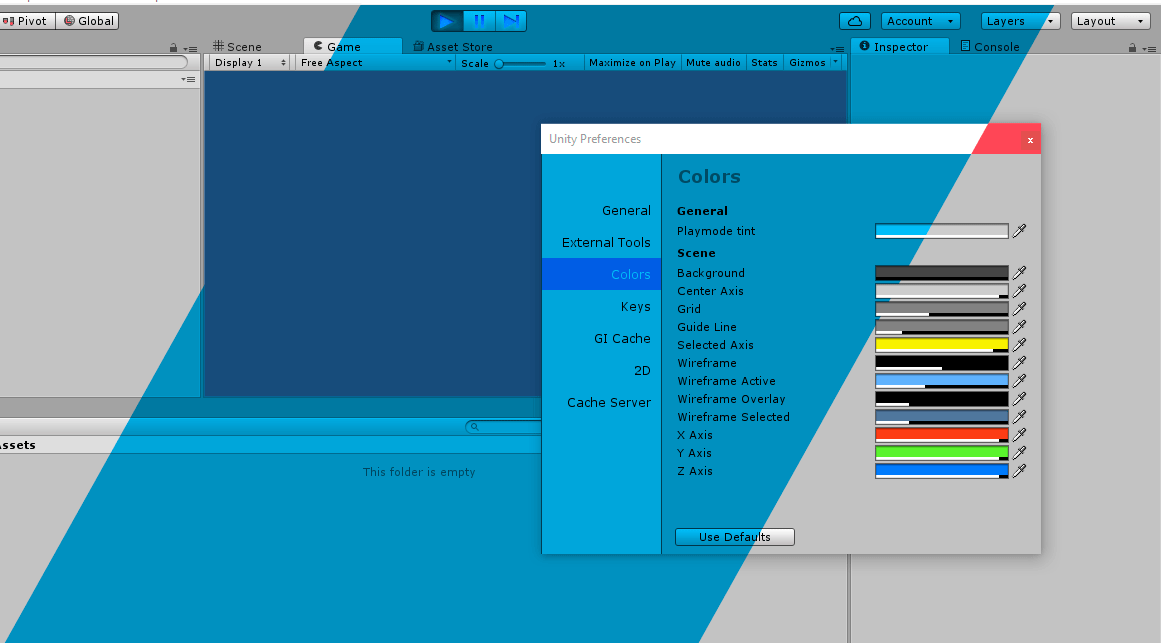
Unity Tips - Play Mode Tint
 vernal zealot
I tried to make a custom editor for a scriptable object I have and wanted to use the Scene view window. I added a listener to SceneView.duringSceneGUI in my OnEnable and removed the listener in OnDisable. This allowed me to draw objects in the Scene view. My issue is that I want to use PositionHandles to modify some Vector3 values like in a monobehavior editor. However, upon trying to interact with objects or handles in Scene view, the ScriptableObject I'm editing becomes deselected
So the handles disappear
Does anyone have any workarounds for this? I'm relatively new to Unity.
I've seen Editors for Monobehaviors that use OnSceneGUI and work fine but the ScriptableObjects I'm using make more sense as data types that live in the file system and can be used by multiple different GameObjects
 wispy delta
vernal zealot
I tried to make a custom editor for a scriptable object I have and wanted to use...
wispy delta
vernal zealot
I tried to make a custom editor for a scriptable object I have and wanted to use...
interesting. idk why clicking handles in the scene would deselect the scriptable object unless you misclick and don't actually press on the handle
if you're making a custom editor for a scriptable object i think you should just be able to use the OnSceneGUI function. Perhaps it's not working because you're using the duringSceneGUI delegate
mellow shale
Thanks @stuck olive !
 upbeat turtle
Someone know how to add value inspector to port in node in costum view graph like this? (https://docs.unity3d.com/ScriptReference/Experimental.GraphView.GraphView.html)
upbeat turtle
found example here thanks
https://github.com/merpheus-dev/NodeBasedDialogueSystem/blob/bdf9c6393cab50e377d35a3e0eb614b8e9949d0f/com.subtegral.dialoguesystem/Editor/Graph/StoryGraphView.cs#L161

GitHub
Node Based Dialogue System for Unity. Contribute to merpheus-dev/NodeBasedDialogueSystem development by creating an account on GitHub.
 twin ridge
Tired of adding [CreateAssetMenu] to all scriptable object types you make? Meet the ScriptableObject wizard: A simple editor extension that allows you to create any ScriptableObject type in your project. It features an assembly filter, and search function.

GitHub
Simple editor tool to speed up creation of scriptable object assets - GiovanniZambiasi/ScriptableObjectWizard
vernal zealot
Yeah, I checked to be sure. I am clicking on the handles in scene view and it gives me a rectangle ro select instead
vernal zealot
I think I'm dropping that feature for now, seeing the GUI when I move the vector 3 sliders is still a big help
 quaint zephyr
I am making my own version of PlayerInput for inspector from InputSystem. It’s pretty straightforward, but the issue I am running into is that I can’t seem to get the following classes to update and persist InputActionMap and InputActionAsset. I found out it might be because they are non MB classes. How would I update properties that have these classes in my custom editor script?
 onyx fog
Hello with some friends we want to do a 3D TSP project with python script but I'd like to visualize our result in unity.
Is this possible to make python script and C# script exchanging during run time?
Or would it be better if I save the data I need after my python script finish running and then make my C# script read them?
waxen sandal
The latter, you can technically run it in IronPython but I doubt that'll work out of the box
onyx fog
but is it possible to make running python and C# script exchanging?
 severe python
Is there a control that can handle rendering/working with extremely large arrays?
like thousands or 10s of thousands of elements?
or perhaps more specifically, can anyone recommend a virtualizing array renderer?
waxen sandal
I think most people solve it using pagination rather than virtualization
I don't think Immediate mode gui is very friendly towards virtualization
Apparently there's also a virtualized list view in UIElements
onyx harness
It depends, if your heights are dynamic, it's a more complex to implement
If it is fixed, pretty easy to virtualize
I don't know how complex is your "element", but this scale matter is handled by anyone who wrote a Console equivalent, where we have to deal with 10k, 100k, 1000k.
severe python
its just a list of structs
technically 2 arrays of structs
and those structs are just primitives and other structs which are made up of primitives
onyx harness
Is the height fixed?
severe python
yeah
 wintry badger
Hi, I have an editor tool that edits an array of objects via SerializedObject. This array can potentially be 1000's of items long, and trying to edit it in a single frame causes a noticeable editor freeze for 5+ seconds. I have tried to eliminate that by doing the save in a co-routine over multiple frames, and that does work, however I was wondering if there is a faster way to edit this data than how I am doing it.
I get the SerializedProperty for the array using this code:
for (int i = 0, count = 0; i < patternElements.Length; i++)
{
    EditorPatternElement e = patternElements[i];

    patternElementsProp.Next(true);//now pointing at row of array element
    patternElementsProp.intValue = e.offsetFromMainCell.row;
    patternElementsProp.Next(true);//now pointing at column of array element
    patternElementsProp.intValue = e.offsetFromMainCell.column;
    patternElementsProp.Next(true);//now pointing at layer of array element
    patternElementsProp.intValue = e.offsetFromMainCell.layer;
    patternElementsProp.Next(true);//now pointing at LOD of array element
    patternElementsProp.intValue = e.LOD;
    patternElementsProp.Next(true);
    patternElementsProp.Next(true);

    count++;
    if(count == 10)
    {
        count = 0;
        yield return null;
    }
}
The code to determine when to yield is rudimentary and could probably be redesigned to maximize the speed of the method and minimize the time the method causes the editor to freeze, so please don't worry about that.
What I am specifically wondering about is whether using SerializedProperty.Next is the best way to fastest way to edit the array data? Or is there some other method I am missing.
Thanks for any help!
severe python
lol
onyx harness
@visual orchid Are you drawng using GUI or GUILayout?
Because GUILayout does not fit into scale issues
severe python
was that aimed at me?
 visual orchid
?
severe python
@wintry badger you're facing the same problem I'm facing it sounds like
onyx harness
@severe python oh shit sorry @visual orchid
severe python
Gotta be less Lazy Mik! :p
onyx harness
XD
wintry badger
how do you markup code on here?
wintry badger
ok
severe python
I put 3 of these: `
followed by cs to make it CSharp syntax
and after this line is another 3 of these `
EG:
some cdoe
you used apostrophes
@onyx harness I'm using IMGUI
onyx harness
With or without layout?
severe python
though I may migrate to UIToolkit assuming the developer updates to 2019
wintry badger
haha i copied yours, i'll have to figure out which key is the back tick later
ok, i found it
severe python
assuming you have the same layout as my keyboard, its the lower case value of the key to the left of 1
onyx harness
Editing a SerO over multiple frames sounds like a dangerous idea
wintry badger
Well, SO.ApplyModifiedProperties is not called until after all the frames have finished, so I think if there's an error the whole save will just be thrown out.
I hope at least
Otherwise the editor will freeze up for 10+ seconds in some cases
onyx harness
Maybe modifying the target directly might be faster
wintry badger
Hmm, yeah, you are probably right. Are there any resources for the best way to do that now? To ensure everything is saved to disk properly?
onyx harness
To ensure? Just manually read & check the file yourself.
You modify the Object, Update() the SerO to get the changes
Ctrl+S and read the file, if you see changes, it's good
wintry badger
ok, thanks for the help!
onyx harness
Make a test over a sample of 1 or 2 elements huh
No need for scale when it's just about save check test
wintry badger
makes sense
onyx harness
@severe python This is a chunk of my cullable GUI array drawer
Basically I don't draw if the rect is not in the EditorWindow's area
quaint zephyr
Custom editor is not persisting changes between prefab mode and scene mode. How do I make this so?
What does this exception mean in custom editor? type is not a supported pptr value
onyx harness
Usually when assigning something wrong
quaint zephyr
What must I do with custom editor to get value to persist past the prefab? I have prefab, I set the value, but when an instance of it get made, the value is reset.
 solid dome
What kind of value is it?
like what type?
If it's a reference to something in the scene that is not part of the prefab it could be lost
quaint zephyr
https://hatebin.com/rwfjbawlby @solid dome
I tried many things, there is where I'm at so far. Was trying to update the value via C# property reference.