#↕️┃editor-extensions
1 messages · Page 70 of 1
 formal fjord
 waxen sandal
I know Aras and his buddies did some improvements to it but I thought that was only in 2020
elementHeightCallback is new though I think
formal fjord
Had to fix it, just used my calculated height to override the rect height using the draw element background callback, which I somehow missed. What I wonder now if the default selection bluish color is defined somewhere, I ended color-picking it
 zealous scaffold
I can ask about Cinemachine here, right?
 severe python
Is there any way to select specific asset bundles to build for a bundle manifest?
 split bridge
If I have a GUIContent where I'm modifying the text (say for a button), should this be done in Repaint, Layout, Both or every event type? I think I have to do it for every pass yet as I'm adding ellipses for text I only know in Repaint what the correct size is from the PropertyDrawer OnGUI callback - so I guess I need to do it for all but whatever the text used in Repaint will be what's used (though it has the potential to break any layout stuff if it's changed?). Are there good docs about this anywhere? 😄
 ebon helm
I have a SO with a array in it. The array has about 2k elements. I want to add a del button next to each element so I can remove it from the array. Can someone point me in the right direction I am a complete noob when it comes to custom inspectors
 onyx harness
If I have a GUIContent where I'm modifying the text (say for a button), should this be done in Repaint, Layout, Both or every event type? I think I have to do it for every pass yet as I'm adding ellipses for text I only know in Repaint what the correct size is from the PropertyDrawer OnGUI callback - so I guess I need to do it for all but whatever the text used in Repaint will be what's used (though it has the potential to break any layout stuff if it's changed?). Are there good docs about this anywhere? 😄
@split bridge Everywhere
I have a SO with a array in it. The array has about 2k elements. I want to add a del button next to each element so I can remove it from the array. Can someone point me in the right direction I am a complete noob when it comes to custom inspectors
@ebon helm Right-click
ebon helm
omfg thank you @onyx harness
 lean vault
so uhhh i pro-grids not in 2020.1?
 silent scaffold
Idk if this is the right place but how do I use the psd importer to use my sprite separated into layers coz atm it’s just invisible both on my screen and in the skinning editor
 warm pilot
hey guys sorry to re-ask but i still can't find anything concerning unity script errors not showing up in vscode. does anyone have any solutions? ive seen people figure out how to fix it but they dont provide the solutions
 waxen bough
Hey quick question about Polybrush, is there something I can do to increase frequency if 100% is not enough at all ?
i've got a pretty big terrain mesh to paint grass prefabs on
it's gonna take days with the current frequency
Also is it possible to turn orientation from parent mesh normals off ? Painting the prefabs with World orientation ? Can't find that either...
waxen sandal
All of you are in the wrong place, this channel is meant for developing plugins not asking for help with one
 blissful burrow
does anyone know how you'd make an animatable property, uh, manually? I have a serialized list of custom structs, which, the animator doesn't seem to like :c
 final goblet
Sorry for being really new to the whole editor stuff, but how exactly do I change the height of say a button? The docs doesn't seem to have an answer nor the forums
blissful burrow
are you using GUILayout.Button or GUI.Button or the newer UIElements stuff?
final goblet
GUILayout
blissful burrow
GUILayout.Button( "hi", GUILayout.Height( 32 ) );```don't feel dumb! it's a bit of an esoteric system
especially since the parameters go through GUILayout instead of GUILayoutParameters
it's odd!
final goblet
Yeah custom attributes and editors are so out of my comfort zone woops
 plucky knot
You can put the layout calls directly in the button call btw
 next canopy
I'm waiting for unity to deprecate all the old systems in favour of the UI Toolkit
 gloomy chasm
@blissful burrow Animatable property in what way?
blissful burrow
@gloomy chasm as in, using the animator window
it doesn't show the array as an animatable property
gloomy chasm
@blissful burrow It seems to work with structs, but not classes.
blissful burrow
I am using structs :c
next canopy
Structs in an array?
blissful burrow
List, but yes!
gloomy chasm
Ah
next canopy
Can you animate lists otherwise?
blissful burrow
not sure, haven't tried
next canopy
I don't think you can animate lists
gloomy chasm
That would make sense as items in lists can be removed
blissful burrow
well sure, but, being able to animate them would be good regardless
next canopy
You can't animate Arrays either it seems
blissful burrow
(also wow this is hard to google for because I only get results of people wanting to get a list of animations)
next canopy
If you only have a fixed length of objects, you're better off giving each their own field
@blissful burrow looks like Unity makes external calls for handling animation (reading through the CS reference)
blissful burrow
I can't make a separate field for each
users can add any number of entries to it
next canopy
Then you might need to make your own animator system
blissful burrow
what do you mean?
next canopy
You want to let users add an arbitrary number of entries to a list, and you want to let them animation the individual properties of each instance?
The problem is the Unity Animator works on serialised references to value type properties, such as structs and floats.
blissful burrow
@next canopy yeah exactly
but I feel like it should work - they are serialized just like any other fields
next canopy
A list in the inspector is a reference to a group of references, Unity (sadly) doesn't support deep inspection
blissful burrow
what do you mean? it does serialize them and you can read from nested serialized data just fine, including exactly my case
next canopy
It deeply serialises them, but you can't inspect deep serialisation without writing a custom editor, I don't know if you can extend or overhaul the Animator to provide you with what you want
blissful burrow
what do you mean by can't inspect? the default inspector can show nested things just fine every time I've tried it
but, hm, and I guess the animator isn't something you can extend
next canopy
Just tried it myself, you can't inspect List<List<float>>
Any type beyond one level you can't inspect by default
but I think this is beside the point
If you do come up with a working solution hmu, i'd be super interested in how you did it
final goblet
Hey guys so I am in a bit of a pickle here. I've got some custom attributes working with my custom editor, but I've come to a bit of a stop as I've just discovered a pretty big flaw I guess you could say in the code.
I've got this foldout attribute that can make a foldout and so on, but I've got no clue how I can put stuff inside of the foldout. I think I've got a pretty good solution for my knowledge about what I am doing, but I've just noticed an issue.
I am assigning a variable from another class in the same script, set as static, but whenever I try to access the local variable I either get a null exception or this error from something I still quite don't understand: ArgumentException: Getting control 1's position in a group with only 1 controls when doing repaint Aborting
The code I've got looks like this for the script that the issue lies within:
[CustomPropertyDrawer(typeof(ButtonAttribute))]
public class ButtonAttributeDrawer : PropertyDrawer
{
    public override void OnGUI(Rect position, SerializedProperty property, GUIContent label)
    {
        ButtonAttribute button = attribute as ButtonAttribute;

        FoldoutAttribute foldout = FoldoutAttributeDrawer.foldout;
        if (foldout != null && foldout.opened)
            GUI.Button(position, button.name ?? label.text);

        GUI.Button(position, button.name ?? label.text);
    }
}

[CustomPropertyDrawer(typeof(FoldoutAttribute))]
public class FoldoutAttributeDrawer : PropertyDrawer
{
    public static FoldoutAttribute foldout;

    public override void OnGUI(Rect position, SerializedProperty property, GUIContent label)
    {
        foldout = (FoldoutAttribute) attribute;

        foldout.opened = EditorGUILayout.Foldout(foldout.opened, foldout.name ?? label.text);
    }
}```

I've been banging my head against my table for last hour or so, but this one is pretty hard to track down so some help would be phenomenal in this case 🙂@final goblet by any chance, does it appear once? In opposition as each frame
I feel this is simply because you set a variable that will change the layout during an input Event
The solution is to set FoldoutAttributeDrawer.foldout not in the layout (or Repaint or input, I never remember) phase
final goblet
By appearing once, do you mean the error only get's debugged once? If so then no
Oh I think I see what you are saying
How would I go about assigning FoldoutAttributeDrawer.foldout outside of OnGUI though?
Because if Intellisense is right, there is no OnEnable method in PropertyDrawer
@onyx harness
final goblet
Yes
onyx harness
If (Event.current.type == EventType.Repaint)
final goblet
Ohhh
onyx harness
Or something similar
Either Repaint or Layout
Maybe!= Layout is better
This way FoldoutDrawer will set at the correct timing, therefore ButtonDrawer will never throw.
final goblet
!= Layout gives me the same error, while == gives me a null exception at the foldout.opened line. This whole custom editor thing is so strange 🤔
onyx harness
Of course you need to check for the bulk
Bull*
Null*
I think I see why
When FD sets its static, BD must check if the static is available.
Then only, it will allow itself to draw. You might need to set a 'allowDraw' boolean during the layout (or Repaint) phase.
To start drawing for real.
What you need to understand:
During the phase of layout, BD might draw before FD.
After this phase, now that FD has drawn, its static is set, BD will start drawing
Hahahahaha I'm stupid
You used EditorGUILayout in FD. You should use EditorGUI
(what I explained above still stand)
@final goblet
final goblet
Ohh
Well, EditorGUI doesn't contain a method for foldouts
Nor Button
If I get what you mean
 oblique hamlet
So I have a MonoBehavior with [ExecuteAlways] and a OnDrawGizmos, but it doesn't draw the gizmos in my sceneview until I select it in the hierarchy. How can I get it to always draw gizmos?
final goblet
@oblique hamlet Are you sure you haven't put it in OnDrawGizmosSelected?
No need for the [ExecuteAlways] attribute
oblique hamlet
@final goblet very sure
final goblet
That seems really weird
oblique hamlet
The interesting part is that once I select them they stay drawn
Ah, it's a dots thing. ConvertAndDestroy seems to hide them
onyx harness
Is the Component collapsed in the Inspector?
oblique hamlet
Nope
After I press play, then stop, they're gone- I assume because Unity doesn't notice that they're back after ConvertAndDestroy
I wonder if I can drive the editor UI to select them all one by one after I stop
Nope, setting Selection.activeObject doesn't work
 latent jetty
I just asked this in general code but realized it might be better asked over here
is there a way that I can load a scene in when entering playmode before the currently loaded scene inits?
right now I load a base scene in on PlayModeStateChange.EnteredPlayMode however that seems to cause things to race. I tried loading it in PlayModeStateChange.ExitingEditMode but it seems to get culled there
some objects in my world init in a way where they expect elements of the base scene to be there and when loading in "from the top" that's always true. I'm looking to replicate that flow when I press play in the editor
 queen violet
PopupField binding where the value isn't in the list causes the entire Editor to not draw, any fixes ?
Should just default to some empty thing instead...
queen violet
Can get around it by forcing the value to a default choice in the list before binding... but that seems like oversight on Unity devs part
waxen sandal
@latent jetty iirc there's a startup scene you can se ton editorscenemanager
 gilded flame
I'm trying to make an Animation-like window
And I'm trying out UIElements
Is there a guide for using built in styles?
waxen sandal
Not that I know of
severe python
The guide is to simply not override styles. I'm not trying to be condescending here just to be clear, its really that simple
when you write your USS, change only the things you need to be changed, and then you'll inherit the styles from unity
so avoid changing colors mainly
but also probably avoid changing borders and margins in many cases
When you override styles, use a class selector instead of a type selector and apply the class only in the cases where you need to override the default style
@gilded flame
gilded flame
Interesting
I'm mainly asking since there are some parts like built in icons
That I used to be able to get via EditorStyles
But I guess I can use in-line IMGUI for that
split bridge
you can edit the uss manually and add existing icons/cursors to the styles - would avoid using imgui in uitk if you can
severe python
Yuo can still use many/all of those icons, its mostly a matter of figuring out the resource paths
gilded flame
That makes sense
Is the USS in the auto generated UiElements directory in my project root?
severe python
if you know of an example, you can use the UIElements Inspector (which I don't know if the name has changed but its somewhere under the Window menu)
and that will let you look at the USS of elements in Unity so that you can identify those resource paths
gilded flame
2019.4
Animation, not timeline
I'm authoring frame by frame data
And need a time based editor for it
severe python
I'm sure you can still get at the assets, but you'll have to use another method to locate them
 whole steppe
I saw someone on the Unity Forums reference his/her code with this.
    [EditorButton]
    private void ResetBodyMesh() { BodyRenderer.sharedMesh = m_BodyMesh = Instantiate( OriginalBody ); }
It exposes a button to the editor from which you can press it and it calls the function.
[EditorButton] isn't built in ofcourse.
I could create a custom Editro script to create the same behaviour. However I have to make the function public to be called
waxen sandal
Reflection is the answer
waxen sandal

Reflection provides objects that describe assemblies, modules, and types in C#. If your code includes attributes, reflection enables you to access them.
whole steppe
How would I Google this in relation to Unity?
like how do i add a [CustomThingy] to Unity?
split bridge
[CustomThingy] is called an attribute - relevant search terms are attribute, attribute drawer @whole steppe
whole steppe
Thank you!
 flint vapor
Hi guys, I want to create a custom property drawer for my axis class(marked as serializable) I use EditorGUILayour but there is a wierd space between the script logo and the position of the first label
[CustomPropertyDrawer(typeof(RotationAxis))]
    public class AxisCustomEditor : PropertyDrawer
    {
        private bool _foldout = false;

        public override void OnGUI(Rect position, SerializedProperty property, GUIContent label)
        {
            GUIStyle style = new GUIStyle(EditorStyles.foldout);
            style.fixedWidth = 160;
            EditorGUILayout.BeginVertical();
            _foldout = EditorGUILayout.Foldout(_foldout,label,style);
            if (_foldout)
            {
                position.height = 60;
                EditorGUILayout.PropertyField(property.FindPropertyRelative("sensitivity"));
                var constraint = property.FindPropertyRelative("constraint");
                EditorGUILayout.PropertyField(constraint);
                if (constraint.boolValue)
                {
                    EditorGUILayout.PropertyField(property.FindPropertyRelative("min"));
                    EditorGUILayout.PropertyField(property.FindPropertyRelative("max"));
                }
            }
            EditorGUILayout.EndVertical();


        }
}```wow, seems that cs override public float GetPropertyHeight(SerializedProperty property, GUIContent label) { return 0; } fixed it, EditorGUILayout adds some 30 px on the Y by default
waxen sandal
Don't use layout in property drawers
It's not supported
And you need to return a property height in GetPropertyHeight
flint vapor
Ohhh
And you need to return a property height in GetPropertyHeight
@waxen sandal I returned 0
waxen sandal
That means that your property drawer has no height
flint vapor
so gui layout is not compatible with property drawer
waxen sandal
You probably want to use editorguiutility.singelineheight * some value
As your height
waxen sandal
It's not supported
flint vapor
is much easier and you don't have to mess around with adding rects and stuff
waxen sandal
Why exactly no clue
https://docs.unity3d.com/ScriptReference/EditorGUI.GetPropertyHeight.html is also a possibility if you're drawing other SerializedProperties using PropertyField
 flint vapor
I want to make it look like a normal inspector with only one tweak, if constraint is true , then show min and max
flint vapor
Still trying with this custom property drawer, the issue is that the elements are stacking and are not nicely spaced. I created a list and added the singleLineHeight to Y to make them look like a normal inspector.I can't figure out what does not workcs public override void OnGUI(Rect position, SerializedProperty property, GUIContent label) { _foldout = EditorGUI.Foldout(position,_foldout,label); List<Rect> fieldRects = new List<Rect> {position}; for (int i = 1; i <= 4; i++) { Rect current = fieldRects[i - 1]; Rect added = new Rect(current.position.x,current.position.y + EditorGUIUtility.singleLineHeight,current.width, EditorGUIUtility.singleLineHeight); Debug.Log(current + " " + added); fieldRects.Add(added); } if (_foldout) { EditorGUI.PropertyField(fieldRects[1],property.FindPropertyRelative("sensitivity")); var constraint = property.FindPropertyRelative("constraint"); EditorGUI.PropertyField(fieldRects[2],constraint); rows = 3; if (constraint.boolValue) { EditorGUI.PropertyField(fieldRects[3],property.FindPropertyRelative("min")); EditorGUI.PropertyField(fieldRects[4],property.FindPropertyRelative("max")); rows = 5; } } else { rows = 1; } }
onyx harness
But why can't I use guilayout
@flint vapor Because GUILayout does not scale.
flint vapor
I was told that editorguilayout does not work
and...
idk i am kind of very confused
waxen sandal
For your foldout you should use property.IsExpanded
onyx harness
It works. But not with PropertyDrawer.
flint vapor
but I need it for property drawer.
onyx harness
PropertyDrawer is provided a certain area. The height of this area is given by GetPropertyHeight().
This is fixed and final.
Why is that?
The first argument is literally a Rect.
Use it.
flint vapor
I am using the rect
waxen sandal
Your properties are on top of each other because you're drawing the foldout at position then drawing the first element at position as well
flint vapor
but if I do this EditorGUI.PropertyField(new Rect(position.x, position.y + 20,position.height,position.width),property.FindPropertyRelative("sensitivity")); it does not show well
waxen sandal
What does that mean
flint vapor
this :))
waxen sandal
^
flint vapor
so the position is ok but the size is messed up?
onyx harness
You switched them.
waxen sandal
The position parameter is the whole area you have available
flint vapor
The position parameter is the whole area you have available
@waxen sandal so is not the top left corner?
waxen sandal
Your parameter order is wrong
You're passing height in the width field and the width in the height field
whole steppe
Hey did anyone even tried using the ScreenCapture module in an Editor extension? I'm trying to load levels, screenshot and then load the next one in a List and the ScreenCapture func is only taking the picture of the last element of the array. Due to being an editor extension of a Scriptable I don't have access to CoRoutines.
        int index = 0;
        foreach (var sceneLevel in levels)
        {
            sceneLevel.Value.LoadLevel();
            string screenshotPath = AssetDatabase.GenerateUniqueAssetPath("Assets/Temp/Screenshots/screenshot" + index + ".png");
            ScreenCapture.CaptureScreenshot(screenshotPath);
            Debug.Log("Screenshot " + screenshotPath);
            index++;
        }
Well forget it, wrote my own Screenshot solution.
 cyan cipher
Hello Guys, IDK if I should ask here.
But I hopped in a new project in a freelance and they are using UI events for everything. Besides Rider IDE (Did not liked it) , there is any tool to find GameObjects and references quickly in the editor that are being used in the code?
onyx harness
@cyan cipher NG Asset Finder Free
cyan cipher
Thanks alot
 ivory elm
I was using the remote config package and wanted to have different values for different set of users.
So can I make different environments for that and change the environment at runtime-after the build?
waxen sandal
IIRC you have to pass a custom width to your toggle
 thorny gate
That sounds like too much work, hate doing this so much
 jagged thicket
I was wondering is this channel were you discuss packages
 steady crest
@jagged thicket no, this is a discussion channel for code help related to editor scripting
steady crest
I guess general?
jagged thicket
I tried but no one responds...
 torn canopy
Hi! I was making a custom tile painter and I wanted to implement erase functionality along with solving the problem that if a tile is painted, another can't be painted over it, any idea how should I go about it? My first thought was doing raycasts but then that would require each paintable object to have a collider, unnecessary dependence, another is to maintain a table to each painted object along with it's cell position and just make checks while painting and erasing. Is there any better solution?
waxen sandal
Tilemap?
torn canopy
Well, yea the basic tilemap functionality, but I'm making a custom one from scratch, I was wondering how that feature can be implemented.
waxen sandal
I'd convert the mouse position to worldspace and then convert that to the nearest cell
Rather than raycasting
I'd raycast onto a Plane https://docs.unity3d.com/ScriptReference/Plane.Raycast.html
Then round or something to the nearest cell
torn canopy
I'd convert the mouse position to worldspace and then convert that to the nearest cell
@waxen sandal Yes, for that to work I'd have to maintain a sort of list of occupied cell position and a reference of the "tile" that is occupying it and delete it it's a hit.
 desert arrow
any idea how to, through editor script, move a prefab.. into another prefab (parent prefab is open in editor) ? instantiate puts it in the scene even if scene window has prefab open
gilded flame
Ah thanks!
This is exactly what I needed
Another question: are there any good ways of drawing SVGs to an editor window?
I'm using GraphViz to generate debug graphs
And it'd be nice to render that output to an editor window
waxen sandal
Maybe the SVG plugin has a way?
gilded flame
Alternatively is there an easy API for drawing Animator State Machine style graphs?
I know a GraphView exists but that's more for node based connections
@waxen sandal last I checked that was runtime only
whole steppe
hi,
i'm using Gamepad Mouse Cursor sample of the new Input system ...
but the virtualcursor does not interact with any button!!
can someone help me??
and howto clamp it inside screen borders??
 livid verge
I think this is the right place to post.
I want to be able to manually draw a graph in the editor in my 2D game maps, in the sense I want to be able to click and place vertices and add directed edges between them. The graph would be something I can access in my scripts. This will be so I can use it in some car AI, where they'll pathfind and drive around a preset layout. Think of cars driving in a car park and sticking to the lanes, with one way sections etc.
An added complexity is that I don't want the paths to define curves that are smaller than the turning circle of the cars, so eg maybe I could lay down a path going up, then another going right, and have a script place vertices for a rounded corner with a large enough radius of curvature. (If that's too much to ask in the editor I'll sort it out in the pathfinding code).
The map is tile based, so it would be nice to be able to place vertices on the grid.
I'm new to unity so any general ideas or suggestions for editor features I might not know about are appreciated.
livid verge
yeah just trying to figure out the best approach to making it so I can easily draw it in the editor. So after googling handles I found stuff like this: https://www.youtube.com/watch?v=n_RHttAaRCk, is that the kind of approach I should be using?
waxen sandal
That seems like a fine way to do it
livid verge
OK will watch the tute and give it a go then - thanks for the keywords
livid verge
ha don't worry if it doesn't work out I'll be back
flint vapor
Hi guys this is not a question related to editor scripting but relates to unity serializatiom system.
    [System.Serializable]
    public class CameraRotation
    {
        public float smooth = 10;
        [SerializeField] private RotationAxis xRotationAxis = new RotationAxis(60, -60, 5);
        [SerializeField] private RotationAxis yRotationAxis = new RotationAxis(360, -360, 5);
        public CameraRotation(params etc)..
}``` I have this classI want to serialize it to the unity inspector, public CameraRotation rotation; the issue is that the default values do not match, they are defaulted to 0
public class CameraHandler : MonoBehaviour
{
public CameraRotation cameraRot = new CameraRotation(); // if I new it here then the defaults will work
private Transform _player;
void Start()
{
_player = transform.parent;
cameraRot = new CameraRotation(transform, _player); // this constructor is needed somewhere, but when called the cameraRotation variables will be reseted.
}
void Update()
{
cameraRot.HandleRotation();
}
}``` this is the class the uses the cameraRotation script. Where should I call this ```cameraRot = new CameraRotation(transform, _player);``` in order to have defaults when the script is added and also to be able to modify the values. I thought of having a callback to when the script is loaded, but I could not find anything like that, and if was then is was a static function with a decorator which is not what I need :). How would you guys do this? Get rid of the constructor? proven ingot
Question, what are you guys using for Utility based AI? I'm using Apex but ironically I am stuck and documentation is somewhat scarce
flint vapor
@flint vapor just make an initialize method on your class
@waxen sandal Ok that could also work. When should I run the initialization logic?
waxen sandal
In your start method
flint vapor
yeah but that means that every changes made in edit mode will be overwritten
flint vapor
oh yea sorry 🙂 thank you that should work just fine
onyx harness
This is the proper way
flint vapor
Hmm maybe, but see, there is a special case when this fails
        public void Reset() // TODO : try use this function for constructor
        {
            effects = new CameraEffects(pickupGameObject.transform); // referencing a public field
}``` whenever I attach this script then I will get a null reference exceptionIt might be more elegant, I agree 🙂
onyx harness
Reset is called before a lot of things, pickupGameObject might be null
flint vapor
this is the issue basically
gilded flame
Has anyone here used GraphView?
 full vault
how to create prop drawer for this?
 [Serializable]
    public class ObservebleStruct<T> : IObserveble<T> where T : struct
    {
        private T _Value;

        /// <summary>
        /// sender, old value, new value
        /// </summary>
        public event Action<IObserveble<T>, T, T> OnValueChanged;

        public T Value
        {
            get => _Value;
            set
            {
                if (!_Value.Equals(value))
                {
                    OnValueChanged?.Invoke(this, _Value, value);
                    _Value = value;
                }
            }
        }


        public ObservebleStruct()
        {

        }

        public ObservebleStruct(T defaultValue)
        {
            _Value = defaultValue;
        }
        public void SilentSet(T value)
        {
            _Value = value;
        }
    }
[Serializable]
public class Health : MonoBehaviour
{
    private int _Value;

    public event Action<Health> OnDeath;
    public ObservebleStruct<int> Current;
    public void ApplyDamage(int Damage)
    {
        _Value -= Damage;
        if (_Value<=0)
        {
            OnDeath?.Invoke(this);
            if (_Value <= 0)
                Death();
        }

    }
    private void Death() => Destroy(gameObject);
}
You need some serialized fields
waxen sandal
No your ObservableStruct has no serializable fields
 short tiger
Your Health script doesn't use the Current type anywhere in it
waxen sandal
Also unless you use serializereference you can't serialize generics
full vault
cuz i just add it and try to setup inspector
No your ObservableStruct has no serializable fields
@waxen sandal ```cs
[Serializable]
public class ObservebleStruct<T> where T : struct
The _Value field is private and doesn't have [SerializeField]
So it isn't serialized
waxen sandal
Your class is serializable but you have no fields that are
short tiger
@waxen sandal I don't think SerializeReference is needed to serialize generic types
Unless you want it to serialize the reference
@full vault Okay, now instead of passing property to the PropertyField method, you need to get the SerializedProperty for this _Value variable
Right now you're just passing the SerializedProperty for the whole ObservableStruct, which Unity doesn't recognize and so it doesn't draw anything
full vault
oh shit
@waxen sandal was right
sry. i think that if i set all class like serializeble it include privats too
ty @waxen sandal
short tiger
So does Unity automatically recognize that the ObservableStruct type only has one serialized property in it and so when you pass one into PropertyField, it will draw only that with no foldout?
onyx harness
PropertyDrawer is just to display the Object in a custom way.
full vault
[CustomPropertyDrawer(typeof(ObservebleStruct<>))]
    public class ObservebleStructDrawer : PropertyDrawer
    {
        public override void OnGUI(Rect position, SerializedProperty property, GUIContent label)
        {

            EditorGUI.BeginProperty(position, label, property);
            EditorGUI.PropertyField(position, property.FindPropertyRelative("_Value"), label);
            EditorGUI.EndProperty();
        }
    }
i cant resize rect? i wanna add events fields
short tiger
If you want the property to take up more height, you need to override the GetPropertyHeight method
full vault
ok and last one
how to display custom event as event
public event Action<ObservebleStruct<T>, T, T> OnValueChanged;
That's not trivial. You would have to serialize the data related to the event listeners somewhere.
The UnityEvent type handles that, storing the listener methods into strings and looking them up later with Reflection
short tiger
No, not that I know of
full vault
ok so i need to ExtendedLabel: Label
to make delegate that will set new text
all right?
short tiger
I don't understand
full vault
i need to add smth like
UpdateToNewValue()
so what i need
i need to add fucntion to Text
how i can add smth in this list?
steady crest
how can I draw a serializedProperty of an integer as a range slider? like with the attribute but from a custom inspector.
full vault
u can use default
steady crest
you mean DrawDefaultInspector?
steady crest
wut
I dont think I get what that means. afaik serializedProperties dont have a drawdefaut function
I cna draw everything, I just need it to draw like a slider from a custom inspector
waxen sandal
PropertyField?
short tiger
steady crest
god damnit
you can just pass in the property
I assumed I needed the int value for it
full vault
@waxen sandal maybe u know why i cant add object from scene to prefab?
How to allow scene object in event field
short tiger
It should be allowed, unless you're inspecting a prefab or scriptable object.
Assets can't reference scene objects.
@full vault Don't ask the same question in multiple channels. It wastes people's time because they might be answering a question that has already been answered
full vault
this is sad(
 unkempt fern
Guys, how to see how many object is selected in editor ?
onyx harness
Selection.objects
unkempt fern
I mean isn't there a window that shows how many object that i selected ?
onyx harness
Nope
unkempt fern

onyx harness
Inspector shows that
If you select different objects it will show a count and the different objects
If you select many GameObject, you wont have the number
unkempt fern
So if i select 2 object it can't be seen anywhere that I selected 2 object ?
onyx harness
Nope
I can provide you one
Look for NG Nav Selection
The tool NG Nav Selection in there
It does show a number and the content of the selection
(A bit overkill in my opinion)
Just code it yourself, its few lines
 rustic crag
Hey everyone! I am trying to make a custom editor script to display my nav agent settings. Code here is copied and pasted from an editor script that came with NavMeshComponents. I am trying to get the same functionality as NavMeshSurface has, but for a custom class, that will then be stored in an array in my own, custom NavMeshBaker script.
However, it doesn't work, what did I miss?
And this is how I want to store it:
gilded flame
Is there a way to make the edges originate from the center of the nodes instead of the sides?
 rustic crag
But it should show me something like this:
gilded flame
@rustic crag it only draws it based on the agentTypeID
are you sure that is evaluating properly?
rustic crag
@gilded flame I'll be honest, I don't know, I am a beginner when it comes to custom editor scripts. All I know is it works in the script that comes with Unity, so I don't see any reason why it wouldn't work here either.
I can link the script, give me a sec

GitHub
High Level API Components for Runtime NavMesh Building - Unity-Technologies/NavMeshComponents
gilded flame
@rustic crag are you sure that 's compiling properly? NavMeshEditorHelpers only has DrawBuildDebug publicly exposed.
Check your console.
Oh it does exist
just isn't documented
huh
rustic crag
The main problem isn't drawing here: it doesn't even show me the popup
Or rather dropdown.
gilded flame
My only guess is that there's some global UI context that is affecting the drawing of it
rustic crag
That literally is the full script I sent up there.
gilded flame
as in the class definition and using statements too
rustic crag
gilded flame
Do you have the CustomEditor attribute on the Editor class?
rustic crag
yup
gilded flame
CustomEditor is aimed at MonoBehaviours and ScriptableObjects only
You want a PropertyDrawer
rustic crag
May I DM you?
gilded flame
I don't accept DMs in public discords
Due to prior harassment issues.
I'd change CustomEditor to CustomPropertyDrawer
and inherit from PropertyDrawer instead of Editor.
rustic crag
But then I can't use OnInspectorGUI
gilded flame
You'll need to change OnInspectorGUI to OnGUI/CreatePropertyGUI
I should note that (Editor)GUILayout shouldn't be used there
you'll need to override GetPropertyHeight
and manually layout the parts yourself.
rustic crag
Would it be simpler to just change the data class to ScriptableObject?
gilded flame
then you'll likely have to write your own scripts to save copies of it to your Assets folder
unless you need it to be independent objects separate from a scene/GmaeObject
I'd advise just making a propertydrawer
rustic crag
All I want is an agent type dropdown just like NavMeshSurface has
gilded flame
I'd keep things the way you have it right now
And just substitute all of the things I mentioned.
I said GUILayout doesn't work, but in practice it still maintains itself well
It may break a few things down the line, but it's not the end of the world if you don't do it
onyx harness
GUILayout works
gilded flame
In a PropertyDrawer?
rustic crag
The main problem is, I don't understand how this works :/
onyx harness
All GUI can be used anywhere
gilded flame
I had to manually set heights it on several propertydrawers I set
rustic crag
ANd I can't find any tutorials about it
gilded flame
due to the overlap
unkempt fern
@onyx harness thanks, its working with Selection.objects.Length
gilded flame
@onyx harness as in setting heights is not recommended?
onyx harness
Its fine
gilded flame
Then again, I had custom graphics in a good number of them
onyx harness
Layout just automate some settings
But at the end, you can override them all
The hardest part is to know how the layout will behave
Like CSS or such
gilded flame
I've mostly abandoned that once I started using UIElements though
onyx harness
UIToolkit is clearly the future
gilded flame
much easier to tune than the mess that IMGUI was
onyx harness
IMGUI is shit, but I cant keep from it that it is faster to prototype UI
gilded flame
I'd argue otherwise
unless you have custom GL draw calls
The templating/layoutting with UXML is notably faster
Whipped up the graph view + toolbar shown here https://discordapp.com/channels/489222168727519232/533353544846147585/748916753626693694
Took about 20 minutes
None of the functionality is there bar the graph itself
onyx harness
For more complex things yeah it loses the run
gilded flame
Which btw question is still open:
Is there a way to make the edges originate from the center of the nodes instead of the sides?
the fact that I need to bind it to ports is making this much more unreadable than it needs to be
gilded flame
I tried making a graph in IMGUI before with zoom, multiple selected objects, rectangle select, drag and drop, etc.
never again
that was an absolute nightmare
onyx harness
I guess lacking of knowledge
Because it is not really hard
But I can understand the nightmare once you start to go dirty
gilded flame
It isn't no, but more to do with "I don't want to put in the effort for this"
Actually I think the worst part was the view transform that was needed for almost everything once zoom got involved
onyx harness
It's about being consistant :0
gilded flame
Like it's a problem when your editor code for making the assets you need is 40x longer than the actual system reading the generated assets.
And most of it's just to make the editor a bit less janky to work with.
onyx harness
I guess you were right to switch to GraphView
gloomy chasm
With UIToolkit, how do you check if a list has been changed, and what has changed? Best I can think of is to use the scheduler, and do a loop on the items to see if something has changed.
 near pine
Hi, I'm having a heck of a lot of trouble with VS-Code
I have several extensions, but none of them are showing useful completions like GameObject or Input or most of the essentials.
I'm on a Mac, I have updated my Mono (Standard) to the newest version, I have the: C# extension, Unity Code Snippets, and Unity Snippets, as well as other extensions that I turned off for now like Unity Tools
I've been trying to fix this for hours
 visual stag
near pine
visual stag
near pine
I've been following that Vertx, Thanks for the link
Though I've already installed .NET and Mono and everything
I've had my editor as VSCode already for a while
I'm fairly sure it used to work just fine
I'm starting up a new project after a long time of not using Unity
jagged thicket
Could somone help me apply this to my own script please?(https://docs.unity3d.com/ScriptReference/EditorGUILayout.Foldout.html?_ga=2.96517530.427623851.1598507635-494016756.1598507635)
visual stag
You can write an Editor that uses it https://docs.unity3d.com/ScriptReference/Editor.html
What exactly are you struggling with?
jagged thicket
to add the foldable group to my script
Is this gonna be an individual script?
Or a part of my own script?
visual stag
I'm not sure what you're asking, you can use it in a GUI function of any editor or editor window like the example:
show = EditorGUILayout.Foldout(show, label);
if (show) {
  // gui contents shown when foldout is expanded
}```So what your saying is that I have the code in another script and in my script I put that in?
visual stag
What do you mean by "my script"?
Because to use this you need either an Editor, Editor Window, or a property drawer (usage more complex there)
jagged thicket
So I have two Scripts in Script A I put the code from the page I sent. In Script B I put whatever I want and the code you sent
Uhhhh maybe vould you tell me if 1 will this code(https://docs.unity3d.com/ScriptReference/EditorGUILayout.Foldout.html?_ga=2.96517530.427623851.1598507635-494016756.1598507635) be its own individual script or a part of the script I want the foldable group on?
visual stag
that script is for a standalone EditorWindow that's purely an example
if you want to style content displayed on a MonoBehaviour or ScriptableObject with a foldout then you should make a custom Editor
it's a separate script that overrides what is shown in the inspector
there are also various random PropertyDrawers that people have written https://github.com/PixeyeHQ/InspectorFoldoutGroup
but I cannot speak to their effectiveness
jagged thicket
Ok, I was wondering then how do I apply this to my editor
I was wondering whats Odin Inspector
visual stag
It's a custom editor and serializer replacement for Unity
jagged thicket
Umm also how do you install a .unitypackage as a Unity Package
visual stag
 dull cloud
Anyone ever used [HideIfGroup()] attribute of OdinInspector? I can for the life of me not get the behavior I want, to hide the whole group. I can however hide the fields under the group
dull cloud
Stopped using groups, problem solved.
 chilly stone
Can someone experienced with UI Elements or serialization in general help me out?
I've made a simple attribute:
public class SelectImplementationAttribute : PropertyAttribute
{
    public Type FieldType;

    public SelectImplementationAttribute(Type fieldType)
    {
        FieldType = fieldType;
    }
}
And also a custom property drawer for it. What it does is it searches for implementations of certain interface in assembly and displays them as a dropdown list (like an enum). Then it should create an instance of an implementation that I choose from inspector.
Example of usage:
[SelectImplementation(typeof(ISomeInterface)), SerializeReference]
private ISomeInterface _someImplementation;
I use SerializeReference attribute, so in a property drawer script I can do this:
property.managedReferenceValue = Activator.CreateInstance(chosenImplementation);
But that has no effect when I enter play mode - the value of _someImplementation is null. What am I doing wrong?
 weak comet
does someone have a solution to this
i am using unity 2020
and when i import bolt i get this error
waxen sandal
Ask in the bolt discord?
weak comet
ooh ok thanks @waxen sandal
@waxen sandal i am unable to find the bolt discord server.. is there such a server ?
 weak comet
sorry dude and thanks for the help @waxen sandal
gloomy chasm
Is there any way to have some sort of callback/event for when one of Unity's methods is called? Specifically the ProjectBrowser FrameObject method.
 civic river
@chilly stone Despite [SerializeReference] being a thing the underlying serializer still screws it up
If you make a serializable type it'll work fine (Probably? SerializeReference seems very half baked.)
If you poke around with the debugger I'm guessing you'll find the [SerializeReference] field to be null
chilly stone
@civic river yep it's null, I don't think making it serializable will help. I just need to populate all fields with that attribute when game starts. How can I manage a script to run before the first scene is loaded?
civic river
You could probably add a hook in the player loop on build?
https://docs.unity3d.com/Manual/ExecutionOrder.html#FirstSceneLoad
https://docs.unity3d.com/ScriptReference/LowLevel.PlayerLoop.SetPlayerLoop.html
Never done it before, but it seems possible
Personally I just do lazy initialization for these kinds of systems, not sure if that's an option in your case.
        private static bool initialized = false;
        private static void InitializeCache()
        {
            if (initialized)
                return;
            //...
        }

        public static bool GetCachedMemberViaLookupValue(string value, out MemberInfo memberInfo)
        {
            InitializeCache();
            if(dropdownLookup.TryGetValue(value, out memberInfo))
            {
                return true;
            }
            return false;
        }
 gloomy chasm
@waxen sandal Inject one? I'm fine with doing sort of hacky things. Can you elaborate? Or point me to a resource on how one would go about doing this?
waxen sandal
Things like harmony and monomod
You probably don't want to pull in that dependency though so you'll have to do it yourself
gloomy chasm
So, look in to how harmony does it, then just do it my self with the parts that I need? I heard that harmony went against the Unity EULA. Does it not?
waxen sandal
I wouldn't know
civic river
@gloomy chasm considering several of unity's biggest customers use harmony I'd really doubt they'd do anything about it, even if they did care
I've heard nothing to that effect, though
gloomy chasm
Yeah, I looked at it more and it doesn't seem to edit dlls. So overall, it looks good. I guess I can always, just stop if they say so too 😛
civic river
Yeah, everything harmony does is runtime IL
gloomy chasm
Anyone know how to use AssetPreview.GetAssetPreview with UIElements?
full vault
how i can get field from SerializedProperty?
how to convert it to filed if o wanna read/write values and attributes?
 dense arch
Im working on a script to convert all my Text objects to TextMeshProUGUI objects, but the TextMeshProUGUI objects all change the size of their RectTransform when they are created, i tried addingcs textMesh.autoSizeTextContainer = false; but it changed nothing
i can change the rect back, but im curious as to why i need to
full vault
how to get/write custom values (dictionary) in property drawer?
how work with serialized prop?
onyx harness
The dict must be serializable
onyx harness
If it doesnt show in the Inspector, it is probably not serializable
You can grab a serializable Dict via Google
full vault

GitHub
Serializable dictionary class for Unity. Contribute to azixMcAze/Unity-SerializableDictionary development by creating an account on GitHub.
not working
full vault
Has anyone done a Custom property drawer for collections? dictionaries and lists
civic river
yeah, they behave pretty weirdly @full vault what are you trying to do?
 wispy tundra
Is there a plugin that adds Trello integration with Unity 2019.4.8f1?
 shadow moss
Has anyone ever encountered this error The object of type 'X' has been destroyed but you are still trying to access it. for an asset I loaded via AssetDatabase.LoadAssetAtPath? I have NO explicit calls to destroy this object
I don't see any other error, so I'm confused about this
wispy tundra
Does anyone know?
shadow moss
@wispy tundra Have you tried this: https://assetstore.unity.com/packages/tools/integration/trello-for-unity-108821

Use the Trello For Unity from UnrealByte on your next project. Find this integration tool & more on the Unity Asset Store.
wispy tundra
@shadow moss That is actually exactly what I was looking for!
shadow moss
A simple Google search 🙂
 mossy wave
Hey people, so the basic editing tools for probuilder seem to have disappeared on me.
I mean the tools for selecting faces, verities and such that are normally in the top middle of the scene window.
Any ideas how to get them back? I'm using probuilder 2
mossy wave
...anybody?
shadow moss
@mossy wave Disappeared, how?
I don't use PB2, but try resetting your layout, then Unity?
onyx harness
Not the right channel
shadow moss
Apparently, I didn't know about AssetDatabase.StartAssetEditing
This could explain why things are extremely slow
severe python
Can you programmatically force the reload of unity?
shadow moss
It's been 2 hours and I'm still importing assets
It's 800 PNG images, each no bigger than 32x32 pixels
@severe python Elaborate further please
severe python
Such as when you use the Reimport All context menu option
shadow moss
You want to right-click and have a "restart Unity" option?
AssetDatabase.Refresh, AssetDatabase.ImportAsset
severe python
no, I actually thought I needed to, but I don't, I need to reimport a folder
shadow moss
The above will do
severe python
Thank you, I think that will do the trick
chilly stone
Is there an adequate way to get path for non-monobehaviour script? I'm trying to automatically get paths for .uxml and .uss files.
It seems like AssetDatabase methods only work with scriptable objects and monos. It would be great to be able to get path like this: GetAssetPathFromType(typeof(MyClass), assembly)
full vault
yeah, they behave pretty weirdly @full vault what are you trying to do?
@civic river i need to draw my dictionary
and edit it in unity
onyx harness
Is there an adequate way to get path for non-monobehaviour script? I'm trying to automatically get paths for .uxml and .uss files.
It seems like AssetDatabase methods only work with scriptable objects and monos. It would be great to be able to get path like this:GetAssetPathFromType(typeof(MyClass), assembly)
@chilly stone for that you need C#, not Unity
chilly stone
Would be great if you could elaborate on how to do this
onyx harness
uxml and uss are assets.
If you provide an Object of type uxml or uss, to GetAssetPath, it will work
chilly stone
An object of type uxml or uss? They're not Unity objects, they're just text files. Please don't give an advice if you haven't tried to do this :)
gloomy chasm
@chilly stone Only way I can think to do it is to do a brute force file search.
chilly stone
Yep, that's what I'll probably do. Just thought Unity has a search by namespace, turns out it doesn't
gloomy chasm
You could use AssetDatabase.FindAsset along with some normal System.IO stuff. Not sure how the performance compares just using System.IO
onyx harness
Text files are Unity Object as well
Please don't deny my advice if you don't understand them
gloomy chasm
@onyx harness While true, text files are Unity Objects. And @chilly stone was wrong. That doesn't really matter too much. The problem is that Krendel wants to get the uxml, and uss files dynamically. So if they had them as Text objects, they would have no need to go get the files.
I assume they are wanting to provide the name of the uss/uxml and get the StyleSheet/VisualAssetTree in return.
split bridge
in case this is useful for you @chilly stone - https://forum.unity.com/threads/what-is-the-best-way-to-reference-uxml-uss-from-c-script.953910/#post-6222699 - I'm currently not doing this and am loading them dynamically relative to my asmdef file (which should have a unique name)
onyx harness
AssetDatabase.GetAllAssetPaths()?
Doesnt it provide all the available assets in the project?
chilly stone
@onyx harness if you would bother searching for .uxml and .uss files in a real project, you wouldn't give an answer that doesn't work
.uxml and .uss aren't even TextAssets to begin with
Nor are they Unity objects
onyx harness
Do I need to comment?
chilly stone
That's straight up fact, what are you trying to prove here?
onyx harness
Wait wait wait, let me try to summarize the situation.
You come in here to ask for help.
We are here to give our time to help others.
You drop a question that is somehow "vague".
While I try to understand it I gave you a first tip.
And then I kaboom we got doomed by our wall of misunderstanding
And I think your definition of Unity Object is flawed.
They are Unity Objects.
VisuelTreeAsset if you prefer
gloomy chasm
If a file shows up in the Project View it is a Unity Object. If it is a supported type,
it will be a predefined type like Material, or Scene. Otherwise it will be a TextAsset.
What you see in the Project View are actually unity Objects created from the files in that are on your computer in the Assets folder.
Does that make sense @chilly stone?
Btw, when we say Unity Object we mean something that derives from UnityEngine.Object, this includes GameObject, ScriptableObject, Material, Scene, TextAsset, Shader, etc.
onyx harness
it does to me 😉
gloomy chasm
Well I know it does to you, but you already knew how it worked :P
Seems like this is just a simple misunderstanding. 🙂
chilly stone
@onyx harness just to be clear, in a sense a script that inherits UnityObject is a unity object. Some misunderstanding happened at that point.
To be fair, If you provide an Object of type uxml or uss, to GetAssetPath, it will work is vague and confusing answer.
Using AssetDatabase.GetAssetPath you can only pass types that are inherited from Object, that was my point and it still holds true. You didn't actually mentioned how to get the actual object to pass in the method.
So, by your logic this AssetDatabase.GetAssetPath("MyAssetThatIsUxml"), or this AssetDatabase.GetAssetPath("t:MyAssetThatIsUss") would also work, but it doesn't, I tried all of the above before asking a question.
tl;dr text files are internally stored as TextAssets, which is true and I didn't know that, but that doesn't provide any value to my question.
onyx harness
AssetDatabase.GetAllAssetPaths() provides all available assets in the project.
This one does not fail
Your uxml and uss are returned from this method
If you find through FindAssets() and use "t:visualtreeasset"
It will list you all uxml
You can test it with your Project
chilly stone
t:visualtreeasset NameOfMyUxml and t:stylesheet NameOfMyUss works indeed, thanks for the help!
whole steppe
Do i need the C# extension from VS Code to code in C# for unity?
And the .net thing?
shadow moss
@whole steppe Wrong channel, but I think it's for debugging
You can write in any text editor...
whole steppe
What? I didnt meant that
shadow moss
Can anyone explain what this implies:
Unloading 211138 unused Assets to reduce memory usage. Loaded Objects now: 3130.
I meant the extension
But i already figured it out so dw, thabks for responding thi
wispy tundra
@shadow moss It simply saying it unloaded assets to reduce ram usage.
shadow moss
@wispy tundra Understood. I'm trying to debug why importing 800 PNG assets (32x32 pixels) is taking over 8 hours, for 2018.4.25f1
The actual generation of the 800 PNG files takes no more than a minute, but when importing, it takes 8 hours
WITH the uncompressed import option disabled
wispy tundra
Probably taking that long cause it needs to generate .meta files or whatever, so it probably is taking a while cause it can do it as you generate them in unity, but now it cannot.
shadow moss
is taking a while cause it can do it as you generate them in unity, but now it cannot.
I don't understand what you mean
wispy tundra
Unity has .meta files for everything in a project, for some reason it can do generation quicker when you create items in Unity, but when importing it for some reason tends to take longer to generate them.
shadow moss
Right, that makes sense. I'm actually generating the files from within Unity
wispy tundra
Right now, is that what is taking forever.
shadow moss
The actual file creation takes no more than one minute
It's 100% for sure the import asset, AssetDatabase.ImportAsset(path)
mossy wave
@shadow moss Disappeared as it, it wasn't showing up. Turns out I was installing the wrong version.
shadow moss
@whole steppe Is that all?
 novel hull
Is it possible to save an addressable asset at runtime?
I'm importing OBJ's at runtime and also want to save them at runtime
 tulip plank
I want to make some Editor code run asynchronously, and this seems straightforward enough using async/await except that I need to access UnityEngine stuff--even stuff as simple as Application.dataPath, and this throws exceptions if I try to access it outside of the main thread. Is the typical solution to use some sort of third-party main thread dispatcher, or are there modern built-in solutions which take care of this now?
waxen sandal
EditorApplication.DelayCall maybe?
tulip plank
Oh, I've never heard of that, I will check it out. I really just want to run Editor code, accessed from a menu item (in this case it's just importing some data etc.) without hanging the UI. And it would be ideal if I could use the async/await paradigm where possible.
onyx harness
EditorApplication.update
tulip plank
@onyx harness That is an API, yes.
I will guess (and mind you, it's a large guess), that the unstated implication is that I can create some sort of queue to store actions which need to be executed on the main thread, and execute these within EditorApplication.update.
Ideally I could have convenient ways to access Unity-specific APIs, where I could just write something like:
string applicationDataPath = await GetApplicationDataPath();
...and it would automagically dispatch this to the main thread, wait until the result is available, and then return that to me.
 native imp
i needs some help with Addressables. Is anyone here able to tell me what I am doing wrong?
Basically I want to use addressables as a way to control DLC. I have my assets setup in a seperate group and I want to build them to a different runtime folder so I can load them up as DLC on my target platform (DLC is mounted like a drive).
but I keep getting a dependency exception when I go to actually load it


 stark geyser
@native imp Not at all related to #↕️┃editor-extensions
native imp
well it doesnt seem to be related to anything and unity sure as shit doesnt want to provide any actually useful information on it
stark geyser
@native imp There's entire forum section dedicated to it
native imp
forum
fine, ill relive ancient technology and obsolete communications to ask a question like "why it no work". Thank you for your help Fogsight
gloomy chasm
Any ideas in UIToolkit if it is possible to have a vertical scroll without setting the height for the items and without having the items stretch? (Making a file explorer/project view type window)
 wintry crystal
Can someone help, I have a custom inspector, but when i click of the object then back on to the it resets the script, i need it to not
gloomy chasm
If you are using serializedObject and serialzedProperty to make the changes to your script you need to use serializedObject.ApplyChanges(); (It is not called that, I can remember the name of the method atm, but that will get you close, your ide should show it to you)
tulip plank
Does anyone here use async/await in their Editor code, and if so, how do you interface with Unity APIs which require being run on the main thread?
onyx harness
Use coroutine
tulip plank
Can you elaborate on the reasoning behind this?
tulip plank
Could I use async/await for the parts of the code which don't access UnityEngine stuff?
onyx harness
At this point, it is C#, not Unity world anymore
tulip plank
Yeah, thankfully, I'd like to stick in the C# world as much as possible and only bind myself to Unity-specific code when necessary.
severe python
Async await isnt multithreading
 rugged urchin
could we maybe ping a common file system structure for
- an editor extension or other UPM package
- a scene to test it in
- its tests
- the package.json for it
is there a good example of this?
whole steppe
I was wondering if it is somehow possible to move the whole Reorderable list down because i have a few things in theOnInspectorGUI method but they are hidden behind the list i added some space here and there but no succes
everything above the list is the normal public fields from the ItemManager
I need those too.

A simple website for pasting text, mainly code snippets.
whole steppe
Is there a way to add things to this circled area in the editor? I'd like to add a drop down GUI on it... If it's possible I just don't know what this menu is called, I tried to look it up, but without knowing what its called not sure what to research.
gloomy chasm
@whole steppe Not 'officially'. You can do it pretty easily using UIToolkit, though it is really just overlaying so it doesn't actually affect layout of the IMGUI things that are there. So it can cover things up.
 rose crystal
How do I add buttons to my script like this?
waxen sandal
Custom editor
whole steppe
@gloomy chasm thank you.
steady crest
ah, that seems logical
whole steppe
Hello, why after changing scene 1 to scene 2 they disappear even though after changing from scene 3 to scene 2 they don't?
I checked the scripts shouldn't clash
gloomy chasm
What are you trying to do? What is the use case? And no, not that I know of.
native imp
https://docs.unity3d.com/ScriptReference/Compilation.CompilationPipeline-compilationStarted.html how would I actually use this event? Like how would I get a script to register an event to it?
InitializeOnLoadAttribute got it
 devout iron
Is there a way to change unity fonts? And I don't mean in game fonts, I mean insecptor fonts
the I's and L's look way too similar
onyx harness
Is it possible to do some sort of graphical Raycasting on the unity editor UI?
@whole steppe Ray casting what? Ui Toolkit? IMGUI?
 rain talon
I want to add handle that can be moved/rotated/stretched inside scene view to indicate force that will be applied to the object. Any ideas how?
waxen sandal
Handles
onyx harness
Is there a way to change unity fonts? And I don't mean in game fonts, I mean insecptor fonts
@devout iron change the GUI Style or the uss
rain talon
@waxen sandal got any ideas which handle would work best for that?
waxen sandal
Probably need to do something custom for it
 heady shadow
What are the keywords I should be searching for, if I have a dynamic list, and I want it to be displayed in the inspector as a dropdown where I can select multiple elements?
rain talon
I'll have a try
waxen sandal
There's editors for that
heady shadow
Yeah I know about flag enums, but how do I go about converting the list into an enum
waxen sandal
It's the same idea
Iirc there's a gui call for it that doesn't take an enum
Otherwise I'd look at how it's implemented
heady shadow
I'll look around, thanks :)
 twilit crescent
Does anybody know how to get a GUIStyle from a SerializedProperty for a Custom Editor?
twilit crescent
Just basically trying to figure out how I can display a GUIStyle at the top of a custom editor and then use it further down that editor.
I have the GUIStyle in the base MonoBehavior, I have it as a SerializedProperty in the Editor class... but I can't seem to access the GUIStyle back in the original. =/
Cannot convert type 'UnityEditor.SerializedProperty' to UnityEngine.GUISTyle via a reference conversion, boxing conversion, unboxing conversion, wrapping conversion or null type conversion.
twilit crescent
So, a solution to my own problem: Create a scriptable object, put your GUIStyles in there, reference the SO in MonoBehavior, SerializedProperty in Editor, internally cast it back to your SO type and access the GUIStyles from there. Bob's yer uncle.
twilit crescent
- sigh * Anybody know why I can't access Editor.Repaint() in my OnInspectorGUI?
waxen sandal
Because you're not in an editor
 half marten
Can the tilemap editor be extended?
onyx harness
Use the UI Debugger
onyx harness
Otherwise, yes definitely doable manually
twilit crescent
Hmm. Going to take a research tangent... https://learn.unity.com/tutorial/uielements-first-steps#5cd19dd8edbc2a11565247af

Unity Learn
UIElements is a retained-mode GUI system that opens the door to improved performance and new features such as stylesheets, dynamic/contextual event handling, accessibility and much more. Created by the UIElements team
 tribal plover
Heya!
Hope this is the right place to ask
I'm building a level with Probuilder, and I cannot get it to mirror well for the life of me
Mirroring object individually results in their positioning being all over the place
And merging results in the copied object being slightly off the grid
I can't get it to line up properly no matter what I do
tribal plover
Additionally, I'm having trouble mapping an animated texture to a probuilder arch
Good solution for mapping the texture across the surfaces?
(pardon Duane, using him for testing)
 spring skiff
are your models children to a non-uniform scale parent gameobject?
tribal plover
The enviroment geometry?
Nope
Everything is scaled 1:1
The arch is different but I'm not mirroring it
waxen sandal
You need to unwrap your model
waxen sandal
Idk how probuilder works
But that's what you need to do
And this channel is for writing extensions, #💻┃unity-talk or some other channel can probably help better
blissful burrow
anyone know how to use AssetDatabase.Find("t:myType") to find a scriptable object that's in a namespace?
it doesn't seem to work, even if I include the namespace in the name
the hack/fix here makes the search field work again, but it still doesn't work from code https://answers.unity.com/questions/1287491/assetdatabasefindassets-how-to-use-with-namespaces.html
visual stag
Sometimes if you have refactored you need to restart Unity for the asset database find to work properly
it's really irritating
blissful burrow
o, might be that yeah
yep now it works
neat
now I'll get bug reports from people who update Shapes while Unity is open


severe python
Is there a way to react to a user double clicking a ScriptableObject in the project view?
UnityEditor.Callbacks.OnOpenAssetAttribute if anyone else wants to know
 tough cairn
where can we disable error pop ups in development builds for executables ?
 lilac python
Is there a way to copy a component (keeping all it's inspector values) over to another gameObject?
onyx harness
ComponentUtility.CopyComponent
twilit crescent
Does anybody know how I can access and display a Bounds type in a Custom Editor?
onyx harness
EditorGUILayout.BoundsField?
twilit crescent
wat
I thought I tried that, but let me--
Yeah. "cannot convert from 'UnityEditor.SerializedProperty' to 'UnityEngine.Bounds'.
I think I tried casting this earlier, but ran into problems.
 ionic burrow
does anyone know a way to make a UnityWebRequest inside a ScriptedImporter? https://answers.unity.com/questions/1769997/unitywebrequest-in-scriptedimporter.html for details. thank you so much.
Unity is the ultimate game development platform. Use Unity to build high-quality 3D and 2D games, deploy them across mobile, desktop, VR/AR, consoles or the Web, and connect with loyal and enthusiastic players and customers.
ionic burrow
@next canopy do you mind moving here? think it prob fits better
thread.sleep and await Task.Delay seem to cause unitywebrequest to not finish while in OnImportAsset
ionic burrow
do doing a hard block works XD
next canopy
@onyx harness do you make games with unity or do you just do editor stuff?
ionic burrow
fun
next canopy
And now you're God emperor of the editor ecosystem
onyx harness
O_o Why is that?
next canopy
Haha nothing, youre very good with it is all
ionic burrow
yeah im just trying to add support for ipfs for unity assets
next canopy
IPFS?
ionic burrow
it's a ditrubuted file system
onyx harness
@next canopy I spend a shitload of time in there, no secret 🙂
ionic burrow
i run a large swarm that pins cc0 assets
(it was supposed to be for ml then i got sidetracked)
next canopy
Like torrenting?
ionic burrow
sorta
onyx harness
@ionic burrow Did my link helped you?
ionic burrow
yes very much
next canopy
You've only increased their powerrrr
ionic burrow
i am testing to see if yield works because i hate pegging my cores
next canopy
Doing waht with your cores?
ionic burrow
@onyx harness actuly block the core doesn't work. looking into it, will prob just use HttpWebRequest if i cant figure this out
onyx harness
It blocks the core?
You mean the main thread?
If you do as written in the topic, it is not suppose to
next canopy
Blocking the main thread is a surefire way to cause hell
ionic burrow
i must be reading the wrong part of the topic
onyx harness
Near the latest posts
ionic burrow
with EditorCoroutineUtility.StartCoroutine?
problem is that the ctx from public override void OnImportAsset(AssetImportContext ctx) invalidates when i get to the end of the function
 floral trout
Hi, can we make the assetbundle/addressables stay or become persistent in the code for a long duration? or make itstay permanent?
 eager carbon
Cant it really be true that you can't just ask for an FBX file's import settings on demand
eager carbon
I JUST discovered that :D
But thanks 😄
 hoary plaza
twilit crescent
hoary plaza
twilit crescent
Hey folks, is there anybody here that could help with this? https://answers.unity.com/questions/1770014/how-can-i-access-bounding-box-size-in-a-custom-edi.html
Unity is the ultimate game development platform. Use Unity to build high-quality 3D and 2D games, deploy them across mobile, desktop, VR/AR, consoles or the Web, and connect with loyal and enthusiastic players and customers.
Basically I'd like to have a vector 3 field in my inspector that corresponds to the Size value in the Bounds, which updates when the BoxBoundsHandle changes and which I can set manually.
 rose radish
Not sure if this fits here, but how do i download the tilemap package?
I cant find the package thing in windows
rose radish
Huh, mine looks different, am i on a different version?
twilit crescent
That's possible. It should list the version number at the top of the window.
rose radish
I'm on 5.6.3p2.
twilit crescent
Ah. That's about... 10 versions out of date?
I think? Try downloading the Unity Hub to stay up to date and manage your installed versions of Unity.
Gtg...!
 robust ember
hello, Visual studio does not give me autocomplete options based on unity engines api
this kinda makes it hard for me because i forgot alot of unity's stuff
and auto complete gave me a reminder of what the function name is called
stark geyser
@robust ember This channel is for extending the Unity editor. Use guides to install IDE properly. https://docs.microsoft.com/en-us/visualstudio/cross-platform/getting-started-with-visual-studio-tools-for-unity?view=vs-2019
robust ember
@stark geyser thanks, do you get paid by unity to moderate discord?
stark geyser
Moderators are volunteers.
lilac python
I want to do a Save Scene As behavior, is there a better way to do it than CreateScene() a new scene and MergeScene() with the current scene?
waxen sandal
@steady crest Shapes is 50% off
steady crest
thx for the heads-up! @waxen sandal
 steady sentinel
hey everyone.
is there a way to prevent unityEditor/sceneview respond to event keys while using CustomEditor (or maybe EditorWindow)
i want to instantiate object by clicking on collider in sceneView, i can return to focus to EditorWindow by Focus() method, but not Editor.
but when i want to rotate object (by clicking Q or E) - unityEditor also changes tools
steady sentinel
If I recall correctly there is a way to tell that you consume the event
@lilac python oh, thank you, i really didn't understood before why this method should be used 😄
lilac python
Did it help?
steady sentinel
Did it help?
@lilac python for keys - yes, for mouseClick - idk, did not checked yet
onyx harness
Same story
 wintry badger
Does anyone know how to utilize Graphics.DrawMeshInstanced to draw in the scene view? I am using PreviewRenderUtility to create my scene view . . . not sure where to place the call to Graphics.
I have tried before PreviewRenderUtility.BeginPreview, after PreviewRenderUtility.BeginPreview but before PreviewRenderUtility.Render, and both throw fatal exceptions about some pointer to the manager of LightmapSettings being null.
steady sentinel
Did it help?
@lilac python for some reason if i'm using OnSceneGUI() in Editor class - events would be used by sceneView anyway, even if documentation says "If Event.current.Use() is called the event will be "eaten" by the editor and not be used by the Scene view itself."
that code works, but current object deselects by sceneView
the only solution i found is to use "Selection.activeObject = target;" at the end of the method OnSceneView()
and, for some reason, that doesnt work only? for MouseDown, i tried next code and sceneView does not react to Q button: if ((e.type == EventType.KeyDown) && (e.keyCode == KeyCode.Q)) e.Use();
chilly stone
Does anyone know how to disable item dragging in ListView (UI Elements)? Setting reorderable to false doesn't change anything
 potent holly
Hey guys! I'm trying to create a custom inspector for a "local points" system with handlers... My problem is when i rotate the object, my local points does not rotate together... Someone can give-me a light?
for (int i = 0; i < points.Count; i++)
{
var point = Handles.PositionHandle(points[i] + transform.position, Quaternion.identity) - transform.position;
points[i] = point;
}
gloomy chasm
@potent holly You need to use Handles.matrix
severe python
thats a thing... oh my what have I been doing with my life
gloomy chasm
You can create a matrix for a transform using Matrix4x4.TRS(...)
proven ingot
Question regarding Animation rig, is there a way to limit a 2 Bone IK Constraint on the y Axis?
gloomy chasm
Sure thing! 🙂
whole steppe
Not sure if this is the right channel to ask
I've been trying to install Unity Plugins from the VS Marketplace and they dont show in the list
visual stag
@whole steppe I don't know if anyone's answered your question yet, but Monodevelop is not supported
your options are Visual Studio, where the Community version can be installed via the Unity Hub easily
VS Code
or Rider
Configuration is pinned to #💻┃code-beginner
severe python
you can install VS community via the hub? That's valuable information, but I've never seen this in the hub before
and still don't for that matter
waxen sandal
You can while installing a Unity version
 stray ridge


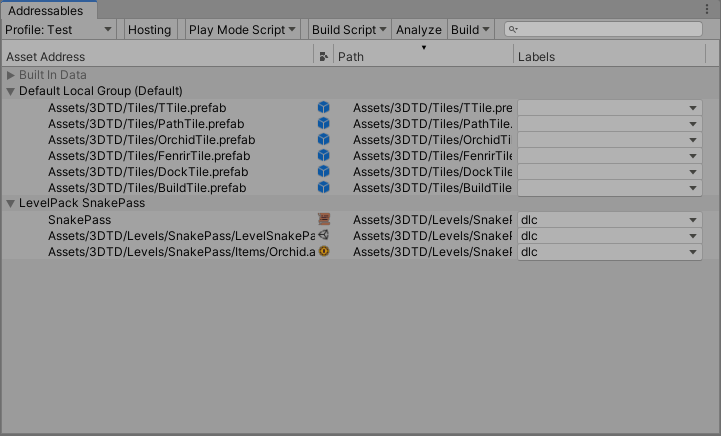
 full vault
how to add function call there?
I want to create SO but on my own to specify some values that won't change
onyx harness
[MenuItem("Create/XXX")]
and it may depend
"Assets/" or "GameObject/" or "CONTEXT/"
Look for it
full vault
ok lets try it
ty
#AddMenuItemToAssets
where i can store some value in unity editor?
So that even after restarting the unit, it remains?
onyx harness
EditorPrefs
full vault
ty so much
whole steppe
@whole steppe - Visual Studio Installer has the Visual Studio Tools for Unity in it. It isnt available in the marketplace.
gloomy chasm
What would be the way of keeping two UIToolkit fields in sync without SerializedProperties?
waxen sandal
Subscribe on the events?
whole steppe
// assuming you have two fields:
Slider somefield1;
Slider somefield2;

// you need creat an assign vakue changed handlers which assign values to the synctarget without triggering a changed event.
void Field1Handler(float v)
{
    somefield2.SetValueWithoutNotify(v);
}


void Field2Handler(float v)
{
    somefield1.SetValueWithoutNotify(v);
}
@gloomy chasm
then just assign to the relevant value changed event.
gloomy chasm
Ah, thanks @whole steppe!
 minor salmon
Does anyone have a simple solution for previewing prefabs that contain nested particle systems and its awesome enough to share it with me? 😄
 strong phoenix
hi want to ask, how to display classes in EditorWindow?
for example i made :
public class Player : ScriptableObject
{
  public string playerName;
  public int playerAttack;
}
i want show this class in EditorWindow
gloomy chasm
@strong phoenix you can use Editor.CreateEditor() to get a default inspector for it.
No wait, that's wrong
onyx harness
No no, that's right
strong phoenix
it's first args using object right
oh i guess it can, after reading the docs
ima try it, thank you 😄
gloomy chasm
Dang, I should have stuck to it. I thought I remembered there was something like a CreateInspector method that you had to use.
strong phoenix
btw it's work with EditorWindow also?
strong phoenix
afaik EditorWindow inherited Editor
onyx harness
lol no
strong phoenix
oh it's different?
onyx harness
Similar name, but totally different purpose
strong phoenix
but it's also works on EditorWindow right
strong phoenix
hmm can you tell the most common differences between them?
onyx harness
EditorWindow is a window where you draw
strong phoenix
hmm i think i need experiment abit with it
gloomy chasm
Editor is for drawing things in the inspector. You make an Editor for specific objects, and tell it how they should be drawn in the inspector. An EditorWindow is just a window that you can draw anything in.
strong phoenix
so Editor is Inspector specific ?
strong phoenix
i see, in my case i need to use for EditorWindow though
and.. the Object seems can't contain classes , no?
not sure tho
gloomy chasm
What do you mean?
strong phoenix
so i was trying to make an array of Class Object
so what i'm trying to do to recreate this tab
in EditorWindow
So it's like Class in inspector, but this time in EditorWindow
can you understand what i'm trying to explain ? i guess my explanation is frickin bad
lol
gloomy chasm
If your class derives from a unity object (like MonoBehavior or ScriptableObject) you can use Editor.CreateEditor() to create an editor for it like you would see if it was in the inspector. However, if your class does not, then you would want draw it with EditorGUILayout.PropertyField to get it to draw how it is in the inspector
Does that help answer it?
strong phoenix
ah gotcha, that's easy to understand
for how to use it, i will read the docs
thank you @gloomy chasm 😄
gloomy chasm
Oh good, glad I could help!
Question of my own. Is there a way to call a method after the editor is loaded? I know there is [InitializeOnLoadMethod], but I want like 'OnAfterLoad`.
gloomy chasm
Ah! Thanks @onyx harness, that is weirdly specific for what I needed. I was specifically wanting something to run after the inspector was loaded, haha.
onyx harness
In your OnEnable(), use delay
gloomy chasm
I'm using it inside of a InitializeOnLoadMethod. Though I think I will be moving it to a different class, and use OnEnable() instead.
I don't suppose there is a way in UIToolkit to check if/when an element is no longer visible in a scrollview.
onyx harness
Doable, don't know how, but doable
gloomy chasm
I assume I could use ContainsPoint, maybe inside of a Execute but that feels kinda ugly and inefficient.
onyx harness
If it is executed some time to time its fine
gloomy chasm
Yeah, still feels like their should be a nicer way though
severe python
Man, can anyone give me any tips on this, I'm trying to draw a trajectory between 2 points with a factor being that I want to control the air time
but I can't seem to find a good way to do this in general
I suppose this isn't the right channel for htis question
gloomy chasm
@severe python I was just doing that sort of thing this week. #💻┃code-beginner or can just dm me.
gloomy chasm
Long shot, but anyone happen to know what the editor class that is used for multi-editing is called? I can't find anything about it when looking in the source.
gloomy chasm
When you have multiple object selected, what is it that draws the fields.
onyx harness
PropertyField?
gloomy chasm
Sorry, I mean what Editor class handles drawing.
gloomy chasm
Sorry, let me say more clearly. I have a custom editor for GameObject, when multiple GameObjects are selected. The custom GameObject editor's OnInspectorGUI method is no longer called.
Hmm, seems like it may be the PropertyEditor class... maybe...
Which is about 2k lines.
onyx harness
Hum... did you read my last answer?
gloomy chasm
Yes...?
onyx harness
well if it didn't help you, i did not understand your question the
gloomy chasm
That's my fault for explaining it badly, and talking around the problem.
I am trying to make a custom editor for a GameObject ([CustomEditor(typeofGameObject))]). And that works fine. However, when selecting multiple gameobjects, the custom editor is no longer applied. I am trying to figure out why.
onyx harness
Did you mark the Editor with the attribute provided above?
gloomy chasm
Yes
onyx harness
Not normal then, the custom Editor is always invoked
gloomy chasm
maybe because there is already a GameObject custom inspector builtin and it is overriding mine?
[CustomEditor(typeof(GameObject))]
public class EnhanchedGameObjectInspector : EnhancedInspector
{
    public override void OnInspectorGUI()
    {
      GUILayout.Button("This is a custom button");
    }
}
I don't see your class having the attribute CanEditMultipleObjects