#↕️┃editor-extensions
1 messages · Page 35 of 1
 gloomy chasm
 surreal girder
gloomy chasm
What do you mean? It is totally possible to show certain assets in the search wi...
surreal girder
gloomy chasm
What do you mean? It is totally possible to show certain assets in the search wi...
I'd love to know how, I wanted to show a specific set of assets there before but was unable to figure out how.
gloomy chasm
surreal girder
I'd love to know how, I wanted to show a specific set of assets there before but...
In the worst case scenario, where each asset is at a totally different location, you just set the search query to be all of the asset paths, separated by or. Like Assets/Materials/Metal.material or Assets/Prefabs/Car.asset or Assets/Prefabs/Buildings/Carwash.asset
surreal girder
Ooooh didn't realise that was possible. I had some assets in a package and that was even harder to make work even a little
E.g. show all assets of a type including in a package
gloomy chasm
surreal girder
Ooooh didn't realise that was possible. I had some assets in a package and that ...
Yeah it is super powerful. You can even group stuff inside brackets ( ) to have it be evaluated together in with bools in C#. So you could do (t:Material and Assets/Cars) or Assets/Buildings to get all materials in the Cars folder and all assets inside of Buildings folder.
I think you have to enable indexing of packages, but remember for sure.
surreal girder
I'll keep this in mind in future. I tried setting the things to specify where it should look but it just refused to work so I gave up. Was wasting my time.
Took them ages to fix the search window saying "no assets found" while it was still re indexing so I had little faith
gloomy chasm
Yeah, sadly sometimes it still breaks and doesn't update the index correctly 😦
surreal girder
I also think the default main operation being select and not open is dumb but I guess the new search is somewhat useful
 unkempt fern
yo does anyone know the advantage/disadvantage of these custom editors ?
Tri-Inspector
https://github.com/codewriter-packages/Tri-Inspector
Alchemy
https://github.com/annulusgames/Alchemy
Naughty Attributes
https://github.com/dbrizov/NaughtyAttributes
Editor Attributes
https://assetstore.unity.com/packages/tools/gui/editorattributes-269285
gloomy chasm
unkempt fern
yo does anyone know the advantage/disadvantage of these custom editors ?
Tri-In...
Naughty is pretty outdated and slow at this point, and uses IMGUI Still.
Alchemy, support some serialization, and other things besides attributes.
Editor Attributes has more specialized attributes, like for drawing handles, and dropdowns for tags/scene/animator parameters.
Github link
Tri-inspector has a decent selection of attributes and feels a bit more clean and consistent to me.
All of the last 3 are good imo, and use UIToolkit. Just depends on what you want.
 opal ocean
gloomy chasm
Naughty is pretty outdated and slow at this point, and uses IMGUI Still.
Alchem...
opal ocean
gloomy chasm
Naughty is pretty outdated and slow at this point, and uses IMGUI Still.
Alchem...
Any thoughts how all of them fare against odin?
gloomy chasm
opal ocean
Any thoughts how all of them fare against odin?
It really depends on what aspect of Odin you are using
opal ocean
Mainly odin inspector
gloomy chasm
opal ocean
Mainly odin inspector
Just the inspector part? Then Alchemy, Editor Attributes and Tri-inspector are all good and handle the majority of the same features as Odin
opal ocean
Yeah, using it for making config scriptable objects easier to handle for our game designers and the occasional custom window
gloomy chasm
opal ocean
Yeah, using it for making config scriptable objects easier to handle for our gam...
I think Alchemy is the only one the explicitly supports custom editor windows. But also has the least attributes of the 3.
opal ocean
but ignoring the cost aspect you would still use odin?
gloomy chasm
No I would not at this point. It is pretty heavy, doesn't use UIToolkit, most of the serialization it provided is now either built-in or pretty easy to support. And the free alternatives contain all of the attributes I would use like 90% of the time.
And with UIToolkit now it is much easier to make custom editors that look nice than it used to be. So if I need either a custom window or editor that can't be done with attributes, it isn't too hard to make
 white lynx
hello, the buttons are in their respective vertical slice, and in some vertical slice i tried adding boxes.
I want the boxes / box to be the same wdith as the button up top, i know i can achieve this by setings the box's GUILayout.ExpandWidth(true), but this messes with the width of the vertical slice,
So, is there a way to make the box's width be equal to its parent container whitout affecting the parent containers size?

 waxen sandal
UITK? isn't it just width: 100%?
 solemn star
I'm trying to get StyleCop to work in my Unity project. I've got it working in the console log, it's throwing warnings as it should, but in visual studio it isn't underlining these issues. Any idea why that would be?
waxen sandal
Idk man, stylecop sucks, ask their support, maybe you're missing a plugin
solemn star
Pretty sure this is a Unity issue though. When you add a Roslyn Analyzer it's supposed to include it in the csproj file, no?
waxen sandal
It does if you've set it up correctly

This works just fine
If you got the wrong version of the code analyser dll it might not work though, the full editor logs will contain errors regarding that
But since it's working in unity, unity probably does everything correct
solemn star
Odd, I renamed my assembly and it works now. Might have just needed to force it to reload.
solemn star
If you want to add custom project settings do they need to be a scriptable object in your assets folder somewhere? Or is there a way for them to exist outside of your assets folder like the built in project settings assets?
waxen sandal
[FilePath("SomeSubFolder/StateFile.foo", FilePathAttribute.Location.PreferencesFolder)]``` is the trickJust what I was looking for, thanks!
 trail kindle
Hi everyone. Hope you are all doing great. Please, I am also having an issue with Plastic.
Since I removed VR Chat and all its dependencies from my project (I have fixed all the console errors), I haven't been able to Check in changesto Plastic anymore. it just keeps loading "Finfing changes in the workspace". Please, any idea how I can fix this?

 coral plover
is there a way to stop custom script icons showing up as world gizmos? They don't appear to be using the actual gizmo draw as I have disabled them in the gizmo window I had to essentially force them into the menu ```[InitializeOnLoad]
public class MeshSprite2DGizmoRegistration
{
static MeshSprite2DGizmoRegistration()
{
SceneView.duringSceneGui += _ => { };
}
[DrawGizmo(GizmoType.NonSelected | GizmoType.Selected)]
static void DrawGizmo(MeshSprite2D obj, GizmoType type)
{

}
}```
So I'm guessing they're not gizmos but yeah, anyway to turn them off in the world?

 surreal girder
coral plover
is there a way to stop custom script icons showing up as world gizmos? They don'...
surreal girder
coral plover
is there a way to stop custom script icons showing up as world gizmos? They don'...
click the icon in the gizmo dropdown menu to hide it
coral plover
surreal girder
click the icon in the gizmo dropdown menu to hide it
oh wow. I have brain worms. yeah thanks

 visual stag
coral plover
oh wow. I have brain worms. yeah thanks
visual stag
coral plover
oh wow. I have brain worms. yeah thanks
You don't, it's a terrible design and the two really shouldn't be related! It's ridiculous you can't have one without the other
 fringe ibex
hi everyone- is there any one knows about web request visual scripting- this is my first part of script and I should see my backend messages in the console . but I can not see


 gloomy chasm
fringe ibex
hi everyone- is there any one knows about web request visual scripting- this is ...
gloomy chasm
fringe ibex
hi everyone- is there any one knows about web request visual scripting- this is ...
The folks in #1390346878394040320 might. This channel is for discussion around creating custom editor windows and inspectors and such.
 urban hazel
EditorGUILayout.PropertyField( myProperty, new GUIContent( "My Property" ), true );
doesn't draw fields that are inside the object wrapped by myProperty?
includeChildren is passed as true. The fields are public/serialized.
visual stag
urban hazel
EditorGUILayout.PropertyField( myProperty, new GUIContent( "My Property" ), true...
Can you see those fields using the debug inspector?
urban hazel
Good question. Was trying to extend some code from a third party library. Lots of what I'd expect to see in debug mode isn't visible.
Their editors are rendering serialized properties through similar means
visual stag
If it doesn't appear there then it might be hidden using [HideInInspector], or it's actually not serialised
There's nothing wrong with your code, it should work. It's something about the values themselves
urban hazel
For reference: ``` [System.Serializable]
public class AISplineMetaData
{
[SerializeField]
public bool UseAIMetaData = false;
}
Redundant serializefield attr
The class is so simple it should be okay.
visual stag
Also be sure they don't have a custom drawer for that type already, which could also be hiding things
visual stag
Yeah, it would appear in debug mode if it had a drawer anyway. If it's not appearing there then I can only imagine it being hidden or unserialized. LMK if you figure it out and it's not that
urban hazel
My data is hidden as the data above it is hidden. They have a field of type X, and I'm extending type X with a new field of type Y. The field of type X is hidden.
They have a custom editor which draws fields within type X using EditorGUILayout.PropertyField, as I am doing inside their custom editor.

It does draw the label, just not the child fields.
If anything jumps out, let me know. Thanks.
 dense grove
Is there a way to get the selected keyframes from the timeline or animation window?
I am trying to setup presets for curve types
 fickle badge
hi, about custom nodes (experimental graph view).
there is a anyway to create a audioclip field?
i saw in some custom nodes in unity that it is possible, but i cant find a way to do it :/
in custom inspector i know i can create a object field (abstract) with audio clip as filter parameter, but i cant find a abstract to do it either
gloomy chasm
fickle badge
hi, about custom nodes (experimental graph view).
there is a anyway to create a ...
You can just add a ObjectField as a child to its container and set the objectType to be typeof(AudioClip). Or do you mean something else?
 gloomy chasm
fickle badge
gloomy chasm
fickle badge
Well what does the compile error say?
My guess would be you didn't add the UnityEditor.UIElements namespace.
fickle badge
im already using it
oh
wait
mb
im using unityENGINE.UIElements
not editor
🥲 😅
im fucking dumb
thanks @gloomy chasm
gloomy chasm
fickle badge
thanks <@131292153300123648>
You're welcome. I recommend lookin at the compiler error next time, they are pretty helpful 😉
 blissful glen
 mystic wigeon
blissful glen
mystic wigeon
blissful glen
unity doesn't provide an easy way to render sprites in SceneView
so you'll have to convert the sprite to a mesh and then render that mesh

Use the STM - Sprite To Mesh from BesVolk on your next project. Find this integration tool & more on the Unity Asset Store.
blissful glen
Thank you, i will try it
 grizzled tide
var stream = File.Create(path);
stream.Close();
AssetDatabase.Refresh();
var textAsset = (TextAsset)Resources.Load(path);
sceneStarter.scene = textAsset;
im trying to have a button create a new text file and then assign that text file to a variable as a text asset
this creates the text file fine, but doesn't assign it properly. it stays as null
I originally tried AssetDatabase.CreateAsset() but it didn't like that, it gave me an error and filled my text file with a bunch of random YAML code
visual stag
grizzled tide
```
var stream = File.Create(path);
stream.Close();
AssetDatabase.Refresh();
var...
Try using this
https://docs.unity3d.com/6000.0/Documentation/ScriptReference/AssetDatabase.ImportAsset.html
Instead
grizzled tide
it doesn't return anything
i can try just running that first
nope
seems like a path thing with resources.load
fixing the path, it now only works the second click, after the file has been created
var stream = File.Create(Path.Join("Assets","Resources",path) + ".txt");
stream.Close();
AssetDatabase.Refresh();
var textAsset = Resources.Load<TextAsset>(path);
sceneStarter.scene = textAsset;
this code works
grizzled tide
needs the refresh
 round basin
Does anyone know how to make a script template in a package? I've found how to add templates to the project and engine online, but not packages. I would appreciate not having to code it all from scratch.
 shadow violet
Is there any way to setup automatic namespaces without an assembly definition file? As convenient as they are, its making a lot of cyclic references when all I really want is just for scripts in certain folders to have a specific namespace when they are created, will I simply need to create my own solution for this with a custom editor and post process events?
 cyan pilot
when i dock a custom window in the editor, fullscreen my game window, and then exit fullscreen, my layout is forced to default. is there a way around this?
round basin
shadow violet
Is there any way to setup automatic namespaces without an assembly definition fi...
In ProjectSettings->Editor there is a setting called Root Namespace. Is that what you were looking for, or were you wanting custom UI to set the namespace when creating a new script asset?
shadow violet
round basin
In ProjectSettings->Editor there is a setting called Root Namespace. Is that wha...
I am actually using the Root Namespace as well, when a assembly definition is not being used in a script folder - I was more looking for, if I have Scripts > Folder A and Scripts > Folder B, id like if I make a script in "Folder A" it gives Some.Cool.Namespace, but if I make a script in "Folder B" it gives Some.Different.Namespace - assembly definitions allow me to do that, but they also make it so scripts in "Folder B" cannot access scripts in "Folder A" if they both need to know about eachother - in that scenario I only need the benefit of the namespaces that assembly definitions offer and not the actual splitting of the assembly
I was wondering if something like that is possible, or if I will have to create my own custom editor/logic to do something similar instead of using assembly definitions
visual stag
Unity 6.3
UI Toolkit: Fixed: Added a new method overload to InspectorElement.FillDefaultInspector that can take an optional list of properties to be excluded, similar to EditorGUI.DrawPropertiesExcluding.
Finally
round basin
shadow violet
I am actually using the Root Namespace as well, when a assembly definition is no...
As far as I'm aware, that doesn't exist. To be honest, I think the time to create an editor tool is much more than the cumulative seconds adding namespaces manually.
I looked into how Unity inserts namespaces into newly created script assets. It uses the ScriptTemplate system, which isn't documented or easily modified since most of the classes and functions are internal. Like you said earlier, you'll have to use some sort of post process events.
shadow violet
round basin
As far as I'm aware, that doesn't exist. To be honest, I think the time to creat...
Ah, thats a bit annoying but not too surprising, aw well - in my case I do think its worth setting up a custom editor injection, as im making a template for myself and other programmers on my team and I want to make sure everything is consistent, its nice to just have a script in a folder and get to work without also considering which namespace the script should belong to - though the ScriptTemplate sounds like a nice idea, ill have to look into that, thanks for the info
round basin
shadow violet
Ah, thats a bit annoying but not too surprising, aw well - in my case I do think...
I found this cool function that will allow you to hook into the asset creation process. https://docs.unity3d.com/ScriptReference/AssetModificationProcessor.OnWillCreateAsset.html
shadow violet
Interesting, ill have to see if that works better than the preprocessor, since from testing, it seems trying to edit the file forces the pre and post processors to get called again, creating a infinite loop
 real sail
is there any way for me to click on a function in Microsoft Visual Studio and have it, like, link me to an appropriate page in the API?
LIke here, I want to see how OverlapCircle works. I can see that documentation for it definitely exists in Unity Documentation, but it would be useful if I could just kinda... click on it and be linked there directly

 rough crater
real sail
LIke here, I want to see how OverlapCircle works. I can see that documentation f...
rough crater
real sail
LIke here, I want to see how OverlapCircle works. I can see that documentation f...
not sure that this is the channel you're looking for, but while you have the cursor selected on the method, go to Help > Unity API reference. Or press the shortcut it lists on that window, though the ctrl alt m part doesnt work for me.
real sail
rough crater
not sure that this is the channel you're looking for, but while you have the cur...
I don't see such a thing...
 rough crater
real sail
I don't see such a thing...
rough crater
real sail
I don't see such a thing...
that looks like visual studio code not visual studio. i dont use vscode for unity so im not sure there.
real sail
right, sorry... I actually switched from VS to VS Code in the past few hours.
it worked! thanks
 willow nova
round basin
As far as I'm aware, that doesn't exist. To be honest, I think the time to creat...
willow nova
round basin
As far as I'm aware, that doesn't exist. To be honest, I think the time to creat...
It is easy to modify the script templates, they are just files, you can modify them, you just need to add it to your project in a special file, cant recall the name.
C:\Program Files\Unity\Hub\Editor\6000.0.41f1\Editor\Data\Resources\ScriptTemplates
round basin
round basin
Does anyone know how to make a script template in a package? I've found how to a...
To answer my own question, using the MenuItem attribute is actually really easy.
[MenuItem("Assets/Create/Scripting/Display Name", false, 10)]
private static void CreateSingletonScriptAsset()
{
    string path = "Packages/com.companyName.package-name/FolderName/FileName.txt";
    ProjectWindowUtil.CreateScriptAssetFromTemplateFile(path, "NewTemplateScript.cs");
}
This code should be put in the editor assembly of the package.
The name and location of the template file doesn't matter.
 crimson ore
Hi yall, learning about handles for the first time and I want to use them in a 2d enviroment. I learned Drawing scopes were a thing, and I wanted to ask whether or not using a 2d projection matrix is a crazy thing to do or standard practice. Thanks for the adivce
        Matrix4x4 proj = new Matrix4x4();
        proj[0, 0] = 1;
        proj[1, 1] = 1;
        proj[3, 3] = 1;
        using (new Handles.DrawingScope(Color.yellow, proj))
        {
            hpos = Handles.FreeMoveHandle(hpos, 0.1f, V3.zero,
            Handles.CircleHandleCap);
        }
some example code
 violet stirrup
hey im using the quickoutlines from the asset store but for some reason the outlines are offset i tought it was something with the camera but i just couldent fix it. does anyone have any ideas, im open to suggestions
 crude forge
I'm trying to wrap my head around toolbar overlays. I am working on trying to do something like this:
https://cdn.discordapp.com/attachments/355752007031848961/1396607953477435442/image.png?ex=6880ae43&is=687f5cc3&hm=178a2170939eeb8cee032638018b95265cacaa548f76481473a5f26eb634bfd5&

I've been able to make a toolbar but I (1) can't seem to make them selectable/blue on click, and (2) I can't get them with try find overlay - it's always null regardless of what statically Accessible Screen view/window I grab. (3) I'm not sure how to get them to respond to icon changes or group buttons together. Repainting via the overlay on update did nothing
Goal is to have this overlay manage some responsiveness for choosing editor state and available tools. Then have an editor window/sub window for individual enemies/items
 simple bloom
Working on a quick and dirty one-time use editor script to correct a mistake I replicated a bunch of different places, is there some Editor version of FindObjectsByType that can search all prefabs for objects of the type, even if they're on child objects of that prefab and not the root?
gloomy chasm
simple bloom
Working on a quick and dirty one-time use editor script to correct a mistake I r...
FindObjectsByType only works on loaded objects. If it is loaded it will find it. So it should find it on all sub prefabs I think
simple bloom
I've got it on a MenuItem static function and it seems to only be affecting the scene objects, as if I had put it on a MonoBehaviour
gloomy chasm
simple bloom
I've got it on a `MenuItem` static function and it seems to only be affecting th...
Call it through Resources, I don't remember if it is the same or not
Resources.FindObjectsByType<MeshRenderer>()
simple bloom
I'm guessing I'll need to move these into Resources, even if only temporarily
I think I can live with that
gloomy chasm
No
Resources just checks all loaded objects
Ah, maybe you're right... not sure exactly how they handle nested prefabs I guess
simple bloom
Okay, looks like it does do prefabs, unfortunately, part of what I want it to do is to create a child object which apparently can't be done "to prevent data corruption" so I'll still need to do those manually it seems
gloomy chasm
simple bloom
Okay, looks like it _does_ do prefabs, unfortunately, part of what I want it to ...
You could load the prefab, modify it and save it
There is a IDisposable for loading and saving a preafab
Something like using (PrefabUtility.ModifyContext("path"))
simple bloom
Hm... this is rapidly approaching the point where I'm spending more time avoiding a one-time annoyance than it would be to just do it the hard way
gloomy chasm
Yeah that is what I was about to say, probably not worth it
simple bloom
It's just a couple dozen prefabs. I'll just go fix em manually
gloomy chasm
Ahh, a pain, but not too bad
It is that sweet spot where it feels like a bit too much to do manually, but a bit too little to automate haha
gloomy chasm
crude forge
I've been able to make a toolbar but I (1) can't seem to make them selectable/bl...
Hard to say without seeing the code. The docs are pretty decent in this area though
surreal girder
simple bloom
Working on a quick and dirty one-time use editor script to correct a mistake I r...
search service should be able to locate prefabs with a script inside but it doesnt always behave as you expect
otherwise it would require finding and opening every prefab in the project to check and edit
simple bloom
Yeah, seems like a bigger pain than fixing it by hand
gloomy chasm
Depending on what you are doing Search could be a great fit for it. Especially if you need to edit a bunch of values
surreal girder
its not super hard to open, edit and save a prefab tbh
simple bloom
I don't wanna get caught up bike shedding a script I'm gonna run once
surreal girder
depends if fixing it manually over like 50+ assets will take soo damn long it is worth doing a quick editor menu item to fix it automatically
crude forge
gloomy chasm
Hard to say without seeing the code. The docs are pretty decent in this area tho...
https://paste.mod.gg/lievnojfdhet/0
just got home. so basically... I'm trying to create two things, but I'm mostly stuck on the toolbar part. effectively it's a little bit of state management by changing icons/configuration when in a different editor mode, and partly that I can't seem to 'highlight' a selected tool so I know what the editing state is
A tool for sharing your source code with the world!
 peak bloom
saw someone posted about GTF in #🧰┃ui-toolkit is it official now? as in out of beta etc
gloomy chasm
peak bloom
saw someone posted about GTF in <#892762498464374796> is it official now? as in...
Nope, you can see it in #📢┃announcements , Graph Toolkit as it is called now is out in experimental now.
peak bloom
oh ok 👍
 queen wharf
Targeting a generic interface in a propertydrawer and getting this error when reloading while having a relevant object selected. seems harmless but just curious if this is a Unity issue? 2022.3.27f1
NullReferenceException: SerializedObject of SerializedProperty has been Disposed.
UnityEditor.SerializedProperty.get_propertyType () (at <e79fb6b8b9ab474b8f0398fed96fa2af>:0)
UnityEditor.EditorGUILayout.IsChildrenIncluded (UnityEditor.SerializedProperty prop) (at <e79fb6b8b9ab474b8f0398fed96fa2af>:0)
UnityEditor.EditorGUILayout.PropertyField (UnityEditor.SerializedProperty property, UnityEngine.GUIContent label, UnityEngine.GUILayoutOption[] options) (at <e79fb6b8b9ab474b8f0398fed96fa2af>:0)
UnityEditor.SphereColliderEditor.OnInspectorGUI () (at <e79fb6b8b9ab474b8f0398fed96fa2af>:0)
UnityEditor.UIElements.InspectorElement+<>c__DisplayClass72_0.<CreateInspectorElementUsingIMGUI>b__0 () (at <e79fb6b8b9ab474b8f0398fed96fa2af>:0)
UnityEditor.ObjectSelector:OnDisable()
chucked this in a try catch because i thought maybe my Seek extension was causing it but doesn't seem like it
[CustomPropertyDrawer(typeof(IDisplayValue<>), true)]
public class IDisplayValueDrawer : PropertyDrawer
{
    public override void OnGUI(Rect position, SerializedProperty property, GUIContent label)
    {
        EditorGUI.BeginProperty(position, label, property);
        position = EditorGUI.PrefixLabel(position, GUIUtility.GetControlID(FocusType.Passive), label);
        var indent = EditorGUI.indentLevel;
        EditorGUI.indentLevel = 0;

        try
        {
            Rect halfPosition = new Rect(position.x, position.y, position.width / 2, position.height);
            Rect secondHalfPosition = new Rect(position.x + (position.width / 2), position.y, position.width / 2, position.height);
            EditorGUI.PropertyField(halfPosition, property.Seek("DisplayContent"), GUIContent.none);
            EditorGUI.PropertyField(secondHalfPosition, property.Seek("DisplayColor"), GUIContent.none);
        }
        catch
        {

        }
        EditorGUI.indentLevel = indent;
        EditorGUI.EndProperty();
    }
}
Can you share the code for Seek()?
Also, most Unity errors like that are actually Debug.LogError or Debug.LogException and are not caught by a try catch
queen wharf
Ah
it's probably somewherei n that then aha
        public static SerializedProperty Seek(SerializedProperty target, string targetField)
        {
            foreach (SerializedProperty sp in EditorLabelUtilities.FindSerializedProperties(target.Copy()))
                if (sp.name.Contains(targetField) || sp.name.Contains(Decorate(targetField)))
                    return (sp.Copy());
            return (null);
        }
        public static List<SerializedProperty> FindSerializedProperties(SerializedProperty serializedProperty)
        {
            List<SerializedProperty> returnList = new List<SerializedProperty>{};
            if (serializedProperty.NextVisible(true))
            {
                do
                    if (!returnList.Contains(serializedProperty))
                        returnList.Add(serializedProperty.Copy());
                while (serializedProperty.NextVisible(false));
            }
            return (returnList);
        }
been awhile since i made this so forgive me
guessing i need to dispose of that copied serializedproperty or something?
gloomy chasm
Restart Unity before trying to debug this. There is a chance Unity is in a funky state
The error happens normally when trying to access a SerializedProperty of a SerializedObject that has already been disposed (as the error suggests). Normally this is because a SerializedProperty is being stored in a field
But a 'common' one is also if Unity has for some reason kept a instance of an Editor for the object around by mistake
queen wharf
Heard, Not a big issue but just wanted to figure out if it's my fault or not, Will finish up what im doing and check that out
ty chef
gloomy chasm
I don't see anything obvious in your code. Looks like you are making copies properly and not storing references. Also iirc normally it contains your code in the stack trace for this type of error. Which it doesn't in this case which is why I am thinking it might be Unity
queen wharf
gloomy chasm
I don't see anything obvious in your code. Looks like you are making copies prop...
Yup seems to have vanished, many thanks 😄
gloomy chasm
You're welcome!
queen wharf
In better news I was having trouble with MultiPropertyField so I made my own tiny one and it's working really nicely 😄
[CustomPropertyDrawer(typeof(IDisplayValue<>), true)]
public class IDisplayValueDrawer : PropertyDrawer
{
    public override void OnGUI(Rect position, SerializedProperty property, GUIContent label)
    {
        EditorGUI.BeginProperty(position, label, property);
        position = EditorGUI.PrefixLabel(position, GUIUtility.GetControlID(FocusType.Passive), label);
        var indent = EditorGUI.indentLevel;
        EditorGUI.indentLevel = 0;

        EditorUtilities.DrawProperties(property, position, "DisplayContent", "DisplayColor");

        EditorGUI.indentLevel = indent;
        EditorGUI.EndProperty();
    }
}
Just a super nice and simple way to show a little class inline

Not much room for customization and I gotta add that one value thats somewhere to give them a little space but I like how easy this is to use
 topaz violet
Hello! I have a question about the new Graph Toolkit.
TL:DR - How do you support the conversion of editor node -> runtime node when the node system that has dynamic inputs or outputs
I'm taking a look at the examples for the toolkit and they show how they convert an editor node to a runtime node. The example is pretty straight forward and there is no confusion there. What I am having trouble wrapping my head around is how to support dynamic properties.
For example let's say I have a node that is my base node that every node derives from it has no properties. Then I extend the node class and create a custom node that has a float property. Does this mean I need an explicit node with a matching property? If so this could get cumbersome for really deep systems like the one I am planning where every node is different and would require other users and myself to create 2 classes per custom node.
Is there a way to have a node class that can create a runtime node instance at conversion time where all of the input and output properties are configured properly?
gloomy chasm
topaz violet
Hello! I have a question about the new Graph Toolkit.
**TL:DR - How do you sup...
Does this mean I need an explicit node with a matching property?
I do believe that is the intended workflow currently, yes.
topaz violet
gloomy chasm
> Does this mean I need an explicit node with a matching property?
I do believe ...
Unfortunate. I'm taking a look at XNode might have to use that instead.
violet stirrup
hey im using the quickoutlines from the asset store but for some reason the outlines are offset i tought it was something with the camera but i just couldent fix it. does anyone have any ideas, im open to suggestions
 lavish ember
How would I go about accessing and modifying a List<Vector2> serialized property on a scriptable object in a custom editor script?
_isAoePropety = serializedObject.FindProperty("isAoe");
Works fine because it's a bool and I can use
_isAoeProperty.boolValue;
I have a grid of buttons in the inspector that should be modifying the scriptable object list as they are toggled on and off.
but there doesn't seem to be a
_aoeEffectedProperty = serializedObject.FindProperty("aoeEffectedCoordinates");
_aoeEffectedProperty.listValue;```either that or use boxedValue if the operation you want to do is too complicated
lavish ember
visual stag
https://unity.huh.how/editor-extensions/serialisation/serializedobject-how-to#ar...
Hmm is the only way to access the elements constructing a for loop like that? I was hoping to get a reference to the whole list so that I can do:
if (_aoeEffectedProperty.Contains(coord)){
    // do stuff in gui here
}
You can use boxedValue if you're comfortable having it return a new instance of List<Vector2>,
and assigning it back
lavish ember
visual stag
You can use `boxedValue` if you're comfortable having it return a new instance o...
I will look into that, thanks!
alternatively, thinking I could construct a new list in the editor script each time the buttons are interacted with and passing that to a method on the scriptable object that updates the serializable property. Not sure if this is considered bad practice tho
visual stag
If it's only run in a button it kinda doesn't matter what you do as long as it actually works (serializes, supports undo, etc)
 muted cave
I want to read the package.json file in code from a package. Does Unity have a build in Type that I can convert it to?
visual stag
muted cave
I want to read the package.json file in code from a package. Does Unity have a b...
They just parse it as straight JSON values, and don't convert to a type
shadow violet
Not too sure if this would be a editor question, atm its more of a thought experiment, and I am sorry in advance if it is worded weirdly... I guess im just thinking if theres a way to automate the animator and if auto generation is the best way to do that, and if so, how id approach auto generation in Unity (which im assuming will involve editor scripting) - I dont mind spending the time to make a custom editor and wrapper, but my ultimate goal is so I can make a state in the Animator window and reference it in the inspector or by a property in code instead of by string or some hash id have to cache (and update if I rename or delete the state later)
That said, is there a way to do something similar to how the Input System action map "auto generate code" works? Where when you make a new action then "save" the asset, it generates a script file where you can now access that action via a property - I want to see if theres a way I could do something similar for the Animator states so instead of calling states by name I could reference a file (similar to the Input Systems InputActionReference that gets generated with new actions from the asset), or by a auto-generated property
Would the only way of doing this be through telling AssetDatabase to create a text file and manually pass a string template (as I understand this is how Unitys Source Generator works) or is there another way without strings to reference states? (again sorry for the bad explanation and confusing question, I suck at summarizing my thoughts without feeling like im leaving info out)
gloomy chasm
shadow violet
Not too sure if this would be a editor question, atm its more of a thought exper...
It is very clear! You want to generate a C# class for each state in an animator so you can reference it from code without having to use a string.
Sounds like you already have it figured out as well. You just create a file with the .cs extension and fill in the text of the file with a references to the states from the animator. It would still have to use strings as far as I know, but it would just be there and auto update when the states change, so not too big of a deal imo.
shadow violet
gloomy chasm
It is very clear! You want to generate a C# class for each state in an animator ...
Ah alright awesome, your right that is what im trying to go for, thanks a lot - if the string approach is the best way to do this then, maybe I can use a external file to read the string instead of hardcoding it like Unity has in their Source Generator, that gives me something to experiment with, thanks for the insight
 pliant gyro
hello guys, im currently trying to make these default values only appear if the enum is set to it, is there any way to do that using an editor script, or any other method?

the class doesn't derive from monobehaviour
or if i'm approaching it in a dumb way, please inform me on how i can improve it 
[System.Serializable]
public class Types
{
    public enum Variables
    {
        FLOAT,
        INT,
        BOOL,
        STRING
    }

    public string Name;
    public Variables Type;
    public float defaultFloatValue;
    public int defaultIntValue;
    public bool defaultBoolValue;
    public string defaultStringValue;
    public Color color = Color.yellow;
}```Someone had made an attribute for that apparently: https://discussions.unity.com/t/hide-show-properties-dynamically-in-inspector/32760/5 - if youd rather run your own solution, youd probably need a custom property drawer where you can make conditions and manually draw each property, here is one example: https://youtu.be/H3pCcKnBRHw?t=173 - you can even handle the property drawing part with UIElements, if your more familiar with that

In this video you will learn how to create a custom editor script that allows you to show or hide certain parameters based on the value of a boolean.
👨💻 SOCIALS:
My Linkedin : https://www.linkedin.com/in/alexandru...
My GitHub : https://github.com/AlexandruPaulescu
My Instagram : https://www.instagram.com/alej.mohamad/
---------------...
pliant gyro
shadow violet
Someone had made an attribute for that apparently: https://discussions.unity.com...
thanks for the suggestion! i have tried to use a custom editor, but the problem i'm facing is that these all use monobehaviour, and an editor script target looks for unity's Object class, which derives from unityengine. i'll give the attribute a look and get back to you, thanks!

eh, looks like this needs a whole bunch of other bloat to work, i really dont wanna have to deal with all that just for a simple thing
 shadow violet
pliant gyro
thanks for the suggestion! i have tried to use a custom editor, but the problem ...
shadow violet
pliant gyro
thanks for the suggestion! i have tried to use a custom editor, but the problem ...
Ah, didnt think a MonoBehaviour was required to use the Editor class - maybe you can make a regular property drawer instead? https://docs.unity3d.com/ScriptReference/PropertyDrawer.html
pliant gyro
hmm, i'll give this a shot, thanks a lot!!
 elder wasp
Is there anyway to create a custom shader node but without using the custom node but a specific set of code that injects functionality into the final shader?
I want to create a node that implements tesellation (which is not currently supported) but since it's shader code , i can probably inject it somehow (via a custom node)
 naive holly
I installed the Feel package, and whenever I try to edit a value on one of the fields in any of its components, the whole component disappears like this until I select something else and select the object again. Any ideas what might be happening?

ok it seems like the problem is editing it from selecting a prefab
editing an object in the scene works fine
waxen sandal
No idea, sounds like a bad editor implementation, should go complain to the developers
 dusky pumice
Hello there, I'm hitting a continuous crash since 6.1 from :
UnityEditor.MenuService:GetMenuItemsFromAttributes <0x000aa>
Any idea which project file could be an issue ?
I deleted these from ProjectSettings.asset, as it seems it might be looking to a wrong service index in a list
  cloudServicesEnabled:
    Build: 0
    Collab: 0
    ErrorHub: 0
    Hub: 0
    UNet: 0
 willow jackal
pliant gyro
```cs
[System.Serializable]
public class Types
{
public enum Variables
{...
real sail
willow jackal
pliant gyro
```cs
[System.Serializable]
public class Types
{
public enum Variables
{...
real sail
What exactly is an editor extension?
visual stag
Something that extends Unity Editor functionality
 elfin gorge
Hi everyone, I was wondering if someone could point me in the right direction.
I'm working on converting parts of my code to an external package that can be reused in different projects. Part of this code involves a Settings panel in Project settings, and inside is a reference to a scriptable object (similar setup to how you set a global URP scriptable object), to get this serialising when populating the object field I store the GUID of the object in EditorPrefs, and vis-virsa for initialising the UI (reading and then getting the object at said path).
My problem comes with the build, since Editor Prefs cannot be used during the build, how can I access this "global" scriptable object. This is meant to be reusable code that is used both in editor and during runtime, while also allowing for said scriptable object to be swapped out for others using this settings panel (again similar to how you can have multiple inactive URP settings) as such I am trying to both avoid hard-coding values (like a file path) as well as using linking these objects directly to fields in the scenes (as this will cause a discrepency between the "Editor" version and runtime).
So mainly, how can I store and then read data without generating additional scriptable objects just to manage UI's like this?
gloomy chasm
elfin gorge
Hi everyone, I was wondering if someone could point me in the right direction.
...
There is no real good way to do it :/
elfin gorge
Damn, I thought so but was hoping I was just missing something. I'll go back to the drawing board for now then and see if I can come up with a work around.
queen wharf
Any suggestions for a simple Vector2 minmax drawer implementation I can snatch up? Not looking to use a full blown package just want this one thing
surreal girder
queen wharf
Any suggestions for a simple Vector2 minmax drawer implementation I can snatch u...
cinemachine has one thats usable with the attribute MinMaxRangeSlider
queen wharf
legend thank you
i love that one of the networking packages and cinemachine both have implementations of this though
someone just shove it into main 😭
peak bloom
elfin gorge
Hi everyone, I was wondering if someone could point me in the right direction.
...
serializing editorprefs on your own(json) wouldn't be a lot of work, would it?
elfin gorge
peak bloom
serializing editorprefs on your own(json) wouldn't be a lot of work, would it?
Not at all, but the problem would be that it will not work in runtime.
Right now I have a Settings page in the Project Settings window, shown below. This is populated and then the GUID is stored in EditorPrefs to locate it later one. When I then need to access this field (via the editor) i just work in the oposite direction, using the EditorPrefs to get the GUID, then the path, and then finally the scriptable object asset. (Wrapped in an auto-property so I don't have to call this everywhere).
The problem is given this is an Editor only feature, during runtime I will need a different approach. Right now I am just using #if UNITY_EDITOR to check to determine if I should use the global reference in the settings window or a local reference attached and setup via a serialised field on a monobehaviour.
This is working, but its not a "nice" approach. As this ultimately means I do not have one source of "active" truth (specifically active as I do want to have multiple of these scriptable objects, as this is going to be part of an external package that I want to supply with different samples / configuerations)

Like with my current approach once I then move the runtime, anything in editor prefs ceases to exist so even storing JSON data wont work unfortunately.
surreal girder
elfin gorge
Not at all, but the problem would be that it will not work in runtime.
Right no...
I wonder what things like addressables do to load settings in editor and builds.
Tmp uses resources which I think is bad now due to addressables existing.
queen wharf
Honestly hardcoding resources here feels like the best your gonna get
Unity kinda cheats with how they get to do their settings so
gloomy chasm
surreal girder
I wonder what things like addressables do to load settings in editor and builds....
I would say Resources still has its place. And for settings it seems like the right option for now
surreal girder
for non asset references id say yea. but for asset references its a pain as it can duplicate them in build + bundles
like tmp ✊
elfin gorge
I usually would use Addressables and hard coding for things like this. But given its meant to work with multiple folders Samples~ imported in, id like to try and get rid of as much "user required input" as possible. (Hence the URP style approach of assigning a pre-made SO in the graphics settings).
That does make me wonder though however, given that the SO for graphics can sit anywhere in the assets directory (not in resource) what keeps the reference active for the build? If editor only serialisation is good enough (being serialised by the object controlling the graphics settings) how does that then load it in in runtime?
I assume using its GUID but where is that stored?
gloomy chasm
elfin gorge
I usually would use Addressables and hard coding for things like this. But given...
If I had to guess, C++
surreal girder
yea the asset is referenced in the graphics options so thats why its okay
elfin gorge
Hmm, okay so not accessable then for normal use.
I was wondering about potentially setting up a build event that on build would write the GUID to a static class, but that wouldn't keep the reference around for an object that doesn't have scene references would it?
Or is it possible to force on build an asset to remain even outside of resources
surreal girder
dont think we can control this because how would it be loaded?
its either Resources, asset bundles or addressables to load some asset indirectly
elfin gorge
Hmm, I thought so Dx
I guess following that line or reasoning then, is it possible to through C# force an asset to be added to Addressables? Or tempuarily move it to resources?
If not, thats fine. I'll give up on trying to do this for now - my current approach of just having a "runtime" reference for the asset on a monobehaviour works, its just not "clean" enough of a solution for my perfectionism xD
surreal girder
well with addressables you can make an entry in editor and I think load the asset even by its GUID 🤔
elfin gorge
Could that be automated via script though? I'd like to have 1 source of truth for this asset being its project settings page.
surreal girder
https://docs.unity3d.com/Packages/com.unity.addressables@2.6/api/UnityEditor.AddressableAssets.Settings.AddressableAssetSettings.CreateAssetReference.html#UnityEditor_AddressableAssets_Settings_AddressableAssetSettings_CreateAssetReference_System_String_
https://docs.unity3d.com/Packages/com.unity.addressables@2.6/api/UnityEditor.AddressableAssets.Settings.AddressableAssetGroup.GetAssetEntry.html#UnityEditor_AddressableAssets_Settings_AddressableAssetGroup_GetAssetEntry_System_String_
Quite a lot is doable with editor only code
elfin gorge
Oh! This looks perfect thank you!
surreal girder
you would get the default settings object, find a group and make an asset entry
elfin gorge
Yeah, I'll give this a go now then! Thank you ^-^
surreal girder
elfin gorge
Yeah, I'll give this a go now then! Thank you ^-^
Make sure you do this early on during the build before addressable content is built
You may also want to try to find the asset entry first to make sure its not already addressable
elfin gorge
Good shout, I havn't looked into the build process idea too much just yet, so I'll need to do some reading. I assume their is a kind of event list simular to the runtime excecution order that I can attach scripts into (I did do something simular about 5 years ago, but not touched build processes since xD)
surreal girder
there is a build post process attribute so I presume there is one for before?
im well aware of the post process one thanks to ios bullshit
peak bloom
elfin gorge
Not at all, but the problem would be that it will not work in runtime.
Right no...
no I meant, if you serialize the prefs to json(not EditorPrefs) you can do whatever on both edit/runtime
ofcourse you'd need to handle before/after asm aggregation for the edit mode etc
gloomy chasm
Their issue isn't so much about serializing the data, but about how to best access it at runtime.
queen wharf
surreal girder
https://docs.unity3d.com/Packages/com.unity.addressables@2.6/api/UnityEditor.Add...
Honestly don’t know, more of a question than suggestion; If your using editor code to shove something into addressables at the last second is it better than just shoving it in Resources instead?
I def. Dislike the hardcoding resources does but in this case your controlling the write and read of its usage via code and might be “lighter” than forcing some amount of addressables usage on projects that might otherwise not be using it?
surreal girder
I personally wouldn't do this if said asset referenced other things because it would duplicate them
(unless if resources > bundle referencing works now)
queen wharf
are custom inspectors for shaders a thing?
queen wharf

 fickle comet
I need to fetch all the types and cache them after each domain reload for a PropertyDrawer
Can i do that?
For context it's a wrapper around System.Type
So i can have a dropdown to not have to manually type the assembly qualified name
Okay nevermind it takes such a long time to fetch and display them
crude forge
crude forge
I'm trying to wrap my head around toolbar overlays. I am working on trying to d...
I'm still trying to do this. Basically I'm trying to make a custom toolbar that highlights which tool is in use.
Right now it doesn't seem like anything I do to try and mark a button works. Can't tell if it's a repaint issue or if the attempt doesn't work
Anyone familiar with custom toolbars?
crude forge
style sheets don't seem to help either...
queen wharf
Is there a way I can set a subasset as readonly in the inspector like how certain assets in fbx's etc. are?
queen wharf
I'm trying to add a subasset to a scriptableobject via a custom editor but it seems if i try to touch the assetdatabase at certain times Unity kills itself, Is there a way i can ensure it's safe to touch it and/or a prefered timing to do this kinda thing?
 queen wharf
Found the issue with this one ^, I’ll have to see if it’s been fixed as I’m on 2022 but seems like a Unity bug
AddObjectToAssset via path when the path is invalid hard fails like above but via object ref soft fails with a relevant error
queen wharf
(Overall problem solved, moved to an AssetImporter callback)
gloomy chasm
queen wharf
Is there a way I can set a subasset as readonly in the inspector like how certai...
Yeah, you use hideFlags
queen wharf
waxen sandal
Still #1202574086115557446
This channel is about developing your own editor tools for Unity
Not IDE tooling, not discussing extensions, just developing extensions
 red kiln
ah sorry
 primal spade
Hi everyone !
I have a 2D grid-based game with very complex cells, so I built a custom grid system instead of using Unity's built-in Tilemap for gameplay.
However, I don't have a proper map editor for my custom system. My current workaround is:
- Use Unity's Tilemap as a visual design tool in the editor
- Read the Tilemap data in the editor and convert it to my custom format
- Store this data using SerializeField so it persists when playing
Problems with current approach:
- It's not very elegant/clean
- I'm experiencing initialization issues in my map design
- The workflow feels hacky and error-prone
- Data synchronization between Tilemap and custom system is fragile.
 dense sedge
how do you detect mouse clicks from a script that extends editor when the user is clicking at any point on the screen. The OnInspectorGUI method is only invoked as far as im aware when Event.current != null but clicking anywhere other than on a gui element doesnt trigger EventType.MouseDown. I cant tap into the EditorApplication.update because Event.current is always null.
the hierarchy window is able to do it and you can validate that it does by selecting a scene object and then clicking somewhere on another window to deselect the gameobject
 oak quest
Hi all! I'm looking to make a video with all the deep, dark (not really) secrets of leveraging the Tool System and Overlays for ultimate editor extension ease. I've noticed people don't fully realize how much we put into that, how much work it can save them.
So, I'd really like to know before starting that, what kinds of things have been tough/impossible/questionable for your editor extension work? If I can, I'll address it in the tutorials, and here directly too of course.
queen wharf
Cool for you to actually reach out about these topics btw
oak quest
Hi all! I'm looking to make a video with
gloomy chasm
how do you detect mouse clicks from a
 dusk dome
why is my enum broken in my UI Builder? I have to open it up in the UI editor, and only then will it update.


this is the enum for context
shadow violet
Is there a way to replace an asset (not a prefab) through the API? The problem im trying to solve is lets say I have "tree.fbx" thats referenced on some objects in some scenes and maybe some scriptable objects or prefabs, then our artist makes "tree_version3.fbx" - I want to replace "tree" with "version3", I can rename "version3" before adding it but then Unity will do "tree1.fbx" to not overwrite the file on import, I could delete the old one and rename the new one but then all those references break
Is there a way I can replace "tree" (without breaking references) with "version3" through the API or with something from the System.IO namespace when that asset is imported? I know I could do this all through file explorer before focusing on Unity to reload the asset database but I rather have a solution in Unity so our team doesnt have to remember to do that every single time they change an asset
queen wharf
shadow violet
Is there a way to replace an asset (not a prefab) through the API? The problem i...
There’s ways you can go about doing this but the simplest really would just be identical naming
shadow violet
queen wharf
There’s ways you can go about doing this but the simplest really would just be i...
With identical naming, importing the file would automatically add a number to the end of it, would there be a way to tell Unity "just replace the file instead"?
queen wharf
I think doing that via file location is the recommended way, but less directly doing it in file explorer and more doing it indirectly via version control and such(?)
shadow violet
Hmm, the only issue with version control is large assets like models, sounds, textures will eat up the storage space quick and if artists are making several versions even LFS could fill fast that way - I wonder, if I can make a copy of the original .meta file, delete the original asset and rename the new asset and edit the now modified .meta with the same GUID from the original, if that could work in keeping the references? 🤔 (im not sure if theres any other info aside from the GUID in the meta file thats important to make sure is the same)
 onyx lichen
hi, how do I fix this?


I installed android building support through the exe from the website and it doesn't show up
 surreal girder
onyx lichen
hi, how do I fix this?
surreal girder
onyx lichen
hi, how do I fix this?
versions installed directly via hub can only be customised in hub. I dont know if the android support installer has the option to also include sdk + jdk
onyx lichen
I ended up installing the exact versions it needed separately
I tried to use my files from a different unity installation I had but only the SDK worked from there
surreal girder
the download archive has a button to do all the old versions via hub anyway
well most old versions post 2019 id say
crude forge
I'm trying to do the dreaded ReorderableList inside ReorderableList in Unity Editor. I'm working on the drawElementCallback and the main two things I'm stuck on is:
A) getting the surrounding spacing to work right (I can't seem to return a float. I'm on unity 6.0) and
B) managing the individual List instances (collapsed, not collapsed, etc)
Are there any examples/documents someone would point me to in solving those problems?
gloomy chasm
crude forge
I'm trying to do the dreaded ReorderableList inside ReorderableList in Unity Edi...
My first recommendation would be to use UIToolkit instead of you can as it is a whole lot easier. Not helpful I know.
gloomy chasm
All of your UI has to be made with UITK but yeah!
crude forge
I'll look into it. at least at some point soon
crude forge
I am still interested in a traditional solution, just in case 😉 but
gloomy chasm
crude forge
I am still interested in a traditional solution, just in case 😉 but
A) What do you mean?
B) Pain and suffering. But really, it depends on your usage, generally though you have to keep a dictionary of the reorderableLists. However, this gets a lot more complex if it in a PropertyDrawer
crude forge
gloomy chasm
A) What do you mean?
B) Pain and suffering. But really, it depends on your usage...
It isn't in a property drawer at least. It's just a list of lists of data I wanted accessible and editable in the editor.
One thought is to have individual scroll views, thus handling the varying sizes of the inner lists. I don't know if a horizontal reorderable list is doable though...
If it wasn't for the huge convenience of drag-to-reorder, I'd do this manually without reorderable lists
But the embedded -+ and reorderable elements makes them very very useful
surreal girder
you can use reorderable list but its a pain if it needs more than 1 item when using the old ongui system
 snow pebble
im making an editor tool where i need to deselect in the scene view when i right click but when i consume the event the scene view camera is stuck in pan mode and it breaks everything, left click works fine but right click is very messy. is there a correct way to do that?
 brave tusk
any idea why my custom inspector is overlapping the add component button?
using UnityEditor;
using UnityEngine;

[CustomEditor(typeof(PlayerHealth))]
public class PlayerHealthInspector : Editor
{
    private PlayerHealth playerHealth;

    private void OnEnable() {
        playerHealth = (PlayerHealth) target;
    }

    public override void OnInspectorGUI() {
        DrawDefaultInspector();
        EditorGUILayout.Space(10);
        EditorGUILayout.BeginHorizontal();

        if (GUILayout.Button("Damage Player (10 dmg)")) {
            playerHealth.inflictDamage(10);
            Debug.Log(playerHealth.currentHealth);
        }
    }
}```
nvm im dumb
solved
brave tusk
 wraith coyote
you began the horizontal, but didn't end it?
wraith coyote
you began the horizontal, but didn't end it?
yea, im wondering why was there no error
wraith coyote
It's not something that causes an error, perhaps something that should have a warning (some notification at least)
crude forge
crude forge
But the embedded -+ and reorderable elements makes them very very useful
yep, after trying every other way. I'm trying UI toolkit for my solution. heh.
crude forge
is there anyone familiar with UI Toolkit and TreeView? I'm working with a situation where I have a class buried several Lists deep (so List<List<List<class type thing ) - I'm trying to get some sort of functionality like Tree View with Reorderable List functionality at any particular branch
I'm trying to even just get a treeview to work in uitoolkit, but I'm not sure what is required or where to begin exactly...
 glad cliff
I dont know where to go with it, but this channel seems most related. Is there any way that mods would give us maybe a new dedicated channel for upcoming Graph Toolkit, just as other frameworks (UITK, Cinemachine, Bolt etc.) have their own channels? I know its experimental at the moment, but im very eager to try thing or two with it, and being able to access and share some "tribal knowledge" about it would really help pushing its adaptation and possibly bring more feedback
gloomy chasm
glad cliff
I dont know where to go with it, but this channel seems most related. Is there a...
gloomy chasm
crude forge
I'm trying to even just get a treeview to work in uitoolkit, but I'm not sure wh...
Have you read the manual page on it yet?
https://docs.unity3d.com/6000.2/Documentation/Manual/UIE-uxml-element-TreeView.html
glad cliff
gloomy chasm
<#1161868835423526933> 😄
God damn it XD I see it on phone, collapsed on desktop
crude forge
gloomy chasm
Have you read the manual page on it yet?
<https://docs.unity3d.com/6000.2/Docume...
I did, but effectively gave up. I'm not sure how to integrate that between the UI toolkit and those examples
I've thrown out everything and went with drawers
 pine anvil
hey, im making a graph editor window with graphview
currently the arrows flow left to right through the nodes, like this

but id like mine to work more just as "any direction", like the animator

i.e no specific ports
how can i do that?
visual stag
pine anvil
how can i do that?
Graph view only has horizontal and vertical ports.
You would have to reimplement both the port visuals, which you could fudge out of existence with USS, and the port interaction, which would involve replacing a bunch of port interaction code with your own
There is no straight forward way to do it, it would just be manual
pine anvil
awwww
 craggy willow
can i check how do i load netcode for gameobjects from the git repo (not via the official package, in package manager)? After manually pulling it from github, there are dependency errors
Assets\com.unity.netcode.gameobjects\com.unity.netcode.gameobjects\Runtime\Transports\UTP\INetworkStreamDriverConstructor.cs(1,13): error CS0234: The type or namespace name 'Networking' does not exist in the namespace 'Unity' (are you missing an assembly reference?)
Why do this? You may need to install its dependencies yourself OR you can instead put the package in Packages/ (not Assets/) where its treated as a local package that you can still modify.
craggy willow
surreal girder
Why do this? You may need to install its dependencies yourself OR you can instea...
doing this because, the networkanimator in the official ngo release package is bug
there's a fix which they are working on, but it has yet to be released
i need this fix to get networkanimator working https://github.com/Unity-Technologies/com.unity.netcode.gameobjects/pull/3586
GitHub
This PR addresses the primary issue of NetworkAnimator not providing a way to exclude specific parameters from synchronization to provide users the ability to handle the synchronization of the excl...
surreal girder
Makes sense. Make it a local package instead as I said (move from Assets/com.unity.netcode.gameobjects -> ../Packages/com.unity.netcode.gameobjects)
not your assets folder
ProjectRoot/Packages/here
where manifest.json lives
if you wish, or copy it out of Library/PackageCache
If done correctly, the package is viewable in unity project window under Packages but its mutable
craggy willow
surreal girder
If done correctly, the package is viewable in unity project window under Package...
meaning i'd be able to edit the networkanimator code correct?
surreal girder
yea its fully editable when done this way but is still a "package" so dependent packages should be handled for you like normal
craggy willow
surreal girder
yea its fully editable when done this way but is still a "package" so dependent ...
interesting
craggy willow
surreal girder
if you wish, or copy it out of Library/PackageCache
I copied it out of that to project -> packages
 surreal girder
should now work if you go back to the editor
craggy willow
surreal girder
should now work if you go back to the editor
Yup it's still visually under packages but now i can edit networkanimator.cs

Thanks man!
surreal girder
np
gloomy chasm
I can't remember, is there a way to reference the edit mode object from a playmode object?
 gusty mortar
gloomy chasm
I can't remember, is there a way to reference the edit mode object from a playmo...
gusty mortar
gloomy chasm
I can't remember, is there a way to reference the edit mode object from a playmo...
Not sure I understand it correctly. Playmode object = instance of edit mode objet + modification ?
gloomy chasm
gusty mortar
Not sure I understand it correctly. Playmode object = instance of edit mode obje...
I'm looking to save transform changes of certain objects from playmode back in to their edit mode counterparts.
surreal girder
gloomy chasm
I can't remember, is there a way to reference the edit mode object from a playmo...
I wonder if the instance id remains the same? However you can check what cinemachine does to implement this behaviour as that has this functionality on the virtual camera.
gloomy chasm
surreal girder
I wonder if the instance id remains the same? However you can check what cinemac...
The instance id is not sadly, already tried :/
I'm pretty sure the Virtual camera has a id property which it uses
surreal girder
Ah makes sense
there should be a way to get the local id of the object in the scene. otherwise you may need to create and use some guid of your own to implement this
gloomy chasm
Ugh, probably not worth it then :/
 green niche
i'm usure at this point but is EditorGUILayout.Foldout(toggleOnLabelPress:true) bugged in 2021.3.44?
it will not toggle or open at all
i tested both within my extension which should autogenerate a foldout for each material which that part works
but all foldout behaviour seems to be broken even in a single hardcoded foldout
the extension is to help with a software's official modding, changing unity version is not a solution
waxen sandal
Elaborate on how it's used?
green niche
waxen sandal
Elaborate on how it's used?
if (EditorGUILayout.Foldout(content:"Materials:", toggleOnLabelPress:true))
it's the foldout behaviour itself not it's generation
seems to be broken even in a single hardcoded foldout
waxen sandal
You see, it returns a boolean that you need to persist somewhere between invocations and pass back to the foldout parameter
green niche
waxen sandal
You see, it returns a boolean that you need to persist somewhere between invocat...
    //
    // Summary:
    //     Make a label with a foldout arrow to the left of it.
    //
    // Parameters:
    //   foldout:
    //     The shown foldout state.
    //
    //   content:
    //     The label to show.
    //
    //   style:
    //     Optional GUIStyle.
    //
    //   toggleOnLabelClick:
    //     Specifies whether clicking the label toggles the foldout state. The default value
    //     is false. Set to true to include the label in the clickable area.
    //
    // Returns:
    //     The foldout state selected by the user. If true, you should render sub-objects.
OK?
green niche
waxen sandal
OK?
sent by accident without typing everything
does this not intend that it works like a button where the return value is discarded?
i thougth using the same bool would feedback loop into itself and keep it closed, let me try
waxen sandal
Look at the example on the docs https://docs.unity3d.com/ScriptReference/EditorGUILayout.Foldout.html
It stores the return value and passes it back
surreal girder
Yea you are meant to store the new foldout value returned so next draw it remains open or closed
Same thing for scroll view
green niche
yeah thanks it worked the docs did not clarify that well in general
the page with the snippet helped
surreal girder
well the description for the return value does state that its the new state but yea the example illustrates correct usage
green niche
so the return value pass to variable did fix it for hard coded foldouts tho now i'm wondering if i'm missunderstanding something
it doesn't work with dynamically generated foldouts and they remain closed
foreach (
    KeyValuePair<
        GUID,
        DataTypes.ALX_MaterialEntry
    > entry in Utilities.GET_Prefab_Materials(Material_TargetPrefab)
)
{
    var mat = entry.Value;

    mat.open = EditorGUILayout.Foldout(
        foldout: mat.open,
        content: $"{entry.Value.shader_name} - {entry.Value.name}",
        toggleOnLabelClick: true
    );
}
the assign to return value doesn't seems to work for dynamic foldout generation
ALX_MaterialEntry is a struct i represent name-shadername-foldoutopen with
the struct isn't static so it should be instanciating and it does show multiple entries all with the correct values in the editor, not sure if i'm missunderstanding again how foldouts behave
surreal girder
If mat is a struct then you need to write it back to the dictionary to update it...
green niche
that was the approach but it threw and error that the dictionary is not a value
getting the dict into a value did nothing like above
i did use the dictionary and not entry i know that error is normal if i was to have used entry being entry is not the actual variable
grabbed this method this from a snippet on the unity forums of someone making the same, so not sure if it's something with the struct itself i did wrong
surreal girder
Huh? Change your storage object to a class instead but you can assign the object back in the dictionary using the key
green niche
screenshots for context, i tried direct access [key] and indirect access getvalueordefault results in a variable error, and with a variable it does nothing with both entry and the actual dict
if i override the keyvaluepair it does nothing


i will switch to a class to see if it changes behaviour
surreal girder
It's because it's a struct
You have to access into a local var, modify and then assign back into the dictionary as 3 separate lines
Just use a class if this doesn't make sense to you
green niche
i see, i thought get set on the variable in the struct would have been enough
will probably move to a class since i will have to add custom methods soon
queen wharf
structs can have custom methods
surreal girder

Learn about the struct type in C#
queen wharf
if you modify open in your struct, that becomes a different copy of that struct
because your trying to modify a specific copy of a struct in a dict from the dict reference, that doesn't logically make sense.
Your **implying ** the copy in the dict needs to change when you need to explicitly do that
surreal girder
No, when we get the object from the dictionary it's a copy
Therefore we need to write back to the dictionary for our changes to be stored
This is all because it's a struct btw
A class is by reference which acts like you were expecting
green niche
i see now, it's not the same reference anymore like in c++ or python
now that makes sense why the get set override for each time i need to change open
queen wharf
(same as other value types like ints, strings etc.)
green niche
not used to memory management c# does yet, thanks for mentioning that
visual stag
(Strings are reference types, they have value semantics)
surreal girder
green niche
i see now, it's not the same reference anymore like in c++ or python
now that ma...
Yea classes act like a pointer always and a struct acts like an object and copies on assign.
snow pebble
How do put a background colour behind a text label that is drawn in the scene view so it is easier to read ? if i have a 3d object behind it which has a dark texture the font is impossible to read so i need put some kinda box around it with a color so its always readable

oh found the answer using gui skin never mind 🙂
naive holly
I updated my Unity project from 2022 to 6 and it no longer lists several of my packages in the Package Manager. Is there a way to like, refresh them? Right click -> reimport on the folder didn't work. Is it because I have them all in Assets/Plugins?
hmm, nevermind, going to the package manager and "importing" which I assumed would like, add a second version since it wasn't "updating"
naive holly
what does this even mean? Why does it say all assets are in the project but also doesn't recognize it as a package that's in actually in the project?

 surreal girder
naive holly
what does this even mean? Why does it say all assets are in the project but also...
surreal girder
naive holly
what does this even mean? Why does it say all assets are in the project but also...
Imported assets from a unitypackage are NOT upm packages
naive holly
surreal girder
Imported assets from a unitypackage are NOT upm packages
I'm not importing anything from an external unitypackage, only through the package manager
surreal girder
naive holly
I'm not importing anything from an external unitypackage, only through the packa...
Your first screenshot shows the unity package import window
naive holly
I'm confused. This is all through the package manager window. I click the import button and it brings up that package import window.
you can see that vTabs and vHierarchy have little checks that indicate they are "officially" in the project
surreal girder
asset store stuff still uses old unitypackage files
so when you "import it" its just doing the unitypackage file import
naive holly
surreal girder
so when you "import it" its just doing the unitypackage file import
I did the same process for each of these though, and it's treating some of them differently for some reason
gusty mortar
Hi ! Is there anything special to do to make EditorWindow.ShowPopup() work ? I made an EditorWindow using UIToolkit and I expect it to no display in the same way a dockable window would, and for it to close whenever it loose focus. However, whether I use Show or ShowPopup, I obtain the same result.
 flint garnet
what result you get?
 zealous ice
I've been searching for a faster and more modern replacement for Naughty Attributes (one that works with UI Toolkit and all that, as they are still using ImGUI I think)
Any recommendations?
Attributes I would love to have would be:
- Some way to show inline SOs
- An ability to hide and show fields conditionally
- Button
- Some way to differentiate fields would be cool, so I would mark fields for tweaking game balance in some way
- Some way to show units for fields (like a small "m" or "s" suffix) would come in handy
I've tried Editor Extensions recently, it was good but had some issues with certain combinations of attributes and didn't have a nice way to display units (the attributes it has is a bit weird to use). But it was able to color fields, so I could use that to mark designer fields (tho I sometimes did not fully show on bigger inspectors)
queen wharf
Could be a good excuse to start learning abit of editor tooling 😄
gloomy chasm
zealous ice
I've been searching for a faster and more modern replacement for Naughty Attribu...
I really briefly went over them here at one point #↕️┃editor-extensions message
zealous ice
queen wharf
Could be a good excuse to start learning abit of editor tooling 😄
I could write inspectors myself... but it's just more work than needed in my opinion
zealous ice
gloomy chasm
I really briefly went over them here at one point https://discord.com/channels/4...
Looking at the Tri-inspector's attribute list... it looks solid. Might give it a go.
The Toggle Group one sounds like something I will enjoy a lot
 slim ivy
Hello friends, quick question please...
I've been exploring custom editors for ScriptableObjects and noticed that OnInspectorGUI gets called multiple times everytime I select or change the object (I expected it to be called only once to draw/update the inspector).
While this looks like expected behavior, it bothered me a little bit that my the code was getting called multiple times without need, so I may have found a solution on DrawDefaultInspector:
`public override void OnInspectorGUI(){
if (!DrawDefaultInspector())
    return;

Debug.Log("Values were changed!");

//custom inspector code
}`
Is there a better solution or am I on the right track here?
EDIT: dont know how to add code lol
surreal girder
using visual elements instead may be better but you can just not care about this tbh
https://docs.unity3d.com/6000.2/Documentation/Manual/UIE-HowTo-CreateCustomInspector.html
slim ivy
let me try that
 rocky bloom
Hello, fellow kids. Can someone give a screenshot of a good unity layout you are using? I was fiddling with it for some time, but can't do a comfortable one.
gloomy chasm
slim ivy
Hello friends, quick question please...
I've been exploring custom editors for ...
What Rob said. But also it gets called multiple times because it does multiple passes, one for layout, one for drawing, one when the pointer is pressed, etc. You can debug.log Event.current.type to see it
slim ivy
gloomy chasm
What Rob said. But also it gets called multiple times because it does multiple p...
got it, thanks!
 naive sparrow
Hey everyone. Please clarify whether TypeCache.GetTypesWithAttribute<T>() should return items that inherited the attribute from the parent or not? Because for me it doesn't and I don't know why.
 potent karma
Hello, how are u ?
I'm using a CustompropertDrawer for my type, but when i use an auto-property, it doesn't work :(
Can u help me ?
public class FCGGuidPropertyDrawer : PropertyDrawer
{
private static readonly FCGGuid accesor = null;
public override float GetPropertyHeight(SerializedProperty property, GUIContent label)
{
return EditorGUIUtility.singleLineHeight * (property.isExpanded ? 2f : 1f);
}
public override void OnGUI(Rect position, SerializedProperty property, GUIContent label)
{
SerializedProperty stringProperty = property.FindPropertyRelative(nameof(accesor.guid));
if (property.isExpanded)
position.height /= 2f;
property.isExpanded = EditorGUI.Foldout(position, property.isExpanded, $"GUID: {stringProperty.stringValue}");
if (GUI.changed)
EditorUtility.SetDirty(property.serializedObject.targetObject);
if (property.isExpanded)
{
position.y += position.height;
position.width /= 2f;
GUI.Button(position, "Test");
position.x += position.width;
GUI.Button(position, "Test 2");
}
}
}```
The top one is a normal field (with [SerializeField])
The bottow one is a auto-property (with [field:SerializeField]) gloomy chasm
potent karma
Hello, how are u ?
I'm using a CustompropertDrawer for my type, but when i use ...
gloomy chasm
potent karma
Hello, how are u ?
I'm using a CustompropertDrawer for my type, but when i use ...
That is because the backing field for an auto-property is <PropertyName>__BackingField, so to get it for your guid it would be property.FindPropertyRelative("<guid>__BackingField");
I basically always recommend against using auto properties in Unity because if/when you ever need to do any custom editor work with the type it becomes a pain.
gloomy chasm
naive sparrow
Hey everyone. Please clarify whether TypeCache.GetTypesWithAttribute<T>() should...
Should do I think, did you make sure the attribute is set so it is inherited?
potent karma
gloomy chasm
I basically always recommend against using auto properties in Unity because if/w...
okay i see, thanks for the information u rock ❤️
gloomy chasm
naive sparrow
Hey everyone. Please clarify whether TypeCache.GetTypesWithAttribute<T>() should...
The docs even clarify that it should be included 😄 https://docs.unity3d.com/ScriptReference/TypeCache.GetTypesWithAttribute.html
 short tiger
gloomy chasm
The docs even clarify that it should be included 😄 <https://docs.unity3d.com/Sc...
short tiger
gloomy chasm
The docs even clarify that it should be included 😄 <https://docs.unity3d.com/Sc...
Where do you see that? If you're referring to this:
Types marked with ancestors of the specified attribute are also included in the result
I interpret that as if you haveBaseAttributeandDerivedAttributeand you ask for types withDerivedAttribute, you will get types marked withBaseAttributeas well.
gloomy chasm
short tiger
Where do you see that? If you're referring to this:
> Types marked with ancestor...
Hmm re-reading it, I think you're right and miss interpreted it
short tiger
Although, I think they probably mean it the other way, asking for BaseAttribute should return DerivedAttribute. They probably mean descendants, not ancestors.
gloomy chasm
Yeah that would be my guess
 drifting summit
For some reason im getting low FPS in the editor whenever i click. i tried running a profiler on the editor but its not even recognizing the low FPS
gloomy chasm
drifting summit
For some reason im getting low FPS in the editor whenever i click. i tried runn...
Then you're not getting low fps? Can you share a gif/video showing what is happening?
drifting summit
gloomy chasm
Then you're not getting low fps? Can you share a gif/video showing what is happe...
sure let me see if i can get a recording
drifting summit
gloomy chasm
Then you're not getting low fps? Can you share a gif/video showing what is happe...
ok, this is wierd, so i have 2 videos, one taken with OBS at 120 FPS, and the other taken on my phone. OBS did not show the low FPS, but you can see it on my phone video
OBS recording: https://www.youtube.com/watch?v=wk6e4IYsEsA

phone recording. You can see the mouse trail gets choppier when i click
gloomy chasm
Hmm, does it happen with any other application? Cause it seems more like a driver or graphics issue
drifting summit
no. I have recently switched GPUs, but unity is the only program that displays this behaviour
gloomy chasm
Hmm, I might ask in #💻┃unity-talk since that is more of the channl for this sort of thing. Otherwise all I can suggest is to get the newest version of Unity if you haven't already
drifting summit
sure thing, thank you
 digital spoke
Is there an easy way to get fast handles rendering or am I going to have to look into creating my own 'handles' instancing system
https://github.com/harumas/UGizmo/tree/main I tried out this, but it seems to not like drawing a lot of gizmos per frame

GitHub
Highly efficient gizmo drawer for Unity. Contribute to harumas/UGizmo development by creating an account on GitHub.
for context, my custom terrain has tools that draw a lot of gizmos while editing and it becomes very slow
 gloomy chasm
digital spoke
Is there an easy way to get fast handles rendering or am I going to have to look...
gloomy chasm
digital spoke
Is there an easy way to get fast handles rendering or am I going to have to look...
There isn't. If you don't need them to be interactive then it would be no different than using the Graphics APIs really.
You can also access the built-in shape meshes so you don't have to mess with making/importing them yourself.
Also worth noting that Gizmos and Handles are not the same, and Gizmos are a lot slower to render.
digital spoke
I'm now using Graphics.RenderMeshPrimitives since it seems to be the best choice when you're updating the data a lot on the CPU
surreal girder
For drawing this many you want to use instancing which i presume this primitive drawing function can do
digital spoke
DrawMeshInstancedIndirect was actually pretty slow due to how much updating I was doing on the CPU

ok I think Graphics.RenderMeshPrimitives with a ComputeBuffer is the way to go!
(Graphics.RenderMeshInstanced is close but it seems to force an entire 4x4 matrix into each instance data which is way overkill for me, and would be less performant since it'd reduce instance count)
 X
·
surreal girder
X
·
surreal girder
if freya says so i trust it
digital spoke
new issue, my texture brush highlights cells around the mouse at all times (opposed to sculpt tool, which only highlights around the mouse during selection).
This is pretty slow since I have to do it every frame, code here:
for (int y = -Mathf.FloorToInt(_brushSize / 2); y <= Mathf.FloorToInt(_brushSize / 2); y++)
{
    for (int x = -Mathf.FloorToInt(_brushSize / 2); x <= Mathf.FloorToInt(_brushSize / 2); x++)
    {
        Vector3 p = new Vector3(x, 0, y);
        Vector3 mouseOffset = _mousePosition + p;
        Vector3 cellWorld = mouseOffset.Snap(t.cellSize.x, 1, t.cellSize.y);
        var dist = Vector3.Distance(cellWorld, _mousePosition.Snap(t.cellSize.x, 1, t.cellSize.y));
        var falloff = _fallOff
            ? _falloffCurve.Evaluate(((_brushSize / 2) - dist) / (_brushSize / 2))
            : 0;
        var height = t.GetHeightAtWorldPosition(cellWorld);

        bool insideRadius = Vector3.Distance(_mousePosition.Snap(t.cellSize.x, 1, t.cellSize.y), cellWorld) <= _brushSize / 2;
        int chunks = t.GetAmountOfChunksAtWorldPosition(cellWorld);

        if (_selectedCells!=null && !_selectedCells.Contains(cellWorld) && insideRadius && chunks > 0)
        {
            //_selectedCells is cleared at the start of the update function before this code runs.
            _selectedCells.Add(cellWorld);
            HandleInstances.Add(new BrushHandleInstance()
            {
                matrix = float4x4.TRS(
                    cellWorld + (Vector3.one * (height+.1f)),
                    Quaternion.Euler(90, 0, 0),
                    Vector3.Lerp(Vector3.one * 0.1f, new Vector3(t.cellSize.x*.75f,t.cellSize.y*.75f,1), 1-falloff)
                ),
                heightOffset = height
            });

            HandleBuffer?.SetData(HandleInstances);
            RenderParameters.matProps.SetBuffer("_TerrainHandles", HandleBuffer);
        }
    }
}
I'm not entirely sure how to do this is in a better way
gloomy chasm
digital spoke
new issue, my texture brush highlights cells around the mouse at all times (oppo...
There isn't really a different way to do. However there is a lot of caching/reusing computed value you can do. Also I would profile it to see where exactly the time is being taken.
Some examples:
Mathf.FloorToInt(_brushSize / 2)compute this ones and then reuse the value for theforloops. Every time the comparison part of aforloop runs it has to recompute this.- Compute the distance one time and reuse it.
- I think you can replace
Vector3.Distancewith.sqrMagnitudewhich is a lot faster. _selectedCells.Contains(cellWorld)is not needed unless cells are added elsewhere. And null check should be moved to beforeforloops.- You can move
t.GetHeightAtWorldPosition(cellWorld);to inside theifstatement so it only runs if you need it. Same with thefalloffcalc. - This (code block below) should only be done once after both loops (probably where most of your performance is going if I had to guess)
HandleBuffer?.SetData(HandleInstances); RenderParameters.matProps.SetBuffer("_TerrainHandles", HandleBuffer);
That is the lower hanging fruit that I see off the top
digital spoke
Profiling shows a lot of time (depending on size of brush, up to 1600ms) is going to GPU-related semaphores
surreal girder
Would be useful to see a video but it feels like this should not be computed this way or it should be "updated" with less data change
digital spoke
digital spoke
Did a deep profile and found that two functions being called in the if statement (GetHeightAtWorldPosition) were calling an expensive function (GetChunksAtWorldPosition) when they didn't really need to. Optimizing those cleared up most of the slowdown and I think it's in a usable position
surreal girder
digital spoke
Oo looks pretty cool and glad you located the troublesome calls!
 thin rampart
Hi, Quick question, is it possible to setup a UI canvas to render as an overlay (Screen Space mode) on the editor scene camera ? If so, How do i get access to a reference of the editor scene camera to be able to setup the UI canvas with it ? Thanks
surreal girder
why would you want this?
 stable nebula
thin rampart
Hi, Quick question, is it possible to setup a UI canvas to render as an overlay ...
stable nebula
thin rampart
Hi, Quick question, is it possible to setup a UI canvas to render as an overlay ...
I don't think you can do this. Canvas is a UGUI thing and I don't think UGUI can be used for editor UI at all.
It sounds like you're looking for https://docs.unity3d.com/6000.3/Documentation/ScriptReference/Overlays.Overlay.html (or https://docs.unity3d.com/6000.3/Documentation/ScriptReference/Overlays.ToolbarOverlay.html), which works with UI Toolkit or IMGUI.
thin rampart
stable nebula
I don't think you can do this. Canvas is a UGUI thing and I don't think UGUI can...
This look very interesting, I'll check out what can be achieved with overlay and do some test but yeah, I think that will be the way to go. Thanks !
stable nebula
thin rampart
This look very interesting, I'll check out what can be achieved with overlay and...
The Overlay should allow you to draw arbitrary UI, so it should be fine for whatever you're doing. I'm pretty sure all of the tools you know from the Scene window are just overlays as well (most of them ToolbarOverlays). You can also draw inside the SceneView itself, similarly to how Unity draws control handles at selected GameObjects depending on which tool is selected, with the Handles API. A good entry point for this is SceneView.duringSceneGui. You can then of course combine Overlays and duringSceneGui to get all sorts of behaviour.
 gleaming river
this isnt technoically related but it is editor, i swear to you there was a way to like type something in the inspector name field to make it automatically put an incremented number on every selected object, and also for the pos and rotation fields and you can even do sin, i cant find it bloody anywhere, does anyone know where i can find reference for this
stable nebula
gleaming river
this isnt technoically related but it is editor, i swear to you there was a way ...
gleaming river
was there something for the gameobject name field in the inspector too that would auto number it?
 distant atlas
I've been making my own source generator and Unity manual says it only supports 6.0.0-preview of System.Text.Json, but it looks like there's many of them, which one? Hoping to get some tips before I do trial and error on this.
 surreal girder
this implies its already usable without this nuget package
but they are warning you its not the full version
distant atlas
I don't think so, just this using System.Text.Json; returns a cannot resolve symbol error
surreal girder
Ah right i see then id try the latest preview one?
distant atlas
yeah it works for now, I'll see if it actually runs fine in the Unity Editor
 idle talon
!code
 dusty pineBOT
idle talon
!code
dusty pineBOT
idle talon
!code
Posting code
📃 Large Code Blocks
Use links to services like:
https://paste.mod.gg/, https://hastebin.skyra.pw/, https://paste.ofcode.org/, https://paste.myst.rs/
📃 Inline Code
Surround code with three backquotes. Not quotation marks.
To format as C#, add cs to the first line:
```cs
// Your code here
```
Add a comment with a line number if there is an error message.
dusk dome
I have an issue with an enum where it literally does not work until I go into the editor and select the enum dropdown, then it finally refreshes. How can i fix this?

this is the enum
 teal juniper
do you guys have any ideas as to how I would go about implementing an inspector inside a custom editor window for scriptable objects?
right now it's showing the object, but it's in a read only state
these are the related scripts
it's borderline frustrating me enough, I'm debating writing my own solution instead and manually making the property fields,etc.
teal juniper
so I finally figured it out, idk what was messed up with my parent panel the inspector was under, but I removed it, added a new one and readded the children.... suddenly it works
the code and UXML structure for reference
public class AssetInspector
{
public VisualElement elementInspectorRoot;
public void SetupAssetInspector(VisualElement rootVisualElement)
{
elementInspectorRoot = rootVisualElement.Q<VisualElement>("elementInspector");
}
public void CreateInspectorElement(ScriptableObject target)
{
elementInspectorRoot.Clear();
if (target == null)
return;
var serializedObject = new SerializedObject(target);
// Iterate all properties
SerializedProperty prop = serializedObject.GetIterator();
prop.NextVisible(true); // skip generic object
while (prop.NextVisible(false))
{
var propertyField = new PropertyField(prop, prop.displayName);
propertyField.Bind(serializedObject);
propertyField.SetEnabled(true);
elementInspectorRoot.Add(propertyField);
}
}
}``` visual stag
teal juniper
the code and UXML structure for reference
```C#
public class AssetInspector
...
visual stag
teal juniper
the code and UXML structure for reference
```C#
public class AssetInspector
...
Hate to burst your bubble, but is there a reason to not use https://docs.unity3d.com/6000.0/Documentation/Manual/UIE-uxml-element-InspectorElement.html
teal juniper
I was originally, but after hours of trying to get it to let me edit, I gave up and tried property fields
I'm 99.98% sure I more than likely disabled the parent panel of the inspector at some point or another, not the inspector itself
easy enough to change tho
        public void CreateInspectorElement(ScriptableObject target)
        {
            elementInspectorRoot.Clear();

            if (target == null)
                return;

            var serialized = new SerializedObject(target);
            var inspectorElement = new InspectorElement(target);
            inspectorElement.Bind(serialized);

            elementInspectorRoot.Add(inspectorElement);
}```if it's uneditable without you doing it yourself then usually that's a HideFlags.NotEditable problem, and you can mess with the flags before binding
 arctic jolt
I'm making a custom property drawer, and I set useForChildren to false, and yet when I try to reference a child class, it seems to STILL use my property drawer. Why is that?
    [CustomPropertyDrawer(typeof(IAnimation), false)]
    public class IAnimationPropertyDrawer : PropertyDrawer
    {
        public override float GetPropertyHeight(SerializedProperty property, GUIContent label)
        {
            return TypeSelectorUI.GetStaticSelectorPropertyHeight(property, label);
        }

        public override void OnGUI(Rect position, SerializedProperty property, GUIContent label)
        {
            EditorGUI.BeginProperty(position, label, property);
            TypeSelectorUI.DrawStaticSelector(position, property, label, allowAbstract: false);
            EditorGUI.EndProperty();
        }
    }
And my code:
        [SerializeReference]
        private IAnimation disappearAnimation;

        [SerializeReference]
        private ScaleAnimation scale;
Where ScaleAnimation derives from IAnimation. For some reason ScaleAnimation still tries to use the IAnimationPropertyDrawer, even though it's not supposed to, why?
it straight up seems like a bug
BTW yes, IAnimation is an interface, hence the serializereference
Doing a Debug.Log(property.managedReferenceFieldTypename); in OnGUI simply returns IAnimation twice. This shouldn't be the case??
I can switch the ScaleAnimation to SerializeField, but that just throws errors in my TypeSelector tool, which again should not even be used in this scenario at all!!
visual stag
I don't really understand how you expect useForChildren to respond to an interface
Like, all of those types are child classes of IAnimation, just because you're serializing IAnimation doesn't make the thing that's being drawn not a child class of it
Regardless of that though, this is the code in `IsAppropriateDrawerFound`
 arctic jolt
visual stag
Regardless of that though, this is the code in \`IsAppropriateDrawerFound`
arctic jolt
visual stag
Regardless of that though, this is the code in \`IsAppropriateDrawerFound`
oh yea that makes sense, thanks!
arctic jolt
visual stag
I don't really understand how you expect useForChildren to respond to an interfa...
I want it to be drawn only when the type of the field is IAnimation, not when it's one of the children of IAnimation
that's it
visual stag
Use an property attribute instead imo
teal juniper
is there a proper way to refresh a tree (namely the labels) that doesn't involve re-generating the treeview each update? for some reason regenerating defaults everything back to closed, and I'm wanting it to stay in the same state it was
this is what I'm doing to generate the tree:
        private void GenerateTree()
        {

            treeData.Clear();
            var wndHeaderChildrenRoot = new PrometheusTreeItemList();

            // Create our Initial "Windows" header
            var windowHeader = new PrometheusAssetDefinition
            {
                id = "WindowHeader".GetHashCode(),
                name = "Windows",
                isCategoryHeader = true,
                assetType = PrometheusAssetType.Window,
                elementType = PrometheusElementType.Window
            };

            foreach (PrometheusWindow window in prometheusWindowList)
            {
                // Create asset definition for the window
                var windowAssetDef = new PrometheusAssetDefinition
                {
                    id = window.window_id.GetHashCode(),
                    name = window.window_id ?? "Window",
                    assetType = PrometheusAssetType.Window,
                    elementType = PrometheusElementType.Window,
                    asset = window

                };

                // Process all elements in this window recursively
                var windowChildren = ProcessElementsRecursively(window.windowElements);

                // Create tree item for this window
                var windowTreeItem = new PrometheusTreeItem(windowAssetDef.id, windowAssetDef, windowChildren);
                wndHeaderChildrenRoot.Add(windowTreeItem);
            }

            treeData.Add(new PrometheusTreeItem(windowHeader.id, windowHeader, wndHeaderChildrenRoot));
            AssetsPanelTreeView.SetRootItems(treeData);
            AssetsPanelTreeView.Rebuild();
}```and the update that doesn't seem to do anything(?)
inspectorElement.TrackSerializedObjectValue(serialized, (SerializedObject e) => EditorCommon.userAssetsPanel.RefreshAssets());
public void RefreshAssets()
{
GatherAssets();
// GenerateTree();
AssetsPanelTreeView.RefreshItems();
AssetsPanelTreeView.SetRootItems(treeData);
Debug.Log("Refreshed Items");
}``` safe sorrel
I'm trying to automatically turn off icons for my components. I don't want them to appear in the scene view.
The obvious fix is to use GizmoUtility.SetIconEnabled. However, this only works if you've already manually turned the icon on or off before. It doesn't work until you do this, and you get an error like:
Warning: Annotation not found!
Does anyone know of a way to get around this? The GUI is clearly taking a different code path, but I don't know what it is.
 safe sorrel
i found a gross hack involving reflection
AnnotationUtility will happily turn off the icon
it just needs the class ID (114 for a MonoBehaviour, always) and the name of the script (no namespaces, no assemblies, so collisions are funny)
not the worst thing in the world...
safe sorrel
(the important bit is actually just calling AnnotationUtility.GetAnnotations)
that generates data for all existing types with custom icons
this happens when you open the gizmo dropdown
 elder birch
Hello !
I have a question about PropertyDrawer : I made a custom attribute call HideCondition in order to hide field in inspector via a custom PropertyDrawer. I succeed in hidding property field but in case of List<>, it only hide elements, not all the list itself.
Is there a way do completely hide it, in PropertyDrawer or elsewhere ? (idk if its the right channel btw)
Exemple : following the RewardType (Enum), differents fields hide/display in inspector. Here the Ressources list must be fully hide but just its element are hide
 teal juniper
I think there's HideInInspector
elder birch
teal juniper
I think there's HideInInspector
yeah but I add a condition in my attribute to make it dynamic
 gloomy chasm
elder birch
Hello !
I have a question about *PropertyDrawer* : I made a custom attribute ca...
gloomy chasm
elder birch
Hello !
I have a question about *PropertyDrawer* : I made a custom attribute ca...
Yeah attributes apply to the items in the lists/arrays, In Unity 6 there is a bool in the [CustomPropertyDrawer] attribute for if it should apply to collections. Otherwise there is no way
elder birch
gloomy chasm
Yeah attributes apply to the items in the lists/arrays, In Unity 6 there is a bo...
Oh great ! Do you know its name ?
gloomy chasm
elder birch
Oh great ! Do you know its name ?
It has the word collection in it, your IDE should auto pop up if you start typing or show you the overloads and optional parameters. Or just look at the docs haha
elder birch
gloomy chasm
It has the word `collection` in it, your IDE should auto pop up if you start typ...
Got it 👍

But there's a probleme (always... 😢 ) its read only
elder birch
OK, you just need to specify it in constructor, so :
public CustomAttribute(params...) : base(true)
 tawdry sequoia
I want an EditorWindow with buttons that can change the SceneView focus using SceneView.Frame() but since it's in a static context it doesn't work, any idea how to achieve this result ?
gloomy chasm
tawdry sequoia
I want an EditorWindow with buttons that can change the SceneView focus using `S...
You can use SceneView.lastActiveSceneView which is your best bet probably
tawdry sequoia
gloomy chasm
You can use `SceneView.lastActiveSceneView` which is your best bet probably
You are absolutely right, also I need sleep, thanks !
teal juniper
is there an on reordered type event for treeviews ?
UITK treeviews specifically
update I've figured it out I think,
            AssetsPanelTreeView.reorderable = true;
            AssetsPanelTreeView.canStartDrag += args => { Debug.Log("Initial Can Drag Check"); return true; };
            AssetsPanelTreeView.setupDragAndDrop += args => { Debug.Log("Setup Drag and Drop"); return args.startDragArgs; };
            AssetsPanelTreeView.dragAndDropUpdate += args => { Debug.Log("Drag and Drop Update");  return DragVisualMode.Move; };
AssetsPanelTreeView.handleDrop += args => { Debug.Log("Handle Drop"); return DragVisualMode.Move; };```Hi guys !
In order to get enum's value just by its name (no other options), I made this method to get it :
    public static Type GetEnumType(string _enumName)
    {
        // Try if already cached enum
        if (EnumCache.TryGetValue(_enumName, out var _type))
            return _type;

        // Search in all types of the current assembly
        _type = AppDomain.CurrentDomain.GetAssemblies()
            .SelectMany(a => a.GetTypes())
            .FirstOrDefault(t => t.IsEnum && t.Name == _enumName);

        if (_type != null)
            EnumCache[_enumName] = _type;

        return _type;
    }
Is there a better way to do it ?
Also, I've got some trouble after : I get the right enum (System.Type) but when I test a good value with it (enum.IsEnumDefined(value)), it tell me that is not !? Is this related with my method or its smth else ?
Thanks for your response in advance 
surreal girder
elder birch
Hi guys !
In order to get enum's value just by its name (no other options), I ma...
You could search more efficiently without using linq but if you have to locate the type by name there may not be a better way to go about it than this.
https://learn.microsoft.com/en-us/dotnet/api/system.reflection.assembly.gettype?view=net-9.0#system-reflection-assembly-gettype(system-string)
safe sorrel
I have an Overlay-based extension that needs to create a Mesh and some Materials for a debug visualizer
I've discovered that switching scenes causes all of these assets to be destroyed
(these are not persistent; i'm just creating them directly in code)
my workaround will be to just create them again, but is there a way to tell Unity to not do that?
elder birch
surreal girder
You could search more efficiently without using linq but if you have to locate t...
Much better !
    public static Type GetEnumType(string _enumName)
    {
        // Try if already cached enum
        if (EnumCache.TryGetValue(_enumName, out Type _type))
            return _type;

        try
        {
            Assembly _Assembly_CSharp = Assembly.Load("Assembly-CSharp");
            _type = _Assembly_CSharp.GetType(_enumName, true, true);

            if (_type != null)
                EnumCache[_enumName] = _type;
        }
        catch
        {
            throw;
        }

        return _type;
    }
Catch throw wut but looks better.
How come you only have the name of an enum type anyway?
elder birch
surreal girder
Catch throw wut but looks better.
How come you only have the name of an enum typ...
With a boolean expression for a HideAttribute, like
[HideCondition("enumField != EnumType.EnumValue")]
public fieldToHide;
Hmm, perhaps you can include a Type argument to simplify this?
typeof() makes that easier to use
Or am I missing understanding this
elder birch
the expression is a string, so I need to catch the enum just by its name, bc its all I've got
surreal girder
Hmm not great. Packages like naughty attributes do it better imo
gloomy chasm
I don't think Naughty Attributes supports arbitrary conditional logic
elder birch
naughty ?
gloomy chasm
surreal girder
It's done via a function
elder birch
Ah ok, but I prefer to do it myself (and tear my hair out)
surreal girder
So therefore it's any logic you can define as a member function or property
And is also then just code and not some weird parsed string
gloomy chasm
Ahh yeah doing it as a function would be a lot better.
Though at least looking at the github readme for naughty it doesn't seem to do that. Though that is not really here nor there
surreal girder
It should but you give the name of the function. Pretty sure I've used this myself
elder birch
I wanted to do like UE and allow "complex" expression, with operator, value, fieldValue, enum...
surreal girder
That's cool but it seems pointless when you can use reflection to find a function and bam whatever logic you want!
elder birch
Normally its not hard logic (just like "if this property true, > 0, == smth, ...) and so you add extra line for each property you need
surreal girder
Yea but real code
Well it's up to you what you make
gloomy chasm
Could use a delegate, passing in an instance of the class. Get most of the use of use while still getting the refactorability
Something like Func<dynamic, bool> validate. And then you can do
[HideCondition(x => x.enumField != EnumType.EnumValue)]
public int fieldToide;
(An actual decent use for dynamic!?)
surreal girder
Dynamic does not work with il2cpp and I don't know if that causes a compile error or if it's a runtime error. Just a warning
gloomy chasm
I was thinking it would probably be fine since it is only used in the editor. But yeah, guess it would just yell at you for having it in the codebase at all. Not sure
gloomy chasm
elder birch
Its mostly a goal for myself
Are you going to do a full Shunting yard algorithm? It can be kind of fun to implement!
elder birch
gloomy chasm
Are you going to do a full Shunting yard algorithm? It can be kind of fun to imp...
already done, I use Regex for the expression
just have some trouble with Enum...
gloomy chasm
Ahh, nice! 😄
elder birch
But I need to do some opti 😅
surreal girder
gloomy chasm
I was thinking it would probably be fine since it is only used in the editor. Bu...
It would cause problems when making a build unless you want to put #if UNITY_EDITOR around each use...
but object and a cast would solve it
shame there is no reinterpret_cast in c#
waxen sandal
Does UITK's scrollview have a way to keep scroll position when the assembly reloads or do I need to handle it myself? (I.e. cache scrollOffset when it changes and restore in CreateGUI)
surreal girder
i highly doubt that is going to be provided for you
domain reload is resetting the managed code state so nothing can survive without extra effort to write to disk (or keep in native memory)
waxen sandal
Yeah I figured, I was just hoping 😅
gloomy chasm
waxen sandal
Does UITK's scrollview have a way to keep scroll position when the assembly relo...
Gotta set the view data key
Only works in an editor window though I think not in inspectors.
waxen sandal
Oh right I forgot abut that
Yeah it's an editorwindow
I'll try it out tmorrow, thanks
fickle badge
hi, i have a very dumb question about node elements, and i cant find a good answer.
im doing a custom dialogue system and one of my team mates asked me to place a text field (float field in this case) to change the character position preview.
im trying to do something a little more compact to place more things on the node, but i cant change the distance of the label and the input field.
(what i want to reduce is the green area in this case)

both elemens are encapsulated on a conteiner with a flex direction override to row (to place the side by side)
gloomy chasm
fickle badge
hi, i have a very dumb question about node elements, and i cant find a good answ...
Iirc you gotta override the min width of the label container
gloomy chasm
Its okay, we all look a bit silly when we fall 😛
gloomy chasm
fickle badge
i fell like an idiot right now
Oh by the way, you can always open the UI debugger to play around and see what is being set where! Very helpful!
fickle badge
😅 i dont know how to use that
most of the time i just change the value and see what it changes
gloomy chasm
You can right click on a editor window or open the little 3 dots in the top right and in the context menu it should be called like "UI Debugger"
fickle badge
 gloomy chasm
It opens a window where on the left is the full tree of all elements, and on the right you can see the styles and style sheets for each element!
gloomy chasm
fickle badge
Oh please at least us USS so you get instant reloading. It is like, one of the biggest benefits of using UIToolkit D:
(Or don't if you don't want to, whatever works best for you)
gloomy chasm
fickle badge
heres where they get the ui element name
I mean that is how you can find them yeah.
fickle badge
i have a stylesheet... but i lerned to program the dumb way 😅 , most of the time i get more confortable writing each style by "hand" than using the style
it started bcs i wanted to change some elements visual behaviour when changing something
like the position of the character or simple hidding the element
gloomy chasm
fickle badge
like the position of the character or simple hidding the element
Adding and removing classes is great for that and then you can style it in uss
 crude kayak
is there any way to avoid field zeroing during serialization?
gloomy chasm
crude kayak
is there any way to avoid field zeroing during serialization?
What sort of field do you mean?
Do you mean a VisualElement, or do you mean a field on an object? If the latter, is it serialized?
crude kayak
gloomy chasm
Do you mean a VisualElement, or do you mean a field on an object? If the latter,...
Any type of field, for example if i serialize a custom class with an int it always gets 0 instead of the value i give it in the declaration
gloomy chasm
crude kayak
Any type of field, for example if i serialize a custom class with an int it alwa...
Gotta see the code on this one, but my assumption would be that you are not setting the object to dirty or using SerializedProperty
crude kayak
gloomy chasm
Gotta see the code on this one, but my assumption would be that you are not sett...
[System.Serializable]
public class HeightStampInfo
{
    public Vector3 Position = new(200, 100, 200);
    public float yRotation = 90f;
    public Vector3 Scale = new(200, 100, 200);
}

public HeightStampInfo TestField;
in the inspector the fields dont have the values i give em
waxen sandal
You probably serialized them in the past with empty values, just gotta reset the fields from the inspector right click menu
crude kayak
Will try it ty
crude kayak
waxen sandal
You probably serialized them in the past with empty values, just gotta reset the...
didnt work
waxen sandal
Then there's like some editor/property drawer in between that doesn't serialize things properly, could be yours, could be some plugin
Can't say without more info
crude kayak
wdym inbetween? i dont have any editor plugins installed
waxen sandal
Somewhere between the editor and the serializer
crude kayak
theres nothing afaik
gloomy chasm
crude kayak
```csharp
[System.Serializable]
public class HeightStampInfo
{
public Vector...
Try setting it directly maybe public HeightStampInfo TestField = new HeightStampInfo();.
Though I do feel like I remember in some version they broke it so the default values are not applied...
crude kayak
its prolly the latter cause i had this problem in the past and could not solve it
 still sundial
I'm creating a Unity editor extension using UI Toolkit, and I'm experiencing an issue where CreatePropertyGUI and DelayCall are being called again after the normal DelayCall in a CustomPropertyDrawer within a triply nested ListView. Are there any resources or documentation about the causes and solutions for this phenomenon? I'm using Unity version 2022.3.22f1.
still sundial
Upon re-verification, I found that the same phenomenon occurs with ListView not only in triple nesting but also in double nesting.
For clarity, I will define some terms before explaining.
In the Component displayed in the Inspector, I will call the part controlled by CustomEditor the "RootEditor".
I will call the part controlled by CustomPropertyDrawer that is displayed as an element in the ListView of the "RootEditor" the "InnerDrawer1".
I will call the part controlled by CustomPropertyDrawer that is displayed as an element in the ListView of "InnerDrawer1" the "InnerDrawer2".
This pattern repeats for subsequent levels.
The Unity version is 2022.3.22f1, and I'm using UI Toolkit.
The first image shows the log when displaying a test component in the Inspector with InnerDrawer1 existing.
The Warning logs are from CreateInspectorGUI() and CreatePropertyGUI(), and the Error logs are from EditorApplication.delayCall called by them.
I'm using Warning and Error just to make them stand out - these are not actual warnings or errors.
In the first image, the initialization processes for RootEditor and InnerDrawer1 are called only once, which is the expected behavior.
The second image shows the log when InnerDrawer2 is created, making the nesting one level deeper.
The CreatePropertyGUI() for InnerDrawer2, corresponding to the PropertyPath _TestList.Array.data[0]._TestInners.Array.data[0], is called a total of 3 times.
It's also noteworthy that CreatePropertyGUI() is called after delayCall.
The third image shows when InnerDrawer3 is created, and the 4th and 5th images show when InnerDrawer4 is created.
You can see that an extremely large number of CreatePropertyGUI() calls are being made.
In the InnerDrawer4 pattern, delayCall is being called in as many as 3 separate instances.


Is this behavior by design? Are there any countermeasures for this? If there are any descriptions or documentation regarding this behavior, I would appreciate if you could share them as well.
The minimal reproduction code is available at the following link:
https://github.com/kiritannplum/NestListTestComponent
GitHub
This is a repository for Unity questions. Contribute to kiritannplum/NestListTestComponent development by creating an account on GitHub.
green niche
when working with an editor package meant to be redistributed what's usually the best way to load icons from within the package to display them in the UI?
being that AssetDatabase etc are not an option for this use cases from what i understand
surreal girder
pretty sure you can still access package assets via asset database. You should be able to copy the asset path in editor and i think it has some prefix
green niche
surreal girder
pretty sure you can still access package assets via asset database. You should b...
the previous approach was basically that
have it be an asset within the package and load using path from guid/find asset path
but the asset database would not load them even if the path was correct which seemed to be so from the print values
the values internally were all null even tho it didn't throw, so it was finding something but returning null
surreal girder
In the past I have done Packages/com.example/asset to load from a package
green niche
i must have made an error somewhere then didn't seem to work
it did with serialized assets tho but was a pain in the end to setup and couldn't
will try again and see if i run into the same problem
 hard lily
hello, im currently learning to make my own property fields and i want to make a custom display for an int[,] but idk if im doing anyhting wrong but i cant seem to get anything to render.
the class for what im doing this
namespace Code.Model
{
    [System.Serializable]
    public class DungeonRoom
    {
        public string name;


        public int[,]  tiles;
    }
}
the Renderer
namespace Editor
{
    [CustomPropertyDrawer(typeof(int[,]))]
    public class Array2IntDrawer : PropertyDrawer
    {
        public override VisualElement CreatePropertyGUI(SerializedProperty property)
        {
            return new Label("Hello");
        }

        public override void OnGUI(Rect position, SerializedProperty property, GUIContent label)
        {
            EditorGUI.BeginProperty(position, label, property);
            Rect labelPosition = new Rect(position.x, position.y, position.width, position.height + EditorGUIUtility.singleLineHeight);
            EditorGUI.LabelField(labelPosition, "Hello");
            EditorGUI.EndProperty();
        }
    }
}
the Editor
 waxen sandal
int[,] is not serializable, so you can't create a property drawer for it
you can do nested arrays rather than 2d arrays, or you can write yuor own serialization code
hard lily
my plan was to create a custom drawer
not serialiasable as in not possible to do that?
surreal girder
You can use a single array and calculate the index when you access
Then you can serialize it directly. This presumes your 2d array is for some grid however
 boreal vortex
surreal girder
boreal vortex
surreal girder
what
a struct and dictionary are not the same
If you have say a 5x5 grid then its easier to work with an array that is 5*5 length and calculate the index from the x and y.
red kiln
woh is foundations.unity.com a community site or Unity's site?
However not sure it related to building editor extensions...? Looking for some good examples of simple editors with editor window, things in scene that can be manipulated, etc. Any patterns for managing scene meshes that can be updated by inspector or editor windows
gloomy chasm
red kiln
woh is foundations.unity.com a community site or Unity's site?
It is a Unity site, super cool one!
gloomy chasm
red kiln
However not sure it related to building editor extensions...? Looking for some g...
You can use Overlays for UI in the scene https://www.foundations.unity.com/patterns/overlays. And use Handles for doing gizmos in the scene.
Not sure what you mean about managing scene meshes.
red kiln
gloomy chasm
You can use Overlays for UI in the scene <https://www.foundations.unity.com/patt...
Thanks, I have written extensions before that modify a mesh on a gameobject, but it is always hard to guess the update pattern, you can not use OnValidate for example though can set a flag from there for when something changed. I will look for any examples
 shrewd sorrel
I wanted to test the Graph Toolkit package (Graph Toolkit 0.4.0-exp.2; Unity 6000.2.5f1), but after installing it, I got this error:

any ideas?
green niche
what would be the way to ping assets in the asset browser from c#?
all i have found is SearchUtils.PingAsset() but it throws 'SearchUtils' is inaccessible due to its protection level
EditorGUIUtils was my next guess but it has ping functionality only for scene objects
i'm trying to highlight as asset on button click as it's a list of auto fetched assets from the whole project
gloomy chasm
green niche
what would be the way to ping assets in the asset browser from c#?
all i have fo...
EditorUtility.PingObject()
green niche
gloomy chasm
`EditorUtility.PingObject()`
this one? EditorGUIUtility.PingObject()
because 'EditorUtility' does not contain a definition for 'PingObject'
gloomy chasm
Yeah that would be it
green niche
EditorGUIUtility.PingObject() requires an instanceID or object which i can't get from asset path or GUID as it's not instantiated tho no?
gloomy chasm
green niche
`EditorGUIUtility.PingObject()` requires an instanceID or object which i can't g...
You load the asset and then pass it
green niche
oh i see will try it
green niche
gloomy chasm
You load the asset and then pass it
thanks works great i did not think about actually loading the asset, was thinking it would have created problems turns out it doesn't
gloomy chasm
green niche
thanks works great i did not think about actually loading the asset, was thinkin...
Ahh, yeah it is totally fine to do
 lilac valve
shrewd sorrel
I wanted to test the Graph Toolkit package (Graph Toolkit 0.4.0-exp.2; Unity 600...
lilac valve
shrewd sorrel
I wanted to test the Graph Toolkit package (Graph Toolkit 0.4.0-exp.2; Unity 600...
Reboot the editor. If that doesnt work then delete the Library folder and restart
 eager shale
If I have a script with [ExecuteAlways], how do I make sure, that it executes something whenever the script reloads? I solved it till now by putting the "init" code in OnEnable but is there a better way?
surreal girder
what does reload mean
execute always means that the mono lifetime messages are called out of play mode and in prefab stage
should be the same for scriptable objects too I presume
 violet zephyr
with the tool I'm building, I cant tell if its better do handle more of my system within the EditorWindow or within an [ExecuteAlways] MonoBehaviour
surreal girder
Guess it depends what its doing
unity does moan when a mono type vanishes in a build
violet zephyr
surreal girder
Guess it depends what its doing
well this is part of the problem, I think almost too much is done in the UI, which really shouldnt be directly involved with my terrain generation system
surreal girder
well you can have some plain class that contains the core logic that both the editor window and components can use
I presume the ui is to perform generation in editor?
violet zephyr
Essentially you create a Layer with in that you have Nodes, and its those that generate the terrain in some way.

All that actually is stored in the UI layer is Dictionary<LayerInfo, List<NodeInfo>>
surreal girder
ah well that is not good
it should be that the UI offers control and visualisation of some other representation of this generation
violet zephyr
Yeah, its causing problems that I'm encountering now
surreal girder
What if you want to execute multiple at once? do you need multiple ui windows?
it falls apart quickly when the UI must exist to use it
violet zephyr
My fault was not thinking earlier on if its really a good idea for the UI to have more responsibility for generation
as it is a tool used through UI
Thankfully even though the UI is doing too much in terms of initiating generation, its that Dictionary that gets passed to an actual generation class, by the end those two will be detached
surreal girder
Not as bad if its just modifying the input data that is then given to the more general generation logic
violet zephyr
Should all that I need is my EditorWindow along with an [ExecuteAlways] GameObject to act as the primary way to manage the system in terms of the unity scene
I suppose if the end-user was to use the tool, all they should need to do is add my generation component to an object and my tool can do the rest
Im not exactly sure what the general way people design editor extensions. Luckily what I'm doing isnt that complex

its what EditorExtension Manager should be that has me stumped
surreal girder
why does there need to be some manager for all 3?
Ive done editor only generation tools before and I always make them some plain class (because I often use threading to do multiple at once)
violet zephyr
surreal girder
why does there need to be some manager for all 3?
is it not better to encapsulate a system like this?
surreal girder
If there is a good reason to then yes but otherwise why make some manager that does nothing useful?
Terrain gen generates terrain data. Some component (i presume) is able to display/show this data.
The UI lets you edit the generation data. What else is needed??
violet zephyr
Thats true, yeah
I can see my TerrainGeneration class working fine as a plain class, so I wonder what would an actual purpose be to have any kind of ExecuteAlways] MonoBehaviour class
for all intents, it feels like the EditorWindow type itself is doing ExecuteAlways.
All I can think is MB might only be good for when the tool should run as part of the unity execution order, like Start/Update
surreal girder
but for an editor tool that may not be something you need
violet zephyr
I think I might do, but that could be because its what I already have
its probably why my code is a bit tangled up, as both my UI and that MB class are trying to be in charge of everything
moving forward, I guess I should actually start putting stuff into this
public class UnityEditorWindow : EditorWindow {
    [SerializeField] VisualTreeAsset m_VisualTreeAsset;

    public void CreateGUI() {
        var root = rootVisualElement;
        root.style.flexDirection = FlexDirection.Row;
        root.Add(new MyUITool());
    }

    [MenuItem("Voro/Show Editor")]
    public static void ShowExample() {
        var wnd = GetWindow<UnityEditorWindow>();
        wnd.titleContent = new GUIContent("EditorWindow");
    }
}```is there a unity equivalent of being able to have a viewport inside an editor window?
 surreal girder
You can get an asset preview texture. To render a scene I have no idea (if thats what you mean by "viewport")
shrewd sorrel
lilac valve
Reboot the editor. If that doesnt work then delete the Library folder and restar...
I already tried that, it didn't work. But I found a solution: Editor Assemblies Compatibility Level must be set to .NET Framework, Not .NET Standard
gloomy chasm
dusk dome
is there a unity equivalent of being able to have a viewport inside an editor wi...
Yes and no. It isn't the same as Godot's viewports. What you do is use a PreviewRenderUtility to create a little scene and render it to a Texture2D or RenderTexture, and then you draw that in the window.
 silk jolt
Does anyone know how to assign these via code?

Nevermind I'm stupid, its EditorGUIUtility.IconContent
 violet agate
I'm trying to automatically create/update a script that will contain static references to scene names and build indices in the current build profile, like so
        public class SceneReference
        {
            public string SceneName;
            public int SceneBuildIndex;
            public SceneReference(string sceneName, int sceneBuildIndex)
            {
                SceneName = sceneName;
                SceneBuildIndex = sceneBuildIndex;
            }

            //AUTOGENERATED
            public static SceneReference SCENE_Scene1 = new SceneReference("Scene1", 0);
            public static SceneReference SCENE_Scene2 = new SceneReference("Scene2", 1);
            public static SceneReference SCENE_OtherName = new SceneReference("OtherName", 2);
        }
In order to run this automatically after changing the build profile, I'd actually need to know when the current build profile is modified or swapped. Is there any callback or Unity message I can tap into to know when this happens? Unless I haven't properly figured it out, the asset postprocessor can only tell me when the build profile asset is created, moved or deleted, but not when it is modified, so I'm a bit stumped here.
 upbeat nest
i'm trying to build a custom search index (and search tool in editor) for just my dialogue scriptable objects with the ability to match a variety of properties and dependencies related to them (theres 3 different asset types that are involved) - i'm just using a custom SearchIndexer programmatically using an initialize on load entry point to start it. It appears to build correctly and i've gotten a couple queries to work against it.
One thing i'm concerned about is I can't figure out a way to force rebuild the index or a way to programmatically update the index from my custom editors for the dialogue entities. when a new dialogue is added/removed or the properties changed, before a user uses the custom search panel i'd like it to do a rebuild first if the data is marked stale (anytime it's edited basically).
i've tried a number of ways to get this to happen, including calling directly the Build method i made (attached). I've also tried using the default asset search system but it has the same problems plus takes much longer to index all of the assets in the project (so i made my own index to minimize the overhead and whatnot and limit it to specific objects.) -- queuing the index rebuild isn't on demand enough and I'd rather not spam rebuild it everytime a change is made. but i also dont want the results to lag behind for hours as this'll be a core tool to the game development process
i can't find an obvious way to do this anywhere in the docs and gpt just gaslights me with things that don't exist.
is there actually a way to do this or am i going about this the wrong way?
 flint marlin
Does anyone have any ideas on how I might easily be able to identify where some MemberInfo comes from in code? (file and at least roughly what line)
I'm making a tool and would like to make a feature where I could jump to the position in code where certain attributes are assigned, but it doesn't look like there is any easy ways of doing that. I was able to sort of half-successfully just scan through all the code to find where to jump to but its pretty slow, and not perfect. I tried seeing if I could use StackTrace in any way but I wasn't able to figure out if its even possible to use. I was wondering if any of you had better ideas.
waxen sandal
flint marlin
Does anyone have any ideas on how I might easily be able to identify where some ...
Look up the roslyn syntax analysis https://learn.microsoft.com/en-us/dotnet/csharp/roslyn-sdk/get-started/syntax-analysis
An introduction to traversing, querying, and walking syntax trees.
flint marlin
waxen sandal
Look up the roslyn syntax analysis https://learn.microsoft.com/en-us/dotnet/csha...
Thank you, I haven't heard of this I'll have to check it out
I did just find a really awesome solution though that doesn't require me to interpret any code files
Apparentllyyyy there is some attributes in System.Runtime.CompilerServices that helped out called CallerFilePathAttribute and CallerLineNumberAttribute which can be put on any optional parameter to a method/constructor and during compile time it will insert in that information on the method/constructor call
Here is an example Attribute I made:
using System;
using System.Runtime.CompilerServices;
#if UNITY_EDITOR
using UnityEditorInternal;
#endif

public class CodeLocationMarkerTestAttribute : Attribute
{
    public string AttributeFileLocation { get; }
    public int AttributeLineLocation { get; }

    public CodeLocationMarkerTestAttribute(
        [CallerFilePath] string fileLocation = "",
        [CallerLineNumber] int lineLocation = 0)
    {
        AttributeFileLocation = fileLocation;
        AttributeLineLocation = lineLocation;
    }

#if UNITY_EDITOR
    public void EDITOR_OpenFileAtAttributeLocation() =>
        InternalEditorUtility.OpenFileAtLineExternal(AttributeFileLocation, AttributeLineLocation);
#endif
}
And all I had to do was call my EDITOR_OpenFileAtAttributeLocation() once I got the Attribute instance and it actually just straight up works and jumps to it in code
distant atlas
I'm making a library and didn't want users to have to put [CallerFilePath] attribute in their code, so I did it in Roslyn source generators like Navi mentioned. Once you have the class ISymbol it goes something like
var classSyntaxNode = myClassSymbol.DeclaringSyntaxReferences[0].GetSyntax();
string filePath = classSyntaxNode.SyntaxTree.FilePath;
int lineNumber = classSyntaxNode.SyntaxTree.GetLineSpan(classSyntaxNode.Span).StartLinePosition + 1;
as a rough example.
It's an entirely new API to learn though.
and a bit of a hassle since it requires you to create a separate c# project to put that code into, compile it into a dll file, then put the dll into the Unity project
flint marlin
distant atlas
I'm making a library and didn't want users to have to put `[CallerFilePath]` att...
Oh wow, yeah thats really cool stuff. It sounds powerful to be able to use. I think I'll personally probably just stick with [CallerFilePath] for now since it does what I need it to. But you definitely got me tempted to look at Roslyn at some point
shadow violet
Is there a way to make a wrapper attribute for [SerializeField]? Or any way to find the source code for it? My goal is to make my own attribute that can also serialize any field/property and id like a reference to see how its done, so far all I could find is a single github project with a serialized interface and the code seems a bit involved for various types and conditions, is the source code for SerializeField also that involved? It sounds like it may be more effort than its worth but id like to get a understanding of what SerializeField is actually doing, though for practicality, if I can even do something as simple as this id be okay with that too
public class SomeAttribute : Attribute
{
public override void OnGUI() {property.DrawSerializeField();}
}
What exactly are you looking for? The serialization code is completely native, the UI code relies on SerializedObject, and the attribute is just a plain old attribute:
[RequiredByNativeCode]
public sealed partial class SerializeField : Attribute { }
the C# source code for the editor is pinned
There is no entrypoint in the default Editor for drawing arbitrary non-serialized data. You need to use a custom editor, or draw something else from an existing property drawer.
shadow violet
visual stag
What exactly are you looking for? The serialization code is completely native, t...
Ah, I was hoping of removing a using UnityEngine in some scripts that only use SerializeField from that namespace (partly to see how little reliance on the API that I can make a script in Unity, even if its just adding a extra layer between the API), so I was thinking of using a custom wrapper or recreating the functionality of whatever SerializeField is actually doing to draw the variables, maybe im looking at it from the wrong approach, unless theres a way I could use SerializedObject to do this?
visual stag
shadow violet
Ah, I was hoping of removing a `using UnityEngine` in some scripts that only use...
You can see how it works by looking at PropertyField.CreateOrUpdateFieldFromProperty.
The fields are gathered using InspectorElement.FillDefaultInspector
Without something being a part of the SerializedObject then it won't be iterated by the default inspector, and won't be drawn. Only serialized fields are a part of SerializedObject.
visual stag
visual stag
There is no entrypoint in the default Editor for drawing arbitrary non-serialize...
Odin, and even NaughtyAttributes draw their own editor for all objects.
Which is why they both kinda suck to bring into a project as you're forced to go through them
shadow violet
Ah I see, thanks a lot for that, gives me something to look into!
visual stag
(and it's a bit more complicated than all that because unity supports both UITK and IMGUI)
 tranquil sage
Not sure if this is a bug or what, but when I search for something in the hierarchy and hit escape, it clears my search (this is desired)
But when I search in project view and hit escape, it does not clear my search.
Editor version 2022.3.38
Think this sounds like a valid bug tracker https://issuetracker.unity3d.com/issues/project-windows-search-bar-retains-the-input-when-pressing-the-escape-button
Reproduction steps:1. Open the attached “Repro.zip” project2. Type “sample” in the Project window’s search bar3. Press the “Escape” ...
 cunning whale
hey folks! i have almost no experience with modifying the editor, but the ability scripting system in my current project is getting huge and unwieldy. does anyone have any tips or resources i could check out for making a visual scripting tool for my game?
 marble elbow
!docs
dusty pineBOT
marble elbow
!docs
marble elbow
The editor gui script can be found here
cunning whale
marble elbow
The editor gui script can be found here
nice, yeah i'll take a look. kind of a lot to take in, where should i start?
marble elbow
The methods and what each does. Also need to look into how the elements interact which is standard UI with positioning etc
cunning whale
i don't know if reading a dictionary front to back is the best way to learn a new language, but sure i'll take a look. thanks
marble elbow
Not the best guaranteed.. but it's a start, once you have rough idea you can then do further reading and research to check.
cunning whale
fair enough! it seems like the sort of thing that wouldn't have as many resources compared to the "fun" stuff lol
but thanks, i'll spend the next couple days going through this
shadow violet
cunning whale
hey folks! i have almost no experience with modifying the editor, but the abilit...
Check out "git-amend" on YouTube, he has a video on creating a graph editor for a custom node-based Behaviour Tree, and probably other editor related videos - with the editor there is now multiple ways to create it with UIToolkit for example, and depending on what you need you might be able to just use the "basics" with buttons and lists and custom fields
Though editors DO take a lot of time to create even when you know the API very well, and its also possible that the editor could become just as difficult to maintain (if you used the Animator window for more than a few states, thats a good example of how things can get messy) - so its also possible you may want to consider the patterns your using for your scripting system and if there are ways you can organize the overall code structure in a way that the mess can be maintained, but keep in mind as a project grows, theres always going to be a level of mess thats not entirely avoidable
cunning whale
shadow violet
Check out "git-amend" on YouTube, he has a video on creating a graph editor for ...
it's a learning project, so i've been intentionally going out of my way to try new things. even if it ends up actually not being worth the time i still think i'd like to try 😄
thanks for the recommend, i'll def check it out!
waxen sandal
fickle comet
I'm trying to make a script generator that does the same thing as all entries in the Scripting menu but adding a namespace to the files automatically. Problem is i NEED the file name to set the class name. How can i do that?
For example if i create a file and name it Test.cs, i want to get the "Test" part of it in my code to replace the #SCRIPTNAME# placeholder
fickle comet
Found a way
 hexed umbra
Hello, fellow Unity devs!
I'd like to share a project I've been working on: UniFP, a lightweight functional programming library designed to bring clean, explicit error handling to Unity without the GC overhead.
If you're looking for an alternative to deep if/else nesting and try-catch blocks for your game logic, this might be for you! It's heavily inspired by Rust's safety and performance philosophy.
Key Highlights:
✨ Zero GC Allocation: Core types like Result<T> & Option<T> are high-performance structs.
🦀 Rust-Inspired API: Write safer code by making success and failure states explicit in your type system.
🛤️ Clean Pipelines: Chain methods like .Then(), .Map(), and .Filter() to create elegant, readable data flows (Railway Oriented Programming).
🚀 Full UniTask Integration: Built-in support for clean asynchronous pipelines with .ThenAsync(), .MapAsync(), and more.
The README has a quick tour with clear "before-and-after" examples. Hope you find it useful!
GitHub Repo: https://github.com/nekoya404/UniFP-Functional-Programming-for-Unity

GitHub
C# Zero Allocation Functional programming for Unity powered by monad pipelines. - nekoya404/UniFP-Functional-Programming-for-Unity
 wild edge
hexed umbra
Hello, fellow Unity devs!
I'd like to share a project I've been working on: Uni...
hexed umbra
wild edge
hexed umbra
Hello, fellow Unity devs!
I'd like to share a project I've been working on: Uni...
hexed umbra
ok thank you
gusty mortar
Hi ! Currently trying to set unique icon for ScriptableObject so that I can easily identify them in the project view. I found a thread on StackOverflow discussing the issue and found EditorGUIUtility.SetIconForObject (https://docs.unity3d.com/6000.0/Documentation/ScriptReference/EditorGUIUtility.SetIconForObject.html). It does not give much information and seems to be a bit janky, especially with changes being scrapped when closing Unity. The last paragraph mentions it could be the case for Mono scripts, so I gave AssetImporter a chance without much progress.
Have anyone ever tried to do something similar and if it the case, would you mind sharing tips on how to do it ?
PS: Setting the icon of the script is not what I am looking for. I want a per object icon, not per type.
surreal girder
If the asset has a preview that shows up as the icon right? Perhaps you can implement it that way
gusty mortar
Not always true. For example, if assets are at minimum size in project view, the preview is replaced by the asset icon

 candid ember
Kind of a bizarre question I guess, but is it possible to separate a single monobehavior script into two inspectors?
gloomy chasm
candid ember
Kind of a bizarre question I guess, but is it possible to separate a single mono...
What do you mean by two inspectors?
candid ember
gloomy chasm
What do you mean by two inspectors?
I want horizontal movement and jumping to be handled by one script, but would it be possible to create an inspector for each one individually? Like, instead of an inspector for MovementScript I have an inspector for Horizontal Movement and an inspector for Vertical Movement
gloomy chasm
candid ember
I want horizontal movement and jumping to be handled by one script, but would it...
By 'inspector' do you mean an Editor, like have it look like two different components?
candid ember
gloomy chasm
By 'inspector' do you mean an Editor, like have it look like two different compo...
Yes
gloomy chasm
candid ember
Yes
No, but you can make a custom editor for the component to group them, put them in a foldout, or what not
candid ember
Alright then
gloomy chasm
You can also add a [Header] attribute to fields to get a bold text header with some top padding if that would work for you
fickle badge
hi, i have a problem if a editor version, should i ask here?
im having a trouble with unity 6000.2.6f1, some times scripts variables just went missing/the editor get a little buggy to custom scripts, there is several types of errors but the most commons are a null reference exection (when i have not started the game and didnt have any onvalidate method executing) and a UnityException: GetName can only be called from the main thread.
i know its something tied to the version bcs i also have 6000.2.0f1 instaled and if i switch theses problems dont show
what can i do?
gloomy chasm
fickle badge
im having a trouble with unity 6000.2.6f1, some times scripts variables just we...
What is teh full callstack of the exception?
fickle badge
NullReferenceException: Object reference not set to an instance of an object UnityEngine.UIElements.TextUtilities.GetTextSettingsFrom (UnityEngine.UIElements.VisualElement ve) (at <58affde3b6cc47f39fa7e8b94d5890c0>:0) UnityEngine.UIElements.UITKTextJobSystem.GenerateTextJobified (UnityEngine.UIElements.MeshGenerationContext mgc, System.Object _) (at <58affde3b6cc47f39fa7e8b94d5890c0>:0) UnityEngine.UIElements.UIR.MeshGenerationDeferrer.Invoke (UnityEngine.UIElements.UIR.MeshGenerationDeferrer+CallbackInfo ci, UnityEngine.UIElements.MeshGenerationContext mgc) (at <58affde3b6cc47f39fa7e8b94d5890c0>:0) UnityEngine.GUIUtility:ProcessEvent(Int32, IntPtr, Boolean&)
 vital mountain
fickle badge
NullReferenceException: Object reference not set to an instance of an object Uni...
vital mountain
fickle badge
NullReferenceException: Object reference not set to an instance of an object Uni...
is this the same issue?

Steps to reproduce: Create a new Unity project using the Universal 3D template Open the Shortcuts window (Unity > Shortcuts) Ente...
anyway, is it possible to get the class from a property that is currently being edited or selected so i can grab it to use it somewhere else?
or maybe a way to get a list of all the instanced classes with a filter so i can find what im looking for during debugging
fickle badge
the script did not was using any editor script, but it was a abstract class
i recived the same warning again today but without the visual inspector bug
saddly i didnt print it
but was something about the mobile notifications
something was null
but i didnt look at that
i got a bigger concern today and didnt even bother :/

 dusk dome
waxen sandal
https://docs.unity3d.com/ScriptReference/EditorWindow-titleContent.html
dusk dome
waxen sandal
https://docs.unity3d.com/ScriptReference/EditorWindow-titleContent.html
thanks!
queen wharf
let me know if there's a better of distinguishing a C# asset I create (Create > My C# Script) versus one that Unity creates (Create > C# Script).
You can make custom templates
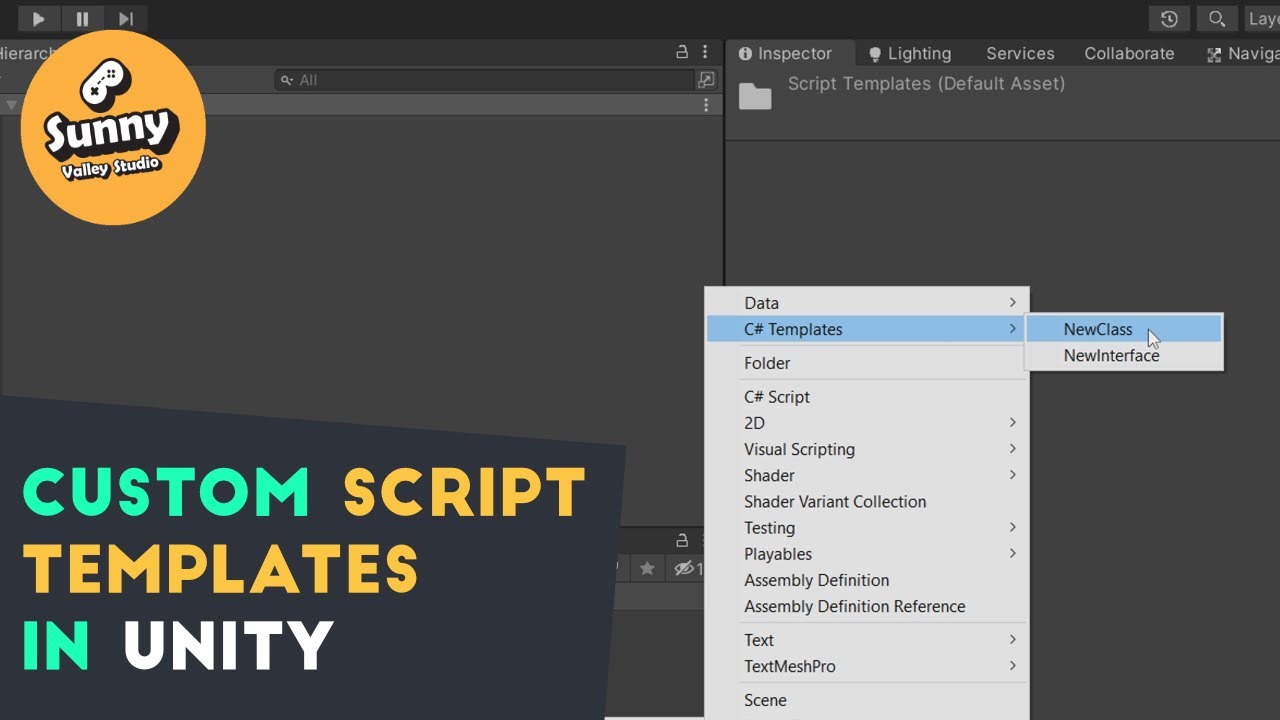
I often find myself deleting the Start() and Update() methods from the default unity C# script template. It doesn't take much time but if you want to create a pure C# class or an Interface multiple times it adds up.
Why not create our own custom templates that we can create the same way
from the Create inspector menu?
In this video I want to s...
waxen sandal
Don't think so in the sense of imported type, you can tag them I guess
Technically you can change the extension then make your own importer but I have no idea how'd you link it to the compiler
surreal girder
You can precompile code into a library or let unity do it from .cs files. Thats it.
waxen sandal
Why not use the many tools to update the roslyn compiler?
You won't be able to get runtime features anyways, since the CLR is still old (or il2cpp doesn't support it), so just updating the compiler to since newer lang features is probbaly the best you can get
😕
wat
Why?
queen wharf
can you find two relevant entry points to just remove the file extension and add it back during compile? 😅
 chilly lily
hey sup i wanted to ask how does one save editor data to persist between unity sessions
i made a tool to carve terrain with splines and it also saves the pre carve state so i can go back to it with a button but when i close and reopen unity the pre-carve state is lost of course so any idea how to make it persistent (so the workflow isn't destructive between sessions) thanks in advance
vital mountain
how come in unity 6 my editor windows are not dockable anymore? they have utility on which is the only variable i can find in GetWindow() might affect it
gloomy chasm
vital mountain
how come in unity 6 my editor windows are not dockable anymore? they have utilit...
They are dockable still, you still just drag the tab, not the utility style titlebar.
surreal girder
stupid design change i hate this
 vital mountain
thats the thing, it doesnt have a tab
gloomy chasm
vital mountain
thats the thing, it doesnt have a tab
Screenshot of what you asre seeing please
vital mountain
 gloomy chasm
vital mountain
gloomy chasm
vital mountain
It is your window I assume? Can you show how you are opening.
gloomy chasm
surreal girder
*stupid design change i hate this*
I really liked that they showed up in the taskbar, but apparently it broke alt tabbing so they removed the only part I actually liked from the change... 🙁
vital mountain
how im opening it? its from the toolbar at Tools/Actor Debugger if thats what you mean. it just opens like this without any tabs
    [MenuItem("Tools/Actor Debugger")]
    public static void ShowEditorWindow()
    {
        GetWindow<ActionTester_EditorWindow>("Actor Controller Debugger", true);
    }
yea its odd. would have been better if it was an option to make windows with the title bar visible and unity tab thingy hidden for this purpose.
But no we get both for some dumb reason 😐
doesnt how you open the window change what type it is?
gloomy chasm
vital mountain
```cs
[MenuItem("Tools/Actor Debugger")]
public static void ShowEditorWi...
true is telling it to show as a utility window... so it is showing as a utility window
gloomy chasm
surreal girder
yea its odd. would have been better if it was an option to make windows with the...
Yeah, I remember reading the forum thread when this change happened. They Unity folks basically said it would be 'too much work' to do. No one was really satisfied with that answer at the time :/
surreal girder
gloomy chasm
Yeah, I remember reading the forum thread when this change happened. They Unity ...
haha im not either
gloomy chasm
Lookin back, I could see it being the case that some folks probably fought for the change, and leadership only allocated them a small amount of resources to do. But having worked with the windows API a bit recently, it seems pretty doable without too much effort...
 vast glen
I just want to say that I am SO HYPED about the graph toolkit, it's an incredible tool. Been waiting for this for AGES.
 hollow ore
Any way to get rid of this annoying toolbar?

account/asset store on the left, play/puse in the middle, some buttons on the right
this could have been a float on the scene view
or anywhere else
it's 3 buttons that are ever used, all the others are almost never touched and occupy valuable screen estate
wild edge
hollow ore
Any way to get rid of this annoying toolbar?
It’s the main toolbar for global features. You can add your own buttons to it via scripts. I would look at it as a fallback feature that you can always rely on to be visible and prominent. As such you’d add 'front-and-center' features that help with maintenance, conventions & workflow in a team-project.
 humble kernel
hey guys, why does my fields have spacing? its weird
else if (type == typeof(int)) newValue = inlineRect.HasValue ? EditorGUI.IntField(rect, (int)(value ?? 0)) : EditorGUILayout.IntField(label, (int)(value ?? 0));
btw inlineRect is this Rect? inlineRect = null
and rect is this Rect rect = inlineRect ?? EditorGUILayout.GetControlRect();
here is in editor

see, there is spacing
humble kernel
ah its because i used EditorGUILayout for normal
oops
but still i dont understand why that would be a problem, weird
waxen sandal
Find the asmdef in the folder or a parent folder, that has a name that ends up being the csproj's name
Csprojects are always 1 folder up from assets
queen wharf
Not sure about Player but any non-explicit and explicit editor file will be inside of a /Editor/ folder
waxen sandal
Is this a theoretical problem or a practical problem?
do you have to solve for all cases or can you just make an asm def in the root?
queen wharf
You could also just find all the csproj files in the project, iterate through them as text assets and cache the results but that might be a little more jank
cuz eg. they just contain them in bulk

 steady copper
How should this API be used? Do you use it or the user use it? What should be the valid value for parameter string source?
green niche
i realized i might have posted in the wrong channel oops
i hope this doesn't count as cross post, not sure if i should delete the old one?
i'm having a little hard time understanding
i have bones in a skeleton as a prefab in the scene, a standard character basically
if i need to get the children of a parent bone in that hirearchy is there a way with a specialized bone class or it's a matter of hirearchy sifting?
i already have a game object reference to the bone the user chooses
couldn't find much online
the context is that
this is for a tool that auto generates entries into a custom script ready for export, it's an attempt at automation as as single script could require manually inputting 40 bones per character in that custom script
so there isn't really going around the grabbing the bones
surreal girder
green niche
i realized i might have posted in the wrong channel oops
i hope this doesn't cou...
Bones are just GameObjects and you can get them from a skinned mesh renderer easily
https://docs.unity3d.com/ScriptReference/SkinnedMeshRenderer-bones.html
but otherwise yea you need to traverse the children if you have picked some specific bone gameobject to gather them all.
green niche
surreal girder
Bones are just GameObjects and you can get them from a skinned mesh renderer eas...
Ohh right
I completely forgot about that, thanks that's perfect
green niche
oh, no worries, thanks tho
it's for a plugin for an sdk and it can be any kind of rig so the .bones approach is perfect as it's the only one that can cover all options
as VRM springbones tend to be tedious to setup but at the same time could be setup on anything, going for humanoid only would be cutting off 70% of use cases
green niche
jajaj you can no worries
not saying no, just i went with another solution :3
green niche
so i got everything working
and i forgot to take into account that things have to be saved when it's an asset
so how would i save changes done to a script on a GameObject that were done by another script
i'm marking the script with .MarkDirty and then using AssetsDatabase.SaveAssets which doesn't seem to work
 hollow rune
Is there an alternative to the com.unity.graphtoolkit package for Unity 6 LTS
That package is only avilable for unity 6.2+ unfortunately
I'm trying to make a graph based editor extension similar to the shader graph
hollow rune
hollow rune
Is there an alternative to the `com.unity.graphtoolkit` package for Unity 6 LTS
...
bit the bullet and just upgraded to 6.2 
fickle badge
with property drawer how do i bind a minmaxslider value to 2 floats?
fickle badge
fickle badge
with property drawer how do i bind a minmaxslider value to 2 floats?
nevermind, i finded
(property.serializedObject.ApplyModifiedProperties())
fickle badge
how do i remove the inspector scrollbar for list/array without using a custom inspector override?
usualy when i have a lot of itens on inspector i put a CustomEditor with a override void OnInspectorGUI() so the scroll dont eat the elements im seeing.
i cretead a list of a class, and that class is using a property drawer to display the image preview of my objects and a min-max slider.
so when the engine eated the elements from my array, i tryed a custom inspector to solve it and it stoped drawing the property draw from my class (showed a No Gui Implemented even if its using the base.OnInspetorGui() )


 fiery pike
I keep on getting an error when I try to add my array to my custom editor?
            if (dialogueSettingGroup)
            {
                EditorGUILayout.PropertyField(dialogueText);
                EditorGUILayout.PropertyField(dialogueArray);
            }
EditorGUILayout.EndFoldoutHeaderGroup();``` surreal girder
fiery pike
surreal girder
fiery pike
🤨
 fiery pike
surreal girder
🤨
fiery pike
surreal girder
🤨
EditorGUILayout.EndFoldoutHeaderGroup();```wait just looked it up you can't lmao
hollow ore
Reading through the source code of the experimental graph toolkit
how do you guys imagine this (below) will affect work and how do you imagine it be in any way beneficial to the developers?
using System;

namespace Unity.GraphToolkit.Editor
{
    /// <summary>
    /// Marks APIs visibility as restricted to Unity internal developers.
    ///
    /// This attribute can be applied to all attribute targets.
    ///
    /// Elements marked with [UnityRestricted] are accessible to Unity's internal developers but are not available in the
    /// public API for external users.
    /// </summary>
    /// <remarks>
    /// Note: This attribute is currently informative only and doesn't yet affect API access.
    /// The functionality to enforce this visibility level is under development.
    /// </remarks>
    [AttributeUsage(AttributeTargets.All, Inherited = false)]
    [UnityRestricted]
    internal class UnityRestrictedAttribute : Attribute
    {
    }
}
The functionality to enforce this visibility level is under development.
in what case it is even remotely useful to have something visible for Unity developers and restrict dev access? (clarification: not talking about accessibility modifiers, because I assume they mean something different than that with that comment)
vital mountain
hey so is there any free options for serializing dictionaries out there? and getting interface data from a class to draw it in the inspector?
i know odin can do some stuff but im also just trying to do thing as cheap and easy as i can
from what i understand its not the simplest thing to do so if there is no good way to do it that and odin is what people are using for this then maybe ill just have to bite the bullet
gloomy chasm
vital mountain
hey so is there any free options for serializing dictionaries out there? and get...
I made one some time ago, feel free to rip it out of the package since it contains a few other things besides a dictionary. https://github.com/MechWarrior99/Bewildered-Core
surreal girder
gloomy chasm
I made one some time ago, feel free to rip it out of the package since it contai...
get that shit on openupm
gloomy chasm
vital mountain
from what i understand its not the simplest thing to do so if there is no good w...
It is actually trivial to do, getting UI for it is the part that is a bit of a pain
gloomy chasm
surreal girder
get that shit on openupm
Honestly, I could never be bothered to figure out how haha. And really it should be rewritten to use UITK at this point since so many property drawers are done with just UITK
vital mountain
isee. does this serialize any class and struct too then?
or just common data types?
surreal girder
gloomy chasm
Honestly, I could never be bothered to figure out how haha. And really it *shoul...
Shouldn't be hard to submit as it's already a package.
Openupm is useful so you can have something as a dependency in a git package
gloomy chasm
vital mountain
isee. does this serialize any class and struct too then?
Yeah! Basically all it does is there is a class (UDictionary) that contains a dictionary field and a field list containing the keys and the values of the dictionary. And that list is what is actually serialized
vital mountain
ah nice! that is exactly what i need thankysm
gloomy chasm
Sure thing!
vital mountain
actually another thing. another team member found this property drawer online (which i dont have the repo for anymore) that adds an expandable dropdown to edit scriptable objects straight from the reference. is there anything out there similar to that but for unity objects or monobehaviours?
doesnt need to be editable, just wanna be able to read the fields would be nice. if not its entirely possible to just press the reference and find it. its not a huge deal
gloomy chasm
Probably, but with the advent of UITK it is pretty trivial to do now (though of course this means it doesn't work with my IMGUI dictionary...  )
)
You can make a property drawer for either an attribute or for all MonoBehaviors and use InspectorElement to draw it https://docs.unity3d.com/6000.2/Documentation/ScriptReference/UIElements.InspectorElement.html
Another option is you can just right-click on the object field and click "Properties" in the context menu to open a inspector window just for that object
vital mountain
gloomy chasm
Another option is you can just right-click on the object field and click "Proper...
oh, i didnt even know that was a thing and ive now used unity for about 5 years lol
gloomy chasm
vital mountain
oh, i didnt even know that was a thing and ive now used unity for about 5 years ...
Well, it wasn't added until like Unity 2021 or 2022 I think haha
vital mountain
then honestly that properties window is likely enough for my purposes
gloomy chasm
Yeah I was wondering as much. You can do the same for objects in the hierarchy and project window.
short tiger
hollow ore
in what case it is even remotely useful to have something visible for Unity deve...
This by itself will just make it easier for Unity to track what is intended to be public, documented, and supported for external users, saving them time.
The reason they may want to make something internal is because they don't want to commit the resources to document and maintain it, especially if it's something they think they might want to replace in the future. As soon as they make something public, users will have the expectation that they will ensure it continues to work in future Unity versions, is well documented, and will have a reasonable deprecation plan if it will get removed or replaced.
Making an API public is a commitment, mostly a time commitment, time which could be spent on improving other parts of the engine.
If you don't care about all that and just want access to everything, even if it's undocumented and might get thrown out without warning in a future version, there are easy ways to access internal APIs without Reflection.
gloomy chasm
short tiger
This by itself will just make it easier for Unity to track what is intended to b...
I think they were more referring to the comment about adding an enforcement mechanism to it.
lilac valve
The thing to keep in mind is that the graph tooklit is also being used internally for the new Animation system as well
short tiger
gloomy chasm
I think they were more referring to the comment about adding an enforcement mech...
Hmm, I guess I was assuming what the question was, but I was answering this:
in what case it is even remotely useful to have something visible for Unity developers and restrict dev access?
gloomy chasm
short tiger
Hmm, I guess I was assuming what the question was, but I was answering this:
> i...
Ahh, yeah I kind of realized that after I responded.
hollow ore
gloomy chasm
I think they were more referring to the comment about adding an enforcement mech...
yes, that's what I meant, but looks like I added poorly worded question later. I am not concerned about access modifiers, I am puzzled by what they mean when they write about enforcement mechanism, what technically it could entail and how it would be realised.
God forbid if it means some mangling/obfuscation X-X
short tiger
hollow ore
yes, that's what I meant, but looks like I added poorly worded question later. I...
What I think it means is they will just add a static analyzer on their side that will confirm that any member with this attribute is in fact marked as internal.
 tulip path
is there a way to work out whether an EditorGUILayout.Slider is being manipulated in an editor window script?
Context: I am trying to make a 'playhead' that follows a song's time, but also i'd like to be able to drag it and change the time based on the released-position... So, how it responds is based on whether its being manipulated or not... and i cant see an obvious thing
i am probably missing something obvious or doing something stupid? --got any tips anyone?
waxen sandal
Slider returns the new position, so if the new position si different from the last position, it's being manipulated
You can also figure out whether it's currently targeted but that's not manipulation though
tulip path
waxen sandal
Slider returns the new position, so if the new position si different from the la...
lol i have my dunce cap on today so bare with me..
So, the slider follows the songs time... it displays the progress through the song... but because i'm overwriting that return value (which is the same value im feeding into Slider as 'value' ) , i cant manipulate it in the editor.. because its being updated
-so like any 'timeline' i want it to both... play back but i also want to be able to 'scrub' the timeline
waxen sandal
Ohhh like that
tulip path
and that's what i mean ,there's probably a very elegant way to do this, if you are not a dipshit, but sadly that is not my calling. i am an expert dipshit when its comes to coding things that are new to me.
and i have done the requisite 'look at the first page of google' ..and im about to ask chatgpt but i am ashamed to do so.. and feel inadequate
So i thought i'd ask actual humans first lol 😄
waxen sandal
chatgpt might be a good shout tbh
There's too many UI systems to find the right info 😅
tulip path
ok thanks that makes me feel better
waxen sandal
Trying to find a blog post on how focus works in IMGUI again
Been too long so need to refresh
tulip path
the fact you didnt just immediately tell me how to do it and make me feel stupid makes me feel better tbh.
waxen sandal
What I think you want to do is whether the user has the slider focused, and whether the mouse is down, then use your input rather than the song's input
tulip path
indeed but i cant seem to see anything that actually... shows me if the slider is focused?
i feel like i should be able to do this by caching the return variable and comparing it to... another variable... but i also think i may be overcomplicating this and there might be easier way...
waxen sandal

Unity
Strange timing, you might think. Why care about the old UI system now that the new one is available? Well, while the new UI system is intended to cover every in-game user interface situation you might want to throw at it, IMGUI is still used, particularly in one very important situation: the Unity Editor itself. If you're interested in extending...
This talks about a bunch of the related stuff
tulip path
waxen sandal
This talks about a bunch of the related stuff
ok chatgpt says it knows 😄
EditorGUI.BeginChangeCheck() is the answer apparently
--but i will read what you've linked, thanks for the help
waxen sandal
I uhh hmm, not sure that'll work but feel free to try
tulip path
waxen sandal
I uhh hmm, not sure that'll work but feel free to try
yea it works fine xD
 atomic sable
How do I delete broken scriptable objects that are nested under other scriptable objects? I've created an inspector to add modules to this scriptable object, but I've discovered an issue. I was deleting my test case modules (which is why it says none found) and realized it won't remove the scriptable objects from the disc. So, how can I remove the broken ones? When I load them from the asset database, they load as null, and I can't get their path because they load as null 🫠

 surreal girder
atomic sable
How do I delete broken scriptable objects that are nested under other scriptable...
surreal girder
atomic sable
How do I delete broken scriptable objects that are nested under other scriptable...
What happens if you use LoadAllAssetsAtPath, do you get the sub assets?
atomic sable
surreal girder
What happens if you use [LoadAllAssetsAtPath](https://docs.unity3d.com/ScriptRef...
I tried this:
var parentPath = AssetDatabase.GetAssetPath(_asset);
var children = AssetDatabase.LoadAllAssetRepresentationsAtPath(parentPath);

foreach (var child in children)
{
  Debug.Log(child);

  if (!child)
  {
    DestroyImmediate(child, true);
  }
}
but "child" is null so... I only used LoadAllAssetRepresentationsAtPath because it said it's for loading subassets. I also tried LoadAllAssetsAtPath but still null...
surreal girder
is it really null or fake null?
atomic sable
Im not sure if I have a way to check
surreal girder
because it makes no sense for it to return an array with actual null elements to me
ReferenceEquals() should bypass the unity override
or use a debugger to investigate
atomic sable
well even so, it doesn't delete the elements
err sorry wait
let me check if its real null and if not serialize the module and check if the script property is null
surreal girder
Id change it to check only if the asset is not the root asset
atomic sable
that should let me see if its broken
well LoadAllAssetRepresentationsAtPath shouldnt load parent asset
@surreal girder it's real null:
Debug.Log(ReferenceEquals(child, null)); logs "true"
surreal girder
Oh this may be very useful @atomic sable
https://docs.unity3d.com/ScriptReference/AssetDatabase.RemoveScriptableObjectsWithMissingScript.html
atomic sable
surreal girder
Oh this may be very useful <@392356538620051466>
https://docs.unity3d.com/Scrip...
it would but im not sure how to get the sub-asset paths if I load them and they're null
queen wharf
What a glorious function name
surreal girder
atomic sable
it would but im not sure how to get the sub-asset paths if I load them and they'...
I presume it will work for the root asset path only, give it a go?
if you have source control there is no harm
atomic sable
i do but there's nothing to really break, im making this feature rn so im not testing it on real assets lol
yea i misread what that function says it does let me try it
@surreal girder thankssss it works oml. I knew there was a function like that but I thought it was to remove the broken SO at the path provided not 'in the file' thanks so much
surreal girder
atomic sable
<@123135850560225282> thankssss it works oml. I knew there was a function like t...
np np. I knew there was one for removing broken monobehaviours so thought something may exist for this too.
crude forge
Does anyone know if there's a way to draw a GUI element that shows up in the 'Editor Camera' view statically?
basically the Toolbar indicators won't really update, so I want to display something that allows selection/display of the tool options in the corner of the screen.
not an editor window, but something in the scene view
crude forge
 runic kite
an [overlay](https://docs.unity3d.com/ScriptReference/Overlays.Overlay.html) ?
runic kite
an [overlay](https://docs.unity3d.com/ScriptReference/Overlays.Overlay.html) ?
Hmm I have had trouble with the overlays because the tool bar overlays won't visually update... I guess I could try for one that has buttons but ia not a toolbar type specifically
gloomy chasm
crude forge
Hmm I have had trouble with the overlays because the tool bar overlays won't vis...
What do you mean it won't visually update?
crude forge
gloomy chasm
What do you mean it won't visually update?
I have a set of tools, kind of like the editor tools for selecting, rotating, etc
I can't get the toolbar overlay to highlight the selected tool or change on keyboard command
gloomy chasm
Two questions then, 1. Are they editor tools? 2. UITK is a retained mode UI, which means you have to explicitly tell the UI that it should change when a key is pressed or when you want selection to change. Are you doing that?
crude forge
1 yeah. I'm trying to make it easier to build out content for my game. The whole reason/purpose for having a screen view style editor is for level editing, so I'm adding those tools
For 2... I thought I was. but I could be using the wrong controls/commands
I bailed on that part of the build, I'll try and dig it up tonight
I'm using an editor window for the object/tile selector. Like a palette but for GOs
For the toolbar, it's more whether I'm hooked into normal behavior, adding objects out of the palette, or other functions that kinda add behavior to the mouse
gloomy chasm
Got it, hard to say without seeing the code. But I can say that using the Tool API an overlays should work fine for what you want.
crude forge
Yeh. I'm starting to make room for adding tools and commands. Right now it's just one that adds tiles/blocks to meshes or tile grids. But I want a GO dropper next
vital mountain
in an editor window, can i declare a variable and make it serializable then draw it manually as a serializable property field?
ok i think i found out how you make serializableObjects which then should work?
gloomy chasm
vital mountain
in an editor window, can i declare a variable and make it serializable then draw...
Yeah, you just create a SerializedObject from the EditorWindow
crude forge
gloomy chasm
Got it, hard to say without seeing the code. But I can say that using the Tool A...
I took a look... apparently I removed whatever capability I had to 'select' or 'highlight' a button. Or I never found a successful one to begin with.
at the moment I'm just trying to get the right bar to behave like the left one. when I click on the tool or use a keyboard shortcut, it turns blue...

Pastebin
Pastebin.com is the number one paste tool since 2002. Pastebin is a website where you can store text online for a set period of time.
gloomy chasm
crude forge
I took a look... apparently I removed whatever capability I had to 'select' or '...
You probably want toggles instead of buttons, and then you would subscribe to a tool change event in the Attach event for each one that could update its state based on the current tool
crude forge
gloomy chasm
You probably want toggles instead of buttons, and then you would subscribe to a ...
Understood! I'll start to dig into that, may take me a bit but that makes more sense than what I attempted. I didn't realize these wouldn't be "buttons"
gloomy chasm
crude forge
Understood! I'll start to dig into that, may take me a bit but that makes more ...
Yeah, if something has an off and off state, or an active/deactive state then it would be a toggle normally.
Also, if they are tools, I would consider making them each a EditorTool and just having them as part of the transform tools, maybe their own context if you wanted to override the default behavior of the transform tools
crude forge
gloomy chasm
Also, if they are tools, I would consider making them each a `EditorTool` and j...
Not sure how I would expand/extend the transform tools. And technically they aren't transform based... They'd be a set of tools to add objects rather than transform them
Like a path displaying/drawing tool for a patrol ai
Communicating the tool state visually helps. I may have to make some big, obvious overlay with an icon or something...
gloomy chasm
crude forge
Like a path displaying/drawing tool for a patrol ai
Sounds like you might want tool contexts. This is what Unity's Spline tool uses for editing splines.
gloomy chasm
crude forge
Communicating the tool state visually helps. I may have to make some big, obviou...
Not sure the exact case, but I would say there is a 90% chance that is not the case and there is built-in way for handling it better.
shadow violet
Just a thought experiment rn - is it possible to send commands to Unity from a external/custom app? Im thinking for example, making a WPF app that when I click a button, tells Unity to select a specific prefab or load a specific scene, etc - the only info I could find related to that is basically creating my own .dll file and using [DllImport (...)] to actually call it but im not sure if thats what im looking for or is that the only way to "send commands" to Unity?
The main reason id want to do that is to see if I could have the rendering part of a custom editor window happen from a external app instead and send commands to Unity to do what would otherwise be done through the editor API with a custom editor window - for example if I wanted to make a tool for a designer to build a scene environment with prefabs, rather than loading hundreds of prefabs/thumbnails and rendering all the search filters, I could do all that in a WPF app and just tell Unity "select these 5 prefabs at these paths" - rn im just wondering if its possible and what id have to look into if I were to seriously consider the work involved
waxen sandal
shadow violet
Just a thought experiment rn - is it possible to send commands to Unity from a e...
I mean sure but there's no built-in mechanism, the easiest way to do so is just have some network connection to it
shadow violet
waxen sandal
I mean sure but there's no built-in mechanism, the easiest way to do so is just ...
Ah I see, so instead of going through the editor, setting up like a local connection and have Unity listen (maybe with the www class?) for actions on it that the app would broadcast? Similar to like a networked client-server game but local for Unity-app?
shadow violet
Interesting, that gives me some things to look into - thanks!
waxen sandal
I basically did the same but at runtime to write a bot for a game I worked on
 lime bison
For Some Reason My Editor Wont Install The Android Version, Even Though It Shows It, Im Trying To Upload Content To VRC ( VrChat ) The Editor Version Is 2022.3.22f1
Ive Tried Unistalling It, Ive Tried Intalling The Android Exe Something Im Doing Wrong?
surreal girder
lime bison
For Some Reason My Editor Wont Install The Android Version, Even Though It Shows...
Use unity hub if possible to add modules to an editor install
 silent brook
Hello everyone
atomic sable
        private void Reset()
        {
#if UNITY_EDITOR
            var path = AssetDatabase.GetAssetPath(this);
            AssetDatabase.RemoveScriptableObjectsWithMissingScript(path);
            var assets = AssetDatabase.LoadAllAssetsAtPath(path);

            Undo.SetCurrentGroupName("Reset Feature");
            var group = Undo.GetCurrentGroup();

            foreach (var asset in assets)
            {
                Undo.DestroyObjectImmediate(asset);
            }

            AssetDatabase.SaveAssets();
            AssetDatabase.ImportAsset(path);
            Undo.CollapseUndoOperations(group);
#endif
        }
~~This is in my Reset function. Whenever Undo.DestroyObjectImmediate is called (Or just DestroyImmediate), it says
Destroying object "" is not allowed at this time.
Then destroys the object anyway but without recording an Undo. What is the proper way for me to destroy the sub assets when the object is 'reset'? This is from a scriptable object class.~~
oh nevermind, I thought I was using AssetDatabase.LoadAllAssetRepresentationsAtPath but I was using LoadAllAssetsAtPath, my bad.
 unique imp
Hello, I'm not sure in which channel I should post this but I think that here is appropriate since it's about the editor ? I keep having this weird problem where I'll have these error messages popping everywhere and my data not showing at all. I can't really find what's causing the problem, I'm trying to look for it but it seems random to me for now

 surreal girder
unique imp
Hello, I'm not sure in which channel I should post this but I think that here is...
surreal girder
unique imp
Hello, I'm not sure in which channel I should post this but I think that here is...
Its a known issue, try to update to the latest 6.2 editor version
unique imp
Got it ! Thank you
 fiery rapids
I don't know where I'm supposed to post this, but does anyone have a solution to why play mode takes forever to load or straight up doesn't load? I've been trying to enter play mode on my project but it just keeps loading for no reason.
waxen sandal
Probably onenable or awake calls
Or large scene or large code base
You can profile this actually
fiery rapids
I don't understand sorry.
safe sorrel
The Profiler can help you out here. You'll want to open it before entering Play Mode, then stop recording as soon as the game starts running.
it's a fun reflex test (:
Let me grab an example.
Oh yeah, and you'll need to put the profiler into "Edit Mode".
Most of the game's startup time is spent in the EditorLoop.
So you'll want to hit Play, then end recording as soon as the game starts
Here's what you might see. In my case, a lot of time is being spent in AudioPreferences.Awake
(i'm pretty sure this is because the game is waiting for FMOD to startu p)
 safe sorrel
fiery rapids
I don't know where I'm supposed to post this, but does anyone have a solution to...
safe sorrel
fiery rapids
I don't know where I'm supposed to post this, but does anyone have a solution to...
also, before going any further -- what does "Loading" mean here?
do you mean you get stuck on the "Reloading/Completing Domain" popup?
fiery rapids
safe sorrel
do you mean you get stuck on the "Reloading/Completing Domain" popup?
Yes. I already fixed it though. While loop bug