#↕️┃editor-extensions
1 messages · Page 31 of 1
 karmic basin
 gloomy chasm
Wait, they are already in the project yeah?
Then you could use the object picker window probably. Or a custom window that just shows all the prefabs in the project.
karmic basin
gloomy chasm
Wait, they are already in the project yeah?
yeah
gloomy chasm
Could also support drag and droppng assets from the Project Browser window in to your custom window to add them
karmic basin
gloomy chasm
Then you could use the object picker window probably. Or a custom window that ju...
object picker window?
is it the same window when, for example, I choose the texture in the material?
gloomy chasm
Yeah
karmic basin
this?
 gloomy chasm
Yeah, though I guess it only supports a single asset at a time
karmic basin

gloomy chasm
It is pretty easy to make a custom one though.
Though I do find drag-and-drop easier and faster. That is what I did with my package for creating collections of assets https://assetstore.unity.com/packages/tools/utilities/smart-library-asset-manager-200724

Use the Smart Library - Asset Manager from Bewildered Studios on your next project. Find this utility tool & more on the Unity Asset Store.
karmic basin
anyway this is how it works
gloomy chasm
That should be easy to add drag and drop to for adding assets.
And if you really want to do it by selecting them, it looks like you already have all the base code for making a window for selecting assets.
You can use SearchService to get them https://docs.unity3d.com/6000.0/Documentation/ScriptReference/Search.SearchService.html
And then feed them in to the code you already have that handles drawing them in a grid with the previews
 agile sluice
Hello, my scriptable object custom editor is giving "You can't nest Foldout Headers, end it with EndFoldoutHeaderGroup" but I am doing it
Looked the problem up online and I can't find any solutions
https://paste.ofcode.org/barzFdR3mg6mrtKG2XEPii
Here's a more illustrative picture: First FouldoutHeader works fine, second gives this error

 hardy raptor
In Unity 6 Editor windows now have the Windows title bar, but this looks kinda weird if it still has the tab under the title bar.
Is there any way to get rid of the tab so it only shows the Windows title bar?
I tried every show function (like window.ShowModalUtility(), window.ShowUtility(), etc but I cant get rid of it)
 gloomy chasm
You want #archived-networking. This channel is for talking about making custom editor window and such. You can just delete the message from here and paste it there to avoid double posting
 young anchor
do you guys know any tools in Unity for debugging a script line by line, and having the changes be reflected in the screen?
Like, if I have:
transform.position.x += 10
transform.position.y += 10
It would be possible to step on the first line, and the object would move on teh screen, on the x-axis. Then you step to the 2nd line, and the object would move on the y-axis?
gloomy chasm
young anchor
do you guys know any tools in Unity for debugging a script line by line, and hav...
You are probably looking for the debugger in the code editor. It lets you stop on a specific line and then progress line by line.
I don't remember if things will update in the scene when stepping through the code but I think so
 blissful burrow
okay I'm a little confused - I need to figure out when TextWrappingModes is present in text mesh pro
and idk what's going on here
so the scripting API lists this

the changelog stops at 3.0.9, and so does my package manager, in Unity 2022.3

and what's more, the TextWrappingModes is present in the docs, but only some versions?

I feel like I have to be missing something

 blissful burrow
yeah so it does this annoying thing where, if a version doesn't have a specific page, it kicks you over to the guide rather than the scripting API
but you can go to 3.0.9 scripting API if you click Scripting API at the top
but this one doesn't have TextWrappingModes
 willow jackal
2020.1.0 is pretty old version isnt ?
2019.4 seem to be more recent
2020.1: Jul 20, 2020
2019.4: Jun 16, 2022
blissful burrow
what do you mean?
willow jackal
3.0.9 is base on 2020.1 which is an older version than 2019.4 that 2.2 is base on.
blissful burrow
uh, I'm a little confused, not sure where you're reading this from ;-;
willow jackal
From the archive, the version 2020.1 is older than the version 2019.4
blissful burrow
I thought the versions and dates here were TMP version vs minimum supported unity version, are they not?
 willow jackal
Yeah, 3.0 support an older version. 2.2 require a more recent version.
blissful burrow
..are they not, chronological?? ;-;
willow jackal
I mean, they kinda are.
By their major version
2.0 < 2.1 < 2.2
3.0 < 3.2
In other words, you need to check for each major version.
What is the version that support TextWrappingModes
gloomy chasm
The real question is as long as it is in every LTS, does it matter? Do you need to support 2020.1?
blissful burrow
so in my case unity 2022.3 is my minimum supported version
which according to the docs look like it should support TMP 4.0, but my package manager doesn't go beyond 3.0.9, which doesn't have TextWrappingModes defined, neither in the docs nor in unity itself
gloomy chasm
Gotta enable 'preview' pacakges I assume
willow jackal
4.0.0 is in pre release
blissful burrow
but I guess if TMP versions are tied to unity version (are they?) then I could just check for unity 6
okay so, is it possible for users using 2022.3 to have any other version other than TMP 3.0.9 or are they unity version locked pretty much
gloomy chasm
If you enable preview packages you should be able to access 4.
You can also get it by manually adding the package by name in the package manager and specify the version.
willow jackal
Packages in experimental state don’t usually appear in the Unity Registry context of the Package Manager, even though they’re on Unity’s official package registry server. These packages aren’t discoverable in the Package Manager window because:
...
Experimental packages that aren’t discoverable can still appear in the Package Manager window if you already installed them in your project or installed them as dependencies of supported packages. However, they’re hidden so that you don’t discover them by accident and use them without realizing the risks. If they do appear in the Editor, they’re always marked in the Package Manager window with the label (details view) and the label (list view). Also, the following menu appears as a warning in the Editor:
You need to install it by name.
blissful burrow
hmm okay so it's probably very unlikely that someone will be sitting on 2022.3 with any other TMP version than 3.0.9
I'm guessing
blissful burrow
alright, I'll just branch based on unity version then
gloomy chasm
You can export your package with it as dependency and it will replace the TMP version they are using with the newer one your package requires
blissful burrow
I think unity 6 merged TMP into textcore, which does have TextWrappingModes, if I'm not mistaken
blissful burrow
gloomy chasm
You can export your package with it as dependency and it will replace the TMP ve...
hmm well I wouldn't want to do that with a preview package
anyway I think this shoooould be mostly fine
 gloomy chasm
Yeah that should work great. That is what I have done before too in my asset.
 visual stag
blissful burrow
I think unity 6 merged TMP into textcore, which does have `TextWrappingModes`, i...
visual stag
blissful burrow
I think unity 6 merged TMP into textcore, which does have `TextWrappingModes`, i...
TMP merged into the UGUI package. Note that 3.0.0 (exp) and above of the UGUI package contains a TMP version that uses TextCore FontAsset instead of TMP's
visual stag
I haven't checked because of phone lol
I would expect any merger they made with text core to be specific to the UGUI 3.0.0 branch, but I'd have to check thoroughly to understand
The enum looks to be present in both versions
 wheat notch
I'm using a unity editor and the properties don't seem to be saved upon closing and reopening the project.
I'm setting the property directly to the target value and applying Update.
Some consideration would be that the property has HideInInspector and i'm using Editor with editForChildClasses to true.
While at it, i'm also modifying the values of another component through the same editor script. And that doesn't seem to be saving either.
 dusk portal
wheat notch
I'm using a unity editor and the properties don't seem to be saved upon closing ...
dusk portal
wheat notch
I'm using a unity editor and the properties don't seem to be saved upon closing ...
what does your code look like? it sounds like maybe the object isn't getting marked dirty
 stark geyser
wheat notch
I'm using a unity editor and the properties don't seem to be saved upon closing ...
stark geyser
wheat notch
I'm using a unity editor and the properties don't seem to be saved upon closing ...
Hide in inspector attribute hides serialized value from you. It is still there and will default to it. If you don't want to lock and hide values remove it.
wheat notch
stark geyser
Hide in inspector attribute hides serialized value from you. It is still there a...
Doc says it only hides it from the inspector, but still serialize it.
stark geyser
Yes, the last value you set there still serialized
you just hiding it unable to edit further
if you don't want to lock the value and still have it public, use internal
wheat notch
wheat notch
I'm using a unity editor and the properties don't seem to be saved upon closing ...
Ok nothing's really saving. And i tried to make a very minimal test.
public class TempComponent : MonoBehaviour
{
    public int field;
}

[CustomEditor(typeof(TempComponent))]
public class TempComponentEditor : Editor
{
    public TempComponent Target => (TempComponent)target;

    public override void OnInspectorGUI()
    {
        EditorGUI.BeginChangeCheck();
        int new_value = EditorGUILayout.IntField("Field: ", Target.field);
        if (EditorGUI.EndChangeCheck())
        {
            Target.field = new_value;
            serializedObject.Update();
        }
    }
}
Right, when setting values in editor through code, you need to set them "dirty" or use undo system.
Otherwise it won't persist after the session
dusk portal
wheat notch
```cs
public class TempComponent : MonoBehaviour
{
public int field;
}
[Cus...
this is kind of backwards from what you want i think, you're making the changes directly to the object and then refreshing the serialized object which does nothing since you're not using it again afterwards
wheat notch
stark geyser
Right, when setting values in editor through code, you need to set them "dirty" ...
You mean SetIsDifferentCacheDirty?
wheat notch
That's something cause I don't remember the tutorial mentioning that honestly, they only mentioned Update and ApplyModifedProperties. But I'll try that.
dusk portal
there's also https://docs.unity3d.com/ScriptReference/SerializedObject.ApplyModifiedProperties.html which would be used if you want to edit it via the serialized object instead, this can be useful because then your field doens't have to be public for the editor to work
 wheat notch
That's something cause I don't remember the tutorial mentioning that honestly, t...
wheat notch
wheat notch
That's something cause I don't remember the tutorial mentioning that honestly, t...
And i think the tutorial i had back then worked with SerializedProperty and setting it directly.
stark geyser
If it uses undo system under the hood it would record
dusk portal
wheat notch
And i think the tutorial i had back then worked with SerializedProperty and sett...
if you're using SerializedProperty you'd set the value like serializedObject.FindProperty("field").intValue = 123, then ApplyModifiedProperties would handle the undo
wheat notch
stark geyser
<https://docs.unity3d.com/ScriptReference/EditorUtility.SetDirty.html>
Like this?
    public override void OnInspectorGUI()
    {
        EditorGUI.BeginChangeCheck();
        int new_value = EditorGUILayout.IntField("Field: ", Target.field);
        if (EditorGUI.EndChangeCheck())
        {
            Target.field = new_value;
            EditorUtility.SetDirty(this);
            Undo.RecordObject(this, "Field Set");
        }
    }
You don't need to use both, SetDirty just bypasses undo record
wheat notch
Either way, there's nothing popping up.

I'm reopening unity to check if it carries over.
Zero.
 stark geyser
check if your method runs
wheat notch
It is.

    public override void OnInspectorGUI()
    {
        EditorGUI.BeginChangeCheck();
        int new_value = EditorGUILayout.IntField("Field: ", Target.field);
        if (EditorGUI.EndChangeCheck())
        {
            Target.field = new_value;
            EditorUtility.SetDirty(this);

            Debug.Log($"Called. {new_value}");
        }
    }
And still doesn't carry over through the next session.
 dusk portal
wheat notch
```cs
public override void OnInspectorGUI()
{
EditorGUI.BeginCha...
dusk portal
wheat notch
```cs
public override void OnInspectorGUI()
{
EditorGUI.BeginCha...
you're setting this dirty, not Target
wheat notch
dusk portal
you're setting `this` dirty, not `Target`
Ah lmao.
gloomy chasm
The issue with the undo is you are calling Undo.Record after you make the changes, you need to do it before hand

 odd badger
[Header] indent goes to 0 if it is attached to field of class with CustomPropertyDrawer.
Any solutions for such situation that CustomPropertyDrawer and [Header] conflict.
I've found that the position passed to DecoratorDrawer is different between normal field and CustomPropertyDrawer; the former is shoter than the latter.
However, I could not change the width of CustomPropertyDrawer itself.

 pure coral
I want to make a simple modification with a property drawer, then return control to the rest of the system for any work it wants to do with the property drawer, does anyone know how i can achieve this?
(basically i have a class on the main class, that i want to feed on a variable of that class automatically by just copying the managed object reference of the serialized property, but it keeps saying when i use the base.CreatePropertyGUI "No gui implemented")
 waxen sandal
odd badger
[Header] indent goes to 0 if it is attached to field of class with CustomPropert...
waxen sandal
odd badger
[Header] indent goes to 0 if it is attached to field of class with CustomPropert...
Can you provide more info
How are you drawing it
 low heron
regarding the new multiplayer testing multi-editor thing; im testing a networked feature atm and from what i can tell closing one of the other editors will not call application.quit
any fixes or am i just doing something wrong?
for more context the second player still remains in game without even getting disconnected through photon
thats after i close the window, ofc
 native geode
Hello
I have this context menu (when you right click)
I want a separator line after the first item
how to achieve that?

It appears on the gameobject menu (at the top of the window)

Appears in GameObject menu because there is large difference between priority of the items (Sprite Bar and Blank)
gloomy chasm
native geode
Appears in GameObject menu because there is large difference between priority of...
Yup, exactly. A separator is added when the priority between menu items is enough.
native geode
gloomy chasm
Yup, exactly. A separator is added when the priority between menu items is enoug...
Yeah, but works on the top of the editor menu. It doesnt work in the right click context menu
yet I can see separator line if i try to add 3D object in both top of the editor menu and right click context menu
 outer crystal
I'm profiling the OnGUI call in a custom editor window. Unfortunately if I wrap the whole method in a ProfilerMarker and then when testing click on an Object Selector ( to assign a gameObject) I get a 'BeginSample call must have a subsequent EndSample call within the same frame' error.
Presumably the Unity code for displaying the Object Selector is shortcutting the OnGUI method thus the EndSample is never called.
I assume the best way around this is to only call begin/end if the Event type is Layout or Repaint? At least that prevents the error, but I'm wondering if i'm missing any other important events if I want to ensure I capture all potential cases where the OnGUI call might generate garbage?
visual stag
outer crystal
I'm profiling the OnGUI call in a custom editor window. Unfortunately if I wrap ...
you could use a try finally block
They likely use https://docs.unity3d.com/ScriptReference/GUIUtility.ExitGUI.html which throws an ExitGUIException
outer crystal
visual stag
you could use a try finally block
Seems to work perfectly thanks.
 high hornet
Can somebody help with issues related to cameras specifically the cinemachine extention
gloomy chasm
high hornet
Can somebody help with issues related to cameras specifically the cinemachine ex...
 lavish steeple
How do I make a custom editor use my CreateInspectorGUI implementation instead of OnInspectorGUI?
visual stag
lavish steeple
How do I make a custom editor use my CreateInspectorGUI implementation instead o...
You just implement it, nothing more
lavish steeple
visual stag
You just implement it, nothing more
Ah, rip, that's not working for me. I think we have an old custom editor applied to everything from the before-times, and that's somehow messing with it
visual stag
If you use a package like NaughtyAttributes it can do that
Also make sure Use IMGUI Default Inspector isn't enabled in the Editor tab of Project Settings
lavish steeple
visual stag
If you use a package like NaughtyAttributes it can do that
Yeah, it's essentially a custom package. Looks like it uses [CustomEditor(typeof(ScriptableObject), true, isFallback = true), CanEditMultipleObjects] though, so weird that a fallback editor still affects it
visual stag
If it's public you might want to try inheriting from it
lavish steeple
Didn't work 😔
What's strange is that custom inspectors for monobehaviours have worked so far IIRC
This is just the first one I've had to do for a scriptable object in preferences
visual stag
You can pull out the UITK debugger to double check. Looks like SettingsProvider has the ability to do both
 real spindle
I'm making a property drawer for an abstract base class:cs public abstract class SRListBase
It has a middleman class for generics:cs public abstract class SRList<T> : SRListBase
And the actual concrete classes such as:cs public class FilterList : SRList<Filter>
In a ProperyDrawer for SRListBase, how can i retreive the generic type argument?
Only the concrete classes are being drawn so I know that it always has a generic argument
For example, when drawing the property for FilterList, I need to get the type Filter so I can use it in a dropdown to add elements to the list
waxen sandal
real spindle
I'm making a property drawer for an abstract base class:```cs
public abstract cl...
Uhh Type.GetType(serializedProperty.type).BaseType.GenericTypeArguments or something like that
real spindle
Thanks, but serializedProperty.type returns the name of the base class SRListBase so that doesn't help 😕
It actually does return the child class but can't get the type directly with just the name
I'd need to access the type of FilterList or SRList<Filter> somehow
I guess I gotta do reflection all the way from the serialized object?
dusk portal
real spindle
I'd need to access the type of ``FilterList`` or ``SRList<Filter>`` somehow
not something i've tried myself, but there's boxedValue now, if that returns an instance of the actual type you can do GetType on that maybe?
real spindle
dusk portal
not something i've tried myself, but there's `boxedValue` now, if that returns a...
I noticed that exists now, but unfortunately I'm on 2021.3 which is the last version that doesn't have boxedValue
It looks helpful tho
real spindle
fieldInfo also points to the base class SRListBase :/
waxen sandal
Which can give you the field type, of course you could still put in a further derived type
What is your actual field
real spindle
waxen sandal
What is your actual field
Nvm I think that's it!
Sorry my base class and test class were named too similiarly I didn't notice
Thank you
 blissful glen
Hi everybody. I'm having a lag problem on the editor window due to too many elements being drawn. About 1000 elements. So laggy that I can hardly scroll. Does anyone have any way to optimize rendering?
gloomy chasm
blissful glen
Hi everybody. I'm having a lag problem on the editor window due to too many elem...
UIToolkit or IMGUI?
blissful glen
in IMGUI

Basically I'm calling InspectorGUI of 300 scriptable objects in editor window onGUI 
blissful glen
I'm thinking of a solution that is to just call draw on a small number of elements based on the current closest scroll position
gloomy chasm
blissful glen
Basically I'm calling InspectorGUI of 300 scriptable objects in editor window on...
Yeah... you wanna virtualize that. So yeah as you said, just draw the ones that are visible. I would look at doing UIToolkit for this. It is literally just a ListView with an InspectorElement for each item and it handles the virtualization and supprts UIs made with UITk
blissful glen
Thank you!
outer crystal
Running into a weird problem with Scene Gizmo Icons being overdrawn by a scripts Icon, be grateful if anyone has any solutions.
I have a script (MB) that defines a AABB in the level, an editor script for the MB that allows manipulation of the AABB ( like Reflection Probe editing) and importantly you can select from a handful of preset colors for the AABB in the scene view that also **tint ** the gizmo icons (like how light gizmo shows the color ).
However as soon as I assign an icon to the script (MB) ( either in the meta file, or via gizmo button in scene view) that icon randomly overdraws the colored ones in the scene view, showing the icon in its default state. There doesn't appear to be logical method as to which get overdrawn and it seems to randomly change on scene reloads.
I can workaround the issue by disabling the script icon via the scene gizmo button and its dropdown options, but I'd prefer to find a proper solution, where the script icon is only shown on the component in the Insepctor and the editor script provides the gizmo icons in the scene.
Here is a gif showing the problem. Where colored icons become white, the default icon color

 thorny rock
using UnityEngine;
using UnityEditor;

[CustomEditor(typeof(AccessibilityItem), true)]
public class AccessibilityItemEditor : Editor
{
    SerializedProperty propAccessibilitySettings;

    protected virtual void OnEnable()
    {
        propAccessibilitySettings = serializedObject.FindProperty("_accessibilitySettings");

        if (propAccessibilitySettings.objectReferenceValue == null)
            propAccessibilitySettings.objectReferenceValue = AccessibilitySettingsEditor.GetSettings();

        serializedObject.ApplyModifiedPropertiesWithoutUndo();
    }

    public override void OnInspectorGUI()
    {
        GUI.enabled = false;
        EditorGUILayout.PropertyField(propAccessibilitySettings);
        GUI.enabled = true;
    }
}
Hello everybody, I have this editor extension that is used for all my components that relate to accessibility (since they all derive from the class this is creating a custom inspector for). I want it to behave like this: Add the component to the GameObject, it looks up where the SO is and references it.
Now I changed all my UI-prefabs to use whatever accessibility component they need BUT the references do not make it to the actual scenes which I think is weird. Basically I'd have to select each component in each scene to load the reference manually and then save the scene. Which is stupid and not how this should work based on my understanding.
My understanding is that changing a prefab should bring all changes to all scenes where it is used, including the reference to the accessibility SO. Can you explain to me where my thought process is wrong?
gloomy chasm
thorny rock
```C
using UnityEngine;
using UnityEditor;
[CustomEditor(typeof(AccessibilityIt...
Because an Editor for a UnityEngine.Object is not created until it is needed. Like when it is shown in the inspector. So the OnEnable doesn't run at all until the object is selected.
Unless I am misunderstanding what you are asking.
outer crystal
outer crystal
Running into a weird problem with Scene Gizmo Icons being overdrawn by a scripts...
I have found another workaround/solution using
[Icon(k_IconPath)]
This appears to only assign an icon to the script in the inspector/browser and not in the scene. One issue is that its only supported from UNITY_2021_2_OR_NEWER.
I also found various references to an internal Unity class called 'UnityEditor.Annotation' that appears to allow you to enable icons or gizmos - it might be related to the scene Gizmo control. It can be accessed via reflection.
thorny rock
gloomy chasm
Because an `Editor` for a `UnityEngine.Object` is not created until it is needed...
I know but when I am adding the component to the prefab it should (in my understanding) run the OnEnable() for the prefab and then keep the reference in all instances in the different scenes. But it doesnt. It is referenced in the prefabs, but I have to manually go through each instance in all scenes.
There seems to be a missing link between the prefab and the scene instances of the prefab.
outer crystal
thorny rock
```C
using UnityEngine;
using UnityEditor;
[CustomEditor(typeof(AccessibilityIt...
I think most people use the MonoBehaviour OnValidate for this, though I also remember reading that it wasn't 100% foolproof method, at least back 3-5 years ago.
Though I think this would have the same problem you have in your editor code, where you are expecting the reference to be assigned before opening the scene or inspecting each gameobject, which I suspect cannot happen.
Another potential solution is to do this via the PostProcessSceneAttribute callback - it happens at runtime and build time, so it should work, but have small cost in editor play mode, but no cost in build. It is getting somewhat convoluted.
I would think the most straightforward solution would be to use a singleton and have a static reference to the accessibilitySettings.
outer crystal
thorny rock
I know but when I am adding the component to the prefab it should (in my underst...
I don't think prefabs maintain references to scene objects unless they are within the hierarchy of the prefab itself?
gloomy chasm
thorny rock
I know but when I am adding the component to the prefab it should (in my underst...
Ahh yeah... should do. I don't think this is it, but you could try doing the ApplyModifiedProperties recording undo...?
gloomy chasm
outer crystal
I don't think prefabs maintain references to scene objects unless they are withi...
They are saying the other way, they have instances of prefabs in a scene that are not being updated when the prefab changes wit hthe above code.
outer crystal
gloomy chasm
They are saying the other way, they have instances of prefabs in a scene that ar...
Hmm. Yeah finding it difficult to visualize exactly what is going on without knowing all the details. At which point I'd normally fall back to judicial amounts of logging and testing to see if that gives a hint.
thorny rock
outer crystal
I think most people use the MonoBehaviour OnValidate for this, though I also rem...
Considered making it a singleton as I always only have one version of my accessibility settings but I thought storing the data in a SO would be neat and tidy.
outer crystal
thorny rock
Considered making it a singleton as I always only have one version of my accessi...
ScriptableSingleton then?
thorny rock
outer crystal
Hmm. Yeah finding it difficult to visualize exactly what is going on without kno...
It just gave me null reference exceptions from the prefab components which had the reference in prefab mode which I thought was odd.
outer crystal
Yeah sometimes having so many ways to solve a problem can be frsutrating to choose the 'right' one.
outer crystal
thorny rock
It just gave me null reference exceptions from the prefab components which had t...
I was thinking having many logging points might help explain the code flow, maybe show the point of failure, not just when you try to access the variable?
thorny rock
Yeah thats true. In my mind often data container = SO, but I guess that's a me problem because there are other ways too haha 😅
outer crystal
thorny rock
Yeah thats true. In my mind often data container = SO, but I guess that's a me p...
Totally agree - and for the most pert it just works, its just those few occasions when suddenly the simple answer starts getting convoluted and you question whether it was a good idea or not 😉
thorny rock
Also on a different note: Thanks to you two guys, you have helped me on several editor-related issues already. Appreciated. 🙂
outer crystal
thorny rock
Also on a different note: Thanks to you two guys, you have helped me on several ...
Did I? If you say so, i'll take the complement 😉 We all need help some time or another, especially with some so big as Unity.
outer crystal
thorny rock
Also on a different note: Thanks to you two guys, you have helped me on several ...
Its somewhat amusing that my 'helpfulness' goes up in direct relation to how much I want to try and avoid doing my own work 😉
thorny rock
Is there a way to check if those flags are set? Copying the property path of both flag and value of the first field both returns m_MinWidth.
 waxen sandal
IIRC they have a default value if they're not set
 dawn stone
Does anyone know how I can retrieve this information through code for a given AnimationClip?

 opal ocean
dawn stone
Does anyone know how I can retrieve this information through code for a given An...
opal ocean
dawn stone
Does anyone know how I can retrieve this information through code for a given An...
Well there should be public properties on the animation clip
dawn stone
opal ocean
Well there should be public properties on the animation clip
Yeah, I looked at the docs but I'm not seeing these properties. https://docs.unity3d.com/6000.0/Documentation/ScriptReference/AnimationClip.html
opal ocean
which property exactly do you need?
dawn stone
Whether Bake Into Pose is emabled for both Root Transform Rotation and Root Transform Position (Y)
I'm generating a new clip from an existing clip to create a stop motion effect
willow jackal
dawn stone
Whether Bake Into Pose is emabled for both Root Transform Rotation and Root Tran...
You could look into: https://docs.unity3d.com/ScriptReference/AnimationUtility.html
dawn stone
willow jackal
You could look into: https://docs.unity3d.com/ScriptReference/AnimationUtility.h...
Thanks. Been reviewing it, but haven't found anything yet.
willow jackal
dawn stone
Thanks. Been reviewing it, but haven't found anything yet.
Maybe the following will help you then.
[MenuItem("Tools/Make Selected Animations Loop")]
private static void MakeSelectedAnimationsLoop()
{
    Object[] selectedObjects = Selection.objects;

    foreach (Object obj in selectedObjects)
    {
        string path = AssetDatabase.GetAssetPath(obj);

        ModelImporter modelImporter = AssetImporter.GetAtPath(path) as ModelImporter;
        if (modelImporter != null)
        {
            ModelImporterClipAnimation[] defaultClipAnimations = modelImporter.defaultClipAnimations;
            foreach (ModelImporterClipAnimation clipAnimation in defaultClipAnimations)
            {
                clipAnimation.loop = true;
                clipAnimation.loopTime = true;
            }

            modelImporter.clipAnimations = defaultClipAnimations;
            modelImporter.SaveAndReimport();
        }
        else
        {
            AnimationClip animationClip = obj as AnimationClip;
            if (animationClip != null)
            {
                SerializedObject serializedClip = new SerializedObject(animationClip);

                SerializedProperty settings = serializedClip.FindProperty("m_AnimationClipSettings");

                if (settings != null)
                {
                    settings.FindPropertyRelative("m_LoopTime").boolValue = true;
                    serializedClip.ApplyModifiedProperties();
                }
            }
        }
    }
}
Yeah I was just looking at ModelImporter as well. Looks promising. Thanks!
dawn stone
I figured it out. It turns out that there are two apparently undocumented methods in AnimationUtility: GetAnimationClipSettings and SetAnimationClipSettings
 tall inlet
Does anyone know how to make that when I import a Unity package as a tarball, it doesnt require the full path to the file? becouse if I use version control like git, whenever someone downloads the project they have missing dependencies errors.
 visual stag
tall inlet
Does anyone know how to make that when I import a Unity package as a tarball, it...
visual stag
tall inlet
Does anyone know how to make that when I import a Unity package as a tarball, it...
I've not used tarballs before, but local packages are usually placed in your Packages folder at the project root and Unity will detect them directly
tall inlet
visual stag
I've not used tarballs before, but local packages are usually placed in your Pac...
thats what I thought at first, that after the import the tarball wouldnt be necessary but idk, my mate couldnt launch the project due to those issues caused by the package missing
 visual stag
tall inlet
thats what I thought at first, that after the import the tarball wouldnt be nece...
visual stag
tall inlet
thats what I thought at first, that after the import the tarball wouldnt be nece...
well that path doesn't seem local to the Packages folder
tall inlet
i mean the tgz gets imported from anywhere
visual stag
You have to put the tarball there yourself
tall inlet
then the actual package appears in the files
tall inlet
visual stag
You have to put the tarball there yourself
like this?
 visual stag
I can't tell where that is, is it in the Packages folder at the root of your project?
ie. the Packages folder outside of Assets
tall inlet
packages but I dont think it matters since Unity is trying to look for it in the full path, which includes my windows user path that is unique for my pc
dusk portal
tall inlet
packages but I dont think it matters since Unity is trying to look for it in the...
check what's in your manifest.json, it needs to be a relative path in there
visual stag
Like this com.lms.facepunch.steamworks is an embedded package
 tall inlet
alr lemme check
visual stag
I don't have to do anything in Unity and it detects that package and uses it (no matter what's listed in the manifest)
tall inlet
In the manifest if i add the tarball from the project folder it uses a relative path, otherwise uses the full one, thats the issue
damnn
dusk portal
yeah selecting it that way just puts the path you select directly into the manifest, so it does have to be inside the project already
 tulip magnet
Hello - does anyone know if UnityEditor.VersionControl can retrieve the most recent submitted ChangeSet that I am synced to? I can get incoming changes with Provider.Incoming() and I can get my own local uncommitted ChangeSets with Provider.ChangeSets(), but I am not seeing an API for what I want.
We're using Perforce, where the equivalent command line would be p4 changes -m1 #have. The backup plan is to spawn a cmd process and parse the return if the VC provider can't.
 rugged urchin
Has something changed about Unity 6 and building headlessly?
BuildMethodException: Build target is not supported.
  at UnityEditor.BuildPlayerWindow+DefaultBuildMethods.BuildPlayer (UnityEditor.BuildPlayerOptions options) [0x0005d] in <eebf6a509b354512a5d405c8a7dd6f88>:0
  at AppManaPublic.Editor.WebGL.BuildScript () [0x00000] in .\Library\PackageCache\com.appmana.unity.public\AppManaPublic\Editor\WebGL.cs:9
why would this occur?
this is the corresponding code - https://github.com/AppMana/appmana-unity-plugin/blob/7f4cdc51f8b38131faadde19e6444da3a7dcdcc4/AppManaPublic/Editor/WebGL.cs#L11
using System.Linq;
using UnityEditor;
using UnityEngine;

namespace AppManaPublic.Editor
{
    public class WebGL
    {
        public static void BuildScript() => BuildPlayerWindow.DefaultBuildMethods.BuildPlayer(new BuildPlayerOptions
        {
            extraScriptingDefines = new[] { "UNITY_ASSERTIONS" },
            locationPathName = $"{Application.dataPath}/../build/{BuildTarget.WebGL}/{Application.productName}/",
            scenes = EditorBuildSettings.scenes.Select(s => s.path).ToArray(),
            targetGroup = BuildTargetGroup.WebGL,
            target = BuildTarget.WebGL,
            options = BuildOptions.None
        });
    }
}

GitHub
Stream your apps and games with AppMana for Unity Plugin - AppMana/appmana-unity-plugin
gloomy chasm
rugged urchin
Has something changed about Unity 6 and building headlessly?
```
BuildMethodExc...
Unity 6 added like build profiles. Did you make sure there is one for the web?
 thin rampart
Hey all, I'm having some issue using the [InitializeOnLoadMethod] on a static method of a static class. Sometime the method get executed again even though there hasn't been a Domain Reload. It look like its getting executed by an Asset Import Worker on a different Thread. I made a simple script to demonstrate this, to actually see the method being re-executed I made it write a file in the streaming asset folder. To trigger the issue reliably it suffice to create a new scene and inspect it in the inspector windows and boom 2 new file get created even though the Domain wasn't reloaded...
public static class TEST
{
    [InitializeOnLoadMethod]
    private static void Init()
    {
        Debug.Log($"{DateTime.Now.Ticks} : INIT Start");

        AssemblyReloadEvents.afterAssemblyReload += AssemblyReloadEvents_afterAssemblyReload;
        SyncWriteFile();

        Debug.Log($"{DateTime.Now.Ticks} : INIT End");
    }

    private static void AssemblyReloadEvents_afterAssemblyReload()
    {
        Debug.Log($"{DateTime.Now.Ticks} : Assembly Reload");
    }

    private static void SyncWriteFile()
    {
        string path = Path.Combine(Application.streamingAssetsPath, $"test_{DateTime.Now.Ticks}");
        Debug.Log($"{DateTime.Now.Ticks} : Creating file {path}");
        File.Create(path);
    }
}
there is. i feel like they made a lot of changes to build automation, because they just don't want you doing this anymore 🙂
gloomy chasm
rugged urchin
there is. i feel like they made a lot of changes to build automation, because th...
So there is a web build profile? Have you tried it for whatever OS you are on?
Also, that's silly. Why in the world would they not want you to do build automation anymore??
rugged urchin
gloomy chasm
So there is a web build profile? Have you tried it for whatever OS you are on?
A...
yes, it works fine
Also, that's silly. Why in the world would they not want you to do build automation anymore??
because they sell cloud build
gloomy chasm
rugged urchin
yes, it works fine
I gtg atm, but maybe there is a new API judging by this comment on the docs https://github.com/Unity-Technologies/UnityCsReference/blob/master/Editor/Mono/BuildPlayerWindowBuildMethods.cs#L112
 slow lagoon
hi,
I'm making an editor extension Node Graph for my behaviour tree (using Graph View) since it seemed like something fun to learn (I am having fun but it's also quite complicated)
I followed this tutorial for the basics: https://youtu.be/uXxBXGI-05k (did both part 1 and 2)
currently I made a Comparison node which takes in 2 floats and outputs a bool.
I'm trying to make a Condition node that takes in 2 T and a boolean and outputs a T but I have no idea about how to achieve such a result.
I'd also like to support more comparisons than just floats so is there a way for a port to support different types?
I'm very new to this so idk if this is an obvious thing 

In this live session we'll take a look at Unity's Graph View API and explore how we can build out a node-based editor for our project. We'll explore the concepts of node-based editors, learn more about UIToolkit and build a fully functioning node editor window that we can use to manipulate data and execute logic.
-------------------------------...
rugged urchin
gloomy chasm
I gtg atm, but maybe there is a new API judging by this comment on the docs <htt...
Failed to create a valid asset guid for the specified build profile ... this stuff is so buggy
gloomy chasm
rugged urchin
`Failed to create a valid asset guid for the specified build profile` ... this s...
Well looks like you are at the start of a long journey 😛
But really, I'm not too surprised, the build profile stuff was added later on the cycle iirc, and not a lot of people probably tested it.
Could try posting on the discussions, I think the build devs were decently active last I remember?
rugged urchin
gloomy chasm
Could try posting on the discussions, I *think* the build devs were decently act...
their discussion forum is overrun with chatgpt powered bots
they don't even have a single active person on their own community discord
what the hell is going on at this company
gloomy chasm
rugged urchin
they don't even have a single active person on their own community discord
I mean, they have a few that come in and help out. But that is on their free time. This isn't an official support channel for Unity.
My suggestion is to just report the bugs and post on Discussions.
rugged urchin
gloomy chasm
I mean, they have a few that come in and help out. But that is on their free tim...
i think i have ticketed maybe a dozen unity bugs over the years and not a single one has ever been fixed
i think most end with either cannot reproduce or "can you try with the latest version"
which happened twice
it took them so long to respond, there would always be a newer version
visual stag
rugged urchin
i think i have ticketed maybe a dozen unity bugs over the years and not a single...
I have reported like 50 and most of them have been fixed. I do report everything from the latest version of Unity even if I'm not using it, and I also spend a while making replication steps and projects.
Discussions might be constantly getting spammed, but you can also easily flag those posts and they will likely get moderated.
If multiple users flag a post it'll get hidden, and if you're a trusted user who's got many posts and accepted flags it doesn't even take multiple people
 safe quail
Hello !! I have one question, is there anyone who has already made a graphical dialog system ? I would like to have some help !!!!
 ebon helm
So due to the nature of our enemy architecture we now have something like 20+ monos on a single enemy. What would you guys suggest to cleanup the inspector somehow?
 short tiger
ebon helm
So due to the nature of our enemy architecture we now have something like 20+ mo...
short tiger
ebon helm
So due to the nature of our enemy architecture we now have something like 20+ mo...
I've seen this asset recommended:
https://assetstore.unity.com/packages/tools/utilities/blackbox-improved-prefab-workflow-274430

Use the BlackBox - Improved Prefab Workflow from Ciro Continisio on your next project. Find this utility tool & more on the Unity Asset Store.
It's main purpose is to avoid prefab changes outside of prefab editor, but it also lets you setup a facade pattern for prefabs, where the important parts get consolidated into one block of properties and everything is hidden away, only accessible in the prefab editor.


I haven't tried it myself, so I can't speak to its effectiveness, but I know about it because a developer I respect said they liked it.
It may also inspire you to make something similar yourself.
 safe sorrel
I want to write a small asset postprocessor that rewrites the bounds of a mesh. I'm going to be deforming this mesh with a shader quite a bit. I can't just do this at runtime because this is for VRChat.
I need a way to tell the postprocessor which assets should have their bounds changed, as well as how much to change them by.
What's the easiest way to do this? Previously, I've had the postprocessor look for a second asset that contains the settings. I'm not a big fan of that -- now I have multiple files, and renaming the model without renaming the second asset would break it.
It'd be nice if I could just add some extra properties to the mesh importer settings
agile sluice
agile sluice
Here's a more illustrative picture: First FouldoutHeader works fine, second give...
Can someone give me some help with this issue?
I'm new at using Editor and it would be really something if someone shed some light into my problem.
short tiger
safe sorrel
It'd be nice if I could just add some extra properties to the mesh importer sett...
You can do this, sort of. ModelImporter has extraUserProperties, which is just a string array. The base AssetImporter also has userData as a single string.
https://docs.unity3d.com/ScriptReference/ModelImporter-extraUserProperties.html
safe sorrel
Ah, I thought I'd see that before
Okay, so I could just reach into the .meta file and punch in the numbers I want
This is very much a one-off thing
I'd just prefer to not mess up and adjust bounds on other random models!
so this'll work
thanks!
wheat notch
Honestly wish there's a feature to mark a field as a serialize field but only for prefabs.
I mean being able to export a field only for unpacked components or within the prefab editor. And leave the field immutable when it's a prefab instance.
And when changed, updates the values to all instances of that prefab.
safe sorrel
I have wanted something similar -- I have a big prefab that I place in every scene to provide things like the UI and some game singletons
I keep making changes to an instance in the scene i'm doing work in and forgetting to apply those changes
and then my game breaks in other scenes
The nuisance is that I get a lot of weird churn from UI elements resizing themselves
so I don't want to just hit "apply all changes" on the prefab constantly
You can detect if you're inspecting a prefab instance and refuse to draw a property (or gray it out), I guess
wheat notch
There's a bunch of cases:
- A field within a prefab, in the prefab editor.
- A field within a prefab, used in another prefab and so on, in the prefab editor.
- A field within a prefab, used within the scene.
- A field within a gameobject, used within the scene directly.
I'm most interested in case 1.
waxen sandal
Technically you can write an editor that only enables the field in the prefab editor
wheat notch
You have to identify if a gameobject is a prefab, used within a prefab. Something along those lines.
There's this. PrefabUtility.GetPrefabType.
But these are marked obsolete in the docs for whatever reason.
 azure lintel
[Redacted]
gloomy chasm
!collab
 grave hingeBOT
:loudspeaker: Collaborating and Job Posting
We do not accept job or collab posts on Discord.
Please, use Discussions to promote yourself as job-seeking, advertise commercial job offers, or look for non-commercial projects to participate in:
• Collaboration & Jobs
safe quail
Hi !! Is there anyone who wants to help me fix my bugs on a project? I'm trying to create a dialog system in tools on unity, but every time I have a problem with the save graph of the tool... And I don't know how to do it anymore
stark geyser
@safe quail Don't cross-post. You can find debugging guide pinned in #💻┃code-beginner .
If you have a specific question post in an appropriate channel with full description.
safe quail
stark geyser
<@720685758008262757> Don't cross-post. You can find debugging guide pinned in <...
okey thankss
slow lagoon
I made a behaviour tree graph using GraphView and tried to do a build test now that the graph is working and this happened...
the tutorial I followed did use an assembly definition but I had to remove it to have the graph interact with other systems.
does anyone know what I did wrong? do I need to put the assembly definition back? I sure hope not :c

 abstract cradle
slow lagoon
I made a behaviour tree graph using GraphView and tried to do a build test now t...
abstract cradle
slow lagoon
I made a behaviour tree graph using GraphView and tried to do a build test now t...
Is it because your code isn't in an Editor folder?
slow lagoon
does the Editor folder have to be the first folder in the assets folder?
cuz where it says Runtime I also have an Editor folder
abstract cradle
it doesn't -- any folder named Editor nested anywhere under assets should be good (I think anyway -- I hate the magic folders)
I'm def not sure that's it, but it could be resonsible for the missing editor refs
you should be able to fuck around with preprocessor tags in one file to test it out
#if UNITY_EDITOR
#endif
around anything relevant, and see if errors disappear? that's not a perfect test though, depending on how your references are
EDIT: disappear for that one file, I mean
safe quail
I tried to create a graph dialog system but I have problems. When I save and then load the graph, even if the nodes appear, the texts inside or the sprites and fonts no longer appear when loaded (before then after load)


 pure pumice
Is there any extensions or plugin to enhance Editor UI and increase font size ? I'm almost blind of trying to read hierarchy window
 loud plume
gloomy chasm
safe quail
I tried to create a graph dialog system but I have problems. When I save and the...
loud plume
gloomy chasm
safe quail
I tried to create a graph dialog system but I have problems. When I save and the...
You are either not ever actually setting the data from the UI (meaning the data you enter is just stored in the fields). Or it is not being gathered by the serialization system. Without seeing your code there is no way for us to know. So I would do some debugging if I was you see which of those cases it is.
safe quail
gloomy chasm
You are either not ever actually setting the data from the UI (meaning the data ...
here is what i wrote for save and load
gloomy chasm
safe quail
here is what i wrote for save and load
Saving looks like it would work, do you see the proper save data when you view the asset in the inspector?
 steel ether
Hi, VS is showing that Unity is incompatible. We have everything updated and installed AFAICT. Any ideas? When comparing the setup with my desktop which is working correctly...
Desktop (OK)                   Tablet (Incompatible)
------------------------------------------------------------
VS 17.12.2                     VS 17.12.2
VS Tools for Unity 17.12.20    VS Tools for Unity 17.12.20
(does not show in extensions)  (does not show in extensions)

Unity 6000.0.27f1              Unity 6000.0.28f1
VS22 module installed          VS22 module installed
Ext Tools..                    Ext Tools..
  VS 2022 [17.12.35521]          VS 2022 [17.12.35521]
  VS Editor v2.0.22 enabled      VS Editor v2.0.22 enabled
It looks like we got it working by reloading the project in VS - but not by just reloading the project, which we had done several times - but specifically by right-clicking over the incompatible project and selecting reload project.
 pseudo mauve
For a while now I have had an issue where the Unity Editor will crash suddenly and without any sort of exception logged in the editor's console. It doesn't happen very often, but it's starting to become often enough that it causing issues with my workflow.
All I want to know is if this line from the crash report means anything to anyone, specifically the "GetTypeTreeIterator" method it references.
0 Unity 0x1046e0d68 SerializedProperty::GetTypeTreeIterator() const + 72
As far as I can tell there is not a single mention of a "GetTypeTreeIterator" method existing within Unity's source code, and no other crash report posted online seems to reference it. I've spent the last little while combing through my own Editor scripts as well as any packages I've added to my project, but could not find this method anywhere. GetTypeTreeIterator is also repeated a whole bunch more later in the crash report under "Full Report", but there isn't any sort of stacktrace or preceeding method said to be calling GetTypeTreeIterator.
The crash is identical to how infinite loops will crash the editor, but if this was due to the presence of an infinite loop wouldn't it cause the editor to crash more consistently if not always? Every time this has happened I would be interacting with the inspector, so its possible that the crash is the result of a freak bug preventing a while loop from ending, but the fact that there is no mention of "GetTypeTreeIterator()" anywhere (online or in the code) makes me think that I'm missing something obvious.
pseudo mauve
pseudo mauve
For a while now I have had an issue where the Unity Editor will crash suddenly a...
Like I would be happy to post a crash report if anyone genuinely thinks it will help - I’m just so hung up on the fact that not a single crash log referencing “GetTypeTreeIterator” exists online.
I’m 99% sure it is not a method unique to my project, but I also find it hard to believe that any of my custom property drawers are so uniquely fallible that they broke the UnityEditor’s internal code in a way that nobody else ever has before.
 unreal light
i have come once again to whine about UIToolkit in the editor.
how can i align the controls of these two toggles, its driving me insane the fact that the toggles themselves are not aligned 😭

this is for a custom project setting fyi, so no inspector persay
gloomy chasm
unreal light
i have come once again to whine about UIToolkit in the editor.
how can i align ...
Just change the width or min-width of the label
unreal light
for the built in controls?
gloomy chasm
unreal light
for the built in controls?
Yes
I mean, you just add a style sheet that modifies them.
 dense sedge
Hi, my editor isn't able to see these properties, I though adding field: allowed you to serialise them? (The debug returns null)
 visual stag
dense sedge
Hi, my editor isn't able to see these properties, I though adding field: allowed...
dense sedge
visual stag
https://unity.huh.how/serialization/serializing-a-field-1#properties
visual stag
dense sedge
Hi, my editor isn't able to see these properties, I though adding field: allowed...
dense sedge
visual stag
https://unity.huh.how/serialization/serializing-a-field-1#properties
cheers
unreal light
gloomy chasm
I mean, you just add a style sheet that modifies them.
i see, i mean i have seen something in unity called the auto-aligned style used inside inspector elements
i was hoping to get something similar
unreal light
gloomy chasm
I mean, you just add a style sheet that modifies them.
So... kinda managed to make something work?

i jus tadded the actual vlass selector to my visual element
adding ".unity-inspector-element" to the visual element
and then the base fields get the thing "aligned"
not quite good actuallyt
gosh how come something THIS SIMPLE is still such an issue in unity 6

gloomy chasm
This channel is for "Discussion around Editor Windows, Property Drawers and more". #💻┃unity-talk is what you want
 tardy turret
👍
 uneven void
Hi I am currently using vscode with csharpier extension. Is there a way to disable adding a new line after [SerilizeField]. Also, if anyway believes there is a better way to auto format your code. Let me know 🙂
Also, it shows this and im not sure if this should be shown either:
 gloomy chasm
uneven void
Hi I am currently using vscode with csharpier extension. Is there a way to disab...
gloomy chasm
uneven void
Hi I am currently using vscode with csharpier extension. Is there a way to disab...
This channel is for "Discussion around Editor Windows, Property Drawers and more". #💻┃unity-talk is probably what you want
safe sorrel
I'd check if it's even creating a file
https://docs.unity3d.com/2020.1/Documentation/ScriptReference/FilePathAttribute.Location.PreferencesFolder.html explains where to find the file
safe sorrel
So if you open up the file, you see some valid YAML data?
hm, I don't see anything obviously wrong
for comparison, here's a script that's working properly for me https://github.com/chemicalcrux/script-icon-setter/blob/main/package/Editor/IconSetterWindow.cs
er
 glad cliff
Is my scroll view broken or what? Im setting its mode to be vertical only but it still creates horizontal scroller and content inside seems to have its width fixed, so the content is cut (like it should be when its not horizontaly scrollable) but position is still translated with a scroller

im making it vertical with new ScrollView(ScrollViewMode.Vertical) yet it still scrolls sideways and its broken. What the hell is going on?
 calm willow
can someone help me with this error. trying it for 3h now to remove it

 manic pilot
is there any way in an editor script to copy (in this case a serializable class) to the clipboard so I can paste it into another place as an argument/property of a different monobehavior?
ae, as if I just right clicked it and clicked copy.

 autumn cave
How can I find all variables within this
var objectField = new ObjectField ();
objectField.objectType = typeof(Component);
preferably the variables them selves or just the names are fine
autumn cave
any serialized field should be fine
safe sorrel
you'd need to get a SerializedObject
then you can iterate over its serialized properties
is ObjectField from UIToolkit?
I'm less experienced with that
autumn cave
yes
im doing stuff in the graph view so I think im forced to use the ui tookkit
var serializedObject = new SerializedObject(myClass);
would this work?
autumn cave
safe sorrel
then you can iterate over its serialized properties
how do I do this...
safe sorrel
autumn cave
```cs
var serializedObject = new SerializedObject(myClass);
```
would this work?
This will work if myClass is a unity object, I believe
autumn cave
Im trying to make it possible to select a variable from a list (or somthing) from a script I add to this object field

the context is graph view
waxen sandal
Probably want to use reflection then to get a list
GetFields/GetProperties on the type
safe sorrel
That would be the other way to go around it, yeah -- you'd be ignoring unity's serialization system entirely in that case
waxen sandal
Yep, just figuring that in their case htey probably don't have a unityengine.object
safe sorrel
well, if it fits in an ObjectField, it's a unity object
glad cliff
manic pilot
ae, as if I just right clicked it and clicked copy.
im not sure if there is any built in solution but I always just converted my object to JSON and save it into system clip buffer or whatever its called and then checked if I can deserialize it from json to my type to determine if user can paste it
manic pilot
glad cliff
im not sure if there is any built in solution but I always just converted my obj...
I wound up finding something in Odin, was a 2 line thing w/ Clipboard.<ClassName>(ClassInstance);
glad cliff
im not Odin user, but im pretty sure its just a wrapper for exactly what I said as it seems the only solution, so go on 😄
manic pilot
glad cliff
im not Odin user, but im pretty sure its just a wrapper for exactly what I said ...
yeah probably, peeking at it shows a lot more effort than I wanted if I were to write it myself, so I'm glad it exists :D
 bright phoenix
manic pilot
yeah probably, peeking at it shows a lot more effort than I wanted if I were to ...
bright phoenix
manic pilot
yeah probably, peeking at it shows a lot more effort than I wanted if I were to ...
wait, what's the problem again? doesn't right-click -> copy-paste work?
manic pilot
bright phoenix
wait, what's the problem again? doesn't right-click -> copy-paste work?
It does, I wanted to add a button that generated data to put into there rather than saving it as a part of the component and copying manually from that.
which I've got now
bright phoenix
I am confusion 😅 but if you got what you wanted - 👍 if not - I'll need more info, as I still don't understand the desired flow
safe sorrel
directly putting the data into the clipboard, basically
instead of having to stuff it into a component so that you can copy it out manually
bright phoenix
oh, very easy, you just need to generate something like: GenericPropertyJSON:{"name":"test1","type":-1,"children":[{"name":"Num","type":0,"val":7},{"name":"Text","type":3,"val":"Test Test"},{"name":"Obj","type":5,"val":"UnityEditor.ObjectWrapperJSON:{\"guid\":\"792550b402c528b4aa770d0112cbb3c5\",\"localId\":11400000,\"type\":2,\"instanceID\":90622}"}]}
and stuff it in EditorGUIUtility.systemCopyBuffer
😅
 full cedar
Hi, I have this SO:
namespace Scenes.Snowstorm
{
    [CreateAssetMenu(fileName = "SnowstormConfigData", menuName = "Config/SnowstormConfigData")]
    public class SnowstormConfigData : ConfigData {}
}
How can I create an instance of it in the editor via c#?
I tried doing this:
//sceneName is set to Snowstorm when executing the thing
var className = $"Scenes.{sceneName}.{sceneName}ConfigData";
var classType = Type.GetType(className);
var so = CreateInstance(classType);
var soPath = Path.Combine(sceneDir, $"{sceneName}ConfigData.asset");
AssetDatabase.CreateAsset(so, soPath);
AssetDatabase.SaveAssets();
AssetDatabase.Refresh();
Also tried this var so = CreateInstance($"Scenes.{sceneName}.{sceneName}ConfigData"); and this var so = CreateInstance($"{sceneName}ConfigData"); and not a single approach worked.
ConfigData class inherits from so and this does appear in the create menu and works fine when manually created.
I can provide links to github so you can see the entirety of the code if needed.
I would really appreciate someone's help cuz I'm lost :/
safe sorrel
Are you getting an error, or is it silently failing to create an asset?
full cedar
safe sorrel
Are you getting an error, or is it silently failing to create an asset?
It depends, using this var so = CreateInstance($"{sceneName}ConfigData"); throws an explicit error, as can be seen in this video, whilst using the Type.GetType() approach just "silently" fails due to the type being null, as seen in the picture.


My Website:
https://nnra6864.github.io/nnra/
My GitHub:
https://github.com/nnra6864
My main channel: @_Enenra
safe sorrel
ah, so your problem is that you cannot name the type correctly
You might need to include the assembly as well
I don't remember exactly what's needed there..
full cedar
yep, docs are lacking to say the least :/
 safe sorrel
If both CreateInstance and GetType are failing, your type name is wrong
full cedar
ah, so you are suggesting that I log the classType till I get it to work w a certain name structure and then use that
safe sorrel
Type.GetType() expects an assembly-qualified name
full cedar
not sure what that means
safe sorrel
although it does say you can forego the assembly if the type is from the same assembly as the code that's calling GetType
the assembly is which DLL the code winds up in, basically
by default, everything gets piled into Assembly-CSharp
full cedar
I didn't create any assembly definitions, code is in a different namespace tho
safe sorrel
Namespaces shouldn't matter
To sanity-check this, though, try logging this
typeof(Scenes.Snowstorm.SnowstormConfigData).AssemblyQualifiedName
And then try passing that to GetType
that should spit out the original type
(log the result to make sure)
full cedar
 full cedar
yes
safe sorrel
If so, it's put into Assembly-CSharp-Editor
That's why it's not working
You'll just need to qualify this name with the correct assembly -- Assembly-CSharp
I think you'll just need to adjust your format string to...
full cedar
I am not sure if it has to be in the editor folder, I just wasn't sure
safe sorrel
$"Scenes.{sceneName}.{sceneName}ConfigData, Assembly-CSharp";
safe sorrel
full cedar
I am not sure if it has to be in the editor folder, I just wasn't sure
It should be, since this uses the UnityEditor namespace
This code cannot be included in the built game
full cedar
hmm, I don't think that worked either, unless I am missing something insanely obvious here :/
        private void CreateConfigDataSO(string sceneName, string sceneDir)
        {
            var className = $"Scenes.{sceneName}.{sceneName}ConfigData, Assembly-CSharp";
            var classType = Type.GetType(className);
            Debug.Log(classType);
            var so = CreateInstance(classType);
            var soPath = Path.Combine(sceneDir, $"{sceneName}ConfigData.asset");
            AssetDatabase.CreateAsset(so, soPath);
            AssetDatabase.SaveAssets();
            AssetDatabase.Refresh();
        }
 safe sorrel
full cedar
safe sorrel
full cedar
Did you check if passing this back to GetType correctly finds the type?
full cedar
sure, let me try to do that
I think it actually does :/


yeah that just works flawlessly when hardcoded, I genuinely have no clue what's going on :/
1 major difference with the snowstorm config is that it already exists, whilst I am generating other ones on the run, I did do this tho:
            AssetDatabase.Refresh();
            AssetDatabase.SaveAssets();
            CompilationPipeline.RequestScriptCompilation();
            CompilationPipeline.compilationFinished += x => CreateConfigDataSO(sceneName, sceneDir);
And it still doesn't seem to be recognizing that newly created class for some reason :/
Even doing this directly works just fine, what am I missing here???
var so = CreateInstance("SnowstormConfigData");
safe sorrel
"whilst I am generating other ones on the run"?
Are you generating entire script files here?
full cedar
yes
safe sorrel
oh that's spooky
full cedar
I can send you the script, it's fairly simple
safe sorrel
I kind of want to ask why that's necessary
full cedar
because this project is meant to be sort of a framework ig? and I'd like to avoid everyone having to follow these steps each time they wanna create a new scene:
https://github.com/nnra6864/Nisualizer/tree/master?tab=readme-ov-file#creatingwill-automate-soon

GitHub
Music Visualizer for Linux. Contribute to nnra6864/Nisualizer development by creating an account on GitHub.
This is p much the final step, I got everything else figured out
safe sorrel
Does the user write code in this newly-created scriptable object class?
full cedar
they can, sure
safe sorrel
It just seems really weird to be doing codegen there
full cedar
this should basically just generate the starting point for them to start making stuff
safe sorrel
full cedar
Even doing this directly works just fine, what am I missing here???
`var so = Cr...
hm, let me try doing this on my end
full cedar
I think that you should try to create a new scriptable object class, and then create an instance of that so.
I think that's where everything goes wrong for me.
safe sorrel
okay, so I started with this:
[MenuItem("Test/Create Asset")]
public static void CreateAsset()
{
    Type original = typeof(ChildSO);
    Debug.Log(original);
    string expected = original.AssemblyQualifiedName;
    Debug.Log(expected);
    Type recovered = Type.GetType(expected);
    Debug.Log(recovered);

    string nameOnly = "Pursuit.ChildSO";
    Type nameOnlyType = Type.GetType(nameOnly);
    Debug.Log(nameOnlyType);

    string nameAndAssembly = "Pursuit.ChildSO, Pursuit";
    Type nameAndAssemblyType = Type.GetType(nameAndAssembly);
    Debug.Log(nameAndAssemblyType);
}
This is in the Pursuit.Editor namespace, and the "ChildSO" type is in the Pursuit namespace

Using the type name alone was insufficient
safe sorrel
full cedar
Even doing this directly works just fine, what am I missing here???
`var so = Cr...
I suspect that CreateInstance is being more generous than Type.GetType. Let me compare that...
full cedar
safe sorrel
```cs
[MenuItem("Test/Create Asset")]
public static void CreateAsset()
{
Typ...
issue is, ChildSO already exists when you are running that
I generate it right before trying to instantiate it
safe sorrel
ah, mildly interesting: CreateInstance does not want an assembly-qualified name, and blows up if you give it one
so how are you generating this class, exactly?
full cedar
imma send you a script, that'll be better than me trying to explain it w 3 braincells
full cedar
any luck so far?
gloomy chasm
@full cedar this is pretty straight forward. The reason you can't create a instance of the class is because it doesn't exist yet. It has to be recompiled first (domain reload), otherwise it is just a text file. And when a domain reload happens, it cancels the execution of all code basically.
I mean, I get you are waiting for compiling to finish, but I don't think it exists then. I could be wrong I guess.
full cedar
Is there anything I can do to work around this?
safe sorrel
I was trying to figure out if waiting until after compilation even makes sense -- since the domain reload should wipe out all existing state, yeah
full cedar
yeah but there must be a way to automate this process
I find it hard to believe that doing such a simple task is impossible
 gusty oracle
Anyone have a link to the Unity docs for extending the toolbar to have another entry beside the existing ones?
 gloomy chasm
gusty oracle
Anyone have a link to the Unity docs for extending the toolbar to have another e...
gloomy chasm
gusty oracle
Anyone have a link to the Unity docs for extending the toolbar to have another e...
 hazy crypt
Hii!
I'm very sorry if I'm in the wrong channel, I'm a beginner BEGINNER and I'm still kinda lost with vocabulary.
I was just wondering if there was a way to reduce anti aliasing in game mode? Because it looks like this and it's too much I think.
Thank you so much for your patience with me in advance!
 safe sorrel
Ask this kind of thing in #💻┃unity-talk , since this isn't a question about writing editor scripts.
But you probably just have your game view zoomed in. Check this slider at the top of the window

Zooming in the game view makes it look extremely crunchy
hazy crypt
safe sorrel
Ask this kind of thing in <#497872424281440267> , since this isn't a question ab...
Thank you so much!! I will look into it!!! And again I'm very sorry for the mistake, I thought I was in the most appropriate place but now it's noted!
full cedar
full cedar
I find it hard to believe that doing such a simple task is impossible
Ok, I got an idea of trying to use coroutines to delay the process(I am still not sure why it's not detecting the script, even tho it gets recompiled), but the issue is that the coroutine never runs at all.
Am I missing something obvious here?
        {
            // This is just the relevant chunk of the function, rest is still there in the actual code
            CompilationPipeline.RequestScriptCompilation();
            CompilationPipeline.compilationFinished += PostCreation;
        }

        private void PostCreation(object x) => EditorCoroutineUtility.StartCoroutine(PostCreationRoutine(), new());

        private IEnumerator PostCreationRoutine()
        {
            Debug.Log("1");
            yield return new EditorWaitForSeconds(3);
            Debug.Log("2");
            CreateConfigDataSO();
            CompilationPipeline.compilationFinished -= PostCreation;
            _isWorking = false;
        }
the domain reload completely throws out everything
I suspect that compilationFinished runs immediately before the domain reload
the "old world" is gone, along with all of its data
full cedar
ah, is there a way to run stuff after the domain reload?
full cedar
safe sorrel
the "old world" is gone, along with all of its data
what if I make the data static?
safe sorrel
interestingly, https://discussions.unity.com/t/how-to-wait-for-domain-reload-in-code/929827 suggests that you can just listen to AssemblyReloadEvents.afterAssemblyReloaded
which sounds wrong to me..
I was going to say to use [InitializeOnLoadMethod] to have Unity run a method for you https://docs.unity3d.com/ScriptReference/InitializeOnLoadMethodAttribute.html
You could look for types that don't have an asset and create the asset at that point
safe sorrel
safe sorrel
interestingly, <https://discussions.unity.com/t/how-to-wait-for-domain-reload-in...
But give this a try first, I guess!
full cedar
ye, this is either not working or I am doing something wrong:
        {
            AssemblyReloadEvents.afterAssemblyReload += PostCreation;
            Debug.Log("HERE");
        }

        private static void PostCreation()
        {
            Debug.Log("Here");
            CreateConfigDataSO();
            AssemblyReloadEvents.afterAssemblyReload -= PostCreation;
            _isWorking = false;
        }
I get the capital HERE but not the regular one.
bright phoenix
That doesn't seem very supported 😄
I did mean it as a joke, sorry... and my initial google search didn't give good results, but the class does exist and has these! So thanks, didn't know about this at all! 👍
safe sorrel
full cedar
ye, this is either not working or I am doing something wrong:
```cs
{
...
yeah, that's what I expecting
the "domain" is the universe that your code is running in. when that reloads, everything gets lost
full cedar
safe sorrel
the "domain" is the universe that your code is running in. when that reloads, ev...
yeah, that does make sense, what doesn't is not being able to detect when the domain has reloaded and then execute something
full cedar
safe sorrel
I was going to say to use `[InitializeOnLoadMethod]` to have Unity run a method ...
Welp, I was insanely fried yesterday and completely forgot to try this out too.
It worked flawlessly with the following implementation:
        private static void CreateScene()
        {
            // Store scene name, dir and path
            _sceneName = _sceneNameField.text;
            _sceneDir = Path.Combine("Assets/Scenes", _sceneName);
            _scenePath = Path.Combine(_sceneDir, _sceneName) + ".unity";
            SaveEditorData();

            //Other stuff happens here

            AssetDatabase.Refresh();
            AssetDatabase.SaveAssets();
            CompilationPipeline.RequestScriptCompilation();
        }

        [UnityEditor.Callbacks.DidReloadScripts]
        private static void PostCreation()
        {
            LoadEditorData();
            CreateConfigDataSO();
        }

        private static void SaveEditorData()
        {
            EditorPrefs.SetString("sceneName", _sceneName);
            EditorPrefs.SetString("sceneDir", _sceneDir);
            EditorPrefs.SetString("scenePath", _scenePath);
        }

        private static void LoadEditorData()
        {
            _sceneName = EditorPrefs.GetString("sceneName", _sceneName);
            _sceneDir = EditorPrefs.GetString("sceneDir", _sceneDir);
            _scenePath = EditorPrefs.GetString("scenePath", _scenePath);
        }
Thanks a lot!
You p much saved this script because I was almost ready to give up :/
safe sorrel
nice!
 chilly lily
hi hi, everytime i shift + click another gameobject in the scene i have to wait about 2-3 seconds any idea what's causing it ? i have some third party assets and it would be great to know which one is causing the problem thanks
 visual stag
Multi select performance
chilly lily
chilly lily
hi hi, everytime i shift + click another gameobject in the scene i have to wait ...
For anyone wondering the culprit is i had two Debug windows open at the same time (one of them was hidden i didn't notice it) so closing them down fixed the problem
 strong orchid
Sometimes when I click play to test something it fails to enter runtime and gives this error. Resetting the window layout fixes it for a while (I can't remember exactly but I think it fixes it until I reopen the project). Then again it doesn't always do this even when I reopen the project. This doesn't happen in any of my other projects and I just wanna figure out what's going on
 safe sorrel
I get a window titled "Failed to load" sometimes when I close an animator window in my VRChar projects. There are some complicated editor scripts that mess with animators to help test avatars, so I guess that confuses the Animator window to the point that it breaks.
But I don't see one on your screen here...
strong orchid
safe sorrel
But I don't see one on your screen here...
I don't think I've ever opened the animator window in this project
 flint garnet
so i have a textfield inside an editor window, and if i drag something(an asset) from asset window to the editor window, and drop on that textfield, i want to capture that drop event, and got the information from it(either name or the asset path), how i can do that?, one thing that i believe, when click and drag performed, unity must be stored that data somewhere, how i can acces that...thanks
manic pilot
These don't go to the clipboard unfortunately (unless you can provide the clipboard as a dest?)
Either way, I've got my end of stuff working, so while I appreciate you digging, it's not strictly needed at this point 
 dusk bobcat
hey guys!
is there a way for me to create something like the LOD renderer slier, or the shadow cascade split thingy for my own custom editor, where the regions can be rescaled by dragging the borders between them??
https://thegamedev.guru/static/64670e29141a4ce019685a6e99c8db63/99238/reducing-draw-calls-through-lods.webp

 real spindle
dusk bobcat
hey guys!
is there a way for me to create something like the LOD renderer slier,...
real spindle
dusk bobcat
hey guys!
is there a way for me to create something like the LOD renderer slier,...
I have made similiar stuff in IMGUI by manually checking hover rects and mouse events, but maybe theres a more elegant way of doing it.
real spindle
Idk, you can always check the editor source code reference and see how the LOD or shadow inspector was implemented
dusk bobcat
where? i thought unity wasnt open source
real spindle
real spindle
dusk bobcat
where? i thought unity wasnt open source
Not really open source but the C# part is open for viewing.. you can read on the reference license here https://unity.com/legal/licenses/unity-reference-only-license
Btw the link to the editor C# reference is in the pins of this channel
Anyway yeah looking at the DrawLODLevelSlider method it looks very custom
dusk bobcat
real spindle
Anyway yeah looking at the ``DrawLODLevelSlider`` method it looks very custom
thanks ill look into it!
flint garnet
thanks, it's working good
dusk bobcat
real spindle
Not really open source but the C# part is open for viewing.. you can read on the...
is there anything that i can do about this?
there is this LODGroupGUI thing that is used every where but vs says its unavailable
 real spindle
dusk bobcat
is there anything that i can do about this?
there is this `LODGroupGUI` thing th...
real spindle
dusk bobcat
is there anything that i can do about this?
there is this `LODGroupGUI` thing th...
LODGroupGUI is probably an internal class, so you'd have to use reflection to use it. But do you really need anything from it?
dusk bobcat
real spindle
LODGroupGUI is probably an internal class, so you'd have to use reflection to us...
its used everywhere in the LOD GUI
real spindle
It'd be way simpler if you implemented it from scratch
dusk bobcat
i can barely make a label how am i supposed to make this 💀
real spindle
Get a total rect for the sliders, draw them, check hover manually with Rect.Contains(Event.current.mousePosition) on some rects between the sliders to check if you are hovering a draggable rect
Check for mouse events and keep track of your drag state, etc.
real spindle
dusk bobcat
i can barely make a label how am i supposed to make this 💀
Start with something simpler 🤷♂️ I don't know any built in functionality for this
I dont know what the UITK way of doing this would be
dusk bobcat
alright. this isnt worth me spending to much time on it either since its just for an editor that i will be seeing and i can just put in sime float fields instead.
dusk bobcat
hi guys!
is there a reason why all of these array elements close if the last one is closed? why does the last one need to be open for all of the other ones to work properly??
in GetPropertyHeight i return the height of one line if its supposed to be closed, and return the proper height when its opened
well, at least i try to
visual stag
dusk bobcat
hi guys!
is there a reason why all of these array elements close if the last one...
My guess would be you're on a Unity version with a bug ah I didn't see you posted the code
But also, this would be a lot easier with UITK, so you wouldn't have to calculate any heights manually
short tiger
dusk bobcat
hi guys!
is there a reason why all of these array elements close if the last one...
PropertyDrawers are cached and reused by default. That means each of those elements share the same latestLine. You should either avoid instance fields that are specific to a SerializedProperty, or disable the caching by overriding CanCacheInspectorGUI. I'm noticing now that this method has been deprecated in Unity 6 and is no longer used. The docs don't say if that means they will always be reused with no way to override or if they are never reused.
safe sorrel
that's exciting...
gloomy chasm
short tiger
PropertyDrawers are cached and reused by default. That means each of those eleme...
Fun fact, CanCahceInspectorGUI only ever affected caching in standalone fields. Drawers for array elements are always cached. So I assume the reason they deprecated it is because of the switch to UITK, everything is always only used once now.
dusk bobcat
visual stag
But also, this would be a lot easier with UITK, so you wouldn't have to calculat...
oh, alright, ig ill try that then. thanks!
full cedar
Hi, I don't have much experience writing editor scripts and I made one recently.
I was hoping somebody could take a quick look, nothing too detailed, and tell me what could be done better.
Thanks in advance!
https://github.com/nnra6864/Nisualizer/blob/master/Nisualizer/Assets/Scripts/SceneCreator/Editor/NisualizerSceneCreator.cs
dusk bobcat
Hi!
im having problems with this property field. when there is something assigned to it, i can set it to none, but when there isnt anything assigned to it, i cant assign anything to it.
just check this video out and you will see. how it works fine in debug mode but not in my custom editor
the field is drawn on line 26 : https://hastebin.skyra.pw/oketayezig.csharp
for now im using the obselete object field since i cant come up with a fix
if you have any ideas let me know!
 vapid prism
you need to update your serialzied object before modifying it:
serializedObject.Update();
dusk bobcat
vapid prism
you need to update your serialzied object before modifying it:
`serializedObject...
its still not working
i have a enum field thats also a serialized property and that works fine
also this property can set it to none, it just can assign anything to it once it is none.
full cedar
Hi, I made a script creator tool and it works flawlessly, with one catch.
Even tho the scene is created and there is no *(as in it's not saved), if you switch to another scene and back to this one, everything will be gone.
I find that quite odd because I explicitly run the following after scene creation:
AssetDatabase.SaveAssets();
AssetDatabase.Refresh();
Here's the full source code if someone's interested to take a look(I sent the link of a line where execution is handled):
https://github.com/nnra6864/Nisualizer/blob/195efa80dcee9b2d70da3f27745284c6a5fa1ab1/Nisualizer/Assets/Scripts/SceneCreator/Editor/NisualizerSceneCreator.cs#L131
Thanks in advance!
 tranquil vessel
full cedar
Hi, I made a script creator tool and it works flawlessly, with one catch.
Even t...
tranquil vessel
full cedar
Hi, I made a script creator tool and it works flawlessly, with one catch.
Even t...
Are you marking the asset as dirty before saving?
full cedar
I don't think I am
should I just make the scene dirty or?
I am not too familiar with writing editor tools so I am not sure when I should be marking something as dirty.
Should it be done after each asset creation, e.g.:
File.WriteAllText(scriptPath, scriptContent);
AssetDatabase.CreateAsset(so, soPath);
or when?
tranquil vessel
I think you need to do it after you make the changes to the scene so the editor knows it needs to write out the changes
full cedar
tranquil vessel
I think you need to do it after you make the changes to the scene so the editor ...
I don't think that was it, I marked the scene asset as dirty, yet it's still empty when I reload it:
            // Check if this is the last stage
            if (_stage == Stages.Count - 1)
            {
                // Set stage back to 0
                _stage = 0;

                // Mark scene asset dirty
                EditorUtility.SetDirty(AssetDatabase.LoadAssetAtPath<Object>(_scenePath));

                // Reload and save data
                Reload();

                return;
            }
reload is the function I sent here
Just to be perfectly clear on what's happening.
I create a scene with the script I sent, as can be seen in picture 1.
It has all the data it should and there is no *.
If I switch to another scene and back to this one, there is nothing in it and I don't even get the prompt to save/don't save/cancel.


Also, it is fully fixed by adding an object manually as then saving the scene, saving without the added object doesn't work either.

Ah, ok, marking the objects I instantiate in the scene dirty fixes the issue, just gotta figure out how to mark scene as saved automatically and that's it.
Thanks a lot for the pointer!
I am currently using this:
// Save the scene
EditorSceneManager.SaveOpenScenes();
But it's a bit annoying because there's a popup to reload the scene since it's open.
Is there a way to avoid this?

 brittle dagger
custom property drawer for my inventory type I made

also made a serializer and deserializer for any SerializedProperty. it saved a lot of time cuz i can just call Inventory.MoveItem() instead of hacking data around with SerializedProperty.FindPropertyRelative() calls everywhere
 calm grail


anyone know how i can fix the header which is too much to the left?
only seems to happen if there is a InputActionReference field right after the header


if i was to do that then it works
but its not what i want
gloomy chasm
Might be a bug with the PropertyDrawer for the InputActionReference
brittle dagger
yeah you're cooked, game dev is gg for you
that doesn't happen for me
older version maybe?
calm grail
brittle dagger
older version maybe?
2022.3.54f1
calm grail
brittle dagger
yeah you're cooked, game dev is gg for you
real
safe sorrel
It could depend on whether the inspector is being drawn with IMGUI vs. with UIToolkit
I forget when the switch happened
calm grail
safe sorrel
It could depend on whether the inspector is being drawn with IMGUI vs. with UITo...
is there anything i can do to fix it
its such a minor thing but its pissing me off
i tried making a custom property drawer for it
but that didnt seem to help
 shy comet
Does anyone know a way i could use Odin to Hide the Header / Title of a List?
for example with this, i have a List of "Tasks", and each element has a list of "Subtasks" (that are hidden when empty)

is there any way i could have like this (edited pic), where the title of the list is hidden?

 gusty mortar
@shy comet There is no option to do that kind of stuff. you should try asking on Odin's discord tho'
shy comet
right, i looked for the server but couldnt find it at first
gusty mortar
I don't remember the command to send the link to the discord, but you should easily find it

 open panther
is it recommended to use a helping library to create custim inspector/windows
gloomy chasm
open panther
is it recommended to use a helping library to create custim inspector/windows
What do you mean?
open panther
according to this doc they are making use of uiBuilder
i can´t remember seeing this back then when reading the custominspector docs
gloomy chasm
UIBuilder just allows you to make USS and UXML files visually instead of writing them manually.
Most people will find it faster and easier. But whatever works best for you.
open panther
thx, i think ill just go for the classic way
gloomy chasm
I do strongly recommend using UIToolkit instead of IMGUI though to be clear
gloomy chasm
VisualElement is from UIToolkit, it is the base class for other elements which are used to make the UI.
open panther
ohh ok so thi document straight explain the method with UiToolKit
tyvm lernt something new
gloomy chasm
I was just going to say, these are from like... a year and a half ago...
open panther
just found out a bug .

if the custom Label is above the line with the uxml then it will not be rendered it has to be under the line
in the tutorial they explain it on the image i posted which seems to be wrong
so "this is a custom inspector label" is not showing up if you do it as shown in the docs
but i guess that is not important anyways, if you wan tto use the uibuilder instead you wont use the old way anyways, you would want the uibuilder do all of the job
gloomy chasm
open panther
just found out a bug .
The docs example code is wrong an doesn't even make sense. The reason the label doesn't show up is because you re-assign the reference to a new instance create by m_InspectorXML.Instantiate(). So of course it never shows up because t is never there to start with.
open panther
ohh okay i was just curious why they explain it like that. they have to change this.
now that you are here, may i ask you how to achive the tabcontrol in uitoolkit. what is called in the collection.
there are many controls i actually tried all of them but could not find the tabcontrol
or maybe i should take a closer lookat the controls again.
gloomy chasm
open panther
there are many controls i actually tried all of them but could not find the tabc...
You just want a tab control? In Unity 6 there is one. But before that you can use a RadioButtonGroup with custom styling and manually hook up hiding/showing VisualElements based on which radio button is active.
open panther
oh you might be right, i am usung 2021 i think it was not included yet. thank you very much MechWarrior99
 tulip path
can anyone here posit why my 'CustomPropertyDrawer' is not showing up.. not sure if this is the right place to ask this...
I have some working already.. but on this particular object, the inspector is looking very 'vanilla' and it is not showing up...
gloomy chasm
tulip path
can anyone here posit why my 'CustomPropertyDrawer' is not showing up.. not sur...
There are lots of reasons why it might be the case. But it would be a lot faster if you shared the code instead of us just randomly guessing. Also, yeah this is the right channel for this type of question.
tulip path
    [CustomPropertyDrawer(typeof(HealthStat), true)]
    public class HealthStatDrawer : PropertyDrawer
    {

    public override VisualElement CreatePropertyGUI(SerializedProperty property)
    {
        // Create property container element.
        var container = new VisualElement();

        var label = new Label("Show thyself.");

        // Create property fields.
        var minField = new PropertyField(property.FindPropertyRelative("value"));
        var maxField = new PropertyField(property.FindPropertyRelative("minValue"));
        var valField = new PropertyField(property.FindPropertyRelative("maxValue"), "Fancy Name");

        // Add fields to the container.
        container.Add(label);
        container.Add(minField);
        container.Add(maxField);
        container.Add(valField);

        return container;
    }
    public override void OnGUI(Rect position, SerializedProperty property, GUIContent label)
    {
        EditorGUI.BeginProperty(position, label, property);

        SerializedProperty value = property.FindPropertyRelative("value");
        SerializedProperty minValue = property.FindPropertyRelative("minValue");
        SerializedProperty maxValue = property.FindPropertyRelative("maxValue");

        Rect mainRect = new Rect(position.x, position.y, position.width, position.height);
        float widthOneThird = position.width * .33f;
        Rect pos1 = new Rect(position.x, position.y, widthOneThird, position.height);
        Rect pos2 = new Rect(position.x + widthOneThird + EditorGUIUtility.standardVerticalSpacing, position.y, (position.width - widthOneThird), pos1.height);
        Rect pos3 = new Rect(pos2.x + (widthOneThird * 2) + EditorGUIUtility.standardVerticalSpacing, position.y, (position.width - widthOneThird * 2), position.height);

        EditorGUI.PropertyField(pos1, value, GUIContent.none);
        EditorGUI.PropertyField(pos2, minValue, GUIContent.none);
        EditorGUI.PropertyField(pos3, maxValue, GUIContent.none);

        EditorGUI.EndProperty();
    }


}


    [Serializable]
    public class HealthStat : Stat
    {
        [field: SerializeField] public override List<StatModifier> Modifiers { get; } = new List<StatModifier>();
        public override float Value { get { return value; } }
        [field: SerializeField] private float value;
        public override float MinValue => minValue;
        [field: SerializeField] private float minValue;
        public override float MaxValue => maxValue;
        [field: SerializeField] private float maxValue;
        public void GetDamageTypeMod(DamageType damageType)
        {

        }
        public override void Modify(float modValue)
        {

        }
        public override void Setup( float min,  float max,  float initialValue)
        {

            minValue = min;
            maxValue = max;

            value = initialValue;
        }
        public override void UpdateStat(float t)
        {
        }
    }
neither of these methods work, for me... its a fairly trivial 'script' that im trying to get the inspector to show... so when i embed these objects inside another script, they are 'nested' and i dont have to click through to them.. to then edit them.
But neither of these 'property drawer' overrides appear to do anything for me, on this script.
- there you go i included the actual... class that it's the drawer of too..
gloomy chasm
Oh it is cause you are using automatic backing fields
tulip path
but im not.. the private fields are defined there
'automatic backing fields are'
MinValue {get; set;}
as you can see... ive defined them explicitly.
gloomy chasm
Wait you're right... why are you using field: then?
gloomy chasm
No...
The inspector shows all serialized fields
That means either public fields, or private fields with the [SerializeField] attribute
gloomy chasm
What is it showing?
tulip path
or is that just unrelated?
Its showing the default inspector still... i mean nothings changed from what i can see
btw i use this
[field: SerializeField]
on things with automatic backing fields, because.. that makes them show in the inspector
but since all this faffing aruond with this custom property drawer.. i have changed this many times over... which is why that was still on there
gloomy chasm
Yeah the issue is that it serializes the automatic backing field, which are named <MyPropertyName>k__BackingField
tulip path
yup
gloomy chasm
What version of Unity are you on?
tulip path
gloomy chasm
Yeah the issue is that it serializes the automatic backing field, which are name...
but is that an issue? because... you change it in the inspector and it gets applied to the backing field right?
2022.3
gloomy chasm
tulip path
but is that an issue? because... you change it in the inspector and it gets app...
It is when you are trying to find the serialized property by the string name 😉
tulip path
ah fair, but as you can see.. im not using the automatic backing field lol
so scratch that one
gloomy chasm
Do you have any extensions that affect the drawing in the inspector?
tulip path
like odin or smth, no
the project is pretty vanilla, this is the first thing ive written for this class
..could it be something to do... with the fact that 'Stat' is an abstract class?
gloomy chasm
Wait... can you show where you are using HealthStat/Stat?
tulip path
oh wait no i think you've got it
...im an idiot perhaps, im deriving from stat... which is using the auto backing fields... so god knows what im doing one sec, let me... brb 😄
oh no wait they're virtual and getters only...
so.. that's ok, i think?
gloomy chasm
If you define the property like [SerializeField] private Stat stat = new HealthStat();?
tulip path
gloomy chasm
Wait... can you show where you are using HealthStat/Stat?
im using 'HealthStat' in a monobehaviour that is a 'controller' script.. on a character say...
tulip path
and i have just an instance of it there.. and i eventually want it to show up, in the inspector... no as a little scriptable object 'drag in' i want it to be nested.
tulip path
gloomy chasm
Please show
but this is completely unrealted
gloomy chasm
It isn't 🙂
tulip path
i have an instance of the scriptable object created in the project folder.. when i click on it... the inspector should draw using this right?
gloomy chasm
Again, depends on how you defined the member, which is why I am asking to see it
tulip path
using CreateAssetMenu i have created.... idk what you'd call it, a concrete instance/implementation of this class?
by right clicking? its in the project.. i click it, i want it to draw the drawer
in the inspector.
i thought that's was how this works
gloomy chasm
What I mean is you have some class that shows it in the inspector right?
I am asking to see the definition for that field/property on that class
tulip path
in addition to me viewing it directly in the inspector i do, but that's not what im using to work out there is a problem here
surely it shoudl be showing in the inspector when i click on it?
isnt that what the property drawer is for
gloomy chasm
Please just show it, as when working with polymorphic data things can be more complex in Unity
tulip path
[field: SerializeField] public Stat Health;
There is the issue then
tulip path
again, this is not what im looking at.. and not seeing the property drawer on
but ok, ill take that off there
tulip path
 gloomy chasm
Wait... is HealthStat a f-ing Scriptableobject...
tulip path
Stat is yea
gloomy chasm
So right now, it is just showing an Object field and you want it to show your thing, yeah?
tulip path
bingo
so im writing a custom property drawer, to show it, when its embedded in another object, and im having problems. as you can tell.
gloomy chasm
Ooh, dang, wish I knew that I could have told you right away what the issue was haha
tulip path
well we got there eventually, i was trying to give you info by saying about it being an abstract child class and stuff but its my bad i missed out some relevant info lol.
..so, you were about to tell me something.
gloomy chasm
The issue is that a SerializedObject is contained to a single UnityEngine.Object. So you cannot find properties of another UnityEngine.Object that is nested in it.
tulip path
so you're saying i literally can't do this because its a scriptable object lol... and then, that would explain why it did work.. on my other class... that wasn't lol.
giant facepalm
gloomy chasm
I mean, either CreatePropertyGUI or OnGUI should still be running. I would put a debug.log in them to see for sure. You might need to remove the true from the [CustomPropertyDrawer] attribute.
gloomy chasm
tulip path
so you're saying i literally can't do this _because_ its a scriptable object lol...
You can, but you have to get the instance of the ScriptableObject from the field, and then create a SerializedObject for it, and manage it's life time. Though this is a lot easier now using UIToolkit
tulip path
wait hold up, i think i am being slightly spaz here though
..so i guess, i should be using 'onInspectorGUI' instead?
like as a custom editor...
instead of property drawer?
gloomy chasm
That wouldn't change much, would still need to get the ScriptableObject from the field and still need to make and manage a SerializedObject for it
tulip path
would that still allow this show up 'nested' in other objects? that's all im trying to do really.
you're talking about the sort... greyed-out.. read-only field that shows which class its referencing in the inspector right?
gloomy chasm
No...?
tulip path
ok you see that screenshot... above with 'health'
that's me created an instance of this healthStat... so, im still curious because maybe im not understanding you.. but, why is that not showing up the custom property drawer
why does that neither have the label field (if using uiToolkit) or show them displayed horizontally, if using onGUI
 gloomy chasm
Let me start here, a SerializedObject is a way to access the 'raw' serialized data for a UnityEngine.Object. Now, if you reference a UnityEngine.Object from another UnityEngine.Object, it just serializes it as an id basically. So you cannot access its serialized data. Instead, you have to get the actual reference to it and make a SerializedObject for it as well so you can then access its raw serialized data.
In your case, you have a MonoBehavior class (the first UnityEngine.Object) that has a field which references a Stat class (The second UnityEngine.Object). But in your drawer you are trying to access the second's from the first.
Does that part make sense?
tulip path
yes...
but again, i am not showing you, this being viewed from a monobehavior
i am showing you, the instance of this class.. created, using CreateAssetMenu.... so it exists as an asset, in the project folder.
gloomy chasm
Yes I know, I was trying to explain why your property drawer wouldn't work. The reason it is not being called is because your field is a Stat by the property drawer is for a HealthStat
tulip path
right that's ok... but again, should it not be showing on the 'HealthStat' asset that's been created using CreateAssetMenu ?
gloomy chasm
No, if you want to change how a UnityEngine.Object is shown when it is selected in the inspector, you use Editor. When you want to change how a class or struct is shown when it is a member of a UnityEngine.Object you use PropertyDrawer
tulip path
gloomy chasm
No, if you want to change how a `UnityEngine.Object` is shown when it is selecte...
great to know.
thanks for the help!
gloomy chasm
You're welcome!
tulip path
...tbh, i wish i had come here and asked several hours ago instead of all the trial and error and that explanation right there, would've saved me a look of frustration 😄
now if its described so eloquently in the manual, i will be quite pissed at myself...
full cedar
Hey, I created a class that inherits from an Image, and it works fine other than 1 thing.
When created in the scene, it doesn't add the canvas if it's not created under one.
Is there a built in way to do this, or does it require me to manually implement this behaviour?
Here's the code:
https://pastebin.com/xYh7UVep
Pastebin
Pastebin.com is the number one paste tool since 2002. Pastebin is a website where you can store text online for a set period of time.
bright phoenix
tulip path
neither of these methods work, for me... its a fairly trivial 'script' that im t...
I'm reading this with some delay but... you're trying to show an SO inlined in another object? (So, lets say a Mono links to an SO, and you wanna see the SO directly inside the Mono? Or am I misreading the objective?)
 tulip epoch
Is PrefabUtility.FindAllInstancesOfPrefab any faster than GameObject.FindObjectsOfType?
I would like to know if a specific prefab exists already in the scene, ideally without having to search through every single scene object.
bright phoenix
tulip epoch
Is `PrefabUtility.FindAllInstancesOfPrefab` any faster than `GameObject.FindObje...
Why don't you just test it? 🤷♂️ Use Stopwatch to measure how much each of these takes in scene with, without the object, with little or many objects. But also, if you don't have a performance issue - just go with what's easier to read 🙂
tulip epoch
bright phoenix
Why don't you just test it? 🤷♂️ Use Stopwatch to measure how much each of thes...
Any resource for that? There probably won't be a performance issue either way, but I just want to make sure it can be easily avoided
bright phoenix
tulip epoch
Any resource for that? There probably won't be a performance issue either way, b...
I don't really have anything specific. I tend to just write the code in the different ways that I want to compare, then run it in a for loop, measure it with Stopwatch and debug log how much time the different approaches took 🤷♂️
tulip epoch
Thank you, will give it a try. Never had to benchmark outside of Profiler before, so I've never used Stopwatch before.
bright phoenix
it has Start, Stop methods and TotalElapsedTime kind of property 🙂
tulip epoch
So just start, run the search, stop, then log out Elapsed time? Simple enough!
young anchor
I need a editor tool that does heavy computation (iterating lots of vertices, etc.).
How can I make it so that it doesn't hang and block me from using Unity editor while it runs?
ie async?
gloomy chasm
young anchor
I need a editor tool that does heavy computation (iterating lots of vertices, et...
Use Jobs, or tasks, or if appropriate, a compute shader.
gloomy chasm
What isn't?
young anchor
making non blcking editor code
gloomy chasm
No, it is. But it can't run in a seperate thread and it is not always the best performance
bright phoenix
if what you're doing doesn't touch unity objects, you can do it in an async thing easily
gloomy chasm
Unity has a lot of APIs for working with meshs in jobs and compute shaders, and they are really optimized.
So I would recommend them.
tulip path
bright phoenix
I'm reading this with some delay but... you're trying to show an SO inlined in a...
yea i was trying to show it nested, but also just view it as its own thing in the inspector, i wasn't aware of the difference between custom editor and property drawer... which mechwarrior explained very well. Also what i was planning on doing was probably a bad idea for other reasons anyway lol
bright phoenix
tulip path
yea i was trying to show it nested, but also just view it as its own thing in th...
showing it inline should be pretty trivial (I was trying to find the code for it, but couldn't sadly)... and seeing it as its own object would be unaffected by that... not sure if you wanted any changes there (but for thta you'd probably use an editor, not a drawer, yes)
tulip path
bright phoenix
showing it inline should be pretty trivial (I was trying to find the code for it...
dont trouble yourself, i've already changed it lol and its completely different now.. and im still not happy with it, so im going to change it again probably. lol
its now monobehaviours instead of scriptableObjects, and by the end of the night.. it will probably be neither lol.
bright phoenix
hahaha, okay, good luck!
did you actually say what's your grand objective with all of this? 😄
tulip path
i did yea it was explained throughout the whole conversation.. its a 'stat' for a fairly simple rpg type game... so yea i was trying to show it nested in an inspector. that is a 'stat container'
bright phoenix
why do you need different types though?
gloomy chasm
Lets either move this to #archived-code-general or in to a thread at least since it has little to do with editor scripting
bright phoenix
anyway... apparently you have a plan and are working on it, so go with it, and if it's not working out - we'll think about it then 😄
wheat notch
Did someone made a serialisable nullable?
young anchor
what is "CopyChannels" in Unity profiler?

I have a editor script that creates clones of Meshes. Searching "Unity CopyChannels" on google doesn't find anything about it, searching in my IDE (Rider) doesn't show anything, and even searching the Unity editor source code doesn't result in anything about "CopyChannels".
Could it maybe be about copying UV channels?
  public static Mesh GetMeshSubset(Mesh OriginalMesh, int[] Triangles) {
    Mesh newMesh = new Mesh();
    newMesh.name = OriginalMesh.name;
    newMesh.vertices = OriginalMesh.vertices;
    newMesh.triangles = Triangles;
    newMesh.uv = OriginalMesh.uv; // <-- maybe these are causing "CopyChannels"?
    newMesh.uv2 = OriginalMesh.uv2;
    newMesh.uv3 = OriginalMesh.uv3;
    newMesh.colors = OriginalMesh.colors;
    newMesh.subMeshCount = OriginalMesh.subMeshCount;
    newMesh.normals = OriginalMesh.normals;
    //AssetDatabase.CreateAsset(newMesh, "Assets/"+mesh.name+"_submesh["+index+"].asset");
    return newMesh;
  }
Figured it out:
CopyChannels is called by Mesh related methods, like Mesh.get_normals()
 real spindle
young anchor
I have a editor script that creates clones of Meshes. Searching "Unity CopyChann...
real spindle
young anchor
I have a editor script that creates clones of Meshes. Searching "Unity CopyChann...
Psst. Don't forget tangents, if the mesh has any
And bounds
safe sorrel
young anchor
I have a editor script that creates clones of Meshes. Searching "Unity CopyChann...
you can probably just Instantiate the original mesh and then modify it as needed, btw
That will cause an unnecessary copy of the triangles, I guess
But that may be more efficient than reading and writing every single property like that
that'll generate a ton of garbage
gloomy chasm
safe sorrel
But that may be more efficient than reading and writing every single property li...
It for sure would be more efficient since it wouldn't have to hop back and forth between C# and C++ for each property.
For each property being copied it is has to do C# > C++ > C# > C# > C++
safe sorrel
🏓
autumn cave
How can I use a custom property drawer as a visual element
like:
temp.Add(the custom property drawer);
A PropertyField will use property drawers
agile sluice
Hello, what class should i use if i want to make my list elements show their attributes in the inspector?
I managed to make it work with ImGUI and a Editor class but it's buggy and Unity's documentation says it's deprecated and that UI Toolkit should be used instead
Should i use a Editor class or is it deprecated as well? I could not find this information online
Thank you
young anchor
so normally a class that inherits from Editor, will run when an object with the script attached is selected. Is it possible to have multiple objects with different Editor scripts, and when you select all of the objects, they all have their Editor script run?
gloomy chasm
young anchor
so normally a class that inherits from `Editor`, will run when an object with th...
No, not directly possible. However, you can iterate over the targets property and check if it contains exactly the objects you want, and then I think you could show different UI.
 ebon portal
I'm extending the editor to add custom behavior related to my game (an easy way to visualize stats, mess with units, etc).
Think something similar to RpgMaker if you've used that.
My units are instances of a scriptable object.
I am facing problems trying to get all my UnitsSO from a certain folder
With unity deprecating AssetBundles and heavily discouraging the use of Resources, is Addressables the right choice for me? or is there another method?
Note: This is only needed for editor-time modifications, not run-time. Addressables seem to be more geared towards Asset streaming and BIG open-world games. Hence, the confusion.
waxen sandal
If it's only editor, why are you looking at runtime APIs
just use AssetDatabase directly?
ebon portal
waxen sandal
If it's only editor, why are you looking at runtime APIs
idk, I'm just confused.
Thanks, I'll look into AssetDatabase 😄
safe sorrel
also, I wouldn't say that Resources is "heavily discouraged"
It's just a very clumsy system. Everything in Resources is jammed directly into your built game
visual stag
safe sorrel
also, I wouldn't say that Resources is "heavily discouraged"
My favourite article https://learn.unity.com/tutorial/assets-resources-and-assetbundles#5c7f8528edbc2a002053b5a7
3.1. Best Practices for the Resources System
Don't use it.
safe sorrel
Well I guess I'm wrong on that count lmao
I do use it exclusively for "bootstrapping" purposes
visual stag
It has it's place in those recommended areas that's totally okay. Have to be careful to not reference other assets and pull them all in though
safe sorrel
Yeah -- I currently have references to my entity prefabs in there
The game is nowhere large enough for this to matter yet, but I'm going to rework those into Addressable asset references at some point
I need to do a little game that's...to use the modern lingo
"addressmaxxing and referencepilled"
is that how they say it
young anchor
Do you guys know any resources like blogs or videos or even GDC talks about building editor tools?
I'm building an editor tool that splits a mesh into smaller meshes, and I've ran into multiple challenges already:
- preventing mesh data from being written into scene file
- making sure that the new mesh don't get unnecessary data copied from the original mesh
- using Jobs/Burst for the tool to make sure it is fast
would love to read or watch some content about this topic!
real spindle
young anchor
Do you guys know any resources like blogs or videos or even GDC talks about buil...
preventing mesh data from being written into scene file
I think you'd want to control that with HideFlags:
https://docs.unity3d.com/ScriptReference/Object-hideFlags.html
Although be aware that with some hideflags settings you might need to manually destroy the mesh when no longer needed.
Maybe someone else can chime in and tell what is the correct flags to use here
And how to handle its lifecycle
gloomy chasm
young anchor
Do you guys know any resources like blogs or videos or even GDC talks about buil...
There are, but beyond general stuff, it is normally too specific to really write full blogs or make full videos on.
If you haven't already solved those problems:
- If you don't need it at runtime (editor only), then you can use the hide flag
DontSave. But you will need to destroy it when you are done. And regenerate it when you need it again. Otherwise, you need to save it as a mesh asset. - Don't know what you mean, specifically.
- CatLikeCoding has a great series on using the advanced mesh API. And there are some official examples for using it .
safe sorrel
I would certainly appreciate resources on how to...correctly deal with assets, in general
I struggled with creating an animator controller layer via script for a while. I was forgetting to stuff all of the sub-assets into the controller, so they vanished when I reloaded Unity
gloomy chasm
safe sorrel
I would certainly appreciate resources on how to...correctly deal with assets, i...
I mean, I am happy to write some up. Not sure what specifically would be helpful. Like the thing you just mentioned. It is kind of a niche thing. And lets be honest, did you google why it wasn't working, or just keep trying until you figured it out? 😛
safe sorrel
I realized that the objects weren't getting serialized
I think I then looked at how VRCFury does it and realized the problem
I guess I'm still feeling out some very basic concepts
like when I can get away with just editing C# objects and then using SetDirty
I try to do this as much as possible now --
var so = new SerializedObject(thing);

var prop = thing.FindProperty(nameof(Thingy.member)); // can't always do this due to access modifiers...

prop.floatValue = 123f;

so.ApplyModifiedProperties();
My understanding is that this makes it a lot harder for Unity to understand what I actually did
and results in headaches with prefabs
gloomy chasm
safe sorrel
My understanding is that this makes it a *lot* harder for Unity to understand wh...
When edit components or GameObjects that may be prefabs you should never do it as it just 100% doesn't support property overrides.
Also, no undo support
safe sorrel
yeah
I've been writing scripts to generate parts of my VRChat world procedurally
e.g. filling hallways with light probes and placing props on walls
the undo behavior is really good -- ctrl-z cleanly gets rid of everything
I was being a little bit naughty with things like the light probe group; I'd just set the probePositions array and hope for the best
but now I actually fetch the array property and fill it with values
young anchor
gloomy chasm
There are, but beyond general stuff, it is normally too specific to really write...
Thanks!
is it possible to make an editor script not block the main thread? Earlier you suggested to me that I should use compute shaders or Jobs for heavy computation on meshes. I rewrote my editor tool to use Jobs (previously it was just synchrnously running on main thread), and performance legit went up by 20x.
Currently, the "problem" is that for long running jobs, the main thread will get blocked for like 2 seconds when it calls jobHandle.Complete()
real spindle
I suppose you could use async and Task.Yield until the jobhandle's IsCompleted returns true 🤔
Or use an editor coroutine
jobHandle.Complete forces it to complete immediately, and seems like you don't actually want that
safe sorrel
That's right.
young anchor
aah yeah true, for some reason I thought Complete() was mandatory lol
safe sorrel
Well, it is if you want to look at the results
young anchor
is the Task in Unity C# the exact same as in .NET?
safe sorrel
young anchor
is the `Task` in Unity C# the exact same as in .NET?
here's the answer to another question entirely: https://docs.unity3d.com/6000.1/Documentation/Manual/async-awaitable-continuations.html
Unity has its own synchronziation context which ensures that tasks always run on the main thread (by default)
 undone current
Hi, I'm new to Unity and I'm having trouble creating a C# script. I don't see the option. I already tried reinstalling both Unity and Visual Studio but it wasn't fixed

 neat hinge
undone current
Hi, I'm new to Unity and I'm having trouble creating a C# script. I don't see th...
neat hinge
undone current
Hi, I'm new to Unity and I'm having trouble creating a C# script. I don't see th...
Scripting tab…
Hover the scripting tab -> empty c# script
undone current
but if I think so, don't believe me with this structure. It is ok?

I believe it like this:


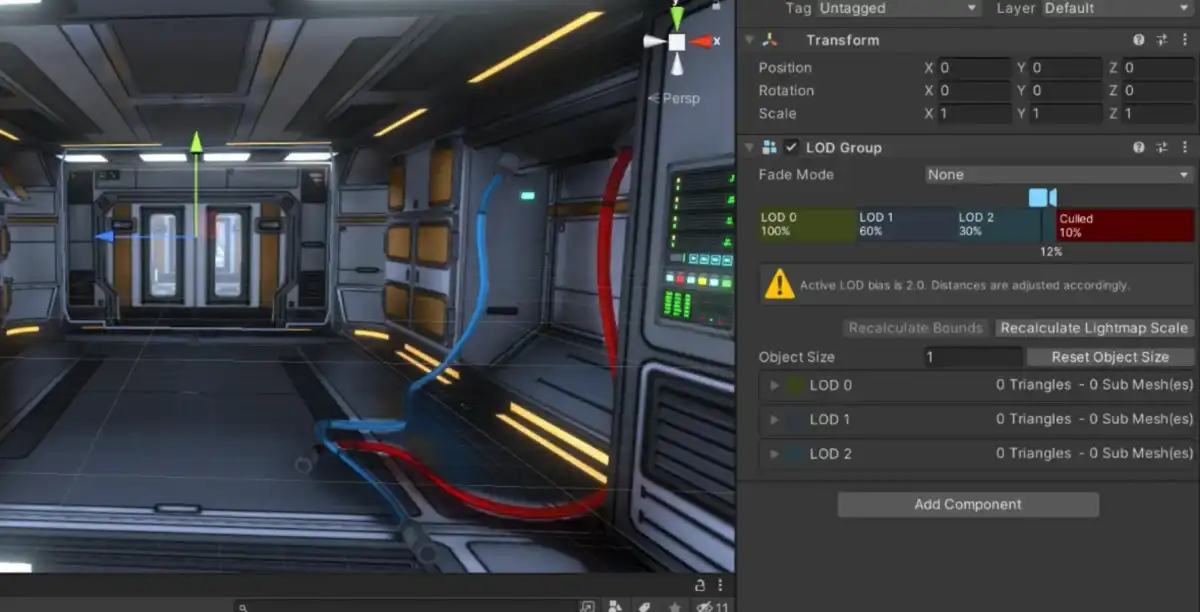

 neat hinge
undone current
Shouldn't I appear like this?
neat hinge
undone current
Shouldn't I appear like this?
They refactored it in unity 6
undone current
neat hinge
They refactored it in unity 6
Okay, I understand. But then the structure that is created when creating it from "scripting -> empty c# script", is the same as the previous form?
neat hinge
No. It’s another layer deep in the menu.
undone current
I say this because I'm new, and most tutorials use an old version it seems. So to know if I can follow the tutorials in the same way or not
undone current
neat hinge
No. It’s another layer deep in the menu.
okey 😔
better install an older version?
neat hinge
undone current
better install an older version?
…Just for a different create c# script button?
undone current
neat hinge
…Just for a different create c# script button?
ah okay, but then if it's the same? I'm sorry again, I'm just a newbie
It doesn't matter if the structure you create is different than in the old version? Will the codes work the same?
neat hinge
undone current
It doesn't matter if the structure you create is different than in the old versi...
*Mostly.
undone current
okey. I found that if I hit create -> monobehaviour SCRIPT, it also creates a Script. #C What's the difference between doing it with empty c# script?
I already solved it, thank you very much @neat hinge , I spent 2 days with this stupid error
🫶
neat hinge
undone current
okey. I found that if I hit create -> monobehaviour SCRIPT, it also creates a Sc...
Monobehaviour inherits from Monobehaviour
gloomy chasm
@undone current for future references. This channel is for discission around creating custom editor windows and the such. For general help with using the editor, you want #💻┃unity-talk, for code questions, you want #💻┃code-beginner
undone current
gloomy chasm
<@496771825859035155> for future references. This channel is for discission arou...
Oh okay okay, I thought this was the right channel
thanks
gloomy chasm
No problem, that is why I was letting you know 🙂
Also, a lot of the channels have descriptions which can help!
undone current
good good, thanks 🫶
undone current
Well, thank you very much ❤️
young anchor
so I've been working on this mesh splitter editor tool for a week now, and I've faced several problems and fixed them. I want to be able to move on. I made a post explaining in detail the problems and sharing my improved code snippet: https://discussions.unity.com/t/how-to-make-memory-friendly-mesh-splitting-editor-tool/1573138 Would appreciate if anyone could take a look and see if they notice anymore mistakes in my new code ❤️
TLDR:
- saving new mesh as assets to prevent writing mesh data to scene file
- copying only the necessary
.vertices,.normals,.uv, etc data into the new mesh
gloomy chasm
young anchor
so I've been working on this mesh splitter editor tool for a week now, and I've ...
Will add a comment, but first can you show usage of the method so we can understand how it is being used?
young anchor
sure 1 sec!
gloomy chasm
Cause right now it isn't clear how the parameters are passed, and also it doesn't currently actually make a make a subset of the mesh, just a copy.
young anchor
gloomy chasm
Cause right now it isn't clear how the parameters are passed, and also it doesn'...
do you mean because we copy all the .vertices, .uv etc?
gloomy chasm
young anchor
do you mean because we copy all the `.vertices`, `.uv` etc?
yup
I guess you are only passing in a small set of triangles so you have a bunch of loose vertices?
young anchor
yes, but in the improved approach there's a parameter for vertices, uv, normals, etc.
i guess it's confusing because they are null by default
i use the jobs system to create the arrays
then call GetMeshSubset
gloomy chasm
young anchor
i guess it's confusing because they are null by default
Well... they are null by default until you used ?? which is:
if (vertices != null)
   newMesh.vertices = vertices;
else
   newMesh.vertices = oldMesh.vertices;
True. The reason why the parameters in the method are null by default is because there's some legacy tool using GetMeshSubset and I didn't want to break it
gloomy chasm
I guess what it comes down to is how those arrays are populated. But generally, you should not default to the previous mesh data if you are changing the number of vertices.
Otherwise you will either have too much or not enough data for the current vertices. And it will most likely be the wrong data either way.
Also, also, if you are using jobs I assume you are using the advanced mesh API? If so, you should create the mesh with that instead as it will be many times faster and less allocation
young anchor
gloomy chasm
Also, also, if you are using jobs I assume you are using the advanced mesh API? ...
i took a look at it but it's for Unity2020+. I'm on unity2019.4. Upgrading isn't out of the question
gloomy chasm
young anchor
i took a look at it but it's for Unity2020+. I'm on unity2019.4. Upgrading isn't...
Ooh you on an ooold version.
 astral steppe
Anyone know if the drag-and-drop-between-listviews-on-different-windows tutorial is still mostly the correct direction for designing a file browser-esque layout where I'd be dropping contents onto the things IN the listview and not into the listview itself?
I basically have a list of buttons. Getting drop-onto was pretty easy, but getting drag-from seems to be pretty difficult. For one, when I start a drag operation my window seems to start ignoring pointer events, like even just the default xml stuff isn't responding to things like a different color I use for the :hover pseudo-class. Moving the mouse off the window in that state causes even more issues :\ and I found it difficult to found a way to hook the release of the dragged contents. I can give screens and such if it's not obvious what's happening from my explanation.
I should also say I ended up having to use TrickleDown to get any response from Pointer events (drag events worked fine when I was just doing drop-onto) so that could be causing issues.
 fossil gyro
when setting the Unity Editor font to Bitmap, texts often look like this. is there a way to prevent this?
 young anchor
in an editor script, I'm creating a lot of assets in a loop, using AssetDatabase.CreateAsset(...), and it's causing this flicker where the cursor switches from default to loading. Is it possible to make the cursor not go to the loading mode when calling AssetDatabase.CreateAsset(...)?
gloomy chasm
young anchor
in an editor script, I'm creating a lot of assets in a loop, using `AssetDatabas...
Use AssetDatabase.Start/StopAssetEditing to pause asset importing while you create them all, and then resume
 cursive crescent
Anyone been able to create a custom output context in vfx graph? Want to build an add on that outputs a particle grid/can set the attributes of a single mesh based on particle index
 red kiln
Can you override what happens when you click in the scene view by handling it in an EditorTool?
real spindle
red kiln
Can you override what happens when you click in the scene view by handling it in...
Try adding this at the start of OnToolGUI: cs if(Event.current.type == EventType.Layout) HandleUtility.AddDefaultControl(0);
That's what I use in Editor.OnSceneGUI. I assume it works here too
This prevents your clicks from selecting an object at least
red kiln
Is it easier to use a static class for full editor freedom like a mesh or level editor than say an EditorTool class?
 vital jackal
Hi! I'm working on a External Coding Editor and I couldn't understand what TryGetInstallationForPath method does can someone explain please?
Thanks For help!
https://docs.unity3d.com/ScriptReference/Unity.CodeEditor.IExternalCodeEditor.TryGetInstallationForPath.html
 glad pivot
so when i make an editor for something and i want to get the serialized property (serializedObject.FindProperty("MyString");) of an attribute like [field:SerializeField] public string MyString {get; private set;} how can i make sure i can actually get it? cuz unity gives me errors that it cant find the property, either that its not visible in the scope or not serialized correctly. idk
and id like to keep the accessbility of the attribute not entirely public
glad pivot
ok so i can use reflection, but then i cant use serialized properties and the built in undo for them.... https://stackoverflow.com/questions/8817070/is-it-possible-to-access-backing-fields-behind-auto-implemented-properties/14210097#14210097
Undo.RecordObject() also takes in a unity object so im not entirely sure how i should be recording the undos
or wait can i pass in the entire script for the undo and that just works?
glad pivot
that should be fine, its only gonna be in editor not for production
oh, i meant for shipping in a build, sorry just wrong terms
glad pivot
how exactly would i do that, recordObject() takes UnityEngine.Object and FieldInfo is not a unity object
ah, ok sorry i missed that part
cool, thanku thats pretty simple
 open crescent
Is there a way to show results of calculated getters in inspector?
 meager compass
I like how instead of removing window unity sometimes does this
 real spindle
open crescent
Is there a way to show results of calculated getters in inspector?
real spindle
open crescent
Is there a way to show results of calculated getters in inspector?
Wdym with calculated getter?
safe sorrel
How do I create a rotation curve on an animation clip via a script?
I only see SetCurve, which takes an AnimationCurve
You don't just animate the X/Y/Z/W components of a quaternion; there's a special Rotation Curves section in the serialized clip for this
oh, maybe you do just record four float curves anyway idk
i found a 10 year old script that's doing it
Indeed! That's just how you do it
 open crescent
real spindle
Wdym with calculated getter?
open crescent
real spindle
Wdym with calculated getter?
Like
Public bool ListIsEmpty => list.Count == 0;
Or any other calculations done to get different type of results
real spindle
You would just need to draw it manually in a custom editor
 odd grove
I hope I'm right here, I have an issue with cinemachine, is that correct to discuss this in this channel?
gloomy chasm
odd grove
I hope I'm right here, I have an issue with cinemachine, is that correct to disc...
Nope this channel is for making custom editor windows and the such. You probably want #🎥┃cinemachine
 fluid solstice
Is there a way to quickly draw a property for an array of classes like the ones that are drawn when not overriding OnInspectorGUI?
 twin dawn
fluid solstice
Is there a way to quickly draw a property for an array of classes like the ones ...
twin dawn
fluid solstice
Is there a way to quickly draw a property for an array of classes like the ones ...
What do you mean by "an array of classes"?
Like System.Type[] ?
fluid solstice
I have a class and then I have a public variable that is an array of that class
And I want to display the array like it is normally done by default
twin dawn
fluid solstice
And I want to display the array like it is normally done by default
Can be used for anything really, not just arrays
fluid solstice
Will it let me edit properties as well? Looks like it just returns bools
twin dawn
fluid solstice
Will it let me edit properties as well? Looks like it just returns bools
It displays them exactly how they are in the default inspector
See the code examples
fluid solstice
I got it working, thanks!
fluid solstice
Huh?
 upbeat spire
Does anybody here know how to get c# code autocomplete in Visual Studio Code? I'm on m1 mac and visual studio is not arm64 optimized so I have to use vscode for scripting.
- I tried downloading the c# addon
- I tried downloading IntelliSense
- I have Mono installed
 surreal girder
upbeat spire
Does anybody here know how to get c# code autocomplete in Visual Studio Code? I'...
surreal girder
upbeat spire
Does anybody here know how to get c# code autocomplete in Visual Studio Code? I'...
Did you add the unity extension to Vs code and change the editor in your unity settings to vscode?
upbeat spire
surreal girder
Did you add the unity extension to Vs code and change the editor in your unity s...
Yeah I have done those
surreal girder
Should be working then. Make sure Vs code gets opened by unity and see if the project loads correctly
Could also be the language servers don't work on arm
gloomy chasm
upbeat spire
Does anybody here know how to get c# code autocomplete in Visual Studio Code? I'...
!ide
grave hingeBOT

💡 IDE Configuration
If your IDE is not autocompleting code
or underlining errors, please configure it.
Select one:
•  Visual Studio (Installed via Unity Hub)
• Visual Studio (Installed manually)
•  VS Code
•  JetBrains Rider
• :question: Other/None
upbeat spire
Yeah everything is fine. If I double click on a script it opens in vscode but I dont get autocomplete
@surreal girder I fixed it. I just reinstalled Mono and it seems to work now.
surreal girder
Don't think that will do anything but good it's working
unreal light
Ello, i'm writing some editor tooling, does Addressables provide an easy way to set the editor asset using a SerializedProperty that represents an AssetReference??
i know AssetReference has the .SetEditorAsset() method that can be called within the editor that does htat, but i want to set the 3 serialized properties an AssetReference has
i imagine either addressables has a call for this somewhere in its editor assembly or i'd have to do it manually (please tell me there's a call for it)
surreal girder
unreal light
Ello, i'm writing some editor tooling, does Addressables provide an easy way to ...
Why not get and modify the serializedObject to update the asset reference correctly?
unreal light
well, what i did was simple
- Get the serialized property that represents the AssetReference
- Get it's internal "m_AssetGUID" string property
- Set said string property's value to the GUID of the asset i want
surreal girder
Make sure to confirm its addressable as it won't change itself
unreal light
ya
i imagine to check if an AssetReference is valid i should use "RuntimeKeyIsValid", right?
dense sedge
hi, is there an in built multi-asset selector that can be invoked from an editor script? something with the same function as the regular object selector but that supports multiple selections?
gloomy chasm
dense sedge
hi, is there an in built multi-asset selector that can be invoked from an editor...
Like Selection.objects...?
upbeat spire
surreal girder
Don't think that will do anything but good it's working
I found out that the problem was most likely with my VSCode setup. I also re-installed VSCode when reinstalling Mono.
surreal girder
gloomy chasm
Like `Selection.objects`...?
I think this works, I tried once to use the new search service and search window to show a set of assets but it seems to not be possible 😦
 lapis summit
Idk if this is the right channel but how would i make my phone recognizable by unity remote section in the editor?
I have dev mode on, usb debugging and my sdk checked but stil nothing
gloomy chasm
lapis summit
Idk if this is the right channel but how would i make my phone recognizable by u...
Probably want #📱┃mobile or if not, than #💻┃unity-talk
 spark pelican
Is there any way to display the components of a game object like a graph, similar to how a shader graph looks, but with components as nodes? I think this would make working with lots of components on a game object, quite a bit easier.
real spindle
What would the graph show? Components would be nodes, but what would be the connections/edges between them?
Or do you just want to look at it not-vertically
You could program something like that yourself but afaik theres nothing like that built in
spark pelican
real spindle
What would the graph show? Components would be nodes, but what would be the conn...
The edges would be the references from one component to another, or just fields if it is a primitive type for example. I might really consider to try and build such a thing. I like to diverge functionalities into a lot of components, for more flexibility, but in that something like a button can need ten or more components to work smoothly with animations and every thing. So having the inspector as a graph would be so much easier to work with.
Are there any references on how to build such stuff yourself?
real spindle
I know that there is the GraphView API https://docs.unity3d.com/6000.0/Documentation/ScriptReference/Experimental.GraphView.GraphView.html
Which is experimental but AFAIK unity uses it for Shader Graph, VFX Graph etc.
I just made my own but that is not necessary
spark pelican
Alright, thank a lot. I will take a look at that then.
gloomy chasm
spark pelican
Alright, thank a lot. I will take a look at that then.
If you end up doing some please do share, would love to see what you come up with!
spark pelican
gloomy chasm
If you end up doing some please do share, would love to see what you come up wit...
Yeah, surely. I'll notify you if I get anything working.
real spindle
The component list view can get really clunky, especially since it's missing basic features like expand all/collapse all...
spark pelican
real spindle
The component list view can get really clunky, especially since it's missing bas...
Yeah really, sometimes I ended up creating multiple game objects, only including components, to somehow organize them.
real spindle
Yeah that's pretty common. I just personally try to minimize the amount of unnecessary gameobjects to avoid the overhead
spark pelican
I can see that, I think I really take a look if there is any way to display the inspector differently, before going onto my next project.
 nimble jackal
ok Im back with SO issues
my SO stores a pool of rewards of different types in lists. I set the list size to 4 for Buff Rewards, hit "Save Project", close Unity, open it again and it's back to 0

I thought it was because of git causing issues but no, this happens just by restarting Unity every single time
funnily enough the Health Rewards list DOESNT empty itself
waxen sandal
You got a custom editor for it?
nimble jackal
wdym?
real spindle
nimble jackal
wdym?
Did you write a custom editor script for this class? That's my first question too. Seems like it's not being marked dirty properly.
nimble jackal
Not as far as I'm aware
One notable thing is that it consists of elements that don't expose anything in the inspector
So it just shows a list of those little lines you can use to drag around the list items, but no dropdown to edit them individually because there's nothing to edit
So my guess it won't save the list length because there's no metadata to attach to its members?
I'll scrap this approach anyways, it's convoluted and should be able to work with just an int representing the length of the list and then get the actual contents elsewhere. The data originally listed there became redundant because it is randomly generated in the current iteration
I just happen to still use the length of the list to weight randomness but that can be replaced
gloomy chasm
nimble jackal
So my guess it won't save the list length because there's no metadata to attach ...
Yeah that is 100% the issue. There is o data to save, so it doesn't save anything (The length of the list is inferred from the number of items instead of being saved explicitly)
nimble jackal
I mean there's data in the items regardless, just none of it is serialisable is the issue I suppose?
Just found it odd, but again, I'll get rid of it entirely anyways
gloomy chasm
Yeah as far as the serializer is concerned there is no data.
So nothing is saved to the file, so when you open Unity and it gets deserialized. Nothing is there
 harsh bear
vertex snapping not working
 vestal cliff
nimble jackal
my SO stores a pool of rewards of different types in lists. I set the list size ...
vestal cliff
nimble jackal
my SO stores a pool of rewards of different types in lists. I set the list size ...
what is the type of BuffRewards? Whatever that struct/class is needs to be marked with System.Serializable
then it should work as expected
surreal girder
nimble jackal
my SO stores a pool of rewards of different types in lists. I set the list size ...
Cus i see what looks like custom gui, is the asset being set as dirty?
you can also debug by say having a button to save the asset manually and see what happens
nimble jackal
surreal girder
Cus i see what looks like custom gui, is the asset being set as dirty?
It's just a list...
nimble jackal
vestal cliff
what is the type of BuffRewards? Whatever that struct/class is needs to be marke...
the class is a Serialisable called BuffReward, inheriting from the abstract class Reward (also Serialisable). its contents are a field of the abstract class Buff which is also Serialisable so Im guessing that last part is what's causing issues, because the List doesnt know of which inherited type the Buff in a single element is, so it wont expose the public fields of the parent class
all this stems from expanding the scope of what those individual elements do, and moving from defining their contents within the SO to randomly generating them after pulling them, for which I was at this point only using the remnant Count of those Lists to match against a randomly generated number for weighted randomness. easier at this point to just define an int representing the weight of each type of reward instead of interpolating it from the size of the respective List, which again, is redundant because it does not hold information itself anymore
all this is to say I was inexperienced and didnt know what I was doing when designing all this and have had to extensively rewrite each part of the chain leaving me with funny artifacts like the issue originally posted
I was still curious why exactly it would expose an information to be set in the inspector but not be able to retain the data I put in
the length of the list, in this case
I've since learnt to use Interfaces for grouping objects of different but related types in one combined list, anyways
surreal girder
I am curious too. Can you share these classes?
nimble jackal
public abstract class Reward : ICloneable
{
    protected RewardType RewardType;
    public abstract void Initialise();
    public abstract void PickUp(Player p);
    public abstract void DrawUI(TMP_Text txt1, TMP_Text txt2);
    public abstract Color GetColor();
    public object Clone()
    {
        return MemberwiseClone();
    }
}```

```[System.Serializable]
public class BuffReward : Reward
{
    public Buff MyBuff;
    [a bunch of function overrides]
}```

```[System.Serializable]
public abstract class Buff
{
    public BuffType myType;
    public Rarity myRarity;

    public Buff (BuffType t, Rarity r)
    {
        myType = t;
        myRarity = r;
    }

    public abstract float GetValue();
}```the SO in the screenshot is called RewardPool and just contained an int, a bool and the Lists in the screenshots (of types BuffReward, UnlockReward etc) but it has since been changed
surreal girder
thanks im gonna try something to see if it helps...
nimble jackal
if I had to guess and name a single culprit Id assume it's that Buff is an abstract class and the BuffReward doesnt know its inherited type on (de)serialisation
surreal girder
okay so i used [SerializeReference] and a test function to make a BuffReward with a non abstract reward type and this is kept correctly.
Oh hangon, the Buff never shows...
Using SerializeReference on this also seems to make it work:
  rewards:
  - rid: 4958815157067710464
  references:
    version: 2
    RefIds:
    - rid: 4958815157067710464
      type: {class: BuffReward, ns: , asm: Assembly-CSharp}
      data:
        reward_xp: 0
        MyBuff:
          rid: 4958815157067710465
    - rid: 4958815157067710465
      type: {class: SubBuff, ns: , asm: Assembly-CSharp}
      data:
        myType: 0
        duration: 0
So to recap i did:
[SerializeReference]
List<BuffReward> rewards;
and
public class BuffReward : Reward
{
    [SerializeReference]
    public Buff MyBuff;
}
and tested with my own sub classes:
[ContextMenu("Make Items")]
private void MakeItems()
{
    rewards = new()
    {
        new BuffReward()
        {
            MyBuff = new SubBuff()
        }
    };
}
@nimble jackal
nimble jackal
I appreciate the insight
I hadn't worked with [SerializeReference] before, I'll have to look into how to use it
"Unfortunately" I've since solved it by just making it a lot simpler which was due anyways since it was just an outdated artifact of since rewritten interaction chains
But it did crash my editor a bunch by trying to access empty lists while I was working on testing other bits
surreal girder
that sucks but you know for the future now
nimble jackal
I do! thank you
 pulsar nexus
I'm using some invisible triggers for ledge grabbing but what is the best way to show those in my editor so I can adjust them easier?
real spindle
pulsar nexus
I'm using some invisible triggers for ledge grabbing but what is the best way to...
So you want to draw gizmos in the sceneview for each collider that is marked as a ledge somehow?
Are these actual colliders or some custom class?
pulsar nexus
real spindle
Are these actual colliders or some custom class?
It's a collider set to trigger
surreal girder
pulsar nexus
I'm using some invisible triggers for ledge grabbing but what is the best way to...
Gizmos.DrawWireCube() (or similar) in OnDrawGizmos or OnDrawGizmosSelected.