#↕️┃editor-extensions
1 messages · Page 12 of 1
 gloomy chasm
 errant shale
gloomy chasm
By however tall you make the helpbox rect
errant shale
gloomy chasm
By however tall you make the helpbox rect
-
Well, i thought there's an utility for getting the default size, like the one in default editors
-
Beside that, i can't make it work. I tried doing what you said essentially, but i must've missed something not so obvious for me. I currently just try to draw the helpbox at the original position rect (it's not modified, i verified this a dozen of times), and still no luck. Are there any extra steps before drawing the helpbox that i missed?
gloomy chasm
errant shale
- Well, i thought there's an utility for getting the default size, like the one ...
Like it just isn't drawing?
errant shale
- Yep, doesn't show up at all. Here's a piece of my script in case it helps. Before that, i tried creating a new rect and tweaking the position rect, nothing worked. The debug log works as expected, so these lines are executed properly
 gloomy chasm
errant shale
- Yep, doesn't show up at all. Here's a piece of my script in case it helps. Bef...
gloomy chasm
errant shale
- Yep, doesn't show up at all. Here's a piece of my script in case it helps. Bef...
Try explicitly setting the height
errant shale
position.height = 1000;
EditorGUI.HelpBox(position, ...);
- Still nothing. Original height is 18
gloomy chasm
Should be working....
errant shale
¯_(ツ)_/¯

- Okay, so custom inspector it is. How do i tell the inspector from the property drawer when to draw the box?
 tawdry kraken
I have a ReorderableList with a drawElementCallback https://gdl.space/zaqelubofi.js
where I override the right-click context menu. (GenericMenu)
It works, but for some reason the Rects seem shifted down.
If I click the top-most element, the default context menu shows up.
If I click below the visual border of the bottom-most element, I get my custom context menu (even though it is in blank space).
Any hints at what might be wrong?

Clarification: Line 18 in the link is partially commented out.
Each element will be checking for the click, and the commented part needs to be fixed so the correct element receives the click.
if (Event.current.type == EventType.ContextClick)// && rect.Contains(Event.current.mousePosition))
In this current state, the first element 0 always receives the click first, using/consuming the event.
 crude forge
hm. I have a ListView, I'm using SetSelection in the code for something. How do I fetch and highlight the item I want in the listview? It's selected, but not highlighted
 whole steppe
hi!
umm, I'm trying to make a password text field!
with the ability to show the password when a button is clicked!
this is what I've done so far -> __https://paste.mod.gg/kuwkcxrkwgmn/0__
it works just fine... however! when the button is clicked!
it doesn't actually show up as being clicked, it only interacts on hover-over...
which isn't that big of a deal per se... but I'd really preferer the way the GUILayout.Button method works when being clicked!
it becomes link-like blue that emphasizes the fact it's being clicked!
I tried using the mentioned method directly, but that ruined the Event.current.type making it become EventType.Used instead of EventType.MouseDown...
I'd love any type of help!
A tool for sharing your source code with the world!
crude forge
hm. https://forum.unity.com/threads/eventtype-mouseup-does-not-work.1407013/
running into this problem. is there a better way to go about this? basically attempting the same thing, making a quick tool system that should spawn a selected entity into the scene. 'quick', except it doesn't work because of the mouseup issue outlined here

Unity Forum
Hi there,
I can't get any events from EventType.MouseUp. Other EventTypes seems to work fine.
Code example:
using UnityEngine;
using UnityEditor;...
crude forge
could be related to this - https://groups.google.com/g/unity3d-developers/c/eBaWkYibj90
but setting the value of Tools.current to None doesn't appear to help
gloomy chasm
crude forge
hm. https://forum.unity.com/threads/eventtype-mouseup-does-not-work.1407013/
ru...
Is your thing in the scene view?
The issue is because the scene view uses the up event. As mentioned, you probably need to use hot controls. But if you can, and it makes sense to. It is best to be using the Overlays.
Also you should be using the EditorTools class to implement scene behaviors
crude forge
Hot controls?
Okay, that was absolutely key here. I'll look into using the EditorTool class - I found a couple examples, this was just a sticking point
whole steppe
whole steppe
umm, I'm trying to make a password text field!
with the ability to show the *pa...
after some research, the GUIStyle.active.background was what I'm looking for!
however! it seems to only function on controls that support the active phase... (such as GUILayout.Button)
the button mimicking I'm doing right now in my script, does not reach that phase since it's only a label display thus
making the GUIStyle.active property useless when adding a button style to the GUILayout.Label method...
example:
var btn = new GUIStyle(GUI.skin.button);
btn.active.background = activeTexture;
btn.normal.background = normalTexture;

GUILayout.Label("Preview", btn);```in here, only the `btn.normal` property is being taken into account by the `Editor` while `btn.active` is being ignored...
any clue on how to work around this?for those that might be interested, the only functioning way was to use the GUI.backgroundColor property to change the button background when it's clicked like so: https://paste.mod.gg/dtlxlvyiwhbr/0
A tool for sharing your source code with the world!
 crude relic
whole steppe
for those that might be interested, the only functioning way was to use the `GUI...
crude relic
whole steppe
for those that might be interested, the only functioning way was to use the `GUI...
Idk what your script is doing because that looks insane.
If you want a button that can stay pressed, then use a Toggle field and give it a button style.
crude relic
crude forge
Okay, that was absolutely key here. I'll look into using the EditorTool class -...
Creating a custom editor tool should work fine. You can also use the beforeSceneGui event instead and make sure to .Use() the event if you use it. Also make sure you manage hotControl on mouse down and up.
whole steppe
crude relic
Idk what your script is doing because that looks insane.
If you want a button ...
would that make the stylized toggle look the same way an actual button does when clicked or/and held?
 glad cliff
hey! Im looking for some creative solution for a stupid problem.
I have something like this in my code:
for(int i=0; i < someProperty.arraySize; i++)
{
  private void SomeLocalMethod(){
    someProperty.GetArrayElementAt(i);
  }
}
Dont ask me why, I have my reasons. Ofc after compiling someProperty.GetArrayElementAt(i) will throw index out of bound couse i is equal to arraySize at this moment and im looking for some solutions for it. I cant make that method global and cach i and then pass it, couse it is being assigned as a delegate for something, so I cant change the predetermined parameters list and somehow it needs to have access to local variables inside of for loop, so it need to stay as a local method.
errant shale
- I have a gui layout button with a text so large it doesn't fit within. I read about the gui styles and i've already tried setting wordwrap and stretchheight to true, but it still doesn't work. How do i make the text to be wrapped? Here's the code and the result in case it's helpful
EditorGUILayout.BeginHorizontal();

if (GUILayout.Button("Open build settings")) {...}

var style = EditorStyles.miniButton;
style.wordWrap = true;
style.stretchHeight = true;
if (GUILayout.Button("Select a scene to add to build settings", style)) {...}

EditorGUILayout.EndHorizontal();
 errant shale
glad cliff
hey! Im looking for some creative solution for a stupid problem.
I have somethin...
errant shale
glad cliff
hey! Im looking for some creative solution for a stupid problem.
I have somethin...
- Happened to me just today. Are you confident the the array is not empty? I.e. its length is greater than zero?
glad cliff
im debugging it and it appears like it is empty and it may couse it, but I dont know why tho
i literally have this in my OnEnable
private void OnEnable()
    {
        alternatives = (target as FSMCTransition).conditions;
        if (alternatives == null || alternatives.Count == 0)
        {
            alternatives = new List<FSMCConditionWrapper>();
            alternatives.Add(new FSMCConditionWrapper());
        }
    }
I see where the problem may be
[SerializeReference]public List<FSMCCondition> conditions = new();
FSMCCondition is an abstract class so I used this new SerializeReference which i know nothing about pretty much, only that it helps with polymoprhism
and when I try to access properties in it with GetArrayElementAt(0) it throws out of bound despite there is one element there
i guess maybe it works differently
glad cliff
ok so ive been sitting here for a while and my previous problem is gone. My current problem looks like this
public class FSMCTransition : ScriptableObject
    {
        [SerializeField] private List<FSMCConditionWrapper> conditions;
    }

    [Serializable]
    public class FSMCConditionWrapper
    {
        [SerializeReference]public List<FSMCCondition> conditions = new();
    }
this is something i want to make an ispector for
where FSMCCondition is an abstract class, thus SerializedReference
for each element in a first level of a list I want to render a reorderable list (the one in a wrapper class) using ListView from UI Toolkit
I created a button that invoked a method to add an element to the list
and at the end of this method I do
serializedObject.ApplyModifiedProperties();
listView.Rebuild();
when list is rebuilding itself it cannot find the item added to the list while invoking BindItem
simply GetArrayElementAt returns out of bounds
but when i go into debug mode i see that this element was added properly and it is there
then going back to normal view it bind itself correctly
i dont know why the heck GetArrayElementAt cant find this object right after its being added, but finds it with no problem when reopenning the inspector
glad cliff
wtf...
Debug.Log((target as FSMCTransition).conditions[outerIndex].conditions[index]);
Debug.Log(serializedObject.FindProperty("conditions").GetArrayElementAtIndex(outerIndex).FindPropertyRelative("conditions").GetArrayElementAtIndex(index));

pls help ;-;
clearly object is there, but finding it as a property gives null
glad cliff
serializedObject.Update() fixed it... Im pissed of mainly becouse I already tried it and didnt help so didnt tryagain despite doing some other changes in a code that could affect it XD
anyway, now it works ahhhh
gloomy chasm
Anyone know of a way to instantiate a prefab without any of the Awake/Start/Enable methods of any components being called?
Alternatively, instantiate a prefab as inactive.
 waxen sandal
prefab.enabled= false then instantiate
gloomy chasm
waxen sandal
prefab.enabled= false then instantiate
Apparently, you can just do...
var inst = Instantiate(go);
inst.SetActive(false);
Odd
gloomy chasm
oh, duh, yeah it does call Awake and Enable (forgot ya needed to add [ExecuteAlways]
gloomy chasm
waxen sandal
prefab.enabled= false then instantiate
Yeah, so you are right. Sadly you need to cache it and reset the state otherwise it will actually update the prefab
bool cachedActive = go.activeSelf;
go.SetActive(false);
Instantiate(go);
go.SetActive(cachedActive);
Yeah it's annoying in editor but yo udon't need to in build
gloomy chasm
Really? I would think it would still in build as well
crude forge
crude relic
Creating a custom editor tool should work fine. You can also use the beforeScen...
haven't hit the custom editor tool yet, though it seems like I might have to. trying to figure out when and where to put the hotcontrol assignment in my logic without breaking something else. probably have to re-engineer this whole process, heh
ooor my hotfix appears to work perfectly? wow
 vast tiger
Is there a way to be able start a coroutine both from Editor and Application like below?
Monobehavior:
void Start() { Rebuild(); }
public void Rebuild()
  if (Application.isEditor && !Application.isPlaying)
   {
       EditorCoroutineUtility.StartCoroutine(DelayBuildChunks(), this);
   } else {
       StartCoroutine(DelayBuildChunks());
   }
}
Editor:
public override void OnInspectorGUI() {
MyComponent controller = (MyComponent)target;

if (GUILayout.Button("Recreate All"))
{
  controller.Rebuild();
}
I mean so basically something like: if editor = EditorCoroutineUtility.StartCoroutine, else StartCoroutine
I mean, the above works. But is there a better way?
Like returning only the IEnumerator and running EditorCoroutineUtility.StartCoroutine only in Editor classes?
Also, I probably need to wrap above with #if UNITY_EDITOR so that above exports
gloomy chasm
vast tiger
Is there a way to be able start a coroutine both from Editor and Application lik...
The 'correct' way to structure this would be to have the button call the editor utility version. Not the Rebuild method directly.
 hoary grove
I have this script in my project, that, the entire point of it is to place a Prefab inside another Prefab/Tilemap, when a specific Tile is placed using the Tilemap.
The problem I'm runing into is that when undoing it, I was hoping to "Destroy" the created Prefab. However, I'm now getting the following error:
InvalidOperationException: Destroying a GameObject inside a Prefab instance is not allowed.
Is there a work around for this at all? I can obviously just delete a gameobject pressing the delete key... so I dont understand why I can't do it programatically?
void OnDestroy() {
        //If it has a Linked Object, which it should, destroy it.
        if (linkedObj) DestroyImmediate(linkedObj);
        //If there isn't any wall launchers left in the scene, remove the holder.
        if (holderParent && holderParent.childCount == 0) DestroyImmediate(holderParent.gameObject);
    }
This is the call that is trying to do the destroying. I can provide more context if needed.
hoary grove
Looks like my only option is to upgrade Unity....
And upgrading Unity broke something else instead...
crude relic
whole steppe
would that make the stylized toggle look the same way an actual button does when...
Correct
crude relic
crude forge
haven't hit the custom editor tool yet, though it seems like I might have to. t...
The normal pattern is to set hotControl on mouse down, clear it on mouse up, and then pass around and check the hotControl in all your interaction stuff
crude relic
hoary grove
I have this script in my project, that, the entire point of it is to place a Pre...
You mention "undoing" it. Do you mean via Ctrl+z?
hoary grove
crude relic
You mention "undoing" it. Do you mean via Ctrl+z?
Ctrl + Z OR Deleting the Tile with the Eraser brush.
crude relic
You should be registering a created object undo, which should take care of the Ctrl z case
Why do you need to do anything manual when deleting? Shouldn't it get cleared up by the tool?
Or is that what's causing the error?
hoary grove
Right so, let me explain it a bit better.
When I place a Tilemap object I gather its information:
objectID = "Pref_+ " + linkedNamed + "_" + gridLayout.name + "_" + cellPosition.x + cellPosition.y + cellPosition.z;
From there I check to see if I can place it in a parent object:
if (holderObj == null) {
                Debug.Log("Not Found:");
                holderObj = Instantiate(new GameObject("Temp"), Vector3.zero, Quaternion.identity, gridLayout.transform.root);
                holderObj.name = holderName;
            }
Then I instate a prefab and place it in the parent.
linkedObj = Instantiate(prefabObj, hideThis.transform.position, hideThis.transform.rotation, holderParent);
Lastly, when I delete this game object. (The Tilemap either by Undoing or by erasing) I delete it.
void OnDestroy() {
        //Don't do it in the prefab edit mode.
        if (EditorSceneManager.IsPreviewSceneObject(gameObject)) {
            return;
        }

        //If it has a Linked Object, which it should, destroy it.
        if (linkedObj) DestroyImmediate(linkedObj);
        //If there isn't any wall launchers left in the scene, remove the holder.
        if (holderParent.childCount == 0) DestroyImmediate(holderParent.gameObject);
    }
I see
 tawdry anvil
I want to create one of these toggles - what are they called?

I'm trying to create an extension that shows the total bounds of an object, whether via its mesh or via its colliders, etc. I thought to create a button like the ones I screenshotted above, but that would only be useful in toggling the visualization on and off. Maybe I could also Debug.Log the bounds, but might there be a better way?
Maybe I could just add an entry to the Menu Bar (or whatever the File, Edit, Assets, ... menu is called) with my extension controls and also create a custom editor window
ah wait I could use something like this tool but with all 3 fields disabled
 tawdry kraken
@earnest talon Doesn't seem like this is documented, so in case you haven't seen them yet:
Check out EditorStyles.FromUSS() and EditorStyles.ApplyUSS()
 earnest talon
Ill have to read the C# source for them
whole steppe
crude relic
Correct
gotcha!
hoary grove
Is there a alternative for Gameobject.Find but in the prefab edit window?
gloomy chasm
hoary grove
Is there a alternative for Gameobject.Find but in the prefab edit window?
What do you mean?
hoary grove
gloomy chasm
What do you mean?
GameObject.Find("Text") doesn't work when you're editing a prefab.
using System.Collections;
using System.Collections.Generic;
using UnityEngine;

public class TestFind : MonoBehaviour {
    [ContextMenu("Test")]
    public void Test() {
        GameObject find = GameObject.Find("Level");
        if (find == null) Debug.Log("Not Found");
    }
}
1: Place that on any prefab.
2: Double Click the Prefab to open it up in the Prefab Edit Mode.
3: Make sure the Prefab has a game object named "Level"
4: Right Click TestFind -> Test
5: Observe "Not Found" in Console Log.
gloomy chasm
hoary grove
GameObject.Find("Text") doesn't work when you're editing a prefab.
I guess just iterate the children and find it manually?
hoary grove
gloomy chasm
I guess just iterate the children and find it manually?
Cant do that in the usecase I want it for.
gloomy chasm
hoary grove
Cant do that in the usecase I want it for.
Then get the scene and start from the root GOs?
I mean, generally it is better to never used GameObject.Find at all.
hoary grove
I'm not using it during runtime, so, using it for an editor script is perfectly acceptable.
gloomy chasm
Nah, still best not to use it because it is dependent on the string name of the GO which can be changed at any time by anyone. (plus it is slow)
There is almost always a better way to do the same thing depending on the use case
hoary grove
Same thing then, finding a reference to a script doesn't work.
using System.Collections;
using System.Collections.Generic;
using UnityEngine;

public class TestFind : MonoBehaviour {
    [ContextMenu("Test")]
    public void Test() {
        TestFind find = FindObjectOfType<TestFind>();
        if (find == null) Debug.Log("Not Found");
    }
}
At the end of the day, scripts can't be found when editing a Prefab.
gloomy chasm
Yeah, that is expected. The object is in a PreviewScene, not a 'actuall' scene.
You just gotta find it manually. But if you are trying to get it in the same prefab, I feel like there would be a number of better and more performant ways to do it.
hoary grove
It being performant... isn't a problem... Again, its not like I'm making 100,000 operations at once and its going to take forever. I'm attempting to find a game object, once, that's it.
And if there are better ways of doing it then please feel free to share.
gloomy chasm
hoary grove
It being performant... isn't a problem... Again, its not like I'm making 100,000...
Well, idk what your use-case is, so it is hard to say.
The most obvious one is to use GetComponent/GetComponentInChildren/GetComponentInParent.
 zinc wasp
I have a system of classes, interfaces etc., how can I make a separate UI to inspect these? Serializeable would be a pain in the ass, and would also involve infinite nesting.
gloomy chasm
zinc wasp
I have a system of classes, interfaces etc., how can I make a separate UI to ins...
What do you mean separate UI to inspect them?
zinc wasp
an extra window in the editor, where all the classes of the system are displayed in relation to each other
gloomy chasm
zinc wasp
an extra window in the editor, where all the classes of the system are displayed...
I am not really getting it. Like you want to show the members of classes? Or are wanting to show more like a relationship graph? Something else?
zinc wasp
gloomy chasm
I am not really getting it. Like you want to show the members of classes? Or are...
yeah, a relationship graph
gloomy chasm
zinc wasp
yeah, a relationship graph
Ahh, I would look in to GraphView then
 alpine bolt
I'm serializing MonoBehaviours and ScriptableObjects and testing a nested reference situation where a MonoBehaviour is referencing a MonoBehaviour, within a MonoBehaviour, within a MonoBehaviour, etc... Is there some kind of property drawer limitation in scene scripts? There's no issue with the scriptable object side. The property drawer base is the same for both and the concrete SerializedMonoBehaviour and SerializedScriptableObject look exactly the same, just applied to different UnityEngine.Object types```cs
#if UNITY_EDITOR
using UnityEditor;
namespace TG.SerializedUnityObjects.Editor
{
[CustomPropertyDrawer(typeof(SerializedMonoBehaviour), true)]
public class SerializedMonoBehaviourPropertyDrawer : SerializedUnityObjectPropertyDrawer { }
}
#endif
#if UNITY_EDITOR
using UnityEditor;

namespace TG.SerializedUnityObjects.Editor
{
    [CustomPropertyDrawer(typeof(SerializedScriptableObject), true)]
    public class SerializedScriptableObjectPropertyDrawer : SerializedUnityObjectPropertyDrawer { }
}
#endif```

Left stops applying PropertyDrawer. Right continues normally.
gloomy chasm
alpine bolt
I'm serializing MonoBehaviours and ScriptableObjects and testing a nested refere...
Would need more info. Like what the implementation of the drawer is. And what the SerializedMonoBehaviour and SerializedScripableObject is maybe as well
Unity does have a serialization depth limit of 7.
 wintry badger
Does anyone know how to find an open Editor (custom inspector window for a script) if you have a reference to the target object of that inspector? I know there are ways to find open EditorWindow's, but there doesn't seem to be a way to do the same for open Editor's.
gloomy chasm
wintry badger
Does anyone know how to find an open Editor (custom inspector window for a scrip...
You mean get a UnityEditor.Editor for a specific object if there is one?
wintry badger
gloomy chasm
You mean get a `UnityEditor.Editor` for a specific object if there is one?
Yes, exactly
gloomy chasm
wintry badger
Yes, exactly
Generally the lifetime of an Editor is controlled by the window that creates it. So if you need one, you just make one yourself. What are you trying to do?
wintry badger
Yeah, in this case I know the Editor is still open and needed access to the specific instance. Kind of hard to explain my use case, sorry! However, I just found in my code that I was using Resources.FindObjectsOfTypeAll to locate EditorWindow's and thought maybe I could do the same thing with Editor, and it does indeed work!
Of course I find the answer just after posting the question! Doh! But at least this may help someone else in the future if they are looking to do the same thing.
 wraith crane
The docs says that in 2022.2 and above I should only implement UIToolkit in my custom property drawer. But if I only override PropertyDrawer.CreatePropertyGUI (which is the UIToolkit method) it says no GUI implemented (but if I override the OnGUI method it works)..


 visual stag
wraith crane
The docs says that in 2022.2 and above I should only implement UIToolkit in my c...
visual stag
wraith crane
The docs says that in 2022.2 and above I should only implement UIToolkit in my c...
Is Use IMGUI Default Inspector checked in Edit/Project Settings/Editor (all the way at the bottom)?
Or, are you drawing that editor using IMGUI in the first place, or using a plugin which could be overriding the default inspector?
wraith crane
I'll check later and let you know (I am not using any plugin that overrides inspector)
alpine bolt
gloomy chasm
Would need more info. Like what the implementation of the drawer is. And what th...
I'm using SerializedObject.GetIterator(); to run through the SerializedProperties and using PropertField to show.
alpine bolt
it seems that it has to do with circle referencing. The second from last object field has the first Demo Script and after the Demo Script (1), it stops. I guess that isn't really a problem then.
 wraith crane
visual stag
Is Use IMGUI Default Inspector checked in Edit/Project Settings/Editor (all the ...
wraith crane
visual stag
Is Use IMGUI Default Inspector checked in Edit/Project Settings/Editor (all the ...
nope
wraith crane
visual stag
Or, are you drawing that editor using IMGUI in the first place, or using a plugi...
Well it's the inspector so it should not be IMGUI
visual stag
It could be if you used something like Odin, or NaughtyAttributes
wraith crane
Ok nope, I am dumb.. I had a custom editor (that didn't override the OnInspectorGUI method) for my ScriptableObject but it still conflicted with what I am triyng to do
Now I just need to understand this. If I want a toggle in the inspector, I can use:
            var container = new VisualElement();

            var overrideToggle = new Toggle("Override");
            container.Add(overrideToggle);

            return container;
To make it show up. But how can I know if it has been checked or not?
Because overrideToggle.value is always false (but I can actually check the toggle in the inspector and it remembers the state it was in)
 peak bloom
alpine bolt
it seems that it has to do with circle referencing. The second from last object ...
peak bloom
alpine bolt
it seems that it has to do with circle referencing. The second from last object ...
😭
what've you done!
alpine bolt
peak bloom
what've you done!
Huh?
zinc wasp
How can I position nodes in a GraphView? I have a class that inherits from UnityEditor.Experimental.GraphView.Node, and I need to position it when performing AddElement(Node).
alpine bolt
zinc wasp
How can I position nodes in a GraphView? I have a class that inherits from `Unit...
Node.SetPosition(Rect position)
 zinc wasp
alpine bolt
`Node.SetPosition(Rect position)`
zinc wasp
alpine bolt
`Node.SetPosition(Rect position)`
thanks
zinc wasp
How do I get the height of a node? I've tried GetPosition(), but width and height return NaN
 safe sorrel
speaking of graph views, is there a good place to start reading about this stuff?
I'm worried I'll be going down the wrong rabbit hole
gloomy chasm
zinc wasp
How do I get the height of a node? I've tried GetPosition(), but width and heigh...
Should be able to use worldBounds, or style.width (maybe it is resolvedStyle.width...?)
gloomy chasm
safe sorrel
speaking of graph views, is there a good place to start reading about this stuff...
Not really, there is a YT tutorial on GraphView linked in the pinned message though.
 alpine bolt
zinc wasp
How do I get the height of a node? I've tried GetPosition(), but width and heigh...
alpine bolt
zinc wasp
How do I get the height of a node? I've tried GetPosition(), but width and heigh...
        public Node()
        {
            RegisterCallback<GeometryChangedEvent>(GeometryChangedCallback);
        }

        private void GeometryChangedCallback(GeometryChangedEvent evt)
        {
            Debug.Log(resolvedStyle.width);
            Debug.Log(resolvedStyle.height);
        }
-
Hey, it's me again. I've sneaked into ui toolkit by now, and struggle to understand how to make changes to my custom element properties reflect on the actual values in other elements. For more context you may go on reading, but that's basically it
-
I've followed this article (https://docs.unity3d.com/Manual/UIB-structuring-ui-custom-elements.html) in the manual step by step, and the problem lies in the c# properties. As long as they're a regular
{ get; set; }props, the custom control is fully functional, i.e. i can add it into the hierarchy. However, as soon as i add code to these properties, namely query an element and return/set its value, it stops being recognized as the control. So i can't drop it into the hierarchy, nor include it manually through editing the uxml file
errant shale
- After a small investigation, i think i found the reason. Just to clarify: can i query elements after i composed the visual tree in the ui builder and not in code? Is it a visual tree at all, or just a hierarchy of independent elements?
gloomy chasm
errant shale
- After a small investigation, i think i found the reason. Just to clarify: can ...
Of course you can! All the UIBuilder is doing is making a UXML, and a UXML is just turned in to VisualElements.
gloomy chasm
errant shale
- Hey, it's me again. I've sneaked into ui toolkit by now, and struggle to under...
Can you show code? I am not really understanding what the issue is.
errant shale
gloomy chasm
Of course you can! All the UIBuilder is doing is making a UXML, and a UXML is ju...
- Weird. For me, any query via ve.Q<> returned null, and ve.childCount was always 0 no matter the hierarchy. Only after i added some visual elements with code it strated working
gloomy chasm
errant shale
- Weird. For me, any query via ve.Q<> returned null, and ve.childCount was alway...
Show code please
errant shale
- I can't rn, am far away from the laptop. The queries happen in the constructor, and query specifically labels with their name
- Tbh, it's almost identical to the one in the article above. The only difference is 2 label fields and an empty constructor, in which they're queried
gloomy chasm
errant shale
- I can't rn, am far away from the laptop. The queries happen in the constructor...
You are probably querying before it is build and or before you add them.
errant shale
- Do i have to explicitly add them before quering?
- And also, can you elaborate on the "querying before it is build" line please?
gloomy chasm
errant shale
- Do i have to explicitly add them before quering?
Idk how you are adding them now, or where you are talking about.
errant shale
gloomy chasm
Idk how you are adding them now, or where you are talking about.
- I assume that you're talking about the method in the c# api. If that's the case, i don't perform this. All i do is just slap elements in the ui builder hierarchy
gloomy chasm
errant shale
- And also, can you elaborate on the "querying before it is build" line please?
Like, if you are trying to query before the VisuelTree (UXML) is added (if you are using a VisualTree). Another example is PropertyField does not have content until it is bound
gloomy chasm
errant shale
- I assume that you're talking about the method in the c# api. If that's the cas...
Which method are you trying to query from? Constructor? The constructor of what?
(You can just reply once you are at the computer and ready to if you prefer 🙂 )
errant shale
gloomy chasm
Which method are you trying to query from? Constructor? The constructor of what?
- Of the custom visual element. In the hierarchy, i add two more elements as its children, namely labels, and try to query them by their names. Before that, i tried querying in the init method, as well as in getter and setter of the special properties. The ones used to link the uxml part and the c# one
gloomy chasm
errant shale
- Of the custom visual element. In the hierarchy, i add two more elements as its...
Yeah... I am going to have to see the code I think (when you can). It is pretty dependent on order, and structure.
errant shale
- Okay. It's midnight here and i won't be able to get back to the pc any sooner than morning, so until then ig. Thank you for your effort
gloomy chasm
errant shale
- Okay. It's midnight here and i won't be able to get back to the pc any sooner ...
Sure thing. Feel free to reply/@ me once you get to it and if you still need help 🙂
peak bloom
alpine bolt
```cs
public Node()
{
RegisterCallback<GeometryChang...
Don't assign geometrychanged on nodes or ports while using graphview api they're prone to leaks, instead use OnGraphviewChanged which guaranteed to be notified when all graph elements completely resolved
errant shale
gloomy chasm
Sure thing. Feel free to reply/@ me once you get to it and if you still need hel...
- After you mentioned that it's dependent on order i moved the constructor to the end and now it works. I hate my life 🥲
- Is there any reason on why it behaves like this?
- Are visual elements classes interpreted by a custom parser and not compiled?
errant shale
errant shale
- After you mentioned that it's dependent on order i moved the constructor to th...
- Okay, i rushed. No, it doesn't. Queries still return null, but now i at least can add my element to the hierarchy. Previously i wasn't able to. Here's the class rn: https://hatebin.com/mbwqvqkhka
gloomy chasm
errant shale
- Okay, i rushed. No, it doesn't. Queries still return null, but now i at least ...
You never add the two labels so of course there is nothing to query
 slim ermine
Would it be possible to run async methods and tasks in editor scripts? I know they're not recommended for runtime scripts
I'd like to make an extension that integrates Azure API into unity, but TBF I have never done something like this and don't really know where to start
So I could use any and all guidance out there
peak bloom
slim ermine
Would it be possible to run async methods and tasks in editor scripts? I know th...
definitely yes, been using it since forever in Unity 😉
slim ermine
I only need to use the Text-to-speech feature, I'm not tackling the entire API, but it's still, no clue where to start
peak bloom
also, asyncs/awaits are fine for both edit and runtime
except in 2020, slight bigger overhead there
based on your question I assume you're new, so I suggest to not using async/await but instead use editorCoroutine
due to you'd need to make sure to cancel all your awaits before/after domain reloads
slim ermine
I've been working in unity for a year or so, but this is the first time I'm dipping into the more "backend" stuff - been mostly working with our internal framework and doing gameplay logic
peak bloom
slim ermine
I only need to use the Text-to-speech feature, I'm not tackling the entire API, ...
text-to-speech in edit mode? for what if I may ask?
slim ermine
peak bloom
text-to-speech in edit mode? for what if I may ask?
Well, my colleagues spend a lot of dev time extracting raw text from materials given by the customers, formatting it, putting it through the azure webapp, downloading the MP3s, importing them and assigning them
This entire task could by automated to just one click in the editor
errant shale
gloomy chasm
You never add the two labels so of course there is nothing to query
- Previously you said that i will be able to query elements after just composing a hierarchy in the ui builder? If that's not the case, how am i supposed to get these?
gloomy chasm
errant shale
- Previously you said that i will be able to query elements after just composing...
You are mixing a custom element with UXML
gloomy chasm
errant shale
- Previously you said that i will be able to query elements after just composing...
Think of it like this. Think of your custom VisualElement as a custom MonoBehaviour. What you are doing is basically, creating a GO at runtime and adding the component to it. Then doing GetComponentInChildren in awake (query in constructor), and then later the GO that holds the component is being added to the hierarchy and has children added to it. If that makes sense
errant shale
- It does. Fine, i get that the children elements have to be explicitly added. They are contained in the same uxml document as my custom element, so loading it via assets database is not an option. Should i create a different document with just children elements, or load only styles and assign them to manually created objects instead?
gloomy chasm
errant shale
- It does. Fine, i get that the children elements have to be explicitly added. T...
You can either create a new UXML file just for your InfoLabelElement, and load it in your element in the constructor. Or you can just load a stylesheet and add the elements manually in C#.
Generally I prefer the latter unless it is a rather complex one. All of the built-in elements are constructed in C#.
errant shale
- Cool, noted. And one more question: is it preferred to load either styles or documents with assets database api, or by assigning a default value to an exposed field of the script?
gloomy chasm
errant shale
- Cool, noted. And one more question: is it preferred to load either styles or d...
Tbh I never use default value... idk if that works for classes that don't inherit from UnityEngine.Objects.
I feel like default value is harder to debug imo, but that is really just my opinion
errant shale
- Okay. That's it then, thank you very much 👍
 bright nova
Hi,
Is there any way to draw a rectangle in the editor UI but use a custom shader to do that?
gloomy chasm
bright nova
Hi,
Is there any way to draw a rectangle in the editor UI but use a custom sh...
Use GUI.DrawTexture
bright nova
gloomy chasm
Use GUI.DrawTexture
And render to texture?
gloomy chasm
bright nova
And render to texture?
No, GUI.DrawTexture has an override that takes a material
bright nova
oh right, didn't see that. Thanks.
gloomy chasm
bright nova
oh right, didn't see that. Thanks.
Sorry, I meant EditorGUI.DrawPreviewTexture https://docs.unity3d.com/ScriptReference/EditorGUI.DrawPreviewTexture.html
bright nova
gloomy chasm
Sorry, I meant EditorGUI.DrawPreviewTexture <https://docs.unity3d.com/ScriptRefe...
Yup, I found that one. Cheers 🙂
errant shale
How can i assign styles to the "TemplateContainer" element of my custom element? It has the default style and it wrecks my whole uinvm, it turned out to be the root element
- K, another one. How do i make my label increase its height as it wraps the text? Back at the studies i remember we had to code a holy mess in js that calculated the new height based on a dozen of magic numbers. Should i do the same here, and how else if not?
gloomy chasm
errant shale
- K, another one. How do i make my label increase its height as it wraps the tex...
Does it not do that already...?
errant shale
- Not for me, apparently. At least, not correctly

- It definitely knows about the overflow, because after i change it to be invisible, out-of-frame lines are hidden. Even then, the label's size is twice as small as its text height
slim ermine
slim ermine
Well, my colleagues spend a lot of dev time extracting raw text from materials g...
@peak bloom do you think it's a bad idea?
alpine bolt
peak bloom
Don't assign geometrychanged on nodes or ports while using graphview api they're...
He can also just unsubscribe in the subscribed method right after he gets the values he wants.
alpine bolt
errant shale
- K, another one. How do i make my label increase its height as it wraps the tex...
GUI.skin.label.CalcSize(LabelGUIContent). This will give you a Vector2 size of that GUIContent according to the given style
errant shale
alpine bolt
GUI.skin.label.CalcSize(LabelGUIContent). This will give you a Vector2 size of t...
- This is for guistyle and for imgui labels, right?
gloomy chasm
errant shale
- This is for guistyle and for imgui labels, right?
Though it does strike me that there was a combination of styles that would allow the text element to change its height and based on the contained text
 hollow bluff
Is there a way to make a string represent an integer in a custom inspector? I'm working on an RPG with an element system, (which is written in code as integers) and I'd like for my editor window to show the name of the element in a dropdown, which then sets the correct number for the code.
visual stag
hollow bluff
Is there a way to make a string represent an integer in a custom inspector? I'm ...
Sure. Create a property drawer (and attribute to decorate your fields), and the drawer can look into your data to display whatever is serialized as a string. It can use a DropdownField, where you've populated it with all the strings you can select. When a selection is made you map that back to the int and assign it to the property.
hollow bluff
visual stag
Sure. Create a property drawer (and attribute to decorate your fields), and the ...
Thanks for the info!
hollow bluff
Is there a way to do it without making two separate scripts, or at least to be able to reuse the implementation for other things that I'd like to be able to use the same type of interface for? The internet is making it seem like I'll need at least one additional script for each time I want to use something like this, and that feels like a lot when all I'm trying to do is have a dropdown send a string's position in a list instead of the string itself.
visual stag
hollow bluff
Is there a way to do it without making two separate scripts, or at least to be a...
How do you mean? You have the PropertyAttribute and the PropertyDrawer, and the attribute allows you to apply it to any int.
If you have various lists I am personally using generics and inherit drawers and attributes for each new thing that needs it (because I'd prefer the attributes be separate)


But you can presumably figure out how to do it with one attribute and drawer. It just might require you to specify the source of your strings every time you use the attribute
(https://gdl.space/yaqiwejoca.cpp is my drawer if you need more context, it has some other stuff in it that'll make it not copy-pasteable, but hopefully it helps)
hollow bluff
I just feel like I'm completely missing something here, and I'm not sure what. It might just be that I've done some fiddling with TextMeshPro in the past, and since what I'm going for is how dropdowns work in that system by default, doing it this way feels overly complicated. I might be wrong, though.
visual stag
hollow bluff
I just feel like I'm completely missing something here, and I'm not sure what. I...
Remind me what in TMP does this?
Are you talking even more simple and you just want an enum?
hollow bluff
visual stag
Remind me what in TMP does this?
The standard dropdown object. In my old script at least, it seems like it was sending the selected position to the script, with the lable being customized in the dropdown object as a field. It has been a while since I made that, though, so I might be misreading my old code.
visual stag
The UIToolkit DropdownField takes a list of strings and an index, and you get a callback when that changes
DropdownField field = new DropdownField(property.displayName, names, index);
field.RegisterValueChangedCallback(evt =>
{
  // evt.newValue is your new index
});
my implementation needs to remap the index into the actual id used by the system, as it's not so simple as array indices
No idea what you're doing though
hollow bluff
visual stag
No idea what you're doing though
In the simplest terms, my goal is the equivalent of me saying "This is a fire type Pokemon. Fire type is type 0 in the game's code, so it's also the first choice in the type dropdown. When I choose fire type in the dropdown, set the integer value for its type to 0."
visual stag
Why are you not just using an enum then?
hollow bluff
visual stag
Why are you not just using an enum then?
The coding classes I've taken never got to enums, so I don't know how to use them yet.
visual stag
public enum PokemonType
{
  None = 0,
  Fire = 1,
  Water = 2,
  Grass = 3
}

[SerializeField] private PokemonType _type;
an enum is just a named integer, so you can assign the names whatever int value you want
(If you think you might insert more types later, add large gaps in your numbers so you don't change the values when that happens)
hollow bluff
visual stag
an enum is just a named integer, so you can assign the names whatever int value ...
Ok. I really wish that my classes had taught me about that, because that makes things seem a lot easier. Thanks for the help!
slim ermine
StreamReader inp_stm = new StreamReader("Assets/Resources/Skript.txt");
can someone please help me understand why I cant locate the file like this?
 errant shale
- The file's called Skipt. The streamreader looks for a Sk**r**ipt file
slim ermine
Im not sure I understand
FileNotFoundException: Could not find file ...\Assets\Resources\Skript.txt"
the error message doesnt look wrong
OH
IM BLIND
errant shale
gloomy chasm
<https://docs.unity3d.com/ScriptReference/UIElements.TextElement.MeasureTextSize...
- Hey, what am i supposed to pass as the height argument? That's what i try to calculate, i don't know this value at the moment
alpine bolt
errant shale
- Hey, what am i supposed to pass as the height argument? That's what i try to c...
try 18 (EditorGUIUtility.singleLineHeight)and see what you get
gloomy chasm
errant shale
- Hey, what am i supposed to pass as the height argument? That's what i try to c...
Read the docs on the enum that you pass
You can pass 0 iirc
Along with the correct enum
tawdry anvil
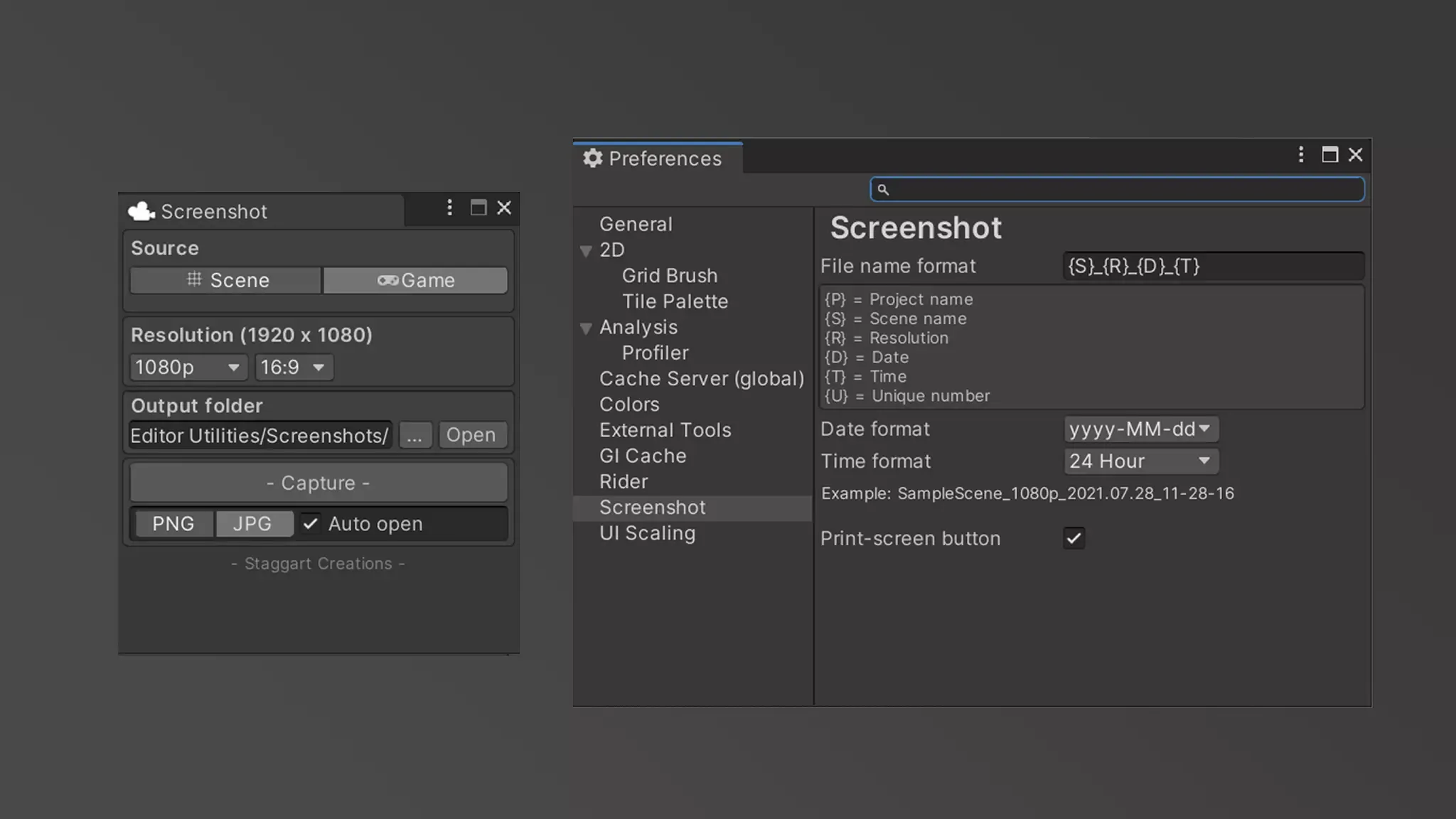
Can someone link me the docs for creating a Preferences entry like this? https://assetstorev1-prd-cdn.unity3d.com/package-screenshot/e27ed1d3-5218-4124-93dd-3abfb640fc9b.webp
 shy solstice
I was wondering if anyone can help with this, it really feels like I'm just missing something really obvious. I'm trying to modify a script I found that is supposed to take a sliced script and create an animation.
It mostly seems to be working but whenever I attach it to the Animator on my Player->Visuals Game Object it always shows "The Game Object or Component is Missing". The Visuals Object has a child called body which has a Sprite Renderer on it. And when I manually attach a New Property to the Animation Clip, and target the body and the Sprite Renderer it shows up as attaching to the Sprite.
Here's the relevant code. It would be amazing if someone could help me here. I've been struggling for a couple days.
            var clip = new AnimationClip();
            // Create binding curve.
            EditorCurveBinding curveBinding = new EditorCurveBinding();
            curveBinding.path = "body";
            curveBinding.propertyName = "";
            curveBinding.type = typeof(SpriteRenderer);

            var objectReferences = new List<ObjectReferenceKeyframe>();
            for (int cnt = 0; cnt < animDictionary[i].frames; cnt++)
            {
                // Allows adding a hold frame to make sure the last sprite frame doesn't get cut off too soon.
                if (index >= sprites.Length)
                {
                    index = sprites.Length - 1;
                }

                var sprite = sprites[index];
                var newKeyframe = new ObjectReferenceKeyframe();
                newKeyframe.value = sprite;
                newKeyframe.time = cnt * (1f / animDictionary[i].frames);

                objectReferences.Add(newKeyframe);
                index++;
            }
            AnimationUtility.SetObjectReferenceCurve(clip, curveBinding, objectReferences.ToArray());

            // Save.
            AssetDatabase.CreateAsset(clip, Path.Combine(animationPath, animDictionary[i].name + '_' + spriteName + ".anim"));
 shy solstice
Oh Gosh. Of course I solved this the moment I posted something. If someone else comes looking for something similar, the propertyName needed to be "m_Sprite"
 unborn wagon
I have this editor code to generate a CardCatalog.prefab in my assets directory. However it also created a CardCatalog gameobject in the scene. This is problematic because when I execute that logic, multiple CardCatalog instances appear which is not what I want.
Is there a way to create a GameObject in code without adding it to the scene? Because I just need it to call PrefabUtility.SaveAsPrefabAsset() and not as an instance in the scene.
        public static void Generate()
        {
            var cards = AssetDatabase.FindAssets("t:Card", new[] {"Assets/_Game/Cards/Imported"});
            var gameObject = new GameObject("CardCatalog");
            var cardCatalog = gameObject.AddComponent<CardCatalog>();
            cardCatalog.cardSource = new Card[cards.Length];
            Debug.Log($"Generate Catalog for {cards.Length} cards");
            for (var i = 0; i < cards.Length; i++)
            {
                var card = AssetDatabase.LoadAssetAtPath<Card>(AssetDatabase.GUIDToAssetPath(cards[i]));
                cardCatalog.cardSource[i] = card;
            }

            PrefabUtility.SaveAsPrefabAsset(cardCatalog.gameObject, "Assets/_Game/Prefabs/Cards/CardCatalog.prefab");
            EditorUtility.FocusProjectWindow();
            Selection.activeObject = cardCatalog;
        }
- How do i make a listview responsive for items source changes? I tried calling both .Rebuild and .RefreshItems, nothing worked
gloomy chasm
unborn wagon
I have this editor code to generate a `CardCatalog.prefab` in my assets director...
You just Destory the GO after saving it as a prefab.
gloomy chasm
errant shale
- How do i make a listview responsive for items source changes? I tried calling ...
That is all you should need to do. Code?
errant shale
gloomy chasm
That is all you should need to do. Code?
- Nevermind, it magically started working after i implemented multiselection. But now upon any rebuild i get an element out of bounds error, and an extra empty element is created in the view. The new source length is correct, however, and does not contain null references. Can i prevent it somehow?
gloomy chasm
Do you have the option to show the list count? In some versions that adds a element to the list which could throw the count off maybe
errant shale
- Do you mean items source when you say list? If yes, it's not a list but an array
- It turns out i had to reassign the items source. Idk why, but whatever ¯_(ツ)_/¯
 warped sequoia
Hey i've bought some assets but when i try to import them in my project i have this

i cant refresh my personal packages too
problem solved
i didnt have the last version of unity hiub
peak bloom
@gloomy chasm are you familiar with vector api?
Say I've two individual shapes, A and B, so I have 2 Painter2D now, but then I'm planning to mask A with B via FillType, how'd you approach this?
gloomy chasm
peak bloom
<@131292153300123648> are you familiar with vector api?
Say I've two individual ...
Only sort of, hold on... reading... okay yeah I am. 😛
I am not quite sure I understand the question or goal though
 gloomy chasm
Ooh, you mean like perform a Boolean operation?
peak bloom
hmmm... proly can be thought of that, but yeah in 2d space
gloomy chasm
As far as I am aware, UITK doesn't support any form of element masking based on overlaying (There is the style properties, but that is hierarchy stuff. And I don't think it takes in to account the visuals, just the bounds)
I don't think there is a non-destructive way to do it atm since UITK doesn't allow for drawing with shaders yet.
peak bloom
gloomy chasm
As far as I am aware, UITK doesn't support any form of element masking based on ...
and as always, thanks ma dude! 👍
gloomy chasm
peak bloom
and as always, thanks ma dude! 👍
Sure thing! You can always give feedback to maybe increase the priority a bit internally https://portal.productboard.com/rcczqdfvurr8zuws3eth2ift/c/577-ui-masking?utm_medium=social&utm_source=portal_share
peak bloom
apparently it's planned already
 gloomy chasm
peak bloom
apparently it's planned already
gloomy chasm
peak bloom
apparently it's planned already
I know, that is what I just linked you 😛
errant shale
- How do i inherit styles? I want to have general settings in one class and specific settings in inherited ones, but i can't get it up and running. I tried both .class1 > .class2 and .class1 .class2, both simply reset styles to default and my element stops responding to any changes at all
gloomy chasm
errant shale
- How do i inherit styles? I want to have general settings in one class and spec...
You mean like C# class inheritance? You don't, you add both (the general and specific) to the element
 glad pivot
Is there any easy way to apply asset labels when i create a new asset instead of having to manage it through menu items?
gloomy chasm
glad pivot
Is there any easy way to apply asset labels when i create a new asset instead of...
Use AssetDatabase.GetLabels(..) to get existing labels, AssetDatabase.SetLabels(..) to set labels.
glad pivot
gloomy chasm
Use `AssetDatabase.GetLabels(..)` to get existing labels, `AssetDatabase.SetLabe...
Thanku 
peak bloom
anyway to constraint editor window resizing?
say I want it to locked to 1200 x 900 pixels only
 real spindle
peak bloom
anyway to constraint editor window resizing?
peak bloom
real spindle
peak bloom
anyway to constraint editor window resizing?
peak bloom
doesn't work I tried that before asking here
both min/max size didn't do anything
I can still stretch them in/out
real spindle
Is the window floating or docked?
peak bloom
floating
real spindle
peak bloom
doesn't work I tried that before asking here
Worked for me a few days ago. Did you make sure to close and reopen the window when trying minSize and maxSize?
peak bloom
real spindle
Worked for me a few days ago. Did you make sure to close and reopen the window w...
oh I did not try reopening/closing the window.. give me a sec
wait.. haha that worked
lmao
thanks! 👍
I mean, that doesn't sound right anyway, it should refresh the panel after assemblyreloading
real spindle
Intuitively yeah, but I think inspectors and editors meed to be reloaded
Its sometimes good, you dont always want the inspector/editorwindow to reset when you reload scripts
 polar bough
How do I detect if there is mouse input in a specific Editor Window? For instance the Timeline editor window
I'm trying to make a custom script that derives from TimelineEditorWindow and detecting mouse events using Event in OnGUI(), but it doesn't seem to work
However it does seem to work for any custom editor window I make
polar bough
I looked up EVERYWHERE on google, there is not a single forum that covers this. The unity API for TimelineEditorWindow doesn't seem to contain something that can allow me to do what I want either...
 mild moss
Hi,
I'm having issue with VS Code and unity. I went throught the official documentation but still having some issues with local packages.
Intellisense and errors are shown correctly in the project files, but not in the package files.
I've already toggled the generate project for local package, but it doesn't seems to help.
Anyone has it's VS Code working in the local package files ?
Generate .csproj files*
gloomy chasm
polar bough
I'm trying to make a custom script that derives from TimelineEditorWindow and de...
You are not meant to inherit from the TimelineWindow. Doing so, and trying to implement your own OnEnable/OnGUI/etc. methods will cause things to break in the window.
polar bough
gloomy chasm
You are not meant to inherit from the TimelineWindow. Doing so, and trying to im...
So how would I implement such a functionality? is it even possible in the first place?
gloomy chasm
polar bough
So how would I implement such a functionality? is it even possible in the first ...
What are you trying to do?
polar bough
I'm trying to detect mouse input events within the timeline editor window. ie if the mouse button is down or up anywhere on the editor window, I can detect that and call a method from that
gloomy chasm
polar bough
I'm trying to detect mouse input events within the timeline editor window. ie if...
Idk why you want to do that. But you can, though it is a pain. Basically, you use UIToolkit. You get all open Timeline windows, and register a MouseDownEvent on the root element. You might actually have to insert a new VisualElement 'above' the IMGUIContainer that is already there.
polar bough
I see. Maybe I should be more specific about what I'm trying to achieve
So essentially I'm trying to implement a "snapping" feature on the Timeline for music syncing purposes. If I set the time of the director to something random, it takes in that value and returns its image value from a very specific step function that corresponds with the BPM of said song/music, which is then applied to the director as the new time value
By setting the time of the director, I mean dragging the time marker around
gloomy chasm
Ooooh.... right so that is going to take a lot of funky work. Probably not worth it imo. But it would be possible I think.
polar bough
The reason why I thought of a mouse event is precisely for the moment when the time is set to a specific value
gloomy chasm
It might be a good place to use Harmony (lets you inject code in to existing methods). Generally it is best to avoid it whenever possible ( Legally gray, but Unity doesn't seem to care as assets on the store use it), but it might be required for this. Not sure.
polar bough
🤔 hmm I see
I think I'm going to look deeper into UIToolkit, the idea seems pretty straight forward although I don't know the implementation details yet
gloomy chasm
You might be able to do it with UITK. As I said, you would need to add an element with a MouseDownEvent. And size it to be over the timeline. And probably use some reflection to get the timeline that is being dragged around.
polar bough
Right.... I'll see what I can do on that regard for now, thanks a lot for the answers!
gloomy chasm
Sure thing, good luck!
alpine bolt
    public abstract class DummyEntry : ScriptableObject
    {
        public static DummyEntry CreateInstance(Type keyType, Type valueType)
        {
            var genericTypeDefinition = typeof(DummyEntryKV<,>);
            Type[] typeArguments = { keyType, valueType };
            var constructedType = genericTypeDefinition.MakeGenericType(typeArguments);
            return ScriptableObject.CreateInstance(constructedType) as DummyEntry;
            // return GenericScriptableObject.CreateInstance(constructedType) as DummyEntry;
        }
    }
    public class DummyEntry<TKey, TValue> : DummyEntry {}
```When instantiating my Generic ScriptableObject `DummyEntry<TKey, TValue` I get a NULL ref when using ScriptableObject.CreateInstance call. However, when using the Generic Unity Object package method (`// commented code`), it works. I wonder what happens behind the scenes.Are those lines identical? I can't see what you're talking about
Also I wouldn't expect this to work at all
visual stag
There is no difference between the two still, they should compile identically iirc
alpine bolt
ScriptableObject != GenericScriptableObject
visual stag
The method is the same
alpine bolt
https://github.com/SolidAlloy/GenericUnityObjects it's from this package

GitHub
Generic UnityEngine.Objects. Contribute to SolidAlloy/GenericUnityObjects development by creating an account on GitHub.
visual stag
Then what's unexpected about this? https://github.com/SolidAlloy/GenericUnityObjects/blob/main/Runtime/GenericScriptableObject.cs#L24
GitHub
Generic UnityEngine.Objects. Contribute to SolidAlloy/GenericUnityObjects development by creating an account on GitHub.
They do all this extra work to handle it for you that fundamentally won't work by default
alpine bolt
My question is why does default method fail and why does package method work
visual stag
Because of the extra work it does, read the code and look at their implementation
alpine bolt
The extra work is basically this methodcs private static Type CreateClass(string className, Type type) { TypeBuilder typeBuilder = _moduleBuilder.DefineType(className, TypeAttributes.NotPublic, type); return typeBuilder.CreateType(); }I don't what this means in practice: why compile-time type creation fails. I thought CreateInspectorGUI() ran on compile-time. I know TypeBuilder allows runtime type creation, but that's all.
 left sparrow
Does anyone know how I could add a button for all gameobjects in the inspector, I just want to add a button below the Add Component but I don't know how
Like this 🙏

 thin jetty
left sparrow
Does anyone know how I could add a button for all gameobjects in the inspector, ...
thin jetty
left sparrow
Does anyone know how I could add a button for all gameobjects in the inspector, ...
what do u mean
If you explain better, maybe I can help you
left sparrow
I would like to add a button in the "Inspector" window, I would like the location of this button to be below "Add Component" and this button will be on all objects, each new object will have this button by default in its inspector
 clear kite
I'm having hard times trying to render procedural mesh from my CustomEditor using Graphics.RenderPrimitives. It's otherwise working nice but I doesn't seem to be getting it to render once each time the scene view is drawn, it's sometimes rendered multiple times and sometimes not at all. I have tried doing it on both OnSceneGUI and SceneView.duringSceneGUI. If drawn when EvenType is Repaint, it's flickering (not drawn every time) and when I draw on every OnSceneGUI call, it will be rendered multiple times a "frame"
gloomy chasm
left sparrow
Does anyone know how I could add a button for all gameobjects in the inspector, ...
I explained a high level to another user here.
#↕️┃editor-extensions message
left sparrow
gloomy chasm
I explained a high level to another user here.
https://discord.com/channels/4892...
Thank u so much I will try this 🙏
clear kite
clear kite
I'm having hard times trying to render procedural mesh from my `CustomEditor` us...
I'm also bit confused about how this whole scene view drawing process works as everything drawn using Handles.Draw... works just fine while Graphics.RenderPrimitives causes the rendered mesh to flicker (doesn't render every frame)
gloomy chasm
clear kite
I'm having hard times trying to render procedural mesh from my `CustomEditor` us...
It probably has the same issue that the DrawMesh method has when drawing in the scene view
clear kite
gloomy chasm
It probably has the same issue that the DrawMesh method has when drawing in the ...
Its more than likely, I just yet havent found a way to overcome that issue
 neon yacht
Eh, not sure where to put this, but is anyone aware if you can reference a variable inside of the inspector? I tried curly braces, hoping it'd work based on other programs using that, but no luck. Not sure if it's just not available on Unity? But I'd like a work around to allow people without coding experience to edit descriptions and not have to open up a c# script
 gloomy chasm
neon yacht
Eh, not sure where to put this, but is anyone aware if you can reference a varia...
gloomy chasm
neon yacht
Eh, not sure where to put this, but is anyone aware if you can reference a varia...
It is not supported by Unity for string. However the Localization package does have that sort of functionality. It is called a SmartString iirc.
https://docs.unity3d.com/Packages/com.unity.localization@1.4/manual/index.html
neon yacht
gloomy chasm
It is not supported by Unity for string. However the Localization package does h...
I'll check it out, appreciate the reply.
clear kite
clear kite
I'm having hard times trying to render procedural mesh from my `CustomEditor` us...
Any help would be appreciated 🙏
 tepid roost
anyone know the name of this UI component and where its docs are if any

 median nebula
tepid roost
anyone know the name of this UI component and where its docs are if any
median nebula
tepid roost
anyone know the name of this UI component and where its docs are if any

Long dropdown lists in the Unity Editor are painful. Let's improve them, by converting them to Searchable Windows instead! 🔎
👚 🛒Get 15% off all orders over $35 on the merch store until March 1st 2022 - http://www.gamedevguide.store
Want to support the channel?
▶️...
tepid roost
thanks
tepid roost
thanks @median nebula already got my logic for my node editor converted from using a context menu with nesting to this went easier then i thought it would
median nebula
tepid roost
thanks <@350652505073385472> already got my logic for my node editor converted f...
You're welcome! I remember coming across this video a couple of months ago and realized it was exactly what you were looking for! I've never even used it myself, so looks like mindlessly watching tutorials sometimes pays off :P
 shell beacon
Hi guys! is there a way to open\create a native independent Windows window for docking editor windows?
gloomy chasm
shell beacon
Hi guys! is there a way to open\create a native independent Windows window for d...
You mean have a unity editor window be treated like an OS window? No, though, in 2023 they are. For better or worse.
shell beacon
Oh it is planned for Unity 2023?
gloomy chasm
shell beacon
Oh it is planned for Unity 2023?
shell beacon
Super! thanks ❤️
 karmic ginkgo
gloomy chasm
You mean have a unity editor window be treated like an OS window? No, though, in...
karmic ginkgo
gloomy chasm
You mean have a unity editor window be treated like an OS window? No, though, in...
theres a plugin FullScreenEditor that does that sort of thing with os level hacks
gloomy chasm
karmic ginkgo
theres a plugin FullScreenEditor that does that sort of thing with os level hack...
Nah, that is totally different unless it is some additional feature not shown on the store
shell beacon
karmic ginkgo
theres a plugin FullScreenEditor that does that sort of thing with os level hack...
I think I have this.. I'll check thanks
It's better than waiting at least 2 years for LTS lol
karmic ginkgo
ah right yeah i bothered the author to implement it since he already has some base functionality
misremembered
gloomy chasm
I don't think there is much overlap
karmic ginkgo
tho what you can do is render the panel into any screen
gloomy chasm
I was actually going to try and fake it by creating a C# application that has a window, and just open one for each floating window. Was going to link them and stuff. Create a screenshot of the unity window to show in the C# window when minimized and stuff.
shell beacon
I kinda hoped someone has already done that.. working with Unity and its floating windows on a multi monitor setup is a pain
gloomy chasm
Yeah, same. That is why I was going to haha
shell beacon
I tried 2023.1 beta to see what's going on there.. the floating windows now do have a title bar thank god.
But they are still annoyingly "steals focus" and "brought to front" 😒
And when you minimize the main window, it also minimizes the floating windows....
gloomy chasm
shell beacon
I tried 2023.1 beta to see what's going on there.. the floating windows now do h...
That is how subwindows work in basically all software
shell beacon
I hope it'll be more like how it's been implemented in Blender
I've posted a feedback here 🙂
https://forum.unity.com/threads/2023-1-new-floating-windows-title-bar-focus-stealing-floating-windows-is-a-pain.1432921/
Unity Forum
Hi!
So someone brought into my attention that on 2023.1 beta there's a new title bar for floating windows which is ABSOLUTELY FANTASTIC!!
So I tried...
 forest anchor
How can I refresh scene view in Unity? I've tried the SceneView.RepaintAll(); thing but it doesn't do anything
I am calling a method for generating a mesh in a child object, and it shows up only when I select the game object with the script for generating the mesh and all the mesh components. I'm trying to make it show up instantly, after I call the method to call methods for generating meshes in children.
(Sorry if I wrote in the wrong place, but since this is editor related, I think that this channel is appropriate)
gloomy chasm
forest anchor
How can I refresh scene view in Unity? I've tried the ``SceneView.RepaintAll();`...
Can you show the code? There are a number of things it could be. Are you calling the code in a custom editor maybe?
forest anchor
I'll send it in a second, just gotta gather it all into one piece, but quick question, can it be because there's no [ExecuteInEditMode] attribute on the parent script?
Here: https://gdl.space/ecoxawusat.cs
The way it works, is Intersection.GenerateIntersection() -> LinePlacement.GenerateAlongPath() -> VerticesCollider.GenerateMesh()
ah wait... It doesn't work like that. The GenerateMesh method wasn't being called 🤦
Although there is some issue still. It looks like the LinePlacement scripts gets wrong point, but after I select the gameobject and then reuse LinePlacement.GenerateAlongPath()
This is what I get after I call Intersection.GenerateIntersection()

But after I click on the gameobject that has the LinePlacement script and reuse that method mentioned earlier, it fixes itself
 gloomy chasm
In the code you showed. None of it is ever called. So there is some you didn't share I assume?
forest anchor
gloomy chasm
In the code you showed. None of it is ever called. So there is some you didn't s...
None of what? I mentioned quite a few things above, and I want to avoid wrong understanding
gloomy chasm
forest anchor
None of what? I mentioned quite a few things above, and I want to avoid wrong un...
In the code you linked. If I went and dropped it in to a project. None of it would ever run since it is not called in Start/Awake/OnEnable/etc.
So where is it being called from
forest anchor
these are called from editor scripts, but those are basically like
public override void OnInspectorGUI()
    {
        Intersection _script = (Intersection)target;
        DrawDefaultInspector();
        if (GUILayout.Button("Generate intersection"))
        {
            _script.GenerateIntersection();
            SceneView.lastActiveSceneView.Repaint();
            SceneView.RepaintAll();
        }
    }
I think the handles drawing can be omitted, as it's not relevant for this issue
gloomy chasm
Do you call any of the script.Generate___() methods in OnSceneView or OnEnable?
I am assuming you do
forest anchor
I call those only through these gui buttons. But as I wrote above, it turned out that the last function in that chain wasn't actually being called. Now the mesh shows up 😄
forest anchor
forest anchor
Although there is some issue still. It looks like the LinePlacement scripts gets...
but there's that issue
gloomy chasm
Make sure all of your code is running, and in the right order. Use debug mode in your IDE. This is just a normal #archived-code-general thing. Not editor specific 🙂
forest anchor
Alright, thanks, i'll go there instead.
alpine bolt
Anyone knows the "formula" to have perfectly aligned with default fields?
Label Width Min is 120px. As for the rest, I tried copying every default class, tried manually inserting some % value, but it seems to me it's a little more complex than 1 % width value
 gloomy chasm
alpine bolt
Anyone knows the "formula" to have perfectly aligned with default fields?
Label ...
gloomy chasm
alpine bolt
Anyone knows the "formula" to have perfectly aligned with default fields?
Label ...
You need to add the unity-base-field__aligned class to the field
crude forge
Working on trying to add images to the elements in a reorderable list. gui.drawtexture doesn't draw inside the draggable elements. propertyfield and objectfield don't seem to have an interactable element nor a sprite unless guicontent.none is set, but don't show a sprite (just a generic sprite and the sprite name) when it is set
crude forge
EditorGUILayout.ObjectField doesn't appear 'inside' the reorderable rows either
gloomy chasm
crude forge
EditorGUILayout.ObjectField doesn't appear 'inside' the reorderable rows either
You can't use GUILayout methods inside of ReorderableList
crude forge
gloomy chasm
You can't use GUILayout methods inside of ReorderableList
as I'm discovering. it's a shame because that's the behavior I'm going for, more or less. I want a sprite preview image (somewhere) and an interactable do-dad to set the sprite image. I can't seem to get the preview to work inside the EditorGUI elements
gloomy chasm
And GUI.DrawTexture(..) doesn't work for you?
crude forge
It draws it outside the RoL - about the only thing I really do want to work...
gloomy chasm
crude forge
It draws it outside the RoL - about the only thing I really do want to work...
Code?
And screenshot of inspector
 delicate shoal
is there a way to know if a material is an actual material and not embedded into an fbx?
crude forge
sure. I need a code pasty site I suppose
        Texture2D texture = AssetPreview.GetAssetPreview(element.FindPropertyRelative("sprite").objectReferenceValue);
        GUILayout.Label(texture, GUILayout.Height(80), GUILayout.Width(80));
        GUI.DrawTexture(GUILayoutUtility.GetLastRect(), texture);
 gloomy chasm
delicate shoal
is there a way to know if a material is an actual material and not embedded into...
gloomy chasm
delicate shoal
is there a way to know if a material is an actual material and not embedded into...
AssetDatabase.IsMainAsset(myMaterial);. Or you can be more specific by getting the asset path, and checking the main asset type at the path. Or get the extension of the path.
delicate shoal
Ah IsMainAsset sounds exactly like what I need. Thank you 🙂
gloomy chasm
crude forge
```
Texture2D texture = AssetPreview.GetAssetPreview(element.FindPropert...
Well... that is because you are using GUILayout...
crude forge
I'm sort of hacking this together, but that's how I learn I suppose. hit a point... AH. of course...
and of course, I can just inject the right rect
cut the label bit out entirely
That was it. Thanks.
alpine bolt
gloomy chasm
You need to add the `unity-base-field__aligned` class to the field
I have that in but doesn't seem to do anything regarding the alignment. Note: some fields in the field-container are are displayed as none.
 gloomy chasm
alpine bolt
I have that in but doesn't seem to do anything regarding the alignment. Note: so...
gloomy chasm
alpine bolt
I have that in but doesn't seem to do anything regarding the alignment. Note: so...
Gotta make sure the child label has the correct classes
alpine bolt
gloomy chasm
Gotta make sure the child label has the correct classes
quadruple checked :/
 gloomy chasm
alpine bolt
quadruple checked :/
gloomy chasm
alpine bolt
quadruple checked :/
Might need only check on BindableElements?
alpine bolt
gloomy chasm
Might need only check on BindableElements?
There's an issue with the label being after the squared button rather than the left, like I intend. I can't Q<> elements in a bindable element except its content element to address that
gloomy chasm
alpine bolt
There's an issue with the label being after the squared button rather than the l...
Huh?
alpine bolt
gloomy chasm
Might need only check on BindableElements?
You meant the PropertyFields or ObjectField? If I use those Labels, the squared button will be on the left of the Label.
gloomy chasm
alpine bolt
You meant the PropertyFields or ObjectField? If I use those Labels, the squared ...
No, I mean the whole thing
alpine bolt
gloomy chasm
No, I mean the whole thing
You're saying I should make a custom Bindable Element?
gloomy chasm
alpine bolt
You're saying I should make a custom Bindable Element?
Worth a try. Might be able to just child all if your UXML elements to it instead of having to make a custom C# element
(Replacing your #main-container with a BindableElement)
crude forge
The issues I have been struggling with seem to be related to the construction of a ray via:
var view = SceneView.currentDrawingSceneView;
Vector2 mousePosition = Mouse.current.position.ReadValue();
ray = view.camera.ScreenPointToRay(mousePosition);
This does not point correctly in the Editor view...
gloomy chasm
crude forge
The issues I have been struggling with seem to be related to the construction of...
Try Ray ray = HandleUtility.GUIPointToWorldRay (Event.current.mousePosition);
crude forge
gloomy chasm
Try `Ray ray = HandleUtility.GUIPointToWorldRay (Event.current.mousePosition);`
GUIPoint did the body of it. Rest I could manage with some tweaks
 snow pebble
is there any way to make an editor that creates a prefab and not a gameobject in the scene
gloomy chasm
snow pebble
is there any way to make an editor that creates a prefab and not a gameobject in...
No, you create a GameObject, and then save it as a prefab, and then Destory the original you created.
snow pebble
hm okay
alpine bolt
gloomy chasm
Worth a try. Might be able to just child all if your UXML elements to it instead...
        private void HandleDummyFloatField()
        {
            _dummyFloatField = RootVisualElement.Q<FloatField>();
            _dummyFloatField.RegisterCallback<GeometryChangedEvent>(OnGeometryChangedEvent);
        }

        private void OnGeometryChangedEvent(GeometryChangedEvent evt)
        {
            var width = _dummyFloatField.labelElement.resolvedStyle.width;
            _fieldLabel.style.width = width;
}```this was the way I could achieve it. I didn't know there was a Field.labelElement variable. I don't like it, but it works-ishThat is truly horrifying... Nice job! 😄
alpine bolt
Why do you say that? You have me worried now. 😂
gloomy chasm
alpine bolt
Why do you say that? You have me worried now. 😂
Because, the same thing can be achieved with adding a single class. Also, because it makes it dependent on some other random field.
alpine bolt
gloomy chasm
Because, the same thing can be achieved with adding a single class. Also, becaus...
I tried copying every class from the default Fields, including the __aligned one, which is the one that triggers the label alignment. I added them to the main VE (CloneTree(VE)) via code and also its children.
Unfortunately, several setups did not work. But if you have a custom UXML snippet that works, I'd love to see it and try understand where it failed.
gloomy chasm
alpine bolt
I tried copying every class from the default Fields, including the __aligned one...
Did ya try BindableElement like I suggested?
alpine bolt
gloomy chasm
Did ya try BindableElement like I suggested?
        private void HandleLabel()
        {
            _floatFieldLabel = RootVisualElement.Q<FloatField>();
            _floatFieldLabel.RemoveAt(1);
            _floatFieldLabel.Add(_buttonFieldContainer);
}``` This worked too and its way simpler. I had in my mind (because of `Q<TVisualElement>`) that direct children had restricted/prohibited access. I have not tried BindableElement specifically, but at least your tip lead me into this result :P. I might try that later. Thanks.I have a group of toggles that I'd like to offset to the right a bit all at once,
they looks like this:cs // updated... private void OnGUI() { EditorGUILayout.LabelField("Exclue:"); EditorGUI.indentLevel++; // shifted horizontally... Solo = EditorGUILayout.Toggle(nameof(Solo), Solo); Mute = EditorGUILayout.Toggle(nameof(Mute), Mute); EditorGUI.indentLevel--; // back to *normal* EditorGUILayout.LabelField("Test"); }I feel like this is another Begin/End Vertical trickery
what else am I missing?
whole steppe
turned out as simple as EditorGUI.indentLevel ++/-- xddd
hollow bluff
How would I go about making a dictionary serializable? I have a custom tagging system in the game I'm working on that a dictionary would be perfect for, if only it was serializable.
gloomy chasm
hollow bluff
How would I go about making a dictionary serializable? I have a custom tagging s...
You would use the ISerializationCallbackReciver interface on a class that inherits from Dictionary<TKey, TValue>
Define a struct within that class with a Key and Value field and mark it as serializable. In the class, have a serializeField list of this struct. Then in OnBeforeSerialize, you add all of the pairs from the dictionary to the list and then on OnAfterDeserialize you add them back to the dictionary.
hollow bluff
gloomy chasm
You would use the `ISerializationCallbackReciver` interface on a class that inhe...
Ok. Thanks for the info!
hollow bluff
New question: How would I go about changing the lable text of an element of an array in the inspector (without having to have a separate name variable in each element)?
 past crane
Has anyone been able to display a generic derived class' inspector? The generic base class inspector displays correctly, but it's derived class only displays the base class inspector . . .
gloomy chasm
hollow bluff
New question: How would I go about changing the lable text of an element of an a...
You can't without drawing the array yourself
gloomy chasm
past crane
Has anyone been able to display a generic derived class' inspector? The generic ...
What do you mean?
 wintry trout
When using BoxBoundsHandle I can't move the handles. Instead starting to select area on screen. Any ideas how to fix?
_sphereHandle.radius = sphereRadius;
_sphereHandle.center = sphereCenter + transform.position;
_sphereHandle.DrawHandle();``` full cedar
Hi, I still haven't figured this one out:
How would I limit the amount of lines my TextArea accepts in the custom inspector?
I tried using [TextArea(1, 3)] when declaring a var but that obviously doesn't work:
item.Description = EditorGUILayout.TextArea(item.Description);
The only reply I've gotten is from RandomDiscordInvader(); and I don't think that's a solution because I don't want to resize the text are but limit the amount of lines to prevent script users from entering more lines than the description can display:
ry using the GUILayoutOption for MaxHeight when creating the TextArea . . .
past crane
gloomy chasm
What do you mean?
I have an editor for a base generic class ValueObject<T> that displays some fields. I also have an editor for a derived generic class NumericObject<T> : ValueObject<T> that displays extra fields but its editor is not drawn, only the base editor . . .
full cedar
full cedar
Hi, I still haven't figured this one out:
How would I limit the amount of lines ...
ok, I've made this w the help of gpt, is there really not a better approach to this?
        #region Description Text Area
        item.Name = EditorGUILayout.TextField("Item Name: ", item.Name);

        EditorGUILayout.LabelField("Description");
        var descStyle = new GUIStyle(GUI.skin.textArea)
        {
            wordWrap = true,
            fixedHeight = EditorGUIUtility.singleLineHeight * 3
        };
        _description = EditorGUILayout.TextArea(_description, descStyle);
        var lines = _description.Split('\n');
        if (lines.Length > 3)
        {
            _description = string.Join("\n", lines.Take(3));
            GUI.changed = true;
        }
        #endregion
You would post process the string to check the number of new lines.
gloomy chasm
past crane
I have an editor for a base generic class `ValueObject<T>` that displays some fi...
What does the editors look like?
past crane
gloomy chasm
What does the editors look like?
Lemme hop on the computer . . .
gloomy chasm
full cedar
ok, I've made this w the help of gpt, is there really not a better approach to t...
That sure does look like chatGPT code
gloomy chasm
past crane
Lemme hop on the computer . . .
I am about to get off, so feel free to just leave it here and I will take a look when I get back on.
past crane
gloomy chasm
I am about to get off, so feel free to just leave it here and I will take a look...
SO_ValueObjectEditor: https://hatebin.com/qqgnhnituk
SO_NumericObjectEditor : https://hatebin.com/qtwhgkejdz
sure, np. first image is actual output, second image is target . . .

 gloomy chasm
past crane
SO_ValueObjectEditor: https://hatebin.com/qqgnhnituk
SO_NumericObjectEditor : ht...
gloomy chasm
past crane
SO_ValueObjectEditor: https://hatebin.com/qqgnhnituk
SO_NumericObjectEditor : ht...
To be clear you have concrete types of the SO objects right?
past crane
yeah, like SO_Float : SO_NumericObject<float> . . .
gloomy chasm
The issue might be having two editors set as falback
It might be defaulting to the most base editor
Which is the ValueObject
past crane
that's what i'm thinking . . .
gloomy chasm
Easy to find out 😉
past crane
i was trying to do it without creating an editor for each concrete type since CustomEditor has the 2nd param to effect child classes . . .
gloomy chasm
Try removing the true from the ValueObjectEditor CustomEditor
past crane
and the generic <> worked when doing [CustomEditor(typeof(SO_NumericObject<>), true)] . . .
nah, it still shows the base . . .
gloomy chasm
[CustomEditor(typeof(SO_NumericObject<>))] shows the base still?
past crane
whoa, that's weird. it reverts to the default inspector. it does not show the base for SO_ValueObject<T> or its immediate parent SO_NumericObject<T>. i'm inspecting a SO_Float SO asset . . .
 full cedar
gloomy chasm
That sure does look like chatGPT code
full cedar
gloomy chasm
That sure does look like chatGPT code
I ended up w this which is still quite long but seems to be doing exactly what I wanted(edited the gpt code to my liking):
        #region Description Text Area
        EditorGUILayout.LabelField("Description");
        var descStyle = new GUIStyle(GUI.skin.textArea)
        {
            fixedHeight = EditorGUIUtility.singleLineHeight * 3
        };
        _description = EditorGUILayout.TextArea(_description, descStyle);
        var lines = _description.Split('\n');
        if (lines.Length > 0) for (int i = 0; i < lines.Length; i++) if (lines[i].Length > 25) lines[i] = lines[i][..25];
        GUI.changed = true;
        _description = string.Join("\n", lines.Take(Mathf.Min(3, lines.Length)));
        GUI.changed = true;
        #endregion
No need for the style stuff, that is poor for performance and you can just do EditorGUILayout.TextArea(_description, GUILayout.Height(EdiGUIUtil.singleLineHeight * 3));
Also, don't do GUI.changed, that is already done by EditorGUILayout when it draws a field and a value changes.
You can also split out the line selection in to its own method to make it cleaner string ClampStringLines(string text, int maxLines) {.. }
full cedar
gloomy chasm
No need for the style stuff, that is poor for performance and you can just do `E...
that's great to know, I was quite confused by not being able to set the style as a parameter, thanks a lot for the optimizations!
past crane
@gloomy chasm wtf mate, i quit and reloaded unity, and now it displays properly. the extra stuff is random gui to see if anything would show . . . 🤦♀️

 cinder oracle
where do these materials come from? I mean in this case its obviously due to the Image component, but in code?
how does unity know what materials to append as an inline editor? how can i add or remove items from this section in my own editors?

i couldn't find anything specific on the editor classes for Image, Graphic, or CanvasRenderer
gloomy chasm
cinder oracle
where do these materials come from? I mean in this case its obviously due to the...
That... is actually a good question. To tell the truth I'm not sure. I took a look at the PropertyEditor, but didn't see anything there. From inspecting the inspector with the UIToolkit Debugger, and looking at the PropertyEditor code, it seems to just be drawing the Editor for the material along with all of the other editors. Nothing special there. I am not sure how it is provided though. A couple of ideas. You could try inheriting from Renderer and or have a field called m_Material to try starting off with.
Lookin in to it more, looks like it is done internally in c++ by the ActiveEditorTracker
cinder oracle
I don't want to inherit from Renderer as that's not something my script should do, but I tried having a (serialized or not) field named m_Material, but no luck
also, thanks for your response and for looking into it, really appreciate it
 eager oracle
hello, does anyone have any ideas bout this question? #archived-code-general message
 ivory frigate
hello I'm not sure why Unity couldn't find the plugin that I'm loading
DllNotFoundException: Myplugin assembly:<unknown assembly> type:<unknown type> member:(null)
is this due to x64 architecture, but was x86 architecture. You must recompile your plugin for x64 architecture
full cedar
ivory frigate
hello I'm not sure why Unity couldn't find the plugin that I'm loading
```DllN...
I am not experienced when it comes to plugins but the error seems quite clear, the plugin is built for a 32 bit architecture and you are trying to use it on a 64 bit one.
Afaik 64 is compatible w 32 but not the other way around so this doesn't make complete sense to me but I could be wrong.
karmic ginkgo
is it possible to pass a list to the project window for display?
hijack the search query
 sour oracle
full cedar
I am not experienced when it comes to plugins but the error seems quite clear, t...
sour oracle
full cedar
I am not experienced when it comes to plugins but the error seems quite clear, t...
64bit version of dotnet can not load 32bit versions I don't think
So they probably have to get the right version or compile it themselves
full cedar
sour oracle
64bit version of dotnet can not load 32bit versions I don't think
that makes sense, I was assuming it was similar to how 32 bit apps work on a 64 bit windows but it makes sense if it's different from that
whole steppe
cinder oracle
where do these materials come from? I mean in this case its obviously due to the...
hentai!
cinder oracle
whole steppe
hentai!
no, just NDAs :)
alpine bolt
Any way to avoid the circle artifacts in this? cs painter2D.Arc(center, m_Radius, 0, Angle.Degrees(360));The only work around I know is using 359.999f instead of 360f, but it's not what I want
 peak bloom
that is weird, I've no issues with Arc in vector api
what Unity version you're using?
alpine bolt
2022.2.17f
peak bloom
someone also reported similar issue in 2021
peak bloom
alpine bolt
2022.2.17f
I'm also 2022
alpine bolt
This "fixes" it and doesn't break the stroke```cs
painter.BeginPath();
painter.Arc(center, m_Radius, 0, Angle.Degrees(359));
painter.ClosePath();
painter.BeginPath();
painter.Arc(center, m_Radius, 1, Angle.Degrees(360));
painter.ClosePath();
painter.Fill();```
alpine bolt
peak bloom
that is weird, I've no issues with Arc in vector api
In the Unite presentation (2022 I believe) he shows the PieChart in the Tanks example and this happens also.
whole steppe
alpine bolt
This "fixes" it and doesn't break the stroke```cs
painter.BeginPath();
painter.A...
this method of drawing is very similar to how you'd draw using a js canvas context xd
 stark compass
Is there a plugin to create a character customization in unity?
gloomy chasm
Either #archived-networking or #💻┃unity-talk maybe would be the right place to ask about this. This channel is for discussion around creating editor extensions. Best of luck! (You can just delete this message and paste it in to one of those instead as cross posting is not allowed)
eager oracle
hello, im trying to build an EditorWindow that helps me place objects in a grid. I want to show a sphere around a certain collision point, but Handle's I draw don't show up.
I subscribed to SceneView.duringSceneGui += MySceneGUI;
In that method I do:
Handles.color = Color.red; Handles.RadiusHandle(Quaternion.identity, hitInfo.point, 2); Handles.DrawWireCube(hitInfo.point, new Vector3(5, 5, 5));
but no handles show up in the** scene view**.
any ideas why?
gloomy chasm
eager oracle
hello, im trying to build an EditorWindow that helps me place objects in a grid....
Probably however you are getting hitInfo. You can try drawing one at 0, 0, 0 to make sure it is drawing 🙂
eager oracle
gloomy chasm
Probably however you are getting hitInfo. You can try drawing one at 0, 0, 0 to ...
it is not, I can place other gameobjects at my hitinfo.point just fine.
gloomy chasm
eager oracle
it is not, I can place other gameobjects at my hitinfo.point just fine.
Can you share the full relevant code?
eager oracle
gloomy chasm
Can you share the full relevant code?
eager oracle
gloomy chasm
Can you share the full relevant code?
OnGUI() is irrelevant here, just MySceneGUI and PlacePhantomprefab are
gloomy chasm
eager oracle
OnGUI() is irrelevant here, just MySceneGUI and PlacePhantomprefab are
Is the phantom prefab position updating?
Basically, are you 100% sure that the Handles code is being reached?
It either is not being reached or the position is wrong.
My guess would be on the former
eager oracle
gloomy chasm
Is the phantom prefab position updating?
yes, it's working perfectly
eager oracle
gloomy chasm
Basically, are you 100% sure that the `Handles` code is being reached?
yeap, added debug.log's as well just to make sure many times
gloomy chasm
eager oracle
yes, it's working perfectly
Hmm, I assume you cut some code out because snapPos is not defined
Oh, I know the issue LOL
eager oracle
gloomy chasm
Hmm, I assume you cut some code out because `snapPos` is not defined
yeap, had to trim it down a bit. it's just saving stuff to EditorPrefs and loading from it
gloomy chasm
It is because you are only drawing on mouse move
That means it will only draw the handle for the single frame that the mouse moved. Mouse stops moving, handles stop getting drawn
eager oracle
gloomy chasm
It is because you are only drawing on mouse move
oh wow, but in that case, shouldn't I at least see it flicker?
gloomy chasm
Handles only draw during layout and repaint haha
eager oracle
I don't ever repaint. should I?
The whole gizmos / handles / editor / editorwindow stuff is so twisted and convoluted
gloomy chasm
No I mean it only draws during repaint events. It caches the image. Don't worry about it
eager oracle
So I should somehow draw the handle in OnGUI()?
gloomy chasm
Basically, just remove the if (e != null & e.type == EventType.MouseMove) and it should work
eager oracle
gloomy chasm
Basically, just remove the `if (e != null & e.type == EventType.MouseMove)` and ...
oh wow. thank you so freakin' much.
this would have easily taken MANY MANY hours to figure our for me
i seriously appreciate the time you took to understand my problem. i am so relieved you have no idea...
gloomy chasm
Glad I could help! 😄
whole steppe
hey!
I've always used the UnityEditor.Event inside an EditorWindow to detect keyboard input from the Editor
however, this meant that I'd need an instance of said window, also I noticed that the Event class is supposed to be used inside a GUI method...
is there a way to still be able to detect keyboard input from the editor at anytime?
gloomy chasm
whole steppe
I've always used the `UnityEditor.Event` inside an `EditorWindow` to detect keyb...
You mean like a static event you can listen to for when a key is pressed in the unity editor application?
whole steppe
omg!!! hi!! <3
yes yes!! >////<
you feel me right!!
I was thinking of using the EditorApplication.update and handle keyboard input from there,
but I didn't test if I'd still be able to use the Event.current property...
gloomy chasm
There is an internal event. EditorApplication.globalEventHandler you can try if you want to use reflection
https://github.com/Unity-Technologies/UnityCsReference/blob/master/Editor/Mono/EditorApplication.cs#LL270C25-L270C41
whole steppe
our love will last 99 lives my eternal warrior! 💝
gloomy chasm
lol
whole steppe
about that...
is this how it should be done? else, what am I doing wrong?```cs
private static EditorApplication.CallbackFunction globalEventHandler;``````cs
[InitializeOnLoadMethod]
private static void AddGlobalEventHandler()
{
var delegateField = typeof(EditorApplication).GetField("globalEventHandler", BindingFlags.NonPublic | BindingFlags.Static);
var @delegate = (EditorApplication.CallbackFunction)delegateField.GetValue(null);

globalEventHandler = (EditorApplication.CallbackFunction)System.Delegate.Combine(@delegate, globalEventHandler);

globalEventHandler += GlobalEventHandler;
}``````cs
private static void GlobalEventHandler()
{
Debug.Log("a new globalEventHandler call");
}```
hollow bluff
Is there a good pre-existing extension for serializing dictionaries? I tried serializing them myself, but I just didn't get how to do it. I have poked around some, and while I really liked this one: https://github.com/Prastiwar/UnitySerializedDictionary, it doesn't work with ScriptableObjects, which is where all of the dictionaries I need to serialize would go. I also tried out this one: https://github.com/azixMcAze/Unity-SerializableDictionary, and while it does at least work, its presentation is nowhere near as good the first one. I also tried to figure out a way to rewrite the first one's property drawer to work with the second one, but I couldn't figure out how to do that either. Thanks in advance for any help!
gloomy chasm
hollow bluff
Is there a good pre-existing extension for serializing dictionaries? I tried ser...
Yeah they are easy to do the serialization of, but the editor support is a pain.
After looking around, I made my own. You can rip it out and use it for your own project standalone since it is MIT. 🙂 https://github.com/MechWarrior99/Bewildered-Core
hollow bluff
gloomy chasm
Yeah they are easy to do the serialization of, but the editor support is a pain....
Thanks! That should be a lot of help.
gloomy chasm
whole steppe
about that...
is this how it should be done? else, what am I doing wrong?```cs
...
Hmm, I think you need to set the field info value to globalEventHandler after you combine it...?
whole steppe
gloomy chasm
Yeah they are easy to do the serialization of, but the editor support is a pain....
🥹 🤭
alpine bolt
So buggy when I mess with arcs
 whole steppe
alpine bolt
So buggy when I mess with arcs
whole steppe
alpine bolt
So buggy when I mess with arcs
omg I love this! what does your desktop wallpaper look like?
send it in my dm please!
 lean tangle
Hi everyone, I'm trying to write a drag & drop box in an editor. I borrowed some code from someone else and the drag/drop works perfectly. The problem I'm having is that I want to update a list inside a class in the original script. Would anyone have any experience with this?
Basically, I have a property called axle, this property is a class that houses a list of wheels. I am trying to drag and drop wheels into a drop area to update the list of wheels. When I drop, I see it changes, but then if the editor tick updates, it goes away.
The reference to the target script is here: CleanerAxleSettings axleSettings = target as CleanerAxleSettings;
                Debug.Log("Wheel doesn't exist, add it " + axleSettings.axle.wheels.Count);
                CleanerAxleSettings.Wheel wheel = new CleanerAxleSettings.Wheel();
                wheel.mesh = mesh;
                axleSettings.axle.wheels.Add(wheel);
                Debug.Log(axleSettings.axle.wheels.Count);
I'm not sure what's happening and why it's deleting itself from that list. I have serializedObject.ApplyModifiedProperties(); after all of this as well, it just doesn't stay updated
gloomy chasm
lean tangle
Hi everyone, I'm trying to write a drag & drop box in an editor. I borrowed som...
When using serializedObject you should not modify the target directly. Instead you use FindProperty/FindRelativeProperty, to get the properties and use the relevant properties and methods to get and set the values
Because you are doing ApplyModifiedProperties, you are actually discarding the changes you are making to axel.wheels.
The very much recommended way is to use SerializedObject and SerializedProperty
lean tangle
@gloomy chasm Thank you for that explanation. I'm new to the editor window, so I'll look up what you're talking about to get a better understanding. I think one of my problems as well was not being able to dig down into the axle variable to find the wheel list. But then as you're saying I am discarding the changes, so I will need to look into that as well. Thank you!
gloomy chasm
lean tangle
<@131292153300123648> Thank you for that explanation. I'm new to the editor win...
You're welcome, good luck!
eager oracle
hello, i am trying to cast a ray from the middle of my scene view, to a certain point. For that I am using SceneView.currentDrawingSceneView.camera.ScreenPointToRay(mousePos) , but that is not originating from the middle of my scene view, but from a seemingly arbitrary point. The ray is cast from an EditorWindow script. any idea why?
by the middle of my scene view ** i mean the fact that wherever my camera is pointed at the current time in the scene view, that displays what I see there (is the camera interal? idk)
gloomy chasm
eager oracle
hello, i am trying to cast a ray from the middle of my scene view, to a certain ...
Use Handles API
eager oracle
gloomy chasm
Use `Handles` API
sorry, but which part from the Handles API more specifically?
gloomy chasm
eager oracle
sorry, but which part from the Handles API more specifically?
Sorry, I meant HandlesUtility https://docs.unity3d.com/ScriptReference/HandleUtility.GUIPointToWorldRay.html
eager oracle
gloomy chasm
Sorry, I meant `HandlesUtility` <https://docs.unity3d.com/ScriptReference/Handle...
thank you very much!
eager oracle
gloomy chasm
Sorry, I meant `HandlesUtility` <https://docs.unity3d.com/ScriptReference/Handle...
for some reason, whichever method I use from here:
Ray ray = SceneView.currentDrawingSceneView.camera.ScreenPointToRay(mousePos); Ray ray = SceneView.lastActiveSceneView.camera.ViewportPointToRay(new Vector3(0.5f, 0.5f, 1.0f)); Ray ray = HandleUtility.GUIPointToWorldRay(new Vector2(Screen.width / 2f, Screen.height / 2f));
the ray always originates from 0, 0, 0, instead of the middle of my current viewing angle.
I can always rotate the camera by holding alt and see the origin of the ray, which shouldn't really be possible if it was truly originating "from my eye".
(I am drawing the ray with Handles.DrawLine(ray.origin, ray.direction * 100);
wonder what i'm missing.
gloomy chasm
eager oracle
for some reason, whichever method I use from here:
`Ray ray = SceneView.current...
Can you show a screenshot or gif of what you mean?
eager oracle
gloomy chasm
Can you show a screenshot or gif of what you mean?
hope this explains it: I want the ray to come from the middle of my scene view window (regardless of viewing angle or zoom), to that green prefab (surrounded by circles).
instead, with all 3 methods it originates either from the origin, or a point close to it in this case.
 gloomy chasm
eager oracle
hope this explains it: I want the ray to come from the middle of my scene view w...
gloomy chasm
eager oracle
hope this explains it: I want the ray to come from the middle of my scene view w...
Hmm, try calling the code from within a method that is subscribed to the SceneView.duringSceneGUI event. And use the sceneView.position property instead of the Screen class.
eager oracle
gloomy chasm
Hmm, try calling the code from within a method that is subscribed to the `SceneV...
i'm already using it via a method subscribed to that event, but regarding the sceneView.position part, not sure what you mean (i can't find anything of the sorts)
gloomy chasm
eager oracle
i'm already using it via a method subscribed to that event, but regarding the sc...
I mean, the callback passes a SceneView sceneView parameter. Right?
It should have a .position property.
eager oracle
gloomy chasm
I mean, the callback passes a `SceneView sceneView` parameter. Right?
It should ...
oh right, i'm stupid, sorry
gloomy chasm
No problem!
(To be clear, I mean to use sceneView.position.width in places you are using Screen.width 👍 )
eager oracle
gloomy chasm
(To be clear, I mean to use `sceneView.position.width` in places you are using `...
yeap, tring now, just wanted to debug a bit because the docs don't say where the anchor of the window is
gloomy chasm
Top left
eager oracle
gloomy chasm
Top left
it seems like I have the same problem, but playing around with the movement a bit, it looks like it might have something to do with the way I am drawing the ray?
Handles.DrawLine(ray.origin, ray.direction * 100);
does this look correct? because it does to me
gloomy chasm
eager oracle
it seems like I have the same problem, but playing around with the movement a bi...
Hmm.. looks right to me
eager oracle
gloomy chasm
Hmm.. looks right to me
i need to learn a bit about world space, screen space, viewports etc because i clearly don't understand them
gloomy chasm
eager oracle
i need to learn a bit about world space, screen space, viewports etc because i c...
Well, I can say that it all looks right to me. But I would suggest doing some Debug.Logging of stuff. Also can try manually putting positions for the ray to help give an idea of what relates to what. Sorry I can't be of more help. Best of luck!
eager oracle
gloomy chasm
Well, I can say that it all looks right to me. But I would suggest doing some De...
you were of great help. thank you very very much!
shell beacon
Hi, anyone here familiar with EditorWindow.ShowAsDropDown(Rect buttonRect, Vector2 windowSize) ?
I'm trying to do this but it's just opens the window as regular window.. idk what I'm missing...
The window I'm trying to ShowAsDropDown is of type EditorWindow and currently empty and I'm trying to open it from an Editor script.
Like so:
if (GUILayout.Button("Test"))
{
    SearchWindow window = EditorWindow.GetWindow<SearchWindow>();
    window.ShowAsDropDown(GUILayoutUtility.GetLastRect(), new Vector2(500, 375));
}
And SearchWindow is:
using UnityEditor;
public class SearchWindow : EditorWindow { }
``` 😐EditorWindow.CreateInstance kinda does work.. but isn't great
gloomy chasm
shell beacon
Like so:
```
if (GUILayout.Button("Test"))
{
SearchWindow window = EditorWin...
GetWindow actually calls Show() before returning it
shell beacon
Thanks, I needed to add a few stuff to make it work
 whole steppe
hey! hey!
is there some easy way to know what certain things do in the UnityEditor?
such as, revealing the underlaying actions from any of Unity's editors...
like, when I click on Other..., then pick a texture!
the Editor starts doing things! some of which I'd like to know!
 karmic ginkgo
do you consider reading unity sources easy?
youre out of luck anyway
public static extern void SetIconForObject([NotNull] Object obj, Texture2D icon);
I can kinda see it! you're pointing at something...
whole steppe
bruh! you made me type a wall of text just to shut me up with the link,
I like that xddd.
pretty useful stuff (if not exactly what I was looking for!)

karmic ginkgo
what were you looking for?
whole steppe
well, this is like a whole EditorWindow,
I'll just clone it and see what it has to offer xddd
whole steppe
ok nvm, the previous idea of mine looks like shrek...
whole steppe
karmic ginkgo
what were you looking for?
I think it's this one!cs AnnotationWindow.IconChanged();
I was able to change the icon before, but couldn't tell the editor about the change, so it could remember the set icon...
but with this method, I think it will get the necessary done!
I was only able to make the Editor remember MonoScript objects icons,
thanks for this, yet another internal methodcs internal static extern void CopyMonoScriptIconToImporters(MonoScript script);
 prime anchor
!ide
 grave hingeBOT

💡 IDE Configuration
If your IDE is not autocompleting code
or underlining errors, please configure it:
• Visual Studio (Installed via Unity Hub)
• Visual Studio (Installed manually)
• VS Code*
• JetBrains Rider
• Other/None
*VS Code's debugger plugin is unsupported.
We recommend using VS or Rider instead.
 narrow crystal
Hi. I'm wondering: How would I use a custom inspector script (let's say I made a fancy looking button) in multiple different scripts. As in, how would implement that custom editor script into a monobehaviour?
lets say i coded a fancy looking button, but now I want to use that button in 3 different monobehaviour classes. Sureley there's a better way then making 3 different custom editor scripts for those classes, right?
gloomy chasm
narrow crystal
lets say i coded a fancy looking button, but now I want to use that button in 3 ...
You can put your fancy button in its own class or static method (if using IMGUI). But if you want a custom editor for a monobeahviour, you need one editor class for it. That is how it is.
narrow crystal
So use the code in a static method, and call that in each monobehaviour's editor class.. makes sense
a lot simpler then I was thinking about it Ha
gloomy chasm
Just like you do GUILayout.Button(..) you can do MyGUILayout.FancyButton(..)
narrow crystal
yeah exactly.. I was overthinking it heheh
 odd shore
hi, I think this is the right channel but does anyone know what this is called?

and the best way to build something like it?
real spindle
odd shore
See similiar question here and the answer/link below it:
#↕️┃editor-extensions message
odd shore
real spindle
See similiar question here and the answer/link below it:
https://discord.com/cha...
Thank you
gloomy chasm
odd shore
hi, I think this is the right channel but does anyone know what this is called?
It is a AdvancedDropdown. The SearchWindow isn't really meant to be used outside of a GraphView https://docs.unity3d.com/ScriptReference/IMGUI.Controls.AdvancedDropdown.html
The AdvancedDropdown is also what the AddComponent button uses to show components you can add
odd shore
gloomy chasm
It is a AdvancedDropdown. The SearchWindow isn't really meant to be used outside...
Thank you for the response. Do you know any videos on how to use it?
gloomy chasm
odd shore
Thank you for the response. Do you know any videos on how to use it?
No, but it is pretty easy to use. The example on the docs shows exactly how it is used. You can copy paste the code and then edit it.
real spindle
Ah, makes sense that it looks a bit different from the previous question's screenshot then
alpine bolt
Any way I can access a stylePropertyName of a class (only have its name string) like you can get in TransitionEndEvent?
 turbid spade
Hallo all! I'm looking for a way to automatically have the Unity Edtor start Play when the code is recompiled. Does anyone know of an extension that does this, or some other means of achieving it?
alpine bolt
turbid spade
Hallo all! I'm looking for a way to automatically have the Unity Edtor start Pla...
#if UNITY_EDITOR
using UnityEditor;

public static class RecompilePlay
{
    [UnityEditor.Callbacks.DidReloadScripts]
    public static void DoRecompilePlay()
    {
        EditorApplication.ExecuteMenuItem("Edit/Play");
    }
}
#endif```But its very annoyingI bet! I won't be using it for all kinds of work, but right now I'm doing a lot of fiddling in code where I immediately want to see the changes in Play. Not needing to manually check for when Unity is done will save me valuable seconds 😛
So, where do I put this? I never used editor scripts before.
Ah wait, it's probably called automatically through that attribute, right?
turbid spade
alpine bolt
```cs
#if UNITY_EDITOR
using UnityEditor;
public static class RecompilePlay
{
...
Thanks! 🙂
 burnt dove
How can I read this value by code?

 deep bear
burnt dove
How can I read this value by code?
deep bear
burnt dove
How can I read this value by code?
I don't know from experience, but this seems relevant: https://docs.unity3d.com/ScriptReference/Tools.html
burnt dove
deep bear
I don't know from experience, but this seems relevant: <https://docs.unity3d.com...
mm, I think that (Tools.handleRotation == transform.rotation) == true means we are using Local mode.
It's a pity there is not enum/boolean to get it, but I guess this should do the trick.
Thanks
deep bear
That's surprising, and unfortunate :/
gloomy chasm
burnt dove
mm, I think that `(Tools.handleRotation == transform.rotation) == true` means we...
These two are the ones you want (I can't remember which is which)
https://docs.unity3d.com/ScriptReference/Tools-pivotMode.html
https://docs.unity3d.com/ScriptReference/Tools-pivotRotation.html
I think pivot rotation is that dropdown that you want
Yeah it is
burnt dove
Thanks, didn't know that was called "pivot"
whole steppe
gloomy chasm
Hmm, I think you need to set the field info value to `globalEventHandler` after ...
I so fucking love you!!!!
it works like a charm 💝
it's too late I know, but I completely forgor to try dat out 😵💫
crude forge
hm. get/set properties on a variable make it not-findable via 'FindProperty'... ie- I'm saving serializedproperties in the Editor, but I cannot use the property name... and the variable it protects is private... therefore what do I do?
visual stag
crude forge
hm. get/set properties on a variable make it not-findable via 'FindProperty'... ...
<PropertyName>k__BackingField
crude forge
visual stag
`<PropertyName>k__BackingField`
hm. That doesn't seem to work, though I found some conversations about k__BackingField at least...
visual stag
Show some code so it's clearer what name you should use and whether you're finding it correctly
crude forge
    public bool _filled = true;

    [field: SerializeField]
    public bool Filled
    {
        get
        {
            return _filled;
        }
        set
        {
            _filled = value;
            UpdateSprite();
        }
    }
filled = serializedObject.FindProperty("<Filled>k__BackingField");
visual stag
crude forge
```
public bool _filled = true;
[field: SerializeField]
public bool...
This is not an autoproperty, there is no field but your own: filled = serializedObject.FindProperty("_filled");
There is nothing serialized for get and set, they are just methods
crude forge
ah. I was hoping to make _filled private...
gloomy chasm
crude forge
ah. I was hoping to make _filled private...
    //public bool _filled = true;
    // Make it private, and add SerializeField so that it is still serialized
    [SerializeField] private bool _filled = true;

    //[field: SerializeField] // Don't need this any more since it isn't an auto property
    public bool Filled
    {
        get
        {
            return _filled;
        }
        set
        {
            _filled = value;
            UpdateSprite();
        }
    }
that much I had before - but the issue is then how do I fill the serializedProperty? I'm serializing properties so I can tell when the value gets changed in the GUI Layout so I can trigger behavior for that.
gloomy chasm
crude forge
that much I had before - but the issue is then how do I fill the serializedPrope...
You just give it the serialized field name
serializedObject.FindProperty("_filled");
crude forge
if it's private, it doesn't find it...
gloomy chasm
A C# property is not the same as a SerializedProperty
SerializedProperty finds anything that is serialized. This means either public fields, or private fields that have the [SerializeField] attribute, Auto properties count as the second option
crude forge
Just realized that, yes. Auto properties?
gloomy chasm
crude forge
Just realized that, yes. Auto properties?
[field: SerializeField] // This attribute is being applied to that backing field that is generated.
public bool Filled { get; set; } // It is called an auto property. Because it automatically makes a private backing field.
saving that in my code comments - will be a useful reminder.
whole steppe
gloomy chasm
```cs
[field: SerializeField] // This attribute is being applied to that backing...
I'm leaning new things!
just so I'm on the same page, can you confirm this:
so when having an auto property, I don't necessarily need a predefined field for it?
maybe unless my object has a constructor that takes parameter(s)...
since they're usually read-only, if not private too!
does this make any sense?
sry, just realized that the question is C# specific and isn't directly about editors...
shell beacon
Guys, where can I find a list of all builtin editor style names? I want to style a button like a list item (including alternate) and EditorStyle doesn't have it exposed..
I only found that: http://answers.unity.com/answers/792369/view.html
But is it complete?
Unity is the ultimate game development platform. Use Unity to build high-quality 3D and 2D games, deploy them across mobile, desktop, VR/AR, consoles or the Web, and connect with loyal and enthusiastic players and customers.
gloomy chasm
shell beacon
Guys, where can I find a list of all builtin editor style names? I want to style...
Like a reorderable list? ReorderableLists don't have alternating rows though...
Regardless, a quick google lead me here, which appears to indeed be a complete list. Even has pictures!
https://github.com/DefaultLP/UnityEditorStyles/tree/main
shell beacon
gloomy chasm
Like a reorderable list? ReorderableLists don't have alternating rows though...
...
On nice! starred.
It doesn't have what I want tho.. maybe Unity doesn't have a style for it? guess I'll make a custom one
gloomy chasm
shell beacon
On nice! starred.
It doesn't have what I want tho.. maybe Unity doesn't have a s...
You can open up the IMGUI debugger window to find the style
shell beacon
Oh yea forgot that exists 😅 thanks
shell beacon
Say, how do I prevent a window from being docked?
alpine bolt
When dropping a visual element in custom uxml element, how do I make it so it goes straight to some content container inside rather than the root of that uxml element?
 copper lynx
i have an object with a transparent shader. Is it possible to make it not be effected by light?

cuz right now its making a shadow
visual stag
You can disable shadow casting on the renderer
Persisting Changes
If you're trying to set something from an editor context it needs to be dirtied.
The options in order of preference are:
- SerializedObject/SerializedProperty •
ApplyModifiedProperties • ApplyModifiedPropertiesWithoutUndo
See SerializedObject: How-to for more info. - Undo.RecordObject • (PrefabUtility.RecordPrefabInstancePropertyModifications also required for prefabs)
- EditorUtility.SetDirty (most lazy, doesn't record undos)
If something is changed and not dirtied, that change is transient and will be wiped.
When working with SerializedProperties, don't mix and match Undo or SetDirty unless you're familiar with applying or updating in the correct order.
External resources
gloomy chasm
alpine bolt
When dropping a visual element in custom uxml element, how do I make it so it go...
The only way I know is if you create a custom element in C#, you can override the contentContainer property and return the child element you want the elements to go to.
gloomy chasm
shell beacon
Say, how do I prevent a window from being docked?
By not opening it with .Show().
 tidal comet
Someone can help me with adding MySQLConnector?
 foggy stream
I want to have the default inspector in a settings menu.
I'm trying to use something like the following
    static class LoggerSettingsUIElementsRegister
    {
        [SettingsProvider]
        public static SettingsProvider CreateLoggerSettingsProvider()
        {
            var provider = new SettingsProvider("Project/Game/Logger2", SettingsScope.Project)
            {
                label = "Logger",

                activateHandler = (searchContext, rootElement) =>
                {

                    var settings = LoggerSettings.GetSerializedSettings();
                    InspectorElement.FillDefaultInspector(rootElement, settings, editor);
But I don't know where I can get hold of the editor of the Settings to submit to FillDefaultInspector. Anyone know if this is something possible?
gloomy chasm
foggy stream
I want to have the default inspector in a settings menu.
I'm trying to use somet...
You create it with Editor.CreateEditor
foggy stream
gloomy chasm
You create it with `Editor.CreateEditor`
Will that not make a new Editor window?
gloomy chasm
foggy stream
Will that not make a new Editor window?
No, Editor is the class used for creating custom inspectors for classes that inherit from UnityEngine.Object
foggy stream
gloomy chasm
No, `Editor` is the class used for creating custom inspectors for classes that i...
Thank you!
peak bloom
is there a better way to detect if gameobject is deleted/removed in the scene and in edit mode other than subscribing to hierarchyChanged?
did not know that
 mint sable
Hey guys, trying to extract prefab icon with PrefabUtility.GetIconForGameObject but returns an unreadable Texture2D
gloomy chasm
mint sable
Hey guys, trying to extract prefab icon with `PrefabUtility.GetIconForGameObject...
What do you mean? Feel like we are missing some context
mint sable
gloomy chasm
What do you mean? Feel like we are missing some context
meanwhile I learned what im supposed to do. that utility method returns a Texture2D, its unreadable (as all should be) so in order to use it i need to pretty much duplicate it to CPU and work from there
gloomy chasm
mint sable
meanwhile I learned what im supposed to do. that utility method returns a Textur...
Why do you need to read it?
mint sable
editor tool, save the result as PNG
gloomy chasm
Could try Graphics.CopyTexture
mint sable
eitherway PrefabUtility.GetIconForGameObject doesnt return the actual game object preview
oh, i managed with AssetPreview.GetAssetPreview, neat
gloomy chasm
AssetPreview is normally used for getting asset previews
mint sable
was using GetMiniThumbnail instead..
just using this for automatically generating sprites for my items, works for now, in the future i will probably want to take into account lightning and positioning but for now its ok
gloomy chasm
mint sable
just using this for automatically generating sprites for my items, works for now...
You will want to look in to PreviewRenderUtility for that. Though if you want transparent backgrounds you will have to do the generation manually.
mint sable
well i can probably automate something for transparency through that as we have access to the texture itself (though lightning might be off)
will take a look into that utility
whole steppe
is there a way I could detect a state creation of the Animator window?
like a callback...
it's this window:

I was able to subscribe to this callback graphDirtyCallback from UnityEditor.Graphs.AnimatorControllerTool, but it gets called in different occasions too, like when selecting a transition...
shell beacon
Hi guys, I'm using EditorGUIUtility.ObjectContent(null, type).image to get component icons, but for some reason for modified script icons it returns null.. so I ended up writing a small function to get the icon from an asset file (idk if best practive..) and now I get the generic script icon (see picture)
How can I get the same icon for components same as how they're shown in the inspector?
My code:
        static Texture GetImage(Type type)
        {
            Texture image = EditorGUIUtility.ObjectContent(null, type).image;
            if (!image)
            {
                string[] GUIDs = AssetDatabase.FindAssets(type.Name);
                if (GUIDs.Length > 0)
                {
                    string path = AssetDatabase.GUIDToAssetPath(GUIDs[0]);
                    image = AssetDatabase.GetCachedIcon(path);
                }
            }
            return image;
        }
 whole steppe
shell beacon
Hi guys, I'm using `EditorGUIUtility.ObjectContent(null, type).image` to get com...
whole steppe
shell beacon
Hi guys, I'm using `EditorGUIUtility.ObjectContent(null, type).image` to get com...
is this not what you're looking for?
https://docs.unity3d.com/ScriptReference/EditorGUIUtility.GetIconForObject.html
shell beacon
whole steppe
is this not what you're looking for?
https://docs.unity3d.com/ScriptReference/Ed...
Oh I think it is but I cannot use it 😅 (I'm on 2019.4)
I'll use #if..
whole steppe
shell beacon
Oh I think it is but I cannot use it 😅 (I'm on 2019.4)
um... I am too!
but Reflection is my friend!
here's an example

GitHub
4 no raisin. Contribute to ophura/stuff... development by creating an account on GitHub.
shell beacon
lol actually my project has a lot of reflections 🤣 we can cache it as delegate and reuse 🙂 thanks
whole steppe
segs 👍
 faint pendant
for some reason, my visual studio 2019 isnt giving me errors for unity code, even though it was before. I do not know what i did to make it do that
shell beacon
whole steppe
https://github.com/ophura/stuff.../blob/98c93a616549b9b7625f5824b7a605d0f5f666d8...
BTW calling get icon for a Transform object, crashes the editor lol calling EditorGUIUtility.ObjectContent (old approach) before that bypasses the crash...
whole steppe
shell beacon
BTW calling get icon for a `Transform` object, crashes the editor lol calling `E...
good to know!
 grave mortar
Greetings!
I have an editor script, that helps a user create a script and writes it to file.
I then want to be able to add the new class to a gameobject in the hierarchy.
The issue I'm having, is for Unity to know about the new class, I need to run AssetDatabase.Refresh();
I've tried many different 'tricks', but I'm at the point now, that I feel its impossible to get any logic to continue after AssetDatabase.Refresh(); has been called.
Is my suspicion correct? or is there a way for me to get my logic to continue, and be able to Add the new components to my gameobject?
visual stag
grave mortar
Greetings!
I have an editor script, that helps a user create a script and write...
Call ImportAsset
crude forge
Hm. so I can get shortcut bindings and Ids via ShortcutManager.instance.GetAvailableShortcutIds and that API. but what about 'click' related actions? ie- seeing if there's a 'shortcut' for alt-mousebutton0, or ctrl-mousebutton1, or behavior like that? Is there a way to check and see what a combination of provided buttons and keys would have behaviors assigned to them?
(I created something, for example, that takes the mods and reacts on a keyup in the Editor, printing any assigned name of a shortcut binding if one is available)
ie- Ctrl+s ==> Main Menu/File/Save
gloomy chasm
What are peoples opinions on loading UXML and USS by assigning them in the "default reference" in the script inspector vs loading them by path in code?
waxen sandal
I never use default references since they're so hard to find and it's not obvious how it's loaded
gloomy chasm
Yeah, that is true.
I am trying to set up some basic workflows and utilities for cross package editor windows. And coming up with a single utility method for multiple packages is hard :/
 vapid prism
gloomy chasm
I am trying to set up some basic workflows and utilities for cross package edito...
vapid prism
gloomy chasm
I am trying to set up some basic workflows and utilities for cross package edito...
I load my files by assuming a few things:
- they're adjacent to the main cs file
- they have the same name except for suffixes
- there are no other files with identical names
Then I use the asset database to find my script by searching for the type name. Use that path and add suffix to grab the UXML/USS
gloomy chasm
vapid prism
I load my files by assuming a few things:
* they're adjacent to the main cs fil...
I just realized I can use the CallerFilePath to get the file path, and search up from there to get the Editor folder, then from there I can go back down to the relevent folders
So if I have all of my UXML and USS inside of Editor/UI, then I can do something like this
LoadStyleSheet("Collections/StandardCollection.uss")
And it should work
crude forge
Hm. I am working on an editor gui, my string values are getting reset every time. it's likely because I'm feeding the values in through dropdown menus - my private ints defined in the editor are getting reset when I navigate away. here's the problem - the dropdowns are dynamic: they are fed the sorting layer name list. so I'm trying to save the names to the actual monobehavior (so if the layer count changes it doesn't nuke every game object)... but I'm not sure how to resolve the problem of the selection value saved by the dropdown menu from being lost every time and reset when the gameobject is visited again
gloomy chasm
crude forge
Hm. I am working on an editor gui, my string values are getting reset every tim...
Would need to see the code since I don't really understand. But probably are either trying to save a value inside of the Editor class, and or are not applying modified properties.
crude forge
Yep it is the int of the selectable... But it's the structural problem I'm not sure about...
gloomy chasm
Could store them in SessionState? Again, I don't really get what you are doing though
crude forge
Ie not relying on the int from the popup but... Hm.
 random glade
Hi, I'm using Visual Studio Code and I don't get the snippets here. I have the Package installed and also installed extensions. Still not showing here? Can someone help? I did all of the steps in the !vscode command but its still not working. Restarted my pc and so on. Nothing helped

 real ivy
Hi all, anyone using ParrelSync?
Is it possible to disable opening code IDE when double clicking on console log entry, on the clone editor?
shell beacon
Can we use relative paths (to a local file) in HelpUrlAttributes?
peak bloom
@gloomy chasm is it possible to handle undo/redo ourselves(manually)? as in without using Binding and just events
also, it's for custom editors
gloomy chasm
peak bloom
<@131292153300123648> is it possible to handle undo/redo ourselves(manually)? as...
Lol, I really couldn't say since I am not sure what context you are referring
peak bloom
gloomy chasm
Lol, I really couldn't say since I am not sure what context you are referring
well, it's a handed over project, and the dude wasn't using any binding property
it's a huge enough project that refactoring this can be a pain
gloomy chasm
peak bloom
well, it's a handed over project, and the dude wasn't using any binding property
Are we talking about UITk?
peak bloom
yes
gloomy chasm
How are they doing it if they are not using binding properties?
peak bloom
callbacks
gloomy chasm
And setting the values directly instead of using SerializedProperties?
gloomy chasm
It would be less work and better in every way to just switch to using serialized properties than trying to make it work with undo
Because when you undo, you have to manually update the values in every field 🙃
Assuming that undo was even registered
Literally one line fixes it myIntField.bindingPath = "_myInt"; 😛
Get rid of all of that callback stuff
peak bloom
man, this can take hella long time to finish 
gloomy chasm
I mean, unless they are doing other stuff too in the callbacks. It shouldn't take more than a couple of hours to do depending on the size of the project I would think
peak bloom
yes, lotta things there.. I guess I've no other choice then
gloomy chasm
Have fun 👋
zinc wasp
I'm back with more GraphView questions
a) how do I get a selected node? how do I call a function each time this happens?
b) is there a way to highlight nodes? for example, if I have one node selected, I would like to highlight some other nodes instead of drawing more edges and making everything unreadable
peak bloom
zinc wasp
I'm back with more GraphView questions
a) how do I get a selected node? how do I...
a) override the OnSelected method
b) get the node then do node.OnSelected()
peak bloom
@gloomy chasm pretty sure you showed a dude an api to check for duplicate names in edit mode, but I forgot what it was
again, sorry for the ping 
waxen sandal
peak bloom
<@131292153300123648> pretty sure you showed a dude an api to check for duplicat...
peak bloom
waxen sandal
https://docs.unity3d.com/ScriptReference/AssetDatabase.GenerateUniqueAssetPath.h...
Oh hello, Navi!
This is for scene objects tho
peak bloom
tring to avoid FindObjectsType here if I can
peak bloom
waxen sandal
Maybe?
you're the best, dude! 👍
yeah, that's the api I was looking for, thanks!
peak bloom
@waxen sandal one more, proly you know how to have custom icon for objects in hierarchy?

what api should I take a peek?
the red color should be where the custom icon will be at
waxen sandal
peak bloom
<@171650322551275520> one more, proly you know how to have custom icon for objec...
peak bloom
aight, thanks! 👍
peak bloom
waxen sandal
https://docs.unity3d.com/ScriptReference/EditorApplication-hierarchyWindowItemOn...

thanks, once again!  it works 🙂
one question tho, it appears if I did this
        static GUIContent ChangeIcon(string txt)
        {
            var orangeGui = EditorGUIUtility.IconContent("d_Transform Icon" );
            orangeGui.image = Resources.Load<Texture>(txt) as Texture2D;
            return orangeGui;
        }
it would replace the built-in "d_Transform Icon"
is there anyway to assign the texture directly?
..
nevermind, found it 🙂

it is fixed now... apparently I did it wrong, needed to instantiate GuiContent directly instead of replacing the built-in
crude forge
Hm. So I'm trying to create an in-editor GUI so I can get some visual feedback based on tool-state (for debugging). This would run inside the unity editor, and in theory have some corner-text and shape/color information (not unlike a fps indicator). I know how to display text in the screen-space context, but nothing that will be locked to the actual scene view.
Is something like this feasible to accomplish? Or should I try and completely rethink an editor gui approach for debugging?
gloomy chasm
crude forge
Hm. So I'm trying to create an in-editor GUI so I can get some visual feedback ...
You mean like how you have an FPS indicator, but in any editor window?
crude forge
gloomy chasm
You mean like how you have an FPS indicator, but in any editor window?
Ideally in the Screen View... the area you are viewing when you are placing and moving game objects
I can make an indicator -in the scene-... but not something that would be locked to the scene view camera. without manually creating some shenanigans via EditorApplication.update and moving/resizing objects constantly. which I could do... but I was hoping to avoid that
gloomy chasm
crude forge
Ideally in the Screen View... the area you are viewing when you are placing and ...
Can you show a image of what you mean? (like a paint.net draw over or something)
crude forge
not the intended example there, but effectively what I'm trying to do. have text and symbols in the corner that will exist -within the editor mode- while I'm using the tools I am customizing. as a means of debugging behavior within those tools. that text will have to stay within the same position and size as I move the scene view camera around
this is an example of text not locked to the camera. https://styly.cc/wp-content/uploads/2021/05/worldspace.gif
but all of these examples are for runtime, not editor. I am working with debugging editor code, so the value of a debug HUD is only in the editor.
the "styly" text and symbol is roughly what I'm trying to accomplish... in Editor
gloomy chasm
crude forge
not the intended example there, but effectively what I'm trying to do. have tex...
oooh, that is all you want to do? You can just run GUI code in OnSceneGUI and SceneView.duringSceneGui.
or better yet, if you are on 2021. You can just use an Overlay!
crude forge
gloomy chasm
oooh, that is all you want to do? You can just run GUI code in OnSceneGUI and Sc...
Thanks for the help 🙂 so I think(?) OnSceneGUI requires the particular gameobject to be selected, but since this is a tools problem... so it'll need to be for all interactions where the scene view window is visible at all.
I am on 2021! .3.22. I'll look into Overlays too.
gloomy chasm
crude forge
Thanks for the help 🙂 so I think(?) OnSceneGUI requires the particular gameobj...
Oh if you are on 2021 then 100% use overlays. It is exactly for this type of thing!
crude forge
gloomy chasm
Oh if you are on 2021 then 100% use overlays. It is exactly for this type of thi...
Awesome. Thanks so much. I'll probably have so many questions re: custom tools, but this was one of those 'debugging essentials' I've wanted to set up
alpine bolt
I'm having some sync issues with my Transition Animations on the Editor side. I find that starting my transitions without the await Task.Yield() line are fallible. Sometimes they animate, sometimes they just skip to the end, instantly. I wonder if there's a proper way to sync this ```cs
private async void AnimatedBorderDepth1HighlightColorSwitch()
{
if (_doOnInitialization)
InstantBorderDepth1HighlightColorSwitch();
if (DataAssetObjectExists)
{
    _borderDepth1.RemoveFromClassList(_COLOR_DEPTH_1_ANIMATED_INACTIVE);
    _borderDepth1.AddToClassList(_COLOR_DEPTH_1_ANIMATED_ACTIVE);
}
else
{
    _borderDepth1.RemoveFromClassList(_COLOR_DEPTH_1_ANIMATED_ACTIVE);
    _borderDepth1.AddToClassList(_COLOR_DEPTH_1_ANIMATED_INACTIVE);
}

await Task.Yield();

if (_doOnInitialization)
  ResetBorderDepth1HighlightColorInstantSwitchClasses();
}```
zinc wasp
peak bloom
a) override the `OnSelected` method
b) get the node then do `node.OnSelected()`
thanks! what about the highlighting? for example, if i have a certain node selected, i want to give another node, say, a red border.
peak bloom
that's a matter of how you'd iterate over them and do your custom styling etc
you can do
foreach(var node in graphView.nodes)
{
    if(node.selected)
        //DO Blue color
    else
        //Do Red color
}
note, that Task.Yield isn't the same as yield return null
in the case of Unity, there's a chance your code would get executed twice at the beginning and end of invocation
you'd need to use CustomYield if you're planning to wait for next frame with async/await in Unity
and I'm not sure if CustomYield would work for custom editors due for a fact there's no concept of frame timing in it
zinc wasp
peak bloom
you can do
```
foreach(var node in graphView.nodes)
{
if(node.selected)
...
How would I change the color? That's more what I meant
peak bloom
via uss/uxml
nodes in graphview api are just UIElements
or via Query and just modify the default color
var node = node.Query("border-selection").First(); // to get the border element
/// then do inline styles (c#)
border-selection iirc is the name of the border element, you should check
zinc wasp
oh no
its been years since i've messed around with css, and i have absolutely no clue how to write uss und uxml
alpine bolt
zinc wasp
its been years since i've messed around with css, and i have absolutely no clue ...
you don't need to write anything 99% of the time. You have an editor window for uxml+uss editing.
there's some small use cases where you do need to write, but it's mostly to cache reusable variables, but that's more ahead
alpine bolt
peak bloom
in the case of Unity, there's a chance your code would get executed twice at the...
Interesting. I'm glad I made that 'mistake' as the await Task.Yield was different for different transition types (opacity, translation, etc...). What I ended up doing was subscribing to EditorApplication.update event and respond to any visual update requests. I'm still testing, but it seems to work with the same visual outcome, but better, as there's no unnecessary multiple execution.
peak bloom
alpine bolt
Interesting. I'm glad I made that 'mistake' as the `await Task.Yield` was diffe...
you're using uitk or imgui?\
oh it's imgui
alpine bolt
UITK
alpine bolt
adding or removing classes that have transition animations. They seem to require some sync with the Editor to work in Editor-mode.
So, whenever I want to make a class switch, I just mark it as "updateButtonVisuals"
peak bloom
transitions work fine in edit mode on my end
peak bloom
proly just a quirk with uitk version you're using... UItk kinda janky here and there but it's fine overall
alpine bolt
any sudden change is a bug, every smooth change is the intended behaviour
I'm using the latest 2022.2
peak bloom
did you make sure to cancel it (if there's any animation going on) before invoking the animation
alpine bolt
Cancel?
alpine bolt
I know there's the OnTransitionCancel event, but never figured out how to invoke it
I always thought it was something on the unity internals
peak bloom
yeah, it's not exist just yet 😃 .. unfortunately
I'm using a not splendid way to cancel it
are you fine with inline styles?
if so, you can just interpolates the style values
give me a sec
I see you're already using async/await in your code, so shouldn't be too difficult
alpine bolt
I removed all async when switched to EditorApplication.update -= OnEditorUpdate;
peak bloom
oh I'm using my own helper class for this, but if you're ok I can send you my tween helpers for uitk
it works in the edit mode and runtime
it's my git repo but wont link it here for my own convenience
alpine bolt
sure. I can read through someone else's code
peak bloom
aight
errant shale
- I'm planning to start making an editor tool that is very similar to tilemap's grid editor. I wish to zoom in/out, move around, select and modify specific "cells" of the "grid". How difficult will this be to create, and what to search for? I don't have any experience with editor tools that respond to user devices input, just inspectors or gui windows for data editing
gloomy chasm
errant shale
- I'm planning to start making an editor tool that is very similar to tilemap's ...
IMGUI or UITK?
errant shale
- Doesn't matter, i can work with both. But i prefer imgui
gloomy chasm
errant shale
\- Doesn't matter, i can work with both. But i prefer imgui
I recommend UITK for this. IMGUI you will see the pixels as you zoom in.
You can take a look at the GraphView, it has a manipulator that handles the zooming, I think called ZoomManupulator
glad pivot
is there any best practices when it comes to creating plugins that use scriptable objects as configs?
like as example best way to create a config to make sure there is always one in the project, or easy way to reference the config (should it have static elements, or always be referenced by loading it from resources/ dragged and dropped?)
gloomy chasm
glad pivot
is there any best practices when it comes to creating plugins that use scriptabl...
Depends, do you need to access it at runtime?
glad pivot
yes 
gloomy chasm
Then no, there is not really a best practice. There is no way I would consider good to do it. But I would say probably create a singleton and on the get, you use Resource.FindObjectsOfType to see if one exists in the resources folder. If not, you create one. And inside of a #if UNITY_EDITOR you save it to the assetDatabase in a resources folder.
Unless you need multiple configs
Then it depends on how they are used, where, and when
glad pivot
gloomy chasm
Then no, there is not really a best practice. There is no way I would consider *...
i think this should do it, im already using a singleton but its badly implemented. this would be better i think
gloomy chasm
If it is used in the scene and makes sense, you could have a component that references a config.
glad pivot
gloomy chasm
If it is used in the scene and makes sense, you could have a component that refe...
doing this would be impractical as it would need to be easily referenced from any scene
gloomy chasm
You could have a 'master' config that is a singleton that has a list of all of the other configs.
gloomy chasm
glad pivot
doing this would be impractical as it would need to be easily referenced from an...
Yeah, like I said. It really depends on how you are using it. Just throwing stuff out there for ya 🙂
 short tiger
The SettingsProvider and SingletonScriptable APIs could be considered best practices for exposing and storing custom project settings, but they are also editor-only APIs, so you would still need your own method for making it included and accessible in builds.
glad pivot
gloomy chasm
Yeah, like I said. It really depends on how you are using it. Just throwing stuf...
already been very helpful and i think i know what direction to go in
gloomy chasm
short tiger
The SettingsProvider and SingletonScriptable APIs could be considered best pract...
Yeah, that is what I was going to suggestion but they need it at runtime. So it doesn't really make sense to use a ScriptableSingleton
Though they are super nice
short tiger
You can also use PlayerSettings.SetPreloadedAssets to have some ScriptableObjects automatically load and wake up in builds.
The list is also exposed in Player Settings if you want to do it by hand.
crude forge
jumping back to an old thing - I know there's a way to get shortcut bindings. But I'm wondering about the bindings that use the mouseclick/drag.
I can get keyboard-specific shortcut bindings and Ids via ShortcutManager.instance.GetAvailableShortcutIds and that API. But it doesn't include mouse actions (click, drag, etc).
I'm using this, in general, to put together custom Unity Editor workflows... without overlapping what's already there. And understanding what IS there and what the context (name of function) is can help a lot. So I have a thing that always prints out the current keybindings when I press a key in the editor.
ie- Ctrl+s ==> Main Menu/File/Save
 valid helm
Hey guys! Does anyone know how I create this horizontal line to separate sub-items generated by [CreateAssetMenu(...)]?
 short tiger
valid helm
Hey guys! Does anyone know how I create this horizontal line to separate sub-ite...
short tiger
valid helm
Hey guys! Does anyone know how I create this horizontal line to separate sub-ite...
The order parameter makes these appear. I'm not sure what the condition is, but I assume if there's a gap in the order greater than some minimum, maybe just 1, then Unity will draw a dividing line between them.
So in this case, maybe Data Driven Architecture has order = 10, Folder has order = 12 and C# Script has order = 14
valid helm
short tiger
The `order` parameter makes these appear. I'm not sure what the condition is, bu...
Thanks. I just tested it and it worked. However I needed a difference of 100 to create the separator in the submenus.
 shadow minnow
I wrote a shader for sprites that allows me to swap palettes, but the way the shader works requires the main texture of the sprite to become unrecognizable. This is a problem for tilesets since the tile palette window just displays the images of the tiles
is there a way i can change the material of the tiles displayed in the tile palette window?
and if i can't modify this window, is there a way i could realistically recreate the tile palette window to accommodate the changes i need to make?
for instance, is there a way via editor scripts to change the active tile brush? or to display sprites with a material applied?
 azure coral
I think this would qualify as an editor extension question. Is it possible to access/expose the Transparency Sort Mode for sprites (normally found in the 2D Renderer Data) in the Universal Renderer Data asset?
I needed access to the Opaque and Transparent Layer masks found un the UR Data asset, but the project I'm working on uses tilemap and I need to be able to sort sprites automatically on Y axis
I've written a very simple script that does this without the renderer data asset, in literally 1 line of code. But I'm not sure if it will cause me trouble in the future
And I have to attach it do everything I want sorted on a specific layer

This is what I need.
But it doesn't appear here, Unless I'm not understanding how it functions with this renderer asset
 peak bloom
is there any callbacks for when we're docking/undocking editor window?
well, GeometryChanged event seems work 🥹
gloomy chasm
peak bloom
is there any callbacks for when we're docking/undocking editor window?
I think there is an internal event too. Maybe in ContainerWindow or one of the View classes. Out of curiosity, what are you doing where you need to know if a window is docked/undocked?
peak bloom
gloomy chasm
I think there is an internal event too. Maybe in ContainerWindow or one of the V...
somehow when I docked/undocked the editor window my graph elements won't be as responsive, so I need to reconstruct all the graph element 🥹
when the nodes are massive tho...
if only just couple of them it's fine
gloomy chasm
peak bloom
somehow when I docked/undocked the editor window my graph elements won't be as r...
Pardon...? Like GraphView graph?
peak bloom
yeh
gloomy chasm
That sounds sounding like you might be doing something funky, pretty sure ShaderGraph and the like don't do that. And I don't remember ever having an issue with it
peak bloom
gloomy chasm
That sounds sounding like you might be doing something funky, pretty sure Shader...
most probably, yeah 🥹
Still looking what may causing it
I did bunch of Querying to each node in the graph and stripping off some of the default child elements, which I shouldn't 😄
as the graph grows, with bunch of nodes, docking/undocking can be painful
peak bloom
gloomy chasm
I think there is an internal event too. Maybe in ContainerWindow or one of the V...
will look into this if I can't fix the issue, thanks as usual, dude! 👍
gloomy chasm
Sure thing, I would probably try to create a new graph window with nothing in it, and start adding stuff until ya find the thing that breaks it. Kind of annoying. But future you will thank you haha
peak bloom
gloomy chasm
Sure thing, I would probably try to create a new graph window with nothing in it...
yes, this is sorta exactly what I'm doing right now 🥹
@gloomy chasm while you're here
Here's the thing, I've a custom graph editor that can do addons, BUT what if I want to make an addon for it that requires external SDK(in this case it's Live2D sdk) that users MAY OR MAYNOT have them installed on their machine
gloomy chasm
peak bloom
<@131292153300123648> while you're here
Here's the thing, I've a custom graph ed...
Like how to avoid compile errors?
gloomy chasm
There is two ways to do it. One is to use defines. For example, if you are trying to do HDRP specific stuff, you would reference the HDRP assembly from your assembly, and the HDPR assembly has a HDRP_01 define (or something like that). So in code, you would do
#if HDRP_01
// some HDRP specific code
#endif
The other option is to put the addon in a unitypackage. And simply unpack it to add it. There is a number of ways to do this, could check for a type, have the user manually unpack it, or have a window where they can click a button.
peak bloom
gloomy chasm
There is two ways to do it. One is to use defines. For example, if you are tryin...
I'm well aware of the former, but I thought perhaps there's a more graceful way of doing this without defines at all due for a fact how massive the project is
The latter, I did that in the past, but users most of the time would not want to do that
gloomy chasm
peak bloom
I'm well aware of the former, but I thought perhaps there's a more graceful way ...
You can auto unpack it. I really can't think of any other solutions. For an addon, I would opt for making its own unitypackage. The main project shouldn't need to know about it at all beside auto unpacking
peak bloom
gloomy chasm
You can auto unpack it. I really can't think of any other solutions. For an addo...
I'd go with defines then
Yeah, lots of users won't bother at all with downloading separate packages and all even when they really need them, kinda sad
gloomy chasm
peak bloom
I'd go with defines then <:kekwait:1068131295483408394>
Yeah, lots of users won...
I mean just include the packages
gloomy chasm
LOL
peak bloom
gloomy chasm
I mean just include the packages
can we unpackage those via code? I've never done this before tbh
gloomy chasm
No problem! 😄
 green owl
Yo!
How do I use isTrigger with the object still colliding?
green owl
never mind
 peak summit
i have an object with child transfroms that I want to move and then the parent object executes a method when the child transform is moved in the editor.
would i have to create a special script to place on the children?
or is there a way for the parent to know when child objects are moved inside the editor?
or should I be using editor handles for something like that?
peak summit
how can i make the animator record a position change when I move a position with handle.positionhandle() ?
how do I find what the transform properties are called in strings?
trying to use serializedobject.findproperty
peak bloom
gloomy chasm
Sure thing, I would probably try to create a new graph window with nothing in it...
found the issue
        private GraphViewChange OnGraphChange(GraphViewChange change)
        {
            if(PortsUtils.PlayMode)
                return change;

            if (change.movedElements != null)
            {
                foreach (GraphElement e in change.movedElements)
                {
                    if (e.GetType() != typeof(VNodes))
                        continue;

                    var vp = (VPortsInstance)e.userData;
                    vp.vnodeProperty.nodePosition = e.GetPosition();

                    EditorUtility.SetDirty(PortsUtils.activeVGraphAssets); /// dumb shit
                }
            }

            return change;
        }
next level of stupidity! 😄
gloomy chasm
peak summit
how do I find what the transform properties are called in strings?
You can right click on the field label and "Copy PropertyPath", nice and easy
peak summit
gloomy chasm
You can right click on the field label and "Copy PropertyPath", nice and easy
Awesome thanks
 charred inlet
does anyone know how to write a [CustomEditor] script that remains active when a child of the target type is selected in the hierarchy?
i think I've seen this in some package code of Unity but cannot find it again, it may involve manually creating an editor type (which was an undocumented method in some editor utility class if i recall correctly)
gloomy chasm
charred inlet
does anyone know how to write a [CustomEditor] script that remains active when a...
What do you mean "Remains active"?
charred inlet
gloomy chasm
What do you mean "Remains active"?
I mean if I have parent selected, the custom editor is active. If I select one of the child game objects, then the parent's custom editor is disposed because the children don't have a MonoBehaviour of the custom editor type. Obviously I can also put a child custom editor that performs the same work as the parent custom editor but it kinda feels odd doing it that way.
Assume that parent has ParentMB and ParentMBEditor while children have ChildMB and ChildMBEditor.
 rain beacon
how often OnInspectorGUI is actually called and when? I've put a log into it:
[CustomEditor(typeof(ConversionConfig))]
    public class ConversionConfigEditor : Editor
    {
        public override void OnInspectorGUI()
        {
            base.OnInspectorGUI();

            Debug.Log("lol");
        }
    }
and it seems like it gets called like 4 to 6 times whenever I click in the inspector window (with the corresponding asset selected)
and 8 times on creation (what?)
is there some clear info when and why and how often this method is called?
charred inlet
@rain beacon I assume it works the same way as OnSceneGUI meaning you'll get a call for various EventType. Try Debug.Log(Event.current.type) to see the different event types causing each call.
rain beacon
charred inlet
<@260379007789432833> I assume it works the same way as OnSceneGUI meaning you'l...
oh that's a good advise actually, thanks
alpine bolt
How do I add a button either on the red or blue area?
 gloomy chasm
alpine bolt
How do I add a button either on the red or blue area?
gloomy chasm
alpine bolt
How do I add a button either on the red or blue area?
Reflection. Note that I didn't put any check is to make sure there is valid date, and did add any of the bindingFlags that you would needto get the fields and stuff.
var toolbarType = typeof(EditorWindow).Assembly.GetType("Toolbar");
Object toolbar = Resource.FindAllObjectsOfType(toolbarType)[0];
VisualElement root = toolbarType.GetField("m_Root").GetValue(toolbar) as VisualElement;

// Now use root like normal. You can open the UIToolkit Debugger in Unity to find the names of the elementsto query.
https://github.com/Unity-Technologies/UnityCsReference/blob/master/Editor/Mono/GUI/Toolbar.cs#L56
Also I didn't test it since I just wrote it in discord.
alpine bolt
gloomy chasm
Reflection. Note that I didn't put any check is to make sure there is valid date...
Was hoping to avoid reflection 😛
gloomy chasm
alpine bolt
Was hoping to avoid reflection 😛
No can do 😛
I think there is a github package someone made to do it if you want
rain beacon
is it actually possible to see which value was updated in OnValidate()? ofc I can keep current state of all fields and compare, but it's kinda dumb. it would be nice if unity sent me who was changed
 austere pulsar
im making a custom editor, but when i do this
public override void OnInspectorGUI()
    {
        base.OnHeaderGUI();
        if (GUILayout.Button("Generate World"))
        {
            generator.Generate();
        }
    }
it hides all other attributes in the script like worldheight, width, etc

none of these fields are showing up
 crude relic
rain beacon
is it actually possible to see which value was updated in OnValidate()? ofc I ca...
crude relic
rain beacon
is it actually possible to see which value was updated in OnValidate()? ofc I ca...
It is not
austere pulsar
crude relic
<@537428190834982922>
oh yea the autocomplete did that instead, thanks
crude relic
👍
rain beacon
crude relic
It is not
well then I go dumb way
crude relic
rain beacon
well then I go dumb way <:kekwait:1068131295483408394>
What are you trying to accomplish
rain beacon
crude relic
What are you trying to accomplish
just an extension for editor's functionality which would basically do OnValidate() for a concrete field once it's changed, not running whole code, but just the code that is relevant to a specific field
crude relic
Ah, I see. Yah, no way around that one
rain beacon
and it seems like there's no other way than reinventing git and taking a snapshot of current state of the fields and compare it OnValidate()
crude relic
That really sounded like an x/y problem but you were actually trying to do exactly what you were asking about ahahaha
What is the situation this is used in? Attribute?
rain beacon
rain beacon
and it seems like there's no other way than reinventing git and taking a snapsho...
actually, maybe I could create an attribute, but I dunno if attributes have such capability to run code on change
crude relic
If you control the lifecycle you can create serializedobject for whatever you're tracking
And then use that to measure changes
Thats what unity does internally
rain beacon
crude relic
If you control the lifecycle you can create serializedobject for whatever you're...
what is meant by controlling lifecycle though?
crude relic
Hmm, not sure how do describe that concretely. You need a point at which it makes sense to create a serializedobject before changes are made and then detect them after changes are made
rain beacon
yeah makes sense
crude relic
In the editor, this is done by creating a serializedobject before updating the inspector and then detecting/applying changes after the editor is finished (roughly speaking)
rain beacon
crude relic
In the editor, this is done by creating a serializedobject before updating the i...
oh so it works that way, I can know when inspector will update 🤔
anyhow thanks for explanation
crude relic
Hmm, I could have sworn serializedobject exposed some way to get changed value information
Might be fulla shit 🤔
rain beacon
crude relic
Hmm, I could have sworn serializedobject exposed some way to get changed value i...
https://docs.unity3d.com/2022.1/Documentation/ScriptReference/SerializedObject-hasModifiedProperties.html
this is almost it, but not it 😄
but I found nothing that would tell me who was actually changed
just has modified or doesn't have
what I ideally would like to achieve though is attribute
[ValidateWith("MyMethod")] applied to fields/properties
which would run MyMethod when I change value in inspector
🙂
but I don't see a clear way of doing this
other than going very deeply into the weeds of custom editoring
(or reinventing git)
gloomy chasm
rain beacon
is it actually possible to see which value was updated in OnValidate()? ofc I ca...
Nope, and really, it is best to not use OnValidate. It is called a bunch of different places. Like OnSerialize/Deserialize, value change, when loaded (sort of).
You can also use ObjectChangeEvent for the same sort of thing. Downside is that it is a global callback
rain beacon
gloomy chasm
You can also use ObjectChangeEvent for the same sort of thing. Downside is that ...
and upside? from the description I don't really see use cases
seems same as OnValidate()?
gloomy chasm
Except that it is only called once per frame per object, and won't be called for other things besides property changes
 hard pine
Is there anything for sticky scrolling in unity?
peak bloom
just necroing, sticky-scrolling sounds like food to me 🤣
hard pine

DEV Community
Finally came what many of us were not waiting for but wishing for! (like the song that nobody...
peak bloom
I see 👍
peak bloom
@gloomy chasm is ScriptableSingleton saved as physical file somewhere in our project or nah ?
I always thought that FilePathAttribute tag actually does that but not quite sure
 wintry wharf
is there a way to have different inspector icons for each copy of a scriptable object? I'd like to have my game items' images as icons on the scriptable objects
SetIconForObject changes the icon to the same image for every instance, which I don't want
gloomy chasm
peak bloom
I always thought that FilePathAttribute tag actually does that but not quite sur...
Gotta call Save() in the ScriptableSingleton to save it to disk
peak bloom
gloomy chasm
Gotta call `Save()` in the ScriptableSingleton to save it to disk
I always did that, but never able to find where the files were even when the path was already defined
gloomy chasm
peak bloom
I always did that, but never able to find where the files were even when the pat...
What path are you using?
peak bloom
Project
gloomy chasm
Just in the project settings then

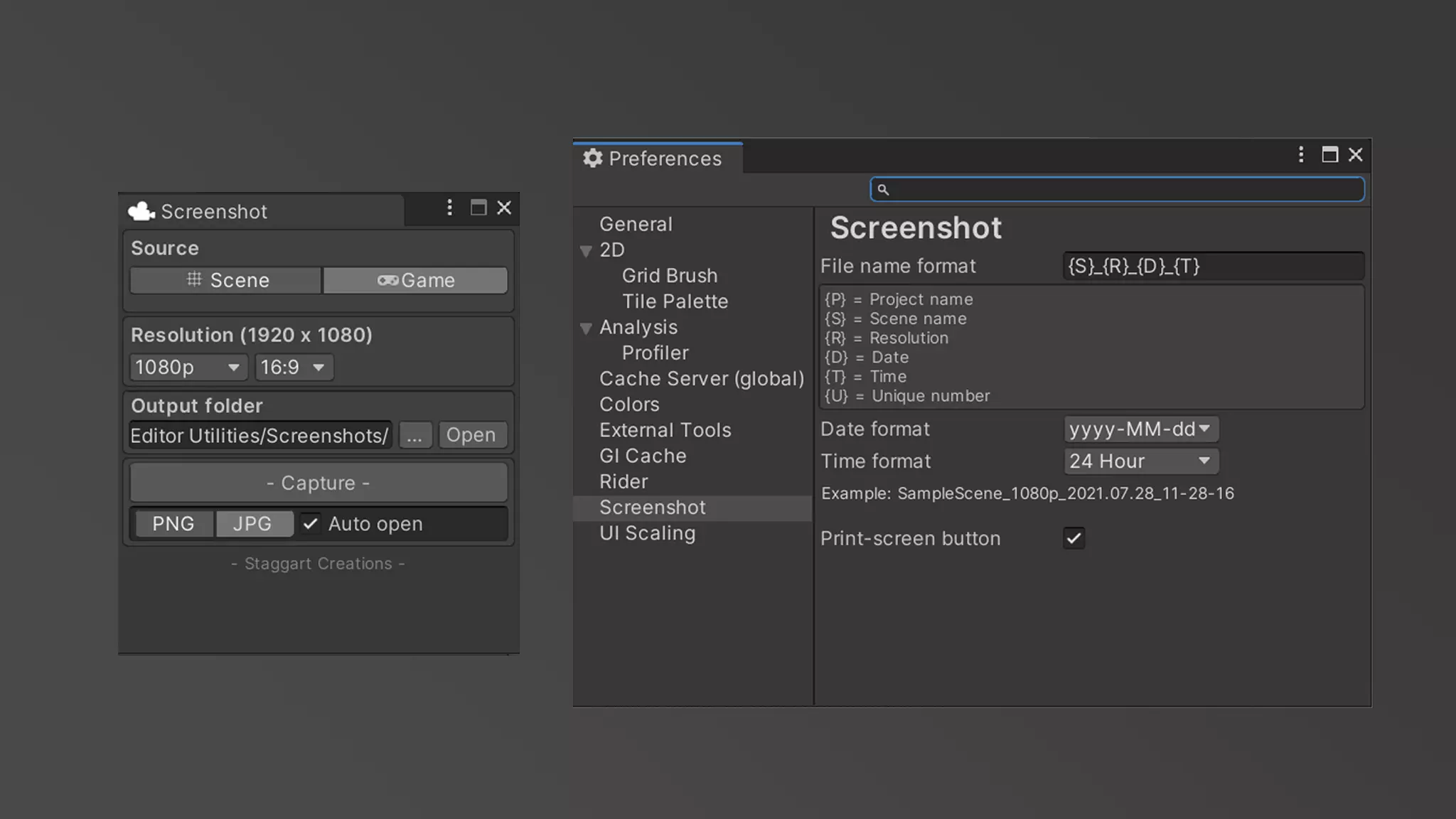

 gloomy chasm
YOUR_PROJECT/ProjectSettings/