#↕️┃editor-extensions
1 messages · Page 6 of 1
 topaz imp
there must be some fundamental misunderstanding
I just create a new editor using the context menu (deselect uss)
on onenable I register a callback for the pointerdown event on the root visual element
on ondisable unregister it
then I open the window, I click and the callback never get called
register and unregister both get called
if I register the same callback on another element it works
what I'm trying to do is having an editor with a grid as background
that it moves when I drag the mouse around
 gloomy chasm
topaz imp
on onenable I register a callback for the pointerdown event on the root visual e...
gloomy chasm
topaz imp
on onenable I register a callback for the pointerdown event on the root visual e...
Generally you don't actually want it on the root. It would be better to add a child Visual element that acts as the background/graph
topaz imp
yeah like this work, thank you, I was just wondering why the root isn't treated as any other element.
I tried to enabled it but didn't change anything.
the handles do not seem to work with ui toolkit and I cannot upgrade so I have to find another method to draw lines
gloomy chasm
topaz imp
yeah like this work, thank you, I was just wondering why the root isn't treated ...
It is a bit clunky but you can use the Mesh generation API in UIToolkit
Or, just use a number of VisualElements
topaz imp
thank you makes sense
 celest plaza
i'm not sure where a question like this would go...i'm trying to use pixel perfect camera so my sprites don't "blink." how would i make it so the camera (not pixel perfect camera) size maintains 7.5 (or some other specific value)? when i have pixel perfect camera, i can't directly adjust it and seems to be only affected by pixel perfect camera "assets pixel per unit" setting, but the closest i can get is 7.58, not 7.5

 flint hinge
I didn't find a Editor Help chat so im just gonna ask here.
Does anyone know why I cant see post processing effects in scene view (editor)?
I have this setting activated, in order to see them but it doenst work. (see image)
This problem only occurs in my "sample scene" and in every other scene I can normally enable and see post processing effects in scene view.
Any ideas?

Ok now after trying to migrate everything to a new scene out of frustration I noticed that this "glitch" only happens after deleting the template main camera
this is rly annoying
 loud steppe
sorry sorry i learned how to do it eventually and yeah i just used reorderable list
 maiden vale
im getting this error when i create a lot of visual Elements
UnityEngine.GUIUtility:ProcessEvent (int,intptr,bool&) (at /Users/bokken/build/output/unity/unity/Modules/IMGUI/GUIUtility.cs:189)
seems like i cannot debug it... i dont have access to GUIUtility.cs at all
anyone knows whats causing this?
 bronze knoll
is it possible to get the hightmap property to show as a single line of the path/name of the resource instead of this weird tiny preview?
 gloomy chasm
What version of Unity?
 steady crest
you mean this? https://odininspector.com/attributes/assets-only-attribute
Odin Inspector
AssetsOnly is used on object properties, and restricts the property to project assets, and not scene objects.
Use this when you want to ensure an object is from the project, and not from the scene.
gloomy chasm
bronze knoll
is it possible to get the hightmap property to show as a single line of the path...
Yeah, use a label instead?
There isn't a nice way to do it. Iirc the old (current) search can't find components on prefabs. You could use QuickSearch to do it. It has a object picker window and can do all sorts of filtering. You would have to handle opening it yourself though.
The way I do this sort of thing is to manually check for the mouse button down event in a rect that is right over the button on the objectField that opens the picker.
steady crest
https://forum.unity.com/threads/editor-want-to-check-all-prefabs-in-a-project-for-an-attached-monobehaviour.253149/ maybe this is worth something

Unity Forum
I want to delete a script that I think isn't being used anymore. Is there a way I can get a list of every prefab in the project? I just want to run...
gloomy chasm
LOL
bronze knoll

I found the solution to my earlier question. Put the texturefield in a editorguilayout horizontal section started with editorguilayout.beginhorizontal().
topaz imp
hi guys, I want to draw some lines in an editor window built with ui toolkit, using mesh api
I'm using the delegate generateVisualContent but I cannot seem to find a way to change the topology from triangle to line, how do I do that ?
 visual stag
topaz imp
hi guys, I want to draw some lines in an editor window built with ui toolkit, us...
visual stag
topaz imp
hi guys, I want to draw some lines in an editor window built with ui toolkit, us...
You should use the vector API. Info is pinned to #🧰┃ui-toolkit
topaz imp
thank you, I'm aware of it but I'm using 2021.1 and the vector api is not available
gloomy chasm
topaz imp
hi guys, I want to draw some lines in an editor window built with ui toolkit, us...
As far as I know it cannot do line only triangle
 minor knoll
I'm making an editor tool that automatically sets all light settings. I can set the shadow types in the inspector without issue but once I want to set the settings within the 'realtime shadows' It's impossible to acces them?
(I mean the resolution, strength,...)
I read that you can acces and change them with 'serialized properties' but how can i find them? Since I need to find on string so I need to know the exact name of them and I don't know where to find these?

 patent venture
open the inspector in debug mode, then hold alt (or was it alt gr? i forgor) the serialised property names should appear momentarily
minor knoll
patent venture
open the inspector in debug mode, then hold alt (or was it alt gr? i forgor) the...
Thanks, will try!
patent venture
if that doesn't work you could check the unity cs reference repo on github
 rigid plover
I have two structs in a list, and I'd like to be able to hide fields which I am currently not overriding.
What would be the best way to do so?


as I have something like this for a singular data-overrides pair


 slate cliff
The EditorTool api can do this, for anyone wondering
 willow holly
simple doubt: when the docs say that a component* has been "dirtied" it means that a property was changed? R: yes :v
slate cliff
Anything dirty will be saved to disk when you save
Anyone know how to get rid of the arrow on a custom editor tool?
 rigid plover
it might have low self esteem
though jokes aside try asking in a different category, as this one is for editor extensions
topaz imp
thank you @gloomy chasm I ended up drawing lines as one pixel wide rectangles using the triangle topology
 verbal jasper
Did you end up releasing this? Or find any good alternatives that fulfil this function?
gloomy chasm
verbal jasper
Did you end up releasing this? Or find any good alternatives that fulfil this fu...
Lol that is so old xD
But no, I never did as it was never really stable tbh, plus it never supported UIToolkit.
verbal jasper
gloomy chasm
Lol that is so old xD
But no, I never did as it was never really stable tbh, plu...
Thats fair, thanks for the response
 rose saddle
Anyone know if there's an efficient way of analyzing the texture format for all textures in a project? Specifically, I have a very big project here with countless textures and I want to see which are compressed as DXT5 vs BC7.
This is a not a value that's serialized to the importer (or meta file), where the format is just set to Automatic. My only approach seems to be to search for all textures, load them one by one through AssetDatabase and access the format that way. But that takes a loooong time.
 short tiger
rose saddle
Anyone know if there's an efficient way of analyzing the texture format for all ...
short tiger
rose saddle
Anyone know if there's an efficient way of analyzing the texture format for all ...
Maybe it's faster to get the AssetImporter of each texture with AssetImporter.GetAtPath and then use TextureImporter.GetAutomaticFormat(string platform) to get the format (if it's set to automatic and not overridden)
That should avoid loading each texture into memory
rose saddle
short tiger
Maybe it's faster to get the AssetImporter of each texture with `AssetImporter.G...
Mmmm, right. That might do the trick. Didn't know that method existed. I've worked around it by now, but I'll definitely keep it in mind for the future. Thanks!
 granite tartan
Hi folks, I'm super new to Editor scripting but I have a question. How would I implement a way to displaying items like this, where you have to option to add unique "classes/scripts"?
 gloomy chasm
granite tartan
Hi folks, I'm super new to Editor scripting but I have a question. How would I i...
gloomy chasm
granite tartan
Hi folks, I'm super new to Editor scripting but I have a question. How would I i...
That is called a AdvancedDropdownMenu.
It is just a generic tree of nodes, you set their name and what they do when selected. So you would need to handle populating the data yourself
granite tartan
gloomy chasm
That is called a `AdvancedDropdownMenu`.
It is just a generic tree of nodes, you...
Thank you! I took a look in the documentation. Is "first half" , "second half" and "weekend" the hierarchical folders which will be displayed when dropping down the menu?
protected override AdvancedDropdownItem BuildRoot()
    {
        var root = new AdvancedDropdownItem("Weekdays");

        var firstHalf = new AdvancedDropdownItem("First half");
        var secondHalf = new AdvancedDropdownItem("Second half");
        var weekend = new AdvancedDropdownItem("Weekend");

        firstHalf.AddChild(new AdvancedDropdownItem("Monday"));
        firstHalf.AddChild(new AdvancedDropdownItem("Tuesday"));
        secondHalf.AddChild(new AdvancedDropdownItem("Wednesday"));
        secondHalf.AddChild(new AdvancedDropdownItem("Thursday"));
        weekend.AddChild(new AdvancedDropdownItem("Friday"));
        weekend.AddChild(new AdvancedDropdownItem("Saturday"));
        weekend.AddChild(new AdvancedDropdownItem("Sunday"));

        root.AddChild(firstHalf);
        root.AddChild(secondHalf);
        root.AddChild(weekend);

        return root;
    }
Yeah "Weekdays" will be the header (like "Components" is for the component menu). It will have 3 'folders', "first half" , "second half" and "weekend" as you said. Then the weekdays will be the children. Only dropdown items with no children can do an action when selected. Ones with children are treated like folders.
 grand robin
Good day, I have a strange problem that has happened to me while trying to use unityeditor to edit scriptableObjects, the following codes are the ones that I believe are the ones relevant to the problem.
Sooo, what is the problem? well, it simply does not save the changes i make on the scriptable object, it works properly, I can edit the way I want, choose the attributes of the skill, but once I close the game or click play, the scriptable objects reset with the main value and the abilitytype reseting as well, anyone knows what it could be?
the comments are in portuguese, so if in doubt, just ask, I already made some changes and I belive the problem is on the editor
 delicate ingot
hello guys i was sent to here.
basically, i have a button that calls something on a script that changes variables and then when i press play the variables reset.
i want to save them.
https://pastebin.com/uDBPTKKX
https://pastebin.com/Untyvzu1
Pastebin
Pastebin.com is the number one paste tool since 2002. Pastebin is a website where you can store text online for a set period of time.
Pastebin
Pastebin.com is the number one paste tool since 2002. Pastebin is a website where you can store text online for a set period of time.
 shell beacon
Guys, how do I shrink the toolbar overlay to "wrap it's content"?
I'm using extended ToolbarOverlay and EditorToolbarButton.
I'm changing the button's visible field at runtime but the overlay keeps it's original size.
EditorToolbarButton doesn't have a Display property.


 vague spoke
My friend is attempting to use unity and create a new 2D project but is given this error and is booted into safemode to fix the script for the unity built in 2D package
Library\PackageCache\com.unity.2d.psdimporter@6.0.6\Editor\PSDPlugin\PDNWrapper\PDNDecodeJob.cs(17,16): error CS0246: The type or namespace name 'DecodeType' could not be found (are you missing a using directive or an assembly reference?)
I've tried and failed to help fix this, Removing PSDPlugin works but then 2D isnt available in gameobjects as it depends of it, Reinstalling the package also causes the same error
gloomy chasm
grand robin
Good day, I have a strange problem that has happened to me while trying to use u...
A bit late, but if you still need to know, it is because you are not using SerializedProperty to actually set the values, so serialzedObject.ApplyModifiedProperties() isn't doing anything.
Alternatively you could use EditorUtility.SetDirty(target) to tell the editor something has changed and needs to be saved. Though I very much recommend using SerializedProperty instead.
grand robin
gloomy chasm
A bit late, but if you still need to know, it is because you are not using `Seri...
Thanks, I was trying to solve this for quite a while, the SetDirty worked only for the values directly inside the scriptable object, not the mainValues script, tomorrow i will try serialize the values
gloomy chasm
delicate ingot
hello guys i was sent to here.
basically, i have a button that calls something o...
You also need to use EditorUtility.SetDirty(target) to tell the editor that the object has changed and needs to be saved.
gloomy chasm
grand robin
Thanks, I was trying to solve this for quite a while, the SetDirty worked only f...
Well yeah, the field has to be serialized for it to be saved 😛
gloomy chasm
shell beacon
Guys, how do I shrink the toolbar overlay to "wrap it's content"?
I'm using exte...
You set the style.display = DisplayStyle.None for the button.
 prime eagle
Did you find a better solution? Disabling scaling makes it all so small
 vestal forge
prime eagle
Did you find a better solution? Disabling scaling makes it all so small
vestal forge
prime eagle
Did you find a better solution? Disabling scaling makes it all so small
Yes! You need to calculate the scaling based on Screen.dpi i believe
base dpi for me was like 96 for 1080p I think, (I could be wrong) so if you just divide the current dpi by the base youll get the scaling value for height and width
grand robin
gloomy chasm
Well yeah, the field has to be serialized for it to be saved 😛
ok, It worked, but only halfway, I removed the SetDirty and put [SerializedField] in all variables from the ActiveSkillController and AbilityValues, the scriptable object kept it's values, but the AbilityValues reseted again
I would like to note that the AbilityValues is neither a ScriptableObject or a Monobehaviour, It does not heir from any class, think this might have something to do with the problem?
gloomy chasm
grand robin
ok, It worked, but only halfway, I removed the SetDirty and put [SerializedField...
That is because you also need SetDirty 🙂
grand robin
ok, I manage to make a strange change, I've put the following to verify if the mainValues are being Reseted
    ActiveSkill_Controller_Script controller =(ActiveSkill_Controller_Script)target;
    if (controller.mainValues == null)
    {
        controller.mainValues = new AbilityValues_Entity();
        Debug.Log("teste");
    }
and After I put a [Serialize] on the AbilityValues_Entity() it has stopped debugging, so I belive the value of the script is not being null anymore, but still keeps reseting the values inside that script
gloomy chasm
Also, make sure that AbilityValues has the [Serializable] attribute on the class itself
grand robin
gloomy chasm
Also, make sure that `AbilityValues` has the `[Serializable]` attribute on the c...
okay
grand robin
gloomy chasm
Also, make sure that `AbilityValues` has the `[Serializable]` attribute on the c...
Already done
still bugging, SetDirty(controller) didn't work
I've putted two extra debbugs, now the codes that are being called to reset the code are the following.
    //Combo Base
    if (controller.mainValues.skillObjectInstanceCombo == null)
    {
        controller.mainValues.Setup();
        Debug.Log("SettandoValores");
    }
    if (!controller.mainValues.skillObjectInstanceCombo.TryGetValue("Base", out AbilityObjectManager_Script[] value))
    {
        controller.mainValues.skillObjectInstanceCombo["Base"] = new AbilityObjectManager_Script[1];
        controller.mainValues.castingAnimations["Base"] = new GameLists_Script.animations[1];
        controller.mainValues.baseCastingTime["Base"] = 0;
        controller.mainValues.baseCooldown["Base"] = 0;
        controller.mainValues.speedReductionDuringCasting["Base"] = 0;
        controller.mainValues.accelmodDuringCasting["Base"] = 0;
        controller.mainValues.specifics["HasHeavyAttack"] = false;
        Debug.Log("ajeitando");
    }
both debugs keep being called once I click on the scriptable object once I started the game or exit and start the unity
gloomy chasm
grand robin
still bugging, SetDirty(controller) didn't work
Want to share your code again as it is now?
gloomy chasm
grand robin
I've putted two extra debbugs, now the codes that are being called to reset the ...
Actually looks like you are using Dictionaries, Unity can't serialize them.
grand robin
I've been thinking about this, but i dunno how to get around this becouse my entire system is based around dictionaries
do you prefer that i share the c# or a text file?
gloomy chasm
Well if the dictionaries are the only thing not being saved properly I think we found the problem. Otherwise you can look in #854851968446365696 for how to share the code.
grand robin
yep, they are the only thing, the other codes I use that are arrays seem to be working properly
gloomy chasm
grand robin
I've been thinking about this, but i dunno how to get around this becouse my ent...
You can just write a serializer for them using the ISerialzeCallbackReciver interface, basically you just move the key value pairs in to a list OnBeforeSerialize and then back to the dictionary OnAfterDeserialize. If you want UI support you can either also make that yourself or use one already made by someone else.
This is mine, and in my bias opinion, it is the best one as all of the other have issues with their implementation. https://github.com/MechWarrior99/Bewildered-Core
(You can totally just rip the dictionary part out as to not bloat your project if you want to use mine 🙂 )
gloomy chasm
Without the raw but yeah
That is a lot of dictionaries lol
And yeah as I said, Unity can't serialize them.
grand robin
wait, the thing that you are saying is for me to at the start of the code turn the dictionary into a array and at the end of a editor turn back into a dictionary?
gloomy chasm
That actually literally shows you how to do it. What I would do is to wrap it in a SerializableDictionary so that it doesn't bloat your main class that uses it
grand robin
gloomy chasm
That is a lot of dictionaries lol
And yeah as I said, Unity can't serialize them...
i put the ISerializationCallbackReceiver on which class? the edittor, the controller or the values code?
gloomy chasm
grand robin
i put the ISerializationCallbackReceiver on which class? the edittor, the contro...
Did you read the documentation I linked? You should have a pretty good idea if you did 😉
But to answer your question. The runtime class, whether that be a component or a class that holds the dictionary or whatever.
Or make a more generic class that you replace your dictionaries with.
[Serializable]
public class SerializableDictionary<TKey, TValue> : Dictionary<TKey, TValue>, ISerializationCallbackReciver
{
  // We have a struct of pairs instead of two lists incase the key or value is a list type because Unity can't serialize lists of lists unless they are inside of a class or struct and not directly a list of lists.
  [Serializable]
  private struct SerialiableKeyValuePair
  {
    public TKey key;
    public TValue value;
  }

  [SerializeField] private List<SerialiableKeyValuePair> _serializedPairs;

  void ISerializationCallbackReciver.OnBeforeSerialize()
  {
    // Basically just copy the code from the docs but instead of putting the pairs in to to lists you just create a new instance of SerialiableKeyValuePair and put it in the one list. And you get the pairs from `this`.

  }

  void ISerializationCallbackReciver.OnAfterDeserialize()
  {
      // Again same as the docs, but do it with the _serializedPairss instead. And `this` is the dictionary.
  }
}
hmmmm, thankyou very much, I will have lunch now and then I will try to apply this solution, you have helped me a lot .
I will come back later to tell if it worked
gloomy chasm
You're welcome! And good luck!
(And read the docs 😛 )
grand robin
I shall
delicate ingot
gloomy chasm
You also need to use `EditorUtility.SetDirty(target)` to tell the editor that th...
thank you but it doesnt matter i found a solution myself that is brute force but it is very performant and it works
topaz imp
hi guys, is there a way to propagate an event to the children of the target with ui toolkit ?
gloomy chasm
topaz imp
hi guys, is there a way to propagate an event to the children of the target with...
topaz imp
thank you mate, I'm pretty familiar with that page, so the answer seems to be no
gloomy chasm
What are you trying to do exactly?
topaz imp
I have an element A that can have a number of B elements under it
I can drag A or B independently
but now I want to move the elements B when I drag the element A
I can manually call a method on the children elements but I would like to do with just propagating an event down
gloomy chasm
Are they not children of A? They should move with it regardless, no?
gloomy chasm
Hmm, iirc absolute is relative to the parent.
topaz imp
if this is the case I don't know why they don't move
gloomy chasm
"Absolute position elements will appear on top of any siblings that are still using Relative position."
Yeah so it is relative to the parent not the screen
gloomy chasm
topaz imp
if this is the case I don't know why they don't move
My suggestion is to recreate it in as simple of a way as possible
And do it one step at a time, Have one element you can drag around, give it a child, make sure it still works, then make the child use absolute positioning, make sure it works, then make it so you can also drag the child around.
topaz imp
@gloomy chasm this is what I have already

if I drag the grid the grid moves but the node does not
gloomy chasm
Oooh, you are just making a graph?
topaz imp
yeah I'm trying
I'm a complete idiot sorry
of course I'm not actually moving the grid
I'm drawing the lines so it appears it moves
gloomy chasm
So.. did you get it working?
(Also btw Unity has a GraphView built in if it does what you need it to)
topaz imp
no I didn't yet, I just realized I'm not moving the grid so I have two options, either I manage to send the event down to the nodes, which doesn't seem possible, or I call a method on the nodes so that they move
I didn't know it I will check it out
thank you
gloomy chasm
topaz imp
no I didn't yet, I just realized I'm not moving the grid so I have two options, ...
graph.style.translate = new Translate(value.x, value.y, 0); That is what I do and iirc what the Unity graph does.
topaz imp
thank you mate, always helpful
topaz imp
@gloomy chasm by any chance do you know a good updated guide for the graph view ? This https://docs.unity3d.com/Packages/com.unity.graphtools.foundation@0.11/manual/index.html seems to be obsolete, I'm reading the reference but it would be great if there was some kind of overview of how it is supposed to work and interact with the graph view editor
shell beacon
gloomy chasm
You set the `style.display = DisplayStyle.None` for the button.
Beautiful! thank you very much!
 visual coral
topaz imp
<@131292153300123648> by any chance do you know a good updated guide for the gra...
visual coral
topaz imp
<@131292153300123648> by any chance do you know a good updated guide for the gra...
Graph tools foundation isnt graph view. The current state with both of those kinda suck: https://forum.unity.com/threads/graph-tool-foundation.1057667/
Unity Forum
So recently I stumbled upon this package called “Graph Tool Foundation”. Its purpose was self explanatory and after downloading it and taking a look at...
Hi, I'm trying to make a rectangular button but I'm somehow to incompetend.
I've tried changing thee style to gui.skin.box, but that removed the colors when hovering etc. I've also tried simply changing the texture but that resulted in the same thing.
Thanks in advance
 tough cairn
doesn't looks like anything is crashing but still curious if anyone have seen this one before ?

 agile badger
Anyone know why I'm not getting MouseMove IMGUI events while a mouse button is held down?
I'm in a custom editor window and implementing a draggable node system
nvm it's MouseDrag I need to listen to
gloomy chasm
tough cairn
doesn't looks like anything is crashing but still curious if anyone have seen th...
 blissful burrow
does anyone know how OnValidate behaves with Undo?
I'm getting some strange behavior where if I undo, it calls OnValidate twice, which is, messing up a lot of things
the use case is - I do range validation in OnValidate to ensure a value is within a specific range. This range, depends on other properties of the script, however, so if OnValidate is executed for every property individually on undo, the order in which this happens will affect the outcome, which, would be bad :c
here's a minimal repro case
using UnityEngine;
public class OnValidateTest : MonoBehaviour {
    [Range( 0, 2 )] public float minValue = 0;
    [Range( 0, 2 )] public float value = 1;
    void OnValidate() => value = Mathf.Max( minValue, value );
}```
1. Drag `minValue` to 2. this will correctly ensure `value` increases to 2 as well.
2. Undo. this will reduce `minValue` back to 0, but `value` will stay at 2 instead of reverting back to 1this is what happens on Undo, if I print the state in OnValidate
 short tiger
blissful burrow
I'm getting some strange behavior where if I undo, it calls OnValidate twice, wh...
short tiger
blissful burrow
I'm getting some strange behavior where if I undo, it calls OnValidate twice, wh...
This looks related, but unfortunately not helpful
https://issuetracker.unity3d.com/issues/onvalidate-fails-to-undo-the-changes-when-one-variable-depends-on-another
How to reproduce: 1. Open attached project "UndoValidateTest.zip" and scene "TestScene" 2. In Hierarchy window, select "GameObject" ...
This fixes the undo, but uses editor API and isn't very pretty:
void OnValidate()
{
    value = Mathf.Max(minValue, value);

    int group = Undo.GetCurrentGroup();
    Undo.RegisterCompleteObjectUndo(this, string.Empty);
    Undo.CollapseUndoOperations(group);
}
oh gosh this seems, deeply cursed
short tiger
As far as I know, this is how the Undo API is intended to be used, even though it looks like a hack
blissful burrow
alright, I'll try it out, thanks a ton!
oh damn, this triggers OnValidate a huge amount of times on undo though
(ie, the number of editor frames until you stopped tweaking the value)
might actually be prohibitively expensive in my use case :c
short tiger
I can't think of any other workaround, except just not using OnValidate and instead do the validation in a custom editor/property drawer.
blissful burrow
ugh, yeah, I was hoping it wouldn't come to that
someone on twitter just suggested another hack though

@FreyaHolmer this is disgusting but appears to work resetting value at 1 an min value at 0

 Twitter
·
short tiger
Twitter
·
short tiger
At what point does a hack become more work than a custom editor? 😅
blissful burrow
the issue is that it's like, several custom editors
not just one
so it's a lot of work to roll custom for all of it
 real glacier
Is there some special treatment required for collapsible custom drawers in arrays? I made a custom drawer, and it works as expected as a standalone variable, but when I use an array of them - the first of them doesn't expands correctly. What to do?


My propertyheight override code:
public override float GetPropertyHeight(SerializedProperty property, GUIContent label)
        {
            unfoldProperty = property.FindPropertyRelative("unfolded");
            unfoldEdit = unfoldProperty.boolValue;

            if (!unfoldEdit)
                return base.GetPropertyHeight(property, label);

            return base.GetPropertyHeight(property, label)*6;
        }
I hate to be that guy, but really SerializedProperties in a custom editor should be used instead. As far as I can tell OnValidate was a 'mistake' that should never have been added. I don't even think any built-in Unity components use it (could be wrong though)
blissful burrow
I am in general, and this is not using a custom editor, this is all built-in Unity stuff
like I would've expected OnValidate to trigger once after undo has fully applied all new values, rather than multiple times while applying them :c
real glacier
real glacier
Is there some special treatment required for collapsible custom drawers in array...
Seems like the issue is gone after I've made the array [NonReorderable]
¯\(ツ)/¯
 proven sparrow
[QUESTION]:
Hey, i have the symptom that (presumably) my graphics card has clearly noticeable coil whining when i hold down right click in the scene view in editor.
Does anyone know why that happens and how to fix that? Maybe with some Editor-only graphics script?
gloomy chasm
blissful burrow
like I would've expected OnValidate to trigger once after undo has fully applied...
Yeah I also would expect it to happen all at once after undo was fully applied. But if you change multiple values and then register and undo for them, undoing it calls OnValidate for each value?
If you are just setting the values in the inspector, does the range attribute not handle it? And if you are setting them in code, wouldn't using C# properties be the correct way to handle validation?
gloomy chasm
proven sparrow
[QUESTION]:
Hey, i have the symptom that (presumably) my graphics card has clear...
That is because the scene view does not rerender every frame when it is just sitting there. But when the mouse moves, or RMB is held down it does render each frame. So basically, the graphics are a lot for your graphics card. And for future reference, for just general editor stuff #💻┃unity-talk is actually the correct channel for it 🙂
proven sparrow
gloomy chasm
That is because the scene view does not rerender every frame when it is just sit...
Thank you, ill stick to that channel in the future.
Is there a way to lighten the load while looking around or is my squealing gpu nothing to worry about? I only notice it like that in the editor and not with any other software.
visual coral
Hi, I'm trying to change the grey color to white but setting every color shown here: https://www.foundations.unity.com/components/text-field#Color to white nothing changed. What am I missing?


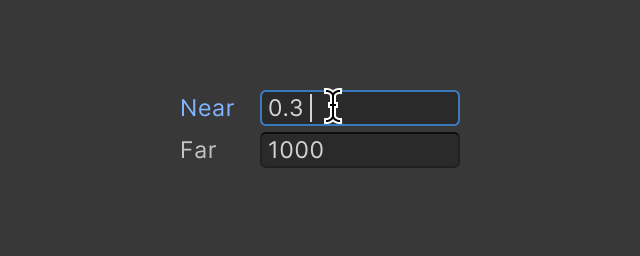
A Text Field is an input field that allows users to enter text.
blissful burrow
gloomy chasm
Yeah I also would expect it to happen all at once after undo was fully applied. ...
probably yeah, though my use case is more complicated than this one example
but I worked around it for now, it's a pretty alright workaround I think. this was for a catenary spline, it was effectively auto-clamping knot intervals to not be smaller than the distance between control points, but this made it not undoable. now I've locked down the knot vector, and separated out the desired arc lengths into the control points, so that there's a separation between desired vs net values.
 visual stag
OnValidate is the most cursed thing, I think I only end up using it in extremely rare situations just because of how often it's called. I might use it for extremely basic validation and absolutely nothing else
 modest osprey
To add a menu command to a game object, we use [MenuItem(...)] and an editor script. How can an editor script show its menuItem command when Sprites are multi-selected from a project folder?
 obsidian skiff
So like with a normal list, it only shows the bare minimum of information, what resources could I begin to look at to expand about this so I could see more information potentially?
It looks like there are a lot of old tutorials
obsidian skiff
 waxen sandal
Not 100% sure what you're asking
waxen sandal
Not 100% sure what you're asking
So like by default, a list just shows references to the scripts or whatever type you are working with
But for example I want to be able to adjust numbers for the objects in the list at run time
obsidian skiff
waxen sandal
PropertyDrawer for the type in your list?
So I just tried this solution, but it just says "No GUI Implemented" in the list
waxen sandal
Did you implement a gui..?
obsidian skiff
Hastebin is a free web-based pastebin service for storing and sharing text and code snippets with anyone. Get started now.
waxen sandal
That looks fine but I'm not the most experienced with uitk
obsidian skiff
using System.Collections;
using System.Collections.Generic;
using UnityEngine;

public class Apple : MonoBehaviour {
     public string title;
     public int amount = 1;
}```Ah, it's probably throwing an exception since findproperty doesn't work like that for unity object
You got to create a new serialized object from the objectreferencevalue and find the field on that
obsidian skiff
wat
waxen sandal
I'm on my phone but mechwarrior will show you
gloomy chasm
obsidian skiff
```cs
using System.Collections;
using System.Collections.Generic;
using UnityEng...
The issue is that you don't use PropertyDrawer for classes that inherit from UnityEngine.Object such as Scriptableobject and MonoBehaviour. For those you use Editor
 proper raptor
If multiple custom inspectors match a component type. Is there a way to prioritze?
gloomy chasm
proper raptor
If multiple custom inspectors match a component type. Is there a way to priorit...
No, in what situation do you have multiple editors for the same type?
obsidian skiff
obsidian skiff
So like with a normal list, it only shows the bare minimum of information, what ...
bump then?
waxen sandal
proper raptor
If multiple custom inspectors match a component type. Is there a way to priorit...
I think it's alphabetical so if your name space / type sorts before/after it used a different one
gloomy chasm
obsidian skiff
So like by default, a list just shows references to the scripts or whatever type...
You mean you have a list of object references? You have to create a custom editor for the type with the list, and use Editor.CreateEditor to create and manually show the editor for the object. This is a rather complicated thing to do, but others have done it before and you can find stuff about on google.
proper raptor
waxen sandal
I think it's alphabetical so if your name space / type sorts before/after it use...
Changing the Typename or Namespace ( with an A and a Z ) didn't help.
obsidian skiff
gloomy chasm
You mean you have a list of object references? You have to create a custom edito...
So I have a Serializable class, Storage<TStorable> where TStorable : IStorable
basically I want the references to IStorable to show the information it shares with the classes that inherit
gloomy chasm
obsidian skiff
So I have a Serializable class, `Storage<TStorable> where TStorable : IStorable`...
Can you show an example of how it would be used in the code?
obsidian skiff
That's a class that inherits it, right now its bare bones, but if its possible to add to its editor information Ill be able to expand on it
obsidian skiff
gloomy chasm
Can you show an example of how it would be used in the code?
this is the class that uses it
or makes it rather
gloomy chasm
obsidian skiff
So I have a Serializable class, `Storage<TStorable> where TStorable : IStorable`...
Right so read the message that this message is a reply to. Again, it is a bit of a pain to do. Google for something like nested editors or the like.
obsidian skiff
gloomy chasm
Can you show an example of how it would be used in the code?
Can you have custom editors for interfaces, and if so do they do anything at all?
It seems to not work
gloomy chasm
obsidian skiff
Can you have custom editors for interfaces, and if so do they do anything at all...
Hmm, I don't remember.
 vapid prism
What's the state of Graph Tools? The package didn't get an update in forever and from what I can find it's not included in 2022?
gloomy chasm
vapid prism
What's the state of Graph Tools? The package didn't get an update in forever and...
TLDR: For all intents and purposes, it doesn't exist right now. There is no package in the package manager.
It has changed hands once or twice and now the development has been moved internally as it will ship as part of the engine. From what I understand it is being rewritten completely. It will not be using the current GraphView API (for... reasons I guess...?).
They will first be moving Unity tools like ShaderGraph, VFX Graph, to use it once it is more read in order to test it and make sure it works well, then they will start shipping it. They didn't mention it at all in the 2023 plans so the absolute earliest we could see it would be 2024, and if so it would most likely be late 2024.2, though I would guess 2025.
Also don't use the current GraphToolsFoundation package as it is no longer maintained, buggy, and has a terrible and very boilerplate heavy API.
vapid prism
gloomy chasm
TLDR: For all intents and purposes, it doesn't exist right now. There is no pack...
Thanks a lot for the summary!
 alpine bolt
I'm making a custom property drawer. It seems that the only place I can select the EditorGUI.Popup is where the red line goes
 gloomy chasm
alpine bolt
I'm making a custom property drawer. It seems that the only place I can select t...
gloomy chasm
alpine bolt
I'm making a custom property drawer. It seems that the only place I can select t...
Probably didn't set the height properly. Either for the control element or for the property drawer itself.
grand robin
gloomy chasm
Did you read the documentation I linked? You should have a pretty good idea if y...
MECH I F!@#%ING LOVE YOU, IT WORKED.
gloomy chasm
Lol, glad I could help 🙂
grand robin
sorry for the delay for the answer, personal problems, but now I learn a interesting tool to use
gloomy chasm
All good! Always nice to learn some neat new tools and APIs!
 rugged urchin
is there a good way to scan the source / referenced symbols in the project? my goal is to inform a user that a specific unity api is not compatible with my package, e.g., using the Screen class or the Input class
gloomy chasm
rugged urchin
is there a good way to scan the source / referenced symbols in the project? my g...
I personally don't know anything on the subject, but when I have seen people talk about code analysis, I see the Roslyn Analyzer mentioned so that might be some where to start.
alpine bolt
gloomy chasm
Probably didn't set the height properly. Either for the control element or for t...
Right... completly forgot to override float GetPropertyHeight(). Thanks
 whole steppe
Hi i want in my editor that my class array have some variables next to each other, example class item(width, depth, img normal, img hover) … array item… how would i call in onenspector gui EdiorGuiLayout.BeginHorizontal(); ……width
…….depth
EdiorGuiLayout.EndHorizontal
waxen sandal
Property drawer?
whole steppe
Already solved that ist there such a thing as Is there such a thing as EditorGUILayout.ImageField?
whole steppe
I just want normal & hovered, and width with depth to be next to eachother

 vast isle
I have list of interfaces that contain Integer values I am using property drawer to show them and it works fine but when I close my unity project all values get reset, any idea how to fix it? keep in mind that the list length don't get reset
waxen sandal
<@&502884371011731486>
 trail dawn
(Sorry, wrong ping Dark)
@rigid zealot You can use the forums for job and collaboration posts. community-conduct.
waxen sandal
(Also no crossposting)
gloomy chasm
What?
tough cairn
GarbageCollector disposing of ComputeBuffer. Please use ComputeBuffer.Release() or .Dispose() to manually release the buffer. To see the stack trace where the leaked resource was allocated, set the UnsafeUtility LeakDetectionMode to EnabledWithStackTrace.
UnityEngine.ComputeBuffer:Finalize ()
Got a component that creates a buffer onEnabled and Releases it onDisables , execute in edit mode is enabled , but i keep seeing this message whenever i enter or exit play mode , have any one seen this one before ?
 sharp goblet
How do I access information from .asmdef in my script? I managed to reference an asmdef by creating a serialized AssemblyDefinitionAsset property for inspector, but AssemblyDefinitionAsset class seems to have very few useful properties
I can't find AssemblyDefinitionAsset documentation on Unity website either which does not help
 humble walrus
I used reflection to set a field, and after that called serializedObject.Update(). It seems like it reverts the field to whatever the SerializedProperty's value was, is this to be expected?
Nvm, i found the solution, apparently i set it to itself, stupid mistake
waxen sandal
sharp goblet
How do I access information from .asmdef in my script? I managed to reference an...
It's just a json file
 crystal whale
hey i'm using visual studio code for unity (i'm pretty new to unity so forgive me if i ask dumb questions) i'm trying to link vscode with my unity environment but i get errors such as
OmniSharp.MSBuild.ProjectLoader
The reference assemblies for .NETFramework,Version=v4.7.1 were not found. To resolve this, install the Developer Pack (SDK/Targeting Pack) for this framework version or retarget your application. You can download .NET Framework Developer Packs at https://aka.ms/msbuild/developerpacks
and this too
OmniSharp.MSBuild.ProjectManager
        Failed to load project file 'c:\Users\marca\First Game\Assembly-CSharp.csproj'.
I have already installed the Developer Pack.
So i thing that i might be because it cannot find it, but i don't really know how to check that or what to do.
Can anyone help me ?
visual stag
you definitely installed that exact developer pack? And not the framework either
crystal whale
i installed the dp sdk .NET 7.0 for sure
i've read somewhere that i might need to install Mono
do you need if i need Mono with or without GTK ?
visual stag
Developer Pack .NET Framework 4.7.1 like it says
The pack is also linked from the config instructions that are linked in #854851968446365696
crystal whale
i do have microsoft .net framework 4.8.1 sdk is that the right one ?
visual stag
Seeing as it's not asking for that, and I did not ask for that, no.
tough cairn
i remember there was an option on the unity website to download all the build in shaders , any one know if we can get access to the [ Resources/unity_builtin_extra ] shaders as well ? can't seem to open those , looks like its all packed in a single 120mb file with no file extension
so... it seems like if you grab that file and add a .asset extension then drop it to your project , unity will read it

still can't open the shaders tho
tough cairn
found the same shader in the URP package folder ...
crystal whale
visual stag
Seeing as it's not asking for that, and I did not ask for that, no.
ok thanks it works
that's weird, isn't 4.8.1 like the same version but newer ?
 short venture
crystal whale
ok thanks it works
that's weird, isn't 4.8.1 like the same version but newer ?
short venture
crystal whale
ok thanks it works
that's weird, isn't 4.8.1 like the same version but newer ?
no, the 8.1 is a bit of a giveaway
 fervent kelp
Hello, i have a custom graphView thing in unity and i would like to know if its possible to listen for keyboard inputs, so instead of spawning the nodes via mouse i can use the keyboard. i know it listens for some shortcuts but i cant find anything on actual keyboard inputs, example: i press x and then a node appears
 waxen sandal
Event.current.keyCode
fervent kelp
waxen sandal
Event.current.keyCode
will look into that thank you
waxen sandal
Some combinations might not propagate to your window though
Also if its uitk I think there might be an event you can register
fervent kelp
perfect i think i got it thank you
in case someone else is looking for some hints
 fickle quarry
How can I order an array (it's a struct, where I want to order by a float value in the array) when the user changed a value (so OnMouseUp basically)?
Can't figure it out at all
Got it with System.Array.Sort(animationManager.AnimationTiers, (a, b) => a.Distance.CompareTo(b.Distance));
Now I want to only do this when the user is done dragging the value or done typing in a value.
The second kinda works already (updates after pressing enter), but Event.current.type == EventType.MouseUp does not call when dragging a float value
fickle quarry
Dont think it's possible without a crap ton of work, so will add a button for now
gloomy chasm
fickle quarry
Got it with ` System.Array.Sort(animationManager.AnimationTiers, (a, ...
Normally you would use a float delay field to solve this sort of issue.
fickle quarry
gloomy chasm
Normally you would use a float delay field to solve this sort of issue.
Oh thanks!
Now just gotta find how to implement it in an array (ideas are welcome, I'm not sure when I have the time to work on it muself)
gloomy chasm
fickle quarry
Oh thanks!
Now just gotta find how to implement it in an array (ideas are welcom...
What do you mean how to implement it in an array?
fickle quarry
I have an array of a struct, where I only want to sort after a value is changed in the array
 hearty basin
Hello !
I'm developing an editor tool and i'm trying to implement custom handles through EditorToolContext API. It's working, but I wonder if anybody would have an exemple of RotationHandle and/or ScaleHandle that would support Global/Local mode. I can't find any simple example from google. Thanks !
gloomy chasm
hearty basin
Hello !
I'm developing an editor tool and i'm trying to implement custom handles...
Looks like Tools.pivoteMode
https://github.com/Unity-Technologies/UnityCsReference/blob/master/Editor/Mono/GUI/Tools/BuiltinTools.cs#L355
hearty basin
gloomy chasm
Looks like `Tools.pivoteMode`
https://github.com/Unity-Technologies/UnityCsRefer...
Yep, I use this to check the pivot mode, but the math required to update the rotation are not the same in both mode :
- In local Mode, I just need to pass the new value
- In Global Mode, the value I get is delta offset from the Quaternion.Identity to the current Handle Rotation. And I can't get a way to properly apply this offset
gloomy chasm
hearty basin
Yep, I use this to check the pivot mode, but the math required to update the rot...
Well, the source code I linked is literally for the rotation handle and shows exactly how it does it if that helps.
If not, you will need to share more context
hearty basin
Thanks, I look at it !
I found a solution at the moment, but the link you give seems to provide a better solution. I tell you in 5 minutes if it works !
hearty basin
The solution I have is basically the same and is much more simple to understand with less mathematics. I put the solution here for posterity :
class CustomRotationTool : EditorTool
{

    Quaternion startRotation;

    public override void OnToolGUI(EditorWindow window)
    {
        var transform = target as Transform;
        // Store the rotation at the moment the user click on the Handle
        if(Event.current.type == EventType.MouseDown)
            startRotation = transform.rotation;

        EditorGUI.BeginChangeCheck();
        bool useLocal = Tools.pivotRotation == PivotRotation.Local;
        var rotation = useLocal ? transform.rotation : Quaternion.identity;
        var newRotation = Handles.RotationHandle(rotation, transform.position);
        if(EditorGUI.EndChangeCheck())
        {
            // While we are getting an offset from the startPosition from the Handle.RotationHandle method in global mode
            // We need to rotation the starting rotation by this offset
            transform.rotation = useLocal ? newRotation : newRotation * startRotation;
        }
    }
}
The only issue is that we don't have any animation on the gizmos, this could be fix by changing the rotation we pass to the Handle, but in this case the offset rotation should be computed differently. This is already good for my case
 timber stump
Does anyone know how to check the active GridBrushBase that is in use by the tilemap editor?
 slim sail
Hey does anyone know if you can make the element name in an array a string that someone can change? For example the tool I'm making I'd like for people to be able to drag and drop objects into an array and then change the name of the element. If anyone has a better suggestion please let me know. I'm not a tools programmer, just now trying to learn

Looking to change "Element 0" in editor for reference
 hard pine
Is there someway to know if a GameObject is added to the scene? Or would I have to make a monoWrapper for functionality like that(Like use OnValidate to send a notification out?
waxen sandal
There's events when the hierarchy changed but not sure if there's one for adding specifically
gloomy chasm
hard pine
Is there someway to know if a GameObject is added to the scene? Or would I have ...
You can use the event in ObjectChangeEvents. One of the events it publishes is for when a GO is created https://docs.unity3d.com/ScriptReference/ObjectChangeEvents.html
gloomy chasm
If I have a reference to a ScriptableObject that is not an asset. And I Destroy that instance via Undo, then perform an undo, that reference is now null, but on domain reload it comes back. Any ideas how I could 'force' the reference to be resolved or loaded or what not?
 shadow granite
gloomy chasm
If I have a reference to a ScriptableObject that is not an asset. And I Destroy ...
shadow granite
gloomy chasm
If I have a reference to a ScriptableObject that is not an asset. And I Destroy ...
what exactly are you trying to accomplish by generating ScriptableObjects at runtime?
Just to let you know that if you do in a build, they do not save
gloomy chasm
shadow granite
what exactly are you trying to accomplish by generating ScriptableObjects at run...
Not at runtime, in editor.
Thus asking in the #↕️┃editor-extensions channel 😛
shadow granite
ah sorry, yeah that would make sense lol
        UnityEditor.AssetDatabase.CreateAsset(obj, path);
        UnityEditor.AssetDatabase.SaveAssets();
        UnityEditor.AssetDatabase.Refresh();
something like that to create the asset?
gloomy chasm
Then it would be an asset
shadow granite
so you don't want it to be an asset
shadow granite
but you do want it to exist after a domain reload with the reference working
gloomy chasm
Oh they do that already because they inherit from UnityEngine.Object so they have a C++ side counterpart
I figured I can load them via EditorUtility.InstanceIDToObject and reassign the field. But it would be nicer if I could just figure out some way to properly force load the reference in the field itself.
shadow granite
honestly the fact that they exist after a domain reload but are not an asset seems like a bug
and is not intended
gloomy chasm
shadow granite
honestly the fact that they exist after a domain reload but are not an asset see...
Ah, nope that is completely intentional.
The reason that normal C# class don't is because basically all C# data is completely cleared and recreated from disk and C++ . So that is why things like textures and ScriptableObjects can survive domain reload because they are being recreated from the C++ side.
 dark roost
So, similar to the above question, I am struggling with saving assets from an EditorWindow. I have a ScriptableObject like so: ```public class Map : ScriptableObject
{
public Texture2D backgroundImage;
[SerializeField]
public List<MapTileNode> tileNodes = new List<MapTileNode>();
    public void CreateTileNode(Vector2 position)
    {
        tileNodes.Add(new MapTileNode(position));
    }

    public void CreateTileNode(float x, float y)
    {
        CreateTileNode(new Vector2(x, y));
    }
}```
My whole EditorWindow script is here: https://pastebin.com/qCh9hwZg
Excepts from the above file relevant to my problem:
To modify the asset:
EditorUtility.SetDirty(_map);
_map.CreateTileNode(UnityEngine.Random.Range(-150f,150), UnityEngine.Random.Range(-150f, 150));
DrawMapNodes(); // Just handles interface stuff```

To save the asset:
```_saveMapBtn.RegisterCallback<ClickEvent>(evt =>
        {
            if (EditorUtility.IsDirty(_map))
            {
                AssetDatabase.SaveAssetIfDirty(_map);
                AssetDatabase.Refresh();
                Debug.Log("Saved map");
            }
        });```

I can see in the inspector that my Map asset gains a new MapTileNode in its list whenever I click on `_newTileBtn`.  However, despite everything *appearing* to work perfectly, except I'm pretty sure the map asset isn't being saved, because anytime Unity reloads the asset directory (such as after compiling C#), `tileNodes` is empty.

This issue has been troubling me for a very long time and I really am hoping somebody here can explain to me what I am doing wrong.  I've tried a variety of other refactors but fundamentally I'm not understanding the chain of events to get what I see in the inspector to be reflected on disk.  Thank you so much to anyone who takes a look!
Pastebin
Pastebin.com is the number one paste tool since 2002. Pastebin is a website where you can store text online for a set period of time.
gloomy chasm
dark roost
So, similar to the above question, I am struggling with saving assets from an Ed...
One thing I notice is that you should be using Undo.RegisterCompleteObjectUndo() because (iirc) Undo.RecordObject is only for scene based objects.
Beyond that it looks like it should be working.
It is a bit more work, but I recommend just using SerializedProperty and SerializedObject as doing changed via them will automatically handle undo/redo support and dirty-ing the object.
dark roost
gloomy chasm
One thing I notice is that you should be using `Undo.RegisterCompleteObjectUndo(...
Okay - I'll at least implement this and see if the issue persists.
gloomy chasm
dark roost
Okay - I'll at least implement this and see if the issue persists.
Also, try restarting Unity. You never know haha
dark roost
gloomy chasm
Also, try restarting Unity. You never know haha
Can I just swap Undo.RecordObject for Undo.RegisterCompleteObjectUndo in that same code? Does Unity keep a complete copy of my object in memory for each step in the history?
gloomy chasm
dark roost
Can I just swap `Undo.RecordObject` for `Undo.RegisterCompleteObjectUndo` in tha...
For all intents and purposes, yes. To both questions.
Note that it doesn't keep a copy of the object itself but a copy of the serialized data. The difference being that if it was a copy you would be able to get it with Resources.FindsObjectOfType
dark roost
I'm a bit unsure about SerializedObject here... if this were a custom editor I could access the property from within the editor class, but I'm not sure how one would go about making a SerializedObject from an asset for use in a class that doesn't natively provide one.
gloomy chasm
dark roost
I'm a bit unsure about SerializedObject here... if this were a custom editor I c...
var mapSerializedObject = new SerializedObject(_map);
Would want to store it in a private field and call mapSerializedObject.Dispose() in OnDisable()
dark roost
gloomy chasm
```cs
var mapSerializedObject = new SerializedObject(_map);
```
That easy, huh? I found some resources on google that suggested that this wasn't so simple, but I didn't test it myself.
gloomy chasm
dark roost
That easy, huh? I found some resources on google that suggested that this wasn'...
I suggest reading the docs https://docs.unity3d.com/ScriptReference/SerializedObject.html
There is a lot of info on SerializedObject
And Vertx wrote a lot of helpful info on it as well https://help.vertx.xyz/programming/editor-issues/serialisation/serializedobject-how-to
But docs first and Vertx for additional info
dark roost
@gloomy chasm
Changes to the map asset are handled within the Map's own class. From what I've gathered, this seems to be the best way to invoke a method on the target object. Is this defeating the purpose of using a serializedObject?
    {
        _mapObject?.Dispose(); // Release the native data
    }

    private void NewTile()
    {
        (_mapObject.targetObject as Map).CreateTileNode(UnityEngine.Random.Range(-150f, 150), UnityEngine.Random.Range(-150f, 150));
        _mapObject.ApplyModifiedProperties();

        DrawMapNodes(); // Just handles interface stuff
}```A generic version of SerializedObject<> would be super useful lol.
dark roost
Hmm, I've learned that the issue that I'm seeing only affects the type List<MapTileNode> - I can save other members of the asset as intended.
slim sail
slim sail
Anyone able to help with this?
I basically want to make some sort of array or list whatever where you can drag and drop audio clips but have them named specifically in the inspector
dark roost
slim sail
Anyone able to help with this?
I basically want to make some sort of array or l...
Is this a List<AudioClip>?
slim sail
dark roost
Is this a List<AudioClip>?
I was doing an array but I’ve never done tools programming. This is my first attempt. Basically I’ve made I can’t tell you how many menus, audio settings etc for games.
I’m wanting to make a tool where I can drop in my menu with audio settings and have a section for audio clips I’ll use in the game and drag and drop them into either an Array or List and then I wanted to be able to individually name these in the inspector so I can call them in code, I don’t know if this is even possible
dark roost
slim sail
I was doing an array but I’ve never done tools programming. This is my first att...
So basically, you need to create a custom editor for the object whos' inspector you want to have behave this way. Just a moment while I find a resource.
slim sail
Okay thanks. I figured I was going to have to make something custom, I’ve tried googling, but it’s such a specific question I wasn’t finding much.
dark roost
Here is some initial reading (with examples), then: https://docs.unity3d.com/Manual/editor-CustomEditors.html

You'll want to make a new script which is essentially a template for what shows up in the inspector when looking at your object. Note [CustomEditor(typeof(LookAtPoint))] in the included example on that page.
Once you have overridden how data shows up in the inspector, then you can create a custom list of sorts, which would be step 2.
https://catlikecoding.com/unity/tutorials/editor/custom-list/ Here is a tutorial for how to create the list view within that custom inspector.
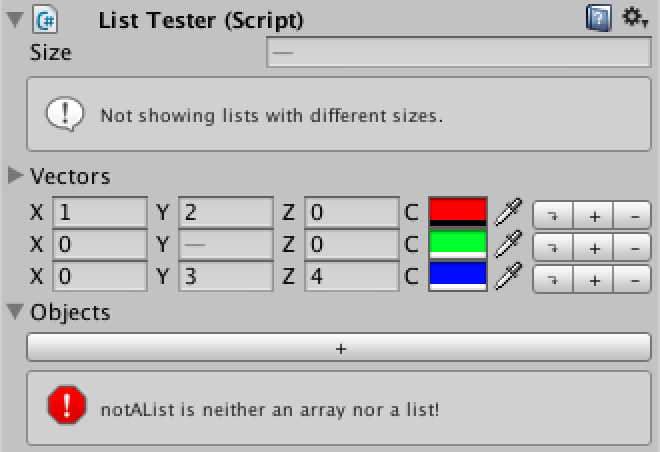
A Unity C# scripting tutorial in which you create an alternative visualization for lists in the editor.
Also note, the custom editor script must be within a folder named "Editor". This folder can live anywhere inside your assets folder, but signals to Unity that it should be built as part of the editor assembly and not your game.
slim sail
Okay, if it’s not built as part of the game though am I still able to refer to stuff within it in scripts?
dark roost
slim sail
Okay, if it’s not built as part of the game though am I still able to refer to s...
Yes! The editor assembly references your game. You'll notice that you need to provide the class in the custom editor script anyway.
slim sail
Awesome. Thanks for the help, I’ll read those now!
dark roost
slim sail
Awesome. Thanks for the help, I’ll read those now!
My pleasure!
gloomy chasm
slim sail
Okay, if it’s not built as part of the game though am I still able to refer to s...
Uhh, to be clear, you cannot access things in a "Editor" folder in your runtime scripts.
And if I understand what you want, you want to be able to do something like myMenuSetttings.FindAudio("ButtonPressed");, correct? If so then what you will want to do is to create a small class that has a string field and a AudioClip field, and have a list of it instead of the list of AudioClips.
gloomy chasm
dark roost
<@131292153300123648>
Changes to the map asset are handled within the Map's own...
You are correct that is defeating the purpose of it.
The way you work with SerializedObject is you would basically recreate the method using SerializedProperty.
Some people hate it, or will do half measures when using it. But in my opinion it is the only right way to do and ends up being far more stable and reliable. Also it allows for properly separating runtime and editor logic.
Sure it would be nice if Unity had a more generic system with more of a MVVM pattern, but this is what we have.
dark roost
gloomy chasm
You are correct that is defeating the purpose of it.
The way you work with Seria...
So, I didn't use SerializedObject or SerializedProperty in the end because control over the object really should live inside the object class, though I am stoked to really finally understand the use of these attributes. The reason why my original ScriptableObject wasn't getting saved ended up being because a model class used more deeply within the MapTileNode (which I was trying to make a list of) contained a property that wasn't serializable. This was probably a holdover from making some models compatible with EF which requires lengthy use of properties - clearly not helpful when trying to serialize classes within Unity which requires fields. Using SerializedProperty gave me the hint that ultimately led me to find what was going on. Thank you so much!
 thick ridge
so guys , cant seem to find a way to make this work , i have an editor window and i want to make this work cs SerializedObject pois = new SerializedObject(selectedtour); if (selectedtour._listPOI.Count > 0) { foreach (TheaterPOI POI in selectedtour._listPOI) { //POI.PoiName = GUILayout.TextField(POI.PoiName); //POI._worldPositionAnchor = (Transform)EditorGUILayout.ObjectField("World Position", POI._worldPositionAnchor, typeof(Transform), true); if(EditorGUILayout.PropertyField(pois.FindProperty("_listPOI"), new GUIContent("List of POIS") , true)) { pois.ApplyModifiedProperties(); } } }

the changes in editor window dont get saved in the scriptable object
waxen sandal
bool True if the property has children and is expanded and includeChildren was set to false; otherwise false.
It is not if it was changed
Use Changecheck for that
thick ridge
waxen sandal
` bool True if the property has children and is expanded and includeChildren was...
this answer is for me ?
waxen sandal
Yes
thick ridge
so yes it has
thick ridge
waxen sandal
Yes
without the true i cannot see the list in the editor window
waxen sandal
I meant the return value
Not the parameter
PropertyField returns if it has children, not if it is changed
thick ridge
and how i can edit those and get saved in the scriptable object ?
waxen sandal
Your current code is probably never calling Apply because of the above
If you call Apply correctly then it should work
thick ridge
i have apply modified properties
thick ridge
waxen sandal
If you call Apply correctly then it should work
fount it
i ve made new serialazable object and not only once
 timid plume
I am making an editor script that displays the properties of pages. This is not an editor window. There is a slot for a scriptable object which holds references to the pages (Prefabs in the resources folder). There is also an array whos length is determined by the amount of pages stored in the scriptable object. The Array is of a class type Page that has some info but most importantly a list of type Button (Buttons on that page).
I have already poplulated the initial list of pages based on the amount of pages in the current scriptable object container. Is it possible to populate the buttons list of each page by checking for buttons contained in a prefab?
tough cairn
how to use DestroyImmediate or Destroy , OnValidate ?
getting the following when trying either of those function
1. Destroy may not be called from edit mode! Use DestroyImmediate instead.
2. Destroying GameObjects immediately is not permitted during physics trigger/contact, animation event callbacks, rendering callbacks or OnValidate. You must use Destroy instead.
so when i use one , it tells me to use the other instead... this is ridiculous
gloomy chasm
tough cairn
getting the following when trying either of those function
```
1. Destroy may n...
You should simply not be calling Destory of any kind in OnValidate. It is meant to simply validate that things are set properly.
(imo you shouldn't really be using OnValidate for anything in edit mode)
tough cairn
but its so convenient lol
gloomy chasm
tough cairn
but its so convenient lol
What are you trying to do?
tough cairn
add / remove prefabs when i move the slider
so i basically added a bool needsRebuild , and onValidate i set it to true whenever the slider changes , and i made a quick customEditor that will check if i need to run the original OnValidate method
works like a charm
void OnValidate() { if (transform.childCount != array) needsRebuild = true; }
void Rebuild() { ... }
#if UNITY_EDITOR
    [CustomEditor(typeof(Chamber))] class Inspector : Editor {
      public override void OnInspectorGUI() {
        var script = ( Chamber ) target;
        if( script.needsRebuild ) script.Rebuild();
      }
    }
#endif
Yeah that should be done in the custom editor script
tough cairn
would be convenient to have something like OnPostValidate method
maybe a custom decorator that does what i wrote above 🤔
gloomy chasm
Why are you trying so hard to not just do it in the editor? 😛
gloomy chasm
It seems like you are mixing what should be editor code with runtime code.
tough cairn
most of my crap is unreadable due to the sheer amount of script files that are interlinked , when a single component script is isolated as a blackbox its much easier to return and edit it after several month , so keeping it as small as possible helps me out alot
gloomy chasm
tough cairn
most of my crap is unreadable due to the sheer amount of script files that are i...
I mean, that seems like a separate problem of poor design maybe.
Ideally, it is best to have one script in your runtime folder Scripts/Level/Chamber.cs
And then a Editor script for in a editor folder, either Scripts/Level/Editor/ChamberEditor.cs or Editor/Level/ChamberEditor.cs depending on the structure of your project.
Keeping the naming and location consistent allows for you to 1. Easily be able to find the editor for a given script. And 2. know that if it does something in editor, then it is in the editor script, and if it does it at runtime, it is in the runtime script.
slim sail
I had posted earlier this week, but it doesn't seem that solution will work for me. I found an example of what I'm trying to do specifically. Does anyone know what I can do to accomplish having this layout in my tool I'm making?
I'm wanting to do this exact same thing:

Just looking for some sort of documentation or something really to help me out. Thanks
gloomy chasm
gloomy chasm
Uhh, to be clear, you cannot access things in a "Editor" folder in your runtime ...
@slim sail Does this not answer your question?
slim sail
Maybe, sorry I didn't see that message. I'll have to give it a shot. I'd like for it to all be in one location like the above image though and then I'd call something like AudioManager.instance.sfxSound.PlayOneShot(click); for instance
Like I said I'm super new to tools programming I'm used to just hardcoding for specific games, but I'd love to streamline this process for myself in the future so I'm attempting this.
slim sail
slim sail
Maybe, sorry I didn't see that message. I'll have to give it a shot. I'd like fo...
Or I guess technically I'd have to call "Clip Name" first. But I think you get what I'm saying
gloomy chasm
slim sail
Maybe, sorry I didn't see that message. I'll have to give it a shot. I'd like fo...
Ah, then yeah. Assuming you want the name to be able to be different than the actual AudioClip asset name.
slim sail
Yeah I just wanted to have a string "Clip Name" beside the actual file and then be able to call the string name from the script that way I can add in a variable number of sounds and then always call it the same way just change the clip name and not have to program each sound individually
gloomy chasm
slim sail
Yeah I just wanted to have a string "Clip Name" beside the actual file and then ...
The other way to do this is to get one of the number of community packages that allows for serialized dictionaries. And just use that.
slim sail
gloomy chasm
The other way to do this is to get one of the number of community packages that ...
Yeah the only thing is, is that I'm also using this as a senior project for school so I need to do it all myself. Other wise I'd just use the asset I sent above haha
gloomy chasm
slim sail
Yeah the only thing is, is that I'm also using this as a senior project for scho...
Ah, got it haha. Then yeah what I said above is the way. If you want it to look nice, then you could make a PropertyDrawer for the 'NamedAudioClip' class so the two fields could be inline.
slim sail
Okay when making the class though is it going to allow multiple within the same window like the above picture? Sorry to ask so many questions
gloomy chasm
Of course if they are in a list.
slim sail
Gotcha. I'll give it a shot and see how it goes. Thanks for your help
gloomy chasm
[Serializable]
public class NamedAudioClip {
  public string name;
  public AudioClip clip;
}

public class AudioManager : MonoBehaviour {
  [SerializeField] private List<NamedAudioClip> _clips;
}
I mean it is just that, really simple.
gloomy chasm
Yeah, no problem I was wondering if that was the case haha
slim sail
Yeah that's usually my problem.
vast isle
idk what wrong with PopupField but it don't change value and stuck on index 0 var field = new PopupField<string>("Field",choices,0);
gloomy chasm
vast isle
idk what wrong with PopupField but it don't change value and stuck on index 0 `...
Not enough context. Are you doing anything else around it or anything?
vast isle
I am getting all script that inherit from an interface then make them in list of names which is what choices is``` VisualElement InterfaceField()
{
var container = new VisualElement();
var type = typeof(IDoElement);
var types = AppDomain.CurrentDomain.GetAssemblies().SelectMany(s => s.GetTypes())
.Where(p => type.IsAssignableFrom(p));
List<string> choices = new List<string>();
foreach(Type t in types)
{
if(t.Name != typeof(IDoElement).Name)
{
choices.Add(t.Name);
}
        }
        var field = new PopupField<string>("ElementEffect",choices,0);

        container.Add(field);
        return container;
    } ``` that is the code for the popupField
idk if I miss in some way but the field should work at lest but its not registering to any change I make
slim sail
@gloomy chasm Perfect! I'll mess with the indenting. I appreciate it!
 slim sail
May be a crazy question but is each audio clip already referenced to that string name? @gloomy chasm
I'm assuming no.
gloomy chasm
slim sail
May be a crazy question but is each audio clip already referenced to that string...
Nope, but you can automatically set the string to be the name of the audio clip when you assign it if you want.
slim sail
Would you mind if I sent you a DM @gloomy chasm ?
gloomy chasm
slim sail
Would you mind if I sent you a DM <@131292153300123648> ?
It is best to just create a thread here unless it is something you would really prefer in DMs.
It is pretty easy to do, in your property drawer you just do something like this
EditorGUI.BegainChangeCheck();
// audio clip field here...
if (EditorGUI.EndChangeCheck())
{
  var nameProperty =property.FindRelativeProperty("name");
  if (string.IsNullOrEmpty(nameProperty.stringValue) && audioClipProperty.objectReferenceValue != null)
    nameProperty.stringValue = audioClipProperty.objectReferenceValue.name;
}
Yeah that was one question and my other was I'm having issues referencing from the other script the "NamedAudioClip" do I reference from it or AudioManager? I'm fine leaving it in here I just didn't want to keep posting questions in here that were probably super simple for anyone that has done any editor stuff
gloomy chasm
What do you mean referencing NamedAudioClip? Leaving it where?
slim sail
Do you mind pics or would you prefer the code posted? A pic may be easier so I can show what I mean I guess?
gloomy chasm
Whatever works for you. You can look in #854851968446365696 for how to post code if you want to do that
slim sail
Basically I have these two Scripts, one is the Drawer and the other is the Audio Manager which also contains the class "NamedAudioClip" so when I'm in another script say for instance say a "PlayerController" and I want to call on an audio clip from that list, how would I reference back to that specific clip?
 slim sail
gloomy chasm
Whatever works for you. You can look in <#854851968446365696> for how to post co...
slim sail
gloomy chasm
Whatever works for you. You can look in <#854851968446365696> for how to post co...
Oh yeah I know how I just thought maybe side by side would be easier for me to explain
gloomy chasm
slim sail
Basically I have these two Scripts, one is the Drawer and the other is the Audio...
Oh that? That is just a #archived-code-general question. But you would just do something like this
public AudioClip GetClipByName(string clipName)
{
  foreach(var clip in _clips)
  {
    if (clip.name == clipName)
      return clip.clip;
  }

  return null;
}
Further questions for this sort of thing would be best asked in #archived-code-general since it doesn't really have anything to do with editor tooling and we don't want to clutter this channel.
slim sail
gloomy chasm
It is best to just create a thread here unless it is something you would really ...
When you say audio clip field here, what exactly do you mean? I tried audioClip.objectReferenceValue but that seems to be incorrect.
gloomy chasm
slim sail
When you say audio clip field here, what exactly do you mean? I tried audioClip....
property.FindRelativeProperty("clip").objectReferenceValue
slim sail
gloomy chasm
`property.FindRelativeProperty("clip").objectReferenceValue`
I'm assuming based on your past code suggestion I would make audioClipProperty = property.FindRelativeProperty("clip").objectReferenceValue?
actually that gives me an error and removing it also gives me an error.
gloomy chasm
slim sail
I'm assuming based on your past code suggestion I would make audioClipProperty =...
No, that would be just var audioClipProperty = property.FindRelativeProperty("clip");
Which you already have
slim sail
I don't have that I have this:
 gloomy chasm
literally the same thing 😛
slim sail
Not sure if that's the same or not. Sorry, I'm trying to understand rather than just copy, pasting
gloomy chasm
Do you understand what SerializedPropertys are and what FindPropertyRelative does?
slim sail
Not really
gloomy chasm
slim sail
Not really
Basically Unity has data only representations of all UnityEngine.Objects, which contain all fields that can be serialized. This representation is accessed through a SerializedObject.
Each field that is serialized can be accessed by its name, these are called SerializedProperties.
Unity has a set of types that it treats as 'base' types, this includes normal C# types like float, int, bool, string etc. But also unity specific types like Vector2, Vector3, Color, Rect, and UnityEngine.Object.
If a serializedProperty is for a field of one of these types, you can get or set its value by using the corresponding c# property, like serializedProperty.intValue to get the value of a int field.
If a field is not one of the 'base' types, it then acts as simply a 'container' for its children types. It is like a tree, where the leaves are the fields that are the 'base' types.
slim sail
Okay that makes more sense then. Thanks again for your help
slim sail
gloomy chasm
Basically Unity has data only representations of all UnityEngine.Objects, which ...
Hate to bother you again, I decided to add an "audio source" option also. I was trying to use what you did for linking the name and the clip and see what I could come up with but none of my ideas have worked lol.
Is there a way for me to link the Property Drawer "Audio Source" with the Audio Manager to force the clip to play through the audio source it needs to? I'm assuming I would need to link the clip to the source in the property drawer and then call that in the Audio Manager some how
gloomy chasm
slim sail
Hate to bother you again, I decided to add an "audio source" option also. I was ...
What do you mean?
slim sail
Basically I wanted to predetermine an audio source beside the clip in the inspector and when it plays the clip I want it to know which audio source to play through
So like in there I could select "UI" audio source and then that clip would play through that source
 gloomy chasm
slim sail
Basically I wanted to predetermine an audio source beside the clip in the inspec...
gloomy chasm
slim sail
Basically I wanted to predetermine an audio source beside the clip in the inspec...
Okay, so, what is the issue then?
slim sail
Uhm, it's not working baiscally haha. My assumption is that I need to define that in the property drawer but that didn't work (more than likely did it the wrong way) and then I'm assuming somehow in the Audio Manager I need to change the current GetClipByName and tell it to play 'x' clip through the correct source
gloomy chasm
slim sail
Uhm, it's not working baiscally haha. My assumption is that I need to define tha...
Did you add a AudioSource field to the NamedAudioClip?
gloomy chasm
I guess create a thread and share the code since idk what you really have right now
slim sail
Just did
visual stag
If you have made a property drawer you cannot use GUILayout, and you have to specify the height it's going to be when it's drawn.
This would be a lot easier if you used the UIToolkit versions, but that's another learning curve
visual stag
Then you aren't using a property drawer? If you're making an Editor then you need to allocate space for controls, which the IMGUI examples on the docs have examples of
 twilit berry
Hello! Ive been send from #archived-code-general to describe my problem here
As a unity developer I want to create an editor with a graph view that can make use of nodes. Those nodes have Ports, but the native Unity version of those ports are not working like I need them.
I attempted at copying the Unity native Port class into a new script, with a new class name. I wanted to edit it there and make my own Port version, but it threw a bunch of errors at me.
"must declare a body because it is not marked abstract, extern, or partial Assembly-CSharp, Assembly-CSharp.Player"
"The type or namespace name 'Orientation' could not be found (are you missing a using directive or an assembly reference?)"
So Ive been told to avoid copying over unity native code. Do you have an idea what I could do?
the original Port class is not abstract either, so I cant inherit from it to overwrite it
gloomy chasm
twilit berry
Hello! Ive been send from <#763495187787677697> to describe my problem here
As a...
Well what is the issue/limitation with the unity port class?
twilit berry
gloomy chasm
Well what is the issue/limitation with the unity port class?
GraphView.Port has the following things that misfit my usecase:
- ports are either "in" or "out". I dont need a flow in my graph view, I just need connections. (A is connected to B), without any direction
- aesthetically: orientations. They arrange the connecting lines in a way that looks fine for a classic node flow, but Id rather have them go straight from A to B. Also I want to decide on the color of those ports.
- the Port name is a string, I need it to be an inputfield
gloomy chasm
twilit berry
GraphView.Port has the following things that misfit my usecase:
- ports are eith...
It has been a bit since I used the GraphView, but I will try to address these as best as I can.
- I think it was the GraphView class that has a method you can override to determine what ports are compatible (maybe it was the EdgeConnector though).
- The way the connections is drawn is determined by the Edge class, not the Port class.
- You mean the port name is shown as a Label? You can simply replace the label with a field. Even inherit from the Port class to create your own iirc.
gloomy chasm
twilit berry
the original Port class is not abstract either, so I cant inherit from it to ove...
Btw, you can inherit from classes that are not abstract. Abstract just means that it has to be inherited from and a instance cannot be created of it directly.
A sealed class means that it cannot be inherited from.
twilit berry
gloomy chasm
Btw, you can inherit from classes that are not abstract. Abstract just means tha...
oh thats new to me. Thank you, I will make another attempt tomorrow
 oak grotto
Hey, so I am using Odin for something.
I am adding a button to scriptable objects. Can I somehow get a name of the current file that the button is on?
for example i have a Weapon : ScriptableObject
and then I have Sword, Bow, Mace
and when I click a button on Sword I want to call a method with "Sword" as a argument
slim sail
Hey, I have a property drawer that is shown in the picture here. Is there a way for me to create a single button under the List shown? When I try it seems to overwrite what is there and just has a button only. I also tried creating another property drawer for "Audio Manager" instead of the serializable class that is the "Audio Clips List" shown, that did nothing for me.

 gray vine
Hello there 🙂 is there a way to execute some code when an object is created an editor? I'd like to put all the coins I put in my level under a parent gameObject pickup to keep things organized
 autumn pier
How would I draw a brush in the scene editor window?
patent venture
gray vine
Hello there 🙂 is there a way to execute some code when an object is created an ...
You could try having some serialised ID that defaults to a value in code, say, -1, then assign a unique one through OnEnable(), and parent it in the process, meaning it would only happen once. It'd have to be done through an Editor subclass though (as in, you use Editor.OnEnable(), not the MonoBehaviour one), I think. If you want to go simpler, just have it as a bool instead, I guess. That might work?
gray vine
Yeah that could work
I was wondering if there was a simple editor lifecycle for that use case
gloomy chasm
gray vine
Hello there 🙂 is there a way to execute some code when an object is created an ...
gray vine
@gloomy chasm awesome! should I register the delegate in the OnValidate method of the gameObject?
Ok no this should be done kinda globally
gloomy chasm
gray vine
Ok no this should be done kinda globally
Yeah
gray vine
Yeah I'll put it inside an InitializeOnLoad and check the events there
grand robin
It is possible for me to create a Function that can receive any struct and create display any of the variables that would be normaly displayed in the inspector? and then return the changed struct?
public static void ShowObjectDictionary(SerializableDictionary<string, UnityEngine.Object> dictionary, string name,
out SerializableDictionary<string, UnityEngine.Object> newDictionary)
{
KeyValuePair<string, UnityEngine.Object>[] list = new KeyValuePair<string, UnityEngine.Object>[EditorGUILayout.IntField(name + " length", dictionary.Count)];
KeyValuePair<string, UnityEngine.Object>[] oldlist = dictionary.ToArray();
newDictionary = new SerializableDictionary<string, UnityEngine.Object>();
    for (int x = 0; x < list.Length; x++)
    {
        if (x < list.Length)
        {
            list[x] = new KeyValuePair<string, UnityEngine.Object>(EditorGUILayout.TextArea(name + " name " + x, oldlist[x].Key), EditorGUILayout.ObjectField(name + " values " + x, oldlist[x].Value, oldlist[x].Value.GetType(), false));
        }
        else
            list[x] = new KeyValuePair<string, UnityEngine.Object>(EditorGUILayout.TextArea(name + " name " + x, list[x].Key), EditorGUILayout.ObjectField(name + " values " + x, list[x].Value, list[x].Value.GetType(), true));
    }

    foreach(KeyValuePair<string, UnityEngine.Object> x in list)
    {
        newDictionary.Add(x.Key, x.Value);
    }
}
similar to this one that I've made
gloomy chasm
grand robin
It is possible for me to create a Function that can receive any struct and creat...
You are going to want to look in to SerializedObject and SerializedProperty.
grand robin
hmmmm, ok
gloomy chasm
slim sail
Hey, I have a property drawer that is shown in the picture here. Is there a way ...
If you still need it, what you want to do is call DrawDefaultInspectorGUI and then draw your button. (I don't remember the exact method name)
short tiger
#📢┃announcements Next Dev Blitz Q&A is on editor extensions 🎉
 atomic sable
Hello. My custom property drawer won't display inside a list right. I'm assuming I need to actually do something so that it will, but I can't find anything online. They do function correctly however, and also change order when I drag the handles on the list around. They just don't display right.

Hastebin is a free web-based pastebin service for storing and sharing text and code snippets with anyone. Get started now.
visual stag
atomic sable
Hello. My custom property drawer won't display inside a list right. I'm assuming...
atomic sable
oh, well coincidence it worked (not in a list) using the Layout version? I can do the 'regular' version ig, just more annoying. Thank you.
visual stag
It was a coincidence, likely because your controls were the last thing drawn in the editor
atomic sable
Hmm... when I use the EditorGUI.Foldout it's no longer togglable. Is there something else I need to do to make it toggleable?
nevermind i guess I'm just tired...
 vast vault
Is there a way to get the scene view center position? To clarify I mean the position at which objects created with the create menu in the hierarchy spawns.
waxen sandal
https://docs.unity3d.com/ScriptReference/SceneView.MoveToView.html is what is used internally iirc
 frank robin
I'm getting a bit stuck because I'm not sure what keywords I should use to google the answers for this.
I want to be able to write strings that define random number generation rules in the editor, and then make helper scripts that streamline the process. More specifically, I want to use the dice notation system used in some pen and paper RPGs, roguelikes etc. I've already made the diceroll system, now I'm working on the string-to-diceroll conversion.
Example:
I want to be able to define the number of enemies spawned in a wave by writing 1d6+2 on an Editor variable / field in Inspector.
Is there a way to make a custom property field "validator" or "processor" that checks the contents of a string, and then either formats it (e.g. regex to remove empty spaces so 1d6 + 2 -> 1d6+2?
Is this even a reasonable way to do this, or is there a different approach I could consider?
alpine bolt
frank robin
I'm getting a bit stuck because I'm not sure what keywords I should use to googl...
I don't know if there is such thing, but I believe you can create your own custom attribute that does that for you
frank robin
I've gotten it close to working


I have made the DiceNotation class a custom editor extended from Editor class, and now I'm trying to do a custom ProperyDrawer too
But currently the property drawer just breaks things
alpine bolt
using UnityEngine;
using System.Text.RegularExpressions;

namespace TG.Utilities.Attribute
{
    public class RegexAttribute : PropertyAttribute
    {
        public string pattern;

        public RegexAttribute(string pattern)
        {
            this.pattern = pattern;
        }
    }
}```using System.Linq;
using System.Text.RegularExpressions;
using TG.Utilities.Attribute;
using UnityEngine;
public class RegexMonoBehaviour : MonoBehaviour
{
[Regex("[^a-zA-Z0-9-]")]
public string myString;
private void OnValidate()
{
var fields = GetType().GetFields();
foreach (var f in fields)
{
var regexAttributes = f.GetCustomAttributes(typeof(RegexAttribute), false).OfType<RegexAttribute>();
foreach (var ra in regexAttributes)
{
myString = Regex.Replace(myString, ra.pattern, "");
Debug.Log(ra);
}
}
}
}```It's very rough, but it replaces the string when you stop selecting the typing text field
frank robin
I've gotten my property drawer mostly working, and found out that there is also a way to do a regex replacement in the stuff I was looking into
EditorGUI.BeginChangeCheck();
        string diceRoll = property.FindPropertyRelative("diceRoll").stringValue;
        diceRoll = Regex.Replace(diceRoll, ".*[^0-9d+-].*", "");
        property.FindPropertyRelative("diceRoll").stringValue = diceRoll;
EditorGUI.EndChangeCheck();
this is on a custom drawer script inherited from PropertyDrawer, using the IMGUI ui implementation defined inside public override void OnGUI(). I originally just meant to use its BeginProperty and EndProperty functionality to make the dieroll drawn on a single line, but it happened to also have BeginChangeCheck() EndChangeCheck() stuff that lets me validate it, more or less
Well, this is the most complex editor script I've done so far 😄 I've learned a lot already, and I think I'd have to figure out a more complex regex pattern to get it working as I want it to
Currently it only accepts numbers, the letter 'd' and +- symbols, but in any order
alpine bolt
PropertyDrawers would be the next step of what I wrote, yes.
frank robin
I think I'll do a Regex match against one or more patterns, and then clear the field if it isn't a match
alpine bolt
Imagine having Properties within properties within properties, all with custom property drawers. And sometimes they are not reusable and have to make 3 property drawers within the highest level nested property drawer class
frank robin
while looking for the right keywords, I came across a thread discussing how this example and documentation page I used had been wrong for 3 years
I don't know if that's accurate 😄
alpine bolt
The DiceNotation is the Attribute name?
frank robin
yup
vast vault
I am working on a simple path system. I want an object to follow the path. I store Vector3s for each start and end of a path segment. Is there a way to draw a sphere handle at the positions and check if I click one of the handles? And in that case bring up the PositionHandle?
frank robin
In Editor mode, it's possible to draw non-interactable indicators at specified positions, such as with Gizmos.DrawSphere()
Do you want to do this in Editor, or during play?
Do you want to do this to visualize the path, or to edit the path?
 leaden root
I would like to load my custom Unity Layout through a script. Does anyone has a solution on how to do this? I have a difficult time googling the solution.
 delicate path
As in the window layout accessible in the upper-right corner drop-down?
leaden root
correct
delicate path
Yeh last I did that it was only available there.
That was quite a while ago though.
Eep
Nine years
leaden root
gloomy chasm
iirc the `WindowLayout` class
I dont get any suggestions in visual studio when i typ in WindowLayout
gloomy chasm
leaden root
I dont get any suggestions in visual studio when i typ in WindowLayout
It is a internal class, you will have to use C# reflection to get the class and then get the correct method. You will need to look at the source code to know the name and signature of the method
delicate path
This is how I had it working nine years ago on whatever version of Unity was out there: https://github.com/AngryAnt/ReView

GitHub
Unity extension facilitating automatic layout switching between playmode and edit mode. - GitHub - AngryAnt/ReView: Unity extension facilitating automatic layout switching between playmode and edit...
whole steppe
when I do GUILayout.Box(Logo); the Box is a darker gray than the rest how can i change this?
 gloomy chasm
whole steppe
when I do `GUILayout.Box(Logo);` the Box is a darker gray than the rest how can ...
gloomy chasm
whole steppe
when I do `GUILayout.Box(Logo);` the Box is a darker gray than the rest how can ...
Change Logo to not be darker?
whole steppe
gloomy chasm
Change `Logo` to not be darker?
no its a png
gloomy chasm
Ooh nvm
vast vault
frank robin
Do you want to do this to visualize the path, or to edit the path?
To edit it in the editor
/scene view
leaden root
delicate path
This is how I had it working nine years ago on whatever version of Unity was out...
Thank you i will have a look
gloomy chasm
whole steppe
no its a png
I forgot they restyled the box. You probably just want GUILayout.label(Logog)
gloomy chasm
vast vault
To edit it in the editor
You will want to create a custom editor for the component and use the OnSceneView method.
whole steppe
gloomy chasm
I forgot they restyled the box. You probably just want `GUILayout.label(Logog)`
That worked Thanks!
vast vault
gloomy chasm
You will want to create a custom editor for the component and use the OnSceneVie...
I have that. Or OnSceneGUI. How can I check if a handle has been clicked?
gloomy chasm
vast vault
I have that. Or OnSceneGUI. How can I check if a handle has been clicked?
It is a bit complicated. I did it recently, you can have a look at what I did here https://gdl.space/secefohixo.cs
vast vault
Thank you
 lilac python
Anyone have experience writing custom Roslyn analyzers?
I've gotten to the point where I can see the the warnings found by my analyzer in rider but they aren't showing up as warnings in the Unity console.
However if I add ErrorProne to the project their warnings shows up in the Unity console, and I can't quite figure out what the difference is.
short tiger
lilac python
Anyone have experience writing custom Roslyn analyzers?
I've gotten to the point...
Have you followed all the instructions here? In particular the part about setting the asset label?
https://docs.unity3d.com/Manual/roslyn-analyzers.html
atomic sable
Alright, I need more help. I thought I converted everything right, but it looks really weird. Also I can't click on some things correctly, like the position I need to click on is offset. Also no matter where I click inside of the thing, the foldout will always toggle, like it can't tell I'm clicking on something else.

Hastebin is a free web-based pastebin service for storing and sharing text and code snippets with anyone. Get started now.
where would I go to even find documentation about this sort of stuff? The offiial unity stuff isn't too helpful.
gloomy chasm
atomic sable
Alright, I need more help. I thought I converted everything right, but it looks ...
A couple of things to note. You can't use GUILayout or EditorGUILayout inside of a property drawer. Don't call ApplyModifiedProperties inside of a property drawer. Make sure to set the position height to be a single line height as it defaults to the height returned by .GetPropertyHeight
atomic sable
I'm not using GUILayout or EditorGUILayout anymore though I thought?
also what should I do then if I shouldn't call apply modified properties? how do I edit the other properties??
visual stag
None of your fields have the rect height set correctly
they are all the height of the position passed in
lilac python
short tiger
Have you followed all the instructions here? In particular the part about settin...
Yeah, this is with the roslyn label, without it Rider doesn't seem to pick up on the analyzer results.
I've yet to successfully compile ErrorProne on my own so I haven't been able to nail down any differences but I haven't seen it do more than adding the rules to the immutable array and then registering the callbacks.
 sage sedge
is there a way I can physically stop people from pressing the play button?
like, if you press it, it instantly ends playmode with an error message
Also: How do I add a button to the top of the inspector, not at the bottom?

 gloomy chasm
sage sedge
is there a way I can physically stop people from pressing the play button?
like,...
gloomy chasm
sage sedge
is there a way I can physically stop people from pressing the play button?
like,...
With reflection you can. Get the toolbar GUIView, get the rootVisualElement, query the play button, and either register a mouse button down or you might have to create a element that is invisible and is on top of it. Only works with 2020.3 and newer iirc.
gloomy chasm
sage sedge
Also: How do I add a button to the top of the inspector, not at the bottom?
Modify whatever asset you are using that adds the [Button] attribute 😉
sage sedge
NaughtyAttributes, However I have buttons in other places that I don't want to effect
gloomy chasm
sage sedge
NaughtyAttributes, However I have buttons in other places that I don't want to e...
Give it a param and an enum for if it should be above or below.
sage sedge
    [Button("Disable Visualization", EButtonEnableMode.Always, ButtonPlacement.Top)]
    public void DisableVisualization()
    {
        DestroyImmediate(this);
    }``` running this function, but upon pressing the button, I am presented with this
everything works, I'd just prefer this error to not pop up
whole steppe
sexy!
 cinder relic
Hey is there a way to stop a dynamically loaded textures from destorying itself when switching scenes in editor?
cinder relic
I've tried setting the HideFlags to DontUnloadUnusedAsset and DontDestoryOnLoad and it still doesnt seem towrk
gloomy chasm
cinder relic
Hey is there a way to stop a dynamically loaded textures from destorying itself ...
How do you know it is destroying itself?
cinder relic
It reports null, but the c# reference is still alive
gloomy chasm
cinder relic
It reports null, but the c# reference is still alive
Null from where?
cinder relic
When you check if its null? but if I print the instance id it doesnt throw a null reference exception
gloomy chasm
I mean from what script are you checking if it is null? Is it an editor window? A custom editor? A component?
cinder relic
From a normal c# script
gloomy chasm
But where are you calling that from? It has to be called from either a method with InitializeOnLoad or something that inherits from UnityEngine.Object
There is no other way to run code in Unity
cinder relic
Oh sorry, Im calling it from a MenuItem for testing, but couple of days ago it didnt work in an editor window either
Dont think that matters
cinder relic
Loading the texture from the LoadImage extension method
gloomy chasm
LoadImage extension method for what?
cinder relic
Texture2D??
gloomy chasm
Can you show the code? I am getting a bit lost on what you are doing
gloomy chasm
That just leads to more questions. I want to see code, it will be 10x faster.
 tepid roost
if its editor code very little reason to need to use that method
cinder relic
Mostly because im loading thumbnails from the internet
    public sealed class UnityTextureLoader : ILoader<Texture2D>
    {
        public async Task Load(Texture2D asset, Stream stream, CancellationToken token)
        {
            asset.LoadImage(await stream.ReadAllBytesAsync(token));
            asset.hideFlags = HideFlags.DontUnloadUnusedAsset;
        }
    }
So where is the null part coming in?
cinder relic
if (m_Reference.IsAlive && m_Reference.Target != null)
            {
                if (m_Reference.Target is UnityEngine.Object uObj)
                {
                    Debug.Log(uObj == null);
                }

                return Task.FromResult((T)m_Reference.Target);
            }

This is after the scene change, while already having a reference to it before the scene was changed
The weakref says that yes this object is not null, but when logging it says yes it is null.
Even without the weak ref it will still do the same thing
gloomy chasm
What is m_Reference and where are you getting it. Where is it declared?
cinder relic
Why does that matter?
gloomy chasm
Because as I said, I suspect that the issue is that you are simply losing reference to the texture
cinder relic
But im not losing reference? It clearly says that m_Reference.Target != null then checks if its null on the NativeSide in the log?
I cant just lose reference in two lines of code
gloomy chasm
cinder relic
But im not losing reference? It clearly says that m_Reference.Target != null the...
Try this, run the Tools/Create Texture Test then load a scene and run Tools/Run Test. This will tell you if it is really being destroyed or not.
public static class TextureTest
{
  [MenuItem("Tools/Run Test")]
  public static void RunTest()
  {
      foreach(var texture in Resources.FindObjectsOfType<Texture2D>())
    {
        if (texture.name == "MyTextureName")
        {
            Debug.Log("Found");
            return;
        }
    }

    Debug.Log("No Texture Found");
  }

  [MenuItem("Tools/Create Texture Test")]
  public static void CreateTexture()
  {
    var texture = new Texture2D(64, 64);
    texture.hideFlags = HideFlags.HideAndDontSave;
    texture.name = "MyTextureName");
  }
}
And I understand if you are annoyed, I am working off of just little bits and pieces of the code with little to no indication of where or how they are being used so I am trying to do my best here.
cinder relic
Its a bug with unity it looks like

thats also with the DontUnloadUnussedAssets hideflag
gloomy chasm
HideAndDontSave includes DontUnloadUnusedAssets
cinder relic
didnt know that thats cool
cinder relic
Yea didn’t make a difference
gloomy chasm
Hmmm, have you tried restarting Unity yet? 😛
gloomy chasm
Probably not, but you never know
cinder relic
Importing the texture as an asset doesn’t unload it. But I don’t want users project folder to be full of random textures from the internet
gloomy chasm
Yeah it works on my end.
I would try creating a new project and testing it using the little script I wrote
cinder relic
Really ? What unity version are you on
gloomy chasm
It was 2022.2
cinder relic
Hmm I’ll try it out on an empty project when I finish my kfc
gloomy chasm
It is more likely that it is a issue with the specific project than a bug in Unity as a whole
topaz imp
hi guys, I'm trying to open a SearchWindow https://docs.unity3d.com/ScriptReference/Experimental.GraphView.SearchWindow.html using the context menu. I'd like to place it where the mouse position is when I open the context menu. From the event ContextualMenuPopulateEvent, I get the mousePosition in global coordinate. It's quite difficult to get a really good summary of all the coordinate systems present or at least I couldn't be able to find one. Is the global coordinate system the same as the world coordinate system ?
In the end I was able to convert the mouse coordinates to the screen coordinates, which are expected by the SearchWindowContext, by using EditorGUIUtility.GUIToScreenPoint but it's not entirely clear if this is the right method
this method suggest that converts GUI coordinate, which I don't know if they are the same as the global coordinates to screen point
 peak bloom
Anybody knows how to restrict the experimental api ResizableElement from being resized vertically?
for context, here's the api https://docs.unity3d.com/2020.1/Documentation/ScriptReference/Experimental.GraphView.ResizableElement.html
 proud crane
Can I create a context menu that will create a Prefab with the selected Script attached as a Component? The Selection Selection.activeObject seems to be "Collections" when I right click on a Script but works correctly when I select something within my Resources folder...
 peak summit
Id love it if unity animator had an "onion skin" feature like flash
Just creating a temporary object at the position of the last keyframe
Would it be hard to make an editor extension for that
I know very animation plug in does it but i dont have it
autumn pier
Its a good idea
vast vault
I have this editor. Problem is that it keeps running the code on line 29 repeatedly if I click the button on line 18
tepid roost
you reference line numbers then did not include them in the screenshot nvm thanks
vast vault
 vast vault
tepid roost
~~you reference line numbers then did not include them in the screenshot~~ nvm t...
vast vault
tepid roost
~~you reference line numbers then did not include them in the screenshot~~ nvm t...
I realized that. here they are
t.paths.Count is 0 in the beginning. Then I click the "Add new path" button and t.paths.Count is set to 1. I don't see why it should keep repeating line 29 tho
I don't even click the "Add new segment" button once
I am so dumb. I get it now. There is a ';' in the end of line 27
Yup! Removing it fixed it
tepid roost
i did not notice it either
but yeah more or less the condition was only applying to a empty statement because of it
vast vault
How can I draw a sphere in a color?
I guess I would use Handles.HandleSphereCap but I don't know how I can choose the color
Or do I just draw a gizmo?
That's probably it
Can I put it in my OnSceneGUI()?
Or do I need the OnDrawGizmosSelected()?
gloomy chasm
vast vault
I guess I would use Handles.HandleSphereCap but I don't know how I can choose th...
Use OnSceneGUI if you are using Handles.
Handles.color = Color.red;
Handles.HandleSphereCap(..);
Handles.color = Color.white;
Oh okay. Thank you
I don't need control of them tho
Only for looks
Is this still the way to go?
gloomy chasm
Yes
gloomy chasm
Just pass 0 as the controlID param
vast vault
gloomy chasm
Just pass 0 as the controlID param
One question: Why is there a parameter for rotation if it is a sphere?
gloomy chasm
vast vault
One question: *Why is there a parameter for rotation if it is a sphere?*
Because the same params are used for the other handle caps. Basically just so it is consistent
vast vault
gloomy chasm
Because the same params are used for the other handle caps. Basically just so it...
Ah okay. Thanks again 😊
Do I pass "EventType.Repaint" as the eventType parameter?
gloomy chasm
sure
autumn pier
How can I see a small icon of a prefab in my editor window?
I would like top have a collection of prefabs in the editor, but I'll start with one.

 short tiger
vast vault
What in the world does this mean?
short tiger
vast vault
What in the world does this mean?
The quaternion is all zeros, which is invalid
vast vault
short tiger
The quaternion is all zeros, which is invalid
Thank you. That must be an error that happened because of reloading since all the values are copies of a game object's rotation. Weird
 snow pebble
how do you detect clicks in the scene window for EditorWindow script
i can only detect mouse events when clicking in the window but i want to be able to interact with the scene
the documentation is very hard to find this info
atomic sable
is there a way to get the current world space? I'm not exactly sure what to call it, but that little toggle that lets you choose between global and local.
this is what I'm talking about btw
 steady crest
anyone know why the IsReadible flag is not set when doing this? the LINQ all doesn't seem to resolve true but I feel like it should 🤔 ```cs
public static Bounds GetBounds(this GameObject target, bool includeChildren = false, bool includeInactive = false)
{
var meshFilters = includeChildren ? target.GetComponentsInChildren<MeshFilter>() : new[] { target.GetComponent<MeshFilter>() };
meshFilters = meshFilters.Where(x => x.gameObject.activeInHierarchy || includeInactive).ToArray();
    foreach (var filter in meshFilters)
    {
        if (filter.sharedMesh.isReadable) continue;

        var mesh = filter.sharedMesh;
        mesh.UploadMeshData(false);
        UnityEditor.EditorUtility.SetDirty(mesh);
        UnityEditor.AssetDatabase.SaveAssets();
    }

    if (meshFilters.All(filter => filter.sharedMesh.isReadable))
    {
        var vertices = meshFilters.SelectMany(x => x.mesh.vertices);

        var enumerable = vertices as Vector3[] ?? vertices.ToArray();
        var bounds = new Bounds(enumerable.ElementAt(0), Vector3.zero);

        foreach (var vertex in enumerable) bounds.Encapsulate(vertex);

        foreach (var filter in meshFilters)
        {
            var mesh = filter.sharedMesh;
            mesh.UploadMeshData(true);
            UnityEditor.EditorUtility.SetDirty(mesh);
            UnityEditor.AssetDatabase.SaveAssets();
        }

        return bounds;
    }
}```
 willow jackal
What do you mean by not set ?
Pretty sure: var enumerable = vertices as Vector3[] ?? vertices.ToArray(); make no sense. Vertices will never be Vector3[].
mesh.UploadMeshData(false); You set all mesh as no longer readable just before the if.
gloomy chasm
atomic sable
this is what I'm talking about btw
Tools.pivotRotation iirc.
atomic sable
gloomy chasm
`Tools.pivotRotation` iirc.
Thank you, although i did eventually figure it out. Maybe you could help me with a different problem? I want a rotation editor similar to the one on transform, but i can’t figure out a way to set the rotation handles to look like they’re oriented to the global axis but still work
gloomy chasm
atomic sable
Thank you, although i did eventually figure it out. Maybe you could help me with...
Cool glad you got it figure out.
This is what Unity does for the built in tools https://github.com/Unity-Technologies/UnityCsReference/blob/master/Editor/Mono/GUI/Tools/BuiltinTools.cs#L219
atomic sable
Ooh thank you
autumn pier
How doable is this using the default windoweditor

 rugged lion
why is my vs code editor showing me this error when i try to install c# in vs code to this is the error that it gives me

and i have installed net frame work
gloomy chasm
autumn pier
How doable is this using the default windoweditor
In Unity, all EditorWinodws are the same. I mean that there are no 'special' windows that Unity uses internally. For the most part, if you see a window, you can recreate what it does exactly the same in your own window.
gloomy chasm
rugged lion
why is my vs code editor showing me this error when i try to install c# in vs co...
This is the wrong channel for this. You want #💻┃unity-talk. This channel is for creating custom editor windows and things.
(Lots of people get confused by the name, so no bug deal)
 mild sentinel
We build via an editor script, since it greatly simplifies having a build matrix. Now the problem is that when I build via this script using BuildPipeline.BuildPlayer it doesn't seem to respect the settings done via EditorUserBuildSettings. Essentially it just changes attributes in the editor, but doesn't use all these when building. For example even if I set development & allowDebugging to true, it still won't build these as true. Now the last argument takes a BuildOptions, and this one also have a lot of flags, but the documentation seems to be really vague on how that interacts with EditorUserBuildSettings. Do I have to update development & allowDebugging on both locations?
waxen sandal
You should set it in the BuildOptions you pass to BuildPlayer https://github.com/Unity-Technologies/UnityCsReference/blob/master/Editor/Mono/BuildPipeline.bindings.cs#L310

GitHub
Unity C# reference source code. Contribute to Unity-Technologies/UnityCsReference development by creating an account on GitHub.
Only Subtarget is shared between the 2, since well that's the same for the whole instance of Unity
mild sentinel
Ah, so If I set EditorUserBuildSettings.development to false & pass BuildOptions.Development to BuildPlayer I presume I still get a development build?
Does BuildPlayer always take precedence?
waxen sandal
I think so yeah
alpine bolt
why does it not show None like the first photo when setting it from Not None to None?
private void SetObjectFieldNull(ITreeNode treeNode)
{
    treeNode.TreeObject = null;
    _objectField.SetValueWithoutNotify(null);

    if (extensionContainer.Contains(_nodeField))
        extensionContainer.Remove(_nodeField);
}```

 obtuse panther
what can i do to write a script to save transform values from play mode into editor mode
@vast vault any ideas?
 teal estuary
this property field i have in a custom inspector never saves the changes i make, i have the target set as dirty and the target class is serializable, any ideas what's happening?
 waxen sandal
Call apply on the so?
atomic sable
gloomy chasm
Cool glad you got it figure out.
This is what Unity does for the built in tools ...
so by looking through this, it seems that what they do to have the rotation handle be oriented to the global axis is an internal method... is there a public method?
autumn pier
gloomy chasm
In Unity, all EditorWinodws are the same. I mean that there are no 'special' win...
Not sure how to get this drag and drop functionality.
gloomy chasm
autumn pier
Not sure how to get this drag and drop functionality.
Lots of results on google. But long story short, it isn't the easiest thing to do.
autumn pier
gloomy chasm
Lots of results on google. But long story short, it isn't the easiest thing to d...
How would I draw just an empty box that I could later drag prefabs into?
In the polybrush example it would look like an empty "current palette"
gloomy chasm
autumn pier
How would I draw just an empty box that I could later drag prefabs into?
That is a deceptively complicated question to answer in this context. I would try to google some stuff about drag and drop first.
autumn pier
gloomy chasm
That is a deceptively complicated question to answer in this context. I would tr...
What about displaying a simple list - forgetting the visual aspect for now?
gloomy chasm
autumn pier
What about displaying a simple list - forgetting the visual aspect for now?
I will run down a few basics for you. Unity has two systems, the older system is called IMGUI, you will see things like this:
public void OnGUI() {
  if (GUILayout.Button("A Button") {
    Debug.Log("A button was pressed");
  }
}
It basically runs the code every frame in the editor.
The other newer system is called UI Toolkit (UITk). And you will see code more like this:
public void CreateGUI() {
  var button = new Button();
  button.onClicked += () =>  Debug.Log("A button was pressed");
  button.text = "A Button";
  rootVisualElement.Add(button);
}
It is much like web dev HTML and CSS.
Both are good. Idk what your background or experience is so not sure which to recommend.
Unity Learn has info on both and the Unity docs and manual both have a lot written for getting started. I would start there.
autumn pier
Do I need a package to go with the UI Toolkit?
gloomy chasm
Nope
vast vault
obtuse panther
<@348174110024663041> any ideas?
No, sorry. I don't know how to apply a value after exiting play mode
 pulsar oak
hey, if i want to make a UIToolkit editor where i plan on editing multi line text (specifically code snipetts) through the editor is there a UIElement that would be a good fit for that or am I on my own?
willow jackal
obtuse panther
what can i do to write a script to save transform values from play mode into edi...
You need to copy all data with reflection on play mode exit then reapply them after the edit mode has been resume. You can see how it has been implemented in cinemachine. https://docs.unity3d.com/Packages/com.unity.cinemachine@2.4/manual/CinemachineSavingDuringPlay.html
snow pebble
how do you detect mouse wheel when you want to interact with scene handles
i have something selected in scene and i want to detect a mouse scroll event so i can scale the object
but Event doesn't seem to have a mouse wheel option
obtuse panther
willow jackal
You need to copy all data with reflection on play mode exit then reapply them af...
pog
thanks!
 daring acorn
is there a nice way to override the default prefab inspector with a custom one?
right now I'm doing it a super hacky way that isn't ideal
willow jackal
daring acorn
is there a nice way to override the default prefab inspector with a custom one?
Depends on what you mean by overriding the prefab. You might want to look at the replace function that has been implemented in 2022. https://www.youtube.com/watch?v=WOJzHz4sRyU
daring acorn
mmm more like replacing this entire prefab inspector with a custom one

 spark rain
I posted a question in #archived-code-general and the answer seems to involve editors. <#archived-code-general message>
How would I make the editor work with the [SerializeReference] attribute to be able to make a list of polymorphic classes? References to useful resources appreciated.
patent venture
spark rain
I posted a question in <#763495187787677697> and the answer seems to involve edi...
Idk if this helps but I believe this covers serialising polymorphism.
https://twitter.com/lottemakesstuff/status/1390083564960690177?s=46&t=5UG1N51fhz_IpzWQC-3lTw

Sup Friends! Lets do some Editor Scripting! theres a whole bunch of cool tech unity have added over the last year or so thats SO worth knowing about. Lets buildsomething with...
- [SerializeReference]
- TypeCache
- SerializedObjects
- ReorderableArrays
exciting! #UnityTips
Likes
645
Retweets
141
 Twitter
·
spark rain
patent venture
Idk if this helps but I believe this covers serialising polymorphism.
https://t...
Twitter
·
spark rain
patent venture
Idk if this helps but I believe this covers serialising polymorphism.
https://t...
Looks promising, Ill give it a shot.
That first video clip is almost exactly the sort of thing I want to do
patent venture
If you want to implement reorderable lists with it that takes a bit more work, but I have done it in the past. I’ll see if I’ve still got the code if you want.
spark rain
patent venture
If you want to implement reorderable lists with it that takes a bit more work, b...
Yeah I'd love to take a look. Ive not done any editor stuff before
@spice grail You might be interested in the above tweet as well
Hang on, isnt it just inherently reorderable? Thats how List<> shows up in the inspector
Apparently thats somewhat recent
autumn pier
How do I apply a custom style to my editor
public static Vector2 BeginScrollView(Vector2 scrollPosition, bool alwaysShowHorizontal, bool alwaysShowVertical, GUIStyle horizontalScrollbar, GUIStyle verticalScrollbar, GUIStyle background, params GUILayoutOption[] options);
I want to modify the GUIStyle in this Scroll box for example.
patent venture
spark rain
Hang on, isnt it just inherently reorderable? Thats how List<> shows up in the i...
Oh my bad, I’m thinking of something else. Dw
patent venture
How can I make a serialised property property drawer that targets an entire array not just individual elements of that array?
patent venture
yes, sorry, that is what i meant
waxen sandal
Then you can't
patent venture
oh
autumn pier
I have 3 elements in a EditorGUILayout.BeginHorizontal(); - which are all spaced evenly. How can I align then to the left?
I found the solution. Just fix the width of each element
spark rain
How would I follow this tutorial (the twitter thread above <#↕️┃editor-extensions message>) but add a menu to the '+' button to determine which type to create
patent venture
spark rain
How would I follow this tutorial (the twitter thread above <https://discord.com/...
that was what i meant earlier, ill find the code i had for it.
patent venture
the following code is from over a year ago and is untested (am currently unable to at the moment), basically just make a class inside your current class. ensure its derives from Editor and has the CustomEditor(typeof(YourClassType)) attribute. Inside put the following:
private ReorderableList _list;
private SerializedProperty _listProperty;

private static GenericMenu _dropdownMenu;
private static TypeCache.TypeCollection _typeCollection;

private void OnEnable() {
    _listProperty = serializedObject.FindProperty("<whatever your property is called>");
    _dropdownMenu = new GenericMenu();
    _typeCollection ??= TypeCache.GetTypesDerivedFrom<YourType>(); // Should probably use Activator here

    _list = new ReorderableList(serializedObject, _listProperty, draggable: true, displayHeader: false, displayAddButton: true, displayRemoveButton: true);
    _list.onAddDropdownCallback += (Rect rect, ReorderableList list) => _dropdownMenu.DropDown(rect);

    for (int i = 0; i < _typeCollection.Count; i++)
    {
        int typeIndex = i;
        if (_typeCollection[i].IsAbstract) continue; // Don't add abstract classes
        _dropdownMenu.AddItem(new GUIContent(text: ObjectNames.NicifyVariableName(_typeCollection[i].Name)), false, () =>
        {
            int index = _listProperty.isArray ? _listProperty.arraySize : 0; // Avoids weird bug
            _listProperty.InsertArrayElementAtIndex(index); // Create a new array element

            SerializedProperty newElement = _listProperty.GetArrayElementAtIndex(index); // Get reference to that new element
            newElement.managedReferenceValue = Activator.CreateInstance(_typeCollection[typeIndex]); // Create instance without hardcoded generics
            serializedObject.ApplyModifiedProperties();
        });
    }

    _list.drawElementCallback += (Rect rect, int index, bool isActive, bool isFocused) =>
    {
        SerializedProperty element = _listProperty.GetArrayElementAtIndex(index);
        EditorGUI.BeginChangeCheck();
        EditorGUI.PropertyField(rect, element);
        if (EditorGUI.EndChangeCheck()) serializedObject.ApplyModifiedProperties();
    };
}

public override void OnInspectorGUI() => _list.DoLayoutList();
Essentially its just using ReorderableList to add a dropdown option
spark rain
patent venture
```cs
private ReorderableList _list;
private SerializedProperty _listProperty;
...
Ill check it out. It looks similar to this other tutorial I found https://va.lent.in/unity-make-your-lists-functional-with-reorderablelist/. The result wasnt exactly what I wanted though.
Valentin Simonov on Programming
In Unity 4.5 we got a nice (undocumented) built-in tool to visualize lists in IDE. It's called ReorderableList. Let's see how to code beautiful interfaces in Unity IDE using ReorderableList
 blazing juniper
https://pastebin.com/tmRza32e
So I have this editor window is there a line similar to this one for editor windows
Type myTypeName = (Type)target; so I could pass data between the window and the object it is "editing"

Pastebin
Pastebin.com is the number one paste tool since 2002. Pastebin is a website where you can store text online for a set period of time.
wait'
yeah I can't get that to work on it's own
spark rain
patent venture
the following code is from over a year ago and is untested (am currently unable ...
So its pretty close to working, you can see the dropdown, but it doesnt show any of the properties of the list elements.

Would I hve to specify how to draw each type, or is there a way to have 'default rendering'
patent venture
Are you able to add more than one element?
spark rain
yeah. And it adds the correct type based on selection
but there should be some float properties on them
patent venture
Then I’d refer back to the twitter post from earlier, I think its a problem with SerializeReference
spark rain
Ive been trying to stitch the two methods together but I dont really know enough. Twitter method just makes a button for each type which seems unwieldy if you want to have a lot of types. But all the elements show up correctly. Seems to me it because that method is just using the standard List that is created in the object script rather than defining a new thing in the editor script
Oh thats bizarre. I added back the base method
public override void OnInspectorGUI()
{
  base.OnInspectorGUI()
  nodeList.DoLayoutList();
}
So now it shows twice. On the bottom it has the dropdown but no element details and the top has element details but no dropdown. They are connected though so I can add to the top by adding to the bottom
 patent venture
Im sorry it didn’t work, I’m not at my computer rn so I cant really check. I will return in approximately seven hours and see…
spark rain
no worries. I probably need to stop for today too.
Instead of creating a new list, maybe I can just access the current list and add to that dropdown somehow
patent venture
Its probably the drawelementcallback. I would have hoped that PropertyField would have taken care of drawing the types for you. It might be the element height not being set correctly?
Anyway good luck, apologies and good night.
spark rain
I noticed this overload with bool includeChildren so I set that to true and now the rest shows up when you click the arrow. But idk how to change the height when that happens


 split igloo
I'm using a custom EditorWindow and assigning a serialized object by doing _serializedObject = new SerializedObject(_targetEntity), and I'm using the following to update it:
EditorGUI.BeginChangeCheck();
                //Iterate over the fields of the object only drawing the ones that are UnityEvents
                foreach (var field in _selectedEntity.GetType().GetFields())
                {
                    if (field.FieldType == typeof(UnityEvent))
                    {

                        EditorGUILayout.PropertyField(_serializedObject.FindProperty(field.Name), true);
                    }
                }


                EditorGUILayout.PropertyField(_serializedObject.FindProperty("Test"), true);

                if (EditorGUI.EndChangeCheck())
                {
                    _serializedObject.ApplyModifiedProperties();

                }
                _serializedObject.ApplyModifiedProperties();
However, when I edit this field in my custom editor window, it doesn't update the inspector

I'm using ApplyModifiedProperties correctly
but it doesn't update the inspector unless I deselect the object and reselect it, why
 barren moat
Is it possible to dynamically add items to Unity menus (i.e. without the MenuItemAttribute)?
Trying to simplify this: https://hastebin.com/qitojawawu.csharp
Hastebin is a free web-based pastebin service for storing and sharing text and code snippets with anyone. Get started now.
 tawdry kraken
barren moat
Is it possible to dynamically add items to Unity menus (i.e. without the `MenuIt...
tawdry kraken
barren moat
Is it possible to dynamically add items to Unity menus (i.e. without the `MenuIt...
This works in an EditorWindow: https://gdl.space/bikazohiwo.cs
Not sure about the main menu yet.
 patent venture
spark rain
I noticed this overload with ```bool includeChildren``` so I set that to true an...
patent venture
spark rain
I noticed this overload with ```bool includeChildren``` so I set that to true an...
This might help. I took the logic from here: https://forum.unity.com/threads/custom-property-drawer-height-and-width-solved.469692/
_list.elementHeightCallback += index =>
{
    float totalHeight = EditorGUI.GetPropertyHeight(property, label, true);
    SerializedProperty iterator = property.serializedObject.GetIterator();

    iterator.Next(true);
    totalHeight += EditorGUI.GetPropertyHeight(iterator, label, true);

    while (iterator.NextVisible(true)) totalHeight += EditorGUI.GetPropertyHeight(iterator, label, true);
    return totalHeight;
};
How can I use [OnOpenAsset] inside ScriptableObjects and Open a custom EditorWindow when the Assembly my Scriptable Object is in has no Reference to the UnityEditor Assembly and to the Assembly my custom Editor is in?
 spice grail
spark rain
<@197354006022979584> You might be interested in the above tweet as well
spice grail
spark rain
<@197354006022979584> You might be interested in the above tweet as well
Thanks! That absolutely looks like something I'll want to know(:
peak bloom
In what cases should we use CopySerializedManagedFieldsOnly over CopySerialized?
I only use the latter and just found out that there's another variant of it
waxen sandal
Some fields are not on the managed side, like in Font iirc
peak bloom
oh I see... I thought the managed part was just a sugar 😄 ... aight, thanks
 full pond
I have a couple of objects that I use for some debug editor extension bits - how do I stop them being reset when play is pressed?
gloomy chasm
split igloo
However, when I edit this field in my custom editor window, it doesn't update th...
In your custom inspector call serializedobject.Update() at the start?
gloomy chasm
full pond
I have a couple of objects that I use for some debug editor extension bits - how...
Set them to be dirty. EditorUtility.SetDirty(debugObject);
gloomy chasm
maiden vale
How can I use [OnOpenAsset] inside ScriptableObjects and Open a custom EditorWin...
OnOpenAsset is editor only and is used on static methods, it should be in a class in the editor folder. Probably the EditorWindow class you want to open is a good spot for it.
maiden vale
gloomy chasm
OnOpenAsset is editor only and is used on static methods, it should be in a clas...
huh i thought its used to be able to open a custom editor window when i click a scriptable object twice
and my scrObj cant be in an editor folder
gloomy chasm
barren moat
Is it possible to dynamically add items to Unity menus (i.e. without the `MenuIt...
If you want to do some reflection there is. But it is an 'unstable' API and 2019, 2020, and 2021 all have quite different APIs for it so it is pretty version dependent.
gloomy chasm
maiden vale
huh i thought its used to be able to open a custom editor window when i click a ...
Here is a link to the docs, I suggest reading it again and looking at the example. It will probably clear things up for you. https://docs.unity3d.com/2020.1/Documentation/ScriptReference/Callbacks.OnOpenAssetAttribute.html
maiden vale
gloomy chasm
Here is a link to the docs, I suggest reading it again and looking at the exampl...
the problem is not so much getting it to work. my question is what i could do to make it work in an assembly that cannot have a reference to UnityEditor.
The only solution i can come up with on my own is having a static class inside a EditorAssembly that subscribes in [InitializeOnLoad] to an event fired when [OnOpenAsset] is called. This seems like a very roundabout solution and i had hoped there is a better pattern i can use.
spark rain
patent venture
This might help. I took the logic from here: https://forum.unity.com/threads/cus...
It was making it very tall and I dont understand why. I simplified to this and it works perfectly. Thanks a million!
nodeList.elementHeightCallback += index =>
{
  SerializedProperty element = listProperty.GetArrayElementAtIndex(index);
  return EditorGUI.GetPropertyHeight(element, true);
};
Great! Sorry it took so long. In hindsight I should’ve opened a thread for this. Best of luck with whatever system this is.
waxen sandal
I'm pretty sure the code posted before, takes the property height and then adds the height of the whole object on top
split igloo
gloomy chasm
In your custom inspector call `serializedobject.Update()` at the start?
I actually figured it out, I have a custom inspector in this project and I needed to set that ones serialized object to the newly modified one
waxen sandal
Guessing that GetIterator was meant to get the children of the current property and not get all properties in the parent object
(passing true should also get the childrens height though)
gloomy chasm
split igloo
I actually figured it out, I have a custom inspector in this project and I neede...
Or just call serializedObject.Update() on the one in the custom editor 😛
Glad you got something work though
split igloo
Oh that actually would work too haha
gloomy chasm
Get the assembly from a type that is in the assembly and get the type from that.
typeof(TypeInAssembly).Assembly.GetType(item.m_ClassName)
barren moat
gloomy chasm
If you want to do some reflection there is. But it is an 'unstable' API and 2019...
Ah, thanks. Doesn't sound with the hassle.
tawdry kraken
barren moat
Ah, thanks. Doesn't sound with the hassle.
Perhaps in this particular instance, it may be applicable to simply have an editor script directly edit the file holding the MenuItems.
Like a custom code generator.
barren moat
tawdry kraken
Perhaps in this particular instance, it may be applicable to simply have an edit...
Yeah, that's a solution. Given I've already written the code I'll probs just leave it though.
tawdry kraken
barren moat
Yeah, that's a solution. Given I've already written the code I'll probs just lea...
Understandable. Last thing, if you're looking for a neat way to organize this, EditorWindow with IHasCustomMenu might be an option.
 barren moat
tawdry kraken
Understandable. Last thing, if you're looking for a neat way to organize this, ...
barren moat
tawdry kraken
Understandable. Last thing, if you're looking for a neat way to organize this, ...
Ah that's cool.
spark rain
As a follow up to the ReorderableList stuff I was asking earlier, I updated to Unity 2021.3.17 and I was no longer able to delete items from the list by clicking the '-' button. I had to add this code
guiNodeList.onRemoveCallback += (ReorderableList list) =>
{
  nodeList.DeleteArrayElementAtIndex(list.index);
  serializedObject.ApplyModifiedProperties();
};
 vital zephyr
Why does this not change the the title of the window? (it still shows the class name):
[MenuItem("Window/Generate Data")]
        public static void InitWindow()
        {
            GetWindow(typeof(GenerateData), false, "Generate Card Data");
        }
Did you reopen it?
tawdry kraken
vital zephyr
Why does this not change the the title of the window? (it still shows the class...
You can use this instead, and include an icon (optional, use OnEnable)
https://docs.unity3d.com/ScriptReference/EditorWindow-titleContent.html
atomic sable
While creating my GUI, I've seen a few methods that seem to be undocumented that seem to be essentially the same method but using refs to edit values rather than using a return value, does anyone know if these are newer/should be used over the regular methods?
waxen sandal
Idk which ones you're talking about but they let you allocate the memory when you want and reuse which can be quite impactful
If you just need it as a one off it doesn't really matter much
 stark bone
I feel like editor extensions are a key part of unity, but don't know how they work. Is there a good tutorial, etc, that you would recommend as a good place to start?
 abstract olive
question, I want to open a custom editor window when I double click on a scriptable object I made. That works all fine and dandy except for now that I put the EditorWindow in the Editor folder, it can't find the class. I know why this is, but how do I open the window now?
I'm currently using RoomEditorWindow.OpenProjectFile(room);
I'm using UnityEditor.Callbacks.OnOpenAsset
maiden vale
abstract olive
question, I want to open a custom editor window when I double click on a scripta...
Check out the thread OnOpenAsset. I was asking this 2 days ago 🙂
gloomy chasm
stark bone
I feel like editor extensions are a key part of unity, but don't know how they w...
They are indeed! Unity Learn has some good beginner stuff on editor extensions IIRC!
stark bone
gloomy chasm
They are indeed! Unity Learn has some good beginner stuff on editor extensions I...
Me: googling IIRC
Thanks!
gray vine
Is there a way to persist edits made in a sprite shape controller spline points in Play Mode? I'd like to play the game and edit the spline while I'm making the level to build it quickly :)?

Adding a button in the sprite shape controller to persist all the spline points/tangents would be awesome
willow jackal
It is possible to make a tool for that but I do not think there is anything that already exists that could help you.
 silent otter
I'm trying to find all the occurrences of a material in a prefab. I tried GetDependencies, but that only returns one occurrence per prefab, I need every gameobject in a prefab that references the material. Is there a way to do that?
fervent kelp
Do you guys think its possible to add an image/GIF to the tooltip, i am using a custom inspector right now

 tawny bough
silent otter
I'm trying to find all the occurrences of a material in a prefab. I tried GetDep...
tawny bough
silent otter
I'm trying to find all the occurrences of a material in a prefab. I tried GetDep...
Call GetComponentsInChildren on the root of the prefab to get all the renderers
And for each renderer iterate over the materials it uses
hearty basin
Hello !
I wanted to ask what you think about using Zenject (Dependency Injection Framework) as a base for building an editor tool (open source). I have a working prototype that is working great, but I have some doubt about the dependancy it generates. I plan to use an OpenUPM fork of zenject so the dependancy would be installed automatically, but I know that Zenject is used in many projects, so version conflicts could occurs...
Do you have any advice when dealing with Dependancy Injection in Editor context ?
The main goal of dependancy injection in my case is :
- My tool is based on scene object -> Avoid FindObjectsOfType and GetComponent<T> call
- Make testing a lot easier
- Auto configuration
What do you think about it ? Would you like a tool comes with a very large dependancy like Zenject but with a clean code base or would you prefer a less invasive tool ?
waxen sandal
If zenjects usage is completely internal, as in it does force me to work in specific ways/around it then it's fine. But personally I would prefer less invasive dependencies
hearty basin
waxen sandal
If zenjects usage is completely internal, as in it does force me to work in spec...
Thanks for the answer ! Yes, the usage is completely internal and doesn't require any user additional actions. But you're right, I think I would like a less invasive dependency in my side too... But I like how it makes the code very clean... Thank you very much for the input, I will try to avoid it I think...
waxen sandal
You could make a minimal di framework yourself that just has the features you need
We've done that in the past where we just needed basic resolving and none of the fancy features that zenject offers
hearty basin
Yes, this could be the solution ! I will investigate it ! Thank you very much 🙂
vital zephyr
I'm trying to extend the GridSelection inspector so that I have some additional stuff at the bottom of the inspect window. I've create this class; but it adds the "Custom stuff here" over and over until the editor crashes... what am I doing wrong?
[CustomEditor(typeof(GridSelection), true)]
    public class CustomGridSelection : Editor
    {
        Editor defaultEditor;
        GridSelection gridSelection;

        void OnEnable()
        {
            defaultEditor =
                CreateEditor(targets, Type.GetType("UnityEditor.GridSelectionInspector, UnityEditor"));
            gridSelection = target as GridSelection;
        }

        void OnDisable()
        {
            MethodInfo disableMethod = defaultEditor.GetType().GetMethod("OnDisable",
                BindingFlags.Instance | BindingFlags.NonPublic | BindingFlags.Public);
            if (disableMethod != null)
                disableMethod.Invoke(defaultEditor, null);
            DestroyImmediate(defaultEditor);
        }


        public override void OnInspectorGUI()
        {

            defaultEditor.OnInspectorGUI();
            EditorGUILayout.LabelField("Custom Stuff Here", EditorStyles.boldLabel);
        }
}```Hello !
Did you try to just call DrawDefaultInspector() instead of defaultEditor.OnInspectorGUI ?
 crystal raven
I'm trying to get a VisuelElement in an EditorWindow to refresh, but its MarkDirtyRepaint nor EditorWindow's Repaint don't seem to do anything (or at least I don't get the Debug.Logs from the generateVisualContent callback)
vital zephyr
Firstly i had the type name wrong, but then even with the correct type name it didn't work. But this did:
        Editor defaultEditor;

        void OnEnable()
        {
            Assembly[] assemblies = System.AppDomain.CurrentDomain.GetAssemblies();
            foreach (var assembly in assemblies)
            {
                System.Type[] types = assembly.GetTypes();
                foreach (var T in types)
                {
                    if (T.FullName == "UnityEditor.Tilemaps.GridSelectionEditor")
                        defaultEditor = CreateEditor(targets, T);
                }
            }
        }
But this seems quite inefficient
twilit berry
Hello! Do you have any experience with the unity editor graphview bugging out? maybe specifically when a new scene is loaded by script?
 grave frigate
hey im looking to set up an editor button that'll automatically build the windows, mac and linux executables to a designated folder location but i'm having difficulties with where to start
googling it is kind of difficult since the proper wording of it is synonymous with irrelevant unity docs
waxen sandal
twilit berry
Hello! Do you have any experience with the unity editor graphview bugging out? m...
You mean during an assembly reload?
waxen sandal
grave frigate
googling it is kind of difficult since the proper wording of it is synonymous wi...
grave frigate
THANKY OU
twilit berry
waxen sandal
You mean during an assembly reload?
I kid you not, chatGPT did solve my issue
when calling EditorSceneManager.OpenScene the grid loses its reference to the style guide
one needs to assign the style sheet after the openscene function was called
hearty basin
@waxen sandal Hey ! I come back to my questions of this morning regarding Zenject Dependancy for Editor Tool. I came with a solution that I like more, what to you think about it ? :
I have a Zenject version included in my package code with all namespace remaped to {ToolName}.Zenject. This avoid conflict with existing version of Zenject. Would you have any problem with this architecture compared to the openupm dependancy I mention this morning ? Thanks !
waxen sandal
hearty basin
<@171650322551275520> Hey ! I come back to my questions of this morning regardin...
As a user that's completely fine, however as a maintainer that would be annoying to maintain in case you have to update zenject
hearty basin
waxen sandal
As a user that's completely fine, however as a maintainer that would be annoying...
I don't think I will need any update for my use case, simply need basic injection and maybe the Signal feature. Thanks for the answer!
waxen sandal
That's what they all say 😛
 daring temple
Am I missing something that I'm getting the "No GUI Implemented" in the inspector?
 gloomy chasm
daring temple
Am I missing something that I'm getting the "No GUI Implemented" in the inspecto...
gloomy chasm
daring temple
Am I missing something that I'm getting the "No GUI Implemented" in the inspecto...
Before 2022.1 (maybe it is .2) Unity draws the default inspector using IMGUI and not UIToolkit. So you either need to use IMGUI or create a custom base editor that uses UITK. Or use a newer version of Unity.
daring temple
Ah thank you that makes complete sense. Tried in unity 2022.1 and wasn't working; currently I don't have 2022.2 installed so I skipped through to 2023.1 and it's working, so it's probably from 2022.2 that the switch happened as you guessed.
I won't be making the switch to 2023 just yet and the custom attributes i want to create are not necessary urgent, so for now i will start working on them and wrap them in conditional checks so they only compile in 2022.2 or later whilst patiently waiting for 2022 to get to LTS 😁 , which may not be very long at all considering how quickly 2021 got to LTS
 languid epoch
Does anyone know how to remove the display name from overlay like the left one from Unity?

 waxen sandal
What happens if you do an empty string?
tawdry kraken
languid epoch
Does anyone know how to remove the display name from overlay like the left one f...
https://docs.unity3d.com/ScriptReference/Overlays.Overlay.html
Check out collapsed
languid epoch
waxen sandal
What happens if you do an empty string?
Null or Empty string will make it fallback to ID
empty space " " will throw error and make editor not redering scene view
waxen sandal
Oh Unity
languid epoch
okay, I got it. by forcing the overlay to only support Vertical I can get rid of the title

 vital zephyr
Does anyone know if it's possible to add a warning in the editor before the user deletes a component? For example I'm working on a package which requires a data manager object, which is added to scene. If the user were to delete this object it would result in data loss for anything their input. I know certain built-in components (i think some of the network object stuff) will not allow you to delete child elements without deleting the parent etc...(it stops you screwing up your project)
waxen sandal
Require component will stop you from deleting sub components
peak bloom
I was generating wav file, saved it to asset, it was successfully created,,, the file shown like 20 seconds later, how ? 😐
refreshing assetdatabase did nothing
peak bloom
turns out I messed up the filestream.. all fixed now
 oak quest
Hi! Scene Overlays/Tools UX guy here. Would anyone be interested in chatting about the contextual tools system? Questions you have, how it works, if there's something missing for your custom tools ... would be great to discuss! Group or direct, you can let me know what you'd prefer 🙂 Thanks!
 snow summit
Is it possible to create custom draw modes for the scene view in URP?
 gloomy chasm
snow summit
Is it possible to create custom draw modes for the scene view in URP?
gloomy chasm
snow summit
Is it possible to create custom draw modes for the scene view in URP?
I actually just did this recently. Here is the example I used. The main thing would be to use SceneView.AddCameraMode(..) camera.RenderWithShader(..) https://github.com/OlafHaag/CustomSceneDrawModes/blob/master/DrawMode/Editor/UseCustomDrawMode.cs
Hi Scene Overlays Tools UX guy here
 vagrant kite
hi, i've been trying to hack around the editor APIs to provide a nice out-of-the-box dev experience for users of my assets but I can't seem to get one thing working. The configuration for multi-cpu for binaries in an asset, how???
I mean when you have several versions of a binary, and the target platform and CPU needs to be set in the editor (arm vs x86 etc). If you inspect the default values in the inspector after importing, they are wrong.
That info is typically in the .meta file (which is not exported) and PluginImporter seems to not do the job either (no effect with things like pi.SetPlatformData(BuildTarget.WSAPlayer, "CPU", "x86_64"); with SaveAndReimport). So, how does that work?
 simple cove
vagrant kite
hi, i've been trying to hack around the editor APIs to provide a nice out-of-the...
simple cove
vagrant kite
hi, i've been trying to hack around the editor APIs to provide a nice out-of-the...
are you looking to add/remove preprocessor symbols and recompile?
or if not, maybe you should be looking into that 😜
in any case, altering files to match different platform than the selected one is a no-no. Unity's importers are pretty stuborn on that
you'd have immediate success altering the selected platform as a whole before performing actions
vagrant kite
simple cove
are you looking to add/remove preprocessor symbols and recompile?
not at all. Talking about this

SDK and CPU are not exported in the asset for a given binary. When you have several binaries, you got a problem
simple cove
Have you tried:
- Get dll file + meta as
UnityEngine.Object - Edit the meta or w/e (could do via text directly if other things go wrong)
EditorUtility.SetDirty(thatDLLObject);EditorUtility.SetDirty(thatMetaObject);AssetDatabase.SaveAssets(); AssetDatabase.RefreshAssets();
vagrant kite
I have not. Sounds hacky but will give it a try. Thanks
simple cove
yw gl
simple cove
vagrant kite
I have not. Sounds hacky but will give it a try. Thanks
if you have the plugin importer code ready might wanna give it another go with maybe different parameters.
and/or different methods instead -- like pi.SetCompatibleWithXXX(true);
I understand you have multiple binaries but could just go with x86 if your issue is compatibility
alternatively I suspect there's something wrong with the parameters in this line: pi.SetPlatformData(BuildTarget.WSAPlayer, "CPU", "x86_64");
in any case, importers are fancy .meta file alterers, wrapping underlying text modifications, so they should also work as long as no-one in Unity team messed up at some version
vagrant kite
I need multi-cpu support that's why I have to deal with this 🙂 Will give the importer another try, thanks
 signal thicket
how do unity editor extensions work?
do i have to code them using unity, or could i use a C# file
alpine bolt
You can code a game without even opening Unity. But then you have a setup process to do to build a game in Unity.
Coding editor extensions, depending on what it is, you might get away with never opening Unity and have a functional editor code ready to be used when you open Unity. But why do that?
 frozen cove
Hi guys, I'm creating an editor window and I have a custom class with a property drawer I wish to display in OnGUI.
I'm looking at EditorGUI.PropertyField but it only takes a type of SerializedProperty.
The property is in my EditorWindow class, how can I make it display a UI for it?
waxen sandal
Make an SeriazliedObject of the editor window and then use findproperty
frozen cove
Uchh really? Is that the intended way of doing it?
Seems mad that I can draw local ints, floats, strings etc.. anything except a custom class
alpine bolt
You can draw a custom class, but it's not straight forward. I have CustomPropertyDrawers with almost 1000 lines
frozen cove
Yeah I've got the custom property drawer bit down, I can draw it in an inspector environment just my putting it on a monobehaviour, just not in an editor window
    public class Example : EditorWindow
    {
        private int myInt;
        private MyClassWithCustomDrawer theClassIWantToDraw;

      // show window stuff removed

        private void OnGUI()
        {
            EditorGUILayout.IntField(myInt);
            EditorGUILayout.PropertyFieldField(theClassIWantToDraw); // SeralizedProperties Only
            EditorGUILayout.PropertyFieldField(GetMemberProperty("theClassIWantToDraw"); // Workaround
        }

        private SerializedProperty GetMemberProperty(string name)
        {
             // Create serialized object of this editor window, find and return property
        }
     }
Guess I need to do something like this. But how odd
frozen cove
No, been a while since I was in this space. That's the new CSS html type stuff?
alpine bolt
It's well worth it. Try it
frozen cove
Cool I'll check it out! Cheers for the suggestion.
As a non-web-dev guy will I have a new steep learning curve, just weighing it up against the devil I know (rusty devil)
alpine bolt
It's pretty simple. Web applications' CSS is way more advanced than USS (Unity's CSS approach).
frozen cove
Alright, I'll get on some tutorials tonight 🙂 ta
 tribal scarab
Weird question that im having a hard time googling: Is there any reasonable way to get EditorGuiLayout / GuiLayout code running as a standalone binary? I've created a bunch of editor tool windows inside unity to write json data files for my project, and it'd be nice to use them outside of the editor.
gloomy chasm
tribal scarab
Weird question that im having a hard time googling: Is there any reasonable way ...
Outside of the editor? No.
I mean, you can use GUIlayout in builds, but you can't use any UnityEditor APIs.
IIRC you can run the editor headerless, and could write a standalone program that uses a GUI library that works for whatever language you write it in. But that is it.
 proven ingot
Hello! I've a question, is there a way that I can have a ScriptableObject asset have a custom icon based on the Script's sprite variable?
rigid plover
proven ingot
Hello! I've a question, is there a way that I can have a ScriptableObject asset ...
Unity is the ultimate game development platform. Use Unity to build high-quality 3D and 2D games, deploy them across mobile, desktop, VR/AR, consoles or the Web, and connect with loyal and enthusiastic players and customers.
this question is for a colour mark, but the answer shows a way to do it with icons
proven ingot
Would that work for ScriptableObject assets the Project explorer?
Cause it seems to be targetted at gameObjects?
rigid plover
yea, for the explorer I only found this https://stackoverflow.com/questions/25343084/how-to-create-a-script-icon-in-unity3d

Stack Overflow
I created a scipt and editor for it. Now I want to assosiate an icon with it like this:
How to do such thing? Cant find any documentation on this.
which is just about setting a script icon via a specific folder and image setup
proven ingot
aw darn
rigid plover
I've got trouble with setting one thing up:
I'm trying to be able to grab a group of handles with a rect selection, what would be the best way to approach it?
 gloomy chasm
proven ingot
Hello! I've a question, is there a way that I can have a ScriptableObject asset ...
gloomy chasm
proven ingot
Hello! I've a question, is there a way that I can have a ScriptableObject asset ...
You can, but it requires reflection.
You would need to get the SetIconForObject method in the EditorGUIUtility class. And use that method. Probably would use a custom editor to get when the sprite variable changes and assign it then. But maybe a custom importer would work as well. There are options.
gloomy chasm
rigid plover
I've got trouble with setting one thing up:
I'm trying to be able to grab a grou...
Firstly, I will recommend against doing since that really isn't how selection works in Unity. So it would be counter design.
But if you still want to do it, it will be a decent bit of reflection. You will want to use the internal RectSelection class which has a rectSelectionStarting and rectSelectionFinished event.
https://github.com/Unity-Technologies/UnityCsReference/blob/master/Editor/Mono/SceneView/RectSelection.cs
simple cove
rigid plover
I've got trouble with setting one thing up:
I'm trying to be able to grab a grou...
I'd go with ...Tool = Tool.None; & manually handle drawing the selection rect and what it does after selection.
I've done this actually and it's pretty solid. Your CustomRectTool can also be reused if implemented correctly.
rigid plover
Oh sweet, will try that out
 stuck agate
hi Im trying to use the custom GUI Editor for scripts how do I make the values save after I exit unity and reopen when I make changes? and why havent the values been defaulted to 360 for turn speed?

these are the default values everytime I reopen unity
 waxen sandal
Use SerializedProperties instead
If there is already a value serialized then the default value in code don't override it
stuck agate
waxen sandal
Use SerializedProperties instead
where do I use that?
waxen sandal
stuck agate
waxen sandal
https://help.vertx.xyz/programming/editor-issues/serialisation/serializedobject-...
okay thanks

but how have these still got labels tho

like there isn't "Turn Speed" anywhere in my code
waxen sandal
Unity makes labels more pretty by removing underscores and capitalizing them
waxen sandal
PropertyField lets you pass a custom label
Or you can use something like turnSpeed.floatValue = EditorGUI.FloatField(...) where floatfield is your completely custom UI
 stuck agate
What is Scroll view?

?

how would I do categories

ah I think its this

hmm

they didn't appear under the header?
gloomy chasm
stuck agate
how would I do categories
EditorGUI.Foldout
stuck agate
gloomy chasm
`EditorGUI.Foldout`
what do I put for Rect?
 gloomy chasm
stuck agate
what do I put for Rect?
gloomy chasm
stuck agate
what do I put for Rect?
There is a EditorGUILayout version of it too. You can use that
The difference between GUI and EditorGUI, and the GUILayout and EditorGUILayout classes is that the ones with Layout in their name automatically handle positioning the controls in the editor while the other classes you have to manually specify the position and size in the editor.
gloomy chasm
Read the documentation for it
stuck agate
gloomy chasm
Read the documentation for it
It doesnt really explain how to make the status change when you press the arrow
and I still cant get things under the foldout
 gloomy chasm
stuck agate
https://docs.unity3d.com/ScriptReference/EditorGUILayout.Foldout.html
gloomy chasm
stuck agate
https://docs.unity3d.com/ScriptReference/EditorGUILayout.Foldout.html
It does if you look at the example code.
stuck agate
 stuck agate
gloomy chasm
It does if you look at the example code.
stuck agate
gloomy chasm
It does if you look at the example code.
thats based off of if active transform
gloomy chasm
stuck agate
thats based off of if active transform
Ignore that part, read the line that the Foldout is used on and the line bellow
And if that doesn't help, explain what each line does out loud like you are explaining it to a child. That will help force your mind to walk through the logic. It is called Rubber Duck Debugging.

 alpine bolt
Are they part of different assemblies? Is the FoldoutUsage's namespace declared in MyPlayerEditor?
Also, you might need to add the class name EditorWindow
    public class MyPlayerEditor : UnityEditor.Editor
    {
        static void Init()
        {                                       //   HERE    //
            FoldoutUsage window = (FoldoutUsage)EditorWindow.GetWindow(typeof(FoldoutUsage));
        }
    }
nah I think I found something useful

The Unity docs is just dumb
¯_(ツ)_/¯
they should have provided more ways to do it
yeah worked for me perfectly

showRef = EditorGUILayout.Foldout(showRef, "Refrences"); //GUILayout.Label("Refrences");
            if (showRef)
            {
                EditorGUILayout.PropertyField(cnrtl);
                EditorGUILayout.PropertyField(cam);
            }
I have come from like some other api in a different language so I was expecting like EditorGUILayout.BeginCatagory( or something like that which was something in that other API I used
but the way it does this I can actually see so much more functionality with it and its pretty cool
something I am missing tho is this little indent that the other categories have how would I do that?
 stuck agate
ahhh ty
🔥

just gotta sort out the xClamp to make Element 0 say minimum instead
or maybe there is a better slider or something to use instead?
alpine bolt
shouldn't that be 2 fields instead of a 2 element list/array?
stuck agate
alpine bolt
shouldn't that be 2 fields instead of a 2 element list/array?
yeah
xClamp[1] is my min
xClamp[2] is my max
same for zClamp
alpine bolt
You could be really neat and add a 2 handle slider, like in an online store store where you pick the min/max price of your search 😉
stuck agate
ty


 stuck agate
bruh when I figured out the solution I felt SO DUMB
CODING IS SO FUN
I feel so accomplished

 honest python
Hey guys, I'm probably missing here something basic, but why can't I fit 3 labels in a horizontal context?
[CustomEditor(typeof(Manifestation))]
[CanEditMultipleObjects]
public class ManifestationEditor : Editor
{

    public override void OnInspectorGUI()
    {
        Manifestation mani = (Manifestation)target;

        EditorGUILayout.BeginHorizontal();
        EditorGUILayout.LabelField("Biome");
        EditorGUILayout.LabelField("Raw prob.");
        EditorGUILayout.LabelField("Norm prob.");
        EditorGUILayout.EndHorizontal();

        foreach(HyperBiomeType biome in Enum.GetValues(typeof(HyperBiomeType)))
        {
            // ...
 waxen sandal
EditorGUIUtility.LabelWidth is by default quite high
(to make it more consistent between editors)
honest python
I tried inspecting it. the window width is about 500, labelwidth about 188. I tried setting it down to 50 but it didn't help I think
waxen sandal
You can lower it and change it back after you're done