
#↕️┃editor-extensions
1 messages · Page 1 of 1 (latest)
 peak bloom
After so many years, finally they showed some love to System.object....
Too bad 2022.x and above, cant use it in my project 😫

 weak spoke
 balmy shale
So I am trying to recreate one of my companies game from Unity 2019.3.0f6 to Uni...
balmy shale
So I am trying to recreate one of my companies game from Unity 2019.3.0f6 to Uni...
looks like some other package already incudes a version Newtonsoft json version
balmy shale
weak spoke
looks like some other package already incudes a version Newtonsoft json version
Like Unity packages?
weak spoke
balmy shale
Like Unity packages?
or other stuff in your project
you could try to search for the DLL name in your project
balmy shale
weak spoke
you could try to search for the DLL name in your project
Well I am trying to add a older version of newtonsoft to the project and the one in the Unity pacakagecache is conflicting with it. When I try and delete the package cache NewtonSoft.dll it comes back after Unity recompiles
weak spoke
balmy shale
Well I am trying to add a older version of newtonsoft to the project and the one...
so the unity package is newer and you manualy add some older version ?
so reming the unity package via tha package manager sounds like one way
balmy shale
weak spoke
so the unity package is newer and you manualy add some older version ?
so reming...
Ok I'll try and see if I can find it in the package cache when I go back to work but from what I remember yesterday I didn't see a newtonsoft package in there
Correct. Our backend has a dll that uses an older version of newtonsoft dll
 elfin gorge
Hi everyone, I'm looking to start getting into editor windows, though I'm running into an issue where any data I set in the editor is immediately lost on closing the window. I followed a blog post (https://blog.unity.com/technology/unity-serialization) explaining why and how serialisation isn't happening, but even after following the instructions I still cant get the data to save. I made a more detailed post here: https://www.reddit.com/r/Unity3D/comments/w6o27j/editor_window_not_maintaining_data_even_when/
Could someone point me in the right direction?
 visual stag
elfin gorge
Hi everyone, I'm looking to start getting into editor windows, though I'm runnin...
visual stag
elfin gorge
Hi everyone, I'm looking to start getting into editor windows, though I'm runnin...
If you're losing values you're likely not dirtying your changes. There's a list of options pinned to this channel
elfin gorge
Thanks, I know that with the custom editors (when going through serializedPropertys) you need to call ApplyModifiedProperties, or SetDirty (though from what I've read that's bad practice and obsolete). Though with the example on the Editor Window it doesn't mention doing this anywhere?
Instead it seems like SerializedObjects and SerializedProperties go unused? Is this actually wrong?
Calling ApplyModifiedProperty still doesn't seem to change anything.
Is it fine to post classes in chat?
[Serializable]
public class TEST : EditorWindow
{
    [SerializeField] private int test;

    private SerializedObject _serializedObject;

    [MenuItem ("Window/TEST WINDOW")]
    public static void ShowWindow ()
    {
        GetWindow(typeof(TEST));
    }

    private void OnEnable()
    {
        hideFlags = HideFlags.HideAndDontSave;

        _serializedObject = new SerializedObject(this);
    }

    private void OnGUI()
    {
        SerializedProperty testProperty = _serializedObject.FindProperty("test");
        testProperty.intValue = EditorGUILayout.IntField("Test: ", testProperty.intValue);

        _serializedObject.ApplyModifiedProperties();
        _serializedObject.Update();
    }
}
I've tried to break it down into the bare parts, I am making the test variable serialable and then after updating calling ApplyModiefied, this still doesn't update the Window on close.
visual stag
The window doesn't need to be marked serializable, Unity will handle that as it's a Unity Object.
The Update() at the end is also redundant, it should go at the start of OnGUI.
Though, the real issue here is that you're trying to serialize something into an editor window? The only reason to do that is to make it survive script reloads and playmode changes. Once you close the window it's not saved anywhere as the scriptable object for the editor is transient
elfin gorge
The aim of the window would be a generator that could be used to create scriptable object levels. I saw that in the example for the Window a scriptable object was used to store persistent data, where the CreateInstance was called for it, however every time I create an instance of the SO it just deletes itself again on closing the window.
I guess what I'm trying to make is something similar to the lighting panel, where as it holds the data between closing and opening.
As you say, it makes sense for the Editor not to save it, but what I don't understand is how other Editors can get around doing this? The example given with the blog I originally posted seems to infer that the data will be maintained between sessions. Is this just not the case? If so, is there a way to get it to be persistant?
visual stag
They have scriptable objects that they locate and display
those objects retain the data between window instances
The lighting window for example has assets serialized into your project settings, or a per-scene scriptable object
elfin gorge
Ah, okay. That makes sense. How do they know the path though for those scriptable objects? Using the lighting data as an example, if the data is not persistent, how does the lighting panel know which scriptable object was previously one loaded?
visual stag
I'm not sure how they implement that (the details are internal), but the lighting window checks your active scene and there's a scriptable object associated with that scene. I forget whether Unity enforces having the YourScene_LightingData (or whatever it is called) folder next to your scene? But even if it doesn't, it's using an association it maintains between the scene and the lighting data asset
You can also choose to use EditorPrefs to store some data, be it the GUID of the last selected asset
elfin gorge
Ah okay thanks, this has been really helpful. I don't know anything about EditorPrefs, but I'll have a look into them. For now I'll get a SO working with the editor and load it in through a constant file path. (I assume I can just do this through Resources, if not I'll see if I can figure that out on my own before posting again.) Really appreciate the help, thank you!
visual stag
you can use AssetDatabase.LoadAssetAtPath
elfin gorge
Can that be used to also create a new SO into the asset folder?
visual stag
AssetDatabase contains great editor-only functions that are worth looking into.
AssetDatabase.CreateAsset can be used to save an asset into the project, yeah
elfin gorge
Ah awesome thanks! I'll give that all a go now then.
elfin gorge
Sorry for another question. Are serialized properties safe to work with lambda expressions? In the case where you do something like this
_serializedObject = new SerializedObject(_serializedData);

CustomEditorUtilities.Button("Increment", () =>
{
    _serializedObject.FindProperty("blocks").intValue =     _serializedObject.FindProperty("blocks").intValue + 1;
});
 waxen sandal
Sure, just make sure to not dispose the serializedobject
elfin gorge
That shouldn't happen, I was just a bit concerned as I believe everything going into a lambda as to be passed as value, not a reference.
Thank though, I wont threat about using this then ^-^
visual stag
elfin gorge
That shouldn't happen, I was just a bit concerned as I believe everything going ...
It's the opposite actually, things can be unexpectedly passed by reference when using lamda statements. (the classic "capturing your iterator" is a good example)
elfin gorge
Oh, okay. Interesting, I only did a small amount of research into it before hand as I was confused for why a function with a ref parameter couldn't be used alongside a lambda expression. Is there a way to deliberatly do this then? As I couldn't figure out a way around it before.
 visual stag
I imagine it's a problem because lambda captures are actually made by creating a class that wraps what's captured. The class can't contain a reference to the parameter in that way for whatever reason. I'm not familiar with the specifics though
elfin gorge
Ah no trouble, was mainly asking out of curiosity as I bumped into it a few hours ago. Thanks for explaining it though, I'll keep that in mind ^-^
 thorn pasture
hey everyone! so im wondering wether its possible to show-hide different variables in the inspector, based off a bool?
my specific use case is that im compiling this code into a .dll, which other people import into their own unity projects, so i cant really dump a loose .cs file in an Editor folder
5.6.3 (because i mod a fairly old game)
 gloomy chasm
thorn pasture
hey everyone! so im wondering wether its possible to show-hide different variabl...
gloomy chasm
thorn pasture
hey everyone! so im wondering wether its possible to show-hide different variabl...
That would require a custom editor or using a third-party extension to do it with attributes.
thorn pasture
is there a way to have that but also compile it in a dll?
waxen sandal
You'd need 2 DLLs
 slim zinc
well of course
waxen sandal
If that's so obvious then the rest is simple
(and I'll leave that as an exercise to the reader (or vertx) and head off to bed)
 wintry badger
Anyone know how to solve this issue with PropertyDrawer's and arrays? I have a custom PropertyAttribute that I use to hide fields based on the value of another field. For instance I only show Field B if Field A is enabled (Field A is a toggle). This has worked fine so far, but I'm now trying to use this system with an array and it's not working quite right. The array name, field for settings its length, and a line for each element is still being shown; Only each line for each element is blank instead of having the field for that element. What I expect and want to happen is to have nothing from the array shown in the inspector.
Here's the code:
public class FieldRenameEditor : PropertyDrawer
{
    public override void OnGUI(Rect position, SerializedProperty property, GUIContent label)
    {
        var att = (FieldRenameAttribute)attribute;

        if (att.ConditionalField != null)
        {
            int valueOfConditionalField = property.serializedObject.FindProperty(att.ConditionalField).intValue;

            if (att.UseEquality)
            {
                if (valueOfConditionalField != att.Value)
                    return;
            }
            else
            {
                if (valueOfConditionalField == att.Value)
                    return;
            }
        }
        ShowGUI();
    }
}```Here's what it looks like when the Field A is enabled:

And here's what it looks like with Field A disabled:

Basically what I want is for everything after the "Move Players" field to not be shown when that option is disabled.
gloomy chasm
wintry badger
Anyone know how to solve this issue with PropertyDrawer's and arrays? I have a c...
That is because PropertyAttributes and DecoratorDrawerAttributes are applied to the elements of the array, not the array itself.
 crude forge
Working on SceneView overlays for the first time. I'm having a lot of trouble finding documentation, what kind of elements can go into them, how to use them. specifically, my current immediate problem - I'm trying to add a button with an icon to the overlay. I can't seem to figure out what kind of button element I should be adding, and how to add an icon to it.
gloomy chasm
crude forge
Working on SceneView overlays for the first time. I'm having a lot of trouble ...
They just hold normal old visual elements. Though iirc there is a ToolButton element
gloomy chasm
crude forge
Working on SceneView overlays for the first time. I'm having a lot of trouble ...
If you haven't already I would read this, it should give you everything you need https://docs.unity3d.com/Manual/overlays-custom.html
crude forge
gloomy chasm
If you haven't already I would read this, it should give you everything you need...
I am on that resource. Frustratingly, I can't seem to find a way to add an image to a button resource that shows up on the overlay, but I'll try the ToolButton eleemnt.
Good to know that visual elements at least should work, in theory
gloomy chasm
crude forge
I am on that resource. Frustratingly, I can't seem to find a way to add an imag...
crude forge
will give that one a try - image, icon, sprite, none of that stuff was editable in Button -_-
gloomy chasm
If you read that page you would have seen this 😉
gloomy chasm
crude forge
will give that one a try - image, icon, sprite, none of that stuff was editable ...
That is because button is just a styled label in effect
wintry badger
gloomy chasm
That is because PropertyAttributes and DecoratorDrawerAttributes are applied to ...
Okay, thanks for the answer. What I understand from your answer is that there's no way to hide all that other info of the array using a PropertyDrawer. I'll have to use a custom Editor.
gloomy chasm
wintry badger
Okay, thanks for the answer. What I understand from your answer is that there's ...
Correct
 hoary grove
Right now when I drag and drop image into a Tilemap, it automatically creates a basic ".asset" that is a "Tile".
Instead of it creating a "Tile" would it be possible to have it be created as a public class NewCustomTile : Tile Tile instead?
hoary grove
I guess this

 rough cypress
I'm planning on making some helper tools for my rpg stat system but I don't really know how to proceed. I want to generate a c# script (like the new Input System does but through a custom Editor) and then immediately create an Asset of that class (like using the [CreateAssetMenu()] generated menu in the editor would produce). The class I want to generate would be derived from ScriptableObject of course.
The GUI aspect of this I can handle with OdinInspector, it's more about generating the c# file that I'm unsure of.
 thin fossil
Is it possible to edit an Assembly Definition file from code?
The class AssemblyDefinitionAsset only derives from TextAsset. So I guess I would have to load the Asmdef somehow to edit it
waxen sandal
It's just json
 whole steppe
Hey how would I make enums with numbers at the start or at least show them in the inspector like that?
just want the drop down to select an enum but since enums cant start with a number i cant display it the way i want
 rare surge
Hello guys how is the correct way to get the width for EditorGUI.Slider so it fits perfectly like I would do the layout version?
 peak bloom
whole steppe
Hey how would I make enums with numbers at the start or at least show them in th...
peak bloom
whole steppe
Hey how would I make enums with numbers at the start or at least show them in th...
with uitk, you can do whatever you want, many options to do it..
and super easy
you can do it with DropDownField then do Enum.GetValues, or just do it the proper way with EnumField
somehow I've had bad experience with EnumField in Uitk..
whole steppe
peak bloom
with uitk, you can do whatever you want, many options to do it..
does that work in 2018.2
whole steppe
making a game for psvita thats why
 supple willow
peak bloom
you can do it with DropDownField then do Enum.GetValues, or just do it the prope...
supple willow
peak bloom
you can do it with DropDownField then do Enum.GetValues, or just do it the prope...
The thing about raw enum field is that it won't be able to categorise selections
 sage oyster
whole steppe
making a game for psvita thats why
sage oyster
whole steppe
making a game for psvita thats why
_1
 mild bobcat
How do I update a custom inspector or refresh it or whatever. It's not Repaint() as that does nothing apparently
gloomy chasm
mild bobcat
How do I update a custom inspector or refresh it or whatever. It's not Repaint()...
What are you seeing and what is happening that is making you want to refresh the custom editor?
mild bobcat
gloomy chasm
What are you seeing and what is happening that is making you want to refresh the...
I think I got it working. Basically I'm showing stuff in the inspector based on a list of scriptableobjects. Takes a lot to keep the inspector showing the right stuff when assets are created/deleted. Looping through a List that is a serializedproperty is confusing and I get a lot of errors with accessing a serializedproperty that was disposed.
gloomy chasm
mild bobcat
I think I got it working. Basically I'm showing stuff in the inspector based on ...
Sounds like you might be doing some stuff in an odd/unintended way. But glad you got it working
mild bobcat
gloomy chasm
Sounds like you might be doing some stuff in an odd/unintended way. But glad you...
I'm basically just displaying SO assets in the inspector. I got around the accessing serializedproperty that was disposed error by keeping a normal list updated with the serializedproperty list. Only time i'm iterating over the serializedproperty is to update the list.
 vale bramble
So I installed VS code yesterday and it was working. Restarted my computer and now it's colouring things randomly, changing colour often on the same word? .-. I'm a noob at this
I have the C# extension, a theme and Unity code snippets
 peak bloom
this may not fix it for you.. but the all-mighty Ctrl + Shift + p then choose Developer: Reload Window will mostly fix anything related to graphical glitches or intellisense...
just wait for 5 - 7 seconds after you press those buttons
crude forge
Hm. I'm learning Overlays, I do have a question on it. The examples I've found create a single item when the toolbar is being displayed... which extends outwards when selected into the overlay's items.
Is there a way to have the toolbar overlay have more than the one icon/graphic? To start with multiple entries, like you would see with the View Options toolbar on the upper right of the Editor
(is that multiple attached Overlays, or a single Overlay that somehow isn't collapsing into a single Icon?)
gloomy chasm
crude forge
Hm. I'm learning Overlays, I do have a question on it. The examples I've found...
You add more VisualElements to it...?
crude forge
I'm filling it using CreatePanelContent, and returning the root visualelement. Is there a better way to do that?
otherwise as far as I'd tell I'd just have the one...
gloomy chasm
crude forge
I'm filling it using CreatePanelContent, and returning the root visualelement. ...
Is this what you are doing?
var root = new VisualElement();
root.Add(new ToolbarButton());
root.Add(new ToolbarButton());
return root;
Yep.
gloomy chasm
crude forge
Yep.
Then I don't get what you are asking
crude forge
gloomy chasm
Then I don't get what you are asking
For that toolbar, there's a single icon with an 'v'. The buttons are contained in the dropdown. Is there a way to get more icons in the resulting toolbar?
gloomy chasm
crude forge
For that toolbar, there's a single icon with an 'v'. The buttons are contained ...
Do you have a screenshot or something that you could show for what you want?
crude forge
I can set the icon for the new one, but I'd like to be able to have more than the one entry?
 crude forge
gloomy chasm
Do you have a screenshot or something that you could show for what you want?
crude forge
gloomy chasm
Do you have a screenshot or something that you could show for what you want?
I created the middle one, with the Earth. (It ends up being "EM" if I drop the Icon Attribute, but regardless) I'm not sure how to return 'two' VisualElements so I end up with two objects on the toolbar?
 real glacier
Hello!
How can I define and store a global variable in Unity Editor during one session?
Context: I have a database of dialogue texts that I load in game from an external XML file. I want to code in the ability to change the content of the XML file, so that I could edit it from within the editor, but I don't want to load and save it every time a change in the dialogue tree is made. So I want to load it once into some sort of global script with the variable in it, that then will be accessible from any editor script, that then will call "SaveXML" function in that script, when appropriate, to push the changes made in the editor to the file itself.
How can I do that, if I already have functions for saving\loading XML figured out?
 vale finch
I'd like to implement a shortcut key that closes this window(see: img), any workaround to achieving this?
 gloomy chasm
vale finch
I'd like to implement a shortcut key that closes this window(see: img), any work...
gloomy chasm
vale finch
I'd like to implement a shortcut key that closes this window(see: img), any work...
Using MenuItem is the easiest way I think https://docs.unity3d.com/ScriptReference/MenuItem.html
visual stag
Unity has a shortcut API now. I imagine the question was more about how to close focused windows?
weak spoke
real glacier
Hello!
How can I define and store a global variable in Unity Editor during one s...
why not write it to a temp file and flush it to the asset once its saved
vale finch
visual stag
Unity has a shortcut API now. I imagine the question was more about how to close...
Yeah, that's my question..
 limpid linden
vale finch
Yeah, that's my question..
limpid linden
vale finch
Yeah, that's my question..
Custom Windows have a Close method, but for the inspector we cannot access that
If you do want to access, you'll have to use reflection, which is a little awkward
vale finch
limpid linden
Custom Windows have a Close method, but for the inspector we cannot access that
Wdy mean by inspector?
limpid linden
vale finch
Wdy mean by inspector?
the window you have open
vale finch
limpid linden
the window you have open
Alright, thanks anyways..
rare surge
string enumName = enumTypeProperty.enumNames[enumTypeProperty.enumValueIndex];

if (enumName == AnimationUnityEvent.ParameterTypes.VOID.ToString())
{
    // Draw UnityEvent
}
Is there a better way to do this? Like converting directly to enum
 frank rune
Maybe a noob question, I want a button in a custom window that creates a new empty C# script (preferably in the Scripts folder). I know how to make a button and how to make that button call a function, I just don't know what to put in that function
 short venture
frank rune
Maybe a noob question, I want a button in a custom window that creates a new emp...
short venture
frank rune
Maybe a noob question, I want a button in a custom window that creates a new emp...
System.IO.File
peak bloom
frank rune
Maybe a noob question, I want a button in a custom window that creates a new emp...
why you want to do this tho?...
ideally, one would do new somClass() instead
short venture
peak bloom
why you want to do this tho?...
ideally, one would do `new somClass()` instead
to generate the somClass script in the first place
peak bloom
yeh, but why 👀
short venture
Well I do it in my assets because it saves the user having to do it themselves
peak bloom
most of the time, they don't know how to do things properly, thus they come up with what they thought it's possible to do
peak bloom
short venture
Well I do it in my assets because it saves the user having to do it themselves
so you force your users to write their own script?
short venture
peak bloom
so you force your users to write their own script?
No, exactly the opposite, I write the script for them via code
peak bloom
that sounds weird, ideally you'd want to make your own add-on system
still not sure what the use case, but I can see that's totally possible
short venture
I my case it's a database/table definition, so they define the table layout in the editor and I generate the script to use that definition
 tight pine
Hey guys!!! 🙂
I am back in action here, There is something I am not understanding correctly:
Storage.library = (Library) EditorGUILayout.ObjectField(Storage.library, typeof(Library), false);

if(Storage.library != null)
{
     SerializedObject serializedLibrary = new SerializedObject(Storage.library);
     SerializedProperty properties = serializedLibrary.FindProperty("properties");
     EditorGUILayout.PropertyField(properties, true);
     serializedLibrary.ApplyModifiedProperties();
}
this is in an editor window OnGUI() method. Basically is should allow the user to drag a Library object (ScriptableObject) into the object field and a "inspector" type of interface (for now) should show up and allow the user to edit the properties (serializable class) of that Library
Visually it works great. It does store the dragged library and shows the "inspector" interface perfect. But when I edit anything in properties they get immediately reset to the original value.
I was expecting it to save the properties when I call serializedLibrary.ApplyModifiedProperties();
Is this an event issue? Am I doing something ridiculous?
short venture
I might be wrong but that looks like you are reloading the original Library every frame
tight pine
Could be...  but shouldn't it still update cause then I would also be calling apply every frame....
I can change property values and they stay changed (at least visually) until I focus on another field... Maybe that helps pinpoint the problem...
short venture
tight pine
I can change property values and they stay changed (at least visually) until I f...
Because it's ScriptableObjects, you may need to chuck in an AssetDatabase.Refresh there
tight pine
short venture
Because it's ScriptableObjects, you may need to chuck in an AssetDatabase.Refres...
Ho sorry, something wrong with the discord notifications 🤷🏻♂️ . Thanks a lot for the idea, I just tried it out and added the refresh but didn't change the behaviour at all 😫
waxen sandal
Yeah, remove the recreation of the so and it'll probably work
tight pine
waxen sandal
Yeah, remove the recreation of the so and it'll probably work
Sorry, not sure what you mean, do you mean to not create the serialized object for the library?
haaaaa wait..... I see!!!
yes, that makes total sense now... I try
Thanks a lot
tight pine
waxen sandal
Yeah, remove the recreation of the so and it'll probably work
After a lot of going around in circles I managed to get it working. Had to change a lot of code in other parts but basically you were totally right. it was the problem of recreating the Serialized object. Thanks a lot!!
 pure siren
Is there a way to maximize an undocked window through script?
thin fossil
Is it possible to have a custom script jump destination in Debug.Log? I know I can pass an object (e.g. gameObject) as a context object. But can I also pass a file and line somehow?
pure siren
How come when setting an editor window position at 0, 0 it is offset a bit from the left? Is this a bug?
 crude forge
back to this again. Working on an Overlay.
I can get create a VisualElement and return it. I'd like there to be more than one entry for my overlay, but I don't know what I do for that.
ex:

I can add things to the 'planet' visualelement... but I'd like the bar to have more than one.
I'm doing this:
root.Add(new ToolbarButton());
root.Add(new ToolbarButton());
return root;```Is there another method I can use to get multiple entries/elements into the overlay bar?
slim zinc
crude forge
Is there another method I can use to get multiple entries/elements into the over...
create a uxml and use it instead
crude forge
slim zinc
create a uxml and use it instead
Got it. I'll give it a try.
gloomy chasm
crude forge
back to this again. Working on an Overlay.
I can get create a VisualElement an...
Right click on the double lines and click "Expand"
crude forge
gloomy chasm
Right click on the double lines and click "Expand"
Heh. I see what you are saying there. Probably a faster way to get at what I want, but I'll keep the UXML option in a bookmark somewhere.
gloomy chasm
crude forge
Heh. I see what you are saying there. Probably a faster way to get at what I w...
It is the only way to get what you want 😛
crude forge
So noted.
 hollow musk
I keep having to remove the component of my script and re-adding it after having saved the files in VS because the Unity editor isn't updating? Has anyone ran into this?
 honest python
Hello guys. Hopefully this is the channel to post.
In short, I'm trying to create a dynamically constructed asset preview under a preset DTO inspector (see pic1).
Now, as it's non-monobehavior class, I used PropertyDrawer, of which code of relevance I'll add after the message.
My issue is, I can't figure out how to do it properly.
My first iteration was to simply whenever OnGUI gets called, the object is created using the DTO data, snapped using AssetPreview.GetAssetPreview and the texture is shown in the GUI. That's what the screenshot is of.
That of course results in assembling the object on every call which can be even multiple times a frame. It also leaves unmanaged gameobjects dangling in the scene (see pic2).
I've tried fiddling with it, e.g. adding dictionary to the drawer instance which manages the instances (this can minimize the objects in scene to one per preview, but they're still there). I tried something simple in the OnGUI like: createObject -> drawPreview -> destroyObject, but that doesn't seem to work. I assume it's because asset preview is async, so it doesn't have time to snap the asset if i remove it straight afterwards?
And one way or another, I feel like these previews shouldn't create objects in the scene as they have nothing to do with it.
I'm not sure how to move on from this point. If anyone could point me in a direction or give any ideas, it'd be much appreciated.


Code: https://www.toptal.com/developers/hastebin/fahucajize.csharp
PS: This code is currently not working properly. Instances are created but previews are empty. Hopefully it at least gives a general idea of what I've tried.
Hastebin is a free web-based pastebin service for storing and sharing text and code snippets with anyone. Get started now.
whole steppe
Is following the way to how one would override a script's default GUI?```cs
[CustomEditor(typeof(Pix))]
class PixEditor : Editor
{
public override void OnInspectorGUI()
{
Pix pix = (Pix)target;
    // example
    pix.randomness = EditorGUILayout.IntSlider("Randomness", pix.randomness, 0, 100);
}
}```
gloomy chasm
honest python
Hello guys. Hopefully this is the channel to post.
In short, I'm trying to crea...
First, don't get the value of the field of the property drawer like you are. If for example you have MinoPreset stored in another class, the drawer will break. since it will not be on the targetObject.
Second, your previews look really simple, and it seems like simply using EditorGUI.DrawRect(..) would be both more performant and easier to do.
Third, if you want to keep doing it how you are, I would store the texture that is created instead of the GameObject, that way you can clean up the GO immediately, and Unity cleans up the preview textures iirc.
gloomy chasm
whole steppe
Is following the way to how one would override a script's default GUI?```cs
[Cus...
Yup!
However, you should use SerializedProperty to edit the fields instead of doing it directly. Documentation link is in the pinned messages.
honest python
gloomy chasm
First, don't get the value of the field of the property drawer like you are. If...
You sir are a hero.
Works like a charm: https://www.toptal.com/developers/hastebin/bamopiqayo.csharp
No spawning GOs, performance seems fine.
One thing I'm wondering is how are the textures been redrawn. Since I can change e.g. one of the offsets and texture gets redrawn despite it not being removed from the dictionary..? Perhaps the whole property drawer gets destroyed and redone once some value changes?
Hastebin is a free web-based pastebin service for storing and sharing text and code snippets with anyone. Get started now.
gloomy chasm
honest python
You sir are a hero.
Works like a charm: https://www.toptal.com/developers/hasteb...
Because you are never adding them to the dictionary so they are being regenerated each time 😛
honest python
🤦
Alright, added that in. Nothing broke, which is always unsettling.
Hopefully this is it: https://www.toptal.com/developers/hastebin/obumaxarer.csharp 😅
Managed to squeeze in the proper textures, tho I'd assume this is a very bruteforce way to accomplish that.

Hastebin is a free web-based pastebin service for storing and sharing text and code snippets with anyone. Get started now.
Thanks again for your wonderful insight. 
whole steppe
gloomy chasm
Yup!
However, you should use SerializedProperty to edit the fields instead of do...
While I'm not looking for such features, thanks for the info!
gloomy chasm
whole steppe
While I'm not looking for such features, thanks for the info!
Make sure to do EditorUtility.SetDirty(target) then if you want your changes to be saved. (I really do recommend using SerializedProperty, it saves changes automatically, supports undo/redo, and supports overrides in prefab variants)
whole steppe
I also wanted to mention that I'm not gonna override the script anymore, I just wanted a slider and that did for me, however, I just learnt that you can do this as well:cs [SerializeField][Range(0, 100)] private int randomness; Again thanks for that info too!
gloomy chasm
honest python
Hopefully this is it: https://www.toptal.com/developers/hastebin/obumaxarer.csha...
Yup, that works. Not how I would do it, and you might run in to issues later, but if it works for you!
Btw, you can, inline the TryGetValue like so, if (minoPreviews.TryGetValue(preset.Name, out minoPreviewTex) || GUI.changed)
Question: Anyone know if it is possible to add model import settings?
whole steppe
gloomy chasm
**Question:** Anyone know if it is possible to *add* model import settings?
? I need to know more about it, I didn't quite get the dereference...
gloomy chasm
whole steppe
? I need to know more about it, I didn't quite get the dereference...
Pardon?
whole steppe
gloomy chasm
Pardon?
What do you mean by: adding model import settings?
gloomy chasm
whole steppe
What do you mean by: *adding* model import settings?
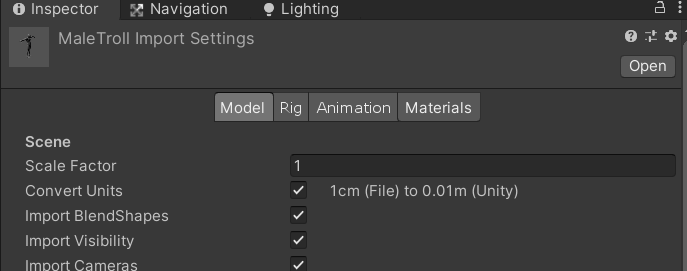
I mean a way to add settings here
 whole steppe
gloomy chasm
I mean a way to add settings here
whole steppe
gloomy chasm
I mean a way to add settings here
Oh! Such as? What would you like to add?
gloomy chasm
whole steppe
Oh! Such as? What would you like to add?
An option to select the 'type' of model. Like Vegetation, Tree, etc. as I want to bake certain vertex colors in to the mesh based on that.
whole steppe
gloomy chasm
An option to select the 'type' of model. Like Vegetation, Tree, etc. as I want t...
To answer your question, yes, you can do so, however you might need to deal with some errors
Here, I found this which will get you started: https://forum.unity.com/threads/how-to-override-model-importer-inspector.972678/
Unity Forum
I'm not sure if it is possible. But I really hope so.
Basically I want to add a checkbox to the inspector, that will determine whether or not to...
gloomy chasm
whole steppe
To answer your question, yes, you can do so, however you might need to deal with...
Thanks! I was hoping I could find a nicer solution than that. But I guess that probably works.
whole steppe
gloomy chasm
I mean a way to add settings here
Yeah, also if I'm not mistaken, after I linked the solution, I noticed that you've already done something in the attached image using that solution, I thought the solution would fit your question...
gloomy chasm
whole steppe
Yeah, also if I'm not mistaken, after I linked the solution, I noticed that you'...
Nope, I haven't. Though that solution was my basic plan. Actually, idk if it will work because you would need to save the setting somewhere. And I think the only real place would be on a subasset ScriptableObject. But every time the model is imported all subassets are recreated , so that wouldn't work :/
whole steppe
gloomy chasm
Nope, I haven't. Though that solution was my basic plan. Actually, idk if it wil...
Are you saying that saving the settings to a file isn't what you're looking for?
gloomy chasm
whole steppe
Are you saying that saving the settings to a file isn't what you're looking for?
I do want to save my custom setting. I am saying that there isn't a good place to save them though
whole steppe
I see, good luck finding a good method to get your needs!
gloomy chasm
Thanks
 silk jolt
using GraphView Is there any straightforward callback for Port OnConnect/Disconnect?
trying to make sure i'm not crazy here, but there seems like no good way to get something so simple
peak bloom
silk jolt
using `GraphView` Is there any straightforward callback for `Port` OnConnect/Dis...
You should make your own class that derives from node class
so you can do anything you want by overriding the OnConnect/Disconnet
OR
you can just listen to GraphView.graphViewChanged
        private GraphViewChange OnGraphChange(GraphViewChange change)
        {
            if (change.movedElements != null)
            {
                foreach (GraphElement e in change.movedElements)
                {
                    if (e.GetType() != typeof(VNodes))
                        continue;

                    var vp = e.userData as VPortsInstance;
                    vp.vnodeProperty.nodePosition = e.GetPosition();
                    e.parent.MarkDirtyRepaint();
                    EditorUtility.SetDirty(PortsUtils.activeVGraphAssets);
                }
            }

            return change;
        }
this straighup taken from my project, to better give you an idea how to do it
then later on, you just subscribe to it graphView.graphViewChanged += OnGraphChange;
see that I made my own custom class based on Node called VNodes it is not shown there, but I've my own implementation for OnDisconnect/OnCOnnect in it
...
so for your use case you capture it the next frame after the edges have been created. You can see the api here https://docs.unity3d.com/ScriptReference/Experimental.GraphView.GraphViewChange.html
Proly you're confused even more now, due to how bad my english is lol 🤣
peak bloom
silk jolt
trying to make sure i'm not crazy here, but there seems like no good way to get ...
it's not so simple in terms of graphic tooling, many edge cases, you'll understand this as your project progresses (hopefully)
silk jolt
peak bloom
You should make your own class that derives from `node` class
I do have that, the node class has no connect callbacks
peak bloom
silk jolt
I do have that, the node class has no connect callbacks
well yeah, you can add manipulator, somPort.AddManipulator(new EdgeConnector<Edge>(new IsomeEdgeListener()));
then make your own from there
peak bloom
silk jolt
I do have that, the node class has no connect callbacks
there are, but it requires Reflection as they are protected
silk jolt
peak bloom
there are, but it requires Reflection as they are protected
Ah, well that's kind of the point. Terrible design.
The edge listener is new to me, I'll take a look at that.
 cursive notch
Hey! I wanna do some codegen stuff using mono.cecil, and want to hook into the compilationpipeline. I'm really looking for a solution to "once all assemblies are done compiling, look at only the ones that changed and do stuff with it". CompilationPipeline.assemblyCompilationFinished looks like exactly what I'm after (since I can store the results and then iterate them in CompilationPipeline.compilationFinished). But...
This forums thread:
https://forum.unity.com/threads/incremental-script-compilation.1021834/
seems to heavily imply that CompilationPipeline.assemblyCompilationFinished is deprecated.
But... The docs don't say anything about it being deprecated, even on the most current versions. I haven't been able to find any other information on this either, and the forum post itself felt a little vague. Essentially, because compilation is done in a separate process (I think), it's not easy to invoke callbacks when assemblies start or finish compilation. But, at least for assemblyCompilationFinished, it seems like it would be easy to just call them all after the compiler process terminates? The forum post only explicitly states that assemblyCompilationStarted is deprecated, but the docs don't say so for that one either...
Basically,
Is CompilationPipeline.assemblyCompilationFinished a method that works in 2022 /can be expected to work moving forward?
How are you all hooking into the compilation pipeline for codegen/cecil these days?
(ps, I know about Unity.CompilationPipeline.Common.ILPostProcessor, but it's not only been explicitly stated that it's an internal feature, but it's so well hidden that it feels like every part of its API is screaming "you're not supposed to know I exist, go away" and I have no idea if it will be changed or deprecated without notice)
 short tiger
Hey I wanna do some codegen stuff using
 rapid tangle
anyone know how to programmatically change the size of an editor window whilst keeping it docked?
gloomy chasm
rapid tangle
anyone know how to programmatically change the size of an editor window whilst k...
Bunch of reflection
rapid tangle
figured as much 😅
gloomy chasm
rapid tangle
figured as much 😅
I mean, I can tell you if you want, but it is a lot of reflection haha
rapid tangle
am totally fine with that, so long as it's actually possible!
just didn't really know where to even begin
gloomy chasm
rapid tangle
am totally fine with that, so long as it's actually possible!
Okay, so it will require you to look at the source code to be able to do understand and know the internal/private names of things (you can find a link to github in the pinned messages)
Editor windows are used by what is called a View to draw things. What you think of as an editor window, is actually a View which is drawing a EditorWindow.
There are View, GUIView, HostView, DockView and SplitView. They each do their own thing and inherit from one another.
Each EditorWindow has a property parent which is a reference to the View which is drawing it. You need to get this, and then get the position property of the parent View that you get. You change this instead of the EditorWindow's position property.
Now, if memory serves, you will also need to get the sibling of the parent View that you got and change their position too since iirc they do not do any sort of auto layout.
Hope that helps
rapid tangle
that's superb, thank you so much! will give it a go now 😁
gloomy chasm
Sure thing, best of luck! 😄
 quaint zephyr
How do I connect instantiated GO to it's prefab so icon turns blue via script?
quaint zephyr
Oh nice, it even has target scene option so I don't need to do it manually after instantiating. Thanks @visual stag
peak bloom
silk jolt
Ah, well that's kind of the point. Terrible design.
They're protected for a reason, and using reflections for custom editors are quite common
silk jolt
peak bloom
They're protected for a reason, and using reflections for custom editors are qui...
Interestingly, the 'reason' is that they don't want to write documentation.
peak bloom
why would they publish internal documentation tho? 🧐 ...
silk jolt
peak bloom
why would they publish internal documentation tho? 🧐 ...
The reason it is internal is because if they make it public then they have to maintain documentation for it.
I mean, sure, there's a cost in maintaining docs... But of all the things to make internal.. ?!
peak bloom
pretty sure there are internal docs, but why would they publish it if the access are restricted 😄
silk jolt
🤷♂️
I guess the cost of documenting two events is so high that it justifies hiding fundamental fields and properties.
By the sound of the reply, they didn't even want the Graph to be public at all.
Yet there's a bunch of official support for GTF, but they decided to integrate it with GraphView, which is entirely confusing.
honest python
Guys, is there any reason why some property fields of my property drawer get changed at different time than others?
Namely, I've got a class for presets, which constructs gameobjects based on the data.
Notably, it contains Vector2Int[] Offsets which are the local positions of blocks to generate, and Vector2Int Anchor which is local position of the anchor.
Preset then constructs the object in a preview, showing both block for each offset and one different block for anchor.
However, while the blocks are shown fine (if I change coords of a block, the preview changes accordingly), whenever I change anchor, the preview is "one step behind", e.g.:
- set anchor to (1, 0), anchor stays (0, 0)
- set anchor to (1, 1), anchor goes (1, 0)
- set anchor to (1, 2), anchor goes (1, 1)
- ...
I have no idea why, as the property fields are drawn by using the default propertyfield, so in my head they should all behave the same. I'm probably missing something really simple here but I'm not sure what.
Copy of the drawer's code: https://www.toptal.com/developers/hastebin/asuhocifiq.csharp
It lacks context of other classes so do tell if I should add those as well. But generally the issue seems not to be in the assembling part, as I tried logging the values and it indeed receives a preset with old Anchor data (but new Offsets data).
TL;DR: CustomPropertyDrawer.OnGUI, some values are updated, some are not (and are set to values from "previous" update)
Hastebin is a free web-based pastebin service for storing and sharing text and code snippets with anyone. Get started now.
peak bloom
I stumbled upon a weird behavior of UIEelements.Button in customEditor that would click twice on RegisterOnValueChanged callback.
This button is deeply nested to a parent where lots of it's child have RegisterOnValueChanged as well, but only this one particular button at the bottom most of the hierarchy would trigger twice for unknown reason.
As a workaround, I did this janky code
                asdata.Item5.clicked += () =>
                {
                    if(!wasClicked)
                    {
                        wasClicked = true;

                        asdata.Item5.schedule.Execute(()=>
                        {
                            t.inventory[idx].slots.Add(new AVStat<int>.AVSlot());
                            var slot = CreateSlots(t, asdata.Item7);
                            slot.txt.value = t.inventory[idx].slots[t.inventory[idx].slots.Count - 1].name;
                            slot.val.value = t.inventory[idx].slots[t.inventory[idx].slots.Count - 1].value;

                            slot.txt.RegisterValueChangedCallback((x)=>
                            {
                                t.inventory[idx].slots[t.inventory[idx].slots.Count - 1].name = x.newValue;
                            });

                            slot.val.RegisterValueChangedCallback((x)=>
                            {
                                t.inventory[idx].slots[t.inventory[idx].slots.Count - 1].value = x.newValue;
                            });

                            wasClicked = false;
                        }).ExecuteLater(1);
                    }
                };
On my way of refactoring chunks of my library, thus I'm asking here, how can I fix such a weird behavior properly?
Or atleast, is there some way to grab the events out of Button.clicked so I can forcefully cancel it ?
...
right when I said it, I found this https://docs.unity3d.com/ScriptReference/UIElements.Clickable.html
turns out Button.clicked derives from that
 peak prairie
Hi , I m using unity 2021.3.7f1 , When I enter playmode the editor hierarchy order rearranging itself , after exiting playmode hierarchy returns to original order
Can anyone help?
 flint garnet
hi, im looking for a way to make custom unity editor button or label(or basically anything), that will have Icon, and the tittle for that, and also when my mouse hovering it, its showng tooltip....is there anything i can do for that? thanks ^^

 barren moat
How can I DrawDefaultInspector in a UIElements inspector?
Ah, nvm. Got the answer here: https://forum.unity.com/threads/property-drawers.595369/#post-5118800
peak bloom
Look for inspectorElement
There's an example how to use it on uielementexample git repo
barren moat
Ah, cheers
 outer ether
How do I edit the "Validate References" boolean of a managed dll?
PluginImporter doesn't seem to have an option to access that boolean
I'm currently doing this and it's obviously not working
var pluginImporter = (PluginImporter) AssetImporter.GetAtPath(dllFinalRelativePath);
pluginImporter.SetEditorData("Validate References", "false");

That damn boolean flips to true every time someone reimports assets and breaks their entire project. I need to set it to false automatically, because even though we commit the .meta files, unity likes to override it...
peak prairie
Hi , I m using unity 2021.3.7f1 , When I enter playmode the editor hierarchy order rearranging itself , after exiting playmode hierarchy returns to original order
Can anyone give SOLUTION for this problem?
 wanton monolith
How would I be able to draw a custom inspector I have for a scriptable object inside a custom editor window? Currently my code is as is:
            GUILayout.BeginArea(area, new GUIStyle("GroupBox"));
            UnityEditor.Editor.CreateEditor(_scriptableObject).DrawDefaultInspector();
            GUILayout.EndArea();
And it, rather obviously, draws the default inspector for my scriptable object. The custom window is purely by code while the custom inspector layout was created in UItoolkit in case that matters.
 red marsh
i cant select anything on the extension
 waxen sandal
Report it as a bug, this channel is about developing plugins
waxen sandal
wanton monolith
How would I be able to draw a custom inspector I have for a scriptable object in...
You got to create it on the targetobject not the serializedobject, you also need to cache it and not recreate it every frame, and in addition you have to destroy the editor when you're done with it
wanton monolith
waxen sandal
You got to create it on the targetobject not the serializedobject, you also need...
Thank you!
 bitter hatch
I'm looking for a high performance lua interpreter for end-user scripting. I'm looking at a couple online but I have no idea what their speed is like. For what I'm doing, it needs to be fast. Any recommendations?
waxen sandal
Wrong channel
bitter hatch
oh
uhhhhhh #💻┃code-beginner ?
this channel seemed like the right one in #🔎┃find-a-channel
or probably #archived-code-general
waxen sandal
This channel is about developing extensions, not asking for help about existing extensions or recommendations
bitter hatch
oh
 radiant swallow
Is there a way to load a bunch of Scriptable Object scripts and create an instance of them in the resources folder if they do not exist there?
waxen sandal
Easy to do yourself with AssetDatabase
radiant swallow
I'll look it up.
radiant swallow
It keeps telling me it cannot create asset file and I don't know how to troubleshoot farther. private void UpdateResource(string scriptDirectory,string resourceDirectory) { var scripts = Resources.LoadAll<MonoScript>(scriptDirectory); if (!Directory.Exists(resourceDirectory)) Directory.CreateDirectory(resourceDirectory); var resources = Resources.LoadAll(resourceDirectory); foreach (var s in scripts) { if (resources.Count(r => r.GetType() == s.GetClass()) == 0) { var result = CreateInstance(s.GetClass()); Debug.Log(result); AssetDatabase.CreateAsset(result, resourceDirectory + "/" + s.GetClass() + ".asset"); AssetDatabase.SaveAssets(); } } }

alright. turns out I needed to do the assetpath from the Asset folder. not resources.
 meager forge
Hey everyone. Does anyone know of a way to open a script file inside an editor script as a raw text file? I want to be able to scan all my scripts and generate a list of TODOs in all my scripts?
peak bloom
Yeh, you can, what you want is customAttribute, tag those classes with it e.g: [ToDoAttribClass], then do your thing from there..
why you want to do it this way tho? your IDE or TextEditor can do just that out of the box by just filtering the //TODO
meager forge
I want a collection of all TODOs across all scripts in one handy place in the editor? Not really anything more special to it
peak bloom
yeh, customAttribute is what you want...

Learn how to create custom attributes in C# by defining an attribute class that derives from the Attribute class.
 sour pollen
anyone use probuilder? how do I select whole edges? it only allows me to select one edge by one...
i know of selection tool but I just want to multi-select
shift and ctrl hold (like in blender) doesnt work
 north hazel
Hi everyone. I have an custom editor window where I am able to play video using videoplayer, into a VisualElement Image. The problem is, when I change the video clip I want to play in video player, and set the VisualElement Image.image = videoplayer.texture it wont work, I need to click on UI Toolkit Live Reload (doesnt matter if it is checked or not) and then it works... any idea how to make that image.image texture update ?
 pearl drift
Is there a way to use Rect Tool with custom monobehaviour?
 wintry badger
Does anyone know if there is a way to retrieve an original prefab asset from an instance after the instance has been unpacked using UnpackPrefabInstance? Or is it necessary to use the prefab asset path to retrieve the source asset? GetCorrespondingObjectFromSource says, "This also returns the corresponding object from the Prefab Asset if the Prefab instance has become disconnected" however it does not appear to be working, so I think disconnected must be different than the instance being unpacked.
whole steppe
how do i get and save the list in an inspector
public class StartAnimation : MonoBehaviour {

    public enum AnimationParameter
    {
        Float,
        Bool,
        Int,
        Trigger
    }

    public class AnimationProperty
    {
        public string name;
        public AnimationParameter parameter;
    }

    public List<AnimationProperty> properties = new List<AnimationProperty>();

}```[CustomEditor(typeof(StartAnimation))]
public class StartAnimationEditor : Editor {
public override void OnInspectorGUI()
{
//base.OnInspectorGUI();
var sa = target as StartAnimation;
foreach (var item in sa.properties)
{
EditorGUILayout.BeginHorizontal();
EditorGUILayout.LabelField(item.name);
EditorGUILayout.EndHorizontal();
}
if (GUILayout.Button("+"))
{
sa.properties.Add(new StartAnimation.AnimationProperty() { name = "name", parameter = StartAnimation.AnimationParameter.Float });
}
}
}```if i add things with the button they show

but after i compile a script they disappear
If I do this is it enough?
public class StartAnimation : MonoBehaviour {

    [System.Serializable]
    public enum AnimationParameter
    {
        Float,
        Bool,
        Int,
        Trigger
    }

    [System.Serializable]
    public class AnimationProperty
    {
        [SerializeField] public string name;
        [SerializeField] public AnimationParameter parameter;
    }

    [SerializeField] public List<AnimationProperty> properties = new List<AnimationProperty>();


    // Use this for initialization
    void Start () {

    }

    // Update is called once per frame
    void Update () {

    }
}```AnimationProperty must be tagged with [System.Serializeable] attribute
yeh that should do it
 raw yoke
Is there a way to create a timeline like the one in the animation clip editor?

 gray pike
Hi. Does anyone know if i can show ShaderGUI script or material inspector inside EditorWindow that is using ui toolkit?

 crude relic
meager forge
Hey everyone. Does anyone know of a way to open a script file inside an editor s...
crude relic
meager forge
Hey everyone. Does anyone know of a way to open a script file inside an editor s...
You can read your script files in using the System.IO.File API
 pine geyser
Any way to bring up an overlay via code? I figure out how to hide one but can't figure out how to bring it back
Found the way finally
Because it is only on scene view on the beforescene gui i call trygetoverlay(id) etc
Seems like i am spamming the thing now tho
 fallow tree
I'm doing the Unity Clive the Cat visual scripiting tutorial, and I've gotten stuck.
I did all the required steps, but whenever I press the first button, instead of firing off the enter/exit cell events (an animation, plus opening a door) it just gets my player stuck there, immobile.
Anybody familiar with this sort of problem? Or with this tutorial?
thorn pasture
hey, im trying to show/hide a List of GameObjects but im not sure which EditorGUILayout to use?


do i have to essentially "re-make" the List fields? like the foldout, Size count, Etc?
thorn pasture
;w;
yeah i just basically have no clue how to display a list within Editor Scripting
visual stag
You either use serializedproperty and PropertyField, which draws everything for you based on the types it's dealing with. Or you use ReorderableList and draw it all manually
 abstract solar
How do I make one of those buttons on an editor tool like the add point on a polycollider, where if I press it in the inspector it does something?
 normal spire
you mean Handles? like https://docs.unity3d.com/ScriptReference/Handles.PositionHandle.html
other than that, you have to code the rendering of the lines and visuals, if you want to make an editor with it, there is no 5 minutes solution for that
cinemachine source code is a good place to learn these techniques, like SmoothPathEditor and the others too https://github.com/Unity-Technologies/com.unity.cinemachine/blob/8159e735264d07d0b4e4d1e418facf8a15618a33/com.unity.cinemachine/Editor/Overlays/CinemachineSmoothPathEditor.cs
abstract solar
normal spire
you mean Handles? like <https://docs.unity3d.com/ScriptReference/Handles.Positio...
No I understand handles, I meant how like probuilder has these buttons in the editor
 normal spire
not sure, but its probably using the same old SceneView.onSceneGUIDelegate solution, and it just renders their own button textures
abstract solar
Is there a more sure fire way for me to Click A Button To Have Something Happen. Should I be using a wizard. I want the button to perform an action on everything I have selected
crude relic
More surefire than what
cursive notch
Hey, is there a version of CompilationPipeline.RequestScriptCompilation() that lets you dirty individual assemblies, rather than recompile everything?
waxen sandal
I think just a reimport of a script in that assembly does it
cursive notch
Oh ok cool. I'm doing some stuff with cecil and need to be able to 'clean' an assembly
abstract solar
how can I get targets in the order they were selected?
gloomy chasm
abstract solar
how can I get targets in the order they were selected?
You mean Selection.targets? I think it should be ordered already.
abstract solar
gloomy chasm
You mean `Selection.targets`? I think it should be ordered already.
Oh, EditorTool targets property
gloomy chasm
abstract solar
Oh, EditorTool targets property
I think that is ordered
Might be reverse ordered
abstract solar
It doesn’t seem to be, unless I’m looping wrong
…oh. Reverse ordered. Hm. I’ll have to test.
normal spire
subscribe to Selection.selectionChanged and track the selected items
abstract solar
targets seems to be in a random order
abstract solar
normal spire
subscribe to `Selection.selectionChanged` and track the selected items
oh, should I subscribe on active?
normal spire
on a static method with [InitializeOnLoadMethod]
this loads when the editor "loads" or "restarts" when it recompiles your scripts
but anywhere depending on your context, if you have a tool, then subscribe when you start using it, and unsubscribe when you are not
abstract solar
selectionChanged delegate has no arguments? how am I to track stuff?
normal spire
Selection.gameObject is still there for you
abstract solar
how do I tell when it's selected or deselected?
normal spire
if Selection.gameObjects.Length changed then one of them happened
gloomy chasm
No, it is just a wrapper for Selection.gameObjects[0].transform
which in turn is a wrapper around Selection.targets
abstract solar
is 0 index the most recently selected, or the first?
gloomy chasm
The most recently selected (if memory serves)
abstract solar
it seems to be the first selected
abstract solar
Question how do I add something to the create gameobject menu
gloomy chasm
abstract solar
Question how do I add something to the create gameobject menu
The MenuItem attribute
abstract solar
ah, okay, thank you
whole steppe
anyone here? Is it possible to have multiple external script editor?
 jaunty nova
What would you find useful / simpler / more readable as an end-user for a small asset validator?
As an end-user, you'll only have to write a validation class once per type.
peak bloom
whole steppe
anyone here? Is it possible to have multiple external script editor?
If for example, many classes attached to a gameObject, then yes you can
 fickle quarry
I want to release an open source tool for Unity and would like to have some help with licenses.
I want the asset to be open source, allowing people to use my asset in whatever they want, but I want to prevent people from simply copying the asset and throwing it on the asset store for profit.
What license would be best for this?
gloomy chasm
Not enough info.
Is the question in regards to how to pick the type of a field in the inspector without creating a custom editor?
gloomy chasm
I'm sorry I still don't get what the issue is. What is wrong with SerializedReference?
 rotund solstice
hey, could someone tell me how to add more options to this list? .. I need to modify or add a new option for pasting component values, I need to know which script is responsible for this drop down right here and how I can modify it or add a customized option for it?

Im making a new class ,lets call it "NewClass", which is inherited(based) on an older class lets call it "OldClass" which would look in code, something like this
using UnityEngine;
public class NewClass : OldClass
{

}
the "OldClass" has lots of public variables that were setup on the editor, when I made the new class I found that all those value has returned to default. (in the NewClass component only ofcourse, the OldClass component still has all the public values)
is it possible to copy the variables value of the OldClass to the new one sense they are the same?
for example if i made a new gameobject and added OldClass to it I could simply go the other OldClass gameobject, click on the 3 dots and then copy component >>> back to the new gameobject >> past Component values
rotund solstice
normal spire
https://docs.unity3d.com/ScriptReference/ContextMenu.html
that is a good start, thank you
is there is a way to get the public value that we set up on the editor ?
for example
public Transform target;
then on the editor I've assigned a value to "target", is there is a way to access this value ?
normal spire
from the contextmenu button method?
everything on your scene is just a gameObject and components even in the editor
you can access it just like in game mode
rotund solstice
Awesome!! thanks alot, yeah, seems to be working 😄
 dark roost
Using ui-toolkit, I've created a panel that displays a serialized Blackboard object with the following definition: [Serializable] public class Blackboard { public int iterations; public int moreVariables; public Vector2 vector2 = Vector2.zero; }
This was done by calling EditorGUILayout.PropertyField(graphObject.FindProperty("blackboard")); and works great!
I am wondering, what is the simplest way that I can do away with the expandable header "Blackboard", but maintain all the properties with default inspector styling?
 waxen sandal
Create a property drawer that just finds the children and calls propertyfield on them
dark roost
waxen sandal
Create a property drawer that just finds the children and calls propertyfield on...
Thanks - that's what I needed to hear.
Follow-up: are there any good example as to how I might use SerializedProperty.Next() or SerializedProperty.NextVisible() to walk through the properties of a SerializedProperty and read it's contents?
visual stag
dark roost
Follow-up: are there any good example as to how I might use `SerializedProperty....
SerializedProperty end = prop.GetEndProperty();
while (prop.Next(true) && !SerializedProperty.EqualContents(prop, end))
{
    ...
}
Mileage may vary depending on the structure
waxen sandal

Gist
Unity3D: How to iterate properties through inspector - InspectorEditor.cs
dark roost
@visual stag @waxen sandal Thanks to you both! I now understand the use of the "end property" (first property that is not a child of the iterator), which was not clear to me before.
dark roost
public class BlackboardDrawer : PropertyDrawer
{
public override VisualElement CreatePropertyGUI(SerializedProperty property)
{
// Create property container element.
var container = new VisualElement();
SerializedProperty end = property.GetEndProperty();
while (property.NextVisible(false) && !SerializedProperty.EqualContents(property, end))
{
container.Add(new PropertyField(property));
}
return container;
}
public override void OnGUI(Rect position, SerializedProperty property, GUIContent label)
{
SerializedProperty end = property.GetEndProperty();
//property.Next(false);
if (!SerializedProperty.EqualContents(property, end))
{
while (property.Next(true) && !SerializedProperty.EqualContents(property, end))
{
EditorGUILayout.PropertyField(property, false);
}
} else
{
EditorGUI.LabelField(new Rect(3, 3, position.width, 20), "Emply");
}
}
}```
So far so good! Here is my complete script so far. It works, except I can't work out how to stop iterating through the children of the Vector2 without breaking the whole thing. What might I be missing here? visual stag
You probably want NextVisible
Also, passing true consistently to Next might be an issue. You may want to do it only once and remove false from the PropertyField
dark roost
I changed the relevant part of the script to:
            {
                EditorGUILayout.PropertyField(property, false);
            }```
No noticeable different so far.Got it! @visual stag
public class BlackboardDrawer : PropertyDrawer
{
    public override VisualElement CreatePropertyGUI(SerializedProperty property)
    {
        // Create property container element.
        var container = new VisualElement();

        SerializedProperty end = property.GetEndProperty();
        while (property.NextVisible(false) && !SerializedProperty.EqualContents(property, end))
        {
            container.Add(new PropertyField(property));
        }

        return container;
    }

    public override void OnGUI(Rect position, SerializedProperty property, GUIContent label)
    {
        SerializedProperty end = property.GetEndProperty();

        if (!SerializedProperty.EqualContents(property, end))
        {
            property.NextVisible(true);
            do
            {
                EditorGUILayout.PropertyField(property, false);
            }
            while (property.NextVisible(false) && !SerializedProperty.EqualContents(property, end));
        } else
        {
            EditorGUI.LabelField(new Rect(3, 3, position.width, 20), "Emply");
        }
    }
}```

Thanks so much!How would one get RichText in a HelpBox?
My attempts failed, any kind of help would be appreciated
 gloomy chasm
whole steppe
How would one get RichText in a HelpBox?
My attempts failed, any kind of help wo...
gloomy chasm
whole steppe
How would one get RichText in a HelpBox?
My attempts failed, any kind of help wo...
Make a copy of the style and set richText to true. Then use the copy to draw instead.
https://docs.unity3d.com/ScriptReference/GUIStyle-richText.html
whole steppe
gloomy chasm
Make a copy of the style and set richText to true. Then use the copy to draw ins...
How? This is the HelpBox function:cs EditorGUILayout.HelpBox(helpBox, type, true);It doesn't take a GUIStyle...
gloomy chasm
whole steppe
How? This is the HelpBox function:```cs
EditorGUILayout.HelpBox(helpBox, type, t...
// Cache this somewhere so you are not creating it each frame.
GUIStyle helpStyle = new GUIStyle("HelpBox");
helpStyle.richText = true;

GUILayout.Label("<b>HELP</b> me!", helpStyle);
Hmmm, questions!!!!
How do I set the massage type now?
Also, I did what you have in here, but it's not like the picture I sent...
string helpBox = "Provide the <color=cyan>FX Controller</cyan> name and hit \"ENTRE\" (cAsE-sEnSiTiVe!)";
private void OnEnable()
{
richText = new GUIStyle("HelpBox");
richText.richText = true;
}
private void OnGUI()
{
GUILayout.Label(helpBox, richText);
}``` gloomy chasm
whole steppe
Hmmm, questions!!!!
How do I set the massage type now?
Also, I did what you hav...
gloomy chasm
whole steppe
Hmmm, questions!!!!
How do I set the massage type now?
Also, I did what you hav...
Hmmm, that should have worked... Try doing bold text just to double check since I know that is supported.
whole steppe
gloomy chasm
Hmmm, that should have worked... Try doing bold text just to double check since ...
So, something like this?cs "Provide the <b>FX Controller</b> name and hit \"ENTRE\" (cAsE-sEnSiTiVe!)"I get the following:

Don't ask why it's red now
Idk if it's possible in another way, but I don't really need all the features in RichTexh, I only want to make some of the massage text in a different color...
north hazel
Hi, I have a strange problem, cant figure out what is happening. I am doing custom editor window with multiple videoplayers and controls like seek forward 1 frame, or 5 frames. I have VisualElement buttons for those functions created, namely the "nextFrame1" button and "nextFrame5" button. After doing .onclick action for both of them, the strage thing is that when I press the buttons, for example nextFrame 1, video moves by 1 frame, but when I press nextFrame5, video also moves by 1 frame, if I press nextFrame5 again, then finally it is moving by 5 frames, after that when I press nextFrame1, it moves by 5 frames... basically, if I am pressing the buttons on an alternating basis (nextFrame1, nextFrame5, nextFrame1,nextFrame5) they "change" their behaviour.
here is the code https://hastepaste.com/view/UJL6o

Service to share files/parts of a file with others.
gloomy chasm
north hazel
Hi, I have a strange problem, cant figure out what is happening. I am doing cust...
Try closing the window and restarting Unity.
north hazel
that is not helping, I have this issue for weeks, multiple versions of unity
one interesting thing is, when I call in those functions Debug.Log, it is behaving correctly
gloomy chasm
north hazel
one interesting thing is, when I call in those functions Debug.Log, it is behavi...
Oooh, I bet I know what is happening. I bet the video is updating, but is not visually updating in the window
 tough cairn
can we check if the editor windows is currently visible / focused ?
i mean like the app itself
tough cairn
i mean like the app itself
if its minimized in the taskbar or behind another application ( say i have blender opened and unity is behind )
normal spire
ah, in OS level
UnityEditorInternal.InternalEditorUtility.isApplicationActive this should work to get is it focused or not, never tried though, but its editor only
 cursive delta
Is there a way to:
- Change the import scale factor on the model of a gameobject (and recursively on all children gameobject models)
or 2. Create a prefab with changed scale factor and change the model under a gameobject to that prefab (and children)?
I can't change object localScale, it has to remain 1,1,1 for my use case and be scaled using scale factor with an editor script
north hazel
gloomy chasm
Oooh, I bet I know what is happening. I bet the video *is* updating, but is not ...
No that is not the case
 vapid prism
How can I read/write to a float2 property? Using IMGUI
gloomy chasm
vapid prism
How can I read/write to a `float2` property? Using IMGUI
Like from the Unity.Mathmatics package?
vapid prism
gloomy chasm
Like from the `Unity.Mathmatics` package?
Yeah exactly
gloomy chasm
vapid prism
Yeah exactly
Might be serialized as a serializedProperty.vector2Value. Otherwise you just have to get the x/y fields like you would from any other class
 simple wasp
hi, does anyone know how to fix this graphical bug?
 waxen sandal
It's a bug in some unity versions but could also be if you have a custom property drawer
simple wasp
waxen sandal
It's a bug in some unity versions but could also be if you have a custom propert...
i dont think i have one but ill check, thanks
 brazen tiger
I created a min max slider using editor scripting, is there any way i can place it in between variables already showing by unity
 visual stag
brazen tiger
I created a min max slider using editor scripting, is there any way i can place ...
visual stag
brazen tiger
I created a min max slider using editor scripting, is there any way i can place ...
you should be using a property drawer/attribute to do it all. It provides the position you use to draw the slider, and you must override the height if it's not 1 field high
If you have two variables the usual way is to use [HideInInspector] on the second one, and have the attribute on the first
brazen tiger
Thanks let me check
 subtle frost
Hey, Im having some troubles with my Waypoint Manager. It cant find the public transform "waypointRoot" in my window
using System.Collections;
public class WaypointManagerWindow : EditorWindow
{
    [MenuItem("Tools/WaypointEditor")]
    public static void Open()
    {
        GetWindow<WaypointManagerWindow>();
    }
    public Transform waypointRoot;
    private void OnGUI()
    {
        SerializedObject obj = new SerializedObject(this);

        if(waypointRoot == null)
        {
            EditorGUILayout.HelpBox("Root transform must be selected. Please assign a root transform.", MessageType.Warning);
        }
        else
        {
            EditorGUILayout.BeginVertical("box");
            DrawButtons();
            EditorGUILayout.EndVertical();
        }
        obj.ApplyModifiedProperties();
    }
    void DrawButtons()
    {
        if(GUILayout.Button("Create Waypoint"))
        {
            CreateWaypoint();
        }
    }
    void CreateWaypoint()
    {
        GameObject waypointObject = new GameObject("Waypoint " + waypointRoot.childCount, typeof(Waypoint));
        waypointObject.transform.SetParent(waypointRoot, false);
        Waypoint waypoint = waypointObject.GetComponent<Waypoint>();
        if(waypointRoot.childCount > 1)
        {
            waypoint.previousWaypoint = waypointRoot.GetChild(waypointRoot.childCount-2).GetComponent<Waypoint>();
            waypoint.previousWaypoint.nextWaypoint = waypoint;
            waypoint.transform.position = waypoint.previousWaypoint.transform.position;
            waypoint.transform.forward = waypoint.previousWaypoint.transform.forward;
        }
        Selection.activeGameObject = waypoint.gameObject;
    }
}

I cant put anything in there. Not even a Header
 twin dawn
subtle frost
Hey, Im having some troubles with my Waypoint Manager. It cant find the public t...
twin dawn
subtle frost
Hey, Im having some troubles with my Waypoint Manager. It cant find the public t...
you use OnGUI to draw the editor window
it doesn't draw serialized fields etc like a MonoBehaviour
 tawdry kraken
Is there a way to somehow draw a custom tooltip in the editor, without using any built-in tooltip feature?
waxen sandal
Custom editor window with ShowAsTooltip
tawdry kraken
waxen sandal
Custom editor window with ShowAsTooltip
I can't seem to find this 'ShowAsTooltip' via searching the web. Any clue where to look?
tawdry kraken
Aha, I'll look into that. Thanks a lot 👍
waxen sandal
Actually, there's also internal ShowWithMode that takes a ShowMode parameter that has tooltip
Type : public class UnityEditor.EditorWindow
3.4.0f5 ⟩ 2022.2.0a18
Unity Doc
Method : internal ShowWithMode()
3.4.0f5 ⟩ 2022.2.0a18
GitHub Source
Type : public class UnityEditor.EditorWindow
3.4.0f5 ⟩ 2022.2.0a18
Unity Doc
Method : internal ShowWithMode()
3.4.0f5 ⟩ 2022.2.0a18
GitHub Source
  internal enum ShowMode
  {
    NormalWindow,
    PopupMenu,
    Utility,
    NoShadow,
    MainWindow,
    AuxWindow,
    Tooltip,
    ModalUtility,
}```Interesting. I'm just looking into this because GUIContent.Tooltips in Modal and ModalUtility doesn't work for any LTS
waxen sandal
Tooltips are a bit buggy as well
They don't work in playmode in some versions
Normal tooltips that is, idk about the editor window
tawdry kraken
Ah well, custom tooltips for play mode is easy enough anyway
 split reef
AssetPostprocessor's OnPostprocessPrefab is not called for prefab variants? Is there a similar message that exists for variants?
 hidden schooner
Does anyone know how to change values on prefabs in the scene by editor script? It just doesn't work when I do it, the changes are not saved when i try to set references to things in the scene
There you go for anyone who needs the solution
PrefabUtility.RecordPrefabInstancePropertyModifications(scriptReference);
you need to save your changes
check out these functions for the variation you want
hidden schooner
It seems like these save functions are for saving in the assets, but I am wanting to override these things in the scene on prefabs without having to unpack them. edit: solution is above
tough cairn
normal spire
`UnityEditorInternal.InternalEditorUtility.isApplicationActive` this should work...
EditorApplication.update += () =>
{
  bool isWindowFocused = UnityEditorInternal.InternalEditorUtility.isApplicationActive;
}
looks like this value will always return true regardless if the window is minimized or if its behind another application
tawdry kraken
hidden schooner
It seems like these save functions are for saving in the assets, but I am wantin...
PrefabUtility is for editing the asset.
If you need to edit an instance of a prefab in a scene, then that's just interacting with a Game Object and its components, regardless of whether it's in Edit or Play Mode.
There are exceptions, but I forget what they are.
 stable crane
confused


imgui works


but what i want to be able to do is to limit Item to a subclass of Item based on a field in ItemSlot

problem is Type doesnt show up in the inspector
i was thinking maybe some enum that maps to a type


 abstract olive
I want to make a menu similar to the component menu(first pic) for adding new modules to a MonoBehavior I made. I'm making a system similar to the override system for the Camera Volume Component(second pic). Does anyone know the scripting I need to do this? Last pic is my current attempt.


 hidden schooner
tawdry kraken
PrefabUtility is for editing the asset.
If you need to edit an instance of a pr...
hidden schooner
tawdry kraken
PrefabUtility is for editing the asset.
If you need to edit an instance of a pr...
thanks, for some reason I had to call
PrefabUtility.RecordPrefabInstancePropertyModifications
after the changes or else they wouldn't stick properly. Like the variables not being highlighted, and their values being deleted when I hit play.
crude relic
stable crane
Good job 👍
 subtle axle
Wanting to create an asset. But it uses Odin inspector. Can you make assets for the store with dependencies on other people's assets? Or am i going to have to figure out how to make an editor without Odin inspector?
short venture
subtle axle
Wanting to create an asset. But it uses Odin inspector. Can you make assets fo...
Yes, you can. but why do you need Odin?
subtle axle
short venture
Yes, you can. but why do you need Odin?
I may try to do it without it. The asset is something that would allow prototyping with little coding. Right now Odin does two things:
- Makes that look pretty and also keeps it organized by using tabs and
- There's at least one type of data I have serializable only with odin
short venture
writing Editor code is not difficult, you'll probably need to write some anyway. And Serialisation is also not really difficult. What type of data do you need to serialize?
stable crane
this is really petty but can i somehow make these bigger than 8x8 screen pixels
 subtle axle
short venture
writing Editor code is not difficult, you'll probably need to write some anyway....
subtle axle
short venture
writing Editor code is not difficult, you'll probably need to write some anyway....
I'm on mobile, so I'll reply to this when I get in front of it because it's been a couple months since I wrote that part of it to remember which data type
As for writing editor code I may do that
short venture
subtle axle
I'm on mobile, so I'll reply to this when I get in front of it because it's bee...
As a tip, look at the ISerializable interface, there you can do pretty much anything
subtle axle
OK I will do that, thanks for your help!
visual stag
abstract olive
I want to make a menu similar to the component menu(first pic) for adding new mo...
abstract olive
Thanks!!!
whole steppe
In this image you can see the EditorWindow as is right now.

However, I'd like it to be a little something like the one below. Where the EditorGUILayout.TextField should have some non selectable grayed out text. When the user inputs text in the field however. The non selectable text should disappear to allow the user to input text that is selectable. Is such a method already supported in some other text fields in the EditorWindow? Or should this be manually done? if either of them is possible. I'd like to know how that's done.
 peak bloom
is there a way to get files embedded in FBX file? I mean, other than having to do this AssetDatabase.LoadAsset(path, typeof(AnimationClip));
so getting just the list of embedded files in FBX, such as animationClips, avatars, mehses etc
visual stag
What, like LoadAllAssetsAtPath?
peak bloom
Like getting the animationClip for example of an FBX file
gve me a sec
how can i get just the animationClip of this fbx file
 visual stag
peak bloom
Like getting the animationClip for example of an FBX file
visual stag
peak bloom
Like getting the animationClip for example of an FBX file
AssetDatabase.LoadAllAssetRepresentationsAtPath(path).OfType<AnimationClip>()
peak bloom
visual stag
`AssetDatabase.LoadAllAssetRepresentationsAtPath(path).OfType<AnimationClip>()`
Oh wow! Thanks so much 👍
flint garnet
{
GUIStyle style = source == null ? new GUIStyle() : new GUIStyle(source);
style.alignment = alignment;
style.fontSize = fontSize == -1 ? 12 : fontSize;
SetStyleFont(style, fontStyle, font);
SetStyleTextColor(style, normal, active, hover);
return style;
}
private static void SetStyleFont(GUIStyle style, FontStyle fontStyle, Font font = null)
{
style.font = font;
style.fontStyle = fontStyle;
}
private static void SetStyleTextColor(GUIStyle style, Color normal, Color active, Color hover)
{
style.normal.textColor = normal;
style.active.textColor = active;
style.hover.textColor = hover;
}
``` so i create a method to create GUI Style, for making its simple, and i use like this
``` buttonStyle = CreateStyle(GUI.skin.button, TextAnchor.MiddleCenter, FontStyle.Normal, Color.white, Color.grey, Color.black);
headerStyle = CreateStyle(GUI.skin.box, TextAnchor.MiddleLeft, FontStyle.Bold, Color.white, Color.grey, Color.red);
``` but the problem is, looks like only style with button skin can have its on hover, and on active effect, and for label or i guess aything else, those On Hover,, On Active etc seems not working, any idea...thanks cosmic inlet
uhh why am I getting an error if I dock a window?
I'm trying to open a search window from a singleton scriptableobject
and it works if the editor window is undocked??
 sharp rune
[CustomEditor(typeof(GlobalFlagReciever))]
public class UUIDGen : Editor
{
    public override void OnInspectorGUI()
    {
        DrawDefaultInspector();
        GlobalFlagReciever thisGFR = (GlobalFlagReciever)target;
        if (GUILayout.Button("GenID"))
        {
            thisGFR.GenerateUID();
            Repaint();
        }
    }
}```https://gfycat.com/VapidForcefulAfricanhornbill
how can I fix this issue??
the inspector isn't actually updating unless I force validation or something??
 waxen sandal
Use SerializedObjects instead of target
sharp rune
hmm, how do I dot hat here?
I replaced target with SerializedObject and got an error
Cannot convert type 'UnityEditor.SerializedObject' to 'GlobalFlagReciever'
waxen sandal
sharp rune
oh god thats... alot of info
uh
not working
public class UUIDGen : Editor
{
    public override void OnInspectorGUI()
    {
        SerializedProperty _value = serializedObject.FindProperty("uniqueID");
        DrawDefaultInspector();
        GlobalFlagReciever thisGFR = (GlobalFlagReciever)serializedObject.targetObject;
        if (GUILayout.Button("GenID"))
        {
            thisGFR.GenerateUID();
            serializedObject.UpdateIfRequiredOrScript();
            EditorGUILayout.PropertyField(_value);
            serializedObject.ApplyModifiedProperties();
        }
    }
}```

still resulting in the same behaviour as before, its not updating the inspector unless I take focus away from the uniqueID fieldI think it'd be alot easier to just force focus away from that field when I click the button, how would I do that??
jaunty nova
you could try resetting the hot control
if(button)
{
  GUIUtility.hotControl = 0;
  //...
}
And the UpdateIfRequiredOrScript should go before the DrawDefaultInspector, ideally as the first statement. This is most likely the issue.
sharp rune
I got it working, just did GUI.FocusControl(null);
but now I'm having a new problem:
if I use this button on a prefab object, it doesn't register as a change to the scene, and therefore doesn't get saved with the scene.... so if I unload and reload the scene, as I do during gameplay, the number resets to 0
not sure how to address this
I tried adding
serializedObject.UpdateIfRequiredOrScript();
serializedObject.ApplyModifiedProperties();```

but that didn't make any differencewas this in replay to my issue??
oh, I figured it out!
EditorUtility.SetDirty(thisGFR);
 high bronze
How can I set the gizmo to the different color circles by code ?

 patent venture
Hi, how can I set hierarchy selectable status through code, like so? (the hand symbol on the left)
 whole steppe
patent venture
Hi, how can I set hierarchy selectable status through code, like so? (the hand s...
whole steppe
patent venture
Hi, how can I set hierarchy selectable status through code, like so? (the hand s...
Off topic but how do you have those icons on the object? New unity version?
patent venture
whole steppe
Off topic but how do you have those icons on the object? New unity version?

Use the Hierarchy 2 from Trương Nguyễn Tùng Duy on your next project. Find this utility tool & more on the Unity Asset Store.
whole steppe
Oh nice, thanks
patent venture
high bronze
How can I set the gizmo to the different color circles by code ?
// Note: this code is untested, you'll have to separate out these lines into their respective methods for your specific needs
// Method One - using SerializedProperty, probably easiest
SerializedProperty icon = serializedObject.FindProperty("m_Icon"); // Find the m_Icon property from your GameObject
icon.objectReferenceValue = EditorGUIUtility.IconContent($"sv_icon_dot{index}_sml").image as Texture2D; // Assign dot using index, sv_icon_dot_sml icons range from 0-9, I think

// Method Two - if you're using the latest unity 2022 version, idk if the latest LTS supports this
Texture2D icon = EditorGUIUtility.IconContent($"sv_icon_dot{index}_sml").image as Texture2D;
EditorGUIUtility.SetIconForObject(gameObject, icon); // A really old method that was only recently reexposed to the API (sorry for bad phrasing)
See https://github.com/halak/unity-editor-icons for the icons, just search for 'sv_icon' within the page, theres a lot to go through.
See the documentation for SetIconForObject if you decide to use this approach: https://docs.unity3d.com/2022.1/Documentation/ScriptReference/EditorGUIUtility.SetIconForObject.html
high bronze
patent venture
```cs
// Note: this code is untested, you'll have to separate out these lines in...
Your second solution did work thanks
peak bloom
is there a persistent unique id for a scene in Unity?
I'm with a setup that most assets are tied to a certain scene, but it falls apart when the end-user somehow renamed the the .scene file in project folder
high bronze
peak bloom
is there a persistent unique id for a `scene` in Unity?
buildIndex
peak bloom
not that
high bronze
or maybe that doesnt work inEditor
pearl drift
Hi guys! I want to write some extra project setting to provide smart way to change build settings depending on platform.
https://docs.unity3d.com/2019.1/Documentation/ScriptReference/SettingsProvider.html Here i can write extension to let user work with such setting as normal project setting, which is great.
But in example constant path used, which isn't perfect for me, because what if project has a different folder hierarchy and project owner don't want to see your '<NameSettings>' folder in Assets/
So my question is: is there better solutions except creating SO as setting data in a constant path?
For example it could be searching by asset type in project every time user opens setting window. I don't know how good is such search with large projects. But this solution avoid fixed file path, so user can create it anywhere he wants.
Or is it ok to save files to ProjectSettings folder? I see that some SDK do this for internal needs.
What you think?
 ashen mist
Hi guys, I’m trying to implement a property drawer with a drop down menu. While I’ve got it working and affecting game data, upon play the value of the menu in inspector resets to the first default value. This reset does not carry over to the game data, but is still less than ideal. Is there a way to ensure the selected value in a popup menu is saved?
waxen sandal
https://help.vertx.xyz/programming/editor-issues/serialisation/serializedobject-how-to use serailizedobjects
peak bloom
peak bloom
I'm with a setup that most assets are tied to a certain scene, but it falls apar...
Anybody, pls help 🥲
waxen sandal
peak bloom
Anybody, pls help 🥲
GUID?
peak bloom
waxen sandal
GUID?
how would you bind it to scene tho
waxen sandal
At editor time or build time you mean
peak bloom
this is pure editor... yeah in editor
waxen sandal
ASsetdatabase guid to asset path?
peak bloom
waxen sandal
ASsetdatabase guid to asset path?
Tested it, it worked thanks!
wintry badger
Hi all. I am trying to save a bunch of scenes in batch mode using StartAssetEditing/StopAssetEditing, however if the scenes are open I get the following message (multiple times for the same operation). Does anyone know a way around this short of closing the scenes before saving them, then reopening them after?

 snow wadi
This dialog appears when you modify open scenes outside of the editor. As far as I know, the only way around this is to perform those modifications in the editor itself (using editor methods), then call EditorSceneManager.SaveOpenScenes
Does anyone know what defines the order in which ILPostProcessors are ran? I am trying to make my processor run before another, but it always seems to run after, regardless of assembly/namespace/class/folder name.
My processor modifies a subset of the assemblies that are modified by the other one, if it makes a difference.
 atomic sable
how do I fix this?

[CustomPropertyDrawer(typeof(CellGrid))]
public class CellGridDrawer : PropertyDrawer
{

    bool show = false;

    public override void OnGUI(Rect position, SerializedProperty property, GUIContent label)
    {

        show = EditorGUI.Foldout(position, show, "Grid");

        if (show)
        {
            if (Selection.activeTransform)
            {
                EditorGUI.indentLevel++;
                var gridSizeRect = new Rect(position.x, position.y + 20, position.width, position.height);
                var cellWidthRect = new Rect(position.x, position.y + 40, position.width, position.height);

                EditorGUI.PropertyField(gridSizeRect, property.FindPropertyRelative("gridSize"));
                EditorGUI.PropertyField(cellWidthRect, property.FindPropertyRelative("cellWidth"));
                EditorGUI.indentLevel--;
            }
        }

        if (!Selection.activeTransform)
        {
            show = false;
        }
    }
}
Override GetPropertyHeight()
atomic sable
thx
atomic sable
gloomy chasm
Override GetPropertyHeight()
what am I supposed to do when I override it? Documentation isn't very helpful.
gloomy chasm
atomic sable
what am I supposed to do when I override it? Documentation isn't very helpful.
You return the height of the property in pixels
atomic sable
ohhh
gloomy chasm
atomic sable
what am I supposed to do when I override it? Documentation isn't very helpful.
You can use EditorGUIUtility.singleLineHeight which will give you the standard height for a single control. And EditorGUIUtility.standardVerticalSpacing which gets you the spacing between controls.
pearl drift
Guys, how can i force refresh project settings window?
waxen sandal
Find the editorwindow instance using Resources.FindObjectsOfTypeAll and then call repaint
peak bloom
@waxen sandal do you know if a button hardly reacts to mouse clicks?
Due to how huge the project, it's sorta hard to debug just for this particular issue that we're facing ..
The only thing is that these buttons are in a ScrollView
Also, this is uitk
and CustomEditor
waxen sandal
Could be overlapping elements
Can check with uielements debugger
Otherwise not really
Could be lag too
peak bloom
waxen sandal
Could be overlapping elements
We checked this many times, and couldn't find any of those that may caused it...
We used debugger as well and didn't find anything... I'll check once again with the debugger and see if we can find something
peak bloom
waxen sandal
Could be lag too
as in editor lag?
waxen sandal
Yea
peak bloom
hmmm... lemme check that too
peak bloom
this project is cursed lemme tell you 🥲 ... literally nothing that caused such behavior... we removed the closes uielements still the issue persists
ashen mist
Can anybody suggest a way of nesting a custom property drawer inside another?
visual stag
Just using PropertyField should work fine
vapid prism
gloomy chasm
*Might* be serialized as a `serializedProperty.vector2Value`. Otherwise you just...
Hi again, do you mind expanding on what you mean by getting the x/y fields? I'm not sure I follow
gloomy chasm
vapid prism
Hi again, do you mind expanding on what you mean by getting the x/y fields? I'm ...
serializedObject.FindProperty("myFloat2Field.x");
No mind you, I don't know if it serializes it as .x. You can switch the inspector to debug mode real quick to find out though
vapid prism
gloomy chasm
No mind you, I don't know if it serializes it as `.x`. You can switch the inspec...
Ah yes now I see what you mean, also they do serialize as name.x
pearl drift
waxen sandal
Find the editorwindow instance using Resources.FindObjectsOfTypeAll and then cal...
Docs says: This function can return any type of Unity object that is loaded, including game objects, prefabs, materials, meshes, textures, etc.
If project settings window is unity object and can be accessed through this method, then what type should it be?
peak bloom
peak bloom
this project is cursed lemme tell you 🥲 ... literally nothing that caused such ...
Update to this... Apparently ScrollView doesn't like if it's child is a Box with a Button as it's child, which is super silly... Changing it to Label + Button combo works flawlessly... dayum, we spent the whole day just bcos of this cr*p
pearl drift
waxen sandal
EditorWindow
just call repaint for each editor window currently loaded for test, doesn't help. I believe that repaint just calls draw function and doesn't reinitialize settings providers
waxen sandal
Ah that's what you want, not sure then
Check the reference source and see if there's some internal method you can call
jaunty nova
Hello
Is there an AssetDatabase method to know if an object is part of a specific other object.
I assume the alternative is to get the asset path of both and check if they match?
pearl drift
Is there a way to serialize arbitrary class to custom window in some position? I mean if i don't know the fields and other things. just have SO instance
short venture
pearl drift
Is there a way to serialize arbitrary class to custom window in some position? I...
Yes, you can use System.Reflection
pearl drift
short venture
Yes, you can use System.Reflection
i mean without reading fields one by one and then switch draw gui elements and write back data. Unity already have default drawing for each class we create, i just want to take it logic and use it somewhere else from inspector
short venture
pearl drift
i mean without reading fields one by one and then switch draw gui elements and w...
Unity Forum
I have a MonoBehaviour that has a ScriptableObject as a member variable. By default, the inspector shows an object field for that member variable,...
jaunty nova
If you have the explicit class type, you may also wrap it in a scriptable object and render that using Serialized Object + InspectorElement
pearl drift
short venture
https://forum.unity.com/threads/in-a-custom-editor-instantiate-and-use-an-editor...
wow, works like a charm, thanks a lot
 short venture
pearl drift
wow, works like a charm, thanks a lot
short venture
pearl drift
wow, works like a charm, thanks a lot
Perfect
whole steppe
How to put the button back to place at the top under the ScrollView?```cs
private Vector2 scrollPos;
private void OnGUI()
{
scrollPos = EditorGUILayout.BeginScrollView(scrollPos);
for (int i = 0; i < descriptor.Length; i++)
{
    EditorGUILayout.BeginVertical("box");
    EditorGUILayout.LabelField(descriptor[i].name);
    EditorGUILayout.EndVertical();
}
EditorGUILayout.EndScrollView();

if (GUILayout.Button("Do something"))
{
    // Do something...
}
}```
 gloomy chasm
whole steppe
How to put the button back to place at the top under the **`ScrollView`**?```cs
...
gloomy chasm
whole steppe
How to put the button back to place at the top under the **`ScrollView`**?```cs
...
What do you mean? You want the "Do Something" button above the scrollview? Simply move it above the BeginScrollView. If you want it in the scroll view but at the top, then move it just under the BeginScrollView
 split tide
Has anyone ever used a scriptable object or json storing data within a package that they can then reference at runtime in the editor? (without using addressables). Trying to figure out a nice way to transfer data between my package folder at editor time and runtime of game
 teal tinsel
Do you mean upm package?
split tide
yeah within a upm package
teal tinsel
I think you can write editor script to copy the resources.. isn’t that what TextMeshPro does?
split tide
not sure but i'll check their code :). I'm trying to avoid creating something new in the user's assets folder and then calling resources.load on it
teal tinsel
Well if Unity’s own package ends up copying to Assets folder then maybe that’s dead end
Manual referencing through inspector should be possible, tho
split tide
yeah... it seems to be a dead end, but maybe someone out there has a solution
visual stag
If the scriptable object needs to be edited in any way then it must be in the assets folder
split tide
it doesnt, i just used that as an example. I just need to pass something that can hold data, read only. like a scriptableObj or a json
visual stag
Then you should be able to reference it normally
You can use AssetDatabase.LoadAssetAtPath to get it and assign it where you want it referenced
it just won't support runtime assignment
split tide
oh good point i dont need to use assetdatabase at runtime that was one of my obstacles, but i could assign its reference at editor once package is installed
i'll give that a shot
@visual stag awesome website btw what a great idea having code snippets like that and clean layout.
visual stag
Thanks 👍
 sterile basin
Not sure if this is the right place, but visual studio is not auto completing anything. I spent 3 days trying to fix this now, but the only thing people say is "Set external editor to visual studio under preferences". Well that dont work, i tried removing the unity add on in visual studio and adding it again, reinstalling visual studio, reimport the project and more. It just stopped working randomly. Please someone help
visual stag
sterile basin
Not sure if this is the right place, but visual studio is not auto completing an...
Also make sure you have the Visual Studio Editor package installed and updated in Unity's package manager
sterile basin
bro you just saved my life
thanks
i will go kill myself for not checking that first, brb
tough cairn
how do i record changes to target inside OnSceneGUI() method so i can use Ctrl+Z ? im adding elemets to an array on handles click
nvm found it :
if ( Handles.Button( v , Quaternion.identity , scale, scale * 1.1f, Handles.SphereHandleCap ) )
{
    Debug.Log( nearest_idx );
    Undo.RecordObject(target, "Added index");
    script.gizmoIndexes.Add(nearest_idx);
}
Hullo.
What's the best way to create an editor-only component? Bonus points if you can hide it from the gameobject inspector as well.
The ideal is that this component gets stripped when building.
I've found https://docs.unity3d.com/ScriptReference/Callbacks.PostProcessSceneAttribute.html but I'm not sure if it works. Sad lack of examples./
 trim jolt
Any idea how to get autocomplete working in VSCode?
Note that it doesn't even autocomplete Debug.Log()
I'm brand new to this so autocomplete for C# or Unity would be very helpful.

I see there's a reference in #854851968446365696 , lemme go read that
 floral lava
i think this is really easy to do but i haven't been able to find any resources. im trying to make a tool that scans the scene and makes a list of scanned objects appear as simply as possible, so you can click on them and find them in the scene, but i can only get one object to show up similar to this: ObjectToScan = EditorGUILayout.ObjectField(ObjectToScan, typeof(GameObject), true) as GameObject;
basically wondering if theres a way to use a line like that and just make it a list of objects instead of one
waxen sandal
You can just fine? Are you reusing that variable? If so make an array instead
teal tinsel
Would this possible without define symbols?
- Check if specific package is included
- Add specific logic that uses the package if included
I think 2D animation package doing something similar, they get performance boost when Burst/Collections packages are included
waxen sandal
Asmdef can be enabled iirc if there is a specific package in your project
 floral lava
waxen sandal
You can just fine? Are you reusing that variable? If so make an array instead
floral lava
waxen sandal
You can just fine? Are you reusing that variable? If so make an array instead
how is that supposed to look? this gives me an error

ive tried the logical variations of it...doesnt seem to work
objectfield seems to only take gameobject and not an array of game objects
waxen sandal
Loop over the elements you want and for each entry call objectfield
floral lava
what if i want the amount of object fields to change?
like depending on the scan
like i basically want something like this but in a tool window and the inputs to be done by code
 whole steppe
c# extention on vscode is dead, any ideas?
 clear kite
whole steppe
c# extention on vscode is dead, any ideas?
clear kite
whole steppe
c# extention on vscode is dead, any ideas?
I think you misunderstood the idea of this channel. Anyways I remember hearing that unity have stopped working on support for vscode. You can either use some other code editor or ask on #💻┃unity-talk , maybe someone there knows some ways to get vscode working with unity
whole steppe
clear kite
I think you misunderstood the idea of this channel. Anyways I remember hearing t...
Thanks mate, why the hell did they stop vscode support. Its #1
clear kite
whole steppe
Thanks mate, why the hell did they stop vscode support. Its #1
I dont remember it word for word but they thought they were using too much resources on it (few employees) and there would be other code editors/IDEs available. Some time ago I tried to find that unofficial post by someone working for unity but I couldnt find it anymore, thats all i know
whole steppe
gloomy chasm
What do you mean? You want the "Do Something" button above the scrollview? Simpl...
As I said, I want it under the ScrollView but at the top instead of it being all the way down as seen in the example I sent, and I got it done doing the followingcs private void OnGUI() { Vector2 scrollPos = Vector2.zero; EditorGUILayout.BeginScrollView(scrollPos); for (int i = 0; i < descriptor.Length; i++) { EditorGUILayout.BeginVertical("box"); EditorGUILayout.LabelField(descriptor[i].name); EditorGUILayout.EndVertical(); } if (GUILayout.Button("Do something")) { FocusOnFXController(); } EditorGUILayout.EndScrollView(); }I didn't even try it before thinking that it wouldn't work for some reason...
Now that the Objects appear on the EditorWindow how do I select one of them?
I'd like to let the user pick one of the Objects available in the ScrollView to perform a certain task on the selected Object
 karmic ginkgo
whole steppe
As I said, I want it under the `ScrollView` but at the top instead of it being a...
karmic ginkgo
whole steppe
As I said, I want it under the `ScrollView` but at the top instead of it being a...
move scrollPos out of the method, it should retain between frames
do a reverse for loop over your objects list, draw buttons for each, on click select them
whole steppe
karmic ginkgo
do a reverse for loop over your objects list, draw buttons for each, on click se...
I'm not sure how this would be...
karmic ginkgo
alright, if you need DoSomething on top, just add it on top of the method
i misread initially
why its BeginVertical?
how is that working even
the default layout is vertical already
Vector2 scrollPos = Vector2.zero;
private void OnGUI()
{
    EditorGUILayout.BeginScrollView(scrollPos);
    {
        if (GUILayout.Button("Do something"))
            FocusOnFXController();

        for (int i = 0; i < descriptor.Length; i++)
        {
            if (GUILayout.Button(descriptor[i]))
                descriptor[i].DoStuff();
        }
        EditorGUILayout.EndScrollView();
    }
}
I only used the cs EditorGUILayout.BeginVertical();Because I needed the "box" overload to draw them in a box... If you have another way to do that I'd like to know it.
karmic ginkgo
horizontal has the same overload
you can also get the rect of whatever was layouted with GUILayoutUtility.GetLastRect and in event.type == Repaint, you can draw a GUI.Box() or anything with that rect
both GUILayoutUtility.GetLastRect and Box should be in Repaint
whole steppe
What's the function that draws an outline? For example, I'd like to surround the ScrollView with an outline like this:

Currently it looks like this:
 visual stag
It should be scrollPos = EditorGUILayout.BeginScrollView(scrollPos); Btw. Otherwise it's still doing nothing
karmic ginkgo
whole steppe
What's the function that draws an outline? For example, I'd like to surround the...
which outline the dark border?
whole steppe
visual stag
It should be `scrollPos = EditorGUILayout.BeginScrollView(scrollPos);` Btw. Othe...
Yea, I figured that when I was about to ask "Why the slider isn't working...".
karmic ginkgo
may be wrong but you need to locate and copy or use one of the unity editor styles
you can turn the whole

into a button if you catch mouse down event and test for the rect
dangerous tho
normal spire
i usually just draw a rectangle 1pixel wider in all direction, and then draw the gui element above it, free border
or if you dont know the Rect before drawing, you can make 4 DrawRect and draw 4 lines around your last rect = borders/outline
whole steppe
karmic ginkgo
into a button if you catch mouse down event and test for the rect
I did that using your example, however, I don't like the whole button concept... I would like to be something like this:
Where when selected, I'd be able to do something with the selected Object, I don't really want the GameObject selected...
karmic ginkgo
just adjust the rect then
i dont understand, you can call any method on click
selection is just an example
whole steppe
karmic ginkgo
i dont understand, you can call any method on click
I don't necessary want to call a method right away. First the user selects one of the available Objects in the list, then there will be a button to call a method and apply its functionality to the selected Object in the list....
whole steppe
whole steppe
I did that using your example, however, I don't like the whole *button* concept....
This isn't something I made, also it doesn't have a button on or next to each Object available in the list...
karmic ginkgo
whole steppe
I don't necessary want to call a method right away. First the user selects one o...
private object selected;
if(GUI.Button..)
selected = item;
 twilit adder
do unity devs recommend switching from IMGUI to UI Toolkit for custom editor scripting in 2022+? will IMGUI be phased out any time soon?
normal spire
if any time soon refers to the next 10 years, before announcing a revolutionary new unity editor built from the ground up, unlikely
gloomy chasm
twilit adder
do unity devs recommend switching from IMGUI to UI Toolkit for custom editor scr...
Yes, especially for 2022+, UITK is the way to go in my opinion. Unity's plan is to eventually switch the entire editor to UITK. They are doing it incrementally though. For example in 2022.2 object editors now use UITK to draw the default properties instead of IMGUI. That means that UITK PropertyDrawers now work as well.
Some more examples are the Timeline, the Input System window, Cinemachine editors, are all either actively planned or in progress of being rewritten to use UITK.
IMGUI will most likely never be removed though, so you don't have to switch from it.
 maiden junco
Hi yall,
I'm doing a little extension (as a right click) for my editor and i wanted to know how i can transform the selected item into a sprite/image
I did this to select my item var selected = Selection.activeObject;
gloomy chasm
maiden junco
Hi yall,
I'm doing a little extension (as a right click) for my editor and i wa...
if (selected is Sprite sprite) Debug.Log($"A sprite: {sprite}");
maiden junco
I don't want to test if it's a sprite i know it's an image (i select a .png)
The probleme is that when i do like image.sprite = selected as Sprite it doesn't work there is "none (Sprite)"
 copper ether
Has anyone come across an issue when making a custom inspector where any prefabs that had the monobehavior that the custom inspector was for suddenly didn't have a reference to the script?
My monobehavior script won't show its properties on the prefab or prefab instances anymore, but they show up on the script component of any non-prefab objects in the scene.
I haven't found any webpages specifically dealing with this yet, but I seem to have broken most of my scenes by doing this.
copper ether
On much further inspection, it seems that the script is throwing a null reference exception because the custom editor script I wrote can't find the ScriptableObject that I need to reference. Which is funny because I can't add the SO to the reference field because it won't show in the inspector... still trying to find an answer though. Nothing I've tried has solved this yet.
peak bloom
See the DOs and DONTs of serializing in Unity
also make sure to tag your custom class with [System.Serializeable]
copper ether
peak bloom
also make sure to tag your custom class with `[System.Serializeable]`
Are you talking about the custom editor script? Because the classes for the monobehavior and the ScriptableObject are both tagged with that. Do I need to do it for the editor script as well?
gloomy chasm
maiden junco
I don't want to test if it's a sprite i know it's an image (i select a .png)
Th...
Did you set image dirty? EditorUtility.SetDirty(image);
 peak summit
how can I see how unity uses paint on the tilemap?
the source code for gridbrush?
I want to make my custom grid brush
maiden junco
gloomy chasm
Did you set image dirty? `EditorUtility.SetDirty(image);`
Ok sorry i didn't see your response but no i didn't but that's good i succeed by doind a Resources.load ^^
peak summit
what's the difference between
https://docs.unity3d.com/ScriptReference/GridBrushBase.Select.html
and
https://docs.unity3d.com/Packages/com.unity.2d.tilemap@1.0/api/UnityEditor.Tilemaps.SelectTool.html
I'm confused
so a brush can select spaces on a grid
but there's also a select tool?
why?
 tawdry rapids
I need to swap a component/script (like you do when setting debug in the inspector and changing the script via drag and drop) so it keeps all the values. Is this possible via a editor script? I would love to just add a button in my custom inspector script "update script"
 surreal remnant
every thing is working but i have this error
 twin dawn
surreal remnant
every thing is working but i have this error
twin dawn
surreal remnant
every thing is working but i have this error
looks like you didn't specify a function name for one of your animation events
A lot of times this happens because you accidentally added an animation event and don't know what they are and didn't realize you did it.
 surreal remnant
@twin dawn thx iam outside now when i come back i will look it up
peak summit
is it possible to change how the selection tool sets the min and max position?
https://docs.unity3d.com/ScriptReference/GridBrushBase.Select.html
i want the min to be where the mouse first clicked
but the unity makes min be the point with the lowest point
peak summit
anyone know why gridbrusheditor.clearpreview() won't work?
whole steppe
Unable of getting the DisplayProgressBar to display anything at all. In the other hand. The file is getting downloaded and is properly savedcs private IEnumerator DownloadFile() { using (UnityWebRequest uwr = UnityWebRequest.Get(url)) { uwr.downloadHandler = new DownloadHandlerFile(Application.persistentDataPath); yield return uwr.SendWebRequest(); while (!uwr.isDone) { EditorUtility.DisplayProgressBar("...", "...", uwr.downloadProgress); } if (!uwr.isNetworkError && !uwr.isHttpError) { // TODO: Do something... } } }Is there something isn't correctly done?
whole steppe
Things are working better now following this method```cs
private IEnumerator DownloadFile()
{
using (UnityWebRequest uwr = UnityWebRequest.Get(url))
{
uwr.downloadHandler = new DownloadHandlerFile(Application.persistentDataPath);
uwr.SendWebRequest();
while (!uwr.isDone)
{
EditorUtility.DisplayProgressBar("...", "...", uwr.downloadProgress);
yield return null;
}
    EditorUtility.ClearProgressBar();

    if (!uwr.isNetworkError && !uwr.isHttpError)
    {
        // TODO: Do something...
    }
}
}```
tough cairn
is there a way to convert type <T> to Vector3 and other similar unity structs ?

ok i found it , cast type with system converter :
    public static T2 ChangeType<T1,T2>( T1 input ) => (T2) System.Convert.ChangeType( input, typeof( T2 ) );

    public static void Field<T>( string label, T value ) where T : struct
    {
        if( typeof(T) ==  typeof(  float) ) HScope(label, () =>
                 EditorGUILayout.  FloatField("",
                    ChangeType<T,  float>( value ) ) );
has it happened to anyone here that vscode's intellisense does not work with editor scripts only?
it works perfectly fine with regular scripts, but with any script in Editor folders it does not work at all
 slate lily
Hey guys I want to get into editor scripting, where could I start? I am an experienced dev already, just never did anything in editor, so I need some straight to the point resources
twin dawn
tough cairn
is there a way to convert type <T> to Vector3 and other similar unity structs ?
seems counterproductive
tough cairn
why
how can i make a overlay similar to the camera component overlay ?
which would get created and destructed when the camera component is selected
rn its always there

 high pagoda
I've made an tool that calculates folder sizes asynchronously 🙂 Pretty neat for finding big files when organizing the project files.
tough cairn
nice
crude forge
Hm. I'm new to creating content for the editor (like OnInspectorGUI). Right now I'm trying to add content to a Serializable class - a dropdown and button to specify what kind of subtype to add to a list the class contains.
(ex. public class TaskList contains a List of generic Tasks. Used [System.Serializable] to avoid having to do custom GUI work, but now I have to figur eout how to add buttons to any TaskLists a gameobject might contain to add nongeneric Tasks)
tough cairn
modern problems require modern solutions

    // editor will crash when seting visability directly in the context-menu inside the
    // scene-view ( press space to show context menu popup )
    [Overlay(typeof(SceneView) , "Click to crash editor")]
    class MyIMGUIOverlay : IMGUIOverlay
    {
        SkinnedMeshVertex target;
        void BurnToScreen()
        {
            GUILayout.Label("YO");
        }
        #region Fuckery
        public override void OnGUI() { BurnToScreen(); Update(); }
        public override void OnCreated() { Selection.selectionChanged += Update; Update(); }
        public override void OnWillBeDestroyed() { Selection.selectionChanged -= Update; Update(); }
        void Update()
        {
            if( Selection.activeGameObject == null ) Show( false );
            else if ( ! Selection.activeGameObject.TryGetComponent( out target ) ) Show( false );
            else Show( true );
        }
        void Show( bool b )
        {
            if( displayed == b ) return;
            displayName = b ? " " : "Click to crash editor";
            if ( floatingPosition.magnitude < 50 ) floatingPosition = new Vector2( 100, 100 );
            displayed = b;
        }
        #endregion
    }

panel becomes automatically visible when gameobject is selected
slate lily
How do I create an asset but as a child?
I use AssetDatabase.CreateAsset, but it will only create at specific path in folder
tough cairn
as a child ? like a nested asset ? or do you want to save it in the current folder ?
slate lily
Like nested asset
tough cairn
GitHub
collection of common scripts and shaders for unity - UnityGit/ScriptableObjects/NestedScriptableObjects at main · nukadelic/UnityGit
slate lily
Is it this? AssetDatabase.AddObjectToAsset
tough cairn
ye
karmic ginkgo
is there a one liner to redraw all windows?
normal spire
you mean like this? ```cs
UnityEngine.Resources.FindObjectsOfTypeAll<UnityEditor.EditorWindow>().ToList().ForEach(e=>e.Repaint());
yeah but effective
i solved the issue by passing the editor/editorwindow from the caller, but still, maybe there is some util that does it
crude forge
Maybe I should ask here - so I'm creating a List of <GenericTask> class, I created a GUI button that adds a 'DefaultTask : GenericTask' item to the script. When I come back, the items in the list no longer appear to be DefaultTask instances...
this is a Serialization issue in the Unity Editor?
The DefaultTask additionally has an enum value
 brazen barn
would this be the place to ask about like cinemachine?
crude forge
Unity is the ultimate game development platform. Use Unity to build high-quality 3D and 2D games, deploy them across mobile, desktop, VR/AR, consoles or the Web, and connect with loyal and enthusiastic players and customers.
subtle frost
Hey, I saw this asset a long time ago but Im not sure what it is called. Basically if you have an object with multiple colors in one material, you were able to just edit the individual parts of this material. Does anyone know what I mean with my vague description.
Its basically Pixel Point UV Editor but free
brazen barn
that would make sense lol thank you
 mental island
I'm trying to make a sequencer tool for character interactions similar to something like this from Owlchemy labs. I've made some basic editor scripts before, but nothing at this level and I'm having trouble finding anything related to building out timed sequences. The only approach I can really think of is building out some custom playables in Timeline and building content out with that. Does anybody know how I could make something like in this image? Would I need the Unity source code to build something like that? Here's a link to the article that goes in a bit more detail about some of the systems: https://www.roadtovr.com/cosmonious-high-interactive-characters-procedural-system-owlchemy-labs/2/
 gloomy chasm
mental island
I'm trying to make a sequencer tool for character interactions similar to someth...
gloomy chasm
mental island
I'm trying to make a sequencer tool for character interactions similar to someth...
You can do that in an editor window, no need for source access or anything.
Idk how it works, but there are lots of ways you could go about it.
Basically you create a segment that has a start time and a end time and like an Execute(float time) method. You have these segments in a list, and have a Time field, then to play the sequence, you increase the time by detalTime and you iterate over the list. If the Time is greater than the segments start time and less then the end time, you call the segment's Execute method passing in the normalized time (0 - 1, 0 being the start of the segment, and 1 being the end).
This is a bit of a naïve implementation, you probably want to have a track that stores the segments and then store a list of tracks, but it should give you the rough idea.
That is the runtime side. For the editor side it depends on if you want to use IMGUI, or UIToolkit. I recommend the latter.
But the basic idea is the same either way, you decide on some unit of scale, for example, 1 frame == 25px, then a segment that is 30 frames would be 750px wide. So you add a segment that is 750px wide.
Not sure what else you might be looking for, if you want more specifics let me know 🙂
Hope that helps
mental island
@gloomy chasm Thank you! That is all really helpful information. That approach makes sense to me, so I think I'll just start with that and attempt to build out an editor for it. I haven't used the UI Toolkit yet either, so this might be a good way for me to dip my toes into that tech as well. Thanks again!
 last knot
I heard about odin inspector and how amazingly easy it is to use with scriptable objects. Now I am wondering if one can use it in the same way inside a monobehaviour class? and if yes, what happens when you inherit from this edited monobehaviour class.
 full swan
last knot
I heard about odin inspector and how amazingly easy it is to use with scriptable...
full swan
last knot
I heard about odin inspector and how amazingly easy it is to use with scriptable...
Odin draws for monos too :)
It does it's own drawing in the editor, so if you want to setup a custom editor drawer, then you would instead derive from OdinEditor instead of Editor in order for a CustomEditor to work 🙂
last knot
thanks, and do you by chance also know about the licence? when I share the project via github with one friend. do I need to pay two seats?
full swan
I believe that any paid unity asset can't be publicly available into a GitHub repo, so you'd need to make it private.
I think that GitHub allows sharing it with 3 other people for free, but I'm not entirely sure haha
last knot
thanks, i'll check that
full swan
Looks to be unlimited actually :)
 open sand
Hi guys! How do I go about finding all gameObjects with component 'X' in my scene, but including inactive gameObjects ?
Sorta like this

The logic works, it's just that inactive GameObjects are skipped by the FindObjectsOfType method
patent venture
Hi, how do I prevent the Tab key from automatically selecting/focusing the next control in an editor window? I need to be able to customise this behaviour.
full swan
open sand
The logic works, it's just that inactive GameObjects are skipped by the FindObje...
There's an optional parameter that you can pass as true so that you can includeInactive. I believe it's only available in some of the newer unity versions though. Something like 2021 and up, I think?
slate lily
How can I delete main camera from editor script?
 vagrant kite
I'm shipping a plugin which has native libs on various platforms. Many times, I get user reports with errors like this
Found plugins with same names and architectures, Assets/X/Plugins/Android/x86_64/lib.so () and Assets/X/Plugins/Android/armeabi-v7a/lib.so (). Assign different architectures or delete the duplicate.
I know the configuration can be set in Inspector when selecting the binary file (platform settings, CPU, etc), but as far as I know, this settings isn't saved anywhere. So when people download my plugin, they have to set this configuration themselves all over again. Surely there must be a way to set this up as part of the Asset...?
waxen sandal
Isn't it saved in the meta file
 arctic jolt
Hey, I have .fbx files in my project, and I am importing them as models.
Now am making a custom editor window, and I want to be able to assign a model from assets into it. How would I do that?
I can't figure it out.
I assume I have to use ObjectField? But what is the type of the object I am importing?
My goal is to instantinate it into the currently open level, as a GameObject - this might change things
peak bloom
uitk? if so, yeah, objectField
you must set its object type like objField.objectType = typeof(GameObject)
peak bloom
goodluck
arctic jolt
thank you
 green palm
Hi all, does anyone know if there's a way to get the import messages from the model importer via script?
 lone halo
Hey, is there a way to create horizontal layouts like the example to the right?
 peak bloom
Yes.. set the flex direction to Row
lone halo
peak bloom
Yes.. set the flex direction to Row
https://docs.unity3d.com/ScriptReference/UIElements.FlexDirection.html
Cool, I found it in the documentation. But many pages like this don't give any hints on how it's supposed to be used. Or am I missing something when I look at this page?
Some pages have code snippets, but here it's just not stated at all how one would use it
peak bloom
On my phone cant give you example, proly google it
lone halo
Looks like FlexDirection (Flex Layouts) is a part of UnityEngine not UnityEditor, are you sure it's relevant?
peak bloom
Yep
outer ether
I need to setup a FileSystemWatcher that copies a few files from a known path to StreamingAssets/. What's the best way I can persist the watcher all the way through from Editor launch to Editor close? I'm wary of any refresh/import shenanigans that might interrupt the script
short tiger
outer ether
I need to setup a `FileSystemWatcher` that copies a few files from a known path ...
You could make a native plugin to handle it. That will persist the whole way through.
karmic ginkgo
you can also simply compile a c# dll, it will ensure the code runs even if compilation is broken
 fickle copper
Greetings everyone! Im trying to preview a bunch of meshes infront of the scene camera and i dont know how to actually render said meshes. I originally wanted to use Gizmo.DrawMesh from the Editor Script but that obviously doesnt work. Is there a way to render such meshes in a similar fashion to Gizmo.DrawMesh?
 white jay
Hi Everyone!, I am very new to trying to do editor scripting. I have a game object with a cube, and I just want to make a function in my editor script that gives me a slider to change the scale of the cube. How would I got about doing that
 hushed owl
Hey gents, what's the proper way to "log" someone into a editor script?
hushed owl
outer ether
I need to setup a `FileSystemWatcher` that copies a few files from a known path ...
C# has a file watch class.
peak bloom
lone halo
Looks like FlexDirection (Flex Layouts) is a part of UnityEngine not UnityEditor...
eh no...
var root = new VisualElement();
root.style.flexDirection = FlexDirection.Row;

var forsakenChild = new TextField();
var unwantedChild = new FloatField();

root.Add(forsakenChild);
root.Add(unwantedChild);
thats all about it.. of course there are ways to do this in uitk, that's just one of them
lone halo
VisualElement is supposed to be part of UnityEngine, which I am using in the script. But it does not like it
error CS0103: The name 'VisualElement' does not exist in the current context
 lone halo
visual stag
<https://docs.unity3d.com/ScriptReference/UIElements.VisualElement.html>
lone halo
visual stag
<https://docs.unity3d.com/ScriptReference/UIElements.VisualElement.html>
Yes I've seen the page but the documentation doesn't tell me how to use it. Jus that the class exists.
Where does it say how to properly import it into my context?
visual stag
It tells you what the namespace is in my screenshot
also, you can use your IDE to import the namespace
lone halo
I have Using UnityEngine at the top,
and I tried using both UIElements.VisualElement and UnityEngine.UIElements.VisualElement in my code and they both failed
or do I need to write Using UnityEngine.UIElements at the top too?
visual stag
Preferably, yes
The issue should be underlined in red in your IDE, if you select it, find the light-bulb icon in the gutter there'll be a fix to import the namespace, and you choose the one that makes sense
arctic jolt
Hey, I would like to make some custom arrows appearing in Scene view, where I could drag them around, just like what appears when you want to drag a Transform around
How would I go about making such a thing?
white jay
Figured i'd ask again, does anyone happen to know a how within an editor script to edit the scale of an object, or at least i am trying to figure out how to replicate this just so i have the knowledge in case i need it. I am trying to emulate this, https://youtu.be/iAxSqi5LBDM?t=464
pure siren
I want to ApplyModifiedProperties on several SerializedObjects at once, but I only want to create one undo entry. Is this possible?
gloomy chasm
pure siren
I want to `ApplyModifiedProperties` on several `SerializedObject`s at once, but ...
int undoGroup = Undo.GetCurrentGroup();

serializedObject.ApplyModifiedProperties();
otherSerializedObject.ApplyModifiedProperties();
diffSerializedObject.ApplyModifiedProperties();

Undo.CollapseUndoOperations(undoGroup);
Awesome thank you!!!
 atomic flower
I'm having issues importing some UIElements that I wrote earlier this year in a different project and I'm not sure what the issue could possibly be. The error I get at compile time is Element 'MyCompany.Editor.Core.SplitView' has no registered factory method. Here's the entirety of the file (minus namespace):
public class SplitView: TwoPaneSplitView
{
    public new class UxmlFactory : UxmlFactory<SplitView, UxmlTraits>
    {
    }
}
I know this is probably not enough info for help, but I'm at a loss as to what to look for
gloomy chasm
atomic flower
I'm having issues importing some UIElements that I wrote earlier this year in a ...
Missing ```cs
public new class UxmlTraints : TwoPlaneSplitView.UxmlTraits
{
}
This didn't seem to do anything. Rider says it's never called and the error is still there.
Good god I’m dumb. I had edited one of the XML files by hand and there was a typo.
@gloomy chasm thanks a ton for your help though!
 hot scarab
Hey! New here!
Taking my shot at some game development and ran into some issues...
I have a Sprite that is rendering behind my tilemap, I think I've pinned the issue down to Nav Mesh Agent -> Area Mask, when flagged as Everything my GameObject is behind all of my other assets, but if I uncheck everything it appears no problem, but now my pathfinding doesn't work.
Running Unity 2020.3.26f1 and using NavMeshPlus
arctic jolt
Hello
is there a way to edit Physics.gravity outside of playmode from a custom EditorWindow? How can I do that?
using Physics.gravity doesn't seem to work
short venture
arctic jolt
using Physics.gravity doesn't seem to work
It would appear so. This should guide you
https://support.unity.com/hc/en-us/articles/115000177803-How-can-I-modify-Project-Settings-via-scripting-
Unity
Symptoms
I want to access some properties from the Project Settings via scripting but there’s no API available for those properties.
Cause
There are some Project Settings properties that haven’t ...
arctic jolt
thank you!
now I have a problem though, because I need the asset file in project settings
and there seems to be one for physics2D and noth physics
not*
short venture
arctic jolt
and there seems to be one for physics2D and noth physics
this I think
 arctic jolt
yea looks like that is the case! Thank you
 jovial zealot
How do I change the surface type of a shader in editor? Like selecting a different ShaderType from the dropdown in the editor, but from a script
What code does that even execute?
 cold portal
Loading and Accessing ScriptableObject instances without Inspector
gloomy chasm
jovial zealot
How do I change the surface type of a shader in editor? Like selecting a differe...
It is literally just material.shader = newShaderl
jovial zealot
gloomy chasm
It is literally just `material.shader = newShaderl`
?
I don't need to reset the shader
ah hold on I mistyped it, I meant surface type
not shader type
gloomy chasm
Did I misunderstand which dropdown you were talking about?
jovial zealot
like opaque to transparent
jovial zealot
idk, in the editor there is a dropdown for surface type, whatever stuff that changes exactly
gloomy chasm
Probably
 frank gale
Hello there, I am currently working on a custom editor window which includes a ReorderableList, for some reason I am unable to obtain a SerializedProperty so I choose the other constructor

And... I'm totally confused on how to properly implement the "Add", "Remove", "Reorder" function right now,
I recognized the onAddCallback/onRemoveCallback/onReorderCallback, but all of which passes its instance to the delegate.....
 vapid prism
How come I can't see all my [SerializeField] in EditorWindow if I select the script? It seems only UnityEngine.Object works
jovial zealot
vapid prism
How come I can't see all my `[SerializeField]` in EditorWindow if I select the s...
what's the type of the field?
vapid prism
jovial zealot
what's the type of the field?
I tried string and int so far without success
jovial zealot
do you want the editor window's field to show up?
I believe it doesn't work that way. What I've seen people do is they create a separate singleton scriptable object with the editor state, and then get a reference to that in the editor window
peak bloom
vapid prism
How come I can't see all my `[SerializeField]` in EditorWindow if I select the s...
Make sure none of your custom editors make any reference to it, and if they are, you must show the field through that custom editor, or else they won't be shown
Proly you accidentally tagged it somewhere with [CustomEditor(typeof(MyClass))]
peak bloom
vapid prism
How come I can't see all my `[SerializeField]` in EditorWindow if I select the s...
then I just saw the last part of the sentence 🤣 .. that proly wasn't your case
vapid prism
Yeah to clarify, on editor windows you can make some fields show when you select the EditorWindow script in the asset window in the editor. For instance you can make a UITK Document reference and then refer to the document. But I am confused as to why I can't do that with other types, such as string or int. It seems to work fine for Textures as well, so I can pick my icon instead of hard-coding the path.
 midnight cedar
is there a way to give a handle.button a custom texture?
subtle axle
Easiest way to display a list in a custom editor from a static class?
peak bloom
@waxen sandal @gloomy chasm sorry for the ping, I'm in a pickle at the moment 🙂 ... proly one of you know on whether it's possible to generate animationState of animator from code? is that possible?

Trying to extract the animation downloaded from Mixamo and programmatically generate new states based on that to the animatorController
is that possible?
gloomy chasm
peak bloom
<@171650322551275520> <@131292153300123648> sorry for the ping, I'm in a pickle...
Did you try reading the docs for the AnimatorController 😉
peak bloom
I did not lol 😄 ... That should do it! Thanks a ton! 👍
teal tinsel
Is there clean way to do LoadScene or Resources.Load from my Packages folder using Unity Test Framework, without Editor Reference? Or is it just best to make dedicated test project for it, put everything test-related under Assets and not include Tests in Packages folder?
visual stag
@whole steppe https://gist.github.com/vertxxyz/19b868f98df6754211e5a603f57cafa7
is there shortcut to create C# script on a folder?
Assign the shortcut in Edit/Shortcuts/Project Browser.
 light zealot
Can anyone tell me how can I open the particle system curve editor in particle system unity?
light zealot
I found it thank you
karmic ginkgo
what is that vs or vsc
peak bloom
That's intended, and the info is quite useful somewhat...
Just click the Clear button at the top of the console
via your editor code
karmic ginkgo
that shouldnt be the case
peak bloom
oh, that's in your ide? ahaha
karmic ginkgo
do you move them in unity?
peak bloom
I misread.. pardon.. ignore mine
karmic ginkgo
do you move them through unity ui
or through explorer
it should just work
do you let it recompile?
you just wait for unity to compile
when you move a script it will recompile
 blissful burrow
so it looks like HandleUtility.WorldToGUIPoint is offset/incorrect when using it in OnDrawGizmos. is there a more correct/canonical function you should use for this?
drawing the labels here using Handles.BeginGUI(), they're supposed to be on the spheres, but they're drawn like 40px below for some reason

even Handles.Label() is off
gloomy chasm
blissful burrow
so it looks like `HandleUtility.WorldToGUIPoint` is offset/incorrect when using ...
What version are you on, 202.3?
Iirc it will look to be off because the scene view toolbar takes up 21 pixels
blissful burrow
2021.2, this is more than 21px, it's about 45 it seems
gloomy chasm
Do you have the top header?
blissful burrow
and I'd prefer not to hardcode an offset it until it "looks fine", to make it more future proof
I believe so yeah?
the offset looks the same even with a detached window
gloomy chasm
I remember reading something about this on the forums, just give me a second to find it again
blissful burrow
ah yeah if I change the docking of the top bar tools, then it will be less of an offset
gloomy chasm
@blissful burrow You can read the conversation here https://forum.unity.com/threads/overlays-developer-guide.1018855/#post-7736772
Unity Forum
How to Build Your Own Overlays
Hello! Here’s a quick-start guide to building your own Overlays with the new system. Please post questions and...
But basically yeah, it is due to the offset from the toolbar because it translate it to the full GUI space not just the scene render rect
blissful burrow
hmmmnnrghokay that's, kind of annoying ;-;
karmic ginkgo
yep i have to eyeball all kinds of shit due to that
blissful burrow
sounds like there's an internal function according to unity in that thread
but I can't find it
subtle axle
Is there an easy way to display a list of a static class in an editor window?
 graceful wharf
I'm currently trying to figure out what package(program) to use for Unity to help write all the dialogue like conversations or other small events In a Visual Novel RPG I'm writing, any suggestions? I was thinking of Yarn Spinner but I'm not sure
subtle axle
Can that export into like JSON or something?
tough cairn
when im drawing a property filed
EditorGUILayout.PropertyField(serializedObject.FindProperty("preview"));
for a
[HideInInspector]
public Profile preview;
it will not render the GUI element
is there a way around it ?
peak bloom
graceful wharf
I'm currently trying to figure out what package(program) to use for Unity to hel...
You can use Inkle or Ink https://github.com/inkle/ink
and use Fungus for the Dialog system https://github.com/snozbot/fungus
and use Ink-to-Fungus gateway to import it to Unity https://github.com/maurovanetti/inkfungus-template
They work in tandem, and seamlessly, and coincidentally I'm one of Fungus' active contributor, feel free to ask anything regarding the usage 🤣 .. haha feels like I'm promoting myself, but who cares! 😆
patent venture
patent venture
Hi, how do I prevent the Tab key from automatically selecting/focusing the next ...
Hi, I still haven’t found anything useful on this. How do I suppress default editor keyboard input and implement my own?
peak bloom
in uitk, there's focusable property, by the look of it, that's for exactly that, but personally never used it
vapid prism
How can I Bind() a C#-object? If not, is there a hack/workaround?
peak bloom
vapid prism
How can I Bind() a C#-object? If not, is there a hack/workaround?
as in System.object?
graceful wharf
peak bloom
They work in tandem, and seamlessly, and coincidentally I'm one of Fungus' activ...
Are they good for linear story telling?
peak bloom
Super great, it can do any VisualNovel games, it's been battle tested for years, well, since 2014 and been used in many commercial projects
it can do more than that, you can make 3d games as well, it's a simplified version of BOLT in Unity
on top of that, it supports LUA scripting language as the second layer, so you can do that as well to boost productivity
graceful wharf
peak bloom
Super great, it can do any VisualNovel games, it's been battle tested for years,...
It? Ink, fungus or inkle?
 carmine quiver
blissful burrow
even `Handles.Label()` is off
carmine quiver
blissful burrow
even `Handles.Label()` is off
https://issuetracker.unity3d.com/issues/handles-dot-label-does-not-appear-in-the-supposed-place Perhaps this is what you're (also) running into?
graceful wharf
peak bloom
as for Ink, well, milliions of users used that too, so no doubt
Does fungus work will for 2D Unity since this is a VN?
peak bloom
Absolutely, it comes with bunch of 2D VN examples too once installed 😉
vapid prism
peak bloom
as in System.object?
yeah exactly
peak bloom
in latest version of 2022 you can, I've posted it awhile ago on this channel, but I forgot what was the name of the new api 😆
blissful burrow
carmine quiver
https://issuetracker.unity3d.com/issues/handles-dot-label-does-not-appear-in-the...
yeah
though it says fixed in 2021.2, and I still have this issue in 2021.4
carmine quiver
You're not suggesting unity is a lier sometimes right
blissful burrow
supposedly there's a fix and an internal function, but I can't find either
https://forum.unity.com/threads/overlays-developer-guide.1018855/#post-7736772
carmine quiver
Perhaps its possible to see the diff in the C# reference code? They have branches per version afaik
lone halo
I want to make my own "Select Asset" button. Is there a way I can find this function somewhere? My searching has led me to the AssetDatabase API but I don't know how to actually select something in the project window

I wish Unity was open like Maya and that every button you click prints a command to the log so you can easily just grab it and implement in your own scripts
carmine quiver
graceful wharf
peak bloom
as for Ink, well, milliions of users used that too, so no doubt
Fungus isn’t out anymore 😞
peak bloom
It was due to new tos, we're in the process of getting it back to assets store
In the meantime, download it via github
graceful wharf
peak bloom
In the meantime, download it via github
What do I download on GitHub? I see a bunch of things but not an option to download everything
stable crane
how can i change the labels on this without affecting other properties on the script?


the problem here is that it draws it twice now
and i cant really use custom drawers since i need the index of the array the Stat is at
or i guess maybe i could hijack the label and extract the index from the label lol
 bitter hill
i have a ScriptableObject and have made a ScriptableObjectEditor, how can I make the ScriptableObjectEditor to remember the changes made to the parameters? I am storing those parameters inside of a ScriptableObjectEditor (i want those to be remembered)
 subtle axle
Is there an easy way to show a list in a custom editor for a static class?
peak bloom
static class changes won't be saved while in Edit mode in the editor, why you want to do this?
what you want is Scriptable asset instead
Or proly I misunderstood you and you just want to get all static classes in your project? if so, take a peek at this https://docs.microsoft.com/en-us/dotnet/api/system.reflection.assembly?redirectedfrom=MSDN&view=net-6.0

Represents an assembly, which is a reusable, versionable, and self-describing building block of a common language runtime application.
subtle axle
peak bloom
static class changes won't be saved while in Edit mode in the editor, why you wa...
Here's the usecase
peak bloom
note, the sealed and abstracts considered as static by CLR
subtle axle
I have a bunch of abstract classes that I want in lists to be attached to other objects. I've solved this by using a custom editor to allow for it. But I need a "database" of these abstract classes. I want it to be easy for an editing to use them. So I want to create a custom editor window that has all my databases for the game. I'm thinking databases will be stored in static classes. By databases in this case I mean non-changing lists
peak bloom
yes yes, that's quite common use case... make a Scriptable asset
subtle axle
Is that static?
peak bloom
I'd go with SerializeReference usually for this, for the interfaces/abstracts but it's up to you
man, why you want them to be static 😄
subtle axle
Are you saying just to use [SerializeReference] or does that not work?
Because it's not working for me
peak bloom
NO no, static can't do shit while in Edit mode in Unity editor
subtle axle
I don't NEED them to be static. What I need is a place where I can access the databases from other places in the game hahaha
peak bloom
yes yes, read up ScriptableObjects real quick
subtle axle
I have ScriptableObjects everywhere
Here's the overall problem I'm running into and it may explain my headspace
I have this abstract class "Aspects" which are everything I want to add to any nouns in my text based game maker -- Rooms, weapons, objectives, people etc.
Aspects are my way of not bloating an object
So for example, Aspect "Poison" when added to food would make the food poisonous, and I have the aspects hijack methods that the game uses such as "eat" so that the eat function isn't bloated with every single aspect that has to do with eat unless the object has that aspect
However, the list in the inspector for "aspect" doesn't work in vanilla editor. It does in odin, but I'm trying to make this into an asset so I don't want to use odin.
peak bloom
https://docs.unity3d.com/ScriptReference/SerializeReference.html see the DOs and DONTs there
subtle axle
What do you think I'm doing wrong if you don't mind me asking? Reading it now.
I have [SerializeReference] on the list, and it just shows "Element 0" when I hit add on the list in the inspector.
My workaround is an enum dropdown and an "add aspect" button where the user selects the right aspect, but that's that functionality I'm working on right now with the database.
I really appreciate your help on this btw
peak bloom

My english is very limited, so it's difficult for me to explain things 😆 wait others to chime in
peak bloom
subtle axle
I have [SerializeReference] on the list, and it just shows "Element 0" when I hi...
note, that Unity doesn't support serializing nested list, as in List<List<T>>, it will show the element header only but not the members, just in case you're doing this
subtle axle
Thanks. I don't think I am
I'm super close to figuring out this problem, but not quite there :/
Any idea why I couldn't drag and drop a script that is type "Aspect" into a list of "Aspect" in the editor?
a class that inherits Aspect, I mean
 waxen sandal
EditorGUI.LabelWidth iirc
 vale knot
thx it was

 gloomy jolt
Hey, I am working on a free package for the asset store with a bunch of custom attributes(https://docs.unity3d.com/Manual/Attributes.html). Do you people have any suggestions for attributes that you would like to see? I am open for any suggestions.
mental island
Does anybody know how to detect when a playable is dragged into the Unity timeline? I am working with some custom playables and basically, I want to write some code so that when I drag an object into the timeline, it will automatically create a group track and add other tracks accordingly. I tried adding some logic for that in the custom playable code but it doesn't actually seem to run at all. Was wondering if there is a way to detect when it's dragged over via an editor script and then put the proper logic in that code chunk.
vale knot
Is there a way to make tool in editor window that has canvas and reacts to mousepress?
i mean not drawing to scene but to the window
jovial zealot
vale knot
Is there a way to make tool in editor window that has canvas and reacts to mouse...
you can process imgui events, that's all I know
atomic sable
what is the variable for the default line spacing called again? I'm talking about in the inspector, the spaces between lines. I know there's a constant or something for it but I forgot how to access it.
subtle axle
Is there an Editor method for when an item from a list is removed? Use case is since variables in an editor window are temporary, I have a list in a custom editor that reflects variables elsewhere. They pull they variables when the editor window is launched, but I want it so that if a variable is removed from the editor list, it tries to remove it from the master list as well.
Somehow it seems to be working without me removing is from the master list directly, but when I remove it from the editor list it removes it from the master....One of those 'no idea why it's working but maybe i shouldn't question it' things.
lone halo
Can I print what the shortcut is for a command?
I created a shortcut for a button, but would like to add it to a label, however if the user changes it, the label needs to display the correct key
short venture
lone halo
Can I print what the shortcut is for a command?
lone halo
Looks relevant, thanks!
 cedar oracle
Hi all
- Need help with build creation - there is an error that we can't solve
Description of the problem: - We have created our custom tool which we use in the game
- The tool works fine in the engine and playmode
- When we try to create build we see the following error: "The type or namespace name 'GraphView' does not exist in the namespace 'UnityEditor.Experimental' "
So, Classes are trying to access the classes that are in the Editor folder
Can anyone please advise how this can be solved promptly?
thanks in advance!
short venture
cedar oracle
Hi all
- Need help with build creation - there is an error that we can't solve
...
It cannot be solved. anything in a UnityEditor namespace cannot be used in a build
 fallen orchid
short venture
It cannot be solved. anything in a UnityEditor namespace cannot be used in a bui...
fallen orchid
short venture
It cannot be solved. anything in a UnityEditor namespace cannot be used in a bui...
Thanks, but maybe there might be some tool which can temporarily help? Some asset or …..? We know (hypothetically) how to solve this problem, but it will take a t least a day and we need the build asap
short venture
fallen orchid
Thanks, but maybe there might be some tool which can temporarily help? Some asse...
you would need to find a replacement for GraphView which does not use the UnityEditor namespace, there is no workaround
fallen orchid
short venture
you would need to find a replacement for GraphView which does not use the UnityE...
Thanks
karmic ginkgo
cedar oracle
Hi all
- Need help with build creation - there is an error that we can't solve
...
you did not describe the issue, you either want to exclude the code that uses that graph from build, or you need graph rendering on runtime
first is solvable rather easily with #if UNITY_EDITOR, or moving all your editor code to Editor folder
fallen orchid
karmic ginkgo
first is solvable rather easily with #if UNITY_EDITOR, or moving all your editor...
Many thanks!