#✨┃vfx-and-particles
1 messages · Page 35 of 1
 spiral moth
Because i thought this:

But then this:

i guess that 32bpc would really be required also
 slate glen
Yeah I'd need RGB96 for 32bpc aka RGBFloat, instead of 8bpc (RGB24). Settling for RGBA128 (RGBAFloat)
spiral moth
yeah i think it's needed especially for position data
 gentle river
I'm at a complete loss for what keywords to google to simulate the green aura around the player in this screenshot.

Could that be done with particle effects and a hexagon wall mesh and somehow bloom it out?
 cobalt scarab
There is some bloom there. Outer wall could be a transparent mesh with HDR and with inner part depends if it is drawn over the terrain if there are some uneven parts.
slate glen
gentle river
Might be able to have a large stationary hex particle with a large hex trail that moves up and then stops via Set Velocity. The color would be HDR with a non-zero intensity. Also some bloom
 latent plover
uhhh probably wrong channel cause i have no clue, but when i apply my low res texture to my model, the colours get all messed up and not in the original places they should be. im not talking about it being blurry, ive fixed that, i mean, for example, a 3x3 grid of green pixels changes colour, blends with other pixels, even extends off or shortens in width or height. i dont know how to fix this, if answered, please ping me
nvm lol i just figured it out
im dumb
 burnt knoll
Does anyone know any online lessons to learn how to create VFX? (specifically anime/toon ones in the same level as these: https://assetstore.unity.com/packages/vfx/particles/spells/magic-circles-and-shields-vol-3-153509 - and yes, I know I would have to practice to get in this level, but you guys might've understood what I meant)
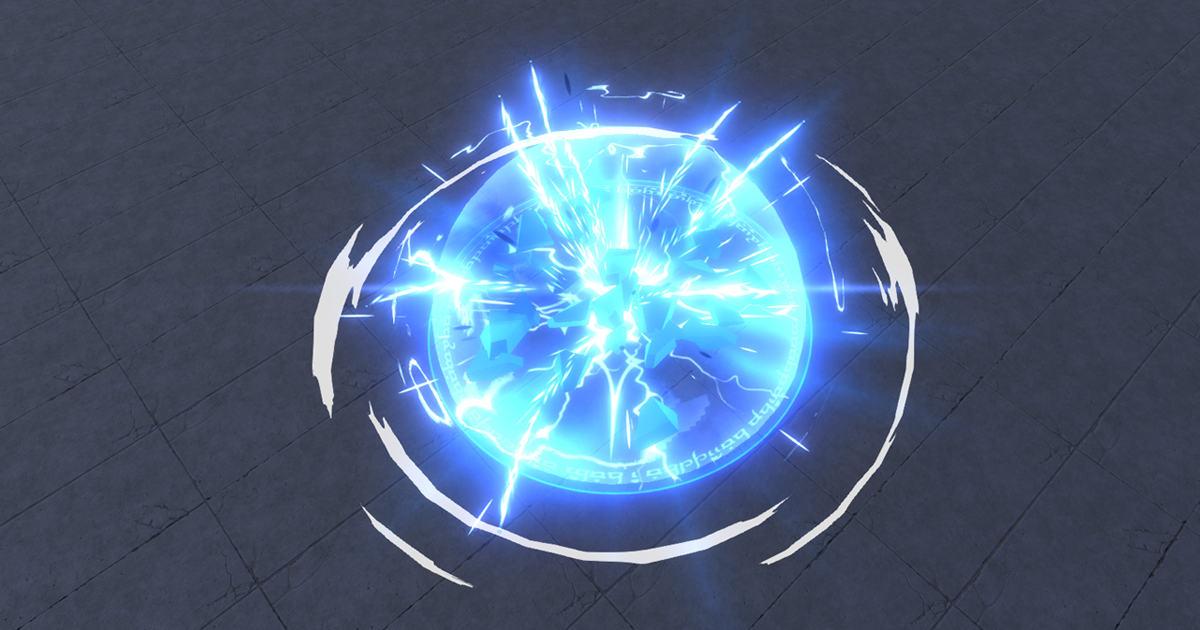
Add depth to your project with Magic Circles and Shields Vol.3 asset from Hovl Studio. Find this & more VFX options on the Unity Asset Store.
 crimson zealot
burnt knoll
Does anyone know any online lessons to learn how to create VFX? (specifically an...
crimson zealot
burnt knoll
Does anyone know any online lessons to learn how to create VFX? (specifically an...
The guy who makes those VFX (Hovl Studio) has a patreon and a youtube channel where he shows you how to make lots of them. Lots of other tutorials on youtube and the realtimevfx forum too.
 dusky ivy
Just a question
Just like how there is shader coding, is there an equivalent that is vfx code?
Since both run on the gpu
I am only finding graph editors for vfx/particles
Or do you do particles with shadercode?
 thorny atlas
is the shuriken particle system limited in its HDRness compared to VFX graph?
Visual Effects seem to run much slower on xbox than particle effects, so i'm trying to re-create the bonfire sample you get in HDRP, using the particle system, but i cant seem to get the fidelity out of it

the one on the left is the Visual Effect, the one on the right is the particle effect
just wondering if i'm trying to make it do something it cant do
crimson zealot
dusky ivy
Since both run on the gpu
There isn't really a distinction. You often need to write custom shaders to get a particular vfx implemented, but it's no different than any other shader. There's no such thing as 'vfx code'. It's just game code and shaders combining to achieve a particular look.
crimson zealot
thorny atlas
Visual Effects seem to run much slower on xbox than particle effects, so i'm try...
What shader are you using for the particles? You can probably make your own particle shader and set the colors in it to HDR mode to get a similar look to the graph ones?
thorny atlas
ParticleUnlitSoftHDRP
i think i'm getting close

there are 4 effects on the VFX graph, i'm only doing the fire right now
going back to particles after VFX graph isn't nice
HDR intensity is ramped up to 10 here
dusky ivy
crimson zealot
There isn't really a distinction. You often need to write custom shaders to get ...
I just wondered how you were to make particles without things like vfx graph. So it's just shader code...?
crimson zealot
dusky ivy
I just wondered how you were to make particles without things like vfx graph. So...
Well the particle system itself is just some c# code (maybe it's actually got some optimizations and isn't, i donno actually, but there's nothing special about it) which manages and moves a bunch of objects (particles) around. Each particle is rendered with whatever shader you give it, so you can have those work however you like to get the look you need.
mostly what the VFX graph does is let run the particles on the gpu instead of the cpu
but that has to do with the particle simulation, not the rendering
dusky ivy
I were just curious because it's run on the gpu, like shaders, which is why I thought they were similar
crimson zealot
as far as i know both are still just rendering their particles with normal shaders
crimson zealot
what do you mean w/o graphs?
dusky ivy
Just like how you can code shaders without shader graphs
crimson zealot
shaders are just math
the graph is just a visual representation of the code, which is just functions and data like any other code
but the graph is an abstraction over the code, not the other way around
dusky ivy
Yeah exactly, I just wondered how particle programming would look without the graph
I'm not finding any good resources online about it
crimson zealot
oh not the rendering bit, yeah it's just a bunch of parameters which are less modular
follow some vfx tutorials which use the particle system and you'll get a sense pretty quick
dusky ivy
I'm not planning on coding my own particles lol, just curious about it
And yeah Ive used the built in particles for a while now and am now planning on trying the vfx graph
crimson zealot
well if you've used the built in particles you know that you don't really have to code anything?
you just configure the parameters
dusky ivy
Yeah but as I said I'm just curious to what's underneath
How it really communicates with the GPU to handle thousands of particles
crimson zealot
dusky ivy
How it really communicates with the GPU to handle thousands of particles
I don't really know the specifics. In both cases you just have a bunch of points in space (xyz) which are being affected by forces (xyz) which are applied over time. Each frame you apply some force and update each particle. You can do that math on a CPU, one particle at a time, or on the GPU for every particle at once. But ultimately you are just doing math with some floats.
as to how that data gets into the GPU, i'm not sure, but it's easy to encode XYZ values into a texture, which is already just a grid of RGB values
spiral moth
i would guess ( as i'm pretty new to VFX graph and haven't looked into details ) that it compiles the logic in the graph into a compute shader or something similar, which writes particles to gpu buffers which are then accessed and rendered by the rendering shader..
 slate sable
spiral moth
i would guess ( as i'm pretty new to VFX graph and haven't looked into details )...
slate sable
spiral moth
i would guess ( as i'm pretty new to VFX graph and haven't looked into details )...
Yep, you're right.
@crimson zealot

 thin robin
i have a basic snow particle system generating over my main menu background but does anyone know why they turn transparent completely when they go over my background
they are infront of the menu
on the Z
 thin robin
for some reason my particles no matter what i do are always right at the back
everything else in and out of my canvas orders just fine
cobalt scarab
Canvas always sorted on top in screen space. If you want something in-front of it use world or camera space would work, I think.
thin robin
could you explain how i would do that?
cobalt scarab
Select canvas and set it in camera space
thin robin
cobalt scarab
Select canvas and set it in camera space
you know if theres any way to have the particles infront of some parts of the canvas and behind others?
i want it to be over my background but behind my buttons
cobalt scarab
It's in physical space at that point, you should be able to sort it changing z coordinate, relative to non-canvas ovjects
thin robin
i changed my main menu object which is the parent to all my buttons to -10
in the Z
my snow being at 0 in the Z
and it still goes infront?
same with my buttons individually i changed the Z pos to -10 and it still goes infront
cobalt scarab
Where is your particle system though and is it in local space.
cobalt scarab
@thin robin Yea, from the looks of it particle system sorts itself only relatively to the root canvas and averages to its children. So if you want buttons on top, you'll have to create another root canvas and put its contents z level in-front. At least how it works in Beta
 cobalt scarab
Just make two camera space root canvases and you're good to go
and put snow between them. (You'll have to offset all items towards the camera on the one you want in-front)
 still whale
I've got my prefab spewing out arrows, but when I turn it upside down, the emission goes down, but the mesh I used for the emission still points up. is there a way to have it change direction with the rotation of the prefab?

 tough mortar
Hi, I'm working with VFX graph and I have created a graph I'm happy with. However, whenever I make new instances of the graph in my scene it follows the exact same turbulence pattern
is there a way I can have the turbulence randomized per graph instance?
spiral moth
tough mortar
is there a way I can have the turbulence randomized per graph instance?
I'm guessing here as i haven't used turbulence but i would look for either a seed value or make the system world space..
 tropic hawk
If I want to add some animation to the starter asset third person character, should I make a new rig entirely in blender, create anims and recast in unity to the humanoid rig or is there something quicker? I tried to import the fbx in blender but the skeleton is all messed up :/
importing third person armature to blender

 warm torrent
tropic hawk
If I want to add some animation to the starter asset third person character, sho...
warm torrent
tropic hawk
If I want to add some animation to the starter asset third person character, sho...
The quickest way probably is to just make them in unity
Working backwards to define a rig for a character you don't have the source files for is a huge pain
tropic hawk
warm torrent
The quickest way probably is to just make them in unity
Working backwards to def...
but I know that keyframing a skeleton already controlled by an animation controller is not permitted so that's not possible. Anyway i've created a basic riggify rig in blender, created a test animation and applied to the tps human avatar, seems fine so far
kinda fine... if I override the default idle blend animation it's ok, if I make it additive it's not correctly played
 runic marlin
Is there a way to do full screen (screen space) VFX particle effects that do not get culled by near clip plane (HDRP)?
 prime dome
@runic marlin you could set your VFX's render layer to a separate one and remove that layer from the culling mask. Then with the draw renderers whatever custom pass you can move your VFX in front of your camera without it clipping into anything. It's what I do for a speed lines effect in my HDRP project.
runic marlin
prime dome
<@241872381906386944> you could set your VFX's render layer to a separate one an...
thanks, and I can do this without the performance overhead normally involved with HDRP's compositor with multiple cameras?
runic marlin
For some reason I was under the impression that using custom pass loses things like depth, light interactions and what not?
prime dome
Your effect is supposed to be screenspace in the first place is it not?
runic marlin
yes, in this case it should be fine.
More of a general question about using this technique.
prime dome
Idk. I only use it for unlit particles, if I wanted em lit I would be fine with rendering like usual and clipping into stuff.
runic marlin
makes sense, thanks for the suggestion. I too am using this for showing motion, i.e. speed lines. dust etc..
prime dome
If you want like first person objects drawing over stuff, there is a different approach.
runic marlin
My game is a large scale space game and I need to push my near clip plane up quite a bit to get the view distances I need. So this is helpful.
prime dome
Dust in space 👀
runic marlin
My game universe is within the galactic core, in a big nebula (not so much dust as small debris / effects to give the sense of density). So its fitting 🙂
 steady zephyr
i'm trying to understand how this "depth scanner" works -- it triggers events based on a certain depth, and the depth value is animated

What is the sample curve doing?
i assume the sawtooth wave is looking up values from it somehow?
also how does that work when it's hooked up to "rate"
slate glen
steady zephyr
What is the sample curve doing?
What are the minima and maxima of the curve? Open to see like this:
 slate glen
steady zephyr
i'm trying to understand how this "depth scanner" works -- it triggers events ba...
slate glen
steady zephyr
i'm trying to understand how this "depth scanner" works -- it triggers events ba...
Can you provide a GIF or clip of the effect?
slate glen
steady zephyr
What is the sample curve doing?
The sample curve, without context, is saying, "Low values produce more events per second than high values"
Putting negative time into the input of the saw tooth and combining it with the sample curve seems to say, "As time progresses, increase the event output rate. Once you hit the time limit, set the event output rate to its original value and start the process over again."
slate glen
Separate topic:
I'm having trouble with particle strip quads not disappearing even when the particle strip's alive attribute is set to false. Has anyone else had this problem? I put a GIF of the situation and a screenshot of the graph in this thread: https://forum.unity.com/threads/unkillable-particle-strip-quad.1188928/
Edit: Resolved: Solution: The quad requires there to be a lifetime on the particle for it to honor the alive == false condition. Just add a lifetime attribute with some high enough value to make it effectively immortal.
 zinc helm
Good evening, i was wondering if anyone had any ideas on how to create something like so ? its apparently only done using VFX graph without external plugins like LASP or oscilloscopes
having said that it does have one lens effect which is the chromatic aberration
 lilac trout
is there a way to do transparency sorting per particle sprite instead of for the entire effect?
I am working on an accretion disk particle effect with VFX graph, the problem if I sort it behind the lens effect its warped wrong but if I sort it in front of the lens it has horrible artifacts where it blocks the lens instead of blending with it

only work around I have been able to come up with is using alpha clip to minimize it but that gives it an odd cartoony look I dont really want
 steady zephyr
zinc helm
Good evening, i was wondering if anyone had any ideas on how to create something...
steady zephyr
zinc helm
Good evening, i was wondering if anyone had any ideas on how to create something...
Seen this it's very nice. No idea how its done but It sort of looks like chladni patterns or some kind of strange attractor
Perhaps they are using custom compute shaders for position and then doing embellishments with vfx graph?
zinc helm
I think it I saw somewhere it potentially uses collisions with sdfs
steady zephyr
You can do that?
zinc helm
You can! But I'm think that might have been for a different effect
It's difficult because it changes every few seconds
You might be on to something with the chladni patterns
If you want to check our more by the creator, https://instagram.com/pixel.flux?utm_medium=copy_link might be helpful to see it in different scenarios
 fast oak
hey a quick question as I am quite nwe to VFX, how would you go around to breakdown the cauldron for a vfx? (the soup cooking particle/effect)
https://www.youtube.com/watch?v=Bq-tsqTfzZg like this one here

-Cook with forest cats
-Sell dishes and keep adding new facilities.
-Develop recipes to create new, more expensive dishes
Descriptions
Type : Simulation
Devices : Mobile Devices
Size (On Disk) : 42 MB
Publisher : HIDEA
Access : Official Released
Connection : Multi Player
Age Rate : Everyone ...
in the beginning when the cat is steering the pot 🙂
zinc helm
zinc helm
If you want to check our more by the creator, https://instagram.com/pixel.flux?u...
just talked to the artist (who wont tell me what they used haha) but its entirely in vfx graph no lasp
 elder latch
I am trying to use a vfx graph for projectile trails but it seems like the effect needs 1-2 frames to init which means the trail starts a short distance away from the weapon. Anybody has experience with this problem?
 twilit plank
VFX - UNIVERSAL RENDER PIPELINE
So, I’ve got two separate VFX Graphs running a hologram and a laser. When the laser fires, it becomes invisible as it passes in front of the hologram. (Seems like unity chooses the other vfxGraph to render on top). Any ideas how to layer these properly? Is it a URP issue?
prime dome
Have someone upgrade unity 2021.2.0f1 ?
vfx not support gles ?
I create new project and find this error on gles, but dx is ok
 slate glen
twilit plank
**VFX - UNIVERSAL RENDER PIPELINE**
So, I’ve got two separate VFX Graphs runnin...
slate glen
twilit plank
**VFX - UNIVERSAL RENDER PIPELINE**
So, I’ve got two separate VFX Graphs runnin...
I dunno about layers but I'd check the bounds of your laser just in case it's the bounds and not the hologram blocking it
slate glen
Does anyone know a way to disable or customize node snapping in VFX graph?

 spark bay
Hi there. Im trying to follow along on this tut, but cant get passed the 18:00 mark, just cant get my particles to glow - https://www.youtube.com/watch?v=zg4ZJk270k0 Greatly appreciate any help


Description: Control the VFX Graph with Bolt, this time we'll be building a cool effect that responds to music! Relevant links: https://www.youtube.com/watch?v=4Av788P9stk
This video is taken from: https://learn.unity.com/tutorial/bolt-videos-archived
I did not make this video. I am posting it here as Unity's website video player sucks.
Ass...
spark bay
You what guys sorry I need to mind my son. Carry on without me
 main viper
Hi how can i use this to set the particle spawn points?

 marble nymph
this muzzle flash effect im using has a texture that blocks the vfx smoke in the back (should be visible on the barrel)

any way i can mitigate this?
 lofty orbit
im still pretty bad at VFX and what not, but it's pretty pleasing to actually end up with what you set out to make
 main viper
lofty orbit
im still pretty bad at VFX and what not, but it's pretty pleasing to actually en...
main viper
lofty orbit
im still pretty bad at VFX and what not, but it's pretty pleasing to actually en...
That looks amazing!
lofty orbit
thanks! for how simple it is it does look pretty good
main viper
lofty orbit
thanks! for how simple it is it does look pretty good
quick question why is the sphere like "attracted" to the platform?
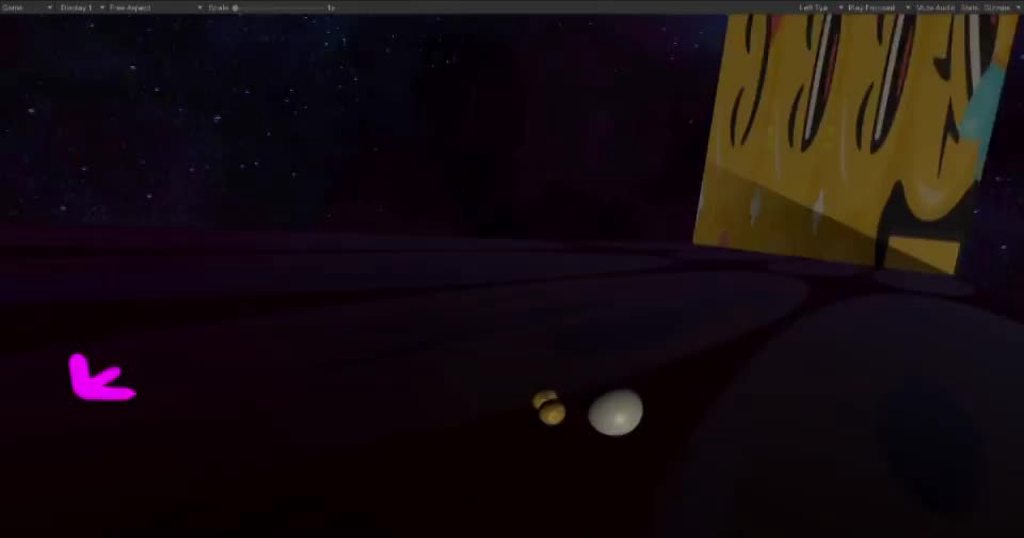 lofty orbit
there's a bunch of variations on how it works, and can work; in this case i have turned off normal gravity, and I'm manually applying gravity forces to rigidbodies each tick
in this case, simply getting the closest point-on-colliders from the terrain objects works
lofty orbit
it's essentially core parts of a template for VR physics games
i have a bunch of specific stuff in the works and planned
im prototyping and refactoring some stuff into a template that can help me iterate projects quickly
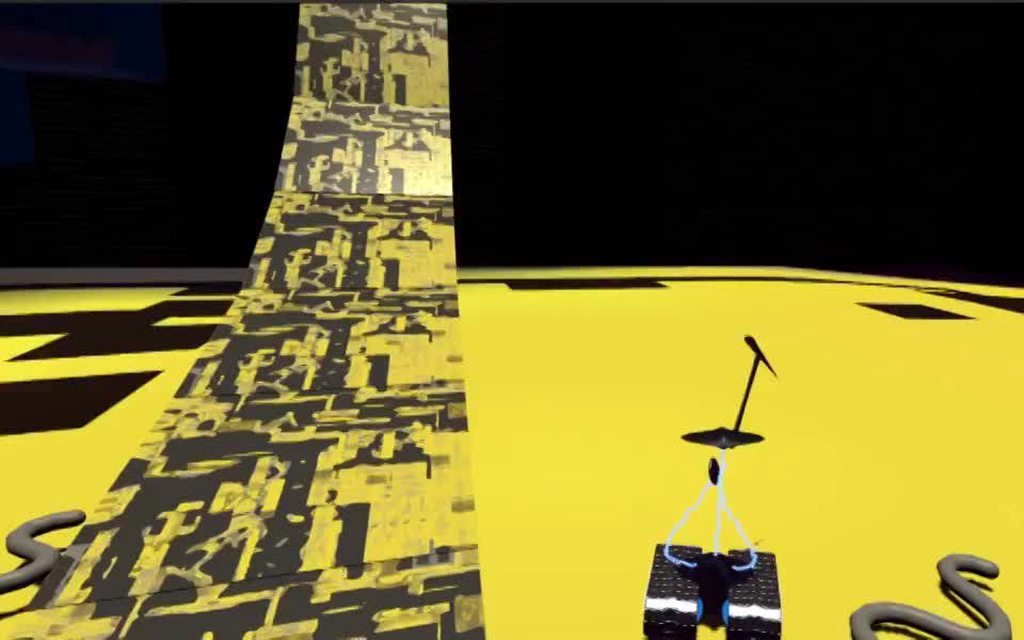
it's going to involve lots of fast paced player-controllers that rely on physics, and also physics based robot-esque AI agents
lofty orbit
yea the textures are place-holder, and it's hard to get a good recording in VR
robot bumps into snake, jumps, and turns into a jet mode
main viper
and whats with that planet?
lofty orbit
it's just an arbitrary space to stage game stuff in
it works well for my agents to free-roam
and i also do stuff with inside of planets
main viper
oh ok
lofty orbit
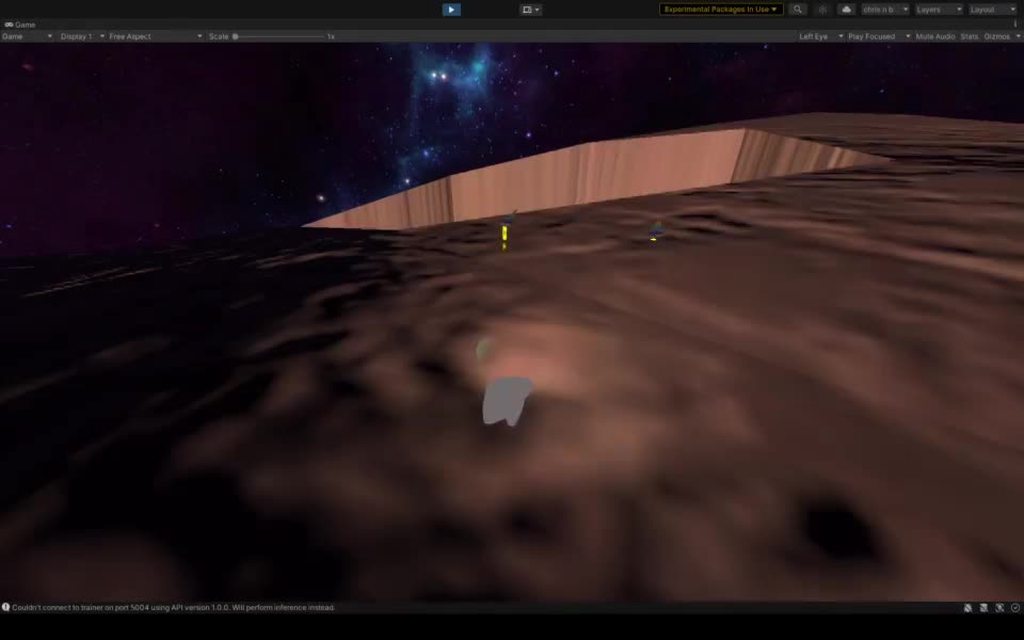
yet more prototype everything, but it sows an interesting way tofit a ton of play-space into a compact area
main viper
those weird things remind me of like everything in journey
 formal kraken
is it possible to use vfx with the built-in render pipeline?
lofty orbit
having a really hard time with the gravity node in Update Particle context
it works fine when using a basic parameter, but not when using Get Custom Attribute
anyone know why gravity specifically would not work?
lofty orbit
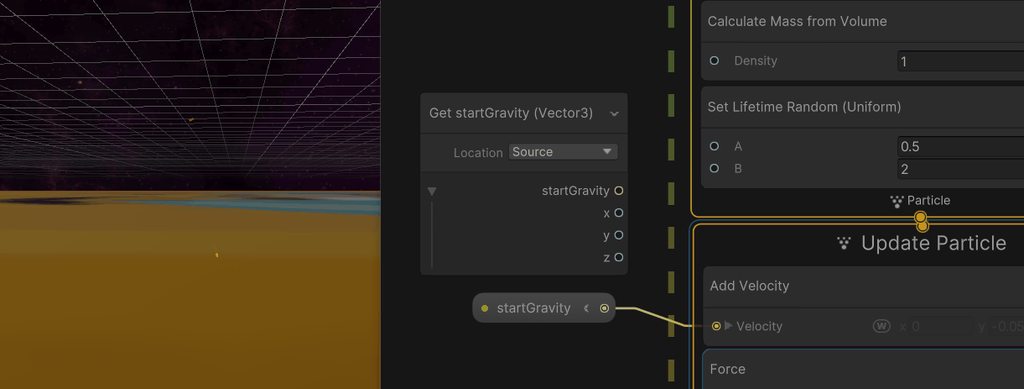
the problem persists when using addVelocity instead of gravity
i have no idea why this attribute specifically is having issues
maybe im using the custom attributes incorrectly
perhaps passing custom attributes to the update particle loop is just non functional?
lofty orbit
So I vaguely understand my issue now: I'm passing a custom event attribute that can be accessed in the initialize node, but not accessed later on in the update node. I want to define a per component or per burst (spawn event) gravity direction that will apply to those particles and not others, but there seems to be no way of doing so.
lofty orbit
VFX graph is like magic, where all the sorcerers keep their arts secret xD
 opal star
Cant you just set a exposed property along with firing the event ?
 gleaming stream
My Apologises sir, Is nearly same question but one is for Warp Streching Shader, One For Warp Sound and One for Visual Effect Warp Flash 🙂
cobalt scarab
@gleaming stream Sure, I'll remove the warning, you may repost.
Don't wait so much time to clarify next time ignoring the verbal warning.
gleaming stream
Ok, after many errors i cant make a Particle Effect to play in Exact Moment when effet.Play() is called 😦 still have big delays
cobalt scarab
Should illustrate what you mean. Also comparing/testing with default particle system first would work. To see if it's a problem with particle system and not activation code.
 cobalt scarab
I mean show something meaningfully illustrating delay, like showing particle system play menu and how it reacts when you click play.
gleaming stream
Changing Prewarm time does nothing.
 slate sable
gleaming stream
Changing Prewarm time does nothing.
slate sable
gleaming stream
Changing Prewarm time does nothing.
I assume you are using Single Burst for spawning. Is the delay set to 0 there?
gleaming stream
slate sable
I assume you are using Single Burst for spawning. Is the delay set to 0 there?
Yes, I reworked it from scratch. Seems to be 50% faster now. Still not there yet but 🙂
lofty orbit
@opal star unfortuately i cant because an exposed parameter would apply to all the particles, but i need particle groups with different gravity directions
slate sable
lofty orbit
<@!292371456862584833> unfortuately i cant because an exposed parameter would ap...
Why don't you save the custom attribute from your event to a different custom attribute on initialization so you can use it in update/output ?
lofty orbit
hmmm
i tried to do something along those lines but could not make it work, but perhaps i had something misconfigured


@slate sable something like this?
as far as i can tell, the custom attributes that are in the VFX event block associated with the spawn event are just not accessible in update in this case
so i cant access testAttribute that is set in init in the same way that i cant access startGravity
I am coming to conclude that there's no way to make it work as I want, not without some really overblown tricks, like using a texture to store directions, or using a pool of spawn blocks and unique event names
(both of those defeat my purpose of trying to get better pound-for-pound performance though)
I guess I have no choice but to use a VFX pool TT
oh snap, i might have finally got it working
@slate sable your suggestion seems to have worked; i just needed to get it exactly configured (using source when setting, and current when getting)
thanks for the sanity check

One VFX graph to rule them all
Using this approach (instead of a VFX pool) will greatly simplify the script side management of effects, as well as performance over-head savings by reducing the number of graphs active in a scene
it's very appropriate for a physics-sim situation where things like on-Collision events are very frequently generating the same effect
slate sable
lofty orbit
<@!117778824749514758> your suggestion seems to have worked; i just needed to ge...
Glad it worked 🙂
lofty orbit
interestingly, I have manually solved a problem for which a fix is currently in progress

but this is the fix i really need

(also in progress in the Unity roadmap)
for effects in mobile VR it will be huge
 grizzled orbit
how to align the vfx stuff with something like sword or other kind of melee weapons?
 near cloud
if i were to make a player explosion effect with blood and everything, what would be more recommended vfx graph or just the regular particle system. I want the blood and stuff to interact with the ground.
 fluid lagoon
How do I use the compare node in VFX graph?
I want to compare two values. If the comparison is true, I want to set alpha to 1, if false, alpha to 0:

But I have no idea how to use the output of the Compare node
nvm found the Branch node
prime dome
I thought Unity finally figured out that everything should be open source, but then Visual Effect class is fully on the C++ side 😢
 dim bloom
How to make sword trace in hdrp? Because motion blur built in hdrp is kinda bad
 umbral agate
Hello, I'm attempting to stick particles from shuriken's particle system to a wall, unfortunately I can't get anything to work
 solid badge
umbral agate
Hello, I'm attempting to stick particles from shuriken's particle system to a wa...
solid badge
umbral agate
Hello, I'm attempting to stick particles from shuriken's particle system to a wa...
Not to be rude, but isn't shuriken particles super outdated? I mean even with LTS, might be better to upgrade to particle system.
solid badge
umbral agate
Hello, I'm attempting to stick particles from shuriken's particle system to a wa...
Whitch version of unity are you using?
umbral agate
solid badge
Not to be rude, but isn't shuriken particles super outdated? I mean even with LT...
Sorry unless I'm referring to the wrong particle system. I'm using unity's current (built-in) particle system I guess.
Currently using 2019.4.11f1
burnt knoll
Hey guys, I'm new to VFX and I've been looking for tutorials online to create something that is a bit similar to Zoe's Q (from lol), can anyone teach me how to create it through unity VFX graph?
 safe lynx
I am trying to use fog to obscure geometry in the distance for performance reasons. Do I have to use volumetric fog? My project is currently using the default render pipeline and I'd prefer not to upgrade to HRDP if possible
 umbral sedge
safe lynx
I am trying to use fog to obscure geometry in the distance for performance reaso...
umbral sedge
safe lynx
I am trying to use fog to obscure geometry in the distance for performance reaso...
LOD
safe lynx
Even with low LOD, there will still be a lot of draw calls. The optimal solution would be to cover up buildings in the distance
Scene is a vast city viewed from elevation
umbral sedge
Depends how you setup your LODs, join them into a single mesh, baked those materials from some into a couple of them
I'm not sure if a fog would help either... Volumetric fogs alike aren't cheap
safe lynx
umbral sedge
Depends how you setup your LODs, join them into a single mesh, baked those mater...
I am trying to procedurally generate my levels. Not sure it is practical or even possible to join objects into a mesh based on their distance from player. I will read up more on LODs
umbral sedge
it's a common trick to join those into a single/couple meshes, even for complex setup such as cities, landscapes etc
prime dome
safe lynx
I am trying to use fog to obscure geometry in the distance for performance reaso...
U wot, fog exists on the boomer pipeline as well.
Window - Rendering - Lighting - Environment.
safe lynx
prime dome
U wot, fog exists on the boomer pipeline as well.
It seems like this kind of fog - as well as any shader-based fog, as far as I can tell - does not actually occlude geometry, it just renders it as more or less "foggy" based on distance. What I need is something that actually blocks out geometry
or at least covers up geometry that's beyond the far clipping plane of the camera

 umbral sedge
safe lynx
It seems like this kind of fog - as well as any shader-based fog, as far as I ca...
umbral sedge
safe lynx
It seems like this kind of fog - as well as any shader-based fog, as far as I ca...
Thats not how fog supposed to be used...
you can set your your object to be culled via lod-group based on on your fog max range? I'm not sure if this is okay, but seems you can do this kind of thing
safe lynx
umbral sedge
you can set your your object to be culled via lod-group based on on your fog max...
Cool idea 🙏
 limber fiber
I'm getting this error when working on a ParticleSystem - I'm not intentionally doing anything GUI related, any insight? cheers
https://hatebin.com/vrrcpdcwyk
fluid lagoon
limber fiber
I'm getting this error when working on a ParticleSystem - I'm not intentionally ...
It's an error in Unity's custom inspector for the particle system component
there's not much you can do about it, other than reporting a bug/upgrading to a different version of the editor that hopefully doesn't have that error
If you're not noting any problems with your particle system, you can probably ignore it
lofty orbit
anyone have an idea on how i can make particles gravitate toward the nearest point on a box (or other shape?)
im thinking that primitive vector fields that i can warp into the correct shape would work?
I could do it with math though i suppose...
 rustic thorn
finding the nearest one is the hard part
because you can just do force = Vector3.normalize(particlePos - boxVerticePos) * forceStrength or something
main viper
i got a shader which uses vertex color to do some stuff. The colors are set in a particle system but it only works with the start color and not the color over lifetime
what am i doing wrong?
zinc helm
does anyone have any idea how to create this? its entirely in vfx graph without plugins
safe lynx
Is it possible to make meshes appear solid when the camera is inside of them?
or perhaps asked another way: is there a way to make the inner surfaces of a mesh render?
 gentle summit
anyone here know how particle systems work?
im following this unity tutorial but at this part my smoke doesnt show up at all in game mode
 prime dome
zinc helm
does anyone have any idea how to create this? its entirely in vfx graph without ...
prime dome
zinc helm
does anyone have any idea how to create this? its entirely in vfx graph without ...
The wavey background is lots of tiny particle quads flying along a vector field maybe. Can make those in a 3d program like Blender and export using some addon on Github. Or hardcode the forces yourself somehow. As for the rest, seems like a bunch of straightforward meshes with shaders appearing and disappearing. Not sure if all of this is timed in the graph itself, it's possible it's all triggered through an animation so you don't have to do all the overlays in the VFX Graph itself.
 lyric phoenix
So I made a particle system for muzzle flashes. However whenever the game starts the animation starts without me pressing the key to activate the animation. Is there a way to get rid of this?
prime dome
A VFX Graph or an old particle system?
lyric phoenix
its an old particle system i believe. am i in the wrong channel for this question?
solid badge
lyric phoenix
So I made a particle system for muzzle flashes. However whenever the game starts...
Add an event to ur particle system, than call it in code whereever u need it. Also might want to look into burst for ur particles.
lyric phoenix
burst?
prime dome
solid badge
Add an event to ur particle system, than call it in code whereever u need it. Al...
There are no events in the old particle system 😛
solid badge
https://docs.unity3d.com/ScriptReference/ParticleSystem.html sorry was thinking vfx graphs. Try isemmiting
 lyric phoenix
the thing is idk if its the old particle system. Im in 2019.4.31f1 and i just right clicked in the hierarchy then effects/particle system
solid badge
Depends on ur architecture
lyric phoenix
it works thanks. something so small is so important (ugh)
now I have another question, how would one make a raycast visable to appear as a bullet line when shooting
prime dome
A tracer line?
lyric phoenix
when I shoot the raycast, I want to see the bullet move quickly through the air, or is that not possible?
prime dome
Don't really need to use a particle for that, can scale a mesh.
lyric phoenix
what channels should I ask in then?
prime dome
Here is fine, this is a VFX after all.
prime dome
You could scale a strip mesh using the gun barrel as a pivot all the way to the hit point over time and use a simple emissive shader.
Scale is literally transform.localScale =
lyric phoenix
im trying to figure out what you mean before I ask a question but Im honestly lost
I understand transform.localScale
I dont understand how to scale a strip mesh
prime dome
Let's say you have a Trace prefab.
You parent a quad mesh to its root transform.
Clear thus far?
lyric phoenix
... kind of
prime dome
And: this is important. You move the mesh so one of its edges is aligned with the prefab center.
lyric phoenix
what does it mean to parent a quad mesh to its root transform (im so sorry for being a dultz )
prime dome
Create a child transform that has a mesh renderer on it.
lyric phoenix
oh okay so the parent would be?
i know what a parent is im wondering what you use as a parent
prime dome
Whatever transform you use as the prefab root.
lyric phoenix
oh okay
prime dome
If you create an empty object A and drag it to the project view to create a prefab, A becomes the prefab root.
lyric phoenix
okay
i understand
could I just use a line renderer to render the raycast for a split second?
prime dome
Now, since the edge of the quad is aligned with the prefab center, when you scale the root z, the quad will be growing only in one direction, forward. Shit, I hope I remember how this works correctly.
You could.
solid badge
lyric phoenix
when I shoot the raycast, I want to see the bullet move quickly through the air,...
Maybe in ur game manager u instantiate ur particles when bullet is fired
prime dome
But irl tracers aren't long lines that appear full length and vanish are they 🤔 They are smol and move.
solid badge
That way it's an instance
lyric phoenix
prime dome
But irl tracers aren't long lines that appear full length and vanish are they 🤔...
Are you thinking of laser sight tracers? Im thinking of visible lines where the bullet path is/was when I shoot it. Since bullets are super fast It will seem to appear and disappear quickly but still enough time to register what direction it was heading it and if the target was hit, appearing to the user that the gun actually works and its not just shooting air. Im thinking with a raycast I can make it appear and disappear quickly with a low opacity to appear as if the bullet is cutting through air
prime dome
Not sure, I feel like bullet tracers in games I've seen were just a liil bit more long lived than an instant.
zinc helm
prime dome
The wavey background is lots of tiny particle quads flying along a vector field ...
It's entirely inside of vfx graph, all maths based instead of meshes
zinc helm
It's also procedural, so i dont think there could possibly be animations at play, unless it's sdfs that are moving but even then, unsure
zinc helm
Also sdfs can be created in the latest unity version, by converting meshes! But you've given me some good ideas to experiment with
prime dome
@zinc helm sdfs and vector fields are different things I think.
zinc helm
Are they both not 3d textures representing objects?
Annoying the documentation doesn't specify any (despite the page saying vector fields / signed distance field) that they are identical or different from one another?
So im assuming they are the same thing??
 limpid oracle
Hi! we have a problem with particle collisions in one of our games, maybe some of you will have an idea how to fix it.
Basically the default Unistorm Rain particles don't want to collide with buildings, so it's raining inside.
All the roof parts are not-static because player can build any building he wants in our game.
If I put a very big collider over player's village then it will be detected by particle collisions and stop the rain.
But when player is building individual homes then the roof colliders are ignored by paricle collision for some reason.
Did any of you have similar problem? is it true that particle colliders need to be big otherwise they are ignored?
slate sable
zinc helm
So im assuming they are the same thing??
From my understanding a vector field is just a 3D texture with each voxel representing a directional force (for use with the Vector Field Force for example).
The signed distance field on the other hand is a distance field which means that each voxel has a vector that is a distance to the nearest point of the nearest object.
 clear spruce
how can vector represent a distance? ig the vector points away from the nearest object and magnitude is the actual distance?
zinc helm
Well if you know the center of the object the vector can be a position on the surface, if using a vec3
But again it's not really covered on the documentation
I think the definition changes depending on the software, like houdini etc??
slate sable
clear spruce
how can vector represent a distance? ig the vector points away from the nearest ...
My bad. That's what I meant. Magnitude is the distance but the vector itself points to the nearest point.
clear spruce
slate sable
My bad. That's what I meant. Magnitude is the distance but the vector itself poi...
ok thanks. i thought it would point away from the surface but that makes sense 👍
slate sable
clear spruce
ok thanks. i thought it would point away from the surface but that makes sense �...
Don't take it for granted what I said. I don't know it 100% but makes sense for me. >.<
grizzled orbit
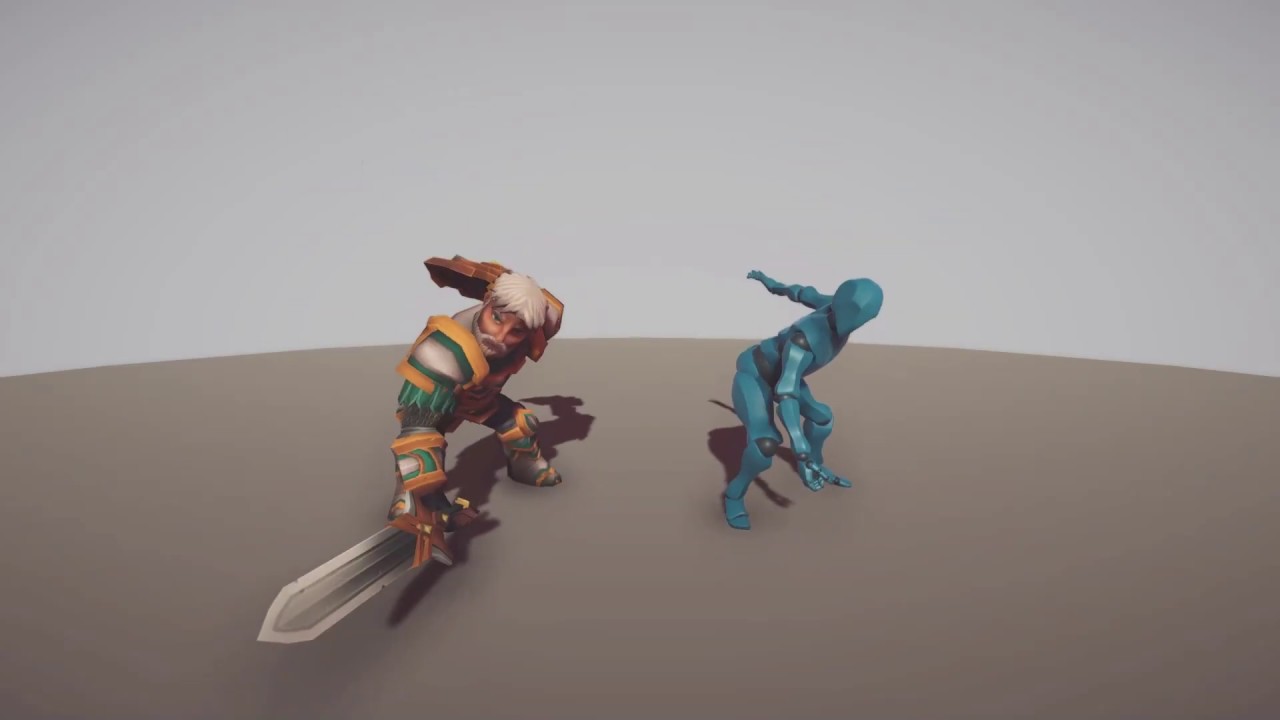
hey as wondering how to allign vfx with sword slahes like this
You can purchase these assets at:
- Official site: https://www.meshtint.com
- Our Unity Asset Store: http://bit.ly/1NJcoiK
- Asset URL in Unity Asset Store:
Meshtint Studio is a game art outsourcing studio for the games industry. Our business serves the needs of game developers, by providing animation, 3D asset creation, and in-game integ...
just make the vfx child object of sword or something
crimson zealot
grizzled orbit
hey as wondering how to allign vfx with sword slahes like this
you can write a trail or find a trail asset and attach it to the sword, but generally you would just spawn and position meshes aligned with the animation for the slash FX
grizzled orbit
so how we use those vfx from asset store
crimson zealot
what should it do instead? have a gap in the trail? move the existing trail along with it?
you can update the points of the trail renderer manually to offset along with the object
crimson zealot
Unity's trails are contiguous, so you can't do that with a single trail. You could have 2 trails and swap between them whenever you teleport?
prime dome
Have someone has VEG with Graphics Buffer example ?
 stark roost
Hey there,
can someone help me and explain how to setup the Particle System so that there are Particles spawning at speeds from 1 to 5, but there are more particles spawning with speed 1 and less with speed 5?
I am playing around with curves, but i cant seem to figure out how it works
This spawns only speed 5 particles

this spawns only speed 0 particles

i figured out that the x axis here is the time of "Duration" and it was 5 because my particle system had a duration of 5. But why is the start speed connected to time. I want to change the random distribution of start speeds. Having the time here creates weird burst emission like behaviour

this creates an okay-ish looking result. but i dont really know why
There are more small stars scaled with speed 1 than large stars scaled with speed 5. Result is okay, but i still dont know why.

 bold kelp
Is there a parameter we need to turn on in the settings to make vfx work?
 twin owl
does anyone know if you can output a skinned mesh through vfx graph
i.e. im trying to have a bird with a skinned mesh as my output
im assuming not
twin owl
https://portal.productboard.com/unity/1-unity-platform-rendering-visual-effects/c/106-particle-s-vertex-position-normals-modification does anyone know where the documentation for this is?

The new integration of ShaderGraph in VFX Graph allows to access more features, including modifying particles' vertex position/normal/tangent in VFX from Shader Graph.
Note: this feature is not about sampling the vertex and normals distortions and offsets of other shaders.
slate sable
twin owl
https://portal.productboard.com/unity/1-unity-platform-rendering-visual-effects/...
This just enables you to use the vertex output node in vfx shadergraph. It's the same as in normal shader graph. You get the vertex position, modify it somehow and put it in the output. In your case you would move the wing vertices up and down to make a "flying animation" . To know which vertices to move, I think you could use vertex colors or something like that.
bold kelp
Anybody knows why am I missing a shader graph option at the start of my output particle mesh?
 fluid lagoon
bold kelp
Anybody knows why am I missing a shader graph option at the start of my output p...
fluid lagoon
bold kelp
Anybody knows why am I missing a shader graph option at the start of my output p...
Output Lit Particle Mesh has that option
Output Particle Mesh doesn't
(I think)
twin owl
slate sable
This just enables you to use the vertex output node in vfx shadergraph. It's the...
maybe im being dumb but i cant seem to get the vertecies to be affected by the shader in the actual output of the vfx
i thought if i add noise or anything at all to the normal, position or tangent it would do something but it doesnt do anything?
bold kelp
fluid lagoon
Output Lit Particle Mesh has that option
Is that supposed to be a separate node or just a parameter on the already existing one?
fluid lagoon
bold kelp
Is that supposed to be a separate node or just a parameter on the already existi...
it's a different node entirely
fluid lagoon
bold kelp
Is that supposed to be a separate node or just a parameter on the already existi...
 bold kelp
Interesting... I clearly don't have something enabled then as it's not an option

again x)
fluid lagoon
bold kelp
Interesting... I clearly don't have something enabled then as it's not an option
Are you in URP?
bold kelp
fluid lagoon
Are you in URP?
Well yes
 bold kelp
Oh
Would say time to upgrade but that will fuck up my shader I believe x)
fluid lagoon
could always make a commit (or backup) and try it out
bold kelp
Though that's very insightful, thank you so much
twin owl
slate sable
This just enables you to use the vertex output node in vfx shadergraph. It's the...
ok yeah i found something with vertex colours, i can make them work with a shader graph and unitys particle system
but i cant seem to get them to work in vfx graph and i have no clue why
in particles system
im probably missing something obvious on why this isnt working
fluid lagoon
twin owl
ok yeah i found something with vertex colours, i can make them work with a shade...
You might need this or something?

Or this? Not 100% sure
 fluid lagoon
my screenies are in URP too so ymmv
 twin owl

slate sable
twin owl
this problem has been frustrating me all day lol
I checked the documentation and you need to change the target to HDRP and then the option Support VFX graph that Praetor mentioned earlier will pop up. Then the vertex output will work.
https://docs.unity3d.com/Packages/com.unity.visualeffectgraph@12.1/manual/sg-working-with.html
twin owl
Oop, I'll give it a try when I get on my pc, thanks <3
twin owl
@slate sable thank you, i should of look at the documentation earlier tbh
is visual effect target just not made for HDRP use then?
slate sable
twin owl
is visual effect target just not made for HDRP use then?
It's a bit confusing for me too after the last update.
There are two features that got added.
-vertex positions for vfx shaders
-any hdrp shader output used in vfx graph
I guess instead of adding vertex positions to the visual effect target they just worked on getting the hdrp shaders to work with vfx and the ability to change vertex positions came with it.
twin owl
slate sable
It's a bit confusing for me too after the last update.
There are two features t...
so odd, yeah this msg pops up if i have visual effect as a target (with hdrp as a target as well)
kind of odd
but now i know at least
 slate sable
Maybe they are keeping it for compatibility with versions before 2021
twin owl
ah yeah i guess that makes sense
slate sable
Would make more sense to change the targets on reimport and get rid of the old vfx target but this works I guess.
But they should definitely make it so that creating new "VFX Shader Graph" sets the appropriate target instead of a deprecated one.
twin owl
yeah for sure
you would expect when it says it requires a vfx shader graph and you create one for it to just work
interestingly enough though, the colour stuff worked
when using a visual effect output
like erm the fragment part of the shader i mean
just not the vertex stuff
twin owl
slate sable
It's a bit confusing for me too after the last update.
There are two features t...
which goes in line with what you said here
oh well
 patent lagoon
just wanted to say thank you - i've been hunting down how to get multiply size over life and i missed it the whole time.
 finite vine
Is there any way to Start a VFX graph spawning using a character animation's trigger ?
finite vine
right now I'm testing it by writing a script to capture the animation event and play the VFX graph by using a VisualEffect.SendEvent()
I did not find any codeless solution to do that ...


 muted aurora
You might get better help if you post a gif of your particle in action
 muted aurora
@trim anvil Well, it looks like you really need to play around with the particle system
Inspect each option closely and learn what they do. You need to also watch some youtube channels that are specialized in creating particle effects
Like, the particles don't need to be a primitive shape, you can use sprites or even 3d models
It's really a matter of tweaking a lot and getting used to everything
 trim anvil
muted aurora
Inspect each option closely and learn what they do. You need to also watch some ...
trim anvil
muted aurora
Inspect each option closely and learn what they do. You need to also watch some ...
Can you pass me any of those channels¿
muted aurora
trim anvil
Can you pass me any of those channels¿
In this first ever Visual Case Study, I attempt to recreate the bomb explosion effect from Wind Waker using Unity's Shuriken particle system.
Support me on Patreon:
https://www.patreon.com/DanMoran
Get the Assets for this Video here:
http://danjohnmoran.com/TutorialAssets/particles_case_study_1_assets.unitypackage
Music:
The Legend of Zelda: ...
This is an old video but still applies
You probably should also watch this from his channel: https://www.youtube.com/watch?v=rR_bm8f8rVE
This episode is basically a better version of what Particles 101 should have been. Particle Systems are introduced slowly and many of their properties are explained step by step.
Particle Assets used in this Video:
http://danjohnmoran.com/TutorialAssets/
All assets shared in that packaged are licensed under:
https://creativecommons.org/license...
I'm sure if you dig deeper you can find more channels that talk about visual effects
finite vine
Hey guys, I have a trail effect using the vfx graph's particle strip, it's working great, the only problem is that if my character moves too quickly, the strip will appear very low resolution. So I've tried using the Spawn Over Distance block, but the result is the same because the motion driving the system is just too quick.
My question is, is there any way to smooth a particle strip ? interpolations ? curves ?
finite vine
This is what I mean.
The left side has a smooth sampling curve, then the right side has a sudden quick motion ...
Is there any way to improve this ?

 dull obsidian
finite vine
I did not find any codeless solution to do that ...
dull obsidian
finite vine
I did not find any codeless solution to do that ...
The codeless way to write scripts in Unity: https://docs.unity3d.com/Packages/com.unity.visualscripting@latest
dull obsidian
finite vine
Hey guys, I have a trail effect using the vfx graph's particle strip, it's worki...
in the long term with less effort: the vfx graph team at unity is aware of this being desired, the feature is under consideration on the platform roadmap: https://portal.productboard.com/unity/1-unity-platform-rendering-visual-effects/c/101-sub-frame-interpolation
Enables spawning and updating particles with greater fidelity when it comes to fast moving simulations removing typical staircase effects with discrete simulation.
in the short term with more effort: not easily, but it may be possible to write a script and/or shader that precomputes or smooths animation positions using linear interpolation or a bezier curve, etc before this data is input and sampled in vfx graph in say, a texture2D packed with animation curve data. in some ways similar to this example: https://github.com/landonth/unity-vfx-shadergraph-curves

GitHub
Unity Shader Graph generated per particle animation curves for Visual Effect Graph - GitHub - landonth/unity-vfx-shadergraph-curves: Unity Shader Graph generated per particle animation curves for V...
you also might find a use (or need?) for the VFXSpawnerCallback interface to achieve custom smoothed particle strips such as this example custom block node in the docs:
https://docs.unity3d.com/Packages/com.unity.visualeffectgraph@12.0/manual/Block-IncrementStripIndexOnStart.html
lofty orbit
anyone have ideas or examples for atmospheric effects like dust, mist, fog, wind, etc?
looking for options with a low-ish particle count that gives a realistic impression
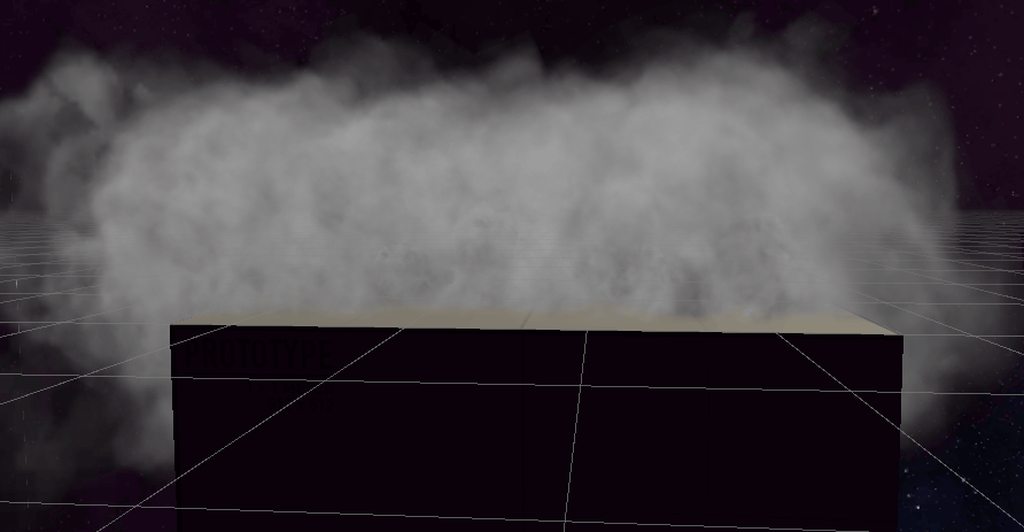
i took the default smoke particle, made it spawn more quickly and randomly over a given area, with a random size range (making it bigger) and it more or less creates fog
I could probably whiten it up along with many other thigns to improve it
lofty orbit
so it looks great in a lot of ways but due to the texture turning when the player turns (when inside of it) it doesnt actually work
finite vine
@dull obsidian Thank you for the info
 tepid musk
Is there any way to store a value on initialization to reference for later on a per particle basis?
slate sable
tepid musk
Is there any way to store a value on initialization to reference for later on a ...
You can use custom attribute
 old cargo
Hey all,
looking into possibilities to be able to transfer a particle upon collision to a texture. Currently got a snow fall system that collides with the ground and lays there. but would like to have it "bake" to the texture in order to keep performance down if it runs for long in VR.
Any good directions to look into?
slate sable
old cargo
Hey all,
looking into possibilities to be able to transfer a particle upon coll...
So you're using normal particle system? You could spawn vfx graph particles on the spots where the original ones collide as that would be much cheaper to render.
Or you could have a RenderTexture and use a compute shader to write into it at the positions where the snow hits the ground. Then use a shader that would read the texture as a mask where you would display a snow texture. That shader would have to be on all objects that you want the snow to interact with and there would be a problem with the snow going inside buildings because it would be based on X,Z coordinates with no height info. To overcome that maybe make a mask for the objects to mark which parts should read the snow info.
Not sure if this is the best approach but it should work.
old cargo
Cheers @slate sable I'll look into those options. it's basically just circle particles falling flat in an open circular area so the vfx shader graph sounds promising! 👍
slate sable
I don't think it's possible without any extra scripting because the methods have multiple arguments and inspector for unity events only show up the methods with one.
You could create a script that has a public field for the vfx and public methods for each of your needs.
public VisualEffect vfx;

public void SetVelocity(Vector3 velocity)
{
  vfx.SetVector3("velocity", velocity);
}
Or you could use more universal approach and that is having one method for setting the propertyID and another one to set the value. So you would only have two methods but in the UnityEvent you would have to have two actions. One setting the ID and the other one setting the value.
public VisualEffect vfx;
string currentID;

public void SetPropertyID(string id)
{
  currentID = id;
}

public void SetFloat(float val)
{
  vfx.SetFloat(currentID, val);
}
Whats the best way to obtain the camera position? The camera node seems to always retern (0,0,0) at least in scene view and the MainCamera node only returns the position of the one main camera
I am trying to make an effect similar to a lensflare where the particle is offset in the direction of the camera
slate sable
elder latch
I am trying to make an effect similar to a lensflare where the particle is offse...
Use a property binder to bind position of the camera to a property on your graph
elder latch
slate sable
Use a property binder to bind position of the camera to a property on your graph
Oh is this really the only way? I mean the vfx renderer needs to know the matrices of the camera that renders it doesnt it?
problem is this is partly ECS and its not that easy to use a property binder 😕
slate sable
Oh well. I guess setting the properties isn't a possibility either. And what's wrong with using main camera?
slate sable
elder latch
Oh is this really the only way? I mean the vfx renderer needs to know the matric...
I'm not sure how exactly this works under the hood but I think that the MainCamera node is same as using Camera.Main in code where it gets the cached camera object with the MainCamera tag.
Maybe the particle/compute part doesn't know where the rendering camera is because it doesn't really render anything and only computes the attributes and then gives the buffer/s to the shadergraph part where you can get the matrices of rendering camera.
elder latch
slate sable
I'm not sure how exactly this works under the hood but I think that the MainCame...
Yeah that might bei true. Main camera does not seen to Pick the right Cam in vr but maybe its Just missing the tag
I will have an Look at that tomorrow
Thx
 flint anchor

 soft hull
Do VFX particle strips have an option to "Die with Particles" like in Particle system?
How can I kill the entire strip instantly when source dies?
elder latch
How do I get the particle color in a custom shader? Afaik it should just be the vertex color. But just using vertex color does not display anything

Looks like the vertex color is always black. Regardless of what color I set
slate sable
elder latch
How do I get the particle color in a custom shader? Afaik it should just be the ...
Make a Color property in shadergraph and it will appear in the particle output in vfxgraph.
elder latch
slate sable
Make a Color property in shadergraph and it will appear in the particle output i...
Yeah i did this now but its more of a workaround
Vertex color should Work according to the Docs and Dome tuts
 rapid jetty
Hi folks! Does anyone recognize what's happening with this stuttering behavior when activating a particle system force field? It only behaves this way in Play mode, and appears nice and smooth when simulating in the scene view while editing.
 cobalt scarab
Make sure nothing is accessing it and tries to restart multiple times.
rapid jetty
Yep, no scripts are accessing it at the moment, its just the particle system and the force field on their own
cobalt scarab
I would investigate with a clean, default one, gradually turning on options and see when it starts acting like that
rapid jetty
It seems to start jumping whenever the Rotation properties are used
Which is frustrating as that's the behavior I'm needing the force field for lol
slate sable
elder latch
Yeah i did this now but its more of a workaround
I think it's intended to be like that. How else would you get the vertex colors when using a mesh output.
Where in the docs did you find it?
elder latch
slate sable
I think it's intended to be like that. How else would you get the vertex colors ...
I thought VFX graph would write the color into the vertices of the particles quads which was implied to work in some examples I found on the net
I just hit the same bump concerning the alpha value. Feels a bit counter intuitive to Get the Attribute to plug it back into the shader and its a possible error source as people might forget about it when using my shader. But if thats the way to go I will have to roll with it I guess 🤷♂️
 heady drift
Does anyone know why the particle looks like this from the front?
 rapid jetty
Hi folks! Does anyone recognize what's happening with this stuttering behavior w...
rapid jetty
rapid jetty
Hi folks! Does anyone recognize what's happening with this stuttering behavior w...
For anyone wondering - I had to manually simulate the particle system in FixedUpdate() to get it behaving smoothly
slate sable
I am so confused by the channel jumping from category to another category xD
 midnight grove
Experimenting with namings and stuff.
It was originally here, and it was tested/moved for a week. We brought it back and renamed it.
 quick quiver
midnight grove
Experimenting with namings and stuff.
quick quiver
midnight grove
Experimenting with namings and stuff.
does it really need the -and-particles suffix, vfx kinda covers it as umbrella term?
midnight grove
We had two confusions already that VFX implied the VFX Graph and not also particles (shuriken).
quick quiver
ah well that....
midnight grove
But also, there's not enough traffic in either topic to have a VFX-Graph and Shurken-Particles channel.
(It's kind of the same with Shader-Graph vs Shader coding)
quick quiver
yeah that I can see
 granite cairn
How do I use the VFX alpha over life in a way where it also effects "Set alpha over life"? Right now, set alpha doesn't effect my particle when I'm using a custom shader graph for the output particle quad
bold kelp
Do you any of you guys know how could I implement such texture from substance into unity trails?https://www.youtube.com/watch?v=fGB-zxRPfwA&list=PLRpiOeaDPL_6t0WEUgaxrekJG5ocxW-lX&index=5

Patreon - https://www.patreon.com/1MAFX
I wanted to explore a bit more difficult and more stylized shapes of the trails in substance designer. Part 2 will add more nodes to your library and hopefully, you will feel more familiar with substance and trails.
https://twitter.com/pmargacz - Here I post most of my VFX
https://www.artstation.com/mge...
slate sable
granite cairn
How do I use the VFX alpha over life in a way where it also effects "Set alpha o...
If you have alpha over life in the update you can then use Get Alpha and plug it in an exposed shader graph alpha property in your particle quad output.
 proven mortar
anyone used VDB clouds with vfx graph?
 south orchid

how to make particle system alike the posted?
I tried to make my own but it look more like 2d but his particle system look more 3d.
This is my own try:

 stuck dust
Hey. Is it possible to force a particle system to stay masked within a 3D area? [Like, say, a huge dust cloud not being allowed to appear outside a cube]
I'm using the standard particle system.
 errant beacon
@stuck dust you could use Layers and Script a simple seethrough shader. Maybe this Tutorial helps you Out If you adapt the technic for your arrangement https://youtu.be/qiAiVa0HtyE
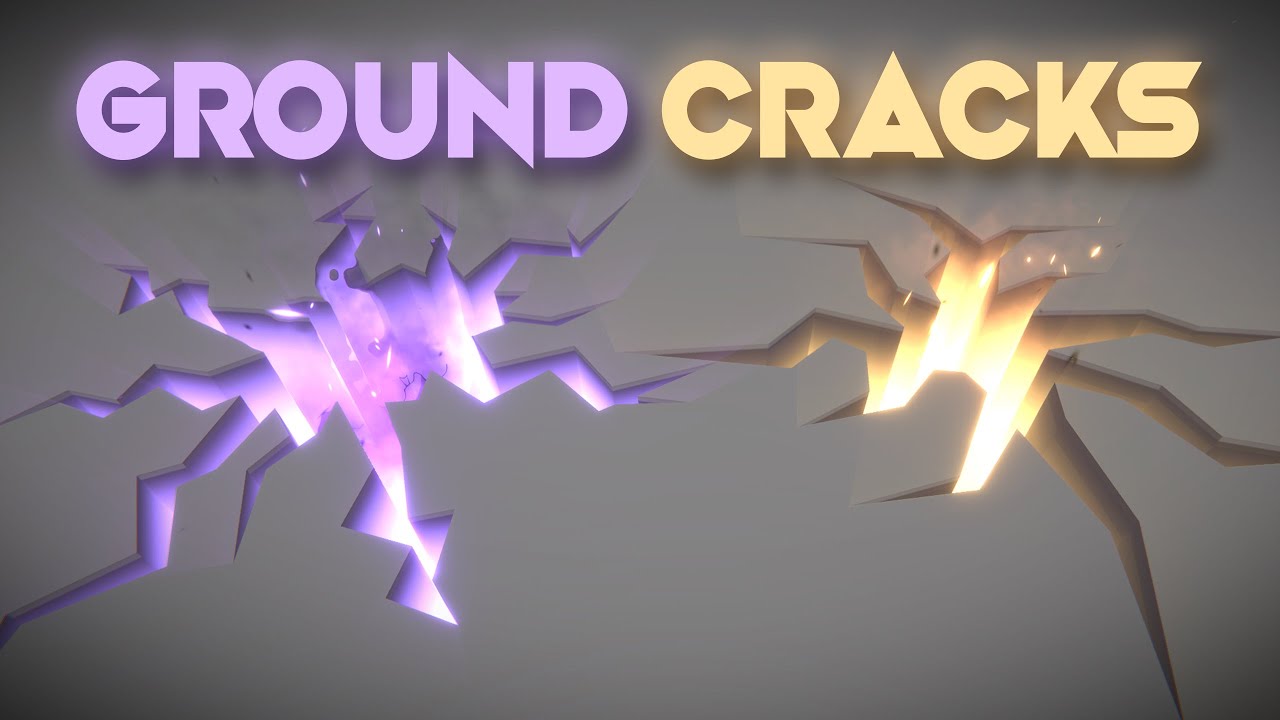
Let's open holes, cracks or fissures on the ground! This is an awesome technique that uses a custom configuration of the stencil buffer to render holes on top of other 3d objects. Love it!
RPG Builder: https://assetstore.unity.com/packages/templates/systems/rpg-builder-177657?aid=1100l3Jhu
RPG Builder YouTube: https://www.youtube.com/channel/UC...
 craggy cargo
Is there a way to make the VFX Graph emitter to ignore the rotation of the parent gameObject where the Visual Effect component is nested? I have a weapon and a simple emitter that spawns empty shell case when the weapon is fired and lets it fall down using gravity node. However, the weapon is nested in an animated skeleton and the emitter is being rotated with that skeleton, causing the emitted particle/s to change their trajectory
slate sable
craggy cargo
Is there a way to make the VFX Graph emitter to ignore the rotation of the paren...
Change the simulation space to world. It's the little local button in top right of your blocks.
 craggy cargo
Oh, I did change that on (I think) the initialization node, but probably not anywhere else. I'm going to check it out, thanks!
slate sable
It should change on all of them at the same time I think.
craggy cargo
If that's the case, then it doesn't do what I need. I mean, switching to World did result in ignoring the parent's position, but the rotation is still being inherited
slate sable
Are you setting the rotation yourself somewhere in the graph?
Probably in Update or in Output
 safe helm
Hey, I'm trying to make the particles spawn at a specific part of this box. so i'm using a sphere to kill the rest in Initialize, But this makes it use only 20% of max capacity. Is there a way to make it use full capacity for this part?
I also thought as a solution i might need to do the calculations with nodes then feed it to a set position block, but i'm not sure what nodes to use to achieve that
 slate sable
safe helm
Hey, I'm trying to make the particles spawn at a specific part of this box. so i...
slate sable
safe helm
Hey, I'm trying to make the particles spawn at a specific part of this box. so i...
I feel like calculating it will be a bit tough. Maybe try making the spawn rate higher if you care about using up your capacity?
safe helm
Does the job. Thank you
craggy cargo
slate sable
Are you setting the rotation yourself somewhere in the graph?
Nope, nothing like that.
craggy cargo
Oh, my mistake. I completely overlooked that the gravity node also has an L/W toggle. All fixed now. Thank you
 sudden snow
Hi! I can't find the way to avoid particles clearing when I do Particles.Play()... I want to stop them, so they continue simulating, but if I play again the system don't clear if there were particles around. Any idea? Thanks in advance
slate sable
sudden snow
Hi! I can't find the way to avoid particles clearing when I do Particles.Play()....
You can try sending the events OnPlay and OnStop (if you are using vfx graph)
If that doesn't work you can expose a property (bool, float ...) and hook it up to your spawnrate (if bool, use branch). So you would then use SetBool("TurnedOn", true/false) to stop and start the spawning.

 zenith oasis
lod?
 stiff relic
I think this goes here. Anyone know why my particle thing does this when I add a texture to it? Sorry, I'm new.

It does this when I move the scene view cam.
 pliant vale
 earnest iron
How would I fix that?
earnest iron
How would I fix that?
post processing volume I would guess
 fallow thistle
Hello guys, do you know how to fix the right texture being blurry compared to the left texture? thanks
 gleaming stream
So i need Thrusters and Smoke that burns and iteract with missile silo hole like this

The Ministry of Defense of the Russian Federation showed a video of the combat-training launch of the silo-based Topol-M intercontinental ballistic missile from the Plesetsk cosmodrome.
The missile was launched to confirm the flight performance of the complex. The goals and objectives of the launch were met in full, and the missile successfully...
Any tips guys
 little orchid
gleaming stream
So i need Thrusters and Smoke that burns and iteract with missile silo hole like...
little orchid
gleaming stream
So i need Thrusters and Smoke that burns and iteract with missile silo hole like...
how realistic? and how do you see it? from a distance or up close?
gleaming stream
little orchid
how realistic? and how do you see it? from a distance or up close?
up close, Character is 3rd Person (Game will be in space later)
can use URP
little orchid
gleaming stream
up close, Character is 3rd Person (Game will be in space later)
you can achieve the smoke with a particle system if you switch on collision on the particles, and find a flipbook(sprite sheet) with a decent enough smoke, and rotate it and make it enuff random. or just add a gif straight away.
gleaming stream
little orchid
you can achieve the smoke with a particle system if you switch on collision on t...
Isnt new VFX better ?
I need also thrusters 😄

Created with Unity 5 and realtime fluid simulation Soyuz thruster demo in 2016. It's just a visualization and not physically accurate at all.
#MadeWithUnity
omg
 warm horizon
Hey, I want to make a particle system where the particles accellerate in the direction they started going with time
Something like speed over lifetime but it doesnt exist (velocity doesnt do it because it seems to be unrelated to the original speed of the particle)
 lilac aurora
how can i make my particles spawn on the edge of a box instead of inside

 stuck terrace
how do I make particles have a trigger that's equivalent to this


for each particle
 ivory wasp
I have two cameras in my scene with the intent that some objects are rendered in one camera while some are rendered by the other. Is there a way that objects in the second camera can still be obscured by objects in the first camera or is there a better solution?
fluid lagoon
ivory wasp
I have two cameras in my scene with the intent that some objects are rendered in...
Whichever camera renders second can draw objects that obscure those from the camera that rendered first
But not vice-versa
Maybe share what you are trying to accomplish and we can figure out a solution
ivory wasp
I was able to accomplish my goal with some shaders]
 opaque knoll
Is there a way to spawn particles from terrain surface?
I found this
https://www.reddit.com/r/Unity3D/comments/5od0tw/is_it_possible_to_emit_particles_from_a_terrains/
Which i can probably try
But actually, i'm just trying to make an effect that shows the "affected" terrain surfaces in an area, so it doesn't have to be "emitting particles" kinda thing, could also be a slime or terrain on fire, etc
Is there a more "built in" or common technique to indicate some terrain area?
I guess decal is 1 way, but i think it won't affect a multi height terrain for example?
reddit
3 votes and 4 comments so far on Reddit
umbral sedge
You can use decals.. tho I'm not sure if it would work on Unity's terrain or not...
opaque knoll
Afaik decals is not in builtin RP
Or is it not anymore?
opaque knoll
Found a package im trying out from here
https://blog.unity.com/technology/extending-unity-5-rendering-pipeline-command-buffers
Hopefully this works
Yeah im just looking for something simple and effective. Just for prototype stuff
 slate sable
Would it be possible to use the depthOffset in shadergraph to get a "volumetric" explosions? I can easily bake the depth texture.
Similar to this https://www.artstation.com/artwork/0nA6J4 (it's in Unreal and they used a special depth pass)
 dry acorn
Does anybody know how to solve this
 slate sable
Are you using collaborate?
dry acorn
 dry acorn
slate sable
Are you using collaborate?
dry acorn
slate sable
Are you using collaborate?
Solved it
New plastic entegration it is I guess
If you checkin an asset I don't know I only see this issue on VFX Graph to unlock asset you just simply need to choose the asset in the inspector and click the checkout button
I'm using Unity 2021.2.2f1 btw
 odd ibex
Hi,
Has anyone seen this error?
Shader error in 'Hidden/VFX/New Graph/System/Output Particle Quad': redefinition of 'PackHeightmap'
I'm getting it on a clean Unity 2020.3.023f1 project
(Visual Effect Graph installed - Version 10.7.0)
slate sable
odd ibex
Hi,
Has anyone seen this error?
Shader error in 'Hidden/VFX/New Graph/System/Out...
What Render Pipeline are you using?
odd ibex
URP
 acoustic ocean
hi im legit just pressing every button in the unity particle system rn (this is how i learn) and seeing what each one seems to do. im trying to get the trail to be the same color as the particle, but when I press inherit particle colour in the trail section, NOTHING HAPPENS.

i figured it out-
slate sable
nice, were you missing a shader? 😄
odd ibex
@slate sable is URP fine ?
slate sable
odd ibex
<@!117778824749514758> is URP fine ?
It should be. What version is the URP
gleaming stream
So i made this.

And now i will recode my modular Ballistic Systems to new level but also i need realistic simulated Thrusters and Smoke in new VFX. Any tips Guys?

 bright hatch
@gleaming stream Embergen
 glossy geyser
How can I make a red vfx be RED on a yellow background? IT IS YELLOW
gleaming stream
bright hatch
<@288753082165362689> Embergen
nice, can it be integrated to Unity?
quick quiver
@gleaming stream how you use it with games is that you just author flipbooks with the vfx sim.. what you then do with the Unity side is up to you (vfx graph, shuriken etc)
 gleaming stream
Can i set emmision of particles somewhere?
fluid lagoon
gleaming stream
Can i set emmision of particles somewhere?
VFX graph doesn't support emission that affects the environment AFAIK
 trail kestrel
Hey everyone, it seems like this isn't necessarily the place where VFX artists hang out share tips and learn, if I'm indeed right and it's not can anyone share their best resources, forums, or discords (not the link since that's not authorized, but the name) of places I can hang out with other VFX artists. the bigger the hub the better!
slate sable
gleaming stream
Can i set emmision of particles somewhere?
In Unity or Embergen?
gleaming stream
slate sable
In Unity or Embergen?
Unity
gleaming stream
fluid lagoon
VFX graph doesn't support emission that affects the environment AFAIK
I dont need emissions that affect enviroment, just glow
gleaming stream
slate sable
In Unity or Embergen?
problem is i cant make any good thrusters for rockets, RCS and stuff 😦
prime dome
Hello guys, I have a "stupid" problem with particules. It's a simple circle position shape that I want to look at the camera. I'm using the last 2020 and so it seems that I don't have the transform field. And if I simply move the transform it will look bad as you know. Even the pivot isn't right (not at the center of the circle) so I added an offset. Moving around is okay, but once I try to make the go look at the camera... Nothing makes sense for my little head x)

Basically I want to replace a flipbook circle billboard with particules from the vfx graph, does anyone did that?
 ivory dove
need someone to do some 2D particle effects in unity (paying)
dm me if you're interested (with your portfolio)
slate sable
ivory dove
need someone to do some 2D particle effects in unity (paying)
dm me if you're i...
You should read #📖┃code-of-conduct maybe you'll find someone there (in the blue job posting section)
prime dome
how would i go about making this object be able to fade in and out with the transparency render mode without having
the transparency with the alpha being full?
 slate sable
prime dome
how would i go about making this object be able to fade in and out with the tran...
slate sable
prime dome
how would i go about making this object be able to fade in and out with the tran...
Can't you change the albedo alpha?
prime dome
slate sable
Can't you change the albedo alpha?
thats not the question the question is how do i have it on transparency rendering mode without the transparency when the alpha is full
gleaming stream
quick quiver
<@!288753082165362689> how you use it with games is that you just author flipboo...
Is not possible to archieve that Second Gid i showed.
prime dome
*Unity's particle system"
 sacred phoenix
Hi, i have a smoke vfx which should loop, but it only plays once. I added an "loop and delay" block and i set it to infinite, but it doesnt work. What am i doing wrong?
 lilac aurora
Ive made my particles collide with the floor but when they intersect with each other they make this rendering problem i dont want.

 woeful pollen
lilac aurora
Ive made my particles collide with the floor but when they intersect with each o...
woeful pollen
lilac aurora
Ive made my particles collide with the floor but when they intersect with each o...
The thing that you are seeing is z-fighting. When the particles overlap, the engine does not know which one to render on top, so it is essentially picking randomly (and unstably). I think in the old particle system there was a "sorting order" option in the renderer which would probably solve this problem. I assume something similar exists in VFX graph. Explicitly setting the sorting order might not give perfect results, but my guess is it will solve most of the problem.
 rustic oasis
i'm trying to make a simple muzzle flash but there is this black outline on all the particles and idk how to get rid of it

 wintry pilot
rustic oasis
i'm trying to make a simple muzzle flash but there is this black outline on all ...
wintry pilot
rustic oasis
i'm trying to make a simple muzzle flash but there is this black outline on all ...
use a different texture for your flash. It should be a fully white image with an alpha gradient toward 0 instead of what you have currently

 rustic oasis
wintry pilot
rustic oasis
wintry pilot
ohhh ok thanks : )
wintry pilot
notice how the second image doesn't have a correct gradient
rustic oasis
yeah
wintry pilot
that's probably the issue
rustic oasis
k
 storm cipher
Not sure if this is the right place to ask, but do Projectors allow for coloured cutout textures to be used? From what I've read it's the closest Unity has to a decal system, but I can't get it to work correctly - either the texture is really faded, or the wall I'm projecting on gets slightly darkened
 sinful light
storm cipher
Not sure if this is the right place to ask, but do Projectors allow for coloured...
sinful light
storm cipher
Not sure if this is the right place to ask, but do Projectors allow for coloured...
the projecter cutout texture is usually taking the greyscale or alpha values of a texture, so using a colored texture might just weird things up in your masking.
storm cipher
I don't imagine there's any other options for built-in other than manually placing meshes with the textures?
slate sable
prime dome
thats not the question the question is how do i have it on transparency renderin...
Read this. It explains what the issue is. Saw you asking on Bolt Discord aswell
https://realtimevfx.com/t/transparency-issues-in-unity/4337/2

Real Time VFX
This isn’t a Unity problem, this is a real time rendering limitation that affects all 3D game engines. Efficient and correct sorting of arbitrary transparent geometry is an unsolved problem for real time rendering. Opaque or alpha tested shaders usually write to the depth buffer as they render each pixel which allows for proper sorting. If a pi...
bold kelp
Hey guys, wanted to hop on and see if I can some opinions on how to approach an effect
I have this orb that does nothing and I wanted to make it a little more exciting by giving it an explosion. How should I approach this?
So far I have given the circle a single burst with size over lifetime but it kinda disappeared completely

https://i.gyazo.com/c5ed46f2fddbe014f0552532d2a64f23.gif
Is it possible to raise the amount of drag in turbulance or is there another parameter for that
 slate sable
bold kelp
https://i.gyazo.com/c5ed46f2fddbe014f0552532d2a64f23.gif
Is it possible to raise...
slate sable
bold kelp
https://i.gyazo.com/c5ed46f2fddbe014f0552532d2a64f23.gif
Is it possible to raise...
Well this is the drag of the turbulence so higher the number the more it drags the particle.
You are probably looking for Linear Drag
 rare rampart
Has anyone run into an issue with Line Renderers not showing up in an android build with URP? I've searched around a bit online and none of the solutions are working for me. They render just fine in the editor, but android builds they don't show up.
fluid lagoon
rare rampart
Has anyone run into an issue with Line Renderers not showing up in an android bu...
What kind of material are you using with it
rare rampart
fluid lagoon
What kind of material are you using with it
it is a custom shader graph but the default particle add also doesn't work
fluid lagoon
rare rampart
it is a custom shader graph but the default particle add also doesn't work
what about the default URP/Lit or URP/Unlit shader
rare rampart
currently in the process of testing that specific thing, I will get back to you!
rare rampart
fluid lagoon
what about the default URP/Lit or URP/Unlit shader
Ok we have it narrowed down to Transparent objects aren't rendering in our builds with URP + Android.
as i typed that we fixed it lol! ty for the help!
fluid lagoon
what was the problem, out of curiosity?
rare rampart
not 100% sure but our fix was turning off depth texture and opaque texture in the URP asset
 idle needle
Hey I'm having issues making a particlestrip quad glow. This is my desired effect

This is what i've got

Really new to vfx and particles haha

 slate sable
Use the emission output in the shadergraph
idle needle
didnt do anything, just ended up using bloom
slate sable
are you using HDRP? You must use an emission node there
prime dome
I'm not sure if this is the place for it but I've made a trail renderer that's supposed to start solid black and fade out but for some reason it starts really faded, it looks perfect in the scene view, its just happening in the game view (the one I need) the trail settings are on the side

heres the bit that was cut off

I have to go now but ill be back in a minute if anyone replies
prime dome
I investigated more and when I look at it from the bottom its also perfect so its just when viewed from above
finite vine
Using built-in particles, is there any way to lock a trail's initial vertex to a line? I'm trying to make a sword's trail with only 1 trail, but since it faces the camera automatically, the trail's origin do not match the sword's edge ... any idea ?
 true mountain
Hi, I'm trying to leave footsteps using a Particle system (Shuriken, Standard Unity Pipeline)
So far I am using the texture Sheet Animation tab and set it so that there is no frame rate over time as well as it randomly switching between the left and right footprint.
My question is:
How can I alternate the footprints properly (L, R, L, R, etc) rather than randomly chosen?
true mountain
Came right
Ended up using 2 PS with the same duration of 5sec but one had a start delay of 2.5sec. Now Left and Right alternate as expected
(Maybe not the best approach, but works for whats needed atm)
 south wyvern
Hi. Is it possible to change Particle Per Strip Count in Initialize Particle Strip at runtime instead of entering a fixed value manually in the asset?
lofty orbit
if you randomly rotate the standard flame particles individually, slow them down, and spawn more of them with a longer lifetime, you get a pretty good looking sun VFX
opal star
true mountain
Came right
Ended up using 2 PS with the same duration of 5sec but one had a star...
What we use are animation events to know wheb LFoot is down and when Rfoor is down.
true mountain
opal star
What we use are animation events to know wheb LFoot is down and when Rfoor is do...
This isnt for a character bur more for a map. Think of harry potter marauders map
Guess I could still do the same thing, just hide the character?
opal star
Ah well some more coding will be needed then but if your solution works it works I guess
true mountain
Thank you for your help though 🙏
Appreciated
 hollow wedge
hello guys,i dont want to rotate smokes when hero rotates they should have velocity to initial velocity,i am using vfx graph
 fluid lagoon
hollow wedge
hello guys,i dont want to rotate smokes when hero rotates they should have veloc...
fluid lagoon
hollow wedge
hello guys,i dont want to rotate smokes when hero rotates they should have veloc...
Change your particle update to World space
hollow wedge
i have just set parent transform = null and attached this script to smoke effect, do you think it is acceptable? it is working right now
@fluid lagoon

setting attiribute is decreasing performance? i mean initialPosition parameter in VFX Graph?
gentle summit
does anyone know how to make a particle effect follow a character only when triggered?
slate sable
gentle summit
does anyone know how to make a particle effect follow a character only when trig...
By follow you mean the particle being in the local space to the character or just flying after him?
 elder remnant
How do I get a particle system's particles to fade out? I'm trying to use the gradient editor but even when I set it's final alpha to 0 it dosen't fade.
 sinful monolith
Working with Visual Effect Graph - What are your final render settings? Make sure it's set to Alpha
Working with OG Effects: check how you setup the material, and be careful how you specify the opacity
And it depends on where you are setting the opacity.
 vapid wagon
Hi everyone, I have created a cartoon VFX, and I wanted to know if there is a way to make my particle be in front of another, cause as you can see on the picture or in the gif my text is backward of the explosion, and I would like it to always be in front whatever the position of the camera is.
Can anyone help me ?

 slate sable
vapid wagon
Hi everyone, I have created a cartoon VFX, and I wanted to know if there is a wa...
slate sable
vapid wagon
Hi everyone, I have created a cartoon VFX, and I wanted to know if there is a wa...
Select the VFX asset and look in the inspector.
You can just drag them around.
It looks great btw!
 vapid wagon
slate sable
Select the VFX asset and look in the inspector.
You can just drag them around.
...
vapid wagon
slate sable
Select the VFX asset and look in the inspector.
You can just drag them around.
...
Thank you ^^, I can't figure out where is it ? is it in the particle system options ? (maybe I forgot to say that I was using particle system)
 slate sable
Oh. My solution is for vfx graph. ._.
vapid wagon
slate sable
Oh. My solution is for vfx graph. ._.
Ho is there another way ? Or it is just not possible with particle system?
slate sable
vapid wagon
Ho is there another way ? Or it is just not possible with particle system?
In the Renderer part of your particle system there should be Sorting Fudge. That should do the trick.
vapid wagon
slate sable
In the **Renderer** part of your particle system there should be **Sorting Fudge...
you mean sorting layer id ?

 vapid wagon
ho mb sorry
slate sable
Oh
vapid wagon
slate sable
I've try it seems like it doesn't work 😕
I don't know if I'm actually using it right

 stray talon
Anybody ever experienced an issue where PS with render mode set to mesh would seemingly randomly change meshes for a frame's duration
All PS have their own mat/own mesh. Going nuts.
seems to be linked to the editor
dry acorn
Hi there everyone I have an issue with VFX Graph this is the second time it happened to me. We're started a project I'm the projects VFX Artist, one of my teammates created a project on github I cloned the project, created a sub branch and started working on the visual effects, I completed some of the effects then commited my works on github then for everyone else to reach I merged my changes to main project branch, Then I go to the main branch to see if everything is allright and voila the VFX Graph stopped working, by stopped I mean I can still reach the VFX Graph, create nodes properties etc etc. but there is no preview, also when I merged my branch into the main project branch I immediately checked the package manager and the VFX Graph component wasn't installed. So I installed it then I checked the VFX Prefabs and they weren't rendering or previewing.
Here's the trigger of this problem I guess
1 - There's a project without VFX Graph component installed in main branch
2 - And there's the same project in different branch with VFX Graph component installed
3 - Merging these two sub branches together creates this problem
Sorry for the long post but I've read 30 or more forum posts and nothing solves this issue
I'm working on a only VFX project nearly on 3 months for my portfolio nothing wrong with it so far but on collab projects this is the second time it happens to me
If anybody know the exact problem or solution please enlighten us
slate sable
Did it merge the packages manifest file?
dry acorn
slate sable
Did it merge the packages manifest file?
I think so
 short fable
I just upgraded from 2018 -> 2021 and the one Texture Sheet Animation particle effect I have seems to be rendering a transparent tile every other frame, causing a "flickering" effect. Does anyone know how to fix this?

 broken quest
Hi, I'm trying to set up the particle system, I can't make it so that they are saturated orange against the background of my skybox, can someone tell me which parameter I am forgetting
that's what I have

but I want it to be like this

set up an additive shader for the renderer material
 lone raven
Hey guys, is there an option I am missing to turn off/on sprite sheet Rendering for particles?
Some Background:
Because they are not showing anymore all of a sudden. When I create a new project and use the exact same sprite assets it works. So it seems to be related to the project itself. We have now tested on three different PCs. Only one is affected by this problem.
 frozen willow
Hello folks! Quick particle system question. In the shape module, is there any way to move the position without moving the texture along with it? If I change my shape's position, it drags the texture along with it.
I'm using an edge shape and I set a texture to alpha clip the particles. I wanted to move the shape over time, but keep the texture stationary for alpha clipping purposes.
lofty orbit
im suffering some kind of gimbal issue on these flipbook particles
the effect works fine from the side, but when looking from above and turning the particles rotate with it
(also happens when twisting the VR headset in game)
none of the standard orientation modes seem to accomodate my intended use case, and I'm skeptical that I can get this right with the advanced orientation setting. Any suggestions?
 amber wind
I need some explanation on EventAttributes, I'm trying to spawn my VFX at a certain position through code. But no matter what I type in as my ExposedProperty, when I test if it exists it will give back "false"
How do I change the position of my VFX based on given vector. Here is my simple test
public class VFXSpawner : MonoBehaviour
{
    [SerializeField] private VisualEffect visualEffect;

    VFXEventAttribute eventAttribute;

    static readonly ExposedProperty positionAttribute = "Position";
    static readonly ExposedProperty spawnEvent = "Spawn";


    private void Start()
    {
        eventAttribute = visualEffect.CreateVFXEventAttribute();
    }

    private void Update()
    {
        if (Input.anyKeyDown)
        {
            Debug.Log(eventAttribute.HasVector3(positionAttribute));
            eventAttribute.SetVector3(positionAttribute, new Vector3(Random.Range(-3f, 3f), 0.5f, Random.Range(-3f, 3f)));
            visualEffect.SendEvent(spawnEvent, eventAttribute);
        }
    }
}
it spawns correctly whenever I press a key, just always at the same position.
I've look over the entire internet, but it doesn't seem to be explained how to do this anywhere. Is "Position" a property I make myself? Or is it an attribute that should already exist? How can I know the names of the attributes I can access? Either way, no matter if I make a property or not, it doesn't exist. Same goes for "position" all lowercase. I'm quite lost on how to do this.
My Graph is your standard impact particles graph. Nothing special there.
slate sable
@amber wind you don't have to use any ExposedProperties. The event attributes can be accesses in the Initialize part of the VFX. So if you are using an attribute that's already built-in like position or color you should be able to inherit or get it. Not sure if you can inherit a custom attribute but you can normally use the get custom attribute. I'm not sure if it has to be set to Source instead of Current so you'll have to try that yourself.
amber wind
Oh man, you are a hero. The solution was to use inherit source position. I don't know why but the get attribute position didn't seem to work. But this does! Thanks a lot
lofty orbit
Does anyone know how i can get the per particle (face) direction?
apparently the axisZ is returning the z direction of the vfx graph asset itself

the silly thing is that im setting arbitrary random orientations (set AngleXYZ) in initialize particle, but it's still seemingly difficult to extract the face direction of particles later on in outputParticle
 odd cedar
hi! i want to ask a question, it's possible to edit the material of only one particle? I mean, i have several copies of the same particle system but i don't want to edit the shader in all of them, just one. I'm making a healthbar using shadergraph, and currently every particle is edited when i edit the value of the shader inside the particle material. The purpose of this is to make enemy healthbars using particles, and since our game have several enemies at the same time on screen i want to edit them separately
 crimson zealot
odd cedar
hi! i want to ask a question, it's possible to edit the material of only one par...
crimson zealot
odd cedar
hi! i want to ask a question, it's possible to edit the material of only one par...
I think you can get the material instance on each particle and update it? If not, you might be able to pass individual health values in via vertex streams. But really you probably don't want to use a particle system for this. If you want performant health bars do something like this:
https://www.stevestreeting.com/2019/02/22/enemy-health-bars-in-1-draw-call-in-unity/
odd cedar
crimson zealot
I think you can get the material instance on each particle and update it? If not...
ooh that's pretty neat, for the moment i'm just using that same shader in a quad, and rotating it to the camera. Also i'm using MaterialPropertyBlock to edit the value in each instance
but that could work if at some point i want to use textured healthbars
thanks!
lofty orbit
still having a heck of a time trying to get the forward axis of particle strips... Im setting the angles in initialize, but the "Get axisZ" node only ever returns the default value.
As far as I can tell from docs, i might need to use the "orient" block for them to actually be set?
the problem with orient blocks is that I'm trying to avoid rotating these particles whatsoever after spawning, because the twisting that turning towards the camera causes is ruining the effect im going for...
and all the orient blocks force some rotation toward the camera
hmm, ok i can use the advanced orient block to do this i think
strange that the z axis of particles are so hard to get when not using orient though
i guess im too lazy to use transformation matrices or 3d rotate operations properly
 scarlet narwhal
In VFX Graph, I'm offsetting position of particles from their spawn point by an X and Y, which obviously places them on a vertical plane. Is there any way I can rotate that plane such that its normal would point from the spawn point to the camera?
 fair socket
Hi. I am looking for some dense fog I can walk into, any idea? Most tutorials show how to create fog which is away from us and you can never go into it. I am looking for fog which I can get into
 vagrant rock
You could use the new volumetric cloud system to cheese it a bit i guess
 shell spire
Hi, how can I create this "background distortion" effect? https://www.youtube.com/watch?v=AP6TK2xFWZs
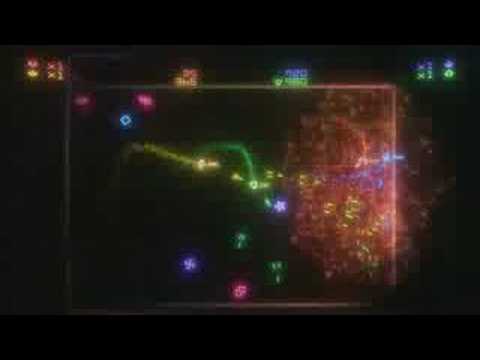
From Bizzarre Creations.
woeful pollen
shell spire
Hi, how can I create this "background distortion" effect? https://www.youtube.co...
write a custom shader that distorts the uvs (if you're rendering a texture, or the coordinates if you're rendering something procedurally like they probably did with the grid in that video) depending on some mathematical function.
A simple version to get a feel for how it works would be to use some noise texture and just make distortion based on that. In your fragment shader, add DistortionStrength * (noiseTex.r - 0.5) to the uv.x and DistortionStrength * (noiseTex.g - 0.5) to uv.y. This is using the red channel of noiseTex for the x distortion and the g channel for the y distortion. DistortionStrength is a parameter that you'd expose in the inspector. This assumes that the values of noiseTex are 0-1 and remaps them to -1 to 1 (or really -0.5 to 0.5, with a 2x being baked into DistortionStrength).
Then, if you want to distort based on something other than a noise texture, you have to just replace the noiseTex piece of it and use whatever other data you want to use instead.
sinful light
Would you guys offset particles from a skinnedmeshrenderer with a ShaderGraph or directly inside VFXGraph?
 slender dust
why does the color look different in game compared to the scene view ?
 slender dust
nvm i found it. Turns out hdr is disabled on webgl by default
 simple oasis
Any solution to play a video as position & color map in VFXgraph? Since AVPro only provide a node with Texture2D output. 😫
slate sable
simple oasis
Any solution to play a video as position & color map in VFXgraph? Since AVPro on...
To play a video I just use normal Video Player that renders it into a render texture and use that as a color map. I get the position by using Sequential 3D node (which might be in the vfx graph additions) and use that position in the Set Color from Map node and also to the Set Position at start.

(normal video as a Raw Image on the left, and vfx point outputs on right)
simple oasis
slate sable
(normal video as a Raw Image on the left, and vfx point outputs on right)
Try to make that but sorry… any details how to link these nodes  It has noticeable refreshing and interlaced
simple oasis
simple oasis
Try to make that but sorry… any details how to link these nodes <:UnityChanSorry...


 low cedar
Does anyone know how to make dust particles like the one in this heretic animation?
https://www.youtube.com/watch?v=iQZobAhgayA&ab_channel=Unity

The Heretic is a short film created by Unity’s Demo Team, written and directed by Veselin Efremov.
The film uses every aspect of Unity’s High Definition Rendering Pipeline, features advanced effects created with the VFX Graph, and showcases Demo Team's first realistic digital human.
Read more at https://on.unity.com/36jOXHY
Check out more of ...
i tried following the overview in this talk but it's too blurry and the speaker skipped over some connections
https://www.youtube.com/watch?v=CCnhPyK1v9E&t=1860s&ab_channel=Unity
Learn how the demo team used the latest Unity features in the High Definition Render Pipeline such as Post Processing, Shader Graph, Visual Effect Graph, and Timeline to create their latest amazing real-time short film, The Heretic.
Speaker: Mark Schoennagel - Unity
Read more about The Heretic: https://on.unity.com/2luu5wl
he goes over it at 30:00
slate sable
simple oasis
Try to make that but sorry… any details how to link these nodes <:UnityChanSorry...
I have a single burst spawn and in update I turned off reaping particles. I would also suggest moving the set color from map to Update or Output.
My way of doing it is: spawn particles in pixel grid once -> update them with the render texture
slate sable
low cedar
Does anyone know how to make dust particles like the one in this heretic animati...
The Heretic is downloadable as a package so you can check out exactly how they did it. :)
quick quiver
@slate sableno it's not
you only get the main characters to examine
that bald dude + the vfx boss char
nothing of the heretic environment has been made available to engine users 🙂
low cedar
slate sable
The Heretic is downloadable as a package so you can check out exactly how they d...
no you only get the high detailed guy and the vfx lady
with a bit of experimentation i didn't get anywhere close but i kinda got a similar effect in the background
it's turbulance + the checkmark from the default unity ui checkboxes
if you don't look to close it's convincing for now but it's not dust
slate sable
low cedar
no you only get the high detailed guy and the vfx lady
Oh I see. Sorry mb
safe helm
low cedar
if you don't look to close it's convincing for now but it's not dust
I have suggestions that might help. you can make the Particles of Lit type and add lights in certain areas. Also try to add Drag and make the particle's angle change randomly over time instead of facing the camera.
low cedar
That's currently how i have it
prime dome
Hey, do you guys know how I can find a tutorial do make something like this dash ? : https://www.youtube.com/watch?v=uJRBnaeYLE0

UE4 VFX - The real dragon breaks the empty flash
crimson zealot
prime dome
Hey, do you guys know how I can find a tutorial do make something like this dash...
it's pretty complex, is there a particular aspect you aren't sure about?
 elder latch
Did anybody else encounter the problem where vfx effects stop working in editor and only start working again after opening the vfx graph in the graph editor once?
 empty cipher
how can I make lava bubbling effects? (what I mean is the particles bounce up a tiny bit then fall and dissapear)
 graceful creek
Hya. I'm looking for a way to be able to control speeds of particles relative to their parents gameObject. Like a solution between Local simulation and World simulation
I made a Sparks particle system, its emitting sparks, which bounce around for a while, etc. The game objects that should emit these sparks are moving at high speeds; local simulation just seems weird, and in world simulation the sparks disappear from view too fast
How would I have a world simulation but take the velocity of the parent into account?
 proper frigate
graceful creek
How would I have a world simulation but take the velocity of the parent into acc...
proper frigate
graceful creek
How would I have a world simulation but take the velocity of the parent into acc...
Not entirely sure what you mean but couldn't you expose a parameter in the VFX graph and then attach a script on your gameobject that updates that parameter with the game objects current speed?
woeful pollen
graceful creek
How would I have a world simulation but take the velocity of the parent into acc...
simulate in world space but add the world space velocity of the parent to the particle's velocity during initialization.
graceful creek
woeful pollen
simulate in world space but add the world space velocity of the parent to the pa...
How would I go about that? I tried fiddling with inheriting velocity but that didnt seem to make a difference
graceful creek
proper frigate
Not entirely sure what you mean but couldn't you expose a parameter in the VFX g...
Example: Sparks are flying out of the emitter on the left side, when not moving. When the emitter is moving the sparks are trailing the emitter, none are visibly flying out the sides (when simulated in world space), due to the speed. In local space they are emitting from the sides but that just looks completely off; the movement of the emitter is not taken into account at all
 vagrant sparrow
@hereHi guys, I have been working on mapping up to 100k "stars" from a text file(I've already gotten all the points into a Vector3[]) in 3D space. VFX graph seems to be a good solution to mapping so many points + VFX graphs already kinda looks like stars. I've been trying to create a texture out of my Vector3 array. I was thinking that I'd feed this texture into a VFX graph and sample particle positions based off RGB values that would represent XYZ values. The problem is that my textures always show up white and do nothing once fed into a VFX graph. Any guidance on this issue would be greatly appreciated👍
dull obsidian
vagrant sparrow
@hereHi guys, I have been working on mapping up to 100k "stars" from a text file...
while misusing textures to store arbitrary data like positions is possible and common --it's not ideal, there are many pitfalls and limitations. i recommend uploading the array to a graphicsbuffer instead https://docs.unity3d.com/Packages/com.unity.visualeffectgraph@12.1/manual/Operator-SampleBuffer.html

 cerulean osprey
how do i make a particle roll / set its z rotataion to its x velocity
dull obsidian
cerulean osprey
how do i make a particle roll / set its z rotataion to its x velocity
See this vfx graph doc on how to read and write attributes: https://docs.unity3d.com/Packages/com.unity.visualeffectgraph@12.1/manual/Attributes.html
dull obsidian
@cerulean osprey you may also want to set an angular velocity attribute to give it momentum instead of setting a rotation attribute directly depending on your desired result.
 hollow pumice
Hi all 👋
Anyone here interested in collab-ing on a URP shader project in VR?
I'm trying to implement VFX like this https://github.com/keijiro/BibcamVfx for a photogrammetry room in VR.
Wondering if anyone here would be interested
GitHub
AR VFX samples with Bibcam (burnt-in barcode metadata camera) - GitHub - keijiro/BibcamVfx: AR VFX samples with Bibcam (burnt-in barcode metadata camera)
zinc helm
would anyone know where to begin creating something like this ?
woeful pollen
zinc helm
would anyone know where to begin creating something like this ?
lots of experimentation in vfx graph
 left kiln
Hi guys i want to emit particles wherever position i want like half of a cube what should i do now ? Thank you guys

 strange zenith
Hi, I am having some issues with the VFX graph that I can't seem to fix.
My goal is to have a drain effect, with the particles spawning according to points on a skinner mesh renderer that get drawn towards a point.
Currently I have it all working internally in the VFX graph, but when attempting to use the position of an external target it breaks entirely.
This is how it is working without an external target:
https://i.gyazo.com/237dd8049643330354f3675f9fadf360.mp4
This is how it works with an external target:
https://i.gyazo.com/1c793933621670c1cfda55af28ba845b.mp4
These are the VFX Property Binder settings:
https://i.gyazo.com/823e3bdbb51b08f7b7170f6e08853125.png
Is there anything glaringly obvious here?

I tried setting the VFX graph to world, but that just broke absolutely everything without solving the issue I wanted to solve
strange zenith
Turns out you need to manually set the inputs etc to World as well
With the buttons for that being faded and really unintuitive buttons...
Would really advice fixing this for the VFX graph
prime dome
Hi everyone :D Hope alls going well. I'm fairly incompetent when it comes to VFX and particle effects so it'd be really helpful if I could have a chat with anyone experienced in producing effects. I have some really basic questions etc. to ask and some more bespoke ideas which I'd love to have an opinion on. Thanks!
dull obsidian
prime dome
Hi everyone :D Hope alls going well. I'm fairly incompetent when it comes to VFX...
 spiral moth
dull obsidian
while misusing textures to store arbitrary data like positions is possible and c...
spiral moth
dull obsidian
while misusing textures to store arbitrary data like positions is possible and c...
Is this buffer support new? I'm currently using the texture approach to feed bullet hit data into a single vfx graph..
dull obsidian
spiral moth
Is this buffer support new? I'm currently using the texture approach to feed bu...
yes it's pretty new in Unity 2021.2
spiral moth
dull obsidian
yes it's pretty new in Unity 2021.2
ah ok thanks.. i need to find out if there's any potential issues with ecs/dots support in 2021, i'd heard there were some problems a while back.
 copper hawk
how do i add particles
midnight grove
copper hawk
how do i add particles
Make an effort to find out before asking here.
https://learn.unity.com/tutorial/introduction-to-particle-systems

Unity Learn
Unity features a robust Particle System where you can simulate moving liquids, smoke, clouds, flames, magic spells, and a whole slew of other effects. In this tutorial, you'll get a high level overview of the Particle System and its features, so that you can start getting ideas for your own projects.
copper hawk
ok
 thorny glacier
I'm having problems illuminating a fog system.
The black object will be a lighthouse spinning. It needs to illuminate the fog as shown in the image.
In the image, the light is facing away from the camera and illuminating the fog in the background. The problem is that when the light is facing the camera, there is no illumination of the fog.
The lights seem to work as pure reflections. So if the light can bounce off a fog particle and reflect back to the camera, it works, but if the light is shining through the particles, it does not 'light them up'
any tips on how to solve?
 thorny glacier
Fixed.
Well sorta
The solution is to stick a light between the camera and the lighthouse so the order looks like from background to foreground
fog
lighthouse head and light rotating, only illuminating things behind it
another light
camera
the 2nd camera spind counter clockwise and it timed so the lights have the opposite Y rotation
dull obsidian
@thorny glacier not sure what your fog system is using but to automatically sort particles for rendering transparency for these scenarios with the built in particle system. see "Sort Mode" enum here under Properties : https://docs.unity3d.com/2021.2/Documentation/Manual/PartSysRendererModule.html and also in** visual effect / vfx graph**, see "Sort" enum here under Particle Options Settings: https://docs.unity3d.com/Packages/com.unity.visualeffectgraph@12.1/manual/Context-OutputSharedSettings.html with more configuration options coming in vfx graph in unity 2022.1 beta to more closely match built in particle system https://portal.productboard.com/unity/1-unity-platform-rendering-visual-effects/c/1145-sorting-modes

New option enabling the sorting of particles based on their distance to the camera, camera depth, their age, or any custom input.
@thorny glacier once the particles are sorted properly, it will allow them to be lit from any angle and look as one would expect. keep in mind there is a performance cost to sorting particles (which varies depending on number of particles, platform, and other factors) and it is not needed for opaque particles, which is why it is not enabled by default.
thorny glacier
Thanks, I'll look into sort mode, seems more performant vs having 2 lights to get the same effect
 foggy zealot
hey yall, I am in a project where we are using a particle system to handle bullet hits, basically using it as a pooler, after X hits it brings the first in to the current pos then the 2ng hit ect ect, in editor everything works great, but in build it stops after it reaches that first X cap. Unity version 2020.1.17f1. Any ideas?
 trim pilot
Anyone here with some liquid simulation knowledge?
 runic tiger
Not a ton, but
runic tiger
😐🤨🚶♂️
trim pilot
We tried Obi Fluid, but it doesn't work small scale
You have to increase resolution by a lot which makes the framerates impossible to play with
trim pilot
runic tiger
😐🤨🚶♂️
😦
trim pilot
For Obi you mean?
trim pilot
Wait, you mean the fluid material in obi?
runic tiger
Instead of using obi, use a 2d animation.
 hearty flare
@trim pilot Please do not post sexually suggestive content.
hearty flare
If you want to argue about it I'm happy to just warn you instead
trim pilot
I'm not here to argue, just looking for some help in fluid simulation
hearty flare
Oh well, nothing lost.
 charred copper
trim pilot
I'm not here to argue, just looking for some help in fluid simulation
charred copper
trim pilot
I'm not here to argue, just looking for some help in fluid simulation
here is a nice free fluid simulation on unitys asset store by Zibra AI
slate sable
Have you tried googling it? I bet you'll find plenty of them.
 ashen scroll
how do I make VFX graph particles obscure AO shadows?

ohp got it lol, forward renderer settings asset -> SSAO -> check "after opaque" to true
quick quiver
wait, you want that AO on top of everything?
ashen scroll
nah that was the issue, fixed it by ticking the box
quick quiver
do note that the After Opaque setting seems to ignore all lighting too, so you will get AO in direct sunlight too
you typically wouldn't want to enable that setting unless it's effect you really want
ashen scroll
is there a better way to solve it?
quick quiver
render you particles at different rendering stage? no idea how you do that with vfx graph materials though as I don't use it
but... if you are ok with the SSAO effect when after opaque is enabled.. I mean if it works for you...
there's extra pass with that setting to overlay the AO, if you don't use that setting,the SSAO buffer is just read directly in Lit shader
afaik this is why it can take lighting into account there
ashen scroll
so I need the AO to be after the transparent particles but before opaque?
dont transparent objects render after opaque
quick quiver
they do yes
ashen scroll
it doesn't look too bad so ig I'll stick with it
but if there is a better way to do this it would be good to know
ashen scroll
ok next question is there a way to increase max screen size of particles? they shrink when close to the camera
 weary egret
can unity system allow random tile from sprite sheet for each particle?
 eager galleon
https://twitter.com/peeweekVFX/status/1473992977483808768 rip vfx graph😢

After a bit more of 6 awesome years at @unitygames, it's finally time for me to leave the talented crew of #VFXGraph and #HDRP. Wishing you the best for the future! Updating profile with next destination pretty soon! Happy holidays 🎄🧑🎄!

 Twitter
·
opal star
Twitter
·
opal star
Vlad is still on the job its okey😆 
 sacred yacht
recently I heard that Houdini is used sometimes for baking data into UV channels of an asset to use in VFX Graph - this sounds interesting, is anyone familiar with what kind of things you can create with this trick? I remember Keijiro's stylized hair, but there he used textures as the container to pass data to VFX graph
lofty orbit
looking for some guidance on an ambient VFX graph particle system; I'm trying to give the appearance of infinite ambient particles as the player moves through space, but it's for Oculus VR so I'm trying to get it as performant as possible.
My current approach is to spawn particles around the player with infinite lifetime in world space, and as the player moves around, it carries the vfx object around along with a kill-sphere that deletes particles that are outside a maximum distance (which are then instantly respawned once again around the player). The problem is that the particles being killed and respawned might appear at the relative back-end of the moving particle space, and so if the player is moving quickly, there are fewer oncoming particles than I want there to be....
I am making a system that checks player velocity and will tend to respawn them in that direction, but i can see that being imperfect...
I can imagine checking particle positions and then moving them to the front instead of just killing and randomly respawning them, but that would involve extra logic i would like to avoid
so my question is whether or not there's a performant way to achieve the effect I'm going for...
lofty orbit
here's the WIP with enlarged particles just to show the effect im after

here's a depiction of my distribution problem https://i.imgur.com/QRucVWR.mp4
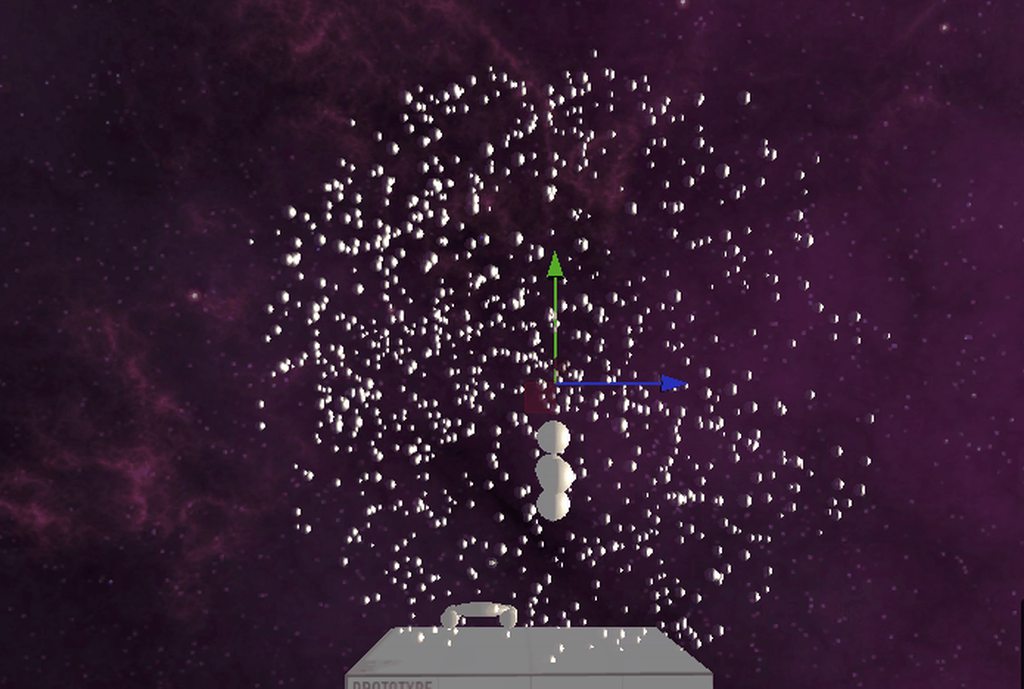
im worried that too much logic to properly reposition and redistribute particles will end up impacting performance and limiting the overall number of particles that i can get away with
lofty orbit
@runic tiger how would you reccomend approaching the particle space-wrapping logic?
right now im considering a crap ton of greater than and less than comparisons for each axis
runic tiger
you should be able to access the bounding box of the sphere, then use two logic chains to 1] force the particles to accelerate in the opposite direction the player is moving, and 2] tell the particles that hit the backside of the sphere from the players view to respawn at the front.
lofty orbit
the particles are world space so i dont want them accelerating relative to the player
runic tiger
ah, they seemed to in the clip
lofty orbit
due to the strangeness of VR frame timing and the nature of headset rotations, this is the only way to keep them smooth
the kill sphere is local
and the bounds are being pulled along too, but the sim/system space is world
i suppose i can just mathematically wrap everything without using any logic
should be superior
dull obsidian
sacred yacht
recently I heard that Houdini is used sometimes for baking data into UV channels...
the new graphics / compute buffer access is the "proper" way to do this now and there are some good examples floating around including a new one from keijiro
dull obsidian
dull obsidian
while misusing textures to store arbitrary data like positions is possible and c...
@sacred yacht check out this message i shared not too long ago for more info
dull obsidian
lofty orbit
i suppose i can just mathematically wrap everything without using any logic
maybe hypothetically but also be careful about the pitfall of premature optimization if a naive approach is easy to implement and fast enough just use it. vfx graph enforces a lot of constraints to help with performance by design anyway.
lofty orbit
@dull obsidian i appreciate the solid advice, but I'm already up against performance constraints with this particular graph
i have the wrap approach implemented, trying to find what particle count is reasonable atm
10240 particles is way too much apparently
even 1024 particles is giving issues
dull obsidian
lofty orbit
even 1024 particles is giving issues
oh yeah you said oculus quest i guess that's more of a pre optimize often type of platform 
lofty orbit
lol yep
it's a pain in so many ways due to performance requirements, but the VFx graph is still useful if careful
lofty orbit
Question regarding vfx graph overall performance: Is it worthwhile trying to create single graphs with multiple internal systems and spawn contexts to handle multiple effects, in order to reduce the overhead of total graph count?
i have already done this where the effects use the asme particle (and i make parameters that can generate what I want), but im wondering if i can push this further and spawn different particles entirely, given im planning to overuse VFX graph particles in general
sacred yacht
dull obsidian
<@567384330041819156> check out this message i shared not too long ago for more ...
thx a lot! I will look into that 👍
dull obsidian
lofty orbit
Question regarding vfx graph overall performance: Is it worthwhile trying to cre...
yes, this is a known performance scaling limitation with multiple graphs and known workaround (multiple effects put into a single graph) to reduce overhead. unity 2022.1 beta changelog also mentioned some cpu multi-threading improvements for vfx graph that may be related to this if you want to test
lofty orbit
interesting
so it's a known approach to getting more performance? (combining things into frankenstein's monster graphs)
wondering if i should yeet everything into one graph or divide them according to some function
dull obsidian
yeah it's not an ideal workflow for maintainability but unity employees have spoken to this and you'll even notice this in some of their vfx graph examples like the heretic
if you can risk dealing with beta i would try that first see if it magically solves it before going through all that trouble than undoing it in a few months
backup or branch your project first of course
dull obsidian
oh i see well maybe those optimizations aren't directly related to this topic
was just a guess
lofty orbit
does the cpu multi-threading occur automatically? or is there a switch i ought flip?
lofty orbit
there's also a major vfx graph and mobile platform compute shader improvement im looking forward to that is in progress; there's a bunch of issues with mobile gpu's apparently
i should also mention, i switched my particle effect showsn earlier to triangles/quads/octs instead of meshes, and the performance increase was drastic
seemed smooth at 2048 particles and im guessing i could fit more
seems like certian minor changes also had big impacts
using the upate particle context instead of the output context also seemed to have an impact
not sure why
dull obsidian
yeah, imposter primitives are the way to go
dull obsidian
lofty orbit
using the upate particle context instead of the output context also seemed to ha...
the output context is a classic vertex and fragment shader, update contexts are compute shader. might be why
lofty orbit
yea i was setting various per particle parameters there
sort of makes sense if i assume the update context already has the data needing to be read and changed on deck
dull obsidian
also check the sorting mode, disable it if you don't need it. it defaults to "auto" and i don't trust it.
sorting algorithms can massacre a mobile gpu
lofty orbit
particle order def doesnt matter
what does sorting enable?
is it a rendering order thing?
dull obsidian
it generally sorts particles back to front for fancy transparent/ translucent blending
using a parallel bitonic mergesort
lofty orbit
🤔 this might be relevant... Transparent particles and textures are notoriously bad for mobile, so i have been using an additive texture and been trying not to overlap things too much
but for certain effects, such as a really hackey billboard fog system i made, it's just too many overlapping transparent textures
dull obsidian
dull obsidian
<@!255324427237982208> not sure what your fog system is using but to automatical...
some info about particle sorting here in an earlier message
lofty orbit
i have not yet tested it but i hope alpha clipping on textures doesnt actually cause harm either
ah i see
dull obsidian
lofty orbit
i have not yet tested it but i hope alpha clipping on textures doesnt actually c...
that shouldn't be too bad should reduce overdraw
lofty orbit
yea that's more or less what i assumed it was, but i dont think i'll need it for anything
here's the graph i ended up with for my wrapping problem

it's not too bad afterall...
 slate sable
That's a very elegant solution tbh
safe helm
Anyone has an idea of what controls the speed of spawning a particle strip? I'm trying to get to spawn faster

 icy sinew
hey 🙂 i have a very beginner question - i would like to make particles whenever a sprite is moving due to an attack animation do i edit that in the particle system or is that strictly programming related
rustic oasis
For some reason, the particle effect plays when I enable the weapon (the weapon has the particle attached) even though I am not shooting and idk how to turn it off
woeful pollen
rustic oasis
For some reason, the particle effect plays when I enable the weapon (the weapon ...
do you have the "play on awake" box ticked?
woeful pollen
icy sinew
hey 🙂 i have a very beginner question - i would like to make particles whenever...
there's a Rate Over Distance setting in the particle emission module that lets you set up the system to emit particles when the object moves. https://docs.unity3d.com/Manual/PartSysEmissionModule.html
rustic oasis
woeful pollen
do you have the "play on awake" box ticked?
hmm idk i will check
 odd viper
How do I create a moving object in 3d space that is 2d (i.e. looks the same from any direction)?
hearty flare
odd viper
How do I create a moving object in 3d space that is 2d (i.e. looks the same from...
The particle system and VFX graph both have billboarding options. You can also use a quad and an Aim Constraint.
icy sinew
@woeful pollen thanks so much 🙂 helped me out!
lofty orbit
Making an experimental grass system using y-scaled triangle-particles, but cant quite figure out how to orient them correctly in the initialization context....
I want to, for example, have triangles cover the surface of a sphere, with their up direction being relative to their position on the sphere, and some random additional rotation around that up-direction to give them a random look-direction, with the correct up
i guess i just need to do the trigonometry and apply it using set angle?

something like this is what im after in the init context
im achieving this in a bad way though, buy giving a pivot offset and random xyz angle to each particle
this way wont let me rescale each particle easily though
 novel spade
I think this is relevant for this channel.
So I want a decal to appear on a particles collision with an object. I initially tried to get the same affect with a sub-emitter, but for a blood particle system I think it looks janky and it also disappears.
To simply this question, how do I make a persistent blood system (can be with particles, decals, etc).
Think I may have found a solution:

Painting in video games is a very common practice, more than one might think.
It's often used to paint or interact with the environment,
but also it is used to dirt the player and create consistency between him and the game world.
Today we'll recreate this effect on Unity.
@Mix and Jam video:
https://youtu.be/FR618z5xEiM
Our sound designer a...
 quasi adder
I need to create a shader graph but i cant seem to find the button to create it (i might just be dumb but idk)
quasi adder
quasi adder
I need to create a shader graph but i cant seem to find the button to create it ...
ok turns out i need to download the urp render pipeline which i forgot to
 vivid harbor
Hi so I am very new to particle systems and stuff and I tried making a beam effect in unity. I encountered this problem however: the particle system in the scene preview behaves differently from the one in the actual game. Does anyone know why? Should I post my settings?
https://gyazo.com/cd429f6d5c36d9f3ee356427cbc843a7

oh bruh nvm
min & max particle size were almost the same so size over lifetime didnt work
 elfin pilot
@lofty orbit FYI There's a built in tile/warp position block that handles the wrapping automatically that might be of interest: https://docs.unity3d.com/Packages/com.unity.visualeffectgraph@10.8/manual/Block-TileWarpPositions.html
lofty orbit
@elfin pilot thanks! Yea that achieves exactly the same as what i had set up, lol... Probably more efficient to use the TileWarp block, and i was able to set it up in about 2 seconds...
this way i dont need any property binders either
lofty orbit
currently working on a drag particle effect (like dust kicked up by a collision or a spinning tire) https://i.imgur.com/5ZYiSYO.mp4
the issue i am facing is that i want to have this effect be very common (eg: several cars are driving across a dusty terrain, and the 4 tires of each car are rapidly generating these particles according to their velocities/normals/etc...), but it doesnt seem trivial to spawn particles continuously at an updated position without either sending a property block in a one-shot trigger event, using a property binder, or placing the entire vfx graph object in the hierarchy of the moving object...
the first solution that comes to mind is to have a pool of these effects and to serve physics events dynamically, but it would be far better performance wise to make a single graph work harder or more cleverly
something like this is what i would want for a squealing tire, but it seems to continuous to be firing each particle with a property block and event
(the idea being that i can dynamically define the position/velocity/what-have-you for each drag effect request regardless of where it is at relative to the main graph object)
i can try something like spawning bunches of particles on the same frame to reduce the amount of calls to the graph, but..... (not a good drag effect, but a perfect exhaust effect lol)
is there a way i can make a particle spawn event (using property blocks and custom attributes) that behaves something like a coroutine, and can spawn particles over a given number of frames or duration?
alright i think i've got a plan... i'm going to have multiple spawn contexts and instead of using property blocks I'll expose channels to govern the parameters of each. A script will then accept incoming registrations for drag effects (from rigidbodies or wheels with a script to detect sliding), and will stochastically serve them by up dating the positions and velocities of the exposed property channels...
lofty orbit
actually im not sure that will work unless i directly use property blocks
ill have to just duplicate the graphs TT (or get a bit more clever in how they are generated)
ok, new plan: im going to expose or pass some kind of list of vector3's to use for positions and velocities of active drag events, and the single graph will spawn particles according to it... I just need to figure out how to step through such a list on a per particle basis in the initialization context
seems like a texture is the only way to make an especially long list... not sure if this will be a bottleneck though (needing to remake a texture each physics frame)
lofty orbit
does anyone know if there is anything special required to use the "Direct Link" capacity that was recently implemented?
oh i think i see now
you directly link an event to an initialize
yes huzzah! finally!
same frame bursts from the same graph and different positions was a limitation requiring silly workarounds until now
 lost storm
I'm trying to add a trail effect but for some reason I can't set the color it just stays white, it works with the default texture but not the one I added, anyone know why?
soft hull
Is it possible to grab the farthest particle on X axis and offset the entire graph based on this particles location?
 vale burrow
How can i use particles in a ui?
Adding a particle system to a child of my canvas wont appear on the game camera
😀
midnight grove
You can't. There are some git repos out there that can though
GitHub
Render particle effect in UnityUI(uGUI). Maskable, sortable, and no extra Camera/RenderTexture/Canvas. - GitHub - mob-sakai/ParticleEffectForUGUI: Render particle effect in UnityUI(uGUI). Maskable,...
vale burrow
I see! So there is no UI component in unity that allows this?
It seems to be in demand :p
I will try the git one
 minor glen
in this tutorial https://www.youtube.com/watch?v=R6D1b7zZHHA brackey mentions a "lit quad output" and i don't have it(im using urp)

Let's learn how to make realistic fire and smoke with VFX Graph!
This video is sponsored by Unity.
● Previous VFX Tutorial: https://bit.ly/2Tbh5Hw
● Download Textures: https://ole.unity.com/smoketextures
♥ Support Brackeys on Patreon: http://patreon.com/brackeys/
···············································································...
what do i do?
 ember gate
U N I T Y ' S P A R T I C L E S Y T E M
minor glen
urp vfx graph kinds sucs ngl. its so limitid
 balmy flame
I want to add volumetric fog in my game because I want to decrease the clipping distance of my camera
Can I add it in URP?
if yes, How can I do that in URP?
If no, What else can I do?
My main reason is because my scene is very open and I want to increase some FPS
dull obsidian
minor glen
in this tutorial https://www.youtube.com/watch?v=R6D1b7zZHHA brackey mentions a ...
official URP support was just added to VFX graph in Unity 2021.2. use this version or newer for URP Lit output / materials
stray talon
any way to emit from a mesh renderer without having the MR object's scale affect the scale of the particles with built in particles systems?
lofty orbit
looking for some suggestions or advice toward enhancing lit/unlit particle effects in VR! A main challenge im trying to overcome is the need for transparency to achieve "good looking" results. Unlit quads/octs/tris are the sorts of things i can spawn in the greatest numbers, but i am wondering how i can add to them in order to get better outcomes
for example: https://i.imgur.com/10mehyf.mp4
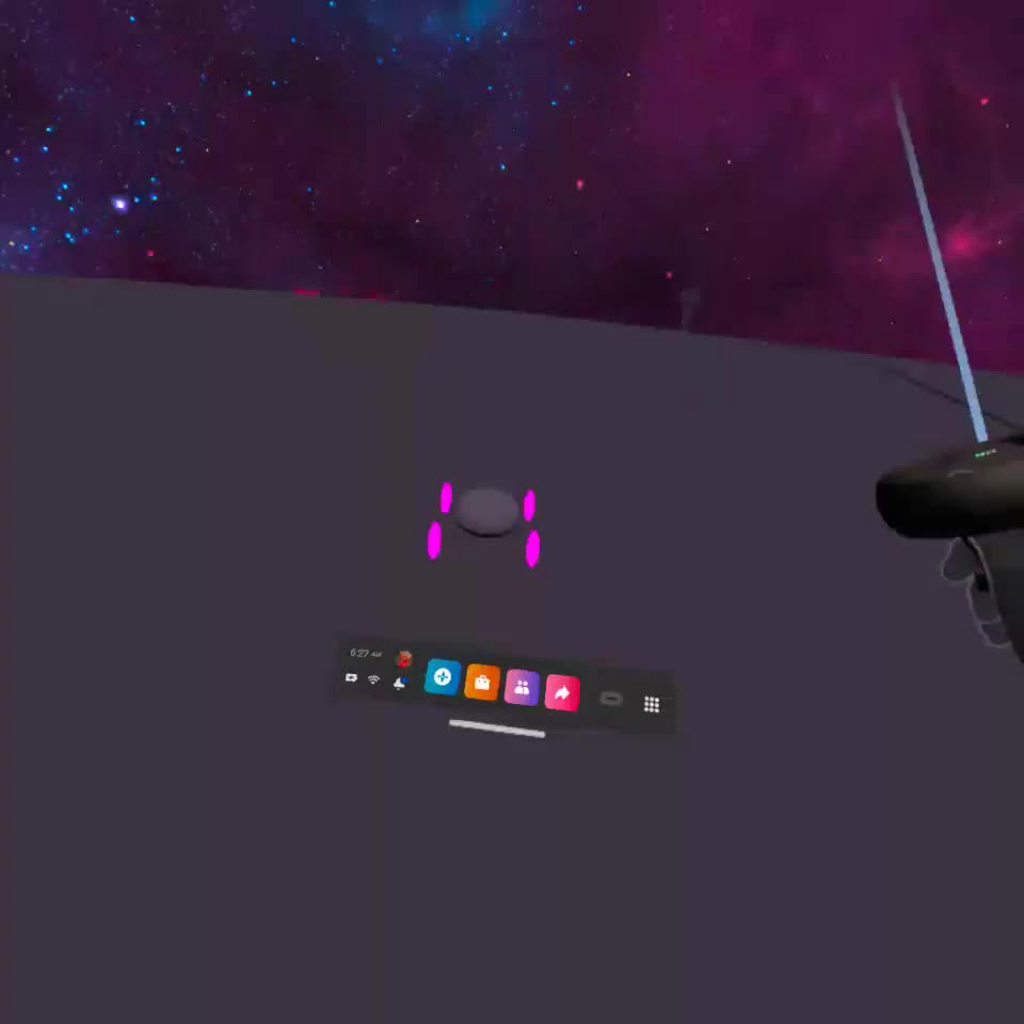
as opposed to a smoke (/w alpha) flipbook ^
the color is just to show the effect (it could work as a stylistic rocket engine i guess); right now im thinking to color them stochastically depending on the color of the terrain they're generated from, as well as from a white/black scale depending on how much the tires are burning out to fake friction-caused smoke
ultimately im looking for anything that enhances the depth-y-ness of effects, as volumetriic effects requiring transparency are simply too expensive for mobile VR right now
lofty orbit
additive effects are apparently expensive, but i can get away with them in certain quantities and scales https://i.imgur.com/RafetCj.mp4

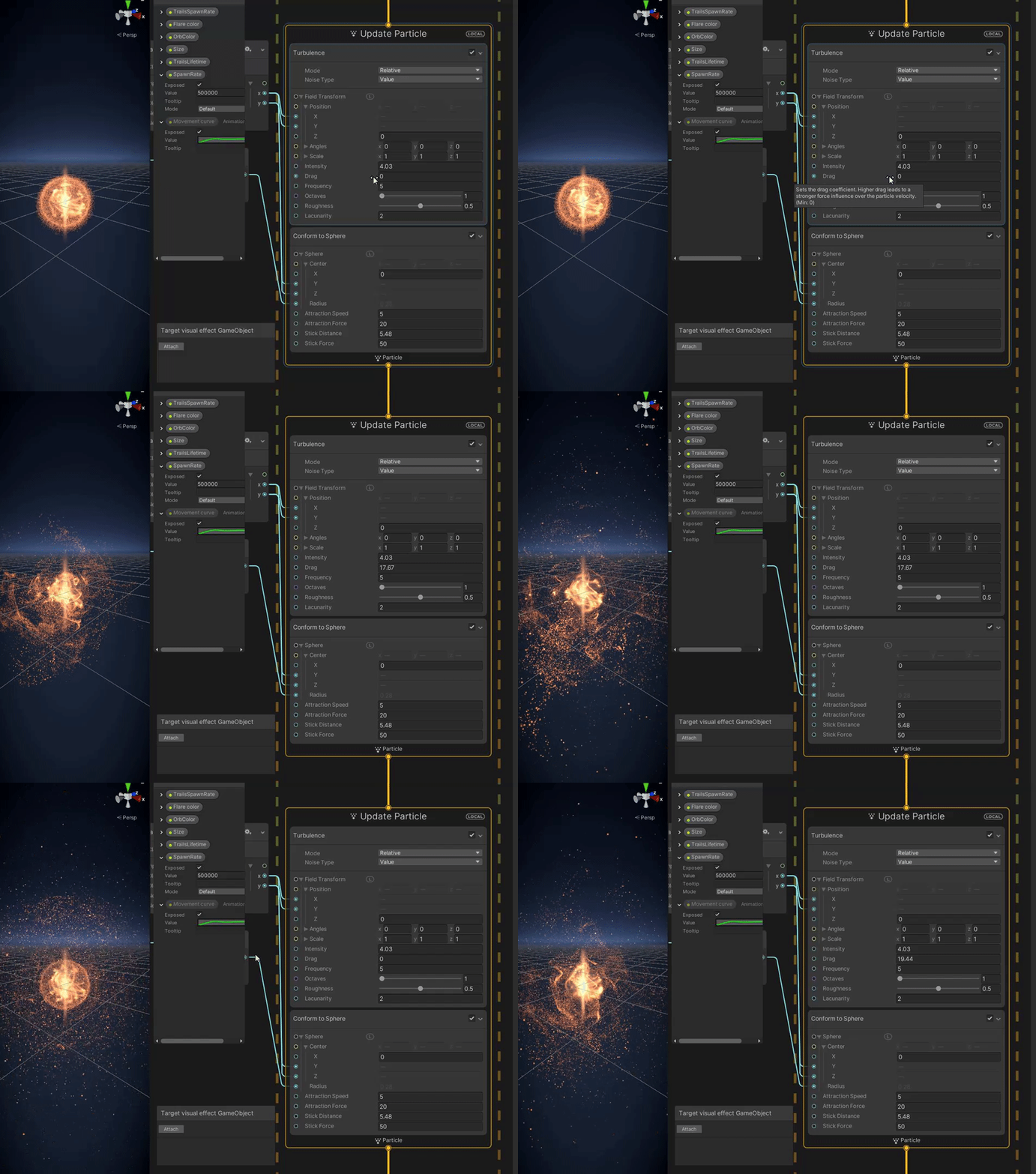
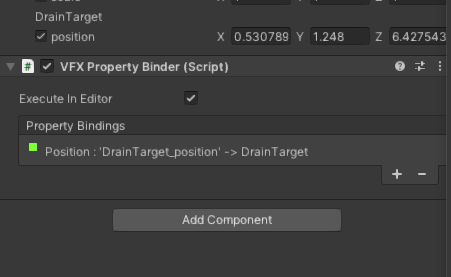
 dapper shadow
Would anyone happen to know why particles systems might behave strangely with blending of materials set to Alpha when drawing with a render texture? Here a render texture is scaling down the screen and projecting it onto the screen as an overlay, but through the particles you can see the normal screen. The red is the normal render texture.

it's like the particles are a window to the non-render texture view.
Setting the blending of the particles to additive fixes this but removed control of color and makes distant particles brighter
I’ve been messing with this all day, and I’m not sure why it would be happening.
soft hull
Is there a tutorial on Velocity module? I am trying to attach a VFX graph to a hand and want to create particles when the hand waives and throws particles around
dapper shadow
soft hull
Is there a tutorial on Velocity module? I am trying to attach a VFX graph to a h...
I don't know if this will achieve exactly what you are trying to do, but you can get the velocity.sqrMagnitude of a rigidbody and simply increase the rate of particles being emitted. You can do this with (ParticleSystem).rateovertime
soft hull
Cool thanks, i will check this out!
dapper shadow
public ParticleSystem _ParticleSystem;

void Update()
    {

        if _Rigidbody.velocity.sqrMagnitude > 0.1f)
        {
            _ParticleSystem.rateOverTime = amount of particles;
        }
        else
        {
           _ParticleSystem.rateOverTime = 0;
        }
   }
Quick and dirty?
minor glen
dull obsidian
official URP support was just added to VFX graph in Unity 2021.2. use this versi...
Thank you very much!
lofty orbit
is there anyway i can access a particle position by index in the update context?
wondering if i can implement a rope algo that way
was thinking to apply forces to neighbor particles
dull obsidian
@lofty orbit there's no neighbor search / attribute read in VFX graph currently though it is under consideration on the roadmap. FluvioFX is an example of how to extend / modify VFX graph with a neighbor search for fluid simulation but it is not officially supported or easy to work with, it takes a lot of C# and HLSL knowledge and work to get it working on various versions of Unity and may require forking other Unity Graphics packages
lofty orbit
so i would have to store positions in a texture or something similar?
more or less a compute shading approach
 prime gull
Hello, I am having an odd issue with my particle effects.
Unless I look at them at a particular angle or distance they wont show up.
ATM it needs to be close up. The image is meant to be a full circle on the ground. It looks like its facing the camera which it should not be.
This also happens to all effects I own.
The simulation space is set to world.
Any direction would be appreciated as my online searches have come up empty on successful solutions.

 mossy jungle
Hey could someone give me some help with this error?
The referenced script on this Behaviour (Game Object '<null>') is missing!
UnityEditor.VFX.AdvancedVisualEffectEditor:OnEnable ()
The effect works in the universal render pipeline project but not in my own project that has the URP and VFX Graph imported
mossy jungle
I added the forward renderer and it fixed the error, issue is now its making the particles but they dont actually appear
Clicking on the object shows their sprite outlines, but there is no actual particles
Finnally fixed it, the forward renderer needs to be the default renderer, not sure why but it seems to have fixed it
dull obsidian
lofty orbit
so i would have to store positions in a texture or something similar?
yeah true that's a possible workaround. use an orthographic camera to render texture with layer masking and custom frame settings to reduce overhead.