#✨┃vfx-and-particles
1 messages · Page 30 of 1
 dull obsidian
@leaden stirrup there is depth collision using the deferred depth texture, only HDRP support right now. You also you can collide with many primitive shapes, sphere, box, capsule, etc.
@leaden stirrup the depth collider (in screenspace) is flexible and accurate enough for many use cases. but if you need true world space 3D collision, that is not impossible but more difficult and costly on performance as this GPU approach requires a signed distance field SDF volume / texture3D (limited to a fixed resolution and bounding box) for world space collision. If the collider is a static object, you can generate an SDF volume in Houdini, Blender and import into Unity. If the object is dynamic: skinned or procedural real-time in engine, there is a Mesh to SDF example shared generously by Aman Tiwari in the links pinned to this channel if you want to try that, though it's may not be the most optimal for your use case.
 narrow folio
Can I achieve a good bullet tracer effect using a trail renderer or should I use some kind of mesh?
I tried using the trail renderer but i can’t get the settings to look right
dull obsidian
@narrow folio https://docs.unity3d.com/Manual/class-TrailRenderer.html

@narrow folio
"Trail Renderers must be laid out over a sequence of frames; they cannot appear instantaneously."
@narrow folio something to keep in mind. depending on how fast your bullets are moving, slow like projectiles or if they are instantaneous "hitscan"
 crisp harness
Why is the "Randomize" option for "Force over Lifetime" in the particle system settings disabled?]
 heavy bane
Hello, how do you define the order of execution of a particle system?
I have a particle system that is spawning lights in the wrong position because it is spawning them before an IK system moves the particle to another position
So I would like to define the particle system to run after the IK Script
 cobalt scarab
You may need to reset particle system first after relocating and before running it. Also you can enable/disable it at any time.
heavy bane
Thanks, however the ik system relocates every update
trails and other particles spawn at the right position
is just the lights module of the particle system that is spawning lights in the wrong position
 lavish flare
I'm having trouble with the Particle system subemitter. I have a simple rain effect and I want the rain drop to splatter upon hitting the ground. I have a splatter effect, and I'm adding it to the rain sub emmiter Death
Nothing happens
Trigger/Collision still nothing happens
Why is that happening?
 obsidian sage
@lavish flare in the collision did you set the type to Plane or World
lavish flare
Plane
obsidian sage
you should set to world and try i just made an example PS to check it
lavish flare
Tho I tried both Plane and World, both doesn't work
lavish flare
Can you show me your PS settings?
obsidian sage
I will dm you the screenshot if it is okay, so we don't fill this chat
lavish flare
sure
 young mason
Hey! In VFX graph, I'm trying to use the ArcTorus node outside of the Initialize context, but I'm unsure of how to do anything with it. All I seem to be able to do is to get the center of the torus. How do I specify a position somewhere on the torus?
 timber herald
Is it possible to reference Visual Effect Assets in Scriptable Objects?
 inner topaz
@young mason
young mason
@inner topaz Thanks for the example! Does it have to be hooked up to the Position(Torus) block? I was hoping you could process it through a few other nodes before actually utilizing its position
inner topaz
looks like it, you could as a worarround set the position adn then use that position in your own calulcation (not ideal i know)
young mason
Alright, thanks man!
inner topaz
getting the position back works nicly :)
young mason
Oh sweet, I'll test this out!
 royal tulip
Anyone know of any tutorials or could anyone be so kind as to help me design this VFX graph? Im wanting a Portal to come out of a dead body and turn into a vortex cone thing, then a demonic mesh i have, pertrude from the big circle at the top and try make itsway down, but the portal closes so he goes back up and the portal stops
Heres my crude animation lmao
https://streamable.com/8orvvo But it is going to happen here. When the dude stabs this girl. If anyone wants to help me? 🙂

@ me if you can help 🙂
timber herald
Is it possible to change what VFX Graph is on a GameObject?
 warped walrus
limit of particles in VFX graph? 10 billions?
inner topaz
@warped walrus the value limit is proably faar above the usefull limit before any GPU crashes
warped walrus
that's exactly my question. I'm dealing with extremely large dataset visualization. So I'm curious with a maximum machine build at the moment how big it can handle (3090 + 128Gb RAM)
100 millions are okay I think
purely interested in how big this can handle
inner topaz
if the particle data is stored in textures on the GPU if the hardware supports 16k Textures that would be theoretly 268.435.456 particles
via normal textures we only get 8k texture so you would need to feed it via multible textures
crisp harness
Hm, wonder how you'd go about making a "guidance path" thats a trail of sparkles to the objective (e.g. an NPC to talk to).
I mean, you'd have some sort of pathfinding of course, but once I have the path, how do I create the actual trail 🤔 especially so it follows on the ground surface even if the height of that changes
Can the emitter of a particle system be along all of a path?
royal tulip
Is this the place for Particle System help? Or no
young mason
Hey, is it possible to get the spawn location of a particle? I'm trying to create a lerp between the spawn and target for each particle in VFX Graph.
obsidian sage
@royal tulip yes
@crisp harness o may be late to answer but you will consider using a line rendera and usr the way points of your path finding for so it will follow the path correctly for the sparkling thing you will need to create a shader for the line. And if you want to do it manually then use PS
crisp harness
hmm will have to look into that, thanks
young mason
I've made a custom shader via shader graph for VFX, and it works, but I went to set it to render after post processing. But if I set the Output Lit Quad to "After Post-processing", then the particles stop rendering altogether. I've no clue what I should do about this. Anyone recognize?
obsidian sage
@young mason you don't want the VFX to get effected by the Post processing just put it on a different layer and uncheck that layer from the Post processing layer.
Note : make sure global is not checked
young mason
@obsidian sage Hey, thanks. Sorry, I forgot to mention I'm in HDRP so it's not using the PP Layer thing. But shouldn't the layers within VFX graph work for this?
 kindred dirge
Anyone know if there is a way to basically append a function whenever a particle system emits, I can manually manage this by acessing a particle system but if there was a way to append it to the already emitting module it would be better
dull obsidian
limit of particles in VFX graph? 10 billions?
@warped walrus far less, but it's a limit of GPU hardware, not VFX graph. read further for more detail
if the particle data is stored in textures on the GPU if the hardware supports 16k Textures that would be theoretly 268.435.456 particles
@inner topaz maximum Texture dimensions don't apply here as VFX Graph stores particle data in ByteAddressBuffers.. the structless typeless cousin of StructuredBuffers. Unity calls all of these Compute Buffers or more recently Graphics Buffers, same difference. They bypass the texture processing hardware on the GPU and so you are hypothetically limited only by your GPU memory. For a rough estimate, take the available GPU memory in bytes divided by the size of the particle attribute structure in bytes for each context in your VFX graph. (enable additional debug info in VFX graph settings to inspect this.)
However, even the latest greatest GPUs will run into massive real-time performance issues ( less than 1 frame per second, if not crash as @inner topaz mentioned,) before you ever hit that hypothetical GPU memory limit for conventional particles. Especially if you want to render the particles in any half interesting way. So that's your bottleneck.
As such, the realistic maximum of "real-time" particles.. let's say 30fps+ on the most powerful GPUs today and for the near future will range from a few million particles to maybe several million particles, highly dependent on simulation and render complexity.
That said if all you want is to "bake" particle simulations with a purpose built software and don't care how long it takes to compute, you need not even be limited to GPU memory, you can basically utilize as much "out of core" CPU memory as you can fit in your machine and simulate particles with the GPU in the billions, you just wouldn't want to use Unity for that, and it will be incredibly slow.
dull obsidian
Anyone know if there is a way to basically append a function whenever a particle system emits, I can manually manage this by acessing a particle system but if there was a way to append it to the already emitting module it would be better
@kindred dirge not sure if the ideal callback function you're looking for exists, but maybe try this particle trigger callback function. note it will run for every particle that is emitted that meets the trigger condition: https://docs.unity3d.com/ScriptReference/MonoBehaviour.OnParticleTrigger.html
young mason
What are some guidelines to using the prewarm settings on VFX Graph assets? Sometimes they seem to have an effect and sometimes I can't get them to do anything no matter how high I set it.
 tranquil birch
How do I approach these foreground "dust" effects?
Concept art:
My current game graphics:
royal tulip
Anyone know how, if possible:
I have this portal (above)
and i have this demon model, i want him to come out of it, is there a way i can mask the model with VFX graph or something, so that its invisable on the top side of the portal? and only visable through the bottom of the porta?
@tranquil birch Particle System? Fog perhaps
I have one, if you wanted it?
Texture
Material
Particle System prefab
Maybe this is a better picture of what im talking about. I dont want his legs and stuff poking through the top of the portal
tranquil birch
@royal tulip Thanks! Gonna try it out
Probably not really something that would work for me, I need more subtle particles or something
obsidian sage
@royal tulip you will need to create a custom model cylinder for example to be the size of the the character and then apply a shader to using z Buffer and stencil buffer,
royal tulip
@tranquil birch unities particle system is very customizable. if its too bright / too much, reduce amount of particles, decrease the alpha of the material etc
@obsidian sage Exactly what im trying now
obsidian sage
oh cool
inner topaz
try override not add
royal tulip
Anyone know why my VFX particles disapear when the camera goes down? it is because the origin point of the particles are no longer in view? If so, where do i need to go to change the culling mode etc? or whatever it is i need for it to not do this

 radiant cipher
@royal tulip That looks like it's due to the bounds. From what I remember, the VFX Graph component has a bounds option. You have to make sure that those bounds encompass the VFX completely or disable culling on it
The reason why it can't be done automatically is because the VFX particles are positioned on the GPU, but the CPU has to test the bounds to check if it should bother drawing it or not.
GPU has no access to the CPU, so it can't tell it the bounds
royal tulip
@radiant cipher I dont know how to do this :/
it goes invisable only when the origin point of the VFX is no longer within the camera frustrum
royal tulip
Im confused, Clicking it doesnt do anything
royal tulip
@radiant cipher https://streamable.com/8s6pgl I dont see anything

even with particles off, nada
radiant cipher
It's possible that the bounds are zero scale and therefore not visible. I also noticed this checkbox:
Usually in components that have bounds, there's that button to show the gizmo and edit in the scene, but also fields for setting the scale and offset by hand
Don't see that here
 vestal solar
The bounds are set on the initialize block iirc
radiant cipher
Ah yeah, that sounds familiar
royal tulip
This is all i have for intialize
i see the bounds with that check-mark ticked now, but i cant edit it
radiant cipher
If you add a block into the initialize part, do you find any block with Bounds in its name?
royal tulip
Negative
radiant cipher
That looks like it's in the Initialize Particle part, not the main Initialize block

GitHub
Unity Graphics - Including Scriptable Render Pipeline - Unity-Technologies/Graphics
royal tulip
Oh yea
radiant cipher
Oh, alright. Documentation isn't great.
royal tulip
Should i increase the size by alot? Not sure what performance implications that has though
Nor what it actually does
radiant cipher
Basically, if that box is visible in the camera view, the VFX will be drawn
If it's completely outside the camera view, it culls it
I assume there's some setting to also choose whether simulation is disabled while it's culled or not
royal tulip
I think this is what i need, Sounds like it, ill make the box double its original size and see whats what
radiant cipher
So to avoid it ever culling when it shouldn't, the particles should never be able to make it outside the bounds.
vestal solar
Ideally, make the box "as tightly as it can be to contain all the particles"
radiant cipher
Then you can dynamically update the bounds, you just have to do it from script. Of course, the script would have to guess where the particles are.
You can expose a parameter for the bounds.
royal tulip
i mean, just making the bounds larger thjan i would need, would solve the problem right? Not sure i would need to code moving bounds
This size should make them not disappear
radiant cipher
Yes, that would solve it, but technically not as efficient in the cases when the particles are not visible.
radiant cipher
Then it's fine to make it as big as you need it
royal tulip
Danke 🙂
 opal star
Guys, I'm spawning particles from a Trigger Event over Distance from one system. Is there a way to get the CURRENT particle position of the first system to the second one ?
 leaden stirrup
hello anyone here
im trying to make something
its not big
i have most of it done i just need some help
i have vfx graph and i have circle with partciles and i need the particles to go into the center
now they are spawning like a circle hollow inside and i want them to be spawned that way but when spawned i want them to go into center
 slate sable
@leaden stirrup if you get their local position, normalize and negate that, you'll get a direction that should go to the center.
leaden stirrup
In VFX graph correct?
slate sable
yep
leaden stirrup
so how would one 1: get the local position<< so a parament with transform and giving the effect object in the inspector? 2: idk about normalize and idk how would i make it move that
@slate sable sorry to tag you but its kinda late here
slate sable
I'm not even sure what you said tbh. If your effect isn't in world space you don't need the change space node.
I feel like it would be tiring to explain it to you but maybe you'll learn something from it.
this is what it does
 oak locust
does anyone know if Nvidia Flex properly works at all?
im trying to get it to run and the scripts seem to be running but im not getting any particles/objects to spawn
leaden stirrup
this is what it does
@slate sable thats what i want thanks lot i do now understand what you meant
how could we control the speed tho i think we can by chaning the b on mulitply but not sure
leaden stirrup
@slate sable you see when i have the space to local it kinda doesnt spawn
the partciles are not spawning or invisble
 kind sundial
Hi! I'm having some trouble with a particle effect being destroyed from a gameobject. I have an enemy unit instantiate, and when it does, the particle effects (one for taking hits and one for being destroyed) are both in place and I can see them in the inspector. But once the unit moves (jumping from block to block) the particle effects are both gone and an error appears when the effect is called from the script saying it has been destroyed. I can't find any fix for this but have seen a couple others mention this issue on forums. Any ideas?
kind sundial
Oof. Ok, my n00b is showing. It appears there was a script on this prefab I downloaded from the asset store that had an autodestruct running by default. I think I should be able to make it work now. I've messed up a few things by adjusting transforms but I think i'll be able to get it.
 hazy flicker
I used VFX graph to make this snow effect!
It has a windspeed variable so the player can control the wind
 hushed pecan
@hazy flicker Sick!
hushed pecan
@hazy flicker Not good at making feed back since I'm not that much of a picky person, it looks great!
But actually one thing
If your going for a more calm peaceful day make the snow a bit slower if you want like a snowy/stormy or your on a hill keep it the way it is
hazy flicker
Yeah we're not going for peaceful so that's perfect
Our game is an FPS where you throw sno balls
hushed pecan
Epic!
 torn rain
I have a particle mesh for a bullet eject casing, I need it to have a random angular velocity when it comes out but the particle doesn't rotate. I've set the angular velocity randomness but nothing happens.
 humble ferry
Is it possible to use the UV attribute in a point cache to sample a texture? I'm trying to give the particles a starting color from a corresponding texture
 inner jasper
I'm just diving into unity's shader graph and was wondering if anyone could help me out with an issue I am running into, trying to setup a basic additive shader in URP, but I seem to get a white texture, my texture has alpha and I believe the shader is setup correctly, so a second set of eyes would be much appreciated.
inner jasper
Fixed it, incase anyone else runs into this, the issue was that I was using transparency as alpha instead of gray scale
 steel harbor
Good day 🙂 I can't seem to figure out how to get a nice laser-impact effect. Right now I just spawn a particle system that has glowy stretched out default lines which is fine, but it feels very empty. I think I need some sort of smoke, or brighter flash... But I'm new to this and I don't know how to make it look satisfying.
 crimson zealot
How do games normally handle scaling of VFX meshes? E.g. if you have something like this:
https://www.youtube.com/watch?v=m9vEgOiPPgM
in-engine, how do you handle positioning that properly so that it actually lines up with the target's position? Generally, I can see scaling it working as long as the largest and smallest sizes aren't hugely variant, but it would break down pretty quickly.
The main problem is that the UVs get stretched. For a simple beam, I figured I could have a base mesh and stretch/shrink it, but really I want the geometry to scale too. Do I make a beam mesh and scale the geometry to the object bounds in a script? Tesselate my beam meshes in the shader? Any thoughts?
@steel harbor hard to offer advice without an example or something. Check out games like battlefront to see what their laser impacts look like. You could also do something more stylized (credit to greg tapper):
steel harbor
Wooo that looks cool.
 pastel jasper
Hello everyone ! I'm working a bit on some VFX, and when building basic particle effects, I'm wondering whether I should always go for VFX graph (provided there is no need for collision) no matter how few the particles, or if there's a cost to it that makes it bad for simpler systems...
Cheers !
 jade eagle
I'm watching a beginner UnityLearn course, but it seems to be outdated. How would I successfully add a material to a soft additive, and is there an alternative type? (it displays that particle type as being legacy) https://learn.unity.com/tutorial/level-design-part-3?uv=2018.1&courseId=5d08194fedbc2a001f6244bb&projectId=5cfb9fbeedbc2a468bd6bcf4#5cfbf1c4edbc2a544fa64f8e
crimson zealot
@jade eagle are you on URP or HDRP? I thiunk each should have an unlit particle shader which you can use, and it should have a dropdown where you can set the blend mode to additive
 sand solar
Hey everyone I have completed a small game but I need someone whose good with VFX to make the effects looks good it will be a collaboration. Feel free to DM me this is the game https://youtu.be/hqE6WiI5EnE

Isometric Puzzle Game (Show Off)
I have been working on this game using unity 3d. This is the early version of the game. Hope you like it.
#unity #hypercasual #gamedev #unity for beginners
 elfin jewel
Was wondering if VFX graph had a method to rotate boxes that the effect can collide with? Would really like to have a box collider at a 45 degree angle if possible.
Thanks!
 hollow pasture
Pretty sure that you need to use Shuriken Particles if you want to have any kind of colission, but not sure.
dull obsidian
@hollow pasture @elfin jewel currently you'd want ParticleSystem (FKA Shuriken) if you need (CPU side) C# script callbacks on collision. VFX graph has collision for simple primitives (like AAB /Axis Aligned Box) as well as SDF / SIgned Distance Field, and screen space Depth and can also perform some GPU side events on collision. just not currently read back collision data to the CPU for C# scripts, though that is a planned feature on the roadmap
dull obsidian
@elfin jewel for now if there isn't a way to rotate a box collider in VFX graph (axis aligned only)... you could either use SDF collision (you'd need to generate a simple SDF texture of a box) that you can transform rotate or use Depth collision (only HDRP for now and will only collide with the parts of meshes that the camera can see / there will be holes, the back faces will not collide)
elfin jewel
@dull obsidian thanks! I was going to go with SDF if there was no other choice, will go hunting for something that can create those for me!
dull obsidian
@elfin jewel https://docs.unity3d.com/Packages/com.unity.visualeffectgraph@8.2/manual/VectorFields.html
You can generate (Volume Files) using various methods: (it says Point Cache but that's a mistake in the documentation)
- Using the Houdini VF Exporter bundled with VFXToolbox (located in the /DCC~ folder)
- By writing your own exporter to write VF Files files that follow the specification.
@elfin jewel and you can download Houdini here: https://www.sidefx.com/products/houdini-apprentice/

Houdini Apprentice is a free version of Houdini FX which can be used by students, artists and hobbyists to create personal non-commercial projects. With Houdini Apprentice, you have access to virtually all of the features of the award-winning Houdini FX to develop your skills...
@elfin jewel keijiro also has an example project if you want to do this all in within Unity: https://github.com/keijiro/DFVolume

GitHub
Distance-field volume generator for Unity. Contribute to keijiro/DFVolume development by creating an account on GitHub.
@elfin jewel or this example by xraxa which is also pinned to this channel: https://github.com/xraxra/SDFr

GitHub
a signed distance field baker for Unity. Contribute to xraxra/SDFr development by creating an account on GitHub.
elfin jewel
Thanks so much!!
dull obsidian
@torpid trellis really could have been done in many programs that can generate and edit 2d images. e.g. substance designer, photoshop, gimp, even within unity by writing 2d shader code and saving to a texture2d asset.
impossible to say which for sure as it could have been any of these and many more
 soft pelican
having an odd issue here: one of my VFX's stoped working properly, and reverted to default "bubbles" vfx. Here is a vid of me copying a working copy from a backup into my current project and selecting it. You can see it turns from a BOOM into bubbles, instantly. To top it all off. I opened up the working version to look at it's setup, and suddenly the WORKNG backup swtch to bubbles also! any ideas what going on here? (libraray folder was deleted and reimported just before these tests) https://gyazo.com/b91388961a809f50273ff338215a04bf

 novel haven
Hey all!
I'm using a texture sheet and a particle system for this smoke effect when firing a weapon; however, it's getting some weird tiling issues. Any idea on where I should start to determine what is going on? I do not think it is a problem with the texture sheet!

You can see on the edges of the smoke
 runic marlin
Is it possible to move the position of VFX graph via script (in worldspace) without attaching it to a prefab and moving the prefab?
opal star
Hey guys I want to have a single burst of particles that lasts until I call OnStop on the graph and then they fade. How can I do that ?
right now I'm using a constant spawn rate with a particle lifetime of 5 and that works but I would like to keep the particle number a constant number
 plucky herald
I was trying to make a simple VFX Graph where things start out bright and fade out while getting smaller, but they seem to be flashing; why is this happening?
 flat swift
I think that's just bloom
it stops drawing bloom suddenly as they get smaller? I think?
and occasionally still draws bloom for the small particles
 bright stone
Hi, I am currently having an issue with setting the default velocity attribute in my VFX graph. If I understand if I play a vfx with a eventAttribute attached, I can still change attributes from that eventAttribute as long as it's playing right?
plucky herald
Set Velocity in Initialize Particle seems to make my particles bounce up or down for a frame when I use Set Position in Update Particle. Is there a way to fix this?
 fluid tundra
Anyone know in VFX Graph how to kill a trail when its source particle dies? Right now my trails are still there and slowly shrinking after the main particles disappear. Lifetime seems to be affecting the length of the trail and not how long it lives.
 hushed briar
 prime dome
just open it XD
 rare radish
@fluid tundra haven't tried this myself, but maybe use the "on die" gpu event to stop the system? Either that or a custom attribute that's set before the other particle dies. Iirc custom attributes are inherited
fluid tundra
thanks! I'll take a look at that, I was trying to find some node about kill or death
prime dome
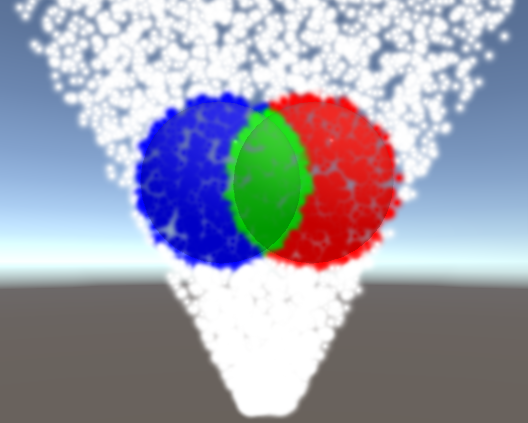
Guys, would you happen to know why I get these weird overlaps on my particle systems?
Here it is moving
 slender sparrow
@prime dome hoping you get an answer. Seeing your issue reminds me of something happening to me too.
Gotta be something to do with the blend function, alpha something or other, depth peeling... render order... The number of vocab dials and wheels and methods for transparency is brain soup to me.
 hazy saddle
Are there any examples of Particles / VFX that do not use drawn textures? My game will be texture-less (no drawn textures)
would like to know if its possible 😅
hollow pasture
Hey, I'm playing around with the collision with depth buffer and noticed it only working while in Play mode. Any solution to get it to work in Scene View as well?
 worldly yacht
I mage a vfx muzzleflash burst but it only works half the time when I play it
and im using the .Play(); function
prime dome
Hello How Can i fix it system of particles if my particle doesn't show foreground in 2d game?
In 3D works but not in 2D. Why?!
obsidian sage
@hazy saddle for some simple shapes like circles , stars, triangle you can make that using shaders
hazy saddle
Ok coolbeans, appreciate you
prime dome
Hi I fixed what I need. Different question How Can I move it foreground ?
I'm taking about particle system
 potent vortex
anyone know how to make a URP particle (unlit, Overlay w/ Transparency), render as '2-sided' ?
i'm rotating it around (un-billboarded) and the backside not rendering.....thanks!
potent vortex
anyone?
cobalt scarab
!warn 745548756015120394 Don't ghost ping people. Read #📖┃code-of-conduct .
 gleaming flickerBOT
 𝐏𝐑𝐎 ムŦŘΔŇĆĦ€€#0944 has been warned.
 prime rover
Soory
 opaque knoll
I need to ask a very important question actually about this channel
Is this also for shuriken or only vfx graph?
cobalt scarab
Any VFX, shuriken particle systems are covered too.
opaque knoll
Arite super cool
So i'm trying to network a PS for say, shotgun shot or floating energy ball. It should be deterministic with the same seed on all clients, right?
(I have a lot of questions actually..)
So after a few reading, apparently the Trigger module doesn't tell what collider it's triggering with. And also the colliders it can trigger with has to be set manually (instead of just defining a layer like the Collision module, to say "trigger with everything from these layers!"). So that seems to be out of the question
So i guess i'm stuck with single collision events with the Collision module, but that's fine i guess
So i'd also need a reliable particle indexing. I think it's a given that i should only be playing with a single burst instead of continuously emitting.
I'll rely on simulationTime to sync the state with newly joined players
And for every particle that's collided and thus destroyed, the server also need to send out the particle ID of that.
But if the shot bursts out 5 particles, then #2 got destroyed, then #5, is particle #5 now would be in index #4 ?
So maybe, i should keep track of a List<byte> (i'm using byte to limit the particle burst to 256), and this list has to be ordered, explaining in which order the particles has to be destroyed, right?
So i'll be trying this myself, unless someone wanna go "waaait! That's wrong!" on me
But meanwhile, i still want to have the trigger, slow floating energy ball thing. The main reason i wanna use PS is actually bcoz i dont wanna rewrite all the goodies in the API to recreate the movement
Is there any way to achieve the trigger version of this?
To recap the 2 main problems:
- The Trigger module's Collider array has to be populated instead of just simply defining a layer mask
- The trigger callback doesnt return the triggered object, only the triggering particle
Sorry 1 more thing:
All of this would be solved if i can figure out how to make a Gameobject follow a particle
So on the server side, i'll have to also spawn 5 rigidbody objects that follows each 5 particles, and this way, the server side will have more control to do whatever (and the particle wont even need trigger/collision module one)
I remember finding a script that does this a looong time ago but can't really find it again now.
Anyone?
crimson zealot
@opaque knoll Hmm, sounds backwards to me. I would think of the particles as decoration, and have simpler primitives which handle collisions and such which the particles follow. Move/sync those and let the particles simulate client side. You will have to write the motion controls for the parent projectiles, but 'how projectiles behave' sounds like a pretty core aspect of the game and is something I'd want full control over anyway. Something like DOTween can cover a lot of the motion API stuff and make your life easier.
opaque knoll
I got it already
The hurdle is, i want a burst of projectiles/moving objects, but dont wanna spend 1 netId for each object
So making use of the deterministic of PS with the seed, i'm actually skipping all sync except for the hit event
And it all only costs 1 netId
opaque knoll
I have to spawn 10 particles up front. Is there a recipe to make them "shoot" 1 by 1 at an interval? Like an easy way to use particle index as a parameter in 1 of the ps modules to achieve this?
Ah i can use this
https://docs.unity3d.com/ScriptReference/ParticleSystem.EmissionModule.SetBurst.html
opaque knoll
How does ps.Emit work in regards to random seed?
If i do Emit(10) at some random time, will it always be the same in the same ps? In different ps?
 old loom
hello everybody, I'm using a Unity particle effet (Muzzle flash), but when I Emit it, it's not working until I go to the scene view. I saw on Google that's a common problem but I can't find any solution. Can someone help me out ? I'm in URP
 dull solar
i'm getting some bizarre vfx graph error where, based on the camera position, the particles stop appearing and also stop updating
if the particles were only going invisible i'd assume it was some kind of depth error, but it's as if all the vfx systems are getting disabled/reenabled by moving the camera around
opaque knoll
Maybe the vfx bounds is not within the cams vision
dull solar
oh no, that's exactly what it was, thanks
i didn't know that's what the behaviour with particle bounds was: so particles can be outside the bounds, but the whole effect get disabled when then bounds are not on camera
prime dome
Hello, in the scene window you can see the particle system (behind the picture, but it should be in front of it), but the problem is that only the picture is shown in the game window and the particle system is not visible. How can I fix it? I tried to set the layers as well as sort. Additionally, I added Shader Mobile / Particles / Addictive. Have I missed something that causes this error?
opaque knoll
Is there no way for Shuriken Trigger module to also give info of what it's colliding with? Instead of just giving a "i'm triggered with 1 of the registered Collider!" ?
opaque knoll
https://forum.unity.com/threads/particle-system-trigger-module-improvements.895976/
Actually it's coming
Unity Forum
We are making the following improvements to the Trigger Module:
- Unlimited collider support, instead of the current 6 collider limit (this applies...
 hollow kelp
hi, how can i change color over lifetime in a PS in HDRP??
i mean, im trying to change the color and it doesnt change, i've tried to change the material and a lot of things and color over lifetime doesnt work....
potent vortex
@hollow kelp be sure your texture is WHITE and you are using a particle shader. Color over Lifetime should work
old loom
Hi, I have a quick question about particle system. I'd like to create a hit effect with a particle, so i'm using the Emit() method. It works great but if the hit target moves, the particle won't follow it. Is there a way to fix it ? Or should I Instantiate my hit effect instead ? And is it the best way to optimize it ?
 neon jungle
are there any known hacks for accessing the VFX Graph ByteAddressBuffer attributeBuffer; ? I can modify the vfxshader to dump what I need into another structured buffer, but the issue is due to the file extension unity doesn't think the vfxShader is a compute shader, so binding my own GraphicsBuffer doesn't work. (Unless perhaps I bind it globally which isn't ideal, haven't tested)
dull obsidian
@neon jungle yes i've done it
opaque knoll
Hi, using Shuriken, is there a general way to make (or rather, organize) ur PS to have a "start, looping endless, destroy end" parts?
opaque knoll
How do i "Kill" particles immediately?
I tried
KillLifetime(ps);
KillLifetime is just a Get/SetParticles and set remainingLifetime = -1f;
I do this in Update, and it's getting called every frame, means it's not actually getting killed immediately..
And no, not ps.Clear, bcoz it seems to not call SubEmitters
neon jungle
@dull obsidian any hints 😄 should I try making a new operator that grabs what I need? (just interested in position)
My current in-progress workaround is a new output type similar to Point output, but each point is quantized to a pixel and writes that particle position (so it is meant to target a render texture where the resolution matches the VFX system's capacity, using a new LightMode tag so only that VFX output type renders into the texture)
dull obsidian
@neon jungle i did not do it that way, i used a global buffer. And I have thought about going that render texture / pixel packing route, only because it could be done without actually modifying / overriding any internal classes / APIs. though the performance overhead and abstraction could get out of hand for multiple attributes, which i need in most cases.
@neon jungle pm me and we can discuss more.
 autumn pine
Am I missing something or are ribbon trails in the particle system just broken?
 velvet dawn
so i just made 2 paritcle systems (fire and smoke) for flamethrower and i made order in layer for smoke be 0 and for fire 1 but it looks normal only from some angles and shit from other
what do i do
if someone answers pls ping me
obsidian sage
@velvet dawn in the render attribute mode try to change render to local or world
@autumn pine i don't think so, you might have been doing something wrong idk
 grave pasture
I thought by adding the particle system directly to my moving cloud, instead of it's own game object, that it would move with the cloud.
Silly me. facepalm
I also thought making the game object a child of the cloud would move it with the cloud - ..nope. lol Is there an easy way to link these things?
royal tulip
@grave pasture You had the right approach.
Just set the PS system simulation space to world, and you're good to go
velvet dawn
obsidian sage
<@651355505800904714> in the render attribute mode try to change render to local...
where's that
and what
autumn pine
obsidian sage
<@752893176729174028> i don't think so, you might have been doing something wron...
lol I just realized that the ribbon connects each particle. I got it working
velvet dawn
obsidian sage
<@651355505800904714> in the render attribute mode try to change render to local...
i just realized that its actually the flames themselves looking bad frome one side but good from other
so it looks good only from the side directionall light is facing from
ok i fixed it i just needed more enviroment lightning
royal tulip
i've got a bug in mine and its infuriating
new VFX graph, works fine. i add vortex and turbulance node into update section. No longer works. doesnt emit
i delete those 2 nodes. recompile, still doesnt emit
i need tocreate a fully new vfx graph to even get it working again.
Anyone know how to fix this?
 nimble citrus
sounds suspiciously bug-like... but I know nothing about vfx so take that for what it's worth
royal tulip
As the 4th word in my message suggested 😛
royal tulip
6:30 am. Brains closed for the day, sorry
 hidden thistle
Hi all, I need a recommendation for a plugin: need basically a boat that moves and creates its waves in the water.
obsidian sage
@rotund flame if you sre changing the scale from the shape attribute in the PS then you may have a chance to do that
@hidden thistle you can search in the assets store idk any but if you want to make your own here is how i did it.
You can use trails with a custom texture and if you want to have some other effects use shaders
hidden thistle
@obsidian sage thank you 🙂
obsidian sage
I have no idea why it's like that.
Can you tell me what that PS should do
Okay give me a minute iwill setup a PS and explain it for you
obsidian sage
@rotund flame i have tested it as you explained above and it is working fine with me if you are using some subEmiters
that is weird
royal tulip
@obsidian sage Try turning on the collision node
obsidian sage
I am not the one looking for help@royal tulip
obsidian sage
@rotund flame that is what is going to happen if you have multiple objects. but why do you need all those child objects
oh i understand now, i have no idea how to fix that i will try to do some tests with a rig i have and tell if i got anything. anyway hope you get fixed
 onyx lake
Hi guys 🙂 I'm currently trying to create a simple explosion like glitter effect. I'm using stretched billboard mode for this with length scale set to -2.
For the explosive feel I'm limiting the velocity over lifetime and I scale them down over lifetime as well. However, this results in this weird shaky movements of the particles.
How can I achieve what I want? (i.e. have the direction for the particles from the streched billboard, slow them down over time and also scale them down over time?)
 errant bluff
Visual Graph 8.3.1 error with the new Unity Input System
Warning if you upgrade to Unity 2020.1.16 with HDRP.
prime dome
In visual effect graph how do I make a particle leave a trail?
opaque knoll
In Shuriken, the Trail module doesnt come out if my Renderer mode is set to Mesh. It has to be billboard for the trail to work
But how do i have the particle as Mesh and the trail as billboard? Aren't they 2 different things?
opaque knoll
prime dome
In visual effect graph how do I make a particle leave a trail?
U change the Initialize in the inspector from particle to trail. Have this node be emitted from parent particle context
 tight valley
good place to get vfx? e.g. the fire from a rocket
the boost
easy to make a good one or better to find ?
royal tulip
Anyone please? I havent touched anything with the vfx script functionality... :/
soft pelican
second tyime this has happened to me.. I have a VFX all done.. it looks good- shows the preview when I click on it. I open the VFX, and just see the default effect. close it, close project, reopen: default effect. what is going on here?! this is the second time it's happened to me.. I'm afraid to open all of my VFX's now.
I downloaded a version from a couple days ago from git.. this one ALSO looks like the default effect now. how the heck is this even possible?
 coarse mirage
Is it possible to make spawned particles disappear when inside a trigger? Similar to a fog of war type of effect
soft pelican
@coarse mirage not that I know of. That said, you CAN implement certain triggers like a box collider or sphere collider fairly easily in VFX; but you will need to pass into the VFX graph the parameters that specify the location and size of the box/sphere you want to detect entry into. If you find a particle IS inside one of the colliders, set it's lifetime to 0 seconds.
coarse mirage
@soft pelican Interesting. Never touched anything deeper than surface-level settings for VFX. My current method for making a fog of war effect is to create a plane scross the top of the map, fire a ray from the camera to the player that passes through the plane, and change the texture to transparent in an area around the ray. It's not the most ideal
Looking for alternatives
soft pelican
@coarse mirage https://docs.unity3d.com/2019.3/Documentation/ScriptReference/VFX.VisualEffect.html you can use this class to change the VFX input settings, at runtime. So you could for example, use it to set a vector that repesents the center of a sphere, and inside the VFX use a force-sphere node to push particles out of it.
 spare shadow
I am making a 2d bullet hell, and I want some bullets to glow certain colors (with a bloom effect), what is the best way to do this if the objects are sprites? And what is the best way for 3d objects?
(I'm not sure if this counts as lighting or VFX)
 bright tusk
hello everyone. I need some help with my particles. I want the particle effect to be active at all times but when i move my player character then it should emit it faster
https://gyazo.com/5175cecbd0276208c4df95c1c9d2bfe5

this is what i've got currently. It's using Rate over distance, but for some reason it only activates whenever i'm turning
i assume it has something to do with the script for my character. currently theres only movement related stuff in there
 golden mirage
@bright tusk Large code blocks should be posted as links to external sites.
#💻┃code-beginner message
 lusty plinth
Any of you guys remember back in Unity 2017/2018 you could enable Fog in the Lighting Settings and then you could use that fog to make a "Distance Culling" effect where things smoothly fade over the yonder horizon?
Anyone knows how I can achieve the same effect with URP?
crimson zealot
@lusty plinth IIRC, the default URP scene has this effect out the wazoo. You can configure the fog color, falloff, etc in the project settings -> lighting
unless they removed that recently, i think it's still there
lusty plinth
Hmm... I know the normal SRP has it, but I can't make it work with URP, the exact same you said @crimson zealot
crimson zealot
@lusty plinth I'm in URP, 2019.3. Window->Rendering->Lighting Settings has this checkbox, which I think is what you want. No good on your end?
crimson zealot
I think SRP is just Scriptable Render Pipeline which encompasses URP and HDRP...but I'm assuming you mean HDRP?
i donno then, is it missing if you create a fresh URP project? maybe yours has that disabled somehow
lusty plinth
I mean the normal rendering that unity has built in. The standard one. Without URP/HDRP
It works
I upgraded my project to URP and it doesn't work
I made a fresh new URP project, doesn't work either
crimson zealot
ohhh gotcha, well i think that one handled fog differently? but i forget how exactly. not sure what to tell you
 cobalt swift
Hey my particles just straight up won’t show up in the game view default everything
opaque knoll
Shuriken question,
I'm using Collision module but dont wanna destroy the particle, instead "hide" the collided particles manually
Lifetime loss to 0, Dampen to 0. The way i detect collided particle is if the speed is 0 (from the dampen)
But if i have VelocityOverLifetime, the speed overrides this collide dampen, so i can never detect the collided particle
Any other idea to detect particle that's collided?
prime dome
uh sry if my answer is not helpful, but you can see the coordinates of the particles, and the particles on the same coordinates are collided.
@opaque knoll
did i help?
opaque knoll
Hmm, i'm avoiding Get/SetParticle and doing it in Jobs
But....... maybe that can still work
ParticleCollisionEvent (from the Collision module) doesn't have the info of the colliding particle. The closest in the detail is info.intersection. If the exact position of the colliding particle is not available, then in the Jobs i'll still have to cycle thru all of the particles..
Really, all i need is actually for the PS to keep destroyed particles and hide them instead, to preserve the index
I wish there's a simple dropdown option for that..
 sleek cave
for some reason my vfx circle is sometimes doing straight lines inside itself, how can i fix this?
slender sparrow
@sleek cave if you take a picture of the rest of the graph I might be able to help you
sleek cave
@slender sparrow
hopefully this is good enough
i think its something in the position
 solar galleon
Hi! I'm having a bit of trouble using sub emitters. I'm getting unexpected behaviour, like particle movement not acting like it should. Hopefully the gif can paint a better picture. https://i.gyazo.com/25acafdc69eade9f9b7842b86f766fbc.gif

The 2nd part is how i want the particles to move, the first is it being attached as a subemitter, no modifications between the two other than being subemitter in the first part.
Looking at the particle count it also seems to dramatically increase when using it as a subemitter.
I'm assuming i just don't understand how subemitters work.
opaque knoll
@sleek cave it has to do with the strip index
U should only use strip index/particle in stripindex etc as thats the only correct ordering with strips
Unity Forum
Hi. I'm just trying to create a long labyrinth of spiral, for example. But the long chain of single strip is not really predictable. It has a chance to...
@solar galleon subemitter uses the sub's emissions and shape, even when its disabled
solar galleon
Huh, thanks, i wish that was more clearly stated
opaque knoll
WindZone doesnt work on PSys (shuriken) anymore?
The PS ForceField cant be set to make the force "in/outwards" like what windzone used to be able to
sleek cave
opaque knoll
https://forum.unity.com/threads/high-particleperstripcount-messy.829950/
This looks like it, i will try this when i get back from school, thank you so much!!!
prime dome
Question how to add exception object or layer to builtin fog?
I think i have to add some nofog tag in shaders
sleek cave
opaque knoll
U should only use strip index/particle in stripindex etc as thats the only corre...
im confused, what should i do? i dont want to remove the strips because i need them for the spawn
having one doesnt seem to work well
opaque knoll
Having one what?
U can still use strips, but as u can see in ur graph, the circle indexing is using particleId
U need to index the sequential circle urself with strip index etc
sleek cave
oh, nevermind, i just changed the strip from one per 80 particles to one per 100.
 timid idol
Does anyone know if it's possible to have particles "size over time" go negative (as in flipping them back and forth)? It seems not, but figured it was worth asking.
sleek cave
im almost sure its possible, but i have no idea how. maybe try in the update "set size over map", there should be an option there. @timid idol
timid idol
Just installed VE graph, which you can. But not in Unity's default Particle system, curves and values seems to be clamped to positive values when it comes to size. Time to learn VEGraph then
 fossil dove
https://i.imgur.com/maqEEAF.gif I'm encountering and issue where the weapon trail isn't decaying based on distance/speed, but other time rather, and i can't seem to figure out how to fix it. the gradient should be white coming from the sword and orange/red as it dies, but it's a mess right now. currently it's set to "color over lifetime" to determine the color but "color by speed does not work either for some reason. I exaggerated the lifespan of the trail to clearly showcase the issue, it starts completely white and blue, and then slowly deteriorates into a random mesh of colors(i didn't let it run long enough for it to look random but it does happen after long enough).
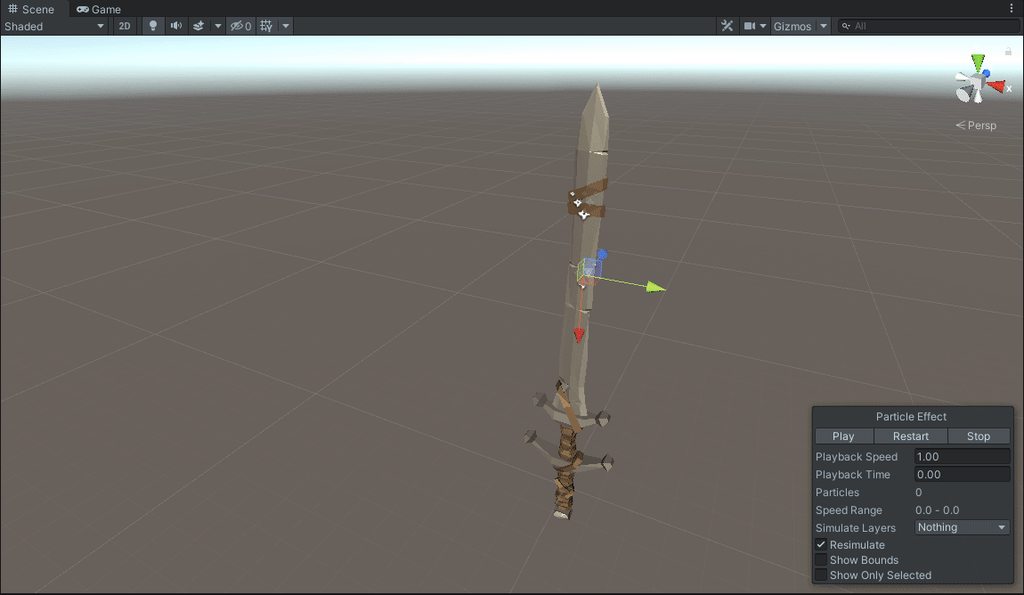
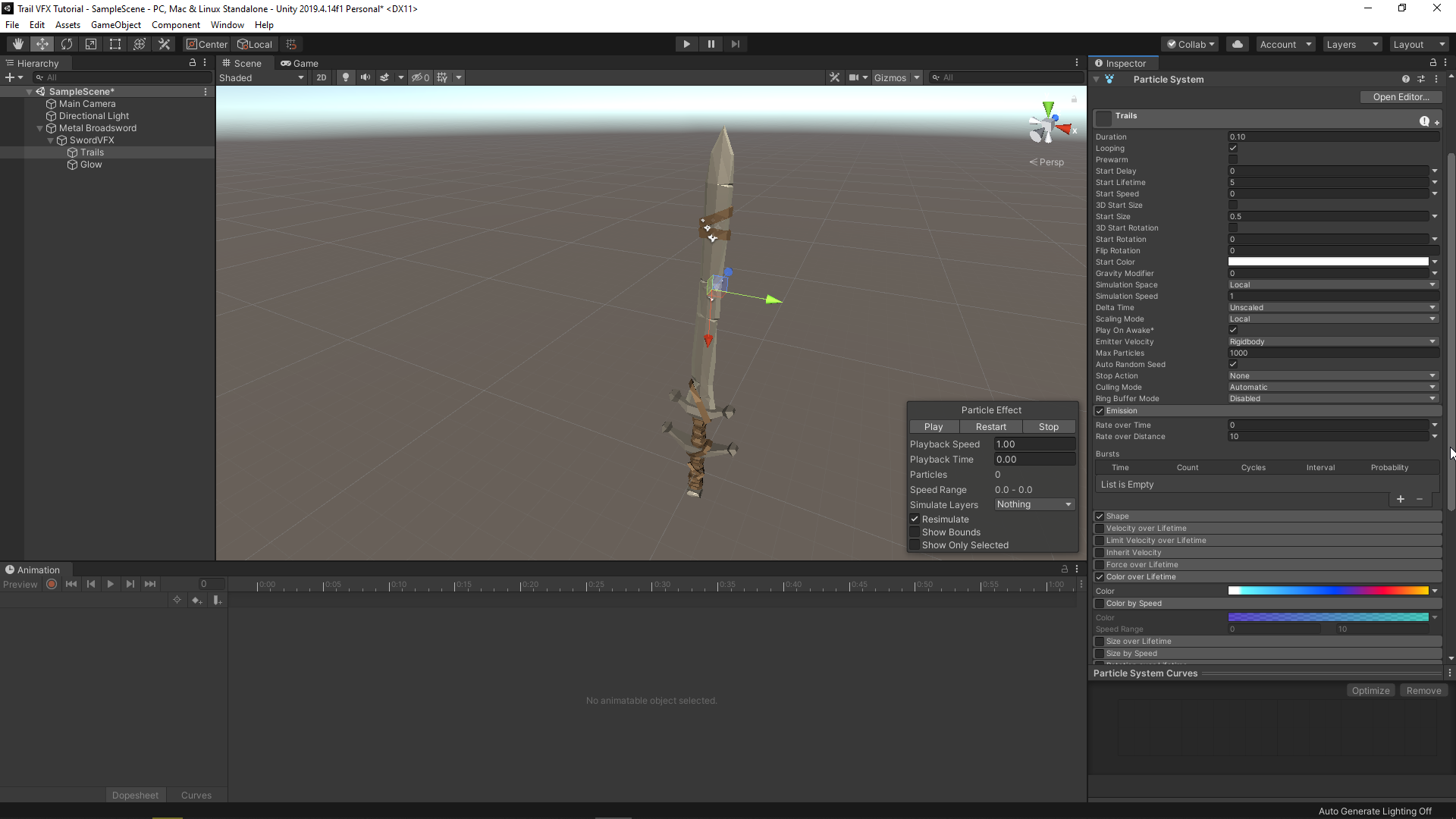
I'm using the particle system to achieve this instead of the trail effect, i was told the particle system had more options but is right to use that over trails for weapon swings?
 soft wraith
Is it possible to make trails animated? I'm looking for a way to make a back to the future like fire trail effect
dull obsidian
@soft wraith you could definitely do that with VFX graph anyway
coarse mirage
Making a fog of war effect. Is there a way to prevent particles from spawning inside the radius of a hitbox, or say a particle system force field?
 stark roost
What could be the problem, that in URP some of my particle effects are not visible in the build
 wintry gate
Guys, a question. I reorganised my folders and changed locations of my textures for particles. And since then they stopped to show them correctly
Even if material is not pink and have no problems with it
How I can fix that?
 obsidian oracle
Is there a prewarm feature for vfx graph? I thought I saw it in 2019 versions, but I don't see it in 2020.1.16
Never mind, found it
velvet dawn
ummm
i have a realy weird problem
i have a flamethrower made out of particle system
and it kills enemies using OnParticleCollision on enemies
and after some time of using it it just stops killing
doesnt trigger the enemy script
what do i do
btw other spells kill them (but they are not particles)
pls ping me if someone answers
 neon sleet
Hi! anyone can tell me which is the better way to make vfx in 2d? I'm making a game and I using Mudbun plugin, but, is the better way?
I'm trying to create vfx like Geomtry Wars 2 🤔
 echo mountain
you can use adobe premiere pro or adobe photoshop
 blissful egret
why when trying to make the particle strip smoother by increasing spawn rate makes holes in it?
if i make it 90 then it completely disappears
 pastel scarab
Anyone knows a bit about shader graph?
blissful egret
better screenshot
obsidian sage
@pastel scarab what do you want to know exactly
pastel scarab
obsidian sage
<@315129720092229634> what do you want to know exactly
I figured it out, thank you tho
 heavy gate
Unity's particle system
 sweet minnow
Hey everyone quick question. Say your initializing your particles spawn point using a position torus block. What is the appropriate way to add velocity to those particles so that they move around the torus creating a spinning ring type of look?
 neat citrus
is there anywhere I can ask to get a vfx artist to collab with me
doing some simple stuff...I think.
velvet dawn
I like it how only every fifth question here gets an answer
 deft kestrel
Hello so idk if this is the right channel but ill ask it anyway , how do i use a 2d animated sprite in a particle system / how to do it correctly.
sweet minnow
If your talking about using the vfx graph to do this than brackeys did a video where he goes over how to achieve this. 3:45 he starts talking about it.

Let's learn how to make realistic fire and smoke with VFX Graph!
This video is sponsored by Unity.
● Previous VFX Tutorial: https://bit.ly/2Tbh5Hw
● Download Textures: https://ole.unity.com/smoketextures
♥ Support Brackeys on Patreon: http://patreon.com/brackeys/
···············································································...
obsidian sage
@deft kestrel in particle system there is an attribute for sheets texture, but you should have a texture with all the frames and you need to now the cell width and height
 fallow swan
Hello !
I have a question about vfx graph. I was trying to emit particles along a mesh (the blade of a sword), using the point cache baker, I made a point cache from my blade. But sadly, in my vfx graph, if I set the spawn from a position map to world, they spawn from a static position, so if I rotate my blade, it will break everything. I guess there is no solution for now, other than using keijiro's work ?
dull obsidian
@fallow swan i think you just need to bind the transform of your sword as an exposed property into the vfx graph and multiply the static position you got from the point cache /attribute map with the sword transform, something like that
sweet minnow
To anyone who might have the same question that I did I ended up just applying a transform.Rotate() to my gameobject in a seperate script to fake the particles rotating by rotating the gameobject itself. If anyone knows how to set up the graph to make the particles themselves rotate around than please hit me up lol. Thanks!
fallow swan
@dull obsidian oh yeah I'll try that, thank you !
fallow swan
@dull obsidian well, it work for position by using the value bias of the Set Position from Map block
but the rotation isn't affected
well ok that was very stupid
how simple it was
basically what you told me
I don't even understand why it works
fallow swan
Another question : is there any block that allows us to inherit the velocity of the object the particle system is attached too ? Or do I have to compute by hand in a custom script ?
 empty folio
@velvet dawn I like how you give incomplete information while posting in the wrong channel and then whine that nobody happens to know the answer to your esoteric problem. Nobody is being paid to be here, we help when we see something we know.
velvet dawn
Wtf. I wasn't attacking anyone, and was only joking, and I am sorry for writing in wrong channel but i thought this one was most fitting, no reason to attack me
velvet dawn
And that message wasn't related to me not getting an answer and wasn't asking for an answer
 quaint mirage
Hi guys, I'm working on making some leaves effect. This is a paint over my director gave me to work from. I think if I can anchor some particles I can create some gentle wind with the noise tool but I'm not sure how to anchor the particles to their start location.
I'm also looking into being able to accomplish the same effect with shaders somehow although I'm 100% new to shaders in unity. I found a Brackeys video where he makes the kind of effect I'd like to make with shaders but he uses some premade assets and I'm not really sure how to reverse engineer them.
Basically my main question is which do you think would be a better approach? Applying all the particles at once or using reverse engineering the shaders?
I should also clarify I cannot just use the leaves option in the tree tool, the tree is a pre-modeled asset from Maya so I have to attach the leaves separately
Alternatively I could theoretically remake a low poly tree and hide it inside the modeled tree and grow the leaves outside the fbx. For scale there is a life size character directly under the tree trunk. These leaves are MASSIVE

I found an article on how to make simple stylized trees, I decided to make a step by step tutorial for. You can read the article here: https://80.lv/articles/stylized-nature-vegetation-animation-shaders/
Download the tree from Sketchfab: https://skfb.ly/6SEvv
Interestingly, this was done almost completely in blender then imported in.

Dragos Matkovski did a breakdown of his amazing stylized project The Illustrated Nature that will soon be available on the Unity Asset Store.
 sinful light
Anyone in here worked with shader graph on linerenderers?
velvet dawn
quaint mirage
Hi guys, I'm working on making some leaves effect. This is a paint over my direc...
Can't you just set the speed of particles to 0 and they will not move?
fallow swan
I have a very general question : in which cases do you use shader and/or particles ? I've seen many cool effects done with both, sometimes the same, and I really struggle to see why you would prefer one over the other.
quaint mirage
velvet dawn
Can't you just set the speed of particles to 0 and they will not move?
Honestly I didn't know that. Im pretty new to unity. I've used unreal for my last 5 projects and this is kinda different that Niagara and Cascade
I was curious about perf too, I think a shader will be much less taxing but if you disagree id take your word for it. Im on the unity discord for unity help cause im straight up using knowledge of unreal for all of this
 spark cradle
Hey fellas. I made a fake volumetric light by creating a 3D cone in blender and applying a gradient texture to it with a Particles/Additive shader and it looks aight, but is there a way for me to make it blur as it gets further away from the source?
I'd like a result like this. I don't think I can use real volumetric light though because I'm developing for VR and volumetric light is performance heavy
obsidian sage
You can try 2 things
- change the texture by creating a blure effect around it.
- use a custome shader
spark cradle
seems ill have to write a custom shader for it, so I'll go with a paid volumetric light beam asset that supports vr and mobile and hope for the best
thank you
neat citrus
saying im doing a hammer slam and i want web cracks on the ground. How do i get the webcracks to go onto uneven surfaces. Right now it just stays hovering above the ground if its uneven
i would also appreciate it if it went onto walls or i could decide the layers it affects.
Not asking for the code but i'm completely stumped and would like to know where to start so point me where I need to go.
neat citrus
nvm. I found the answer.
 gritty quail
nice
 teal acorn
just trying out vfx graph. how do get shadows or material on Output Particle Mesh?
oh jk lit mesh
gritty quail
hey
is anyone here like good at doing VFX like particle systems/sprite sheets
and would want to work for me paid
dull obsidian
teal acorn
oh jk lit mesh
you also need to enable cast shadows check box on inspector for the output context
dull obsidian
quaint mirage
Alternatively I could theoretically remake a low poly tree and hide it inside th...
if i were you, one thing is certain: i'd create a separate "mesh" in my 3d software maya, blender, houdini, etc that only contains the bare points / position vector for the leaves to attach to, maybe a normal vector for orientation and nothing else. that could be packaged up in the FBX or otherwise doesn't really matter, as long as it aligns with the pre-modeled tree mesh. and then use that points only mesh with the built in particle system or visual effect graph or a script that instantiates sprites or meshes.. any of them are potentially viable for this. so, really you want to ask yourself which of those are you and your team more comfortable with using on this project.
dull obsidian
neat citrus
nvm. I found the answer.
was it decals? or what was the solution? it really helps other people reading this who may have the same question.
quaint mirage
dull obsidian
if i were you, one thing is certain: i'd create a separate "mesh" in my 3d softw...
TY for the reply.
I figured this out yesterday. I did exactly what Landon suggested and imported them as a separate fbx. My next step is trying to make the leaves shake as though with some light wind. The way I see it I have two options.
A) Make a shader that shakes the leaves in Unity
B) Animate the noise function in Blender and reexport it as an animated mesh.
I'm trying the shader one now but I'm having trouble finding helpful tutorials, this is my first Unity shader. Every tutorial I find requires a separate 20 minute tutorial just to turn on the option to use shaders at all. If there's an easier way I'm all ears though.
 acoustic orbit
@quaint mirage in HDRP, you can shader graph an animated texture into a deformation slot
that is a lot of warble garble
but that's the best way to do it without programming
i think there is a specific set of things you have to do for wind though
if you need very specific control of leaf behavior, including like making the leaves fall, you are better off populating a particle whose starting points are the leave verticles and that render leaf billboards
because particles can interact with wind and gravity
neat citrus
@dull obsidianYou are absolutely right. To get the webcrack png to allign to the ground i should have used vfx graph instead of shader graph or particle system as far as i know. You should use the ground cracking png as a decal, but it should be set to a -90 degree angle for it to render properly. There is a youtube video on vfx impact effects. It will show you exact steps if my explanation wasnt good enough. https://www.youtube.com/watch?v=jSIan1cEYTI

Today's video includes Decals and it's all about that satisfying punch that a bullet hit does or the impact of a magic ability! Made with Unity VFX Graph in 2020.1.14 URP.
Enjoy!
*Muzzle Flash Tutorial: https://youtu.be/sgBbnF3r60U
*Combine Projectiles, Muzzles and Hits with this video: https://youtu.be/T5y7L1siFSY
-------------------------...
dull obsidian
@neat citrus awesome, thanks!
neat citrus
np
 marsh drift
hi guys, I'm looking to create some effect for ground slam, for 2d. I found a video online but it's quite old and for 3d.
Anyone got a link to a video or something?
empty folio
@quaint mirage are you using srp or default render path?
If you're using srp then shadergraph makes it pretty easy. You can use particles for placement and use a shader for the displacement, or you could do it all in shaders.
As a general set of steps, you'd probably want to use the v coordinates of each leaf as a multiplier for the nouse used to displace the quads, so that the tips move but the base of each leaf doesn't. (If the leaves are pointed a different direction in the texture you might need to invert it or use the u axis)
quaint mirage
acoustic orbit
but that's the best way to do it without programming
Never been afraid of a little programming but I am afraid of working through Christmas, ill be back at it Monday ty for the help fam :)
marsh drift
Anyone? I still can't find anything. No tutorials and not even to buy. Am I searching it wrong? ..
dull obsidian
@marsh drift i think you may be trying to find information too specific. i recommend searching for tutorials on 2d visual effects in general. using spritesheets and particles, etc. then, with a solid foundation, creating any type of effect you can think of will be intuitive for you.
marsh drift
@dull obsidian cool I'll give it a try. Thx
prime dome
Hello, Im curious about something in VFX Graph.
Is there a kind of clamp which makes the input value 0 when it reaches the given value ?
dull obsidian
prime dome
Is there a kind of clamp which makes the input value 0 when it reaches the given...
 quiet idol
Is the VFX Graph implemented using compute shaders?
 hearty flare
Yes, you can see what it generates
quiet idol
@hearty flare Thanks, where? I dug into the graph file (.vfx) and it's a giant mess.
hearty flare
quiet idol
Oh snap, thanks, this is huge. I've been trying to learn compute shaders, didn't realize I had already been playing with them.
The default setup is a bit more complex than I'd think since it's only a few nodes vs ~2000 loc.
There were a few people doing meshes with the compute shader directly. I've been trying to figure out how to do sdf stuff with the vfx graph or compute shader. Any tips/links/books you'd suggest looking at? I've been struggling with finding a decent starting point.
Are these types of questions more appropriate for another channel?
hearty flare
It's fine here, just nobody has an answer as it's a pretty specific time of year
quiet idol
https://youtu.be/BeCs0LJzkiM?t=69 At this moment (1:09), there's a face rendered with spheres. How could this be changed so that there's a soft boundary at the intersection? I only know of the smooth min that can do this as in: https://youtu.be/Cp5WWtMoeKg?t=186 or https://www.iquilezles.org/www/articles/smin/smin.htm.
 hot ivy
can you use vfx in 2d projects too?
empty folio
@hot ivy in the more general sense, yes; the normal particle system, etc work on any project. If you mean the vfx graph specifically then you need to be using a rendering path that supports it.
dull obsidian
quiet idol
The default setup is a bit more complex than I'd think since it's only a few nod...
yeah, same thoughts, welcome to optimized cross platform code generation, anyway. if unity only targeted one platform and API then it could be simpler but then people wouldn't be using unity to deal with all the cross compilation and edge cases for them that makes generated code like this complex. afaik it's really only there in the case you are modifying or debugging vfx graph. that said, the use of byte address buffers are the most complex looking part of the vfx graph generated gpu code, and that's really an issue with the HLSL / DXC / DirectX buffer model that Unity relies on for higher level GPU code, a deep dive on that here: http://www.joshbarczak.com/blog/?p=1260
you'll see here josh describes byte address buffers:
"This is like being forced by write C code without being allowed to use the ‘struct’ keyword and having to use byte offsets for all array indices."
the performance benefits:
"Unlike typed buffers, byte address buffers always load dwords directly from memory. This is faster for a lot of hardware, because it avoids the format conversion path and in some cases is backed by a completely different cache. "
and how someone could avoid having to hand code this to get those optimizations
"Somebody could write a meta-language that compiles everything down to ByteAddressBuffer code, but as far as I know nobody’s done it yet."
--that's along the lines of what the VFX graph team did (for performance optimization reasons,) the meta-language being the serialized visual effect graph itself.
dull obsidian
empty folio
<@543045340220358686> in the more general sense, yes; the normal particle system...
@hot ivy it's completely unsupported but interestingly enough VFX graph still works with Built-in Render Pipeline to some degree, just basic unlit outputs and doesn't support all features like depth collision. They never removed this basic functionality for Built-in RP though there is no guarantee it will continue to work in future versions.
dull obsidian
quiet idol
https://youtu.be/BeCs0LJzkiM?t=69 At this moment (1:09), there's a face rendered...
You'd need to modify / extend VFX graph to access / output the attributes buffer and then render them in some custom pass with raymarching, etc or my case i typically use marching cubes to generate a procedural mesh because it integrates flexibily with multiple render pipeline / paths and even the Mesh API in a more conventional way. but there are examples floating around of people injecting ray marching passes into the deferred path of HDRP which can work alright, though performance on high resolutions won't be great because typical per pixel raymarching just doesn't scale very well to higher resolutions.
You can see this Particle Attributes buffer Read Access feature is Under Consideration on the VFX graph roadmap (scroll down to the bottom) https://portal.productboard.com/unity/1-unity-graphics/tabs/9-visual-effect-graph
Product roadmap and feature requests. Welcome to our product portal.
marsh drift
hi, I got a particle system component with Duration of 0.4, start lifetime of Random between [0.2 .. 0.4], and stop action callback.
But the particle system seems to live for 3 seconds. What am I missing?
quiet idol
@dull obsidian Thanks for explaining and showing the feature request! Are you saying you use marching cubes in the cpu to create a mesh? Do you update/recalculate the mesh often? What do you mean by implementing ray marching into the deferred path of HDRP?
fallow swan
Hello ! I have a question regarding trail. I'm trying to copy a sword trail from DS3, and I was wondering how you could achieve that.
For reference (DS3 boss, minor spoiler I guess ?) :
From the outside, it looks like a "line" from the tip of the sword to the guard with a decreasing alpha.
Do you think they used a shader ? Particles system ? How would you achieve that effect ?
 robust tusk
I am using unity 2019.4.15 LTS. I can't use vfx graph inside webgl, is there a workaround?
If i update to latest unity version will it work?
 snow coral
fallow swan
Do you think they used a shader ? Particles system ? How would you achieve that ...
snow coral
fallow swan
Do you think they used a shader ? Particles system ? How would you achieve that ...
using a quad and a texture probably, and some shader magic which I don't understand either
This makes me thinking
I assume it's just a line
which decays over time
Yeah
Okay I know how to do that
You have one framebuffertexture where you draw the line into
and instead of clearing each frame you reduce the alpha each frame
Say you swing your sword, then you have several pixels and maybe lines drawn in one frame
and the next frame you reduce alpha by 0.067 or something
because you're not clearing it'll slowly fade away instead of you doing it over and over again
and I think if you want to fully replicate it then you need to decay alpha in an exponential curve
meaning if it isn't opaque (like the bigger trail) then you decay it much slower
atleast that's the cheapest option I can think of trail rendering currently, as you need information from the previous frame(s)
fallow swan
Thx for the answer
I think you are close to the solution
I found an asset on the store that generate a mesh on the path of the sword, then you can apply a texture + shader and you get a nice trail
Dunno if it's cheaper
The reason to use a mesh is to avoid "holes" in the trail, if your weapon move too fast
Trying to replicate DS3 weapon vfx is harder than I thought
Currently working on the big smoke trail at the tip of the sword
Also, the little ember "clusters" are a mystery for me
These things
Almost looks like stars
snow coral
In general I'd say meshes are cheaper
though there you'll might encounter some artifacts
those may or may not happen depending on several factors. I think in DS3 they opted for a mesh too
as using a framebuffer or another rendertarget just seems really costly to me
the little clusters are particles
I think they only fly a little? Been a time since I've played DS3
For the Mesh solution what you'd do is use a 1D Texture and the sampling should do the rest
keep in mind that you might need to add some extra vertices depending on distance, maybe even tesselate if you want a really good result
because otherwise your texture will have artifacts if you're moving a long way
though, the thing with the mesh is that decay may pose a bigger challenge to solve
fallow swan
The mesh works fine right now, but I can already imagine where I'll start getting artifacts.
I'll edit the script to get a smoother result if needed
What do you call "decay" ?
potent vortex
hey gang, did they remove the Unlit shader from URP in 2020.X recently?
if not, can anyone else think of why i can't create an UNLIT particle material in URP anymore?
 strange sail
@potent vortex I'm using 2020.2.1f1 and they both seem to be there. And you can always make a new one with shadergraph.
potent vortex
dang this is what i see
i'm not super comfortable w/ Shader Editor, dang this sucks
(btw, thanks @strange sail
strange sail
@potent vortex You are in the 'lit' folder.
Try searching 'unlit' in the search box?
potent vortex
after i click Particles, this is the two choices
but i do have a ParticlesUnlit Shader. ... can probably figure out how to make new material from that
 daring sphinx
Anyone have any luck in VFX Graph in VR, performance-wise?
 thorny atlas
is the 10.2 output event something i can use to trigger a sound effect?
 short hamlet
Looking to spawn a particle every x units, i thought i could achieve this by using the spawnIndex and multiplying it by some distance step, but this doesn't work. How could i achieve this (big vfx graph noob here)
potent vortex
anyone know how to do a swarm of little crawling bugs that sticks to surfaces?
potent vortex
nobody?
 cosmic oyster
potent vortex
anyone know how to do a swarm of little crawling bugs that sticks to surfaces?
cosmic oyster
potent vortex
anyone know how to do a swarm of little crawling bugs that sticks to surfaces?
I think this is what you're asking for. This is a really basic layout for a shader that lets you apply a texture to a material, and blend a moving texture with the other main texture. I'm not an expert on shaders, someone may have a better way of doing this.

'TextureAlphaControl' in this example will let you use opacity to turn the moving texture (could be swarming bugs) on or off, which you can label and grab and control with a script if you want.
(This should be the behavior? The gif doesn't showcase the opacity control, but thats in the above node tree. I threw whatever textures I had laying around at it.)
snow coral
fallow swan
What do you call "decay" ?
by that I mean a slow fade away that happens after a time based on when a vertex was spawned in your case
 neon magnet
Is Unity VFX graph the go-to way to do hit sparks/animations in say like, a 2D first person rpg?


(or like this)
cosmic oyster
neon magnet
Is Unity VFX graph the go-to way to do hit sparks/animations in say like, a 2D f...
You could probably do it in VFX Graph, but I believe VFX graph is intended to bear weightier high particle count VFX more effectively. For basic VFX you might consider using Shuriken. Unless you're talking about the pop up numbers, that's probably UI/Animation more than particles.
neon magnet
@cosmic oyster Nah, not the number popups. The actual effects. I've never heard of Shuriken and google isn't giving me too consistent of a result. What exactly is it? a more lightweight VFX tool?
I messed around for a second with VFX graph using experimental blocks and it feels like I would be able to do neat things with that, but it seems like it might be a bit heavy for what I'm looking to do (since majority of my game is 2D assets).
cosmic oyster
Shuriken is one of the tools from within Unity.

Unity Learn
Unity features a robust Particle System where you can simulate moving liquids, smoke, clouds, flames, magic spells, and a whole slew of other effects. In this tutorial, you'll get a high level overview of the Particle System and its features, so that you can start getting ideas for your own projects.
It works in such a way that you can use it for 2d or 3d vfx
Right Click in a Hierarchy Tab, Effects -> Add Particle System if you want to jump to playing with one.
A combination of the Renderer and Texture Sheet animation tabs can be used to determine the particle that is coming out of the system. You may find what you want to make is a combination of several particle systems with different behaviors.
 neon magnet
Hmm interesting. I do somewhat have it working with VFX Graph using the experimental blocks (I have a hit spark) but if this is more lightweight then it may be more what I'm looking for.
dull obsidian
potent vortex
anyone know how to do a swarm of little crawling bugs that sticks to surfaces?
could also use vfx graph's "conform to sdf" block node
dull obsidian
neon magnet
<@!146368811891818496> Nah, not the number popups. The actual effects. I've neve...
@cosmic oyster It's no longer called Shuriken, but casually people are used to referring to it by that name still. it's now simply known as the Built-In Particle System or just "ParticleSystem"
@neon magnet @cosmic oyster Here is also a doc I found pretty helpful in comparing Built-In Particle System with Visual Effect Graph and helping you choose one or the other depending on what best fits the task at hand: https://docs.unity3d.com/2020.2/Documentation/Manual/ChoosingYourParticleSystem.html
cosmic oyster
Yah, I just called it Shuriken on reflex, a lot of stuff has been renamed over the years.
dull obsidian
@cosmic oyster yeah i wish the docs said Built-In Particle System (fka Shuriken) or something like that
neon magnet
Ah kk, thank you @dull obsidian & @cosmic oyster . I'll look more into it. Right now I'm using pretty simple effects to communicate stuff.
Here's a more immediate question. Does visualeffect.play() (UnityEngine.vfx) have some form of built in ienum or something? I have the visualeffect.play() call then immediately after I use the trigger on an animator, but the animator plays immediately after the effect, not during. Essentially
public GameObject Animation;

VFX.Play();
Animation.GetComponent<Animator>().SetTrigger("Display");```

seems to do the VFX -> VFX complete -> Trigger Animation@neon magnet trying deleting the default "OnPlay" Event Name here and make it blank like so. This way the VFX graph won't automatically play (on entering play mode) and instead will wait for your script to play it
dull obsidian
robust tusk
I am using unity 2019.4.15 LTS. I can't use vfx graph inside webgl, is there a w...
It's a limitation with WebGL itself unfortunately. There is no compute shader support and no plans for it. Good news is WebGPU is the planned successor to WebGL and it would work with VFX graph, but it's still a work in progress so it could be a few years. Web standards take a long time to develop: https://webgpu.io

GitHub
Where the GPU for the Web work happens! Contribute to gpuweb/gpuweb development by creating an account on GitHub.
dull obsidian
thorny atlas
is the 10.2 output event something i can use to trigger a sound effect?
yes
dull obsidian
daring sphinx
Anyone have any luck in VFX Graph in VR, performance-wise?
yes.
dull obsidian
@mystic nacelle maybe updating macos can help but no idea what model computer it is. Apple only supports compute shaders on macs and mac os versions that support the Metal API
 mystic nacelle
Alright, thanks
Are there any workarounds to making this work without the Metal API?
dull obsidian
@mystic nacelle no workarounds for using VFX graph on unsupported platforms. Though you can still use the Built-In Particle System for some similar effects
mystic nacelle
Alright
dull obsidian
dull obsidian
<@!235680803093348352> <@!146368811891818496> Here is also a doc I found pretty ...
@mystic nacelle some info comparing the two https://docs.unity3d.com/2020.2/Documentation/Manual/ChoosingYourParticleSystem.html
neon magnet
@dull obsidian Sorry, should of elaborated, yeah that was the first thing I did. That's not really the problem. When I call the Play function in my code (when I need it to play) it seems to play the duration of the VFX animation BEFORE the Animator animation begins.
potent vortex
@cosmic oyster thanks for that; quite interesting but (from what i can tell) it only slides UVs and i'm looking to get more noise/variance into the 'bugs'. There might be a way to improve that shader to introduce 'warping' within the UV space but thats a bit beyond what I want to dive into. Ideally i could do this with a standard particle system. I've got some nice bug groups on flat surfaces, just can't figure out how to get them to transition to walls....
gritty quail
what software do you guys use for particle VFX to bake spritesheets that look good
robust tusk
dull obsidian
It's a limitation with WebGL itself unfortunately. There is no compute shader s...
Okay, thankyou
golden mirage
@digital hedge We don't have job posting on this server.
 digital hedge
golden mirage
<@!178572820626800642> We don't have job posting on this server.
digital hedge
golden mirage
<@!178572820626800642> We don't have job posting on this server.
Oh, my bad!
 mellow vector
how do I stop a smoke/mist particle from popping out of existence too obviously
that colour over lifetime isn't working. It still noticeably disappears
potent vortex
@mellow vector you have to ramp down the alpha in color-over-life like you have. If that's not working, then likely there is another problem in your material.
potent vortex
try simplifying your alpha gradient with 255 on left (beginning), and 0 on far right.
fallow swan
Might be a stupid question but I'm asking anyway : I spawn really small, circle shaped particle using vfx graph, and when I zoom too far from them, they appear as little square, which is kinda ugly. Is it an intended behaviour or should I change something in shaders/camera/other ?
 neon blade
any decent free asset or tutorial for 2D weapon trail effect using L/URP?
 wooden slate
@fallow swan either render at higher resolution multiplier or better anti aliasing, might help? in the extreme circumstance, although not sure for vfx graph, rendering technique for small objects at far distance is to make a new level of detail version that gets swapped out, in your case more of a diamond to get the right pixels to light up
snow coral
On rendering small triangles: don't
if you can, avoid small triangles. There is no nice way except custom raster to render those.
Maybe SDF rendering, but that's basically implementing a custom renderer
 broken quest
I'm just getting started with Unity and would like to know what to learn so that I can make such an explosion (I'm interested in the effect of spreading fog)
 humble ridge
hey does anyone know how to make a game look grainy? ive seen a lot of games that do that but im not sure how they do it
 vast elbow
HDRP has a built in film grain filter in its volume profile
you could use a image effect shader too
potent vortex
here's one for the hivemind
particle emitters can emit meshes, right? so far so good
i want the material on that mesh to scroll U/V while animating. I have a little script i can put on objects in the world to animate/scroll U/V but since mesh being spawned from emitter, not in world.
short of crating a new material, anyone know how I might accomplish this?
acoustic orbit
moving over here... does anyone have experience doing light linking with hdrp? my goal is to get non-raytraced shadows for particles, and raytraced shadows for everything else. vfx graph particles do not cast shadows if the light's ray traced shadows are enabled.
acoustic orbit
potent vortex
short of crating a new material, anyone know how I might accomplish this?
you do indeed have to make the shader
i don't think you want to mutate the mesh it generates. also the shader will easily and performantly achive that on a per-particle basis
acoustic orbit
okay, there is something very mysterious abotu occluding with vfx graph in world space
what am i missing here? why would the particles sometimes vanish based on distance / the position of a bound emitter?
why would they only render if the camera is very far away...
acoustic orbit
alright
acoustic orbit
more valuable question
is there a way to spawn in-between frames?
like let's say i'm emitting smoke from a fast moving train, it's moving so fast that the distance between the positions of the emitter is very large
i feel like there is definitely a strategy here, i'd like to spawn essentially along the line connecting hte current and last position
sort of like trails, except for emission
in a world space emission
Unity Forum
Does vfx graph have analogue of rate over distance? I've found something called "Spawn over distance", but it seems not working.
dull obsidian
acoustic orbit
moving over here... does anyone have experience doing light linking with hdrp? m...
I imagine some kind of script that instantiates linked lights as children to the primary lights when they say, have a tag on them that you created. if they are animated to copy over properties real-time that's a bit trickier but not impossible. hopefully something fairly simply at least until raytracing support is released for vfx graph
acoustic orbit
yeah i think i will deal with it creatively
thank you for all the tips
i got everything working once i started with one of the vfx add on graphs
dull obsidian
acoustic orbit
what am i missing here? why would the particles sometimes vanish based on distan...
i've noticed that too, think it's something about how the culling works, related to the initial bounds of the system that i set but not sure. there's also these new frustrum culling and compute culling options i've been meaning to test.
acoustic orbit
and could build from that
it's definitely very confusing
when working in world space, creating a separate emitter transform and wildly expanding the bounds was the most consistent
now most of my issues are just... how to make white dust look good
where do you typically find flipbooks online?
dull obsidian
acoustic orbit
where do you typically find flipbooks online?
i try not to use flipbooks if i can avoid it as i focus on high end and next gen targets, but when i do i prefer to make my own with houdini, embergen, touchdesigner, or with unity itself depending on what it's for.
@acoustic orbit here's some free flipbooks that unity offers anyway https://blogs.unity3d.com/2016/11/28/free-vfx-image-sequences-flipbooks/

Unity Technologies Blog
It is not so common to have either resources or budget to author smoke, fire and explosion flipbooks in video game industry. Here are some image sequences we want to share with you under CC0 license. Feel free to use them in your projects! At Unity Labs Paris, we are working on Real Time VFX R&D […]
acoustic orbit
cool ty
 spice plover
Hey guys, I am trying to learn more intermediate/advanced visual effects/shader graph, but i'm affraid i've ran out of courses/books/tutorials, Is there any intermediate/advanced course or book (pref. a paid one, lost so many hours on free stuff) you would recommend? Thanks!
acoustic orbit
dull obsidian
i try not to use flipbooks if i can avoid it as i focus on high end and next gen...
i figured everything out, thanks again. the biggest obstacle was lookdev - do you have a technique for color correcting the output of a vfx graph? it would help me overcome the limitations of the lighting model, especially the shadows. to achieve smokey dust, i wound up using additive color and no shadows because it was impossible to correctly moderate their effect - like i would rather have one alpha threshold for the shadows it casts on other objects, and another alpha threshold for the shadows it self-casts. or maybe you have some experience with how to get this feedback back to the vfx team? i'm not the only person on earth who occasionally does "bright" particles, where the shading is definitely physically different.
acoustic orbit
spice plover
Hey guys, I am trying to learn more intermediate/advanced visual effects/shader ...
i'm not sure about specifically vfx and shader graph. personally if you want to improve the output you do, focus on vfx industry stuff like out of gnomon, or learn more about the physics of lighting and particle simulation. the graphs are adapted out of stuff like houdini so you can also try that
acoustic orbit
dull obsidian
i've noticed that too, think it's something about how the culling works, relate...
it turned out that if your bounds are not visible anywhere by the camera, the component gets culled. this happened with me, because i placed the object with the vfx component at 0,0,0, and there was a huge terrain on top of it
moving around the camera in the scene view just idiosyncratically intersected with some geometry in such a way that brought an iota of bounds into the camera's view
making the bounds larger did not seem to have any performance impact
spice plover
This has been bugging me for most of this afternoon, On this file: https://github.com/Unity-Technologies/VisualEffectGraph-Samples/blob/master/Assets/Samples/Portal/Portal.vfx, there is this node Add Position from Map, but I cannot add it, it does not appear on search, but rather "Set Position from Map", I tried reading the documentation for shader graph 7, but i could not find anything even on google about this node, do you know?
inner topaz
spice plover
This has been bugging me for most of this afternoon, On this file: https://githu...
you can select the "Set Position from Map" node and change it in the inspector the value Composition form Override to add
spice plover
inner topaz
you can select the "Set Position from Map" node and change it in the inspector t...
AHHH! Thank you very much!
opaque knoll
In Shuriken, why can't the Rectangle shape module emit from edge, like the box counterpart
Doing this with a 0 Z scale box, the particle emission becomes not very distributed
 wooden scroll
HI, I am realtively new to Unity and very new to vfx. I am trying to use particles to give more sense of how a thrown hat moves through the air and I used these white rings. What can I do to improve it?
 thorny pilot
Firstly, ı am new in Unity. When ı open the visual effect, ı can't see anything( for example, When tutorial videos open it, come to standard effect but ı can't see any thing. When I also add your preset effects, I can't see them either. I am going pictures
normally in videos
its me
Can you help me?
prime dome
Do VFX artists hang out in here?
dull obsidian
prime dome
Do VFX artists hang out in here?
 prime dome
Alright.
How would you approach designing projectile VFX for a lil monster in unlit style where it has to look like magic but with a hint of a computer glitch?
I have a very simple artstyle so bloom or lots of detail is no go.
 spark crown
i have a particle system that works in the scene view but dosent appear in game view, why is this?
onyx lake
Anybody got a clue why this error shows up? I don't understand what's missing in my setup.
acoustic orbit
wooden scroll
HI, I am realtively new to Unity and very new to vfx. I am trying to use particl...
it looks pretty dece! i think you can try making a particle that's more of an arc instead of a circle, and add a different particle that ejects facing the camera
so that it looks good from the fps angle
wooden scroll
acoustic orbit
so that it looks good from the fps angle
Yeah, I definitely see the need for this, but what exactly do you envision as this particle that ejects "facing the camera"? Like... How do I do that?
 polar sparrow
Hi, when creating a decal projector, there is an option to check "Affects transparent" this works fine, however In VFX graph using "Output partial forward decal" there doesn't seem to be any similar option and my decals are just ignoring transparent layers, is it possible to access this attribute from within VFX graph?
 quasi fjord
Hi, guys. I'm trying to make an emitter for a water leak. I used a Cone position so that later on I can make the "droplets" follow the shape of the cone. The problem starts when I rotate the cone in the VFX Graph. When I do this operation and add velocity based on tangent, everything works fine. The only issue I have is that the origin of the stream doesn't match the pivot in the viewport. Since it I need to use this effect in worldspace, I would like them to match. Anyone knows what the issue could be here?
quasi fjord
Found it! I put my pivot attribute into Rotation Center and set it to Local which allows me to rotate the cone localy and not based on the origin of the scene 🙂
quasi fjord
Okay, still the same situation. I have a cone where I want the particles to have the same direction/velocity as the shape of the Cone. So simple calculation should be Target vector - origin right? This kind of works, but since I am doing this in world position I feel like I did something wrong. The particles' direction depend on the position of the emitter. Which means that if my emitter is in the positive x axis (+x) the particles will go in that same direction, if they are in a negative z (-z) axis, they also go into that direction. I'm kind of stuck with this now :/ Anyone know a possible solution to that? I also wanted to be able to orient the shape of the Cone ( emitter) but for some reason it doesn't work on the Y-axis? If things are not clear, I'll be glad to give more explanation or screenshots 🙂
opaque knoll
Hi. In Shuriken, sub emitter particle with Inherit Velocity works
But even when set to Initial, it seems to always try to apply the emitter's velocity instead of only the velocity in the initial time..
If my emitter particle starts slow then move faster, the subemitter particles will inherit the initial velocity, but after a while, also goes faster following the emitter's increasing speed..
onyx lake
Hey guys 🙂 Does anybody have a clue how ground marks are created for VFX? For example a scorch mark on the ground after an explosion? I would like to have erosion or alpha fade on the scorch mark. So far I've used the decal projector and created my own decal material, but it seems like I can't access the materials properties inside unity's animator.
How can I solve this?
 sage sandal
How to make ground crack effects like this? https://www.youtube.com/watch?v=KzhJDJVQ7ow&ab_channel=DucVuFX
Kinda new to this. The creator didn't explain
quasi fjord
Anyone knows how to enable/disable a collider with an exposed boolean ( I guess) ?
onyx lake
@sage sandal https://www.youtube.com/watch?v=qiAiVa0HtyE
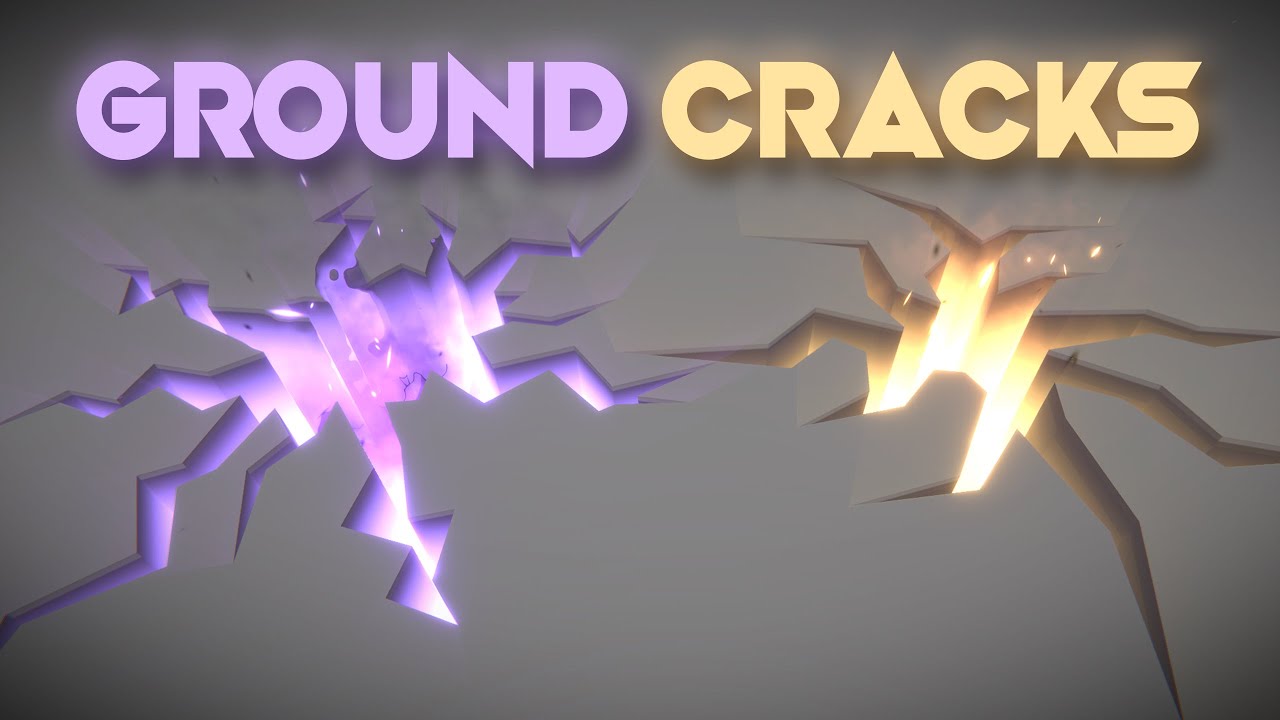
Let's open holes, cracks or fissures on the ground! This is an awesome technique that uses a custom configuration of the stencil buffer to render holes on top of other 3d objects. Love it!
RPG Builder: https://assetstore.unity.com/packages/templates/systems/rpg-builder-177657?aid=1100l3Jhu
RPG Builder YouTube: https://www.youtube.com/channel/UC...
@quasi fjord where do you want to enable/disable the collider? from script? from the animator? or where?
 crystal crest
heya, trying to make a bullet hole particle effect for a gun in VRChat. currently have everything working, except that I cannot get the particle for the bullet hole to be aligned with whatever mesh it hits. I can set it aligned to "World", and make it work for either the floor or wall, but not both.
any way to make that work without scripting? since custom scripts are not allowed for avatars
 runic egret
so, i have literally no idea how to go about this, but ive got a ball bouncing around, and i want it to light up whatever it hits
not like actual light, just a circular "light" to appear on the surface it collides with
it only interacts with flat walls, so its not dealing with complex geometry
 fluid lagoon
Which rendering pipeline?
runic egret
right now im just using the default, this is a small project, so, there arent any ripple effects if its easier to do in another one
so, my idea of what i want it to look like is a ripple of white leaving the point of contact
neon magnet
Anyone have any good videos on Shuriken I should watch later when I start to actually place in VFX? (this is for a 2D turn based RPG).
(or not even necessarily videos, just any type of documentation). It feels like when I looked it up it was kinda all over the place.
fluid lagoon
i think you might be better off describing what kind of effect you want to make
see if there are any tutorials that are similar
rather than just generic shuriken tutorial
neon magnet
Sorry about the late reply, I've asked before but it was about using the other unity engine for vfx


Something akin to these
(but moreso like the 1st since my game is 2D).
onyx lake
Does anybody know, if VFX Graph supports custom vertex streams like the normal Particle System? So I can pass some data to my shader?
 faint iris
Ello, does anyone know a good tutorial where it talks about a rubber shader (basically have a part of the mesh squished if it collides with something).
fallow swan
Hello !
I would like to pass a list of points to my vfx graph to spawn particles on. How can I encode that list of point on a Texture2D as an asset so I can reference it later ? I don't want to compute that list of point at runtime since it will cost performances for no reason if the list of points never change. Anyone already did that ?
I could use a Point Cache, but my list of point is a path, not a mesh
 willow prism
Do I need to do anything in particular to enable more properties of nodes in shader graph? The tutorial I'm watching has me plugging a vector3 into the normal input of a sample cubmap node but in my shader graph in unity 2020.2 there is no input field for normal.
 untold viper
What node in shader graph will make a color transparent? I have a black and white image and I just need the white transparent
quasi fjord
onyx lake
<@!198520885647245323> where do you want to enable/disable the collider? from sc...
I want to enable/disable it in the inspector by promoting a parameter. Right now I have a cheap fix which is an integer that assigns a new y-coordinates depending on if the value is set to 0 or 1. So if the integer is set to 0 the collider is set to the right place, if it is set to 1 the nthe collider is set to -100 on the y-axis.
Also is there a way to make particles stick to a surfacE? I wouldl ike to make some waterdroplets that stick to a surface before they fall on the ground
sinful light
Hey there, anyone worked with fluids in Visual Effects Graph?
 stable burrow
I'm gonna assume this is the place to ask about particle system issues - if I have a particle system with its Shape set to a skinned mesh renderer, why would it appear correctly in the editor (right side) but incorrectly in a build (left side)?
For some reason in the build it's just appearing at the base position of the character instead of around the mesh
sinful light
stable burrow
I'm gonna assume this is the place to ask about particle system issues - if I ha...
Is the editor in game mode or juts in scene view?
stable burrow
@sinful light game.
sinful light
Hm thats weird. Are you testing on the same platform as your editor runs on or any mobile?
stable burrow
Testing on PC, then running the build on the exact same PC
sinful light
Is there any script accessing it or something?
stable burrow
Even if I just have it running automatically on loop this happens
Although once it's functioning it's supposed to be controlled by an animator since it's only used for specific animations
I set it to always be active just to see if the animator was the issue but even then it's acting incorrectly
 warm edge
Hi everyone! I have a question regarding RenderTexture's. I see they have a "3D" option. But I'm not sure how to use a RenderTexture once you've set it to 3D? I can't apply it to any UI object or even use it as a material on another object. Is there any documentation on what a 3D RenderTexture even does?
For reference, this is what I'm talking about: https://gyazo.com/f57e6f9a9f3fa7924b18cd16dc25c635?token=185cfa2d624a7263b34916264c430de9

 lilac bison
has anyone had any luck getting Motion Blur to work with VFX particles in HDRP?
I'm using Output Particle Lit Mesh and I've got the generate motion vectors box ticked
 keen ferry
How do I make particles just go outwards like an explosion?
hearty flare
keen ferry
How do I make particles just go outwards like an explosion?
Change the shape to a sphere or a hemisphere
keen ferry
yup
I got most of it
How do I make it shrink at the end?
or how do I make the particles decrease in size at the end
keen ferry
I cant change the curve
hearty flare
?
keen ferry
It only gets bigger over lifetime
hearty flare
make sure the preview at the bottom of the inspector is expanded and edit it there
hearty flare
screenshot, I have no idea what you mean
 hearty flare
you should close that window as it's a popout and just use the one in the inspector
but it should appear properly if you just select the curve
sinful light
Is it possible to lead the particles a long a spline/path or whatever in visual effect graph?
sinful light
Okay, I got that, now is there an position array property of some kind? 😄
sinful light
Alrighty, figured that out too, thanks everyone 😉
stable burrow
Just in case anyone else runs into my issue with particles appearing at a mesh's pivot instead of around the mesh, the issue was the mesh must be Read/Write Enabled in the import settings.
The editor doesn't care, but in the build it does. Just thought I'd share the solution in case anyone else comes along with the same problem.
prime dome
I wanted to start with vfx and I've heard that there is something called Unity Vfx Graph. My question is if I would be able to export such vfx created with Unity for further use like in a movie or something?
fluid lagoon
Visual Effects made with VFXGraph will only run inside Unity
but you are free to record it as a video or whatever you want
 buoyant zealot
how can i use particle system in ui?
 shut snow
just put it at 0, 0 ,0 then dont move z and then you should be good, also have the sorting layer above other layers
dull obsidian
lilac bison
I'm using Output Particle Lit Mesh and I've got the `generate motion vectors` bo...
you also need to enable Motion blur effect on a Post processing volume. and good chance it only works with HDRP as VFX graph for URP is still pre-release
dull obsidian
lilac bison
has anyone had any luck getting Motion Blur to work with VFX particles in HDRP?
and yes i've used this with all of the parameters we've mentioned so far
 trim tulip
hey bros uhh is there a specific reason it won't let me change my material for the particlesystem from the default material
hearty flare
I literally answered your question
the renderer part of the particle system has a slot for a material
trim tulip
alright that worked thanks
sage sandal
Anyone know any tutorials (free if possible) teaching how to make fire/burning trails like this one in Path of Exile?
The key features I'm looking out for:
- Length according to distance moved
- Ground have burning effect
 steep jetty
i found a new particles system, 1.8 million particles in this photo
 stone merlin
Anyone know how to fix this warning message?
Particle System is trying to spawn on a mesh with zero surface area
 elder latch
Hi! Can anybody tell me what would be the best solution to update a VFX graph parameter as long as its playing? I would like to update a target position during the effect. I found vfx.aliveParticleCount but is it ok to read this every frame or is there any overhead to it?
sinful light
Anyone knows if you can emit vfx graph out of camera view?
fluid lagoon
elder latch
Hi! Can anybody tell me what would be the best solution to update a VFX graph pa...
Not sure what your comment about aliveParticleCount refers to.
elder latch
@fluid lagoon thx. Didnt know about property binders. They look really useful though it does not seem to support entities. But it looks like it would be possible to create custom binder for entities
fluid lagoon
elder latch
<@!179367739574583296> thx. Didnt know about property binders. They look really ...
Like ECS entities?
elder latch
yes
fluid lagoon
Ah yeah - very little supports those at the moment 😄
elder latch
yeah would be great if there was vfx graph support for ecs
but at leaset the property binders are scriptable so it should not be hard to come up with sth
 upper olive
Why is this ParticleSystem still emitting particles when my player stands still? It is supposes to leave a trail of dust particles but is constantly emitting. :/
royal tulip
Can a VFX graph register collisions by a raycast / Overlap Sphere? Since i want to "explode" some particles if inside an overlap sphere check?
https://streamable.com/1sye7x Example: Im wanting to rework this functionality, to work with VFX graph. Im going to use Point cloud / point cache to generate a VFX From a mesh

I just googled and VFX cant use the physics system for collisions?? God dammit
inner topaz
royal tulip
*I just googled and VFX cant use the physics system for collisions??* *God dammi...
you can do some limited collision against the frame depth buffer , its calculated on the GPU and the copllision stuff is all on the CPU
royal tulip
inner topaz
you can do some limited collision against the frame depth buffer , its calculat...
So.... what i want to do with the video above... isn't really possible?
inner topaz
in theory you could use the VFX graph to render the cubes but the pyshics you would need to do on the CPU so not sure if VFX graph is the right way to go for thits
fluid lagoon
Probably a normal particle system is better if you want the particles to collide with stuff
that's not a big number of particles anyway so it should be ok
 carmine rover
Hi, how do i make the new particles of my system appear under the older particles?
dull obsidian
elder latch
yeah would be great if there was vfx graph support for ecs
I hear you, this is on unity's vfx graph roadmap anyway, you can show your support for it and other features here: https://portal.productboard.com/unity/1-unity-graphics/c/128-dots-runtime
We will port most of the VFX C++ runtime to DOTS C#. This will allow VFX to be more easily integrated into the DOTS based code base, and will make the runtime less opaque and more open.
 winter bear
I have a problem where my VFX graph effect looks fine in the scene view, but once in gameplay the forward decal does not render where it should, I am in VR and I am not sure if that is effecting it, anyone have any ideas for a fix?
I am on a 2019 version of unity if that matters
 vast gust
royal tulip
*I just googled and VFX cant use the physics system for collisions??* *God dammi...
vast gust
royal tulip
*I just googled and VFX cant use the physics system for collisions??* *God dammi...
Unity is a componant based hierarchy engine, so if two componants dont play, you are hosed
There are lots of things where two componants dont talk so you hit a wall
Youd think using pure code you could circumvent it, but no: MonoBehaviour is strictly enforced
My best advise is learn what componants can do before diving into your use case
dull obsidian
@vast gust in general that's good advice. in this use case, what @inner topaz already recommended to @royal tulip about depth collision is the most straightforward / built in way for VFX graph particles to collide with visible objects. Only works with HDRP currently and it's not physics object per se, but anything that writes to the depth buffer. it has excellent performance and though it has leaks to anything non visible, VFX graph isn't meant for accuracy just fancy effects. If you need accurate and scriptable collisions with physics objects, use ParticleSystem fka Shuriken. And Unity or someone could write a VFX graph property binder to collide with physics objects, it would have many performance implications for complex convex hulls and marshalling all that data to the GPU. simple sphere, box, plane, terrain colliders wouldn't be so bad though. I suspect Unity will include something like this once VFX graph and the new physics system have matured.
@royal tulip Also in the meantime, aside from the Depth collision with VFX Graph + HDRP there are the MeshToSDF and SDFr components you can find pinned to this channel if need world space collision or attraction, etc of a mesh with VFX graph. Which has it's own performance implications and limits / bounds depending on if the mesh is static or skinned, etc.
royal tulip
@dull obsidian Can I Dm you at all?
vast gust
dull obsidian
<@173893388871925760> in general that's good advice. in this use case, what <@10...
I remember when I learned VFX and Physics didnt talk, I was heartbroken because I was so far in my use case
Just trying to spare the pain forward
(my use case was an indoor fire with smoke that went out the windows btw)
dull obsidian
@vast gust i hear you 🙏. i guess my point is, beyond depth collision with HDRP + VFX graph. world space collision is not impossible but baking SDFs beforehand or at runtime is not exactly intuitive and can take a lot of extra integration work currently.
@vast gust with this I've accomplished things similar to your use case... it was painful though 😂
vast gust
I attempted to give the particals a classical low-code "herding" logic like birds/fish, and have them follow a node as a herd of particals
It would have been the least computational approach to the problem of steering around obsticals
But alas I could not get it to work
If crowd simulation and partical effects ever marry up, you could do a ton with a little computation
You could make a heard of bees like in diablo 🤔 lots of ideas, but each partical has to know about its herd
The mind is cranking for no reason now lol
 versed stirrup
@vast gust program your own particle objects have you heard of boids, or your programming the particle are you using visual graphs?
vast gust
I have not heard of boids
I dabbled in programming VFX, then I steer back to using OOB and not really customizing
versed stirrup
Its a flock calculation for birds
versed stirrup
Im gunna make a 3d sidescroller and bounce particles and sparks around the 3d for fun
vast gust
Sounds grand!
versed stirrup
Thats what i should be doing i just wanted impressions on visual graph is it in is it ready?
vast gust
You can do a lot with VFX
Maybe you can do more with coding, but I found it too intimidating
But the OOB stuff is your typical transform-type behaviours
vast gust
If you struggle long enough, it can conform to what you need
versed stirrup
Ha lol
vast gust
I try to keep it to simple/common stuff
versed stirrup
I was worried about bugs
vast gust
Bugs? No, I havnt had bugs with FVX graph
versed stirrup
vast gust
Oh yeah, you can do that sort of effect
versed stirrup
I intend to do stuff like this
vast gust
It can certainly do eliptical orbiting
versed stirrup
Sweet thats what particles were missing i think
opaque knoll
In shuriken, my subemitter spawns in some random spot when velocity orbital is on?
opaque knoll
Is there a way for shuriken noise to always be within a range? So it doesnt "noise off" to some unlimited distance?
vast gust
🤔 I think you can create a box collider and then use the trigger Exit collider to Kill
Or a spherecollider
opaque knoll
I dont wanna kill tho
I want them to spin continuously with velocity orbital, which works fine
Then i add an up and down noise to make it like a scribble, but it's either the up down is too small, or too big but it drifts away
vast gust
That sounds realistic to me
Orbits dont scribble in real life
Because then things would fly off
 radiant ruin
Hi, could you help me with this?
why is VFX graph(bottom effect) look bad compared to the old particle system?
The above is using FixedDeltaTime.
both effects use the same graphs, same attributes and same sprite.
when using FixedDeltaTime false I get the following
still not ideal and even worse when in motion:
fluid lagoon
fixedDeltaTime is... fixed. You'll want to reposition your particles to interpolate them between different fixed frames
 unborn breach
Aren't there any particles count limit ? I mean there may be cases when you increase RateOverDistance and if those lifetimes are long and amount is limited...there may be cases when this kind of trail looks torn)
vast gust
Depending on the complexity of the partical, you can have millions
Before you notice performance degredation
fluid lagoon
radiant ruin
The second image is without fixed delta time
I'm not saying get rid of fixedDeltaTime - I'm saying you need to position your particles ahead and behind of where the fixedDeltaTime would dictate they go, to account for particles that are supposed to have spawned between fixedDeltaTimes. You can do this with randomness or particle id
 onyx pecan
Question for the VFX specialists here, if you were hired to come on to an existing project to make cool vfx and particles and whatnot, would you rather that project be default render pipeline or URP?
dull obsidian
@onyx pecan i'd rather it be HDRP
dull obsidian
@onyx pecan or URP if i had to choose between URP and BRP
shut snow
whats some tips on how to create some good looking stylized vfx
fluid lagoon
gritty quail
Hi how is this explosion effect?
Just looks like a basic particle effect with some smoky textures
gritty quail
Ok
 ebon wind
shut snow
whats some tips on how to create some good looking stylized vfx
ebon wind
shut snow
whats some tips on how to create some good looking stylized vfx
Personally, I'd grab one or more particle effect packages from the asset store and use them as a template. Here's a pretty good one...

Add depth to your next project with Cartoon FX Free from Jean Moreno (JMO). Find this & more VFX Particles on the Unity Asset Store.
 restive edge
I'm looking for help with re-creating the motorboat particle effects showing in this video. https://www.youtube.com/watch?v=2XpzPoMH6ww
...
To find out more what i do, visit the links below:
Facbook ► https://www.facebook.com/pg/arvismag
Twitter ► https://twitter.com/ArvisMag
WebPage ► http://www.aminteractive.eu
Instagram ► https://www.instagram.com/aminteractive.eu
UnityAssets ►http://u3d.as/574
ebon wind
@restive edge That looks fairly similar to the 'Spray' effect you can find in this free asset pack...

Add depth to your next project with Particle Collection SKJ 2016_Free samples from SKJ. Find this & more VFX Particles on the Unity Asset Store.
You might grab it and tweak the settings and see if you can get something you like.
restive edge
Okay, thanks. I'll check it out
So I downloaded it and it seems like it but it's a continuous spray. How you make it where it does a little when not moving then a lot while moving?
ebon wind
That's where it will get tricky. You will need to programmatically change the effect's properties based on the boat's speed. If you create an animation clip for the effect you can tweak the properties via the animation window. This will give you a good idea of what will need to be done programmatically.
ebon wind
I played around with the effect and, if you scale the "emission rate over time" property based on speed then it gives a pretty nice effect.
restive edge
I’ll try that
ebon wind
Here's what I came up with after some tweaks.
restive edge
What if you add two to the sides in the front and one in the back?
ebon wind
It looks like they had two effects in that video. One toward the front of the boat and one at the rear. (Fore and aft? I'm not a boat person.) I didn't play around with that though. I just put the effect in the center of the boat.
restive edge
I see. So you tweaked the emissions rate over time based on speed then added it to the boat?
ebon wind
Yep. The effect is a child of the boat. I tweaked some of the other settings like the shape (used a cone) colors and lifetimes.
restive edge
Any chance you can screenshot the particle settings?
restive edge
👍
radiant ruin
fluid lagoon
I'm not saying get rid of fixedDeltaTime - I'm saying you need to position your ...
Doing that hat is problematic, as it is noticeable when flying in circle, already tried that...
I wonder why does the old system not show this symptom.
fluid lagoon
radiant ruin
Doing that hat is problematic, as it is noticeable when flying in circle, alread...
You can compensate. See these two videos. In the first I am not compensating for the issue and there are "ring" shaped artifacts.. In the second, I have fixed it.
https://www.youtube.com/watch?v=u70bU10Vov4
https://www.youtube.com/watch?v=4_mJcnoqh8M
prime dome

Let's learn how to make a cool Snow Shader in Shader Graph!
Check out XMLLayout! https://bit.ly/2VZocbu
● The shader is inspired by this amazing video: https://youtu.be/Q43XBychCEY
● Mayan Temple pack: http://devassets.com/assets/mayan-temple/
····················································································
♥ Subscribe:...
can i use this on mobile?
ios / android
 stiff turtle
@prime dome if you uses URP yes
prime dome
i tried it but it doesn't look anywhere like his

his looks more snowy
at default settings
stiff turtle
Does your look more snowy inside unity ?
prime dome
it looks like that one
his looks more covered

these are mine ^
and here how it looks for him
:
 stiff turtle
Well that's not a IOS problem so. Sound like you just failed to recreate the shader. Try to make it the same inside unity, and then if it doesn't look the same inside IOS there will be a problem
prime dome
well im not even on mobile yet x)
yeah i'll try again
but maybe they changed something since 2019.1.2
stiff turtle
Maybe
Id suggest to double check everything from the video and the commentary
Ok, I have a question, i'd like to be able to draw stuff on my screen using the VFX graph particles.
I am able to actually draw using a gameobject with a particle trail with an infinite timer.
Do you guys have any references of a project / sources / videos / people that made something similar ?
I'd like to be able to like move my cube around and have it let a trail of particle that keep moving and respawning along the trail. 🙂
Looks like there is a strip sample effect there i'll dig it and see https://github.com/Unity-Technologies/VisualEffectGraph-Samples

GitHub
Visual Effect Graph - Samples Project. Contribute to Unity-Technologies/VisualEffectGraph-Samples development by creating an account on GitHub.
stiff turtle
Ya could add bloom to the post processing so the screen flash light when it shoot
 primal crater
Sometimes when I play my game the first instance of a particle effect is white squares, any reason that is?
gritty quail
stiff turtle
Ya could add bloom to the post processing so the screen flash light when it shoo...
ah
gritty quail
stiff turtle
Ya could add bloom to the post processing so the screen flash light when it shoo...
idk if it would be too distracting though
depends
royal tulip
Does anyone have any thing i can research for creating a point cache or similar VFX graph to display an objects current pose, Then expode? Including objects texture too
gritty quail
Hi can you guys please help me how would I make the effect of when the other vehicle gets shot better? Of when the bullet hits the other vehicle
sinful light
Does anyone know if its possible, to let particles fade out when the particle count is animated to 0? Somehow, as soon as it hits 0, it just kills all particles
gritty quail
probably in a script
 thorny pike
Is this the place to ask about VFX graph
fluid lagoon
yes
thorny pike
so two main questions
- how do I rotate a texture to match it's direction/velocity?
- how does size affect particle strips?
on 2, I cannot seem to get my particle strips to match size to their associated particles
 inner palm
guys , any idea why i cant use shader graph particle here ? i am convinced it was aviable,
like here
oki doki , ive figured that out , preferences
royal tulip
Does anyone have any thing i can research or help me out for creating a point cache or similar VFX graph to display an objects current pose, Then expode? Including objects texture too
thorny pike
royal tulip
Does anyone have any thing i can research or help me out for creating a point ca...
https://youtu.be/j1R1Uelroco
https://youtu.be/j1R1Uelroco
https://github.com/keijiro/VfxGraphTestbed

Basucally you can make any mesh or texture into a 3d / 2d map that can be used in VFX graph using the Point Cache bake tool. and that tutorial will show you how to use the point cache bake tool too make any mesh into a point cache map.
Don't forget to like and subscribe
Music: by TheFatRat
Oblivion stems
GitHub
My testbed for Unity VFX Graph. Contribute to keijiro/VfxGraphTestbed development by creating an account on GitHub.
For particle strips, I'd like to use "Repeat per segment" but this squashes the texture and breaks the visual continuity of the strip. If I want the strip textures to repeat and overlap what should I choose? I assume custom with setting TexCoord is an option but is pretty daunting
Edit: for reference I am mimicking the brush behavior in any 2d art/photo editor like photoshop. Repeating the texture per segment with minimal to no spacing to create the perception of a stroke
radiant ruin
fluid lagoon
You can compensate. See these two videos. In the first I am not compensating for...
Yeah, I have managed to make it look whole when using a particle spray, but not when using the big blobs of light.
Still... doesn't change the fact that the shuriken system does a way better job at this.
even then... when moving, the effect breaks in VFX graph.
radiant ruin
radiant ruin
The top effect is only 1000 particles, The bottom VFX graph is 3000+
thorny pike
I see multiple examples for using a shader for textureless strips, but what about textured strips?
Can you control the spacing for the "Repeat per Segment" option in Output ParticleStrip Quad?
prime dome
Hey, im going crazy trying to solve this for a few days now:
i have a sword slash mesh which i want to spawn using a particle system. My problem is that: i cant get the slash to increase its size from left to right. Ive tried size over lifetime but since the slash mesh is a curve i cant get it to appear from left to right in a curve motion, instead this happens (same effects using separate axes) : https://gyazo.com/0e8a0b853336783f8b58d19a572605a7
i also tried using a dissolve shader onto the mesh so the mesh is completely there but the material renders from left to right making it look like it spawns from left to right but i cant seem to get that done either
this is really stressing me out since ive been doing research on this for days now and nothing seems to work for me...
PLEASE!!! can someone help me out with this or give me an idea on how to do this? any help appreciated





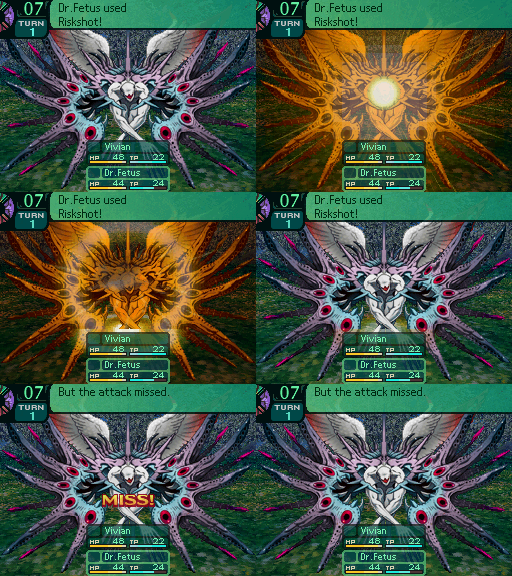


 prime dome
what do you want exactly?
i want the curve to appear from left to right
that isn't going to happen by increasing it's scale
yeah i realised
why dont you use a trail?
im not a vfx expert but a dissolve shader might work too
i thought about trails but wanted to look for a diff solution here
i will give it a shot then
tyvm
you're welcome
i actually came here to ask if there was any way I could animate an exposed parameter of a VFX graph
because currently I enable the keyframe recording mode and if I change shit from a exposed property in my visual effect component it doesn't record it
really hope someone can help you out with this unfortunately... i cant : (
np
fluid lagoon
prime dome
i actually came here to ask if there was any way I could animate an exposed para...
You should be able to do it with a property binder:
https://docs.unity3d.com/Packages/com.unity.visualeffectgraph@7.1/manual/PropertyBinders.html
fluid lagoon
It does seem like that from that documentation page but i'm 95% certain I've use a propertybinder on a color before
prime dome
well it's a gradient
i can theoretically programr a gradient binder
but idk how
ill look into it
 tranquil fiber
any of you have an idea how to keep the same pixel ration regardless of resolution? i mean: the visual effect graph is perfect for 320x180 resolution but got too smooth for 1920x1080 and not all "pixel art feel"
here the gif i made:
 ebon wind
@tranquil fiber I'm guess the problem is the filter mode on your sprites.

So you’ve just started your first pixel art game, retro style 8 or 16bit project, or maybe even 3d game with low-res pixel textures. You import the artwork into unity and... "Wait a second, all my beautiful pixel art looks blurry! Where are those nice big chunky pixels I had in my source artwork?"
Well, this is an easy fix and you can even fix ...
tranquil fiber
the filter mode is already fixed since long ago, what i noticed is this:
this is correct for 320x180 resolution

now THIS is not normal:

when i use 1920x1080 resolution
so, my question is: how can i keep visual effect graph keep in the SAME ration-pixel than 320x180, it has nothing to do with blurriness
mismatched pixel art ration is bad for my game honestly
ebon wind
I see what you're saying now. I don't know how to fix that.
tranquil fiber
solution: texture renderer: https://youtu.be/6Pg0kDw1aqc

Learn how to make a pixelated effect in Unity, no shaders required!
Github Repository: https://github.com/Madalaski/PixelatedBasicTutorial
My itch.io page: https://madalaski.itch.io/
Brackeys video on outlines: https://www.youtube.com/watch?v=MqpyXhBIRSw
Find Jammo on Mix and Jam's channel: https://www.youtube.com/channel/UCLyVUwlB_Hahir_VsK...
tranquil fiber
fixed!
tranquil fiber
here a better video that explain how to do
Learn how to create a low-res retro game effect by pixelating the output of your main camera. This tutorial is appropriate for beginners and requires no code. Instead we'll use a render texture and a UI raw image to display the lower resolution output. This technique is appropriate for folks who want to make playstation one or psx looking games,...
 unborn geyser
Hey, for the URP lit particle shader, does anyone here know of a good solution for converting normal maps generated in world space to tangent space normal maps?
 zinc pilot
I'm trying to change a particle modifier at runtime, but it always seems to give me an error saying that the module is not a variable, and therefor cannot be edited. I've even line for line copied the way the official particle system modules FAQ says to do it. Is this sort of thing just easier to do in VFX graph? I've never tried VFX graph but if this is the case then maybe I'll switch over.
the problem was that I was trying to modify a float that was part of a MinMaxCurve. But still am curious about how vfx graph does with runtime updates.
fluid lagoon
zinc pilot
I'm trying to change a particle modifier at runtime, but it always seems to give...
You need to copy the structs out, make your changes to the copy, and copy it back in.
Sorta like how you can't change transform.position.x directly
You need to do
Vector3 pos = transform.position;
pos.x = 7;
transform.position = pos;
Similar thing for the particle system modules