#✨┃vfx-and-particles
1 messages · Page 27 of 1
 dry willow
what happened
i added the asset to my graphics settings 😳
uhhhm
it's not supposed to be that pink 😂 @slate sable
 slate sable
I'm not on my PC right now. There is a button to upgrade all shaders to the new pipeline
dry willow
cool, thanks, i'll give that a shot nwo
now*
This?
@slate sable ?
well i selected that option
doesn't seem to have fixed everything
defo has changed some of the objects though
slate sable
Try to make new materials for them? 
dry willow
@slate sable it won't let me 
tying to drag the white material onto it and it won't let me
i can't change it in the inspector either
it works for other objects
just not the "ground"
slate sable
That's weird 
dry willow
@slate sable something to note is that the objects that have now converted still don't look quite right in comparison to the original
 hearty flare
Just change your remaining materials to URP shaders manually
hearty flare
No. On the materials themselves
dry willow
I didn't assign a material to the ground in the original
that's probably why it has this error
it was just the default white that unity assigns
but it won't let me assign a material to it now
for whatever reason
i can assign materials to the other objects, just not the ground
hearty flare
I see no reason you can't assign a material to an instance
dry willow
Me neither
but as you can see in the vid above it won't let me
Same with the inspector
although i don't usually assign mats with the inspector, maybe i'm trying to do it the wrong way?
@hearty flare
dry willow
hmm that seems to work but brought other issues into play
🙂
as i move forward the floor slowly fades away lol
@hearty flare
With my limited knowledge of unity i'd guess this is something to do with my lightmaps and that i have fog enabled?
hearty flare
I imagine that has something to do with specularity and normals, but it's not really #✨┃vfx-and-particles related, and I can't help with you with it
hearty flare
#💻┃unity-talk's fine
dry willow
cheers
 prime dome
How would you guys tackle something like waterdrops going down a body after emerging from water? I don't want it to be bodyshader cause the drops should fall of the hands at the end. I got the MeshToSDF working already but not sure where to go from here.
conform to sdf just makes the particles jiggle near the surface.. I tried colliding them with the SDF but if you put bounce to 0 they disappear and if you have bounce up and lots of friction they slow down alot but never adhere to the surface.
bounce to 0 i meant the collisions disappear they just go through but seems like the wrong solution either way. Not really possible convincingly wih the visual effects graph yet?
 dull obsidian
@prime dome not technically impossible but it would certainly help if there was a custom function node or a custom node API like shadergraph already has.
@prime dome in the meantime you might be able to get somewhere by defining some custom attributes (friction, adhesion, etc) and instead of using Conform To SDF, sample the SDF texture with the texture sample node and use the other available built-in nodes, math operator nodes, etc. to define the custom behaviour that the Conform to SDF node doesn't have built-in. And then maybe save that as a subgraph.
slate sable
@prime dome I managed to get this kind of effect
And this one with one SDF collider and one slightly bigger inverted one
They both spawn at point cache
And I set their velocity to go down
Also. This is pretty trippy
 opaque knoll
Just to make sure. Vfx is like shaders, right? So conditionals like if, branch, etc should be avoided
Is this relevant?
http://theorangeduck.com/page/avoiding-shader-conditionals
Computer Science, Machine Learning, Programming, Art, Mathematics, Philosophy, and Short Fiction
dull obsidian
@opaque knoll Visual Effect Graph uses GPU compute shaders / kernels / HLSL for a lot of things, CPU / C# for others depending
@opaque knoll and to your question about conditionals, it's not that simple... and there's a lot of outdated info floating around like this (2013) when it was more true as GPU architecture and toolchains were less advanced... but even then sweeping generalisations like "never do this" without fully breaking down why / when / how aren't very insightful.
It's still something to be careful about but it's not so easy to find info about determining when a conditional will significantly affect performance, and when it will not matter.
So, that article, is not irrelevant, there are cases where it can help you optimise... but it is less relevant than it used to be.
dull obsidian
@opaque knoll I went into this in some more detail on a different discord and dumped it into a gist if you are interested:
https://gist.github.com/landonth/85d8bd8d362f08dee8bc65b0b30aef73

Gist
GitHub Gist: instantly share code, notes, and snippets.
prime dome
And this one with one SDF collider and one slightly bigger inverted one
@slate sable Thx but it doesn't really work as well for an animated character. My SDF is updated every frame. Is there something like a spawn at SDF node since using spawn at pointcache would be useless? Right now I'm just showering the character in particles and only show the slow particles since with friction they're slower on the surface but then I can't set their velocity because then it shows all the particles from the start already.
@prime dome in the meantime you might be able to get somewhere by defining some custom attributes (friction, adhesion, etc) and instead of using Conform To SDF, sample the SDF texture with the texture sample node and use the other available built-in nodes, math operator nodes, etc. to define the custom behaviour that the Conform to SDF node doesn't have built-in. And then maybe save that as a subgraph.
@dull obsidian Hm. It seems all i need is if(particle distance to sdf surface < 0.05) Color.White else Color.Transp
But without api access I have no idea how to do this.
prime dome
I'm stupid. Just realized I can just set one starting point over the head and feed that position in via script so it's always above the head and then color over lifetime so I show the particles when they're a bit more spread.
slate sable
@prime dome You could just place an empty object on the head and use the transform property binder.
 wise cedar
With the VFX graph is there a way to not loop?
wise cedar
I do not understand this curve for the flipbook at all either..
curve over lifetime, and if I edit the curve it just slows the animation down a ton no matter what curve I use.
wise cedar
Okay I figured out the curve has to be based on time and the number of frames you have in the animation. It still seems wrong to me though
wise cedar
Curve goes from 0-25 for frames and 0-1 for time. Total lifetime of the particle is 1 second. Yet when I play the particle effect I see the animation once and then a second time half way..
Interesting in the code for FlipbookPlay it looks like:
public AnimationCurve FrameRate = new AnimationCurve(new Keyframe[] { new Keyframe(0.0f, 25.0f), new Keyframe(1.0f, 2.0f) });
I would expect 0-1 for the 2nd keyframe
not 1.0 to 2.0
slate sable
Huh. That's actually weird
wise cedar

GitHub
Scriptable Render Pipeline. Contribute to Unity-Technologies/ScriptableRenderPipeline development by creating an account on GitHub.
That piece of code hasn't been touched for 17 months. lol
wise cedar
Yeah I was about to try taht
That works as expected! Thank you! 🙂
Wait I'm not sure how..
my curve is 0-1 for frames
yet it works..
slate sable
I got my curve from 0-16
wise cedar
I'm just going to remap the 0-1 value to what I expect
that way the curve is pretty still
slate sable
You could just multiply it by the count of frames if it's only 0-1
Remap sounds like overkill 😄
hearty flare
didn't it turn out you didn't have a URP asset in your graphics settings?
Or is it still like that with it assigned
I see you have solved this question elsewhere, which is why you shouldn't cross-post.
wise cedar
What's the way one is suppose to detect when VisualEffect has stopped?
I see VFXSpawnerCallbacks, but it has to be on a scriptable object?
 nimble geode
this look okay?
 cobalt scarab
@hidden torrent Not an advertisement board.
 hidden torrent
Hmm I wasnt advertising, I was asking if someone could help and I could pay them but okay my bad.
opaque knoll
My power consumption is very heavy. Using hdrp vfx.
Yes my laptop's battery is a bit damaged, but, 5 minutes from 100% to 10, when it's 1+hour playing dota, 2 hours working on non vfx project?
How do i check powe consumption, actually?
 weary basalt
Hi,
I need my explosion particle to be X and y axis ,constrain z axis...any idea or tips will be greatful friends..
prime dome
@weary basalt How are you moving your explosion particle? In unity, particles usually move due to "Particle velocity over time" setting in the particle generator script. Remove all the movement in there in the Z axis.
opaque knoll
How to do... curly braces { } assignment in graph?
In code:
if(A == B)
{
  A = SomeValue();
  B = 5;
}
When i set A, the conditional is evaluated again? So i can never assign to B if i also wanna only do that in that condition
Or, anyone got tips to make each particle change direction every x unit? I'm using SetDirection and OldPosition
 lilac bison
is there a way to read the buffers from a VFX graph particle system? like if you wanted to use it with your own compute shader? for instance, maybe feed it into a marching cubes?
How to do... curly braces
{ }assignment in graph?
In code:if(A == B) { A = SomeValue(); B = 5; }When i set A, the conditional is evaluated again? So i can never assign to B if i also wanna only do that in that condition
Or, anyone got tips to make each particle change direction every x unit? I'm using SetDirection and OldPosition
@opaque knoll take a look at using a combination of the Compare node with the Branch node. feed the result of Compare into Branch and then Branch will have two inlets you feed the results into
since in your example, you're setting two things, you'd want to feed the result of the Compare to two separate Branch nodes
prime dome
Perhaps someone can help me with this... Idk why I'm facing this issue, but anytime I toggle the Local to World my particles simply just disappear.
I've tried doing the SetPosition stuff I find online and that doesn't work. If I toggle to world on (any) of the nodes they simply just go away.
I could have sworn in the past I'd just toggle all the nodes that come in VFX Graph and it would simply just work. But for some reason it's lost in my head how I made it work before.
Nvm I got it. I added a Position (AABox) and it worked
lilac bison
sorry but i cannot seem to figure out how to get an Initialize Particle Strip block
can anyone remind me? i feel like some inspector had a dropdown that let you choose it for the graph, but I can't find it anywhere now
slate sable
i think it was "datatype" in the initialize block
 timid imp
Who knows about Ultimate VFX?
 tacit wharf
Hi, sorry in advance, I'm very new to all this... I use the vfx graph to create a static particle system onto a point cached photoscanned mesh. Let's say I would like to apply a force on my particles but only inside a spherical field parented to my camera. Any idea of where I should start ? THX a lot !
lilac bison
you can pass the position of the spherical field in through a VFX Property Binder
and then perform a distance check in the update
using the distance node
tacit wharf
you can pass the position of the spherical field in through a VFX Property Binder
@lilac bison thanks a lot ! very much appreciated
 verbal pumice
Hi! I'm getting started using VFX Graph, but for some weird reason (probably my old computer) it crashes Unity. I tried it on another machine, but it (being a kinda old laptop - Dell Latitude) doesn't support Compute Shaders. VFX is crashing Unity sometimes when I click the asset or try to drag it into the scene, but as long as I have it playing, Unity is guaranteed to crash, given enough time.
Oh, also, it crashes when compiling. It doesn't matter VFX version nor RP version. Google has nothing about this issue. Probably no one uses a Core 2 Duo on an P5W-DH Deluxe nowadays, with only 6GB RAM. I have a GTX 1050 Ti GPU, so I know that's not the issue. I'm running Windows 10 1903 latest version. Any ideas?
Thanks in advance, all help I can get is much appreciated.
lilac bison
I wonder if in the future, Unity plans to support particle-particle interaction in VFX graph
 vale mirage
hello, would it be possible in some way to make the vfx graph write to textures besides just sampling from them?
 pearl galleon
@vale mirage VFX Graph does not currently support writing data of any sort from the graph system (afaik.)
@vale mirage What are you trying to do? You probably can find some workaround unless it's something like a simulation or registering where many particles hit on ground etc.
vale mirage
I'm in the works of a brush system for terrain similar to what Unity's terrain tools do, however, there's significant overhead on the CPU to sync data on the GPU. I intend to make the brushes as part of gameplay and consider up to 20 of them be active at any one time. Currently there's roughly ~0.5ms per brush, so x20 would be ~10ms. I've considered baking much of the data into textures since a lot of the data are just AnimationCurves. The VFX graph has curves by default which is why it'd be very comfortable to migrate to it, though most likely i'll need to make some custom tools to handle all of this.
 final spindle
i kinda need help with vfx performance lag , any help? i already tried pooling but..still didt work well
tacit wharf
Hi everyone
I'm looking for some advices on where to start and how complicated it would be to produce an effect kinda similar to this (sort of decay of the particules when the camera approaches) => link below
Moreover do you think there is a way to make this effect not permanently but only when the force field hover the area ?
Any hint would be very much appreciated, even regarding the shading part (but I'm not there yet) !
Thanks
https://youtu.be/NdCVW1Ky0Js?t=23

Forgotten memories, dissolving realities.
The two men were discussing over large bags of clothes. The quality of the fabric was quite good, he said, but there was still some haggling to be done.
Photogrammetry point cloud captured in Hanoi, Vietnam running with a custom shade...
 spare shadow
I have a particle system on a parent object, is there a way to get the particle to have a trail when the parent object moves it?
I can't quite figure it out from the trails option in the particle system
 native fulcrum
Hello.
I have fruits in my game that are cut by the saw, so I need to add some visual effects to it, something like liquid explosion of juice. I just don't know how to search for that effect :D
Help please :)
prime dome
Hey, new to VFX, how would I roughly go about setting up something like the explosion effects in the following music video around ~40s:
https://www.youtube.com/watch?v=asDlYjJqzWE
Pretty experienced with Unity so my starting point will probably be some kind of GameObject with a point-light and a rigid body attached to it, then use a VFX system in order to create a smoke trail with a few properties that give me those nice balloony smoke puffs?

Playlist Best of Offspring: https://goo.gl/cwFfP6
Subscribe for more: https://goo.gl/JaSm1N
Music video by The Offspring performing Dividing By Zero/Slim Pickens Does The Right Thing And Rides The Bomb To Hell. (C) 2012 Round Hill Records Manufactured and distributed by Unive...
 sly thicket
@prime dome I would start by getting familiar with the VFX graph first and learn what all it is capable of. Brackeys vfx tutorials were really informative. https://www.youtube.com/watch?v=iCEHarLRCzI and https://www.youtube.com/watch?v=R6D1b7zZHHA&t=1s are a good starting point plus they will lead you in the right direction for the explosion you are talking about.

Let's get this year started with some awesome fireworks in Unity!
Explore your creativity and get 2 free months of Premium Membership: https://skl.sh/brackeys18
● Post Processing: https://youtu.be/a0OQvWAPeuo
● This effect was inspired by: https://youtu.be/rBU7XNxQs84
·····...

Let's learn how to make realistic fire and smoke with VFX Graph!
This video is sponsored by Unity.
● Previous VFX Tutorial: https://bit.ly/2Tbh5Hw
● Download Textures: https://ole.unity.com/smoketextures
♥ Support Brackeys on Patreon: http://patreon.com/brackeys/
·········...
 latent ledge
Hey so I have a game that is based on a tile/grid system and design. I want a trail to follow the player with a square shape but the corners always get distorted when I change direction as shown below:
Is there any suggestions for how I can achieve the straight rectangle effect im going for? ty
 junior tulip
Hey, finally able to start working with VS graph, I'm trying out simple things I did with shuriken before as starters. In shuriken values followed through different graphs if I remember correctly, i.e. you set size => graph multiplied etc, now it doesn't seem like this, is this correct?
Would this be the simplest way of wanting: Having a start size per particle, animating the size with percentage by curve?
 clear flame
On particle effects, using a custom vertex stream. What does the "zw|x" notation mean?
 bronze wraith
Is there a way to have particles stay where they collide with the VFX graph?
I'm using the depth collider to have collision for the whole scene but as soon as the particles collide they start moving the the central part of the camera view
 high fiber
hey, is there a way to get emitter position into the material (using shuriken)
transforming 0,0,0 using object to world does not seem to work for particles.
high fiber
@clear flame Velcoty is a vector 3, so it's using zw of texcoord0 and x of texcoord1
you can see that Center is using yzw because x is already in use.
clear flame
@high fiber Gotcha, thanks!
 viral zinc
Is it possible to inherit the current lifetime of a source particle, not it's original lifetime?
 pseudo fossil
Is that possible to create this kind of character with face animation? What is the best way to create this one?
bronze wraith
@pseudo fossil I think this is made from flipbook textures
 wary hemlock
https://gyazo.com/4d2d123f2860232493a4d8d645517420 Trying to make a black hole shader - looks good but I don't know how to remove the shiny sphere outside, kinda ruins the effect

any ideas?
Changing albedo to complete black + smoothness to 0 + occlusion to 0 helped a lot but didn't remove it completely
Also, the effect shows up in front of objects too, is there any way to fix that? (Possibly the scene depth node?)
 red violet
@wary hemlock the shader type must be unlit, so it doesnt get any type of light
btw it is looking good
pseudo fossil
@pseudo fossil I think this is made from flipbook textures
@bronze wraith thank you , mate!
 young mason
Hey! Probably a dumb question, but I have a particle effect going (old, not vfx graph), but the color range it uses is much smaller than 0-255. What is this?
hearty flare
What's the screenshot showing?
young mason
The gradient vs the picked color in the box below
hearty flare
It looks tinted probably because you're in play mode and have the overlay tint
kinda annoying the gradient would do that
might be worth reporting a bug in that regard
(if that truly is the issue)
young mason
I feel like it's not a bug, but some system or material thing that can only use that range
But it doesn't tell me anything, it just clamps it
hearty flare
So... was it not just the playmode tint?
young mason
Oh yeah, actually!
Thanks! I actually have another issue, in that case, which is that my fire particles are actually clamped in intensity as well. I thought it was connected to the clamped gradient, but it seems not. I'll experiment with it before making a question about it though.
 covert flare
Hey guys, got a bit of a doubt. Imagine you were to spawn 100 particles over 10 seconds, and each particle on spawn should move to point A to point B following a pretedermined path. Is there any resource/article about achieving something like this?
slate sable
You mean like a bezier path?
covert flare
yep
slate sable
I found this thing. Haven't tried it yet.
slate sable
yep
I can try to make it work and then let you know how it went if you don't have any experience with VFX graph. 😄
covert flare
Indeed I haven't tried it before 😄 been stuck on really old unity version. But since I'm doing a personal project now I have all the options finally
definitely interested in giving it a go, but if you figure it out I'd love to hear it
wary hemlock
https://gyazo.com/7f9e4697e736063756188817c5bf668b
So I'm trying to make a black hole with a containment field around it, I think it looks kinda good but is there any way for the particles to be distorted as well or no?
Also, objects in front of the blackhole are affected by the shader too
slate sable
I guess you could make another shader for the particles that distorts them? I haven't used shader graph that much so I'm not sure exactly how. You could also look at the inspector of Quad Output. There are some options that could do something. Idk xD
 inner topaz
@weak wraith is a lod group a option? it could only enable the particles for a specific spcreen usage.
 inner bone
Hi, I can't get it, when using VEG with custom Shader Graph, how can i access particle color?
It is not written into vertex color
Also checked UV2,3,4 they are all black
So, is there any kind of vertex stream from Visual Effects Graph to Shader Graph?
Because, what's the point of using custom Shader Graph inside it?
 remote barn
Hi, I have never done VFX before and was wondering if anyone here knows a good source to learn from. Also, it would be great if someone would be up to answer some beginner questions. I have been trying to google about it for about 2 days but didn't really make any progress at all.
 elfin pilot
@inner bone VFX Graph does not use vertex stream to pass data to shader graph. Those are left untouched so you can store whatever you want in your geometry. To pass data from VFX Graph to shader graph, just expose some properties in your shader graph and they will appear as ports in VFX Graph output. You can then link whatever you want from VFX Graph to the shader graph.
 bleak dragon
Hi, I have never done VFX before and was wondering if anyone here knows a good source to learn from. Also, it would be great if someone would be up to answer some beginner questions. I have been trying to google about it for about 2 days but didn't really make any progress at all.
@remote barn I'm quite new to the subjet too, let me guide you here 😉 https://realtimevfx.com/
 inner bone
@elfin pilot Thx for the answer, it worked. By the way, is Vertex Offset support planned for these Shader Graph VFX shaders?
 civic flame
Is there a good tutorial for creating particles?
 silver marten
I have two particle systems, one parent, one child. the child is a sub emitter of the parent, set to rate over distance. My issue: when i move the transform of the parent system, the child doesn't emit anything. IF the parent system is set to a velocity + shape, then yes the child system does emit. However, I am trying to move my parent particle system along a generated path with code, so i cannot rely on velocity params here as far as i can tell... any advice/help?
 hollow scarab
Does anybody know if it's possible to replicate the resimulate editor behavior of a particle system at runtime in a performant way? Specifically, I'm trying to make an effect that links two moving objects with a wavering line of particles, and relying on the Shape scaling mode to adjust the length of the line without distorting the appearance of the particles. This works great in the editor when resimulate is checked, but at runtime there's a very obvious lag as the distance between the targets change, since only particles spawned after the scale change obey the new scale. I've tried using Simulate() to approximate this, by manually recalculating simulation every frame, but this is really performance intensive and gets massively worse as the system runs since it has to resimulate from the first frame every time. I only need to have about 4-5 of these on screen for no more than a few seconds at a time, does anybody have any thoughts on this? Is there some way to only recalculate simulation for currently alive particles once the emitter shape changes? I'm guessing that would be a much less performance intensive action if it's at all possible.
 covert patrol
What kind of effect are you working on?
Do you have anything you can share?
vid, pic
 gray badge
Hi. Is it possible to use two reflection probes at a time and blend these into each other? I would like to use two realtime refreshed Reflection Probes directly on my Player. First probe should only cull the Terrain, from 0,1-200m distance. The second one should only cull Trees and stuff from 10m-50m distance. But i can only see one of this probes at time, never both images merged... any ideas?
junior tulip
Anyone know how I could calculate the position to set to a particle spawned from spawn over distance to get the correct position if they should be equally spread?
civic flame
How can I create particles? Like with shapes and stuff?
bronze wraith
Does anyone know if you can confine particles to a volume (their position block volume) so they won't go outside of it and if they reach the edge they just bounce back towards the volume?
opaque knoll
vfx.aliveParticleCount seems to be 0 if it's particleStrips..
dull obsidian
@bronze wraith
or "Collide with Sphere" or the other primitives available, or
if the volume is a complex shape
bronze wraith
Ah thanks. I wasnt using any SDF just a cone position block
dull obsidian
just make sure you set Mode to Inverted, so the collider is internal, not external
dull obsidian
you don't need SDF if the volume is just a box, just use Collide with AABox (Axis Aligned)
bronze wraith
Is there a way to have particles stay where they collide with the VFX graph?
I'm using the depth collider to have collision for the whole scene but as soon as the particles collide they start moving to the central point of the camera view
dull obsidian
you want the particles to stick to the collider surface and not bounce?
bronze wraith
yes
dull obsidian
I don't know what you mean, maybe post a video of what's happening
bronze wraith
i set it to not have any bounce but they slide after colliding
Slide to the central view point of the camera
dull obsidian
is the camera moving, also?
bronze wraith
no, its static
bronze wraith
Alright, I'll try that. Not able to access to projects right now so I'll be trying it later.
Thanks for the help
dull obsidian
velocity -= Friction * tangentVelocity;
that's the line of code VFX graph generates for "Collide with" blocks in regards to friction, for what it's worth
@opaque knoll internally, the particle alive attribute VFXAttribute.Alive is distinct from the strip alive attribute VFXAttribute.StripAlive. So, presumably some work will need to be done on how the data in the new structure is exposed to the C# class for strips and the particles within each strip. I would go ahead and report it as a bug anyway, good find.
 noble gust
Hey, does anyone have a workflow they like for importing lots of particle sets from meshes into a scene and rendering them through the VFX graph? I'd love to use the pCache bake tool but it doesn't look like it's possible to expose the point cache in the graph, so I'd have to make a new VFX asset for every set. The other option I'm aware of is manually generating the PLYs and linking the attribute and color maps, but my workflow for that is a little more time-consuming than I'd like. Tips appreciated.
prime dome
I have a little query regarding the VFX package:
The documentation states that the package requires the HD render pipeline.
However, there is no such dependency apparent in the manifest for the package.
It does depend on the ShaderGraph package, which in turn depends on the CoreRP package.
I have a simple project set up with only these packages and my VFX system seems to run fine, which would indicate that it is rendered using the default pipeline.
Am I out of whack or does this seem to indicate that there is no actual dependency on an implementation of SRP?
 wary jungle
is it legal to ask questions here about Area Lights?
 plush sonnet
@wary jungle why not in #archived-lighting ?
wary jungle
im trying to do something for realtime vfx, so I assume more open experimentation here
wary jungle
nm figured it out!
 bronze wedge
hi guys. What is the recommended way of sampling skinned mesh in vfx? is there something new about it in 2019.3? I remember that there was something planned that wouldn't require creating sdf at runtime
opaque knoll
I cant seem to do GetCustomAttribute: source in a gpu event particle...
opaque knoll
Only if i do InheritAbc from block that it works
What's the use of GetAttribute: source then, in a gpu event spawned system?
noble gust
@bronze wedge I've only seen https://github.com/keijiro/Smrvfx

GitHub
An example that shows how to pass data from a skinned mesh renderer to a visual effect graph. - keijiro/Smrvfx
bronze wedge
@bronze wedge I've only seen https://github.com/keijiro/Smrvfx
@noble gust thanks, but I've seen some rumors about it integrated into vfx graph itself
GitHub
An example that shows how to pass data from a skinned mesh renderer to a visual effect graph. - keijiro/Smrvfx

Unity Forum
Hi,
I'm playing around with the VFX graph samples, and while the point cache approach is really nice for static meshes, I can't find a way to spawn...
noble gust
@bronze wedge Ah, that's exciting. I hope it happens.
They built a Bentley but forgot the door handles.
wary jungle
wasted a whole day on something like it
area light does exactly whats needed...but an emission object doesn't. So you have to combine the two somehow? But how to pass the texture colors to the area light
i think i glitched it at somepoint and it was working with a Cookie material..but then it went back to not working
 earnest osprey
Hello everyone, I made a vertex shader I wanted to share
Let me know what do you thik
*think
opaque knoll
What's the equivalent of Mathf.Repeat in graph?
I dont wanna use PeriodicTotalTime bcoz it's not time related..
hearty flare
if there's a Modulo, that'd do it
opaque knoll
I found Fraction, in hope that its a bit faster than modulo
hearty flare
that would only return the fractional part (ie. Mathf.Repeat of 1) if I'm thinking correctly
so it's not quite what you asked for, but yeah
opaque knoll
The fractional.part will repeat, so i can use it
tacit wharf
Hello, I have a static point cloud and I'd like to apply a small force within a certain range of my camera. I already have my distance test for the camera but I'd like the force to be applied only on camera hover, meaning that particles would go back to their place when they are not in the range. Any hint to make something like that ?
opaque knoll
Hi, i'm trying to make a spiky ball. How would i make each of the spikes?
- GPU Event spawn? There's no "Spawn on Birth", but this can be worked around. Then each child particle don't know the parent's ongoing position
- Each spike is 1 Output? I want the number of spikes to be variable, doing 1 Output = 1 spike is like hardcoding..
- Cant use PropertyBinder bcoz there'll be many balls.. they're the particles after all, generated on random position on the fly
Ok i'll be honest. I'm trying to make some coronavirus =P
opaque knoll
I was really hoping my plan #1 would work. InheritSourcePosition can be placed in Update and it'll "remember" the reference of the parent particle that spawned it
dull obsidian
@opaque knoll you need the spikes to animate?
if not, just output the entire pre modeled mesh of the ball and spikes together, one mesh per particle
opaque knoll
Yeah they'll animate, and even might emit more from each
opaque knoll
Thats cool. Can u post what it looks like from the camera too?
opaque knoll
Hmm. For my case. Maybe ill need to consider the position map approach, gets updated randomly in cpu, and every system (the ball, spike, etc) have central reference for their position..
Thats kinda unfortunate bcoz i wanna determine each their pos/movement/angular velocity randomly in graph..
But seems theres no other way to do this "particle parenting" thing..
Oh wait, i can make all systems sample perlin / random noise with same seed too then. Hmm, maybe this is the best it can get
junior tulip
double sided for vfx graph, anyone knows how?
tacit wharf
@slate sable omg ! Thank you so much Doc ! I wish I could grasp the math logic behind all that...
Now is that easy to had a some force or turbulence within that kind of collider?
 remote zealot
junior tulip
remote zealot
junior tulip
remove the gizmos, but seems to be ok, would want it brighter though.
 tall iris
how do you make particles that move in world space? i.e. the particles don't move with the emitter when the emitter moves
nvm i figured it out, just change this from local to world
 tame turtle
🤔
dull obsidian
@tame turtle yikes. you been having any other graphical artifact issues?
could be a problem with your GPU. but i would report it as a bug anyway especially if you can reproduce it.
You can also try selecting "Refresh UI" in the top right "Advanced" menu, see if that does anything
slate sable
I was having similar issues when I was working on laptop (200hz FullHD). I had Unity on the laptop display and only Visual effect graph on second monitor that had different resolution and refresh rate. It crashed on me multiple times there but I haven't had a single crash on my desktop with multiple monitor setup (same resolution).
tame turtle
@dull obsidian seems to only happen when I'm using a binary point cache file. everything works fine when i save as ascii. i'll make a bug report for it tho
only graphical issue i've run into
On another note, is there a way to rotate a particle along a direction outside an output context? I want my particles to start aligned to the normal from a point cache but can't figure out how
dull obsidian
@tame turtle You mean the orientation blocks?
tame turtle
that would be the ideal way to rotate em yea, but i can't use them in the initialize context
tame turtle
Yea i tried settings that too but i can't tell what it does
dull obsidian
it's just another attribute, another piece of data associated with each particle you can get and set the value of.
you could event create a custom attribute for this but then you would need to recreate the "Set ____ from Map" block using operator nodes like Load Texture2D
I also find it very helpful to turn this setting on
lets you see the computed source code of any block
lilac bison
i usually use Axis Z for a vector that i want my particle pointed along
so you could set Axis Z from the pcache and then feed it into the Orientation block
dull obsidian
you can enable it here
@lilac bison yeah I was looking at that as well... @tame turtle it doesn't really matter which context it's set in as long as the Update context doesn't update that attribute from the static value you want... e.g. you could make an Orient Axis Z attribute and set it in the initilazation Context, and then get it and use it to set Axiz Z in Orient Advanced, but the end result will be the same if you didn't modify the attribute before using to set Orientation or anything else.
lilac bison
Orient is only in the Output context
dull obsidian
@lilac bison correct, but you can create custom attributes and name them whatever you want... I mean if @tame turtle just really wants to set that value in the Initialize context for visual organization reasons.
but it's unnecessary for this use case, as I understand it
dull obsidian
@tame turtle Position, Age, Alive are (in general use) the only attributes that are implicitly updated by the Update context, everything else remains unchanged from the Initialization to the Output context, as long as you don't add a block that modifies them.
tame turtle
@dull obsidian thanks for this info!
dull obsidian
@tame turtle np
you can see in the source generated from an empty Update context
that's the graph
you can inspect the full generated GPU code for each context here in this collapsible list attached to the Visual Effect asset, if the "computed source code" per block in the inspector isn't giving you the insight you need
tame turtle
That's super handy, thanks
lilac bison
has anyone used the Audio Spectrum Binder yet?"
the texture it outputs just seems to be black 😦
dull obsidian
@tame turtle Just as an exercise, I recreated the code of the "Set Direction from Map" block with operator nodes. So what you see here...
...gives you the exact same result shown here. (setting the direction attribute in Initialize and then getting it in Output to set Orientation.)
by way of replicating the Set Direction from Map Block code in operator nodes:
uint width, height;
attributeMap.t.GetDimensions(width, height);
uint count = width * height;
uint id = index % count;
uint y = id / width;
uint x = id - y * width;
float3 value = (float3)attributeMap.t.Load(int3(x, y, 0));
value = (value  + valueBias) * valueScale;
direction = value;
I set the output colors to red and green to confirm that the results overlap
proving it doesn't matter where you set (most) attributes as long as you don't modify them in Update
but I think you'll agree that using the Set Direction from Map block is more elegant
 jovial sky
Hello, i added hdrp to my project and now my particle systems are purple, how can i fix them?
dull obsidian
jovial sky
thx
 cunning folio
So, I'm making an Android game and VFX Graph is really bugging out on some devices.
I'm trying to switch to a particle system - is there any way to use HDR colors?
cunning folio
I'm not the most technical, but from what I can see the VFX Graph seems to only work on Android 9? At least in my game
Are there any known fixes to crashes/artifacts?
This is Unity 2020.1 by the way
tall iris
how do I increase the capacity of a particle system with trails (like the Simple Heads & Trails)? It seems i can only increase it by a certain amount, it's kind of arbitrary
 proven quiver
Can anyone help me with a particle system issue? My particles work fine in the editor view but when I click play they no longer work. If I press prewarm they play once when they are supposed to loop. They were working before and, even though I'm pretty sure I didn't make any
editor changes, they just stopped. Using Unity 2018.3.4f1
lilac bison
I'm looking for the "Add Position From Map" block that I see used in one of the VFX Graph samples, but I'm unable to create it in my own project
anyone know what's up with that?
 hexed light
how do you make a tiny planet shader?
 vague atlas
I'm a bit stuck trying to get the world position of my particle in vfx graph. I tried this
but it seems to give me the wrong results
can somebody help me here? Thanks!
slate sable
@vague atlas not sure if it'll work but you could try adding Current location and Source location that would make sense to me 😄
 dapper jungle
how can i recreate this in shader graph
i have the shader/materials but they dont translate to lwrp
or i couldnt do it
cunning folio
@dapper jungle I could be wrong but it looks like a black sphere with a purple Fresnel on it, and then a plane with some sort of twirled noise as its alpha and emission
dapper jungle
@cunning folio could you help me about recreating it in shader graph?
cunning folio
@dapper jungle I'm not the best with shader graph, but the centre hole is quite simple
I used this on a sphere
For the outer part you might need some sort of texture. I tried using noise but obviously the edges were visible
Someone better than me would be more helpful
For reference this is what I tried with noise
But obviously the result isn't as intended
If you make a texture it may work better
slate sable
You could try to multiply it with this gradient.
I found it on forums because I'm not very skilled with shader graph :D
https://forum.unity.com/threads/why-is-the-add-node-not-working-as-expected-in-shader-graph.767807/
Unity Forum
Hi, I am writing shaders using LWRP 2019.2.9f1 and I noticed that the add node is not working as expected in Shader Graph. I noticed this when trying...
dapper jungle
@cunning folio @slate sable thank you i'll try them!
cunning folio
@slate sable No idea why I didn't consider that
@dapper jungle I've tried his idea and it has a similar result to your example
You can adjust the scale of the noise etc. and change the gradient if you want
I ended up with this
Plug some multiple of time into the twirl offset if you want it to move
dapper jungle
@cunning folio omg thank you!!!
cunning folio
No problem 🙂
cunning folio
Seems like the alpha is the opposite of what it should be, not sure why
cunning folio
Shouldn't be
cunning folio
Texture typeshould be Sprite
dapper jungle
ok done but still same
cunning folio
Yep
It's worth going through and just playing with shader graph to see what you can do
It's also quite fun
dapper jungle
yeah i really want to learn about it fully, but im doing a job assignment so it's kinda urgent
but along the way i learned some basic stuff
lilac bison
anyone know if there is a way to effect the orientation of ParticleStrips in VFX Graph? I've tried a bunch of different modes on the Orientation node and none of it seems to have any effect!
dull obsidian
@lilac bison Output ParticleStrip Quad context? or Output ParticleStrip Line?
@lilac bison not sure if this exactly what you need, but worth noting that this Use Custom Z Axis option was added to the Output ParticleStrip Quad context in Visual Effect Graph 8.0.0+
dull obsidian
I'm not the most technical, but from what I can see the VFX Graph seems to only work on Android 9? At least in my game
@cunning folio You mentioned you are using Unity 2020.1. Since this is currently a beta, you should expect issues and filing bug reports, etc. It's great data that you have collected, I'm sure Unity's QA team will appreciate this.
From what I can tell you, I wouldn't be looking at the Android OS version so much as the OpenGL version and the hardware itself, i.e. the GPU's compute shader support as VFX Graph is built from the ground up using GPU compute shaders.
- Anything device that supports less than OpenGL ES 3.1 will guaranteed not work, as this version added Compute Shader support
More info on OpenGL ES 3.1 features here: https://en.wikipedia.org/wiki/OpenGL_ES#OpenGL_ES_3.1
Official confirmation on that from Unity here: https://forum.unity.com/threads/on-what-mobile-devices-does-vfx-graph-work.694744/ - So, that rules out a few devices from, but still doesn't explain why you are seeing artifacts and issues. As such, file a bug report in Unity and the QA team can reproduce and drive to have crashing and artifacting issues resolved.
I can also tell you that VFX graph is currently only being touted as production ready with HDRP at the moment (as of Unity 2019.3.) with full URP support on the roadmap (e.g. Lit particle support.) Again I don't know if this exactly related to your findings, I just know VFX graph was made with HDRP first in mind, and now, complete support for URP is underway, which should dovetail nicely into forthcoming URP features like deferred rendering and motion vectors, etc
Unity Forum
On what mobile devices does VFX Graph work? I am asking because I need to target the widest audience possible with my project.

OpenGL for Embedded Systems (OpenGL ES or GLES) is a subset of the OpenGL computer graphics rendering application programming interface (API) for rendering 2D and 3D computer graphics such as those used by video games, typically hardware-accelerated using a graphics processing...
prime dome
Do y'all have any insight on how to achieve this with the VFX Graph? My game is underwater with sharks and such, and I need to simulate the blood in the water stuff. But nothing comes close to looking like this.
I assume this because I'd of course need to simulate liquid and such, but there has to be a way to 'fake' this effect without such drastic stuff.
This also includes needing to account for a shark grabbing its food and moving off with it leaving a trail of blood for other carnivores to track.
The problem is - particles and textures look to 'fake' to account for the gradients to give a nice blending, which is the part I'm having trouble understanding.
link to the image is in a spoiler below. (To account for the sensitive nature of this topic).
 prime dome
Hello,
Just want to be sure - So if I use URP + VFX + Sprites or Images (meaning sorting layers and order in layers) there is no way to manage what should be in front or behind ? I tried to change emission world position, visual effect transparency priority etc. but without any success.
Is it doable or definitely URP + VFX + 2D is dead ?
tame turtle
Using vfx graph I'm trying to emit particles along the visual effect's y axis with some spread, but have the rest of the simulation occur in world space. So, spawn in local space and simulate in world space. When I set random velocity in local space in the initialize function the spread seems to vary based on the rotation of the visual effect. Any idea why?
I feel like I'm constantly running into issues with world vs local space. For instance, I was trying to spawn particles on circle in local space on initialize but rotation was ignored 🤔
 nocturne python
I want to create a invisible particular, and just keep the tail. Is there any good way to achieve the gaol?
I use a completely transparent texture, but it looks like this.
With a little white point.
But it's ok on my friend's computer
I don't know how to make this little point disappear on my computer.
😫
 snow sail
@tame turtle // Don't you need to press this little "L" next to position?
 nova jay
Did you set the starting color to transparent?
 modest bridge
Just a quick question: I have a particle system with collision detection so the particles dont go through a wall. To stop them from going through the wall I had to turn on lifetime loss on collision. But because the particle comes from inside the player they loseall their lifetime from the collision with the player. I cant exclude player mask since its a mulitplayer game and other players have to collide with the particles. Any idea?
 fierce gale
(Hi! new to the server!)
Larger question: I'm new to the VFX graph (loving it!) and am trying to make a portal effect for my college game. I've gotten an error that says TeleporterTemp : Exception while compiling expression graph: System.InvalidOperationException: VFXExpressionInverseTRSMatrix used on a not TRS Matrix
I have no clue what this means but it stops rendering the visual effect as soon as I close the workspace template. I cannot find anything on the unity forums and all I have to go on is the "this is not saved" star next to the template name. None of my classmates know VFX graph or unity enough and brackeys and Gabriel Aug production video have been able to help me out. Feeling super lost on how to fix this.
Hope someone can help! (I'm willing to take screenshots or screenshare if someone needs more info!)
dull obsidian
This also includes needing to account for a shark grabbing its food and moving off with it leaving a trail of blood for other carnivores to track.
The problem is - particles and textures look to 'fake' to account for the gradients to give a nice blending, which is the part I'm having trouble understanding.
@prime dome
to do this with vfx graph would require very large particle counts to get the density needed, and also probably soft / translucent particles with sorted blending. so, maybe something acceptable there advected through a velocity field. but honestly this is something i would simulate and render with a grid/image based method and instead of a position/particle based method. you can generally achieve density advection like blood / ink in water that looks more natural as it will never break up into looking like individual particles.
opaque knoll
Is there an option for "spawn in first frame"?
I want overDistance's value to be like 1, but to also spawn at the first frame instead of after 1 unit distance..
opaque knoll
It's probably a bug, but oldPosition doesn't work for me (2019.3.7f1)
Distance of position and oldPosition is 0.
Same thing if i move this to a new Update context after (without "update position" checked")
 white night
Hello, I think this is the channel for particle system. I want to get current color of ColorOverLifeTime of particles to put it on a Light's color. I found I can Evaluate gradient of ColorOverLifeTime but I need to know where I am at (between 0 -1). Anybody did something like that before?
Oh, I found that. ```cs
particles.colorOverLifetime.color.Evaluate(particles.time);
this gives color back.
if anyone is wondering.
lilac bison
i've got some lit particles that are picking up light from point lights, a spotlight and a directional light, yet not getting anything from area lights!
anyone know why this might be?
(HDRP/VFX Graph)
opaque knoll
Is there a way to do pinscreen ripple? With arbitrary power of ripple?
So it's fixed amount of particles, the center gets the value, then the pin further from the center does the value in the next frame, and so on
In the end it's, "how can a particle get a value, store in a buffer, and use it for later"?
junior tulip
If the value is different per particle, I guess you usually write the value to one of the uv cord vectors.
haven't tried it in vfx graph yet though.
tall iris
Can I make a procedural texture tile instead of stretch when I scale an object? (in pbr-graph)
 languid zodiac
Not sure if this is the correct spot to ask. But does anyone have experience upgrading from the standard pipeline to URP? I'd like to be able to use the VFX graph but i'm not sure what i'd be getting myself into. I'm sure i'd have to upgrade a few shaders right?
 steel valve
@lilac bison Area lights are supposed to work IIRC : in the first version of spaceship (the one that was showcased as video for 2018.3), we had terrible performance because of area lights (that's why we had to implement simple Lit). But as these are quite expensive we don't use them for particle lighting
Here's a case or rectangle light working in 19.3 (package 7.1.3), tube lights also work
lilac bison
@steel valve ah yea thanks... i discovered it was an unrelated issue causing my particles to appear unlit from area lights. are area lights bad performance-wise across the board or especially for vfx graph particles? i've been using them a lot because they seem to be the most natural way to light a lot of things
 crimson zealot
👋 Hiya! I'm having an issue with particle systems and Simulate(). I'm driving a particle system manually with Simulate, looping through the parent and each child and calling ps.Simulate(deltaTime, false, false, false);. That works great, slowing/speeding up the system according to my timestep. My issue is that now it seems like IsAlive() is always true for one of those particle systems, even long after the system has stopped emitting particles and none remain. If I manually delete the culprit, one of the other systems starts returning IsAlive() as true instead. I'd like to be able to manually simluate the particle system and still know when its done. Anyone know what's going on there?
 woeful bobcat
Newbie here, trying to make a particle system emit from a mesh, I've got a basic system but I'm not sure how to get each particle to sample the texture color from the point they emit on birth. I'm trying to have particles emit off of a video that's on a plane object. Not sure how difficult this is, but if someone could point me in the right direction that'd be great (and doing this with the Visual Effect Graph instead of the older system would be amazing)
woeful bobcat
Hmm, I've gotten close with the Visual Effect Graph... not sure how to get it to compare the particles UV with the texture UV though, none of the Sample Modes in Set Color from Map worked the way I want...
woeful bobcat
Alright I'm calling it for the night, this was as close as I could get, I want it to emulate the plane on the left there. From what I can tell, its sampling only a very tiny portion of the rendertexture I have setup... particle lifetimes are 0.1-0.5 so there should be a more clear separation of black and color particles
dull obsidian
@woeful bobcat i think you need to use a set color from map with sample mode Sample2DLOD, then the sample position is the UV.. you can use just use the particle position as the UV as a simple test assuming the emitter positions in the initialize context for the quad / plane are in normalised 0.0 - 1.0 space
woeful bobcat
Awesome, ill take a look at that tomorrow, thanks!
actually im still at my computer lol. close... kinda seems like its making the system divided into 4 quadrants? I apologize in advance, I've only mess with Unity for a couple hours so I'm trying to leap-frog a ton of knowledge I'm sure
dull obsidian
@woeful bobcat close, it just needs to be scaled.. it's in the center and clamped at the edges
that is the small area where the texture is being sampled correctly
woeful bobcat
sooo... I'd guess theres a node that needs to go between texture2d and the color map?
dull obsidian
the sample position aka the UV coord needs to be scaled or sourced in another way other than just feeding the position as the UV
woeful bobcat
Ooooh, yeah you said the coordinates would need to be normalized... ok I'll hit the manual tomorrow and see what I figure out, thanks for the bump in the right direction!
dull obsidian
@woeful bobcat proof of concept you should try first when you can, then use your own texture. note that you will have to deal with scaling for a texture with an aspect ratio that isn't 1:1 like yours.
woeful bobcat
yeah thats what i noticed as soon as i scale this out
awesome, this is a great starting off point though, really appreciate it
dull obsidian
also, worth noting i think the "proper" way to do is to generate a point cache with the UV attribute, sample the UV from that attrib map and set it as a custom attribute, then get that custom UV attribute for the Sample position on the set color from map block
but since you just have a simple quad and not some complex geometry, using the local particle position with an offset as the UV coord / sample position at least gets you somewhere.
woeful bobcat
yeah im not too worried about the "right" way, this is just for an "art" project with live video from an NDI or Spout stream anyways
dull obsidian
note that the color will change as the particle moves with this method
what people usually want for this effect is for the initial color of the particle when it is born to stay the same throughout its lifetime. if you sample the attribute map / texture (set color from map block) in the initialise context instead of the update or output block, that should do the trick @woeful bobcat
but it really depends on the desired effect, just FYI
woeful bobcat
looks pretty decent with the Spout video stream I'm sending it right now but I'll definitely keep that in mind
 orchid geode
Hello! I'm going through tutorials for 2d environments and I'm having trouble getting this particle prefab to follow the character I've attached it to. Would anyone be able to help me? I'm pretty new to this whole thing...
I made a particle system, made a prefab out of it and then made the particle prefab a child of the character I want it to generate on, but all it does is generate the particles at the coordinates in the particle prefab's properties, not where I've placed it on the character.
dull obsidian
@orchid geode https://docs.unity3d.com/Manual/PartSysMainModule.html
"Simulation Space: Controls whether particles are animated in the parent object’s local space (therefore moving with the parent object), in the world space, or relative to a custom object (moving with a custom object of your choosing)."
orchid geode
So it should be set to Local?
orchid geode
Tried switching between Local and World, and it is still generating at its own point instead of its parent. :< I'm not sure what to do with Custom
lilac bison
is there a way to do vertex displacement on a particle mesh w/ VFX graph?
 fossil yacht
does Unity support Arnold materials from 3dsmax / Maya?
lilac bison
no
 cursive root
I'm using the vfx graph to make some smoke with a texture sheet and the flipbook player
but my particles look "cut off" once they get big with like hard lines
what's causing that?
cursive root
nvmi think it was just the editor being weird
woeful bobcat
@dull obsidian just wanted to say thanks last night for the help, I cheated with the aspect ratio issue by sending a 1:1 ratio Spout video stream. Managed to figure out the alpha channel issue as well!
dull obsidian
@woeful bobcat no worries, looks good.
woeful bobcat
and putting everything in the Initalize section really helped too 👍
dull obsidian
you can scale the UV by using another inline vector 2 operator and a multiply operator before feeding it into sample position of the set color by map block @woeful bobcat
 hearty violet
Hello! Wondering, does anyone know if timeline works to preview keyed values from shuriken without entering play mode? I've gotten particles to play using control tracks but their "animation" keyed values don't seem to carry over :/
fossil yacht
does Unity support default Physical material from 3ds max? Not the arnold, but the default physical
dull obsidian
@fossil yacht Not currently, and It's about what 3ds max supports, not just Unity. Real-time / game engines have no place or interest in supporting all the dozens of random proprietary DCC file formats. Look into the new open format USD / Universal Scene Description and specifically Material schema. Also a framework called Hydra that is a part of USD. Unity and many other applications, Unreal, Maya, Houdini have early USD support and some have the beginnings of Material schema support, 3ds max doesn't support it yet, but it will, supposedly everything will eventually.

Unity Technologies Blog
Pixar's Universal Scene Description (USD) is a file format designed for large-scale asset pipelines, with a particular focus on parallel workflows. Apple a...
@fossil yacht in the meantime, look into this 3DS Max to Unity Pipeline tutorial on Learn Premium which is currently free due to the lockdown situation. It will help you at least get the models and their PBR textures from 3DS max exported and then imported into Unity with current supported file formats:
https://learn.unity.com/project/3ds-max-to-unity-pipeline

Unity Learn
in this project, you will learn the asset pipeline from Unity to 3DS Max. You will work through a series of challenges to learn how to add custom textures your assets in 3DS Max, generate LODs, and then import the model back into Unity.
fossil yacht
@dull obsidian oh wow thanks for the link
dull obsidian
@fossil yacht no problem. for future reference the #🔀┃art-asset-workflow channel may be more suitable for this topic. people seem to talk about 3ds max, fbx files, artist workflow / general 3d model asset pipelines there. whereas this channel is more focused on simulation based visual effects such as particles, fire, water, smoke, magic, etc.
fossil yacht
ops, I am out of here and thank you again 🙂
opaque knoll
Use the Light module, play with the numbers. Light "size" is "range"
In Vfx, i'm trying to make feather/leaf flutter strips.
Is there a way to make 1 particle follow another? Basically take one particle's "oldPosition"?
Because if not, i'll have to calculate the same thing for each particle, and "trace back" each of them based on the index they are in the strip..
opaque knoll
Disable the light child gameobject
It doesnt have to be active
I dont get that last part. You want that child light object to be on? After what passed?
The light object shouldn't be on for the light module. If u want it on for another purpose, u can do it but do it with script.
If you're fading the light's values, then use another light object
Dont use the light object used by the light module as the light that you fade n animate
I think the light module particles can make it so the particle color/alpha to affect the light's color/range, but not the other way around. Means the light's values ultimately determines the particle light
The intensity is whatever u set it to be. Nothing in the light module controls the light object's values.
Your "fade" system is separate, so that's what's controlling the light, right? So lerp that down based on the current particleCount
What is the system you're using now?
Well that current system has nothing to do with flashLight's values, so of course it won't change until the end
Light module controls light coming out from each particle, it doesn't do anything to the light object itself
And in that new system, you're setting the light object's value multiple times, which is.. pointless i think
The best way is to not change the value of the light module's light object, and let the particle's light intensity be influenced by its alpha (available in the light module's options).
Then disable that light.
Then create a separate light object that is active, and animate the fade on that
So they should be opaque 100% at all times?
Then use a opaque material. The alpha wont affect it
Hmm, ok it's a bit uncommon but using a shader that is additive but dont account for vertex color.a will work.
But the more important point is, that setting the light module's light object multiple times like that is definitely pointless (unless the calculation is cumulative, which i dont see it so)
Use a separate light object for the fade. And if u dont want to alter the alpha and it has to be additive, then you can untick "alpha affects intensity"
Then u can still control the light module's light value, it's also not wrong, but apparently not the way you did it
Maybe
flashLight.intensity = Mathf.Lerp(0, 100, pSystem.particleCount/pSystem.maxParticleCount);
would do
And i still recommend to disable this light, and use another light object for the fade purpose for more controls
Oh yeah, multiplier thing might help here
Nothing that i said suggests that it cant have all particle to do light.
Never said that it'd make them not able to have their own colors either
Yeah, if it works it works
And for my case, that's not exactly following, because 0.1 second behind a similar seed will have variable distance. I need this distance to be constant. I guess i can normalize it, but what about the 3rd particle in the line? 0.2 seconds behind is actually shorter?
And force stuff can't be "sampled", it's cumulative (well, it can be backtracked but it gets complicated...)
prime dome
hi
opaque knoll
I'm not sure how to completely turn off camera influence on the orientation..
Output's Use Custom Z Axis already checked, and i've handled Axis XYZ all fine. Also made sure there's no more Set Orient attribute too.
But moving viewport camera in "low" angles still does something weird..
opaque knoll
It's not my Set Axis XYZ node's either. Having empty in Output still does this..
Apparently that's from the texture having mip map and alpha clipping.. It flickers badly for vfx quads/strip that spins around a lot. Better keep this in mind next time
lilac bison
@opaque knoll you want to completely turn off orientation and just have it be axis-aligned?
opaque knoll
Are u familiar with this kinda flickering? I've been using Set Axis XYZ, and now also trying Orient: Advanced with Axis Y to world up (0,1,0) and the X or Z (tried either) to the moving direction, and this still happens..
I'm really not getting axis, it seems..
 supple prawn
good evening 🙂 I created a 3D Texture in Houdini and now Im trying to import it into Unity to drag it into a Density Volume. Does anyone know how I can do that ? Like which settings do I need to use ? Sadly didnt find anything on Google :c
(Im using HDRP)
inner topaz
@supple prawn i found how to make a density texture, if your exported texture is fitting the format this should work
https://docs.unity3d.com/Packages/com.unity.render-pipelines.high-definition@7.1/manual/Density-Volume.html
scroll to the bottom
supple prawn
oooh thank you, Malzbier !! I´ll will try it out tomorrow 🙂 Prost 😛
 sacred helm
Hello guys,
i am sorry, but I am stuck again.
How can I access/change the Color property from a Visual Effect through a C# script?
slate sable
@sacred helm
I thought there was a Color property binder but apparently there isn't.
You can just use Vector3 or Vector4 depending on whether you want alpha or not.
This works perfectly fine.
sacred helm
First of all thank you for this answer 🙂
Ah, I thought I had more questions, but no, thank you :))
 ebon rampart
Hello guys!
Does anyone knows how to emit particles from the emissive/dissolve effect of a Shader Graph using VFX Graph or Shuriken? I'm struggling trying to achieve this effect 😦
Thanks in advance!
 onyx pecan
Is it possible to decouple the particle system from Unity's update cycle? Like, if you wanted to freeze a particle system's playback and advance or rewind it frame by frame?
dull obsidian
@onyx pecan there's likely a way to control speed and pause / step forward, but not backwards. the vfx debug control widget can do this ( target gameobject) i think there is a way to access similar functionality from the C# class for the instance of your VFX asset. but don't quote me on that
rewind / backwards wouldn't be possible until output buffers are implemented though, you'd need that to properly store data in a a buffer, recording the history of particle positions to then feed back as an input.
dull obsidian
how to emit particles from the emissive/dissolve effect of a Shader Graph using VFX Graph
@ebon rampart
i think you'd need some intermediate shader code to tie the two together. maybe something like shader graph outputting the dissolve effect onto a uv unwrap "pelt" of your mesh so you can render it to a 2d rendertexture, then wrapping it back up into 3d local / model space to generate a procedural point cache that vfx graph can then go to town with. or possibly skipping the point cache and just sampling/loading the uv unwrap texture in vfx directly and wrapping it back up into 3d local model space there, per pixel of the unwrap texture, instead of per point from a point cache. i'm confident one or either of those techniques will work anyway
opaque knoll
Hi. I'm wondering if anyone have experience with custom orientation for strips.
I'm using Orient : Advanced and even with the simplest setup:
Axes: XY. X to direction of move, Y to world up. Or,
Axes: ZY. Z to direction of move, Y to world up
I have weird results. The gif explains everything, during every half circle, it disappears (in XY mode), or jagged (in ZY)
The jagged in ZY, apparently when seen in wireframe mode, the jagged strip part is only 1 triangle (How is this even possible, idk..)
 karmic tartan
hello, I'm a completely beginner at vfx stuff. I'm using the standart Unity asset's rain particle system, can you give me any ideas how to optimize it?
prime dome
https://www.youtube.com/watch?v=7eTrP8RzvMM trying to make particles do something like this i do know what im doing but cant use scripst becuse is for vr chat any help

 dim solstice
Hello, I'm looking for advice on how to fix the lighting in a particle system not looping with the particle system. Here's an example clip of my problem:
dull obsidian
@karmic tartan Not sure in what way you need to optimise, but know that the standard Particle System is inherently CPU heavy with high particle counts. Maybe look into Visual Effect Graph instead, it's extremely performant with very high particle counts on GPU Compute capable platforms.
@opaque knoll maybe a culling issue? or maybe one end of the quad is being twisted around
the current implementation of particle strips is pretty rudimentary, anyway. it's a first pass effort. probably something worth bringing up with the devs
by that i mean, i have doubts that custom orientation has been exhaustively tested with strips and i'd recommend you submit an example project and paste in exactly what you posted here to a bug report to see what they say.
ideally particle strips would also have position interpolation / resampling and curve fitting options (like bezier, nurbs,) cylindrical / tube mesh output or custom mesh skinning supports. there's a whole laundry list of features that could build upon the basic functionality that is there today
opaque knoll
Actually got it kinda fixed.
The jagged/disappear is indeed a twist, as i was using the Orient : advanced which involves Cross. Up was constantly world up and, when the turn faces directly upwards, thumb and index var points at the same
..or something like that..
I was looking if anyone ever had a guide to use axis/orient.advance properly, and finally for my use, i need the particle (strip or not) calculate by itself their "up" only from the last 3 frame's position and find the "turn" (with a check if AB == BC, skip updating its up as it's currently going straight)
While forgetting exactly which XY or YZ i plugged it, it's basically that "up from its turn" vector, and "move towards" vector. And now it works perfectly(will post clip soon).
Altho last time i have another issue which is the lighting is now binary, but not sure if its related to my solution..
Im pretty satisfied with strips, actually. Theres just a few bugs and workarounds. The worst currently has to be, "strips need to be separated on init, otherwise it renders nothing, even if it's separated later in sim". Will post this in forum soon too
What its lacking is just some utility for common use. In my recent case here for example, it's to make tron trails. This should be part of the option in Orient:..
@prime dome
The hologram example vfx does all that
dull obsidian
@opaque knoll what should be part of the option in Orient:.. ?
opaque knoll
@dim solstice
How is the light be on in the first half and off in the latter?
@dull obsidian
Uhh. Name wise maybe call it. Orient:Turn ? Im so bad at naming...
dim solstice
I’m not sure, myself. I’m trying to get it to not turn off between particle loops, but I can’t find a setting that works.
dull obsidian
@dim solstice can you post a screenshot of the lights module properties as seen here?
https://docs.unity3d.com/Manual/PartSysLightsModule.html
or even better, zip and upload an example project to google drive (or similar) with basic scene containing only the particle system and essential assets
dull obsidian
@sacred helm
I thought there was a Color property binder but apparently there isn't.
You can just use Vector3 or Vector4 depending on whether you want alpha or not.
@slate sable
I doubt you'd go through the trouble of doing this just to have a Color property binder when the above works. But if you really wanted this or needed anything else in terms of property binders there is an API now.
https://docs.unity3d.com/Packages/com.unity.visualeffectgraph@9.0/manual/PropertyBinders.html
opaque knoll
So this is Orient:Turn. Just ur usual tron trail
Next to do is making the change with a MoveToward function, which then makes a smoother angle turns
This is a spiral one, which can be accomplished with just a world up Y too. But at least its clearer
 opaque osprey
Hello. I'm really new to the Visual Effects Graph. Some of my effects are okay, but some of them are pretty bad. Would anyone be willing to help me learn how to make my gun effects better?
 radiant cipher
@opaque osprey Some of those effects look more suited as a Particle System
opaque osprey
Are there advantages to using that over VFX Graph? I thought the VFX Graph was supposed to replace the particle system
radiant cipher
Here's a quick overview from Unity
https://blogs.unity3d.com/wp-content/uploads/2018/11/14ComparisonChartImage.png
 opaque osprey
Ah, I've seen that. At the very least, there are a lot more tutorials for particle systems lol
I guess I was thinking about it in the wrong way
dim solstice
This is what the lights that don't loop look like in the particle system. Here is a link to the scene exported to Google Drive:
https://drive.google.com/open?id=1rULhcgCbvf-EUUT3JITyuPU3Sf9bBs1o
Google Docs
dull obsidian
@opaque osprey while VFX graph won't be replacing Particle System in the short term, I personally use VFX graph whenever possible assuming it's for a GPU Compute capable platform, i.e at least very high end mobile devices, Nintendo Switch. all other consoles and PC, etc
So it's not necessarily thinking about it in the wrong way, just something to consider. I personally am comfortable writing my own compute shaders for GPU particle sims, so VFX graph just saves me from having to write a bunch of boilerplate and UI tools to iterate on the most common particle based visual effect needs.
The only reason I personally would use Particle System would be for a mobile project or for something that needs more complex logic and scripting callbacks. Or if it requires the Lights module --VFX graph doesn't support spawning real-time lights from particles yet because it doesn't have CPU readback support yet. Though I have a VFX Output Buffer add-on i've been working on, it's just a hack stop-gap side project to keep my time maintaining compatibility with VFX graph updates minimal until VFX graph adds an API for custom Output contexts & types.
I've been using Houdini and TouchDesigner for years also so that's part of why I'm so comfortable with node based simulation frameworks, not everyone has the same background.
@dim solstice the Light: Ratio is set to 0.5, that may be your problem
or part of it
I don't have time to open up the project this very moment, but I think if you only have 1 or very few particles being spawned, the Light Ratio needs to be 1.0 to ensure there is always a light spawned when your particle is spawned... otherwise it's rolling a die, or in this case like flipping a coin (ratio 0.5 = 50% chance) as to whether your particle will have a light spawned with it or not.
Though in cases where you have a sizable particle count, you'll want to keep that Ratio very low, usually much less than 0.5 since high real-time light counts are very expensive for performance. Though a bit less expensive with deferred rendering path vs forward rendering.
 inner elm
i have a vfx where particles move away from their source
but i want them to orbit their source
and this simple transformation is destroying my brain
help
dry willow
@opaque osprey are you using the brackeys VFX graph smoke?
opaque osprey
Yeah pretty much
dull obsidian
@inner elm what was the solution?
inner elm
@dull obsidian this sets an initial sideways velocity
dull obsidian
@inner elm awesome, thanks for sharing
inner elm
np
opaque knoll
http://uniteseoul.com/2019/PDF/D2T4S2.pdf
According to this, Lit for LWRP will be out in 2019.2
But i guess not
I wonder if it'll be anytime soon
 unreal raft
Hi all, I am new to shader development, I've created this 3 colored gradient shader and now want to turn it into a color picker. Any pointers?
radiant cipher
@unreal raft Post that in #archived-shaders
lilac bison
http://uniteseoul.com/2019/PDF/D2T4S2.pdf
According to this, Lit for LWRP will be out in 2019.2
But i guess not
I wonder if it'll be anytime soon
@opaque knoll i wonder when we'll get lit particles too. interestingly, the VFX Shader Graph already has an option for it, but it doesn't work
inner topaz
@unreal raft Do you like to set one color to color the whole gradient or you like to choos the left and the right color?
opaque knoll
@opaque knoll i wonder when we'll get lit particles too. interestingly, the VFX Shader Graph already has an option for it, but it doesn't work
Yeah. I cant imagine putting a lit SG into a unlit output would work. I guess lit output ultimately dictates it
Hmm i can only wait..
Or checked before i switched from hdrp to lwrp for fun..
dull obsidian
@opaque knoll it's on the public roadmap for URP, it was pushed back since Unite Seoul but it's still on deck to happen
Product roadmap and feature requests. Welcome to our product portal.
Bookmark this link if you want to keep tabs on these things. You can also vote for features and tell them why they should prioritise it, etc.
If you haven't watched the 2020 roadmap talk, you should also know there has been a shift in focus to fewer releases, with fewer new features in favour of more QA / testing and higher quality, reliability. The amount of features and releases being pushed out the past two years was too rapid and unrealistic.
opaque knoll
Oh great news. Yeah some features are too rapid, but adding Lit to vfx LWRP i kinda consider a "hole" of a feature instead of "new". But yeah, super cool!
dull obsidian
@opaque knoll yeah sure, but it's a glass half full half empty thing. the alternative would have been to not have VFX graph on URP at all in the meantime until it was 100% finished. or any preview feature for that matter. I'm glad we have early access to these in development features. though Unity admitted it was a mistake to push the marketing and public availability on them so soon that of course people skipped past the "not production ready" fine print.
and my own speculation is that since URP is being rehauled rn (deferred rendering is being added, for one) that it makes more sense to implement those foundational features before adding features on top of that like VFX graph lit particles and point light shadows. Otherwise it's piecemeal (once with forward lit particles, and then a refactor tearing that code apart months later to add deferred lit particles.)
opaque knoll
Both point taken. I guess my last opinion was the result of the "too fast" mistake that i'm now kinda taking what's here now for granted..
dull obsidian
yeah, totally that was their mistake. they got everyone hyped up and set a bunch of highly unrealistic goals and expectations on the roadmap timeline
and rushed features into preview, and production
case in point LWRP was declared production ready months ago, but it was rushed and cobbled together, a minimum viable product
then the reality sunk in to the execs
(sometime mid or late last year,) so then they decided to rename it URP and now the "rest of" the feature set that I and many others would consider truly production ready started being built out.
seems they also may also prejudged what people wanted / needed out of LWRP, hence lightweight in the name. I feel the previous plan was for it to be more or less relegated to mobile and simpler undemanding projects graphically and just not have many features ever. That were since reconsidered and are now being added to URP. There's a lot of cooks in the kitchen and my guess is "team URP" / mid range scalability finally won out, so they pivoted their direction
ok almost end of my rant lol. to bring this back to Visual Effects, I'm actually quite delighted at the usability and UI/UX of VFX graph that came out if this mad rush compared to Shader Graph which is a clunky mess by comparison, though decent in its own right, and not beyond repair / reconciliation by any means.
opaque knoll
Haha
I'm very aware of the public discontentment about this whole LWRP/URP thing actually
And until now i'm still not sure what to do with URP (i switch this audiovisual project back to URP for fun, just to find out i should turn back again).
(Any) RP to me implies customizable rendering, and it's true so far (especially compared to Standard). But i'm still hesitating to beat it out of the box any more than i'm doing.
It's the same reason why i haven't touched DOTS. The "preview"ness...
But it's fine tho. I don't know why i expected so highly of URP and complain that it lacks feature. I feel it's only justified to do that against HDRP (it's "supposed" to be able to do so n so). So, this was completely my "mistake"
Overexpectation mistake
dull obsidian
oh yeah no worries you are completely vindicated in that ha @opaque knoll
the main project i'm working on is targeting a release in a few years, and we will transition from Legacy to URP, but not until deferred lighting is added, that's the baseline as far as our needs are concerned. So, that means waiting for 2020.2 or 2020.3 before going all in on URP
opaque knoll
I crave another LTS
Can't stick to 2018.4 forever
But i realize the next LTS will be the most, well, idk even the word...
junior tulip
Anyone have any ideas how I could improve this? It would be cool to be able to fetch the line on the mesh where it is constructed and hook it up to a vfx graph to spawn particles, but not sure if it is possible?
https://gfycat.com/grandiosescaredalligatorsnappingturtle

The idea is to change equipment of some interior in sci-fi setting.
lilac bison
@dull obsidian has there ever been any mention in these roadmaps of offering a block that would allow for particle-particle interactions?
 umbral oyster
Hi, I am getting this really ugly sorting issue in my particles:
I am using HDRP and I have already played with the sort mode in the particle system
dull obsidian
@umbral oyster hmm it's hard to say why the alpha is working just from a sceneview screenshot. can you upload a simple example to google drive or similar and post the link here? I'm sure I or someone will be able to help sort it out then
umbral oyster
Oh sorry for not updating, I think I kind of fixed it by tweaking the sorting layer
it looks fine in game, thanks anyways though!
dull obsidian
@umbral oyster great to hear!
i was thinking of asking that @umbral oyster is the issue only in scene view not game view? i'm curious for future reference
dull obsidian
@dull obsidian has there ever been any mention in these roadmaps of offering a block that would allow for particle-particle interactions?
@lilac bison not that feature specifically i don't think but there's been general mention of an extensibility API that may allow for things like that. @white tapir already proved it's technically possible, but it's not officially supported. And it can be difficult to maintain extensibility like that without an official API for custom data types and structures (which hasn't been mentioned specifically afaik.)
lilac bison
yeah... i can see how it just might be outside of the scope of VFX graph entirely
dull obsidian
@lilac bison in the meantime for these initial release sure, but i don't think it is out of scope ultimately, it's just something that will come in time. or they wouldn't have given it such a broadly defined name, Visual Effect Graph.. doesn't even have "Particle" in the name which implies there is much to be expanded on not just with particles but well outside of that realm. Regardless, I don't think it will be "too easy" to just flip on and go wild with considering the performance considerations when solving distance constraints
 white tapir
Chiming in - yeah it's certainly possible but expect it to break with every major VFX graph release right now (it has so far for me)
I only recommend it if you want to dive deep into how the graph works or have a very fixed version you're working on and need to make changes (though in those cases, embedding the graph code would work better)
dull obsidian
@white tapir I learned a lot from your work on FluvioFX anyway so thank you for sharing it. I'll be sharing my Output buffer add-on relatively soon. I am also going to take a crack at getting FluvioFX working on the most recent versions of Unity & VFX graph. I think at least part of it is the need for some new assembly definitions which I noticed from the Parametric VFX repo that andybak / Andy Baker has on github
I'll let you know if i get it sorted out anyway I could send you a pull request
 hasty flicker
good evening I'm trying to build a trail
this one trail effect
someone how can i buy this trail effect a trail that split on the end with different sizes of width?
opaque knoll
Very not technical question:
How do u guys author a "random rotation spinner"? I'm sure there's plenty of ways and i managed a long time ago in CPU with LookTowards with maxDelta
Basically something that rotates randomly, but with a constant rotate value. The way i did it now is with Rotate3D node with some SineWave for the axis. But doing so makes it fast/slow when "most" of the axis nears a flip
 midnight wind
@opaque knoll Maybe the trails setup in the MagicBook VEG sample might already help
 karmic fiber
are there any japanese speaking users here?
this is brilliant gfx resource for japanese (or korean) speaking users
https://github.com/IndieVisualLab/UnityGraphicsProgrammingSeries
they have no problems taking translations [sources https://github.com/IndieVisualLab], if only some kind soul did them the interwebs would be thankful for free I think )
GitHub
書籍「Unity Graphics Programming」シリーズのPDFコレクション. Contribute to IndieVisualLab/UnityGraphicsProgrammingSeries development by creating an account on GitHub.
fossil yacht
Any idea why the particles are not symmetrical? I have gravity at 0, but it does this weird shape. It should look like a cone, and not skewed like that
https://i.imgur.com/H70kUEo.png
https://i.imgur.com/Wy9Dlvn.png
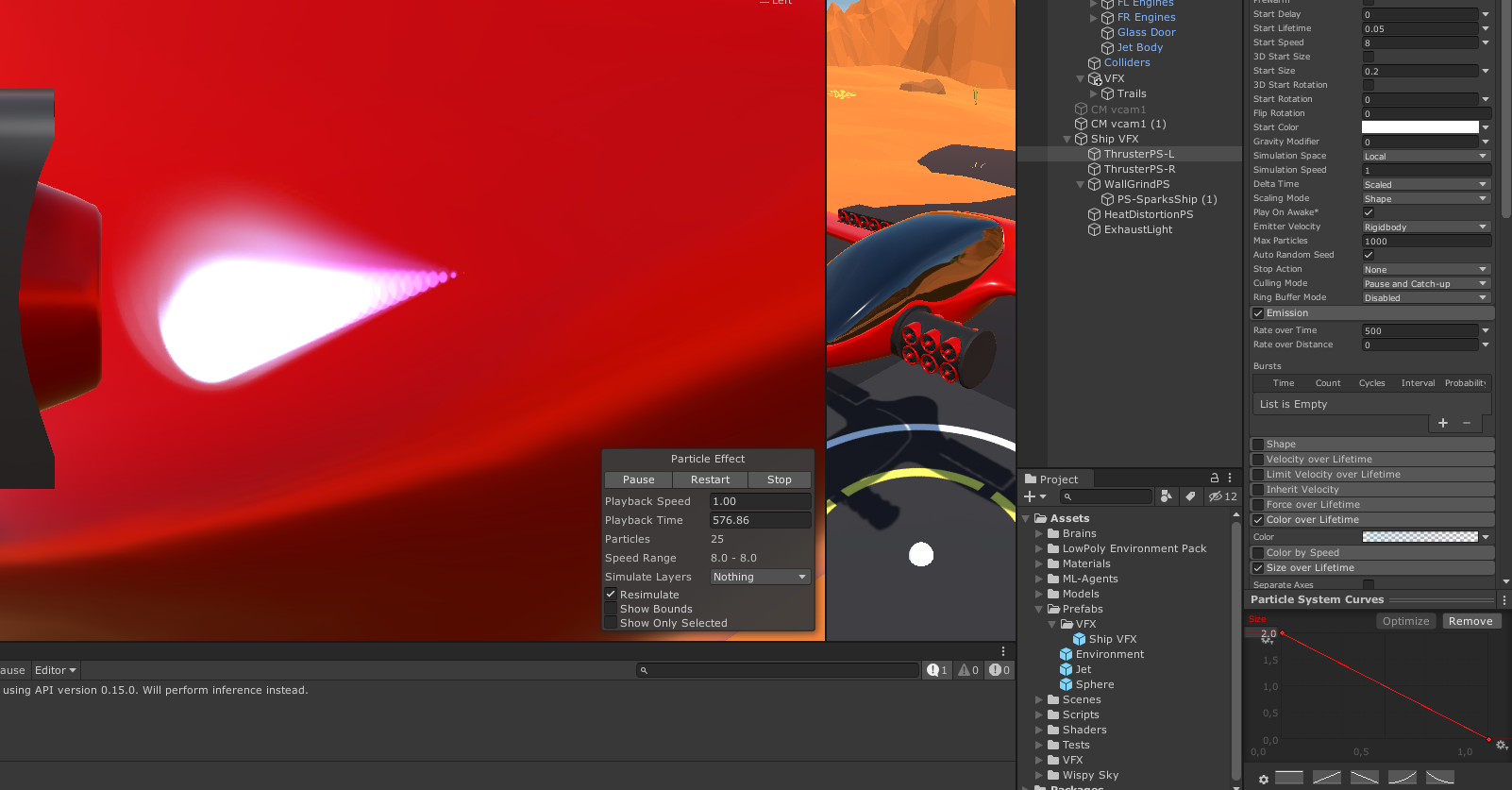
 fossil yacht
also why does it jump like that? How do I stop it jumping? https://gfycat.com/WarmRingedLadybug

 hallow notch
@fossil yacht perhaps you have more than one values in velocity trying to combat eachother, making it do that?
I'm trying to go for a cloud vfx, does anyone know how I could spread them out a bit more naturally instead of 1 line?
like can I make them spawn from a row instead from 1 singular point?
hallow notch
I figured it out btw, I could just add a node to set the spawn type to line 👍
 tribal plover
how do i set the sorting layer of my particles
Sorting Layer ID seems to do nothing
 grave canopy
Is there a way to make particles start out anywhere and all go to the same spot
so like a particle emitter in reverse
lilac bison
sure
simplest possible way would be to assign the particle a start position and target position and lerp in the update using the Lifetime [0,1] node
 hybrid iron
i'm playing around with vfx un URP, and i've got a nice looking smoke, however it's child of a torch and the smoke moves along with the torch. How can i make so that the torch is parent on the smoke source but the generated smoke doesn't move along with the torch ?
dull obsidian
someone how can i build* this trail effect a trail that split on the end with different sizes of width?
@hasty flicker
seems simple enough to build this with a shadergraph applied to a cylinder by multiplying the alpha with a gradient multiplied by simple noise
hasty flicker
@dull obsidian I'll try that.. I hope I can get it working easily I never tweak to much with shader so I think now is the time.
dull obsidian
@hasty flicker not the same shader effect but this is a good tutorial to start to learn shadergraph basics. in the case of your effect you will not use the alpha clip threshold, but i recommend first just creating this dissolve effect before making your own effect https://youtu.be/taMp1g1pBeE

Let’s learn how to create one of my favourite effects: Dissolve!
Check out Skillshare: http://skl.sh/brackeys6
● Download the project: https://github.com/Brackeys/Shader-Graph-Tutorials
♥ Support Brackeys on Patreon: http://patreon.com/brackeys/
···························...
 remote glacier
With VFX graph, how may I set a particle system to have a world space movement but local space spawn and scale? in the old particle system these were separate controls but in VFX Graph I have only found this single toggle
clicking this changes them all to world or local, I want some to be local and some world
dull obsidian
@remote glacier you can also click on these L / W buttons on any 3d object or transform type within a block
remote glacier
oh, thank you
dull obsidian
@hybrid iron see above, these Local / World toggles are also what you need to get the behaviour you want
remote glacier
those don't seem to exist in the Output Particle Quad box
dull obsidian
@remote glacier It's not you, I also couldn't figure out those Local/World toggles when I first started using VFX graph. It's one of the only major issues i have with VFX graph's UI/UX: it's not clear they are buttons at all, they look like mere labels or at best, disabled "greyed out" buttons.. they don't even have a hover highlight event like other widgets... 100% do not appear to be something you can interact with. and then, these abbreviated versions have even worse usability. At the very least I hope the Unity devs add a hover highlight for these toggles, which absolutely every other widget in the UI seems to have.
Questions and confusion about these Local/World toggles come up rather often in this channel as well from people of various backgrounds / skill levels, which is really a testament to it not being intuitive to discover this part of the UI on your own.
@remote glacieridk what blocks you are using but the set attribute blocks have them
even in the Output context
remote glacier
ok thank you
dull obsidian
@remote glacier no problem. not every block has the Local/World toggles, only the blocks that directly affect position, velocity, and 3d object transformations (sphere, box.) Which (as far as I know,) are the only blocks that this would be applicable to.
hybrid iron
just saw it thanks a lot !
 wintry hearth
how can i get the bloom (using hdrp) to work with a particle system ? the particles color isn't hdr.
grave canopy
@wintry hearth
set the material used by the partricles to have a high intensity
and if your post processing is set up with bloom then it should show up
wintry hearth
i use the particle shader from unity
i don't have any hdr color exposed on the resulting material
i'm on HDRP, the shader you're using is for the legacy render pipeline
grave canopy
oh
wintry hearth
but i might be able to tweak the shader graph unity is using for its shader and expose an hdr color
if it's not lost when the particle system change the value over time and such, it might work
thanks for the tips
dull obsidian
@wintry hearth i know it's not currently a 100% replacement for particle system (like if you need callbacks or lights module) but since you are already using HDRP, you can use VFX graph for most particle effects and use HDR colors at any stage.
i.e. any target platform that supports HDRP also supports VFX graph
but to your point if it still makes more sense for your needs to use particle system with HDRP i think you can find a way to remap the value at the final shader / rendering step
wintry hearth
yeah i considered it but i need good collisions
so i need cpu particles
i'm trying to tweak unity's particle shader graph to add hdr color modifier right now
looks promising
dull obsidian
@wintry hearth ah, yeah, true. the only way to get high accuracy world-space collision for arbitrary meshes with VFX graph is by generating a SDF 3d texture representation of your mesh or scene, which is optimized for GPU compute and massive particle counts vs triangle intersection. it's def not an out of the box feature yet but you can check out aman tiwari's example if you have a use case for it
GitHub
Convert a mesh to an SDF for the Visual Effect Graph (Unity) in realtime - aman-tiwari/MeshToSDF
wintry hearth
what is aman tiwari ? a youtuber ?
oh ok
with a signle mesh this sounds manageable but with a whole scene...
and i guess dynamic object would be out of the equation
dull obsidian
yeah you could have it parented to the bounds of the visual effect or something
to move around the scene.
a sparse representation or multi grid approach could be used hypothetically also
wintry hearth
maybe a realtime conversion of the camera depth to a SDF feed to the VFX :p
dull obsidian
a giant low res grid for the entire scene, then one or two higher resolution grids that take precedent as objects get closer to the visual effect
@wintry hearth oh that's already built in
wintry hearth
oh really
dull obsidian
i assumed screenspace collision wasn't good enough for your needs
wintry hearth
i don't know, it might be enough
i had no idea it was possible
that's cool
but then again, my fx is quite simple, i just need to crank up the hdr and it's done, but for my next ones i might look deeper into the collisions options of vfx graph i you tell me i can do SS collision
dull obsidian
yeah there's a block called "collide with screen depth" or something similar
wintry hearth
thanks for the tips, i'll try that one for sure
for people interested i simply ended up with this graph to add HDR on Unity's particles shader for HDRP :
dull obsidian
thanks for sharing your solution @wintry hearth
 burnt mulch
I've been given this image and im supposted to make some sort of smoke effect
That lasts for like 2 seconds after i break something
Im not sure how to do this
What do i do with this image?
modest bridge
Is it possible to have every Particle of a Particle System to have a random lifetime. Because at the moment It looks like it rolls one random lifetime for all particles?
 tame blade
Hi, does anyone know how to make a shadergraph material fade through the particle system? Color over Lifetime doesn't seem to work, and I'm most clearly doing something wrong
I'm using an unlit master for the material
inner topaz
@tame blade the partcile sytem uses vertext colors to pass the colors and the alpha value from the particle system to the shader. Use the Vertex color node and from that the alpha chanel to get your fading
tame blade
thanks I'll try that!
prime dome
is it possible to force particles to draw with a specific sorting depth or similar? im trying to use them in a 2d game but they draw behind random stuff and in front of other random stuff. as seen here: the blue particles
inner elm
perhaps something to do with particle's depth / transparency priority?
@prime dome try moving your vfx so it is closer to the camera than the sprites
if that does not work, refer to this: https://answers.unity.com/questions/577288/particle-system-rendering-behind-sprites.html
Unity is the ultimate game development platform. Use Unity to build high-quality 3D and 2D games, deploy them across mobile, desktop, VR/AR, consoles or the Web, and connect with loyal and enthusiastic players and customers.
prime dome
that link helped alot. thanks!
inner elm
👍
remote glacier
with VFX graph, how can I output a random mesh for the particle?
suppose I want to make a wall that shatters and I want different shaped pieces in the shatter effect
inner elm
i think this might be helpful?
https://docs.unity3d.com/Packages/com.unity.visualeffectgraph@7.1/manual/PointCacheBakeTool.html
@remote glacier
remote glacier
ok, I will take a look at that
also I noticed that my mesh particles are flat shaded, how can I enable lighting on them?
I'm using Output Particle Mesh
inner elm
i think there should be a setting somewhere
which enables lighting to affect particles
but im not exactly sure where
lilac bison
also I noticed that my mesh particles are flat shaded, how can I enable lighting on them?
@remote glacier if you are using URP, it doesn’t have lit outputs yet. If you are using HDRP, look for Output Lit Particle Mesh
lilac bison
Also, I think the best trick to have it be a random mesh would be to prepare all your meshes in one file as sub-meshes and then randomly generate an index. Not sure exactly how would take the index and provide it properly for the sub mesh mask input, but it should be possible
Since it’s a bit mask and not an index
remote glacier
yeah they are all part of one fbx asset
prime dome
Hi I'm trying to get a polygon edge glow shadergraph but I can't find any help on how to do this like in the example above
tame blade
Hi, what am I still doing wrong?
I am trying to get the particle system's color overtime "fade" in my shadergraph material.
I was told I should use vertex color and use it for the alpha. changing colors work fine, but the alpha isn't changing.
lilac bison
Hi I'm trying to get a polygon edge glow shadergraph but I can't find any help on how to do this like in the example above
@prime dome Not sure there is a simple way that doesn't involve mapping out the UVs differently or just using a texture map, but its probably more appropriate for #archived-shaders
 jaunty hemlock
guys, I'm creating a project using the most unity vuforia and I created this project with universal rendering, now I'm creating this PBR Shader node, to make a material, that is as similar to the planet earth as possible, since my project evolves augmented reality and focused on the field of school astronomy, so excuse all this introduction, but I need help, as everyone knows, during the day the Earth's atmosphere is blue and at night it is "transparent" it is not that it does not exist, but due to the lack of light on the opposite side of the sun, it is impossible to see the atimosphere itself, even outside the planet, so I want to remove this effect from the atmosphere where it has an occlusion, since it represents the "night" side of the Earth.
lilac bison
guys, I'm creating a project using the most unity vuforia and I created this project with universal rendering, now I'm creating this PBR Shader node, to make a material, that is as similar to the planet earth as possible, since my project evolves augmented reality and focused on the field of school astronomy, so excuse all this introduction, but I need help, as everyone knows, during the day the Earth's atmosphere is blue and at night it is "transparent" it is not that it does not exist, but due to the lack of light on the opposite side of the sun, it is impossible to see the atimosphere itself, even outside the planet, so I want to remove this effect from the atmosphere where it has an occlusion, since it represents the "night" side of the Earth.
@jaunty hemlock try taking the dot product of the light direction and the surface normal?
less than zero should be the dark side i think?
jaunty hemlock
i don't understand for you say :/
@jaunty hemlock try taking the dot product of the light direction and the surface normal?
@lilac bison specify more about this!
lilac bison
the output will be between -1 and 1
the rest is up to you!
you'll need to pass the light direction into the shader graph and plug it into 1
and plug the normal into 2
and then experiment with using the output to control how much of the fresnel gets used
jaunty hemlock
@lilac bison as I pass the direction of the light on the shader graph, sorry I'm not very good with nodes ...
lilac bison
something like this
but you're probably going to need to write a C# script to feed the directional light's direction into it
i gotta go... good luck
 silent sandal
hey guys, i have a particles system that has die on collision enabled, i am using an object pool and when i try and re-enable that particle system it does not emit any particles... if all the particles have been killed by collision. I am wondering how to reset the dead particles to an alive state?
is there a SetAlive ?
dull obsidian
@silent sandal in a typical particle simulation dead particles are gone forever there is no bringing them back to life. Sounds like you want something resembling sleep / wake like there with rigid body physics but for particles instead?
silent sandal
surely you can reset the alive count to X ?
or even restart the simulation ? from its original values?
dull obsidian
Anyway that's not built into Particle System I don't think but you can perhaps implement "sleep" by setting the velocity and alpha to 0 on collision and then "wake" the particles by setting those attributes again (instead of death on collision. ) I'm not really sure that I understand your use case however. Maybe you're just having trouble getting your particle system to re start
@silent sandal See the Public Methods in the Particle System Scripting reference, Maybe try Emit or just Stop and then Start ? Or have you already tried that. A script example would be helpful.
silent sandal
yeah the particle system is part of a "bullet" that is a pooled object, when the bullet is finished it is disabled and put back into the pull. When i "fire" another "bullet" it is using an old particle system that may have all 25 of its original particles intact, which makes it look ok, other it may have killed some off. if it has killed them all the bullet has 0 emits and it doesnt look right...
i can dig out the code for the particle system if it helps
'''
''

oh
dull obsidian
@silent sandal //TODO reset the particle system???
that seems indicative of what you are missing
silent sandal
yeah, other particle system that are pooled are playing ok when they are renabled, this one, seems to enable ok, but it emits no particles
dull obsidian
i think that's where you would need to Stop then Play the particle system, if you are going to reuse old particle systems anyway
silent sandal
i am assuming its because all the particles are dead
i thought so, thats what i went "oh"
ps.Stop();
ps.Play();
is that all i need to d0 ?
dull obsidian
i would honestly just instantiate a new fresh particle system every time i needed one (for a bullet effect, anyway) but maybe there is some reason to re using old systems i'm not aware of
anyway yeah sure, first just try putting Stop + Play right where that TODO is @silent sandal
silent sandal
just tried that
no joy
yeah i am object pooling everything, i have a serious amount of bullets flying around... i have been reading on this for awhile, some say its an old bug, some say you just stop and play the particle system but it never seems to recuperate the missing particles. Eventually the reused systems deplete to nothing.
silent sandal
emit is depreciated, use the emission module and emit from there?
//TODO reset the particle system???
ps.Stop();
ps.Play();
em.enabled = true;
dull obsidian
i'm not seeing where Emit is deprecated, and yeah I would think Start would be enough to automatically Emit using the module. But just as a test in your case maybe try the Emit method
ps.Emit(25);
something like that
dull obsidian
great I'm glad something worked. I'm just on my phone in bed making guesses lol @silent sandal
silent sandal
haha brilliant
thats proper dedication, beats sitting on imgur all night
Thanks very much Landon
get to bed mate
tame blade
Anyone knows a fix for particle system curves?
even when an axis at higher max than others, it still shows as if it's the same size
 sullen raft
We have released our EmberGen beta! You can use it for creating volumetric fluid simulations in real-time instead of waiting hours/days for sims and renders. We have a free trial where you can export unlimited flipbooks for 14 days now! https://jangafx.com/
EmberGen is built specifically for real-time VFX and has a ton of export channels for flipbooks that you can use within Unity. (Normals, six point lighting, depth, motion vectors, etc).
Ping me if you have any questions!
Real-time VFX Software for the next generation of real-time VFX artists. Easily create assets for your visual effects with our tools.
 bright tusk
Heya guys. I have a sequence of images that i want to convert into a sprite sheet / animation sheet whatever you call it.
Do you know of any free tools for this that would be compatible with unity?
please ping me if you have an answer
inner topaz
@bright tusk do you mean a default sprite sheet like unity likes to import mpulti sprite images or like a animation sheet for particles.
Maybe this could help
https://github.com/Unity-Technologies/VFXToolbox
GitHub
Additional tools for Visual Effect Artists. Contribute to Unity-Technologies/VFXToolbox development by creating an account on GitHub.
elfin pilot
Hi everyone! Visual Effect Graph now has a public roadmap. Available here: https://portal.productboard.com/unity/1-unity-graphics/tabs/9-visual-effect-graph
We're looking forward for feedbacks and new ideas from you. More info on it here: https://forum.unity.com/threads/visual-effect-graph-public-roadmap-now-live.884713/
Product roadmap and feature requests. Welcome to our product portal.
Unity Forum
Please check out our newly created public roadmap: https://portal.productboard.com/unity/1-unity-graphics/tabs/9-visual-effect-graph
What do card...
dull obsidian
@elfin pilot Thank you, this basically eclipses my wishlist. I'll share detailed feedback on the forum thread soon as well.
hallow notch
https://imgur.com/cUoGxfl does anybody have ideas on how to make my clouds more 3d?
 dull obsidian
@hallow notch using 3d textures instead of 2d textures will help a lot, at the cost of performance. Here's an example: https://youtu.be/4QOcCGI6xOU
Clouds are lovely and fluffy and rather difficult to make.
In this video I attempt to create clouds from code in the Unity game engine.
Project source (Unity, HLSL, C#) is now out of early access:
https://github.com/SebLague/Clouds
If you'd like to support the creation of mor...
hallow notch
I've seen this yes, however I don't have the time in my current project to reproduce something like this
I was moreso looking for possibilities to create more of a 3D effect within VFX graph if possible?
hallow notch
redirect nodes?
tame blade
ye it's an upcoming feature. scroll up a bit for the Unity Staff's announcement about their public roadmap
tame blade
oh sorry bout that. but to answer it, check out the Twitters of: Cyanilux, Minionsart, RealtimeVFX, Alexander Ameye, Roman Papush... and that's already a lot. They're the only ones I know right now that shares a lot about shadergraph.
 hardy wharf
Hey there! So I'm starting out on VFX Graph, and I was wondering if it's possible to have a mesh output that "spins" or rotates it's mesh across it's lifetime
I was hunting and pecking last night, but still getting used to working visually as opposed to through code 🙂
tame blade
are you using the particle system to rotate?
or do you just want to spin your output?
hardy wharf
oh! i have a video of how I would like for it to be
one moment
@tame blade I was working on it like that before
hardy wharf
Is that the old particle system?
I wrote that effect with a kind of homebrew particle system
which, i know sucks
@tame blade is there a way using the vfx graph?
like that? (just started working on it in VFX Graph)
hardy wharf
lol fair
tame blade
lots of tutorial on this one, so I just assumed everyone still uses it over that one
ye you can use the vfx graph as material to your particle
hardy wharf
@tame blade I'll check it out, does it output to mesh as well?
hardy wharf
Thanks!
@tame blade okay so while talking to you, I literally stumbled on what I was looking for in VFX Graph:
They really should consider more documentation
tame blade
I learned mostly from the works of the people I mentioned earlier
covert flare
https://youtu.be/nVal6RjnhwU stylized flamethrower particles effect for anyone who might be interested

Hey guys, welcome to the third episode of game dev bits! Today we're taking a look at making a flamethrower vfx! As usual I'd love for you to subscribe, like and comment with feedback and suggestions for upcoming videos!
Textures and script:
https://drive.google.com/open?id=1...
hallow notch
how do I pick a random sprite from a spritesheet? so, without animating it with flipbook
inner elm
i have this problem where vfx particles are gray
no color
this occured after i imported them from another project
nvm, i think i fixed it
actually, i did not
🤦
turns out, it's something with the fog
 pine marsh
covert flare
pine marsh
covert flare
@hallow notch you simply keep the frame overtime as a fixed value and do a start frame between 2 const 0 - max amount of sprites. I go over it on my vid above your question
prime dome
random inspiration: this tiny clipping of footage of clouds i shot from a plane window in 2014. (tiny clipping cause of discord size limit)
hallow notch
is there a way to make the facing camera orientation slower?
I think I've seen it before
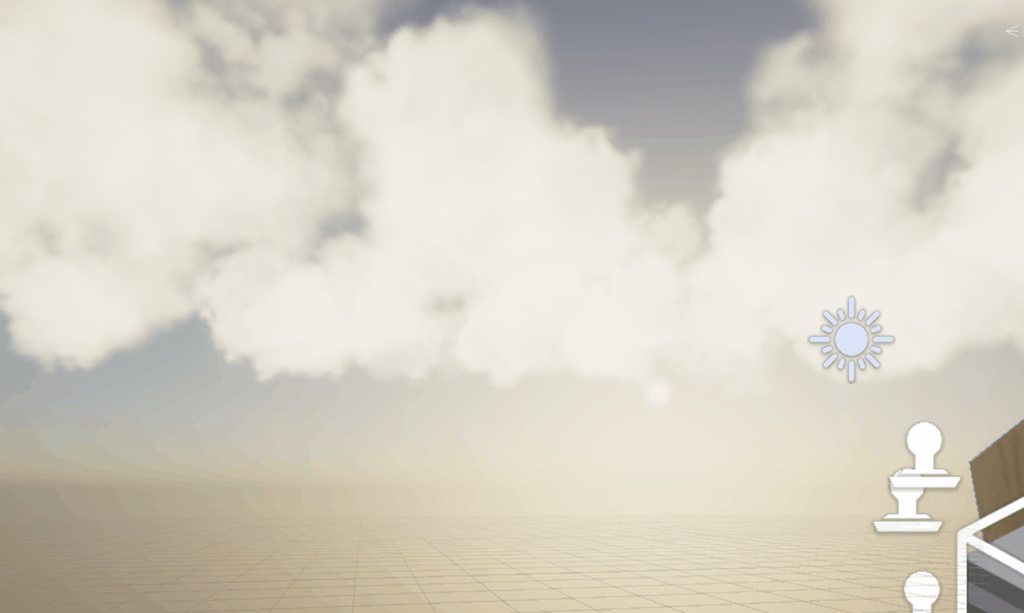


 buoyant jungle
hey, i'm using the URP 2D Renderer and while all the lighting works with it, the VFX won't render within the scene or game views
buoyant jungle
nevermind... just realized it doesn't support VFX Graph
dull obsidian
@buoyant jungle not yet, but it is planned on the road map at least: https://portal.productboard.com/unity/1-unity-graphics/c/116-urp-2d-renderer-support
Add support for the VFX Graph to be used with URP's 2D renderer.
buoyant jungle
ok great, thanks! That would be an amazing feature
 quasi fjord
Hello guys, I would like to use a different texture on each particles using the VFX graph. Does anyone have an idea on how to do this? So for instance I have a texture with different flower petals and I would like each particle to take a random petal from the texture map and apply it on it to get that variation inside the effect.
Something like this ( only the petals part) https://www.youtube.com/watch?time_continue=7&v=aGE-mfO1W8s&feature=emb_logo

Support me on - https://www.patreon.com/Ashif
Support me on - paypal.me/9953280644
. In this tutorial you will learn how to create Magical Petals Aura Effect in unreal engine. you will learn every step for this effect texture, materials, mesh and emitters. For any concern comm...
elfin pilot
@quasi fjord You have to pack your textures in a single flipbook and then use texIndex attribute to set the texture you need per particle
quasi fjord
@elfin pilot Hmmm the only input I have for the texIndex is the Flip Book Size
Is it supposed to be used with another Output Particle or am I doing something wrong? Forgive me, I'm still not used to Unity
Nvm I just figured it out! Thanks a lot for your help !
For the people who might be interested, here is where the tex index should be 🙂
 frosty compass
Wonder if it's possible to do something like this:
https://www.youtube.com/watch?v=kfHXyJEAPPo

Finally got around to fixing this animation and getting it better. Added sound effects and whatnot as well.
Separate passes are shown as well. The foreground starship element went through numerous effects changes to depict the blue-shifting that would happen from an object ...
lilac bison
no reason it wouldn't be. look at distortion shaders. if you're using legacy pipeline, GrabPass will be a useful search term. haven't looked into how its done with HDRP
dull obsidian
@frosty compass @lilac bison I think Custom Render Pass is what you are looking for. It's covered in the HDRP documentation.
lilac bison
idk i have a hunch it might be simpler than that? i kinda remember their being some kind of heat distortion effect in one of the VFX Graph samples
dull obsidian
@lilac bison possibly, though i would approach a simple distortion effect with shader graph, vfx graph is unnecessary unless you're trying to do something else particle sim based in conjunction with this screenspace displacement effect. anyway, it also depends on how and where you want to use the effect, what the scene and how granular of control you need for it, layer masking objects, etc. @frosty compass
lilac bison
have you ever used grabpass w/ legacy?
an effect like this would usually be combined with particle systems there
its just a flag that puts transparent fragments in a later queue
so they can grab what's under them
dull obsidian
@lilac bison i've only been working with Unity for 2 years, so I've largely avoided getting involved with the legacy pipeline much. but I've used similar methods in other engines / frameworks mostly OpenGL based.
lilac bison
its basically a keyword you put in your shader
and it let's the fragment shader sample from the "GrabPassTexture", which contains the screen buffer up until that point
so it's really what you would want for an effect like that because you'd have a single spherical particle that uses GrabPass in its fragment shader and you'd use the normal from the sphere to determine the way you'd offset the texture lookup for the grabpass texture
then you just have that distortion particle scale up and down to animate the effect
dull obsidian
@lilac bison using a distortion shader in VFX is for rendering the particles themselves, moving quads, etc though not a screenspace effect like this. you could hypothetically use a static mesh output of a large quad and do it but it's kind of pointless to use VFX graph to render a single screen quad
frosty compass
Shit, I was hoping to avoid shaders. Been working with Unity for a decade now, and shaders are still black magic to me
dull obsidian
@frosty compass don't worry you are using them already
lilac bison
@dull obsidian trust me, you do this with one particle...
a full screen quad to do it is what doesn't make sense
dull obsidian
@lilac bison yeah i understand you could use a particle
frosty compass
You could?
lilac bison
i guess it could just be a sphere primitive too
dull obsidian
There's a use case for it, I just wasn't assuming that
you've got options anyway @frosty compass is the good news
lilac bison
@frosty compass are you using the legacy renderer or HDRP?
frosty compass
I have no idea lol
lilac bison

Grab Passes are a really complicated and expensive way to do nothing in a shader. A Grab Pass is an additional pass added to your shader that captures the scene and allows you to use that captured texture in your shader. Want to make refraction's in glass or an energy shield? ...
frosty compass
I’m a programmer, not an artist. The most complex visual effect I’ve ever done is swirling particles around a black hole. It didn’t even refract
lilac bison
this video should help
lilac bison
np... it should help you achieve the effect you want
but you'll have to get knee-deep in a shader 🙂
dull obsidian
@lilac bison speaks the truth, @frosty compass. at the very least in a node graph that generates a shader if not writing shader code / HLSL directly depending on your exact requirements ¯_(ツ)_/¯
 sullen ginkgo
Anyone know how I might go about having parent object motion apply to a VFX Graph particle system? Making smoke, and if I move the "fire", all of the smoke particles move, not just the newly created ones.
tame blade
Hi, how do I disable trail rotations on particles?
I'm trying to get a fade trail effect on this, but it rotates automatically
 calm crow
Hey everyone, haven't been using Unity much before but figured I'd like to try out the VFX Graph some! I've run into a little snag though, and when going through it it feels kinda simple but I can't quite figure out what nodes to use (and if it's even possible). I have an effect I'm triggering on collision (that works fine) but I'd like to change various variables (like spawn rate, size or color etc) in the effect depending on how long time it has taken for the object from spawn to collision. So a collision that would happen in 2 seconds have a spawnrate of, say, 15 and a collision that happen after 4 seconds have a spawnrate of 100. Is this possible? If not, is it possible to get initial position or something from the object and if that is >X then change the spawnrate?
calm crow
An idea could be to have a script output a timed value from when the object spawns and that value controls the spawnrate. So if it's >X spawnrate is 100 otherwise 15 for example. Not sure if it's possible to get scripted values like that into VFX Graph though?
quasi fjord
Hi guys I'm trying to make an orbiting effect using the VFX Graph. The issue I have currently is that when I change the angle of view, the orientation of the particles behave in a weird way. Also I think that my setup for this effect is not the right way of doing this. Any help is appreciated 🙂
This is how I want it to be in all views
This is the issue I get when I rotate around the effect
quasi fjord
I knew my approach was not the right one ... Cross product is the answer for this issue 🙂
 digital tiger
Any way to make each individual particle have a random rotation over lifetime?
 stark roost
@digital tiger did u try to search for Angle/ Add angle over lifetime) blocks?
digital tiger
@digital tiger did u try to search for Angle/ Add angle over lifetime) blocks?
@stark roost I don't see that anywhere
stark roost
@digital tiger Are you using vfx or particle system?
Does anyone know how to set an exposed Vector3 property in VFX graph?
I did the whole
using UnityEngine.VFX;
public VisualEffect vfxClass;
vfxClass.SetVector3("impactSpeed", new Vector3(0,0,0));
but that doesnt seem to do the trick
digital tiger
particle system
stark roost
particle system
@digital tiger ah okay, i though this was only visual effects graph because of the channel name
@digital tiger
does this not work?
one above the arrow
digital tiger
it just rotates all particles in the particle system the same
stark roost
Does anyone know how to set an exposed Vector3 property in VFX graph?
I did the wholeusing UnityEngine.VFX; public VisualEffect vfxClass; vfxClass.SetVector3("impactSpeed", new Vector3(0,0,0));but that doesnt seem to do the trick
solved!!!
@digital tiger
@digital tiger
digital tiger
thx
I thought that just changed it randomly for the whole system.
My particles move too quickly and there's too many to notice a change individually before the disappear.
 frosty kelp
I made SUPER COOL FIREWORKS using Unity....check it out.I hope you wanna tag along.so if you are interested , subscribe....
slate sable
@frosty kelp I think you forgot something. :-|
grave canopy
Why does my bloom do this? I'm trying to get the glowing white in the middle
 umbral dove
i asked a question in general but i didnt know this vfx channel existed so ill post in here instead
got a small question. im watching a tutorial about VFX graph about making fireworks. using HDR colors and bloom post processing effect. in the tutorial, his fireworks look like this:


and mine look like this:


we have the same amount of intensity in the HDR colors, same settings for our bloom intensity and threshold
he also has vignette, a chromatic abberation, and exposure on in his post processing
honestly tho his scene is SUPER dark, but if i copy his exposure values then my scene is super bright
idk why his is so different, id just like to be able to achieve a nice glow effect like the pic above
for some HDR colored particles
 orchid river
@umbral dove maybe your project is in different Color space. try changing to Linear from Gamma in Player Settings.
umbral dove
@orchid river thanks but i dont think it was that, switching over didnt make a hugely noticeable difference
dull obsidian
@umbral dove two things: you have a daytime sky environment in your scene when the tutorial does not? so disable that or adjust it to be very dark / nighttime.. you also seem to be in the scene view (instead of the game view) which could be an additional issue to not seeing the final result properly. There could be something else you're missing but I'd start there.