#✨┃vfx-and-particles
1 messages · Page 26 of 1
 uncut dune
 rain frost
yeah
 dull obsidian
that sounds pretty tricky to balance visually, with particles, and not make it look like the character is smoking lol
rain frost
i don't want it to just be really big so the frames don't drop
i'd see my character doing that lmao
uncut dune
Eh, I don't know, it's not a trivial effect to do
dull obsidian
maybe have some "dust" particles sparsely scattered around that are moving very slowly, and the character can push them around a bit
uncut dune
I'm imagining something like Dark Souls fog doors before boss battles
dull obsidian
and you'd want them to be lit particles to look correct
dull obsidian
then you could combine those sparse dust particles with some sort of volumetric lighting technique (screenspace or worldspace, doesn't need to actually react to the character, just lighting)
rain frost
this is what it currently looks like
dull obsidian
@rain frost it's all first person perspective?
rain frost
yeah it is
uncut dune
dull obsidian
ah yeah that's the equivalent
uncut dune
@rain frost did you do it?
rain frost
yeah, it kinda lags behind the player, and only changes every so often
dull obsidian
@rain frost I don't' know if it's an option for you but if you could use HDRP there is truly volumetric lighting built in, so you would be lighting a worldspace volume instead of lighting soft particles
it's definitely heavier on performance but looks amazing
 rain frost
nvidia geforce gtx
dull obsidian
you might be able to optimise it at least to let you develop it
rain frost
it says 950 m
dull obsidian
that's a bit older but not really that bad to be honest
it will still outperform pretty much any intel integrated GPU
rain frost
i'm more comftable with particles
dull obsidian
it even supports DirectX 12, so, the majority of the latest features
rain frost
it gives more control
dull obsidian
well, i think ideally if I was doing it, I'd use a bit of both, I described that above
rain frost
yeah. i'm using particles and global fog
but still, with the following around, it does a weird thing were it lags behind, then updates later
dull obsidian
okay well you can always add a volumetric lighting effect later, you are using the global fog already
hmm
rain frost
after the loop finished it updates the position
dull obsidian
@rain frost you already changed the Simulation Space though? the last video is still Local
dull obsidian
either way, you could also just spawn all the particles for the whole scene all at once all over, and not have the character parented
performance might be fine for that depending on how large your scene is
and if you need to optimise, then you could have zones that dynamically emit particles once the player or the camera frustum gets within a certain distance from that zone, room, etc
uncut dune
you're hitting the particle limit. Emit a bit less particles
dull obsidian
ah okay yeah that's basically what i was talking about in terms of dynamically emit particles, it's just not emitting them in time
yeah what @uncut dune said
rain frost
what's the particle limit?
dull obsidian
either reduce the amount of particles you're emitting OR increase the Max particles
Max particles / particle limit same thing
uncut dune
Open the emission tab and decrease the emission rate.
 opaque knoll
Output Particle Lit Mesh': syntax error: unexpected token ';' at line 1512 (on d3d11)```
I'm getting those from keijiro's repo VfxGraphTestBed

Vfx/Hdrp version 7.1.7I mean, i get what they mean. But in Vfx, does this mean the nodes are not right? Or the graph is used wrong?
Or... actually a ";" typo in the underlying code of the node generation?
Ok fixed sorry. API Compatibility 2.0 to 4.0 ...
 near thorn
@shrewd heath Thanks again for the link. I am not aiming for an mobile solution, but for new effects the vfx graph makes sense to offload particle calculations to the gpu. Even for standalone games. As you mentioned Unity Shader graph_ I know it has the huge benefit to be developed and maintained by the Unity team itself but in my opinion the Amplify Shader asset is still better than Unity shader graph. This might change in future, but it is worth a try if you dealing with more complex shaders.
 lilac elm
Hi Guys I have a question about Setting up a texture sheet animation. I have a caustic water light effect that's 32 frames animated on a texture sheet. 6x6 with 4 blank frames at the end. I've put it into a particle and using the texture sheet animation module in the particle effect. How can i exclude the lats 4 frames. I have to running through the 32 frame but is there anyway to skip the blank frame at the end? Or is there an easier way to get this to work? thanks
rain frost
how would you create a really spooky visual ambiance?
uncut dune
Are particle system force fields performant enough to use on mobile? Assuming I don't go crazy with them.
 jagged sedge
I may be missing something fundamental, but when I set a Particle System to be both be Looping and not Start on Awake, the game starts with the effect playing.
I found out it's related to the scene simulation tool, but it's causing chaos for other team members. Is there a way how to force the expected behavior of the effect not starting Playing, regardless of the editor simulation setting?
uncut dune
@jagged sedge just checked, that doesn't really happen
jagged sedge
unless I press Stop and/or (can't test right now) set simulation layers to Nothing, my looping particle system with PlayOnAwake off just starts the game Playing.
uncut dune
@jagged sedge submit a bug report?
It works correctly on 2018 LTS
Going by that screenshot you're using either a beta or an alpha
jagged sedge
Oh, good point, it's the 2019.3 beta, never realized it could've been a bug. Thanks.
uncut dune
If you're not on LTS always be open to the possibility of things being bugs, even if they are pretty obvious
 celest edge
yo sup guys
 midnight grove
Hey friends, quick question. Does VFX support running mesh particles along a spline/path? I saw that there is a simple bezier, but that's only four points. For context, we're looking to run some blood cells along some pathways.
 inner topaz
You can chain multible bezier splines together that should do the trick
its not the easy way but it should work i have used it for particles flying through bloodstreams in a body
 split inlet
Hi all, its possible convert particles to vfx graph?
 dim solstice
HI everyone, having a problem using VFX Graph with Playable timelines... this "banding" kinda effect on particle spawn only seems to happen while the timeline is playing
its like the spawn rate is not constant while timeline is playing
compared to when the timeline is just paused:
 rustic zenith
does anyone know about particle systems? My projectile used a mesh but its semi transparent
dull obsidian
@split inlet not automatically, but in terms of feature parity Visual Effect / VFX Graph supports most of the features that ParticleSystem, formerly Shuriken has
(other than the Lights module --though it's probably possible to write a script that reads a handful of positions sparsely from VFX graph's GPU compute buffers to get into CPU memory to instantiate lights from those particle positions.)
dull obsidian
@dim solstice yeah i think your hunch is correct, I'm guessing that the particles are being spawned every render frame instead of on a fixed update. not sure off the top of my head how to resolve that with vfx graph
 winged fossil
Have any of you tried making star like VFX?
 gleaming lance
can someone help me make a particle sun
dull obsidian
@winged fossil @gleaming lance maybe the two of you should work together 🌞
winged fossil
hahah maybe 😄
 snow sail
I think this cooperation has bright future
winged fossil
the moment you said it, he pmed me that he changed his mind.
snow sail

dim solstice
@dull obsidian I had to hide it by adding a very slight random velocity to diffuse the spawn, and switching from temporal AA to another AA also helped. Timeline definitely needs some work before it's production ready, I have to restart the editor quite often to clear it's bugs
dull obsidian
@dim solstice aha, I haven't used the Timeline yet but been meaning to check it out. your scene concept looks really cool btw just from that screenshot!
dim solstice
Thanks! It's a music video, will post in #502171626805133312 when done
 cunning urchin
Hi, I have been having problems with installing visual effect graphs. I am currently using 2019.03.0f5 tried using both universal pipeline and hd pipeline. Both of them has the same issue that any particle with alpha blending is straight up invisible and additive blending will create particles up to capacity of initialize context. After capacity is reached no new particles are generated. I though this might be a os & directx thing since i am using 8.1 with dx11, so i switched to my laptop which has windows 10 with dx12 but to no avail. I tried installing different Unity versions but problem continues. I really think problem is on my side though, since tutorial videos online does get passed this step by default by just using unities templates.
 prime dome
2019.3 is still in beta, it's not stable yet.
cunning urchin
Yeah, I know but vfx graphs are now not in preview package but in stable relases for 2019.3. I also tried 2018 version of Unity too though. Tbh i dont even know if this is intended behaviour though, after unity creating marketing campaign for vfx graphs, there are no new resources about the matter.
 hidden knot
I havent had an issue installing for 19.3.0f3
But I have had an issue using some features atm

Unity Forum
I noticed when attempting to use a "sample gradient" node that the colors I chose (assuming hdr) were only correct if I didn't use a random number...
 steel valve
@cunning urchin if I get your problem correctly, alpha blended particles do not render and additive particles never die? This is pretty unfortunate. Did you try it on a particular project, or did you try it on an empty project (like the HDRP template we provide in the new project menu of unity hub)?
cunning urchin
@steel valve Thanks for reply. Yeah that is absolutely right, how ever interesting enough when i tested more last night, when i switch the output context from quad to octagon or triangle, alpha blended particles start generating. However like additive ones, when the capacity is reached new ones wont spawn. I also stopped particles with cancelling update contexts' update position property, but it didnt change anything. After capacity is reached no new particles are appearing.
Right now, i switched back to shader graphs and shuriken to create effects. I have no problem with shader graphs with urp, the generated shaders work well.
steel valve
That's really strange. This is the same kind of behaviour when there's no Set Lifetime block (everlasting particles). Could you send me a faulty asset so I can try it out on my machine?
cunning urchin
I certainly can, but i am not doing anything special. I create new universal project template, add visual effect graph 7.1.7, i make sure project uses urp in both graphics and quality, i make sure vfx uses unities default compute shaders, create a new visual effect, nothing appears. I delete everything from graph, add a template basic particle system, again nothing appears. Then when i switch either to quad additive blending or non quad any blending particles spawn but up to capacity.
where should i upload the asset?
steel valve
either as dm or in the channel, as you prefer
cunning urchin
I created new project with urp template, but deleted everything other than settings to reduce size, created a new vfx to test
steel valve
thank you, will try it quickly
humm seems that everything goes well on my machine 😦
I think this is probably a hardware/driver issue, could you file this small project as a bug? (Help / Troubleshoot Issue menu, then use the Report a new issue button at the bottom right, it will open the bug reporter). It will collect your hardware specs / drivers as well so our QA team can take a look at it.
sorry as I won't be able to be of much more help for this one 😦
cunning urchin
Yeah, one final thing, after your comment on everlasting particles, when i delete the lifetime node from initialize context, the alpha particles also render
Nevertheless i will report the issue though
prime dome
Hi! I've been looking into making an effect like those old windows xp error window drags https://www.youtube.com/watch?v=wX2mbCo3LGk but I dont know where to start exactly. Could anyone give me a few pointers?

 cloud magnet
@prime dome In the default render pipeline you can set the camera to "Don't Clear". Not sure about URP/HDRP.
prime dome
Is there a way to make VFX Graph particles go dark when there's no light source present? I am doing a day/night cycle and my snow flakes are just as visible at night as they are during the day *(Actually they are WAY more visible at night) as the sunlight isn't there to block a lot of them out.
And one other question, is it possible to make the sunlight and/or other light sources emit their reflections on the particles? For example - sunrise comes up and when that orange light starts emitting to change the snowflake colors to that nice orange as well.
For the first one I tried changing the particle blendmode to Opaque, but that didn't appear to work.
 strong abyss
Guys I was trying to change the particle system material in Unity by giving a texture. But it's not letting me to do that.It looks just like this
Not able to edit
Anybody know why
 tranquil zenith
You need to create a material and assign that to the particle system. Then you can edit that newly created material.
Remember to set the shader to Particles/Standard Unlit
@strong abyss
strong abyss
@tranquil zenith , I tried that but still the inspector window was not letting me to do that. But when I tried that from the Renderer option from the inspector, it worked
strong abyss
Guys I'm not able to edit none of the properties in shape module of particle system. While I try to do that, this error is popping up. Anybody got any idea
rain frost
can you use the depth texture to scale things so it looks like things are further away without them actually being far away?
 opal star
so I'm trying to test the vfx graph on the Oculus Quest with OpenGLES3 and it seems to be buggy. Anyone have and experience with this?
opaque knoll
Thanks! It's a music video, will post in #502171626805133312 when done
@dim solstice Cool let me know. I'm also gonna make a music video soon
This is the only unity example i've seen
https://www.instagram.com/p/B0qeq4egEwc/

Instagram
225 Likes, 3 Comments - Tan Tuncag (@cavagrandemusic) on Instagram: “Have you seen Cava Grande's debut video "Playing Fields"? 😁 This was released a year ago and I did…”
dim solstice
ok will @ you
opaque knoll
So how to turn off Orient for particleStrips? Is it even possible?
midnight grove
Hey, would anyone have any resources/posts regarding moving particles along a path in VFX. Would it be related to the point cache system, and how might one generate points to iterate through?
dull obsidian
@midnight grove a point cache will let you emit particles from the points, that's pretty much all they are meant to do.
what you are looking for is a vector field / velocity field: a grid of directions for the particles to follow
this can be represented with a texture3D
midnight grove
Ah, thanks for the terms. I'll look those up! 😄
dull obsidian
if you already have a path represented by line segments or beziers you would need to rasterize that into a texture3D. @midnight grove
midnight grove
You would haven't to do that in something like houdini though, right? Unity doesn't have any tools?
dull obsidian
maybe there's a more direct way for very simple paths but that's the most flexible way to control particle direction / velocity
midnight grove
We're essentially just creating simple blood flow, so nothing too complex (it's mostly straight lines)
dull obsidian
@midnight grove you dont have to use houdini though that would definitely be one way to generate a vector field without writing code in unity
maybe shader graph can render to 3d textures now? not sure
dull obsidian
@midnight grove maybe this is helpful, depending on what you want to do, this recent example by keijiro uses C# to move a circle emitter on a spiral path, creating a tunnel with the trails. https://github.com/keijiro/Krbv

keijiro/Krbv
midnight grove
We just downloaded project earlier after seeing it on twitter. Will have a look first thing in the morning. Thanks alot!
 heady egret
This is depth of field executed by AI, can be scaled to work for any performance target, is open source and comes with the training dataset so it can be implemented almost straight out of the box!
https://youtu.be/Do_00r8NGMY

The paper "DeepFocus: Learned Image Synthesis for Computational Displays" and its source code is available here:
https://research.fb.com/publications/deepfocus-siggraph-asia-2018/
https://www.oculus.com/blog/introducing-deepfocus-the-ai-rendering-system-powering-half-dome/
ht...
dull obsidian
@heady egret apparently they implemented a real-time prototype of this in Unity, though they don't provide the source for that (only the basic python version for testing / academic understanding) since it's not really ready for general interactive use, runs rather slow on current hardware, etc.
you could certainly implement it though, it would just require porting at least ~500 lines of test / inference code from Python to C# with TensorFlowSharp
and optimally a multifocal / varifocal / or lightfield display with eye tracking...
heady egret
In the video he says there's a way to tune it to run faster/slower using a parameter, so accuracy wouldn't be perfect but it should run on current hardware
dull obsidian
If you wanted to reduce and refactor it to just creating a nice depth of field for a 2D display that would be a similar amount of work... still not easy but would be great if someone did that and released it even if it didn't run well just to compare it to conventional dof approximations
heady egret
Another good point is that the accuracy was 99.8%, which is much higher than any other approximation that already exists. However, that's probably at the point where it wouldn't be good for real-time applications on slow hardware.
Also, omg, they just use the depth buffer to do that, imagine if instead of DOF you did SSAO with this, now you could talk about performance gain! 😮
And I'm sure an AI could also fix the shortcomings of SSAO, like making educated guesses as to what's offscreen to make a more accurate result
dull obsidian
@heady egret AI / ML is already being used to denoise RTAO, though i suppose you could apply a general ML solution like this one for Ambient Occlusion. You'd still end up with a dataset of several GB which reserves it for desktop platforms that probably don't need the performance gains anyway.
That's a major consideration when using AI / ML at least when it comes to techniques like these convolutional neural nets and the like... you're just trading performance for memory. the training puts the compute work / (performance) up front by trying to fit all possible solutions, the more accurate the more massive the data set. then to inference the more ram + storage you need and incredibly fast access to it (memory.)
heady egret
@dull obsidian You don't really need to distribute the dataset though, you just use it for training and then the trained model is gonna be whatever the size of your result is. In the end, it's not the classic trade of memory/computation that we already know. Well, it is, but with a huge efficiency.
dull obsidian
@heady egret fair enough, train the model for your game / environment / scenes etc and only distribute that
 placid phoenix
These reference pages seem to be broken ☹️
https://docs.unity3d.com/Packages/com.unity.visualeffectgraph@6.9/manual/VFX-Blocks-Spawn
https://docs.unity3d.com/Packages/com.unity.visualeffectgraph@6.9/manual/VFX-Blocks-Attribute
(Referenced here:
https://docs.unity3d.com/Packages/com.unity.visualeffectgraph@6.9/manual/Blocks.html)
Is anyone aware of working links?
dull obsidian
@placid phoenix in the most recent VFX graph 7.1 documentation (which is much more up-to-date and detailed than 6.9 and prior) those topics have moved to these locations, respectively.
https://docs.unity3d.com/Packages/com.unity.visualeffectgraph@7.1/manual/Contexts.html#spawn
https://docs.unity3d.com/Packages/com.unity.visualeffectgraph@7.1/manual/Attributes.html
placid phoenix
@dull obsidian ah thanks! Googling the reference seemed to have led me to the older version.
Edit: hm, this newer version seems to be devoid of any block or operator reference pages... am I missing something?
dull obsidian
@placid phoenix See Blocks and Operator pages under the "Graph Logic & Philosophy" section in the table of contents
placid phoenix
@dull obsidian Thanks for the response. To be clear, what you are referring to is more of a philosophical/overview of Blocks and Operators while I’m looking for a technical API reference doc that lists and describes each of the blocks, similar to the Unity Scripting API Reference (https://docs.unity3d.com/520/Documentation/ScriptReference/). The dead links I previously posted suggested this may have once existed.
dull obsidian
@placid phoenix ahh I understand. I know there is a big push to update this package documentation aligned with the 2019.3 and 2019.4 releases so perhaps it is in flux. Aside from that I've been peeking around in the source of VFX graph and gaining insight there.
 dull solar
is it not possible to call a vfx graph spawn event multiple times in the same update?
i'm doing this as a test and only the particles caused by the second event appear in the scene:
            {
                var vfxea = VFXSystem._.invulnerableSegmentSpark.CreateVFXEventAttribute();
                vfxea.SetVector3("position", Vector2.left * 4f);
                vfxea.SetVector3("direction", Vector2.left);
                VFXSystem._.invulnerableSegmentSpark.Play(vfxea);
            }
            {
                var vfxea = VFXSystem._.invulnerableSegmentSpark.CreateVFXEventAttribute();
                vfxea.SetVector3("position", Vector2.right * 4f);
                vfxea.SetVector3("direction", Vector2.right);
                VFXSystem._.invulnerableSegmentSpark.Play(vfxea);
}```@dull obsidian ah, nice. I’m comfortable doing that with Unreal and didn’t know the Unity source code was available. Is this the correct link?
https://github.com/Unity-Technologies/UnityCsReference?files=1
If so, can you point to where the VFX graph code is located?

GitHub
Unity C# reference source code. Contribute to Unity-Technologies/UnityCsReference development by creating an account on GitHub.
dull obsidian
@placid phoenix that's the Unity engine / editor C# source, the packages are in different repos on the same github account, see Visual Effect Graph source here on the Scriptable Render Pipeline repo: https://github.com/Unity-Technologies/ScriptableRenderPipeline/tree/master/com.unity.visualeffectgraph
GitHub
Scriptable Render Pipeline. Contribute to Unity-Technologies/ScriptableRenderPipeline development by creating an account on GitHub.
placid phoenix
@dull obsidian thanks!
dull obsidian
@placid phoenix there is also a working source of every package installed, cached in your project folder e.g. MyProject\Library\PackageCache\com.unity.visualeffectgraph@7.1.7
You can edit it and it will recompile like any other scripts / shaders
placid phoenix
@dull obsidian nice, I’ll check that out
dull obsidian
not really recommended to do that but I've sometimes done it to test a theory, since custom nodes haven't been implemented in VFX graph yet
in the meantime if you really wanted to make major changes, custom nodes and have them stick you'd want to just fork VFX graph entirely
@placid phoenix FluvioFX is a great example of this, with several nodes/contexts added to allow for smoothed particle hydrodynamics (SPH) fluid simulation in VFX graph: https://github.com/fluviofx/fluviofx

GitHub
Fluid dynamics for Unity's VFX graph. Contribute to fluviofx/fluviofx development by creating an account on GitHub.
placid phoenix
@dull obsidian thanks for the references! I currently just need a reference list of all the available blocks, operators, etc., but it’s nice to have some examples of custom nodes.
dull obsidian
yeah I went off the deep end a bit haha
placid phoenix
@dull obsidian an example would be the “Set Size over Life” block and understanding what OverLife is referring to.
dull obsidian
@placid phoenix I want to say this is supposed to be / will be under the "Reference" section here but currently "Standard Attributes" is the only page in the Reference section https://docs.unity3d.com/Packages/com.unity.visualeffectgraph@7.1/manual/Reference-Attributes.html
i'm sure you noticed that already
placid phoenix
Yes
The tip on viewing the c# code is helpful. I opened the AttributeFromCurve.cs file and can see it is age / lifetime.
dull obsidian
yeah, as i understand it, Set Size over Life is just a lookup of a value from a buffer using the age attribute and setting it directly something like attrib = buffer[age] instead of adding or multiplying the previous attributes's value
you just found the C# file ah yeah it should have the actual HLSL embedded in it
I swear there is or was a way to at least see the HLSL generated from any given block right in the Editor Inspector
placid phoenix
That one is not behaving as I expected, but it may be something I'm doing. Gna tinker some more.
EDIT:
Trying to use it in Spawn is where I expect to feed it a curve and have it update. If it only works in Update, I would assume it should be unavailable to use in Spawn.
 vague atlas
Has somebody here already created a custom node for the vfx graph? I am currently looking into it but just cannot get it to work. Am am trying to build a custom VFXOperator and using Shader.SetGlobalFloat from another script to set the value. Any help would be highly appreciated
dull obsidian
@vague atlas I haven't dove into that much myself... I'm waiting for the custom node API to be completed, but you can look into the FluvioFX repo I just posted above for a working example of custom node implementation
@placid phoenix I did at least find a shortcut to pull up the source C# for a block though
This pulled up "SetAttribute.cs"
placid phoenix
@dull obsidian Ah yes, that is what I am doing too
vague atlas
There's unfortunately only a single operator in there and that one is just solve a simple equation. Thanks for the link though! I am trying to read a variable from a constant buffer
dull obsidian
@placid phoenix found it!
placid phoenix
Ohh nice
dull obsidian
that enables this computed HLSL source on the inspector
for every block
and info about the Attributes and Parameters as you can see which is helpful
placid phoenix
Yes, that is, thanks!
@dull obsidian Do you understand what Inherit Source means?
dull obsidian
@vague atlas maybe you are already going this direction but if I were you I would expose any values as public parameters in the UI and have the script set them that way, instead of trying to go direct from your script to the shader context.
@placid phoenix maybe, where are you seeing Inherit Source?
sounds like it's determining a data type?
placid phoenix
@dull obsidian Essentially, I'm trying to put a Set Size over Life block into Initialize that is set with an input curve with the goal of being able to change the size envelope curve over time and have each particle spawn with whatever the current value of it is. This doesn't seem to behave how I intend though, probably because there is nothing happening to size in update. If that same block is in Update, the particles appear and have properly changing size, but it updates all live particles with the current curve, which is to be expected. I see there are blocks called "Inherit Source ___" where the blank can refer to a number of attributes, one being size. I thought this block might be useful, but I don't think I understand what it does.
An example would be particle one is spawned with a size over lifetime curve that has an attack of 0 and decay of 4 seconds, and particle 2 is spawned a half second later with a size over lifetime curve that has an attack of 1 and decay of 2 seconds.
vague atlas
@dull obsidian Hm sounds like it should work, I was kinda concerned about scalability but i could simply automate adding a custom component to every visual effect component. Thanks a lot, didn't think about that solution
dull obsidian
@vague atlas yeah as far as I know they are expecting you to use the public interfaces and higher level abstractions every step of the way otherwise it may break or not work given that code is polymorphic / being autogenerated, such is the way of directed node graph programming.
placid phoenix
(To clarify, Size over lifetime curve would be changing because of some user input, say a synthesizer ADSR)
dull obsidian
@placid phoenix okay hmm it seems the inherit source block isn't that useful if you only have one spawn / initialization context... iirc it's used for when you have a GPUEvent context and you want to inherit attributed values from the original context
This is used for things like Particle Strips / Trails
placid phoenix
Ah, yes that makes sense.
dull obsidian
and Particles that spawn from other particles aka sub-emitters, etc
Seems like that may be on the path to what you are looking for?
You want to initialise some new attribute based on an age attribute that's already being advanced
There's more than one way to do this, though. you could either have some simulation context exist entirely outside of VFX graph and have it pass the age attribute to VFX graph, or you can start with VFX graph and have both stages of the simulation in here, the second being started with a GPUEvent
placid phoenix
I think a more concise way to describe it is that I want to initialize and update an attribute on a per particle level instead of system wide. I'm not sure if this is possible though.
dull obsidian
I may not understand entirely but those are my thoughts so far
placid phoenix
As I am seeing it currently, if an Attribute Curve is changed while a system is running. it affects all alive particles instead of just the newly spawned ones. I would like changes to only affect newly spawned particles.
dull obsidian
okay I see what you are getting at now. Let me think about this 
dull obsidian
@placid phoenix fwiw I found an explanation on Inheriting Source Attributes at the bottom of this page: https://docs.unity3d.com/Packages/com.unity.visualeffectgraph@7.1/manual/Events.html
"In order to gather data from the parent particle, the child system must refer to Source Attributes in its Initialize Context, by using Get Source Attribute Operator, or Inherit Attribute Block,as shown as in the example above : The child System inherits the source position of the particle that created it, and inherits roughly 50% of its speed."
placid phoenix
@dull obsidian Thanks! That reference is helpful to understand that. Is there any chance you have an idea of how to approach the attribute curve scenario I had posed? 😅
dull obsidian
@placid phoenix okay so as i understand it you really need an AnimationCurve per particle, but the AnimationCurve property is uniform across all particles, so you may need to either define a new property type to bind say "AnimationCurveArray" or if you prefer, just pack your per particle animation curves into 2d texture, one row of pixels per curve, etc. and you can set the values with C# or a shader / shadergraph
placid phoenix
@dull obsidian Ooh that's a good idea. I will give that a shot.
@dull obsidian Thanks!
dull obsidian
@placid phoenix no problem! I have been volunteering here and there as an exercise to help get my own head around these types of abstractions. And maybe there's some other way I'm missing someone else can chime in about. But I'm pretty confident either of my suggested approaches will work at least.
 elfin pilot
If you have a known finite number of curves, you can use a switch node on AnimationCurve type for that. Below is an example of randomly selecting a curve per particle among 3 different curves
@placid phoenix This is not exactly what you want but you can easily extend this to do what you want: Use a custom attribute (CurveIndex for instance) that you set in init based on an exposed property and get it in update it to select the correct curve. Of course you have to write a small C# script to increment (and cycle) the CurrentCurveIndex property and update the current curve (which are not exposed in the example below). Also you need to make sure you don't overwrite a curve before some particles that are using it from the previous cycle are still alive (Else they will instantly use the updated curve). This will be more convenient to do when arrays are implemented in VFX Graph. Does that make sense?
 weak spear
Is it possible to access all particles positions 1 by 1 in a VisualEffect? I want to apply a different force amount to each particle according to their distance to mouse, is this possible?
elfin pilot
@placid phoenix But packing curves in textures and do all this mechanics manually will also work (with a LoadTexture2D operator). Actually this is what is happening under the hood with curves in VFX Graph
@weak spear Yes this is the very principle of the tool. You have control at the particle granularity. Just pass the mouse position via and exposed property and use a distance operator with this position and the particle position (Get Attribute: Position) to derive the strength of your force (and also the direction if you want)
placid phoenix
@elfin pilot Thanks for expanding on this. Would you be able to point to any links with more information on texture packing?
Or am I essentially using this (https://docs.unity3d.com/ScriptReference/Texture2D.SetPixel.html) in a script and then using the Sample Texture2D operator in VFX graph to access that texture?
dull obsidian
@placid phoenix that's what i was thinking if you take the C# Scripting route, though if you run into performance problems with that (if you are updating that texture often with high enough curve/particle counts you will) you could generate the Texture2D of curves using an HLSL shader / Shader Graph... probably pretty straightforward to make in Shader Graph if you are familiar already.
if you only generate the Texture2D of curves once beforehand or on load and not continuously during play, then it doesn't matter so much which path you take.
placid phoenix
@dull obsidian Ah OK. Yeah, I was curious about possible performance problems. It seems like I may need to look at the Shader Graph way of doing it because this would likely need to update during play as messages are received.
weak spear
@elfin pilot thank you 🙂
elfin pilot
I would recommand using the manual texture baking path only if the solution with the switch operator is not enough i.e. if you need dozens of different curves on particles at the same time. In that case, the switch operator solution will become cumbersome because of the UX not yet handling arrays. But in both case you'll have to do the curveIndex increment and cycling mechanics anyway.
placid phoenix
@elfin pilot Ah that makes sense. Thanks!
weak spear
Is there an operator to get magnitude of a vector or do we do it by ourselves? I couldn't find it :/
Well I've done it by hand
weak spear
oh, lol yes makes sense. But I still can't access the FORCE value from script :/
vague atlas
I'm struggling with the same issue, @dull obsidian gave me the hint yesterday to add some public variables to my vfx operator but I'm not sure if it's actually possible to set them via c# without having to add them to the blackboard
dull obsidian
@vague atlas yes you will need to add them to the blackboard as well
making the variables public in the VFXOperator script only makes them public in the context of the VFX graph, other nodes can access them. Then, putting the variables on the blackboard as a property will let you expose them as public variables to any script in your project
vague atlas
That's what I thought but I was hoping to avoid just that, we have quite a lot of different parameters in our game we can use for vfx and I was hoping to not have to add them to the blackboard for every single effect
dull obsidian
@vague atlas If you want you could create a property Binder with a payload of custom data
vague atlas
But I think the variables still would have to added to the blackboard, right?
weak spear
couch How can I get inline values from script? couch
vague atlas
Pretty sure you can't. If it's not a property you can't get the value
weak spear
;-;
dull obsidian
@vague atlas yes, but everything would at least be packaged into one property on the blackboard if having a really long list of exposed properties on the blackboard is what you're trying to avoid. A collection of variables that can be defined as a larger data structure.
It's just the visual boilerplate / paradigm we're working with here. Wanting to bypass it is the equivalent of wanting to bypass the need to declare variables as public and just write to private variables from any script. It's not in the design of the C# language.
With a directed node graph like VFX graph there are just extra levels of abstraction here since we have scripts that represent nodes and graphs that generate scripts (and shaders) from nodes.
So, as I understand it, you have to expose variables as public properties for your use case unless you'd rather:
- Fork and modify VFX graph internals to bypass the blackboard or change / automate the way values are exposed as properties on it --like some sort of autopromotion of variables to the blackboard as soon as they are added to a special instance of your custom node.
- You can write your own GPU compute shader based particle simulation and avoid these visual node graph / blackboard abstractions altogether.
it's a trade-off ¯_(ツ)_/¯
vague atlas
Yes, I am starting to realise that modifying the internal might me my only option, I was hoping for a solution that's easier to maintain across package updates. I alsu found the get custom attribute node, did you use that one before? Any idea what it does?
dull obsidian
@vague atlas Using the blackboard is still an option and will survive package updates, though your custom node will not, the custom node API for Visual Effect Graph isn't available yet like it is for Shader Graph
The Get Custom Attribute Operator only works when you first use the Set Custom attribute Block to define a new attribute. So instead of being limited to modifying the built in attributes like position, size, color, velocity, you can define a new attribute such as a float for specularity or whatever you want like deliciousness
dull obsidian
@placid phoenix @elfin pilot I found It interesting and so I'm working on an example for this ADSR envelope / per particle Animation Curves buffer using ShaderGraph and Visual Effect Graph as much as possible. I'll make it public on my github later today. The basics are working so far with some randomly generated ADSR values. I'm just working on the live MIDI style input now which will likely be an [88] array of float4 (ADSR) in C# that is then blit into a texture that the shadergraph expands into a high resolution / depth texture2d buffer of envelopes / curves for visual effect graph to sample.
placid phoenix
@dull obsidian Oh wow this is awesome!
dull obsidian
as Julien hinted, this could be be simplified in forthcoming release of visual effect graph with support for arrays. I can think of a few other ways to approach this with futures in mind as well. Such as setting the ADSR float4 directly as an attribute for each particle, and procedurally look up the curve at runtime in the vfx graph compute context using the age attribute, which avoids generating a buffer at all. this would require some sort of custom function block and or operator which I believe is on the roadmap as well.
dull obsidian
Though I might be overthinking it. If it's a workable solution to do the envelope lookup before / outside of vfx graph and just have the current attribute values like "current size" streamed into vfx graph on a smaller buffer.. instead of a buffer of envelopes that vfx graph has to sample per particle to determine the current value of based on particle age. I can imagine use cases for doing it either way ...
midnight grove
Hey @dull obsidian.
Just following up with the blood flow/particle path stuff we were walking about the other day. We managed to somewhat get a vector force system going, but it wasn't a "clean" enough look (some of the particles would sometimes go too far off the path), which I suppose makes sense since its based on forces.
But, it looks like Keijiro released a new repo using a VAT approach. Having a looking at it, it looks very close to what we were hoping to do:
GitHub
VAT (Vertex Animation Texture) with Unity Shader Graph and Visual Effect Graph - keijiro/HdrpVatExample
Hopefully we can get something working soon. Will post some gifs up if we do. 😮
dull obsidian
@midnight grove that will definitely put the particle movement on rails!
dull obsidian
@placid phoenix @elfin pilot here is a link to the repo. It's still very much incomplete but hopefully this will be helpful and get some eyes on the state of this workflow at least: https://github.com/landonth/unity-vfx-shadergraph-curves

GitHub
Unity Shader Graph generated per particle animation curves for Visual Effect Graph - landonth/unity-vfx-shadergraph-curves
opaque knoll
Hi @dull obsidian , what's this for?
I thought it's unrelated to audio until i saw ADSR.
Is this about trying to make VFX able to read from a float array, basically?
there is no built-in way yet to create a Shader Graph that renders directly into a Texture2D or Texture3D
Because currently i'm just copying what keijiro did with his custom shader to blit the result of a spectrum onto a long, thin RenderTexture, and have VFX use that for samples
Let me know if it's more than that tho
The thing is i forgot which repo it's from
dull obsidian
@opaque knoll it's not audio data per se here though definitely related and similar. What i'm doing here is more for if you needed a different attribute map per particle rather than the same attribute map applied to all particles. And this would currently be more flexible and simply done without shadergraph and just using say, compute shaders instead to create the buffer / texture that vfx graph will sample. but i wanted to give custom function nodes in shader graph a try and stick to the node graph tools to see how compatible or incompatible they are for this type of thing and provide feedback. maybe there is even a way to use the built in Attribute Map type that i am missing, but that's for another time.
@opaque knoll though, on the note of audio in vfx graph, that audio spectrum property binder is just a built in feature now: https://docs.unity3d.com/Packages/com.unity.visualeffectgraph@7.1/manual/PropertyBinders.html
"Visual Effect Graph package comes with the following built-in property binders:
Audio
Audio Spectrum to AttributeMap : Bakes the Audio Spectrum to an Attribute map and binds it to a Texture2D and uint Count properties"
placid phoenix
@dull obsidian Dope! I'll have a look today, thanks!
 vital ore
Hello everyone, i have some trouble with the Shader Graph, i would like to do a dissolve, but keep my material under the dissolve, how can i do that...? I work on a HDPR project.
Thanks 🙂
 twin dock
what can i do to prevent the vfx graph to reload every few seconds?
i hope that's not normal
 fallen valley
hey all 👋 i've got an issue and i can't find anything on how to fix it. i've got a particle system and i'm trying to set the start color at runtime with a stored gradient. the issue is that only the color at time 0 on the gradient is used, even though the entire gradient appears to be set correctly. gradients work fine in edit mode, just not when set at runtime
and here's how im setting it in code
public void SetQuickdropColors(Gradient gradient)
{
    ParticleSystem.MainModule module = quickdropParticleSystem.main;
    module.startColor = gradient;
}
no errors in the console either
please ping me so i don't miss any responses 🙂 ❤️
fallen valley
fixed it. turns out i needed to use ParticleSystem.MinMaxGradient because it has more information that the particle system needed
 small bridge
Does anyone know a talented vfx artist? I am looking for a vfx freelancer [paid] I need some help polishing a few VFX. It's kind of last minute but need to get them done for the teaser trailer I am releasing in a few weeks. It includes some slow motion blood effects, sci-fi effects, shader effects, and other stuff. It is a futuristic semi stylized PBR game, with realistic effects you would find in the Unity Spaceship demo, or any of their demos.
twin dock
is there a way to create some kind of script callback on starting or stopping a visual effect?
dull obsidian
@twin dock i want to say yes, probably? check out the C# visual effect component class
twin dock
i couldn't find anything in there yet
dull obsidian
@twin dock try this: https://docs.unity3d.com/2019.3/Documentation/ScriptReference/VFX.VFXSpawnerCallbacks.html
see Public Methods OnPlay OnStop
it says "This abstract class provides a way to implement custom spawner block in C#." but maybe there is a way to make it work for your needs.
The other way around of course would be to write a script that calls the VFX.VisualEffect methods Play and Stop as the only way you Play/Stop the visual effect. Maybe wrap them in your own methods that also execute the actions or call the other methods you want to run on Play/Stop. Then you wouldn't need callbacks at all.
 plush sonnet
Update of VFX samples by peeweekVFX
https://github.com/Unity-Technologies/VisualEffectGraph-Samples
GitHub
Visual Effect Graph - Samples Project. Contribute to Unity-Technologies/VisualEffectGraph-Samples development by creating an account on GitHub.
 quick quiver
I see they added three new effects too
tbh, I haven't really used vfx graph at all beyond doing the simplest effect to test it works
is there something that could help say.. render tire tracks with it? I know the old particle system tricks but curious if there's something new one could utilize for this new system
altho people mostly use generated meshes in unity for that purpose rather than particle systems
steel valve
@quick quiver I think there's nothing preventing using ParticleStrips for tire tracks. Just regarding rendering, we can't use them as actual decals on the terrain so if you want to apply them on a really high desity, it will probably appear flatter or will probably clip a little (unless you push it a bit upwards).
If you want to use them for braking tire trails, you might want to consider using the "Increment StripIDX on start" spawn block which is a helper to split trails. What it does is managing a stripIndex event attribute that you can plug into the initialize particle strip, strip index's property using a Get Source stripIndex operator, every time you start the spawn context, it cycles through indices, so it will spawn into different trails
quick quiver
why they wouldn't be different trails without that? like, if there's one effect per wheel?
again, total noob on this here 😄
I do appreciate the answers, I'll try something during the weekend 🙂
 cobalt scarab
@frosty cloak You can ask here VFX related questions.
 frosty cloak
thank you handsome
Hey I'm having a problem with VFX graphs, I'm working in a 2D project and they were all fine, but lights didn't work. Then I added a 2D render pipeline so that 2D lights would work, and they did. Problem is that now all VFX graphs have gone invisible. The outline is visible when you click em but they don't show up otherwise. Anyone know of a fix??? When removing the pipeline it continued to not work Here's a gif about what happened:
https://gyazo.com/58b0d6886741411c2ca453d7f11b5c04
 cobalt scarab
Did you try testing without background?
frosty cloak
yep
its not a problem of it being behind sth
I looked with the 3d view n nothing
it happened when updating the project so it displays 2d lights correctly, as mentioned earlier
creating new VFX graphs also makes em invisible
this is the sprite i used for the VFX graph
I haven't changed it since it went bad
cobalt scarab
Make sure sprite renderer is compatible with pipeline? (I haven't worked with VFX yet)
frosty cloak
I'm using one of those "scriptable render pipelines"
cause thats what unity asked for me to use 2d lights
dull obsidian
@frosty cloak VFX graph is pretty new and is currently only certified for use with 3D projects using HDRP. If you're using URP there is limited support (Unlit Output only) and I doubt it supports 2D mode or Sprite rendering at all.
You may have better luck by using the Particle System component instead.
frosty cloak
I got it to work before the pipeline in 2D mode
dull obsidian
@frosty cloak that's interesting but strange since VFX graph isn't designed to work at all without a scriptable render pipeline (HDRP or URP.)
while VFX graph support is being extended for URP in the future, it's still probably overkill for a truly 2D project. So, if ParticleSystem component can't do what you need and you really need some heavy GPU particle simulation you might also consider a "2.5D" approach, where your render pipeline is 3D / HDRP but the movement and logic of the game is restrained to a 2D plane. like Playdead's INSIDE or Super Smash Bros. etc
frosty cloak
i dont really need the vfx graph
but I find the particle systems way too ugly in terms of UI
i prefer the nodes in vfx
thats why I used em
dull obsidian
I hear you there
frosty cloak
it seems so outdated for unity
dull obsidian
Yeah it certainly is, that's why they are replacing it! As far as I've heard, VFX graph will eventually have support for everything URP, it was just a made a higher priority to get it working with HDRP first. It only came out of preview / production ready for HDRP literally a few days ago.
frosty cloak
oh
dull obsidian
VFX graph also requires GPU compute at the moment which many mobile platforms do not support, so that was part of the reasoning for focusing on HDRP platforms first.
frosty cloak
hm ic
thanks
I mean my thing should be pretty doable with a normal particle system
but yeah
dull obsidian
Unity devs have mentioned that they may add a CPU fallback for some parts of VFX graph later on or who knows, maybe by that time the vast majority of the mobile device market will have GPU compute capable hardware and it won't matter.
frosty cloak
well it's been nice finally solving the issue
I was asking everywhere but a lot of people seemed to never have used it
thanks again
dull obsidian
no worries, anytime!
frosty cloak
so for particle systems
why does it resize with screen zoom?
like the size is constant relative to the camera
but Id like it to be smaller if you zoom out
nvm
i cant find where to edit size, lifetime and speed of particles
by speed i mean initial speed
 placid vessel
anyone know where I can buy some fire sprite sheets with normal? Everything on the asset store is cartoony.
dull obsidian
@frosty cloak the constant size limitation is typical of many sprite renderer systems, as part of a more classic, pixel based paradigm
quick quiver
I keep wondering what people would do with normals on a fire animation.. @placid vessel
I mean, the fire itself emits the light, so I wonder what for you need those normals
I'm guessing you are asking this for some 2D game, right?
because you can find tons of fire atlases for more realistic fire
so, if you need a set like that, you could just bake it yourself by capturing it from 3D particle effect I suppose
doing a rig and simple script for that shouldn't take too long
better option would just to run some fire sim on proper renderer and render the frames there but I'm guessing that's not on the table if you are looking for premade things
also, some packs could just have atlas you need already, I dunno if these are up to your standards but you could try snatching just the fire animation without the particle system from this: https://assetstore.unity.com/packages/essentials/tutorial-projects/unity-particle-pack-127325 https://assetstorev1-prd-cdn.unity3d.com/package-screenshot/95ab178d-c5c4-4e9a-8808-bb158cf56eba_scaled.jpg
 dull obsidian
@placid vessel this may also help you in the process: https://forum.unity.com/threads/release-thread-vfx-toolbox-image-sequencer.438465/

Unity Forum
Hi Everyone!
We are thrilled to announce a new tool for VFX Artists, called the Image Sequencer. This tool aims to be the base of process for image...
steel valve
@placid vessel I'd add that if you want to use image sequencer you could also make use of many sequences of rendered CG fire and smoke : https://blogs.unity3d.com/2016/11/28/free-vfx-image-sequences-flipbooks/ The packs also contains pre-asssembled flipbook texture sheets so if you want, you can directly use them

Unity Technologies Blog
It is not so common to have either resources or budget to author smoke, fire and explosion flipbooks in video game industry. Here are some image sequen...
also @dull obsidian and @placid vessel , The image sequencer is now available and updated on github : https://github.com/Unity-Technologies/VFXToolbox/ , you will probably want to use this as the version from the forums you mentioned was developed for unity 5.5 / 5.6 but I'm positively unsure it will work properly on current versions.
GitHub
Additional tools for Visual Effect Artists. Contribute to Unity-Technologies/VFXToolbox development by creating an account on GitHub.
also, in the VFX Graph pacakge, we released a set of sample assets (installable via the package manager, using a button to deploy them into your project). IIRC these assets also contains smokes with normal maps, but I agree with @quick quiver , can't really see the use of normal maps for a fire flipbook sprite sheet
dull obsidian
maybe fire and smoke together.. so the smoke can be lit by other lights
placid vessel
@quick quiver I guess I don't need normals. Yesterday I made a smoke effect and adding the normal makes it look a lot better so i just figured one would be better for fire too.
@steel valve thanks those sheets look great
 fresh canopy
Anyone tried VFX Graph with ARkit?
I am unable to change the render pipeline asset.

Trishul VFX AR Mobile App demonstration using Unity3d.
We've used Substance Painter for texturing of Trishul. And the Visual Effects are created using Unity Visual Effect Graph 7.1.7 & Universal RP 7.1.7.
Read Full Story of Trishul of Shiva: https://www.delhitechnologyclub....
opaque knoll
[Shuriken]
My editor just crashes whenever i attempt to make a toilet flush bowl.
Using Trail, velocity orbital radial, ~100 particle counts average, ~15 seconds
Why?
 lofty vigil
Is there Lit Quad Output in URP VFX Graph?
@lofty vigil Does anybody know?
steel valve
@lofty vigil Not at the moment, URP only supports only unlit modes, but there's a trick to get some static lighting from light probes (even in unlit) using a VFX ShaderGraph and the Sample GI node: https://twitter.com/peeweekVFX/status/1207074317013569536


#unitytips time! in #VisualEffectGraph, you can sample GI from Light Probes using the Baked GI node in a VFX ShaderGraph. And legend tells it would have been seen working on Universal RP too... Some Example here : https://t.co/HFe0TMFDXT https://t.co/6eLRjZoBhN
 Twitter
lofty vigil
Twitter
lofty vigil
@steel valve Thanks a lot!
dull obsidian
@opaque knoll no idea, but that's definitely bug report territory.
@fresh canopy seems you have it working just fine using URP? if you mean you can't change the render pipeline asset to HDRP that's because HDRP doesn't target mobile devices. at least not in the near future.
 charred marlin
So I know that you can make particles collide with and/or be attracted to an SDF with the HDRP VFX Graph. Is there some way to be able to input multiple different SDFs for the particles to interact with at a time?
Is there a node that allows you to combine SDFs in the Graph to be inputted into other nodes’ SDF inputs? 🤔
fresh canopy
Ok @dull obsidian
lofty vigil
@steel valve There is no place to set Shader Graph (Unity 2019.3)
steel valve
Wow strange, which version of vfx graph package are you using?
lofty vigil
@steel valve It's example project from git of post that you sent. VFX 7.1.8.
The strangest thing that it's working.
steel valve
indeed, I see all the slots generated by the shader graph 🙂
lofty vigil
What could went wrong?
steel valve
I'm currently opening the project as well
In 7.1.6, got the field correctly, but I'm currently upgrading to 7.1.8
Seems that it works as well on 7.1.8, which version are you on? 2019.3.0f6?
lofty vigil
Yes
steel valve
Figured out what your issue is : you do not have the experimental features enabled. 😋
In order to enable them, close the vfx graph window, go to edit / preferences then in visual effects category, check the experimental blocks feature, then reopen the graph
lofty vigil
Yay! Everything is working now 🙂 Thank again!
steel valve
You're welcome
rustic zenith
anyone know why when I download lightweight RP I can't find the option when I go to project create-rendering, there is no lightweight option?
 grizzled pagoda
@rustic zenith
Did you download lightweight RP from the package manager?
rustic zenith
window-packetmanager yeah
when i go to create - rendering, i can only see HD and universal
do I need to uninstall those?
grizzled pagoda
Which Unity version are you using?
grizzled pagoda
The light weight RP is the universal one. They just renamed it to universal I believe.
rustic zenith
oh ok
would you know why universal shadows look really bad?
like pixelated shadows
grizzled pagoda
You can change the settings in the universal pipeline to soft shadows I think?
grizzled pagoda
not a problem
rustic zenith
@grizzled pagoda I increased cascades and distance and shadow res. Looks better! Hopefully not too taxing on the comp
fresh canopy
Hello Guys ⭐️ If any one wants to explore AR n VFx check out our tutorial on How to use VFX with Augmented Reality (iOS) https://youtu.be/_Tx1IFZOLjg

Let's add VFX in Augmented Reality. In this tutorial, we'll learn how to use Unity VFX graph with AR Foundation Samples.
To build an AR app(iOS) with this capability you need to download the following:
AR Foundation Samples : https://github.com/Unity-Technologies/arfoundati...
charred marlin
Is there a way to move the actual particle object (emitter?) without moving the particles themselves?
Or does that automatically happen and the script I was using was just messing it up for me? 🤔
dull obsidian
@charred marlin yes, look for a property to change between Local and World space or in some parts of Visual Effect Graph it will just be a button labeled L or W
charred marlin
I searched a bit when I looked it it a while ago but I gave up pretty quick because I was very new to the Graph. Your confirmation was exactly what I needed...that will make my life so much easier 🙏 thanks!
dull obsidian
@charred marlin great! you're welcome!
 cold rampart
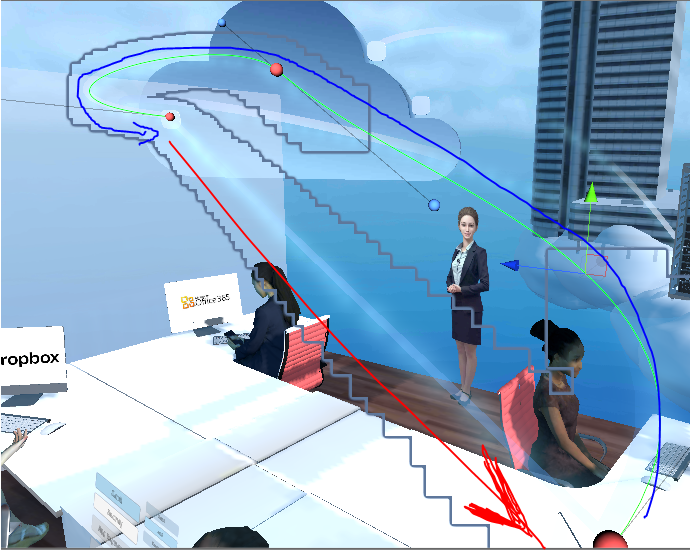
hello, anyone know how to make the trail renderer not show the trail if the object which it is attached to moves to a point too quickly?
right now i have a path that an object follows, and the object resets positions, but the trail renderer follows, so it creates a horrible line.
the blue is the path, the red is the line i dont want to show the trail in. https://i.imgur.com/1yLFP7c.png
 pearl venture
I'm having an issue where my VFX graph effect (fire) keeps disapearing and reapearing depending on the camera position, anyone know why this happens and how to fix it?
I'm using the URP
elfin pilot
@pearl venture Hi, You probably need to set the bounds of the effect. You can set the bounds per system in the init context. Also by selecting the init context with and attached visual effect to the graph, you'll be able to change the bounds using a gizmo in the scene view
pearl venture
@elfin pilot in the Initalize particle section of the effect?
The effect simply disapears when my camera gets too close? but still relatively far away from the effect, like it only works when the camera is moved back quite far
 lilac bison
is there a way to have lit particles sample light probes based on the actual particle position, rather than the transform of the VFX?
lilac bison
not actually sure how to use a custom material for VFX graph either... is it possible?
 molten smelt
I normally set my particles to an additive shader, but on snow levels they are hard to see. Any tips?
 tropic current
@lilac bison about the custom material I don't think it's possible. The only thing you can do is assigning a shadergraph asset
lilac bison
@tropic current oh interesting, but that is more or less the same thing, right? if i was planning to make the material in shadergraph?
 hot cosmos
hey guys!
I'm trying to do something similar to this effect:
https://github.com/keijiro/Smrvfx
And I'm using his code, but my character is running/moving on a long path. I find that it runs out of the Bounds of the effect.
What is the best way to move the effect along?
I tried to make his script make the textures with local cords but if i attach the system to the character it has a up and down blobbing
GitHub
An example that shows how to pass data from a skinned mesh renderer to a visual effect graph. - keijiro/Smrvfx
This is what i have currently:
The effect is stationary and has a relatively small (5,5,3) bounds. The effect has a capacity of 900000 and it is pawning 80000.
elfin pilot
You can pass the character position to the graph and use it to set the bounds center (in world space)
Or alternatively directly make the VFX a child of the character gameobject and keep the bounds in local space and the simulation in world space
opaque knoll
I broke my graph. Console spams "Invalid cast from Uint to int" or something it says, and i can't delete the offending node
opaque knoll
Hmm am i missing something?
There is no "GetParticleCount" ? Only GetParticleId and GetSpawnCount (which is the amount of particles spawned in this frame) ?
opaque knoll
ArgumentException: Invalid CastFloat : UnityEditor.VFX.VFXValue`1[System.Single] to Int32
How am i supposed to debug if i cant even open the vfx graph? @_@
opaque knoll
I'm so lost, really at a roadblock due to this bug.
If i add a subgraph to a fresh graph, throws this error, and have no idea where to even begin to debug.
Invalid CastFloat? What's the proper way to cast from float to int or vice versa?
charred marlin
Hey all, I'm seeing a new particle module that allows you to make particles leave trails in 2019.3. Is this only for the default cpu particles, or is this sort of thing supported in the vfx graph as well?
https://docs.unity3d.com/Manual/PartSysTrailsModule.html
@opaque knoll I would assume that programmatically the best way to cast from float to int is to use Mathf.Round, then cast the whole number it returns
Vice versa, an int should cast to a float with no problems
opaque knoll
@charred marlin
There's a new ParticleStrips type that u can use
charred marlin
If I remember correctly, a float is just an int with twice the memory space where the first half is the number itself and the second half is the position of the decimal place
So casting from int to float is just tacking on the second half of a float's memory space with no values there for the decimal's position
opaque knoll
Yeah, i meant casting in vfx graph, just because i assumed that was the problem based on the error given
charred marlin
heh that makes sense...we are in this channel woops
Also thanks for that info, Ima relay
Somebody said they prefer the particle trails of 2019.3 over using the vfx graph
opaque knoll
But it wasn't. I think there was a corrupt node. I had to recreate the subgraph and all of a sudden the problem's gone
charred marlin
And I felt like it was weird to assume it was one or the other
Oh well huh
That's what we get for using new technology before the official release :p
opaque knoll
The trail of Shuriken is definitely easier to setup
charred marlin
Shuriken?
opaque knoll
Shuriken is the CPU ParticleSyste
It actually has a name 😄
But anyways yea. Trails before the ParticleStrips in VFX was kinda annoying to setup. Gotta handle the start/end of each particle, and things get confusing especially because you gotta calculate 2 times each particle basically
charred marlin
oh, so good to know it'll be difficult
But also good to know it's possible if you want to go the extra mile :p
opaque knoll
Just check out keijiro's vfx graph test bed, it has trails there
opaque knoll
So, i'm afraid i can't understand how ParticleStrips works...
I tried just emitting constant spawn rate, in a circle, velocity going upwards, and the Strips are showing no problem
What i'm trying to make is a visualizer line, just 30 points along x, and their Y axis is the amplitude
The weird thing is it works with Output ParticleStrip Line, but it's not showing anything with a Strip Quad.
The only difference with my working test with Quad is, this one has fixed amount instead of keep spawning
opaque knoll
Ok it works.
Wow, not sure but maybe this is a bug?
AFAIK, even the position can be set in Output without saving the position data in Init or Update? Which is what i've been doing for this equalizer line
But apparently for this Strip Quad, the position has to at least be set in Init (still doesn't need to be set in Update), in order for the direct modify in Output to work
Strange behavior...
opaque knoll
So if Strips are all spawned in 0,0,0 in Init, then it "thinks" that it's not properly initialized.
Spreading the Strips in init just so the Strips can stretch a bit is necessary for any further moving around the position of the strips in Update or Output
 flint glacier
i was wondering if anyone knows how to rotate something in the visual effects graph? ive seen people use "add velocity tangent" but i dont think its in there anymore
lilac bison
in the final block
depends on how you want to rotate it
i use this
mode has lots of options... you may want to use the "along velocity" option
flint glacier
thanks but i think i did something wrong because it isn't rotating
do i have to connect it to something?
lilac bison
depends on the mode... if you use "along velocity" then it doesn't need anything connected
but if your particle has zero velocity, it won't show up
flint glacier
this is really all it has
i need to do this, but i cant find velocity (tangent) so im trying to find a way around it
 silver locust
i need help figuring out how to get the small particles to look like they are getting sucked into the little white void in the middle
i want to try and do something like this (the small dots are what im having trouble with)
 spare jetty
you can change the speed to negative, if that can help, for a reverse effect like
its alot of settings though to get this kind of effect, i got no idea out of the box
silver locust
the simulation speed?
silver locust
i set it to -1 but they are still going away from the center
it only pulls them to the center when i drag the start speed down but when i stop going down they go away from the center
spare jetty
working here thought
opaque knoll
Maybe ur shape module has some settings that sets the direction to go elsewhere/randomize
Try turn off the randomize direction and spherize direction
flint glacier
so is there no replacement for "add velocity (tangent)"?
tropic current
[VFXGraph] hey there! I'm trying to spawn particles from a mesh vertex and then use the UV of the same mesh to sample a texture2d and use the output value (greyscale 0-1) as an offset in the VFXGraph. I tried to create a point cache from the mesh and export the UV but inside VFXGraph it turns out that UV output is a...texture2D? I'm kinda lost...any help welcome, thanks!
tropic current
(I found my solution ^) Any idea on how to get the view direction in VFXGraph?
(I even tried to use a custom shadergraph with a basic fresnel but got an error: undeclared identifier 'GetWorldSpaceNormalizeViewDir' at line 1363
 bronze wedge
hi. i am getting VFX_WORLD_SPACE & VFX_LOCAL_SPACE are both enabled despite using only local space. is there a known bug with it in 7.1.8 ?
charred marlin
Hey all so...
I swear I’m not making this up 🤔
But I’m not home to check smh
I know there are blocks/methods for applying force to particles to move towards or away from an SDF
Isn’t there one for just straight up colliding with an SDF, too?
 neon jungle
@charred marlin yea I remember there being one
charred marlin
yep! I googled a bit and finaly found a reference to it in the unity documentation
Not a lot of people talk about the SDF features online, which is funny since there's a not-well-known mesh to SDF converter that works really well
I've used (I didn't come up with this, I stole it from another dev!) the converter to be able to interact with VFX Graph particles in VR (converting the hand mesh)
But I've only currently used the SDF force block
neon jungle
I made one https://github.com/xraxra/SDFr

GitHub
a signed distance field baker for Unity. Contribute to xraxra/SDFr development by creating an account on GitHub.
charred marlin
This is in realtime tho o/
You can give it a skinned mesh renderer for realtime updates
charred marlin
I think most people prefer to bake them anyway. Like baking a basic scene and using its SDF to get world-collision with the VFX Graph
I've seen a lot of cool VFXG stuff around, and the thought of being able to poke them in XR is really fascinating
neon jungle
I want to try to add atlassing at some point, so only 1 global SDF made up of instanced object sdfs, it's a pain colliding with multiple separate sdfs in vfxgraph
charred marlin
Yeah I was wondering if the best way to get around trying to set up multiple SDFs (for my use case at least) would just be to create a separate script that takes multiple meshes and fuses them into one
Then just dumping that fused one into a public variable and popping that into the SDF Converter
In my case it would be a little sucky because I'd be baking two meshes out of two skinned mesh renderers at runtime, but they're each only like...97 verts
And I'm p sure baking <200 verts total at runtime from Skinned Meshes wouldn't be that bad?
neon jungle
Wouldn't think it'd be, I wonder how the real time SDF works, if it's just voxelizing or something else
charred marlin
GitHub
Convert a mesh to an SDF for the Visual Effect Graph (Unity) in realtime - aman-tiwari/MeshToSDF
Have at it xD
I believe it is voxelizing yeah
With a public variable for the voxel quality or resolution or something
So you can increase the quality if you'd like, but I think like the default of 16 or 64 (or something) was more than enough
Is it possible to do something do literally see an SDF in 3D space? That would really help with getting an idea of what you're making as you change the settings
1. Convert the triangle mesh into voxels
2. There are many "correct" ways to do this, for instance by iterating over the voxels that each triangle might intersect with and testing if it does intersect with any of them.
3. But it's faster to just sample a bunch of quasi-randomly distributed points on each triangle and marking them as filled in the voxels texture, hoping we sample enough to get a good surface. I use the R_2 sequence for this.
4. This would also be possible with a geometery or tesselation shader to split the triangles to be below the voxel resolution followed by marking the location of each vertex in the voxel texture as filled
5. Flood fill the voxel texture using Jump Flood Assignment. This creates a voroni diagram with each voxel acting as a seed, AKA an unsigned distance field of the voxels.
6. Subtract some constant from the unsigned distance field to thicken the surface a little bit.```yea the SDF could be raymarched in a preview shader to see the surface
 wild flame
hello everyone! quick vfx graph question, is it normal that every time i add a new node it takes like 10 seconds to compile?
its my first time trying it
lilac bison
that seems not normal. what kind of specs does your machine have?
 static shell
I can't seem to get a spherical burst of particles using VEG. This can't be the right way to do this, is it?
neon jungle
I think that is setting velocity to a random value between A and B
Just use a set velocity with the same sin cos and it shouldn't be scattered
Also if you then wanted to randomly scale the velocity you could add a multiply velocity block after the set velocity block which scales by a random value
Consider getting the particle ID and dividing by max particles too (may need modulo or frac) that will get u a nice 0 to 1 value for making a uniform spaced circle
I think there's some shape spawners too but I forget which
tropic current
All the simple things that you could in 30sec in shuriken will take you forever here in VEG, if not impossible (or veeeery complicated for nothing). For complex systems though it's a powerful tool.
 neon imp
Do we know if Unity plan to add Lit Mesh support to VFX graph?
steel valve
@neon imp The lit mesh particle output support is already available for HDRP, alongside the Mesh Output (Mesh+Shader with properties as slots) which supports also HDRP (and supposedly URP). Regarding URP lit support, it is not yet implemented but you can achieve basic light probe lighting in unlit outputs using VFX Shadergraphs : https://twitter.com/peeweekVFX/status/1207074317013569536
opaque knoll
In this particular graph, if i connect from the Update to a Particle Output Quad, the editor goes to an infinite loading loop of
Generating shader and Importing VFX
why is this so?
The Particle type of this system was ParticleStrip, recently changed to Particle, btw
lilac bison
wow just tried out the Output Particle Lit Mesh option and there is a HUGE performance discrepancy going from Output Particle Lit Cube
i see that with some of the Output nodes, you get an option to use a Shader Graph, but this option is for some reason absent on the Output Particle Lit Cube... anyone know what's up with that?
hmmm... ok i see that my cube appears to import with 22 verts instead of 8 :/
not sure if that is a complete explanation for the huge performance disparity i'm seeing tho
lol and of course none of the import options help me bring the vert count back to the number in the authored mesh. guess its time to generate it with a script!
dull obsidian
@lilac bison the primitive outputs are some kind of imposters / billboards with lighting to look like meshes but they are not, they are just camera facing quads or something similar that is much more optimised for simple particle rendering with limited customization vs the conventional mesh output with full shader graph support
bronze wedge
hi guys,
I am getting Shader error in 'Hidden/VFX/MagicAura/System 1/Output Particle Distortion Quad': undeclared identifier 'alphaMask' at line 1489 (on d3d11) when using output particle distortion quad (with distortion ode set to normal based and uv mode to flipbook blend) but only when I close VFX Graph editor or go into playmode. While editing with vfx editor opened it is fine.
Anyone experience this issue? I am on 2019.3.1f1, HDRP 7.2.0 & VFX 7.2.0
 lusty zodiac
hi guys can anyone show me where i would need to start to making this?
https://media.giphy.com/media/cYsV1L1n2aoCYCRavx/giphy.gif

i want to make something along these lines i would really appreciate it if someone could tell me where i could start making something like this
 unborn flax
Umm I don't know much but I think you should start with these :(
Electricity vfx
https://youtu.be/RdNnbozAPGQ
Dragon ball vfx (Saiyan Aura)
https://youtu.be/h0rpKQEa7vQ
Magic orbs
https://youtu.be/JLciW2dqMic
Learning about Graph Shader and particles should do the trick ...
Hope it'll help you :(

Создание эффектов электричества с помощью системы частиц на игровом движке Unity. Game effect tutorial.
Вы можете скачать этот эффект бесплатно по этой ссылке -https://www.patreon.com/posts/21393747
Подпишись что...

Создание спецэффекта энергетической ауры силы с помощью системы частиц на игровом движке Unity. Game effect tutorial.
Если вы подписаны на мою страницу Patreon, то готовый эффект вы можете скачать здесь - https://www.patreon.com/posts/24256415
Texture maker: https://mebiusbo...

Создание эффекта магических огненных шаров с помощью системы частиц на игровом движке Unity. Game effect tutorial.
Если вы подписаны на мою страницу Patreon, то готовый эффект вы можете скачать здесь: https://www.patreon.com/posts/27413243
------------------------------------...
lilac bison
@lilac bison the primitive outputs are some kind of imposters / billboards with lighting to look like meshes but they are not, they are just camera facing quads or something similar that is much more optimised for simple particle rendering with limited customization vs the conventional mesh output with full shader graph support
@dull obsidian wow really? that is wild!
dull obsidian
@lilac bison yeah, notice how the lit spheres are always perfectly round and smooth, even up close
lilac bison
haven't used them much, but that seems crazy that you could use a billboarded quad for a cube when you can use the Orient block to rotate them on arbitrary axes, not to mention scale
seems like that would result in a really complex frag shader
dull obsidian
@lilac bison it's because it has great performance gains vs a mesh, as you noticed. 1 quad is 5 fewer quads then a cube. and likely it is a custom compute shader rendering technique.
@lilac bison btw to your earlier question: you can't have a cube mesh with faceted normals (sharp edges) and only 8 vertices with conventional triangle mesh gpu rendering. you need unique vertices for each face to provide per vertex normals.
lilac bison
@dull obsidian right i understand that part, i just thought there were some settings on the importer where you could have it not do any processing on the normals/verts and just bring it in exactly as authored
anyways, i got what i wanted by creating the mesh asset in a script... unfortunately, the extra performance overhead vs. the built in cubes was a surprise!
dull obsidian
and have a really low poly spheroid looking thing with a cube topology sure
i have that working with meshes i created in houdini and imported to unity
@lilac bison i think i had to use fbx or abc instead of just obj, i can't remember exactly
 north creek
I have a particle question: Is it possible to change the time length of each loop of the particle system? I set the 'rate over time' to a number, and it will fire that many particles in 1 second. changing the 'duration' and 'start lifetime' does nothing to effect this 1 second time for each loop of the system. and 'simulation speed' changes the actual speed of the projectile along with reducing the time of each loop.
 fiery lintel
@north creek you can do what you're looking for with burst, and probability (I think)
so cycles and interval = spawn rate and probability bigh give you onnes to randomly choose between
altho I'm not sure
can you explain your effect a little better/again
 vestal wadi
I want to have pulse effect that grows and damages stuff. I can easily handle the collision part with normal code but don't know how to sync with VFX
Would it be better to use particles/shader graph or VFX graph?
And what would I need to learn in that case
The pulse effect will damage stuff in a growing ring shape.
 torpid shell
really both methods are fine
Im more familiar with shuriken particles and SG
but Im too lazy to learn vfx graph
you would get better performance with vfx graph so
¯_(ツ)_/¯
lusty zodiac
@unborn flax thank you very much i will have a look at this
lusty zodiac
i have this image i made how do i use it as a trial material?
charred marlin
Has anybody had the chance to mess around with the SDF features of the VFX Graph to create an effect that resembles the shape of a man or woman (or animal) but is made up of particles?
I've had heavy dreams of having an AI-like character that is essentially a model of a woman but the model itself is invisible and instead passed into the VFX Graph as an SDF so you get this particle-woman
On that note, I'm aware that there's an option to make particles face the direction that they're moving, but what if I instead wanted the top part of a particle to be perpendicular to the direction it's moving, so as it moved around the SDF it would basically perfectly align with and therefore map out the shape of the SDF?
Is there anyone here with VFX Graph knowledge whose willing to just chat with me in DMs (or on here) for all my crazy vfx questions xD
 true lake
Can someone tell me why post processing is needed to make mk_glow work? it works fine without the post processing.
 grave canopy
How do I isolate the unity particle pack bullet impacts to just 1 single bullet impact that doesnt loop
north creek
@fiery lintel thanks for the reply! Basically, my effect is a bullet being fired. What I would like, is a looping system, where I can set the time of each loop based on the firing rate of each gun. This is why I want to shoot just 1 particle per loop, which is actually possible, but I can't change the time until the next loop begins strangely, its always exactly 1 second
lilac bison
so what is the story with the Target Position attribute in VFX graph? i haven't used it before, but I guess I assumed the particle would try to move towards the target position in the Update, but that doesn't appear to be the case so far in my current experiment
maybe the main purpose is for use with the Connect block?
steel valve
@lilac bison As Target Position can serve many purposes, we didn't make it apply any implicit behavior out of the box. You can of course perform some attraction towards a target position using blocks and operators (Absolute force, Relative Forces, Conform to Sphere) or you can use its value to drive the rendering of Particle Line Output so it connects the position attribute from one end of the line to the targetPosition at the other end of the line (uncheck the "use target offset" option to apply this behavior). Or even, as you figured out define the same behavior for particle quads/meshes using the Connect Block.
 buoyant onyx
Anyone has any idea how to make the trail renderer on the punches from street fighter v?
The material specifically
The trail is obviously a particle system with trail turned on and tweaks to look like that and a script to turn on and off on specific frames
But how do you make the goo looking material?
For ryu and ken
opaque knoll
You must use a lit vfx master node with a lit output
What do i do? If i make a VfxShaderGraph, the master node can't be Lit
If ShaderGraph's master node is Lit, it can't be put in Vfx's shader slot
 junior flint
im not sure if this is were it goes, but, for me to input a default package how do i do it
it only appears custom packagfe
lilac bison
You must use a lit vfx master node with a lit output
What do i do? If i make a VfxShaderGraph, the master node can't be Lit
If ShaderGraph's master node is Lit, it can't be put in Vfx's shader slot
@opaque knoll did you check the additional settings?
 tame turtle
Is there a way to use global properties with vfx graph?
 cobalt escarp
When working on a spell system, what are the pros/cons of using the shuriken particle system vs the newer VFX graph?
tropic current
@tame turtle do you mean shader.setglobal?
dull obsidian
@tame turtle afaik you have to expose properties on the blackboard of the vfx graph to make them "global" and visible to scripts / anything else in your project
@charred marlin yes both of those things are possible with vfx graph. - The first you need to generate an SDF texture3d either offline or realtime, look for Mesh to SDF for examples.
- The second you probably could do with mesh output and some orient block to orient the mesh to the normal of the SDF instead of the velocity/direction vector
@cobalt escarp GPU acceleration is the main reason, so very performant and orders of magnitude more particles. but also a much deeper and more flexible UI for custom behaviours and appearance
cobalt escarp
@dull obsidian Most of the tutorials I've seen for spell systems use the shuriken particle system. Do you know of any good ones that use the VFX graph?
dull obsidian
@buoyant onyx you may have better luck by posting a specific visual reference to exactly what you are talking about.
lilac bison
am i missing something obvious or is there no way to multiply a Matrix4x4 with a Vector3 in VFX Graph?
trying to pass in a localToWorld Matrix from a transform and move particles based on that transform in the Initialize section
eh... just went ahead and used a Transform property instead of a Matrix4x4 property. I really hope Unity fixes the way Transform properties work in VFX graph. It should just be a slot for a Transform in the inspector
instead of having to do this in the Update of a script
dull obsidian
Ah, interesting I recall something similar. I ended up using Property binders @lilac bison
which is the now "built in" way to do this without having to write your own script as I understand
lilac bison
wait... how does that work?
i was only able to find those property names by digging into the Visual Effect inspector in debug mode :/
dull obsidian
there's a doc on it now, pretty new
lilac bison
can you link me?
dull obsidian
on VFX property binders
on my phone rn, try going to package manager, find visual effect graph
and theres a documentation link
then, property binders are in the table of contents pretty sure
lilac bison
ah figured it out... well that's actually pretty handy
charred marlin
Ooh an answer to an old question yay thanks!
opaque knoll
@lilac bison i did that but still says the same thing.. is it working for u?
lilac bison
did which?
opaque knoll
Ticking the Lit
lilac bison
oh... yeah... when i tick the lit, it changed so i had all the usual lit inputs
as in the screenshot
opaque knoll
And u're able to have lit quad output with shadergraph?
lilac bison
yea... you can see in my screenshot
its got pins for metallic, smoothness, etc.
if you untick lit, its just color and alpha
opaque knoll
Yep i had that
But the error is still the same and it renders nothing
opaque knoll
Yep
lilac bison
what output are you using on your VFX graph?
lilac bison
yeah idk... i didn't encounter any problems
anyone know how to add a custom attribute to a VFX graph particle?
nm found it!
lilac bison
hmmmm bloated particle layout or each particle samples from a bunch of textures every frame?
neon jungle
@charred marlin an alternate approach is feed a rendertexture that has the model rendered as world position, flattened by uv's or random sampled, then u can spawn particles via that, I have an example that scatters random points on each triangle in a compute shader that I can share, and keijiro has one that copies the vertices to RT w/ velocity on their github. The downside of either is you wouldn't get SDF collision, but it is fast and can take skinned meshes.
charred marlin
So I already have experience with a real-time mesh to SDF converter that works with skinned meshes 😊 I was less asking if it’s possible and more if anybody has much experience with it so far
But thank you for the answers!
lilac bison
@dull obsidian any idea if it's possible to set a property binding from a script? I see VFXPropertyBinder.AddPropertyBinder, but it doesn't seem to take any arguments so I have no idea what to do with it...
seems like it isn't meant to be used this way... yet. I can iterate through the m_Bindings list, but the only related method I can see on VFXBinderBase is UpdateBinding, which only takes a VisualEffect for an argument!
 elder mason
Hey Guys I just got learning the Shader Graph system and I was following this tutorial
https://youtu.be/mGd3nYXj1Oc?t=192
I'm pretty sure I've followed everything correctly but when I apply my texture instead of moving and repeating like in the video it instead just moves then cuts off. Do you lot have any clue why this is happening?
(Sorry for the poor explanation)

Unity Shader Graph - Laser Beam VFX Tutorial
In this Shader Graph tutorial we are going to see how to create a simple, but awesome, Laser Beam shader in Unity!
TPS Laser Tutorial: https://www.youtube.com/watch?v=YbWYc3W43EI&index=29&list=PLpPd_BKEUoYh40LeJXTgA6E53gCMPq3MX
...
lilac bison
hmmm check your texture import settings and make sure wrap mode is set to "Repeat"?
elder mason
Thanks, that was driving me nuts! You have my thanks!
 dusky basin
Test unity
hot cosmos
hey guys
what is this.......
i have the up to date drivers restarted comp twice
and the "corruption" is on the same place each time
hot cosmos
It happens when i try to sample a point cache position map
 prime depot
Hey guys, I'm a huge noob with the VFX effect graph and let's say i'd like to force particle to look up at Y what block would I need? I thought Orient : Axis would do the trick, but it only lock 2 axis and it keep trying to look at camera while I move around.
Thanks
elfin pilot
@prime depot Yes that's what fixed axis mode is doing: Lock orientation around one axis but still trying to facie camera. What you're looking for is probably the Advanced mode where you specify 2 axis: the first one would be locked and then an orthonormal space will be computed with respect to the second axis you provide. You can also directly use set AxisX,Y and Z blocks to define the space of the particles.
prime depot
It's fixed, thanks!
dull obsidian
@hot cosmos I recommend you file a bug report which your computer specifications. Also try testing on a different computer see if it it's reproducible on other machines or if it's only the one.
 torn geyser
Does the VFX PreWarm actually work? The default "Swarm" particle system doesn't seem to be impacted by the asset's PreWarm Total Time, PreWarm Step Count and PreWarm Delta Time changes.
prime dome
 gentle abyss
90 corner verts lol
prime dome
they said it smoothes it out better
gentle abyss
yeah but only the corners
prime dome
yeah
better than nothing tho
if its at 0 it doesnt look different
both at 90 look way better than at 0
neon imp
is there any way to have an entire VFX graph emit from points on an animated mesh?
like a character animation
tropic current
@prime dome how do you move the object?
If it's too fast the trail won't have enough points to sample
prime dome
its attached to my mouse
tropic current
It's heavily related to the framerate too
At each frame the trail will look at the new position at will create only one segment with the previous position
So it's not made for really fast movements, like a sword slash
Specially if you run at 30fps
tropic current
Not with the trail I'm afraid
Some alternative http://blog.virtualmethodstudio.com/2017/12/unity-trail-rendering-done-right-ara-trails/

Ara trails is a high-quality, extremely versatile trail renderer for Unity. This post highlights some of its features and potential use cases.
prime dome
Im not paying
tropic current
Alright.
prime dome
I already saw that
tropic current
¯\_(ツ)_/¯
prime dome
I prefer the unsmoothed version over 30€
tropic current
In numerical analysis, a cubic Hermite spline or cubic Hermite interpolator is a spline where each piece is a third-degree polynomial specified in Hermite form: i.e., by its values and first derivatives at the end points of the corresponding domain interval.
Cubic Hermite spli...
prime dome
Also ara trails heavily remind me of something nsfw
 tight venture
anyone in here got some sort of knowledge of why my particle systems are not emmiting particles unless i keep the object selected in the hierarchy?
bad:
https://i.imgur.com/rNegvTM.png
good:
https://i.imgur.com/xY9sYcj.png
particle system:
https://i.imgur.com/x39OIbn.png
https://i.imgur.com/XmzQS8F.png
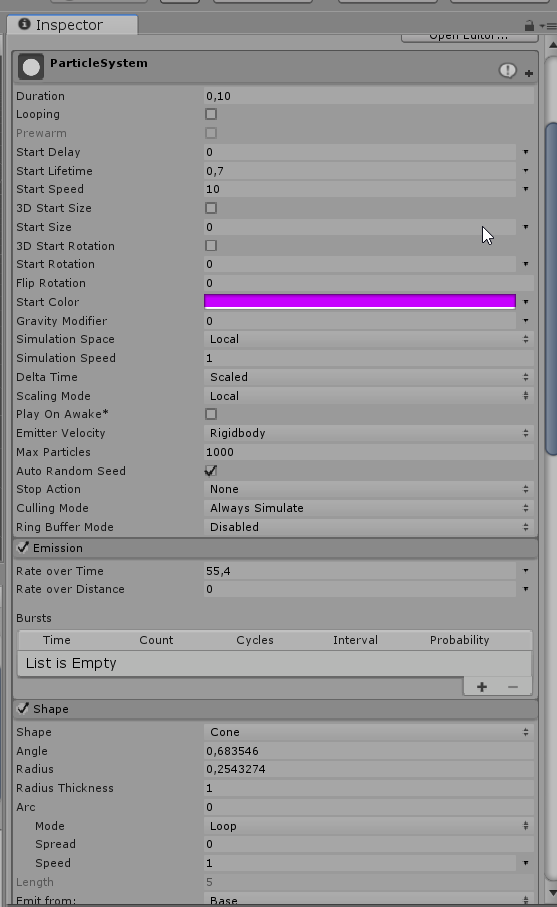
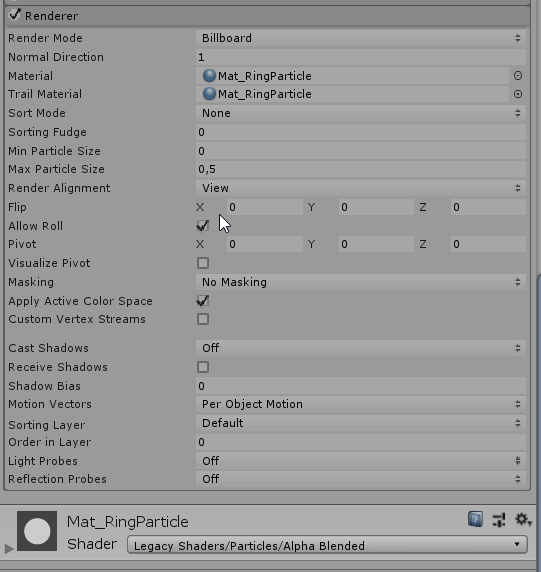
 wintry quest

Learn more about Lightweight Toon Outline with ASE Discord: https://discord.gg/zVdqVSp
Send us your requests!
lilac bison
is there a way to have the Initialize block of a VFX graph bail out if a certain condition is met? to avoid an intensive block afterwards...
i know i can Set Alive so that it won't hit an update, but wondering if it possible to bail before the rest of the initialize blocks run
elfin pilot
@lilac bison Not at the moment no. In a future version, we will add a way to enable/toggle blocks via a boolean port so this would probably help you achieve what you want
lilac bison
@elfin pilot yea that sounds exactly what i'd be looking for in this situation
lilac bison
hmm... ok, so I have a compute shader i use to write a bunch of point cloud data into textures to feed into my VFX graph, but i'd like to first do a culling pass in the compute shader, so i'd be first writing my buffer into an AppendStructuredBuffer and so I won't know how many points it contains after the culling... read that off the GPU kills framerate so i can't do that. I know I can copy the count into another ComputeBuffer using ComputeBuffer.CopyCount, there isn't a way to read that buffer into VFX graph
so do i need to create another compute shader kernel to write the count into one pixel of a texture to feed into VFX graph, or is there a better way?
lilac bison
hmm... last time i tried calling GetData on a compute buffer in a situation like this, even tho it was only a tiny read, it still impacted the frame rate a lot, but i'm reading a single byte back to get the append count and it seems performant?
lusty zodiac
hi, i want to make particles that move towards the center. how would i do this please
using vfx graph that is
opaque knoll
@prime dome Use additive, and gradually change the color from white to black
tight venture
do you guys think its wise to draw ~40k particles by the cpu or not...
having trouble letting all my particles be drawn in build mode, eventhough it works fine in the editor... :(
tropic current
40k is a lot for shuriken...
tight venture
40k is a lot for shuriken...
@tropic current its multiple systems, do you have any clue if unity has something like ''im not going to draw the particles unless more are active in the scene" type of thing, because thats what i see right now. in the editor all the particles are visible from the moment i hit play, like i want them to be, without selecting the particle system game objects, but in a build, some particles dont seem to get drawn unless more particles are visible in the scene, its the weirdest thing ever, especially since i do have a build where theyre working fine, but when i transferred that build to another pc, it didnt work on that one.
tropic current
that's a weird issue, never seen it, maybe a bounding box issue?
tight venture
currently checking if my unity version has to do with it, 2018.3.0f2 seems to have had some trouble with particle systems but upgrading it to the newest stable doesnt fix it either, same stuff happens, works in the editor but not in the build
its about these particles not appearing in the build
tight venture
||@tropic current https://www.youtube.com/watch?v=RN8PdomA7UA&feature=youtu.be||
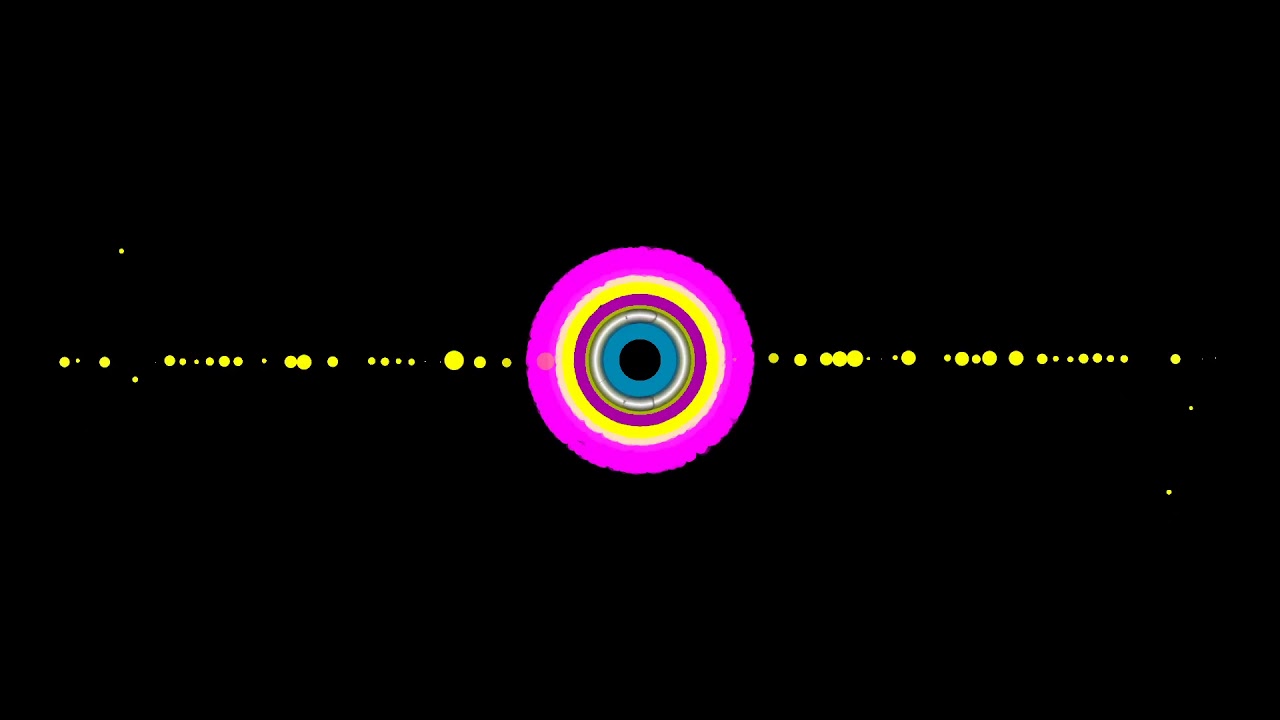
notice how the particle effects left and right do get activated as more particles (middle ring) appear? :(
tropic current
maybe it's a framerate issue?
if you ensure having the same framerate in both the editor and a build, I wonder if it will fix it
@tight venture
tight venture
getting around 35 in the editor, around 60 in build, explain why this would be important please :)
tropic current
I would say that the simulation of shuriken depends on the framerate, specially if you have lag spikes
it's from this forum thread: https://forum.unity.com/threads/particle-effects-not-same-in-editor-and-in-game-build.671164/
Unity Forum
Hi! i have some particle effects that behave totally different in game build and in game editor.
Both have simulation space set to world and are...
but I would intuitively say that if you have a better framerate on a build it should be better than in the editor
tight venture
ty, gonna look into that, the even weirder thing is that on an older build the game worked as in the editor, but on a different pc with the same build they got invisible again
ty anyways, feel like u got me somewhere atleast lol been struggling with it for some time now
also, i used a fps script for both cases, but should i be using that for the editor use should ive told u the stats fps number
opaque knoll
@prime dome yeah realized.
If u want to control each particles glowness, then i think u gotta use vertex stream custom data
If u can normally use alpha threshold for a texture with gradual opacity to the middle, and the middle circle full alpha, but thats for the whole material.
For each particle then u gotta use a shader that its alpha threshold could be a custom data
Unless theres a shader that already takes vertex alpha color as alpha threshold instead of the final alpha
tight venture
@tropic current https://youtu.be/oLrb_n9zpc0 i dont get this at all, the particle is being told to play and never gets stopped, but i dont see it playing unless i select the object in the hierarchy, not working in a build either :(
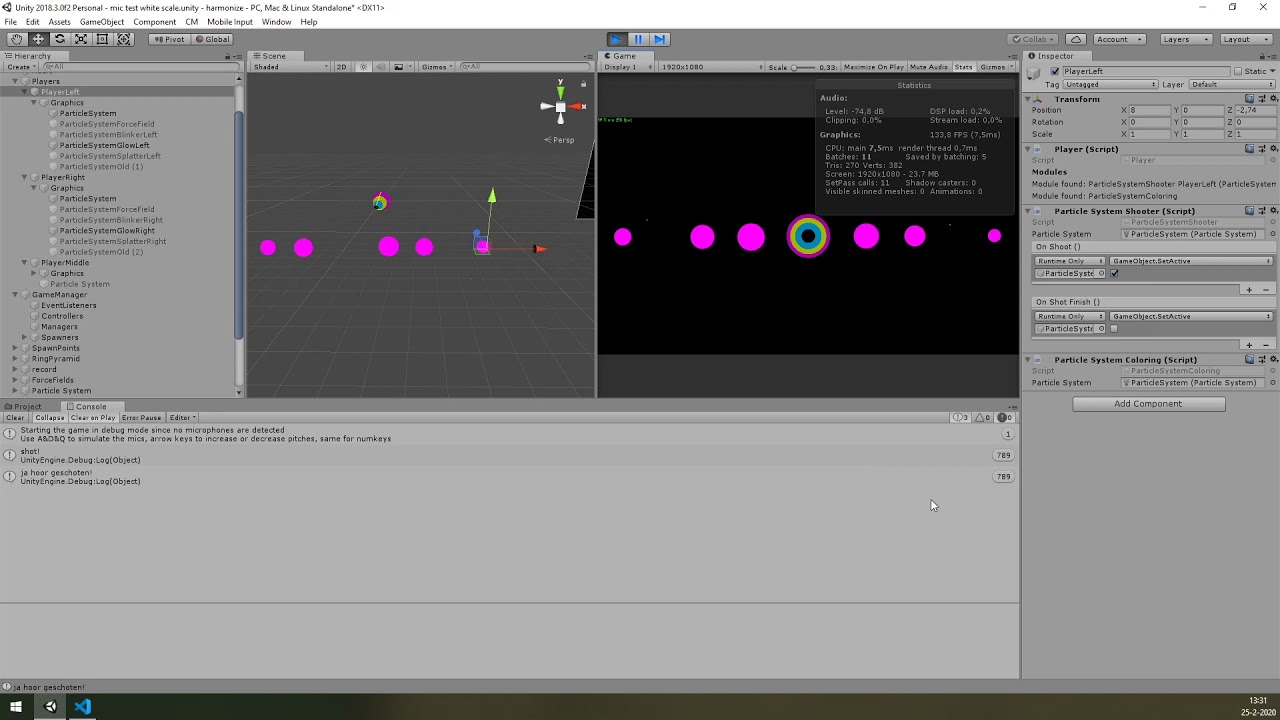


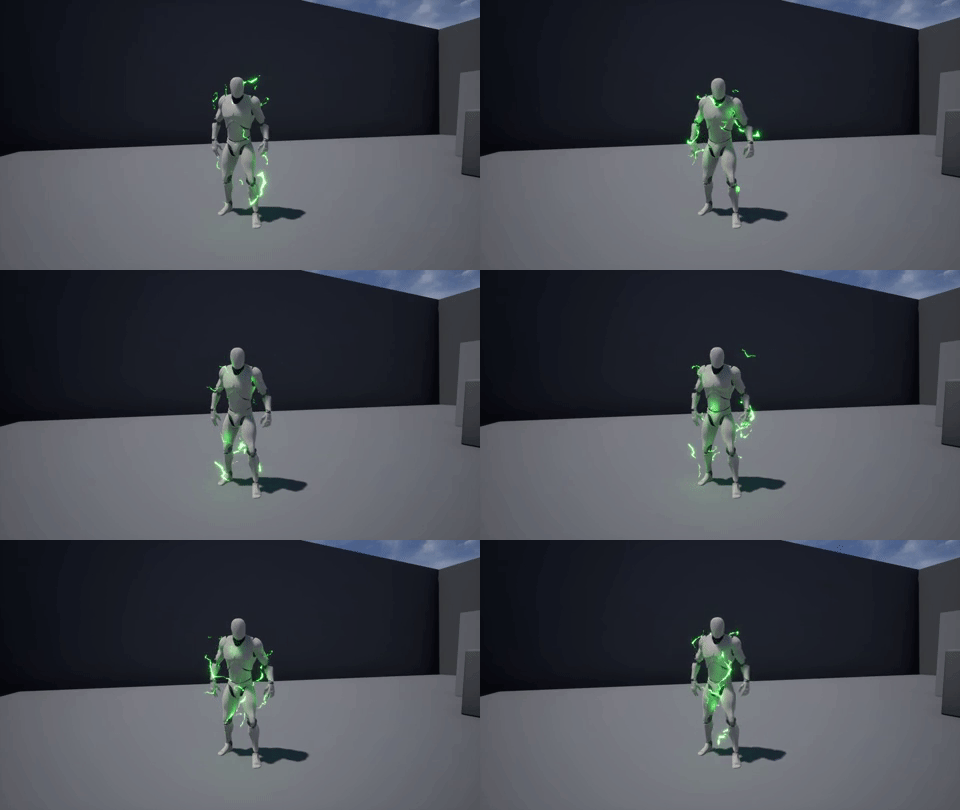


 tight venture
i guess calling ps.Play() is screwing me over, whenever the messages in the console appear that fucntion gets called
 round frigate
does someone know how the guy transformed his 3D model into square particle + fluid i don't find tutorial about that https://vimeo.com/392767896
lilac bison
I'm trying to avoid calling GetData on a ComputeBuffer to read back a single uint by writing it to a tiny RenderTexture instead in hopes that I could send that to the Spawn section of my Visual Effect, but when I connect it to the Count input, I get an exception in the console.
Exception while compiling expression graph: System.InvalidOperationException: The expression UnityEditor.VFX.VFXExpressionCombine is not valid as it have the invalid flag: InvalidOnCPU
dull obsidian
@lilac bison Sample texture / node is GPU operation but the spawn context is purely on the CPU as part of initialization before GPU code is called is the issue, pretty sure
lilac bison
@dull obsidian yep i asked on the unity forum and someone from unity told me the same
dull obsidian
@lilac bison ah okay. well if you haven't found a solution yet, i think there are two...
- Use the Sample Texture result as an input to a GPU event context block instead of a Spawn context block
- Copy the data from the buffer into a data structure in CPU memory with C# script (instead of the Sample Texture node) and then bring the data into VFX graph with an exposed property on the blackboard
lilac bison
copying it is what i was already doing, but according to the profiler, that eats 5ms
Unity employee recommended spawning the max amount and then sampling the texture in the initialize block and setting the alive attribute there. i think its the best solution for now.
i hope they add custom buffers to VFX graph soon :/
dull obsidian
Is there a way to copy it delayed by a frame? rather than trying to copy it same frame? that would increase the "input lag" but perceivably reduce frame time due to the copy starting async on the previous frame
I've done that in other frameworks just not Unity, I imagine it's possible, though
lilac bison
there is an async method, but its useless to me. i need tight frame sync
neon jungle
What's the length of the compute buffer? If it's 1 the get data should be quick, could also try a compute buffer set to Counter type
lilac bison
it's literally 4 bytes...
but it definitely came up in the profiler... i adapted my VFX graph to just always spawn the max amount and then in the initialize context, i read the texture that has one pixel's red channel as the count and set alive to false for anything falling outside of that
lilac bison
hmm doesn't seem to matter if "Double Sided" is ticked or not, my Lit Quad particles seem to draw no matter which way they are facing... anyone know how to get backface culling to work?
dull obsidian
@lilac bison try Lit Mesh output and select a quad for your mesh
because, as far as I know, all the non mesh output types use unconventional / custom / optimized rendering techniques, similar to imposters. so things like backface culling don't apply because there may not be any "faces" to begin with in the traditional sense like with GL and DX9, etc
lilac bison
hmmm
dull obsidian
whereas Mesh Output retains more of those traditional techniques
lilac bison
yes... it does work
dull obsidian
but is almost always less performant than non mesh output types
lilac bison
but i wonder if i'm gonna lose performance
dull obsidian
i mean, try it
lilac bison
yeah... i mean my main concern was performance
thought i might be blowing fill rate but i don't really know that i'm fill rate bound
dull obsidian
but at least when it comes to spheres and cubes i know the mesh output is less performant
quads i don't recall
lilac bison
i remember we discussed these imposters before, but the Lit Quad lets you use a shader graph with it so i thought its prob not an imposter
dull obsidian
ahh hmm i didn't realise that
lilac bison
makes sense though... most people won't want backface culling on a particle
dull obsidian
if that's the case, mesh output with a quad shouldn't be worse or much worse anyway
lilac bison
yeah... turns out that the backfaces were actually making it look better so i'm gonna keep them for now... i'll leave that unconnected Lit Mesh block in case i need it later 😛
dull obsidian
yeah having them backlit like sun behind tree leaves is dope, anyway
lilac bison
i'm mostly using VFX graph for volumetric capture performances, so it was kinda filling in some holes
dull obsidian
i wonder if deferred vs forward has something to do with it also
lilac bison
How do you set which render queue a VFX graph draws on?
neon jungle
It comes from the template files, basically templates tell vfxgraph how to function with a specific render pipeline, then on the user facing side you'd change the output node type and maybe settings on the vfx asset
But the templates already have the SRP pass names, so I think you can only change transparent VS opaque
Hdrp might have more options
lilac bison
trying to set up a simple video feedback thing and i'm struggling to understand why each successive copy of the frame is darkening in this setup
camera on the left renders unlit red sphere to render texture, camera on the right renders that render texture on a quad that has an unlit shader that slightly scales and offsets the UVs
neon jungle
Is the rendertexture possibly using sRGB colorspace?
neon jungle
Hdrp is linear colorspace until the final present to screen (unless it can also optionally output to hdr displays)
It could also be applying exposure settings, is your setup avoiding the hdrp post-processing?
lilac bison
ah!
i thought they were
but i just switched VolumeLayerMask to "Nothing" on the left cam and now it looks right on the right cam?
seems weird tho
because left cam represents like a camera i'd want to be rendering a layer of my scene
that i later want to smear
neon jungle
Yea, I think the smear needs to happen before the final post processing
lilac bison
right but i guess what i'm trying to say is
neon jungle
There might be a command buffer or event you can hook into
Instead of using multicams
lilac bison
hmm yeah
was trying to make a relatively simple, scriptless setup for this
i basically want to render only a character, and then smear them
neon jungle
So it's darkening because it's the final image going into RT, then you're looking at it again in a new cam, which also applies post
lilac bison
but i need that character to be getting lit the same way they are in the rest of the scene, so killing all volumes is gonna be a problem... maybe my example scene here is too simple because it has no lighting
neon jungle
Yea for this type of stuff you need code and hooking into the render loop
2 cams will kill perf because it's 2 separate render contexts
Tho there's ways to do multicam fast but not sure if hdrp has it yet
lilac bison
huh.... i thought with the culling mask only rendering one layer, the overhead for additional cameras would be negligible
i have a VR rig, plus the one camera running decently so far
neon jungle
yea the culling mask does that
it will work it just wouldnt be ideal
there would be 2 contexts with 2x the amount of render targets in gpu memory
i guess it could be profiled to be sure
lilac bison
i could always scale down the RT size
neon jungle
i think ideally you'd have the character set to an additional renderingLayerMask and use one of the free stencil bits HDRP has, you'd use BeforePostProcess to do your scaling UV feedback effect but using the stencil so that only the character is copied into that as the new data
might not even need the stencil actually
lilac bison
it would be a little simpler if there wasn't a bug with HDRP where other cameras hijack rendertextures that haven't had their buffer cleared
if i don't clear it, i can see the scene view camera is using it in some strange way
 earnest osprey
Any feedback will be appreciated (pls mention @earnest osprey )
The idea of the spell is that if you are inside the area by the time the "slider" reaches the end
you will get damage, be stunned for some seconds
and then once you are released your movement would be slower for a short period of time
lilac bison
Anyone have a flipbook texture with numbers on it that they use for debugging?
 hardy zinc
So
I have a SUPER simple question (I think)
I have a bubble particle effect on a prefab
And they all emit the bubble at the same time
is it possible to make them emit with an offset?
so they all are on a different timer or something?
earnest osprey
You can modify the delay of each one using a script
hardy zinc
that would work, was just wondering if there was something built in to do that or not
lilac bison
if you accidentally normalize a 0,0,0 vector in vfx graph, it seems to screw everything up 😦
probably NaNs or something :/
hehe well here's my SafeNormalize subgraph
lilac bison
hmm... I'm trying to have my particles spawn other particles, but when i connect the second Output Particle Quad block, everything disappears
also, if i disconnect the GPUEvent the connects the two systems, the first system draws again
maybe i'm missing something essental
?
lilac bison
Exception while compiling expression graph: System.NullReferenceException: Object reference not set to an instance of an object
at UnityEditor.VFX.VFXData.ProcessDependencies () [0x00021] in
hmmm... that doesn't really tell me anything 😦
lilac bison
are GPUEvents just broken?!?
lilac bison
weird... works for particle strips... not particles 🤔
 kind basin
Hey everyone, I am having trouble to figure out why is my particles collisions behave like this: https://puu.sh/FfEV5/0b52d0e685.gif The grey box has tag Colliders and particle system is like this https://puu.sh/FfEWv/03ec432d07.png


I think it is a problem of scaling. I have particles Scaling Mode set to Local and I am scaling down the parent objects, because I need smaller particles. Maybe thats the problem?
kind basin
Yes, scale seems to be the problem. But when I make particles smaller in their properties, not by scaling parent object, collisions work better, but still quite problematic. Lot of particles going through colliders. Tried to change Radius Scale, Voxel Size.. no luck.
dull obsidian
@placid phoenix hey remember when you were looking for node (operator/block/context) reference pages that are not in the official visual effect graph package docs? i found they are still on github here:
GitHub
Scriptable Render Pipeline. Contribute to Unity-Technologies/ScriptableRenderPipeline development by creating an account on GitHub.
these reference docs are from 2018. so, out of date but most operators haven't changed much so at least gives you something beyond looking at the source code
 sinful light
Anyone got a good idea on how to get a wall of death fluid? So its like a 2D Game and there should be a big wave of fluid moveing forward
lilac bison
you have any visual references?
sinful light
actually no. just something in my mind. In the end, think of a big wave of sugar cream stuff, thats floating from left to right to kill the player @lilac bison
 patent bloom
how do I make particles animate around the boundaries of a button?
anyone has any clue?
sinful light
What you mean around? Emit from the button itself or stay in that range?
@patent bloom
patent bloom
@sinful light give me a moment let me get you an example
sinful light
Sure
patent bloom
Its not animated in this picture
but the trailing particles are going around the borders
sinful light
if they going around it, I guess its no particle effect but maybe a 2d sprite sheet effect. On the other hand, you can paste in a spriterenderer as base for your shape module in particle system, that might give you what you want to
patent bloom
ok I'll give it a shot
sinful light
Or you could just make a particle with amount on distance and make an animation clip move that thing around your corner, that would make that effect too @patent bloom you see, lot of things you can try ^^
patent bloom
@sinful light Oh animation clip! I didn't think of that!
Thanks a lot man I'm gonna try that
 slate sable
I made this "visualizer" for vector fields with VFX Graph. I wanted to know if anyone here knows proper math for rotating the arrows ( getting euler angles from the normalized velocity vector ). I'm rotating the arrows by using the **vector field force **, disabling the update position checkbox and using the orient along velocity node. It works but it's keeping me from making this thing move or some other fun stuff. 😄
lilac bison
@slate sable i'd try using the Orient: Advanced option... this is how i do it in one of my graphs
Axis Z should be the direction you read from the vector field
slate sable
I didn't even know that existed. I'll try that when I get to my PC. Thank you so much. @lilac bison :D
lilac bison
@slate sable yea the Orient node has a lot of options! check that Mode dropdown...
 spiral wave
I'm having trouble finding a way to do this in google without basic trail renderer.
How would i approach making a "shadow trail" effect on a character in 3d? Basically a few transparent images of the character trailing behind.
This will be used for a dash effect
 urban robin
Hello
Is it possible to use the visual effect graph to simulate liquid?
I'm trying to achieve a geyser like effect
Also is it efficient for mobile devices?
 vestal solar
There is no fluid simulation in VFX graph if this is what you expect.
Altough, doing a geiser like effect doesn't really need this, unless you want to be REALLY accurate.
And for the moment, as it's almost entirely GPU based, no, it's no efficient for mobiles
And doesn't officialy support URP for the moment anyway.
urban robin
Wait, isnt it good that its gpu based?
vestal solar
It is if you want to do millions of particles. But mobile GPUs are ... meh
urban robin
Thanks!
Is there any way to edit vector 3 components separetely in visual graph?
For example setting y of the vector with a float parameter
prime dome
can i create a 2D light material that emits light?
because lights on particle doesnt work so maybe a material does
urban robin
@vestal solar you were right, they are freaking broken on mobile
Quad is streched, spawn rate isnt as its supposed to be, damn
vestal solar
Like I said, vfx graph is mainly for HDRP at the moment
urban robin
:)) it has potential tho, I like it
Ill manage with cpu system until they fix vfx graph for mobiles
 sly thicket
Glitchy VFX
Anyone run into their vfx flickering off and on like this? happens in editor scene and play mode. Doesn't happen in the builds.
(The linear drag was being changed really fast and somehow it was causing the flashes, when I removed angular drag or dropped the value it fixed the issue.
vestal solar
Culling issue maybe ? Did you check the bound of your vfx ?
 white tapir
@vestal solar @urban robin you can get fluid simulation if you add FluvioFX (disclaimer, it’s my project): https://github.com/fluviofx/fluviofx
GitHub
Fluid dynamics for Unity's VFX graph. Contribute to fluviofx/fluviofx development by creating an account on GitHub.
I need to update it for the latest unity release though
lilac bison
does VFX graph have a node for checking if a particle is within an oriented box?
i see some oriented box nodes, but not sure how to check if a position is inside or outside of it
@white tapir any idea when FluvioFX will be updated to work with HDRP 7.20?
white tapir
When I have a free weekend so hopefully soon!
lilac bison
Cool... looks like fun
patent bloom
Can particles be emitted from the top face of a cube and just one edge of a cube model? [solved]
urban robin
@vestal solar @urban robin you can get fluid simulation if you add FluvioFX (disclaimer, it’s my project): https://github.com/fluviofx/fluviofx
@white tapir thanks, it it mobile efficient tho?
GitHub
Fluid dynamics for Unity's VFX graph. Contribute to fluviofx/fluviofx development by creating an account on GitHub.
is*
white tapir
As mobile efficient as fluid physics can be - don’t expect nearly as many particles as a well equipped desktop but it will work anywhere the VFX graph does
 shut heron
How can I make particles with noise to end on the same position?
With the same X and Z as the position it started?
slate sable
@shut heron
You could set their "old position" to the current position on initialize and then add some velocity with direction to the old position in Update. I'm not a pro 😄
I watched a video about the golden ratio and golden angle and had to try it out. 😄
inner topaz
@slate sable nice
 storm saffron
I'm trying to set up a simple water reflection effect using a render texture. Just a camera that looks at a spot "above" the water, and then a shader to add some basic effects (flipping it vertically, and distorting it a little bit).
Running into an issue though: the objects in the camera don't line up horizontally perfectly. As you can see in this GIF, when the player moves to the right, his reflection moves farther to the right.
Thinking it might be my shader, I disabled the effects in that. Nope.. the problem was still there, so it's not shader-related.
Anyone have any ideas on what would cause this? I was thinking maybe something related to the aspect ratio of the render camera (apparently that can't be configured though...?)
 solid crystal
is the only way to stop a VFX from looping to set the single burst delay to some insane value?
slate sable
You could try setting the Loop Count in inspector to constant
And then setting the loop count in VFX graph to 1
I'm dumb. That was the Spawn node. You can set Repeat to single in Single Burst node 😄
prime dome
Hey guys is there a way to only show collided particles? I'm using the collide with SDF node. Coming from houdini you'd be able to set up a group in that node and then only affect that group. Is it working similarly in unity?
solid crystal
I have it set to Single already, it just keeps firing
I think something was corrupted in the spawn node... I made a new one and it stopped doing it -_-
slate sable
Is it just me or do the property binders not work rn? ( Unity 2019.3.4f1, HDRP 7.2.1, Visual Effect Graph 7.2.1 )
I tried multiple types.
lilac bison
I tried multiple types.
@slate sable I've been using a lot of Transform property binders without any problems with 2019.3.1 + HDRP 7.20
lilac bison
any anyone explain what you can do with this node? i'd like to test if a point is inside an oriented box, but i am not seeing any other nodes that might help.
guessing I may have to roll my own, but i'm wondering what the point of OrientedBox is
snow sail
Looks like "oriented box" is just a data for box... nothing more
Can be used for spawning or something
snow sail
Yeah, I'm not really experienced in VFX Graph, but my guess is that OrientedBox is just a type, like float or soemthing
lilac bison
well it just has a transform input and a transform output
tropic current
A lot of nodes don't make any sense, and until we have access to a proper documentation we're stuck figuring out ourselves
 gritty fable
does anyone know of any asset packs for status effects (poisoned, burning, dizzy, etc)?
quick quiver
https://github.com/Unity-Technologies/VisualEffectGraph-Samples
### Changelog

- #### 2019.3 Release 2 : (7.2.1 rev1 2020-03-10)

  - **Updated HD Render Pipeline / Visual Effect Graph to 7.2.1**
  - **Notable Changes : **
    - Rebuilt all Visual Effects
    - Upgraded all HDRP materials to 7.2.1
- Added **Magic Book** Sample```i was looking at that project the other day
as a learning material, it's really not optimal to cram like a bunch of different particle systems into on graph
thinking specifically about the AR interface example...
dull obsidian
@lilac bison organizationally, it's not ideal, (i personally avoid it.) but the reason is apparently it reduces draw call overhead vs having a bunch of separate vfx graphs. i've heard that mentioned by the vfx graph team
lilac bison
sure makes sense, it's just that these projects get released as educational materials
so making the graphs legible should be the top priority
they could at least put in a lot more sticky notes
dull obsidian
yeah, that's a good point. i would only do it as a late stage optimization after design and functionality is complete
not something a beginner needs to know or get in the habit of
lilac bison
also, much easier to switch off individual systems if they are all their own Visual Effect components
as it is, you have to hunt around that massive graph and disconnect the output nodes
 dry willow
How do i start using VFX graph?
I want to try and add some fireworks to my game
slate sable
Are you using HDRP or URP?
dry willow
Umm
Idk the difference, i've literally just finished my first game in unity
how do I tell
?
Someone said to use VFX graph for fireworks though
slate sable
Uh. When you first created the project for your game you had to choose a template. There are few. If you picked the High Definition RP or Universal Project Template you're using one of the scriptable render pipelines. If you've chosen the 3D template you're not using it but you can add it afterwards.
What kind of game is it?
You could try to add HDRP to URP to your game so you can use the VFX Graph and some other post processing stuff 🙂
Just be sure to make a backup before you do that.
there are some links in pinned messages in #archived-hdrp if you would like to know how to use it.
dry willow
Uh. When you first created the project for your game you had to choose a template. There are few. If you picked the High Definition RP or Universal Project Template you're using one of the scriptable render pipelines. If you've chosen the 3D template you're not using it but you can add it afterwards.
@slate sable is there a way to go back and check that
slate sable
If you go to your Package manager
It should look something like this if there's HDRP in your project
dry willow
i checked back in the tutorial i followed loosely, and it looks like i probably just set it up as 3D
but that's what my package manager looks like
no sign of HDRP 🤔
slate sable
Looks like it
dry willow
o
slate sable
Is your game "realistic" or more low-poly?
dry willow
defo low poly, just cubes
slate sable
HDRP is usually used for AAA graphics. URP should be enough for you.
dry willow

Let's get this year started with some awesome fireworks in Unity!
Explore your creativity and get 2 free months of Premium Membership: https://skl.sh/brackeys18
● Post Processing: https://youtu.be/a0OQvWAPeuo
● This effect was inspired by: https://youtu.be/rBU7XNxQs84
·····...
I just wanted some fireworks like this for the end of the scene

dry willow
This can't run in a web browser right? 😂
slate sable
Not sure tbh
slate sable
dry willow
this might sound stupid, but what's the best way to backup
slate sable
WebGL is on the list
dry willow
WebGL is on the list
@slate sable yay
slate sable
Don't know what the best way is. I usually just copy the folder lol
slate sable
Do you even use the multiplayer?
dry willow
no
not at all
should i try installing it again?
idk if that error is related to it
it says i've got it now
Right-click in the Project window, and select Create > Rendering > Universal Render Pipeline > Pipeline Asset. - i followed that
it made two assets
i take it that's normal
just keep both?
should i try installing it again?
@dry willow nvm i had to restart unity for it to show as installed